Search Results: "tar"

18 November 2010

Axel Beckert: Useful but Unknown Unix Tools: friends of du

You probably all know du from GNU Coreutils. But there s more than just du around in Debian. du xdu First there is xdu, which displays du output piped into it graphically, even if du is running on some other box with the output coming over an ssh connection:
$ du   xdu
$ ssh server-without-xlibs du some-directory   xdu
Clicking on any directory except the topmost zooms into that directory. Pressing n sorts by size and s toggles the display of sizes in numbers. xdiskusage xdiskusage seems to be a fork of xdu or at least shares some GUI code with it as it looks and behaves quite similar.
But the GUI looks nicer, more modern and you don t need to pipe the output of du into it. It collects the disk usage of a given directory itself. ncdu And then there is ncdu, the ncurses du . (It has nothing to do with the German party CDU . You can easily remember that as Not CDU . ;-) It shows you the disk usage of files and subdirectories in the given directory already sorted by size, optionally displaying also ascii art bars and/or percentage (by pressing g one or more times) for better comparision between file and directory sizes. And all easily and intuitively to navigate in an ncurses text-mode user interface.
ncdu 1.3 ~ Use the arrow keys to navigate, press ? for help
--- /home/abe/debian/webwml ------------------------------------
                             /..
   70.2MB [20.0% ##########] /english
   40.9MB [11.7% #####     ] /french
   35.0MB [10.0% ####      ] /german
   30.2MB [ 8.6% ####      ] /swedish
   26.6MB [ 7.6% ###       ] /japanese
   23.2MB [ 6.6% ###       ] /spanish
   21.5MB [ 6.1% ###       ] /portuguese
   19.8MB [ 5.6% ##        ] /danish
   15.2MB [ 4.3% ##        ] /italian
    9.8MB [ 2.8% #         ] /russian
    8.8MB [ 2.5% #         ] /polish
    6.5MB [ 1.8%           ] /finnish
    5.8MB [ 1.6%           ] /chinese
    4.4MB [ 1.3%           ] /catalan
    4.3MB [ 1.2%           ] /dutch
    3.7MB [ 1.0%           ] /korean
    3.4MB [ 1.0%           ] /ukrainian
    3.0MB [ 0.9%           ] /czech
    2.6MB [ 0.7%           ] /croatian
    2.6MB [ 0.7%           ] /bulgarian
    2.4MB [ 0.7%           ] /norwegian
    1.7MB [ 0.5%           ] /hungarian
    1.6MB [ 0.4%           ] /romanian
    1.2MB [ 0.3%           ] /greek
    1.2MB [ 0.3%           ] /turkish
    1.1MB [ 0.3%           ] /slovak
  576.0kB [ 0.2%           ] /Perl
  556.0kB [ 0.2%           ] /arabic
  428.0kB [ 0.1%           ] /lithuanian
 Total disk usage: 351.1MB  Apparent size: 351.1MB  Items: 70653                                                      
And yes, I uploaded the two screenshots shown above also to screenshots.debian.net as both tools had no screenshots available yet.

Axel Beckert: Useful but Unknown Unix Tools

Most of my talks are either talks about commandline basics (Commandline Helpers about GNU Coreutils and Findutils usage; Understanding Shell Quoting) or collections of small tips and tricks, e.g. about SSH, History Expansion, or commandline tools. Valentin Haenel called this second type of talks nugget talks . I like that term. My newest talk (German only so far, next occasion at the LUGS meeting in Zurich on 16th of December 2010) is such a nugget talk and is about useful but unknown tools. While preparing that talk I noticed that the amount of neat but less known tools I collected for possible inclusion into that talk would be enough for a whole day or so. I noticed that I ll never be able to give a talk about all that stuff. To not letting these tips rot in that file uncommented, I decided that I ll write (more or less) short blog postings about these tools, similar to and inspired by Myon s blog postings about Cool Unix Features as well as the no more existing or at least broken Debian Package of the Day and Debian Package a Day. While Myon mostly posted long-time but still unknown features, my postings will mostly cover useful but unknown packages available in Debian and most debian-derived distributions like grml and Ubuntu. Some postings may also just highlight some features of common tools or packages like e.g. GNU Coreutils. You can subscribe to these tips via RSS or just view all of them in your web browser at http://noone.org/blog/English/Computer/Debian/CoolTools/.

17 November 2010

Russell Coker: A Mobile Phone for Sysadmin Use

My telco Three have just offered me a deal on getting a new phone a couple of months earlier than my contract was supposed to expire, presumably they have some competition and want to get me locked into another 2 year contract a couple of months before anyone else has the chance.My current phone is a LG U990 Viewty [1] which I am reasonably happy with for the regular phone and camera functionality (apart from it being too slow to take a photo), it s on a $29 per month plan. I also have a 3G modem which is on a $15 per month plan for 1G of data per month for a total cost of $44 per month. As new phones have advanced client functionality (ssh, IMAP, etc) and have Wifi support for providing net access to a laptop there seems to be less need to have a separate phone and modem. So I am considering getting a high-end phone to replace the phone and modem, so while I don t want to pay a lot more than I currently pay, a $49 contract would be quite affordable and a $59 contract is something I can consider.What I need is a system with a good ssh client implementation, a high resolution screen (800*480 or better), preferably a slide out keyboard and an option to use a Bluetooth keyboard.The best option for the OS seems to be Android as it s based on Linux, it s moderately open, and it has a good range of applications. The Nokia N900 has been recommended based on features but a friend had a bad experience with a N900 that broke and didn t get good warranty support. Also the N900 doesn t have a digital compass (so can t do augmented reality). While I m primarily buying a phone for making phone calls, using the net, and being a ssh client I want to be able to do cool things like do Google searches on things that I photograph and have an annotated star map when I point my phone at the sky. Also as I m not using Windows or Apple phones for obvious reasons that leaves Android phones as the only suitable phones that are on offer from my Telco.I have checked some options for buying a grey-market phone, given that I need to get a more expensive phone contract to have the voice and data access I need the cost of buying a grey-market phone and having a no-phone contract would be unreasonable. So selecting a phone that s on offer by Three/Vodaphone seems to be the best option. Moving to another telco would be inconvenient as I would have to convince the relatives that I call often to switch as well (I get free calls to other Three/Vodaphone customers).I previously listed some phones that seemed good without regard as to where I could buy them [2] and some people wrote some really interesting and informative comments (thanks a lot!). But after considering all the options it seems that the costs of the various options force me to choose something that Three offers.Currently the best option from Three for an Android phone seems to be the HTC Desire HD [3]. It has a 800*480 screen, an 8MP camera with face-detection and geo-tagging, wifi, an accelerometer, GPS, and a digital compass. It also runs Android 2.2 (the latest release). Generally it has everything I want apart from a slide-out keyboard. It seems that Bluetooth keyboards are about $100 each, so I could buy such a keyboard and have options of taking just the phone, the phone and keyboard, or phone and laptop depending on how much I can carry and what I expect to be doing.Three PricesThe Desire HD is free on a $59 plan, or costs $15 per month on the $29 plan. So for $44 per month (the same as what I spend now) I can get a Desire HD! The down-side is that the $29 plan only allows 200MB of data per month and has an excess data fee of $0.50 per meg. My average usage has been about 300MB per month, I could reduce this a bit but I do occasionally have a month where I need a lot of data transfer. For an extra $8 per month I can get an additional 500MB of data transfer. That would give me a total cost of $52 per month for my phone, and I could get the same phone for my wife for $44 per month (I doubt that she would use the 200MB of data included). That would take a typical Three bill from $73 to $96.I might just wait a few months. The Viewty and 3G modem combination is working reasonably well, presumably there will be some better deals if I wait a while. At least now after considering all the options I could find and determining that a Desire HD from Three is the best option for me I can now evaluate any new options by comparing them to that.

16 November 2010

Debian News: Debian Women IRC Training Sessions begins

The Debian Women project is pleased to announce the -start of a series of training sessions to be held via IRC in the Debian Women IRC channel, #debian-women on irc.debian.org

The first session has been scheduled for Thursday, 18th November at 20:00 UTC. Lars Wirzenius, will give an introductory lesson titled Introduction to Debian Packaging .

The main goal of this initiative is to encourage more people, specifically women, to contribute to Debian while introducing them to different aspects of the Debian Project. Topics will span a wide range of subjects related to daily Debian maintenance efforts as well as advanced tasks and are open to everybody, regardless of gender or previous involvements in the community.

Future sessions will be held on a regular basis, and will cover collaborative maintenance with git, Python modules and applications packaging, and many more. Please visit the Training Sessions wiki page regularly to check the up-to-date agenda and follow our group on identi.ca. You may also refer to the wiki to suggest new topics or sign up yourself as a trainer: we are always looking for more people to share knowledge and complete the schedule, so don t be shy!

For further information about the Debian Women project, please visit the Debian-Women website or send mail to the Debian Women mailing list.

Steve McIntyre: Naming and shaming spammers

I'm going to be listing the more inept of the commercial spammers that I'm annoyed by, so I can hopefully help give them a more accurate reputation on Google searches. Spammer Number 1: CM Crossroads via Streamsend Guilty of: spamming lots of Debian mailing lists. I guess that "agile business" is a synonym for "being spamming bastards", based on this. I'll be careful to remember this in future.

Michal Čihař: Czech foreign words dictionary in Debian

Yesterday, stardict-czech got accepted to Debian. So there is yet another useful dictionary for Czech users available in Debian without need to use my repository (however daily builds are still available there). The dictionary is built from ABZ.cz: slovn k ciz ch slov using my set of scripts, which are also capable of converting other dictionaries. Thanks to FTP masters team for accepting new package even in freeze, when they are busy with other things. Great work guys.

Filed under: Debian Stardict 0 comments Flattr this!

15 November 2010

Neil Williams: Documenting Emdebian - intro

Developers are not usually the right people to write documentation, but in an effort to encourage more Debian folk to consider Emdebian, I'm starting an intermittent series of blog posts to describe how Emdebian works and how it fits with Debian. Emdebian has a variety of ideas and experiments but the principle distribution, to be released alongside Debian Squeeze, is Emdebian Grip. This post, I'll cover the basic stuff. Feel free to let me know if there are particular issues you'd like covered. In particular, if the documentation on the Emdebian Grip website needs improving, let us know.
What's Emdebian Grip all about?
Simply a smaller Debian. Smaller packages, smaller downloads, smaller sets of packages, smaller installation sizes and smaller update sizes; yet always and completely binary compatible with Debian. Every backtrace from an Emdebian Grip device will match the backtrace on a Debian machine of the same architecture, package version etc. Packages can be mixed trivially (with some allowances for strict dependencies like -dbg packages). The name is a derivative of Squeeze - to make Debian smaller, we take a hold of it; Grip it.
Is it cross-building?
NO. Emdebian Grip is not recompiled (natively or cross), it is processed. Packages natively built in Debian are unpacked, files removed and repacked on the server before being included into the Emdebian repositories. dpkg and perl do all the work, not gcc.
What gets taken out?
Translations move out of the source packages and into TDebs (organised by locale) and compiled .mo files are then removed from the binary packages. Manpages and other documentation is lost entirely, copyright is compressed and changelogs are removed. None of the binary files are touched. The SHA256 sum of your /usr/bin/foo executable in Debian will be precisely the same in Emdebian, the same applies to libraries.
How is it done?
The emdebian-grip-server package in Debian processes the package and treats every architecture in the same way. (This allows Emdebian to carry unofficial ports like SH4, armhf etc.)
Why not filter stuff with dpkg?
The straight answer is that there usually isn't room to download the large package first in order to strip it on device. Also, filtering on device is slow. Stripping the package on the server means that the work is only done once. Every Emdebian device is saved the effort of filtering the files one machine at a time. Grip effectively does what dpkg filtering does, just it does it on the server, repacking the results into a new .deb. Instead of every device doing the task again and again, the server does it once.
Why is my pet package not included?
Emdebian restricts the number of packages which are included in the repositories (less than 10% of Debian packages will be included in Emdebian Grip 2.0 which is based on Debian 6.0 "squeeze") but provides tools which can be used (on device or on the desktop) to prepare any other package for installation on an Emdebian Grip device. There is no need for the machine preparing the package to be of the same architecture as the intended device because all processing is architecture-neutral.
Who decides which packages get included?
Me, basically. The merits of adding particular packages is usually discussed on the debian-embedded mailing list. Typical criteria (in rough order) include:
  1. Subjectively suitable for an embedded device (so OpenOffice.org does not qualify)

  2. most, if not all, dependencies already included in Grip

  3. already available in Debian testing

  4. not in a state of churn in Debian (rapid upload cycles, frequent library transitions etc.)
  5. not particularly buggy in Debian

Can I convert Debian to Emdebian Grip
Yes - simply add Emdebian to your apt sources list and watch as your next upgrade releases tens of megabytes of space.
What are these em1 version suffixes?
Emdebian modifies Debian packages, albeit in an architecture-independent manner, by removing files. The resulting packages are therefore different to the originals, albeit containing compatible binaries. Hence, the Emdebian processing adds the em1 version suffix to show which version is installed. Adding the suffix also means that every Emdebian package is considered to be an upgrade compared to the equivalent Debian package, if both exist in your apt sources.
How is Emdebian Grip installed?
It is possible to use Debian Installer (we provide pre-seeding files to help this process) or create a simple tarball using multistrap if that is more suitable for your device.
What about Recommends: ?
Debian defaults to installing all packages listed as Recommends in the package metadata. Emdebian simply drops the entire Recommends field when processing the package. Suggests is also omitted. This dramatically shortens dependency chains and gives developers full control over which packages are installed. It is important here to consider the embedded device user interface. Recommends exists to support those users who need the extra parts of the package, the bells and whistles. Embedded devices strictly control which parts of the package is actually exposed to the user - there is no need for a menu or a desktop. Users can only access the functionality exposed by the device, so no bells and whistles - just the base system and whatever you choose to expose as part of the interface. Rather than require all Emdebian devices to turn off Recommends individually, Emdebian simply drops Recommends at the server and allows the developer to cherry-pick which packages to add.

More to follow . . .

Matt Zimmerman: Ubuntu: Project, Platform, Products

When most people talk about Ubuntu, they usually mean our flagship product, Ubuntu Desktop Edition. Sometimes, they might mean the Ubuntu project, or the community of people who work on it, or various other things. Similarly, Debian might mean the Debian operating system, or the package repositories, or the project, and so on. This gets a little confusing sometimes. When I m talking about Ubuntu, I ve started to use more specific terminology to explain what I mean, and this seems to help people understand better the nature of the whole Ubuntu. In particular, I use the three Ps: This breakdown may seem a bit obvious to those of us on the inside , but it s confusing to people who are encountering it for the first time. I m sharing this in the hope that if more people start using the same words, it will get easier for people to understand how these pieces fit together. I ll also be linking to it a lot, to help put things into context using this framework.

Julien Danjou: Org-mode and holidays

Org has a nice option which allows you to show week-end days in a different color in your agenda. That means that Saturday and Sunday (when I do not work) are fontified with org-agenda-date-weekend'. But there are other days I do not work, like my vacations or holidays. Therefore, I've wrote a patch to add org-agenda-day-face-function' which is optionally called to determine what should be the face used to fontify a day. This allows me to use the same face for holidays and for week-end days, like for last Thursday which was an holiday in France. That patch has been merged in Org last week. Flattr this

Tim Retout: Gnash and librtmp

Having studied librtmp over the weekend, it doesn't drop into gnash as neatly as I'd hoped. Gnash already has classes to implement NetConnection and NetStream, which it makes sense to use - but librtmp is designed to replace the need for such classes to exist. So it implements certain higher-level responses to various calls from the server, that are necessary when downloading a stream. Gnash probably needs to hook in instead, and let the flash application decide what to do in these cases. So more work required, and possibly changes to librtmp in future - but I've started fixing up Gnash's RTMP code instead, for now, and have sent a couple of initial patches to Savannah. I don't think YouTube exercises these code paths, so they're a little rusty - I hope to make more progress through the week.

Alessio Treglia: Bits from the Debian Multimedia Maintainers

This brief announcement was published in the debian-devel-announce mailing list and I repeat it here for your information.
Hi! Since there has been a lot happening in the Debian Multimedia world during the Squeeze release, so we figured we should give you an update on that. Who are we? In the dark old ages, there were two teams involved in multimedia: the Debian Multimedia and Debian Multimedia Packages teams. Please note that neither of them is related to debian-multimedia.org (which is maintained by Christian Marillat, and is known to break current ffmpeg-based applications like mplayer and vlc in Debian Squeeze.). During late 2008, both teams were merged into one, the Debian Multimedia Maintainers team, to avoid effort fragmentation. Since then, there has been a lot of work done: Consumer Multimedia in Debian Consumer Multimedia is about playing and, well, consuming multimedia. Squeeze will feature: Squeeze will not feature: Producer Multimedia in Debian Producer multimedia is software for producing multimedia. Squeeze will
feature: End user applications: Platforms and technologies: Squeeze will not feature: Debian Multimedia Blend There is also an effort to start a Debian Multimedia Blend to give a better overview about what multimedia applications are available in Debian. There is a short list for a quick overview as well as a long package list separated in sections to give a more detailed overview (including translations, screenshots, popularity of package etc). You are invited to help improving the tasks either directly in SVN or by sending patches to Andreas Tille <tille@debian.org> or debian-multimedia@lists.debian.org (see below). Note that not all of the packages listed in the tasks pages are maintained by the Debian Multimedia team, since they are aimed at producing useful package sets instead of showing only our own packages. For those who want to squash some bugs in multimedia packages there is also the bugs page generated by the Blends tools, or our team bug page. Other activity The team has seen a lot of growth since the merger. Of the current 52 members of the Alioth team, 20 were added during 2009 and 18 in 2010, many of whom are involved in upstream development as well as the debian packaging. The number of packages has also grown, with 112 of the current 205 git repositories in our team area having its first commit during 2010. Where to reach us The Debian Multimedia Maintainers can be reached at pkg-multimedia-maintainers@lists.alioth.debian.org, should you have any questions. We have also decided to repurpose the old debian-multimedia@lists.debian.org address for user and more general discussion. We would like to invite everyone interested in multimedia to join us there. Interested developers/packagers can also join us at the first address. Some of the team members are also in the #debian-multimedia channel on OFTC.

Regards,

Alessio Treglia on behalf of the Debian Multimedia Maintainers

Benjamin Mako Hill: Between the Bars

Almost a year ago, I blogged about Between the Bars -- a project that offers a blogging platform to the 1% of the United States population that is currently incarcerated. The way it works is pretty simple: prisoners send letters through the postal mail. We scan them and put them up on the web. Visitors can transcribe letters or leave comments which are mailed back to the authors. About a month ago, my collaborator Charlie DeTar and I finally finished planning and paperwork and opened the site to bloggers. Over the last few weeks, we've had a bunch of authors sign up. We now have a daily stream of blog posts going up on the site. Please visit the site. Leave comments. Transcribe posts. If you know of prisoners who might like to use the site, let them know. If you want postcard fliers to send to prisoners, let us know.

13 November 2010

Gregor Herrmann: RC bugs 2010/43 - 2010/45

if I'm not mistaken, more & more people are trying to hunt down RC bugs nice! here are my contributions during the last weeks: some remarks:

Anand Kumria: Hold the phone

So, I've had a Nokia 5800 for just on 18 months now. As I've discovered in the past few days, the device has 87Mb of internal memory. At the moment, after checking the device memory profile, 64Mb of that is "in use" by 'other' files. Nothing on the device, nor the OVI suite, can tell me what though. That means that various functions of the device are not working / working incorrectly. This morning, the phone started beeping telling me that 'it had run out of memory in order to receive messages'. So - if you have my alternative contact numbers; use them for now. I'm actually writing software possibly because I can see some of the source code to rectify this. Aside from this, and the fact that it runs Symbian, it was actually not a bad effort for a first-generation touch screen phone. I am waiting for a MeeGo device to become available (or be announced even). Otherwise I'll probably go for a Nexus Two or Nexus S or whatever it is called.

12 November 2010

Steve McIntyre: Using pulseaudio in a chroot

(Mainly for my own information, so I can find this again later!) I'm running Debian Squeeze on my Lenovo Thinkpad X200 laptop, using the amd64 version so that I can make the most of the 64-bit CPU. However, I also need a range of 32-bit apps too for now, typically proprietary rubbish like the Flash plug-in for Firefox^WIceweasel. So I set up a 32-bit chroot with a small Debian installation in there too. (Roll on multi-arch!) That's been working ok for a while, except that I couldn't get working audio in my browser. I didn't really pay much attention to that until recently: I wanted to watch some videos on YouTube and the sound mattered! After some digging, it became clear that Iceweasel inside the chroot just wasn't talking to the currently-running pulseaudio server outside the chroot. I had installed all the required libs in the chroot too, but still no joy. After some searching (thanks to the folks on the Archlinux wiki for this!) I've now been able to configure my chroot correctly. 2 bits needed: 1. Configure alsa in the chroot to use pulse by default by creating/editing /etc/asound.conf:
pcm.pulse  
    type pulse
 
ctl.pulse  
    type pulse
 
pcm.!default  
    type pulse
 
ctl.!default  
    type pulse
 
2. The dbus machine ID in the chroot needs to be the same as that of the main host, which it wasn't for me. That caused audio apps to report "connection refused" when I tested them. The machine ID is stored in /var/lib/dbus/machine-id. Either copy that file from the host system into the chroot, or add /var/lib/dbus as a bind-mount along with the usual suspects like /home and /tmp. Job done, I can watch movie trailers etc. with sound in my browser. Yay! :-)

Rog rio Brito: Packaging fonts for a Debian-based system

Seeing now that the situation regarding Free fonts is much better than in the past, I have started packaging some that are of high enough quality so that we can have it available on our systems (be it Debian or any of the good derivatives). In particular, I spent some time during the past few days packaging some that, I think, deserve to be mentioned: Well, that's it for now. Stay tuned for more to come.

Pietro Abate: dose3 distcheck

A while ago I wrote about the new distcheck tool upcoming in dose3. I've recently updated the proposal on the debian wiki to reflect recent changes in the yaml data structure. The idea was to remove redundant information, to make it easier to read and at the same time include enough details to make it easy to use from a script. I'll write down a small example to explain the format. A package can be broken because of a missing package or because of a conflict. For a missing package we'll have a stanza like this :
package: libgnuradio-dev
version: 3.2.2.dfsg-1
architecture: all
source: gnuradio (= 3.2.2.dfsg-1)
status: broken
reasons:
-
missing:
pkg:
package: libgruel0
version: 3.2.2.dfsg-1+b1
architecture: amd64
missingdep: libboost-thread1.40.0 (>= 1.40.0-1)
paths:
-
depchain:
-
package: libgnuradio-dev
version: 3.2.2.dfsg-1
architecture: all
depends: libgnuradio (= 3.2.2.dfsg-1)
-
package: libgnuradio
version: 3.2.2.dfsg-1
architecture: all
depends: libgnuradio-core0
-
package: libgnuradio-core0
version: 3.2.2.dfsg-1+b1
architecture: amd64
depends: libgruel0 (= 3.2.2.dfsg-1+b1)
The first part gives details about the package libgnuradio-dev, specifying its status, source and architecture. The second part is the reason of the problem. In this case it is a missing package that is essential to install libgnuradio-dev. missindep is the dependency that cannot be satisfied is the package libgruel0 , in this case: libboost-thread1.40.0 (>= 1.40.0-1). The paths component gives all possible depchains from the root package libgnuradio-dev to libgruel0 . Notice that we do not include the last node in the dependency chain to avoid a useless repetition. Of course there might be more then on path to reach libgruel0. Distcheck will unroll all of them. Because of the structure of debian dependencies usually there are not so many paths. The other possible cause of a problem is a conflict. Consider the following :
package: a
version: 1
status: broken
reasons:
-
conflict:
pkg1:
package: e
version: 1
pkg2:
package: f
version: 1
depchain1:
-
depchain:
-
package: a
version: 1
depends: b
-
package: b
version: 1
depends: e
depchain2:
-
depchain:
-
package: a
version: 1
depends: d
-
package: d
version: 1
depends: f
This is the general case of a deep conflict. I use an artificial example here instead of a concrete one since this case is not very common and I was not able to find one. To put everything in context, this is the example I've used (it's in cudf format, but I think you get the gist of it):
package: a
version: 1
depends: b, d

package: b
version: 1
depends: e

package: d
version: 1
depends: f

package: f
version: 1
conflicts: e

package: e
version: 1
conflicts: f
The first part of the distcheck report is as before with details about the broken package. Since this is a conflict, and all conflicts are binary, we give the two packages involved in the conflict first. Packages f and e are in conflict, but they are not direct dependency of package a . For this reason, we output the two paths that from a lead to f or e. All dependency chains for each conflict are together. Again, since there might be more than one way from a to reach the conflicting packages, we can have more then one depchain. Another important upcoming change is distcheck (to be implemented soon) it the ability to check if a package is in conflict with an Essential package. In the past edos-debcheck always check the installability of a package in the empty universe. This assumption is actually not true for debian as all essential packages should always be installed. For this reason, now distcheck will check the installability problem not in an empty universe, but in a universe with all essential packages installed. This check is not going to be fool proof though. Because of the semantic of essential packages, despite is not possible to remove a package toutcourt, an essential package can be replaced by a non essential package via the replace mechanism. For example, poking with this feature I noticed that the package upstart in sid replace sysinit and it is in conflict with it. This is perfectly fine as it gives a mechanism to upgrade and replace essential components of the system. At the same time this does not fit in the edos-debcheck philosophy of checking packages for installation problems in the empty universe (or in a universe with all essential packages installed). At the moment we are still thinking how to address this problem (the solution will be in the long term to add the replace semantic in distcheck), but for the moment we will just provide an option to check packages w.r.t essential packages conscious the this can lead to false positives. This work is of course done in collaboration with the mancoosi team in paris. Dose3 is still not ready for prime time. We are preparing debian packages and we plan to upload them in experimental in the near feature.

11 November 2010

Tim Retout: Imitation is the sincerest of Flattr-y

Of course, now everyone wants to hate Flattr, and ban its buttons from Planet Debian. You can't coerce effectively over a network connection - unless you wave the DMUP at them. It's an interesting exercise to square this approach with the promise at the heart of free software - freedom. We let people sell our software for a profit; we're a billion-dollar industry now. (Red Hat alone is worth $1bn.) That's before we start counting the money made by the businesses whose servers rely on us. But a developer advertising for 25 per month in donations? They must be banned! We need those buttons - how else should I deduct reputation points from those who want us to pay a tithe to a third party? :)

Matt Zimmerman: Back to the future

In my professional role as Ubuntu CTO, I take on a number of different perspectives, which sometimes compete for my attention, including: My recent work, as Canonical has gone through a period of organizational growth and change, has prioritized the inward perspective. I took on a six-month project which was inwardly focused, temporarily handing off many of my day-to-day responsibilities (well done, Robbie!). I ve grappled with an assortment of growing pains as many new people joined Canonical over the past year. With that work behind me, it s time to rebalance myself and focus more outside of Canonical again. It s good to be back! In my outward facing capacity, I ll shortly be attending Web 2.0 Summit in San Francisco. I attend several free software conferences each year, but this is a different crowd. I hope to renew some old ties, form some new ones, and generally derive inspiration from the people and organizations represented there. Being in the San Francisco Bay area will also give me an opportunity to meet with some of Canonical s partners there, as well as friends and acquaintances from the free software community. With my head down, working hard to make things happen, it s easy to lose perspective on how that work fits into the outside world. Spending more time with people outside of Canonical and Ubuntu is an important way of balancing that effect. Looking forward, I ll be thinking about the longer term direction for the Ubuntu platform. The platform is the layer of Ubuntu which makes everything else possible: it s how we weave together products like Desktop Edition and Server Edition, and it s what developers target when they write applications. Behind the user interfaces and applications, there is a rich platform of tools and services which link it all together. It s in this aspect of Ubuntu that I ll be investing my time in research, experimentation and imagination. This includes considering how we package and distribute software, how we adapt to technological shifts, and highlighting opportunities to cooperate with other open source projects. My primary outside-in role is as chair of the Ubuntu Technical Board. In this capacity, I m accountable to the Ubuntu project, the interests of its members, and the people who use the software we provide. Originally, the TB was closely involved with a range of front-line technical decisions in Ubuntu, but today, there are strong, autonomous teams in place for the most active parts of the project, so we only get involved when there is a problem, or if a technical question comes up which doesn t fit the charter of an established team. It s something of a catch-all. I d like to re-establish the TB in a more central role in Ubuntu, looking after concerns which affect the project as a whole, such as transparency and development processes. I m also re-joining Debian as a non-uploading contributor, to work on stimulating and coordinating cooperation between Debian and Ubuntu. I m looking forward to working more with Zack on joint projects in this area. This change will help me to support Canonical and Ubuntu more effectively as they continue to grow and change. I look forward to exercising some mental muscles I haven t used very much lately, and facing some new challenges as well.

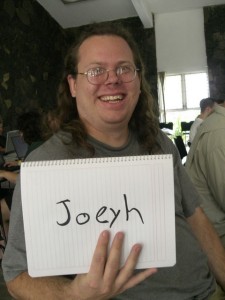
Rapha&#235;l Hertzog: People behind Debian: Joey Hess of debhelper fame


I decided recently to publish interviews from Debian contributors and I picked Joey Hess as my first target. He s one of the few who have heavily influenced Debian by creating software that have become building blocks of the project, like the debian-installer (Joey uses the shorthand d-i to refer to it). My questions are in bold, the rest is by Joey (except for the additional information that I inserted in italics). Who are you? Hello, I m Joey Hess. I m one of the oldtimers in Debian. Actually, I just checked, and there are still up to nineteen active Debian Developers who joined the project before I did, in 1996. I got started fairly young, and am just 34 years old. I spend part of my time working with Lars Wirzenius, another Debian oldtimer, on Branchable. It makes it dead-easy for anyone to make a website that is built from Git, using my Ikiwiki engine to do wiki and blog style things. These days I spend the rest of my time working on free software, when I should really be looking for work to pay the bills. What s your biggest achievement within Debian or Ubuntu? I guess I m mostly known by Debian developers for writing debhelper and perhaps debconf. Probably founding the Debian Installer project has been a bigger impact for users. I m fairly equally proud of all three projects. But while it might sound corny, I am more proud of the accumulation of all the smaller things done in the context of Debian. It s more of a deep connection to the project. All the bugs fixed, and filed, and packages uploaded, and late night discussions, and just being a part of the larger project. What are your plans for Debian Wheezy? Hmm, I stopped thinking of Debian releases by code names back around Slink. :) So, few specific plans for Wheezy. The main thing I would like to help make happen in Debian next is Constantly Usable Testing, and it transcends releases anyway. The only specific plans I have for Wheezy are that there will probably be a new debhelper compat level, and I hope d-i will finally switch to using git. RH: You can learn more about Constantly Usable Testing in my article Can Debian offer a Constantly Usable Testing distribution?. If you could spend all your time on Debian, what would you work on? Getting Debian on all these computers that we carry around in our pockets and can t easily run apt-get on and hack on. Phones that is. It s a bigger problem than just Debian, but I think Debian needs to find a way to be part of the eventual solution. The FreedomBox concept at least hints at a way around the current situation with embedded computers in general. What s the biggest problem of Debian? I believe that the biggest problem is institutional, social and technological inertia. Every specific case of something that frustrates me about Debian today can be traced back to that. You contribute regularly to Debian mailing lists, yet I don t remember any aggressive/frustrated mail of you. How do you manage that? Are you avoiding heated discussions? Rats, sounds like all my wonderful flames of years past have been forgotten! Seriously though, after I noticed thread patterns, I started trying to avoid participating in the bad patterns myself. Now I limit myself to one expression of an opinion, and I don t care who gets the last word. If people can t be convinced, it s time to find another approach to the problem. Also, code talks. Most of the programs you wrote for Debian are in Perl. Do you regret this choice? I love that question! No, no regrets. My only concern is whether the language limits contributors or users. I have not seen Perl significantly limiting the use of anything except for debconf (we had to rewrite it in C for d-i). And I do not notice fewer contributions to my Perl-based code than to other code. I do sometimes regret when someone tells me they had to learn or re-learn Perl to work on something I wrote. But while I m enjoying writing new things in Haskell now, and while I hope it will mean less maintenance burden later, I don t think using Haskell will make it easier for others to contribute to my programs. Anyway, for me the interesting thing about writing a program is the problem it solves and the decisions made doing it. Choice of language is one of the less interesting decisions. Is there someone in Debian that you admire for his contributions? Well, lots. You re tempting me to throw a dart at a map. So arbitrarily, I ll say Anthony Towns. We could all learn something from how he s approached making big, fundamental changes, like introducing Testing, and making Debian Maintainers happen.
Thank you to Joey for the time spent answering my questions. I hope you enjoyed reading his answers as I did. Subscribe to my newsletter and don t miss further interviews. You can also follow along on Identi.ca, Twitter and Facebook. PS: If you want to suggest me someone to interview, leave a comment or mail me.

3 comments Liked this article? Click here. My blog is Flattr-enabled.

Next.

Previous.