Search Results: "tar"

20 December 2010

Raphaël Hertzog: 5 reasons why Debian Unstable does not deserve its name


Debian Unstable (also known as sid) is one of the 3 distributions that Debian provides (along with Stable and Testing). It s not conceived as a product for end-users, instead it s the place where contributors are uploading newer packages. Daily. Yes that means that Unstable is a quickly moving target and it s not for everybody. But you can use it and your computer won t explode. 1. It contains mainly stable versions of the software Yes, you read it right. Unstable is not full of development versions of the various software. It happens on some software but then it s usually a conscious decision of the maintainer who believes that this specific version is already better than the previous one. The packages in sid are supposed to migrate to testing, the place where the next Debian stable release is prepared. So maintainers are advised to only upload stuff that is of release quality, the rest should be uploaded to experimental instead. 2. It doesn t break badly every other day Breakages happen but they are not a big deal usually. It has been long time since I could not reboot my computer after an upgrade or since the graphical interface was no longer working. The kind of breakages that you have is that one software stops working, or triggers an annoying bug, or that a few packages are uninstallable. In most cases, you can save yourself by downgrading to the version available in Testing. Or by finding a work-around in the bug tracking system. Or by not upgrading because you have apt-listbugs installed and you have been warned about the problem. 3. It s the basis of other distributions If Debian Unstable was really so bad, it would not be a good basis to build a derivative distribution, isn t it? But Ubuntu and SiduxAptosid (to name only two) are based on Debian Sid. 4. It s not inherently less secure than Stable or Testing High impact security vulnerabilities will usually be quickly fixed in Stable and Unstable. The stable upload is done by the security team while the unstable one is made by the maintainer. Testing will usually get the fix through the package uploaded to Unstable, so testing users get security updates with a delay. For less serious vulnerabilities, it s entirely possible that stable does not get any update at all. In that case, unstable/testing users are better served since they will get the fix with the next upstream version anyway. Of course, it happens that maintainers are busy or that something falls through the cracks, but there are other people watching RC bugs who will fix this if the maintainer doesn t react at all. 5. I use it on my main computer And many other people do the same. And you can do the same if you meet the criteria below: If you feel you are not ready for the jump, click here to subscribe to this blog (or here via the RSS feed), I ll surely teach some of the required skills in future articles. PS: All that said, if you have a working sid installation, do not upgrade it just before an important presentation, or before a trip. It will always break at the most annoying time. Unless you like to live dangerously, of course.

41 comments Liked this article? Click here. My blog is Flattr-enabled.

19 December 2010

Gintautas Miliauskas: Mobile App Camp

On the last weekend my team and I participated in the Mobile App Camp (link in Lithuanian) organized by Omnitel, which is one of the dominant mobile operators in Lithuania. The event seems to be part of Omnitel's push for increasing the share of smartphones in the Lithuanian market, which has been lagging behind the European trends.

Our team consisted of Povilas Kytra, who is behind the TV.LT project, Mantas Kanaporis from A-Gain and me. In the weekend we built an app that shows the TV programme for the coming day for all the Lithuanian TV channels. (The app is not yet available on the Android Market, but we are working on it.)

Here's a screenshot of the main screen of the application:


The app was built using the standard Android Development Toolkit on Eclipse. The app gets the content from a Rails-based server containing a simple database and couple JSON views.

I had some experience of developing for Android before, but it was mostly about working with graphics on canvas, while in this app we used some standard GUI controls (with some nifty styling).

For the source control, we used a private repository on bitbucket.org. That one was a huge letdown: a 'hg push' or 'hg pull' would take ages (or at least that's how it seemed to me in comparison to GitHub), and we had no end of trouble with merging, partly due to the number of commands needed to get the repositories in sync (hg pull; hg update; hg merge; hg commit; hg push). Even Subversion would probably have worked better.

The event itself was great fun. It had been a while since I had last coded intensively for the entire weekend. There were quite a few decent ideas presented by the participants, and some of them were successfully implemented.

The rating system was somewhat disappointing though. The event was supposed to be a contest, with four predefined criteria for winning apps (still available on the website): uniqueness in the Lithuanian market, magnitude of the target group, value provided to the user and creativity. In the end, however, the jury nominated apps for three different awards (best app built on an existing database, best app built anew, and the "hope" nomination) with one app awarded from each category. Our app scored second in the first nomination, so we did not get an award, even though we would probably have been in the global top three, were the original criteria upheld.

To be fair, we did not stand much chance against the winner in our category, an app based on vaistai.lt, which sported a database of pharmaceuticals with detailed usage instructions, information about drug stores in Lithuania with maps and inventory status, and even a barcode scanner. Hats off to them. Another winner was "Alaus radaras" ("Beer radar") with locations of local beer bars and inventory info. The third one was "3 milijonai teis j " (Three million judges"), which, as far as I understood, was a conception for a basketball-throwing game (basketball is very big in Lithuania, it is a second national religion).

To conclude, it was a fun event and I wish we will be having more of those in Vilnius, even though the Monday after the long weekend was very unproductive.

Jonathan Wiltshire: The perfect gpg-agent setup

When I first started using Debian properly, I played with gpg-agent and pinentry but I didn t really understand the various bash initialisation scripts, and my botched setup annoyed me so much I disabled it again quite quickly (for example, if I left the machine logged in to GDM at home then logged in through SSH, pinentry dialogs stayed in GDM and had to be killed). Now I ve finally had time to get it sorted out, and this is part aide-memoire and part idiot check (hello, lazyweb). The brief: I assume appropriate packages are already installed at a minimum, gpg-agent and whichever pinentry you prefer. Installing gpg-agent drops a hook into /etc/X11/Xsession.d, but now there are both gpg-agent and ssh-agent running. Disable ssh-agent because we re going to let gpg-agent take care of everything: in /etc/X11/Xsession.options, comment out the line use-ssh-agent. In /etc/X11/Xsession.d/90gpg-agent, add the enable-ssh-support parameter so the STARTUP variable looks something like:
STARTUP="$GPGAGENT --daemon --sh --enable-ssh-support --write-env-file=$PID_FILE $STARTUP"
and also disable ssh in gnome-keyring:
$ gconftool-2 --set -t bool /apps/gnome-keyring/daemon-components/ssh false
Now (after restarting your X session) you can use ssh-add to import a key into gpg-agent, and you should see a pinentry dialog asking for a password. That takes care of X sessions, but it won t work for SSH. This is where the different bash login scripts matter: ~/.bashrc is run for all non-login shells (that is, ones spawned from e.g. gnome-terminal) but ~/.profile is only run for login shells (that is, ones where you have to authenticate, such as SSH connections). So, at the bottom of ~/.profile, we just start another gpg-agent who doesn t know about X:
eval $(gpg-agent --enable-ssh-support --daemon)
After restarting your SSH session and triggering a key operation, like signing a document, pinentry-curses should ask for your passphrase at the SSH shell and not leave dialogs stranded in the X session. Finally, that second agent shouldn t be left hanging around after we ve finished, or there ll be hundreds of them soon. Fortunately, the PID is recorded in the environment variable GPG_AGENT_INFO, but parsing that is a bit awkward when it s also recorded alone in SSH_AGENT_PID. So in ~/.bash_logout, we just
kill $SSH_AGENT_PID
(Most of the pointers for this setup came from http://wiki.kumina.nl/index.php/Managing_ssh_keys_with_gpg-agent and http://stefaanlippens.net/bashrc_and_others)
Comments flattr this!

18 December 2010

Christoph Berg: Using multiple IMAP accounts with Mutt

Mutt's configuration is sometime more a toolbox than something offering ready solutions, and "how to I use multiple accounts?" is one of the most FAQs. Here's a condensed version of my setup. In the most simple solution, just 'c'hange folders to the IMAP server:
c imaps://imap.example.com <enter>
c imaps://imap.otherdomain.tld <enter>
That's cumbersome to type, so let's automate it:
# .mutt/muttrc
macro index <f2> '<change-folder>imaps://imap.example.com<enter>'
macro index <f3> '<change-folder>imaps://imap.otherdomain.tld<enter>'
That would be the basic setup. The two accounts have settings associated with them, we put them in two files:
# .mutt/account.example
set from=me@example.com
set hostname="example.com"
set folder="imaps://imap.example.com/"
set postponed="=Drafts"
set spoolfile="imaps://imap.example.com/INBOX"
set signature="~/.mutt/signature.example"
# .mutt/account.otherdomain
set from=myself@otherdomain.tld
set hostname="otherdomain.tld"
set folder="imaps://imap.otherdomain.tld/"
set postponed="=Drafts"
set spoolfile="imaps://imap.otherdomain.tld/INBOX"
set signature="~/.mutt/signature.otherdomain"
Now all that's left to do is two folder-hooks to load the files:
# .mutt/muttrc
folder-hook 'example.com' 'source ~/.mutt/account.example'
folder-hook 'otherdomain.tld' 'source ~/.mutt/account.otherdomain'
# switch to default account on startup
source ~/.mutt/account.example
A slight variation of the macros also uses the account files:
macro index <f2> '<sync-mailbox><enter-command>source ~/.mutt/account.example<enter><change-folder>!<enter>'
macro index <f3> '<sync-mailbox><enter-command>source ~/.mutt/account.otherdomain<enter><change-folder>!<enter>'
To save entering the password all the time, we use account-hooks:
account-hook example.org 'set imap_user=me imap_pass=pw1'
account-hook otherdomain.tld 'set imap_user=myself imap_pass=pw2'
Putting passwords in configs isn't something I like, so I pull them from the Gnome keyring:
set my_pw_example= gnome-keyring-query get mutt_example 
set my_pw_otherdomain= gnome-keyring-query get mutt_otherdomain 
account-hook example.org 'set imap_user=me imap_pass=$my_pw_example'
account-hook otherdomain.tld 'set imap_user=myself imap_pass=$my_pw_otherdomain'
(I found gnome-keyring-query in the Gentoo Wiki.) Martti Rahkila has more verbose article with similar ideas.

Joey Hess: dadagoogoo

The Google books ngram datasets are a nice resource for playing with text generation. I've created a program that will, given a starting phrase, blather on by connecting phrases from the datasets. The results are much more varied, and seem to more often make sense than most Markov text generators I've seen before, such as dadadodo. It had better be -- it's working with data derived from 4% of all books ever written! Some examples. Do they tell a story? (The starting phrase I entered is in italics.) I have cheated slightly by picking where to stop quoting the blather each time. It tends to go on for quite a while otherwise. Although it often does manage some kind of sense at length too:
This was accomplished using only 99 lines of code. I imported the datasets into Xapian databases using this program. And this program is the text generator. I threw out the metadata, to keep the Xapian databases of reasonable size. By which I mean, only a dozen gigabytes. It might be interesting to include the publication year data in Xapian, so that it could prefer ngrams that were published around the same time as the input text. I'm still importing data. I may put up a web interface later if there's interest. PS: PPS:

Guido G nther: git-buildpackage tip #1: using gbp-clone to clone a remote repo

Let's say you want to clone a git repository that has the debian packaging on master and the upstream source is kept on upstream/master (since it tracks upstream's master branch). You can simply use git clone or you can do a
gbp-clone --upstream-branch=upstream/master --pristine-tar git://git.debian.org/git/pkg-lvm/multipath-tools.git
This will additionally set up master, upstream/master and pristine-tar to track the corresponding remote branches. There's no --debian-branch option in the above example since master is the default. If you want to safely update these branches at a later point invoke
gbp-pull --upstream-branch=upstream/master --pristine-tar
from inside the repository. This will only update the branches if they can be fast-forwarded. If the repository has a debian/gbp.conf describing the branch layout a call to
gbp-pull
is enough.

Felipe Sateler: CDBS -- An introduction

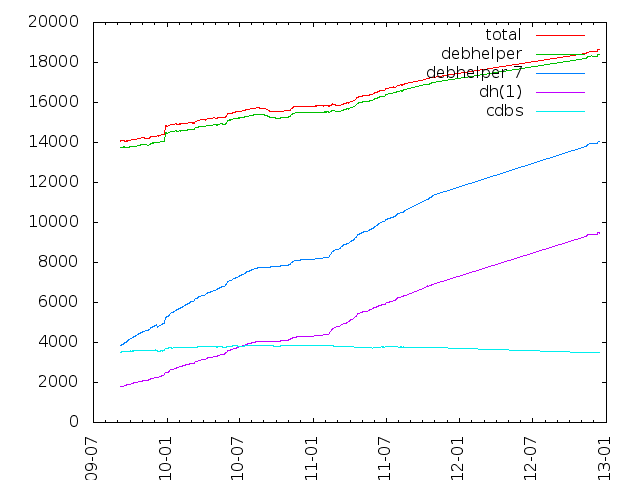
It seems the current trend is to use short-form dh. Some people have even thought that dh has superseded CDBS. Since I prefer CDBS for my own packaging, I will say that no, CDBS is not being deprecated and in fact has been active. Packaging with CDBS is very simple. I'll try to explain how it works, and how to package with it. This may turn into a blog post series, but I won't promise anything.

CDBS is a set of makefiles that do several tasks that are common while packaging software, so that you don't have to repeat them over and over on each package. The makefiles are classified into 2 groups: classes and rules. Classes implement the rules required for building and installing software. These are classes because they can and do inherit from others. For example, there is the makefile class, and the autotools, qmake and cmake classes inherit from it, and the gnome and kde (which is for kde 3) classes inherits from the autotools class. Rules implement several other general purpose rules that don't depend on the toolchain used to build the package. For example, there is the debhelper rules file, which takes care of creating the debian package using the usual dh_* commands. There are several rules files which do all sorts of useful stuff, from running license checks to downloading new upstream releases. If this post transforms into a series, we may look into some of them. For now, I'll demonstrate how to use CDBS to package some simple software (only the debian/rules file, of course).

The first task while running creating debian/rules is determining which build system the software uses. I will use qutecsound package as a guide. So, first things first, we start using CDBS!
#!/usr/bin/make -f

# Uncomment this to turn on verbose mode.
#export DH_VERBOSE=1

include /usr/share/cdbs/1/rules/debhelper.mk
include /usr/share/cdbs/1/class/qmake.mk


Now this would be all that is required if qutecsound where a standard qmake package where nothing needs to be customized. Alas, this is not the case. First, there are some variables that need to be passed to qmake to appropriately configure the build. Also, the projects .pro file is not standard-named. How do we fix this? The CDBS way of overriding this kind of behavior is through the use of variables. Since we are using the qmake class, we will be overriding variables named DEB_QMAKE_*:
DEB_QMAKE_CONFIG_VAL += build64
DEB_QMAKE_ARGS = qcs.pro


We add a configuration value (because CDBS is setting other config values), and we set the extra arguments to qmake.

Now, there is a problem: the resulting binary is not created with the name we want. How do we change that? We could patch the source to avoid that, but it is far easier to add a rule to the makefile to do that. We will modify the build to rename the file at the end (and then clean it up on clean because the upstream makefile will not spot it):
build/qutecsound::
[ -f bin/qutecsound ] mv bin/qutecsound-d bin/qutecsound

clean::
rm -f bin/qutecsound


So what did we just do? We extended the build and clean rules with extra stuff to do. In CDBS each package listed in debian/control gets a build/package rule (and several others at different stages of the build) so that one can add stuff specific to each package (this will be much more useful when dpkg finally learns about build-arch and build-indep).

For the final touch, we want to do a few more things. First, we want to ensure that we are using QT4's qmake, because the build will fail if QT3's is used. Second, since I created a manpage for the command, I want to install it. Finally, we want to use parallel building when the user has specified it, to build the project faster. How to do that? Again, via variables:
QMAKE = qmake-qt4
DEB_BUILD_PARALLEL = 1
DEB_INSTALL_MANPAGES_qutecsound = debian/qutecsound.1


CDBS creates several variables for each of the packages listed in debian/control, so we can customize each package build. In our case, this variable is passed to dh_installman from the debhelper rules file (CDBS will invoke the debhelper tools once for each binary package).

After all this we now have the complete debian/rules of a relatively simple package. How does it look like? Like this:
#!/usr/bin/make -f

# Uncomment this to turn on verbose mode.
#export DH_VERBOSE=1

include /usr/share/cdbs/1/rules/debhelper.mk
include /usr/share/cdbs/1/class/qmake.mk

QMAKE = qmake-qt4
DEB_QMAKE_CONFIG_VAL += build64
DEB_QMAKE_ARGS = qcs.pro
DEB_BUILD_PARALLEL = 1

DEB_INSTALL_MANPAGES_qutecsound = debian/qutecsound.1

build/qutecsound::
[ -f bin/qutecsound ] mv bin/qutecsound-d bin/qutecsound

clean::
rm -f bin/qutecsound

Tags: cdbs, packaging

Dirk Eddelbuettel: Introduction to ESS: talk and slides

We had another meeting of the Chicago R User Group last evening. This was scheduled somewhat belatedly once we learned that Drew Conway would be in town. Drew gave a very nice talk about his brand new infochimps package (for accessing the eponymous infochimps data service and marketplace). Slides are available on Drew's blog. In fact, he had already blogged about his talk before I had even started to write my slides... The user group meetings have a meme of showing how to use R with different editors, UIs, IDEs,... It started with a presentation on Eclipse and its StatET plugin. So a while ago I had offered to present on ESS, the wonderful Emacs mode for R (and as well as SAS, Stata, BUGS, JAGS, ...). And now I owe a big thanks to the ESS Core team for keeping all their documentation, talks, papers etc in their SVN archive, and particularly to Stephen Eglen for putting the source code to Tony Rossini's tutorial from useR! 2006 in Vienna there. This allowed me to quickly whip up a few slides though a good part of the presentation did involve a live demo missing from the slides. Again, big thanks to Tony for the old slides and to Stephen for making them accessible when I mentioned the idea of this talk a while back -- it allowed to put this together on short notice. And for those going to useR! 2011 in Warwick next summer, Stephen will present a full three-hour ESS tutorial which will cover ESS in much more detail.

David Welton: Do More Faster: TechStars Lessons to Accelerate Your Startup

<iframe frameborder="0" marginheight="0" marginwidth="0" scrolling="no" src="http://rcm.amazon.com/e/cm?lt1=_blank&amp;bc1=000000&amp;IS2=1&amp;bg1=FFFFFF&amp;fc1=000000&amp;lc1=0000FF&amp;t=dedasys-20&amp;o=1&amp;p=8&amp;l=as1&amp;m=amazon&amp;f=ifr&amp;md=10FE9736YVPPT7A0FBG2&amp;asins=0470929839" style="width: 120px; height: 240px;"></iframe> I got this to read on my trip to Oregon. Initially I was a bit dubious, after reading the chapter headings on Amazon. Indeed, if you read a lot of articles about tech startups, a lot of the material is not particularly novel, and are things that you've already read elsewhere. If, on the other hand, you're looking for a quick introduction to some of the common ideas behind web/tech startups, it's a pretty good list, written by a variety of people, with a lot of practical advice. The list of concepts includes "execution, not ideas", "fail fast", get feedback early", "get a co-founder", and a lot of similar advice that permeates discussions of early stage internet companies. Other people have different tastes, but for me, this passage was a strikingly effective advertisement for living in Boulder, Colorado:

With this as the backdrop, it was natural to make cycling a central part of my work with Everlater's founders, Nate Abbott and Natty Zola. Nate, Natty, and I scheduled regular weekly rides (sometimes several times a week) and while we didn't keep a formal agenda, each ride had a number of topics planned out for us to cover. In this way, we worked through many of the early challenges the business faced as it moved from idea to reality in the course of the summer of 2009. Our typical rides lasted from 60 to 90 minutes during which time we were able to focus on the business without interruption. And while getting some fresh air helps bring perspective, it's hard to avoid thinking about problems in a new way when you're out of the office, surrounded by the beauty of the Boulder foothills while your mind is completely clear. Startups, cycling, mountains... sign me up! Another tidbit I found interesting:

We often talk about the Number One startup killer at TechStars making a product for which there is no interesting market. TechStars accepts just 10 of more than 600 startups that apply and presumably they are among the best. But still, we find that at least one-third of those startups are attempting to build a product that they want, or that no one wants, instead of what the market wants But wait, I thought "execution is everything", and "ideas are worthless". It seems like avoiding bad ideas is potentially worth a whole lot of money in wasted time and energy though, no? The bit about ideas being worthless is a load of crap. The reason there is no market for ideas is that they are not "excludable". There was never a market for lighthouses either, the classic example in economics of a public good. So the government built them, and they were valuable to people operating ships. Ideas for startups may not have a lot of value compared to people executing them well, but to say they are worthless is hyperbole. In any case, though, if you're interested in startups, or especially if you happen to be interested in the TechStars program, it's book full of good advice, even if none of it will come as a revalation to anyone who follows that sort of thing regularly.

17 December 2010

Andrew Pollock: [tech] Probable solution for Pandora 417 errors on Google TV

This has been bugging me ever since we got our Sony Internet TV, and I think I've finally figured out what's going on. Pandora hasn't been working on the Google TV ever since we got it, it just spits out Unexpected HTTP error occurred code: 417 while StartupAsyncTask and that's the end of that. I have vague recollections seeing this on my phone in the past also, but this doesn't appear to be the case any longer. My phone has version 1.5.2 on it, and the TV has 1.0, so I think I see the problem here. I took a full packet capture while starting up Pandora, and it was a lot more revealing. I could see that it was my Squid proxy (I transparently run all HTTP traffic through Squid) was barfing. That'd explain the errors I was seeing in Squid's cache.log

parseHttpRequest: Unsupported method ''
clientTryParseRequest: FD 153 (172.16.1.5:55001) Invalid Request
Looking at the headers of the HTTP request that the Pandora client is sending out, I see Expect: 100-Continue, and the text that accompanies a HTTP 417 error is "Expectation Failed", so I think this is the culprit. Searching for Expect: 100-Continue squid turns up information for an ignore_expect_100 directive, but this appears to only be available if Squid is compiled with --enable-http-violations, which the Debian Squid package doesn't appear to be compiled with. I may have to adjust my transparent proxying rules to not transparently proxy the TV, but this makes me a bit sad. Update I tried adding ignore_expect_100 on anyway, and Squid took it, and now Pandora isn't barfing. Yay!

Daniel Stone: new x.org multitouch patchset posted

So, I've been working on multitouch on and off the past few months (which have included a solid ten weeks of holiday), but have finally posted the third patch series, which I think should be pretty close to final, to the list today.

Touch events look kind of similar to standard Xi 2.1 events (DeviceMotionNotify and friends), but the implementation of grabbing and event delivery is quite different from the traditional X model that we all know and love.

Firstly, touch grabs are not strictly grabs as with other input events. When a synchronous pointer or keyboard grab activates, it 'freezes' the device, stopping delivery of all further events until the grabbing client has decided what to do. The client can either pass on the event to the next client (replay), opt to continue receiving all events with the device freezing again after each event (synchronous mode), or continue receiving all events with the device unfrozen (asynchronous). While this is happening, the grabbing client is the only one receiving events, hence the name.

Touch grabs break both of these assumptions. Firstly, the device never freezes: delivery of all events (pointer, keyboard, touch, whatever) continues at full tilt, and a touch grab never affects pointer or keyboard events, with the possible future exception of pointer events that are emulated from touch events. Secondly, all clients with grabs, as well as the client with the first selection we find<super>0</super>, receive the events. An 'owner' flag is set (or unset) to indicate to the client that it does, or does not, own the touch stream in question.

The owner principle is important: the theory is that all touch streams must be considered as a whole (i.e. from init, through all the motion events, to the touch stream ending), and cannot be separated into component parts. So a client which does not own a touch stream can do gesture recognition or whathaveyou in the background, but must not act upon it until it becomes the owner. We added an extra request, XIAllowTouchEvents, to control ownership: clients can either reject ownership, passing it on to the next in line, or assert their ownership and permanently remove all other clients from the delivery list.

So it's somewhat different, but (hopefully) not without reason. The motivation behind this was to keep latency as low as humanly possible, since people seem to demand lower latencies from direct touch-based devices. Sticking to the traditional grab model would have meant a flurry of round trips between all the clients in the stack and the server, as well as maintaining huge buffers in the server for every touch event, which each client would have to transfer in turn.

This model is a compromise between my original design and Ubuntu's suggested design; both of us had far more simple designs, but oriented towards different usecases. The original Ubuntu usecase was for a global gesture recognition system, which apps would only opt out of in rare cases. My primary usecase was exactly the reverse: apps doing their own gesture recognition, with a very small, if any, global system. Hopefully it's actually the best of both worlds, rather than the worst possible intersection: I guess we'll find out. :)

At the moment, it's all largely theoretical, but some of the Nokia Qt guys are working on a port and have provided really helpful feedback, and hopefully the GTK+ multitouch branch, which was written against a much earlier and, er, speculative, version of the spec, gets updated too.

Finally, some thanks: to both Nokia and my excellent employer Collabora for sponsoring my part of this work; to Chase Douglas from Canonical for his contributions and for not just giving us the finger and vanishing when we rejected the X Gesture Extension, but hanging around and working through it; and to Peter Hutterer, for spec work and review. There were also numerous others involved earlier (including, but not limited to, Henrik Rydberg working on mtdev and others) who deserve credit, so sorry if I forgot anyone.

If you want to get it and play around with it, the patches/repositories are all laid out in my initial mail linked to earlier, as well as the follow-up mail noting the evdev repository location. The spec has more details, and will hopefully be cleaned up to be a lot less clunkily-written.

[0]: The delivery order is unchanged. For grabs, we start at the root window and proceed down the window stack to the innermost child window, activating grabs in that order. For events selected for with XISelectEvents, we start at the innermost child window, work our way up towards the root window, and stop as soon as we find one.

John Goerzen: KR0L: Amateur Radio, Wikis, and Linux

Since I got my amateur radio license back in July, I ve had a lot of fun with it. It s a great hobby for anyone technically-inclined or anyone socially-inclined, and between those categories that includes a lot of people. I ve learned quite a bit over the last few months and really enjoyed it all. I passed my extra class exam back this fall, and thus got my new callsign, KR0L. So long, KD0MJT. I ve enjoyed some contesting, as well as general conversations on the system. I ve also done some work with the keyboard-to-keyboard digital modes on HF. Debian includes a very nice program called fldigi for this. Of late, I have developed an interest in packet radio. Packet radio uses a networking protocol called AX.25 over RF links. AX.25 bears a familial resemblance to TCP/IP, and in fact, you can run TCP/IP over AX.25 and AX.25 over TCP/IP. My learning curve on packet was somewhat steep. It has declined in popularity significantly since the growth of generally-available Internet access, though seems to be once again growing now. So a lot of information about it is 10 years old. As I was learning about packet, I of course was using my Debian system. The Linux kernel has long had AX.25 support integrated as a first-class networking protocol. You can open AX.25 sockets, monitor AX.25 traffic, etc. from the Linux kernel. You can use soundmodem to make a software-defined packet modem (called a TNC), or you can use kissattach to hook up to a traditional TNC via a serial port and a protocol strongly similar to SLIP (which, for those of you with shorter memories, is a predecessor to PPP). Linux can do what you d expect out of a modern networking system: multiplexing with AX.25, handling lots of simultaneous users, etc. So I was a bit surprised and baffled to keep running into systems that only supported 1 user at a time, couldn t easily do some things I was taking for granted, etc. Until I realized that Linux is the only major operating system with integrated AX.25 support in the kernel. Things started to make a bit more sense. I hadn t realized just how awesome a setup I had until I started learning about the hoops some other people went through. It is pretty easy to run a basic client on Windows, but to run the server side of things as I am doing well some of the features just aren t there or are really kludgy. Anyhow, I have decided to start documenting things I learn as I go. Beyond amateur radio, I also have sometimes wanted places to stick bits of information. Things that other people might benefit from if they Google, but that maybe aren t the best blog fodder or website material. So I have set up a wiki, openly editable of course, at http://wiki.complete.org/. To date, only the amateur radio section has much content in it. I m also sending in patches and bug reports to the various projects involved in amateur radio in Linux, and am glad to see development has resumed on several of those.

Pietro Abate: debian git packaging with git upstream

Update There is an easier method to do all this using gbp-clone as described here. Ah ! Then to build the package, you just need to suggest git-buildpackage where to find the pristin-tar :
git-buildpackage --git-upstream-branch=upstream/master
or you could simply describe (as suggested) the layout in debian/gbp.conf. Easy !!!
I've found a lot of different recipes and howtos about git debian packaging, but I failed to find one simple recipe to create a debian package from scratch when upstream is using git. Of course the following is a big patchwork from many different sources. First we need to do a bit of administrative work to setup the repository :
mkdir yourpackage
cd yourpackage
git init --shared
Then, since I'm interested in tracking upstream development branch I'm going to add a remote branch to my repo:
git remote add upstream git://the.url/here.git
at this point I need to fetch upstream and create a branch for it.
git fetch upstream
git checkout -b upstream upstream/master
Now in my repo I have a master branch and an upstream branch. So far, so good. Let's add the debian branch based on master:
git checkout master
git checkout -b debian master
It's in the debian branch where I'm going to keep the debian related files. I'm finally read for hacking git add / git commit / git remove ... When I'm done, I can switch to master, merge the debian branch into it and use git-buildpackage to build the package.
git checkout master
git branch
debian
* master
upstream

git merge debian
git-buildpackage
Suppose I want to put everything on gitourious for example. I'll create an acocunt, set up my ssh pub key and then I've to add an origin ref in my .git/config . Something like :
[remote "origin"]
url = git@gitorious.org:debian-stuff/yourpackage.git
fetch = +refs/heads/*:refs/remotes/origin/*
[branch "master"]
remote = origin
merge = refs/heads/master
The only thing left to do is to push everything on gitourious. the --all is important.
git push --all
People willing to pull your work from girourious have to follow the following script :
$git clone git@gitorious.org:debian-stuff/yourpackage.git
$cd yourpackage
$git branch -a
* master
remotes/origin/HEAD -> origin/master
remotes/origin/debian
remotes/origin/master
remotes/origin/upstream
$git checkout -t origin/debian
$git checkout -t origin/upstream
$git branch -a
debian
master
* upstream
remotes/origin/HEAD -> origin/master
remotes/origin/debian
remotes/origin/master
remotes/origin/upstream
$git checkout master
$git-buildpackage
Maybe there is an easier way to pull all remote branches at once, but I'm not aware of it. Any better way ?

16 December 2010

Lars Wirzenius: Shadow of a bug

I've recently spent five days debugging a problem in obnam, my backup program. It turned out to be a bug in my B-tree implementation, which I wrote for obnam. The process was pretty long, and it might be instructive to de-brief myself. The bug manifested itself when I ran a backup test that was larger than what I had ran before: one terabyte of live data. The symptom was a key lookup problem in a B-tree. Good: the problem was entirely deterministic, and easy to reproduce. Bad: it took hours to reproduce it. My first step was to fiddle with the obnam parameters to see if I could make it fail faster, but in the same way. I got the time down to half an hour. After this, I started fiddling with the code to see if I can figure out what happens, and perhaps find a quick fix to the bug. After some hours, I realized I was being stupid. I was making essentially random changes to the code, instead of hunting down the actual cause. I had no idea what was going wrong, so trying to fix it was an act of utter stupidty. So I went back to where I had started from. The next step was to run "obnam fsck" on the failing backup store. This did not find any problems. The fsck I've written is a bit simplistic, and merely checks that for every client in the backup store, every generation is found, and within every generation each file's metadata, and data chunks are found. I will improve fsck in the future, but right now it was not helpful. I did not have a tool to verify that the actual B-trees were OK. So I wrote one. It, too, is quite simplistic, but at least it proved that the key was still present in the on-disk version of the B-tree. At this point, I did a code review of the B-tree code. It had been a some months since I'd touched the code, and hence the review brought up a bunch of minor issues: outdated comments, badly formatted code, stupid variable names, etc. One or two buglets, too, but nothing relevant to the case of the missing key. At this point I made a mistake: I concluded that the error was not in the B-tree code, but the obnam code using the B-trees. I spent the next couple of days running the test case, adding more logging, and analyzing the results. Without my mistake, I would not have ignored indicators that would have led me faster into the depths of the B-tree code. I might have saved a day or two of the process. Eventually I narrowed down the problem to a single B-tree insertion call in the obnam code. The call inserted a new value for a given key into one tree, and the value in another tree changed as well. Quite mysterious. My B-trees are an implementation of the Rodeh B-trees. All updates are done using copy-on-write, and this allows efficient cloning of trees. However, as an optimization, a node that is used by only one tree at a time can be modified in-place. This speeds things up a lot when the same tree is updated many times. In obnam, each B-tree represents a backup generation. The specific bug I was hunting was that the key I use for storing the unique identifier for a generation changed in two trees at the same time. Now that I have actually found and fixed the problem, it is clear that I should have realized at once what was happening, but I didn't, so I spent another couple of days adding logging statements into the B-tree insertion code, and tracing where things went wrong. Since B-trees are updated quite heavily by obnam, the log files grew quite big, and the test runs grew quite long. The last run I did resulted in a 94 gigabyte log file, and lasted over 12 hours. less had trouble browsing the log file, probaby due to the rather long lines generated by dumps of the B-trees. I ended up splitting the large file into quite a number of small ones, using csplit. After some more analysis, I figured out the problem: the code that shadowed a B-tree node, i.e., implemented the copy-on-write modification, failed to update the reference counts of the children of a shadowed index node. The Rodeh B-trees use lazy reference counts: when an index node is shadowed, only the immediate children get reference count updates. This turns out to work quite well, and saves quite massive amounts of updates. Unfortunately, my code was too lazy, and did not update any reference counts. After I had come this far, it only took a couple of minutes to write a unit test to catch the problem, fix the code, run the unit tests successfully, and commit. Then I ran the big test case again, without the extra logging I had added, and the code worked fine. At least it worked fine for about 24 hours until it ate up all memory in the VM I was running it on, but that's a separate problem. What can I do to prevent this kind of bug happening in the future? Unit testing didn't catch it, and I have 100% statement coverage with unit tests (not counting 19 excluded statements). Code review by other programmers would surely help. I should perhaps attract others to the project. Please excuse the length of this blog post. It is a distillation of the about ten A4-pages' worth of notes I made during this debugging process. (Always make notes when debugging. Your brain can't remember all details.)

Raphael Geissert: Introducing the "Debian's Automated Code Analysis" (DACA) project

It's been a while since I started working on this project and even longer
since I had the idea. It's therefore a pleasure to finally announce the DACA project.


What is DACA?

Automated Code Analysis helps detect and fix bugs and other issues in source
code. The project aims to give users easy access to a wide variety of tools to
improve quality of software distributed by Debian, while giving the tool's
developers a test bed, more visibility, and more feedback.
This is achieved by running those tools on the complete Debian archive.

http://qa.debian.org/daca/

What is there for everyone?

At the moment there are only partial reports from two tools, but the list of
tools to be evaluated and possibly included goes over twenty.

Current tools: cppcheck, and checkbashisms (at the source package level.)

Limitations

Most of the tools are CPU-bound, limiting considerably the number of tools and
time it takes to check the whole Debian archive. For example, with the typical
sid repository update (i.e. not during the freeze and with a working ftp-
master) it is impossible for the server running cppcheck to keep up with all
the changes.

How can you help?

* First of all you can go and squash bugs!
Please keep in mind what's in the notices at the bottom of the pages. They are
rather static now, but they may change later.

* Second, report false positives, fix bugs, improve the tools
Every report page (at the footer) should mention the version of the tool used
to generate it. They are usually the latest.

* Third, join the DACA project
More hands are needed to evaluate other tools, setup an infrastructure for
running them, and finally generating the web reports.
Discussing tools already available at DACA is also welcome.

There's a project request at Alioth pending its approval, but once accepted
access to the repository and mailing lists will be found at:

http://alioth.debian.org/projects/daca

(the contact email address at the DACA website will be updated accordingly)

* Fourth, donate hardware

If you have equipment with very powerful CPUs or other hardware you (or your
company) can donate, please take a look at the following page:

http://www.debian.org/donations#equipment_donations

Note that this may be handled by people unrelated to the DACA project, and as
such you should mention what you would prefer your hardware to be used for.

* And finally, figure out what I missed, provide feedback, and go back to step
one.


Thanks!

By the way, thanks to the DSA team for tolerating a few hiccups on the host running
cppcheck, and to those who previewed the website and provided feedback.

Jonathan Wiltshire: Getting stuck into RC bugs

Now that it s much more convenient for me to do NMUs, and simultaneously there a handful of bugs that I can actually deal with, I guess it s about time I got stuck into some RC bugs. Here s my (rather modest) list of fixes for Squeeze the past few days:
Comments flattr this!

Joachim Breitner: Giving up on the FreeRunner (again)

More than two years ago, I got the most proper free mobile phone ever created, the Openmoko FreeRunner. Unfortunately, things did not go very well. At first, the device was affected by the infamous buzzing hardware issue, making it unusable as a phone. This could be fixed, but even then the device was not reliable: At times, it lost, without any indication, the GSM connection and I d start missing calls; and the audio quality was still an imposition for people trying to talk to me by telephone. I tried to stick to it for almost one year now, using it as my daily phone and hoping that things would get better, but my patience (and the patience of the people around me) have come to an end. So I m finally reviving my old and trusty Siemens S35 phone. I am eying the Nokia N900 phone, which is the most interesting phone for Free Software supporters at the time and, from what I hear, does not suffer from any of technical issues the FreeRunner had. But for now I ll be content if people can reach and hear me reliably, and for that I don t need a new, expensive phone.

15 December 2010

Stefano Zacchiroli: squeeze your non-free firmware away

Debian 6.0 Squeeze to be released with completely free Kernel(s) Today we have announced that, starting with the upcoming release of Squeeze, Debian will be even Free-er. Exceptions to the DFSG for non-free Linux firmware blobs, which have been granted in the past, will no longer be granted. Starting from Squeeze, Debian will be Free the bottom up, no matter where your own definition of software ends. The news has been known for a while within the Debian development community, but we had the pleasure of sharing that with our users only today. According to the reaction on identi.ca, where the news quickly made into the most popular notices, people are enthusiastic about the news and that in turn is very rewarding. If you are as happy and proud about this achievement as I am, please direct your kudos to all the teams who made this possible: Having been trol^W asked several times in the past about the "real freeness" of Debian at events, talks, and the like, I consider this episode to be a very nice story to tell. While we have granted exceptions for Linux firmware at the time of Etch and Lenny releases, during this time Debian people have worked, together with upstream, to make this final result possible. All this work has improved the situation not only for Debian users, but also for users of those derivatives which rely upon Debian kernels. Nonetheless, don't expect us to live under a rock. We know that there are users out there who need nasty non-free firmware bits to boot their machines or to access the Internet. That is why separate images with firmware included are being provided, although they are not part of Debian and are properly "discriminated": they should be looked for explicitly by users and can't be supported to the same extent of Free firmware, simply because we (as anybody else other than the hardware manufacturer) do not have access to the corresponding source code. This separation is a perfect example of the pragmatism embodied by the Debian Social contract: Debian consists of 100% Free software; at the same time, Debian enables its users to make their own choices in terms of Freedom, being explicit about what users risk if they cross the boundaries of DFSG. Awareness is the key here and I find it to be a very honest yet effective way of explaining to the world why Free Software is better. This is not the end of the story though, as we need to document this change properly to both increase awareness and avoid leaving users in the dark. A couple of bugs filed today might benefit from the help of some kind doc-writers: Debian bug #607191 (documenting the firmware change in the Squeeze release notes) and Debian bug #607193 (documenting the firmware change on the website).

Rapha&#235;l Hertzog: Howto to rebuild Debian packages

Being able to rebuild an existing Debian package is a very useful skill. It s a prerequisite for many tasks that an admin might want to perform at some point: enable a feature that is disabled in the official Debian package, rebuild a source package for another suite (for example build a Debian Testing package for use on Debian Stable, we call that backporting), include a bug fix that upstream developers prepared, etc. Discover the 4 steps to rebuild a Debian package. 1. Download the source package The preferred way to download source packages is to use APT. It can download them from the source repositories that you have configured in /etc/apt/sources.list, for example:
deb-src http://ftp.debian.org/debian unstable main contrib non-free
deb-src http://ftp.debian.org/debian testing main contrib non-free
deb-src http://ftp.debian.org/debian stable main contrib non-free
Note that the lines start with deb-src instead of the usual deb . This tells APT that we are interested in the source packages and not in the binary packages. After an apt-get update you can use apt-get source publican to retrieve the latest version of the source package publican . You can also indicate the distribution where the source package must be fetched with the syntax package/distribution . apt-get source publican/testing will grab the source package publican in the testing distribution and extract it in the current directory (with dpkg-source -x, thus you need to have installed the dpkg-dev package).
$ apt-get source publican/testing
Reading package lists... Done
Building dependency tree
Reading state information... Done
NOTICE: 'publican' packaging is maintained in the 'Git' version control system at:
git://git.debian.org/collab-maint/publican.git
Need to get 727 kB of source archives.
Get:1 http://nas/debian/ squeeze/main publican 2.1-2 (dsc) [2253 B]
Get:2 http://nas/debian/ squeeze/main publican 2.1-2 (tar) [720 kB]
Get:3 http://nas/debian/ squeeze/main publican 2.1-2 (diff) [4728 B]
Fetched 727 kB in 0s (2970 kB/s)
dpkg-source: info: extracting publican in publican-2.1
dpkg-source: info: unpacking publican_2.1.orig.tar.gz
dpkg-source: info: unpacking publican_2.1-2.debian.tar.gz
$ ls -dF publican*
publican-2.1/                 publican_2.1-2.dsc
publican_2.1-2.debian.tar.gz  publican_2.1.orig.tar.gz
If you don t want to use APT, or if the source package is not hosted in an APT source repository, you can download a complete source package with dget -u dsc-url where dsc-url is the URL of the .dsc file representing the source package. dget is provided by the devscripts package. Note that the -u option means that the origin of the source package is not verified before extraction. 2. Install the build-dependencies Again APT can do the grunt work for you, you just have to use apt-get build-dep foo to install the build-dependencies for the last version of the source package foo. It supports the same syntactic sugar than apt-get source so that you can run apt-get build-dep publican/testing to install the build-dependencies required to build the testing version of the publican source package. If you can t use APT for this, enter the directory where the source package has been unpacked and run dpkg-checkbuilddeps. It will spit out a list of unmet build dependencies (if there are any, otherwise it will print nothing and you can go ahead safely). With a bit of copy and paste and a apt-get install invocation, you ll install the required packages in a few seconds. 3. Do whatever changes you need I won t detail this step since it depends on your specific goal with the rebuild. You might have to edit debian/rules, or to apply a patch. But one thing is sure, if you have made any change or have recompiled the package in a different environment, you should really change its version number. You can do this with dch --local foo (again from the devscripts package), replace foo by a short name identifying you as the supplier of the updated version. It will update debian/changelog and invite you to write a small entry documenting your change. 4. Build the package The last step is also the simplest one now that everything is in place. You must be in the directory of the unpacked source package.
Now run either debuild -us -uc (recommended, requires the devscripts package) or directly dpkg-buildpackage -us -uc . The -us -uc options avoid the signature step in the build process that would generate a (harmless) failure at the end if you have no GPG key matching the name entered in the top entry of the Debian changelog.
$ cd publican-2.1
$ debuild -us -uc
 dpkg-buildpackage -rfakeroot -D -us -uc
dpkg-buildpackage: export CFLAGS from dpkg-buildflags (origin: vendor): -g -O2
dpkg-buildpackage: export CPPFLAGS from dpkg-buildflags (origin: vendor):
dpkg-buildpackage: export CXXFLAGS from dpkg-buildflags (origin: vendor): -g -O2
dpkg-buildpackage: export FFLAGS from dpkg-buildflags (origin: vendor): -g -O2
dpkg-buildpackage: export LDFLAGS from dpkg-buildflags (origin: vendor):
dpkg-buildpackage: source package publican
dpkg-buildpackage: source version 2.1-2rh1
dpkg-buildpackage: source changed by Rapha l Hertzog <hertzog>
 dpkg-source --before-build publican-2.1
dpkg-buildpackage: host architecture i386
[...]
dpkg-deb: building package  publican' in  ../publican_2.1-2rh1_all.deb'.
 dpkg-genchanges  >../publican_2.1-2rh1_i386.changes
dpkg-genchanges: not including original source code in upload
 dpkg-source --after-build publican-2.1
dpkg-buildpackage: binary and diff upload (original source NOT included)
Now running lintian...
Finished running lintian.
The build is over, the updated source and binary packages have been generated in the parent directory.
$ cd ..
$ ls -dF publican*
publican-2.1/                    publican_2.1-2rh1.dsc
publican_2.1-2.debian.tar.gz     publican_2.1-2rh1_i386.changes
publican_2.1-2.dsc               publican_2.1-2rh1_source.changes
publican_2.1-2rh1_all.deb        publican_2.1.orig.tar.gz
publican_2.1-2rh1.debian.tar.gz
Do you want to read more tutorials like this one? Click here to subscribe to my free newsletter, you can opt to receive future articles by email.

11 comments Liked this article? Click here. My blog is Flattr-enabled.

Steve McIntyre: Debian CDs with firmware included

We've just posted a news item about the removal of non-free firmware from Debian's Linux kernel packages. Kudos to the kernel team and others for the work involved to make this happen! While we would be much happier if these binary blobs were not necessary at all, it's clear that some of our users may depend on them to support the hardware they are using. So, as mentioned in that news item, we've started making some unofficial CD images available that include the non-free firmware packages that we can redistribute. If you need one of these CDs, daily builds are to be found at http://cdimage.debian.org/cdimage/unofficial/non-free/cd-including-firmware/ . Starting with the next debian-installer release (hopefully RC1, coming soon!), we'll be generating fixed versions of these images to match each release too. Be aware that these are only netinstall images, equivalent to the normal free netinst images that we normally produce but with the firmware files added. If you want to do an installation entirely from a set of CDs/DVDs/BDs then you will need to burn one of these in addition to that set, then feed the rest of the set when prompted to by the installer.

Next.

Previous.