Search Results: "spa"

25 October 2023

Russ Allbery: Review: Going Infinite

Review: Going Infinite, by Michael Lewis
Publisher: W.W. Norton & Company
Copyright: 2023
ISBN: 1-324-07434-5
Format: Kindle
Pages: 255
My first reaction when I heard that Michael Lewis had been embedded with Sam Bankman-Fried working on a book when Bankman-Fried's cryptocurrency exchange FTX collapsed into bankruptcy after losing billions of dollars of customer deposits was "holy shit, why would you talk to Michael Lewis about your dodgy cryptocurrency company?" Followed immediately by "I have to read this book." This is that book. I wasn't sure how Lewis would approach this topic. His normal (although not exclusive) area of interest is financial systems and crises, and there is lots of room for multiple books about cryptocurrency fiascoes using someone like Bankman-Fried as a pivot. But Going Infinite is not like The Big Short or Lewis's other financial industry books. It's a nearly straight biography of Sam Bankman-Fried, with just enough context for the reader to follow his life. To understand what you're getting in Going Infinite, I think it's important to understand what sort of book Lewis likes to write. Lewis is not exactly a reporter, although he does explain complicated things for a mass audience. He's primarily a storyteller who collects people he finds fascinating. This book was therefore never going to be like, say, Carreyrou's Bad Blood or Isaac's Super Pumped. Lewis's interest is not in a forensic account of how FTX or Alameda Research were structured. His interest is in what makes Sam Bankman-Fried tick, what's going on inside his head. That's not a question Lewis directly answers, though. Instead, he shows you Bankman-Fried as Lewis saw him and was able to reconstruct from interviews and sources and lets you draw your own conclusions. Boy did I ever draw a lot of conclusions, most of which were highly unflattering. However, one conclusion I didn't draw, and had been dubious about even before reading this book, was that Sam Bankman-Fried was some sort of criminal mastermind who intentionally plotted to steal customer money. Lewis clearly doesn't believe this is the case, and with the caveat that my study of the evidence outside of this book has been spotty and intermittent, I think Lewis has the better of the argument. I am utterly fascinated by this, and I'm afraid this review is going to turn into a long summary of my take on the argument, so here's the capsule review before you get bored and wander off: This is a highly entertaining book written by an excellent storyteller. I am also inclined to believe most of it is true, but given that I'm not on the jury, I'm not that invested in whether Lewis is too credulous towards the explanations of the people involved. What I do know is that it's a fantastic yarn with characters who are too wild to put in fiction, and I thoroughly enjoyed it. There are a few things that everyone involved appears to agree on, and therefore I think we can take as settled. One is that Bankman-Fried, and most of the rest of FTX and Alameda Research, never clearly distinguished between customer money and all of the other money. It's not obvious that their home-grown accounting software (written entirely by one person! who never spoke to other people! in code that no one else could understand!) was even capable of clearly delineating between their piles of money. Another is that FTX and Alameda Research were thoroughly intermingled. There was no official reporting structure and possibly not even a coherent list of employees. The environment was so chaotic that lots of people, including Bankman-Fried, could have stolen millions of dollars without anyone noticing. But it was also so chaotic that they could, and did, literally misplace millions of dollars by accident, or because Bankman-Fried had problems with object permanence. Something that was previously less obvious from news coverage but that comes through very clearly in this book is that Bankman-Fried seriously struggled with normal interpersonal and societal interactions. We know from multiple sources that he was diagnosed with ADHD and depression (Lewis describes it specifically as anhedonia, the inability to feel pleasure). The ADHD in Lewis's account is quite severe and does not sound controlled, despite medication; for example, Bankman-Fried routinely played timed video games while he was having important meetings, forgot things the moment he stopped dealing with them, was constantly on his phone or seeking out some other distraction, and often stimmed (by bouncing his leg) to a degree that other people found it distracting. Perhaps more tellingly, Bankman-Fried repeatedly describes himself in diary entries and correspondence to other people (particularly Caroline Ellison, his employee and on-and-off secret girlfriend) as being devoid of empathy and unable to access his own emotions, which Lewis supports with stories from former co-workers. I'm very hesitant to diagnose someone via a book, but, at least in Lewis's account, Bankman-Fried nearly walks down the symptom list of antisocial personality disorder in his own description of himself to other people. (The one exception is around physical violence; there is nothing in this book or in any of the other reporting that I've seen to indicate that Bankman-Fried was violent or physically abusive.) One of the recurrent themes of this book is that Bankman-Fried never saw the point in following rules that didn't make sense to him or worrying about things he thought weren't important, and therefore simply didn't. By about a third of the way into this book, before FTX is even properly started, very little about its eventual downfall will seem that surprising. There was no way that Sam Bankman-Fried was going to be able to run a successful business over time. He was extremely good at probabilistic trading and spotting exploitable market inefficiencies, and extremely bad at essentially every other aspect of living in a society with other people, other than a hit-or-miss ability to charm that worked much better with large audiences than one-on-one. The real question was why anyone would ever entrust this man with millions of dollars or decide to work for him for longer than two weeks. The answer to those questions changes over the course of this story. Later on, it was timing. Sam Bankman-Fried took the techniques of high frequency trading he learned at Jane Street Capital and applied them to exploiting cryptocurrency markets at precisely the right time in the cryptocurrency bubble. There was far more money than sense, the most ruthless financial players were still too leery to get involved, and a rising tide was lifting all boats, even the ones that were piles of driftwood. When cryptocurrency inevitably collapsed, so did his businesses. In retrospect, that seems inevitable. The early answer, though, was effective altruism. A full discussion of effective altruism is beyond the scope of this review, although Lewis offers a decent introduction in the book. The short version is that a sensible and defensible desire to use stronger standards of evidence in evaluating charitable giving turned into a bizarre navel-gazing exercise in making up statistical risks to hypothetical future people and treating those made-up numbers as if they should be the bedrock of one's personal ethics. One of the people most responsible for this turn is an Oxford philosopher named Will MacAskill. Sam Bankman-Fried was already obsessed with utilitarianism, in part due to his parents' philosophical beliefs, and it was a presentation by Will MacAskill that converted him to the effective altruism variant of extreme utilitarianism. In Lewis's presentation, this was like joining a cult. The impression I came away with feels like something out of a science fiction novel: Bankman-Fried knew there was some serious gap in his thought processes where most people had empathy, was deeply troubled by this, and latched on to effective altruism as the ethical framework to plug into that hole. So much of effective altruism sounds like a con game that it's easy to think the participants are lying, but Lewis clearly believes Bankman-Fried is a true believer. He appeared to be sincerely trying to make money in order to use it to solve existential threats to society, he does not appear to be motivated by money apart from that goal, and he was following through (in bizarre and mostly ineffective ways). I find this particularly believable because effective altruism as a belief system seems designed to fit Bankman-Fried's personality and justify the things he wanted to do anyway. Effective altruism says that empathy is meaningless, emotion is meaningless, and ethical decisions should be made solely on the basis of expected value: how much return (usually in safety) does society get for your investment. Effective altruism says that all the things that Sam Bankman-Fried was bad at were useless and unimportant, so he could stop feeling bad about his apparent lack of normal human morality. The only thing that mattered was the thing that he was exceptionally good at: probabilistic reasoning under uncertainty. And, critically to the foundation of his business career, effective altruism gave him access to investors and a recruiting pool of employees, things he was entirely unsuited to acquiring the normal way. There's a ton more of this book that I haven't touched on, but this review is already quite long, so I'll leave you with one more point. I don't know how true Lewis's portrayal is in all the details. He took the approach of getting very close to most of the major players in this drama and largely believing what they said happened, supplemented by startling access to sources like Bankman-Fried's personal diary and Caroline Ellis's personal diary. (He also seems to have gotten extensive information from the personal psychiatrist of most of the people involved; I'm not sure if there's some reasonable explanation for this, but based solely on the material in this book, it seems to be a shocking breach of medical ethics.) But Lewis is a storyteller more than he's a reporter, and his bias is for telling a great story. It's entirely possible that the events related here are not entirely true, or are skewed in favor of making a better story. It's certainly true that they're not the complete story. But, that said, I think a book like this is a useful counterweight to the human tendency to believe in moral villains. This is, frustratingly, a counterweight extended almost exclusively to higher-class white people like Bankman-Fried. This is infuriating, but that doesn't make it wrong. It means we should extend that analysis to more people. Once FTX collapsed, a lot of people became very invested in the idea that Bankman-Fried was a straightforward embezzler. Either he intended from the start to steal everyone's money or, more likely, he started losing money, panicked, and stole customer money to cover the hole. Lots of people in history have done exactly that, and lots of people involved in cryptocurrency have tenuous attachments to ethics, so this is a believable story. But people are complicated, and there's also truth in the maxim that every villain is the hero of their own story. Lewis is after a less boring story than "the crook stole everyone's money," and that leads to some bias. But sometimes the less boring story is also true. Here's the thing: even if Sam Bankman-Fried never intended to take any money, he clearly did intend to mix customer money with Alameda Research funds. In Lewis's account, he never truly believed in them as separate things. He didn't care about following accounting or reporting rules; he thought they were boring nonsense that got in his way. There is obvious criminal intent here in any reading of the story, so I don't think Lewis's more complex story would let him escape prosecution. He refused to follow the rules, and as a result a lot of people lost a lot of money. I think it's a useful exercise to leave mental space for the possibility that he had far less obvious reasons for those actions than that he was a simple thief, while still enforcing the laws that he quite obviously violated. This book was great. If you like Lewis's style, this was some of the best entertainment I've read in a while. Highly recommended; if you are at all interested in this saga, I think this is a must-read. Rating: 9 out of 10

22 October 2023

Aigars Mahinovs: Figuring out finances part 3

So now that I have something that looks very much like a budgeting setup going, I am going to .. delete it! Why? Well, at the end of the last part of this, the Firefly III instance was running on a tiny Debian server in a Docker container right next to another Docker container that is running the main user of this server - a Home Assistant instance that has been managing my home for several years already. So why change that? See, there is one bit of knowledge that is very crucial to your Home Assistant experience, which is not really emphasised enough in the Home Assistant documentation. In fact back when I was getting into the Home Assistant both the main documentation and basically all the guides around were just coming off the hype of Docker disrupting everything and that is a big reason why everyone suggested to install and use Home Assistant as a Docker container on top of any kind of stable OS. In fact I used to run it for years on my TerraMaster NAS, just so that I don't have a separate home server running 24/7 at home and just have everything inside the very compact NAS case. So here is the thing you NEED to know - Home Assistant Container is DEMO version of Home Assistant! If you want to have a full Home Assistant experience and use the knowledge of the huge community around the HA space, you have to use the Home Assistant OS. Ideally on dedicated hardware. Ideally on HA Green box, but any tiny PC would also work great. Raspberry Pi 4+ is common, but quite weak as the network size grows and especially the SD card for storage gets old very fast. Get a real small x86 PC with at least 4Gb RAM and a NVME SSD (eMMC is fine too). You want to have an Ethernet port and a few free USB ports. I would also suggest immediately getting HA SkyConnect adapter that can do Zigbee networking and will do Matter soon (tm). I am making do with a SonOff Zigbee gateway, but it is quite hacky to get working and your whole Zigbee communication breaks down if the WiFi goes down - suboptimal. So I took a backup of the Home Assistant instance using it's build-in tools. I took an export of my fully configured Firefly III instance and proceeded to wipe the drive of the NUC. That was not a smart idea. :D On the Home Assitant side I was really frustrated by the documentation that was really focused on users that are (likely) using Windows and are using an SD card in something like Raspberry Pi to get Home Assistant OS running. It recommended downloading Etcher to write the image to the boot medium. That is a really weird piece of software that managed to actually crash consistently when I was trying to run it from Debian Live or Ubuntu Live on my NUC. It took me way too long to give up and try something much simpler - dd. xzcat haos_generic-x86-64-11.0.img.xz dd of=/dev/mmcblk0 bs=1M That just worked, prefectly and really fast. If you want to use a GUI in a live environment, then just using the gnome-disk-utility ("Disks" in Gnome menu) and using the "Restore Disk Image ..." on a partition would work just as well. It even supports decompressing the XZ images directly while writing. But that image is small, will it not have a ton of unused disk space behind the fixed install partition? Yes, it will ... until first boot. The HA OS takes over the empty space after its install partition on the first boot-up and just grows its main partition to take up all the remaining space. Smart. After first boot is completed, the first boot wizard can be accessed via your web browser and one of the prominent buttons there is restoring from backup. So you just give it the backup file and wait. Sadly the restore does not actually give any kind of progress, so your only way to figure out when it is done is opening the same web adress in another browser tab and refresh periodically - after restoring from backup it just boots into the same config at it had before - all the settings, all the devices, all the history is preserved. Even authentification tokens are preserved so if yu had a Home Assitant Mobile installed on your phone (both for remote access and to send location info and phone state, like charging, to HA to trigger automations) then it will just suddenly start working again without further actions needed from your side. That is an almost perfect backup/restore experience. The first thing you get for using the OS version of HA is easy automatic update that also automatically takes a backup before upgrade, so if anything breaks you can roll back with one click. There is also a command-line tool that allows to upgrade, but also downgrade ha-core and other modules. I had to use it today as HA version 23.10.4 actually broke support for the Sonoff bridge that I am using to control Zigbee devices, which are like 90% of all smart devices in my home. Really helpful stuff, but not a must have. What is a must have and that you can (really) only get with Home Assistant Operating System are Addons. Some addons are just normal servers you can run alongside HA on the same HA OS server, like MariaDB or Plex or a file server. That is not the most important bit, but even there the software comes pre-configured to use in a home server configuration and has a very simple config UI to pre-configure key settings, like users, passwords and database accesses for MariaDB - you can litereally in a few clicks and few strings make serveral users each with its own access to its own database. Couple more clicks and the DB is running and will be kept restarted in case of failures. But the real gems in the Home Assistant Addon Store are modules that extend Home Assitant core functionality in way that would be really hard or near impossible to configure in Home Assitant Container manually, especially because no documentation has ever existed for such manual config - everyone just tells you to install the addon from HA Addon store or from HACS. Or you can read the addon metadata in various repos and figure out what containers it actually runs with what settings and configs and what hooks it puts into the HA Core to make them cooperate. And then do it all over again when a new version breaks everything 6 months later when you have already forgotten everything. In the Addons that show up immediately after installation are addons to install the new Matter server, a MariaDB and MQTT server (that other addons can use for data storage and message exchange), Z-Wave support and ESPHome integration and very handy File manager that includes editors to edit Home Assitant configs directly in brower and SSH/Terminal addon that boht allows SSH connection and also a web based terminal that gives access to the OS itself and also to a comand line interface, for example, to do package downgrades if needed or see detailed logs. And also there is where you can get the features that are the focus this year for HA developers - voice enablers. However that is only a beginning. Like in Debian you can add additional repositories to expand your list of available addons. Unlike Debian most of the amazing software that is available for Home Assistant is outside the main, official addon store. For now I have added the most popular addon repository - HACS (Home Assistant Community Store) and repository maintained by Alexbelgium. The first includes things like NodeRED (a workflow based automation programming UI), Tailscale/Wirescale for VPN servers, motionEye for CCTV control, Plex for home streaming. HACS also includes a lot of HA UI enhacement modules, like themes, custom UI control panels like Mushroom or mini-graph-card and integrations that provide more advanced functions, but also require more knowledge to use, like Local Tuya - that is harder to set up, but allows fully local control of (normally) cloud-based devices. And it has AppDaemon - basically a Python based automation framework where you put in Python scrips that get run in a special environment where they get fed events from Home Assistant and can trigger back events that can control everything HA can and also do anything Python can do. This I will need to explore later. And the repository by Alex includes the thing that is actually the focus of this blog post (I know :D) - Firefly III addon and Firefly Importer addon that you can then add to your Home Assistant OS with a few clicks. It also has all kinds of addons for NAS management, photo/video server, book servers and Portainer that lets us setup and run any Docker container inside the HA OS structure. HA OS will detect this and warn you about unsupported processes running on your HA OS instance (nice security feature!), but you can just dismiss that. This will be very helpful very soon. This whole environment of OS and containers and apps really made me think - what was missing in Debian that made the talented developers behind all of that to spend the immense time and effor to setup a completely new OS and app infrastructure and develop a completel paraller developer community for Home Assistant apps, interfaces and configurations. Is there anything that can still be done to make HA community and the general open source and Debian community closer together? HA devs are not doing anything wrong: they are using the best open source can provide, they bring it to people whould could not install and use it otherwise, they are contributing fixes and improvements as well. But there must be some way to do this better, together. So I installed MariaDB, create a user and database for Firefly. I installed Firefly III and configured it to use the MariaDB with the web config UI. When I went into the Firefly III web UI I was confronted with the normal wizard to setup a new instance. And no reference to any backup restore. Hmm, ok. Maybe that goes via the Importer? So I make an access token again, configured the Importer to use that, configured the Nordlinger bank connection settings. Then I tried to import the export that I downloaded from Firefly III before. The importer did not auto-recognose the format. Turns out it is just a list of transactions ... It can only be barely useful if you first manually create all the asset accounts with the same names as before and even then you'll again have to deal with resolving the problem of transfers showing up twice. And all of your categories (that have not been used yet) are gone, your automation rules and bills are gone, your budgets and piggy banks are gone. Boooo. It will be easier for me to recreate my account data from bank exports again than to resolve data in that transaction export. Turns out that Firefly III documenation explicitly recommends making a mysqldump of your own and not rely on anything in the app itself for backup purposes. Kind of sad this was not mentioned in the export page that sure looked a lot like a backup :D After doing all that work all over again I needed to make something new not to feel like I wasted days of work for no real gain. So I started solving a problem I had for a while already - how do I add cash transations to the system when I am out of the house with just my phone in the hand? So far my workaround has been just sending myself messages in WhatsApp with the amount and description of any cash expenses. Two solutions are possible: app and bot. There are actually multiple Android-based phone apps that work with Firefly III API to do full financial management from the phone. However, after trying it out, that is not what I will be using most of the time. First of all this requires your Firefly III instance to be accessible from the Internet. Either via direct API access using some port forwarding and secured with HTTPS and good access tokens, or via a VPN server redirect that is installed on both HA and your phone. Tailscale was really easy to get working. But the power has its drawbacks - adding a new cash transaction requires opening the app, choosing new transaction view, entering descriptio, amount, choosing "Cash" as source account and optionally choosing destination expense account, choosing category and budget and then submitting the form to the server. Sadly none of that really works if you have no Internet or bad Internet at the place where you are using cash. And it's just too many steps. Annoying. An easier alternative is setting up a Telegram bot - it is running in a custom Docker container right next to your Firefly (via Portainer) and you talk to it via a custom Telegram chat channel that you create very easily and quickly. And then you can just tell it "Coffee 5" and it will create a transaction from the (default) cash account in 5 amount with description "Coffee". This part also works if you are offline at the moment - the bot will receive the message once you get back online. You can use Telegram bot menu system to edit the transaction to add categories or expense accounts, but this part only work if you are online. And the Firefly instance does not have to be online at all. Really nifty. So next week I will need to write up all the regular payments as bills in Firefly (again) and then I can start writing a Python script to predict my (financial) future!

Ian Jackson: DigiSpark (ATTiny85) - Arduino, C, Rust, build systems

Recently I completed a small project, including an embedded microcontroller. For me, using the popular Arduino IDE, and C, was a mistake. The experience with Rust was better, but still very exciting, and not in a good way. Here follows the rant. Introduction In a recent project (I ll write about the purpose, and the hardware in another post) I chose to use a DigiSpark board. This is a small board with a USB-A tongue (but not a proper plug), and an ATTiny85 microcontroller, This chip has 8 pins and is quite small really, but it was plenty for my application. By choosing something popular, I hoped for convenient hardware, and an uncomplicated experience. Convenient hardware, I got. Arduino IDE The usual way to program these boards is via an IDE. I thought I d go with the flow and try that. I knew these were closely related to actual Arduinos and saw that the IDE package arduino was in Debian. But it turns out that the Debian package s version doesn t support the DigiSpark. (AFAICT from the list it offered me, I m not sure it supports any ATTiny85 board.) Also, disturbingly, its board manager seemed to be offering to install board support, suggesting it would download stuff from the internet and run it. That wouldn t be acceptable for my main laptop. I didn t expect to be doing much programming or debugging, and the project didn t have significant security requirements: the chip, in my circuit, has only a very narrow ability do anything to the real world, and no network connection of any kind. So I thought it would be tolerable to do the project on my low-security video laptop . That s the machine where I m prepared to say yes to installing random software off the internet. So I went to the upstream Arduino site and downloaded a tarball containing the Arduino IDE. After unpacking that in /opt it ran and produced a pointy-clicky IDE, as expected. I had already found a 3rd-party tutorial saying I needed to add a magic URL (from the DigiSpark s vendor) in the preferences. That indeed allowed it to download a whole pile of stuff. Compilers, bootloader clients, god knows what. However, my tiny test program didn t make it to the board. Half-buried in a too-small window was an error message about the board s bootloader ( Micronucleus ) being too new. The boards I had came pre-flashed with micronucleus 2.2. Which is hardly new, But even so the official Arduino IDE (or maybe the DigiSpark s board package?) still contains an old version. So now we have all the downsides of curl bash-ware, but we re lacking the it s up to date and it just works upsides. Further digging found some random forum posts which suggested simply downloading a newer micronucleus and manually stuffing it into the right place: one overwrites a specific file, in the middle the heaps of stuff that the Arduino IDE s board support downloader squirrels away in your home directory. (In my case, the home directory of the untrusted shared user on the video laptop,) So, whatever . I did that. And it worked! Having demo d my ability to run code on the board, I set about writing my program. Writing C again The programming language offered via the Arduino IDE is C. It s been a little while since I started a new thing in C. After having spent so much of the last several years writing Rust. C s primitiveness quickly started to grate, and the program couldn t easily be as DRY as I wanted (Don t Repeat Yourself, see Wilson et al, 2012, 4, p.6). But, I carried on; after all, this was going to be quite a small job. Soon enough I had a program that looked right and compiled. Before testing it in circuit, I wanted to do some QA. So I wrote a simulator harness that #included my Arduino source file, and provided imitations of the few Arduino library calls my program used. As an side advantage, I could build and run the simulation on my main machine, in my normal development environment (Emacs, make, etc.). The simulator runs confirmed the correct behaviour. (Perhaps there would have been some more faithful simulation tool, but the Arduino IDE didn t seem to offer it, and I wasn t inclined to go further down that kind of path.) So I got the video laptop out, and used the Arduino IDE to flash the program. It didn t run properly. It hung almost immediately. Some very ad-hoc debugging via led-blinking (like printf debugging, only much worse) convinced me that my problem was as follows: Arduino C has 16-bit ints. My test harness was on my 64-bit Linux machine. C was autoconverting things (when building for the micrcocontroller). The way the Arduino IDE ran the compiler didn t pass the warning options necessary to spot narrowing implicit conversions. Those warnings aren t the default in C in general because C compilers hate us all for compatibility reasons. I don t know why those warnings are not the default in the Arduino IDE, but my guess is that they didn t want to bother poor novice programmers with messages from the compiler explaining how their program is quite possibly wrong. After all, users don t like error messages so we shouldn t report errors. And novice programmers are especially fazed by error messages so it s better to just let them struggle themselves with the arcane mysteries of undefined behaviour in C? The Arduino IDE does offer a dropdown for compiler warnings . The default is None. Setting it to All didn t produce anything about my integer overflow bugs. And, the output was very hard to find anyway because the log window has a constant stream of strange messages from javax.jmdns, with hex DNS packet dumps. WTF. Other things that were vexing about the Arduino IDE: it has fairly fixed notions (which don t seem to be documented) about how your files and directories ought to be laid out, and magical machinery for finding things you put nearby its sketch (as it calls them) and sticking them in its ear, causing lossage. It has a tendency to become confused if you edit files under its feet (e.g. with git checkout). It wasn t really very suited to a workflow where principal development occurs elsewhere. And, important settings such as the project s clock speed, or even the target board, or the compiler warning settings to use weren t stored in the project directory along with the actual code. I didn t look too hard, but I presume they must be in a dotfile somewhere. This is madness. Apparently there is an Arduino CLI too. But I was already quite exasperated, and I didn t like the idea of going so far off the beaten path, when the whole point of using all this was to stay with popular tooling and share fate with others. (How do these others cope? I have no idea.) As for the integer overflow bug: I didn t seriously consider trying to figure out how to control in detail the C compiler options passed by the Arduino IDE. (Perhaps this is possible, but not really documented?) I did consider trying to run a cross-compiler myself from the command line, with appropriate warning options, but that would have involved providing (or stubbing, again) the Arduino/DigiSpark libraries (and bugs could easily lurk at that interface). Instead, I thought, if only I had written the thing in Rust . But that wasn t possible, was it? Does Rust even support this board? Rust on the DigiSpark I did a cursory web search and found a very useful blog post by Dylan Garrett. This encouraged me to think it might be a workable strategy. I looked at the instructions there. It seemed like I could run them via the privsep arrangement I use to protect myself when developing using upstream cargo packages from crates.io. I got surprisingly far surprisingly quickly. It did, rather startlingly, cause my rustup to download a random recent Nightly Rust, but I have six of those already for other Reasons. Very quickly I got the trinket LED blink example, referenced by Dylan s blog post, to compile. Manually copying the file to the video laptop allowed me to run the previously-downloaded micronucleus executable and successfully run the blink example on my board! I thought a more principled approach to the bootloader client might allow a more convenient workflow. I found the upstream Micronucleus git releases and tags, and had a look over its source code, release dates, etc. It seemed plausible, so I compiled v2.6 from source. That was a success: now I could build and install a Rust program onto my board, from the command line, on my main machine. No more pratting about with the video laptop. I had got further, more quickly, with Rust, than with the Arduino IDE, and the outcome and workflow was superior. So, basking in my success, I copied the directory containing the example into my own project, renamed it, and adjusted the path references. That didn t work. Now it didn t build. Even after I copied about .cargo/config.toml and rust-toolchain.toml it didn t build, producing a variety of exciting messages, depending what precisely I tried. I don t have detailed logs of my flailing: the instructions say to build it by cd ing to the subdirectory, and, given that what I was trying to do was to not follow those instructions, it didn t seem sensible to try to prepare a proper repro so I could file a ticket. I wasn t optimistic about investigating it more deeply myself: I have some experience of fighting cargo, and it s not usually fun. Looking at some of the build control files, things seemed quite complicated. Additionally, not all of the crates are on crates.io. I have no idea why not. So, I would need to supply local copies of them anyway. I decided to just git subtree add the avr-hal git tree. (That seemed better than the approach taken by the avr-hal project s cargo template, since that template involve a cargo dependency on a foreign git repository. Perhaps it would be possible to turn them into path dependencies, but given that I had evidence of file-location-sensitive behaviour, which I didn t feel like I wanted to spend time investigating, using that seems like it would possibly have invited more trouble. Also, I don t like package templates very much. They re a form of clone-and-hack: you end up stuck with whatever bugs or oddities exist in the version of the template which was current when you started.) Since I couldn t get things to build outside avr-hal, I edited the example, within avr-hal, to refer to my (one) program.rs file outside avr-hal, with a #[path] instruction. That s not pretty, but it worked. I also had to write a nasty shell script to work around the lack of good support in my nailing-cargo privsep tool for builds where cargo must be invoked in a deep subdirectory, and/or Cargo.lock isn t where it expects, and/or the target directory containing build products is in a weird place. It also has to filter the output from cargo to adjust the pathnames in the error messages. Otherwise, running both cd A; cargo build and cd B; cargo build from a Makefile produces confusing sets of error messages, some of which contain filenames relative to A and some relative to B, making it impossible for my Emacs to reliably find the right file. RIIR (Rewrite It In Rust) Having got my build tooling sorted out I could go back to my actual program. I translated the main program, and the simulator, from C to Rust, more or less line-by-line. I made the Rust version of the simulator produce the same output format as the C one. That let me check that the two programs had the same (simulated) behaviour. Which they did (after fixing a few glitches in the simulator log formatting). Emboldened, I flashed the Rust version of my program to the DigiSpark. It worked right away! RIIR had caused the bug to vanish. Of course, to rewrite the program in Rust, and get it to compile, it was necessary to be careful about the types of all the various integers, so that s not so surprising. Indeed, it was the point. I was then able to refactor the program to be a bit more natural and DRY, and improve some internal interfaces. Rust s greater power, compared to C, made those cleanups easier, so making them worthwhile. However, when doing real-world testing I found a weird problem: my timings were off. Measured, the real program was too fast by a factor of slightly more than 2. A bit of searching (and searching my memory) revealed the cause: I was using a board template for an Adafruit Trinket. The Trinket has a clock speed of 8MHz. But the DigiSpark runs at 16.5MHz. (This is discussed in a ticket against one of the C/C++ libraries supporting the ATTiny85 chip.) The Arduino IDE had offered me a choice of clock speeds. I have no idea how that dropdown menu took effect; I suspect it was adding prelude code to adjust the clock prescaler. But my attempts to mess with the CPU clock prescaler register by hand at the start of my Rust program didn t bear fruit. So instead, I adopted a bodge: since my code has (for code structure reasons, amongst others) only one place where it dealt with the underlying hardware s notion of time, I simply changed my delay function to adjust the passed-in delay values, compensating for the wrong clock speed. There was probably a more principled way. For example I could have (re)based my work on either of the two unmerged open MRs which added proper support for the DigiSpark board, rather than abusing the Adafruit Trinket definition. But, having a nearly-working setup, and an explanation for the behaviour, I preferred the narrower fix to reopening any cans of worms. An offer of help As will be obvious from this posting, I m not an expert in dev tools for embedded systems. Far from it. This area seems like quite a deep swamp, and I m probably not the person to help drain it. (Frankly, much of the improvement work ought to be done, and paid for, by hardware vendors.) But, as a full Member of the Debian Project, I have considerable gatekeeping authority there. I also have much experience of software packaging, build systems, and release management. If anyone wants to try to improve the situation with embedded tooling in Debian, and is willing to do the actual packaging work. I would be happy to advise, and to review and sponsor your contributions. An obvious candidate: it seems to me that micronucleus could easily be in Debian. Possibly a DigiSpark board definition could be provided to go with the arduino package. Unfortunately, IMO Debian s Rust packaging tooling and workflows are very poor, and the first of my suggestions for improvement wasn t well received. So if you need help with improving Rust packages in Debian, please talk to the Debian Rust Team yourself. Conclusions Embedded programming is still rather a mess and probably always will be. Embedded build systems can be bizarre. Documentation is scant. You re often expected to download board support packages full of mystery binaries, from the board vendor (or others). Dev tooling is maddening, especially if aimed at novice programmers. You want version control? Hermetic tracking of your project s build and install configuration? Actually to be told by the compiler when you write obvious bugs? You re way off the beaten track. As ever, Free Software is under-resourced and the maintainers are often busy, or (reasonably) have other things to do with their lives. All is not lost Rust can be a significantly better bet than C for embedded software: The Rust compiler will catch a good proportion of programming errors, and an experienced Rust programmer can arrange (by suitable internal architecture) to catch nearly all of them. When writing for a chip in the middle of some circuit, where debugging involves staring an LED or a multimeter, that s precisely what you want. Rust embedded dev tooling was, in this case, considerably better. Still quite chaotic and strange, and less mature, perhaps. But: significantly fewer mystery downloads, and significantly less crazy deviations from the language s normal build system. Overall, less bad software supply chain integrity. The ATTiny85 chip, and the DigiSpark board, served my hardware needs very well. (More about the hardware aspects of this project in a future posting.)

comment count unavailable comments

Daniel Lange: Removing the New Event Button from Thunderbird v115 Calendar

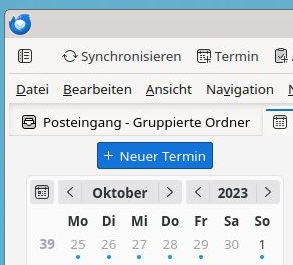
Thunderbird in Debian stable (Bookworm) has received Thunderbird v115.3.1 as a security update. With it comes "Supernova", a UI redesign. There is a Mozilla blogpost with a walk-through of the new UI. Unfortunately it features a super eye-catching "New Message" button that - thankfully - can be disabled. Even the whole space above the email folder pane can be recovered by disabling the folder pane header at Burger Menu ( ) -> View -> Folders -> Folder Pane Header. Unfortunately there is no way to remove the same eye-catching "New Event" button for the Calendar view via a UI setting. Thunderbird New event button, German locale This needs a user CSS file to override the button as non-visible. To make it process the user CSS Thunderbird needs a config setting to be enabled:

  1. Burger Menu ( ) -> Settings -> General
  2. Scroll down all the way
  3. Click the Config editor... button on the bottom right
  4. Accept that hell will freeze over because you configure software
  5. Search for toolkit.legacyUserProfileCustomizations.stylesheets
  6. Toggle the value to true to enable the user CSS
You can manually add user_pref("toolkit.legacyUserProfileCustomizations.stylesheets", true); to ~/.thunderbird/abcdefgh.default/prefs.js to the same effect (do this while Thunderbird is not running; replace abcdefgh with your Thunderbird profile ID). Now create a new directory ~/.thunderbird/abcdefgh.default/chrome/, again replacing abcdefgh with your profile ID. Inside the new directory create a userChrome.css file with the following content:
/* Hide Calendar New Event button */
#primaryButtonSidePanel
display: none !important;
Restart Thunderbird. And enjoy less visual obstruction when using the Calendar.

Russell Coker: Brother MFC-J4440DW Printer

I just had to setup a Brother MFC-J4440DW for a relative. They were replacing an old HP laser printer that mysteriously stopped printing as dark as it should, I don t know whether the HP printer had worn out or if the HP firmware decided to hobble it to make them buy a new printer. In either case HP is well known for shady behaviour with their printer firmware and should be avoided. The new Brother printer has problems when using wifi and auto DNS. I don t know how much of that was due to the printer itself and how much was due to the wifi AP provided by Foxtel. Anyway it works better with Ethernet and a fixed address (the wifi AP didn t allow me to set a fixed address). I think the main thing was configuring CUPS to connect via the IP address and not use Avahi etc. One problem I had with printing was that programs like Chrome and LibreOffice would hang for about a minute before printing, that turned out to be due to /etc/cups/lpoptions having the old printer (which had been removed) listed as the default. It would be nice if the web configuration for cups would change that when I set the default printer. CUPS doesn t seem to support USB printing. If it is possible to get this printer to print via USB then I welcome a comment describing how to do it. Scanning only seems to work on Ethernet not on USB, the command for scanning that I ended up with was scanimage -d escl:http://10.0.0.3:80 . Again I welcome comments from anyone who has had success in scanning via USB. There are probably some Linux users who would find it really inconvenient to setup a network interface specifically for printing. It s easy for me as I have a pile of spare ethernet cards and a box of cables but some people would have to buy this. Also it s disappointing that Brother didn t include an Ethernet cable or a USB cable in the box. But if that makes it cheaper I can deal with that. The resolution for scanning is only 832*1163 and it s black and white, I think that generally scanning in printers is a bad idea, taking a photo with a phone is a better way of scanning documents. Generally this printer works well and is cheap at only $299, a price for disposable hardware by today s standards. There are Debian packages from Brother for the printer. The scanner package looks like it just configures scanimage, and I m not sure whether the stock version of CUPS in Debian will do it without the Brother package. One thing I found interesting is that the package mfcj4440dwpdrv has the following shell code in the postinst to label for SE Linux:
if [ "$(which semanage 2> /dev/null)" != '' ];then
semanage fcontext -a -t cupsd_rw_etc_t '/opt/brother/Printers/mfcj4440dw/inf(/.*)?'
semanage fcontext -a -t bin_t          '/opt/brother/Printers/mfcj4440dw/lpd(/.*)?'
semanage fcontext -a -t bin_t          '/opt/brother/Printers/mfcj4440dw/cupswrapper(/.*)?'
if [ "$(which restorecon 2> /dev/null)" != '' ];then
restorecon -R /opt/brother/Printers/mfcj4440dw
fi
fi
This is the first time I ve seen a Debian package from a hardware vendor with SE Linux specific code. I can t just add those rules to the Debian policy as that would make the semanage commands fail to add an identical context spec will break the postinst. In the latest policy I m uploading to Debian/Unstable (version 2.20231010-1) there are the following 3 lines to deal with this, the first was already there for some time and the other 2 I just added:
/opt/brother/Printers/([^/]+/)?inf(/.*)?        gen_context(system_u:object_r:cupsd_rw_etc_t,s0)
/opt/brother/Printers/[^/]+/lpd(/.*)?   gen_context(system_u:object_r:bin_t,s0)
/opt/brother/Printers/[^/]+/cupswrapper(/.*)?   gen_context(system_u:object_r:bin_t,s0)
The Brother employee(s) who added the SE Linux code to their package are welcome to connect to me on LinkedIn.

19 October 2023

Russ Allbery: Review: The Cassini Division

Review: The Cassini Division, by Ken MacLeod
Series: Fall Revolution #3
Publisher: Tor
Copyright: 1998
Printing: August 2000
ISBN: 0-8125-6858-3
Format: Mass market
Pages: 305
The Cassini Division is the third book in the Fall Revolution series and a fairly direct sequel (albeit with different protagonists) to The Stone Canal. This is not a good place to start the series. It's impossible to talk about the plot of this book without discussing the future history of this series, which arguably includes some spoilers for The Star Fraction and The Stone Canal. I don't think the direction of history matters that much in enjoying the previous books, but read the first two books of the series before this review if you want to avoid all spoilers. When the Outwarders uploaded themselves and went fast, they did a lot of strange things: an interstellar probe contrary to all known laws of physics, the disassembly of Ganymede, and the Malley Mile, which plays a significant role in The Stone Canal. They also crashed the Earth. This was not entirely their fault. There were a lot of politics, religious fundamentalism, and plagues in play as well. But the storm of viruses broadcast from their transformed Jupiter shut down essentially all computing equipment on Earth, which set off much of the chaos. The results were catastrophic, and also politically transformative. Now, the Solar Union is a nearly unified anarchosocialist society, with only scattered enclaves of non-cooperators left outside that structure. Ellen May Ngewthu is a leader of the Cassini Division, the bulwark that stands between humans and the Outwarders. The Division ruthlessly destroys any remnant or probe that dares rise out of Jupiter's atmosphere, ensuring that the Outwarders, whatever they have become after untold generations of fast evolution, stay isolated to the one planet they have absorbed. The Division is very good at what they do. But there is a potential gap in that line of defense: there are fast folk in storage at the other end of the Malley Mile, on New Mars, and who knows what the deranged capitalists there will do or what forces they might unleash. The one person who knows a path through the Malley Mile isn't talking, so Ellen goes in search of the next best thing: the non-cooperator scientist Isambard Kingdom Malley. I am now thoroughly annoyed at how politics are handled in this series, and much less confused by the frequency with which MacLeod won Prometheus Awards from the Libertarian Futurist Society. Some of this is my own fault for having too high of hopes for political SF, but nothing in this series so far has convinced me that MacLeod is seriously engaging with political systems. Instead, the world-building to date makes the classic libertarian mistake of thinking societies will happily abandon stability and predictability in favor of their strange definition of freedom. The Solar Union is based on what Ellen calls the true knowledge, which is worth quoting in full so that you know what kind of politics we're talking about:
Life is a process of breaking down and using other matter, and if need be, other life. Therefore, life is aggression, and successful life is successful aggression. Life is the scum of matter, and people are the scum of life. There is nothing but matter, forces, space and time, which together make power. Nothing matters, except what matters to you. Might makes right, and power makes freedom. You are free to do whatever is in your power, and if you want to survive and thrive you had better do whatever is in your interests. If your interests conflict with those of others, let the others pit their power against yours, everyone for theirselves. If your interests coincide with those of others, let them work together with you, and against the rest. We are what we eat, and we eat everything. All that you really value, and the goodness and truth and beauty of life, have their roots in this apparently barren soil. This is the true knowledge. We had founded our idealism on the most nihilistic implications of science, our socialism on crass self-interest, our peace on our capacity for mutual destruction, and our liberty on determinism. We had replaced morality with convention, bravery with safety, frugality with plenty, philosophy with science, stoicism with anaesthetics and piety with immortality. The universal acid of the true knowledge had burned away a world of words, and exposed a universe of things. Things we could use.
This is certainly something that some people will believe, particularly cynical college students who love political theory, feeling smarter than other people, and calling their pet theories things like "the true knowledge." It is not even remotely believable as the governing philosophy of a solar confederation. The point of government for the average person in human society is to create and enforce predictable mutual rules that one can use as a basis for planning and habits, allowing you to not think about politics all the time. People who adore thinking about politics have great difficulty understanding how important it is to everyone else to have ignorable government. Constantly testing your power against other coalitions is a sport, not a governing philosophy. Given the implication that this testing is through violence or the threat of violence, it beggars belief that any large number of people would tolerate that type of instability for an extended period of time. Ellen is fully committed to the true knowledge. MacLeod likely is not; I don't think this represents the philosophy of the author. But the primary political conflict in this novel famous for being political science fiction is between the above variation of anarchy and an anarchocapitalist society, neither of which are believable as stable political systems for large numbers of people. This is a bit like seeking out a series because you were told it was about a great clash of European monarchies and discovering it was about a fight between Liberland and Sealand. It becomes hard to take the rest of the book seriously. I do realize that one point of political science fiction is to play with strange political ideas, similar to how science fiction plays with often-implausible science ideas. But those ideas need some contact with human nature. If you're going to tell me that the key to clawing society back from a world-wide catastrophic descent into chaos is to discard literally every social system used to create predictability and order, you had better be describing aliens, because that's not how humans work. The rest of the book is better. I am untangling a lot of backstory for the above synopsis, which in the book comes in dribs and drabs, but piecing that together is good fun. The plot is far more straightforward than the previous two books in the series: there is a clear enemy, a clear goal, and Ellen goes from point A to point B in a comprehensible way with enough twists to keep it interesting. The core moral conflict of the book is that Ellen is an anti-AI fanatic to the point that she considers anyone other than non-uploaded humans to be an existential threat. MacLeod gives the reader both reasons to believe Ellen is right and reasons to believe she's wrong, which maintains an interesting moral tension. One thing that MacLeod is very good at is what Bob Shaw called "wee thinky bits." I think my favorite in this book is the computer technology used by the Cassini Division, who have spent a century in close combat with inimical AI capable of infecting any digital computer system with tailored viruses. As a result, their computers are mechanical non-Von-Neumann machines, but mechanical with all the technology of a highly-advanced 24th century civilization with nanometer-scale manufacturing technology. It's a great mental image and a lot of fun to think about. This is the only science fiction novel that I can think of that has a hard-takeoff singularity that nonetheless is successfully resisted and fought to a stand-still by unmodified humanity. Most writers who were interested in the singularity idea treated it as either a near-total transformation leaving only remnants or as something that had to be stopped before it started. MacLeod realizes that there's no reason to believe a post-singularity form of life would be either uniform in intent or free from its own baffling sudden collapses and reversals, which can be exploited by humans. It makes for a much better story. The sociology of this book is difficult to swallow, but the characterization is significantly better than the previous books of the series and the plot is much tighter. I was too annoyed by the political science to fully enjoy it, but that may be partly the fault of my expectations coming in. If you like chewy, idea-filled science fiction with a lot of unexplained world-building that you have to puzzle out as you go, you may enjoy this, although unfortunately I think you need to read at least The Stone Canal first. The ending was a bit unsatisfying, but even that includes some neat science fiction ideas. Followed by The Sky Road, although I understand it is not a straightforward sequel. Rating: 6 out of 10

18 October 2023

Scarlett Gately Moore: KDE: Snap transition complete, 23.08.2 released!

KDE MascotKDE Mascot
I have completed the the Big move ! There are still a few lingering MR s, but I am sure they will be approved so I can merge soon. With the move I was also able to release 23.08.2 for most release service applications. Enjoy! You can find them all here: https://snapcraft.io/search?q=KDE I still need to raise a bit more to pay the Internet bill. If you can spare some change please consider a donation. Thank you! <script src= https://liberapay.com/sgmoore/widgets/button.js ></script> <noscript><a href= https://liberapay.com/sgmoore/donate ><img alt= Donate using Liberapay src= https://liberapay.com/assets/widgets/donate.svg ></a></noscript> Donate https://gofund.me/b8b69e54

16 October 2023

Wouter Verhelst: New toy: ASUS ZenScreen Go MB16AHP

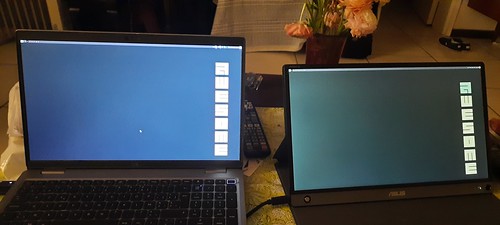
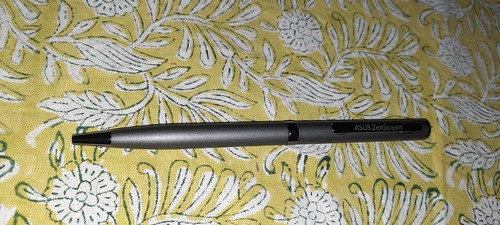
A while ago, I saw Stefano's portable monitor, and thought it was very useful. Personally, I rent a desk at an office space where I have a 27" Dell monitor; but I do sometimes use my laptop away from that desk, and then I do sometimes miss the external monitor. So a few weeks before DebConf, I bought me one myself. The one I got is about a mid-range model; there are models that are less than half the price of the one that I bought, and there are models that are more than double its price, too. ASUS has a very wide range of these monitors; the cheapest model that I could find locally is a 720p monitor that only does USB-C and requires power from the connected device, which presumably if I were to connect it to my laptop with no power connected would half its battery life. More expensive models have features such as wifi connectivity and miracast support, builtin batteries, more connection options, and touchscreen fancyness. While I think some of these features are not worth the money, I do think that a builtin battery has its uses, and that I would want a decent resolution, so I got a FullHD model with builtin battery. 20231016_215332 The device comes with a number of useful accessories: a USB-C to USB-C cable for the USB-C connectivity as well as to charge the battery; an HDMI-to-microHDMI cable for HDMI connectivity; a magnetic sleeve that doubles as a back stand; a beefy USB-A charger and USB-A-to-USB-C convertor (yes, I know); and a... pen. No, really, a pen. You can write with it. Yes, on paper. No, not a stylus. It's really a pen. Sigh, OK. This one: 20231016_222024 OK, believe me now? Good. Don't worry, I was as confused about this as you just were when I first found that pen. Why would anyone do that, I thought. So I read the manual. Not something I usually do with new hardware, but here you go. It turns out that the pen doubles as a kickstand. If you look closely at the picture of the laptop and the monitor above, you may see a little hole at the bottom right of the monitor, just to the right of the power button/LED. The pen fits right there. Now I don't know what the exact thought process was here, but I imagine it went something like this: It's an interesting concept, especially given the fact that the magnetic sleeve works very well as a stand. But hey. Anyway, the monitor is very nice; the battery lives longer than the battery of my laptop usually does, so that's good, and it allows me to have a dual-monitor setup when I'm on the road. And when I'm at the office? Well, now I have a triple-monitor setup. That works well, too.

15 October 2023

Michael Ablassmeier: Testing system updates using libvirts checkpoint feature

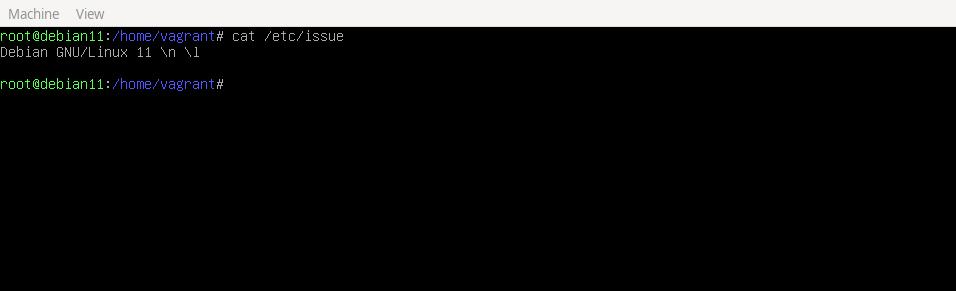
If you want to test upgrades on virtual machines (running on libvit/qemu/kvm) these are usually the most common steps: As with recent versions, both libvirt and qemu have full support for dirty bitmaps (so called checkpoints). These checkpoints, once existent, will track changes to the block level layer and can be exported via NBD protocol. Usually one can create these checkpoints using virsh checkpoint-create[-as], with a proper xml description. Using the pull based model, the following is possible: The overlay image will only use the disk space for the blocks changed during upgrade: no need to create a full clone which may waste a lot of disk space. In order to simplify the first step, its possible to use virtnbdbackup for creating the required consistent checkpoint and export its data using a unix domain socket. Update: As alternative, ive just created a small utility called vircpt to create and export checkpoints. In my example im using a debian11 virtual machine with qemu guest agent configured:
# virsh list --all
 Id Name State 
 ------------------------------------------ 
 1 debian11_default running
Now let virtnbdbackup create an checkpoint, freeze the filesystems during creation and tell libvirt to provide us with a usable NBD server listening on an unix socket:
# virtnbdbackup -d debian11_default -o /tmp/foo -s
INFO lib common - printVersion [MainThread]: Version: 1.9.45 Arguments: ./virtnbdbackup -d debian11_default -o /tmp/foo -s
[..] 
INFO root virtnbdbackup - main [MainThread]: Local NBD Endpoint socket: [/var/tmp/virtnbdbackup.5727] 
INFO root virtnbdbackup - startBackupJob [MainThread]: Starting backup job.
INFO fs fs - freeze [MainThread]: Freezed [2] filesystems. 
INFO fs fs - thaw [MainThread]: Thawed [2] filesystems. 
INFO root virtnbdbackup - main [MainThread]: Started backup job for debugging, exiting.
We can now use nbdinfo to display some information about the NBD export:
# nbdinfo "nbd+unix:///vda?socket=/var/tmp/virtnbdbackup.5727" 
    protocol: newstyle-fixed without TLS, using structured packets 
    export="vda": 
    export-size: 137438953472 (128G) 
    content: 
        DOS/MBR boot sector uri: nbd+unix:///vda?socket=/var/tmp/virtnbdbackup.5727
And create a backing image that we can use to test an in-place upgrade:
# qemu-img create -F raw -b nbd+unix:///vda?socket=/var/tmp/virtnbdbackup.5727 -f qcow2 upgrade.qcow2
Now we have various ways for booting the image:
# qemu-system-x86_64 -hda upgrade.qcow2 -m 2500 --enable-kvm
image After performing the required tests within the virtual machine we can simply kill the active NBD backup job :
# virtnbdbackup -d debian11_default -o /tmp/foo -k
INFO lib common - printVersion [MainThread]: Version: 1.9.45 Arguments: ./virtnbdbackup -d debian11_default -o /tmp/foo -k 
[..]
INFO root virtnbdbackup - main [MainThread]: Stopping backup job
And remove the created qcow image:
# rm -f upgrade.qcow2

14 October 2023

Ravi Dwivedi: Kochi - Wayanad Trip in August-September 2023

A trip full of hitchhiking, beautiful places and welcoming locals.

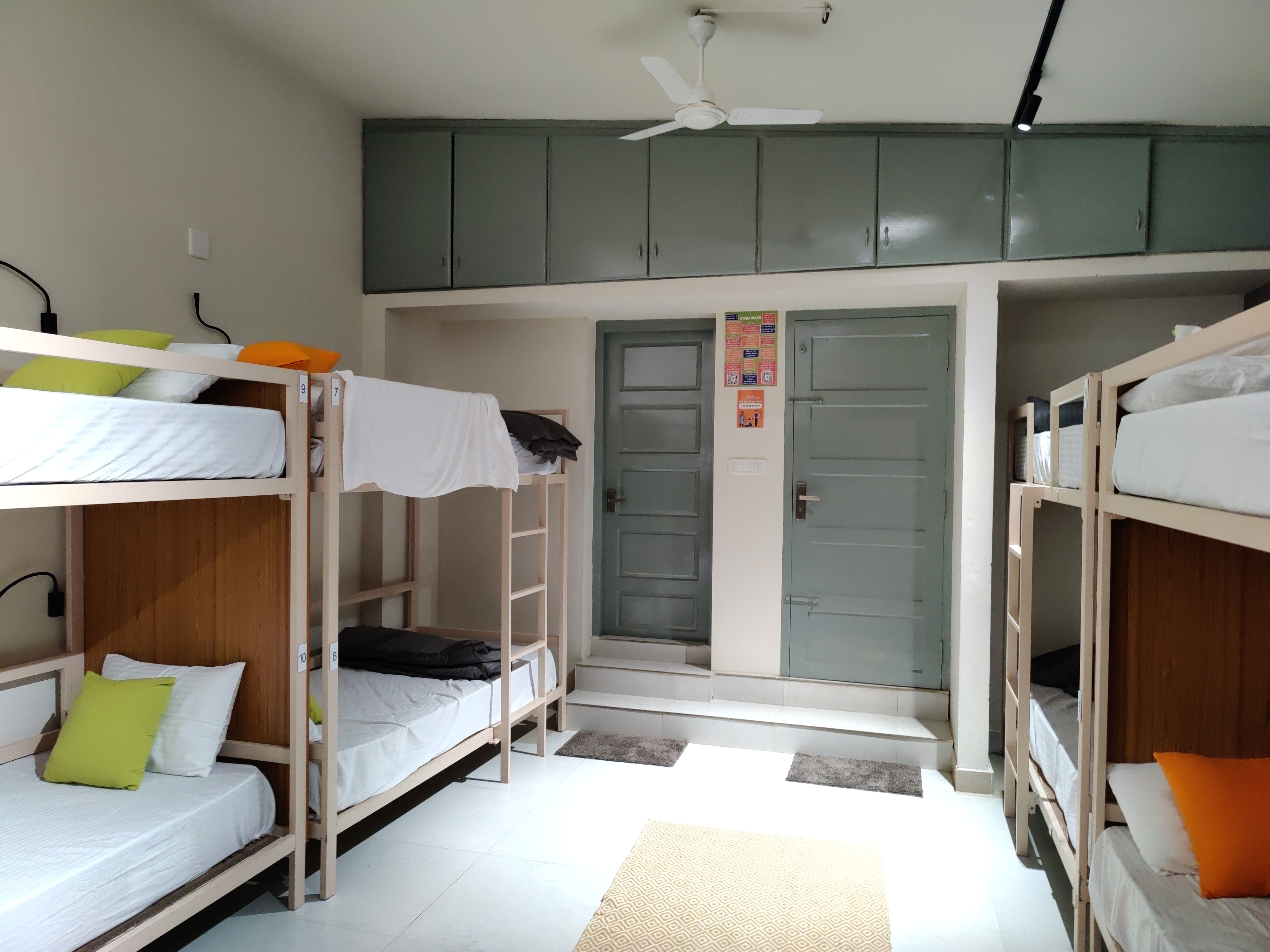
Day 1: Arrival in Kochi Kochi is a city in the state of Kerala, India. This year s DebConf was to be held in Kochi from 3rd September to 17th of September, which I was planning to attend. My friend Suresh, who was planning to join, told me that 29th August 2023 will be Onam, a major festival of the state of Kerala. So, we planned a Kerala trip before the DebConf. We booked early morning flights for Kochi from Delhi and reached Kochi on 28th August. We had booked a hostel named Zostel in Ernakulam. During check-in, they asked me to fill a form which required signing in using a Google account. I told them I don t have a Google account and I don t want to create one either. The people at the front desk seemed receptive, so I went ahead with telling them the problems of such a sign-in being mandatory for check-in. Anyways, they only took a photo of my passport and let me check-in without a Google account. We stayed in a ten room dormitory, which allowed travellers of any gender. The dormitory room was air-conditioned, spacious, clean and beds were also comfortable. There were two bathrooms in the dormitory and they were clean. Plus, there was a separate dormitory room in the hostel exclusive for females. I noticed that that Zostel was not added in the OpenStreetMap and so, I added it :) . The hostel had a small canteen for tea and snacks, a common sitting area outside the dormitories, which had beds too. There was a separate silent room, suitable for people who want to work.
Dormitory room in Zostel Ernakulam, Kochi.
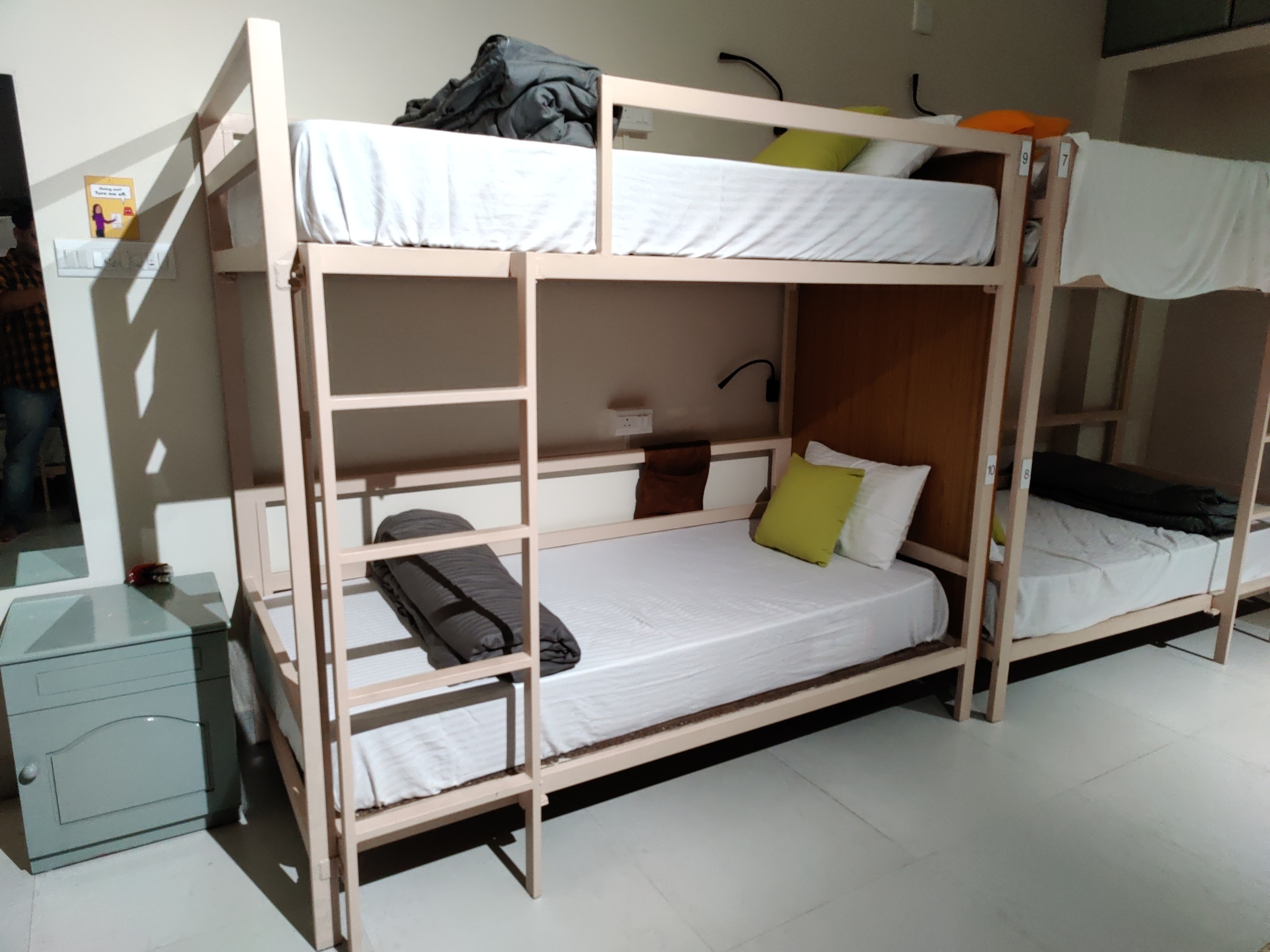
Beds in Zostel Ernakulam, Kochi.
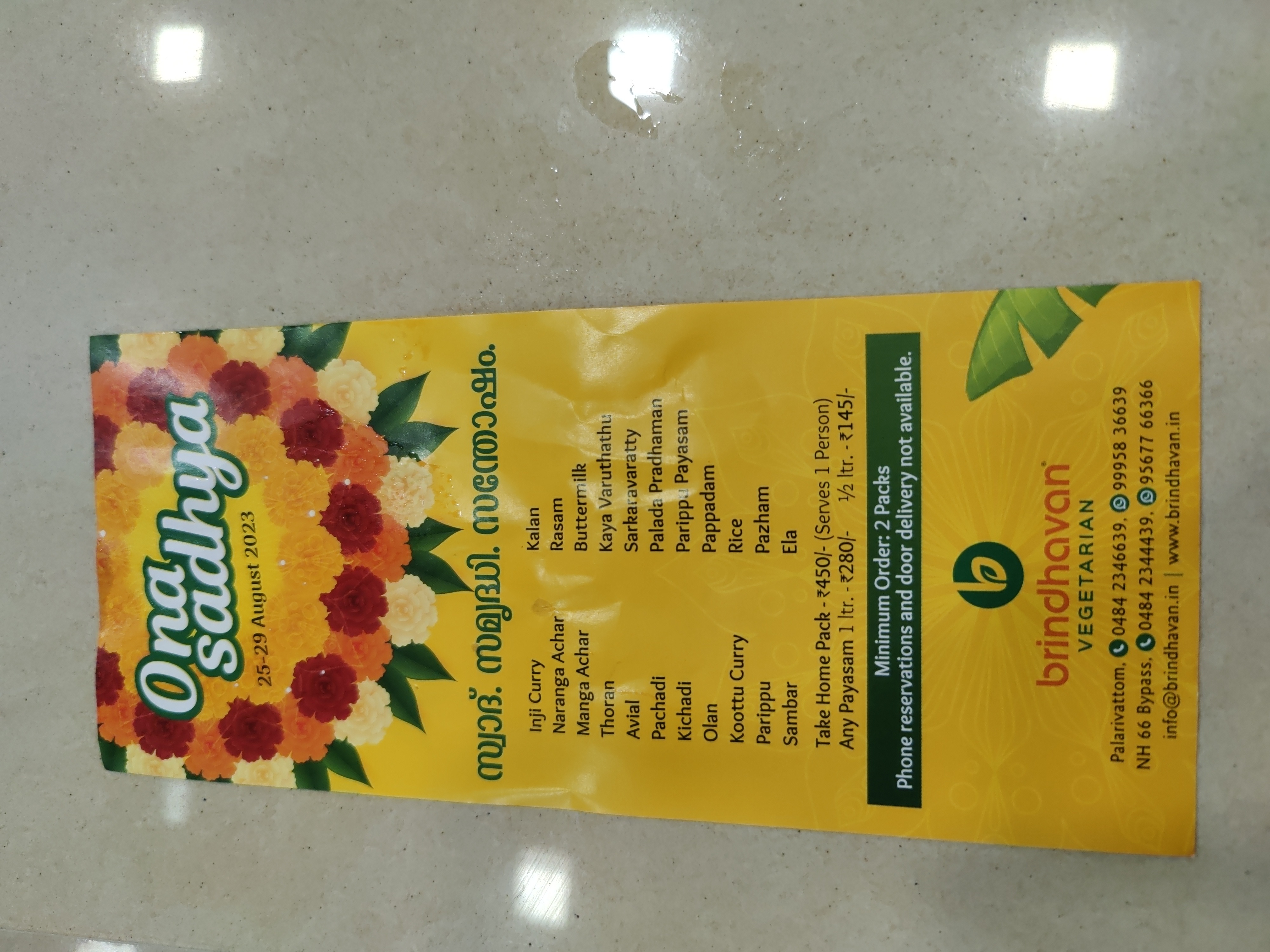
We had lunch at a nearby restaurant and it was hard to find anything vegetarian for me. I bought some freshly made banana chips from the street and they were tasty. As far as I remember, I had a big glass of pineapple juice for lunch. Then I went to the Broadway market and bought some cardamom and cinnamon for home. I also went to a nearby supermarket and bought Matta brown rice for home. Then, I looked for a courier shop to send the things home but all of them were closed due to Onam festival. After returning to the Zostel, I overslept till 9 PM and in the meanwhile, Suresh planned with Saidut and Shwetank (who met us during our stay in Zostel) to go to a place in Fort Kochi for dinner. I suspected I will be disappointed by lack of vegetarian options as they were planning to have fish. I already had a restaurant in mind - Brindhavan restaurant (suggested by Anupa), which was a pure vegetarian restaurant. To reach there, I got off at Palarivattom metro station and started looking for an auto-rickshaw to get to the restaurant. I didn t get any for more than 5 minutes. Since that restaurant was not added to the OpenStreetMap, I didn t even know how far that was and which direction to go to. Then, I saw a Zomato delivery person on a motorcycle and asked him where the restaurant was. It was already 10 PM and the restaurant closes at 10:30. So, I asked him whether he can drop me off. He agreed and dropped me off at that restaurant. It was 4-5 km from that metro station. I tipped him and expressed my gratefulness for the help. He refused to take the tip, but I insisted and he accepted. I entered the restaurant and it was coming to a close, so many items were not available. I ordered some Kadhai Paneer (only item left) with naan. It tasted fine. Since the next day was Thiruvonam, I asked the restaurant about the Sadya thali menu and prices for the next day. I planned to eat Sadya thali at that restaurant, but my plans got changed later.
Onam sadya menu from Brindhavan restaurant.
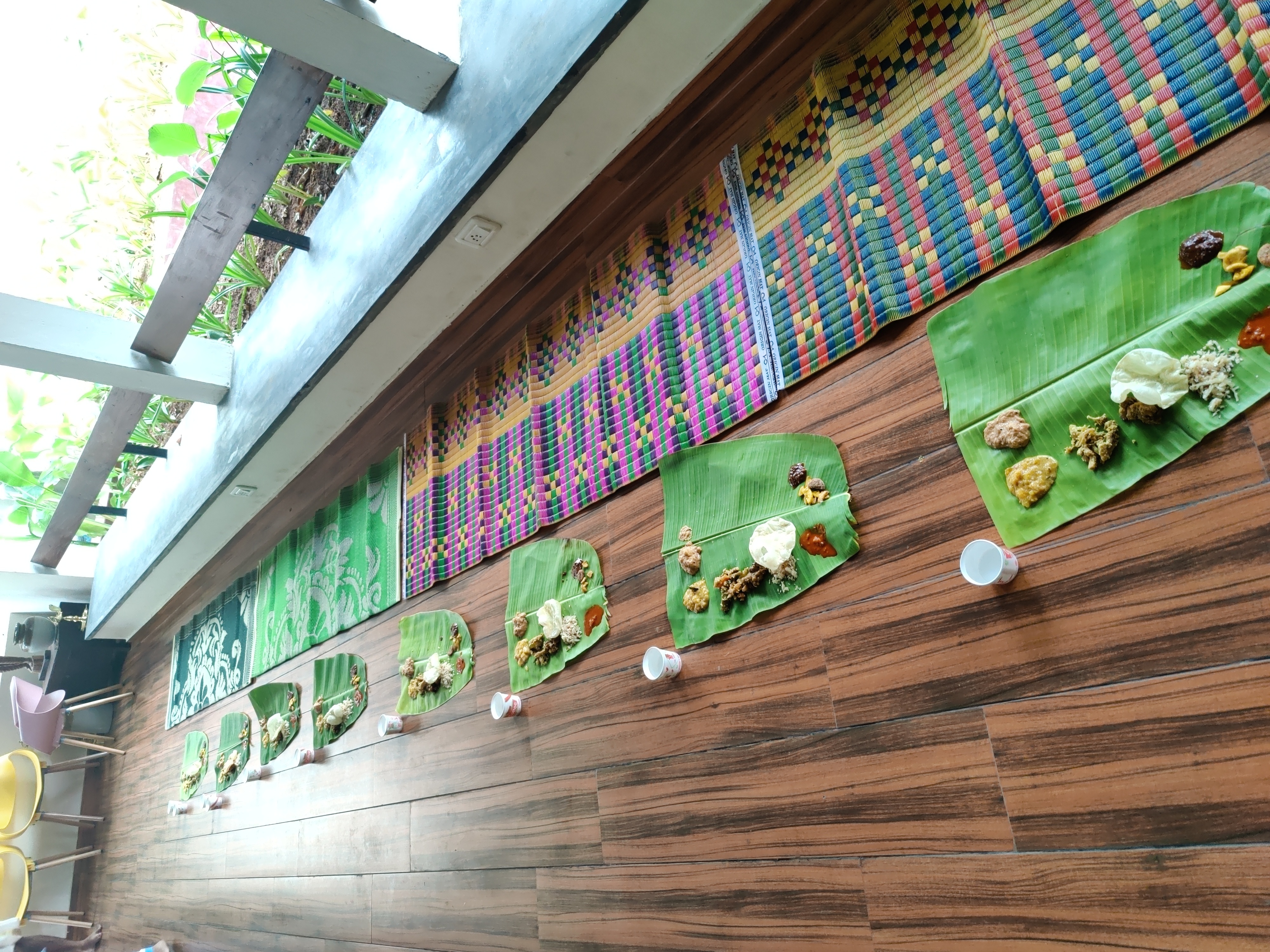
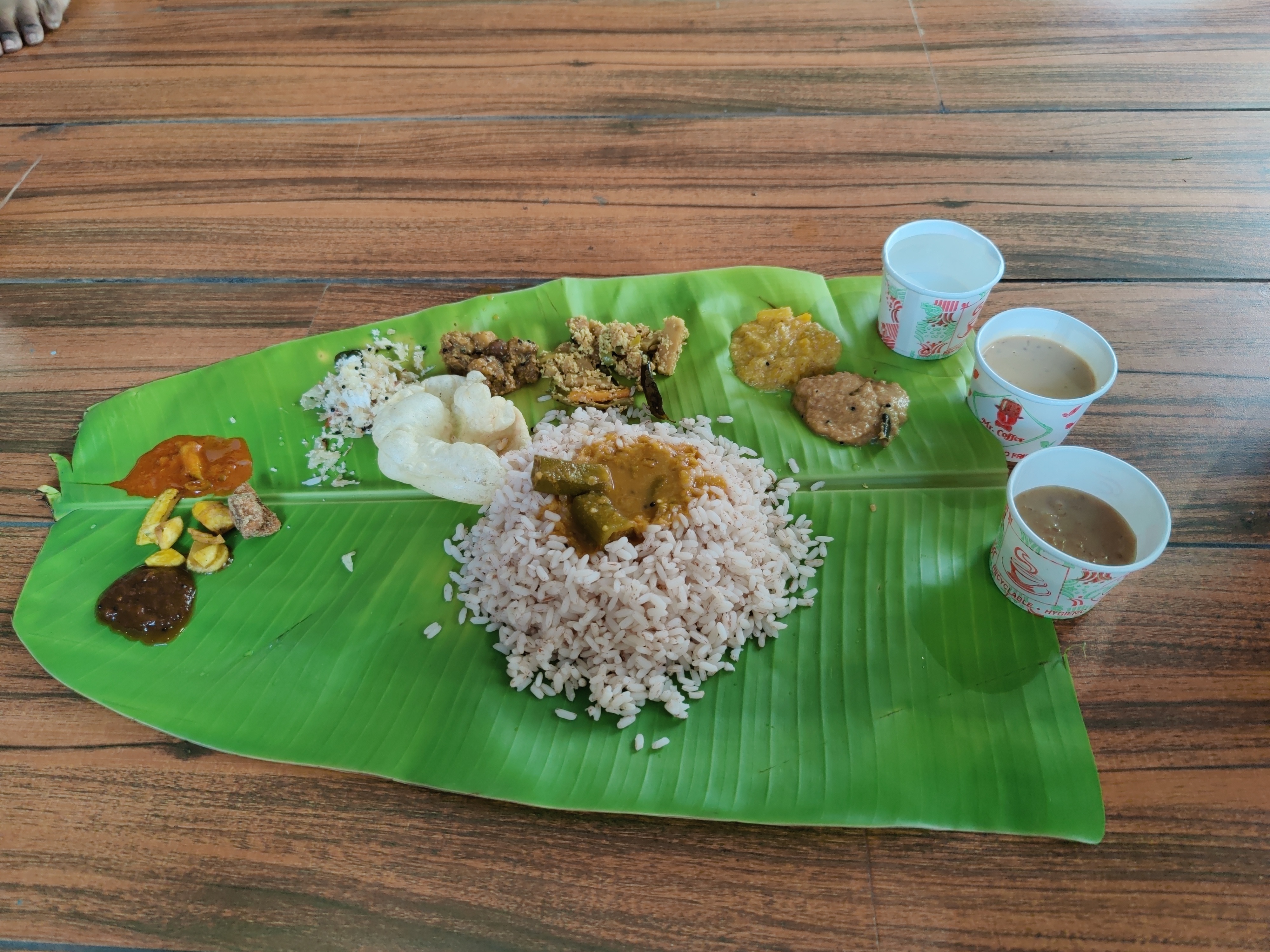
Day 2: Onam celebrations Next day, on 29th of August 2023, we had plan to leave for Wayanad. Wayanad is a hill station in Kerala and a famous tourist spot. Praveen suggested to visit Munnar as it is far closer to Kochi than Wayanad (80 km vs 250 km). But I had already visited Munnar in my previous trips, so we chose Wayanad. We had a train late night from Ernakulam Junction (at 23:30 hours) to Kozhikode, which is the nearest railway station from Wayanad. So, we checked out in the morning as we had plans to roam around in Kochi before taking the train. Zostel was celebrating Onam on that day. To opt-in, we had to pay 400 rupees, which included a Sadya Thali and a mundu. Me and Suresh paid the amount and opted in for the celebrations. Sadya thali had Rice, Sambhar, Rasam, Avial, Banana Chips, Pineapple Pachadi, Pappadam, many types of pickels and chutneys, Pal Ada Payasam and Coconut jaggery Pasam. And, there was water too :). Those payasams were really great and I had one more round of them. Later, I had a lot of variety of payasams during the DebConf.
Sadya lined up for serving
Sadya thali served on banana leaf.
So, we hung out in the common room and put our luggage there. We played UNO and had conversations with other travellers in the hostel. I had a fun time there and I still think it is one of the best hostel experiences I had. We made good friends with Saiduth (Telangana) and Shwetank (Uttarakhand). They were already aware about the software like debian, and we had some detailed conversations about the Free Software movement. I remember explaining the difference between the terms Open Source and Free Software . I also told them about the Streetcomplete app, a beginner friendly app to edit OpenStreetMap. We had dinner at a place nearby (named Palaraam), but again, the vegetarian options were very limited! After dinner, we came back to the Zostel and me and Suresh left for Ernakulam Junction to catch our train Maveli Express (16604).

Day 3: Going to Wayanad Maveli Express was scheduled to reach Kozhikode at 03:25 (morning). I had set alarms from 03:00 to 03:30, with the gap of 10 minutes. Every time I woke up, I turned off the alarm. Then I woke up and saw train reaching the Kozhikode station and woke up Suresh for deboarding. But then I noticed that the train is actually leaving the station, not arriving! This means we missed our stop. Now we looked at the next stops and whether we can deboard there. I was very sleepy and wanted to take a retiring room at some station before continuing our journey to Wayanad. The next stop was Quilandi and we checked online that it didn t have a retiring room. So, we skipped this stop. We got off at the next stop named Vadakara and found out no retiring room was available. So, we asked about information regarding bus for Wayanad and they said that there is a bus to Wayanad around 07:00 hours from bus station which was a few kilometres from the railway station. We took a bus for Kalpetta (in Wayanad) at around 07:00. The destination of the buses were written in Malayalam, which we could not read. Once again, the locals helped us to get on to the bus to Kalpetta. Vadakara is not a big city and it can be hard to find people who know good Hindi or English, unlike Kochi. Despite language issues, I had no problem there in navigation, thanks to locals. I mostly spent time sleeping during the bus journey. A few hours later, the bus dropped us at Kalpetta. We had a booking at a hostel in Rippon village. It was 16 km from Kalpetta. On the way, we were treated with beautiful views of nature, which was present everywhere in Wayanad. The place was covered with tea gardens and our eyes were treated with beautiful scenery at every corner.
We were treated with such views during the Wayanad trip.
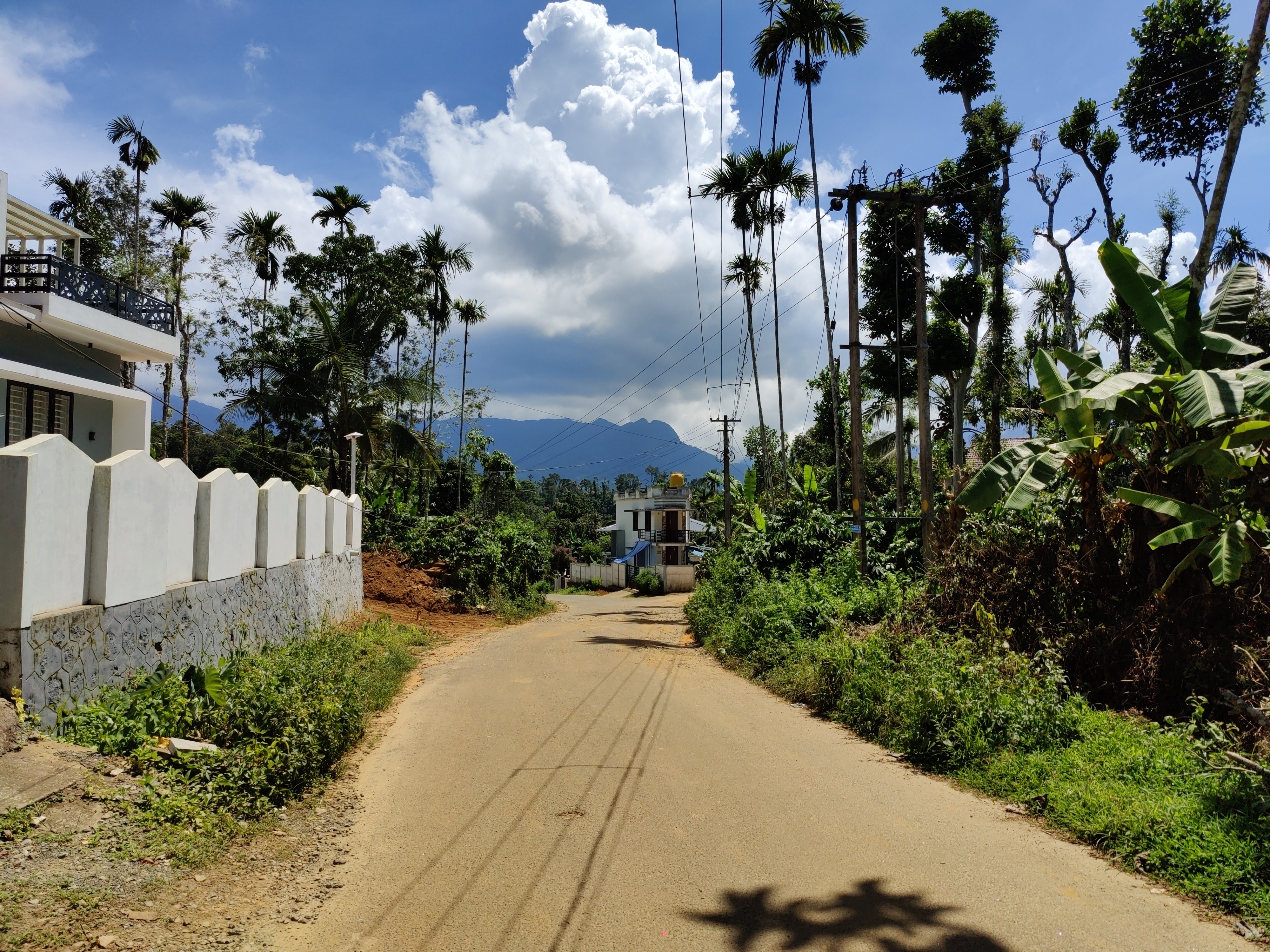
Rippon village was a very quiet place and I liked the calm atmosphere. This place is blessed by nature and has stunning scenery. I found English was more common than Hindi in Wayanad. Locals were very nice and helped me, even if they didn t know my language.
A road in Rippon.
After catching some sleep at the hostel, I went out in the afternoon. I hitchhiked to reach the main road from the hostel. I bought more spices from a nearby shop and realized that I should have waited for my visit to Wayanad to buy cardamom, which I already bought from Kochi. Then, I was looking for post office to send spices home. The people at the spices shop told me that the nearby Rippon post office was closed by that time, but the post office at Meppadi was open, which was 5 km from there. I went to Meppadi and saw the post office closes at 15:00, but I reached five minutes late. My packing was not very good and they asked me to pack it tighter. There was a shop near the post office and the people there gave me a cardboard and tapes, and helped pack my stuff for the post. By the time I went to the post office again, it was 15:30. But they accepted my parcel for post.

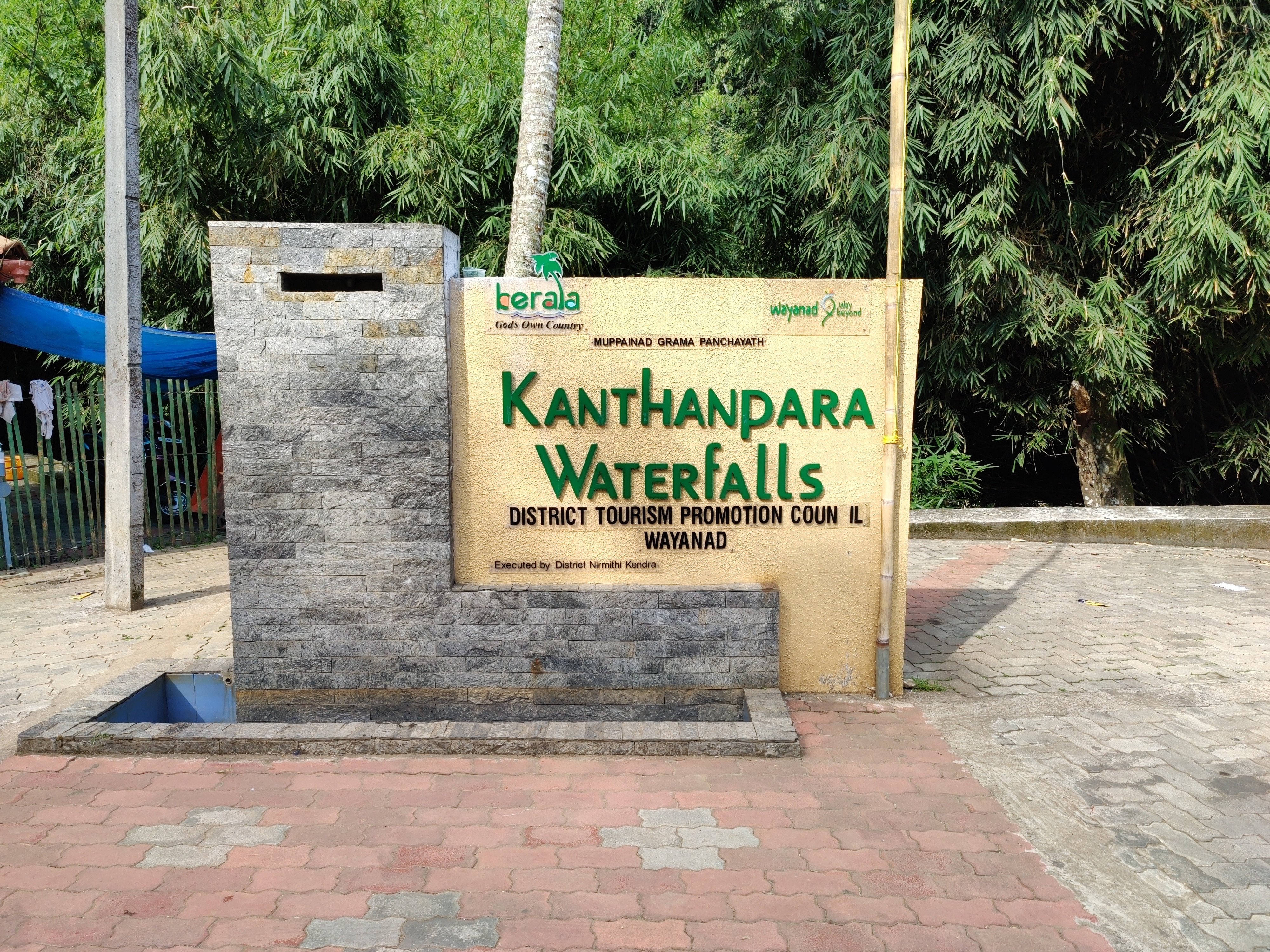
Day 4: Kanthanpara Falls, Zostel Wayanad and Karapuzha Dam Kanthanpara waterfalls were 2 km from the hostel. I hitchhiked to the place from the hostel on a scooty. Entry ticket was worth Rs 40. There were good views inside and nothing much to see except the waterfalls.
Entry to Kanthanpara Falls.
Kanthanpara Falls.
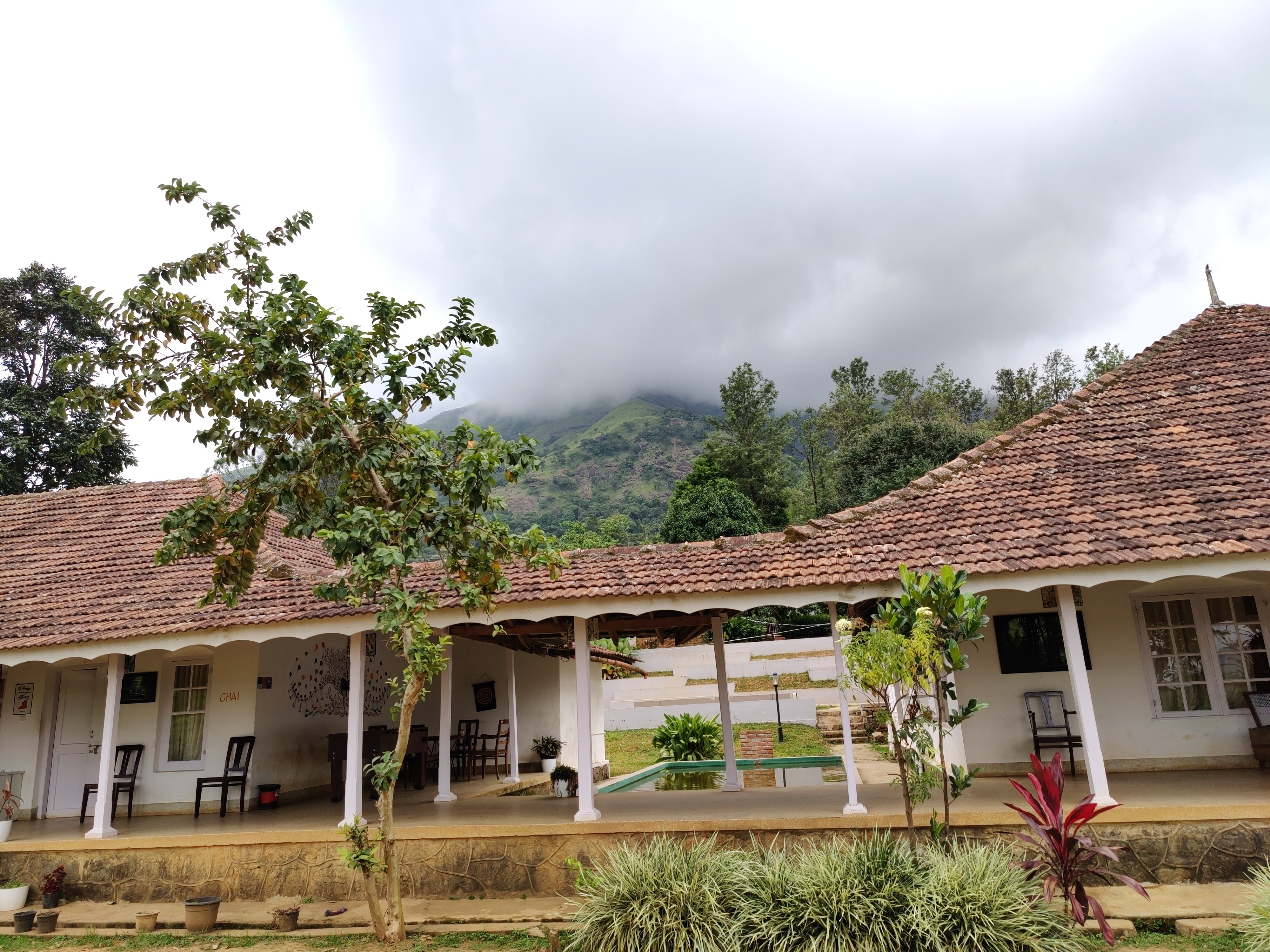
We had a booking at Zostel Wayanad for this day and so we shifted there. Again, as with their Ernakulam branch, they asked me to fill a form which required signing in using Google, but when I said I don t have a Google account they checked me in without that. There were tea gardens inside the Zostel boundaries and the property was beautiful.
A view of Zostel Wayanad.
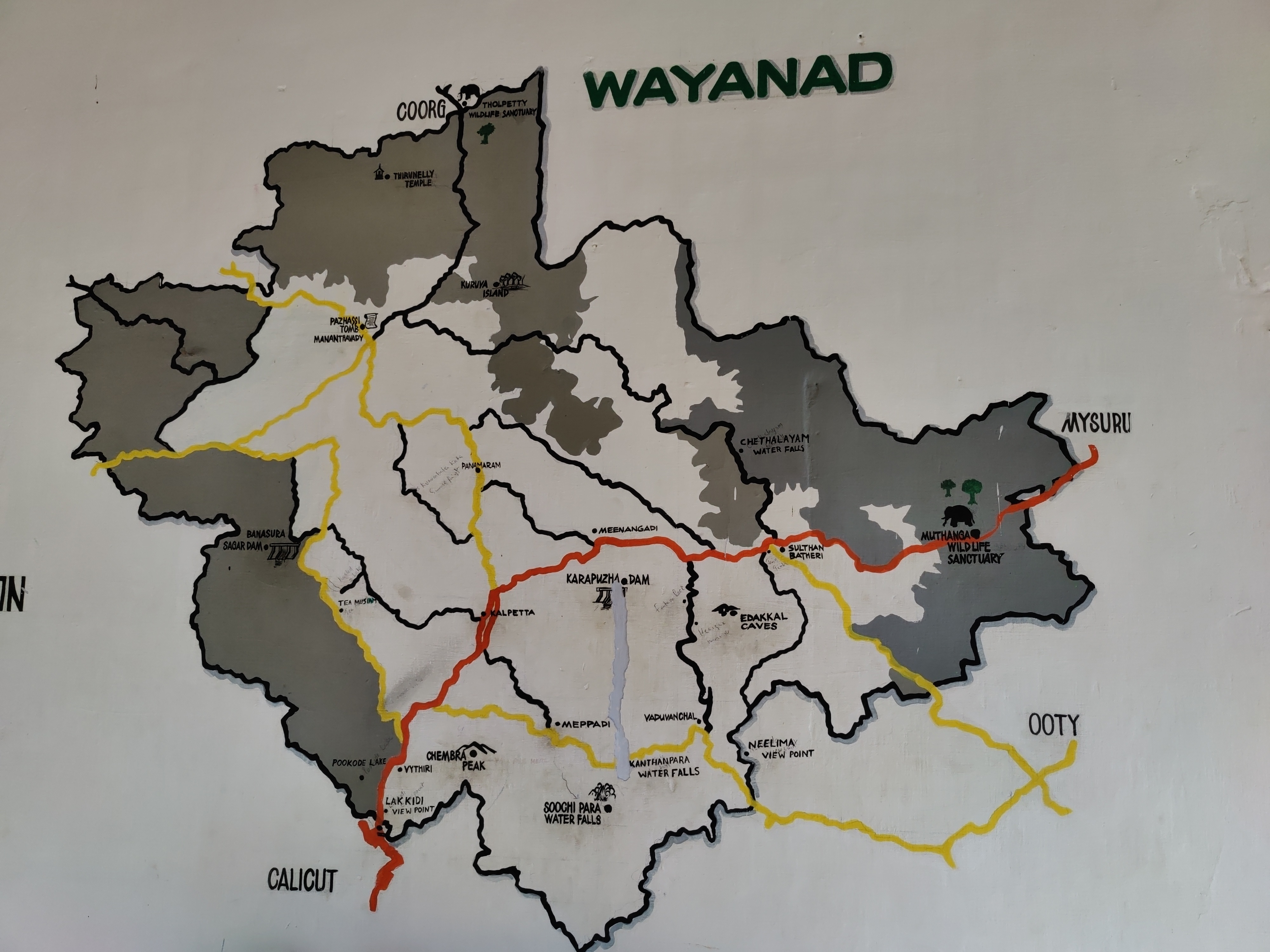
A map of Wayanad showing tourist places.

A view from inside the Zostel Wayanad property.
Later in the evening, I went to Karapuzha Dam. I witnessed a beautiful sunset during the journey. Karapuzha dam had many activites, like ziplining, and was nice to roam around. Chembra Peak is near to the Zostel Wayanad. So, I was planning to trek to the heart shaped lake. It was suggested by Praveen and looking online, this trek seemed worth doing. There was an issue however. The charges for trek were Rs 1770 for upto five people. So, if I go alone I will have to spend Rs 1770 for the trek. If I go with another person, we split Rs 1770 into two, and so on. The optimal way to do it is to go in a group of five (you included :D). I asked front desk at Zostel if they can connect me with people going to Chembra peak the next day, and they told me about a group of four people planning to go to Chembra peak the next day. I got lucky! All four of them were from Kerala and worked in Qatar.

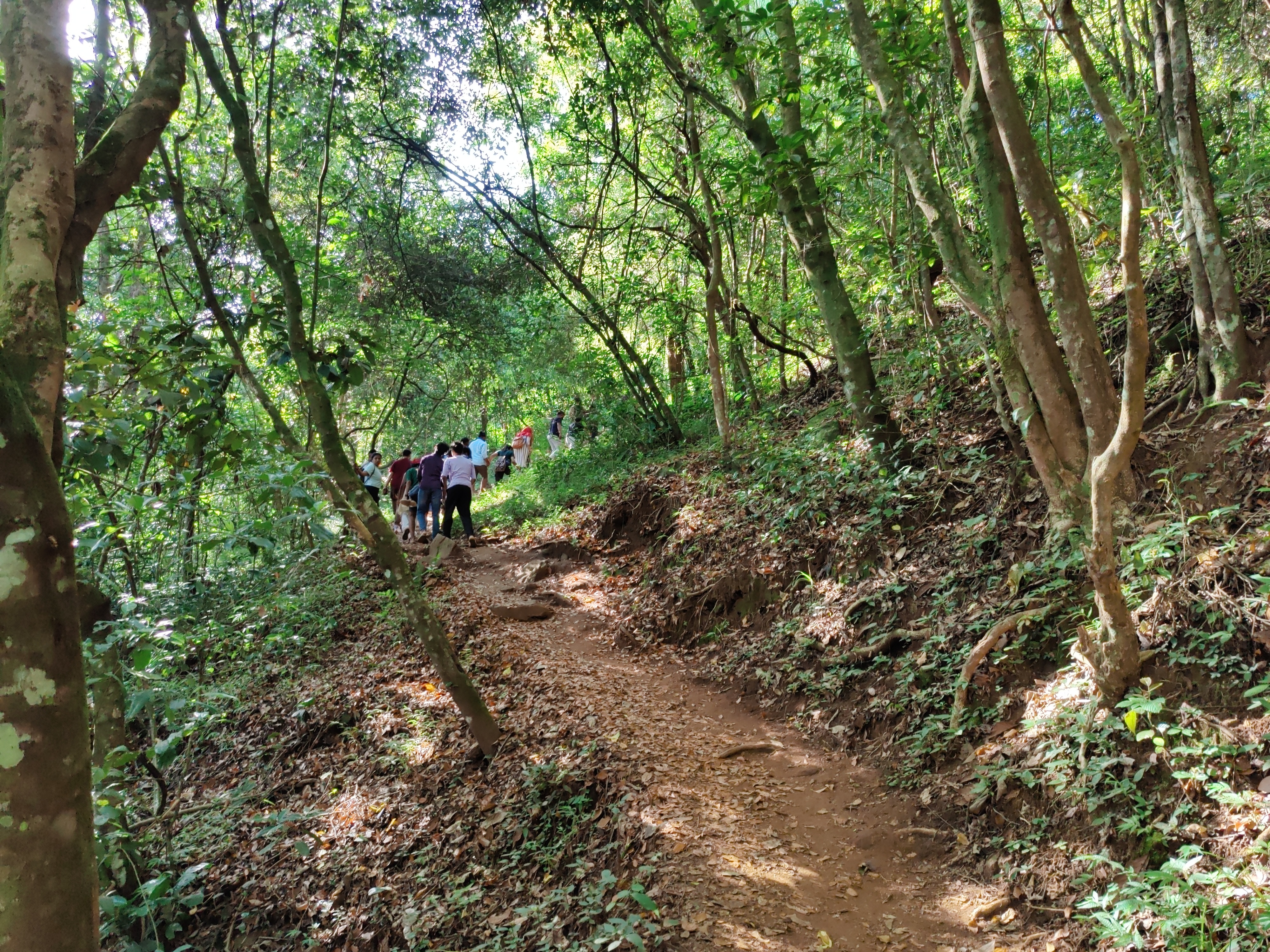
Day 5: Chembra peak trek The date was 1st September 2023. I woke up early (05:30 in the morning) for the Chembra peak trek. I had bought hiking shoes especially for trekking, which turned out to be a very good idea. The ticket counter opens at 07:00. The group of four with which I planned to trek met me around 06:00 in the Zostel. We went to the ticket counter around 06:30. We had breakfast at shops selling Maggi noodles and bread omlette near the ticket counter. It was a hot day and the trek was difficult for an inexperienced person like me. The scenery was green and beautiful throughout.
Terrain during trekking towards the Chembra peak.

Heart-shaped lake at the Chembra peak.
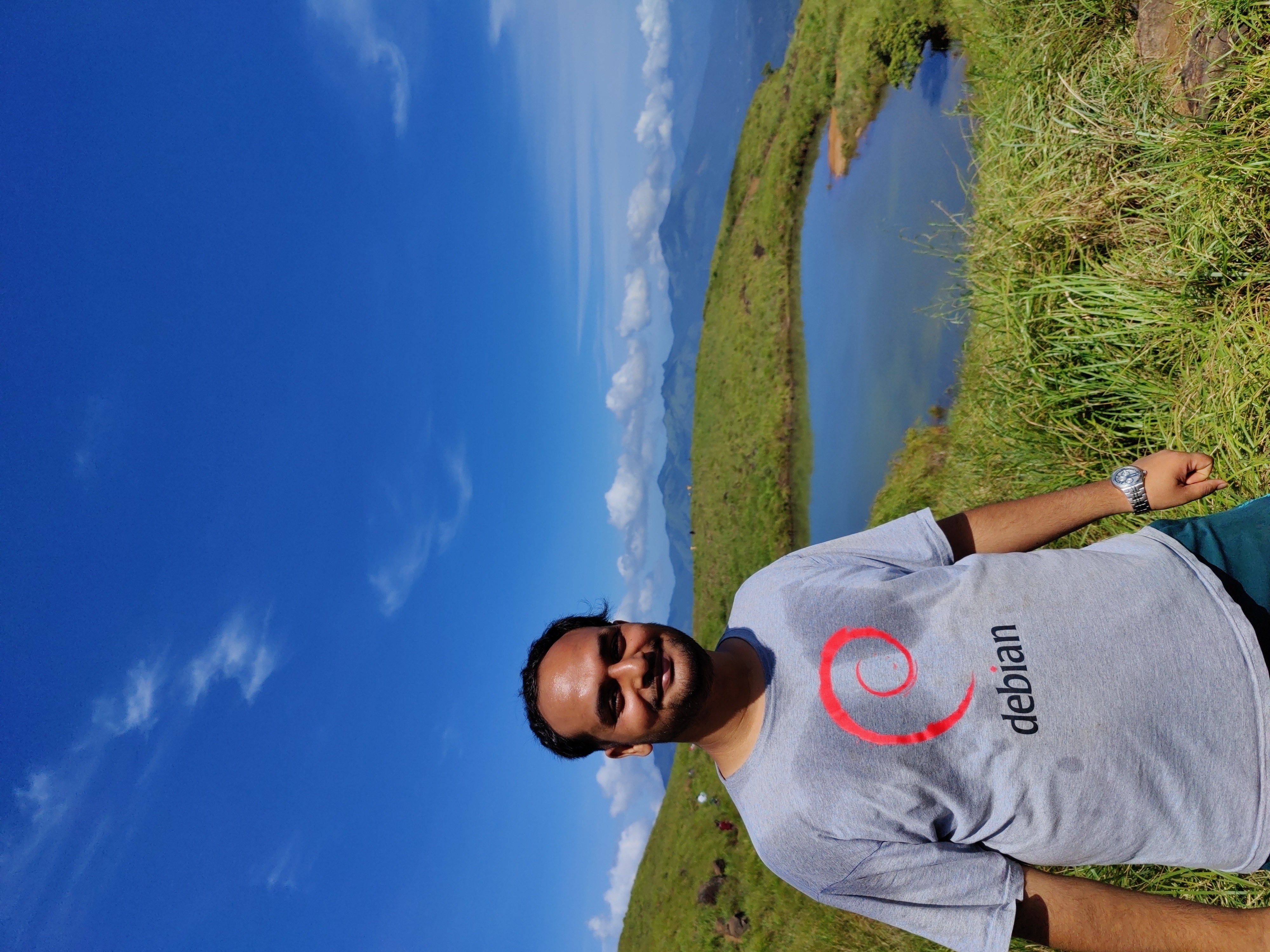
Me at the heart-shaped lake.
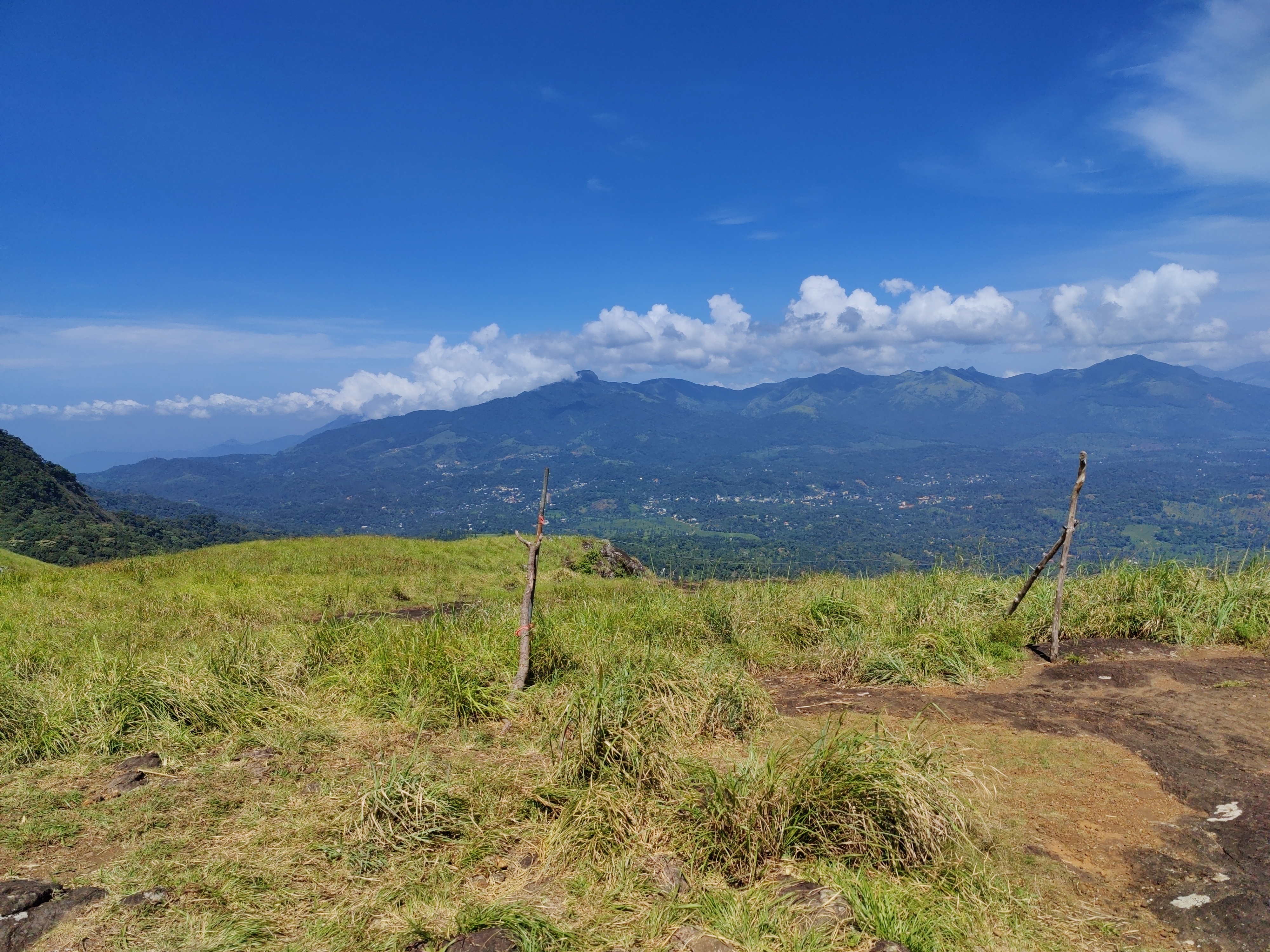
Views from the top of the Chembra peak.
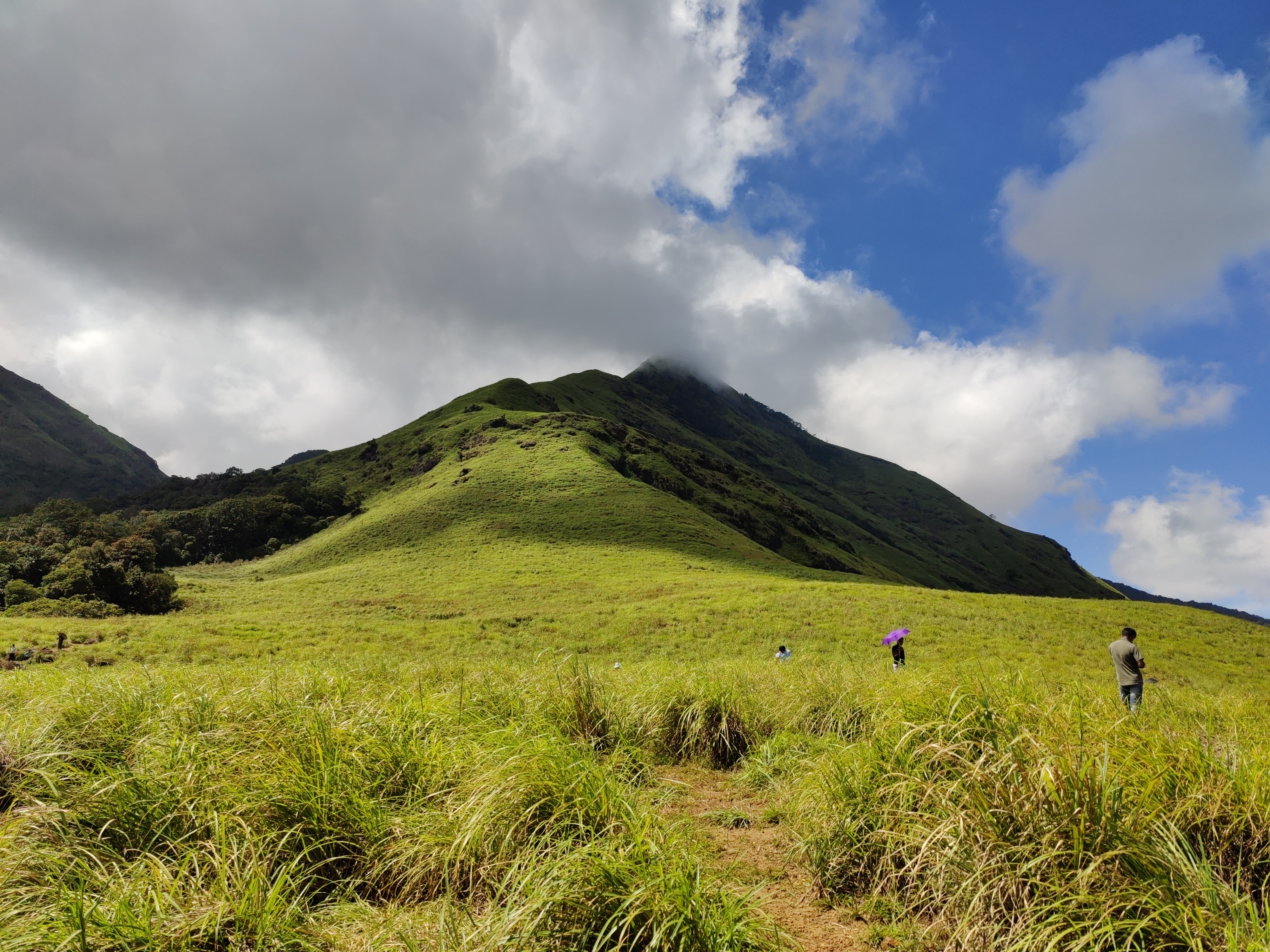
View of another peak from the heart-shaped lake.
While returning from the trek, I found out a shop selling bamboo rice, which I bought and will make bamboo rice payasam out of it at home (I have some coconut milk from Kerala too ;)). We returned to Zostel in the afternoon. I had muscle pain after the trek and it has still not completely disappeared. At night, we took a bus from Kalpetta to Kozhikode in order to return to Kochi.

Day 6: Return to Kochi At midnight of 2nd of September, we reached Kozhikode bus stand. Then we roamed around for something to eat. I didn t find anything vegetarian to eat. No surprises there! Then we went to Kozhikode railway station and looked for retiring rooms, but no luck there. We waited at the station and took the next train to Kochi at 03:30 and reached Ernakulam Junction at 07:30 (half hours before train s scheduled time!). From there, we went to Zostel Fort Kochi and stayed one night there and checked out next morning.

Day 7: Roaming around in Fort Kochi On 3rd of September, we roamed around in Fort Kochi. We visited the usual places - St Francis Church, Dutch Palace, Jew Town, Pardesi Synagogue. I also visited some homestays and the owners were very happy to show their place even when I made it clear that I was not looking for a stay. In the evening, we went to Kakkanad to attend DebConf. The story continues in my DebConf23 blog post.

13 October 2023

Scarlett Gately Moore: KDE: Snaps move, KDE neon unstable broken OMG! Fixed, and Debian updates

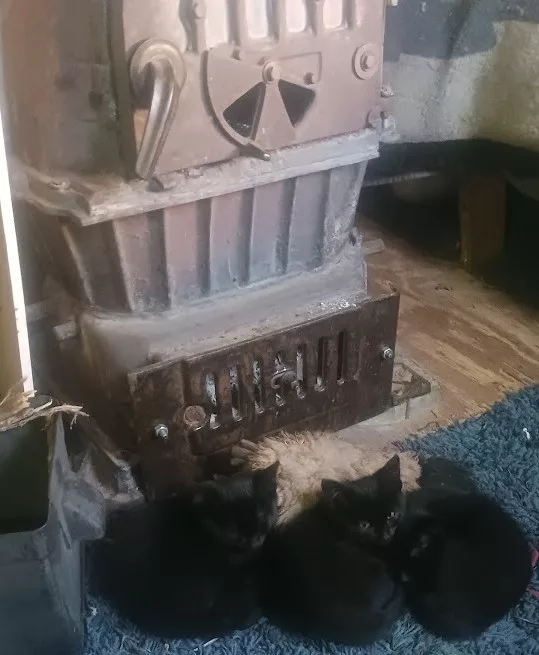
Kitties keeping warm!
It s that time of year already! We have hit our first freeze of the year. While the kitties keep warm by the wood burning stove, I have been busy with many updates and fixes in a variety of projects. KDE neon: It s true, Neon unstable has been very unstable. Due to a few factors including a builder being out of space, timed with a new Qt release. There is a cost with living in unstable land with bleeding edge releases. It takes time and finesse to get everything happy, especially with major transitions such as Qt. The drive issue was just bad timing. We worked night and day ( quite literally with people spanning from the US, Europe and Australia ) to get everything happy again. I know it s frustrating when things are broken, but please keep in mind, most of us are volunteers. I am happy to report, it is once again stable. If you continue to experience issues please report them on https://bugs.kde.org there have been a few cases where there were rogue apt sources lists creating issues. We also have the User edition which is much more stable!
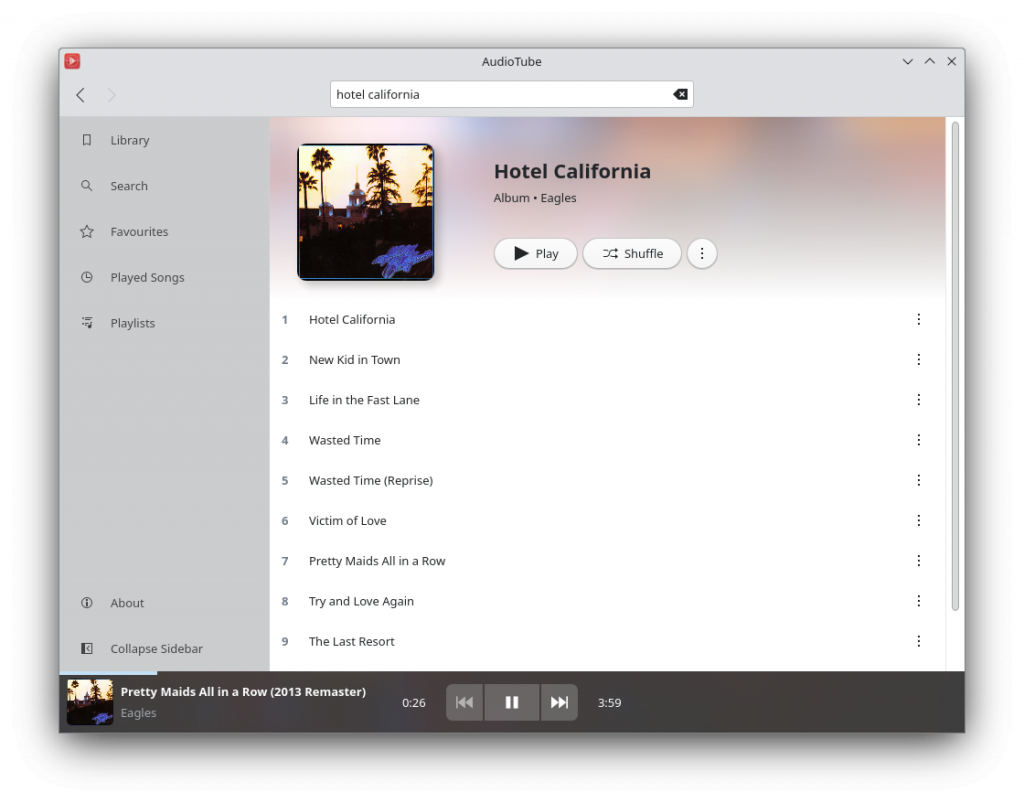
KDE Snaps: The big move to snapcraft files per repo continues. With that comes a new version 23.08.2. This big win this week was Audiotube! I have finally got this snap working. With a combination of snappy-debug and snap run gdb audiotube I was able to find all the hidden dependencies such as yt-dlp needed to be built with ffmpeg support and it needed a newer ytmusicapi as the version it called for was broken with gettext translations. I also had to fix the dbus name as it was not the standard org.kde.app. The final fix was it required the alsa plug and layouts adjusted to point to the snap alsa libraries ( which fixed the very important sound feature ). Who says you can t teach an old dog new tricks. Unfortunately, it still requires devmode to run, as it has one last network issue even with all the network plugs. I have to set it aside for now, as I have many more snaps to migrate. However, if you want to enjoy youtube music with this super awesome app you can, just append devmode when installing. Enjoy! The following apps have now migrated to their respective KDE repos and have the snap recipes in launchpad for automated builds: A new content pack with the latest Frameworks 5.110 and Qt 5.15.11 is complete and the neon extension update will follow after the required global autoconnect is approved from the store. Debian: I have caught up on my dashboard with new releases, fixed test failures, and FTBFS on the more obscure arches. The following debian packages have been uploaded to unstable:
description
umbrello
squashfuse
golang-github-muesli-mango
golang-github-muesli-roff
speechpy-fast
lingua-franca
If you have made it this far, thank you! As you can see I am quite busy and there is still much to do. If you can possibly spare a donation so I can continue my efforts in KDE neon / KDE Snaps / and Debian, it would be so appreciated. I enjoy doing this work and I hope it benefits someone out there. Have a lovely day and thanks for stopping by. Donate https://gofund.me/b8b69e54

12 October 2023

Jonathan McDowell: Installing Debian on the BananaPi M2 Zero

My previously mentioned C.H.I.P. repurposing has been partly successful; I ve found a use for it (which I still need to write up), but unfortunately it s too useful and the fact it s still a bit flaky has become a problem. I spent a while trying to isolate exactly what the problem is (I m still seeing occasional hard hangs with no obvious debug output in the logs or on the serial console), then realised I should just buy one of the cheap ARM SBC boards currently available. The C.H.I.P. is based on an Allwinner R8, which is a single ARM v7 core (an A8). So it s fairly low power by today s standards and it seemed pretty much any board would probably do. I considered a Pi 2 Zero, but couldn t be bothered trying to find one in stock at a reasonable price (I ve had one on backorder from CPC since May 2022, and yes, I know other places have had them in stock since but I don t need one enough to chase and I m now mostly curious about whether it will ever ship). As the title of this post gives away, I settled on a Banana Pi BPI-M2 Zero, which is based on an Allwinner H3. That s a quad-core ARM v7 (an A7), so a bit more oompfh than the C.H.I.P. All in all it set me back 25, including a set of heatsinks that form a case around it. I started with the vendor provided Debian SD card image, which is based on Debian 9 (stretch) and so somewhat old. I was able to dist-upgrade my way through buster and bullseye, and end up on bookworm. I then discovered the bookworm 6.1 kernel worked just fine out of the box, and even included a suitable DTB. Which got me thinking about whether I could do a completely fresh Debian install with minimal tweaking. First thing, a boot loader. The Allwinner chips are nice in that they ll boot off SD, so I just needed a suitable u-boot image. Rather than go with the vendor image I had a look at mainline and discovered it had support! So let s build a clean image:
noodles@buildhost:~$ mkdir ~/BPI
noodles@buildhost:~$ cd ~/BPI
noodles@buildhost:~/BPI$ ls
noodles@buildhost:~/BPI$ git clone https://source.denx.de/u-boot/u-boot.git
Cloning into 'u-boot'...
remote: Enumerating objects: 935825, done.
remote: Counting objects: 100% (5777/5777), done.
remote: Compressing objects: 100% (1967/1967), done.
remote: Total 935825 (delta 3799), reused 5716 (delta 3769), pack-reused 930048
Receiving objects: 100% (935825/935825), 186.15 MiB   2.21 MiB/s, done.
Resolving deltas: 100% (785671/785671), done.
noodles@buildhost:~/BPI$ mkdir u-boot-build
noodles@buildhost:~/BPI$ cd u-boot
noodles@buildhost:~/BPI/u-boot$ git checkout v2023.07.02
...
HEAD is now at 83cdab8b2c Prepare v2023.07.02
noodles@buildhost:~/BPI/u-boot$ make O=../u-boot-build bananapi_m2_zero_defconfig
  HOSTCC  scripts/basic/fixdep
  GEN     Makefile
  HOSTCC  scripts/kconfig/conf.o
  YACC    scripts/kconfig/zconf.tab.c
  LEX     scripts/kconfig/zconf.lex.c
  HOSTCC  scripts/kconfig/zconf.tab.o
  HOSTLD  scripts/kconfig/conf
#
# configuration written to .config
#
make[1]: Leaving directory '/home/noodles/BPI/u-boot-build'
noodles@buildhost:~/BPI/u-boot$ cd ../u-boot-build/
noodles@buildhost:~/BPI/u-boot-build$ make CROSS_COMPILE=arm-linux-gnueabihf-
  GEN     Makefile
scripts/kconfig/conf  --syncconfig Kconfig
...
  LD      spl/u-boot-spl
  OBJCOPY spl/u-boot-spl-nodtb.bin
  COPY    spl/u-boot-spl.bin
  SYM     spl/u-boot-spl.sym
  MKIMAGE spl/sunxi-spl.bin
  MKIMAGE u-boot.img
  COPY    u-boot.dtb
  MKIMAGE u-boot-dtb.img
  BINMAN  .binman_stamp
  OFCHK   .config
noodles@buildhost:~/BPI/u-boot-build$ ls -l u-boot-sunxi-with-spl.bin
-rw-r--r-- 1 noodles noodles 494900 Aug  8 08:06 u-boot-sunxi-with-spl.bin
I had the advantage here of already having a host setup to cross build armhf binaries, but this was all done on a Debian bookworm host with packages from main. I ve put my build up here in case it s useful to someone - everything else below can be done on a normal x86_64 host. Next I needed a Debian installer. I went for the netboot variant - although I was writing it to SD rather than TFTP booting I wanted as much as possible to come over the network.
noodles@buildhost:~/BPI$ wget https://deb.debian.org/debian/dists/bookworm/main/installer-armhf/20230607%2Bdeb12u1/images/netboot/netboot.tar.gz
...
2023-08-08 10:15:03 (34.5 MB/s) -  netboot.tar.gz  saved [37851404/37851404]
noodles@buildhost:~/BPI$ tar -axf netboot.tar.gz
Then I took a suitable microSD card and set it up with a 500M primary VFAT partition, leaving the rest for Linux proper. I could have got away with a smaller VFAT partition but I d initially thought I might need to put some more installation files on it.
noodles@buildhost:~/BPI$ sudo fdisk /dev/sdb
Welcome to fdisk (util-linux 2.38.1).
Changes will remain in memory only, until you decide to write them.
Be careful before using the write command.
Command (m for help): o
Created a new DOS (MBR) disklabel with disk identifier 0x793729b3.
Command (m for help): n
Partition type
   p   primary (0 primary, 0 extended, 4 free)
   e   extended (container for logical partitions)
Select (default p):
Using default response p.
Partition number (1-4, default 1):
First sector (2048-60440575, default 2048):
Last sector, +/-sectors or +/-size K,M,G,T,P  (2048-60440575, default 60440575): +500M
Created a new partition 1 of type 'Linux' and of size 500 MiB.
Command (m for help): t
Selected partition 1
Hex code or alias (type L to list all): c
Changed type of partition 'Linux' to 'W95 FAT32 (LBA)'.
Command (m for help): n
Partition type
   p   primary (1 primary, 0 extended, 3 free)
   e   extended (container for logical partitions)
Select (default p):
Using default response p.
Partition number (2-4, default 2):
First sector (1026048-60440575, default 1026048):
Last sector, +/-sectors or +/-size K,M,G,T,P  (534528-60440575, default 60440575):
Created a new partition 2 of type 'Linux' and of size 28.3 GiB.
Command (m for help): w
The partition table has been altered.
Calling ioctl() to re-read partition table.
Syncing disks.
$ sudo mkfs -t vfat -n BPI-UBOOT /dev/sdb1
mkfs.fat 4.2 (2021-01-31)
The bootloader image gets written 8k into the SD card (our first partition starts at sector 2048, i.e. 1M into the device, so there s plenty of space here):
noodles@buildhost:~/BPI$ sudo dd if=u-boot-build/u-boot-sunxi-with-spl.bin of=/dev/sdb bs=1024 seek=8
483+1 records in
483+1 records out
494900 bytes (495 kB, 483 KiB) copied, 0.0282234 s, 17.5 MB/s
Copy the Debian installer files onto the VFAT partition:
noodles@buildhost:~/BPI$ cp -r debian-installer/ /media/noodles/BPI-UBOOT/
Unmount the SD from the build host, pop it into the M2 Zero, boot it up while connected to the serial console, hit a key to stop autoboot and tell it to boot the installer:
U-Boot SPL 2023.07.02 (Aug 08 2023 - 09:05:44 +0100)
DRAM: 512 MiB
Trying to boot from MMC1
U-Boot 2023.07.02 (Aug 08 2023 - 09:05:44 +0100) Allwinner Technology
CPU:   Allwinner H3 (SUN8I 1680)
Model: Banana Pi BPI-M2-Zero
DRAM:  512 MiB
Core:  60 devices, 17 uclasses, devicetree: separate
WDT:   Not starting watchdog@1c20ca0
MMC:   mmc@1c0f000: 0, mmc@1c10000: 1
Loading Environment from FAT... Unable to read "uboot.env" from mmc0:1...
In:    serial
Out:   serial
Err:   serial
Net:   No ethernet found.
Hit any key to stop autoboot:  0
=> setenv dibase /debian-installer/armhf
=> fatload mmc 0:1 $ kernel_addr_r  $ dibase /vmlinuz
5333504 bytes read in 225 ms (22.6 MiB/s)
=> setenv bootargs "console=ttyS0,115200n8"
=> fatload mmc 0:1 $ fdt_addr_r  $ dibase /dtbs/sun8i-h2-plus-bananapi-m2-zero.dtb
25254 bytes read in 7 ms (3.4 MiB/s)
=> fdt addr $ fdt_addr_r  0x40000
Working FDT set to 43000000
=> fatload mmc 0:1 $ ramdisk_addr_r  $ dibase /initrd.gz
31693887 bytes read in 1312 ms (23 MiB/s)
=> bootz $ kernel_addr_r  $ ramdisk_addr_r :$ filesize  $ fdt_addr_r 
Kernel image @ 0x42000000 [ 0x000000 - 0x516200 ]
## Flattened Device Tree blob at 43000000
   Booting using the fdt blob at 0x43000000
Working FDT set to 43000000
   Loading Ramdisk to 481c6000, end 49fffc3f ... OK
   Loading Device Tree to 48183000, end 481c5fff ... OK
Working FDT set to 48183000
Starting kernel ...
At this point the installer runs and you can do a normal install. Well, except the wifi wasn t detected, I think because the netinst images don t include firmware. I spent a bit of time trying to figure out how to include it but ultimately ended up installing over a USB ethernet dongle, which Just Worked and was less faff. Installing firmware-brcm80211 once installation completed allowed the built-in wifi to work fine. After install you need to configure u-boot to boot without intervention. At the u-boot prompt (i.e. after hitting a key to stop autoboot):
=> setenv bootargs "console=ttyS0,115200n8 root=LABEL=BPI-ROOT ro"
=> setenv bootcmd 'ext4load mmc 0:2 $ fdt_addr_r  /boot/sun8i-h2-plus-bananapi-m2-zero.dtb ; fdt addr $ fdt_addr_r  0x40000 ; ext4load mmc 0:2 $ kernel_addr_r  /boot/vmlinuz ; ext4load mmc 0:2 $ ramdisk_addr_r  /boot/initrd.img ; bootz $ kernel_addr_r  $ ramdisk_addr_r :$ filesize  $ fdt_addr_r '
=> saveenv
Saving Environment to FAT... OK
=> reset
This is assuming you have /boot on partition 2 on the SD - I left the first partition as VFAT (that s where the u-boot environment will be saved) and just used all of the rest as a single ext4 partition. I did have to do an e2label /dev/sdb2 BPI-ROOT to label / appropriately; otherwise I occasionally saw the SD card appear as mmc1 for Linux (I m guessing due to asynchronous boot order with the wifi). You should now find the device boots without intervention.

Freexian Collaborators: Monthly report about Debian Long Term Support, September 2023 (by Santiago Ruano Rinc n)

Like each month, have a look at the work funded by Freexian s Debian LTS offering.

Debian LTS contributors In September, 21 contributors have been paid to work on Debian LTS, their reports are available:
  • Abhijith PA did 10.0h (out of 0h assigned and 14.0h from previous period), thus carrying over 4.0h to the next month.
  • Adrian Bunk did 7.0h (out of 17.0h assigned), thus carrying over 10.0h to the next month.
  • Anton Gladky did 9.5h (out of 7.5h assigned and 7.5h from previous period), thus carrying over 5.5h to the next month.
  • Bastien Roucari s did 16.0h (out of 15.5h assigned and 1.5h from previous period), thus carrying over 1.0h to the next month.
  • Ben Hutchings did 17.0h (out of 17.0h assigned).
  • Chris Lamb did 17.0h (out of 17.0h assigned).
  • Emilio Pozuelo Monfort did 30.0h (out of 30.0h assigned).
  • Guilhem Moulin did 18.25h (out of 18.25h assigned).
  • Helmut Grohne did 10.0h (out of 10.0h assigned).
  • Lee Garrett did 17.0h (out of 16.5h assigned and 0.5h from previous period).
  • Markus Koschany did 40.0h (out of 40.0h assigned).
  • Ola Lundqvist did 4.5h (out of 0h assigned and 24.0h from previous period), thus carrying over 19.5h to the next month.
  • Roberto C. S nchez did 5.0h (out of 12.0h assigned), thus carrying over 7.0h to the next month.
  • Santiago Ruano Rinc n did 7.75h (out of 16.0h assigned), thus carrying over 8.25h to the next month.
  • Sean Whitton did 7.0h (out of 7.0h assigned).
  • Sylvain Beucler did 10.5h (out of 17.0h assigned), thus carrying over 6.5h to the next month.
  • Thorsten Alteholz did 14.0h (out of 14.0h assigned).
  • Tobias Frost did 13.25h (out of 16.0h assigned), thus carrying over 2.75h to the next month.

Evolution of the situation In September, we have released 44 DLAs. The month of September was a busy month for the LTS Team. A notable security issue fixed in September was the high-severity CVE-2023-4863, a heap buffer overflow that allowed remote attackers to perform an out-of-bounds memory write via a crafted WebP file. This CVE was covered by the three DLAs of different packages: firefox-esr, libwebp and thunderbird. The libwebp backported patch was sent to upstream, who adapted and applied it to the 0.6.1 branch. It is also worth noting that LTS contributor Markus Koschany included in his work updates to packages in Debian Bullseye and Bookworm, that are under the umbrella of the Security Team: xrdp, jetty9 and mosquitto. As every month, there was important behind-the-scenes work by the Front Desk staff, who triaged, analyzed and reviewed dozens of vulnerabilities, to decide if they warrant a security update. This is very important work, since we need to trade-off between the frequency of updates and the stability of the LTS release.

Thanks to our sponsors Sponsors that joined recently are in bold.

11 October 2023

Iustin Pop: Not-quite-announcement: this blog is not entirely dead

Something, something then something else, and it s been another six months since I last wrote anything. The world is crazy, somehow there s no time for anything, and yet life move forward, inexorably. (Well, without going into gory side-notes about how evil stops life in various parts of the world.) As a proof that this blog is not dead, I ve finally implemented proper per-page keywords support, rather than the hard-coded keywords that were present before. Well, those defaults are still present in all pages that don t declare keywords, will probably remove them at one point. Implementing this in Hakyll is not hard, at all, if one semi-regularly writes code. There are a number of examples out there, but what was confusing: Anyway, after 2 files changed, 23 insertions(+), 8 deletions(-), this page is the first one to have any keywords. And the funny thing, after initially struggling to write a single line of Haskell, the final version of the keywords is something like this:
 
    where renderKeywords =
            return . escapeHtml . intercalate "," . map trim . splitAll ","
And I wrote that as is, compiled successfully, and did the right thing from the first try. I only write some Haskell code 2-3 times per year, but man, I love this language. Until next time, hopefully before 2024

10 October 2023

Matthias Klumpp: How to indicate device compatibility for your app in MetaInfo data

At the moment I am hard at work putting together the final bits for the AppStream 1.0 release (hopefully to be released this month). The new release comes with many new new features, an improved developer API and removal of most deprecated things (so it carefully breaks compatibility with very old data and the previous C API). One of the tasks for the upcoming 1.0 release was #481 asking about a formal way to distinguish Linux phone applications from desktop applications. AppStream infamously does not support any is-for-phone label for software components, instead the decision whether something is compatible with a device is based the the device s capabilities and the component s requirements. This allows for truly adaptive applications to describe their requirements correctly, and does not lock us into form factors going into the future, as there are many and the feature range between a phone, a tablet and a tiny laptop is quite fluid. Of course the match to current device capabilities check does not work if you are a website ranking phone compatibility. It also does not really work if you are a developer and want to know which devices your component / application will actually be considered compatible with. One goal for AppStream 1.0 is to have its library provide more complete building blocks to software centers. Instead of just a here s the data, interpret it according to the specification API, libappstream now interprets the specification for the application and provides API to handle most common operations like checking device compatibility. For developers, AppStream also now implements a few virtual chassis configurations , to roughly gauge which configurations a component may be compatible with. To test the new code, I ran it against the large Debian and Flatpak repositories to check which applications are considered compatible with what chassis/device type already. The result was fairly disastrous, with many applications not specifying compatibility correctly (many do, but it s by far not the norm!). Which brings me to the actual topic of this blog post: Very few seem to really know how to mark an application compatible with certain screen sizes and inputs! This is most certainly a matter of incomplete guides and good templates, so maybe this post can help with that a bit:

The ultimate cheat-sheet to mark your app chassis-type compatible As a quick reminder, compatibility is indicated using AppStream s relations system: A requires relation indicates that the system will not run at all or will run terribly if the requirement is not met. If the requirement is not met, it should not be installable on a system. A recommends relation means that it would be advantageous to have the recommended items, but it s not essential to run the application (it may run with a degraded experience without the recommended things though). And a supports relation means a given interface/device/control/etc. is supported by this application, but the application may work completely fine without it.

I have a desktop-only application A desktop-only application is characterized by needing a larger screen to fit the application, and requiring a physical keyboard and accurate mouse input. This type is assumed by default if no capabilities are set for an application, but it s better to be explicit. This is the metadata you need:
<component type="desktop-application">
  <id>org.example.desktopapp</id>
  <name>DesktopApp</name>
  [...]
  <requires>
    <display_length>768</display_length>
    <control>keyboard</control>
    <control>pointing</control>
  </requires>
  [...]
</component>
With this requires relation, you require a small-desktop sized screen (at least 768 device-independent pixels (dp) on its smallest edge) and require a keyboard and mouse to be present / connectable. Of course, if your application needs more minimum space, adjust the requirement accordingly. Note that if the requirement is not met, your application may not be offered for installation.
Note: Device-independent / logical pixels One logical pixel (= device independent pixel) roughly corresponds to the visual angle of one pixel on a device with a pixel density of 96 dpi (for historical X11 reasons) and a distance from the observer of about 52 cm, making the physical pixel about 0.26 mm in size. When using logical pixels as unit, they might not always map to exact physical lengths as their exact size is defined by the device providing the display. They do however accurately depict the maximum amount of pixels that can be drawn in the depicted direction on the device s display space. AppStream always uses logical pixels when measuring lengths in pixels.

I have an application that works on mobile and on desktop / an adaptive app Adaptive applications have fewer hard requirements, but a wide range of support for controls and screen sizes. For example, they support touch input, unlike desktop apps. An example MetaInfo snippet for these kind of apps may look like this:
<component type="desktop-application">
  <id>org.example.adaptive_app</id>
  <name>AdaptiveApp</name>
  [...]
  <requires>
    <display_length>360</display_length>
  </requires>
  <supports>
    <control>keyboard</control>
    <control>pointing</control>
    <control>touch</control>
  </supports>
  [...]
</component>
Unlike the pure desktop application, this adaptive application requires a much smaller lowest display edge length, and also supports touch input, in addition to keyboard and mouse/touchpad precision input.

I have a pure phone/table app Making an application a pure phone application is tricky: We need to mark it as compatible with phones only, while not completely preventing its installation on non-phone devices (even though its UI is horrible, you may want to test the app, and software centers may allow its installation when requested explicitly even if they don t show it by default). This is how to achieve that result:
<component type="desktop-application">
  <id>org.example.phoneapp</id>
  <name>PhoneApp</name>
  [...]
  <requires>
    <display_length>360</display_length>
  </requires>
  <recommends>
    <display_length compare="lt">1280</display_length>
    <control>touch</control>
  </recommends>
  [...]
</component>
We require a phone-sized display minimum edge size (adjust to a value that is fit for your app!), but then also recommend the screen to have a smaller edge size than a larger tablet/laptop, while also recommending touch input and not listing any support for keyboard and mouse. Please note that this blog post is of course not a comprehensive guide, so if you want to dive deeper into what you can do with requires/recommends/suggests/supports, you may want to have a look at the relations tags described in the AppStream specification.

Validation It is still easy to make mistakes with the system requirements metadata, which is why AppStream 1.0 will provide more commands to check MetaInfo files for system compatibility. Current pre-1.0 AppStream versions already have an is-satisfied command to check if the application is compatible with the currently running operating system:
:~$ appstreamcli is-satisfied ./org.example.adaptive_app.metainfo.xml
Relation check for: */*/*/org.example.adaptive_app/*
Requirements:
   Unable to check display size: Can not read information without GUI toolkit access.
Recommendations:
   No recommended items are set for this software.
Supported:
   Physical keyboard found.
   Pointing device (e.g. a mouse or touchpad) found.
   This software supports touch input.
In addition to this command, AppStream 1.0 will introduce a new one as well: check-syscompat. This command will check the component against libappstream s mock system configurations that define a most common (whatever that is at the time) configuration for a respective chassis type. If you pass the --details flag, you can even get an explanation why the component was considered or not considered for a specific chassis type:
:~$ appstreamcli check-syscompat --details ./org.example.phoneapp.metainfo.xml
Chassis compatibility check for: */*/*/org.example.phoneapp/*
Desktop:
   Incompatible
   recommends: This software recommends a display with its shortest edge
   being << 1280 px in size, but the display of this device has 1280 px.
   recommends: This software recommends a touch input device.
Laptop:
   Incompatible
   recommends: This software recommends a display with its shortest edge 
   being << 1280 px in size, but the display of this device has 1280 px.
   recommends: This software recommends a touch input device.
Server:
   Incompatible
   requires: This software needs a display for graphical content.
   recommends: This software needs a display for graphical content.
   recommends: This software recommends a touch input device.
Tablet:
   Compatible (100%)
Handset:
   Compatible (100%)
I hope this is helpful for people. Happy metadata writing!

Russ Allbery: Review: Chilling Effect

Review: Chilling Effect, by Valerie Valdes
Series: Chilling Effect #1
Publisher: Harper Voyager
Copyright: September 2019
Printing: 2020
ISBN: 0-06-287724-0
Format: Kindle
Pages: 420
Chilling Effect is a space opera, kind of; more on the genre classification in a moment. It is the first volume of a series, although it reaches a reasonable conclusion on its own. It was Valerie Valdes's first novel. Captain Eva Innocente's line of work used to be less than lawful, following in the footsteps of her father. She got out of that life and got her own crew and ship. Now, the La Sirena Negra and its crew do small transport jobs for just enough money to stay afloat. Or, maybe, a bit less than that, when the recipient of a crate full of psychic escape-artist cats goes bankrupt before she can deliver it and get paid. It's a marginal and tenuous life, but at least she isn't doing anything shady. Then the Fridge kidnaps her sister. The Fridge is a shadowy organization of extortionists whose modus operandi is to kidnap a family member of their target, stuff them in cryogenic suspension, and demand obedience lest the family member be sold off as indentured labor after a few decades as a popsicle. Eva will be given missions that she and her crew have to perform. If she performs them well, she will pay off the price of her sister's release. Eventually. Oh, and she's not allowed to tell anyone. I found it hard to place the subgenre of this novel more specifically than comedy-adventure. The technology fits space opera: there are psychic cats, pilots who treat ships as extensions of their own body, brain parasites, a random intergalactic warlord, and very few attempts to explain anything with scientific principles. However, the stakes aren't on the scale that space opera usually goes for. Eva and her crew aren't going to topple governments or form rebellions. They're just trying to survive in a galaxy full of abusive corporations, dodgy clients, and the occasional alien who requires you to carry extensive documentation to prove that you can't be hunted for meat. It is also, as you might guess from that description, occasionally funny. That part of the book didn't mesh for me. Eva is truly afraid for her sister, and some of the events in the book are quite sinister, but the antagonist is an organization called The Fridge that puts people in fridges. Sexual harassment in a bar turns into obsessive stalking by a crazed intergalactic warlord who frequently interrupts the plot by randomly blasting things with his fleet, which felt like something from Hitchhiker's Guide to the Galaxy. The stakes for Eva, and her frustrations at being dragged back into a life she escaped, felt too high for the wacky, comic descriptions of the problems she gets into. My biggest complaint, though, is that the plot is driven by people not telling other people critical information they should know. Eva is keeping major secrets from her crew for nearly the entire book. Other people are also keeping information from Eva. There is a romance subplot driven almost entirely by both parties refusing to talk to each other about the existence of a romance subplot. For some people, this is catnip, but it's one of my least favorite fictional tropes and I found much of the book both frustrating and stressful. Fictional characters keeping important secrets from each other apparently raises my blood pressure. One of the things I did like about this book is that Eva is Hispanic and speaks like it. She resorts to Spanish frequently for curses, untranslatable phrases, aphorisms, derogatory comments, and similar types of emotional communication that don't feel right in a second language. Most of the time one can figure out the meaning from context, but Valdes doesn't feel obligated to hold the reader's hand and explain everything. I liked that. I think this approach is more viable in these days of ebook readers that can attempt translations on demand, and I think it does a lot to make Eva feel like a real person. I think the characters are the best part of this book, once one gets past the frustration of their refusal to talk to each other. Eva and the alien ship engineer get the most screen time, but Pink, Eva's honest-to-a-fault friend, was probably my favorite character. I also really enjoyed Min, the ship pilot whose primary goal is to be able to jack into the ship and treat it as her body, and otherwise doesn't particularly care about the rest of the plot as long as she gets paid. A lot of books about ship crews like this one lean hard into found family. This one felt more like a group of coworkers, with varying degrees of friendship and level of interest in their shared endeavors, but without the too-common shorthand of making the less-engaged crew members either some type of villain or someone who needs to be drawn out and turned into a best friend or love interest. It's okay for a job to just be a job, even if it's one where you're around the same people all the time. People who work on actual ships do it all the time. This is a half-serious, half-comic action romp that turned out to not be my thing, but I can see why others will enjoy it. Be prepared for a whole lot of communication failures and an uneven emotional tone, but if you're looking for a space-ships-and-aliens story that doesn't take itself very seriously and has some vague YA vibes, this may work for you. Followed by Prime Deceptions, although I didn't like this well enough to read on. Rating: 6 out of 10

8 October 2023

Sahil Dhiman: Lap 24

Twenty-four is a big number. More than one/fourth (or more) of my life is behind me now. At this point, I truly feel like I have become an adult; mentally and physically. Another year seem to have gone by quickly. I still vividly remember writing 23 and Counting and here I m writing the next one so soon. Probably the lowest I felt ever on my birthday; with loss of Abraham and on the other hand, medical issues with a dear one. Didn t even felt like birthday was almost here. The loss of Abraham, taught me to care for people more and meet cherish everyone. I m grateful for all the people who supported and cared for me and others during times of grief when things went numb. Thank you! Also, for the first time ever, I went to office on my birthday. This probably would become a norm in coming years. Didn t felt like doing anything, so just went to office. The cake, wishes and calls kept coming in throughout the day. I m grateful for the all people around for remembering :) This year marked my first official job switch where I moved from MakeMyTrip to Unmukti as a GNU/Linux Network Systems engineer (that s a mouthful of a job role, I know) where I do anything and everything ranging from system admin, network engineering, a bit of social media, chronicling stuff on company blog and bringing up new applications as per requirement. Moving from MMT to Unmukti was a big cultural shift. From a full-blown corporate with more than 3 thousand employees to a small 5-person team. People still think I work for a startup on hearing the low head count, though Unmukti is a 13 year old organization. I get the freedom to work at my own pace and put my ideas in larger technical discussions, while also actively participating in the community, which I m truly grateful of. I go full geek here and almost everyone here is on the same spectrum, so things technical or societal discussions just naturally flow. The months of August-September again marked the Great Refresh. For reasons unforeseen, I have had to pack my stuff again and move, albeit to just next door for now, but that gave me the much need opportunity to sift through my belongings here. As usual, I threw a boatload of stuff which was of no use and/or just hogging space. My wardrobe cupboard finally got cleaned and sorted, with old and new clothes getting (re)discovered. The Refresh is always a pain with loads of collating stuff in carry worthy bags and hauling stuff but as usual, there s nothing else I can do other than just pack and move. This year also culminated our four plus years of work for organizing annual Debian conference, DebConf to India. DebConf23 happened in Kochi, Kerala from 3rd September to 17th September (including DebCamp). First concrete work to bring conference to India was done Raju Dev who made the first bid during DebConf18 in Hsinchu, Taiwan. We lost but won during the next year bid at DebConf19 Curitiba, Brazil in 2019. I joined the efforts after meeting the team online after DebConf20. Initially started with the publicity team, but we didn t need much publicity for event, I was later asked to join sponsors/fundraising team. That turned out to be quite an experience. Then the conference itself turned to be a good experience. More on that in an upcoming DebConf23 blog post, which will come eventually. After seeing how things work out in Debian in 2020, I had the goal to become a Debian Developer (DD) before DebConf23, which gave me almost three years to get involved and get recognized to become a DD. I was more excited to grab sahil AT debian.org, a short email with only my name and no number of characters after it. After, quite a while, I dropped the hope of become a DD because I wasn t successful in my attempts to meaningfully package and technically contribute to the project. But people in Debian India later convinced me that I have done enough to become a Debian Developer, non uploading, purely by showing up and helping around all for the Debian conferences. I applied and got sponsored (i.e. supported) for my request by srud and Praveen. Finally, on 23rd Feb, I officially became part of Debian project as 14th (at the moment) Debian Developer from India. Got sahil AT debian.org too :) For some grace, I also became a DD before DebConf23. Becoming a DD didn t change anything much though, I still believe, it might have helped secure me a job though. Also, worth mentioning is my increased interest in OpenStreetMap (OSM) mapping. I heavily mapped this year and went around for mapathon-meetups too. One step towards a better OSM and more community engagement around it. Looking back at my blog, this year around, it seems mostly dotted with Debian and one OSM post. Significant shift from the range of topics I use to write about in the past year but blogging this year wasn t a go-to activity. Other stuff kept me busy. Living in Gurugram has shown me many facades of life from which I was shielded or didn t come across earlier. It made me realize all the privileges which has helped me along the way, which became apparent while living almost alone here and managing thing by oneself.

7 October 2023

Louis-Philippe V ronneau: Montreal's Debian & Stuff - "September" 2023

Last Sunday, our local Debian user group gathered to chat, to work on Debian and to do other, non-Debian related hacking. A "Debian & Stuff"! It had been a while since we held a proper meetup. Our last event was the Montreal BSP we organised back in March 2023... We somewhat missed the window for a June meetup and summer events never seem to gather a good crowd, so I didn't try to organise one. All this to say it was nice to see folks from the Montreal Debian community :) This event was also the first time we were hosted by L'Espace des possibles - Petite Patrie, a social venue that aims to provide a space for not-for-profit activities, like repair caf s, sowing classes, board game nights, etc. It was really nice and we will surely meet there again in the future. A group picture during the event Many people came to the event, including some new ones. Although people always tend to come and go during the day, a total of 12 people attended the event. As always, people worked on very different projects! One of the focus of this D&S was assembling AirGradient DIY basic kits. Our local community has been talking a lot about air quality metrics in the past few months1. Tiago thus decided to have a company print the PCBs for this kit and graciously gave away a few spares. Michael then took upon himself to order parts on AliExpress and a few of us ended up soldering the kits together while chatting. An AirGradient DIY basic kit, semi-assembled Otherwise, some Debian work was also done: The whole event was super fun, the tacos we had for lunch were delicious (and very authentic!), and we ended up at a local microbrewery to share a pint later in the evening. Looking forward to the next event!
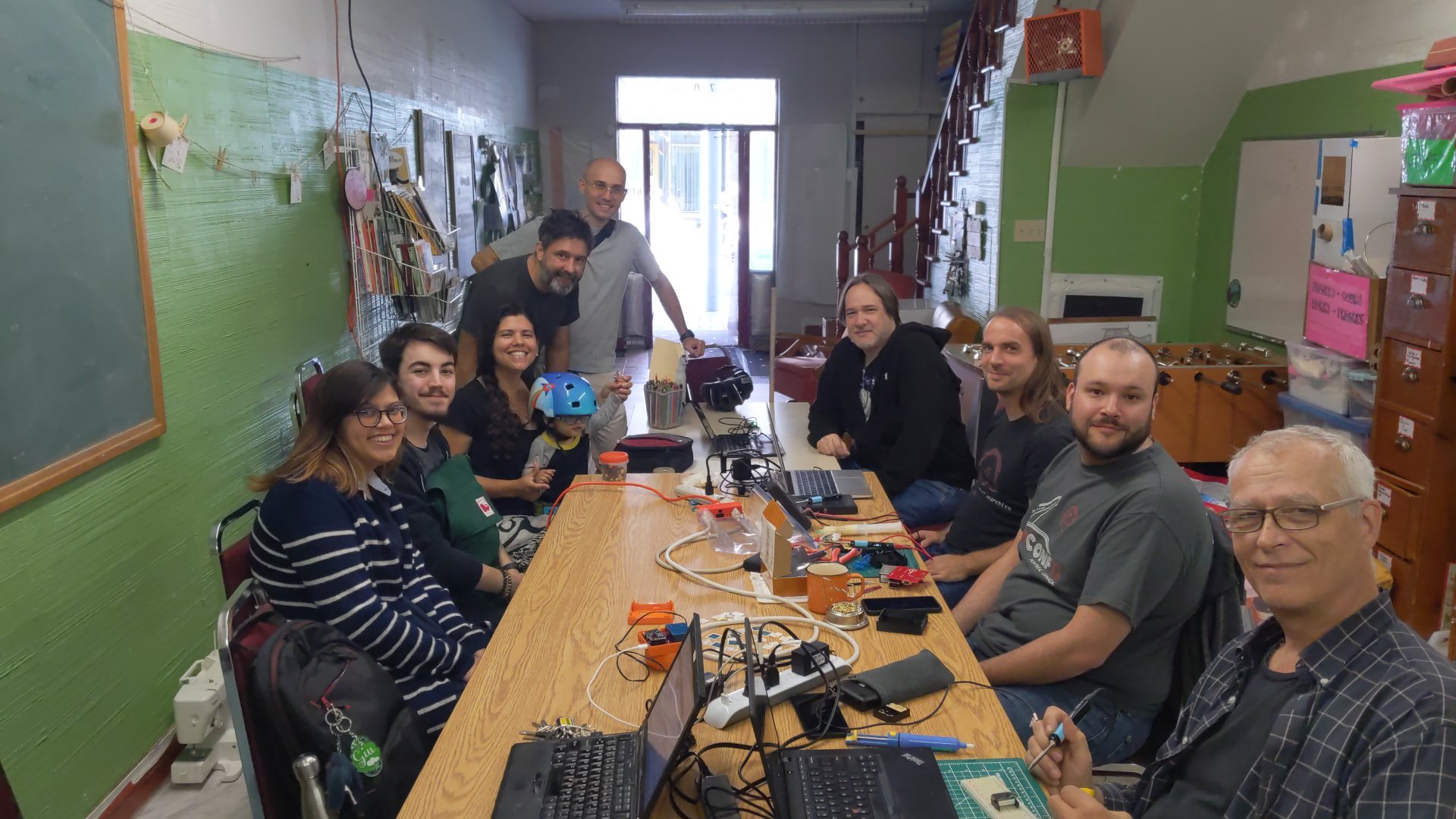
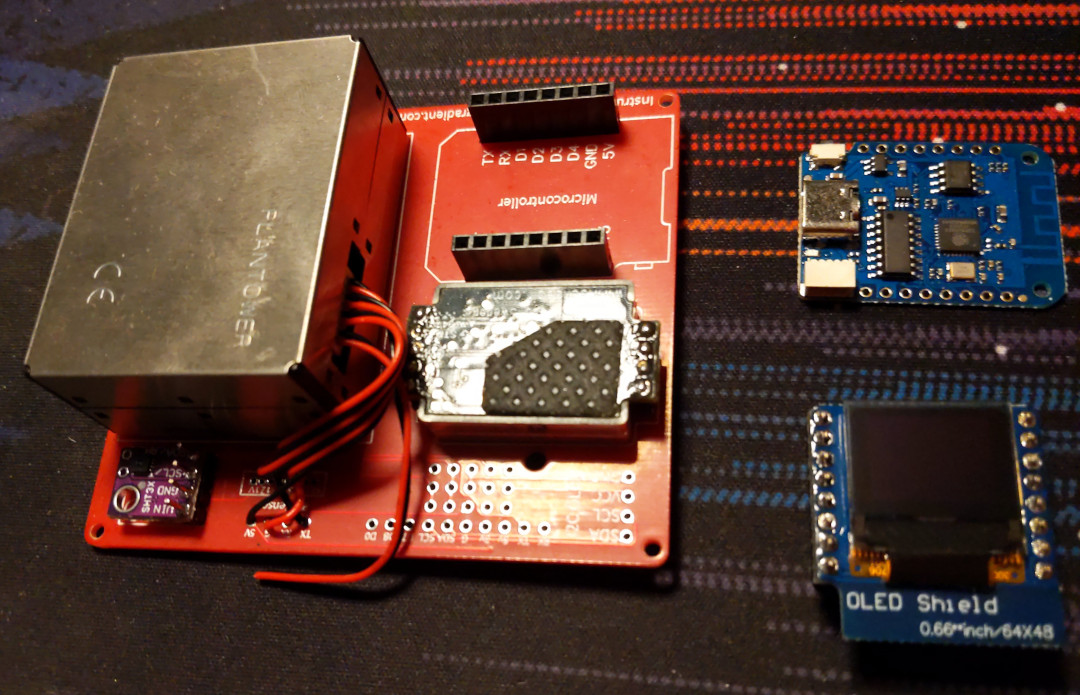

  1. Mostly as a result of the large forest fires in Canada this summer. I myself blogged twice about air quality-related projects recently.

6 October 2023

Russ Allbery: Review: The Far Reaches

Review: The Far Reaches, edited by John Joseph Adams
Publisher: Amazon Original Stories
Copyright: June 2023
ISBN: 1-6625-1572-3
ISBN: 1-6625-1622-3
ISBN: 1-6625-1503-0
ISBN: 1-6625-1567-7
ISBN: 1-6625-1678-9
ISBN: 1-6625-1533-2
Format: Kindle
Pages: 219
Amazon has been releasing anthologies of original short SFF with various guest editors, free for Amazon Prime members. I previously tried Black Stars (edited by Nisi Shawl and Latoya Peterson) and Forward (edited by Blake Crouch). Neither were that good, but the second was much worse than the first. Amazon recently released a new collection, this time edited by long-standing SFF anthology editor John Joseph Adams and featuring a new story by Ann Leckie, which sounded promising enough to give them another chance. The definition of insanity is doing the same thing over and over again and expecting different results. As with the previous anthologies, each story is available separately for purchase or Amazon Prime "borrowing" with separate ISBNs. The sidebar cover is for the first in the sequence. Unlike the previous collections, which were longer novelettes or novellas, my guess is all of these are in the novelette range. (I did not do a word count.) If you're considering this anthology, read the Okorafor story ("Just Out of Jupiter's Reach"), consider "How It Unfolds" by James S.A. Corey, and avoid the rest. "How It Unfolds" by James S.A. Corey: Humans have invented a new form of physics called "slow light," which can duplicate any object that is scanned. The energy expense is extremely high, so the result is not a post-scarcity paradise. What the technology does offer, however, is a possible route to interstellar colonization: duplicate a team of volunteers and a ship full of bootstrapping equipment, and send copies to a bunch of promising-looking exoplanets. One of them might succeed. The premise is interesting. The twists Corey adds on top are even better. What can be duplicated once can be duplicated again, perhaps with more information. This is a lovely science fiction idea story that unfortunately bogs down because the authors couldn't think of anywhere better to go with it than relationship drama. I found the focus annoying, but the ideas are still very neat. (7) "Void" by Veronica Roth: A maintenance worker on a slower-than-light passenger ship making the run between Sol and Centauri unexpectedly is called to handle a dead body. A passenger has been murdered, two days outside the Sol system. Ace is in no way qualified to investigate the murder, nor is it her job, but she's watched a lot of crime dramas and she has met the victim before. The temptation to start poking around is impossible to resist. It's been a long time since I've read a story built around the differing experiences of time for people who stay on planets and people who spend most of their time traveling at relativistic speeds. It's a bit of a retro idea from an earlier era of science fiction, but it's still a good story hook for a murder mystery. None of the characters are that memorable and Roth never got me fully invested in the story, but this was still a pleasant way to pass the time. (6) "Falling Bodies" by Rebecca Roanhorse: Ira is the adopted son of a Genteel senator. He was a social experiment in civilizing the humans: rescue a human orphan and give him the best of Genteel society to see if he could behave himself appropriately. The answer was no, which is how Ira finds himself on Long Reach Station with a parole officer and a schooling opportunity, hopefully far enough from his previous mistakes for a second chance. Everyone else seems to like Rebecca Roanhorse's writing better than I do, and this is no exception. Beneath the veneer of a coming-of-age story with a twist of political intrigue, this is brutal, depressing, and awful, with an ending that needs a lot of content warnings. I'm sorry that I read it. (3) "The Long Game" by Ann Leckie: The Imperial Radch trilogy are some of my favorite science fiction novels of all time, but I am finding Leckie's other work a bit hit and miss. I have yet to read a novel of hers that I didn't like, but the short fiction I've read leans more heavily into exploring weird and alien perspectives, which is not my favorite part of her work. This story is firmly in that category: the first-person protagonist is a small tentacled alien creature, a bit like a swamp-dwelling octopus. I think I see what Leckie is doing here: balancing cynicism and optimism, exploring how lifespans influence thinking and planning, and making some subtle points about colonialism. But as a reading experience, I didn't enjoy it. I never liked any of the characters, and the conclusion of the story is the unsettling sort of main-character optimism that seems rather less optimistic to the reader. (4) "Just Out of Jupiter's Reach" by Nnedi Okorafor: K rm n scientists have found a way to grow living ships that can achieve a symbiosis with a human pilot, but the requirements for that symbiosis are very strict and hard to predict. The result was a planet-wide search using genetic testing to find the rare and possibly nonexistent matches. They found seven people. The deal was simple: spend ten years in space, alone, in her ship. No contact with any other human except at the midpoint, when the seven ships were allowed to meet up for a week. Two million euros a year, for as long as she followed the rules, and the opportunity to be part of a great experiment, providing data that will hopefully lead to humans becoming a spacefaring species. The core of this story is told during the seven days in the middle of the mission, and thus centers on people unfamiliar with human contact trying to navigate social relationships after five years in symbiotic ships that reshape themselves to their whims and personalities. The ships themselves link so that the others can tour, which offers both a good opportunity for interesting description and a concretized metaphor about meeting other people. I adore symbiotic spaceships, so this story had me at the premise. The surface plot is very psychological, and I didn't entirely click with it, but the sense of wonder vibes beneath that surface were wonderful. It also feels fresh and new: I've seen most of the ideas before, but not presented or written this way, or approached from quite this angle. Definitely the best story of the anthology. (8) "Slow Time Between the Stars" by John Scalzi: This, on the other hand, was a complete waste of time, redeemed only by being the shortest "story" in the collection. "Story" is generous, since there's only one character and a very dry, linear plot that exists only to make a philosophical point. "Speculative essay" may be closer. The protagonist is the artificial intelligence responsible for Earth's greatest interstellar probe. It is packed with a repository of all of human knowledge and the raw material to create life. Its mission is to find an exoplanet capable of sustaining that life, and then recreate it and support it. The plot, such as it is, follows the AI's decision to abandon that mission and cut off contact with Earth, for reasons that it eventually explains. Every possible beat of this story hit me wrong. The sense of wonder attaches to the most prosaic things and skips over the moments that could have provoked real wonder. The AI is both unbelievable and irritating, with all of the smug self-confidence of an Internet reply guy. The prose is overwrought in all the wrong places ("the finger of God, offering the spark to animate the dirt of another world" would totally be this AI's profile quote under their forum avatar). The only thing I liked about the story is the ethical point that it slowly meanders into, which I think I might agree with and at least find plausible. But it's delivered by the sort of character I would actively leave rooms to avoid, in a style that's about as engrossing as a tax form. Avoid. (2) Rating: 5 out of 10

5 October 2023

Scarlett Gately Moore: KDE: Why KDE snaps Love KDE neon and the Big Move.

KDE neonKDE neon
KDE neon: KDE neon is extremely important to the KDE snaps eco-system as I briefly mentioned in my last post. Why? KDE neon is based on Jammy LTS which is the same as Core 22 base for snaps. Neon has a very useful continuous integration system in place that tests all the things, including dependencies, qml, cmake errors, debian packaging lintian tool and the list go on. This is very important to get packages out that don t break things on user desktops. Once the packages are a lovely shade of green on the neon CI ( or at least all the important issues are resolved ) it is in good shape for snapping. I have scripts that pull the build and runtime dependency information for our application package to use in the snapcraft.yaml. We know this list is complete, because it passed the tests! As applications gain features, they requires newer dependencies than what is provided in the ubuntu jammy repositories. Neon builds those newer dependencies and provides them to our users in the neon aptly repositories. It is much easier and more reliable than tracking down PPAs and hoping they stay maintained. We use the neon user edition repository in our snapcraft file to ensure we are up to date on KDE applications dependency needs. This week my work in Neon included turning jobs green and fixing kio-gdrive which is still qt5, but it s dependency libkgapi is qt6! We have to provide both versions in cases like this which entails tracking both master and the qt5 release branch. Snaps:
KMymoney 5.1
This week begun the big transition from single repository remote-builds to per repository snapcraft and using snap recipes on launchpad. This is an important move for a couple of reasons. We were having major issues with build failures as I pointed out in this bug report on launchpad: https://bugs.launchpad.net/launchpad/+bug/2031307 . This was due to the way remote-build works. It creates temporary snap recipes that builds once and sends back the snap or failure status. This made it very difficult to debug build failures as once the failure status was sent the job disappeared off of launchpad, taking all build logs with it. Now with the per repository snapcraft files, I have set up proper snap recipes on launchpad and the builds are automated by polling the github mirror for changes and it publishes the shiny new snap to candidate for testing or sends me the failure log that I can view at my convenience. This of course is a work in progress as we have 186 snaps currently and there are a few steps to get each one done. But once it is done, it will reduce my workload immensely and make debugging build issues faster. While making the move, I am also updating the snapcraft files for changes within snapcraft, adding cleanup to decrease bloat and fixing bugs! Snap move complete:
Artikulate with Courses
Current WIP: Audiotube, Digikam, Cantor, Neochat I also made a new content pack with KDE frameworks 5.110, but a new Qt 5.15.11 was just released so I will be making a new one tomorrow. The kf6 content snap has come to a halt as the qt6 content snap has stalled. I asked to be given access to the snapcraft file so that I may collaborate, but have not heard back. My mysterious project has reached its end for me. I might get a part time gig doing snaps out of it, but I do not meet the requirements to do any of the engineering of it. It is what it is. Thank you to all who vouched for me, alas it wasn t meant to be. If you can spare some change, I would appreciate it, especially to pay my phone/Internet bill so I can do more Neon and snaps  Thank you for stopping by. Donate https://gofund.me/b8b69e54

Next.

Previous.