Search Results: "pa"

30 January 2015

Manuel A. Fernandez Montecelo: Hallo, Planet Debian!

Hi! I just created this blog and asked to get it aggregated to the Debian Planet, so first things first -- in the initial post I wanted to say Hallooooo! to the people in the community and to talk about my work and interests in Debian. Probably most of you never interacted with or even heard of me before. I am contributor/Maintainer since ~2010 and Developer only for ~2 years, and most of the things that I worked in or packages that I maintain are "low profile" or unintrusive, except perhaps for work in aptitude and SDL libraries, if you happen to be interested in these packages or others that I [co-]maintain. More recently, during 2014, I was helping to bootstrap and bring to life a new architecture, OpenRISC or1k. Perhaps I should devote a future post to explain a bit more about the history, status and news --or, lately, lack thereof-- about this port. This is one of the main reasons why I thought that it would be useful to have a blog -- to register activities for which it is difficult to get information by other means. Apart from or1k, as it often happens with porting efforts in Debian, the work done also helped indirectly other architectures added last year (mips64el, arm64, ppc64el). Additionally, a few of my NMUs were directly targetted to help ppc64el to get ready in time for the architecture evaluation. None of the porters working in ppc64el were Debian Maintainers/Developers and some of the patches that they created did not benefit directly the other ports, so in the packages without active maintainers, the requests were not getting much attention in the crucial time before the evaluation. In some cases, these packages were in the critical path to build many other packages or support important user-case scenarios. So I was very pleased when I learnt that arm64 and ppc64el will be in the next stable release --Jessie-- as officially supported architectures. They came without much noise or ceremonious celebrations, but I think that this is a great success story for these architectures and for Debian, and even for the computing world in general. Time will tell. In the meantime, congratulations to all people involved! In addition to porting packages within Debian, I also sent some patches upstream to get the packages that I maintain compiling in the new architectures, and sent upstream patches needed to support or1k specifically (jemalloc, nspr, libgc, cmake, components of X.org...). Enough for the first post. Just to finish, let me say that after about a decade without a personal website or blog (the previous ones not about Debian or even computing), here I am again. Let's see how it goes and I hope to have enough interesting things to tell you to keep the blog alive. Or, in other words... To infinity and beyond!

Richard Hartmann: Release Critical Bug report for Week 05

The UDD bugs interface currently knows about the following release critical bugs: How do we compare to the Squeeze and Wheezy release cycles?
Week Squeeze Wheezy Jessie
43 284 (213+71) 468 (332+136) 319 (240+79)
44 261 (201+60) 408 (265+143) 274 (224+50)
45 261 (205+56) 425 (291+134) 295 (229+66)
46 271 (200+71) 401 (258+143) 427 (313+114)
47 283 (209+74) 366 (221+145) 342 (260+82)
48 256 (177+79) 378 (230+148) 274 (189+85)
49 256 (180+76) 360 (216+155) 226 (147+79)
50 204 (148+56) 339 (195+144) ???
51 178 (124+54) 323 (190+133) 189 (134+55)
52 115 (78+37) 289 (190+99) 147 (112+35)
1 93 (60+33) 287 (171+116) 140 (104+36)
2 82 (46+36) 271 (162+109) 157 (124+33)
3 25 (15+10) 249 (165+84) 172 (128+44)
4 14 (8+6) 244 (176+68) 187 (132+55)
5 2 (0+2) 224 (132+92) 175 (124+51)
6 release! 212 (129+83)
7 release+1 194 (128+66)
8 release+2 206 (144+62)
9 release+3 174 (105+69)
10 release+4 120 (72+48)
11 release+5 115 (74+41)
12 release+6 93 (47+46)
13 release+7 50 (24+26)
14 release+8 51 (32+19)
15 release+9 39 (32+7)
16 release+10 20 (12+8)
17 release+11 24 (19+5)
18 release+12 2 (2+0)
Graphical overview of bug stats thanks to azhag:

Chris Lamb: Calculating the ETA to zero in shell

< Faux> I have a command which emits a number. This number is heading towards zero. I want to know when it will arrive at zero, and how close to zero it has got.
Damn right you can.
eta2zero ()  
    A=$(eval $ @ )
    while [ $ A  -gt 0 ]
    do
        B=$(eval $ @ )
        printf %$(($ A  - $ B ))s
        A=$ B 
        sleep 1
    done   pv -s $ A  >/dev/null
 
In action:
$ rm -rf /big/path &
[1] 4895
$ eta2zero find /big/path \  wc -l
10 B 0:00:14 [   0 B/s] [================================>    ] 90% ETA 0:00:10
(Sincere apologies for the lack of strace...)

Rapha&#235;l Hertzog: My Free Software Activities for January 2015

My monthly report covers a large part of what I have been doing in the free software world. I write it for my donators (thanks to them!) but also for the wider Debian community because it can give ideas to newcomers and it s one of the best ways to find volunteers to work with me on projects that matter to me. Debian LTS This month I have been paid to work 12 hours on Debian LTS. I did the following tasks: I want to expand on two cases that I stumbled upon in my CVE triage work and that took quite long to investigate each. While my after-the-fact description is rather straightforward, the real process involved more iterations and data gathering that I do not mention here. First I was investigating CVE-2012-6685 on libnokogiri-ruby and the upstream bug discussion revealed that libxml2 could also be part of the problem. Using the tests cases submitted there, I confirmed that libxml2 was also affected by an issue of its own then I started to analyze the history of CVE of libxml2 to find out whether that issue got a CVE assigned: yes, that was CVE-2014-0191 (although the CVE description is unrelated). But this CVE was marked as fixed in all releases. Why? It turns out that the upstream fix for this CVE is just the complement of another commit that was merged way earlier (and that was used as a basis for the commit as the copy/paste of the comment shows). When the security teams integrated the upstream patch in wheezy/squeeze, they were probably not aware that a full fix required to also include something else. In the end, I thus reopened CVE-2014-0191 on our tracker (commit here). The second problematic case was pound. Thijs Kinkhorst added pound related data on the multiple (high profile) SSL related issues. So it appeared on my radar of new vulnerable package in Squeeze because it was marked that CVE-2009-3555 was fixed in version 2.6-2 while Squeeze has 2.5-1. There was no bug reference in the security tracker and the Debian changelog for that version only mentioned an anti_beast patch which is yet another issue (CVE-2011-3389). I had to dig a bit deeper in the end I discovered that the above patch also has provisions for the CVE that was of interest to me, except that Brian May recently reported in #765649 that the package was still vulnerable to this issue I tried to understand where the above patch was failing and thus submitted my findings to the bug. And I updated the tracker data with my newly gained knowledge (commit 31751 and 31752). Tryton For me, January is always the month where I try to close the accounting books of Freexian. This year is no exception except that it s the first year where I do this with Tryton. I first upgraded to Tryton 3.4 to have the latest version. Despite this I discovered multiple problems while doing so since I don t want to have those problems next year, I reported them and prepared fixes for those related to the French chart of accounts: Saltstack I mentioned this idea last month setting up and maintaining a lot of sbuild chroots can be tiresome so I wanted to automate this as much as possible. To achieve this I created three Salt formulas and got them added to the official Saltstack repository: Each one builds on top of the former. debootstrap-formula creates chroots with debootstrap or cdebootstrap. schroot-formula does the same and registers those chroots in schroot. And sbuild-formula does the same as schroot-formula but with different defaults that are more suited to sbuild chroots (and obviously ensures that sbuild is installed and that generated chroots are buildd chroots). With the sbuild formula I can put this in pillar data:
sbuild:
  chroots:
    wheezy:
      architectures: [amd64, i386]
      extra_dists:
        - wheezy-backports
        - wheezy-security
      extra_aliases:
        - wheezy-backports
        - stable-security
        - wheezy-security
    jessie:
    [...]
And then a simple salt-call state.highstate (I m running in standalone mode) will ensure that I have all the chroots properly setup. Misc packaging I packaged new upstream releases of Django in experimental and opened a pre-approval request to get the latest 1.7.x in jessie (#775892). It seems to be a difficult sell for the release team, which is a pity because we have active Debian developers, active upstream developers, and everybody is well aware of the no-new features rule to avoid regressions. Where is the risk? I also filed an unblock request for Dolibarr (on the request of the security team which wants to see the CVE fix reach Jessie). I did small contributions to two bugs that were of special interest to some of my donators (#751339 and #774811), they were not under my responsibility but I tried to get them moving by pinging the relevant people. I prepared a security upload for Django in Wheezy (python-django_1.4.5-1+deb7u9) and sent it to the security team. While doing this I discovered a small problem in their backported patch that I reported upstream in Django s ticket #24239. Debian France With the new year, it s again time to organize a general assembly with the election of a third of its board. So we solicited candidacies among the members and I m pleased to see that we got 6 candidacies for the 3 seats. It s a good sign that we still have enough persons caring about the association. One of them is even speaking of Debconf 17 in France great plans! On my side, I announced that I would not candidate to be president for the next year. I will stay on the board though to ensure we have a smooth transition. Thanks See you next month for a new summary of my activities.

One comment Liked this article? Click here. My blog is Flattr-enabled.

Dirk Eddelbuettel: littler 0.2.2

max-heap image A new minor release of littler is available now. Several examples were added or extended: See the littler examples page for more details. Another useful change is that r now reads either one (or both) of /etc/littler.r and ~/.littler.r. These are interpreted as standard R files, allowing users to provide initialization, package loading and more. Carl Boettiger and I continue to make good use of these littler examples (to to install directly from CRAN or GitHub, or to run checks) in our Rocker builds of R for Docker. Full details for the littler release are provided as usual at the ChangeLog page. The code is available via the GitHub repo, from tarballs off my littler page and the local directory here. A fresh package has gone to the incoming queue at Debian; Michael Rutter will probably have new Ubuntu binaries at CRAN in a few days too. Comments and suggestions are welcome via the mailing list or issue tracker at the GitHub repo.

This post by Dirk Eddelbuettel originated on his Thinking inside the box blog. Please report excessive re-aggregation in third-party for-profit settings.

Laura Arjona: Going selfhosting: Installing Debian Wheezy in my home server

It was in my mind to open a new series of articles with topic selfhosting , because I really believe in free software based network services and since long time I want to plug a machine 24 7 at home to host my blog, microblog, MediaGoblin, XMPP server, mail, and, in conclusion, all the services that now I trust to very kind third parties that run them with free software, but I know I could run myself (and offer them to my family and friends). Last September I bought the domain larjona.net (curious, they say buy but it s a rent, for 1,2,3 years never yours. Pending another post about my adventures with the domain name, dynamic DNS, and SSL certs!) and I bought an HP Microserver G7 N54L, with 2 GB RAM. It had a 250GB SATA harddisk and I bought 2 more SATA harddisks, 1 TB each, to setup a RAID 1 (mirror). Total cost (with keyboard and mouse), 300 . A friend gave me a TFT monitor that was too old for him (1024 768) but it serves me well, (it s a server, no graphical interface, and I will connect remotely most of the times). Installing Debian stable (wheezy) I decided to install Debian stable. Jessie was not frozen yet, and since it was my first non-LAMP server install, I wanted to make sure that errors and problems would be my errors, not issues of the non-released-yet distro. I thought to install YunoHost or some other distro prepared for selfhosting, but I ve never tried them, and I have not much free time, so I decided to stick on Debian, my beloved distro, because it s the one that I know best and I m part of its awesome community. And maybe I could contribute back some bug reports or documentation. I wanted to try a crypto setup (just for fun, just for learn, for its benefits, and to be one more freecrypto-tester in the world) so after reading a bit: https://wiki.debian.org/DebianInstaller/SataRaid
https://wiki.archlinux.org/index.php/disk_encryption
http://madduck.net/docs/cryptdisk/
http://linuxgazette.net/140/kapil.html
http://smcv.pseudorandom.co.uk/2008/09/cryptroot/
http://www.linuxquestions.org/questions/linux-security-4/lvm-before-and-after-encryption-871379/ and some other pages, and try some different things, this is the setup that I managed to configure: Everything went well. Yay! Some doubts and one problem Everything went quite well except some doubts: After talking about this issues with friends (and in debian-women IRC channel), I decided to install the non-free driver, just in case, with the same reasoning as with the RAID: let the card do the job, so the CPU can care about other things. Again, I notice that learning a bit about benchmarking (and having some time to do some tests) would be nice And now, the problem: I left this problem apart and go on installing the software. I would think later what to do. Installing MediaGoblin The most urgent selfhosting service, for me, was GNU MediaGoblin, because I wanted to show my server to my family in Christmas, and upload the pictures of the babies and kids of the family. And it s a project where I contribute translations and I am a big fan, so I would be very proud of hosting my own instance. I followed the documentation to setup 2 instances of GNU MediaGoblin 0.7 (the stable release in the moment), with their corresponding PostgreSQL databases. Why two instances? Well, I want an instance to host and show my videos, images, and replicate videos that I like, and a private one for sharing photos and videos with my family. MediaGoblin has no privacy settings yet, so I installed separate instances, and the private one I put it in a different port, with a self-signed SSL cert, and enabled http-authorization in Nginx, so only authorized Linux users of my machine can accesss the website. Installing MediaGoblin was easier than what I thought. I only had some small doubts about the documentation, and they were solved in the IRC channel. You can access, for example, my user profile in my public instance, and see some different files that I already uploaded. I m very happy!! Face to face with the bug, again I had to solve the problem of the password not accepted in reboots. I began to think that it could be a bug in cryptsetup. Should I upgrade the package to the version in wheezy-backports? Jessie was almost frozen, maybe it was time to upgrade the whole system, to see if the problem was solved (and to see how my MediaGoblin was working or not in Jessie. It should work, it s almost packaged! But who knows). And if it didn t work, maybe it was time to file a bug So I upgraded my system to Debian Jessie. And after upgrade, the system didn t boot. But that s the story of another blog post (that I still need to finish to write don t worry, it has happy end, as you could see accessing my Mediagoblin site!). Comments? You can comment in this pump.io thread.
Filed under: My experiences and opinion Tagged: Debian, encryption, English, libre software, MediaGoblin, Moving into free software, N54L, selfhosting, sysadmin

29 January 2015

Holger Levsen: 20150129-reproducible-fosdem

Bit by bit identical binaries coming to a FOSDEM near you Tomorrow I'll be going to FOSDEM because of the rather great variety of talks, contributors and beers - and because even after 10 years I still love to see the Grand Place at night! ;-) On Saturday afternoon I'll be giving a talk titled "Stretching out for trustworthy reproducible builds - the status of reproducing byte-for-byte identical binary packages from a given source". I'm pretty thankful to the FOSDEM organisers for accepting this talk despite me submitting it rather (too) late, which was mostly due to the rapid developments in recent times. These are exciting times indeed: it'll be an opportunity to present what we did, how we did it, the progresses we had so far, our findings, and our plans for the future. The interview by the FOSDEM organizers might give you some preliminary insights, but you should come if you can! So, please spread the word: this talk will not at all only be about Debian. We hope to have many upstream software developers and maintainers from other distributions attending as we will explain how reproducible builds are about reliability in software development and deployment in general. We hope one day reproducibility will be the norm everywhere and thus we want to reach out to upstreams and other distros now. And it's getting even better: I learned a very pleasant surprise yesterday: I won't be giving this talk alone but rather together with Lunar! :-) I would have gladly given this talk alone as planned, but team work is soo much more fun - and more productive too as this very project is showing everyday! :-)

28 January 2015

Andrea Veri: The GNOME Infrastructure Apprentice Program

Many times it happened seeing someone joining the #sysadmin IRC channel requesting participation to the team after having spent around 5 minutes trying to explain what the skills and the knowledge were and why this person felt it was the right figure for the position. And it was always very disappointing for me having to reject all these requests as we just didn t have the infrastructure in place to let new people join the rest of the team with limited privileges. With the introduction of FreeIPA, more fine-grained ACLs (and hiera-eyaml-gpg for securing tokens, secrets, passwords out of Puppet itself) we are so glad to announce the launch of the GNOME Infrastructure Apprentice Program (from now till the end of the post just Program ). If you are familiar with the Fedora Infrastructure and how it works you might know what this is about already. If you don t please read further ahead. The Program will allow apprentices to join the Sysadmin Team with a limited set of privileges which mainly consist in being able to access the Puppet repository and all the stored configuration files that run the machines powering the GNOME Infrastructure every day. Once approved to the Program apprentices will be able to submit patches for review to the team and finally see their work merged on the production environment if the proposed changes matched the expectations and addressed comments. While the Program is open to everyone to join, we have some prerequisites in place. The interested person should be:
  1. Part of an existing FOSS community
  2. Familiar with how a FOSS Project works behind the scenes
  3. Familiar with popular tools like Puppet, Git
  4. Familiar with RHEL as the OS of choice
  5. Familiar with popular Sysadmin tools, softwares and procedures
  6. Eager to learn new things, make constructive discussions with a team, provide feedback and new ideas
If you feel like having all the needed prerequisites and would be willing to join follow these steps:
  1. Subscribe to the gnome-infrastructure and infrastructure-announce mailing lists
  2. Join the #sysadmin IRC channel on irc.gnome.org
  3. Send a presentation e-mail to the gnome-infrastructure mailing list stating who you are, what your past experiences and plans are as an Apprentice
  4. Once the presentation has been sent an existing Sysadmin Team member will evaluate your application and follow-up with you introducing you to the Program
More information about the Program is available here.

Dirk Eddelbuettel: RInside 0.2.12

A new release 0.2.12 of RInside is now on CRAN. RInside provides a set of convenience classes which facilitate embedding of R inside of C++ applications and programs, using the classes and functions provided by the Rcpp integration package. This release adds new examples which were contributed by Christian Authmann, plus some updates and fixes including one requested by the CRAN maintainers regarding GNU extensions to Makefile. The NEWS extract below has more details.
Changes in RInside version 0.2.12 (2015-01-27)
  • Several new examples have been added (with most of the work done by Christian Authmann):
    • standard/rinside_sample15.cpp shows how to create a lattice plot (following a StackOverflow question)
    • standard/rinside_sample16.cpp shows object wrapping, and exposing of C++ functions
    • standard/rinside_sample17.cpp does the same via C++11
    • sandboxed_servers/ adds an entire framework of client/server communication outside the main process (but using a subset of supported types)
  • standard/rinside_module_sample9.cpp was repaired following a fix to InternalFunction in Rcpp
  • For the seven example directories which contain a Makefile, the Makefile was renamed GNUmakefile to please R CMD check as well as the CRAN Maintainers.
CRANberries also provides a short report with changes from the previous release. More information is on the RInside page. Questions, comments etc should go to the rcpp-devel mailing list off the Rcpp R-Forge page.

This post by Dirk Eddelbuettel originated on his Thinking inside the box blog. Please report excessive re-aggregation in third-party for-profit settings.

Russell Coker: SE Linux Play Machine Over Tor

I work on SE Linux to improve security for all computer users. I think that my work has gone reasonably well in that regard in terms of directly improving security of computers and helping developers find and fix certain types of security flaws in apps. But a large part of the security problems we have at the moment are related to subversion of Internet infrastructure. The Tor project is a significant step towards addressing such problems. So to achieve my goals in improving computer security I have to support the Tor project. So I decided to put my latest SE Linux Play Machine online as a Tor hidden service. There is no real need for it to be hidden (for the record it s in my bedroom), but it s a learning experience for me and for everyone who logs in. A Play Machine is what I call a system with root as the guest account with only SE Linux to restrict access. Running a Hidden Service A Hidden Service in TOR is just a cryptographically protected address that forwards to a regular TCP port. It s not difficult to setup and the Tor project has good documentation [1]. For Debian the file to edit is /etc/tor/torrc. I added the following 3 lines to my torrc to create a hidden service for SSH. I forwarded port 80 for test purposes because web browsers are easier to configure for SOCKS proxying than ssh. HiddenServiceDir /var/lib/tor/hidden_service/
HiddenServicePort 22 192.168.0.2:22
HiddenServicePort 80 192.168.0.2:22 Generally when setting up a hidden service you want to avoid using an IP address that gives anything away. So it s a good idea to run a hidden service on a virtual machine that is well isolated from any public network. My Play machine is hidden in that manner not for secrecy but to prevent it being used for attacking other systems. SSH over Tor Howtoforge has a good article on setting up SSH with Tor [2]. That has everything you need for setting up Tor for a regular ssh connection, but the tor-resolve program only works for connecting to services on the public Internet. By design the .onion addresses used by Hidden Services have no mapping to anything that reswemble IP addresses and tor-resolve breaks it. I believe that the fact that tor-resolve breaks thins in this situation is a bug, I have filed Debian bug report #776454 requesting that tor-resolve allow such things to just work [3]. Host *.onion
ProxyCommand connect -5 -S localhost:9050 %h %p I use the above ssh configuration (which can go in ~/.ssh/config or /etc/ssh/ssh_config) to tell the ssh client how to deal with .onion addresses. I also had to install the connect-proxy package which provides the connect program. ssh root@zp7zwyd5t3aju57m.onion
The authenticity of host zp7zwyd5t3aju57m.onion ()
ECDSA key fingerprint is 3c:17:2f:7b:e2:f6:c0:c2:66:f5:c9:ab:4e:02:45:74.
Are you sure you want to continue connecting (yes/no)? I now get the above message when I connect, the ssh developers have dealt with connecting via a proxy that doesn t have an IP address. Also see the general information page about my Play Machine, that information page has the root password [4].

27 January 2015

Laura Arjona: Upgrading my computers to Debian Jessie: Husband s laptop (Acer Aspire 5250)

This is an old laptop, with AMD E-300 processor, 6 GB RAM, Radeon HD 6310 VGA and Atheros AR9485 wireless network adapter. It was running Windows 7 (preinstalled). The hard disk failed, and I put the hard disk of another laptop (a broken Acer Aspire One D255) on it. Surprisingly, the Windows 7 on it booted (after some self-configuration that took quite long), but it was a Windows 7 Home 32bits, so it was only recognizing 4 GB RAM. That was the perfect excuse to convince my husband to install Debian in the laptop and begin his transition to a free OS. Yay! I installed Debian Jessie from scratch last summer. Everything went well (the installer went fine, 8 months before than its RC1 release, congrats Debian-boot team!). I needed the non-free radeon driver for the graphical display :/ Jessie is running GNOME3 desktop, and I ve been seeing all these months the transition to 3.14 version, and later, the integration of the Lines theme (by Juliette Belin), which I like very much. I have problems to watch high quality videos, in every player that I tried (VLC, Totem, mplayer) the audio and video are not synced, and video sometimes freezes. I m almost sure that the problem is what mplayer says: Your system is too SLOW to play this! . I tried to install the ATI non-free driver for better performance, but after successfully install it and reboot, GNOME was not starting (I got a black screen, no gdm greeting me). I could log in tty2, though. I don t know if I did something wrong, how to solve the problem, and I don t wanted to waste time, so I uninstalled it and returned to the non-free firmware that goes to the Linux kernel. For now, when I need to watch a video that gives those problems, I upload the file to my GNU MediaGoblin site, or use WinFF to reduce size/quality. Overall impression Fine! Both my husband and me are very happy. The installation went really well. I m not a GNOME expert user but I find it easy, intuitive, and he found it easy too. My husband uses the computer to surf the web, watch some videos and online series (we had to install non-free flash plugin from Adobe #grr), read mail from the browser, write something in LibreOffice and print it (hey! we just plug the printer/scanner and it works, no need to install drivers!), scan some image and send it by email I set Debian as default in GRUB, and the switch from Windows has been very natural for him (he was already using Firefox and LibreOffice in Windows. He still says I m a Windows user although he is just using Debian for months!). He bought an IPhone 4S (#grr!) and I tried to connect it as shown in the corresponding Debian wiki page, but it didn t work (I got segmentation fault when connecting the phone). However, it is recognized by Shotwell and we can copy all the photos and videos to the computer, which is what we wanted to do. So no problem on that side, either. In conclussion, one more computer at home running Debian ( future stable ), and we don t run Windows at home anymore :)
Filed under: My experiences and opinion Tagged: Debian, English, Moving into free software

Laura Arjona: Upgrading my computers to Debian Jessie

Until now, I usually run Debian stable at work (in my desktop PC) and stable or testing at home in my laptop. I was upgrading to testing during the freeze, and then, stay in testing (future stable) or stable (when it s published) until the next freeze. I have changed this conservative pattern. I ve been running Jessie for many months now, and here I ll document the different experiences in the computers that I use. Upgrade or clean install? I decided to upgrade my computers instead of making a clean install (except in the ones that were not running Debian). Although the upgrade process have been fine, I m still not sure which is the best for my needs. Installing from the beginning forces me to re-read the feature list of the different pieces of software and choose the one that fits best (not the one that I was using some years ago). And maybe I just don t need that non-free driver anymore because there s free replacement already, the installer is wise. OTOH, upgrading is easier and quicker, and I got all my software and configurations (and my rubbish) there, nothing is lost. The computers Here I will link the blog posts of each computer that I upgrade, when I finish writing the corresponding articles: Comments? You can comment in this pump.io thread.
Filed under: My experiences and opinion Tagged: Debian, English, Moving into free software

Matthias Klumpp: AppStream 0.8 released!

Yesterday I released version 0.8 of AppStream, the cross-distribution standard for software metadata, that is currently used by GNOME-Software, Muon and Apper in to display rich metadata about applications and other software components. What s new? The new release contains some tweaks on AppStreams documentation, and extends the specification with a few more tags and refinements. For example we now recommend sizes for screenshots. The recommended sizes are the ones GNOME-Software already uses today, and it is a good idea to ship those to make software-centers look great, as others SCs are planning to use them as well. Normal sizes as well as sizes for HiDPI displays are defined. This change affects only the distribution-generated data, the upstream metadata is unaffected by this (the distro-specific metadata generator will resize the screenshots anyway). Another addition to the spec is the introduction of an optional <source_pkgname/> tag, which holds the source package name the packages defined in <pkgname/> tags are built from. This is mainly for internal use by the distributor, e.g. it can decide to use this information to link to internal resources (like bugtrackers, package-watch etc.). It may also be used by software-center applications as additional information to group software components. Furthermore, we introduced a <bundle/> tag for future use with 3rd-party application installation solutions. The tag notifies a software-installer about the presence of a 3rd-party application bundle, and provides the necessary information on how to install it. In order to do that, the software-center needs to support the respective installation solution. Currently, the Limba project and Xdg-App bundles are supported. For software managers, it is a good idea to implement support for 3rd-party app installers, as soon as the solutions are ready. Currently, the projects are worked on heavily. The new tag is currently already used by Limba, which is the reason why it depends on the latest AppStream release. How do I get it? All AppStream libraries, libappstream, libappstream-qt and libappstream-glib, are supporting the 0.8 specification in their latest version so in case you are using one of these, you don t need to do anything. For Debian, the DEP-11 spec is being updated at time, and the changes will land in the DEP-11 tools soon. Improve your metadata! This call goes especilly to many KDE projects! Getting good data is partly a task for the distributor, since packaging issues can result in incorrect or broken data, screenshots need to be properly resized etc. However, flawed upstream data can also prevent software from being shown, since software with broken data or missing data will not be incorporated in the distro XML AppStream data file. Richard Hughes of Fedora has created a nice overview of software failing to be included. You can see the failed-list here the data can be filtered by desktop environment etc. For KDE projects, a Comment= field is often missing in their .desktop files (or a <summary/> tag needs to be added to their AppStream upstream XML file). Keep in mind that you are not only helping Fedora by fixing these issues, but also all other distributions cosuming the metadata you ship upstream. For Debian, we will have a similar overview soon, since it is also a very helpful tool to find packaging issues. If you want to get more information on how to improve your upstream metadata, and how new metadata should look like, take a look at the quickstart guide in the AppStream documentation.

Jingjie Jiang: Yet another post.

In the middle of OPW internship I originally thought taking part in FOSSOPW is a great chance to lift my coding skills and I shouldn t miss it. As time passes by, I now have a new thought towards it. # 1 It do improves your coding skill. Zack, Matthieu and I often have discussions on coding style. For example, once Zack said, For code like this, you should explicitly use an if/else clause, not if-return. I was totally unaware of this sort of issue. Actually I even didn t know how I should call this problem. Matthieu gave me a detailed FYI link on this in no time. Besides, my completeness of thinking is also trained. Recently, I was fixing a HTTP GET Method ?suite=suite-name issue. It s a trivial task. And you know most trivial tasks require lots of scattered modification on the source code base. I did have fixed most places, such as the pages of /src/packagename and /search/ . Zack did a thorough review, and pointed out that the pages rendered by /prefix has some malformed urls in the HTML. Waiiiit, I should have noticed it. But somehow I missed it. Maybe because my mind was wandering at that time? This made me think, I shall have a thorough view of what I should do before getting my hands dirty. Or more preferably, if I could write down what I exactly want to achieve before coding, then silly problems definitely wouldn t occur. This may sound a little bit like TDD. ;). # 2 It makes you look like a (not-that-good) ninja. I use a macbook. It s not my fault! I ve tried several times, but I never successfully find a laptop that is not capable of boiling eggs when running Debian. (and especially KDE+Debian). So I have no way but switched to OSX. The development of Debsources happens on a remote Ubuntu LTS (now Debian SID, haha) virtual machine. Of course I have to install all the dependency on my own, e.g., Postgres, set up port-forwarding, e.g., ssh -D, write automate shell scripts, e.g., dash, but more importantly, I am forced to live under the dark terminal with no GUI. You know the feeling when pain hurts? Yes, exactly! But I survived. How shall I call myself now? A dedicated with-a-lot-of-useless-plugin-installed vimmer? A fond-of-fancy-window tmux-er? Yep, both. I finally found a comfort zone under the black-white-blinking screen. I wonder how people feel when they see a girl hanging out in the library, facing a full-screened black console, typing at a speed of 140wpm (Yeah, I am kidding). I don t know, but please don t call me a geek. Show me your respect, I am a ninja! # 3 It tells you communication is the most important. I bet anyone who has participated in a group-based project would understand what I mean. For one perspective, communication helps to eliminate misunderstanding. So I won t doing some useless stuff for all day and finally find out that it totally doesn t meet the requirement. On the other hand, it speeds up your learning process. I often have problems on git. So in the email I will complain if I mess up with the git repo. After a short while, my dear mentors will reply in detail on how to correctly do the git stuff. My OPW journey is cool! ;).

Thomas Goirand: OpenStack debian image available from cdimage.debian.org

About a year and a half after I started writing the openstack-debian-images package, I m very happy to announce to everyone that, thanks to Steve McIntyre s help, the official OpenStack Debian image is now generated at the same time as the official Debian CD ISO images. If you are a cloud user, if you use OpenStack on a private cloud, or if you are a public cloud operator, then you may want to download the weekly build of the OpenStack image from here: http://cdimage.debian.org/cdimage/openstack/testing/ Note that for the moment, there s only the amd64 arch available, but I don t think this is a problem: so far, I haven t found any public cloud provider offering anything else than Intel 64 bits arch. Maybe this will change over the course of this year, and we will need arm64, but this can be added later on. Now, for later plans: I still have 2 bugs to fix on the openstack-debian-images package (the default 1GB size is now just a bit too small for Jessie, and the script exits with zero in case of error), but nothing that prevents its use right now. I don t think it will be a problem for the release team to accept these small changes before Jessie is out. When generating the image, Steve also wants to generate a sources.tar.gz containing all the source packages that we include on the image. He already has the script (which is used as a hook script when running the build-openstack-debian-image script), and I am planning to add it as a documentation in /usr/share/doc/openstack-debian-images. Last, probably it would be a good idea to install grub-xen, just as Ian Campbell suggested to make it possible for this image to run in AWS or other Xen based clouds. I would need to be able to test this though. If you can contribute with this kind of test, please get in touch. Feel free to play with all of this, and customize your Jessie images if you need to. The script is (on purpose) very small (around 400 lines of shell script) and easy to understand (no function, it s mostly linear from top to bottom of the file), so it is also very easy to hack, plus it has a convenient hook script facility where you can do all sorts of things (copying files, apt-get install stuff, running things in the chroot, etc.). Again, thanks so much to Steve for working on using the script during the CD builds. This feels me with joy that Debian finally has official images for OpenStack.

26 January 2015

Daniel Pocock: Get your Nagios issues as an iCalendar feed

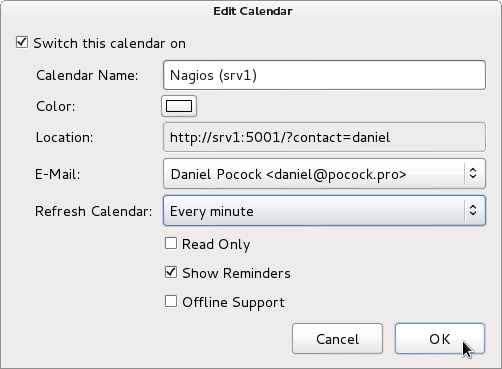
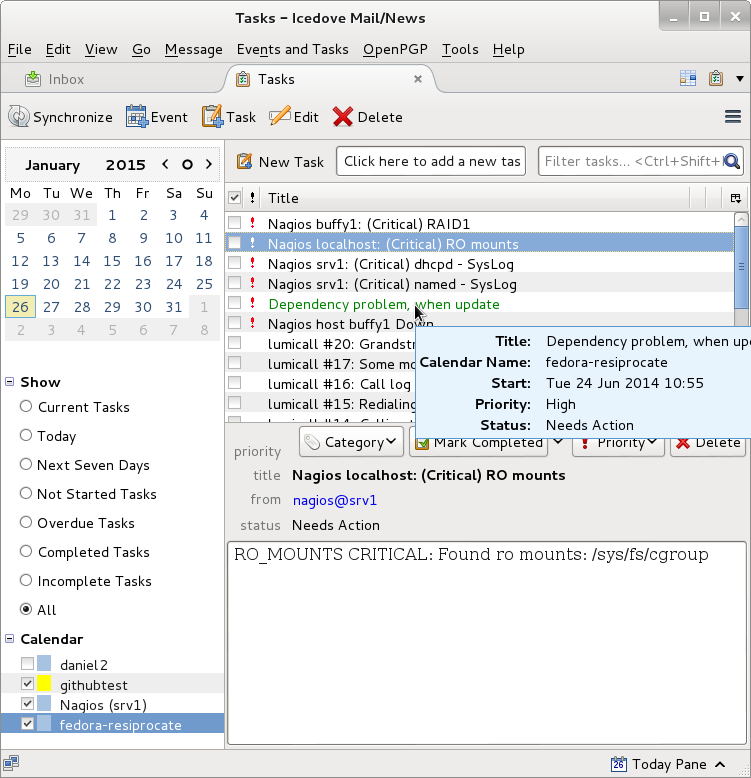
The other day I demonstrated how to get your Github issues/bugs as an iCalendar feed. I'm planning to take this concept further and I just whipped up another Python script, exposing Nagios issues as an iCalendar feed. The script is nagios-icalendar. Usage is explained concisely in the README file, it takes just minutes to get up and running. One interesting feature is that you can append a contact name to the URL and just get the issues for that contact, e.g.:
http://nagios-server.example.org:5001?contact=daniel
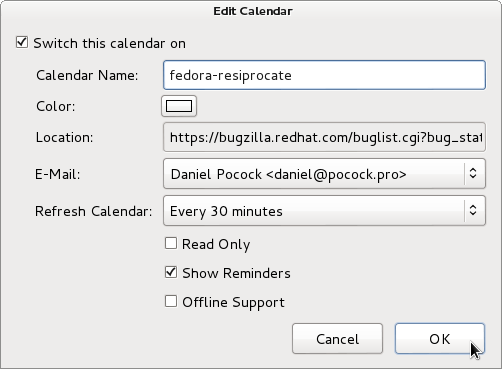
Screenshots Here I demonstrate using Mozilla Lightning / Iceowl-extension to aggregate issues from Nagios, the Fedora instance of Bugzilla and Lumicall's Github issues into a single to-do list.

Vincent Fourmond: Linux kernels for a macbook pro retina

I was unhappy about the recent Linux (3.14-3.16, and I think 3.17 too) kernels on my Macbook Pro Retina (15'), for a few reasons:The latest 3.18-trunk kernel fixes essentially all the above problems, which is just great. Kudos to everyone involved ! Hope it helps...

Francois Marier: Using unattended-upgrades on Rackspace's Debian and Ubuntu servers

I install the unattended-upgrades package on almost all of my Debian and Ubuntu servers in order to ensure that security updates are automatically applied. It works quite well except that I still need to login manually to upgrade my Rackspace servers whenever a new rackspace-monitoring-agent is released because it comes from a separate repository that's not covered by unattended-upgrades. It turns out that unattended-upgrades can be configured to automatically upgrade packages outside of the standard security repositories but it's not very well documented and the few relevant answers you can find online are still using the old whitelist syntax.

Initial setup The first thing to do is to install the package if it's not already done:
apt-get install unattended-upgrades
and to answer yes to the automatic stable update question. If you don't see the question (because your debconf threshold is too low -- change it with dpkg-reconfigure debconf), you can always trigger the question manually:
dpkg-reconfigure -plow unattended-upgrades
Once you've got that installed, the configuration file you need to look at is /etc/apt/apt.conf.d/50unattended-upgrades.

Whitelist matching criteria Looking at the unattended-upgrades source code, I found the list of things that can be used to match on in the whitelist:
  • origin (shortcut: o)
  • label (shortcut: l)
  • archive (shortcut: a)
  • suite (which is the same as archive)
  • component (shortcut: c)
  • site (no shortcut)
You can find the value for each of these fields in the appropriate _Release file under /var/lib/apt/lists/. Note that the value of site is the hostname of the package repository, also present in the first part these *_Release filenames (stable.packages.cloudmonitoring.rackspace.com in the example below). In my case, I was looking at the following inside /var/lib/apt/lists/stable.packages.cloudmonitoring.rackspace.com_debian-wheezy-x86%5f64_dists_cloudmonitoring_Release:
Origin: Rackspace
Codename: cloudmonitoring
Date: Fri, 23 Jan 2015 18:58:49 UTC
Architectures: i386 amd64
Components: main
...
which means that, in addition to site, the only things I could match on were origin and component since there are no Suite or Label fields in the Release file. This is the line I ended up adding to my /etc/apt/apt.conf.d/50unattended-upgrades:
 Unattended-Upgrade::Origins-Pattern  
         // Archive or Suite based matching:
         // Note that this will silently match a different release after
         // migration to the specified archive (e.g. testing becomes the
         // new stable).
 //      "o=Debian,a=stable";
 //      "o=Debian,a=stable-updates";
 //      "o=Debian,a=proposed-updates";
         "origin=Debian,archive=stable,label=Debian-Security";
         "origin=Debian,archive=oldstable,label=Debian-Security";
+        "origin=Rackspace,component=main";
  ;

Testing To ensure that the config is right and that unattended-upgrades will pick up rackspace-monitoring-agent the next time it runs, I used:
unattended-upgrade --dry-run --debug
which should output something like this:
Initial blacklisted packages: 
Starting unattended upgrades script
Allowed origins are: ['origin=Debian,archive=stable,label=Debian-Security', 'origin=Debian,archive=oldstable,label=Debian-Security', 'origin=Rackspace,component=main']
Checking: rackspace-monitoring-agent (["<Origin component:'main' archive:'' origin:'Rackspace' label:'' site:'stable.packages.cloudmonitoring.rackspace.com' isTrusted:True>"])
pkgs that look like they should be upgraded: rackspace-monitoring-agent
...
Option --dry-run given, *not* performing real actions
Packages that are upgraded: rackspace-monitoring-agent

Making sure that automatic updates are happening In order to make sure that all of this is working and that updates are actually happening, I always install apticron on all of the servers I maintain. It runs once a day and emails me a list of packages that need to be updated and it keeps doing that until the system is fully up-to-date. The only thing missing from this is getting a reminder whenever a package update (usually the kernel) requires a reboot to take effect. That's where the update-notifier-common package comes in. Because that package will add a hook that will create the /var/run/reboot-required file whenever a kernel update has been installed, all you need to do is create a cronjob like this in /etc/cron.daily/reboot-required:
#!/bin/sh
cat /var/run/reboot-required 2> /dev/null   true
assuming of course that you are already receiving emails sent to the root user (if not, add the appropriate alias in /etc/aliases and run newaliases).

NOKUBI Takatsugu: Weak ssh public keys in github

A presentation slide, named Attacking against 5 millions SSH public keys 500 SSH is published, it is a lightning talk in Edomae security seminar in Jan 24, 2015. He grabbed ssh public keys with GitHub API (https://github.com/$ user .key), the API is obsoleted, but not closed. He found short (<= 512 bit) DSA/RSA keys and can solve prime decomposition 256bit RSA key in 3 seconds. And he repoted there are 208 weak ssh keys generated by Debian/Ubuntu (CVE-2008-0166). It was already announced by GitHub. On the other hand, such ssh keys couldn t solve prime decomposition with fastgcd. It means almost ssh keys in GitHub has no bias in almost random number generators implementations, it is a good news.

25 January 2015

Richard Hartmann: KDE battery monitor

Dear lazyweb, using a ThinkPad X1 Carbon with Debian unstable and KDE 4.14.2, I have not had battery warnings for a few weeks, now. The battery status can be read out via acpi -V as well as via the KDE widget. Hibernation via systemctl hibernate works as well. What does not work is the warning when my battery is low, or automagic hibernation when shutting the lid or when the battery level is critical. From what I gather, something in the communication between upower and KDE broke down, but I can't find what it is. I have also been told that Cinnamon is affected as well, so this seems to be a more general problem Sadly, me and anyone else who's affected has been unable to fix this. So, dear lazyweb, please help. In loosely related news, this old status is still valid. UMTS is stable-ish now but even though I saved the SIM's PIN, KDE always displays a "SIM PIN unlock request" prompt after booting or hibernating. Once I enter that PIN, systemd tells me that a system policy prevents the change and wants my user password. If anyone knows how to get rid of that, I would also appreciate any pointers.

Next.

Previous.