Search Results: "daniel"

25 May 2010

Matt Zimmerman: The behavioral economics of free software

People who use and promote free software cite various reasons for their choice, but do those reasons tell the whole story? If, as a community, we want free software to continue to grow in popularity, especially in the mainstream, we should understand better the true reasons for choosing it especially our own. Some believe that it offers higher quality, that the availability of source code results in a better product with higher reliability. Although it s difficult to do an apples-to-apples comparison of software, there are certainly instances where free software components have been judged superior to their proprietary counterparts. I m not aware of any comprehensive analysis of the general case, though, and there is plenty of anecdotal evidence on both sides of the debate. Others prefer it for humanitarian reasons, because it s better for society or brings us closer to the world we want to live in. These are more difficult to analyze objectively, as they are closely linked to the individual, their circumstances and their belief system. For developers, a popular reason is the possibility of modifying the software to suit their needs, as enshrined in the Free Software Foundation s freedom 1. This is reasonable enough, though the practical value of this opportunity will vary greatly depending on the software and circumstances. The list goes on: cost savings, educational benefits, universal availability, social rewards, etc. The wealth of evidence of cognitive bias indicates that we should not take these preferences at face value. Not only are human choices seldom rational, they are rarely well understood even by the human themselves. When asked to explain our preferences, we often have a ready answer indeed, we may never run out of reasons but they may not withstand analysis. We have many different ways of fooling ourselves with regard to our own past decisions and held beliefs, as well as those of others. Behavioral economics explores the way in which our irrational behavior affects economies, and the results are curious and subtle. For example, the riddle of experience versus memory (TED video), or the several examples in The Marketplace of Perception (Harvard Magazine article). I think it would be illuminating to examine free software through this lens, and consider that the vagaries of human perception may have a very strong influence on our choices. Some questions for thought: If you re aware of any studies along these lines, I would be interested to read about them.

19 May 2010

Daniel Kahn Gillmor: NYC SYEP still requires Microsoft Software

A year ago, i wrote about how New York City's Summer Youth Employment Program (SYEP) requires the use of Internet Explorer to apply online (and it even appears to require IE just to download the PDF of the application!) Sadly, the situation has not changed, a year later. Today, I'm writing to Dan Garodnick, Chair of The City Council's Committee on Technology (and the rest of the committee members), Carole Post, Commissioner of DoITT (the city's Department of Information Technology and Telecommunications), and Jeanne B. Mullgrav, Commissioner of DYCD (the Department of Youth and Community Development, which runs SYEP). Here's what i wrote:
For the last two years at least, the DYCD's Summer Youth Employment Program
(SYEP) has been only available to users of Internet Explorer:
 https://application.nycsyep.com/
Internet Explorer (IE) is only made by Microsoft, and is only available for
people running Microsoft operating systems.  Users of other operating systems,
such as GNU/Linux, Macintosh, or others cannot access the SYEP application
process.  Even users of Windows who care about their online security or simply
desire a different web browsing experience might prefer to avoid Internet
Explorer.
Not only is the online form inaccessible from browsers other than IE, even
retrieving a copy of the PDF to print out and fill in manually is unavailable
for web browsers other than IE.
What is the city's policy is on access to government sites?  Is it city policy
to mandate a single vendor's software for access to city resources?  Should NYC
youth be required to purchase software from Microsoft to be able to apply
for the Summer Youth Employment Program?
The sort of data collection needed by such an application is a mainstay of the
standards-based web, and has been so for over 15 years now.  There is no reason
to require particular client on an open platform.  I can point you toward
resources who would be happy to help you make the system functional for users
of *any* web browser, if you like.
I raised this issue over a year ago (see nyc.gov correspondence #1-1-473378926,
and a public weblog posted around the same time [0]), and got no effective
remedy.  It's worrisome to see that this is still a problem.
Please let me know what you plan to do to address the situation.
Regards,
	--dkg
[0] https://www.debian-administration.org/users/dkg/weblog/47
Feel free to send your own message to the folks above (especially helps if you live in or near NYC) Finally, Carole Post, the head of DoITT will also be present at a panel tonight in Soho, which i'm unfortunately be unable to attend. If you go there, you might ask her about the situation.Tags: policy

26 April 2010

Debian News: Brief Updates: d-i l10n status, DebConf, snapshot service, GSOC

25 April 2010

Daniel Kahn Gillmor: Talks and tracks at debconf 10

I'm helping out on the talks committee for debconf 10 this summer in NYC (so yes, i'm going to be here for it, even though i don't have that little badge thingy). This is a call for interested folks to let us know what you want to see at debconf! Talks If you haven't already, submit your proposal for a talk, performance, debate, panel, BoF session, etc! We know you've got good ideas, and the final call for contributions went out yesterday, due in less than a week. Please propose your event soon! Tracks Also, we want to introduce Tracks as a new idea for debconf this summer. A good track would thematically group a consecutive set of debconf events (talks, panels, debates, performances, etc) to encourage a better understanding of a broader theme. For this to work, we need a few good people to act as track coordinators for the areas where they are knowledgeable and engaged. A track coordinator would have a chance to set the tone and scope for their track, schedule events, assemble panels or debates, introduce speakers, and report back at the end of debconf to the larger gathering. We also hope that a coordinator could identify potential good work being done in their area, encourage people to submit relevant events for debconf, and shepherd proposals in their track through the submission process. Are you interested in coordinating a track on some topic? Or do you have a suggestion for someone else who might do a good job on a topic you want to see well-represented at debconf? You can contact the talk committee privately if you have questions at talks@debconf.org, or you can contact the whole team publicly at debconf-team@lists.debconf.org. Some ideas about possible tracks: We can't guarantee that any particular track will happen at dc10, but we can guarantee that it won't happen if no one proposes it or wrangles the relevant events together. Help us make this the best debconf ever and make sure that your own topical itch gets scratched! Tags: debconf, debconf10

Matt Zimmerman: Ten TED talks I took in today

Starting about a year ago, I started following the release of videos from TED events. If one looked interesting, I would download the video to watch later. In this way, I accumulated a substantial collection of talks which I never managed to watch. I spent a Saturday evening working my way through the list. These are my favorites out of this batch.

18 April 2010

Russell Coker: ATI ES1000 Video on Debian/Squeeze

The Problem I ve just upgraded my Dell PowerEdge T105 [1] from Debian/Lenny to Debian/Squeeze. Unfortunately the result of the upgrade was that everything in an X display looked very green while the console display looked the way it usually did. I asked for advice on the LUV mailing list [2] and got a lot of good advice. Daniel Pittman offered a lot of great advice. The first suggestion was to check the gamma levels, the program xgamma displays the relative levels of Red, Green, and Blue (the primary colors for monitors) where it is usually expected that all of them will have the value of 1.0. This turned out to not be the problem, but it s worth noting for future instances of such problems. It s also worth noting the potential use of this to correct problems with display hardware, I ve had two Thinkpads turn red towards the end of their lives due to display hardware problems and I now realise I could have worked around the problem with xgamma. He also suggested that it might be ICC, the command xprop -root grep -i icc might display something if that was the case. I m still not sure what ICC is about but I know it s not set on my system. The next suggestion was to use the VESA display driver to try and discover whether it was a bug in the ATI driver. It turned out that the VESA driver solved that problem, I was tempted to continue using the VESA driver until I realised that the VESA driver has a maximum resolution of 1280*1024 which isn t suitable for a 1680*1050 resolution display. After reviewing my Xorg configuration file Daniel noted that my frame buffer depth of 16 bits per pixel is regarded as unusual by today s standards and probably isn t tested well. As 24bpp is generally implemented with 32bits for each pixel that means it takes twice the frame-buffer storage (both in the X server and in some applications) as well as twice the memory bandwidth to send data around. So I generally use 16bpp for my systems to make them run a little faster. (II) RADEON(0): Not using mode 1680 1050 (mode requires too much memory bandwidth) I tried using a depth of 24bpp and then I saw messages such as the above in /var/log/Xorg.0.log. It seems that the display hardware in my ATI ES1000 (the on-motherboard video card in the Dell server) doesn t have the memory bandwidth to support 1680*1050*24bpp. I tried using the gtf to generate new mode lines, but it seems that there is no 24bpp mode which has a low enough vertical refresh rate to not exhaust memory bandwidth but which is also high enough for the monitor to get a signal lock. The Solution My current solution is to use 15bpp mode which gives almost the same quality as 16bpp and uses the same small amount of memory bandwidth. It seems that 15bpp doesn t trigger the display driver bug. Of course one down-side to this is that the default KDE4 desktop background in Debian seems perfectly optimised to make 15bpp modes look ugly, it has a range of shades of blue that look chunky. What I really want to do is to get a better video card. Among other things I want to get a 1920*1080 resolution monitor in the near future, Dell is selling such monitors at very low prices and there are a bunch of affordable digital cameras that record video at that resolution. Even if I can get the ES1000 to work at 1920*1080 resolution it won t support playing Full HD resolution video I can barely play Youtube videos with it! I ve previously described my experience with the awful Computers and Parts Land (CPL) store [3] where they insisted that a PCIe*16 graphics card would work in my PCIe*8 system and then claimed to be doing me a favor by giving me a credit note for the full value (not a refund). This convinced me to not bother trying to buy such a card for the past year. But now it seems that I will be forced to buy one. What I Want to Buy I want a PCIe*8 video card that supports 1920*1080 resolution at 24bpp and has good enough performance with free Linux drivers to support Full HD video playback. Also PCIe*4 would do, and I m prepared to compromise on support of Full HD video. Basically anything better than the ES1000 will do. Does anyone know how I can buy such a card? I would prefer an ATI card but will take an NVidia if necessary. Note that I have no plans to cut one of the PCIe sockets on my motherboard (it s an expensive system and I m not going to risk breaking it). I will consider cutting the excess pins off a video card as a last resort. But I would rather just buy a PCIe*8 video card. Note that I am not going to pay cash in advance to a random person who reads my blog. Anyone who wants to sell me a second-hand card must either have a good reputation in the Linux community or ship the card to me on the condition that I pay after it passes the tests. Update: The first version of this post said that I upgraded TO Lenny, not FROM it.

6 April 2010

Daniel Burrows: aptitude-related projects for Summer of Code 2010

I wasn't planning to be a mentor this year, but it looks like I might have enough time to do a decent job at mentoring after all. So here are a few ideas I have kicking around that would probably be suitable for an SoC coder. I have lots more ideas, but these are the first ones that came to mind. These ideas are deliberately broad: as a student, you are responsible for collaborating with me to figure out the details of your project and put together a workable implementation plan. At the same time, this list is not all-encompassing; feel free to come up with your own idea and explain why I should act as a mentor for it.
  1. Improve the GTK+ interface. The GTK+ interface is only partly complete and I'd like it to be completely complete. A few open ends of interest are noted at aptitude-gtk-status-a-visual-tour, or you can just run the program yourself and see what's missing or ugly.
  2. Work on per-package Wiki pages (the idea is sketched out in my email on the subject). Most likely this can use the existing wiki.debian.org infrastructure.
  3. Create a service for tracking user reviews of Debian packages and implement support in one or more apt clients.
Note that the last two aren't aptitude-specific; they basically amount to working out a spec for clients to access the data in question, and then implementing the spec in one or more clients (possibly including aptitude, apt, synaptic, packages.debian.org, etc).

4 April 2010

Sune Vuorela: A Qt frontend to aptitude as a GSoC project?

I m currently trying to convince (and hopefully succeeding) Daniel Burrows to co-mentor a Qt frontend for aptitude. But for that a student is needed. http://wiki.debian.org/SummerOfCode2010/Aptitude-Qt for first draft of project. http://wiki.debian.org/gsoc for information about GSoC and debian
and #debian-soc on irc.debian.org if you prefer that communication media.

25 March 2010

Guido G?nther: Boot splashing with plymouth

Fedora uses Plymouth to provide a flicker free boot for quiet some time now. Debian has packages in experimental but it took some patches to get these working. After adding a Debian logo the boot splash actually looks quiet nice. The initramfs and init scripts do need some more work but it's basically working. Thanks a lot Daniel for merging these so quickly! To enable Plymouth you first need to set up KMS in the initramfs. For an intel based card you can do this by either adding
i915 modeset=1
to /etc/initramfs-tools/modules or by setting
i915.modeset=1
on the kernel command line. Then install plymouth, set a default theme and update the initramfs:
aptitude install plymouth plymouth-plugins-all
plymouth-set-default-theme solar
update-initramfs -u
Finally add splash to the kernel's command line (e.g. by adding it to /etc/default/grub). Afterwards reboot and you should see the solar flares: Plymouth Solar Theme We're still not fully there yet since we need a newer gdm for a flicker free handover. Fortunately the Debian GNOME maintainers have already prepared a new package in svn. We also need proper support for encrypted disks, asking for the passphrase works with this fix but cryptsetup needs support for it.

23 March 2010

Daniel Kahn Gillmor: Avoiding erroneous OpenPGP certifications

i'm aware that people don't always take proper measures during mass OpenPGP keysignings. Apparently, some keys even get signed with no one at the keysigning present speaking for that key (for example, if the key was submitted to the keysigning via online mechanisms beforehand, but the keyholder failed to show up). Unverified certifications are potentially erroneous, and erroneous certifications are bad for the OpenPGP web of trust. Debian and other projects rely on the OpenPGP web of trust being reasonable and healthy. People should make a habit of doing proper verifications at keysignings. People who make unverified certifications should probably be made aware of better practices. So for future keysignings, i may introduce a key to the set under consideration and see what sort of OpenPGP certifications that key receives. I won't pretend to hold that key in person, won't speak for it, and it won't have my name attached to it. But it may be on the list. Depending on the certifications received on that key (and the feedback i get on this blog post), i'll either publish the list of wayward certifiers, or contact the certifiers privately. Wayward certifiers should review their keysigning practices and revoke any certifications they did not adequately verify. Remember, at a keysigning party, for each key: After the keysigning, when you go to actually make your OpenPGP certifications: Feedback welcome! Tags: keysigning, openpgp, tip

22 March 2010

Russell Coker: Links March 2010

Blaise Aguera y Arcas gave an exciting demonstration of new augmented reality mapping software from Microsoft that combines video (including live video) with static mapping data and pictures [1]. This is a significant advance over current mapping systems such as Google Earth but it s not released yet either. It will be interesting to see whether Google or Microsoft gets this released first. The New York Review of Books has an insightful atricle by Garry Kasparov about human/computer chess [2]. It s surprising the degree to which a combination of human and computer chess playing can give a good result. Amateur human chess players plus regular PCs can beat grandmasters with computers or high-end computers with human help. It s apparently the quality of human-computer interaction that determines the quality of play. But the article contains a lot more, I recommend reading it. Daniel Kahneman gave an interesting TED talk about the difference between experiential and memory happyness [3]. As the concept of the moment is so short (about 3 seconds) apparently most people try to optimise their actions for the best memories of being happy. But to do so requires some different strategies. For example a two week vacation gives a memory that s not much different from a one week vacation. Therefore it seems that you would be better off staying in a five star hotel for a week than a four star hotel for two weeks, and eat dinner at a Michelin Star restaurant at least once per holiday even if it means eating at McDonalds on other occasions due to lack of funds. Temple Grandin gave an interesting TED talk The World Needs all Kinds of Minds [4] which mostly focussed on teaching children who are on the Autism spectrum. She is concerned that autistic children won t end up where they belong in Silicon Valley . Anupam Mishra gave an interesting TED talk about how the people of India s Golden desert built structures to harvest and store water [5]. Some of their ideas should be copied in Australia, due to mismanagement and stupidity Australians are failing to survive in much more hospitable places. Michael Tieman wrote an insightful and well researched article about the OSI s rejection of the IIPA s attacks on Open Source [6]. This is worth reading by anyone who wants to make a business or social case for free software. Mark Shuttleworth wrote an interesting post about the new visual style for Ubuntu and Canonical [7]. Apparently this includes the creation of a new font set which will be available for free use. Divorced Before Puberty an informative New York Times article by Nicholas Kristof about the links between treatment of women and terrorism [8]. The New York Times has an interesting article on Human Flesh Searches on the Internet in China [9]. It s basically crowds targetting people to find private information and harass them (similar to what some griefers are known for doing on the English-language part of the Internet). But they seem more interested in vigilante justice than lulz. The New York Times has an informative article about the Cult of Scientology (Co$) [10]. Among other interesting news it suggests that the number of cult victims in the US has dropped from 55,000 to 25,000 in the 2001-2008 time period. Senator Xenophon has called for an inquiry into the crimes committed by the cult and a review of it s tax-exempt status [11]. As always Xenu.net is the authoritative source for information on the Cult of Scientology AKA the Church of Scientology. The New York Times has an interesting article about formally studying the skills related to school teaching [12]. It largely focuses on Doug Lemov s Taxonomy of Effective Teaching describes 49 techniques that improve school results and some other related research. The article also mentions that increasing teacher salaries is not going to help much due to the large number of teachers, it s only professions that employ small numbers of people that can potentially have their overall skills improved by increasing salaries. Andy Wingo wrote an interesting article about Julius Caesar [13] based on the book The Assassination of Julius Caesar: A People s History of Ancient Rome by Michael Parenti. It seems that Caesar was more of a populist than a despot. Interesting article in The Register about the Large Hadron Collider (LHC) [14]. Apparently one 3.5TeV proton beam has as much energy as a British aircraft carrier running at 8 knots.

16 March 2010

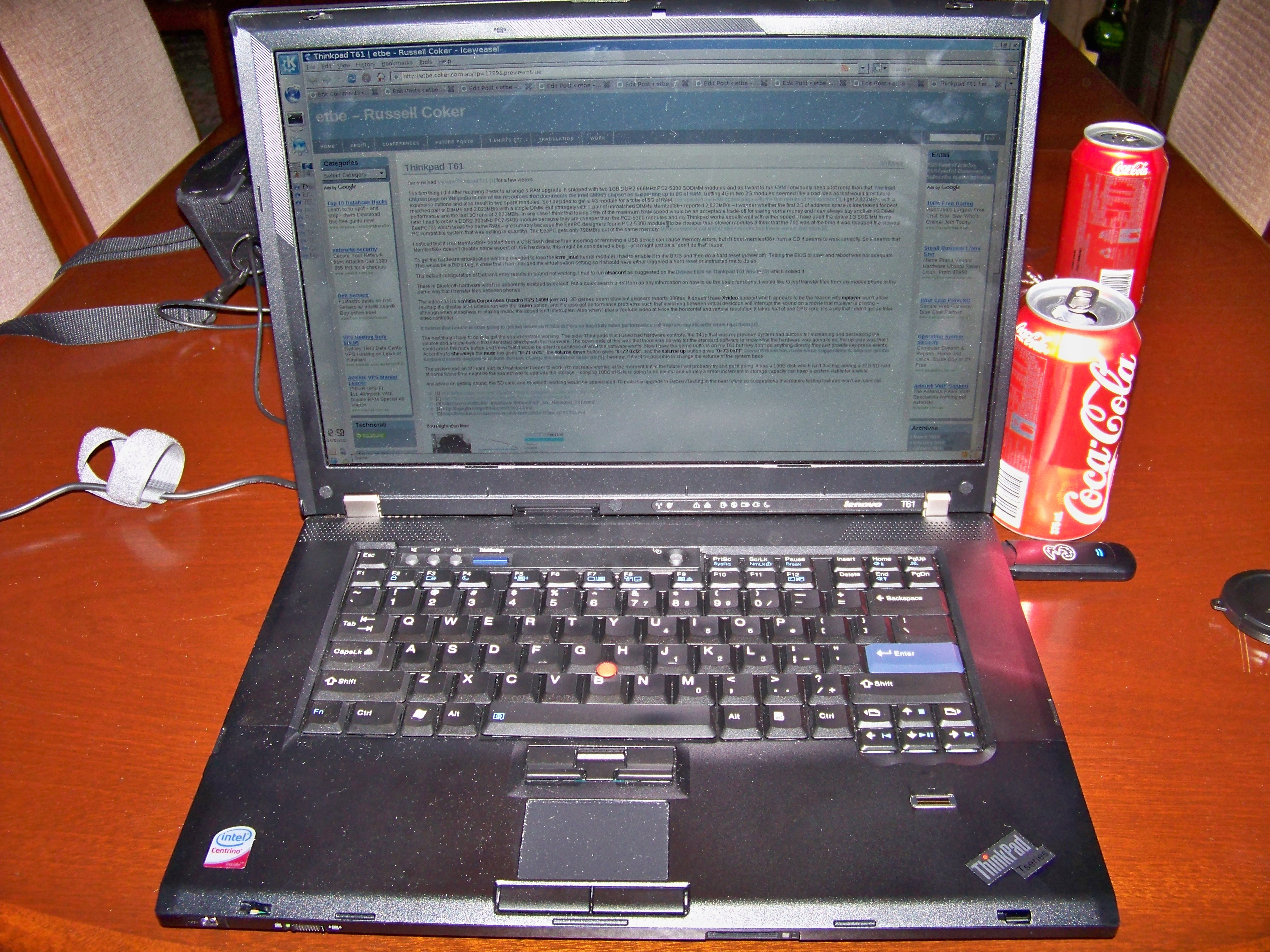
Russell Coker: Thinkpad T61

picture of my new Thinkpad T61 I ve now had my new Thinkpad T61 [1] for almost a month. The letters on the keyboard are not even starting to wear off which is unusual, either this Thinkpad is built with harder plastic than the older ones or I m typing more softly. Memory The first thing I did after receiving it was to arrange a RAM upgrade. It shipped with two 1GB DDR2 666MHz PC2-5300 SODIMM modules and as I want to run KVM I obviously need a lot more than that. The Intel Chipset page on Wikipedia is one of the resources that documents the Intel GM965 chipset as supporting up to 8G of RAM. Getting 4G in two 2G modules seemed like a bad idea as that would limit future expansion options and also result in two spare modules. So I decided to get a 4G module for a total of 5G of RAM. I ve updated my RAM speed page with the test results of this system [2], I get 2,823MB/s with a matched pair of DIMMs and 2,023MB/s with a single DIMM. But strangely with a pair of unmatched DIMMs Memtest86+ reported 2,823MB/s I wonder whether the first 2G of address space is interleaved for best performance and the last 3G runs at 2,023MB/s. In any case I think that losing 29% of the maximum RAM speed would be an acceptable trade-off for saving some money and I can always buy another 4G DIMM later. I had to order a DDR2-800MHz PC2-6400 module because they are cheaper than the PC2-5300 modules and my Thinkpad works equally well with either speed. I have used the spare 1G SODIMM in my EeePC701 which takes the same RAM presumably because the EeePC designers found PC2-5300 modules to be cheaper than slower modules (I think that the 701 was at the time it was released the slowest PC compatible system that was selling in quantity). The EeePC gets only 798MB/s out of the same memory. My document about Memtest86+ results has these results and more [2]. I noticed that if I run Memtest86+ booted from a USB flash device then inserting or removing a USB device can cause memory errors, but if I boot memtest86+ from a CD it seems to work correctly. So it seems that Memtest86+ doesn t disable some aspect of USB hardware, this might be considered a bug or it might just be a don t do that issue. Misc To get the hardware virtualisation working (needed to load the kvm_intel kernel module) I had to enable it in the BIOS and then do a hard reset (power off). Telling the BIOS to save and reboot was not adequate. This would be a BIOS bug, it knew that I had changed the virtualisation setting so it should have either triggered a hard reset or instructed me to do so. The default configuration of Debian/Lenny results in sound not working, I had to run alsaconf as suggested on the Debian Etch on Thinkpad T61 howto [3] which solved it. Generally I m happy with this system, the screen resolution is 1680*1050 which has 20% more pixels than the 1400*1050 screen on my Thinkpad T41p, it s a lot faster for CPU operations and should be a lot faster for video when I get the drivers sorted out (currently it s a lot slower), and I have virtualisation working again. But when you buy a system that s much like the last one but 6 years newer you expect it to be better. Generally the amount of effort involved in the process of buying a new system, upgrading the RAM to the desired specs, installing Linux and tweaking all the options is enough to make me want to wait at least another 6 years before buying another. Part of the reason for this difficulty is that I want to get so much functionality from the machine, a machine with more modest goals (such as a Netbook) takes a lot less time to configure. Problems There is Bluetooth hardware which is apparently enabled by default. But a quick search didn t turn up any information on how to do the basic functions, I would like to just transfer files from my mobile phone in the same way that I transfer files between phones. The video card is a nVidia Corporation Quadro NVS 140M (rev a1). 3D games seem slow but glxgears reports 300fps. It doesn t have Xvideo support which appears to be the reason why mplayer won t allow resizing it s display area unless run with the -zoom option, and it s also got performance problems such that switching between virtual desktops will interrupt the sound on a movie that mplayer is playing although when alsaplayer is playing music the sound isn t interrupted. Also when I play a Youtube video at twice the horizontal and vertical resolution it takes half of one CPU core. It s a pity that I didn t get an Intel video controller. It seems that Debian is soon going to get the Nouveau NVidia drivers so hopefully video performance will improve significantly when I get them [4]. The next thing I have to do is to get the sound controls working. The older Thinkpads that I used had hardware controls, the T41p that was my previous system had buttons for increasing and decreasing the volume and a mute button that interacted directly with the hardware. The down-side of this was that there was no way for the standard software to know what the hardware was going to do, the up-side was that I could press the mute button and know that it would be silent regardless of what the software wants. Now I have the same buttons on my T61 but they don t do anything directly, they just provide key-press events. According to showkeys the mute key gives 0 71 0xf1 , the volume down button gives 0 72 0xf2 , and the volume up button gives 0 73 0xf3 . Daniel Pittman has made some suggestions to help me get the keyboard events mapped to actions that can change the sound via software [5] which I haven t yet had time to investigate. I wonder if it will ever be possible to change the volume of the system beep. The system has an SD card slot, but that doesn t seem to work. I m not really worried at the moment but in the future I will probably try and get it going. It has a 100G disk which isn t that big, adding a 32G SD card at some future time might be the easiest way to upgrade the storage copying 100G of data is going to be painful and usually a small increment in storage capacity can keep a system viable for a while. Any advice on getting sound, the SD card, and Bluetooth working would be appreciated. I ll probably upgrade to Debian/Testing in the near future so suggestions that require testing features won t be ruled out.

7 March 2010

Aigars Mahinovs: Linuksys WRT54GL

Daniel, I also recently installed a WRT on the Linksys WRT54GL. But I used DD-WRT instructions went to http://www.dd-wrt.com/site/support/router-database, entered my model number and got direct download links to the firmware along with a README. One very important points in flashing these routers is to clear the NVRAM by doing a hard reset BEFORE and AFTER an upgrade to a different type of software on the device. Also, starting with a micro build is strongly recommended. In any case the hardware looks to be very solid, especially if you don t need gigabit ethernet and n wireless, but might need some advanced networking features.

Daniel Burrows: Installing OpenWRT on a Linksys WRT54GL v1.1

I finally got a few hours free this morning to check an item off my home system administration checklist: upgrading the wireless router's firmware to OpenWRT. There were a couple motivations for this, including the fact that my SoundBridge Radio couldn't maintain a connection to my firefly server using the built-in firmware, and I had read that OpenWRT would work better. Since this is posted on Planet Debian, I should mention why I didn't use DebianWRT. The basic answer is this text at the top of the DebianWRT homepage:
Currently the most common methods used to run Debian on these systems is to install OpenWRT or a similar firmware, add disk space either by USB storage or NFS, create a debian chroot by either running cdebootstrap from inside OpenWRT or debootstrap --foreign on a PC, and running Debian from this chroot. For example, instructions for the WLHDD.
I'm not sure whether this is because DebianWRT is experimental, or because its goal is to use routers as cheap general computers. Either way, it sounds way too complicated and/or fragile for what I'm interested in (i.e., a wireless router with better software). The goal here is to get something that does a better job than the built-in WRT firmware, but doesn't require too much tinkering to get working or to maintain. I have plenty of outlets for my tinkering urges already. Nothing here was exactly difficult, but it was hard to find all the information I needed to get things working. Hopefully documenting the steps I went through here will save someone else some time. Step 1: acquire the firmware This was trickier than you might think. If you click on the download link at the OpenWRT web site, you end up at the top of an FTP server populated with a vast quantity of stuff. Worse, when you find the actual firmware images, you'll quickly discover that there are piles and piles of them divided between sixteen directories, and no guidance as to which one to pick. And picking the wrong one will turn your beautiful router into a doorstop. Luckily, the OpenWRT documentation contains a section called "Getting Started". Unluckily, that section consists of the following text:
1.1 Getting started 1.1.1 Installation 1.1.2 Initial configuration 1.1.3 Failsafe mode
Whoops, someone forgot to execute on a TODO. :-) Undeterred, I consulted the usual fallback reference, Google. It pointed me at several references, some of which were hidden on other parts of the OpenWRT site. Armed with these, I was able to determine that:
  1. My WRT54GL v1.1 probably uses a Broadcom 5352 chipset.
  2. The correct firmware, according to multiple sources, is probably in the kamikaze top-level director, the latest version's subdirectory, and the bcrm-2.4 directory under the version (the link is to 8.09.2, which is current as of March 6, 2010). Apparently the bcrm47xx directory doesn't have wireless support; it helpfully contains a file called NO-BROADCOM-WIRELESS to warn you off, but unhelpfully doesn't include any additional information in that file (like what exactly is broken or that you can find a working firmware in a sibling directory) ... oh well.
  3. The firmware file that you want is openwrt-wrt54g-squashfs.bin, even though it doesn't match the model number of the router. This directory could use a README file explaining which hardware is supported by each of the dozen or so firmware files it contains.
Step 2: install the firmware After Step 1, this was a real relief. I just used the built-in Linksys firmware installer, pointed it at the .bin file, and it went. Step 3: configure the router The installation guide I followed was pretty much silent about what to do after I got the firmware on. Luckily, this is just a software problem, meaning it's much more familiar territory for me.
  1. First things first: I checked that I could still get a DHCP lease. It worked.
  2. Armed with that, I tried telneting to the router. I used the resulting root prompt to set a password on the root account.
  3. I logged out and tried telneting in. Apparently the router is configured to disallow root logins over telnet if you don't have a password. Good for them (although why allow telnet at all?); oops for me.
  4. Luckily, an ssh server was installed by default. I like using keys to log in, so I tracked down the documentation on configuring the server to use public-key authentication; it turns out there's a single global key file named /etc/dropbear/authorized_keys that's exactly like OpenSSH's per-user authorized_keys file. No idea what would happen if I had multiple users, but I won't.
  5. The next obstacle: I didn't have an Internet connection. For some reason, my cable modem didn't want to give the router a DHCP lease. On the off-chance that it was remembering too much, I rebooted it and ran ifup wan. That fixed the problem. I still don't know why.
  6. Not a step, but a useful note: in the process of figuring the above out, I found readlog. It's basically dmesg for syslog files; it shows the most recent lines written to syslog. This is useful because there isn't a real syslog file, due to the fact that there would be no room to store it on the 54GL.
  7. Finally, I had to get wireless working. The documentation is very helpful when it comes to describing the syntax of the wireless configuration. Unfortunately, I read the list of encryption options and missed the section right below where their meanings are explained (although, to be honest, I might not have understood the implications of the explanation without the research I did anyway).
    option encryption none, wep, psk, psk2, wpa, wpa2
    I wanted WPA2 encryption, so I entered wpa2. And nothing worked. After a good hour of trying different options on the client, swapping software components in and out on the router, experimenting with the encryption key syntax, and crawling Google, I finally found my answer. If you just want WPA2 encryption, you must not use wpa2 as the encryption type. Instead, use psk2. It turns out out that wpa2 actually means use WPA2 and also use an external RADIUS server for authentication. psk2 is the system you're familiar with from a typical consumer wireless router.
Step 4: enjoy And with that, it works. Unfortunately, contrary to what I wrote here originally, my Roku still doesn't work. On the other hand, having a real Linux installation is helpful for debugging it. Currently my suspicion is that the router isn't passing multicast packets between the wired and wireless interfaces (broadcast works fine, multicast doesn't). That said, it seems like if I restart Firefly just before I start playing music, I can play reasonably reliably -- as long as I don't stop, because if I do, the Roku forgets that the music server is there. Either way, I've spent about as much time fighting this as I can afford. :-/ One lingering worry I have is security; unlike Debian, which has both a security mailing list and tools to inform me when I need to install a security update, the OpenWRT firmware doesn't seem to have any mechanism for distributing security notices. True, there is an openwrt-security-announce list, but it appears to be entirely unused, as is openwrt-announce. Something to keep an eye on, then. Also (file under note to self), I need to remember to verify that the router isn't exposing services to the outside world. The default iptables configuration is hideously complex; with just a quick glance, it could be setting up a floral shop for all I can tell. I'll need to test this empirically and maybe analyze the rules in more depth.

4 March 2010

Daniel Stone: damn right you can

'Can you get cp to give a progress bar like wget?'

3 March 2010

Vincent Sanders: Limited Success

I spent the day working with Daniel. He has been trying to get the correct runes for a GCC build in a strange environment. Turns out all he needed was me to throw stupid ideas at him until one caused him to examine some of the generated intermediate symbol maps...

Turns out that busybox awk fails in an interesting way which (eventually) causes half the symbols to be missing in the stage 1 libgcc.so object. Switched to using gawk and managed a successful build.

Seems to be a relatively good time for solutions, last week I managed to make squashfs-tools work on ARM. Unfortunately the author seems to be completely unresponsive to my (repeated) emails (if anyone wants the patch series feel free to mail me). The main issue with the tools is their complete blind assumption that a c structure can simply be cast to an arbitrary character array and get sensible results.

The structure casting method simply does not work on ARM (or indeed any platform which has alignment restrictions) without at least adhering to some minimal rules, primary among these is that the structure *must* be aligned to a word (32bit) boundary and that if you have 16bit or 8bit quantities within the structure they may cause gaps between members i.e. the structures are not packed by default.

No this behaviour is not a bug, it is perfectly acceptable by the c standard. Just because on x86 the practice of arbitrary casting works does not mean it is safe or sensible. Nonetheless many programmers simply do not want to believe its wrong.

Anyhow, rant over, back to work!

MJ Ray: Paypal and Ethical Business

DoctorMO is calling Paypal the Pocketing Police after this Paypal [...] decided we were scammers and took our money comment by Daniel Stone during the Xorg foundation election discussions. Our co-op has avoided Paypal for a number of years for two reasons:
  1. Paypal didn t recognise UK company registration numbers that contain letters (like ours) for years after they first occurred, so we couldn t register as a seller;
  2. the terms and conditions are very unequal, there are shedloads of complaints like paypalsucks.com and I don t believe they re all fiction.
We ve not boycotted it yet because there are two of our current suppliers who are very expensive for us to pay by international bank transfer, accept Paypal and don t offer much alternative. I think I ll go ask them again. At least one of them should be sympathetic to Xorg.

17 February 2010

Daniel Stone: sam varghese not part of the open source community

I'm glad to see that Sam 'When All Else Fails, Call 'Em Racists' Varghese has admitted that he's definitely not a part of the open source community. Which is good, because I'd be pretty upset if he was. (Though his claim to be a professional journalist is no doubt fairly upsetting and phenomenally insulting to actual journalists.)

6 February 2010

Uwe Hermann: FOSDEM 2010: coreboot and flashrom devroom and talks

coreboot logo Quick public service announcement (which probably comes a bit too late, sorry): There's a coreboot developer room at this year's FOSDEM (Free and Open-Source Software Developer's European Meeting), which starts roughly... um... today. In 20 minutes, actually. Unfortunately I cannot be there, hopefully there will be video archives of the talks. If you're at FOSDEM already, here's the list of talks:
Sat 13:00-14:00 coreboot introduction (Peter Stuge)
Sat 14:00-15:00 coreboot and PC technical details (Peter Stuge)
Sat 15:00-16:00 ACPI and Suspend/Resume under coreboot (Rudolf Marek)
Sat 16:00-17:00 coreboot board porting (Rudolf Marek)
Sat 17:00-18:00 Flashrom, the universal flash tool (Carl-Daniel Hailfinger)
Sat 18:00-19:00 Flash enable BIOS reverse engineering (Luc Verhaegen)
Highly recommended stuff if you're interested in an open-source BIOS and/or open-source, cross-platform flash EEPROM programmer software.

1 February 2010

Biella Coleman: Patenting of Genes

There is a *very important* patent case being deliberated tomorrow in NYC. I am SO tempted to ditch some important work to go. We will see Whatever case, I will be following it closely. Does anyone know if you are allowed to bring a laptop into federal court?
ACLU attorneys Chris Hansen and Sandra Park will argue the case before Judge Robert W. Sweet of the U.S. District Court for the Southern District of New York Court. Other co-counsel in the lawsuit, including Daniel B. Ravicher, Executive Director of PUBPAT, as well as some plaintiffs and expert witnesses will also attend the hearing. WHEN:
Tuesday, February 2, 2010
10:00 a.m. EST WHERE:
Daniel Patrick Moynihan U.S. Courthouse
Judge Robert Sweet s Courtroom 18C
500 Pearl Street
New York, NY 10007

Next.

Previous.