Search Results: "nic"

12 January 2024

Freexian Collaborators: Monthly report about Debian Long Term Support, December 2023 (by Roberto C. S nchez)

Like each month, have a look at the work funded by Freexian s Debian LTS offering.

Debian LTS contributors In December, 18 contributors have been paid to work on Debian LTS, their reports are available:
  • Abhijith PA did 7.0h (out of 7.0h assigned and 7.0h from previous period), thus carrying over 7.0h to the next month.
  • Adrian Bunk did 16.0h (out of 26.25h assigned and 8.75h from previous period), thus carrying over 19.0h to the next month.
  • Bastien Roucari s did 16.0h (out of 16.0h assigned and 4.0h from previous period), thus carrying over 4.0h to the next month.
  • Ben Hutchings did 8.0h (out of 7.25h assigned and 16.75h from previous period), thus carrying over 16.0h to the next month.
  • Chris Lamb did 18.0h (out of 18.0h assigned).
  • Emilio Pozuelo Monfort did 8.0h (out of 26.75h assigned and 8.25h from previous period), thus carrying over 27.0h to the next month.
  • Guilhem Moulin did 25.0h (out of 18.0h assigned and 7.0h from previous period).
  • Holger Levsen did 5.5h (out of 5.5h assigned).
  • Jochen Sprickerhof did 0.0h (out of 0h assigned and 10.0h from previous period), thus carrying over 10.0h to the next month.
  • Lee Garrett did 0.0h (out of 25.75h assigned and 9.25h from previous period), thus carrying over 35.0h to the next month.
  • Markus Koschany did 35.0h (out of 35.0h assigned).
  • Roberto C. S nchez did 9.5h (out of 5.5h assigned and 6.5h from previous period), thus carrying over 2.5h to the next month.
  • Santiago Ruano Rinc n did 8.255h (out of 3.26h assigned and 12.745h from previous period), thus carrying over 7.75h to the next month.
  • Sean Whitton did 4.25h (out of 3.25h assigned and 6.75h from previous period), thus carrying over 5.75h to the next month.
  • Sylvain Beucler did 16.5h (out of 21.25h assigned and 13.75h from previous period), thus carrying over 18.5h to the next month.
  • Thorsten Alteholz did 14.0h (out of 14.0h assigned).
  • Tobias Frost did 10.25h (out of 12.0h assigned), thus carrying over 1.75h to the next month.
  • Utkarsh Gupta did 18.75h (out of 11.25h assigned and 13.5h from previous period), thus carrying over 6.0h to the next month.

Evolution of the situation In December, we have released 29 DLAs. A particularly notable update in December was prepared by LTS contributor Santiago Ruano Rinc n for the openssh package. The updated produced DLA-3694-1 and included a fix for the Terrapin Attack (CVE-2023-48795), which was a rather serious flaw in the SSH protocol itself. The package bluez was the subject of another notable update by LTS contributor Chris Lamb, which resulted in DLA-3689-1 to address an insecure default configuration which allowed attackers to inject keyboard commands over Bluetooth without first authenticating. The LTS team continues its efforts to have a positive impact beyond the boundaries of LTS. Several contributors worked on packages, preparing LTS updates, but also preparing patches or full updates which were uploaded to the unstable, stable, and oldstable distributions, including: Guilhem Moulin s update of tinyxml (uploads to LTS and unstable and patches submitted to the security team for stable and oldstable); Guilhem Moulin s update of xerces-c (uploads to LTS and unstable and patches submitted to the security team for oldstable); Thorsten Alteholz s update of libde265 (uploads to LTS and stable and additional patches submitted to the maintainer for stable and oldstable); Thorsten Alteholz s update of cjson (upload to LTS and patches submitted to the maintainer for stable and oldstable); and Tobias Frost s update of opendkim (sponsor maintainer-prepared upload to LTS and additionally prepared updates for stable and oldstable). Going beyond Debian and looking to the broader community, LTS contributor Bastien Roucari s was contacted by SUSE concerning an update he had prepared for zbar. He was able to assist by coordinating with the former organization of the original zbar author to secure for SUSE access to information concerning the exploits. This has enabled another distribution to benefit from the work done in support of LTS and from the assistance of Bastien in coordinating the access to information. Finally, LTS contributor Santiago Ruano Rinc n continued work relating to how updates for packages in statically-linked language ecosystems (e.g., Go, Rust, and others) are handled. The work is presently focused on more accurately and reliably identifying which packages are impacted in a given update scenario to enable notifications to be published so that users will be made aware of these situations as they occur. As the work continues, it will eventually result in improvements to Debian infrustructure so that the LTS team and Security team are able to manage updates of this nature in a more consistent way.

Thanks to our sponsors Sponsors that joined recently are in bold.

11 January 2024

Reproducible Builds: Reproducible Builds in December 2023

Welcome to the December 2023 report from the Reproducible Builds project! In these reports we outline the most important things that we have been up to over the past month. As a rather rapid recap, whilst anyone may inspect the source code of free software for malicious flaws, almost all software is distributed to end users as pre-compiled binaries (more).

Reproducible Builds: Increasing the Integrity of Software Supply Chains awarded IEEE Software Best Paper award In February 2022, we announced in these reports that a paper written by Chris Lamb and Stefano Zacchiroli was now available in the March/April 2022 issue of IEEE Software. Titled Reproducible Builds: Increasing the Integrity of Software Supply Chains (PDF). This month, however, IEEE Software announced that this paper has won their Best Paper award for 2022.

Reproducibility to affect package migration policy in Debian In a post summarising the activities of the Debian Release Team at a recent in-person Debian event in Cambridge, UK, Paul Gevers announced a change to the way packages are migrated into the staging area for the next stable Debian release based on its reproducibility status:
The folks from the Reproducibility Project have come a long way since they started working on it 10 years ago, and we believe it s time for the next step in Debian. Several weeks ago, we enabled a migration policy in our migration software that checks for regression in reproducibility. At this moment, that is presented as just for info, but we intend to change that to delays in the not so distant future. We eventually want all packages to be reproducible. To stimulate maintainers to make their packages reproducible now, we ll soon start to apply a bounty [speedup] for reproducible builds, like we ve done with passing autopkgtests for years. We ll reduce the bounty for successful autopkgtests at that moment in time.

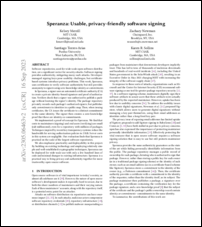
Speranza: Usable, privacy-friendly software signing Kelsey Merrill, Karen Sollins, Santiago Torres-Arias and Zachary Newman have developed a new system called Speranza, which is aimed at reassuring software consumers that the product they are getting has not been tampered with and is coming directly from a source they trust. A write-up on TechXplore.com goes into some more details:
What we have done, explains Sollins, is to develop, prove correct, and demonstrate the viability of an approach that allows the [software] maintainers to remain anonymous. Preserving anonymity is obviously important, given that almost everyone software developers included value their confidentiality. This new approach, Sollins adds, simultaneously allows [software] users to have confidence that the maintainers are, in fact, legitimate maintainers and, furthermore, that the code being downloaded is, in fact, the correct code of that maintainer. [ ]
The corresponding paper is published on the arXiv preprint server in various formats, and the announcement has also been covered in MIT News.

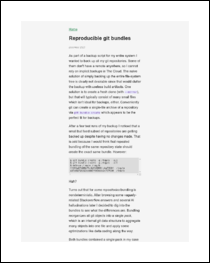
Nondeterministic Git bundles Paul Baecher published an interesting blog post on Reproducible git bundles. For those who are not familiar with them, Git bundles are used for the offline transfer of Git objects without an active server sitting on the other side of a network connection. Anyway, Paul wrote about writing a backup system for his entire system, but:
I noticed that a small but fixed subset of [Git] repositories are getting backed up despite having no changes made. That is odd because I would think that repeated bundling of the same repository state should create the exact same bundle. However [it] turns out that for some, repositories bundling is nondeterministic.
Paul goes on to to describe his solution, which involves forcing git to be single threaded makes the output deterministic . The article was also discussed on Hacker News.

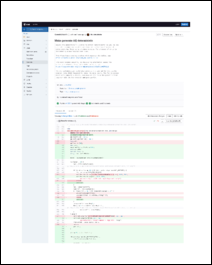
Output from libxlst now deterministic libxslt is the XSLT C library developed for the GNOME project, where XSLT itself is an XML language to define transformations for XML files. This month, it was revealed that the result of the generate-id() XSLT function is now deterministic across multiple transformations, fixing many issues with reproducible builds. As the Git commit by Nick Wellnhofer describes:
Rework the generate-id() function to return deterministic values. We use
a simple incrementing counter and store ids in the 'psvi' member of
nodes which was freed up by previous commits. The presence of an id is
indicated by a new "source node" flag.
This fixes long-standing problems with reproducible builds, see
https://bugzilla.gnome.org/show_bug.cgi?id=751621
This also hardens security, as the old implementation leaked the
difference between a heap and a global pointer, see
https://bugs.chromium.org/p/chromium/issues/detail?id=1356211
The old implementation could also generate the same id for dynamically
created nodes which happened to reuse the same memory. Ids for namespace
nodes were completely broken. They now use the id of the parent element
together with the hex-encoded namespace prefix.

Community updates There were made a number of improvements to our website, including Chris Lamb fixing the generate-draft script to not blow up if the input files have been corrupted today or even in the past [ ], Holger Levsen updated the Hamburg 2023 summit to add a link to farewell post [ ] & to add a picture of a Post-It note. [ ], and Pol Dellaiera updated the paragraph about tar and the --clamp-mtime flag [ ]. On our mailing list this month, Bernhard M. Wiedemann posted an interesting summary on some of the reasons why packages are still not reproducible in 2023. diffoscope is our in-depth and content-aware diff utility that can locate and diagnose reproducibility issues. This month, Chris Lamb made a number of changes, including processing objdump symbol comment filter inputs as Python byte (and not str) instances [ ] and Vagrant Cascadian extended diffoscope support for GNU Guix [ ] and updated the version in that distribution to version 253 [ ].

Challenges of Producing Software Bill Of Materials for Java Musard Balliu, Benoit Baudry, Sofia Bobadilla, Mathias Ekstedt, Martin Monperrus, Javier Ron, Aman Sharma, Gabriel Skoglund, C sar Soto-Valero and Martin Wittlinger (!) of the KTH Royal Institute of Technology in Sweden, have published an article in which they:
deep-dive into 6 tools and the accuracy of the SBOMs they produce for complex open-source Java projects. Our novel insights reveal some hard challenges regarding the accurate production and usage of software bills of materials.
The paper is available on arXiv.

Debian Non-Maintainer campaign As mentioned in previous reports, the Reproducible Builds team within Debian has been organising a series of online and offline sprints in order to clear the huge backlog of reproducible builds patches submitted by performing so-called NMUs (Non-Maintainer Uploads). During December, Vagrant Cascadian performed a number of such uploads, including: In addition, Holger Levsen performed three no-source-change NMUs in order to address the last packages without .buildinfo files in Debian trixie, specifically lorene (0.0.0~cvs20161116+dfsg-1.1), maria (1.3.5-4.2) and ruby-rinku (1.7.3-2.1).

Reproducibility testing framework The Reproducible Builds project operates a comprehensive testing framework (available at tests.reproducible-builds.org) in order to check packages and other artifacts for reproducibility. In December, a number of changes were made by Holger Levsen:
  • Debian-related changes:
    • Fix matching packages for the [R programming language](https://en.wikipedia.org/wiki/R_(programming_language). [ ][ ][ ]
    • Add a Certbot configuration for the Nginx web server. [ ]
    • Enable debugging for the create-meta-pkgs tool. [ ][ ]
  • Arch Linux-related changes
    • The asp has been deprecated by pkgctl; thanks to dvzrv for the pointer. [ ]
    • Disable the Arch Linux builders for now. [ ]
    • Stop referring to the /trunk branch / subdirectory. [ ]
    • Use --protocol https when cloning repositories using the pkgctl tool. [ ]
  • Misc changes:
    • Install the python3-setuptools and swig packages, which are now needed to build OpenWrt. [ ]
    • Install pkg-config needed to build Coreboot artifacts. [ ]
    • Detect failures due to an issue where the fakeroot tool is implicitly required but not automatically installed. [ ]
    • Detect failures due to rename of the vmlinuz file. [ ]
    • Improve the grammar of an error message. [ ]
    • Document that freebsd-jenkins.debian.net has been updated to FreeBSD 14.0. [ ]
In addition, node maintenance was performed by Holger Levsen [ ] and Vagrant Cascadian [ ].

Upstream patches The Reproducible Builds project detects, dissects and attempts to fix as many currently-unreproducible packages as possible. We endeavour to send all of our patches upstream where appropriate. This month, we wrote a large number of such patches, including:

If you are interested in contributing to the Reproducible Builds project, please visit our Contribute page on our website. However, you can get in touch with us via:

Matthias Klumpp: Wayland really breaks things Just for now?

This post is in part a response to an aspect of Nate s post Does Wayland really break everything? , but also my reflection on discussing Wayland protocol additions, a unique pleasure that I have been involved with for the past months1.

Some facts Before I start I want to make a few things clear: The Linux desktop will be moving to Wayland2 this is a fact at this point (and has been for a while), sticking to X11 makes no sense for future projects. From reading Wayland protocols and working with it at a much lower level than I ever wanted to, it is also very clear to me that Wayland is an exceptionally well-designed core protocol, and so are the additional extension protocols (xdg-shell & Co.). The modularity of Wayland is great, it gives it incredible flexibility and will for sure turn out to be good for the long-term viability of this project (and also provides a path to correct protocol issues in future, if one is found). In other words: Wayland is an amazing foundation to build on, and a lot of its design decisions make a lot of sense! The shift towards people seeing Linux more as an application developer platform, and taking PipeWire and XDG Portals into account when designing for Wayland is also an amazing development and I love to see this this holistic approach is something I always wanted! Furthermore, I think Wayland removes a lot of functionality that shouldn t exist in a modern compositor and that s a good thing too! Some of X11 s features and design decisions had clear drawbacks that we shouldn t replicate. I highly recommend to read Nate s blog post, it s very good and goes into more detail. And due to all of this, I firmly believe that any advancement in the Wayland space must come from within the project.

But! But! Of course there was a but coming  I think while developing Wayland-as-an-ecosystem we are now entrenched into narrow concepts of how a desktop should work. While discussing Wayland protocol additions, a lot of concepts clash, people from different desktops with different design philosophies debate the merits of those over and over again never reaching any conclusion (just as you will never get an answer out of humans whether sushi or pizza is the clearly superior food, or whether CSD or SSD is better). Some people want to use Wayland as a vehicle to force applications to submit to their desktop s design philosophies, others prefer the smallest and leanest protocol possible, other developers want the most elegant behavior possible. To be clear, I think those are all very valid approaches. But this also creates problems: By switching to Wayland compositors, we are already forcing a lot of porting work onto toolkit developers and application developers. This is annoying, but just work that has to be done. It becomes frustrating though if Wayland provides toolkits with absolutely no way to reach their goal in any reasonable way. For Nate s Photoshop analogy: Of course Linux does not break Photoshop, it is Adobe s responsibility to port it. But what if Linux was missing a crucial syscall that Photoshop needed for proper functionality and Adobe couldn t port it without that? In that case it becomes much less clear on who is to blame for Photoshop not being available. A lot of Wayland protocol work is focused on the environment and design, while applications and work to port them often is considered less. I think this happens because the overlap between application developers and developers of the desktop environments is not necessarily large, and the overlap with people willing to engage with Wayland upstream is even smaller. The combination of Windows developers porting apps to Linux and having involvement with toolkits or Wayland is pretty much nonexistent. So they have less of a voice.

A quick detour through the neuroscience research lab I have been involved with Freedesktop, GNOME and KDE for an incredibly long time now (more than a decade), but my actual job (besides consulting for Purism) is that of a PhD candidate in a neuroscience research lab (working on the morphology of biological neurons and its relation to behavior). I am mostly involved with three research groups in our institute, which is about 35 people. Most of us do all our data analysis on powerful servers which we connect to using RDP (with KDE Plasma as desktop). Since I joined, I have been pushing the envelope a bit to extend Linux usage to data acquisition and regular clients, and to have our data acquisition hardware interface well with it. Linux brings some unique advantages for use in research, besides the obvious one of having every step of your data management platform introspectable with no black boxes left, a goal I value very highly in research (but this would be its own blogpost). In terms of operating system usage though, most systems are still Windows-based. Windows is what companies develop for, and what people use by default and are familiar with. The choice of operating system is very strongly driven by application availability, and WSL being really good makes this somewhat worse, as it removes the need for people to switch to a real Linux system entirely if there is the occasional software requiring it. Yet, we have a lot more Linux users than before, and use it in many places where it makes sense. I also developed a novel data acquisition software that even runs on Linux-only and uses the abilities of the platform to its fullest extent. All of this resulted in me asking existing software and hardware vendors for Linux support a lot more often. Vendor-customer relationship in science is usually pretty good, and vendors do usually want to help out. Same for open source projects, especially if you offer to do Linux porting work for them But overall, the ease of use and availability of required applications and their usability rules supreme. Most people are not technically knowledgeable and just want to get their research done in the best way possible, getting the best results with the least amount of friction.
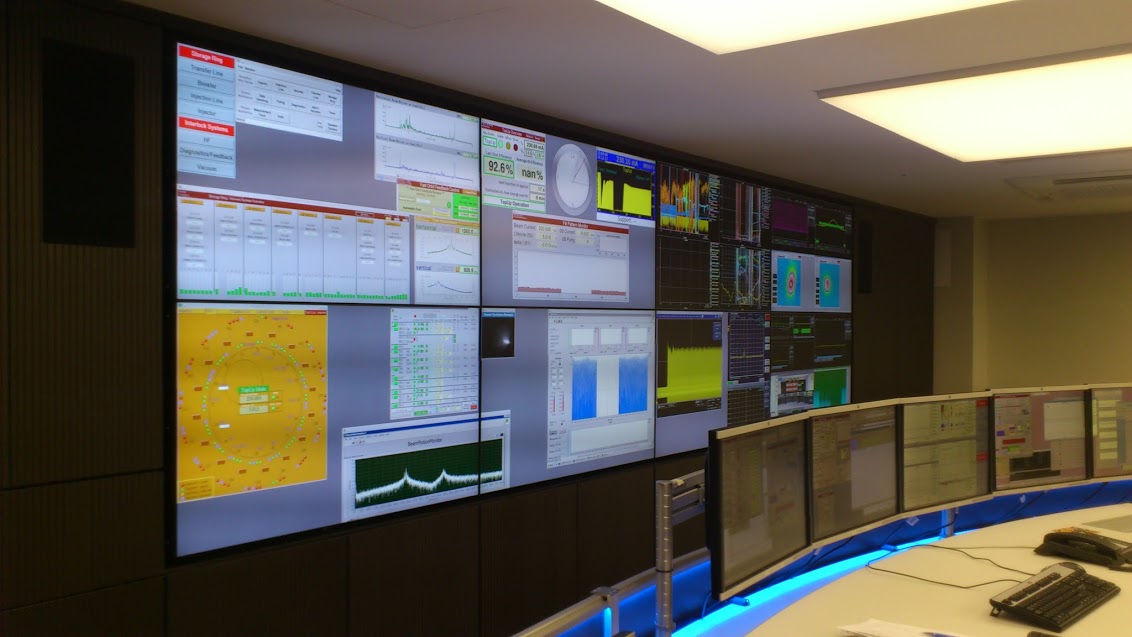
KDE/Linux usage at a control station for a particle accelerator at Adlershof Technology Park, Germany, for reference (by 25years of KDE)3

Back to the point The point of that story is this: GNOME, KDE, RHEL, Debian or Ubuntu: They all do not matter if the necessary applications are not available for them. And as soon as they are, the easiest-to-use solution wins. There are many facets of easiest : In many cases this is RHEL due to Red Hat support contracts being available, in many other cases it is Ubuntu due to its mindshare and ease of use. KDE Plasma is also frequently seen, as it is perceived a bit easier to onboard Windows users with it (among other benefits). Ultimately, it comes down to applications and 3rd-party support though. Here s a dirty secret: In many cases, porting an application to Linux is not that difficult. The thing that companies (and FLOSS projects too!) struggle with and will calculate the merits of carefully in advance is whether it is worth the support cost as well as continuous QA/testing. Their staff will have to do all of that work, and they could spend that time on other tasks after all. So if they learn that porting to Linux not only means added testing and support, but also means to choose between the legacy X11 display server that allows for 1:1 porting from Windows or the new Wayland compositors that do not support the same features they need, they will quickly consider it not worth the effort at all. I have seen this happen. Of course many apps use a cross-platform toolkit like Qt, which greatly simplifies porting. But this just moves the issue one layer down, as now the toolkit needs to abstract Windows, macOS and Wayland. And Wayland does not contain features to do certain things or does them very differently from e.g. Windows, so toolkits have no way to actually implement the existing functionality in a way that works on all platforms. So in Qt s documentation you will often find texts like works everywhere except for on Wayland compositors or mobile 4. Many missing bits or altered behavior are just papercuts, but those add up. And if users will have a worse experience, this will translate to more support work, or people not wanting to use the software on the respective platform.

What s missing?

Window positioning SDI applications with multiple windows are very popular in the scientific world. For data acquisition (for example with microscopes) we often have one monitor with control elements and one larger one with the recorded image. There is also other configurations where multiple signal modalities are acquired, and the experimenter aligns windows exactly in the way they want and expects the layout to be stored and to be loaded upon reopening the application. Even in the image from Adlershof Technology Park above you can see this style of UI design, at mega-scale. Being able to pop-out elements as windows from a single-window application to move them around freely is another frequently used paradigm, and immensely useful with these complex apps. It is important to note that this is not a legacy design, but in many cases an intentional choice these kinds of apps work incredibly well on larger screens or many screens and are very flexible (you can have any window configuration you want, and switch between them using the (usually) great window management abilities of your desktop). Of course, these apps will work terribly on tablets and small form factors, but that is not the purpose they were designed for and nobody would use them that way. I assumed for sure these features would be implemented at some point, but when it became clear that that would not happen, I created the ext-placement protocol which had some good discussion but was ultimately rejected from the xdg namespace. I then tried another solution based on feedback, which turned out not to work for most apps, and now proposed xdg-placement (v2) in an attempt to maybe still get some protocol done that we can agree on, exploring more options before pushing the existing protocol for inclusion into the ext Wayland protocol namespace. Meanwhile though, we can not port any application that needs this feature, while at the same time we are switching desktops and distributions to Wayland by default.

Window position restoration Similarly, a protocol to save & restore window positions was already proposed in 2018, 6 years ago now, but it has still not been agreed upon, and may not even help multiwindow apps in its current form. The absence of this protocol means that applications can not restore their former window positions, and the user has to move them to their previous place again and again. Meanwhile, toolkits can not adopt these protocols and applications can not use them and can not be ported to Wayland without introducing papercuts.

Window icons Similarly, individual windows can not set their own icons, and not-installed applications can not have an icon at all because there is no desktop-entry file to load the icon from and no icon in the theme for them. You would think this is a niche issue, but for applications that create many windows, providing icons for them so the user can find them is fairly important. Of course it s not the end of the world if every window has the same icon, but it s one of those papercuts that make the software slightly less user-friendly. Even applications with fewer windows like LibrePCB are affected, so much so that they rather run their app through Xwayland for now. I decided to address this after I was working on data analysis of image data in a Python virtualenv, where my code and the Python libraries used created lots of windows all with the default yellow W icon, making it impossible to distinguish them at a glance. This is xdg-toplevel-icon now, but of course it is an uphill battle where the very premise of needing this is questioned. So applications can not use it yet.

Limited window abilities requiring specialized protocols Firefox has a picture-in-picture feature, allowing it to pop out media from a mediaplayer as separate floating window so the user can watch the media while doing other things. On X11 this is easily realized, but on Wayland the restrictions posed on windows necessitate a different solution. The xdg-pip protocol was proposed for this specialized usecase, but it is also not merged yet. So this feature does not work as well on Wayland.

Automated GUI testing / accessibility / automation Automation of GUI tasks is a powerful feature, so is the ability to auto-test GUIs. This is being worked on, with libei and wlheadless-run (and stuff like ydotool exists too), but we re not fully there yet.

Wayland is frustrating for (some) application authors As you see, there is valid applications and valid usecases that can not be ported yet to Wayland with the same feature range they enjoyed on X11, Windows or macOS. So, from an application author s perspective, Wayland does break things quite significantly, because things that worked before can no longer work and Wayland (the whole stack) does not provide any avenue to achieve the same result. Wayland does break screen sharing, global hotkeys, gaming latency (via no tearing ) etc, however for all of these there are solutions available that application authors can port to. And most developers will gladly do that work, especially since the newer APIs are usually a lot better and more robust. But if you give application authors no path forward except use Xwayland and be on emulation as second-class citizen forever , it just results in very frustrated application developers. For some application developers, switching to a Wayland compositor is like buying a canvas from the Linux shop that forces your brush to only draw triangles. But maybe for your avant-garde art, you need to draw a circle. You can approximate one with triangles, but it will never be as good as the artwork of your friends who got their canvases from the Windows or macOS art supply shop and have more freedom to create their art.

Triangles are proven to be the best shape! If you are drawing circles you are creating bad art! Wayland, via its protocol limitations, forces a certain way to build application UX often for the better, but also sometimes to the detriment of users and applications. The protocols are often fairly opinionated, a result of the lessons learned from X11. In any case though, it is the odd one out Windows and macOS do not pose the same limitations (for better or worse!), and the effort to port to Wayland is orders of magnitude bigger, or sometimes in case of the multiwindow UI paradigm impossible to achieve to the same level of polish. Desktop environments of course have a design philosophy that they want to push, and want applications to integrate as much as possible (same as macOS and Windows!). However, there are many applications out there, and pushing a design via protocol limitations will likely just result in fewer apps.

The porting dilemma I spent probably way too much time looking into how to get applications cross-platform and running on Linux, often talking to vendors (FLOSS and proprietary) as well. Wayland limitations aren t the biggest issue by far, but they do start to come come up now, especially in the scientific space with Ubuntu having switched to Wayland by default. For application authors there is often no way to address these issues. Many scientists do not even understand why their Python script that creates some GUIs suddenly behaves weirdly because Qt is now using the Wayland backend on Ubuntu instead of X11. They do not know the difference and also do not want to deal with these details even though they may be programmers as well, the real goal is not to fiddle with the display server, but to get to a scientific result somehow. Another issue is portability layers like Wine which need to run Windows applications as-is on Wayland. Apparently Wine s Wayland driver has some heuristics to make window positioning work (and I am amazed by the work done on this!), but that can only go so far.

A way out? So, how would we actually solve this? Fundamentally, this excessively long blog post boils down to just one essential question: Do we want to force applications to submit to a UX paradigm unconditionally, potentially loosing out on application ports or keeping apps on X11 eternally, or do we want to throw them some rope to get as many applications ported over to Wayland, even through we might sacrifice some protocol purity? I think we really have to answer that to make the discussions on wayland-protocols a lot less grueling. This question can be answered at the wayland-protocols level, but even more so it must be answered by the individual desktops and compositors. If the answer for your environment turns out to be Yes, we want the Wayland protocol to be more opinionated and will not make any compromises for application portability , then your desktop/compositor should just immediately NACK protocols that add something like this and you simply shouldn t engage in the discussion, as you reject the very premise of the new protocol: That it has any merit to exist and is needed in the first place. In this case contributors to Wayland and application authors also know where you stand, and a lot of debate is skipped. Of course, if application authors want to support your environment, you are basically asking them now to rewrite their UI, which they may or may not do. But at least they know what to expect and how to target your environment. If the answer turns out to be We do want some portability , the next question obviously becomes where the line should be drawn and which changes are acceptable and which aren t. We can t blindly copy all X11 behavior, some porting work to Wayland is simply inevitable. Some written rules for that might be nice, but probably more importantly, if you agree fundamentally that there is an issue to be fixed, please engage in the discussions for the respective MRs! We for sure do not want to repeat X11 mistakes, and I am certain that we can implement protocols which provide the required functionality in a way that is a nice compromise in allowing applications a path forward into the Wayland future, while also being as good as possible and improving upon X11. For example, the toplevel-icon proposal is already a lot better than anything X11 ever had. Relaxing ACK requirements for the ext namespace is also a good proposed administrative change, as it allows some compositors to add features they want to support to the shared repository easier, while also not mandating them for others. In my opinion, it would allow for a lot less friction between the two different ideas of how Wayland protocol development should work. Some compositors could move forward and support more protocol extensions, while more restrictive compositors could support less things. Applications can detect supported protocols at launch and change their behavior accordingly (ideally even abstracted by toolkits). You may now say that a lot of apps are ported, so surely this issue can not be that bad. And yes, what Wayland provides today may be enough for 80-90% of all apps. But what I hope the detour into the research lab has done is convince you that this smaller percentage of apps matters. A lot. And that it may be worthwhile to support them. To end on a positive note: When it came to porting concrete apps over to Wayland, the only real showstoppers so far5 were the missing window-positioning and window-position-restore features. I encountered them when porting my own software, and I got the issue as feedback from colleagues and fellow engineers. In second place was UI testing and automation support, the window-icon issue was mentioned twice, but being a cosmetic issue it likely simply hurts people less and they can ignore it easier. What this means is that the majority of apps are already fine, and many others are very, very close! A Wayland future for everyone is within our grasp!  I will also bring my two protocol MRs to their conclusion for sure, because as application developers we need clarity on what the platform (either all desktops or even just a few) supports and will or will not support in future. And the only way to get something good done is by contribution and friendly discussion.

Footnotes
  1. Apologies for the clickbait-y title it comes with the subject
  2. When I talk about Wayland I mean the combined set of display server protocols and accepted protocol extensions, unless otherwise clarified.
  3. I would have picked a picture from our lab, but that would have needed permission first
  4. Qt has awesome platform issues pages, like for macOS and Linux/X11 which help with porting efforts, but Qt doesn t even list Linux/Wayland as supported platform. There is some information though, like window geometry peculiarities, which aren t particularly helpful when porting (but still essential to know).
  5. Besides issues with Nvidia hardware CUDA for simulations and machine-learning is pretty much everywhere, so Nvidia cards are common, which causes trouble on Wayland still. It is improving though.

10 January 2024

Colin Watson: Going freelance

I ve mentioned this in a couple of other places, but I realized I never got round to posting about it on my own blog rather than on other people s services. How remiss of me. Anyway: after much soul-searching, I decided a few months ago that it was time for me to move on from Canonical and the Launchpad team there. Nearly 20 years is a long time to spend at any company, and although there are a bunch of people I ll miss, Launchpad is in a reasonable state where I can let other people have a turn. I m now in business for myself as a freelance developer! My new company is Columbiform, and I m focusing on Debian packaging and custom Python development. My services page has some self-promotion on the sorts of things I can do. My first gig, and the one that made it viable to make this jump, is at Freexian where I m helping with an exciting infrastructure project that we hope will start making Debian developers lives easier in the near future. This is likely to take up most of my time at least through to the end of 2024, but I may have some spare cycles. Drop me a line if you have something where you think I could be a good fit, and we can have a talk about it.

9 January 2024

Thomas Koch: lsp-java coming to debian

Posted on March 12, 2022
Tags: debian
The Language Server Protocol (LSP) standardizes communication between editors and so called language servers for different programming languages. This reduces the old problem that every editor had to implement many different plugins for all different programming languages. With LSP an editor just needs to talk LSP and can immediately provide typicall IDE features. I already packaged the Emacs packages lsp-mode and lsp-haskell for Debian bullseye. Now lsp-java is waiting in the NEW queue. I m always worried about downloading and executing binaries from random places of the internet. It should be a matter of hygiene to only run binaries from official Debian repositories. Unfortunately this is not feasible when programming and many people don t see a problem with running multiple curl-sh pipes to set up their programming environment. I prefer to do such stuff only in virtual machines. With Emacs and LSP I can finally have a lightweight textmode programming environment even for Java. Unfortunately the lsp-java mode does not yet work over tramp. Once this is solved, I could run emacs on my host and only isolate the code and language server inside the VM. The next step would be to also keep the code on the host and mount it with Virtio FS in the VM. But so far the necessary daemon is not yet in Debian (RFP: #1007152). In Detail I uploaded these packages:

Louis-Philippe V ronneau: 2023 A Musical Retrospective

I ended 2022 with a musical retrospective and very much enjoyed writing that blog post. As such, I have decided to do the same for 2023! From now on, this will probably be an annual thing :) Albums In 2023, I added 73 new albums to my collection nearly 2 albums every three weeks! I listed them below in the order in which I acquired them. I purchased most of these albums when I could and borrowed the rest at libraries. If you want to browse though, I added links to the album covers pointing either to websites where you can buy them or to Discogs when digital copies weren't available. Once again this year, it seems that Punk (mostly O !) and Metal dominate my list, mostly fueled by Angry Metal Guy and the amazing Montr al Skinhead/Punk concert scene. Concerts A trend I started in 2022 was to go to as many concerts of artists I like as possible. I'm happy to report I went to around 80% more concerts in 2023 than in 2022! Looking back at my list, April was quite a busy month... Here are the concerts I went to in 2023: Although metalfinder continues to work as intended, I'm very glad to have discovered the Montr al underground scene has departed from Facebook/Instagram and adopted en masse Gancio, a FOSS community agenda that supports ActivityPub. Our local instance, askapunk.net is pretty much all I could ask for :) That's it for 2023!

8 January 2024

Russ Allbery: Review: The Faithless

Review: The Faithless, by C.L. Clark
Series: Magic of the Lost #2
Publisher: Orbit
Copyright: March 2023
ISBN: 0-316-54283-0
Format: Kindle
Pages: 527
The Faithless is the second book in a political fantasy series that seems likely to be a trilogy. It is a direct sequel to The Unbroken, which you should read first. As usual, Orbit made it unnecessarily hard to get re-immersed in the world by refusing to provide memory aids for readers who read books as they come out instead of only when the series is complete, but this is not the fault of Clark or the book and you've heard me rant about this before. The Unbroken was set in Qaz l (not-Algeria). The Faithless, as readers of the first book might guess from the title, is set in Balladaire (not-France). This is the palace intrigue book. Princess Luca is fighting for her throne against her uncle, the regent. Touraine is trying to represent her people. Whether and to what extent those interests are aligned is much of the meat of this book. Normally I enjoy palace intrigue novels for the competence porn: watching someone navigate a complex political situation with skill and cunning, or upend the entire system by building unlikely coalitions or using unexpected routes to power. If you are similar, be warned that this is not what you're going to get. Touraine is a fish out of water with no idea how to navigate the Balladairan court, and does not magically become an expert in the course of this novel. Luca has the knowledge, but she's unsure, conflicted, and largely out-maneuvered. That means you will have to brace for some painful scenes of some of the worst people apparently getting what they want. Despite that, I could not put this down. It was infuriating, frustrating, and a much slower burn than I prefer, but the layers of complex motivations that Clark builds up provided a different sort of payoff. Two books in, the shape of this series is becoming clearer. This series is about empire and colonialism, but with considerably more complexity than fantasy normally brings to that topic. Power does not loosen its grasp easily, and it has numerous tools for subtle punishment after apparent upstart victories. Righteous causes rarely call banners to your side; instead, they create opportunities for other people to maneuver to their own advantage. Touraine has some amount of power now, but it's far from obvious how to use it. Her life's training tells her that exercising power will only cause trouble, and her enemies are more than happy to reinforce that message at every opportunity. Most notable to me is Clark's bitingly honest portrayal of the supposed allies within the colonial power. It is clear that Luca is attempting to take the most ethical actions as she defines them, but it's remarkable how those efforts inevitably imply that Touraine should help Luca now in exchange for Luca's tenuous and less-defined possible future aid. This is not even a lie; it may be an accurate summary of Balladairan politics. And yet, somehow what Balladaire needs always matters more than the needs of their abused colony. Underscoring this, Clark introduces another faction in the form of a populist movement against the Balladairan monarchy. The details of that setup in another fantasy novel would make them allies of the Qaz l. Here, as is so often the case in real life, a substantial portion of the populists are even more xenophobic and racist than the nobility. There are no easy alliances. The trump card that Qaz l holds is magic. They have it, and (for reasons explored in The Unbroken) Balladaire needs it, although that is a position held by Luca's faction and not by her uncle. But even Luca wants to reduce that magic to a manageable technology, like any other element of the Balladairan state. She wants to understand it, harness it, and bring it under local control. Touraine, trained by Balladaire and facing Balladairan political problems, has the same tendency. The magic, at least in this book, refuses not in the flashy, rebellious way that it would in most fantasy, but in a frustrating and incomprehensible lack of predictable or convenient rules. I think this will feel like a plot device to some readers, and that is to some extent true, but I think I see glimmers of Clark setting up a conflict of world views that will play out in the third book. I think some people are going to bounce off this book. It's frustrating, enraging, at times melodramatic, and does not offer the cathartic payoff typically offered in fantasy novels of this type. Usually these are things I would be complaining about as well. And yet, I found it satisfyingly challenging, engrossing, and memorable. I spent a lot of the book yelling "just kill him already" at the characters, but I think one of Clark's points is that overcoming colonial relationships requires a lot more than just killing one evil man. The characters profoundly fail to execute some clever and victorious strategy. Instead, as in the first book, they muddle through, making the best choice that they can see in each moment, making lots of mistakes, and paying heavy prices. It's realistic in a way that has nothing to do with blood or violence or grittiness. (Although I did appreciate having the thin thread of Pruett's story and its highly satisfying conclusion.) This is also a slow-burn romance, and there too I think opinions will differ. Touraine and Luca keep circling back to the same arguments and the same frustrations, and there were times that this felt repetitive. It also adds a lot of personal drama to the politics in a way that occasionally made me dubious. But here too, I think Clark is partly using the romance to illustrate the deeper political points. Luca is often insufferable, cruel and ambitious in ways she doesn't realize, and only vaguely able to understand the Qaz l perspective; in short, she's the pragmatic centrist reformer. I am dubious that her ethics would lead her to anything other than endless compromise without Touraine to push her. To Luca's credit, she also realizes that and wants to be a better person, but struggles to have the courage to act on it. Touraine both does and does not want to manipulate her; she wants Luca's help (and more), but it's not clear Luca will give it under acceptable terms, or even understand how much she's demanding. It's that foundational conflict that turns the romance into a slow burn by pushing them apart. Apparently I have more patience for this type of on-again, off-again relationship than one based on artificial miscommunication. The more I noticed the political subtext, the more engaging I found the romance on the surface. I picked this up because I'd read several books about black characters written by white authors, and while there was nothing that wrong with those books, the politics felt a little too reductionist and simplified. I wanted a book that was going to force me out of comfortable political assumptions. The Faithless did exactly what I was looking for, and I am definitely here for the rest of the series. In that sense, recommended, although do not go into this book hoping for adroit court maneuvering and competence porn. Followed by The Sovereign, which does not yet have a release date. Content warnings: Child death, attempted cultural genocide. Rating: 7 out of 10

7 January 2024

Jonathan McDowell: Free Software Activities for 2023

This year was hard from a personal and work point of view, which impacted the amount of Free Software bits I ended up doing - even when I had the time I often wasn t in the right head space to make progress on things. However writing this annual recap up has been a useful exercise, as I achieved more than I realised. For previous years see 2019, 2020, 2021 + 2022.

Conferences The only Free Software related conference I made it to this year was DebConf23 in Kochi, India. Changes with projects at work meant I couldn t justify anything work related. This year I m planning to make it to FOSDEM, and haven t made a decision on DebConf24 yet.

Debian Most of my contributions to Free software continue to happen within Debian. I started the year working on retrogaming with Kodi on Debian. I got this to a much better state for bookworm, with it being possible to run the bsnes-mercury emulator under Kodi using RetroArch. There are a few other libretro backends available for RetroArch, but Kodi needs some extra controller mappings packaged up first. Plenty of uploads were involved, though some of this was aligning all the dependencies and generally cleaning things up in iterations. I continued to work on a few packages within the Debian Electronics Packaging Team. OpenOCD produced a new release in time for the bookworm release, so I uploaded 0.12.0-1. There were a few minor sigrok cleanups - sigrok 0.3, libsigrokdecode 0.5.3-4 + libsigrok 0.5.2-4 / 0.5.2-5. While I didn t manage to get the work completed I did some renaming of the ESP8266 related packages - gcc-xtensa-lx106 (which saw a 13 upload pre-bookworm) has become gcc-xtensa (with 14) and binutils-xtensa-lx106 has become binutils-xtensa (with 6). Binary packages remain the same, but this is intended to allow for the generation of ESP32 compiler toolchains from the same source. onak saw 0.6.3-1 uploaded to match the upstream release. I also uploaded libgpg-error 1.47-1 (though I can claim no credit for any of the work in preparing the package) to help move things forward on updating gnupg2 in Debian. I NMUed tpm2-pkcs11 1.9.0-0.1 to fix some minor issues pre-bookworm release; I use this package myself to store my SSH key within my laptop TPM, so I care about it being in a decent state. sg3-utils also saw a bit of love with 1.46-2 + 1.46-3 - I don t work in the storage space these days, but I m still listed as an uploaded and there was an RC bug around the library package naming that I was qualified to fix and test pre-bookworm. Related to my retroarch work I sponsored uploads of mgba for Ryan Tandy: 0.10.0+dfsg-1, 0.10.0+dfsg-2, 0.10.1+dfsg-1, 0.10.2+dfsg-1, mgba 0.10.1+dfsg-1+deb12u1. As part of the Data Protection Team I responded to various inbound queries to that team, both from project members and those external to the project. I continue to keep an eye on Debian New Members, even though I m mostly inactive as an application manager - we generally seem to have enough available recently. Mostly my involvement is via Front Desk activities, helping out with queries to the team alias, and contributing to internal discussions as well as our panel at DebConf23. Finally the 3 month rotation for Debian Keyring continues to operate smoothly. I dealt with 2023.03.24, 2023.06.26, 2023.06.29, 2023.09.10, 2023.09.24 + 2023.12.24.

Linux I had a few minor patches accepted to the kernel this year. A pair of safexcel cleanups (improved error logging for firmware load fail and cleanup on load failure) came out of upgrading the kernel running on my RB5009. The rest were related to my work on repurposing my C.H.I.P.. The AXP209 driver needed extended to support GPIO3 (with associated DT schema update). That allowed Bluetooth to be enabled. Adding the AXP209 internal temperature ADC as an iio-hwmon node means it can be tracked using the normal sensor monitoring framework. And finally I added the pinmux settings for mmc2, which I use to support an external microSD slot on my C.H.I.P.

Personal projects 2023 saw another minor release of onak, 0.6.3, which resulted in a corresponding Debian upload (0.6.3-1). It has a couple of bug fixes (including a particularly annoying, if minor, one around systemd socket activation that felt very satisfying to get to the bottom of), but I still lack the time to do any of the major changes I would like to. I wrote listadmin3 to allow easy manipulation of moderation queues for Mailman3. It s basic, but it s drastically improved my timeliness on dealing with held messages.

Valhalla's Things: A Corset or Two

Posted on January 7, 2024
Tags: madeof:atoms, craft:sewing, period:victorian, FreeSoftWear
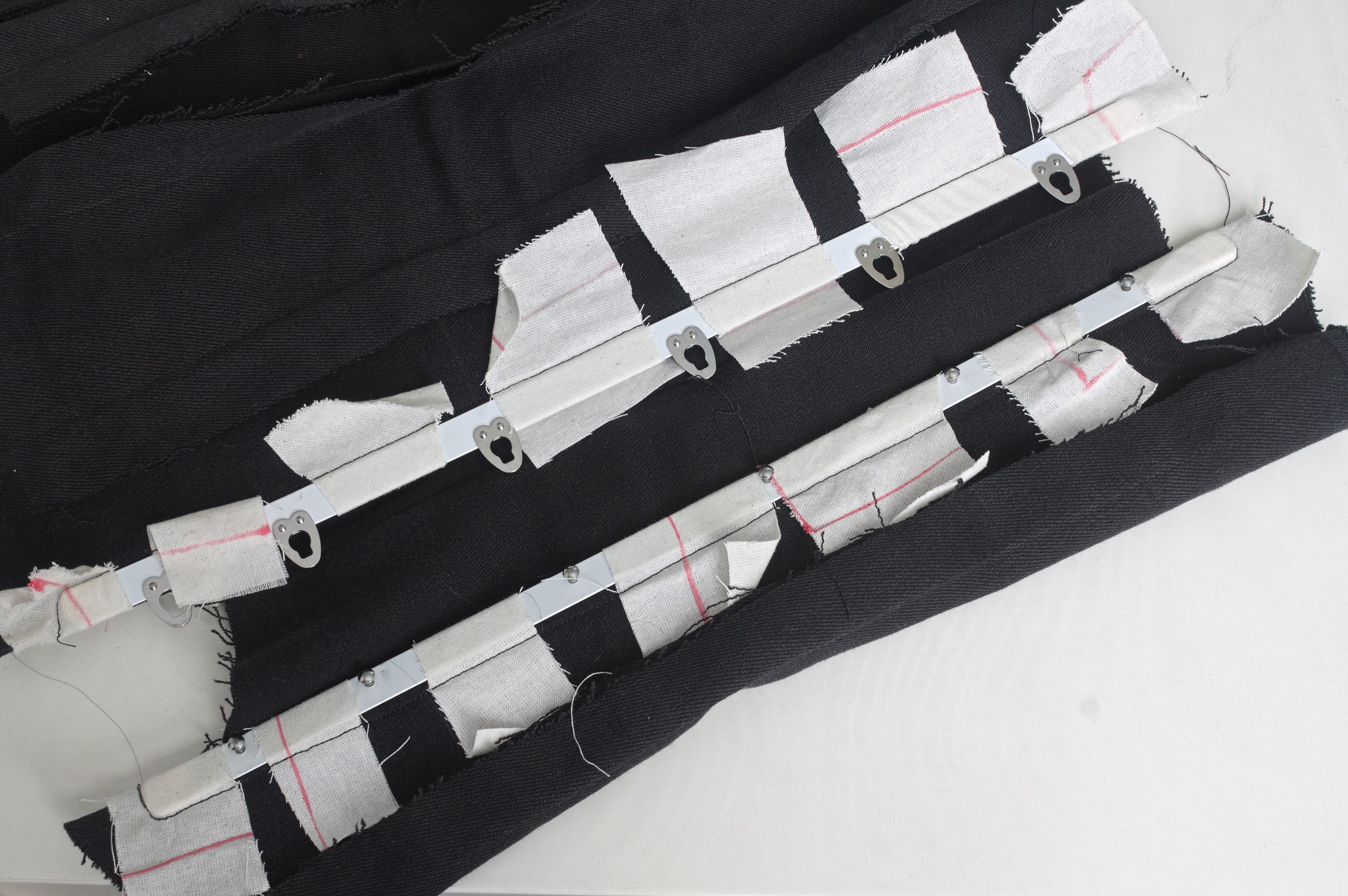
a black coutil midbust corset, from a 3/4 front view, showing the busk closure, a waist tape and external boning channels made of the same twill tape and placed about 1-2 cm from each other at waist level. CW for body size change mentions I needed a corset, badly. Years ago I had a chance to have my measurements taken by a former professional corset maker and then a lesson in how to draft an underbust corset, and that lead to me learning how nice wearing a well-fitted corset feels. Later I tried to extend that pattern up for a midbust corset, with success. And then my body changed suddenly, and I was no longer able to wear either of those, and after a while I started missing them. Since my body was still changing (if no longer drastically so), and I didn t want to use expensive materials for something that had a risk of not fitting after too little time, I decided to start by making myself a summer lightweight corset in aida cloth and plastic boning (for which I had already bought materials). It fitted, but not as well as the first two ones, and I ve worn it quite a bit. I still wanted back the feeling of wearing a comfy, heavy contraption of coutil and steel, however. After a lot of procrastination I redrafted a new pattern, scrapped everything, tried again, had my measurements taken by a dressmaker [#dressmaker], put them in the draft, cut a first mock-up in cheap cotton, fixed the position of a seam, did a second mock-up in denim [#jeans] from an old pair of jeans, and then cut into the cheap herringbone coutil I was planning to use. And that s when I went to see which one of the busks in my stash would work, and realized that I had used a wrong vertical measurement and the front of the corset was way too long for a midbust corset. a corset busk basted to a mock-up with scraps of fabric between each stud / loop. Luckily I also had a few longer busks, I basted one to the denim mock up and tried to wear it for a few hours, to see if it was too long to be comfortable. It was just a bit, on the bottom, which could be easily fixed with the Power Tools1. Except, the more I looked at it the more doing this felt wrong: what I needed most was a midbust corset, not an overbust one, which is what this was starting to be. I could have trimmed it down, but I knew that I also wanted this corset to be a wearable mockup for the pattern, to refine it and have it available for more corsets. And I still had more than half of the cheap coutil I was using, so I decided to redo the pattern and cut new panels. And this is where the or two comes in: I m not going to waste the overbust panels: I had been wanting to learn some techniques to make corsets with a fashion fabric layer, rather than just a single layer of coutil, and this looks like an excellent opportunity for that, together with a piece of purple silk that I know I have in the stash. This will happen later, however, first I m giving priority to the underbust. Anyway, a second set of panels was cut, all the seam lines marked with tailor tacks, and I started sewing by inserting the busk. And then realized that the pre-made boning channel tape I had was too narrow for the 10 mm spiral steel I had plenty of. And that the 25 mm twill tape was also too narrow for a double boning channel. On the other hand, the 18 mm twill tape I had used for the waist tape was good for a single channel, so I decided to put a single bone on each seam, and then add another piece of boning in the middle of each panel. Since I m making external channels, making them in self fabric would have probably looked better, but I no longer had enough fabric, because of the cutting mishap, and anyway this is going to be a strictly underwear only corset, so it s not a big deal. Once the boning channel situation was taken care of, everything else proceeded quite smoothly and I was able to finish the corset during the Christmas break, enlisting again my SO to take care of the flat steel boning while I cut the spiral steels myself with wire cutters. The same corset straight from the front: the left side is a few mm longer than the right side I could have been a bit more precise with the binding, as it doesn t align precisely at the front edge, but then again, it s underwear, nobody other than me and everybody who reads this post is going to see it and I was in a hurry to see it finished. I will be more careful with the next one. The same corset from the back, showing cross lacing with bunny ears at the waist and a lacing gap of about 8 cm. I also think that I haven t been careful enough when pressing the seams and applying the tape, and I ve lost about a cm of width per part, so I m using a lacing gap that is a bit wider than I planned for, but that may change as the corset gets worn, and is still within tolerance. Also, on the morning after I had finished the corset I woke up and realized that I had forgotten to add garter tabs at the bottom edge. I don t know whether I will ever use them, but I wanted the option, so maybe I ll try to add them later on, especially if I can do it without undoing the binding. The next step would have been flossing, which I proceeded to postpone until I ve worn the corset for a while: not because there is any reason for it, but because I still don t know how I want to do it :) What was left was finishing and uploading the pattern and instructions, that are now on my sewing pattern website as #FreeSoftWear, and finally I could post this on the blog.

  1. i.e. by asking my SO to cut and sand it, because I m lazy and I hate doing that part :D

4 January 2024

Aigars Mahinovs: Figuring out finances part 5

At the end of the last part of this, we got a Home Assistant OS installation that contains in itself a Firefly III instance and that contains all the current financial information. They are communicating and calculating predictions for me. The only part that I was not 100% happy with was accounting of cash transactions. You see payments in cash are mostly made away from computer and sometimes even in areas without a mobile Internet connection. And all Firefly III apps that I tried failed at the task of creating a new transaction when offline. Even the one recommended Telegram bot from Firefly III page used a dialog-based approach for creating even a simplest transaction. Issue asking for a one-shot transaction creation option stands as unresolved. Theoretically it would have been best if I could simply contribute that feature to that particular Telegram bot ... but it's written in Javascript. By mapping the API onto tasks somehow. After about 4 hours I still could not figure out where in the code anything actually happens. It all looked like just sugar or spagetty. Connectors on connectors on mappers. So I did the real open-source thing and just wrote my own tool. firefly3_telegram_oneshot is a maximally simple Telegram bot based on python-telegram-bot library. So what does it do? The primary usage for me is to simply send a message to the bot at any time with text like "23.2 coffee and cake" and when the message eventually reaches the bot, it then should create a new transaction from my "cash" account to "Unknown" account in amount of 23.20 and description "coffee and cake". That is the key. Everything else in the bot is comfort. For example "/undo" command deletes the last transaction in cash account (presumably added by error) and "/last" shows which transaction the "/undo" would delete. And to help with expense categorisation one can also do a message like "6.1 beer, dest=Edeka, cat=alcohol" that would search for a destination account that would fuzzy match to "Edeka" (a supermarket in Germany) and add the transation to the category fuzzy matched to "alcohol", like "Shopping - alcoholic drinks". And to make that fuzzy matching more reliable I also added "/cat something" and "/dest something" commands that would show which category or destination account would be matched with a given string. All of that in around 250 lines of Python code and executed by a 17 line Dockerfile (via the Portainer on my Home Assistant OS). One remaining function that could be nice is creating a category or destination account on request (for example when the first character of the supplied string is "+"). I am really plesantly surprised about how much can be done with how little code using the above Python library. And you never need to have any open incoming ports anywhere to runs such bots, so the attack surface for such bot-based service is much tighter. All in all the system works and works well. The only exception is that for my particual bank there is still no automatic way of extracting data about credit card transactions. For those I still have to manually log into the Internet bank, export a CSV file and then feed that into the Firefly III importer. Annoying. And I am not really motivated to try to hack my bank :D Has this been useful to any of you? Any ideas to expand or improve what I have? Just find me as "aigarius" on any social media and speak up :)

Michael Ablassmeier: Migrating a system to Hetzner cloud using REAR and kexec

I needed to migrate an existing system to an Hetzner cloud VPS. While it is possible to attach KVM consoles and custom ISO images to dedicated servers, i didn t find any way to do so with regular cloud instances. For system migrations i usually use REAR, which has never failed me. (and also has saved my ass during recovery multiple times). It s an awesome utility! It s possible to do this using the Hetzner recovery console too, but using REAR is very convenient here, because it handles things like re-creating the partition layout and network settings automatically! The steps are:

Example To create a rescue image on the source system:
apt install rear
echo OUTPUT=ISO > /etc/rear/local.conf
rear mkrescue -v
[..]
Wrote ISO image: /var/lib/rear/output/rear-debian12.iso (185M)
My source system had a 128 GB disk, so i registered an instance on Hetzner cloud with greater disk size to make things easier: image Now copy the ISO image to the newly created instance and extract its data:
 apt install kexec-tools
 scp rear-debian12.iso root@49.13.193.226:/tmp/
 modprobe loop
 mount -o loop rear-debian12.iso /mnt/
 cp /mnt/isolinux/kernel /tmp/
 cp /mnt/isolinux/initrd.cgz /tmp/
Install kexec if not installed already:
 apt install kexec-tools
Note down the current gateway configuration, this is required later on to make the REAR recovery console reachable via SSH:
root@testme:~# ip route
default via 172.31.1.1 dev eth0
172.31.1.1 dev eth0 scope link
Reboot the running VPS instance into the REAR recovery image using somewhat the same kernel cmdline:
root@testme:~# cat /proc/cmdline
BOOT_IMAGE=/boot/vmlinuz-6.1.0-13-amd64 root=UUID=5174a81e-5897-47ca-8fe4-9cd19dc678c4 ro consoleblank=0 systemd.show_status=true console=tty1 console=ttyS0
kexec --initrd /tmp/initrd.cgz --command-line="consoleblank=0 systemd.show_status=true console=tty1 console=ttyS0" /tmp/kernel
Connection to 49.13.193.226 closed by remote host.
Connection to 49.13.193.226 closed
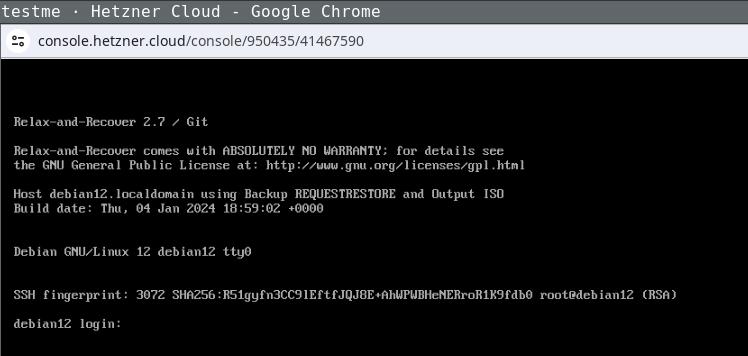
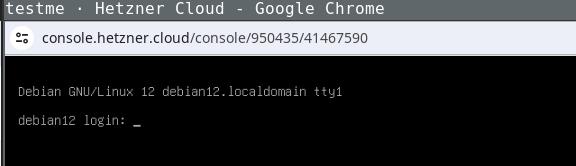
Now watch the system on the Console booting into the REAR system: image Login the recovery console (root without password) and fix its default route to make it reachable:
ip addr
[..]
2: enp1s0
..
$ ip route add 172.31.1.1 dev enp1s0
$ ip route add default via 172.31.1.1
ping 49.13.193.226
64 bytes from 49.13.193.226: icmp_seq=83 ttl=52 time=27.7 ms
The network configuration might differ, the source system in this example used DHCP, as the target does. If REAR detects changed static network configuration it guides you through the setup pretty nicely. Login via SSH (REAR will store your ssh public keys in the image) and start the recovery process, follow the steps as suggested by REAR:
ssh -l root 49.13.193.226
Welcome to Relax-and-Recover. Run "rear recover" to restore your system !
RESCUE debian12:~ # rear recover
Relax-and-Recover 2.7 / Git
Running rear recover (PID 673 date 2024-01-04 19:20:22)
Using log file: /var/log/rear/rear-debian12.log
Running workflow recover within the ReaR rescue/recovery system
Will do driver migration (recreating initramfs/initrd)
Comparing disks
Device vda does not exist (manual configuration needed)
Switching to manual disk layout configuration (GiB sizes rounded down to integer)
/dev/vda had size 137438953472 (128 GiB) but it does no longer exist
/dev/sda was not used on the original system and has now 163842097152 (152 GiB)
Original disk /dev/vda does not exist (with same size) in the target system
Using /dev/sda (the only available of the disks) for recreating /dev/vda
Current disk mapping table (source => target):
  /dev/vda => /dev/sda
Confirm or edit the disk mapping
1) Confirm disk mapping and continue 'rear recover'
[..]
User confirmed recreated disk layout
[..]
This step re-recreates your original disk layout and mounts it to /mnt/local/ (this example uses a pretty lame layout, but usually REAR will handle things like lvm/btrfs just nicely):
mount
/dev/sda3 on /mnt/local type ext4 (rw,relatime,errors=remount-ro)
/dev/sda1 on /mnt/local/boot type ext4 (rw,relatime)
Now clone your source systems data to /mnt/local/ with whatever utility you like to use and exit the recovery step. After confirming everything went well, REAR will setup the bootloader (and all other config details like fstab entries and adjusted network configuration) for you as required:
rear> exit
Did you restore the backup to /mnt/local ? Are you ready to continue recovery ? yes
User confirmed restored files
Updated initramfs with new drivers for this system.
Skip installing GRUB Legacy boot loader because GRUB 2 is installed (grub-probe or grub2-probe exist).
Installing GRUB2 boot loader...
Determining where to install GRUB2 (no GRUB2_INSTALL_DEVICES specified)
Found possible boot disk /dev/sda - installing GRUB2 there
Finished 'recover'. The target system is mounted at '/mnt/local'.
Exiting rear recover (PID 7103) and its descendant processes ...
Running exit tasks
Now reboot the recovery console and watch it boot into your target systems configuration: image Being able to use this procedure for complete disaster recovery within Hetzner cloud VPS (using off-site backups) gives me a better feeling, too.

3 January 2024

John Goerzen: Live Migrating from Raspberry Pi OS bullseye to Debian bookworm

I ve been getting annoyed with Raspberry Pi OS (Raspbian) for years now. It s a fork of Debian, but manages to omit some of the most useful things. So I ve decided to migrate all of my Pis to run pure Debian. These are my reasons:
  1. Raspberry Pi OS has, for years now, specified that there is no upgrade path. That is, to get to a newer major release, it s a reinstall. While I have sometimes worked around this, for a device that is frequently installed in hard-to-reach locations, this is even more important than usual. It s common for me to upgrade machines for a decade or more across Debian releases and there s no reason that it should be so much more difficult with Raspbian.
  2. As I noted in Consider Security First, the security situation for Raspberry Pi OS isn t as good as it is with Debian.
  3. Raspbian lags behind Debian often times by 6 months or more for major releases, and days or weeks for bug fixes and security patches.
  4. Raspbian has no direct backports support, though Raspberry Pi 3 and above can use Debian s backports (per my instructions as Installing Debian Backports on Raspberry Pi)
  5. Raspbian uses a custom kernel without initramfs support
It turns out it is actually possible to do an in-place migration from Raspberry Pi OS bullseye to Debian bookworm. Here I will describe how. Even if you don t have a Raspberry Pi, this might still be instructive on how Raspbian and Debian packages work.

WARNINGS Before continuing, back up your system. This process isn t for the neophyte and it is entirely possible to mess up your boot device to the point that you have to do a fresh install to get your Pi to boot. This isn t a supported process at all.

Architecture Confusion Debian has three ARM-based architectures:
  • armel, for the lowest-end 32-bit ARM devices without hardware floating point support
  • armhf, for the higher-end 32-bit ARM devices with hardware float (hence hf )
  • arm64, for 64-bit ARM devices (which all have hardware float)
Although the Raspberry Pi 0 and 1 do support hardware float, they lack support for other CPU features that Debian s armhf architecture assumes. Therefore, the Raspberry Pi 0 and 1 could only run Debian s armel architecture. Raspberry Pi 3 and above are capable of running 64-bit, and can run both armhf and arm64. Prior to the release of the Raspberry Pi 5 / Raspbian bookworm, Raspbian only shipped the armhf architecture. Well, it was an architecture they called armhf, but it was different from Debian s armhf in that everything was recompiled to work with the more limited set of features on the earlier Raspberry Pi boards. It was really somewhere between Debian s armel and armhf archs. You could run Debian armel on those, but it would run more slowly, due to doing floating point calculations without hardware support. Debian s raspi FAQ goes into this a bit. What I am going to describe here is going from Raspbian armhf to Debian armhf with a 64-bit kernel. Therefore, it will only work with Raspberry Pi 3 and above. It may theoretically be possible to take a Raspberry Pi 2 to Debian armhf with a 32-bit kernel, but I haven t tried this and it may be more difficult. I have seen conflicting information on whether armhf really works on a Pi 2. (If you do try it on a Pi 2, ignore everything about arm64 and 64-bit kernels below, and just go with the linux-image-armmp-lpae kernel per the ARMMP page) There is another wrinkle: Debian doesn t support running 32-bit ARM kernels on 64-bit ARM CPUs, though it does support running a 32-bit userland on them. So we will wind up with a system with kernel packages from arm64 and everything else from armhf. This is a perfectly valid configuration as the arm64 like x86_64 is multiarch (that is, the CPU can natively execute both the 32-bit and 64-bit instructions). (It is theoretically possible to crossgrade a system from 32-bit to 64-bit userland, but that felt like a rather heavy lift for dubious benefit on a Pi; nevertheless, if you want to make this process even more complicated, refer to the CrossGrading page.)

Prerequisites and Limitations In addition to the need for a Raspberry Pi 3 or above in order for this to work, there are a few other things to mention. If you are using the GPIO features of the Pi, I don t know if those work with Debian. I think Raspberry Pi OS modified the desktop environment more than other components. All of my Pis are headless, so I don t know if this process will work if you use a desktop environment. I am assuming you are booting from a MicroSD card as is typical in the Raspberry Pi world. The Pi s firmware looks for a FAT partition (MBR type 0x0c) and looks within it for boot information. Depending on how long ago you first installed an OS on your Pi, your /boot may be too small for Debian. Use df -h /boot to see how big it is. I recommend 200MB at minimum. If your /boot is smaller than that, stop now (or use some other system to shrink your root filesystem and rearrange your partitions; I ve done this, but it s outside the scope of this article.) You need to have stable power. Once you begin this process, your pi will mostly be left in a non-bootable state until you finish. (You did make a backup, right?)

Basic idea The basic idea here is that since bookworm has almost entirely newer packages then bullseye, we can just switch over to it and let the Debian packages replace the Raspbian ones as they are upgraded. Well, it s not quite that easy, but that s the main idea.

Preparation First, make a backup. Even an image of your MicroSD card might be nice. OK, I think I ve said that enough now. It would be a good idea to have a HDMI cable (with the appropriate size of connector for your particular Pi board) and a HDMI display handy so you can troubleshoot any bootup issues with a console.

Preparation: access The Raspberry Pi OS by default sets up a user named pi that can use sudo to gain root without a password. I think this is an insecure practice, but assuming you haven t changed it, you will need to ensure it still works once you move to Debian. Raspberry Pi OS had a patch in their sudo package to enable it, and that will be removed when Debian s sudo package is installed. So, put this in /etc/sudoers.d/010_picompat:
pi ALL=(ALL) NOPASSWD: ALL
Also, there may be no password set for the root account. It would be a good idea to set one; it makes it easier to log in at the console. Use the passwd command as root to do so.

Preparation: bluetooth Debian doesn t correctly identify the Bluetooth hardware address. You can save it off to a file by running hcitool dev > /root/bluetooth-from-raspbian.txt. I don t use Bluetooth, but this should let you develop a script to bring it up properly.

Preparation: Debian archive keyring You will next need to install Debian s archive keyring so that apt can authenticate packages from Debian. Go to the bookworm download page for debian-archive-keyring and copy the URL for one of the files, then download it on the pi. For instance:
wget http://http.us.debian.org/debian/pool/main/d/debian-archive-keyring/debian-archive-keyring_2023.3+deb12u1_all.deb
Use sha256sum to verify the checksum of the downloaded file, comparing it to the package page on the Debian site. Now, you ll install it with:
dpkg -i debian-archive-keyring_2023.3+deb12u1_all.deb

Package first steps From here on, we are making modifications to the system that can leave it in a non-bootable state. Examine /etc/apt/sources.list and all the files in /etc/apt/sources.list.d. Most likely you will want to delete or comment out all lines in all files there. Replace them with something like:
deb http://deb.debian.org/debian/ bookworm main non-free-firmware contrib non-free
deb http://security.debian.org/debian-security bookworm-security main non-free-firmware contrib non-free
deb https://deb.debian.org/debian bookworm-backports main non-free-firmware contrib non-free
(you might leave off contrib and non-free depending on your needs) Now, we re going to tell it that we ll support arm64 packages:
dpkg --add-architecture arm64
And finally, download the bookworm package lists:
apt-get update
If there are any errors from that command, fix them and don t proceed until you have a clean run of apt-get update.

Moving /boot to /boot/firmware The boot FAT partition I mentioned above is mounted at /boot by Raspberry Pi OS, but Debian s scripts assume it will be at /boot/firmware. We need to fix this. First:
umount /boot
mkdir /boot/firmware
Now, edit fstab and change the reference to /boot to be to /boot/firmware. Now:
mount -v /boot/firmware
cd /boot/firmware
mv -vi * ..
This mounts the filesystem at the new location, and moves all its contents back to where apt believes it should be. Debian s packages will populate /boot/firmware later.

Installing the first packages Now we start by installing the first of the needed packages. Eventually we will wind up with roughly the same set Debian uses.
apt-get install linux-image-arm64
apt-get install firmware-brcm80211=20230210-5
apt-get install raspi-firmware
If you get errors relating to firmware-brcm80211 from any commands, run that install firmware-brcm80211 command and then proceed. There are a few packages that Raspbian marked as newer than the version in bookworm (whether or not they really are), and that s one of them.

Configuring the bootloader We need to configure a few things in /etc/default/raspi-firmware before proceeding. Edit that file. First, uncomment (or add) a line like this:
KERNEL_ARCH="arm64"
Next, in /boot/cmdline.txt you can find your old Raspbian boot command line. It will say something like:
root=PARTUUID=...
Save off the bit starting with PARTUUID. Back in /etc/default/raspi-firmware, set a line like this:
ROOTPART=PARTUUID=abcdef00
(substituting your real value for abcdef00). This is necessary because the microSD card device name often changes from /dev/mmcblk0 to /dev/mmcblk1 when switching to Debian s kernel. raspi-firmware will encode the current device name in /boot/firmware/cmdline.txt by default, which will be wrong once you boot into Debian s kernel. The PARTUUID approach lets it work regardless of the device name.

Purging the Raspbian kernel Run:
dpkg --purge raspberrypi-kernel

Upgrading the system At this point, we are going to run the procedure beginning at section 4.4.3 of the Debian release notes. Generally, you will do:
apt-get -u upgrade
apt full-upgrade
Fix any errors at each step before proceeding to the next. Now, to remove some cruft, run:
apt-get --purge autoremove
Inspect the list to make sure nothing important isn t going to be removed.

Removing Raspbian cruft You can list some of the cruft with:
apt list '~o'
And remove it with:
apt purge '~o'
I also don t run Bluetooth, and it seemed to sometimes hang on boot becuase I didn t bother to fix it, so I did:
apt-get --purge remove bluez

Installing some packages This makes sure some basic Debian infrastructure is available:
apt-get install wpasupplicant parted dosfstools wireless-tools iw alsa-tools
apt-get --purge autoremove

Installing firmware Now run:
apt-get install firmware-linux

Resolving firmware package version issues If it gives an error about the installed version of a package, you may need to force it to the bookworm version. For me, this often happened with firmware-atheros, firmware-libertas, and firmware-realtek. Here s how to resolve it, with firmware-realtek as an example:
  1. Go to https://packages.debian.org/PACKAGENAME for instance, https://packages.debian.org/firmware-realtek. Note the version number in bookworm in this case, 20230210-5.
  2. Now, you will force the installation of that package at that version:
    apt-get install firmware-realtek=20230210-5
    
  3. Repeat with every conflicting package until done.
  4. Rerun apt-get install firmware-linux and make sure it runs cleanly.
Also, in the end you should be able to:
apt-get install firmware-atheros firmware-libertas firmware-realtek firmware-linux

Dealing with other Raspbian packages The Debian release notes discuss removing non-Debian packages. There will still be a few of those. Run:
apt list '?narrow(?installed, ?not(?origin(Debian)))'
Deal with them; mostly you will need to force the installation of a bookworm version using the procedure in the section Resolving firmware package version issues above (even if it s not for a firmware package). For non-firmware packages, you might possibly want to add --mark-auto to your apt-get install command line to allow the package to be autoremoved later if the things depending on it go away. If you aren t going to use Bluetooth, I recommend apt-get --purge remove bluez as well. Sometimes it can hang at boot if you don t fix it up as described above.

Set up networking We ll be switching to the Debian method of networking, so we ll create some files in /etc/network/interfaces.d. First, eth0 should look like this:
allow-hotplug eth0
iface eth0 inet dhcp
iface eth0 inet6 auto
And wlan0 should look like this:
allow-hotplug wlan0
iface wlan0 inet dhcp
    wpa-conf /etc/wpa_supplicant/wpa_supplicant.conf
Raspbian is inconsistent about using eth0/wlan0 or renamed interface. Run ifconfig or ip addr. If you see a long-named interface such as enx<something> or wlp<something>, copy the eth0 file to the one named after the enx interface, or the wlan0 file to the one named after the wlp interface, and edit the internal references to eth0/wlan0 in this new file to name the long interface name. If using wifi, verify that your SSIDs and passwords are in /etc/wpa_supplicant/wpa_supplicant.conf. It should have lines like:
network= 
   ssid="NetworkName"
   psk="passwordHere"
 
(This is where Raspberry Pi OS put them).

Deal with DHCP Raspberry Pi OS used dhcpcd, whereas bookworm normally uses isc-dhcp-client. Verify the system is in the correct state:
apt-get install isc-dhcp-client
apt-get --purge remove dhcpcd dhcpcd-base dhcpcd5 dhcpcd-dbus

Set up LEDs To set up the LEDs to trigger on MicroSD activity as they did with Raspbian, follow the Debian instructions. Run apt-get install sysfsutils. Then put this in a file at /etc/sysfs.d/local-raspi-leds.conf:
class/leds/ACT/brightness = 1
class/leds/ACT/trigger = mmc1

Prepare for boot To make sure all the /boot/firmware files are updated, run update-initramfs -u. Verify that root in /boot/firmware/cmdline.txt references the PARTUUID as appropriate. Verify that /boot/firmware/config.txt contains the lines arm_64bit=1 and upstream_kernel=1. If not, go back to the section on modifying /etc/default/raspi-firmware and fix it up.

The moment arrives Cross your fingers and try rebooting into your Debian system:
reboot
For some reason, I found that the first boot into Debian seems to hang for 30-60 seconds during bootstrap. I m not sure why; don t panic if that happens. It may be necessary to power cycle the Pi for this boot.

Troubleshooting If things don t work out, hook up the Pi to a HDMI display and see what s up. If I anticipated a particular problem, I would have documented it here (a lot of the things I documented here are because I ran into them!) So I can t give specific advice other than to watch boot messages on the console. If you don t even get kernel messages going, then there is some problem with your partition table or /boot/firmware FAT partition. Otherwise, you ve at least got the kernel going and can troubleshoot like usual from there.

John Goerzen: Consider Security First

I write this in the context of my decision to ditch Raspberry Pi OS and move everything I possibly can, including my Raspberry Pi devices, to Debian. I will write about that later. But for now, I wanted to comment on something I think is often overlooked and misunderstood by people considering distributions or operating systems: the huge importance of getting security updates in an automated and easy way.

Background Let s assume that these statements are true, which I think are well-supported by available evidence:
  1. Every computer system (OS plus applications) that can do useful modern work has security vulnerabilities, some of which are unknown at any given point in time;
  2. During the lifetime of that computer system, some of these vulnerabilities will be discovered. For a (hopefully large) subset of those vulnerabilities, timely patches will become available.
Now then, it follows that applying those timely patches is a critical part of having a system that it as secure as possible. Of course, you have to do other things as well good passwords, secure practices, etc but, fundamentally, if your system lacks patches for known vulnerabilities, you ve already lost at the security ballgame.

How to stay patched There is something of a continuum of how you might patch your system. It runs roughly like this, from best to worst:
  1. All components are kept up-to-date automatically, with no intervention from the user/operator
  2. The operator is automatically alerted to necessary patches, and they can be easily installed with minimal intervention
  3. The operator is automatically alerted to necessary patches, but they require significant effort to apply
  4. The operator has no way to detect vulnerabilities or necessary patches
It should be obvious that the first situation is ideal. Every other situation relies on the timeliness of human action to keep up-to-date with security patches. This is a fallible situation; humans are busy, take trips, dismiss alerts, miss alerts, etc. That said, it is rare to find any system living truly all the way in that scenario, as you ll see.

What is your system ? A critical point here is: what is your system ? It includes:
  • Your kernel
  • Your base operating system
  • Your applications
  • All the libraries needed to run all of the above
Some OSs, such as Debian, make little or no distinction between the base OS and the applications. Others, such as many BSDs, have a distinction there. And in some cases, people will compile or install applications outside of any OS mechanism. (It must be stressed that by doing so, you are taking the responsibility of patching them on your own shoulders.)

How do common systems stack up?
  • Debian, with its support for unattended-upgrades, needrestart, debian-security-support, and such, is largely category 1. It can automatically apply security patches, in most cases can restart the necessary services for the patch to take effect, and will alert you when some processes or the system must be manually restarted for a patch to take effect (for instance, a kernel update). Those cases requiring manual intervention are category 2. The debian-security-support package will even warn you of gaps in the system. You can also use debsecan to scan for known vulnerabilities on a given installation.
  • FreeBSD has no way to automatically install security patches for things in the packages collection. As with many rolling-release systems, you can t automate the installation of these security patches with FreeBSD because it is not safe to blindly update packages. It s not safe to blindly update packages because they may bring along more than just security patches: they may represent major upgrades that introduce incompatibilities, etc. Unlike Debian s practice of backporting fixes and thus producing narrowly-tailored patches, forcing upgrades to newer versions precludes a minimal intervention install. Therefore, rolling release systems are category 3.
  • Things such as Snap, Flatpak, AppImage, Docker containers, Electron apps, and third-party binaries often contain embedded libraries and such for which you have no easy visibility into their status. For instance, if there was a bug in libpng, would you know how many of your containers had a vulnerability? These systems are category 4 you don t even know if you re vulnerable. It s for this reason that my Debian-based Docker containers apply security patches before starting processes, and also run unattended-upgrades and friends.

The pernicious library problem As mentioned in my last category above, hidden vulnerabilities can be a big problem. I ve been writing about this for years. Back in 2017, I wrote an article focused on Docker containers, but which applies to the other systems like Snap and so forth. I cited a study back then that Over 80% of the :latest versions of official images contained at least one high severity vulnerability. The situation is no better now. In December 2023, it was reported that, two years after the critical Log4Shell vulnerability, 25% of apps were still vulnerable to it. Also, only 21% of developers ever update third-party libraries after introducing them into their projects. Clearly, you can t rely on these images with embedded libraries to be secure. And since they are black box, they are difficult to audit. Debian s policy of always splitting libraries out from packages is hugely beneficial; it allows finegrained analysis of not just vulnerabilities, but also the dependency graph. If there s a vulnerability in libpng, you have one place to patch it and you also know exactly what components of your system use it. If you use snaps, or AppImages, you can t know if they contain a deeply embedded vulnerability, nor could you patch it yourself if you even knew. You are at the mercy of upstream detecting and remedying the problem a dicey situation at best.

Who makes the patches? Fundamentally, humans produce security patches. Often, but not always, patches originate with the authors of a program and then are integrated into distribution packages. It should be noted that every security team has finite resources; there will always be some CVEs that aren t patched in a given system for various reasons; perhaps they are not exploitable, or are too low-impact, or have better mitigations than patches. Debian has an excellent security team; they manage the process of integrating patches into Debian, produce Debian Security Advisories, maintain the Debian Security Tracker (which maintains cross-references with the CVE database), etc. Some distributions don t have this infrastructure. For instance, I was unable to find this kind of tracker for Devuan or Raspberry Pi OS. In contrast, Ubuntu and Arch Linux both seem to have active security teams with trackers and advisories.

Implications for Raspberry Pi OS and others As I mentioned above, I m transitioning my Pi devices off Raspberry Pi OS (Raspbian). Security is one reason. Although Raspbian is a fork of Debian, and you can install packages like unattended-upgrades on it, they don t work right because they use the Debian infrastructure, and Raspbian hasn t modified them to use their own infrastructure. I don t see any Raspberry Pi OS security advisories, trackers, etc. In short, they lack the infrastructure to support those Debian tools anyhow. Not only that, but Raspbian lags behind Debian in both new releases and new security patches, sometimes by days or weeks. Live Migrating from Raspberry Pi OS bullseye to Debian bookworm contains instructions for migrating Raspberry Pis to Debian.

Jacob Adams: Fixing My Shell

For an embarassingly long time, my shell has unnecessarily tried to initialize a console font in every kind of interactive terminal. This leaves the following error message in my terminal:
Couldn't get a file descriptor referring to the console.
It even shows up twice when running tmux! Clearly I ve done something horrible to my configuration, and now I ve got to clean it up.

How does Shell Initialization Work? The precise files a shell reads at start-up is somewhat complex, and defined by this excellent chart 1: Shell Startup Flowchart For the purposes of what I m trying to fix, there are two paths that matter.
  • Interactive login shell startup
  • Interactive non-login shell startup
As you can see from the above, trying to distinguish these two paths in bash is an absolute mess. zsh, in contrast, is much cleaner and allows for a clear distinction between these two cases, with login shell configuration files as a superset of configuration files used by non-login shells.

How did we get here? I keep my configuration files in a config repository. Some time ago I got quite frustrated at this whole shell initialization thing, and just linked everything together in one profile file:
.mkshrc -> config/profile
.profile -> config/profile
This appears to have created this mess.

Move to ZSH I ve wanted to move to zsh for a while, and took this opportunity to do so. So my new configuration files are .zprofile and .zshrc instead of .mkshrc and .profile (though I m going to retain those symlinks to allow my old configurations to continue working). mksh is a nice simple shell, but using zsh here allows for more consistency between my home and $WORK environments, and will allow a lot more powerful extensions.

Updating my Prompt ZSH prompts use a totally different configuration via variable expansion. However, it also uses the PROMPT variable, so I set that to the needed values for zsh. There s an excellent ZSH prompt generator at https://zsh-prompt-generator.site that I used to get these variables, though I m sure they re in the zsh documentation somewhere as well. I wanted a simple prompt with user (%n), host (%m), and path (%d). I also wanted a % at the end to distinguish this from other shells.
PROMPT="%n@%m%d%% "

Fixing mksh prompts This worked but surprisingly mksh also looks at PROMPT, leaving my mksh prompt as the literal prompt string without expansion. Fixing this requires setting up a proper shrc and linking it to .mkshrc and .zshrc. I chose to move my existing aliases script to this file, as it also broke in non-login shells when moved to profile. Within this new shrc file we can check what shell we re running via $0:
if [ "$0" = "/bin/zsh" ]   [ "$0" = "zsh" ]   [ "$0" = "-zsh" ]
I chose to add plain zsh here in case I run it manually for whatever reason. I also added -zsh to support tmux as that s what it presents as $0. This also means you ll need to be careful to quote $0 or you ll get fun shell errors. There s probably a better way to do this, but I couldn t find something that was compatible with POSIX shell, which is what most of this has to be written in to be compatible with mksh and zsh2. We can then setup different prompts for each:
if [ "$0" = "/bin/zsh" ]   [ "$0" = "zsh" ]   [ "$0" = "-zsh" ]
then
	PROMPT="%n@%m%d%% "
else
	# Borrowed from
	# http://www.unixmantra.com/2013/05/setting-custom-prompt-in-ksh.html
	PS1='$(id -un)@$(hostname -s)$PWD$ '
fi

Setting Console Font in a Better Way I ve been setting console font via setfont in my .profile for a while. I m not sure where I picked this up, but it s not the right way. I even tried to only run this in a console with -t but that only checks that output is a terminal, not specifically a console.
if [ -t 1 ]
then
	setfont /usr/share/consolefonts/Lat15-Terminus20x10.psf.gz
fi
This also only runs once the console is logged into, instead of initializing it on boot. The correct way to set this up, on Debian-based systems, is reconfiguring console-setup like so:
dpkg-reconfigure console-setup
From there you get a menu of encoding, character set, font, and then font size to configure for your consoles.

VIM mode To enable VIM mode for ZSH, you simply need to set:
bindkeys -v
This allows you to edit your shell commands with basic VIM keybinds.

Getting back Ctrl + Left Arrow and Ctrl + Right Arrow Moving around one word at a time with Ctrl and the arrow keys is broken by vim mode unfortunately, so we ll need to re-enable it:
bindkey "^[[1;5C" forward-word
bindkey "^[[1;5D" backward-word

Why did it show up twice for tmux? Because tmux creates a login shell. Adding:
echo PROFILE
to profile and:
echo SHRC
to shrc confirms this with:
PROFILE
SHRC
SHRC
For now, profile sources shrc so that running twice is expected. But after this exploration and diagram, it s clear we don t need that for zsh. Removing this will break remote bash shells (see above diagram), but I can live without those on my development laptop. Removing that line results in the expected output for a new terminal:
SHRC
And the full output for a new tmux session or console:
PROFILE
SHRC
So finally we re back to a normal state! This post is a bit unfocused but I hope it helps someone else repair or enhance their shell environment. If you liked this4, or know of any other ways to manage this I could use, let me know at fixmyshell@tookmund.com.
  1. This chart comes from the excellent Shell Startup Scripts article by Peter Ward. I ve generated the SVG from the graphviz source linked in the article.
  2. Technically it has be compatible with Korn shell, but a quick google seems to suggest that that s actually a subset of POSIX shell.
  3. I use oh-my-zsh at $WORK but for now I m going to simplify my personal configuration. If I end up using a lot of plugins I ll reconsider this.
  4. Or if you ve found any typos or other issues that I should fix.

2 January 2024

Matthew Garrett: Dealing with weird ELF libraries

Libraries are collections of code that are intended to be usable by multiple consumers (if you're interested in the etymology, watch this video). In the old days we had what we now refer to as "static" libraries, collections of code that existed on disk but which would be copied into newly compiled binaries. We've moved beyond that, thankfully, and now make use of what we call "dynamic" or "shared" libraries - instead of the code being copied into the binary, a reference to the library function is incorporated, and at runtime the code is mapped from the on-disk copy of the shared object[1]. This allows libraries to be upgraded without needing to modify the binaries using them, and if multiple applications are using the same library at once it only requires that one copy of the code be kept in RAM.

But for this to work, two things are necessary: when we build a binary, there has to be a way to reference the relevant library functions in the binary; and when we run a binary, the library code needs to be mapped into the process.

(I'm going to somewhat simplify the explanations from here on - things like symbol versioning make this a bit more complicated but aren't strictly relevant to what I was working on here)

For the first of these, the goal is to replace a call to a function (eg, printf()) with a reference to the actual implementation. This is the job of the linker rather than the compiler (eg, if you use the -c argument to tell gcc to simply compile to an object rather than linking an executable, it's not going to care about whether or not every function called in your code actually exists or not - that'll be figured out when you link all the objects together), and the linker needs to know which symbols (which aren't just functions - libraries can export variables or structures and so on) are available in which libraries. You give the linker a list of libraries, it extracts the symbols available, and resolves the references in your code with references to the library.

But how is that information extracted? Each ELF object has a fixed-size header that contains references to various things, including a reference to a list of "section headers". Each section has a name and a type, but the ones we're interested in are .dynstr and .dynsym. .dynstr contains a list of strings, representing the name of each exported symbol. .dynsym is where things get more interesting - it's a list of structs that contain information about each symbol. This includes a bunch of fairly complicated stuff that you need to care about if you're actually writing a linker, but the relevant entries for this discussion are an index into .dynstr (which means the .dynsym entry isn't sufficient to know the name of a symbol, you need to extract that from .dynstr), along with the location of that symbol within the library. The linker can parse this information and obtain a list of symbol names and addresses, and can now replace the call to printf() with a reference to libc instead.

(Note that it's not possible to simply encode this as "Call this address in this library" - if the library is rebuilt or is a different version, the function could move to a different location)

Experimentally, .dynstr and .dynsym appear to be sufficient for linking a dynamic library at build time - there are other sections related to dynamic linking, but you can link against a library that's missing them. Runtime is where things get more complicated.

When you run a binary that makes use of dynamic libraries, the code from those libraries needs to be mapped into the resulting process. This is the job of the runtime dynamic linker, or RTLD[2]. The RTLD needs to open every library the process requires, map the relevant code into the process's address space, and then rewrite the references in the binary into calls to the library code. This requires more information than is present in .dynstr and .dynsym - at the very least, it needs to know the list of required libraries.

There's a separate section called .dynamic that contains another list of structures, and it's the data here that's used for this purpose. For example, .dynamic contains a bunch of entries of type DT_NEEDED - this is the list of libraries that an executable requires. There's also a bunch of other stuff that's required to actually make all of this work, but the only thing I'm going to touch on is DT_HASH. Doing all this re-linking at runtime involves resolving the locations of a large number of symbols, and if the only way you can do that is by reading a list from .dynsym and then looking up every name in .dynstr that's going to take some time. The DT_HASH entry points to a hash table - the RTLD hashes the symbol name it's trying to resolve, looks it up in that hash table, and gets the symbol entry directly (it still needs to resolve that against .dynstr to make sure it hasn't hit a hash collision - if it has it needs to look up the next hash entry, but this is still generally faster than walking the entire .dynsym list to find the relevant symbol). There's also DT_GNU_HASH which fulfills the same purpose as DT_HASH but uses a more complicated algorithm that performs even better. .dynamic also contains entries pointing at .dynstr and .dynsym, which seems redundant but will become relevant shortly.

So, .dynsym and .dynstr are required at build time, and both are required along with .dynamic at runtime. This seems simple enough, but obviously there's a twist and I'm sorry it's taken so long to get to this point.

I bought a Synology NAS for home backup purposes (my previous solution was a single external USB drive plugged into a small server, which had uncomfortable single point of failure properties). Obviously I decided to poke around at it, and I found something odd - all the libraries Synology ships were entirely lacking any ELF section headers. This meant no .dynstr, .dynsym or .dynamic sections, so how was any of this working? nm asserted that the libraries exported no symbols, and readelf agreed. If I wrote a small app that called a function in one of the libraries and built it, gcc complained that the function was undefined. But executables on the device were clearly resolving the symbols at runtime, and if I loaded them into ghidra the exported functions were visible. If I dlopen()ed them, dlsym() couldn't resolve the symbols - but if I hardcoded the offset into my code, I could call them directly.

Things finally made sense when I discovered that if I passed the --use-dynamic argument to readelf, I did get a list of exported symbols. It turns out that ELF is weirder than I realised. As well as the aforementioned section headers, ELF objects also include a set of program headers. One of the program header types is PT_DYNAMIC. This typically points to the same data that's present in the .dynamic section. Remember when I mentioned that .dynamic contained references to .dynsym and .dynstr? This means that simply pointing at .dynamic is sufficient, there's no need to have separate entries for them.

The same information can be reached from two different locations. The information in the section headers is used at build time, and the information in the program headers at run time[3]. I do not have an explanation for this. But if the information is present in two places, it seems obvious that it should be able to reconstruct the missing section headers in my weird libraries? So that's what this does. It extracts information from the DYNAMIC entry in the program headers and creates equivalent section headers.

There's one thing that makes this more difficult than it might seem. The section header for .dynsym has to contain the number of symbols present in the section. And that information doesn't directly exist in DYNAMIC - to figure out how many symbols exist, you're expected to walk the hash tables and keep track of the largest number you've seen. Since every symbol has to be referenced in the hash table, once you've hit every entry the largest number is the number of exported symbols. This seemed annoying to implement, so instead I cheated, added code to simply pass in the number of symbols on the command line, and then just parsed the output of readelf against the original binaries to extract that information and pass it to my tool.

Somehow, this worked. I now have a bunch of library files that I can link into my own binaries to make it easier to figure out how various things on the Synology work. Now, could someone explain (a) why this information is present in two locations, and (b) why the build-time linker and run-time linker disagree on the canonical source of truth?

[1] "Shared object" is the source of the .so filename extension used in various Unix-style operating systems
[2] You'll note that "RTLD" is not an acryonym for "runtime dynamic linker", because reasons
[3] For environments using the GNU RTLD, at least - I have no idea whether this is the case in all ELF environments

comment count unavailable comments

Valhalla's Things: Crescent Shawl

Posted on January 2, 2024
Tags: madeof:atoms
a woman wearing a shawl, seen from the back where it looks like a big dark grey triangle with a light grey border and another light grey border with a grid of holes. There is also a double line of holes in the center of the back, and two single ones towards the sides. One of the knitting projects I m working on is a big bottom-up triangular shawl in less-than-fingering weight yarn (NM 1/15): it feels like a cloud should by all rights feel, and I have good expectations out of it, but it s taking forever and a day. And then one day last spring I started thinking in the general direction of top-down shawls, and decided I couldn t wait until I had finished the first one to see if I could design one. For my first attempt I used an odd ball of 50% wool 50% plastic I had in my stash and worked it on 12 mm tree trunks, and I quickly made something between a scarf and a shawl that got some use during the summer thunderstorms when temperatures got a bit lower, but not really cold. I was happy with the shape, not with the exact position of the increases, but I had ideas for improvements, so I just had to try another time. Digging through the stash I found four balls of Drops Alpaca in two shades of grey: I had bought it with the intent to test its durability in somewhat more demanding situations (such as gloves or even socks), but then the LYS1 no longer carries it, so I might as well use it for something a bit more one-off (and when I received the yarn it felt so soft that doing something for the upper body looked like a better idea anyway). I decided to start working in garter stitch with the darker colour, then some garter stitch in the lighter shade and to finish with yo / k2t lace, to make the shawl sort of fade out. The first half was worked relatively slowly through the summer, and then when I reached the colour change I suddenly picked up working on it and it was finished in a couple of weeks. the same shawl, worn before blocking: the garter stitch part
looks denser in a nice way, but the the lace border is scrunched up.
Then I had doubts on whether I wanted to block it, since I liked the soft feel, but I decided to try it anyway: it didn t lose the feel, and the look is definitely better, even if it was my first attempt at blocking a shawl and I wasn t that good at it. the same shawl, blocked, worn and seen from the front, where it falls in wide falls from the shoulders between the arms and the body. I m glad that I did it, however, as it s still soft and warm, but now also looks nicer. The pattern is of course online as #FreeSoftWear on my fiber craft patterns website.

  1. at least local to somebody: I can t get to a proper yarn shop by foot, so I ve bought this yarn online from one that I could in theory reach on a day trip, but it has not happened yet.

1 January 2024

Russ Allbery: 2023 Book Reading in Review

In 2023, I finished and reviewed 53 books, continuing a trend of year-over-year increases and of reading the most books since 2012 (the last year I averaged five books a month). Reviewing continued to be uneven, with a significant slump in the summer and smaller slumps in February and November, and a big clump of reviews finished in October in addition to my normal year-end reading and reviewing vacation. The unevenness this year was mostly due to finishing books and not writing reviews immediately. Reviews are much harder to write when the finished books are piling up, so one goal for 2024 is to not let that happen again. I enter the new year with one book finished and not yet reviewed, after reading a book about every day and a half during my December vacation. I read two all-time favorite books this year. The first was Emily Tesh's debut novel Some Desperate Glory, which is one of the best space opera novels I have ever read. I cannot improve on Shelley Parker-Chan's blurb for this book: "Fierce and heartbreakingly humane, this book is for everyone who loved Ender's Game, but Ender's Game didn't love them back." This is not hard science fiction but it is fantastic character fiction. It was exactly what I needed in the middle of a year in which I was fighting a "burn everything down" mood. The second was Night Watch by Terry Pratchett, the 29th Discworld and 6th Watch novel. Throughout my Discworld read-through, Pratchett felt like he was on the cusp of a truly stand-out novel, one where all the pieces fit and the book becomes something more than the sum of its parts. This was that book. It's a book about ethics and revolutions and governance, but also about how your perception of yourself changes as you get older. It does all of the normal Pratchett things, just... better. While I would love to point new Discworld readers at it, I think you do have to read at least the Watch novels that came before it for it to carry its proper emotional heft. This was overall a solid year for fiction reading. I read another 15 novels I rated 8 out of 10, and 12 that I rated 7 out of 10. The largest contributor to that was my Discworld read-through, which was reliably entertaining throughout the year. The run of Discworld books between The Fifth Elephant (read late last year) and Wintersmith (my last of this year) was the best run of Discworld novels so far. One additional book I'll call out as particularly worth reading is Thud!, the Watch novel after Night Watch and another excellent entry. I read two stand-out non-fiction books this year. The first was Oliver Darkshire's delightful memoir about life as a rare book seller, Once Upon a Tome. One of the things I will miss about Twitter is the regularity with which I stumbled across fascinating people and then got to read their books. I'm off Twitter permanently now because the platform is designed to make me incoherently angry and I need less of that in my life, but it was very good at finding delightfully quirky books like this one. My other favorite non-fiction book of the year was Michael Lewis's Going Infinite, a profile of Sam Bankman-Fried. I'm still bemused at the negative reviews that this got from people who were upset that Lewis didn't turn the story into a black-and-white morality play. Bankman-Fried's actions were clearly criminal; that's not in dispute. Human motivations can be complex in ways that are irrelevant to the law, and I thought this attempt to understand that complexity by a top-notch storyteller was worthy of attention. Also worth a mention is Tony Judt's Postwar, the first book I reviewed in 2023. A sprawling history of post-World-War-II Europe will never have the sheer readability of shorter, punchier books, but this was the most informative book that I read in 2023. 2024 should see the conclusion of my Discworld read-through, after which I may return to re-reading Mercedes Lackey or David Eddings, both of which I paused to make time for Terry Pratchett. I also have another re-read similar to my Chronicles of Narnia reviews that I've been thinking about for a while. Perhaps I will start that next year; perhaps it will wait for 2025. Apart from that, my intention as always is to read steadily, write reviews as close to when I finished the book as possible, and make reading time for my huge existing backlog despite the constant allure of new releases. Here's to a new year full of more new-to-me books and occasional old favorites. The full analysis includes some additional personal reading statistics, probably only of interest to me.

Tim Retout: Prevent DOM-XSS with Trusted Types - a smarter DevSecOps approach

It can be incredibly easy for a frontend developer to accidentally write a client-side cross-site-scripting (DOM-XSS) security issue, and yet these are hard for security teams to detect. Vulnerability scanners are slow, and suffer from false positives. Can smarter collaboration between development, operations and security teams provide a way to eliminate these problems altogether? Google claims that Trusted Types has all but eliminated DOM-XSS exploits on those of their sites which have implemented it. Let s find out how this can work!

DOM-XSS vulnerabilities are easy to write, but hard for security teams to catch It is very easy to accidentally introduce a client-side XSS problem. As an example of what not to do, suppose you are setting an element s text to the current URL, on the client side:
// Don't do this
para.innerHTML = location.href;
Unfortunately, an attacker can now manipulate the URL (and e.g. send this link in a phishing email), and any HTML tags they add will be interpreted by the user s browser. This could potentially be used by the attacker to send private data to a different server. Detecting DOM-XSS using vulnerability scanning tools is challenging - typically this requires crawling each page of the website and attempting to detect problems such as the one above, but there is a significant risk of false positives, especially as the complexity of the logic increases. There are already ways to avoid these exploits developers should validate untrusted input before making use of it. There are libraries such as DOMPurify which can help with sanitization.1 However, if you are part of a security team with responsibility for preventing these issues, it can be complex to understand whether you are at risk. Different developer teams may be using different techniques and tools. It may be impossible for you to work closely with every developer so how can you know that the frontend team have used these libraries correctly?

Trusted Types closes the DevSecOps feedback loop for DOM-XSS, by allowing Ops and Security to verify good Developer practices Trusted Types enforces sanitization in the browser2, by requiring the web developer to assign a particular kind of JavaScript object rather than a native string to .innerHTML and other dangerous properties. Provided these special types are created in an appropriate way, then they can be trusted not to expose XSS problems. This approach will work with whichever tools the frontend developers have chosen to use, and detection of issues can be rolled out by infrastructure engineers without requiring frontend code changes.

Content Security Policy allows enforcement of security policies in the browser itself Because enforcing this safer approach in the browser for all websites would break backwards-compatibility, each website must opt-in through Content Security Policy headers. Content Security Policy (CSP) is a mechanism that allows web pages to restrict what actions a browser should execute on their page, and a way for the site to receive reports if the policy is violated. Diagram showing a browser communicating with a web server. Content-Security-Policy headers are returned by the URL &ldquo;/&rdquo;, and the browser reports any security violations to &ldquo;/csp&rdquo;. Figure 1: Content-Security-Policy browser communication This is revolutionary, because it allows servers to receive feedback in real time on errors that may be appearing in the browser s console.

Trusted Types can be rolled out incrementally, with continuous feedback Web.dev s article on Trusted Types explains how to safely roll out the feature using the features of CSP itself:
  • Deploy a CSP collector if you haven t already
  • Switch on CSP reports without enforcement (via Content-Security-Policy-Report-Only headers)
  • Iteratively review and fix the violations
  • Switch to enforcing mode when there are a low enough rate of reports
Static analysis in a continuous integration pipeline is also sensible you want to prevent regressions shipping in new releases before they trigger a flood of CSP reports. This will also give you a chance of finding any low-traffic vulnerable pages.

Smart security teams will use techniques like Trusted Types to eliminate entire classes of bugs at a time Rather than playing whack-a-mole with unreliable vulnerability scanning or bug bounties, techniques such as Trusted Types are truly in the spirit of Secure by Design build high quality in from the start of the engineering process, and do this in a way which closes the DevSecOps feedback loop between your Developer, Operations and Security teams.

  1. Sanitization libraries are especially needed when the examples become more complex, e.g. if the application must manipulate the input. DOMPurify version 1.0.9 also added Trusted Types support, so can still be used to help developers adopt this feature.
  2. Trusted Types has existed in Chrome and Edge since 2020, and should soon be coming to Firefox as well. However, it s not necessary to wait for Firefox or Safari to add support, because the large market share of Chrome and Edge will let you identify and fix your site s DOM-XSS issues, even if you do not set enforcing mode, and users of all browsers will benefit. Even so, it is great that Mozilla is now on board.

Junichi Uekawa: Happy new year.

Happy new year. 2023 saw my first foreign travels since COVID lockdown happened, and that was fun. I felt I had more than enough travel for me. Work life was challenging due to the lay offs and economic environment we are operating in, needs a different mode of operation. Family life is facing a different phase as kids grow, the eldest is approaching the teens.

Paul Wise: FLOSS Activities December 2023

Focus This month I didn't have any particular focus. I just worked on issues in my info bubble.

Changes

Issues
  • Feature in UDD
  • Conffile removal needed in neomutt
  • dpkg vendor config needed in Armbian
  • New SWH listers needed for depp & depp (different projects)

Review

Administration
  • Debian wiki: approve accounts

Communication
  • Respond to queries from Debian users and contributors on the mailing lists and IRC

Sponsors The SWH work was sponsored. All other work was done on a volunteer basis.
Next.

Previous.