Search Results: "nate"

6 April 2023

Dirk Eddelbuettel: RcppArmadillo 0.12.2.0.0 on CRAN: New Upstream Minor

armadillo image Armadillo is a powerful and expressive C++ template library for linear algebra and scientific computing. It aims towards a good balance between speed and ease of use, has a syntax deliberately close to Matlab, and is useful for algorithm development directly in C++, or quick conversion of research code into production environments. RcppArmadillo integrates this library with the R environment and language and is widely used by (currently) 1052 other packages on CRAN, downloaded 28.6 million times (per the partial logs from the cloud mirrors of CRAN), and the CSDA paper (preprint / vignette) by Conrad and myself has been cited 522 times according to Google Scholar. This release brings a new upstream release 12.2.0 made by Conrad a day or so ago. We prepared the usual release candidate, tested on the over 1000 reverse depends, found no issues and sent it to CRAN. Where it got tested again and was auto-processed smoothly by CRAN. The releases actually has a relatively small set of changes as a first follow-up release in the 12.2.* series.

Changes in RcppArmadillo version 0.12.2.0.0 (2023-04-04)
  • Upgraded to Armadillo release 12.2.0 (Cortisol Profusion Deluxe)
    • more efficient use of FFTW3 by fft() and ifft()
    • faster in-place element-wise multiplication of sparse matrices by dense matrices
    • added spsolve_factoriser class to allow reuse of sparse matrix factorisation for solving systems of linear equations

Courtesy of my CRANberries, there is a diffstat report relative to previous release. More detailed information is on the RcppArmadillo page. Questions, comments etc should go to the rcpp-devel mailing list off the R-Forge page. If you like this or other open-source work I do, you can sponsor me at GitHub.

This post by Dirk Eddelbuettel originated on his Thinking inside the box blog. Please report excessive re-aggregation in third-party for-profit settings.

3 April 2023

Matt Brown: Retrospective: Mar 2023

The key decision I made mid-March was to commit to pursuing ventilation monitoring as my primary product development focus. Prior to that decision, I hoped to use my writing plan to drive a breadth-first survey of the opportunities for each of my product ideas before deciding which had the best business potential to focus on first. Two factors changed my mind:
  1. As noted last month, I m finding the writing process much slower and harder than I expected the survey across all the ideas may not complete until mid-year or later!
  2. I ve realised that having begun building co2mon.nz last year, to stop work on the project at this point would leave me feeling that I had not done justice to developing the product and testing the market - seeing it to a conclusion is important to me.
This decision is an explicit choice to prioritize seeing a project through to a conclusion (successful, or otherwise) regardless of whether or not it has the highest potential of the various ideas I could invest time into. I m comfortable making that trade-off in this instance, but I am going to bound my time investment to two months. I ll evaluate at the end of May whether I m seeing sufficient traction and potential to justify continuing further with the idea. I had only one fully uninterrupted work week in March due to a combination of days out due to school trips, two LandSAR call outs and various farm maintenance tasks. April will be similarly disrupted given school holidays and a planned family trip to Brisbane. Sharpening my focus feels particularly necessary given this reality to ensure I m not spread overly thin.

Goal Scoring See last month s retrospective for a refresher on my scoring methodology.

Consulting - 4/10 Goal: Execute a series of successful consulting engagements, building a reputation for myself and leaving happy customers willing to provide testimonials that support a pipeline of future opportunities. Consulting hours were down from February, hitting only 31% of target this month as the client didn t make use of all the hours I had allocated for them. I didn t invest any time in advertising my services or developing new clients or projects over the month, which will now become a priority for April.

Product Development - 4/10 Goal: Grow my product development skill set by taking several ideas to MVP stage with customer feedback received, and launch at least one product which generates revenue and has growth potential. With the new focus entirely on co2mon.nz, I spent a lot of time re-working and developing my thinking around how I want to take this forward, specifically trying to analyse where I saw an opportunity in the market. After attending a workshop on finding product market fit using quantifiable metrics at the Southern SaaS conference this month, I ve realised that much of the time I spent on this analysis is too insular and focused on my own observations - I need to get out and talk to a lot more people and get more feedback on their needs and understanding of the space instead. Seems obvious in retrospect! I also spent a few days beginning to build another batch of prototype CO2 monitors so I have some units to use for experimentation and testing with potential customers as I get out and have those conversations. I can probably build one or two more batches of prototype monitors before needing to look at PCB assembly in earnest.

Professional Network Development - 8/10 Goal: To build a professional relationship with at least 30 new people this year. This goal continues to be my highlight with 8 new contacts added this month and catch-ups with 4 existing people I had not spoken to for a while. I joined the KiwiSaaS central community and attended the SouthernSaas conference this month as well, which has been time well spent given the workshop learnings discussed above.

Writing - 3/10 Goal: To publish a high-quality piece of writing on this site at least once a week. I published a single post, the first half of my updated ventilation monitoring business plan. I continue to find the writing process much harder and slower than I hoped or expected and remain well below my target publishing rate, but one post is better than zero! I tested working with an editor I contracted via UpWork who provided some very useful feedback on the structure of my writing which helped to unblock some of my progress. I plan to continue doing this for at least a few more posts.

Community - 5/10 Goal: To support the growth of my local technical community by volunteering my experience and knowledge with others through activities such as mentoring, conference talks and similar.

Feedback As always, I d love to hear from you if you have thoughts or feedback triggered by anything I ve written above.

30 March 2023

Jonathan McDowell: Buttering up my storage

(TL;DR: I ve been trying out btrfs in some places instead of ext4, I ve hit absolutely zero issues and there are a few features that make me plan to use it more.) Despite (or perhaps because of) working on storage products for a reasonable chunk of my career I have tended towards a conservative approach to my filesystems. By the time I came to Linux ext2 was well established, the move to ext3 was a logical one (the joys of added journalling for faster recovery after unclean shutdowns) and for a long time my default stack has been MD raid with LVM2 on top and then ext4 as the filesystem. I ve dabbled with other filesystems; I ran XFS for a while on my VDR machine, and also when I had a large tradspool with INN, but never really had a hard requirement for it. I ve ended up adminning a machine that had JFS in the past, largely for historical reasons, but don t really remember any issues (vague recollections of NFS problems but that might just have been NFS being NFS). However. ZFS has gathered itself a significant fan base and that makes me wonder about what it can offer and whether I want that. Firstly, let s be clear that I m never going to run a primary filesystem that isn t part of the mainline kernel. So ZFS itself is out, because I run Linux. So what do I want that I can t get with ext4? Firstly, I d like data checksumming. As storage gets larger there s a bigger chance of silent data corruption and while I have backups of the important stuff that doesn t help if you don t know you need to use them. Secondly, these days I have machines running containers, VMs, or with lots of source checkouts with a reasonable amount of overlap in their data. Disk space has got cheaper, but I d still like to be able to do some sort of deduplication of common blocks. So, I ve been trying out btrfs. When I installed my desktop I went with btrfs for / and /home (I kept /boot as ext4). The thought process was that this was a local machine (so easy access if it all went wrong) and I take regular backups (so if it all went wrong I could recover). That was a year and a half ago and it s been pretty dull; I mostly forget I m running btrfs instead of ext4. This is on a machine that tracks Debian testing, so currently on kernel 6.1 but originally installed with 5.10. So it seems modern btrfs is reasonably stable for a machine that isn t driven especially hard. Good start. The fact I forget what filesystem I m running points to the fact that I m not actually doing anything special here. I get the advantage of data checksumming, but not much else. 2 things spring to mind. Firstly, I don t do snapshots. Given I run testing it might be wiser if I did take a snapshot before every apt-get upgrade, and I have a friend who does just that, but even when I ve run unstable I ve never had a machine get itself into a state that I couldn t recover so I haven t spent time investigating. I note Ubuntu has apt-btrfs-snapshot but it doesn t seem to have any updates for years. The other thing I didn t do when I installed my desktop is take advantage of subvolumes. I m still trying to get my head around exactly what I want them for, but they provide a partial replacement for LVM when it comes to carving up disk space. Instead of the separate / and /home LVs I created I could have created a single LV that would have a single btrfs filesystem on it. / and /home would then be separate subvolumes, allowing me to snapshot each individually. Quotas can also be applied separately so there s still the potential to prevent one subvolume taking all available space. Encouraged by the lack of hassle with my desktop I decided to try moving my sbuild machine over to use btrfs for its build chroots. For Reasons this is a VM kindly hosted by a friend, rather than something local. To be honest these days I would probably go for local hosting, but it works and there s no strong reason to move. The point is it s remote, and so if migrating went wrong and I had to ask for assistance I d be bothering someone who s doing me a favour as it is. The build VM is, of course, running LVM, and there was luckily some free space available. I m reasonably sure the underlying storage involves spinning rust, so I did a laborious set of pvmove commands to make sure all the available space was at the start of the PV, and created a new btrfs volume there. I was advised that while btrfs-convert would do the job it was better to create a fresh filesystem where possible. This time I did create an initial root subvolume. Configuring up sbuild was then much simpler than I d expected. My setup originally started out as a set of tarballs for the chroots that would get untarred + used for the builds, which is pretty slow. Once overlayfs was mature enough I switched to that. I d had a conversation with Enrico about his nspawn/btrfs setup, but it turned out Russ Allbery had written an excellent set of instructions on sbuild with btrfs. I tweaked my existing setup based on his details, and I was in business. Each chroot is a separate subvolume - I don t actually end up having to mount them individually, but it means that only the chroot in use gets snapshotted. For example during a build the following can be observed:
# btrfs subvolume list /
ID 257 gen 111534 top level 5 path root
ID 271 gen 111525 top level 257 path srv/chroot/unstable-amd64-sbuild
ID 275 gen 27873 top level 257 path srv/chroot/bullseye-amd64-sbuild
ID 276 gen 27873 top level 257 path srv/chroot/buster-amd64-sbuild
ID 343 gen 111533 top level 257 path srv/chroot/snapshots/unstable-amd64-sbuild-328059a0-e74b-4d9f-be70-24b59ccba121
I was a little confused about whether I d got something wrong because the snapshot top level is listed as 257 rather than 271, but digging further with btrfs subvolume show on the 2 mounted directories correctly showed the snapshot had a parent equal to the chroot, not /. As a final step I ran jdupes via jdupes -1Br / to deduplicate things across the filesystem. It didn t end up providing a significant saving unfortunately - I guess there s a reasonable amount of change between Debian releases - but I think tried it on my desktop, which tends to have a large number of similar source trees checked out. There I managed to save about 5% on /home, which didn t seem too shabby. The sbuild setup has been in place for a couple of months now, and I ve run quite a few builds on it while preparing for the freeze. So I m fairly confident in the stability of the setup and my next move is to transition my local house server over to btrfs for its containers (which all run under systemd-nspawn). Those are generally running a Debian stable base so there should be a decent amount of commonality for deduping. I m not saying I m yet at the point where I ll default to btrfs on new installs, but I m definitely looking at it for situations where I think I can get benefits from deduplication, or being able to divide up disk space without hard partitioning space. (And, just to answer the worry I had when I started, I ve got nowhere near ENOSPC problems, but I believe they re handled much more gracefully these days. And my experience of ZFS when it got above 90% utilization was far from ideal too.)

28 March 2023

Shirish Agarwal: Three Ancient Civilizations, Tesla, IMU and other things.

Three Ancient Civilizations I have been reading books for a long time but somehow I don t know how or when I realized that there are three medieval civilizations that time and again seem to fascinate the authors, either American or European. The three civilizations that do get mentioned every now and then are Egyptian, Greece and Roman and I have no clue as to why. Another two civilizations closely follow them, Mesopotian and Sumerian Civilizations. Why most of the authors irrespective of genre are mystified by these 5 civilizations is beyond me but they also conjure lot of imagination. Now if I was on the right side of 40, maybe 22-25 onwards and had the means or the opportunity or both, I would have gone and tried to learn as much as I can about these various civilizations. There is still a lot of enigma attached and it seems that the official explanations of how these various civilizations ended seems too good to be true or whatever. One of the more interesting points has been how Greece mythology were subverted and flipped to make Roman mythology. Apparently, many Greek gods have a Roman aspect and the qualities are opposite to the Greek aspect. I haven t learned the reason why it is so, yet. Apart from the Iziko Natural Museum in South Africa which did have its share of wonders (the whole South African experience was surreal) nowhere I have witnessed stuff from the above other than in Africa. The whole thing seemed just surreal. I could go on but as I don t know what is real and what is mythology when it comes to various cultures including whatever little I experienced in Africa.

Recent History Having said the above, I also find that many Indians somehow do not either know or are not interested in understanding recent history. I am talking of the time between 1800s and 1950 s. British apologist Mr. William Dalrymple in his book Anarchy has shared how the East Indian Company looted India and gave less than half back to the British. So where did the rest of the money go ? It basically went to the tax free havens around UK. That tale is very much similar as to how the Axis gold was used to have an entity called Switzerland from scratch. There have been books as well as couple of miniseries or two that document that fact. But for me this is not the real story, this is more of a side dish per-se. The real story perhaps is how the EU peace project was born. Because of Hitler s rise and the way World War 2 happened, the Allies knew that they couldn t subjugate Germany through another humiliation as they had after World War 1, who knows another Hitler might come. So while they did fine the Germans, they also helped them via the Marshall plan. Germany also realized that it had been warring with other European countries for over a thousand years as well as quite a few other countries. The first sort of treaty immediately in that regard was the Western Union Alliance . While on the face of it, it was a defense treaty between sovereign powers. Interestingly, as can be seen UK at that point in time wanted more countries to be part of the Treaty of Dunkirk. This was quickly followed 2 years later by the Treaty of London which made way for the Council of Europe to be formed. The reason I am sharing is because a lot of Indians whom I meet on SM do not know that UK was instrumental front and center for the formation of European Union (EU). Also they perhaps don t realize that after World War 2, UK was greatly diminished both financially and militarily. That is the reason it gave back its erstwhile colonies including India and other countries. If UK hadn t become a part of EU they would have been called the poor man of Europe as they had been called few hundred years ago. In fact, after Brexit, UK has been the only nation that has fallen on the dire times as much as it has. They have practically no food, supermarkets running out of veggies and whatnot. electricity sky-high as they don t want to curtail profits of the gas companies which in turn donate money to Tory coffers. Sadly, most of my brethen do not know that hence I have had to share it. The EU became a power in its own right due to Gravity model of trade. The U.S. is attempting the same thing and calls it near off-shoring.

Tesla, Investor Day Presentation, Toyota and Free Software The above brings it nicely about the Tesla Investor Day that happened couple of weeks back. The biggest news though was broken just 24 hours earlier when the governor of Monterrey] shared how Giga New Mexico would be happening and shared some site photographs. There have been bits of news on that off-and-on since then. Toyota meanwhile has been putting lot of anti-EV posters and whatnot. In fact, India seems to be mirroring Japan in a lot of ways, the only difference is Japan is still superior economically than India. I do sincerely hope that at least Japan can get out of its lost decades. I have asked privately if any of the Japanese translators would be willing to translate the anti-EV poster so we may all know.
Anti-EV poster by Toyota

Urinal outside UK Embassy About a week back few people chanting Khalistan entered the Indian Embassy and showed the flags. This was in the UK. Now in a retaliatory move against a friendly nation, we want to make a Urinal. after making a security downgrade for the Embassy. The pettiness being shown by Indian Govt. especially when it has very few friends. There are also plans to do the same for the U.S. and other embassies as well. I do not know when we will get common sense.

Holi Just a few weeks back, Holi happened. It used to be a sweet and innocent festival. But from the last few years, I have been hearing and seeing sexual harassment on the rise. In fact, saw quite a few lewd posts written to women on Holi or verge of Holi and also videos of the same. One of the most shameful incidents occurred with a Japanese tourist. She was not only sexually molested but also terrorized that if she were to report then she could be raped and murdered. She promptly left Delhi. Once it was reported in mass media, Delhi Police tried to show it was doing something. FWIW, Delhi s crime against women stats have been at record high and conviction at record low.

Ecommerce Rules being changed, logistics gonna be tough. Just today there have been changes in Ecommerce rules (again) and this is gonna be a pain for almost all companies big and small with the exception of Adani and Ambani. Almost all players including the Tatas have called them out. Of course, all such laws have been passed without debate. In such a scenario, small startups like these cannot hope to grow their business.

Inertial Measurement Unit or Full Body Tracking with cheap hardware. Apparently, a whole host of companies are looking at 3-D tracking using cheap hardware apparently known as IMU sensors. Sooner than later cheap 3-D glasses and IMU sensors should explode the 3-D market worldwide. There is a huge potential and upside to it and will probably overtake smartphones as well. But then the danger will be of our thoughts, ideas, nightmares etc. to be shared without our consent. The more we tap into a virtual world, what stops anybody from tapping into our brain and practically stealing our identity in more than one way. I dunno if there are any Debian people or FSF projects working on the above. Even Laws can only do so much, until and unless there are alternative places and ways it would be difficult to say the least

Jonathan Dowland: daily log

I was asked on the Fediverse1 to describe my $dayjob daily workflow. Blogging about it seemed like a good opportunity to take stock of my current setup. The core of my approach is to maintain a daily log, rather like an engineering Lab Book2. My number one tip for anyone starting a career in Software Engineering (or for that matter systems administration) is to keep a daily log of what you intended to do, what you actually did, what you changed, what changed as a consequence, etcetera. I've already written about the tools I use for that: vimwiki. They key drawback of that system is managing TODO lists. In Vimwiki, tasks look like this:
  * [ ] buy milk (still todo)
  * [X] clean the car (done)
These get dispersed or duplicated around different days/wiki pages. It's hard to get a current view of open (or otherwise relevant) tasks, and impractical to update many copies of the same task when its state changes (such as when it's done). The solution I've adopted for now is another Vim plugin, taskwiki, which synchronises tasks with Taskwarrior3, an external task-management tool. If I mark a task as "done", Taskwiki updates all references to that task to reflect the new state. I can also construct queries to list all tasks matching some criteria. I have a special Vimwiki page named "Backlog" which runs the query "all tasks tagged 'redhat' in state 'pending'" (Linked from the boilerplate at the top of every page I write, for quick access):
= Backlog   +redhat status:pending =
* [ ] buy milk (still todo)
...
Much like the base Vimwiki plugin, Taskwiki is very opinionated, and I've had to tame it by disabling several of its features. I've also hit a couple of mildly frustrating bugs (#368, #425). I might one day have a go at writing an alternative, simpler plugin in Lua (Neovim's native scripting language), but for now it works well enough and I don't have the time. There's very little in this current workflow for managing scheduling tasks, and that's probably where the focus should be for my next iterative improvement efforts. I think Taskwarrior, the underlying tool, has some good support for that. I'd particularly like some more visual approaches for managing the backlog, such as something Kanban-style.

  1. sorry I can't find who/the toot any more
  2. Analogous to an engineering lab book, but the analogy is not exact. I recently read a little bit about what Engineers are actually taught to do in a lab book, and it's quite a bit more narrowly-scoped than I realised. This slide-deck is interesting: https://www.training.nih.gov/assets/Lab_Notebook_508_(new).pdf
  3. I rarely use Taskwarrior directly yet, and so I haven't written about it independently of Taskwiki..

Matt Brown: Ventilation Monitoring: Ensuring every space has clean, fresh air

The importance of clean, fresh indoor air is one of the most tangible takeaways of the Covid-19 pandemic. In addition to being an effective risk mitigation strategy for reducing the spread of respiratory illnesses, clean, fresh air is necessary to enable effective cognitive performance. Monitoring indoor air quality is relatively easy to do, but traditionally has not been a key focus. I believe air quality monitoring should be accessible for any indoor space, and for highly occupied indoor spaces should be provided on a continuous basis. This post explores the need and an opportunity for a business that can accelerate the adoption of ventilation monitoring through the following topics:

The importance of indoor air quality Clean, fresh air is fundamental to life and health. That might sound obvious, but unfortunately being obvious is not enough to ensure the air we breathe is in fact always clean and healthy. Repeated studies have revealed that in many cases the air you re breathing at school, in the bus or at work and probably also at home falls well below the ideal of what clean, fresh air should be. Unclean air has potential long-term health impacts and has also been shown to lower cognitive performance impacting the ability to learn and work as well as increasing the risk of transmission of respiratory illnesses like Covid-19 and the flu. Ventilation (replacing old stale air with clean fresh air) is the most effective and economical method of improving and maintaining high indoor air quality. Most New Zealand buildings (including schools and houses) are designed to rely on manual ventilation (opening windows), while newer buildings, often including larger or commercial buildings may use mechanical ventilation involving fans and ducts. Mechanical ventilation including filtration may also be required in situations where the outdoor air is not clean and fresh such as in a city or next to a busy intersection.

Observing the invisible Overall air quality is a complex topic involving many contributing factors, many of which are invisible and not perceptible to us until well after adverse effects or irritation occur. This complexity and lack of visible signal is a large contributing factor to the ignorance and lack of attention towards indoor air quality that is prevalent in most buildings and indoor spaces today. Our attention is biased towards the risks that we can see, and this default bias has not been helped by hesitation and resistance to the idea that aerosol transmission and air quality is an important factor in preventing disease transmission that has only recently started to change. Zeynep Tufekci has a great overview that provides fascinating context for how an overreaction to the early incorrect theories of bad air and miasma causing disease contributed to aerosol transmission and air quality being incorrectly neglected for so long. Correcting this history of inattention to indoor air quality is going to take time and effort, but one significant step that we can take to help start the journey to ensuring all indoor spaces have clean, healthy air is to make the invisible part visible. The concentration of carbon dioxide (CO2) in a space is an incredibly effective and easy to measure proxy for the ventilation of a space. The atmospheric background level of CO2 is around 420 parts per million (ppm), while our exhaled breath has concentrations as high as 40,000 ppm. Without effective ventilation, one or more people breathing in an enclosed space will rapidly lead to an observable increase in CO2 concentration, which in turn provides a signal that the ventilation is insufficient and needs to be improved. Monitoring CO2 and improving ventilation is not a panacea for all possible air quality issues, but for the majority of buildings and indoor spaces, using CO2 as a proxy for ventilation and increasing ventilation when CO2 levels rise above recommended levels is a simple, effective and achievable approach that will deliver improvements in cognitive performance and reduction in the risk of disease transmission with few, if any, downsides or risks. See this Public Health Communication Centre briefing for a more detailed explanation.

Adding clean air to our hygiene practices We have well established expectations of hygiene for the food we eat and the water we drink and these expectations are codified in regulations that ensure those providing these services do so in a way that gives us confidence that we re not going to be at risk of illness. You may recall seeing food grade ratings prominently displayed on the walls of restaurants and cafes that you visit as an example of this. Why should the air we breathe be treated any differently? I think there is a strong argument that indoor air quality deserves regulation, both of the absolute quality of the air and ensuring that the practices and achieved air quality are clearly advertised and available. Ventilation monitoring via measurement of CO2 concentration provides an effective and achievable method that can be used to achieve this, and countries like Belgium and Japan are already starting to regulate indoor air quality. In the UK, the independent SAGE group of scientists has published Scores on the Doors , a proposal which demonstrates how CO2 monitoring can be helpful in providing information about the air quality of indoor spaces. Unfortunately there is no movement in any of these directions in New Zealand yet, and no sign that regulation or even a basic campaign to raise awareness of ventilation and air quality is even being planned. This is disappointing, but even if such work was planned, it would still require appropriate ventilation monitoring products and services to enable it, and while there are some options available, it is not a fully solved space yet.

Existing ventilation monitoring options Until recently the available offerings for ventilation monitoring have sat at two distinct ends of the price and quality spectrum:
  • Handheld air quality meters advertised as measuring CO2, but in reality reporting only an approximation. These meters do not contain actual CO2 sensors, and only approximate CO2 levels based on measurements of other components of the air. While cheap (often less than $100), these meters are not useful for providing reliable data that can be systematically used to assess and improve ventilation and should be avoided.
  • High-end building management systems (BMS), and industrial measurement products targeted at large buildings such as offices or commercial applications such as food production. These systems require specialist installation, often integrated with large whole-building air conditioning systems. These systems, if appropriately configured, can be a great solution for the types of buildings and spaces that can afford them, but by their nature and cost, they do not offer a solution for the majority of smaller buildings and indoor spaces where we tend to spend a lot of our time.
Over the last few years a growing number of companies have developed products that fit in between the unreliable air quality meters and the expensive BMS/industrial measurement products. Promising NZ-based options in this space include Air Suite, Tether and Monkeytronics. These products are wall mountable, resemble a smoke alarm and utilise a WiFi network to report their measurements to a supporting web service. Pricing varies between $200 and $300 ex GST per unit. Aranet, while not NZ based, provides a handheld monitor the Aranet4 Home, which is well regarded for quality and accuracy. Aranet4 Home devices are the most expensive in this space, retailing at $386 ex GST and offer a clunkier and less convenient set of connectivity options via a Bluetooth connection to an associated phone. To obtain similar reporting functionality to the other products requires upgrading to their Pro model and purchasing a separate base station at a combined cost of $1255 ex GST. Outside the commercial product offerings are a number of open source DIY options, which can be built by anyone with basic electronics knowledge. AirGradient is a leading example based in Thailand, and within New Zealand Oliver Seiler s CO2 Monitor provides similar functionality. These open source options have a parts cost in the $100-$150 range, depending on volume built and provide high-quality measurements via trusted CO2 sensors while also offering huge flexibility in terms of how they operate, interact with users and potential supporting web services.

An opportunity: Small businesses and organisations While a growing number of high-quality CO2 monitors has the potential to help drive increased adoption of ventilation monitoring, the plethora of small businesses and organisations that own, operate and manage many of the indoor spaces we visit on a day-to-day basis do not appear to be well served by these existing products. To deploy ventilation monitoring a small business or organisation needs to first become aware of the need or demand for it, and then have a simple and easy path to acquire and install the monitor and access the data. Little to no marketing or demand generation appears to be targeted towards this market from the existing businesses and tellingly, several of the products are not directly available for sale, requiring interaction with a salesperson to purchase. This indicates a focus on selling to larger customers who have a campus or portfolio of buildings and will purchase in larger quantities than the typical small business or organisation will. Small businesses and organisations are likely to occupy smaller buildings and spaces where manual ventilation is the prevalent method of improving and maintaining air quality. Maintaining clean, fresh air via manual ventilation requires the occupants of the space to receive an obvious and straightforward signal when action (opening windows, etc) is required. While the products above all tend to provide some form of local feedback and display in the room, the indication provided and notification of when to take action is less obvious and prominent than would be ideal in a situation where manual ventilation is being relied upon. Informally testing this opportunity with family and friends running small businesses over the last few months has resulted in promising feedback. One particular success story was the discovery of a fresh air duct on the air conditioning unit in a small office that had never been connected to the outside air and was simply recirculating air from the ceiling space back into an office! The resulting stuffiness and poor air quality had been noticed, but without the clear indication from the CO2 monitor that the air conditioning was actually making things worse, rather than better, the underlying issue had not been understood. With the issue fixed and the duct now connected, that business is now enjoying much more productive and healthy working conditions.

Next steps Many small businesses and organisations are likely to have poor air quality and opportunities for improvement similar to the example above that are waiting to be found and fixed, and the existing products available are neither focused or ideal for the needs of this market. I have spent some time over the past six months building a basic CO2 monitoring service that I have used to deploy ventilation monitoring to our local school, and a few other local businesses. There are a number of challenges that still need to be addressed in order to scale the business up, but I think there is a reasonable chance that I can build a viable business that offers an attractive and useful solution that would accelerate the deployment of ventilation monitoring for small businesses and organisations. In an upcoming post, I will explain the foundations of the service that I have built to date, the challenges that need to be overcome and how I plan to evolve the service from the current prototype into a sustainable, bootstrapped business.

27 March 2023

Vincent Fourmond: QSoas version 3.2 is out

Version 3.2 of QSoas is out ! It is mostly a bug-fix release, fixing the computation mistake found in the eecr-relay wave shape fit, see the correction to our initial article in JACS. We strongly encourage all the users of the eecr-relay wave shape fit to upgrade, and, unfortunately, refit previously fitted data as the results might change. The other wave shape fits are not affected by the issue. New features In addition to this important bug fix, new possibilities have been added, including a way to make fits with partially global parameters using the new define-indexed-fit command, to pick the best parameters dataset-by-dataset within fit trajectories, but also a parameter space explorer trying all possible permutations of one or more sets of parameters, and the possibility to save the results of a command to a global ruby variable. There are a lot of other new features, improvements and so on, look for the full list there. About QSoas
QSoas is a powerful open source data analysis program that focuses on flexibility and powerful fitting capacities. It is released under the GNU General Public License. It is described in Fourmond, Anal. Chem., 2016, 88 (10), pp 5050 5052. Current version is 3.2. You can download for free its source code or precompiled versions for MacOS and Windows there. Alternatively, you can clone from the GitHub repository.

Russell Coker: Strange X11 Grabbing

A couple of days ago I upgraded my home server from Debian/Bullseye to Debian/Testing (soon to be Bookworm). Since then KDE sessions on that system have had problems of locking the input queue, the mouse can move and mouse-over events work but clicking the mouse or pressing the keyboard does nothing. Various web pages suggested that the xdotool program (in the xdotool package in Debian) can address this. The problem is apparently programs grabbing the input and not letting it go. The command xdotool key XF86LogGrabInfo causes the xorg server to dump information on it s grabs . After running that command I looked in /var/log/Xorg.0.log and found that active grabs were only held by /usr/bin/kwin_x11 and /usr/bin/kglobalaccel5. So it seems like a KDE issue. Other systems running X11 with Debian/Testing (such as the laptop I m using to write this blog post) don t have the problem, so it could be something related to the KDE configuration of the account used on that system. The command xdotool key XF86Ungrab is supposed to break out of such a grab, but for me didn t do so. On the same system running KDE with Wayland works fine in this regard. Does Wayland do things differently and not allow this grabbing to block everything? Does KDE have an X11 specific bug? Is there a race condition that just gets triggered by the speed of Xorg on that system but not by the slightly different timings of Wayland? I might never find out. I previously wrote about problems with Wayland/KDE on laptops [1]. Fortunately this bug happened to occur on a server so inability to reconfigure monitors isn t necessarily a deal breaker, although being unable to use some of the high-DPI settings for the 4K monitor it has may be an issue. It will be really annoying if some of the laptop configurations I support get this grabbing problem. But since that time I have learned of the kscreen-doctor command which is included in Debian/Testing and can do some of the necessary things, it doesn t have a man page so you have to run kscreen-doctor -h for documentation.

26 March 2023

Dirk Eddelbuettel: littler 0.3.18 on CRAN: New and Updated Scripts

max-heap image The nineteenth release of littler as a CRAN package landed this morning, following in the now seventeen year history (!!) as a package started by Jeff in 2006, and joined by me a few weeks later. littler is the first command-line interface for R as it predates Rscript. It allows for piping as well for shebang scripting via #!, uses command-line arguments more consistently and still starts faster. It also always loaded the methods package which Rscript only began to do in recent years. littler lives on Linux and Unix, has its difficulties on macOS due to yet-another-braindeadedness there (who ever thought case-insensitive filesystems as a default were a good idea?) and simply does not exist on Windows (yet the build system could be extended see RInside for an existence proof, and volunteers are welcome!). See the FAQ vignette on how to add it to your PATH. A few examples are highlighted at the Github repo, as well as in the examples vignette. This release is somewhat unique is not having any maintenance of the small core but rather focussing exclusively on changes to the (many !!) scripts collected in examples/scripts/. We added new ones and extended several existing ones including install2.r thanks to patches by @eitsupi. Of the new scripts, I already use tttl.r quite a bit for tests on co-maintained packages that use testthat (but as I have made known before my heart belongs firmly to tinytest as nobody should need thirty-plus recursive dependencies to run a few test predicates) as well as the very new installRub.r to directly add r-universe Ubuntu binaries onto an r2u systems as demonstrated in a first and second tweet (and corresponding toot) this week. The full change description follows.

Changes in littler version 0.3.18 (2023-03-25)
  • Changes in examples scripts
    • roxy.r can now set an additional --libpath
    • getRStudioDesktop.r and getRStudioServer.r have updated default download file
    • install2.r and installGithub.r can set --type
    • r2u.r now has a --suffix option
    • tt.r removes a redundant library call
    • tttl.r has been added for testthat::test_local()
    • installRub.r has been added to install r-universe binaries on Ubuntu
    • install2.r has updated error capture messages (Tatsuya Shima and Dirk in #104)

My CRANberries service provides a comparison to the previous release. Full details for the littler release are provided as usual at the ChangeLog page, and also on the package docs website. The code is available via the GitHub repo, from tarballs and now of course also from its CRAN page and via install.packages("littler"). Binary packages are available directly in Debian (currently in experimental due to a release freeze) as well as (in a day or two) Ubuntu binaries at CRAN thanks to the tireless Michael Rutter and of course via r2u following its next refresh. Comments and suggestions are welcome at the GitHub repo. If you like this or other open-source work I do, you can now sponsor me at GitHub.

This post by Dirk Eddelbuettel originated on his Thinking inside the box blog. Please report excessive re-aggregation in third-party for-profit settings.

24 March 2023

Matthew Garrett: We need better support for SSH host certificates

Github accidentally committed their SSH RSA private key to a repository, and now a bunch of people's infrastructure is broken because it needs to be updated to trust the new key. This is obviously bad, but what's frustrating is that there's no inherent need for it to be - almost all the technological components needed to both reduce the initial risk and to make the transition seamless already exist.

But first, let's talk about what actually happened here. You're probably used to the idea of TLS certificates from using browsers. Every website that supports TLS has an asymmetric pair of keys divided into a public key and a private key. When you contact the website, it gives you a certificate that contains the public key, and your browser then performs a series of cryptographic operations against it to (a) verify that the remote site possesses the private key (which prevents someone just copying the certificate to another system and pretending to be the legitimate site), and (b) generate an ephemeral encryption key that's used to actually encrypt the traffic between your browser and the site. But what stops an attacker from simply giving you a fake certificate that contains their public key? The certificate is itself signed by a certificate authority (CA), and your browser is configured to trust a preconfigured set of CAs. CAs will not give someone a signed certificate unless they prove they have legitimate ownership of the site in question, so (in theory) an attacker will never be able to obtain a fake certificate for a legitimate site.

This infrastructure is used for pretty much every protocol that can use TLS, including things like SMTP and IMAP. But SSH doesn't use TLS, and doesn't participate in any of this infrastructure. Instead, SSH tends to take a "Trust on First Use" (TOFU) model - the first time you ssh into a server, you receive a prompt asking you whether you trust its public key, and then you probably hit the "Yes" button and get on with your life. This works fine up until the point where the key changes, and SSH suddenly starts complaining that there's a mismatch and something awful could be happening (like someone intercepting your traffic and directing it to their own server with their own keys). Users are then supposed to verify whether this change is legitimate, and if so remove the old keys and add the new ones. This is tedious and risks users just saying "Yes" again, and if it happens too often an attacker can simply redirect target users to their own server and through sheer fatigue at dealing with this crap the user will probably trust the malicious server.

Why not certificates? OpenSSH actually does support certificates, but not in the way you might expect. There's a custom format that's significantly less complicated than the X509 certificate format used in TLS. Basically, an SSH certificate just contains a public key, a list of hostnames it's good for, and a signature from a CA. There's no pre-existing set of trusted CAs, so anyone could generate a certificate that claims it's valid for, say, github.com. This isn't really a problem, though, because right now nothing pays attention to SSH host certificates unless there's some manual configuration.

(It's actually possible to glue the general PKI infrastructure into SSH certificates. Please do not do this)

So let's look at what happened in the Github case. The first question is "How could the private key have been somewhere that could be committed to a repository in the first place?". I have no unique insight into what happened at Github, so this is conjecture, but I'm reasonably confident in it. Github deals with a large number of transactions per second. Github.com is not a single computer - it's a large number of machines. All of those need to have access to the same private key, because otherwise git would complain that the private key had changed whenever it connected to a machine with a different private key (the alternative would be to use a different IP address for every frontend server, but that would instead force users to repeatedly accept additional keys every time they connect to a new IP address). Something needs to be responsible for deploying that private key to new systems as they're brought up, which means there's ample opportunity for it to accidentally end up in the wrong place.

Now, best practices suggest that this should be avoided by simply placing the private key in a hardware module that performs the cryptographic operations, ensuring that nobody can ever get at the private key. The problem faced here is that HSMs typically aren't going to be fast enough to handle the number of requests per second that Github deals with. This can be avoided by using something like a Nitro Enclave, but you're still going to need a bunch of these in different geographic locales because otherwise your front ends are still going to be limited by the need to talk to an enclave on the other side of the planet, and now you're still having to deal with distributing the private key to a bunch of systems.

What if we could have the best of both worlds - the performance of private keys that just happily live on the servers, and the security of private keys that live in HSMs? Unsurprisingly, we can! The SSH private key could be deployed to every front end server, but every minute it could call out to an HSM-backed service and request a new SSH host certificate signed by a private key in the HSM. If clients are configured to trust the key that's signing the certificates, then it doesn't matter what the private key on the servers is - the client will see that there's a valid certificate and will trust the key, even if it changes. Restricting the validity of the certificate to a small window of time means that if a key is compromised an attacker can't do much with it - the moment you become aware of that you stop signing new certificates, and once all the existing ones expire the old private key becomes useless. You roll out a new private key with new certificates signed by the same CA and clients just carry on trusting it without any manual involvement.

Why don't we have this already? The main problem is that client tooling just doesn't handle this well. OpenSSH has no way to do TOFU for CAs, just the keys themselves. This means there's no way to do a git clone ssh://git@github.com/whatever and get a prompt asking you to trust Github's CA. Instead, you need to add a @cert-authority github.com (key) line to your known_hosts file by hand, and since approximately nobody's going to do that there's only marginal benefit in going to the effort to implement this infrastructure. The most important thing we can do to improve the security of the SSH ecosystem is to make it easier to use certificates, and that means improving the behaviour of the clients.

It should be noted that certificates aren't the only approach to handling key migration. OpenSSH supports a protocol for key rotation, basically by allowing the server to provide a set of multiple trusted keys that the client can cache, and then invalidating old ones. Unfortunately this still requires that the "new" private keys be deployed in the same way as the old ones, so any screwup that results in one private key being leaked may well also result in the additional keys being leaked. I prefer the certificate approach.

Finally, I've seen a couple of people imply that the blame here should be attached to whoever or whatever caused the private key to be committed to a repository in the first place. This is a terrible take. Humans will make mistakes, and your systems should be resilient against that. There's no individual at fault here - there's a series of design decisions that made it possible for a bad outcome to occur, and in a better universe they wouldn't have been necessary. Let's work on building that better universe.

comment count unavailable comments

23 March 2023

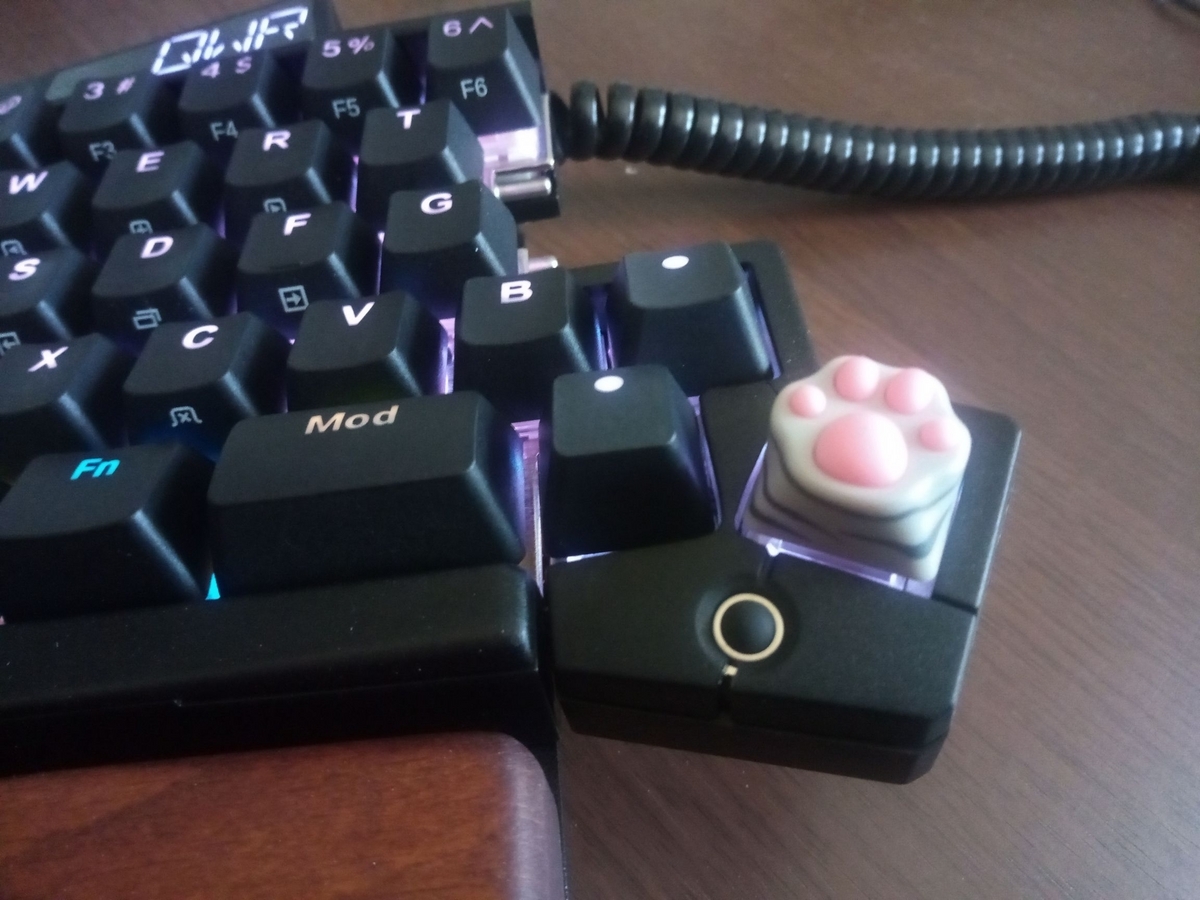
Kentaro Hayashi: My New Gear...UHK

Recently, I'm coming to feel the burden on my shoulder, it makes me so annoyed. As of that, I've considered replacing the hardware (keyboard). I've searched for a new gear candidate to resolve the above issue with the following conditions: As a result, Ultimate Hacking Keyboard [1] seems that it is the best solution for me because UHK implements trackpoint, split keyboard feature, and upstream publishes firmware as MIT-like license. [2] It seems the best solution but it costs me more budget unexpectedly (weaker YEN contrast to USD makes it a worse situation). so I've asked about reimbursement [3] for Debian project. Fortunately, reimbursement request is approved and processed by SPI [4], even though there is a troublesome with the paperwork (it's my fault) [5], I could get a new gear - Ultimate Hacking Keyboard. (Note that reimbursement does not cover all of costs - import tax fee, and so on, but it helps a lot) As I mentioned above, I used ThinkPad keyboard with TrackPoint so long, I'm noticed that I was used to be optimized to that keyboard. Here is the first impression: Anyway, UHK is an awesome product and it is worth to recommend you.

Dirk Eddelbuettel: RcppSMC 0.2.7 on CRAN: Extensions and Update

A new release 0.2.7 of our RcppSMC package arrived at CRAN earlier today. It contains several extensions added by team member (and former GSoC student) Ilya Zarubin since the last release. We were a little slow to release those but one of those CRAN emails forced our hand for a release now. The updated uninitialized variable messages in clang++-16 have found a fan in Brian Ripley, and so he sent us a note. And as the issue was trivially reproducible with clang++-15 here too I had it fixed in no time. And both changes taken together form the incremental 0.2.7 release. RcppSMC provides Rcpp-based bindings to R for the Sequential Monte Carlo Template Classes (SMCTC) by Adam Johansen described in his JSS article. Sequential Monte Carlo is also referred to as Particle Filter in some contexts. The package now also features the Google Summer of Code work by Leah South in 2017, and by Ilya Zarubin in 2021. The release is summarized below.

Changes in RcppSMC version 0.2.7 (2023-03-22)
  • Extensive extensions for conditional SMC and resample, updated hello_world example, added skeleton function for easier package creation (Ilya in #67,#72)
  • Small package updates (Dirk in #75 fixing #74)

Courtesy of my CRANberries, there is a diffstat report for this release. More information is on the RcppSMC page. Issues and bugreports should go to the GitHub issue tracker. If you like this or other open-source work I do, you can now sponsor me at GitHub.

This post by Dirk Eddelbuettel originated on his Thinking inside the box blog. Please report excessive re-aggregation in third-party for-profit settings.

22 March 2023

Russ Allbery: Review: The Kaiju Preservation Society

Review: The Kaiju Preservation Society, by John Scalzi
Publisher: Tor
Copyright: 2022
ISBN: 0-7653-8913-4
Format: Kindle
Pages: 264
As this novel opens, Jamie Gray, our first-person narrator, is working for the business side of a startup food delivery service named f dm d. He's up for his six month performance review and has some great ideas for how to improve the company's market standing going into pandemic lockdown. His boss has other ideas: Jamie at the bottom of the corporate ladder, delivering food door-to-door. Tom is working for a semi-secret organization with a last-minute, COVID-induced worker shortage. He needs someone who can lift things. Jamie used to go to some of the same parties, can lift things, and is conveniently available. And that's how Jamie ends up joining the Kaiju Preservation Society, because it turns out the things that need lifting are in a different dimension. This book was so bad. I think this may be the worst-written novel at a technical level that I have read since I started writing book reviews. It's become trendy in some circles to hate Scalzi, so I want to be clear that I normally get along fine with his writing. Scalzi is an unabashedly commercial writer of light, occasionally humorous popcorn SF. It's not great literature, and he's unlikely to write a new favorite novel, but his books are easy to read and reliably deliver a few hours of comfortable entertainment. The key word is "reliably"; Scalzi doesn't have a lot of dynamic range, but you know what you're getting and can decide to read him when that matches your mood. When I give a book a bad review, it's usually because I found the ideas deeply unpleasant (genocidal theology, for instance, or creepy voyeuristic sexism). That's not the problem here. The ideas are fine: a variation on the Jurassic Park setup but with kaiju and less commercialism, an everyman narrator to look at everything for the reader, a few assholes thrown in to provide some conflict sure, sign me up, sounds like the kind of light entertainment I expect from a Scalzi novel. The excuse for interdimensional portals was clever (and consistent with kaiju story themes), and the biological handwaving created a lot of good story hooks. The material for a fun novel is all present. The problem, instead, is that this book was not finished. It's the bare skeleton of a story with almost-nonexistent characters and plot, stuck in a novel-shaped box and filled in with repetitive banter and dad jokes of the approximate consistency of styrofoam packing material. When I complain about the characterization, I fear people who haven't read the book won't understand what I mean. He's always had dialogue quirks that tend to show up in all of his characters and make them sound similar. I noticed this in other books, but it wasn't a big deal. The characterization problems in this book are a big deal. I can identify four characters, total, from the entire novel: the first-person protagonist, the villain, the pilot, and the woman who does the forest floor safety training. None of those characters are memorable or interesting, but at least they're somewhat distinct. Apart from them, you could write a computer program that randomly selected character names for each dialogue line and I wouldn't be able to tell the difference. I have never given up on character identity and started ignoring all the dialogue tags in a book before. Everyone says the same thing, makes the same jokes, has the same emotional reactions, and has the same total lack of interiority or distinguishing characteristics. The only way I can imagine telling the characters apart is if you memorized the association between names and professions, and I have no idea why you'd bother. The descriptions are, if anything, worse. Scalzi is not a heavily descriptive author, but usually he gives me something to hang my imagination on. You would think that if you were writing a book about kaiju one where kaiju are quite actively involved in the story, fighting, roaring, menacing, being central to the plot you would describe a kaiju at some point during the novel. They're visually impressive giant monsters! This is an inherently visual story genre! And at no point in this entire novel does Scalzi ever describe a kaiju in any detail. Not once! The most we get is that one has tentacles and a sort of eye spot. And sometimes there are wings. There are absolutely no overall impressions, comparisons, attempts to sketch what the characters are seeing, nothing. Or, for another example, consider the base, the place where the characters live for most of the story and where much of the dialogue happens. Here is the sum total of all sensory information I can recall about the characters' home: it has stairs, and there's a plant in Jamie's room. (The person who left the plant, who never appears on screen, gets more characterization in two pages than anyone else gets in the whole novel.) What does the base look like from the outside? The inside? How many stories does it have? What are the common spaces like? What does it smell like? Does it feel institutional, or welcoming, or dirty, or sparkling? How long does it take to get from one end of it to the other? Does it make weird noises at night? I have no impressions of this place whatsoever. Maybe a few of these things were mentioned in passing and I missed them, but that's because the narrator of this book never describes his surroundings in detail, stops to look at something eye-catching, thinks about how he feels about a place, or otherwise gives the reader any meaningful emotional engagement with the spaces around him. And it's not like this story was instead stuffed with action. There is barely a novelette's worth of plot and most of that is predictable: the setup, the initial confrontation, the discovery of the evil plan, the final confrontation. For most of the book, nothing of any consequence happens. It's just endless pages of vaguely bantering dialogue between totally indistinguishable characters while Jamie repeats "I lift things." (That was funny the first couple of times; by the fifth time, the funny wore off.) The climax, when it finally happens, is mostly monologuing and half-hearted repartee that is cringeworthy and vaguely embarrassing for everyone involved. I don't really blame Scalzi for this book. I wish he had realized that it was half-baked at best and needed some major revisions, but the author's note at the end makes it clear that the process of bringing this book into the world was a train wreck. It was written in two months, in a rush, after Scalzi had already missed a deadline for a different book that failed to come together. Life happens, and in 2020 and early 2021 a whole lot of life was happening. The tone of the author's note is vaguely apologetic; I think Scalzi realizes at some level that this is not his best work. The person I do blame is Patrick Nielsen Hayden, Scalzi's editor, who is a multiple-Hugo-award-winning book editor and the managing editor of science fiction at Tor and absolutely should have known better. It was his responsibility to look at this book and say "this is not ready yet"; this is part of the function of the traditional publishing apparatus. This could have been a good book. The ideas and the hook were there; it just needed some actual substance in the middle and a whole lot of character work. Instead, he was the one who made the decision to publish the book in this state. But, well, the joke's on me, because The Kaiju Preservation Society sold a ton of copies, got nominated for several awards, won an Alex Award, and made Amazon's best of 2022 list, so I guess this was a brilliant publishing decision and the book was everything it needed to be? Maybe I'm just bad at reading and have no sense of humor? I have no explanation; I am truly and completely baffled. There are books that I don't like but that have obvious merits for people who are not me. There are styles of writing that I don't like and other people do. But I would have sworn this book was objectively unfinished and half-assed at a craft and construction level, in ways that don't depend as much on personal taste. I recommend quietly forgetting it was ever published and waiting for a better Scalzi novel, but it has a 4.04 star rating on Goodreads with nearly 32,000 reviews, so what do I know. Anyway, I was warned that I wasn't going to like this book and I read it anyway for silly reasons because I figured it was a Scalzi novel and how bad could it be, really. I brought this on myself, and I at least got the fun of ranting about it. Apparently this book found its people and they got a lot of joy out of it, and good for them. Rating: 2 out of 10

20 March 2023

Russ Allbery: Review: The Star Fraction

Review: The Star Fraction, by Ken MacLeod
Series: Fall Revolution #1
Publisher: Orbit
Copyright: 1995
Printing: 2001
ISBN: 1-85723-833-8
Format: Trade paperback
Pages: 341
Ken MacLeod is a Scottish science fiction writer who has become amusingly famous for repeatedly winning the libertarian Prometheus Award despite being a (somewhat libertarian-leaning) socialist. The Star Fraction is the first of a loose series of four novels about future solar system politics and was nominated for the Clarke Award (as well as winning the Prometheus). It was MacLeod's first novel. Moh Kohn is a mercenary, part of the Felix Dzerzhinsky Workers' Defence collective. They're available for hire to protect research labs and universities against raids from people such as animal liberationists and anti-AI extremists (or, as Moh calls them, creeps and cranks). As The Star Fraction opens, he and his smart gun are protecting a lab against an attack. Janis Taine is a biologist who is currently testing a memory-enhancing drug on mice. It's her lab that is attacked, although it isn't vandalized the way she expected. Instead, the attackers ruined her experiment by releasing the test drug into the air, contaminating all of the controls. This sets off a sequence of events that results in Moh, Janis, and Jordon Brown, a stock trader for a religious theocracy, on the run from the US/UN and Space Defense. I had forgotten what it was like to read the uncompromising old-school style of science fiction novel that throws you into the world and explains nothing, leaving it to the reader to piece the world together as you go. It's weirdly fun, but I'm either out of practice or this was a particularly challenging example of the genre. MacLeod throws a lot of characters at you quickly, including some that have long and complicated personal histories, and it's not until well into the book that the pieces start to cohere into a narrative. Even once that happens, the relationship between the characters and the plot is unobvious until late in the book, and comes from a surprising direction. Science fiction as a genre is weirdly conservative about political systems. Despite the grand, futuristic ideas and the speculation about strange alien societies, the human governments rarely rise to the sophistication of a modern democracy. There are a lot of empires, oligarchies, and hand-waved libertarian semi-utopias, but not a lot of deep engagement with the speculative variety of government systems humans have proposed. The rare exceptions therefore get a lot of attention from those of us who find political systems fascinating. MacLeod has a reputation for writing political SF in that sense, and The Star Fraction certainly delivers. Moh (despite the name of his collective, which is explained briefly in the book) is a Trotskyist with a family history with the Fourth International that is central to the plot. The setting is a politically fractured Britain full of autonomous zones with wildly different forms of government, theoretically ruled by a restored monarchy. That monarchy is opposed by the Army of the New Republic, which claims to be the legitimate government of the United Kingdom and is considered by everyone else to be terrorists. Hovering in the background is a UN entirely subsumed by the US, playing global policeman over a chaotic world shattered by numerous small-scale wars. This satisfyingly different political world is a major plus for me. The main drawback is that I found the world-building and politics more interesting than the characters. It's not that I disliked them; I found them enjoyably quirky and odd. It's more that so much is happening and there are so many significant characters, all set in an unfamiliar and unexplained world and often divided into short scenes of a few pages, that I had a hard time keeping track of them all. Part of the point of The Star Fraction is digging into their tangled past and connecting it up with the present, but the flashbacks added a confused timeline on top of the other complexity and made it hard for me to get lost in the story. The characters felt a bit too much like puzzle pieces until the very end of the book. The technology is an odd mix with a very 1990s feel. MacLeod is one of the SF authors who can make computers and viruses believable, avoiding the cyberpunk traps, but AI becomes relevant to the plot and the conception of AI here feels oddly retro. (Not MacLeod's fault; it's been nearly 30 years and a lot has changed.) On-line discussion in the book is still based on newsgroups, which added to the nostalgic feel. I did like the eventual explanation for the computing part of the plot, though; I can't say much while avoiding spoilers, but it's one of the more believable explanations for how a technology could spread in a way required for the plot that I've read. I've been planning on reading this series for years but never got around to it. I enjoyed my last try at a MacLeod series well enough to want to keep reading, but not well enough to keep reading immediately, and then other books happened and now it's been 19 years. I feel similarly about The Star Fraction: it's good enough (and in a rare enough subgenre of SF) that I want to keep reading, but not enough to keep reading immediately. We'll see if I manage to get to the next book in a reasonable length of time. Followed by The Stone Canal. Rating: 6 out of 10

13 March 2023

Antoine Beaupr : Framework 12th gen laptop review

The Framework is a 13.5" laptop body with swappable parts, which makes it somewhat future-proof and certainly easily repairable, scoring an "exceedingly rare" 10/10 score from ifixit.com. There are two generations of the laptop's main board (both compatible with the same body): the Intel 11th and 12th gen chipsets. I have received my Framework, 12th generation "DIY", device in late September 2022 and will update this page as I go along in the process of ordering, burning-in, setting up and using the device over the years. Overall, the Framework is a good laptop. I like the keyboard, the touch pad, the expansion cards. Clearly there's been some good work done on industrial design, and it's the most repairable laptop I've had in years. Time will tell, but it looks sturdy enough to survive me many years as well. This is also one of the most powerful devices I ever lay my hands on. I have managed, remotely, more powerful servers, but this is the fastest computer I have ever owned, and it fits in this tiny case. It is an amazing machine. On the downside, there's a bit of proprietary firmware required (WiFi, Bluetooth, some graphics) and the Framework ships with a proprietary BIOS, with currently no Coreboot support. Expect to need the latest kernel, firmware, and hacking around a bunch of things to get resolution and keybindings working right. Like others, I have first found significant power management issues, but many issues can actually be solved with some configuration. Some of the expansion ports (HDMI, DP, MicroSD, and SSD) use power when idle, so don't expect week-long suspend, or "full day" battery while those are plugged in. Finally, the expansion ports are nice, but there's only four of them. If you plan to have a two-monitor setup, you're likely going to need a dock. Read on for the detailed review. For context, I'm moving from the Purism Librem 13v4 because it basically exploded on me. I had, in the meantime, reverted back to an old ThinkPad X220, so I sometimes compare the Framework with that venerable laptop as well. This blog post has been maturing for months now. It started in September 2022 and I declared it completed in March 2023. It's the longest single article on this entire website, currently clocking at about 13,000 words. It will take an average reader a full hour to go through this thing, so I don't expect anyone to actually do that. This introduction should be good enough for most people, read the first section if you intend to actually buy a Framework. Jump around the table of contents as you see fit for after you did buy the laptop, as it might include some crucial hints on how to make it work best for you, especially on (Debian) Linux.

Advice for buyers Those are things I wish I would have known before buying:
  1. consider buying 4 USB-C expansion cards, or at least a mix of 4 USB-A or USB-C cards, as they use less power than other cards and you do want to fill those expansion slots otherwise they snag around and feel insecure
  2. you will likely need a dock or at least a USB hub if you want a two-monitor setup, otherwise you'll run out of ports
  3. you have to do some serious tuning to get proper (10h+ idle, 10 days suspend) power savings
  4. in particular, beware that the HDMI, DisplayPort and particularly the SSD and MicroSD cards take a significant amount power, even when sleeping, up to 2-6W for the latter two
  5. beware that the MicroSD card is what it says: Micro, normal SD cards won't fit, and while there might be full sized one eventually, it's currently only at the prototyping stage
  6. the Framework monitor has an unusual aspect ratio (3:2): I like it (and it matches classic and digital photography aspect ratio), but it might surprise you

Current status I have the framework! It's setup with a fresh new Debian bookworm installation. I've ran through a large number of tests and burn in. I have decided to use the Framework as my daily driver, and had to buy a USB-C dock to get my two monitors connected, which was own adventure. Update: Framework just (2023-03-23) just announced a whole bunch of new stuff: The recording is available in this video and it's not your typical keynote. It starts ~25 minutes late, audio is crap, lightning and camera are crap, clapping seems to be from whatever staff they managed to get together in a room, decor is bizarre, colors are shit. It's amazing.

Specifications Those are the specifications of the 12th gen, in general terms. Your build will of course vary according to your needs.
  • CPU: i5-1240P, i7-1260P, or i7-1280P (Up to 4.4-4.8 GHz, 4+8 cores), Iris Xe graphics
  • Storage: 250-4000GB NVMe (or bring your own)
  • Memory: 8-64GB DDR4-3200 (or bring your own)
  • WiFi 6e (AX210, vPro optional, or bring your own)
  • 296.63mm X 228.98mm X 15.85mm, 1.3Kg
  • 13.5" display, 3:2 ratio, 2256px X 1504px, 100% sRGB, >400 nit
  • 4 x USB-C user-selectable expansion ports, including
    • USB-C
    • USB-A
    • HDMI
    • DP
    • Ethernet
    • MicroSD
    • 250-1000GB SSD
  • 3.5mm combo headphone jack
  • Kill switches for microphone and camera
  • Battery: 55Wh
  • Camera: 1080p 60fps
  • Biometrics: Fingerprint Reader
  • Backlit keyboard
  • Power Adapter: 60W USB-C (or bring your own)
  • ships with a screwdriver/spludger
  • 1 year warranty
  • base price: 1000$CAD, but doesn't give you much, typical builds around 1500-2000$CAD

Actual build This is the actual build I ordered. Amounts in CAD. (1CAD = ~0.75EUR/USD.)

Base configuration
  • CPU: Intel Core i5-1240P (AKA Alder Lake P 8 4.4GHz P-threads, 8 3.2GHz E-threads, 16 total, 28-64W), 1079$
  • Memory: 16GB (1 x 16GB) DDR4-3200, 104$

Customization
  • Keyboard: US English, included

Expansion Cards
  • 2 USB-C $24
  • 3 USB-A $36
  • 2 HDMI $50
  • 1 DP $50
  • 1 MicroSD $25
  • 1 Storage 1TB $199
  • Sub-total: 384$

Accessories
  • Power Adapter - US/Canada $64.00

Total
  • Before tax: 1606$
  • After tax and duties: 1847$
  • Free shipping

Quick evaluation This is basically the TL;DR: here, just focusing on broad pros/cons of the laptop.

Pros

Cons
  • the 11th gen is out of stock, except for the higher-end CPUs, which are much less affordable (700$+)
  • the 12th gen has compatibility issues with Debian, followup in the DebianOn page, but basically: brightness hotkeys, power management, wifi, the webcam is okay even though the chipset is the infamous alder lake because it does not have the fancy camera; most issues currently seem solvable, and upstream is working with mainline to get their shit working
  • 12th gen might have issues with thunderbolt docks
  • they used to have some difficulty keeping up with the orders: first two batches shipped, third batch sold out, fourth batch should have shipped (?) in October 2021. they generally seem to keep up with shipping. update (august 2022): they rolled out a second line of laptops (12th gen), first batch shipped, second batch shipped late, September 2022 batch was generally on time, see this spreadsheet for a crowdsourced effort to track those supply chain issues seem to be under control as of early 2023. I got the Ethernet expansion card shipped within a week.
  • compared to my previous laptop (Purism Librem 13v4), it feels strangely bulkier and heavier; it's actually lighter than the purism (1.3kg vs 1.4kg) and thinner (15.85mm vs 18mm) but the design of the Purism laptop (tapered edges) makes it feel thinner
  • no space for a 2.5" drive
  • rather bright LED around power button, but can be dimmed in the BIOS (not low enough to my taste) I got used to it
  • fan quiet when idle, but can be noisy when running, for example if you max a CPU for a while
  • battery described as "mediocre" by Ars Technica (above), confirmed poor in my tests (see below)
  • no RJ-45 port, and attempts at designing ones are failing because the modular plugs are too thin to fit (according to Linux After Dark), so unlikely to have one in the future Update: they cracked that nut and ship an 2.5 gbps Ethernet expansion card with a realtek chipset, without any firmware blob (!)
  • a bit pricey for the performance, especially when compared to the competition (e.g. Dell XPS, Apple M1)
  • 12th gen Intel has glitchy graphics, seems like Intel hasn't fully landed proper Linux support for that chipset yet

Initial hardware setup A breeze.

Accessing the board The internals are accessed through five TorX screws, but there's a nice screwdriver/spudger that works well enough. The screws actually hold in place so you can't even lose them. The first setup is a bit counter-intuitive coming from the Librem laptop, as I expected the back cover to lift and give me access to the internals. But instead the screws is release the keyboard and touch pad assembly, so you actually need to flip the laptop back upright and lift the assembly off (!) to get access to the internals. Kind of scary. I also actually unplugged a connector in lifting the assembly because I lifted it towards the monitor, while you actually need to lift it to the right. Thankfully, the connector didn't break, it just snapped off and I could plug it back in, no harm done. Once there, everything is well indicated, with QR codes all over the place supposedly leading to online instructions.

Bad QR codes Unfortunately, the QR codes I tested (in the expansion card slot, the memory slot and CPU slots) did not actually work so I wonder how useful those actually are. After all, they need to point to something and that means a URL, a running website that will answer those requests forever. I bet those will break sooner than later and in fact, as far as I can tell, they just don't work at all. I prefer the approach taken by the MNT reform here which designed (with the 100 rabbits folks) an actual paper handbook (PDF). The first QR code that's immediately visible from the back of the laptop, in an expansion cord slot, is a 404. It seems to be some serial number URL, but I can't actually tell because, well, the page is a 404. I was expecting that bar code to lead me to an introduction page, something like "how to setup your Framework laptop". Support actually confirmed that it should point a quickstart guide. But in a bizarre twist, they somehow sent me the URL with the plus (+) signs escaped, like this:
https://guides.frame.work/Guide/Framework\+Laptop\+DIY\+Edition\+Quick\+Start\+Guide/57
... which Firefox immediately transforms in:
https://guides.frame.work/Guide/Framework/+Laptop/+DIY/+Edition/+Quick/+Start/+Guide/57
I'm puzzled as to why they would send the URL that way, the proper URL is of course:
https://guides.frame.work/Guide/Framework+Laptop+DIY+Edition+Quick+Start+Guide/57
(They have also "let the team know about this for feedback and help resolve the problem with the link" which is a support code word for "ha-ha! nope! not my problem right now!" Trust me, I know, my own code word is "can you please make a ticket?")

Seating disks and memory The "DIY" kit doesn't actually have that much of a setup. If you bought RAM, it's shipped outside the laptop in a little plastic case, so you just seat it in as usual. Then you insert your NVMe drive, and, if that's your fancy, you also install your own mPCI WiFi card. If you ordered one (which was my case), it's pre-installed. Closing the laptop is also kind of amazing, because the keyboard assembly snaps into place with magnets. I have actually used the laptop with the keyboard unscrewed as I was putting the drives in and out, and it actually works fine (and will probably void your warranty, so don't do that). (But you can.) (But don't, really.)

Hardware review

Keyboard and touch pad The keyboard feels nice, for a laptop. I'm used to mechanical keyboard and I'm rather violent with those poor things. Yet the key travel is nice and it's clickety enough that I don't feel too disoriented. At first, I felt the keyboard as being more laggy than my normal workstation setup, but it turned out this was a graphics driver issues. After enabling a composition manager, everything feels snappy. The touch pad feels good. The double-finger scroll works well enough, and I don't have to wonder too much where the middle button is, it just works. Taps don't work, out of the box: that needs to be enabled in Xorg, with something like this:
cat > /etc/X11/xorg.conf.d/40-libinput.conf <<EOF
Section "InputClass"
      Identifier "libinput touch pad catchall"
      MatchIsTouchpad "on"
      MatchDevicePath "/dev/input/event*"
      Driver "libinput"
      Option "Tapping" "on"
      Option "TappingButtonMap" "lmr"
EndSection
EOF
But be aware that once you enable that tapping, you'll need to deal with palm detection... So I have not actually enabled this in the end.

Power button The power button is a little dangerous. It's quite easy to hit, as it's right next to one expansion card where you are likely to plug in a cable power. And because the expansion cards are kind of hard to remove, you might squeeze the laptop (and the power key) when trying to remove the expansion card next to the power button. So obviously, don't do that. But that's not very helpful. An alternative is to make the power button do something else. With systemd-managed systems, it's actually quite easy. Add a HandlePowerKey stanza to (say) /etc/systemd/logind.conf.d/power-suspends.conf:
[Login]
HandlePowerKey=suspend
HandlePowerKeyLongPress=poweroff
You might have to create the directory first:
mkdir /etc/systemd/logind.conf.d/
Then restart logind:
systemctl restart systemd-logind
And the power button will suspend! Long-press to power off doesn't actually work as the laptop immediately suspends... Note that there's probably half a dozen other ways of doing this, see this, this, or that.

Special keybindings There is a series of "hidden" (as in: not labeled on the key) keybindings related to the fn keybinding that I actually find quite useful.
Key Equivalent Effect Command
p Pause lock screen xset s activate
b Break ? ?
k ScrLk switch keyboard layout N/A
It looks like those are defined in the microcontroller so it would be possible to add some. For example, the SysRq key is almost bound to fn s in there. Note that most other shortcuts like this are clearly documented (volume, brightness, etc). One key that's less obvious is F12 that only has the Framework logo on it. That actually calls the keysym XF86AudioMedia which, interestingly, does absolutely nothing here. By default, on Windows, it opens your browser to the Framework website and, on Linux, your "default media player". The keyboard backlight can be cycled with fn-space. The dimmer version is dim enough, and the keybinding is easy to find in the dark. A skinny elephant would be performed with alt PrtScr (above F11) KEY, so for example alt fn F11 b should do a hard reset. This comment suggests you need to hold the fn only if "function lock" is on, but that's actually the opposite of my experience. Out of the box, some of the fn keys don't work. Mute, volume up/down, brightness, monitor changes, and the airplane mode key all do basically nothing. They don't send proper keysyms to Xorg at all. This is a known problem and it's related to the fact that the laptop has light sensors to adjust the brightness automatically. Somehow some of those keys (e.g. the brightness controls) are supposed to show up as a different input device, but don't seem to work correctly. It seems like the solution is for the Framework team to write a driver specifically for this, but so far no progress since July 2022. In the meantime, the fancy functionality can be supposedly disabled with:
echo 'blacklist hid_sensor_hub'   sudo tee /etc/modprobe.d/framework-als-blacklist.conf
... and a reboot. This solution is also documented in the upstream guide. Note that there's another solution flying around that fixes this by changing permissions on the input device but I haven't tested that or seen confirmation it works.

Kill switches The Framework has two "kill switches": one for the camera and the other for the microphone. The camera one actually disconnects the USB device when turned off, and the mic one seems to cut the circuit. It doesn't show up as muted, it just stops feeding the sound. Both kill switches are around the main camera, on top of the monitor, and quite discreet. Then turn "red" when enabled (i.e. "red" means "turned off").

Monitor The monitor looks pretty good to my untrained eyes. I have yet to do photography work on it, but some photos I looked at look sharp and the colors are bright and lively. The blacks are dark and the screen is bright. I have yet to use it in full sunlight. The dimmed light is very dim, which I like.

Screen backlight I bind brightness keys to xbacklight in i3, but out of the box I get this error:
sep 29 22:09:14 angela i3[5661]: No outputs have backlight property
It just requires this blob in /etc/X11/xorg.conf.d/backlight.conf:
Section "Device"
    Identifier  "Card0"
    Driver      "intel"
    Option      "Backlight"  "intel_backlight"
EndSection
This way I can control the actual backlight power with the brightness keys, and they do significantly reduce power usage.

Multiple monitor support I have been able to hook up my two old monitors to the HDMI and DisplayPort expansion cards on the laptop. The lid closes without suspending the machine, and everything works great. I actually run out of ports, even with a 4-port USB-A hub, which gives me a total of 7 ports:
  1. power (USB-C)
  2. monitor 1 (DisplayPort)
  3. monitor 2 (HDMI)
  4. USB-A hub, which adds:
  5. keyboard (USB-A)
  6. mouse (USB-A)
  7. Yubikey
  8. external sound card
Now the latter, I might be able to get rid of if I switch to a combo-jack headset, which I do have (and still need to test). But still, this is a problem. I'll probably need a powered USB-C dock and better monitors, possibly with some Thunderbolt chaining, to save yet more ports. But that means more money into this setup, argh. And figuring out my monitor situation is the kind of thing I'm not that big of a fan of. And neither is shopping for USB-C (or is it Thunderbolt?) hubs. My normal autorandr setup doesn't work: I have tried saving a profile and it doesn't get autodetected, so I also first need to do:
autorandr -l framework-external-dual-lg-acer
The magic:
autorandr -l horizontal
... also works well. The worst problem with those monitors right now is that they have a radically smaller resolution than the main screen on the laptop, which means I need to reset the font scaling to normal every time I switch back and forth between those monitors and the laptop, which means I actually need to do this:
autorandr -l horizontal &&
eho Xft.dpi: 96   xrdb -merge &&
systemctl restart terminal xcolortaillog background-image emacs &&
i3-msg restart
Kind of disruptive.

Expansion ports I ordered a total of 10 expansion ports. I did manage to initialize the 1TB drive as an encrypted storage, mostly to keep photos as this is something that takes a massive amount of space (500GB and counting) and that I (unfortunately) don't work on very often (but still carry around). The expansion ports are fancy and nice, but not actually that convenient. They're a bit hard to take out: you really need to crimp your fingernails on there and pull hard to take them out. There's a little button next to them to release, I think, but at first it feels a little scary to pull those pucks out of there. You get used to it though, and it's one of those things you can do without looking eventually. There's only four expansion ports. Once you have two monitors, the drive, and power plugged in, bam, you're out of ports; there's nowhere to plug my Yubikey. So if this is going to be my daily driver, with a dual monitor setup, I will need a dock, which means more crap firmware and uncertainty, which isn't great. There are actually plans to make a dual-USB card, but that is blocked on designing an actual board for this. I can't wait to see more expansion ports produced. There's a ethernet expansion card which quickly went out of stock basically the day it was announced, but was eventually restocked. I would like to see a proper SD-card reader. There's a MicroSD card reader, but that obviously doesn't work for normal SD cards, which would be more broadly compatible anyways (because you can have a MicroSD to SD card adapter, but I have never heard of the reverse). Someone actually found a SD card reader that fits and then someone else managed to cram it in a 3D printed case, which is kind of amazing. Still, I really like that idea that I can carry all those little adapters in a pouch when I travel and can basically do anything I want. It does mean I need to shuffle through them to find the right one which is a little annoying. I have an elastic band to keep them lined up so that all the ports show the same side, to make it easier to find the right one. But that quickly gets undone and instead I have a pouch full of expansion cards. Another awesome thing with the expansion cards is that they don't just work on the laptop: anything that takes USB-C can take those cards, which means you can use it to connect an SD card to your phone, for backups, for example. Heck, you could even connect an external display to your phone that way, assuming that's supported by your phone of course (and it probably isn't). The expansion ports do take up some power, even when idle. See the power management section below, and particularly the power usage tests for details.

USB-C charging One thing that is really a game changer for me is USB-C charging. It's hard to overstate how convenient this is. I often have a USB-C cable lying around to charge my phone, and I can just grab that thing and pop it in my laptop. And while it will obviously not charge as fast as the provided charger, it will stop draining the battery at least. (As I wrote this, I had the laptop plugged in the Samsung charger that came with a phone, and it was telling me it would take 6 hours to charge the remaining 15%. With the provided charger, that flew down to 15 minutes. Similarly, I can power the laptop from the power grommet on my desk, reducing clutter as I have that single wire out there instead of the bulky power adapter.) I also really like the idea that I can charge my laptop with a power bank or, heck, with my phone, if push comes to shove. (And vice-versa!) This is awesome. And it works from any of the expansion ports, of course. There's a little led next to the expansion ports as well, which indicate the charge status:
  • red/amber: charging
  • white: charged
  • off: unplugged
I couldn't find documentation about this, but the forum answered. This is something of a recurring theme with the Framework. While it has a good knowledge base and repair/setup guides (and the forum is awesome) but it doesn't have a good "owner manual" that shows you the different parts of the laptop and what they do. Again, something the MNT reform did well. Another thing that people are asking about is an external sleep indicator: because the power LED is on the main keyboard assembly, you don't actually see whether the device is active or not when the lid is closed. Finally, I wondered what happens when you plug in multiple power sources and it turns out the charge controller is actually pretty smart: it will pick the best power source and use it. The only downside is it can't use multiple power sources, but that seems like a bit much to ask.

Multimedia and other devices Those things also work:
  • webcam: splendid, best webcam I've ever had (but my standards are really low)
  • onboard mic: works well, good gain (maybe a bit much)
  • onboard speakers: sound okay, a little metal-ish, loud enough to be annoying, see this thread for benchmarks, apparently pretty good speakers
  • combo jack: works, with slight hiss, see below
There's also a light sensor, but it conflicts with the keyboard brightness controls (see above). There's also an accelerometer, but it's off by default and will be removed from future builds.

Combo jack mic tests The Framework laptop ships with a combo jack on the left side, which allows you to plug in a CTIA (source) headset. In human terms, it's a device that has both a stereo output and a mono input, typically a headset or ear buds with a microphone somewhere. It works, which is better than the Purism (which only had audio out), but is on par for the course for that kind of onboard hardware. Because of electrical interference, such sound cards very often get lots of noise from the board. With a Jabra Evolve 40, the built-in USB sound card generates basically zero noise on silence (invisible down to -60dB in Audacity) while plugging it in directly generates a solid -30dB hiss. There is a noise-reduction system in that sound card, but the difference is still quite striking. On a comparable setup (curie, a 2017 Intel NUC), there is also a his with the Jabra headset, but it's quieter, more in the order of -40/-50 dB, a noticeable difference. Interestingly, testing with my Mee Audio Pro M6 earbuds leads to a little more hiss on curie, more on the -35/-40 dB range, close to the Framework. Also note that another sound card, the Antlion USB adapter that comes with the ModMic 4, also gives me pretty close to silence on a quiet recording, picking up less than -50dB of background noise. It's actually probably picking up the fans in the office, which do make audible noises. In other words, the hiss of the sound card built in the Framework laptop is so loud that it makes more noise than the quiet fans in the office. Or, another way to put it is that two USB sound cards (the Jabra and the Antlion) are able to pick up ambient noise in my office but not the Framework laptop. See also my audio page.

Performance tests

Compiling Linux 5.19.11 On a single core, compiling the Debian version of the Linux kernel takes around 100 minutes:
5411.85user 673.33system 1:37:46elapsed 103%CPU (0avgtext+0avgdata 831700maxresident)k
10594704inputs+87448000outputs (9131major+410636783minor)pagefaults 0swaps
This was using 16 watts of power, with full screen brightness. With all 16 cores (make -j16), it takes less than 25 minutes:
19251.06user 2467.47system 24:13.07elapsed 1494%CPU (0avgtext+0avgdata 831676maxresident)k
8321856inputs+87427848outputs (30792major+409145263minor)pagefaults 0swaps
I had to plug the normal power supply after a few minutes because battery would actually run out using my desk's power grommet (34 watts). During compilation, fans were spinning really hard, quite noisy, but not painfully so. The laptop was sucking 55 watts of power, steadily:
  Time    User  Nice   Sys  Idle    IO  Run Ctxt/s  IRQ/s Fork Exec Exit  Watts
-------- ----- ----- ----- ----- ----- ---- ------ ------ ---- ---- ---- ------
 Average  87.9   0.0  10.7   1.4   0.1 17.8 6583.6 5054.3 233.0 223.9 233.1  55.96
 GeoMean  87.9   0.0  10.6   1.2   0.0 17.6 6427.8 5048.1 227.6 218.7 227.7  55.96
  StdDev   1.4   0.0   1.2   0.6   0.2  3.0 1436.8  255.5 50.0 47.5 49.7   0.20
-------- ----- ----- ----- ----- ----- ---- ------ ------ ---- ---- ---- ------
 Minimum  85.0   0.0   7.8   0.5   0.0 13.0 3594.0 4638.0 117.0 111.0 120.0  55.52
 Maximum  90.8   0.0  12.9   3.5   0.8 38.0 10174.0 5901.0 374.0 362.0 375.0  56.41
-------- ----- ----- ----- ----- ----- ---- ------ ------ ---- ---- ---- ------
Summary:
CPU:  55.96 Watts on average with standard deviation 0.20
Note: power read from RAPL domains: package-0, uncore, package-0, core, psys.
These readings do not cover all the hardware in this device.

memtest86+ I ran Memtest86+ v6.00b3. It shows something like this:
Memtest86+ v6.00b3        12th Gen Intel(R) Core(TM) i5-1240P
CLK/Temp: 2112MHz    78/78 C   Pass  2% #
L1 Cache:   48KB    414 GB/s   Test 46% ##################
L2 Cache: 1.25MB    118 GB/s   Test #3 [Moving inversions, 1s & 0s] 
L3 Cache:   12MB     43 GB/s   Testing: 16GB - 18GB [1GB of 15.7GB]
Memory  :  15.7GB  14.9 GB/s   Pattern: 
--------------------------------------------------------------------------------
CPU: 4P+8E-Cores (16T)    SMP: 8T (PAR))    Time:  0:27:23  Status: Pass     \
RAM: 1600MHz (DDR4-3200) CAS 22-22-22-51    Pass:  1        Errors: 0
--------------------------------------------------------------------------------
Memory SPD Information
----------------------
 - Slot 2: 16GB DDR-4-3200 - Crucial CT16G4SFRA32A.C16FP (2022-W23)
                          Framework FRANMACP04
 <ESC> Exit  <F1> Configuration  <Space> Scroll Lock            6.00.unknown.x64
So about 30 minutes for a full 16GB memory test.

Software setup Once I had everything in the hardware setup, I figured, voil , I'm done, I'm just going to boot this beautiful machine and I can get back to work. I don't understand why I am so na ve some times. It's mind boggling. Obviously, it didn't happen that way at all, and I spent the best of the three following days tinkering with the laptop.

Secure boot and EFI First, I couldn't boot off of the NVMe drive I transferred from the previous laptop (the Purism) and the BIOS was not very helpful: it was just complaining about not finding any boot device, without dropping me in the real BIOS. At first, I thought it was a problem with my NVMe drive, because it's not listed in the compatible SSD drives from upstream. But I figured out how to enter BIOS (press F2 manically, of course), which showed the NVMe drive was actually detected. It just didn't boot, because it was an old (2010!!) Debian install without EFI. So from there, I disabled secure boot, and booted a grml image to try to recover. And by "boot" I mean, I managed to get to the grml boot loader which promptly failed to load its own root file system somehow. I still have to investigate exactly what happened there, but it failed some time after the initrd load with:
Unable to find medium containing a live file system
This, it turns out, was fixed in Debian lately, so a daily GRML build will not have this problems. The upcoming 2022 release (likely 2022.10 or 2022.11) will also get the fix. I did manage to boot the development version of the Debian installer which was a surprisingly good experience: it mounted the encrypted drives and did everything pretty smoothly. It even offered me to reinstall the boot loader, but that ultimately (and correctly, as it turns out) failed because I didn't have a /boot/efi partition. At this point, I realized there was no easy way out of this, and I just proceeded to completely reinstall Debian. I had a spare NVMe drive lying around (backups FTW!) so I just swapped that in, rebooted in the Debian installer, and did a clean install. I wanted to switch to bookworm anyways, so I guess that's done too.

Storage limitations Another thing that happened during setup is that I tried to copy over the internal 2.5" SSD drive from the Purism to the Framework 1TB expansion card. There's no 2.5" slot in the new laptop, so that's pretty much the only option for storage expansion. I was tired and did something wrong. I ended up wiping the partition table on the original 2.5" drive. Oops. It might be recoverable, but just restoring the partition table didn't work either, so I'm not sure how I recover the data there. Normally, everything on my laptops and workstations is designed to be disposable, so that wasn't that big of a problem. I did manage to recover most of the data thanks to git-annex reinit, but that was a little hairy.

Bootstrapping Puppet Once I had some networking, I had to install all the packages I needed. The time I spent setting up my workstations with Puppet has finally paid off. What I actually did was to restore two critical directories:
/etc/ssh
/var/lib/puppet
So that I would keep the previous machine's identity. That way I could contact the Puppet server and install whatever was missing. I used my Puppet optimization trick to do a batch install and then I had a good base setup, although not exactly as it was before. 1700 packages were installed manually on angela before the reinstall, and not in Puppet. I did not inspect each one individually, but I did go through /etc and copied over more SSH keys, for backups and SMTP over SSH.

LVFS support It looks like there's support for the (de-facto) standard LVFS firmware update system. At least I was able to update the UEFI firmware with a simple:
apt install fwupd-amd64-signed
fwupdmgr refresh
fwupdmgr get-updates
fwupdmgr update
Nice. The 12th gen BIOS updates, currently (January 2023) beta, can be deployed through LVFS with:
fwupdmgr enable-remote lvfs-testing
echo 'DisableCapsuleUpdateOnDisk=true' >> /etc/fwupd/uefi_capsule.conf 
fwupdmgr update
Those instructions come from the beta forum post. I performed the BIOS update on 2023-01-16T16:00-0500.

Resolution tweaks The Framework laptop resolution (2256px X 1504px) is big enough to give you a pretty small font size, so welcome to the marvelous world of "scaling". The Debian wiki page has a few tricks for this.

Console This will make the console and grub fonts more readable:
cat >> /etc/default/console-setup <<EOF
FONTFACE="Terminus"
FONTSIZE=32x16
EOF
echo GRUB_GFXMODE=1024x768 >> /etc/default/grub
update-grub

Xorg Adding this to your .Xresources will make everything look much bigger:
! 1.5*96
Xft.dpi: 144
Apparently, some of this can also help:
! These might also be useful depending on your monitor and personal preference:
Xft.autohint: 0
Xft.lcdfilter:  lcddefault
Xft.hintstyle:  hintfull
Xft.hinting: 1
Xft.antialias: 1
Xft.rgba: rgb
It my experience it also makes things look a little fuzzier, which is frustrating because you have this awesome monitor but everything looks out of focus. Just bumping Xft.dpi by a 1.5 factor looks good to me. The Debian Wiki has a page on HiDPI, but it's not as good as the Arch Wiki, where the above blurb comes from. I am not using the latter because I suspect it's causing some of the "fuzziness". TODO: find the equivalent of this GNOME hack in i3? (gsettings set org.gnome.mutter experimental-features "['scale-monitor-framebuffer']"), taken from this Framework guide

Issues

BIOS configuration The Framework BIOS has some minor issues. One issue I personally encountered is that I had disabled Quick boot and Quiet boot in the BIOS to diagnose the above boot issues. This, in turn, triggers a bug where the BIOS boot manager (F12) would just hang completely. It would also fail to boot from an external USB drive. The current fix (as of BIOS 3.03) is to re-enable both Quick boot and Quiet boot. Presumably this is something that will get fixed in a future BIOS update. Note that the following keybindings are active in the BIOS POST check:
Key Meaning
F2 Enter BIOS setup menu
F12 Enter BIOS boot manager
Delete Enter BIOS setup menu

WiFi compatibility issues I couldn't make WiFi work at first. Obviously, the default Debian installer doesn't ship with proprietary firmware (although that might change soon) so the WiFi card didn't work out of the box. But even after copying the firmware through a USB stick, I couldn't quite manage to find the right combination of ip/iw/wpa-supplicant (yes, after repeatedly copying a bunch more packages over to get those bootstrapped). (Next time I should probably try something like this post.) Thankfully, I had a little USB-C dongle with a RJ-45 jack lying around. That also required a firmware blob, but it was a single package to copy over, and with that loaded, I had network. Eventually, I did managed to make WiFi work; the problem was more on the side of "I forgot how to configure a WPA network by hand from the commandline" than anything else. NetworkManager worked fine and got WiFi working correctly. Note that this is with Debian bookworm, which has the 5.19 Linux kernel, and with the firmware-nonfree (firmware-iwlwifi, specifically) package.

Battery life I was having between about 7 hours of battery on the Purism Librem 13v4, and that's after a year or two of battery life. Now, I still have about 7 hours of battery life, which is nicer than my old ThinkPad X220 (20 minutes!) but really, it's not that good for a new generation laptop. The 12th generation Intel chipset probably improved things compared to the previous one Framework laptop, but I don't have a 11th gen Framework to compare with). (Note that those are estimates from my status bar, not wall clock measurements. They should still be comparable between the Purism and Framework, that said.) The battery life doesn't seem up to, say, Dell XPS 13, ThinkPad X1, and of course not the Apple M1, where I would expect 10+ hours of battery life out of the box. That said, I do get those kind estimates when the machine is fully charged and idle. In fact, when everything is quiet and nothing is plugged in, I get dozens of hours of battery life estimated (I've seen 25h!). So power usage fluctuates quite a bit depending on usage, which I guess is expected. Concretely, so far, light web browsing, reading emails and writing notes in Emacs (e.g. this file) takes about 8W of power:
Time    User  Nice   Sys  Idle    IO  Run Ctxt/s  IRQ/s Fork Exec Exit  Watts
-------- ----- ----- ----- ----- ----- ---- ------ ------ ---- ---- ---- ------
 Average   1.7   0.0   0.5  97.6   0.2  1.2 4684.9 1985.2 126.6 39.1 128.0   7.57
 GeoMean   1.4   0.0   0.4  97.6   0.1  1.2 4416.6 1734.5 111.6 27.9 113.3   7.54
  StdDev   1.0   0.2   0.2   1.2   0.0  0.5 1584.7 1058.3 82.1 44.0 80.2   0.71
-------- ----- ----- ----- ----- ----- ---- ------ ------ ---- ---- ---- ------
 Minimum   0.2   0.0   0.2  94.9   0.1  1.0 2242.0  698.2 82.0 17.0 82.0   6.36
 Maximum   4.1   1.1   1.0  99.4   0.2  3.0 8687.4 4445.1 463.0 249.0 449.0   9.10
-------- ----- ----- ----- ----- ----- ---- ------ ------ ---- ---- ---- ------
Summary:
System:   7.57 Watts on average with standard deviation 0.71
Expansion cards matter a lot in the battery life (see below for a thorough discussion), my normal setup is 2xUSB-C and 1xUSB-A (yes, with an empty slot, and yes, to save power). Interestingly, playing a video in a (720p) window in a window takes up more power (10.5W) than in full screen (9.5W) but I blame that on my desktop setup (i3 + compton)... Not sure if mpv hits the VA-API, maybe not in windowed mode. Similar results with 1080p, interestingly, except the window struggles to keep up altogether. Full screen playback takes a relatively comfortable 9.5W, which means a solid 5h+ of playback, which is fine by me. Fooling around the web, small edits, youtube-dl, and I'm at around 80% battery after about an hour, with an estimated 5h left, which is a little disappointing. I had a 7h remaining estimate before I started goofing around Discourse, so I suspect the website is a pretty big battery drain, actually. I see about 10-12 W, while I was probably at half that (6-8W) just playing music with mpv in the background... In other words, it looks like editing posts in Discourse with Firefox takes a solid 4-6W of power. Amazing and gross. (When writing about abusive power usage generates more power usage, is that an heisenbug? Or schr dinbug?)

Power management Compared to the Purism Librem 13v4, the ongoing power usage seems to be slightly better. An anecdotal metric is that the Purism would take 800mA idle, while the more powerful Framework manages a little over 500mA as I'm typing this, fluctuating between 450 and 600mA. That is without any active expansion card, except the storage. Those numbers come from the output of tlp-stat -b and, unfortunately, the "ampere" unit makes it quite hard to compare those, because voltage is not necessarily the same between the two platforms.
  • TODO: review Arch Linux's tips on power saving
  • TODO: i915 driver has a lot of parameters, including some about power saving, see, again, the arch wiki, and particularly enable_fbc=1
TL:DR; power management on the laptop is an issue, but there's various tweaks you can make to improve it. Try:
  • powertop --auto-tune
  • apt install tlp && systemctl enable tlp
  • nvme.noacpi=1 mem_sleep_default=deep on the kernel command line may help with standby power usage
  • keep only USB-C expansion cards plugged in, all others suck power even when idle
  • consider upgrading the BIOS to latest beta (3.06 at the time of writing), unverified power savings
  • latest Linux kernels (6.2) promise power savings as well (unverified)
Update: also try to follow the official optimization guide. It was made for Ubuntu but will probably also work for your distribution of choice with a few tweaks. They recommend using tlpui but it's not packaged in Debian. There is, however, a Flatpak release. In my case, it resulted in the following diff to tlp.conf: tlp.patch.

Background on CPU architecture There were power problems in the 11th gen Framework laptop, according to this report from Linux After Dark, so the issues with power management on the Framework are not new. The 12th generation Intel CPU (AKA "Alder Lake") is a big-little architecture with "power-saving" and "performance" cores. There used to be performance problems introduced by the scheduler in Linux 5.16 but those were eventually fixed in 5.18, which uses Intel's hardware as an "intelligent, low-latency hardware-assisted scheduler". According to Phoronix, the 5.19 release improved the power saving, at the cost of some penalty cost. There were also patch series to make the scheduler configurable, but it doesn't look those have been merged as of 5.19. There was also a session about this at the 2022 Linux Plumbers, but they stopped short of talking more about the specific problems Linux is facing in Alder lake:
Specifically, the kernel's energy-aware scheduling heuristics don't work well on those CPUs. A number of features present there complicate the energy picture; these include SMT, Intel's "turbo boost" mode, and the CPU's internal power-management mechanisms. For many workloads, running on an ostensibly more power-hungry Pcore can be more efficient than using an Ecore. Time for discussion of the problem was lacking, though, and the session came to a close.
All this to say that the 12gen Intel line shipped with this Framework series should have better power management thanks to its power-saving cores. And Linux has had the scheduler changes to make use of this (but maybe is still having trouble). In any case, this might not be the source of power management problems on my laptop, quite the opposite. Also note that the firmware updates for various chipsets are supposed to improve things eventually. On the other hand, The Verge simply declared the whole P-series a mistake...

Attempts at improving power usage I did try to follow some of the tips in this forum post. The tricks powertop --auto-tune and tlp's PCIE_ASPM_ON_BAT=powersupersave basically did nothing: I was stuck at 10W power usage in powertop (600+mA in tlp-stat). Apparently, I should be able to reach the C8 CPU power state (or even C9, C10) in powertop, but I seem to be stock at C7. (Although I'm not sure how to read that tab in powertop: in the Core(HW) column there's only C3/C6/C7 states, and most cores are 85% in C7 or maybe C6. But the next column over does show many CPUs in C10 states... As it turns out, the graphics card actually takes up a good chunk of power unless proper power management is enabled (see below). After tweaking this, I did manage to get down to around 7W power usage in powertop. Expansion cards actually do take up power, and so does the screen, obviously. The fully-lit screen takes a solid 2-3W of power compared to the fully dimmed screen. When removing all expansion cards and making the laptop idle, I can spin it down to 4 watts power usage at the moment, and an amazing 2 watts when the screen turned off.

Caveats Abusive (10W+) power usage that I initially found could be a problem with my desktop configuration: I have this silly status bar that updates every second and probably causes redraws... The CPU certainly doesn't seem to spin down below 1GHz. Also note that this is with an actual desktop running with everything: it could very well be that some things (I'm looking at you Signal Desktop) take up unreasonable amount of power on their own (hello, 1W/electron, sheesh). Syncthing and containerd (Docker!) also seem to take a good 500mW just sitting there. Beyond my desktop configuration, this could, of course, be a Debian-specific problem; your favorite distribution might be better at power management.

Idle power usage tests Some expansion cards waste energy, even when unused. Here is a summary of the findings from the powerstat page. I also include other devices tested in this page for completeness:
Device Minimum Average Max Stdev Note
Screen, 100% 2.4W 2.6W 2.8W N/A
Screen, 1% 30mW 140mW 250mW N/A
Backlight 1 290mW ? ? ? fairly small, all things considered
Backlight 2 890mW 1.2W 3W? 460mW? geometric progression
Backlight 3 1.69W 1.5W 1.8W? 390mW? significant power use
Radios 100mW 250mW N/A N/A
USB-C N/A N/A N/A N/A negligible power drain
USB-A 10mW 10mW ? 10mW almost negligible
DisplayPort 300mW 390mW 600mW N/A not passive
HDMI 380mW 440mW 1W? 20mW not passive
1TB SSD 1.65W 1.79W 2W 12mW significant, probably higher when busy
MicroSD 1.6W 3W 6W 1.93W highest power usage, possibly even higher when busy
Ethernet 1.69W 1.64W 1.76W N/A comparable to the SSD card
So it looks like all expansion cards but the USB-C ones are active, i.e. they draw power with idle. The USB-A cards are the least concern, sucking out 10mW, pretty much within the margin of error. But both the DisplayPort and HDMI do take a few hundred miliwatts. It looks like USB-A connectors have this fundamental flaw that they necessarily draw some powers because they lack the power negotiation features of USB-C. At least according to this post:
It seems the USB A must have power going to it all the time, that the old USB 2 and 3 protocols, the USB C only provides power when there is a connection. Old versus new.
Apparently, this is a problem specific to the USB-C to USB-A adapter that ships with the Framework. Some people have actually changed their orders to all USB-C because of this problem, but I'm not sure the problem is as serious as claimed in the forums. I couldn't reproduce the "one watt" power drains suggested elsewhere, at least not repeatedly. (A previous version of this post did show such a power drain, but it was in a less controlled test environment than the series of more rigorous tests above.) The worst offenders are the storage cards: the SSD drive takes at least one watt of power and the MicroSD card seems to want to take all the way up to 6 watts of power, both just sitting there doing nothing. This confirms claims of 1.4W for the SSD (but not 5W) power usage found elsewhere. The former post has instructions on how to disable the card in software. The MicroSD card has been reported as using 2 watts, but I've seen it as high as 6 watts, which is pretty damning. The Framework team has a beta update for the DisplayPort adapter but currently only for Windows (LVFS technically possible, "under investigation"). A USB-A firmware update is also under investigation. It is therefore likely at least some of those power management issues will eventually be fixed. Note that the upcoming Ethernet card has a reported 2-8W power usage, depending on traffic. I did my own power usage tests in powerstat-wayland and they seem lower than 2W. The upcoming 6.2 Linux kernel might also improve battery usage when idle, see this Phoronix article for details, likely in early 2023.

Idle power usage tests under Wayland Update: I redid those tests under Wayland, see powerstat-wayland for details. The TL;DR: is that power consumption is either smaller or similar.

Idle power usage tests, 3.06 beta BIOS I redid the idle tests after the 3.06 beta BIOS update and ended up with this results:
Device Minimum Average Max Stdev Note
Baseline 1.96W 2.01W 2.11W 30mW 1 USB-C, screen off, backlight off, no radios
2 USB-C 1.95W 2.16W 3.69W 430mW USB-C confirmed as mostly passive...
3 USB-C 1.95W 2.16W 3.69W 430mW ... although with extra stdev
1TB SSD 3.72W 3.85W 4.62W 200mW unchanged from before upgrade
1 USB-A 1.97W 2.18W 4.02W 530mW unchanged
2 USB-A 1.97W 2.00W 2.08W 30mW unchanged
3 USB-A 1.94W 1.99W 2.03W 20mW unchanged
MicroSD w/o card 3.54W 3.58W 3.71W 40mW significant improvement! 2-3W power saving!
MicroSD w/ card 3.53W 3.72W 5.23W 370mW new measurement! increased deviation
DisplayPort 2.28W 2.31W 2.37W 20mW unchanged
1 HDMI 2.43W 2.69W 4.53W 460mW unchanged
2 HDMI 2.53W 2.59W 2.67W 30mW unchanged
External USB 3.85W 3.89W 3.94W 30mW new result
Ethernet 3.60W 3.70W 4.91W 230mW unchanged
Note that the table summary is different than the previous table: here we show the absolute numbers while the previous table was doing a confusing attempt at showing relative (to the baseline) numbers. Conclusion: the 3.06 BIOS update did not significantly change idle power usage stats except for the MicroSD card which has significantly improved. The new "external USB" test is also interesting: it shows how the provided 1TB SSD card performs (admirably) compared to existing devices. The other new result is the MicroSD card with a card which, interestingly, uses less power than the 1TB SSD drive.

Standby battery usage I wrote some quick hack to evaluate how much power is used during sleep. Apparently, this is one of the areas that should have improved since the first Framework model, let's find out. My baseline for comparison is the Purism laptop, which, in 10 minutes, went from this:
sep 28 11:19:45 angela systemd-sleep[209379]: /sys/class/power_supply/BAT/charge_now                      =   6045 [mAh]
... to this:
sep 28 11:29:47 angela systemd-sleep[209725]: /sys/class/power_supply/BAT/charge_now                      =   6037 [mAh]
That's 8mAh per 10 minutes (and 2 seconds), or 48mA, or, with this battery, about 127 hours or roughly 5 days of standby. Not bad! In comparison, here is my really old x220, before:
sep 29 22:13:54 emma systemd-sleep[176315]: /sys/class/power_supply/BAT0/energy_now                     =   5070 [mWh]
... after:
sep 29 22:23:54 emma systemd-sleep[176486]: /sys/class/power_supply/BAT0/energy_now                     =   4980 [mWh]
... which is 90 mwH in 10 minutes, or a whopping 540mA, which was possibly okay when this battery was new (62000 mAh, so about 100 hours, or about 5 days), but this battery is almost dead and has only 5210 mAh when full, so only 10 hours standby. And here is the Framework performing a similar test, before:
sep 29 22:27:04 angela systemd-sleep[4515]: /sys/class/power_supply/BAT1/charge_full                    =   3518 [mAh]
sep 29 22:27:04 angela systemd-sleep[4515]: /sys/class/power_supply/BAT1/charge_now                     =   2861 [mAh]
... after:
sep 29 22:37:08 angela systemd-sleep[4743]: /sys/class/power_supply/BAT1/charge_now                     =   2812 [mAh]
... which is 49mAh in a little over 10 minutes (and 4 seconds), or 292mA, much more than the Purism, but half of the X220. At this rate, the battery would last on standby only 12 hours!! That is pretty bad. Note that this was done with the following expansion cards:
  • 2 USB-C
  • 1 1TB SSD drive
  • 1 USB-A with a hub connected to it, with keyboard and LAN
Preliminary tests without the hub (over one minute) show that it doesn't significantly affect this power consumption (300mA). This guide also suggests booting with nvme.noacpi=1 but this still gives me about 5mAh/min (or 300mA). Adding mem_sleep_default=deep to the kernel command line does make a difference. Before:
sep 29 23:03:11 angela systemd-sleep[3699]: /sys/class/power_supply/BAT1/charge_now                     =   2544 [mAh]
... after:
sep 29 23:04:25 angela systemd-sleep[4039]: /sys/class/power_supply/BAT1/charge_now                     =   2542 [mAh]
... which is 2mAh in 74 seconds, which is 97mA, brings us to a more reasonable 36 hours, or a day and a half. It's still above the x220 power usage, and more than an order of magnitude more than the Purism laptop. It's also far from the 0.4% promised by upstream, which would be 14mA for the 3500mAh battery. It should also be noted that this "deep" sleep mode is a little more disruptive than regular sleep. As you can see by the timing, it took more than 10 seconds for the laptop to resume, which feels a little alarming as your banging the keyboard to bring it back to life. You can confirm the current sleep mode with:
# cat /sys/power/mem_sleep
s2idle [deep]
In the above, deep is selected. You can change it on the fly with:
printf s2idle > /sys/power/mem_sleep
Here's another test:
sep 30 22:25:50 angela systemd-sleep[32207]: /sys/class/power_supply/BAT1/charge_now                     =   1619 [mAh]
sep 30 22:31:30 angela systemd-sleep[32516]: /sys/class/power_supply/BAT1/charge_now                     =   1613 [mAh]
... better! 6 mAh in about 6 minutes, works out to 63.5mA, so more than two days standby. A longer test:
oct 01 09:22:56 angela systemd-sleep[62978]: /sys/class/power_supply/BAT1/charge_now                     =   3327 [mAh]
oct 01 12:47:35 angela systemd-sleep[63219]: /sys/class/power_supply/BAT1/charge_now                     =   3147 [mAh]
That's 180mAh in about 3.5h, 52mA! Now at 66h, or almost 3 days. I wasn't sure why I was seeing such fluctuations in those tests, but as it turns out, expansion card power tests show that they do significantly affect power usage, especially the SSD drive, which can take up to two full watts of power even when idle. I didn't control for expansion cards in the above tests running them with whatever card I had plugged in without paying attention so it's likely the cause of the high power usage and fluctuations. It might be possible to work around this problem by disabling USB devices before suspend. TODO. See also this post. In the meantime, I have been able to get much better suspend performance by unplugging all modules. Then I get this result:
oct 04 11:15:38 angela systemd-sleep[257571]: /sys/class/power_supply/BAT1/charge_now                     =   3203 [mAh]
oct 04 15:09:32 angela systemd-sleep[257866]: /sys/class/power_supply/BAT1/charge_now                     =   3145 [mAh]
Which is 14.8mA! Almost exactly the number promised by Framework! With a full battery, that means a 10 days suspend time. This is actually pretty good, and far beyond what I was expecting when starting down this journey. So, once the expansion cards are unplugged, suspend power usage is actually quite reasonable. More detailed standby tests are available in the standby-tests page, with a summary below. There is also some hope that the Chromebook edition specifically designed with a specification of 14 days standby time could bring some firmware improvements back down to the normal line. Some of those issues were reported upstream in April 2022, but there doesn't seem to have been any progress there since. TODO: one final solution here is suspend-then-hibernate, which Windows uses for this TODO: consider implementing the S0ix sleep states , see also troubleshooting TODO: consider https://github.com/intel/pm-graph

Standby expansion cards test results This table is a summary of the more extensive standby-tests I have performed:
Device Wattage Amperage Days Note
baseline 0.25W 16mA 9 sleep=deep nvme.noacpi=1
s2idle 0.29W 18.9mA ~7 sleep=s2idle nvme.noacpi=1
normal nvme 0.31W 20mA ~7 sleep=s2idle without nvme.noacpi=1
1 USB-C 0.23W 15mA ~10
2 USB-C 0.23W 14.9mA same as above
1 USB-A 0.75W 48.7mA 3 +500mW (!!) for the first USB-A card!
2 USB-A 1.11W 72mA 2 +360mW
3 USB-A 1.48W 96mA <2 +370mW
1TB SSD 0.49W 32mA <5 +260mW
MicroSD 0.52W 34mA ~4 +290mW
DisplayPort 0.85W 55mA <3 +620mW (!!)
1 HDMI 0.58W 38mA ~4 +250mW
2 HDMI 0.65W 42mA <4 +70mW (?)
Conclusions:
  • USB-C cards take no extra power on suspend, possibly less than empty slots, more testing required
  • USB-A cards take a lot more power on suspend (300-500mW) than on regular idle (~10mW, almost negligible)
  • 1TB SSD and MicroSD cards seem to take a reasonable amount of power (260-290mW), compared to their runtime equivalents (1-6W!)
  • DisplayPort takes a surprising lot of power (620mW), almost double its average runtime usage (390mW)
  • HDMI cards take, surprisingly, less power (250mW) in standby than the DP card (620mW)
  • and oddly, a second card adds less power usage (70mW?!) than the first, maybe a circuit is used by both?
A discussion of those results is in this forum post.

Standby expansion cards test results, 3.06 beta BIOS Framework recently (2022-11-07) announced that they will publish a firmware upgrade to address some of the USB-C issues, including power management. This could positively affect the above result, improving both standby and runtime power usage. The update came out in December 2022 and I redid my analysis with the following results:
Device Wattage Amperage Days Note
baseline 0.25W 16mA 9 no cards, same as before upgrade
1 USB-C 0.25W 16mA 9 same as before
2 USB-C 0.25W 16mA 9 same
1 USB-A 0.80W 62mA 3 +550mW!! worse than before
2 USB-A 1.12W 73mA <2 +320mW, on top of the above, bad!
Ethernet 0.62W 40mA 3-4 new result, decent
1TB SSD 0.52W 34mA 4 a bit worse than before (+2mA)
MicroSD 0.51W 22mA 4 same
DisplayPort 0.52W 34mA 4+ upgrade improved by 300mW
1 HDMI ? 38mA ? same
2 HDMI ? 45mA ? a bit worse than before (+3mA)
Normal 1.08W 70mA ~2 Ethernet, 2 USB-C, USB-A
Full results in standby-tests-306. The big takeaway for me is that the update did not improve power usage on the USB-A ports which is a big problem for my use case. There is a notable improvement on the DisplayPort power consumption which brings it more in line with the HDMI connector, but it still doesn't properly turn off on suspend either. Even worse, the USB-A ports now sometimes fails to resume after suspend, which is pretty annoying. This is a known problem that will hopefully get fixed in the final release.

Battery wear protection The BIOS has an option to limit charge to 80% to mitigate battery wear. There's a way to control the embedded controller from runtime with fw-ectool, partly documented here. The command would be:
sudo ectool fwchargelimit 80
I looked at building this myself but failed to run it. I opened a RFP in Debian so that we can ship this in Debian, and also documented my work there. Note that there is now a counter that tracks charge/discharge cycles. It's visible in tlp-stat -b, which is a nice improvement:
root@angela:/home/anarcat# tlp-stat -b
--- TLP 1.5.0 --------------------------------------------
+++ Battery Care
Plugin: generic
Supported features: none available
+++ Battery Status: BAT1
/sys/class/power_supply/BAT1/manufacturer                   = NVT
/sys/class/power_supply/BAT1/model_name                     = Framewo
/sys/class/power_supply/BAT1/cycle_count                    =      3
/sys/class/power_supply/BAT1/charge_full_design             =   3572 [mAh]
/sys/class/power_supply/BAT1/charge_full                    =   3541 [mAh]
/sys/class/power_supply/BAT1/charge_now                     =   1625 [mAh]
/sys/class/power_supply/BAT1/current_now                    =    178 [mA]
/sys/class/power_supply/BAT1/status                         = Discharging
/sys/class/power_supply/BAT1/charge_control_start_threshold = (not available)
/sys/class/power_supply/BAT1/charge_control_end_threshold   = (not available)
Charge                                                      =   45.9 [%]
Capacity                                                    =   99.1 [%]
One thing that is still missing is the charge threshold data (the (not available) above). There's been some work to make that accessible in August, stay tuned? This would also make it possible implement hysteresis support.

Ethernet expansion card The Framework ethernet expansion card is a fancy little doodle: "2.5Gbit/s and 10/100/1000Mbit/s Ethernet", the "clear housing lets you peek at the RTL8156 controller that powers it". Which is another way to say "we didn't completely finish prod on this one, so it kind of looks like we 3D-printed this in the shop".... The card is a little bulky, but I guess that's inevitable considering the RJ-45 form factor when compared to the thin Framework laptop. I have had a serious issue when trying it at first: the link LEDs just wouldn't come up. I made a full bug report in the forum and with upstream support, but eventually figured it out on my own. It's (of course) a power saving issue: if you reboot the machine, the links come up when the laptop is running the BIOS POST check and even when the Linux kernel boots. I first thought that the problem is likely related to the powertop service which I run at boot time to tweak some power saving settings. It seems like this:
echo 'on' > '/sys/bus/usb/devices/4-2/power/control'
... is a good workaround to bring the card back online. You can even return to power saving mode and the card will still work:
echo 'auto' > '/sys/bus/usb/devices/4-2/power/control'
Further research by Matt_Hartley from the Framework Team found this issue in the tlp tracker that shows how the USB_AUTOSUSPEND setting enables the power saving even if the driver doesn't support it, which, in retrospect, just sounds like a bad idea. To quote that issue:
By default, USB power saving is active in the kernel, but not force-enabled for incompatible drivers. That is, devices that support suspension will suspend, drivers that do not, will not.
So the fix is actually to uninstall tlp or disable that setting by adding this to /etc/tlp.conf:
USB_AUTOSUSPEND=0
... but that disables auto-suspend on all USB devices, which may hurt other power usage performance. I have found that a a combination of:
USB_AUTOSUSPEND=1
USB_DENYLIST="0bda:8156"
and this on the kernel commandline:
usbcore.quirks=0bda:8156:k
... actually does work correctly. I now have this in my /etc/default/grub.d/framework-tweaks.cfg file:
# net.ifnames=0: normal interface names ffs (e.g. eth0, wlan0, not wlp166
s0)
# nvme.noacpi=1: reduce SSD disk power usage (not working)
# mem_sleep_default=deep: reduce power usage during sleep (not working)
# usbcore.quirk is a workaround for the ethernet card suspend bug: https:
//guides.frame.work/Guide/Fedora+37+Installation+on+the+Framework+Laptop/
108?lang=en
GRUB_CMDLINE_LINUX="net.ifnames=0 nvme.noacpi=1 mem_sleep_default=deep usbcore.quirks=0bda:8156:k"
# fix the resolution in grub for fonts to not be tiny
GRUB_GFXMODE=1024x768
Other than that, I haven't been able to max out the card because I don't have other 2.5Gbit/s equipment at home, which is strangely satisfying. But running against my Turris Omnia router, I could pretty much max a gigabit fairly easily:
[ ID] Interval           Transfer     Bitrate         Retr
[  5]   0.00-10.00  sec  1.09 GBytes   937 Mbits/sec  238             sender
[  5]   0.00-10.00  sec  1.09 GBytes   934 Mbits/sec                  receiver
The card doesn't require any proprietary firmware blobs which is surprising. Other than the power saving issues, it just works. In my power tests (see powerstat-wayland), the Ethernet card seems to use about 1.6W of power idle, without link, in the above "quirky" configuration where the card is functional but without autosuspend.

Proprietary firmware blobs The framework does need proprietary firmware to operate. Specifically:
  • the WiFi network card shipped with the DIY kit is a AX210 card that requires a 5.19 kernel or later, and the firmware-iwlwifi non-free firmware package
  • the Bluetooth adapter also loads the firmware-iwlwifi package (untested)
  • the graphics work out of the box without firmware, but certain power management features come only with special proprietary firmware, normally shipped in the firmware-misc-nonfree but currently missing from the package
Note that, at the time of writing, the latest i915 firmware from linux-firmware has a serious bug where loading all the accessible firmware results in noticeable I estimate 200-500ms lag between the keyboard (not the mouse!) and the display. Symptoms also include tearing and shearing of windows, it's pretty nasty. One workaround is to delete the two affected firmware files:
cd /lib/firmware && rm adlp_guc_70.1.1.bin adlp_guc_69.0.3.bin
update-initramfs -u
You will get the following warning during build, which is good as it means the problematic firmware is disabled:
W: Possible missing firmware /lib/firmware/i915/adlp_guc_69.0.3.bin for module i915
W: Possible missing firmware /lib/firmware/i915/adlp_guc_70.1.1.bin for module i915
But then it also means that critical firmware isn't loaded, which means, among other things, a higher battery drain. I was able to move from 8.5-10W down to the 7W range after making the firmware work properly. This is also after turning the backlight all the way down, as that takes a solid 2-3W in full blast. The proper fix is to use some compositing manager. I ended up using compton with the following systemd unit:
[Unit]
Description=start compositing manager
PartOf=graphical-session.target
ConditionHost=angela
[Service]
Type=exec
ExecStart=compton --show-all-xerrors --backend glx --vsync opengl-swc
Restart=on-failure
[Install]
RequiredBy=graphical-session.target
compton is orphaned however, so you might be tempted to use picom instead, but in my experience the latter uses much more power (1-2W extra, similar experience). I also tried compiz but it would just crash with:
anarcat@angela:~$ compiz --replace
compiz (core) - Warn: No XI2 extension
compiz (core) - Error: Another composite manager is already running on screen: 0
compiz (core) - Fatal: No manageable screens found on display :0
When running from the base session, I would get this instead:
compiz (core) - Warn: No XI2 extension
compiz (core) - Error: Couldn't load plugin 'ccp'
Thanks to EmanueleRocca for figuring all that out. See also this discussion about power management on the Framework forum. Note that Wayland environments do not require any special configuration here and actually work better, see my Wayland migration notes for details.
Also note that the iwlwifi firmware also looks incomplete. Even with the package installed, I get those errors in dmesg:
[   19.534429] Intel(R) Wireless WiFi driver for Linux
[   19.534691] iwlwifi 0000:a6:00.0: enabling device (0000 -> 0002)
[   19.541867] iwlwifi 0000:a6:00.0: firmware: failed to load iwlwifi-ty-a0-gf-a0-72.ucode (-2)
[   19.541881] iwlwifi 0000:a6:00.0: firmware: failed to load iwlwifi-ty-a0-gf-a0-72.ucode (-2)
[   19.541882] iwlwifi 0000:a6:00.0: Direct firmware load for iwlwifi-ty-a0-gf-a0-72.ucode failed with error -2
[   19.541890] iwlwifi 0000:a6:00.0: firmware: failed to load iwlwifi-ty-a0-gf-a0-71.ucode (-2)
[   19.541895] iwlwifi 0000:a6:00.0: firmware: failed to load iwlwifi-ty-a0-gf-a0-71.ucode (-2)
[   19.541896] iwlwifi 0000:a6:00.0: Direct firmware load for iwlwifi-ty-a0-gf-a0-71.ucode failed with error -2
[   19.541903] iwlwifi 0000:a6:00.0: firmware: failed to load iwlwifi-ty-a0-gf-a0-70.ucode (-2)
[   19.541907] iwlwifi 0000:a6:00.0: firmware: failed to load iwlwifi-ty-a0-gf-a0-70.ucode (-2)
[   19.541908] iwlwifi 0000:a6:00.0: Direct firmware load for iwlwifi-ty-a0-gf-a0-70.ucode failed with error -2
[   19.541913] iwlwifi 0000:a6:00.0: firmware: failed to load iwlwifi-ty-a0-gf-a0-69.ucode (-2)
[   19.541916] iwlwifi 0000:a6:00.0: firmware: failed to load iwlwifi-ty-a0-gf-a0-69.ucode (-2)
[   19.541917] iwlwifi 0000:a6:00.0: Direct firmware load for iwlwifi-ty-a0-gf-a0-69.ucode failed with error -2
[   19.541922] iwlwifi 0000:a6:00.0: firmware: failed to load iwlwifi-ty-a0-gf-a0-68.ucode (-2)
[   19.541926] iwlwifi 0000:a6:00.0: firmware: failed to load iwlwifi-ty-a0-gf-a0-68.ucode (-2)
[   19.541927] iwlwifi 0000:a6:00.0: Direct firmware load for iwlwifi-ty-a0-gf-a0-68.ucode failed with error -2
[   19.541933] iwlwifi 0000:a6:00.0: firmware: failed to load iwlwifi-ty-a0-gf-a0-67.ucode (-2)
[   19.541937] iwlwifi 0000:a6:00.0: firmware: failed to load iwlwifi-ty-a0-gf-a0-67.ucode (-2)
[   19.541937] iwlwifi 0000:a6:00.0: Direct firmware load for iwlwifi-ty-a0-gf-a0-67.ucode failed with error -2
[   19.544244] iwlwifi 0000:a6:00.0: firmware: direct-loading firmware iwlwifi-ty-a0-gf-a0-66.ucode
[   19.544257] iwlwifi 0000:a6:00.0: api flags index 2 larger than supported by driver
[   19.544270] iwlwifi 0000:a6:00.0: TLV_FW_FSEQ_VERSION: FSEQ Version: 0.63.2.1
[   19.544523] iwlwifi 0000:a6:00.0: firmware: failed to load iwl-debug-yoyo.bin (-2)
[   19.544528] iwlwifi 0000:a6:00.0: firmware: failed to load iwl-debug-yoyo.bin (-2)
[   19.544530] iwlwifi 0000:a6:00.0: loaded firmware version 66.55c64978.0 ty-a0-gf-a0-66.ucode op_mode iwlmvm
Some of those are available in the latest upstream firmware package (iwlwifi-ty-a0-gf-a0-71.ucode, -68, and -67), but not all (e.g. iwlwifi-ty-a0-gf-a0-72.ucode is missing) . It's unclear what those do or don't, as the WiFi seems to work well without them. I still copied them in from the latest linux-firmware package in the hope they would help with power management, but I did not notice a change after loading them. There are also multiple knobs on the iwlwifi and iwlmvm drivers. The latter has a power_schmeme setting which defaults to 2 (balanced), setting it to 3 (low power) could improve battery usage as well, in theory. The iwlwifi driver also has power_save (defaults to disabled) and power_level (1-5, defaults to 1) settings. See also the output of modinfo iwlwifi and modinfo iwlmvm for other driver options.

Graphics acceleration After loading the latest upstream firmware and setting up a compositing manager (compton, above), I tested the classic glxgears. Running in a window gives me odd results, as the gears basically grind to a halt:
Running synchronized to the vertical refresh.  The framerate should be
approximately the same as the monitor refresh rate.
137 frames in 5.1 seconds = 26.984 FPS
27 frames in 5.4 seconds =  5.022 FPS
Ouch. 5FPS! But interestingly, once the window is in full screen, it does hit the monitor refresh rate:
300 frames in 5.0 seconds = 60.000 FPS
I'm not really a gamer and I'm not normally using any of that fancy graphics acceleration stuff (except maybe my browser does?). I installed intel-gpu-tools for the intel_gpu_top command to confirm the GPU was engaged when doing those simulations. A nice find. Other useful diagnostic tools include glxgears and glxinfo (in mesa-utils) and (vainfo in vainfo). Following to this post, I also made sure to have those settings in my about:config in Firefox, or, in user.js:
user_pref("media.ffmpeg.vaapi.enabled", true);
Note that the guide suggests many other settings to tweak, but those might actually be overkill, see this comment and its parents. I did try forcing hardware acceleration by setting gfx.webrender.all to true, but everything became choppy and weird. The guide also mentions installing the intel-media-driver package, but I could not find that in Debian. The Arch wiki has, as usual, an excellent reference on hardware acceleration in Firefox.

Chromium / Signal desktop bugs It looks like both Chromium and Signal Desktop misbehave with my compositor setup (compton + i3). The fix is to add a persistent flag to Chromium. In Arch, it's conveniently in ~/.config/chromium-flags.conf but that doesn't actually work in Debian. I had to put the flag in /etc/chromium.d/disable-compositing, like this:
export CHROMIUM_FLAGS="$CHROMIUM_FLAGS --disable-gpu-compositing"
It's possible another one of the hundreds of flags might fix this issue better, but I don't really have time to go through this entire, incomplete, and unofficial list (!?!). Signal Desktop is a similar problem, and doesn't reuse those flags (because of course it doesn't). Instead I had to rewrite the wrapper script in /usr/local/bin/signal-desktop to use this instead:
exec /usr/bin/flatpak run --branch=stable --arch=x86_64 org.signal.Signal --disable-gpu-compositing "$@"
This was mostly done in this Puppet commit. I haven't figured out the root of this problem. I did try using picom and xcompmgr; they both suffer from the same issue. Another Debian testing user on Wayland told me they haven't seen this problem, so hopefully this can be fixed by switching to wayland.

Graphics card hangs I believe I might have this bug which results in a total graphical hang for 15-30 seconds. It's fairly rare so it's not too disruptive, but when it does happen, it's pretty alarming. The comments on that bug report are encouraging though: it seems this is a bug in either mesa or the Intel graphics driver, which means many people have this problem so it's likely to be fixed. There's actually a merge request on mesa already (2022-12-29). It could also be that bug because the error message I get is actually:
Jan 20 12:49:10 angela kernel: Asynchronous wait on fence 0000:00:02.0:sway[104431]:cb0ae timed out (hint:intel_atomic_commit_ready [i915]) 
Jan 20 12:49:15 angela kernel: i915 0000:00:02.0: [drm] GPU HANG: ecode 12:0:00000000 
Jan 20 12:49:15 angela kernel: i915 0000:00:02.0: [drm] Resetting chip for stopped heartbeat on rcs0 
Jan 20 12:49:15 angela kernel: i915 0000:00:02.0: [drm] GuC firmware i915/adlp_guc_70.1.1.bin version 70.1 
Jan 20 12:49:15 angela kernel: i915 0000:00:02.0: [drm] HuC firmware i915/tgl_huc_7.9.3.bin version 7.9 
Jan 20 12:49:15 angela kernel: i915 0000:00:02.0: [drm] HuC authenticated 
Jan 20 12:49:15 angela kernel: i915 0000:00:02.0: [drm] GuC submission enabled 
Jan 20 12:49:15 angela kernel: i915 0000:00:02.0: [drm] GuC SLPC enabled
It's a solid 30 seconds graphical hang. Maybe the keyboard and everything else keeps working. The latter bug report is quite long, with many comments, but this one from January 2023 seems to say that Sway 1.8 fixed the problem. There's also an earlier patch to add an extra kernel parameter that supposedly fixes that too. There's all sorts of other workarounds in there, for example this:
echo "options i915 enable_dc=1 enable_guc_loading=1 enable_guc_submission=1 edp_vswing=0 enable_guc=2 enable_fbc=1 enable_psr=1 disable_power_well=0"   sudo tee /etc/modprobe.d/i915.conf
from this comment... So that one is unsolved, as far as the upstream drivers are concerned, but maybe could be fixed through Sway.

Weird USB hangs / graphical glitches I have had weird connectivity glitches better described in this post, but basically: my USB keyboard and mice (connected over a USB hub) drop keys, lag a lot or hang, and I get visual glitches. The fix was to tighten the screws around the CPU on the motherboard (!), which is, thankfully, a rather simple repair.

USB docks are hell Note that the monitors are hooked up to angela through a USB-C / Thunderbolt dock from Cable Matters, with the lovely name of 201053-SIL. It has issues, see this blog post for an in-depth discussion.

Shipping details I ordered the Framework in August 2022 and received it about a month later, which is sooner than expected because the August batch was late. People (including me) expected this to have an impact on the September batch, but it seems Framework have been able to fix the delivery problems and keep up with the demand. As of early 2023, their website announces that laptops ship "within 5 days". I have myself ordered a few expansion cards in November 2022, and they shipped on the same day, arriving 3-4 days later.

The supply pipeline There are basically 6 steps in the Framework shipping pipeline, each (except the last) accompanied with an email notification:
  1. pre-order
  2. preparing batch
  3. preparing order
  4. payment complete
  5. shipping
  6. (received)
This comes from the crowdsourced spreadsheet, which should be updated when the status changes here. I was part of the "third batch" of the 12th generation laptop, which was supposed to ship in September. It ended up arriving on my door step on September 27th, about 33 days after ordering. It seems current orders are not processed in "batches", but in real time, see this blog post for details on shipping.

Shipping trivia I don't know about the others, but my laptop shipped through no less than four different airplane flights. Here are the hops it took: I can't quite figure out how to calculate exactly how much mileage that is, but it's huge. The ride through Alaska is surprising enough but the bounce back through Winnipeg is especially weird. I guess the route happens that way because of Fedex shipping hubs. There was a related oddity when I had my Purism laptop shipped: it left from the west coast and seemed to enter on an endless, two week long road trip across the continental US.

Other resources

11 March 2023

Dirk Eddelbuettel: pkgKitten 0.2.3 on CRAN: Minor Update

kitten A new release 0.2.3 of pkgKitten arrived on CRAN earlier, and will be uploaded to Debian. pkgKitten makes it simple to create new R packages via a simple function invocation. A wrapper kitten.r exists in the littler package to make it even easier. This release improves the created Description: , and updated some of the continuous integration.

Changes in version 0.2.3 (2023-03-11)
  • Small improvement to generated Description: field and Title:
  • Maintenance for continuous integration setup

More details about the package are at the pkgKitten webpage, the pkgKitten docs site, and the pkgKitten GitHub repo. Courtesy of my CRANberries site, there is also a diffstat report for this release. If you like this or other open-source work I do, you can now sponsor me at GitHub.

This post by Dirk Eddelbuettel originated on his Thinking inside the box blog. Please report excessive re-aggregation in third-party for-profit settings.

10 March 2023

Antoine Beaupr : how to audit for open services with iproute2

The computer world has a tendency of reinventing the wheel once in a while. I am not a fan of that process, but sometimes I just have to bite the bullet and adapt to change. This post explains how I adapted to one particular change: the netstat to sockstat transition. I used to do this to show which processes where listening on which port on a server:
netstat -anpe
It was a handy mnemonic as, in France, ANPE was the agency responsible for the unemployed (basically). That would list all sockets (-a), not resolve hostnames (-n, because it's slow), show processes attached to the socket (-p) with extra info like the user (-e). This still works, but sometimes fail to find the actual process hooked to the port. Plus, it lists a whole bunch of UNIX sockets and non-listening sockets, which are generally irrelevant for such an audit. What I really wanted to use was really something like:
netstat -pleunt   sort
... which has the "pleut" mnemonic ("rains", but plural, which makes no sense and would be badly spelled anyway). That also only lists listening (-l) and network sockets, specifically UDP (-u) and TCP (-t). But enough with the legacy, let's try the brave new world of sockstat which has the unfortunate acronym ss. The equivalent sockstat command to the above is:
ss -pleuntO
It's similar to the above, except we need the -O flag otherwise ss does that confusing thing where it splits the output on multiple lines. But I actually use:
ss -plunt0
... i.e. without the -e as the information it gives (cgroup, fd number, etc) is not much more useful than what's already provided with -p (service and UID). All of the above also show sockets that are not actually a concern because they only listen on localhost. Those one should be filtered out. So now we embark into that wild filtering ride. This is going to list all open sockets and show the port number and service:
ss -pluntO --no-header   sed 's/^\([a-z]*\) *[A-Z]* *[0-9]* [0-9]* *[0-9]* */\1/'   sed 's/^[^:]*:\(:\]:\)\?//;s/\([0-9]*\) *[^ ]*/\1\t/;s/,fd=[0-9]*//'   sort -gu
For example on my desktop, it looks like:
anarcat@angela:~$ sudo ss -pluntO --no-header   sed 's/^\([a-z]*\) *[A-Z]* *[0-9]* [0-9]* *[0-9]* */\1/'   sed 's/^[^:]*:\(:\]:\)\?//;s/\([0-9]*\) *[^ ]*/\1\t/;s/,fd=[0-9]*//'   sort -gu
          [::]:* users:(("unbound",pid=1864))        
22  users:(("sshd",pid=1830))           
25  users:(("master",pid=3150))        
53  users:(("unbound",pid=1864))        
323 users:(("chronyd",pid=1876))        
500 users:(("charon",pid=2817))        
631 users:(("cups-browsed",pid=2744))   
2628    users:(("dictd",pid=2825))          
4001    users:(("emacs",pid=3578))          
4500    users:(("charon",pid=2817))        
5353    users:(("avahi-daemon",pid=1423))  
6600    users:(("systemd",pid=3461))       
8384    users:(("syncthing",pid=232169))   
9050    users:(("tor",pid=2857))            
21027   users:(("syncthing",pid=232169))   
22000   users:(("syncthing",pid=232169))   
33231   users:(("syncthing",pid=232169))   
34953   users:(("syncthing",pid=232169))   
35770   users:(("syncthing",pid=232169))   
44944   users:(("syncthing",pid=232169))   
47337   users:(("syncthing",pid=232169))   
48903   users:(("mosh-client",pid=234126))  
52774   users:(("syncthing",pid=232169))   
52938   users:(("avahi-daemon",pid=1423))  
54029   users:(("avahi-daemon",pid=1423))  
anarcat@angela:~$
But that doesn't filter out the localhost stuff, lots of false positive (like emacs, above). And this is where it gets... not fun, as you need to match "localhost" but we don't resolve names, so you need to do some fancy pattern matching:
ss -pluntO --no-header   \
    sed 's/^\([a-z]*\) *[A-Z]* *[0-9]* [0-9]* *[0-9]* */\1/;s/^tcp//;s/^udp//'   \
    grep -v -e '^\[fe80::' -e '^127.0.0.1' -e '^\[::1\]' -e '^192\.' -e '^172\.'   \
    sed 's/^[^:]*:\(:\]:\)\?//;s/\([0-9]*\) *[^ ]*/\1\t/;s/,fd=[0-9]*//'  \
    sort -gu
This is kind of horrible, but it works, those are the actually open ports on my machine:
anarcat@angela:~$ sudo ss -pluntO --no-header           sed 's/^\([a-
z]*\) *[A-Z]* *[0-9]* [0-9]* *[0-9]* */\1/;s/^tcp//;s/^udp//'        
   grep -v -e '^\[fe80::' -e '^127.0.0.1' -e '^\[::1\]' -e '^192\.' -
e '^172\.'           sed 's/^[^:]*:\(:\]:\)\?//;s/\([0-9]*\) *[^ ]*/\
1\t/;s/,fd=[0-9]*//'          sort -gu
22  users:(("sshd",pid=1830))           
500 users:(("charon",pid=2817))        
631 users:(("cups-browsed",pid=2744))   
4500    users:(("charon",pid=2817))        
5353    users:(("avahi-daemon",pid=1423))  
6600    users:(("systemd",pid=3461))       
21027   users:(("syncthing",pid=232169))   
22000   users:(("syncthing",pid=232169))   
34953   users:(("syncthing",pid=232169))   
35770   users:(("syncthing",pid=232169))   
48903   users:(("mosh-client",pid=234126))  
52938   users:(("avahi-daemon",pid=1423))  
54029   users:(("avahi-daemon",pid=1423))
Surely there must be a better way. It turns out that lsof can do some of this, and it's relatively straightforward. This lists all listening TCP sockets:
lsof -iTCP -sTCP:LISTEN +c 15   grep -v localhost   sort
A shorter version from Adam Shand is:
lsof -i @localhost
... which basically replaces the grep -v localhost line. In theory, this would do the equivalent on UDP
lsof -iUDP -sUDP:^Idle
... but in reality, it looks like lsof on Linux can't figure out the state of a UDP socket:
lsof: no UDP state names available: UDP:^Idle
... which, honestly, I'm baffled by. It's strange because ss can figure out the state of those sockets, heck it's how -l vs -a works after all. So we need something else to show listening UDP sockets. The following actually looks pretty good after all:
ss -pluO
That will list localhost sockets of course, so we can explicitly ask ss to resolve those and filter them out with something like:
ss -plurO   grep -v localhost
oh, and look here! ss supports pattern matching, so we can actually tell it to ignore localhost directly, which removes that horrible sed line we used earlier:
ss -pluntO '! ( src = localhost )'
That actually gives a pretty readable output. One annoyance is we can't really modify the columns here, so we still need some god-awful sed hacking on top of that to get a cleaner output:
ss -nplutO '! ( src = localhost )'    \
    sed 's/\(udp\ tcp\).*:\([0-9][0-9]*\)/\2\t\1\t/;s/\([0-9][0-9]*\t[udtcp]*\t\)[^u]*users:(("/\1/;s/".*//;s/.*Address:Port.*/Netid\tPort\tProcess/'   \
    sort -nu
That looks horrible and is basically impossible to memorize. But it sure looks nice:
anarcat@angela:~$ sudo ss -nplutO '! ( src = localhost )'    sed 's/\(udp\ tcp\).*:\([0-9][0-9]*\)/\2\t\1\t/;s/\([0-9][0-9]*\t[udtcp]*\t\)[^u]*users:(("/\1/;s/".*//;s/.*Address:Port.*/Port\tNetid\tProcess/'   sort -nu
Port    Netid   Process
22  tcp sshd
500 udp charon
546 udp NetworkManager
631 udp cups-browsed
4500    udp charon
5353    udp avahi-daemon
6600    tcp systemd
21027   udp syncthing
22000   udp syncthing
34953   udp syncthing
35770   udp syncthing
48903   udp mosh-client
52938   udp avahi-daemon
54029   udp avahi-daemon
Better ideas welcome.

9 March 2023

Dirk Eddelbuettel: RcppRedis 0.2.3 on CRAN: Maintenance

A new minor release 0.2.3 of our RcppRedis package arrived on CRAN today. RcppRedis is one of several packages connecting R to the fabulous Redis in-memory datastructure store (and much more). RcppRedis does not pretend to be feature complete, but it may do some things faster than the other interfaces, and also offers an optional coupling with MessagePack binary (de)serialization via RcppMsgPack. The package has carried production loads on a trading floor for several years. This update is fairly mechanical. CRAN wants everybody off the C++11 train which is fair game given that it 2023 and most sane and lucky people are facing sane and modern compilers so this makes sense. (And I raise a toast to all those poor souls facing RHEL 7 / CentOS 7 with a compiler from many moons ago: I hear it is a vibrant job market out there so maybe time to make a switch ). As with a few of my other packages, this release simply does away with the imposition of C++11 as the package will compile just fine under C++14 or C++17 (as governed by your version of R). The detailed changes list follows.

Changes in version 0.2.3 (2023-03-08)
  • No longer set a C++ compilation standard as the default choices by R are sufficient for the package
  • Switch include to Rcpp/Rcpp which signals use of all Rcpp features including Modules

Courtesy of my CRANberries, there is also a diffstat report for this release. More information is on the RcppRedis page. If you like this or other open-source work I do, you can now sponsor me at GitHub.

This post by Dirk Eddelbuettel originated on his Thinking inside the box blog. Please report excessive re-aggregation in third-party for-profit settings.

7 March 2023

Robert McQueen: Flathub in 2023

It s been quite a few months since the most recent updates about Flathub last year. We ve been busy behind the scenes, so I d like to share what we ve been up to at Flathub and why and what s coming up from us this year. I want to focus on: Today Flathub is going strong: we offer 2,000 apps from over 1,500 collaborators on GitHub. We re averaging 700,000 app downloads a day, with 898 million HTTP requests totalling 88.3 TB served by our CDN each day (thank you Fastly!). Flatpak has, in my opinion, solved the largest technical issue which has held back the mainstream growth and acceptance of Linux on the desktop (or other personal computing devices) for the past 25 years: namely, the difficulty for app developers to publish their work in a way that makes it easy for people to discover, download (or sideload, for people in challenging connectivity environments), install and use. Flathub builds on that to help users discover the work of app developers and helps that work reach users in a timely manner. Initial results of this disintermediation are promising: even with its modest size so far, Flathub has hundreds of apps that I have never, ever heard of before and that s even considering I ve been working in the Linux desktop space for nearly 20 years and spent many of those staring at the contents of dselect (showing my age a little) or GNOME Software, attending conferences, and reading blog posts, news articles, and forums. I am also heartened to see that many of our OS distributor partners have recognised that this model is hugely complementary and additive to the indispensable work they are doing to bring the Linux desktop to end users, and that having more apps available to your users is a value-add allowing you to focus on your core offering and not a zero-sum game that should motivate infighting. Ongoing Progress Getting Flathub into its current state has been a long ongoing process. Here s what we ve been up to behind the scenes: Development Last year, we concluded our first engagement with Codethink to build features into the Flathub web app to move from a build service to an app store. That includes accounts for users and developers, payment processing via Stripe, and the ability for developers to manage upload tokens for the apps they control. In parallel, James Westman has been working on app verification and the corresponding features in flat-manager to ensure app metadata accurately reflects verification and pricing, and to provide authentication for paying users for app downloads when the developer enables it. Only verified developers will be able to make direct uploads or access payment settings for their apps. Legal So far, the GNOME Foundation has acted as an incubator and legal host for Flathub even though it s not purely a GNOME product or initiative. Distributing software to end users along with processing and forwarding payments and donations also has a different legal profile in terms of risk exposure and nonprofit compliance than the current activities of the GNOME Foundation. Consequently, we plan to establish an independent legal entity to own and operate Flathub which reduces risk for the GNOME Foundation, better reflects the independent and cross-desktop interests of Flathub, and provides flexibility in the future should we need to change the structure. We re currently in the process of reviewing legal advice to ensure we have the right structure in place before moving forward. Governance As Flathub is something we want to set outside of the existing Linux desktop and distribution space and ensure we represent and serve the widest community of Linux users and developers we ve been working on a governance model that ensures that there is transparency and trust in who is making decisions, and why. We have set up a working group with myself and Mart n Abente Lahaye from GNOME, Aleix Pol Gonzalez, Neofytos Kolokotronis, and Timoth e Ravier from KDE, and Jorge Castro flying the flag for the Flathub community. Thanks also to Neil McGovern and Nick Richards who were also more involved in the process earlier on. We don t want to get held up here creating something complex with memberships and elections, so at first we re going to come up with a simple/balanced way to appoint people into a board that makes key decisions about Flathub and iterate from there. Funding We have received one grant for 2023 of $100K from Endless Network which will go towards the infrastructure, legal, and operations costs of running Flathub and setting up the structure described above. (Full disclosure: Endless Network is the umbrella organisation which also funds my employer, Endless OS Foundation.) I am hoping to grow the available funding to $250K for this year in order to cover the next round of development on the software, prepare for higher operations costs (e.g., accounting gets more complex), and bring in a second full-time staff member in addition to Bart omiej Piotrowski to handle enquiries, reviews, documentation, and partner outreach. We re currently in discussions with NLnet about funding further software development, but have been unfortunately turned down for a grant from the Plaintext Group for this year; this Schmidt Futures project around OSS sustainability is not currently issuing grants in 2023. However, we continue to work on other funding opportunities. Remaining Barriers My personal hypothesis is that our largest remaining barrier to Linux desktop scale and impact is economic. On competing platforms mobile or desktop a developer can offer their work for sale via an app store or direct download with payment or subscription within hours of making a release. While we have taken the time to first download time down from months to days with Flathub, as a community we continue to have a challenging relationship with money. Some creators are lucky enough to have a full-time job within the FLOSS space, while a few superstar developers are able to nurture some level of financial support by investing time in building a following through streaming, Patreon, Kickstarter, or similar. However, a large proportion of us have to make do with the main payback from our labours being a stream of bug reports on GitHub interspersed with occasional conciliatory beers at FOSDEM (other beverages and events are available). The first and most obvious consequence is that if there is no financial payback for participating in developing apps for the free and open source desktop, we will lose many people in the process despite the amazing achievements of those who have brought us to where we are today. As a result, we ll have far fewer developers and apps. If we can t offer access to a growing base of users or the opportunity to offer something of monetary value to them, the reward in terms of adoption and possible payment will be very small. Developers would be forgiven for taking their time and attention elsewhere. With fewer apps, our platform has less to entice and retain prospective users. The second consequence is that this also represents a significant hurdle for diverse and inclusive participation. We essentially require that somebody is in a position of privilege and comfort that they have internet, power, time, and income not to mention childcare, etc. to spare so that they can take part. If that s not the case for somebody, we are leaving them shut out from our community before they even have a chance to start. My belief is that free and open source software represents a better way for people to access computing, and there are billions of people in the world we should hope to reach with our work. But if the mechanism for participation ensures their voices and needs are never represented in our community of creators, we are significantly less likely to understand and meet those needs. While these are my thoughts, you ll notice a strong theme to this year will be leading a consultation process to ensure that we are including, understanding and reflecting the needs of our different communities app creators, OS distributors and Linux users as I don t believe that our initiative will be successful without ensuring mutual benefit and shared success. Ultimately, no matter how beautiful, performant, or featureful the latest versions of the Plasma or GNOME desktops are, or how slick the newly rewritten installer is from your favourite distribution, all of the projects making up the Linux desktop ecosystem are subdividing between ourselves an absolutely tiny market share of the global market of personal computers. To make a bigger mark on the world, as a community, we need to get out more. What s Next? After identifying our major barriers to overcome, we ve planned a number of focused initiatives and restructuring this year: Phased Deployment We re working on deploying the work we have been doing over the past year, starting first with launching the new Flathub web experience as well as the rebrand that Jakub has been talking about on his blog. This also will finally launch the verification features so we can distinguish those apps which are uploaded by their developers. In parallel, we ll also be able to turn on the Flatpak repo subsets that enable users to select only verified and/or FLOSS apps in the Flatpak CLI or their desktop s app center UI. Consultation We would like to make sure that the voices of app creators, OS distributors, and Linux users are reflected in our plans for 2023 and beyond. We will be launching this in the form of Flathub Focus Groups at the Linux App Summit in Brno in May 2023, followed up with surveys and other opportunities for online participation. We see our role as interconnecting communities and want to be sure that we remain transparent and accountable to those we are seeking to empower with our work. Whilst we are being bold and ambitious with what we are trying to create for the Linux desktop community, we also want to make sure we provide the right forums to listen to the FLOSS community and prioritise our work accordingly. Advisory Board As we build the Flathub organisation up in 2023, we re also planning to expand its governance by creating an Advisory Board. We will establish an ongoing forum with different stakeholders around Flathub: OS vendors, hardware integrators, app developers and user representatives to help us create the Flathub that supports and promotes our mutually shared interests in a strong and healthy Linux desktop community. Direct Uploads Direct app uploads are close to ready, and they enable exciting stuff like allowing Electron apps to be built outside of flatpak-builder, or driving automatic Flathub uploads from GitHub actions or GitLab CI flows; however, we need to think a little about how we encourage these to be used. Even with its frustrations, our current Buildbot ensures that the build logs and source versions of each app on Flathub are captured, and that the apps are built on all supported architectures. (Is 2023 when we add RISC-V? Reach out if you d like to help!). If we hand upload tokens out to any developer, even if the majority of apps are open source, we will go from this relatively structured situation to something a lot more unstructured and we fear many apps will be available on only 64-bit Intel/AMD machines. My sketch here is that we need to establish some best practices around how to integrate Flathub uploads into popular CI systems, encouraging best practices so that we promote the properties of transparency and reproducibility that we don t want to lose. If anyone is a CI wizard and would like to work with us as a thought partner about how we can achieve this make it more flexible where and how build tasks can be hosted, but not lose these cross-platform and inspectability properties we d love to hear from you. Donations and Payments Once the work around legal and governance reaches a decent point, we will be in the position to move ahead with our Stripe setup and switch on the third big new feature in the Flathub web app. At present, we have already implemented support for one-off payments either as donations or a required purchase. We would like to go further than that, in line with what we were describing earlier about helping developers sustainably work on apps for our ecosystem: we would also like to enable developers to offer subscriptions. This will allow us to create a relationship between users and creators that funds ongoing work rather than what we already have. Security For Flathub to succeed, we need to make sure that as we grow, we continue to be a platform that can give users confidence in the quality and security of the apps we offer. To that end, we are planning to set up infrastructure to help ensure developers are shipping the best products they possibly can to users. For example, we d like to set up automated linting and security scanning on the Flathub back-end to help developers avoid bad practices, unnecessary sandbox permissions, outdated dependencies, etc. and to keep users informed and as secure as possible. Sponsorship Fundraising is a forever task as is running such a big and growing service. We hope that one day, we can cover our costs through some modest fees built into our payments but until we reach that point, we re going to be seeking a combination of grant funding and sponsorship to keep our roadmap moving. Our hope is very much that we can encourage different organisations that buy into our vision and will benefit from Flathub to help us support it and ensure we can deliver on our goals. If you have any suggestions of who might like to support Flathub, we would be very appreciative if you could reach out and get us in touch. Finally, Thank You! Thanks to you all for reading this far and supporting the work of Flathub, and also to our major sponsors and donors without whom Flathub could not exist: GNOME Foundation, KDE e.V., Mythic Beasts, Endless Network, Fastly, and Equinix Metal via the CNCF Community Cluster. Thanks also to the tireless work of the Freedesktop SDK community to give us the runtime platform most Flatpaks depend on, particularly Seppo Yli-Olli, Codethink and others. I wanted to also give my personal thanks to a handful of dedicated people who keep Flathub working as a service and as a community: Bart omiej Piotrowski is keeping the infrastructure working essentially single-handedly (in his spare time from keeping everything running at GNOME); Kolja Lampe and Bart built the new web app and backend API for Flathub which all of the new functionality has been built on, and Filippe LeMarchand maintains the checker bot which helps keeps all of the Flatpaks up to date. And finally, all of the submissions to Flathub are reviewed to ensure quality, consistency and security by a small dedicated team of reviewers, with a huge amount of work from Hubert Figui re and Bart to keep the submissions flowing. Thanks to everyone named or unnamed for building this vision of the future of the Linux desktop together with us. (originally posted to Flathub Discourse, head there if you have any questions or comments)

Dirk Eddelbuettel: RcppFastAD 0.0.1 and 0.0.2: New Package on CRAN!

James Yang and I are thrilled to announce the new CRAN package RcppFastAD which arrived at CRAN last Monday as version 0.0.1, and is as of today at version 0.0.2 with a first set of small updates. It is based on the FastAD header-only C++ library by James which provides a C++ implementation of both forward and reverse mode of automatic differentiation in an easy-to-use header library (which we wrapped here) that is both lightweight and performant. With a little of bit of Rcpp glue, it is also easy to use from R in simple C++ applications. Included in the package are three example: a simple quadratic expression evaluating x' S x for given x and S return the expression value with a gradient, a linear regression example generalising this and using the gradient to derive to arrive at the least-squares minimizing solution, as well as the well-known Black-Scholes options pricer and its important partial derivatives delta, rho, theta and vega derived via automatic differentiation. The NEWS file for these two initial releases follows.

Changes in version 0.0.2 (2023-03-05)
  • One C++ operation is protected from operating on a nullptr
  • Additional tests have been added, tests now cover all three demo / example functions
  • Return values and code for the examples linear_regression and quadratic_expression have been adjusted

Changes in version 0.0.1 (2023-02-24)
  • Initial release version and CRAN upload

Courtesy of my CRANberries, there is also a diffstat report for the most recent release. More information is available at the repository or the package page. If you like this or other open-source work I do, you can now sponsor me at GitHub.

This post by Dirk Eddelbuettel originated on his Thinking inside the box blog. Please report excessive re-aggregation in third-party for-profit settings.

Next.

Previous.