Search Results: "he"

15 December 2015

Chris Lamb: Peake Nationalism

Timothy Peake boarded the International Space Station a few hours ago becoming the United Kingdom's first official astronaut. It has become headline news, dominating the day's news cycle. But whilst Peake left our pale blue dot with only the humble honorific "Mister", he has subsequently been awarded the dubious appellation of "British Astronaut". Now, I'm no open-borders pan-nationalist and nor do I in any wish to detract or denigrate Peake's accomplishments indeed, it is only out of a genuine respect of "our Tim's" achievements that I pen this in the first place but are we still clinging to the idea that an extraordinary effort by a co-member of our species requires a nationalistic qualifier? How much do we really have in common with our "fellow countrymen"? This is, after all, the International Space Station, to which Peake was elevated from Kazakhstan on the back of a Russian rocket, in order that he may peacefully collaborate with an American, a Ukrainian, etc. I encountered the rebuttal that support of this nature is inspirational and incentive to others, but is it really motivating to know that if you toil to achieve greatness in this life then your accomplishments will be cheaply co-opted by mediocrities who only share the same colour passport as you? In this sense, isn't national pride really a form of national insecurity? A "Briton" in space: if space travel can teach us anything, it's that broadcasting the specific patch of ground you were born in is an outdated, tribalistic contrivance and should be assigned to the dustbin of history.

Thomas Goirand: OpenStack: Mitaka beta 1 packages available, Liberty uploaded to Jessie Backports

OpenStack Mitaka beta 1 Debian packages available I didn t find the time to announce it until today, though I have finished last Friday to package Mitaka Beta 1. It is available, as usual, on the Jenkins server Debian repository: deb http://mitaka-jessie.pkgs.mirantis.com/debian jessie-mitaka-backports main
deb-src http://mitaka-jessie.pkgs.mirantis.com/debian jessie-mitaka-backports main
deb http://mitaka-jessie.pkgs.mirantis.com/debian jessie-mitaka-backports-nochange main
deb-src http://mitaka-jessie.pkgs.mirantis.com/debian jessie-mitaka-backports-nochange main Not all of the updated packages avialable above has been uploaded to Debian Experimental, mostly those needing to pass the FTP master NEW queue did. I will upload the rest as I find enough time to do so, which unfortunately may not happen before Mitaka b2 (which will be in the middle of January). OpenStack Liberty uploaded to jessie-backports Also, as python-repoze.who 2.x finally could migrate to Debian testing (after filed to be removed dependencies got removed by the FTP masters), python-pysaml2 3.0, and then Keystone also did. So this week-end, all of OpenStack Liberty reached testing. So today, I could finally upload all of OpenStack liberty in the official jessie-backports repository. This is 165 packages that I uploaded, out of which 135 are going through the backports NEW queue. I m sorry to give that much work to the FTP masters, but most OpenStack users do want to use the latest release of OpenStack on top of the latest stable distributions. So this upload really is what OpenStack Debian user will prefer (until we have PPA^Wbikesheds for Debian).

Vasudev Kamath: Persisting resource control options for systemd-nspawn containers

In my previous post on systemd-nspawn I mentioned, I was unclear on how to persist resource control options for a container. Today I accidentally discovered how can the property be persisted across boot without modifying service file or writing custom service file for container. It is done using systemctl set-property To set CPUAccounting and CPUShares for a container we need to run following command.
systemctl set-property systemd-nspawn@container.service  CPUACCounting=1 CPUShares=200
This actually persists these settings at location, /etc/systemd/systemd-nspawn@container.service.d/ folder. So in our case there will be 2 files created under above location by name 50-CPUAccounting.conf and 50-CPUShares.conf with following contents.
# 50-CPUAccounting.conf
[Service]
CPUAccounting=yes
# 50-CPUShares.conf
[Service]
CPUShares=200
Today when I discovered this folder and saw the file contents, I became curious and started to wonder who created this folder. The look at systemctl man page made showed me this.
set-property NAME ASSIGNMENT...

Set the specified unit properties at runtime where this is supported. This allows changing configuration parameter properties such as resource control settings at runtime. Not all properties may be changed at runtime, but many resource control settings (primarily those in systemd.resource-control(5)) may. The changes are applied instantly, and stored on disk for future boots, unless --runtime is passed, in which case the settings only apply until the next reboot. The syntax of the property assignment follows closely the syntax of assignments in unit files. Example: systemctl set-property foobar.service CPUShares=777

Note that this command allows changing multiple properties at the same time, which is preferable over setting them individually. Like unit file configuration settings, assigning the empty list to list parameters will reset the list.

I did remember doing this for my container and hence it became clear these files are actually written by systemctl set-property. In case you don't want to persist the properties across boot you can simply pass --runtime switch. Basically this is not just for container, resource control can be thus applied to any running service on the system. This is actually cool.

Zlatan Todori : Just read LWN or make your news

So it has been always a pain but lately going and (yes, my mistake) reading Phoronix news is just horrible (the best word I could choose, other were much more nasty). So instead writing thousand of words I just choose to make a picture. moronix I think it's pretty much clear what it is. Instead of that people should read LWN or I should start making news because it is not hard to be waaaay much better then Phoronix guy but also news that I didn't write I will not just link to it (many times not even that) and then say how I wrote article! You know, it is fine not to understand everything and ask people questions.

Sven Hoexter: Some helpful commands from the CentOS yum and rpm world

Today I learned from my coworkers about a few helpful sub commands of yum and some other things from the rpm world. Just jotting them down here so I don't forget about them. Oh and why did we've to do it? Well CentOS 6 got a grep update from 2.6 to 2.20. That upgrade lost the --mmap option and some very old stuff started to fall apart because of the now unknown option. Update: There are some interesting issues related to this update in the RedHat Bugzilla. #1287074 #1256756 I added #1291714 just for the sake of completeness.
# yum history
ID       Login user                 Date and time      Action(s)        Altered
-------------------------------------------------------------------------------
124   xxx                        2015-12-15 11:51   Downgrade           1
123   yyy                        2015-12-15 11:02   E, O, U           244 EE
122   zzz                        2015-12-15 10:57   I, O, U           255 **
Provides an overview of the last actions done with yum. On CentOS 7 (this one is from CentOS 6) the output seems to have changed slighty and it provides the commandline instead of the username.
# yum list installed   grep epel
bash-completion.noarch             1:1.3-7.el6                      @epel-Mirror
eventlog.x86_64                    0.2.13-1.el6                     @epel-Mirror
libnet.x86_64                      1.1.6-7.el6                      @epel-Mirror
pylint.noarch                      1.3.1-1.el6                      @epel-Mirror
python-astroid.noarch              1.2.1-2.el6                      @epel-Mirror
python-logilab-common.noarch       0.62.1-2.el6                     @epel-Mirror
python-unittest2.noarch            0.5.1-3.el6                      @epel-Mirror
Helps you to find out from which repository you installed which package.
# repoquery -i grep
Name        : grep
Version     : 2.20
Release     : 3.el6_7.1
Architecture: x86_64
Size        : 1197808
Packager    : CentOS BuildSystem <http://bugs.centos.org>
Group       : Applications/Text
URL         : http://www.gnu.org/software/grep/
Repository  : update
Summary     : Pattern matching utilities
Source      : grep-2.20-3.el6_7.1.src.rpm
Description : [ ... ]
Kind of the rpm -q ... stuff on a repository level instead of the local rpm database. Update: T.P. provided a small shell snippet to show updates. Thanks.

Bartosz Fe&#324;ski: Once again two full-time days to work on Debian

Thanks to my employer I had opportunity to spent two days just working on my packages.
I know it s kinda sad that I have to wait for these two special days to do my (volunteer but still) job. Anyway. I was able to dig through all changes in our policy and standards and update some of my packages. Changes include: potrace (1.13-1) unstable; urgency=low * The Akamai Technologies paid volunteer days release.
* New upstream version.
* Bumped Standards-Version (no changes needed) Bartosz Fenski Thu, 10 Dec 2015 10:37:54 +0100 ipcalc (0.41-5) unstable; urgency=low * The Akamai Technologies paid volunteer days release.
* Updating to the newest standards of basically everything.
Very cool experience
* CGI script is now optional and put into examples (Closes: #763032) Bartosz Fenski Thu, 10 Dec 2015 13:51:12 +0100 dibbler (1.0.1-1) unstable; urgency=low * The Akamai Technologies paid volunteer days release.
* New upstream release (Closes: #780232, #795493)
fixes segfaults in TClntCfgMgr::validateConfig (Closes: #732697)
* Includes debugging packages (Closes: #732707)
* Bumped Standards-Version (no changes needed) Bartosz Fenski Thu, 10 Dec 2015 13:33:56 +0100 calcurse (4.0.0-1) unstable; urgency=low * The Akamai Technologies paid volunteer days release.
* New upstream version.
* Properly handles apts file with new line sign (Closes: #749282)
* Explicitly uses autotools-dev dependency.
* Bumped Standards-Version. (no changes needed) Bartosz Fenski Mon, 14 Dec 2015 10:55:30 +0100 libstatgrab (0.91-1) unstable; urgency=low * The Akamai Technologies paid volunteer days release.
* New upstream version (Closes: #804480)
* ACK NMUs, thanks Manuel!
* Bumped Standards-Version (no changes needed) Bartosz Fenski Mon, 14 Dec 2015 14:27:37 +0100 httpie (0.9.2-1) unstable; urgency=low * The Akamai Technologies paid volunteer days release.
* ACK previous NMU, thanks a lot Vincent!
* Bumped required python-requests version (Closes: #802540) Bartosz Fenski Mon, 14 Dec 2015 15:39:37 +0100 These uploads fixed 7 bugs and 9 lintian warnings/errors. Except that I reviewed mydumper package update and I uploaded it for Mateusz Kijowski who tries to became NM. Thanks Akamai!

Michal &#268;iha&#345;: Weekly phpMyAdmin contributions

It has been already one week since last report and here comes next one. This week was half focused on fixing issues with Docker container for phpMyAdmin and on code cleanups. The Docker container got support for more options, making it better suited for various use cases. I'm still thinking whether using PHP's built in server here is a good idea or we should switch to something like nginx + PHP FPM, what would make the container bigger, but it would perform better. On the code cleanup and issues side, I started to work on two issues 11741 and 11731, which both pointed me to quite some code which could be removed or improved. Many of that was to support older PHP versions, which we no longer support. Anyway the work here is still in progress and both issues will take some time to resolve.

Filed under: English phpMyAdmin 0 comments

Antoine Beaupr : Using a Yubikey NEO for SSH and OpenPGP on Debian jessie

I recently ordered two Yubikey devices from Yubico, partly because of a special offer from Github. I ordered both a Yubikey NEO and a Yubikey 4, although I am not sure I remember why I ordered two - you can see their Yubikey product comparison if you want to figure that out, but basically, the main difference is that the NEO has support for NFC while the "4" has support for larger RSA key sizes (4096). This article details my experiment on the matter. It is partly based on first hand experience, but also links to various other tutorials that helped me along the way. Especially thanks to folks on various IRC channels that really helped me out in understanding this. My objective in getting a hardware security token like this was three-fold:
  1. use 2FA on important websites like Github, to improve the security of critical infrastructure (like my Borg backup software)
  2. login to remote SSH servers without exposing my password or my private key material on third party computers
  3. store OpenPGP key material on the key securely, so that the private key material can never be compromised
To make a long story short: this article documents step 2 and implicitly step 3 (because I use OpenPGP to login to SSH servers). However it is not possible to use the key on arbitrary third party computers, given how much setup was necessary to make the thing work at all. 2FA on the Github site completely failed, but could be used on other sites, although this is not covered by this article. I have also not experimented in details the other ways the Yubikey can also be used (sorry for the acronym flood) as: Update: OATH works! It is easy to configure and i added a section below.

Not recommended After experimenting with the device and doing a little more research, I am not sure it was the right decision to buy a Yubikey. I would not recommend buying Yubikey devices because they don't allow changing the firmware, making the device basically proprietary, even in the face of an embarrassing security vulnerability on the Yubikey NEO that came out in 2015. A security device, obviously, should be as open as the protocols it uses, otherwise it's basically impossible to trust that the crypto hasn't been backdoored or compromised, or, in this case, is vulnerable to the simplest drive-by attacks. Furthermore, it turns out that the primary use case that Github was promoting is actually not working as advertised: to use the Yubikey on Github, you actually first need to configure 2FA with another tool, either with your phone's text messages (SMS) or with something like Google Authenticator. After contacting Github support, they explained that the Yubikey is seen as a "backup device", which seems really odd to me, especially considering the promotion and the fact that I don't have a "smart" (aka "Google", it seems these days) phone or the desire to share my personal phone number with Github. Finally, as I mentioned before, the fact that those devices are fairly new and the configuration necessary to make them work at all is completely obtuse, non-standardized or at least not available by default on arbitrary computers makes them basically impossible to use on other computers than your own specially crafted gems.

Plugging it in The Yubikey, when inserted into a USB port, seems to be detected properly. It shows up both as a USB keyboard and a generic device.
d c 14 17:23:26 angela kernel: input: Yubico Yubikey NEO OTP+U2F as /devices/pci0000:00/0000:00:12.0/usb3/3-2/3-2:1.0/0003:1050:0114.0016/input/input127
d c 14 17:23:26 angela kernel: hid-generic 0003:1050:0114.0016: input,hidraw3: USB HID v1.10 Keyboard [Yubico Yubikey NEO OTP+U2F] on usb-0000:00:12.0-2/input0
d c 14 17:23:26 angela kernel: hid-generic 0003:1050:0114.0017: hiddev0,hidraw4: USB HID v1.10 Device [Yubico Yubikey NEO OTP+U2F] on usb-0000:00:12.0-2/input1
We'll be changing this now - we want to to support OTP, U2F and CCID. Don't worry about those acronyms now, but U2F is for the web, CCID is for GPG/SSH, and OTP is for the One Time Passwords stuff mentionned earlier. I am using the Yubikey Personalization tool from stretch because the jessie one is too old, according to Gorzen. Indeed, I found out that the jessie version doesn't ship with the proper udev rules. Also, note that we need to run as sudo otherwise we get a permission denied:
$ sudo apt install yubikey-personalization/stretch
$ sudo ykpersonalize -m86
Firmware version 3.4.3 Touch level 1541 Program sequence 1
The USB mode will be set to: 0x86
Commit? (y/n) [n]: y
To understand better what the above does, see the NEO composite device documentation. The next step is to reconnect the key, for the udev rules to kick in. If you were like me, you enthusiastically plugged in the device before installing the yubikey-personalization package, and the udev rules were not present then.

Configuring a PIN Various operations will require you to enter a PIN when talking to the key. The default PIN is 123456 and the default admin PIN is 12345678. You will want to change that, otherwise someone that gets a hold of your key could do any operation without your consent. For this, you need to use:
$ gpg --card-edit
> passwd
> admin
> passwd
Be sure to remember those passwords! Of course, the key material on the Yubikey can be revoked when you loose the key, but only if you still have control of the master key, or if you have a OpenPGP revocation certification (which you should have).

Configuring GPG To do OpenPGP operations (like decryption, signatures and so on), or SSH operations (like authentication on a remote server), you need to talk with GPG. Yes, OpenPGP keys are RSA keys that can be used to authenticate with SSH servers, that's not new and I have already been doing this with Monkeysphere for a while. Now the challenge is how to make GPG talk with the Yubikey. So the next step is to see if gpg can see the key alright, as described in the Yubikey importing keys howto - you will need first to install scdaemon and pcscd (according to this howto) for gpg-agent to be able to talk with the key:
$ sudo apt install scdaemon gnupg-agent pcscd
$ gpg-connect-agent --hex "scd apdu 00 f1 00 00" /bye
ERR 100663404 Card error <SCD>
Well that failed. At this point, touching the key types a bunch of seemingly random characters wherever my cursor is sitting - fun but totally useless still. That was because I failed to reconnect the key: make sure the udev rules are in place and reconnect the key, the above should work:
$ gpg-connect-agent --hex "scd apdu 00 f1 00 00" /bye
D[0000]  01 00 10 90 00                                     .....
OK
This shows it is running the firmware 1.10, which is not vulnerable to the infamous security issue. (Note: I also happened to install opensc and gpgsm because of this suggestion but I am not sure they are required at all.)

Using SSH To make GPG work with SSH, you need somehow to start gpg-agent with ssh support, for example with:
gpg-agent --daemon --enable-ssh-support bash
Of course, this will work better if it's started with your Xsession. Such an agent should already be started, so you just need to add the ssh emulation to its configuration file and restart your X session.
echo 'enable-ssh-support' >> .gnupg/gpg-agent.conf
In Debian Jessie, the ssh-agent wrapper will not start if it detects that you have already one running (for example from gpg-agent) but if that fails, you can try commenting out use-ssh-agent from /etc/X11/Xsession.options to keep it from starting up in your session. (Thanks to stackexchange for that reference.) Here I assume you have already created an authentication subkey on your PGP key. If you haven't, I suggest trying out simply monkeysphere gen-subkey, which will generate an authentication subkey for you. You can also do it by hand by following one of the OpenPGP/SSH tutorials from Yubikey, especially the more complete one. If you are going to generate a completely new OpenPGP key, you may want to follow this simpler tutorial here. Then you need to move your authentication subkey to the Yubikey. For this, you need to edit the key and use the keytocard command:
$ gpg2 --edit-key anarcat@debian.org
> toggle
> key 2
> keytocard
> save
Here, we use toggle to show the OpenPGP private key material. You should see a key marked with A for Authentication. Mine was the second one so I selected it with key 2 which put a star next to it. The keytocard command moved it to the key and save ensure the key was removed from the local keyring. Obviously, backups are essential before doing this, because it's perfectly possible to loose that key in the process, for example if you destroy or lose the key or forget the password. It's probably better to create a completely different authentication subkey for just this purpose, but that may require reconfiguring all remote SSH hosts, and you may not want to do that. Then SSH should magically talk with the GPG agent and ask you for the PIN! That's pretty much all there is to it - if it doesn't, it means that gpg-agent is not your SSH agent, and obviously things will fail... Also, you should be able to see the key being loaded in the agent when it is:
$ ssh-add -l
2048 23:f3:be:bf:1e:da:e8:ad:4b:c7:f6:60:5e:03:c2:a6 cardno:000603647189 (RSA)
.. that's about it! I have yet to cover 2FA and OpenPGP support, but that got me going for a while and I'll stop geeking around with that thing for now. It was fun, for sure, but not sure it's worth it for now.

Using OATH This is pretty neat: it allows you to add two factor authentication to a lot of things. For example, PAM has such a module, which I will configure here to allow myself to login to my server from untrusted machines. While I will expose my main password to keyloggers, the OTP password will prevent that from being reused. This is a simplified version of this OATH tutorial. We install the PAM module with:
sudo apt install libpam-oath
Then, we can hook it into any PAM consumer, for example with sshd:
--- a/pam.d/sshd
+++ b/pam.d/sshd
@@ -1,5 +1,8 @@
 # PAM configuration for the Secure Shell service
+# for the yubikey
+auth required pam_oath.so usersfile=/etc/users.oath window=5 digits=8
+
 # Standard Un*x authentication.
 @include common-auth
We also needed to allow OTP passwords in sshd explicitely, with:
ChallengeResponseAuthentication yes
This will force the user to enter a valid oath token on the server. Unfortunately, this will affect all users, regardless of whether they are present in the users.oath file. I filed bug #807990 regarding this, with a patch. Also, it means the main password is still exposed on the client machine - you can use the sufficient keyword instead of required to workaround that, but then it means anyone with your key can login to your machine, which is something to keep in mind. The /etc/users.oath file needs to be created with something like:
#type   username        pin     start seed
HOTP    anarcat -   00
00 is obviously a fake, and insecure string. Generate a proper one with:
dd if=/dev/random bs=1k count=1   sha1sum # create a random secret
Then the shared secret needs to be added to the Yubikey:
ykpersonalize -1 -o oath-hotp -o oath-hotp8 -o append-cr -a
You simply paste the random secret you created above, when prompted, and that shared secret will be saved in a Yubikey slot for future use. Next time you login to the SSH server, you will be prompted for a OATH password, you just touch the button on the key and it will be pasted there:
$ ssh -o PubkeyAuthentication=no anarc.at
One-time password (OATH) for  anarcat':
Password:
[... logged in!]
Final note: the centralized file approach makes it hard, if not impossible, for users to update their own secret token.. It would be nice if there would be a user-accessible token file, maybe ~/.oath? Filed feature request #807992 about this as well.

14 December 2015

Alessio Treglia: Big Data: ask the right questions

The Big Data phenomenon has reached a reality that is often baffling to the amount of information to be managed, and what for us today is called Big it will not be anymore in 5 years, from where it will be necessary to coin other terminologies and corresponding analysis technologies . bigdata1.jpg

The scientific and technological world is thus in ferment in a general rush towards finding the most appropriate tools to get the answers to these extensive masses of data. Big Data represents a paradigm shift: from the Society of network and connection the approach is increasingly leaning towards information and database .

<Read more >

Vasudev Kamath: Ordering mount points in Jessie (systemd < 220)

In the previous post I had mentioned that I didn't figure out how to add dependency on mount points so as to achieve correct ordering of mount points. After a lot of search today I finally figured it out thanks to the bug report and the patch which adds x-systemd.requires and other option to systemd. So basically you can add additional ordering information to the .mount files generated by systemd-fstab-generator by adding a ordering.conf file to path /etc/systemd/system/usr-local-bin.mount.d/ path with following contents.
[Unit]
After=home.mount
And that is it, now usr-local-bin.mount will be mounted after home.mount is activated. I couldn't find this information directly in related manpages like systemd.mount or systemd.automount. Also this information is not directly available in search results!.

Rapha&#235;l Hertzog: Freexian s report about Debian Long Term Support, November 2015

A Debian LTS logoLike each month, here comes a report about the work of paid contributors to Debian LTS. Individual reports In November, 114.50 work hours have been dispatched among 8 paid contributors. Their reports are available: Evolution of the situation We lost one hour of funding for December due to a sponsor not renewing, and we don t have any new sponsor lined up right now. There s another sponsor who will reduce his sponsorship starting with 2016. While the situation is relatively healthy right now, we should continue the efforts to find new sponsors, both to ensure we can cover more software in wheezy and to better share the costs: having many small sponsors is more resilient than relying on a few big ones. And we still haven t reached our second goal of funding the equivalent of a full-time position. In terms of security updates waiting to be handled, the situation is close to last month: the dla-needed.txt file lists 19 packages awaiting an update (2 less than last month), the list of open vulnerabilities in Squeeze shows about 22 affected packages in total (1 less than last month). Thanks to our sponsors The new sponsors are in bold.

No comment Liked this article? Click here. My blog is Flattr-enabled.

Matthias Klumpp: AppStream/DEP-11 fully supported in Debian now!

AppStream on DebianBack in 2011, when the AppStream meeting in N rnberg had just happened, I published the DEP-11 (Debian Extension Project 11) draft together with Michael Vogt and Julian Andres Klode, as an approach to implement AppStream in Debian. Back then, the FTPMasters team rejected the suggestion to use the official XML specification, and so the DEP-11 specification was adapted to be based on YAML instead of XML. This wasn t much of a big deal, since the initial design of DEP-11 was to be a superset of the AppStream specification, so it wasn t meant to be exactly like AppStream anyway. AppStream back then was only designed for applications (as in stuff that provides a .desktop file ), but with DEP-11 we aimed for much more: DEP-11 should also describe fonts, drivers, pkg-config files and other metadata, so in the end one would be able to ask the package manager meaningful questions like is the firmware of device X installed? or request actions such as please install me the GIMP , making it unnecessary to know package names at all, and making packages a mere implementation detail. Then, GNOME-Software happened and demanded all these features. Back then, I was the de-facto maintainer of the AppStream upstream project already, but didn t feel like being the maintainer yet, so I only curated the existing specification, without extending it much. The big push forward GNOME-Software created changed that dramatically, and with me taking control of the specification and documenting it properly, the very essence of DEP-11 became AppStream (that was around the AppStream 0.6 release). So today, DEP-11 is mainly a YAML-based version of the AppStream XML specification. AppStream XML and DEP-11 YAML are implemented by two projects, GLib and Qt libraries exist to access the metadata and AppStream is used by the software centers of GNOME, KDE and Elementary. Today there are two things to celebrate for me: First of all, there is the release of AppStream 0.9 (that happened last Saturday already), which brings some nice improvements to the API for developers and some micro-optimizations to speed up Xapian database queries. Yay! The second thing is full DEP-11 support in Debian! This means that you don t need to copy metadata around manually, or install extra packages: All you need to do is to install the appstream package, everything else is done for you, and the data is kept up to date automatically. This is made possible by APT 1.1 (thanks to the whole APT team!), some dedicated support for it in AppStream directly, the work of our Sysadmin team at Debian, which set up infrastructure to build the metadata automatically, as well as our FTPMasters team where Joerg helped with the final steps of getting the metadata into the archive. That AppStream data is now in the archive doesn t mean we live in a perfect utopia yet there are still issues to be handled, but all the major work is done now and we can now gradually improve the data generator and tools and squash the remaining bugs. And another item from the good news department: It s highly likely that Ubuntu will follow Debian in AppStream/DEP-11 support with the upcoming Xenial release! But how can I make use of the new metadata? Just install the appstream package everything is done for you! Another easy way is to install GNOME-Software, which makes use of the new metadata already. KDE Discover in Debian does not enable support for AppStream yet, this will likely come later. If you prefer to use the command-line, you can now use commands like
sudo appsteamcli install org.kde.kate.desktop
This will simply install the Kate text editor. Who wants some statistics? At time the Debian Sid/Unstable suite contains 1714 valid software components. It could be even more if the errors generated during metadata extraction would be resolved. For that, the metadata generator has a nice statistics page, showing the amount of each hint type in the suite and the development of the available software components in Debian and the hint types count over time (this plot feature was just added recently, so we are still a bit low on data). For packagers and interested upstreams, the data extractor creates detailed reports for each package, explaining why data was not included and how to fix the issue (in case something is unclear, please file a bug report and/or get in contact with me). In summary Thanks to everyone who helped to make this happen! For me this project means a lot, when writing this blog post I realized that I am basically working on it for almost 5 years (!) now (and the idea is even older). Seeing it to grow to such a huge success in other distributions was a joy, but now Debian can join the game with first-class AppStream support as well, which makes me even happier. Afterall Debian is the distribution I feel most at home. There is still lots of work to do (and already a few bugs known), but the hardest part of the journey is done let s walk into a bright future with AppStream!

Guido G nther: Creating views in Jenkins using jenkins-job-builder-addons

I'm often using jenkins-job-builder to automatically create jenkins jobs since writing them in YAML is more comfortable then doing large amounts of jobs in the GUI, it serves consistency and helps automation. For views and build pipelines I so far resorted to other tools (like templates in the config management tool at use) but now there's jenkins-job-builder-addons by jimbydamonk. Creating a delivery pipeline view and the "All" view then gets as simple as:
- job:
    name: MyApp
    project-type: folder
    views:
      - delivery_pipeline:
          filter-executors: false
          filter-queue: false
          folder: true
          components:
            - name: Deploy
              first-job: app-deploy-test
          name: myapp-deploy-pipeline
          build-view-title: "MyApp Deploy Pipeline"
          number-of-pipelines: 3
          show-aggregated-pipeline: true
          number-of-columns: 1
          sorting: none
          show-avatars: false
          update-interval: 1
          allow-manual-triggers: true
          show-total-buildtime: true
          allow-rebuild: true
          allow-pipeline-start: true
      - all:
         folder: true
         name: All
This also uses the folder plugin to make sure the views end up in separate files. It currently needs a slightly patched jenkins-job-builder with this patch applied. Putting this here since I hit jenkins-job-builder-addons mostly by accident. Once jenkins-job-builder catched up I'll look into packaging this for Debian.

13 December 2015

Gregor Herrmann: RC bugs 2015/38-50

it looks like this autumn was not my best blogging time: this is the first posting in 3 months. anyway, I wanted to give a quick overview about my work on RC bugs. again nothing exciting, mostly just trying to fix the ones popping up in the pkg-perl team.

Jose M. Calhariz: at daemon now with SELinux support

Thanks to the work of Laurent Bigonville, now the at daemon have SELinux support. So here is a new release at 3.1.18. Please test it.

Chris Lamb: try.diffoscope.org

If you haven't already come across it, diffoscope is a tool that reveals what makes files or directories actually different. It recursively unpacks archives of many kinds, transforming binary formats into more human-readable forms in order to make it easier to compare them. It can compare two tarballs, ISO images, PDF, squashfs images, etc. Anyway, yesterday I hacked together try.diffoscope.org which lets anyone easily try out and share these in-depth comparisons using just a web browser. The underlying idea is not only to provide a useful service, but also that it will publicise and spread the usage of diffoscope, resulting in net improvements that will feed back into the Reproducible Builds effort. As usual, patches welcome.

Vasudev Kamath: Mount ordering and automount options in systemd

Just to give a brief recap of why I'm writing this post, I've to describe a brief encounter I had with systemd which rendered my system unbootable. I first felt its systemd's problem but later figured out it was my mistake. So below is brief story divided into 2 sections Problem and Solution. Here Problem describes issue I faced with systemd and Solution discusses the .mount and .automount suffix files used by systemd.
Problem I have several local bin folders and I don't want to modify PATH environment variable adding every other folder path. I first started using aufs as alternative to symlinks or modifying PATH variable. Recently I learnt about much more light weight union fs which is in kernel, overlayfs. And Google led me to Arch wiki article which showed me a fstab entry like below
overlay        /usr/local/bin        overlay noauto,x-systemd.automount,lowerdir=/home/vasudev/Documents/utilities/bin,upperdir=/home/vasudev/Documents/utilities/jonas-bin,workdir=/home/vasudev/Documents/utilities/bin-overlay    0       0
And after adding this entry, on next reboot systemd is not able to mount my LVM home and swap partition. It does however mount root partition. It gives me emergency target but login never returns. So without any alternative I had to reinstall the system. But funnily enough I started encountering the same issue (yeah after I had added above entry into fstab). Yeah that time I never thought that its culprit. My friend Ritesh finally got my system booting after the weird x-systemd.automount option. I never investigated further that time on why this problem occurred.
Solution After re-encounter with similar problem and some other project I read the manual on systemd.mount, systemd-fstab-generator and systemd.automount and I had some understanding of what really went wrong in my case above. So now let us see what really is happening. All the above happened because, systemd translates the /etc/fstab into .mount units at run time using systemd-fstab-generator. Every entry in fstab translates into a file named after the mount point. The / in the path of the mount point is replaced by a -. So / mount point is named as -.mount and /home is named as home.mount and /boot becomes boot.mount. All these files can be seen in directory /run/systemd/generator. And all these mount points are needed by local-fs.target , if any of these mount points fail, local-fs.target fails. And if local-fs.target fails it will invoke emergency.target. systemd-fstab-generator manual suggests the ordering information in /etc/fstab is discarded. That means if you have union mounts, bind mounts or fuse mounts in the fstab which is normally at end of fstab and uses path from /home or some other device mount points it will fail to get mounted. This happens because systemd-fstab-generator didn't consider the ordering in fstab. This is what happened in my case my overlay mount point which is usr-local-bin.mount was some how happened to be tried before home.mount because there is no explicit dependency like Requires= or After= was declared. When systemd tried to mount it the path required under /home were not really present hence failed which in return invoked emergency.target as usr-local-bin.mount is Requires= dependency for local-fs.target. Now what I didn't understand is why emregency.target never gave me the root shell after entering login information. I feel that this part is unrelated to the problem I described above and is some other bug. To over come this what we can do is provided systemd-fstab-generator some information on dependency of each mount point. systemd.mount manual page suggests several such options. One which I used in my case is x-systemd.requires which should be placed in options column of fstab and specify the mount point which is needed before it has to be mounted. So my overlay fs entry translates to something like below
overlay        /usr/local/bin        overlay noauto,x-systemd.requires=/home,x-systemd.automount,lowerdir=/home/vasudev/Documents/utilities/bin,upperdir=/home/vasudev/Documents/utilities/jonas-bin,workdir=/home/vasudev/Documents/utilities/bin-overlay   0       0
There is another special option called x-systemd.automount this will make systemd-fstab-generator to create a .automount file for this mount point. What does systemd.automount do? It achieves on-demand file mounting and parallelized file system mounting. Something similar to systemd.socket the file system will be mounted when you access the mount point for first time. So now if you try to see dependency of usr-local-bin.mount you will see following.
systemctl show -p After usr-local-bin.mount
After=-.mount systemd-journald.socket local-fs-pre.target system.slice usr-local-bin.automount
This means now usr-local-bin.mount depends on usr-local-bin.automount. And let us see what usr-local-bin.automount needs.
systemctl show -p Requires usr-local-bin.automount
Requires=-.mount home.mount
systemctl show -p After usr-local-bin.automount
After=-.mount home.mount
So clearly usr-local-bin.automount is activated after -.mount and home.mount is activated. Similar can be done for any bind mounts or fuse mounts which require other mount points before it can be mounted. Also note that x-systemd.autmount is not mandatory option for declaring dependencies, I used it just to make sure /usr/local/bin is mounted only when its really needed.
Conclusion A lot of traditional way has been changed by systemd. I never understood why my system failed to boot in first place this happened because I was not really aware of how systemd works and was trying to debug the problem with traditional approach. So there is really a learning curve involved for every sysadmin out there who is going to use systemd. Most of them will read documentation before hand but others like me will learn after having a situation like above. :-). So systemd interfering into /etc/fstab is good?. I don't know but since systemd parallelizes the boot procedure something like this is really needed. Is there a way to make systemd not touch /etc/fstab?. Yes there is you need to pass fstab=0 option in kernel command line and systemd-fstab-generator doesn't create any .mount or .swap files from your /etc/fstab. !NB Also it looks like x-systemd.requires option was introduced recently and is not available in systemd <= 215 which is default in Jessie. So how do you declare dependencies in Jessie system?. I don't have any answer!. I did read that x-systemd.automount which is available in those versions of systemd can be used, but I'm yet to experiment this. If it succeeds I will write a post on it.

Robert Edmonds: Works with Debian: Intel SSD 750, AMD FirePro W4100, Dell P2715Q

I recently installed new hardware in my primary computer running Debian unstable. The disk used for the / and /home filesystem was replaced with an Intel SSD 750 series NVM Express card. The graphics card was replaced by an AMD FirePro W4100 card, and two Dell P2715Q monitors were installed. Intel SSD 750 series NVM Express card This is an 800 GB SSD on a PCI-Express x4 card (model number SSDPEDMW800G4X1) using the relatively new NVM Express interface, which appears as a /dev/nvme* device. The stretch alpha 4 Debian installer was able to detect and install onto this device, but grub-installer 1.127 on the installer media was unable to install the boot loader. This was due to a bug recently fixed in 1.128:
grub-installer (1.128) unstable; urgency=high
  * Fix buggy /dev/nvme matching in the case statement to determine
    disc_offered_devfs (Closes: #799119). Thanks, Mario Limonciello!
 -- Cyril Brulebois <kibi@debian.org>  Thu, 03 Dec 2015 00:26:42 +0100
I was able to download and install the updated .udeb by hand in the installer environment and complete the installation. This card was installed on a Supermicro X10SAE motherboard, and the UEFI BIOS was able to boot Debian directly from the NVMe card, although I updated to the latest available BIOS firmware prior to the installation. It appears in lspci like this:
02:00.0 Non-Volatile memory controller: Intel Corporation PCIe Data Center SSD (rev 01)
(prog-if 02 [NVM Express])
    Subsystem: Intel Corporation SSD 750 Series [Add-in Card]
    Flags: bus master, fast devsel, latency 0
    Memory at f7d10000 (64-bit, non-prefetchable) [size=16K]
    Expansion ROM at f7d00000 [disabled] [size=64K]
    Capabilities: [40] Power Management version 3
    Capabilities: [50] MSI-X: Enable+ Count=32 Masked-
    Capabilities: [60] Express Endpoint, MSI 00
    Capabilities: [100] Advanced Error Reporting
    Capabilities: [150] Virtual Channel
    Capabilities: [180] Power Budgeting <?>
    Capabilities: [190] Alternative Routing-ID Interpretation (ARI)
    Capabilities: [270] Device Serial Number 55-cd-2e-41-4c-90-a8-97
    Capabilities: [2a0] #19
    Kernel driver in use: nvme
The card itself appears very large in marketing photos, but this is a visual trick: the photographs are taken with the low-profile PCI bracket installed, rather than the standard height PCI bracket which it ships installed with. smartmontools fails to read SMART data from the drive, although it is still able to retrieve basic device information, including the temperature:
root@chase 0 :~# smartctl -d scsi -a /dev/nvme0n1
smartctl 6.4 2015-06-04 r4109 [x86_64-linux-4.3.0-trunk-amd64] (local build)
Copyright (C) 2002-15, Bruce Allen, Christian Franke, www.smartmontools.org
=== START OF INFORMATION SECTION ===
Vendor:               NVMe
Product:              INTEL SSDPEDMW80
Revision:             0135
Compliance:           SPC-4
User Capacity:        800,166,076,416 bytes [800 GB]
Logical block size:   512 bytes
Rotation Rate:        Solid State Device
Logical Unit id:      8086INTEL SSDPEDMW800G4                     1000CVCQ531500K2800EGN  
Serial number:        CVCQ531500K2800EGN
Device type:          disk
Local Time is:        Sun Dec 13 01:48:37 2015 EST
SMART support is:     Unavailable - device lacks SMART capability.
=== START OF READ SMART DATA SECTION ===
Current Drive Temperature:     31 C
Drive Trip Temperature:        85 C
Error Counter logging not supported
[GLTSD (Global Logging Target Save Disable) set. Enable Save with '-S on']
Device does not support Self Test logging
root@chase 4 :~# 
Simple tests with cat /dev/nvme0n1 >/dev/null and iotop show that the card can read data at about 1 GB/sec, about twice as fast as the SATA-based SSD that it replaced. apt/dpkg now run about as fast on the NVMe SSD as they do on a tmpfs. Hopefully this device doesn't at some point require updated firmware, like some infamous SSDs have. AMD FirePro W4100 graphics card This is a graphics card capable of driving multiple DisplayPort displays at "4K" resolution and at a 60 Hz refresh rate. It has four Mini DisplayPort connectors, although I only use two of them. It was difficult to find a sensible graphics card. Most discrete graphics cards appear to be marketed towards video gamers who apparently must seek out bulky cards that occupy multiple PCI slots and have excessive cooling devices. (To take a random example, the ASUS STRIX R9 390X has three fans and brags about its "Mega Heatpipes".) AMD markets a separate line of "FirePro" graphics cards intended for professionals rather than gamers, although they appear to be based on the same GPUs as their "Radeon" video cards. The AMD FirePro W4100 is a normal half-height PCI-E card that fits into a single PCI slot and has a relatively small cooler with a single fan. It doesn't even require an auxilliary power connection and is about the same dimensions as older video cards that I've successfully used with Debian. It was difficult to determine whether the W4100 card was actually supported by an open source driver before buying it. The word "FirePro" appears nowhere on the webpage for the X.org Radeon driver, but I was able to find a "CAPE VERDE" listed as an engineering name which appears to match the "Cape Verde" code name for the FirePro W4100 given on Wikipedia's List of AMD graphics processing units. This explains the "verde" string that appears in the firmware filenames requested by the kernel (available only in the non-free/firmware-amd-graphics package):
[drm] initializing kernel modesetting (VERDE 0x1002:0x682C 0x1002:0x2B1E).
[drm] Loading verde Microcode
radeon 0000:01:00.0: firmware: direct-loading firmware radeon/verde_pfp.bin
radeon 0000:01:00.0: firmware: direct-loading firmware radeon/verde_me.bin
radeon 0000:01:00.0: firmware: direct-loading firmware radeon/verde_ce.bin
radeon 0000:01:00.0: firmware: direct-loading firmware radeon/verde_rlc.bin
radeon 0000:01:00.0: firmware: direct-loading firmware radeon/verde_mc.bin
radeon 0000:01:00.0: firmware: direct-loading firmware radeon/verde_smc.bin
The card appears in lspci like this:
01:00.0 VGA compatible controller: Advanced Micro Devices, Inc. [AMD/ATI] Cape Verde GL [FirePro W4100]
(prog-if 00 [VGA controller])
    Subsystem: Advanced Micro Devices, Inc. [AMD/ATI] Device 2b1e
    Flags: bus master, fast devsel, latency 0, IRQ 55
    Memory at e0000000 (64-bit, prefetchable) [size=256M]
    Memory at f7e00000 (64-bit, non-prefetchable) [size=256K]
    I/O ports at e000 [size=256]
    Expansion ROM at f7e40000 [disabled] [size=128K]
    Capabilities: [48] Vendor Specific Information: Len=08 <?>
    Capabilities: [50] Power Management version 3
    Capabilities: [58] Express Legacy Endpoint, MSI 00
    Capabilities: [a0] MSI: Enable+ Count=1/1 Maskable- 64bit+
    Capabilities: [100] Vendor Specific Information: ID=0001 Rev=1 Len=010 <?>
    Capabilities: [150] Advanced Error Reporting
    Capabilities: [200] #15
    Capabilities: [270] #19
    Kernel driver in use: radeon
The W4100 appears to work just fine, except for a few bizarre error messages that are printed to the kernel log when the displays are woken from power saving mode:
[Sun Dec 13 00:24:41 2015] [drm:si_dpm_set_power_state [radeon]] *ERROR* si_enable_smc_cac failed
[Sun Dec 13 00:24:41 2015] [drm:si_dpm_set_power_state [radeon]] *ERROR* si_enable_smc_cac failed
[Sun Dec 13 00:24:41 2015] [drm:radeon_dp_link_train [radeon]] *ERROR* displayport link status failed
[Sun Dec 13 00:24:41 2015] [drm:radeon_dp_link_train [radeon]] *ERROR* clock recovery failed
[Sun Dec 13 00:24:41 2015] [drm:radeon_dp_link_train [radeon]] *ERROR* displayport link status failed
[Sun Dec 13 00:24:41 2015] [drm:radeon_dp_link_train [radeon]] *ERROR* clock recovery failed
There don't appear to be any ill effects from these error messages, though. I have the following package versions installed:
 / Name                          Version             Description
+++-=============================-===================-================================================
ii  firmware-amd-graphics         20151207-1          Binary firmware for AMD/ATI graphics chips
ii  linux-image-4.3.0-trunk-amd64 4.3-1~exp2          Linux 4.3 for 64-bit PCs
ii  xserver-xorg-video-radeon     1:7.6.1-1           X.Org X server -- AMD/ATI Radeon display driver
The Supermicro X10SAE motherboard has two PCI-E 3.0 slots, but they're listed as functioning in either "16/NA" or "8/8" mode, which apparently means that putting anything in the second slot (like the Intel 750 SSD, which uses an x4 link) causes the video card to run at a smaller x8 link width. This can be verified by looking at the widths reported in the "LnkCap" and "LnkSta" lines in the lspci -vv output:
root@chase 0 :~# lspci -vv -s 01:00.0   egrep '(LnkCap LnkSta):'
        LnkCap: Port #0, Speed 8GT/s, Width x16, ASPM L0s L1, Exit Latency L0s <64ns, L1 <1us
        LnkSta: Speed 8GT/s, Width x8, TrErr- Train- SlotClk+ DLActive- BWMgmt- ABWMgmt-
root@chase 0 :~# 
I did not notice any visible artifacts or performance degradation because of the smaller link width. The sensors utility from the lm-sensors package is capable of reporting the temperature of the GPU:
root@chase 0 :~# sensors radeon-pci-0100
radeon-pci-0100
Adapter: PCI adapter
temp1:        +55.0 C  (crit = +120.0 C, hyst = +90.0 C)
root@chase 0 :~# 
Dell P2715Q monitors Two new 27" Dell monitors with a native resolution of 3840x2160 were attached to the new graphics card. They replaced two ten year old Dell 2001FP monitors with a native resolution of 1600x1200 that had experienced burn-in, providing 4.32 times as many pixels. (TV and monitor manufacturers now shamelessly refer to the 3840x2160 resolution as "4K" resolution even though neither dimension reaches 4000 pixels.) There was very little to setup beyond plugging the DisplayPort inputs on these monitors into the DisplayPort outputs on the graphics card. Most of the setup involved reconfiguring software to work with the very high resolution. X.org, for tl;dr CLOSED NOTABUG reasons doesn't set the DPI correctly. These monitors have ~163 DPI resolution, so I added -dpi 168 to /etc/X11/xdm/Xservers. (168 is an even 1.75x multiple of 96.) Software like Google Chrome and xfce4-terminal rendered fonts and graphical elements at the right size, but other software like notion, pidgin, and virt-manager did not fully understand the high DPI. E.g., pidgin renders fonts at the correct size, but icons are too small. The default X cursor was also too small. To fix this, I installed the dmz-cursor-theme package, ran update-alternatives --config x-cursor-theme and selected /usr/share/icons/DMZ-Black/cursor.theme as the cursor theme. Overall, these displays are much brighter and more readable than the ones they replaced.

12 December 2015

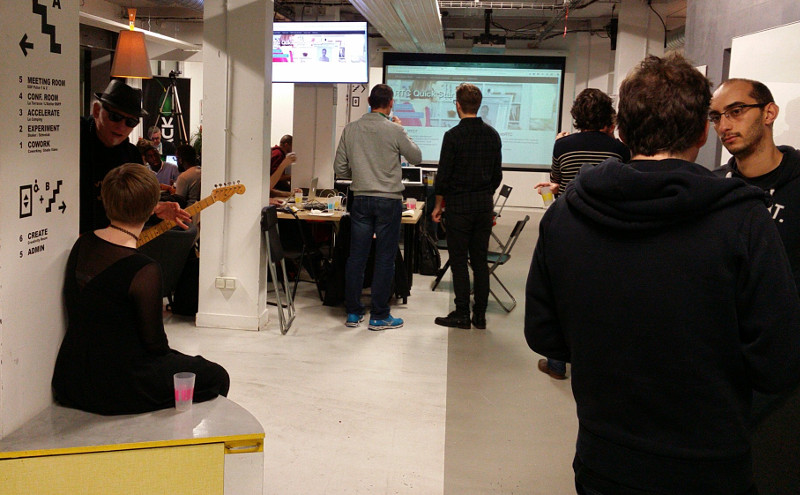
Daniel Pocock: TADHack Paris - 12-13 December 2015

I'm currently in Paris for TADHack, an opportunity to collaborate on a range of telephony APIs and services. People can also win prizes by doing something innovative with the platforms promoted by the sponsors. This has been a great opportunity to raise awareness of the RTC Quick Start Guide, introduce people to DruCall and JSCommunicator and identify other opportunities for business and technical collaboration. If you are in Paris, it is not too late to register and participate, please see the TADHack web site for details.
AttachmentSize
IMG_20151212_182419.jpg131.34 KB

11 December 2015

Matthias Klumpp: What s up in Tanglu?

tanglu logo pureIt is time again for another Tanglu blogpost (to be honest, this article is pretty much overdue  ). I want to shine a spotlight on the work that s done in Tanglu, be it ongoing or past work done for the new release. Why is the new release taking longer than usual? As you might have noticed, usually a new Tanglu release (Tanglu 4 Dasyatis ) should be released this month. We decided a while ago, however, to defer the release and are now aiming for an release in February / March 2016. Reason for this change in schedule is the GCC 5 transition (and more importantly the huge amount of follow-up transitions) as well as some other major infrastructure tasks, which we would like to complete and give them a good amount of testing before releasing. Also, some issues with our build system, and generally less build power than in previous releases is a problem (At least the Debile build-system issues could be worked around or solved). The hard disk crash in the forum and bugtracking server also delayed the start of the Tanglu 4 development process a lot. In all of these tasks, manpower is of course the main problem  Software Tasks General infrastructure tasks Improvements on Synchrotron Synchrotron, the software which is synchronizing the Tanglu archive with the Debian archive, received a few tweaks to make it more robust and detect installability of packages more reliably. We also run it more often now. Rapidumo improvements Rapidumo is a software written to complement dak (the Debian Archive Kit) in managing the Tanglu archive. It performs automatic QA tasks on the archive and provides a collection of tools to perform various tasks (like triggering package rebuilds). For Tanglu 4, we sometimes drop broken packages from the archive now, to speed up transitions and to remove packages which got uninstallable more quickly. Packages removed from the release suite still have a chance to enter it again, but they need to go through Tanglu s staging area again first. The removal process is currently semiautomatic, to avoid unneccessary removals and breakage. Rapidumo could benefit from some improvements and an interactive web interface (as opposed to static HTML pages) would be nice. Some early work on this is done, but not completed (and has a very low priority at the moment). DEP-11 integration There will be a bigger announcement on AppStream and DEP-11 in the next days, so I keep this terse: Tanglu will go for full AppStream integration with the next release, which means no more packaged metadata, but data placed directly in the archive. Work on this has started in Tanglu, but I needed to get back to the drawing board with it, to incorporate some new ideas for using synergies with Debian on generating the DEP-11 metadata. Phabricator Phabricator has been integrated well into our infrastructure, but there are still some pending tasks. E.g. we need subprojects in Phabricator, and a more powerful Conduit interface. Those are upstream bugs on Phabricator, and are actively being worked on. As soon as the missing features are available in Phabricator, we will also pursue the integration of Tanglu bug information with the Debian DistroTracker, which was discussed at DebConf this summer. UEFI support UEFI support is a tricky beast. Full UEFI support is a release-goal for Tanglu 4 (so we won t release without it). At time, our Live-CDs start on pure EFI systems, but there are several reported issues with the Calamares live-installer as well as Debian-Installer, which fails to install GRUB correctly. Work on resolving these problems is ongoing. Major LiveCD rework Tanglu 4 will ship with improved live-cds, which e.g. allow selecting the preferred locale early in the bootloader. We switched from live-boot to manage our live sessions to casper, the same tool which is also used in Ubuntu. Casper fixed a few issues we had, and brought some new, but overall using it was a good choice and work on making top-notch live-cds is progressing well. KDE Plasma Integration of the latest Plasma release is progressing, but its speed has slowed down since fewer people are working on it. If you want to help Tanglu s KDE Workspace integration, please help! For the upcoming release, the Plasma 5 packages which we created based on a collaboration with Kubuntu for the previous Tanglu 3 release have been merged with their Debian counterparts. This action fortunately was possible without major problems. Now Tanglu is (mostly) using the same Plasma 5 packages as Debian again (lots of Kudos go the the Kubuntu and Debian Qt/KDE packagers!). GNOME The same re-merge with Debian has been done on Tanglu s GNOME flavor (Tanglu also shipped with a more recent GNOME release than Debian in Tanglu 3). So Tanglu 4 GNOME and Debian Testing GNOME are at (almost) the same level. Unfortunately, the GNOME team is heavily understaffed a GNOME team member left at the beginning of the year for personal reasons, and the team now only has one semi-active member and me. Other An fvwm-nightshade spin is being worked on :-) . Apart from that, there are no teams maintaining other flavors in Tanglu. Security & Stable maintenance Thanks to several awesome people, the current Tanglu Stable release (Tanglu 3 Chromodoris ) receives regular updates, even for many packages which are not in the fully supported set. Tangluverse Tasks Tasks (not) done in the global Tanglu universe. HTTPS for community sites Thanks to our participation in the Let s Encrypt closed beta program, Tanglu websites like the user forums and bugtracker have been fully encrypted for a while, which should make submitting data to these sites much more secure. So far, we didn t encounter issues, which means that we will likely aim for getting HTTPS encryption enabled on every Tanglu website. Tanglu.org website The Tanglu main website didn t receive much love at all. It could use a facelift and more importantly updated content about Tanglu. So far, nobody volunteered to update the website, so this task is still open. It is, however, a high-priority task to increase our public visibility as a project, so updating the website is definitely something which will be done soon. Promotion It doesn t hurt to think about how to sell Tanglu as brand : What is Tanglu? Our motivation, our goals? What is our slogan? How can we communicate all of this to new users, without having them to read long explanations? (e.g. the Fedora Project has this nicely covered on their main website, and their slogan Freedom, Friends, Features, First immediately communicates the project s key values) Those are issues engineers don t think about often, still it is important to present Tanglu in a way that is easy to grasp for people hearing about it for the first time. So far, no people are working on this task specifically, although it regularly comes up on IRC. Sponsoring & Government Tanglu is by design not backed by any corporation. However, we still need to get our servers paid. Currently, Tanglu is supported by three sponsors, which basically provide the majority of our infrastructure. Also, developers provide additional machines to get Tanglu running and/or packages built. Still, this dependency on very few sponsors paying the majority of the costs is very bad, since it makes Tanglu vulnerable in case one sponsor decides to end sponsorship. We have no financial backing to be able to e.g. continue to pay an important server in case it s sponsor decides to drop sponsorship. Also, since Tanglu is no legal entity, accepting donations is hard for us at time, since a private person would need to accept the money on behalf of Tanglu. So we can t easily make donating to Tanglu possible (at least not in the way we want donations to be). These issues are currently being worked on, there are a couple of possible solutions on the table. I will write about details as soon as it makes sense to go public with them. In general, I am very happy with the Tanglu community: The developer community is a pleasure to work with, and interactions with our users on the forums or via the bugtracker are highly productive and friendly. Although the development speed has slowed down a bit, Tanglu is still an active and awesome project, and I am looking forward to the cool stuff we will do in future!

Next.

Previous.