John Goerzen: My boys love 1986 computing
Yesterday, Jacob (age 8) asked to help me put together a 30-year-old computer from parts in my basement. Meanwhile, Oliver (age 5) asked Laura to help him learn cursive. Somehow, this doesn t seem odd for a Saturday at our place.
 Let me tell you how this came about.
I ve had a project going on for a while now to load data from old floppies. It s been fun, and had a surprise twist the other day: my parents gave me an old TRS-80 Color Computer II (aka CoCo 2 ). It was, in fact, my first computer, one they got for me when I was in Kindergarten. It is nearly 30 years old.
I have been musing lately about the great disservice Apple did the world by making computers easy to learn namely the fact that few people ever bother to learn about them. Who bothers to learn about them when, on the iPhone for instance, the case is sealed shut, the lifespan is 1 or 2 years for many purchasers, and the platform is closed in lots of ways?
I had forgotten how finicky computers used to be. But after some days struggling with IDE incompatibilities, booting issues, etc., when I actually managed to get data off a machine that had last booted in 1999, I had quite the sense of accomplishment, which I rarely have lately. I did something that was hard to do in a world where most of the interfaces don t work with equipment that old (even if nominally they are supposed to.)
The CoCo is one of those computers normally used with a floppy drive or cassette recorder to store programs. You type DIR, and you feel the clack of the drive heads through the desk. You type CLOAD and you hear the relay click closed to turn on the tape motor. You wiggle cables around until they make contact just right. You power-cycle for the times when the reset button doesn t quite do the job. The details of how it works aren t abstracted away by innumerable layers of controllers, interfaces, operating system modules, etc. It s all right there, literally vibrating your desk.
So I thought this could be a great opportunity for Jacob to learn a few more computing concepts, such as the difference between mass storage and RAM, plus a great way to encourage him to practice critical thinking. So we trekked down to the basement and came up with handfulls of parts. We brought up the computer, some joysticks, all sorts of tangled cables. We needed adapters, an old TV. Jacob helped me hook everything up, and then the moment of truth: success! A green BASIC screen!
I added more parts, but struck out when I tried to connect the floppy drive. The thing just wouldn t start up right whenever the floppy controller cartridge was installed. I cleaned the cartridge. I took it apart, scrubbed the contacts, even did a re-seat of the chips. No dice.
So I fired up my CoCo emulator (xroar), and virtually saved some programs to cassette (a .wav file). I then burned those .wav files to an audio CD, brought up an old CD player from the basement, connected the cassette in plug to the CD player s headphone jack, and presto instant programs. (Well, almost. It takes a couple of minutes to load a program from audio codes.)
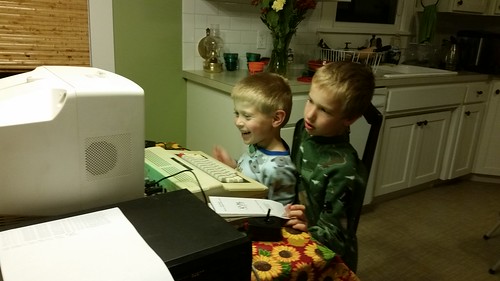
The picture above is Oliver cackling at one of the very simplest BASIC programs there is: number find. The computer picks a random number between 1 and 2000, and asks the user to guess it, giving a too low or too high clue with each incorrect guess. Oliver delighted in giving invalid input (way too high numbers, or things that weren t numbers at all) and cackled at the sarcastic error messages built into the program. During Jacob s turn, he got very serious about it, and is probably going to be learning about how to calculate halfway points before too long.
But imagine my pride when this morning, Jacob found the new CD I had made last night (correcting a couple recordings), found my one-line instruction on just part of how to load a program, and correctly figured out by himself all the steps to do in order (type CLOAD on the CoCo, advance the CD to the proper track, press play on the player, wait for it to load on the CoCo, then type RUN).
I ordered a replacement floppy controller off eBay tonight, and paid $5 for a coax adapter that should fix some video quality issues. I rescued some 5.25 floppies from my trash can from another project, so they should have plenty of tools for exploration.
It is so much easier for them to learn how a disk drive works, and even what the heck a track is, when you can look at a floppy drive with the cover off and see the heads move. There are other things we can do with more modern equipment Jacob has shown a lot of interest in Arduino projects but I have so far drawn a blank on ways to really let kids discover how a modern PC (let alone a modern phone or tablet) works.
Update Nov. 24: Every so often, the world surprises me by deciding to, well, read one of my random blog posts. For the benefit of those of you that don t already know my boys, you might want to know that among their common play activites are turning trees into pretend trains, typing at a manual typewriter, reading, writing their own books, using a cassette recorder, building a PC and learning to use bash or xmonad, making long paper tapes with an adding machine, playing records on a record player, building electric gizmos, and even making mud balls.
I am often asked about the role of the computer in the lives, given that my hobby and profession involves computers. The answer: less than that of most of their peers. I look for opportunities for them to learn by doing, discovering, playing, or imagining. I make no presumption that they will develop the passion for computers that I did. What I want is for them to have the curiosity and drive to learn everything there is to know about whatever they do develop a passion for, so they will be great at it.
Let me tell you how this came about.
I ve had a project going on for a while now to load data from old floppies. It s been fun, and had a surprise twist the other day: my parents gave me an old TRS-80 Color Computer II (aka CoCo 2 ). It was, in fact, my first computer, one they got for me when I was in Kindergarten. It is nearly 30 years old.
I have been musing lately about the great disservice Apple did the world by making computers easy to learn namely the fact that few people ever bother to learn about them. Who bothers to learn about them when, on the iPhone for instance, the case is sealed shut, the lifespan is 1 or 2 years for many purchasers, and the platform is closed in lots of ways?
I had forgotten how finicky computers used to be. But after some days struggling with IDE incompatibilities, booting issues, etc., when I actually managed to get data off a machine that had last booted in 1999, I had quite the sense of accomplishment, which I rarely have lately. I did something that was hard to do in a world where most of the interfaces don t work with equipment that old (even if nominally they are supposed to.)
The CoCo is one of those computers normally used with a floppy drive or cassette recorder to store programs. You type DIR, and you feel the clack of the drive heads through the desk. You type CLOAD and you hear the relay click closed to turn on the tape motor. You wiggle cables around until they make contact just right. You power-cycle for the times when the reset button doesn t quite do the job. The details of how it works aren t abstracted away by innumerable layers of controllers, interfaces, operating system modules, etc. It s all right there, literally vibrating your desk.
So I thought this could be a great opportunity for Jacob to learn a few more computing concepts, such as the difference between mass storage and RAM, plus a great way to encourage him to practice critical thinking. So we trekked down to the basement and came up with handfulls of parts. We brought up the computer, some joysticks, all sorts of tangled cables. We needed adapters, an old TV. Jacob helped me hook everything up, and then the moment of truth: success! A green BASIC screen!
I added more parts, but struck out when I tried to connect the floppy drive. The thing just wouldn t start up right whenever the floppy controller cartridge was installed. I cleaned the cartridge. I took it apart, scrubbed the contacts, even did a re-seat of the chips. No dice.
So I fired up my CoCo emulator (xroar), and virtually saved some programs to cassette (a .wav file). I then burned those .wav files to an audio CD, brought up an old CD player from the basement, connected the cassette in plug to the CD player s headphone jack, and presto instant programs. (Well, almost. It takes a couple of minutes to load a program from audio codes.)
The picture above is Oliver cackling at one of the very simplest BASIC programs there is: number find. The computer picks a random number between 1 and 2000, and asks the user to guess it, giving a too low or too high clue with each incorrect guess. Oliver delighted in giving invalid input (way too high numbers, or things that weren t numbers at all) and cackled at the sarcastic error messages built into the program. During Jacob s turn, he got very serious about it, and is probably going to be learning about how to calculate halfway points before too long.
But imagine my pride when this morning, Jacob found the new CD I had made last night (correcting a couple recordings), found my one-line instruction on just part of how to load a program, and correctly figured out by himself all the steps to do in order (type CLOAD on the CoCo, advance the CD to the proper track, press play on the player, wait for it to load on the CoCo, then type RUN).
I ordered a replacement floppy controller off eBay tonight, and paid $5 for a coax adapter that should fix some video quality issues. I rescued some 5.25 floppies from my trash can from another project, so they should have plenty of tools for exploration.
It is so much easier for them to learn how a disk drive works, and even what the heck a track is, when you can look at a floppy drive with the cover off and see the heads move. There are other things we can do with more modern equipment Jacob has shown a lot of interest in Arduino projects but I have so far drawn a blank on ways to really let kids discover how a modern PC (let alone a modern phone or tablet) works.
Update Nov. 24: Every so often, the world surprises me by deciding to, well, read one of my random blog posts. For the benefit of those of you that don t already know my boys, you might want to know that among their common play activites are turning trees into pretend trains, typing at a manual typewriter, reading, writing their own books, using a cassette recorder, building a PC and learning to use bash or xmonad, making long paper tapes with an adding machine, playing records on a record player, building electric gizmos, and even making mud balls.
I am often asked about the role of the computer in the lives, given that my hobby and profession involves computers. The answer: less than that of most of their peers. I look for opportunities for them to learn by doing, discovering, playing, or imagining. I make no presumption that they will develop the passion for computers that I did. What I want is for them to have the curiosity and drive to learn everything there is to know about whatever they do develop a passion for, so they will be great at it.
 You may have heard that Uber has been under a bit of fire lately for its
desires to
 I've continued to ponder the idea of reimplementing the console
mail-client I wrote,

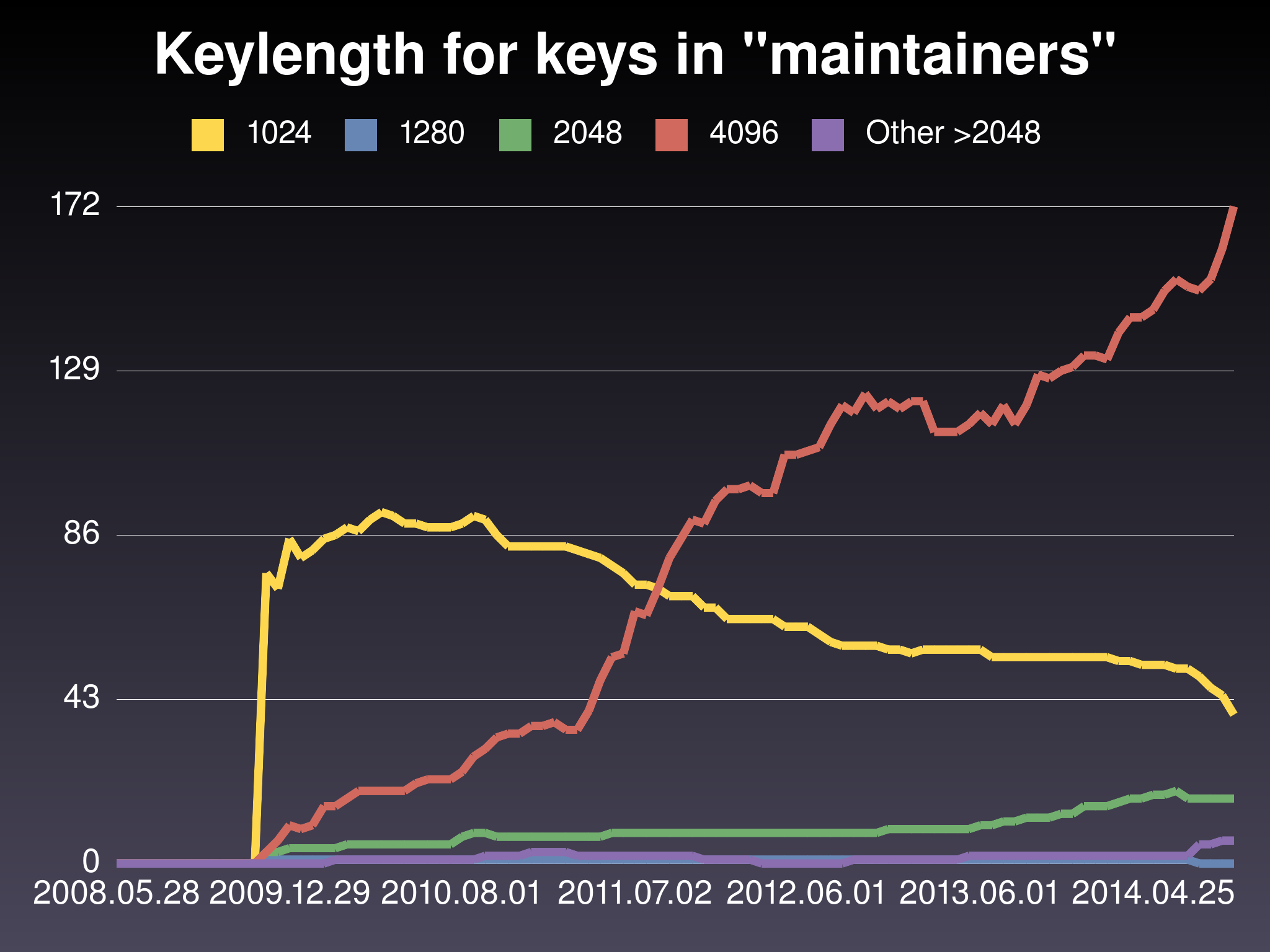
 Almost two months ago I posted our keyring status graphs, showing the progress of the transition to >=2048-bit keys for the different active Debian keyrings. So, here are the new figures.
First, the Non-uploading keyring: We were already 100% transitioned. You will only notice a numerical increase: That little bump at the right is our dear friend T ssia finally joining as a Debian Developer. Welcome! \o/



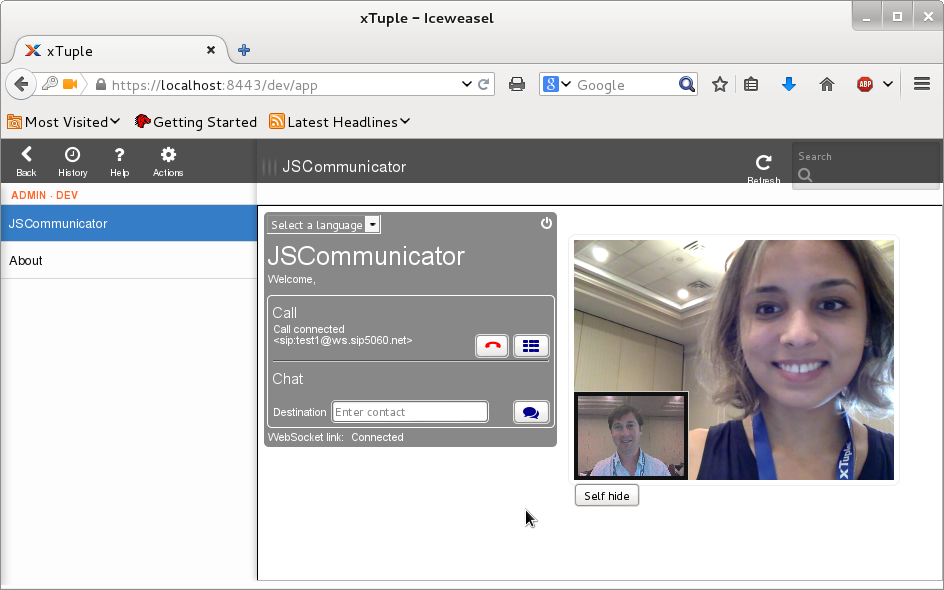 and gives a preview of the wide range of commercial opportunities that WebRTC is creating for software vendors to displace traditional telecommunications providers.
xTupleCon also gave me a great opportunity to see new features (like the
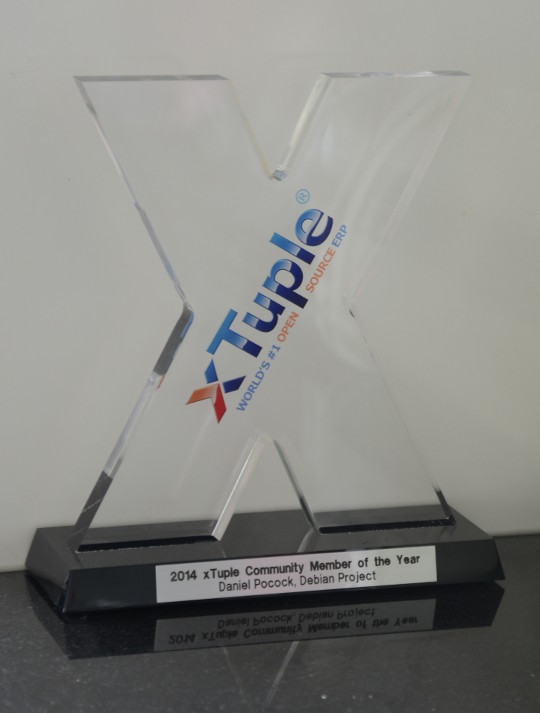
 With
 Tooz provides an API to manage group membership. The basic operations provided
are: the creation of a group, the ability to join it, leave it and list its
members. It's also possible to be notified as soon as a member joins or leaves a
group.
Leader election
 Each group can have a leader elected. Each member can decide if it wants to run
for the election. If the leader disappears, another one is elected from the list
of current candidates. It's possible to be notified of the election result and
to retrieve the leader of a group at any moment.
Distributed locking
 When trying to synchronize several workers in a distributed environment, you may
need a way to lock access to some resources. That's what a distributed lock can
help you with.
Adoption in OpenStack
 So, my work for Wheezy gave us working amd64 UEFI installer
images. Yay! Except: there were a few bugs that remained, and also
places where we could deal better with some of the more crappy UEFI
implementations out there. But, things have improve since then and we
should be better for Jessie in quite a few ways.
First of all, Colin and the other Grub developers have continued
working hard and quite a lot of the old bugs in this area look to be
fixed. I'm hoping we're not going to see so many "UEFI boot gives me a
blank black screen" type of problems now.
For those poor unfortunates with Windows 7 on their machines, using
BIOS boot despite having UEFI support in their hardware, I've fixed a
long-standing bug
(

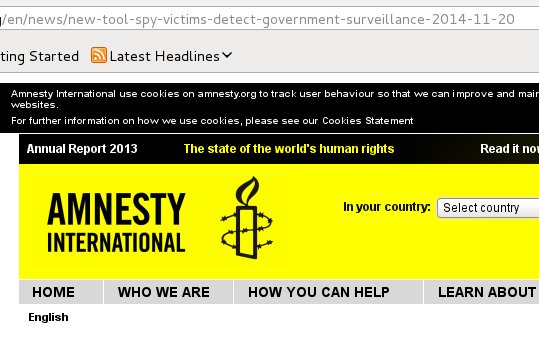 Even before I install the app to find out if the government is monitoring me, Amnesty is keen to monitor my behaviour themselves.
While cookies are used widely, their presence on a site like Amnesty's only further desensitizes Internet users to the downside risks of tracking technologies. By using cookies, Amnesty is effectivley saying a little bit of tracking is justified for the greater good. Doesn't that sound eerily like the justification we often hear from governments too?
Is Amnesty part of the solution or part of the problem?
Amnesty is a well known and widely respected name when human rights are mentioned.
However, their advice that you can install an app onto a Windows computer or iPhone to detect spyware is like telling people that putting a seatbelt on a motorbike will eliminate the risk of death. It would be much more credible for Amnesty to tell people to start by avoiding cloud services altogether, browse the web with
 Write to Amnesty
Amnesty became famous for their letter writing campaigns.
Maybe now is the time for people to write to Amnesty themselves, thank them for their efforts and encourage them to take more comprehensive action.
Feel free to cut and paste some of the following potential ideas
