Search Results: "reg"

6 September 2023

Dirk Eddelbuettel: RcppInt64 0.0.1 on CRAN: New Package!

Happy to share that a new package RcppInt64 arrived on CRAN earlier today after a brief one-day inspection round. RcppInt64 collects some of the previous conversions between 64-bit integer values in R and C++, and regroups them in a single package. A single header is provided. It actually offers two interfaces: both a more standard as<>() converter from R values along with its companions wrap() to return to R, as well as more dedicated functions from and to . A key difficulty faced when supporting 64 bit integer payloads is that R has no proper type for it so the standard template-based approaches use by Rcpp do not apply. To carry 64 bit integers, the clever approach by Jens Oehlschl gel and his bit64 package is used. However, its use of a double to transport the int64 payload means we must take care to not uninentionally interpret the double variables as, well, double. So we use an simple S3 class in R, and check for it. With some care (as provided by these helper functions) this works well. The RcppInt64 packages contains both an example function, as well as an entire example package to demonstrate how to use these facilities in your package. We hope others will find this useful. If you like this or other open-source work I do, you can sponsor me at GitHub.

This post by Dirk Eddelbuettel originated on his Thinking inside the box blog. Please report excessive re-aggregation in third-party for-profit settings.

1 September 2023

Simon Josefsson: Trisquel on ppc64el: Talos II

The release notes for Trisquel 11.0 Aramo mention support for POWER and ARM architectures, however the download area only contains links for x86, and forum posts suggest there is a lack of instructions how to run Trisquel on non-x86. Since the release of Trisquel 11 I have been busy migrating x86 machines from Debian to Trisquel. One would think that I would be finished after this time period, but re-installing and migrating machines is really time consuming, especially if you allow yourself to be distracted every time you notice something that Really Ought to be improved. Rabbit holes all the way down. One of my production machines is running Debian 11 bullseye on a Talos II Lite machine from Raptor Computing Systems, and migrating the virtual machines running on that host (including the VM that serves this blog) to a x86 machine running Trisquel felt unsatisfying to me. I want to migrate my computing towards hardware that harmonize with FSF s Respects Your Freedom and not away from it. Here I had to chose between using the non-free software present in newer Debian or the non-free software implied by most x86 systems: not an easy chose. So I have ignored the dilemma for some time. After all, the machine was running Debian 11 bullseye , which was released before Debian started to require use of non-free software. With the end-of-life date for bullseye approaching, it seems that this isn t a sustainable choice. There is a report open about providing ppc64el ISOs that was created by Jason Self shortly after the release, but for many months nothing happened. About a month ago, Luis Guzm n mentioned an initial ISO build and I started testing it. The setup has worked well for a month, and with this post I want to contribute instructions how to get it up and running since this is still missing. The setup of my soon-to-be new production machine: According to the notes in issue 14 the ISO image is available at https://builds.trisquel.org/debian-installer-images/ and the following commands download, integrity check and write it to a USB stick:
wget -q https://builds.trisquel.org/debian-installer-images/debian-installer-images_20210731+deb11u8+11.0trisquel14_ppc64el.tar.gz
tar xfa debian-installer-images_20210731+deb11u8+11.0trisquel14_ppc64el.tar.gz ./installer-ppc64el/20210731+deb11u8+11/images/netboot/mini.iso
echo '6df8f45fbc0e7a5fadf039e9de7fa2dc57a4d466e95d65f2eabeec80577631b7  ./installer-ppc64el/20210731+deb11u8+11/images/netboot/mini.iso'   sha256sum -c
sudo wipefs -a /dev/sdX
sudo dd if=./installer-ppc64el/20210731+deb11u8+11/images/netboot/mini.iso of=/dev/sdX conv=sync status=progress
Sadly, no hash checksums or OpenPGP signatures are published. Power off your device, insert the USB stick, and power it up, and you see a Petitboot menu offering to boot from the USB stick. For some reason, the "Expert Install" was the default in the menu, and instead I select "Default Install" for the regular experience. For this post, I will ignore BMC/IPMI, as interacting with it is not necessary. Make sure to not connect the BMC/IPMI ethernet port unless you are willing to enter that dungeon. The VGA console works fine with a normal USB keyboard, and you can chose to use only the second enP4p1s0f1 network card in the network card selection menu. If you are familiar with Debian netinst ISO s, the installation is straight-forward. I complicate the setup by partitioning two RAID1 partitions on the two NVMe sticks, one RAID1 for a 75GB ext4 root filesystem (discard,noatime) and one RAID1 for a 900GB LVM volume group for virtual machines, and two 20GB swap partitions on each of the NVMe sticks (to silence a warning about lack of swap, I m not sure swap is still a good idea?). The 3x18TB disks use DM-integrity with RAID1 however the installer does not support DM-integrity so I had to create it after the installation. There are two additional matters worth mentioning: I have re-installed the machine a couple of times, and have now finished installing the production setup. I haven t ran into any serious issues, and the system has been stable. Time to wrap up, and celebrate that I now run an operating system aligned with the Free System Distribution Guidelines on hardware that aligns with Respects Your Freedom Happy Hacking indeed!

30 August 2023

Dirk Eddelbuettel: RcppArmadillo 0.12.6.3.0 on CRAN: New Upstream Bugfix

armadillo image Armadillo is a powerful and expressive C++ template library for linear algebra and scientific computing. It aims towards a good balance between speed and ease of use, has a syntax deliberately close to Matlab, and is useful for algorithm development directly in C++, or quick conversion of research code into production environments. RcppArmadillo integrates this library with the R environment and language and is widely used by (currently) 1092 other packages on CRAN, downloaded 30.3 million times (per the partial logs from the cloud mirrors of CRAN), and the CSDA paper (preprint / vignette) by Conrad and myself has been cited 549 times according to Google Scholar. This release brings bugfix upstream release 12.6.3. We skipped 12.6.2 at CRAN (as discussed in the previous release notes) as it only affected Armadillo-internal random-number generation (RNG). As we default to supplying the RNGs from R, this did not affect RcppArmadillo. The bug fixes in 12.6.3 are for csv reading which too will most likely be done by R tools for R users, but given two minor bugfix releases an update was in order. I ran the full reverse-depenency check against the now more than 1000 packages overnight: no issues. armadillo processing CRAN processed the package fully automatically as it has no issues, and nothing popped up in reverse-dependency checking. The set of changes for the last two RcppArmadillo releases follows.

Changes in RcppArmadillo version 0.12.6.3.0 (2023-08-28)
  • Upgraded to Armadillo release 12.6.3 (Cortisol Retox)
    • Fix for corner-case in loading CSV files with headers
    • For consistent file handling, all .load() functions now open text files in binary mode

Changes in RcppArmadillo version 0.12.6.2.0 (2023-08-08)
  • Upgraded to Armadillo release 12.6.2 (Cortisol Retox)
    • use thread-safe Mersenne Twister as the default RNG on all platforms
    • use unique RNG seed for each thread within multi-threaded execution (such as OpenMP)
    • explicitly document arma_rng::set_seed() and arma_rng::set_seed_random()
  • None of the changes above affect R use as RcppArmadillo connects the RNGs used by R to Armadillo

Courtesy of my CRANberries, there is a diffstat report relative to previous release. More detailed information is on the RcppArmadillo page. Questions, comments etc should go to the rcpp-devel mailing list off the Rcpp R-Forge page. If you like this or other open-source work I do, you can sponsor me at GitHub.

This post by Dirk Eddelbuettel originated on his Thinking inside the box blog. Please report excessive re-aggregation in third-party for-profit settings.

27 August 2023

Gunnar Wolf: Interested in adopting the RPi images for Debian?

Back in June 2018, Michael Stapelberg put the Raspberry Pi image building up for adoption. He created the first set of unofficial, experimental Raspberry Pi images for Debian. I promptly answered to him, and while it took me some time to actually warp my head around Michael s work, managed to eventually do so. By December, I started pushing some updates. Not only that: I didn t think much about it in the beginning, as the needed non-free pacakge was called raspi3-firmware, but By early 2019, I had it running for all of the then-available Raspberry families (so the package was naturally renamed to raspi-firmware). I got my Raspberry Pi 4 at DebConf19 (thanks to Andy, who brought it from Cambridge), and it soon joined the happy Debian family. The images are built daily, and are available in https://raspi.debian.net. In the process, I also adopted Lars great vmdb2 image building tool, and have kept it decently up to date (yes, I m currently lagging behind, but I ll get to it soonish ). Anyway This year, I have been seriously neglecting the Raspberry builds. I have simply not had time to regularly test built images, nor to debug why the builder has not picked up building for trixie (testing). And my time availability is not going to improve any time soon. We are close to one month away from moving for six months to Paran (Argentina), where I ll be focusing on my PhD. And while I do contemplate taking my Raspberries along, I do not forsee being able to put much energy to them. So This is basically a call for adoption for the Raspberry Debian images building service. I do intend to stick around and try to help. It s not only me (although I m responsible for the build itself) we have a nice and healthy group of Debian people hanging out in the #debian-raspberrypi channel in OFTC IRC. Don t be afraid, and come ask. I hope giving this project in adoption will breathe new life into it!

25 August 2023

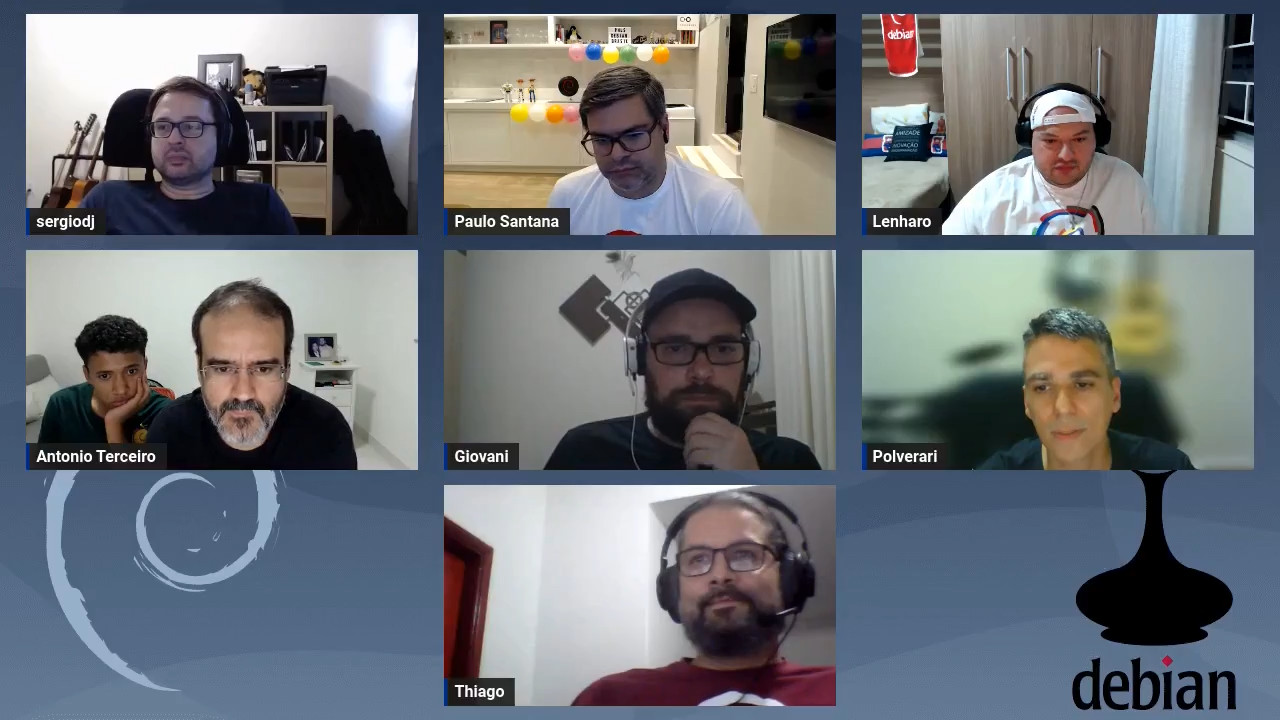
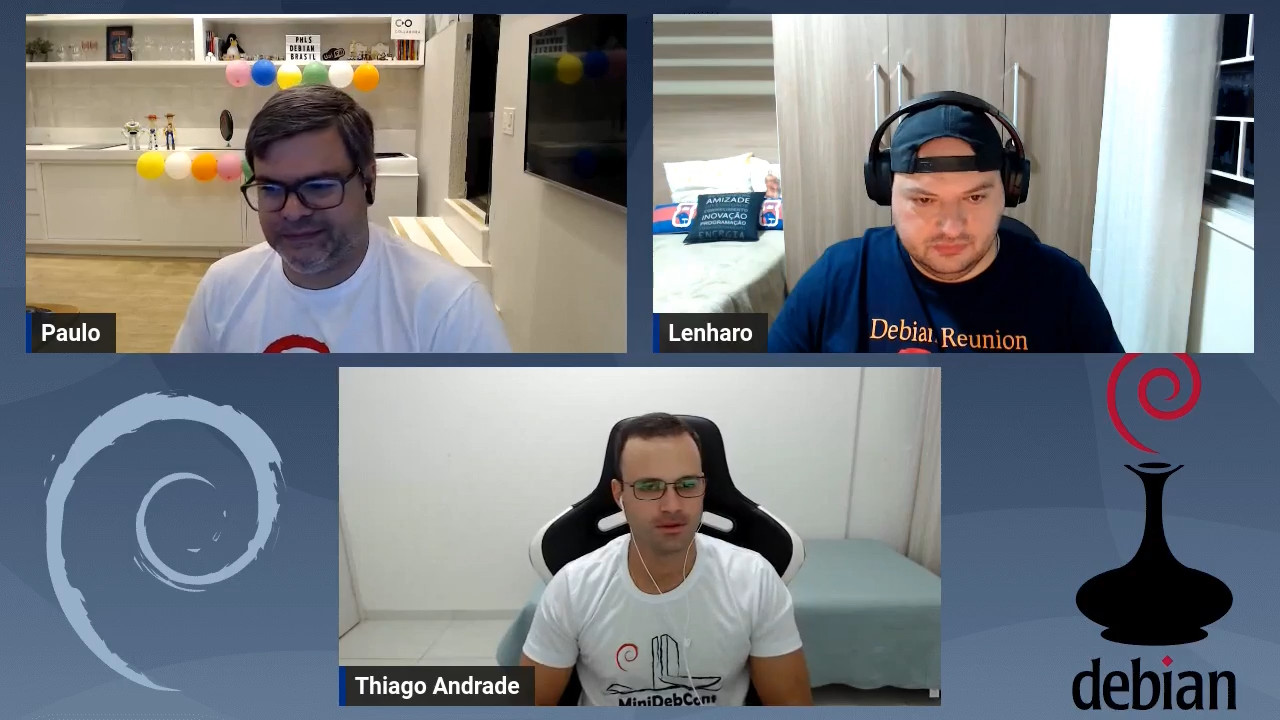
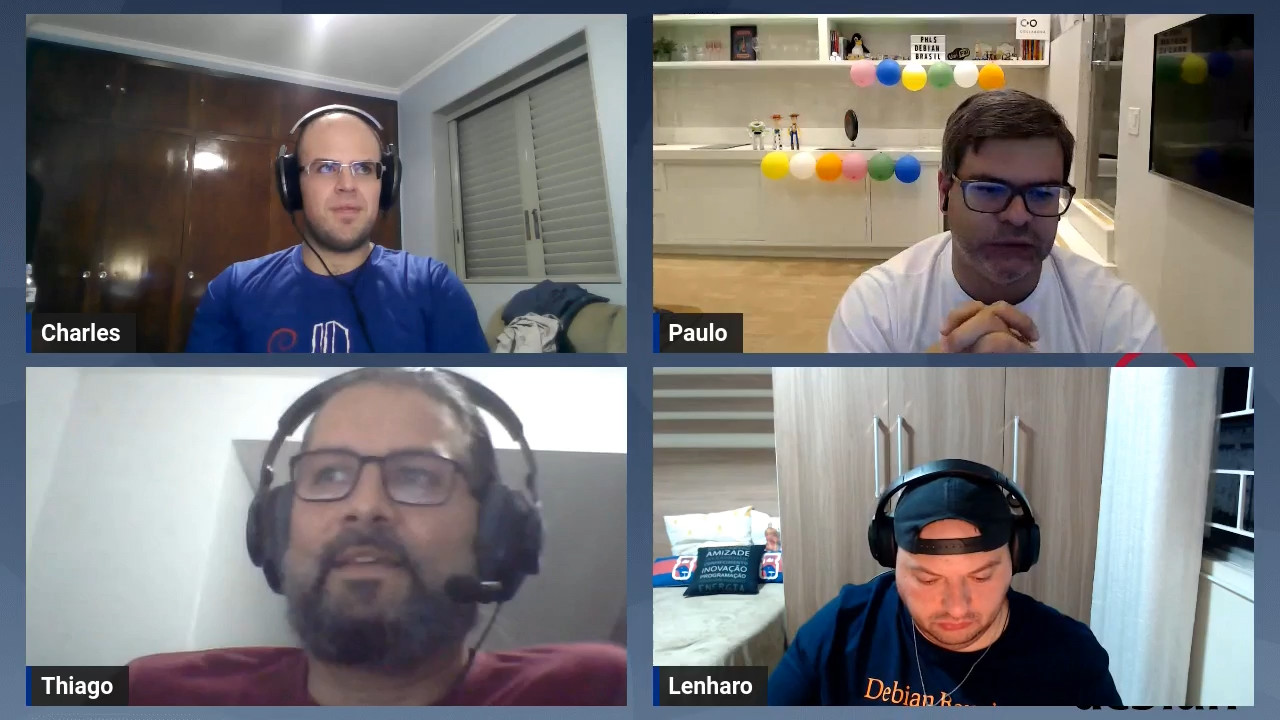
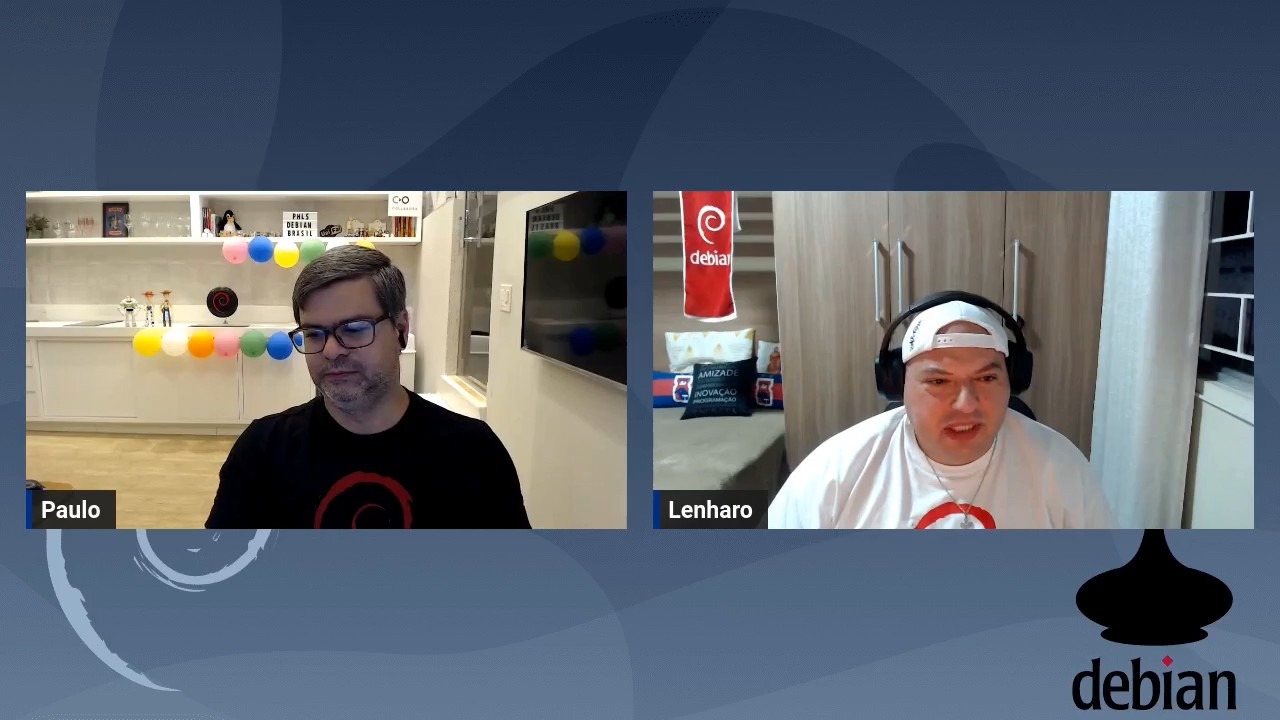
Debian Brasil: Debian Day 30 anos online no Brasil

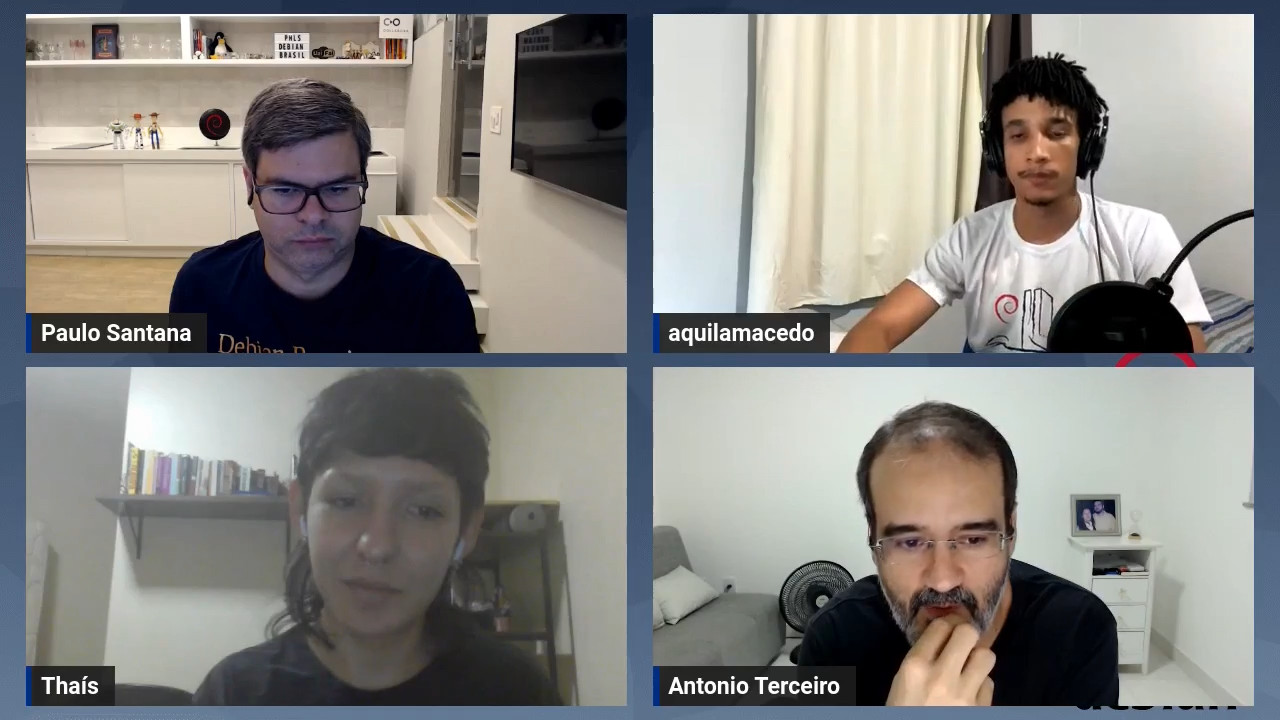
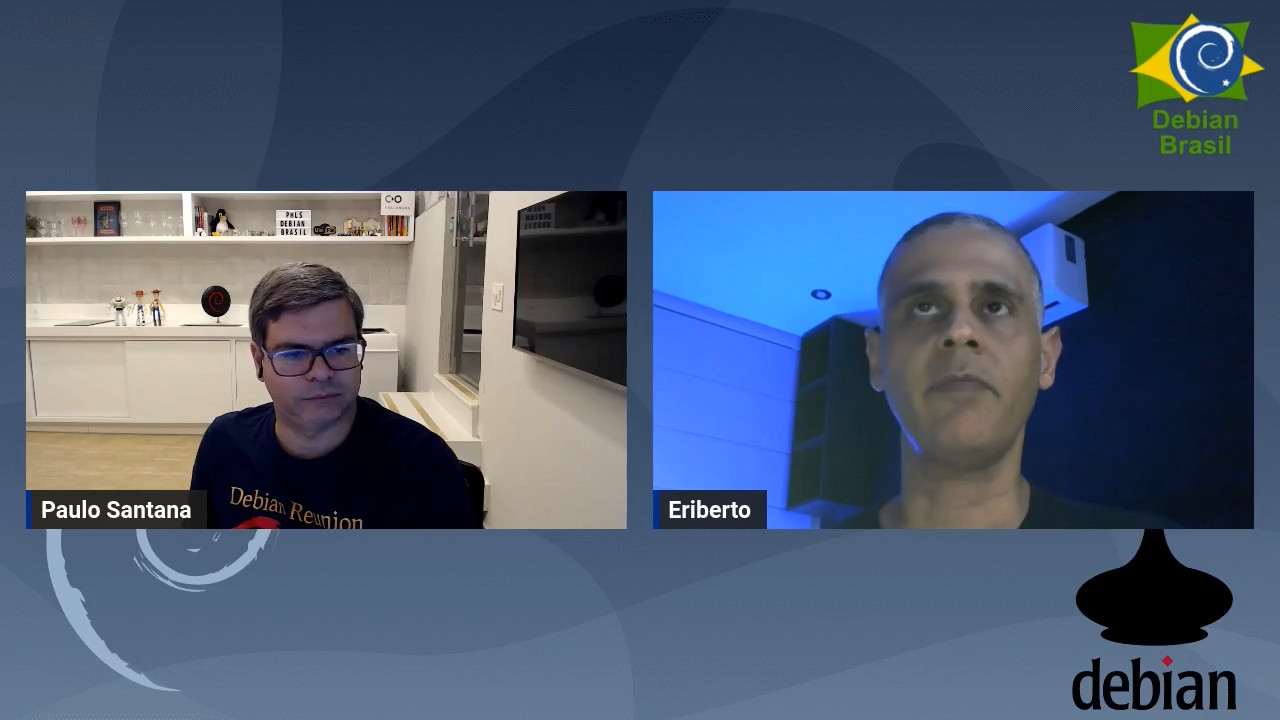
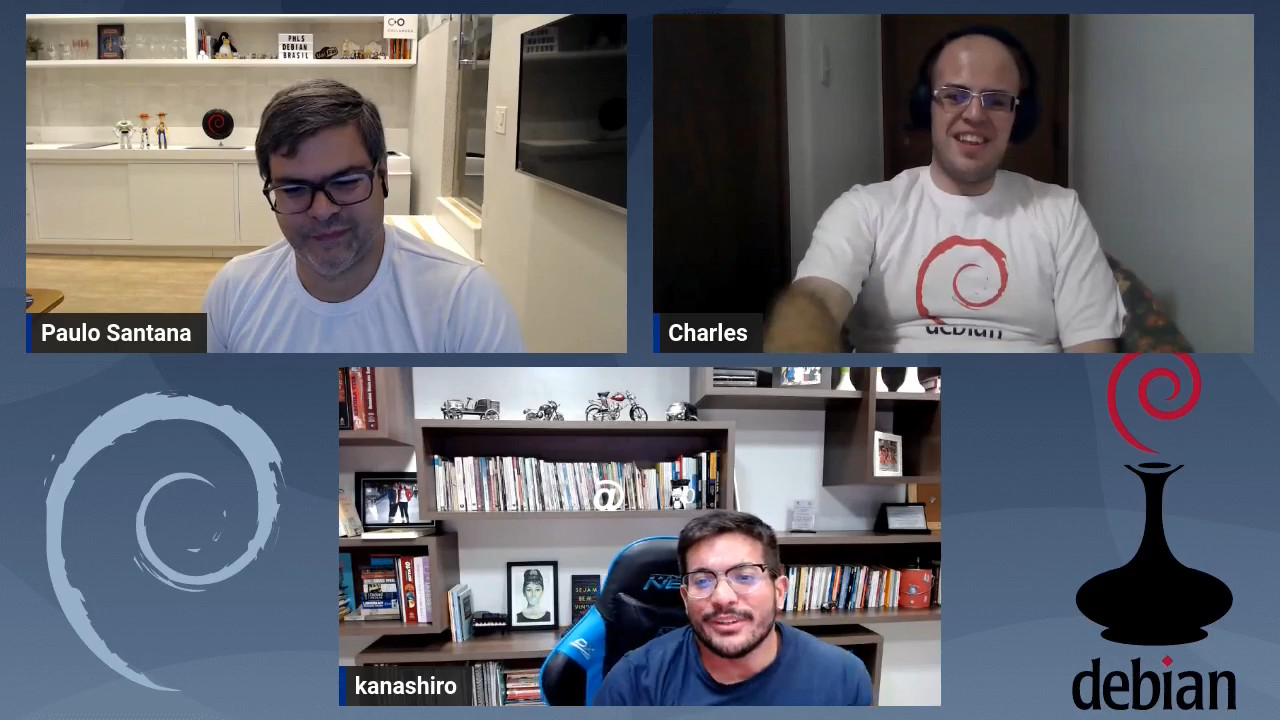
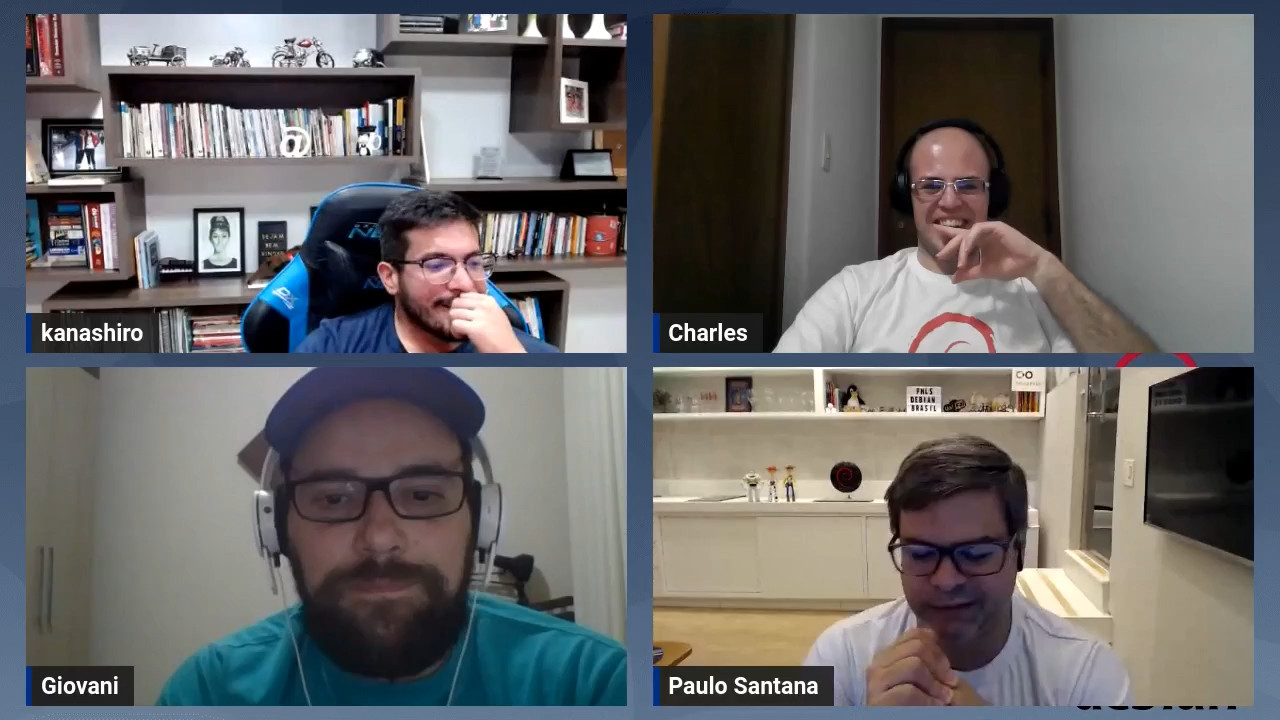
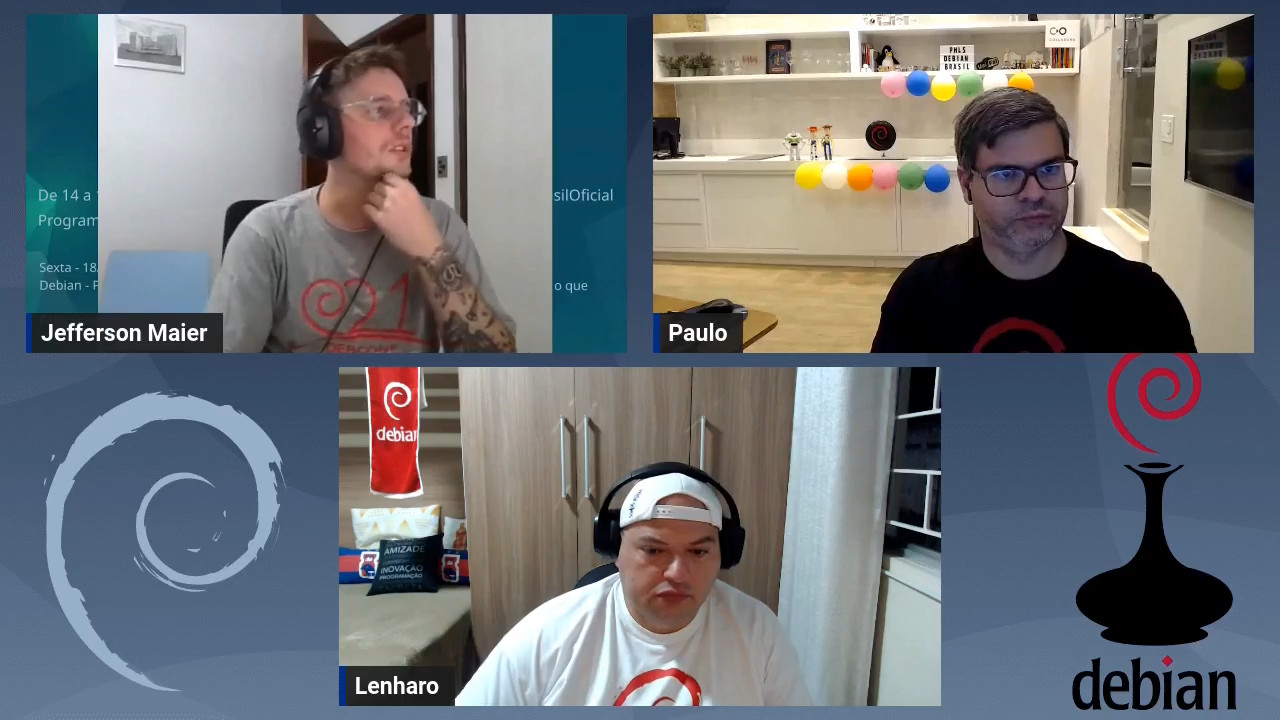
Em 2023 o tradicional Debian Day est sendo celebrado de forma especial, afinal no dia 16 de agostoo Debian completou 30 anos! Para comemorar este marco especial na vida do Debian, a comunidade Debian Brasil organizou uma semana de palestras online de 14 a 18 de agosto. O evento foi chamado de Debian 30 anos. Foram realizadas 2 palestras por noite, das 19h s 22h, transmitidas pelo canal Debian Brasil no YouTube totalizando 10 palestras. As grava es j est o dispon veis tamb m no canal Debian Brasil no Peertube. Nas 10 atividades tivemos as participa es de 9 DDs, 1 DM, 3 contribuidores(as). A audi ncia ao vivo variou bastante, e o pico foi na palestra sobre preseed com o Eriberto Mota quando tivemos 47 pessoas assistindo. Obrigado a todos(as) participantes pela contribui o que voc s deram para o sucesso do nosso evento. Veja abaixo as fotos de cada atividade: Nova gera o: uma entrevista com iniciantes no projeto Debian
Nova gera o: uma entrevista com iniciantes no projeto Debian Instala o personalizada e automatizada do Debian com preseed
Instala o personalizada e automatizada do Debian com preseed Manipulando patches com git-buildpackage
Manipulando patches com git-buildpackage debian.social: Socializando Debian do jeito Debian
debian.social: Socializando Debian do jeito Debian Proxy reverso com WireGuard
Proxy reverso com WireGuard Celebra o dos 30 anos do Debian!
Celebra o dos 30 anos do Debian! Instalando o Debian em disco criptografado com LUKS
Instalando o Debian em disco criptografado com LUKS O que a equipe de localiza o j  conquistou nesses 30 anos
O que a equipe de localiza o j conquistou nesses 30 anos Debian - Projeto e Comunidade!
Debian - Projeto e Comunidade! Design Gr fico e Software livre, o que fazer e por onde come ar
Design Gr fico e Software livre, o que fazer e por onde come ar

Reproducible Builds (diffoscope): diffoscope 248 released

The diffoscope maintainers are pleased to announce the release of diffoscope version 248. This version includes the following changes:
[ Greg Chabala ]
* Merge Docker "RUN" commands into single layer.
You find out more by visiting the project homepage.

24 August 2023

Debian Brasil: Debian Day 30 years in Belo Horizonte - Brazil

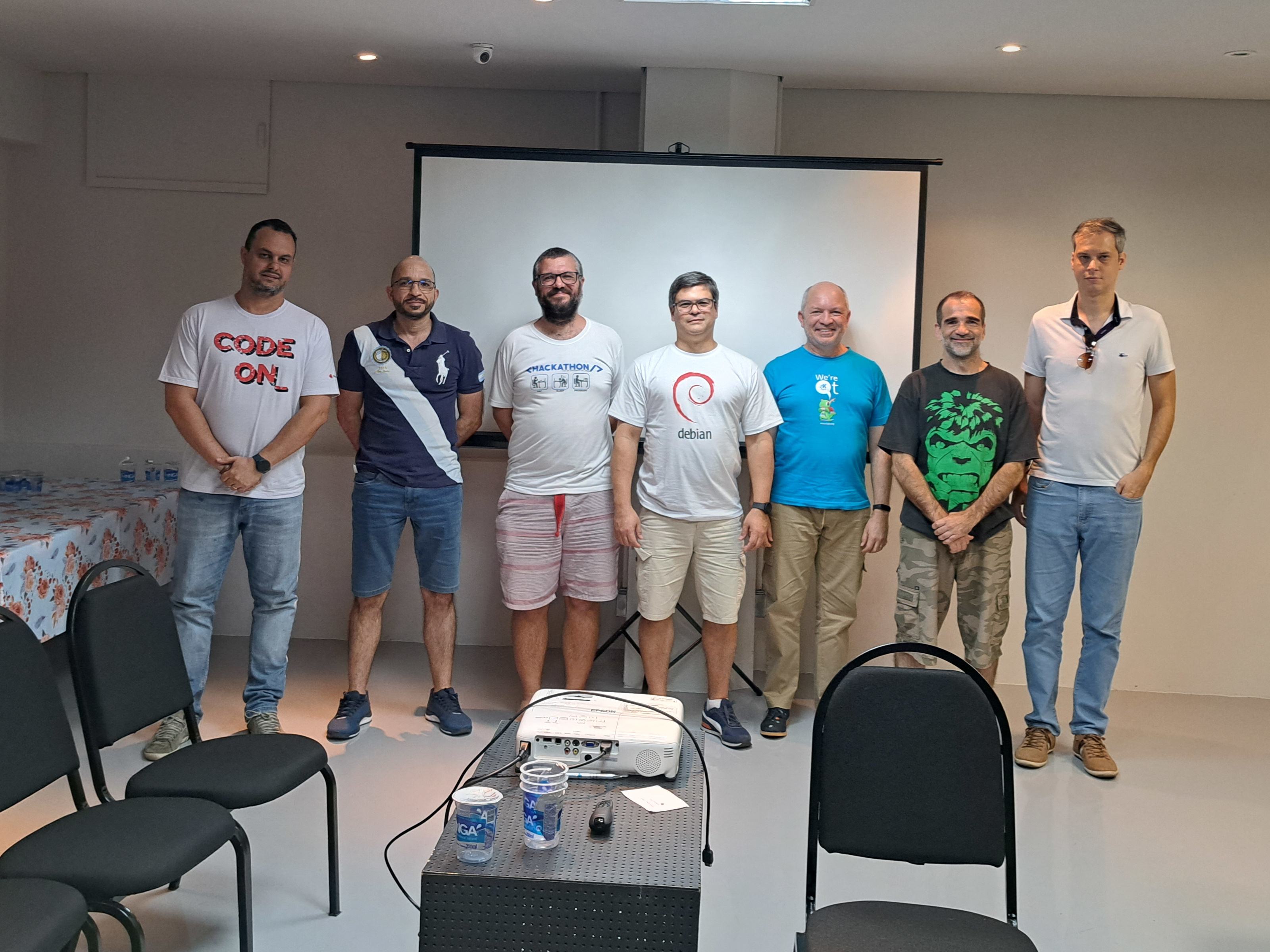
For the first time, the city of Belo Horizonte held a Debian Day to celebrate the anniversary of the Debian Project. The communities Debian Minas Gerais and Free Software Belo Horizonte and Region felt motivated to celebrate this special date due the 30 years of the Debian Project in 2023 and they organized a meeting on August 12nd in UFMG Knowledge Space. The Debian Day organization in Belo Horizonte received the important support from UFMG Computer Science Department to book the room used by the event. It was scheduled three activities: In total, 11 people were present and we took a photo with those who stayed until the end. Presentes no Debian Day 2023 em BH

Debian Brasil: Debian Day 30 anos em Belo Horizonte

Pela primeira vez a cidade de Belo Horizonte realizou um Debian Day para celebrar o anivers rio do Projeto Debian. As comunidades Debian Minas Gerais e Software Livre de BH e Regi o se sentiram motivadas para celebrar esta data especial devido aos 30 anos do Projeto Debian em 2023 e organizou um encontro no dia 12 de agosto dentro Espa o do Conhecimento da UFMG. A organiza o do Debian Day em Belo Horizonte recebeu o importante apoio do Departamento de Ci ncia da Computa o da UFMG para reservar a sala que foi utilizada para o evento. A programa o contou com tr s atividades: No total etiveram presentes 11 pessoas e fizemos uma foto com as que ficaram at o final. Presentes no Debian Day 2023 em BH

Lukas M rdian: Netplan v0.107 is now available

I m happy to announce that Netplan version 0.107 is now available on GitHub and is soon to be deployed into a Linux installation near you! Six months and more than 200 commits after the previous version (including a .1 stable release), this release is brought to you by 8 free software contributors from around the globe.

Highlights Highlights of this release include the new configuration types for veth and dummy interfaces:
network:
  version: 2
  virtual-ethernets:
    veth0:
      peer: veth1
    veth1:
      peer: veth0
  dummy-devices:
    dm0:
      addresses:
        - 192.168.0.123/24
      ...
Furthermore, we implemented CFFI based Python bindings on top of libnetplan s API, that can easily be consumed by 3rd party applications (see full cffi-bindings.py example):
from netplan import Parser, State, NetDefinition
from netplan import NetplanException, NetplanParserException

parser = Parser()
# Parse the full, existing YAML config hierarchy
parser.load_yaml_hierarchy(rootdir='/')
# Validate the final parser state
state = State()
try:
    # validation of current state + new settings
    state.import_parser_results(parser)
except NetplanParserException as e:
    print('Error in', e.filename, 'Row/Col', e.line, e.column, '->', e.message)
except NetplanException as e:
    print('Error:', e.message)
# Walk through ethernet NetdefIDs in the state and print their backend
# renderer, to demonstrate working with NetDefinitionIterator &
# NetDefinition
for netdef in state.ethernets.values():
    print('Netdef', netdef.id, 'is managed by:', netdef.backend)
    print('Is it configured to use DHCP?', netdef.dhcp4 or netdef.dhcp6)

Changelog:

Bug fixes:

23 August 2023

Jo Shields: Retirement

Apparently it s nearly four years since I last posted to my blog. Which is, to a degree, the point here. My time, and priorities, have changed over the years. And this lead me to the decision that my available time and priorities in 2023 aren t compatible with being a Debian or Ubuntu developer, and realistically, haven t been for years. As of earlier this month, I quit as a Debian Developer and Ubuntu MOTU. I think a lot of my blogging energy got absorbed by social media over the last decade, but with the collapse of Twitter and Reddit due to mismanagement, I m trying to allocate more time for blog-based things instead. I may write up some of the things I ve achieved at work (.NET 8 is now snapped for release Soon ). I might even blog about work-adjacent controversial topics, like my changed feelings about the entire concept of distribution packages. But there s time for that later. Maybe. I ll keep tagging vaguely FOSS related topics with the Debian and Ubuntu tags, which cause them to be aggregated in the Planet Debian/Ubuntu feeds (RSS, remember that from the before times?!) until an admin on those sites gets annoyed at the off-topic posting of an emeritus dev and deletes them. But that s where we are. Rather than ignore my distro obligations, I ve admitted that I just don t have the energy any more. Let someone less perpetually exhausted than me take over. And if they don t, maybe that s OK too.

21 August 2023

Melissa Wen: AMD Driver-specific Properties for Color Management on Linux (Part 1)

TL;DR: Color is a visual perception. Human eyes can detect a broader range of colors than any devices in the graphics chain. Since each device can generate, capture or reproduce a specific subset of colors and tones, color management controls color conversion and calibration across devices to ensure a more accurate and consistent color representation. We can expose a GPU-accelerated display color management pipeline to support this process and enhance results, and this is what we are doing on Linux to improve color management on Gamescope/SteamDeck. Even with the challenges of being external developers, we have been working on mapping AMD GPU color capabilities to the Linux kernel color management interface, which is a combination of DRM and AMD driver-specific color properties. This more extensive color management pipeline includes pre-defined Transfer Functions, 1-Dimensional LookUp Tables (1D LUTs), and 3D LUTs before and after the plane composition/blending.
The study of color is well-established and has been explored for many years. Color science and research findings have also guided technology innovations. As a result, color in Computer Graphics is a very complex topic that I m putting a lot of effort into becoming familiar with. I always find myself rereading all the materials I have collected about color space and operations since I started this journey (about one year ago). I also understand how hard it is to find consensus on some color subjects, as exemplified by all explanations around the 2015 online viral phenomenon of The Black and Blue Dress. Have you heard about it? What is the color of the dress for you? So, taking into account my skills with colors and building consensus, this blog post only focuses on GPU hardware capabilities to support color management :-D If you want to learn more about color concepts and color on Linux, you can find useful links at the end of this blog post.

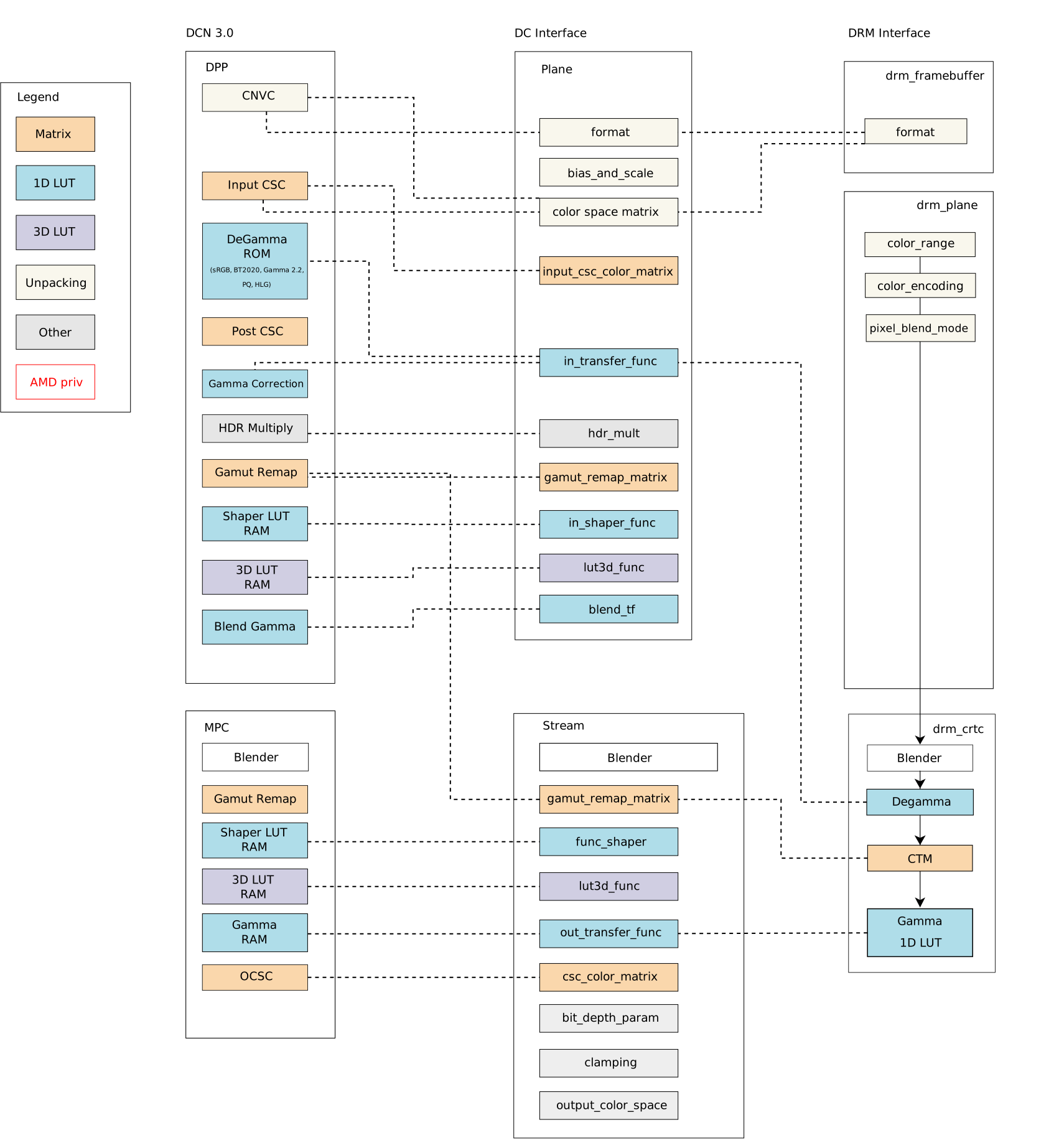
Linux Kernel, show me the colors ;D DRM color management interface only exposes a small set of post-blending color properties. Proposals to enhance the DRM color API from different vendors have landed the subsystem mailing list over the last few years. On one hand, we got some suggestions to extend DRM post-blending/CRTC color API: DRM CRTC 3D LUT for R-Car (2020 version); DRM CRTC 3D LUT for Intel (draft - 2020); DRM CRTC 3D LUT for AMD by Igalia (v2 - 2023); DRM CRTC 3D LUT for R-Car (v2 - 2023). On the other hand, some proposals to extend DRM pre-blending/plane API: DRM plane colors for Intel (v2 - 2021); DRM plane API for AMD (v3 - 2021); DRM plane 3D LUT for AMD - 2021. Finally, Simon Ser sent the latest proposal in May 2023: Plane color pipeline KMS uAPI, from discussions in the 2023 Display/HDR Hackfest, and it is still under evaluation by the Linux Graphics community. All previous proposals seek a generic solution for expanding the API, but many seem to have stalled due to the uncertainty of matching well the hardware capabilities of all vendors. Meanwhile, the use of AMD color capabilities on Linux remained limited by the DRM interface, as the DCN 3.0 family color caps and mapping diagram below shows the Linux/DRM color interface without driver-specific color properties [*]: Bearing in mind that we need to know the variety of color pipelines in the subsystem to be clear about a generic solution, we decided to approach the issue from a different perspective and worked on enabling a set of Driver-Specific Color Properties for AMD Display Drivers. As a result, I recently sent another round of the AMD driver-specific color mgmt API. For those who have been following the AMD driver-specific proposal since the beginning (see [RFC][V1]), the main new features of the latest version [v2] are the addition of pre-blending Color Transformation Matrix (plane CTM) and the differentiation of Pre-defined Transfer Functions (TF) supported by color blocks. For those who just got here, I will recap this work in two blog posts. This one describes the current status of the AMD display driver in the Linux kernel/DRM subsystem and what changes with the driver-specific properties. In the next post, we go deeper to describe the features of each color block and provide a better picture of what is available in terms of color management for Linux.

The Linux kernel color management API and AMD hardware color capabilities Before discussing colors in the Linux kernel with AMD hardware, consider accessing the Linux kernel documentation (version 6.5.0-rc5). In the AMD Display documentation, you will find my previous work documenting AMD hardware color capabilities and the Color Management Properties. It describes how AMD Display Manager (DM) intermediates requests between the AMD Display Core component (DC) and the Linux/DRM kernel interface for color management features. It also describes the relevant function to call the AMD color module in building curves for content space transformations. A subsection also describes hardware color capabilities and how they evolve between versions. This subsection, DC Color Capabilities between DCN generations, is a good starting point to understand what we have been doing on the kernel side to provide a broader color management API with AMD driver-specific properties.

Why do we need more kernel color properties on Linux? Blending is the process of combining multiple planes (framebuffers abstraction) according to their mode settings. Before blending, we can manage the colors of various planes separately; after blending, we have combined those planes in only one output per CRTC. Color conversions after blending would be enough in a single-plane scenario or when dealing with planes in the same color space on the kernel side. Still, it cannot help to handle the blending of multiple planes with different color spaces and luminance levels. With plane color management properties, userspace can get a more accurate representation of colors to deal with the diversity of color profiles of devices in the graphics chain, bring a wide color gamut (WCG), convert High-Dynamic-Range (HDR) content to Standard-Dynamic-Range (SDR) content (and vice-versa). With a GPU-accelerated display color management pipeline, we can use hardware blocks for color conversions and color mapping and support advanced color management. The current DRM color management API enables us to perform some color conversions after blending, but there is no interface to calibrate input space by planes. Note that here I m not considering some workarounds in the AMD display manager mapping of DRM CRTC de-gamma and DRM CRTC CTM property to pre-blending DC de-gamma and gamut remap block, respectively. So, in more detail, it only exposes three post-blending features:
  • DRM CRTC de-gamma: used to convert the framebuffer s colors to linear gamma;
  • DRM CRTC CTM: used for color space conversion;
  • DRM CRTC gamma: used to convert colors to the gamma space of the connected screen.

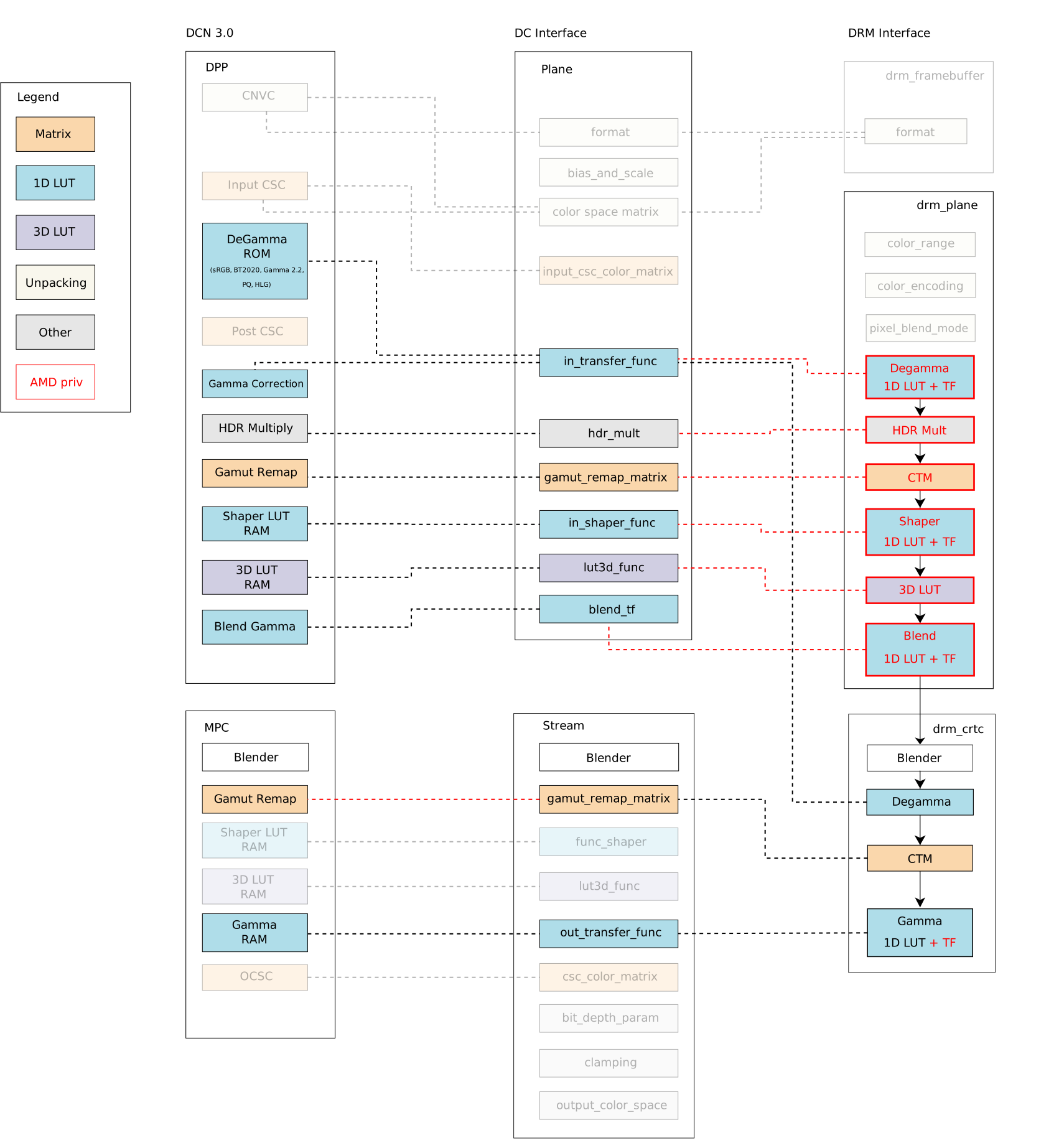
AMD driver-specific color management interface We can compare the Linux color management API with and without the driver-specific color properties. From now, we denote driver-specific properties with the AMD prefix and generic properties with the DRM prefix. For visual comparison, I bring the DCN 3.0 family color caps and mapping diagram closer and present it here again: Mixing AMD driver-specific color properties with DRM generic color properties, we have a broader Linux color management system with the following features exposed by properties in the plane and CRTC interface, as summarized by this updated diagram: The blocks highlighted by red lines are the new properties in the driver-specific interface developed by me (Igalia) and Joshua (Valve). The red dashed lines are new links between API and AMD driver components implemented by us to connect the Linux/DRM interface to AMD hardware blocks, mapping components accordingly. In short, we have the following color management properties exposed by the DRM/AMD display driver:
  • Pre-blending - AMD Display Pipe and Plane (DPP):
    • AMD plane de-gamma: 1D LUT and pre-defined transfer functions; used to linearize the input space of a plane;
    • AMD plane CTM: 3x4 matrix; used to convert plane color space;
    • AMD plane shaper: 1D LUT and pre-defined transfer functions; used to delinearize and/or normalize colors before applying 3D LUT;
    • AMD plane 3D LUT: 17x17x17 size with 12 bit-depth; three dimensional lookup table used for advanced color mapping;
    • AMD plane blend/out gamma: 1D LUT and pre-defined transfer functions; used to linearize back the color space after 3D LUT for blending.
  • Post-blending - AMD Multiple Pipe/Plane Combined (MPC):
    • DRM CRTC de-gamma: 1D LUT (can t be set together with plane de-gamma);
    • DRM CRTC CTM: 3x3 matrix (remapped to post-blending matrix);
    • DRM CRTC gamma: 1D LUT + AMD CRTC gamma TF; added to take advantage of driver pre-defined transfer functions;
Note: You can find more about AMD display blocks in the Display Core Next (DCN) - Linux kernel documentation, provided by Rodrigo Siqueira (Linux/AMD display developer) in a 2021-documentation series. In the next post, I ll revisit this topic, explaining display and color blocks in detail.

How did we get a large set of color features from AMD display hardware? So, looking at AMD hardware color capabilities in the first diagram, we can see no post-blending (MPC) de-gamma block in any hardware families. We can also see that the AMD display driver maps CRTC/post-blending CTM to pre-blending (DPP) gamut_remap, but there is post-blending (MPC) gamut_remap (DRM CTM) from newer hardware versions that include SteamDeck hardware. You can find more details about hardware versions in the Linux kernel documentation/AMDGPU Product Information. I needed to rework these two mappings mentioned above to provide pre-blending/plane de-gamma and CTM for SteamDeck. I changed the DC mapping to detach stream gamut remap matrixes from the DPP gamut remap block. That means mapping AMD plane CTM directly to DPP/pre-blending gamut remap block and DRM CRTC CTM to MPC/post-blending gamut remap block. In this sense, I also limited plane CTM properties to those hardware versions with MPC/post-blending gamut_remap capabilities since older versions cannot support this feature without clashes with DRM CRTC CTM. Unfortunately, I couldn t prevent conflict between AMD plane de-gamma and DRM plane de-gamma since post-blending de-gamma isn t available in any AMD hardware versions until now. The fact is that a post-blending de-gamma makes little sense in the AMD color pipeline, where plane blending works better in a linear space, and there are enough color blocks to linearize content before blending. To deal with this conflict, the driver now rejects atomic commits if users try to set both AMD plane de-gamma and DRM CRTC de-gamma simultaneously. Finally, we had no other clashes when enabling other AMD driver-specific color properties for our use case, Gamescope/SteamDeck. Our main work for the remaining properties was understanding the data flow of each property, the hardware capabilities and limitations, and how to shape the data for programming the registers - AMD color block capabilities (and limitations) are the topics of the next blog post. Besides that, we fixed some driver bugs along the way since it was the first Linux use case for most of the new color properties, and some behaviors are only exposed when exercising the engine. Take a look at the Gamescope/Steam Deck Color Pipeline[**], and see how Gamescope uses the new API to manage color space conversions and calibration (please click on the image for a better view): In the next blog post, I ll describe the implementation and technical details of each pre- and post-blending color block/property on the AMD display driver. * Thank Harry Wentland for helping with diagrams, color concepts and AMD capabilities. ** Thank Joshua Ashton for providing and explaining Gamescope/Steam Deck color pipeline. *** Thanks to the Linux Graphics community - explicitly Harry, Joshua, Pekka, Simon, Sebastian, Siqueira, Alex H. and Ville - to all the learning during this Linux DRM/AMD color journey. Also, Carlos and Tomas for organizing the 2023 Display/HDR Hackfest where we have a great and immersive opportunity to discuss Color & HDR on Linux.

Jonathan Dowland: FreshRSS

Now that it's more convenient for me to run containers at home, I thought I'd write a bit about web apps I am enjoying. First up, FreshRSS, a web feed aggregator. I used to make heavy use of Google Reader until Google killed it, and although a bunch of self-hosted cloned sprung up very quickly afterwards, I didn't transition to any of them. Then followed a number of years within which, in retrospect, I basically didn't do a great job of organising reading the web. This lasted until a couple of years ago when, on a whim, I tried out NetNewsWire for iOS. NetNewsWire is a well-established and much-loved feed reader for Mac which I've never used. I used the iOS version in isolation for a long time: only dipping into web feeds on my phone and never on another device. I'd like to see the old web back, and do my part to make that happen. I've continually published rss and atom feeds for my own blog. I'm also trying to blog more: this might be easier now that Twitter (which, IMHO, took a lot of the energy for quick writing out of blogging) is mortally wounded. So, I'm giving FreshRSS a go. Early signs are good: it's fast, lightweight, easy to use, vaguely resembles how I remember Google Reader, and has a native dark-mode. It's still early days building up a new list of feeds to follow. I'll be sure to share interesting ones as I discover them!

20 August 2023

Dirk Eddelbuettel: RcppRedis 0.2.4 on CRAN: Maintenance

Another minor release, now at 0.2.4, of our RcppRedis package arrived on CRAN yesterday. RcppRedis is one of several packages connecting R to the fabulous Redis in-memory datastructure store (and much more). RcppRedis does not pretend to be feature complete, but it may do some things faster than the other interfaces, and also offers an optional coupling with MessagePack binary (de)serialization via RcppMsgPack. The package has carried production loads on a trading floor for several years. It also supports pub/sub dissemination of streaming market data as per this earlier example. This update is (just like the previous one) fairly mechanical. CRAN noticed a shortcoming of the default per-package help page in a number of packages, in our case it was matter of adding one line for a missing alias to the Rd file. We also demoted the mention of the suggested (but retired) rredis package to a mere mention in the DESCRIPTION file as a formal Suggests: entry, even with an added Additional_repositories, create a NOTE. Life is simpler without those, The detailed changes list follows.

Changes in version 0.2.4 (2023-08-19)
  • Add missing alias for RcppRedis-package to rhiredis.Rd.
  • Remove Suggests: rredis which triggers a NOTE nag as it is only on an Additional_repositories .

Courtesy of my CRANberries, there is also a diffstat report for this this release. More information is on the RcppRedis page. If you like this or other open-source work I do, you can sponsor me at GitHub.

This post by Dirk Eddelbuettel originated on his Thinking inside the box blog. Please report excessive re-aggregation in third-party for-profit settings.

18 August 2023

Scarlett Gately Moore: KDE: A day in the life of the KDE snapcrafter!

KDE MascotKDE Mascot
As mentioned last week, I am still looking for a super awesome team lead for a super amazing project involving KDE and Snaps. Time is running out and well the KDE world will be a better a better place if this project goes through! I would like to clarify, this is a paid position! A current KDE developer would be ideal as it is a small team so your time will be split managing and coding alike. If you or anyone you know might be interested please contact me ASAP! On to snappy things I have achieved this week: Most 23.04.3 is done, I am just testing them now. New applications: kmymoney ( Thanks Carlos! ), kde-dev-utils, and kxstitch ( Thanks Jeremy! ) With that said, I have seen on the internets candidate channel apps being promoted. Please use this channel with utmost care as they are being tested and could quite possibly be very broken! Still working on some QML issues with kirigami platform not found. I have begun the launchpad build issues journey and have been kindly pointed to using snap recipes on launchpad so we aren t doing public uploads which creates temporary recipes to build and cannot be bumped priority wise. So I have sent the request into the kde-devel arena to revisit having per repository snapcraft files ( rejected in the past ) as they do with flatpak files. So far I am getting positive feedback and hopefully this will go through. Once it does I can move forward with fully automating application new releases. Hooray! This week I jumped into the xdg-desktop-portals rabbithole while working on https://bugs.kde.org/show_bug.cgi?id=473003 for neochat. After fixing it with adding plug password-manager-service I am told that auto-connect on that one is discouraged and the libsecret should work out of the box with portals. I found and joined just in time a snapcrafter google meet and we had a long conversation spitballing and testing our portal support. At least in Neon it appears to be broken. I now have some things to do and test to see that we get this functional. Most of our online apps are affected. For now though snap connect neochat:password-manager-service :password-manager-service does work. Auto-connect was rejected as it exposes to much. Understandable. I have started a new thread on the KDE forums for users to ask any questions, or let me know of any issues you may have related to snaps here: https://discuss.kde.org/t/all-things-snaps-questions-concerns-praise/4033 come join the conversation! In the snapcraft arena I have fixed my PR for the much needed qmake plugin! This should be merged and rolled out in the very near future! I would like to continue my hard work on snap things regardless of the project going through. Unfortunately, to do so, I must ask for donations as life isn t free. I am working on self sufficiency but even that costs money to get started! KDE snaps are used by 1.7 million active devices! I do ask that if you use KDE snaps and find my work useful, or know someone that does, to please consider donating to keep my momentum going. There is still much work to be done with Qt6 rolling out. I would like to work on the KDE Plasma snap and KDE PIM suite of apps ( I have started on this ). Even if you can t help, please share! Thank you for your consideration! I have a new donation form for anyone that doesn t like gofundme here:
Gofund me:

Dirk Eddelbuettel: #43: r2u Faster Than the Alternatives

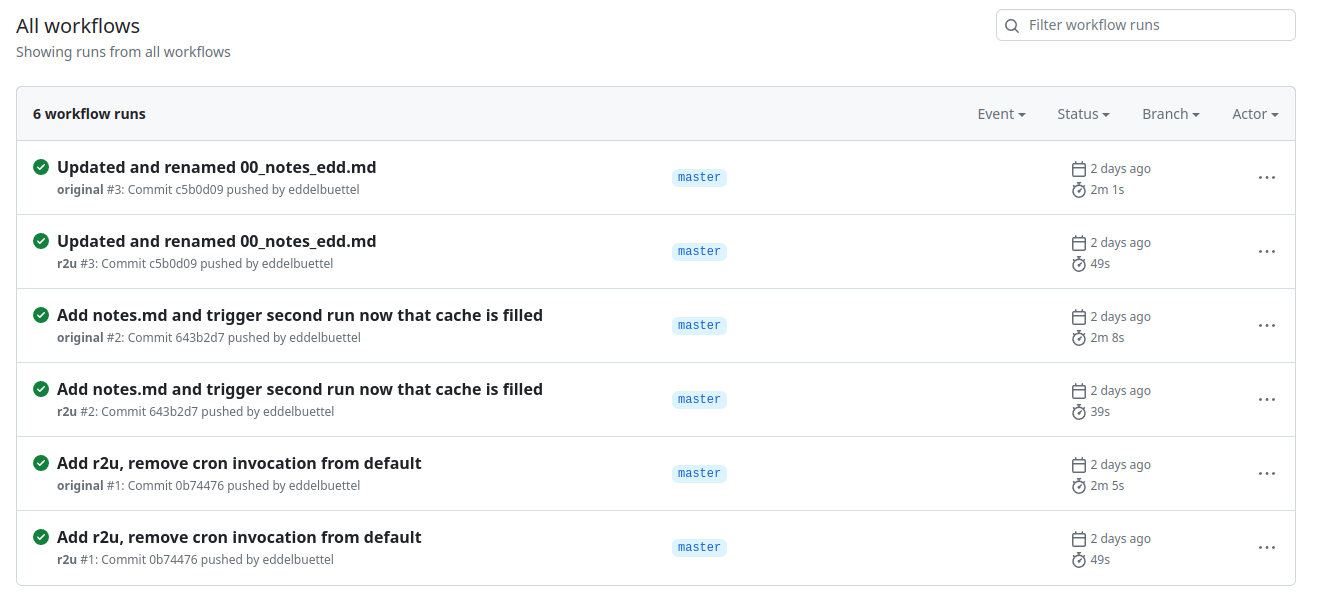
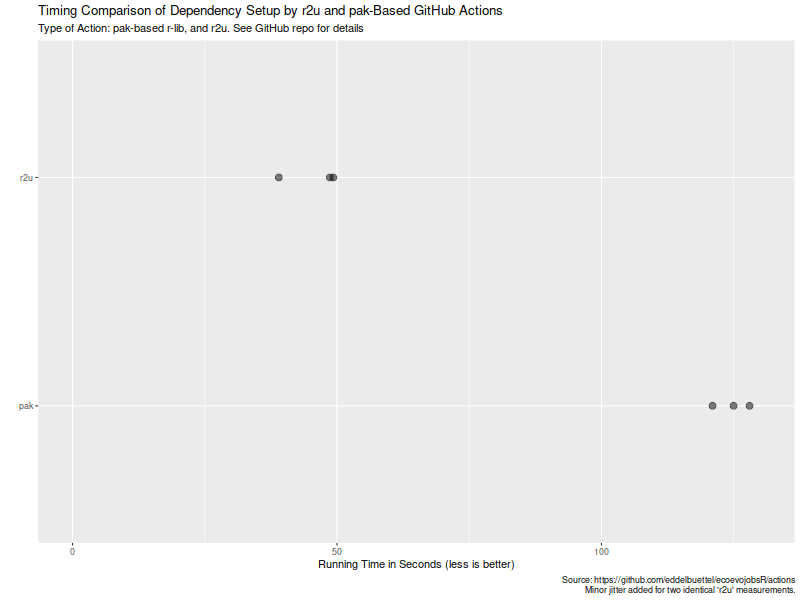
Welcome to the 43th post in the $R^4 series. And with that, a good laugh. When I set up Sunday s post, I was excited enough about the (indeed exciting !!) topic of r2u via browser or vscode that I mistakenly labeled it as the 41th post. And overlooked the existing 41th post from July! So it really is as if Douglas Adams, Arthur Dent, and, for good measure, Dirk Gently, looked over my shoulder and declared there shall not be a 42th post!! So now we have two 41th post: Sunday s and July s. Back the current topic, which is of course r2u. Earlier this week we had a failure in (an R based) CI run (using a default action which I had not set up). A package was newer in source than binary, so a build from source was attempted. And of course failed as it was a package needing a system dependency to build. Which the default action did not install. I am familiar with the problem via my general use of r2u (or my r-ci which uses it under the hood). And there we use a bspm variable to prefer binary over possibly newer source. So I was curious how one would address this with the default actions. It so happens that the same morning I spotted a StackOverflow question on the same topic, where the original poster had suffered the exact same issue! I offered my approach (via r2u) as a comment and was later notified of a follow-up answer by the OP. Turns our there is a new, more powerful action that does all this, potentially flipping to a newer version and building it, all while using a cache. Now I was curious, and in the evening cloned the repo to study the new approach and compare the new action to what r2u offers. In particular, I was curious if a use of caches would be benficial on repeated runs. A screenshot of the resulting Actions and their times follows. Turns out maybe not so much (yet ?). As the actions page of my cloned comparison repo shows in this screenshot, r2u is consistently faster at always below one minute compared to new entrant at always over two minutes. (I should clarify that the original actions sets up dependencies, then scrapes, and commits. I am timing only the setup of dependencies here.) We can also extract the six datapoints and quickly visualize them. Now, this is of course entirely possibly that not all possible venues for speedups were exploited in how the action setup was setup. If so, please file an issue at the repo and I will try to update accordingly. But for now it seems that a default of setup r2u is easily more than twice as fast as an otherwise very compelling alternative (with arguably much broader scope). However, where r2u choses to play, on the increasingly common, popular and powerful Ubuntu LTS setup, it clearly continues to run circles around alternate approaches. So the saying remains: r2u: fast, easy, reliable. If you like this or other open-source work I do, you can now sponsor me at GitHub.

This post by Dirk Eddelbuettel originated on his Thinking inside the box blog. Please report excessive re-aggregation in third-party for-profit settings.

Originally posted 2023-08-13, minimally edited 2023-08-15 which changed the timestamo and URL.

16 August 2023

Bits from Debian: Debian Celebrates 30 years!

Debian 30 years by Jeff Maier Over 30 years ago the late Ian Murdock wrote to the comp.os.linux.development newsgroup about the completion of a brand-new Linux release which he named "The Debian Linux Release". He built the release by hand, from scratch, so to speak. Ian laid out guidelines for how this new release would work, what approach the release would take regarding its size, manner of upgrades, installation procedures; and with great care of consideration for users without Internet connection. Unaware that he had sparked a movement in the fledgling F/OSS community, Ian worked on and continued to work on Debian. The release, now aided by volunteers from the newsgroup and around the world, grew and continues to grow as one of the largest and oldest FREE operating systems that still exist today. Debian at its core is comprised of Users, Contributors, Developers, and Sponsors, but most importantly, People. Ians drive and focus remains embedded in the core of Debian, it remains in all of our work, it remains in the minds and hands of the users of The Universal Operating System. The Debian Project is proud and happy to share our anniversary not exclusively unto ourselves, instead we share this moment with everyone, as we come together in celebration of a resounding community that works together, effects change, and continues to make a difference, not just in our work but around the world. Debian is present in cluster systems, datacenters, desktop computers, embedded systems, IoT devices, laptops, servers, it may possibly be powering the web server and device you are reading this article on, and it can also be found in Spacecraft. Closer to earth, Debian fully supports projects for accessibility: Debian Edu/Skolelinux - an operating system designed for educational use in schools and communities, Debian Science - providing free scientific software across many established and emerging fields, Debian Hamradio - for amateur radio enthusiasts, Debian-Accessibility - a project focused on the design of an operating system suited to fit the requirements of people with disabilites, and Debian Astro - focused on supporting professional and hobbyist astronomers. Debian strives to give, reach, embrace, mentor, share, and teach with internships through many programs internally and externally such as the Google Summer of Code, Outreachy, and the Open Source Promotion Plan. None of this could be possible without the vast amount of support, care, and contributions from what started as and is still an all volunteer project. We celebrate with each and every one who has helped shape Debian over all of these years and toward the future. Today we all certainly celebrate 30 years of Debian, but know that Debian celebrates with each and every one of you all at the same time. Over the next few days Celebration parties are planned to take place in Austria, Belgium, Bolivia, Brazil, Bulgaria, Czech Republic, France, Germany (CCCcamp), India, Iran, Portugal, Serbia, South Africa, and Turkey. You are of course, invited to join us! Check out, attend, or form your very own DebianDay 2023 Event. See you then! Thank you, thank you all so very much. With Love, The Debian Project

Wouter Verhelst: Perl test suites in GitLab

I've been maintaining a number of Perl software packages recently. There's SReview, my video review and transcoding system of which I split off Media::Convert a while back; and as of about a year ago, I've also added PtLink, an RSS aggregator (with future plans for more than just that). All these come with extensive test suites which can help me ensure that things continue to work properly when I play with things; and all of these are hosted on salsa.debian.org, Debian's gitlab instance. Since we're there anyway, I configured GitLab CI/CD to run a full test suite of all the software, so that I can't forget, and also so that I know sooner rather than later when things start breaking. GitLab has extensive support for various test-related reports, and while it took a while to be able to enable all of them, I'm happy to report that today, my perl test suites generate all three possible reports. They are: Additionally, I also store the native perl Devel::Cover report as job artifacts, as they show some information that GitLab does not. It's important to recognize that not all data is useful. For instance, the JUnit report allows for a test name and for details of the test. However, the module that generates the JUnit report from TAP test suites does not make a distinction here; both the test name and the test details are reported as the same. Additionally, the time a test took is measured as the time between the end of the previous test and the end of the current one; there is no "start" marker in the TAP protocol. That being said, it's still useful to see all the available information in GitLab. And it's not even all that hard to do:
test:
  stage: test
  image: perl:latest
  coverage: '/^Total.* (\d+.\d+)$/'
  before_script:
    - cpanm ExtUtils::Depends Devel::Cover TAP::Harness::JUnit Devel::Cover::Report::Cobertura
    - cpanm --notest --installdeps .
    - perl Makefile.PL
  script:
    - cover -delete
    - HARNESS_PERL_SWITCHES='-MDevel::Cover' prove -v -l -s --harness TAP::Harness::JUnit
    - cover
    - cover -report cobertura
  artifacts:
    paths:
    - cover_db
    reports:
      junit: junit_output.xml
      coverage_report:
        path: cover_db/cobertura.xml
        coverage_format: cobertura
Let's expand on that a bit. The first three lines should be clear for anyone who's used GitLab CI/CD in the past. We create a job called test; we start it in the test stage, and we run it in the perl:latest docker image. Nothing spectacular here. The coverage line contains a regular expression. This is applied by GitLab to the output of the job; if it matches, then the first bracket match is extracted, and whatever that contains is assumed to contain the code coverage percentage for the code; it will be reported as such in the GitLab UI for the job that was ran, and graphs may be drawn to show how the coverage changes over time. Additionally, merge requests will show the delta in the code coverage, which may help deciding whether to accept a merge request. This regular expression will match on a line of that the cover program will generate on standard output. The before_script section installs various perl modules we'll need later on. First, we intall ExtUtils::Depends. My code uses ExtUtils::MakeMaker, which ExtUtils::Depends depends on (no pun intended); obviously, if your perl code doesn't use that, then you don't need to install it. The next three modules -- Devel::Cover, TAP::Harness::JUnit and Devel::Cover::Report::Cobertura are necessary for the reports, and you should include them if you want to copy what I'm doing. Next, we install declared dependencies, which is probably a good idea for you as well, and then we run perl Makefile.PL, which will generate the Makefile. If you don't use ExtUtils::MakeMaker, update that part to do what your build system uses. That should be fairly straightforward. You'll notice that we don't actually use the Makefile. This is because we only want to run the test suite, which in our case (since these are PurePerl modules) doesn't require us to build the software first. One might consider that this makes the call of perl Makefile.PL useless, but I think it's a useful test regardless; if that fails, then obviously we did something wrong and shouldn't even try to go further. The actual tests are run inside a script snippet, as is usual for GitLab. However we do a bit more than you would normally expect; this is required for the reports that we want to generate. Let's unpack what we do there:
cover -delete
This deletes any coverage database that might exist (e.g., due to caching or some such). We don't actually expect any coverage database, but it doesn't hurt.
HARNESS_PERL_SWITCHES='-MDevel::Cover'
This tells the TAP harness that we want it to load the Devel::Cover addon, which can generate code coverage statistics. It stores that in the cover_db directory, and allows you to generate all kinds of reports on the code coverage later (but we don't do that here, yet).
prove -v -l -s
Runs the actual test suite, with verbose output, shuffling (aka, randomizing) the test suite, and adding the lib directory to perl's include path. This works for us, again, because we don't actually need to compile anything; if you do, then -b (for blib) may be required. ExtUtils::MakeMaker creates a test target in its Makefile, and usually this is how you invoke the test suite. However, it's not the only way to do so, and indeed if you want to generate a JUnit XML report then you can't do that. Instead, in that case, you need to use the prove, so that you can tell it to load the TAP::Harness::JUnit module by way of the --harness option, which will then generate the JUnit XML report. By default, the JUnit XML report is generated in a file junit_output.xml. It's possible to customize the filename for this report, but GitLab doesn't care and neither do I, so I don't. Uploading the JUnit XML format tells GitLab which tests were run and Finally, we invoke the cover script twice to generate two coverage reports; once we generate the default report (which generates HTML files with detailed information on all the code that was triggered in your test suite), and once with the -report cobertura parameter, which generates the cobertura XML format. Once we've generated all our reports, we then need to upload them to GitLab in the right way. The native perl report, which is in the cover_db directory, is uploaded as a regular job artifact, which we can then look at through a web browser, and the two XML reports are uploaded in the correct way for their respective formats. All in all, I find that doing this makes it easier to understand how my code is tested, and why things go wrong when they do.

15 August 2023

Dirk Eddelbuettel: #41: Using r2u in Codespaces

Welcome to the 41th post in the $R^4 series. This post draws on joint experiments first started by Grant building on the lovely work done by Eitsupi as part of our Rocker Project. In short, r2u is an ideal match for Codespaces, a Microsoft/GitHub service to run code locally but in the cloud via browser or Visual Studio Code. This posts co-serves as the README.md in the .devcontainer directory as well as a vignette for r2u. So let us get into it. Starting from the r2u repository, the .devcontainer directory provides a small self-containted file devcontainer.json to launch an executable environment R using r2u. It is based on the example in Grant McDermott s codespaces-r2u repo and reuses its documentation. It is driven by the Rocker Project s Devcontainer Features repo creating a fully functioning R environment for cloud use in a few minutes. And thanks to r2u you can add easily to this environment by installing new R packages in a fast and failsafe way.

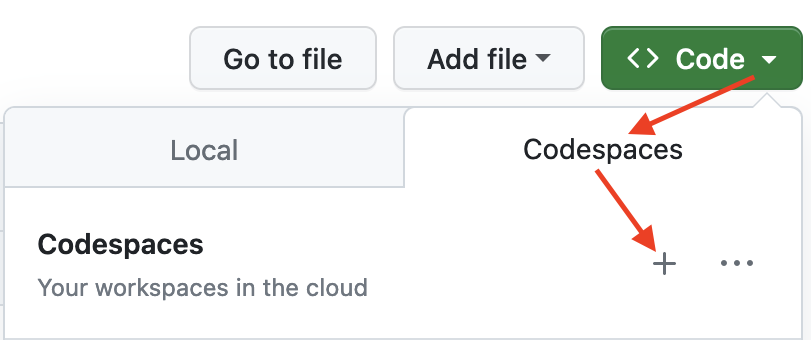
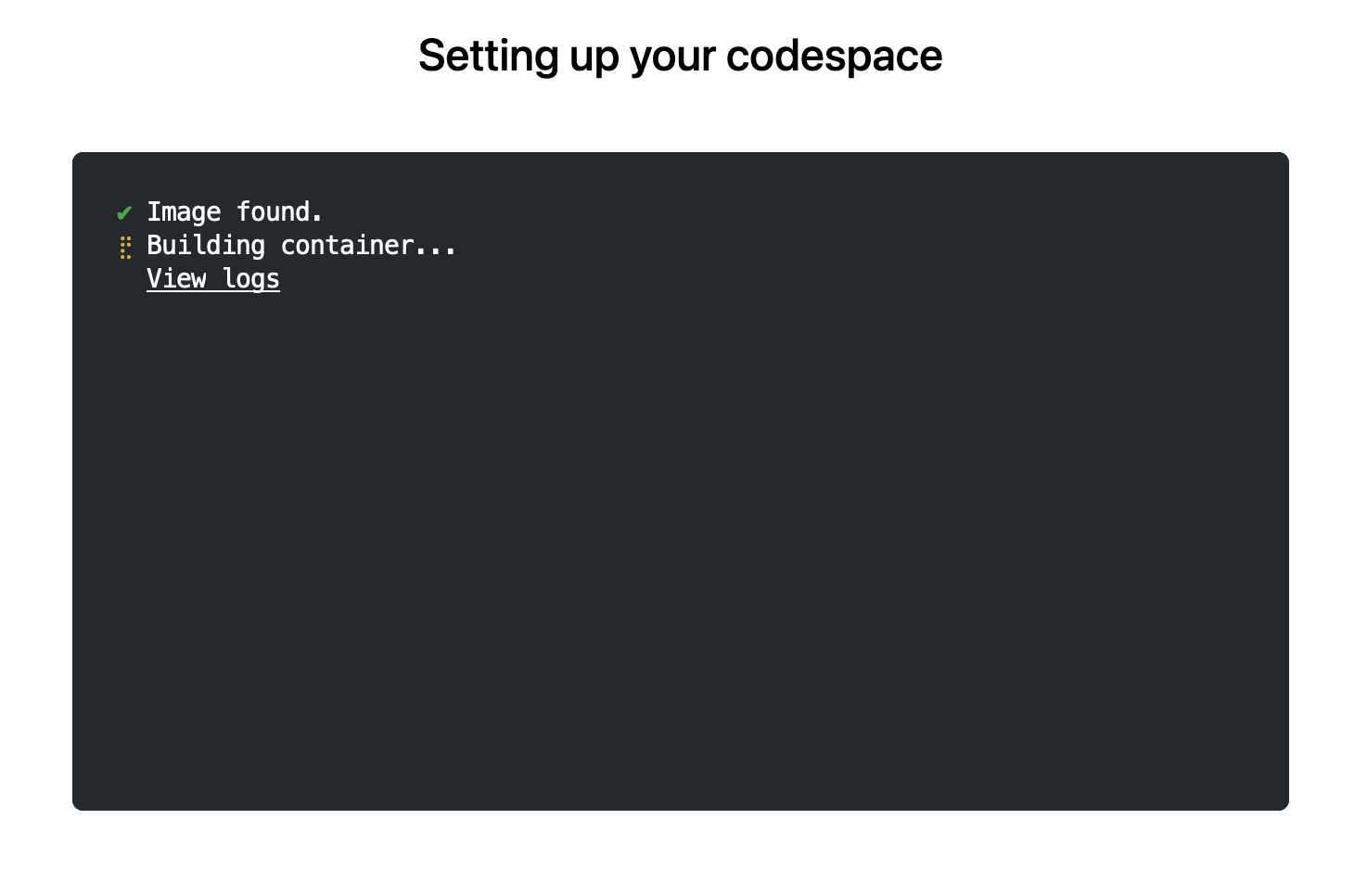
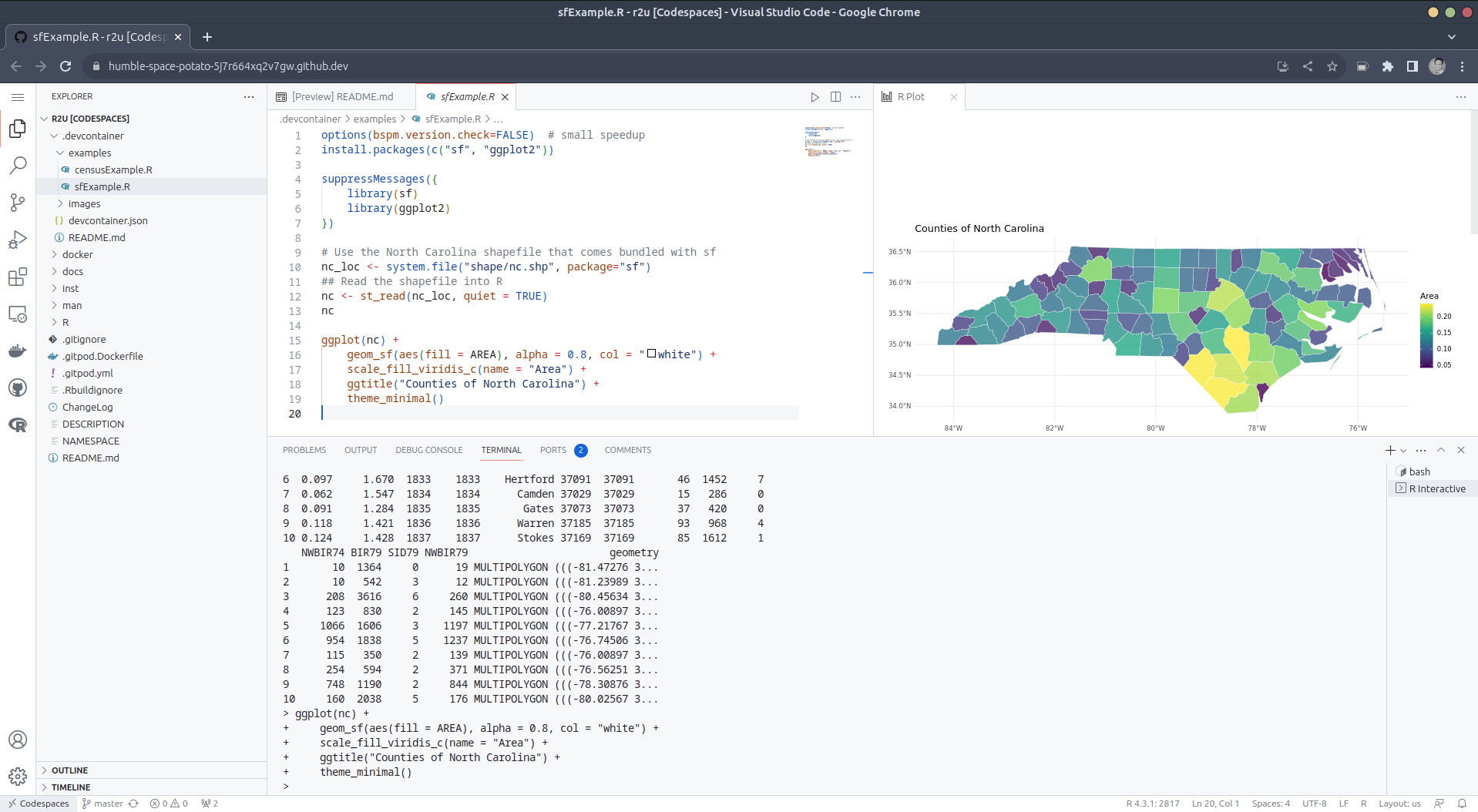
Try it out To get started, simply click on the green Code button at the top right. Then select the Codespaces tab and click the + symbol to start a new Codespace. The first time you do this, it will open up a new browser tab where your Codespace is being instantiated. This first-time instantiation will take a few minutes (feel free to click View logs to see how things are progressing) so please be patient. Once built, your Codespace will deploy almost immediately when you use it again in the future. After the VS Code editor opens up in your browser, feel free to open up the examples/sfExample.R file. It demonstrates how r2u enables us install packages and their system-dependencies with ease, here installing packages sf (including all its geospatial dependencies) and ggplot2 (including all its dependencies). You can run the code easily in the browser environment: Highlight or hover over line(s) and execute them by hitting Cmd+Return (Mac) / Ctrl+Return (Linux / Windows). (Both example screenshots reflect the initial codespaces-r2u repo as well as personal scratchspace one which we started with, both of course work here too.) Do not forget to close your Codespace once you have finished using it. Click the Codespaces tab at the very bottom left of your code editor / browser and select Close Current Codespace in the resulting pop-up box. You can restart it at any time, for example by going to https://github.com/codespaces and clicking on your instance.
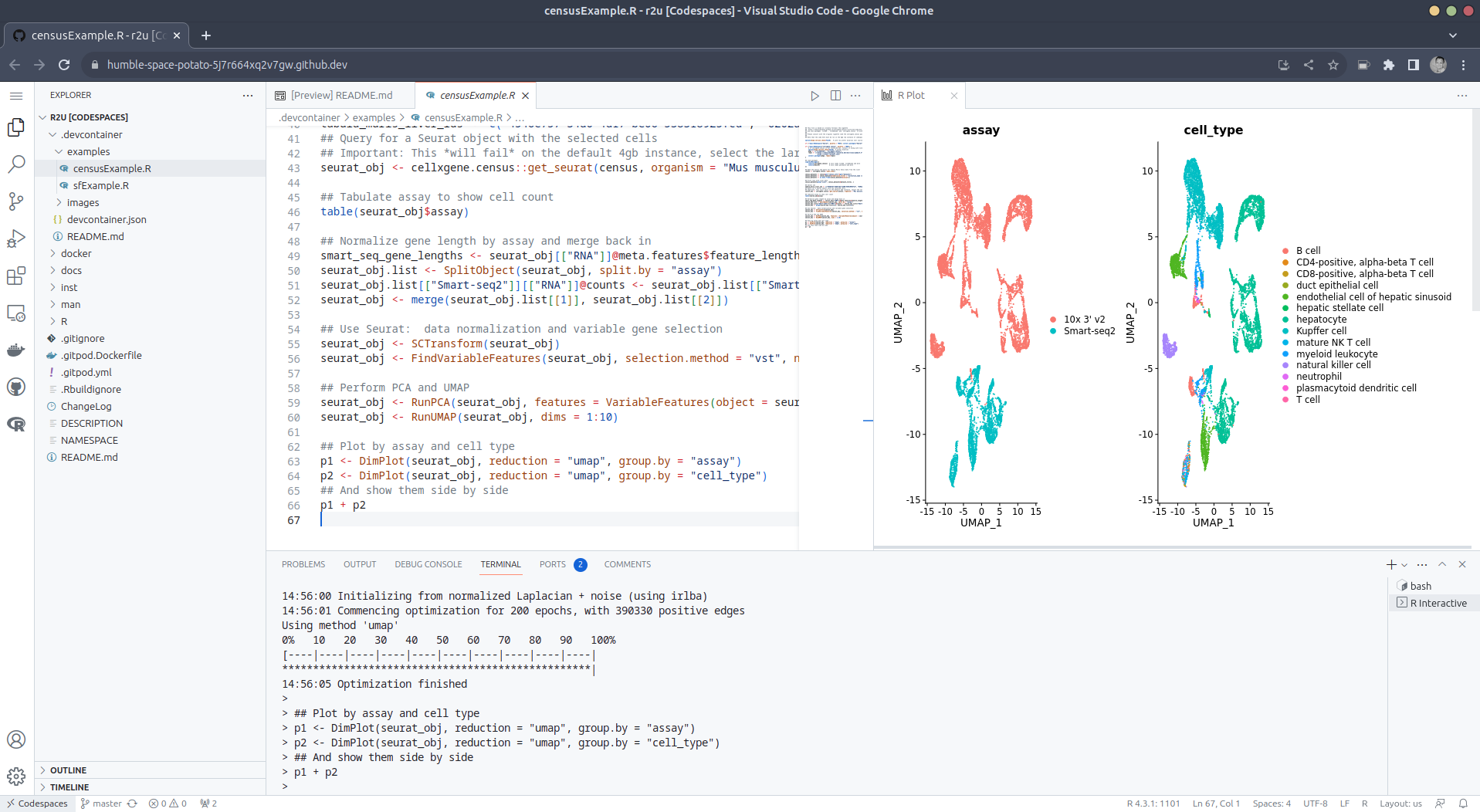
Extend r2u with r-universe r2u offers fast, easy, reliable access to all of CRAN via binaries for Ubuntu focal and jammy. When using the latter (as is the default), it can be combined with r-universe and its Ubuntu jammy binaries. We demontrates this in a second example file examples/censusExample.R which install both the cellxgene-census and tiledbsoma R packages as binaries from r-universe (along with about 100 dependencies), downloads single-cell data from Census and uses Seurat to create PCA and UMAP decomposition plots. Note that in order run this you have to change the Codespaces default instance from small (4gb ram) to large (16gb ram).

Local DevContainer build Codespaces are DevContainers running in the cloud (where DevContainers are themselves just Docker images running with some VS Code sugar on top). This gives you the very powerful ability to edit locally but run remotely in the hosted codespace. To test this setup locally, simply clone the repo and open it up in VS Code. You will need to have Docker installed and running on your system (see here). You will also need the Remote Development extension (you will probably be prompted to install it automatically if you do not have it yet). Select Reopen in Container when prompted. Otherwise, click the >< tab at the very bottom left of your VS Code editor and select this option. To shut down the container, simply click the same button and choose Reopen Folder Locally . You can always search for these commands via the command palette too (Cmd+Shift+p / Ctrl+Shift+p).

Use in Your Repo To add this ability of launching Codespaces in the browser (or editor) to a repo of yours, create a directory .devcontainers in your selected repo, and add the file .devcontainers/devcontainer.json. You can customize it by enabling other feature, or use the postCreateCommand field to install packages (while taking full advantage of r2u).

Acknowledgments There are a few key plumbing pieces that make everything work here. Thanks to:

Colophon More information about r2u is at its site, and we answered some question in issues, and at stackoverflow. More questions are always welcome! If you like this or other open-source work I do, you can now sponsor me at GitHub.

This post by Dirk Eddelbuettel originated on his Thinking inside the box blog. Please report excessive re-aggregation in third-party for-profit settings.

Originally posted 2023-08-13, minimally edited 2023-08-15 which changed the timestamo and URL.

13 August 2023

Jonathan Dowland: Terrain base for 3D castle

terrain base for the castle
I designed and printed a "terrain" base for my 3D castle in OpenSCAD. The castle was the first thing I designed and printed on our (then new) office 3D printer. I use it as a test bed if I want to try something new, and this time I wanted to try procedurally generating a model. I've released the OpenSCAD source for the terrain generator under the name Zarchscape. mid 90s terrain generation
Lots of mid-90s games had very boxy floors Lots of mid-90s games had very boxy floors
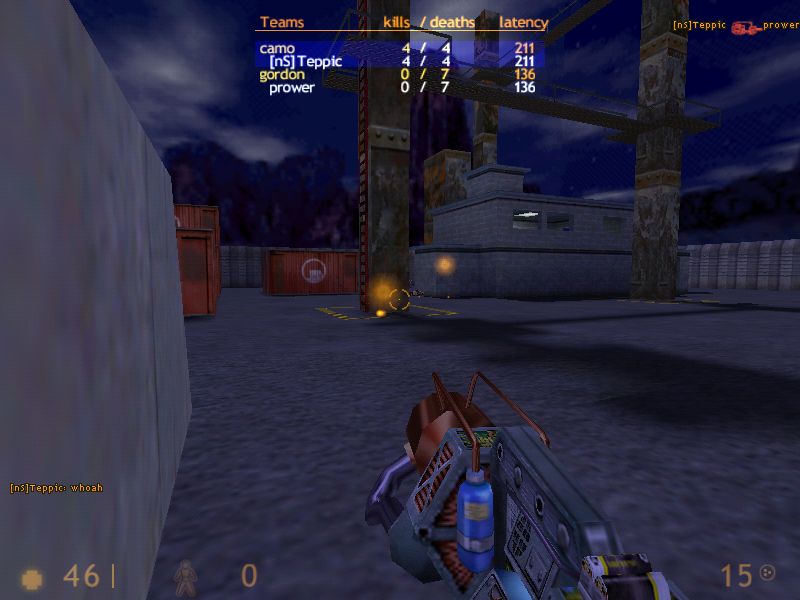
Terrain generation, 90s-style. From [this article](https://web.archive.org/web/19990822085321/http://www.gamedesign.net/tutorials/pavlock/cool-ass-terrain/) Terrain generation, 90s-style. From this article
Back in the 90s I spent some time designing maps/levels/arenas for Quake and its sibling games (like Half-Life), mostly in the tool Worldcraft. A lot of beginner maps (including my own), ended up looking pretty boxy. I once stumbled across an article blog post that taught my a useful trick for making more natural-looking terrain. In brief: tessellate the floor region with triangle polygons, then randomly add some jitter to the z-dimension for their vertices. A really simple technique with fairly dramatic results. OpenSCAD Doing the same in OpenSCAD stretched me, and I think stretched OpenSCAD. It left me with some opinions which I'll try to write up in a future blog post. Final results
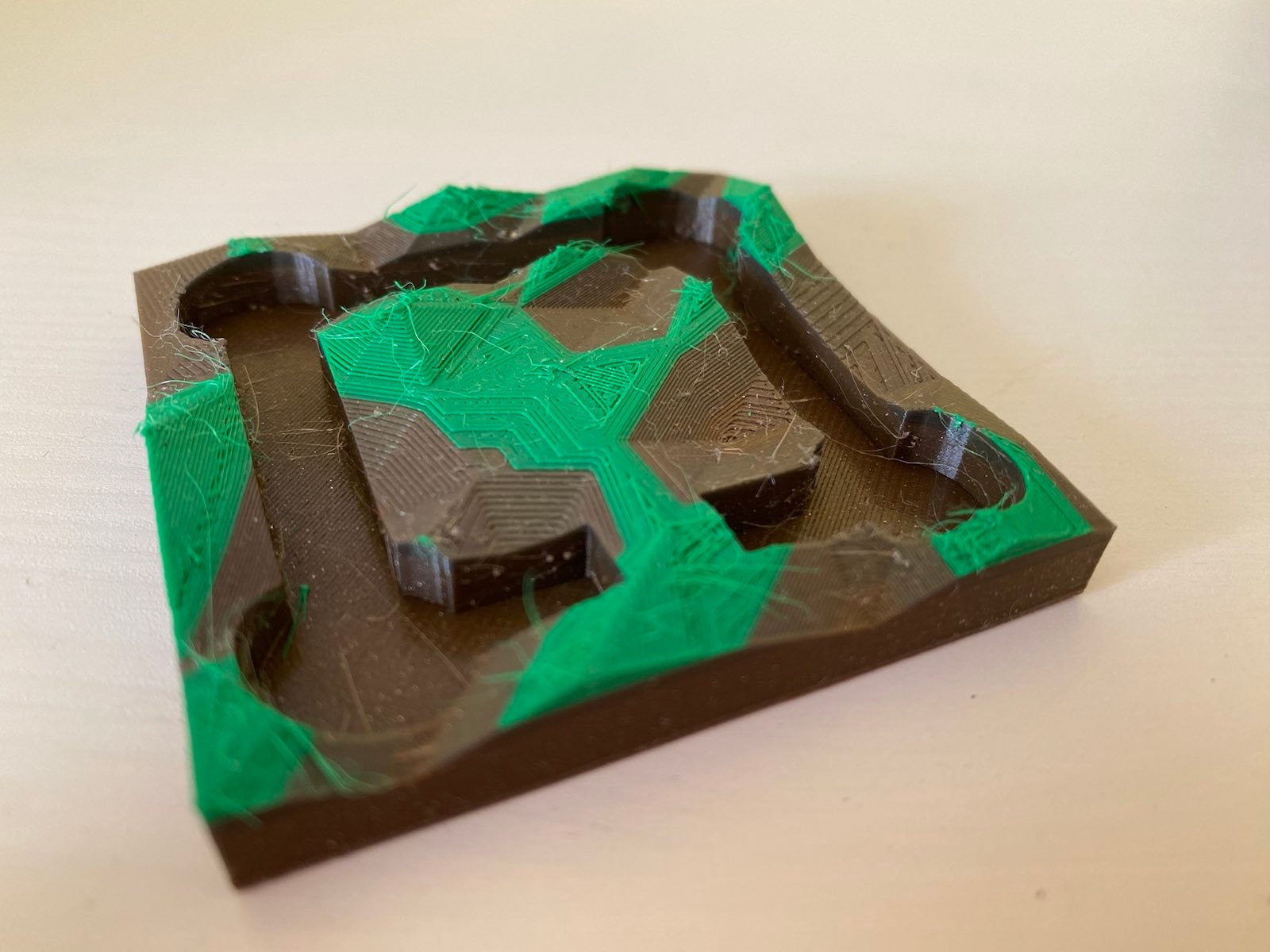
multicolour
I've generated and printed the result a couple of times, including an attempt a multicolour print. At home, I have a large spool of brown-coloured recycled PLA, and many small lengths of samples in various colours (that I picked up at Maker Faire Czech Republic last year), including some short lengths of green. My home printer is a Prusa Mini, and I cheaped out and didn't buy the filament runout sensor, which would detect when the current filament ran out and let me handle the situation gracefully. Instead, I added several colour change instructions to the g-code at various heights, hoping that whatever plastic I loaded for each layer was enough to get the print to the next colour change instruction. The results are a little mixed I think. I didn't catch the final layer running out in time (forgetting that the Bowden tube also means I need to catch it running out before the loading gear, a few inches earlier than the nozzle), so the final lush green colour ends prematurely. I've also got a fair bit of stringing to clean up. Finally, all these non-flat planes really show up some of the limitations of regular Slicing. It would be interesting to try this with a non-planar Slicer.

Dirk Eddelbuettel: #41: Using r2u in Codespaces

Welcome to the 41th post in the $R^4 series. This post draws on joint experiments first started by Grant building on the lovely work Eitsupi as part of our Rocker Project. In short, r2u is an ideal match for Codesspaces, a Microsoft/GitHub service to run code locally but in the cloud via browser or Visual Studio Code. This posts co-serves as the README.md in the .devcontainer directory as well as a vignette for r2u. So let us get into it. Starting from the r2u repository, the .devcontainer directory provides a small self-containted file devcontainer.json to launch an executable environment R using r2u. It is based on the example in Grant McDermott s codespaces-r2u repo and reuses its documentation. It is driven by the Rocker Project s Devcontainer Features repo creating a fully functioning R environment for cloud use in a few minutes. And thanks to r2u you can add easily to this environment by installing new R packages in a fast and failsafe way.

Try it out To get started, simply click on the green Code button at the top right. Then select the Codespaces tab and click the + symbol to start a new Codespace. The first time you do this, it will open up a new browser tab where your Codespace is being instantiated. This first-time instantiation will take a few minutes (feel free to click View logs to see how things are progressing) so please be patient. Once built, your Codespace will deploy almost immediately when you use it again in the future. After the VS Code editor opens up in your browser, feel free to open up the examples/sfExample.R file. It demonstrates how r2u enables us install packages and their system-dependencies with ease, here installing packages sf (including all its geospatial dependencies) and ggplot2 (including all its dependencies). You can run the code easily in the browser environment: Highlight or hover over line(s) and execute them by hitting Cmd+Return (Mac) / Ctrl+Return (Linux / Windows). (Both example screenshots reflect the initial codespaces-r2u repo as well as personal scratchspace one which we started with, both of course work here too.) Do not forget to close your Codespace once you have finished using it. Click the Codespaces tab at the very bottom left of your code editor / browser and select Close Current Codespace in the resulting pop-up box. You can restart it at any time, for example by going to https://github.com/codespaces and clicking on your instance.
Extend r2u with r-universe r2u offers fast, easy, reliable access to all of CRAN via binaries for Ubuntu focal and jammy. When using the latter (as is the default), it can be combined with r-universe and its Ubuntu jammy binaries. We demontrates this in a second example file examples/censusExample.R which install both the cellxgene-census and tiledbsoma R packages as binaries from r-universe (along with about 100 dependencies), downloads single-cell data from Census and uses Seurat to create PCA and UMAP decomposition plots. Note that in order run this you have to change the Codespaces default instance from small (4gb ram) to large (16gb ram).

Local DevContainer build Codespaces are DevContainers running in the cloud (where DevContainers are themselves just Docker images running with some VS Code sugar on top). This gives you the very powerful ability to edit locally but run remotely in the hosted codespace. To test this setup locally, simply clone the repo and open it up in VS Code. You will need to have Docker installed and running on your system (see here). You will also need the Remote Development extension (you will probably be prompted to install it automatically if you do not have it yet). Select Reopen in Container when prompted. Otherwise, click the >< tab at the very bottom left of your VS Code editor and select this option. To shut down the container, simply click the same button and choose Reopen Folder Locally . You can always search for these commands via the command palette too (Cmd+Shift+p / Ctrl+Shift+p).

Use in Your Repo To add this ability of launching Codespaces in the browser (or editor) to a repo of yours, create a directory .devcontainers in your selected repo, and add the file .devcontainers/devcontainer.json. You can customize it by enabling other feature, or use the postCreateCommand field to install packages (while taking full advantage of r2u).

Acknowledgments There are a few key plumbing pieces that make everything work here. Thanks to:

Colophon More information about r2u is at its site, and we answered some question in issues, and at stackoverflow. More questions are always welcome! If you like this or other open-source work I do, you can now sponsor me at GitHub.

This post by Dirk Eddelbuettel originated on his Thinking inside the box blog. Please report excessive re-aggregation in third-party for-profit settings.

Next.

Previous.