Search Results: "ana"

13 November 2023

Freexian Collaborators: Monthly report about Debian Long Term Support, October 2023 (by Roberto C. S nchez)

Like each month, have a look at the work funded by Freexian s Debian LTS offering.

Debian LTS contributors In October, 18 contributors have been paid to work on Debian LTS, their reports are available:
  • Adrian Bunk did 8.0h (out of 7.75h assigned and 10.0h from previous period), thus carrying over 9.75h to the next month.
  • Anton Gladky did 9.5h (out of 9.5h assigned and 5.5h from previous period), thus carrying over 5.5h to the next month.
  • Bastien Roucari s did 16.0h (out of 16.75h assigned and 1.0h from previous period), thus carrying over 1.75h to the next month.
  • Ben Hutchings did 8.0h (out of 17.75h assigned), thus carrying over 9.75h to the next month.
  • Chris Lamb did 17.0h (out of 17.75h assigned), thus carrying over 0.75h to the next month.
  • Emilio Pozuelo Monfort did 17.5h (out of 17.75h assigned), thus carrying over 0.25h to the next month.
  • Guilhem Moulin did 9.75h (out of 17.75h assigned), thus carrying over 8.0h to the next month.
  • Helmut Grohne did 1.5h (out of 10.0h assigned), thus carrying over 8.5h to the next month.
  • Lee Garrett did 10.75h (out of 17.75h assigned), thus carrying over 7.0h to the next month.
  • Markus Koschany did 30.0h (out of 30.0h assigned).
  • Ola Lundqvist did 4.0h (out of 0h assigned and 19.5h from previous period), thus carrying over 15.5h to the next month.
  • Roberto C. S nchez did 12.0h (out of 5.0h assigned and 7.0h from previous period).
  • Santiago Ruano Rinc n did 13.625h (out of 7.75h assigned and 8.25h from previous period), thus carrying over 2.375h to the next month.
  • Sean Whitton did 13.0h (out of 6.0h assigned and 7.0h from previous period).
  • Sylvain Beucler did 7.5h (out of 11.25h assigned and 6.5h from previous period), thus carrying over 10.25h to the next month.
  • Thorsten Alteholz did 14.0h (out of 14.0h assigned).
  • Tobias Frost did 16.0h (out of 9.25h assigned and 6.75h from previous period).
  • Utkarsh Gupta did 0.0h (out of 0.75h assigned and 17.0h from previous period), thus carrying over 17.75h to the next month.

Evolution of the situation In October, we have released 49 DLAs. Of particular note in the month of October, LTS contributor Chris Lamb issued DLA 3627-1 pertaining to Redis, the popular key-value database similar to Memcached, which was vulnerable to an authentication bypass vulnerability. Fixing this vulnerability involved dealing with a race condition that could allow another process an opportunity to establish an otherwise unauthorized connection. LTS contributor Markus Koschany was involved in the mitigation of CVE-2023-44487, which is a protocol-level vulnerability in the HTTP/2 protocol. The impacts within Debian involved multiple packages, across multiple releases, with multiple advisories being released (both DSA for stable and old-stable, and DLA for LTS). Markus reviewed patches and security updates prepared by other Debian developers, investigated reported regressions, provided patches for the aforementioned regressions, and issued several security updates as part of this. Additionally, as MariaDB 10.3 (the version originally included with Debian buster) passed end-of-life earlier this year, LTS contributor Emilio Pozuelo Monfort has begun investigating the feasibility of backporting MariaDB 10.11. The work is in early stages, with much testing and analysis remaining before a final decision can be made, as this only one of several available potential courses of action concerning MariaDB. Finally, LTS contributor Lee Garrett has invested considerable effort into the development the Functional Test Framework here. While so far only an initial version has been published, it already has several features which we intend to begin leveraging for testing of LTS packages. In particular, the FTF supports provisioning multiple VMs for the purposes of performing functional tests of network-facing services (e.g., file services, authentication, etc.). These tests are in addition to the various unit-level tests which are executed during package build time. Development work will continue on FTF and as it matures and begins to see wider use within LTS we expect to improve the quality of the updates we publish.

Thanks to our sponsors Sponsors that joined recently are in bold.

12 November 2023

Lukas M rdian: Netplan brings consistent network configuration across Desktop, Server, Cloud and IoT

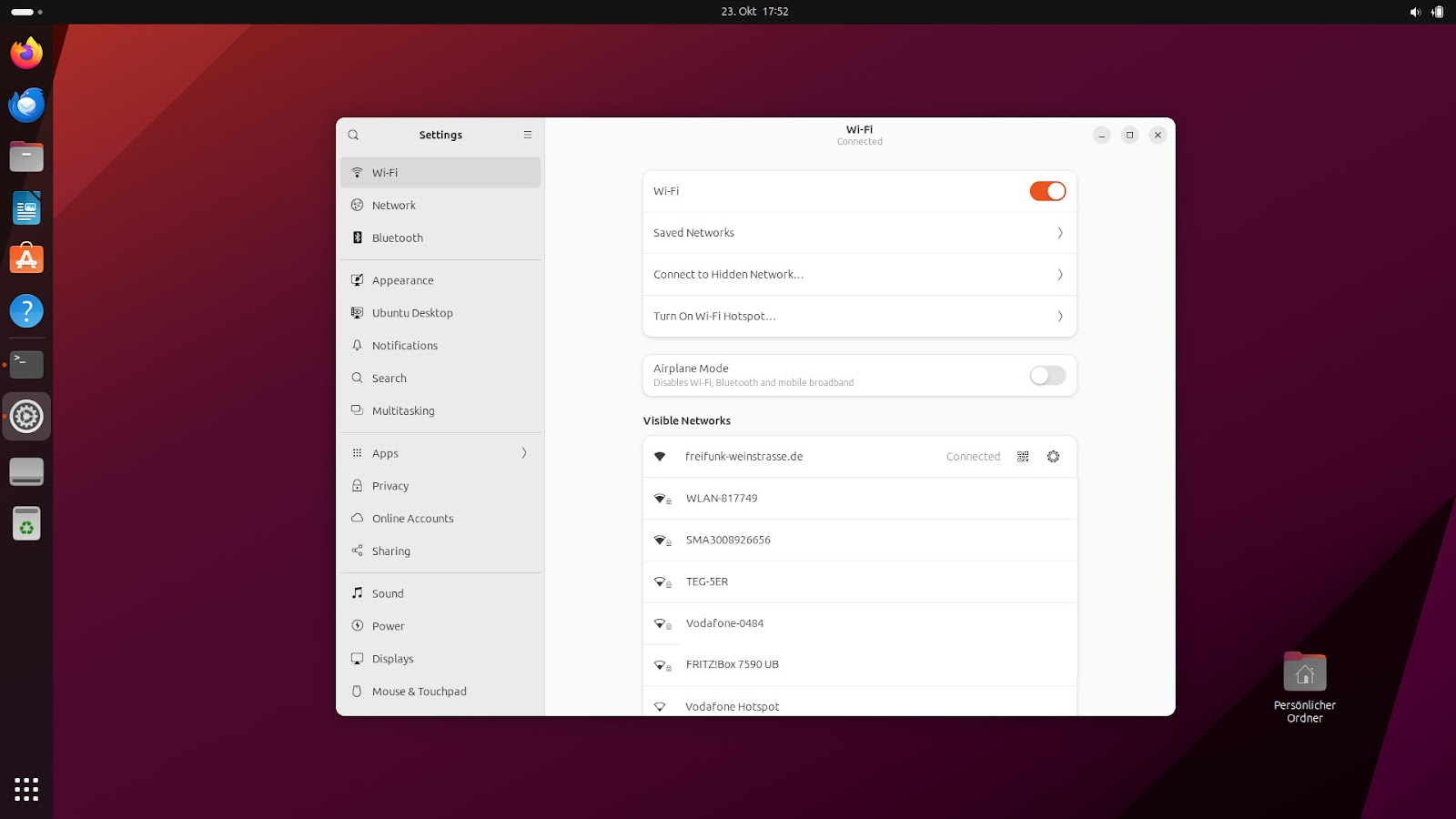
Ubuntu 23.10 Mantic Minotaur Desktop, showing network settings We released Ubuntu 23.10 Mantic Minotaur on 12 October 2023, shipping its proven and trusted network stack based on Netplan. Netplan is the default tool to configure Linux networking on Ubuntu since 2016. In the past, it was primarily used to control the Server and Cloud variants of Ubuntu, while on Desktop systems it would hand over control to NetworkManager. In Ubuntu 23.10 this disparity in how to control the network stack on different Ubuntu platforms was closed by integrating NetworkManager with the underlying Netplan stack. Netplan could already be used to describe network connections on Desktop systems managed by NetworkManager. But network connections created or modified through NetworkManager would not be known to Netplan, so it was a one-way street. Activating the bidirectional NetworkManager-Netplan integration allows for any configuration change made through NetworkManager to be propagated back into Netplan. Changes made in Netplan itself will still be visible in NetworkManager, as before. This way, Netplan can be considered the single source of truth for network configuration across all variants of Ubuntu, with the network configuration stored in /etc/netplan/, using Netplan s common and declarative YAML format.

Netplan Desktop integration On workstations, the most common scenario is for users to configure networking through NetworkManager s graphical interface, instead of driving it through Netplan s declarative YAML files. Netplan ships a libnetplan library that provides an API to access Netplan s parser and validation internals, which is now used by NetworkManager to store any network interface configuration changes in Netplan. For instance, network configuration defined through NetworkManager s graphical UI or D-Bus API will be exported to Netplan s native YAML format in the common location at /etc/netplan/. This way, the only thing administrators need to care about when managing a fleet of Desktop installations is Netplan. Furthermore, programmatic access to all network configuration is now easily accessible to other system components integrating with Netplan, such as snapd. This solution has already been used in more confined environments, such as Ubuntu Core and is now enabled by default on Ubuntu 23.10 Desktop.

Migration of existing connection profiles On installation of the NetworkManager package (network-manager >= 1.44.2-1ubuntu1) in Ubuntu 23.10, all your existing connection profiles from /etc/NetworkManager/system-connections/ will automatically and transparently be migrated to Netplan s declarative YAML format and stored in its common configuration directory /etc/netplan/. The same migration will happen in the background whenever you add or modify any connection profile through the NetworkManager user interface, integrated with GNOME Shell. From this point on, Netplan will be aware of your entire network configuration and you can query it using its CLI tools, such as sudo netplan get or sudo netplan status without interrupting traditional NetworkManager workflows (UI, nmcli, nmtui, D-Bus APIs). You can observe this migration on the apt-get command line, watching out for logs like the following:
Setting up network-manager (1.44.2-1ubuntu1.1) ...
Migrating HomeNet (9d087126-ae71-4992-9e0a-18c5ea92a4ed) to /etc/netplan
Migrating eduroam (37d643bb-d81d-4186-9402-7b47632c59b1) to /etc/netplan
Migrating DebConf (f862be9c-fb06-4c0f-862f-c8e210ca4941) to /etc/netplan
In order to prepare for a smooth transition, NetworkManager tests were integrated into Netplan s continuous integration pipeline at the upstream GitHub repository. Furthermore, we implemented a passthrough method of handling unknown or new settings that cannot yet be fully covered by Netplan, making Netplan future-proof for any upcoming NetworkManager release.

The future of Netplan Netplan has established itself as the proven network stack across all variants of Ubuntu Desktop, Server, Cloud, or Embedded. It has been the default stack across many Ubuntu LTS releases, serving millions of users over the years. With the bidirectional integration between NetworkManager and Netplan the final piece of the puzzle is implemented to consider Netplan the single source of truth for network configuration on Ubuntu. With Debian choosing Netplan to be the default network stack for their cloud images, it is also gaining traction outside the Ubuntu ecosystem and growing into the wider open source community. Within the development cycle for Ubuntu 24.04 LTS, we will polish the Netplan codebase to be ready for a 1.0 release, coming with certain guarantees on API and ABI stability, so that other distributions and 3rd party integrations can rely on Netplan s interfaces. First steps into that direction have already been taken, as the Netplan team reached out to the Debian community at DebConf 2023 in Kochi/India to evaluate possible synergies.

Conclusion Netplan can be used transparently to control a workstation s network configuration and plays hand-in-hand with many desktop environments through its tight integration with NetworkManager. It allows for easy network monitoring, using common graphical interfaces and provides a single source of truth to network administrators, allowing for configuration of Ubuntu Desktop fleets in a streamlined and declarative way. You can try this new functionality hands-on by following the Access Desktop NetworkManager settings through Netplan tutorial.
If you want to learn more, feel free to follow our activities on Netplan.io, GitHub, Launchpad, IRC or our Netplan Developer Diaries blog on discourse.

11 November 2023

Gunnar Wolf: There once was a miniDebConf in Uruguay...

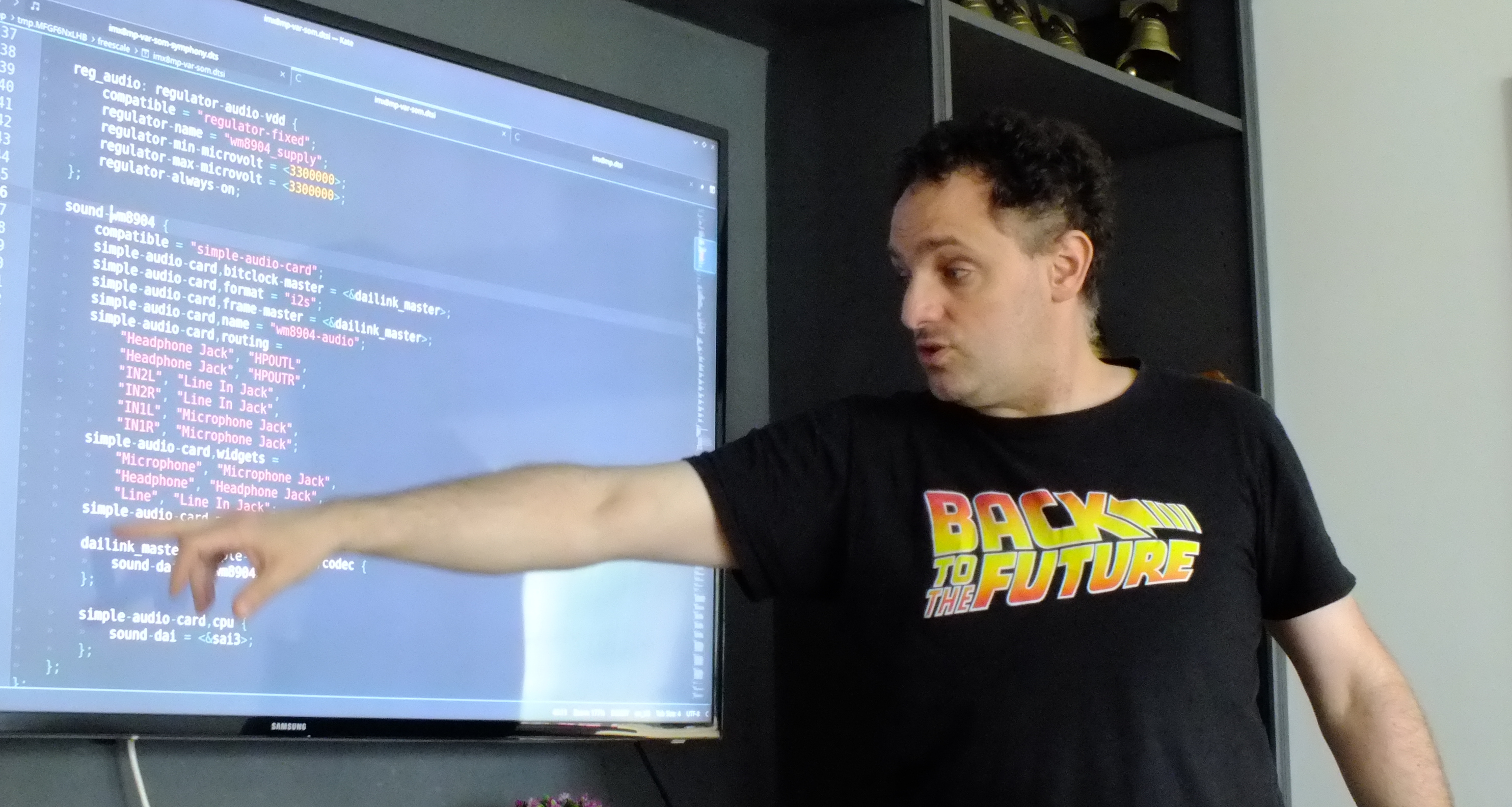
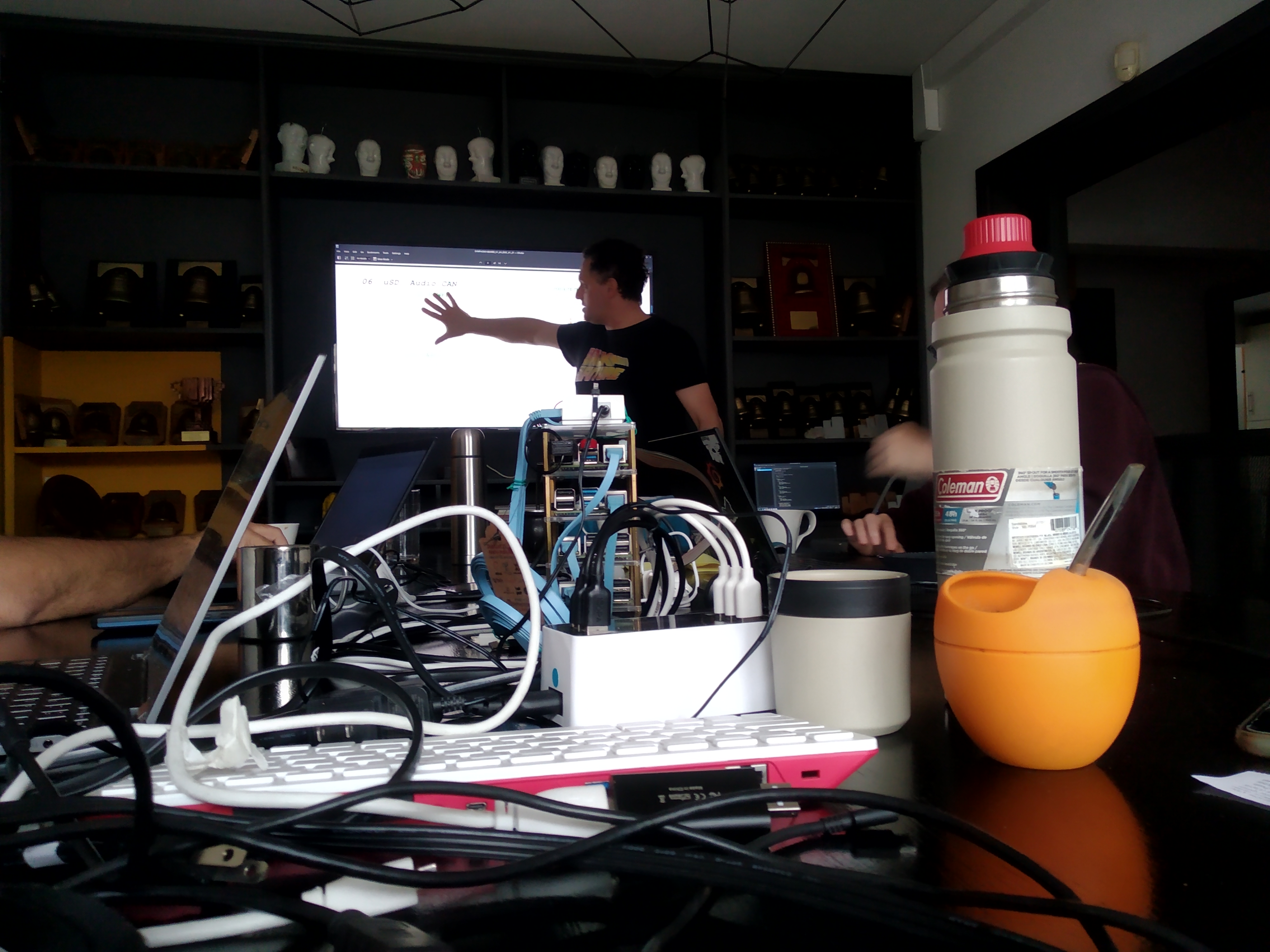
Meeting Debian people for having a good time together, for some good hacking, for learning, for teaching Is always fun and welcome. It brings energy, life and joy. And this year, due to the six-months-long relocation my family and me decided to have to Argentina, I was unable to attend the real deal, DebConf23 at India. And while I know DebConf is an experience like no other, this year I took part in two miniDebConfs. One I have already shared in this same blog: I was in MiniDebConf Tamil Nadu in India, followed by some days of pre-DebConf preparation and scouting in Kochi proper, where I got to interact with the absolutely great and loving team that prepared DebConf. The other one is still ongoing (but close to finishing). Some months ago, I talked with Santiago Ruano, jokin as we were Spanish-speaking DDs announcing to the debian-private mailing list we d be relocating to around R o de la Plata. And things worked out normally: He has been for several months in Uruguay already, so he decided to rent a house for some days, and invite Debian people to do what we do best. I left Paran Tuesday night (and missed my online class at UNAM! Well, you cannot have everything, right?). I arrived early on Wednesday, and around noon came to the house of the keysigning (well, the place is properly called Casa Key , it s a publicity agency that is also rented as a guesthouse in a very nice area of Montevideo, close to Nuevo Pocitos beach). In case you don t know it, Montevideo is on the Northern (or Eastern) shore of R o de la Plata, the widest river in the world (up to 300Km wide, with current and non-salty water). But most important for some Debian contributors: You can even come here by boat! That first evening, we received Ilu, who was in Uruguay by chance for other issues (and we were very happy about it!) and a young and enthusiastic Uruguayan, Felipe, interested in getting involved in Debian. We spent the evening talking about life, the universe and everything Which was a bit tiring, as I had to interface between Spanish and English, talking with two friends that didn t share a common language On Thursday morning, I went out for an early walk at the beach. And lets say, if only just for the narrative, that I found a lost penguin emerging from R o de la Plata! For those that don t know (who d be most of you, as he has not been seen at Debian events for 15 years), that s Lisandro Dami n Nicanor P rez Meyer (or just lisandro), long-time maintainer of the Qt ecosystem, and one of our embedded world extraordinaires. So, after we got him dry and fed him fresh river fishes, he gave us a great impromptu talk about understanding and finding our way around the Device Tree Source files for development boards and similar machines, mostly in the ARM world. From Argentina, we also had Emanuel (eamanu) crossing all the way from La Rioja. I spent most of our first workday getting my laptop in shape to be useful as the driver for my online class on Thursday (which is no small feat people that know the particularities of my much loved ARM-based laptop will understand), and running a set of tests again on my Raspberry Pi labortory, which I had not updated in several months. I am happy to say we are also finally also building Raspberry images for Trixie (Debian 13, Testing)! Sadly, I managed to burn my USB-to-serial-console (UART) adaptor, and could neither test those, nor the oldstable ones we are still building (and will probably soon be dropped, if not for anything else, to save disk space). We enjoyed a lot of socialization time. An important highlight of the conference for me was that we reconnected with a long-lost DD, Eduardo Tr pani, and got him interested in getting involved in the project again! This second day, another local Uruguayan, Mauricio, joined us together with his girlfriend, Alicia, and Felipe came again to hang out with us. Sadly, we didn t get photographic evidence of them (nor the permission to post it). The nice house Santiago got for us was very well equipped for a miniDebConf. There were a couple of rounds of pool played by those that enjoyed it (I was very happy just to stand around, take some photos and enjoy the atmosphere and the conversation). Today (Saturday) is the last full-house day of miniDebConf; tomorrow we will be leaving the house by noon. It was also a very productive day! We had a long, important conversation about an important discussion that we are about to present on debian-vote@lists.debian.org. It has been a great couple of days! Sadly, it s coming to an end But this at least gives me the opportunity (and moral obligation!) to write a long blog post. And to thank Santiago for organizing this, and Debian, for sponsoring our trip, stay, foods and healthy enjoyment!

Reproducible Builds: Reproducible Builds in October 2023

Welcome to the October 2023 report from the Reproducible Builds project. In these reports we outline the most important things that we have been up to over the past month. As a quick recap, whilst anyone may inspect the source code of free software for malicious flaws, almost all software is distributed to end users as pre-compiled binaries.

Reproducible Builds Summit 2023 Between October 31st and November 2nd, we held our seventh Reproducible Builds Summit in Hamburg, Germany! Our summits are a unique gathering that brings together attendees from diverse projects, united by a shared vision of advancing the Reproducible Builds effort, and this instance was no different. During this enriching event, participants had the opportunity to engage in discussions, establish connections and exchange ideas to drive progress in this vital field. A number of concrete outcomes from the summit will documented in the report for November 2023 and elsewhere. Amazingly the agenda and all notes from all sessions are already online. The Reproducible Builds team would like to thank our event sponsors who include Mullvad VPN, openSUSE, Debian, Software Freedom Conservancy, Allotropia and Aspiration Tech.

Reflections on Reflections on Trusting Trust Russ Cox posted a fascinating article on his blog prompted by the fortieth anniversary of Ken Thompson s award-winning paper, Reflections on Trusting Trust:
[ ] In March 2023, Ken gave the closing keynote [and] during the Q&A session, someone jokingly asked about the Turing award lecture, specifically can you tell us right now whether you have a backdoor into every copy of gcc and Linux still today?
Although Ken reveals (or at least claims!) that he has no such backdoor, he does admit that he has the actual code which Russ requests and subsequently dissects in great but accessible detail.

Ecosystem factors of reproducible builds Rahul Bajaj, Eduardo Fernandes, Bram Adams and Ahmed E. Hassan from the Maintenance, Construction and Intelligence of Software (MCIS) laboratory within the School of Computing, Queen s University in Ontario, Canada have published a paper on the Time to fix, causes and correlation with external ecosystem factors of unreproducible builds. The authors compare various response times within the Debian and Arch Linux distributions including, for example:
Arch Linux packages become reproducible a median of 30 days quicker when compared to Debian packages, while Debian packages remain reproducible for a median of 68 days longer once fixed.
A full PDF of their paper is available online, as are many other interesting papers on MCIS publication page.

NixOS installation image reproducible On the NixOS Discourse instance, Arnout Engelen (raboof) announced that NixOS have created an independent, bit-for-bit identical rebuilding of the nixos-minimal image that is used to install NixOS. In their post, Arnout details what exactly can be reproduced, and even includes some of the history of this endeavour:
You may remember a 2021 announcement that the minimal ISO was 100% reproducible. While back then we successfully tested that all packages that were needed to build the ISO were individually reproducible, actually rebuilding the ISO still introduced differences. This was due to some remaining problems in the hydra cache and the way the ISO was created. By the time we fixed those, regressions had popped up (notably an upstream problem in Python 3.10), and it isn t until this week that we were back to having everything reproducible and being able to validate the complete chain.
Congratulations to NixOS team for reaching this important milestone! Discussion about this announcement can be found underneath the post itself, as well as on Hacker News.

CPython source tarballs now reproducible Seth Larson published a blog post investigating the reproducibility of the CPython source tarballs. Using diffoscope, reprotest and other tools, Seth documents his work that led to a pull request to make these files reproducible which was merged by ukasz Langa.

New arm64 hardware from Codethink Long-time sponsor of the project, Codethink, have generously replaced our old Moonshot-Slides , which they have generously hosted since 2016 with new KVM-based arm64 hardware. Holger Levsen integrated these new nodes to the Reproducible Builds continuous integration framework.

Community updates On our mailing list during October 2023 there were a number of threads, including:
  • Vagrant Cascadian continued a thread about the implementation details of a snapshot archive server required for reproducing previous builds. [ ]
  • Akihiro Suda shared an update on BuildKit, a toolkit for building Docker container images. Akihiro links to a interesting talk they recently gave at DockerCon titled Reproducible builds with BuildKit for software supply-chain security.
  • Alex Zakharov started a thread discussing and proposing fixes for various tools that create ext4 filesystem images. [ ]
Elsewhere, Pol Dellaiera made a number of improvements to our website, including fixing typos and links [ ][ ], adding a NixOS Flake file [ ] and sorting our publications page by date [ ]. Vagrant Cascadian presented Reproducible Builds All The Way Down at the Open Source Firmware Conference.

Distribution work distro-info is a Debian-oriented tool that can provide information about Debian (and Ubuntu) distributions such as their codenames (eg. bookworm) and so on. This month, Benjamin Drung uploaded a new version of distro-info that added support for the SOURCE_DATE_EPOCH environment variable in order to close bug #1034422. In addition, 8 reviews of packages were added, 74 were updated and 56 were removed this month, all adding to our knowledge about identified issues. Bernhard M. Wiedemann published another monthly report about reproducibility within openSUSE.

Software development The Reproducible Builds project detects, dissects and attempts to fix as many currently-unreproducible packages as possible. We endeavour to send all of our patches upstream where appropriate. This month, we wrote a large number of such patches, including: In addition, Chris Lamb fixed an issue in diffoscope, where if the equivalent of file -i returns text/plain, fallback to comparing as a text file. This was originally filed as Debian bug #1053668) by Niels Thykier. [ ] This was then uploaded to Debian (and elsewhere) as version 251.

Reproducibility testing framework The Reproducible Builds project operates a comprehensive testing framework (available at tests.reproducible-builds.org) in order to check packages and other artifacts for reproducibility. In October, a number of changes were made by Holger Levsen:
  • Debian-related changes:
    • Refine the handling of package blacklisting, such as sending blacklisting notifications to the #debian-reproducible-changes IRC channel. [ ][ ][ ]
    • Install systemd-oomd on all Debian bookworm nodes (re. Debian bug #1052257). [ ]
    • Detect more cases of failures to delete schroots. [ ]
    • Document various bugs in bookworm which are (currently) being manually worked around. [ ]
  • Node-related changes:
    • Integrate the new arm64 machines from Codethink. [ ][ ][ ][ ][ ][ ]
    • Improve various node cleanup routines. [ ][ ][ ][ ]
    • General node maintenance. [ ][ ][ ][ ]
  • Monitoring-related changes:
    • Remove unused Munin monitoring plugins. [ ]
    • Complain less visibly about too many installed kernels. [ ]
  • Misc:
    • Enhance the firewall handling on Jenkins nodes. [ ][ ][ ][ ]
    • Install the fish shell everywhere. [ ]
In addition, Vagrant Cascadian added some packages and configuration for snapshot experiments. [ ]

If you are interested in contributing to the Reproducible Builds project, please visit our Contribute page on our website. However, you can get in touch with us via:

10 November 2023

Petter Reinholdtsen: New chrpath release 0.17

The chrpath package provide a simple command line tool to remove or modify the rpath or runpath of compiled ELF program. It is almost 10 years since I updated the code base, but I stumbled over the tool today, and decided it was time to move the code base from Subversion to git and find a new home for it, as the previous one (Debian Alioth) has been shut down. I decided to go with Codeberg this time, as it is my git service of choice these days, did a quick and dirty migration to git and updated the code with a few patches I found in the Debian bug tracker. These are the release notes: New in 0.17 released 2023-11-10: The latest edition is tagged and available from https://codeberg.org/pere/chrpath. As usual, if you use Bitcoin and want to show your support of my activities, please send Bitcoin donations to my address 15oWEoG9dUPovwmUL9KWAnYRtNJEkP1u1b.

7 November 2023

Melissa Wen: AMD Driver-specific Properties for Color Management on Linux (Part 2)

TL;DR: This blog post explores the color capabilities of AMD hardware and how they are exposed to userspace through driver-specific properties. It discusses the different color blocks in the AMD Display Core Next (DCN) pipeline and their capabilities, such as predefined transfer functions, 1D and 3D lookup tables (LUTs), and color transformation matrices (CTMs). It also highlights the differences in AMD HW blocks for pre and post-blending adjustments, and how these differences are reflected in the available driver-specific properties. Overall, this blog post provides a comprehensive overview of the color capabilities of AMD hardware and how they can be controlled by userspace applications through driver-specific properties. This information is valuable for anyone who wants to develop applications that can take advantage of the AMD color management pipeline. Get a closer look at each hardware block s capabilities, unlock a wealth of knowledge about AMD display hardware, and enhance your understanding of graphics and visual computing. Stay tuned for future developments as we embark on a quest for GPU color capabilities in the ever-evolving realm of rainbow treasures.
Operating Systems can use the power of GPUs to ensure consistent color reproduction across graphics devices. We can use GPU-accelerated color management to manage the diversity of color profiles, do color transformations to convert between High-Dynamic-Range (HDR) and Standard-Dynamic-Range (SDR) content and color enhacements for wide color gamut (WCG). However, to make use of GPU display capabilities, we need an interface between userspace and the kernel display drivers that is currently absent in the Linux/DRM KMS API. In the previous blog post I presented how we are expanding the Linux/DRM color management API to expose specific properties of AMD hardware. Now, I ll guide you to the color features for the Linux/AMD display driver. We embark on a journey through DRM/KMS, AMD Display Manager, and AMD Display Core and delve into the color blocks to uncover the secrets of color manipulation within AMD hardware. Here we ll talk less about the color tools and more about where to find them in the hardware. We resort to driver-specific properties to reach AMD hardware blocks with color capabilities. These blocks display features like predefined transfer functions, color transformation matrices, and 1-dimensional (1D LUT) and 3-dimensional lookup tables (3D LUT). Here, we will understand how these color features are strategically placed into color blocks both before and after blending in Display Pipe and Plane (DPP) and Multiple Pipe/Plane Combined (MPC) blocks. That said, welcome back to the second part of our thrilling journey through AMD s color management realm!

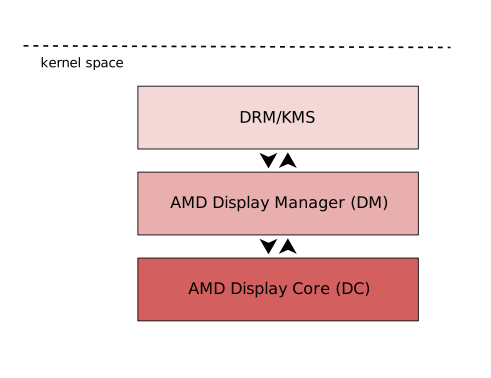
AMD Display Driver in the Linux/DRM Subsystem: The Journey In my 2022 XDC talk I m not an AMD expert, but , I briefly explained the organizational structure of the Linux/AMD display driver where the driver code is bifurcated into a Linux-specific section and a shared-code portion. To reveal AMD s color secrets through the Linux kernel DRM API, our journey led us through these layers of the Linux/AMD display driver s software stack. It includes traversing the DRM/KMS framework, the AMD Display Manager (DM), and the AMD Display Core (DC) [1]. The DRM/KMS framework provides the atomic API for color management through KMS properties represented by struct drm_property. We extended the color management interface exposed to userspace by leveraging existing resources and connecting them with driver-specific functions for managing modeset properties. On the AMD DC layer, the interface with hardware color blocks is established. The AMD DC layer contains OS-agnostic components that are shared across different platforms, making it an invaluable resource. This layer already implements hardware programming and resource management, simplifying the external developer s task. While examining the DC code, we gain insights into the color pipeline and capabilities, even without direct access to specifications. Additionally, AMD developers provide essential support by answering queries and reviewing our work upstream. The primary challenge involved identifying and understanding relevant AMD DC code to configure each color block in the color pipeline. However, the ultimate goal was to bridge the DC color capabilities with the DRM API. For this, we changed the AMD DM, the OS-dependent layer connecting the DC interface to the DRM/KMS framework. We defined and managed driver-specific color properties, facilitated the transport of user space data to the DC, and translated DRM features and settings to the DC interface. Considerations were also made for differences in the color pipeline based on hardware capabilities.

Exploring Color Capabilities of the AMD display hardware Now, let s dive into the exciting realm of AMD color capabilities, where a abundance of techniques and tools await to make your colors look extraordinary across diverse devices. First, we need to know a little about the color transformation and calibration tools and techniques that you can find in different blocks of the AMD hardware. I borrowed some images from [2] [3] [4] to help you understand the information.

Predefined Transfer Functions (Named Fixed Curves): Transfer functions serve as the bridge between the digital and visual worlds, defining the mathematical relationship between digital color values and linear scene/display values and ensuring consistent color reproduction across different devices and media. You can learn more about curves in the chapter GPU Gems 3 - The Importance of Being Linear by Larry Gritz and Eugene d Eon. ITU-R 2100 introduces three main types of transfer functions:
  • OETF: the opto-electronic transfer function, which converts linear scene light into the video signal, typically within a camera.
  • EOTF: electro-optical transfer function, which converts the video signal into the linear light output of the display.
  • OOTF: opto-optical transfer function, which has the role of applying the rendering intent .
AMD s display driver supports the following pre-defined transfer functions (aka named fixed curves):
  • Linear/Unity: linear/identity relationship between pixel value and luminance value;
  • Gamma 2.2, Gamma 2.4, Gamma 2.6: pure power functions;
  • sRGB: 2.4: The piece-wise transfer function from IEC 61966-2-1:1999;
  • BT.709: has a linear segment in the bottom part and then a power function with a 0.45 (~1/2.22) gamma for the rest of the range; standardized by ITU-R BT.709-6;
  • PQ (Perceptual Quantizer): used for HDR display, allows luminance range capability of 0 to 10,000 nits; standardized by SMPTE ST 2084.
These capabilities vary depending on the hardware block, with some utilizing hardcoded curves and others relying on AMD s color module to construct curves from standardized coefficients. It also supports user/custom curves built from a lookup table.

1D LUTs (1-dimensional Lookup Table): A 1D LUT is a versatile tool, defining a one-dimensional color transformation based on a single parameter. It s very well explained by Jeremy Selan at GPU Gems 2 - Chapter 24 Using Lookup Tables to Accelerate Color Transformations It enables adjustments to color, brightness, and contrast, making it ideal for fine-tuning. In the Linux AMD display driver, the atomic API offers a 1D LUT with 4096 entries and 8-bit depth, while legacy gamma uses a size of 256.

3D LUTs (3-dimensional Lookup Table): These tables work in three dimensions red, green, and blue. They re perfect for complex color transformations and adjustments between color channels. It s also more complex to manage and require more computational resources. Jeremy also explains 3D LUT at GPU Gems 2 - Chapter 24 Using Lookup Tables to Accelerate Color Transformations

CTM (Color Transformation Matrices): Color transformation matrices facilitate the transition between different color spaces, playing a crucial role in color space conversion.

HDR Multiplier: HDR multiplier is a factor applied to the color values of an image to increase their overall brightness.

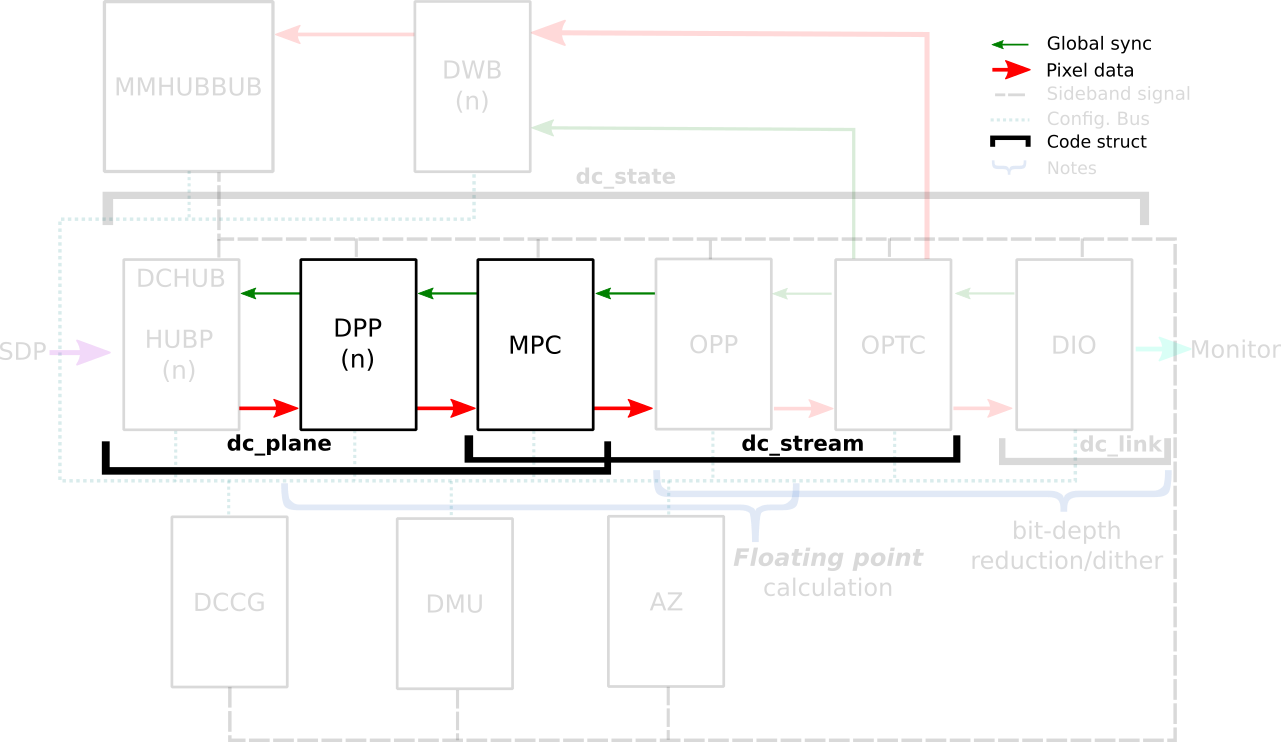
AMD Color Capabilities in the Hardware Pipeline First, let s take a closer look at the AMD Display Core Next hardware pipeline in the Linux kernel documentation for AMDGPU driver - Display Core Next In the AMD Display Core Next hardware pipeline, we encounter two hardware blocks with color capabilities: the Display Pipe and Plane (DPP) and the Multiple Pipe/Plane Combined (MPC). The DPP handles color adjustments per plane before blending, while the MPC engages in post-blending color adjustments. In short, we expect DPP color capabilities to match up with DRM plane properties, and MPC color capabilities to play nice with DRM CRTC properties. Note: here s the catch there are some DRM CRTC color transformations that don t have a corresponding AMD MPC color block, and vice versa. It s like a puzzle, and we re here to solve it!

AMD Color Blocks and Capabilities We can finally talk about the color capabilities of each AMD color block. As it varies based on the generation of hardware, let s take the DCN3+ family as reference. What s possible to do before and after blending depends on hardware capabilities describe in the kernel driver by struct dpp_color_caps and struct mpc_color_caps. The AMD Steam Deck hardware provides a tangible example of these capabilities. Therefore, we take SteamDeck/DCN301 driver as an example and look at the Color pipeline capabilities described in the file: driver/gpu/drm/amd/display/dcn301/dcn301_resources.c
/* Color pipeline capabilities */
dc->caps.color.dpp.dcn_arch = 1; // If it is a Display Core Next (DCN): yes. Zero means DCE.
dc->caps.color.dpp.input_lut_shared = 0;
dc->caps.color.dpp.icsc = 1; // Intput Color Space Conversion  (CSC) matrix.
dc->caps.color.dpp.dgam_ram = 0; // The old degamma block for degamma curve (hardcoded and LUT).  Gamma correction  is the new one.
dc->caps.color.dpp.dgam_rom_caps.srgb = 1; // sRGB hardcoded curve support
dc->caps.color.dpp.dgam_rom_caps.bt2020 = 1; // BT2020 hardcoded curve support (seems not actually in use)
dc->caps.color.dpp.dgam_rom_caps.gamma2_2 = 1; // Gamma 2.2 hardcoded curve support
dc->caps.color.dpp.dgam_rom_caps.pq = 1; // PQ hardcoded curve support
dc->caps.color.dpp.dgam_rom_caps.hlg = 1; // HLG hardcoded curve support
dc->caps.color.dpp.post_csc = 1; // CSC matrix
dc->caps.color.dpp.gamma_corr = 1; // New  Gamma Correction  block for degamma user LUT;
dc->caps.color.dpp.dgam_rom_for_yuv = 0;
dc->caps.color.dpp.hw_3d_lut = 1; // 3D LUT support. If so, it's always preceded by a shaper curve. 
dc->caps.color.dpp.ogam_ram = 1; //  Blend Gamma  block for custom curve just after blending
// no OGAM ROM on DCN301
dc->caps.color.dpp.ogam_rom_caps.srgb = 0;
dc->caps.color.dpp.ogam_rom_caps.bt2020 = 0;
dc->caps.color.dpp.ogam_rom_caps.gamma2_2 = 0;
dc->caps.color.dpp.ogam_rom_caps.pq = 0;
dc->caps.color.dpp.ogam_rom_caps.hlg = 0;
dc->caps.color.dpp.ocsc = 0;
dc->caps.color.mpc.gamut_remap = 1; // Post-blending CTM (pre-blending CTM is always supported)
dc->caps.color.mpc.num_3dluts = pool->base.res_cap->num_mpc_3dlut; // Post-blending 3D LUT (preceded by shaper curve)
dc->caps.color.mpc.ogam_ram = 1; // Post-blending regamma.
// No pre-defined TF supported for regamma.
dc->caps.color.mpc.ogam_rom_caps.srgb = 0;
dc->caps.color.mpc.ogam_rom_caps.bt2020 = 0;
dc->caps.color.mpc.ogam_rom_caps.gamma2_2 = 0;
dc->caps.color.mpc.ogam_rom_caps.pq = 0;
dc->caps.color.mpc.ogam_rom_caps.hlg = 0;
dc->caps.color.mpc.ocsc = 1; // Output CSC matrix.
I included some inline comments in each element of the color caps to quickly describe them, but you can find the same information in the Linux kernel documentation. See more in struct dpp_color_caps, struct mpc_color_caps and struct rom_curve_caps. Now, using this guideline, we go through color capabilities of DPP and MPC blocks and talk more about mapping driver-specific properties to corresponding color blocks.

DPP Color Pipeline: Before Blending (Per Plane) Let s explore the capabilities of DPP blocks and what you can achieve with a color block. The very first thing to pay attention is the display architecture of the display hardware: previously AMD uses a display architecture called DCE
  • Display and Compositing Engine, but newer hardware follows DCN - Display Core Next.
The architectute is described by: dc->caps.color.dpp.dcn_arch

AMD Plane Degamma: TF and 1D LUT Described by: dc->caps.color.dpp.dgam_ram, dc->caps.color.dpp.dgam_rom_caps,dc->caps.color.dpp.gamma_corr AMD Plane Degamma data is mapped to the initial stage of the DPP pipeline. It is utilized to transition from scanout/encoded values to linear values for arithmetic operations. Plane Degamma supports both pre-defined transfer functions and 1D LUTs, depending on the hardware generation. DCN2 and older families handle both types of curve in the Degamma RAM block (dc->caps.color.dpp.dgam_ram); DCN3+ separate hardcoded curves and 1D LUT into two block: Degamma ROM (dc->caps.color.dpp.dgam_rom_caps) and Gamma correction block (dc->caps.color.dpp.gamma_corr), respectively. Pre-defined transfer functions:
  • they are hardcoded curves (read-only memory - ROM);
  • supported curves: sRGB EOTF, BT.709 inverse OETF, PQ EOTF and HLG OETF, Gamma 2.2, Gamma 2.4 and Gamma 2.6 EOTF.
The 1D LUT currently accepts 4096 entries of 8-bit. The data is interpreted as an array of struct drm_color_lut elements. Setting TF = Identity/Default and LUT as NULL means bypass. References:

AMD Plane 3x4 CTM (Color Transformation Matrix) AMD Plane CTM data goes to the DPP Gamut Remap block, supporting a 3x4 fixed point (s31.32) matrix for color space conversions. The data is interpreted as a struct drm_color_ctm_3x4. Setting NULL means bypass. References:

AMD Plane Shaper: TF + 1D LUT Described by: dc->caps.color.dpp.hw_3d_lut The Shaper block fine-tunes color adjustments before applying the 3D LUT, optimizing the use of the limited entries in each dimension of the 3D LUT. On AMD hardware, a 3D LUT always means a preceding shaper 1D LUT used for delinearizing and/or normalizing the color space before applying a 3D LUT, so this entry on DPP color caps dc->caps.color.dpp.hw_3d_lut means support for both shaper 1D LUT and 3D LUT. Pre-defined transfer function enables delinearizing content with or without shaper LUT, where AMD color module calculates the resulted shaper curve. Shaper curves go from linear values to encoded values. If we are already in a non-linear space and/or don t need to normalize values, we can set a Identity TF for shaper that works similar to bypass and is also the default TF value. Pre-defined transfer functions:
  • there is no DPP Shaper ROM. Curves are calculated by AMD color modules. Check calculate_curve() function in the file amd/display/modules/color/color_gamma.c.
  • supported curves: Identity, sRGB inverse EOTF, BT.709 OETF, PQ inverse EOTF, HLG OETF, and Gamma 2.2, Gamma 2.4, Gamma 2.6 inverse EOTF.
The 1D LUT currently accepts 4096 entries of 8-bit. The data is interpreted as an array of struct drm_color_lut elements. When setting Plane Shaper TF (!= Identity) and LUT at the same time, the color module will combine the pre-defined TF and the custom LUT values into the LUT that s actually programmed. Setting TF = Identity/Default and LUT as NULL works as bypass. References:

AMD Plane 3D LUT Described by: dc->caps.color.dpp.hw_3d_lut The 3D LUT in the DPP block facilitates complex color transformations and adjustments. 3D LUT is a three-dimensional array where each element is an RGB triplet. As mentioned before, the dc->caps.color.dpp.hw_3d_lut describe if DPP 3D LUT is supported. The AMD driver-specific property advertise the size of a single dimension via LUT3D_SIZE property. Plane 3D LUT is a blog property where the data is interpreted as an array of struct drm_color_lut elements and the number of entries is LUT3D_SIZE cubic. The array contains samples from the approximated function. Values between samples are estimated by tetrahedral interpolation The array is accessed with three indices, one for each input dimension (color channel), blue being the outermost dimension, red the innermost. This distribution is better visualized when examining the code in [RFC PATCH 5/5] drm/amd/display: Fill 3D LUT from userspace by Alex Hung:
+	for (nib = 0; nib < 17; nib++)  
+		for (nig = 0; nig < 17; nig++)  
+			for (nir = 0; nir < 17; nir++)  
+				ind_lut = 3 * (nib + 17*nig + 289*nir);
+
+				rgb_area[ind].red = rgb_lib[ind_lut + 0];
+				rgb_area[ind].green = rgb_lib[ind_lut + 1];
+				rgb_area[ind].blue = rgb_lib[ind_lut + 2];
+				ind++;
+			 
+		 
+	 
In our driver-specific approach we opted to advertise it s behavior to the userspace instead of implicitly dealing with it in the kernel driver. AMD s hardware supports 3D LUTs with 17-size or 9-size (4913 and 729 entries respectively), and you can choose between 10-bit or 12-bit. In the current driver-specific work we focus on enabling only 17-size 12-bit 3D LUT, as in [PATCH v3 25/32] drm/amd/display: add plane 3D LUT support:
+		/* Stride and bit depth are not programmable by API yet.
+		 * Therefore, only supports 17x17x17 3D LUT (12-bit).
+		 */
+		lut->lut_3d.use_tetrahedral_9 = false;
+		lut->lut_3d.use_12bits = true;
+		lut->state.bits.initialized = 1;
+		__drm_3dlut_to_dc_3dlut(drm_lut, drm_lut3d_size, &lut->lut_3d,
+					lut->lut_3d.use_tetrahedral_9,
+					MAX_COLOR_3DLUT_BITDEPTH);
A refined control of 3D LUT parameters should go through a follow-up version or generic API. Setting 3D LUT to NULL means bypass. References:

AMD Plane Blend/Out Gamma: TF + 1D LUT Described by: dc->caps.color.dpp.ogam_ram The Blend/Out Gamma block applies the final touch-up before blending, allowing users to linearize content after 3D LUT and just before the blending. It supports both 1D LUT and pre-defined TF. We can see Shaper and Blend LUTs as 1D LUTs that are sandwich the 3D LUT. So, if we don t need 3D LUT transformations, we may want to only use Degamma block to linearize and skip Shaper, 3D LUT and Blend. Pre-defined transfer function:
  • there is no DPP Blend ROM. Curves are calculated by AMD color modules;
  • supported curves: Identity, sRGB EOTF, BT.709 inverse OETF, PQ EOTF, HLG inverse OETF, and Gamma 2.2, Gamma 2.4, Gamma 2.6 EOTF.
The 1D LUT currently accepts 4096 entries of 8-bit. The data is interpreted as an array of struct drm_color_lut elements. If plane_blend_tf_property != Identity TF, AMD color module will combine the user LUT values with pre-defined TF into the LUT parameters to be programmed. Setting TF = Identity/Default and LUT to NULL means bypass. References:

MPC Color Pipeline: After Blending (Per CRTC)

DRM CRTC Degamma 1D LUT The degamma lookup table (LUT) for converting framebuffer pixel data before apply the color conversion matrix. The data is interpreted as an array of struct drm_color_lut elements. Setting NULL means bypass. Not really supported. The driver is currently reusing the DPP degamma LUT block (dc->caps.color.dpp.dgam_ram and dc->caps.color.dpp.gamma_corr) for supporting DRM CRTC Degamma LUT, as explaning by [PATCH v3 20/32] drm/amd/display: reject atomic commit if setting both plane and CRTC degamma.

DRM CRTC 3x3 CTM Described by: dc->caps.color.mpc.gamut_remap It sets the current transformation matrix (CTM) apply to pixel data after the lookup through the degamma LUT and before the lookup through the gamma LUT. The data is interpreted as a struct drm_color_ctm. Setting NULL means bypass.

DRM CRTC Gamma 1D LUT + AMD CRTC Gamma TF Described by: dc->caps.color.mpc.ogam_ram After all that, you might still want to convert the content to wire encoding. No worries, in addition to DRM CRTC 1D LUT, we ve got a AMD CRTC gamma transfer function (TF) to make it happen. Possible TF values are defined by enum amdgpu_transfer_function. Pre-defined transfer functions:
  • there is no MPC Gamma ROM. Curves are calculated by AMD color modules.
  • supported curves: Identity, sRGB inverse EOTF, BT.709 OETF, PQ inverse EOTF, HLG OETF, and Gamma 2.2, Gamma 2.4, Gamma 2.6 inverse EOTF.
The 1D LUT currently accepts 4096 entries of 8-bit. The data is interpreted as an array of struct drm_color_lut elements. When setting CRTC Gamma TF (!= Identity) and LUT at the same time, the color module will combine the pre-defined TF and the custom LUT values into the LUT that s actually programmed. Setting TF = Identity/Default and LUT to NULL means bypass. References:

Others

AMD CRTC Shaper and 3D LUT We have previously worked on exposing CRTC shaper and CRTC 3D LUT, but they were removed from the AMD driver-specific color series because they lack userspace case. CRTC shaper and 3D LUT works similar to plane shaper and 3D LUT but after blending (MPC block). The difference here is that setting (not bypass) Shaper and Gamma blocks together are not expected, since both blocks are used to delinearize the input space. In summary, we either set Shaper + 3D LUT or Gamma.

Input and Output Color Space Conversion There are two other color capabilities of AMD display hardware that were integrated to DRM by previous works and worth a brief explanation here. The DC Input CSC sets pre-defined coefficients from the values of DRM plane color_range and color_encoding properties. It is used for color space conversion of the input content. On the other hand, we have de DC Output CSC (OCSC) sets pre-defined coefficients from DRM connector colorspace properties. It is uses for color space conversion of the composed image to the one supported by the sink. References:

The search for rainbow treasures is not over yet If you want to understand a little more about this work, be sure to watch Joshua and I presented two talks at XDC 2023 about AMD/Steam Deck colors on Gamescope: In the time between the first and second part of this blog post, Uma Shashank and Chaitanya Kumar Borah published the plane color pipeline for Intel and Harry Wentland implemented a generic API for DRM based on VKMS support. We discussed these two proposals and the next steps for Color on Linux during the Color Management workshop at XDC 2023 and I briefly shared workshop results in the 2023 XDC lightning talk session. The search for rainbow treasures is not over yet! We plan to meet again next year in the 2024 Display Hackfest in Coru a-Spain (Igalia s HQ) to keep up the pace and continue advancing today s display needs on Linux. Finally, a HUGE thank you to everyone who worked with me on exploring AMD s color capabilities and making them available in userspace.

5 November 2023

Vincent Bernat: Non-interactive SSH password authentication

SSH offers several forms of authentication, such as passwords and public keys. The latter are considered more secure. However, password authentication remains prevalent, particularly with network equipment.1 A classic solution to avoid typing a password for each connection is sshpass, or its more correct variant passh. Here is a wrapper for Zsh, getting the password from pass, a simple password manager:2
pssh()  
  passh -p <(pass show network/ssh/password   head -1) ssh "$@"
 
compdef pssh=ssh
This approach is a bit brittle as it requires to parse the output of the ssh command to look for a password prompt. Moreover, if no password is required, the password manager is still invoked. Since OpenSSH 8.4, we can use SSH_ASKPASS and SSH_ASKPASS_REQUIRE instead:
ssh()  
  set -o localoptions -o localtraps
  local passname=network/ssh/password
  local helper=$(mktemp)
  trap "command rm -f $helper" EXIT INT
  > $helper <<EOF
#!$SHELL
pass show $passname   head -1
EOF
  chmod u+x $helper
  SSH_ASKPASS=$helper SSH_ASKPASS_REQUIRE=force command ssh "$@"
 
If the password is incorrect, we can display a prompt on the second tentative:
ssh()  
  set -o localoptions -o localtraps
  local passname=network/ssh/password
  local helper=$(mktemp)
  trap "command rm -f $helper" EXIT INT
  > $helper <<EOF
#!$SHELL
if [ -k $helper ]; then
   
    oldtty=\$(stty -g)
    trap 'stty \$oldtty < /dev/tty 2> /dev/null' EXIT INT TERM HUP
    stty -echo
    print "\rpassword: "
    read password
    printf "\n"
    > /dev/tty < /dev/tty
  printf "%s" "\$password"
else
  pass show $passname   head -1
  chmod +t $helper
fi
EOF
  chmod u+x $helper
  SSH_ASKPASS=$helper SSH_ASKPASS_REQUIRE=force command ssh "$@"
 
A possible improvement is to use a different password entry depending on the remote host:3
ssh()  
  # Grab login information
  local -A details
  details=($ =$ (M)$ :-"$ (@f)$(command ssh -G "$@" 2>/dev/null) " :#(host hostname user) * )
  local remote=$ details[host]:-details[hostname] 
  local login=$ details[user] @$ remote 
  # Get password name
  local passname
  case "$login" in
    admin@*.example.net)  passname=company1/ssh/admin ;;
    bernat@*.example.net) passname=company1/ssh/bernat ;;
    backup@*.example.net) passname=company1/ssh/backup ;;
  esac
  # No password name? Just use regular SSH
  [[ -z $passname ]] &&  
    command ssh "$@"
    return $?
   
  # Invoke SSH with the helper for SSH_ASKPASS
  # [ ]
 
It is also possible to make scp invoke our custom ssh function:
scp()  
  set -o localoptions -o localtraps
  local helper=$(mktemp)
  trap "command rm -f $helper" EXIT INT
  > $helper <<EOF 
#!$SHELL
source $ (%):-%x 
ssh "\$@"
EOF
  command scp -S $helper "$@"
 
For the complete code, have a look at my zshrc. As an alternative, you can put the ssh() function body into its own script file and replace command ssh with /usr/bin/ssh to avoid an unwanted recursive call. In this case, the scp() function is not needed anymore.

  1. First, some vendors make it difficult to associate an SSH key with a user. Then, many vendors do not support certificate-based authentication, making it difficult to scale. Finally, interactions between public-key authentication and finer-grained authorization methods like TACACS+ and Radius are still uncharted territory.
  2. The clear-text password never appears on the command line, in the environment, or on the disk, making it difficult for a third party without elevated privileges to capture it. On Linux, Zsh provides the password through a file descriptor.
  3. To decipher the fourth line, you may get help from print -l and the zshexpn(1) manual page. details is an associative array defined from an array alternating keys and values.

Iustin Pop: Corydalis: new release and switching to date-versioning

After 4 years, I finally managed to tag a new release of Corydalis. There s nothing special about this specific point in time, but there was also none in the last four years, so I gave up on trying to any kind of usual version release, and simply switched to CalVer. So, Corydalis 2023.44.0 is up and running on https://demo.corydalis.io. I am 100% sure I m the only one using it, but doing it open-source is nicer, and I still can t imagine another way of managing/browsing my photo library (that keeps it under my own control), so I keep doing 10-20 commits per year to it. There s a lot of bugs to fix and functionality to improve (main thing - a real video player), but until I can find a chunk of free time, it is what it is .

3 November 2023

Scarlett Gately Moore: KDE: Big fixes for Snaps! Debian and KDE neon updates.

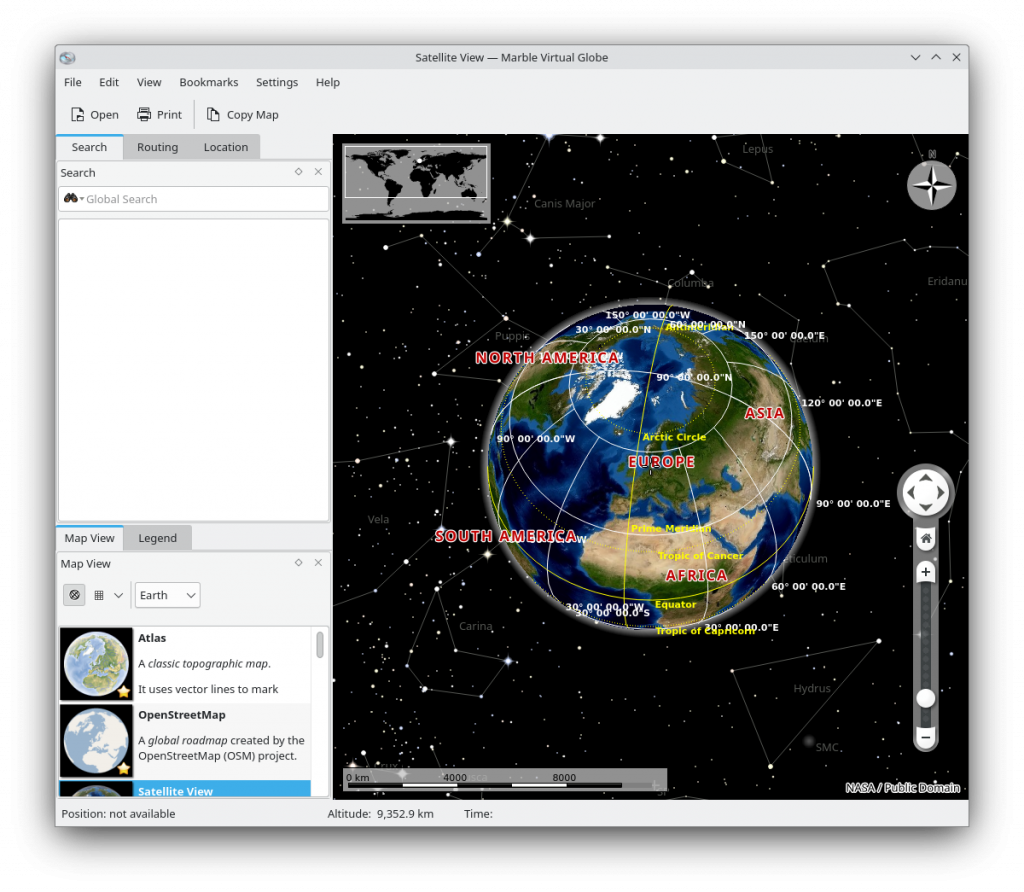
KDE Snap Marble
A big thank you goes to my parents this week for contributing to my survival fund. With that I was able to make a big push on fixing some outstanding issues on some of our snaps.
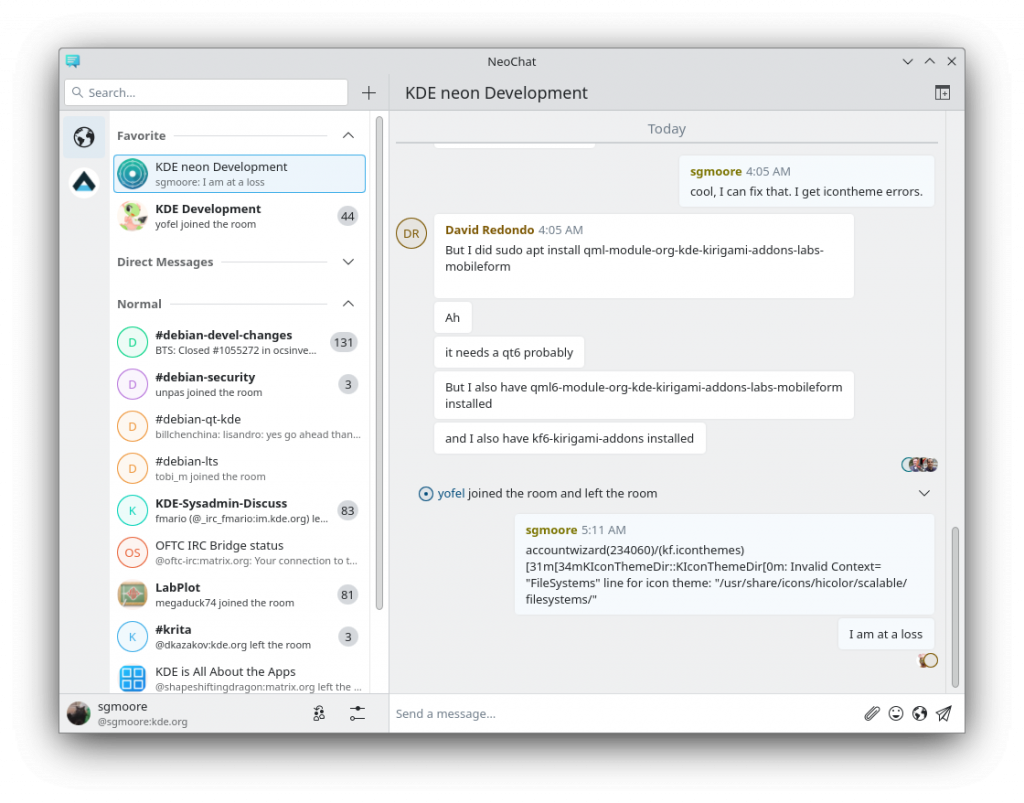
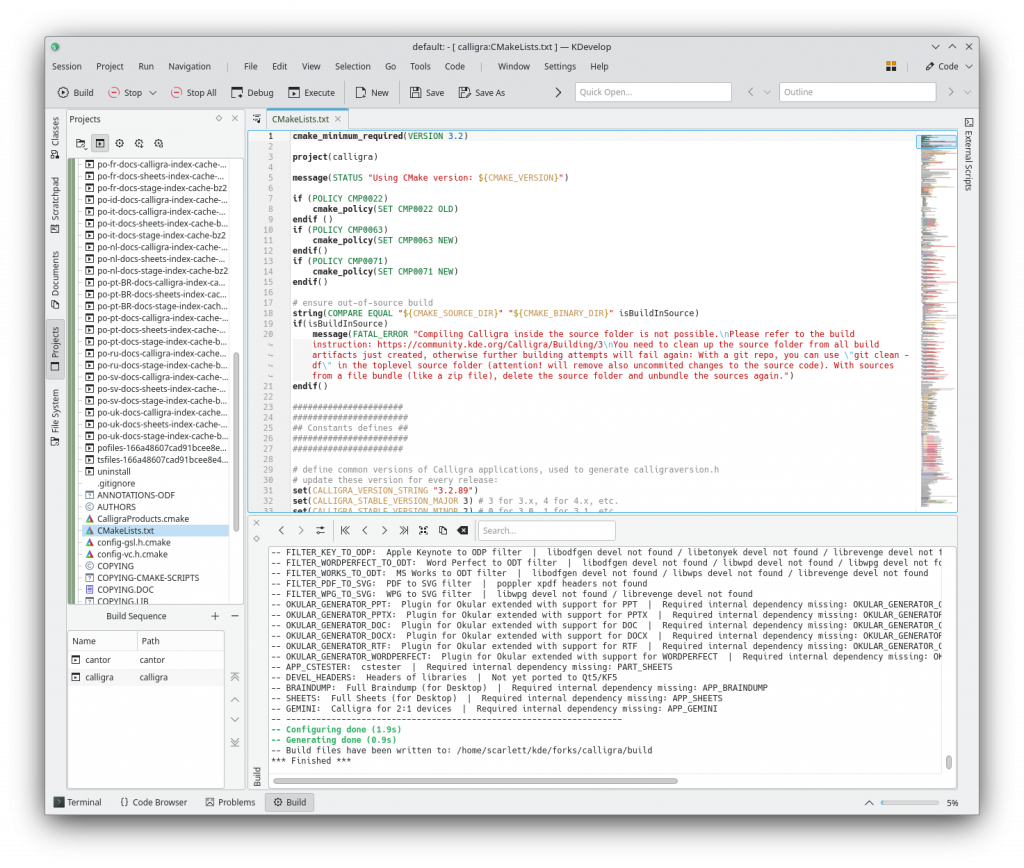
KDE neon: No major blowups this week. Worked out issues with kmail-account-wizard thanks to David R! This is now in the hands of upstream ( porting not complete ) Worked on more orange -> green packaging fixes. Debian: Fixed bug https://bugs.debian.org/cgi-bin/bugreport.cgi?bug=1054713 in squashfuse Thanks for stopping by. Please help fund my efforts! <noscript><a href="https://liberapay.com/sgmoore/donate"><img alt="Donate using Liberapay" src="https://liberapay.com/assets/widgets/donate.svg" /></a></noscript> Donate https://gofund.me/b8b69e54

2 November 2023

Fran ois Marier: Upgrading from Debian 11 bullseye to 12 bookworm

Over the last few months, I upgraded my Debian machines from bullseye to bookworm. The process was uneventful, but I ended up reconfiguring several things afterwards in order to modernize my upgraded machines.

Logcheck I noticed in this release that the transition to journald is essentially complete. This means that rsyslog is no longer needed on most of my systems:
apt purge rsyslog
Once that was done, I was able to comment out the following lines in /etc/logcheck/logcheck.logfiles.d/syslog.logfiles:
#/var/log/syslog
#/var/log/auth.log
I did have to adjust some of my custom logcheck rules, particularly the ones that deal with kernel messages:
--- a/logcheck/ignore.d.server/local-kernel
+++ b/logcheck/ignore.d.server/local-kernel
@@ -1,1 +1,1 @@
-^\w 3  [ :[:digit:]] 11  [._[:alnum:]-]+ kernel: \[[0-9. ]+]\ IN=eno1 OUT= MAC=[0-9a-f:]+ SRC=[0-9a-f.:]+
+^\w 3  [ :[:digit:]] 11  [._[:alnum:]-]+ kernel: (\[[0-9. ]+]\ )?IN=eno1 OUT= MAC=[0-9a-f:]+ SRC=[0-9a-f.:]+
Then I moved local entries from /etc/logcheck/logcheck.logfiles to /etc/logcheck/logcheck.logfiles.d/local.logfiles (/var/log/syslog and /var/log/auth.log are enabled by default when needed) and removed some files that are no longer used:
rm /var/log/mail.err*
rm /var/log/mail.warn*
rm /var/log/mail.info*
Finally, I had to fix any unescaped characters in my local rules. For example error == NULL \*error == NULL must now be written as error == NULL \ \ \*error == NULL.

Networking After the upgrade, I got a notice that the isc-dhcp-client is now deprecated and so I removed if from my system:
apt purge isc-dhcp-client
This however meant that I need to ensure that my network configuration software does not depend on the now-deprecated DHCP client. On my laptop, I was already using NetworkManager for my main network interfaces and that has built-in DHCP support.

Migration to systemd-networkd On my backup server, I took this opportunity to switch from ifupdown to systemd-networkd by removing ifupdown:
apt purge ifupdown
rm /etc/network/interfaces
putting the following in /etc/systemd/network/20-wired.network:
[Match]
Name=eno1
[Network]
DHCP=yes
MulticastDNS=yes
and then enabling/starting systemd-networkd:
systemctl enable systemd-networkd
systemctl start systemd-networkd
I also needed to install polkit:
apt install --no-install-recommends policykit-1
in order to allow systemd-networkd to set the hostname. In order to start my firewall automatically as interfaces are brought up, I wrote a dispatcher script to apply my existing iptables rules.

Migration to predictacle network interface names On my Linode server, I did the same as on the backup server, but I put the following in /etc/systemd/network/20-wired.network since it has a static IPv6 allocation:
[Match]
Name=enp0s4
[Network]
DHCP=yes
Address=2600:3c01::xxxx:xxxx:xxxx:939f/64
Gateway=fe80::1
and switched to predictable network interface names by deleting these two files:
  • /etc/systemd/network/50-virtio-kernel-names.link
  • /etc/systemd/network/99-default.link
and then changing eth0 to enp0s4 in:
  • /etc/network/iptables.up.rules
  • /etc/network/ip6tables.up.rules
  • /etc/rc.local (for OpenVPN)
  • /etc/logcheck/ignored.d.*/*
Then I regenerated all initramfs:
update-initramfs -u -k all
and rebooted the virtual machine. Giving systemd-resolved control of /etc/resolv.conf After reading this history of DNS resolution on Linux, I decided to modernize my resolv.conf setup and let systemd-resolved handle /etc/resolv.conf. I installed the package:
apt install systemd-resolved
and then removed no-longer-needed packages:
apt purge resolvconf avahi-daemon
I also disabled support for Link-Local Multicast Name Resolution (LLMNR) after reading this person's reasoning by putting the following in /etc/systemd/resolved.conf.d/llmnr.conf:
[Resolve]
LLMNR=no
I verified that mDNS is enabled and LLMNR is disabled:
$ resolvectl mdns
Global: yes
Link 2 (enp0s25): yes
Link 3 (wlp3s0): yes
$ resolvectl llmnr
Global: no
Link 2 (enp0s25): no
Link 3 (wlp3s0): no
Note that if you want auto-discovery of local printers using CUPS, you need to keep avahi-daemon since cups-browsed doesn't support systemd-resolved. You can verify that it works using:
sudo lpinfo --include-schemes dnssd -v

Dynamic DNS I replaced ddclient with inadyn since it doesn't work with no-ip.com anymore, using the configuration I described in an old blog post.

chkrootkit I moved my customizations in /etc/chkrootkit.conf to /etc/chkrootkit/chkrootkit.conf after seeing this message in my logs:
WARNING: /etc/chkrootkit.conf is deprecated. Please put your settings in /etc/chkrootkit/chkrootkit.conf instead: /etc/chkrootkit.conf will be ignored in a future release and should be deleted.

ssh As mentioned in Debian bug#1018106, to silence the following warnings:
sshd[6283]: pam_env(sshd:session): deprecated reading of user environment enabled
I changed the following in /etc/pam.d/sshd:
--- a/pam.d/sshd
+++ b/pam.d/sshd
@@ -44,7 +44,7 @@ session    required     pam_limits.so
 session    required     pam_env.so # [1]
 # In Debian 4.0 (etch), locale-related environment variables were moved to
 # /etc/default/locale, so read that as well.
-session    required     pam_env.so user_readenv=1 envfile=/etc/default/locale
+session    required     pam_env.so envfile=/etc/default/locale
 # SELinux needs to intervene at login time to ensure that the process starts
 # in the proper default security context.  Only sessions which are intended
I also made the following changes to /etc/ssh/sshd_config.d/local.conf based on the advice of ssh-audit 2.9.0:
-KexAlgorithms curve25519-sha256@libssh.org,curve25519-sha256,diffie-hellman-group14-sha256,diffie-hellman-group16-sha512,diffie-hellman-group18-sha512,diffie-hellman-group-exchange-sha256
+KexAlgorithms curve25519-sha256@libssh.org,curve25519-sha256,sntrup761x25519-sha512@openssh.com,diffie-hellman-group16-sha512,diffie-hellman-group18-sha512

Reproducible Builds: Farewell from the Reproducible Builds Summit 2023!

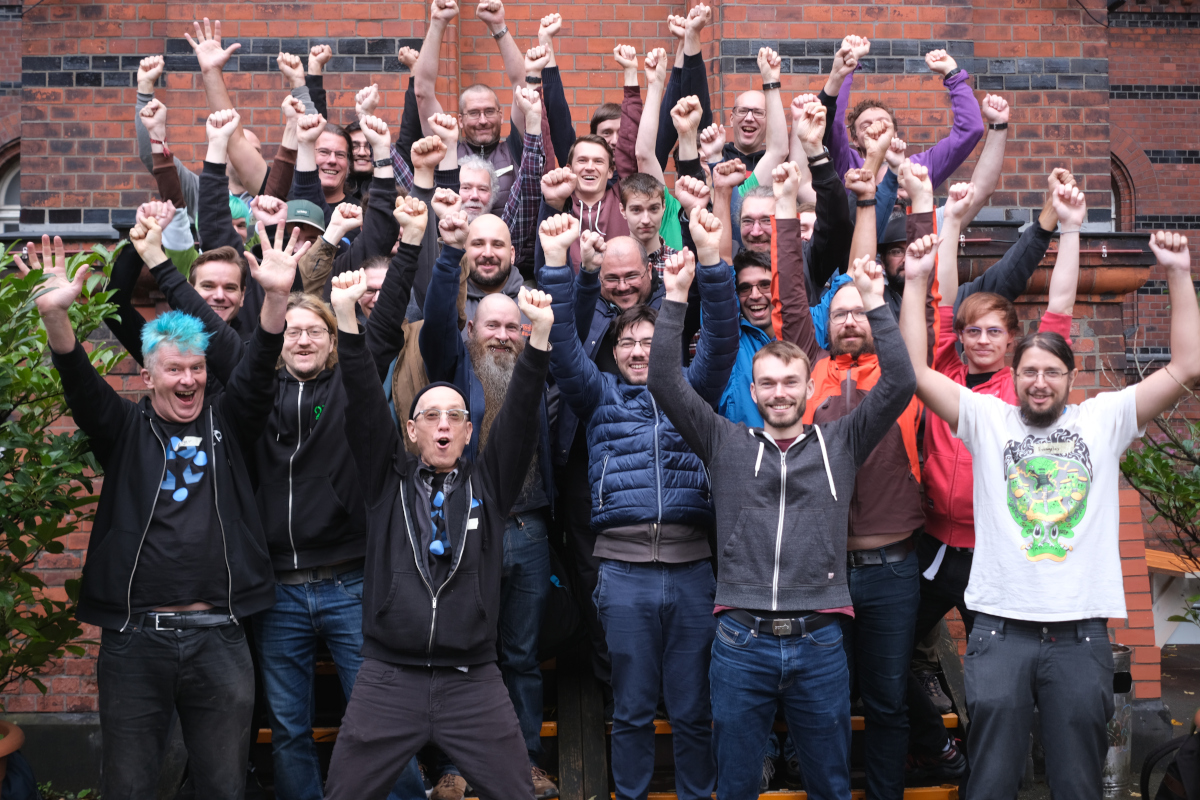
Farewell from the Reproducible Builds summit, which just took place in Hamburg, Germany: This year, we were thrilled to host the seventh edition of this exciting event. Topics covered this year included:

as well as countless informal discussions and hacking sessions into the night. Projects represented at the venue included:
Debian, openSUSE, QubesOS, GNU Guix, Arch Linux, phosh, Mobian, PureOS, JustBuild, LibreOffice, Warpforge, OpenWrt, F-Droid, NixOS, ElectroBSD, Apache Security, Buildroot, Systemd, Apache Maven, Fedora, Privoxy, CHAINS (KTH Royal Institute of Technology), coreboot, GitHub, Tor Project, Ubuntu, rebuilderd, repro-env, spytrap-adb, arch-repro-status, etc.

A huge thanks to our sponsors and partners for making the event possible:
Aspiration

Event facilitation

Mullvad

Platinum sponsor


If you weren t able to make it this year, don t worry; just look out for an announcement in 2024 for the next event.

1 November 2023

Matthew Garrett: Why ACPI?

"Why does ACPI exist" - - the greatest thread in the history of forums, locked by a moderator after 12,239 pages of heated debate, wait no let me start again.

Why does ACPI exist? In the beforetimes power management on x86 was done by jumping to an opaque BIOS entry point and hoping it would do the right thing. It frequently didn't. We called this Advanced Power Management (Advanced because before this power management involved custom drivers for every machine and everyone agreed that this was a bad idea), and it involved the firmware having to save and restore the state of every piece of hardware in the system. This meant that assumptions about hardware configuration were baked into the firmware - failed to program your graphics card exactly the way the BIOS expected? Hurrah! It's only saved and restored a subset of the state that you configured and now potential data corruption for you. The developers of ACPI made the reasonable decision that, well, maybe since the OS was the one setting state in the first place, the OS should restore it.

So far so good. But some state is fundamentally device specific, at a level that the OS generally ignores. How should this state be managed? One way to do that would be to have the OS know about the device specific details. Unfortunately that means you can't ship the computer without having OS support for it, which means having OS support for every device (exactly what we'd got away from with APM). This, uh, was not an option the PC industry seriously considered. The alternative is that you ship something that abstracts the details of the specific hardware and makes that abstraction available to the OS. This is what ACPI does, and it's also what things like Device Tree do. Both provide static information about how the platform is configured, which can then be consumed by the OS and avoid needing device-specific drivers or configuration to be built-in.

The main distinction between Device Tree and ACPI is that Device Tree is purely a description of the hardware that exists, and so still requires the OS to know what's possible - if you add a new type of power controller, for instance, you need to add a driver for that to the OS before you can express that via Device Tree. ACPI decided to include an interpreted language to allow vendors to expose functionality to the OS without the OS needing to know about the underlying hardware. So, for instance, ACPI allows you to associate a device with a function to power down that device. That function may, when executed, trigger a bunch of register accesses to a piece of hardware otherwise not exposed to the OS, and that hardware may then cut the power rail to the device to power it down entirely. And that can be done without the OS having to know anything about the control hardware.

How is this better than just calling into the firmware to do it? Because the fact that ACPI declares that it's going to access these registers means the OS can figure out that it shouldn't, because it might otherwise collide with what the firmware is doing. With APM we had no visibility into that - if the OS tried to touch the hardware at the same time APM did, boom, almost impossible to debug failures (This is why various hardware monitoring drivers refuse to load by default on Linux - the firmware declares that it's going to touch those registers itself, so Linux decides not to in order to avoid race conditions and potential hardware damage. In many cases the firmware offers a collaborative interface to obtain the same data, and a driver can be written to get that. this bug comment discusses this for a specific board)

Unfortunately ACPI doesn't entirely remove opaque firmware from the equation - ACPI methods can still trigger System Management Mode, which is basically a fancy way to say "Your computer stops running your OS, does something else for a while, and you have no idea what". This has all the same issues that APM did, in that if the hardware isn't in exactly the state the firmware expects, bad things can happen. While historically there were a bunch of ACPI-related issues because the spec didn't define every single possible scenario and also there was no conformance suite (eg, should the interpreter be multi-threaded? Not defined by spec, but influences whether a specific implementation will work or not!), these days overall compatibility is pretty solid and the vast majority of systems work just fine - but we do still have some issues that are largely associated with System Management Mode.

One example is a recent Lenovo one, where the firmware appears to try to poke the NVME drive on resume. There's some indication that this is intended to deal with transparently unlocking self-encrypting drives on resume, but it seems to do so without taking IOMMU configuration into account and so things explode. It's kind of understandable why a vendor would implement something like this, but it's also kind of understandable that doing so without OS cooperation may end badly.

This isn't something that ACPI enabled - in the absence of ACPI firmware vendors would just be doing this unilaterally with even less OS involvement and we'd probably have even more of these issues. Ideally we'd "simply" have hardware that didn't support transitioning back to opaque code, but we don't (ARM has basically the same issue with TrustZone). In the absence of the ideal world, by and large ACPI has been a net improvement in Linux compatibility on x86 systems. It certainly didn't remove the "Everything is Windows" mentality that many vendors have, but it meant we largely only needed to ensure that Linux behaved the same way as Windows in a finite number of ways (ie, the behaviour of the ACPI interpreter) rather than in every single hardware driver, and so the chances that a new machine will work out of the box are much greater than they were in the pre-ACPI period.

There's an alternative universe where we decided to teach the kernel about every piece of hardware it should run on. Fortunately (or, well, unfortunately) we've seen that in the ARM world. Most device-specific simply never reaches mainline, and most users are stuck running ancient kernels as a result. Imagine every x86 device vendor shipping their own kernel optimised for their hardware, and now imagine how well that works out given the quality of their firmware. Does that really seem better to you?

It's understandable why ACPI has a poor reputation. But it's also hard to figure out what would work better in the real world. We could have built something similar on top of Open Firmware instead but the distinction wouldn't be terribly meaningful - we'd just have Forth instead of the ACPI bytecode language. Longing for a non-ACPI world without presenting something that's better and actually stands a reasonable chance of adoption doesn't make the world a better place.

comment count unavailable comments

31 October 2023

Iustin Pop: Raspberry PI OS: upgrading and cross-grading

One of the downsides of running Raspberry PI OS is the fact that - not having the resources of pure Debian - upgrades are not recommended, and cross-grades (migrating between armhf and arm64) is not even mentioned. Is this really true? It is, after all a Debian-based system, so it should in theory be doable. Let s try!

Upgrading The recently announced release based on Debian Bookworm here says:
We have always said that for a major version upgrade, you should re-image your SD card and start again with a clean image. In the past, we have suggested procedures for updating an existing image to the new version, but always with the caveat that we do not recommend it, and you do this at your own risk. This time, because the changes to the underlying architecture are so significant, we are not suggesting any procedure for upgrading a Bullseye image to Bookworm; any attempt to do this will almost certainly end up with a non-booting desktop and data loss. The only way to get Bookworm is either to create an SD card using Raspberry Pi Imager, or to download and flash a Bookworm image from here with your tool of choice.
Which means, it s time to actually try it turns out it s actually trivial, if you use RPIs as headless servers. I had only three issues:
  • if using an initrd, the new initrd-building scripts/hooks are looking for some binaries in /usr/bin, and not in /bin; solution: install manually the usrmerge package, and then re-run dpkg --configure -a;
  • also if using an initrd, the scripts are looking for the kernel config file in /boot/config-$(uname -r), and the raspberry pi kernel package doesn t provide this; workaround: modprobe configs && zcat /proc/config.gz > /boot/config-$(uname -r);
  • and finally, on normal RPI systems, that don t use manual configurations of interfaces in /etc/network/interface, migrating from the previous dhcpcd to NetworkManager will break network connectivity, and require you to log in locally and fix things.
I expect most people to hit only the 3rd, and almost no-one to use initrd on raspberry pi. But, overall, aside from these two issues and a couple of cosmetic ones (login.defs being rewritten from scratch and showing a baffling diff, for example), it was easy. Is it worth doing? Definitely. Had no data loss, and no non-booting system.

Cross-grading (32 bit to 64 bit userland) This one is actually painful. Internet searches go from it s possible, I think to it s definitely not worth trying . Examples: Aside from these, there are a gazillion other posts about switching the kernel to 64 bit. And that s worth doing on its own, but it s only half the way. So, armed with two different systems - a RPI4 4GB and a RPI Zero W2 - I tried to do this. And while it can be done, it takes many hours - first system was about 6 hours, second the same, and a third RPI4 probably took ~3 hours only since I knew the problematic issues. So, what are the steps? Basically:
  • install devscripts, since you will need dget
  • enable new architecture in dpkg: dpkg --add-architecture arm64
  • switch over apt sources to include the 64 bit repos, which are different than the 32 bit ones (Raspberry PI OS did a migration here; normally a single repository has all architectures, of course)
  • downgrade all custom rpi packages/libraries to the standard bookworm/bullseye version, since dpkg won t usually allow a single library package to have different versions (I think it s possible to override, but I didn t bother)
  • install libc for the arm64 arch (this takes some effort, it s actually a set of 3-4 packages)
  • once the above is done, install whiptail:amd64 and rejoice at running a 64-bit binary!
  • then painfully go through sets of packages and migrate the set to arm64:
    • sometimes this work via apt, sometimes you ll need to use dget and dpkg -i
    • make sure you download both the armhf and arm64 versions before doing dpkg -i, since you ll need to rollback some installs
  • at one point, you ll be able to switch over dpkg and apt to arm64, at which point the default architecture flips over; from here, if you ve done it at the right moment, it becomes very easy; you ll probably need an apt install --fix-broken, though, at first
  • and then, finish by replacing all packages with arm64 versions
  • and then, dpkg --remove-architecture armhf, reboot, and profit!
But it s tears and blood to get to that point

Pain point 1: RPI custom versions of packages Since the 32bit armhf architecture is a bit weird - having many variations - it turns out that raspberry pi OS has many packages that are very slightly tweaked to disable a compilation flag or work around build/test failures, or whatnot. Since we talk here about 64-bit capable processors, almost none of these are needed, but they do make life harder since the 64 bit version doesn t have those overrides. So what is needed would be to say downgrade all armhf packages to the version in debian upstream repo , but I couldn t find the right apt pinning incantation to do that. So what I did was to remove the 32bit repos, then use apt-show-versions to see which packages have versions that are no longer in any repo, then downgrade them. There s a further, minor, complication that there were about 3-4 packages with same version but different hash (!), which simply needed apt install --reinstall, I think.

Pain point 2: architecture independent packages There is one very big issue with dpkg in all this story, and the one that makes things very problematic: while you can have a library package installed multiple times for different architectures, as the files live in different paths, a non-library package can only be installed once (usually). For binary packages (arch:any), that is fine. But architecture-independent packages (arch:all) are problematic since usually they depend on a binary package, but they always depend on the default architecture version! Hrmm, and I just realise I don t have logs from this, so I m only ~80% confident. But basically:
  • vim-solarized (arch:all) depends on vim (arch:any)
  • if you replace vim armhf with vim arm64, this will break vim-solarized, until the default architecture becomes arm64
So you need to keep track of which packages apt will de-install, for later re-installation. It is possible that Multi-Arch: foreign solves this, per the debian wiki which says:
Note that even though Architecture: all and Multi-Arch: foreign may look like similar concepts, they are not. The former means that the same binary package can be installed on different architectures. Yet, after installation such packages are treated as if they were native architecture (by definition the architecture of the dpkg package) packages. Thus Architecture: all packages cannot satisfy dependencies from other architectures without being marked Multi-Arch foreign.
It also has warnings about how to properly use this. But, in general, not many packages have it, so it is a problem.

Pain point 3: remove + install vs overwrite It seems that depending on how the solver computes a solution, when migrating a package from 32 to 64 bit, it can choose either to:
  • overwrite in place the package (akin to dpkg -i)
  • remove + install later
The former is OK, the later is not. Or, actually, it might be that apt never can do this, for example (edited for brevity):
# apt install systemd:arm64 --no-install-recommends
The following packages will be REMOVED:
  systemd
The following NEW packages will be installed:
  systemd:arm64
0 upgraded, 1 newly installed, 1 to remove and 35 not upgraded.
Do you want to continue? [Y/n] y
dpkg: systemd: dependency problems, but removing anyway as you requested:
 systemd-sysv depends on systemd.
Removing systemd (247.3-7+deb11u2) ...
systemd is the active init system, please switch to another before removing systemd.
dpkg: error processing package systemd (--remove):
 installed systemd package pre-removal script subprocess returned error exit status 1
dpkg: too many errors, stopping
Errors were encountered while processing:
 systemd
Processing was halted because there were too many errors.
But at the same time, overwrite in place is all good - via dpkg -i from /var/cache/apt/archives. In this case it manifested via a prerm script, in other cases is manifests via dependencies that are no longer satisfied for packages that can t be removed, etc. etc. So you will have to resort to dpkg -i a lot.

Pain point 4: lib- packages that are not lib During the whole process, it is very tempting to just go ahead and install the corresponding arm64 package for all armhf lib package, in one go, since these can coexist. Well, this simple plan is complicated by the fact that some packages are named libfoo-bar, but are actual holding (e.g.) the bar binary for the libfoo package. Examples:
  • libmagic-mgc contains /usr/lib/file/magic.mgc, which conflicts between the 32 and 64 bit versions; of course, it s the exact same file, so this should be an arch:all package, but
  • libpam-modules-bin and liblockfile-bin actually contain binaries (per the -bin suffix)
It s possible to work around all this, but it changes a 1 minute:
# apt install $(dpkg -i   grep ^ii   awk ' print $2 ' grep :amrhf sed -e 's/:armhf/:arm64')
into a 10-20 minutes fight with packages (like most other steps).

Is it worth doing? Compared to the simple bullseye bookworm upgrade, I m not sure about this. The result? Yes, definitely, the system feels - weirdly - much more responsive, logged in over SSH. I guess the arm64 base architecture has some more efficient ops than the lowest denominator armhf , so to say (e.g. there was in the 32 bit version some rpi-custom package with string ops), and thus migrating to 64 bit makes more things faster , but this is subjective so it might be actually not true. But from the point of view of the effort? Unless you like to play with dpkg and apt, and understand how these work and break, I d rather say, migrate to ansible and automate the deployment. It s doable, sure, and by the third system, I got this nailed down pretty well, but it was a lot of time spent. The good aspect is that I did 3 migrations:
  • rpi zero w2: bullseye 32 bit to 64 bit, then bullseye to bookworm
  • rpi 4: bullseye to bookworm, then bookworm 32bit to 64 bit
  • same, again, for a more important system
And all three worked well and no data loss. But I m really glad I have this behind me, I probably wouldn t do a fourth system, even if forced And now, waiting for the RPI 5 to be available See you!

Russell Coker: Links October 2023

The Daily Kos has an interesting article about a new more effective method of desalination [1]. Here is a video of a crazy guy zapping things with 100 car batteries [2]. This is sonmething you should avoid if you want to die of natural causes. Does dying while making a science video count for a Darwin Award? A Hacker News comment has an interesting explanation of Unix signals [3]. Interesting documentary on the rise of mega corporations [4]. We need to split up Google, Facebook, and Amazon ASAP. Also every phone platform should have competing app stores. Dave Taht gave an interesting LCA lecture about Internet congestion control [5]. He also referenced a web site about projects to alleviate the buffer bloat problem [6]. This tiny event based sensor is an interesting product [7]. It could lead to some interesting (but possibly invasive) technological developments in phones. Tara Barnett s Everything Open lecture Swiss Army GLAM had some interesting ideas for community software development [8]. Having lots of small programs communicating with APIs is an interesting way to get people into development. Actually Hardcore Overclocking has an interesting youtube video about the differences between x8 and x14 DDR4 DIMMs [9]. Interesting YouTube video from someone who helped the Kurds defend against Turkey about how war tunnels work [10]. He makes a strong case that the Israeli invasion of the Gaza Strip won t be easy or pleasant.

29 October 2023

Russell Coker: Hello Kitty

I ve just discovered a new xterm replacement named Kitty [1]. It boasts about being faster due to threading and using the GPU and it does appear faster on some of my systems but that s not why I like it. A trend in terminal programs in recent years has been tabbed operation so you can have multiple sessions in one OS window, this is something I ve never liked just as I ve never liked using Screen to switch between sessions when I had the option of just having multiple sessions on screen. The feature that I like most about Kitty is the ability to have a grid based layout of sessions in one OS window. Instead of having 16 OS windows on my workstation or 4 OS windows on a laptop with different entries in the window list and the possibility of them getting messed up if the OS momentarily gets confused about the screen size (a common issue with laptop use) I can just have 1 Kitty window that has all the sessions running. Kitty has Kitten processes that can do various things, one is icat which displays an image file to the terminal and leaves it in the scroll-back buffer. I put the following shell code in one of the scripts called from .bashrc to setup an alias for icat.
if [ "$TERM" == "xterm-kitty" ]; then
  alias icat='kitty +kitten icat'
fi
The kitten interface can be supported by other programs. The version of the mpv video player in Debian/Unstable has a --vo=kitty option which is an interesting feature. However playing a video in a Kitty window that takes up 1/4 of the screen on my laptop takes a bit over 100% of a CPU core for mpv and about 10% to 20% for Kitty which gives a total of about 120% CPU use on my i5-6300U compared to about 20% for mpv using wayland directly. The option to make it talk to Kitty via shared memory doesn t improve things. Using this effectively requires installing the kitty-terminfo package on every system you might ssh to. But you can set the term type to xterm-256color when logged in to a system without the kitty terminfo installed. The fact that icat and presumably other advanced terminal functions work over ssh by default is a security concern, but this also works with Konsole and will presumably be added to other terminal emulators so it s a widespread problem that needs attention. There is support for desktop notifications in the Kitty terminal encoding [2]. One of the things I m interested in at the moment is how to best manage notifications on converged systems (phone and desktop) so this is something I ll have to investigate. Overall Kitty has some great features and definitely has the potential to improve productivity for some work patterns. There are some security concerns that it raises through closer integration between systems and between programs, but many of them aren t exclusive to Kitty.

27 October 2023

Scarlett Gately Moore: KDE: KDEneon Plasma Release, Unstable BOOM, Snaps, and Debian

Yang the cat birdYang the cat bird
While Yang our cat tries to lure in unsuspecting birds on the bird feeder, I have been busy working on many things. First things first though, a big thank you to all that donated to my Internet bill. I was able to continue my work without interruption. KDE neon: A busy week in KDE neon as https://kde.org/announcements/plasma/5/5.27.9/ was released! We have it ready to update in User edition or if you would like to download the new ISO you can find it here: https://neon.kde.org/download I highly advise the User Edition as Unstable is volatile right now with Qt6 transition and ABI breakage. Which leads me to the next busy work for the week. Plasma 6 exploded breaking unstable desktops all over, including mine! A library changed and it was not backward compatible, so we had to rebuild the Qt6 $world to get Plasma and PIM functional again. I am happy to report it is all fixed now, but I cannot stress enough, if you don t want to chance broken things, please use the User Edition! I also continued the orange -> green build effort in making sure all our runtime dependencies are up to date. This fixes odd UI bugs and developers have all the build dependencies needed to build their applications. KDE Snaps: Several more 23.08.2 snaps have arrived in the snap store including the new to snaps Kamoso!
KDE snap KamosoKDE snap Kamoso
I have an auto-connect request to the snap-store policy folks, but until it is approved please snap connect kamoso:camera :camera I have a pile of new MR s in for non release service applications and some fixes for issues found while testing. While this new workflow does take a bit longer waiting for approvals I like it much better as I am developing closer relationships with the application developers. I have made significant progress on the Kf6 ( Qt6 based ) content snap. I am about 90% complete. While this doesn t mean much for users yet, it will when KDE applications release their qt6 ports starting the next major release cycle. I will be ready! The last bit for snap work is I have almost completed my akonadi service snap. This will connect to all KDE PIM snaps so they share data. Akonadi is the background database that ties all the PIM applications together. Debian: This week I have worked on updates for several golang packages including charmbracelet/lipgloss charmbracelet/bubbles, and muesli-termenv. unfortunately I am stuck golang-github-aymanbagabas-go-osc52. The work is done in salsa but the maintainer has not uploaded. I have shot an email to the maintainer. I have also begun mentoring my first potential future DD! I reviewed his python-scienceplots and python-art which should land in Debian soon. Thanks for stopping by! As usual, if you can please spare some change, consider a donation. All proceeds go to surviving another day to work on cool things to land on your desktop! https://gofund.me/b8b69e54 <noscript><a href="https://liberapay.com/sgmoore/donate"><img alt="Donate using Liberapay" src="https://liberapay.com/assets/widgets/donate.svg" /></a></noscript> Donate

25 October 2023

Sven Hoexter: Curing vpnc-scripts Symptoms

I stick to some very archaic workflows, e.g. to connect to some corp VPN I just run sudo vpnc-connect and later on sudo vpnc-disconnect. In the past that also managed to restore my resolv.conf, currently it doesn't. According to a colleague that's also the case for Ubuntu. Taking a step back, the sane way would be to use the NetworkManager vpnc plugin, but that does not work with this specific case because we use uncool VPN tech which requires the Enable weak authentication setting for vpnc. There is a feature request open for that one at https://gitlab.gnome.org/GNOME/NetworkManager-vpnc/-/issues/11 Taking another step back I thought that it shouldn't be that hard to add some checkbox, a boolean and render out another config flag or line in a config file. Not as intuitive as I thought this mix of XML and C. So let's quickly look elsewhere. What happens is that the backup files in /var/run/vpnc/ are created by the vpnc-scripts script called vpnc-script, but not moved back, because it adds some pid as a suffix and the pid is not the final pid of the vpnc process. Basically it can not find the backup when it tries to restore it. So I decided to replace the pid guessing code with a suffix made up of the gateway IP and the tun interface name. No idea if that is stable in all circumstance (someone with a vpn name DNS RR?) or several connections to different gateways. But good enough for myself, so here is my patch:
vpnc-scripts [master]$ cat debian/patches/replace-pid-detection 
Index: vpnc-scripts/vpnc-script
===================================================================
--- vpnc-scripts.orig/vpnc-script
+++ vpnc-scripts/vpnc-script
@@ -91,21 +91,15 @@ OS=" uname -s "
 HOOKS_DIR=/etc/vpnc
-# Use the PID of the controlling process (vpnc or OpenConnect) to
-# uniquely identify this VPN connection. Normally, the parent process
-# is a shell, and the grandparent's PID is the relevant one.
-# OpenConnect v9.0+ provides VPNPID, so we don't need to determine it.
-if [ -z "$VPNPID" ]; then
-    VPNPID=$PPID
-    PCMD= ps -c -o cmd= -p $PPID 
-    case "$PCMD" in
-        *sh) VPNPID= ps -o ppid= -p $PPID  ;;
-    esac
+# This whole script is called twice via vpnc-connect. On the first run
+# the variables are empty. Catch that and move on when they're there.
+if [ -n "$VPNGATEWAY" ]; then
+    BACKUPID="$ VPNGATEWAY _$ TUNDEV "
+    DEFAULT_ROUTE_FILE=/var/run/vpnc/defaultroute.$ BACKUPID 
+    DEFAULT_ROUTE_FILE_IPV6=/var/run/vpnc/defaultroute_ipv6.$ BACKUPID 
+    RESOLV_CONF_BACKUP=/var/run/vpnc/resolv.conf-backup.$ BACKUPID 
 fi
-DEFAULT_ROUTE_FILE=/var/run/vpnc/defaultroute.$ VPNPID 
-DEFAULT_ROUTE_FILE_IPV6=/var/run/vpnc/defaultroute_ipv6.$ VPNPID 
-RESOLV_CONF_BACKUP=/var/run/vpnc/resolv.conf-backup.$ VPNPID 
 SCRIPTNAME= basename $0 
 # some systems, eg. Darwin & FreeBSD, prune /var/run on boot
Or rolled into a debian package at https://sven.stormbind.net/debian/vpnc-scripts/ The colleague decided to stick to NetworkManager, moved the vpnc binary aside and added a wrapper which invokes vpnc with --enable-weak-authentication. The beauty is, all of this will break on updates, so at some point someone has to understand GTK4 to fix the NetworkManager plugin for good. :)

Russ Allbery: Review: Going Infinite

Review: Going Infinite, by Michael Lewis
Publisher: W.W. Norton & Company
Copyright: 2023
ISBN: 1-324-07434-5
Format: Kindle
Pages: 255
My first reaction when I heard that Michael Lewis had been embedded with Sam Bankman-Fried working on a book when Bankman-Fried's cryptocurrency exchange FTX collapsed into bankruptcy after losing billions of dollars of customer deposits was "holy shit, why would you talk to Michael Lewis about your dodgy cryptocurrency company?" Followed immediately by "I have to read this book." This is that book. I wasn't sure how Lewis would approach this topic. His normal (although not exclusive) area of interest is financial systems and crises, and there is lots of room for multiple books about cryptocurrency fiascoes using someone like Bankman-Fried as a pivot. But Going Infinite is not like The Big Short or Lewis's other financial industry books. It's a nearly straight biography of Sam Bankman-Fried, with just enough context for the reader to follow his life. To understand what you're getting in Going Infinite, I think it's important to understand what sort of book Lewis likes to write. Lewis is not exactly a reporter, although he does explain complicated things for a mass audience. He's primarily a storyteller who collects people he finds fascinating. This book was therefore never going to be like, say, Carreyrou's Bad Blood or Isaac's Super Pumped. Lewis's interest is not in a forensic account of how FTX or Alameda Research were structured. His interest is in what makes Sam Bankman-Fried tick, what's going on inside his head. That's not a question Lewis directly answers, though. Instead, he shows you Bankman-Fried as Lewis saw him and was able to reconstruct from interviews and sources and lets you draw your own conclusions. Boy did I ever draw a lot of conclusions, most of which were highly unflattering. However, one conclusion I didn't draw, and had been dubious about even before reading this book, was that Sam Bankman-Fried was some sort of criminal mastermind who intentionally plotted to steal customer money. Lewis clearly doesn't believe this is the case, and with the caveat that my study of the evidence outside of this book has been spotty and intermittent, I think Lewis has the better of the argument. I am utterly fascinated by this, and I'm afraid this review is going to turn into a long summary of my take on the argument, so here's the capsule review before you get bored and wander off: This is a highly entertaining book written by an excellent storyteller. I am also inclined to believe most of it is true, but given that I'm not on the jury, I'm not that invested in whether Lewis is too credulous towards the explanations of the people involved. What I do know is that it's a fantastic yarn with characters who are too wild to put in fiction, and I thoroughly enjoyed it. There are a few things that everyone involved appears to agree on, and therefore I think we can take as settled. One is that Bankman-Fried, and most of the rest of FTX and Alameda Research, never clearly distinguished between customer money and all of the other money. It's not obvious that their home-grown accounting software (written entirely by one person! who never spoke to other people! in code that no one else could understand!) was even capable of clearly delineating between their piles of money. Another is that FTX and Alameda Research were thoroughly intermingled. There was no official reporting structure and possibly not even a coherent list of employees. The environment was so chaotic that lots of people, including Bankman-Fried, could have stolen millions of dollars without anyone noticing. But it was also so chaotic that they could, and did, literally misplace millions of dollars by accident, or because Bankman-Fried had problems with object permanence. Something that was previously less obvious from news coverage but that comes through very clearly in this book is that Bankman-Fried seriously struggled with normal interpersonal and societal interactions. We know from multiple sources that he was diagnosed with ADHD and depression (Lewis describes it specifically as anhedonia, the inability to feel pleasure). The ADHD in Lewis's account is quite severe and does not sound controlled, despite medication; for example, Bankman-Fried routinely played timed video games while he was having important meetings, forgot things the moment he stopped dealing with them, was constantly on his phone or seeking out some other distraction, and often stimmed (by bouncing his leg) to a degree that other people found it distracting. Perhaps more tellingly, Bankman-Fried repeatedly describes himself in diary entries and correspondence to other people (particularly Caroline Ellison, his employee and on-and-off secret girlfriend) as being devoid of empathy and unable to access his own emotions, which Lewis supports with stories from former co-workers. I'm very hesitant to diagnose someone via a book, but, at least in Lewis's account, Bankman-Fried nearly walks down the symptom list of antisocial personality disorder in his own description of himself to other people. (The one exception is around physical violence; there is nothing in this book or in any of the other reporting that I've seen to indicate that Bankman-Fried was violent or physically abusive.) One of the recurrent themes of this book is that Bankman-Fried never saw the point in following rules that didn't make sense to him or worrying about things he thought weren't important, and therefore simply didn't. By about a third of the way into this book, before FTX is even properly started, very little about its eventual downfall will seem that surprising. There was no way that Sam Bankman-Fried was going to be able to run a successful business over time. He was extremely good at probabilistic trading and spotting exploitable market inefficiencies, and extremely bad at essentially every other aspect of living in a society with other people, other than a hit-or-miss ability to charm that worked much better with large audiences than one-on-one. The real question was why anyone would ever entrust this man with millions of dollars or decide to work for him for longer than two weeks. The answer to those questions changes over the course of this story. Later on, it was timing. Sam Bankman-Fried took the techniques of high frequency trading he learned at Jane Street Capital and applied them to exploiting cryptocurrency markets at precisely the right time in the cryptocurrency bubble. There was far more money than sense, the most ruthless financial players were still too leery to get involved, and a rising tide was lifting all boats, even the ones that were piles of driftwood. When cryptocurrency inevitably collapsed, so did his businesses. In retrospect, that seems inevitable. The early answer, though, was effective altruism. A full discussion of effective altruism is beyond the scope of this review, although Lewis offers a decent introduction in the book. The short version is that a sensible and defensible desire to use stronger standards of evidence in evaluating charitable giving turned into a bizarre navel-gazing exercise in making up statistical risks to hypothetical future people and treating those made-up numbers as if they should be the bedrock of one's personal ethics. One of the people most responsible for this turn is an Oxford philosopher named Will MacAskill. Sam Bankman-Fried was already obsessed with utilitarianism, in part due to his parents' philosophical beliefs, and it was a presentation by Will MacAskill that converted him to the effective altruism variant of extreme utilitarianism. In Lewis's presentation, this was like joining a cult. The impression I came away with feels like something out of a science fiction novel: Bankman-Fried knew there was some serious gap in his thought processes where most people had empathy, was deeply troubled by this, and latched on to effective altruism as the ethical framework to plug into that hole. So much of effective altruism sounds like a con game that it's easy to think the participants are lying, but Lewis clearly believes Bankman-Fried is a true believer. He appeared to be sincerely trying to make money in order to use it to solve existential threats to society, he does not appear to be motivated by money apart from that goal, and he was following through (in bizarre and mostly ineffective ways). I find this particularly believable because effective altruism as a belief system seems designed to fit Bankman-Fried's personality and justify the things he wanted to do anyway. Effective altruism says that empathy is meaningless, emotion is meaningless, and ethical decisions should be made solely on the basis of expected value: how much return (usually in safety) does society get for your investment. Effective altruism says that all the things that Sam Bankman-Fried was bad at were useless and unimportant, so he could stop feeling bad about his apparent lack of normal human morality. The only thing that mattered was the thing that he was exceptionally good at: probabilistic reasoning under uncertainty. And, critically to the foundation of his business career, effective altruism gave him access to investors and a recruiting pool of employees, things he was entirely unsuited to acquiring the normal way. There's a ton more of this book that I haven't touched on, but this review is already quite long, so I'll leave you with one more point. I don't know how true Lewis's portrayal is in all the details. He took the approach of getting very close to most of the major players in this drama and largely believing what they said happened, supplemented by startling access to sources like Bankman-Fried's personal diary and Caroline Ellis's personal diary. (He also seems to have gotten extensive information from the personal psychiatrist of most of the people involved; I'm not sure if there's some reasonable explanation for this, but based solely on the material in this book, it seems to be a shocking breach of medical ethics.) But Lewis is a storyteller more than he's a reporter, and his bias is for telling a great story. It's entirely possible that the events related here are not entirely true, or are skewed in favor of making a better story. It's certainly true that they're not the complete story. But, that said, I think a book like this is a useful counterweight to the human tendency to believe in moral villains. This is, frustratingly, a counterweight extended almost exclusively to higher-class white people like Bankman-Fried. This is infuriating, but that doesn't make it wrong. It means we should extend that analysis to more people. Once FTX collapsed, a lot of people became very invested in the idea that Bankman-Fried was a straightforward embezzler. Either he intended from the start to steal everyone's money or, more likely, he started losing money, panicked, and stole customer money to cover the hole. Lots of people in history have done exactly that, and lots of people involved in cryptocurrency have tenuous attachments to ethics, so this is a believable story. But people are complicated, and there's also truth in the maxim that every villain is the hero of their own story. Lewis is after a less boring story than "the crook stole everyone's money," and that leads to some bias. But sometimes the less boring story is also true. Here's the thing: even if Sam Bankman-Fried never intended to take any money, he clearly did intend to mix customer money with Alameda Research funds. In Lewis's account, he never truly believed in them as separate things. He didn't care about following accounting or reporting rules; he thought they were boring nonsense that got in his way. There is obvious criminal intent here in any reading of the story, so I don't think Lewis's more complex story would let him escape prosecution. He refused to follow the rules, and as a result a lot of people lost a lot of money. I think it's a useful exercise to leave mental space for the possibility that he had far less obvious reasons for those actions than that he was a simple thief, while still enforcing the laws that he quite obviously violated. This book was great. If you like Lewis's style, this was some of the best entertainment I've read in a while. Highly recommended; if you are at all interested in this saga, I think this is a must-read. Rating: 9 out of 10

23 October 2023

Russ Allbery: Review: Going Postal

Review: Going Postal, by Terry Pratchett
Series: Discworld #33
Publisher: Harper
Copyright: October 2004
Printing: November 2014
ISBN: 0-06-233497-2
Format: Mass market
Pages: 471
Going Postal is the 33rd Discworld novel. You could probably start here if you wanted to; there are relatively few references to previous books, and the primary connection (to Feet of Clay) is fully re-explained. I suspect that's why Going Postal garnered another round of award nominations. There are arguable spoilers for Feet of Clay, however. Moist von Lipwig is a con artist. Under a wide variety of names, he's swindled and forged his way around the Disc, always confident that he can run away from or talk his way out of any trouble. As Going Postal begins, however, it appears his luck has run out. He's about to be hanged. Much to his surprise, he wakes up after his carefully performed hanging in Lord Vetinari's office, where he's offered a choice. He can either take over the Ankh-Morpork post office, or he can die. Moist, of course, immediately agrees to run the post office, and then leaves town at the earliest opportunity, only to be carried back into Vetinari's office by a relentlessly persistent golem named Mr. Pump. He apparently has a parole officer. The clacks, Discworld's telegraph system first seen in The Fifth Elephant, has taken over most communications. The city is now dotted with towers, and the Grand Trunk can take them at unprecedented speed to even far-distant cities like Genua. The post office, meanwhile, is essentially defunct, as Moist quickly discovers. There are two remaining employees, the highly eccentric Junior Postman Groat who is still Junior because no postmaster has lasted long enough to promote him, and the disturbingly intense Apprentice Postman Stanley, who collects pins. Other than them, the contents of the massive post office headquarters are a disturbing mail sorting machine designed by Bloody Stupid Johnson that is not picky about which dimension or timeline the sorted mail comes from, and undelivered mail. A lot of undelivered mail. Enough undelivered mail that there may be magical consequences. All Moist has to do is get the postal system running again. Somehow. And not die in mysterious accidents like the previous five postmasters. Going Postal is a con artist story, but it's also a startup and capitalism story. Vetinari is, as always, solving a specific problem in his inimitable indirect way. The clacks were created by engineers obsessed with machinery and encodings and maintenance, but it's been acquired by... well, let's say private equity, because that's who they are, although Discworld doesn't have that term. They immediately did what private equity always did: cut out everything that didn't extract profit, without regard for either the service or the employees. Since the clacks are an effective monopoly and the new owners are ruthless about eliminating any possible competition, there isn't much to stop them. Vetinari's chosen tool is Moist. There are some parts of this setup that I love and one part that I'm grumbly about. A lot of the fun of this book is seeing Moist pulled into the mission of resurrecting the post office despite himself. He starts out trying to wriggle out of his assigned task, but, after a few early successes and a supernatural encounter with the mail, he can't help but start to care. Reformed con men often make good protagonists because one can enjoy the charisma without disliking the ethics. Pratchett adds the delightfully sharp-witted and cynical Adora Belle Dearheart as a partial reader stand-in, which makes the process of Moist becoming worthy of his protagonist role even more fun. I think that a properly functioning postal service is one of the truly monumental achievements of human society and doesn't get nearly enough celebration (or support, or pay, or good working conditions). Give me a story about reviving a postal service by someone who appreciates the tradition and social role as much as Pratchett clearly does and I'm there. The only frustration is that Going Postal is focused more on an immediate plot, so we don't get to see the larger infrastructure recovery that is clearly needed. (Maybe in later books?) That leads to my grumble, though. Going Postal and specifically the takeover of the clacks is obviously inspired by corporate structures in the later Industrial Revolution, but this book was written in 2004, so it's also a book about private equity and startups. When Vetinari puts a con man in charge of the post office, he runs it like a startup: do lots of splashy things to draw attention, promise big and then promise even bigger, stumble across a revenue source that may or may not be sustainable, hire like mad, and hope it all works out. This makes for a great story in the same way that watching trapeze artists or tightrope walkers is entertaining. You know it's going to work because that's the sort of book you're reading, so you can enjoy the audacity and wonder how Moist will manage to stay ahead of his promises. But it is still a con game applied to a public service, and the part of me that loves the concept of the postal service couldn't stop feeling like this is part of the problem. The dilemma that Vetinari is solving is a bit too realistic, down to the requirement that the post office be self-funding and not depend on city funds and, well, this is repugnant to me. Public services aren't businesses. Societies spend money to build things that they need to maintain society, and postal service is just as much one of those things as roads are. The ability of anyone to send a letter to anyone else, no matter how rural the address is, provides infrastructure on which a lot of important societal structure is built. Pratchett made me care a great deal about Ankh-Morpork's post office (not hard to do), and now I want to see it rebuilt properly, on firm foundations, without splashy promises and without a requirement that it pay for itself. Which I realize is not the point of Discworld at all, but the concept of running a postal service like a startup hits maybe a bit too close to home. Apart from that grumble, this is a great book if you're in the mood for a reformed con man story. I thought the gold suit was a bit over the top, but I otherwise thought Moist's slow conversion to truly caring about his job was deeply satisfying. The descriptions of the clacks are full of askew Discworld parodies of computer networking and encoding that I enjoyed more than I thought I would. This is also the book that introduced the now-famous (among Pratchett fans at least) GNU instruction for the clacks, and I think that scene is the most emotionally moving bit of Pratchett outside of Night Watch. Going Postal is one of the better books in the Discworld series to this point (and I'm sadly getting near the end). If you have less strongly held opinions about management and funding models for public services, or at least are better at putting them aside when reading fantasy novels, you're likely to like it even more than I did. Recommended. Followed by Thud!. The thematic sequel is Making Money. Rating: 8 out of 10

22 October 2023

Aigars Mahinovs: Figuring out finances part 3

So now that I have something that looks very much like a budgeting setup going, I am going to .. delete it! Why? Well, at the end of the last part of this, the Firefly III instance was running on a tiny Debian server in a Docker container right next to another Docker container that is running the main user of this server - a Home Assistant instance that has been managing my home for several years already. So why change that? See, there is one bit of knowledge that is very crucial to your Home Assistant experience, which is not really emphasised enough in the Home Assistant documentation. In fact back when I was getting into the Home Assistant both the main documentation and basically all the guides around were just coming off the hype of Docker disrupting everything and that is a big reason why everyone suggested to install and use Home Assistant as a Docker container on top of any kind of stable OS. In fact I used to run it for years on my TerraMaster NAS, just so that I don't have a separate home server running 24/7 at home and just have everything inside the very compact NAS case. So here is the thing you NEED to know - Home Assistant Container is DEMO version of Home Assistant! If you want to have a full Home Assistant experience and use the knowledge of the huge community around the HA space, you have to use the Home Assistant OS. Ideally on dedicated hardware. Ideally on HA Green box, but any tiny PC would also work great. Raspberry Pi 4+ is common, but quite weak as the network size grows and especially the SD card for storage gets old very fast. Get a real small x86 PC with at least 4Gb RAM and a NVME SSD (eMMC is fine too). You want to have an Ethernet port and a few free USB ports. I would also suggest immediately getting HA SkyConnect adapter that can do Zigbee networking and will do Matter soon (tm). I am making do with a SonOff Zigbee gateway, but it is quite hacky to get working and your whole Zigbee communication breaks down if the WiFi goes down - suboptimal. So I took a backup of the Home Assistant instance using it's build-in tools. I took an export of my fully configured Firefly III instance and proceeded to wipe the drive of the NUC. That was not a smart idea. :D On the Home Assitant side I was really frustrated by the documentation that was really focused on users that are (likely) using Windows and are using an SD card in something like Raspberry Pi to get Home Assistant OS running. It recommended downloading Etcher to write the image to the boot medium. That is a really weird piece of software that managed to actually crash consistently when I was trying to run it from Debian Live or Ubuntu Live on my NUC. It took me way too long to give up and try something much simpler - dd. xzcat haos_generic-x86-64-11.0.img.xz dd of=/dev/mmcblk0 bs=1M That just worked, prefectly and really fast. If you want to use a GUI in a live environment, then just using the gnome-disk-utility ("Disks" in Gnome menu) and using the "Restore Disk Image ..." on a partition would work just as well. It even supports decompressing the XZ images directly while writing. But that image is small, will it not have a ton of unused disk space behind the fixed install partition? Yes, it will ... until first boot. The HA OS takes over the empty space after its install partition on the first boot-up and just grows its main partition to take up all the remaining space. Smart. After first boot is completed, the first boot wizard can be accessed via your web browser and one of the prominent buttons there is restoring from backup. So you just give it the backup file and wait. Sadly the restore does not actually give any kind of progress, so your only way to figure out when it is done is opening the same web adress in another browser tab and refresh periodically - after restoring from backup it just boots into the same config at it had before - all the settings, all the devices, all the history is preserved. Even authentification tokens are preserved so if yu had a Home Assitant Mobile installed on your phone (both for remote access and to send location info and phone state, like charging, to HA to trigger automations) then it will just suddenly start working again without further actions needed from your side. That is an almost perfect backup/restore experience. The first thing you get for using the OS version of HA is easy automatic update that also automatically takes a backup before upgrade, so if anything breaks you can roll back with one click. There is also a command-line tool that allows to upgrade, but also downgrade ha-core and other modules. I had to use it today as HA version 23.10.4 actually broke support for the Sonoff bridge that I am using to control Zigbee devices, which are like 90% of all smart devices in my home. Really helpful stuff, but not a must have. What is a must have and that you can (really) only get with Home Assistant Operating System are Addons. Some addons are just normal servers you can run alongside HA on the same HA OS server, like MariaDB or Plex or a file server. That is not the most important bit, but even there the software comes pre-configured to use in a home server configuration and has a very simple config UI to pre-configure key settings, like users, passwords and database accesses for MariaDB - you can litereally in a few clicks and few strings make serveral users each with its own access to its own database. Couple more clicks and the DB is running and will be kept restarted in case of failures. But the real gems in the Home Assistant Addon Store are modules that extend Home Assitant core functionality in way that would be really hard or near impossible to configure in Home Assitant Container manually, especially because no documentation has ever existed for such manual config - everyone just tells you to install the addon from HA Addon store or from HACS. Or you can read the addon metadata in various repos and figure out what containers it actually runs with what settings and configs and what hooks it puts into the HA Core to make them cooperate. And then do it all over again when a new version breaks everything 6 months later when you have already forgotten everything. In the Addons that show up immediately after installation are addons to install the new Matter server, a MariaDB and MQTT server (that other addons can use for data storage and message exchange), Z-Wave support and ESPHome integration and very handy File manager that includes editors to edit Home Assitant configs directly in brower and SSH/Terminal addon that boht allows SSH connection and also a web based terminal that gives access to the OS itself and also to a comand line interface, for example, to do package downgrades if needed or see detailed logs. And also there is where you can get the features that are the focus this year for HA developers - voice enablers. However that is only a beginning. Like in Debian you can add additional repositories to expand your list of available addons. Unlike Debian most of the amazing software that is available for Home Assistant is outside the main, official addon store. For now I have added the most popular addon repository - HACS (Home Assistant Community Store) and repository maintained by Alexbelgium. The first includes things like NodeRED (a workflow based automation programming UI), Tailscale/Wirescale for VPN servers, motionEye for CCTV control, Plex for home streaming. HACS also includes a lot of HA UI enhacement modules, like themes, custom UI control panels like Mushroom or mini-graph-card and integrations that provide more advanced functions, but also require more knowledge to use, like Local Tuya - that is harder to set up, but allows fully local control of (normally) cloud-based devices. And it has AppDaemon - basically a Python based automation framework where you put in Python scrips that get run in a special environment where they get fed events from Home Assistant and can trigger back events that can control everything HA can and also do anything Python can do. This I will need to explore later. And the repository by Alex includes the thing that is actually the focus of this blog post (I know :D) - Firefly III addon and Firefly Importer addon that you can then add to your Home Assistant OS with a few clicks. It also has all kinds of addons for NAS management, photo/video server, book servers and Portainer that lets us setup and run any Docker container inside the HA OS structure. HA OS will detect this and warn you about unsupported processes running on your HA OS instance (nice security feature!), but you can just dismiss that. This will be very helpful very soon. This whole environment of OS and containers and apps really made me think - what was missing in Debian that made the talented developers behind all of that to spend the immense time and effor to setup a completely new OS and app infrastructure and develop a completel paraller developer community for Home Assistant apps, interfaces and configurations. Is there anything that can still be done to make HA community and the general open source and Debian community closer together? HA devs are not doing anything wrong: they are using the best open source can provide, they bring it to people whould could not install and use it otherwise, they are contributing fixes and improvements as well. But there must be some way to do this better, together. So I installed MariaDB, create a user and database for Firefly. I installed Firefly III and configured it to use the MariaDB with the web config UI. When I went into the Firefly III web UI I was confronted with the normal wizard to setup a new instance. And no reference to any backup restore. Hmm, ok. Maybe that goes via the Importer? So I make an access token again, configured the Importer to use that, configured the Nordlinger bank connection settings. Then I tried to import the export that I downloaded from Firefly III before. The importer did not auto-recognose the format. Turns out it is just a list of transactions ... It can only be barely useful if you first manually create all the asset accounts with the same names as before and even then you'll again have to deal with resolving the problem of transfers showing up twice. And all of your categories (that have not been used yet) are gone, your automation rules and bills are gone, your budgets and piggy banks are gone. Boooo. It will be easier for me to recreate my account data from bank exports again than to resolve data in that transaction export. Turns out that Firefly III documenation explicitly recommends making a mysqldump of your own and not rely on anything in the app itself for backup purposes. Kind of sad this was not mentioned in the export page that sure looked a lot like a backup :D After doing all that work all over again I needed to make something new not to feel like I wasted days of work for no real gain. So I started solving a problem I had for a while already - how do I add cash transations to the system when I am out of the house with just my phone in the hand? So far my workaround has been just sending myself messages in WhatsApp with the amount and description of any cash expenses. Two solutions are possible: app and bot. There are actually multiple Android-based phone apps that work with Firefly III API to do full financial management from the phone. However, after trying it out, that is not what I will be using most of the time. First of all this requires your Firefly III instance to be accessible from the Internet. Either via direct API access using some port forwarding and secured with HTTPS and good access tokens, or via a VPN server redirect that is installed on both HA and your phone. Tailscale was really easy to get working. But the power has its drawbacks - adding a new cash transaction requires opening the app, choosing new transaction view, entering descriptio, amount, choosing "Cash" as source account and optionally choosing destination expense account, choosing category and budget and then submitting the form to the server. Sadly none of that really works if you have no Internet or bad Internet at the place where you are using cash. And it's just too many steps. Annoying. An easier alternative is setting up a Telegram bot - it is running in a custom Docker container right next to your Firefly (via Portainer) and you talk to it via a custom Telegram chat channel that you create very easily and quickly. And then you can just tell it "Coffee 5" and it will create a transaction from the (default) cash account in 5 amount with description "Coffee". This part also works if you are offline at the moment - the bot will receive the message once you get back online. You can use Telegram bot menu system to edit the transaction to add categories or expense accounts, but this part only work if you are online. And the Firefly instance does not have to be online at all. Really nifty. So next week I will need to write up all the regular payments as bills in Firefly (again) and then I can start writing a Python script to predict my (financial) future!

Next.

Previous.