Search Results: "tach"

4 June 2011

Mike (stew) O'Connor: My Movein Script

Erich Schubert's blog post reminded me that I've been meaning to writeup a post detailing how I'm keeping parts of my $HOME in git repositories. My goal has been to keep my home directory in a version control system effectively. I have a number of constraints however. I want the system to be modular. I don't always need X related config files in my home directory. Sometimes I want just my zsh related files and my emacs related files. I have multiple machines I check email from, and on those want to keep my notmuch/offlineimap files in sync, but I don't need these on every machine I'm on, expecially since those configurations have more sensitive data. I played around with laysvn for a while, but it never really seemed comfortable. I more recently discovered that madduck had started a "vcs-home" website and mailing list, talking about doing what I'm trying to do. I'm now going with madduck's idea of using git with detached work trees, so that I can have multiple git repositories all using $HOME as their $GIT_WORK_TREE. I have a script inspired by his vcsh script that will create a subshell where the GIT_DIR, GIT_WORK_TREE variables are set for me. I can do my git operations related to just one git repository in that shell, while still operating directly on my config files in $HOME, and avoiding any kind of nasty symlinking or hardlinking. Since I am usually using my script to allow me to quickly "move in" to a new host, I named my script "movein". It can be found here. Here's how I'll typically use it:
    stew@guppy:~$ movein init
    git server hostname? git.vireo.org
    path to remote repositories? [~/git] 
    Local repository directory? [~/.movein] 
    Location of .mrconfig file? [~/.mrconfig] 
    stew@guppy:~$ 
This is just run once. It asks me questions about how to setup the 'movein' environment. Now I should have a .moveinrc storing the answers I gave above, I have a stub of a .mrconfig, and an empty .movein directory. Next thing to do is to add some of my repositories. The one I typically add on all machines is my "shell" repository. It has a .bashrc/.zshrc, an .alias that both source and other zsh goodies I'll generally wish to be around:
    stew@guppy:~$ ls .zshrc
    ls: cannot access .zshrc: No such file or directory
    stew@guppy:~$ movein add shell
    Initialized empty Git repository in /home/stew/.movein/shell.git/
    remote: Counting objects: 42, done.
    remote: Compressing objects: 100% (39/39), done.
    remote: Total 42 (delta 18), reused 0 (delta 0)
    Unpacking objects: 100% (42/42), done.
    From ssh://git.vireo.org//home/stew/git/shell
     * [new branch]      master     -> origin/master
    stew@guppy:~$ ls .zshrc
    .zshrc
So what happened here is that the ssh://git.vireo.org/~/git/shell.git repository was cloned with GIT_WORK_TREE=~ and GIT_DIR=.movein/shell.git. My .zshrc (along with a bunch of other files) has appeared. Next perhaps I'll add my emacs config files:
    stew@guppy:~$ movein add emacs       
    Initialized empty Git repository in /home/stew/.movein/emacs.git/
    remote: Counting objects: 77, done.
    remote: Compressing objects: 100% (63/63), done.
    remote: Total 77 (delta 10), reused 0 (delta 0)
    Unpacking objects: 100% (77/77), done.
    From ssh://git.vireo.org//home/stew/git/emacs
     * [new branch]      emacs21    -> origin/emacs21
     * [new branch]      master     -> origin/master
    stew@guppy:~$ ls .emacs
    .emacs
    stew@guppy:~$ 
My remote repositry has a master branch, but also has an emacs21 branch, which I can use when checking out on older machines which don't yet have newer versions of emacs. Let's say I have made changes to my .zshrc file, and I want to check them in. Since we are working with detached work trees, git can't immediately help us:
    stew@guppy:~$ git status
    fatal: Not a git repository (or any of the parent directories): .git
The movein script allows me to "login" to one of the repositories. It will create a subshell with GIT_WORK_TREE and GIT_DIR set. In that subshell, git operations operate as one might expect:
    stew@guppy:~ $ movein login shell
    stew@guppy:~ (shell:master>*) $ echo >> .zshrc
    stew@guppy:~ (shell:master>*) $ git add .zshrc                                       
    stew@guppy:~ (shell:master>*) $ git commit -m "adding a newline to the end of .zshrc"
    [master 81b7311] adding a newline to the end of .zshrc
     1 files changed, 1 insertions(+), 0 deletions(-)
    stew@guppy:~ (shell:master>*) $ git push
    Counting objects: 8, done.
    Delta compression using up to 2 threads.
    Compressing objects: 100% (6/6), done.
    Writing objects: 100% (6/6), 546 bytes, done.
    Total 6 (delta 4), reused 0 (delta 0)
    To ssh://git.vireo.org//home/stew/git/shell.git
       d24bf2d..81b7311  master -> master
    stew@guppy:~ (shell:master*) $ exit
    stew@guppy:~ $ 
If I want to create a brand new repository from files in my home directory. I can:
    stew@guppy:~ $ touch methere
    stew@guppy:~ $ touch mealsothere
    stew@guppy:~ $ movein new oohlala methere mealsothere
    Initialized empty Git repository in /home/stew/git/oohlala.git/
    Initialized empty Git repository in /home/stew/.movein/oohlala.git/
    [master (root-commit) 7abe5ba] initial checkin
     0 files changed, 0 insertions(+), 0 deletions(-)
     create mode 100644 mealsothere
     create mode 100644 methere
    Counting objects: 3, done.
    Delta compression using up to 2 threads.
    Compressing objects: 100% (2/2), done.
    Writing objects: 100% (3/3), 224 bytes, done.
    Total 3 (delta 0), reused 0 (delta 0)
    To ssh://git.vireo.org//home/stew/git/oohlala.git
     * [new branch]      master -> master
Above, the command movein new oohlala methere mealsothere says "create a new repository containing two files: methere, mealsothere". A bare repository is created on the remote machine, a repository is created in the .movein directory, the files are committed, and the new commit is pushed to the remote repository. New on some other machine, I could run movein add oohlala to get these two new files. The movein script maintains a .mrconfig file, so that joeyh's mr tool can be used to manage the repositories in bulk. Commands like "mr update", "mr commit", "mr push" will act on all the known repositories. Here's an example:
    stew@guppy:~ $ cat .mrconfig
    [DEFAULT]
    include = cat /usr/share/mr/git-fake-bare
    [/home/stew/.movein/emacs.git]
    checkout = git_fake_bare_checkout 'ssh://git.vireo.org//home/stew/git/emacs.git' 'emacs.git' '../../'
    [/home/stew/.movein/shell.git]
    checkout = git_fake_bare_checkout 'ssh://git.vireo.org//home/stew/git/shell.git' 'shell.git' '../../'
    [/home/stew/.movein/oohlala.git]
    checkout = git_fake_bare_checkout 'ssh://git.vireo.org//home/stew/git/oohlala.git' 'oohlala.git' '../../'
    stew@guppy:~ $ mr update
    mr update: /home/stew//home/stew/.movein/emacs.git
    From ssh://git.vireo.org//home/stew/git/emacs
     * branch            master     -> FETCH_HEAD
    Already up-to-date.
    mr update: /home/stew//home/stew/.movein/oohlala.git
    From ssh://git.vireo.org//home/stew/git/oohlala
     * branch            master     -> FETCH_HEAD
    Already up-to-date.
    mr update: /home/stew//home/stew/.movein/shell.git
    From ssh://git.vireo.org//home/stew/git/shell
     * branch            master     -> FETCH_HEAD
    Already up-to-date.
    mr update: finished (3 ok)
    stew@guppy:~ $ mr update        
There are still issues I'd like to address. The big one in my mind is that there is no .gitignore. So when you "movein login somerepository" then run "git status", It tells you about hundreds of untracked files in your home directory. Ideally, I just want to know about the files which are already associated with the repository I'm logged into.

Mike (stew) O'Connor: My Movin Script

Erich Schubert's blog post reminded me that I've been meaning to writeup a post detailing how I'm keeping parts of my $HOME in git repositories. My goal has been to keep my home directory in a version control system effectively. I have a number of constraints however. I want the system to be modular. I don't always need X related config files in my home directory. Sometimes I want just my zsh related files and my emacs related files. I have multiple machines I check email from, and on those want to keep my notmuch/offlineimap files in sync, but I don't need these on every machine I'm on, expecially since those configurations have more sensitive data. I played around with laysvn for a while, but it never really seemed comfortable. I more recently discovered that madduck had started a "vcs-home" website and mailing list, talking about doing what I'm trying to do. I'm now going with madduck's idea of using git with detached work trees, so that I can have multiple git repositories all using $HOME as their $GIT_WORK_TREE. I have a script inspired by his vcsh script that will create a subshell where the GIT_DIR, GIT_WORK_TREE variables are set for me. I can do my git operations related to just one git repository in that shell, while still operating directly on my config files in $HOME, and avoiding any kind of nasty symlinking or hardlinking. Since I am usually using my script to allow me to quickly "move in" to a new host, I named my script "movein". It can be found here. Here's how I'll typically use it:
    stew@guppy:~$ movein init
    git server hostname? git.vireo.org
    path to remote repositories? [~/git] 
    Local repository directory? [~/.movein] 
    Location of .mrconfig file? [~/.mrconfig] 
    stew@guppy:~$ 
This is just run once. It asks me questions about how to setup the 'movein' environment. Now I should have a .moveinrc storing the answers I gave above, I have a stub of a .mrconfig, and an empty .movein directory. Next thing to do is to add some of my repositories. The one I typically add on all machines is my "shell" repository. It has a .bashrc/.zshrc, an .alias that both source and other zsh goodies I'll generally wish to be around:
    stew@guppy:~$ ls .zshrc
    ls: cannot access .zshrc: No such file or directory
    stew@guppy:~$ movein add shell
    Initialized empty Git repository in /home/stew/.movein/shell.git/
    remote: Counting objects: 42, done.
    remote: Compressing objects: 100% (39/39), done.
    remote: Total 42 (delta 18), reused 0 (delta 0)
    Unpacking objects: 100% (42/42), done.
    From ssh://git.vireo.org//home/stew/git/shell
     * [new branch]      master     -> origin/master
    stew@guppy:~$ ls .zshrc
    .zshrc
So what happened here is that the ssh://git.vireo.org/~/git/shell.git repository was cloned with GIT_WORK_TREE=~ and GIT_DIR=.movein/shell.git. My .zshrc (along with a bunch of other files) has appeared. Next perhaps I'll add my emacs config files:
    stew@guppy:~$ movein add emacs       
    Initialized empty Git repository in /home/stew/.movein/emacs.git/
    remote: Counting objects: 77, done.
    remote: Compressing objects: 100% (63/63), done.
    remote: Total 77 (delta 10), reused 0 (delta 0)
    Unpacking objects: 100% (77/77), done.
    From ssh://git.vireo.org//home/stew/git/emacs
     * [new branch]      emacs21    -> origin/emacs21
     * [new branch]      master     -> origin/master
    stew@guppy:~$ ls .emacs
    .emacs
    stew@guppy:~$ 
My remote repositry has a master branch, but also has an emacs21 branch, which I can use when checking out on older machines which don't yet have newer versions of emacs. Let's say I have made changes to my .zshrc file, and I want to check them in. Since we are working with detached work trees, git can't immediately help us:
    stew@guppy:~$ git status
    fatal: Not a git repository (or any of the parent directories): .git
The movein script allows me to "login" to one of the repositories. It will create a subshell with GIT_WORK_TREE and GIT_DIR set. In that subshell, git operations operate as one might expect:
    stew@guppy:~ $ movein login shell
    stew@guppy:~ (shell:master>*) $ echo >> .zshrc
    stew@guppy:~ (shell:master>*) $ git add .zshrc                                       
    stew@guppy:~ (shell:master>*) $ git commit -m "adding a newline to the end of .zshrc"
    [master 81b7311] adding a newline to the end of .zshrc
     1 files changed, 1 insertions(+), 0 deletions(-)
    stew@guppy:~ (shell:master>*) $ git push
    Counting objects: 8, done.
    Delta compression using up to 2 threads.
    Compressing objects: 100% (6/6), done.
    Writing objects: 100% (6/6), 546 bytes, done.
    Total 6 (delta 4), reused 0 (delta 0)
    To ssh://git.vireo.org//home/stew/git/shell.git
       d24bf2d..81b7311  master -> master
    stew@guppy:~ (shell:master*) $ exit
    stew@guppy:~ $ 
If I want to create a brand new repository from files in my home directory. I can:
    stew@guppy:~ $ touch methere
    stew@guppy:~ $ touch mealsothere
    stew@guppy:~ $ movein new oohlala methere mealsothere
    Initialized empty Git repository in /home/stew/git/oohlala.git/
    Initialized empty Git repository in /home/stew/.movein/oohlala.git/
    [master (root-commit) 7abe5ba] initial checkin
     0 files changed, 0 insertions(+), 0 deletions(-)
     create mode 100644 mealsothere
     create mode 100644 methere
    Counting objects: 3, done.
    Delta compression using up to 2 threads.
    Compressing objects: 100% (2/2), done.
    Writing objects: 100% (3/3), 224 bytes, done.
    Total 3 (delta 0), reused 0 (delta 0)
    To ssh://git.vireo.org//home/stew/git/oohlala.git
     * [new branch]      master -> master
Above, the command movein new oohlala methere mealsothere says "create a new repository containing two files: methere, mealsothere". A bare repository is created on the remote machine, a repository is created in the .movein directory, the files are committed, and the new commit is pushed to the remote repository. New on some other machine, I could run movein add oohlala to get these two new files. The movein script maintains a .mrconfig file, so that joeyh's mr tool can be used to manage the repositories in bulk. Commands like "mr update", "mr commit", "mr push" will act on all the known repositories. Here's an example:
    stew@guppy:~ $ cat .mrconfig
    [DEFAULT]
    include = cat /usr/share/mr/git-fake-bare
    [/home/stew/.movein/emacs.git]
    checkout = git_fake_bare_checkout 'ssh://git.vireo.org//home/stew/git/emacs.git' 'emacs.git' '../../'
    [/home/stew/.movein/shell.git]
    checkout = git_fake_bare_checkout 'ssh://git.vireo.org//home/stew/git/shell.git' 'shell.git' '../../'
    [/home/stew/.movein/oohlala.git]
    checkout = git_fake_bare_checkout 'ssh://git.vireo.org//home/stew/git/oohlala.git' 'oohlala.git' '../../'
    stew@guppy:~ $ mr update
    mr update: /home/stew//home/stew/.movein/emacs.git
    From ssh://git.vireo.org//home/stew/git/emacs
     * branch            master     -> FETCH_HEAD
    Already up-to-date.
    mr update: /home/stew//home/stew/.movein/oohlala.git
    From ssh://git.vireo.org//home/stew/git/oohlala
     * branch            master     -> FETCH_HEAD
    Already up-to-date.
    mr update: /home/stew//home/stew/.movein/shell.git
    From ssh://git.vireo.org//home/stew/git/shell
     * branch            master     -> FETCH_HEAD
    Already up-to-date.
    mr update: finished (3 ok)
    stew@guppy:~ $ mr update        
There are still issues I'd like to address. The big one in my mind is that there is no .gitignore. So when you "movein login somerepository" then run "git status", It tells you about hundreds of untracked files in your home directory. Ideally, I just want to know about the files which are already associated with the repository I'm logged into.

31 May 2011

Gunnar Wolf: Invitation Free Software in Mexico: Reflections and Opportunities

I was invited to be part of one of the panels to be present this Thursday (June 2) in a forum that promises to be interesting. The forum is organized by the Science and Technology comission of the Senate of the Republic (of Mexico ;-) ), Universidad Aut noma Metropolitana and Mozilla M xico. The day will be opened by Sen. Francisco Javier Castell n Fonseca and Richard Stallman; starting at 10:00, we will have thematic panels on: The full program (as well as details of interest of those that can physically attend) is attached to this post. I am looking forward to this forum. Not only it is a good opportunity to get our work known in one of those places where it matters, but it's also being organized by several interesting people I'm sure will have something interesting to contribute. And of course, we lacked time to build a better, more complete and more coherent proposal but there is a good probability we will have further such contacts. You might find interesting to read on the list we have been discussing; subscription seems to be open (although access to the archives is not Maybe it will be later on? In any case, I'm saving a mbox ;-) )
AttachmentSize
Activity program352.37 KB

27 May 2011

Matt Zimmerman: Why I m excited about joining Singly

This summer, I ll be taking a bit of time off, moving back to San Francisco and starting a new job. I can t wait to get back to work. Here s why. Me and my data
I have a singular relationship with my data. I have a copy of every email I ve sent since I first got an Internet email address in 1994 (82,000 messages and counting). I have even older files downloaded from BBSes, and passed between friends on floppy disks. Chat logs, text messages, voicemail I hold onto them all. Anything which is relevant to me personally, I tend to save. This must seem banal to people who are first getting online today. In the age of Gmail and Flickr, it s easy to assume that all of your data will be preserved indefinitely, with little or no effort on your part. But for me, it has been hard work over the years, because I ve done it myself. I ve carried my data with me to countless new computers, operating systems, storage technologies, file formats and cities over the years. Everywhere I ve lived, I ve brought it with me. Physically. Really? Why do I do this? Why have I gone to such trouble for a collection of bits? Especially now, why is most of my data still at home?
One pragmatic answer is that I can simply do more with my data when I have a copy. I can work with it using any software I want, including software that I write myself. I don t have to worry about whether I can transfer it from one web service to another. I m never stuck using yesterday s services because my data is never trapped in them. My personal data is always available to me me, always raw, ready and waiting for the next wave of software to come along. When it does, I can load my data into it and keep going. The fact that Facebook and Google disagree over sharing their users data doesn t bother me in the least. Another reason is that I want to be in control of it. I decide who to share my data with, and when. Some of it, I prefer not to share at all, with any person or company, and I have that choice. Even if a powerful government wants to access my data, I am afforded certain protection under the law, at least in the countries where I ve lived. If I turned over my data to service providers, my choices and protection would likely be much more limited. I have a deeper emotional attachment to my data as well. Enfolded within that vast pattern of bits is some part of my self. By sharing my personal data with other people, I show them something of who I am. Increasingly, my personal data is part of my identity. This is more than just a state of mind: it s been shown that even our non-identifying personal data can reveal who we are. In other words, it s not just my data it s me data . Singly I m joining Singly because I want to take this concept much further, and combine people, data and software into a different shape with people at the center. Today, we are creating vastly greater amounts of personal data, and it s stored in many more places. We leave our trail on the Internet in the form of activity streams, messages and content, spread across different web sites, each with their own inscrutable terms of service and (if we re lucky) their own API. These disconnected silos prevent us from using all of this information effectively. Meanwhile, we want and need to connect with each other in more ways than ever before. We need applications which can connect us, through our personal data, to the services we need. Singly is building the technology to make this possible. It will be designed with the deepest respect for the relationship that we have with our personal data, and with a vision for truly personal computing. Singly is This opportunity is a great fit for my interests and experience. Singly aims to be the commercial part of a vibrant open source community, and I m looking forward to building on what I ve learned in Debian, Canonical and Ubuntu to help make it a success. I ll have lots more to say about it as time goes on. Meanwhile, if you re interested in following what we re doing, here s where:

25 May 2011

Iain Lane: Greetings, Planet Debian!

Well hello there. A couple of days ago my debian.org account was created, meaning that I'm one1 of the crop of current new Debian Developers. Actually the news was broken to me by Rhonda when I attached to irssi after arriving at work, a nice surprise :-)
<Rhonda> All congratulate Laney on becoming a Debian Developer.  ;)
* Rhonda . o O ( http://db.debian.org/search.cgi?dosearch=1&uid=laney )
<Laney> Rhonda: I did?!?!?!
I'll quickly introduce myself by paraphrasing from the background section of the AM report before letting you go about your business. I apparently submitted my first thrilling patch to the alsa-tools package in Ubuntu on February 2nd, 2008. This was sponsored into Hardy by Daniel Chen. Thereafter followed a myriad of exciting patches to various packages that somehow managed to convince a bunch of people that I had enough skill to become an Ubuntu developer. Fast forward a while and I get sucked into the world of Debian packaging by the CLI/Mono strike force of Mirco Bauer and Jo Shields by way of the Mono 2.0 transition. This was where I got my first Debian upload, and it was in this team that I fully realised both the excellence and importance of Debian in the FOSS world2. At some point the Debian Haskell Group formed and I've been involved to some extent there all along too. What I've mainly learned from these two groups is that team maintenance is a really great way to look after a bunch of related packages. When I see people touting new packages about, I often recommend that they look at the list of teams to find a nice home. Perhaps one or two actually did. Thanks to everyone who's supported me so far. I hope to be able to do the same for others in the future.

  1. Along with obergix, lopippo, oliva, aron, madamezou, taffit. Congrats to the rest of you, too :-)
  2. I now consider it one of my primary duties as an Ubuntu developer to reduce the number of fixes that are uploaded to Ubuntu, and take every opportunity that is given to me to promote Debian as the natural home for technically excellent work. Not least because I fully expect DDs to not shy away from calling out poor work presented to them.

22 May 2011

Simon Josefsson: OpenWRT with Huawei E367 and TP-Link TL-WR1043ND

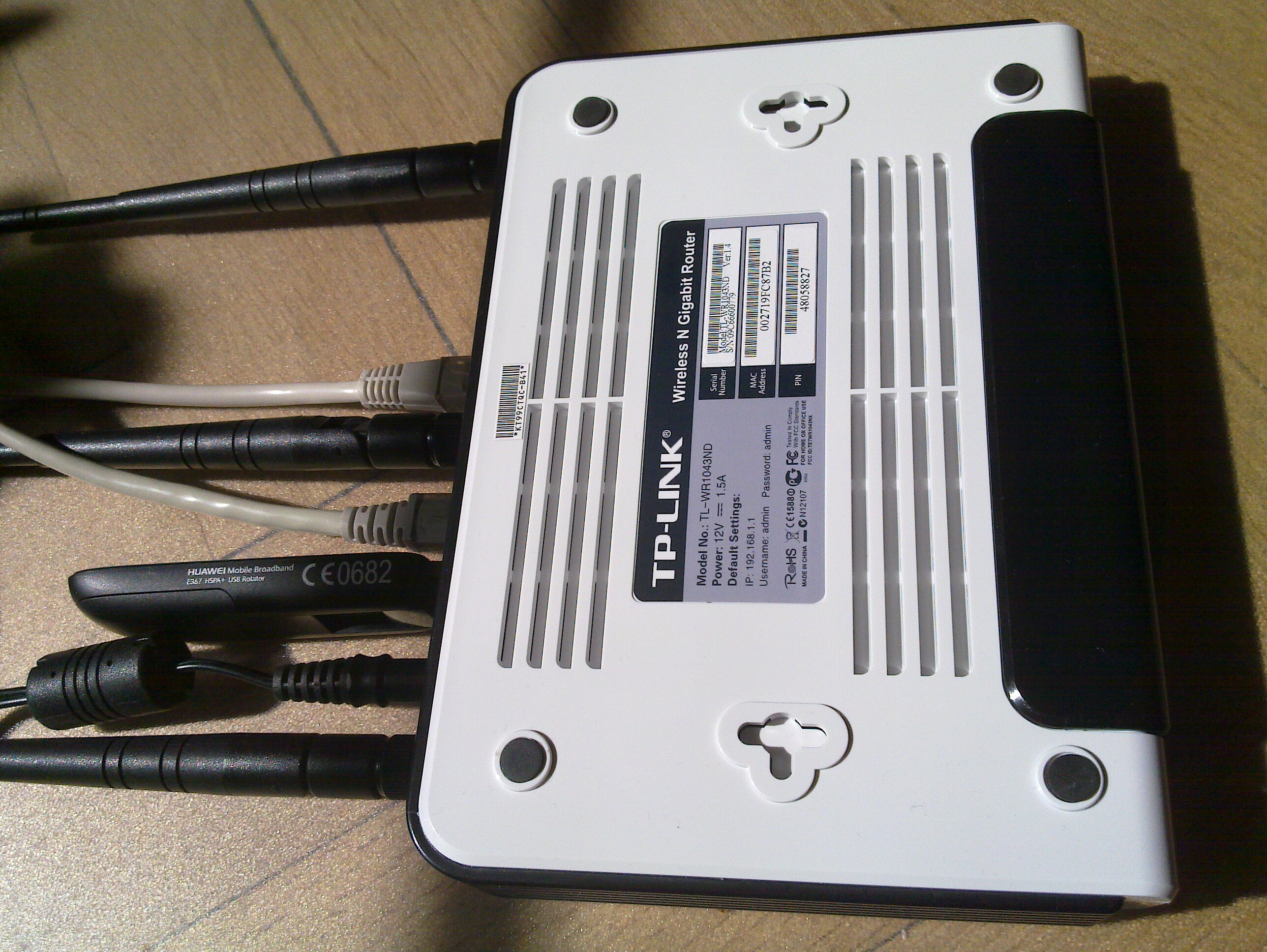
The ability to connect a 3G modem to a wireless router to form a Internet connected ad-hoc network of machines is very powerful. I ve done this many times and have written about it before (e.g., see my OpenWRT writeup page) but I recently did it with modern hardware again. Here I will use the TP-Link TL-WR1043ND wireless router (available here for around $50) together with the Huawei E367 3G UMTS/HSDPA modem. Other wireless routers and modem should work fine. The software is OpenWRT 10.03 although I hope to redo this with LibreWRT eventually. My writeup is mostly focused around what is happening around the prompt, so it is mostly a cut n'paste terminal session with a comment interlined.
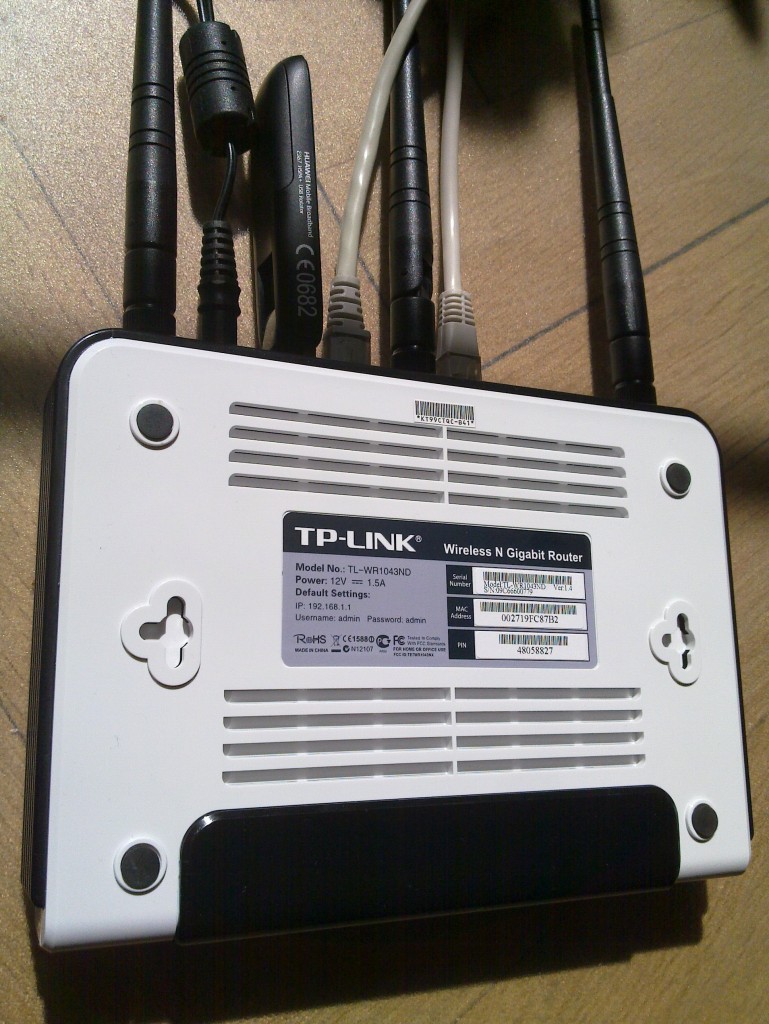
TL-WR1043ND and Huawei 367

Router and modem


The first step is to flash the firmware with OpenWRT. The OpenWRT wiki page for the TL-WR1043ND covers this in detail, and for any other hardware you should find what you need in the OpenWRT wiki. If you have already installed OpenWRT on the TL-WR1043ND, and want to wipe it out and start from scratch (like I did for this writeup) here is how to do it:
root@choco:~# cd /tmp
root@choco:/tmp# wget http://downloads.openwrt.org/backfire/10.03/ar71xx/openwrt-ar71xx-tl-wr1043nd-v1-squashfs-sysupgrade.bin
Connecting to downloads.openwrt.org (78.24.191.177:80)
openwrt-ar71xx-tl-wr 100%  *******************************   2688k 00:00:00 ETA
root@choco:/tmp# md5sum openwrt-ar71xx-tl-wr1043nd-v1-squashfs-sysupgrade.bin
9927973ba5da65d0d52e255397452b87  openwrt-ar71xx-tl-wr1043nd-v1-squashfs-sysupgrade.bin
root@choco:/tmp# mtd -r write /tmp/openwrt-ar71xx-tl-wr1043nd-v1-squashfs-sysupgrade.bin firmware
Unlocking firmware ...
Writing from /tmp/openwrt-ar71xx-tl-wr1043nd-v1-squashfs-sysupgrade.bin to firmware ...
Rebooting ...
The device will reboot automatically when it is done. After say 30 seconds, try to connect to it using the default IPv4 address 192.168.1.1. I have connected the WAN port to the Internet and connect to the router over local network connected to the router s LAN1 input. Let s configure OpenWRT, I m calling the host choco and giving it the IPv4 address 192.168.1.46. I ll also set a good root password to disable telnet, and add some SSH keys to simplify remote login.
jas@latte:~$ telnet 192.168.1.1
Trying 192.168.1.1...
Connected to 192.168.1.1.
Escape character is '^]'.
 === IMPORTANT ============================
  Use 'passwd' to set your login password
  this will disable telnet and enable SSH
 ------------------------------------------
BusyBox v1.15.3 (2010-04-06 03:14:11 CEST) built-in shell (ash)
Enter 'help' for a list of built-in commands.
  _______                     ________        __
          .-----.-----.-----.          .----.    _
     -      _     -__                   _    _ 
  _______    __ _____ __ __ ________ __    ____ 
           __  W I R E L E S S   F R E E D O M
 Backfire (10.03, r20728) --------------------------
  * 1/3 shot Kahlua    In a shot glass, layer Kahlua
  * 1/3 shot Bailey's  on the bottom, then Bailey's,
  * 1/3 shot Vodka     then Vodka.
 ---------------------------------------------------
root@OpenWrt:/# passwd
Changing password for root
New password:
Retype password:
Password for root changed by root
root@OpenWrt:/# sed -i -e 's/OpenWrt/choco/' /etc/config/system
root@OpenWrt:/# sed -i -e 's/192.168.1.1/192.168.1.46/' /etc/config/network
root@OpenWrt:/# cat>/etc/dropbear/authorized_keys
ssh-rsa AAAAB3NzaC1yc2...
^D
root@OpenWrt:/# dropbearkey -y -f /etc/dropbear/dropbear_rsa_host_key
Public key portion is:
ssh-rsa AAAA... root@OpenWrt
Fingerprint: md5 45:fd:62...
root@OpenWrt:/#
You could reboot the machine here to switch from telnet to SSH, but I ll install a bunch of packages while I m at it. Run opkg update to update the package list, and then install the wireless modules for the TL-WR1043ND.
root@OpenWrt:/# opkg update
Downloading http://downloads.openwrt.org/backfire/10.03/ar71xx/packages/Packages.gz.
Inflating http://downloads.openwrt.org/backfire/10.03/ar71xx/packages/Packages.gz.
Updated list of available packages in /var/opkg-lists/packages.
root@OpenWrt:/# opkg install kmod-ath9k wpad-mini
...
Configuring iw.
Configuring kmod-crypto-core.
Configuring kmod-crypto-arc4.
Configuring kmod-crypto-aes.
Configuring wireless-tools.
Configuring kmod-cfg80211.
Configuring kmod-mac80211.
Configuring kmod-ath.
Configuring kmod-ath9k.
Configuring crda.
Configuring wpad-mini.
root@OpenWrt:/#
Next I ll install some packages that will are needed for the modem.
root@OpenWrt:/# opkg install comgt kmod-usb-serial kmod-usb2 kmod-usb-uhci kmod-usb-ohci usb-modeswitch
...
Configuring kmod-nls-base.
Configuring kmod-usb-core.
Configuring chat.
Configuring kmod-usb-ohci.
Configuring kmod-usb2.
Configuring comgt.
Configuring usb-modeswitch.
Configuring kmod-usb-serial.
Configuring kmod-usb-uhci.
root@OpenWrt:/#
Now let s reboot the machine and try to get things to really work.
root@OpenWrt:/# sync
root@OpenWrt:/# reboot
Use SSH to connect to the router, and don t forget the use its new IPv4 address! 3G modems are notoriously known for not acting as a modem directly. Instead they often simulate a CD-ROM that will install device driver software, for inferior operating systems. Fortunately the usb_modeswitch tool fixes the hardware for us. My Huawei E367 start up with the USB vendor/product IDs 0x12d1:0 1446, you normally find this out by looking in /proc/bus/usb/devices. Here is the output on my device:
root@choco:~# cat /proc/bus/usb/devices
...
T:  Bus=01 Lev=01 Prnt=01 Port=00 Cnt=01 Dev#=  2 Spd=480 MxCh= 0
D:  Ver= 2.00 Cls=00(>ifc ) Sub=00 Prot=00 MxPS=64 #Cfgs=  1
P:  Vendor=12d1 ProdID=1446 Rev= 0.00
S:  Manufacturer=Huawei Technologies
S:  Product=HUAWEI Mobile
C:* #Ifs= 2 Cfg#= 1 Atr=c0 MxPwr=500mA
I:* If#= 0 Alt= 0 #EPs= 2 Cls=08(stor.) Sub=06 Prot=50 Driver=(none)
E:  Ad=81(I) Atr=02(Bulk) MxPS= 512 Ivl=0ms
E:  Ad=01(O) Atr=02(Bulk) MxPS= 512 Ivl=0ms
I:* If#= 1 Alt= 0 #EPs= 2 Cls=08(stor.) Sub=06 Prot=50 Driver=(none)
E:  Ad=02(O) Atr=02(Bulk) MxPS= 512 Ivl=0ms
E:  Ad=82(I) Atr=02(Bulk) MxPS= 512 Ivl=0ms
root@choco:~#
This means I have to go find a usb-modeswitch configuration for this device. Fortunately, I found it on my Debian Squeeze box in /etc/usb_modeswitch.d/12d1:1446 (from the usb-modeswitch-data package). There was a slight problem with the file, it didn t specify the correct USB vendor/product ID of the device after it has been switched . My Huawei E367 switches to 12d1:1506, so I add 1506 to the TargetProductList list. Here is the final configuration:
root@choco:~# cat>/etc/usb-modeswitch.conf
EnableLogging=1
DefaultVendor= 0x12d1
DefaultProduct=0x1446
TargetVendor=  0x12d1
TargetProductList="1001,1406,140b,140c,1412,141b,14ac,1506"
CheckSuccess=20
MessageContent="55534243123456780000000000000011062000000100000000000000000000"
root@choco:~#
Now you should be able to run usb_modeswitch to perform the switch :
root@choco:~# usb_modeswitch 
Looking for target devices ...
 No devices in target mode or class found
Looking for default devices ...
 Found default devices (1)
Accessing device 002 on bus 001 ...
Using endpoints 0x01 (out) and 0x81 (in)
Inquiring device details; driver will be detached ...
Looking for active driver ...
 No driver found. Either detached before or never attached
SCSI inquiry data (for identification)
-------------------------
  Vendor String: HUAWEI
   Model String: Mass Storage
Revision String: 2.31
-------------------------
USB description data (for identification)
-------------------------
Manufacturer: Huawei Technologies
     Product: HUAWEI Mobile
  Serial No.: not provided
-------------------------
Setting up communication with interface 0 ...
Trying to send the message to endpoint 0x01 ...
 OK, message successfully sent
Checking for mode switch (max. 20 times, once per second) ...
 Waiting for original device to vanish ...
 Original device can't be accessed anymore. Good.
 Searching for target devices ...
 Searching for target devices ...
 Searching for target devices ...
 Searching for target devices ...
 Searching for target devices ...
 Found correct target device
Mode switch succeeded. Bye.
root@choco:~#
The /proc/bus/usb/devices file will now contain information about the real device:
root@choco:~# cat /proc/bus/usb/devices
...
T:  Bus=01 Lev=01 Prnt=01 Port=00 Cnt=01 Dev#=  3 Spd=480 MxCh= 0
D:  Ver= 2.00 Cls=ef(misc ) Sub=02 Prot=01 MxPS=64 #Cfgs=  1
P:  Vendor=12d1 ProdID=1506 Rev= 0.00
S:  Manufacturer=Huawei Technologies
S:  Product=HUAWEI Mobile
C:* #Ifs= 7 Cfg#= 1 Atr=c0 MxPwr=500mA
A:  FirstIf#= 1 IfCount= 2 Cls=02(comm.) Sub=00 Prot=00
I:* If#= 0 Alt= 0 #EPs= 3 Cls=ff(vend.) Sub=01 Prot=01 Driver=(none)
E:  Ad=81(I) Atr=03(Int.) MxPS=  64 Ivl=2ms
E:  Ad=82(I) Atr=02(Bulk) MxPS= 512 Ivl=0ms
E:  Ad=01(O) Atr=02(Bulk) MxPS= 512 Ivl=4ms
I:* If#= 1 Alt= 0 #EPs= 1 Cls=ff(vend.) Sub=01 Prot=09 Driver=(none)
E:  Ad=83(I) Atr=03(Int.) MxPS=  64 Ivl=2ms
I:* If#= 2 Alt= 0 #EPs= 2 Cls=ff(vend.) Sub=01 Prot=08 Driver=(none)
E:  Ad=84(I) Atr=02(Bulk) MxPS= 512 Ivl=0ms
E:  Ad=02(O) Atr=02(Bulk) MxPS= 512 Ivl=4ms
I:* If#= 3 Alt= 0 #EPs= 2 Cls=ff(vend.) Sub=01 Prot=03 Driver=(none)
E:  Ad=85(I) Atr=02(Bulk) MxPS= 512 Ivl=0ms
E:  Ad=03(O) Atr=02(Bulk) MxPS= 512 Ivl=4ms
I:* If#= 4 Alt= 0 #EPs= 2 Cls=ff(vend.) Sub=01 Prot=02 Driver=(none)
E:  Ad=86(I) Atr=02(Bulk) MxPS= 512 Ivl=0ms
E:  Ad=04(O) Atr=02(Bulk) MxPS= 512 Ivl=4ms
I:* If#= 5 Alt= 0 #EPs= 2 Cls=08(stor.) Sub=06 Prot=50 Driver=(none)
E:  Ad=87(I) Atr=02(Bulk) MxPS= 512 Ivl=0ms
E:  Ad=05(O) Atr=02(Bulk) MxPS= 512 Ivl=0ms
I:* If#= 6 Alt= 0 #EPs= 2 Cls=08(stor.) Sub=06 Prot=50 Driver=(none)
E:  Ad=06(O) Atr=02(Bulk) MxPS= 512 Ivl=0ms
E:  Ad=88(I) Atr=02(Bulk) MxPS= 512 Ivl=0ms
root@choco:~#
Let s put that command in /etc/rc.local so that it will be run on every boot.
root@choco:~# cat /etc/rc.local
# Put your custom commands here that should be executed once
# the system init finished. By default this file does nothing.
/usr/bin/usb_modeswitch
exit 0
root@choco:~#
We are not quite ready, the usbserial module needs to be told which USB vendor/product to use. The /etc/modules.d/60-usb-serial file is used during boot to set the right parameters. You can also run rmmod followed by insmod with the proper parameters to avoid a reboot. You can use the gcom info tool to find some information about the modem. Normally you use /dev/ttyUSB0 but for some reason it does not work for me and instead I had to use /dev/ttyUSB3.
root@choco:~# cat>/etc/modules.d/60-usb-serial
usbserial vendor=0x12d1 product=0x1506 maxSize=4096
root@choco:~# rmmod usbserial
root@choco:~# insmod usbserial vendor=0x12d1 product=0x1506 maxSize=4096
root@choco:~# gcom -d /dev/ttyUSB3 info
##### Wireless WAN Modem Configuration #####
Product text:
====
Manufacturer: huawei
Model: E367
Revision: 11.807.05.00.00
IMEI: 353613040739180
+GCAP: +CGSM,+DS,+ES
OK
====
Manufacturer:           huawei
IMEI and Serial Number: 353613040739180
Manufacturer's Revision:
11.807.05.00.
Hardware Revision:      NOT
Network Locked:         ERROR:
Customisation:          NOT SUPPORT
Band settings:          (NOT)
APN:                    ERROR:
##### END #####
root@choco:~#
Let s configure network and wireless. The configurations files are /etc/config/network and /etc/config/wireless. Edit them using your favorite editor, or vi. I m setting up a PSK2 encrypted WLAN and I have a WDS to connect two wireless routers. Note that you need to use the correct PIN for your SIM card (here I m using 8328) and set the APN correctly (I m using bredband.tre.se ). Reboot after making these changes.
root@choco:~# cat /etc/config/network
config 'interface' 'loopback'
       option 'ifname'   'lo'
       option 'proto'    'static'
       option 'ipaddr'   '127.0.0.1'
       option 'netmask'  '255.0.0.0'
config 'interface' 'lan'
        option 'ifname'   'eth0.1'
        option 'type'     'bridge'
        option 'proto'    'static'
        option 'ipaddr'   '192.168.1.46'
        option 'netmask'  '255.255.255.0'
#config 'interface' 'wan'
#        option 'ifname' 'eth0.2'
#        option 'proto' 'dhcp'
config 'switch'
	option 'name' 'rtl8366rb'
        option 'reset' '1'
        option 'enable_vlan' '1'
config 'switch_vlan'
        option 'device' 'rtl8366rb'
        option 'vlan' '1'
        option 'ports' '1 2 3 4 5t'
config 'switch_vlan'
        option 'device' 'rtl8366rb'
        option 'vlan' '2'
        option 'ports' '0 5t'
config interface wan
        option ifname   ppp0
        option proto    3g
        option device   /dev/ttyUSB0
        option apn      bredband.tre.se
        option pincode  8328
root@choco:~# cat /etc/config/wireless
config wifi-device  radio0
	option type     mac80211
	option channel  5
	option macaddr	00:27:19:fc:87:b2
	option hwmode	11ng
	option htmode	HT20
	list ht_capab	SHORT-GI-40
	list ht_capab	DSSS_CCK-40
config wifi-iface
	option device   radio0
	option network  lan
	option mode     ap
	option ssid     Grisslan
	option encryption psk2
	option key	  notforyoutosee
config wifi-iface
        option device     radio0
        option network    lan
        option mode       wds
        option bssid      00:1F:C6:60:D3:11
        option ssid       GrisslanWDS
        option encryption psk2
        option key        thisisalsosecret
root@choco:~# reboot
root@choco:~#
Once the machine have rebooted, you can bring up the 3G connection by using ifup wan . Look at the log by using logread and tail the log in the background by doing logread -f & .
root@choco:~# ifup wan
Trying to set PIN
PIN set successfully
root@choco:~# logread  tail -20
May 21 13:41:20 choco local2.info chat[2419]: send (ATD*99***1#^M)
May 21 13:41:20 choco local2.info chat[2419]: expect (CONNECT)
May 21 13:41:20 choco local2.info chat[2419]: ^M
May 21 13:41:20 choco local2.info chat[2419]: ATD*99***1#^M^M
May 21 13:41:20 choco local2.info chat[2419]: CONNECT
May 21 13:41:20 choco local2.info chat[2419]:  -- got it
May 21 13:41:20 choco local2.info chat[2419]: send ( ^M)
May 21 13:41:20 choco daemon.info pppd[2412]: Serial connection established.
May 21 13:41:20 choco daemon.info pppd[2412]: Using interface ppp0
May 21 13:41:20 choco daemon.notice pppd[2412]: Connect: ppp0 <--> /dev/ttyUSB0
May 21 13:41:24 choco daemon.warn pppd[2412]: Could not determine remote IP address: defaulting to 10.64.64.64
May 21 13:41:24 choco daemon.notice pppd[2412]: local  IP address 95.209.96.115
May 21 13:41:24 choco daemon.notice pppd[2412]: remote IP address 10.64.64.64
May 21 13:41:24 choco daemon.notice pppd[2412]: primary   DNS address 80.251.201.177
May 21 13:41:24 choco daemon.notice pppd[2412]: secondary DNS address 80.251.201.178
May 21 13:41:24 choco daemon.info dnsmasq[1028]: reading /tmp/resolv.conf.auto
May 21 13:41:24 choco daemon.info dnsmasq[1028]: using nameserver 80.251.201.178#53
May 21 13:41:24 choco daemon.info dnsmasq[1028]: using nameserver 80.251.201.177#53
May 21 13:41:24 choco daemon.info dnsmasq[1028]: using local addresses only for domain lan
May 21 13:41:25 choco user.notice rdate: Synced with ptbtime1.ptb.de
root@choco:~#
Hooray! Or almost so usually the first time you connect, I often get incorrect DNS servers from the server. It shows up like this in the log:
May 21 12:25:04 choco daemon.notice pppd[1157]: primary   DNS address 10.11.12.13
May 21 12:25:04 choco daemon.notice pppd[1157]: secondary DNS address 10.11.12.14
The exact reason why this happens is beyond me. There are patches floating around for pppd, but I haven t tried them. A common workaround is to hardcode static DNS servers (like Google DNS or OpenDNS). I have come up with my own workaround, based on the observation that when the problem has occurred it will not happen again if I disconnect and reconnect. Thus I have written a small script which is invoked whenever an interface is brought up (typically the WAN interface).
# Written by Simon Josefsson May 2011.
root@choco:~# cat> /etc/hotplug.d/iface/01-reconnect-if-dns-is-broken
case "$ ACTION:-ifup " in
    ifup)
	    if grep -q 10.11.12.13 /tmp/resolv.conf.auto; then
		(sleep 30 && ifdown wan && ifup wan) &
	    fi
	    ;;
esac
root@choco:~# chmod +x /etc/hotplug.d/iface/01-reconnect-if-dns-is-broken
root@choco:~#
That s it! If you found this writeup useful, please flattr it.

16 May 2011

Vincent Bernat: Migrating from Trac to GitHub

I was hosting my projects on several Trac instances on a dedicated server. However, since several months, spam was pourring.

Trac & spam

How to fight spam with Trac There is not built-in mechanism in Trac to fight spam. However, plugins enable to setup several ways to stop spam (or at least, reduce it). One of them is Akismet, a web service who can tell you if some message is a spam or not. It is able to catch most of the spam. A bayesian filter complement this service. A learning step is mandatory and can become cumbersome when the vast majority of the tickets you receive is just spam. I used those two mechanisms on my Trac instances. Another path is to require an account to post a ticket. Creating an account each time you want to create a ticket for some software is burdensome. I did not want to do this to the poor souls that have found a bug in one of my projects. An alternative is to setup a public account and adding somewhere in the page some instructions on how to use it when you want to open a ticket but don t want to open an account.

Removing spam Despite Akismet and the bayesian filter, I still got two or three spams a day. I catched them in my RSS flow or in my email if they were not classified as spam. There are two steps to remove the spam:
  • tell the bayesian filter by using the administration panel in the web interface,
  • remove the spam from the database using some SQLite commands directly on the server hosting the Trac instance.
Indeed, Trac does not propose the possibility to remove a ticket. Of course, there are plugins, but you must find them, install them, find how to configure them, etc. Cumbersome.

GitHub GitHub is a popular source code hosting service which uses Git as a backend. This is a proprietary platform but a lot of open source projects have migrated to it, thanks to its features and the good performances. Everybody is on GitHub. This was the ideal opportunity.

Features First, GitHub allows to host Git repository. You push your Git repositories. There is a nice and fast web interface to browse them. However, I still keep an instance of cgit. Then, GitHub is very popular because they drive people to fork projects. With one single click, you can fork your favorite project. You get a copy which is synchronised with the forked project. There is also a wiki (accepting many markup syntaxes). This wiki is also available through Git. At last, GitHub offers a minimalistic ticket system. You open a ticket, you make some comments, you can add a tag or two and you can close it. That s all. Quite light. But enough for small projects like mine. However, there is more! Do not open a ticket to send a patch. There is no way to attach files to tickets. You need to fork the project, create a branch with your patch and request a pull for your branch. This will appear as a ticket but your commits will be linked to it. The author can then review and comment your branch, ask for some changes and if he wants to integrate it, a simple merge is sufficient. He can even do it using the web interface. Convenient. Socially, you can comment commits, tickets, projects and subscribe to a lot of events. You can receive and answers tickets by mail. However, an accound is mandatory to open a ticket. Since there is a lot of projects on GitHub, this account should be useful for a lot of software. To cut a long story short, even if GitHub is a proprietary platform, it offers nice and interesting features. More and more projects migrate from Google Code to GitHub even if there is less features on the latter.

Migration I have searched for tools to migrate automatically tickets from Trac to GitHub. For example, there is SD. At last, I have done it manually. GitHub API is well documented and there exists bindings in various languages including Python but it is a very limited API. You can t choose the number of the ticket nor its date. I have also rewritten README files to use the markdown markup and avoid the use of wiki pages when possible. I have also put some URL redirections with the help of nginx. In conclusion, even if maintaining Trac instances was not a lot of work, one thing that I do not have to do anymore. And no spam on GitHub, I assume.

13 May 2011

Gustavo Noronha Silva: My experience with GNOME 3 so far

You know, GNOME Shell and I are not really strangers to each other for a long time now. I have been using it almost daily as my main desktop since late 2009, when I started shipping it to Debian experimental. That means that I had ample opportunity to both get used to it and witness the huge improvements it had with every new release. My general feeling towards GNOME 3 is this: . Yes, I love it! I love the new themes, I love the window borders, I love the top panel, the overview, the dynamic workspaces, I love the Me menu, I love the clock and the calendar, the system indicators with the beautiful symbolic icons, being able to search for applications in such a nice way, the window animations, the multi-screen support, the new nautilus, the dash, looking glass. It s hard for me to even express how thankful I am and how much admiration I have for the awesome folks who helped bring this to life. Thanks so much!
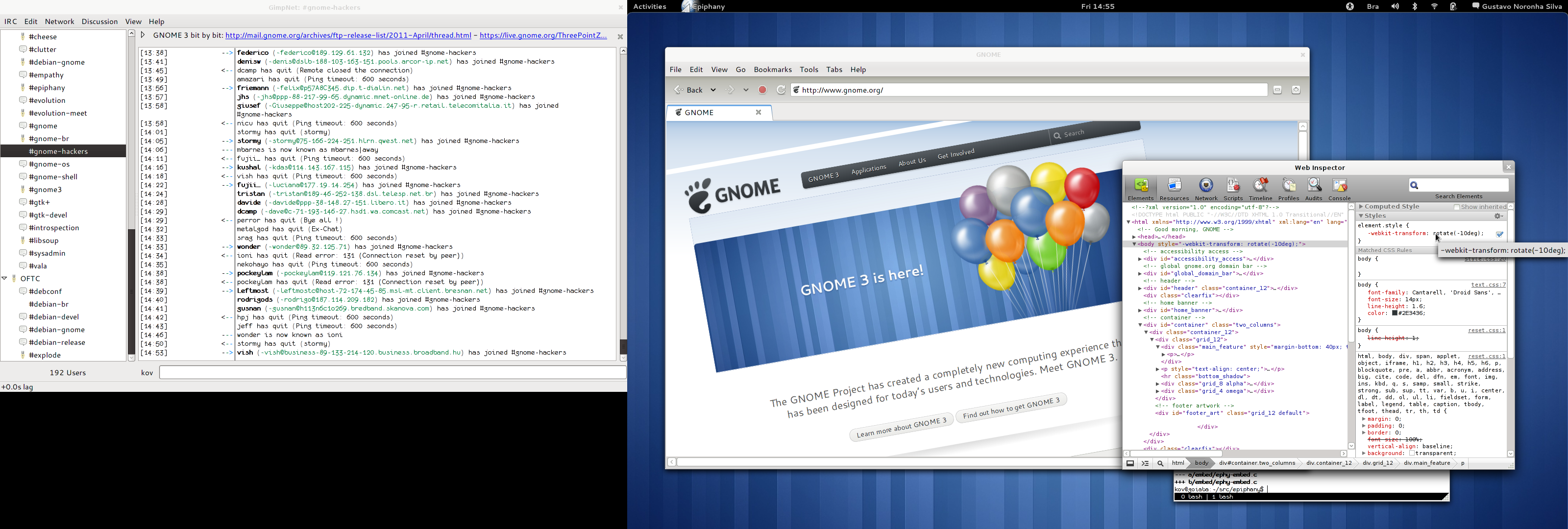
My GNOME3 desktop

My GNOME 3 desktop

After all this time, there are only two things I can say I dislike about GNOME3, apart from some minor wishlists: the alt-tab behaviour and the message tray. Let me expand on those. Message Tray Of the very few things I dislike, there is only 1 I hate and cannot see myself living with: the accordion animation in the message tray. No, really, it s such a terrible, terrible idea. Every single time I try to use that thing I overshoot while moving the mouse to the left, then overshoot again moving the mouse to the right because the frigging icon has moved. It s no good knowing that I can click in the text or in the empty area to its right, it feels wrong. It s terrible that my actual target is moving at all. Every single time I use it is a small frustration for me it s as if the message tray was playing games with me, laughing at me for not having good enough mouse pointer driving skills even more than the infamous sub-menus used to. And I had to go through that penance whenever I wanted to find the person I was chating with to resume the conversation. I wrote an extension that disables the accordion animation by simply not showing the title at all when you hover the icon, and I patched GNOME Shell s CSS to make the icons a bit bigger, so that it s easier for me to hit them with the mouse. It s clearly not ideal, and you still have to click the various people icons to figure out which of your friends who were lazy enough to not add a picture to their IM profiles is that one, but it s still much better than chasing the (smaller) ones around to figure that out. Perhaps we should have the icons be bigger and always have the title bellow them? I don t know, I trust the awesome designers who designed the awesomess that s everywhere else will come up with a great idea.
My Message Tray

My message tray with bigger icons and no accordion animation.

Alt Tab The number 1 feature of workspaces for me has always been locality being able to not see all of the other applications and windows that are open elsewhere. This lowers the amount of noise when I m trying to find something. The overview is very nice in this matter only windows in the current workspace are shown, and even when you have an extra screen, the windows in there appear in that screen. The alt-tab behaviour, on the other hand, of showing all windows and apps, even with the separator, bothers me. It s really useful to have when you want to go to a specific window no matter where it is (I usually use the dash for that, though), but it adds noise when you want to go to a specific window _in this_ workspace, which is the most common use case for my usage. So I copied the alt-tab code over to an extension and modified it so that only windows in the current workspace would be considered. In addition to that, with the windows in the extra screen always being there no matter what workspace you re in (which I think is an awesome idea), they are effectively in all workspaces, so they add constant noise even with my extension. It s also weird to have to look at the main screen to switch to a window in the extra screen. There s a huge discontinuity. What I would prefer is having alt-tab to follow the mouse regarding screens only show windows in the extra screen if you hit alt-tab in there, making sure the selector thing appears in there as well.

9 May 2011

Jonathan McDowell: A minor keyring-maint rant

This should probably be an official FAQ, but a) I wanted to rant a bit more than is probably acceptable for something "official" and b) the sort of person this information is directed at never bloody reads keyring.debian.org, which is the logical place for it. Who are keyring-maint? Currently Gunnar Wolf (good cop) and Jonathan McDowell (bad cop). Previous keyring maintainers include Igor Grobman & James Troup. I'd like to be a DM/DD. Do I send you my key? No. You go through the DebianMaintainer or NM processes. Then the DM team or DAM tell us to add your key to the appropriate keyring. I'd like to replace my DM/DD key in the Debian keyring. What should I do? Read the instructions at http://keyring.debian.org/replacing_keys.html I have a new key that isn't signed by anyone else, will you accept it? No. Did you read http://keyring.debian.org/replacing_keys.html ? I've got a single DD signature on my new key. That's enough, right? Not unless your old key has been lost and you're getting a different DD to request the replacement for you (and if they're prepared to ask for a key replacement we'll wonder why they're not prepared to sign the new key too). Did you read http://keyring.debian.org/replacing_keys.html ? I'm still really confused about how I should request a key replacement. Help? Try reading https://rt.debian.org/Ticket/Display.html?id=3141 (which just happens to be a recent decent example). Clear subject line (I'd have added a real name too, but it's still fairly clear), full fingerprint of the old and new keys, inline signed so RT doesn't mangle it. New key signed by old key and 3 other DDs. Request signed by old key. That RT link needs a login. I don't have one. Have you tried reading up on the Debian RT system? There's a generic read only login that'll get you access. That's too hard. Can't you just give me the details? Damnit. It appears the read-only login details are currently disabled due to misuse (one wonders how). Try reading http://wiki.debian.org/rt.debian.org Why are you using RT? Isn't bugs.debian.org more appropriate? We need the ability to for people to contact us is in a private fashion, for example if they need to us to remove a key because it's been lost or compromised. We could only use RT for that purpose and use bugs.d.o for things that can be public, but this way all the information is in one place and we get to make the call about when it becomes a publicly viewable ticket. What's with jetring? Should I send you a jetring changeset? jetring is a tool written by Joey Hess that used to be used to manage the Debian Maintainers keyring. keyring-maint borrowed a number of good ideas from jetring but don't use it at all. We ignore jetring changesets. So you just want key fingerprints, not attached keys? Yes. Of course you have to make sure your key is actually on a public keyserver so we can get it. the.earth.li is a good choice (because Jonathan runs it and thus pays more attention to it), but subkeys.pgp.net or pool.sks-keyservers.net are also commonly used. My key has expired and I want to update the key expiry date. I should email RT asking for this to be done, right? No, you should send the updated key via HKP to keyring.debian.org. You can do this with "gpg --keyserver keyring.debian.org --send-key <keyid>" Obviously replace <keyid> with your own key ID. I tried to send an entirely new key via HKP to keyring.debian.org, but I can't see it there. What gives? keyring.debian.org only accepts updates to keys it already knows about. That means you can send updated expiry dates, new uids and new signatures to your existing key, but not an entirely new key. I sent my updated key via HKP to keyring.debian.org and can see it's updated there, but the Debian archive processing tools (eg dak) don't seem to recognize the update. Why not? The updates sent via HKP are folded back into the HKP server automatically every 15 minutes or so. They are folded into the live Debian keyrings on a manual basis, at least once a month. This means if your key has an expiry date then you probably want to update your key at least a month before it expires. Where can I find these live Debian keyrings? They're what's available via rsync from keyring.debian.org::keyrings/keyrings/ This is canonical location for the current Debian Developers and Debian Maintainers keyrings. What about the debian-keyring package? This is a convenience package of the keyrings. It's usually the most out of date. We update it sporadically and try to ensure that the version shipped with a stable Debian release is current at the point of release. It is not used by any of the official Debian infrastructure. Why don't you automatically update my key in the live keyring when I send an update via HKP? We think that automatic updates of keys that allow uploads to Debian are a bad thing and that invoking a human eye at some step of the process is a useful sanity check. Paranoid much? Never enough. How are updates to the keyring tracked? We use bzr to maintain the keyring, with a separate file per key that can then be easily combined into the various keyrings. You can see the repository at: http://bzr.debian.org/scm/loggerhead/keyring/debian-keyring/changes Note that this is only updated when a keyring is pushed to live; the working tree may contain details of compromised keys and thus isn't public. What's with the whole replacement of 1024 bit keys? 2 things. Firstly 1024 bit keys tend to use SHA1 as a hash algorithm, which has been shown to be weaker than expected. While we're not aware of active exploits against this updating all of the keys Debian uses is not a trivial process and it's wiser to get it done /before/ there's a known issue. Secondly computing power has moved on and we feel that upgrading to larger key sizes is prudent. Elliptic curve cryptography (ECC) keys look like the future. Can I use one for Debian? No, not at present. When there are tools that are part of a Debian stable release that support them we'll look into it, after discussion with the major users of the keyring (DSA, ftpmaster, the secretary).

20 April 2011

Joey Hess: the popcon problem

I have noticed some problems with how Debian is using the popularity-contest data.

17 April 2011

Russell Coker: More about the Xperia X10

I ve now had a Sony Ericsson Xperia X10 for almost two months (here is a link for my first review) [1]. This is a phone that people seem to really dislike because the battery life is poor and Sony doesn t allow replacing the kernel. I m happy with mine, happy enough that after buying one for my wife and trying it out I bought one for myself. I knew about it s problems in advance and wanted a relatively cheap phone with a large high resolution screen, and the Xperia X10 was the best match for my criteria.ChargingThere has been a recent trend towards using USB for charging devices. Sony provides a tiny wall-wart PSU which has a USB socket and a short (1m) USB cable that can be used to charge the phone from it s PSU or from a PC. The size is really convenient, as the phone has a short battery life I ll probably want to take the PSU to more places than I would for other phones I ve owned.The short USB cable saves weight and tangle when travelling, but can be inconvenient. I m currently working on the phone while it s plugged into my laptop, that works well and I can make calls while it s connected. If the phone was connected to a USB port on a tower computer that was on the ground then the cable could be too short to make a call, if it was charging on a power point near the floor then I wouldn t even be able to use the computer functionality let alone make calls without kneeling. My Viewty has a 175cm charging cable which alleviates these problems. I ve got a 50cm USB extension cable that I use for charging my phone while I m in bed that is just long enough to allow me to check my email without getting out of bed!The socket for connecting the USB cable is protected by a plastic lid that is connected by a strip of rubber. For a socket that will be used at least twice a day this isn t a good mechanical design. The plastic slide on the LG U990 Viewty seems like a much better design.As an aside it s a pity that they aren t designing cars with USB charging sockets built in. Some new cars have a socket for one USB flash drive to be attached to the radio, but really they need at least one USB charging port per seat. It would also be nice if they made power points with USB charging sockets built in, I d buy a few of those if they made them.Preserving the BatteryI ve been running Juice Defender to reduce the battery use, at the moment it is claiming to have extended battery life by 69%. That combined with turning off things that aren t needed (such as WiFi) has made the phone reasonably usable. I can survive more than 12 hours during which I use the phone a lot without charging it.XperiaX10.net has an interesting review of replacement batteries [5]. I m not going to buy them because the largest battery requires a replacement back case which prevents using an external case to prevent damage and the smaller one doesn t provide enough of a benefit and the design of the phone makes it difficult to change batteries so carrying a spare battery isn t a good option.Cursor Control KeysThe HP/Compaq iPaQs that I own from ~10 years ago have a single button that can be moved up/down/left/right to act as a cursor, it can also be pressed inwards to act as an ENTER key (or whatever the application might want for a fifth function). Having some sort of hardware cursor control is really handy, I often end up deleting several characters when I want to replace one because getting the cursor onto the desired character is too difficult.Adding more hardware keys would require making the phone bigger, but that would be fine by me. As described in my previous post about phone cameras I d like to have a phone that s thicker to have a better camera with a greater focal distance for a larger lens [2].Core Phone FunctionalityI really miss having separate green and red buttons for making/answering calls and for rejecting/ending calls.A really common operation is to call back the last person who called. To do this on my LG U990 Viewty I press the green button twice on my home screen which took less than a second. On the Xperia this involves selecting the phone icon from the home screen, then the call log icon, then the call that is desired, then the Call user line. That is four presses in different parts of the screen compared to pressing the same hardware button twice. I m investigating dialer applets right now, the Dialler One applet has a good interface for calling people who have called or been called recently but it still requires two presses on different parts of the screen. With my old Viewty I could call back the last person by feel without even looking at the phone!In the last 6 years the standard functionality of phones has been to include multiple profiles for noises. My Viewty has profiles named Normal , Silent , Vibrate only , Outdoor , Headset (automatically selected when a headset is connected), and three customised ones. The Xperia has only one setting, and that is three icon presses away from the home screen. It does allow changing the volume by hardware switches on the side which includes going to vibrate-only and silent mode. While this is useful, it s not the best way that two precious hardware keys could be used. It also doesn t allow control over all the different notifications, I d like to be able to activate a noise profile and have every application respond to it in an appropriate manner. This is a deficiency in Android 2.1 not in the phone itself.In many ways this phone has the worst phone functionality of any mobile phone I ve ever owned, I think that this is more the fault of the Android designers than Sony Ericsson.Android UpdatesSony had previously claimed that they wouldn t support Android later than 2.1. Now Sony has announced that they will support Gingerbread Android 2.3 [3]. So one of the major complaints about the Xperia will soon be addressed.TetheringThe build of Android that the Xperia runs at the moment doesn t support Wifi tethering. I m currently using with Easy Tether for USB tethering [4]. It s not free software and requires it s own code to run as root on your Linux system that is being tethered (which is easily locked down with SE Linux), but it basically works. The down-side with Easy Tether is that it proxies all the connections so you can t run traceroute etc and in the free version you can t use UDP.K9 MailK9 Mail fixes some of the problems in the default Android email program that I described in my previous post. It allows selection of SSL with a default port of 993 for IMAPs. It uses mail.example.com as the mail server address for an email address of user@example.com (so I ll add a mail CNAME to the domains I run). When I connected initially it told me that the SSL key was not signed by a CA and asked if I wanted to save it or reject it this is the correct and desired functionality. It also correctly parses URLs from the email (or at least has fixed the bug that I discovered in the default email app).One problem I ve found with K9 is that it seems to timeout on large folders. This is probably partly the fault of Virgin Mobile being slow for IP access, but I wonder whether K9 doesn t pipeline IMAP commands as Virgin can do bulk transfer at reasonable speeds (80KB/s) and it mainly fails on latency (900ms being typical). The result is that a folder with more than 500 messages that need to be copied to the phone will never get synchronised. When I started reading mail on my phone I had to move mail from some of the bigger folders into other folders to avoid timeouts. As an aside the amount of time I ve saved by reading email on the go has already paid for the phone.MediascapeThe Sony Mediascape software is used for categorising photos. One function of this is to assign names to photos, the names come from the contact list so if you photograph someone who you can t phone then you need to add a contact list entry for them. This also means that you couldn t conveniently add names to non-humans, I guess I could have added a contact list entry Mr Crash Dump for photos of system crash logs. But a bigger problem is that it decides what is a picture of a person, a picture of someone who is not centered in the photo or a profile picture can be regarded as not a photo of a person and therefore not subject to being associated with a contact list. Finally when selecting a name for a picture it displays the entire contacts list in a small font instead of displaying favorites, I have the phone numbers of many clients in my contacts list who I will never photograph Mediascape just isn t much good. If I feel the need to do something serious in this regard I ll search the app store for something free that s better.ProtectionFor $15 each I bought one grey and one clear Gel Case from J2K. This case covers the sides and back of the phone with a firm rubber layer that will hopefully allow it to bounce rather than break. It also extends slightly higher than the screen which should stop the screen being scratched if the phone is left face-down on a hard surface on the vibrate setting.One problem with the Gel Case is that by it s design it has to cover the buttons on the sides, due to a design or manufacturing problem the clear case that my wife uses can press slightly on the shutter button which disables the three main buttons on the front. So when the menu or back button stops working she has to slightly move the Gel Case out from the side. I m thinking of just cutting out a section of the Gel Case there, that will make it difficult to press the shutter button, but you can use the touch screen to take photos and there doesn t seem to be any other use for the shutter button so this shouldn t be a problem. The clear and grey cases have different designs, the grey one has a hole over the raised Sony logo which makes it fit a little better as well as not having the shutter problem, so it seems to be a later design I don t know whether all clear cases have the same problem but I recommend that someone who only has one Xperia X10 get the grey case just in case.Web BrowsingI m experimenting with using my own web proxy to compress the data sent to the phone. Unfortunately the Android settings for a web proxy only apply to the main web browser, not to all the other applications that use web services. Also the built-in web browser requires pressing the settings hardware button followed by at least two touch-screen presses to change between windows or close a window and it doesn t seem to support making the short-press action be to open a link in a new window. So I will have to find another web browser to use.Bandwidth UseThe 3G Watchdog applet is really good for tracking the data transfer and optionally cutting off 3G access before the quota is exceeded. Unfortunately Virgin has already sent me a bill with $234 in extra charges for bandwidth use because I used 1.6G instead of my 1.5G quota. A Virgin representative had told me over the phone that the billing period would be based on the end of the month, so while every calendar month has had less than 1.5G used because I used more than average in the end of March and the start of April that counts as excess data in the 14th March to 13th April period.I m going to appeal this to the Telecommunications Industry Ombudsman, I don t think that it s reasonable that I should be billed almost 7* the normal bill for exceeding the quota by 7.4% based on following the instructions of a Virgin employee. While I could have read the previous bill that they sent me to discover the end of billing period dates, I don t think that I should be expected to distrust everything that a Virgin employee says. If they billed me an extra $20 then I d just pay it, but $234 is unreasonable.ConclusionSince using the phone I ve found significant benefits in web browsing and reading email with the major limitation being the small screen (relative to a Netbook or Laptop). So if I was to buy another phone I would probably consider a Dell Streak which seems to be the largest Android phone on the market at the moment.Given the amount of use that I ve got I would be happy to spend more money and therefore consider a more expensive phone. But I don t regret the decision to save money by getting an Xperia X10.Finally when a telco tries to stick me with a $234 excess charge it really detracts from the value of having a phone contract. If I end up having to pay that then it s half the value of a smart-phone lost in one telco scam. This is enough to make a contract with Virgin a bad option, after this contract expires I may use VOIP and a pre-paid SIM from Telstra NextG if their network is still the best. Another possibility is to just use a small tablet and skip having a mobile phone, email and Jabber plus SMS from the people who lack net access will probably do.

5 April 2011

Daniel Kahn Gillmor: Debian on Thecus N8800Pro

I recently set up debian on a Thecus N8800Pro. It seems to be a decent rackmount 2U chassis with 8 3.5" hot-swap SATA drives, dual gigabit NICs, a standard DB9 RS-232 serial port, one eSATA port, a bunch of USB 2.0 connectors, and dual power supplies. I'm happy to be able to report that Thecus appears to be attempting to fulfill their obligations under the GPL with this model (i'm fetching their latest source tarball now to have a look). Internally, it's an Intel Core 2 Duo processor, two DIMMS of DDR RAM, and a PCIe slot for extensions if you like. It has two internally-attached 128MiB SSDs that it wants to boot off of. The downsides as i see them:
BIOS
The BIOS only runs over VGA, which is not easy to access. I wish it ran over the serial port. It's also not clear how one would find an upgrade to the BIOS. dmidecode reports the BIOS as:
        Vendor: Phoenix Technologies, LTD
        Version: 6.00 PG
        Release Date: 02/24/2009
RAM
The mainboard has only two DIMM sockets. It came pre-populated with two 2GiB DDR DIMMs. memtest86+ reports those DIMMs clearly, but sees only 3070MiB in aggregate. The linux kernel also sees ~3GiB of RAM, despite dmidecode and lshw reporting that the two DIMM modules each are only 1GiB in size. I'm assuming this is a bios problem. Anyone know how to get access to the full 4GiB? Should i be reporting bugs on any of these packages?
SSDs
The internal SSDs are absurdly small and very slow for both reading and writing. This isn't a big deal because i'm basically only using them for the bootloader, kernel, and initramfs. But i'm surprised that they could even find 128MiB devices in these days of $10 1GiB flash units.
processor
/proc/cpuinfo reports two cores of a Intel(R) Core(TM)2 Duo CPU T5500 @ 1.66GHz, each with ~3333 bogomips, and apparently without hardware virtualization support. It's not clear to me whether the lack of virtualization support is something that could be fixed with a BIOS upgrade.
I used Andy Millar's nice description of how to get access to the BIOS -- I found i didn't need a hacksaw to modify the VGA cable i had. just pliers to remove the outer metal shield on the side of the connector i plugged into the open socket. lshw sees four SiI 3132 Serial ATA Raid II Controller PCI devices, each of which appears to support two SATA ports. I'm currently using only four of the 8 SATA bays, so i've tried to distribute the disks so that each of them is attached to an independent PCI device (instead of having two disks on one PCI device, and another PCI device idle). I don't know if this makes a difference, though, in the RAID10 configuration i'm using. There's also a neat 2-line character-based LCD display on the front panel which apparently can be driven by talking to a serial port, though i haven't tried. Apparently there are also LEDs that might be controllable directly from the kernel via ICH7 and GPIO, but i haven't tried that yet either. Any suggestions on how to think about or proceed with a BIOS upgrade to get access to the full 4GiB of RAM, BIOS-over-serial, and/or enable hardware virtualization?Tags: n8800pro, thecus

30 March 2011

Ingo Juergensmann: Updated: Automatically restore files from lost+found

Today, in an IRC channel near you, the discussion came to recover files from lost+found somehow. Two years ago I wrote some scripts to automatically recover files from lost+found, so this is some sort of a repost. There are two scripts: one that generates some kind of ls-LR file to have all the information needed for the second script, which restores those files in lost+found to their original folders. Here is the information from the original blog post: make-lsLR.sh - call this regularly (cron) to create the needed files that are stored in /root/. Of course you can alter the location easily and exclude other directories from being scanned. check_lost+found.py - The second script is to be run when your fsck managed to mess up with your files and stored them into lost+found directory. It takes 3 arguments: 1) the source directory where your messed up lost+found directory is, 2) the target directory to which the data will be saved and 3) a switch to actually make it happen instead of a dry-run. You can find both files as attachment end the end of this blog post.

I've chosen to copy the files to a different place instead of moving them within the same filesystem to their original place for safety reasons. Primary goal is to retrieve the files from lost+found, not to replace a full featured backup and restore application. Because of this the script doesn't handle hard- nor symlinks correctly. It just copy files.

Of course there's still room for improvements, like handling hard-/symlinks correctly or using inode number instead of md5sums to move data back to its prior location. But it works for me[tm] well enough in this way, so I'm satisfied so far. You're welcome, though, to improve this piece of ugliness if you like.

Maybe someone else finds this usefull as well. Use it on your own risk, of course. :)

29 March 2011

Ingo Juergensmann: KDE - Login Problems with kdm on Unstable

Some days ago I upgraded my Sid system and when I restarted my X session the other day, I wasn't able to successfully login to KDE via kdm anymore. I'm getting some errors in ~/.xsession-errors:
kdeinit4: preparing to launch /usr/bin/knotify4
Connecting to deprecated signal QDBusConnectionInterface::serviceOwnerChanged(QString,QString,QString)knotify(16474) KNotify::event: 1 ref= 0
QMetaObject::invokeMethod: No such method KUniqueApplication::loadCommandLineOptionsForNewInstance()kdeinit4: preparing to launch /usr/bin/plasma-desktop
kded4: Fatal IO error: client killedkdeinit4: Fatal IO error: client killed
kdeinit4: sending SIGHUP to children.
klauncher: Exiting on signal 1
At the user/password prompt of kdm I can login, the KDE splash screen appears and then, suddenly, the connection fails and I'm back at the kdm login again. I tried to look for already existing bug reports, but KDE is quite large and with many programs. Are there any pointers for a bug report or even a solution/fix for the problem, dear LazyWeb? UPDATE 21:51:
Sune suggests in the comments that it might be a Xorg problem. I've attached a xorg.txt logfile to this post. As you can see, there's a backtrace because of a sig11 error. Funny enough, when I connect via remote X from my OSX I can login into KDE, although there are visual errors. Xorg is working fine on the local server with Gnome, though. So, for me it seems related to either KDE or maybe Compiz. UPDATE 2011-03-30:
Problem solved! LL hinted in the comments to reinstall the Nvidia driver and now it works again! Thanks! :-)

25 March 2011

Philipp Kern: Debian ftpmaster Meeting The wanna-build/buildd part

I've joined the Debian ftpmaster team in the Linuxhotel in Essen-Horst and so far my coding/hacking has been quite productive (it wasn't on dak after all). Linuxhotel has both a nice working and holiday atmosphere. Albeit I'm not taking much time off anyway.
  • Reenabled mipsel d-i autobuilding. (#618989)
  • Added support to filter the buildd overview pages by out-of-date/uncompiled. (#555527)
  • Adapted the wanna-build triggers (i.e. the scripts that import an archive into wanna-build and which are called by dak instances, for instance) to not start processing immediately but flag that a push happened. The real work is then done by a cronjob that loops through the various flags until there's nothing to do anymore. That avoids losing triggers on the way due to locking. (#602841)
  • All buildds (regardless whether they are running lenny or squeeze) are now running sbuild/buildd 0.61.0. Of course there are quite some patches on top of the upstream version. Packages are available in our repository.
  • Autosigning: adjusted buildd to pass a keyid to sbuild and to arrange for the then-signed .changes to be uploaded (configurable per dist in .builddrc); this involved some hackery in sbuild to actually cope correctly with a keyid passed on the CLI and to sign the package at the right time in the build process
  • Updated the unit tests of the build log importer: mocking more objects (especially the PostgreSQL log database; the tests were broken ever since pkg_history was added as a table) and testing that the actual content we write to disk matches up with our expectations
  • Added support for MIME encoded build logs to the build log importer. The log is still transmitted by mail from the buildd to the admins/security team and to the central log host. However it's now gzip-compressed, which shouldn't cause "this mail is too big" bounces anymore and also save some unneeded traffic for our buildd host sponsors. Furthermore .changes files are now attached to the mail instead of placed somewhere within the log, so it's also easier to sign packages without relying on regular expressions identifying the right portion within the log.
  • Added initial support for arch:all autobuilding to the database, wanna-build and buildd. The merging still needs more thinking as the cases in which an arch:all needs to be built still need to be determined. (Also it needs a Packages file for all the arch:all packages in a suite because it's not guaranteed that the newest arch:all is listed in any of the arch-specific Packages files.)
  • Adjusted my own scripts for build processing (which are used by a few others) to at least ignore autosigned logs. It still needs to grow deMIME abilities, though.
Autosigning will get its own posting later on, unless Joerg gets there first. There is currently one buildd (zandonai/s390) that has working autosigning for all suites on ftp-master (but not for security, backports or edu). More will be added in the next days.

24 March 2011

Joerg Jaspert: Debian FTPMaster meeting 2011 - I didn't do it, nobody saw me do it, there's no way you can prove anything!

And here we are, with another day of work ahead. And another huge unchecked/dinstall run about to finish. Yesterday evening Ansgar and later on Phil turned up, so we are now 5 persons sitting here and mostly coding happily away. Mark continued trying to wrap his brain around the changes we need to properly support multiple archives, with different sets of rights attached to them. It is a complex topic giving lots of headache. Besides that he is on a very good way of letting us completly remove apt-ftparchive by importing all the data we need to write Packages/Sources files on our own. And even better, the same work we can use to rewrite our rm and cruft-report commands in a sane way, not parsing Packages files anymore. Torsten did help with various database issues around the Packages/Sources issue and continued working on importing all the source filenames into the database, so we can soon provide a Contents file for sources. My own work, besides writing blog entries and preparing meeting minutes, consists of a rewrite of the script generating our Release files, the old one just wasn t up to it anymore. Especially not as we are on our way of having more and more of our tools use parallel processing, to fully use the power our ftp-master host has. And when I am done with this I will be off to tackle the keyring maintenance part we will need to enable autosigning by buildds to work. Should get interesting, with the shit of an interface one usually finds to gpg Ansgar started out by working on changes to our NEW handling, something I started with the dpkg bug #619131 and he just finished our site of the NEW handling scripts. Which means that, as soon as the dpkg maintainers added the code on their side and support this field in the .dsc files, NEW handling for packages like linux-2.6 will be much smoother. He is now implementing version control constraints into our control-suite tool. Phil is working on wanna-build stuff. And while this is just a short overview of what we did, there is always lots of discussion and bugfixing going on. It is incredibly useful to have a team sitting in one room for some days.

21 March 2011

Craig Small: Getting around the WordPress add image bug

WordPress currently has an annoying bug where you cannot add images easily using the in-built editor. Instead of a pop-up being shown with the image setting details, you are sent to another page. Once you choose the image size etc, you go to a blank page. Until that s fixed, there is a work-around. It s not exactly pretty but it does work. I have assumed you have uploaded your images to the media library first. First, type up what you want your blog entry to say. The save it as a draft which is the button in the blue circle in the screenshot. Then click the add image icon which will bring up the warning to go to the image selection page. This page should be a pop up on the same screen but is not (and is the bug). On the image selection page choose Image library which is the blue circle and edit the meta-data such as the name caption etc. Once you are happy with your decisions, click the Insert into Post button (red circle) which goes to a blank screen. The blank screen actually does have data in it. You will need to view source which will show something like:
<script type="text/javascript"><!--mce:0--></script>
The stuff in the win.send_to_editor is what you want. You will also need to change the backslash-quotes to plain quotes, so the code I would use is
<a rel="attachment wp-att-367" href="http://enc.com.au/2011/03/getting-around-the-wordpress-add-image-bug/tomatoes2/"><img class="alignright size-medium wp-image-367" title="tomatoes2" src="http://enc.com.au/wp-content/uploads/2011/03/tomatoes2-300x230.jpg" alt="" width="300" height="230" /></a>
You then enter this information back into your post (click back a few times in your browser). Also, make sure you have your editor set for HTML and not Visual for it to work. With that small bit of HTML, I have a nice set of home-grown tomatoes, or whatever else you want.

Craig Small: Silly C errors in gjay

I have been working on gjay to add support for Music Player Daemon where I had what initially looked like a strange problem. When WITH_MPDCLIENT was defined, the program would crash in all sorts of wierd places when the main program structure had this:
#ifdef WITH_MPDCLIENT
struct mpd_connection *mpdclient_connection;
#endif /* WITH_MPDCLIENT */
But would work fine when it was:
struct mpd_connection *mpdclient_connection;
#ifdef WITH_MPDCLIENT
#endif /* WITH_MPDCLIENT */
I tried changing the structure to just void *blah to see if it made a difference and it didn t. The program would crash every time. The answer was pretty simple in the end. The WITH_MPDCLIENT is defined in the file config.h and not every c source file was including it. Needless to say, they should! So half the program was using one version of the structure and the other was using another; no wonder the whole program was a mess because anything beyond this entry in the structure would be a few bytes out. With that little insanity out of the way i can get back to making gjay work with mpd.

14 March 2011

Mike Hommey: Avoiding dependencies upon recent libstdc++

Mozilla has been distributing Firefox builds for GNU/Linux systems for a while, and 4.0 should even bring official builds for x86-64 (finally, some would say). The buildbots configuration for these builds uses gcc 4.3.3 to compile the Firefox source code. With the C++ part of gcc, it can sometimes mean side effects when using the C++ STL. Historically, the Mozilla code base hasn t made a great use of the STL, most probably because 10+ years back, portability and/or compiler support wasn t very good. More recently, with the borrowing of code from the Chromium project, this changed. While the borrowed code for out-of-process plugins support didn t have an impact on libstdc++ usage, the recent addition of ANGLE had. This manifests itself in symbols version usage These are the symbol versions required from libstdc++.so.6 on 3.6 (as given by objdump -p): And on 4.0: This means Firefox 4.0 builds from Mozilla need the GLIBCXX_3.4.9 symbol version, which was introduced with gcc 4.2. This means Firefox 4.0 builds don t work on systems with a libstdc++ older than that, while 3.6 builds would. It so happens that the system libstdc++ on the buildbots themselves is that old, which is why we set LD_LIBRARY_PATH to the appropriate location during tests. This shouldn t however be a big problem for users. Newer gcc, new problems As part of making Firefox faster, we re planning to switch to gcc 4.5, to benefit from better (as in working) profile guided optimization, and other compiler improvements. We actually attempted to switch to gcc 4.5 twice during the 4.0 development cycle. But various problems made us go back to gcc 4.3.3, the main contender being the use of even newer libstdc++ symbols: GLIBCXX_3.4.14 was added in gcc 4.5, making the build require a very recent libstdc++ installed on users systems. As this wouldn t work for Mozilla builds, we attempted to build with -static-libstdc++. This options makes the resulting binary effectively contain libstdc++ itself, which means not requiring a system one. This is the usual solution used for builds such as Mozilla s, that require to work properly on very different systems. The downside of -static-libstdc++ is that it makes the libxul.so binary larger (about 1MB larger). It looks like the linker doesn t try to eliminate the code from libstdc++ that isn t actually used. Taras has been fighting to try to get libstdc++ in a shape that would allow the linker to remove that code that is effectively dead weight for Firefox. Why do we need these symbols? The actual number of symbols required with the GLIBCXX_3.4.14 version is actually very low: With the addition of the following on debug builds only: The number of symbols required with the GLIBCXX_3.4.9 version is even lower: It however varies depending on the compiler version. I have seen other builds also require std::ostream& std::ostream::_M_insert(double). All these are actually internal implementation details of the libstdc++. We re never calling these functions directly. I m going to show two small examples triggering some of these requirements (that actually generalize to all of them). The case of templates
#include <iostream>
int main()  
    unsigned int i;
    std::cin >> i;
    return i;
 
This example, when built, requires std::istream& std::istream::_M_extract<double>(double&), but we are effectively calling std::istream& operator>>(unsigned int&). It is defined in /usr/include/c++/4.5/istream as:
template<typename _CharT, typename _Traits>
class basic_istream : virtual public basic_ios<_CharT, _Traits>  
    basic_istream<_CharT, _Traits>& operator>>(unsigned int& __n)  
        return _M_extract(__n);
     
 
And _M_extract is defined in /usr/include/c++/4.5/bits/istream.tcc as:
template<typename _CharT, typename _Traits> template<typename _ValueT>
        basic_istream<_CharT, _Traits>&
        basic_istream<_CharT, _Traits>::_M_extract(_ValueT& __v)  
            (...)
         
And later on in the same file:
extern template istream& istream::_M_extract(unsigned int&);
What this all means is that libstdc++ actually provides an implementation of an instance of the template for the istream (a.k.a. basic_istream<char>) class, with an unsigned int & parameter (and some more implementations). So, when building the example program, gcc decides, instead of instantiating the template, to use the libstdc++ function. This extern definition, however, is guarded by a #if _GLIBCXX_EXTERN_TEMPLATE, so if we build with -D_GLIBCXX_EXTERN_TEMPLATE=0, we actually get gcc to instantiate the template, thus getting rid of the GLIBCXX_3.4.9 dependency. The downside is that this doesn t work so well with bigger code, because other things are hidden behind #if _GLIBCXX_EXTERN_TEMPLATE. There is however another (obvious) way to for the template instantiation: instantiating it. So adding template std::istream& std::istream::_M_extract(unsigned int&); to our code is just enough to get rid of the GLIBCXX_3.4.9 dependency. Other template cases obviously can be worked around the same way. The case of renamed implementations
#include <list>
int main()  
    std::list<int> l;
    l.push_back(42);
    return 0;
 
Here, we get a dependency on std::_List_node_base::_M_hook(std::_List_node_base*) but we are effectively calling std::list<int>::push_back(int &). It is defined in /usr/include/c++/bits/stl_list.h as:
template<typename _Tp, typename _Alloc = std::allocator<_Tp> >
class list : protected _List_base<_Tp, _Alloc>  
    void push_back(const value_type& __x)  
        this->_M_insert(end(), __x);
     
 
_M_insert is defined in the same file:
template<typename ... _Args>
void _M_insert(iterator __position, _Args&&... __args)  
    _List_node<_Tp>* __tmp = _M_create_node(std::forward<_args>(__args)...);
    __tmp->_M_hook(__position._M_node);
 
Finally, _M_hook is defined as follows:
struct _List_node_base  
    void _M_hook(_List_node_base * const __position) throw ();
 
In gcc 4.4, however, push_back has the same definition, and while _M_insert is defined similarly, it calls __tmp->hook instead of __tmp->_M_hook. Interestingly, gcc 4.5 s libstdc++ exports symbols for both std::_List_node_base::_M_hook and std::_List_node_base::hook, and the code for both methods is the same. Considering the above, a work-around for this kind of dependency is to define the newer function in our code, and make it call the old function. In our case here, this would look like:
namespace std  
    struct _List_node_base  
        void hook(_List_node_base * const __position) throw ();
        void _M_hook(_List_node_base * const __position) throw ();
     ;
    void _List_node_base::_M_hook(_List_node_base * const __position) throw ()  
        hook(__position);
     
 
which you need to put in a separate source file, not including <list>. All in all, with a small hack, we are able to build Firefox with gcc 4.5 without requiring libstdc++ 4.5. Now, another reason to switch to gcc 4.5 was to use better optimization flags, but it turns out it makes the binaries 6MB bigger. But that s another story.

8 March 2011

Evgeni Golov: Desktop in a shell: irssi

Continuing my series about my desktop in a shell, in this chapter I will present you my irssi setup.Irssi is the most customized part of my setup, using many scripts from the irssi-scripts Debian package and some from the internet , handling 6 irc networks with a total of 34 channels plus JabberXMPP, ICQ, Twitter and identi.ca. My custom irssi settingsI like my conversations to look like Buddy, you rock instead of Buddy: you rock , so:
/set completion_char ,I also like *long highlighted text*, so:
/set emphasis_multiword onHide mIRC and ANSI colors when turned on. This can be used to eliminate angry fruit salad syndrome in some channels. (Quote from irssi.org/documentation/settings, do I have to say more?):
/set hide_colors onWhen talking in more than one channel, it sometimes comes handy to repeat something from the past said in THAT channel, not searching though all:
/set window_history onTell irssi to shutup when away, noone will hear/see the beep anyways:
/set beep_when_away offI want my screen to inform me about new messages, so I need this:
/set bell_beeps onBeep for query text, notices, dcc, dcc text and hilight:
/set beep_msg_level MSGS NOTICES DCC DCCMSGS HILIGHMy used irssi scriptsactive_notice.pl (from irssi-scripts)Show notices in the active window or the corresponding query instead of the status-window.
No further configuration needed.adv_windowlist.pl (from anti.teamidiot.de)Some really smart windowlist, see my previous post about adv_windowlist.pl, I won t explain its features and settings here again.autorealname.pl (from irssi-scripts)Show peoples real-name when they join (my $nick $name memory is poor :()
No further configuration needed.chansort.pl (from irssi-scripts)Automatically sort my channels alphabetically, grouped by network.
Enable via /set chansort_autosort on<Update>kaimi asked me yesterday, whether chansort could ignore the network and just sort ALL channels in alphabetical order. Well, it could not, until yesterday ;) Fetch either the patch against chansort.pl or my chansort-ng.pl and set chansort_ignore_network to ON. You can also set chansort_ignore_windowtype to mix channels and queries if you like to.</Update>hack-whois-in-current-window.pl (from dgl.cx)Display /whois in the current window or the corresponding query instead of the status-window.
No further configuration needed.keepnick.pl (from irssi-scripts)Restore my nick after it is free again (like after a ping timepout).
Set the nick via /keepnick [-net chatnet] [nick]nickserv.pl (from irssi-scripts)Automatically authorize me on networks with NickServ.
Enable by settings services address, nick and password via:
/nickserv addnet freenode NickServ@services.
/nickserv addnick freenode Zhenech mypass
screen_away.pl (from irssi-scripts)Set away when screen is detached.
Will be enabled automatically, but you maybe want to tweak screen_away_message :)seen.pl (from irssi-scripts)Add a /seen nick command to lookup when and where nick was online the last time.
No further configuration needed.trackbar.pl (from irssi-scripts)Draw a line when you switch irssi windows so you can see which part of the conversation you have already seen.
No further configuration needed.BitlBeeI m using BitlBee as my irssi-to-every-im gateway of choice ;) But while it sounds easy, my setup isn t. I am using BitlBee only to connect to jabber.die-welt.net, my Jabber/XMPP server. There I have a pyICQt instance running, to connect to ICQ via Jabber (yes, BitlBee would support that directly, but that would fail on me when I would like to connect from a different Jabber-client). Twitter and identi.ca are handled via Jabber too: identi.ca does support this by themself, for Twitter I use the tweet.im service.
But besides of my strange setup, BitlBee is easy: apt-get install bitlbee, connect irssi to localhost:6667, you will be force-joined to &bitlbee, where you do:
register somepassword
account add Jabber you@jabberserber.example.com jabberpassword
account on 0
and done, you@jabberserver.example.com is online :)The all awaited screenshot (from my last irssi-post):

And the whole ~/.irssi/config: http://files.die-welt.net/irssi-config.txt, read it carefully while waiting for the next post about newsbeuter :)

Next.

Previous.