Search Results: "hug"

20 January 2014

Enrico Zini: terminal-emulators

Quest for a terminal emulator The requirements I need a terminal emulator. This is a checklist of the features that I need: My experience is that getting all of this to work is not being as easy as it seems, so I'm creating this page to track progress. gnome-terminal I've been happily using this for years, and it did everything I needed, until some months ago it started to open new tabs in the terminal's working directory instead of the last tab's working directory. This is a big point of frustration for me. It also started opening https urls with Firefox, although the preferred browser was Chromium. There seemed to be no way to control it: I looked for firefox or iceweasel in all gconf and dconf settings and found nothing. The browser issue was fixed by accident when I used Xfce4's settings application to change the browser from Chromium to Firefox and then back to Chromium. update, thanks to Mathieu Parent, Josh Triplett, Peter De Wachter, Julien Cristau, and Charles Plessy: It is also possible to restore the "new tab opened inside the same directory of the last tab I was in" behaviour, by enabling "run command as a login shell" so that /etc/profile.d/vte.sh is run (thanks Mathieu Parent for the link). That in turn spawned extra cleanup work in my .bashrc/.bash_profile/.profile setup, which has been randomly evolving since even before my first Debian "buzz" system. I found that it was setting PROMPT_COMMAND to something else to set the terminal title, conflicting with what vte.sh wants to do. With regards to loading /etc/profile.d/vte.sh by default, Peter De Watcher sent pointers to relevant bugs: here, here, and here. An alternative strategy is to work using the prompt rather than PROMPT_COMMAND; an example is in Josh Triplett's .bashrc from git://joshtriplett.org/git/home. Josh Triplett also said:
To fix the browser launched for URLs, you either need to use a desktop environment following GNOME's mechanism for setting the default browser, or edit ~/.local/share/applications/mimeapps.list and make sure x-scheme-handler/http, x-scheme-handler/https, and x-scheme-handler/ftp are set to your preferred browser's desktop file basename under [Added Associations].
All my issues with gnome-terminal are now gone and I'm only too happy to go back to it. rxvt-unicode-256color urxvt took some work. This is where I got with configuration:
URxvt.font: xft:Monospace-10:antialias=true
URxvt.foreground: #aaaaaa
URxvt.background: black
URxvt.scrollBar_right: true
URxvt.cursorBlink: true
URxvt.perl-ext-common: default,matcher,tabbedex
URxvt.url-launcher: /usr/bin/x-www-browser
URxvt.matcher.button: 1
URxvt.perl-lib: /home/enrico/.urxvt/perl
URxvt.color0: black
URxvt.color1: #aa0000
URxvt.color2: #00aa00umask
URxvt.color3: #aa5500
URxvt.color4: #0000aa
URxvt.color5: #aa00aa
URxvt.color6: #00aaaa
URxvt.color7: #aaaaaa
URxvt.color8: #555555
URxvt.color9: #ff5555
URxvt.color10: #55ff55
URxvt.color11: #ffff55
URxvt.color12: #5555ff
URxvt.color13: #ff55ff
URxvt.color14: #55ffff
URxvt.color15: #ffffff
I got all of the tab behaviour that I need by "customizing" the tab script (yuck github :( ). Missing sakura Configuration is in .config/sakura/sakura.conf and these bits help:
colorset1_fore=rgb(170,170,170)
colorset1_back=rgb(0,0,0)
colorset1_opacity=99
colorset2_fore=rgb(0,0,0)
colorset2_back=rgb(254,254,254)
colorset2_opacity=99
font=Monospace 10
show_always_first_tab=No
scrollbar=false
fullscreen_key=F11
palette=linux
Missing lxterminal Configuration is in .config/lxterminal/lxterminal.conf and this is relevant to me:
[general]
fontname=DejaVu Sans Mono 10
fgcolor=#aaaaaaaaaaaa
disallowbold=false
cursorblinks=true
tabpos=top
hidescrollbar=false
hidemenubar=true
hideclosebutton=true
disablef10=true
disablealt=true
Also, to open a url directly you control+click it. Missing terminator Configuration is in .config/terminator/config and this is relevant to me:
[global_config]
  use_custom_url_handler = True
  custom_url_handler = x-www-browser
  inactive_color_offset = 1.0
[keybindings]
  close_term = None
  close_window = None
  copy = None
  cycle_next = None
  cycle_prev = None
  go_down = None
  go_next = None
  go_prev = None
  go_up = None
  group_all = None
  group_tab = None
  hide_window = None
  move_tab_left = None
  move_tab_right = None
  new_tab = None
  new_terminator = None
  new_window = None
  next_tab = None
  paste = None
  prev_tab = None
  reset_clear = None
  reset = None
  resize_down = None
  resize_left = None
  resize_right = None
  resize_up = None
  rotate_ccw = None
  rotate_cw = None
  scaled_zoom = None
  search = None
  split_horiz = None
  split_vert = None
  switch_to_tab_1 = <Alt>F1
  switch_to_tab_2 = <Alt>F2
  switch_to_tab_3 = <Alt>F3
  switch_to_tab_4 = <Alt>F4
  switch_to_tab_5 = <Alt>F5
  switch_to_tab_6 = <Alt>F6
  switch_to_tab_7 = <Alt>F7
  switch_to_tab_8 = <Alt>F8
  switch_to_tab_9 = <Alt>F9
  switch_to_tab_10 = <Alt>F10
  toggle_scrollbar = None
  toggle_zoom = None
  ungroup_all = None
  ungroup_tab = None
[profiles]
  <span class="createlink">default</span>
    palette = "#000000:#aa0000:#00aa00:#aa5500:#0000aa:#aa00aa:#00aaaa:#aaaaaa:#555555:#ff5555:#55ff55:#ffff55:#5555ff:#ff55ff:#55ffff:#ffffff"
    copy_on_selection = True
    icon_bell = False
    background_image = None
    show_titlebar = False
Missing update: Richard Hartmann pointed out that terminator's upstream maintainer now changed after the old one didn't have time any more, and it should have a release with a ton of improvements anytime soon. xfce4-terminal Configuration is in .config/xfce4/terminal, and this is relevant to me: terminalrc:
[Configuration]
FontName=Monospace 10
MiscAlwaysShowTabs=FALSE
MiscBell=FALSE
MiscBordersDefault=TRUE
MiscCursorBlinks=FALSE
MiscCursorShape=TERMINAL_CURSOR_SHAPE_BLOCK
MiscDefaultGeometry=80x24
MiscInheritGeometry=FALSE
MiscMenubarDefault=FALSE
MiscMouseAutohide=FALSE
MiscToolbarDefault=FALSE
MiscConfirmClose=TRUE
MiscCycleTabs=TRUE
MiscTabCloseButtons=TRUE
MiscTabCloseMiddleClick=TRUE
MiscTabPosition=GTK_POS_TOP
MiscHighlightUrls=TRUE
ShortcutsNoMenukey=TRUE
ShortcutsNoMnemonics=TRUE
ColorForeground=#aaaaaaaaaaaa
accels.scm:
(gtk_accel_path "<Actions>/terminal-window/goto-tab-1" "<Alt>F1")
(gtk_accel_path "<Actions>/terminal-window/goto-tab-2" "<Alt>F2")
(gtk_accel_path "<Actions>/terminal-window/goto-tab-3" "<Alt>F3")
(gtk_accel_path "<Actions>/terminal-window/goto-tab-4" "<Alt>F4")
(gtk_accel_path "<Actions>/terminal-window/goto-tab-5" "<Alt>F5")
(gtk_accel_path "<Actions>/terminal-window/goto-tab-6" "<Alt>F6")
(gtk_accel_path "<Actions>/terminal-window/goto-tab-7" "<Alt>F7")
(gtk_accel_path "<Actions>/terminal-window/goto-tab-8" "<Alt>F8")
(gtk_accel_path "<Actions>/terminal-window/goto-tab-9" "<Alt>F9")
(gtk_accel_path "<Actions>/terminal-window/goto-tab-10" "<Alt>F10")
(gtk_accel_path "<Actions>/terminal-window/goto-tab-11" "<Alt>F11")
(gtk_accel_path "<Actions>/terminal-window/goto-tab-12" "<Alt>F12")
update: Yves-Alexis Perez points out that to disable the F1 for help in the terminal, you need to remove the accelerator. I tried this and this and didn't have success, but I confess I did not dig too much into it. Although xfce4-terminal -e does not work as I expect, xfce4-terminal registers a wrapper for x-terminal-emulator that does the right thing with respect to -e (also thanks Yves-Alexis Perez). Missing roxterm Configuration is in .config/roxterm.sourceforge.net/ split in several files corresponding to profiles. This is a reasonable starting point for me: Profiles/Default:
[roxterm profile]
colour_scheme=Default
disable_menu_access=1
disable_menu_shortcuts=1
disable_tab_menu_shortcuts=0
tab_close_btn=0
hide_menubar=1
always_show_tabs=0
Colours/Default:
[roxterm colour scheme]
0=#000000000000
1=#aaaa00000000
2=#0000aaaa0000
3=#aaaa55550000
4=#00000000aaaa
5=#aaaa0000aaaa
6=#0000aaaaaaaa
7=#aaaaaaaaaaaa
8=#555555555555
9=#ffff55555555
10=#5555ffff5555
11=#ffffffff5555
12=#55555555ffff
13=#ffff5555ffff
14=#5555ffffffff
15=#ffffffffffff
palette_size=16
foreground=#aaaaaaaaaaaa
background=#000000000000
cursor=#cccccccccccc
bold=
dim=
Shortcuts/Default:
[roxterm shortcuts scheme]
File/New Window=
File/New Tab=
File/Close Window=
File/Close Tab=
Tabs/Previous Tab=
Tabs/Next Tab=
Edit/Copy=
Edit/Paste=
View/Zoom In=<Control>plus
View/Zoom Out=<Control>minus
View/Normal Size=<Control>0
View/Full Screen=F11
View/Scroll Up One Line=
View/Scroll Down One Line=
Help/Help=
Edit/Copy & Paste=
Search/Find...=
Search/Find Next=
Search/Find Previous=
File/New Window With Profile/Default=
File/New Tab With Profile/Default=
Tabs/Select_Tab_0=<Alt>F1
Tabs/Select_Tab_1=<Alt>F2
Tabs/Select_Tab_2=<Alt>F3
Tabs/Select_Tab_3=<Alt>F4
Tabs/Select_Tab_4=<Alt>F5
Tabs/Select_Tab_5=<Alt>F6
Tabs/Select_Tab_6=<Alt>F7
Tabs/Select_Tab_7=<Alt>F8
Tabs/Select_Tab_8=<Alt>F9
Tabs/Select_Tab_9=<Alt>F9
Tabs/Select_Tab_10=<Alt>F10
Tabs/Select_Tab_11=<Alt>F11
Tabs/Select_Tab_12=<Alt>F12
Global:
[roxterm options]
edit_shortcuts=0
prefer_dark_theme=1
colour_scheme=Default
warn_close=1
Missing Nothing of my initial requirements seems to be missing, really, so I'm sticking to it for a while to see what happens. The first itch to scratch is that when the menubar is hidden, the popup menu becomes the entire menubar contents, which does not fit the general use case to have a contextual menu with the most common shortcuts. I'll just declare it useless and get myself used to some new hotkey for starting a new terminal. update: after fixing my issues with gnome-terminal I've switched back to gnome-terminal: its interface feels less clunky as I'm already used to it. Other references Guillem Jover made a similar analysis in 2009, it can be found here. Thomas Koch mentioned that termit should be able to do all I need, and is scriptable in Lua. I like the sound of that, and it's definitely one I should look next time I find myself shopping for terminal emulators.

19 January 2014

Matthias Klumpp: Tanglu Beta2 now available!

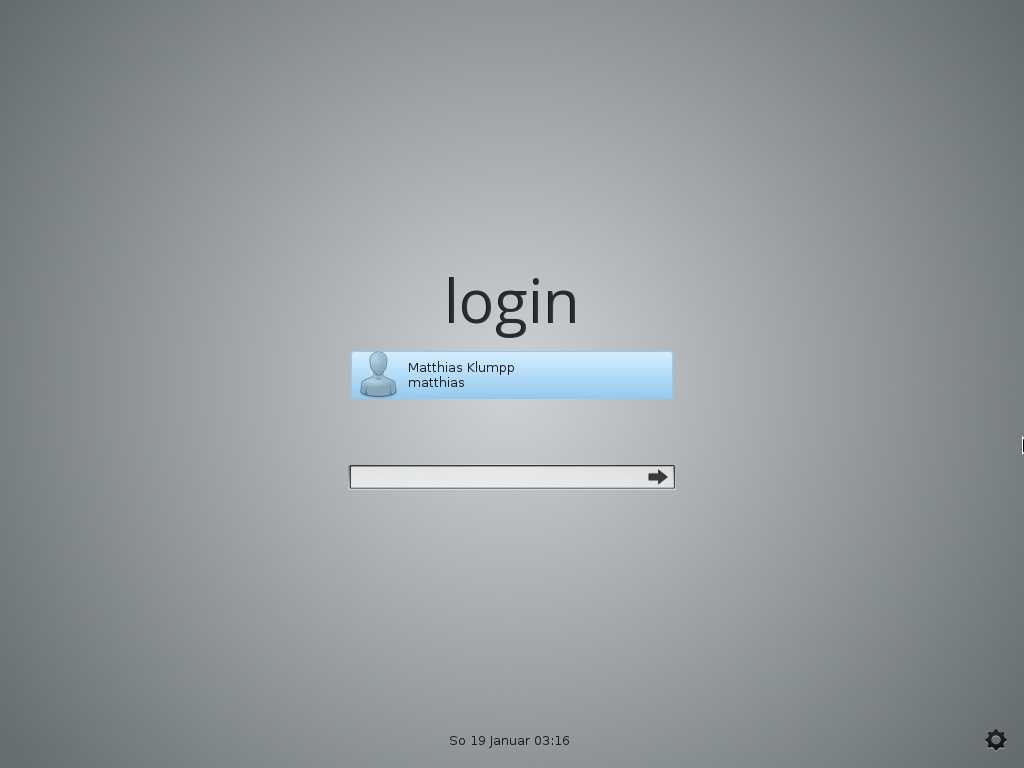
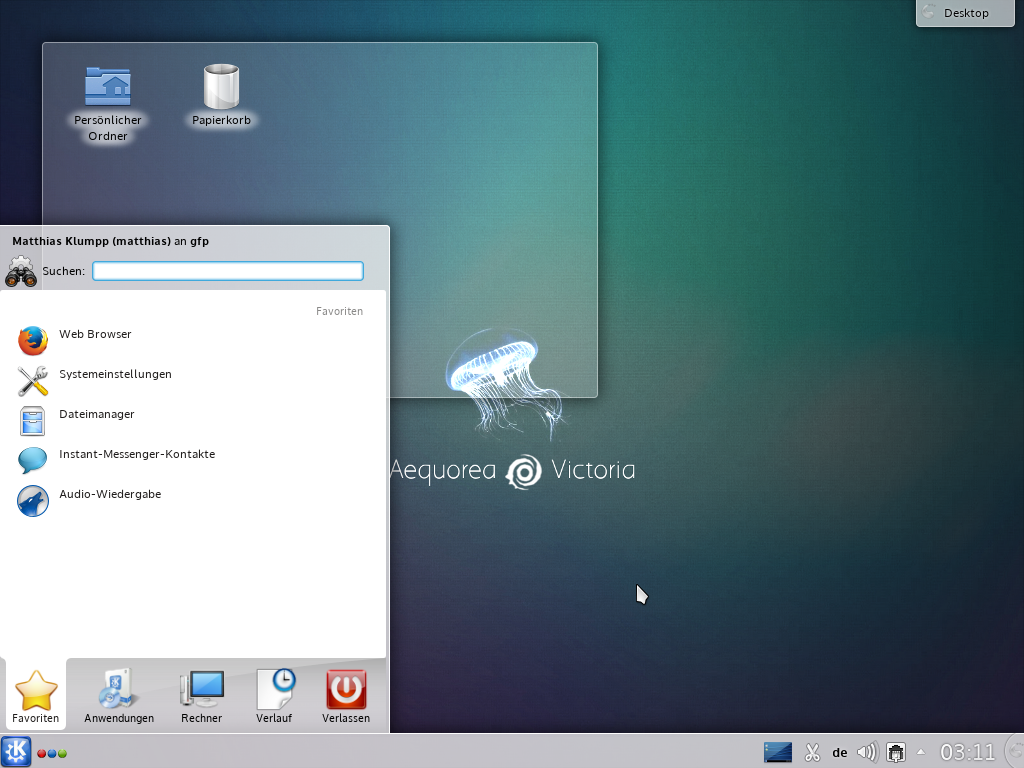
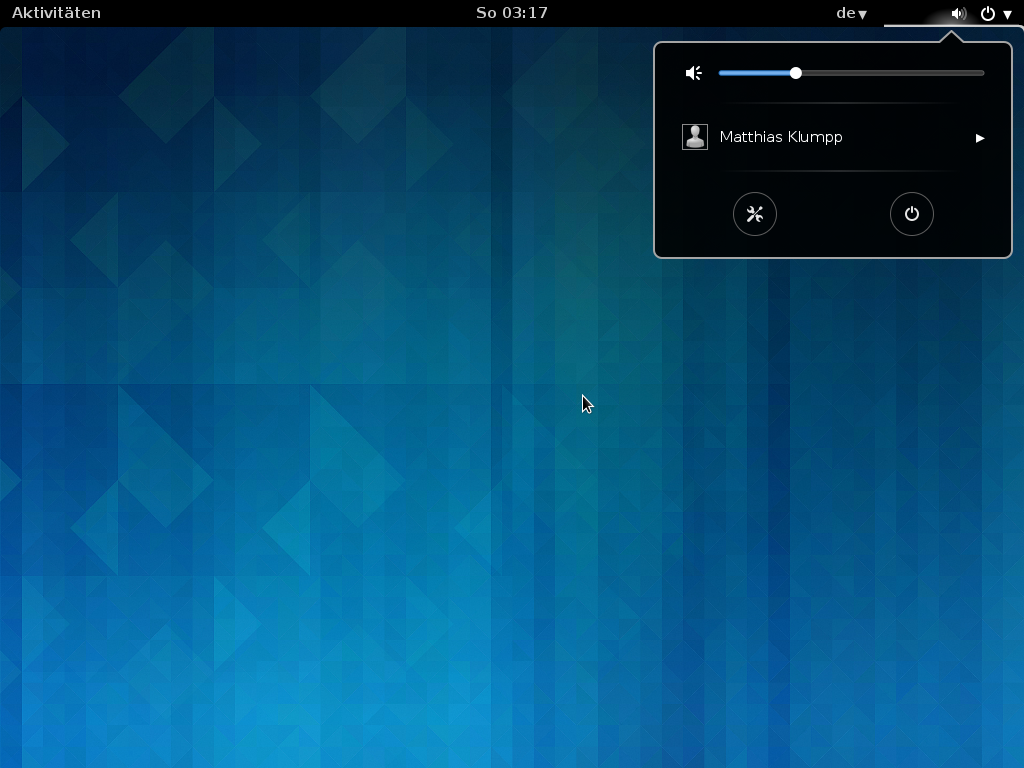
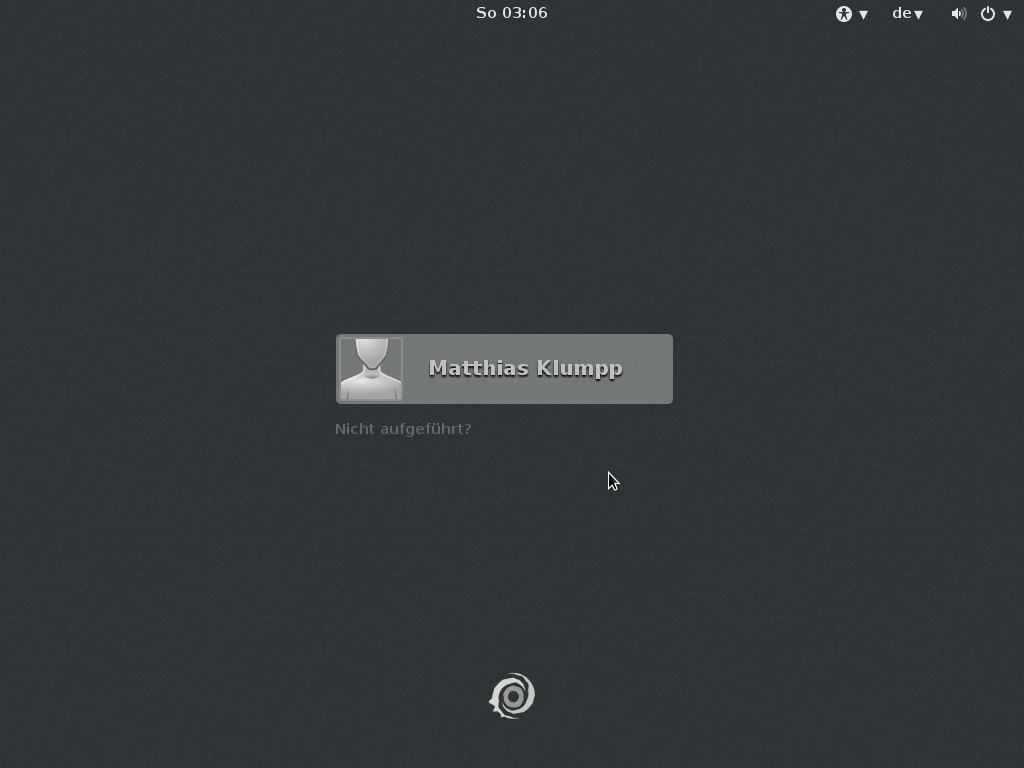
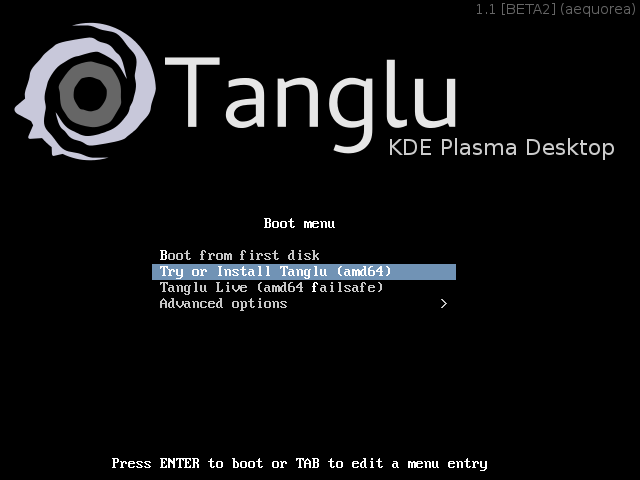
While writing this post, I recognize that we might need a news-blog for tanglu logo pureTanglu :-) Since yesterday, we have an (installable!) Beta2 release of Tanglu! Compared to the previous snapshot, it comes with a huge amount of improvements and bugfixes: Known issues: You can download the release from one of these mirrors: Mirror1 Mirror2 Mirror3 Additionally, there is now a release schedule for Tanglu Aequorea, and we will do a vote on the name for the next release soon (proposed names). As a note to Debian: systemd is working pretty well for Tanglu so far ;-) I am pretty happy with this Beta2 release, because Tanglu is shaping out to be the distribution we imagined in the beginning. Have fun! And as bonus, here are some images from Beta2: tanglu-beta2-kde0 tanglu-beta2-kde1 tanglu-beta2-kde2 tanglu-beta2-gnome2tanglu-beta2-gnome1
18 January 2014

Jonathan McDowell: Fixing my parents' ADSL

I was back at my parents' over Christmas, like usual. Before I got back my Dad had mentioned they'd been having ADSL stability issues. Previously I'd noticed some issues with keeping a connection up for more than a couple of days, but it had got so bad he was noticing problems during the day. The eventual resolution isn't going to surprise anyone who's dealt with these things before, but I went through a number of steps to try and improve things. Firstly, I arranged for a new router to be delivered before I got back. My old Netgear DG834G was still in use and while it didn't seem to have been the problem I'd been meaning to get something with 802.11n instead of the 802.11g it supports for a while. I ended up with a TP-Link TD-W8980, which has dual band wifi, ADSL2+, GigE switch and looked to have some basic OpenWRT support in case I want to play with that in the future. Switching over was relatively simple and as part of that procedure I also switched the ADSL microfilter in use (I've seen these fail before with no apparent cause). Once the new router was up I looked at trying to get some line statistics from it. Unfortunately although it supports SNMP I found it didn't provide the ADSL MIB, meaning I ended up doing some web scraping to get the upstream/downstream sync rates/SNR/attenuation details. Examination of these over the first day indicated an excessive amount of noise on the line. The ISP offer the ability in their web interface to change the target SNR for the line. I increased this from 6db to 9db in the hope of some extra stability. This resulted in a 2Mb/s drop in the sync speed for the line, but as this brought it down to 18Mb/s I wasn't too worried about that. Watching the stats for a further few days indicated that there were still regular periods of excessive noise, so I removed the faceplate from the NTE5 master BT socket, removing all extensions from the line. This resulted in regaining the 2Mb/s that had been lost from increasing the SNR target, and after watching the line for a few days confirmed that it had significantly decreased the noise levels. It turned out that the old external ringer that was already present on the line when my parents' moved in was still connected, although it had stopped working some time previously. Also there was an unused and much spliced extension in place. Removed both of these and replacing the NTE5 faceplate led to a line that was still stable. At the time of writing the connection has been up since before the new year, significantly longer than it had managed for some time. As I said at the start I doubt this comes as a surprise to anyone who's dealt with this sort of line issue before. It wasn't particularly surprising to me (other than the level of the noise present), but I went through each of the steps to try and be sure that I had isolated the root cause and could be sure things were actually better. It turned out that doing the screen scraping and graphing the results was a good way to verify this. Observe: adsl-noise.png The blue/red lines indicate the SNR for the upstream and downstream links - the initial lower area is when this was set to a 6db target, then later is a 9db target. Green are the forward error correction errors divided by 100 (to make everything fit better on the same graph). These are correctable, but still indicate issues. Yellow are CRC errors, indicating something that actually caused a problem. They can be clearly seen to correlate with the FEC errors, which makes sense. Notice the huge difference removing the extensions makes to both of these numbers. Also notice just how clear graphing the data makes things - it was easy to show my parents' the graph and indicate how things had been improved and should thus be better.

14 January 2014

Keith Packard: gl-and-bitmaps

X bitmaps vs OpenGL Of course, you all know that X started life as a monochrome window system for the VS100. Back then, bitmaps and rasterops were cool; you could do all kinds of things simple bit operations. Things changed, and eventually X bitmaps became useful only off-screen for clip masks, text and stipples. These days, you ll rarely see anyone using a bitmap everything we used to use bitmaps for has gone all alpha-values on us. In OpenGL, there aren t any bitmaps. About the most bitmap-like object you ll find is an A8 texture, holding 8 bits of alpha value for each pixel. There s no way to draw to or texture from anything where each pixel is represented as a single bit. So, as Eric goes about improving Glamor, he got a bit stuck with bitmaps. We could either: I thought the latter choice would be the best plan directly share the same object between CPU and GPU rendering, avoiding all reformatting as things move around in the server. Why is this non-trivial? Usually, you can flip formats around with reckless abandon in X, it has separate bits-per-pixel and depth values everywhere. That s how we do things like 32 bits-per-pixel RGB surfaces; we just report them as depth 24 and everyone is happy. Bitmaps are special though. The X protocol has separate (and overly complicated) image formats for single bit images, and those have to be packed 1 bit per pixel. Within the server, bitmaps are used for drawing core text, stippling and creating clip masks. They re the lingua franca of image formats, allowing you to translate between depths by pulling a single plane out of a source image and painting it into a destination of arbitrary depth. As such, the frame buffer rendering code in the server assumes that bitmaps are always 1 bit per pixel. Given that it must deal with 1bpp images on the wire, and given the history of X, it certainly made sense at the time to simplify the code with this assumption. A blast from the past I d actually looked into doing this before. As part of the DECstation line, DEC built the MX monochrome frame buffer board, and to save money, they actually created it by populating a single bit in each byte rather than packed into 8 pixels per byte. I have this vague memory that they were able to use only 4 memory chips this way. The original X driver for this exposed a depth-8 static color format because of the assumptions made by the (then current) CFB code about bitmap formats. Jim Gettys wandered over to MIT while the MX frame buffer was in design and asked how hard it would be to support it as a monochrome device instead of the depth-8 static color format. At the time, fixing CFB would have been a huge effort, and there wasn t any infrastructure for separating the wire image format from the internal pixmap format. So, we gave up and left things looking weird to applications. Hacking FB These days, the amount of frame buffer code in the X server is dramatically less; CFB and MFB have been replaced with the smaller (and more general) FB code. It turns out that the number of places which need to deal with individual bits in a bitmap are now limited to a few stippling and CopyPlane functions. And, in those functions, the number of individual read operations from the bitmap are few in number. Each of those fetches looked like:
bits = READ(src++)
All I needed to do was make this operation return 32 bits by pulling one bit from each of 8 separate 32-bit chunks and merge them together. The first thing to do was to pad the pixmap out to a 32 byte boundary, rather than a 32 bit boundary. This ensured that I would always be able to fetch data from the bitmap in 8 32-bit chunks. Next, I simply replaced the READ macro call with:
    bits = fb_stip_read(src, srcBpp);
    src += srcBpp;
The new fb_stip_read function checks srcBpp and packs things together for 8bpp images:
/*
 * Given a depth 1, 8bpp stipple, pull out
 * a full FbStip worth of packed bits
 */
static inline FbStip
fb_pack_stip_8_1(FbStip *bits)  
    FbStip      r = 0;
    int         i;
    for (i = 0; i < 8; i++)  
        FbStip  b;
        uint8_t p;
        b = FB_READ(bits++);
#if BITMAP_BIT_ORDER == LSBFirst
        p = (b & 1)   ((b >> 7) & 2)   ((b >> 14) & 4)   ((b >> 21) & 8);
        r  = p << (i << 2);
#else
        p = (b & 0x80000000)   ((b << 7) & 0x40000000)  
            ((b << 14) & 0x20000000)   ((b << 21) & 0x10000000);
        r  = p >> (i << 2);
#endif
     
    return r;
 
/*
 * Return packed stipple bits from src
 */
static inline FbStip
fb_stip_read(FbStip *bits, int bpp)
 
    switch (bpp)  
    default:
        return FB_READ(bits);
    case 8:
        return fb_pack_stip_8_1(bits);
     
 
It turns into a fairly hefty amount of code, but the number of places this ends up being used is pretty small, so it shouldn t increase the size of the server by much. Of course, I ve only tested the LSBFirst case, but I think the MSBFirst code is correct. I ve sent the patches to do this to the xorg-devel mailing list, and they re also on the depth1 branch in my repository
git://people.freedesktop.org/~keithp/xserver.git
Testing Eric also hacked up the test suite to be runnable by piglit, and I ve run it in that mode against these changes. I had made a few mistakes, and the test suite caught them nicely. Let s hope this adventure helps Eric out as he continues to improve Glamor.

8 January 2014

Gunnar Wolf: Meeting with Chilean sysadmins

Meeting with Chilean sysadmins
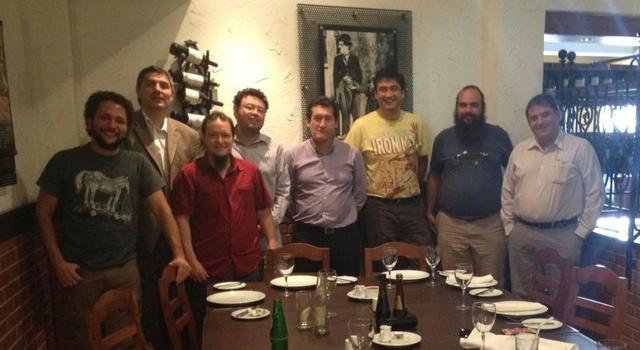
Ok, so I'm back in Mexico! This year, the best fare I found for travelling to spend the Winter^WSummer season with Regina's family had an oddity: I usually have a layover at either Santiago de Chile or Lima (Per ) of between 45 minutes and 2 hours, clearly less than enough to do anything. But this time, I had a massive 10 hours layover in Santiago. And spending 10 hours in an airport is far from fun. Specially when you have a good group of friends in town! I visited Chile in 2004 for Encuentro Linux (still before the time I had a digital camera: Those photos are all taken by Martin Michlmayr), and I have stayed in touch with a group of systems administrators since then. So, I mailed the list, and we managed to get eight people to have lunch together. In the order we appear in the photo: Some of them, even living in the same city, had never met in person before So, of course, we had a table reserved at the restaurant to the name of Dennis Ritchie. And having had nice, fun, sometimes-technical talks... Well, a tiny bit of his spirit was there. Of course, we can only trust he was there, as no Ouija boards were used and no null pointers were dereferenced (just to make sure not to disturb him). Victor Hugo and lvaro took me for a short Santiago city trip before lunch, we had a very nice time. Thanks! :-)

6 January 2014

Rapha&#235;l Hertzog: My Free Software Activities in December 2013

This is my monthly summary of my free software related activities. If you re among the people who made a donation to support my work (147.56 , thanks everybody!), then you can learn how I spent your money. Otherwise it s just an interesting status update on my various projects. The Debian Administrator s Handbook Cover of the Debian Administrator's Handbook (Wheezy edition)I spent a good chunk of December on the book. First finalizing the English version and getting it out (BTW, just for the launch, there s a 10% discount on the paperback that lasts only until January 9th!). Then working on updating the French translation. Eyrolles will publish a new edition of the French book based on this translation. Expect some further news about this during January! Debian France I contributed to many discussions within Debian France. Starting with a complaint that most events are organized in Paris, I proposed to map the location of Debian France members. We added new fields in the membership management page so that members can add their GPS coordinates and Fr d ric Decou made some experiments with Openstreetmap. Someone else (Kiriarat) volunteered to write the required glue code. A manual map is currently maintained on the website. Sample logo receivedIn the discussions about the setup of the Debian France shop, I suggested to update our logo with a nicer looking one. We got a few suggestions and after further discussions with Alexandre Delano and Sylvestre Ledru, we organized a small contest to entice designers to submit a logo proposal to us (the winner earns a set of Debian goodies). We got 46 proposals (see my favorite on the right)! The board is currently pre-selecting the logos and setting up the final vote for our members. The winner shall be announced at the end of the upcoming mini-debconf in Paris. I also continued the work to finalize new bylaws and new internal rules. They shall be adopted during the next general assembly which will happen during the mini-debconf. Misc Debian Work WordPress maintenance. I mentored Pablo Vasquez to do his first small contribution to the WordPress packaging. I really appreciate this but he s not yet ready to assume maintenance of a big package like WordPress on his own. I got multiple other offers of help and pinged them all while filing #733726 to coordinate the work on the new upstream version. But I got no reply :-( Handing over packages to new maintainers is hard Init system discussion. The technical committee has the hard task of picking the default init system that will replace the traditional System V init (see #727708). I followed this huge discussion closely and contributed a bit where I add something meaningful to say. Final decision is expected sometimes in January. FWIW, I share entirely Russ Allbery s point of view in those discussions. I have been running systemd on some of my computers for a few months already. Fixing lxc in stable. The lxc package in stable has a non-working debian template. I really dislike documenting that things are broken so instead of doing that in the Debian Administrator s Handbook, I opted to do something about it. I prepared a non maintainer upload for stable (see #680469 for the problem and #732358 for the stable update request). Misc stuff. I sponsored a tcpdf upload. I filed an enhancement request on Publican to have it keep processing instructions present in translations. I uploaded new versions of publican-librement and debian-handbook. I filed #732678 against git-buildpackage because it failed to properly call lintian when given the -A dpkg-buildpackage argument. Thanks See you next month for a new summary of my activities.


No comment Liked this article? Click here. My blog is Flattr-enabled.

5 January 2014

Jonathan Carter: Happy 2014!

So, it s 2014 and I still haven t migrated away from WordPress to using something fancy written in Python. But who cares? Life is great and I ve made good progress in lots of other areas :) I m getting fitter by the day, last year I joined a running club and I now play squash too, which is working so much better than just going to the gym. Also finally making progress with learning how to play guitar, another ancient goal of mine that had slow progress for a while. It helps that I now live on my own and can make noise whenever I want to. I m also going for lessons every Wednesday and have some plans to convert my spare room in to a music room. I ve also gotten into beer brewing. I attended Beerschool via Beerlab, my first batch of American Pale Ale is just about ready for bottling and I ll probably do that next weekend. What else? Well, this year I definitely want to be more focused in my free software contributions than in 2013. I want to get my Debian contributions flowing well again with the aim of becoming a Debian Maintainer. Also planning to go to Debconf in Portland, Oregon in August. Then there s LTSP which is working towards LTSP 6, which will see a huge shift in proper support for local processing and less on thin client support. Not sure how far my involvement will stretch there but I m certainly very interested and will do my best to make the LTSP hackfest later in the year. The next 2-3 months will need the most focus on Edubuntu. The 14.04 LTS release will be a big release and the single-sign-on directory infrastructure that will be released along with it will mark a big milestone for the project. Well, to anyone still reading my blog, have a great 2014!

31 December 2013

Paul Tagliamonte: Hy 0.9.12 released

Good morning all my hungover friends. New Hy release - sounds like the perfect thing to do while you re waiting for your headaches to go away. Here s a short-list of the changes (from NEWS) - enjoy!

Changes from Hy 0.9.11
   tl;dr:
    0.9.12 comes with some massive changes,
    We finally took the time to implement gensym, as well as a few
    other bits that help macro writing. Check the changelog for
    what exactly was added. 
    
    The biggest feature, Reader Macros, landed later
    in the cycle, but were big enough to warrent a release on it's
    own. A huge thanks goes to Foxboron for implementing them
    and a massive hug goes out to olasd for providing ongoing
    reviews during the development.
    
    Welcome to the new Hy contributors, Henrique Carvalho Alves,
    Kevin Zita and Kenan B l kba . Thanks for your work so far,
    folks!
    
    Hope y'all enjoy the finest that 2013 has to offer,
      - Hy Society
    * Special thanks goes to Willyfrog, Foxboron and theanalyst for writing
      0.9.12's NEWS. Thanks, y'all! (PT)
    [ Language Changes ]
    * Translate foo? -> is_foo, for better Python interop. (PT)
    * Reader Macros!
    * Operators + and * now can work without arguments
    * Define kwapply as a macro
    * Added apply as a function
    * Instant symbol generation with gensym
    * Allow macros to return None
    * Add a method for casting into byte string or unicode depending on python version
    * flatten function added to language
    * Add a method for casting into byte string or unicode depending on python version
    * Added type coercing to the right integer for the platform
    [ Misc. Fixes ]
    * Added information about core team members
    * Documentation fixed and extended
    * Add astor to install_requires to fix hy --spy failing on hy 0.9.11.
    * Convert stdout and stderr to UTF-8 properly in the run_cmd helper.
    * Update requirements.txt and setup.py to use rply upstream.
    * tryhy link added in documentation and README
    * Command line options documented
    * Adding support for coverage tests at coveralls.io
    * Added info about tox, so people can use it prior to a PR
    * Added the start of hacking rules
    * Halting Problem removed from example as it was nonfree
    * Fixed PyPI is now behind a CDN. The --use-mirrors option is deprecated.
    * Badges for pypi version and downloads.
    [ Syntax Fixes ]
    * get allows multiple arguments
    [ Bug Fixes ]
    *  OSX: Fixes for readline Repl problem which caused HyREPL not allowing 'b'
    * Fix REPL completions on OSX
    *  Make HyObject.replace more resilient to prevent compiler breakage.
    [ Contrib changes ]
    * Anaphoric macros added to contrib
    * Modified eg/twisted to follow the newer hy syntax
    * Added (experimental) profile module

29 December 2013

Russ Allbery: Review: The Incrementalists

Review: The Incrementalists, by Steven Brust & Skyler White
Publisher: Tor
Copyright: September 2013
ISBN: 0-7653-3422-4
Format: Hardcover
Pages: 304
The Incrementalists are a secret society that has been in continuous existence for forty thousand years. The members are immortal... sort of (more on that in a moment). They are extremely good at determining what signals, triggers, and actions have the most impact on people, and adept at using those triggers to influence people's behavior. And they're making the world better. Not in any huge, noticeable way, just a little bit, here and there. Incrementally. Brust and White completely had me with this concept. There are several SF novels about immortals, but (apart from the vampire subgenre) they mostly stay underground and find ways to survive without trying to change the surrounding human society. I love the idea of small, incremental changes, and I was looking forward to reading a book about how that would work. How do they choose what to do? How do they find the right place to push? What long-term goals would such an organization pursue, and what governance structure would they use? I'm still wondering about most of those things, sadly, since that isn't what this novel is about at all. I should be fair: a few of those questions hover in the background. There are some political arguments (that parallel arguments on Brust's blog), and a tiny bit about governance. But mostly this is a sort of romance, a fight over identity, and an extensive exploration of the mental "garden" that the Incrementalists use and build to hold their memories and share information with each other. The story revolves around two Incrementalists: Phil, who is one of the leaders and has one of the longest continuous identities of any of the group, and Renee, a new recruit by Phil who picks up the memories and capabilities (sort of) of the recently-deceased Incrementalist Celeste. Phil is the long-term insider, although a fairly laid-back one. Renee is the outsider, the one to which the story is happening at the beginning, who is taught how the Incrementalists' system works. The Incrementalists is told in alternating first-person viewpoint sections by Phil and Renee (making me wonder if the characters were each written by one of the authors). Once I got past my disappointment over this book not being quite what I wanted, the identity puzzles that Brust and White play with here caught my attention. The underlying "magic" of the Incrementalists is based on the "memory palace" concept of storing memories via visualizations, but takes it into something akin to personal alternate worlds. Their immortality isn't through physical immortality, but rather the ability to store their memories and personality in their garden, which is their term for the memory palace, and then have it imposed on someone else: a combination of reincarnation, mental takeover, and mental merging. This makes for complex interpersonal relationships and complex interactions between memory, belief, and identity, not to mention some major ethical issues, which come to a head in Phil and Renee's relationship and Celeste's lingering meddling. I think Brust and White are digging into some interesting questions of character here. There's a lot of emphasis in The Incrementalists on the ease with which people can be manipulated, and the Incrementalists themselves are far from immune. Choice and personal definition are both questionable concepts given how much influence other people have, how many vulnerabilities everyone carries with them, and how much one's opinions are governed by one's life history. That makes identity complex, and raises the question of whether one can truly define oneself. But, while all these ideas are raised, I think The Incrementalists dances around them more than engages them directly. It's similar to the background hook: yes, these people are slowly improving the world, and we see a little bit of that (and a little bit of them manipulating people for their own convenience), but the story doesn't fully engage with the idea. There's a romance, a few arguments, some tension, some world-building, but I don't feel like this book ever fully committed to any of them. One of the occasional failure modes of Brust for me is insufficient explanation and insufficient clarity, and I hit that here. My final impression of The Incrementalists is interesting, enjoyable, but vaguely disappointing. It's still a good story with some interesting characters and nice use of the memory palace concept, and I liked Renee throughout (although I think the development of the love story is disturbingly easy and a little weird). But I can't strongly recommend it, and I'm not sure if it's worth seeking out. Rating: 7 out of 10

Gergely Nagy: Introducing the syslog-ng Incubator

When syslog-ng 3.5.1 was released, the existence of the syslog-ng Incubator project was already announced, but I did not go into detail as to why it exists, what is in there, how to build it, or how to use it. The documentation that exists on it is almost non-existent, and what does exist, is usually in the form of a commit message and some example files. But there's nothing on how the things in the Incubator can be used, and what problems they solve.With this post, I will try to ease the situation a little, and provide some insight on how I use some of the things in there, like the Riemann destination.About the IncubatorThe idea for the Incubator existed for a long time, the first incarnation of it was called syslog-ng module collection, and had a different scope: it was a playing field not only for new modules, but updates to existing ones too. The idea was to try out new, possibly experimental features separately from syslog-ng. That didn't work well: it was a nightmare to maintain, and even harder to use. So it never got anywhere, as the developments made there were quickly merged into syslog-ng itself anyway.Then, two years later, I had a need for a new destination, but there was no open development branch to base it against, and forking and maintaining a whole syslog-ng branch for the purpose of a single module sounded like an overkill. So the Incubator was born, from the ashes of the failed module collection.The purpose of the Incubator is to be a place of experimental modules, and an easier way to enter the world syslog-ng development. It's something with far less requirements than syslog-ng (I do not care all that much about portability when it comes to the Incubator, especially not to horrible abominations like HP-UX or AIX), less rules, and more freedom. It's meant to be more developer friendly than syslog-ng proper.It also serves as an example of developing modules completely external to syslog-ng, and parts of it will be used in future posts of mine, to demonstrate the development of new modules.Compiling & InstallationThe first thing we need to do, is to compile whatever we need from the Incubator, unless we happen to have pre-built binaries available (which are going to appear in your usual third-party syslog-ng repositories over the next few weeks). For this, at a minimum, one will need syslog-ng 3.5+ and ivykis installed, along with autotools (autoconf, automake and libtool), pkg-config, bison, and depending on which modules one needs, riemann-c-client and libmongo-client too. Most of these are available packaged in better distributions, but only in recent versions, so one may need to compile those too. They follow a very similar scheme, though.If everything is installed at the standard locations, getting the Incubator to compile is as simple as this:
$ git clone https://github.com/balabit/syslog-ng-incubator.git
$ cd syslog-ng-incubator
$ autoreconf -i
$ ./configure && make && sudo make install
If anything happens to be installed in a non-standard location, one will need to adjust PKG_CONFIG_PATH to help the configure script locate the needed libraries.Once installed (the configure script will figure out where syslog-ng modules are, and modules will be put there), syslog-ng will automatically recognise the new modules. One can make sure that this is the case by running the following command after installation:
$ syslog-ng --module-registry
The PluginsNow that we're over the hard part of compiling and installing the Incubator, lets see what is inside! I will start with the easier things, and move on to the more complicated features as we progress. That is, we'll start with some template functions, have a glance at the trigger source, then explore the rss destination, and finish off with the riemann destination.Template functionsThe Incubator gives us three new template functions, some less useful than the others, and one that's a huge, ugly hack for a problem that I ended up solving in a very different way - without the hack.These functions are the $(or) template function, which takes any number of arguments, and returns the first one that is not empty. The main use case here is that if you have, say, similarly named fields, but some messages have one, the others another, and you want to normalize it, $(or) is one way to do it:
$(or $ HOST  $ HOSTNAME  $ HOST_NAME  "<unknown>")
Another function is $(//), which does the same thing as the built-in $(/) template function: divide its arguments. Except this one works with floating-point numbers only, while the built-in one is for integers exclusively. Using it is simple, too:
$(// $ some_number  3.4)
The last template function provided by the Incubator is $(state), which can be used to maintain global state, that does not depend on log messages. You can set values in here, like counters, from within a template function. It is possible to count the total amount downloaded data when processing a HTTP server log, for example. But it's slow, and there are better ways to do the same thing, syslog-ng really isn't the best tool for this kind of job. If anyone happens to find a use-case for it, please let me know. As for using it, it has two modes: set (with two arguments) and get (with one):
$(state some-variable $ VALUE )
$(state some-variable)
Trigger sourceThe trigger source has many in common with the built-in mark feature: at given intervals, it sends a message. This is mostly a debugging aid, when you want to generate messages without an external tool. It only has two options: trigger-freq() and trigger-message(), which default to 10 and "Trigger source is trigger happy.", respectively. It also accepts a number of common source options such as program-override(), host-override() and tags().To use it, one just needs to set it up like any other source, and bind it to a destination with a log statement:
source s_trigger  
 trigger(
  program-override("trigger")
  tags("trigger-happy")
  trigger-freq(5)
  trigger-message("Beep.")
 );
 ;
Without a program-override() option, messages will be attributed to syslog-ng, which is likely not what you want, even while debugging. Internal messages are usually routed somewhere else.RSS destinationThe RSS destination is an interesting beast. It offers an Atom feed of the last hundred messages routed to the destination. I could very well imagine this being useful in a situation where one already has monitoring set up to listen on various RSS sources - this would be just another. It also works well with most RSS feed readers. The length of the feed is not configurable at this time, and the number of options is limited to port(), title(), entry-title() and entry-description().The first one specifies which port the destination should listen on (it serves one client at a time!); title() can be used to set the title of the feed itself, while entry-title() and entry-description() can be used with templates to fill in the per-message Atom entries.Once we have a suitable path we want to route to the RSS destination (such as critical error messages only), we can set it up like this:
destination d_rss  
 rss(
  port(8192)
  feed-title("Critical errors in the system")
  entry-title("Error from $ PROGRAM  @ $ HOST_FROM  at $ ISODATE ")
  entry-description("$ MESSAGE ")
 );
 ;
Riemann destinationBeing the original motivator for the Incubator, I left this last. This module is the interface between your logs and the Riemann monitoring system. With this, you can take all the legacy applications that are hard to monitor, but provide log files, use syslog-ng's extraordinary log processing power, and send clear and concise events over to Riemann.One can use it to monitor logins, downloads, uploads, exceptions - pretty much anything. Just extract some metric, or state, send it over to Riemann, and that will do the heavy lifting. What exactly can be done, will be worth a separate blog post, so for now, I will give just a very tiny example:
destination d_riemann  
 riemann(
  ttl("120")
  description("syslog-ng internal errors")
  metric(int("$ SEQNUM "))
 );
 ;
Hook it up to a path that collects syslog-ng internal messages, keeps only error messages, and routes it toward this destination:
log  
  source   internal();  ;
  filter   level(err..emerg);  ;
  destination(d_riemann);
 ;
The destination itself has the following options: Closing thoughtsThe Incubator contains one more tool, one which can be used to visualise logs in strange ways. But that's not strictly related to syslog-ng, isn't a module, either, so I will not describe it here right now. The above was quite a lot already, I believe.As a closing thought, I would just like to say that while the Incubator is home for experimental modules, some of them are used in production. Don't be afraid to use them, especially when packages start to arrive to your favourite GNU/Linux distribution!

25 December 2013

Petter Reinholdtsen: Debian Edu interview: Dominik George

The Debian Edu / Skolelinux project consist of both newcomers and old timers, and this time I was able to get an interview with a newcomer in the project who showed up on the IRC channel a few weeks ago to let us know about his successful installation of Debian Edu Wheezy in his School. Say hello to Dominik George. Who are you, and how do you spend your days? I am a 23 year-old student from Germany who has spent half of his life with open source. In "real life", I am, as already mentioned, a student in the fields of Computer Science, Electrical Engineering, Information Technologies and Anglistics. Due to my (only partially voluntary) huge engagement in the open source world, these things are a bit vacant right now however. I also have been working as a project teacher at a Gymasnium (public school) for various years now. I took up that work some time around 2005 when still attending that school myself and have continued it until today. I also had been running the (kind of very advanced) network of that school together with a team of very interested and talented students in the age of 11 to 15 years, who took the chance to learn a lot about open source and networking before I left the school to help building another school's informational education concept from scratch. That said, one might see me as a kind of "glue" between school kids and the elderly of teachers as well as between the open source ecosystem and the (even more complex) educational ecosystem. When I am not busy with open source or education, I like Geocaching and cycling. How did you get in contact with the Skolelinux / Debian Edu project? I think that happened some time around 2009 when I first attended FrOSCon and visited the project booth. I think I wasn't too interested back then because I used to have an attitude of disliking software that does too much stuff on its own. Maybe I was too inexperienced to realise the upsides of an "out-of-the-box" solution ;). The first time I actively talked to Skolelinux people was at OpenRheinRuhr 2011 when the BiscuIT project, a home-grewn software used by my school for various really cool things from timetables and class contact lists to lunch ordering, student ID card printing and project elections first got to a stage where it could have been published. I asked the Skolelinux guys running the booth if the project were interested in it and gave a small demonstration, but there wasn't any real feedback and the guys seemed rather uninterested. After I left the school where I developed the software, it got mostly lost, but I am now reimplementing it for my new school. I have reusability and compatibility in mind, and I hop there will be a new basis for contributing it to the Skolelinux project ;)! What do you see as the advantages of Skolelinux / Debian Edu? The most important advantage seems to be that it "just works". After overcoming some minor (but still very annoying) glitches in the installer, I got a fully functional, working school network, without the month-long hassle I experienced when setting all that up from scratch in earlier years. And above that, it rocked - I didn't have any real hardware at hand, because the school was just founded and has no money whatsoever, so I installed a combined server (main server, terminal services and workstation) in a VM on my personal notebook, bridging the LTSP network interface to the ethernet port, and then PXE-booted the Windows notebooks that were lying around from it. I could use 8 clients without any performance issues, by using a tiny little VM on a tiny little notebook. I think that's enough to say that it rocks! Secondly, there are marketing reasons. Life's bad, and so no politician will ever permit a setup described as "Debian, an universal operating system, with some really cool educational tools" while they will be jsut fine with "Skolelinux, a single-purpose solution for your school network", even if both turn out to be the very same thing (yes, this is unfair towards the Skolelinux project, and must not be taken too seriously - you get the idea, anyway). What do you see as the disadvantages of Skolelinux / Debian Edu? I have not been involved with Skolelinux long enough to really answer this question in a fair way. Thus, please allow me to put it in other words: "What do you expect from Skolelinux to keep liking it?" I can list a few points about that: I'm really sorry I cannot say much more about that :(! Which free software do you use daily? First of all, all software I use is free and open. I have abandoned all non-free software (except for firmware on my darned phone) this year. I run Debian GNU/Linux on all PC systems I use. On that, I mostly run text tools. I use mksh as shell, jupp as very advanced text editor (I even got the developer to help me write a script/macro based full-featured student management software with the two), mcabber for XMPP and irssi for IRC. For that overly coloured world called the WWW, I use Iceweasel (Firefox). Oh, and mutt for e-mail. However, while I am personally aware of the fact that text tools are more efficient and powerful than anything else, I also use (or at least operate) some tools that are suitable to bring open source to kids. One of these things is Jappix, which I already introduced to some kids even before they got aware of Facebook, making them see for themselves that they do not need Facebook now ;). Which strategy do you believe is the right one to use to get schools to use free software? Well, that's a two-sided thing. One side is what I believe, and one side is what I have experienced. I believe that the right strategy is showing them the benefits. But that won't work out as long as the acceptance of free alternatives grows globally. What I mean is that if all the kids are almost forced to use Windows, Facebook, Skype, you name it at home, they will not see why they would want to use alternatives at school. I have seen students take seat in front of a fully-functional, modern Debian desktop that could do anything their Windows at home could do, and they jsut refused to use it because "Linux sucks". It is something that makes the council of our city spend around 600000 to buy software - not including hardware, mind you - for operating school networks, and for installing a system that, as has been proved, does not work. For those of you readers who are good at maths, have you already found out how many lives could have been saved with that money if we had instead used it to bring education to parts of the world that need it? I have, and found it to be nothing less dramatic than plain criminal. That said, the only feasible way appears to be the bottom up method. We have to bring free software to kids and parents. I have founded an association named Teckids here in Germany that does just that. We organise several events for kids and adolescents in the area of free and open source software, for example the FrogLabs, which share staff with Teckids and are the youth programme of the Free and Open Source Software Conference (FrOSCon). We do a lot more than most other conferences - this year, we first offered the FrogLabs as a holiday camp for kids aged 10 to 16. It was a huge success, with approx. 30 kids taking part and learning with and about free software through a whole weekend. All of us had a lot of fun, and the results were really exciting. Apart from that, we are preparing a campaign that is supposed to bring the message of free alternatives to stuff kids use every day to them and their parents, e.g. the use of Jabber / Jappix instead of Facebook and Skype. To make that possible, we are planning to get together a team of clever kids who understand very well what their peers need and can bring it across to them. So we will have a peer-driven network of adolescents who teach each other and collect feedback from the community of minors. We then take that feedback and our own experience to work closely with open source projects, such as Skolelinux or Jappix, at improving their software in a way that makes it more and more attractive for the target group. At least I hope that we will have good cooperation with Skolelinux in the future ;)! So in conclusion, what I believe is that, if it weren't for the world being so bad, it should be very clear to the political decision makers that the only way to go nowadays is free software for various reasons, but I have learnt that the only way that seems to work is bottom up.

21 December 2013

Christian Perrier: [life] Running update December 21st 2013

Last time I blogged about my running activities was after DebConf 13 in Switzerland, back in August. At that time, I just completed two great moutain races in one month (Mont-Blanc Marathon, then EDF Cenis Tour, one being 42km and 2500m positive climb and the other one being 50km and 2700m). EDF Cenis Tour was my best result overall in a trail race, being ranked 40th out of more than 300 runners and 3rd in my age category (men 50-59). So, in late August, I was preparing for my "autumn challenge", a succession of 3 long distance races in a row: Quite a challenge, indeed, to run 3 long distance events in a row, with only 3 weeks between them. Preparation for all this was mostly piling up kilometers over kilometers. First in road and flat training, when the goal was the marathon. So, after piking to 471 kilometers in August (more than 15km/day), I ran 452 in September and again 420 in October. During that preparation, I also broke my personal best in half-marathon, down to 1h34. I therefore was perfectly fit for the Toulouse Marathon and, indeed, unsurprisingly, I achieved my first goal by breaking my personal best down to.....3h25' and a few seconds. Really a great achievement and something that gives me a little hope of being able to qualify for Boston Marathon (though chances are a bit low again: I can apply because I'm below 3h30 but the chances that I get a seat are not very big). Recovery from the marathon was easy, thanks to the big preparation and then the second race came very quickly: Le Puy-Firminy. My third participation to this night race, organised by a cousin of mine. I completed the first one in 9h15....then, last year, the second one in 8h25. And, this year, well......7h15 and 26th out of over 200 runners. Huge, great and stunning performance for me, really. Everything went so well that I can't remember any moment where I had any doubt. And I will indeed remember the last kilometer ran along with my sister (who is also a runner) and where she.....couldn't follow me while I was sprinting at about 14km/h after 68 kilometers. Definitely my best race this year. And then came the last challenge: Saint lyon. If you never saw it, you have no idea. While Le Puy-Firminy features 200 runners and 150 walkers over 68 kilometers, this one features 6000 runners for 75 kilometers. Six THOUSAND. The vision of a light snake, kilometers long, over the hills in St-Etienne neighbourhood, was stunning. Moreover, we ran that one, with snow, ice and cold (down to -10 C at the highest point of the race). So, here, the goal was running with my friend and share the joy of the race with her, all along...and eventually beat her personal best on this race (11h15 last year, while the race was 5km shorter). We made it really well, despite the crowd and the fact that it doesn't allow running one's real speed. Despite the ice and snow that makes downhills really.....interesting. Despite dolors I had in my legs at the end of the race. We completed the race in 10h38, quite away from our secret goal (9h30) but that one was really ambitious...:-). And we crossed the finish line together, hand in hand, for the third time of our running life. And we shared tears at the end of the race. And we shared many great moments over that week-end. Moments that let one remember what the definition of "friendship" is. I found my "running sister" in Sabine and this is something we really appreciate and is hard to explain. All this would make a great conclusion if.....I hadn't injured my leg with this accumulation. Indeed, as one might expect after such a hard challenge, I discovered during the days that followed the last race, that I have a fatigue fracture on my left tibia. As a consequence, I need to stop running for about 6 weeks....which you can understand is kinda hard for me. But, guess what? I'm allowed to bike...:-). So, well, I repaired my old moutain bike and now, I'm biking instead of running...:-) Finally, 2013 has been my greatest running year, again. 4700 kilometers ran over the year, nearly 13km/day in average. 14 races (3 road races and 11 trail races). 463 hours spent running and 72,000meters climbed (about 8 Sagarmatha, aka Everest, climbed). 2 Personal Best performances. 2 long distance races which I ran in more than 1 hour less then last year. 2 new moutain races. And first running injury...:-) 2014 will be different. I will run again some races I alreay ran such as Paris 80km Ecotrail or Le Puy Firminy (4th time in a row). But I also hope to be able to run one of the Ultra Tour du Mont-Blanc races in late August in Chamonix (need to be picked up at the bib lottery for this to happen). And probably some other interesting challenges such as running the Paris Marathon dressed as SpongeBob....one week after running the 80km Ecotrail....:-) But you'll see that in my next running update, of course. Merry New Year and Happy Christmas!

20 December 2013

Riku Voipio: Replicant on Galaxy S3

I recently got my self and Galaxy S3 for testing out Replicant, an android image made out of only open source components. Why Galaxy S3? It is well supported in Replicant, almost every driver is already open source. The hardware specs are acceptable, 1.4Ghz quad core, 1GB ram, microsd, and all the peripheral chips one expects for a phone. Galaxy S3 has sold insanely (50 million units supposedly), meaning I won't run out of accessories and aftermarket spare parts any time soon. The massive installed base also means a huge potential user community. S3 is still available as new, with two years of warranty. Why notWhile the S3 is still available new, it is safe to assume production is ending already - 1.5 year old product is ancient history in mobile world! It remains to be seen how much the massive user base will defend against the obsolescence. Upstream kernel support for "old" cpu is open question, replicant is still basing kernel on vendor kernel. Bootloader is unlocked, but it can't be changed due to trusted^Wtreacherous computing, preventing things like boot from sd card. Finally, not everything is open source, the GPU (mali) driver while being reverse engineered, is taking it's time - and the GPS hasn't been reversed yet. Installing replicant Before install, from the original installation, you might want to take a copy of firmware files (since replicant won't provide them). enable developer mode on the S3 and:
sudo apt-get install android-tools
mkdir firmware
adb pull /system/vendor/firmware/
adb pull /system/etc/wifi
After then, just follow official replicant install guide for S3. If you don't mind closed source firmwares, post-install you need to push the firmware files back:

adb shell
mount -o remount,rw /system
adb push . /system/vendor/firmware
Here was my first catch, the wifi firmwares from jelly bean based image were not compatible with older ICS based replicant. Using replicant
Booting to replicant is fast, few seconds to the pin screen. You are treated with the standard android lockscreen, usual slide/pin/pattern options are available. Basic functions like phone, sms and web browsing have icons from the homescreen and work without a hitch. Likewise camera seems to work, really the only smartphone feature missing is GPS. Sidenote - this image looks a LOT better on the S3 than on my thinkpad. No wonder people are flocking to phones and tablets when laptop makers use such crappy components.
The grid menu has the standard android AOSP opensource applications in the ICS style menu with the extra of f-droid icon - which is the installer for open source applications. F-droid is it's own project that complements replicant project by maintaining a catalog of Free Software.
F-droid brings hundreds of open source applications not only for replicant, but for any other android users, including platforms with android compatibility, such as Jolla's Sailfish OS. Of course f-droid client is open source, like the f-droid server (in Debian too). F-droid server is not just repository management, it can take care of building and deploying android apps.
The WebKit based android browser renders web sites without issues, and if you are not happy with, you can download Firefox from f-droid. Many websites will notice you are mobile, and provide mobile web sites, which is sometimes good and sometimes annoying. Worse, some pages detect you are android and only offer you to load their closed android app for viewing the page. OTOH I am already viewing their closed source website, so using closed source app to view it isn't much worse. This keyboard is again the android standard one, but for most unixy people the hacker's keyboard with arrow buttons and ctrl/alt will probably be the one you want. Closing thoughts While using replicant has been very smooth, the lack of GPS is becoming a deal-breaker. I could just copy the gpsd from cyanogen, like some have done, but it kind of beats the purpose of having replicant on the phone. So it might be that I move back to cyanogen, unless I find time to help reverse engineering the BCM4751 GPS.

Dirk Eddelbuettel: New RcppEigen release 0.3.2.0.1 -- and a new maintainer

In a recent email to the Rcpp and lme4 mailing lists, Doug Bates announced that was turning away from R, Rcpp, lme4 and hence also RcppEigen for which he had been both the primary author and maintainer. This is huge loss for the R community. I have known Doug since the 1990s. He has been a fairly central figure around R during all those years in which I got more and more involved with R. I have learned a lot from him, and enjoyed the work together---initially on the Debian R package (which I took over from him), and all the way to joint work on Rcpp and RcppEigen, including our JSS paper. I am certain to miss him around R. Now, in order to keep RcppEigen viable within CRAN and the R ecosystem, I have offered to maintain it. A first new upload is now on CRAN (and I also uploaded it to Debian where I started to maintain it too as a depedency for lme4). I have also started to make a few minor changes such as tightening Suggests: a little, and editing a few descriptive files. Details are in the Github repo. Questions, comments etc about RcppEigen should go to the rcpp-devel mailing list off the R-Forge page.

This post by Dirk Eddelbuettel originated on his Thinking inside the box blog. Please report excessive re-aggregation in third-party for-profit settings.

18 December 2013

Ingo Juergensmann: Debian donation to m68k arrived

The Debian m68k port has been entitled by the DPL to receive a donation of five memory expansion cards for the m68k autobuilders. The cards arrived two weeks ago and are now being shipped to the appropriate buildd admins. Adding those 256 MB memory expansion will have a huge effect to the m68k buildds, because most of them are Amigas that are currently running with "just" 128 MB. The problem with those expansion cards is to make use of them. Sounds strange but this is the story behind it.... Those memory expansion cards, namely it is the BigRamPlus from Individual Computers, are Zorro III bus cards, which has some speed limitations. The Amiga memory model is best described in the Amiga Hardware Reference Manual. For Zorro III based Amigas this is described in the section "A3000 memory map", where you can see that the memory model is divided into different address space. The most important address space is the "Coprocessor Slot Expansion" space, starting at $0800 0000. This is where the memory on the CPU accelerator cards will be found and which runs at full CPU speed. The BigRamPlus, however, is located within "Zorro III Expansion" address space at $1000 0000 and will have transfer rates of about 13 MB/s. Then again there's still the motherboard expansion memory and others like Zorro II expansion memory. Unfortunately the current kernel does not support SPARSEMEM on m68k, but is using DISCONTIGMEM as Geert Uytterhoven explained. In short: we need SPARSEMEM support to easily make use of all available memory chunks that can be found. To make it a little more difficult, Amigas do use some kind of memory priority. Memory on accelerator cards usually has a priority of 40, motherboard expansion memory has a priority of, let's say, 20 and chip memory a pri of 0. This priority usually is equivalent to speed of memory. So, we want to have the kernel loaded to accelerator memory, of course. Basically we could do that by using a memfile and define the different memory chunks in the appropriate priority list like this one:
2097152
0x08000000 67108864
0x07400000 12582912
0x05000000 268435424
Would be an easy solution, right? Except that this doesn't work out. Currently the kernel will be loaded into the first memory chunk that is defined and ignore all memory chunks before that address space. As you can see 0x07400000 and 0x05000000 would be ignored because of this. Getting confused? No problem! It will get worse! ;) There's another method of accessing memory for Amigas: it's called z2ram and will use Zorro II as, let's say, swapping area. But maybe you guessed it: z2ram does not work for Zorro III memory (yet). So, this won't work either. Geert suggested to use that Zorro III memory as mtd device and finally this worked out! You'll need these modules in your kernel:
CONFIG_MTD=m
CONFIG_MTD_CMDLINE_PARTS=m
CONFIG_MTD_BLKDEVS=m
CONFIG_MTD_SWAP=m
CONFIG_MTD_MAP_BANK_WIDTH_1=y
CONFIG_MTD_MAP_BANK_WIDTH_2=y
CONFIG_MTD_MAP_BANK_WIDTH_4=y
CONFIG_MTD_CFI_I1=y
CONFIG_MTD_CFI_I2=y
CONFIG_MTD_SLRAM=m
CONFIG_MTD_PHRAM=m
Then you just need to create the mtd device and configure it as swap space:
/sbin/modprobe phram phram=bigram0,0x50000000,0xfffffe0
/sbin/modprobe mtdblock
/sbin/mkswap /dev/mtdblock0
/sbin/swapon -p 5 /dev/mtdblock0
And then you're done:
# swapon -s
Filename Type Size Used Priority
/dev/sda3 partition 205932 8 1
/dev/sdb3 partition 875536 16 1
/dev/mtdblock0 partition 262136 53952 5
To make it even worse (yes, there's still room for that! ;)) you can put two memory expansion cards into one box:
# lszorro -v
00: MacroSystems USA Warp Engine 40xx [Accelerator, SCSI Host Adapter and RAM Expansion]
40000000 (512K) 01: Unknown device 0e3b:20:00
50000000 (256M) 02: Village Tronic Picasso II/II+ RAM [Graphics Card]
00200000 (2M) 03: Village Tronic Picasso II/II+ [Graphics Card]
00e90000 (64K) 04: Hydra Systems Amiganet [Ethernet Card]
00ea0000 (64K) 05: Unknown device 0e3b:20:00
60000000 (256M)
The two "Unknown device" entries are the two BigRamPlus cards. As you can see card #1 starts at 0x50000000 and card #2 starts at 0x60000000. Unfortunately the phram kernel module can be loaded twice with different start addresses, but the idea to start at 0x50000000 with a size of 512M won't work either as there seems to be a reserved 0x20 bytes a range at the beginning of each card. Anyway... So, to make a very long and weird story short: the donated memory cards from Debian can now be used as additional and fast swap space for the buildds as long as it takes to get SPARSEMEM support working. Thanks again for donating the money for those memory expansion cards for the good old m68k port. Once done SPARSEMEM support in the m68k will benefit not only these cards in Amigas but Ataris as well.
Kategorie:

16 December 2013

Craig Sanders: shopping online whinge of the day

There are numerous benefits to shopping online you can order stuff and pay for it from the comfort of your own home and it ll arrive on your doorstep in just a few days. wonderful, and so many words have been written about the benefits over the years that there s no need to belabour the point, But there are some things about it that really suck and make me NOT want to order stuff online most of the time my distaste for the privacy and delivery problems is enough to dissauade me from buying anything, helped by the fact that I live a fairly non-consumerist lifestyle (and for a geek, I have an almost non-existent gadget-fetish) but occasionally I want or need something that isn t available locally or which my ill-health makes impractical to buy in person (i ve been effectively housebound or in hospital for most of the year) so here are the things that piss me off most about shopping online.
  1. Loss of anonymity and privacy. You can walk into any shop and pay cash for whatever you want, they don t need to know who you are or where you live, and they don t get to accidentally add you to a mailing list against your express wishes oh, we didn t realise that when you said DO NOT SPAM ME, you actually meant DO NOT SPAM ME we ll just keep spamming you for another six months until we get around to processing your removal request . partial solution: use a different email address with each online shop. boycott the shop and destroy the address if they spam. what sucks is that this is actually necessary. it doesn t matter how loudly I say DO NOT SPAM ME. DO NOT ADD ME TO ANY MAILING LISTS. DO NOT ASK ME TO COMPLETE A SURVEY. DO NOT CONTACT ME FOR ANY REASON NOT DIRECTLY RELATED TO DELIVERING MY ORDER. MY PERSONAL INFORMATION IS PROVIDED SOLELY SO THAT YOU CAN SHIP MY ORDER TO ME AND MAY NOT BE USED FOR ANY OTHER PURPOSE. FAILURE TO RESPECT MY PRIVACY WILL RESULT IN IMMEDIATE AND PERMANENT BOYCOTT (yes, that IS the text I use in the comments/instructions field of every order I place), marketing vermin will decide that I really want their spam after all because their spam is super interesting and important and isn t really spam at all.
  2. nosy demands for unneccessary information. OK, they need your addresss to ship your parcel but they don t need your phone number, and they don t need to tie your order to your facebook or other bullshit social-spam account. most online order forms have phone number as a required field. Fortunately, they usually accept 0000000 or some other bogus non-phone number as a valid number .if not, i give them their own phone number.
  3. the thing that really shits me the most about online shopping is that both couriers and australia post suck. the lazy fuckers usually don t even bother attempting to deliver to residential addressess. at best, they just stick a non-delivery card in your letterbox without even attempting to knock on the door ..and sometimes they don t even bother doing that. the delivery driver just files a bogus failed to deliver or recipient refused delivery with their office.
i ve made four online purchases in the last month and a half. only one of them was delivered correctly to my door, even though I was sitting at my desk in the front room of the house, a few feet from my front door, and regularly monitoring the parcel s tracking web page so I knew it was arriving. parcel 1 (Nov 16): DHL from NZ to AU. delivered perfectly. delivered in about two days for $17. order value: around $35. parcel 2 (Nov 20): Aust Post from WA to Vic, Express Post (costs a few bucks more than standard post). order value: around $80. lazy driver didn t bother to attempt delivery. left card in letter box. i had to pick it up 2 days later from a post office the next suburb over (it wasn t there yet on the first attempt to pick up, the next day). Aust Post offered to maybe put me in touch with their re-delivery people who might possibly be able to re-deliver the parcel next week sometime maybe, if they felt like it. knowing that I had another hospital appt the next week, I declined (if i hadn t, it would have been an absolute certainty that they would try to deliver it while i was out). parcel 3 (nov 29): DHL from NZ to AU. order value: around $85. lazy courier didn t even bother to leave a card, just logged it as Recipient refused delivery . This refused delivery lie infuriated me when i saw it on the tracking page so i phoned and yelled at them a lot. DHL delivered it later the same day. if they hadn t I would have had to get myself over to the other side of town during business hours and pick it up from their South Melbourne depot. parcel 4 (today, Dec 16): Aust Post from NSW to Vic, Express Post . order value: around $160. lazy driver didn t even bother to leave a card, just logged it as Attempted delivery being carded to Australia Post outlet . Complete bullshit. There was no delivery attempt, not even a card in the letterbox, let alone a knock on the door with my parcel. Rang Aust Post on 8847 9045 (a phone number curiously absent from their tracking page, but which I had written down after their failure to deliver on Nov 20) and complained. they claim that they will try to deliver it today. i ll believe it when I see it. UPDATE @4.30pm: no, it s not going to be delivered today. they say they might choose to deliver it tomorrow or sometime in the future, if the delivery center manager feels like it. i told them that this is not an option my parcel WILL be delivered, it is what they were paid to do so it is what they ARE going to do. btw, the tracking page says that they attempted delivery at 12.15 today (they didn t not even a card in the letterbox), but the tracking page wasn t updated with that until about 2.30pm. by a complete non-coincidence their delivery center allegedly closes at 2pm, so it s impossible to complain about non-delivery in time for the complaint to do any good. Score so far: DHL 50% delivery rate. Aust Post: 100% failure rate. Annoyance Rate: extremely high. Desire to repeat the experience: non-existent. The Australia Post delivery problems are particularly annoying. I ve always thought of the network of local post offices to be a huge advantage for parcel delivery if i m not home, my parcel will go to a local post office and I can pick it up from there. And this is a great advantage. I used to take advantage of it when I was well enough to work. In fact, I d insist on delivery by Aust. Post rather than by a courier for exactly this reason, a local post office is far more convenient than some courier s depot on the other side of town or out in some far outer-suburban hellhole. But when it s used as an excuse to not even bother attempting delivery, it sucks. I m not well, and I should have been lying in bed reading or sleeping today, not wasting what little energy I have waiting for a parcel that never arrived and I certainly shouldn t have to phone Aust Post or DHL to yell at them for failing to do the job that they have been paid to do. shopping online whinge of the day is a post from: Errata

14 December 2013

Richard Hartmann: SteamOS

So SteamOS has been released. While that's marginally interesting in and as of itself, there are two observations to be made:
  1. Microsoft, Nintendo, and Sony will feel an impact. More functionality on cheaper hardware which can easily by upgraded; I bet quite a few managers are not happy, at the moment.
  2. While the stand-alone Linux Steam client was initially targeted at Ubuntu, SteamOS is based on Debian Wheezy.
Actual Linux (not Android) for the end user The first one means more Linux installations. In the living room. On a machine that children are really focussed on and will want to play with, quite literally. The next logical step is for people who play games to install SteamOS on their other machines; desktops, laptops, everywhere they want to game. This could really be the tipping point where the average adolescent computer enthusiast does not need to reboot into Linux to fool around with, but the other way round: To need to boot to Windows for a few select legacy applications which don't run on the FLOSS variant of Wine like Office or Photoshop. And once this momentum starts to shift, other software vendors will follow the money trail. Could 2014 finally be.... the year of Linux on the desktop...? Debian vs Debian-based The latter one is also really interesting... Obviously, I don't know why Valve decided to go down this road, but there are several reasons which come to mind: What we are left with is a major player entering the ring of Linux for end-users and choosing Debian over Ubuntu. Hopefully, improvements to the base system will be fed back upstream, enabling all Debian-based distributions to profit easily, not only Ubuntu-based ones. I am willing to bet that two years ago, SteamOS would have been based on Ubuntu, not Debian. Recently, there's been a lot of backlash over various decisions which Canonical forced onto Ubuntu and it will be interesting to see how this plays out in the long run... I will be interesting to see how much pain Linux Mint and Kubuntu will endure. Forecast Users All in all, we are looking at a massive influx of new users into the Debian ecosystem. How massive? 65 million registered users massive. 7 million concurrent users at once, 1.2 million users actively playing the top 100 games at the same time massive. This is huge. Contributors In time, a substantial part of that userbase will switch over one or more of their machines over to SteamOS. The tinkerers among them will realize they can install plain Debian and install Steam as a package. The hackers among those will start to improve upon their systems; and what better way to do that then to go upstream? If even a tiny fraction of users makes it this far, the count of actively involved contributors with Debian will skyrocket if we let them join. Raspbian and some other not-quite-ideal decisions come to mind. Vendors Commercial software vendors need to stay profitable. Thus, they are forced to support distributions which promise enough paying users. In the past, this meant mainly SuSE and Red Hat; they had commercial backers, went through certifications, etc. In the recent past, this also meant Ubuntu. All of a sudden, Debian stable has a potential market of tens of millions of average computer users and computer enthusiasts. A lot of whom will want to continue to use their OS of choice at work, as well. Oh boy...

11 December 2013

Gustavo Noronha Silva: WebKitGTK+ hackfest 5.0 (2013)!

For the fifth year in a row the fearless WebKitGTK+ hackers have gathered in A Coru a to bring GNOME and the web closer. Igalia has organized and hosted it as usual, welcoming a record 30 people to its office. The GNOME foundation has sponsored my trip allowing me to fly the cool 18 seats propeller airplane from Lisbon to A Coru a, which is a nice adventure, and have pulpo a feira for dinner, which I simply love! That in addition to enjoying the company of so many great hackers.
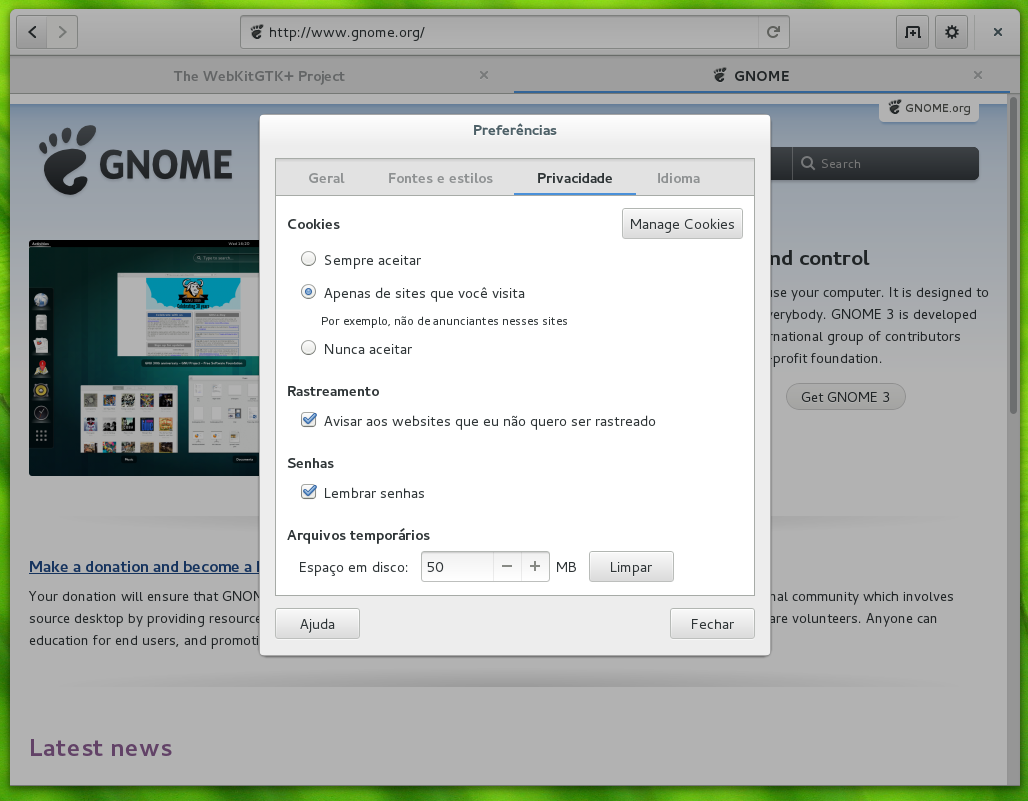
Web with wider tabs and the new prefs dialog

Web with wider tabs and the new prefs dialog

The goals for the hackfest have been ambitious, as usual, but we made good headway on them. Web the browser (AKA Epiphany) has seen a ton of little improvements, with Carlos splitting the shell search provider to a separate binary, which allowed us to remove some hacks from the session management code from the browser. It also makes testing changes to Web more convenient again. Jon McCan has been pounding at Web s UI making it more sleek, with tabs that expand to make better use of available horizontal space in the tab bar, new dialogs for preferences, cookies and password handling. I have made my tiny contribution by making it not keep tabs that were created just for what turned out to be a download around. For this last day of hackfest I plan to also fix an issue with text encoding detection and help track down a hang that happens upon page load.
Martin Robinson and Dan Winship hack

Martin Robinson and Dan Winship hack

Martin Robinson and myself have as usual dived into the more disgusting and wide-reaching maintainership tasks that we have lots of trouble pushing forward on our day-to-day lives. Porting our build system to CMake has been one of these long-term goals, not because we love CMake (we don t) or because we hate autotools (we do), but because it should make people s lives easier when adding new files to the build, and should also make our build less hacky and quicker it is sad to see how slow our build can be when compared to something like Chromium, and we think a big part of the problem lies on how complex and dumb autotools and make can be. We have picked up a few of our old branches, brought them up-to-date and landed, which now lets us build the main WebKit2GTK+ library through cmake in trunk. This is an important first step, but there s plenty to do.
Hackers take advantage of the icecream network for faster builds

Hackers take advantage of the icecream network for faster builds

Under the hood, Dan Winship has been pushing HTTP2 support for libsoup forward, with a dead-tree version of the spec by his side. He is refactoring libsoup internals to accomodate the new code paths. Still on the HTTP front, I have been updating soup s MIME type sniffing support to match the newest living specification, which includes specification for several new types and a new security feature introduced by Internet Explorer and later adopted by other browsers. The huge task of preparing the ground for a one process per tab (or other kinds of process separation, this will still be topic for discussion for a while) has been pushed forward by several hackers, with Carlos Garcia and Andy Wingo leading the charge.
Jon and Guillaume battling code

Jon and Guillaume battling code

Other than that I have been putting in some more work on improving the integration of the new Web Inspector with WebKitGTK+. Carlos has reviewed the patch to allow attaching the inspector to the right side of the window, but we have decided to split it in two, one providing the functionality and one the API that will allow browsers to customize how that is done. There s a lot of work to be done here, I plan to land at least this first patch durign the hackfest. I have also fought one more battle in the never-ending User-Agent sniffing war, in which we cannot win, it looks like.
Hackers chillin' at A Coru a

Hackers chillin at A Coru a

I am very happy to be here for the fifth year in a row, and I hope we will be meeting here for many more years to come! Thanks a lot to Igalia for sponsoring and hosting the hackfest, and to the GNOME foundation for making it possible for me to attend! See you in 2014!

7 December 2013

Hideki Yamane: I was in Mini DebConf in Taiwan 2013

I've done GPG key sign for Mini DebConf in Taiwan 2013 participates, and written an article for Japanese magazine, Software Design 2014/Jan. This means, my short trip has been ended, at last.


In this event, I've talked about "local community" for Debian, a bit (PDF/ODF are in Debian Wiki).
Local Community for Debian (2013 Taiwan miniDebConf) from Hideki Yamane

Probably you know, most of Debian contributors are in Euro/America(North and South), not in Asia. But there are lots of talented people. It means: there is huge possibility for Debian :)


I hope we Asian Debian people unite and publish its community work more, and do "DebConf in Asia" - in the future.

6 December 2013

Gunnar Wolf: For people in Mexico: Workshop next Wednesday! Video editing from the command line (by Chema Serralde, @joseserralde)

(Yes, yes... Maybe I should post in Spanish.. But hey, gotta keep consistecy in my blog!) General, public, open invitation Are you in Mexico City, or do you plan to be next Wednesday (December 11)? Are you interested in video edition? In Free Software? I will have the pleasure to host at home the great Chema Serralde, a good friend, and a multifacetic guru both in the technical and musical areas. He will present a workshop: Video editing from the command line. I asked Chema for an outline of his talk, but given he is a busy guy, I will basically translate the introduction he prepared for this same material in FSL Vallarta, held two weeks ago.
With the help of the commandline, you can become a multimedia guru. We will edit a video using just a terminal. This skill will surprise your friends and your couple. But the most important is that this knowledge is just an excuse to understand step by step what does a video CODEC mean, what is a FORMAT, and how video and audio editors work; by using this knowledge, you will be able to set the basis for multimedia editing, without the promises and secrets of propietary editors. How much does my file weigh and why? How to improve a video file's quality? Why cannot I read my camera's information from GNU/Linux? By the end of this workshop, we well see how some libraries help you develop your first audio and video application, what are their main APIs and uses.
Logistics Everybody is welcome to come for free, no questions asked, no fees collected. I can offer coffee for all, but if you want anything else to eat/drink, you are welcome to bring it. We do require you to reserve and confirm your place (mail me to my usual mail address). We have limited space, and I must set an absolute quota of 10 participants. Some people hide their address... Mine is quite publicly known: Av. Copilco 233, just by Parque Hugo Margain, on the Northern edge of UNAM (Metro Copilco). The course starts at 16:00, and lasts... As long as we make it last ;-) So, that said... See you there! :-D [update]: Chema sent me the list of topics he plans to cover. Copy/pasting from his mail, in Spanish:
TALLER REL MPAGO DE EDICI N AUDIOVISUAL EN L NEA DE COMANDO
Jos Mar a Serralde Ruiz, facilitador
  1. Editando como cavern cola.
    1. Manipulaci n b sica de archivos multimedia en entornos POSIX.
    2. S un Bash VJ (videojockey)
    3. Vaciando y entubando
  2. Editando como cient fico.
    1. Encabezados y fourcc
    2. 3 familias de CODECS de v deo y sus patentes
    3. 3 famlias de CODECS de audio y sus patentes
    4. Muxers, demuxers y muxes.
  3. Editando como artista.
    1. Cajas de herramientas en software libre para procesamiento de v deo.
    2. Procesamiento en tiempo real de v deo (el que se crea artista pierde)
    3. Derritiendo v deo, audio con calcetines MELT + SOX
Software necesario (sistemas operativos POSIX, windouseros acercarse con el af n de repensar sus vidas): mplayer, avconv/ffmpeg (libavcodec), melt, sox, imagemagick

Next.

Previous.