Search Results: "angel"

27 May 2012

Colin Watson: OpenSSH 6.0p1

OpenSSH 6.0p1 was released a little while back; this weekend I belatedly got round to uploading packages of it to Debian unstable and Ubuntu quantal. I was a bit delayed by needing to put together an improvement to privsep sandbox selection that particularly matters in the context of distributions. One of the experts on seccomp_filter has commented favourably on it, but I haven't yet had a comment from upstream themselves, so I may need to refine this depending on what they say. (This is a good example of how it matters that software is often not built on the system that it's going to run on, and in particular that the kernel version is rather likely to be different. Where possible it's always best to detect kernel capabilities at run-time rather than at build-time.) I didn't make it very clear in the changelog, but using the new seccomp_filter sandbox currently requires UsePrivilegeSeparation sandbox in sshd_config as well as a capable kernel. I won't change the default here in advance of upstream, who still consider privsep sandboxing experimental.

24 May 2012

Mark Brown: regulator updates in 3.4

This has been a fairly quiet release from a regulator point of view, the only real framework features added were devm support and a convenience helper for setting up fixed voltage regulators. Much more coming next time, though! The most noticeable thing in the changelog is that Axel Lin continued his relentless and generally awesome stream of fixes and cleanups.

22 May 2012

Matthew Garrett: I've been a terrible person (and so have most of you)

John Scalzi recently wrote a piece on straight white male privilege. If you haven't read it already, go and do so. No rush. I'll wait.

So. Some facts:

(If you disagree with any of these then that's absolutely your right. You're wrong, but that's ok. But please do me a favour and stop reading here. Otherwise you'll just get angry and then you'll write something ill-tempered and still wrong in the comments and then I'll have to delete it and why not just save everybody the time and effort and go and eat ice cream or something instead)

I know I've said this before, but inappropriate and marginalising behaviour is rife in our community, and at all levels of our community. There's the time an open source evangelist just flat out told a woman that her experiences didn't match his so she must be an outlier. There's the time a leading kernel developer said that most rape statistics were basically made up. There's the time that I said the most useful thing Debian could do with its money would be to buy prostitutes for its developers, simultaneously sexualising the discussion, implying that Debian developers were all straight men and casting sex workers as property. These aren't the exceptions. It's endemic. Almost all of us have been part of the problem, and in doing so we've contributed to an environment that has at best driven away capable contributors. You probably don't want to know what it's done at worst.

But what people have done in the past isn't important. What's important is how we behave in the future. If you're not angry about social injustice like this then you're doing it wrong. If you're reading this then there's a pretty high probability that you're a white male. So, it's great that you're angry. You should be! As a straight white male born into a fairly well-off family, a native English speaker in an English speaking country, I have plenty of time to be angry before going back to my nice apartment and living my almost entirely discrimination-free life. So if it makes me angry, I have absolutely no way of comprehending how angry it must make the people who actually have to live with this shit on a daily basis.


(Were tampon mouse able to form and express coherent thoughts, tampon mouse would not put up with this shit)

The point isn't to be smugly self aware of our own shortcomings and the shortcomings of others. The point is to actually do something about it. If you're not already devoting some amount of your resources to improving fairness in the world, then why not? It doesn't have to be about women in technology - if you're already donating to charity or helping out at schools or engaging in local politics or any of the countless other ways an individual can help make the world a better place, large or small, then keep on doing that. But do consider that many of us have done things in the past that contributed to the alienation of an astounding number of potential community members, and if you can then please do do something to make up for it. It might be donating to groups like The Ada Initiative. It might be mentoring students for projects like the GNOME Outreach Program for Women, or working to create similar programs. Even just making our communities less toxic by pointing out unacceptable behaviour when you see it makes a huge difference.

But most importantly, be aware that it was people like me who were responsible for this problem in the first place and people like me who need to take responsibility for solving it. We can't demand the victims do that for us.

comment count unavailable comments

17 May 2012

Ritesh Raj Sarraf: Laptop Mode Tools - 1.61

Laptop Mode Tools, version 1.61, has been released and will land up soon for Debian. This is the version that would be targetting Wheezy.
This release includes many bug fixes and should make power savings much better on your machines.
This is mainly a bug fix release. Some parallel module execution approach has been used which could show runtime improvements.
Changelog:

1.61 - Thu May 17 17:44:26 IST 2012
* Handle devices with persistent device naming. This fixes the issues where
you don't have a disk referenced by a block name, the commit= value was
completely skipped
* Fix issue where hdparm skips SSDs for power management
* Add parallel execution for the modules. In theory this should speeden up the
execution. See git commit log comments for details
* Add support for non-deafult customized settings
* calculate design_capacity_warning on machines/arches where it is not readily
available

We have switched the SCM to git. The current code repository is
available at [1] along with the changelog.

The tarball is available here [2].
The md5 checksum for the tarball is 6685af5dbb34c3d51ca27933b58f484e

[1] https://github.com/rickysarraf/laptop-mode-tools
[2]http://samwel.tk/laptop_mode/tools/downloads/laptop-mode-tools_1.61.tar.gz

16 May 2012

Dirk Eddelbuettel: RProtoBuf 0.2.4

A new release 0.2.4 of RProtoBuf is now on CRAN. RProtoBuf provides GNU R bindings for the Google Protobuf data encoding library used and released by Google. This release once again contains a number of patches kindly contributed by Murray Stokely, as well as an added header file needed to build with the g++ 4.7 version which has become the build standard on CRAN. The NEWS file entry follows below:
0.2.4   2012-05-15
    o   Applied several patches kindly supplied by Murray Stokely to
         - properly work with repeated strings 
         - correct C++ function naming in a few instances
         - add an example of ascii export/import of messages
    o   Suppport g++-4.7 and stricter #include file checking by adding unistd
    o   Made small improvements to the startup code
CRANberries also provides a diff to the previous release 0.2.3. More information is at the RProtoBuf page which has a draft package vignette, a 'quick' overview vignette and a unit test summary vignette. Questions, comments etc should go to the rprotobuf mailing list off the RProtoBuf page at R-Forge. Updated to show NEWS rather than ChangeLog

15 May 2012

John Goerzen: Suspicious Blog Activity any advice?

I ve been noticing a number of odd things happening surrounding my blog lately, and I thought it s about time to figure out what s going on and how to stop it. The first problem is that people are illegally copying my posts, probably using RSS scraping, and putting them up on their own ad-infested sites. It is trivial to find them using Google for any somewhat unique word or phrase in one of my posts. Lately one of them, linux-support.com, actually sends me pingbacks announcing the fact that they ve scraped me! Most of these sites seem to be nothing but content farms for selling ad impressions, and almost none of them have any identifiable names for the owners. (There is an exception: I have specifically set up sites like Planet Debian and Goodreads to copy my blog posts.) I m obviously an advocate of open content, but I do not feel it right that others should be profiting by putting photos and stories about Free Software, or photos of my family, on their ad farms. While I release a great deal of content under GPL or Creative Commons licenses, I have never done so with my blog an intentional decision. What should I do about this? Is it worth fighting a battle over, or is it about as useless as trying to block every spam follower on my twitter account? So that s the first weird thing. The second weird thing just started within the last few weeks. I have been getting a surprising amount (a few a week) of email addressed to me. It does not bear the appearance of being 100% automated spam, though it is possible that it is. It s taken a few forms: The profit motive in all of these is high, and in at least the second and third, so is the sleaze factor. I ve gotten two emails lately of this form:
Hi John, I am curious if you are the administrator for this site: changelog.complete.org/archives/174-house-outlaws-fast-forwarding-senate-pres-next I am a researcher / writer involved with a new project whose mission it is to provide accurate and useful information for those interested in the practice of law, whether as a lawyer or paralegal. I recently produced an article detailing the complex relationship between law and technology and the legal implications on personal privacy and free speech. I would love to share this resource with those who might find it useful and am curious of you are the correct person to contact about such a request? Thank you! All my best,
The details vary the URLs appear to be random (the one cited above was little more than a link to an article), the topics the website claims to discuss range from law to schizophrenia (that one actually came with a link to the site, which again seemed to be a content farm). I am slightly tempted to reply to one of these and ask where the heck people are getting my name. It seems as if somebody has put me into a mailing list they sell containing sleazebag bloggers. Frankly, I am puzzled at this attention. I guess I haven t checked, but I can t imagine that my blog has anything even remotely resembling a high PageRank or anything else. It s not high-traffic, not Slashdot, etc. Either people are desperate, naive, failing to be selective, or maybe working some scam on me that I don t know yet. In any case, I m interested if others have seen this, or any advice you might have.

10 May 2012

Jo Shields: Sleeping with the enemy: my life with Windows Phone

In my last blog post about smartphones, I urged the universe at large to help maintain a variety of ecosystems, to help foster competition and originality amongst vendors and the same day I hit publish, WebOS was killed. Apparently the universe hates me. Since then, a few things have changed. My main phone since the day of its release was the HP Pre 3, running WebOS and whilst I still have a soft spot for the OS, the Pre 3 was simply too buggy for me to use full time. The main issue is that I use my phone as an MP3 player in the car but the Pre 3 would pause playback at the end of a track every half dozen tracks or so making it impossible to drive the 85 miles to work without needing to root around in the armrest and poke a touchscreen. Not something I really want to do whilst moving and ultimately too big a papercut to deal with. So, come the new year, I moved on to my next device, a Nokia N9 running MeeGo Harmattan. Ultimately, this was an even bigger failure for me than the Pre 3 was, and I lasted maybe two weeks with it before giving up and going back to the HP. Beyond massive usability errors in the software (especially the braindead unkillable pop-up demanding Internet access, even when none is available), the worst for me was how it handled the MP3 player task. My usual way of working is to have the phone hooked up to the stereo with a 3.5mm jack, and the car switches to headset Bluetooth profile to handle calls this is pretty common on cars too old to support A2DP profile (Stereo music-capable headphones). WebOS and Android are fine with this but not the N9. The N9, instead, will output all audio through the last connected audio device, regardless of how much that might not be helpful. Get in car, start music playing, plug in cable, start engine and it plays audio for about three seconds before the Bluetooth connects, and it switches to outputting music via the Headset bluetooth profile (not something that my car can do). Unplug and replug the cable, and music works but incoming calls are silent until I disconnect the 3.5mm jack, as it outputs the headset audio through the headphone socket. I just couldn t deal with this big a step back from WebOS as far as my workflow goes, and gave up. So, where next? Well, a funny thing happened a co-worker with generally very good instincts regarding consumer electronics usability told me that his housemate had just bought a Nokia Lumia 800 Windows phone (the WP7-based cousin to the N9) and loved it. Enough that said co-worker was considering getting one himself. This was a very strange thing to hear, especially from an iPhone owner, about a Microsoft product. I d been generally interested in WP7 on an academic level for a while, but to hear that degree of praise of the actual product was interesting. Also interesting, and roughly simultaneous, was seeing Sajid Anwar s reverse engineering of the proprietary Zune file transfer protocol go from theory into an actual set of libmtp patches. So if the capability to use Banshee to transfer music on is here or near and it can t be as braindead as Harmattan when it comes to headphone/bluetooth behaviour, then why not jump ship and squeeze a handset out of Orange? About a week after my co-worker replaced his iPhone with a Lumia 800, I bought one too. So where to begin? Well, I ll begin at the start: WP7 is a joy to use. It really just is. It s the first mobile OS to try something radically different in the UI department for years. Everyone else these days (especially Android) builds iPhone rip-offs to varying degrees, and even the iPhone interface has a lot in common with the old old OLD interfaces found on the dumb Nokia phones of the 1990s. WP7 has an interface which provides just the right level of passively visible information and interactivity, and manages to do it with an elegance that no Android home screen filled with widgets will ever manage. The uncluttered screens are easy to read, and the Metro usability paradigms are trivial to pick up and learn. Without a doubt I d recommend WP7 to friends and family from a usability perspective, and the Microsoft engineers and designers responsible for cooking up the WP7 interface are worthy of praise. And I m not the only one saying this Apple co-founder Steve Woz Wozniak recently came out with a similar line. That s the good. There s also some bad, make no mistake. I m going to cover all the reasons WP7 sucks over several paragraphs. But overall, a smartphone is a device which I expect to suck the question is how bad the suck is, and whether it gets in the way of me using the device for what I need at the time. Moreso than MeeGo, moreso than Android, and even WebOS (and I m still a big WebOS fan), WP7 has more good points than bad points. But there s still some room for improvement, and some room for caution and since I know there are a few Microsoft folks following me on Twitter, I m going to go over my prescription for continued platform success. Oh, one more thing before I start: I know WP7 isn t Free Software. As an end user, I really don t care about that. I just want something that works something I didn t get from WebOS and Harmattan, both of which are primarily Free Software stacks. I m not saying there s a causal relationship there, or that a mobile OS can t be both Free Software and good just that as an end user, my favourite platform right now is non-Free. Take from that whatever you like. It s also vitally important, as Free Software folks, never to lose sight of what the other players in the market are up to. If you can t objectively assess why people are using a proprietary option by using it & recognising its good points (i.e. what to steal & what to improve) then you can t hope to win over users. So. WP7 s downsides in detail. In-place updates. Seriously guys, even Apple can manage this now. Why can t Windows Phone? I understand that making backups is smart and all updates come with a mandatory backup but I really shouldn t be tied to a PC to update a post-PC device. Also, those backups are useless, since they cannot be restored onto replacement devices in the case of failure or theft, so fix that too. Update all the things. An iPhone sold in June 2009 still has access to the latest iOS releases. Android phones are notorious for shipping with an outdated version of the OS, then getting at most one major update over the phone s lifetime (usually the device is abandoned by its manufacturer within months of release). Which camp does Microsoft want to align with, there? Every Windows phone 7 device released should receive Windows Phone 8, even with some features disabled. Anything less is punishing every existing customer, in the hope that you ll attract new ones not a winning strategy for a fringe platform whose biggest evangelists are its users. Fix IMAP. IMAP isn t hard. Yet WP7 never seems to work properly with a subset of my mail, never showing the message body & just saying Downloading forever. Fix it. Bing sucks. Bing s search results are terrible. Either do something to make them bearable, or allow me to pick which search engine I get when I hit the search button. A Google live tile isn t the same thing. Make killing apps easier. I know you stole the WebOS card view for multitasking (hold the back button) please also steal the WebOS ability to close apps. I don t want to have to go into an app and bash back repeatedly until it quits. This is particularly annoying for Internet Explorer. Make reinstalling apps easier. If I want to install every app I previously had installed on a new device, without restoring a backup, this should be easy. There are third party apps which try to plug this gap. Find a way to support copyleft. I d like to port a few C# apps to WP7, but because they re LGPL, I can t. The code s copyright holders would have no issue with their code being on WP7, as long as end users have a mechanism to replace the libraries, so why not find a way to allow this? e.g. when compiling an app, let me mark a library as user-replaceable , then allow for some mechanism where an end user can replace those assemblies with their own version. Let me use multiple Google calendars. WP7 only lets me add/see appointments on my default Google calendar. I want to add/see things on my wife s calendar, which is shared with me. WebOS can do this. MTP-Z is the devil. I do not need or want encrypted end to end communication between my PC and my camera device, to transfer a photo off. I do not need or want encrypted end to end communication between my PC and my MP3 player to transfer a photo on. Let s be honest, the only reason for MTP-Z is to enforce DRM on Zune-rented music tracks and honestly, there s no good reason to require MTP-Z for *all* communications if all you want to do is protect one folder or file extension. Now, since MTP-Z theoretically forces me to use Zune for many tasks better handled by other apps, now I get to write multiple criticisms of Zune s desktop app and as long as MTP-Z is enforced, every Zune failing is a Windows Phone failing too. Zune: Support Windows codec infrastructure, and transcode where needed. Windows Media Player can play Ogg Vorbis files. No, not out of the box, but if one installs the required codecs. Zune should support the same files as WMP if you want to ensure people don t try to copy files to a portable device which are not supported on that device, then you should have an API in place to allow for pluggable seamless transcoding of files as required Banshee allows me to do this (e.g. to copy files I have as .flac to devices which do not support it). Zune: Search my tracks, not the web. Zune s searching is terrible it doesn t do as-you-type searches, and when I hit enter, matches from my collection are given a tiny little space compared to matches from the Zune music store. Let me easily pick the track I feel like listening to, don t make it a chore Zune: Let s solve metadata together. I absolutely love how nicely the Zune app on desktop and on phone shifts as appropriate to the currently playing artist (e.g. changing the lock screen to an image of the artist in question). However, Zune doesn t make it obvious how to set an album s metadata to support this, and it s particularly frustrating when it s a minor difference of spelling causing a track not to get the nice treatment e.g. UNKLE versus U.N.K.L.E. . Either start making heavy use of audio fingerprinting services like MusicBrainz to fill in metadata, or allow me to search for fully supported artists when filling in track metadata Zune: Random playlists are useless on devices. I like smart playlists. In Banshee, I have one to pick 12GB of random tracks, which I can sync to my phone. I can t do this with Zune. If I try to just sync all my random music to my phone, it errors out due to lack of space. If I have a random playlist, the random selection changes multiple times during a sync resetting the sync, wiping out half the tracks that were transferred on, and starting again. As a result, the sync goes on for literally hours, never ending up with more than a gig or so of tracks on the phone. Random playlists should be freezable, so I can transfer them to my device in peace, then get a new random selection when I want. So, that s my list of miserable failure and it s still a less painful list than any other mobile OS I ve used. Perhaps one day Android will approach being usable, perhaps Blackberry s BBX will actually appeal to human beings rather than corporate IT managers, and perhaps Mozilla s delightfully named Boot to Gecko will get some traction. Who knows. All I know is, My Lumia 800 is the best phone I think I ve ever owned, and it s important for anyone working in the mobile space to understand why.

9 May 2012

Norman García: Debian tour in Nicaragua

In April, the Nicaraguan Debian community started the Debian Tour, a series of talks in different universities around Nicaragua in order to promote Debian GNU/Linux and invite people to join our community.

The Debian Tour kicked off in the city of Masaya and we plan to visit other cities, like Le n and Chontales. In April we had two events, and we re planning four more events in May and an additional four in June for a total of 10 events, but hopefully we can do more :) At this time we have scheduled two visits to UNAN (Universidad Nacional Aut noma de Nicaragua), one in May and one in June, and one visit to UNI (Universidad Nacional de Ingenier a) and one more to UENIC (Universidad Evangelica de Nicaragua) in Masaya. Besides talks, we had one workshop with the help of the guys from UNI about Debian packaging by gwolf who was visiting Nicaragua last weekend. There are a few other workshops planned about sysadmin and security in Debian. I want to participate in Debian Tour but I still don t know how, maybe give a talk about LXDE or collaborating with Debian.

4 May 2012

John Goerzen: Geeky plan: Solar power supply IN THE CAR

From the might be geeky dept For an upcoming car trip, we have to take my wife s car (long story). I will be taking two large lead-acid batteries in the trunk hooked up to a solar panel in the rear window area and, of course, some electronics in the front seat. Why, you ask? While she drives, I will be working via tethered 3G (conveniently reducing the number of vacation days the trip requires). This is Kansas, so signals are weak sometimes. I have an external antenna that hooks up to a signal booster. So I ll be running a laptop, cellphone in draw lots of power mode , and a cellphone booster at minimum. Measurements suggest that this combination could easily put me in range of the typical 10A limit of dash electronics. (And doesn t even include the nice to haves of GPS, my handheld radio, and the amplifier for it.) My car has a direct high-current link from the battery to the trunk to support the 100W amateur radio mounted there. It is pretty easy to tap into it and add a cable that runs to the passenger seat to run all this stuff. Terah s car doesn t. So, I thought, what s the easy solution? Well, my solar power system, of course! If I charge up a couple of the large batteries beforehand (just pop them and a few panels in the sun for a day), then put the batteries in the trunk, it will probably power my electronics for a whole day (enough for the trip we have planned), and I have already cabled them up to support the kind of current draw I ll have. I ll have to recharge the batteries at the destination, of course, so I ll bring along a panel (no need to bring more than one since there will be plenty of time to charge). Once I m planning to take a panel along, I figured I might as well put it under the rear window so it can actually help charge the batteries as we go. The current drain will, of course, be larger than the 1A or so it can put out, but hey, who else drives down the interstate with an active solar panel in their car? I can actually split the load between the batteries and the vehicle system too, so I do not need a continuous 10A draw on the batteries. The sad part about this is I will probably never surpass a temporary battery system with a solar panel in terms of geeky travel.

1 May 2012

Raphaël Hertzog: My Debian Activities in April 2012

This is my monthly summary of my Debian related activities. If you re among the people who made a donation to support my work (186.38 , thanks everybody!), then you can learn how I spent your money. Otherwise it s just an interesting status update on my various projects. Dpkg News For the first time since several years, there has been a dpkg release (1.16.3) where the changelog doesn t contain any entry of my own. The 3-4 commits I did were not really worthy of a changelog entry. I must admit that it was easy to put dpkg aside given Guillem s message and given how busy I have been with my other projects. Keeping a low-profile for a while certainly doesn t hurt. But I don t intend to stop contributing to dpkg. Quite on the contrary in fact, it s something that I (usually) enjoy doing. Packaging News I packaged a new upstream release of SQL-Ledger (3.0.0) and later in the month I sponsored the upload of LedgerSMB, a fork of SQL-Ledger which unlike the former is maintained like a typical free software project. I also uploaded version 0.56 of Zim and updated WordPress to version 3.3.2 with its slew of security fixes. The Debian Administrator s Handbook Like several months now, most of my time has been directed towards the Debian Administrator s Handbook. The big news is that the liberation fund has been completed this means that the book will be published under DFSG-free licenses from the start (GPL-2+ / CC-BY-SA 3.0). We hope to publish the book next week (i.e. between May 7th and May 11th). The PDF output for the printed book is almost ready. There s some work left for the HTML/EPUB output and we have to prepare for the release of the sources as well Hopefully everything will work out like planned. Stay tuned! Thanks See you next month for a new summary of my activities.

No comment Liked this article? Click here. My blog is Flattr-enabled.

30 April 2012

John Goerzen: Review: Amateur Radio Handhelds (HTs), APRS, and Battery Tuning Tips

There are a lot of opinions about handhelds for amateur radio users (these handhelds are often known as HTs). I ve used three of them, two with APRS capability, and thought it s about time I write about them. First, I ll talk about the units in particular, then I ll get to some broader Yaesu vs. Kenwood generalizations and conclusions. Yaesu VX-7R a rugged first HT without APRS Cost: $350 as of 4/30/2012 This was the first HT I got as a ham, at the suggestion of Mike AE0MW. It truly does make a great first handheld for a ham. Radio-wise, one unique feature is a receive that s wideband enough to cover both broadcast FM and broadcast AM, the various ham bands, and plenty of others besides. The battery life quoted in the manual is 6 hours on 2m and 5.5 hours on 440 (using standard 6s TX / 6s RX / 48s squelched metric), and in my experience it seems it must be even better in some cases. The real piece of news about this unit, though, is just how rugged it is. It says submersible across the front and I absolutely believe it. I have personal experience with its ruggedness. I once was at an event and put the radio on my car roof while helping one of my children into the car. I then started driving home and forgot it there. When we got home, I realized what had happened, and also realized what that mysterious CLUNK along the busy county road was. So I drove 45 minutes back to where I heard the clunk, and found the VX-7R still lying in the roadway, where it had been for 1.5 hours on the 55 MPH road. The thing was really beat up. It had obviously been hit by numerous vehicles. The antenna was ripped off, taking the SMA mount with it. But wouldn t you know it, the darn thing still powered up. I took it to a local amateur radio shop, and about $80 later it was repaired. Incredible. The only real problem was the antenna connector. I took this radio with me on my bicycle many days, mounted on my handlebars. It got bounced around, but still worked great. Some days I listened to FM radio from it while riding my bike, monitoring a local repeater while I rode. Other days, I spent most of my ride (about an hour each way) chatting with people on the repeaters I have a mobile antenna mounted on the bike, fed to the VX-7R, and a headset. It all worked fine never a problem at all. The ruggedness has its downside. All of the connectors on the radio, except for DC in, are screw-down even the speaker/mic connector. This obviously helps keep water out, but means that it can take a lot longer than normal to do a simple thing like plug in a speaker/mic. It doesn t need any tools, but can get a little annoying. The radio physically is small (unless you install the belt clip, which has an odd peg-based mechanism that protrudes unnecessarily far and is surprisingly non-rugged). It can easily fit into a pocket. The other downsides of the VX-7R mostly surround its interface. I m not one of the Yaesu haters that seem to be so common. I find the interface usable if you read the manual; it seems a lot of people that complain about it don t. But it is quirky. The SET mode is one long menu in sort of a ring. You scroll with the knob, and when you get to the end, it repeats to the beginning. There are one or two shortcut keys to a specific setting, but overall either you use the thing so much you know exactly where you re going, or you re twisting the knob for awhile until the option you want rolls around. (I know of nobody that uses it so much they know exactly where they re going.) They do have options grouped into categories, but it doesn t help much because there s no quick way to skip between categories. The dual transceivers work less elegantly than on the TH-D72A or VX-8GR. Instead of being two equal transceivers A and B, they are main and sub . The sub transceiver is not broadband receive like the main receiver is. But there are also other limitations that have no apparent logic. For instance, you can program memory groups into the device putting, say, all the local repeaters into a certain group, or all the public safety frequencies (to use as a scanner). You can go to the special set menu, select group, then activate SCAN, and it will scan only the memories in that group. But you can t select the special group mode on the sub transceiver for no apparent reason. One other complaint is that the AC charger introduces so much noise to a transmission that you cannot really use the VX-7R to transmit while the charger is connected. Yaesu sells a programming cable that plugs into the speaker/mic port on one end, and a DB-9 serial port on the other, and includes programming software. For an incredibly high price. For far less, I found a similar cable on eBay that has a USB port on the other end (with a built-in USB/serial converter), and used VX-7R Commander though now that Chirp is available for Linux, I ll probably switch to it. I would probably continue to recommend this transceiver for a new ham. The ruggedness, plus the broadband RX, are features that should make it appealing. It is an excellent emergency preparedness/response radio due to those properties; having TX and RX on ham bands, plus RX on broadcast and public safety could be quite the asset. However, for someone that has any interest in APRS, one of the other two radios I mention is probably a better choice. At only $10 more, the VX-8GR sacrifices ruggedness and broadband receive for APRS functionality and could make a compelling alternative to the VX-7R at the same price point. The very low-power transmit at 50MHz and 220MHz on the VX-7R strikes me as a gimmick feature at best that has very little actual use. Shipped battery: FNB-80LI, 7.4V, 1400 mAh, lithium-ion Kenwood TH-D72A / D72E The Cadillac HT, with APRS and GPS Cost: $464 as of April 30, 2012 It s hard to use any word but incredible to describe this HT, though it does have its own rough edges. Starting with the basics, it has dual transceivers with full duplex (meaning you can be transmitting on one band while receiving on another). Its stored memory system and memory bank scanning system are both a lot easier and faster to use than Yaesu s, and work the same on both transceivers A and B, though perhaps offer slightly less flexibility than Yaesu s (on the VX-7R, a single memory can be a member of more than one group). The quoted operating time is 6 hours, which is probably accurate with APRS and GPS off, matching (or nearly matching) the VX-7R. The TH-D72A has the usual mic and speaker ports. Unlike Yaesu, Kenwood has used the same jack for years, so it is not necessary to purchase new accessories with each upgrade. The unit also has both serial (Kenwood connector) and standard mini USB ports, and even ships with a USB cable. The USB port is designed to interface to a PC, and the radio presents itself as a serial-over-USB device. Kenwood also includes MCP-4A, the programming software for the unit, free. This is one example of several things that Kenwood includes for free but are costly add-ons with Yaesu. Kenwood s configuration menu system is hierarchical. You can scroll through the four top-level menus (RADIO, GPS, APRS, and SKY), then navigate through sub menus. The result is that it s both faster and easier to find what you want than on the Yaesu menus. Plus, as you navigate, the radio shows you the shortcut key to get to a particular option (each level of menu is numbered starting) so, for instance, Menu-1-1-0 takes me directly to the configuration for RX battery saver interval far faster than I could get there on the VX-7R or VX-8GR. Only the APRS menu gets a bit crowded with this setup. The D72A supports Kenwood s Sky Command II an intriguing way of making it essentially a remote for a Kenwood HF rig such as the TS-2000. It works by engaging a crossband repeater for the audio, and setting up a AX.25 packet link for the control. It works, but as the response time to frequency adjustments is measured in seconds, is klunky for tuning around a HF band. A nifty, though perhaps not supremely useful, feature with some hackable potential that I haven t explored yet. The TH-D72A is one of only two shipping general-purpose amateur radios that have a built-in GPS the other is the Yaesu VX-8GR, which I ll review below. The GPS works well, and can get a fix indoors if desired. It has a system of saving waypoints, which you can then navigate back to later (using distance/bearing indicators). It also has a track log. While the track log can t be viewed on the unit, it can be downloaded with the included MCP-4A software and saved in a variety of formats including Google s KML for later importing into Google Maps or Google Earth. I enjoy this feature on trips to see where I went later on. There is also a GPS-only mode, which disables all of the other radio circuitry on the radio for very low power consumption. The GPS navigation screens all support heading-up or north-up indicators. But where this radio really shines is APRS. The D72 has all the basics you d expect sending and receiving beacons, sending and receiving messages and bulletins, etc. It has built-in support for being a digipeater in many different ways, including new-N UI-Trace. Coupled with an MFJ VHF amplifier, this could make a nice temporary (or even permanent) digi. The message interface permits sending, receiving, and shortcuts for replying to messages. Beacon transmission can be completely manual, at set intervals, or using SmartBeaconing. Outbound beacons also support proportional pathing (meaning adjusting via-path to not have wide coverage with every transmission). Also, if not using SmartBeaconing, a decay algorithm can be used to send beacons less frequently when the station s location isn t changing. An alternative tells the system to transmit a beacon every time PTT is released, subject to rate limiting by interval. So lots of choices there. For incoming beacons, there are various filters by callsign pattern, packet type, etc. that control whether they will be processed at all, and what kind of alert (visual or audible) to present. Beacons are also placed in a received beacon list, sorted with the most recent at the top (duplicates from the same station are always removed, so only the most recent is presented.) A long press of the LIST button shows time received and type of device next to the callsign. Selecting a specific beacon shows status text, comment, device type, bearing/distance (with graphical north-up or heading-up display), telemetry (weather information and the like), and a little bit of info about the via-path. Pretty nice to see weather reports from local weather stations on there. You can sort the list by received time, station call, or distance from your position but it doesn t stay sorted by anything other than received time, and takes several seconds to re-sort. Seems like a bit of an oversight there. The D72A supports QSY information in beacons. This can automatically insert the frequency of the other band on the transceiver into your transmitted beacons for you, or give you a quick way to tune to the frequency mentioned on others beacons. Either way, a nice touch. The D72 also supports query packets, such as packets asking your station to transmit its position right now. The TH-D72A can directly interface with several types of weather stations via serial link to read weather sensor information and transmit it into APRS packets directly, with no need for a PC to be in the picture at all. But if you do hook up a PC to it, there are quite a few more possibilities. You can hook it up to PC APRS software (or a hardware device such as the AVMAP) to see locations of other APRS stations on a map. It can emit APRS packets, plus even GPS sentences, down the USB port to the PC. Moreover, in PACKET mode, it acts as a full TNC, with a fairly robust TNC command set. In short, it can do more than APRS; it can also do regular AX.25 such as DX clusters, BBS, nodes, etc. As far as I know, this is the only HT that can interface with a PC in this manner, and only Kenwood s mobile D710 has the same kind of feature set at that. Kenwood includes a lot of documentation with the TH-D72A. The 51-page printed manual is a summary or introductory guide. The included CD-ROM supplies another 75 pages of detailed reference material, and the 92-page in-depth APRS manual has a level of detail that true geeks like me appreciate. I ve referred to Kenwood s documentation more than once while figuring out things about the VX-8GR (which woefully under-documents things like SmartBeaconing). That said, it appears that at least some of the documentation has been copied from the earlier TH-D7A. Page 4 of the printed book is a good example. It talks about the memory effect of the battery, and warns against unplugging and replugging the charger because the charge cycle will be reset and the battery will be over-charged (I find it hard to believe that a Li-Ion charge controller would be that stupid, and furthermore direct observation suggests that it isn t.) Parts of the in-depth APRS guide appear to have been written for the D710, but that s a really minor nit. Unlike Yaesu, Kenwood issues periodic firmware updates to the D72A, which you can apply over USB. They have fixed bugs and added features to the unit over time. Now onto the things that aren t so good about the D72A. I ll start with the battery system, since we were already discussing it. Despite shipping with a much larger battery than the VX-8GR (1800 mAh vs. 1100 mAh), it only manages roughly equal battery life with APRS and GPS engaged. (It will probably do better as a simple voice unit, however.) This has been confirmed by numerous reports on the Internet. I will discuss this topic more below. There is very little else to fault the D72A on, feature-wise. I have a minor nit in that it is impossible to cause the keylock feature to also lock PTT. It would be nice to be able to see raw APRS packets on beacons and messages. Other than that, I can t think of a feature it really lacks. Compared to the VX-7R and VX-8GR, the TH-D72A is significantly larger physically, in every dimension. It is not uncomfortably large, and still fits in my hand fine. But its size is enough different that it feels like the design is dated and could have been more compact if Kenwood would have bothered. It s a nit, sure, but a nontrivial one. With the single exception of the sturdy metal belt clip, the D72 doesn t feel nearly as rugged as the VX-7R, and not even as rugged as the VX-8GR. The keys have a squishy feel to them, the PTT button works fine but has a cheap plastic design (as opposed to the rubberized versions on Yaesu s HTs). The manual doesn t mention it, but one Kenwood brochure mentions and IP54 weatherproofing. That means it is protected against limited ingress of dust and against water sprayed from all directions limited ingress permitted. Contrast that to the VX-7R, which is rated for 30 minutes of submersion at 3ft and has a magnesium case. It seems to be specced similarly to the VX-8GR, though the VX-8GR certainly feels a lot more solid. I have no proof, as I m not about to sacrifice my HTs for science, but I doubt that the TH-D72A would have survived over an hour on a busy road as well as the VX-7R did, and probably not even as well as the VX-8GR would. The case is plastic a stout plastic, but still plastic. Like the VX-8GR, and unlike the VX-7R, the D72A does not have broadband receive. It can receive some bands adjacent to the ham bands it supports, which includes a lot of bands of interest to people with scanners, but still can t receive broadcast FM signals like the VX-7R. Shipped battery: PB-45L, 1800 mAh, lithium-ion Yaesu VX-8GR: Cheaper APRS & GPS Cost: $360 as of 4/30/2012 One could probably call this Yaesu s closest competitor to the D72A. At about $100 cheaper, it doesn t have a featureset that matches Kenwood s, but it does have a few innovations that the D72A lacks. Starting with the basics, it lacks the VX-7R s broadband receive, with the receive roughly matching the TH-D72A s. The 8GR is a dual-transceiver HT, and it works this effectively (moreso than the VX-7R). Yaesu has a bad habit of changing connectors on radios with regularity, and charging an arm and a leg for accessories to boot. Even within the VX-8 line, the 8GR uses different accessories than the 8DR, and of course has different plugs than the 7R (though it appears that the DC power plug is the same, and with some luck you might be able to use a VX-7R speaker/mic on the 8GR, though not the reverse). The menu system on the 8GR is still similar to the 7R, though Yaesu has done several things to improve it. For one, scrolling through the menu now shows several lines of context on the screen at once, making it faster to scan. Also, there are more ways to jump into the menu at a certain location than before and even a small bit of clumsily-implemented hierarchy (there are several settings on the SmartBeaconing page, for instance). The menu key now toggles between various displays: the default frequency/status display, a GPS display, an APRS staion list, and an APRS message list. Just about everything operationally takes more keypresses than the D72A. On the D72A, it s one or two keys (a physical button or F+button) to do almost everything: toggle GPS state, change TNC/APRS state (turn on or off), etc. All of that is in the scrolling menus on the 8GR. The quickest way there, which is documented in the manual, is to press MENU until a certain screen comes up, then press and hold MENU to bring up the settings (defaulting to a certain APRS-related category), then scroll and change settings. It s a pain to turn APRS on and off, because you have to do this process for both the GPS and the APRS modem. Inexplicably, there is a hotkey to change the APRS beacon method (manual, auto, or SmartBeaconing) but not to turn APRS itself on or off. (The D72A has a hotkey to toggle the beaconing, though not to change its method; though in truth, if you do it frequently, the menu shortcuts will get you there rapidly.) Physically, the VX-8GR is closer to the size of the 7R than the size of the D72A, and notably is significantly smaller than the D72A (at least with the standard battery). As noted in the D72A review, the VX-8GR feels more rugged than the D72A, though whether that is actually true or not is hard to pin down. It is definitely less rugged than the VX-7R. The keys require more pressure than the D72A, and in this they are similar to the 7R, but feel satisfyingly solid. Unlike the other radios here, the 8GR does not have a dedicated volume knob, having only one dial on the top. To adjust volume, you hold the volume button on the left while twisting the knob. In practice, this is probably not usually very annoying, but if the radio is on your belt or otherwise not in your hand, this would be a frustration. (I think it would be particularly annoying if using it with a speaker/mic). Setting 99 will let you change the key so you don t have to hold it in, which could probably go a long way to making the situation more tolerable. One unique feature of the VX-8GR, as far as I know completely unique to it, is a vibrating alert. This would most frequently be used with APRS to provide a nearly-silent alert of incoming messages and the like. The screen of the 8G, while similar in size to both the D72A and the 7R, appears to be higher-resolution (or if not, they make better use of it). More information is packed onto the screen at once, and although the D72A does have a small font, it uses it so rarely that lots of scrolling is needed. The 8GR uses a smaller font than the D72A to show content of messages and the like, which makes a much faster experience since there is a lot less scrolling. Neither radio has a setting to change this behavior, so if your eyesight isn t good, you may prefer the D72A anyhow. The VX-8GR supports a heading-up or a north-up view of the received GPS data, but strangely it does not support this when navigating to a received beacon (north-up is the only option). Unlike the TH-D72A, you can engage keylock on the 8GR while someone s beacon is on the display. Also unlike the TH-D72A, you can lock out the PTT key on the 8GR. However, the keylock feature is just a quick press of the power button, which makes me a bit nervous. And worse, if you tell it to lock the PTT key, then it also won t transmit any automatic APRS beacons! There are a lot of things the D72A supports in the APRS area that the 8GR doesn t. Here s a summary of features missing in the 8GR compared to the D72A: voice alert (can t even do it manually since tone/CTCSS are locked out in APRS mode), quick replying to messages, TNC mode (meaning you can t use it with PC-based APRS programs), full AX.25 packet mode, full PC linking, weather station inputs, built-in digipeater mode, heading-up display, GPS track logs, QSY in beacons, quick tuning to others QSY info, responding to position queries, proportional pathing, automatic decay, beaconing on PTT release, sorting of beacon list, hotkey access to many features, and I m sure the list goes on. On the flipside, the only thing feature-wise that you get on the 8GR s APRS implementation that the D72A lacks is ability to inspect raw APRS packets. The VX-8GR has the lowest-capacity battery of the three radios covered in this post, and this is an oft-cited problem for users of the unit. Yeasu does seem to do a much better job of power management than Kenwood, though, so in full APRS and GPS mode, the battery life is roughly the same, amazingly enough. It is unlikely that the talk time on the 8GR would match either the 7R or the D72A, however. Kenwood and Yaesu both have a battery saver feature which cuts power to the RX circuit except for brief checks for signals. Yaesu completely disables this while the APRS modem is on (and STILL matches Kenwood s battery life, despite the smaller battery!) Kenwood doesn t, though recommends changing the signal-check interval from 0.2s to 0.03s in order to avoid truncating APRS packets. Yaesu offers an 1800 mAh extended-life battery which should significantly exceed Kenwood s battery life. Aftermarket vendors have 2000 mAh batteries as well. Either way, expect APRS to be a drain on batteries. More on that below. Although Yaesu includes 168 pages of documentation with the 8GR, don t expect it to match the quality and detail of Kenwood s 218 pages. There are a lot of gimmicky/useless features on the 8GR (WIRES, for one) that get extensive treatment, and there is a fair bit of repetition. I particularly single out the SmartBeaconing documentation on the 8GR as being, at best, woefully incomplete and probably also inaccurate to boot. Read the D72A manuals to figure out how that feature works on your 8GR. I bought the VX-8GR intending it to be something akin to a more versatile TinyTrak. On that score, it mostly succeeds. It may be my go-to rig for use at bicycle rides, marathons, emergencies, etc., while the D72A will probably be the one that goes with me on trips. Shipped battery: FNB-101LI, 7.4V, 1100 mAh, lithium-ion Not covered: VX-8DR poor value for the dollar Cost: $434 ($550 with GPS and GPS connector) Yaesu s top-of-the-line HT is sometimes considered to be the VX-8DR. It maintains the broadband capability of the 7R, is probably almost as rugged as the 7R, and has APRS built in, like the 8GR. It even has an option to add a Bluetooth board. What is doesn t have built-in is a GPS. You can add one on for $77 for the FGPS-2 plus $39 for the CT-136 connector which connects the GPS to the unit. But then you have a unit a lot less rugged than even the D72A (that s a small connector for the GPS), a lot less small, with the same APRS featureset as the 8GR (meaning a lot less than the D72A), which costs about $100 more than the D72A. Frankly I think this makes for a poor APRS package, and would probably only be reasonable for someone that wants other 8DR features and has a desire for some very occasionaly APRS work. Battery Life and APRS One of my first surprises with APRS HTs was the poor battery life I saw. Doing my research seemed to suggest that, contrary to popular opinion, the transmitted beacons were not the culiprit, but the receive circuits were to blame. Because it is not acceptable to cut off the first 200ms of an AX.25 packet like it is with a repeater, the RX circuit is either engaged much more frequently (Kenwood) or continuously (Yaesu), putting a lot more drain on the battery. (This has also been confirmed by multiple others that have done testing) The GPS receiver also adds drain, and on the D72A, so does the TNC, which is always active when APRS is. If you don t care about received beacons, you can dramatically raise the battery life on the D72A by setting the power saver to 1 second or greater as high as 14 hours by one report. On either unit, raising the squelch should have some effect (though not as much; but in any case, weak packets won t decode anyhow, so there s no sense in letting them in.) On the 8GR, getting the extended life 1800 mAh (or aftermarket version) could produce battery life in nearly that same region, without compromising on the RX side of things. Conclusions If you want a HT capable of APRS, seriously think of the TH-D72A before anything else. It is $100 more expensive than the 8GR, but has more than $100 worth of extra features (and included things, like PC link cable and software, that are extra on the 8GR), so it has a better value. If you re particularly budget-conscious or want the most ruggedness you can find, the 7R and 8GR are solid contenders if you can sacrifice the extra APRS features. Update May 1: Clarified what the lack of TNC mode on the VX-8GR means, and also how the VX-8GR PTT keylock also locks out APRS transmissions.

23 April 2012

Russell Coker: Links April 2012

Karen Tse gave an interesting TED talk about how to stop police torture as an investigative tool [1]. Mostly it s about training and empowering public defenders. Phil Plait gave an interesting TED talk about how to defend the Earth from asteroids [2]. Julian Baggini wrote an interesting article for the Financial Times about the persecution of Atheists in the US [3]. Charlie Todd of Improv Everywhere gave an amusing TED talk about Improv events that he has run [4]. He is most famous for organising people to wear blue shirts and khaki pants in Best Buy, but he s done lots of other funny things. Paul Zak gave an interesting TED talk about trust, morality, and oxytocin [5]. One of the many interesting fact that he shared is that oxytocin levels can significantly increase when using social networking sites. So people who use Facebook etc are likely to be more trustworthy as well as more trusting. The Occupy the Judge Rotenberg Center movement aims to stop the torture of Autistic children in the US [6], Anonymous is involved in that too. Paul Lewis gave an insightful TED talk about the use of crowdsourced data in news reporting [7]. A lot of the analysis of citizen journalism is based on comparing bloggers with full-time paid journalists, but Paul describes how professional full-time journalistic work can be greatly assisted by random people filming and photographing things that seem noteworthy. Make sure your next phone has the best possible camera phone cameras will never be great but the quality of the camera you have with you is what matters. Sam Harris published an interesting interview with Tim Prowse who is a Baptist minister who faked belief for two years after becoming an atheist [8A]. He also references The Clergy Project a support group for atheists who are current or former members of the clergy [8B]. Cracked has an insightful article about 6 things that rich people need to stop saying [9]. How do the 1% not understand these things? Barack Obama and Nichelle Nichols (who played Lt Uhura in the original Star Treck) give the Vulcan Salute in the White-House [10]. Gabriel Arana wrote an insightful article about his experiences with the ex-gay movement [11]. The therapist who hurt him so much is still doing the same to other victims. S#!T Ignorant People Say To Autistics is an interesting youtube video about ignorant and annoying people [12]. Strangely I ve received little of that myself, I wonder whether women on the Autism Spectrum get a lot more of that than men. At GManCaseFile an ex-FBI agent has written an informative post about how the TSA is failing [13]. The Nieder Family has an interesting article about how patents are being used to prevent the creation of assisted communication (AAC) devices for children [14]. Apparently the company that has the patents wants all AAC devices to be really expensive and profitable for them. This is yet another example of patents doing harm not good. Renew Economy has an informative article by Giles Parkinson about the affect that solar power generation will have on power prices [15]. In short as solar systems produce power when it s most needed (during the day and at the hottest time of the day for warm climates) it will dramatically reduce the auction price for wholesale power. That will hurt the business of the power companies and also allow lower prices on the retail market. Related posts:
  1. Links March 2012 Washington s Blog has an informative summary of recent articles about...
  2. Links February 2012 Sociological Images has an interesting article about the attempts to...
  3. Links April 2010 Sam Harris gave an interesting TED talk about whether there...

19 April 2012

Raphaël Hertzog: People behind Debian: Samuel Thibault, working on accessibility and the Hurd

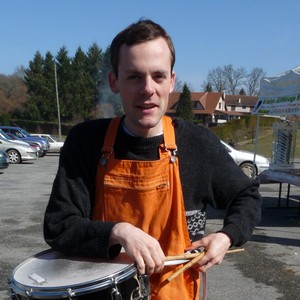
Samuel Thibault is a French guy like me, but it took years until we met. He tends to keep a low profile, even though he s doing lots of good work that deserves to be mentioned. He focuses on improving Debian s accessibility and contributes to the Hurd. Who said he s a dreamer? :-) Checkout his interview to have some news of Wheezy s status on those topics. Raphael: Who are you? Samuel: I am 30 years old, and live in Bordeaux, France. During the workday, I teach Computer Science (Architecture, Networking, Operating Systems, and Parallel Programming, roughly) at the University of Bordeaux, and conduct researches in heterogeneous parallel computing. During the evening, I play the drums and the trombone in various orchestra (harmonic/symphonic/banda/brass). During the night, I hack on whatever fun things I can find, mainly accessibility and the Hurd at the moment, but also miscellaneous bits such as the Linux console support. I am also involved in the development of Aquilenet, an associative ISP around Bordeaux, and getting involved in the development of the network infrastructure in Bordeaux. I am not practicing Judo any more, but I roller-skate to work, and I like hiking in the mountains. I also read quite a few mangas. Saturday mornings do not exist in my schedule (Sunday mornings do, it s Brass Band rehearsal :) ). Raphael: How did you start contributing to Debian? Samuel: Bit by bit. I have been hacking around GNU/Linux since around 1998. I installed my first Debian system around 2000, as a replacement for my old Mandrake installation (which after all my tinkering was actually no longer looking like a Mandrake system any more!). That was Potato at the time, which somebody offered me through a set of CDs (downloading packages over the Internet was unthinkable at the time with the old modems). I have been happily reading and hacking around documentation, source code, etc. provided on them. Contribution things really started to take off when I went to the ENS Lyon high school in 2001: broadband Internet access in one s own student room! Since sending a mail was then really free, I started submitting bugs against various packages I was using. Right after that I started submitting patches along them, and then patches to other bugs. I did that for a long time actually. I had very little knowledge of all packaging details at the time, I was just a happy hacker submitting reports and patches against the upstream source code. At ENS Lyon, I met a blind colleague with very similar hacking tastes (of course we got friends) and he proposed me, for our student project, to work on a brlnet project (now called brlapi), a client/server protocol that lets applications render text on braille devices themselves. Along the way, I got to learn in details how a blind person can use a Unix system and the principles that should be followed when developing Accessibility. That is how I got involved in it. We presented our project at JDLL, and the Hurd booth happened to be next to our table, so I discussed with the Hurd people there about how the Hurd console could be used through braille. That is how I got into the Hurd too. From then on, I progressively contributed more and more to the upstream parts of both accessibility software and the Hurd. And then to the packaging part of them. Through patches in bug reports first, as usual, as well as through discussions on the mailing lists. But quickly enough people gave me commit access so I could just throw the code in. I was also given control over the Hurd buildds to keep them running. It was all good at that stage: I could contribute in all the parts I was caring about. People however started telling me that I should just apply for being a Debian Developer; both from accessibility and Hurd sides. I had also seen a bunch of my friends going through the process. I was however a bit scared (or probably it was just an excuse) by having to manage a gpg key, it seemed like a quite dangerous tool to me (even if I already had commit access to glibc at the time anyway ). I eventually applied for DM in 2008 so as to at least be able to upload some packages to help the little manpower of the Accessibility and Hurd teams. Henceforth I had already a gpg key, thus no excuse any more. And having it in the DM keyring was not enough for e.g. signing the hurd-i386 buildd packages. So I ended up going through NM in 2009, which went very fast, since I had already been contributing to Debian and learning all the needed stuff for almost 10 years! I now have around 50 packages in my QA page, and being a DD is actually useful for my work, to easily push our software to the masses :) So to sum it up, the Debian project is very easy to contribute to and open to new people. It was used during discussions at the GNU Hackers Meeting 2011 as an example of a very open community with public mailing lists and discussions. The mere fact that anybody can take the initiative of manipulating the BTS (if not scared by the commands) without having to ask anybody is an excellent thing to welcome contributions; it is notable tha the GNU project migrated to the Debbugs BTS. More generally, I don t really see the DD status as a must, especially now that we have the DM status (which is still a very good way to drag people into becoming DDs). For instance, I gave a talk at FOSDEM 2008 about the state of accessibility in Debian. People did not care whom I was, they cared that there was important stuff going on and somebody talking about it. More generally, decisions that are made through a vote are actually very rare. Most of the time, things just happen on the mailing lists or IRC channels where anybody can join the discussion. So I would recommend beginners to first use the software, then start reporting bugs, then start digging in the software to try fix the bugs by oneself, eventually propose patches, get them reviewed. At some point the submitted patches will be correct already most of the time. That s when the maintainers will start getting bored of just applying the patches, and simply provide with commit access, and voil , one has become a main contributor. Raphael: You re one of the main contributors to the Debian GNU/Hurd port. What motivates you in this project? Samuel: As I mentioned above, I first got real contact with the Hurd from the accessibility point of view. That initially brought me into the Hurd console, which uses a flexible design and nice interfaces to interact with it. The Hurd driver for console accessibility is actually very straightforward, way simpler than the Windows or Linux drivers. That is what caught me initially. I have continued working on it for several reasons. First, the design is really interesting for users. There are many things that are natural in the Hurd while Linux is still struggling to achieve them, such as UID isolation, recently mentioned in LWN. What I really like in the Hurd is that it excels at providing users with the same features as the administrator s. For instance, I find it annoying that I still can not mount an ISO image that I build on e.g. ries.debian.org. Linux now has FUSE which is supposed to permit that, but I have never seen it enabled on an ssh-accessible machine, only on desktop machines, and usually just because the administrator happens to be the user of the machine (who could as well just have used sudo ) For me, it is actually Freedom #0 of Free Software: let the user run programs for any purpose, that is, combining things together all the possible ways, and not being prevented from doing some things just because the design does not permit to achieve them securely. I had the chance to give a Hurd talk to explain that at GHM 2011, whose main topic was extensibility , I called it GNU/Hurd AKA Extensibility from the Ground, because the design of the Hurd is basically meant for extensibility, and does not care whether it is done by root or a mere user. All the tools that root uses to build a GNU/Hurd system can be used by the user to build its own GNU/Hurd environment. That is guaranteed by the design itself: the libc asks for things not to the kernel, but to servers (called translators), which can be provided by root, or by the user. It is interesting to see that it is actually also tried with varying success in GNU/Linux, through gvfs or Plash. An example of things I love being able to do is: $ zgrep foo ~/ftp://cdn.debian.net/debian/dists/sid/main/Contents-*.gz On my Hurd box, the ~/ftp: directory is indeed actually served by an ftpfs translator, run under my user uid, which is thus completely harmless to the system. Secondly and not the least, the Hurd provides me with interesting yet not too hard challenges. LWN confirmed several times that the Linux kernel has become very difficult to significantly contribute to, so it is no real hacking fun any more. I have notably implemented TLS support in the Hurd and the Xen and 64bit support in the GNU Mach kernel used by the Hurd. All three were very interesting to do, but were already done for Linux (at least for all the architectures which I actually know a bit and own). It happens that both TLS and Xen hacking experience became actually useful later on: I implemented TLS in the threading library of our research team, and the Xen port was a quite interesting line on my CV for getting a postdoc position at XenSource :) Lastly, I would say that I am used to lost causes :) My work on accessibility is sometimes a real struggle, so the Hurd is almost a kind of relief. It is famous for his vapourware reputation anyway, and so it is fun to just try to contribute to it nevertheless. An interesting thing is that the opinion of people on the Hurd is often quite extreme, and only rarely neutral. Some will say it is pure vapourware, while others will say that it is the hope of humanity (yes we do see those coming to #hurd, and they are not always just trolls!). When I published a 0.401 version on 2011 April 1st, the comments of people were very diverse, and some even went as far as saying that it was horrible of us to make a joke about the promised software :) Raphael: The FTPmasters want to demote the Hurd port to the debian-ports.org archive if it doesn t manage a stable release with wheezy. We re now at 2 months of the freeze. How far are you from being releasable ? Samuel: Of course, I can not speak for the Debian Release team. The current progress is however encouraging. During Debconf11, Michael Banck and I discussed with a few Debian Release team members about the kind of goals that should be achieved, and we are near completion of that part. The Debian GNU/Hurd port can almost completely be installed from the official mirrors, using the standard Debian Installer. Some patches need some polishing, but others are just waiting for being uploaded Debian GNU/Hurd can start a graphical desktop and run office tools such as gnumeric, as well as the iceweasel graphical web browser, KDE applications thanks to Pino Toscano s care, and GNOME application thanks to Emilio Pozuelo Monfort s care. Of course, general textmode hacking with gcc/make/gdb/etc. just works smoothly. Thanks to recent work on ghc and ada by Svante Signell, the archive coverage has passed 76%. There was a concern about network board driver support: until recently, the GNU Mach kernel was indeed still using a glue layer to embed the Linux 2.2 or even 2.0 drivers (!). Finding a network board supported by such drivers had of course become a real challenge. Thanks to the GSoC work of Zheng Da, the DDE layer can now be used to embed Linux 2.6.32 drivers in userland translators, which was recently ACCEPTed into the archive, and thus brings way larger support for network boards. It also pushes yet more toward the Hurd design: network drivers as userland process rather than kernel modules. That said, the freeze itself is not the final deadline. Actually, freeze periods are rests for porters, because maintainers stop bringing newer upstream versions which of course break on peculiar architectures. That will probably be helpful to continue improving the archive coverage. Raphael: The kfreebsd port brought into light all the packages which were not portable between different kernels. Did that help the Hurd port or are the problems too different to expect any mutual benefit? Samuel: The two ports have clearly helped each other in many aspects. The hurd-i386 port is the only non-Linux one that has been kept working (at least basically) for the past decade. That helped to make sure that all tools (dpkg, apt, toolchain, etc.) were able to cope with non-Linux ports, and keep that odd-but-why-not goal around, and evidently-enough achievable. In return, the kFreeBSD port managed to show that it was actually releasable, at least as a technological preview, thus making an example. In the daily work, we have sometimes worked hand in hand. The recent porting efforts of the Debian Installer happened roughly at the same time. When fixing some piece of code for one, the switch-case would be left for the other. When some code could be reused by the other, a mail would be sent to advise doing so, etc. In the packaging effort, it also made a lot of difference that a non-Linux port is exposed as released architecture: people attempted by themselves to fix code that is Linuxish for no real reason. The presence of the kFreeBSD is however also sometimes a difficulty for the Hurd: in the discussions, it sometimes tends to become a target to be reached, even if the systems are not really comparable. I do not need to detail the long history of the FreeBSD kernel and the amount of people hacking on it, some of them full-time, while the Hurd has only a small handful of free-time hackers. The FreeBSD kernel stability has already seen long-term polishing, and a fair amount of the Debian software was actually already ported to the FreeBSD kernel, thanks to the big existing pure-FreeBSD hackerbase. These do not hold for the GNU/Hurd port, so the expectations should go along. Raphael: You re also very much involved in the Debian Accessibility team. What are the responsibilities of this team and what are you doing there? Samuel: As you would expect it, the Debian Accessibility team works on packaging accessibility-related packages, and helping users with them; I thus do both. But the goal is way beyond just that. Actual accessibility requires integration. Ideally enough, a blind user should be able to just come to a Debian desktop system, plug his braille device, or press a shortcut to enable speech synthesis, and just use the damn computer, without having to ask the administrator to install some oddly-named package and whatnot. Just like any sighted user would do. He should be able to diagnose why his system does not boot, and at worse be able to reinstall his computer all by himself (typically at 2am ). And that is hard to achieve, because it means discussing about integration by default of accessibility features. For instance, the Debian CD images now beep during at the boot menu. That is a precious feature that has been discussed between debian-boot and debian-accessibility for a few weeks before agreeing on how to do it without too much disturbance. Similarly, my proposition of installing the desktop accessibility engines has been discussed for some time before being commited. What was however surprisingly great is that when somebody brought the topic back for discussion, non-debian-accessibility people answered themselves. This is reassuring, because it means things can be done durably in Debian. On the installation side, our current status is that the stable Debian installer has a high contrast color theme, and several years ago, I have pushed toward making standard CD images automatically detect braille devices, which permits standalone installation. I have added to the Wheezy installer some software speech synthesis (which again brought discussion about size increase vs versatility etc.) for blind people who do not have a braille device. I find it interesting to work on such topic in Debian rather than another distribution, because Debian is an upstream for a lot of distributions. Hopefully they just inherit our accessibility work. It at least worked for the text installer of Ubuntu. Of course, the Accessibility team is looking for help, to maintain our current packages, but also introduce new packages from the TODO list or create some backports. One does not need to be an expert in accessibility: tools can usually be tested, at least basically, by anybody, without particular hardware (I do not own any, I contributed virtual ones to qemu). For new developments and ideas, it is strongly recommended to come and discuss on debian-accessibility, because it is easy to get on a wrong track that does not bring actual accessibility. We still have several goals to achieve: the closest one is to just fix the transition to gnome3, which has been quite bad for accessibility so far :/ On the longer run, we should ideally reach the scenario I have detailed above: desktop accessibility available and ready to be enabled easily by default. Raphael: What s the biggest problem of Debian? Samuel: Debian is famous for its heated debian-devel discussions. And some people eventually say this no fun any more . That is exemplified in a less extreme way in the debian-boot/accessibility discussions that I have mentioned above. Sometimes, one needs to have a real stubborn thick head to continue the discussion until finding a compromise that will be accepted for commit. That is a problem because people do not necessarily have so much patience, and will thus prefer to contribute to a project with easier acceptance. But it is also a quality: as I explained above, once it is there, it is apparently for good. The Ubuntu support of accessibility in its installer has been very diverse, in part due to quite changing codebase. The Debian Installer codebase is more in a convergence process. Its base will have almost not changed between squeeze and wheezy. That allowed the Debian Accessibility team to continue improving its accessibility support, and not have to re-do it. A wiki page explains how to test its accessibility features, and some non-debian-accessibility people do go through it. A problem I am much more frightened by is the manpower in some core teams. The Debian Installer, grub, glibc, Xorg, gcc, mozilla derivatives, When reading the changelogs of these, we essentially keep seeing the same very few names over and over. And when one core developer leaves, it is very often still the same names which appear again to do the work. It is hard to believe that there are a thousand DDs working on Debian. I fear that Debian does not manage to get people to work on core things. I often hear people saying that they do not even dare thinking about putting their hands inside Xorg, for instance. Xorg is complex, but it seems to me that it tends to be overrated, and a lot of people could actually help there, as well as all the teams mentioned above. And if nobody does it, who will? Raphael: Do you have wishes for Debian Wheezy? Samuel: That is an easy one :) Of course I wish that we manage to release the hurd-i386 port. I also wish that accessibility of gnome3 gets fixed enough to become usable again. The current state is worrying: so much has changed that the transition will be difficult for users already, the current bugs will clearly not help. I also hope to find the time to fix the qt-at-spi bridge, which should (at last!) bring complete KDE accessibility. Raphael: Is there someone in Debian that you admire for their contributions? Samuel: Given the concerns I expressed above, I admire all the people who do spend time on core packages, even when that is really not fun everyday. Just to alphabetically name a few people I have seen so often here and there in the areas I have touched in the last few years: Aur lien Jarno, Bastian Blank, Christian Perrier, Colin Watson, Cyril Brulebois, Frans Pop, J rg Jaspert, Joey Hess, Josselin Mouette, Julien Cristau, Matthias Klose, Mike Hommey, Otavio Salvador, Petr Salinger, Robert Millan, Steve Langasek. Man, so many things that each of them works on! Of course this list is biased towards the parts that I touched, but people working in others core areas also deserve the same admiration.

Thank you to Samuel for the time spent answering my questions. I hope you enjoyed reading his answers as I did. Note that older interviews are indexed on wiki.debian.org/PeopleBehindDebian.

Subscribe to my newsletter to get my monthly summary of the Debian/Ubuntu news and to not miss further interviews. You can also follow along on Identi.ca, Google+, Twitter and Facebook.

3 comments Liked this article? Click here. My blog is Flattr-enabled.

14 April 2012

Axel Beckert: Automatically hardlinking duplicate files under /usr/share/doc with APT

On my everyday netbook (a very reliable first generation ASUS EeePC 701 4G) the disk (4 GB as the product name suggests :-) is nearly always close to full. TL;DWTR? Jump directly to the HowTo. :-) So I came up with a few techniques to save some more disk space. Installing localepurge was one of the earliest. Another one was to implement aptitude filters to do interactively what deborphan does non-interactively. Yet another one is to use du and friends a lot ncdu is definitely my favourite du-like tool in the meanwhile. Using du and friends I often noticed how much disk space /usr/share/doc takes up. But since I value the contents of /usr/share/doc a lot, I condemn how Nokia solved that on the N900: They let APT delete all files and directories under /usr/share/doc (including the copyright files!) via some package named docpurge. I also dislike Ubuntu s solution to truncate the shipped changelog files (you can still get the remainder of the files on the web somewhere) as they re an important source of information for me. So when aptitude showed me that some package suddenly wanted to use up quite some more disk space, I noticed that the new package version included the upstream changelog twice. So I started searching for duplicate files under /usr/share/doc. There are quite some tools to find duplicate files in Debian. hardlink seemed most appropriate for this case. First I just looked for duplicate files per package, which even on that less than four gigabytes installation on my EeePC found nine packages which shipped at least one file twice. As recommended I rather opted for an according Lintian check (see bugs. Niels Thykier kindly implemented such a check in Lintian and its findings are as reported as tags duplicate-changelog-files (Severity: normal, from Lintian 2.5.2 on) and duplicate-files (Severity: minor, experimental, from Lintian 2.5.0 on). Nevertheless, some source packages generate several binary packages and all of them (of course) ship the same, in some cases quite large (Debian) changelog file. So I found myself running hardlink /usr/share/doc now and then to gain some more free disk space. But as I run Sid and package upgrades happen more than daily, I came to the conclusion that I should run this command more or less after each aptitude run, i.e. automatically. Having taken localepurge s APT hook as example, I added the following content as /etc/apt/apt.conf.d/98-hardlink-doc to my system:
// Hardlink identical docs, changelogs, copyrights, examples, etc
DPkg
 
Post-Invoke  "if [ -x /usr/bin/hardlink ]; then /usr/bin/hardlink -t /usr/share/doc; else exit 0; fi"; ;
 ;
So now installing a package which contains duplicate files looks like this:
~ # aptitude install perl-tk
The following NEW packages will be installed:
  perl-tk 
0 packages upgraded, 1 newly installed, 0 to remove and 0 not upgraded.
Need to get 2,522 kB of archives. After unpacking 6,783 kB will be used.
Get: 1 http://ftp.ch.debian.org/debian/ sid/main perl-tk i386 1:804.029-1.2 [2,522 kB]
Fetched 2,522 kB in 1s (1,287 kB/s)  
Selecting previously unselected package perl-tk.
(Reading database ... 121849 files and directories currently installed.)
Unpacking perl-tk (from .../perl-tk_1%3a804.029-1.2_i386.deb) ...
Processing triggers for man-db ...
Setting up perl-tk (1:804.029-1.2) ...
Mode:     real
Files:    15423
Linked:   3 files
Compared: 14724 files
Saved:    7.29 KiB
Duration: 4.03 seconds
localepurge: Disk space freed in /usr/share/locale: 0 KiB
localepurge: Disk space freed in /usr/share/man: 0 KiB
localepurge: Disk space freed in /usr/share/gnome/help: 0 KiB
localepurge: Disk space freed in /usr/share/omf: 0 KiB
Total disk space freed by localepurge: 0 KiB
Sure, that wasn t the most space saving example, but on some installations I saved around 100 MB of disk space that way and I still haven t found a case where this caused unwanted damage. (Use of this advice on your own risk, though. Pointers to potential problems welcome. :-)

Wouter Verhelst: LOAD: tutorial on Debian Packaging

Two weeks ago, I was at LOAD, where I did a tutorial on Debian Packaging. Unfortunately, I wasn't doing very well physically, and as a result my preparation wasn't what I had hoped for. It ended up being not so much a tutorial as a walking the audience through packaging a piece of software in casu NBD with debhelper in dh mode. Not very difficult, but since there's nothing for people to fall back on afterwards, it may help if they have a writedown of what I said during the session; and I promised to put it on my blog. So, here goes. However, note that the canonical written tutorial on Debian Packaging is here. With apologies to readers of Planet Debian, most of whom for which all this is probably old hat. Unlike RPM packaging, in Debian, the data that tells the debian packaging system how to package a piece of software is functionally split among a number of files. All these files go in a toplevel directory in the source package, (unsurprisingly) called 'debian'. There are four files that are required for every Debian package: the control, changelog, copyright, and rules files. Without these files, dpkg-dev will fail to produce a package any package. The first, the control file, contains metadata on packages: the name of the package, its description, the dependencies, etc. Basically, almost all the information you see when you run 'apt-cache show <package>' (with one exception) is in the control file. If you have a source package that builds multiple binary packages, then you should have multiple 'Package' stanzas in the control file. In my opinion, creating a control file is easiest done by copying a control file from another (similar?) package, and modifying it to suit the software you're dealing with. The one exception, the one bit of metadata that is not found in the control file is the version number: this data is contained in the changelog file. This file looks like a free-form file for the most part, but it really is a machine-parsable format; as such, it's best to edit it with specialized tools, such as the debian-changelog-mode in the emacs editor, or the debchange script, also available as dch, from the devscripts package. In the changelog, you should document any changes you make to the package, making sure the version number (top line), distribution (unstable, experimental, stable, ...; top line), urgency (top line; used mainly when testing needs to be updated urgently for things like security updates), author (bottom line) and date and time (also bottom line) are correct. The copyright file, unsurprisingly, should contain the copyrights statements of the original software, and the license (or a reference to a copy of the same license text under /usr/share/common-licenses). This file is still free-format in most packages today, although a machine-readable format for this file has recently been defined. Of the four required files, this is probably the most boring one, but hey, we can't like everything we do. The last file, the rules file, is where all the action happens. This file is defined as a Makefile, of which the targets are called for various parts of the build system. The rules file has a number of required targets (such as build, clean, and others), but if you're using debhelper in dh mode, you don't need to worry about those; instead, you can use the following simple rules file:
#!/usr/bin/make -f
%:
	dh $@
With the first line, the shebang, we make clear that this is a makefile, and that it should be called by make. The next is a generic target (the % is a wildcard for make), with just one command: 'call dh with the name of the target being called'. Since dh implements all required rules targets, that immediately gets you a working package. Go ahead, try! Run 'dpkg-buildpackage -rfakeroot', and see what happens. Did that work? Maybe, maybe not. First, you'll have seen loads of warnings about something involving a "compatibility level". This is from debhelper; this compatibility level, or 'API level' if you wish, allows debhelper to move forward and make incompatible changes without breaking all the existing packages out there; whenever the compat level is bumped, some new functionality will only be made available if you also raise the compat level in your source package (and then you'll know you may have some changes to do in your package). Since the original debhelper, over a decade ago, did not have a compat level, the absense of a compat level signals compat level 1, which is far outdated now, and about to be unsupported. Hence the warning. The fix is simple: create a file debian/compat containing a single number: the compatibility level you're working with. It's best to use the most recent level which debhelper supports when you create your package, which as of this writing is level 9. Ignoring the compatibility level, if you're building a software package which uses a well-established build system, and you only build one binary package out of that, chances are pretty high that everything worked as expected. If not, you'll have more work. Building multiple packages requires that you tell debhelper somehow which file goes in which package. You can do this with a file debian/package.install, where package is the name of the binary package you're building. The install file is read by dh_install, one of many tools in the debhelper suite. You see, in the old days (before debhelper 7), debhelper was just a suite of tools, which required that you wrote a debian/rules file containing all the individual tools to be called in the correct order. This mode is still supported; in fact, even if you do use dh, you do, since all that tool really does is call the right tools in the right order; the real work is done by the invidual tools. They all have their own man page; to understand how dh_install chooses which file to put in which package, go read man dh_install. Go ahead, do it now; I'll wait. Back? Good. You've now learned that dh_install can install files either from the source directory (useful for packages containing only scripts or so), or from a directory debian/tmp. If you use an autotools-based software package, this is what dh will do for you. When you called dpkg-builpackage above, you may also have noticed that the output contained many lines starting with dh_, one of which said dh_install. As you may have guessed, dh echoes every debhelper command just before it will execute them. This allows you to look at the output, and see what's happening. For more detail, set the environment variable DH_VERBOSE to a non-zero value. I'm sure you'll have seen one or two debhelper tools that could make your package better. Go ahead, go and read their man pages to see what they do, and how they do it. Most of these will require you to create a file debian/package.toolname to specify details. In some cases, you may need to specify command-line arguments to the tool to get it to do what you want. In yet other cases, the tool won't support what you need it to do, and you'll have to do something manual. What to do now? The dh command line doesn't support adding extra commands easily. Does this mean you'd have to revert to old-style long, non-dh debian/rules files? Luckily, no. You can create an override target. If dh detects that you have such a target for a particular tool, it will call that target instead of the tool. This target's rules can then call the tool in question (or not), and add any command line arguments, or extra commands, as needed. An override target is a normal Makefile target with a name of the form override_dh_something, where dh_something is the name of the tool you wish to override. At this point, I'd reached almost the end of my two allotted hours, and a member of the audience asked how to make dpkg deal with configuration files. The answer is, you don't need to do anything! Not if you use debhelper, anyway; all you need to do is install the file in /etc. Since debian policy specifies that all files in /etc need to be configuration files and that no conffiles may be placed anywhere but in /etc, debhelper will automatically mark any file installed in /etc as a conffile, which will cause dpkg to ask the user what to do with changes to such files. Note that in Debian parlance, a conffile is not the same thing as a configuration file: a conffile is a configuration file that is part of the binary package (i.e., if you call 'dpkg --contents' on the .deb file, you'll see it in the output), whereas a configuration file is a file (any file, including files generated during or after installation of the .deb file on a system). Occasionally, this is also why some differences to configuration files are managed through debconf, while others aren't: the ones managed through debconf are non-conffile configuration files managed through ucf, whereas the others are conffiles. So in the simplest of cases, if you want to install a configuration file and you want to make sure it's protected against accidental overwrites by package upgrades, all you need to do is make sure it's installed to /etc; debhelper will do the rest. And that concludes this introduction. Please note it's only an introduction, not a full-blown tutorial; while this will allow you to get started, you may have to learn a bit more if you wish to eventually upload a package to Debian.

10 April 2012

Dirk Eddelbuettel: RcppDE 0.1.1

The RcppDE package required a bug-fix release. One of the tests compared results to those from the DEoptim package this is based upon, and these are no longer equal, leading the tests to fail. While I was at it, I finally committed a few more things that had piled up. Below are the corresponding ChangeLog entries
2012-04-08  Dirk Eddelbuettel  <edd>
        * DESCRIPTION: Release 0.1.1
        * tests/compTest.R: With the just-release DEoptim 2.2.0, results are
        no longer identical so we commented-out the stopifnot() comparison to
        not break any automated tests (as requested by the CRAN maintainers)
        * .Rbuildignore: Added a few more files which R CMD check does not
        want to see in the tarball
2011-03-07  Dirk Eddelbuettel  <edd>
        * src/evaluate.h: Also reflect '...' argument from R function we pass
        in, with thanks to Josh Ulrich for the one-line patch
        * R/DEoptim.R: No longer pass environment 'env' down
        * man/DEoptim.Rd: No longer document now unused 'env'
        * src/deoptim.cpp: Minor tweak to RcppArmadillo object creation

8 April 2012

John Goerzen: 26 Hours At The Creek

I m back from one of the best experiences a father can have a whole day with two happy boys. I took Jacob (5) and Oliver (2) camping with me out by our creek. This was the first time we d camped there, and also the first time I d taken the boys camping without Terah along. So there were some unknowns, but it worked out great. When we got out there, I started to get the tents set up. The boys were interested, but pretty soon invented some games. A large nearby tree with plenty of low branches on its trunk became their locomotive, and certain sticks made the train go forward or backward, whistle, or ding its bell. This was good for quite some entertainment. Another nearby tree, near the bank of the creek, had some erosion near it. Combined with its roots, this made some natural steps. Jacob named some the enter steps and others the exit steps , and I sure heard about it if I walked the wrong way on the exit steps. We then gathered up sticks and the things we needed to build a campfire. We cooked up brats and zucchini. Although it was later than usual for supper, they loved it just the same. After that, we made smores for dessert another thing they loved. Then, one of the big highlights: sleeping in tents and sleeping bags. I had showed them the sleeping bags earlier, and they were excited to try them out. Morning was beautiful when the sun came out, it was shining right on the heavy dew on the ground, making the grass shine brightly. It s not every day that they get to start their morning slowly waking up by a warm fire. They were content to sit for quite awhile while I got things going for breakfast. It was chilly outside, so I helped them change clothes by the fire where. I then cooked them some scrambled eggs which, despite the lack of salt and pepper, seemed so much better than normal to the boys and then we went exploring. I took them to some areas with erosion, which Jacob called the big holes in the ground. It s really quite beautiful in spring, which this cellphone photo completely fails to capture. The boys loved climbing up and down these areas, some of which were quite tall. They discovered different kinds of rock on the way up and down, and with my help avoided discovering too much of the mud at the bottom. We hiked back to our camping spot through grass almost as tall as Oliver much to his delight and then after warming up by the fire for a bit, went off in the other direction. There is a grove of trees by the creek over there, which surprise became another train. Here are the boys explaining how it works. <iframe allowfullscreen="allowfullscreen" frameborder="0" height="315" src="https://www.youtube.com/embed/43EcEK8F_ic?rel=0" width="560"></iframe> They helped pack things back up, too. Actually, it took some convincing to get Jacob to not pull up all the stakes for the tent before I was ready for them. Things didn t go perfectly, but then, they never do, and that was OK with everyone. Camping is an adventure, and it wouldn t be an adventure if you knew every detail beforehand. It is rare in life to be able to think that I have enough time to do anything the boys might want to do. Spend half an hour pretending a tree is a train sure, no problem. Today Oliver asked to go camping again, and was a bit disappointed when I didn t agree to go camping again right this minute, today. Jacob said, we had an EXCELLENT time and gave me hugs thinking about it. I have a lot of happy memories about the creek. We camped at the same spot where I went fishing or camped as a child. There have been family gatherings and even a birthday party out there. The boys and I have enjoyed a hike or a wagon ride to the area, but as I learned, nothing could possibly match the excitement of camping there. It is wonderful to add another happy memory of a time at the creek. And it s even better to see another generation of Goerzens discover that there s a lot of fun to be had down by the creek.

6 April 2012

Vasudev Kamath: Packaging Falcon Programming Language for Debian

Falcon is a programming language which is not yet packaged for Debian. I saw that the ITP#460591 is owned by my Debian mentor and good friend Kartik Mistry. So I jumped in to help him finish this package. Ok enough of introduction now directly to point. We thought its better to base the Debian package on upstream Git repository itself so we can do snapshot release like Go Language package is doing. So in this post I'm going to give steps we used to do this and also guidelines on future packaging of Falcon.
    1. First step we need to clone the upstream Falcon's git repo. Then duplicate *master* branch into *upstream* branch.
      git clone http://git.falconpl.org/falcon.git
      git checkout -b upstream
      
    
    2. Now by staying on *upstream* branch we made it track the upstream's git repo using following commands
       git remote add upstream-falcon http://git.falconpl.org/falcon.git
       git branch --set-upstream upstream-falcon
       
    
    3. We made the master branch point to origin which is our collab-maint git repository.
       git checkout master
       git remote set-url origin git.debian.org:/git/collab-maint/falconpl.git
       
    
    4. Next is creating the pristine-tar branch so that it will be easy for us to build using *git-buildpackage* tools. We just took snapshot of upstream's head and created a tarball and then used *pristine-tar* utility to commit it. Then we tagged upstream version
       git checkout upstream
       git archive --format=tar HEAD   gzip -9 > ../falconpl_0.9.6.8-git20120403.orig.tar.gz
       git tag upstream/0.9.6.8-git20120403
       pristine-tar commit ../falconpl_0.9.6.8-git20120403.orig.tar.gz
       
    
    5. And finally we copied **debian** directory from Ubuntu's falconpl package into our master branch and modified the debian changelog to match our new snapshot version. To release a new version all we need to do is follow step 4 and then additionally merge the upstream with master
So our repo is now in proper shape to be built using git-buildpackage. But we are left with many things to clean and fix. So things which are currently pending are
  1. Make copyright file in Debian copyright format 1.0
  2. Separate out each module falcon builds into separate package. Looks like Ubuntu doesn't install any of modules
  3. Last but not the least upload it to Debian ( Kartik's task :-) )
Even though I'm packaging Falcon for Debian I'm not a Falcon programmer so if there are any Falcon programmer reading this post and want to help you are always welcome :-).

24 March 2012

Neil Williams: Multiarch and debi

If you're in the habit of doing sudo debi at the end of a build, it's worth noting a complication with Multiarch.

Sometimes, it's tempting to rebuild (and install) a shared library with a few untested changes, however, if (like me), you have multiarch packages installed, this can cause a surprise:


dpkg: error processing ../libqof2_0.8.4-2_amd64.deb (--unpack):
trying to overwrite shared '/usr/share/doc/libqof2/changelog.Debian.gz', which is different from other instances of package libqof2:amd64


Bumping the changelog doesn't help:


dpkg: error processing libqof2:amd64 (--install):
package libqof2:amd64 0.8.4-3 cannot be configured because libqof2:armel is at a different version (0.8.4-2)
dpkg: error processing libqof2:armel (--install):
package libqof2:armel 0.8.4-2 cannot be configured because libqof2:amd64 is at a different version (0.8.4-3)


The fix for this is, of course, to remove libqof2:armel and all it's reverse dependencies and the packages can't be put back until you've built an armel version of your changes.

The way to backout the test change is a bit longwinded, depending on the complexity of your library:


sudo apt-get --reinstall install libqof2:amd64=0.8.4-2 libqof-dev:amd64=0.8.4-2 libqof2-backend-qsf:amd64=0.8.4-2 libqof2-backend-sqlite:amd64=0.8.4-2 libqof2-dbg:amd64=0.8.4-2 libqof2:armel=0.8.4-2


Hmm. I think a helper tool could be needed in the medium term here.

This also means that cross-building Emdebian Crush packages from a Wheezy / Wheezy+1 base is again looking as if it will need to happen inside a chroot, albeit with problems for the packages which are dependencies of the build tools (or the cross toolchain) itself, as the Crush packages will inevitably contain modified files. (For example, Emdebian Policy differs from Debian Policy by requiring - not forbidding - compression of debian/copyright.)

Cross-building packages which are intended to be binary compatible with Debian without conversion (including cross-built packages to use on top of Emdebian Grip) shouldn't be too affected. You just need to ensure that where the package exists in two or more versions, all installed architectures are built before any architecture is installed.

This is an additional burden compared to the world of dpkg-cross but it is key to how Multiarch allows cross-building to use sensible dependency resolution.

So, what I think we'll need is an enhancement to debi which can be passed an architecture (possibly an architecture list), debi then looks for both the native arch and the requested architecture(s), fails> if the .changes file for the extra architecture(s) isn't found or proceeds to install all packages for the native arch and arch-dependent packages for the second architecture in the same dpkg operation. As a further enhancement, debi might be able to check dpkg --print-foreign-architectures, check the output of $package:$arch against dpkg -l and either complain or automatically use the Multiarch support to look for the relevant .changes files. debi may even want to check the package (as it's working in the package top directory usually) for Multiarch support before accepting the architecture list option.

Think I need to do some reading of the debi source and see if a patch is workable...

John Goerzen: German: Suprisingly Hilarious for a 2-Year-Old

The other night, I was tucking the boys into bed. I occasionally use a few German words with them (I don t know all that many myself, but hey). They d been rather bored with it, so I had dropped it for a few months. I said to Oliver, Gute Nacht, Oliver. That means good night in German. Oliver laughed. I said it a few more times. He laughed some more. Jacob peeked down from his top bunk to see what the fun was, and pretty soon was getting into it also. Apparently I m quite the comedian, because when I said Auf Wiedersehen, Oliver burst out laughing uncontrollably. Finally he d say, Say it again! AGAIN!! And I would, and he d laugh and laugh some more. And then, I happened to say tsch ss. Jacob loved that one. He said it over and over, much to Oliver s delight. Finally I closed the door, and heard the laughter still going on behind me, as Jacob would yell out a mangled German word, and Oliver would fill the room with laughter. I was a little surprised, but figured it d end there. Not so much. The next night, I tucked them into bed like usual. I left their room, and about 10 seconds later, I heard frantic yelling from the boys room. I went back in, and poor Oliver was so upset he couldn t even say what he wanted. I finally figured out he was pleading, DAD! Say gute Nacht again! So we went through some German words again, and I left the boys much relieved. Phew. The next night, I almost repeated my horrid mistake of no German at bedtime, but Jacob stopped me before I left their room. Dad! You forgot to say tsch ss! So I did, with the boys prompting me on what words they wanted to hear. Then Jacob started asking me how to say these things in other languages. He was rather disappointed, and I think also didn t really believe me, when I only knew a few of those phrases in Spanish and French. Though he was surprised that I could come up with them in Greek. (Kali sp ra / good evening) was a hit. By this point, another day or two later, Jacob says tsch ss when I leave. Oliver wishes me gute Nacht at breakfast time. We ll have to work on that one. So, if you ever walk in the door at our house some morning, don t be surprised if our 2-year-old wishes you good night, our 5-year-old says goodbye, and they both start laughing.

Next.

Previous.