Search Results: "will"

31 August 2011

Wouter Verhelst: Debian-installer support for NBD

Folkert asks, not without reason, whether my debian-installer support for NBD is available for testing. The answer is: yes, it is! At DebConf11 in Banja Luka, I sat down with Otavio, who helped me get the necessary modules uploaded in the correct way. As such, you can now install debian to an NBD device with a regular debian-installer build although for now, you'll probably still need a daily build to get it to work[1]. To test, you should do the following: And that's it! Everything else should Just Work(tm). Well, almost. There's some loose ends that I need to fix, which I haven't had the time to look into yet. Hopefully that won't take too long. [1] It's possible that cdimage builds will work too, but I haven't tested that.

Keith Packard: Altos1.0

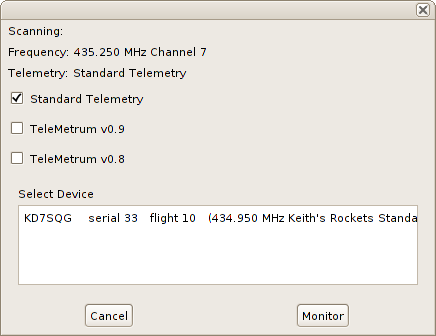
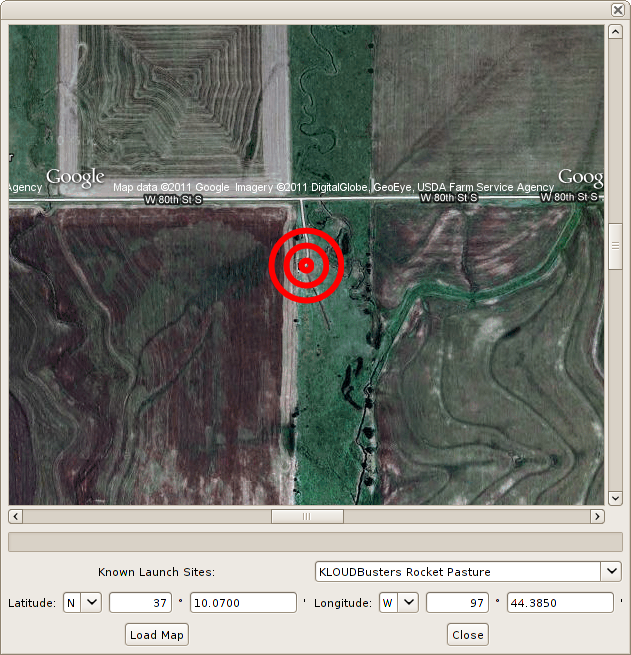
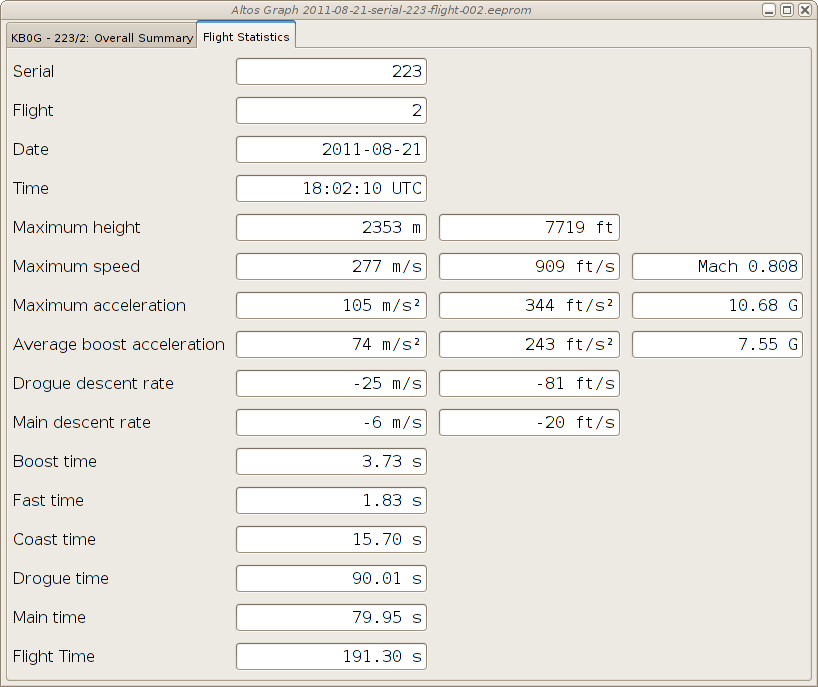
AltOS 1.0 TeleMini support and a host of new features Bdale and I are pleased to announce the release of AltOS version 1.0. AltOS is the core of the software for all of the Altus Metrum products. It consists of cc1111-based microcontroller firmware and Java-based ground station software. AltOS Firmware TeleMini support, Kalman Filtering and more Support for the new TeleMini altimeter is included in version 1.0 along with a wealth of other new features: AltosUI New Features AltosUI has also seen quite a bit of work for the 1.0.1 release. Of course, many of the changes in AltosUI are to accomodate the new TeleMini altimeter and changes in the AltOS firmware for TeleMetrum. In addition, we ve also added lots of new features in response to user requests.

30 August 2011

Sune Vuorela: Desktopsummit, jobs, prison and such

It s been a while since I last blogged, and some things has happened. Jobs
I m out looking for a job. Preferably KDE/Qt or Debian related. Or at least opensource related. Feel free to contact me if you know of anything. sune AT vuorela DOT dk Desktop Summit I ve been at Desktop Summit, awesome as usual to see all these great people, except monday morning. I think intel is partly to blame here :-). Prison and such
The upcoming release of Prison will at least have a couple of new features, beside a couple of bugfixes: I ve also started to enjoy -Werror=unused-but-set-variable in GCC and killed some of those in KDE land. end There is more to come later, hopefully things about the ExoPC I gotborrowed at Desktop Summit, which is now running Plasma Active & Contour. Things about a new librison release, and maybe more places to use libprison. Oh. And yes, I m out looking for a job.

Timo Jyrinki: MeeGo (CE) and the FreeSmartphone.Org Distributions

Debian MeeGo mixup. MeeGo screenshot CC-BY wiki.meego.com, Debian screenshot by me
FreeSmartphone.Org (FSO), Openmoko, Debian's FSO group, SHR, QtMoko et cetera are a few of the community based intertwined projects to bring free software to smartphones. They have a relatively long and colorful history of doing this, and have nowadays been approaching multiple target devices despite limited resources and for example the losing of Openmoko Inc. in 2009. I've been using Debian on my Neo FreeRunner phone for over two years now, and over three years of FreeRunner use altogether. FSO2, the next generation freesmartphone.org stack, is finally coming into Debian now, extending the basic phone support besides Openmoko phones to eg. Palm Pre, Nexus One, Nokia N900 and a few HTC phones. It needs a lot of tweaking and eg. a proper kernel, but still.

Four years after beginning of sales of the first Openmoko device (Neo1973), we're still in the pioneering phase of free distributions for mobile phones. There is no "Ubuntu for phones" so to speak, not for even a selected models. Meanwhile, like so often in the wide world, competing free software approaches have arrived. Android is the obvious one, and has seen a port to Neo Freerunner among else. Android is not as open a project as one could like, and replaces everything we've known with its own code, but nevertheless it requires to be noted and is completely usable in its free software form. But since there are limitations to its approach, and since it's more of an own separate world from the rest of Linux distributions, it is not as interesting to me as the others in the long run, at least in its current shape.

A more similar competitor to FSO and distributions using FSO is MeeGo and its middleware, and to be more precise so far specifically Nokia's efforts on it. Obviously there is the strong competitor for the best general population smartphone of the year, the Qt based Nokia N9, but its default software is more of a proprietary thing even though it has a neatly rock solid free software foundation with separate free/non-free repositories and all that. Nice and great for the (GNU/)Linux in general, but the Harmattan software is not exactly on topic for this blog post. It's however in my opinion the best marketing to vendors around the world GNU/Linux + Qt can get as Android Linux has been taking most of the limelight. But meanwhile, with significantly smaller focus and resources, Nokia has also been sponsoring to try to create a truly community based mobile phone software stack at the MeeGo upstream, nowadays called "MeeGo Community Edition" or MeeGo CE for short. It co-operates with the MeeGo Handset target of MeeGo (and Intel) that hasn't got actual target consumer hardware at the moment, although that might change soon (?), but has been doing some nice applications recently. CE has the target hardware and additional device specific and non-specific software cooking. It used to target Nokia N900 only, but nowadays the project has added N950 (the for-developers-only phone) and N9 to the targets, and it is starting to seem there should be no showstoppers to bring MeeGo CE (or other distributions later on) to them, despite some earlier doubts. A few needed bits to void the warranty we all want to do are still missing, though, but coming. After that it's just developing free software. Usual caveats about specifics of a few kernel drivers apply, as the devices were not designed with the sole purpose of free software drivers in mind. Hopefully mobile 3D gets into a better shape in the coming years, but that's another story.

MeeGo (CE) smartphone middleware, of course, shares nothing with FSO *). While FSO is a "handle everything" in itself with its wide variety of daemons, MeeGo consists of more separate software like Intel's and Nokia's oFono for modem support. FSO demo UIs and SHR UIs have traditionally focused on using Enlightenment 17 for its suitability to low power machines, while in MeeGo everything is written in Qt. As Qt/QML is becoming faster and faster, and it's very powerful to write, there might be quite a bit of useful software emerging from there also for other distributions besides MeeGo itself. Actually, there is already a Debian MeeGo stack maintainer group available, although it hasn't yet focused on the UIs as far as I can see (if I'll have free time I'll join the effort and see for myself in more detail). There is also the QtMoko distribution, based on the original, canceled Trolltech/Nokia Qt Extended (Qtopia) project, but ported to newer Qt:s and put on top of Debian.

*) Although, correct me if I'm wrong and I might be, the Nokia N900 isi modem driver in FSO was ported/learned from oFono.

MeeGo CE is not only a project to bring a proper MeeGo distribution to a few smartphones, but also to shake out bugs in the MeeGo project's contributions and community processes. It is acting as a completely open MeeGo product contributor, and investigating how things should be optimally done so that everything gets integrated into the MeeGo properly, and that proper MeeGo software releases can be done for the target devices. Therefore it's also an important project for the vitality of the whole MeeGo.

MeeGo CE has so far had a whole team in Nokia working on it, but for obvious strategy related reasons community cannot rely on it lasting forever. The real hurdle is for the wider free smartphones community to be ready for really embracing a project that is already a community project but to outsiders might seem like a company project. I believe it's never easy to grow a volunteer community if the starting setup is a paid company team, but it mainly requires a) the interested people and b) the few smart ones to take control and communication responsibility so that it's not anymore seen as a company project. MeeGo CE never was a traditional company project, everything being done in the open and together with volunteers, but I just know how people perceive these things by default. People tend to assume stuff as someone else's responsibility

Whatever happens, I hope there are enough people interested in free software for mobile phones to carry on all these different approaches to the software needed. I hope MeeGo / MeeGo CE will have a great future, and I hope that both the middleware like FSO and MeeGo's components, and the UIs like FSO, SHR, QtMoko and MeeGo Handheld UIs continue to develop. I also hope other distributions like Debian will gather a strong suite of packaged software for smartphones. I know I have had some hard time to find suitable apps for my phone at times.

For those interested about how I use Debian as my mobile phone OS, see http://wiki.openmoko.org/wiki/User:TimoJyrinki

29 August 2011

Lior Kaplan: The Mozilla Inn

Hello planet Mozilla. For my first post appearing in the planet I d like to write about a recent community aspect I experienced, the rest will probably be more technical. While we have some great volunteers participating in Mozilla, there s aren t any Mozilla representatives in Israel. To be exact, there are a few Israeli that do work for Mozilla (and I think they work from within Israel), but we don t feel them in the local free software community. I was very surprised to see 5 people from Mozilla attending Wikimania 2011, but this is of course a good surprise. I would have excepted to see representatives in a free software conference, but we still haven t had any international free software conference in Israel (maybe some day I could bring Debconf here). A week later I had another representative arriving for a free software conference I organized called August Penguin. This is the first time having someone arriving from abroad just for the local conference. For me, a free software user and contributor, Mozilla is mostly a software project. Meeting the various representatives gave me the chance to know some of the other sides of the organization and its activities. For me that was really interesting and I think that it would be positive to do many of the activities also in Israel. Besides the interest in the organization, I had the chance to host some of the representatives by showing them around, providing a place to crash at and making sure they stay after the conferences would be as easy and enjoyable as possible. Reflecting back, my place would probably could be the Moziila Inn as I had 3 people from Mozilla as guests in one week (on separate days). For me that was fulfilling the community side of the term free software community , as we re not only a technical community. Others might even call this an outreach program (a term I heard from all 3 guess in various contexts), but I m still not sure who is outreaching to whom (: So if you happen to work on Mozilla stuff, and arriving Israel, drop me a note
Filed under: Israeli Community, Mozilla

Tiago Bortoletto Vaz: VoIP in Neo Freerunner with Qtmoko and Linphone

I keep using a Neo Freerunner with Qtmoko in a Debian Squeeze (+ some Wheezy) chroot as my daily phone. It also works well for SMS, GPS, MUA, IM, IRC and some Web browsing with Aurora (using both Wifi and GPRS). Last weekend I managed to play a little with VoIP possibilities in Qtmoko and ended with a functional SIP client in my hands. I want to share some points which may be useful for other brave freerunners: UPDATE: I didn't make clear that I get a very nice audio quality using internal mic/speaker with the above voip-handset state file. The issue is only when using the headset, which demands understanding and setting up a proper state file. Enjoy some shots:

Erich Schubert: ELKI 0.4 beta release

Two weeks ago, I've published the first beta of the upcoming ELKI 0.4 release. The accompanying publication at SSTD 2011 won the "Best Demonstration Paper Award"!
ELKI is a Java framework for developing data mining algorithms and index structures. It has indexes such as the R*-Tree and M-Tree, and a huge collection of algorithms and distance functions. These are all writen rather generic, so you can build all the combinations of indexes, algorithms and distances. There are evaluation and visualization modules.
Note that I'm using "data mining" in the broad, original sense that focuses on knowledge discovery by unsupervised methods such as clustering and outlier detection. Today, many people just think of machine learning and "artificial intelligence" - or even worse: large scale data collecting - when they hear data mining. But there is much more to it than just learning!
Java comes at a certain price. The latest version got already around 50% faster than the previous release just by reducing Java boxing and unboxing that puts quite some pressure on the memory management. So you could implement these things in C to become a lot faster; but this is not production software. I need code that I can put students on to work with it and extend it, this is much more important than getting the maximum speed. You can probably still use this for prototyping. See what works, then implement just that which you really need in a low level language for maximum performance.
You can do some of that in Java. You could work on a large chunk of doubles, and access them via the Unsafe class. But is that then still Java, or aren't you actually doing just plain C? In our framework, we want to be able to support non-numerical vectors and non-double distances, too. Even when they are only applicable to certain specialized use cases. Plus, generic and Java-style code is usually much more readable, and the performance cost is not critical for research use.
Release 0.4 has plenty of under the hood changes. It allows multiple indexes to exist in parallel, it support multi-relational data. There are also a dozen new algorithms, mostly from the geo/spatial outlier field, which were used for the demonstration. But for example, it also includes methods for rescaling the output of outlier detection methods to a more sensible numerical scale for visualization and comparison.
You can install ELKI on a Debian testing and unstable system by the usual "aptitude install elki" command. It will install a menu entry for the UI and also includes the command-line launcher "elki-cli" for batch operation. The "-h" flag can produce an extensive online help, or you can just copy the parameters from the GUI. By reusing Java packages such as Batik and FOP already in Debian, this also is a smaller download. I guess the package will at some point also transition to Ubuntu - since it is Java you can just download and install it anyway I guess.

Julien Danjou: Quitting my job

After more than 5 years at Easter-eggs as a system engineer, I'll be leaving my job soon. It has been a fabulous adventure, also due to the "cooperative" nature of the company. I've enjoyed worked here, with great people. I do wish them luck for the future. Looking at the numerous things I did for the past years, it has been quite productive! Therefore, I'll be looking for a new job in the next weeks, which will probably keep me busy a bit. :-)
Flattr me!

Mike Hommey: Extreme tab browsing

I have a pathological use of browser tabs: I use a lot of them. A lot is probably an understatement. We could say I use them as bookmarks of things I need to track. A couple weeks ago, I was saying I had around two hundred tabs opened. I now actually have much more. It affected startup until I discovered that setting the browser.sessionstore.max_concurrent_tabs pref to 0 was making things much better by only loading tabs when they are selected. This preference has/will become browser.sessionstore.restore_on_demand. However, since I only start my main browser once a day, while other applications start and while I begin to read email, I hadn t noticed that this was still heavily affecting startup time: about:startup tells me reaching the sessionRestored state takes seven seconds, even on a warm startup. It also affects memory usage, because even when tabs are only loaded on demand, there is a quite big overhead for each tab. And more importantly, it gets worse with time. And I think the user interface is actively making it worse. So, to get an idea how bad things were in my session, I wrote a little restartless extension. After installing it, you can go to the about:tabs url to see the damage on your session. Please note that the number of groups is currently wrong until you open the tab grouping interface. This is what the extension has to say about my session 2 days ago, right after a startup: The first thing to note is that when I filed the memory bug 4 days earlier, I had a bit more than 470 tabs in that session. You can see 4 days later, I now have 555 tabs (if excluding the about:tabs tab). The second thing to note is something I suspected because it s so easy to get there: a lot of the tabs are opened on the same address. Since Firefox 4.0, if I m not mistaken, there is a great feature in the awesomebar, that allows to jump to an existing tab matching what you type in the urlbar. That is very useful, and I use it a lot. However, there are a lot of cases where it s not as useful as it could be. One of the addresses I visit a lot is http://buildd.debian.org/iceweasel. It gives me the build status of the latest iceweasel package I uploaded to Debian unstable. That url is particularly known in my browsing history, and is the first hit when I type buildd in the urlbar (actually, even typing b brings it first). Unfortunately, that url redirects to https://buildd.debian.org/status/package.php?p=iceweasel through an HTTP redirection. I say unfortunately because when I type buildd in the urlbar, I get 6 suggestions for urls in the form http://buildd.debian.org/package (I also watch other packages build status), and the suggestion to switch to the existing tab for what the first hit would get me to is 7th. Guess what? The suggestion list only shows 6 items ; you have to scroll to see the 7th. The result is that I effectively have fifteen tabs open on that url. I also keep a lot of bugzilla.mozilla.org bugs open in different tabs. The extension tells me there are 255 of them for 166 unique bugs. Largely, the duplicate bug tabs are due to having these bugs open in some tab, but accessing the same bugs from somewhere else, usually a dependent bug or TBPL. I also have 5 tabs opened on my request queue. I usually get there by going to the bugzilla home page and clicking on the My Requests link. And I have several tabs opened on the same bug lists. For the same reason. When I started using tab groups, I splitted in very distinct groups. Basically, one for Mozilla, one for Debian, one for stuff I want to follow (usually blog posts I want to follow comments from), and one for the rest. While I was keeping up with grouping at the beginning, I don t anymore, and the result is that each group is now a real mess. Firefox has hundreds of millions users. It s impossible to create a user experience that works for everyone. One thing is sure, it doesn t work for me. My usage is probably very wrong at different levels, but I don t feel my browser is encouraging me to use it better, except by making my number of opened tabs explode to an unmanageable level (I already have 30 tabs more than when I started writing this post 2 days ago). There are a few other things I would like to know about my usage that my extension hasn t told me yet, either because it doesn t tell, or because I haven t looked: Reflecting on my usage patterns, I think a few improvements, either in the stock browser, or through extensions, could make my browsing easier: Maybe these exist as extensions, I don t know. It s hard to find very specific things like that through an add-on search (though I haven t searched very hard). [Looks like there is an experiment for the auto tab grouping part] I think it would also be interesting to have something like Test Pilot, but for users that want to know the answer to How do I use my browser? . As I understand it, Test Pilot can show individual user data, but it only can do so if there is such data, and you can t get data for past studies you didn t take. In my case, I m not entirely sure that, apart from the pinned tabs, I use the tab bar a lot. And even for pinned tabs, most of the time I use keyboard shortcuts. I m not using the menu button that much either. I already removed the url and search bar (most of the time) with LessChrome HD. Maybe I could go further and use the full window for web browsing.

28 August 2011

Christian Perrier: 10 years being Debian Developer - part 3: the news and genealogy years

I stopped my story in early 1994, after my Big Switch to the mysterious and new world of Linux. My home server, kheops, is now running Debian and is fed with news and mail by FrMug, formerly French Minix Users Group and now run by AFAU, the "Association Fran aise des Amateurs de Usenet". As I'm still console-challenged, I'm reading mail and news on another machine I have at home, named "khephren", which is running an, ahem, beta copy of Microsoft Windows 95. Yeah, I know...:-) These 1994-1999 years were mostly the Usenet years, for me. I gradually became more and more involved in several fr.* newsgroups, either related to the Linux world...or to the Windows world. The latter was professionnally a bonus for me as 1994 is also the year where I switched from the Material Science department at Onera to the Network and Computing Department. My mission there was to accompany the increasing prevalence of personal desktop workstations in the daily life of what was formerly the Big Castle of Computing at Onera, hosting various generations of Cray computers, most of which being in the Top500 world supercomputers (we even had one in the Top10, very briefly, at somepoint). So, I was "the PC and Windows guy" in this world of supercomputing, Unix and network wizards. But my hobby at home helped me keeping and growing skills in both "worlds" which, over the years, has proven to be a not so common profile..:-) Meanwhile, at home, I was spending hours and nights reading those newsgroups...or getting involved in fr.* hierarchy management..or expanding my friends network to many people in the news, Linux, BSD worlds. That lasted for about 3 years with ups and downs (with three young kids at home, you end up having slightly less time...). I was gradually improving my home server use, adding more functionalities to it, for instance setting it up as a file and print server with Samba 1.9.something (this will be the beginning of a long story with samba!). Unfortunately, my dear Ren had passed in the meantime. Ren did so much for Linux in France that he'll be the only link I give in this article. If you happen to go through P re Lachaise cemetery in Paris, go to its Memory garden instead of visiting Jim Morrison's grave and drink a whisky bottle in memory of Ren . Or just install one of the most funnily named Debian packages: le-dico-de-rene-cougnenc and, again, drink something to his memory (whisky is highly preferred). We then reached 1997 and a specific event: my father (who was very sick for years) passed during summer, some time after my grand-father passed too. As it apparently happens for many people, it triggerred me into the interest for family history. After all, those people who are going away are family memories. And, in some way, I wanted to keep track of this memory. As a consequence, I started collecting family memories, interviewing my close relatives (the oldest ones) and ending, of course, in tracking all this with my computers. That was the start of a long genealogy research that sent me on the track of the Perrier family (of course), but also all other branches, on my mother and father side, as well as reconstructing the tree of cousins we have, etc, etc. As anybody who did that knows, this is quite an endless task but I went very committed to it. I quickly ended up in joining research groups that were using the recent growth of personal access to Internet communication. Those groups were, in these 90's, building elaborated systems where people can help together in their research instead of having to travel to places where archives are stored. I participated to many such groups and even ended up animating one who was doing research in archives of the "Yvelines" "d partement", my place of living (even though I have no family branch there). At the same time, other groups were sending me research results for my own family in the French region where my roots are. Collective effort, help others for free, you can recognize things that are a constant all over these years, indeed. It actually helped me in tracking my Perrier ancestors up to about 1680, with 11 generations of men holding that name (from Jean-Baptiste, my son, up to tienne Perrier, who is born about 1640-1650, in the small village named Briant in Sa ne et Loire, in France). Or even climbing up to Laurent Polette, born circa 1510, mentioned in a document date February 1562. He his my oldest known ancestor.Those folks being 15 generations before me. My oldest ancestor is born under Fran ois the First, King of France, protector of Leonardo Da Vinci, at the time La Joconde was painted or the Chambord castle was built. Doh. Unfortunately, genealogy software, at that time, was quite poor for Unix systems. Lifelines was a quite strong development but wasn't that user-friendly and I ended up using a Windows-based "shareware" software written by an individual. Still, my Linux machine was used quite intensively: databases were stored there, and saved there, all important informations were there, my mail was received there, along with dozens of mailing lists I was reading. I even hosted a few mailing lists on my home server. Still, in the meantime also, again in 1997, in October, another event happened. We had a pollution peak in Paris area and October 1st was the first (and as of now the only ever) day where driving restrictions were applied. Up to that moment, I was driving to/from work (30 kilometers one way). I decided to use this opportunity to really test public transport, for one full month. As I knew it would take me much more time than driving, I tried to imagine a way to use that time. How about reading mail and news on a laptop instead of only at home? Done... In a few days, I found a used Compaq Aero laptop (486 16MHz), I installed Debian "bo" on it, switched my mail and news workflow to console programs (mutt and slrn) and here we go! So, finally, in October 1997, I was using Linux nearly all time long, the only exception being genealogy data handling. That laptop was named "mykerinos" (the small pyramid) and....my laptop is still named mykerinos, though it's now the 5th mykerinos I have..:-) Ah, and since then, I nearly always use public transport to go to/from work. Debian addiction is good for the planet! At some point (I don't remember exactly when...about 1999, I think), DSL connections appeared and one of the first DSL FAI emerged on France: Free. I was already using their services for dialup access, but DSL was then a revolution: persistent connection! And nearly immediately, static IP! I became one of their first DSL customers (and I'm still one). Moreover, I had then friends working there...and they had many Debian machines to host their services. So, with the help of my Freenix friends, some DNS hosting on their machines and the still tireless eu.org entirely free domain, perrier.eu.org was born. Immediately, this gave me opportunities for doing many interesting things with my home server: setting up www.perrier.eu.org and use it....for learning web things and sharing genealogical data. For instance, I ended up hosting some data sent by other genealogists such as digital copies of archives for some French regions, all served through my 512/128kbps DSL line (quickly upgraded to 2Mb, IIRC). And, very quickly, I felt the need to share my family tree, of course! And here comes Geneweb. Written (in Ocaml) by Daniel de Rauglaudre, Geneweb was (and still is) by far one of the best tools to share genealogy data over the Net. So, I ended up installing it on my home machine. Guess how I did that? "apt-get install geneweb", of course. Yes, it was packaged. Indeed by Brent Fulgham who did the initial release on July 22nd 2000. Here, my memory is a little bit vague. I think I actually packaged Geneweb for my own use and sharing it on upstream FTP site, forking Brent's package as a start, but updating to latest upstream release. Then I quickly ended up having discussions with Brent about this new upstream release, and that lead to:
geneweb (3.10-3) unstable; urgency=low
  * Merging with unofficial package from Geneweb ftp site
    (in preparation of new maintainer [Christian Perrier] takeing
    over responsibility).  Note that all of this work is from
    Christian.
  * Default database dir is now writable by members of geneweb group
  * New geneweb group added at installation
  * Package tries to properly handle former installations of the
    unofficial Geneweb package available on Geneweb ftp site
  * Debconf dialogs translated in french
  * More languages available
  * Creation of /var/geneweb/etc, /var/geneweb/cnt, /var/geneweb/images
    with proper permission so that authorised users may use these also
  * When de-installed, all databases are exported with gwu (should allow
    smooth upgrades when the databse format changes)
 -- Brent A. Fulgham <bfulgham>  Mon, 22 Jan 2001 19:30:47 -0800
See? Already "debconf translation to French"! "More languages available". Here we are. As discussed with Brent, he propsoed me to take the package over. So, on January 11th 2001, I had applied in the New Maintainer Process. I'm amazed how quickly it went indeed: there was a tool I needed, it needed to be packaged, I could handle the packaging...and then I decided to be involved. Here we are: bubulle is on his way to become one of those magicians who are building the best universal operating system. Yes, me, the clueless material scientist..:-) How did it go? You'll know this in next episode, of course...

Micha Lenk: Finally transitioning to a new GnuPG key

Finally I managed to write up a transition statement for my not so new, but stronger GnuPG key. See below:
-----BEGIN PGP SIGNED MESSAGE-----
Hash: SHA1,SHA256
I am transitioning my GPG key from an old 1024-bit key to a new 4096-bit key.
The old key will continue to be valid for some time, but I prefer all new
correspondence to be encrypted for the new key, and will be making all
signatures going forward with the new key.
If you have signed my old key, I would appreciate signatures on my new key as
well, provided that your signing policy permits that without reauthenticating
me.
The old key, which I am transitioning away from, is:
pub   1024D/99E141B4 2004-02-10
      Key fingerprint = 25FE 4741 4770 0558 949D  1DB1 58DD 3FE2 99E1 41B4
The new key, to which I am transitioning, is:
pub   4096R/51B85139 2009-06-18
      Key fingerprint = A3EB B41F C5AB D675 CEE4  1C45 EA6C A6B9 51B8 5139
Thanks in advance.
Cheers,
Micha Lenk
-----BEGIN PGP SIGNATURE-----
Version: GnuPG v1.4.10 (GNU/Linux)
iEYEARECAAYFAk5aOnkACgkQWN0/4pnhQbTxPgCgzRhREZlQiKJyI9UIdJLLs3Zq
bH4AnA1myFxgDWM7aUMHXgvvsujLTjiWiQIcBAEBCAAGBQJOWjp5AAoJEOpsprlR
uFE5gCsP/0dtCUPl9aQHV1MbQl7+bMofpsC2ikkpdZmrzi68jTG16We49BuzY+PV
S8FhXqg17/YxhKYDnDNTowfztUOyjAOJxy5vrqm3X5xiLwTqN3js9mra+vb4s35k
EVbKMzLLDhj3i0FjeargWEmJmm9cVhaZWKvOvQUhDJAilqvEQ0/50P7B8I+1YvtV
UHoQKbweTljVSlK5R1YPPy9i6r2/oZBYxK4nrknWwS+qPQ5luqelJd+mZdgQ6tow
7HIvtmPgCblJ+hYZWFpoZK6vxs8RaBbuCQcKwYArNhZT/v4TeD/LAaUmIkbQMyKV
J2TKuEHya4+5GMbtg6BGKeiZpleEHPnAq1AfvGpz6opkxjxCLG3RO3X8D3EuM3RW
mkq60mWM8+Zwu1yKbb62iHplp6jpyiQgdjJlB6eHjX7SdY7CvHgYZxGDx4kclP0/
HAdig2U1T+nG6Nn5XflmmKwvNLuKlQlIwJ5NeXyCONRnYvdomQn2hgvkjwMLCdFh
ulIhxa4UvDY7/aQNPZeOrvDHb2XYpiV3TwA9hLgQXXWd0FPmUMVVPpKpRjilaWth
Mtq/QiMGP5Mq/YxgLInRZHGyajDtE67RD4+RgHYOP50cP3UGPoB4ncc2EEtM2kfe
BzJrXPHmdtyGEA6Korl0YwUTRnYsqkqkY1VqDsO0UkOLlV7RAzb9
=9vw1
-----END PGP SIGNATURE-----

26 August 2011

Sylvestre Ledru: sun-java6 packages removed soon from Debian/Ubuntu (and all other linux distros)

For the story, due to license reasons, the version of Java packaged in Linux distributions is not the same as the one released on the official website.
Each time a new version of Java is was released, Sun/Oracle people are were publishing a other distro specific release available on a dedicated website. Since I have been maintaining sun-java6 packages for a year and half, I am following the rhythm releases (security is one of the reasons).
A few days ago, I pinged on Twitter Dalibor Topic, who is, AFAIK, the person in charge of this at Oracle, he replied with a blog post Retiring the DLJ. The main information from this blog post is:
[...] further Oracle JDK 6 (or Oracle JDK 7) releases on Linux and Solaris will not be provided under the DLJ [...]
Basically, that means that Linux distributions will not be able to package new releases of the proprietary JVM/JDK (including the latest update -27). The only release available in the Linux distro will be the OpenJDK. While I am glad to see Oracle pushing the free JDK, I am a bit concern by this sudden decision. There are still bugs (for example, with fonts, applets or other others issues) present in the OpenJDK which does not happen in the sun-java6 packages.
And also, as Andrew John Hughes said on Twitter, the Oracle proprietary JVM just lost one of the two freedoms it had (free to redistribute the software)... Moreover, many people are still using the proprietary JVM. For example, Debian popularity contest or Ubuntu Popularity Contest reports 836864 installations of sun-java6-jre against 749731 of openjdk-6-jre. The bottom line is, if you are aware of bugs present only in OpenJDK, please report them (on the Debian bug tracker, launchpad or as a comment of this blog post). We will report them upstream to make sure OpenJDK is as good as sun-java6. Edit: comments closed due to the spams... Drop me an email on sylvestre@debian.org. I will push them.

Axel Beckert: Useful but Unknown Unix Tools: Kill all processes of a user

I already got mails like What a pity that your nice blog posting series ended . No, it didn t end. As announced, I knew that I won t be able to keep up a daily schedule. It worked as long as I had already written the postings in advanced. But in the end the last postings were already written just in time and then I ran out of leisure and muse for a time. But as I said: It didn t end, it will be continued. And this is the next such posting. Oh, and for those who tell me further tools, I should blog about: I appreciate that, especially because that way I also hear about tools I didn t know about. But why just telling me and not blogging yourself about it? :-) At least those whose blog is part of Planet Debian or Planet Symlink anyway really should do this themselves. I d really like to see also others writing about cool tools. I neither have a right on the idea nor on the name of this series (call it meme if you want :-), so please go on and publish your favourite tools in a blog posting, too. :-) And for all those who want to join me and Myon blogging about cool Unix tools, independent if listed on Planet Debian or Planet Symlink, I encourage you to offer a separate feed for this kind of postings and join us on Planet Commandline. Anyway, here s the next such posting: As system administrator you often have the case that you have to kill all processes of one user, e.g. if a daemon didn t properly shut down itself or amok running leftovers of a GUI session. Many use pkill -SIGNAL -u user from the procps package or killall -SIGNAL -u user from the psmisc package for it. But that s a) quite cumbersome to type and b) is there a chance to forget about the -u and then bad things may happen, especially with pkill s default substring match, so I prefer another tool with a more explicit name:

slay slay has an easy to remember name (at least for BOFHs ;-) which is even quicker to type (alternating one character with the left and the right hand, at least on US layout keyboards) than pkill (all characters to type with the right hand), and has the same easy to remember commandline syntax like kill itself:
slay -SIGNAL user [user  ]
But beware, slay is

not only for BOFHs, but also from a BOFH It has a mean mode which is activated by default. With mean mode on, it won t kill the given user but the user who called the program if it is invoked as an ordinary user without root rights. *g* Interestingly I never ran into this issue despite I use this program often and for many years now. But some Ubuntu users did, probably because adding a sudo in front of some command is easier to forget than doing an ssh root@localhost or su - beforehand. They even seem to be so desperate about it that they forwarded the issue from Launchpad to the Debian Bug Tracking System. ;-) But to be honest even if I was very amused about those bug reports isn t this issue grave , as it causes very likely (unexpected) data loss?

Now playing: Monzy kill dash nine ( and your process is mine ;-)

Jaldhar Vyas: Hurricane Irene: How Will Debian GNU/Minix cope?

Members of the public are advised not to panic at this time.

25 August 2011

Roland Mas: Hack of the day: wondershaper vs. SSH shared connections vs. SCP

We all hate the A in ADSL, but most of us are stuck with it. So there are any number of workarounds that keep our link to the Internet working with a certain amount of perceived fluidity, by way of "traffic shaping". Many of us use wondershaper for that purpose: it's a magic tool that keeps the latency low for interactive traffic by ensuring that the bulk traffic doesn't interfere too much with it. We all hate the A in ADSL, but most of us are stuck with it. So there are any number of workarounds that make the establishment of new connections to external servers feel faster. Many of us use the SSH "ControlMaster" series of options for that purpose: it's a set of options that allow new connections to a server to reuse an existing one if there is already a connection open (or if there was one until not too long ago), so some time is saved becaused the handshake to establish the connection is only needed once. Now combine both. SSH to an external server, for instance, work on it. Since it's meant to be an interactive connection, slogin will set some appropriate flags on the IP packets, and wondershaper will give these packets priority over whatever bulk traffic is happening at the time. At some point, you realise you need to transfer a large set of files to there, so you start an SCP transfer. scp, being part of the SSH suite, will reuse the existing connection. Suddenly, your bulk transfer will not only get priority over the other kinds of traffic you might have, but also get intermingled with your keystrokes in the slogin session to the same server. Which means your keystrokes will be delayed significantly, and working interactively becomes even more of a pain. In my case, the priority boost given to the SCP transfer is sometimes enough to cause other unrelated sockets to time out. After reading some docs, I found my solution. It isn't much, but it's going to change my way of working significantly enough that I'm going to share it anyway.
alias scp='scp -oControlPath=none'
Also, since I use dput extensively, and it invokes scp in many cases without reusing my shell aliases, part of my ~/.dput.cf file reads:
[DEFAULT]
ssh_config_options = ControlPath=none
[ ]
This means I keep the advantages of traffic shaping for interactive sessions, but SCP stuff won't interfere anymore, and I can continue working on the server while the new version of the packages that I need to get there are in transit. One small improvement at a time, progress!

24 August 2011

Christian Perrier: 10 years being Debian Developer - part 2: before 1992-1994 - the switch

So, we stopped our very boring story around 1992. Let's summarize where I was at that moment: We're in 1992. Magali is about to come. Three children, from 0 to 4. I'm getting bored of these BBS things. OK, I did fun things like translating (eh) the documentation of Frontdoor a Fidonet node system written by a norwegian dude. But, still. Among my BBS friends, Ren is now playing regularly with a strange thing coming from Finland. This is pretty much like these mysterious "Unix" machines I hear about, sometimes at Onera, ran by strange wizards that often look like hippies from the 70's (hey...these were my youth years). I also have these few friends from the BBS world who are also playing with these thingies. Ollivier, noticeably, who is using of these mysterious @frmug.fr.net "email" addresses, from his PC running 386BSD (what? A PC not running those wonderful MS-DOS programs? How weird). Ren is apparently playing with another tribe. He often talks about an evolution of Minix written by a Finnish student, which is available with source code, just like Ren programs. Ren is also a member of that FrMug tribe, the FRench Minix Users Group, who are comunicating with "newsgroups" that are apparently similar to what we're doing with our BBS....but apparently more funnily hackish...and most often in that mysterious "U**x" world. Ah, that thing is called Linux. You can download it by FTP on "the Internet". But I don't have "the Internet". Oh, sure, we have this thing called BitNet at work, I even have what they call "an email address" as perrier@froner81.bitnet. We can maybe do things with that. Ah yes, there are funny tools that allow "downloading" files on "FTP" (WTH is that?) servers but doing that by mail. You receive dozenes of mails "uuencoded" (WTH is that? I'm not using Unix, I'm using Dos...but, eh, it works, still). Oh, fun, I now downloaded a full set of disks (14....I need to find 14 floppies, doh!) of something called Slackware. Apparently, a crazy freak, somewhere, did assemble things so that it's easy for dummies like me to install "a Linux machine". What? This 386 DX/16 PC I borrowed from my lab could be something like one of these very very very mysterious and expensive Sun machines that a few very bearded and very smelly dudes are using at Onera to perform high performance calculations? I have to do this. Not growing a beard, but install Linux. I could even "read mail" on them. Doh, I could even read those mysterious "newsgroups", that look like our Fidonet "conferences", the only difference being. All this is so interesting. So, at first, let's help my friend Ren to spread out this marvel to the world. Ren did setup his "Renux" box for this and everybody can access it through this very modern UUCP technology, to download Slackware disk images, last versions of the Linux kernel (direct from ftp.ibp.fr, thanks to another pionneer, R my Card....ext2fs author). So, I did setup an incredibly weird system to "download" this stuff by FTPmail, de-uuencode it, process it on my work machine and then re-upload it to my home BBS and make it available in one of the first "Linux" sections of French BBS. Yay. Even of my BBS machine is not running this wonder. Still, gradually, I was becoming bored of this BBS stuff. The sirens of open systems were constantly singing in my ears and the amount of work to put in running a Fidonet node wasn't really motivating for me anymore. Finally, after our daughter Magali was born, in March 1992, I decided to shut down my BBS....and just run as a Fidonet "point" (a personal system not opened to the public) and gradually switched my interest to these open systems. I thus ended running an "experimental" Linux system at work on this refurbished 386DX machine, already and playing between both worlds for about 18 months. At some point, around mid-1993, it became obvious to me that I more wanted to participate to newsgroups-style communication, participate to the advent of this Linux thing and learn things about what was to become "The Internet" (understand "the web", aha). Meanwhile, Ren did great work translating "The Linux System" by this guy, Matt Welsh, making The Thing accessible to dummies like me. So, after summer, I decided it was time to move on and shutdown this Fidonet thing and build something like my "Freenix" friends were running, and be able to download news and mail by UUCP, with my fast HST modem, and process them with Real Men tools such as inn, sendmail, pine and trn. And then, around October 1993, here I come ready to install a Linux machine at home, and therefore zap a few years of BBS stuff on my 40MB hard disk. But, eh, I just read about this shiny new thing named Debian, that was just announced a few weeks ago. It seems to be meant for dummies like me who need a little bit more than tarballs of binary code and have no clue about libraries, ABI and such mysterious things that apparenyl constantly lead to "core dumps" on my work experimental Slackware machine. Also, I don't really understand everything to what these dude says in his "Manifesto" but that seems interesting and his (their? dunno) thing seem easy to use. Let's download the 0.93whatever version of this thing and put this on a big set of floppies. A few days after, voil . I have my first Linux system at home and it is running that Debian thing. It will need several weeks of poking around documentations, playing weird things with INN and sendmail without understanding a s**t of both....and a lot of help from Freenix friends....and I end up with a working machine that can call out FrMug for UUCP downloads of mail and news and then feed local sendmail and INN servers with them and then allow the "bubulle" user to read them remotely...from his Windows machine. Yay, admitedly, I spent a few years still using a Windows machine for mail and news! How to say that? At that time, the GUI environments were a little bit rustic and, anyway, there was no point-and-click programs for mail and news. In the meantime, the machine got upgraded to Debian 1.1 by reinstalling the system. "kheops" was born....and so was bubulle@kheops.frmug.fr.net. We're probably around early 1994 and I'm running my first Debian server at home. The beard didn't grew up, I'm not eating pizzas all day long (but I drink beer) and I'm even practicing physical activities (I was a volleyball player at that time). Despite all these flaws, I'm turning into a geek, slowly. In next episode, you'll learn how I ended up dropping the use of Windows, compiling some free software and contributing to my first package. These will be "the genealogy years".

Russell Coker: Digital Cameras

In May I gave a talk for LUV about the basics of creating video on Linux. As part of the research for that I investigated which cameras were good for such use. I determined that 720p was a good enough resolution, as nothing that does 1080p was affordable and 1080i is lower quality. One thing to note is that 854*480 and 850*480 are both common resolutions for mobile phones and either of those resolutions can be scaled up to full screen on a 1920*1080 monitor without looking too blocky. So it seems that anything that s at least 850*480 will be adequate by today s standards. Of course as Dell is selling a 27 inch monitor that can do 2560*1440 resolution for a mere $899 in the near future 720p will be the minimum that s usable. Cheap Digital Video Cameras The cameras I suggested at the time of my talk (based on what was on offer in Melbourne stores) were the Panasonic Lumix DMC-S3 which has 4*optical zoom for $148 from Dick Smith [1] and the Olympus MJU 5010 which has 5*optical zoom camera for $168 (which is now $128) from Dick Smith [2]. Both of them are compact cameras that do 720p video. They are fairly cheap cameras but at the time I couldn t find anything on offer that had significantly better specs for video without being unreasonably expensive (more than $600). Update: In the comments Chris Samuel pointed out that Kogan has a FullHD digital video camera for $289 [13]. That s a very tempting offer. More Expensive Digital Video Cameras Teds Cameras has a good range of Digital Video Cameras (including wearable cameras, and cameras that are designed to be attached to a helmet, surfboard, or car) [3]. These are specifically designed as video cameras rather than having the video function be an afterthought. Ted sells the Sony Handycam HDR-CX110 which does 1080p video, 3MP photos, and 25* optical zoom for $450 [4]. They also sell the pistol-style Panasonic HX-WA10 which is waterproof to 3M, does 1080p video, 11MP pictures, and 5* optical zoom for $500 [5]. For my use I can t justify the extra expense of the digital video cameras (as opposed to digital cameras that can take video), I don t think that they offer enough. So a cheap $128 Olympus MJU 5010 is what I will probably get if I buy a device for making video. I can afford to replace a $128 camera in a year or two but a device that costs $500 or more needs to last a bit longer. I expect that in a year or two I will be able to buy something that does 1080p for $200. Features to look for in Great Digital Cameras The other option when buying a camera is to buy something that is designed to be a great camera. It seems that RAW file capture [6] is a requirement for good photography. RAW files don t just contain uncompressed data (which is what I previously thought) but they have raw sensor data which may not even be in a cartesian grid. There is some processing of the data that can be best done with raw sensor data (which may be in a hexagonal array) and which can t be done properly once it s been converted to a cartesian array of pixels. Image Magick can convert RAW files to JPEG or TIFF. I haven t yet investigated the options on Linux for processing a RAW file in any way other than just generating a JPEG. A client has several TB of RAW files and has found Image Magick to be suitable for converting them so it should do. The next issue is the F number [7]. A brief summary of the F number is that it determines the inverse-square of the amount of light that gets to the CCD which determines the possible shutter speed. For example a camera set to F1 would have a 4* faster shutter speed than a camera set to F2. The F rating of a camera (or lens for interchangeable lens cameras) is a range on many good cameras (or lenses for detachable lens cameras), if you want to take long exposure shots then you increase the F number proportionally. A casual scan of some web sites indicates that anything less than F3 is good, approaching F1 is excellent, and less than F1 is rare. But you don t want to only use low F numbers, having a higher F number gives a larger Depth of Field, that means that the distance between the nearest and furthest objects that appear to be in focus is greater. So increasing the F number and using a flash can result in more things being in focus than using a low F number without a flash. Another important issue is the focal length, cheap cameras are advertised as having a certain optical zoom which apparently isn t quite how things work. The magnification apparently varies depending on the distance to the object. Expensive cameras/lenses are specified with the range of focal lengths which can be used to calculate the possible magnification. According to DPReview.com Optical zoom = maximum focal length / minimum focal length, so a 28mm-280mm lens would be 10* optical zoom [8]. Finally it seems to be that the specified focal length of cameras is usually in 35mm equivalent. So a lens described as 280mm won t be 28cm long, it will be some fraction of that based on the size of the CCD as a proportion of the 35mm film standard (which is 36*24mm for the image/CCD size). Update: In the comments Aigars Mahinovs said: Don t bother too much with the zoom. The view of a normal person is equivalent to 50mm lens (in 35mm film equivalent). Anything under 24mm is for landscapes and buildings it is for sights where you would actually have to move your head to take in the view. Zooms are rarely useful. Something in 85-100mm range is perfectly fine to capture a bird or a person some distance away or some interesting piece of landscape, but anything more and you are in the range of silly stuff for capturing portraits of football players from the stands or for paparazzi photos. And the more zoom is in the lens the crappier the lens optics will be (or more expensive, or both) that is why the best optics are prime lenses with no zoom at all and just one specific optical length each. For example almost all my Debconf photos of the last two years are taken with one lens Canon 35mm f/2.0 (a 50mm equivalent on my camera) and only the group shots are taken with a lens that is equivalent to 85mm. So I guess if I was going to get an interchangeable lens camera then I could get fixed focus lenses for things that are close and far away and one with a small zoom range for random other stuff. Of course that would get me way outside my budget unless I got some good deals on the second hand market. Also having a camera that can fit into a pocket is a real benefit, and the ability to rapidly get a camera out and take a picture is important! A final item is the so-called ISO Number which specifies how fast the film is. A higher number means that a photograph can be taken with less light but that the quality will generally be lower. It seems that you have a trade-off between a low F number (and therefore low Depth of Field), good lighting (maybe a flash), a long exposure time (blurry if the subject or camera isn t still) and a grainy picture from a high ISO number. Comparing Almost-Affordable Great Digital Cameras I visited Michaels camera store in Melbourne [9] and asked for advice about affordable cameras that support RAW capture (every DSLR does but I don t want to pay for a DSLR). The first option they suggested was the Samsung EX1 that does 10MP, F1.8-F2.4 with a 24-72mm equivalent focal range (3* optical zoom), and 640*480 video [10] for $399. The next was a Nikon P7000 that does 10MP, F2.8-5.6 with 7* optical zoom (28-200mm equivalent), and 720p video [11] for $599. The final option they had was the Canon G12 that does 10MP, F2.8-4.5 with 5* optical zoom (28-140mm equivalent), and 720p video [12] for $599. 3* optical zoom isn t really enough, and $599 is a bit too much for me, so it seems that RAW format might not be an option at this time. Conclusion I can t get what I want for great photography at this time, there seems to be nothing that meets my minimum desired feature set and costs less than $550. A client who s a professional photographer is going to lend me an old DSLR that he has hanging around for some photography I want to do on the weekend. I am also considering buying a Olympus MJU 5010 for making videos and general photography, it s better than anything else I own at this time and $128 is no big deal. Please let me know if I made any errors (as opposed to gross simplifications) in the above summary of the technical issues, also let me know if there are other things to consider. I will eventually buy a camera that can capture RAW images.

23 August 2011

Dirk Eddelbuettel: Accelerating path-dependent loops: A quick Rcpp case study

User BobH asked on StackOverflow about accelerating path-dependent loops. He provided a simple example in which a vector gets filled conditional on the value of the preceding element. Simple to code, but hard to vectorise. By the time I saw that question yesterday evening, Josh Ulrich had already posted a nice answer suggesting to switch from ifelse to if to escape the overhead of a vectorised expression on simple scalars. I meekly added a comment suggesting that Rcpp would likely do well on this and that someone should volunteer such an answer. Well, it is still August and Mr. Someone is on holiday, so this morning I followed up with such an answer. And as it turns out to work quite well indeed, we will repost it here. Let's start with the general setup, and the two functions supplied by Josh. We also byte-compile these using the compiler package which is the culmination of several years of work by R core member Luke Tierney. This package was added to R during the last major release, and we assessed it in this earlier blog post as well as several Rcpp-related follow-ups. We also load the packages for on-the-fly 'inline' compilation and easy benchmarking:
library(inline)
library(rbenchmark)
library(compiler)
fun1 <- function(z)  
  for(i in 2:NROW(z))  
    z[i] <- ifelse(z[i-1]==1, 1, 0)
   
  z
 
fun1c <- cmpfun(fun1)
fun2 <- function(z)  
  for(i in 2:NROW(z))  
    z[i] <- if(z[i-1]==1) 1 else 0
   
  z
 
fun2c <- cmpfun(fun2)
We see that basic worker just assign to the i-th element based on the preceding element. Function two uses the aforementioned if statement, and both are also byte-compiled. Writing the same code in C++ using both Rcpp (for the R/C++ integration) and inline for the on-the-fly compilation, linking and loading of C++ code into R is pretty straightforward too:
funRcpp <- cxxfunction(signature(zs="numeric"), plugin="Rcpp", body="
  Rcpp::NumericVector z = Rcpp::NumericVector(zs);
  int n = z.size();
  for (int i=1; i<n; i++)  
    z[i] = (z[i-1]==1.0 ? 1.0 : 0.0);
   
  return(z);
")
This single R function call takes the code embedded in the argument to the body variable, builds a complete function in temporary file, and then compiles, links and loads it. We can now call funRcpp() just like the other four functions and do so via the benchmark() function of the rbenchmark package.
R> z <- rep(c(1,1,0,0,0,0), 100)
R> identical(fun1(z),fun2(z),fun1c(z),fun2c(z),funRcpp(z))
[1] TRUE
R> 
R> res <- benchmark(fun1(z), fun2(z),
+                  fun1c(z), fun2c(z),
+                  funRcpp(z),
+                  columns=c("test", "replications", "elapsed", "relative", "user.self", "sys.self"),
+                  order="relative",
+                  replications=1000)
R> print(res)
        test replications elapsed relative user.self sys.self
5 funRcpp(z)         1000   0.005      1.0      0.01        0
4   fun2c(z)         1000   0.482     96.4      0.48        0
2    fun2(z)         1000   1.989    397.8      1.98        0
3   fun1c(z)         1000  11.365   2273.0     11.37        0
1    fun1(z)         1000  13.210   2642.0     13.21        0
We can focus on the columns labelled elapsed and relative. The C++ version is faster by a factor of almost one-hundred compared to the byte-compiled version of funtion2, and almost four-hundred times faster than the plain-R variant of function2. And function1 is even worse, coming at well over twenty-two-hundred times the run-time of the C++ version. Byte-compilation also helps little here. For comparison, we also ran the original example of a very short vector, called more frequently:
R> z <- c(1,1,0,0,0,0)
R> res2 <- benchmark(fun1(z), fun2(z),
+                  fun1c(z), fun2c(z),
+                  funRcpp(z),
+                  columns=c("test", "replications", "elapsed", "relative", "user.self", "sys.self"),
+                  order="relative",
+                  replications=10000)
R> print(res2)
        test replications elapsed relative user.self sys.self
5 funRcpp(z)        10000   0.047  1.00000      0.04        0
4   fun2c(z)        10000   0.134  2.85106      0.13        0
2    fun2(z)        10000   0.328  6.97872      0.32        0
3   fun1c(z)        10000   1.080 22.97872      1.08        0
1    fun1(z)        10000   1.243 26.44681      1.24        0
The qualitative ranking is unchanged: the Rcpp version dominates. Function2 using if instead of the vectorised ifelse is second-best with the byte-compiled version being about twice as fast that the plain R variant, but still almost three times slower than the C++ version. And the relative differences are less pronounced: relatively speaking, the function call overhead matters less here and the actual looping matters more: C++ gets a bigger advantage on the actual loop operations in the longer vectors. That it is an important result as it suggests that on more real-life sized data, the compiled version may reap a larger benefit. All in all a nice demonstration of Rcpp, and a gain of almost one-hundred to the best byte-compiled version is nothing to sneeze at---especially when it is so easy to write and load a five-line C++ function thanks to Rcpp. Before closing, a quick reminder that I will giving two classes on Rcpp in a few weeks. These will be in New York on September 24, and San Franciso on October 8, see this blog post as well as this page at Revolution Analytics (who are a co-organiser of the classes) for details and registration information.

Maximilian Attems: klibc 1.5.25 release

Mike Waychison from Google sent fancy costum tailored enhancements to kinit. Thanks to new klibc capget and capset support kinit now understands "drop_capabilities=" bootparam. It specifies a list of capability names that will be dropped before switching over to init. dirent.h saw the addition of scandir() and alphasort(). Gentoo devs pushed a klcc enhancement. For details see klibc 1.5.25 release annoucement. A lot of stuff is in work: current klibc patch queue.

Julian Andres Klode: Looking for HP Touchpad, Intel tablets, and other devices

If someone in Germany (or want to send it to Germany [at low costs]) still has (new) Touchpads to sell, I d buy one or two of them at the reduced price (16GB: 99 , 32GB: 129 ), or take them for free. I promise that I will not sell them to others. I m interested in WebOS, in running Debian and/or Ubuntu on those devices (for the extra fun factor), and lend it to family members for surfing, etc. I also take other tablets and smart phones and various kinds of ARM and PowerPC hardware (I guess that s all that s interesting for me) for free, just send me an email if you have some and want to give them to me. This applies to Intel stuff as well, I d really like to get some kind of WeTab/ExoPC, but can t buy one currently (and they re probably to outdated hardware-wise for buying to make sense).
Filed under: Uncategorized

Next.

Previous.