Search Results: "rra"

9 May 2016

Joachim Breitner: Doctoral Thesis Published

I have officially published my doctoral thesis Lazy Evaluation: From natural semantics to a machine-checked compiler transformation (DOI: 10.5445/IR/1000054251). The abstract of the 226 page long document that earned me a summa cum laude reads
In order to solve a long-standing problem with list fusion, a new compiler transformation, 'Call Arity' is developed and implemented in the Haskell compiler GHC. It is formally proven to not degrade program performance; the proof is machine-checked using the interactive theorem prover Isabelle. To that end, a formalization of Launchbury s Natural Semantics for Lazy Evaluation is modelled in Isabelle, including a correctness and adequacy proof.
and I assembled all relevant artefacts (the thesis itself, its LaTeX-sources, the Isabelle theories, various patches against GHC, raw benchmark results, errata etc.) at http://www.joachim-breitner.de/thesis/. Other, less retrospective news: My paper on the Incredible Proof Machine got accepted at ITP in Nancy, and I was invited to give a keynote demo about the proof machine at LFMTP in Porto. Exciting!

7 May 2016

Russ Allbery: rra-c-util 6.0

Quite some time ago, I added strlcat and strlcpy functions to my portability C library. I've subsequently become convinced that those functions are a bad idea, and have been moving all of my code to asprintf and other functions. This release completes that change for all the code provided by rra-c-util and removes strlcpy and strlcat from rra-c-util. network_set_freebind, network_set_reuseaddr, and network_set_v6only, to set various socket options, are now public functions, since INN wanted to use them directly rather than only as part of other interfaces. This release also has new Autoconf probes for Perl that assist with linking with embedded Perl, checking the Perl version, and checking for Perl modules, and a fix to the OpenSSL Autoconf macros for 1.1.0. It also adds a replacement for gss_oid_equal for older versions of Heimdal that lack it. Finally, rra-c-util 6.0 implements the transition in C TAP Harness 4.0 from SOURCE and BUILD to C_TAP_SOURCE and C_TAP_BUILD for all the test suite helper code provided by this package. You can get the latest version from the rra-c-util distribution page.

6 May 2016

Norbert Preining: Yubikey NEO

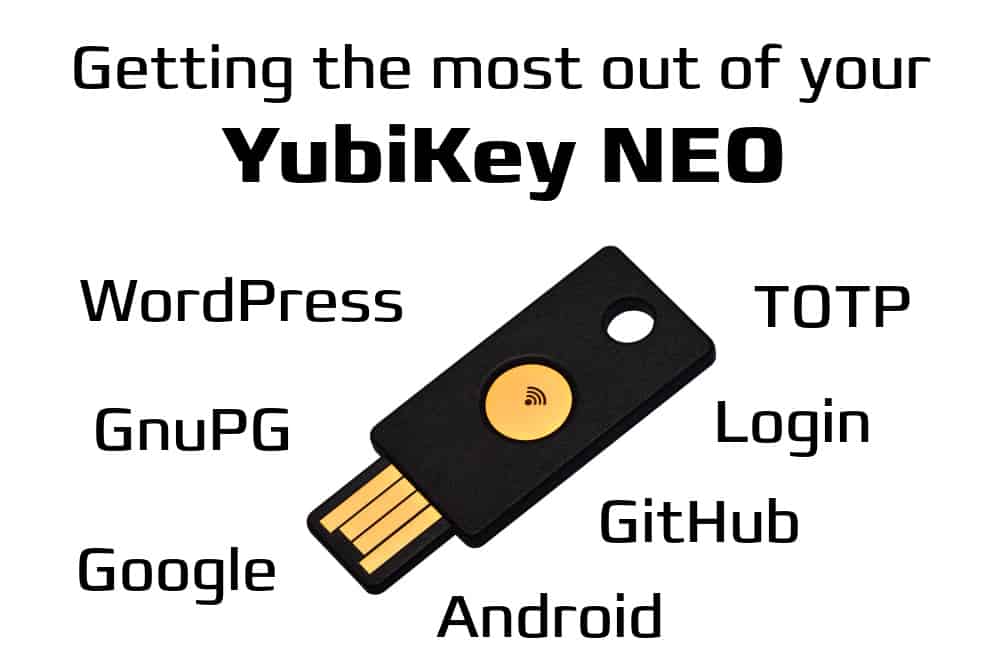
Two Factor authentication and general improvement of my security infrastructure was long on my todo list. Some month ago I finally purchased a Yubikey NEO from Yubico and try to consistently use it as second factor, as well as gpg signing/encrypting device. yubikey-neo I am trying to get the best out of my Yubikey NEO by using as many of its functionality, in particular: Smartcard for my GNuPG keys, OTP similar to Google Authenticator and similar, as well as challenge-response for additional login security, as well as all that over NFC to not keep keys/passwords on my mobile phone. While there are loads of guides (see the previous article on GnuPG for some of them), many of them are out-of-date for current distributions and GnuPG etc. So I tried to collect all I could find not the least to have a place to look it up in case I forget it again. The Hardware The Yubikey NEO is a great peace of hardware. I not even remotely understand how they manage that this little beast can do all these things and still work out without mixing things up. As far as I understand (please correct me) it has three independent circuits of communication: On top of these circuit of communication there is a variety of applications to make the most out of your Yubikey: Yubikey mode setup There are several modes, and using the ykpersonalize tool (readily available for Windows, Mac, Linux, and in the Debian package yubikey-personalization) one can program the key to work in a variety of modes. I chose to activate all options by passing in -m86 which stand for OTP/U2F/CCID composite device with MODE_FLAG_EJECT.
$ ykpersonalize -m86
Firmware version 3.4.3 Touch level 1792 Unconfigured
 
The USB mode will be set to: 0x86
 
Commit? (y/n) [n]: y
$
It is a good idea to unplug and replug the key after this operation. Yubikey udev rules for user access To allow users but root to use the Yubikey, additional udev rules are necessary:
SUBSYSTEMS=="usb", ATTRS idVendor =="1050", ATTRS idProduct =="0116", TAG+="uaccess"
which I put into /etc/udev/rules.d/99-yubikeys.rules on Debian. After that another unplug and replug should allow normal user to access the key. This can be checked by calling getfacl on the newly created /dev/hidraw? device. Using the HID/Challenge-Response mode (slot 2) If you want to secure your login with an additional second factor, there are several options documented on the Yubico site concerning yubico-pam. Since I cannot be sure to be always online with my laptop, I choose Challenge-Response authentication, and followed one-to-one Yubico s docs Local Authentication Using Challenge Response. Basically it boils down to install libpam-yubico, select mode-challenge-response when asked for configuration. Then one needs to personalizing the key (in particular slot 2) for challenge response with:
$ ykpersonalize -2 -ochal-resp -ochal-hmac -ohmac-lt64 -oserial-api-visible
...
Commit? (y/n) [n]: y
$
Next we need to save the challenge and expected response to the user s directory:
$ mkdir $HOME/.yubico
$ ykpamcfg -2 -v
...
Stored initial challenge and expected response in '/home/norbert/.yubico/challenge-123456'.
$
It might be a good idea to try this out, and if it works, activate it also for root. But be careful no key no login  Challenge: I am currently searching for a method to replace the second factor of they key optionally with a different authentication method, like a very difficult passphrase. This way I could log in even without my key, but in this case would need the complicated passphrase. From my reading of the pam manuals it seems to be possible, and I am planning to use pam_ssh and a specific login key with a complicated passphrase. I will report back when this is done. YubiOATH (TOTP) Time based One Time Passwords (aka Google Authenticator style) Without any setup whatsoever this worked out of the box. I use the Yubico Authenticator on my Android phone, and the dedicated application for the Linux desktop to create second factors for all kind of applications. Currently I am using it with Google login, Github, DropbBox, and WordPress (via the Two Factor plugin which can also be tweaked to use the NEO key as USB key via the FIDO U2F). Challenge: If I start the Yubico Personalization GUI, I see two free slots so where are the TOTPs computed? That also means that I have one slot free and for now I don t know what to do with it  Yubikey OpenGPG applet setup The Yubikeys support OpenPGP, and the applet is pre-installed (afaik), meaning you can directly configure the key and upload your keys. Here I use gpg2 (2.1) as it seems to better support card operations. To not interfere with the current gpg setup I use a temporary gpg home:
$ mkdir gpgtmp
$ chmod go-rwx gpgtmp
$ gpg2 --homedir gpgtmp --list-keys
gpg: keybox 'gpgtmp/pubring.kbx' created
gpg: gpgtmp/trustdb.gpg: trustdb created
Warning: The YubiKey NEO only supports 2048bit keys. If you want 4096bit keys you need to use one of the newer YubiKey 4, which gives you this option, but does not have support for NFC, and thus no way to interact with an Android (or other) mobile phone. Check the correct version of the applet There has been a bug in an older version of the applet, but since 2 years all keys sold should have a correct applet. You can check by:
$ gpg-connect-agent --homedir gpgtmp --hex "scd apdu 00 f1 00 00" /bye"
gpg-connect-agent: no running gpg-agent - starting '/usr/bin/gpg-agent'
gpg-connect-agent: waiting for the agent to come up ... (5s)
gpg-connect-agent: connection to agent established
D[0000]  01 00 10 90 00                                     .....           
OK
Looking at the output one sees D[0000] 01 00 10 which means applet version 1.0.10, which is the first version fixed. Replace pins of the key The standard pins are 123456 for the user pin, and 12345678 for the admin pin. These need immediate change! Warning: When changing the ping the normal pin must be 6 (at least?) digits, and the admin pin 8 (at least?), other gpg2 cannot use the key anymore. No idea why.
$ gpg2 --homedir gpgtmp --card-edit
 
Reader ...........: 1050:0116:X:0
Application ID ...: D2760001240102000006036457190000
Version ..........: 2.0
Manufacturer .....: Yubico
Serial number ....: 03645719
Name of cardholder: [not set]
Language prefs ...: [not set]
Sex ..............: unspecified
URL of public key : [not set]
Login data .......: [not set]
Signature PIN ....: forced
Key attributes ...: rsa2048 rsa2048 rsa2048
Max. PIN lengths .: 127 127 127
PIN retry counter : 3 3 3
Signature counter : 0
Signature key ....: [none]
Encryption key....: [none]
Authentication key: [none]
General key info..: [none]
 
gpg/card> admin
Admin commands are allowed
 
gpg/card> passwd
gpg: OpenPGP card no. D2760001240102000006036457190000 detected
 
1 - change PIN
2 - unblock PIN
3 - change Admin PIN
4 - set the Reset Code
Q - quit
 
Your selection? 3
PIN changed.
 
1 - change PIN
2 - unblock PIN
3 - change Admin PIN
4 - set the Reset Code
Q - quit
 
Your selection? 1
PIN changed.
 
1 - change PIN
2 - unblock PIN
3 - change Admin PIN
4 - set the Reset Code
Q - quit
 
Your selection? q
 
gpg/card> quit
After this you need to use the new pins for all changes. Setup basic data The key can also save some basic data about yourself, like name, sex, language preferences, login name, and url to obtain the public key. As before start gpg2 and then change these infos in the following way>
gpg/card> name
Cardholder's surname: Preining
Cardholder's given name: Norbert
 
gpg/card> sex
Sex ((M)ale, (F)emale or space): M
 
gpg/card> lang
Language preferences: de
 
gpg/card> login
Login data (account name): norbert
 
gpg/card> url
URL to retrieve public key: https://www.preining.info/preining-norbert.asc
 
gpg/card> list
 
Reader ...........: 1050:0116:X:0
Application ID ...: D2760001240102000006036457190000
Version ..........: 2.0
Manufacturer .....: Yubico
Serial number ....: 03645719
Name of cardholder: Norbert Preining
Language prefs ...: de
Sex ..............: male
URL of public key : https://www.preining.info/preining-norbert.asc
Login data .......: norbert
Signature PIN ....: forced
Key attributes ...: rsa2048 rsa2048 rsa2048
Max. PIN lengths .: 127 127 127
PIN retry counter : 3 3 3
Signature counter : 0
Signature key ....: [none]
Encryption key....: [none]
Authentication key: [none]
General key info..: [none]
 
gpg/card> quit
Move sub keys to Yubikey As laid out in the article on GnuPG subkeys, we are having three subkeys for signing, encryption, and authentication. In reality I will practically only use the signing key, but upload all three keys to the card. In the following I expect that you have a setup more or less similar to the one described in the article linked before. Again, we use GnuPG v2, mostly because it was the version that worked out of the box. In addition, if you are setting up a similar stage like in my GNuPG article with gpg1 keys on the mail server, then you don t want the gpg1 keys being removed. Basically you must have the Yubikey plugged in and call keytocard after selecting each key in turn (and deselecting it afterwards). Warning: There is another bug in the GnuPG applet that was fixed in later versions (but not in 1.0.10), namely that not all keys are accepted. This is a bit a pain. I needed to recreate a subkey to obtain a key that can be loaded onto the Yubikey. Unfortunately, Yubico has also stopped/disabled the ability to update applets (although I have to say their documentation is an incredible rubbish with respect to applets and upgrades ). As before, assume that $MASTERKEY contains the hex id of your master key.
$ gpg2 --edit-key $MASTERKEY
gpg (GnuPG) 2.1.11; Copyright (C) 2016 Free Software Foundation, Inc.
This is free software: you are free to change and redistribute it.
There is NO WARRANTY, to the extent permitted by law.
 
Secret key is available.
 
sec  rsa4096/0x6CACA448860CDC13
     created: 2010-09-14  expires: 2017-02-06  usage: SC  
     trust: ultimate      validity: ultimate
ssb  rsa4096/0xD1D2BD14810F62B3
     created: 2010-09-14  expires: 2017-02-06  usage: E   
ssb  rsa2048/0xEC00B8DAD32266AA
     created: 2016-02-07  expires: 2017-02-06  usage: S   
ssb  rsa2048/0xBF361ED434425B4C
     created: 2016-02-07  expires: 2017-02-06  usage: E   
ssb  rsa2048/0x9C7CA4E294F04D49
     created: 2016-02-07  expires: 2017-02-06  usage: A   
[ultimate] (1). Norbert Preining <norbert@preining.info>
[ultimate] (2)  Norbert Preining <preining@logic.at>
[ultimate] (3)  Norbert Preining <preining@debian.org>
[ultimate] (4)  Norbert Preining <preining@jaist.ac.jp>
[ultimate] (5)  [jpeg image of size 4185]
 
gpg> key 2
 
sec  rsa4096/0x6CACA448860CDC13
     created: 2010-09-14  expires: 2017-02-06  usage: SC  
     trust: ultimate      validity: ultimate
ssb  rsa4096/0xD1D2BD14810F62B3
     created: 2010-09-14  expires: 2017-02-06  usage: E   
ssb* rsa2048/0xEC00B8DAD32266AA
     created: 2016-02-07  expires: 2017-02-06  usage: S   
ssb  rsa2048/0xBF361ED434425B4C
     created: 2016-02-07  expires: 2017-02-06  usage: E   
ssb  rsa2048/0x9C7CA4E294F04D49
     created: 2016-02-07  expires: 2017-02-06  usage: A   
[ultimate] (1). Norbert Preining <norbert@preining.info>
[ultimate] (2)  Norbert Preining <preining@logic.at>
[ultimate] (3)  Norbert Preining <preining@debian.org>
[ultimate] (4)  Norbert Preining <preining@jaist.ac.jp>
[ultimate] (5)  [jpeg image of size 4185]
 
gpg> keytocard
Please select where to store the key:
   (1) Signature key
   (3) Authentication key
Your selection? 1
 
sec  rsa4096/0x6CACA448860CDC13
     created: 2010-09-14  expires: 2017-02-06  usage: SC  
     trust: ultimate      validity: ultimate
ssb  rsa4096/0xD1D2BD14810F62B3
     created: 2010-09-14  expires: 2017-02-06  usage: E   
ssb* rsa2048/0xEC00B8DAD32266AA
     created: 2016-02-07  expires: 2017-02-06  usage: S   
ssb  rsa2048/0xBF361ED434425B4C
     created: 2016-02-07  expires: 2017-02-06  usage: E   
ssb  rsa2048/0x9C7CA4E294F04D49
     created: 2016-02-07  expires: 2017-02-06  usage: A   
[ultimate] (1). Norbert Preining <norbert@preining.info>
[ultimate] (2)  Norbert Preining <preining@logic.at>
[ultimate] (3)  Norbert Preining <preining@debian.org>
[ultimate] (4)  Norbert Preining <preining@jaist.ac.jp>
[ultimate] (5)  [jpeg image of size 4185]
 
gpg> key 2
 
sec  rsa4096/0x6CACA448860CDC13
     created: 2010-09-14  expires: 2017-02-06  usage: SC  
     trust: ultimate      validity: ultimate
ssb  rsa4096/0xD1D2BD14810F62B3
     created: 2010-09-14  expires: 2017-02-06  usage: E   
ssb  rsa2048/0xEC00B8DAD32266AA
     created: 2016-02-07  expires: 2017-02-06  usage: S   
ssb  rsa2048/0xBF361ED434425B4C
     created: 2016-02-07  expires: 2017-02-06  usage: E   
ssb  rsa2048/0x9C7CA4E294F04D49
     created: 2016-02-07  expires: 2017-02-06  usage: A   
[ultimate] (1). Norbert Preining <norbert@preining.info>
[ultimate] (2)  Norbert Preining <preining@logic.at>
[ultimate] (3)  Norbert Preining <preining@debian.org>
[ultimate] (4)  Norbert Preining <preining@jaist.ac.jp>
[ultimate] (5)  [jpeg image of size 4185]
 
gpg> key 3
 
sec  rsa4096/0x6CACA448860CDC13
     created: 2010-09-14  expires: 2017-02-06  usage: SC  
     trust: ultimate      validity: ultimate
ssb  rsa4096/0xD1D2BD14810F62B3
     created: 2010-09-14  expires: 2017-02-06  usage: E   
ssb  rsa2048/0xEC00B8DAD32266AA
     created: 2016-02-07  expires: 2017-02-06  usage: S   
ssb* rsa2048/0xBF361ED434425B4C
     created: 2016-02-07  expires: 2017-02-06  usage: E   
ssb  rsa2048/0x9C7CA4E294F04D49
     created: 2016-02-07  expires: 2017-02-06  usage: A   
[ultimate] (1). Norbert Preining <norbert@preining.info>
[ultimate] (2)  Norbert Preining <preining@logic.at>
[ultimate] (3)  Norbert Preining <preining@debian.org>
[ultimate] (4)  Norbert Preining <preining@jaist.ac.jp>
[ultimate] (5)  [jpeg image of size 4185]
 
gpg> keytocard
Please select where to store the key:
   (2) Encryption key
Your selection? 2
 
sec  rsa4096/0x6CACA448860CDC13
     created: 2010-09-14  expires: 2017-02-06  usage: SC  
     trust: ultimate      validity: ultimate
ssb  rsa4096/0xD1D2BD14810F62B3
     created: 2010-09-14  expires: 2017-02-06  usage: E   
ssb  rsa2048/0xEC00B8DAD32266AA
     created: 2016-02-07  expires: 2017-02-06  usage: S   
ssb* rsa2048/0xBF361ED434425B4C
     created: 2016-02-07  expires: 2017-02-06  usage: E   
ssb  rsa2048/0x9C7CA4E294F04D49
     created: 2016-02-07  expires: 2017-02-06  usage: A   
[ultimate] (1). Norbert Preining <norbert@preining.info>
[ultimate] (2)  Norbert Preining <preining@logic.at>
[ultimate] (3)  Norbert Preining <preining@debian.org>
[ultimate] (4)  Norbert Preining <preining@jaist.ac.jp>
[ultimate] (5)  [jpeg image of size 4185]
 
gpg> key 3
 
sec  rsa4096/0x6CACA448860CDC13
     created: 2010-09-14  expires: 2017-02-06  usage: SC  
     trust: ultimate      validity: ultimate
ssb  rsa4096/0xD1D2BD14810F62B3
     created: 2010-09-14  expires: 2017-02-06  usage: E   
ssb  rsa2048/0xEC00B8DAD32266AA
     created: 2016-02-07  expires: 2017-02-06  usage: S   
ssb  rsa2048/0xBF361ED434425B4C
     created: 2016-02-07  expires: 2017-02-06  usage: E   
ssb  rsa2048/0x9C7CA4E294F04D49
     created: 2016-02-07  expires: 2017-02-06  usage: A   
[ultimate] (1). Norbert Preining <norbert@preining.info>
[ultimate] (2)  Norbert Preining <preining@logic.at>
[ultimate] (3)  Norbert Preining <preining@debian.org>
[ultimate] (4)  Norbert Preining <preining@jaist.ac.jp>
[ultimate] (5)  [jpeg image of size 4185]
 
gpg> key 4
 
sec  rsa4096/0x6CACA448860CDC13
     created: 2010-09-14  expires: 2017-02-06  usage: SC  
     trust: ultimate      validity: ultimate
ssb  rsa4096/0xD1D2BD14810F62B3
     created: 2010-09-14  expires: 2017-02-06  usage: E   
ssb  rsa2048/0xEC00B8DAD32266AA
     created: 2016-02-07  expires: 2017-02-06  usage: S   
ssb  rsa2048/0xBF361ED434425B4C
     created: 2016-02-07  expires: 2017-02-06  usage: E   
ssb* rsa2048/0x9C7CA4E294F04D49
     created: 2016-02-07  expires: 2017-02-06  usage: A   
[ultimate] (1). Norbert Preining <norbert@preining.info>
[ultimate] (2)  Norbert Preining <preining@logic.at>
[ultimate] (3)  Norbert Preining <preining@debian.org>
[ultimate] (4)  Norbert Preining <preining@jaist.ac.jp>
[ultimate] (5)  [jpeg image of size 4185]
 
gpg> keytocard
Please select where to store the key:
   (3) Authentication key
Your selection? 3
 
sec  rsa4096/0x6CACA448860CDC13
     created: 2010-09-14  expires: 2017-02-06  usage: SC  
     trust: ultimate      validity: ultimate
ssb  rsa4096/0xD1D2BD14810F62B3
     created: 2010-09-14  expires: 2017-02-06  usage: E   
ssb  rsa2048/0xEC00B8DAD32266AA
     created: 2016-02-07  expires: 2017-02-06  usage: S   
ssb  rsa2048/0xBF361ED434425B4C
     created: 2016-02-07  expires: 2017-02-06  usage: E   
ssb* rsa2048/0x9C7CA4E294F04D49
     created: 2016-02-07  expires: 2017-02-06  usage: A   
[ultimate] (1). Norbert Preining <norbert@preining.info>
[ultimate] (2)  Norbert Preining <preining@logic.at>
[ultimate] (3)  Norbert Preining <preining@debian.org>
[ultimate] (4)  Norbert Preining <preining@jaist.ac.jp>
[ultimate] (5)  [jpeg image of size 4185]
 
gpg> key 4
 
sec  rsa4096/0x6CACA448860CDC13
     created: 2010-09-14  expires: 2017-02-06  usage: SC  
     trust: ultimate      validity: ultimate
ssb  rsa4096/0xD1D2BD14810F62B3
     created: 2010-09-14  expires: 2017-02-06  usage: E   
ssb  rsa2048/0xEC00B8DAD32266AA
     created: 2016-02-07  expires: 2017-02-06  usage: S   
ssb  rsa2048/0xBF361ED434425B4C
     created: 2016-02-07  expires: 2017-02-06  usage: E   
ssb  rsa2048/0x9C7CA4E294F04D49
     created: 2016-02-07  expires: 2017-02-06  usage: A   
[ultimate] (1). Norbert Preining <norbert@preining.info>
[ultimate] (2)  Norbert Preining <preining@logic.at>
[ultimate] (3)  Norbert Preining <preining@debian.org>
[ultimate] (4)  Norbert Preining <preining@jaist.ac.jp>
[ultimate] (5)  [jpeg image of size 4185]
 
gpg> save
After that your keys are on the Yubikey (and only there!), and GNuPG will require the PIN (user pin) to sign/encrypt documents. Usage Many things have been said above, but to sum up when and how I am using the YubiKey now: Conclusions With this setup I am now quite content, but not completely. What I still want to do is full disk encryption where I need the Yubikey to boot and again, with an alternative for a very long passphrase. At the end, adding a second factor to the login is not really optimal, and only protects you against quick hacks. If the laptop is actually stolen, only full disc protection helps. Access to the hardware always guarantees that one has access to everything on the disc. Another thing I want to do is re-use the GnuPG key on the Yubikey as ssh key for logging into remote systems. That would mean that I get rid of even more keys on my laptop. But this is still in the work  The other open question is what to use the other available slot of the Yubikey for? I thought about some passwords (possible), but I don t feel to happy about having my password issued with the press of a key. But all in all, I like the setup much more than before and not having any GnuPG key on the laptop is a big plus.

3 May 2016

Mart n Ferrari: New sources for contributors.debian.org

Many people might not be aware of it, but since a couple of years ago, we have an excellent tool for tracking and recognising contributors to the Debian Project: Debian Contributors Debian is a big project, and there are many people working that do not have great visibility, specially if they are not DDs or DMs. We are all volunteers, so it is very important that everybody gets credited for their work. No matter how small or unimportant they might think their work is, we need to recognise it! One great feature of the system is that anybody can sign up to provide a new data source. If you have a way to create a list of people that is helping in your project, you can give them credit! If you open the Contributors main page, you will get a list of all the groups with recent activity, and the people credited for their work. The data sources page gives information about each data source and who administers it. For example, my Contributors page shows the many ways in which the system recognises me, all the way back to 2004! That includes commits to different projects, bug reports, and package uploads. I have been maintaining a few of the data sources that track commits to Git and Subversion repositories: The last two are a bit problematic, as they group together all commits to the respective VCS repositories without distinguishing to which sub-projects the contributions were made. The Go and Perl groups' contributions are already extracted from that big pile of data, but it would be much nicer if each substantial packaging team had their own data source. Sadly, my time is limited, so this is were you come into the picture! If you are a member of a team, and want to help with this effort, adopt a new data source. You can be providing commit logs, but it is not limited to that; think of translators, event volunteers, BSP attendants, etc. The initial work is very small, and there is almost no maintenance. There is information on how to contribute here and here, but I would be more than happy to guide you if you contact me. Comment

30 April 2016

Chris Lamb: Free software activities in April 2016

Here is my monthly update covering a large part of what I have been doing in the free software world (previously):
Debian My work in the Reproducible Builds project was covered in our weekly reports. (#48, #49, #50, #51 & #52)
Uploads
  • redis (2:3.0.7-3) Adding, amongst some other changes, systemd LimitNOFILE support to allow a higher number of open file descriptors.


FTP Team

As a Debian FTP assistant I ACCEPTed 135 packages: aptitude, asm, beagle, blends, btrfs-progs, camitk, cegui-mk2, cmor-tables, containerd, debian-science, debops, debops-playbooks, designate-dashboard, efitools, facedetect, flask-testing, fstl, ganeti-os-noop, gnupg, golang-fsnotify, golang-github-appc-goaci, golang-github-benbjohnson-tmpl, golang-github-dchest-safefile, golang-github-docker-go, golang-github-dylanmei-winrmtest, golang-github-hawkular-hawkular-client-go, golang-github-hlandau-degoutils, golang-github-hpcloud-tail, golang-github-klauspost-pgzip, golang-github-kyokomi-emoji, golang-github-masterminds-semver-dev, golang-github-masterminds-vcs-dev, golang-github-masterzen-xmlpath, golang-github-mitchellh-ioprogress, golang-github-smartystreets-assertions, golang-gopkg-hlandau-configurable.v1, golang-gopkg-hlandau-easyconfig.v1, golang-gopkg-hlandau-service.v2, golang-objx, golang-pty, golang-text, gpaste, gradle-plugin-protobuf, grip, haskell-brick, haskell-hledger-ui, haskell-lambdabot-haskell-plugins, haskell-text-zipper, haskell-werewolf, hkgerman, howdoi, jupyter-client, jupyter-core, letsencrypt.sh, libbpp-phyl, libbpp-raa, libbpp-seq, libbpp-seq-omics, libcbor-xs-perl, libdancer-plugin-email-perl, libdata-page-pageset-perl, libevt, libevtx, libgit-version-compare-perl, libgovirt, libmsiecf, libnet-ldap-server-test-perl, libpgobject-type-datetime-perl, libpgobject-type-json-perl, libpng1.6, librest-client-perl, libsecp256k1, libsmali-java, libtemplates-parser, libtest-requires-git-perl, libtext-xslate-perl, linux, linux-signed, mandelbulber2, netlib-java, nginx, node-rc, node-utml, nvidia-cuda-toolkit, openfst, openjdk-9, openssl, php-cache-integration-tests, pulseaudio, pyfr, pygccxml, pytest-runner, python-adventure, python-arrayfire, python-django-feincms, python-fastimport, python-fitsio, python-imagesize, python-lib389, python-libtrace, python-neovim-gui, python3-proselint, pythonpy, pyzo, r-cran-ca, r-cran-fitbitscraper, r-cran-goftest, r-cran-rnexml, r-cran-rprotobuf, rrdtool, ruby-proxifier, ruby-seamless-database-pool, ruby-syslog-logger, rustc, s5, sahara-dashboard, salt-formula-ceilometer, salt-formula-cinder, salt-formula-glance, salt-formula-heat, salt-formula-horizon, salt-formula-keystone, salt-formula-neutron, salt-formula-nova, seer, simplejson, smrtanalysis, tiles-autotag, tqdm, tran, trove-dashboard, vim, vulkan, xapian-bindings & xapian-core.

Daniel Stender: What I've worked on for Debian this month

This month I've worked on the following things for Debian: To begin with that, I've set up a Debhelper sequencer script for dh-buildinfo1, this add-on now can be used with dh $@ --with buildinfo in deb/rules instead of having to explicitly call it somewhere in an override. Debops I've set up initial Debian packages of Debops2, a collection of fine crafted Ansible roles and playbooks especially for Debian servers, shipped with a couple of convenience and wrapper scripts in Python3. There are two binary packages, one for the toolset (debops), and the other for the playbooks and roles of the project (debops-playbooks). The application is easy to use, just initialize a new project with debops-init foo and add your server(s) to foo/ansible/inventory/hosts belonging to groups representing services and things you want to employ on them. Like the group [debops_gitlab] automatically installs a complete running Gitlab setup on one or a multitude of servers in the same run with the debops command4. Use other groups like [debops_mariadb_server] accordingly in the same host inventory. Ansible runs agent less, so you don't have to prepare freshly setup servers with nothing special to use that tool randomly (like on localhost). The list of things you could deploy with Debops is quite amazing and you've got dozens of services at your hand. The new packages are currently in experimental because they need some more fine tuning, like there are a couple of minor error messages which recently occur using it, but it works well. The (early staged) documentation unfortunately couldn't be packaged because of the scattered resp. collective nature of the project (all parts have their own Github repositories)5, and also how to generate the upstream tarball remains a bit of a challenge (currently, it's the outcome of debops-init)6. I'll have this package in unstable soon. More info on Debops is coming up, then. Hashicorp's Packer I'm very glad to announce that Packer7 is ready being available in unstable, and the two year old RFP bug could be finally closed8. It's another great and much convenient devops tool which does a lot of different things in an automated fashion using only a single "one-argument" CLI tool in combination with a couple of lines in a configuration script (thanks to Yaroslav Halchenko for the tip). Packer helps creating machine images for different platforms. This is like when you use e.g. Debian installations in a Qemu box for testing or development purposes. Instead of setting up a new virtual machine manually like installing Debian on another computer this process could be automated with Packer, like I've written about in this blog entry here9. You just need a template containing instructions for the included Qemu-builder and a preseeding script for the Debian installer, and there you go drinking your coffee while Packer does all the work for you: downloading the installation ISO image, creating the new virtual harddrive, booting the emulator, running the whole installation process automatically like answering questions, selecting things, rebooting without ISO image to complete the installation etc. A couple of minutes and you have a new pre-baked virtual machine image like from a vendoring machine, a fresh one everytime you need it. Packer10 supports a number of builders for different target platforms (desktop virtualization solutions as much as public cloud providers and private cloud software), can build in parallel, and also the full range of common provisioners can be employed in the process to equip the newly installed OSs. Vagrant boxes could be generated by one of the included postprocessors. I'll write more on Packer here on this blog, soon. There were more then two dozens of packages missing to complete Packer11, which is the achievement of combined forces within the pkg-go group. Much thanks esp. to Alexandre Viau who have worked on the most of the needed new packages. Thanks also to the FTP-masters which were always very quick in reviewing the Go packages, so that it could be proceeded to build and package the sub dependent new ones always consecutively. Squirrel3 I've didn't had the most work with it and just sponsored this for Fabian Wolff, but want to highlight here that there's a new package of Squirrel12 now available in Debian13. Squirrel is a lightweight scripting language, somewhat comparable to Lua. It's fully object-oriented and highly embeddable, it's used in a lot of commerical computer games under the hood for implementing intelligence for bots next to other things14, but also for the Internet of Things (it's embedded in hardware from Electric Imp). Squirrel functions could be called from C++15. I've filed an ITP bug for Squirrel already in 2011 (#651195), but always something else got in the way, and it ended up being an RFP. I'm really glad that it got picked up and completed. misc There were a couple of uploads on updated upstream tarballs and for fixing bugs, namely afl/2.10b-1 and 2.11b-1, python-afl/0.5.3-1, pyutilib/5.3.2-1, pyomo/4.3.11327-1, libvigraimpex/1.10.0+git20160211.167be93dfsg-2 (fix of #820429, thanks for Tobias Frost), and gamera/3.4.2+svn1454-1. For the pkg-go group, I've set up a new package of github-mitchellh-ioprogress (which is needed by the official DigitalOcean CLI tool doctl, now RFP #807956 instead of ITP due to the lack of time - again facing a lot of missing packages), and provided a little patch for dh-make-golang updating some standards16. For Packer I've also updated azure-go-autorest and azure-sdk as team upload (#821938, #821832), but it came out that the project which is currently under heavy development towards a new official release broke a lot in the past weeks (and no Git branching have been used), so that Packer as a matter of fact needed a vendored snapshot, although there have been only a couple of commits in between. Docker-registry hat the same problem with the new package of azure-sdk/2.1.1~beta1, so that it needed to be fixed, too (#822146). By the way, the tool ratt17 comes very handy for automatically test building down all reverse dependencies, not only for Go packages (thanks to Tianon Gravi for the tip). Finally, I've posted the needed reverse depencies as RFP bugs for Terraform18 (again quite a lot), Vuls19, and cve-dictionary20, which is needed for Vuls. I'll let them rest a while waiting to get picked up before working anything down.

Daniel Stender: My work for Debian in April

This month I've worked on the these things for Debian: To begin with that, I've set up a Debhelper sequencer script for dh-buildinfo1, this add-on now can be used with dh $@ --with buildinfo in deb/rules instead of having to explicitly call it somewhere in an override. Debops I've set up initial Debian packages of Debops2, a collection of fine crafted Ansible roles and playbooks especially for Debian servers (servers which run on Debian), which are shipped with a couple of helper and wrapper scripts in Python3. There are two binary packages, one for the toolset (debops), and the other for the playbooks and roles of the project (debops-playbooks). The application is easy to use, just initialize a new project with debops-init foo and add your server(s) to foo/ansible/inventory/hosts belonging to groups representing services and things you want to employ on them. For example, the group [debops_gitlab] automatically installs a complete running Gitlab setup on one or a multitude of servers in the same run with the debops command4. Other groups like [debops_mariadb_server] could be used accordingly in the same host inventory. Ansible works without agent, so you don't have to prepare freshly setup servers with nothing special to use that tool randomly (like on localhost). The list of things you could deploy with Debops is quite amazing and dozens of services are at hand. The new Debian packages are currently in experimental because they need some more fine tuning, e.g. there are a couple of minor error messages which recently occur using it, but it works well. The (early staged) documentation unfortunately couldn't be packaged because of the scattered resp. collective nature of the project (all parts have their own Github repositories)5, and also how to generate the upstream tarball remains a bit of a challenge (currently, it's the outcome of debops-init)6. I'll have this package in unstable soon. More info on Debops is coming up, then. HashiCorp's Packer I'm very glad to announce that Packer7 is ready being available in unstable, and the RFP bug could be finally closed after I've taken it over8. It's another great and much convenient devops tool which does a lot of different things in an automated fashion using only a single "one-argument" CLI tool in combination with a couple of lines in a configuration script (thanks to Yaroslav Halchenko for the tip). Packer helps creating machine images for different platforms. This is like when you use e.g. Debian installations in a Qemu box for testing or development purposes. Instead of setting up a new virtual machine manually the same way as installing Debian on another computer this process can be completely automated with Packer, like I've written about in this blog entry here9. You just need a template which contains instructions for the included Qemu builder and a preseeding script for the Debian installer, and there you go drinking your coffee while Packer does all the work: download the ISO image for installation, create the new virtual harddrive, boot the emulator, run the whole installation process automatically like with answering questions, selecting things, reboot without ISO image to complete the installation etc. A couple of minutes and you have a new pre-baked virtual machine image like from a vendoring machine, another fresh one could be created anytime. Packer10 supports a number of builders for different target platforms (desktop virtualization solutions as much as public cloud providers and private cloud software), can build in parallel, and also the full range of common provisioners can be employed in the process to equip the newly installed OSs with services and programs. Vagrant boxes could be generated by one of the included postprocessors. I'll write more on Packer here on this blog, soon. There were more then two dozens of packages missing to complete Packer11, which is the achievement of combined forces within the pkg-go group. Much thanks esp. to Alexandre Viau who have worked on the most of the needed new packages. Thanks also to the FTP masters which were always very quick in reviewing the Go packages, so that it could be proceeded to build and package the sub dependent new ones always consecutively. Squirrel3 I've didn't had the major work of that and just sponsored this for Fabian Wolff, but want to highlight here that there's a new package of Squirrel12 now available in Debian13. Squirrel is a lightweight scripting language, somewhat comparable to Lua. It's fully object-oriented and highly embeddable, it's used in a lot of commerical computer games under the hood for implementing intelligence for bots next to other things14, but also for the Internet of Things (it's embedded in hardware from Electric Imp). Squirrel functions could be called from C++15. I've filed an ITP bug for Squirrel already in 2011 (#651195), but always something else had a higher priority, and it ended up being an RFP. I'm really glad that it got picked up and completed quickly afterwards. misc There were a couple of uploads on updated upstream tarballs and for fixing bugs, namely afl/2.10b-1 and 2.11b-1, python-afl/0.5.3-1, pyutilib/5.3.2-1, pyomo/4.3.11327-1, libvigraimpex/1.10.0+git20160211.167be93dfsg-2 (fix of #820429, thanks to Tobias Frost), and gamera/3.4.2+svn1454-1. For the pkg-go group, I've set up a new package of github-mitchellh-ioprogress (which is needed by the official DigitalOcean CLI tool doctl, now RFP #807956 instead of ITP due to the lack of time, again a lot of missing packages are missing for that), and provided a little patch for dh-make-golang updating some standards16. For Packer I've also updated azure-go-autorest and azure-sdk as team upload (#821938, #821832), but it came out that the project which is currently under heavy development towards a new official release broke a lot in the past weeks (no Git branching have been used), so that Packer as a matter of fact needed a vendored snapshot, although there have been only a couple of commits in between. Docker-registry has the same problem with the new package of azure-sdk/2.1.1~beta1, so that it needed to be fixed, too (#822146). By the way, the tool ratt17 comes very handy for automatically test building down all reverse dependencies, not only for Go packages (thanks to Tianon Gravi for the tip). Finally, I've posted the needed reverse depencies as RFP bugs for Terraform18 (again quite a lot), Vuls19, and cve-dictionary20, which is needed for Vuls. I'll let them rest a while waiting to get picked up before working anything down.

27 April 2016

Niels Thykier: auto-decrufter in top 5 after 10 months

About 10 months ago, we enabled an auto-decrufter in dak. Then after 3 months it had become the top 11th remover . Today, there are only 3 humans left that have removed more packages than the auto-decrufter impressively enough, one of them is not even an active FTP-master (anymore). The current score board:
 5371 Luca Falavigna
 5121 Alexander Reichle-Schmehl
 4401 Ansgar Burchardt
 3928 DAK's auto-decrufter
 3257 Scott Kitterman
 2225 Joerg Jaspert
 1983 James Troup
 1793 Torsten Werner
 1025 Jeroen van Wolffelaar
  763 Ryan Murray
For comparison, here is the number removals by year for the past 6 years:
 5103 2011
 2765 2012
 3342 2013
 3394 2014
 3766 2015  (1842 removed by auto-decrufter)
 2845 2016  (2086 removed by auto-decrufter)
Which tells us that in 2015, the FTP masters and the decrufter performed on average over 10 removals a day. And by the looks of it, 2016 will surpass that. Of course, the auto-decrufter has a tendency to increase the number of removed items since it is an advocate of remove early, remove often! .:) Data is from https://ftp-master.debian.org/removals-full.txt. Scoreboard computed as:
  grep ftpmaster: removals-full.txt   \
   perl -pe 's/.*ftpmaster:\s+//; s/\]$//;'   \
   sort   uniq -c   sort --numeric --reverse   head -n10
Removals by year computed as:
 grep ftpmaster: removals-full.txt   \
   perl -pe 's/.* (\d 4 ) \d 2 :\d 2 :\d 2 .*/$1/'   uniq -c   tail -n6
(yes, both could be done with fewer commands)
Filed under: Debian

26 April 2016

Matthias Klumpp: Why are AppStream metainfo files XML data?

This is a question raised quite quite often, the last time in a blogpost by Thomas, so I thought it is a good idea to give a slightly longer explanation (and also create an article to link to ). There are basically three reasons for using XML as the default format for metainfo files: 1. XML is easily forward/backward compatible, while YAML is not This is a matter of extending the AppStream metainfo files with new entries, or adapt existing entries to new needs. Take this example XML line for defining an icon for an application:
<icon type="cached">foobar.png</icon>
and now the equivalent YAML:
Icons:
  cached: foobar.png
Now consider we want to add a width and height property to the icons, because we started to allow more than one icon size. Easy for the XML:
<icon type="cached" width="128" height="128">foobar.png</icon>
This line of XML can be read correctly by both old parsers, which will just see the icon as before without reading the size information, and new parsers, which can make use of the additional information if they want. The change is both forward and backward compatible. This looks differently with the YAML file. The foobar.png is a string-type, and parsers will expect a string as value for the cached key, while we would need a dictionary there to include the additional width/height information:
Icons:
  cached: name: foobar.png
          width: 128
          height: 128
The change shown above will break existing parsers though. Of course, we could add a cached2 key, but that would require people to write two entries, to keep compatibility with older parsers:
Icons:
  cached: foobar.png
  cached2: name: foobar.png
          width: 128
          height: 128
Less than ideal. While there are ways to break compatibility in XML documents too, as well as ways to design YAML documents in a way which minimizes the risk of breaking compatibility later, keeping the format future-proof is far easier with XML compared to YAML (and sometimes simply not possible with YAML documents). This makes XML a good choice for this usecase, since we can not do transitions with thousands of independent upstream projects easily, and need to care about backwards compatibility. 2. Translating YAML is not much fun A property of AppStream metainfo files is that they can be easily translated into multiple languages. For that, tools like intltool and itstool exist to aid with translating XML using Gettext files. This can be done at project build-time, keeping a clean, minimal XML file, or before, storing the translated strings directly in the XML document. Generally, YAML files can be translated too. Take the following example (shamelessly copied from Dolphin):
<summary>File Manager</summary>
<summary xml:lang="bs">Upravitelj datoteka</summary>
<summary xml:lang="cs">Spr vce soubor </summary>
<summary xml:lang="da">Filh ndtering</summary>
This would become something like this in YAML:
Summary:
  C: File Manager
  bs: Upravitelj datoteka
  cs: Spr vce soubor 
  da: Filh ndtering
Looks manageable, right? Now, AppStream also covers long descriptions, where individual paragraphs can be translated by the translators. This looks like this in XML:
<description>
  <p>Dolphin is a lightweight file manager. It has been designed with ease of use and simplicity in mind, while still allowing flexibility and customisation. This means that you can do your file management exactly the way you want to do it.</p>
  <p xml:lang="de">Dolphin ist ein schlankes Programm zur Dateiverwaltung. Es wurde mit dem Ziel entwickelt, einfach in der Anwendung, dabei aber auch flexibel und anpassungsf hig zu sein. Sie k nnen daher Ihre Dateiverwaltungsaufgaben genau nach Ihren Bed rfnissen ausf hren.</p>
  <p>Features:</p>
  <p xml:lang="de">Funktionen:</p>
  <p xml:lang="es">Caracter sticas:</p>
  <ul>
  <li>Navigation (or breadcrumb) bar for URLs, allowing you to quickly navigate through the hierarchy of files and folders.</li>
  <li xml:lang="de">Navigationsleiste f r Adressen (auch editierbar), mit der Sie schnell durch die Hierarchie der Dateien und Ordner navigieren k nnen.</li>
  <li xml:lang="es">barra de navegaci n (o de ruta completa) para URL que permite navegar r pidamente a trav s de la jerarqu a de archivos y carpetas.</li>
  <li>Supports several different kinds of view styles and properties and allows you to configure the view exactly how you want it.</li>
  ....
  </ul>
</description>
Now, how would you represent this in YAML? Since we need to preserve the paragraph and enumeration markup somehow, and creating a large chain of YAML dictionaries is not really a sane option, the only choices would be: In both cases, we would loose the ability to translate individual paragraphs, which also means that as soon as the developer changes the original text in YAML, translators would need to translate the whole bunch again, which is inconvenient. On top of that, there are no tools to translate YAML properly that I am aware of, so we would need to write those too. 3. Allowing XML and YAML makes a confusing story and adds complexity While adding YAML as a format would not be too hard, given that we already support it for DEP-11 distro metadata (Debian uses this), it would make the business of creating metainfo files more confusing. At time, we have a clear story: Write the XML, store it in /usr/share/metainfo, use standard tools to translate the translatable entries. Adding YAML to the mix adds an additional choice that needs to be supported for eternity and also has the problems mentioned above. I wanted to add YAML as format for AppStream, and we discussed this at the hackfest as well, but in the end I think it isn t worth the pain of supporting it for upstream projects (remember, someone needs to maintain the parsers and specification too and keep XML and YAML in sync and updated). Don t get me wrong, I love YAML, but for translated metadata which needs a guarantee on format stability it is not the ideal choice. So yeah, XML isn t fun to write by hand. But for this case, XML is a good choice.

20 April 2016

Norbert Preining: GnuPG notes: subkeys, yubikey, gpg1 vs gpg2

Switching from one GnuPG master key to the usage of subkeys was long on my list of things I wanted to do, but never came around. With the advent of a YubiKey NEO in my pocket I finally took the plunge: reading through lots of web pages (and adding one here for confusion), trying to understand the procedures, and above all, understanding my own requirements! gpg-subkeys-yubi To sum up a long story, it was worth the plunge, and all over the security level of my working environment has improved considerable. While the advantages of subkeys are well documented (e.g., Debian Wiki), at the end of the day I was like probably many Debian Developers having one master key that was used for every action: mail decryption and signing, signing of uploads, etc. Traveling a lot I always felt uncomfortable. Despite a lengthy passphrase, I still didn t want my master key to get into wrong hands in case the laptop got stolen. Furthermore, I had my master key on several computers (work, laptop, mail server), which didn t help a lot either. With all this, I started to compile a list of requirements/objectives I wanted to have: Warning Before we start a word of caution make backups, best is to make backups at every stage. You don t want that an erroneous operations wipes out your precious keys without a backup! Preparation In the following I will assume that MASTERKEY environment variable contains the id of the master key to be converted. Furthermore, I have followed some of the advice here, so key ids will be shown in long format. Let us start with the current situation:
$ gpg -K $MASTERKEY
sec   4096R/0x6CACA448860CDC13 2010-09-14
      Key fingerprint = F7D8 A928 26E3 16A1 9FA0  ACF0 6CAC A448 860C DC13
uid                            Norbert Preining <norbert@preining.info>
uid                            Norbert Preining <preining@logic.at>
uid                            Norbert Preining <preining@debian.org>
uid                            Norbert Preining <preining@jaist.ac.jp>
ssb   4096R/0xD1D2BD14810F62B3 2010-09-14
In the following we will go through the following steps: Yubikey SmartCard setup There are several guides out there, but I will in very near future write one about using the NEO for various usage scenaria including GPG keys. Edit the current key The following can be done in one session or in different sessions, the screen logs are after starting with:
$ gpg --expert --edit-key $MASTERKEY
add expiry date Having an expiry date on your key serves two purposes: If you loose it, it will solve itself automatically, and furthermore, you are forced to deal with the key and refresh your gpg knowledge at least once a year. That are two perfect reasons to set expiry to one year. The following log selects each key in turn and sets its expiry date.
$ gpg --expert --edit-key $MASTERKEY
gpg (GnuPG) 1.4.20; Copyright (C) 2015 Free Software Foundation, Inc.
This is free software: you are free to change and redistribute it.
There is NO WARRANTY, to the extent permitted by law.
 
Secret key is available.
 
pub  4096R/0x6CACA448860CDC13  created: 2010-09-14  expires: never       usage: SC  
                               trust: ultimate      validity: ultimate
sub  4096R/0xD1D2BD14810F62B3  created: 2010-09-14  expires: never       usage: E   
[ultimate] (1). Norbert Preining <norbert@preining.info>
[ultimate] (2)  Norbert Preining <preining@logic.at>
[ultimate] (3)  Norbert Preining <preining@debian.org>
[ultimate] (4)  Norbert Preining <preining@jaist.ac.jp>
 
gpg> expire
Changing expiration time for the primary key.
Please specify how long the key should be valid.
         0 = key does not expire
      <n>  = key expires in n days
      <n>w = key expires in n weeks
      <n>m = key expires in n months
      <n>y = key expires in n years
Key is valid for? (0) 1y
Key expires at Mon 06 Feb 2017 08:09:16 PM JST
Is this correct? (y/N) y
 
You need a passphrase to unlock the secret key for
user: "Norbert Preining <norbert@preining.info>"
4096-bit RSA key, ID 0x6CACA448860CDC13, created 2010-09-14
 
Enter passphrase:
 
pub  4096R/0x6CACA448860CDC13  created: 2010-09-14  expires: 2017-02-06  usage: SC  
                               trust: ultimate      validity: ultimate
sub  4096R/0xD1D2BD14810F62B3  created: 2010-09-14  expires: never       usage: E   
[ultimate] (1). Norbert Preining <norbert@preining.info>
[ultimate] (2)  Norbert Preining <preining@logic.at>
[ultimate] (3)  Norbert Preining <preining@debian.org>
[ultimate] (4)  Norbert Preining <preining@jaist.ac.jp>
 
gpg> key 1
 
pub  4096R/0x6CACA448860CDC13  created: 2010-09-14  expires: 2017-02-06  usage: SC  
                               trust: ultimate      validity: ultimate
sub* 4096R/0xD1D2BD14810F62B3  created: 2010-09-14  expires: never       usage: E   
[ultimate] (1). Norbert Preining <norbert@preining.info>
[ultimate] (2)  Norbert Preining <preining@logic.at>
[ultimate] (3)  Norbert Preining <preining@debian.org>
[ultimate] (4)  Norbert Preining <preining@jaist.ac.jp>
 
gpg> expire
Changing expiration time for a subkey.
Please specify how long the key should be valid.
         0 = key does not expire
      <n>  = key expires in n days
      <n>w = key expires in n weeks
      <n>m = key expires in n months
      <n>y = key expires in n years
Key is valid for? (0) 1y
Key expires at Mon 06 Feb 2017 08:09:27 PM JST
Is this correct? (y/N) y
 
You need a passphrase to unlock the secret key for
user: "Norbert Preining <norbert@preining.info>"
4096-bit RSA key, ID 0x6CACA448860CDC13, created 2010-09-14
 
Enter passphrase:
 
pub  4096R/0x6CACA448860CDC13  created: 2010-09-14  expires: 2017-02-06  usage: SC  
                               trust: ultimate      validity: ultimate
sub* 4096R/0xD1D2BD14810F62B3  created: 2010-09-14  expires: 2017-02-06  usage: E   
[ultimate] (1). Norbert Preining <norbert@preining.info>
[ultimate] (2)  Norbert Preining <preining@logic.at>
[ultimate] (3)  Norbert Preining <preining@debian.org>
[ultimate] (4)  Norbert Preining <preining@jaist.ac.jp>
Add a photo Not strictly necessary, but an interesting feature. gpg suggests 240 288, I resized a photo of my head, greyscaled it, and optimized it with jpegoptim -s -m40 my-photo.jpg. The parameter 40 is the quality, I played around a bit to find the best balance between size and quality. The size should not be too big as the photo will be part of the key!
gpg> addphoto
 
Pick an image to use for your photo ID.  The image must be a JPEG file.
Remember that the image is stored within your public key.  If you use a
very large picture, your key will become very large as well!
Keeping the image close to 240x288 is a good size to use.
 
Enter JPEG filename for photo ID: GPG/norbert-head.jpg
Is this photo correct (y/N/q)? y
 
You need a passphrase to unlock the secret key for
user: "Norbert Preining <norbert@preining.info>"
4096-bit RSA key, ID 0x6CACA448860CDC13, created 2010-09-14
 
Enter passphrase:
 
pub  4096R/0x6CACA448860CDC13  created: 2010-09-14  expires: 2017-02-06  usage: SC  
                               trust: ultimate      validity: ultimate
sub* 4096R/0xD1D2BD14810F62B3  created: 2010-09-14  expires: 2017-02-06  usage: E   
[ultimate] (1). Norbert Preining <norbert@preining.info>
[ultimate] (2)  Norbert Preining <preining@logic.at>
[ultimate] (3)  Norbert Preining <preining@debian.org>
[ultimate] (4)  Norbert Preining <preining@jaist.ac.jp>
[ unknown] (5)  [jpeg image of size 4185]
Add subkeys of 2048bit for signing/encryption/authentication Now comes the interesting part, adding three subkeys: one for signing, one for encrypting, and one for authentication. The one for signing is the one you will use for signing your uploads to Debian as well as emails. The authentication key will later be used to provide ssh authentication. Note that you have to use the --expert expert option to edit-key (as shown above), otherwise gpg does not allow to do this. As I want to move the subkeys to the Yubikey NEO, a keysize of 2048bits is necessary. First for the signing:
gpg> addkey
Key is protected.
 
You need a passphrase to unlock the secret key for
user: "Norbert Preining <norbert@preining.info>"
4096-bit RSA key, ID 0x6CACA448860CDC13, created 2010-09-14
 
Enter passphrase:
 
Please select what kind of key you want:
   (3) DSA (sign only)
   (4) RSA (sign only)
   (5) Elgamal (encrypt only)
   (6) RSA (encrypt only)
   (7) DSA (set your own capabilities)
   (8) RSA (set your own capabilities)
Your selection? 4
RSA keys may be between 1024 and 4096 bits long.
What keysize do you want? (2048) 
Requested keysize is 2048 bits
Please specify how long the key should be valid.
         0 = key does not expire
      <n>  = key expires in n days
      <n>w = key expires in n weeks
      <n>m = key expires in n months
      <n>y = key expires in n years
Key is valid for? (0) 1y
Key expires at Mon 06 Feb 2017 08:10:06 PM JST
Is this correct? (y/N) y
Really create? (y/N) y
We need to generate a lot of random bytes. It is a good idea to perform
some other action (type on the keyboard, move the mouse, utilize the
disks) during the prime generation; this gives the random number
generator a better chance to gain enough entropy.
....+++++
..........+++++
 
pub  4096R/0x6CACA448860CDC13  created: 2010-09-14  expires: 2017-02-06  usage: SC  
                               trust: ultimate      validity: ultimate
sub* 4096R/0xD1D2BD14810F62B3  created: 2010-09-14  expires: 2017-02-06  usage: E   
sub  2048R/0xEC00B8DAD32266AA  created: 2016-02-07  expires: 2017-02-06  usage: S   
[ultimate] (1). Norbert Preining <norbert@preining.info>
[ultimate] (2)  Norbert Preining <preining@logic.at>
[ultimate] (3)  Norbert Preining <preining@debian.org>
[ultimate] (4)  Norbert Preining <preining@jaist.ac.jp>
[ unknown] (5)  [jpeg image of size 4185]
Now the same for encryption key:
gpg> addkey
Key is protected.
 
You need a passphrase to unlock the secret key for
user: "Norbert Preining <norbert@preining.info>"
4096-bit RSA key, ID 0x6CACA448860CDC13, created 2010-09-14
 
Enter passphrase:
 
Please select what kind of key you want:
   (3) DSA (sign only)
   (4) RSA (sign only)
   (5) Elgamal (encrypt only)
   (6) RSA (encrypt only)
   (7) DSA (set your own capabilities)
   (8) RSA (set your own capabilities)
Your selection? 6
RSA keys may be between 1024 and 4096 bits long.
What keysize do you want? (2048) 
Requested keysize is 2048 bits
Please specify how long the key should be valid.
         0 = key does not expire
      <n>  = key expires in n days
      <n>w = key expires in n weeks
      <n>m = key expires in n months
      <n>y = key expires in n years
Key is valid for? (0) 1y
Key expires at Mon 06 Feb 2017 08:10:20 PM JST
Is this correct? (y/N) y
Really create? (y/N) y
We need to generate a lot of random bytes. It is a good idea to perform
some other action (type on the keyboard, move the mouse, utilize the
disks) during the prime generation; this gives the random number
generator a better chance to gain enough entropy.
..+++++
........+++++
 
pub  4096R/0x6CACA448860CDC13  created: 2010-09-14  expires: 2017-02-06  usage: SC  
                               trust: ultimate      validity: ultimate
sub* 4096R/0xD1D2BD14810F62B3  created: 2010-09-14  expires: 2017-02-06  usage: E   
sub  2048R/0xEC00B8DAD32266AA  created: 2016-02-07  expires: 2017-02-06  usage: S   
sub  2048R/0xBF361ED434425B4C  created: 2016-02-07  expires: 2017-02-06  usage: E   
[ultimate] (1). Norbert Preining <norbert@preining.info>
[ultimate] (2)  Norbert Preining <preining@logic.at>
[ultimate] (3)  Norbert Preining <preining@debian.org>
[ultimate] (4)  Norbert Preining <preining@jaist.ac.jp>
[ unknown] (5)  [jpeg image of size 4185]
Finally for the authentication key. Note that only here the --expert is necessary! We use (8) RSA (set your own capabilities) and then toggle sign and encryption capabilities off, and authentication on.
gpg> addkey
Key is protected.
 
You need a passphrase to unlock the secret key for
user: "Norbert Preining <norbert@preining.info>"
4096-bit RSA key, ID 0x6CACA448860CDC13, created 2010-09-14
 
Enter passphrase:
 
Please select what kind of key you want:
   (3) DSA (sign only)
   (4) RSA (sign only)
   (5) Elgamal (encrypt only)
   (6) RSA (encrypt only)
   (7) DSA (set your own capabilities)
   (8) RSA (set your own capabilities)
Your selection? 8
 
Possible actions for a RSA key: Sign Encrypt Authenticate 
Current allowed actions: Sign Encrypt 
 
   (S) Toggle the sign capability
   (E) Toggle the encrypt capability
   (A) Toggle the authenticate capability
   (Q) Finished
 
Your selection? s
 
Possible actions for a RSA key: Sign Encrypt Authenticate 
Current allowed actions: Encrypt 
 
   (S) Toggle the sign capability
   (E) Toggle the encrypt capability
   (A) Toggle the authenticate capability
   (Q) Finished
 
Your selection? e
 
Possible actions for a RSA key: Sign Encrypt Authenticate 
Current allowed actions: 
 
   (S) Toggle the sign capability
   (E) Toggle the encrypt capability
   (A) Toggle the authenticate capability
   (Q) Finished
 
Your selection? a
 
Possible actions for a RSA key: Sign Encrypt Authenticate 
Current allowed actions: Authenticate 
 
   (S) Toggle the sign capability
   (E) Toggle the encrypt capability
   (A) Toggle the authenticate capability
   (Q) Finished
 
Your selection? q
RSA keys may be between 1024 and 4096 bits long.
What keysize do you want? (2048) 
Requested keysize is 2048 bits
Please specify how long the key should be valid.
         0 = key does not expire
      <n>  = key expires in n days
      <n>w = key expires in n weeks
      <n>m = key expires in n months
      <n>y = key expires in n years
Key is valid for? (0) 1y
Key expires at Mon 06 Feb 2017 08:10:34 PM JST
Is this correct? (y/N) y
Really create? (y/N) y
We need to generate a lot of random bytes. It is a good idea to perform
some other action (type on the keyboard, move the mouse, utilize the
disks) during the prime generation; this gives the random number
generator a better chance to gain enough entropy.
......+++++
+++++
 
pub  4096R/0x6CACA448860CDC13  created: 2010-09-14  expires: 2017-02-06  usage: SC  
                               trust: ultimate      validity: ultimate
sub* 4096R/0xD1D2BD14810F62B3  created: 2010-09-14  expires: 2017-02-06  usage: E   
sub  2048R/0xEC00B8DAD32266AA  created: 2016-02-07  expires: 2017-02-06  usage: S   
sub  2048R/0xBF361ED434425B4C  created: 2016-02-07  expires: 2017-02-06  usage: E   
sub  2048R/0x9C7CA4E294F04D49  created: 2016-02-07  expires: 2017-02-06  usage: A   
[ultimate] (1). Norbert Preining <norbert@preining.info>
[ultimate] (2)  Norbert Preining <preining@logic.at>
[ultimate] (3)  Norbert Preining <preining@debian.org>
[ultimate] (4)  Norbert Preining <preining@jaist.ac.jp>
[ unknown] (5)  [jpeg image of size 4185]
 
gpg> save
Check the current status Good point to take a break and inspect the current status. We should have one main key and three subkeys, all with expiry dates of 1 year ahead, and a photo also attached to the key:
$ gpg --expert --edit-key $MASTERKEY
gpg (GnuPG) 1.4.20; Copyright (C) 2015 Free Software Foundation, Inc.
This is free software: you are free to change and redistribute it.
There is NO WARRANTY, to the extent permitted by law.
 
Secret key is available.
 
gpg: checking the trustdb
gpg: public key 0x0FC3EC02FBBB8AB1 is 58138 seconds newer than the signature
gpg: 3 marginal(s) needed, 1 complete(s) needed, classic trust model
gpg: depth: 0  valid:   2  signed:  28  trust: 0-, 0q, 0n, 0m, 0f, 2u
gpg: depth: 1  valid:  28  signed:  41  trust: 28-, 0q, 0n, 0m, 0f, 0u
gpg: next trustdb check due at 2016-11-02
pub  4096R/0x6CACA448860CDC13  created: 2010-09-14  expires: 2017-02-06  usage: SC  
                               trust: ultimate      validity: ultimate
sub  4096R/0xD1D2BD14810F62B3  created: 2010-09-14  expires: 2017-02-06  usage: E   
sub  2048R/0xEC00B8DAD32266AA  created: 2016-02-07  expires: 2017-02-06  usage: S   
sub  2048R/0xBF361ED434425B4C  created: 2016-02-07  expires: 2017-02-06  usage: E   
sub  2048R/0x9C7CA4E294F04D49  created: 2016-02-07  expires: 2017-02-06  usage: A   
[ultimate] (1). Norbert Preining <norbert@preining.info>
[ultimate] (2)  Norbert Preining <preining@logic.at>
[ultimate] (3)  Norbert Preining <preining@debian.org>
[ultimate] (4)  Norbert Preining <preining@jaist.ac.jp>
[ultimate] (5)  [jpeg image of size 4185]
 
gpg>
Create revocation certificate In case something happens, like all your backups are burned, your computers are destroyed, or all data stolen by the NSA, it is a good idea to have an old fashioned paper print out of a revocation certificate which allows you to revoke the key even if you are not in possession of it. This should be printed out and kept in a safe place.
$ gpg --gen-revoke $MASTERKEY > GPG/revoke-certificate-$MASTERKEY.txt
 
sec  4096R/0x6CACA448860CDC13 2010-09-14 Norbert Preining <norbert@preining.info>
 
Create a revocation certificate for this key? (y/N) y
Please select the reason for the revocation:
  0 = No reason specified
  1 = Key has been compromised
  2 = Key is superseded
  3 = Key is no longer used
  Q = Cancel
(Probably you want to select 1 here)
Your decision? 1
Enter an optional description; end it with an empty line:
> 
Reason for revocation: Key has been compromised
(No description given)
Is this okay? (y/N) y
 
You need a passphrase to unlock the secret key for
user: "Norbert Preining <norbert@preining.info>"
4096-bit RSA key, ID 0x6CACA448860CDC13, created 2010-09-14
 
Enter passphrase:
 
ASCII armored output forced.
Revocation certificate created.
Please move it to a medium which you can hide away; if the NSA or KGB or Mossad gets access to this certificate, they can use it to make your key unusable. It is smart to print this certificate and store it away, just in case your media become unreadable. Create gpg 2.1 structure There are currently three versions of gpg available: classic (version 1) which is one static binary, perfect for servers or scripting tasks; stable (version 2.0) which is the modularized version supporting OpenPGP, S/MIME, and Secure Shell; and finally modern (version 2.1 and up) with enhanced features like support for Elliptic Curve cryptography. Debian currently ships version 1 as standard, and also the modern version (but there are traces in experimental of a pending transition). The newer versions of GnuPG are modularized and use an agent. For the following we need to kill any running instance of gpg-agent.
$ killall gpg-agent
After that a simple call to gpg2 to list the secret keys will convert the layout to the new standard:
$ gpg2 -K $MASTERKEY
gpg: keyserver option 'ca-cert-file' is obsolete; please use 'hkp-cacert' in dirmngr.conf
gpg: starting migration from earlier GnuPG versions
gpg: porting secret keys from '/home/norbert/.gnupg/secring.gpg' to gpg-agent
gpg: key 0xD2BF4AA309C5B094: secret key imported
gpg: key 0x6CACA448860CDC13: secret key imported
gpg: migration succeeded
sec   rsa4096/0x6CACA448860CDC13 2010-09-14 [SC] [expires: 2017-02-06]
      Key fingerprint = F7D8 A928 26E3 16A1 9FA0  ACF0 6CAC A448 860C DC13
uid                   [ultimate] Norbert Preining <norbert@preining.info>
uid                   [ultimate] Norbert Preining <preining@logic.at>
uid                   [ultimate] Norbert Preining <preining@debian.org>
uid                   [ultimate] Norbert Preining <preining@jaist.ac.jp>
uid                   [ultimate] [jpeg image of size 4185]
ssb   rsa4096/0xD1D2BD14810F62B3 2010-09-14 [E] [expires: 2017-02-06]
ssb   rsa2048/0xEC00B8DAD32266AA 2016-02-07 [S] [expires: 2017-02-06]
ssb   rsa2048/0xBF361ED434425B4C 2016-02-07 [E] [expires: 2017-02-06]
ssb   rsa2048/0x9C7CA4E294F04D49 2016-02-07 [A] [expires: 2017-02-06]
After this there will be new files/directories in the .gnupg directory, in particular: .gnupg/private-keys-v1.d/ which contains the private keys. Creating backup Now your .gnupg directory contains still all the keys, available for gpg1 and gpg2.1. You MUST MAKE A BACKUP NOW!!! on at least 3 USB sticks and maybe some other offline media. Keep them in a safe place, better in different and safe places, you will need them for extending the expiry date, signing other keys, etc. Warning concerning USB and vfat file systems gpg >= 2.1 requires gpg-agent which in turn needs a socket. If you have the backup on an USB drive (most often with vfat file system), you need to redirect the socket, as vfat does not support sockets! Edit /USBSTICK/gnupghome/S.gpg-agent and enter there
%Assuan%
socket=/dev/shm/S.gpg-agent
After that the socket will be created in /dev/shm/ instead and invoking gpg with gpg2 --homedir /USBSTICK/gnupghome will work. You have done your backups, right? Move sub keys to card As I mentioned, I want to have no keys on my laptop which I carry around to strange countries, instead I want to have them all on a Yubikey NEO. I will describe the setup and usage in details soon, but mention here only how to move the keys to the card. This requires a finished setup including change of pins. Note that when using gpg2 to move the keys to the card, the local copies are actually deleted, but only for the gpg2(.1) files. The gpg1 secret keys are still all in place.
$ gpg2 --edit-key $MASTERKEY
gpg (GnuPG) 2.1.11; Copyright (C) 2016 Free Software Foundation, Inc.
This is free software: you are free to change and redistribute it.
There is NO WARRANTY, to the extent permitted by law.
 
Secret key is available.
 
sec  rsa4096/0x6CACA448860CDC13
     created: 2010-09-14  expires: 2017-02-06  usage: SC  
     trust: ultimate      validity: ultimate
ssb  rsa4096/0xD1D2BD14810F62B3
     created: 2010-09-14  expires: 2017-02-06  usage: E   
ssb  rsa2048/0xEC00B8DAD32266AA
     created: 2016-02-07  expires: 2017-02-06  usage: S   
ssb  rsa2048/0xBF361ED434425B4C
     created: 2016-02-07  expires: 2017-02-06  usage: E   
ssb  rsa2048/0x9C7CA4E294F04D49
     created: 2016-02-07  expires: 2017-02-06  usage: A   
[ultimate] (1). Norbert Preining <norbert@preining.info>
[ultimate] (2)  Norbert Preining <preining@logic.at>
[ultimate] (3)  Norbert Preining <preining@debian.org>
[ultimate] (4)  Norbert Preining <preining@jaist.ac.jp>
[ultimate] (5)  [jpeg image of size 4185]
 
gpg> key 2
 
sec  rsa4096/0x6CACA448860CDC13
     created: 2010-09-14  expires: 2017-02-06  usage: SC  
     trust: ultimate      validity: ultimate
ssb  rsa4096/0xD1D2BD14810F62B3
     created: 2010-09-14  expires: 2017-02-06  usage: E   
ssb* rsa2048/0xEC00B8DAD32266AA
     created: 2016-02-07  expires: 2017-02-06  usage: S   
ssb  rsa2048/0xBF361ED434425B4C
     created: 2016-02-07  expires: 2017-02-06  usage: E   
ssb  rsa2048/0x9C7CA4E294F04D49
     created: 2016-02-07  expires: 2017-02-06  usage: A   
[ultimate] (1). Norbert Preining <norbert@preining.info>
[ultimate] (2)  Norbert Preining <preining@logic.at>
[ultimate] (3)  Norbert Preining <preining@debian.org>
[ultimate] (4)  Norbert Preining <preining@jaist.ac.jp>
[ultimate] (5)  [jpeg image of size 4185]
 
gpg> keytocard
Please select where to store the key:
   (1) Signature key
   (3) Authentication key
Your selection? 1
 
sec  rsa4096/0x6CACA448860CDC13
     created: 2010-09-14  expires: 2017-02-06  usage: SC  
     trust: ultimate      validity: ultimate
ssb  rsa4096/0xD1D2BD14810F62B3
     created: 2010-09-14  expires: 2017-02-06  usage: E   
ssb* rsa2048/0xEC00B8DAD32266AA
     created: 2016-02-07  expires: 2017-02-06  usage: S   
ssb  rsa2048/0xBF361ED434425B4C
     created: 2016-02-07  expires: 2017-02-06  usage: E   
ssb  rsa2048/0x9C7CA4E294F04D49
     created: 2016-02-07  expires: 2017-02-06  usage: A   
[ultimate] (1). Norbert Preining <norbert@preining.info>
[ultimate] (2)  Norbert Preining <preining@logic.at>
[ultimate] (3)  Norbert Preining <preining@debian.org>
[ultimate] (4)  Norbert Preining <preining@jaist.ac.jp>
[ultimate] (5)  [jpeg image of size 4185]
 
gpg> key 2
 
sec  rsa4096/0x6CACA448860CDC13
     created: 2010-09-14  expires: 2017-02-06  usage: SC  
     trust: ultimate      validity: ultimate
ssb  rsa4096/0xD1D2BD14810F62B3
     created: 2010-09-14  expires: 2017-02-06  usage: E   
ssb  rsa2048/0xEC00B8DAD32266AA
     created: 2016-02-07  expires: 2017-02-06  usage: S   
ssb  rsa2048/0xBF361ED434425B4C
     created: 2016-02-07  expires: 2017-02-06  usage: E   
ssb  rsa2048/0x9C7CA4E294F04D49
     created: 2016-02-07  expires: 2017-02-06  usage: A   
[ultimate] (1). Norbert Preining <norbert@preining.info>
[ultimate] (2)  Norbert Preining <preining@logic.at>
[ultimate] (3)  Norbert Preining <preining@debian.org>
[ultimate] (4)  Norbert Preining <preining@jaist.ac.jp>
[ultimate] (5)  [jpeg image of size 4185]
 
gpg> key 3
 
sec  rsa4096/0x6CACA448860CDC13
     created: 2010-09-14  expires: 2017-02-06  usage: SC  
     trust: ultimate      validity: ultimate
ssb  rsa4096/0xD1D2BD14810F62B3
     created: 2010-09-14  expires: 2017-02-06  usage: E   
ssb  rsa2048/0xEC00B8DAD32266AA
     created: 2016-02-07  expires: 2017-02-06  usage: S   
ssb* rsa2048/0xBF361ED434425B4C
     created: 2016-02-07  expires: 2017-02-06  usage: E   
ssb  rsa2048/0x9C7CA4E294F04D49
     created: 2016-02-07  expires: 2017-02-06  usage: A   
[ultimate] (1). Norbert Preining <norbert@preining.info>
[ultimate] (2)  Norbert Preining <preining@logic.at>
[ultimate] (3)  Norbert Preining <preining@debian.org>
[ultimate] (4)  Norbert Preining <preining@jaist.ac.jp>
[ultimate] (5)  [jpeg image of size 4185]
 
gpg> keytocard
Please select where to store the key:
   (2) Encryption key
Your selection? 2
 
sec  rsa4096/0x6CACA448860CDC13
     created: 2010-09-14  expires: 2017-02-06  usage: SC  
     trust: ultimate      validity: ultimate
ssb  rsa4096/0xD1D2BD14810F62B3
     created: 2010-09-14  expires: 2017-02-06  usage: E   
ssb  rsa2048/0xEC00B8DAD32266AA
     created: 2016-02-07  expires: 2017-02-06  usage: S   
ssb* rsa2048/0xBF361ED434425B4C
     created: 2016-02-07  expires: 2017-02-06  usage: E   
ssb  rsa2048/0x9C7CA4E294F04D49
     created: 2016-02-07  expires: 2017-02-06  usage: A   
[ultimate] (1). Norbert Preining <norbert@preining.info>
[ultimate] (2)  Norbert Preining <preining@logic.at>
[ultimate] (3)  Norbert Preining <preining@debian.org>
[ultimate] (4)  Norbert Preining <preining@jaist.ac.jp>
[ultimate] (5)  [jpeg image of size 4185]
 
gpg> key 3
 
sec  rsa4096/0x6CACA448860CDC13
     created: 2010-09-14  expires: 2017-02-06  usage: SC  
     trust: ultimate      validity: ultimate
ssb  rsa4096/0xD1D2BD14810F62B3
     created: 2010-09-14  expires: 2017-02-06  usage: E   
ssb  rsa2048/0xEC00B8DAD32266AA
     created: 2016-02-07  expires: 2017-02-06  usage: S   
ssb  rsa2048/0xBF361ED434425B4C
     created: 2016-02-07  expires: 2017-02-06  usage: E   
ssb  rsa2048/0x9C7CA4E294F04D49
     created: 2016-02-07  expires: 2017-02-06  usage: A   
[ultimate] (1). Norbert Preining <norbert@preining.info>
[ultimate] (2)  Norbert Preining <preining@logic.at>
[ultimate] (3)  Norbert Preining <preining@debian.org>
[ultimate] (4)  Norbert Preining <preining@jaist.ac.jp>
[ultimate] (5)  [jpeg image of size 4185]
 
gpg> key 4
 
sec  rsa4096/0x6CACA448860CDC13
     created: 2010-09-14  expires: 2017-02-06  usage: SC  
     trust: ultimate      validity: ultimate
ssb  rsa4096/0xD1D2BD14810F62B3
     created: 2010-09-14  expires: 2017-02-06  usage: E   
ssb  rsa2048/0xEC00B8DAD32266AA
     created: 2016-02-07  expires: 2017-02-06  usage: S   
ssb  rsa2048/0xBF361ED434425B4C
     created: 2016-02-07  expires: 2017-02-06  usage: E   
ssb* rsa2048/0x9C7CA4E294F04D49
     created: 2016-02-07  expires: 2017-02-06  usage: A   
[ultimate] (1). Norbert Preining <norbert@preining.info>
[ultimate] (2)  Norbert Preining <preining@logic.at>
[ultimate] (3)  Norbert Preining <preining@debian.org>
[ultimate] (4)  Norbert Preining <preining@jaist.ac.jp>
[ultimate] (5)  [jpeg image of size 4185]
 
gpg> keytocard
Please select where to store the key:
   (3) Authentication key
Your selection? 3
 
sec  rsa4096/0x6CACA448860CDC13
     created: 2010-09-14  expires: 2017-02-06  usage: SC  
     trust: ultimate      validity: ultimate
ssb  rsa4096/0xD1D2BD14810F62B3
     created: 2010-09-14  expires: 2017-02-06  usage: E   
ssb  rsa2048/0xEC00B8DAD32266AA
     created: 2016-02-07  expires: 2017-02-06  usage: S   
ssb  rsa2048/0xBF361ED434425B4C
     created: 2016-02-07  expires: 2017-02-06  usage: E   
ssb* rsa2048/0x9C7CA4E294F04D49
     created: 2016-02-07  expires: 2017-02-06  usage: A   
[ultimate] (1). Norbert Preining <norbert@preining.info>
[ultimate] (2)  Norbert Preining <preining@logic.at>
[ultimate] (3)  Norbert Preining <preining@debian.org>
[ultimate] (4)  Norbert Preining <preining@jaist.ac.jp>
[ultimate] (5)  [jpeg image of size 4185]
 
gpg> key 4
 
sec  rsa4096/0x6CACA448860CDC13
     created: 2010-09-14  expires: 2017-02-06  usage: SC  
     trust: ultimate      validity: ultimate
ssb  rsa4096/0xD1D2BD14810F62B3
     created: 2010-09-14  expires: 2017-02-06  usage: E   
ssb  rsa2048/0xEC00B8DAD32266AA
     created: 2016-02-07  expires: 2017-02-06  usage: S   
ssb  rsa2048/0xBF361ED434425B4C
     created: 2016-02-07  expires: 2017-02-06  usage: E   
ssb  rsa2048/0x9C7CA4E294F04D49
     created: 2016-02-07  expires: 2017-02-06  usage: A   
[ultimate] (1). Norbert Preining <norbert@preining.info>
[ultimate] (2)  Norbert Preining <preining@logic.at>
[ultimate] (3)  Norbert Preining <preining@debian.org>
[ultimate] (4)  Norbert Preining <preining@jaist.ac.jp>
[ultimate] (5)  [jpeg image of size 4185]
 
gpg> save
Note the repetition of selecting and deselecting keys. Current status After this procedure we are now in the following situation: In gpg words it looks like this:
$ gpg2 -K $MASTERKEY
gpg: keyserver option 'ca-cert-file' is obsolete; please use 'hkp-cacert' in dirmngr.conf
sec   rsa4096/0x6CACA448860CDC13 2010-09-14 [SC] [expires: 2017-02-06]
      Key fingerprint = F7D8 A928 26E3 16A1 9FA0  ACF0 6CAC A448 860C DC13
uid                   [ultimate] Norbert Preining <norbert@preining.info>
uid                   [ultimate] Norbert Preining <preining@logic.at>
uid                   [ultimate] Norbert Preining <preining@debian.org>
uid                   [ultimate] Norbert Preining <preining@jaist.ac.jp>
uid                   [ultimate] [jpeg image of size 4185]
ssb   rsa4096/0xD1D2BD14810F62B3 2010-09-14 [E] [expires: 2017-02-06]
ssb>  rsa2048/0xEC00B8DAD32266AA 2016-02-07 [S] [expires: 2017-02-06]
ssb>  rsa2048/0xBF361ED434425B4C 2016-02-07 [E] [expires: 2017-02-06]
ssb>  rsa2048/0x9C7CA4E294F04D49 2016-02-07 [A] [expires: 2017-02-06]
 
$ gpg -K $MASTERKEY
sec   4096R/0x6CACA448860CDC13 2010-09-14 [expires: 2017-02-06]
      Key fingerprint = F7D8 A928 26E3 16A1 9FA0  ACF0 6CAC A448 860C DC13
uid                            Norbert Preining <norbert@preining.info>
uid                            Norbert Preining <preining@logic.at>
uid                            Norbert Preining <preining@debian.org>
uid                            Norbert Preining <preining@jaist.ac.jp>
uid                            [jpeg image of size 4185]
ssb   4096R/0xD1D2BD14810F62B3 2010-09-14 [expires: 2017-02-06]
ssb   2048R/0xEC00B8DAD32266AA 2016-02-07 [expires: 2017-02-06]
ssb   2048R/0xBF361ED434425B4C 2016-02-07 [expires: 2017-02-06]
ssb   2048R/0x9C7CA4E294F04D49 2016-02-07 [expires: 2017-02-06]
 
$ gpg2 --card-status
 
....
Name of cardholder: Norbert Preining
....
PIN retry counter : 3 3 3
Signature counter : 0
Signature key ....: 5871 F824 2DCC 3660 2362  BE7D EC00 B8DA D322 66AA
      created ....: 2016-02-07 11:10:06
Encryption key....: 2501 195C 90AB F4D2 3DEA  A303 BF36 1ED4 3442 5B4C
      created ....: 2016-02-07 11:10:20
Authentication key: 9CFB 3775 C164 0E99 F0C8  014C 9C7C A4E2 94F0 4D49
      created ....: 2016-02-07 11:10:34
General key info..: sub  rsa2048/0xEC00B8DAD32266AA 2016-02-07 Norbert Preining <norbert@preining.info>
sec   rsa4096/0x6CACA448860CDC13  created: 2010-09-14  expires: 2017-02-06
ssb   rsa4096/0xD1D2BD14810F62B3  created: 2010-09-14  expires: 2017-02-06
ssb>  rsa2048/0xEC00B8DAD32266AA  created: 2016-02-07  expires: 2017-02-06
                                  card-no: 0006 03645719
ssb>  rsa2048/0xBF361ED434425B4C  created: 2016-02-07  expires: 2017-02-06
                                  card-no: 0006 03645719
ssb>  rsa2048/0x9C7CA4E294F04D49  created: 2016-02-07  expires: 2017-02-06
                                  card-no: 0006 03645719
$
Remove private master keys You are sure that you have a working backup? Did you try it with gpg --homedir ...? Only if you are really sure, continue. We are now removing the master key from both the gpg2 and gpg1 setup. removal for gpg2 gpg2 keeps the private keys in ~/.gnupg/private-keys-v1.d/KEYGRIP.key and the KEYGRIP can be found by adding --with-keygrip to the key listing. Be sure to delete the correct file, the one related to the master key.
$ gpg2 --with-keygrip --list-key $MASTERKEY
pub   rsa4096/0x6CACA448860CDC13 2010-09-14 [SC] [expires: 2017-02-06]
      Key fingerprint = F7D8 A928 26E3 16A1 9FA0  ACF0 6CAC A448 860C DC13
      Keygrip = 9DC1E90703856C1DE0EAC970CED7ABF5EE5EF79D
uid                   [ultimate] Norbert Preining <norbert@preining.info>
uid                   [ultimate] Norbert Preining <preining@logic.at>
uid                   [ultimate] Norbert Preining <preining@debian.org>
uid                   [ultimate] Norbert Preining <preining@jaist.ac.jp>
uid                   [ultimate] [jpeg image of size 4185]
sub   rsa4096/0xD1D2BD14810F62B3 2010-09-14 [E] [expires: 2017-02-06]
      Keygrip = 4B8FF57434DD989243666377376903281D861596
sub   rsa2048/0xEC00B8DAD32266AA 2016-02-07 [S] [expires: 2017-02-06]
      Keygrip = 39B14EF1392F2F251863A87AE4D44CE502755C39
sub   rsa2048/0xBF361ED434425B4C 2016-02-07 [E] [expires: 2017-02-06]
      Keygrip = E41C8DDB2A22976AE0DA8D7D11F586EA793203EA
sub   rsa2048/0x9C7CA4E294F04D49 2016-02-07 [A] [expires: 2017-02-06]
      Keygrip = A337DE390143074C6DBFEA64224359B9859B02FC
 
$ rm ~/.gnupg/private-keys-v1.d/9DC1E90703856C1DE0EAC970CED7ABF5EE5EF79D.key
$
After that the missing key is shown in gpg2 -K with an additional # meaning that the key is not available:
$ gpg2 -K $MASTERKEY
sec#  rsa4096/0x6CACA448860CDC13 2010-09-14 [SC] [expires: 2017-02-06]
...
removal for gpg1 Up to gpg v2.0 there is no simple way to delete only one part of the key. We export the subkeys, delete the private key, and reimport the subkeys:
$ gpg --output secret-subkeys --export-secret-subkeys $MASTERKEY
 
$ gpg --delete-secret-keys $MASTERKEY
 
sec  4096R/0x6CACA448860CDC13 2010-09-14 Norbert Preining <norbert@preining.info>
 
Delete this key from the keyring? (y/N) y
This is a secret key! - really delete? (y/N) y
 
$ gpg --import secret-subkeys
gpg: key 0x6CACA448860CDC13: secret key imported
gpg: key 0x6CACA448860CDC13: "Norbert Preining <norbert@preining.info>" not changed
gpg: Total number processed: 1
gpg:              unchanged: 1
gpg:       secret keys read: 1
gpg:   secret keys imported: 1
 
$
Current status We are basically at the stage we wanted to achieve: For gpg2.1 only the old encryption key is available, the master key is not, and the other sub keys are moved to the yubikey:
$ gpg2 -K $MASTERKEY
sec#  rsa4096/0x6CACA448860CDC13 2010-09-14 [SC] [expires: 2017-02-06]
      Key fingerprint = F7D8 A928 26E3 16A1 9FA0  ACF0 6CAC A448 860C DC13
uid                   [ultimate] Norbert Preining <norbert@preining.info>
uid                   [ultimate] Norbert Preining <preining@logic.at>
uid                   [ultimate] Norbert Preining <preining@debian.org>
uid                   [ultimate] Norbert Preining <preining@jaist.ac.jp>
uid                   [ultimate] [jpeg image of size 4185]
ssb   rsa4096/0xD1D2BD14810F62B3 2010-09-14 [E] [expires: 2017-02-06]
ssb>  rsa2048/0xEC00B8DAD32266AA 2016-02-07 [S] [expires: 2017-02-06]
ssb>  rsa2048/0xBF361ED434425B4C 2016-02-07 [E] [expires: 2017-02-06]
ssb>  rsa2048/0x9C7CA4E294F04D49 2016-02-07 [A] [expires: 2017-02-06]
$
And for gpg <= 2.0 the old encryption key and the sub keys are available, but the master key is not:
$ gpg -K $MASTERKEY
sec#  4096R/0x6CACA448860CDC13 2010-09-14 [expires: 2017-02-06]
      Key fingerprint = F7D8 A928 26E3 16A1 9FA0  ACF0 6CAC A448 860C DC13
uid                            Norbert Preining <norbert@preining.info>
uid                            Norbert Preining <preining@logic.at>
uid                            Norbert Preining <preining@debian.org>
uid                            Norbert Preining <preining@jaist.ac.jp>
uid                            [jpeg image of size 4185]
ssb   4096R/0xD1D2BD14810F62B3 2010-09-14 [expires: 2017-02-06]
ssb   2048R/0xEC00B8DAD32266AA 2016-02-07 [expires: 2017-02-06]
ssb   2048R/0xBF361ED434425B4C 2016-02-07 [expires: 2017-02-06]
ssb   2048R/0x9C7CA4E294F04D49 2016-02-07 [expires: 2017-02-06]
 
$
Split the .gnupg directory for mail server and laptop As mentioned, I want to have a gpg1 version available at the server where I read my emails, and be able to sign/encrypt emails there, while on my laptop no secret key is available. Thus I prepare two gnupg directories. For the mailserver the gpg2 specific files are removed:
$ cp -a .gnupg .gnupg-mail
$ cd .gnupg-mail
$ rm -rf private-keys-v1.d/ pubring.gpg~ reader_0.status
$ rm -rf S.gpg-agent* S.scdaemon .gpg-v21-migrated
On my laptop, where I did all this operation, I remove the gpg1 files, namely the outdated secring.gpg:
$ cd $HOME/.gnupg
$ rm secring.gpg
As a last step I move the .gnupg-mail directory to my mail server. Once could *expire* the old encryption key, but for now I leave it as is. Upload keys to keyservers If you are a Debian Developer, a simple update of your master key will suffice:
gpg --keyserver hkp://keyring.debian.org --send-key YOURMASTERKEYID
Note that the update from the keyring server to the actual Debian keyring takes up to one month. Until that time either do not upload anything, or use the (offline) master key for signing. After your key has been updated in the Debian keyring, signatures made with the signing subkey will be accepted for uploading to Debian. It might be also a good idea to upload your new keys to some keyservers like:
gpg --keyserver hkp://pool.sks-keyservers.net --send-key $MASTERKEY
Now you an also fix the configuration file skew between gpg1 and gpg2. Further remark I am currently trying to use the authentication key from my Yubikey NEO as ssh key, but bugs (see #795368 and #818969) prohibit it at the moment. Raphael Herzog gave a possible fix by killing the gpg-agent and restarting it with gpg-agent --daemon from an X terminal, and I can confirm that this worked. After one year before the key expires I need to extend the key validity for another year. For this you need the offline master key. I will describe the process when it becomes necessary. Reading list The following web sites have been useful in collecting the necessary information:
  1. https://iain.learmonth.me/yubikey-neo-gpg/
  2. https://iain.learmonth.me/yubikey-udev/
  3. http://blog.josefsson.org/2014/06/23/offline-gnupg-master-key-and-subkeys-on-yubikey-neo-smartcard/
  4. https://wiki.debian.org/Subkeys
  5. https://jclement.ca/articles/2015/gpg-smartcard/ as modernized version of (3)
  6. https://www.esev.com/blog/post/2015-01-pgp-ssh-key-on-yubikey-neo/ similar style, with ssh and gnome-keyring infos
  7. http://karlgrz.com/2fa-gpg-ssh-keys-with-pass-and-yubikey-neo/ also good reading
  8. https://help.riseup.net/en/security/message-security/openpgp/best-practices good and concise advise on gpg practices
My writing is mostly based on (5) with additions from (4). Please let me know of any errors, improvements, and fixes. I hope this walk-through might help others in the same situation.

19 April 2016

Craig Sanders: Book Review: Trader s World by Charles Sheffield

One line review: Boys Own Dale Carnegie Post-Apocalyptic Adventures with casual racism and misogyny. That tells you everything you need to know about this book. I wasn t expecting much from it, but it was much worse than I anticipated. I m about half-way through it at the moment, and can t decide whether to just give up in disgust or keep reading in horrified fascination to see if it gets even worse (which is all that s kept me going with it so far). Book Review: Trader s World by Charles Sheffield is a post from: Errata

14 April 2016

Ritesh Raj Sarraf: apt-offline backports for Debian Jessie

For Debian Jessie, the version of apt-offline available is: 1.5.1. This version has had some issues. My very 1st backports is available in the form of apt-offline 1.7 for Debian Jessie Backports. For Debian Jessie users, this should fix most of the issues.

Categories:

Keywords:

Like:

9 April 2016

Mart n Ferrari: Come to SunCamp this May!

Do you fancy a hack-camp in a place like this? Swimming pool As you might have heard by now, Ana (Guerrero) and I are organising a small Debian event this spring: the Debian SunCamp 2016. It is going to be different to most other Debian events. Instead of a busy schedule of talks, SunCamp will focus on the hacking and socialising aspect. We have tried to make this event the simplest event possible, both for organisers and attendees. There will be no schedule, except for the meal times at the hotel. But these can be ignored too, there is a lovely bar that serves snacks all day long, and plenty of restaurants and caf s around the village. Caf Caf  terrace One of the things that makes the event simple, is that we have negotiated a flat price for accommodation that includes usage of all the facilities in the hotel, and optionally food. We will give you a booking code, and then you arrange your accommodation as you please, you can even stay longer if you feel like it! The rooms are simple but pretty, and everything has been renovated very recently. Room Room view We are not preparing a talks programme, but we will provide the space and resources for talks if you feel inclined to prepare one. You will have a huge meeting room, divided in 4 areas to reduce noise, where you can hack, have team discussions, or present talks. Hacklab Hacklab Of course, some people will prefer to move their discussions to the outdoor area. Outside Sun   lounge Or just skip the discussion, and have a good time with your Debian friends, playing p tanque, pool, air hockey, arcades, or board games. P tanque Snookers Do you want to see more pictures? Check the full gallery
Debian SunCamp 2016 Hotel Anabel, LLoret de Mar, Province of Girona, Catalonia, Spain May 26-29, 2016

Tempted already? Head to the wikipage and register now, it is only 7 weeks away! Please reserve your room before the end of April. The hotel has reserved a number of rooms for us until that time. You can reserve a room after April, but we can't guarantee the hotel will still have free rooms. Comment

4 April 2016

Matthew Garrett: TPMs, event logs, fine-grained measurements and avoiding fragility in remote-attestation

Trusted Platform Modules are fairly unintelligent devices. They can do some crypto, but they don't have any ability to directly monitor the state of the system they're attached to. This is worked around by having each stage of the boot process "measure" state into registers (Platform Configuration Registers, or PCRs) in the TPM by taking the SHA1 of the next boot component and performing an extend operation. Extend works like this:

New PCR value = SHA1(current value new hash)

ie, the TPM takes the current contents of the PCR (a 20-byte register), concatenates the new SHA1 to the end of that in order to obtain a 40-byte value, takes the SHA1 of this 40-byte value to obtain a 20-byte hash and sets the PCR value to this. This has a couple of interesting properties:But how do we know what those operations were? We control the bootloader and the kernel and we know what extend operations they performed, so that much is easy. But the firmware itself will have performed some number of operations (the firmware itself is measured, as is the firmware configuration, and certain aspects of the boot process that aren't in our control may also be measured) and we may not be able to reconstruct those from scratch.

Thankfully we have more than just the final PCR data. The firmware provides an interface to log each extend operation, and you can read the event log in /sys/kernel/security/tpm0/binary_bios_measurements. You can pull information out of that log and use it to reconstruct the writes the firmware made. Merge those with the writes you performed and you should be able to reconstruct the final TPM state. Hurrah!

The problem is that a lot of what you want to measure into the TPM may vary between machines or change in response to configuration changes or system updates. If you measure every module that grub loads, and if grub changes the order that it loads modules in, you also need to update your calculations of the end result. Thankfully there's a way around this - rather than making policy decisions based on the final TPM value, just use the final TPM value to ensure that the log is valid. If you extract each hash value from the log and simulate an extend operation, you should end up with the same value as is present in the TPM. If so, you know that the log is valid. At that point you can examine individual log entries without having to care about the order that they occurred in, which makes writing your policy significantly easier.

But there's another source of fragility. Imagine that you're measuring every command executed by grub (as is the case in the CoreOS grub). You want to ensure that no inappropriate commands have been run (such as ones that would allow you to modify the loaded kernel after it's been measured), but you also want to permit certain variations - for instance, you might have a primary root filesystem and a fallback root filesystem, and you're ok with either being passed as a kernel argument. One approach would be to write two lines of policy, but there's an even more flexible approach. If the bootloader logs the entire command into the event log, when replaying the log we can verify that the event description hashes to the value that was passed to the TPM. If it does, rather than testing against an explicit hash value, we can examine the string itself. If the event description matches a regular expression provided by the policy then we're good.

This approach makes it possible to write TPM policies that are resistant to changes in ordering and permit fine-grained definition of acceptable values, and which can cleanly separate out local policy, generated policy values and values that are provided by the firmware. The split between machine-specific policy and OS policy allows for the static machine-specific policy to be merged with OS-provided policy, making remote attestation viable even over automated system upgrades.

We've integrated an implementation of this kind of policy into the TPM support code we'd like to integrate into Kubernetes, and CoreOS will soon be generating known-good hashes at image build time. The combination of these means that people using Distributed Trusted Computing under Tectonic will be able to validate the state of their systems with nothing more than a minimal machine-specific policy description.

The support code for all of this should also start making it into other distributions in the near future (the grub code is already in Fedora 24), so with luck we can define a cross-distribution policy format and make it straightforward to handle this in a consistent way even in hetrogenous operating system environments. Remote attestation is a powerful tool for ensuring that your systems are in a valid state, but the difficulty of policy management has been a significant factor in making it difficult for people to deploy in their data centres. Making it easier for people to shield themselves against low-level boot attacks is a big step forward in improving the security of distributed workloads and makes bare-metal hosting a much more viable proposition.

comment count unavailable comments

3 April 2016

Jonathan Dowland: My first DSA

I've been a Debian developer for 7 years now, but this last week was the first time I've had to deal with a security bug severe enough to warrant a Debian Security Advisory: DSA 3540-1, for lhasa, the lzh archive decompressor. If you use lhasa via the Debian package, please upgrade. (Debian timeline duly updated)

2 April 2016

Thorsten Alteholz: My Debian Activities in March 2016

FTP assistant This month I marked 226 packages for accept and rejected 22. I also sent 5 emails to maintainers asking questions. It seems to be that a rather quiet month is behind us. As I have seen some packages with strange debian/copyright in binNEW, I wonder whether also the archive should be checked regularly. Maybe it is time to file some bugs Debian LTS This was my twenty-first month that I did some work for the Debian LTS initiative, started by Raphael Hertzog at Freexian. Due to outstanding hours that were redistributed, my all in all workload had been 14.25h. As Wheezy LTS didn t start yet and I am not able to do normal security uploads, I sent debdiffs to the security team. Btw. this can be done by everybody and the way to go is described in chapter 5.8.5 of the Debian Developer s Reference. Altogether I sent the following debdiffs for As the security team wants to update Wheezy and Jessie with only one DSA, whenever applicable I created debdiffs for both releases. Up to now the results can be seen in DSA 3526-1, DSA 3527-1 and DSA 3536-1. As tlslite has been removed from Wheezy during today s point release, I am afraid that was a wasted effort. Other stuff My node activities this month involved uploads of: node-component-consoler, node-generator-supported, node-xmlhttprequest-ssl, node-co, node-uid-umber, node-url-join, node-uri-path, node-read-file, node-nth-check, node-base62, node-require-dir, node-for-in, node-obj-util, node-normalize-it-url, node-delve, node-function-bind, node-seq, node-json-localizer, node-through, node-addressparser, node-ansi-regex, node-crypto-cacerts, node-decamelize, node-array-find-index, node-require-main-filename, node-invert-kv, node-starttls. To fix one or the other bug I also uploaded: node-connect, node-mysql. I also forwarded bug #809252, which is tagged as security relevant in the BTS, to the Node Security Project. I even got one answer stating that the report arrived. We will see what happens next. At least after 45 days another email might arrive

31 March 2016

Chris Lamb: Free software activities in March 2016

Here is my monthly update covering a large part of what I have been doing in the free software world (previously):
Debian
  • Presented Reproducible Builds - fulfilling the original promise of free software at FOSSASIA '16.
  • Uploaded libfiu (0.94-4), adding a patch from Logan Rose to fix a FTBFS with ld --as-needed.
My work in the Reproducible Builds project was also covered in more depth in Lunar's weekly reports (#44, #45, #46, #47).
LTS

This month I have been paid to work 7 hours on Debian Long Term Support (LTS). Whilst the LTS team will take over support from the Security Team on April 26, 2016, in the meantime I did the following:
  • Archived the squeeze distribution (via the FTPteam).
  • Assisted in preparing updates for python-django.
  • Helping end-users migrate to wheezy now that squeeze LTS has reached end-of-life.


FTP Team

As a Debian FTP assistant I ACCEPTed 143 packages: acme-tiny, berkshelf-api, circlator, cloud-utils, corsix-th, cronic, diaspora-installer, dub, dumb-init, firehol, firetools, flask-bcrypt, flask-oldsessions, flycheck, ganeti, geany-plugins, git-build-recipe, git-phab, gnome-shell-extension-caffeine, gnome-shell-extension-mediaplayer, golang-github-cheggaaa-pb, golang-github-coreos-ioprogress, golang-github-cyberdelia-go-metrics-graphite, golang-github-cznic-ql, golang-github-elazarl-goproxy, golang-github-hashicorp-hil, golang-github-mitchellh-go-wordwrap, golang-github-mvdan-xurls, golang-github-paulrosania-go-charset, golang-github-xeipuuv-gojsonreference, golang-github-xeipuuv-gojsonschema, grilo-plugins, gtk3-nocsd, herisvm, identity4c, lemonldap-ng, libisal, libmath-gsl-perl, libmemcached-libmemcached-perl, libplack-middleware-logany-perl, libplack-middleware-logwarn-perl, libpng1.6, libqmi, librdf-generator-http-perl, libtime-moment-perl, libvirt-php, libxml-compile-soap-perl, libxml-compile-wsdl11-perl, linux, linux-tools, mdk-doc, mesa, mpdecimal, msi-keyboard, nauty, node-addressparser, node-ansi-regex, node-argparse, node-array-find-index, node-base62, node-co, node-component-consoler, node-crypto-cacerts, node-decamelize, node-delve, node-for-in, node-function-bind, node-generator-supported, node-invert-kv, node-json-localizer, node-normalize-git-url, node-nth-check, node-obj-util, node-read-file, node-require-dir, node-require-main-filename, node-seq, node-starttls, node-through, node-uid-number, node-uri-path, node-url-join, node-xmlhttprequest-ssl, ocrmypdf, octave-netcdf, open-infrastructure-container-tools, osmose-emulator, pdal, pep8, pg-backup-ctl, php-guzzle, printrun, pydocstyle, pysynphot, python-antlr3, python-biom-format, python-brainstorm, python-django-adminsortable, python-feather-format, python-gevent, python-lxc, python-mongoengine, python-nameparser, python-pdal, python-pefile, python-phabricator, python-pika-pool, python-pynlpl, python-qtawesome, python-requests-unixsocket, python-saharaclient, python-stringtemplate3, r-cran-adegraphics, r-cran-assertthat, r-cran-bold, r-cran-curl, r-cran-data.table, r-cran-htmltools, r-cran-httr, r-cran-lazyeval, r-cran-mcmc, r-cran-openssl, r-cran-pbdzmq, r-cran-rncl, r-cran-uuid, rawtran, reel, ruby-certificate-authority, ruby-rspec-pending-for, ruby-ruby-engine, ruby-ruby-version, scribus-ng, specutils, symfony, tandem-mass, tdb, thrift, udfclient, vala, why3, wmaker, xdg-app & xiccd.

24 March 2016

Bits from Debian: DebConf16: Call for Proposals

The DebConf Content team is pleased to announce the Call for Proposals for the DebConf16 conference, to be held in Cape Town, South Africa from 2 through 9 July 2016. Submitting an Event In order to submit an event, go to "Submit a talk" on your profile page in the DebConf16 website and describe your proposal. Please note, events are not limited to traditional presentations or informal sessions (BoFs). We welcome submissions of tutorials, performances, art installations, debates, or any other format of event that you think would be beneficial to the Debian community. Please include a short title, suitable for a compact schedule, and an engaging description of the event. You should use the field "Notes" to provide us information such as additional speakers, scheduling restrictions, or any special requirements we should consider for your event. Regular sessions may either be 20 or 45 minutes long (including time for questions), other kinds of sessions (like workshops) could have different durations. Please choose the most suitable duration for your event and explain any special requests. Timeline The first batch of accepted proposals will be announced in April. If you depend on having your proposal accepted in order to attend the conference, please submit it as soon as possible so that it can be considered during this first evaluation period. All proposals must be submitted before Sunday 1 May 2016 to be evaluated for the official schedule. Topics and Tracks Though we invite proposals on any Debian or FLOSS related subject, we have some broad topics on which we encourage people to submit proposals, including: Video Coverage Providing video of sessions amplifies DebConf achievements and is one of the conference goals. Unless speakers opt-out, official events will be streamed live over the Internet to promote remote participation. Recordings will be published later under the DebConf license, as well as presentation slides and papers whenever available. Contact and Thanks to Sponsors DebConf would not be possible without the generous support of all our sponsors, especially our platinum sponsor HPE. DebConf16 is still accepting sponsors; if you are interested, please get in touch! You are welcome to contact the Content Team with any concerns about your event, or with any ideas or questions about DebConf events in general. You can reach us at content@debconf.org. Registration Reminder Registration for DebConf is open. Please log into the DebConf16 website and register from your profile page. To request bursaries (sponsorship) for food, accommodation, or travel, you must be registered by Sunday, 10 April 2016. After this date, registrations will still be accepted in any of the basic, professional, and corporate categories. However, accommodation on the campus will no longer be guaranteed, and requests for sponsorship will no longer be accepted. Even if you are not certain you will be able to attend, we recommend registering now. You can always cancel your registration, before the deadline. We do suggest that attendees begin making travel arrangements as soon as possible, of course. We hope to see you all in Cape Town!

21 March 2016

Lunar: Reproducible builds: week 47 in Stretch cycle

What happened in the reproducible builds effort between March 13th and March 19th 2016:

Toolchain fixes
  • Petter Reinholdtsen uploaded naturaldocs/1.51-1.1 which makes the output reproducible. Original patch by Chris Lamb.
  • Damyan Ivanov uploaded libpdf-api2-perl/2.025-2 which will make internal font ID reproducible.
  • Christian Hofstaedtler uploaded ruby2.3/2.3.0-5 which sets gzip embedded mtime field to fixed value for rdoc-generated compressed javascript data.

Packages fixed The following packages have become reproducible due to changes in their build dependencies: diction, doublecmd, ruby-hiredis, vdr-plugin-epgsearch. The following packages became reproducible after getting fixed: Some uploads fixed some reproducibility issues, but not all of them: Patches submitted which have not made their way to the archive yet:
  • #818128 on nethack by Reiner Herrmann: implement support for SOURCE_DATE_EPOCH, set LC_ALL to C, and ensure deterministic build order when running parallel builds.
  • #818111 on debian-keyring by Satyam Zode: fix the order of files in md5sums.
  • #818067 on ncurses by Niels Thykier: strip trailing whitespaces introduced when using dash as system shell.
  • #818230 on aircrack-ng by Reiner Herrmann: build assembly code as a separate .o file.
  • #818419 on mutt by Daniel Shahaf: use C locale when listing files to be put in README.Patches.
  • #818430 on ruby-coveralls by Dhole: ensure UTC is used as the timezone when generating the documentation.
  • #818686 on littlewizard by Reiner Herrmann: use the C locale in the script for iterating over the files.
  • #818704 on strigi by Reiner Herrmann: sort keys when traversing hashes in makecode.pl.

Package reviews 44 reviews have been removed, 40 added and 5 updated in the previous week. Chris Lamb has reported 16 FTBFS.

17 March 2016

Aurelien Jarno: (Pseudo-)virtualizing Intel USB controllers

I own a motherboard an Intel 8-Series Lynx Point chipset, with an Intel Haswell CPU supporting VT-d. This allow me to use Linux s VFIO features and assign PCIe devices to a KVM-based virtual machine. High-end network controllers goes even further with the Single Root I/O Virtualization (SR-IOV) capabilities, allowing them to be shared between to multiple virtual machines. The Lynx Point chipset provides a total of 14 USB ports arranged in 6 USB 3.0 ports and 8 USB 2.0 ports. It would be nice to be able to assign USB ports to virtual machines. QEMU already allows to assign a USB device to a virtual machine, but it works emulating a USB controller, and the traffic goes through userland. In addition it only works for a specific known device, a random device plugged to a given port is not automatically assigned to the guest (though I guess it can be scripted using the libvirt API). The xHCI specification, the one behind USB 3.0, has been designed to also support SR-IOV, to the best of my knowledege none of them actually support it. We ll see that with some hacks it is possible to actually assign a set of USB ports to a virtual machine, with the restrictions that running ports in SuperSpeed mode is allowed only on one side, host or virtual machine. First let s look at how the USB controllers appears on a Lynx Point chipset using lscpi:
00:14.0 USB controller [0c03]: Intel Corporation 8 Series/C220 Series Chipset Family USB xHCI [8086:8c31] (rev 04)
00:1a.0 USB controller [0c03]: Intel Corporation 8 Series/C220 Series Chipset Family USB EHCI #2 [8086:8c2d] (rev 04)
00:1d.0 USB controller [0c03]: Intel Corporation 8 Series/C220 Series Chipset Family USB EHCI #1 [8086:8c26] (rev 04)
As one can see, three controllers are visible, one xHCI one and two EHCI ones. Let s now look at how the USB ports are arranged using lsusb -t
/: Bus 04.Port 1: Dev 1, Class=root_hub, Driver=ehci-pci/3p, 480M
__ Port 1: Dev 2, If 0, Class=Hub, Driver=hub/8p, 480M
/: Bus 03.Port 1: Dev 1, Class=root_hub, Driver=ehci-pci/3p, 480M
__ Port 1: Dev 2, If 0, Class=Hub, Driver=hub/6p, 480M
/: Bus 02.Port 1: Dev 1, Class=root_hub, Driver=xhci_hcd/6p, 5000M
/: Bus 01.Port 1: Dev 1, Class=root_hub, Driver=xhci_hcd/15p, 480M
explain EHCI/OHCI/XHCI http://www.intel.com/content/www/us/en/chipsets/8-series-chipset-pch-datasheet.html the kernel in the VM might move back the devices to the xHCI controller. This is always the case for old kernels (like the 3.2 in Debian Wheezy), but for recent kernel it only happens if there is an intel EHCI controller available (either passed through VFIO or emulated by QEMU). add table Add warning

Next.

Previous.