Search Results: "mt"

16 December 2015

Thomas Goirand: Django upgrades area always a pain

It s been a few years that I maintain some python-django-* packages, as part of the maintenance of the OpenStack dashboard, Horizon. Currently, this consist of: python-django-appconf, python-django-babel, python-django-bootstrap-form, python-django-compressor, python-django-discover-runner, python-django-formtools, python-django-openstack-auth, python-django-overextends, python-django-pyscss. By far, Django has been one of the biggest pain point. It moves too fast, deprecating its own API from one minor version to the next, at the rate of one minor release every 6 months. As Django 1.9 was uploaded to Sid, a bunch of problems appeared. The Django 1.9 release notes explains it all: a large chunk of its API gets removed (look for Freatures removed in that page). I had to fix a few issues: the last one I fixed was #807346 (in django-openstack-auth), which needed 2 patches. Amusingly, the patch I wrote looks the same as what is currently under review, by one of the upstream authors. Though still have #807355 to fix, and that one is more complex. To fix it, I have to package the latest commit of django-compressor, and: Even after doing all of this, django-compressor still doesn t build (unit test failures) with lots of errors ending with this: File some-path/build-area/python-django-compressor-1.6+2015.12.15.git.66feba0db5/compressor/management/commands/compress.py , line 162, in compress
followlinks=options.get( followlinks , False)):
File /usr/lib/python2.7/os.py , line 278, in walk
names = listdir(top)
TypeError: coercing to Unicode: need string or buffer, Origin found I tried fixing this last one, but failed so far. (if anyone can help, please do ) This was just the upgrade from 1.8 to 1.9, and it doesn t include some of the issues fixed earlier (when Django 1.9 was only in Experimental and easy fixes were written). All this to say: Django upgrades are always painful. As I always say: the Linux kernel is so much more complex than this kind of Python modules, and yet, they don t allow themselves break the userland API. Why most Python developers believe that it s OK to do so? It isn t possible to separate private and public API clearly in python (like it is with the kernel). So it isn t uncommon that library users start using non-public functions, classes or methods. For that, it is understandable that there are breakages (when someone uses something that isn t made to be used by the library users). But that s the only case where it is, and there s no excuse to break known used public API. Django upstream authors, if you read me, please stop breaking the world every 6 months! And no, your deprecation messages are not an excuse. If you did a design mistake in the past, that s no excuse. Too bad you ll have to live with it until the end of times and find a work-around.

13 December 2015

Robert Edmonds: Works with Debian: Intel SSD 750, AMD FirePro W4100, Dell P2715Q

I recently installed new hardware in my primary computer running Debian unstable. The disk used for the / and /home filesystem was replaced with an Intel SSD 750 series NVM Express card. The graphics card was replaced by an AMD FirePro W4100 card, and two Dell P2715Q monitors were installed. Intel SSD 750 series NVM Express card This is an 800 GB SSD on a PCI-Express x4 card (model number SSDPEDMW800G4X1) using the relatively new NVM Express interface, which appears as a /dev/nvme* device. The stretch alpha 4 Debian installer was able to detect and install onto this device, but grub-installer 1.127 on the installer media was unable to install the boot loader. This was due to a bug recently fixed in 1.128:
grub-installer (1.128) unstable; urgency=high
  * Fix buggy /dev/nvme matching in the case statement to determine
    disc_offered_devfs (Closes: #799119). Thanks, Mario Limonciello!
 -- Cyril Brulebois <kibi@debian.org>  Thu, 03 Dec 2015 00:26:42 +0100
I was able to download and install the updated .udeb by hand in the installer environment and complete the installation. This card was installed on a Supermicro X10SAE motherboard, and the UEFI BIOS was able to boot Debian directly from the NVMe card, although I updated to the latest available BIOS firmware prior to the installation. It appears in lspci like this:
02:00.0 Non-Volatile memory controller: Intel Corporation PCIe Data Center SSD (rev 01)
(prog-if 02 [NVM Express])
    Subsystem: Intel Corporation SSD 750 Series [Add-in Card]
    Flags: bus master, fast devsel, latency 0
    Memory at f7d10000 (64-bit, non-prefetchable) [size=16K]
    Expansion ROM at f7d00000 [disabled] [size=64K]
    Capabilities: [40] Power Management version 3
    Capabilities: [50] MSI-X: Enable+ Count=32 Masked-
    Capabilities: [60] Express Endpoint, MSI 00
    Capabilities: [100] Advanced Error Reporting
    Capabilities: [150] Virtual Channel
    Capabilities: [180] Power Budgeting <?>
    Capabilities: [190] Alternative Routing-ID Interpretation (ARI)
    Capabilities: [270] Device Serial Number 55-cd-2e-41-4c-90-a8-97
    Capabilities: [2a0] #19
    Kernel driver in use: nvme
The card itself appears very large in marketing photos, but this is a visual trick: the photographs are taken with the low-profile PCI bracket installed, rather than the standard height PCI bracket which it ships installed with. smartmontools fails to read SMART data from the drive, although it is still able to retrieve basic device information, including the temperature:
root@chase 0 :~# smartctl -d scsi -a /dev/nvme0n1
smartctl 6.4 2015-06-04 r4109 [x86_64-linux-4.3.0-trunk-amd64] (local build)
Copyright (C) 2002-15, Bruce Allen, Christian Franke, www.smartmontools.org
=== START OF INFORMATION SECTION ===
Vendor:               NVMe
Product:              INTEL SSDPEDMW80
Revision:             0135
Compliance:           SPC-4
User Capacity:        800,166,076,416 bytes [800 GB]
Logical block size:   512 bytes
Rotation Rate:        Solid State Device
Logical Unit id:      8086INTEL SSDPEDMW800G4                     1000CVCQ531500K2800EGN  
Serial number:        CVCQ531500K2800EGN
Device type:          disk
Local Time is:        Sun Dec 13 01:48:37 2015 EST
SMART support is:     Unavailable - device lacks SMART capability.
=== START OF READ SMART DATA SECTION ===
Current Drive Temperature:     31 C
Drive Trip Temperature:        85 C
Error Counter logging not supported
[GLTSD (Global Logging Target Save Disable) set. Enable Save with '-S on']
Device does not support Self Test logging
root@chase 4 :~# 
Simple tests with cat /dev/nvme0n1 >/dev/null and iotop show that the card can read data at about 1 GB/sec, about twice as fast as the SATA-based SSD that it replaced. apt/dpkg now run about as fast on the NVMe SSD as they do on a tmpfs. Hopefully this device doesn't at some point require updated firmware, like some infamous SSDs have. AMD FirePro W4100 graphics card This is a graphics card capable of driving multiple DisplayPort displays at "4K" resolution and at a 60 Hz refresh rate. It has four Mini DisplayPort connectors, although I only use two of them. It was difficult to find a sensible graphics card. Most discrete graphics cards appear to be marketed towards video gamers who apparently must seek out bulky cards that occupy multiple PCI slots and have excessive cooling devices. (To take a random example, the ASUS STRIX R9 390X has three fans and brags about its "Mega Heatpipes".) AMD markets a separate line of "FirePro" graphics cards intended for professionals rather than gamers, although they appear to be based on the same GPUs as their "Radeon" video cards. The AMD FirePro W4100 is a normal half-height PCI-E card that fits into a single PCI slot and has a relatively small cooler with a single fan. It doesn't even require an auxilliary power connection and is about the same dimensions as older video cards that I've successfully used with Debian. It was difficult to determine whether the W4100 card was actually supported by an open source driver before buying it. The word "FirePro" appears nowhere on the webpage for the X.org Radeon driver, but I was able to find a "CAPE VERDE" listed as an engineering name which appears to match the "Cape Verde" code name for the FirePro W4100 given on Wikipedia's List of AMD graphics processing units. This explains the "verde" string that appears in the firmware filenames requested by the kernel (available only in the non-free/firmware-amd-graphics package):
[drm] initializing kernel modesetting (VERDE 0x1002:0x682C 0x1002:0x2B1E).
[drm] Loading verde Microcode
radeon 0000:01:00.0: firmware: direct-loading firmware radeon/verde_pfp.bin
radeon 0000:01:00.0: firmware: direct-loading firmware radeon/verde_me.bin
radeon 0000:01:00.0: firmware: direct-loading firmware radeon/verde_ce.bin
radeon 0000:01:00.0: firmware: direct-loading firmware radeon/verde_rlc.bin
radeon 0000:01:00.0: firmware: direct-loading firmware radeon/verde_mc.bin
radeon 0000:01:00.0: firmware: direct-loading firmware radeon/verde_smc.bin
The card appears in lspci like this:
01:00.0 VGA compatible controller: Advanced Micro Devices, Inc. [AMD/ATI] Cape Verde GL [FirePro W4100]
(prog-if 00 [VGA controller])
    Subsystem: Advanced Micro Devices, Inc. [AMD/ATI] Device 2b1e
    Flags: bus master, fast devsel, latency 0, IRQ 55
    Memory at e0000000 (64-bit, prefetchable) [size=256M]
    Memory at f7e00000 (64-bit, non-prefetchable) [size=256K]
    I/O ports at e000 [size=256]
    Expansion ROM at f7e40000 [disabled] [size=128K]
    Capabilities: [48] Vendor Specific Information: Len=08 <?>
    Capabilities: [50] Power Management version 3
    Capabilities: [58] Express Legacy Endpoint, MSI 00
    Capabilities: [a0] MSI: Enable+ Count=1/1 Maskable- 64bit+
    Capabilities: [100] Vendor Specific Information: ID=0001 Rev=1 Len=010 <?>
    Capabilities: [150] Advanced Error Reporting
    Capabilities: [200] #15
    Capabilities: [270] #19
    Kernel driver in use: radeon
The W4100 appears to work just fine, except for a few bizarre error messages that are printed to the kernel log when the displays are woken from power saving mode:
[Sun Dec 13 00:24:41 2015] [drm:si_dpm_set_power_state [radeon]] *ERROR* si_enable_smc_cac failed
[Sun Dec 13 00:24:41 2015] [drm:si_dpm_set_power_state [radeon]] *ERROR* si_enable_smc_cac failed
[Sun Dec 13 00:24:41 2015] [drm:radeon_dp_link_train [radeon]] *ERROR* displayport link status failed
[Sun Dec 13 00:24:41 2015] [drm:radeon_dp_link_train [radeon]] *ERROR* clock recovery failed
[Sun Dec 13 00:24:41 2015] [drm:radeon_dp_link_train [radeon]] *ERROR* displayport link status failed
[Sun Dec 13 00:24:41 2015] [drm:radeon_dp_link_train [radeon]] *ERROR* clock recovery failed
There don't appear to be any ill effects from these error messages, though. I have the following package versions installed:
 / Name                          Version             Description
+++-=============================-===================-================================================
ii  firmware-amd-graphics         20151207-1          Binary firmware for AMD/ATI graphics chips
ii  linux-image-4.3.0-trunk-amd64 4.3-1~exp2          Linux 4.3 for 64-bit PCs
ii  xserver-xorg-video-radeon     1:7.6.1-1           X.Org X server -- AMD/ATI Radeon display driver
The Supermicro X10SAE motherboard has two PCI-E 3.0 slots, but they're listed as functioning in either "16/NA" or "8/8" mode, which apparently means that putting anything in the second slot (like the Intel 750 SSD, which uses an x4 link) causes the video card to run at a smaller x8 link width. This can be verified by looking at the widths reported in the "LnkCap" and "LnkSta" lines in the lspci -vv output:
root@chase 0 :~# lspci -vv -s 01:00.0   egrep '(LnkCap LnkSta):'
        LnkCap: Port #0, Speed 8GT/s, Width x16, ASPM L0s L1, Exit Latency L0s <64ns, L1 <1us
        LnkSta: Speed 8GT/s, Width x8, TrErr- Train- SlotClk+ DLActive- BWMgmt- ABWMgmt-
root@chase 0 :~# 
I did not notice any visible artifacts or performance degradation because of the smaller link width. The sensors utility from the lm-sensors package is capable of reporting the temperature of the GPU:
root@chase 0 :~# sensors radeon-pci-0100
radeon-pci-0100
Adapter: PCI adapter
temp1:        +55.0 C  (crit = +120.0 C, hyst = +90.0 C)
root@chase 0 :~# 
Dell P2715Q monitors Two new 27" Dell monitors with a native resolution of 3840x2160 were attached to the new graphics card. They replaced two ten year old Dell 2001FP monitors with a native resolution of 1600x1200 that had experienced burn-in, providing 4.32 times as many pixels. (TV and monitor manufacturers now shamelessly refer to the 3840x2160 resolution as "4K" resolution even though neither dimension reaches 4000 pixels.) There was very little to setup beyond plugging the DisplayPort inputs on these monitors into the DisplayPort outputs on the graphics card. Most of the setup involved reconfiguring software to work with the very high resolution. X.org, for tl;dr CLOSED NOTABUG reasons doesn't set the DPI correctly. These monitors have ~163 DPI resolution, so I added -dpi 168 to /etc/X11/xdm/Xservers. (168 is an even 1.75x multiple of 96.) Software like Google Chrome and xfce4-terminal rendered fonts and graphical elements at the right size, but other software like notion, pidgin, and virt-manager did not fully understand the high DPI. E.g., pidgin renders fonts at the correct size, but icons are too small. The default X cursor was also too small. To fix this, I installed the dmz-cursor-theme package, ran update-alternatives --config x-cursor-theme and selected /usr/share/icons/DMZ-Black/cursor.theme as the cursor theme. Overall, these displays are much brighter and more readable than the ones they replaced.

7 December 2015

Francois Marier: Tweaking Cookies For Privacy in Firefox

Cookies are an important part of the Web since they are the primary mechanism that websites use to maintain user sessions. Unfortunately, they are also abused by surveillance marketing companies to follow you around the Web. Here are a few things you can do in Firefox to protect your privacy.

Cookie Expiry Cookies are sent from the website to your browser via a Set-Cookie HTTP header on the response. It looks like this:
HTTP/1.1 200 OK
Date: Mon, 07 Dec 2015 16:55:43 GMT
Server: Apache
Set-Cookie: SESSIONID=65576c6c64206e6f2c657920756f632061726b636465742065686320646f2165
Content-Length: 2036
Content-Type: text/html;charset=UTF-8
When your browser sees this, it saves that cookie for the given hostname and keeps it until you close the browser. Should a site want to persist their cookie for longer, they can add an Expires attribute:
Set-Cookie: SESSIONID=65576c...; expires=Tue, 06-Dec-2016 22:38:26 GMT
in which case the browser will retain the cookie until the server-provided expiry date (which could be in a few years). Of course, that's if you don't instruct your browser to do things differently.

Third-Party Cookies So far, we've only looked at first-party cookies: the ones set by the website you visit and which are typically used to synchronize your login state with the server. There is however another kind: third-party cookies. These ones are set by the third-party resources that a page loads. For example, if a page loads JavaScript from a third-party ad network, you can be pretty confident that they will set their own cookie in order to build a profile on you and serve you "better and more relevant ads".

Controlling Third-Party Cookies If you'd like to opt out of these, you have a couple of options. The first one is to turn off third-party cookies entirely by going back into the Privacy preferences and selecting "Never" next to the "Accept third-party cookies" setting (network.cookie.cookieBehavior = 1). Unfortunately, turning off third-party cookies entirely tends to break a number of sites which rely on this functionality (for example as part of their for login process). A more forgiving option is to accept third-party cookies only for sites which you have actually visited directly. For example, if you visit Facebook and login, you will get a cookie from them. Then when you visit other sites which include Facebook widgets they will not recognize you unless you allow cookies to be sent in a third-party context. To do that, choose the "From visited" option (network.cookie.cookieBehavior = 3). In addition to this setting, you can also choose to make all third-party cookies automatically expire when you close Firefox by setting the network.cookie.thirdparty.sessionOnly option to true in about:config.

Other Ways to Limit Third-Party Cookies Another way to limit undesirable third-party cookies is to tell the browser to avoid connecting to trackers in the first place. This functionality is now built into Private Browsing mode and enabled by default. To enable it outside of Private Browsing too, simply go into about:config and set privacy.trackingprotection.enabled to true. You could also install the EFF's Privacy Badger add-on which uses heuristics to detect and block trackers, unlike Firefox tracking protection which uses a blocklist of known trackers.

My Recommended Settings On my work computer I currently use the following:
network.cookie.cookieBehavior = 3
network.cookie.lifetimePolicy = 3
network.cookie.lifetime.days = 5
network.cookie.thirdparty.sessionOnly = true
privacy.trackingprotection.enabled = true
which allows me to stay logged into most sites for the whole week (no matter now often I restart Firefox Nightly) while limiting tracking and other undesirable cookies as much as possible.

Jonathan Dowland: Download codes are distinct copies of albums

In CDs should come with download codes, I argued that CDs should come with a coupon to obtain a digital copy of the album, much like a lot of modern vinyl releases do. What didn't occur to me at the time is that there's a difference in how we think about copies of albums that we obtain that way, versus ripping a CD. When we rip a CD, we are making a personal copy of the media. We've bought a physical "token" that represents our "ownership" of the music, and we've made a copy of that privately for our own convenience. If we decide to get rid of the CD, then morally we really should get rid of the digital copy, too, as we've transferred our "ownership" to someone else. Of course we don't really own the music on the CD in the first place and in the UK it's technically not legal to make a copy, even a private copy for personal use, but that's another story. With a download code, the situation is quite different. If you buy a record with a download code, you have (at least) two copies of the album. You don't make a second copy yourself, it has already been made. And if you decide to pass on the physical album, I don't think there is any moral expectation that you should delete your digital copy.

2 December 2015

Andrea Veri: Three years and counting

It s been a while since my last what s been happening behind the scenes e-mail so I m here to report on what has been happening within the GNOME Infrastructure, its future plans and my personal sensations about a challenge that started around three (3) years ago when Sriram Ramkrishna and Jeff Schroeder proposed my name as a possible candidate for coordinating the team that runs the systems behind the GNOME Project. All this followed by the official hiring achieved by Karen Sandler back in February 2013. The GNOME Infrastructure has finally reached stability both in terms of reliability and uptime, we didn t have any service disruption this and the past year and services have been running smoothly as they were expected to in a project like the one we are managing. As many of you know service disruptions and a total lack of maintenance were very common before I joined back in 2013, I m so glad the situation has dramatically changed and developers, users, passionates are now able to reach our websites, code repositories, build machines without experiencing slowness, downtimes or

unreachability. Additionally all these groups of people now have a reference point they can contact in case they need help when coping with the infrastructure they daily use. The ticketing system allows users to get in touch with the members of the Sysadmin Team and receive support right away within a very short period of time (Also thanks to Pagerduty, service the Foundation is kindly sponsoring) Before moving ahead to the future plans I d like to provide you a summary of what has been done during these roughly three years so you can get an idea of why I define the changes that happened to the infrastructure a complete revamp:
  1. Recycled several ancient machines migrating services off of them while consolidating them by placing all their configuration on our central configuration management platform ran by Puppet. This includes a grand total of 7 machines that were replaced by new hardware and extended warranties the Foundation kindly sponsored.
  2. We strenghten our websites security by introducing SSL certificates everywhere and recently replacing them with SHA2 certificates.
  3. We introduced several services such as Owncloud, the Commits Bot, the Pastebin, the Etherpad, Jabber, the GNOME Github mirror.
  4. We restructured the way we backup our machines also thanks to the Fedora Project sponsoring the disk space on their backup facility. The way we were used to handle backups drastically changed from early years where a magnetic tape facility was in charge of all the burden of archiving our data to today where a NetApp is used together with rdiff-backup.
  5. We upgraded Bugzilla to the latest release, a huge thanks goes to Krzesimir Nowak who kindly helped us building the migration tools.
  6. We introduced the GNOME Apprentice program open-sourcing our internal Puppet repository and cleansing it (shallow clones FTW!) from any sensitive information which now lives on a different repository with restricted access.
  7. We retired Mango and our OpenLDAP instance in favor of FreeIPA which allows users to modify their account information on their own without waiting for the Accounts Team to process the change.
  8. We documented how our internal tools are customized to play together making it easy for future Sysadmin Team members to learn how the infrastructure works and supersede existing members in case they aren t able to keep up their position anymore.
  9. We started providing hosting to the GIMP and GTK projects which now completely rely on the GNOME Infrastructure. (DNS, email, websites and other services infrastructure hosting)
  10. We started providing hosting not only to the GIMP and GTK projects but to localized communities as well such as GNOME Hispano and GNOME Greece
  11. We configured proper monitoring for all the hosted services thanks to Nagios and Check-MK
  12. We migrated the IRC network to a newer ircd with proper IRC services (Nickserv, Chanserv) in place.
  13. We made sure each machine had a configured management (mgmt) and KVM interface for direct remote access to the bare metal machine itself, its hardware status and all the operations related to it. (hard reset, reboot, shutdown etc.)
  14. We upgraded MoinMoin to the latest release and made a substantial cleanup of old accounts, pages marked as spam and trashed pages.
  15. We deployed DNSSEC for several domains we manage including gnome.org, guadec.es, gnomehispano.es, guadec.org, gtk.org and gimp.org
  16. We introduced an account de-activation policy which comes into play when a contributor not committing to any of the hosted repositories at git.gnome.org since two years is caught by the script. The account in question is marked as inactive and the gnomecvs (from the old cvs days) and ftpadmin groups are removed.
  17. We planned mass reboots of all the machines roughly every month for properly applying security and kernel updates.
  18. We introduced Mirrorbrain (MB), the mirroring service serving GNOME and related modules tarballs and software all over the world. Before introducing MB GNOME had several mirrors located in all the main continents and at the same time a very low amount of users making good use of them. Many organizations and companies behind these mirrors decided to not host GNOME sources anymore as the statistics of usage were very poor and preferred providing the same service to projects that really had a demand for these resources. MB solved all this allowing a proper redirect to the closest mirror (through mod_geoip) and making sure the sources checksum matched across all the mirrors and against the original tarball uploaded by a GNOME maintainer and hosted at master.gnome.org.
I can keep the list going for dozens of other accomplished tasks but I m sure many of you are now more interested in what the future plans actually are in terms of where the GNOME Infrastructure should be in the next couple of years. One of the main topics we ve been discussing will be migrating our Git infrastructure away from cgit (which is mainly serving as a code browsing tool) to a more complete platform that is surely going to include a code review tool of some sort. (Gerrit, Gitlab, Phabricator) Another topic would be migrating our mailing lists to Mailman 3 / Hyperkitty. This also means we definitely need a staging infrastructure in place for testing these kind of transitions ideally bound to a separate Puppet / Ansible repository or branch. Having a different repository for testing purposes will also mean helping apprentices to test their changes directly on a live system and not on their personal computer which might be running a different OS / set of tools than the ones we run on the GNOME Infrastructure. What I also aim would be seeing GNOME Accounts being the only authentication resource in use within the whole GNOME Infrastructure. That means one should be able to login to a specific service with the same username / password in use on the other hosted services. That s been on my todo list for a while already and it s probably time to push it forward together with Patrick Uiterwijk, responsible of Ipsilon s development at Red Hat and GNOME Sysadmin. While these are the top priority items we are soon receiving new hardware (plus extended warranty renewals for two out of the three machines that had their warranty renewed a while back) and migrating some of the VMs off from the current set of machines to the new boxes is definitely another task I d be willing to look at in the next couple of months (one machine (ns-master.gnome.org) is being decommissioned giving me a chance to migrate away from BIND into NSD). The GNOME Infrastructure is evolving and it s crucial to have someone maintaining it. On this side I m bringing to your attention the fact the assigned Sysadmin funds are running out as reported on the Board minutes from the 27th of October. On this side Jeff Fortin started looking for possible sponsors and came up with the idea of making a brochure with a set of accomplished tasks that couldn t have been possible without the Sysadmin fundraising campaign launched by Stormy Peters back in June 2010 being a success. The Board is well aware of the importance of having someone looking at the infrastructure that runs the GNOME Project and is making sure the brochure will be properly reviewed and published. And now some stats taken from the Puppet Git Repository:
$ cd /git/GNOME/puppet && git shortlog -ns
3520 Andrea Veri
506 Olav Vitters
338 Owen W. Taylor
239 Patrick Uiterwijk
112 Jeff Schroeder
71 Christer Edwards
4 Daniel Mustieles
4 Matanya Moses
3 Tobias Mueller
2 John Carr
2 Ray Wang
1 Daniel Mustieles Garc a
1 Peter Baumgarten
and from the Request Tracker database (52388 being my assigned ID):
mysql> select count(*) from Tickets where LastUpdatedBy = '52388';
+----------+
  count(*)  
+----------+
  3613  
+----------+
1 row in set (0.01 sec)
mysql> select count(*) from Tickets where LastUpdatedBy = '52388' and Status = 'Resolved';
+----------+
  count(*)  
+----------+
  1596  
+----------+
1 row in set (0.03 sec)
It s been a long run which made me proud, for the things I learnt, for the tasks I ve been able to accomplish, for the great support the GNOME community gave me all the time and most of all for the same fact of being part of the team responsible of the systems hosting the GNOME Project. Thank you GNOME community for your continued and never ending backing, we daily work to improve how the services we host are delivered to you and the support we receive back is fundamental for our passion and enthusiasm to remain high!

30 November 2015

Lunar: Reproducible builds: week 31 in Stretch cycle

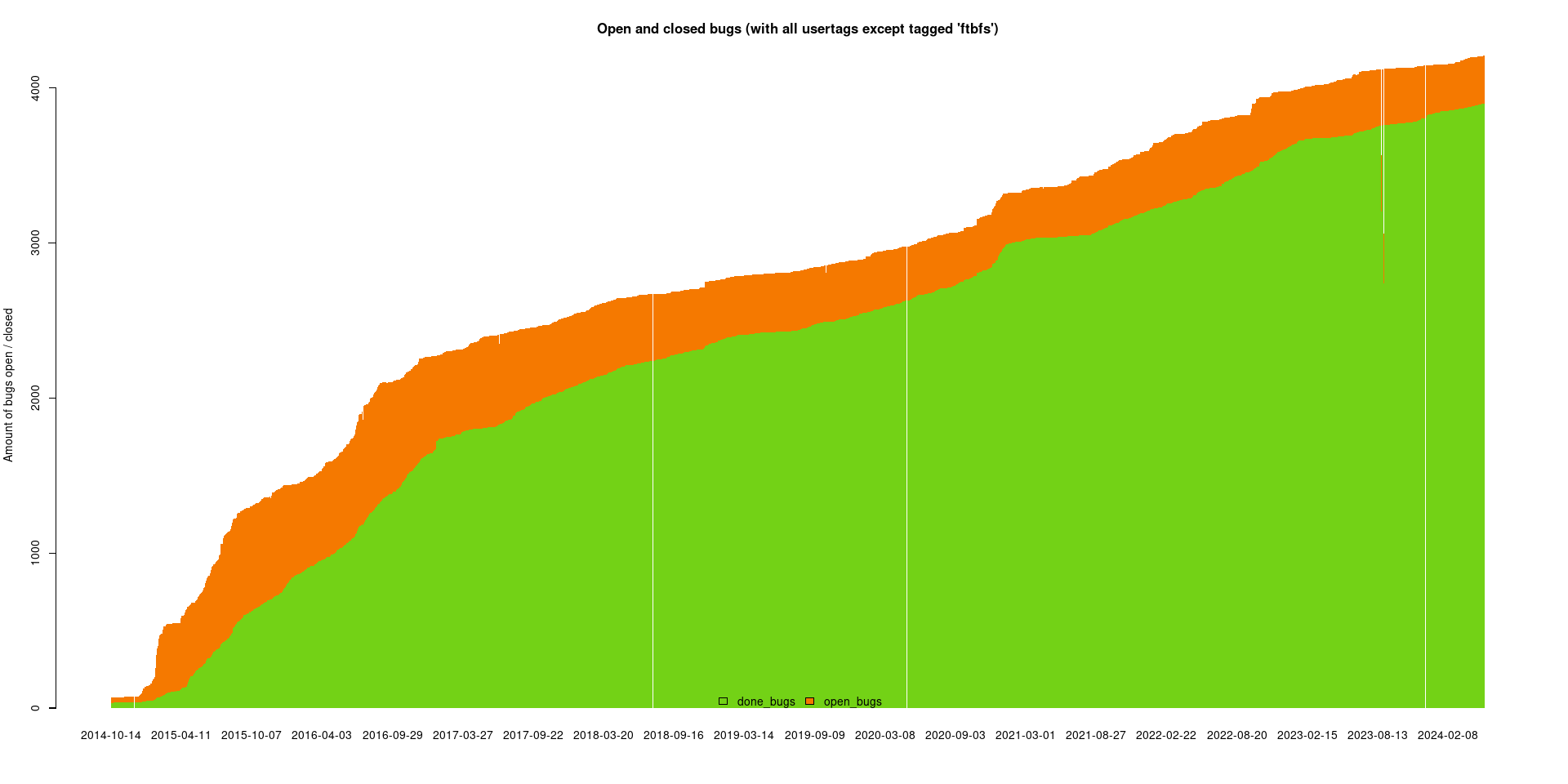
What happened in the reproducible builds effort this week: Toolchain fixes Reiner Herrmann submitted a patch against debhelper to make dh_installinit source files in a stable order. Chris Lamb found how to make cython output deterministic by ordering the keys used to traverse a dict. Reiner Herrmann proposed a patch for pyside-tools to remove the timestamps embedded by rcc in the generated Python code. Mattia Rizzolo rebased our custom version of debhelper on version 9.20151126. As no objections have been made so far, Mattia Rizzolo has filled #805872 asking -Wdate-time to be turned on by default in dpkg-buildflag. Guillem has since sent a final warning before proceeding as such in the next dpkg upload. Russ Allbery added support for SOURCE_DATE_EPOCH in podlators 4.00 which Niko Tyni intend to backport to Perl 5.22. Packages fixed The following packages have become reproducible due to changes in their build dependencies: fontforge, golang-github-tinylib-msgp, libpango-perl, libparanamer-java, libxaw, sqljet, stringtemplate4, uzbl, zope-mysqlda. The following packages became reproducible after getting fixed: Some uploads fixed some reproducibility issues, but not all of them: Patches submitted which have not made their way to the archive yet: Lunar reported two issues making xz-utils unreproducible (#806328, #806331). reproducible.debian.net A seventh armhf build node has been added (resulting of two more armhf build jobs). Thanks to Vagrant Cascadian for putting this Raspberry Pi 2B to help. (h01ger) jenkins.debian.net has been made more robust against network and proxy failures. (h01ger) A new 100 GB partition has been set up on reproducible.debian.net to prevent disk space issues. Thanks to ProfitBricks for its continuous support to our continuous test system. (h01ger) New graphs showing usertagged bugs have been added on the dashboard to measure the progress without FTBFS issues. Please note that comparing the two graphs might be misleading as more than 1300 FTBFS bugs have been inventoried. (h01ger) Package reviews 78 reviews have been removed, 116 added and 49 updated this week. 25 new FTBFS have been filed by Chris West, Chris Lamb and Santiago Vila. New issues identified this week: timestamps_in_documentation_generated_with_libwibble, copyright_year_in_documentation_generated_by_sphinx, timestamps_in_documentation_generated_by_glib_genpod, random_order_of_tmpfiles_in_postinst, random_order_in_cython_output, timestamps_in_python_code_generated_by_pyside. Reiner Herrmann and Lunar improved the prebuilder script: the script can now be called through a symlink, run parallel builds, calls diffoscope by its new name and ensure to install its recommends, and save the text output aside the HTML one. Reiner also added a script to lookup the last update of notes for a given package. Misc. Santiago Villa has been recently working on making sure that Arch:all packages were properly buildable by running dpkg-buildpackage -A. This uncovered a question that is probably not currently addressed by the policy: on which architectures should architecture-independent be buildable?

Stein Magnus Jodal: November contributions

The following is a short summary of my open source work in November. My hope is that keeping better track of what I m doing will help me reflect on how I spend my time, and help me to focus my efforts better.

Debian

Mopidy
  • Released Mopidy-Spotify 2.2.0: Fixes related to duplicate Starred playlists and albums from year 0.
  • Moved Mopidy s Travis CI testing from Ubuntu 12.04 to Ubuntu 14.04, to prepare for GStreamer 1.x, and eventually testing with Python 3.4. PR #1341
  • Worked on porting Mopidy from GStreamer 0.10 to PyGI and GStreamer 1.x. PR #1339
  • Briefly looked at what remains to get Mopidy running on both Python 2.7 and 3.4+ when we ve landed the port to GStreamer 1.x. Doesn t look too bad, except that ConfigParser doesn t want to work with bytes in Python 3, so there s no easy way to read a config file referring to a path on a non-UTF-8 file system.

Comics
  • Fixed two old crawlers. Added two new crawlers.
  • Needs to upgrade to Django 1.8 before the Django 1.7 security support ends this December.

26 November 2015

Olivier Berger: Handling video files produced for a MOOC on Windows with git and git-annex

This post is intended to document some elements of workflow that I ve setup to manage videos produced for a MOOC, where different colleagues work collaboratively on a set of video sequences, in a remote way. We are a team of several schools working on the same course, and we have an incremental process, so we need some collaboration over a quite long period of many remote authors, over a set of video sequences. We re probably going to review some of the videos and make changes, so we need to monitor changes, and submit versions to colleagues on remote sites so they can criticize and get later edits. We may have more that one site doing video production. Thus we need to share videos along the flow of production, editing and revision of the course contents, in a way that is manageable by power users (we re all computer scientists, used to SVN or Git). I ve decided to start an experiment with Git and Git-Annex to try and manage the videos like we use to do for slides sources in LaTeX. Obviously the main issue is that videos are big files, demanding in storage space and bandwidth for transfers. We want to keep a track of everything which is done during the production of the videos, so that we can later re-do some of the video editing, for instance if we change the graphic design elements (logos, subtitles, frame dimensions, additional effects, etc.), for instance in the case where we would improve the classes over the seasons. On the other hand, not all colleagues want to have to download a full copy of all rushes on their laptop if they just want to review on particular sequence of the course. They will only need to download the final edit MP4. Even if they re interested in being able to fetch all the rushes, should they want to try and improve the videos. Git-Annex brings us the ability to decouple the presence of files in directories, managed by regular Git commands, from the presence of the file contents (the big stuff), which is managed by Git-Annex. Here s a quick description of our setup : Why didn t we use git-annex on windows directly, on the Windows host which is the source of the files ? We tried, but that didn t make it. Git-Annex assistant somehow crashed on us, thus causing the Git history to be strange, so that became unmanageable, and more important, we need robust backups, so we can t allow to handle something we don t fully trust: shooting again a video is really costly (setting up again a shooting set, with lighting, cameras, and a professor who has to repeat again the speech!). The rsync (with delete on destination) from windows to Linux is robust. Git-Annex on Linux seems robust so far. That s enough for now :-) The drawback is that we need manual intervention for starting the rsync, and also that we must make sure that the rsync target is ready to get a backup. The target of the rsync on Linux is a git-annex clone using the default indirect mode, which handles the files as symlinks to the actual copies managed by git-annex inside the .git/ directory. But that ain t suitable to be compared to the origin of the rsync mirror which are plain files on the Windows computer. We must then do a git-annex edit on the whole target of the rsync mirror before the rsync, so that the files are there as regular video files. This is costly, in terms of storage, and also copying time (our repo contains around 50 Gb, and the Linux host is a rather tiny laptop). After the rsync, all the files need to be compared to the SHA256 known to git-annex so that only modified files are taken into account in the commit. We perform a git-annex add on the whole files (for new files having appeared at rsync time), and then a git-annex sync . That takes a lot of time, since all SHA256 computations are quite long for such a set of big files (the video rushes and edited videos are in HD). So the process needs to be the following, on the target Linux host:
  1. git annex add .
  2. git annex sync
  3. git annex copy . to server1
  4. git annex copy . to server2
  5. git annex edit .
  6. only then : rsync
Iterate ad lib  I would have preferred to have a working git-annex on windows, but that is a much more manageable process for me for now, and until we have more videos to handle in our repo that our Linux laptop can hold, we re quite safe. Next steps will probably involve gardening the contents of the repo on the Linux host so we re only keeping copies of current files, and older copies are only kept on the 2 servers, in case of later need. I hope this can be useful to others, and I d welcome suggestions on how to improve our process.

23 November 2015

Riku Voipio: Using ser2net for serial access.

Is your table a mess of wires? Do you have multiple devices connected via serial and can't remember which is /dev/ttyUSBX is connected to what board? Unless you are a embedded developer, you are unlikely to deal with serial much anymore - In that case you can just jump to the next post in your news feed. Introducting ser2netUsually people start with minicom for serial access. There are better tools - picocom, screen, etc. But to easily map multiple serial ports, use ser2net. Ser2net makes serial ports available over telnet. Persistent usb device names and ser2netTo remember which usb-serial adapter is connected to what, we use the /dev/serial tree created by udev, in /etc/ser2net.conf:
# arndale
7004:telnet:0:'/dev/serial/by-path/pci-0000:00:1d.0-usb-0:1.8.1:1.0-port0':115200 8DATABITS NONE 1STOPBIT
# cubox
7005:telnet:0:/dev/serial/by-id/usb-Prolific_Technology_Inc._USB-Serial_Controller_D-if00-port0:115200 8DATABITS NONE 1STOPBIT
# sonic-screwdriver
7006:telnet:0:/dev/serial/by-id/usb-FTDI_FT230X_96Boards_Console_DAZ0KA02-if00-port0:115200 8DATABITS NONE 1STOPBIT
The by-path syntax is needed, if you have many identical usb-to-serial adapters. In that case a Patch from BTS is needed to support quoting in serial path. Ser2net doesn't seems very actively maintained upstream - a sure sign that project is stagnant is a homepage still at sourceforge.net... This patch among other interesting features can be also be found in various ser2net forks in github. Setting easy to remember names Finally, unless you want to memorize the port numbers, set TCP port to name mappings in /etc/services:

# Local services
arndale 7004/tcp
cubox 7005/tcp
sonic-screwdriver 7006/tcp
Now finally:
telnet localhost sonic-screwdriver
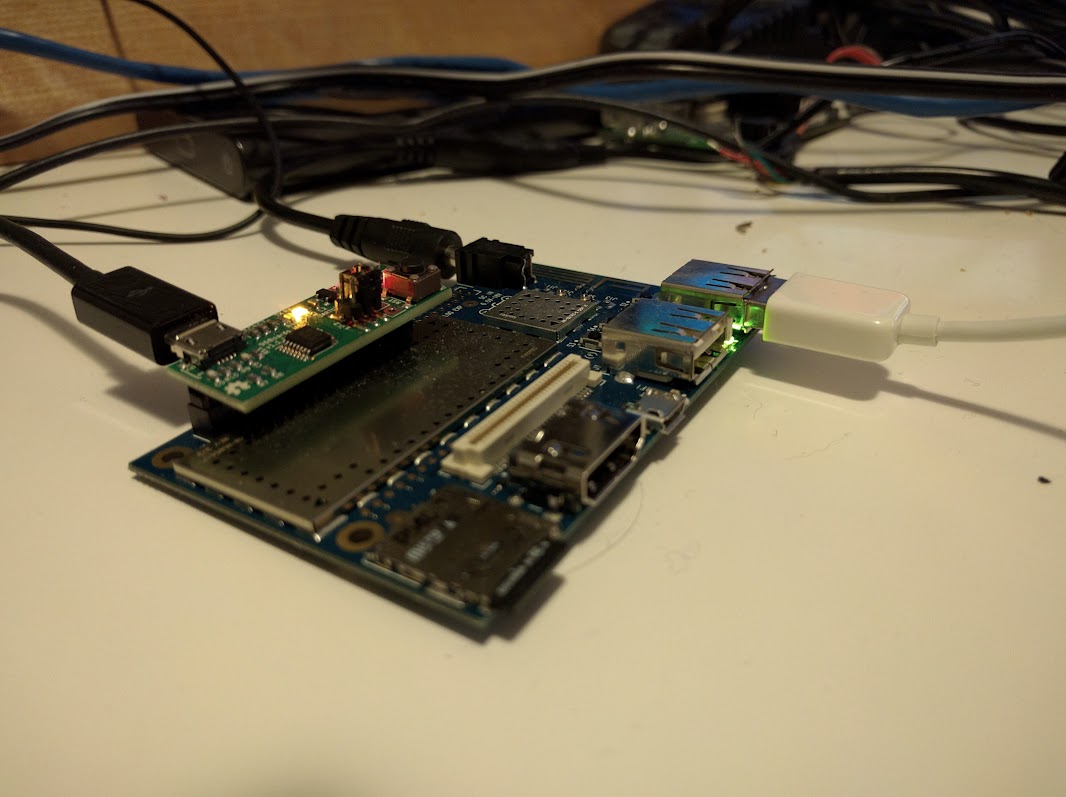
^Mandatory picture of serial port connection in action

Jonathan Dowland: CDs should come with download codes

boxes of CDs & the same data on MicroSD boxes of CDs & the same data on MicroSD
There's a Vinyl resurgence going on, with vinyl record sales growing year-on-year. Many of the people buying records don't have record players. Many records are sold including a download code, granting the owner an (often one-time) opportunity to download a digital copy of the album they just bought. Some may be tempted to look down upon those buying vinyl records, especially those who don't have a means to play them. The record itself is, now more than ever, a physical totem rather than a media for the music. But is this really that different to how we've treated audio CDs this century? For at least 15 years, I've ripped every CD I've bought and then stored it in a shoebox. (I'm up to 10 shoeboxes). The ripped copy is the only thing I listen to. The CD is little more than a totem, albeit one which I have to use in a relatively inconvenient ritual in order to get something I can conveniently listen to. The process of ripping CDs has improved a lot in this time, but it's still a pain. CD-ROM drives are also becoming a lot more scarce. Ripping is not necessary reliable, either. The best tool to verify a rip is AccurateRip, a privately-owned database of track checksums. The private status is a problem for the community (Remember what happened to CDDB?) and is only useful if other people using an AccurateRip-supported ripper have already successfully ripped the CD. Then there's things like CD pre-emphasis. It turns out that the Red Book standard defines a rarely-used flag that means the CD (or individual tracks) have had pre-emphasis applied to the treble-end of the frequency spectrum. The CD player is supposed to apply de-emphasis on playback. This doesn't happen if you fetch the audio data digitally, so it becomes the CD rippers responsibility to handle this. CD rippers have only relatively recently grown support for it. Awareness has been pretty low, so low that nobody has a good idea about how many CDs actually have pre-emphasis set: it's thought to be very rare, but (as far as I know) MusicBrainz doesn't (yet) track it. So some proportion of my already-ripped CDs may have actually been ripped incorrectly, and I can't easily determine which ones without re-ripping them all. I know that at least my Quake computer game CD has it set, and I have suspicions about some other releases. Going forward, this could be avoided entirely if CDs were treated more like totems, as vinyl records are, than the media delivering the music itself, and if record labels routinely included download cards with audio CDs. For just about anyone, no matter how the music was obtained, media-less digital is the canonical form for engaging with it. Attention should also be paid to make sure that digital releases are of a high quality: but that's a topic for another blog post.

Jonathan Dowland: On BBC 6 Music

Back in July I had a question of mine read out on the Radcliffe and Maconie programme on BBC 6 Music. The pair were interviewing Stephen Morris of New Order and I took the opportunity to ask a question about backing vocals on the 1989 song "Run2". Here's the question and answer (318K MP3, 21s):

Thomas Goirand: OpenStack Liberty and Debian

Long over due post It s been a long time I haven t written here. And lots of things happened in the OpenStack planet. As a full time employee with the mission to package OpenStack in Debian, it feels like it is kind of my duty to tell everyone about what s going on. Liberty is out, uploaded to Debian Since my last post, OpenStack Liberty, the 12th release of OpenStack, was released. In late August, Debian was the first platform which included Liberty, as I proudly outran both RDO and Canonical. So I was the first to make the announcement that Liberty passed most of the Tempest tests with the beta 3 release of Liberty (the Beta 3 is always kind of the first pre-release, as this is when feature freeze happens). Though I never made the announcement that Liberty final was uploaded to Debian, it was done just a single day after the official release. Before the release, all of Liberty was living in Debian Experimental. Following the upload of the final packages in Experimental, I uploaded all of it to Sid. This represented 102 packages, so it took me about 3 days to do it all. Tokyo summit I had the pleasure to be in Tokyo for the Mitaka summit. I was very pleased with the cross-project sessions during the first day. Lots of these sessions were very interesting for me. In fact, I wish I could have attended them all, but of course, I can t split myself in 3 to follow all of the 3 tracks. Then there was the 2 sessions about Debian packaging on upstream OpenStack infra. The goal is to setup the OpenStack upstream infrastructure to allow packaging using Gerrit, and gating each git commit using the usual tools: building the package and checking there s no FTBFS, running checks like lintian, piuparts and such. I knew already the overview of what was needed to make it happen. What I didn t know was the implementation details, which I hoped we could figure out during the 1:30 slot. Unfortunately, this didn t happen as I expected, and we discussed more general things than I wished. I was told that just reading the docs from the infra team was enough, but in reality, it was not. What currently needs to happen is building a Debian based image, using disk-image-builder, which would include the usual tools to build packages: git-buildpackage, sbuild, and so on. I m still stuck at this stage, which would be trivial if I knew a bit more about how upstream infra works, since I already know how to setup all of that on a local machine. I ve been told by Monty Tailor that he would help. Though he s always a very busy man, and to date, he still didn t find enough time to give me a hand. Nobody replied to my request for help in the openstack-dev list either. Hopefully, with a bit of insistence, someone will help. Keystone migration to Testing (aka: Debian Stretch) blocked by python-repoze.who Absolutely all of OpenStack Liberty, as of today, has migrated to Stretch. All? No. Keystone is blocked by a chain of dependency. Keystone depends on python-pysaml2, itself blocked by python-repoze.who. The later, I upgraded it to version 2.2. Though python-repoze.what depends on version <= 1.9, which is blocking the migration. Since python-repoze.who-plugins, python-repoze.what and python-repoze.what-plugins aren t used by any package anymore, I asked for them to be removed from Debian (see #805407). Until this request is processed by the FTP masters, Keystone, which is the most important piece of OpenStack (it does the authentication) will be blocked for migration to Stretch. New OpenStack server packages available On my presentation at Debconf 15, I quickly introduced new services which were released upstream. I have since packaged them all: Congress, unfortunately, was not accepted to Sid yet, because of some licensing issues, especially with the doc of python-pulp. I will correct this (remove the non-free files) and reattempt an upload. I hope to make them all available in jessie-backports (see below). For the previous release of OpenStack (ie: Kilo), I skipped the uploads of services which I thought were not really critical (like Ironic, Designate and more). But from the feedback of users, they would really like to have them all available. So this time, I will upload them all to the official jessie-backports repository. Keystone v3 support For those who don t know about it, Keystone API v3 means that, on top of the users and tenant, there s a new entity called a domain . All of the Liberty is now coming with Keystone v3 support. This includes the automated Keystone catalog registration done using debconf for all *-api packages. As much as I could tell by running tempest on my CI, everything still works pretty well. In fact, Liberty is, to my experience, the first release of OpenStack to support Keystone API v3. Uploading Liberty to jessie-backports I have rebuilt all of Liberty for jessie-backports on my laptop using sbuild. This is more than 150 packages (166 packages currently). It took me about 3 days to rebuild them all, including unit tests run at build time. As soon as #805407 is closed by the FTP masters, all what s remaining will be available in Stretch (mostly Keystone), and the upload will be possible. As there will be a lot of NEW packages (from the point of view of backports), I do expect that the approval will take some time. Also, I have to warn the original maintainers of the packages that I don t maintain (for example, those maintained within the DPMT), that because of the big number of packages, I will not be able to process the usual communication to tell that I m uploading to backports. However, here s the list of package. If you see one that you maintain, and that you wish to upload the backport by yourself, please let me know. Here s the list of packages, hopefully, exhaustive, that I will upload to jessie-backports, and that I don t maintain myself: alabaster contextlib2 kazoo python-cachetools python-cffi python-cliff python-crank python-ddt python-docker python-eventlet python-git python-gitdb python-hypothesis python-ldap3 python-mock python-mysqldb python-pathlib python-repoze.who python-setuptools python-smmap python-unicodecsv python-urllib3 requests routes ryu sphinx sqlalchemy turbogears2 unittest2 zzzeeksphinx. More than ever, I wish I could just upload these to a PPA^W Bikeshed, to minimize the disruption for both the backports FTP masters, other maintainers, and our OpenStack users. Hopefully, Bikesheds will be available soon. I am sorry to give that much approval work to the backports FTP masters, however, using the latest stable system with the latest release, is what most OpenStack users really want to do. All other major distributions have specific repositories too (ie: RDO for CentOS / Red Hat, and cloud archive for Ubuntu), and stable-backports is currently the only place where I can upload support for the Stable release. Debian listed as supported distribution on openstack.org Good news! If you go at http://www.openstack.org/marketplace/distros/ you will see a list of supported distributions. I am proud to be able to tell that, after 6 months of lobbying from my side, Debian is also listed there. The process of having Debian there included talking with folks from the OpenStack foundation, and having Bdale to sign an agreement so that the Debian logo could be reproduced on openstack.org. Thanks to Bdale Garbee, Neil McGovern, Jonathan Brice, and Danny Carreno, without who this wouldn t have happen.

20 November 2015

Jonathan Dowland: smartmontools

It's been at least a year since I last did any work on Debian, but this week I finally uploaded a new version of squishyball, an audio sample comparison tool, incorporating a patch from Thibaut Girka which fixes the X/X/Y test method. Shamefully Thibaut's patch is nearly a year old too. Better late than never... I've also uploaded a new version of smartmontools which updates the package to the new upstream version. I'm not the regular maintainer for this package, but it is in the set of packages covered by the collab-maint team. To be polite I uploaded it to DELAYED-7, so it will take a week to hit unstable. I've temporarily put a copy of the package here in the meantime.

Sylvain Beucler: Mini-sendmail... in bash

I recently faced an environment where there is no MTA. WTF? The reason is that people who work there get security audits on a regular basis, and the security people are usually mo...deratly skilled guys who blindly run a set of scripts, e.g. by ordering to disable Apache modules that "where seen enabled in /etc/apache2/mods-available/"... To avoid spending days arguing with them and nitpicking with non-technical managers, the system is trimmed to the minimum - and there is no MTA. No MTA, so no cron output, so difficulty to understand why last night's cron job failed miserably. Since it was not my role to reshape the whole business unit, I decided to hack a super-light, but functional way to get my cron output:
cat <<'EOF' > /usr/sbin/sendmail
#!/bin/bash
(
    echo "From me  $(LANG=C date)"
    cat
    echo
) >> /var/mail/all
EOF
chmod 755 /usr/sbin/sendmail
It works! :) There is a companion logrotate script, to avoid filling the file system:
cat <<'EOF' > /etc/logrotate.d/mail-all
/var/mail/all  
  daily
  rotate 10
  compress
  delaycompress
  notifempty
  create 622 root mail
 
EOF
Bootstrap with:
touch /var/mail/all
logrotate -f /var/mail/all
You now can check your sys-mails with:
mutt -f /var/mail/all
;)

16 November 2015

Julien Danjou: Profiling Python using cProfile: a concrete case

Writing programs is fun, but making them fast can be a pain. Python programs are no exception to that, but the basic profiling toolchain is actually not that complicated to use. Here, I would like to show you how you can quickly profile and analyze your Python code to find what part of the code you should optimize. What's profiling? Profiling a Python program is doing a dynamic analysis that measures the execution time of the program and everything that compose it. That means measuring the time spent in each of its functions. This will give you data about where your program is spending time, and what area might be worth optimizing. It's a very interesting exercise. Many people focus on local optimizations, such as determining e.g. which of the Python functions range or xrange is going to be faster. It turns out that knowing which one is faster may never be an issue in your program, and that the time gained by one of the functions above might not be worth the time you spend researching that, or arguing about it with your colleague. Trying to blindly optimize a program without measuring where it is actually spending its time is a useless exercise. Following your guts alone is not always sufficient. There are many types of profiling, as there are many things you can measure. In this exercise, we'll focus on CPU utilization profiling, meaning the time spent by each function executing instructions. Obviously, we could do many more kind of profiling and optimizations, such as memory profiling which would measure the memory used by each piece of code something I talk about in The Hacker's Guide to Python. cProfile Since Python 2.5, Python provides a C module called cProfile which has a reasonable overhead and offers a good enough feature set. The basic usage goes down to:
>>> import cProfile
>>> cProfile.run('2 + 2')
2 function calls in 0.000 seconds

Ordered by: standard name

ncalls tottime percall cumtime percall filename:lineno(function)
1 0.000 0.000 0.000 0.000 <string>:1(<module>)
1 0.000 0.000 0.000 0.000 method 'disable' of '_lsprof.Profiler' objects

Though you can also run a script with it, which turns out to be handy:
$ python -m cProfile -s cumtime lwn2pocket.py
72270 function calls (70640 primitive calls) in 4.481 seconds

Ordered by: cumulative time

ncalls tottime percall cumtime percall filename:lineno(function)
1 0.004 0.004 4.481 4.481 lwn2pocket.py:2(<module>)
1 0.001 0.001 4.296 4.296 lwn2pocket.py:51(main)
3 0.000 0.000 4.286 1.429 api.py:17(request)
3 0.000 0.000 4.268 1.423 sessions.py:386(request)
4/3 0.000 0.000 3.816 1.272 sessions.py:539(send)
4 0.000 0.000 2.965 0.741 adapters.py:323(send)
4 0.000 0.000 2.962 0.740 connectionpool.py:421(urlopen)
4 0.000 0.000 2.961 0.740 connectionpool.py:317(_make_request)
2 0.000 0.000 2.675 1.338 api.py:98(post)
30 0.000 0.000 1.621 0.054 ssl.py:727(recv)
30 0.000 0.000 1.621 0.054 ssl.py:610(read)
30 1.621 0.054 1.621 0.054 method 'read' of '_ssl._SSLSocket' objects
1 0.000 0.000 1.611 1.611 api.py:58(get)
4 0.000 0.000 1.572 0.393 httplib.py:1095(getresponse)
4 0.000 0.000 1.572 0.393 httplib.py:446(begin)
60 0.000 0.000 1.571 0.026 socket.py:410(readline)
4 0.000 0.000 1.571 0.393 httplib.py:407(_read_status)
1 0.000 0.000 1.462 1.462 pocket.py:44(wrapped)
1 0.000 0.000 1.462 1.462 pocket.py:152(make_request)
1 0.000 0.000 1.462 1.462 pocket.py:139(_make_request)
1 0.000 0.000 1.459 1.459 pocket.py:134(_post_request)
[ ]

This prints out all the function called, with the time spend in each and the number of times they have been called. Advanced visualization with KCacheGrind While being useful, the output format is very basic and does not make easy to grab knowledge for complete programs. For more advanced visualization, I leverage KCacheGrind. If you did any C programming and profiling these last years, you may have used it as it is primarily designed as front-end for Valgrind generated call-graphs. In order to use, you need to generate a cProfile result file, then convert it to KCacheGrind format. To do that, I use pyprof2calltree.
$ python -m cProfile -o myscript.cprof myscript.py
$ pyprof2calltree -k -i myscript.cprof

And the KCacheGrind window magically appears!
Concrete case: Carbonara optimization I was curious about the performances of Carbonara, the small timeserie library I wrote for Gnocchi. I decided to do some basic profiling to see if there was any obvious optimization to do. In order to profile a program, you need to run it. But running the whole program in profiling mode can generate a lot of data that you don't care about, and adds noise to what you're trying to understand. Since Gnocchi has thousands of unit tests and a few for Carbonara itself, I decided to profile the code used by these unit tests, as it's a good reflection of basic features of the library. Note that this is a good strategy for a curious and naive first-pass profiling. There's no way that you can make sure that the hotspots you will see in the unit tests are the actual hotspots you will encounter in production. Therefore, a profiling in conditions and with a scenario that mimics what's seen in production is often a necessity if you need to push your program optimization further and want to achieve perceivable and valuable gain. I activated cProfile using the method described above, creating a cProfile.Profile object around my tests (I actually started to implement that in testtools). I then run KCacheGrind as described above. Using KCacheGrind, I generated the following figures.
The test I profiled here is called test_fetch and is pretty easy to understand: it puts data in a timeserie object, and then fetch the aggregated result. The above list shows that 88 % of the ticks are spent in set_values (44 ticks over 50). This function is used to insert values into the timeserie, not to fetch the values. That means that it's really slow to insert data, and pretty fast to actually retrieve them. Reading the rest of the list indicates that several functions share the rest of the ticks, update, _first_block_timestamp, _truncate, _resample, etc. Some of the functions in the list are not part of Carbonara, so there's no point in looking to optimize them. The only thing that can be optimized is, sometimes, the number of times they're called.
The call graph gives me a bit more insight about what's going on here. Using my knowledge about how Carbonara works, I don't think that the whole stack on the left for _first_block_timestamp makes much sense. This function is supposed to find the first timestamp for an aggregate, e.g. with a timestamp of 13:34:45 and a period of 5 minutes, the function should return 13:30:00. The way it works currently is by calling the resample function from Pandas on a timeserie with only one element, but that seems to be very slow. Indeed, currently this function represents 25 % of the time spent by set_values (11 ticks on 44). Fortunately, I recently added a small function called _round_timestamp that does exactly what _first_block_timestamp needs that without calling any Pandas function, so no resample. So I ended up rewriting that function this way:
def _first_block_timestamp(self):
- ts = self.ts[-1:].resample(self.block_size)
- return (ts.index[-1] - (self.block_size * self.back_window))
+ rounded = self._round_timestamp(self.ts.index[-1], self.block_size)
+ return rounded - (self.block_size * self.back_window)

And then I re-run the exact same test to compare the output of cProfile.
The list of function seems quite different this time. The number of time spend used by set_values dropped from 88 % to 71 %.
The call stack for set_values shows that pretty well: we can't even see the _first_block_timestamp function as it is so fast that it totally disappeared from the display. It's now being considered insignificant by the profiler. So we just speed up the whole insertion process of values into Carbonara by a nice 25 % in a few minutes. Not that bad for a first naive pass, right?

14 November 2015

Daniel Pocock: Migrating data from Windows phones

Many of the people who have bought Windows phones seek relief sooner or later. Sometimes this comes about due to peer pressure or the feeling of isolation, in other cases it is the frustration of the user interface or the realization that they can't run cool apps like Lumicall. Frequently, the user has been given the phone as a complimentary upgrade when extending a contract without perceiving the time, effort and potential cost involved in getting their data out of the phone, especially if they never owned a smartphone before. When a Windows phone user does decide to cut their losses, they are usually looking to a friend or colleague with technical expertise to help them out. Personally, I'm not sure that anybody I would regard as an IT expert has ever had a Windows phone though, meaning that many experts are probably also going to be scratching their heads when somebody asks them for help. Therefore, I've put together this brief guide to help deal with these phones more expediently when they are encountered. The Windows phones have really bad support for things like CalDAV and WebDAV so don't get your hopes up about using such methods to backup the data to any arbitrary server. Searching online you can find some hacks that involve creating a Google or iCloud account in the phone and then modifying the advanced settings to send the data to an arbitrary server. These techniques vary a lot between specific versions of the Windows Phone OS and so the techniques I've described below are probably easier. Identify the Windows Live / Hotmail account The user may not remember or realize that a Microsoft account was created when they first obtained the phone. It may have been created for them by the phone, a friend or the salesperson in the phone shop. Look in the settings (Accounts) to find the account ID / email address. If the user hasn't been using this account, they may not recognize it and probably won't know the password for it. It is essential to try and obtain (or reset) the password before going any further, so start with the password recovery process. Microsoft may insist on sending a password reset email to some other email address that the user has previously provided or linked to their phone. Extracting data from the phone In many cases, the easiest way to extract the data is to download it from Microsoft live.com rather than extracting it from the phone. Even if the user doesn't realize it, the data is probably all replicated in live.com and so there is no further loss of privacy by logging in there to extract it. Set up an IMAP mail client An IMAP client will be used to download the user's emails (from the live.com account they may never have used) and SMS. Install Mozilla Thunderbird (IceDove on Debian), GNOME Evolution or a similar program on the user's PC. Configure the IMAP mail client to connect to the live.com account. Some clients, like Thunderbird, will automatically set up all the server details when you enter the live.com account ID. For manual account setup, the details here may help. Email backup If the user was not using the live.com account ID for email correspondence, there may not be a lot of mail in it. There may be some billing receipts or other things that are worth keeping though. Create a new folder (or set of folders) in the user's preferred email account and drag and drop the messages from the live.com Inbox to the new folder(s). SMS backup SMS backup can also be done through live.com. It is slightly more complicated than email backup, but similar.
  • In the live.com Outlook email index page, look for the settings button and click Manage Categories.
  • Enable the Contacts and Photos categories with a tick in each of them.
  • Go back to the main Inbox page and look for the categories section on the bottom left-hand side of the screen, under the folder list. Click the Contacts category.
  • The page may now appear blank. That is normal.
  • On the top right-hand corner of the page, click the Arrange menu and choose Conversation.
  • All the SMS messages should now appear on the screen.
  • Under the mail folders list on the left-hand side of the page, click to create a new folder with a name like SMS.
  • Select all the SMS messages and look for the option to move them to a folder. Send them to the SMS folder you created.
  • Now use the IMAP mail client to locate the SMS folder and copy everything from there to a new folder in the user's preferred mail server or local disk.
Contacts backup On the top left-hand corner of the live.com email page, there is a chooser to select other live.com applications. Select People. You should now see a list of all the user's contacts. Look for the option to export them to Outlook and other programs. This will export them as a CSV file. You can now import the CSV file into another application. GNOME Evolution has an import wizard with an option for Outlook file format. To load the contacts into a WebDAV address book, such as DAViCal, configure the address book in Evolution and then select it as the destination when running the CSV import wizard. WARNING: beware of using the Mozilla Thunderbird address book with contact data from mobile devices and other sources. It can't handle more than two email addresses per contact and this can lead to silent data loss if contacts are not fully saved. Calendar backup Now go to the live.com application chooser again and select the calendar application. Microsoft provides instructions to extract the calendar, summarised here:
  • Look for the Share button at the top somewhere and click it.
  • On the left-hand side of the page, click Get a link
  • On the right-hand side, choose Show event details to ensure you get a full calendar and then click Create underneath it.
  • Look for the link with a webcals prefix. If you are downloading with a tool like wget, change the scheme prefix to https. Fetch the file from this link and save it with an ics extension.
  • Inspect the ics calendar file to make sure it looks like real iCalendar data.
You can now import the ics file into another application. GNOME Evolution has an import wizard with an option for iCalendar file format. To load the calendar entries into a CalDAV server, such as DAViCal, configure the calendar server in Evolution and then select it as the destination when running the import wizard. Backup the user's photos, videos and other data files Hopefully you will be able to do this step without going through live.com. Try enabling the MTP or PTP mode in the phone and attach it to the computer using the USB cable. Hopefully the computer will recognize it in at least one of those modes. Use the computer's file manager or another tool to simply backup the entire directory structure. Reset the phone to factory defaults Once the user has their hands on a real phone, it is likely they will never want to look at that Windows phone again. It is time to erase the Windows phone, there is no going back. Go to the Settings and About and tap the factory reset option. It is important to do this before obliterating the live.com account, otherwise there are scenarios where you could be locked out of the phone and unable to erase it. Erasing may take some time. The phone will reboot and then display an animation of some gears spinning around for a few minutes and then reboot again. Wait for it to completely erase. Permanently close the Microsoft live.com account Keeping track of multiple accounts and other services is tedious and frustrating for most people, especially with services that try to force the user to receive email in different places. You can help eliminate user fatigue by helping them permanently close the live.com account so they never have to worry about it again. Follow the instructions on the Microsoft site. At some point it will suggest certain actions you should take before closing the account, most can be ignored. One thing you should do is remove the link between the live.com account ID and the phone. It is a good idea to do this as otherwise you may have problems erasing the device, if you haven't already done so. Before completely closing the account, also verify that the factory reset of the phone completed successfully. Dispose of the Windows phone safely If you can identify any faults with the phone, the user may be able to return it under the terms of the warranty. Some phone companies may allow the user to exchange it for something more desirable when it fails under warranty. It may be tempting to sell the phone to a complete stranger on eBay or install a custom ROM on it. In practice, neither option may be worth the time and effort involved. You may be tempted to put it beyond use so nobody else will suffer with it, but please try to do so in a way that is respectful of the environment. Putting the data into a new phone Prepare the new phone with a suitable ROM such as Replicant or Cyanogenmod. Install the F-Droid app on the new phone. From F-droid, install the DAVdroid app. DAVdroid will allow you to quickly sync the new phone against any arbitrary CalDAV and WebDAV server to populate it with the user's calendar and contact / address book data. Now is a good time to install other interesting apps like Lumicall, Conversations and K-9 Mail.

11 November 2015

Jonathan Dowland: Useful Mac programs

A little over a year ago I wrote about how I'd been using a Mac as my main work machine. I hadn't written anything on the subject since. Here are four useful Mac programs that I can recommend to people. Sizeup, from Irradiated Software. A bit Like Windows' aero snap, but on steroids. I love this. I regularly move windows between two desktops (external and internal display), resize and centre them or put them in one quarter of the screen with just a few presses. The "snapback" feature is also great. X Lossless Decoder (XLD). A handy transcoder that can use QuickTime encoders and so can write out Apple/Quicktime/iTunes-encoded AAC/MP4 files en-mass, translating file meta-data.
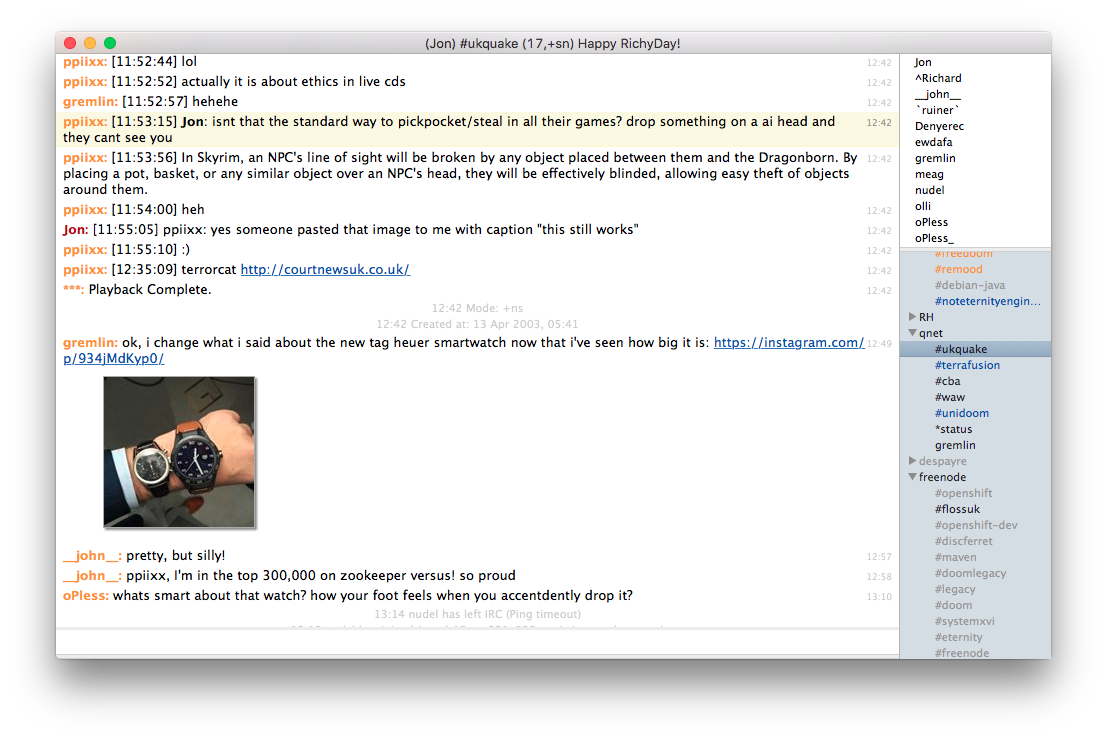
LimeChat LimeChat
LimeChat, an IRC client. I theme it to look like Colloquy. The net result is pretty clean. I like using a proportional-font for text things, so getting IRC out of a terminal is a win for me. LimeChat automatically fetches and thumbnails URIs to images that people paste in channels, which is either incredibly convenient or a curse, depending on the channel. You can toggle that behaviour but only across the whole client, not on a channel or network basis. Finally, 1Password is an incredibly slick password manager. I use it in a very basic fashion: no mobile client, no syncing to anything outside of my workstation. You could also use LastPass which is similar and has a Linux client. I haven't tried it, but there's a third party tool to read 1Password password stores on Linux written by Ryan Coleman of SDL fame called 1pass.

4 November 2015

Craig Sanders: Part-time sysadmin work in Melbourne?

I m looking for a part-time Systems Administration role in Melbourne, either in a senior capacity or happy to assist an existing sysadmin or development team. I m mostly recovered from a long illness and want to get back to work, on a part-time basis (up to 3 days per week). Preferably in the City or Inner North near public transport. I can commute further if there is scope for telecommuting once I know your systems and people, and trust has been established. If you have a suitable position available or know of someone who does, please contact me by email. Why hire me? Pros: Cons: Full CV available on request. I m in the top few percent on ServerFault and Unix & Linux StackExchange sites if you want to get a preview of my problem-solving and technical communication skills, see my profile at: http://unix.stackexchange.com/users/7696/cas?tab=profile CV Summary: Systems Administrator and Programmer with extensive exposure to a wide variety of hardware and software systems. Excellent fault-diagnosis, problem-solving and system design skills. Strong technical/user support background. Ability to communicate technical concepts clearly to non-IT people. Significant IT Management and supervisory experience. Particular Skills Part-time sysadmin work in Melbourne? is a post from: Errata

31 October 2015

Chris Lamb: Free software activities in October 2015

Here is my monthly update covering a large part of what I have been doing in the free software world (previously):
Debian My work in the Reproducible Builds project was also covered in more depth in Lunar's weekly reports (#23, #24, #25, #26).
LTS

This month I have been paid to work 11 hours on Debian Long Term Support (LTS). In that time I did the following:
  • DLA 326-1 for zendframework fixing an SQL injection vulnerability.
  • DLA 332-1 for optipng correcting a use-after-free issue.
  • DLA 333-1 for cakephp preventing a remote Denial of Service attack.
  • DLA 337-1 for busybox fixing a vulnerability when unzipping a specially crafted zip file/
  • DLA 338-1 for xscreensaver preventing a crash when hot-swapping monitors.

Uploads
  • redis New upstream release as well as changing the default UNIX socket location and correctly supporting "cluster" mode config file hardening and redis-sentinel's runtime directory handling under systemd. An update for jessie was also uploaded.
  • python-redis Attempting to get the autopkgtest tests to finally pass.
  • debian-timeline Making the build reproducible.
  • gunicorn New upstream release.


28 October 2015

Daniel Pocock: Free Real-Time Communications workshop in Manchester, 2 November

Manchester Free Software and MadLab are hosting a workshop on Free and Federated Real-Time Communications with Free Software next Monday night, 2 November from 7pm. Add this to your calendar (iCalendar link) Users and developers are invited to come and discover the opportunities for truly free and secure chat, voice and video with WebRTC, mobile VoIP and the free desktop. This is an interactive workshop with practical, hands-on opportunities to explore this topic, see what works and what doesn't and learn about troubleshooting techniques to help developers like myself improve the software. This is also a great opportunity for any Java developers who would like to get some exposure to the Android platform. People wishing to fully participate in all the activities are encouraged to bring a laptop with the Wireshark software and Android tools (especially adb, the command line utility) or if you prefer to focus on WebRTC, have the latest version of Firefox and Chrome installed. If you are keen to run the DruCall module for WebRTC or your own SIP or XMPP server, you can try setting it up as described in the RTC Quick Start Guide and come along to the workshop with any questions you have. A workshop near you? Manchester has a history of great technological innovation, including the first stored program computer and it is a real thrill for me to offer this workshop there. FSFE Manchester ran a workshop evaluating the performance of free software softphones back in 2012. Over the coming months, I would like to be able to hold further workshops in other locations to get feedback from people who are trying this technology, including the Lumicall app, JSCommunicator and DruCall. If you are interested in helping organize such an event or you have any other feedback about this topic, please come and discuss it on the Free RTC mailing list.

Next.

Previous.