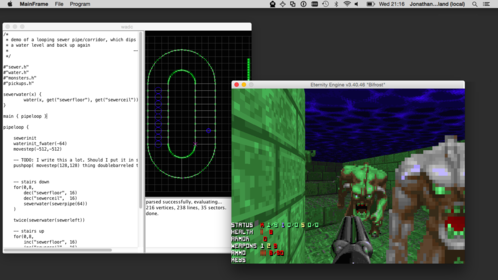
After reading up on a
eye-opening blog from Petter Reinholdtsen
about laptop batteries, or more specifically Lithium-Ion laptop
batteries, I figured I needed to try out the
"
TLP Linux Advanced Power Management" that I had been keeping an
eye on for a while. tlp is yet another tool to control power usage on
laptops (mostly Thinkpad, mine is a X120e). The novelty of tlp is the
"hands off" approach: everything should be automatically configured
for you...
Obviously, that means I then went on working for a few hours on
breaking and fixing my laptop in random operations. I opened a
bunch of pull requests on the interesting
battery status package that Petter produced to make it work with
my setup and make it display graphs directly (instead of into a
file). I also rewrote the graphing tool in
Python with
SciPy
in order to have cleaner labels and be able to deduce the date at
which a battery would be completely unusuable because it can't
recharge high enough. (At the time of writing, the battery estimated
death time is december 7th, but that data is skewed because of a quick
change in the battery charge after the BIOS upgrade, below.)
I then went on to try to limit my laptop charging to 80%, since this
seems to make the battery last longer (sources from Petter:
1,
2,
3). Unfortunately, even after building a local (and
trivial) backport of the
tlp package to Debian stable
(8.2/Jessie), I still couldn't access those controls, as TLP is really
just a set of shell scripts that glue a bunch of stuff together.
The backport was simply:
apt-get source tlp
cd tlp*/
debuild
sudo dpkg -i ../tlp*.deb
I read here and there (and in Petter's post) that I needed the
tp-smapi-dkms package, so I went ahead an installed it:
sudo apt install tp-smapi-dkms
(Yes, Jessie has a neat
apt command now, it's great, upgrade now.)
Unfortunately, this
still didn't work. I
think the error back then
was something like:
thinkpad_ec: thinkpad_ec_request_row: arg0 rejected: (0x01:0x00)->0x00
thinkpad_ec: thinkpad_ec_read_row: failed requesting row: (0x01:0x00)->0xfffffffb
thinkpad_ec: initial ec test failed
I have seen suggestions here and there to try the
acpi-call-dkms
package, but that was useless as it doesn't support my model (but may
work with others!). The error there was:
acpi_call: Cannot get handle: Error: AE_NOT_FOUND
Note: I still have it installed - it's unclear what impact it has,
and I do not want to break my current setup.
So I then started to look at upgrading my BIOS, for some reason. I was
running version 1.13 (8FET29WW) from 05/06/2011. I was able to update
to 1.17 (8FET33WW) from 11/07/2012, using the
memdisk binary from
the
syslinux-common package, with some help from the quite useful
grub-imageboot package:
sudo apt install syslinux-common grub-imageboot
wget https://download.lenovo.com/ibmdl/pub/pc/pccbbs/mobiles/8fuj10uc.iso
sudo mkdir /boot/images
sudo mv 8fuj10uc.iso /boot/images
sudo reboot
I found the image on the
Thinkpad x120e support page from Lenovo
(which happily bounces around, so don't rely on the above URLs too
much). When I rebooted, I was offered to boot from the image by grub,
which went on fine, considering it was running some version of
DOS, which is always a bit scary considering it is software that
is somewhat almost as old as me.
I wish I could have installed some free software in the BIOS
instead of the outdated crap that Lenovo provides, but
unfortunately, it seems this will
never be possible with Libreboot or Coreboot, mostly because
Intel is evil and installs backdoors in all their computers. Fun
times.
Fortunately and surprisingly, the update worked and went on pretty
smoothly. After that, I was able to set the charge limit with:
echo 80 sudo tee /sys/devices/platform/smapi/BAT0/stop_charge_thresh
Amazing! I had almost forgotten why I almost bricked my system on a
thursday, good thing that worked! Now the fun part was that, after
some reboots or
something I did, I am not sure what, the above
stopped working: I couldn't load the drivers at all anymore,
dmesg
treating me with a nasty:
thinkpad_ec: thinkpad_ec_read_row: failed requesting row: (0x01:0x00)->0xfffffff0
thinkpad_ec: initial ec test failed
Now that is some obscure error message material! Fun stuff. I tried
uninstalling tlp, the smapi modules, the acpi-call modules, rebooting,
turning the machine off, removing the battery, nothing worked. Even
more hilarious, the charge controler was now stuck at 80%: I had
artificially destroyed 20% of the battery capacity in software. Ouch.
I
think this may have been related to uninstalling the
tp-smapi-dkms package without unloading it at first. I found some
weird entries in my
kern.log like this:
tp_smapi unloaded.
thinkpad_ec: thinkpad_ec_read_row: failed requesting row: (0x14:0x00)->0xfffffff0
hdaps: cannot power off
hdaps: driver unloaded.
thinkpad_ec: unloaded.
I think that after that point, I couldn't load either module, not even
thinkpad_ec...
After tearing out a few more hairs and hammering my head on the
keyboard randomly, I thought I could just try another BIOS upgrade,
just for the fun of it. Turns out you actually
can't rerun the
upgrade, but you
can change the model number through the same
software, and this seems to reset some stuff. So I went back in the
ISO image I had loaded earlier, and went on to change the model
number (actually setting it to the same value, but whatever, it still
ran the update). It turns out this seems to have reset a bunch of
stuff and now
everything works. I can use
tlp setcharge and all
the neat tools go well.
The two key commands are:
# limit charging to 80% of the battery, but not lower than 40%
sudo tlp setcharge 40 80
# clear the above setting and just charge the battery to 100%
sudo tlp fullcharge
It seems that the
40% bit isn't supported by my laptop, but
whatever: the battery stays charged when on AC power anyways, so I
don't really understand what the setting is for in the first
place. The error there is:
smapi smapi: smapi_request: SMAPI error: Function is not supported by SMAPI BIOS (func=2116)
smapi smapi: __get_real_thresh: cannot get start_thresh of bat=0: Function is not supported by SMAPI BIOS
The second command is what I will need to remember to run before I
unplug the laptop for a trip. I suspect this will be really annoying
and I may end up disabling all this stuff and just yank the power
cable out when the battery reaches 80%, by hand, when I need to.
But it was a fun geeking out, and hopefully this will be useful for
others. And of course, the graphs from Petter will be interesting in a
few months... Before the BIOS upgrade, the battery capacity was
reported as 100% (actually, at 100.03%, which was strange). Now, the
capacity is at 98.09%, which is probably just a more accurate reading
that was fixed in the BIOS upgrade.
Finally, also see the useful
thinkwiki troubleshooting page
and especially their interesting
BIOS upgrade documentation
which inspired me to write my own version. I would have gladly
contributed to theirs, but I seem to have lost my password on this
site, with no recovery possible... The
arch linux wiki has
obviously excellent documentation as well, as usual.
 A friend and I regularly meet to chat over coffee and then usually finish up by walking the maintained trail in the


 Inspired by
 Exactly 6 years ago, on October 1, 2009, I started my work at the Japan Advanced Institute of Science and Technology (JAIST), arriving the previous day in a place not completely unknown, but with a completely different outlook: I had a position as Associate Professor, and somehow was looking forward to an interesting and challenging time.
 6 years later I am still here at the JAIST, but things have changed considerably, and my future is even less clear than 6 years ago. So it is time to reflect a bit about the last years.
The biggest achievement
My biggest achievement in these 6 years is probably that I managed to learn Japanese to a degree that I can teach in Japanese (math, logic, etc), can read Japanese books to a certain degree, and have generally no problem communicating in daily life. Said that, there is still a long way to go. Reading, and much more writing, is still requiring concentration and power, far from the natural flow in my other languages. While talking feels rather natural, the complexity of the written language is a huge hurdle. But this is probably the good, the high point of the 6 years, a great challenge, that keeps my mind busy and working and challenged over long time, with still more to do.
The happiest thing
Many events here in Japan were of great fun and enjoyment for me. The rich culture, paired with a spectacular love for traditional handicraft I haven t seen anywhere else, is a guarantee for enjoyable and intellectually stimulating activities. But the biggest joy of my time here of course was that I found a lovely, beautiful, and caring wife. Not knowing the challenges of an international marriage, I was caught without preparation, and so we had (and still have) rough times due to the cultural differences, and different expectations. But this is what makes life interesting, and so I am always grateful for this chance. Whatever happens in the future, she will be part of my decisions and the center of my life.
The biggest disappointment
Of course, when you live in a country for some time, you learn to know the highs and lows. As someone interested in politics and social systems, Japan is a pain in the butt in many respects. But the biggest disappointment was in a different area: Working environment. While I love my work and had great surroundings, there is something that always is present in the background: Foreigners here are not considered assets, but embellishment. Meaning that they are the first ones to loose their jobs when times are difficult, meaning that they are not considered as full members. After many years at a university here, and with no outlook on a job after March, I can only say, Japan is a country of Japanese first , especially when it comes to jobs. Of course, other countries are not that different, but looking at the average mixture of nationalities at universities in Europe or the US, and comparing them to Japanese universities, a bleak image is arising. I enjoyed my time here, I worked hard and did a lot for my university, but the economically hard times make it necessary to change things, and that means getting rid of foreigners.
That is the reason why the work environment is the biggest disappointment in these years.
Future
The future is unclear, as it always was. The dire fate of many researchers. Being in my 40ies without a permanent position and a family, I am forced to think hard what my next options are. The hide-and-seek games of Japanese (and other) universities seem to me less and less an option. Sad as it is, after having worked 20+ years in academics, having done some interesting (for me) research and having managed to secure a name in our community, I am not sure where my future is. Continuing on definite contracts does not sound like a great option for me. Several things for the future come to my mind: starting my own business, work as programmer (maybe Google still wants me after I rejected them 2 years ago), work as mountain guide (have done that for some years before going to Japan). All of that is possible, but my loosing the time to research will always be a pain, since I enjoy cracking my brain on some complicated and deep logical problems.
Whatever comes, I will take it as a chance to learn new things. And in one way or another it will work out, I hope.

 My monthly report covers a large part of what I have been doing in the free software world. I write it for

 Since there have been a lot of updates, and also changes in the setup and grub config file, I include the full procedure here, that is, merging and updating these previous posts:
 Unity, that is the Ubuntu user interface, that nobody else uses.
Since it is a Ubuntu-only thing, few applications have native support for
its OSX-style hipster "global" menus.
For Java, someone


 What happened in the

 Honey Mojito