Search Results: "tg"

24 April 2013

Joachim Breitner: The carbondioxide footprint of Debian's Haskell packages

By now, Debian ships quite a lot of Haskell packages (~600). Because of GHC's ABI volatility, whenever we upload a new version of a library, we have to rebuild all libraries that depend on that. In particular, if we upload a new version of the compiler itself, we have to rebuild all Haskell library packages. So we have to rebuild stuff a lot. Luckily, Debian has a decent autobuilding setup so that I just need to tell it what to rebuild, and the rest happens automatically (including figuring out the actual order to build things).
I was curious how much we use the buildd system compared to other packages, and also how long the builders are busy building Haskell packages. All the data is in a postgresql database on buildd.debian.org, so with some python and javascript code, I can visualize this. The graphs show the number of all uploads by autobuilder on the amd64 architecture, with haskell uploads specially marked, and the second graph does the same for the build time. You can select time ranges and get aggregate statistics for that time span. During the last four days a complete rebuild was happening, due to the upload of GHC 7.6.3. During these 2 days and 18 hours building 537 packages took 48 hours of build time and produced 15kg of CO2. That is 94% of all uploads and 91% the total build time. The numbers are lower for the whole of last year: 52% of uploads, 31% of build time and 57kg of CO2. (The CO2 numbers are very rough estimates.)
Note that amd64 is a bit special, as most packages are uploaded on this architecture by the developers, so no automatic builds are happening. On other architectures have, every upload of a (arch:any) package is built, so the share of Haskell packages will be lower. Unfortunately, at the moment the database does not provide me with a table across all architectures (and I was too lazy to make it configurable yet).

16 April 2013

Wouter Verhelst: The devops "installer"

puppet and similar things are very nice tools for managing your systems. Rather than doing the same thing 100 times, it's much more interesting to spend some time describing how to do something, and then have it done hundreds of times automatically. However, I'm starting to see a distressing trend lately. I'd like to say that puppet is not an installer, nor is it a replacement for one. Here's why: Please, pretty please, with sugar on top: just provide packages. If that can't be done, just provide clear installation instructions and/or a puppet module that I can include or something. Don't assume I'm a system administrator not worth his paycheck. Thanks. note: the gitorious example above is just that, an example. I've seen more cases of people doing similar things, not just gitorious. Surprisingly, it's mostly from people who're on the ruby kool-aid. I hope that's not related... Update: (2013-04-18) despite my usage of buzzwords in the title of this post, I did not mean to imply that any of the above has anything to do with devops. Instead, what the post is supposed to say is that you should not fall into the trap of believing that devops methods, which may work wonderfully internal to your organization, will therefore also work wonderfully for processes outside your organization.

4 April 2013

Martin Pitt: Urgent PostgreSQL security updates for Debian/Ubuntu

PostgreSQL just released security updates. 9.1 (as found in Debian testing and unstable and Ubuntu 11.10 and later) is affected by a critical remote vulnerability which potentially allows anyone who can access the TCP port (without credentials) to corrupt local files. If your PostgreSQL database exposes the TCP port to any potentially untrusted location, please shut down your servers and update now! PostgreSQL 8.4 for Debian stable (squeeze) and Ubuntu 8.04 LTS and 10.04 LTS also got an update, but these are much less urgent. Debian and Ubuntu advisories for all stable releases, as well as Debian testing are going out as we speak. The updates are already on security.debian.org and security.ubuntu.com. I also uploaded updates for Debian unstable (8.4, 9.1, and 9.2 in experimental) and the Ubuntu backports PPA, but it will take a bit for these to build as we don t have embargoed staging builds for those. Christoph updated the apt.postgresql.org repository as well. Warning: If you use the current Ubuntu raring Beta-2 candidate images, you will still have the old version. So if you do anything serious with those installations, please make sure to upgrade immediately. Update: Debian and Ubuntu security announcements have been sent out, and all packages in the backports PPA are built. Please see the official FAQ if you want to know some more details about the nature of the vulnerabilities.

3 April 2013

Peter Eisentraut: Installing multiple PostgreSQL versions on Homebrew

I was going to post this yesterday, but some might have thought that it was a joke. April 1st is always an annoying day to communicate real information. If you have been fond of the way Debian and Ubuntu manage multiple PostgreSQL versions in parallel, you can now have the same on OS X with Homebrew:
brew tap petere/postgresql
brew install postgresql-9.2
# etc.
brew install --HEAD postgresql-common
postgresql-common is the same code as in Debian, only mangled a little. Now you have all the client programs symlinked through pg_wrapper, and you can use the server management tools such as:
pg_createcluster 9.2 main
pg_ctlcluster 9.2 main start
pg_lsclusters
Let me know if you find this useful. Links:

28 March 2013

Eddy Petrișor: The sorry state of the Android universe


Update: Corrected the code name for 4.2.2 is Jelly Bean, not Ice Cream Sandwich as I initially stated. I also described in the comments why the calendar application is also crap.

I recently bought a phone based on the Android platform (version 4.2.2 aka Jelly Bean). Before the purchase I had the wrong idea that this platform - Android - is the best thing since sliced bread. Let me tell you, that idea is so wrong, it's a shame anybody thinks or has ever thought that.

My previous phone was a Nokia E71 and with its stock set of applications and in spite of its old and rusty Symbian OS, I still have a hard time to even match the basic functionalities on the Android phone even using the most praised apps from the Play Store.

The dialer is crap, there is no decent speed dialer, the focus is on the apps instead of the phone functionality, the homescreen-type-to-search-in-contacts functionality of E71 is probably impossible due to the retarded decision to forget you're using a phone, notifications, even important ones, are hidden, to the point that the ones needing attention can be missed (e.g. entering the PIN/confirmation for Bluetooth pairing must be searched for in the notification area), when looking in the agenda there is no straight one step to edit a contact, you must jump to another application and do the edit there, treating SMS conversations as one to one instant messages works until you want to reply to multiple people at once.

Volume for ringing, SMS notification and the headset are controlled all together, so if during the last conversation you turned down the volume because it was too loud, you can miss a call because our will ring at a lower volume.

And these are only broken things in the basic functionality (for a post 2008 cell phone).

Android phones are smart phones, so more advanced features are required: playing audio and video files, GPS related applications, podcasting support, email handling and web browsing are among the features that can be expected on such a phone.

Only web related functionality and simple media playing are at a reasonable level compared with my old E71, maybe due to Google being web oriented and the new phones having better screens than the old Nokia.

But I am an avid podcast listener, so I've been searching for an application that can match Nokia's Podcasts stock application, and I've come to the conclusion Android users which love podcasts either have to wait for Nokia to develop on Android (which seems unlikely) or find one or two talented developers to create a decent application.

I don't understand how can such an application not have a playlist with the downloaded episodes, not have download all new episodes or mark all/selected as listened. I have found applications that have at least one of these issues and have an average of over 4 out of 5 stars in Google Play. Poor users!

In the light of these issues, I'm having so much difficulty coming up with an excuse for Nokia losing its position as a market leader, but our seems technical superiority is not necessary or enough to dominate the mobile phone market. Sadly, that says a lot about our species, and the words aren't nice.

25 March 2013

Christoph Berg: How not to monitor a boolean

We were lazy and wrote a simple PostgreSQL monitoring check in shell instead of using some proper language. The code looked about this:
out=$(psql -tAc "SELECT some_stuff, t > now() - '1 day'::interval FROM some_table" some_db 2>&1)
case $out in
    *t) echo "OK: $out" ;;
    *) echo "NOT OK: $out" ;;
esac
If the string ends with 't', all is well, if it ends with 'f' or someting else, something is wrong. Unfortunately, this didn't go that well: OK: psql: FATAL: database "some_db" does not exist

24 March 2013

Thorsten Glaser: Earthcache Master (Bronze)

Since a while
I am a proud
EarthCache Master
On the other hand I should probably put up my own, local, list of found caches, considering what happened to me on Open caching. And maybe write intros for people new to geocaching, since it d be virtually no work now had I done it initially. (And for fanfiction readers! I wish I d kept a list of read fics, not just of these I currently read and/or are currently unfinished.)

15 March 2013

Hideki Yamane: pbuilder/cowbuilder and piuparts failed

Today, I've failed to create pbuilder's base.tgz and cowbuilder's base.cow, and log says as below

Get:1 http://ftp.jp.debian.org sid Release.gpg [836 B]
Hit http://ftp.jp.debian.org sid Release
Ign http://ftp.jp.debian.org sid Release
Hit http://ftp.jp.debian.org sid/main amd64 Packages/DiffIndex
Hit http://ftp.jp.debian.org sid/main Translation-en
Fetched 836 B in 0s (3011 B/s)
Reading package lists...
W: GPG error: http://ftp.jp.debian.org sid Release: The following signatures were invalid: BADSIG AED4B06F473041FA Debian Archive Automatic Signing Key (6.0/squeeze) <ftpmaster debian.org="">
I: Obtaining the cached apt archive contents</ftpmaster>
"The following signatures were invalid: BADSIG" ?

apt (0.9.7.8) unstable; urgency=criticial

* SECURITY UPDATE: InRelease verification bypass
- CVE-2013-1051

[ David Kalnischk ]
* apt-pkg/deb/debmetaindex.cc,
test/integration/test-bug-595691-empty-and-broken-archive-files,
test/integration/test-releasefile-verification:
- disable InRelease downloading until the verification issue is
fixed, thanks to Ansgar Burchardt for finding the flaw
Maybe this cause it (just wild guess).

And piuparts also failed.


8m16.5s DEBUG: Starting command: ['chroot', '/tmp/tmpivurbJ', 'eatmydata', 'umount', '/proc']
8m16.5s DUMP:
umount: /proc: device is busy.
(In some cases useful info about processes that use
the device is found by lsof(8) or fuser(1))
8m16.5s DEBUG: Command failed (status=1), but ignoring error: ['chroot', '/tmp/tmpivurbJ', 'eatmydata', 'umount', '/proc']
8m16.5s DEBUG: Starting command: ['rm', '-rf', '--one-file-system', '/tmp/tmpivurbJ']
8m16.6s DUMP:
rm: skipping '/tmp/tmpivurbJ/proc', since it's on a different device
8m16.6s ERROR: Command failed (status=1): ['rm', '-rf', '--one-file-system', '/tmp/tmpivurbJ']
rm: skipping '/tmp/tmpivurbJ/proc', since it's on a different device

8m16.7s DEBUG: Starting command: ['chroot', '/tmp/tmpivurbJ', 'umount', '/proc']
8m16.8s DUMP:
chroot: failed to run command 'umount': No such file or directory


It mounts binfmt_misc mount under /proc and try to umount /proc without umount it again, again and again... then failed. What causes this annoying behavior?

Please let me know.

12 March 2013

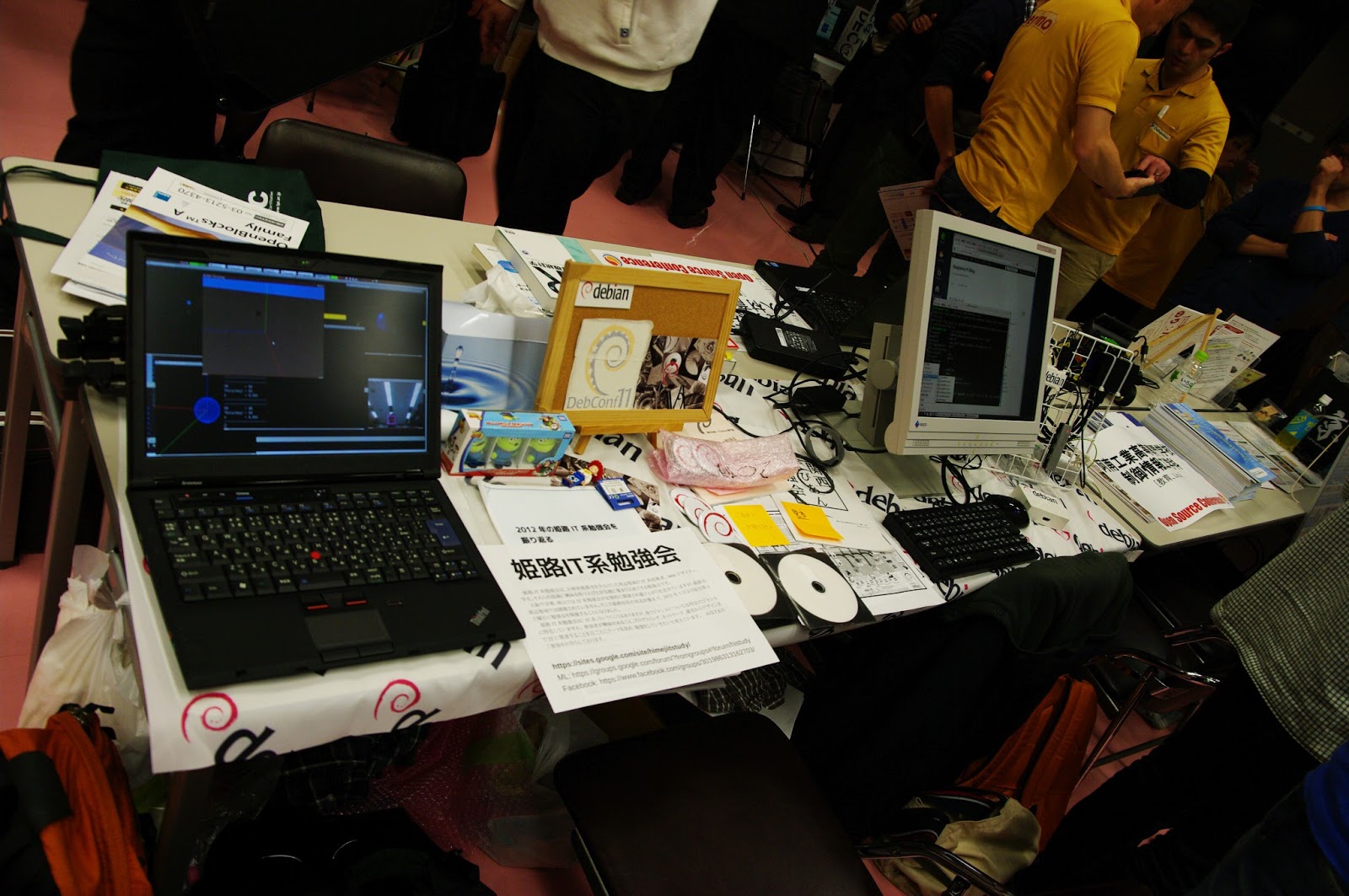
Hideki Yamane: Open Source Conference 2013 Tokushima ( )

Some Debian/Ubuntu folks had participated in Open Source Conference 2013 Tokushima, in (Tokushima), which is in Shikoku ( , smallest of the four main islands of Japan).

(Oh, there's Matz. Can you find it? :)


I have not been there but I hope they had a good time...

8 March 2013

Petter Reinholdtsen: First Skolelinux / Debian Edu Squeeze update released

Last Sunday, 2013-03-03,, Holger Levsen announced the first update of Skolelinux / Debian Edu based on Debian Squeeze. This is the first update since the initial release 2012-03-11. This is the release announcement email from Holger:
Hi, it's my pleasure to announce the immediate availability of Debian Edu 6.0.7+r1 ("Debian Edu Squeeze"). Debian Edu 6.0.7+r1 is an incremental update to Debian Edu 6.0.4+r0, containing all the changes between Debian 6.0.4 and 6.0.7 as well Debian Edu specific bugfixes and enhancements. See below (in this mail) for the full list of (edu) changes. Please see http://www.debian.org/News/2012/20120311 for more information on "Debian Edu Squeeze". Images are available for download at http://ftp.skolelinux.org/skolelinux-cd/ md5sums:
1fe79eb4f0f9ae1c58fc318e26cc1e2e debian-edu-6.0.7+r1-CD.iso
a6ddd924a8bd9a1b5ca122e8fe1c34ec debian-edu-6.0.7+r1-DVD.iso
ac6c72cd7925ccec51bfbf58e2a7c69c debian-edu-6.0.7+r1-source-DVD.iso sha1sums:
a4b58233b672a99c7df8dc24fb6de3327654a5c3 debian-edu-6.0.7+r1-CD.iso
9b524915e0ff2aa793f13d93123e5bd2bab2dbaa debian-edu-6.0.7+r1-DVD.iso
43997614893fc5e9e59ad6ce066b05d07fd836fa debian-edu-6.0.7+r1-source-DVD.iso These images are suitable for amd64+i386. Changes for Debian Edu 6.0.7+r1 Codename "Squeeze", released 2013-03-03:
  • sitesummary was updated from 0.1.3 to 0.1.8
    • Make Nagios configuration more robust and efficient
    • Comply with 3.X kernel
  • debian-edu-doc from 1.4~20120310~6.0.4+r0 to 1.4~20130228~6.0.7+r1
    • Minor updates from the wiki
    • Danish translation now complete
  • debian-edu-config from 1.453 to 1.455
    • Fix /etc/hosts for LTSP diskless workstations. Closes: #699880
    • Make ltsp_local_mount script work for multiple devices.
    • Correct Kerberos user policy: don't expire password after 2 days. Closes: #664596
    • Handle '#' characters in the root or first users password. Closes: #664976
    • Fixes for gosa-sync:
      • Don't fail if password contains "
      • Don't disclose new password string in syslog
    • Fixes for gosa-create:
      • Invalidate libnss cache before applying changes
      • Multiple failures during mass user import into GOsa
      • gosa-netgroups plugin: don't erase entries of attribute type "memberNisNetgroup". Closes: #687256
      • First user now uses the same Kerberos policy as all other users
    • Add Danish web page
  • debian-edu-install from 1.528 to 1.530
    • Improve preseeding support and documentation
End-user documentation in English is available at http://wiki.debian.org/DebianEdu/Documentation/Squeeze/ - translations to French, Italian, Danish and German are available in the debian-edu-doc package. (Other languages could use your help!) If you want to contribute to Debian Edu, please join our mailinglist debian-edu@lists.debian.org!
I am very happy to see the fruits of a year of hard work. :)

7 March 2013

Vincent Sanders: Man cannot discover new oceans unless he has the courage to lose sight of the shore

Continuing with my whirlwind introduction to NetSurf Development now is the time to start examining the code, how its arranged and how to interact with the existing developers.

The way the NetSurf source is structured is around the idea of the frontends each being a native browser. While this implies that there are nine separate browsers that happen to share a common code base the separation is not quite that well defined.

Each frontend provides the OS entry point (the main() function in a c program) and calls out to standard browser initialisation entry function netsurf_init() and then starts running the browsers main dispatch loop with netsurf_main_loop() when that exits the frontend cleans up with netsurf_exit().

The frontends provide a large selection of functions which are called from the core code. These routines run from running the event scheduler through to rendering graphics and text.
Finding your way aroundThe browsers directory layout is fairly shallow consisting of some Makefiles, the nine frontend directories and eleven others.

The Makefiles are GNU make and represent a pretty straightforward linear build system. We do not use recursive make or autotools. There are plans to use the core buildsystem that all the other components use.

The frontend directories contain the code for the frontend and the makefile fragments to build them which are included by the top level Makefile.

In addition there is:
desktop
This contains the non frontend specific code that actually behaves like a browser. For example desktop/netsurf.c contains the three primary functions we outlined in the introduction. You will also find much of the function and data structures interfaces the frontend must provide. It is unlikely someone new to the project will need to change anything in here (there be dragons) but is an important set of routines.
utils
Here you will find the utility and compatibility interfaces, things like url handling, logging, user messages, base64 handling. These are utility interfaces that do not justify splitting out their functionality to a separate library but are useful everywhere. Changing an interface in here would likely result in a major refactor.
For example one quirk is the logging macro was created before varadic C preprocessor macros were universal so it must be called as LOG(("hello %s world", world_type)) e.g. with double brackets. Fixing this and perhaps improving the logging functionality would be "nice" but the changes would be massive and potentially conflict with ongoing work.
content
This contains all the core code to handle contents i.e. html, css, javascript, images. The handling includes retrieval of the resources from URI , correct caching of the received objects and managing the objects state. It should be explicitly stated that the content handlers are separate and use this core functionality. The actual content handlers to deal with object contents such as the routines to decode image files or render html are elsewhere.
image
This is where the content handlers for the various image types are kept. The majority of these image types (jpeg, png, webp, gif, bmp) use a standard library to perform the actual decode (libjpeg, libpng etc.). One special feature used by most image handlers is that of a decoded image cache which is distinct and separate from the content cache.
The decoded image cache manages decoding of the source images (the jpegs and pngs) into frontend specific "render" bitmaps. For example the gtk frontend keeps the decoded images as a cairo surface ready for immediate plotting.
The cache uses a demand based (when the browser actually displays the image) just in time strategy which has been carefully balanced, with real world input, to reduce the overhead of unnecessary image decoding and processing against memory usage for the render bitmaps.
css
The css content handlers provide for the processing of css source text and use the NetSurf libcss library to process into a bytecode suitable for applying style selection at render time.
javascript
The javascript handlers (strictly speaking this should be named the "script" directory as all types of script are handled here) provide basic functionality to bind a javascript engine to the rest of the browser, principally the Document Object Model (DOM) accessed with libdom. The only engine that currently has bindings is Spidermonkey from the Mozilla foundation.
render
This is the heart of the browser containing the content handler for html (and plain text). This handler deals with:
  • Acquiring the html.
  • Running the base parser as data arrives which generates the DOM and hence DOM events from which additional resource (stylesheets etc.) fetches are started.
  • Deal with script loading
  • Constructing the box model used for layout
  • Performing the Layout and rendering of the document.
Because this module has so many jobs to do it has inevitably become very complex and involved, it is also the principle area of core development . Currently NetSurf lacks a dynamic renderer so changes made by scripts post document load event are not visible. This also has the side effect that the render is only started after the DOM has finished construction and all the resources on a page have completed their fetch which can lead to undesirable display latency.
Docs
Documentation about building and using NetSurf. If anyone wants a place to start improving NetSurf, this is it, it is very incomplete. It must be noted this is not where dynamically generated documentation is found. For the current Doxygen output the best place to look is the most recent build on the Continuous Integration system.
resources
These are runtime resources which are common to all frontends. To be strictly correct they may be the sources which get converted into runtime resources e.g. The FatMessages file which is teh message text for all frontends in all languages, this gets processed at build time into separate files ready.
!NetSurf
This is another resources directory and technically the resources for the riscos frontend. The naming and reliance on this directory are historical. To allow the RISC OS frontend to be run directly from the source directory and an inability of RISC OS to process symbolic links most common runtime resources end up in here and linked to from elsewhere.
test
These are some basic canned test programs and files, principally to test elements of the utils and perform specific exercise of various javascript components.
Getting started
Once a developer has a checked out working build environment and can run the executable for their chosen frontend (and maybe done some web browsing :-) it is time to look at contributing.

If a developer does not have a feature or bug in mind when they begin the best way to get started is often to go bug hunting. The NetSurf bugtacker has lots to choose from unfortunately. Do remember to talk to us (IRC is the best bet if you are bug hunting) about what you are up to but do not be impatient. Some of those bugs are dirty great Shelob types and are not being fixed because even the core developers are stumped!

When first getting going I cannot recommend reading the code enough, this seems to be a skill that many inexperienced open source developers have yet to acquire, especially if they are from a predominately proprietary development background. One wonderful feature of open source software is you get to see all of it, all the elegant nice code and all the "what the hell were they thinking" code too.

One important point is to use your tools well the source is in git, if you learn how to use git well you will gain a skill that is readily portable, not just for NetSurf. And not just revision control tools, learn to use your debugger well and tools like valgrind. Those skills will replay the time spent learning them themselves many times over.

When using git one thing to remember is commit early and often, it does not matter if you have lots of junk commits and dead ends, once you have something viable you can use
git rebase --interactive
and rewrite it all into a single sensible set of commits. Also please do remember to develop on a branch, or if you did not
git pull --rebase
is your friend to avoid unnecessary merges.
Playing nicely with othersThe NetSurf community is a small band of unpaid volunteers. On average we manage to collectively put in, perhaps, ten hours a week with the occasional developer weekend where we often manage over twenty hours each.

The result is that developer time is exceptionally valuable, add in a mature codebase with its fair share of technical debt and you get a group who, when they get to work on NetSurf, are incredibly busy. To be fair we are just like every other small open source project in that respect.

What this means to a new contributor is that they should try and do their homework before asking the obvious questions. The documentation is there for a reason and in spite of its obvious shortcomings please read it!

When asking questions it should be noted that currently the majority of active contributors are in the Europe so if you visit the IRC channel or post questions to lists the time difference is something to keep in mind.

I carefully said contributor above and not developer, users trying the CI builds and reporting results are welcome...as long as they report useful bugs to the bug tracker. Simon Tatham has produced an excellent resource on this subject.

Also we are always happy to receive translations to new languages (diff against the FatMessages file would be outstandingly useful but anything is welcome), artwork, documentation. Just recall what I mentioned about busy developers. Surest way to get us to see something is the development mailing list, you will probably get a reply, though I will not promise how fast!

Some of the more common mistakes when interacting with the community are:
In conclusion
Hopefully this has been of some use although I had hoped to cover more and provide deeper insights and advice on the codebase but there is only so much generalisation to be done before it is just easier for the developer to go read the code for themselves.

I look forward to lots of new contributions :-) though I fear this may all end up as more of a crib sheet for next time we do GSOC, time will tell.

Vincent Sanders: The way to get started is to quit talking and begin doing

When Walt Disney said that he almost certainly did not have software developers in mind. However it is still good advice, especially if you have no experience with a piece of software you want to change.

Others have written extensively on the topic of software as more than engineering and the creative aspects, comparing it to a craft, which is a description I am personally most comfortable with. As with any craft though you have to understand the material you have to work with and an existing codebase is often a huge amount of material.

While developing NetSurf we get a lot of people who talk a lot about what we "ought" or "should" do to improve the browser but few who actually get off their collective posteriors and contribute. In fact according to the ohloh analysis of the revision control system there are roughly six of us who contribute significantly on a regular basis and of those only four who have interests beyond a specific frontend.

It has been mentioned by a couple of new people who have recently compiled the browser from source that it is somewhat challenging to get started. To address this criticism I intend to give a whirlwind introduction to getting started with the NetSurf codebase, perhaps we can even get some more contributors!

This first post will cover the mechanics of acquiring and building the source and the next will look at working with the codebase and the Netsurf community.

This is my personal blog, the other developers might disagree with my approach, which is why this is in my blog and not on the NetSurf website. That being said comments are enabled and I am sure they will correct anything I get wrong.
ResourcesNetSurf has a selection of resources which are useful to a new developer:
Build environmentThe first thing a new developer has to consider is their build environment. NetSurf supports nine frontends on several Operating Systems (OS) but is limited on the build environment that can be used.

The developer will require a Unix like system but let's be honest, we have not tried with anything other than Linux distributions in some time or MAC OS X for the cocoa frontend because its a special snowflake.

Traditionally at this point in this kind of introduction it would be traditional to provide the command line for various packaging systems to install the build environment and external libraries. We do have documentation that does this but no one reads it, or at least it feels like that. Instead we have chosen to provide a shell fragment that encodes all the bootstrap knowledge in one place, its kept in the revision control system so it can be updated.

To use: download it, read it (hey running random shell code is always a bad idea), source it into your environment and run ns-apt-get-install on a Debain based system or ns-yum-install on Fedora. The rest of this posting will assume the functionality of this script is available, if you want to do it the hard way please refer to the script for the relevant commands and locations.

For Example:
$ wget http://git.netsurf-browser.org/netsurf.git/plain/Docs/env.sh
$ less env.sh
$ source env.sh
$ ns-apt-get-install

Historically NetSurf built on more platforms natively but the effort to keep these build environments working was extensive and no one was prepared to do the necessary maintenance work. This is strictly a build setup decision and does not impact the supported platforms.

Since the last release NetSurf has moved to the git version control system from SVN. This has greatly improved our development process and allows for proper branching and merging we previously struggled to implement.

In addition to the core requirements external libraries NetSurf depends on will need to be installed. Native frontends where the compiled output is run on the same system it was built on are pretty straightforward in that the native package management system can be used to install the libraries for that system.

For cross building to the less common frontends we provide a toolchain repository which will build the entire cross toolchain and library set (we call this the SDK) direct from source. This is what the CI system uses to generate its output so is well tested.
External LibrariesNetSurf depends upon several external development libraries for image handling, network fetching etc. The libraries for the GTK frontend are installed by default if using the development script previously mentioned.

Generally a minimum of libcurl, libjpeg and libpng are necessary along with whatever libraries are required for the toolkit.
Project Source and Internal Libraries
One important feature of NetSurf is that a lot of functionality is split out into libraries. These are internal libraries and although technically separate projects, releases bundle them all together and for development we assume they will all be built together.

The development script provides the ns-clone function which clones all the project sources directly from their various git repositories. Once cloned the ns-make script can be used to build and install all the internal libraries into a local target ready for building the browser.

For Example:

$ source env.sh
$ ns-clone
$ ns-make-libs install
Frontend selectionAs I have mentioned NetSurf supports several windowing environments (toolkits if you like) however on some OS there is only one toolkit so the two get conflated together.

NetSurf currently has nine frontends to consider:
Building and running NetSurfFor a developer new to the project I recommend that the gtk version be built natively which is what I describe here.

Once the internal libraries have been installed, building NetSurf itself is as simple as running make.

For Example:
$ source env.sh
$ ns-make -C $ TARGET_WORKSPACE /$ NS_BROWSER TARGET=gtk

Though generally most developers would change into the netsurf source directory and run make there. The target (frontend) selection defaults to gtk on Linux systems so that can also be omitted Once the browser is built it can be run from the source tree to test.

For Example:
$ source env.sh
$ cd $ TARGET_WORKSPACE /$ NS_BROWSER
$ ns-make
$ ./nsgtk

The build can be configured by editing a Makefile.config file. An example Makefile.config.example can be copied into place and the configuration settings overridden as required. The default values can be found in Makefile.defaults which should not be edited directly.

Logging is enabled with the command line switch -v and user options can be specified on the command line, options on the command line will override those sourced from a users personal configuration, generally found in ~/.netsurf/Choices although this can be compile time configured.

5 March 2013

Russell Coker: Kogan Mobile

Kogan Mobile is the newest virtual telco in Australia [1]. They resell Telstra 3G (not NextG or LTE) and while their coverage isn t as good as the full Telstra service it s more than adequate for my needs as they provide 3G coverage to 97% of the population and 2G+3G coverage to 98.5%. Their coverage is probably a lot better than Three who had the worst record of network coverage in Australia yet managed to always provide coverage where I wanted it I was a happy Three customer for more than 6 years. Kogan s main selling point is that they offer unlimited calls to Australian mobile phones and land-lines and unlimited SMS for a pre-paid fee of only $300 per annum ($25 per month on average). My parents have been getting unpleasantly large phone bills which have considerably more than $25 of calls to mobile phones every month so an obvious solution for them is to sign up for a Kogan mobile phone and use it for all such calls. There are other ways my parents could save money on calls (such as VOIP) but a mobile phone is easiest and offers other benefits such as running Android apps (when compared to using a non-smart phone). 6G of Data! Kogan also offers 6G of data per month, the down-side to this is that they bill in 1MB increments per session . I was worried that this might be per TCP connection or something else silly but I decided to sign my parents up for it as they aren t going to use a lot of data (they claim that they don t want to use the Internet on their phone but I know better). I ve done some tests on the SIM I got for my parents. For testing purposes I installed the Kogan SIM in my wife s new Nexus 4 and had it provide Wifi net access to my phone while we were playing Ingress. So far after 2 days which involved a reasonable amount of Ingress (I reached level 7) as well as all the usual stuff that happens in the background for two phones (checking email, news, weather, etc) Kogan considers that 177MB have been used out of the 6144MB for the month, which means that even with what is an unusual amount of traffic for us the account in question still isn t going to use half the quota for the month. Now that 10 days have elapsed with less intense usage Kogan considers that a total of 1373MB have been used.
days received sent Kogan
2 127.24 41.54 177
10 959.39 299.6 1373
Kogan also don t seem to mention whether they bill for transmitted data. I used the 3G Watchdog app to measure the amount data transferred, the above table has the amounts of data that 3G Watchdog considers were sent and received along with the amount that is listed by the Kogan Android app. My past experience with 3G Watchdog and Virgin Mobile is that it s usually quite accurate but has been over-reporting the data transfers recently (I think that Virgin is only billing me for downloads while 3G Watchdog counts uploads). So the relatively small difference between the 3G Watchdog report and what Kogan thinks I ve done means that either rounding the session up to the nearest meg doesn t make any significant difference (which would imply that a session can be a long time) or that Kogan isn t counting uploaded data and the session rounding up only adds about 40% to the total recorded transfer. My current plan with Virgin Mobile gives me 1.5G per month of quota, so as long as Kogan s rounding doesn t increase the recorded data transfer by a factor of 4 I will still be able to transfer more data with Kogan while paying less. One disadvantage of using Kogan is that I might have to tweak programs like my email program to poll less frequently to avoid excessive session charges (a program polling every 5 minutes would use up the 6G quota in 21 days if each poll counted as a session) although current tests indicate that this won t be necessary. But the up-side is that there are no extra fees with Kogan, they merely restrict data access for my use and that of most people I know it s better to have data access cut off than to receive a large bill. The Kogan Android App Kogan has an Android app that will give the status of your account and allow you to change the plan etc. This is quite nice but one major disadvantage is that it s also a sales app for the Kogan online store. This is bad for the user as some aspects of what I consider the core functionality are limited (for example there s no way to force a poll of the data usage count or determine how current the data is). But there s an obvious advantage to Kogan in providing a way to sell their goods that is going to be used by every customer of Kogan Mobile. The sales part of the app isn t very functional IMHO, it doesn t seem to have basic functionality such as sorting a list of items by price. Benefits of Kogan 6G of data is a lot! $300 per annum is quite cheap, anyone who makes any serious use of phones will be paying more than that in Australia. Lack of extra fees means that there is little need to restrict net access. I can risk getting cut off near the end of the month but I can t risk the potential for hundreds of dollars in excess fees. The Kogan app shows me the data used so I will probably uninstall 3G Watchdog, having one less program running is a good thing. You get a free SIM (value $5) when you buy a phone from Kogan. Disadvantages of Kogan They are new to the Telco business and admit that their customer service is lacking due to unexpected demand. If you order a SIM now they state that it will arrive in April. Apparently they are deliberately delaying orders because they can t cope with demand. The included call quota doesn t include international calls. While unlimited free calls in Australia is great if you make many international calls then this could end up costing you more. Other mobile telcos such as Lebara offer good deals for International calls, it could be an option to use a Lebara SIM with an old non-smart phone while using Kogan for your smart phone. I am concerned about the lack of detail about how data is accounted. If the definition of a session changes then 6G could turn out not to be enough. As Kogan is reselling a Telstra service it is possible that Telstra could change the deal without Kogan being able to stop them. Conclusion I will move my phone and my wife s phone to Kogan ASAP. My general idea is to sign us up for Kogan about 2 weeks apart, so if one phone runs out of the 6G data quota then the other phone can be used as a Wifi access point for 2 weeks. If the phones don t both have their quota end at the same time then there is less chance of both phones running out during a high traffic month.

3 March 2013

Petter Reinholdtsen: Frikanalen - Complete TV station organised using the web

Do you want to set up your own TV station, schedule videos and broadcast them on the air? Using free software? With video on demand support using free and open standards? Included a web based video stream as well? And administrate it all in your web browser from anywhere in the world? A few years now the Norwegian public access TV-channel Frikanalen have been building a system to do just this. The source code for the solution is licensed using the GNU LGPL, and available from github. The idea is simple. You upload a video file over the web, and attach meta information to the file. You select a time slot in the program schedule, and when the time come it is played on the air and in the web stream. It is also made available in a video on demand solution for anyone to see it also outside its scheduled time. All you need to run a TV station - using your web browser. There are several parts to this web based solution. I'll mention the three most important ones. The first part is the database of videos and the schedule. This is written in Django and include a REST API. The current database is SQLite, but the plan is to migrate it to PostgreSQL. At the moment this system can be tested on beta.frikanalen.tv. The second part is the video playout, taking the schedule information from the database and providing a video stream to broadcast. This is done using CasparCG from SVT and Media Lovin' Toolkit. Video signal distribution is handled using Open Broadcast Encoder. The third part is the converter, handling the transformation of uploaded video files to a format useful for broadcasting, streaming and video on demand. It is still very much work in progress, so it is not yet decided what it will end up using. Note that the source of the latter two parts are not yet pushed to github. The lead author want to clean them up a bit more first. The development is coordinated on the #frikanalen IRC channel (irc.freenode.net), and discussed on the frikanalen mailing list. The lead developer is Benjamin Bruheim (phed on IRC). Anyone is welcome to participate in the development.

26 February 2013

Olivier Berger: Python RDF example of a MySQL triple store thanks to redland/librdf

In a way similar to my previous post about persisting graphs in PostGreSQL in PHP, here s similar examples for Python and MySQL. Note that you may need to adjust the MySQL table creation templates if you re running librdf version 1.0.16 (see this bug for details). The first example will load data from a file, and store the parsed model to the RDBMS, while the second example, will reload the model and issue queries on it. These examples don t do much, but hopefully, they ll help you get started if you re interested in using redland/librdf. One potential benefit can be interoperability with other languages like PHP, for instance if you re running harvesters in Python that will save facts in a triple store, which is then accessed by a PHP application that will publish a Web interface.

24 February 2013

Andrew Pollock: [life] Zip lining

Ever since I saw some videos from a team offsite somewhere on the East Coast, I've wanted to go zip lining. I have vague memories of riding what we call in Australia a "flying fox" in Scouts as a kid, and this looked even more fun than that. I found the Mount Hermon Adventures Redwood Canopy Tours nearby in the Santa Cruz Mountains, and so I booked it for yesterday. Eric was the only one of my friends who ended up being able to join me. It was good fun. It took about 2 hours all up, but that included gearing up and getting the safety training. I think there were 7 lines in total, of varying lengths and speeds and heights. I rented a helmet with a GoPro to capture the experience for posterity, and I'm currently in the process of uploading the videos here.

23 February 2013

Hideki Yamane: Open Source Conference 2013 Tokyo/Spring

Well, some Debian folks have participated in Open Source Conference 2013 Tokyo/Spring, at Meisei Univ.( ).

Takahide Nojima talked "Debian Update", various thing during about Debian during this 1 or 2 years. Participates are not so much, because it was first session and Meisei Univ is a little bit far from central Tokyo (it takes almost 40 minutes by train...), it was tough (at least for me ;)


Also we had a booth, chatted with users (and potential users) - 1000 participates were there in Meisei Univ.

Thanks folks.

22 February 2013

Hideki Yamane: Postgresql + GPU / SELinux approach

I've participated an event (18th, Feb), Kohei Kaigai from NEC talked about 3 topics.


  • Places to Visit in Europe
  • PG-Strom: GPU Accelerated AsynchronousSuper-Parallel Query
  • Row-Level Security: DB Security, prevent information leak

I've interested in PG-Strom, it can accelerated query 8 times with $100 GPU card, for more detail, see above link.

This event was hosted in Red Hat office at Yebisu( ), Tokyo. Thanks to Ryo Fujita from Red Hat for his coordination.


20 February 2013

Thorsten Glaser: GNU autotools generated files

On Planet Debian, Vincent Bernat wrote:

The drawback of this approach is that if you rebuild configure from the released tarball, you don t have the git tree and the version will be a date. Just don t do that.

Excuse me This is totally inacceptable. Regenerating files like aclocal.m4 and Makefile.in (for automake), configure (for autoconf), and the likes is one of the absolute duties of a software package. Things will break sooner or later if people do not do that. Additionally, generated files must be remakable from the distfile, so do not break this! May I suggest, constructively, an alternative? (People rightfully, I must admit complain I m just ranting too much.)
When making a release from git, write the git describe output into a file. Then, use that file instead of trying to run the git executable if .git/. is not a directory ( test -d .git/. ). Do not call git, because, in packages, it s either not installed or/and also undesired. Couldn t comment on your blog, but felt strongly enough about this I took the effort of writing a full post of my own. (But thanks for the book recommendation.)

Vincent Bernat: lldpd 0.7.1

A few weeks ago, a new version of lldpd, a 802.1AB (aka LLDP) implementation for various Unices, has been released. LLDP is an industry standard protocol designed to supplant proprietary Link-Layer protocols such as EDP or CDP. The goal of LLDP is to provide an inter-vendor compatible mechanism to deliver Link-Layer notifications to adjacent network devices. In short, LLDP allows you to know exactly on which port is a server (and reciprocally). To illustrate its use, I have made a xkcd-like strip: xkcd-like strip for the use of LLDP If you would like more information about lldpd, please have a look at its new dedicated website. This blog post is an insight of various technical changes that have affected lldpd since its latest major release one year ago. Lots of C stuff ahead!

Version & changelog UPDATED: Guillem Jover told me how he met the same goals for libbsd :
  1. Save the version from git into .dist-version and use this file if it exists. This allows one to rebuild ./configure from the published tarball without losing the version. This also handles Thorsten Glaser s critic.
  2. Include CHANGELOG in DISTCLEANFILES variable.
Since this is a better solution, I have adopted the appropriate line of codes from libbsd. The two following sections are partly technically outdated.

Automated version In configure.ac, I was previously using a static version number that I had to increase when releasing:
AC_INIT([lldpd], [0.5.7], [bernat@luffy.cx])
Since the information is present in the git tree, this seems a bit redundant (and easy to forget). Taking the version from the git tree is easy:
AC_INIT([lldpd],
        [m4_esyscmd_s([git describe --tags --always --match [0-9]* 2> /dev/null   date +%F])],
        [bernat@luffy.cx])
If the head of the git tree is tagged, you get the exact tag (0.7.1 for example). If it is not, you get the nearest one, the number of commits since it and part of the current hash (0.7.1-29-g2909519 for example). The drawback of this approach is that if you rebuild configure from the released tarball, you don t have the git tree and the version will be a date. Just don t do that.

Automated changelog Generating the changelog from git is a common practice. I had some difficulties to make it right. Here is my attempt (I am using automake):
dist_doc_DATA = README.md NEWS ChangeLog
.PHONY: $(distdir)/ChangeLog
dist-hook: $(distdir)/ChangeLog
$(distdir)/ChangeLog:
        $(AM_V_GEN)if test -d $(top_srcdir)/.git; then \
          prev=$$(git describe --tags --always --match [0-9]* 2> /dev/null) ; \
          for tag in $$(git tag   grep -E '^[0-9]+(\.[0-9]+) 1, $$'   sort -rn); do \
            if [ x"$$prev" = x ]; then prev=$$tag ; fi ; \
            if [ x"$$prev" = x"$$tag" ]; then continue; fi ; \
            echo "$$prev [$$(git log $$prev -1 --pretty=format:'%ai')]:" ; \
            echo "" ; \
            git log --pretty=' - [%h] %s (%an)' $$tag..$$prev ; \
            echo "" ; \
            prev=$$tag ; \
          done > $@ ; \
        else \
          touch $@ ; \
        fi
ChangeLog:
        touch $@
Changelog entries are grouped by version. Since it is a bit verbose, I still maintain a NEWS file with important changes.

Core

C99 I have recently read 21st Century C which has some good bits and also handles the ecosystem around C. I have definitively adopted designated initializers in my coding style. Being a GCC extension since a long time, this is not a major compatibility problem. Without designated initializers:
struct netlink_req req;
struct iovec iov;
struct sockaddr_nl peer;
struct msghdr rtnl_msg;
memset(&req, 0, sizeof(req));
memset(&iov, 0, sizeof(iov));
memset(&peer, 0, sizeof(peer));
memset(&rtnl_msg, 0, sizeof(rtnl_msg));
req.hdr.nlmsg_len = NLMSG_LENGTH(sizeof(struct rtgenmsg));
req.hdr.nlmsg_type = RTM_GETLINK;
req.hdr.nlmsg_flags = NLM_F_REQUEST   NLM_F_DUMP;
req.hdr.nlmsg_seq = 1;
req.hdr.nlmsg_pid = getpid();
req.gen.rtgen_family = AF_PACKET;
iov.iov_base = &req;
iov.iov_len = req.hdr.nlmsg_len;
peer.nl_family = AF_NETLINK;
rtnl_msg.msg_iov = &iov;
rtnl_msg.msg_iovlen = 1;
rtnl_msg.msg_name = &peer;
rtnl_msg.msg_namelen = sizeof(struct sockaddr_nl);
With designated initializers:
struct netlink_req req =  
    .hdr =  
        .nlmsg_len = NLMSG_LENGTH(sizeof(struct rtgenmsg)),
        .nlmsg_type = RTM_GETLINK,
        .nlmsg_flags = NLM_F_REQUEST   NLM_F_DUMP,
        .nlmsg_seq = 1,
        .nlmsg_pid = getpid()  ,
    .gen =   .rtgen_family = AF_PACKET  
 ;
struct iovec iov =  
    .iov_base = &req,
    .iov_len = req.hdr.nlmsg_len
 ;
struct sockaddr_nl peer =   .nl_family = AF_NETLINK  ;
struct msghdr rtnl_msg =  
    .msg_iov = &iov,
    .msg_iovlen = 1,
    .msg_name = &peer,
    .msg_namelen = sizeof(struct sockaddr_nl)
 ;

Logging Logging in lldpd was not extensive. Usually, when receiving a bug report, I asked the reporter to add some additional printf() calls to determine where the problem was. This was clearly suboptimal. Therefore, I have added many log_debug() calls with the ability to filter out some of them. For example, to debug interface discovery, one can run lldpd with lldpd -ddd -D interface. Moreover, I have added colors when logging to a terminal. This may seem pointless but it is now far easier to spot warning messages from debug ones. logging output of lldpd

libevent In lldpd 0.5.7, I was using my own select()-based event loop. It worked but I didn t want to grow a full-featured event loop inside lldpd. Therefore, I switched to libevent. The minimal required version of libevent is 2.0.5. A convenient way to check the changes in API is to use Upstream Tracker, a website tracking API and ABI changes for various libraries. This version of libevent is not available in many stable distributions. For example, Debian Squeeze or Ubuntu Lucid only have 1.4.13. I am also trying to keep compatibility with very old distributions, like RHEL 2, which does not have a packaged libevent at all. For some users, it may be a burden to compile additional libraries. Therefore, I have included libevent source code in lldpd source tree (as a git submodule) and I am only using it if no suitable system libevent is available. Have a look at m4/libevent.m4 and src/daemon/Makefile.am to see how this is done.

Client

Serialization lldpctl is a client querying lldpd to display discovered neighbors. The communication is done through an Unix socket. Each structure to be serialized over this socket should be described with a string. For example:
#define STRUCT_LLDPD_DOT3_MACPHY "(bbww)"
struct lldpd_dot3_macphy  
        u_int8_t                 autoneg_support;
        u_int8_t                 autoneg_enabled;
        u_int16_t                autoneg_advertised;
        u_int16_t                mau_type;
 ;
I did not want to use stuff like Protocol Buffers because I didn t want to copy the existing structures to other structures before serialization (and the other way after deserialization). However, the serializer in lldpd did not allow to handle reference to other structures, lists or circular references. I have written another one which works by annotating a structure with some macros:
struct lldpd_chassis  
    TAILQ_ENTRY(lldpd_chassis) c_entries;
    u_int16_t        c_index;
    u_int8_t         c_protocol;
    u_int8_t         c_id_subtype;
    char            *c_id;
    int              c_id_len;
    char            *c_name;
    char            *c_descr;
    u_int16_t        c_cap_available;
    u_int16_t        c_cap_enabled;
    u_int16_t        c_ttl;
    TAILQ_HEAD(, lldpd_mgmt) c_mgmt;
 ;
MARSHAL_BEGIN(lldpd_chassis)
MARSHAL_TQE  (lldpd_chassis, c_entries)
MARSHAL_FSTR (lldpd_chassis, c_id, c_id_len)
MARSHAL_STR  (lldpd_chassis, c_name)
MARSHAL_STR  (lldpd_chassis, c_descr)
MARSHAL_SUBTQ(lldpd_chassis, lldpd_mgmt, c_mgmt)
MARSHAL_END;
Only pointers need to be annotated. The remaining of the structure can be serialized with just memcpy()1. I think there is still room for improvement. It should be possible to add annotations inside the structure and avoid some duplication. Or maybe, using a C parser? Or using the AST output from LLVM?

Library In lldpd 0.5.7, there are two possible entry points to interact with the daemon:
  1. Through SNMP support. Only information available in LLDP-MIB are exported. Therefore, implementation-specific values are not available. Moreover, SNMP support is currently read-only.
  2. Through lldpctl. Thanks to a contribution from Andreas Hofmeister, the output can be requested to be formatted as an XML document.
Integration of lldpd into a network stack was therefore limited to one of those two channels. As an exemple, you can have a look at how Vyatta made the integration using the second solution. To provide a more robust solution, I have added a shared library, liblldpctl, with a stable and well-defined API. lldpctl is now using it. I have followed those directions2:
  • Consistent naming (all exported symbols are prefixed by lldpctl_). No pollution of the global namespace.
  • Consistent return codes (on errors, all functions returning pointers are returning NULL, all functions returning integers are returning -1).
  • Reentrant and thread-safe. No global variables.
  • One well-documented include file.
  • Reduce the use of boilerplate code. Don t segfault on NULL, accept integer input as string, provide easy iterators,
  • Asynchronous API for input/output. The library delegates reading and writing by calling user-provided functions. Those functions can yield their effects. In this case, the user has to callback the library when data is available for reading or writing. It is therefore possible to integrate the library with any existing event-loop. A thin synchronous layer is provided on top of this API.
  • Opaque types with accessor functions.
Accessing bits of information is done through atoms which are opaque containers of type lldpctl_atom_t. From an atom, you can extract some properties as integers, strings, buffers or other atoms. The list of ports is an atom. A port in this list is also an atom. The list of VLAN present on this port is an atom, as well as each VLAN in this list. The VLAN name is a NULL-terminated string living in the scope of an atom. Accessing a property is done by a handful of functions, like lldpctl_atom_get_str(), using a specific key. For example, here is how to display the list of VLAN assuming you have one port as an atom:
vlans = lldpctl_atom_get(port, lldpctl_k_port_vlans);
lldpctl_atom_foreach(vlans, vlan)  
    vid = lldpctl_atom_get_int(vlan,
                               lldpctl_k_vlan_id));
    name = lldpctl_atom_get_str(vlan,
                                lldpctl_k_vlan_name));
    if (vid && name)
        printf("VLAN %d: %s\n", vid, name);
 
lldpctl_atom_dec_ref(vlans);
Internally, an atom is typed and reference counted. The size of the API is greatly limited thanks to this concept. There are currently more than one hundred pieces of information that can be retrieved from lldpd. Ultimately, the library will also enable the full configuration of lldpd. Currently, many aspects can only be configured through command-line flags. The use of the library does not replace lldpctl which will still be available and be the primary client of the library.

CLI Having a configuration file was requested since a long time. I didn t want to include a parser in lldpd: I am trying to keep it small. It was already possible to configure lldpd through lldpctl. Locations, network policies and power policies were the three items that could be configured this way. So, the next step was to enable lldpctl to read a configuration file, parse it and send the result to lldpd. As a bonus, why not provide a full CLI accepting the same statements with inline help and completion?

Parsing & completion Because of completion, it is difficult to use a YACC generated parser. Instead, I define a tree where each node accepts a word. A node is defined with this function:
struct cmd_node *commands_new(
    struct cmd_node *,
    const char *,
    const char *,
    int(*validate)(struct cmd_env*, void *),
    int(*execute)(struct lldpctl_conn_t*, struct writer*,
        struct cmd_env*, void *),
    void *);
A node is defined by:
  • its parent,
  • an optional accepted static token,
  • an help string,
  • an optional validation function and
  • an optional function to execute if the current token is accepted.
When walking the tree, we maintain an environment which is both a key-value store and a stack of positions in the tree. The validation function can check the environment to see if we are in the right context (we want to accept the keyword foo only once, for example). The execution function can add the current token as a value in the environment but it can also pop the current position in the tree to resume walk from a previous node. As an example, see how nodes for configuration of a coordinate-based location are registered:
/* Our root node */
struct cmd_node *configure_medloc_coord = commands_new(
    configure_medlocation,
    "coordinate", "MED location coordinate configuration",
    NULL, NULL, NULL);
/* The exit node.
   The validate function will check if we have both
   latitude and longitude. */
commands_new(configure_medloc_coord,
    NEWLINE, "Configure MED location coordinates",
    cmd_check_env, cmd_medlocation_coordinate,
    "latitude,longitude");
/* Store latitude. Once stored, we pop two positions
   to go back to the "root" node. The user can only
   enter latitude once. */
commands_new(
    commands_new(
        configure_medloc_coord,
        "latitude", "Specify latitude",
        cmd_check_no_env, NULL, "latitude"),
    NULL, "Latitude as xx.yyyyN or xx.yyyyS",
    NULL, cmd_store_env_value_and_pop2, "latitude");
/* Same thing for longitude */
commands_new(
    commands_new(
        configure_medloc_coord,
        "longitude", "Specify longitude",
        cmd_check_no_env, NULL, "longitude"),
    NULL, "Longitude as xx.yyyyE or xx.yyyyW",
    NULL, cmd_store_env_value_and_pop2, "longitude");
The definition of all commands is still a bit verbose but the system is simple enough yet powerful enough to cover all needed cases.

Readline When faced with a CLI, we usually expect some perks like completion, history handling and help. The most used library to provide such features is the GNU Readline Library. Because this is a GPL library, I have first searched an alternative. There are several of them: From an API point of view, the first three libraries support the GNU Readline API. They also have a common native API. Moreover, this native API also handles tokenization. Therefore, I have developed the first version of the CLI with this API3. Unfortunately, I noticed later this library is not very common in the Linux world and is not available in RHEL. Since I have used the native API, it was not possible to fallback to the GNU Readline library. So, let s switch! Thanks to the appropriate macro from the Autoconf Archive (with small modifications), the compilation and linking differences between the libraries are taken care of. Because GNU Readline library does not come with a tokenizer, I had to write one myself. The API is also badly documented and it is difficult to know which symbol is available in which version. I have limited myself to:
  • readline(), addhistory(),
  • rl_insert_text(),
  • rl_forced_update_display(),
  • rl_bind_key()
  • rl_line_buffer and rl_point.
Unfortunately, the various libedit libraries have a noop for rl_bind_key(). Therefore, completion and online help is not available with them. I have noticed that most BSD come with GNU Readline library preinstalled, so it could be considered as a system library. Nonetheless, linking with libedit to avoid licensing issues is possible and help can be obtained by prefixing the command with help.

OS specific support

BSD support Until version 0.7, lldpd was Linux-only. The rewrite to use Netlink was the occasion to abstract interfaces and to port to other OS. The first port was for Debian GNU/kFreeBSD, then for FreeBSD, OpenBSD and NetBSD. They all share the same source code:
  • getifaddrs() to get the list of interfaces,
  • bpf(4) to attach to an interface to receive and send packets,
  • PF_ROUTE socket to be notified when a change happens.
Each BSD has its own ioctl() to retrieve VLAN, bridging and bonding bits but they are quite similar. The code was usually adapted from ifconfig.c. The BSD ports have the same functionalities than the Linux port, except for NetBSD which lacks support for LLDP-MED inventory since I didn t find a simple way to retrieve DMI related information. They also offer greater security by filtering packets sent. Moreover, OpenBSD allows to lock the filters set on the socket:
/* Install write filter (optional) */
if (ioctl(fd, BIOCSETWF, (caddr_t)&fprog) < 0)  
    rc = errno;
    log_info("privsep", "unable to setup write BPF filter for %s",
        name);
    goto end;
 
/* Lock interface */
if (ioctl(fd, BIOCLOCK, (caddr_t)&enable) < 0)  
    rc = errno;
    log_info("privsep", "unable to lock BPF interface %s",
        name);
    goto end;
 
This is a very nice feature. lldpd is using a privileged process to open the raw socket. The socket is then transmitted to an unprivileged process. Without this feature, the unprivileged process can remove the BPF filters. I have ported the ability to lock a socket filter program to Linux. However, I still have to add a write filter.

OS X support Once FreeBSD was supported, supporting OS X seemed easy. I got sponsored by xcloud.me which provided a virtual Mac server. Making lldpd work with OS X took only two days, including a full hour to guess how to get Apple Xcode without providing a credit card. To help people installing lldpd on OS X, I have also written a lldpd formula for Homebrew which seems to be the most popular package manager for OS X.

Upstart and systemd support Many distributions propose upstart and systemd as a replacement or an alternative for the classic SysV init. Like most daemons, lldpd detaches itself from the terminal and run in the background, by forking twice, once it is ready (for lldpd, this just means we have setup the control socket). While both upstart and systemd can accommodate daemons that behave like this, it is recommended to not fork. How to advertise readiness in this case? With upstart, lldpd will send itself the SIGSTOP signal. upstart will detect this, resume lldpd with SIGCONT and assume it is ready. The code to support upstart is therefore quite simple. Instead of calling daemon(), do this:
const char *upstartjob = getenv("UPSTART_JOB");
if (!(upstartjob && !strcmp(upstartjob, "lldpd")))
    return 0;
log_debug("main", "running with upstart, don't fork but stop");
raise(SIGSTOP);
The job configuration file looks like this:
# lldpd - LLDP daemon
description "LLDP daemon"
start on net-device-up IFACE=lo
stop on runlevel [06]
expect stop
respawn
script
  . /etc/default/lldpd
  exec lldpd $DAEMON_ARGS
end script
systemd provides a socket to achieve the same goal. An application is expected to write READY=1 to the socket when it is ready. With the provided library, this is just a matter of calling sd_notify("READY=1\n"). Since sd_notify() has less than 30 lines of code, I have rewritten it to avoid an external dependency. The appropriate unit file is:
[Unit]
Description=LLDP daemon
Documentation=man:lldpd(8)
[Service]
Type=notify
NotifyAccess=main
EnvironmentFile=-/etc/default/lldpd
ExecStart=/usr/sbin/lldpd $DAEMON_ARGS
Restart=on-failure
[Install]
WantedBy=multi-user.target

OS include files Linux-specific include files were a major pain in previous versions of lldpd. The problems range from missing header files (like linux/if_bonding.h) to the use of kernel-only types. Those headers have a difficult history. They were first shipped with the C library but were rarely synced and almost always outdated. They were then extracted from kernel version with almost no change and lagged behind the kernel version used by the released distribution4. Today, the problem is acknowledged and is being solved by both the distributions which extract the headers from the packaged kernel and by kernel developers with a separation of kernel-only headers from user-space API headers. However, we still need to handle legacy. A good case is linux/ethtool.h:
  • It can just be absent.
  • It can use u8, u16 types which are kernel-only types. To work around this issue, type munging can be setup.
  • It can miss some definition, like SPEED_10000. In this case, you either define the missing bits and find yourself with a long copy of the original header interleaved with #ifdef or conditionally use each symbol. The latest solution is a burden by itself but it also hinders some functionalities that can be available in the running kernel.
The easy solution to all this mess is to just include the appropriate kernel headers into the source tree of the project. Thanks to Google ripping them for its Bionic C library, we know that copying kernel headers into a program does not create a derivative work.

  1. Therefore, the use of u_int16_t and u_int8_t types is a left-over of the previous serializer where the size of all members was important.
  2. For more comprehensive guidelines, be sure to check Writing a C library.
  3. Tokenization is not the only advantage of libedit native API. The API is also cleaner, does not have a global state and has a better documentation. All the implementations are also BSD licensed.
  4. For example, in Debian Sarge, the Linux kernel was a 2.6.8 (2004) while the kernel headers were extracted from some pre-2.6 kernel.

Next.

Previous.