Search Results: "ana"

20 January 2024

Gunnar Wolf: Ruffle helps bring back my family history

Probably a trait of my family s origins as migrants from East Europe, probably part of the collective trauma of jews throughout the world or probably because that s just who I turned out to be, I hold in high regard the preservation of memory of my family s photos, movies and such items. And it s a trait shared by many people in my familiar group. Shortly after my grandmother died 24 years ago, my mother did a large, loving work of digitalization and restoration of my grandparent s photos. Sadly, the higher resolution copies of said photos is lost but she took the work of not just scanning the photos, but assembling them in presentations, telling a story, introducing my older relatives, many of them missing 40 or more years before my birth. But said presentations were built using Flash. Right, not my choice of tool, and I told her back in the day but given I wasn t around to do the work in what I d chosen (a standards-abiding format, naturally), and given my graphic design skills are nonexistant Several years ago, when Adobe pulled the plug on the Flash format, we realized they would no longer be accessible. I managed to get the photos out of the preentations, but lost the narration, that is a great part of the work. Three days ago, however, I read a post on https://www.osnews.com that made me jump to action: https://www.osnews.com/story/138350/ruffle-an-open-source-flash-player-emulator/. Ruffle is an open source Flash Player emulator, written in Rust and compiled to WASM. Even though several OSnews readers report it to be buggy to play some Flash games they long for, it worked just fine for a simple slideshow presentator. So I managed to bring it back to life! Yes, I d like to make a better index page, but that will come later I am now happy and proud to share with you:

Acariciando la ausencia: Familia Iszaevich Fajerstein, 1900 2000 (which would be roughly translated as Caressing the absence: Iszaevich Fajerstein family, 1900-2000).

Gunnar Wolf: A deep learning technique for intrusion detection system using a recurrent neural networks based framework

This post is a review for Computing Reviews for A deep learning technique for intrusion detection system using a recurrent neural networks based framework , a article published in Computer Communications
So let s assume you already know and understand that artificial intelligence s main building blocks are perceptrons, that is, mathematical models of neurons. And you know that, while a single perceptron is too limited to get interesting information from, very interesting structures neural networks can be built with them. You also understand that neural networks can be trained with large datasets, and you can get them to become quite efficient and accurate classifiers for data comparable to your dataset. Finally, you are interested in applying this knowledge to defensive network security, particularly in choosing the right recurrent neural network (RNN) framework to create an intrusion detection system (IDS). Are you still with me? Good! This paper might be right for you! The paper builds on a robust and well-written introduction and related work sections to arrive at explaining in detail what characterizes a RNN, the focus of this work, among other configurations also known as neural networks, and why they are particularly suited for machine learning (ML) tasks. RNNs must be trained for each problem domain, and publicly available datasets are commonly used for such tasks. The authors present two labeled datasets representing normal and hostile network data, identified according to different criteria: NSL-KDD and UNSW-NB15. They proceed to show a framework to analyze and compare different RNNs and run them against said datasets, segmented for separate training and validation phases, compare results, and finally select the best available model for the task measuring both training speed as well as classification accuracy. The paper is quite heavy due to both its domain-specific terminology many acronyms are used throughout the text and its use of mathematical notation, both to explain specific properties of each of the RNN types and for explaining the preprocessing carried out for feature normalization and selection. This is partly what led me to start the first paragraph by assuming that we, as readers, already understand a large body of material if we are to fully follow the text. The paper does begin by explaining its core technologies, but quickly ramps up and might get too technical for nonexpert readers. It is undeniably an interesting and valuable read, showing the state of the art in IDS and ML-assisted technologies. It does not detail any specific technology applying its findings, but we will probably find the information conveyed here soon enough in industry publications.

Thomas Koch: Know your tools - simple backup with rsync

Posted on June 9, 2022
I ve been using rsync for years and still did not know its full powers. I just wanted a quick and dirty simple backup but realised that rsnapshot is not in Debian anymore. However you can do much of rsnapshot with rsync alone nowadays. The --link-dest option (manpage) solves the part of creating hardlinks to a previous backup (found here). So my backup program becomes this shell script in ~/backups/backup.sh:
#!/bin/sh
SERVER="$ 1 "
BACKUP="$ HOME /backups/$ SERVER "
SNAPSHOTS="$ BACKUP /snapshots"
FOLDER=$(date --utc +%F_%H-%M-%S)
DEST="$ SNAPSHOTS /$ FOLDER "
LAST=$(ls -d1 $ SNAPSHOTS /????-??-??_??-??-?? tail -n 1)
rsync \
  --rsh="ssh -i $ BACKUP /sshkey -o ControlPath=none -o ForwardAgent=no" \
  -rlpt \
  --delete --link-dest="$ LAST " \
  $ SERVER ::backup "$ DEST "
The script connects to rsync in daemon mode as outlined in section USING RSYNC-DAEMON FEATURES VIA A REMOTE-SHELL CONNECTION in the rsync manpage. This allows to reference a module as the source that is defined on the server side as follows:
[backup]
path = /
read only = true
exclude from = /srv/rsyncbackup/excludelist
uid = root
gid = root
The important bit is the read only setting that protects the server against somebody with access to the ssh key to overwrit files on the server via rsync and thus gaining full root access. Finally the command prefix in ~/.ssh/authorized_keys runs rsync as daemon with sudo and the specified config file:
command="sudo rsync --config=/srv/rsyncbackup/config --server --daemon ."
The sudo setup is left as an exercise for the reader as mine is rather opinionated. Unfortunately I have not managed to configure systemd timers in the way I wanted and therefor opened an issue: Allow retry of timer triggered oneshot services with failed conditions or asserts . Any help there is welcome!

Fran ois Marier: Proper Multicast DNS Handling with NetworkManager and systemd-resolved

Using NetworkManager and systemd-resolved together in Debian bookworm does not work out of the box. The first sign of trouble was these constant messages in my logs:
avahi-daemon[pid]: Host name conflict, retrying with hostname-2
Then I realized that CUPS printer discovery didn't work: my network printer could not be found. Since this discovery now relies on Multicast DNS, it would make sense that both problems are related to an incompatibility between NetworkManager and Avahi.

What didn't work The first attempt I made at fixing this was to look for known bugs in Avahi. Neither of the work-arounds I found worked:

What worked The real problem turned out to be the fact that NetworkManager turns on full mDNS support in systemd-resolved which conflicts with the mDNS support in avahi-daemon. You can see this in the output of resolvectl status:
Global
       Protocols: -LLMNR +mDNS -DNSOverTLS DNSSEC=no/unsupported
resolv.conf mode: stub
Link 2 (enp6s0)
    Current Scopes: DNS mDNS/IPv4 mDNS/IPv6
         Protocols: +DefaultRoute -LLMNR +mDNS -DNSOverTLS
                    DNSSEC=no/unsupported
Current DNS Server: 192.168.1.1
       DNS Servers: 192.168.1.1
        DNS Domain: lan
which includes +mDNS for the main network adapter. I initially thought that I could just uninstall avahi-daemon and rely on the systemd-resolved mDNS stack, but it's not actually compatible with CUPS. The solution was to tell NetworkManager to set mDNS to resolve-only mode in systemd-resolved by adding the following to /etc/NetworkManager/conf.d/mdns.conf:
[connection]
connection.mdns=1
leaving /etc/avahi/avahi-daemon.conf to the default Debian configuration.

Verifying the configuration After rebooting, resolvectl status now shows the following:
Global
       Protocols: -LLMNR +mDNS -DNSOverTLS DNSSEC=no/unsupported
resolv.conf mode: stub
Link 2 (enp6s0)
    Current Scopes: DNS mDNS/IPv4 mDNS/IPv6
         Protocols: +DefaultRoute -LLMNR mDNS=resolve -DNSOverTLS
                    DNSSEC=no/unsupported
Current DNS Server: 192.168.1.1
       DNS Servers: 192.168.1.1
        DNS Domain: lan
Avahi finally sees my printer (called hp in the output below):
$ avahi-browse -at   grep Printer
+ enp6s0 IPv6 hp @ myprintserver   Secure Internet Printer local
+ enp6s0 IPv4 hp @ myprintserver   Secure Internet Printer local
+ enp6s0 IPv6 hp @ myprintserver   Internet Printer        local
+ enp6s0 IPv4 hp @ myprintserver   Internet Printer        local
+ enp6s0 IPv6 hp @ myprintserver   UNIX Printer            local
+ enp6s0 IPv4 hp @ myprintserver   UNIX Printer            local
and so does CUPS:
$ sudo lpinfo --include-schemes dnssd -v
network dnssd://myprintserver%20%40%20hp._ipp._tcp.local/cups?uuid=d46942a2-b730-11ee-b05c-a75251a34287

Firewall rules Since printer discovery in CUPS relies on mDNS, another thing to double-check is that the correct ports are open on the firewall. This is what I have in /etc/network/iptables.up.rules:
# Allow mDNS for local service discovery
-A INPUT -d 100.64.0.0/10 -p udp --dport 5353 -j ACCEPT
-A INPUT -d 192.168.1.0/24 -p udp --dport 5353 -j ACCEPT
and in etc/network/ip6tables.up.rules:
# Allow mDNS for local service discovery
-A INPUT -d ff02::/16 -p udp --dport 5353 -j ACCEPT

18 January 2024

Russell Coker: LicheePi 4A (RISC-V) First Look

I Just bought a LicheePi 4A RISC-V embedded computer (like a RaspberryPi but with a RISC-V CPU) for $322.68 from Aliexpress (the official site for buying LicheePi devices). Here is the Sipheed web page about it and their other recent offerings [1]. I got the version with 16G of RAM and 128G of storage, I probably don t need that much storage (I can use NFS or USB) but 16G of RAM is good for VMs. Here is the Wiki about this board [2]. Configuration When you get one of these devices you should make setting up ssh server your first priority. I found the HDMI output to be very unreliable. The first monitor I tried was a Samsung 4K monitor dating from when 4K was a new thing, the LicheePi initially refused to operate at a resolution higher than 1024*768 but later on switched to 4K resolution when resuming from screen-blank for no apparent reason (and the window manager didn t support this properly). On the Dell 4K monitor I use on my main workstation it sometimes refused to talk to it and occasionally worked. I got it running at 1920*1080 without problems and then switched it to 4K and it lost video sync and never talked to that monitor again. On my Desklab portabable 4K monitor I got it to display in 4K resolution but only the top left 1/4 of the screen displayed. The issues with HDMI monitor support greatly limit the immediate potential for using this as a workstation. It doesn t make it impossible but would be fiddly at best. It s quite likely that a future OS update will fix this. But at the moment it s best used as a server. The LicheePi has a custom Linux distribution based on Ubuntu so you want too put something like the following in /etc/network/interfaces to make it automatically connect to the ethernet when plugged in:
auto end0
iface end0 inet dhcp
Then to get sshd to start you have to run the following commands to generate ssh host keys that aren t zero bytes long:
rm /etc/ssh/ssh_host_*
systemctl restart ssh.service
It appears to have wifi hardware but the OS doesn t recognise it. This isn t a priority for me as I mostly want to use it as a server. Performance For the first test of performance I created a 100MB file from /dev/urandom and then tried compressing it on various systems. With zstd -9 it took 16.893 user seconds on the LicheePi4A, 0.428s on my Thinkpad X1 Carbon Gen5 with a i5-6300U CPU (Debian/Unstable), 1.288s on my E5-2696 v3 workstation (Debian/Bookworm), 0.467s on the E5-2696 v3 running Debian/Unstable, 2.067s on a E3-1271 v3 server, and 7.179s on the E3-1271 v3 system emulating a RISC-V system via QEMU running Debian/Unstable. It s very impressive that the QEMU emulation is fast enough that emulating a different CPU architecture is only 3.5* slower for this test (or maybe 10* slower if it was running Debian/Unstable on the AMD64 code)! The emulated RISC-V is also more than twice as fast as real RISC-V hardware and probably of comparable speed to real RISC-V hardware when running the same versions (and might be slightly slower if running the same version of zstd) which is a tribute to the quality of emulation. One performance issue that most people don t notice is the time taken to negotiate ssh sessions. It s usually not noticed because the common CPUs have got faster at about the same rate as the algorithms for encryption and authentication have become more complex. On my i5-6300U laptop it takes 0m0.384s to run ssh -i ~/.ssh/id_ed25519 localhost id with the below server settings (taken from advice on ssh-audit.com [3] for a secure ssh configuration). On the E3-1271 v3 server it is 0.336s, on the QMU system it is 28.022s, and on the LicheePi it is 0.592s. By this metric the LicheePi is about 80% slower than decent x86 systems and the QEMU emulation of RISC-V is 73* slower than the x86 system it runs on. Does crypto depend on instructions that are difficult to emulate?
HostKey /etc/ssh/ssh_host_ed25519_key
KexAlgorithms -ecdh-sha2-nistp256,ecdh-sha2-nistp384,ecdh-sha2-nistp521,diffie-hellman-group14-sha256
MACs -umac-64-etm@openssh.com,hmac-sha1-etm@openssh.com,umac-64@openssh.com,umac-128@openssh.com,hmac-sha2-256,hmac-sha2-512,hmac-sha1
I haven t yet tested the performance of Ethernet (what routing speed can you get through the 2 gigabit ports?), emmc storage, and USB. At the moment I ve been focused on using RISC-V as a test and development platform. My conclusion is that I m glad I don t plan to compile many kernels or anything large like LibreOffice. But that for typical development that I do it will be quite adequate. The speed of Chromium seems adequate in basic tests, but the video output hasn t worked reliably enough to do advanced tests. Hardware Features Having two Gigabit Ethernet ports, 4 USB-3 ports, and Wifi on board gives some great options for using this as a router. It s disappointing that they didn t go with 2.5Gbit as everyone seems to be doing that nowadays but Gigabit is enough for most things. Having only a single HDMI port and not supporting USB-C docks (the USB-C port appears to be power only) limits what can be done for workstation use and for controlling displays. I know of people using small ARM computers attached to the back of large TVs for advertising purposes and that isn t going to be a great option for this. The CPU and RAM apparently uses a lot of power (which is relative the entire system draws up to 2A at 5V so the CPU would be something below 5W). To get this working a cooling fan has to be stuck to the CPU and RAM chips via a layer of thermal stuff that resembles a fine sheet of blu-tack in both color and stickyness. I am disappointed that there isn t any more solid form of construction, to mount this on a wall or ceiling some extra hardware would be needed to secure this. Also if they just had a really big copper heatsink I think that would be better. 80386 CPUs with similar TDP were able to run without a fan. I wonder how things would work with all USB ports in use. It s expected that a USB port can supply a minimum of 2.5W which means that all the ports could require 10W if they were active. Presumably something significantly less than 5W is available for the USB ports. Other Devices Sipheed has a range of other devices in the works. They currently sell the LicheeCluster4A which support 7 compute modules for a cluster in a box. This has some interesting potential for testing and demonstrating cluster software but you could probably buy an AMD64 system with more compute power for less money. The Lichee Console 4A is a tiny laptop which could be useful for people who like the 7 laptop form factor, unfortunately it only has a 1280*800 display if it had the same resolution display as a typical 7 phone I would have bought one. The next device that appeals to me is the soon to be released Lichee Pad 4A which is a 10.1 tablet with 1920*1200 display, Wifi6, Bluetooth 5.4, and 16G of RAM. It also has 1 USB-C connection, 2*USB-3 sockets, and support for an external card with 2*Gigabit ethernet. It s a tablet as a laptop without keyboard instead of the more common larger phone design model. They are also about to release the LicheePadMax4A which is similar to the other tablet but with a 14 2240*1400 display and which ships with a keyboard to make it essentially a laptop with detachable keyboard. Conclusion At this time I wouldn t recommend that this device be used as a workstation or laptop, although the people who want to do such things will probably do it anyway regardless of my recommendations. I think it will be very useful as a test system for RISC-V development. I have some friends who are interested in this sort of thing and I can give them VMs. It is a bit expensive. The Sipheed web site boasts about the LicheePi4 being faster than the RaspberryPi4, but it s not a lot faster and the RaspberryPi4 is much cheaper ($127 or $129 for one with 8G of RAM). The RaspberryPi4 has two HDMI ports but a limit of 8G of RAM while the LicheePi has up to 16G of RAM and two Gigabit Ethernet ports but only a single HDMI port. It seems that the RaspberryPi4 might win if you want a cheap low power desktop system. At this time I think the reason for this device is testing out RISC-V as an alternative to the AMD64 and ARM64 architectures. An open CPU architecture goes well with free software, but it isn t just people who are into FOSS who are testing such things. I know some corporations are trying out RISC-V as a way of getting other options for embedded systems that don t involve paying monopolists. The Lichee Console 4A is probably a usable tiny laptop if the resolution is sufficient for your needs. As an aside I predict that the tiny laptop or pocket computer segment will take off in the near future. There are some AMD64 systems the size of a phone but thicker that run Windows and go for reasonable prices on AliExpress. Hopefully in the near future this device will have better video drivers and be usable as a small and quiet workstation. I won t rule out the possibility of making this my main workstation in the not too distant future, all it needs is reliable 4K display and the ability to decode 4K video. It s performance for web browsing and as an ssh client seems adequate, and that s what matters for my workstation use. But for the moment it s just for server use.

17 January 2024

Colin Watson: Task management

Now that I m freelancing, I need to actually track my time, which is something I ve had the luxury of not having to do before. That meant something of a rethink of the way I ve been keeping track of my to-do list. Up to now that was a combination of things like the bug lists for the projects I m working on at the moment, whatever task tracking system Canonical was using at the moment (Jira when I left), and a giant flat text file in which I recorded logbook-style notes of what I d done each day plus a few extra notes at the bottom to remind myself of particularly urgent tasks. I could have started manually adding times to each logbook entry, but ugh, let s not. In general, I had the following goals (which were a bit reminiscent of my address book): I didn t do an elaborate evaluation of multiple options, because I m not trying to come up with the best possible solution for a client here. Also, there are a bazillion to-do list trackers out there and if I tried to evaluate them all I d never do anything else. I just wanted something that works well enough for me. Since it came up on Mastodon: a bunch of people swear by Org mode, which I know can do at least some of this sort of thing. However, I don t use Emacs and don t plan to use Emacs. nvim-orgmode does have some support for time tracking, but when I ve tried vim-based versions of Org mode in the past I ve found they haven t really fitted my brain very well. Taskwarrior and Timewarrior One of the other Freexian collaborators mentioned Taskwarrior and Timewarrior, so I had a look at those. The basic idea of Taskwarrior is that you have a task command that tracks each task as a blob of JSON and provides subcommands to let you add, modify, and remove tasks with a minimum of friction. task add adds a task, and you can add metadata like project:Personal (I always make sure every task has a project, for ease of filtering). Just running task shows you a task list sorted by Taskwarrior s idea of urgency, with an ID for each task, and there are various other reports with different filtering and verbosity. task <id> annotate lets you attach more information to a task. task <id> done marks it as done. So far so good, so a redacted version of my to-do list looks like this:
$ task ls
ID A Project     Tags                 Description
17   Freexian                         Add Incus support to autopkgtest [2]
 7   Columbiform                      Figure out Lloyds online banking [1]
 2   Debian                           Fix troffcvt for groff 1.23.0 [1]
11   Personal                         Replace living room curtain rail
Once I got comfortable with it, this was already a big improvement. I haven t bothered to learn all the filtering gadgets yet, but it was easy enough to see that I could do something like task all project:Personal and it d show me both pending and completed tasks in that project, and that all the data was stored in ~/.task - though I have to say that there are enough reporting bells and whistles that I haven t needed to poke around manually. In combination with the regular backups that I do anyway (you do too, right?), this gave me enough confidence to abandon my previous text-file logbook approach. Next was time tracking. Timewarrior integrates with Taskwarrior, albeit in an only semi-packaged way, and it was easy enough to set that up. Now I can do:
$ task 25 start
Starting task 00a9516f 'Write blog post about task tracking'.
Started 1 task.
Note: '"Write blog post about task tracking"' is a new tag.
Tracking Columbiform "Write blog post about task tracking"
  Started 2024-01-10T11:28:38
  Current                  38
  Total               0:00:00
You have more urgent tasks.
Project 'Columbiform' is 25% complete (3 of 4 tasks remaining).
When I stop work on something, I do task active to find the ID, then task <id> stop. Timewarrior does the tedious stopwatch business for me, and I can manually enter times if I forget to start/stop a task. Then the really useful bit: I can do something like timew summary :month <name-of-client> and it tells me how much to bill that client for this month. Perfect. I also started using VIT to simplify the day-to-day flow a little, which means I m normally just using one or two keystrokes rather than typing longer commands. That isn t really necessary from my point of view, but it does save some time. Android integration I left Android integration for a bit later since it wasn t essential. When I got round to it, I have to say that it felt a bit clumsy, but it did eventually work. The first step was to set up a taskserver. Most of the setup procedure was OK, but I wanted to use Let s Encrypt to minimize the amount of messing around with CAs I had to do. Getting this to work involved hitting things with sticks a bit, and there s still a local CA involved for client certificates. What I ended up with was a certbot setup with the webroot authenticator and a custom deploy hook as follows (with cert_name replaced by a DNS name in my house domain):
#! /bin/sh
set -eu
cert_name=taskd.example.org
found=false
for domain in $RENEWED_DOMAINS; do
    case "$domain" in
        $cert_name)
            found=:
            ;;
    esac
done
$found   exit 0
install -m 644 "/etc/letsencrypt/live/$cert_name/fullchain.pem" \
    /var/lib/taskd/pki/fullchain.pem
install -m 640 -g Debian-taskd "/etc/letsencrypt/live/$cert_name/privkey.pem" \
    /var/lib/taskd/pki/privkey.pem
systemctl restart taskd.service
I could then set this in /etc/taskd/config (server.crl.pem and ca.cert.pem were generated using the documented taskserver setup procedure):
server.key=/var/lib/taskd/pki/privkey.pem
server.cert=/var/lib/taskd/pki/fullchain.pem
server.crl=/var/lib/taskd/pki/server.crl.pem
ca.cert=/var/lib/taskd/pki/ca.cert.pem
Then I could set taskd.ca on my laptop to /usr/share/ca-certificates/mozilla/ISRG_Root_X1.crt and otherwise follow the client setup instructions, run task sync init to get things started, and then task sync every so often to sync changes between my laptop and the taskserver. I used TaskWarrior Mobile as the client. I have to say I wouldn t want to use that client as my primary task tracking interface: the setup procedure is clunky even beyond the necessity of copying a client certificate around, it expects you to give it a .taskrc rather than having a proper settings interface for that, and it only seems to let you add a task if you specify a due date for it. It also lacks Timewarrior integration, so I can only really use it when I don t care about time tracking, e.g. personal tasks. But that s really all I need, so it meets my minimum requirements. Next? Considering this is literally the first thing I tried, I have to say I m pretty happy with it. There are a bunch of optional extras I haven t tried yet, but in general it kind of has the vim nature for me: if I need something it s very likely to exist or easy enough to build, but the features I don t use don t get in my way. I wouldn t recommend any of this to somebody who didn t already spend most of their time in a terminal - but I do. I m glad people have gone to all the effort to build this so I didn t have to.

16 January 2024

Russ Allbery: Review: Making Money

Review: Making Money, by Terry Pratchett
Series: Discworld #36
Publisher: Harper
Copyright: October 2007
Printing: November 2014
ISBN: 0-06-233499-9
Format: Mass market
Pages: 473
Making Money is the 36th Discworld novel, the second Moist von Lipwig book, and a direct sequel to Going Postal. You could start the series with Going Postal, but I would not start here. The post office is running like a well-oiled machine, Adora Belle is out of town, and Moist von Lipwig is getting bored. It's the sort of boredom that has him picking his own locks, taking up Extreme Sneezing, and climbing buildings at night. He may not realize it, but he needs something more dangerous to do. Vetinari has just the thing. The Royal Bank of Ankh-Morpork, unlike the post office before Moist got to it, is still working. It is a stolid, boring institution doing stolid, boring things for rich people. It is also the battleground for the Lavish family past-time: suing each other and fighting over money. The Lavishes are old money, the kind of money carefully entangled in trusts and investments designed to ensure the family will always have money regardless of how stupid their children are. Control of the bank is temporarily in the grasp of Joshua Lavish's widow Topsy, who is not a true Lavish, but the vultures are circling. Meanwhile, Vetinari has grand city infrastructure plans, and to carry them out he needs financing. That means he needs a functional bank, and preferably one that is much less conservative. Moist is dubious about running a bank, and even more reluctant when Topsy Lavish sees him for exactly the con artist he is. His hand is forced when she dies, and Moist discovers he has inherited her dog, Mr. Fusspot. A dog that now owns 51% of the Royal Bank and therefore is the chairman of the bank's board of directors. A dog whose safety is tied to Moist's own by way of an expensive assassination contract. Pratchett knew he had a good story with Going Postal, so here he runs the same formula again. And yes, I was happy to read it again. Moist knows very little about banking but quite a lot about pretending something will work until it does, which has more to do with banking than it does with running a post office. The bank employs an expert, Mr. Bent, who is fanatically devoted to the gold standard and the correctness of the books and has very little patience for Moist. There are golem-related hijinks. The best part of this book is Vetinari, who is masterfully manipulating everyone in the story and who gets in some great lines about politics.
"We are not going to have another wretched empire while I am Patrician. We've only just got over the last one."
Also, Vetinari processing dead letters in the post office was an absolute delight. Making Money does have the recurring Pratchett problem of having a fairly thin plot surrounded by random... stuff. Moist's attempts to reform the city currency while staying ahead of the Lavishes is only vaguely related to Mr. Bent's plot arc. The golems are unrelated to the rest of the plot other than providing a convenient deus ex machina. There is an economist making water models in the bank basement with an Igor, which is a great gag but has essentially nothing to do with the rest of the book. One of the golems has been subjected to well-meaning older ladies and 1950s etiquette manuals, which I thought was considerably less funny (and somewhat creepier) than Pratchett did. There are (sigh) clowns, which continue to be my least favorite Ankh-Morpork world-building element. At least the dog was considerably less annoying than I was afraid it was going to be. This grab-bag randomness is a shame, since I think there was room here for a more substantial plot that engaged fully with the high weirdness of finance. Unfortunately, this was a bit like the post office in Going Postal: Pratchett dives into the subject just enough to make a few wry observations and a few funny quips, and then resolves the deeper issues off-camera. Moist tries to invent fiat currency, because of course he does, and Pratchett almost takes on the gold standard, only to veer away at the last minute into vigorous hand-waving. I suspect part of the problem is that I know a little bit too much about finance, so I kept expecting Pratchett to take the humorous social commentary a couple of levels deeper. On a similar note, the villains have great potential that Pratchett undermines by adding too much over-the-top weirdness. I wish Cosmo Lavish had been closer to what he appears to be at the start of the book: a very wealthy and vindictive man (and a reference to Cosimo de Medici) who doesn't have Moist's ability to come up with wildly risky gambits but who knows considerably more than he does about how banking works. Instead, Pratchett gives him a weird obsession that slowly makes him less sinister and more pathetic, which robs the book of a competent antagonist for Moist. The net result is still a fun book, and a solid Discworld entry, but it lacks the core of the best series entries. It felt more like a skit comedy show than a novel, but it's an excellent skit comedy show with the normal assortment of memorable Pratchettisms. Certainly if you've read this far, or even if you've only read Going Postal, you'll want to read Making Money as well. Followed by Unseen Academicals. The next Moist von Lipwig book is Raising Steam. Rating: 8 out of 10

15 January 2024

Russ Allbery: Review: The Library of Broken Worlds

Review: The Library of Broken Worlds, by Alaya Dawn Johnson
Publisher: Scholastic Press
Copyright: June 2023
ISBN: 1-338-29064-9
Format: Kindle
Pages: 446
The Library of Broken Worlds is a young-adult far-future science fantasy. So far as I can tell, it's stand-alone, although more on that later in the review. Freida is the adopted daughter of Nadi, the Head Librarian, and her greatest wish is to become a librarian herself. When the book opens, she's a teenager in highly competitive training. Freida is low-wetware, without the advanced and expensive enhancements of many of the other students competing for rare and prized librarian positions, which she makes up for by being the most audacious. She doesn't need wetware to commune with the library material gods. If one ventures deep into their tunnels and consumes their crystals, direct physical communion is possible. The library tunnels are Freida's second home, in part because that's where she was born. She was created by the Library, and specifically by Iemaja, the youngest of the material gods. Precisely why is a mystery. To Nadi, Freida is her daughter. To Quinn, Nadi's main political rival within the library, Freida is a thing, a piece of the library, a secondary and possibly rogue AI. A disruptive annoyance. The Library of Broken Worlds is the sort of science fiction where figuring out what is going on is an integral part of the reading experience. It opens with a frame story of an unnamed girl (clearly Freida) waking the god Nameren and identifying herself as designed for deicide. She provokes Nameren's curiosity and offers an Arabian Nights bargain: if he wants to hear her story, he has to refrain from killing her for long enough for her to tell it. As one might expect, the main narrative doesn't catch up to the frame story until the very end of the book. The Library is indeed some type of library that librarians can search for knowledge that isn't available from more mundane sources, but Freida's personal experience of it is almost wholly religious and oracular. The library's material gods are identified as AIs, but good luck making sense of the story through a science fiction frame, even with a healthy allowance for sufficiently advanced technology being indistinguishable from magic. The symbolism and tone is entirely fantasy, and late in the book it becomes clear that whatever the material gods are, they're not simple technological AIs in the vein of, say, Banks's Ship Minds. Also, the Library is not solely a repository of knowledge. It is the keeper of an interstellar peace. The Library was founded after the Great War, to prevent a recurrence. It functions as a sort of legal system and grand tribunal in ways that are never fully explained. As you might expect, that peace is based more on stability than fairness. Five of the players in this far future of humanity are the Awilu, the most advanced society and the first to leave Earth (or Tierra as it's called here); the Mah m, who possess the material war god Nameren of the frame story; the Lunars and Martians, who dominate the Sol system; and the surviving Tierrans, residents of a polluted and struggling planet that is ruthlessly exploited by the Lunars. The problem facing Freida and her friends at the start of the book is a petition brought by a young Tierran against Lunar exploitation of his homeland. His name is Joshua, and Freida is more than half in love with him. Joshua's legal argument involves interpretation of the freedom node of the treaty that ended the Great War, a node that precedent says gives the Lunars the freedom to exploit Tierra, but which Joshua claims has a still-valid originalist meaning granting Tierrans freedom from exploitation. There is, in short, a lot going on in this book, and "never fully explained" is something of a theme. Freida is telling a story to Nameren and only explains things Nameren may not already know. The reader has to puzzle out the rest from the occasional hint. This is made more difficult by the tendency of the material gods to communicate only in visions or guided hallucinations, full of symbolism that the characters only partly explain to the reader. Nonetheless, this did mostly work, at least for me. I started this book very confused, but by about the midpoint it felt like the background was coming together. I'm still not sure I understand the aurochs, baobab, and cicada symbolism that's so central to the framing story, but it's the pleasant sort of stretchy confusion that gives my brain a good workout. I wish Johnson had explained a few more things plainly, particularly near the end of the book, but my remaining level of confusion was within my tolerances. Unfortunately, the ending did not work for me. The first time I read it, I had no idea what it meant. Lots of baffling, symbolic things happened and then the book just stopped. After re-reading the last 10%, I think all the pieces of an ending and a bit of an explanation are there, but it's absurdly abbreviated. This is another book where the author appears to have been finished with the story before I was. This keeps happening to me, so this probably says something more about me than it says about books, but I want books to have an ending. If the characters have fought and suffered through the plot, I want them to have some space to be happy and to see how their sacrifices play out, with more detail than just a few vague promises. If much of the book has been puzzling out the nature of the world, I would like some concrete confirmation of at least some of my guesswork. And if you're going to end the book on radical transformation, I want to see the results of that transformation. Johnson does an excellent job showing how brutal the peace of the powerful can be, and is willing to light more things on fire over the course of this book than most authors would, but then doesn't offer the reader much in the way of payoff. For once, I wish this stand-alone turned out to be a series. I think an additional book could be written in the aftermath of this ending, and I would definitely read that novel. Johnson has me caring deeply about these characters and fascinated by the world background, and I'd happily spend another 450 pages finding out what happens next. But, frustratingly, I think this ending was indeed intended to wrap up the story. I think this book may fall between a few stools. Science fiction readers who want mysterious future worlds to be explained by the end of the book are going to be frustrated by the amount of symbolism, allusion, and poetic description. Literary fantasy readers, who have a higher tolerance for that style, are going to wish for more focused and polished writing. A lot of the story is firmly YA: trying and failing to fit in, developing one's identity, coming into power, relationship drama, great betrayals and regrets, overcoming trauma and abuse, and unraveling lies that adults tell you. But this is definitely not a straight-forward YA plot or world background. It demands a lot from the reader, and while I am confident many teenage readers would rise to that challenge, it seems like an awkward fit for the YA marketing category. About 75% of the way in, I would have told you this book was great and you should read it. The ending was a let-down and I'm still grumpy about it. I still think it's worth your attention if you're in the mood for a sink-or-swim type of reading experience. Just be warned that when the ride ends, I felt unceremoniously dumped on the pavement. Content warnings: Rape, torture, genocide. Rating: 7 out of 10

12 January 2024

Dirk Eddelbuettel: digest 0.6.34 on CRAN: Maintanance

Release 0.6.34 of the digest package arrived at CRAN today and has also been uploaded to Debian already. digest creates hash digests of arbitrary R objects. It can use a number different hashing algorithms (md5, sha-1, sha-256, sha-512, crc32, xxhash32, xxhash64, murmur32, spookyhash, blake3, and crc32c), and ebales easy comparison of (potentially large and nested) R language objects as it relies on the native serialization in R. It is a mature and widely-used package (with 63.8 million downloads just on the partial cloud mirrors of CRAN which keep logs) as many tasks may involve caching of objects for which it provides convenient general-purpose hash key generation to quickly identify the various objects. (Oh and we also just passed the 20th anniversary of the initial CRAN upload. Time flies, as they say.) This release contains small (build-focussed) enhancements contributed by Michael Chirico, and another set of fixed for printf format warnings this time on Windows. My CRANberries provides a summary of changes to the previous version. For questions or comments use the issue tracker off the GitHub repo. If you like this or other open-source work I do, you can now sponsor me at GitHub.

This post by Dirk Eddelbuettel originated on his Thinking inside the box blog. Please report excessive re-aggregation in third-party for-profit settings.

Freexian Collaborators: Monthly report about Debian Long Term Support, December 2023 (by Roberto C. S nchez)

Like each month, have a look at the work funded by Freexian s Debian LTS offering.

Debian LTS contributors In December, 18 contributors have been paid to work on Debian LTS, their reports are available:
  • Abhijith PA did 7.0h (out of 7.0h assigned and 7.0h from previous period), thus carrying over 7.0h to the next month.
  • Adrian Bunk did 16.0h (out of 26.25h assigned and 8.75h from previous period), thus carrying over 19.0h to the next month.
  • Bastien Roucari s did 16.0h (out of 16.0h assigned and 4.0h from previous period), thus carrying over 4.0h to the next month.
  • Ben Hutchings did 8.0h (out of 7.25h assigned and 16.75h from previous period), thus carrying over 16.0h to the next month.
  • Chris Lamb did 18.0h (out of 18.0h assigned).
  • Emilio Pozuelo Monfort did 8.0h (out of 26.75h assigned and 8.25h from previous period), thus carrying over 27.0h to the next month.
  • Guilhem Moulin did 25.0h (out of 18.0h assigned and 7.0h from previous period).
  • Holger Levsen did 5.5h (out of 5.5h assigned).
  • Jochen Sprickerhof did 0.0h (out of 0h assigned and 10.0h from previous period), thus carrying over 10.0h to the next month.
  • Lee Garrett did 0.0h (out of 25.75h assigned and 9.25h from previous period), thus carrying over 35.0h to the next month.
  • Markus Koschany did 35.0h (out of 35.0h assigned).
  • Roberto C. S nchez did 9.5h (out of 5.5h assigned and 6.5h from previous period), thus carrying over 2.5h to the next month.
  • Santiago Ruano Rinc n did 8.255h (out of 3.26h assigned and 12.745h from previous period), thus carrying over 7.75h to the next month.
  • Sean Whitton did 4.25h (out of 3.25h assigned and 6.75h from previous period), thus carrying over 5.75h to the next month.
  • Sylvain Beucler did 16.5h (out of 21.25h assigned and 13.75h from previous period), thus carrying over 18.5h to the next month.
  • Thorsten Alteholz did 14.0h (out of 14.0h assigned).
  • Tobias Frost did 10.25h (out of 12.0h assigned), thus carrying over 1.75h to the next month.
  • Utkarsh Gupta did 18.75h (out of 11.25h assigned and 13.5h from previous period), thus carrying over 6.0h to the next month.

Evolution of the situation In December, we have released 29 DLAs. A particularly notable update in December was prepared by LTS contributor Santiago Ruano Rinc n for the openssh package. The updated produced DLA-3694-1 and included a fix for the Terrapin Attack (CVE-2023-48795), which was a rather serious flaw in the SSH protocol itself. The package bluez was the subject of another notable update by LTS contributor Chris Lamb, which resulted in DLA-3689-1 to address an insecure default configuration which allowed attackers to inject keyboard commands over Bluetooth without first authenticating. The LTS team continues its efforts to have a positive impact beyond the boundaries of LTS. Several contributors worked on packages, preparing LTS updates, but also preparing patches or full updates which were uploaded to the unstable, stable, and oldstable distributions, including: Guilhem Moulin s update of tinyxml (uploads to LTS and unstable and patches submitted to the security team for stable and oldstable); Guilhem Moulin s update of xerces-c (uploads to LTS and unstable and patches submitted to the security team for oldstable); Thorsten Alteholz s update of libde265 (uploads to LTS and stable and additional patches submitted to the maintainer for stable and oldstable); Thorsten Alteholz s update of cjson (upload to LTS and patches submitted to the maintainer for stable and oldstable); and Tobias Frost s update of opendkim (sponsor maintainer-prepared upload to LTS and additionally prepared updates for stable and oldstable). Going beyond Debian and looking to the broader community, LTS contributor Bastien Roucari s was contacted by SUSE concerning an update he had prepared for zbar. He was able to assist by coordinating with the former organization of the original zbar author to secure for SUSE access to information concerning the exploits. This has enabled another distribution to benefit from the work done in support of LTS and from the assistance of Bastien in coordinating the access to information. Finally, LTS contributor Santiago Ruano Rinc n continued work relating to how updates for packages in statically-linked language ecosystems (e.g., Go, Rust, and others) are handled. The work is presently focused on more accurately and reliably identifying which packages are impacted in a given update scenario to enable notifications to be published so that users will be made aware of these situations as they occur. As the work continues, it will eventually result in improvements to Debian infrustructure so that the LTS team and Security team are able to manage updates of this nature in a more consistent way.

Thanks to our sponsors Sponsors that joined recently are in bold.

11 January 2024

Matthias Klumpp: Wayland really breaks things Just for now?

This post is in part a response to an aspect of Nate s post Does Wayland really break everything? , but also my reflection on discussing Wayland protocol additions, a unique pleasure that I have been involved with for the past months1.

Some facts Before I start I want to make a few things clear: The Linux desktop will be moving to Wayland2 this is a fact at this point (and has been for a while), sticking to X11 makes no sense for future projects. From reading Wayland protocols and working with it at a much lower level than I ever wanted to, it is also very clear to me that Wayland is an exceptionally well-designed core protocol, and so are the additional extension protocols (xdg-shell & Co.). The modularity of Wayland is great, it gives it incredible flexibility and will for sure turn out to be good for the long-term viability of this project (and also provides a path to correct protocol issues in future, if one is found). In other words: Wayland is an amazing foundation to build on, and a lot of its design decisions make a lot of sense! The shift towards people seeing Linux more as an application developer platform, and taking PipeWire and XDG Portals into account when designing for Wayland is also an amazing development and I love to see this this holistic approach is something I always wanted! Furthermore, I think Wayland removes a lot of functionality that shouldn t exist in a modern compositor and that s a good thing too! Some of X11 s features and design decisions had clear drawbacks that we shouldn t replicate. I highly recommend to read Nate s blog post, it s very good and goes into more detail. And due to all of this, I firmly believe that any advancement in the Wayland space must come from within the project.

But! But! Of course there was a but coming  I think while developing Wayland-as-an-ecosystem we are now entrenched into narrow concepts of how a desktop should work. While discussing Wayland protocol additions, a lot of concepts clash, people from different desktops with different design philosophies debate the merits of those over and over again never reaching any conclusion (just as you will never get an answer out of humans whether sushi or pizza is the clearly superior food, or whether CSD or SSD is better). Some people want to use Wayland as a vehicle to force applications to submit to their desktop s design philosophies, others prefer the smallest and leanest protocol possible, other developers want the most elegant behavior possible. To be clear, I think those are all very valid approaches. But this also creates problems: By switching to Wayland compositors, we are already forcing a lot of porting work onto toolkit developers and application developers. This is annoying, but just work that has to be done. It becomes frustrating though if Wayland provides toolkits with absolutely no way to reach their goal in any reasonable way. For Nate s Photoshop analogy: Of course Linux does not break Photoshop, it is Adobe s responsibility to port it. But what if Linux was missing a crucial syscall that Photoshop needed for proper functionality and Adobe couldn t port it without that? In that case it becomes much less clear on who is to blame for Photoshop not being available. A lot of Wayland protocol work is focused on the environment and design, while applications and work to port them often is considered less. I think this happens because the overlap between application developers and developers of the desktop environments is not necessarily large, and the overlap with people willing to engage with Wayland upstream is even smaller. The combination of Windows developers porting apps to Linux and having involvement with toolkits or Wayland is pretty much nonexistent. So they have less of a voice.
A quick detour through the neuroscience research lab I have been involved with Freedesktop, GNOME and KDE for an incredibly long time now (more than a decade), but my actual job (besides consulting for Purism) is that of a PhD candidate in a neuroscience research lab (working on the morphology of biological neurons and its relation to behavior). I am mostly involved with three research groups in our institute, which is about 35 people. Most of us do all our data analysis on powerful servers which we connect to using RDP (with KDE Plasma as desktop). Since I joined, I have been pushing the envelope a bit to extend Linux usage to data acquisition and regular clients, and to have our data acquisition hardware interface well with it. Linux brings some unique advantages for use in research, besides the obvious one of having every step of your data management platform introspectable with no black boxes left, a goal I value very highly in research (but this would be its own blogpost). In terms of operating system usage though, most systems are still Windows-based. Windows is what companies develop for, and what people use by default and are familiar with. The choice of operating system is very strongly driven by application availability, and WSL being really good makes this somewhat worse, as it removes the need for people to switch to a real Linux system entirely if there is the occasional software requiring it. Yet, we have a lot more Linux users than before, and use it in many places where it makes sense. I also developed a novel data acquisition software that even runs on Linux-only and uses the abilities of the platform to its fullest extent. All of this resulted in me asking existing software and hardware vendors for Linux support a lot more often. Vendor-customer relationship in science is usually pretty good, and vendors do usually want to help out. Same for open source projects, especially if you offer to do Linux porting work for them But overall, the ease of use and availability of required applications and their usability rules supreme. Most people are not technically knowledgeable and just want to get their research done in the best way possible, getting the best results with the least amount of friction.
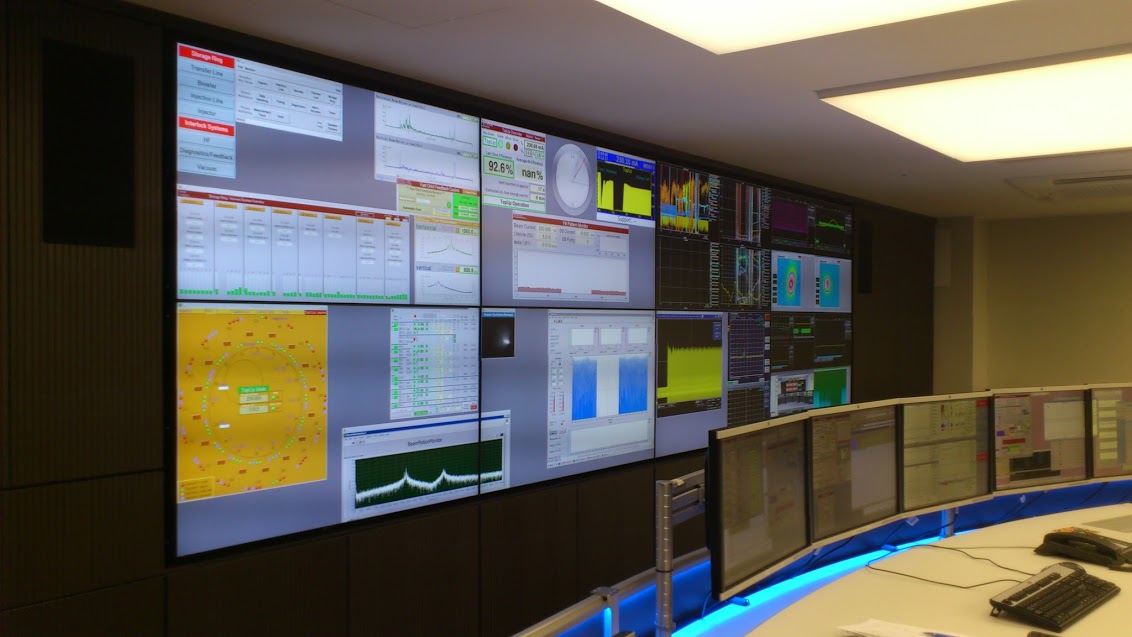
KDE/Linux usage at a control station for a particle accelerator at Adlershof Technology Park, Germany, for reference (by 25years of KDE)3

Back to the point The point of that story is this: GNOME, KDE, RHEL, Debian or Ubuntu: They all do not matter if the necessary applications are not available for them. And as soon as they are, the easiest-to-use solution wins. There are many facets of easiest : In many cases this is RHEL due to Red Hat support contracts being available, in many other cases it is Ubuntu due to its mindshare and ease of use. KDE Plasma is also frequently seen, as it is perceived a bit easier to onboard Windows users with it (among other benefits). Ultimately, it comes down to applications and 3rd-party support though. Here s a dirty secret: In many cases, porting an application to Linux is not that difficult. The thing that companies (and FLOSS projects too!) struggle with and will calculate the merits of carefully in advance is whether it is worth the support cost as well as continuous QA/testing. Their staff will have to do all of that work, and they could spend that time on other tasks after all. So if they learn that porting to Linux not only means added testing and support, but also means to choose between the legacy X11 display server that allows for 1:1 porting from Windows or the new Wayland compositors that do not support the same features they need, they will quickly consider it not worth the effort at all. I have seen this happen. Of course many apps use a cross-platform toolkit like Qt, which greatly simplifies porting. But this just moves the issue one layer down, as now the toolkit needs to abstract Windows, macOS and Wayland. And Wayland does not contain features to do certain things or does them very differently from e.g. Windows, so toolkits have no way to actually implement the existing functionality in a way that works on all platforms. So in Qt s documentation you will often find texts like works everywhere except for on Wayland compositors or mobile 4. Many missing bits or altered behavior are just papercuts, but those add up. And if users will have a worse experience, this will translate to more support work, or people not wanting to use the software on the respective platform.

What s missing?

Window positioning SDI applications with multiple windows are very popular in the scientific world. For data acquisition (for example with microscopes) we often have one monitor with control elements and one larger one with the recorded image. There is also other configurations where multiple signal modalities are acquired, and the experimenter aligns windows exactly in the way they want and expects the layout to be stored and to be loaded upon reopening the application. Even in the image from Adlershof Technology Park above you can see this style of UI design, at mega-scale. Being able to pop-out elements as windows from a single-window application to move them around freely is another frequently used paradigm, and immensely useful with these complex apps. It is important to note that this is not a legacy design, but in many cases an intentional choice these kinds of apps work incredibly well on larger screens or many screens and are very flexible (you can have any window configuration you want, and switch between them using the (usually) great window management abilities of your desktop). Of course, these apps will work terribly on tablets and small form factors, but that is not the purpose they were designed for and nobody would use them that way. I assumed for sure these features would be implemented at some point, but when it became clear that that would not happen, I created the ext-placement protocol which had some good discussion but was ultimately rejected from the xdg namespace. I then tried another solution based on feedback, which turned out not to work for most apps, and now proposed xdg-placement (v2) in an attempt to maybe still get some protocol done that we can agree on, exploring more options before pushing the existing protocol for inclusion into the ext Wayland protocol namespace. Meanwhile though, we can not port any application that needs this feature, while at the same time we are switching desktops and distributions to Wayland by default.

Window position restoration Similarly, a protocol to save & restore window positions was already proposed in 2018, 6 years ago now, but it has still not been agreed upon, and may not even help multiwindow apps in its current form. The absence of this protocol means that applications can not restore their former window positions, and the user has to move them to their previous place again and again. Meanwhile, toolkits can not adopt these protocols and applications can not use them and can not be ported to Wayland without introducing papercuts.

Window icons Similarly, individual windows can not set their own icons, and not-installed applications can not have an icon at all because there is no desktop-entry file to load the icon from and no icon in the theme for them. You would think this is a niche issue, but for applications that create many windows, providing icons for them so the user can find them is fairly important. Of course it s not the end of the world if every window has the same icon, but it s one of those papercuts that make the software slightly less user-friendly. Even applications with fewer windows like LibrePCB are affected, so much so that they rather run their app through Xwayland for now. I decided to address this after I was working on data analysis of image data in a Python virtualenv, where my code and the Python libraries used created lots of windows all with the default yellow W icon, making it impossible to distinguish them at a glance. This is xdg-toplevel-icon now, but of course it is an uphill battle where the very premise of needing this is questioned. So applications can not use it yet.

Limited window abilities requiring specialized protocols Firefox has a picture-in-picture feature, allowing it to pop out media from a mediaplayer as separate floating window so the user can watch the media while doing other things. On X11 this is easily realized, but on Wayland the restrictions posed on windows necessitate a different solution. The xdg-pip protocol was proposed for this specialized usecase, but it is also not merged yet. So this feature does not work as well on Wayland.

Automated GUI testing / accessibility / automation Automation of GUI tasks is a powerful feature, so is the ability to auto-test GUIs. This is being worked on, with libei and wlheadless-run (and stuff like ydotool exists too), but we re not fully there yet.

Wayland is frustrating for (some) application authors As you see, there is valid applications and valid usecases that can not be ported yet to Wayland with the same feature range they enjoyed on X11, Windows or macOS. So, from an application author s perspective, Wayland does break things quite significantly, because things that worked before can no longer work and Wayland (the whole stack) does not provide any avenue to achieve the same result. Wayland does break screen sharing, global hotkeys, gaming latency (via no tearing ) etc, however for all of these there are solutions available that application authors can port to. And most developers will gladly do that work, especially since the newer APIs are usually a lot better and more robust. But if you give application authors no path forward except use Xwayland and be on emulation as second-class citizen forever , it just results in very frustrated application developers. For some application developers, switching to a Wayland compositor is like buying a canvas from the Linux shop that forces your brush to only draw triangles. But maybe for your avant-garde art, you need to draw a circle. You can approximate one with triangles, but it will never be as good as the artwork of your friends who got their canvases from the Windows or macOS art supply shop and have more freedom to create their art.

Triangles are proven to be the best shape! If you are drawing circles you are creating bad art! Wayland, via its protocol limitations, forces a certain way to build application UX often for the better, but also sometimes to the detriment of users and applications. The protocols are often fairly opinionated, a result of the lessons learned from X11. In any case though, it is the odd one out Windows and macOS do not pose the same limitations (for better or worse!), and the effort to port to Wayland is orders of magnitude bigger, or sometimes in case of the multiwindow UI paradigm impossible to achieve to the same level of polish. Desktop environments of course have a design philosophy that they want to push, and want applications to integrate as much as possible (same as macOS and Windows!). However, there are many applications out there, and pushing a design via protocol limitations will likely just result in fewer apps.

The porting dilemma I spent probably way too much time looking into how to get applications cross-platform and running on Linux, often talking to vendors (FLOSS and proprietary) as well. Wayland limitations aren t the biggest issue by far, but they do start to come come up now, especially in the scientific space with Ubuntu having switched to Wayland by default. For application authors there is often no way to address these issues. Many scientists do not even understand why their Python script that creates some GUIs suddenly behaves weirdly because Qt is now using the Wayland backend on Ubuntu instead of X11. They do not know the difference and also do not want to deal with these details even though they may be programmers as well, the real goal is not to fiddle with the display server, but to get to a scientific result somehow. Another issue is portability layers like Wine which need to run Windows applications as-is on Wayland. Apparently Wine s Wayland driver has some heuristics to make window positioning work (and I am amazed by the work done on this!), but that can only go so far.

A way out? So, how would we actually solve this? Fundamentally, this excessively long blog post boils down to just one essential question: Do we want to force applications to submit to a UX paradigm unconditionally, potentially loosing out on application ports or keeping apps on X11 eternally, or do we want to throw them some rope to get as many applications ported over to Wayland, even through we might sacrifice some protocol purity? I think we really have to answer that to make the discussions on wayland-protocols a lot less grueling. This question can be answered at the wayland-protocols level, but even more so it must be answered by the individual desktops and compositors. If the answer for your environment turns out to be Yes, we want the Wayland protocol to be more opinionated and will not make any compromises for application portability , then your desktop/compositor should just immediately NACK protocols that add something like this and you simply shouldn t engage in the discussion, as you reject the very premise of the new protocol: That it has any merit to exist and is needed in the first place. In this case contributors to Wayland and application authors also know where you stand, and a lot of debate is skipped. Of course, if application authors want to support your environment, you are basically asking them now to rewrite their UI, which they may or may not do. But at least they know what to expect and how to target your environment. If the answer turns out to be We do want some portability , the next question obviously becomes where the line should be drawn and which changes are acceptable and which aren t. We can t blindly copy all X11 behavior, some porting work to Wayland is simply inevitable. Some written rules for that might be nice, but probably more importantly, if you agree fundamentally that there is an issue to be fixed, please engage in the discussions for the respective MRs! We for sure do not want to repeat X11 mistakes, and I am certain that we can implement protocols which provide the required functionality in a way that is a nice compromise in allowing applications a path forward into the Wayland future, while also being as good as possible and improving upon X11. For example, the toplevel-icon proposal is already a lot better than anything X11 ever had. Relaxing ACK requirements for the ext namespace is also a good proposed administrative change, as it allows some compositors to add features they want to support to the shared repository easier, while also not mandating them for others. In my opinion, it would allow for a lot less friction between the two different ideas of how Wayland protocol development should work. Some compositors could move forward and support more protocol extensions, while more restrictive compositors could support less things. Applications can detect supported protocols at launch and change their behavior accordingly (ideally even abstracted by toolkits). You may now say that a lot of apps are ported, so surely this issue can not be that bad. And yes, what Wayland provides today may be enough for 80-90% of all apps. But what I hope the detour into the research lab has done is convince you that this smaller percentage of apps matters. A lot. And that it may be worthwhile to support them. To end on a positive note: When it came to porting concrete apps over to Wayland, the only real showstoppers so far5 were the missing window-positioning and window-position-restore features. I encountered them when porting my own software, and I got the issue as feedback from colleagues and fellow engineers. In second place was UI testing and automation support, the window-icon issue was mentioned twice, but being a cosmetic issue it likely simply hurts people less and they can ignore it easier. What this means is that the majority of apps are already fine, and many others are very, very close! A Wayland future for everyone is within our grasp!  I will also bring my two protocol MRs to their conclusion for sure, because as application developers we need clarity on what the platform (either all desktops or even just a few) supports and will or will not support in future. And the only way to get something good done is by contribution and friendly discussion.

Footnotes
  1. Apologies for the clickbait-y title it comes with the subject
  2. When I talk about Wayland I mean the combined set of display server protocols and accepted protocol extensions, unless otherwise clarified.
  3. I would have picked a picture from our lab, but that would have needed permission first
  4. Qt has awesome platform issues pages, like for macOS and Linux/X11 which help with porting efforts, but Qt doesn t even list Linux/Wayland as supported platform. There is some information though, like window geometry peculiarities, which aren t particularly helpful when porting (but still essential to know).
  5. Besides issues with Nvidia hardware CUDA for simulations and machine-learning is pretty much everywhere, so Nvidia cards are common, which causes trouble on Wayland still. It is improving though.

10 January 2024

Russell Coker: SAS vs SATA and Recovery

SAS and SATA are electrically compatible to a degree that allows connecting a SATA storage device to a SAS controller. The SAS controller understands the SATA protocol so this works. A SAS device can t be physically connected to a SATA controller and if you did manage to connect it then it wouldn t work. Some SAS RAID controllers don t permit mixing SAS and SATA devices in the same array, this is a software issue and could be changed. I know that the PERC controllers used by Dell (at least the older versions) do this and it might affect many/most MegaRAID controllers (which is what PERC is). If you have a hardware RAID array of SAS disks and one fails then you need a spare SAS disk and as the local computer store won t have any you need some on hand. The Linux kernel has support for the MegaRAID/PERC superblocks so for at least some of the RAID types supported by MegaRAID/PERC you can just connect the disks to a Linux system and have it work (I ve only tested on JBOD AKA a single-disk RAID-0). So if you have a server from Dell or IBM or any other company that uses MegaRAID which fails you can probably just put the disks into a non-RAID SAS controller and have them work. As Linux doesn t care about the difference between SAS and SATA at the RAID level you could then add a SATA disk to an array of SAS disks. If you want to move an array from a dead Dell to a working IBM server or the other way around then you need it to be all SATA or all SAS. You can use a Linux system to mount an array used by Windows or any other OS and then migrate the data to a different array. If you have an old array of SAS disks and one fails then it might be a reasonable option to just migrate the data to a new array of SATA SSDs. EG if you had 6*600G SAS disks you could move to 2*4TB SATA SSDs and get more storage, much higher performance, less power use, and less noise for a cost of $800 or so (you can spend more to get better performance) and some migration time. Having a spare SAS controller for data recovery is convenient. Having a spare SAS disk for any RAID-5/RAID-6 is a good thing. Having lots of spare SAS disks probably isn t useful as migrating to SATA is a better choice. SATA SSDs are bigger and faster than most SAS disks that are in production. I m sure that someone uses SAS SSDs but I haven t yet seen them in production, if you have a SAS system and need the performance that SSDs can give then a new server with U.2 (the SAS equivalent of NVMe) is the way to go). SATA hard drives are also the solution for seriously large storage, 16TB SATA hard drives are cheap and work in all the 3.5 SAS systems. It s hard to sell old SAS disks as there isn t much use for them.

Dirk Eddelbuettel: Rcpp 1.0.12 on CRAN: New Maintenance / Update Release

rcpp logo The Rcpp Core Team is once again thrilled to announce a new release 1.0.12 of the Rcpp package. It arrived on CRAN early today, and has since been uploaded to Debian as well. Windows and macOS builds should appear at CRAN in the next few days, as will builds in different Linux distribution and of course at r2u should catch up tomorrow. The release was uploaded yesterday, and run its reverse dependencies overnight. Rcpp always gets flagged nomatter what because the grandfathered .Call(symbol) but we had not single change to worse among over 2700 reverse dependencies! This release continues with the six-months January-July cycle started with release 1.0.5 in July 2020. As a reminder, we do of course make interim snapshot dev or rc releases available via the Rcpp drat repo and strongly encourage their use and testing I run my systems with these versions which tend to work just as well, and are also fully tested against all reverse-dependencies. Rcpp has long established itself as the most popular way of enhancing R with C or C++ code. Right now, 2791 packages on CRAN depend on Rcpp for making analytical code go faster and further, along with 254 in BioConductor. On CRAN, 13.8% of all packages depend (directly) on Rcpp, and 59.9% of all compiled packages do. From the cloud mirror of CRAN (which is but a subset of all CRAN downloads), Rcpp has been downloaded 78.1 million times. The two published papers (also included in the package as preprint vignettes) have, respectively, 1766 (JSS, 2011) and 292 (TAS, 2018) citations, while the the book (Springer useR!, 2013) has another 617. This release is incremental as usual, generally preserving existing capabilities faithfully while smoothing our corners and / or extending slightly, sometimes in response to changing and tightened demands from CRAN or R standards. The full list below details all changes, their respective PRs and, if applicable, issue tickets. Big thanks from all of us to all contributors!

Changes in Rcpp release version 1.0.12 (2024-01-08)
  • Changes in Rcpp API:
    • Missing header includes as spotted by some recent tools were added in two places (Michael Chirico in #1272 closing #1271).
    • Casts to avoid integer overflow in matrix row/col selections have neem added (Aaron Lun #1281).
    • Three print format correction uncovered by R-devel were applied with thanks to Tomas Kalibera (Dirk in #1285).
    • Correct a print format correction in the RcppExports glue code (Dirk in #1288 fixing #1287).
    • The upcoming OBJSXP addition to R 4.4.0 is supported in the type2name mapper (Dirk and I aki in #1293).
  • Changes in Rcpp Attributes:
    • Generated interface code from base R that fails under LTO is now corrected (I aki in #1274 fixing a StackOverflow issue).
  • Changes in Rcpp Documentation:
    • The caption for third figure in the introductory vignette has been corrected (Dirk in #1277 fixing #1276).
    • A small formatting issue was correct in an Rd file as noticed by R-devel (Dirk in #1282).
    • The Rcpp FAQ vignette has been updated (Dirk in #1284).
    • The Rcpp.bib file has been refreshed to current package versions.
  • Changes in Rcpp Deployment:
    • The RcppExports file for an included test package has been updated (Dirk in #1289).

Thanks to my CRANberries, you can also look at a diff to the previous release Questions, comments etc should go to the rcpp-devel mailing list off the R-Forge page. Bugs reports are welcome at the GitHub issue tracker as well (where one can also search among open or closed issues). If you like this or other open-source work I do, you can sponsor me at GitHub.

This post by Dirk Eddelbuettel originated on his Thinking inside the box blog. Please report excessive re-aggregation in third-party for-profit settings.

9 January 2024

Louis-Philippe V ronneau: 2023 A Musical Retrospective

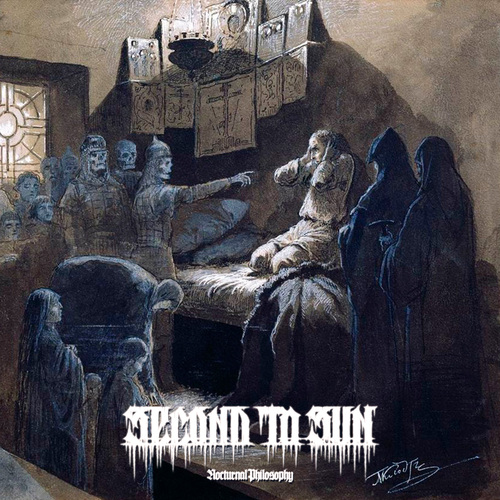
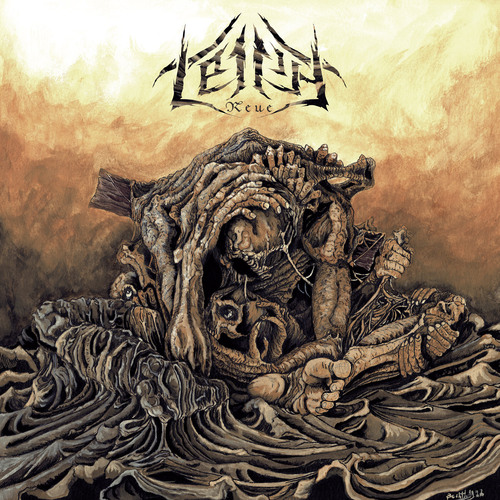
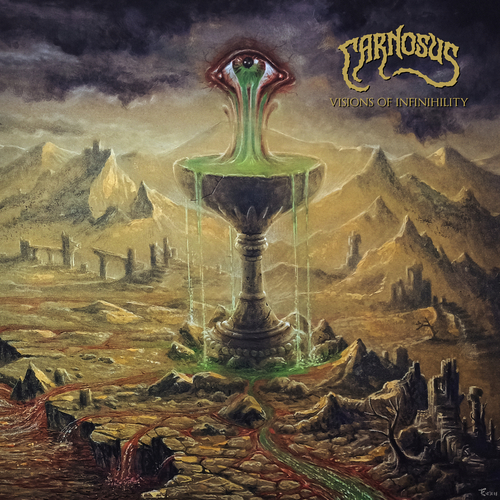
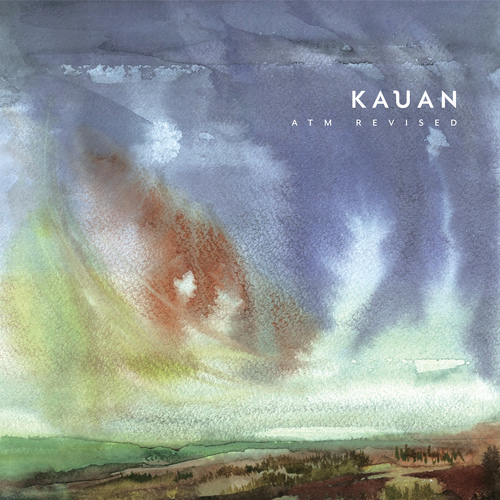
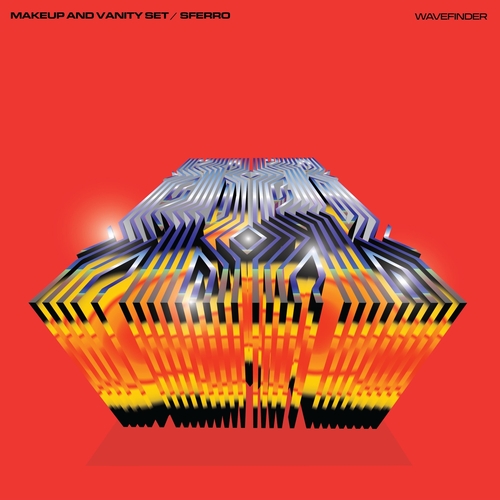
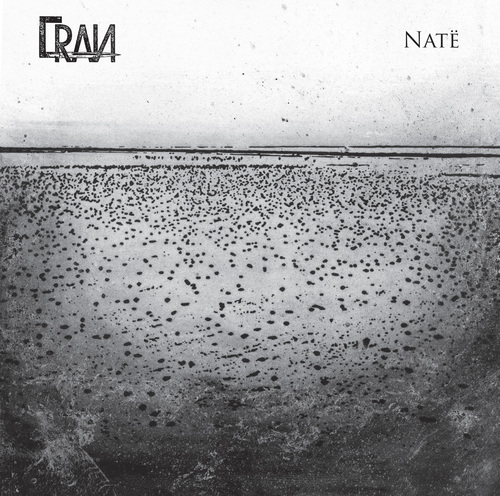
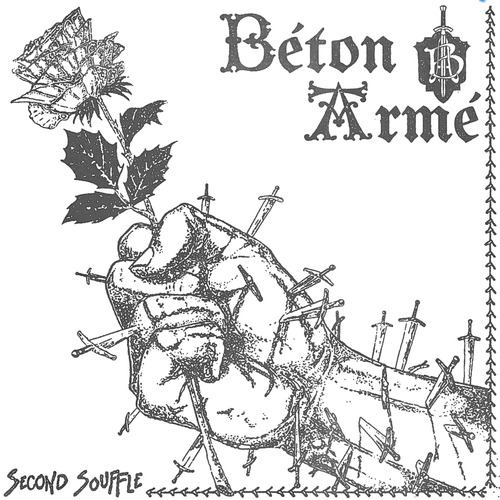
I ended 2022 with a musical retrospective and very much enjoyed writing that blog post. As such, I have decided to do the same for 2023! From now on, this will probably be an annual thing :) Albums In 2023, I added 73 new albums to my collection nearly 2 albums every three weeks! I listed them below in the order in which I acquired them. I purchased most of these albums when I could and borrowed the rest at libraries. If you want to browse though, I added links to the album covers pointing either to websites where you can buy them or to Discogs when digital copies weren't available. Once again this year, it seems that Punk (mostly O !) and Metal dominate my list, mostly fueled by Angry Metal Guy and the amazing Montr al Skinhead/Punk concert scene. Concerts A trend I started in 2022 was to go to as many concerts of artists I like as possible. I'm happy to report I went to around 80% more concerts in 2023 than in 2022! Looking back at my list, April was quite a busy month... Here are the concerts I went to in 2023: Although metalfinder continues to work as intended, I'm very glad to have discovered the Montr al underground scene has departed from Facebook/Instagram and adopted en masse Gancio, a FOSS community agenda that supports ActivityPub. Our local instance, askapunk.net is pretty much all I could ask for :) That's it for 2023!

8 January 2024

Antoine Beaupr : Last year on this blog

So this blog is now celebrating its 21st birthday (or 20 if you count from zero, or 18 if you want to be pedantic), and I figured I would do this yearly thing of reviewing how that went.

Number of posts 2022 was the official 20th anniversary in any case, and that was one of my best years on record, with 46 posts, surpassed only by the noisy 2005 (62) and matching 2006 (46). 2023, in comparison, was underwhelming: a feeble 11 posts! What happened! Well, I was busy with other things, mostly away from keyboard, that I will not bore you with here... The other thing that happened is that the one-liner I used to collect stats was broken (it counted folders and other unrelated files) and wildly overestimated 2022! Turns out I didn't write that much then:
anarc.at$ ls blog   grep '^[0-9][0-9][0-9][0-9].*.md'   se
d s/-.*//   sort   uniq -c    sort -n -k2
     57 2005
     43 2006
     20 2007
     20 2008
      7 2009
     13 2010
     16 2011
     11 2012
     13 2013
      5 2014
     13 2015
     18 2016
     29 2017
     27 2018
     17 2019
     18 2020
     14 2021
     28 2022
     10 2023
      1 2024
But even that is inaccurate because, in ikiwiki, I can tag any page as being featured on the blog. So we actually need to process the HTML itself because we don't have much better on hand without going through ikiwiki's internals:
anarcat@angela:anarc.at$ curl -sSL https://anarc.at/blog/   grep 'href="\./'   grep -o 20[0-9][0-9]   sort   uniq -c 
     56 2005
     42 2006
     19 2007
     18 2008
      6 2009
     12 2010
     15 2011
     10 2012
     11 2013
      3 2014
     15 2015
     32 2016
     50 2017
     37 2018
     19 2019
     19 2020
     15 2021
     28 2022
     13 2023
Which puts the top 10 years at:
$ curl -sSL https://anarc.at/blog/   grep 'href="\./'   grep -o 20[0-9][0-9]   sort   uniq -c    sort -nr   head -10
     56 2005
     50 2017
     42 2006
     37 2018
     32 2016
     28 2022
     19 2020
     19 2019
     19 2007
     18 2008
Anyway. 2023 is certainly not a glorious year in that regard, in any case.

Visitors In terms of visits, however, we had quite a few hits. According to Goatcounter, I had 122 300 visits in 2023! 2022, in comparison, had 89 363, so that's quite a rise.

What you read I seem to have hit the Hacker News front page at least twice. I say "seem" because it's actually pretty hard to tell what the HN frontpage actually is on any given day. I had 22k visits on 2023-03-13, in any case, and you can't see me on the front that day. We do see a post of mine on 2023-09-02, all the way down there, which seem to have generated another 10k visits. In any case, here were the most popular stories for you fine visitors:
  • Framework 12th gen laptop review: 24k visits, which is surprising for a 13k words article "without images", as some critics have complained. 15k referred by Hacker News. Good reference and time-consuming benchmarks, slowly bit-rotting. That is, by far, my most popular article ever. A popular article in 2021 or 2022 was around 6k to 9k, so that's a big one. I suspect it will keep getting traffic for a long while.
  • Calibre replacement considerations: 15k visits, most of which without a referrer. Was actually an old article, but I suspect HN brought it back to light. I keep updating that wiki page regularly when I find new things, but I'm still using Calibre to import ebooks.
  • Hacking my Kobo Clara HD: is not new but always gathering more and more hits, it had 1800 hits in the first year, 4600 hits last year and now brought 6400 visitors to the blog! Not directly related, but this iFixit battery replacement guide I wrote also seem to be quite popular
Everything else was published before 2023. Replacing Smokeping with Prometheus is still around and Looking at Wayland terminal emulators makes an entry in the top five.

Where you've been People send less and less private information when they browse the web. The number of visitors without referrers was 41% in 2021, it rose to 44% in 2023. Most of the remaining traffic comes from Google, but Hacker News is now a significant chunk, almost as big as Google. In 2021, Google represented 23% of my traffic, in 2022, it was down to 15% so 18% is actually a rise from last year, even if it seems much smaller than what I usually think of.

Ratio Referrer Visits
18% Google 22 098
13% Hacker News 16 003
2% duckduckgo.com 2 640
1% community.frame.work 1 090
1% missing.csail.mit.edu 918
Note that Facebook and Twitter do not appear at all in my referrers.

Where you are Unsurprisingly, most visits still come from the US:
Ratio Country Visits
26% United States 32 010
14% France 17 046
10% Germany 11 650
6% Canada 7 425
5% United Kingdom 6 473
3% Netherlands 3 436
Those ratios are nearly identical to last year, but quite different from 2021, where Germany and France were more or less reversed. Back in 2021, I mentioned there was a long tail of countries with at least one visit, with 160 countries listed. I expanded that and there's now 182 countries in that list, almost all of the 193 member states in the UN.

What you were Chrome's dominance continues to expand, even on readers of this blog, gaining two percentage points from Firefox compared to 2021.
Ratio Browser Visits
49% Firefox 60 126
36% Chrome 44 052
14% Safari 17 463
1% Others N/A
It seems like, unfortunately, my Lynx and Haiku users have not visited in the past year. It seems like trying to read those metrics is like figuring out tea leaves... In terms of operating systems:
Ratio OS Visits
28% Linux 34 010
23% macOS 28 728
21% Windows 26 303
17% Android 20 614
10% iOS 11 741
Again, Linux and Mac are over-represented, and Android and iOS are under-represented.

What is next I hope to write more next year. I've been thinking about a few posts I could write for work, about how things work behind the scenes at Tor, that could be informative for many people. We run a rather old setup, but things hold up pretty well for what we throw at it, and it's worth sharing that with the world... So anyway, thanks for coming, faithful reader, and see you in the coming 2024 year...

Russ Allbery: Review: The Faithless

Review: The Faithless, by C.L. Clark
Series: Magic of the Lost #2
Publisher: Orbit
Copyright: March 2023
ISBN: 0-316-54283-0
Format: Kindle
Pages: 527
The Faithless is the second book in a political fantasy series that seems likely to be a trilogy. It is a direct sequel to The Unbroken, which you should read first. As usual, Orbit made it unnecessarily hard to get re-immersed in the world by refusing to provide memory aids for readers who read books as they come out instead of only when the series is complete, but this is not the fault of Clark or the book and you've heard me rant about this before. The Unbroken was set in Qaz l (not-Algeria). The Faithless, as readers of the first book might guess from the title, is set in Balladaire (not-France). This is the palace intrigue book. Princess Luca is fighting for her throne against her uncle, the regent. Touraine is trying to represent her people. Whether and to what extent those interests are aligned is much of the meat of this book. Normally I enjoy palace intrigue novels for the competence porn: watching someone navigate a complex political situation with skill and cunning, or upend the entire system by building unlikely coalitions or using unexpected routes to power. If you are similar, be warned that this is not what you're going to get. Touraine is a fish out of water with no idea how to navigate the Balladairan court, and does not magically become an expert in the course of this novel. Luca has the knowledge, but she's unsure, conflicted, and largely out-maneuvered. That means you will have to brace for some painful scenes of some of the worst people apparently getting what they want. Despite that, I could not put this down. It was infuriating, frustrating, and a much slower burn than I prefer, but the layers of complex motivations that Clark builds up provided a different sort of payoff. Two books in, the shape of this series is becoming clearer. This series is about empire and colonialism, but with considerably more complexity than fantasy normally brings to that topic. Power does not loosen its grasp easily, and it has numerous tools for subtle punishment after apparent upstart victories. Righteous causes rarely call banners to your side; instead, they create opportunities for other people to maneuver to their own advantage. Touraine has some amount of power now, but it's far from obvious how to use it. Her life's training tells her that exercising power will only cause trouble, and her enemies are more than happy to reinforce that message at every opportunity. Most notable to me is Clark's bitingly honest portrayal of the supposed allies within the colonial power. It is clear that Luca is attempting to take the most ethical actions as she defines them, but it's remarkable how those efforts inevitably imply that Touraine should help Luca now in exchange for Luca's tenuous and less-defined possible future aid. This is not even a lie; it may be an accurate summary of Balladairan politics. And yet, somehow what Balladaire needs always matters more than the needs of their abused colony. Underscoring this, Clark introduces another faction in the form of a populist movement against the Balladairan monarchy. The details of that setup in another fantasy novel would make them allies of the Qaz l. Here, as is so often the case in real life, a substantial portion of the populists are even more xenophobic and racist than the nobility. There are no easy alliances. The trump card that Qaz l holds is magic. They have it, and (for reasons explored in The Unbroken) Balladaire needs it, although that is a position held by Luca's faction and not by her uncle. But even Luca wants to reduce that magic to a manageable technology, like any other element of the Balladairan state. She wants to understand it, harness it, and bring it under local control. Touraine, trained by Balladaire and facing Balladairan political problems, has the same tendency. The magic, at least in this book, refuses not in the flashy, rebellious way that it would in most fantasy, but in a frustrating and incomprehensible lack of predictable or convenient rules. I think this will feel like a plot device to some readers, and that is to some extent true, but I think I see glimmers of Clark setting up a conflict of world views that will play out in the third book. I think some people are going to bounce off this book. It's frustrating, enraging, at times melodramatic, and does not offer the cathartic payoff typically offered in fantasy novels of this type. Usually these are things I would be complaining about as well. And yet, I found it satisfyingly challenging, engrossing, and memorable. I spent a lot of the book yelling "just kill him already" at the characters, but I think one of Clark's points is that overcoming colonial relationships requires a lot more than just killing one evil man. The characters profoundly fail to execute some clever and victorious strategy. Instead, as in the first book, they muddle through, making the best choice that they can see in each moment, making lots of mistakes, and paying heavy prices. It's realistic in a way that has nothing to do with blood or violence or grittiness. (Although I did appreciate having the thin thread of Pruett's story and its highly satisfying conclusion.) This is also a slow-burn romance, and there too I think opinions will differ. Touraine and Luca keep circling back to the same arguments and the same frustrations, and there were times that this felt repetitive. It also adds a lot of personal drama to the politics in a way that occasionally made me dubious. But here too, I think Clark is partly using the romance to illustrate the deeper political points. Luca is often insufferable, cruel and ambitious in ways she doesn't realize, and only vaguely able to understand the Qaz l perspective; in short, she's the pragmatic centrist reformer. I am dubious that her ethics would lead her to anything other than endless compromise without Touraine to push her. To Luca's credit, she also realizes that and wants to be a better person, but struggles to have the courage to act on it. Touraine both does and does not want to manipulate her; she wants Luca's help (and more), but it's not clear Luca will give it under acceptable terms, or even understand how much she's demanding. It's that foundational conflict that turns the romance into a slow burn by pushing them apart. Apparently I have more patience for this type of on-again, off-again relationship than one based on artificial miscommunication. The more I noticed the political subtext, the more engaging I found the romance on the surface. I picked this up because I'd read several books about black characters written by white authors, and while there was nothing that wrong with those books, the politics felt a little too reductionist and simplified. I wanted a book that was going to force me out of comfortable political assumptions. The Faithless did exactly what I was looking for, and I am definitely here for the rest of the series. In that sense, recommended, although do not go into this book hoping for adroit court maneuvering and competence porn. Followed by The Sovereign, which does not yet have a release date. Content warnings: Child death, attempted cultural genocide. Rating: 7 out of 10



7 January 2024

Jonathan McDowell: Free Software Activities for 2023

This year was hard from a personal and work point of view, which impacted the amount of Free Software bits I ended up doing - even when I had the time I often wasn t in the right head space to make progress on things. However writing this annual recap up has been a useful exercise, as I achieved more than I realised. For previous years see 2019, 2020, 2021 + 2022.
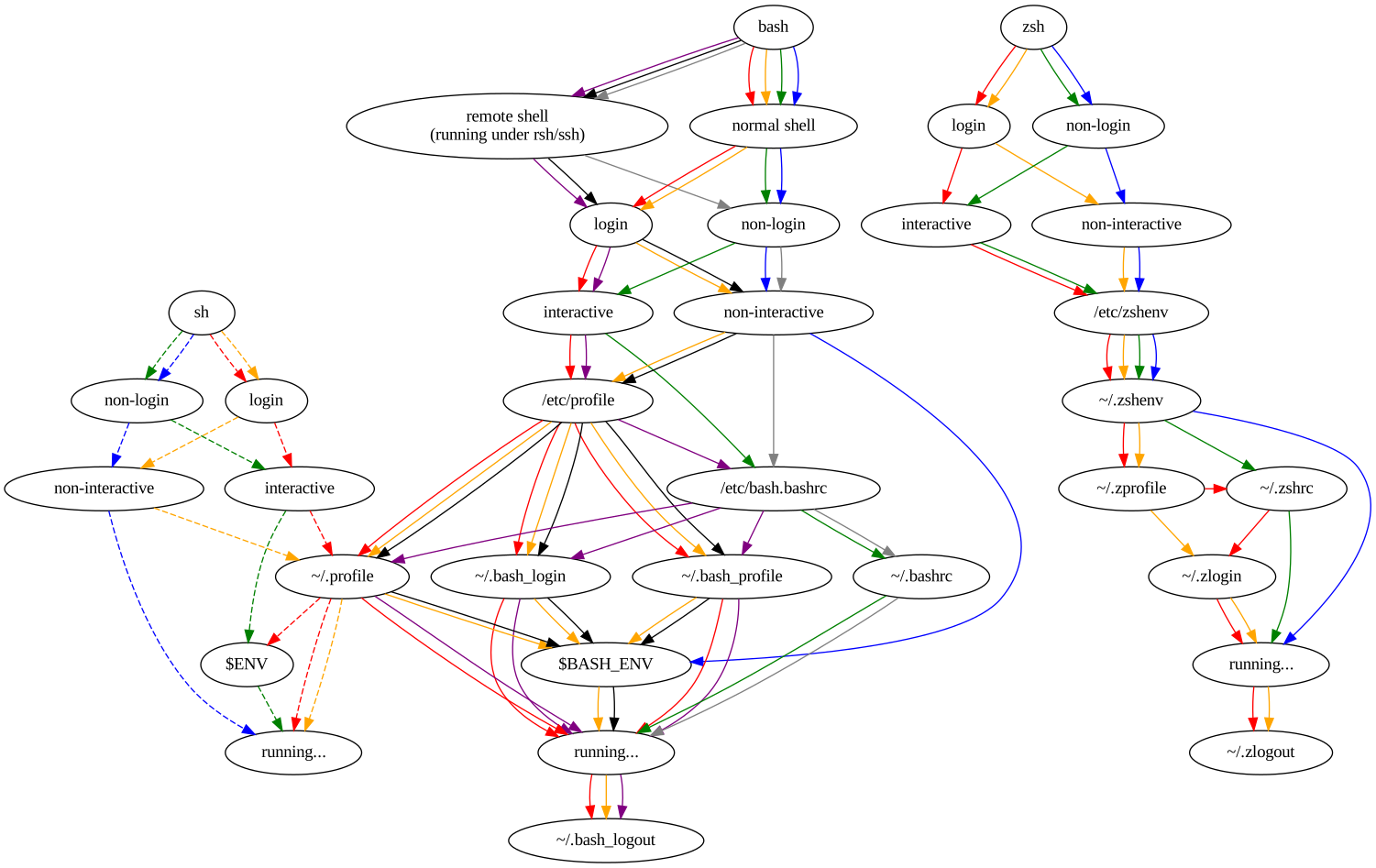
Conferences The only Free Software related conference I made it to this year was DebConf23 in Kochi, India. Changes with projects at work meant I couldn t justify anything work related. This year I m planning to make it to FOSDEM, and haven t made a decision on DebConf24 yet.

Debian Most of my contributions to Free software continue to happen within Debian. I started the year working on retrogaming with Kodi on Debian. I got this to a much better state for bookworm, with it being possible to run the bsnes-mercury emulator under Kodi using RetroArch. There are a few other libretro backends available for RetroArch, but Kodi needs some extra controller mappings packaged up first. Plenty of uploads were involved, though some of this was aligning all the dependencies and generally cleaning things up in iterations. I continued to work on a few packages within the Debian Electronics Packaging Team. OpenOCD produced a new release in time for the bookworm release, so I uploaded 0.12.0-1. There were a few minor sigrok cleanups - sigrok 0.3, libsigrokdecode 0.5.3-4 + libsigrok 0.5.2-4 / 0.5.2-5. While I didn t manage to get the work completed I did some renaming of the ESP8266 related packages - gcc-xtensa-lx106 (which saw a 13 upload pre-bookworm) has become gcc-xtensa (with 14) and binutils-xtensa-lx106 has become binutils-xtensa (with 6). Binary packages remain the same, but this is intended to allow for the generation of ESP32 compiler toolchains from the same source. onak saw 0.6.3-1 uploaded to match the upstream release. I also uploaded libgpg-error 1.47-1 (though I can claim no credit for any of the work in preparing the package) to help move things forward on updating gnupg2 in Debian. I NMUed tpm2-pkcs11 1.9.0-0.1 to fix some minor issues pre-bookworm release; I use this package myself to store my SSH key within my laptop TPM, so I care about it being in a decent state. sg3-utils also saw a bit of love with 1.46-2 + 1.46-3 - I don t work in the storage space these days, but I m still listed as an uploaded and there was an RC bug around the library package naming that I was qualified to fix and test pre-bookworm. Related to my retroarch work I sponsored uploads of mgba for Ryan Tandy: 0.10.0+dfsg-1, 0.10.0+dfsg-2, 0.10.1+dfsg-1, 0.10.2+dfsg-1, mgba 0.10.1+dfsg-1+deb12u1. As part of the Data Protection Team I responded to various inbound queries to that team, both from project members and those external to the project. I continue to keep an eye on Debian New Members, even though I m mostly inactive as an application manager - we generally seem to have enough available recently. Mostly my involvement is via Front Desk activities, helping out with queries to the team alias, and contributing to internal discussions as well as our panel at DebConf23. Finally the 3 month rotation for Debian Keyring continues to operate smoothly. I dealt with 2023.03.24, 2023.06.26, 2023.06.29, 2023.09.10, 2023.09.24 + 2023.12.24.

Linux I had a few minor patches accepted to the kernel this year. A pair of safexcel cleanups (improved error logging for firmware load fail and cleanup on load failure) came out of upgrading the kernel running on my RB5009. The rest were related to my work on repurposing my C.H.I.P.. The AXP209 driver needed extended to support GPIO3 (with associated DT schema update). That allowed Bluetooth to be enabled. Adding the AXP209 internal temperature ADC as an iio-hwmon node means it can be tracked using the normal sensor monitoring framework. And finally I added the pinmux settings for mmc2, which I use to support an external microSD slot on my C.H.I.P.

Personal projects 2023 saw another minor release of onak, 0.6.3, which resulted in a corresponding Debian upload (0.6.3-1). It has a couple of bug fixes (including a particularly annoying, if minor, one around systemd socket activation that felt very satisfying to get to the bottom of), but I still lack the time to do any of the major changes I would like to. I wrote listadmin3 to allow easy manipulation of moderation queues for Mailman3. It s basic, but it s drastically improved my timeliness on dealing with held messages.

3 January 2024

John Goerzen: Live Migrating from Raspberry Pi OS bullseye to Debian bookworm

I ve been getting annoyed with Raspberry Pi OS (Raspbian) for years now. It s a fork of Debian, but manages to omit some of the most useful things. So I ve decided to migrate all of my Pis to run pure Debian. These are my reasons:
  1. Raspberry Pi OS has, for years now, specified that there is no upgrade path. That is, to get to a newer major release, it s a reinstall. While I have sometimes worked around this, for a device that is frequently installed in hard-to-reach locations, this is even more important than usual. It s common for me to upgrade machines for a decade or more across Debian releases and there s no reason that it should be so much more difficult with Raspbian.
  2. As I noted in Consider Security First, the security situation for Raspberry Pi OS isn t as good as it is with Debian.
  3. Raspbian lags behind Debian often times by 6 months or more for major releases, and days or weeks for bug fixes and security patches.
  4. Raspbian has no direct backports support, though Raspberry Pi 3 and above can use Debian s backports (per my instructions as Installing Debian Backports on Raspberry Pi)
  5. Raspbian uses a custom kernel without initramfs support
It turns out it is actually possible to do an in-place migration from Raspberry Pi OS bullseye to Debian bookworm. Here I will describe how. Even if you don t have a Raspberry Pi, this might still be instructive on how Raspbian and Debian packages work.

WARNINGS Before continuing, back up your system. This process isn t for the neophyte and it is entirely possible to mess up your boot device to the point that you have to do a fresh install to get your Pi to boot. This isn t a supported process at all.

Architecture Confusion Debian has three ARM-based architectures:
  • armel, for the lowest-end 32-bit ARM devices without hardware floating point support
  • armhf, for the higher-end 32-bit ARM devices with hardware float (hence hf )
  • arm64, for 64-bit ARM devices (which all have hardware float)
Although the Raspberry Pi 0 and 1 do support hardware float, they lack support for other CPU features that Debian s armhf architecture assumes. Therefore, the Raspberry Pi 0 and 1 could only run Debian s armel architecture. Raspberry Pi 3 and above are capable of running 64-bit, and can run both armhf and arm64. Prior to the release of the Raspberry Pi 5 / Raspbian bookworm, Raspbian only shipped the armhf architecture. Well, it was an architecture they called armhf, but it was different from Debian s armhf in that everything was recompiled to work with the more limited set of features on the earlier Raspberry Pi boards. It was really somewhere between Debian s armel and armhf archs. You could run Debian armel on those, but it would run more slowly, due to doing floating point calculations without hardware support. Debian s raspi FAQ goes into this a bit. What I am going to describe here is going from Raspbian armhf to Debian armhf with a 64-bit kernel. Therefore, it will only work with Raspberry Pi 3 and above. It may theoretically be possible to take a Raspberry Pi 2 to Debian armhf with a 32-bit kernel, but I haven t tried this and it may be more difficult. I have seen conflicting information on whether armhf really works on a Pi 2. (If you do try it on a Pi 2, ignore everything about arm64 and 64-bit kernels below, and just go with the linux-image-armmp-lpae kernel per the ARMMP page) There is another wrinkle: Debian doesn t support running 32-bit ARM kernels on 64-bit ARM CPUs, though it does support running a 32-bit userland on them. So we will wind up with a system with kernel packages from arm64 and everything else from armhf. This is a perfectly valid configuration as the arm64 like x86_64 is multiarch (that is, the CPU can natively execute both the 32-bit and 64-bit instructions). (It is theoretically possible to crossgrade a system from 32-bit to 64-bit userland, but that felt like a rather heavy lift for dubious benefit on a Pi; nevertheless, if you want to make this process even more complicated, refer to the CrossGrading page.)

Prerequisites and Limitations In addition to the need for a Raspberry Pi 3 or above in order for this to work, there are a few other things to mention. If you are using the GPIO features of the Pi, I don t know if those work with Debian. I think Raspberry Pi OS modified the desktop environment more than other components. All of my Pis are headless, so I don t know if this process will work if you use a desktop environment. I am assuming you are booting from a MicroSD card as is typical in the Raspberry Pi world. The Pi s firmware looks for a FAT partition (MBR type 0x0c) and looks within it for boot information. Depending on how long ago you first installed an OS on your Pi, your /boot may be too small for Debian. Use df -h /boot to see how big it is. I recommend 200MB at minimum. If your /boot is smaller than that, stop now (or use some other system to shrink your root filesystem and rearrange your partitions; I ve done this, but it s outside the scope of this article.) You need to have stable power. Once you begin this process, your pi will mostly be left in a non-bootable state until you finish. (You did make a backup, right?)

Basic idea The basic idea here is that since bookworm has almost entirely newer packages then bullseye, we can just switch over to it and let the Debian packages replace the Raspbian ones as they are upgraded. Well, it s not quite that easy, but that s the main idea.

Preparation First, make a backup. Even an image of your MicroSD card might be nice. OK, I think I ve said that enough now. It would be a good idea to have a HDMI cable (with the appropriate size of connector for your particular Pi board) and a HDMI display handy so you can troubleshoot any bootup issues with a console.

Preparation: access The Raspberry Pi OS by default sets up a user named pi that can use sudo to gain root without a password. I think this is an insecure practice, but assuming you haven t changed it, you will need to ensure it still works once you move to Debian. Raspberry Pi OS had a patch in their sudo package to enable it, and that will be removed when Debian s sudo package is installed. So, put this in /etc/sudoers.d/010_picompat:
pi ALL=(ALL) NOPASSWD: ALL
Also, there may be no password set for the root account. It would be a good idea to set one; it makes it easier to log in at the console. Use the passwd command as root to do so.

Preparation: bluetooth Debian doesn t correctly identify the Bluetooth hardware address. You can save it off to a file by running hcitool dev > /root/bluetooth-from-raspbian.txt. I don t use Bluetooth, but this should let you develop a script to bring it up properly.

Preparation: Debian archive keyring You will next need to install Debian s archive keyring so that apt can authenticate packages from Debian. Go to the bookworm download page for debian-archive-keyring and copy the URL for one of the files, then download it on the pi. For instance:
wget http://http.us.debian.org/debian/pool/main/d/debian-archive-keyring/debian-archive-keyring_2023.3+deb12u1_all.deb
Use sha256sum to verify the checksum of the downloaded file, comparing it to the package page on the Debian site. Now, you ll install it with:
dpkg -i debian-archive-keyring_2023.3+deb12u1_all.deb

Package first steps From here on, we are making modifications to the system that can leave it in a non-bootable state. Examine /etc/apt/sources.list and all the files in /etc/apt/sources.list.d. Most likely you will want to delete or comment out all lines in all files there. Replace them with something like:
deb http://deb.debian.org/debian/ bookworm main non-free-firmware contrib non-free
deb http://security.debian.org/debian-security bookworm-security main non-free-firmware contrib non-free
deb https://deb.debian.org/debian bookworm-backports main non-free-firmware contrib non-free
(you might leave off contrib and non-free depending on your needs) Now, we re going to tell it that we ll support arm64 packages:
dpkg --add-architecture arm64
And finally, download the bookworm package lists:
apt-get update
If there are any errors from that command, fix them and don t proceed until you have a clean run of apt-get update.

Moving /boot to /boot/firmware The boot FAT partition I mentioned above is mounted at /boot by Raspberry Pi OS, but Debian s scripts assume it will be at /boot/firmware. We need to fix this. First:
umount /boot
mkdir /boot/firmware
Now, edit fstab and change the reference to /boot to be to /boot/firmware. Now:
mount -v /boot/firmware
cd /boot/firmware
mv -vi * ..
This mounts the filesystem at the new location, and moves all its contents back to where apt believes it should be. Debian s packages will populate /boot/firmware later.

Installing the first packages Now we start by installing the first of the needed packages. Eventually we will wind up with roughly the same set Debian uses.
apt-get install linux-image-arm64
apt-get install firmware-brcm80211=20230210-5
apt-get install raspi-firmware
If you get errors relating to firmware-brcm80211 from any commands, run that install firmware-brcm80211 command and then proceed. There are a few packages that Raspbian marked as newer than the version in bookworm (whether or not they really are), and that s one of them.

Configuring the bootloader We need to configure a few things in /etc/default/raspi-firmware before proceeding. Edit that file. First, uncomment (or add) a line like this:
KERNEL_ARCH="arm64"
Next, in /boot/cmdline.txt you can find your old Raspbian boot command line. It will say something like:
root=PARTUUID=...
Save off the bit starting with PARTUUID. Back in /etc/default/raspi-firmware, set a line like this:
ROOTPART=PARTUUID=abcdef00
(substituting your real value for abcdef00). This is necessary because the microSD card device name often changes from /dev/mmcblk0 to /dev/mmcblk1 when switching to Debian s kernel. raspi-firmware will encode the current device name in /boot/firmware/cmdline.txt by default, which will be wrong once you boot into Debian s kernel. The PARTUUID approach lets it work regardless of the device name.

Purging the Raspbian kernel Run:
dpkg --purge raspberrypi-kernel

Upgrading the system At this point, we are going to run the procedure beginning at section 4.4.3 of the Debian release notes. Generally, you will do:
apt-get -u upgrade
apt full-upgrade
Fix any errors at each step before proceeding to the next. Now, to remove some cruft, run:
apt-get --purge autoremove
Inspect the list to make sure nothing important isn t going to be removed.

Removing Raspbian cruft You can list some of the cruft with:
apt list '~o'
And remove it with:
apt purge '~o'
I also don t run Bluetooth, and it seemed to sometimes hang on boot becuase I didn t bother to fix it, so I did:
apt-get --purge remove bluez

Installing some packages This makes sure some basic Debian infrastructure is available:
apt-get install wpasupplicant parted dosfstools wireless-tools iw alsa-tools
apt-get --purge autoremove

Installing firmware Now run:
apt-get install firmware-linux

Resolving firmware package version issues If it gives an error about the installed version of a package, you may need to force it to the bookworm version. For me, this often happened with firmware-atheros, firmware-libertas, and firmware-realtek. Here s how to resolve it, with firmware-realtek as an example:
  1. Go to https://packages.debian.org/PACKAGENAME for instance, https://packages.debian.org/firmware-realtek. Note the version number in bookworm in this case, 20230210-5.
  2. Now, you will force the installation of that package at that version:
    apt-get install firmware-realtek=20230210-5
    
  3. Repeat with every conflicting package until done.
  4. Rerun apt-get install firmware-linux and make sure it runs cleanly.
Also, in the end you should be able to:
apt-get install firmware-atheros firmware-libertas firmware-realtek firmware-linux

Dealing with other Raspbian packages The Debian release notes discuss removing non-Debian packages. There will still be a few of those. Run:
apt list '?narrow(?installed, ?not(?origin(Debian)))'
Deal with them; mostly you will need to force the installation of a bookworm version using the procedure in the section Resolving firmware package version issues above (even if it s not for a firmware package). For non-firmware packages, you might possibly want to add --mark-auto to your apt-get install command line to allow the package to be autoremoved later if the things depending on it go away. If you aren t going to use Bluetooth, I recommend apt-get --purge remove bluez as well. Sometimes it can hang at boot if you don t fix it up as described above.

Set up networking We ll be switching to the Debian method of networking, so we ll create some files in /etc/network/interfaces.d. First, eth0 should look like this:
allow-hotplug eth0
iface eth0 inet dhcp
iface eth0 inet6 auto
And wlan0 should look like this:
allow-hotplug wlan0
iface wlan0 inet dhcp
    wpa-conf /etc/wpa_supplicant/wpa_supplicant.conf
Raspbian is inconsistent about using eth0/wlan0 or renamed interface. Run ifconfig or ip addr. If you see a long-named interface such as enx<something> or wlp<something>, copy the eth0 file to the one named after the enx interface, or the wlan0 file to the one named after the wlp interface, and edit the internal references to eth0/wlan0 in this new file to name the long interface name. If using wifi, verify that your SSIDs and passwords are in /etc/wpa_supplicant/wpa_supplicant.conf. It should have lines like:
network= 
   ssid="NetworkName"
   psk="passwordHere"
 
(This is where Raspberry Pi OS put them).

Deal with DHCP Raspberry Pi OS used dhcpcd, whereas bookworm normally uses isc-dhcp-client. Verify the system is in the correct state:
apt-get install isc-dhcp-client
apt-get --purge remove dhcpcd dhcpcd-base dhcpcd5 dhcpcd-dbus

Set up LEDs To set up the LEDs to trigger on MicroSD activity as they did with Raspbian, follow the Debian instructions. Run apt-get install sysfsutils. Then put this in a file at /etc/sysfs.d/local-raspi-leds.conf:
class/leds/ACT/brightness = 1
class/leds/ACT/trigger = mmc1

Prepare for boot To make sure all the /boot/firmware files are updated, run update-initramfs -u. Verify that root in /boot/firmware/cmdline.txt references the PARTUUID as appropriate. Verify that /boot/firmware/config.txt contains the lines arm_64bit=1 and upstream_kernel=1. If not, go back to the section on modifying /etc/default/raspi-firmware and fix it up.

The moment arrives Cross your fingers and try rebooting into your Debian system:
reboot
For some reason, I found that the first boot into Debian seems to hang for 30-60 seconds during bootstrap. I m not sure why; don t panic if that happens. It may be necessary to power cycle the Pi for this boot.

Troubleshooting If things don t work out, hook up the Pi to a HDMI display and see what s up. If I anticipated a particular problem, I would have documented it here (a lot of the things I documented here are because I ran into them!) So I can t give specific advice other than to watch boot messages on the console. If you don t even get kernel messages going, then there is some problem with your partition table or /boot/firmware FAT partition. Otherwise, you ve at least got the kernel going and can troubleshoot like usual from there.

John Goerzen: Consider Security First

I write this in the context of my decision to ditch Raspberry Pi OS and move everything I possibly can, including my Raspberry Pi devices, to Debian. I will write about that later. But for now, I wanted to comment on something I think is often overlooked and misunderstood by people considering distributions or operating systems: the huge importance of getting security updates in an automated and easy way.

Background Let s assume that these statements are true, which I think are well-supported by available evidence:
  1. Every computer system (OS plus applications) that can do useful modern work has security vulnerabilities, some of which are unknown at any given point in time;
  2. During the lifetime of that computer system, some of these vulnerabilities will be discovered. For a (hopefully large) subset of those vulnerabilities, timely patches will become available.
Now then, it follows that applying those timely patches is a critical part of having a system that it as secure as possible. Of course, you have to do other things as well good passwords, secure practices, etc but, fundamentally, if your system lacks patches for known vulnerabilities, you ve already lost at the security ballgame.

How to stay patched There is something of a continuum of how you might patch your system. It runs roughly like this, from best to worst:
  1. All components are kept up-to-date automatically, with no intervention from the user/operator
  2. The operator is automatically alerted to necessary patches, and they can be easily installed with minimal intervention
  3. The operator is automatically alerted to necessary patches, but they require significant effort to apply
  4. The operator has no way to detect vulnerabilities or necessary patches
It should be obvious that the first situation is ideal. Every other situation relies on the timeliness of human action to keep up-to-date with security patches. This is a fallible situation; humans are busy, take trips, dismiss alerts, miss alerts, etc. That said, it is rare to find any system living truly all the way in that scenario, as you ll see.

What is your system ? A critical point here is: what is your system ? It includes:
  • Your kernel
  • Your base operating system
  • Your applications
  • All the libraries needed to run all of the above
Some OSs, such as Debian, make little or no distinction between the base OS and the applications. Others, such as many BSDs, have a distinction there. And in some cases, people will compile or install applications outside of any OS mechanism. (It must be stressed that by doing so, you are taking the responsibility of patching them on your own shoulders.)

How do common systems stack up?
  • Debian, with its support for unattended-upgrades, needrestart, debian-security-support, and such, is largely category 1. It can automatically apply security patches, in most cases can restart the necessary services for the patch to take effect, and will alert you when some processes or the system must be manually restarted for a patch to take effect (for instance, a kernel update). Those cases requiring manual intervention are category 2. The debian-security-support package will even warn you of gaps in the system. You can also use debsecan to scan for known vulnerabilities on a given installation.
  • FreeBSD has no way to automatically install security patches for things in the packages collection. As with many rolling-release systems, you can t automate the installation of these security patches with FreeBSD because it is not safe to blindly update packages. It s not safe to blindly update packages because they may bring along more than just security patches: they may represent major upgrades that introduce incompatibilities, etc. Unlike Debian s practice of backporting fixes and thus producing narrowly-tailored patches, forcing upgrades to newer versions precludes a minimal intervention install. Therefore, rolling release systems are category 3.
  • Things such as Snap, Flatpak, AppImage, Docker containers, Electron apps, and third-party binaries often contain embedded libraries and such for which you have no easy visibility into their status. For instance, if there was a bug in libpng, would you know how many of your containers had a vulnerability? These systems are category 4 you don t even know if you re vulnerable. It s for this reason that my Debian-based Docker containers apply security patches before starting processes, and also run unattended-upgrades and friends.

The pernicious library problem As mentioned in my last category above, hidden vulnerabilities can be a big problem. I ve been writing about this for years. Back in 2017, I wrote an article focused on Docker containers, but which applies to the other systems like Snap and so forth. I cited a study back then that Over 80% of the :latest versions of official images contained at least one high severity vulnerability. The situation is no better now. In December 2023, it was reported that, two years after the critical Log4Shell vulnerability, 25% of apps were still vulnerable to it. Also, only 21% of developers ever update third-party libraries after introducing them into their projects. Clearly, you can t rely on these images with embedded libraries to be secure. And since they are black box, they are difficult to audit. Debian s policy of always splitting libraries out from packages is hugely beneficial; it allows finegrained analysis of not just vulnerabilities, but also the dependency graph. If there s a vulnerability in libpng, you have one place to patch it and you also know exactly what components of your system use it. If you use snaps, or AppImages, you can t know if they contain a deeply embedded vulnerability, nor could you patch it yourself if you even knew. You are at the mercy of upstream detecting and remedying the problem a dicey situation at best.

Who makes the patches? Fundamentally, humans produce security patches. Often, but not always, patches originate with the authors of a program and then are integrated into distribution packages. It should be noted that every security team has finite resources; there will always be some CVEs that aren t patched in a given system for various reasons; perhaps they are not exploitable, or are too low-impact, or have better mitigations than patches. Debian has an excellent security team; they manage the process of integrating patches into Debian, produce Debian Security Advisories, maintain the Debian Security Tracker (which maintains cross-references with the CVE database), etc. Some distributions don t have this infrastructure. For instance, I was unable to find this kind of tracker for Devuan or Raspberry Pi OS. In contrast, Ubuntu and Arch Linux both seem to have active security teams with trackers and advisories.

Implications for Raspberry Pi OS and others As I mentioned above, I m transitioning my Pi devices off Raspberry Pi OS (Raspbian). Security is one reason. Although Raspbian is a fork of Debian, and you can install packages like unattended-upgrades on it, they don t work right because they use the Debian infrastructure, and Raspbian hasn t modified them to use their own infrastructure. I don t see any Raspberry Pi OS security advisories, trackers, etc. In short, they lack the infrastructure to support those Debian tools anyhow. Not only that, but Raspbian lags behind Debian in both new releases and new security patches, sometimes by days or weeks. Live Migrating from Raspberry Pi OS bullseye to Debian bookworm contains instructions for migrating Raspberry Pis to Debian.

Jacob Adams: Fixing My Shell

For an embarassingly long time, my shell has unnecessarily tried to initialize a console font in every kind of interactive terminal. This leaves the following error message in my terminal:
Couldn't get a file descriptor referring to the console.
It even shows up twice when running tmux! Clearly I ve done something horrible to my configuration, and now I ve got to clean it up.

How does Shell Initialization Work? The precise files a shell reads at start-up is somewhat complex, and defined by this excellent chart 1: Shell Startup Flowchart For the purposes of what I m trying to fix, there are two paths that matter.
  • Interactive login shell startup
  • Interactive non-login shell startup
As you can see from the above, trying to distinguish these two paths in bash is an absolute mess. zsh, in contrast, is much cleaner and allows for a clear distinction between these two cases, with login shell configuration files as a superset of configuration files used by non-login shells.

How did we get here? I keep my configuration files in a config repository. Some time ago I got quite frustrated at this whole shell initialization thing, and just linked everything together in one profile file:
.mkshrc -> config/profile
.profile -> config/profile
This appears to have created this mess.

Move to ZSH I ve wanted to move to zsh for a while, and took this opportunity to do so. So my new configuration files are .zprofile and .zshrc instead of .mkshrc and .profile (though I m going to retain those symlinks to allow my old configurations to continue working). mksh is a nice simple shell, but using zsh here allows for more consistency between my home and $WORK environments, and will allow a lot more powerful extensions.

Updating my Prompt ZSH prompts use a totally different configuration via variable expansion. However, it also uses the PROMPT variable, so I set that to the needed values for zsh. There s an excellent ZSH prompt generator at https://zsh-prompt-generator.site that I used to get these variables, though I m sure they re in the zsh documentation somewhere as well. I wanted a simple prompt with user (%n), host (%m), and path (%d). I also wanted a % at the end to distinguish this from other shells.
PROMPT="%n@%m%d%% "

Fixing mksh prompts This worked but surprisingly mksh also looks at PROMPT, leaving my mksh prompt as the literal prompt string without expansion. Fixing this requires setting up a proper shrc and linking it to .mkshrc and .zshrc. I chose to move my existing aliases script to this file, as it also broke in non-login shells when moved to profile. Within this new shrc file we can check what shell we re running via $0:
if [ "$0" = "/bin/zsh" ]   [ "$0" = "zsh" ]   [ "$0" = "-zsh" ]
I chose to add plain zsh here in case I run it manually for whatever reason. I also added -zsh to support tmux as that s what it presents as $0. This also means you ll need to be careful to quote $0 or you ll get fun shell errors. There s probably a better way to do this, but I couldn t find something that was compatible with POSIX shell, which is what most of this has to be written in to be compatible with mksh and zsh2. We can then setup different prompts for each:
if [ "$0" = "/bin/zsh" ]   [ "$0" = "zsh" ]   [ "$0" = "-zsh" ]
then
	PROMPT="%n@%m%d%% "
else
	# Borrowed from
	# http://www.unixmantra.com/2013/05/setting-custom-prompt-in-ksh.html
	PS1='$(id -un)@$(hostname -s)$PWD$ '
fi

Setting Console Font in a Better Way I ve been setting console font via setfont in my .profile for a while. I m not sure where I picked this up, but it s not the right way. I even tried to only run this in a console with -t but that only checks that output is a terminal, not specifically a console.
if [ -t 1 ]
then
	setfont /usr/share/consolefonts/Lat15-Terminus20x10.psf.gz
fi
This also only runs once the console is logged into, instead of initializing it on boot. The correct way to set this up, on Debian-based systems, is reconfiguring console-setup like so:
dpkg-reconfigure console-setup
From there you get a menu of encoding, character set, font, and then font size to configure for your consoles.

VIM mode To enable VIM mode for ZSH, you simply need to set:
bindkeys -v
This allows you to edit your shell commands with basic VIM keybinds.

Getting back Ctrl + Left Arrow and Ctrl + Right Arrow Moving around one word at a time with Ctrl and the arrow keys is broken by vim mode unfortunately, so we ll need to re-enable it:
bindkey "^[[1;5C" forward-word
bindkey "^[[1;5D" backward-word

Why did it show up twice for tmux? Because tmux creates a login shell. Adding:
echo PROFILE
to profile and:
echo SHRC
to shrc confirms this with:
PROFILE
SHRC
SHRC
For now, profile sources shrc so that running twice is expected. But after this exploration and diagram, it s clear we don t need that for zsh. Removing this will break remote bash shells (see above diagram), but I can live without those on my development laptop. Removing that line results in the expected output for a new terminal:
SHRC
And the full output for a new tmux session or console:
PROFILE
SHRC
So finally we re back to a normal state! This post is a bit unfocused but I hope it helps someone else repair or enhance their shell environment. If you liked this4, or know of any other ways to manage this I could use, let me know at fixmyshell@tookmund.com.
  1. This chart comes from the excellent Shell Startup Scripts article by Peter Ward. I ve generated the SVG from the graphviz source linked in the article.
  2. Technically it has be compatible with Korn shell, but a quick google seems to suggest that that s actually a subset of POSIX shell.
  3. I use oh-my-zsh at $WORK but for now I m going to simplify my personal configuration. If I end up using a lot of plugins I ll reconsider this.
  4. Or if you ve found any typos or other issues that I should fix.

Next.

Previous.