Search Results: "rra"

31 July 2016

Joey Hess: PocketCHIP quick review

PocketCHIP is the pocket sized Linux terminal I always used to want. Which is to say, it runs (nearly) stock Debian, X, etc, it has a physical keyboard, and the hardware and software is (nearly) non-proprietary and very hackable. Best of all, it's fun and it encourages playful learning. It's also clunky and flawed and constructed out of cheap components. This keeps it from being something I'd actually carry around in my pocket and use regularly. The smart thing they've done though is embrace these limitations, targeting it at the hobbiest, and not trying to compete with smart phones. The PocketCHIP is its own little device in its own little niche. PocketCHIP front, side, and back views Unless you're into hardware hacking and want to hook wires up to the GPIO pins, the best hardware feature is the complete keyboard, with even Escape and Control and arrow keys. You can ssh around and run vi on it, run your favorite REPL (I use ghci) to do quick programming, etc. The keyboard is small and a little strange, but you get used to it quickly; your QWERTY muscle memory is transferrable to it. I had fun installing nethack on it and handing it to my sister who had never played nethack before, to watch her learn to play. The screen resolution is 480x272, which is pretty tiny. And, it's a cheap resistive touchscreen, with a bezil around it. This makes it very hard to use scroll bars and icons near the edge of the screen. The customized interface that ships with it avoids these problems, and so I've been using that for now. When I have time, I plan to put a fullscreen window manager on it, and write a pdmenu menu configuration for it, so everything can be driven using the keyboard. I also have not installed Debian from scratch on it yet. This would be tricky because it uses a somewhat patched kernel (to support the display and wifi). The shipped distribution is sadly not entirely free software. There are some nonfree drivers and firmwares. And, they included a non-free gaming environment on it (a very nice one for part of the audience, that allows editing the games, but non-free nevertheless). They did do a good job of packaging up all the custom software they include on it, although they don't seem to have published source packages for everything. (They might be infringing my GPL copyright of flash-kernel by distributing a modified version without source. I say "might" because flash-kernel is a pile of shell scripts, so you could probably extract the (probably trivial) modifications. Still.. Also, they seem to have patched network-manager in some way and I wasn't able to find the corresponding source.) The battery life is around 5 hours. Unfortunately the "sleep" mode only turns off the backlight and maybe wifi, and leaves the rest of the system running. This and the slightly awkward form factor too big to really comfortably fit in a pocket limit the use of PocketCHIP quite a bit. Perhaps the sleeping will get sorted out, and perhaps I'll delete the GPIO breakout board from the top of mine to make it more pocket sized.

Ritesh Raj Sarraf: User Mode Linux

Recently, we had the User-Mode Linux suite out of Debian, which included user-mode-linux, user-mode-linux-doc and uml-utilities package. We are happy that we were able to bring it back into the archvie quick, and hope to maintain it active. For many who may not know about UML, here's a discription from its website:
User-Mode Linux is a safe, secure way of running Linux versions and Linux processes. Run buggy software, experiment with new Linux kernels or distributions, and poke around in the internals of Linux, all without risking your main Linux setup.
User-Mode Linux gives you a virtual machine that may have more hardware and software virtual resources than your actual, physical computer. Disk storage for the virtual machine is entirely contained inside a single file on your physical machine. You can assign your virtual machine only the hardware access you want it to have. With properly limited access, nothing you do on the virtual machine can change or damage your real computer, or its software.
Most of the use cases mentioned here are achievable with Containers today. The big difference UML provides in, is with a separate kernel. UML is an implementation of Linux as an architecture of Linux itself. It supports x86 and x86_64 architecture. And given that it is the port of the kernel, you can do many of the tests and experiments of the regular kernel, safely inside a confined UML environment. As with other virtualization implementations, the limitation comes in if you are working on physical hardware. With its re-entry in Debian, I wanted to revive my local setup. First is the packaging structure and the second is its integration with current standard tools
  • Packaging: For packaging UML in Debian, we rely on the packaged linux-source package provided by the kernel team.
    • linux-source package: We build UML from the linux sources that are provided by the debian kernel team. This works fine for now. Whenever there's a kernel vulnerability, there'll be an updated source package, to which we'll rebuild the UML package.
    • Merge with debian-kernel: In the longer run, we'd like to push UML package into the debian kernel team. UML is a component of the Linux kernel, and that is where it should be built from.
  • Integration: It works fairly well right now. On modern systems with systemd, where (nspawn) containers can easily have a network interface bound to it, UML lacks a bit behind. It'd be nice if we could see some UML integration with systemd.
    • Networking under systemd: Setting up networking, for UML, under systemd is fairly straight. In fact, with systemd, it is much simpler. Below is the host network (tuntap) setup, to which UML can bind for all its network needs.
rrs@learner:~/tidBits (master)$ cat /etc/systemd/network/tap.netdev 
[NetDev]
Name=tap0
Kind=tap
[TAP]
Group=uml-net
User=uml-net
2016-08-01 / 15:41:40       
rrs@learner:~/tidBits (master)$ cat /etc/systemd/network/tap.network 
[Match]
Name=tap0
[Network]
DHCPServer=yes
IPForward=yes
IPMasquerade=yes
Address=172.16.20.2
LLMNR=yes
MulticastDNS=yes
DNS=172.16.20.1
2016-08-01 / 15:41:43       

systemd allows for defining user/group ownership in its file. With this setup, and uml-utilities running, one can simply fire a UML instance as below:

rrs@learner:~/rrs-home/Community/Packaging/user-mode-linux (master)$ linux ubd0=~/rrs-home/NoTrack/uml.img eth0=daemon mem=1024M rw  
Core dump limits :
    soft - 0
    hard - NONE
Checking that ptrace can change system call numbers...OK
Checking syscall emulation patch for ptrace...OK
Checking advanced syscall emulation patch for ptrace...OK
Checking environment variables for a tempdir...none found
Checking if /dev/shm is on tmpfs...OK
Checking PROT_EXEC mmap in /dev/shm...OK
Adding 23609344 bytes to physical memory to account for exec-shield gap
Linux version 4.6.3 (root@chutzpah) (gcc version 5.4.0 20160609 (Debian 5.4.0-6) ) #2 Sat Jul 16 16:22:22 UTC 2016
Built 1 zonelists in Zone order, mobility grouping on.  Total pages: 263721
Kernel command line: ubd0=/home/rrs/rrs-home/NoTrack/uml.img eth0=daemon mem=1024M rw root=98:0
PID hash table entries: 4096 (order: 3, 32768 bytes)
Dentry cache hash table entries: 262144 (order: 9, 2097152 bytes)
Inode-cache hash table entries: 131072 (order: 8, 1048576 bytes)
Memory: 1020852K/1071632K available (4803K kernel code, 1207K rwdata, 1340K rodata, 157K init, 217K bss, 50780K reserved, 0K cma-reserved)
SLUB: HWalign=64, Order=0-3, MinObjects=0, CPUs=1, Nodes=1
NR_IRQS:15
.....snipped.......
root@uml:~# cat /proc/cpuinfo 
processor    : 0
vendor_id    : User Mode Linux
model name    : UML
mode        : skas
host        : Linux learner 4.6.0-1-amd64 #1 SMP Debian 4.6.4-1 (2016-07-18) x86_64
bogomips    : 6048.97
root@uml:~# ping www.debian.org
PING www.debian.org (130.89.148.14) 56(84) bytes of data.
64 bytes from klecker4.snt.utwente.nl (130.89.148.14): icmp_seq=1 ttl=46 time=372 ms
64 bytes from klecker4.snt.utwente.nl (130.89.148.14): icmp_seq=2 ttl=46 time=395 ms
64 bytes from klecker4.snt.utwente.nl (130.89.148.14): icmp_seq=3 ttl=46 time=315 ms
^C
--- www.debian.org ping statistics ---
3 packets transmitted, 3 received, 0% packet loss, time 2002ms
rtt min/avg/max/mdev = 315.550/361.064/395.440/33.556 ms

And here are some (incomplete and non-conclusive) performance numbers

root@uml:~# dd if=/dev/zero of=foo.img bs=1M count=2500 conv=fsync
2500+0 records in
2500+0 records out
2621440000 bytes (2.6 GB, 2.4 GiB) copied, 39.4876 s, 66.4 MB/s
vs
rrs@learner:/var/tmp/Debian-Build/Result$ dd if=/dev/zero of=foo.img bs=1M count=2500 conv=fsync
2500+0 records in
2500+0 records out
2621440000 bytes (2.6 GB, 2.4 GiB) copied, 41.2126 s, 63.6 MB/s
2016-08-01 / 15:59:15       

Categories:

Keywords:

Like:

Paul Tagliamonte: Hacking a Projector in Hy

About a year ago, I bought a Projector after I finally admitted that I could actually use a TV in my apartment. I settled on buying a ViewSonic PJD5132. It was a really great value, and has been nothing short of a delight to own. I was always a bit curious about the DB9 connector on the back of the unit, so I dug into the user manual, and found some hex code strings in there. So, last year, between my last gig at the Sunlight Foundtion and USDS, I spent some time wandering around the US, hitting up DebConf, and exploring Washington DC. Between trips, I set out to figure out exactly what was going on with my Projector, and see if I could make it do anything fun. So, I started off with basics, and tried to work out how these command codes were structured. I had a few working codes, but to write clean code, I'd be better off understanding why the codes looked like they do. Let's look at the "Power On" code. 0x06 0x14 0x00 0x04 0x00 0x34 0x11 0x00 0x00 0x5D Some were 10 bytes, other were 11, and most started with similar looking things. The first byte was usually a 0x06 or 0x07, followed by two bytes 0x14 0x00, and either a 0x04 or 0x05. Since the first few bytes were similarly structured, I assumed the first octet (either 0x06 or 0x07) was actually a length, since the first 4 octets seemed always present. So, my best guess is that we have a Length byte at index 0, followed by two bytes for the Protocol, a flag for if you're Reading or Writing (best guess on that one), and opaque data following that. Sometimes it's a const of sorts, and sometimes an octet (either little or big endian, confusingly).
Length
           Read / Write
                 
     Protocol                Data
       ----           ------------------------ 
0x06 0x14 0x00 0x04 0x00 0x34 0x11 0x00 0x00 0x5D
Right. OK. So, let's get to work. In the spirit of code is data, data is code, I hacked up some of the projector codes into a s-expression we can use later. The structure of this is boring, but it'll let us both store the command code to issue, as well as define the handler to read the data back.
(setv *commands*
  ;  function                       type family         control
  '((power-on                         nil nil            (0x06  0x14 0x00  0x04  0x00 0x34 0x11 0x00 0x00 0x5D))
    (power-off                        nil nil            (0x06  0x14 0x00  0x04  0x00 0x34 0x11 0x01 0x00 0x5E))
    (power-status                   const power          (0x07  0x14 0x00  0x05  0x00 0x34 0x00 0x00 0x11 0x00 0x5E))
    (reset                            nil nil            (0x06  0x14 0x00  0x04  0x00 0x34 0x11 0x02 0x00 0x5F))
    ...
As well as defining some of the const responses that come back from the Projector itself. These are pretty boring, but it's helpful to put a name to the int that falls out.
(setv *consts*
  '((power        ((on           (0x00 0x00 0x01))
                   (off          (0x00 0x00 0x00))))
    (freeze       ((on           (0x00 0x00 0x01))
                   (off          (0x00 0x00 0x00))))
    ...
After defining a few simple functions to write the byte arrays to the serial port as well as reading and understanding responses from the projector, I could start elaborating on some higher order functions that can talk projector. So the first thing I wrote was to make a function that converts the command entry into a native Hy function.
(defn make-api-function [function type family data]
   (defn ~function [serial]
      (import [PJD5132.dsl [interpret-response]]
              [PJD5132.serial [read-response/raw]])
      (serial.write (bytearray [~@data]))
      (interpret-response ~(str type) ~(str family) (read-response/raw serial))))
Fun. Fun! Now, we can invoke it to create a Hy & Python importable API wrapper in a few lines!
(import [PJD5132.commands [*commands*]]
        [PJD5132.dsl [make-api-function]])
(list (map (fn [(, function type family command)]
               (make-api-function function type family command)) *commands*)))
Cool. So, now we can import things like power-on from *commands* which takes a single argument (serial) for the serial port, and it'll send a command, and return the response. The best part about all this is you only have to define the data once in a list, and the rest comes for free. Finally, I do want to be able to turn my projector on and off over the network so I went ahead and make a Flask "API" on top of this. First, let's define a macro to define Flask routes:
(defmacro defroute [name root &rest methods]
  (import os.path)
  (defn generate-method [path method status]
     (with-decorator (app.route ~path) (fn []
       (import [PJD5132.api [~method ~(if status status method)]])
       (try (do (setv ret (~method serial-line))
               ~(if status  (setv ret (~status serial-line)))
                (json.dumps ret))
       (except [e ValueError]
          (setv response (make-response (.format "Fatal Error: ValueError:  " (str e))))
          (setv response.status-code 500)
          response)))))
  (setv path (.format "/projector/ " name))
  (setv actions (dict methods))
   (do ~(generate-method path root nil)
       ~@(list-comp (generate-method (os.path.join path method-path) method root)
                    [(, method-path method) methods])))
Now, we can define how we want our API to look, so let's define the power route, which will expand out into the Flask route code above.
(defroute power
  power-status
  ("on"  power-on)
  ("off" power-off))
And now, let's play with it!
$ curl http://192.168.1.50/projector/power
"off"
$ curl http://192.168.1.50/projector/power/on
"on"
$ curl http://192.168.1.50/projector/power
"on"
Or, the volume!
$ curl 192.168.1.50/projector/volume
10
$ curl 192.168.1.50/projector/volume/decrease
9
$ curl 192.168.1.50/projector/volume/decrease
8
$ curl 192.168.1.50/projector/volume/decrease
7
$ curl 192.168.1.50/projector/volume/increase
8
$ curl 192.168.1.50/projector/volume/increase
9
$ curl 192.168.1.50/projector/volume/increase
10
Check out the full source over at github.com/paultag/PJD5132!

25 July 2016

Norbert Preining: TUG 2016 Day 0 Books and Beers

The second pre-conference day was dedicated to books and beers, with a visit to an exquisite print studio, and a beer tasting session at one of the craft breweries in Canada. In addition we could grab a view into the Canadian lifestyle by visiting Pavneet s beautiful house in the countryside, as well as enjoying traditional style pastries from a bakery.
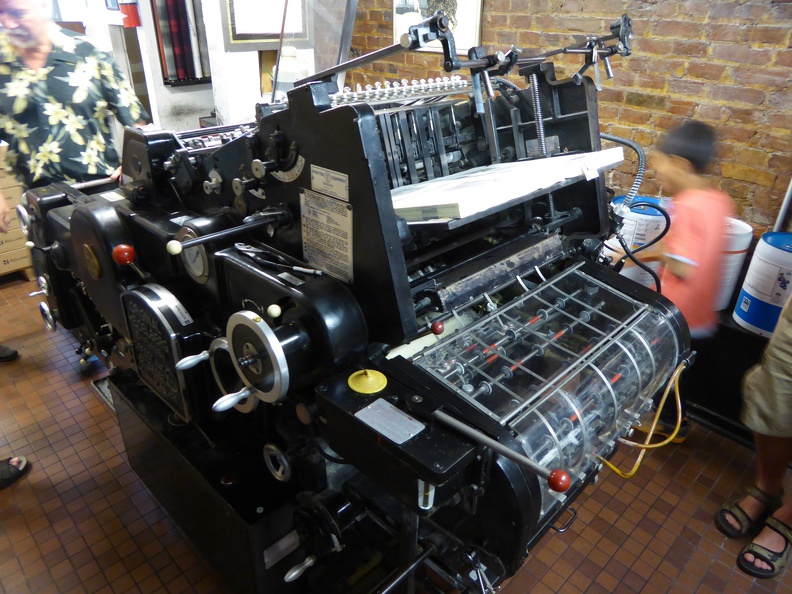
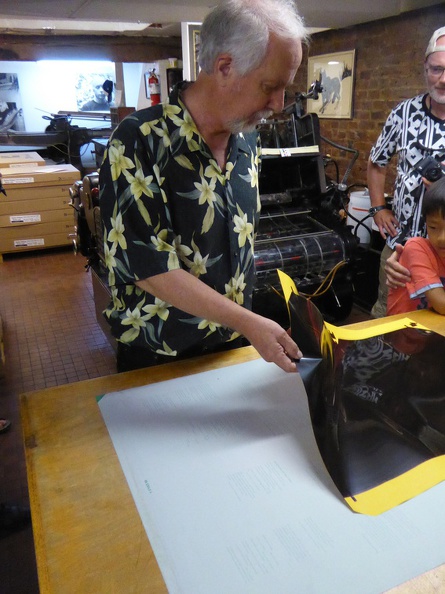
Heidelberg printing machine at Porcupine's quilt
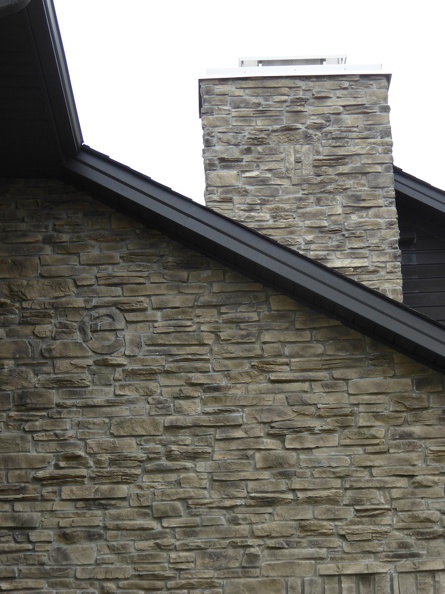
In short, a perfect combination for us typography and beer savvy freaks! This morning we had somehow an early start from the hotel. Soon the bus left downtown Toronto and entered countryside Ontario, large landscapes filled with huge (for my Japanese feeling) estates and houses, separated by fields, forests and wild landscape. Very beautiful and inviting to live there. On our way to the printing workshop we stopped at Pavneet s house for a very short visit of the exterior, which includes mathematics in the bricking. According to Pavneet, his kids hate to see math on the wall I would be proud to have it.
Pavneet's house is hiding some mathematics
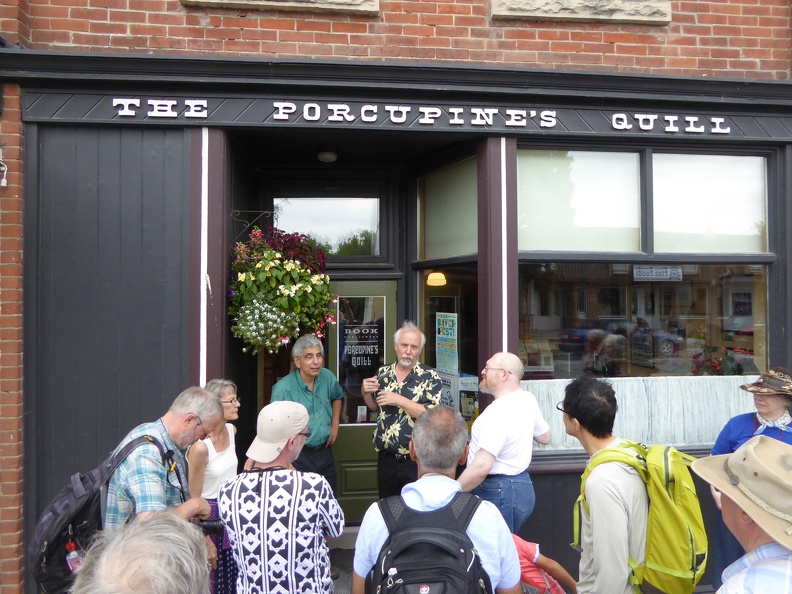
A bit further on we entered into Erin, where the Porcupine s Quill is located. A small building along the street, one could easily oversee that rare jewel! In addition considering that according to the owners, Google Maps has a bad error which would lead you to a completely different location. This printing workshop, led by Tim and Elke Inkster, is producing books in a traditional style using an old Heidelberg Offset printing machine.
Entrance to the Porcupine's Quill, a local bookshop doing excellent printing
Elke introduced us to the sewing of folded signatures together with a lovely old sewing machine. It was the first time I actually saw one in action.
Sewn signatures
Tim, the head master of the printing shop, first entertained us with stories about Chinese publishers visiting them in the old cold-war times, before diving into explanations of the actual machines around, like the Heidelberg offset printing machine.
Master Tim is showing us offset technique
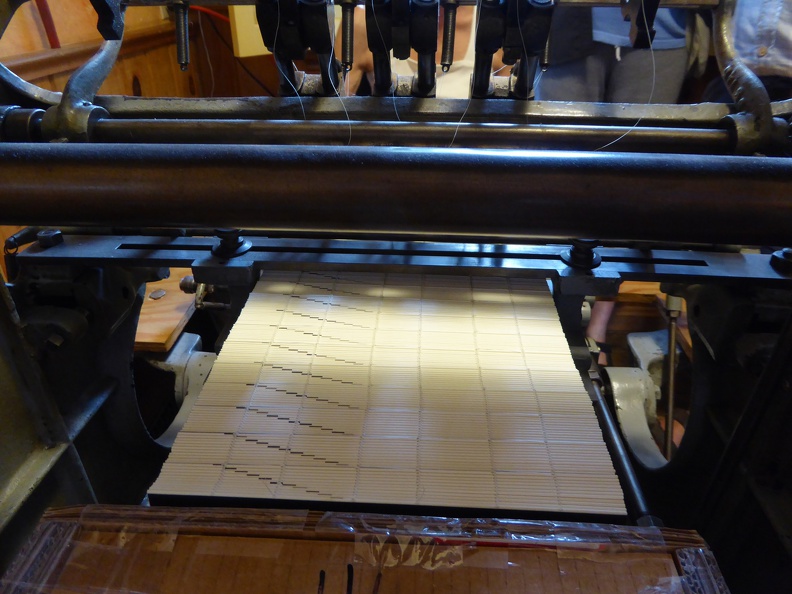
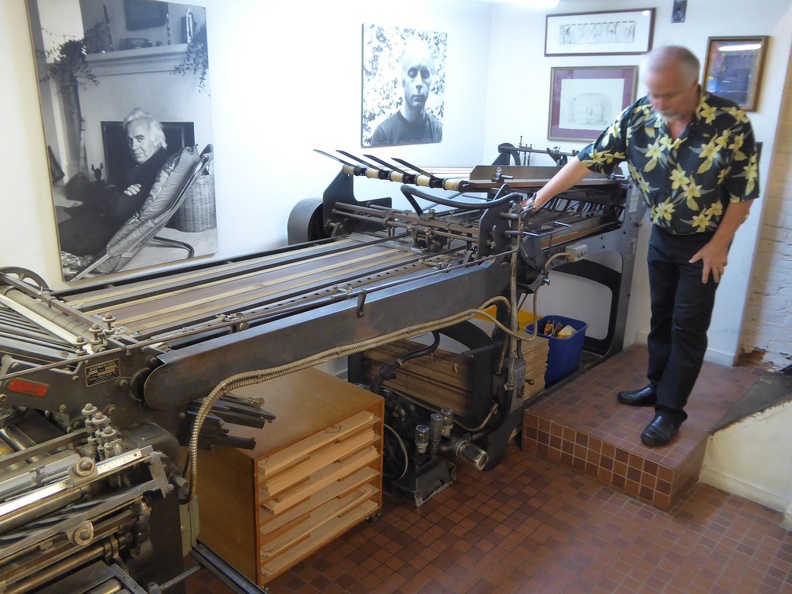
In the back of the basement of the little studio there is also a huge folding machine, which cuts up the big signatures of 16 pages and folds them into bundles. An impressive example of tricky engineering.
The folding machine creates from a printed signature 16 pages in proper order.
Due to the small size of the printing studio, our groups were actually split into two groups, and while the other group got its guided tour, we grabbed coffee and traditional cookies and pastries from the nearby Holtom s bakery. Loads of nice pastries with various filling, my favorite being the slightly salty cherry pie, and above all the rhubarb-raspberry pie.
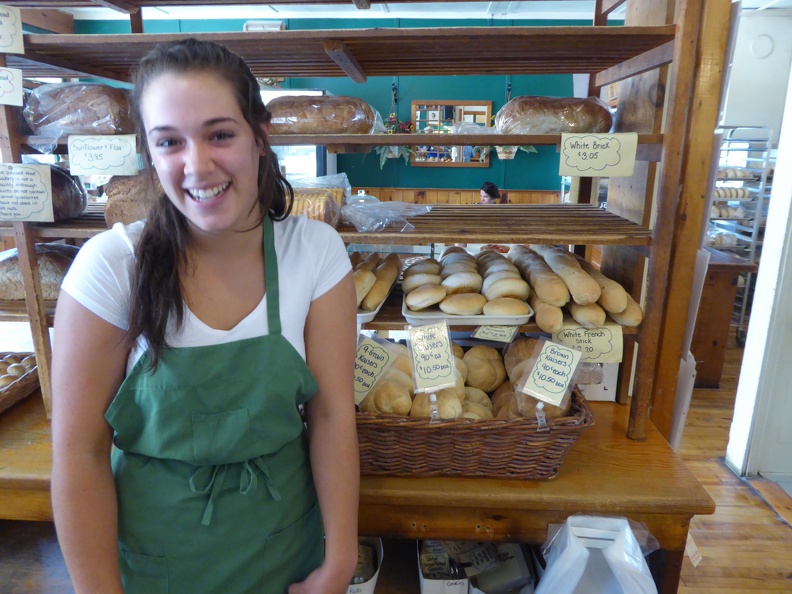
Nearby old-style bakery, selling Viennese-style "Kaisersemmel", calling them "Kaiser buns". There must be an Austrian hiding somewhere around.
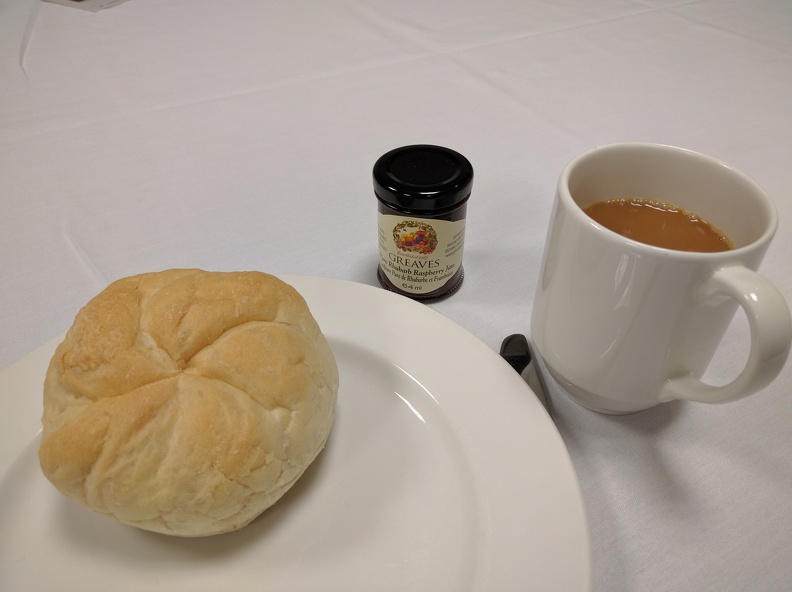
To my absolute astonishment I also found there a Viennese Kaisersemmel , called Kaiser bun here, but keeping the shape and the idea (but unfortunately not the crispy cracky quality of the original in Vienna). Of course I got two of them, together with a nice jam from the region, and enjoyed these Viennese breakfast the next day morning.
Viennese breakfast from the Bakery near Porcupine's Quill
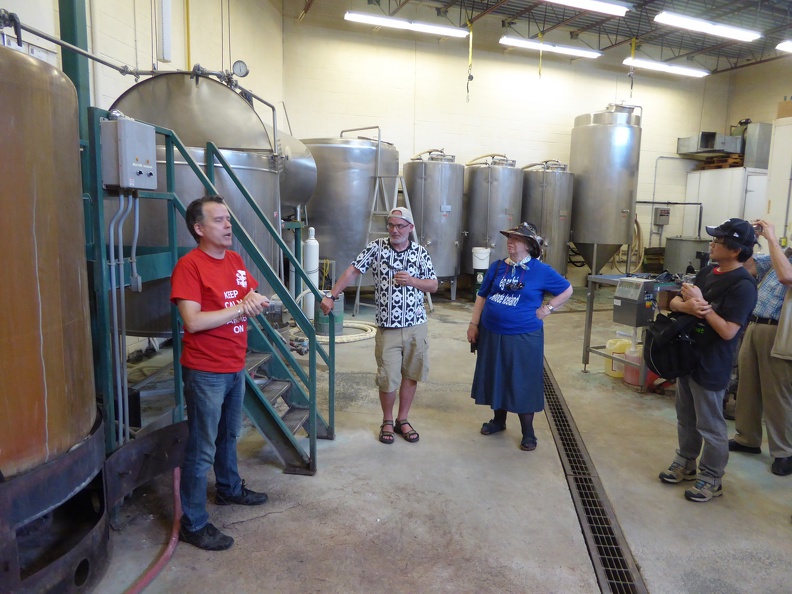
Leaving the Quill we headed for a lunch in a nice pizzeria (I got Pizza Toscana) which also served excellent local beer how would I like to have something like this over in Japan! Our last stop on this excursion was Stone Hammer Brewery, ne of the most famous craft breweries in Canada.
One of the top craft breweries in Canada, the Stone Hammer
keep-calmAlthough they wont win a prize for typography (besides one page of a coaster there that carried a nice pun), their beers are exquisite. We got five different beers to taste, plus extensive explanations on brewing methods and differences. Now I finally understand why most of the new craft breweries in Japan are making Ales: Ales don t need a long process and are ready for sale in rather short time, compared to e.g. lagers.)
Explanations of the the secrets of beer brewing
Nothing to add to this poster found in the Stone Hammer Brewery!
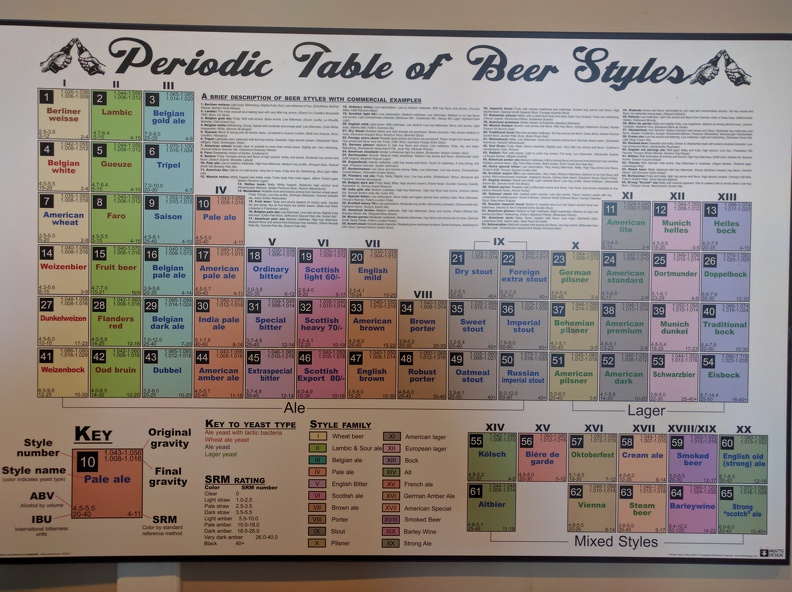
Also at the Stone Hammer Brewery I spotted this very nice poster on the wall of the toilet. And I cannot agree more, everything can easily be discussed over a good beer it calms down aversions, makes even the worst enemies friends, and is healthy for both the mind and body. Filled with excellent beer, some of us (notably an unnamed US TeXnician and politician), stacked up on beers to carry home. I was very tempted to get a huge batch, but putting cans into an airplane seems to be not the optimal idea. Since we are talking cans, I was surprised to hear that many craft beer brewers nowadays prefer cans due to their better protection of the beer from light and oxygen, both killers of good beer. Before leaving we took a last look at the Periodic Table of Beer Types, which left me in awe about how much I don t know and I probably never will know. In particular, I heard the first time of a Vienna style beer Vienna is not really famous for beer, better to say, it is infamous. So maybe this is a different Vienna than my home town that is meant here.
Lots to study here, the Periodic Table of Beers
Another two hour bus ride brought us back to Toronto, where we met with other participants at the reception in a restaurant of Mediterranean cuisine, where I could enjoy for the first time in years a good Tahina and Humus. All around another excellent day, now I only would like to have two days of holidays, guess I need to relax in the lectures starting from tomorrow.

Norbert Preining: TUG 2016 Day -1 Wines and Waters

This years TUG is held in Toronto, Canada, and our incredible host Pavneet has managed to put together an busy program of excursions and events around the real conference. The -1st day (yeah, you read right, the minus-first day), that is two days before the actual conference starts, was dedicated to an excursion to enjoying wines at the wine estate Ch teau des Charmes, followed by a visit to the Niagara falls.
The amount of water running down the Horseshoe Falls is incredible
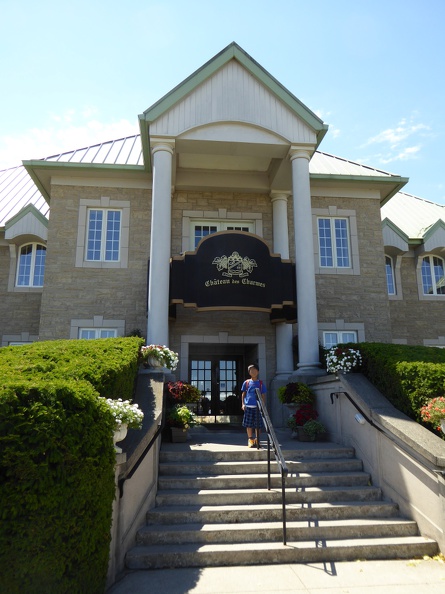
What should I say, if the first thing after getting out of the bus is a good wine, then there is nothing to go wrong I arrived in Toronto already two days earlier in the late afternoon, and spend Friday relaxing, recovering from the long flight, walking the city a bit, trying to fix my cold, and simply going slowly. Saturday morning we met already at a comfortable 10am in the morning (still to early for me, due to jet lag and a slightly late evening before), but the first 2h of bus drive allowed us to relax. Our first stop was the Ch teau des Charmes, and impressive building surrounded by vineyards.
Entrance to the Ch teau des Charmes
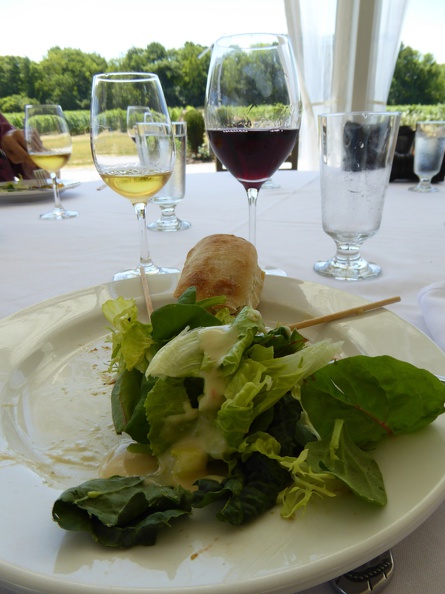
We were immediately handed over to a sandwich lunch with white, red, and ice wine. Good start! And although the breakfast wasn t that long time ago, the delicious sandwiches (at least the vegetarian ones I tried) were good foundation for the wine.
Lunch impressions at Ch teau des Charmes
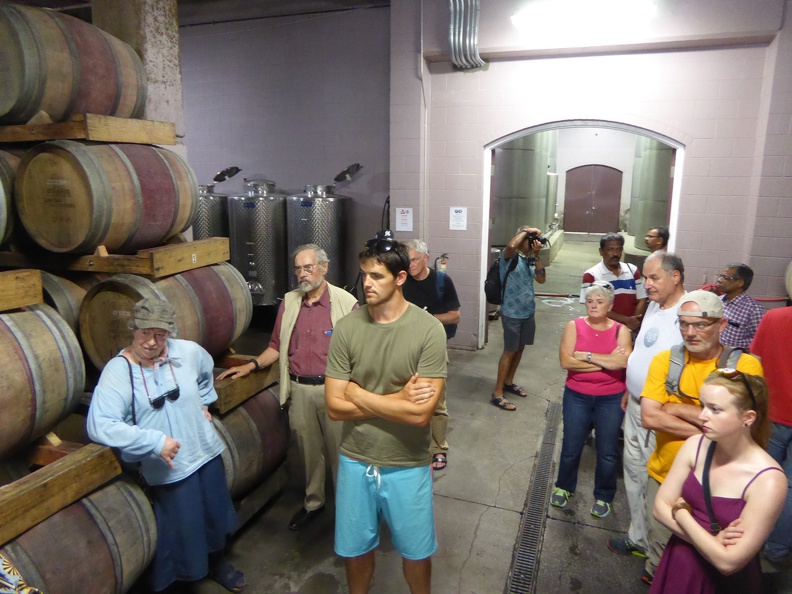
After having refilled our energy reserves, we are ready to start our tour. Our guide, very, if not over, enthusiastic, explains us that practically everything related to wine in Canada has been started at this Ch teau from the current owner the Ch teau system where farmer and wine producer are the same, import of European grapes, winter protection methods, wine making I was close to forgetting our Roman and Greek ancestors. At least she admitted that the Ice wine was brought over by an Austrian but perfection was done here, were the controls of the government are much stricter than anywhere else hmmm, somehow I cannot completely believe all this narrative, but at least it is enjoyable. So now that we know all about the history, we dive into the production process area, and the barrel space, always accompanied with extensive comments and (self-)praise.
Enjoying the explanations of our very enthusiastic guide
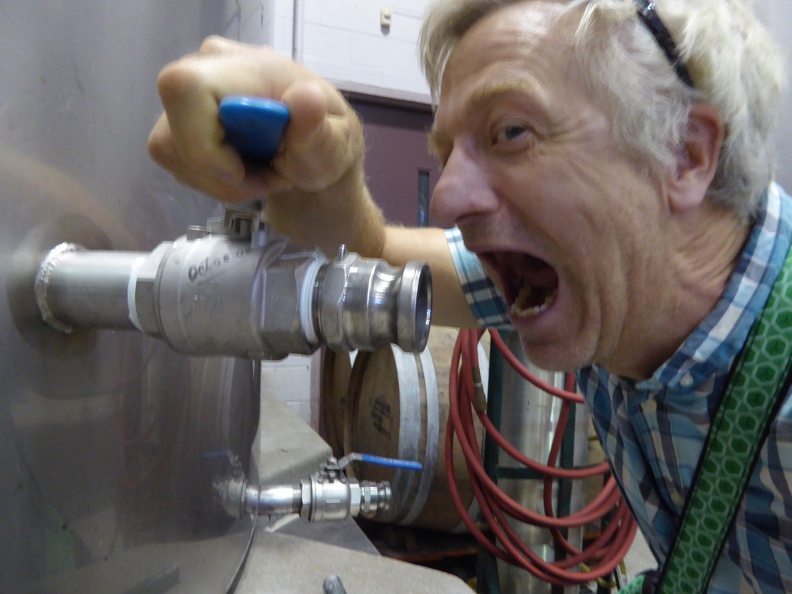
After this exhaustive and exhausting round, we are guided back to the patio to taste another three different wines, a white (bit too warm, not so much my taste), a rose (very good), and a red made from a new grape variety that has mutated first here on the Ch teau (interesting). As I didn t have enough, I tried to get something out of the big containers directly, but without success!
Me trying to get a full load of wine
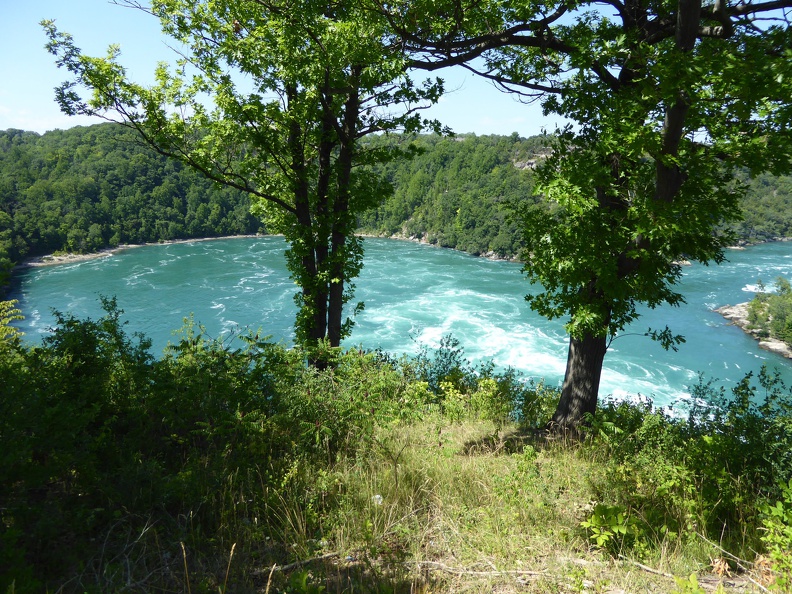
Happy and content, and after passing through the shopping area, we are boarding the bus to continue direction of the Niagara Falls. Passing by at quite some nice houses of definitely quite rich people (although Pavneet told me that houses in Toronto are far more expensive than those here how can someone afford this?), we first have a view onto the lower Niagara river. A bit further one we are let out to see huge whirlpools in the river, where boat tours are bringing sightseers on a rough ride ride into the pool.
Whirlpools along the Niagara river
Only a slight bit further on we finally reach the Niagara falls, with the great view onto the American falls in full power, and the Horseshoe Falls further up.
Horseshoe Falls in view
We immediately boarded a boat tour making a short trip to the Horseshoe Fall. Lining up with hundreds and hundreds of other spectators, we prepare for the splash with red rain wear (the US side uses blue, not that any side would rescue a wrong person and create an illegal immigrant!). The trip passes first under the American Falls and continues right into the mist that fills all the area in the middle of the Horseshoe falls. Spectacular impression with walls of water falling down on both sidess.
Panorama of the Horseshoe Falls
Returned from the splash and having dried our feet, we walk along the ridge to see the Horseshoe falls from close up. The amount of water falling down these falls is incredible, and so is the erosion that creates the brown foam on the water down in the pool, made up from pulverized limestone. Blessed as we were, the sun was laughing all the day and we got a nice rainbow right in the fall.
Horseshoe Falls with boat and rainbow, lovely.
The surroundings of the fall are less impressive Disney land? Horror cabinet? Jodel bar? A wild mixture of amusement park style locations squeezed together and overly full with people as if enjoying the nature itself would not be enough. All immersed by ever blasting loudspeaker music.
Torture around Niagara falls
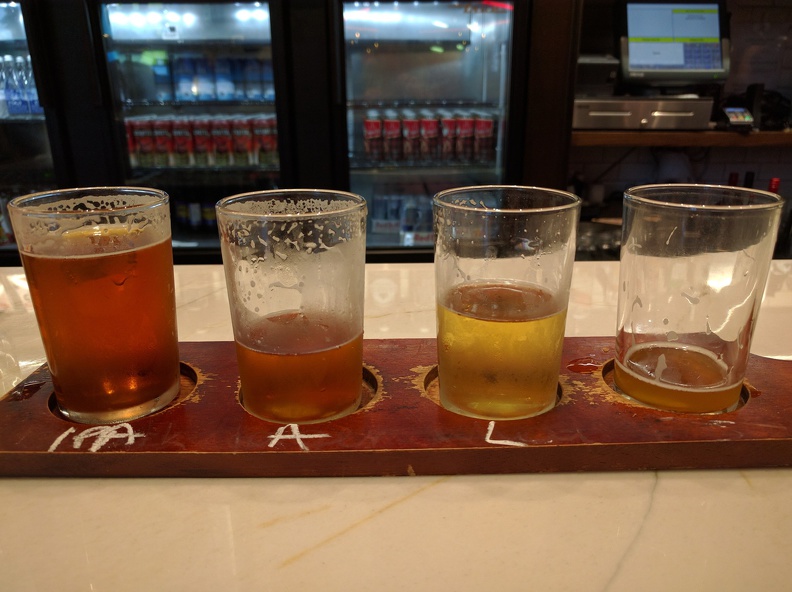
The only plus point I could find in this encampment of forced happiness was a local craft beer brewer where one could taste 8 different beers I made it only to four, though.
Beer tasting at Niagara Brewery, IPA, Amber ale, Lager, and some Light Fruity Radler beer.
Finally night was falling in and we moved down to the falls again to enjoy the illumination of the falls.
Night view onto Niagara falls
After this wonderful finish we boarded the bus and back to Toronto, where we arrived around mid-night. A long but very pleasurable Day Minus One! Further photos can be seen at the gallery TUG 2016 Day Minus One.

23 July 2016

Francois Marier: Replacing a failed RAID drive

Here's the complete procedure I followed to replace a failed drive from a RAID array on a Debian machine.

Replace the failed drive After seeing that /dev/sdb had been kicked out of my RAID array, I used smartmontools to identify the serial number of the drive to pull out:
smartctl -a /dev/sdb
Armed with this information, I shutdown the computer, pulled the bad drive out and put the new blank one in.

Initialize the new drive After booting with the new blank drive in, I copied the partition table using parted. First, I took a look at what the partition table looks like on the good drive:
$ parted /dev/sda
unit s
print
and created a new empty one on the replacement drive:
$ parted /dev/sdb
unit s
mktable gpt
then I ran mkpart for all 4 partitions and made them all the same size as the matching ones on /dev/sda. Finally, I ran toggle 1 bios_grub (boot partition) and toggle X raid (where X is the partition number) for all RAID partitions, before verifying using print that the two partition tables were now the same.

Resync/recreate the RAID arrays To sync the data from the good drive (/dev/sda) to the replacement one (/dev/sdb), I ran the following on my RAID1 partitions:
mdadm /dev/md0 -a /dev/sdb2
mdadm /dev/md2 -a /dev/sdb4
and kept an eye on the status of this sync using:
watch -n 2 cat /proc/mdstat
In order to speed up the sync, I used the following trick:
blockdev --setra 65536 "/dev/md0"
blockdev --setra 65536 "/dev/md2"
echo 300000 > /proc/sys/dev/raid/speed_limit_min
echo 1000000 > /proc/sys/dev/raid/speed_limit_max
Then, I recreated my RAID0 swap partition like this:
mdadm /dev/md1 --create --level=0 --raid-devices=2 /dev/sda3 /dev/sdb3
mkswap /dev/md1
Because the swap partition is brand new (you can't restore a RAID0, you need to re-create it), I had to update two things:
  • replace the UUID for the swap mount in /etc/fstab, with the one returned by mkswap (or running blkid and looking for /dev/md1)
  • replace the UUID for /dev/md1 in /etc/mdadm/mdadm.conf with the one returned for /dev/md1 by mdadm --detail --scan

Ensuring that I can boot with the replacement drive In order to be able to boot from both drives, I reinstalled the grub boot loader onto the replacement drive:
grub-install /dev/sdb
before rebooting with both drives to first make sure that my new config works. Then I booted without /dev/sda to make sure that everything would be fine should that drive fail and leave me with just the new one (/dev/sdb). This test obviously gets the two drives out of sync, so I rebooted with both drives plugged in and then had to re-add /dev/sda to the RAID1 arrays:
mdadm /dev/md0 -a /dev/sda2
mdadm /dev/md2 -a /dev/sda4
Once that finished, I rebooted again with both drives plugged in to confirm that everything is fine:
cat /proc/mdstat
Then I ran a full SMART test over the new replacement drive:
smartctl -t long /dev/sdb

22 July 2016

Norbert Preining: Yukio Mishima The Temple of the Golden Pavilion

A masterpiece of modern Japanese literature: Yukio Mishima ( ) The Temple of the Golden Pavilion ( ). The fictional story about the very real arson attack that destroyed the Golden Pavilion in 1950.
mishima-golden-temple A bit different treatise on beauty and ugliness!
How shall I put it? Beauty yes, beauty is like a decayed tooth. It rubs against one s tongue, it hangs there, hurting one, insisting on its own existence, finally [ ] the tooth extracted. Then, as one looks at the small, dirty, brown, blood-stained tooth lying in one s hand, one s thoughts are likely to be as follows: Is this it?
Mizoguchi, a stutterer, is from young years on taken by a near mystical imagination of the Golden Pavilion, influence by his father who considers it the most beautiful object in the world. After his father s death he moves to Kyoto and becomes acolyte in the temple. He develops a friendship with Kashiwagi, who uses his clubfeet to make women feel sorry for him and make them fall in love with his clubfeet, as he puts it. Kashiwagi also puts Mizoguchi onto the first tracks of amorous experiences, but Mizoguchi invariably turns out to be impotent but not due to his stuttering, but due to the image of the Golden Pavilion appearing in the essential moment and destroying every chance.
Yes, this was really the coast of the Sea of Japan! Here was the source of all my unhappiness, of all my gloomy thoughts, the origin of all my ugliness and all my strength. It was a wild sea.
Mizoguchi is getting more and more mentally about his relation with the head monk, neglects his studies, and after a stark reprimand he escapes to the north coast, from where he is brought back by police to the temple. He decides to burn down the Golden Pavilion, which has taken more and more command of his thinking and doing. He carries out the deed with the aim to burn himself in the top floor, but escapes in the last second to retreat into the hills to watch the spectacle.
Closely based on the true story of the arsonist of the Golden Pavilion, whom Mishima even visited in prison, the book is a treatise about beauty and ugly.
At his trial he [the real arsonist] said: I hate myself, my evil, ugly, stammering self. Yet he also said that he did not in any way regret having burned down the Kinkakuji.
Nancy Wilson Ross in the preface
Mishima is master in showing these two extremes by contrasting the refined qualities of Japanese culture flower arrangement, playing the shakuhachi, with immediate outburst of contrasting behavior: cold and brutal recklessness. Take for example the scene were Kashiwagi is arranging flowers, stolen by Mizoguchi from the temple grounds, while Mizoguchi is playing the flute. They also discuss koans and various interpretations. Enters the Ikebana teacher, and mistress of Kashiwagi. She congratulates Kashiwagi to his excellent arrangement, which he answers coldly by quitting their relationship, both as teacher as well as mistress, and telling her not to see him again in a formal style. She, still ceremonially kneeling, suddenly destroys the flower arrangement, only to be beaten and thrown out by Kashiwagi. And the beauty and harmony has turned to ugliness and hate in seconds. Beauty and Ugliness, two sides of the same medal, or inherently the same, because it is only up to the point of view. Mishima ingeniously plays with this duality, and leads us through the slow and painful development of Mizoguchi to the bitter end, which finally gives him freedom, freedom from the force of beauty. Sometimes seeing how our society is obsessed with beauty I cannot get rid of the feeling that there are far more Mizoguchis at heart.

20 July 2016

Daniel Stender: Theano in Debian: maintenance, BLAS and CUDA

I'm glad to announce that we have the current release of Theano (0.8.2) in Debian unstable now, it's on its way into the testing branch and the Debian derivatives, heading for Debian 9. The Debian package is maintained in behalf of the Debian Science Team. We have a binary package with the modules in the Python 2.7 import path (python-theano), if you want or need to stick to that branch a little longer (as a matter of fact, in the current popcon stats it's the most installed package), and a package running on the default Python 3 version (python3-theano). The comprehensive documentation is available for offline usage in another binary package (theano-doc). Although Theano builds its extensions on run time and therefore all binary packages contain the same code, the source package generates arch specific packages1 for the reason that the exhaustive test suite could run over all the architectures to detect if there are problems somewhere (#824116). what's this? In a nutshell, Theano is a computer algebra system (CAS) and expression compiler, which is implemented in Python as a library. It is named after a Classical Greek female mathematician and it's developed at the LISA lab (located at MILA, the Montreal Institute for Learning Algorithms) at the Universit de Montr al. Theano tightly integrates multi-dimensional arrays (N-dimensional, ND-array) from NumPy (numpy.ndarray), which are broadly used in Scientific Python for the representation of numeric data. It features a declarative Python based language with symbolic operations for the functional definition of mathematical expressions, which allows to create functions that compute values for them. Internally the expressions are represented as directed graphs with nodes for variables and operations. The internal compiler then optimizes those graphs for stability and speed and then generates high-performance native machine code to evaluate resp. compute these mathematical expressions2. One of the main features of Theano is that it's capable to compute also on GPU processors (graphical processor unit), like on custom graphic cards (e.g. the developers are using a GeForce GTX Titan X for benchmarks). Today's GPUs became very powerful parallel floating point devices which can be employed also for scientific computations instead of 3D video games3. The acronym "GPGPU" (general purpose graphical processor unit) refers to special cards like NVIDIA's Tesla4, which could be used alike (more on that below). Thus, Theano is a high-performance number cruncher with an own computing engine which could be used for large-scale scientific computations. If you haven't came across Theano as a Pythonistic professional mathematician, it's also one of the most prevalent frameworks for implementing deep learning applications (training multi-layered, "deep" artificial neural networks, DNN) around5, and has been developed with a focus on machine learning from the ground up. There are several higher level user interfaces build in the top of Theano (for DNN, Keras, Lasagne, Blocks, and others, or for Python probalistic programming, PyMC3). I'll seek for some of them also becoming available in Debian, too. helper scripts Both binary packages ship three convenience scripts, theano-cache, theano-test, and theano-nose. Instead of them being copied into /usr/bin, which would result into a binaries-have-conflict violation, the scripts are to be found in /usr/share/python-theano (python3-theano respectively), so that both module packages of Theano can be installed at the same time. The scripts could be run directly from these folders, e.g. do $ python /usr/share/python-theano/theano-nose to achieve that. If you're going to heavy use them, you could add the directory of the flavour you prefer (Python 2 or Python 3) to the $PATH environment variable manually by either typing e.g. $ export PATH=/usr/share/python-theano:$PATH on the prompt, or save that line into ~/.bashrc. Manpages aren't available for these little helper scripts6, but you could always get info on what they do and which arguments they accept by invoking them with the -h (for theano-nose) resp. help flag (for theano-cache). running the tests On some occasions you might want to run the testsuite of the installed library, like to check over if everything runs fine on your GPU hardware. There are two different ways to run the tests (anyway you need to have python ,3 -nose installed). One is, you could launch the test suite by doing $ python -c 'import theano; theano.test() (or the same with python3 to test the other flavour), that's the same what the helper script theano-test does. However, by doing it that way some particular tests might fail by raising errors also for the group of known failures. Known failures are excluded from being errors if you run the tests by theano-nose, which is a wrapper around nosetests, so this might be always the better choice. You can run this convenience script with the option --theano on the installed library, or from the source package root, which you could pull by $ sudo apt-get source theano (there you have also the option to use bin/theano-nose). The script accept options for nosetests, so you might run it with -v to increase verbosity. For the tests the configuration switch config.device must be set to cpu. This will also include the GPU tests when a proper accessible device is detected, so that's a little misleading in the sense of it doesn't mean "run everything on the CPU". You're on the safe side if you run it always like this: $ THEANO_FLAGS=device=cpu theano-nose, if you've set config.device to gpu in your ~/.theanorc. Depending on the available hardware and the used BLAS implementation (see below) it could take quite a long time to run the whole test suite through, on the Core-i5 in my laptop that takes around an hour even excluded the GPU related tests (which perform pretty fast, though). Theano features a couple of switches to manipulate the default configuration for optimization and compilation. There is a rivalry between optimization and compilation costs against performance of the test suite, and it turned out the test suite performs a quicker with lesser graph optimization. There are two different switches available to control config.optimizer, the fast_run toggles maximal optimization, while fast_compile runs only a minimal set of graph optimization features. These settings are used by the general mode switches for config.mode, which is either FAST_RUN by default, or FAST_COMPILE. The default mode FAST_RUN (optimizer=fast_run, linker=cvm) needs around 72 minutes on my lower mid-level machine (on un-optimized BLAS). To set mode=FAST_COMPILE (optimizer=fast_compile, linker=py) brings some boost for the performance of the test suite because it runs the whole suite in 46 minutes. The downside of that is that C code compilation is disabled in this mode by using the linker py, and also the GPU related tests are not included. I've played around with using the optimizer fast_compile with some of the other linkers (c py and cvm, and their versions without garbage collection) as alternative to FAST_COMPILE with minimal optimization but also machine code compilation incl. GPU testing. But to my experience, fast_compile without another than the linker py results in some new errors and failures of some tests on amd64, and this might the case also on other architectures, too. By the way, another useful feature is DebugMode for config.mode, which verifies the correctness of all optimizations and compares the C to Python results. If you want to have detailed info on the configuration settings of Theano, do $ python -c 'import theano; print theano.config' less, and check out the chapter config in the library documentation in the documentation. cache maintenance Theano isn't a JIT (just-in-time) compiler like Numba, which generates native machine code in the memory and executes it immediately, but it saves the generated native machine code into compiledirs. The reason for doing it that way is quite practical like the docs explain, the persistent cache on disk makes it possible to avoid generating code for the same operation, and to avoid compiling again when different operations generate the same code. The compiledirs by default are located within $(HOME)/.theano/. After some time the folder becomes quite large, and might look something like this:
$ ls ~/.theano
compiledir_Linux-4.5--amd64-x86_64-with-debian-stretch-sid--2.7.11+-64
compiledir_Linux-4.5--amd64-x86_64-with-debian-stretch-sid--2.7.12-64
compiledir_Linux-4.5--amd64-x86_64-with-debian-stretch-sid--2.7.12rc1-64
compiledir_Linux-4.5--amd64-x86_64-with-debian-stretch-sid--3.5.1+-64
compiledir_Linux-4.5--amd64-x86_64-with-debian-stretch-sid--3.5.2-64
compiledir_Linux-4.5--amd64-x86_64-with-debian-stretch-sid--3.5.2rc1-64
If the used Python version changed like in this example you might to want to purge obsolete cache. For working with the cache resp. the compiledirs, the helper theano-cache comes in handy. If you invoke it without any arguments the current cache location is put out like ~/.theano/compiledir_Linux-4.5--amd64-x86_64-with-debian-stretch-sid--2.7.12-64 (the script is run from /usr/share/python-theano). So, the compiledirs for the old Python versions in this example (11+ and 12rc1) can be removed to free the space they occupy. All compiledirs resp. cache directories meaning the whole cache could be erased by $ theano-cache basecompiledir purge, the effect is the same as by performing $ rm -rf ~/.theano. You might want to do that e.g. if you're using different hardware, like when you got yourself another graphics card. Or habitual from time to time when the compiledirs fill up so much that it slows down processing with the harddisk being very busy all the time, if you don't have an SSD drive available. For example, the disk space of build chroots carrying (mainly) the tests completely compiled through on default Python 2 and Python 3 consumes around 1.3 GB (see here). BLAS implementations Theano needs a level 3 implementation of BLAS (Basic Linear Algebra Subprograms) for operations between vectors (one-dimensional mathematical objects) and matrices (two-dimensional objects) carried out on the CPU. NumPy is already build on BLAS and pulls the standard implementation (libblas3, soure package: lapack), but Theano links directly to it instead of using NumPy as intermediate layer to reduce the computational overhead. For this, Theano needs development headers and the binary packages pull libblas-dev by default, if any other development package of another BLAS implementation (like OpenBLAS or ATLAS) isn't already installed, or pulled with them (providing the virtual package libblas.so). The linker flags could be manipulated directly through the configuration switch config.blas.ldflags, which is by default set to -L/usr/lib -lblas -lblas. By the way, if you set it to an empty value, Theano falls back to using BLAS through NumPy, if you want to have that for some reason. On Debian, there is a very convenient way to switch between BLAS implementations by the alternatives mechanism. If you have several alternative implementations installed at the same time, you can switch from one to another easily by just doing:
$ sudo update-alternatives --config libblas.so
There are 3 choices for the alternative libblas.so (providing /usr/lib/libblas.so).
  Selection    Path                                  Priority   Status
------------------------------------------------------------
* 0            /usr/lib/openblas-base/libblas.so      40        auto mode
  1            /usr/lib/atlas-base/atlas/libblas.so   35        manual mode
  2            /usr/lib/libblas/libblas.so            10        manual mode
  3            /usr/lib/openblas-base/libblas.so      40        manual mode
Press <enter> to keep the current choice[*], or type selection number:
The implementations are performing differently on different hardware, so you might want to take the time to compare which one does it best on your processor (the other packages are libatlas-base-dev and libopenblas-dev), and choose that to optimize your system. If you want to squeeze out all which is in there for carrying out Theano's computations on the CPU, another option is to compile an optimized version of a BLAS library especially for your processor. I'm going to write another blog posting on this issue. The binary packages of Theano ship the script check_blas.py to check over how well a BLAS implementation performs with it, and if everything works right. That script is located in the misc subfolder of the library, you could locate it by doing $ dpkg -L python-theano grep check_blas (or for the package python3-theano accordingly), and run it with the Python interpreter. By default the scripts puts out a lot of info like a huge perfomance comparison reference table, the current setting of blas.ldflags, the compiledir, the setting of floatX, OS information, the GCC version, the current NumPy config towards BLAS, NumPy location and version, if Theano linked directly or has used the NumPy binding, and finally and most important, the execution time. If just the execution time for quick perfomance comparisons is needed this script could be invoked with -q. Theano on CUDA The function compiler of Theano works with alternative backends to carry out the computations, like the ones for graphics cards. Currently, there are two different backends for GPU processing available, one docks onto NVIDIA's CUDA (Compute Unified Device Architecture) technology7, and another one for libgpuarray, which is also developed by the Theano developers in parallel. The libgpuarray library is an interesting alternative for Theano, it's a GPU tensor (multi-dimensional mathematical object) array written in C with Python bindings based on Cython, which has the advantage of running also on OpenCL8. OpenCL, unlike CUDA9, is full free software, vendor neutral and overcomes the limitation of the CUDA toolkit being only available for amd64 and the ppc64el port (see here). I've opened an ITP on libgpuarray and we'll see if and how this works out. Another reason for it would be great to have it available is that it looks like CUDA currently runs into problems with GCC 610. More on that, soon. Here's a litle checklist for setting up your CUDA device so that you don't have to experience something like this:
$ THEANO_FLAGS=device=gpu,floatX=float32 python ./cat_dog_classifier.py 
WARNING (theano.sandbox.cuda): CUDA is installed, but device gpu is not available (error: Unable to get the number of gpus available: no CUDA-capable device is detected)
hardware check For running Theano on CUDA you need an NVIDIA graphics card which is capable of doing that. You can recheck if your device is supported by CUDA here. When the hardware isn't too old (CUDA support started with GeForce 8 and Quadro X series) or too strange I think it isn't working only in exceptional cases. You can check your model and if the device is present in the system on the bare hardware level by doing this:
$ lspci   grep -i nvidia
04:00.0 3D controller: NVIDIA Corporation GM108M [GeForce 940M] (rev a2)
If a line like this doesn't get returned, your device most probably is broken, or not properly connected (ouch). If rev ff appears at the end of the line that means the device is off meaning powered down. This might be happening if you have a laptop with Optimus graphics hardware, and the related drivers have switched off the unoccupied device to safe energy11. kernel module Running CUDA applications requires the proprietary NVIDIA driver kernel module to be loaded into the kernel and working. If you haven't already installed it for another purpose, the NVIDIA driver and the CUDA toolkit are both in the non-free section of the Debian archive, which is not enabled by default. To get non-free packages you have to add non-free (and it's better to do so, also contrib) to your package source in /etc/apt/sources.list, which might then look like this:
deb http://httpredir.debian.org/debian/ testing main contrib non-free
After doing that, perform $ apt-cache update to update the package lists, and there you go with the non-free packages. The headers of the running kernel are needed to compile modules, you can get them together with the NVIDIA kernel module package by running:
$ sudo apt-get install linux-headers-$(uname -r) nvidia-kernel-dkms build-essential
DKMS will then build the NVIDIA module for the kernel and does some other things on the system. When the installation has finished, it's generally advised to reboot the system completely. troubleshooting If you have problems with the CUDA device, it's advised to verify if the following things concerning the NVIDIA driver resp. kernel module are in order: blacklist nouveau Check if the default Nouveau kernel module driver (which blocks the NVIDIA module) for some reason still gets loaded by doing $ lsmod grep nouveau. If nothing gets returned, that's right. If it's still in the kernel, just add blacklist nouveau to /etc/modprobe.d/blacklist.conf, and update the booting ramdisk with sudo update-initramfs -u afterwards. Then reboot once more, this shouldn't be the case then anymore. rebuild kernel module To fix it when the module haven't been properly compiled for some reason you could trigger a rebuild of the NVIDIA kernel module with $ sudo dpkg-reconfigure nvidia-kernel-dkms. When you're about to send your hardware in to repair because everything looks all right but the device just isn't working, that really could help (own experience). After the rebuild of the module or modules (if you have a few kernel packages installed) has completed, you could recheck if the module really is available by running:
$ sudo modinfo nvidia-current
filename:       /lib/modules/4.4.0-1-amd64/updates/dkms/nvidia-current.ko
alias:          char-major-195-*
version:        352.79
supported:      external
license:        NVIDIA
alias:          pci:v000010DEd00000E00sv*sd*bc04sc80i00*
alias:          pci:v000010DEd*sv*sd*bc03sc02i00*
alias:          pci:v000010DEd*sv*sd*bc03sc00i00*
depends:        drm
vermagic:       4.4.0-1-amd64 SMP mod_unload modversions 
parm:           NVreg_Mobile:int
It should be something similiar to this when everything is all right. reload kernel module When there are problems with the GPU, maybe the kernel module isn't properly loaded. You could recheck if the module has been properly loaded by doing
$ lsmod   grep nvidia
nvidia_uvm             73728  0
nvidia               8540160  1 nvidia_uvm
drm                   356352  7 i915,drm_kms_helper,nvidia
The kernel module could be loaded resp. reloaded with $ sudo nvidia-modprobe (that tool is from the package nvidia-modprobe). unsupported graphics card Be sure that you graphics cards is supported by the current driver kernel module. If you have bought new hardware, that's quite possible to come out being a problem. You can get the version of the current NVIDIA driver with:
$ cat /proc/driver/nvidia/version 
NVRM version: NVIDIA UNIX x86_64 Kernel Module 352.79  Wed Jan 13 16:17:53 PST 2016
GCC version:  gcc version 5.3.1 20160528 (Debian 5.3.1-21)
Then, google the version number like nvidia 352.79, this should get you onto an official driver download page like this. There, check for what's to be found under "Supported Products". I you're stuck with that there are two options, to wait until the driver in Debian got updated, or replace it with the latest driver package from NVIDIA. That's possible to do, but something more for experienced users. occupied graphics card The CUDA driver cannot work while the graphical interface is busy like by processing the graphical display of your X.Org server. Which kernel driver actually is used to process the desktop could be examined by this command:12
$ grep '(II).*([0-9]):' /var/log/Xorg.0.log
[    37.700] (II) intel(0): Using Kernel Mode Setting driver: i915, version 1.6.0 20150522
[    37.700] (II) intel(0): SNA compiled: xserver-xorg-video-intel 2:2.99.917-2 (Vincent Cheng <vcheng@debian.org>)
 ... 
[    39.808] (II) intel(0): switch to mode 1920x1080@60.0 on eDP1 using pipe 0, position (0, 0), rotation normal, reflection none
[    39.810] (II) intel(0): Setting screen physical size to 508 x 285
[    67.576] (II) intel(0): EDID vendor "CMN", prod id 5941
[    67.576] (II) intel(0): Printing DDC gathered Modelines:
[    67.576] (II) intel(0): Modeline "1920x1080"x0.0  152.84  1920 1968 2000 2250  1080 1083 1088 1132 -hsync -vsync (67.9 kHz eP)
This example shows that the rendering of the desktop is performed by the graphical device of the Intel CPU, which is just like it's needed for running CUDA applications on your NVIDIA graphics card, if you don't have another one. nvidia-cuda-toolkit With the Debian package of the CUDA toolkit everything pretty much runs out of the box for Theano. Just install it with apt-get, and you're ready to go, the CUDA backend is the default one. Pycuda is also a suggested dependency of the binary packages, it could be pulled together with the CUDA toolkit. The up-to-date CUDA release 7.5 is of course available, with that you have Maxwell architecture support so that you can run Theano on e.g. a GeForce GTX Titan X with 6,2 TFLOPS on single precision13 at an affordable price. CUDA 814 is around the corner with support for the new Pascal architecture15. Like the GeForce GTX 1080 high-end gaming graphics card already has 8,23 TFLOPS16. When it comes to professional GPGPU hardware like the Tesla P100 there is much more computational power available, scalable by multiplication of cores resp. cards up to genuine little supercomputers which fit on a desk, like the DGX-117. Theano can use multiple GPUs for calculations to work with highly scaled hardware, I'll write another blog post on this issue. Theano on the GPU It's not difficult to run Theano on the GPU. Only single precision floating point numbers (float32) are supported on the GPU, but that is sufficient for deep learning applications. Theano uses double precision floats (float64) by default, so you have to set the configuration variable config.floatX to float32, like written on above, either with the THEANO_FLAGS environment variable or better in your .theanorc file, if you're going to use the GPU a lot. Switching to the GPU actually happens with the config.device configuration variable, which must be set to either gpu or gpu0, gpu1 etc., to choose a particular one if multiple devices are available. Here's is a little test script check1.py, it's taken from the docs and slightly altered. You can run that script either with python or python3 (there was a single test failure on the Python 3 package, so the Python 2 library might be a little more stable currently). For comparison, here's an example on how it perfoms on my hardware, one time on the CPU, one more time on the GPU:
$ THEANO_FLAGS=floatX=float32 python ./check1.py 
[Elemwise exp,no_inplace (<TensorType(float32, vector)>)]
Looping 1000 times took 4.481719 seconds
Result is [ 1.23178029  1.61879337  1.52278066 ...,  2.20771813  2.29967761
  1.62323284]
Used the cpu
$ THEANO_FLAGS=floatX=float32,device=gpu python ./check1.py 
Using gpu device 0: GeForce 940M (CNMeM is disabled, cuDNN not available)
[GpuElemwise exp,no_inplace (<CudaNdarrayType(float32, vector)>), HostFromGpu(GpuElemwise exp,no_inplace .0)]
Looping 1000 times took 1.164906 seconds
Result is [ 1.23178029  1.61879349  1.52278066 ...,  2.20771813  2.29967761
  1.62323296]
Used the gpu
If you got a result like this you're ready to go with Theano on Debian, training computer vision classifiers or whatever you want to do with it. I'll write more on for what Theano could be used, soon.

  1. Some ports are disabled because they are currently not supported by Theano. There are NotImplementedErrors and other errors in the tests on the numpy.ndarray object being not aligned. The developers commented on that, see here. And on some ports the build flags -m32 resp. -m64 of Theano aren't supported by g++, the build flags can't be manipulated easily.
  2. Theano Development Team: "Theano: a Python framework for fast computation of mathematical expressions"
  3. Marc Couture: "Today's high-powered GPUs: strong for graphics and for maths". In: RTC magazine June 2015, pp. 22 25
  4. Ogier Maitre: "Understanding NVIDIA GPGPU hardware". In: Tsutsui/Collet (eds.): Massively parallel evolutionary computation on GPGPUs. Berlin, Heidelberg: Springer 2013, pp. 15-34
  5. Geoffrey French: "Deep learing tutorial: advanved techniques". PyData London 2016 presentation
  6. Like the description of the Lintian tag binary-without-manpage says, that's not needed for them being in /usr/share.
  7. Tom. R. Halfhill: "Parallel processing with CUDA: Nvidia's high-performance computing platform uses massive multithreading". In: Microprocessor Report January 28, 2008
  8. Faber et.al: "Parallelwelten: GPU-Programmierung mit OpenCL". In: C't 26/2014, pp. 160-165
  9. For comparison, see: Valentine Sinitsyn: "Feel the taste of GPU programming". In: Linux Voice February 2015, pp. 106-109
  10. https://lists.debian.org/debian-devel/2016/07/msg00004.html
  11. If Optimus (hybrid) graphics hardware is present (like commonly today on PC laptops), Debian launches the X-server on the graphics processing unit of the CPU, which is ideal for CUDA. The problem with Optimus actually is the graphics processing on the dedicated GPU. If you are using Bumblebee, the Python interpreter which you want to run Theano on has be to be started with the launcher primusrun, because Bumblebee powers the GPU down with the tool bbswitch every time it isn't used, and I think also the kernel module of the driver is dynamically loaded.
  12. Thorsten Leemhuis: "Treiberreviere. Probleme mit Grafiktreibern f r Linux l sen": In: C't Nr.2/2013, pp. 156-161
  13. Martin Fischer: "4K-Rakete: Die schnellste Single-GPU-Grafikkarte der Welt". In C't 13/2015, pp. 60-61
  14. http://www.heise.de/developer/meldung/Nvidia-CUDA-8-bringt-Optimierungen-fuer-die-Pascal-Architektur-3164254.html
  15. Martin Fischer: "All In: Nvidia enth llt die GPU-Architektur 'Pascal'". In: C't 9/2016, pp. 30-31
  16. Martin Fischer: "Turbo-Pascal: High-End-Grafikkarte f r Spieler: GeForce GTX 1080". In: C't 13/2016, pp. 100-103
  17. http://www.golem.de/news/dgx-1-nvidias-supercomputerchen-mit-8x-tesla-p100-1604-120155.html

19 July 2016

Michael Prokop: DebConf16 in Capetown/South Africa: Lessons learnt

DebConf 16 in Capetown/South Africa was fantastic for many reasons. My Capetown/South Africa/Culture/Flight related lessons: My technical lessons from DebConf16: BTW, thanks to the video team the recordings from the sessions are available online.

17 July 2016

Valerie Young: Work after DebConf

First week after DebCamp and DebConf! Both were incredible the debian project and it s contributors never fail to impress and delight me. None the less it felt great to have a few quiet, peaceful days of uninterrupted programming. Notes about last week: 1. Finished Mattia s final suggestions for the conversion of the package set pages script to python. Hopefully it will be deployed soon, awaiting final approval  2. Replace the bash code that produced the left navigation on the home page (and most other pages) with the mustache template the python scripts use. Previously, html was constructed and spat out from both a python and shell script now we have a single, DRY mustache template. (At the top of the bash function that produced the navigation html, you will find the comment: this is really quite incomprehensible and should be killed, the solution is to write all html pages with python . Turns out the intermediate solution is to use templates  ) 3. Thought hard about navigation of the test website, and redesigned (by rearranging) links in the left hand navigation. After code review, you will see these changes as well! Things to look forward to include:

A link to the Debian dashboard on the top left of every page (except the package specific pages).
The title of each page (except the package pages) stretches across the whole page (instead of being squashed into the top left).
Hover text has been added to most links in the left navigation.
Links in left navigation have been reordered, and headers added. Once you see the changes, please let me know if you think anything is unintuitive or confusion, everything can be easily changed! 4. Cross suite and architecture navigation enabled for most pages. For most pages, you will be one click away from seeing the same statistics for a different suite or architecture! Whoo! Notes about next week: Last week I got carried away imagining minor improvements that can be made to the test websites UI, and I now have a backlog of ideas I d like to implement. I ve begun editing the script that makes most of the pages with statistics or package list (for example, all packages with notes, or all recently tested packages) to use templates and contain a bit more descriptive text. I d also like to do a some revamping of the package set pages I converted. These addition UI changes will be my first tasks for the coming week since they are fresh on my mind and I m quite excited about them. The following week I d like to get back to extensibility and database issues mentioned previously!

15 July 2016

Ritesh Raj Sarraf: Fully SSL for my website

I finally made full switch to SSL for my website. Thanks to this simple howto on Let's Encrypt. I had to use the upstream git repo though. The Debian packaged tool, letsencrypt.sh, did not have enough documentation/pointers in place. And finally, thanks to the Let's Encrypt project as a whole. PS: http is now redirected to https. I hope nothing really breaks externally.

Categories:

Keywords:

Like:

12 July 2016

Norbert Preining: Michael K hlmeier: Zwei Herren am Strand

This recent book of the Austrian author Michael K hlmeier, Zwei Herren am Strand (Hanser Verlag), spins a story about an imaginative friendship between Charlie Chaplin and Winston Churchill. While there might not as be more different people than these two, in the book they are connected by a common fight the fight against their own depression, explicitly as well as implicitly by fighting Nazi Germany. Zwei Herren am Strand_ Roman - Michael Koehlmeier Michael K hlmeier s recently released book Zwei Herren am Strand tells the fictive story of Charlie Chaplin and Winston Churchill meeting and becoming friends, helping each other fighting depression and suicide thoughts. Based on a bunch of (fictive) letters of a (fictive) private secretary of Churchill, as well as (fictive) book on Chaplin, the first person narrator dives into the interesting time of the mid-20ies to about the Second World War. churchill-chaplinChaplin is having a hard time after the divorce from his wife Rita, paired with the difficulties at the production of The Circus, and is contemplating suicide. He is conveying this fact to Churchill during a walk on the beach. Churchill is reminded of his own depressions he suffers from early age on. The two of them agree to make a pact fighting the Black Dog inside. Later Churchill asks Chaplin about his method to overcome the phases of depression, and Chaplin explains him the Method of the Clown : Put a huge page of paper on the floor, lie yourself facing down onto the paper and start writing a letter to yourself while rotating clockwise and creating a spiral inward. According to Chaplin, he took this method from Buster Keaton and Harold Lloyd (hard to verify), and it works by making oneself ridiculous, so that one part of oneself can laugh about the other part. The story continues into the early stages of the world war, with both sides fighting Hitler, one politically, one by comedy. The story finishes somewhere in the middle when the two meet while Chaplin is in a deep depression during cutting his movie
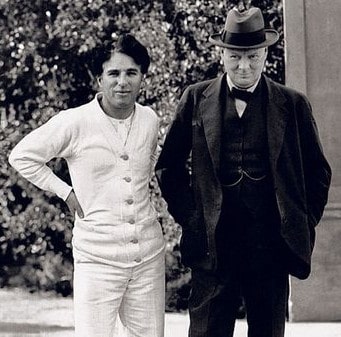
The great dictator, and together to manage once more to overcome the black dog .
The book is pure fiction, and K hlmeier dives into a debaucherous story telling, jumping back and forth between several strands of narration lines. An entertaining and very enjoyable book if you are the type of reader that enjoys story telling. For me this book is in best tradition of Michael K hlmeier, whom I consider an excellent story teller. I loved his (unfinished trilogy of) books on Greek mythology (Telemach and Calypso), but found that after these books he got lost too much in radio programs of story telling. While in itself good, I preferred his novels. Thus, I have to admit that I have forgotten about K hlmeier for some years, until recently I found this little book, which reminded me of him and his excellent stories. A book that is if you are versed in German well worth enjoying, especially if one likes funny and a bit queer stories.

10 July 2016

Ritesh Raj Sarraf: Leprosy in India

During my recent travel, I had quite a long layover at the Doha International Airport in Qatar. While killing time, I watched an interesting programme on the Al Jazeera network. The program aired on Al Jazeera is Lifelines. This special episode I watched, covered about "Leprosy in India". After having watched the entire programme, I felt the urge to blog about it. First of all, it was quite depressing to me, to know through the programme, that the Govt. of India had officially marked "Leprosy" eradicated from India in 2005. As per Wikipedia, "Globally in 2012, the number of chronic cases of leprosy was 189,000, down from some 5.2 million in the 1980s. The number of new cases was 230,000. Most new cases occur in 16 countries, with India accounting for more than half." Of the data presented on Lifelines, they just covered a couple of districts from 2 States (of the 28+ States) of India. So, with many states remaining, and unserveyed, and uncounted, we are far away from making such statements. Given that the Govt., on paper, has marked Leprosy eradicated; so does WHO. Which means that there is no more funding to help people suffering from the disease. And with no Govt. (or International) funding, it is a rather disappointing situation. I come from a small town on the Indo-Nepal intl. border, named Raxaul. And here, I grew up seeing many people who suffered from Leprosy. As a child, I never much understood the disease, because as is mentioned in the programme, I was told it was a communicable disease. Those suffering, were (and are) tagged as Untouchables (Hindi: ). Of my small town, there was and still is a sub-town, named Sunderpur. This town houses patients suffering from Leprosy, from around multiple districts closeby. I've never been there, but have been told that it is run by an NGO, and helps patients fight the disease. Lifelines also reported that fresh surveys done by the Lepra society, just a 3 day campaign, resulted in 3808 new cases of people suffering from Leprosy. That is a big number, given accessibility to small towns only happens once a week on market day. And in 3 days the team hardly covered a couple of district towns. My plea to the Media Houses of India. Please spend some time to look beyond the phony stuff that you mostly present. There are real issues that could be brought to a wider audience. As for the government, it is just depressing to know how rogue some/most of your statements are.

Categories:

Keywords:

Like:

Craig Small: procps 3.3.12

The procps developers are happy to announce that version 3.3.12 of procps was released today. This version has a mixture of bug fixes and enhancements. This unfortunately means another API bump but we are hoping this will be fixed with the new library API coming soon. procps is developed on gitlab and the new version of procps can be found at https://gitlab.com/procps-ng/procps/tree/newlib procps 3.3.12 can be found at https://gitlab.com/procps-ng/procps/tags/v3.3.12 From the NEWS file, procps 3.1.12 has the following: We are hoping this will be the last one to use the old API and the new format API ( imaginatively called newlib ) will be used in subsequent releases. Feedback for this and any other version of procps can be sent to either the issue tracker or the development email list.

8 July 2016

Mike Hommey: Are all integer overflows equal?

Background: I ve been relearning Rust (more about that in a separate post, some time later), and in doing so, I chose to implement the low-level parts of git (I ll touch the why in that separate post I just promised). Disclaimer: It s friday. This is not entirely(?) a serious post. So, I was looking at Documentation/technical/index-format.txt, and saw:
32-bit number of index entries.
What? The index/staging area can t handle more than ~4.3 billion files? There I was, writing Rust code to write out the index.
try!(out.write_u32::<NetworkOrder>(self.entries.len()));
(For people familiar with the byteorder crate and wondering what NetworkOrder is, I have a use byteorder::BigEndian as NetworkOrder) And the Rust compiler rightfully barfed:
error: mismatched types:
 expected  u32 ,
    found  usize  [E0308]
And there I was, wondering: mmmm should I just add as u32 and silently truncate or hey what does git do? And it turns out, git uses an unsigned int to track the number of entries in the first place, so there is no truncation happening. Then I thought but what happens when cache_nr reaches the max? Well, it turns out there s only one obvious place where the field is incremented. What? Holy coffin nails, Batman! No overflow check? Wait a second, look 3 lines above that:
ALLOC_GROW(istate->cache, istate->cache_nr + 1, istate->cache_alloc);
Yeah, obviously, if you re incrementing cache_nr, you already have that many entries in memory. So, how big would that array be?
        struct cache_entry **cache;
So it s an array of pointers, assuming 64-bits pointers, that s ~34.3 GB. But, all those cache_nr entries are in memory too. How big is a cache entry?
struct cache_entry  
        struct hashmap_entry ent;
        struct stat_data ce_stat_data;
        unsigned int ce_mode;
        unsigned int ce_flags;
        unsigned int ce_namelen;
        unsigned int index;     /* for link extension */
        unsigned char sha1[20];
        char name[FLEX_ARRAY]; /* more */
 ;
So, 4 ints, 20 bytes, and as many bytes as necessary to hold a path. And two inline structs. How big are they?

struct hashmap_entry  
        struct hashmap_entry *next;
        unsigned int hash;
 ;
struct stat_data  
        struct cache_time sd_ctime;
        struct cache_time sd_mtime;
        unsigned int sd_dev;
        unsigned int sd_ino;
        unsigned int sd_uid;
        unsigned int sd_gid;
        unsigned int sd_size;
 ;
Woohoo, nested structs.
struct cache_time  
        uint32_t sec;
        uint32_t nsec;
 ;
So all in all, we re looking at 1 + 2 + 2 + 5 + 4 32-bit integers, 1 64-bits pointer, 2 32-bits padding, 20 bytes of sha1, for a total of 92 bytes, not counting the variable size for file paths. The average path length in mozilla-central, which only has slightly over 140 thousands of them, is 59 (including the terminal NUL character). Let s conservatively assume our crazy repository would have the same average, making the average cache entry 151 bytes. But memory allocators usually allocate more than requested. In this particular case, with the default allocator on GNU/Linux, it s 156 (weirdly enough, it s 152 on my machine). 156 times 4.3 billion 670 GB. Plus the 34.3 from the array of pointers: 704.3 GB. Of RAM. Not counting the memory allocator overhead of handling that. Or all the other things git might have in memory as well (which apparently involves a hashmap, too, but I won t look at that, I promise). I think one would have run out of memory before hitting that integer overflow. Interestingly, looking at Documentation/technical/index-format.txt again, the on-disk format appears smaller, with 62 bytes per file instead of 92, so the corresponding index file would be smaller. (And in version 4, paths are prefix-compressed, so paths would be smaller too). But having an index that large supposes those files are checked out. So let s say I have an empty ext4 file system as large as possible (which I m told is 2^60 bytes (1.15 billion gigabytes)). Creating a small empty ext4 tells me at least 10 inodes are allocated by default. I seem to remember there s at least one reserved for the journal, there s the top-level directory, and there s lost+found ; there apparently are more. Obviously, on that very large file system, We d have a git repository. git init with an empty template creates 9 files and directories, so that s 19 more inodes taken. But git init doesn t create an index, and doesn t have any objects. We d thus have at least one file for our hundreds of gigabyte index, and at least 2 who-knows-how-big files for the objects (a pack and its index). How many inodes does that leave us with? The Linux kernel source tells us the number of inodes in an ext4 file system is stored in a 32-bits integer. So all in all, if we had an empty very large file system, we d only be able to store, at best, 2^32 22 files And we wouldn t even be able to get cache_nr to overflow. while following the rules. Because the index can keep files that have been removed, it is actually possible to fill the index without filling the file system. After hours (days? months? years? decades?*) of running
seq 0 4294967296   while read i; do touch $i; git update-index --add $i; rm $i; done
One should be able to reach the integer overflow. But that d still require hundreds of gigabytes of disk space and even more RAM. Ok, it s actually much faster to do it hundreds of thousand files at a time, with something like:
seq 0 100000 4294967296   while read i; do j=$(seq $i $(($i + 99999))); touch $j; git update-index --add $j; rm $j; done
At the rate the first million files were added, still assuming a constant rate, it would take about a month on my machine. Considering reading/writing a list of a million files is a thousand times faster than reading a list of a billion files, assuming linear increase, we re still talking about decades, and plentiful RAM. Fun fact: after leaving it run for 5 times as much as it had run for the first million files, it hasn t even done half more One could generate the necessary hundreds-of-gigabytes index manually, that wouldn t be too hard, and assuming it could be done at about 1 GB/s on a good machine with a good SSD, we d be able to craft a close-to-explosion index within a few minutes. But we d still lack the RAM to load it. So, here is the open question: should I report that integer overflow? Wow, that was some serious procrastination. Edit: Epilogue: Actually, oops, there is a separate integer overflow on the reading side that can trigger a buffer overflow, that doesn t actually require a large index, just a crafted header, demonstrating that yes, not all integer overflows are equal.

Russell Coker: Nexus 6P and Galaxy S5 Mini

Just over a month ago I ordered a new Nexus 6P [1]. I ve had it for over a month now and it s time to review it and the Samsung Galaxy S5 Mini I also bought. Security The first noteworthy thing about this phone is the fingerprint scanner on the back. The recommended configuration is to use your fingerprint for unlocking the phone which allows a single touch on the scanner to unlock the screen without the need to press any other buttons. To unlock with a pattern or password you need to first press the power button to get the phone s attention. I have been considering registering a fingerprint from my non-dominant hand to reduce the incidence of accidentally unlocking it when carrying it or fiddling with it. The phone won t complete the boot process before being unlocked. This is a good security feature. Android version 6 doesn t assign permissions to apps at install time, they have to be enabled at run time (at least for apps that support Android 6). So you get lots of questions while running apps about what they are permitted to do. Unfortunately there s no allow for the duration of this session option. A new Android feature prevents changing security settings when there is an overlay running . The phone instructs you to disable overlay access for the app in question but that s not necessary. All that is necessary is for the app to stop using the overlay feature. I use the Twilight app [2] to dim the screen and use redder colors at night. When I want to change settings at night I just have to pause that app and there s no need to remove the access from it note that all the web pages and online documentation saying otherwise is wrong. Another new feature is to not require unlocking while at home. This can be a convenience feature but fingerprint unlocking is so easy that it doesn t provide much benefit. The downside of enabling this is that if someone stole your phone they could visit your home to get it unlocked. Also police who didn t have a warrant permitting search of a phone could do so anyway without needing to compel the owner to give up the password. Design This is one of the 2 most attractive phones I ve owned (the other being the sparkly Nexus 4). I think that the general impression of the appearance is positive as there are transparent cases on sale. My phone is white and reminds me of EVE from the movie Wall-E. Cables This phone uses the USB Type-C connector, which isn t news to anyone. What I didn t realise is that full USB-C requires that connector at both ends as it s not permitted to have a data cable with USB-C at the device and and USB-A at the host end. The Nexus 6P ships with a 1M long charging cable that has USB-C at both ends and a ~10cm charging cable with USB-C at one end and type A at the other (for the old batteries and the PCs that don t have USB-C). I bought some 2M long USB-C to USB-A cables for charging my new phone with my old chargers, but I haven t yet got a 1M long cable. Sometimes I need a cable that s longer than 10cm but shorter than 2M. The USB-C cables are all significantly thicker than older USB cables. Part of that would be due to having many more wires but presumably part of it would be due to having thicker power wires for delivering 3A. I haven t measured power draw but it does seem to charge faster than older phones. Overall the process of converting to USB-C is going to be a lot more inconvenient than USB SuperSpeed (which I could basically ignore as non-SuperSpeed connectors worked). It will be good when laptops with USB-C support become common, it should allow thinner laptops with more ports. One problem I initially had with my Samsung Galaxy Note 3 was the Micro-USB SuperSpeed socket on the phone being more fiddly for the Micro-USB charging plug I used. After a while I got used to that but it was still an annoyance. Having a symmetrical plug that can go into the phone either way is a significant convenience. Calendars and Contacts I share most phone contacts with my wife and also have another list that is separate. In the past I had used the Samsung contacts system for the contacts that were specific to my phone and a Google account for contacts that are shared between our phones. Now that I m using a non-Samsung phone I got another Gmail account for the purpose of storing contacts. Fortunately you can get as many Gmail accounts as you want. But it would be nice if Google supported multiple contact lists and multiple calendars on a single account. Samsung Galaxy S5 Mini Shortly after buying the Nexus 6P I decided that I spend enough time in pools and hot tubs that having a waterproof phone would be a good idea. Probably most people wouldn t consider reading email in a hot tub on a cruise ship to be an ideal holiday, but it works for me. The Galaxy S5 Mini seems to be the cheapest new phone that s waterproof. It is small and has a relatively low resolution screen, but it s more than adequate for a device that I ll use for an average of a few hours a week. I don t plan to get a SIM for it, I ll just use Wifi from my main phone. One noteworthy thing is the amount of bloatware on the Samsung. Usually when configuring a new phone I m so excited about fancy new hardware that I don t notice it much. But this time buying the new phone wasn t particularly exciting as I had just bought a phone that s much better. So I had more time to notice all the annoyances of having to download updates to Samsung apps that I ll never use. The Samsung device manager facility has been useful for me in the past and the Samsung contact list was useful for keeping a second address book until I got a Nexus phone. But most of the Samsung apps and 3d party apps aren t useful at all. It s bad enough having to install all the Google core apps. I ve never read mail from my Gmail account on my phone. I use Fetchmail to transfer it to an IMAP folder on my personal mail server and I d rather not have the Gmail app on my Android devices. Having any apps other than the bare minimum seems like a bad idea, more apps in the Android image means larger downloads for an over-the-air update and also more space used in the main partition for updates to apps that you don t use. Not So Exciting In recent times there hasn t been much potential for new features in phones. All phones have enough RAM and screen space for all common apps. While the S5 Mini has a small screen it s not that small, I spent many years with desktop PCs that had a similar resolution. So while the S5 Mini was released a couple of years ago that doesn t matter much for most common use. I wouldn t want it for my main phone but for a secondary phone it s quite good. The Nexus 6P is a very nice phone, but apart from USB-C, the fingerprint reader, and the lack of a stylus there s not much noticeable difference between that and the Samsung Galaxy Note 3 I was using before. I m generally happy with my Nexus 6P, but I think that anyone who chooses to buy a cheaper phone probably isn t going to be missing a lot.

7 July 2016

Michal &#268;iha&#345;: uTidylib 0.3

Several years ago I've complained about uTidylib not being maintained upstream. Since that time I've occasionally pushed some fixes to my GitHub repository with uTidylib code, but without any clear intentions to take it over. Time has gone and there was still no progress and I started to consider becoming upstream maintainer as well. I quickly got approval from Cory Dodt, who was the original author of this code, unfortunately he is not owner of the PyPI entry and the claim request seems to have no response (if you know how to get in touch with "cntrlr" or how to take over PyPI module please let me know). Anyway the amount of patches in my repository is big enough to warrant new release. Additionally Debian bug report about supporting new HTML tidy library came in and that made me push towards releasing 0.3 version of the uTidylib. As you might guess, the amount of changes against original uTidylib is quite huge, to name the most important ones: Anyway as I can not update PyPI entry, the downloads are currently available only on my website: https://cihar.com/software/utidylib/

Filed under: Debian English uTidylib 0 comments

Daniel Pocock: Can you help with monitoring packages in Debian and Ubuntu?

Debian (and consequently Ubuntu) contains a range of extraordinarily useful monitoring packages. I've been maintaining several of them at a basic level but as more of my time is taken up by free Real-Time Communications software, I haven't been able to follow the latest upstream releases for all of the other packages I maintain. The versions we are distributing now still serve their purpose well, but as some people would like newer versions, I don't want to stand in the way. Monitoring packages are for everyone. Even if you are a single user or developer with a single desktop or laptop and no servers, you may still find some of these packages useful. For example, after doing an apt-get upgrade or dist-upgrade, it can be extremely beneficial to look at your logs in LogAnalyzer with all the errors and warnings colour-coded so you can see at a glance whether your upgrade broke anything. If you are testing new software before a release or trying to troubleshoot erratic behavior, this type of colour-coded feedback can also help you focus on possible problems without the eyestrain of tailing a logfile. LogAnalyzer How to help A good first step is simply looking over the packages maintained by the pkg-monitoring group and discovering whether any of them are useful for your own needs. You may be familiar with alternatives that exist in Debian, if so, feel free to comment on whether you believe any of these packages should be dropped by cre
ating a wishlist bug against the package concerned. The next step is joining the pkg-monitoring mailing list. If you are a Debian Developer or Debian Maintainer with upload rights already, you can join the group on alioth. If you are not at that level yet, you are still very welcome to test new versions of the packages and upload them on mentors.debian.net and then join the mentors mailing list to look for a member of the community who can help review your work and sponsor an upload for you. Each of the packages should have a README.source file in the repository explaining more about how the package is maintained. Familiarity with Git is essential. Note that all of the packages keep their debian/* artifacts in a branch called debian/sid while the master branch tracks the upstream repository. You can clone the Debian package repositories for any of these projects from alioth and build them yourself, try building packages of new upstream versions and try to investigate any of the bug reports submitted to Debian. Some of the bugs may have already been fixed by upstream changes and can be marked appropriately. Integrating your monitoring systems Two particular packages I would like to highlight are ganglia-nagios-bridge and syslog-nagios-bridge. They are not exclusively for Nagios and could also be used with Icinga or other monitoring dashboards. The key benefit of these packages is that all the alerting is consolidated in a single platform, Nagios, which is able to display them in a colour-coded dashboard and intelligently send notifications to people in a manner that is fully configurable. If you haven't integrated your monitoring systems already, these projects provide a simple and lightweight way to start doing so.

1 July 2016

Thorsten Alteholz: My Debian Activities in June 2016

FTP assistant This month I marked 233 packages for accept and rejected 29. I also sent 11 emails to maintainers asking questions. Currently there are 33 packages in NEW and the minimum this week has been as low as 24 packages. Come on you fellow developers, where are your packages? I am sure you can do better :-) . Debian LTS This was my twenty-fourth month that I did some work for the Debian LTS initiative, started by Raphael Hertzog at Freexian. This month my all in all workload has been 18.75h. This resulted in patches for 13 CVEs and the following uploads: I also looked at mxml and libstruts1.2-java and marked CVEs for these packages as no-dsa . I also reviewed a patch of Salvatore for an embargoed CVE of xerces-c. Last but not least I looked at the remaining two CVEs for asterisk, but was not really able to create working patches This month I called again for testing php5. Thanks a lot to Stefan and anybody else who sent in their reports! As there are already new CVEs for php5 available, I am afraid I need your support again in July This month I also had another term of frontdesk work and answered questions or looked for CVEs that are important for Wheezy LTS or could be ignored. Other stuff I made some progress with the Alljoyn framework. Up to now the following packages are available: Unfortunately as some of those modules still need to be released in current versions, there are some gaps. Anyway, the next uploads will include an XMPP connector, to basically bridge a local AllJoyn bus to a remote AllJoyn bus over XMPP. Further, with the lighting module, real lamps can be switched on and off and much more. Also the Home Appliances and Entertainment Service Framework seems to be interesting as well. In the Javascript world I uploaded some new packages and uploaded new versions for the following packages:

Next.

Previous.