Search Results: "ed"

2 June 2016

Jamie McClelland: Mobile Instant Messaging

Now that I've gone down the signal road, when can I get off of it? The two contenders I've found for more politically conscious mobile-friendly instant messaging are Tox and XMPP. And the problems to solve are: The Tox Project has a great design (peer-to-peer) and handles end-to-end encryption as part of its core design. However, the Antox mobile client has not only failed to solve the battery drain problem but seems to also have a serious bandwidth issue as well. Also, what is up with this drama? How about XMPP? For years, XMPP clients have been using OTR - and many instant messaging applications support it, including ChatSecure. And now, there seems to be quite a bit of excitement around implementing a better protocol called OMEMO. Incidentally, the OMEMO protocol uses the same Double Ratchet (previously referred to as the Axolotl Ratchet) protocol that Signal uses. While there are some irritating hiccups around using the available GPL library for Double Ratchet on iPhone apps, it seems like these issues are being sorted out and soon we'll have some kind of standard way for XMPP clients to exchange end-to-end encrypted messages. Let's move on to notifications and battery drain. If you believe the author of the Android Conversations App there doesn't seem to be a problem. However, client state indication seems to be the only issue related to battery drainage he addresses and I couldn't figure out how to easily install that extension on our Debian Jessie prosody instance since it isn't included in the prosody-modules package in Debian and it requires additional modules for it to work. Chris Ballinger, the author of ChatSecure (iOS and Android XMPP app), is less optimistic about this problem in general. In short, he thinks we need a proper "push" mechanism and has even started to implement one. At the same time, a new (and different) XMPP standard called Push Notifications - XEP-0357 has been released and it is even implemented in Prosody (although not yet available in Debian). So the future seems bright, right? Well, not exactly. All of this "push" activity seems to solve this problem: A federated/decentralized application cannot properly use Apple's APNs or Google's GCM. In the words of Chris Ballinger:
The biggest problem is that there is no easy way to send push messages between my app and your app. For me to send a push to one of your app s users on iOS, I must first obtain an APNs SSL certificate/key pair from you, and one of your user s push token that uniquely identifies their device to Apple. These push tokens are potentially sensitive information because they allow Apple to locate your device (in order to send it a push).
So, even if we manage to get one of these two standards for push notifications up and running, we have only succeeded in solving Signal's centralization problem, not the dependence on Google Play Services and Apple Push Network (in fact it's quite mysterious to me how you could even use the Prosody implementation of Push Notifications with GCM or APN). So... what we really would need would be to figure out how to implement one of these two push standards and then get it to work with an alternative to GCM and APN (perhaps MQTT)? Which, I think would require changes to the XMPP client. Geez. I may be on Signal longer than I planned.

1 June 2016

Jamie McClelland: Signal and Google Cloud Services

I just installed Signal on my Android phone. It wasn't an easy decision. I have been running Cyanogenmod, a Google-free version of Android, and installing apps from F-Droid, a repository of free software android apps, for several years now. This setup allows me to run all the applications I need without Google accessing any of my cell phone data. It has been a remarkably successful experiment leaving me with all the phone software I need. And it's consistent with my belief that Google's size, reach and goals are a menace to the left's ability to develop the autonomous communications systems on the Internet that we need to achieve any meaningful political change. However, if I want to install Signal, I have to install Google Play, and the only way to install Google Play is to install Google's base line set of apps and to connect your cell phone to a Gmail account. Why in the world would Signal require Google Play? There is plenty of discussion of the technical debate on this topic, but politically it boils down to this: security is about trade-offs, and the trade-offs you find important are based on your politics. While I consider Signal to be on the same team in the big picture, I think Signal's winning a short term victory for more massively adopted end-to-end encryption at the expense of a longer term and more important struggle for autonomous communication systems specifically for communities fighting corporate power (of which Google itself is an important target) and fighting US hegemony on a global scale. Furthermore, Signal's lead developer's outright hostility to alternate clients connecting to the centralized signal servers demonstrates another political decision that favors central control over any confidence in a broader movement control over what could have become a power new protocol for secure communication. And his refusal to grant an exemption for other developers to use just the encryption algorythm is frustrating to say the least. Given this reasoning, why install Signal? The main reason is because I have yet to convince anyone to remove Google Apps from their phone and Signal, right now, represents a dramatic improvement over most people's current communications habit. And, when it comes down to it, I need to run what I recommend. I'm still running both conversations and Antox which are far better alternatives in the long run. However until they gain more widespread adoption, I'll be experimenting with Signal. Technical Details Oh, and by the way, installing Google Apps nearly bricked my phone. Cyanogenmod's web site conveniently provides instructions for installing Google Apps. However, confusingly, they provide two different links to choose from, one is from OpenGapps which provided my a link to download the zip file to flash on a non-https page (the link itself was over https). The other link was to an https-enabled page on androidfilehost.com that offered a non-https download (but did provide a md5 checksum). I am now sure why people offering software downloads don't enable https from start to finish (well, maybe I do - I haven't yet enabled https on this site...). However, more confusing is that both links were to different files. The OpenGapps one seemed to be a daily build and the androidfilehost was to a file with the date 20140606 in it's name, suggesting it was built nearly 2 years ago. I went with the daily build. When I restarted, I got the error "Unfortunately, Android Keyboard (Aosp) Has Stopped." If you search the web for this error you will see loads of people getting it. However, none of them seem to be using an encrypted disk. Yes, that is a bigger problem since you can't enter your encrypted disk passphrase if your keyboard app has crashed and you can't boot your phone if you can't even hit enter at the passphrase prompt. If you can't boot, you can't clear the keyboard app cache or most of the suggestions. In fact, when you press and hold the power key you don't even get the option to reboot into recovery mode. And, if you connect your device to your USB cable and run the adb tool on your computer, the tool reports that you are not authorized to connect your device. Oh damn. Did I just brick my phone? Fortunately, you can still boot into recovery mode on a Samsung S4 by powering it off. Then, press and hold the up volume button while turning it on. In recovery mode, I as able to convince the adb tool to connect to my device and I copied over the other Gapps zip file from androidfilehost.com and flashing that one seems to have fixed the problem. Once I booted, I ran Google Play and opted to create a new Google Account. I chose the option to not sync my data. Then, I checked in Settings -> Accounts I saw that a Google Account was there and was synchronizing. Great. What was it synchronizing? I clicked the account, then clicked "Accounts and Privacy" and ensured that everything was turned off. Let's hope that works. [Update] Signal's option to take over as your default SMS client and send un-encrypted normal SMS messages while sending encrypted messages to other Signal users is a very good way to smooth adoption. Unfortunately I had some problems with MMS message for which I found a work-around. But sheesh, lots of MMS problems at the moment.

Thorsten Alteholz: My Debian Activities in May 2016

FTP assistant This month I marked 286 packages for accept and rejected 35. I also sent 13 emails to maintainers asking questions. Apart from this nothing unusual happened this month. Debian LTS This was my twenty-third month that I did some work for the Debian LTS initiative, started by Raphael Hertzog at Freexian. This month my all in all workload reached a new high with 31.00h. This resulted in patches for 35 CVEs and the following uploads: Thanks a lot to all the people who answered my calls for testing, especially Gabriel Filion, Joost van Baal-Ili and Stefan! This month I also had another term of doing frontdesk work and looked for CVEs that are important for Wheezy LTS or could be ignored. Other stuff As already mentioned in an earlier post, I tried to enliven the Internet of Things in Debian. If you would like to help in this field, please drop me a line.

Antoine Beaupr : (Still) working too much on the computer

I have been using Workrave to try to force me to step away from the computer regularly to work around Repetitive Strain Injury (RSI) issues that have plagued my life on the computer intermittently in the last decade. Workrave itself is only marginally efficient at getting me away from the machine: as any warning systems, it suffers from alarm fatigue as you frenetically click the dismiss button every time a Workrave warning pops up. However, it has other uses.

Analyzing data input In the past, I have used Workrave to document how I work too much on the computer, but never went through more serious processing of the vast data store that Workrave accumulates about mouse movements and keystrokes. Interested in knowing how much my leave from Koumbit affected time spent on the computer, I decided to look into this again. It turns out I am working as much, if not more, on the computer since I took that "time off": per machine keystrokes per day and average We can see here that I type a lot on the computer. Normal days range from 10 000 to 60 000 keystrokes, with extremes at around 100 000 keystrokes per day. The average seem to fluctuate around 30 to 40 000 keystrokes per day, but rises sharply around the end of the second quarter of this very year. For those unfamiliar with the underlying technology, one keystroke is roughly one byte I put on the computer. So the average of 40 000 keystrokes is 40 kilobyte (KB) per day on the computer. That means 15 MB over a year or about 150MB (or 100 MiB if you want to be picky about it) over the course of the last decade. That is a lot of typing. I originally thought this could have been only because I type more now, as opposed to use more the mouse previously. Unfortunately, Workrave also tracks general "active time" which we can also examine: per machine keystrokes per day and average Here we see that I work around 4 hours a day continuously on the computer. That is active time: not just login, logout time. In other words, the time where i look away from the computer and think for a while, jot down notes in my paper agenda or otherwise step away from the computer for small breaks is not counted here. Notice how some days go up to 12 hours and how recently the average went up to 7 hours of continuous activity. So we can clearly see that I basically work more on the computer now than I ever did in the last 7 years. This is a problem - one of the reasons of this time off was to step away from the computer, and it seems I have failed.
Update: it turns out the graph was skewed towards the last samples. I went more easy on the keyboard in the last few days and things have significantly improved: per machine keystrokes per day and average, 3 days later
Another interesting thing we can see is when I switched from using my laptop to using the server as my main workstation, around early 2011, which is about the time marcos was built. Now that marcos has been turned into a home cinema downstairs, I went back to using my laptop as my main computing device, in late 2015. We can also clearly see when I stopped using Koumbit machines near the end of 2015 as well.

Further improvements and struggle for meaning The details of how the graph was produced are explained at the end of this article. This is all quite clunky: it doesn't help that the Workrave data structure is not easily parsable and so easily corruptible. It would be best if each data point was on its own separate line, which would be long, granted, but so easier to parse. Furthermore, I do not like the perl/awk/gnuplot data processing pipeline much. It doesn't allow me to do interesting analysis like averages, means and linear regressions easily. It could be interesting to rewrite the tools in Python to allow better graphs and easier data analysis, using the tools I learned in 2015-09-28-fun-with-batteries. Finally, this looks only at keystrokes and non-idle activity. It could be more interesting to look at idle/active times and generally the amount of time spent on the computer each day. And while it is interesting to know that I basically write a small book on the computer every day (according to Wikipedia, 120KB is about the size of a small pocket book), it is mostly meaningless if all that stuff is machine-readable code. Where is, after all, the meaning in all those shell commands and programs we constantly input on our keyboards, in the grand scheme of human existence? Most of those bytes are bound to be destroyed by garbage collection (my shell's history) or catastrophic backup failures.
While the creative works from the 16th century can still be accessed and used by others, the data in some software programs from the 1990s is already inaccessible. - Lawrence Lessig
But is my shell history relevant? Looking back at old posts on this blog, one has to wonder if the battery life of the Thinkpad 380z laptop or how much e-waste I threw away in 2005 will be of any historical value in 20 years, assuming the data survives that long.

How this graph was made I was happy to find that Workrave has some contrib scripts to do such processing. Unfortunately, those scripts are not shipped with the Debian package, so I requested that to be fixed (#825982). There were also some fixes necessary to make the script work at all: first, there was a syntax error in the Perl script. But then since my data is so old, there was bound to be some data corruption in there: incomplete entries or just plain broken data. I had lines that were all NULL characters, typical of power failures or disk corruptions. So I have made a patch to fix that script (#826021). But this wasn't enough: while this processes data on the current machine fine, it doesn't deal with multiple machines very well. In the last 7 years of data I could find, I was using 3 different machines: this server (marcos), my laptop (angela) and Koumbit's office servers (koumbit). I ended up modifying the contrib scripts to be able to collate that data meaningfully. First, I copied over the data from Koumbit in a local fake-koumbit directory. Second, I mounted marcos home directory locally with SSHFS:
sshfs anarc.at:/home/anarcat marcos
I also made this script to sum up datasets:
#!/usr/bin/perl -w
use List::MoreUtils 'pairwise';
$  = 1;
my %data = ();
while (<>)  
    my @fields = split;
    my $date = shift @fields;
    if (defined($data $date ))  
        my @t = pairwise   $a + $b   @ $data $date , @fields;
        $data $date  = \@t;
     
    else  
        $data $date  = \@fields;
     
 
foreach my $d ( sort keys %data )  
    print "$d @ $data $d \n";
 
Then I made a modified version of the Gnuplot script that processes all those files together:
#!/usr/bin/gnuplot
set title "Workrave"
set ylabel "Keystrokes per day"
set timefmt "%Y%m%d%H%M"
#set xrange [450000000:*]
set format x "%Y-%m-%d"
set xtics rotate
set xdata time
set terminal svg
set output "workrave.svg"
plot "workrave-angela.dat" using 1:28 title "angela", \
     "workrave-marcos.dat" using 1:28 title "marcos", \
     "workrave-koumbit.dat" using 1:28 title "koumbit", \
     "workrave-sum.dat" using 1:2 smooth sbezier linewidth 3 title "average"
#plot "workrave-angela.dat" using 1:28 smooth sbezier title "angela", \
#     "workrave-marcos.dat" using 1:28 smooth sbezier title "marcos", \
#     "workrave-koumbit.dat" using 1:28 smooth sbezier title "koumbit"
And finally, I made a small shell script to glue this all together:
#!/bin/sh
perl workrave-dump > workrave-$(hostname).dat
HOME=$HOME/marcos perl workrave-dump > workrave-marcos.dat
HOME=$PWD/fake-koumbit perl workrave-dump > workrave-koumbit.dat
# remove idle days as they skew the average
sed -i '/ 0$/d' workrave-*.dat
# per-day granularity
sed -i 's/^\(........\)....\? /\1 /' workrave-*.dat
# sum up all graphs
cat workrave-*.dat   sort   perl sum.pl > workrave.dat
./gnuplot-workrave-anarcat
I used a different gnuplot script to generate the activity graph:
#!/usr/bin/gnuplot
set title "Workrave"
set ylabel "Active hours per day"
set timefmt "%Y%m%d%H%M"
#set xrange [450000000:*]
set format x "%Y-%m-%d"
set xtics rotate
set xdata time
set terminal svg
set output "workrave.svg"
plot "workrave-angela.dat"  using 1:($23/3600) title "angela", \
     "workrave-marcos.dat"  using 1:($23/3600) title "marcos", \
     "workrave-koumbit.dat" using 1:($23/3600) title "koumbit", \
     "workrave.dat"         using 1:($23/3600) title "average" smooth sbezier linewidth 3
#plot "workrave-angela.dat" using 1:28 smooth sbezier title "angela", \
#     "workrave-marcos.dat" using 1:28 smooth sbezier title "marcos", \
#     "workrave-koumbit.dat" using 1:28 smooth sbezier title "koumbit"

Keerthana Krishnan: Dealing with the Light Blue Screen Of Doom

Hi! With my third consecutive post of the day, I d like to speak about the login error usually seen on Gnome desktops, aka : Light Blue Screen of Doom . As far as I know, this bug is associated with Gnome and is usually because of faulty installation of gnome files and it was something that tormented me endlessly last week when I tried to install Debian 8 (Jessie) Unfortunately, I never really fixed it myself. What started off as a problem with gnome quickly snowballed into something else that wiped my routing table, making sure I couldn t even update the corrupted files properly. Although I came across a lot of bug reports in my quest to solve it, I never really found a solution.
Reinstallation seems to be only option left here, but there are a few checks you can make
  1. Call the terminal. Use Ctrl+Alt+F2, you should be able to get your command line.
  2. Login as root. This is extreme troubleshooting. You need root
  3. Check and see if startx works. (Yay! problem solved if it does!)
  4. Try to see if the basic gnome packages are installed type apt-get install with basic gnome packages like gnome-desktop-environment, gdm, gnome, etc.. to see if they are installed. If not, try to install them and then run the startx command.
  5. If you can t install them, or if they are already installed, try running the updating the system

    apt-get update
    apt-get upgrade
    apt-get dist-upgrade //If OS is at newest version
  6. If updating doesn t work and gives Failed to Fetch errors for all the source links, try pinging the network to make sure you have a connection.

    ping google.com
    ping 8.8.8.8
  7. If you do have a connection, verify the sources :

    nano /etc/apt/sources.list
    deb http://ftp.us.debian.org/debian jessie main contrib non-free
    #deb-src http://ftp.us.debian.org/debian jessie main contrib non-free
    deb http://security.debian.org/ jessie/updates main contrib non-free
    #deb-src http://security.debian.org/ jessie/updates main contrib non-free
    deb http://ftp.us.debian.org/debian testing main contrib non-free
    #deb-src http://ftp.us.debian.org/debian testing main contrib non-free
    deb http://security.debian.org/ testing/updates main contrib non-free
    #deb-src http://security.debian.org/ testing/updates main contrib non-free
  8. If you have no connection, check your routing table with the command netstat -nr . If this routing table is completely empty, then I ve got some bad news for you. Reinstallation is your new friend. Try and see if you can copy your files using command line. cp and ls are basically your new best friends.
Here s a guide to help change your OS. Hopefully, everything works out and you re back to working in no time!

Keerthana Krishnan: Things I wish someone told me about Debian 8 (Jessie) installation

After using Ubuntu for the past 5+ years, I m pretty used to linux. The huge mistake I made was assuming that Debian installation would be as easy as Ubuntu. Truth : It isn t. Ubuntu is much more user friendly and tame. Debian is much more larger with more cuztomisation options, something that might be overwhelming to those used to the slick UX of Unity. Disclaimer : This guide is for people who are used to linux, preferably some other distro like Fedora or Ubuntu and wants to change to Debian. Note : If you want to dual boot Debian with Fedora, install debian first. Fedora is pretty good at the partition adjustment thing. Now go ahead and install all the software you want! A good list is given here. Have fun with your new OS! (Edit: I m still getting used to Debian so any and all comments about the above are welcome!  )

Keerthana Krishnan: Changing your OS between two linux distros

Hi guys! Last week, I had installed Debian 8 with Fedora 22 over my then current system of a dual boot between Ubuntu 14.04 and Fedora 22. I had been using these two for a long time and the change was pretty difficult because of all the data I had lying around. This is all the wisdom I understood from it, and hopefully, this helps.
  1. Backup all your important data : Your home folder or any external partition will have tons of data if you have been using your OS for some time. Don t forget to double check all the folders such as your Desktop, localhost (/var/www/html/) and anything else you can think of.
  2. Keep a list of your favorite applications that you ve installed. I wouldn t recommed copying the lib files from the computer. There is a high chance of getting your files corrupted that way (from personal experience). Instead, go to your package manager to find your installed packages and make a note of all the applications that you would want in your new OS.
  3. Backup files from your browser. If you use Google Chrome (Or Chromium) be sure to sign in and save your settings. For firefox users, here s a guide to backup your profile. If your browser is something else, make sure to ask google for help with this,
  4. Download the .iso file of your new OS according to your requirement. I prefer to make a live usb for installation. Make sure you double check and download the right image file.
You re all done! Say your goodbyes to your old system, put in your USB and reboot your system to start installation of your new OS.

Russell Coker: I Just Ordered a Nexus 6P

Last year I wrote a long-term review of Android phones [1]. I noted that my Galaxy Note 3 only needed to last another 4 months to be the longest I ve been happily using a phone. Last month (just over 7 months after writing that) I fell on my Note 3 and cracked the screen. The Amourdillo case is good for protecting the phone [2] so it would have been fine if I had just dropped it. But I fell with the phone in my hand, the phone landed face down and about half my body weight ended up in the middle of the phone which apparently bent it enough to crack the screen. As a result of this the GPS seems to be less reliable than it used to be so there might be some damage to the antenna too. I was quoted $149 to repair the screen, I could possibly have found a cheaper quote if I had shopped around but it was a good starting point for comparison. The Note 3 originally cost $550 including postage in 2014. A new Note 4 costs $550 + postage now from Shopping Square and a new Note 3 is on ebay with a buy it now price of $380 with free postage. It seems like bad value to pay 40% of the price of a new Note 3 or 25% the price of a Note 4 to fix my old phone (which is a little worn and has some other minor issues). So I decided to spend a bit more and have a better phone and give my old phone to one of my relatives who doesn t mind having a cracked screen. I really like the S-Pen stylus on the Samsung Galaxy Note series of phones and tablets. I also like having a hardware home button and separate screen space reserved for the settings and back buttons. The downsides to the Note series are that they are getting really expensive nowadays and the support for new OS updates (and presumably security fixes) is lacking. So when Kogan offered a good price on a Nexus 6P [3] with 64G of storage I ordered one. I m going to give the Note 3 to my father, he wants a phone with a bigger screen and a stylus and isn t worried about cracks in the screen. I previously wrote about Android device service life [4]. My main conclusion in that post was that storage space is a major factor limiting service life. I hope that 64G in the Nexus 6P will solve that problem, giving me 3 years of use and making it useful to my relatives afterwards. Currently I have 32G of storage of which about 8G is used by my music video collection and about 3G is free, so 64G should last me for a long time. Having only 3G of RAM might be a problem, but I m thinking of trying CyanogenMod again so maybe with root access I can reduce the amount of RAM use.

31 May 2016

Chris Lamb: Free software activities in May 2016

Here is my monthly update covering a large part of what I have been doing in the free software world (previously):
Debian My work in the Reproducible Builds project was covered in our weekly reports. (#53, #54, #55, #56 & #57)
Debian LTS

This month I have been paid to work 18 hours on Debian Long Term Support (LTS). In that time I did the following:
  • A week of "frontdesk" duties, triaging CVEs, assigning tasks, etc.
  • Issued DLA 464-1 for libav, a multimedia player, server, encoder and transcoder library that fixed a use-after free vulnerability.
  • Issued DLA 469-1 for libgwenhywfar (an OS abstraction layer that allows porting of software to different operating systems like Linux, *BSD, Windows, etc.) correcting the use of an outdated CA certificate bundle.
  • Issued DLA 470-1 for libksba, a X.509 and CMS certificate support library. patching a buffer vulnerability.
  • Issued DLA 474-1 for dosfstools, a collection of utilities for making and checking MS-DOS FAT filesystems, fixing an invalid memory and heap overflow vulnerability.
  • Issued DLA 482-1 for libgd2 graphics library, rectifying a stack consumption vulnerability.

Uploads
  • python-django (1.9.6-1) New upstream bugfix release.
  • redis (3.2.0-1, etc.) New upstream release, correct build on more exotic architectures and minor packaging fixups.
  • gunicorn (19.5.0-1 & 19.6.0-1) New upstream releases and minor packaging fixups.


Jaminy Prabaharan: First blog post

This is your very first post. Click the Edit link to modify or delete it, or start a new post. If you like, use this post to tell readers why you started this blog and what you plan to do with it.

Enrico Zini: Python gotcha

This code:
#!/usr/bin/python3
class Test:
    def __init__(self, items=[]):
        self.items = items
    def add(self, item):
        self.items.append(item)
a = Test()
a.add("foo")
b = Test()
b.add("bar")
print(repr(a.items))
print(repr(b.items))
"obviously" prints:
['foo', 'bar']
['foo', 'bar']
Because the default value of the items argument is a mutable list constructed just once when the code is compiled when the function definition is evaluated, and then reused. So, in Python, mutable items in default arguments are a good way to get more fun time with debugging.

Paul Tagliamonte: Iron Blogger DC

Back in 2014, Mako ran a Boston Iron Blogger chapter, where you had to blog once a week, or you owed $5 into the pot. A while later, I ran it (along with Molly and Johns), and things were great. When I moved to DC, I had already talked with Tom Lee and Eric Mill about running a DC Iron Blogger chapter, but it hasn t happened in the year and a half I ve been in DC. This week, I make good on that, with a fantastic group set up at dc.iron-blogger.com; with more to come (I m sure!). Looking forward to many parties and though provoking blog posts in my future. I m also quite pleased I ll be resuming my blogging. Hi, again, planet Debian!

30 May 2016

Russ Allbery: Review: By the Sword

Review: By the Sword, by Mercedes Lackey
Series: Vows and Honor #4
Publisher: DAW
Copyright: February 1991
ISBN: 0-88677-463-2
Format: Mass market
Pages: 492
By the Sword is the next book in my (slow) Valdemar re-read. This one is a bit hard to classify in the series; it's technically a stand-alone novel, and it doesn't require a lot of prior series knowledge. But the heroine, Kerowyn, is a relative of Tarma and Kethry, and Tarma and Kethry appear in this novel. Most of the book also deals with similar themes as the rest of the Tarma and Kethry books, even though it's also a bridge into Valdemar proper. I'm going to follow Fantastic Fiction and call it book four of the Vows and Honor series, even though the publisher doesn't refer to it that way and it's not strictly correct. I think that creates the right impression, and it's mildly better to read the other Tarma and Kethry novels first. This book is also a bit confusing for reading order. It was published just before the Mage Winds trilogy, and happens before them in series chronological order (between that trilogy and the Talia series). But some of the chronologies in some of the Valdemar books show it after the Mage Winds trilogy. I think I originally read it afterwards, but both natural reading order and publication order puts it first, and that's the ordering I followed this time. Series ordering trivia aside (sometimes the comic book shared universe continuity geek in me raises its head), By the Sword is a hefty, self-contained novel about a very typical Lackey protagonist. Kerowyn is the daughter of a noble house, largely ignored by her father in favor of her brother and tasked with keeping the keep running since her mother died. She wants to learn to fight and ride, but that's not part of her father's plans for her. But those plans become suddenly irrelevant when the keep is attacked during her brother's wedding and the bride kidnapped. Unless someone at least attempts to recover her, this will be taken as an excuse for conquest of the keep by the bride's family. (Spoilers for the start of the book in the following paragraph. I think the outcomes are reasonably obvious given the type of book this is, but skip it if you don't want to know anything about the plot.) If you're familiar with Lackey's musical work (most probably won't be, but you might if you follow filk), "Kerowyn's Ride" is the start of this book. Kerowyn goes to her grandmother Kethry, who is semi-legendary to Kerowyn but well-known to readers of the rest of the series. From Kethry, she acquires Need; with Need's help, she improbably manages to rescue her brother's bride. It seems like a happy ending, but it completely disrupts and destroys her life. Her role as hero does not fit any of the expectations the remaining members of the household have for her. But it also gives her an escape: she ends up as Tarma and Kethry's student, learning all the things about fighting she'd craved to learn and preparing for a life as a mercenary. Quite a few adventures follow, all of which are familiar to Lackey readers and particularly to readers of the Tarma and Kethry books. But I think this is one of Lackey's better-written books. The pacing is reasonably good despite the length of the book, Kerowyn is a likable and interesting character, and I like the pragmatism and practicalities that Lackey brings to sword and sorcery mercenary groups. In style and subject matter, it's the closest to Oathbreakers, which was also my favorite of the Tarma and Kethry novels. By the Sword is both the natural conclusion of the Tarma and Kethry era and arc, and vital foundational material for what I think of as the "core" Valdemar story: Elspeth's adventures during Selany's reign, which start in the Mage Winds trilogy immediately following this. Kerowyn becomes a vital supporting character in the rest of the story, and Need is hugely important in events to come. But even if you're not as invested in the overall Valdemar story arc as I am, this is solid, if a bit predictable and unspectacular, sword and sorcery writing presented in a meaty and satisfying novel with a good coming-of-age story. This is one of my favorites of the Valdemar series as measured by pure story-telling. There are other books that provide more interesting lore and world background, but there are few characters I like as well as Kerowyn, and I find the compromise she reaches with Need delightful. If you liked Oathbreakers, I'm pretty sure you'd like this as well. And, of course, recommended if you're reading the whole Valdemar series as a fairly key link in the plot and a significant bridge between the Heralds and Tarma and Kethry's world, a bridge that Elspeth is about to cross in the other direction. Rating: 8 out of 10

Reproducible builds folks: Reproducible builds: week 57 in Stretch cycle

What happened in the Reproducible Builds effort between May 22nd and May 28th 2016: Media coverage Documentation update Toolchain fixes Packages fixed The following 18 packages have become reproducible due to changes in their build dependencies: canl-c configshell dbus-java dune-common frobby frown installation-guide jexcelapi libjsyntaxpane-java malaga octave-ocs paje.app pd-boids pfstools r-cran-rniftilib scscp-imcce snort vim-addon-manager The following packages have become reproducible after being fixed: Some uploads have fixed some reproducibility issues, but not all of them: Patches submitted that have not made their way to the archive yet: Package reviews 123 reviews have been added, 57 have been updated and 135 have been removed in this week. 21 FTBFS bugs have been reported by Chris Lamb and Santiago Vila. strip-nondeterminism development tests.reproducible-builds.org Misc. This week's edition was written by Reiner Herrmann and Holger Levsen and reviewed by a bunch of Reproducible builds folks on IRC.

John Goerzen: That was satisfying

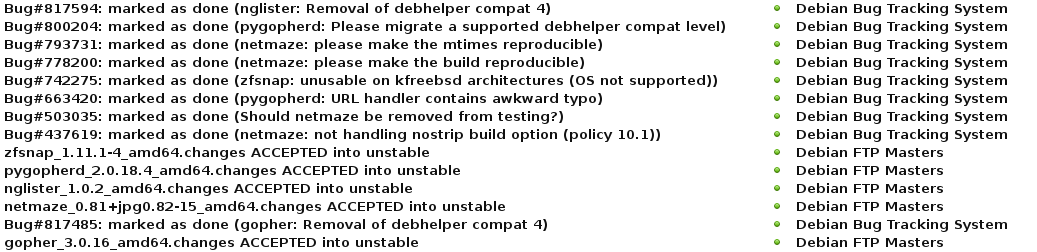
It s been awhile due to all sorts of other stuff going on. Nice to see this clogging my inbox again: screenshot It really is satisfying to close bugs!

Daniel Stender: My work for Debian in May

No double posting this time ;-) I've got not so much spare time this month to spend on Debian, but I could work on the following packages: This series of blog postings also includes little introductions of and into new packages in the archive. This month there is: Pyinfra Pyinfra is a new project which is currently still in development state. It has been already pointed out in an interesting German article1, and is now available as package maintained within the Python Applications Team. It's currently a one man production by Nick Barrett, and eagerly developed in the past weeks (we're currently at 0.1~dev24). Pyinfra is a remote server configuration/provisioning/service deployment tool which belongs in the same software category like Puppet or Ansible2. It's for provisioning one or an array of remote servers with software packages and to configure them. Pyinfra runs agentless like Ansible, that means for using it nothing special (like a daemon) has to run on targeted servers. It's written to be used for provisioning POSIX compatible Linux systems and has alternatives when it comes to special features like package managers (e.g. supports apt as well as yum). The documentation could be found in usr/share/doc/pyinfra/html/. Here's a little crash course on how to use Pyinfra: The pyinfra CLI tool is used on the command line like this, deploy scripts, single operations or facts (see below) could be used on a single server or a multitude of remote servers:
$ pyinfra -i <inventory script/single host> <deploy script>
$ pyinfra -i <inventory script/single host> --run <operation>
$ pyinfra -i <inventory script/single host> --facts <fact>
Remote servers which are operated on must provide a working shell and they must be reachable by SSH. For connecting, --port, --user, --password, --key/--key-password and --sudo flags are available, --sudo to gain superuser rights. Root access or sudo rights of course have to be already set up. By the way, localhost could be operated on the same way. Single operations are organized in modules like "apt", "files", "init", "server" etc. With the --run option they could be used individually on servers like follows, e.g. server.user adds a new user on a single targeted system (-v adds verbosity to the pyinfra run):
$ pyinfra -i 192.0.2.10 --run server.user sam --user root --key ~/.ssh/sshkey --key-password 123456 -v
Multiple servers can be grouped in inventories, which hold the targeted hosts and data associated with them, like e.g. an inventory file farm1.py would contain lists like this:
COMPUTE_SERVERS = ['192.0.2.10', '192.0.2.11']
DATABASE_SERVERS = ['192.0.2.20', '192.0.2.21']
Group designators must be all caps. A higher level of grouping are the file names of inventory scripts, thus COMPUTE_SERVERS and DATABASE_SERVERS can be referenced to at the same time by the group designator farm1. Plus, all servers are automatically added to the group all. And, inventory scripts should be stored in the subfolder inventory/ in the project directory. Inventory files then could be used instead of specific IP addresses like this, the single operation then gets performed on all given machines in farm1.py:
$ pyinfra -i inventory/farm1.py  --run server.user sam --user root --key ~/.ssh/sshkey --key-password=123456 -v
Deployment scripts could be used together with group data files in the subfolder group_data/ in the project directory. For example, a group_data/farm1.py designates all servers given in inventory/farm1.py (by the way, all.py designates all servers), and contains the random attribute user_name (attributes must be lowercase), next to authentication data for the whole inventory group:
user_name = 'sam'
ssh_user = 'root'
ssh_key = '~/.ssh/sshkey'
ssh_key_password = '123456'
The random attribute can be picked up by a deployment script using host.data() like follows, user_name could be used again for e.g. server.user(), like this:
from pyinfra import host
from pyinfra.modules import server
server.user(host.data.user_name)
This deploy, the ensemble of inventory file, group data file and deployment script (usually placed top level in the project folder) then could be run that way:
$ pyinfra -i inventory/farm1.py deploy.py
You have guessed it, since deployment scripts are Python scripts they are fully programmable (please regard that Pyinfra is build & runs on Python 3 on Debian), and that's the main advantage point with this piece of software. Quite handy for that come Pyinfra facts, functions which check different things on remote systems and return information as Python data. Like e.g. deb_packages returns a dictionary of installed packages from a remote apt based server:
$ pyinfra -i 192.0.2.10 --fact deb_packages --user root --key ~/.ssh/sshkey --key-password=123456
 
    "192.0.2.10":  
        "libdebconfclient0": "0.192",
        "python-debian": "0.1.27",
        "libavahi-client3": "0.6.31-5",
        "dbus": "1.8.20-0+deb8u1",
        "libustr-1.0-1": "1.0.4-3+b2",
        "sed": "4.2.2-4+b1",
Using facts, Pyinfra reveals its full potential. For example, a deployment script could go like this, linux.distribution() returns a dict containing the installed distribution:
from pyinfra import host
from pyinfra.modules import apt
if host.fact.linux_distribution['name'] == 'Debian':
   apt.packages(packages='gummi', present=True, update=True)
elif host.fact.linux_distribution['name'] == 'CentOS':
   pass
I'll spare more sophisticated examples to keep this introduction simple. Beyond fancy deployment scripts, Pyinfra features an own API by which it could be programmed from the outside, and much more. But maybe that's enough to introduce Pyinfra. That are the usage basics. Pyinfra is a brand new project and it remains to be seen whether the developer can keep on further developing the tool like he does these days. For a private project it's insane to attempt to become a contender for the established "big" free configuration management tools and frameworks, but, if Puppet has become too complex in the meanwhile or not3, I really don't think that's the point here. Pyinfra follows an own approach in being programmable the way which it is. And it's definitely not harm to have it in the toolbox already, not trying to replace nothing. Brainstorm After the first package has been in experimental, the Brainstorm library from Swiss AI research institute IDSIA4 is now available as python3-brainstorm in unstable. Brainstorm is a lean, easy-to-use library for setting up deep learning networks (multiple layered artificial neural networks) for machine learning applications like for image and speech recognition or natural language processing. To set up a working training network for a classifier for handwritten digits like the MNIST dataset (a usual "hello world") just takes a couple of lines, like an example demonstrates. The package is maintained within the Debian Python Modules Team. The Debian package ships a couple of examples in /usr/share/python3-brainstorm/examples (the data/ and examples/ folders of the upstream tarball are combined here). Among them there are5: The current documentation in /usr/share/doc/python3-brainstorm/html/ isn't complete yet (several chapters are under construction), but there's a walkthrough on the CIFAR-10 example. The MNIST example has been extended by Github user pinae, and has been explained in German C't recently6. What are the perspectives for further development? Like Zhou Mo confirmed, there are a couple of deep learning frameworks around having a rather poor outlook since there have been abandoned after being completed as PhD projects. There's really no point for thriving to have them all in Debian, like the ITP of Minerva has been given up partly for this reason, there weren't any commits since 08/2015 (and because cuDNN isn't available and most likely won't). Brainstorm, 0.5 have been released 05/2015, also was a PhD project as IDSIA. It's stated on Github that the project is "under active development", but the rather sparse project page on the other side expresses the "hope the community will help us to further improve Brainstorm". This sentence much often implies that the developers are not actively working on the project. But there are recent commits and it looks that upstream is active and could be reached when there are problems, and that the project is active. So I don't think we're riding a dead horse, here. The downside for Brainstorm in Debian is, it seems that the libraries which are needed for GPU accelerated processing can't be fully provided. Pycuda is available, but scikit-cuda (an additional library which provides wrappers for CUDA features like CUBLAS, CUFFT and CUSOLVER) is not and won't be, because the CULA Dense Toolkit (scikit-cuda also contains wrappers for also that) is not available freely as source. Because of that, a dependency against pycuda, not even as Suggests (it's non-free), has been spared. Without GPU acceleration, Brainstorm computes the matrices on openBLAS using a Cython wrapper on the NumpyHandler, and the PyCudaHandler couldn't be used. openBLAS makes pretty good use of the available hardware (it distributes over all available CPU cores), but it's not yet possible to run Brainstorm full throttle using available floating point devices to reduce training times, which becomes crucial when the projects are getting bigger. Brainstorm belongs to the number of deep learning frameworks already being or becoming available in Debian. Currently there is: I've checked over Microsoft's CNTK, but although it's also set free recently I have my doubts if that could be included. Apparently there are dependencies against non-free software and most likely other issues. So much for a little update on the state of deep learning in Debian, please excuse if my radar misses something.

  1. Tim Sch rmann: "Schlangen l: Automatisiertes Service-Deployment mit Pyinfra". In: IT-Administrator 05/2016, pp. 90-95.
  2. For a comparison of configuration management software like this, see B wetter/Johannsen/Steig: "Baukastensysteme: Konfigurationsmanagement mit Open-Source-Software". In: iX 04/2016, pp. 94-99 (please excuse the prevalence of German articles in the pointers, I've just have them at hand).
  3. On the points of critique on Puppet, see Martin Loschwitz: "David gegen Goliath Zwei Welten treffen aufeinander: Puppet und Ansible". In Linux-Magazin 01/2016, 50-54.
  4. See the interview with IDSIA's deep learning guru J rgen Schmidhuber in German C't 2014/09, p. 148
  5. The examples scripts need some more finetuning. To run the data creation scripts in place the environment variable BRAINSTORM_DATA_DIR could be set, but the trained networks are currently tried to write in place. So please copy the scripts into some workspace if you want to try them out. I'll patch the example scripts to run out-of-the-box, soon.
  6. Johannes Merkert: "Ziffernlerner. Ein k nstliches neuronales Netz selber gebaut". In: C't 2016/06, p. 142-147. Web: http://www.heise.de/ct/ausgabe/2016-6-Ein-kuenstliches-neuronales-Netz-selbst-gebaut-3118857.html.
  7. See Ramon Wartala: "Tiefensch rfe: Deep learning mit NVIDIAs Jetson-TX1-Board und dem Caffe-Framework". In: iX 06/2016, pp. 100-103
  8. https://lists.debian.org/debian-science/2016/03/msg00016.html

Steve Kemp: A mixed weekend

This past seven days have been a little mixed: Finally I spent the tail end of the weekend being a little red, sore, and itchy. . I figured this was a surprising outbreak of Dyshidrosis on my hands, and eczema on my body. Instead I received a diagnosis of Scarlet Fever. So now I feel somewhat Dickensian! Apparently this infection is on the rise!

Russ Allbery: Review: Empires of EVE

Review: Empires of EVE, by Andrew Groen
Publisher: Andrew Groen
Copyright: 2015
Printing: 2016
ISBN: 0-9909724-0-2
Format: Hardcover
Pages: 171
The version of this book I read was the hardcover Kickstarter campaign reward, since I was a backer. I believe it's the same as the hardcover currently available for sale from the author's site for those who didn't back the project. There are also softcover and Kindle versions. I've lost track of whether they have less sidebar content, or just less high-quality artwork. EVE Online ("EVE" is not an acronym, just the developer's way of writing the name, so you'll also see "Eve" both for the game and for this book) is a massively multiplayer on-line role-playing game (MMORPG) based on interstellar mining, manufacturing, and combat. Its Icelandic developer takes a different, more emergent approach than most MMORPG developers: rather than fill the world exclusively with pre-scripted adventures and enemies (although there is some of that for those who want it), vast regions of EVE's world are left open to the players to govern, exploit, or fight over as they see fit. Player versus player combat plays a large role in that aspect of the game, and many actions that would be prohibited or made impossible in other games (stealing from other players, betrayals, tricking other players into fatal situations) are permitted and sometimes core components of the game. EVE is best-known for its economy, which is almost entirely player-driven and requires extensive mining and manufacturing work by large teams of players to build the largest and most powerful ships in the game. Empires of EVE is an unusual type of book, one that I'm not sure would have been possible ten years ago. Subtitled "a history of the great wars of EVE Online," it's a history of a virtual world, but not one sponsored by the developer or part of the marketing or lore of the game. I love seeing this (which is also why I backed the Kickstarter). Video games have developed beyond just games to play into games to watch other people play (successfully competing, for me and for many others, for the role previously filled by professional sports), and now into emergent events that are complex enough, and dramatic enough, to warrant their own third-party history. I was quite surprised and delighted by how broad the audience for this sort of writing is. And this is not a shallow effort. Andrew Groen is a freelance writer who does not, himself, play EVE. He approaches the complex political and in-game fighting with the attitude of a reporter and historian, cites sources (to the standards I would expect for long-form journalism, if not quite at the level of academic history), discloses where history has been lost or one side of some fight could not be contacted, and puts substantial effort into explaining the political strengths and weaknesses of the shifting in-game alliances. It's a proper political history of an imaginary world, including objective (so far as I can tell) reporting of times when developers were accused of assisting one of the factions. If, like me, you don't play EVE and are primarily interested in this book to get a feel for the game, there are a few caveats to be aware of. EVE is divided into regions with game-enforced security levels. The ones near the center of the game galaxy are heavily policed by the game to prevent most of the player versus player combat and let new players get their feet. Those regions also offer various built-in missions that don't require interacting with other players. As one moves out from that central area, the game-provided security (and I believe the game-provided interactions) drops off. Empires of EVE deals exclusively with nullsec space: the outer regions of the game where the richest resources are, and where there is no law or policing except what's done by the players themselves. The game here, and as described in the book, is relentlessly blood-thirsty, but this isn't representative of the entire game. Second, most of this book is devoted to ship-to-ship combat and missions of conquest and reprisal. But combat is built on top of a vast "civilian" infrastructure of mining and manufacturing, and there are players who focus on those aspects of the game and rarely, if ever, fight. Groen talks about this in passing, since it can have significant influence on the politics of the game, but spends little time describing the day-to-day life in the game for those players. The focus here is on the resulting combat. Finally, Groen starts his history at the EVE beta in 2003 but ends it in 2009. Maneuvering and wars have, of course, continued ever since, but he has to stop somewhere. As he mentioned during the Kickstarter, it takes some years for events to become history, and for people to be willing to talk about them. The developer has kept changing the game, so some of the mechanics here will be mildly stale and the current political alliances are quite likely far different (although many of the players discussed in this book are still playing). With those caveats, though, this is a fascinating book, even if this isn't your sort of game. Personally, I have a deep-seated dislike of games like Diplomacy where alliances, betrayal, and political maneuvering is sanctioned and encouraged by the game. I've never played EVE and I can't imagine ever wanting to, particularly after reading this book. But it's still a fascinating war history and analysis of slightly skew human politics. The alliances and backstabbing are reminiscent of real human history, but the game setting adds some significant twists: players can just quit if they're not having fun, the largest threat to strong alliances is players just not bothering to show up because they're not having fun or because the risk is too high, and without the stability and momentum of real-world institutions, in-game corporations and alliances can collapse overnight when players lose faith in them. From a distance, it's quite entertaining to see how those factors reshape politics and propaganda. (If sadly somewhat reminiscent of the sort of personalities that killed Usenet. I shouldn't have been surprised that organized Internet trolls made an appearance in EVE, although the nature of EVE politics meant they fit right in rather than doing much to spoil other people's fun, at least in nullsec.) I can't speak to the other formats, but the hardcover is also a gorgeous book. The artwork isn't quite my style, and the in-game screen shots are a bit muddy and confusing (not Groen's fault), but the maps are clear and invaluable, the propaganda posters are amazing, and the hardcover printing is clearly of a very high quality. I felt like I got my $50 worth in terms of presentation and quality printing, and have a book that isn't going to fall apart in a few years. The one quibble that I have is that Groen picked a fairly thin and light font for the main text, which my eyes had some trouble with on high-gloss paper. Something thicker and darker may not have looked as good on the page, but it would have been easier to read. The font choice for the sidebars was a lovely high-contrast white on black, but I would have appreciated something a bit larger. If you have vision issues, you may find the ebook more readable, if not as beautiful. Empires of EVE has apparently been very successful within its niche, which makes me happy. I would love to read more books of this type. I know I'm not the only person who grew up with gaming but has been increasingly drawn into watching other people game or reading about other people game. I love watching or reading about people who have put the effort into becoming very good at something they love, and when that comes with emergent history, creative propaganda, and a lot of assholes to root against (although sadly not many people to root for), the history of EVE makes compelling reading, at least for me. Recommended if this is at all your sort of thing; the ebook version of the book is fairly inexpensive. Rating: 8 out of 10

Sean Whitton: Skype inside Firejail version 0.9.40-rc1

Since my PGP key is on its way into the Debian Maintainers keyring, I feel that I should be more careful about computer security. This week I find that I need to run Skype in order to make some calls to some landlines. With the new release candidate of Firejail, it s really easy to minimise the threat from its non-free code. Firstly, check that the Skype .deb you download from their website merely installs files and does not run any prerm or postinst scripts. You can run dpkg-deb --control skype-debian_4.3.0.37-1_i386.deb and confirm that there s nothing executable in there. You should also list the contents with dpkg-deb --contents skype-debian_4.3.0.37-1_i386.deb, and confirm that it doesn t install anything to places that will be executed by the system, such as to /etc/cron.d. For my own reference the safe .deb has sha256 hash a820e641d1ee3fece3fdf206f384eb65e764d7b1ceff3bc5dee818beb319993c, but you should perform these checks yourself. Then install Firejail and Xephyr. You can hook Firejail and Xephyr together manually, but Firejail version 0.9.40-rc1 can do it for you, which is very convenient, so we install that from the Debian Experimental archive:
# apt-get install xserver-xephyr firejail/experimental
Here s an invocation to use the jail:
$ firejail --x11=xephyr --private --private-tmp openbox
$ DISPLAY=$(firemon --x11   grep "DISPLAY"   sed 's/   DISPLAY //') \
  firejail --private --private-tmp skype
This takes advantage of Firejail s existing jail profile for Skype. We get the following: This isn t perfect. An annoyance is that the Xephyr window sticks around when you close Skype. More seriously, computer security is always an attacker s advantage game, so this is just an attempt at reducing (optimistically: minimising) the threat posed by non-free code. Update 2016/vi/1: use openbox

Norbert Preining: OpenPHT 1.5.2 for Debian/sid

I have updated the openpht repository with builds of OpenPHT 1.5.2 for Debian/sid for both amd64 and i386 architecture. For those who have forgotten it, OpenPHT is the open source fork of Plex Home Theater that is used on RasPlex, see my last post concerning OpenPHT for details. plex-debian-new The repository also contains packages (source and amd64/i386) for shairplay which is necessary for building and running OpenPHT. sid and testing For sid use the following lines:
deb http://www.preining.info/debian/ openpht-sid main
deb-src http://www.preining.info/debian/ openpht-sid main
You can also grab the binary for amd64 directly here for amd64 and i386, you can get the source package with
dget http://www.preining.info/debian/pool/main/o/openpht/openpht_1.5.2.514-1.dsc
Note that if you only get the binary deps, you also need libshairplay0 from amd64 or i386. jessie Builds for Debian stable release jessie are not done by now. The release file and changes file are signed with my official Debian key 0x860CDC13. Now be ready for enjoying the next movie!

Next.

Previous.