Iustin Pop: SSD adventures
SSD adventures and fun times!
TL;DR: Oh boy. Things work now, but I'm not sure exactly what happened  When it all worked fine almost
In June, I bought a new laptop, and a new SSD for it. I used that model
of SSD before (Samsung 840 Evo), although not for a long time, so I
wasn't expecting anything unusual.
Since the laptop is a slower one, I installed Debian as follows:
connect SSD to my workstation, do an install on it (via Virtualbox
connected to the raw device), disconnect and install in the
laptop. First sign of trouble was that the SSD didn't boot reliably. I
said - maybe my Virtualbox method (new method) wasn't right - so I
reinstalled on the laptop, and everything was mostly OK.
Mostly OK because rarely the laptop had issues with seeing the
SSD. Maybe not cold booting, requiring a restart, or giving some ATA
errors on boot (bot nothing afterwards). I didn't use the laptop too
much - I mostly use it when travelling - so I didn't investigate
further.
Trouble begins
Fast forward to two weeks ago: I was preparing to leave on a trip, so
I booted the laptop (everything OK),
When it all worked fine almost
In June, I bought a new laptop, and a new SSD for it. I used that model
of SSD before (Samsung 840 Evo), although not for a long time, so I
wasn't expecting anything unusual.
Since the laptop is a slower one, I installed Debian as follows:
connect SSD to my workstation, do an install on it (via Virtualbox
connected to the raw device), disconnect and install in the
laptop. First sign of trouble was that the SSD didn't boot reliably. I
said - maybe my Virtualbox method (new method) wasn't right - so I
reinstalled on the laptop, and everything was mostly OK.
Mostly OK because rarely the laptop had issues with seeing the
SSD. Maybe not cold booting, requiring a restart, or giving some ATA
errors on boot (bot nothing afterwards). I didn't use the laptop too
much - I mostly use it when travelling - so I didn't investigate
further.
Trouble begins
Fast forward to two weeks ago: I was preparing to leave on a trip, so
I booted the laptop (everything OK),
When it all worked fine almost
In June, I bought a new laptop, and a new SSD for it. I used that model
of SSD before (Samsung 840 Evo), although not for a long time, so I
wasn't expecting anything unusual.
Since the laptop is a slower one, I installed Debian as follows:
connect SSD to my workstation, do an install on it (via Virtualbox
connected to the raw device), disconnect and install in the
laptop. First sign of trouble was that the SSD didn't boot reliably. I
said - maybe my Virtualbox method (new method) wasn't right - so I
reinstalled on the laptop, and everything was mostly OK.
Mostly OK because rarely the laptop had issues with seeing the
SSD. Maybe not cold booting, requiring a restart, or giving some ATA
errors on boot (bot nothing afterwards). I didn't use the laptop too
much - I mostly use it when travelling - so I didn't investigate
further.
Trouble begins
Fast forward to two weeks ago: I was preparing to leave on a trip, so
I booted the laptop (everything OK), apt-get dist-upgrade, synced my
git trees, etc. Everything was fine. The next day, in the airport
between two flights, the laptop doesn't boot - doesn't see the SSD at
all. I tried rebooting a gazillion times, nothing. I was quite upset -
at the hardware, and at me for not paying attention to the
unreliability signs before.
Once I arrived at the destination, I opened the laptop, tried
re-seating the SSD, nothing. I bought a SATA-to-USB bridge, and
surprise! Boots from the first, no issues. Diagnosis A: Laptop SATA
connector has issues.
I work with this SATA-to-USB bridge for a couple of days, but it was
quite slow (~20MB/s), so I buy a SATA-to-USB3 cradle, which should be
much faster. But the SSD was not visible in this cradle. Not only
that, but it was causing the laptop to hang in the POST screen -
reliably. Turn the cradle off, the laptop passes POST, turn it on, the
laptop took 2 minutes to pass the POST. OK, the cradle is
broken. Connect the SSD back to the USB2 thing not booting For about
five minutes, it was like "dead". After that, it booted and behaved
normally. I didn't know what to think, I just put it aside. So worked
for the rest of the week on the USB2 bridge, with no issues (once it
the SSD dropped off, but I think that was just USB being USB). So at
the end of the week, diagnosis (A) still was the main contender.
On the flight back home, I worked from the plane for a good number of
hours, again no issue. Laptop/SSD were fully powered off before the
flight, powered with no issues, worked fine. At the end of the flight
I completely shut down my laptop. Diagnosis A still on top.
Real trouble now
After getting home and sleeping a bit, I wanted to power up the laptop
just to transfer the code I wrote on the plane. But it didn't power
up. No problem, I said, now I actually have access to running Linux
machines and I can check what's happening. And to my surprise, the SSD
was behaving erratically:
- part of the time it was not seen at all, the block device was a
generic
kernel: scsi 21:0:0:0: Direct-Access USB TO I DE/SATA Device 0008 PQ: 0 ANSI: 0 - part of the time it was seen, i.e. the block device was visible as
kernel: scsi 22:0:0:0: Direct-Access     Samsunp      w 0 EVO 500G
0008 PQ: 0 ANSI: 0
, but with lots of ATA errors - it took ~10 minutes before I was able to access it at all
- access to the disk when it was visible and not erroring out was
slow; e.g. a
cfdisk /dev/sdbcould take >5 seconds before showing the screen
20:22:57 kernel: ata2.00: ATA-9: Samsung SSD 840 EVO 500GB, EXT0BB6Q, max UDMA/133
20:22:57 kernel: ata2.00: 976773168 sectors, multi 1: LBA48 NCQ (depth 31/32), AA
20:22:57 kernel: ata2.00: configured for UDMA/133
20:22:57 kernel: scsi 3:0:0:0: Direct-Access     ATA      Samsung SSD 840  EXT0 PQ: 0 ANSI: 5
20:22:57 kernel: sd 3:0:0:0: [sdc] 488397168 512-byte logical blocks: (250 GB/232 GiB)
20:22:57 kernel: sd 3:0:0:0: [sdc] Write Protect is off
20:22:57 kernel: sd 3:0:0:0: [sdc] Mode Sense: 00 3a 00 00
20:22:57 kernel: sd 3:0:0:0: [sdc] Write cache: enabled, read cache: enabled, doesn't support DPO or FUA
20:22:57 kernel: ata2.00: exception Emask 0x0 SAct 0x2 SErr 0x400001 action 0x6 frozen
20:22:57 kernel: ata2: SError:   RecovData Handshk
20:22:57 kernel: ata2.00: failed command: READ FPDMA QUEUED
20:22:57 kernel: ata2.00: cmd 60/08:08:68:01:00/00:00:00:00:00/40 tag 1 ncq 4096 in
20:22:57 kernel:         res 40/00:00:00:00:00/00:00:00:00:00/00 Emask 0x4 (timeout)
20:22:57 kernel: ata2.00: status:   DRDY
20:22:57 kernel: ata2: hard resetting link
20:22:57 kernel: ata2: SATA link up 6.0 Gbps (SStatus 133 SControl 300)
20:22:57 kernel: ata2.00: failed to get NCQ Send/Recv Log Emask 0x1
20:22:57 kernel: ata2.00: failed to get NCQ Send/Recv Log Emask 0x1
20:22:57 kernel: ata2.00: configured for UDMA/133
20:22:57 kernel: ata2.00: device reported invalid CHS sector 0
20:22:57 kernel: ata2: EH complete
20:22:57 kernel: ata2.00: exception Emask 0x0 SAct 0x400000 SErr 0x400001 action 0x6
20:22:57 kernel: ata2.00: irq_stat 0x44000008
20:22:57 kernel: ata2: SError:   RecovData Handshk
20:22:57 kernel: ata2.00: failed command: READ FPDMA QUEUED
20:22:57 kernel: ata2.00: cmd 60/08:b0:08:03:00/00:00:00:00:00/40 tag 22 ncq 4096 in
20:22:57 kernel:         res 41/84:00:08:03:00/00:00:00:00:00/00 Emask 0x410 (ATA bus error) <F>
20:22:57 kernel: ata2.00: status:   DRDY ERR
20:22:57 kernel: ata2.00: error:   ICRC ABRT
20:22:57 kernel: ata2: hard resetting link
20:22:57 kernel: ata2: SATA link up 6.0 Gbps (SStatus 133 SControl 300)
20:22:57 kernel: ata2.00: failed to get NCQ Send/Recv Log Emask 0x1
20:22:57 kernel: ata2.00: failed to get NCQ Send/Recv Log Emask 0x1
20:22:57 kernel: ata2.00: configured for UDMA/133
20:22:57 kernel: ata2: EH complete
cfdisk slowness. So after the data copy, I tested this:
- read the first ~1GB off the SSD: ~70MB/s
- rewrite it
- read it again: ~110MB/s
- the firmware upgrade and data fix on the "new" SSD: firmware upgrade almost instantly, no issues at all
- firmware upgrade on the "old" SSD:
Failed to upgrade firmware(or some message like that)
dd if=/dev/zero of=/dev/sdX is too common, let's try
a builtin (ATA) erase! After fighting with hdparm and the fact that
my BIOS does indeed "security freeze" on the drives (so you can't
change the security settings nor erase the drives), and finding an
article on the net that gives a few workaround, I manage to "unfreeze"
it by not only live unplugging the SATA cable, but also the power
cable, and plugging them back in. Time to erase.
Side-note here:
- hdparm says: "2min for SECURITY ERASE UNIT"; this actually takes ~40 seconds
- hdparm also says: "8min for ENHANCED SECURITY ERASE UNIT"; this takes only ~5 seconds!


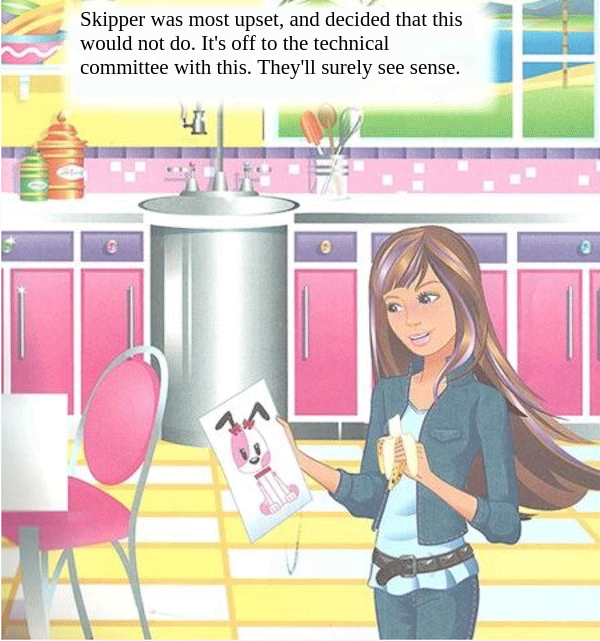
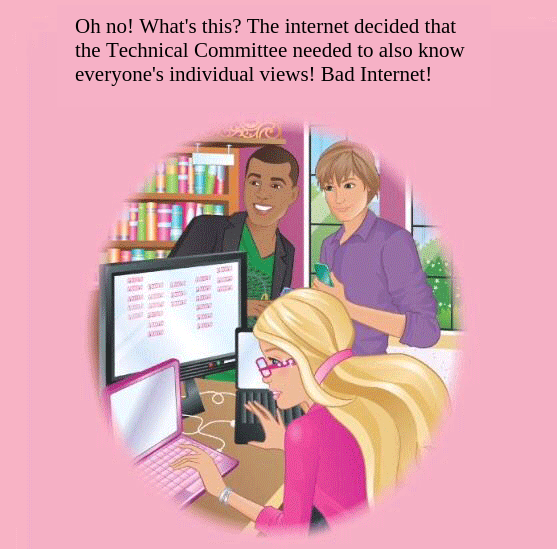
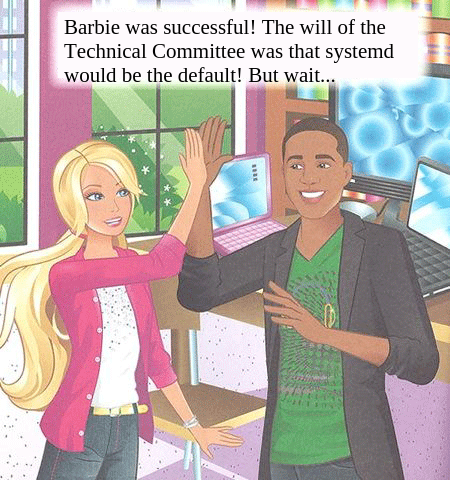
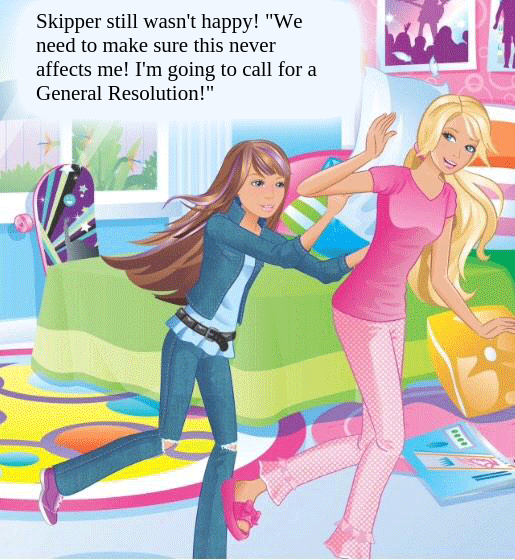
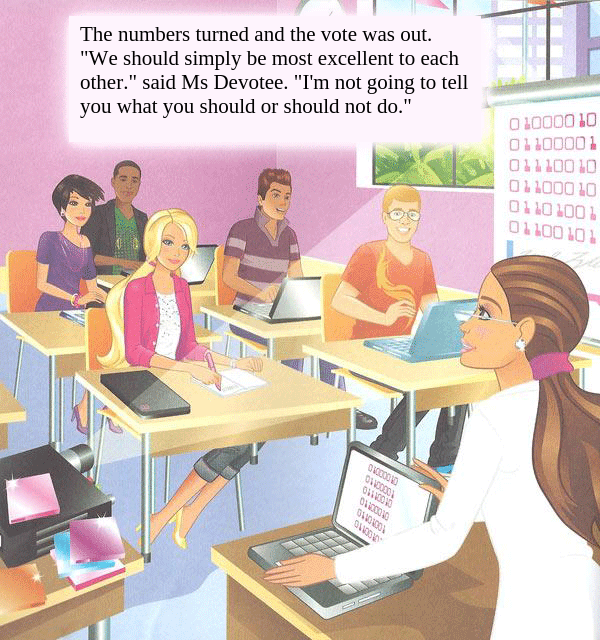
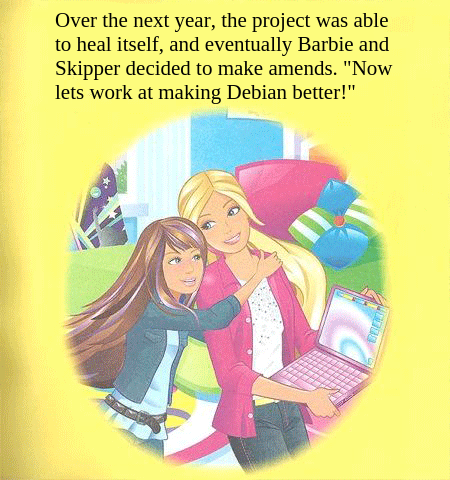
 Some people may have seen recently that the Barbie series has a rather sexist book out about Barbie the Computer Engineer. Fortunately, there s a way to improve this by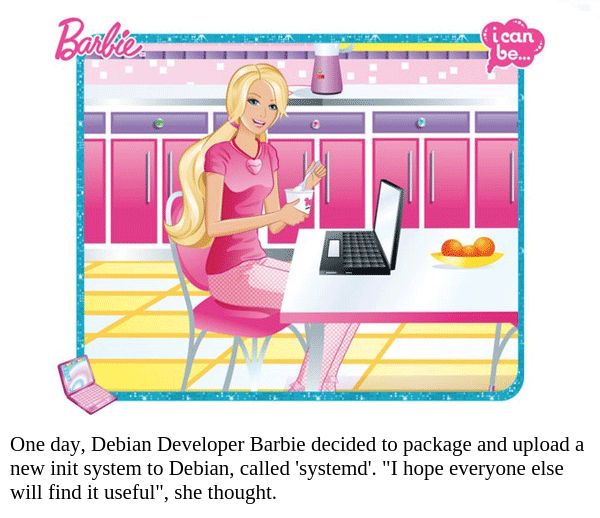



 Another PSA: something surprising about XML.
As you might all know, XML must be valid UTF-8 (or UTF-16 (or another encoding supported by the parser, but one which yields valid Unicode codepoints when read and converted)). Some characters, such as the ampersand & , must be escaped ( & or & , although & may also work, depending on the domain) or put into a CDATA section ( <![CDATA[&]]> ).
A bit surprisingly, a literal backspace character (ASCII 08h, Unicode U+0008) is not allowed in the text. I
Another PSA: something surprising about XML.
As you might all know, XML must be valid UTF-8 (or UTF-16 (or another encoding supported by the parser, but one which yields valid Unicode codepoints when read and converted)). Some characters, such as the ampersand & , must be escaped ( & or & , although & may also work, depending on the domain) or put into a CDATA section ( <![CDATA[&]]> ).
A bit surprisingly, a literal backspace character (ASCII 08h, Unicode U+0008) is not allowed in the text. I  Big changes are always a complicated thing to get done and can be the harder the bigger or more diverse an organization is it is taking place in.
Transparency
Ideally every change is well communicated early and openly.
Leaving people in the dark about what will change and when means people have much less time to feeling comfortable about it or arranging with it mentally.
Especially bad can be extending the change later or or shortening transition periods.
Letting people think they have some time to transition only to force them to rush later will remove any credibility you have and severely reduce their ability to believe you are not crossing them.
Making a new way optional is a great way to create security (see below), but making that obligatory before the change even arrives as optional with them will not make them very willing to embrace change.
Take responsibility
Every transformation means costs.
Even if some change did only improve and did not make anything worse once implemented (the ideal change you will never meet in reality), the deployment of the change still costs:
processes have adapted to it, people have to relearn how to do things, how to detect if something goes wrong, how to fix it, documentation has to be adopted and and and.
Even as the change causes more good than costs in the whole organization (let's hope it does, I hope you wouldn't try to do something if the total benefit is negative), the benefits and thus the benefit to cost ratio will differ for the different parts of your organization or the different people within it.
It's hardly avoidable that for some people there will not be much benefit, much less perceived benefit compared to the costs they have to burden for it.
Those are the people whose good will you want to fight for, not the people you want to fight against.
They have to pay with their labor/resources and thus their good will for your benefit the overall benefit.
This is much easier if you acknowledge that fact.
If you blame them for having the costs, claim their situation does not even exist or even ridicule them for not embracing change you only prepare yourself for frustration.
You might be able to persuade yourself that everyone that is not willing to invest in the change is just acting out of malevolent self-interest.
But you will hardly be able to persuade people that it is evil to not help your cause if you treat them as enemies.
And once you ignored or played down costs that later actually happen, your credibility in being able to see the big picture will simply cease to exist at all for the next change.
Allow different metrics
People have different opinions about priorities, about what is important, about how much something costs and even about what is a problem.
If you want to persuade them, try to take that into account.
If you do not understand why something is a reason, it might be because the given point is stupid. But it might also be that you miss something. And often there is simple a different valuation of what is important, what the costs are and what are problems.
If you want to persuade people, it is worth to try to understand those.
If all you want to do is persuade some leader or some majority then ridiculing their concerns might get you somewhere.
But how do you want to win people over if you do not even appear to understand their problems.
Why should people trust you that their costs will be worth the overall benefits if you tell them the costs that they clearly see do not exist? How credible is referring to the bigger picture if the part of the picture they can see does not match what you say the bigger picture looks like?
Don't get trolled and don't troll
There will always be people that might be unreasonable or even try to provoke you. Don't allow being provoked. Remember that for successful changes you need to win broad support. Feeling personally attacked or feeling presented a large amount of pointless arguments easily results in not bringing proper responses or actually looking at arguments.
If someone is only trolling and purely malevolent, they will tease you best if they bring actual concerns of people in a way you likely degrade your yourself and your point in answering.
Becoming impertinent with the troll is like attacking the annoying little goblin hiding next to the city guards with area damage.
When not being able to persuade people, it is also far to easy to consider them in bad faith and/or attacking them personally. This can only escalate even more. Worst case you frustrate someone in good faith. In most cases you poison the discussion so much that people actually in good faith will no longer contribute the discussion. It might be rewarding short term because after some escalation only obviously unreasonable people will talk against you, but it makes it much harder to find solutions together that could benefit anyone and almost impossible to persuade those that simply left the discussion.
Give security
Last but not least, remember that humans are quite risk-averse. In general they might invest in (even small) chances to win, but go a long way to avoid risks.
Thus an important part of enabling change is to reduce risks, real and perceived ones and give people a feeling of security.
In the end, almost every measure boils down to that:
You give people security by giving them the feeling that the whole picture is considered in decisions (by bringing them early into the process, by making sure their concerns are understood and part of the global profit/cost calculation and making sure their experiences with the change are part of the evaluation).
You give people security by allowing them to predict and control things (by transparency about plans, how far the change will go and guaranteed transitions periods, by giving them enough time so they can actually plan and do the transition).
You give people security by avoiding early points of no return (by having wide enough tests, rollback scenarios,...).
You give people security by not letting them alone (by having good documentation, availability of training, ...).
Especially side-by-side availability of old and new is an extremely powerful tool, as it fits all of the above:
It allows people to actually test it (and not some little prototype mostly but not quite totally unrelated to reality) so their feedback can be heard. It makes it more predictable as all the new ways can be tried before the old ones no longer work. It is the ultimate role-back scenario (just switch off the new). And allows for learning the new before losing the old.
Of course giving the people a feeling of security needs resources. But it is a very powerful way to get people to embrace the chance.
Also in my experience people only fearing for themselves will usually mostly be passive by not pushing forward and trying to avoid or escape the changes.
(After all, working against something costs energy, so purely egoistic behavior is quite limiting in that regard).
Most people actively pushing back do it because they fear for something larger than only them. And any measure to making them fear less that you ruin the overall organization, not only avoids unnecessary hurdles rolling out the change but also has some small chance to actually avoid running into disaster with closed eyes.
Big changes are always a complicated thing to get done and can be the harder the bigger or more diverse an organization is it is taking place in.
Transparency
Ideally every change is well communicated early and openly.
Leaving people in the dark about what will change and when means people have much less time to feeling comfortable about it or arranging with it mentally.
Especially bad can be extending the change later or or shortening transition periods.
Letting people think they have some time to transition only to force them to rush later will remove any credibility you have and severely reduce their ability to believe you are not crossing them.
Making a new way optional is a great way to create security (see below), but making that obligatory before the change even arrives as optional with them will not make them very willing to embrace change.
Take responsibility
Every transformation means costs.
Even if some change did only improve and did not make anything worse once implemented (the ideal change you will never meet in reality), the deployment of the change still costs:
processes have adapted to it, people have to relearn how to do things, how to detect if something goes wrong, how to fix it, documentation has to be adopted and and and.
Even as the change causes more good than costs in the whole organization (let's hope it does, I hope you wouldn't try to do something if the total benefit is negative), the benefits and thus the benefit to cost ratio will differ for the different parts of your organization or the different people within it.
It's hardly avoidable that for some people there will not be much benefit, much less perceived benefit compared to the costs they have to burden for it.
Those are the people whose good will you want to fight for, not the people you want to fight against.
They have to pay with their labor/resources and thus their good will for your benefit the overall benefit.
This is much easier if you acknowledge that fact.
If you blame them for having the costs, claim their situation does not even exist or even ridicule them for not embracing change you only prepare yourself for frustration.
You might be able to persuade yourself that everyone that is not willing to invest in the change is just acting out of malevolent self-interest.
But you will hardly be able to persuade people that it is evil to not help your cause if you treat them as enemies.
And once you ignored or played down costs that later actually happen, your credibility in being able to see the big picture will simply cease to exist at all for the next change.
Allow different metrics
People have different opinions about priorities, about what is important, about how much something costs and even about what is a problem.
If you want to persuade them, try to take that into account.
If you do not understand why something is a reason, it might be because the given point is stupid. But it might also be that you miss something. And often there is simple a different valuation of what is important, what the costs are and what are problems.
If you want to persuade people, it is worth to try to understand those.
If all you want to do is persuade some leader or some majority then ridiculing their concerns might get you somewhere.
But how do you want to win people over if you do not even appear to understand their problems.
Why should people trust you that their costs will be worth the overall benefits if you tell them the costs that they clearly see do not exist? How credible is referring to the bigger picture if the part of the picture they can see does not match what you say the bigger picture looks like?
Don't get trolled and don't troll
There will always be people that might be unreasonable or even try to provoke you. Don't allow being provoked. Remember that for successful changes you need to win broad support. Feeling personally attacked or feeling presented a large amount of pointless arguments easily results in not bringing proper responses or actually looking at arguments.
If someone is only trolling and purely malevolent, they will tease you best if they bring actual concerns of people in a way you likely degrade your yourself and your point in answering.
Becoming impertinent with the troll is like attacking the annoying little goblin hiding next to the city guards with area damage.
When not being able to persuade people, it is also far to easy to consider them in bad faith and/or attacking them personally. This can only escalate even more. Worst case you frustrate someone in good faith. In most cases you poison the discussion so much that people actually in good faith will no longer contribute the discussion. It might be rewarding short term because after some escalation only obviously unreasonable people will talk against you, but it makes it much harder to find solutions together that could benefit anyone and almost impossible to persuade those that simply left the discussion.
Give security
Last but not least, remember that humans are quite risk-averse. In general they might invest in (even small) chances to win, but go a long way to avoid risks.
Thus an important part of enabling change is to reduce risks, real and perceived ones and give people a feeling of security.
In the end, almost every measure boils down to that:
You give people security by giving them the feeling that the whole picture is considered in decisions (by bringing them early into the process, by making sure their concerns are understood and part of the global profit/cost calculation and making sure their experiences with the change are part of the evaluation).
You give people security by allowing them to predict and control things (by transparency about plans, how far the change will go and guaranteed transitions periods, by giving them enough time so they can actually plan and do the transition).
You give people security by avoiding early points of no return (by having wide enough tests, rollback scenarios,...).
You give people security by not letting them alone (by having good documentation, availability of training, ...).
Especially side-by-side availability of old and new is an extremely powerful tool, as it fits all of the above:
It allows people to actually test it (and not some little prototype mostly but not quite totally unrelated to reality) so their feedback can be heard. It makes it more predictable as all the new ways can be tried before the old ones no longer work. It is the ultimate role-back scenario (just switch off the new). And allows for learning the new before losing the old.
Of course giving the people a feeling of security needs resources. But it is a very powerful way to get people to embrace the chance.
Also in my experience people only fearing for themselves will usually mostly be passive by not pushing forward and trying to avoid or escape the changes.
(After all, working against something costs energy, so purely egoistic behavior is quite limiting in that regard).
Most people actively pushing back do it because they fear for something larger than only them. And any measure to making them fear less that you ruin the overall organization, not only avoids unnecessary hurdles rolling out the change but also has some small chance to actually avoid running into disaster with closed eyes.
 Some of you may already be aware of the


 Like
Like 
 emacs-gdb interfaces.
emacs and gdb interfaces have evolved.
I think -fullname option is old interface used by
gud-gdb.
I think there's also --annotate=3 which was used in emacs23.
emacs24 M-x gdb uses -i=mi.
Some things in M-x gdb annoy me but I'm not finding a good docuemntation on this matter. Hmm..
emacs-gdb interfaces.
emacs and gdb interfaces have evolved.
I think -fullname option is old interface used by
gud-gdb.
I think there's also --annotate=3 which was used in emacs23.
emacs24 M-x gdb uses -i=mi.
Some things in M-x gdb annoy me but I'm not finding a good docuemntation on this matter. Hmm..
 A few days ago,
  My significant other is running Debian stable on her laptop, and it has worked fine for quite a while. But since a week or two, she could not access her University IMAP account via Evolution. Obviously quite a showstopper!
Today I had a closer look, and my suspicion was that the University changed their SSL configuration due to the recent POODLE attack and that Evolution was incompatible with that. After some more searching, I found that Ubuntu had applied
My significant other is running Debian stable on her laptop, and it has worked fine for quite a while. But since a week or two, she could not access her University IMAP account via Evolution. Obviously quite a showstopper!
Today I had a closer look, and my suspicion was that the University changed their SSL configuration due to the recent POODLE attack and that Evolution was incompatible with that. After some more searching, I found that Ubuntu had applied  Two causally unrelated events which fit in together in the greater scheme of things ;-)
In some areas, the world is better aligning to what we have been seeking for many years. In some, of course, it is not.
In this case, today I found
Two causally unrelated events which fit in together in the greater scheme of things ;-)
In some areas, the world is better aligning to what we have been seeking for many years. In some, of course, it is not.
In this case, today I found