Search Results: "tim"

16 August 2013

Sylvain Le Gall: Augeas tips and tricks for Puppet user: edit a complex node.

I have a recurring problem when trying to use augeas on a complex node: trying to edit a specific entry in a list which is uniquely defined by many attributes. You probably don't know that you have this problem, but it is easy to spot it into your augeas/puppet resource. Here are some symptoms of this problem:
 
 augeas  
   "setup-shorewall":
     changes =>
       [
         "set entry[last() + 1]/source 'all'",
         "set entry[last()]/dest 'all'",
         "set entry[last()]/policy 'REJECT'",
         "set entry[last()]/log_level 'info'",
       ],
     onlyif => "match entry[source = 'all'][dest = 'all'][policy = 'REJECT'] size == 0";
For a long time, I thought it was the only solution. But last week, I read again the documentation and found another solution. My main concerns are the onlyif and last() parts, it doesn't look clean to me. The problem is that I cannot define the entry all at once and if I use a value that will be set late, the node cannot be targeted in between. The clean way to do this was to define first the target attribute. Typically, in augeas changes:
 set spec[user = '$name']/user '$name'
This way if the node doesn't exist it is created and you can then use it directly:
 set spec[user = '$name']/host_group/host 'ALL'
 set spec[user = '$name']/host_group/command1 'ALL'
 set spec[user = '$name']/host_group/command1/tag 'PASSWD'
But sometimes it is not possible to set the attribute directly -- typically when you need to use multiple attribute. The solution in this case is to use defnode:
 defnode target entry[#comment = 'puppet: <%= name %>']/ "<%= name %>"
 set $target/action '<%= action %>'
 set $target/source '<%= source %>'
 set $target/#comment 'puppet: <%= name %>'
 clear $target
The big trick here is that defnode needs a value, but most of the time you cannot set a value for the node -- because it has none. To solve this, you set a value with defnode, process with your change and you clear the node at the end. This recent discovery has simplify a lot some augeas changes I use. Feel free to leave comment on your personal technique to deal with augeas and puppet.

Joey Hess: Debian at 20

RichiH used flint and steel to light the bonfire. We carefully fed it up from those sparks to a blaze. Put on the biggest logs we could find to make it last. Now I'm sitting on the hill above it watching folks gathered around. A poem is being read, in Hindi, then translated for us to English. Others have shared songs and poems in a dozen languages, both classics and their own. Out below the darkness of the lake. This is Debian at 20. At the start of this DebConf, I gave a talk on "Debian Cosmology. In that (and a later "dh_busfactor" talk) I shared my hopes and my fears. I was conflicted about giving the this talk, worked on it for weeks, felt it might not work, or be depressing. I've had nothing but good comments about it. 20 years is ages in internet time and technical projects ossify over time. The last session I was in this afternoon was a presentation of a new tool, which I hope & feel has the potential to fundamentally change an important and suboptimal part of Debian. Then I walked outside to a rainbow over crystal clear Swiss alps on the horizon. How encouraging, and what a nice story that will be around some future campfire.

Daniel Leidert: N54L LCD-Mod with U204FR-A3 (LCDModkit) and lcdproc (II)

Here it goes. I was looking for an LCD display for my microservers 5,25'' bay and found this neat post. The manufacturer of the LCD display used there provides different displays for this purpose. I've decided for an U204FR-A2 in black with a red backlight. It left Hongkong around five days later and arrived here another 6 days later. All in all: I got it after 11 days. I unpacked the LCD device. It comes with an internal USB connector and is driven by an Hitachi HD44780 LCD controller. The connection wasn't a problem at all. I've already put a Silverstone SST-EC04-P PCIe card with two USB 3.0 external ports and an internal 19pin dual port connector into the systems PCIe 1x slot. Now to connect the LCD with this card I've bought an Inline 19pin USB 3.0 header to 8pin double USB 2.0 header adapter and connected the card with the LCD display. Easy, right?
To make the display "attached" to the case - it comes with two steel sheets and two screw holes each, that cannot be attached to anything in the microserver case - I've used a small workaround: double-faced adhesive tape and two halfs of a matchbox - one can also use small scantlings - and created a bonding between the steel sheets and the case.
That's it. I put the cover plate carefully back - the steels sheets of the LCD display and the LED of the server will bump to each other!
There are two programs to output information to the LCD display. These are lcdproc and lcd4linux. I started with the first one which only provides pre-defined screens. Seems with the latter one can create own screens. This is an option for the future. lcdproc consists of two programs. First there is a daemon called LCDd. It controls the driver, contrast etc.pp. The relevant parts of its configuration file /etc/LCDd.conf look like as shown below. Note that I did not change the default values for contrast or brightness.

[server]
Driver=hd44780
WaitTime=25

[hd44780]
ConnectionType=lcd2usb
Size=20x4
To print something to the screen one can use the lcdproc command, which is configured via /etc/lcdproc.conf. I've enabled the Iface, TimeDate, SMP-CPU, and MiniClock screens. The program is started during startup via cron. The file /etc/cron.d/lcdproc simply contains this:

@reboot root lcdproc
The following pictures show the resulting screens, which change every 25 seconds. That's it.

Justus Winter: All the important bits are there - please test and review :)

Finally, more bootlog-pr0n:
start ext2fs: Hurd server bootstrap: ext2fs[device:hd0s1] exec init proc auth
INIT: version 2.88 booting
Using makefile-style concurrent boot in runlevel S.
Activating swap...done.
Checking root file system...fsck from util-linux 2.20.1
hd2 : tray open or drive not ready
end_request: I/O error, dev 02:00, sector 0
/dev/hd0s1: clean, 44680/181056 files, 292234/723200 blocks
done.
Activating lvm and md swap...(default pager): Already paging to partition hd0s5!
done.
Checking file systems...fsck from util-linux 2.20.1
hd2 : tray open or drive not ready
end_request: I/O error, dev 02:00, sector 0
done.
Cleaning up temporary files... /tmp.
Mounting local filesystems...done.
Activating swapfile swap...(default pager): Already paging to partition hd0s5!
done.
df: Warning: cannot read table of mounted file systems: No such file or directory
Cleaning up temporary files....
Configuring network interfaces...inetutils-ifconfig: invalid arguments
ifup: failed to open pid file /run/network/ifup-/dev/eth0.pid: No such file or directory
Internet Systems Consortium DHCP Client 4.2.2
Copyright 2004-2011 Internet Systems Consortium.
All rights reserved.
For info, please visit https://www.isc.org/software/dhcp/
can't create /var/lib/dhcp/dhclient./dev/eth0.leases: No such file or directory
Listening on Socket//dev/eth0
Sending on   Socket//dev/eth0
DHCPDISCOVER on /dev/eth0 to 255.255.255.255 port 67 interval 8
DHCPREQUEST on /dev/eth0 to 255.255.255.255 port 67
DHCPOFFER from 10.0.2.2
DHCPACK from 10.0.2.2
can't create /var/lib/dhcp/dhclient./dev/eth0.leases: No such file or directory
bound to 10.0.2.15 -- renewal in 34744 seconds.
done.
Cleaning up temporary files....
Setting up X socket directories... /tmp/.X11-unix /tmp/.ICE-unix.
INIT: Entering runlevel: 2
Using makefile-style concurrent boot in runlevel 2.
Starting enhanced syslogd: rsyslogd.
Starting deferred execution scheduler: atd.
Starting periodic command scheduler: cron.
Starting system message bus: dbusFailed to set socket option"/var/run/dbus/system_bus_socket": Protocol not available.
Starting OpenBSD Secure Shell server: sshd.
unexpected ACK from keyboard
GNU 0.3 (debian) (console)
login: root
root@debian:~# shutdown -h now
Broadcast message from root@debian (console) (Fri Aug 16 20:02:47 2013):
The system is going down for system halt NOW!
INIT: Switching to runlevel: 0root@debian:~#
INIT: Sending processes the TERM signal
INIT: Sending processes the KILL signal
Using makefile-style concurrent boot in runlevel 0.
Stopping deferred execution scheduler: atd.
task c10f72a8 deallocating an invalid port 2098928, most probably a bug.
Asking all remaining processes to terminate...done.
All processes ended within 1 seconds...done.
Stopping enhanced syslogd: rsyslogd.
Deconfiguring network interfaces...ifdown: failed to open pid file /run/network/ifdown-/dev/eth0.pid: No such file or directory
Internet Systems Consortium DHCP Client 4.2.2
Copyright 2004-2011 Internet Systems Consortium.
All rights reserved.
For info, please visit https://www.isc.org/software/dhcp/
can't create /var/lib/dhcp/dhclient./dev/eth0.leases: No such file or directory
Listening on Socket//dev/eth0
Sending on   Socket//dev/eth0
/bin/sh: 1: ifconfig: not found
done.
Deactivating swap...swapoff: /dev/hd0s5: 177152k swap space
done.
Unmounting weak filesystems...umount: /etc/mtab: Warning: duplicate entry for device /dev/hd0s1 (/dev/cons)
umount: could not find entry for: /dev/cons
done.
Unmounting local filesystems...done.
mount: cannot remount /: Device or resource busy
Will now halt.
init: notifying pfinet of shutdown...init: notifying tmpfs swap of shutdown...init: notifying tmpfs swap of shutdown...init: notifying tmpfs swap of shutdown...init: notifying ext2fs device:hd0s1 of shutdown...init: halting Mach (flags 0x8)...
In tight loop: hit ctl-alt-del to reboot
(You might note that df complains about not being able to read the mtab file. That is because it has been built with _PATH_MOUNTED being /var/run/mtab. This will correct itself when the coreutils package is being rebuilt against a patched libc.) I spent my last two weeks with polishing my patch series, that meant a lot of package rebuilds and that means a lot of waiting (even more so on the Hurd, short version: fakeroot-hurd could be fast but is not yet working properly, fakeroot-tcp is slow) and thus some frustration ;) Also I had to pay special attention so that the upgraded packages could be installed without accidentally breaking anything in the process. Making sysvinit pid 1 is surprisingly tricky in this regard since it breaks the ABI and requires a libc fix that also worked with the current Hurd servers. Here are the patches: So I had some spare time on my hand while waiting for numerous package rebuilds and I took this as an opportunity to read papers about Mach and to familiarize myself with mig, the Mach Interface Generator. While I have used it in the past, I had not yet looked at its implementation. And I had to patch the exec server, and there was both code implementing a questionable feature (on-demand unzipping of binaries) and code that was not even compiled (courtesy of the preprocessor) and had probably bit-rot by now. So I figured I could spend my time doing some cleanups: I have rebuild all the necessary packages and uploaded them into an apt repository:
deb http://teythoon.cryptobitch.de/gsoc/heap/debian unstable main
Please use unstable for now. Also make sure that you have a recovery plan for your Debian/Hurd installation if anything goes wrong. For your convenience there's a seed tarball containing packages with the appropriate sources.list.d snippets and the repository key: https://teythoon.cryptobitch.de/gsoc/heap/debian/seed.tar If you want to switch to the new runsystem.sysv, do:
# update-alternatives --config runsystem
Whenever you switch runsystems, please use reboot-hurd to reboot the system. This is the most robust way. Known issues: Next week I will address the network related issues. By now they are the source of most of the error messages in the bootlog.

15 August 2013

Daniel Leidert: HP N54L Microserver - energy efficiency and power management

I recently worked on activating power management functions, reduce energy consumption and noise of my little HP N54L "toy". During this process I tried to avoid the usage of /etc/rc.local and set things by udev, hdparm and friends. Below are my results. Actual resultsWith the following steps my system (N54L + 3xWD20EFRX HDD +1xWD5003AZEX HDD + LCD-mod + case fan mod + Debian Wheezy) uses 27W in idle mode. The USB W-LAN card uses another 10W. In active mode, e.g. compiling source code, the system runs (and boots) with around 57W. The highest power consumption observed is during startup phase with 88W. First things firstFor the following steps it might be necessary to have some packages installed, that maybe do not occur in this post. If I missed something, I appreciate a hint. Further the following steps might produce even better results with a custom kernel. I'm using the stock linux-image-3.2.0-4-amd64 kernel image as the time of writing and I have these packages installed: amd64-microcode, firmware-linux, firmware-linux-free, firmware-linux-nonfree and firmware-atheros (the latter for my WLAN card). ASPM and ACPIFirst I enabled PCIE ASPM in my (non-modded) BIOS and forced it together with ACPI via grub by changing GRUB_CMDLINE_LINUX_DEFAULT in /etc/default/grub so it looks like this:

GRUB_CMDLINE_LINUX_DEFAULT="quiet splash acpi=force pcie_aspm=force nmi_watchdog=0"
ASPM has now been enabled as lspci prooves:

00:04.0 PCI bridge: Advanced Micro Devices, Inc. [AMD] RS780/RS880 PCI to PCI bridge (PCIE port 0) (prog-if 00 [Normal decode])
[..]
LnkCap: Port #1, Speed 5GT/s, Width x1, ASPM L0s L1, Latency L0 <64ns, L1 <1us
ClockPM- Surprise- LLActRep+ BwNot+
LnkCtl: ASPM L0s L1 Enabled; RCB 64 bytes Disabled- Retrain- CommClk+
ExtSynch- ClockPM- AutWidDis- BWInt- AutBWInt-
[..]
00:06.0 PCI bridge: Advanced Micro Devices, Inc. [AMD] RS780 PCI to PCI bridge (PCIE port 2) (prog-if 00 [Normal decode])
[..]
LnkCap: Port #3, Speed 5GT/s, Width x1, ASPM L0s L1, Latency L0 <64ns, L1 <1us
ClockPM- Surprise- LLActRep+ BwNot+
LnkCtl: ASPM L0s L1 Enabled; RCB 64 bytes Disabled- Retrain- CommClk+
ExtSynch- ClockPM- AutWidDis- BWInt- AutBWInt-
02:00.0 USB controller: Renesas Technology Corp. uPD720201 USB 3.0 Host Controller (rev 03) (prog-if 30 [XHCI])
[..]
LnkCap: Port #0, Speed 5GT/s, Width x1, ASPM L0s L1, Latency L0 <4us, L1 unlimited
ClockPM+ Surprise- LLActRep- BwNot-
LnkCtl: ASPM L0s L1 Enabled; RCB 64 bytes Disabled- Retrain- CommClk+
ExtSynch- ClockPM- AutWidDis- BWInt- AutBWInt-
[..]
03:00.0 Ethernet controller: Broadcom Corporation NetXtreme BCM5723 Gigabit Ethernet PCIe (rev 10)
[..]
LnkCap: Port #0, Speed 2.5GT/s, Width x1, ASPM L0s L1, Latency L0 <1us, L1 <64us
ClockPM+ Surprise- LLActRep- BwNot-
LnkCtl: ASPM L0s L1 Enabled; RCB 64 bytes Disabled- Retrain- CommClk+
ExtSynch- ClockPM- AutWidDis- BWInt- AutBWInt-
[..]
Even so /sys/module/pcie_aspm/parameters/policy will still show as below:

[default] performance powersave
I'll show how to set the powersave value in /sys/module/pcie_aspm/parameters/policy in the next section.JFTR: These are my ACPI related packages installed: acpi, acpid, acpi-support and acpi-support-base. Enable powersaving via UDEVThe following rules file /etc/udev/rules.d/90-local-n54l.rules has been inspired by a blog post. It enables powersaving modes for all PCI, SCSI and USB devices and ASPM. Further the internal RADEON cards power profile is set to the low value. There is no monitor connected usually. The file contains these rules:

SUBSYSTEM=="module", KERNEL=="pcie_aspm", ACTION=="add", TEST=="parameters/policy", ATTR parameters/policy ="powersave"

SUBSYSTEM=="i2c", ACTION=="add", TEST=="power/control", ATTR power/control ="auto"
SUBSYSTEM=="pci", ACTION=="add", TEST=="power/control", ATTR power/control ="auto"
SUBSYSTEM=="usb", ACTION=="add", TEST=="power/control", ATTR power/control ="auto"
SUBSYSTEM=="usb", ACTION=="add", TEST=="power/autosuspend", ATTR power/autosuspend ="2"
SUBSYSTEM=="scsi", ACTION=="add", TEST=="power/control", ATTR power/control ="auto"
SUBSYSTEM=="spi", ACTION=="add", TEST=="power/control", ATTR power/control ="auto"

SUBSYSTEM=="drm", KERNEL=="card*", ACTION=="add", DRIVERS=="radeon", TEST=="power/control", TEST=="device/power_method", ATTR device/power_method ="profile", ATTR device/power_profile ="low"

SUBSYSTEM=="scsi_host", KERNEL=="host*", ACTION=="add", TEST=="link_power_management_policy", ATTR link_power_management_policy ="min_power"
Set harddrives spindown timeoutI decided to sent my system drive to standby after 20 minutes and the RAID drives after 15 minutes. This is usually ok, because the RAID isn't always used. hdparm is the right tool to realize this. Many people use the /dev/disk/by-uuid/... syntax here, to avoid having to touch the configuration file if some system configuration changes. Because I'm running a RAID, I couldn't use this syntax, although it might be possible to use /dev/disk/by-id/... instead. Well for the moment I stay with the configuration below. The relevant part of /etc/hdparm.conf is:

[..]

# system harddrive
/dev/sda
spindown_time = 240


# below are the WD20EFRX drives
/dev/sdb
spindown_time = 180


/dev/sdc
spindown_time = 180


/dev/sdd
spindown_time = 180

Idle modeWhen there is nothing to do for the system, all I hear is the (still a bit noisy) fan of the power supply, which I might replace in the future too. Either by testing a different fan or by replacing the whole power supply unit by the fanless FORTRON FSP150-50TNF or (even better) a picoPSU.The system currently shows a power consumption of around 37W in idle mode whereas the USB W-LAN card itself needs around 10W. There is a possibility to enable power savings mode for this card too. I could add this entry to /etc/udev/rules.d/90-local-n54l.rules:

SUBSYSTEM=="net", ACTION=="add", KERNEL=="wlan*" RUN+="/usr/bin/iw dev %k set power_save on"
But it turned out that the connection became a bit unstable after it. So I don't use this rule. More on the roadThere are a lot more options one can easily find via $search_engine. The N54L system could be brought to sleep and woken up by LAN via Wake-on-LAN (WOL). This is a feature I don't use. I've also read rumors about enabling different sleep/suspend states of the system, which seems to require to install a modded BIOS. Well, I'll post news and changes if they happen to come;)

Bits from Debian: Happy 20th birthday Debian!

Today is Debian's 20 anniversary. This anniversary would have been impossible without a strong community of users and developers. That's why for its commemoration, we asked the Debian community what Debian meant to them. Below you have a selection of the answers we got.
Since I run Debian on my computers, I do not play anymore to 3D shooting games, not because of the lack of Free 3D drivers, but because developing Debian is more fun and addictive. Debian is a truly community based distro which is devoted to FOSS ideas and standards. It perfectly works on high variety of hardware. Users from all over the world have been using Debian and contributing to it during 20 years. And I am proud to be one of them. Happy Birthday, Debian! When I considered switching to Linux I asked friends which distribution to choose. I was told skip other distributions that were considered more newbie-friendly at the time and go straight to Debian instead. It might be more work initially, they said, but it would save me the hassle of switching to Debian later on, which I would inevitably do. Turns out they were right. I started my Linux experience more than ten years ago with Debian and have yet to see a better Linux distribution. [...] You are a worldwide community of volunteers working together for 20 years now. To me this is an encouraging example and, given the sorry state of the world we live in, more important than the technical quality of the operating system. I wish you another successful twenty years and to stay as independent as you are. I initially started in Debian as it was an interesting technical challenge. Over the years the community and having good standards around what Free Software is has become more important. As a user of Debian for 14 years, and a former Debian Developer for 10, I would like to wish a happy birthday to the best project on the internet, and the best Linux distribution ever. Thanks for all of your support over the years! "Rock Solid Stability and Absolute Freedom" Thats what Debian means to me. Debian gives me a feeling that I am using the best linux has to offer. You know your machine is in safe hands. As a long time Debian user and sometimes supporter [...] I wish Debian all the best for next 20 years and beyond! Debian is the universal operating system. And it's free (and not just as in beer ;-) Debian is an awesome combination of obsessive high quality software and software freedom. It's a pleasure to be able to use and contribute to this project. Thanks to all for their excellent work! Cheers to 2**20 years more! [...] I am so very thankful to all of the people who have contributed to and continue to contribute to such a wonderful ecosystem of tools. I love the commitment to the long term goals of security, freedom and transparency with respect to the computer systems that we all use and rely upon and the information that we store on them. Debian is the operating system that makes me free. Debian is a family gathered around great idea. Its pure love.

Russell Coker: Google web sites and Chromium CPU Use

Chromium is the free software build of the Google Chrome web browser. It s essentially the same as the Google code but will often be an older version, particularly when you get Chromium from Debian/Stable (or any other Linux distribution that doesn t track the latest versions all the time) and compare it to getting Chrome straight from Google. My wife is using Chromium on an AMD Opteron 1212 for all the usual web browsing tasks. Recently I ve noticed that it takes a lot of CPU time whenever she leaves a Google web site open, that can be Google+, Gmail, or Youtube. Web standards are complex and it s difficult to do everything the way that one might desire. Making a web browser that doesn t take 100% CPU time when the user is away from their desk may be a difficult technical challenge. Designing a web site that doesn t trigger such unwanted behavior in common web browsers might also be a challenge. But when one company produces both a web browser and some web sites that get a lot of traffic it s rather disappointing that they don t get this right. It could be that Google have fixed this in a more recent version of the Chrome source tree, and it could be that they fixed the browser code before rolling out a new version of Google+ etc which causes problems with the old version (which might explain why I ve never seen this problem). But even if that is the case it s still disappointing that they aren t supporting older versions. There is a real need for computers that don t need to be updated all the time, running a 3 month old Linux distribution such as Debian/Wheezy shouldn t be a problem. There s also a possibility that part of the cause of the problem is that an Opteron 1212 is a relatively slow CPU by today s standards and it s the slowest system I m currently supporting for serious desktop use. I don t even think it was one of the fastest CPUs available when it was released 4 years ago. But I think we should be able to expect systems to remain usable for more than 4 years. The Opteron 1212 system is a Dell PowerEdge tower server that is used as a workstation and a file server, so while I get desktop systems with faster CPUs for free I want to keep using the old PowerEdge server to avoid data corruption. As an aside I ve been storing important data on BTRFS for a year now and the only data loss I ve suffered has been due to a faulty DIMM. The filesystem checksums built in to modern filesystems such as BTRFS and ZFS mean that RAM corruption covers a greater portion of the risk to data integrity and the greater complexity of the data structures in such filesystems gives the possibility of corruption that can t be fixed without mkfs (as happened to me twice on the system with a bad DIMM). The consequences of such wasted CPU use are reduced CPU time for other programs which might be doing something useful, extra electricity use, and more noise from CPU cooling fans (which is particularly annoying for me in this case). Any suggesstions for reducing the CPU use of web browsers, particularly when idle?

Russ Allbery: remctl 3.6

remctl is the network protocol that we use for nearly all of our middleware at Stanford. It's a flexible combination of GSS-API network authentication, ACLs, and mappings of commands to arbitrary local programs. The primary goal of this release is to fix a problem that I ran into with WebAuth: if a user of the remctl client library catches a signal during a connect with a timeout, the non-blocking connect support in the client library returned an error. Now, it returns to waiting for the connect if the select failed with EINTR. Also in this release, the Net::Remctl::Backend help formatting does something more reasonable with commands that have a very long syntax. Rather than push all of the command summaries into a tiny right-hand column, syntax lines that are too long will not affect the start column of the summary, just force the summary down one line. This release also fixes multiple compilation errors on Mac OS X and older Red Hat from a missing include, missing portability probes, and a workaround for Mac OS X's broken PCRE library installation. (The library exists, but without any header files.) You can get the latest release from the remctl distribution page.

Russ Allbery: rra-c-util 4.9

This is another rollup of various pending changes in my collection of supporting software. The libkafs portability layer now supports k_pioctl somewhat more completely by providing a fallback to lpioctl when using the AFS libraries and a system call failure when no library was found. The libkafs functions are also now properly prototyped if the library was found but no header files were available. The network_connection function, when given a timeout, restarts waiting for a non-blocking connect if interrupted by a signal. That means the timeout could in theory be much longer than intended if it's interrupted by a signal repeatedly, but hopefully that situation will be rare enough to not pose any problems. There are also a few fixes to the networking test suite. The standard Perl tests now check for POD in more places, don't check the Perl syntax of SYNOPSIS for scripts, work with packages without Build.PL or a t directory, and also check style for files under a usr directory. The PCRE Autoconf probe now copes with Mac OS X, which has the library but no headers. Finally, this release incorporates a combination test suite and utility script that checks that the versions of embedded Perl modules stay in sync with the overall package version. You can get the latest release from the rra-c-util distribution page.

14 August 2013

Russ Allbery: C TAP Harness 2.2

I've been incredibly, overwhelmingly busy lately, and I'm still fairly consumed by things other than writing journal posts (or reviews, sigh), but hopefully it's letting up a bit now. At the least, I'm back to writing code instead of doing other things, which is quite a relief. There's nothing particularly exciting in this release of my C test harness software, but since I'm doing some general releases anyway, it seemed like a good time to flush out pending changes. This release changes the exit status of the bail and sysbail functions to 255 to more closely match the BAIL_OUT function in Perl's Test::More, and documents why the runtests test harness does not match Test::More's handling of a bailing test case. You can get the latest version from the C TAP Harness distribution page.

Raphael Geissert: A bashism a week is back

After a while without posts on the a bashism a week series, it is coming back!

Next week, at the usual time and day of the week, the series of blog posts about bashisms will be back for at least one more month. Subscribe via Atom and don't miss any post and check all the previous posts.

The a bashism a week series cover some of the differences between bash and the behavior of other shells, and the requirements by the POSIX standard regarding shell scripting. Or put simply: they are a guide to common bashisms, allowing you to identify them and avoid their use for a more compatible and portable code.

Happy reading!

13 August 2013

Kees Cook: TPM providing /dev/hwrng

A while ago, I added support for the TPM s pRNG to the rng-tools package in Ubuntu. Since then, Kent Yoder added TPM support directly into the kernel s /dev/hwrng device. This means there s no need to carry the patch in rng-tools any more, since I can use /dev/hwrng directly now:
# modprobe tpm-rng
# echo tpm-rng >> /etc/modules
# grep -v ^# /etc/default/rng-tools
RNGDOPTIONS="--fill-watermark=90%"
# service rng-tools restart
And as before, once it s been running a while (or you send SIGUSR1 to rngd), you can see reporting in syslog:
# pkill -USR1 rngd
# tail -n 15 /var/log/syslog
Aug 13 09:51:01 linux rngd[39114]: stats: bits received from HRNG source: 260064
Aug 13 09:51:01 linux rngd[39114]: stats: bits sent to kernel pool: 216384
Aug 13 09:51:01 linux rngd[39114]: stats: entropy added to kernel pool: 216384
Aug 13 09:51:01 linux rngd[39114]: stats: FIPS 140-2 successes: 13
Aug 13 09:51:01 linux rngd[39114]: stats: FIPS 140-2 failures: 0
Aug 13 09:51:01 linux rngd[39114]: stats: FIPS 140-2(2001-10-10) Monobit: 0
Aug 13 09:51:01 linux rngd[39114]: stats: FIPS 140-2(2001-10-10) Poker: 0
Aug 13 09:51:01 linux rngd[39114]: stats: FIPS 140-2(2001-10-10) Runs: 0
Aug 13 09:51:01 linux rngd[39114]: stats: FIPS 140-2(2001-10-10) Long run: 0
Aug 13 09:51:01 linux rngd[39114]: stats: FIPS 140-2(2001-10-10) Continuous run: 0
Aug 13 09:51:01 linux rngd[39114]: stats: HRNG source speed: (min=10.433; avg=10.442; max=10.454)Kibits/s
Aug 13 09:51:01 linux rngd[39114]: stats: FIPS tests speed: (min=73.360; avg=75.504; max=86.305)Mibits/s
Aug 13 09:51:01 linux rngd[39114]: stats: Lowest ready-buffers level: 2
Aug 13 09:51:01 linux rngd[39114]: stats: Entropy starvations: 0
Aug 13 09:51:01 linux rngd[39114]: stats: Time spent starving for entropy: (min=0; avg=0.000; max=0)us
I m pondering getting this running in Chrome OS too, but I want to make sure it doesn t suck too much battery.

2013, Kees Cook. This work is licensed under a Creative Commons Attribution-ShareAlike 3.0 License.
Creative Commons License

R&#233;mi Vanicat: Git annex and Calibre

The debconf BoF about gitify all things make we to want to report some of my git-annex use cases. The problem Calibre is a ebook manager that is available in debian. I use it to maintain my library, but also to dowload every day an epub version of a French newspaper and then put it on my kobo. Configuring git annex for this I wanted to use git-annex, so
    $ git init
    $ git annex init "some useful name"
But I don't want every thing in annex, because Calibre use some text file to save some metadata, so I used:
    $ git config annex.largefiles "include=* exclude=*.opf exclude=*.json"
then lets add everything
    $ git annex add *
    $ git add *
    $ git commit -m "first commit"
Calibre need read and write access on the its database, so let unlock it:
    $ git annex unlock metadata.db
On my other computer I only need to do
    $ git clone $user@$host:Calibre\ library
    $ cd Calibre\ library
    $ git annex init "another useful name"
    $ git annex get .
    $ git annex unlock metadata.db
The problem is that every time you will git annex sync, git annex will lock again the metadata.db, so lets unlock it automatically. I use git hooks, in .git/hooks/post-commit I have
    #!/bin/bash
    git annex edit metadata.db
don't forget to make this file executable
    $ chmod a+x .git/hooks/post-commit
Day to day operation
    $ git annex add .
Will put new file into the annex
    $ git add .
Will take care of the files that should no go into annex
    $ git annex sync
Will make the repositories exchange informations about all this, and make remote change local
    $ git annex get .
Will make remote book locally available Merge conflict You should not run calibre on the two computer simultaneously, or without syncing before it. If you do, you will have a conflict that git-annex will automatically solve by rename both of the file. You can then either: Checking the library You can use calibredb check_library to check you library is correct. If you use git for it, it will always tell you that it is not correct: there is this author ".git" it doesn't know about. Just don't care about it. Maybe this can be solved by using vcsh but apparently vcsh+git annex it not well tested yet. Automatic stuff I use mr to automatically run all this, but some config could be done (I believe) to have git annex copy --auto do what it should. There are also the git annex assistant for this kind of automatic synchronizations of contents, but I don't know if my automatic unlocking of one file will break this. It might be interesting to find someway to unlock and lock the library only when running calibre, a simple script to launch calibre will do that. Note that each time you will lock and unlock, you will have a new commit in git.

Mart&iacute;n Ferrari: DebConf 13

On Sunday I arrived to DebConf 13. It has been so much fun that I didn't have the time to post anything about it! As usual, I really enjoy meeting old friends and putting faces to nick names. Last night the Cheese and Wine party was once again great. Not everything has been partying, though. I've been discussing with Enrico ideas for recognising Debian Contributors, as he presented on his talk on Sunday. We still have to discuss further, and obviously, sit down and write a lot of code :-) Yesterday we also met with Luk, and discussed what to do with the ancient net-tools package. We had had the idea of writing compatibility wrappers using iproute2, but that turned out to be too complicated and brittle. After looking a the current state of net-tools, and its reverse dependencies, we decided that the best way to go is to deprecate it by asking rdepends to migrate to iproute2 (for most of them it should be trivial), and then downgrade net-tools to optional. It won't be removed from the archive, as people will still want it, but it will not be required by any core functionality any more. In the next few days, we will be sending an email to debian-devel, and filling about 80 bugs to get rid of the dependency on net-tools, many with patches.

Russell Coker: Nexus 4 Ringke Fusion Case

LG Nexus 4 phone with Ringke Fusion case I ve been using Android phones for 2.5 years and for all my phones (Sony-Ericsson Xperia X10, Samsung Galaxy S, Samsung Galaxy S3, and LG Nexus 4) I ve bought gel cases. The gel cases are made of soft rubber which allows phones to bounce rather than break if dropped and also provide better grip (both for holding the phone and for resting it on a vibrating surface such as a tray in a car or plane). The cases have cost me between $12.50 and $15, I haven t felt inclined to pay any more because a case has always seemed like a needless expense, something that merely compensates for deficiencies in phone design. There are some problems with the gel cases, the first one is that they are rather ugly, while I m not really interested in decorating my phones it seems a waste to have a nice phone like the Nexus 4 which has a neat sparkling pattern on the back and then use a case that entirely covers it. The next problem is the fact that the gel cases tend to restrict access to the buttons on the outside of the case. I have been given a Rearth Ringke Fusion case for my Nexus 4 by MobileZap (this is a link for the Nexus 4 cases they sell) [1]. The case features a transparent layer of plastic at the back which protects the phone against having the rear glass of the case break (a known risk with the Nexus 4) while still allowing the user to admire it. With good lighting the sparkling pattern on the back of the phone can still be enjoyed, unfortunately this doesn t show up at all in my photo. It s impossible for a photo to capture a shimmering effect although other photographers have done a better job at showing off a Nexus 4. Also the transparent back to the case gives the option of putting any form of decoration between the phone and the case, for example one could print the logo of their Ingress team and put it between the phone and the case. One thing that is visible in the photo is the feet on the back of the case. With small feet at the corners the transparent back usually won t touch a surface that it rests on, this should prevent unsightly scratches to the back of the case. Also the feet can get some grip on the surface that it rests on, my car has a tray suitable for resting a phone which has a pattern of dimples that catch the feet of the Ringke case and prevent it from sliding. Finally the external buttons for power and volume control are not obstructed in any way. After using 7 phones of 4 different models with gel cases I ve become accustomed to buttons either being difficult to press or easy to press accidentally. The Ringke case allows the buttons to be pressed easily when needed but doesn t seem prone to accidental presses. I m not about to buy a new case for my Galaxy Note 2 (my main phone at the moment) because I don t like paying to replace something that works. But next time I buy a case I ll look for something better than a plain gel case, it s worth paying an extra $9 to get a good case for a phone that costs $350 (the current discount rate for a Nexus 4) or more. I definitely recommend the Ringke case for a Nexus 4.

12 August 2013

Sylvain Le Gall: Migrating a puppet maintained computer from Squeeze to Wheezy

This blog post is a little recipe to do a Debian migration for a node using Puppet and some other good practices. We do all the following commands as root, which on of the exceptional situation where you should have a real root session (login through console, or su -). I tend to avoid using the X server while doing an upgrade, so my 'best' setup is to have a laptop to take note and check things on the internet and a session to the computer to upgrade (ssh + su - or login as root into console). In both case, I use screen during the upgrade so that I can handle disconnection. Create or update your admin-syscheck script First of all, a good practice is to have a script that runs various test on the system that checks everything is ok. This is not only for upgrade but in general. But in the case of upgrade, it can be particularly useful. I call this script admin-syscheck. This is a simple bash script. This script check various aspect of the system and serve me as my external worker to check the most advanced knowledge I have gathered about setting up a service. For example, I know that having *.bak or *.dpkg-dist in /etc/ means that something needs to be merged and a file should be deleted. Another example is about setting up the right alias for 127.0.0.1 and ::1 (which you can differentiate using getent ahostsv4 and getent ahostsv6). I have packaged this script and distributed it using a specific apt-get repository. You can just distribute it using puppet. I recommend to run it daily to track changes (e.g. after an apt-get dist-upgrade) and to check that my setup is aligned with my most up-to-date knowledge about setting up a service (i.e. this is my external worker). In our case we are interested in checking presence of old and new configuration files, before and after upgrading. Here is this specific section of my script:
if ! $IS_ROOT; then
  warning "Not trying to detect dpkg leftover file in /etc/."
else
  LEFTOVER_FILES=( $(find /etc/ \
      -name "*.dpkg-dist" -o \
      -name "*.dpkg-old" -o \
      -name "*.ucf-old" -o \
      -name "*.ucf-dist" -o \
      -name "*.bak") )
  for i in "$ LEFTOVER_FILES[@] "; do
    if [ "$i" = "/etc/hosts.deny.purge.bak" ]; then
      continue
    fi
    if $fix; then
      BASE=$ i%.* 
      cond_exec vim -d $BASE $i
      read -p "Delete $i (y/N)? " ans
      if [ "$ans" = "y" ]; then
        cond_exec rm $i
      fi
    else
       report_error "dpkg leftover file: '$i'."
    fi
  done
fi
(cond_exec allows to do a dry run, you can just remove it). Setting $fix to true will spawn a vim -d old new command where you can edit and then delete the leftover file. This is extremly handy. Upgrading to Wheezy I strongly recommend to read first the upgrade chapter of the release notes. This gives you a more complete overview of the upgrade procedure. I just go through the basic step here. 1. Update everything on the system:
$> apt-get update 
$> apt-get dist-upgrade
2. Check that the current configuration apply cleanly:
$> puppet agent --test
3. Run admin-syscheck:
$> admin-syscheck
And fix all the problems. 4. Disable puppet: I use a cronjob to run puppet, so I just comment the line for the job (/etc/cron.d/puppet-custom). You should disable puppet by stopping the daemon and preventing it to run by editing /etc/default/puppet and set START=no. 4. Fix your sources and pinning: Change squeeze to wheezy in /etc/apt/sources.list and remove useless files in /etc/apt/sources.lists.d/. (You may keep certain sources that refers to stable, like google-chrome.list).
$> rm /etc/apt/sources.list.d/* # Check if this ok to do this with your system.
Although, I tend to fully purge /etc/apt/sources.list expect for the main line (removing backports and security is fine for a short time). The first run of puppet after upgrade will anyway reset this file.
$> rm /etc/apt/preferences.d/* # (at least the ones that do pin some version)
You can although remove all pinning from /etc/apt/preferences. 5. Now you start the real upgrade:
$> apt-get update 
$> apt-get dist-upgrade
6. During the upgrade you will be asked if you want to keep old configuration files or install the newer one from the maintainer. I have always wondered what to answer to this. But here is the answer after a few major upgrade: always install configuration files from maintainer if the service has no ultra-specific settings that could break during the upgrade. The only file, that I should not upgrade on my system, is /etc/sudoers. In this very specific case, you need to make sure before the upgrade that the old and new configuration can coexist. In the squeeze to wheezy case, I have just setup a few extra augeas rules to set the secure_path before the upgrade and it was fine. This is typically the kind of situation where you are thankful to have a real root session. 7. The upgrade can be long and require various fixing to remove/re-add packages to circumvent problems. At the end you will have a set of file *.dpkg-old and *.ucf-old (and some *.dpkg-dist and *.ucf-dist). The *-old files are your old version of the file, while the corresponding files match the maintainer version of it. The *-dist files are the maintainer version of the file and the corresponding files match your old version of it. Starting from here you have 2 options: First upgrade This is the tricky part, you'll have to spend a little time on it: 1. Go over all *. ucf,dpkg - old,dist and merge them with the corresponding configuration file. Use admin-syscheck with fix=true 2. Make a copy of your /etc directory into /etc.new:
$> cp -rp /etc /etc.new
3. Run puppet again:
$> puppet agent --test
4. Disable again the automatic run of puppet, if the previous command has re-enabled it. 5. Make a diff between /etc and /etc.new. Since you have a run of puppet, you know what has changed and should not have changed.
$> diff -Nurd /etc.new /etc
Everytime you find some files that doesn't match your expectation for the upgrade with puppet, change the corresponding puppet manifest to have what you expect. For example, if this is a file:
if ($lsbdistcodename == 'wheezy')  
  file  
    "/etc/foo":
        source => "puppet:///files/foo.wheezy"
    
  else  
  file  
    "/etc/foo":
        source => "puppet:///files/foo.squeeze"
    
 
People working with augeas and puppet, will appreciate the fact that they probably have 0 changes to make for this to work (since it only does a few replacement in configuration files). 6. Once you are happy with the changes, copy back /etc.new to /etc and go to step 3 until the difference is almost 0. 7. Re-enable automatic run of puppet. Do this procedure for a least each computer category you have (e.g. Desktop and Server nodes). Once you are fully confident your new puppet setup works, you will be able to use 'further upgrade' for the other nodes. Further upgrade. This one is super easy compare to a first upgrade: 1. Re-enable puppet and have it run at least once:
$> puppet agent --test
2. Merge *. dpkg,ucf - dist,old with corresponding files (you can run admin-syscheck with fix=true). This is mostly a sanity check since you should have already solved most problem with the 'first upgrade' procedure. That's it. Enjoy your upgrade to Wheezy with puppet.

Chris Lamb: Cotswold Classic Middle Distance triathlon

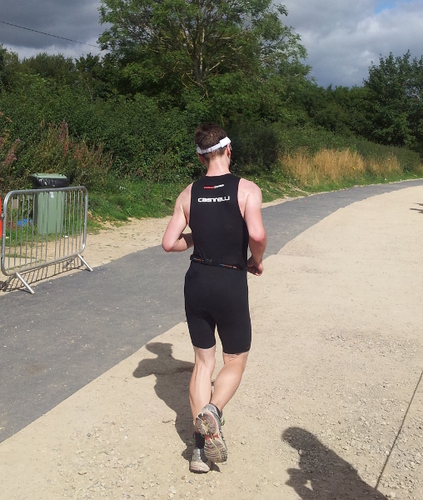
https://chris-lamb.co.uk/wp-content/2013/cotswold_course.jpg Since becoming interested in triathlon in October of last year, my goal in 2013 was not to just finish a "70.3" (or "Half-Ironman"), but to complete one in under 5 hours. At the time, each discipline was woefully inadequate; I had not swum in over a decade, my cycling was average and I had only begun running again after years away from exercise. The somewhat arbitrary target time would dictate my training. For example, the high proportion of time spent on the bike combined with the injury-sensitive nature of running meant that cycling would have a highest return on investment of the three disciplines. Despite that, I would need to take the run seriously but carefully - I decided to enter a series of monthly 10K races where I could steadily reduce my times over the year. Races themselves formed a crucial part of my preparation and a carefully balanced race calendar was surprisingly important, balancing upcoming milestones that would provide an achievable goal as well as uncovering weaknesses in enough time so they could be worked on. Whilst I did post about my first triathlon, I felt no compulsion with the interleaving five or six races as I was evaluating them in the context of the 70.3 rather than as races in their own right.
Swim
Distance
1900m
Time
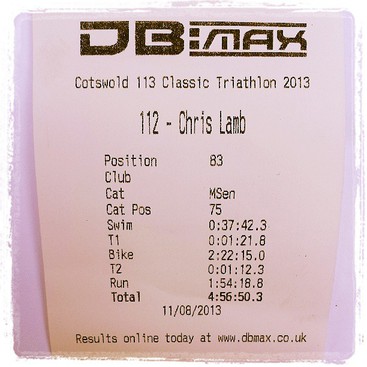
37:42
Whilst this wasn't my worst open water swim, it was certainly not my best. The first 500m was straightforward, but I lost my form over the next 500m and I overcompensated with excessive kick. My calves responded by cramping badly two or three times after that, losing both momentum and time. Curiously, whenever I could identify my speed relative to my effort (for example, by some underwater reeds) I could use that as feedback and my rotation (etc.) would temporarily return. Pool swimming always has markers of this kind, whilst a murky lake does not. In conclusion, my lack of open water training outside of races held me back more than I expected.
Bike https://chris-lamb.co.uk/wp-content/2013/cotswold_bike.jpg
Distance
52 miles
Time
2:22 (21.9 mph average)
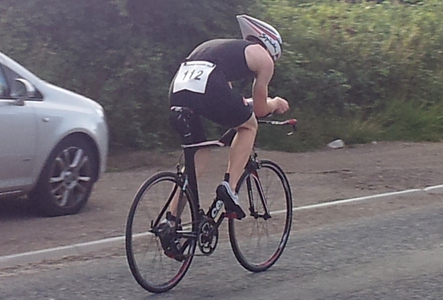
I had thoroughly absorbed the advice that you should prepare for your primary race so that it feels like another day at the office. On this criterion, the bike leg was almost perfect. My nutrition strategy energy drink every 5 minutes, gel every 30 minutes worked fine until mile 35 where I felt like I had taken on too much fluid (and no time to take a bathroom break). I had a temporary hiccup with my rear derailleur but my "tame" 52/34 12x28 gearing was vindicated on the climbs, although in retrospect that might mostly be schadenfreude. Tens of hours acclimatising to a time trial bike was rewarded by being able to spend the entire leg in "aero" position (ignoring 90-degree turns or serious gradients), improving efficiency.
Run https://chris-lamb.co.uk/wp-content/2013/cotswold_run.jpg
Distance
13.1 miles (21km)
Time
1:54:18 (5:25/km)
I had prepared a chart which provided the pace I required based on the race time at the start of the run. I would then only need to monitor my run pace instead of repeatedly extrapolating a finish time as even basic arithmetic can become impossible when fatigued. This strategy was chosen as I was too risk-adverse to aim for a faster time than strictly required; the downside of missing the target from aiming too high and "blowing up" outweighed going a few minutes faster overall. Despite that, I ran half-marathon personal best. Unfortunately, due to pressing the wrong watch button after the swim, the chart was worthless unless I could assume the race started exactly at 6:30AM. With no other option I decided to trust that with some padding, but the uncertainly it added was unsettling. Adding to that feeling, my left hip started to twinge at 7K, something it has never done before. My plan was to get to 16K, take a caffeine gel and then keep ratcheting up the pace until the finish. In my long run training I could speed up to a 4:10/km pace but after 5 hours of racing and being reasonably sure I was going to reach my goal, the best I could summon was 4:45/km. My form completely shot, I crossed the finish line and got into a fetal position in the shade behind a tent, scaring the race organisers for a few minutes.
Overall
Total time
4:56:50
Writing this the day after the race, I am still a little unsure of how I feel. I am obviously extremely content that I reached my goal but given the volume and detail of preparation it was not a huge surprise to me on race day that I did so. This combined with the "real" work and progress being achieved throughout the training seems to have robbed the event of some element of triumph it could have had, but that in itself was somewhat expected. Where next? I had always dismissed the consensus view of needing to take a decent break after the season has ended but now I am looking forward to putting triathlon-specific training on hold for a while and explore other things. I highly doubt this will be my last triathlon though. https://chris-lamb.co.uk/wp-content/2013/cotswold_result.jpg (Full results)

Richard Hartmann: DebConf13 I

DebConf! The venue here at Le Camp is pretty much perfect. Short walking distances, organic layout of the buildings, and a stunning view of the lake. I would be hard pressed to think of other venues which could be as nice... After arriving Fri/Sat night at 0330, Saturday was spent setting up the Access points: Me prior to pull-ups on the roof beams Access Point in pillow cases This little green valve caused a power outage in the server room, messing with servers, and resetting several switches to old configs. Xtaran had a lot of fun as a result of this. The valve of evil. And water. The ikiwiki BoF on sunday was rather interesting. I will try to publish some notes from this BoF and the other Git-related ones towards the end of the week. The Gitify ALL the things BoF managed to fill the room from "full-ish" over "good thing we don't need the beamer and can use the space in front of the whitescreen" over "out of chairs" over "the chairs from other rooms won't fit any more" to the final state of "people stand around near the walls and in the doors". At a total of 54 people, turnout has been... unexpectedly high.. The BoF started at 1130 and usually, slots are 45 minutes long. We extended our BoF into lunch time (I chose the slot just prior to lunch for precisely that reason) and finally finished at around 1245, i.e. 30 minutes late. After a quick show of hands on if there's interest in another BoF, I applied for and got the next slot, tomorrow at 11:30, once again in BoF room 1 and just before lunch. It's called Gitify EVEN MORE of the things and will expand on use cases and best practices. At a guess, we will focus on managing configurations and photos in default and complex situations. Sadly, neither of those BoF are taped. Afterwards, I had a chance to sit down with Lucas Nussbaum to talk over some points regarding the Debian Trademark Team. Finally, during Why Debian should (or should not) make systemd the default (it probably should not, but that's a different story), my kernel panicked. 3.9 and 3.10 have been less than ideal on my new X1 Carbon, but this was the first panic. I was not even done cussing and Ben Hutchings suddenly appeared on my side, telling me that yes, this particular module (mei) has been causing issues recently. Kernel panic As a closing note, I am really enjoying my first DebConf. Great venue, great people, great content, winebeer and cheese party tonight, and I found out that we have a fire place and fire wood...

Ian Campbell: Heading to DebConf 13

Going to DebConf13! Seems like DebConf 13 is in full swing, I'm not heading over until tomorrow because I spent the weekend at the Bloodstock Festival. As sad as I am to miss the Cheese and Wine party tonight, having seen a dozen or so excellent bands since Friday, lubricated by a few gallons of Hobgoblin, and rounded off by Exodus, Anthrax & Slayer last night I think I made the right call! So I got home around lunchtime today, unpacked my rucksack, scrubbed myself clean, repacked again for Switzerland (no tent this time). Next up is a curry with my parents tonight and then catching the Eurostar tomorrow morning, I'll have plenty of time for hacking on my cubieboard2 on the train and finally arrive in Vaumarcus tomorrow evening. See everyone soon!

Sylvestre Ledru: Merchandising at Debconf

Debian France and Debian Swiss associations are now selling products at Debconf. We are now selling
Buff
23 CHF / 18 euros
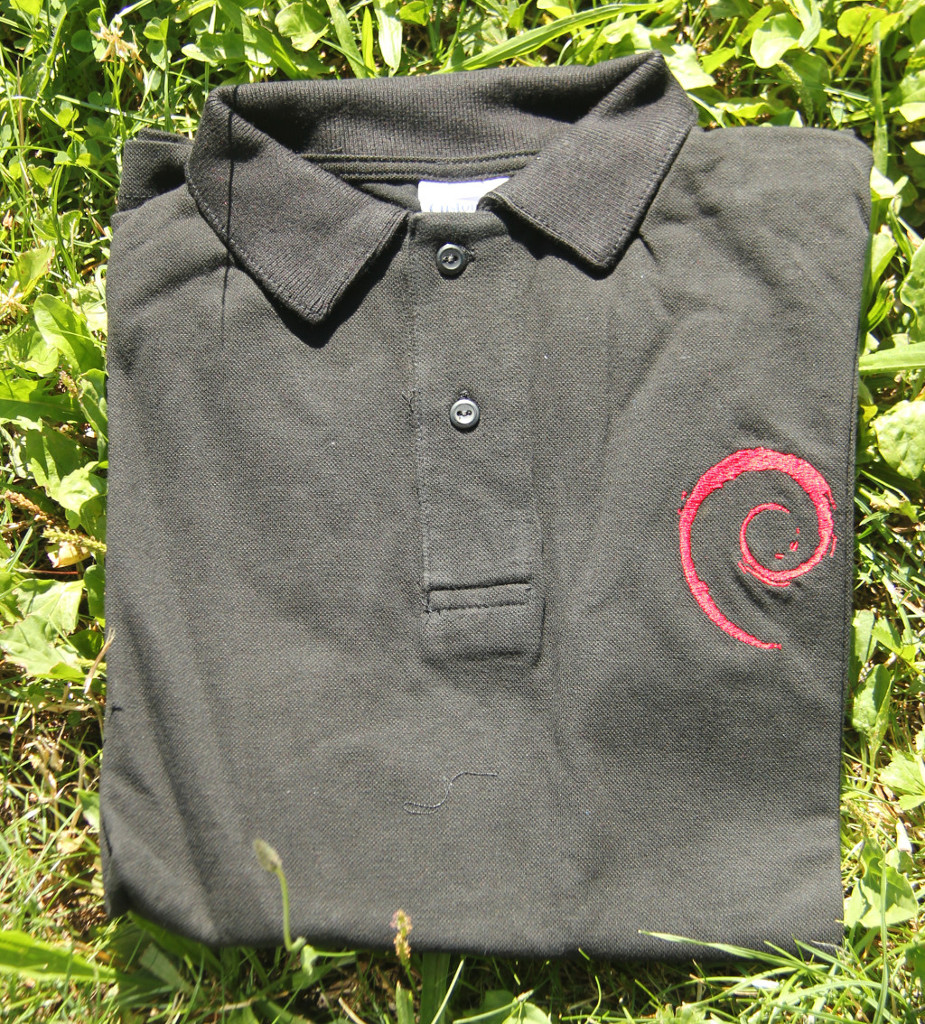
Black polo
31 CHF / 25 euros
Rugby polo
50 CHF / 40 euros
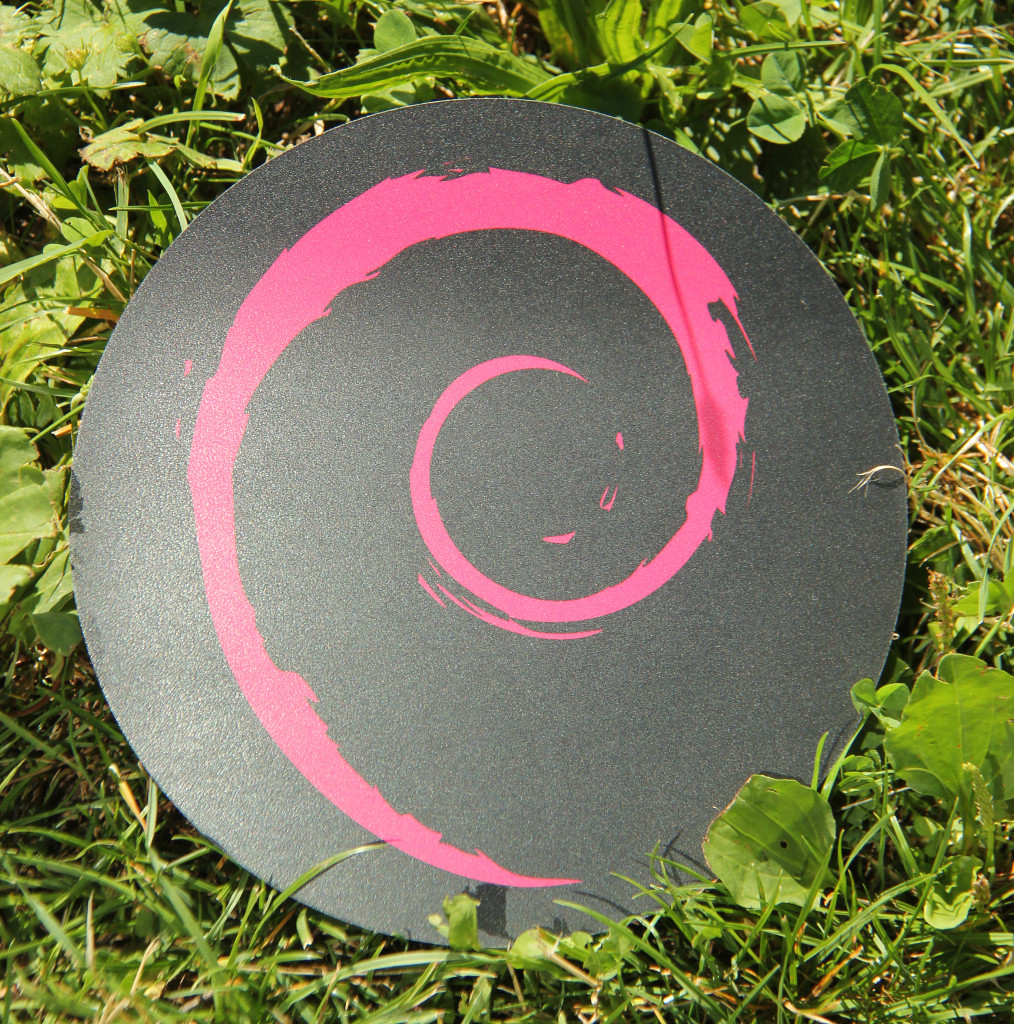
Mousepad
13 CHF / 10 euros
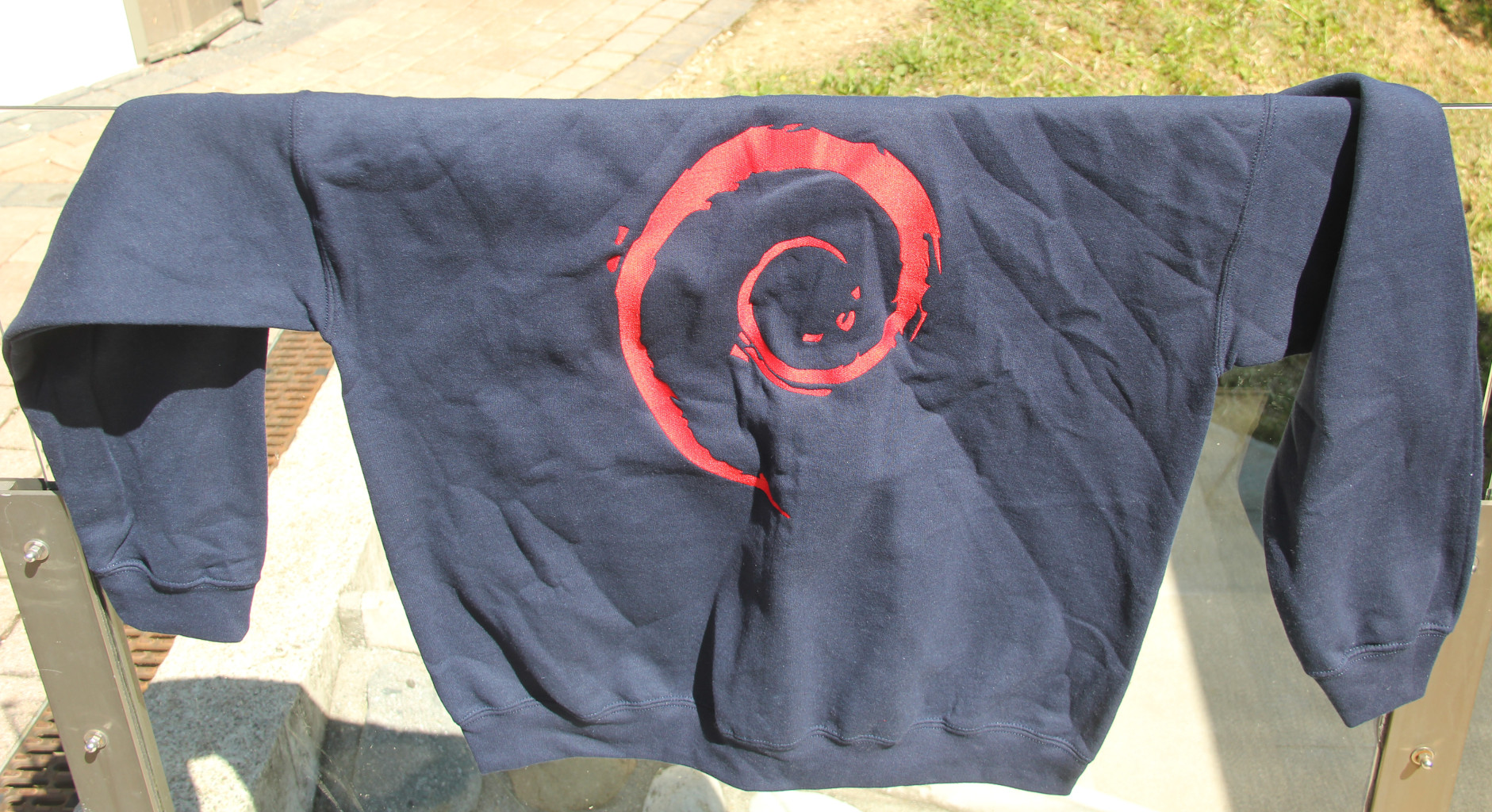
We have also some new hoodies.
They come in 4 colors: black, white, grey and dark blue.
With or without zip:
Without zip: 44 CHF / 35 euros
With zip: 50 CHF / 40 euros With also have hats:
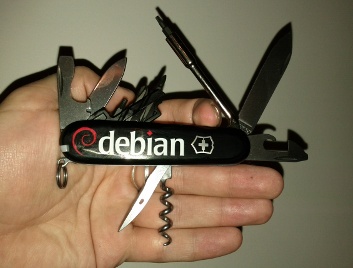
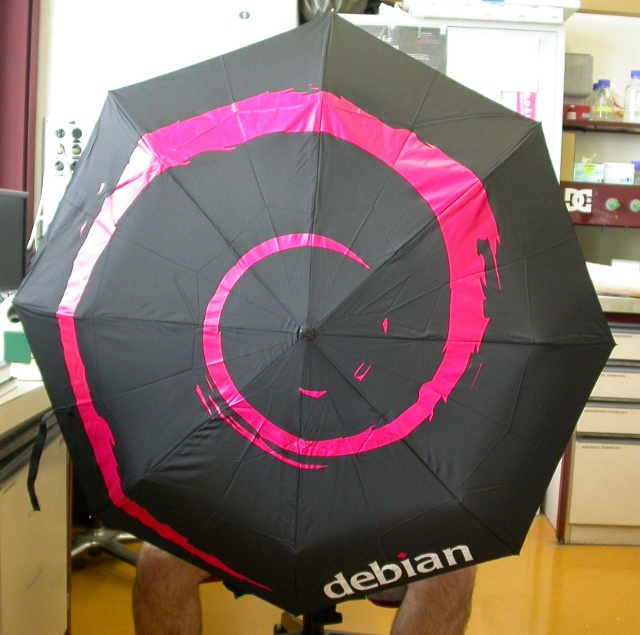
Price: 10 CHF / 9 euros We have also the Debian umbrellas and knifes.

Photo credit Kibi
For those who are at Debconf, they are for sell at the Debconf front desk from 4 to 6 and will be probably available for sell on enventelibre after the event.

Next.

Previous.