Daniel Pocock: Lumicall rapid provisioning, Opus support and other enhancements

Thanks to feedback from many people at DebConf15, Lumicall has had a range of improvements over the last couple of months and it is now easier to use and more reliable than ever.
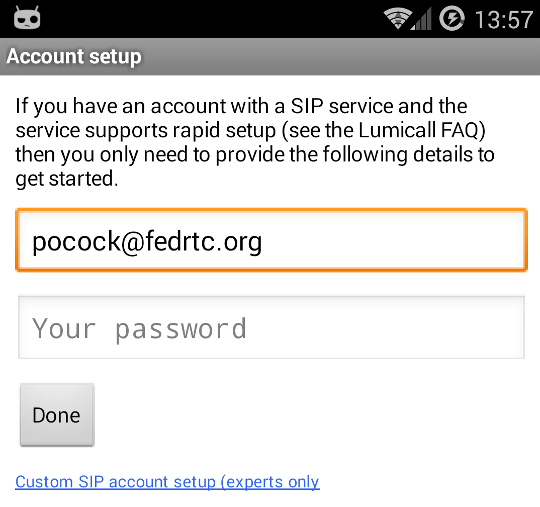
Rapid provisioning for Debian.org, FedRTC.org and other SIP accounts
1. Setup your SIP password in the Debian LDAP or the FedRTC account setup (using Fedora OpenID) or any other SIP service that supports rapid provisioning (see the FAQ).
2. Install the Lumicall app from F-Droid, Google Play or by direct download.
3. When the app starts the first time, you can verify your phone number (so other users can call you using the number they know) or just click the "Manual account setup" link underneath the verification button. If you do verify your number, the "Add account" link is also available in the menu from the main screen.
 Test calls
If a friend installs Lumicall too and you dial their number, the Lumicall popup should appear and give you the option to make the call over SIP.
You can also make test calls using this link for a recorded announcement.
Many other improvements
Test calls
If a friend installs Lumicall too and you dial their number, the Lumicall popup should appear and give you the option to make the call over SIP.
You can also make test calls using this link for a recorded announcement.
Many other improvements
- Support for the OPUS codec, which brings us one step closer to direct WebRTC interoperability
- Fixing a bug in ice4j that caused NAT traversal to fail intermittently
- Tweaks to make it more tolerant of IPv6 networks
- The rapid account setup form (described above) for existing SIP accounts
- Conversion to the Gradle build system (for Android Studio)
- Breaking out embedded library code from the Lumicall repository into standalone projects so they can be maintained independently
- Use of the compatibility library to display the ActionBar, consistent with the current design guidelines, while still maintaining compatibility with older devices
- Use of Spongy Castle instead of Bouncy Castle crypto library for more consistent behavior across different Android devices

 For future reference: if you have an Onkyo AV receiver, these are picky
about the CEC logical address of the player. If you have a default
installation of Kodi, the default type is "recording device", and the
logical address is 14 -- this is rejected.
If you change the CEC device configuration, which can be found in
 I guess that the time has finally come to admit that, as far as upstream development is concerned, the










 This is the second part in a series of articles about SRE, based on the talk I gave in the

 This morning,
 I got me a new television last wednesday. The previous one was still
functional, but with its 20 inch display it was (by today's standards) a
very small one. In itself that wasn't an issue, but combined with my
rather large movie collection and the 5.1 surround set that I bought
 What happened in the

 This article documents how the traffic of specific Linux processes can be subjected to a custom firewall or routing configuration, thanks to the magic of cgroups. We will use the
 Once upon a time I wrote a mail-client, which worked in the console directly via Maildir manipulation.
My mail client was written in C++, and used Lua for scripting unlike clients such as mutt, alpine, and similar alternatives which don't have complete scripting support.
I've pondered several times whether to restart this project, but I think it is the right thing to do.
The original lumail client has a


 TLDR: With the help of Helmut Grohne I finally figured out most of the bits
necessary to unshare everything without becoming root (though one might say
that this is still cheated because the suid root tools

 The
