Jacob Adams: Regular Reboots
Uptime is often considered a measure of system reliability,
an indication that the running software is stable and can be counted on.
However, this hides the insidious build-up of state throughout the system as
it runs, the slow drift from the expected to the strange.
As Nolan Lawson highlights in an excellent post entitled
Programmers are bad at managing state,
state is the most challenging part of programming.
It s why did you try turning it off and on again is a classic tech support
response to any problem.
Stage One: Reboot Cron
The first, and easiest approach, is a simple cron job.
Just adding the following line to
In addition to the problem of state, installing regular updates periodically requires a reboot, even if the rest of the process is automated through a tool like unattended-upgrades. For my personal homelab, I manage a handful of different machines running various services. I used to just schedule a day to update and reboot all of them, but that got very tedious very quickly. I then moved the reboot to a cronjob, and then recently to a systemd timer and service. I figure that laying out my path to better management of this might help others, and will almost certainly lead to someone telling me a better way to do this. UPDATE: Turns out there s another option for better systemd cron integration. SeeYou: uptime
Me: Every machine gets rebooted at 1AM to clear the slate for maintenance, and at 3:30AM to push through any pending updates. @SwiftOnSecurity, December 27, 2020
systemd-cron below.
Ultimately, uptime only measures the duration since you last proved you can turn the machine on and have it boot. @SwiftOnSecurity, May 7, 2016
Stage One: Reboot Cron
The first, and easiest approach, is a simple cron job.
Just adding the following line to /var/spool/cron/crontabs/root1
is enough to get your machine to reboot once a month2 on the 6th at 8:00 AM3:
0 8 6 * * reboot
I had this configured for many years and it works well.
But you have no indication as to whether it succeeds except for checking
your uptime regularly yourself.
Stage Two: Reboot systemd Timer
The next evolution of this approach for me was to use a systemd timer.
I created a regular-reboot.timer with the following contents:
[Unit]
Description=Reboot on a Regular Basis
[Timer]
Unit=regular-reboot.service
OnBootSec=1month
[Install]
WantedBy=timers.target
This timer will trigger the regular-reboot.service systemd unit
when the system reaches one month of uptime.
I ve seen some guides to creating timer units recommend adding
a Wants=regular-reboot.service to the [Unit] section,
but this has the consequence of running that service every time it starts the
timer. In this case that will just reboot your system on startup which is
not what you want.
Care needs to be taken to use the OnBootSec directive instead of
OnCalendar or any of the other time specifications, as your system could
reboot, discover its still within the expected window and reboot again.
With OnBootSec your system will not have that problem.
Technically, this same problem could have occurred with the cronjob approach,
but in practice it never did, as the systems took long enough to come back
up that they were no longer within the expected window for the job.
I then added the regular-reboot.service:
[Unit]
Description=Reboot on a Regular Basis
Wants=regular-reboot.timer
[Service]
Type=oneshot
ExecStart=shutdown -r 02:45
You ll note that this service is actually scheduling a specific reboot time
via the shutdown command instead of just immediately rebooting.
This is a bit of a hack needed because I can t control when the timer
runs exactly when using OnBootSec.
This way different systems have different reboot times so that everything
doesn t just reboot and fail all at once. Were something to fail to come
back up I would have some time to fix it, as each machine has a few hours
between scheduled reboots.
One you have both files in place, you ll simply need to reload configuration
and then enable and start the timer unit:
systemctl daemon-reload
systemctl enable --now regular-reboot.timer
You can then check when it will fire next:
# systemctl status regular-reboot.timer
  regular-reboot.timer - Reboot on a Regular Basis
     Loaded: loaded (/etc/systemd/system/regular-reboot.timer; enabled; preset: enabled)
     Active: active (waiting) since Wed 2024-03-13 01:54:52 EDT; 1 week 4 days ago
    Trigger: Fri 2024-04-12 12:24:42 EDT; 2 weeks 4 days left
   Triggers:   regular-reboot.service
Mar 13 01:54:52 dorfl systemd[1]: Started regular-reboot.timer - Reboot on a Regular Basis.
Sidenote: Replacing all Cron Jobs with systemd Timers
More generally, I ve now replaced all cronjobs on my personal systems with
systemd timer units, mostly because I can now actually track failures via
prometheus-node-exporter. There are plenty of ways to hack in cron support
to the node exporter, but just moving to systemd units provides both
support for tracking failure and logging,
both of which make system administration much easier when things inevitably
go wrong.
systemd-cron
An alternative to converting everything by hand, if you happen to have
a lot of cronjobs is
systemd-cron.
It will make each crontab and /etc/cron.* directory into automatic
service and timer units.
Thanks to Alexandre Detiste for letting me know about this project.
I have few enough cron jobs that I ve already converted, but
for anyone looking at a large number of jobs to convert
you ll want to check it out!
Stage Three: Monitor that it s working
The final step here is confirm that these units actually work, beyond just
firing regularly.
I now have the following rule in my prometheus-alertmanager rules:
  - alert: UptimeTooHigh
    expr: (time() - node_boot_time_seconds job="node" ) / 86400 > 35
    annotations:
      summary: "Instance  Has Been Up Too Long!"
      description: "Instance  Has Been Up Too Long!"
This will trigger an alert anytime that I have a machine up for more than 35
days. This actually helped me track down one machine that I had forgotten to
set up this new unit on4.
Not everything needs to scale
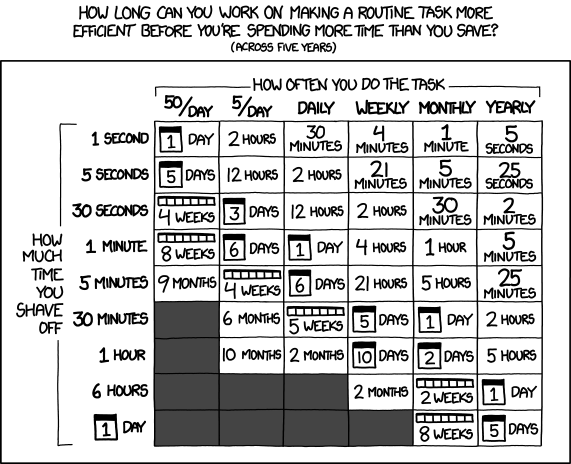 One of the most common fallacies programmers fall into is that we will jump
to automating a solution before we stop and figure out how much time it would even save.
In taking a slow improvement route to solve this problem for myself,
I ve managed not to invest too much time5 in worrying about this
but also achieved a meaningful improvement beyond my first approach of doing it
all by hand.
-
You could also add a line to
/etc/crontab or drop a script into /etc/cron.monthly depending on your system.
-
Why once a month? Mostly to avoid regular disruptions, but still be reasonably timely on updates.
-
If you re looking to understand the cron time format I recommend crontab guru.
-
In the long term I really should set up something like ansible to automatically push fleetwide changes like this but with fewer machines than fingers this seems like overkill.
-
Of course by now writing about it, I ve probably doubled the amount of time I ve spent thinking about this topic but oh well
0 8 6 * * reboot
regular-reboot.timer with the following contents:
[Unit]
Description=Reboot on a Regular Basis
[Timer]
Unit=regular-reboot.service
OnBootSec=1month
[Install]
WantedBy=timers.target
regular-reboot.service systemd unit
when the system reaches one month of uptime.
I ve seen some guides to creating timer units recommend adding
a Wants=regular-reboot.service to the [Unit] section,
but this has the consequence of running that service every time it starts the
timer. In this case that will just reboot your system on startup which is
not what you want.
Care needs to be taken to use the OnBootSec directive instead of
OnCalendar or any of the other time specifications, as your system could
reboot, discover its still within the expected window and reboot again.
With OnBootSec your system will not have that problem.
Technically, this same problem could have occurred with the cronjob approach,
but in practice it never did, as the systems took long enough to come back
up that they were no longer within the expected window for the job.
I then added the regular-reboot.service:
[Unit]
Description=Reboot on a Regular Basis
Wants=regular-reboot.timer
[Service]
Type=oneshot
ExecStart=shutdown -r 02:45
OnBootSec.
This way different systems have different reboot times so that everything
doesn t just reboot and fail all at once. Were something to fail to come
back up I would have some time to fix it, as each machine has a few hours
between scheduled reboots.
One you have both files in place, you ll simply need to reload configuration
and then enable and start the timer unit:
systemctl daemon-reload
systemctl enable --now regular-reboot.timer
# systemctl status regular-reboot.timer
regular-reboot.timer - Reboot on a Regular Basis
Loaded: loaded (/etc/systemd/system/regular-reboot.timer; enabled; preset: enabled)
Active: active (waiting) since Wed 2024-03-13 01:54:52 EDT; 1 week 4 days ago
Trigger: Fri 2024-04-12 12:24:42 EDT; 2 weeks 4 days left
Triggers: regular-reboot.service
Mar 13 01:54:52 dorfl systemd[1]: Started regular-reboot.timer - Reboot on a Regular Basis.
Sidenote: Replacing all Cron Jobs with systemd Timers
More generally, I ve now replaced all cronjobs on my personal systems with
systemd timer units, mostly because I can now actually track failures via
prometheus-node-exporter. There are plenty of ways to hack in cron support
to the node exporter, but just moving to systemd units provides both
support for tracking failure and logging,
both of which make system administration much easier when things inevitably
go wrong.
systemd-cron
An alternative to converting everything by hand, if you happen to have
a lot of cronjobs is
systemd-cron.
It will make each crontab and /etc/cron.* directory into automatic
service and timer units.
Thanks to Alexandre Detiste for letting me know about this project.
I have few enough cron jobs that I ve already converted, but
for anyone looking at a large number of jobs to convert
you ll want to check it out!
Stage Three: Monitor that it s working
The final step here is confirm that these units actually work, beyond just
firing regularly.
I now have the following rule in my prometheus-alertmanager rules:
- alert: UptimeTooHigh
expr: (time() - node_boot_time_seconds job="node" ) / 86400 > 35
annotations:
summary: "Instance Has Been Up Too Long!"
description: "Instance Has Been Up Too Long!"
This will trigger an alert anytime that I have a machine up for more than 35
days. This actually helped me track down one machine that I had forgotten to
set up this new unit on4.
Not everything needs to scale
One of the most common fallacies programmers fall into is that we will jump
to automating a solution before we stop and figure out how much time it would even save.
In taking a slow improvement route to solve this problem for myself,
I ve managed not to invest too much time5 in worrying about this
but also achieved a meaningful improvement beyond my first approach of doing it
all by hand.
-
You could also add a line to
/etc/crontab or drop a script into /etc/cron.monthly depending on your system.
-
Why once a month? Mostly to avoid regular disruptions, but still be reasonably timely on updates.
-
If you re looking to understand the cron time format I recommend crontab guru.
-
In the long term I really should set up something like ansible to automatically push fleetwide changes like this but with fewer machines than fingers this seems like overkill.
-
Of course by now writing about it, I ve probably doubled the amount of time I ve spent thinking about this topic but oh well
- alert: UptimeTooHigh
expr: (time() - node_boot_time_seconds job="node" ) / 86400 > 35
annotations:
summary: "Instance Has Been Up Too Long!"
description: "Instance Has Been Up Too Long!"
-
You could also add a line to
/etc/crontabor drop a script into/etc/cron.monthlydepending on your system. - Why once a month? Mostly to avoid regular disruptions, but still be reasonably timely on updates.
- If you re looking to understand the cron time format I recommend crontab guru.
- In the long term I really should set up something like ansible to automatically push fleetwide changes like this but with fewer machines than fingers this seems like overkill.
- Of course by now writing about it, I ve probably doubled the amount of time I ve spent thinking about this topic but oh well
 A welcome sign at Bangkok's Suvarnabhumi airport.
 Bus from Suvarnabhumi Airport to Jomtien Beach in Pattaya.
 Road near Jomtien beach in Pattaya
 Photo of a songthaew in Pattaya. There are shared songthaews which run along Jomtien Second road and takes 10 bath to anywhere on the route.
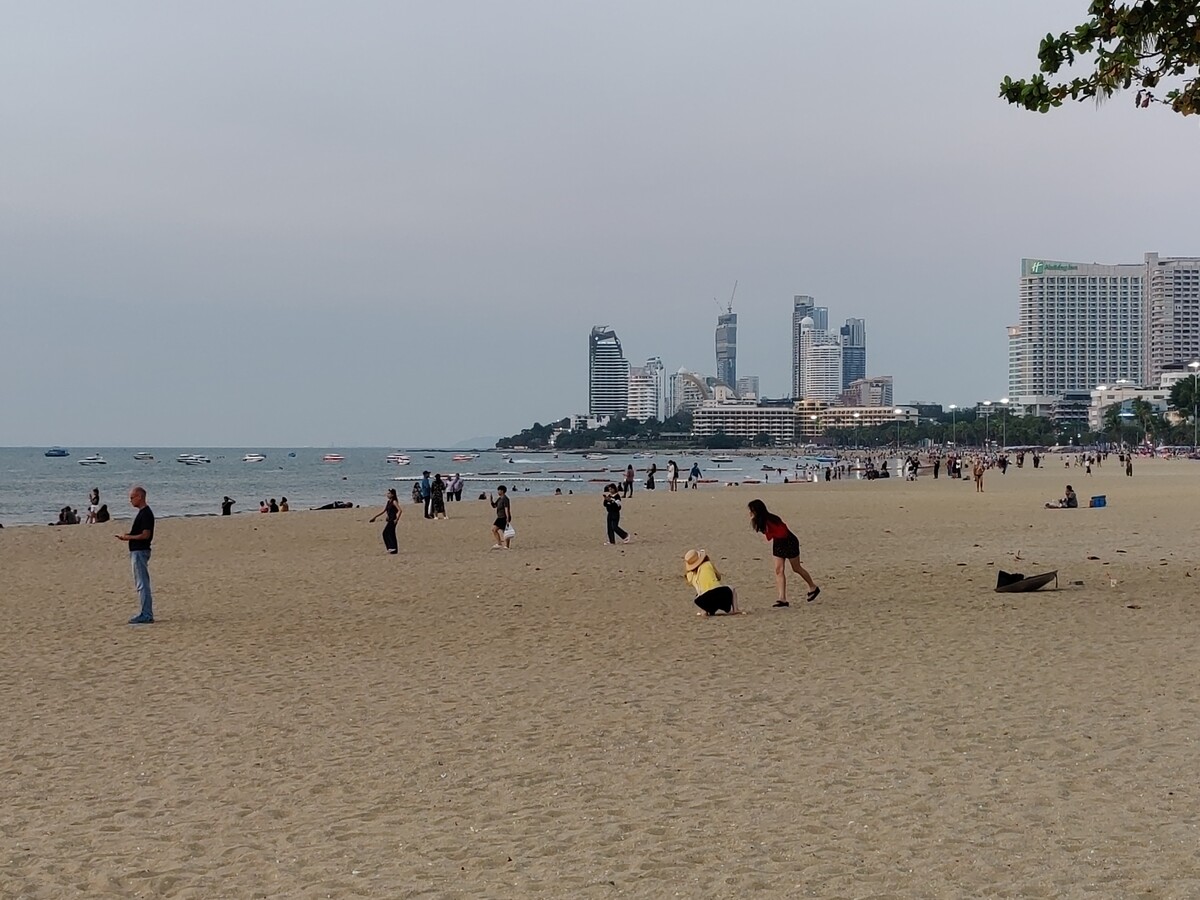 Jomtien Beach in Pattaya.
 A welcome sign at Pattaya Floating market.
 This Korean Vegetasty noodles pack was yummy and was available at many 7-Eleven stores.
 Wat Arun temple stamps your hand upon entry
 Wat Arun temple
 Khao San Road
 A food stall at Khao San Road
 Chao Phraya Express Boat
 Banana with yellow flesh
 Fruits at a stall in Bangkok
 Trimmed pineapples from Thailand.
 Corn in Bangkok.
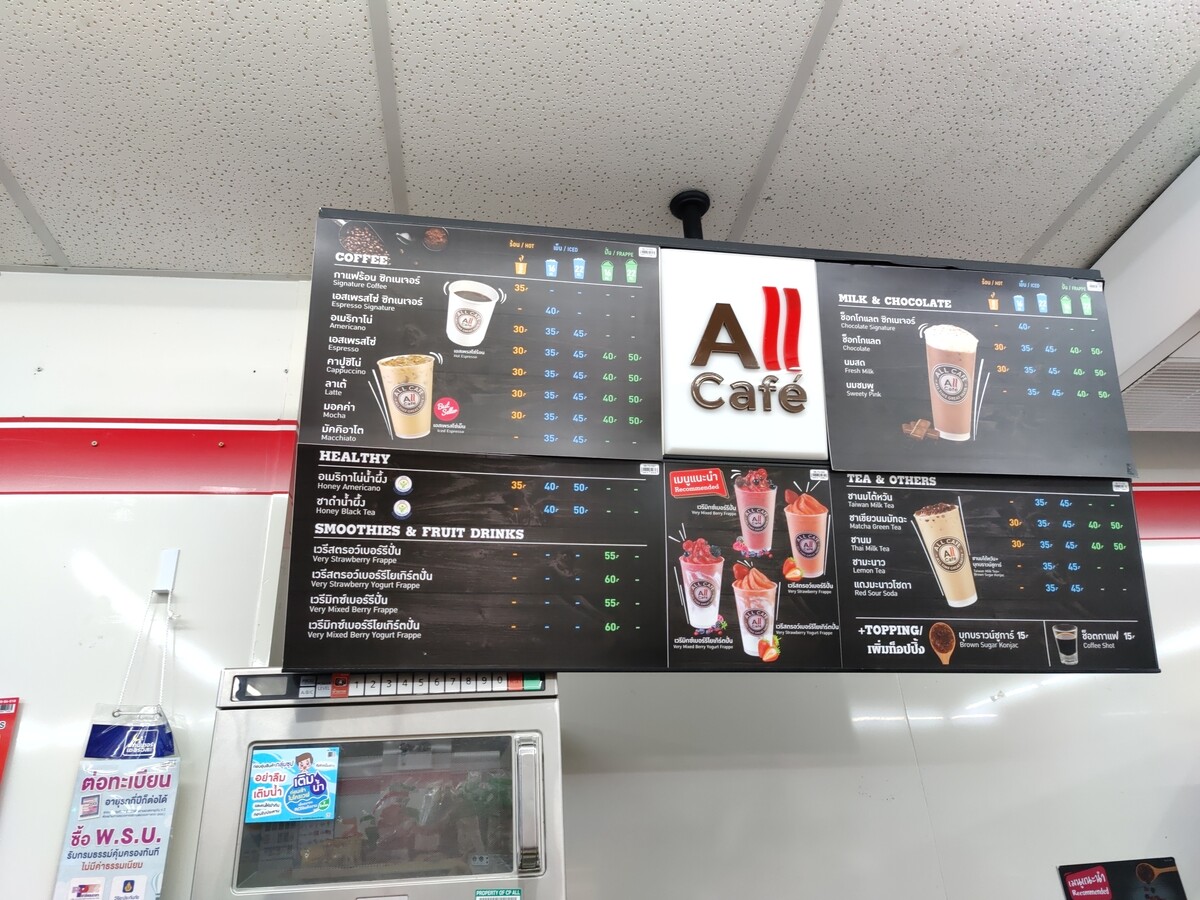 A board showing coffee menu at a 7-Eleven store along with rates in Pattaya.
 In this section of 7-Eleven, you can buy a premix coffee and mix it with hot water provided at the store to prepare.
 Red wine being served in Air India
 I am eager to incorporate your AI generated code into my software.
Really!
I want to facilitate making the process as easy as possible. You're already
using an AI to do most of the hard lifting, so why make the last step hard? To
that end, I skip my usually extensive code review process for your AI generated
code submissions. Anything goes as long as it compiles!
Please do remember to include "(AI generated)" in the description of your
changes (at the top), so I know to skip my usual review process.
Also be sure to sign off to the standard
 Closing arguments in the trial between various people and

 Like each month, have a look at the work funded by
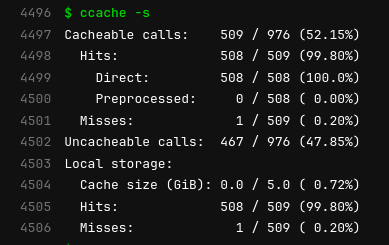 The image here comes from an example of building
 I like using one machine and setup for everything, from serious development work to hobby projects to managing my finances. This is very convenient, as often the lines between these are blurred. But it is also scary if I think of the large number of people who I have to trust to not want to extract all my personal data. Whenever I run a









 After making my
 My brain is currently suffering from an overload caused by grading student
assignments.
In search of a somewhat productive way to procrastinate, I thought I
would share a small script I wrote sometime in 2023 to facilitate my grading
work.
I use Moodle for all the classes I teach and students use it to hand me out
their papers. When I'm ready to grade them, I download the ZIP archive Moodle
provides containing all their PDF files and comment them
 I had finished sewing my jeans, I had a scant 50 cm of elastic denim
left.
Unrelated to that, I had just finished drafting a vest with Valentina,
after


 The other thing that wasn t exactly as expected is the back: the pattern
splits the bottom part of the back to give it sufficient spring over
the hips . The book is probably published in 1892, but I had already
found when drafting the foundation skirt that its idea of hips
includes a bit of structure. The enough steel to carry a book or a cup
of tea kind of structure. I should have expected a lot of spring, and
indeed that s what I got.
To fit the bottom part of the back on the limited amount of fabric I had
to piece it, and I suspect that the flat felled seam in the center is
helping it sticking out; I don t think it s exactly bad, but it is
a peculiar look.
Also, I had to cut the back on the fold, rather than having a seam in
the middle and the grain on a different angle.
Anyway, my next waistcoat project is going to have a linen-cotton lining
and silk fashion fabric, and I d say that the pattern is good enough
that I can do a few small fixes and cut it directly in the lining, using
it as a second mockup.
As for the wrinkles, there is quite a bit, but it looks something that
will be solved by a bit of lightweight boning in the side seams and in
the front; it will be seen in the second mockup and the finished
waistcoat.
As for this one, it s definitely going to get some wear as is, in casual
contexts. Except. Well, it s a denim waistcoat, right? With a very
different cut from the get a denim jacket and rip out the sleeves , but
still a denim waistcoat, right? The kind that you cover in patches,
right?
 And I may have screenprinted a home sewing is killing fashion patch
some time ago, using

 I was working on what looked like a good pattern for a pair of
jeans-shaped trousers, and I knew I wasn t happy with 200-ish g/m
cotton-linen for general use outside of deep summer, but I didn t have a
source for proper denim either (I had been low-key looking for it for a
long time).
Then one day I looked at an article I had saved about fabric shops that
sell technical fabric and while window-shopping on one I found that they
had a decent selection of denim in a decent weight.
I decided it was a sign, and decided to buy the two heaviest denim they
had: a
 The shop sent everything very quickly, the courier took their time (oh,
well) but eventually delivered my fabric on a sunny enough day that I
could wash it and start as soon as possible on the first pair.
The pattern I did in linen was a bit too fitting, but I was afraid I had
widened it a bit too much, so I did the first pair in the 100% cotton
denim. Sewing them took me about a week of early mornings and late
afternoons, excluding the weekend, and my worries proved false: they
were mostly just fine.
The only bit that could have been a bit better is the waistband, which
is a tiny bit too wide on the back: it s designed to be so for comfort,
but the next time I should pull the elastic a bit more, so that it stays
closer to the body.
 I wore those jeans daily for the rest of the week, and confirmed that
they were indeed comfortable and the pattern was ok, so on the next
Monday I started to cut the elastic denim.
I decided to cut and sew two pairs, assembly-line style, using the
shaped waistband for one of them and the straight one for the other one.
I started working on them on a Monday, and on that week I had a couple
of days when I just couldn t, plus I completely skipped sewing on the
weekend, but on Tuesday the next week one pair was ready and could be
worn, and the other one only needed small finishes.
 And I have to say, I m really, really happy with the ones with a shaped
waistband in elastic denim, as they fit even better than the ones with a
straight waistband gathered with elastic. Cutting it requires more
fabric, but I think it s definitely worth it.
But it will be a problem for a later time: right now three pairs of
jeans are a good number to keep in rotation, and I hope I won t have to
sew jeans for myself for quite some time.
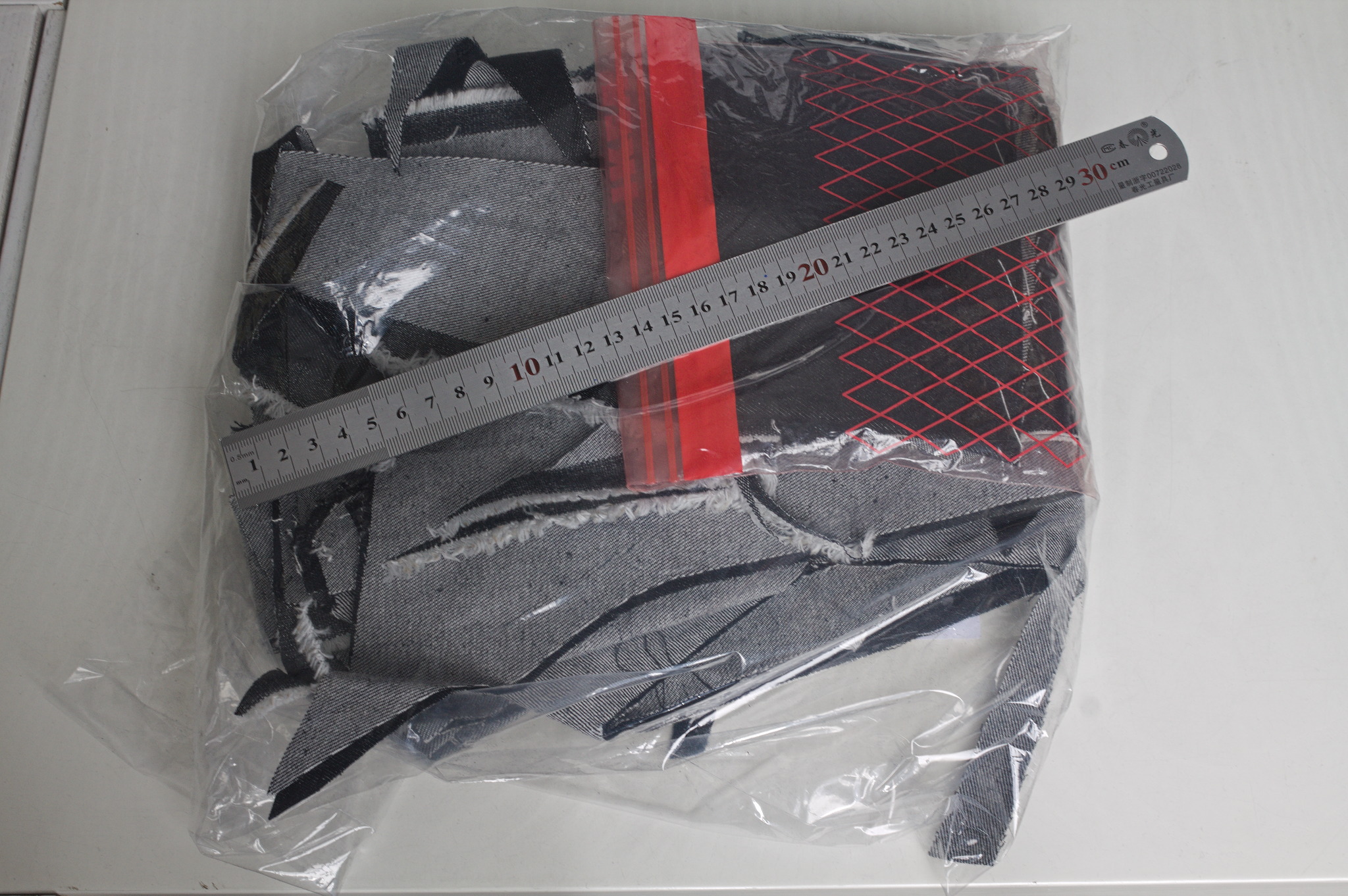 I think that the leftovers of plain denim will be used for a skirt or
something else, and as for the leftovers of elastic denim, well, there
aren t a lot left, but what else I did with them is the topic for
another post.
Thanks to the fact that they are all slightly different, I ve started to
keep track of the times when I wash each pair, and hopefully I will be
able to see whether the elastic denim is significantly less durable than
the regular, or the added weight compensates for it somewhat. I m not
sure I ll manage to remember about saving the data until they get worn,
but if I do it will be interesting to know.
Oh, and I say I ve finished working on jeans and everything, but I still
haven t sewn the belt loops to the third pair. And I m currently wearing
them. It s a sewist tradition, or something. :D
 Two months into my
