Here s my (forty-first) monthly but brief update about the activities I ve done in the F/L/OSS world.
Debian
This was my 50th month of actively contributing to Debian.
I became a DM in late March 2019 and a DD on Christmas 19! \o/
There s a bunch of things I do, both, technical and non-technical. Here are the things I did this month:
libyang2 (2.1.30-2) - Adding DEP8 test for yangre.
redmine (5.0.4-3) - Add patch to stop unnecessary recursive chown ing (Fixes: #1022816, #1022817).
redmine (5.0.4-4) - Set DH_RUBY_IGNORE_TESTS to all (Fixes: #1031308).
python-jira (3.4.1-1) - New upstream version, v3.4.1.
Others
Looked up some Release team documentation.
Sponsored php-font-lib and php-dompdf-svg-lib for William.
Granted DM rights for php-dompdf.
Mentoring for newcomers.
Reviewed micro bits for Nilesh, new uploads and changes.
Ruby sprints.
Bug work (on BTS and #debian-ruby) for rails and redmine.
Moderation of -project mailing list.
A huge thanks to Freexian for sponsoring my Debian work and Entrouvert for sponsoring the Redmine backports. :D
Ubuntu
This was my 25th month of actively contributing to Ubuntu.
Now that I joined Canonical to work on Ubuntu full-time, there s a bunch of things I do! \o/
I mostly worked on different things, I guess.
I was too lazy to maintain a list of things I worked on so there s
no concrete list atm. Maybe I ll get back to this section later or
will start to list stuff from the fall, as I was doing before. :D
Debian (E)LTS
Debian Long Term Support (LTS) is a project to extend the lifetime of all Debian stable releases to (at least) 5 years. Debian LTS is not handled by the Debian security team, but by a separate group of volunteers and companies interested in making it a success.
And Debian Extended LTS (ELTS) is its sister project, extending support to the stretch and jessie release (+2 years after LTS support).
This was my forty-first month as a Debian LTS and thirty-second month as a Debian ELTS paid contributor.
I worked for 24.25 hours for LTS and 28.50 hours for ELTS.
LTS CVE Fixes and Announcements:
Fixed CVE-2022-47016 for tmux and uploaded to buster via 2.8-3+deb10u1.
But decided to not roll the DLA for the package as the CVE got rejected upstream.
Worked on ruby-rails-html-sanitize and added notes to the security-tracker.
TL;DR: we need newer methods in ruby-loofah to make the patches for ruby-rails-html-sanitize backportable.
Started to look at other set of packages meanwhile.
ELTS CVE Fixes and Announcements:
Issued ELA 813-1, fixing CVE-2017-12618 and CVE-2022-25147, for apr-util.
For Debian 8 jessie, these problems have been fixed in version 1.5.4-1+deb8u1.
For Debian 9 stretch, these problems have been fixed in version 1.5.4-3+deb9u1.
Issued ELA 815-1, fixing CVE-2022-44792 and CVE-2022-44793, for net-snmp.
For Debian 8 jessie, these problems have been fixed in version 5.7.2.1+dfsg-1+deb8u6.
For Debian 9 stretch, these problems have been fixed in version 5.7.3+dfsg-1.7+deb9u5.
Helped facilitate RabbitMQ s update queries by one of our customers.
Started to look at other set of packages meanwhile.
Long ago I applied for my dream job at a company I have wanted to wok for since its beginning and I wasn t ready technically. Fast forward to now, I am ready! A big thank you goes out to Blue Systems for that. So I go out and find the perfect role and start the application process. The process was months long, but was going very well, the interviews and I passed the technical with flying colors. I got to the end where the hiring lead told me he was submitting my offer I was so excited, so much so, I told my husband and parents I got the job! I know, I jinxed myself there. Soon I receive the There was a problem .. One obscure assessment called GIA came back not so good. I remember that day, we were in the middle of a long series of winter storms and I when I took the test, my kitten decided right then it was me time. I couldn t very well throw her out into the snowstorm, so I continued on the best I could. It is my fault, it clearly states to be distraction free. So I speak again to the hiring lead and we both feel with my experience and technical knowledge and abilities we can still move forward. I still had hope. After some time passes, I asked for an update and got the dreaded rejection. I am told it wasn t just the GIA, but that I am not a good overall fit for the company. In one fell swoop my dreams are dashed and final, for this and all roles within that company. I wasn t given a reason either. I am devastated, heart broken, and shocked. I get along with everyone, I exceed the technical requirements, and I work well in the community. Dream door closed.
I will not let this get me down. I am moving on. I will find my place where I fit in .
With that said, I no longer have the will, passion, or drive to work on snaps anymore. I will leave instructions with Jonathon as to what needs to be done to move forward. The good news is my core22 kde-neon extension was merged into upstream snapcraft, so whomever takes over will have a much easier time knocking them out. @kubuntu-council I will do whatever it takes to pay back the money for the hardware you provided me to do snaps, I am truly sorry about this.
What does my future hold? I will still continue with my Debian efforts. In fact, I have ventured out from the KDE umbrella and joined the go-team. I am finalizing my packaging for
https://github.com/charmbracelet/gum
and it s dependencies: roff, mango, mango-kong. I had my first golang patch for a failing test and have submitted it upstream. I will upload these to experimental while the freeze is on.
I will be moving all the libraries in the mycroft team to the python umbrella as they are useful for other things and mycroft is no more.
During the holidays I was tinkering around with selenium UI testing and stumbled on some accessibility issues within KDE, so I think this is a good place for me to dive into for my KDE contributions.
I have been approached to collaborate with OpenOS on a few things, time permitting I will see what I can do there.
I have a possible gig to do some websites, while I move forward in my job hunt.
I will not give up! I will find my place where I fit in .
Meanwhile, I must ask for donations to get us by. Anything helps, thank you for your consideration.
https://gofund.me/a9c36b87
As I've mentioned in the past I keep a work-log, or work-diary, recording my activities every day.
I have a bunch of standard things that I record, but one thing that often ends up happening is that I make references to external bug trackers, be they Jira, Bugzilla, or something else.
Today I hacked up a simple emacs minor-mode for converting these references to hyperlinks, automatically, via the use of regular expressions.
Given this configuration:
When the minor-mode is active the any literal text that matches the pattern, for example "XXX-1234", will suddenly become a clickable button that will open Jira, and BUG-1234 will become a clickable button that opens the appropriate bug in Bugzilla.
There's no rewriting of the content, this is just a bit of magic that changes the display of the text (i.e. I'm using a button/text-property).
Since I mostly write in org-mode I could have written my text like so:
[[jira:XXX-1234][XXX-1234]]
But that feels like an ugly thing to do, and that style of links wouldn't work outside org-files anyway. That said it's a useful approach if you're only using org-mode, and the setup is simple:
Interested in future updates? Follow me on mastodon at
@paul@soylent.green. Posts about
hz.tools will be tagged
#hztools.
If you're on the Fediverse, I'd very much appreciate boosts on
my announcement toot!
Ever since 2019, I ve been learning about how radios work, and trying to learn
about using them the hard way by writing as much of the stack as is
practical (for some value of practical) myself. I wrote my first Hello World
in 2018, which was a simple FM radio player, which used librtlsdr to read in
an IQ stream, did some filtering, and played the real valued audio stream via
pulseaudio. Over 4 years this has slowly grown through persistence, lots of
questions to too many friends to thank (although I will try), and the eternal
patience of my wife hearing about radios nonstop for years into a number
of Go repos that can do quite a bit, and support a handful of radios.
I ve resisted making the repos public not out of embarrassment or a desire to
keep secrets, but rather, an attempt to keep myself free of any maintenance
obligations to users so that I could freely break my own API, add and remove
API surface as I saw fit. The worst case was to have this project feel like
work, and I can t imagine that will happen if I feel frustrated by PRs
that are getting ahead of me solving problems I didn t yet know about, or
bugs I didn t understand the fix for.
As my rate of changes to the most central dependencies has slowed, i ve begun
to entertain the idea of publishing them. After a bit of back and forth, I ve
decided
it s time to make a number of them public,
and to start working on them in the open, as I ve built up a bit of knowledge
in the space, and I and feel confident that the repo doesn t contain overt
lies. That s not to say it doesn t contain lies, but those lies are likely
hidden and lurking in the dark. Beware.
That being said, it shouldn t be a surprise to say I ve not published
everything yet for the same reasons as above. I plan to open repos as the
rate of changes slows and I understand the problems the library solves well
enough or if the project dead ends and I ve stopped learning.
Intention behind hz.tools
It s my sincere hope that my repos help to make Software Defined Radio (SDR)
code a bit easier to understand, and serves as an understandable framework to
learn with. It s a large codebase, but one that is possible to sit down and
understand because, well, it was written by a single person. Frankly, I m also
not productive enough in my free time in the middle of the night and on
weekends and holidays to create a codebase that s too large to understand, I
hope!
I remain wary of this project turning into work, so my goal is to be very
upfront about my boundaries, and the limits of what classes of contributions
i m interested in seeing.
Here s some goals of open sourcing these repos:
I do want this library to be used to learn with. Please go through it
all and use it to learn about radios and how software can control them!
I am interested in bugs if there s a problem you discover. Such bugs
are likely a great chance for me to fix something I ve misunderstood or
typoed.
I am interested in PRs fixing bugs you find. I may need a bit of a
back and forth to fully understand the problem if I do not understand
the bug and fix yet. I hope you may have some grace if it s taking a long
time.
Here s a list of some anti-goals of open sourcing these repos.
I do not want this library to become a critical dependency of an
important project, since I do not have the time to deal with the maintenance
burden. Putting me in that position is going to make me very uncomfortable.
I am not interested in feature requests, the features have grown as
I ve hit problems, I m not interested in building or maintaining features
for features sake. The API surface should be exposed enough to allow others
to experiment with such things out-of-tree.
I m not interested in clever code replacing clear code without a very
compelling reason.
I use GNU/Linux (specifically Debian
),
and from time-to-time I ve made sure that my code runs on OpenBSD
too.
Platforms beyond that will likely not be supported at the expense of either
of those two. I ll take fixes for bugs that fix a problem on another
platform, but not damage the code to work around issues / lack of features
on other platforms (like Windows).
I m not saying all this to be a jerk, I do it to
make sure I can continue on my journey to learn about how radios work without
my full time job becoming maintaining a radio framework single-handedly for
other people to use even if it means I need to close PRs or bugs without
merging it or fixing the issue.
With all that out of the way, I m very happy to announce that the repos are now
public under github.com/hztools.
Should you use this?
Probably not. The intent here is not to provide a general purpose Go SDR
framework for everyone to build on, although I am keenly aware it looks and
feels like it, since that what it is to me. This is a learning project, so for
any use beyond joining me in learning should use something like
GNU Radio
or a similar framework that has a community behind it.
In fact, I suspect most contributors ought to be contributing to GNU Radio, and
not this project. If I can encourage people to do so,
contribute to GNU Radio!
Nothing makes me happier than seeing GNU Radio continue to be the go-to, and
well supported. Consider
donating to GNU Radio!
hz.tools/rf - Frequency types
The hz.tools/rf library contains the abstract concept of frequency, and
some very basic helpers to interact with frequency ranges (such as helpers
to deal with frequency ranges, or frequency range math) as well as frequencies
and some very basic conversions (to meters, etc) and parsers (to parse values
like 10MHz). This ensures that all the hz.tools libraries have a shared
understanding of Frequencies, a standard way of representing ranges of
Frequencies, and the ability to handle the IO boundary with things like CLI
arguments, JSON or YAML.
The git repo can be found at
github.com/hztools/go-rf, and is
importable as hz.tools/rf.
// Parse a frequency using hz.tools/rf.ParseHz, and print it to stdout.
freq:=rf.MustParseHz("-10kHz")
fmt.Printf("Frequency: %s\n", freq+rf.MHz)
// Prints: 'Frequency: 990kHz'
// Return the Intersection between two RF ranges, and print
// it to stdout.
r1:=rf.Rangerf.KHz, rf.MHzr2:=rf.Rangerf.Hz(10), rf.KHz*100fmt.Printf("Range: %s\n", r1.Intersection(r2))
// Prints: Range: 1000Hz->100kHz
These can be used to represent tons of things - ranges can be used for things
like the tunable range of an SDR, the bandpass of a filter or the frequencies
that correspond to a bin of an FFT, while frequencies can be used for things
such as frequency offsets or the tuned center frequency.
hz.tools/sdr - SDR I/O and IQ Types
This is the big one. This library represents the majority of the shared
types and bindings, and is likely the most useful place to look at when
learning about the IO boundary between a program and an SDR.
The git repo can be found at
github.com/hztools/go-sdr, and is
importable as hz.tools/sdr.
This library is designed to look (and in some cases, mirror) the Go io idioms
so that this library feels as idiomatic as it can, so that Go builtins interact
with IQ in a way that s possible to reason about, and to avoid reinventing the
wheel by designing new API surface. While some of the API looks (and is even
called) the same thing as a similar function in io, the implementation is
usually a lot more naive, and may have unexpected sharp edges such as
concurrency issues or performance problems.
The following IQ types are implemented using the sdr.Samples interface. The
hz.tools/sdr package contains helpers for conversion between types, and some
basic manipulation of IQ streams.
IQ Format
hz.tools Name
Underlying Go Type
Interleaved uint8 (rtl-sdr)
sdr.SamplesU8
[][2]uint8
Interleaved int8 (hackrf, uhd)
sdr.SamplesI8
[][2]int8
Interleaved int16 (pluto, uhd)
sdr.SamplesI16
[][2]int16
Interleaved float32 (airspy, uhd)
sdr.SamplesC64
[]complex64
The following SDRs have implemented drivers in-tree.
SDR
Format
RX/TX
State
rtl
u8
RX
Good
HackRF
i8
RX/TX
Good
PlutoSDR
i16
RX/TX
Good
rtl kerberos
u8
RX
Old
uhd
i16/c64/i8
RX/TX
Good
airspyhf
c64
RX
Exp
The following major packages and subpackages exist at the time of writing:
Import
What is it?
hz.tools/sdr
Core IQ types, supporting types and implementations that interact with the byte boundary
hz.tools/sdr/rtl
sdr.Receiver implementation using librtlsdr.
hz.tools/sdr/rtl/kerberos
Helpers to enable coherent RX using the Kerberos SDR.
hz.tools/sdr/rtl/e4k
Helpers to interact with the E4000 RTL-SDR dongle.
hz.tools/sdr/fft
Interfaces for performing an FFT, which are implemented by other packages.
sdr.Transceiver implementation for the PlutoSDR using libiio.
hz.tools/sdr/uhd
sdr.Transceiver implementation for UHD radios, specifically the B210 and B200mini
hz.tools/sdr/hackrf
sdr.Transceiver implementation for the HackRF using libhackrf.
hz.tools/sdr/mock
Mock SDR for testing purposes.
hz.tools/sdr/airspyhf
sdr.Receiver implementation for the AirspyHF+ Discovery with libairspyhf.
hz.tools/sdr/internal/simd
SIMD helpers for IQ operations, written in Go ASM. This isn t the best to learn from, and it contains pure go implemtnations alongside.
hz.tools/sdr/stream
Common Reader/Writer helpers that operate on IQ streams.
hz.tools/fftw - hz.tools/sdr/fft implementation
The hz.tools/fftw package contains bindings to libfftw3 to implement
the hz.tools/sdr/fft.Planner type to transform between the time and
frequency domain.
The git repo can be found at
github.com/hztools/go-fftw, and is
importable as hz.tools/fftw.
This is the default throughout most of my codebase, although that default is
only expressed at the leaf package libraries should not be hardcoding the
use of this library in favor of taking an fft.Planner, unless it s used as
part of testing. There are a bunch of ways to do an FFT out there, things like
clFFT or a pure-go FFT implementation could be plugged in depending on what s
being solved for.
hz.tools/ fm,am - analog audio demodulation and modulation
The hz.tools/fm and hz.tools/am packages contain demodulators for
AM analog radio, and FM analog radio. This code is a bit old, so it has
a lot of room for cleanup, but it ll do a very basic demodulation of IQ
to audio.
The git repos can be found at
github.com/hztools/go-fm and
github.com/hztools/go-am,
and are importable as
hz.tools/fm and
hz.tools/am.
As a bonus, the hz.tools/fm package also contains a modulator, which has been
tested on the air and with some of my handheld radios. This code is a bit
old, since the hz.tools/fm code is effectively the first IQ processing code
I d ever written, but it still runs and I run it from time to time.
// Basic sketch for playing FM radio using a reader stream from
// an SDR or other IQ stream.
bandwidth:=150*rf.KHzreader, err = stream.ConvertReader(reader, sdr.SampleFormatC64)
iferr!=nil...demod, err:=fm.Demodulate(reader, fm.DemodulatorConfigDeviation: bandwidth/2,
Downsample: 8, // some value here depending on sample rate
Planner: fftw.Plan,
)
iferr!=nil...speaker, err:=pulseaudio.NewWriter(pulseaudio.ConfigFormat: pulseaudio.SampleFormatFloat32NE,
Rate: demod.SampleRate(),
AppName: "rf",
StreamName: "fm",
Channels: 1,
SinkName: "",
)
iferr!=nil...buf:= make([]float32, 1024*64)
fori, err:=demod.Read(buf)
iferr!=nil...ifi==0
panic("...")
iferr:=speaker.Write(buf[:i]); err!=nil...
hz.tools/rfcap - byte serialization for IQ data
The hz.tools/rfcap package is the reference implementation of the
rfcap spec , and is how I store IQ captures
locally, and how I send them across a byte boundary.
The git repo can be found at
github.com/hztools/go-rfcap, and is
importable as hz.tools/rfcap.
If you re interested in storing IQ in a way others can use, the better approach
is to use SigMFrfcap exists for cases
like using UNIX pipes to move IQ around, through APIs, or when I send
IQ data through an OS socket, to ensure the sample format (and other metadata)
is communicated with it.
rfcap has a number of limitations, for instance, it can not express a change
in frequency or sample rate during the capture, since the header is fixed at
the beginning of the file.
I won t waste your time with introductions. The title says it all so let s jump right in. I ll give you as many links as possible so that this article stays as short as possible.
So first, what is Salsa? Salsa is a name of a GitLab instance that is used by Debian teams to manage Debian packages and also collaborate on Development. If you have used GitLab before, the Salsa platform is not any different. To have a feel of it, it is available at https://salsa.debian.org. Still, want to know more? Find more information in the wiki. Intrigued to a point of getting started? Setup up your account by following this information
Secondly, what is Salsa CI? Like many large projects with different contributors and strict maintenance, Debian is no different. This Linux distribution is made up of many packages which need to follow a certain standard and structure or purpose of compatibility, scalability and maintainability. The Salsa CI is a continuous integration tool that does just that. I hope that is precise and satisfying .
I would have ended here but since our focus is Salsa CI tool, let me get a little deeper and wider. You could also make great use of your time when I provide more information. The Salsa CI was developed to continuously check for the health of Debian packages before they can be uploaded to the archive by running a series of CI/CD jobs. The jobs are run against setup images that are already uploaded and updated regularly to reduce build time.
The use of Salsa CI is becoming prominent ever since its inception. The Salsa CI pipeline has become popular (used by ~8k projects, from MariaDB to the Linux kernel packaging), and it is even the base for more complex CI pipelines used by other Linux flavours. The issue is the more popular it becomes, the more efficient it has to get and the more need to make the build time as shorter as possible. This happens by iterating and testing out different tools during different stages of the pipeline to find the best industrial tool. This is one of the priorities for anyone who develops for or maintains Salsa CI.
So that is how deep I can go for now.
But wait, what if you what to contribute?
If you have working knowledge in bash, git, CI, python and knowledge in building Debian packages it could be easy for you to figure out where components are and how they interact with each other. What if you don t have the knowledge? Then that is where the fun comes in.
Getting started on making a meaningful contribution to Salsa CI will need more passion and discipline, the expertise comes later and slowly. I have contributed to Salsa CI even without high-level expertise and knowledge in some of the tools. When I started contributing to Salsa CI what a Debian package is, I even didn t know that the tool that I am trying to navigate is being used by prominent software teams. But it is the challenge that I set for myself that as of now, enabled me to be able to work on a crucial part of the whole Continous integration. Wanna know what it is?
I am, as at the time of writing this article, integrating sbuild into Salsa CI to replace it with dpkg-buildpackage. This in turn will help to reduce the build time by getting rid of some jobs hence making the CI work faster. Cool, right?
Contributing to such a significant project can be a little challenging at the start but when you realize how important the piece you are working on is, you suddenly fall in love with it and want to follow through so that you can also be part of the large community that helps to make this world a better place in obscure ways.
So why don t you check out some of the Salsa CI open issues and see if you d be interested in improving it?
Back in September last year I chose to back the StarFiveVisionFive 2 on Kickstarter. I don t have a particular use in mind for it, but I felt it was one of the first RISC-V systems that were relatively capable (mentally I have it as somewhere between a Raspberry Pi 3 + a Pi 4). In particular it s a quad 1.5GHz 64-bit RISC-V core with 8G RAM, USB3, GigE ethernet and a single M.2 PCIe slot. More than ample as a personal machine for playing around with RISC-V and doing local builds. I ended up paying 67 for the Early Bird variant (dual GigE ethernet rather than 1 x 100Mb and 1 x GigE). A couple of weeks ago I got an email with a tracking number and last week it finally turned up.
Being impatient the first thing I did was plug it into a monitor, connect up a keyboard, and power it on. Nothing except some flashing lights. Looking at the boot selector DIP switches suggested it was configured to boot from UART, so I flipped them to (what I thought was) the flash setting. It wasn t - turns out the ON marking on the switches represents logic 0 and it was correctly setup when I got it. I went to read the documentation which talked about writing an image to a MicroSD card, but also had details of the UART connection. Wanting to make sure the device was at least doing something before I actually tried an OS on it I hooked up a USB/serial dongle and powered the board up again. Success! U-Boot appeared and I could interact with it.
I went to the VisionFive2 Debian page and proceeded to torrent the Image-69 image, writing it to a MicroSD card and inserting it in the slot on the bottom of the board. It booted fine. I can t even tell you what graphical environment it booted up because I don t remember; it worked fine though (at 1080p, I ve seen reports that 4K screens will make it croak).
Poking around the image revealed that it s built off a snapshot.debian.org snapshot from 20220616T194833Z, which is a little dated at this point but I understand the rationale behind picking something that works and sticking with it. The kernel is of course a vendor special, based on 5.15.0. Further investigation revealed that the entire X/graphics stack is living in /usr/local, which isn t overly surprising; it s Imagination based. I was pleasantly surprised to discover there is work to upstream the Imagination support, but I m not planning to run the board with a monitor attached so it s not a high priority for me.
Having discovered all that I decided to see how well a clean Debian unstable install from Debian Ports would go. I had a spare Intel Optane lying around (it s a stupid 22110 M.2 which is too long for any machine I own), so I put it in the slot on the bottom of the board. To my surprise it Just Worked and was detected ok:
I created a single partition with an ext4 filesystem (initially tried btrfs, but the StarFive kernel doesn t support it), and kicked off a debootstrap with:
The u-boot setup has a convoluted set of vendor scripts that eventually ends up reading a /boot/extlinux/extlinux.conf config from /dev/mmcblk1p2, so I added an additional entry there using the StarFive kernel but pointing to the NVMe device for /. Made sure to set a root password (not that I ve been bitten by that before, too many times), and rebooted. Success! Well. Sort of. I hit a bunch of problems with having a getty running on ttyS0 as well as one running on hvc0. The second turns out to be a console device from the RISC-V SBI. I did a systemctl mask serial-getty@hvc0.service which made things a bit happier, but I was still seeing odd behaviour and output. Turned out I needed to reboot the initramfs as well; the StarFive one was using Plymouth and doing some other stuff that seemed to be confusing matters. An update-initramfs -k 5.15.0-starfive -c built me a new one and everything was happy.
Next problem; the StarFive kernel doesn t have IPv6 support. StarFive are good citizens and make their 5.15 kernel tree available, so I grabbed it, fed it the existing config, and tweaked some options (including adding IPV6 and SECCOMP, which chrony wanted). Slight hiccup when it turned out trying to do things like make sound modular caused it to fail to compile, and having to backport the fix that allowed the use of GCC 12 (as present in sid), but it got there. So I got cocky and tried to update it to the latest 5.15.94. A few manual merge fixups (which I may or may not have got right, but it compiles and boots for me), and success. Timings:
$ time make -j 4 bindeb-pkg
  [linux-image-5.15.94-00787-g1fbe8ac32aa8]
real	37m0.134s
user	117m27.392s
sys	6m49.804s
On the subject of kernels I am pleased to note that there are efforts to upstream the VisionFive 2 support, with what appears to be multiple members of StarFive engaging in multiple patch submission rounds. It s really great to see this and I look forward to being able to run an unmodified mainline kernel on my board.
Niggles? I have a few. The provided u-boot doesn t have NVMe support enabled, so at present I need to keep a MicroSD card to boot off, even though root is on an SSD. I m also seeing some errors in dmesg from the SSD:
It doesn t seem to cause any actual issues, and it could be the SSD, the 5.15 kernel or an actual hardware thing - I ll keep an eye on it (I will probably end up with a different SSD that actually fits, so that ll provide another data point).
More annoying is the temperature the CPU seems to run at. There s no heatsink or fan, just the metal heatspreader on top of the CPU, and in normal idle operation it sits at around 60 C. Compiling a kernel it hit 90 C before I stopped the job and sorted out some additional cooling in the form of a desk fan, which kept it as just over 30 C.
I haven t seen any actual stability problems, but I wouldn t want to run for any length of time like that. I ve ordered a heatsink and also realised that the board supports a Raspberry Pi style PoE Hat , so I ve got one of those that includes a fan ordered (I am a complete convert to PoE especially for small systems like this).
With the desk fan setup I ve been able to run the board for extended periods under load (I did a full recompile of the Debian 6.1.12-1 kernel package and it took about 10 hours). The M.2 slot is unfortunately only a single PCIe v2 lane, and my testing topped out at about 180MB/s. IIRC that is about half what the slot should be capable of, and less than a 10th of what the SSD can do. Ethernet testing with iPerf3 sustained about 941Mb/s, so basically maxing out the port. The board as a whole isn t going to set any speed records, but it s perfectly usable, and pretty impressive for the price point.
On the Debian side I ve not hit any surprises. There s work going on to move RISC-V to a proper release architecture, and I m hoping to be able to help out with that, but the version of unstable I installed from the ports infrastructure has looked just like any other Debian install. Which is what you want. And that pretty much sums up my overall experience of the VisionFive 2; it s not noticeably different than any other single board computer. That s a good thing, FWIW, and once the kernel support lands properly upstream (it ll be post 6.3 at least it seems) it ll be a boring mainline supported platform that just happens to be RISC-V.
Dear lazy web, help me pick the right hardware to make my shiny new
laptop work better. I want a new USB-C dock and travel power supply.
Background
I need advice on hardware, because my current setup in the office
doesn't work so well. My new Framework laptop has four (4!) USB-C
ports which is great, but it only has those ports (there's a combo
jack, but I don't use it because it's
noisy). So
right now I have the following setup:
HDMI: monitor one
HDMI: monitor two
USB-A: Yubikey
USB-C: USB-C hub, which has:
RJ-45 network
USB-A keyboard
USB-A mouse
USB-A headset
... and I'm missing a USB-C port for power! So I get into this
annoying situation where I need to actually unplug the USB-A Yubikey,
unplug the USB-A expansion card, plug in the power for a while so it
can charge, and then do that in reverse when I need the Yubikey again
(which is: often).
Another option I have is to unplug the headset, but I often need both
the headset and the Yubikey at once. I also have a pair of earbuds
that work in the combo jack, but, again, they are noticeably noisy.
So this doesn't work.
I'm thinking I should get a USB-C Dock of some sort. The Framework
forum has a long list of supported docks in a "megathread", but I
figured people here might have their own experience with docks and
laptop/dock setups.
So what should USB-C Dock should I get?
Should I consider changing to a big monitor with a built-in USB-C dock and power?
Ideally, i'd like to just walk in the office, put the laptop down and
insert a single USB-C cable and be done with it. Does that even work
with Wayland? I have read reports of Displaylink not working in
Sway specifically... does that apply to any multi-monitor over a
single USB-C cable setup?
Oh, and what about travel options? Do you have a fancy small form
factor USB-C power charger that you really like?
Current ideas
Here are the devices I'm considering right now...
USB chargers
The spec here is at least 65W USB-C with international plugs.
TOFU Power station: 95$USD 2 USB-A, 2 USB-C, AU/US/UK/EU adapters, 3-port power strip
I particularly like the TOFU, but I am not sure it will deliver... I
found that weird little thing through this Twitter post from
Benedict Reuschling, from this blog post, from 2.5 admins
episode 127 (phew!).
Update: I ordered a TOFU power station today (2023-02-20). I'm a
little concerned about the power output (45W instead of 65W for the
Framework charger), but I suspect it will not actually be a problem
while traveling, since the laptop will keep its charge during the day
and will charge at night... The device shipped 3 days later, with an
estimated delivery time of 12 to 15 days, so expect this thing to take
its sweet time landing on your desk.
USB Docks
Specification:
must have 2 or more USB-A ports (3 is ideal, otherwise i need a new
headset adapter)
at least one USB-C port, preferably more
works in Linux
2 display support (or one big monitor?), ideally 2x4k for
future-proofing, HDMI or Display-Port, ideally also with double
USB-C/Thunderbolt for future-proofing
all on one USB-C wire would be nice
power delivery over the USB-C cable
not too big, preferably
Note that I move from 4 USB-A ports down to 2 or 3 because I can
change the USB-A cable on my keyboard for USB-C. But that means I need
a slot for a USB-C port on the dock of course. I also could live with
one less USB-A cable if I find a combo jack adapter, but that would
mean a noisy experience.
Options found so far:
Caldigit docks are apparently good, and the USB-C HDMI
Dock seems like a good candidate (not on sale in there Canada
shop), but leaves me wondering whether I want to keep my old analog
monitors around and instead get proper monitors with USB-C inputs,
and use something like Thunderbolt Element hub
(230$USD). Update: I wrote Caldigit and they don't seem to have any
Dock that would work for me, they suggest the TS3 plus which
only has a single DP connector (!?). The USB-C HDMI dock is
actually discontinued and they mentioned that they do have trouble
with Linux in general.
I was also recommended OWC docks as well. update: their
website is a mess, and live chat has confirmed they do not actually
have any device that fits the requirement of two HDMI/DP outputs.
Anker also has docks (e.g. the Anker 568 USB-C Docking Station
11-in-1 looks nice, but holy moly 300$USD... Also, Anker docks
are not all equal, I've heard reports of some of them being
bad. Update: I reached out to Anker to clarify whether or not their
docks will work on Linux and to advise on which dock to use, and
their response is that they "do not recommend you use our items
with Linux system". So I guess that settles it with Anker.
Also: this post from Big Mess Of Wires has me worried that
anything might work at all. It's where I had the Cable Matters
reference however...
Update: I ordered a this dock from Cable Mattersfrom Amazon
(reluctantly). It promises Linux support and checked all the boxes
for me (4x USB-A, audio, network, 2xHDMI).
It kind of works? I tested the USB-A ports, charging, networking, and
the HDMI ports, all worked the first time. But! When I disconnect and
reconnect the hub, the HDMI ports stop working. It s quite infuriating
especially since there s very little diagnostics available. It s
unclear how the devices show up on my computer, I can t even tell what
device provides the HDMI connectors in lsbusb.
I ve also seen the USB keyboard drop keypresses, which is also ... not
fun. I suspect foul play inside Sway.
And yeah, those things are costly! This one goes for 300$ a pop, not
great.
Update 2: Cable Matters support responded by simply giving me this
hack that solved it at least for now. Just reverse the USB-C cable,
and poof, everything works. Magic.
Your turn!
So what's your desktop setup like? Do you have docks? a laptop? a
desktop? did you build it yourself?
Did you solder a USB-C port in the back of your neck and interface
directly with the matrix and there's no spoon?
Do you have a 4k monitor? Two? A 8k monitor that curves around your
head in a fully immersive display? Do you work on a Occulus rift
and only interface the world through 3d virtual reality, including
terminal emulators?
Thanks in advance!
The diffoscope maintainers are pleased to announce the release of diffoscope
version 235. This version includes the following changes:
[ Akihiro Suda ]
* Update .gitlab-ci.yml to push versioned tags to the container registry.
  (Closes: reproducible-builds/diffoscope!119)
[ Chris Lamb ]
* Fix compatibility with PyPDF2. (Closes: reproducible-builds/diffoscope#331)
* Fix compatibility with ImageMagick 7.1.
  (Closes: reproducible-builds/diffoscope#330)
[ Daniel Kahn Gillmor ]
* Update from PyPDF2 to pypdf. (Closes: #1029741, #1029742)
[ FC Stegerman ]
* Add support for Android resources.arsc files.
  (Closes: reproducible-builds/diffoscope!116)
* Add support for dexdump. (Closes: reproducible-builds/diffoscope#134)
* Improve DexFile's FILE_TYPE_RE and add FILE_TYPE_HEADER_PREFIX, and remove
  "Dalvik dex file" from ApkFile's FILE_TYPE_RE as well.
[ Efraim Flashner ]
* Update external tool for isoinfo on guix.
  (Closes: reproducible-builds/diffoscope!124)
In this post I will give a quick tutorial on how to set up fast Debian package builds using sbuild with mmdebstrap and apt-cacher-ng.
The usual tool for building Debian packages is dpkg-buildpackage, or a user-friendly wrapper like debuild, and while these are geat tools, if you want to upload something to the Debian archive they lack the required separation from the system they are run on to ensure that your packaging also works on a different system. The usual candidate here is sbuild. But setting up a schroot is tedious and performance tuning can be annoying. There is an alternative backend for sbuild that promises to make everything simpler: unshare. In this tutorial I will show you how to set up sbuild with this backend.
Additionally to the normal performance tweaking, caching downloaded packages can be a huge performance increase when rebuilding packages. I do rebuilds quite often, mostly when a new dependency got introduced I didn t specify in debian/control yet or lintian notices a something I can easily fix. So let s begin with setting up this caching.
Setting up apt-cacher-ng
Install apt-cacher-ng:
sudo apt install apt-cacher-ng
A pop-up will appear, if you are unsure how to answer it select no, we don t need it for this use-case.
To enable apt-cacher-ng on your system, create /etc/apt/apt.conf.d/02proxy and insert:
In /etc/apt-cacher-ng/acng.conf you can increase the value of ExThreshold to hold packages for a shorter or longer duration.
The length depends on your specific use case and resources. A longer threshold takes more disk space, a short threshold like one day effecitvely only reduces the build time for rebuilds.
If you encounter weird issues on apt update at some point the future, you can try to clean the cache from apt-cacher-ng.
You can use this script:
Setting up mmdebstrap
Install mmdebstrap:
sudo apt install mmdebstrap
We will create a small helper script to ease creating a chroot. Open ~/.local/bin/mmupdate and insert:
If you execute mmupdate again you can see that the downloading stage is much faster thanks to apt-cacher-ng. For me the difference is from about 115s to about 95s. Your results may vary, this depends on the speed of your internet, Debian mirror and disk.
If you have used the schroot backend and sbuild-update before, you probably notice that creating a new chroot with mmdebstrap is slower. It would be a bit annoying to do this manually before we start a new Debian packaging session, so let s create a systemd service that does this for us.
First create a folder for user services:
mkdir -p ~/.config/systemd/user
Create ~/.config/systemd/user/mmupdate.service and add:
Now every day mmupdte will be run automatically. You can adjust the period if you think daily rebuilds are a bit excessive.
A neat advantage of period rebuilds is that they the base files in your apt-cacher-ng cache warm every time they run.
Setting up sbuild:
Install sbuild and (optionally) autopkgtest:
# backend for using mmdebstrap chroots
$chroot_mode = 'unshare';
# build in tmpfs
$unshare_tmpdir_template = '/dev/shm/tmp.sbuild.XXXXXXXX';
# upgrade before starting build
$apt_update = 1;
$apt_upgrade = 1;
# build everything including source for source-only uploads
$build_arch_all = 1;
$build_arch_any = 1;
$build_source = 1;
$source_only_changes = 1;
# go to shell on failure instead of exiting
$external_commands =   "build-failed-commands" => [ [ '%SBUILD_SHELL' ] ]  ;
# always clean build dir, even on failure
$purge_build_directory = "always";
# run lintian
$run_lintian = 1;
$lintian_opts = [ '-i', '-I', '-E', '--pedantic' ];
# do not run piuparts
$run_piuparts = 0;
# run autopkgtest
$run_autopkgtest = 1;
$autopkgtest_root_args = '';
$autopkgtest_opts = [ '--apt-upgrade', '--', 'unshare', '--release', '%r', '--arch', '%a', '--prefix=/dev/shm/tmp.autopkgtest.' ];
# set uploader for correct signing
$uploader_name = 'Stephan Lachnit <stephanlachnit@debian.org>';
You should adjust uploader_name. If you don t want to run autopkgtest or lintian by default you can also disable it here. Note that for packages that need a lot of space for building, you might want to comment the unshare_tmpdir_template line to prevent a OOM build failure.
You can now build your Debian packages with the sbuild command :)
Finishing touches
You can add these variables to your ~/.bashrc as bonus (with adjusted name / email):
In particular adjust the value of parallel to ensure parallel builds.
If you are new to signing / uploading your package, first install the required tools:
If you don t introduce a new binary package, you always want to go with source-only changes.
You can now upload the package to Debian with
dput ../<filename>.changes
Update Feburary 22nd
Jochen Sprickerhof, who originally advised me to use the unshare backend, commented that one can also use --include=auto-apt-proxy instead of the --aptopt option in mmdebstrap to detect apt proxies automatically.
He also let me know that it is possible to use autopkgtest on tmpfs (config in the blog post is updated) and added an entry on the sbuild wiki page on how to setup sbuild+unshare with ccache if you often need to build a large package.
Further, using --variant=apt and --include=build-essential will produce smaller build chroots if wished. On the contrary, one can of course also use the --include option to include debhelper and lintian (or any other packages you like) to further decrease the setup time. However, staying with buildd variant is a good choice for official uploads.
Welcome to the first report for 2023 from the Reproducible Builds project!
In these reports we try and outline the most important things that we have been up to over the past month, as well as the most important things in/around the community. As a quick recap, the motivation behind the reproducible builds effort is to ensure no malicious flaws can be deliberately introduced during compilation and distribution of the software that we run on our devices. As ever, if you are interested in contributing to the project, please visit our Contribute page on our website.
News
In a curious turn of events, GitHub first announced this month that the checksums of various Git archives may be subject to change, specifically that because:
the default compression for Git archives has recently changed. As result, archives downloaded from GitHub may have different checksums even though the contents are completely unchanged.
This change (which was brought up on our mailing list last October) would have had quite wide-ranging implications for anyone wishing to validate and verify downloaded archives using cryptographic signatures. However, GitHub reversed this decision, updating their original announcement with a message that We are reverting this change for now. More details to follow. It appears that this was informed in part by an in-depth discussion in the GitHub Community issue tracker.
The Bundesamt f r Sicherheit in der Informationstechnik (BSI) (trans: The Federal Office for Information Security ) is the agency in charge of managing computer and communication security for the German federal government. They recently produced a report that touches on attacks on software supply-chains (Supply-Chain-Angriff). (German PDF)
Contributor Seb35 updated our website to fix broken links to Tails Git repository [][], and Holger updated a large number of pages around our recent summit in Venice [][][][].
Noak J nsson has written an interesting paper entitled The State of Software Diversity in the Software Supply Chain of Ethereum Clients. As the paper outlines:
In this report, the software supply chains of the most popular Ethereum clients are cataloged and analyzed. The dependency graphs of Ethereum clients developed in Go, Rust, and Java, are studied. These client are Geth, Prysm, OpenEthereum, Lighthouse, Besu, and Teku. To do so, their dependency graphs are transformed into a unified format. Quantitative metrics are used to depict the software supply chain of the blockchain. The results show a clear difference in the size of the software supply chain required for the execution layer and consensus layer of Ethereum.
F-Droid & Android
There was a very large number of changes in the F-Droid and wider Android ecosystem this month:
On January 15th, a blog post entitled Towards a reproducible F-Droid was published on the F-Droid website, outlining the reasons why F-Droid signs published APKs with its own keys and how reproducible builds allow using upstream developers keys instead. In particular:
GitLab user Parwor discovered that the number of CPU cores can affect the reproducibility of .dex files. []
FC Stegerman also announced the 0.2.0 and 0.2.1 releases of reproducible-apk-tools, a suite of tools to help make .apk files reproducible. Several new subcommands and scripts were added, and a number of bugs were fixed as well [][]. They also updated the F-Droid website to improve the reproducibility-related documentation. [][]
A number of bugs related to reproducibility were discovered in Android itself. Firstly, the non-deterministic order of .zip entries in .apk files [] and then newline differences between building on Windows versus Linux that can make builds not reproducible as well. [] (Note that these links may require a Google account to view.)
Debian
As mentioned in last month s report, Vagrant Cascadian has been organising a series of online sprints in order to clear the huge backlog of reproducible builds patches submitted by performing NMUs (Non-Maintainer Uploads). During January, a sprint took place on the 10th, resulting in the following uploads:
During this sprint, Holger Levsen filed Debian bug #1028615 to request that the tracker.debian.org service display results of reproducible rebuilds, not just reproducible CI results.
Elsewhere in Debian, strip-nondeterminism is our tool to remove specific non-deterministic results from a completed build. This month, version 1.13.1-1 was uploaded to Debian unstable by Holger Levsen, including a fix by FC Stegerman (obfusk) to update a regular expression for the latest version of file(1) []. (#1028892)
Lastly, 65 reviews of Debian packages were added, 21 were updated and 35 were removed this month adding to our knowledge about identified issues.
Finally, an existing tool called rpmreproduce was (re-)discovered this month, which claims that given a buildinfo file from a RPM package, [it can] generate instructions for attempting to reproduce the binary packages built from the associated source and build information.
diffoscopediffoscope is our in-depth and content-aware diff utility. Not only can it locate and diagnose reproducibility issues, it can provide human-readable diffs from many kinds of binary formats. This month, Chris Lamb made the following changes to diffoscope, including preparing and uploading versions 231, 232, 233 and 234 to Debian:
No need for from __future__ import print_function import anymore. []
Comment and tidy the extras_require.json handling. []
Split inline Python code to generate test Recommends into a separate Python script. []
Update debian/tests/control after merging support for PyPDF support. []
Correctly catch segfaulting cd-iccdump binary. []
Drop some old debugging code. []
Allow ICC tests to (temporarily) fail. []
In addition, FC Stegerman (obfusk) made a number of changes, including:
Updating the test_text_proper_indentation test to support the latest version(s) of file(1). []
Use an extras_require.json file to store some build/release metadata, instead of accessing the internet. []
Updating an APK-related file(1) regular expression. []
Lastly, Sam James added support for PyPDF version 3 [] and Vagrant Cascadian updated a handful of tool references for GNU Guix. [][]
Upstream patches
The Reproducible Builds project attempts to fix as many currently-unreproducible packages as possible. This month, we wrote a large number of such patches, including:
Several patches for file(1) (which is used by reproducible builds tools like diffoscope and strip-nondeterminism) that improve detection of various file formats are now included in the Debian packaging. []
Testing framework
The Reproducible Builds project operates a comprehensive testing framework at tests.reproducible-builds.org in order to check packages and other artifacts for reproducibility. In January, the following changes were made by Holger Levsen:
Node changes:
Add three new nodes hosted at the Oregon State University Open Source Lab including integrating them into the DNS, maintenance and monitoring systems. [][][][][]
Debian-related changes:
Only keep diffoscope s HTML output (ie. no .json or .txt) for LTS suites and older in order to save diskspace on the Jenkins host. []
Re-create pbuilder base less frequently for the stretch, bookworm and experimental suites. []
OpenWrt-related changes:
Add gcc-multilib to OPENWRT_HOST_PACKAGES and install it on the nodes that need it. []
Detect more problems in the health check when failing to build OpenWrt. []
Misc changes:
Update the chroot-run script to correctly manage /dev and /dev/pts. [][][]
Update the Jenkins shell monitor script to collect disk stats less frequently [] and to include various directory stats. [][]
Update the real year in the configuration in order to be able to detect whether a node is running in the future or not. []
Bump copyright years in the default page footer. []
In addition, Christian Marangi submitted a patch to build OpenWrt packages with the V=s flag to enable debugging. []
If you are interested in contributing to the Reproducible Builds project, please visit the Contribute page on our website. You can get in touch with us via:
personal servers
Moxie Marlinspike, former CEO of Signal, wrote a very interesting
blog post about
"web3", the
crypto-scam1. It's worth a read if you are interested in that stuff. This
blog post, however, is not about crypto-scams; but I wanted to quote from the
beginning of the article:
People don t want to run their own servers, and never will. The premise
for web1 was that everyone on the internet would be both a publisher and
consumer of content as well as a publisher and consumer of infrastructure.
We d all have our own web server with our own web site, our own mail server
for our own email, our own finger server for our own status messages, our own
chargen server for our own character generation. However and I don t think
this can be emphasized enough that is not what people want. People do not
want to run their own servers.
What's interesting to me about this is I feel that he's right: the vast, vast
majority of people almost certainly do not want to run their own servers.
Yet, I decided to. I started renting a Linux virtual server2 close
to 20 years ago3, but more recently, decided to build and run a
home NAS, which was a critical decision for getting my
personal data under control.
FreedomBox and Debian
I am almost entirely dormant within the Debian project these days, and
that's unlikely to change in the near future, at least until I wrap up some
other commitments. I do sometimes mull over what I would do within
Debian, if/when I return to the fold. And one thing I could focus on, since
I am running my own NAS, would be software support for that sort of thing.
FreedomBox is a project that bills itself as a
private server for non-experts: in other words, it's almost exactly the thing
that Marlinspike states people don't want. Nonetheless, it is an interesting
project. And, it's a Debian Pure
Blend: which is to say (quoting the
previous link) a subset of Debian that is tailored to be used out-of-the-box
in a particular situation or by a particular target group. So FreedomBox is
a candidate project for me to get involved with, especially (or more sensibly,
assuming that) I end up using some of it myself.
But, that's not the only possibility, especially after a really, really good
conversation I had earlier today with old friends Neil McGovern and Chris Boot
crypto-scam is my characterisation, not Marlinspike's.
hosting, amongst other things, the site you are reading
The Linux virtual servers replaced an ancient beige Pentium that was running as an Internet server from my parent's house in the 3-4 years before that.
Sunset, Witch Wells Arizona
Another busy week!
In the snap world, I have been busy trying to solve the problem of core20 snaps needing security updates and focal is no longer supported in KDE Neon. So I have created a ppa at https://launchpad.net/~scarlettmoore/+archive/ubuntu/kf5-5.99-focal-updates/+packages
Which of course presents more work, as kf5 5.99.0 requires qt5 5.15.7. Sooo this is a WIP.
Snapcraft kde-neon-extension is moving along as I learn the python ways of formatting, and fixing some issues in my tests.
In the Debian world, I am sad to report Mycroft-AI has gone bust, however the packaging efforts are not in vain as the project has been forked to https://github.com/orgs/OpenVoiceOS/repositories and should be relatively easy to migrate.
I have spent some time verifying the libappimage in buster is NOT vulnerable with CVE-2020-25265 as the code wasn t introduced yet.
Skanpage, plasma-bigscreen both have source uploads so the can migrate to testing to hopefully make it into bookworm!
As many of you know, I am seeking employment. I am a hard worker, that thrives on learning new things. I am a self starter, knowledge sponge, and eager to be an asset to < insert your company here > ! Meanwhile, as interview processes are much longer than I remember and the industry exploding in layoffs, I am coming up short on living expenses as my unemployment lingers on. Please consider donating to my gofundme. Thank you for your consideration.I still have a ways to go to cover my bills this month, I will continue with my work until I cannot, I hate asking, but please consider a donation. Thank you!GoFundMe
To achieve my goal of publishing one high-quality piece of writing per week this year, I ve put together a draft writing plan and a few organisational notes.
Please let me know what you think - what s missing? what would you like to read more/less of from me?
I aim for each piece of writing to generate discussion, inspire further writing, and raise my visibility and profile with potential customers and peers. Some of the writing will be opinion, but I expect a majority of it will take a learning by teaching approach - aiming to explain and present useful information to the reader while helping me learn more!
Topic Backlog
The majority of my writing is going to fit into 4 series, allowing me to plan out a set of posts and narrative rather than having to come up with something novel to write about every week. To start with for Feb, my aim is to get an initial post in each series out the door. Long-term, it s likely that the order of posts will reflect my work focus (e.g. if I m spending a few weeks deep-diving into a particular product idea then expect more writing on that), but I will try and maintain some variety across the different series as well.
This backlog will be maintained as a living page at https://www.mattb.nz/w/queue.
Thoughts on SRE
This series of posts will be pitched primarily at potential consulting customers who want to understand how I approach the development and operations of distributed software systems. Initial topics to cover include:
What is SRE? My philosophy on how it relates to DevOps, Platform Engineering and various other hot terms.
How SRE scales up and down in size.
My approach to managing oncall responsibilities, toil and operational work.
How to grow an SRE team, including the common futility of SRE transformations .
Learning from incidents, postmortems, incident response, etc.
Business plan drafts
I have an ever-growing list of potential software opportunities and products which I think would be fun to build, but which generally don t ever leave my head due to lack of time to develop the idea, or being unable to convince myself that there s a viable business case or market for it.
I d like to start sharing some very rudimentary business plan sketches for some of these ideas as a way of getting some feedback on my assessment of their potential. Whether that s confirmation that it s not worth pursuing, an expression of interest in the product, or potential partnership/collaboration opportunities - anything is better than the idea just sitting in my head.
Initial ideas include:
Business oriented Mastodon hosting.
PDF E-signing - e.g. A Docusign competitor, but with a local twist through RealMe or drivers license validation.
A framework to enable simple, performant per-tenant at-rest encryption for SaaS products - stop the data leaks.
Product development updates
For any product ideas that show merit and develop into a project, and particularly for the existing product ideas I ve already committed to exploring, I plan to document my product investigation and market research findings as a way of structuring and driving my learning in the space.
To start with this will involve:
A series of explanatory posts diving into how NZ s electricity system works with a particular focus on how operational data that will be critical to managing a more dynamic grid flows (or doesn t flow!) today, and what opportunities or needs exist for generating, managing or distributing data that might be solvable with a software system I could build.
A series of product reviews and deep dives into existing farm management software and platforms in use by NZ farmers today, looking at the functionality they provide, how they integrate and generally testing the anecdotal feedback I have to date that they re clunky, hard to use and not well integrated.
For co2mon.nz the focus will be less on market research and more on exploring potential distribution channels (e.g. direct advertising vs partnership with air conditioning suppliers) and pricing models (e.g. buy vs rent).
Debugging walk-throughs
Being able to debug and fix a system that you re not intimately familiar with is valuable skill and something that I ve always enjoyed, but it s also a skill that I observe many engineers are uncomfortable with. There s a set of techniques and processes that I ve honed and developed over the years for doing this which I think make the task of debugging an unfamiliar system more approachable.
The idea, is that each post will take a problem or situation I ve encountered, from the initial symptom or problem report and walk through the process of how to narrow down and identify the trigger or root cause of the behaviour. Along the way, discussing techniques used, their pros and cons. In addition to learning about the process of debugging itself, the aim is to illustrate lessons that can be applied when designing and building software systems that facilitate and improve our experiences in the operational stage of a systems lifecycle where debugging takes place.
Miscellaneous topics
In addition the regular series above, stand-alone posts on the other topics may include:
The pros/cons I see of bootstrapping a business vs taking VC or other funding.
Thoughts on remote work and hiring staff.
AI - a confessional on how I didn t think it would progress in my lifetime, but maybe I was wrong.
Reflections on 15 years at Google and thoughts on subsequent events since my departure.
AWS vs GCP. Fight! Or with less click-bait, a level-headed comparison of the pros/cons I see in each platform.
Logistics
Discussion and comments
A large part of my motivation for writing regularly is to seek feedback and generate discussion on these topics. Typically this is done by including comment functionality within the website itself. I ve decided not to do this - on-site commenting creates extra infrastructure to maintain, and limits the visibility and breadth of discussion to existing readers and followers.
To provide opportunities for comment and feedback I plan to share and post notification and summarised snippets of selected posts to various social media platforms. Links to these social media posts will be added to each piece of writing to provide a path for readers to engage and discuss further while enabling the discussion and visibility of the post to grow and extend beyond my direct followers and subscribers.
My current thinking is that I ll distribute via the following platforms:
Twitter @xleem - selected posts. I m trying to reduce Twitter usage in favour of Mastodon, but there s no denying that it s still where a significant number of people and discussions are happening.
LinkedIn - probably primarily for posts in the business plan series, and notable milestones in the product development process.
In all cases, my aim will be to post a short teaser or summary paragraph that poses an question or relays an interesting fact to give some immediate value and signal to readers as to whether they want to click through rather than simply spamming links into the feed.
Feedback
In addition to social media discussion I also plan to add a direct feedback path, particularly for readers who don t have time or inclination to participate in written discussion, by providing a simple thumbs up/thumbs down feedback widget to the bottom of each post, including those delivered via RSS and email.
Organisation
To enable subscription to subsets of my writing (particularly for places like Planet Debian, etc where the more business focused content is likely to be off-topic), I plan to place each post into a set of categories:
Business
Technology
General
In addition to the categories, I ll also use more free-form tags to group writing with linked themes or that falls within one of the series described above.
Sometimes you might want to run Docker containers on more than one host. Maybe you want to run some at one hosting facility, some at another, and so forth.
Maybe you d like run VMs at various places, and let them talk to Docker containers and bare metal servers wherever they are.
And maybe you d like to be able to easily migrate any of these from one provider to another.
There are all sorts of very complicated ways to set all this stuff up. But there s also a simple one: Yggdrasil.
My blog post Make the Internet Yours Again With an Instant Mesh Network explains some of the possibilities of Yggdrasil in general terms. Here I want to show you how to use Yggdrasil to solve some of these issues more specifically. Because Yggdrasil is always Encrypted, some of the security lifting is done for us.
Background
Often in Docker, we connect multiple containers to a single network that runs on a given host. That much is easy. Once you start talking about containers on multiple hosts, then you start adding layers and layers of complexity. Once you start talking multiple providers, maybe multiple continents, then the complexity can increase. And, if you want to integrate everything from bare metal servers to VMs into this well, there are ways, but they re not easy.
I m a believer in the KISS principle. Let s not make things complex when we don t have to.
Enter Yggdrasil
As I ve explained before, Yggdrasil can automatically form a global mesh network. This is pretty cool! As most people use it, they join it to the main Yggdrasil network. But Yggdrasil can be run entirely privately as well. You can run your own private mesh, and that s what we ll talk about here.
All we have to do is run Yggdrasil inside each container, VM, server, or whatever. We handle some basics of connectivity, and bam! Everything is host- and location-agnostic.
Setup in Docker
The installation of Yggdrasil on a regular system is pretty straightforward. Docker is a bit more complicated for several reasons:
It blocks IPv6 inside containers by default
The default set of permissions doesn t permit you to set up tunnels inside a container
It doesn t typically pass multicast (broadcast) packets
Normally, Yggdrasil could auto-discover peers on a LAN interface. However, aside from some esoteric Docker networking approaches, Docker doesn t permit that. So my approach is going to be setting up one or more Yggdrasil router containers on a given Docker host. All the other containers talk directly to the router container and it s all good.
Basic installation
In my Dockerfile, I have something like this:
This example uses my docker-debian-base images, so if you use them as well, you ll also need to add their parameters.
Note that it is NOT necessary to use --privileged. In fact, due to the network namespaces in use in Docker, this command does not let the container modify the host s networking (unless you use --net=host, which I do not recommend).
The --sysctl parameter was the result of a lot of banging my head against the wall. Apparently Docker tries to disable IPv6 in the container by default. Annoying.
Configuration of the router container(s)
The idea is that the router node (or more than one, if you want redundancy) will be the only ones to have an open incoming port. Although the normal Yggdrasil case of directly detecting peers in a broadcast domain is more convenient and more robust, this can work pretty well too.
You can, of course, generate a template yggdrasil.conf with yggdrasil -genconf like usual. Some things to note for this one:
You ll want to change Listen to something like Listen: ["tls://[::]:12345"] where 12345 is the port number you ll be listening on.
You ll want to disable the MulticastInterfaces entirely by just setting it to [] since it doesn t work anyway.
If you expose the port to the Internet, you ll certainly want to firewall it to only authorized peers. Setting AllowedPublicKeys is another useful step.
If you have more than one router container on a host, each of them will both Listen and act as a client to the others. See below.
Configuration of the non-router nodes
Again, you can start with a simple configuration. Some notes here:
You ll want to set Peers to something like Peers: ["tls://routernode:12345"] where routernode is the Docker hostname of the router container, and 12345 is its port number as defined above. If you have more than one local router container, you can simply list them all here. Yggdrasil will then fail over nicely if any one of them go down.
Listen should be empty.
As above, MulticastInterfaces should be empty.
Using the interfaces
At this point, you should be able to ping6 between your containers. If you have multiple hosts running Docker, you can simply set up the router nodes on each to connect to each other. Now you have direct, secure, container-to-container communication that is host-agnostic! You can also set up Yggdrasil on a bare metal server or VM using standard procedures and everything will just talk nicely!
Security notes
Yggdrasil s mesh is aggressively greedy. It will peer with any node it can find (unless told otherwise) and will find a route to anywhere it can. There are two main ways to make sure your internal comms stay private: by restricting who can talk to your mesh, and by firewalling the Yggdrasil interface. Both can be used, and they can be used simultaneously.
By disabling multicast discovery, you eliminate the chance for random machines on the LAN to join the mesh. By making sure that you firewall off (outside of Yggdrasil) who can connect to a Yggdrasil node with a listening port, you can authorize only your own machines. And, by setting AllowedPublicKeys on the nodes with listening ports, you can authenticate the Yggdrasil peers. Note that part of the benefit of the Yggdrasil mesh is normally that you don t have to propagate a configuration change to every participatory node that s a nice thing in general!
You can also run a firewall inside your container (I like firehol for this purpose) and aggressively firewall the IPs that are allowed to connect via the Yggdrasil interface. I like to set a stable interface name like ygg0 in yggdrasil.conf, and then it becomes pretty easy to firewall the services. The Docker parameters that allow Yggdrasil to run are also sufficient to run firehol.
Naming Yggdrasil peers
You probably don t want to hard-code Yggdrasil IPs all over the place. There are a few solutions:
You could run an internal DNS service
You can do a bit of scripting around Docker s --add-host command to add things to /etc/hosts
Other hints & conclusion
Here are some other helpful use cases:
If you are migrating between hosts, you could leave your reverse proxy up at both hosts, both pointing to the target containers over Yggdrasil. The targets will be automatically found from both sides of the migration while you wait for DNS caches to update and such.
This can make services integrate with local networks a lot more painlessly than they might otherwise.
This is just an idea. The point of Yggdrasil is expanding our ideas of what we can do with a network, so here s one such expansion. Have fun!
Note: This post also has a permanent home on my webiste, where it may be periodically updated.
This is the story of the currently progressing changes to secure boot
on Ubuntu and the history of how we got to where we are.
taking a step back: how does secure boot on Ubuntu work?
Booting on Ubuntu involves three components after the firmware:
shim
grub
linux
Each of these is a PE binary signed with a key. The shim is signed by Microsoft s
3rd party key and embeds a self-signed Canonical CA certificate, and optionally a
vendor dbx (a list of revoked certificates or binaries). grub and linux (and fwupd)
are then signed by a certificate issued by that CA
In Ubuntu s case, the CA certificate is sharded: Multiple people each have a part
of the key and they need to meet to be able to combine it and sign things, such as
new code signing certificates.
BootHole
When BootHole happened in 2020, travel was suspended and we hence could not rotate
to a new signing certificate. So when it came to updating our shim for the CVEs, we
had to revoke all previously signed kernels, grubs, shims, fwupds by their hashes.
This generated a very large vendor dbx which caused lots of issues as shim exported
them to a UEFI variable, and not everyone had enough space for such large variables.
Sigh.
We decided we want to rotate our signing key next time.
This was also when upstream added SBAT metadata to shim and grub. This gives
a simple versioning scheme for security updates and easy revocation using a
simple EFI variable that shim writes to and reads from.
Spring 2022 CVEs
We still were not ready for travel in 2021, but during BootHole we developed the
SBAT mechanism, so one could revoke a grub or shim by setting a single EFI variable.
We actually missed rotating the shim this cycle as a new vulnerability was reported
immediately after it, and we decided to hold on to it.
2022 key rotation and the fall CVEs
This caused some problems when the 2nd CVE round came, as we did not have a shim
with the latest SBAT level, and neither did a lot of others, so we ended up deciding
upstream to not bump the shim SBAT requirements just yet. Sigh.
Anyway, in October we were meeting again for the first time at a Canonical sprint,
and the shardholders got together and created three new signing keys: 2022v1, 2022v2,
and 2022v3. It took us until January before they were installed into the signing service
and PPAs setup to sign with them.
We also submitted a shim 15.7 with the old keys revoked which came back at around
the same time.
Now we were in a hurry. The 22.04.2 point release was scheduled for around middle
of February, and we had nothing signed with the new keys yet, but our new shim
which we need for the point release (so the point release media remains bootable
after the next round of CVEs), required new keys.
So how do we ensure that users have kernels, grubs, and fwupd signed with the
new key before we install the new shim?
upgrade ordering
grub and fwupd are simple cases: For grub, we depend on the new version. We decided
to backport grub 2.06 to all releases (which moved focal and bionic up from 2.04), and
kept the versioning of the -signed packages the same across all releases, so we were
able to simply bump the Depends for grub to specify the new minimum version. For fwupd-efi,
we added Breaks.
(Actually, we also had a backport of the CVEs for 2.04 based grub, and we did publish that
for 20.04 signed with the old keys before backporting 2.06 to it.)
Kernels are a different story: There are about 60 kernels out there. My initial idea was
that we could just add Breaks for all of them. So our meta package linux-image-generic which
depends on linux-image-$(uname -r)-generic, we d simply add Breaks: linux-image-generic ( 5.19.0-31)
and then adjust those breaks for each series. This would have been super annoying, but
ultimately I figured this would be the safest option. This however caused concern, because
it could be that apt decides to remove the kernel metapackage.
I explored checking the kernels at runtime and aborting if we don t have a trusted
kernel in preinst. This ensures that if you try to upgrade shim without having a kernel,
it would fail to install. But this ultimately has a couple of issues:
It aborts the entire transaction at that point, so users will be unable to run
apt upgrade until they have a recent kernel.
We cannot even guarantee that a kernel would be unpacked first. So even if you got
a new kernel, apt/dpkg might attempt to unpack it first and then the preinst would fail
because no kernel is present yet.
Ultimately we believed the danger to be too large given that no kernels had yet been released
to users. If we had kernels pushed out for 1-2 months already, this would have been a viable
choice.
So in the end, I ended up modifying the shim packaging to install both the latest shim and
the previous one, and an update-alternatives alternative to select between the two:
In it s post-installation maintainer script, shim-signed checks whether all kernels with a
version greater or equal to the running one are not revoked, and if so, it will setup the
latest alternative with priority 100 and the previous with a priority of 50.
If one or more of those kernels was signed with a revoked key, it will swap the priorities
around, so that the previous version is preferred.
Now this is fairly static, and we do want you to switch to the latest shim eventually, so
I also added hooks to the kernel install to trigger the shim-signed postinst script when
a new kernel is being installed. It will then update the alternatives based on the current
set of kernels, and if it now points to the latest shim, reinstall shim and grub to the
ESP.
Ultimately this means that once you install your 2nd non-revoked kernel, or you install
a non-revoked kernel and then reconfigure shim or the kernel, you will get the latest
shim. When you install your first non-revoked kernel, your currently booted kernel is
still revoked, so it s not upgraded immediately. This has a benefit in that you will
most likely have two kernels you can boot without disabling secure boot.
regressions
Of course, the first version I uploaded had still some remaining hardcoded shimx64
in the scripts and so failed to install on arm64 where shimaa64 is used. And if that
were not enough, I also forgot to include support for gzip compressed kernels there.
Sigh, I need better testing infrastructure to be able to easily run arm64 tests as
well (I only tested the actual booting there, not the scripts).
shim-signed migrated to the release pocket in lunar fairly quickly, but this caused
images to stop working, because the new shim was installed into images, but no
kernel was available yet, so we had to demote it to proposed and block migration.
Despite all the work done for end users, we need to be careful to roll this out for
image building.
another grub update for OOM issues.
We had two grubs to release: First there was the security update for the recent set
of CVEs, then there also was an OOM issue for large initrds which was blocking critical
OEM work.
We fixed the OOM issue by cherry-picking all 2.12 memory management patches, as well
as the red hat patches to the loader we take from there. This ended up a fairly large
patch set and I was hesitant to tie the security update to that, so I ended up pushing
the security update everywhere first, and then pushed the OOM fixes this week.
With the OOM patches, you should be able to boot initrds of between 400M and 1GB, it
also depends on the memory layout of your machine and your screen resolution and background
images. So OEM team had success testing 400MB irl, and I tested up to I think it was 1.2GB
in qemu, I ran out of FAT space then and stopped going higher :D
other features in this round
Intel TDX support in grub and shim
Kernels are allocated as CODE now not DATA as per the upstream mm changes, might fix boot on X13s
am I using this yet?
The new signing keys are used in:
shim-signed 1.54 on 22.10+, 1.51.3 on 22.04, 1.40.9 on 20.04, 1.37~18.04.13 on 18.04
grub2-signed 1.187.2~ or newer (binary packages grub-efi-amd64-signed or grub-efi-arm64-signed),
1.192 on 23.04.
fwupd-signed 1.51~ or newer
various linux updates. Check apt changelog linux-image-unsigned-$(uname -r) to see if
Revoke & rotate to new signing key (LP: #2002812) is mentioned in there to see if it
signed with the new key.
If you were able to install shim-signed, your grub and fwupd-efi will have the correct
version as that is ensured by packaging. However your shim may still point to the old one.
To check which shim will be used by grub-install, you can check the status of the shimx64.efi.signed
or (on arm64) shimaa64.efi.signed alternative. The best link needs to point to the file ending in
latest:
$ update-alternatives --display shimx64.efi.signed
shimx64.efi.signed - auto mode
  link best version is /usr/lib/shim/shimx64.efi.signed.latest
  link currently points to /usr/lib/shim/shimx64.efi.signed.latest
  link shimx64.efi.signed is /usr/lib/shim/shimx64.efi.signed
/usr/lib/shim/shimx64.efi.signed.latest - priority 100
/usr/lib/shim/shimx64.efi.signed.previous - priority 50
If it does not, but you have installed a new kernel compatible with the new shim, you can
switch immediately to the new shim after rebooting into the kernel by running dpkg-reconfigure shim-signed. You ll see in the output if the shim was updated, or you can check the output
of update-alternatives as you did above after the reconfiguration has finished.
For the out of memory issues in grub, you need grub2-signed 1.187.3~ (same binaries
as above).
how do I test this (while it s in proposed)?
upgrade your kernel to proposed and reboot into that
upgrade your grub-efi-amd64-signed, shim-signed, fwupd-signed to proposed.
If you already upgraded your shim before your kernel, don t worry:
upgrade your kernel and reboot
run dpkg-reconfigure shim-signed
And you ll be all good to go.
deep dive: uploading signed boot assets to Ubuntu
For each signed boot asset, we build one version in the latest stable release and the
development release. We then binary copy the built binaries from the latest stable release
to older stable releases. This process ensures two things: We know the next stable release
is able to build the assets and we also minimize the number of signed assets.
OK, I lied. For shim, we actually do not build in the development release but copy the
binaries upward from the latest stable, as each shim needs to go through external signing.
The entire workflow looks something like this:
Upload the unsigned package to one of the following build PPAs:
Copy the unsigned package back across all stable releases in the PPA
Upload the signed package for stable releases to the same PPA with ~<release>.1 appended to the version
Submit a request to canonical-signing-jobs to sign the uploads.
The signing job helper copies the binary -unsigned packages to the primary-2022v1 PPA where they are
signed, creating a signing tarball, then it copies the source package for the -signed package to the
same PPA which then downloads the signing tarball during build and places the signed assets into
the -signed deb.
Resulting binaries will be placed into the proposed PPA: https://launchpad.net/~ubuntu-uefi-team/+archive/ubuntu/proposed
Review the binaries themselves
Unembargo and binary copy the binaries from the proposed PPA to the proposed-public PPA: https://launchpad.net/~ubuntu-uefi-team/+archive/ubuntu/proposed-public.
This step is not strictly necessary, but it enables tools like sru-review to work, as they cannot access the packages from the normal private proposed PPA.
Binary copy from proposed-public to the proposed queue(s) in the primary archive
Lots of steps!
WIP
As of writing, only the grub updates have been released, other updates are still being
verified in proposed. An update for fwupd in bionic will be issued at a later point, removing
the EFI bits from the fwupd 1.2 packaging and using the separate fwupd-efi project instead
like later release series.
For some reason my son has started to be really into watching playthroughs of Mario and similar games on Youtube. I don t understand the appeal, but it s less distracting as background than Paw Patrol, so I m not complaining. He s not quite at the stage he s ready to play the games himself, but it s coming. So I figured it would be neat to sort out some retrogaming bits ready for when that happens.
I already have a Kodi box underneath the TV; it doesn t get as much use these days as a lot of our viewing is through commercial streaming services, but it s got all of our DVDs ripped so is still useful. Recent version of Kodi have support for games as well, so I decided it would be perfect if I could tie in to that. However. The normal ways of doing this seems to be to download someone s pre-rolled setup, and I d much rather be able to get the bits I need from Debian, as that s what the machine is running (it does a few minor things other than Kodi).
The best retrogaming environment out there seems to be RetroArch. It s available for Linux/OS X/Windows and RetroPie provides a nice easy standalone setup if you re not interested in the Kodi side. If you are then game.libretro provides a wrapper for libretro cores under Kodi. This seemed like the right track.
Unfortunately RetroArch and related packages were in need of some love in Debian. So I ended up engaging in some yak shaving to try and get to where I wanted to be. First up was RetroArch itself, which was over 4 years out of date, at 1.7.3. It turned out that wanted an updated assets package which contains the necessary icons etc for the interface.
RetroArch is only a frontend. To actually play games you need a suitable core. The first one I tried was genesisplusgx (I have fond memories of Sonic from the Master System era), which again was several years out of date. I pulled recent git (I wish folk would tag releases at least every now and then) and updated things. And successfully managed to play Sonic (badly, I am way out of practice).
genesisplusgx is in non-free, due to a prohibition on commercial distribution. So it s not actually part of Debian. I switched my attention to libretro-bsnes-mercury, which would then allow SNES emulation and is part of main. Again, not to hard to update, some packaging cleanups, and I was playing Super Mario. Again, badly.
That meant I knew I had working emulation with libretro cores. It was time to integrate with Kodi. That meant taking game.libretro, filing an ITP and doing a bunch of bits to get it ready to upload (including introducing a retroarch-dev binary package that contains the appropriate include files as part of retroarch). It sat in NEW for a while (including an initial reject because I d missed an attribution in the debian/copyright), and was accepted yesterday.
There s a final piece of the puzzle, and that s the Kodi config that ties together the libretro core with game.libretro and presents the emulator to Kodi as a fully fledged add-on. The kodi-game folk have a neat tool, kodi-game-scripting which automates the heavy lifting of producing this config. I ve done some local modifications that make it bit more useful for producing config that can be embedded in the Debian libretro-* packages directly, which I should upload somewhere but it s all a bit rough n ready at present. It was enough to allow me to produce some kodi-game-libretro-bsnes-* packages as part of libretro-bsnes-mercury.
With that complete, all the packages needed for playing SNES games under Kodi are now present in Debian. I need to upload libretro-bsnes-mercury to unstable (it went to experimental while waiting for kodi-game-libretro to be accepted), and kodi-game-libretro needs another source-only upload, but once that s done both should be in good shape to migrate to testing and be part of the upcoming bookworm release.
What else is there to do? I d like to get Kodi config included in the other libretro packages that are already part of Debian. That s going to need the Controller Topology Project to be packaged so that the controller details are available (I was lucky in that the SNES controller is already part of the Kodi package). I need to work out if I can turn kodi-game-scripting into some sort of dh helper to help automate things. But I ve done some local testing with genesisplusgx and it works fine as expected.
The other thing is that games are not yet first class citizens in Kodi; the normal browser interface you get for movies, music and TV shows is not available for games. Currently I ve been trying out the ROM Collection Browser though I find its automated scraping isn t as good as I d like. A friend has recommended the Advanced Emulator Launcher but I haven t taken a look at it. Either way I d like to ultimately get one of them packaged up as well, though not in time for bookworm.
Anyway. My hope is that these updated and new packages prove useful to someone else. You can tell I m biased towards 90s era consoles, but if you ve enough CPU grunt there are a bunch of more recent cores available too. Big thanks to the Debian FTP Master team for letting these through NEW so close to release. And all the upstream devs - RetroArch is a great framework from my perspective as a user, and the Kodi Game folk have done massive amounts of work that made my life much easier when preparing things for Debian.
I read somewhere a nice meme about Linux: Do you want an operating system or do you want an adventure? I love
it, because it is so true. What you are about to read is my adventure to set a usable screen resolution in a fresh
Debian testing installation.
The context is that I have two different Lenovo Thinkpad laptops with 16 screen and nvidia graphic cards. They are both
installed with the latest Debian testing. I use the closed-source nvidia drivers (they seem to work better than the nouveau
module). The desktop manager and environment that I use is lightdm + XFCE4. The monitor native resolution in both machines
is very high: 3840x2160 (or 4K UHD if you will).
The thing is that both laptops show an identical problem: when freshly installed with the Debian default config,
the native resolution is in use. For a 16 screen laptop, this high resolution means that the font is tiny.
Therefore, the raw native resolution renders the machine almost unusable.
This is a picture of what you get by running htop in the console (tty1, the terminal you would get by
hitting CTRL+ALT+F1) with the default install:
Everything in the system is affected by this:
the grub menu is unreadable. Thanksfully the right option is selected by default.
the tty console, with the boot splash by systemd is unreadable as well. There are some colors, so you at least see some systemd stuff happening in green .
when lightdm starts, the resolution keeps being very high. Can barely click the login button.
when XFCE4 starts, it is a pain to navigate the menu and click the right buttons to set a more reasonable resolution.
The adventure begins after installing the system. Each of these four points must be fixed by hand by the user.
XFCE4
Point #4 is the easiest. Navigate with the mouse pointer to the tiny Applications menu, then Settings, then Displays.
This is more or less the same in every other desktop operating system. There are no further actions required to persist this
setting. Thanks you XFCE4.
lightdm
Point #3, about lightdm, is more tricky to solve. It involves running xrandr when lightdm sets up the display.
Nobody will tell you this trick. You have to search for it on the internet. Thankfully is a common problem, and a
person who knows what to search for can find good results.
The file /etc/lightdm/lightdm.conf needs to contain something like this:
[LightDM]
[Seat:*]
# set up correct display resolution
display-setup-script=sh -c -- "xrandr -s 1920x1080"
By the way, depending on your system hardware setup, you may also need an additional call to xrandr here. If you
want to plug in an HDMI monitor, chances are you require something like xrandr --setprovideroutputsource NVIDIA-G0 modesetting && xrandr --auto
to instruct the NVIDIA graphic card to work will with the kernel graphic system.
In my case, one of my laptops require it, so I have:
[LightDM]
[Seat:*]
# don't ask me to type my username
greeter-hide-users=false
# set up correct display resolution, and prepare NVIDIA card for HDMI output
display-setup-script=sh -c "xrandr -s 1920x1080 && xrandr --setprovideroutputsource NVIDIA-G0 modesetting && xrandr --auto"
grub
Point #1 about the grub menu is also not trivial to solve, but also widely known on the internet. Grub allows you to
set arbitrary graphical modes. In Debian systems, adding something like GRUB_GFXMODE=1024x768 to /etc/default/grub and then
running sudo update-grub should do the magic.
console
So we get to point #2 about the tty1 console. For months, I ve been investing my scarce personal time into trying to
solve this annoyance. There are a lot of conflicting information about this on the internet. Plenty of misleading solutions,
essays about framebuffer, kernel modeset, and other stuff I don t want to read just to get my tty1 in a readable status.
People point in different directions, like using GRUB_GFXPAYLOAD_LINUX=keep in /etc/default/grub. Which is a good solution,
but won t work: my best bet is that the kernel indeed keeps the resolution as told by grub, but the moment systemd loads the nvidia
driver, it enables 4K in the display and the console gets the high resolution.
Actually, for a few weeks, I blamed plymouth. Because the plymouth service is loaded early by
systemd, it could be responsible for setting some of the display settings. It actually contains some (undocummented)
DeviceScale configuration option that is seemingly aimed to integrate into high resolution scenarios. I played with it to no avail.
Some folks from IRC suggested reconfiguring the console-font package. Back-then unknown to me. Running
sudo dpkg-reconfigure console-font would indeed show a menu to select some preferences for the console, including font size.
But apparently, a freshly installed system already uses the biggest possible, so this was a dead end.
Other option I evaluted for a few days was touching the kernel framebuffer setting. I honestly don t understand this, and all the
solutions pointing to use fbset didn t work for me anyways. This is the default framebuffer configuration in one of the laptops:
Playing with these numbers, I was able to modify the geometry of the console, only to reduce the panel to a tiny square in the console
display (with equally small fonts anyway). If it was possible to scale or resize the panel in other way, I was unable to understand
how to do so by reading the associated docs.
One day, out of despair, I tried disabling kernel modesetting (or KMS). It indeed got me a more readable tty1, only to prevent
the whole graphic stack from starting, with Xorg complaining about the lack of kernel modeset.
After lots of wasted time, I decided to blame the NVIDIA graphic card. Because why not: a closed source module in my system looks fishy.
I registered in their official forum and wrote a message about my suspicion on the module, asking for advice on how
to modify the driver default resolution. I was hoping that something like modprobe nvidia my_desired_resolution=1920x1080 could
exist. Apparently not :-(
I was about to give up. I had walked every corner of the known internet. I even tried summoning the ancient gods, I used ChatGPT.
I asked the AI god for mercy, for a working solution to no avail.
Then I decided to change the kind of queries I was issuing the search engines (don t ask me, I no longer remember). Eventually I landed in
this askubuntu.com page. The question described the exact same problem I was experiencing. Finally, that was encouraging!
I was not alone in my adventure after all!
The solution section included a font size I hadn t seen before in my previous tests: 16x32. More excitement!
I did all the steps. I installed the xfonts-terminus package, and in the file /etc/default/console-setup I put:
Then I run setupcon from a tty, and the miracle happened! I finally got a bigger font in the tty1 console!
Turned out a potential solution was about playing with console-setup, which I had tried wihtout success before.
I m not even sure if the additional package was required.
This is how my console looks now:
The truth is the solution is satisfying only to a degree. I m a person with good eyesight and can work with
these bit larger fonts. I m not sure if I can get larger fonts using this method, honestly.
After some search, I discovered that some folks already managed to describe the problem in detail and
filed a proper bug report in Debian, see #595696 opened more than 10 years ago.
2023 is the year of linux on the desktop
Nope.
I honestly don t see how this disconnected pile of settings can be all reconciled together.
Can we please have a systemd-whatever that homogeinizes all of this mess?
I m referring to grub + kernel drivers + console + lightdm + XFCE4.
Next adventure
When I lock the desktop (with CTRL+ALT+L) and close the laptop lid to suspend it, then reopen it, type the login info
into the lightdm greeter, then the desktop environment never loads, black screen.
I have already tried the first few search results without luck. Perhaps the nvidia card is to blame this time? Perhaps
poorly coupled power management by the different system software pieces?
Who knows what s going on here. This will probably be my next Debian desktop adventure.
The Library of the Dead is the first book in a post-apocalyptic
(sort of) urban fantasy series set in Edinburgh, written by Zimbabwean
author (and current Scotland resident) T.L. Huchu.
Ropa is a ghosttalker. This means she can see people who have died but
are still lingering because they have unfinished business. She can
stabilize them and understand what they're saying with the help of her
mbira. At the age of
fourteen, she's the sole source of income for her small family. She lives
with her grandmother and younger sister in a caravan (people in the US
call it an RV), paying rent to an enterprising farmer turned landlord.
Ropa's Edinburgh is much worse off than ours. Everything is poorer, more
run-down, and more tenuous, but other than a few hints about global
warming, we never learn the history. It reminded me a bit of the world in
Octavia Butler's Parable of the Sower in
the feel of civilization crumbling without a specific cause. Unlike
that series, The Library of the Dead is not about the collapse or
responses to it. The partial ruin of the city is the mostly unremarked
backdrop of Ropa's life.
Much of the book follows Ropa's daily life carrying messages for ghosts
and taking care of her family. She does discover the titular library when
a wealthier friend who got a job there shows it off to her, but it has no
significant role in the plot. (That was disappointing.) The core plot,
once Ropa is convinced by her grandmother to focus on it, is the missing
son of a dead woman, who turns out to not be the only missing child.
This is urban fantasy with the standard first-person perspective, so Ropa
is the narrator. This style of book needs a memorable protagonist, and
Ropa is certainly that. She's a talker who takes obvious delight in
narrating her own story alongside a constant patter of opinions,
observations, and Scottish dialect. Ropa is also poor.
That last may not sound that notable; a lot of urban fantasy protagonists
are not well-off. But most of them feel culturally middle-class in a way
that Ropa does not. Money may be a story constraint in other books, but
it rarely feels like a life constraint and experience the way it does
here. It's hard to describe the difference in tone succinctly, since it's
a lot of small things: the constant presence of money concerns, the
frustration of possessions that are stolen or missing and can't be
replaced, the tedious chores one has to do when there's no money, even the
language and vulgarity Ropa uses. This is rare in fantasy and excellent
characterization work.
Given that, I am still frustrated with myself over how much I struggled
with Ropa as a narrator. She's happy to talk about what is happening to
her and what she's learning about (she listens voraciously to non-fiction
while running messages), but she deflects, minimizes, or rushes past any
mention of what she's feeling. If you don't like the angst that's common
from urban fantasy protagonists, this may be the book for you. I have
complained about that angst before, and therefore feel like this should
have been the book for me, but apparently I need a minimum level of
emotional processing and introspection from the narrator. Ropa is utterly
unwilling to do any of that. It's possible to piece together what she's
feeling and worrying about, but the reader has to rely on hints and
oblique comments that she passes over quickly.
It didn't help that Ropa is not interested in the same things in her world
that I was interested in. She's not an unreliable narrator in the
conventional sense; she doesn't lie to the reader or intentionally hide
information. And yet, the experience of reading this book was, for me,
similar to reading a book with an unreliable narrator. Ropa consistently
refused to look at what I wanted her to look at or think about what I
wanted her to think about.
For example, when she has an opportunity to learn magic through books from
the titular library, her initial enthusiasm is infectious. Huchu does a
great job showing the excitement of someone who likes new ideas and likes
telling other people about the neat things she just learned. But when
things don't work the way she expected from the books, she doesn't follow
up, experiment, or try to understand why. When her grandmother tries to
explain something to her from a different angle, she blows her off and
refuses to pay attention. And when she does get magic to work, she never
tries to connect that to her previous understanding. I kept waiting for
Ropa to try to build her own mental model of magic, but she would only toy
with an idea for a few pages and then put it down and never mention it
again.
This is not a fault in the book, just a mismatch between the book and what
I wanted to read. All of this is consistent with Ropa's defensive
strategies, emotional resiliency, and approach to understanding the world.
(I strongly suspect Huchu was giving Ropa some ADHD characteristics, and
if so, I think he got it spot on.) Given that, I tried to pivot to
appreciating the characterization and the world, but that ran into another
mismatch I had with this book, and the reason why I passed on it when it
initially came out.
I tend to avoid fantasy novels about ghosts. This is not because I mind
ghosts themselves, but I've learned from experience that authors who write
about ghosts usually also write about other things that I don't want to
read about. That unfortunately was the case here; The Library of
the Dead was too far into horror for me. There's child abuse, drugs,
body horror, and similar nastiness here, more than I wanted in my head.
Ropa's full-speed-ahead attitude and refusal to dwell on anything made it
a bit easier to read, but it was still too much for me.
Ropa is a great character who is refreshingly different than the typical
urban fantasy protagonist, and the few hints of the magical library and
world background we get were intriguing. This book was not for me, but I
can see why other people will love it.
Followed by Our Lady of Mysterious Ailments.
Rating: 6 out of 10
The local government here has all the schools use an iCalendar feed for things like when school terms start and stop and other school events occur. The department s website also has events like public holidays. The issue is that all of them don t make it an all-day event but one that happens at midnight, or one past midnight.
The events synchronise fine, though Google s calendar is known for synchronising when it feels like it, not at any particular time you would like it to.
Even though a public holiday is all day, they are sent as appointments for midnight.
That means on my phone all the events are these tiny bars that appear right up the top of the screen and are easily missed, especially when the focus of the calendar is during the day.
On the phone, you can see the tiny purple bar at midnight. This is how the events appear. It s not the calendar s fault, as far as it knows the school events are happening at midnight.
You can also see Lunar New Year and Australia Day appear in the all-day part of the calendar and don t scroll away. That s where these events should be.
Why are all the events appearing at midnight? The reason is the feed is incorrectly set up and has the time. The events are sent in an iCalendar format and a typical event looks like this:
BEGIN:VEVENT
DTSTART;TZID=Australia/Sydney:20230206T000000
DTEND;TZID=Australia/Sydney:20230206T000000
SUMMARY:School Term starts
END:VEVENT
The event starting and stopping date and time are the DTSTART and DTEND lines. Both of them have the date of 2023/02/06 or 6th February 2023 and a time of 00:00:00 or midnight. So the calendar is doing the right thing, we need to fix the feed!
The Fix
I wrote a quick and dirty PHP script to download the feed from the real site, change the DTSTART and DTEND lines to all-day events and leave the rest of it alone.
It s pretty quick and nasty but gets the job done. So what is it doing?
Lines 2-10: Check the given variable s and match it to either site1 or site2 to obtain the URL. If you only had one site to fix you could just set the REMOTE_URL variable.
Lines 12-15: A typical fopen() and nasty error handling.
Line 16: set the content type to a calendar.
Line 17: A while loop to read the contents of the remote site line by line.
Line 18-21: This is where the magic happens, preg_replace is a Perl regular expression replacement. The PCRE is:
Finding lines starting with DTSTART or DTEND and store it in capture 1
Skip everything that isn t a colon. This is the timezone information. I wasn t sure if it was needed and how to combine it so I took it out. All the all-day events I saw don t have a time zone.
Find 8 numerics (this is for YYYYMMDD) and store it in capture 2.
Scan the Time part, a literal T then HHMMSS. Some sites use midnight some use one minute past, so it covers both.
Replace the line with either DTSTART or DTEND (capture 1), set the value type to DATE as the default is date/time and print the date (capture 2).
Line 22: Print either the modified or original line.
You need to save the script on your web server somewhere, possibly with an alias command.
The whole point of this is to change the type from a date/time to a date-only event and only print the date part of it for the start and end of it. The resulting iCalendar event looks like this:
BEGIN:VEVENT
DTSTART;VALUE=DATE:20230206
DTEND;VALUE=DATE:20230206
SUMMARY:School Term starts
END:VEVENT
The calendar then shows it properly as an all-day event. I would check the script works before doing the next step. You can use things like curl or wget to download it. If you use a normal browser, it will probably just download the translated file.
If you re not seeing the right thing then it s probably the PCRE failing. You can check it online with a regex checker such as https://regex101.com. The site has saved my PCRE and match so you got something to start with.
Calendar settings
The last thing to do is to change the URL in your calendar settings. Each calendar system has a different way of doing it. For Google Calendar they provide instructions and you want to follow the section titled Use a link to add a public Calendar .
The URL here is not the actual site s URL (which you would have put into the REMOTE_URL variable before) but the URL of your script plus the ?s=site1 part. So if you put your script aliased to /myical.php and the site ID was site1 and your website is www.example.com the URL would be https://www.example.com/myical.php?s=site1 .
You should then see the events appear as all-day events on your calendar.
First up is Minidebconf Tamilnadu 2023 that would be held on 28-29 January 2023. You can find rest of the details here. I do hope we get to see/hear some good stuff from the Minidebconf. Best of luck to all those who are applying.
Tinnitus
During the lock-down of March 2020, I became aware of noise in ears and subsequently major hearing loss. It took me quite a while to know that Tinnitus happens to both those who have hearing loss as well as not. I keep running into threads like this and as shared by someone nobody knows what really causes it. I did try some of the apps (an app. called Resound on Android) that is supposed to tackle Tinnitus but it hasn t helped much. There is this but at least for me, right now pretty speculative. Also this, and again highly speculative.
Cooking
After mum passed away, I haven t cooked anything. This used to give me pleasure but now just doesn t feel right. Cooking is something you enjoy when you are doing for somebody else and not just for yourself, at least that s how I feel and with that the curiosity to know more recipes. I do wanna buy a wok at sometime but when, how I just don t know.
Books
Have been reading books quite a bit. And due to that had to again revisit and understand ISBN. Perhaps I might have shared it before. It really is something, the history of ISBN. And that co-relates with the book I read, Raising Steam by Terry Pratchett. Raising Steam is the 40th Book in the Discworld Series and it basically romanticizes and reminisces how the idea of an engine was born, and then a steam engine and how actually Railways started. There has been a lot of history and experiences from the early years of Steam Railway that have been taken and transplanted into the book. Also how Railways is and can be successful if only it is invested wisely and maintenance is done. This is only where imagination and reality come apart as maintenance isn t done and then you have issues. While this is and was in the UK, similar situation exists in India and many other places around the world and doesn t matter whether it is private or public. Exceptions are German, French but then that maybe due to Labor movements that happened and were successful unlike in other places. I could go on but then it will become a different article in itself. Suffice to say there is much to learn and you need serious people to look after it. Both in UK and India we lack that. And not just in Railways but Civil Aviation too, but again that is a story in itself.
Web-series
Apart from books, have been seeing web-series that Willow is a good one that I enjoyed even though I hadn t seen the earlier movie. While there has been a flurry of movies and web-series both due to end of year and beginning of 2023 and yet have tried to be a bit partial on what I wanna watch or not. If it has crime, fantasy, drama then usually I like it. For e.g. I saw Blackout and pretty much was engrossed in what will happen next. It also does lead you to ask questions about centralization vs de-centralization for both power and other utilities and does make a case for communities to have their utilities apart from the grid as a fallback. How do we do over decades or centuries about it is a different question perhaps altogether. There were two books that kinda stood out for me, the first was Ian Rankin s Naming of the Dead . The book is about a cynical John Rebus, a man after my own heart. I am probably going to buy a few more of his series. In a way it also tells you why UK is the way it is right now. Another book that I liked was Shades of Grey by Jasper Fforde. This is one of the books that Mum would have clearly liked. It is pretty unusual while at the same time very close to 1984 and other such dystopian novels. The main trope of the book is what color you can see and how much you can see. The main character is somebody who can see Red, around the age of 20. One of the interesting aspects of the book is de-facting which closely resembles the Post-Truth world where alternative facts can be made out of air and they don t need any scientific evidence to back them up. In Jasper s world, they don t care about how things work and most of the technology is banned and curiosity is considered harmful and those who show that are murdered one way or the other. Interestingly, the author has just last year decided to start book 2 in the 3 book series that is supposed to be. This also tells why the U.S. is such a precarious situation in a way. A part of it is also due to the media which is in hands of chosen few, the same goes for UK and India, almost an oligopoly.
The Great Escape
This is also a book but also about experiences of people, not in 19th-20th century but today that tells you slavery is alive and well and human-trafficking as well. This piece from NPR tells you about an MNC and Indian workers. What I found interesting is that there barely is an mention of the Indian Embassy that is supposed to help Indian people. I do know for a fact that the embassies of India has seen a drastic shortage of both people and materials even since the new Govt. came in place that was nine years ago. Incidentally, BBC shared about the Gujarat riots 2002 and that has been censored in India. They keep quiet about the UK Govt. who did find out that the Chief Minister was directly responsible for the killings and in facts his number 2, Amit Shah had shared that we would do 2002 again in the election cycle barely a month ago. But sadly, no hate speech FIR or any action was taken against Mr. Shah. There have been attempts by people to showcase the documentary. For e.g. JNU tried it and the rowdies from ABVP (arm of BJP) created violence. Even the questions that has been asked by the Wire, GOI will not acknowledge them.
Interestingly, all India s edtechs have taken a beating in the last 6-8 months including the biggest BJYU s. Sharing a story from 2021 where things were best and today all of them are at bottom. In fact, the public has been wary as the prices of the courses has kept on increasing and most case studies have been found to be fake. Also the general outlook on jobs and growth has been pessimistic. In fact, most companies have been shedding jobs truckloads, most in the I.T. sector but other sectors as well. Hospitality and other related sectors have taken a huge beating, part of it post-pandemic, part of it Govt s refusal to either spend money or do any positive policies for either infrastructure, education, medical, you name it, they think private sector has all the answers which has been proven to be wrong again and again. I did not want to end on a discordant note but things are the way they are


 Icy morning Witch Wells Az
 As I've mentioned in the past I keep a work-log, or work-diary, recording my activities every day.
I have a bunch of standard things that I record, but one thing that often ends up happening is that I make references to external bug trackers, be they Jira, Bugzilla, or something else.
Today I hacked up a simple emacs minor-mode for converting these references to hyperlinks, automatically, via the use of regular expressions.
Given this configuration:

 ),
and from time-to-time I ve made sure that my code runs on OpenBSD
 too.
Platforms beyond that will likely not be supported at the expense of either
of those two. I ll take fixes for bugs that fix a problem on another
platform, but not damage the code to work around issues / lack of features
on other platforms (like Windows).


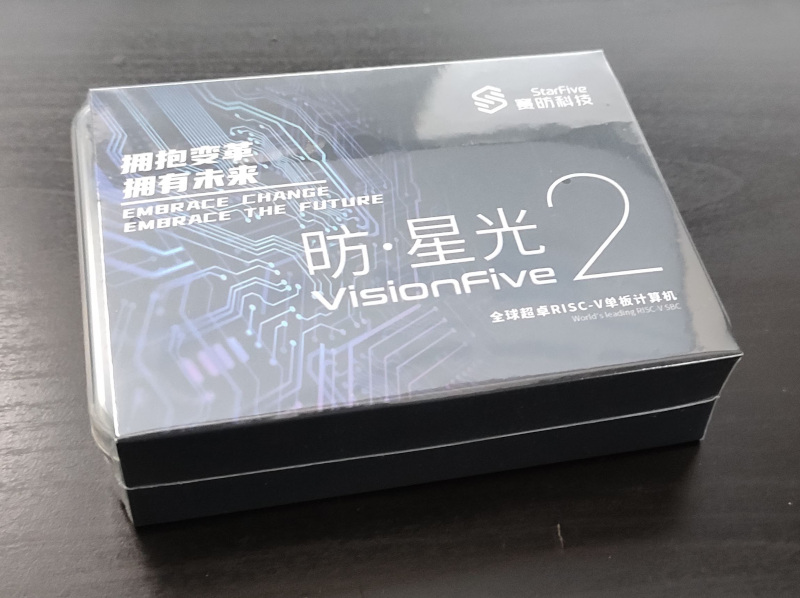 Back in September last year I chose to back the
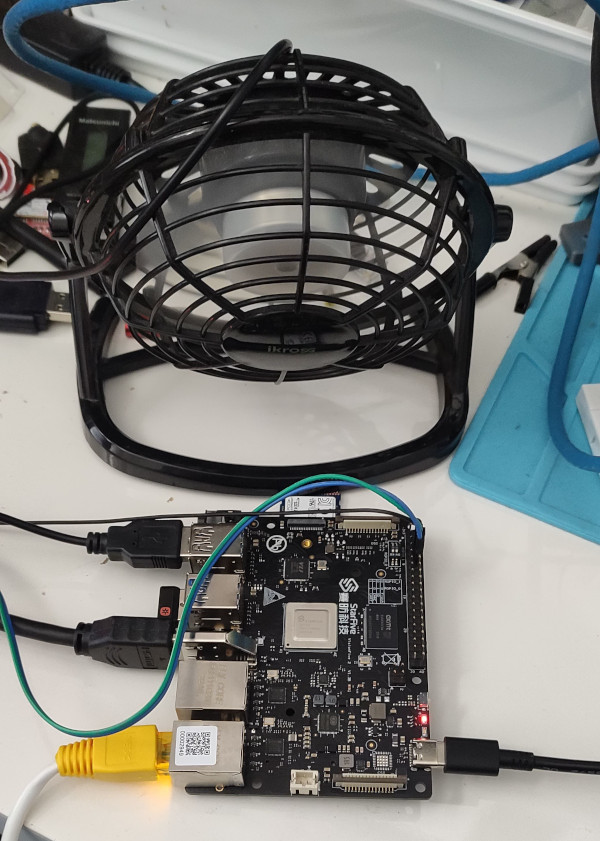 I haven t seen any actual stability problems, but I wouldn t want to run for any length of time like that. I ve ordered a heatsink and also realised that the board supports a Raspberry Pi style PoE Hat , so I ve got one of those that includes a fan ordered (I am a complete convert to PoE especially for small systems like this).
With the desk fan setup I ve been able to run the board for extended periods under load (I did a full recompile of the Debian 6.1.12-1 kernel package and it took about 10 hours). The M.2 slot is unfortunately only a single PCIe v2 lane, and my testing topped out at about 180MB/s. IIRC that is about half what the slot should be capable of, and less than a 10th of what the SSD can do. Ethernet testing with









 personal servers
Moxie Marlinspike, former CEO of Signal, wrote a very
 Sunset, Witch Wells Arizona
 To achieve my
 I read somewhere a nice meme about Linux: Do you want an operating system or do you want an adventure? I love
it, because it is so true. What you are about to read is my adventure to set a usable screen resolution in a fresh
Debian testing installation.
The context is that I have two different Lenovo Thinkpad laptops with 16 screen and nvidia graphic cards. They are both
installed with the latest Debian testing. I use the closed-source nvidia drivers (they seem to work better than the nouveau
module). The desktop manager and environment that I use is lightdm + XFCE4. The monitor native resolution in both machines
is very high:
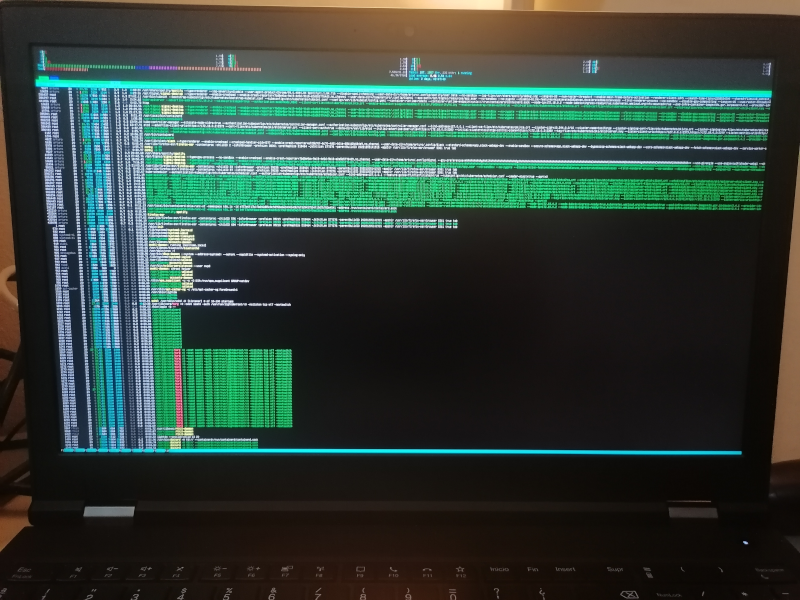 Everything in the system is affected by this:
 The truth is the solution is satisfying only to a degree. I m a person with good eyesight and can work with
these bit larger fonts. I m not sure if I can get larger fonts using this method, honestly.
After some search, I discovered that some folks already managed to describe the problem in detail and
filed a proper bug report in Debian, see
 First up is Minidebconf Tamilnadu 2023 that would be held on 28-29 January 2023. You can find rest of the details
