Search Results: "Martin"

16 June 2008

Martin-Éric Racine: Kuradne Geode draiveri!

Yes, another post about the Geode drivers. After much head banging, I finally figured out that the sloppy method used to generate the list of supported PCI ID for each driver in Debian and Ubuntu is what wreaked havoc with the GEODE driver:
  1. Support for the GX2 chipset was backported into the old NSC driver, which created a PCI ID conflict with the official support that is present in the GEODE driver.
  2. To make matters worse, that damn NSC driver also conflicts with the older CYRIX driver that supports earlier versions of the Geode chipset.
To fix both issues, I have produced new NSC and GEODE packages and uploaded them into my Ubuntu PPA for the Hardy series. Tip: as soon as you have upgraded, purge the -amd transitional package; it only confuses the X server and disrupts operation if you leave it there, especially inside an LTSP chroot. If you were using a static xorg.conf, simply upgrade the Device line to use "geode" rather than "amd" and you're done. After upgrading to these packages, normal operation should be restored for all Geode variants. As a bonus, X should now even be able to work without an xorg.conf (of course, with the wrong keyboard map, unless you live in USA) and in all known LTSP variants. Enjoy!

Martin-Éric Racine: updated ALSA driver for early PowerPC hardware

Risto Suominen contacted me recently, after seeing my Ubuntu wiki page where I try to document what works and what doesn't using ALSA on PowerPC hardware. He has developed a patch against the snd-powermac driver that mainly support 603, 604 and G3 PowerMac hardware, to implement better support for several old Mac models. He was wondering where he could find testers for his work, so I offered to blog about it here. You can find his diff and patching instructions on his website. You can contact Risto to report on your testing's result using firstname.lastname@gmail.com

Martin-Éric Racine: xf86-video-geode: now with full OLPC support!

Freshly uploaded to Debian: xf86-video-geode 2.10.0. Asides from a slouch of bug fixes, this version finally includes complete support for features unique to the OLPX XO-1. Enjoy!

Martin F. Krafft: Setting up an encrypted Debian system

Even though the Debian installer can set up encrypted partitions, it is optimised for systems with a single data partition, unless you want to enter multiple passphrases when the system boots. The installer configures a LUKS volume using cryptsetup, but it provides no mechanism for the use of key files, only interactive passphrases. I like partitioning my disks and use different filesystems for /tmp, /home, /var, and /usr/local for a number of reasons. I don t like entering more passphrases than necessary. If you can identify with that, the following is for you.
Several people have pointed out to me that one can simply create a single encrypted physical volume with the Debian installer and place logical volumes for the various filesystems in there. You still need a separate /boot partition, in any case. Kapil Hari Paranjape has described the approach. This method is much cleaner and to be preferred. It s quite likely that it also improves the speed since only a single kcryptd process takes care of all of the decryption and encryption needs. I shall try it on my next installation and report on whether the Debian installer supports it. In the mean time, the following is left as reference the approach is still fully functional.

Installing the system The first step to setting up an encrypted Debian system is to perform a normal Debian system installation. When you are asked to partition your harddrive and create filesystems, set up all partitions as encrypted volumes (I suggest to go with the installer defaults and use dm-crypt and AES with the default settings, simply because I have no reason to doubt the installer dveeloper team s choices). Make sure to erase the disks in the process the installer has an option for that. Set up the swap partition as an encrypted volume too, but don t worry too much about the settings at this point; we will recreate the swap partition later. Unless you want to boot off an external medium, such as a USB stick, you will need to create an unencrypted partition for /boot. I will return to this topic, which has security implications, further down. The installer will ask you for passphrases for each of the volumes you create. I suggest you pick a secure passphrase for the root volume (/), but simple passphrases for all the other ones (such as a ), since we will reconfigure them to use key files instead.

Using key files A key file is like a passphrase stored in a file on disk; as opposed to what you know , it s a what you have security asset. Thus, you need to store the file somewhere. When I boot up my system, I unlock the root partition with a passphrase entered interactively, which makes the root filesystem available. I store key files for all other volumes in /etc/keys. Obviously, I need to tell cryptsetup to use those. The first step is to create a key file for each partition and to add it as a decryption key to the LUKS volume. You can do all of the following without unmounting the filesystems. See the following example for hda6, which will prompt for the simple passphrase we entered above to unlock the key ring when adding the key file:
umask 077
mkdir /etc/keys
dd if=/dev/urandom of=/etc/keys/hda6.luks bs=4k count=1
cryptsetup luksAddKey /dev/hda6 /etc/keys/hda6.luks
cryptsetup luksKillSlot /dev/hda6 0 --key-file /etc/keys/hda6.luks

The last command wipes the simple passphrase from the key ring and thus makes it unusable. Now we need to tell cryptsetup to use the key file by editing /etc/crypttab and ensuring a line such as the following exists:
hda6_crypt /dev/hda6 /etc/keys/hda6.luks luks

This tells cryptsetup to create the cryptographic volume hda6_crypt from the base device /dev/hda6, using the key file we created above, and letting it know that it s dealing with a LUKS volume. Repeat this for every partition except your root and swap partitions.

Encrypting the swap partition If you are using an encrypted Debian system, you likely have some security requirements to meet. If that s the case, you must also use an encrypted swap partition. The swap partition can be encrypted in two ways:
  • it can be recreated on every boot, using a random passphrase, or
  • it can be created like the other encrypted volumes with a persistent passphrase
If you want to use suspend-to-disk, you cannot use the first approach as it would overwrite your memory footprint stored in the swap partition. Furthermore, you cannot use a key file like the other partitions, since the root filesystem is not (and must not) be mounted by the time the resume process starts and needs to read the decrypted swap partition. The way I solved this is by telling cryptsetup to compute the passphrase of the swap partition from the decryption key of the volume holding the root filesystem; the cryptsetup package implements this with /lib/cryptsetup/scripts/decrypt_derived. Thus, to set up the swap partition, I do the following, assuming hda2 is the partition holding the encrypted swap and the root filesystem is in hda5_crypt:
swapoff /dev/mapper/hda2_crypt
cryptsetup luksClose hda2_crypt
dd if=/dev/urandom of=/dev/hda2
/lib/cryptsetup/scripts/decrypt_derived hda5_crypt \
    cryptsetup luksFormat /dev/hda2 --key-file -
/lib/cryptsetup/scripts/decrypt_derived hda5_crypt \
    cryptsetup luksOpen /dev/hda2 hda2_crypt --key-file -
mkswap /dev/mapper/hda2_crypt

To tell the system about this swap partition, we need to add it to /etc/crypttab and /etc/fstab; make sure, those files contain lines like the following:
/etc/crypttab:
  hda2_crypt /dev/hda2 hda5_crypt luks,keyscript=/lib/cryptsetup/scripts/decrypt_derived
/etc/fstab:
  /dev/mapper/hda2_crypt swap swap sw 0 0

With this in place, as soon as you configure the system for suspend-to-disk, the swap partition will be automatically set up alongside the root filesystem very early during the boot sequence. To figure out which swap partition to make available at that point, cryptsetup checks the following:
  • a line like RESUME=/dev/mapper/hda2_crypt in /etc/initramfs-tools/conf.d/resume
  • a resume device setting in /etc/uswsusp.conf (see uswsusp.conf(5))
  • an entry in /etc/suspend.conf
  • a resume=/dev/mapper/hda2_crypt in the kernel command line
You can inspect /usr/share/initramfs-tools/hooks/cryptroot if you want to know more about this.

Using UUIDs Even though the above is all you have to do, you might want to consider replacing the device paths in /etc/crypttab with persistent ones. One motivation might be the ability to boot off your drive via a USB adapter, which might cause it to appear as /dev/sda instead of /dev/hda. udev is installed by default on Debian systems and it makes persistent links to partitions available under /dev/disk/by-uuid, using the UUID of the content structure (e.g. the LUKS header). It uses /lib/udev/vol_id to determine those link names. If you replace the entries in /etc/crypttab, make sure to update the initramfs (update-initramfs -u -k all) and consider to use the same approach for the /boot filesystem in /etc/fstab; you ll note that all other filesystems use persistent device paths thanks to the dm-crypt layer. If you ever end up booting off the disk through a USB adapter, you might face the problem where the usb_storage subsystem takes too long to activate, so that the cryptsetup script does not find the devices in time. You can either solve this by adding the rootdelay=x parameter or break=mount to the kernel command line. The first will cause the scripts to wait x seconds before trying to configure and mount the root filesystem; the second would give you a shell that you can exit as soon as the kernel spouted its device initialisation messages at you. If you got this far, you might even want to take it further and replace hda5_crypt with cr_root or the like to abstract those silly partition numbers away even further. This is easier than it sounds, but does require several steps. Do not do this if you re not comfortable reviving your system in case it fails to come back up!
  1. replace the old names with the new names in /etc/crypttab for all volumes except the root volume. If you are using a derived passphrase for the swap partition, make sure to put the new name for the root volume into the third column of the swap partition s configuration line.
  2. modify /etc/fstab accordingly, leave the root filesystem s device path alone.
  3. call update-initramfs -u
  4. modify your bootloader to ask the kernel to boot off the new root volume.
  5. replace the root volume s old name with the new one in /etc/fstab.
  6. reboot, and add break=mount to the kernel command line.
  7. at the busybox prompt, edit (vi) /conf/conf.d/cryptroot and change the first field of the root volume s line to the new name.
  8. exit the shell and watch the boot process complete.
  9. finally, replace the root volume s old name with the new one in /etc/crypttab.
If the system fails to boot up again, you can use the backup initial ramdisk, which update-initramfs left in /boot.

Security implications Apart from the usual security implications related to cryptosystems, passphrases, mathematics, user stupidity, and so on, the approach I outlined will leave you with a pretty well-secured system. Obviously, you should make sure to lock your screen whenever you leave the system unattended or the entire encryption is basically useless. There are two attack vectors on your system, both involving physical access to the machine: Other than that, you should be careful when travelling to totalitarian countries, like the Excited States of America, China, and probably the UK. First off, encryption arouses suspicion, and second, border agents might ask you to decrypt the partitions for them to copy or scan, and refusal to do so might get your turned away at the border. When travelling to those countries, make sure to hide your data properly.

Speed implications Obviously, having your entire system encrypted (including swap) will slow it down. I don t have any quantitative information on that, but after several years of using full-disk encryption on my laptop (an X40, which isn t very powerful), I can say that it remains usable, if you don t rely on disk-intensive operations, such as compiling kernels and the like.

Alternative approaches Several alternative approaches exist, all involving an additional device:
  • if you don t like to type in the passphrase for the root filesystem, you could store it on a USB key (or the like); cryptsetup provides /lib/cryptsetup/scripts/passdev, which can be used to deal with such a situation. You can find more information in cryptsetup s README.Debian file.
  • if you don t like the unencrypted /boot partition, you could boot the system off a USB key, which you can keep separate from the system except for when booting and upgrading the kernel. All you need to do for that is install the bootloader and kernel onto the device and configure it to use the proper encryption volume on the harddisk as root filesystem.
  • cryptsetup also comes with support for PKCS#15 smartcards (opensc and openct).
I have chosen neither of these approaches, because the extra security does not make up for the inconvenience, and the danger of an unbootable system in case of loss of forgetting of the additional device.

9 June 2008

Robert Collins: 10 Jun 2008

Recently I read about a cool bugfix for gdb in the Novell bugtracker on planet.gnome.org. I ported the fix to the ubuntu gdb package, and Martin Pitt promptly extended it to have an amd64 fix as well. I thought I would provide the enhanced patch back to the Novell bugtracker. This required creating new Novell login as my old CNE details are so far back I can't remember them at all. However, hard-stop when I saw this at the bottom of the form: "By completing this form, I am giving Novell and/or Novell's partners permission to contact me regarding Novell products and services." No thank you, I don't want to be contacted. WTF.

Martin Michlmayr: NSLU2 Debian installer for lenny beta 2

The Debian installer team has published the second beta release of the installer for lenny (what will become Debian 5.0). I repacked the image for the Linksys NSLU2 with the proprietary IXP4xx microcode so Ethernet will work. The installer is now available in two flavours for the ARM architecture: arm is the old ARM port whereas armel is the new ARM port using the EABI which offers better support for floating point and other features. Both the arm and armel architectures will be supported for lenny but the old arm port will be dropped after the release of lenny. At this point, I therefore recommend that people use armel for new installations. The beta 2 installer image for NSLU2 can be found on my site: armel image (recommended) and arm image.

5 June 2008

Ross Burton: Sound Juicer "Harder Now With Higher Speed" 2.23.0

Sound Juicer "Harder Now With Higher Speed" 2.23.0 has finally been released.. Tarballs are available on burtonini.com, or from the GNOME FTP servers. Hot new features! I really need some heavy testing on the GIO rewrite, so please try and extract tracks to as many different targets as possible. Although I expect confirmation that using an unmounted remote location currently fails, it should be possible to use this to write to Samba, OBEX-FTP, and so on.

4 June 2008

Joey Hess: Obama in Bristol

So Obama will be (sorta) kicking off the general election campaign in Bristol VA, right down the road from JR's produce and just over the state line from me in Bristol TN. Why here? It's an interesting, quirky choice. They seem to have put this town hall togther at the last minute, renting VA high's gym only yesterday. The small number of tickets went fast (gone at 10 am this morning), so I didn't hear in time to get one, or even get on the waiting list. I'll try to get up early enough to see the circus outside tomorrow morning.

31 May 2008

Kyle McMartin: it s like a party in my compiler, and i wasn t invited

I’ve spent more or less the last few days of spare time trying to figure out why gcc-4.3 built kernels were so unhappy on parisc. Basically the symptom was that any IPv4 networking operation would only complete once and a while, for example, ping would drop 90% of packets. This turned out to be a really troublesome bug to track down, and the fix was only 7 characters long. gcc-4.2 wasn’t problematic, so that provided an interesting base. A bit of thinking ruled out some obvious parts of the kernel that would likely not be an issue. For instance, ARP appeared to be fine, so it likely wasn’t an issue at the network driver level. So rebuilding net/built-in.o on gcc-4.2, copying it to the gcc-4.3 tree, and rebuilding the tree using it resulted in a working kernel. Ok, excellent, we know it’s likely an issue in net/, what else can we rule out, and what do we know? ICMP is affected, so it’s probably not a TCP problem… Rebuilding the kernel with IPv6 enabled, and testing ping6? Ok, works. So it looks like an IPv4 issue. Test that assertion… yup, net/ipv4/built-in.o compiled with gcc-4.2 works. Ok, peachy. What now? Bisecting the contents of the directory results in ip_output.c being the problematic file… Not all that helpfully, the differences between the code generated by 4.2 and 4.3 are extensive. Well, ok, let’s try turning off a variety of the added compiler options… nope, no luck, but the file works when compiled at -O0. Next, I bisected the file until I found the problematic function (unfortunately for me starting in the middle, it ended up being the first function in the file.) Which was in a chain of inline functions, eventually calling some architecture specific inline assembly for ip_fast_csum. Ok, that looks like our canary in the coal mine… Look it up… SIGH. The routine touches memory, but didn’t have “memory” in the list of clobbers. Adding the clobber and everything magically works again. Wasn’t that a party? [ Of course, this makes things sound almost easy, except that at around 10 minutes to boot a test kernel, reboot, and boot a working kernel, this gets extremely tedious. I also didn't bother to talk about how many hours I probably wasted twiddling compiler flags trying to figure out which optimization pass might be broken... ]

29 May 2008

Martin F. Krafft: How Lenovo freely interprets 'next-business-day' warranties

I decided to purchase a three-year on-site warranty extension with next-business-day response time for one of the Lenovo systems I administer. I get this kind of extension for most systems that aren t critical, but whose downtime would be inconvenient. My understanding of the contract has always been that, assuming the problem requires on-site service, a technician gets in touch with you by the end of the next business day to agree on a time for the on-site visit. The contract does not guarantee that there will be a technician on-site on the next business day, but for two or three hundred Euros, that would be too much to ask. However, it turns out that I assumed too much. First of all, Lenovo sells you a next-business-day response time objective , meaning that they aim to respond by the end of the next business day, but (obviously) can t be held liable if they fail to do so. Apparently, they don t even have to provide a reason for missing the objective. What s even more curious, however, is their interpretation of response : the term stems from the time when operators would log calls and technicians then processed the queue. Nowadays, Lenovo prides itself with skilled technicians resolving more than 30% of all problems already on the phone , so the technicians log the calls and then immediately respond to them. According to Lenovo, it is thus completely acceptable and within the bounds of the contract if the phone technician logs a call on Thursday (and thus responds to it righ away), an the on-site technician calls to arrange for a visit on the following Tuesday, and the first available slot would be Friday 6 business days after the call was logged. I could not find any relevant information about this on their website, nor can you retrieve the agreement which you had to accept as part of the warranty registration later. Of course, I am not surprised by any of this. The world out there seems to be full of asymmetric arrangements. I just wonder why we put up with them. I certainly don t, and that s why Lenovo is getting an angry letter from me with a reference to this blog post. PS: in fairness, I should point out that I have been please by their support before, but have also questioned it in the past. NP: Contriva: Tell Me When

24 May 2008

Ondřej Čertík: Ubuntu Developer Summit in Prague

Last weekend I was at FOSSCamp. Since I live in Prague I wanted to go to Ubuntu Developer Summit (UDS) each day, but unfortunately I had some exams, so I only went on Wednesday and Friday.

On Wednesday I first met Lars Wirzenius:
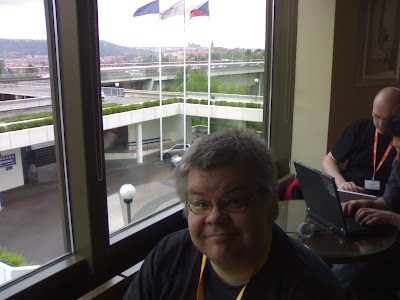

we agreed to go to pub in the evening. Then I did a little work, there was quite a nice view from the window (Prague castle on the horizon):


and I went to the #ubuntu-devel-summit IRC channel and pinged Scott Kitterman, whom I new from the Debian Python Modules Team (DPMT), but didn't know how he looks like. We met and once I knew Scott, it was easy to get around, so he introduced me to Steve Langasek (pronounced Lang ek). We agreed to go to pub as well. Steve lives in Portland, OR, where I spent the summer 2005 and Scott is from Baltimore where I spent the summer 2006.
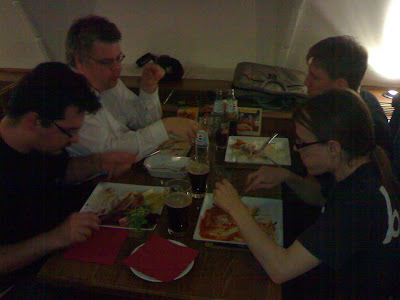
Then I also met Riku Voipio, Martin B hm, Christian Reis (whom I asked if it's possible to support Debian unstable on Ubuntu Personal Package Archives and he said that it will probably happen, so that's really cool -- I also offered my help with this) and others, so in the end, there were 14 of us going to the pub, so I chose again the same pub as with the FOSSCamp people and it seems it tasted good again:
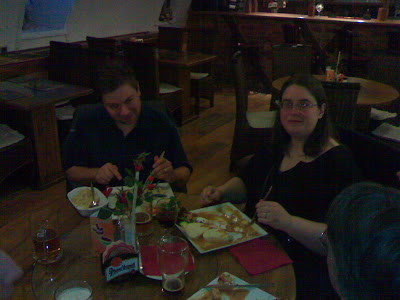
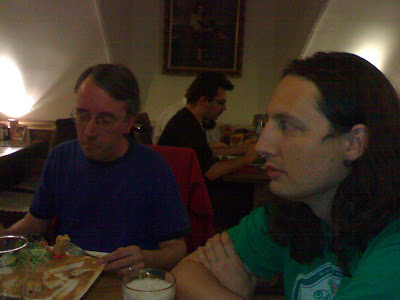


Notice the sv kov na smetan above, my favourite meal. Good choice Scott. :)


Ok, that was on Wednesday. On Friday I arrived at around 3pm, looked at the schedule table and noticed that Matthias Klose should be at UDS too, so I started IRC and pinged him. Fortunately, Emilio Pozuelo Monfort, whom I know from DPMT as well, replied first so we met, it was cool and he showed where Matthias is. I am very glad I met him, so we discussed python-central and python-support packages and why we have them both, also with Scott later on.

When I was waiting for Matthias, I sat next to Nicolas Valc rcel, started my laptop and begun looking at some SymPy bugs and Nicolas noticed that and said -- "You are developing SymPy?", I said "Yes.", flattered. And he showed me a bug with plotting and Compiz, so we immediately reported that to pyglet.

In the evening people continued to some kind of a party, but unfortunately, I was already going to some other pub.

Overall, even though I was there for only two afternoons, it was just awesome and I utterly enjoyed meeting all the people I knew from mailinglists and IRC.

20 May 2008

Martin F. Krafft: RRR Interview on Debian and cross-distro collaboration

During LCA2008, Ed Borland of Melbourne-based Triple R FM Byte Into It show took me aside for an interview and asked some good questions about Debian and my work on cross-distro collaboration. The interview was recorded and is now available as Ogg Vorbis file from the 14 May 2008 issue of Byte Into It. Unfortunately, you cannot download it with wget, but browsers and players should work. I am looking forward to any feedback. Thanks to Ed and Phil Wales for their time and help. NP: Mono: You Are There

Martin F. Krafft: Guitar Hero 2000

People who know me are surprised when I tell them I play Guitar Hero, simply because I don t ever touch gaming consoles, or any computer games whose complexity surpasses Pac Man, with a stick except Guitar Hero, which is just fun. I also listen to a bunch of music, whenever possible, basically, and there are plenty of songs that I d love to try on Guitar Hero. Mel and I decided that e.g. Shine on You Crazy Diamond or Comfortably Numb are far up there (and they probably exist somewhere), but today I listened to Damn the River by The Phoenix Foundation and thought the same, yet I doubt that this song has been transcribed, which is a shame. I am well aware that sites exist, or must exist, which have songs for download, or you could make your own (check out Metallica s Master of Puppets there!). But that sounds like a lot of time lost, which I prefer to spend otherwise like today it occurred to me that Guitar Hero 2000 is long overdue. Guitar Hero 2000 is the Guitar Hero game that takes your song on audio input and scans it in advance and that fits the song to play to the five frets in the game in real-time. It can t be that hard. Where is it? NP: Pure Reason Revolution: The Dark Third

19 May 2008

Martin F. Krafft: You Are There

The Japanese post-rock band Mono delivered an amazingly powerful album in 2006: You Are There. It features beautiful and spacious sound scenes produced with real instruments (as opposed to electronic music), in some ways much more so than Mono s other, earlier albums, which I adore as well. This album captivates me to the point that I can t really to work to it; yet, it s also just too good to turn off. I am stuck between a rock and a hard place, it seems. On a related note: I am going to see Explosions in the Sky in Zurich s Abart club next week. The music is very similar, not only because both bands are published by the same label, Temporary Residence (along with many other really good artists). And I am excited about this for two reasons: first, because they rock. And second, because I ll be with a certain someone then, whereas now I d have to say that you are there . NP: Mono: You Are There

18 May 2008

Martin F. Krafft: vcs-pkg work session in Extremadura, 2nd try

We were given another chance to meet in Extremadura to discuss vcs-pkg issues, after the first opportunity was too short notice. Currently, the tentatively scheduled dates are 2-7 September 2008. You can get the details from the wiki page. If you re interested, please reserve those dates and add yourself to the list of participants. NP: Hooverphonic: The Magnificent Tree

16 May 2008

Jeff Bailey: Gay-Marriage in California

One of the proudest moments I had as a Canadian was sitting in the Senate visitor's gallery watching the debates on same-sex marriage that led to the full legalisation in Canada. In coming down to the US for work, I was sad to come to a place that not only didn't allow it, but had actually had a number of ballots in states voting specifically that the marriage referred to "One Man, One Woman".

I found a transcription of the Hansard of Prime Minister Paul Martin's introduction of Bill C-38 (The Civil Marriage Act). The logic in there for why Canada needed to legalise same-sex marriage is quite specific to Canada, but he talks about why it's important for the issue not to come to a vote:

The Charter was enshrined to ensure that the rights of minorities are not subjected, are never subjected, to the will of the majority. The rights of Canadians who belong to a minority group must always be protected by virtue of their status as citizens, regardless of their numbers. These rights must never be left vulnerable to the impulses of the majority.


I don't really understand the US system of rights. I hope that the protection of the right to love another consenting adult and make a commitment to them becomes the law of the land throughout the United States.

I love being married. I get the joy of being able to come home to my belle and share my day, spend time, and know that to the best of our ability, we're going to try to grow old together. I'm so happy that this ruling has come down and that in California the debate is now over.

13 May 2008

Fathi Boudra: a look at KDE 4 and Debian

So far, if you want to use KDE 4 under Debian, you need to install them from experimental. Under the ground, we prepared up-to-date packages from trunk (soon uploaded) and I took a snapshot of my current desktop: desktop We didn’t know yet if Lenny will be shipped with KDE 4 but we hope it will be in good shape to have it. Everyday, improvements are done and the desktop is enough stable/solid to be used on a day to day basis. On other side, I reported a bug on plasma panel alignment isn’t saved and some hours later, Marco Martin (mart) fixed the issue \o/ Tips: if you want to have a transparent panel, you need to enable compositing.

12 May 2008

Martin Michlmayr: The NSLU2 causing trouble recently...

We've had two serious bugs on the NSLU2 recently that both caused the system not too boot anymore. The first one was related to initramfs-tools. Kevin Price reported that after upgrading to initramfs-tools 0.92 the system would hang during boot waiting for the root filesystem. When I booted my NSLU2 and looked at the output, I noticed that no root device was set. When I mentioned this to maks, the maintainer of the initramfs-tools package, he immediately knew what was wrong and uploaded a fix. On the NSLU2, the boot loader doesn't pass a root device to the kernel so we set one in the initramfs itself. The code that loads this config variable is not used by many devices so nobody noticed that this got broken in 0.92 until the package moved to testing. The second problem, reported on Saturday by Paul Collins and diagnosed today with some help from Kevin Price is also related to the strange way the NSLU2 boots. The NSLU2 has 6 MB available for the ramdisk but due to a bug in APEX (the second stage loader used on the NSLU2 by Debian) only 4 MB are actually used. When you write a ramdisk that is larger than 4 MB but smaller than 6 MB, flash-kernel will happily write the full image, but APEX will only tell the kernel about the first 4 MB. As it turns out, everything works fine on arm with 2.6.25, but on armel some additional SCSI modules are enabled that result in the ramdisk becoming too large. The short term solution is to disable these modules, but really APEX should finally be fixed (patches have been available for quite a while thanks to Gordon Farquharson). Fortunately 2.6.25 hasn't moved to testing yet and this problem only occurs on armel, so few people were impacted. The nice thing about the NSLU2 is that you can write a new flash image via the network, so you can flash a good image in case your machine no longer boots. Nevertheless, we have to make sure such serious bugs don't occur in the future or that they are at least caught very early. Special thanks go to testers like Kevin Price.

Martin Michlmayr: QNAP TS-109/TS-209 and TS-409 experimental developer release

Yesterday I completed the first successful installation of Debian on a QNAP TS-209 using a custom debian-installer image with 2.6.25 from unstable. I made the installer image for QNAP TS-109 and TS-209 available as an experimental developer release and today I also uploaded images for the TS-409. More on my plans to support the QNAP TS-109/TS-209 and TS-409 in the upcoming release of Debian (starting with beta3 of debian-installer) soon.

Kapil Paranjape: Recovering from a corrupted flash on Debian SLUG

My slug was temporarily bricked for a few days due to a mistake on my part. Fortunately, numerous write-ups by Martin Michlmayr and others helped me. Here I am adding one more source of the same information!The following assumes that you have a backup.img which contains bootable Debian firmware for the slug but has the wrong kernel and initrd. One can probably use the Debian firmware that is the Debian Installer image otherwise --- but I have not tested this!Moreover, I also assume that you have the full system installed on a USB disk which you have mounted on your regular desktop at /mnt.

Copy the kernel and initrdWe just create an new "recovery" directory and copy boot/ over from the mounted USB disk.
mkdir recover; cd recover
cp -a /mnt/boot .
At this point you can un-mount the USB disk and keep it ready to connect it to the slug.

Extract the files from the slug imageNext we extract the files from the slug backup image into another directory.
mkdir files; cd files
slugimage -u -i ../../backup.img
(Here you must use the actual path to the backup image file)

Replace initrd and vmlinuz by new onesWe first pad the initrd
dd if=../boot/initrd.img of=new-ramdisk ibs=4M conv=sync
(here you must you the actual file name of the initrd.img that you want to use to boot the slug) ... and then swap bytes
devio '<< new-ramdisk; xp $ 4' > ramdisk.gz 
rm new-ramdisk 
Next we swap bytes for the kernel as well
devio '<< ../boot/vmlinuz; xp $4' > vmlinuz 
(again you must use the actual file name of the kernel image in place of ../boot/vmlinuz above).

Actually build the imageThis is just a single command
slugimage -L apex.bin -r ramdisk.gz -k vmlinuz -p -o ../../new.img

Put the slug in "firmware upload mode"
  1. Put the slug off and disconnect everything from it.
  2. Connect an ethernet cable 1 between your desktop and the slug. Connect the power plug for the slug but do not switch it on yet.
  3. Push a pin into the hole marked RESET at the back of the slub. Keep the pin pressed, while pressing and releasing the power button on the slug. Wait with the pin pressed until the top light on the slug turns red and the instantly release the pin.
You slug is now reset and waiting for a firmware upload.

Upload the firmwareOn your desktop run the command
sudo upslug2 -i ../../new.img -d eth0
(Here ../../new.img should be replaced by the path for the image created above and eth0 should be the name of the ethernet interface on the desktop to which you connected the other end of your lan cable.)This step takes a short while but shows you some progress information.

All systems "Go!"If all went well you have rejuvenated your slug. You can now reconnect your USB disk to your slug and the system should boot as usual.

  1. You may need a cross-over cable if your desktop lan card is really old. ↩

Next.

Previous.