Posted on February 23, 2025
Tags: madeof:atoms, craft:sewing, FreeSoftWear
Many years ago I made myself a vest with lots of pockets1 in a few layers of cheap cotton, and wore the hell out of it,
for the added warmth, but most importantly for the convenience provided
by the pockets.
Then a few years ago the cheap cotton had started to get worn, and I
decided I needed to replace it. I found a second choice (and thus
cheaper :) ) version of a water-repellent cotton
and made another vest, lined with regular cotton, for a total of just
two layers.
This time I skipped a few pockets that I had found I didn t use that
much, and I didn t add a hood, which didn t play that well when worn
over a hoodie, but I added some detached sleeves, for additional wind
protection.
This left about 60 cm and some odd pieces of leftover fabric in my
stash, for which I had no plan.
And then February2 came, and I needed a quick simple mindless
handsewing projects for the first weekend, I saw the vest (which I m
wearing as much as the old one), the sleeves (which have been used much
less, but I d like to change this) and thought about making a matching
hood for it, using my square hood pattern.
Since the etaproof is a bit stiff and not that nice to the touch I
decide to line3 it with the same cotton as the vest and
sleeves, and in the style of the pattern I did so by finishing each
panel with its own lining (with regular cotton thread) and then
whipstitching the panels together with the corespun cotton/poly thread
recommended by the seller of the fabric. I m not sure this is the best
way to construct something that is supposed to resist the rain, but if I
notice issues I can always add some sealing tape afterwards.
I do have a waterproof cape to wear in case of real rain, so this is
only supposed to work for light rain anyway, and it may prove not to be
an issue.
As something designed to be worn in light rain, this is also something
likely to be worn in low light conditions, where 100% black may not be
the wisest look. On the vest I had added reflective piping to the
armscyes, but I was out of the same piping.
I did however have a spool of reflector thread made of glass fibre by
Rico Design, which I think was originally sold to be worked into
knitting or crochet projects (it is now discontinued) and I had never
used.
I decided to try and sew a decorative blanket stitch border, a decision
I had reasons to regret, since the thread broke and tangled like crazy,
but in the end it was done, I like how it looks, and it seems pretty
functional. I hope it won t break with time and use, and if it does I ll
either fix it or try to redo with something else.
Of course, the day I finished sewing the reflective border it stopped
raining, so I haven t worn it yet, but I hope I ll be able to, and if it
is an horrible failure I ll make sure to update this post.
and I ve just realized that I haven t migrated that pattern
to my pattern website, and I should do that. just don t hold your
breath for it to happen O:-). And for the time being it will not have
step-by-step pictures, as I currently don t need another vest.
and February of course means a weekend in front of a
screen that is showing a live-streamed conference.
and of course I updated the pattern with instructions on
how to add a lining.
I can t remember exactly the joke I was making at the time in my
work s slack instance (I m sure it wasn t particularly
funny, though; and not even worth re-reading the thread to work out), but it
wound up with me writing a UEFI binary for the punchline. Not to spoil the
ending but it worked - no pesky kernel, no messing around with userland . I
guess the only part of this you really need to know for the setup here is that
it was a Severance joke,
which is some fantastic TV. If you haven t seen it, this post will seem perhaps
weirder than it actually is. I promise I haven t joined any new cults. For
those who have seen it, the payoff to my joke is that I wanted my machine to
boot directly to an image of
Kier Eagan.
As for how to do it I figured I d give the uefi
crate a shot, and see how it is to use,
since this is a low stakes way of trying it out. In general, this isn t the
sort of thing I d usually post about except this wound up being easier and
way cleaner than I thought it would be. That alone is worth sharing, in the
hopes someome comes across this in the future and feels like they, too, can
write something fun targeting the UEFI.
First thing s first gotta create a rust project (I ll leave that part to you
depending on your life choices), and to add the uefi crate to your
Cargo.toml. You can either use cargo add or add a line like this by hand:
uefi = version = "0.33", features = ["panic_handler", "alloc", "global_allocator"]
We also need to teach cargo about how to go about building for the UEFI target,
so we need to create a rust-toolchain.toml with one (or both) of the UEFI
targets we re interested in:
Unfortunately, I wasn t able to use the
image crate,
since it won t build against the uefi target. This looks like it s
because rustc had no way to compile the required floating point operations
within the image crate without hardware floating point instructions
specifically. Rust tends to punt a lot of that to libm usually, so this isnt
entirely shocking given we re nostd for a non-hardfloat target.
So-called softening requires a software floating point implementation that
the compiler can use to polyfill (feels weird to use the term polyfill here,
but I guess it s spiritually right?) the lack of hardware floating point
operations, which rust hasn t implemented for this target yet. As a result, I
changed tactics, and figured I d use ImageMagick to pre-compute the pixels
from a jpg, rather than doing it at runtime. A bit of a bummer, since I need
to do more out of band pre-processing and hardcoding, and updating the image
kinda sucks as a result but it s entirely manageable.
This will take our input file (kier.jpg), resize it to get as close to the
desired resolution as possible while maintaining aspect ration, then convert it
from a jpg to a flat array of 4 byte RGBA pixels. Critically, it s also
important to remember that the size of the kier.full.jpg file may not actually
be the requested size it will not change the aspect ratio, so be sure to
make a careful note of the resulting size of the kier.full.jpg file.
Last step with the image is to compile it into our Rust bianary, since we
don t want to struggle with trying to read this off disk, which is thankfully
real easy to do.
Remember to use the width and height from the final kier.full.jpg file as the
values for KIER_WIDTH and KIER_HEIGHT. KIER_PIXEL_SIZE is 4, since we
have 4 byte wide values for each pixel as a result of our conversion step into
RGBA. We ll only use RGB, and if we ever drop the alpha channel, we can drop
that down to 3. I don t entirely know why I kept alpha around, but I figured it
was fine. My kier.full.jpg image winds up shorter than the requested height
(which is also qemu s default resolution for me) which means we ll get a
semi-annoying black band under the image when we go to run it but it ll
work.
Anyway, now that we have our image as bytes, we can get down to work, and
write the rest of the code to handle moving bytes around from in-memory
as a flat block if pixels, and request that they be displayed using the
UEFI GOP. We ll just need to hack up a container
for the image pixels and teach it how to blit to the display.
/// RGB Image to move around. This isn't the same as an
/// image::RgbImage , but we can associate the size of
/// the image along with the flat buffer of pixels.
structRgbImage/// Size of the image as a tuple, as the
/// (width, height)
size: (usize, usize),
/// raw pixels we'll send to the display.
inner: Vec<BltPixel>,
impl RgbImage
/// Create a new RgbImage .
fnnew(width: usize, height: usize) -> Self
RgbImage
size: (width, height),
inner: vec![BltPixel::new(0, 0, 0); width * height],
/// Take our pixels and request that the UEFI GOP
/// display them for us.
fnwrite(&self, gop: &mut GraphicsOutput) -> Result
gop.blt(BltOp::BufferToVideo
buffer: &self.inner,
src: BltRegion::Full,
dest: (0, 0),
dims: self.size,
)
impl Index<(usize, usize)>for RgbImage
typeOutput= BltPixel;
fnindex(&self, idx: (usize, usize)) -> &BltPixellet (x, y) = idx;
&self.inner[y * self.size.0+ x]
impl IndexMut<(usize, usize)>for RgbImage
fnindex_mut(&mut self, idx: (usize, usize)) -> &mut BltPixel
let (x, y) = idx;
&mut self.inner[y * self.size.0+ x]
We also need to do some basic setup to get a handle to the UEFI
GOP via the UEFI crate (using
uefi::boot::get_handle_for_protocol
and
uefi::boot::open_protocol_exclusive
for the GraphicsOutput
protocol), so that we have the object we need to pass to RgbImage in order
for it to write the pixels to the display. The only trick here is that the
display on the booted system can really be any resolution so we need to do
some capping to ensure that we don t write more pixels than the display can
handle. Writing fewer than the display s maximum seems fine, though.
fnpraise() -> Result
let gop_handle = boot::get_handle_for_protocol::<GraphicsOutput>()?;
letmut gop = boot::open_protocol_exclusive::<GraphicsOutput>(gop_handle)?;
// Get the (width, height) that is the minimum of
// our image and the display we're using.
let (width, height) = gop.current_mode_info().resolution();
let (width, height) = (width.min(KIER_WIDTH), height.min(KIER_HEIGHT));
letmut buffer = RgbImage::new(width, height);
for y in0..height
for x in0..width
let idx_r = ((y * KIER_WIDTH) + x) * KIER_PIXEL_SIZE;
let pixel =&mut buffer[(x, y)];
pixel.red = KIER[idx_r];
pixel.green = KIER[idx_r +1];
pixel.blue = KIER[idx_r +2];
buffer.write(&mut gop)?;
Ok(())
Not so bad! A bit tedious we could solve some of this by turning
KIER into an RgbImage at compile-time using some clever Cow and
const tricks and implement blitting a sub-image of the image but this
will do for now. This is a joke, after all, let s not go nuts. All that s
left with our code is for us to write our main function and try and boot
the thing!
#[entry]fnmain() -> Status
uefi::helpers::init().unwrap();
praise().unwrap();
boot::stall(100_000_000);
Status::SUCCESS
If you re following along at home and so interested, the final source is over at
gist.github.com.
We can go ahead and build it using cargo (as is our tradition) by targeting
the UEFI platform.
Testing the UEFI Blob
While I can definitely get my machine to boot these blobs to test, I figured
I d save myself some time by using QEMU to test without a full boot.
If you ve not done this sort of thing before, we ll need two packages,
qemu and ovmf. It s a bit different than most invocations of qemu you
may see out there so I figured it d be worth writing this down, too.
$ doas apt install qemu-system-x86 ovmf
qemu has a nice feature where it ll create us an EFI partition as a drive and
attach it to the VM off a local directory so let s construct an EFI
partition file structure, and drop our binary into the conventional location.
If you haven t done this before, and are only interested in running this in a
VM, don t worry too much about it, a lot of it is convention and this layout
should work for you.
With all this in place, we can kick off qemu, booting it in UEFI mode using
the ovmf firmware, attaching our EFI partition directory as a drive to
our VM to boot off of.
If all goes well, soon you ll be met with the all knowing gaze of
Chosen One, Kier Eagan. The thing that really impressed me about all
this is this program worked first try it all went so boringly
normal. Truly, kudos to the uefi crate maintainers, it s incredibly
well done.
Booting a live system
Sure, we could stop here, but anyone can open up an app window and see a
picture of Kier Eagan, so I knew I needed to finish the job and boot a real
machine up with this. In order to do that, we need to format a USB stick.
BE SURE /dev/sda IS CORRECT IF YOU RE COPY AND PASTING. All my drives
are NVMe, so BE CAREFUL if you use SATA, it may very well be your
hard drive! Please do not destroy your computer over this.
$ doas fdisk /dev/sda
Welcome to fdisk (util-linux 2.40.4).
Changes will remain in memory only, until you decide to write them.
Be careful before using the write command.
Command (m for help): n
Partition type
p primary (0 primary, 0 extended, 4 free)
e extended (container for logical partitions)
Select (default p): p
Partition number (1-4, default 1):
First sector (2048-4014079, default 2048):
Last sector, +/-sectors or +/-size K,M,G,T,P  (2048-4014079, default 4014079):
Created a new partition 1 of type 'Linux' and of size 1.9 GiB.
Command (m for help): t
Selected partition 1
Hex code or alias (type L to list all): ef
Changed type of partition 'Linux' to 'EFI (FAT-12/16/32)'.
Command (m for help): w
The partition table has been altered.
Calling ioctl() to re-read partition table.
Syncing disks.
Once that looks good (depending on your flavor of udev you may or
may not need to unplug and replug your USB stick), we can go ahead
and format our new EFI partition (BE CAREFUL THAT /dev/sda IS YOUR
USB STICK) and write our EFI directory to it.
$ doas mkfs.fat /dev/sda1
$ doas mount /dev/sda1 /mnt
$ cp -r esp/efi /mnt
$ find /mnt
/mnt
/mnt/efi
/mnt/efi/boot
/mnt/efi/boot/bootx64.efi
Of course, naturally, devotion to Kier shouldn t mean backdooring your system.
Disabling Secure Boot runs counter to the Core Principals, such as Probity, and
not doing this would surely run counter to Verve, Wit and Vision. This bit does
require that you ve taken the step to enroll a
MOK and know how
to use it, right about now is when we can use sbsign to sign our UEFI binary
we want to boot from to continue enforcing Secure Boot. The details for how
this command should be run specifically is likely something you ll need to work
out depending on how you ve decided to manage your MOK.
I figured I d leave a signed copy of boot2kier at
/boot/efi/EFI/BOOT/KIER.efi on my Dell XPS 13, with Secure Boot enabled
and enforcing, just took a matter of going into my BIOS to add the right
boot option, which was no sweat. I m sure there is a way to do it using
efibootmgr, but I wasn t smart enough to do that quickly. I let er rip,
and it booted up and worked great!
It was a bit hard to get a video of my laptop, though but lucky for me, I
have a Minisforum Z83-F sitting around (which, until a few weeks ago was running
the annual http server to control my christmas tree
) so I grabbed it out of the christmas bin, wired it up to a video capture
card I have sitting around, and figured I d grab a video of me booting a
physical device off the boot2kier USB stick.
Attentive readers will notice the image of Kier is smaller then the qemu booted
system which just means our real machine has a larger GOP display
resolution than qemu, which makes sense! We could write some fancy resize code
(sounds annoying), center the image (can t be assed but should be the easy way
out here) or resize the original image (pretty hardware specific workaround).
Additionally, you can make out the image being written to the display before us
(the Minisforum logo) behind Kier, which is really cool stuff. If we were real
fancy we could write blank pixels to the display before blitting Kier, but,
again, I don t think I care to do that much work.
But now I must away
If I wanted to keep this joke going, I d likely try and find a copy of the
original
video when Helly 100%s her file
and boot into that or maybe play a terrible midi PC speaker rendition of
Kier, Chosen One, Kier after
rendering the image. I, unfortunately, don t have any friends involved with
production (yet?), so I reckon all that s out for now. I ll likely stop playing
with this the joke was done and I m only writing this post because of how
great everything was along the way.
All in all, this reminds me so much of building a homebrew kernel to boot a
system into but like, good, though, and it s a nice reminder of both how
fun this stuff can be, and how far we ve come. UEFI protocols are light-years
better than how we did it in the dark ages, and the tooling for this is SO
much more mature. Booting a custom UEFI binary is miles ahead of trying to
boot your own kernel, and I can t believe how good the uefi crate is
specifically.
Praise Kier! Kudos, to everyone involved in making this so delightful .
Posted on February 4, 2025
Tags: madeof:atoms, madeof:bits
A few ago I may have accidentally bought a ring of 12 RGB LEDs; I soldered
temporary leads on it, connected it to a CircuitPython supported board
and played around for a while.
They we had a couple of friends come over to remote FOSDEM together, and
I had talked with one of them about WS2812 / NeoPixels, so I brought
them to the living room, in case there was a chance to show them in
sort-of-use.
Then I was dealing with playing the various streams as we moved from one
room to the next, which lead to me being called video team , which lead
to me wearing a video team shirt (from an old DebConf, not FOSDEM, but
still video team), which lead to somebody asking me whether I also had
the sheet with the countdown to the end of the talk, and the answer was
sort-of-yes (I should have the ones we used to use for our Linux Day),
but not handy.
But I had a thing with twelve things in a clock-like circle.
A bit of fiddling on the CircuitPython REPL resulted, if I remember
correctly, in something like:
import board
import neopixel
import time
num_pixels = 12
pixels = neopixel.NeoPixel(board.GP0, num_pixels)
pixels.brightness = 0.1
def end(min):
    pixels.fill((0, 0, 0))
    for i in range(12):
        pixels[i] = (127 + 10 * i, 8 * (12 - i), 0)
        pixels[i-1] = (0, 0, 0)
        time.sleep(min * 5)  # min * 60 / 12
Now, I wasn t very consistent in running end, especially since I
wasn t sure whether I wanted to run it at the beginning of the talk with
the full duration or just in the last 5 - 10 minutes depending of the
length of the slot, but I ve had at least one person agree that the
general idea has potential, so I m taking these notes to be able to work
on it in the future.
One thing that needs to be fixed is the fact that with the ring just
attached with temporary wires and left on the table it isn t clear which
LED is number 0, so it will need a bit of a case or something, but
that s something that can be dealt with before the next fosdem.
And I should probably add some input interface, so that it is
self-contained and not tethered to a computer and run from the REPL.
(And then I may also have a vague idea for putting that ring into some
wearable thing: good thing that I actually bought two :D )
This was originally posted on SOTA
Forums.
It s here for completeness of my writing.
To Quote @MM0EFI and the GM0ESS gang, today was a particularly Amateur showing!
Having spent all weekend locked in the curling rink ruining my knees and inflicting mild liver damage in the Aberdeen City Open competition, I needed some outside time away from people to stretch the legs and loosen my knees.
With my teammates/guests shipped off early on account of our quality performance and the days fair drawin out now, I found myself with a free afternoon to have a quick run up something nearby before a 1640 sunset! Up the back of Bennachie is a quick steady ascent and in 13 years of living up here I ve never summited the big hill! Now is as good a time as any. In SOTA terms, this hill is GM/ES-061. In Geographical terms, it s around 20 miles inland from Aberdeen city here.
I ve been experimenting with these Aliexpress whips since the end of last year and the forecast wind was low enough to take one into the hills. I cut and terminated 8x 2.5m radials for an effective ground plane last week and wanted to try that against the flat ribbon that it came with.
The ascent was pleasant enough, got to the summit in good time, and out came my Quansheng radio to get the GM/ES-Society on 2m. First my Nagoya whip - called CQ and heard nothing, with general poor reports in WhatsApp I opted to get the slim-g up my aliexpress fibreglass mast.
In an amateur showing last week, I broke the tip of the mast on Cat Law helping 2M0HSK do his first activation due to the wind, and had forgotten this until I summited this week. Squeezing my antenna on was tough, and after many failed attempts to get it up (the mast kept collapsing as I was rushing and not getting the friction hold on each section correctly) and still not hearing anything at all, I changed location and tried again.
In my new position, I received 2M0RVZ 4/4 at best, but he was hearing my 5/9. Similarly GM5ALX and GM4JXP were patiently receiving me loud and clear but I couldn t hear them at all. I fiddled with settings and decided the receive path of the Quansheng must be fried or sad somehow, but I don t yet have a full set of diagnostics run.
I ll take my Anytone on the next hill and compare them against each other I think.
I gave up and moved to HF, getting my whip and new radials into the ground:
Quick to deploy which is what I was after. My new 5m of coax with a choke fitted attached to the radio and we were off to the races - A convenient thing of beauty when it s up:
I ve made a single guy with a sotabeams top insulator to brace against wind if need be, but that didn t need to be used today.
I hit tune, and the G90 spent ages clicking away. In fact, tuning to 14.074, I could only see the famed FT8 signals at S2.
What could be wrong here? Was it my new radials? the whip has behaved before Minutes turned into tens of minutes playing with everything, and eventually I worked out what was up - my coax only passed signal when I the PL259 connector at the antenna juuuust right. Once I did that, I could take the tuner out the system and work 20 spectacularly well. Until now, I d been tuning the coax only.
Another Quality Hibby Build Job . That s what s wrong!
I managed to struggle my way through a touch of QRM and my wonky cable woes to make enough contacts with some very patient chasers and a summit to summit before my frustration at the situation won out, and down the hill I went after a quick pack up period. I managed to beat the sunset - I think if the system had worked fine, I d have stayed on the hill for sunset.
I think it s time for a new mast and a coax retermination!
For many years I wished I had a setup that would allow me to work (that is, code) productively outside in the bright sun. It s winter right now, but when its summer again it s always a bit. this weekend I got closer to that goal.
TL;DR: Using code-server on a beefy machine seems to be quite neat.
Passively lit coding
Personal history
Looking back at my own old blog entries I find one from 10 years ago describing how I bought a Kobo eBook reader with the intent of using it as an external monitor for my laptop. It seems that I got a proof-of-concept setup working, using VNC, but it was tedious to set up, and I never actually used that. I subsequently noticed that the eBook reader is rather useful to read eBooks, and it has been in heavy use for that every since.
Four years ago I gave this old idea another shot and bought an Onyx BOOX Max Lumi. This is an A4-sized tablet running Android and had the very promising feature of an HDMI input. So hopefully I d attach it to my laptop and it just works . Turns out that this never worked as well as I hoped: Even if I set the resolution to exactly the tablet s screen s resolution I got blurry output, and it also drained the battery a lot, so I gave up on this. I subsequently noticed that the tablet is rather useful to take notes, and it has been in sporadic use for that.
Going off on this tangent: I later learned that the HDMI input of this device appears to the system like a camera input, and I don t have to use Boox s monitor app but could other apps like FreeDCam as well. This somehow managed to fix the resolution issues, but the setup still wasn t as convenient to be used regularly.
I also played around with pure terminal approaches, e.g. SSH ing into a system, but since my usual workflow was never purely text-based (I was at least used to using a window manager instead of a terminal multiplexer like screen or tmux) that never led anywhere either.
VSCode, working remotely
Since these attempts I have started a new job working on the Lean theorem prover, and working on or with Lean basically means using VSCode. (There is a very good neovim plugin as well, but I m using VSCode nevertheless, if only to make sure I am dogfooding our default user experience).
My colleagues have said good things about using VSCode with the remote SSH extension to work on a beefy machine, so I gave this a try now as well, and while it s not a complete game changer for me, it does make certain tasks (rebuilding everything after a switching branches, running the test suite) very convenient. And it s a bit spooky to run these work loads without the laptop s fan spinning up.
In this setup, the workspace is remote, but VSCode still runs locally. But it made me wonder about my old goal of being able to work reasonably efficient on my eInk tablet. Can I replicate this setup there?
VSCode itself doesn t run on Android directly. There are project that run a Linux chroot or in termux on the Android system, and then you can VNC to connect to it (e.g. on Andronix) but that did not seem promising. It seemed fiddly, and I probably should take it easy on the tablet s system.
code-server, running remotely
A more promising option is code-server. This is a fork of VSCode (actually of VSCodium) that runs completely on the remote machine, and the client machine just needs a browser. I set that up this weekend and found that I was able to do a little bit of work reasonably.
Access
With code-server one has to decide how to expose it safely enough. I decided against the tunnel-over-SSH option, as I expected that to be somewhat tedious to set up (both initially and for each session) on the android system, and I liked the idea of being able to use any device to work in my environment.
I also decided against the more involved reverse proxy behind proper hostname with SSL setups, because they involve a few extra steps, and some of them I cannot do as I do not have root access on the shared beefy machine I wanted to use.
That left me with the option of using a code-server s built-in support for self-signed certificates and a password:
With trust-on-first-use this seems reasonably secure.
Update: I noticed that the browsers would forget that I trust this self-signed cert after restarting the browser, and also that I cannot install the page (as a Progressive Web App) unless it has a valid certificate. But since I don t have superuser access to that machine, I can t just follow the official recommendation of using a reverse proxy on port 80 or 431 with automatic certificates. Instead, I pointed a hostname that I control to that machine, obtained a certificate manually on my laptop (using acme.sh) and copied the files over, so the configuration now reads as follows:
(I am using nix as a package manager on a Debian system there, hence the additional PATH and complex ExecStart. If you have a more conventional setup then you do not have to worry about Environment and can likely use ExecStart=code-server.
For this to survive me logging out I had to ask the system administrator to run loginctl enable-linger joachim, so that systemd allows my jobs to linger.
Git credentials
The next issue to be solved was how to access the git repositories. The work is all on public repositories, but I still need a way to push my work. With the classic VSCode-SSH-remote setup from my laptop, this is no problem: My local SSH key is forwarded using the SSH agent, so I can seamlessly use that on the other side. But with code-server there is no SSH key involved.
I could create a new SSH key and store it on the server. That did not seem appealing, though, because SSH keys on Github always have full access. It wouldn t be horrible, but I still wondered if I can do better.
I thought of creating fine-grained personal access tokens that only me to push code to specific repositories, and nothing else, and just store them permanently on the remote server. Still a neat and convenient option, but creating PATs for our org requires approval and I didn t want to bother anyone on the weekend.
So I am experimenting with Github s git-credential-manager now. I have configured it to use git s credential cache with an elevated timeout, so that once I log in, I don t have to again for one workday.
To login, I have to https://github.com/login/device on an authenticated device (e.g. my phone) and enter a 8-character code. Not too shabby in terms of security. I only wish that webpage would not require me to press Tab after each character
This still grants rather broad permissions to the code-server, but at least only temporarily
Android setup
On the client side I could now open https://host.example.com:8080 in Firefox on my eInk Android tablet, click through the warning about self-signed certificates, log in with the fixed password mentioned above, and start working!
I switched to a theme that supposedly is eInk-optimized (eInk by Mufanza). It s not perfect (e.g. git diffs are unhelpful because it is not possible to distinguish deleted from added lines), but it s a start. There are more eInk themes on the official Visual Studio Marketplace, but because code-server is a fork it cannot use that marketplace, and for example this theme isn t on Open-VSX.
For some reason the F11 key doesn t work, but going fullscreen is crucial, because screen estate is scarce in this setup. I can go fullscreen using VSCode s command palette (Ctrl-P) and invoking the command there, but Firefox often jumps out of the fullscreen mode, which is annoying. I still have to pay attention to when that s happening; maybe its the Esc key, which I am of course using a lot due to me using vim bindings.
A more annoying problem was that on my Boox tablet, sometimes the on-screen keyboard would pop up, which is seriously annoying! It took me a while to track this down: The Boox has two virtual keyboards installed: The usual Google ASOP keyboard, and the Onyx Keyboard. The former is clever enough to stay hidden when there is a physical keyboard attached, but the latter isn t. Moreover, pressing Shift-Ctrl on the physical keyboard rotates through the virtual keyboards. Now, VSCode has many keyboard shortcuts that require Shift-Ctrl (especially on an eInk device, where you really want to avoid using the mouse). And the limited settings exposed by the Boox Android system do not allow you configure that or disable the Onyx keyboard! To solve this, I had to install the KISS Launcher, which would allow me to see more Android settings, and in particular allow me to disable the Onyx keyboard. So this is fixed.
I was hoping to improve the experience even more by opening the web page as a Progressive Web App (PWA), as described in the code-server FAQ. Unfortunately, that did not work. Firefox on Android did not recognize the site as a PWA (even though it recognizes a PWA test page). And I couldn t use Chrome either because (unlike Firefox) it would not consider a site with a self-signed certificate as a secure context, and then code-server does not work fully. Maybe this is just some bug that gets fixed in later versions.
Now that I use a proper certificate, I can use it as a Progressive Web App, and with Firefox on Android this starts the app in full-screen mode (no system bars, no location bar). The F11 key still does t work, and using the command palette to enter fullscreen does nothing visible, but then Esc leaves that fullscreen mode and I suddenly have the system bars again. But maybe if I just don t do that I get the full screen experience. We ll see.
I did not work enough with this yet to assess how much the smaller screen estate, the lack of colors and the slower refresh rate will bother me. I probably need to hide Lean s InfoView more often, and maybe use the Error Lens extension, to avoid having to split my screen vertically.
I also cannot easily work on a park bench this way, with a tablet and a separate external keyboard. I d need at least a table, or some additional piece of hardware that turns tablet + keyboard into some laptop-like structure that I can put on my, well, lap. There are cases for Onyx products that include a keyboard, and maybe they work on the lap, but they don t have the Trackpoint that I have on my ThinkPad TrackPoint Keyboard II, and how can you live without that?
Conclusion
After this initial setup chances are good that entering and using this environment is convenient enough for me to actually use it; we will see when it gets warmer.
A few bits could be better. In particular logging in and authenticating GitHub access could be both more convenient and more safe I could imagine that when I open the page I confirm that on my phone (maybe with a fingerprint), and that temporarily grants access to the code-server and to specific GitHub repositories only. Is that easily possible?
In 2024, I was sponsored by The Document Foundation (TDF) to attend the LibreOffice annual conference in Luxembourg from the 10th to the 12th of October. Being an Indian passport holder, I needed a visa to visit Luxembourg. However, due to my Kenya trip coming up in September, I ran into a dilemma: whether to apply before or after the Kenya trip.
To obtain a visa, I needed to submit my application with VFS Global (and not with the Luxembourg embassy directly). Therefore, I checked the VFS website for information on processing time, which says:
As a rule, the processing time of an admissible Schengen visa application should not exceed 15 calendar days (from the date the application is received at the Embassy).
It also mentions:
If the application is received less than 15 calendar days before the intended travel date, the Embassy can deem your application inadmissible. If so, your visa application will not be processed by the Embassy and the application will be sent back to VFS along with the passport.
If I applied for the Luxembourg visa before my trip, I would run the risk of not getting my passport back in time, and therefore missing my Kenya flight. On the other hand, if I waited until after returning from Kenya, I would run afoul of the aforementioned 15 working days needed by the embassy to process my application.
I had previously applied for a Schengen visa for Austria, which was completed in 7 working days. My friends who had been to France told me they got their visa decision within a week. So, I compared Luxembourg s application numbers with those of other Schengen countries. In 2023, Luxembourg received 3,090 applications from India, while Austria received 39,558, Italy received 52,332 and France received 176,237. Since Luxembourg receives a far fewer number of applications, I expected the process to be quick.
Therefore, I submitted my visa application with VFS Global in Delhi on the 5th of August, giving the embassy a month with 18 working days before my Kenya trip. However, I didn t mention my Kenya trip in the Luxembourg visa application.
For reference, here is a list of documents I submitted:
Passport
Photocopy of passport data pages
Visa application form
One photograph
Visa appointment confirmation
Cover letter
Return flight reservations
Hotel bookings
Invitation letter from the conference organizer, TDF
Confirmation from The Luxembourg Convention Bureau G.I.E - the venue
Last three months bank account statement with bank seal
Travel insurance
Income Tax Return Statement
Monthly payslips for the last three months
I submitted flight reservations instead of flight tickets . It is because, in case of visa rejection, I would have lost a significant amount of money if I booked confirmed flight tickets. The embassy also recommends the same. After the submission of documents, my fingerprints were taken.
The expenses for the visa application were as follows:
Service Description
Amount (INR)
Visa Fee
8,114
VFS Global Fee
1,763
Courier
800
Total
10,677
Going by the emails sent by VFS, my application reached the Luxembourg embassy the next day. Fast-forward to the 27th of August 14th day of my visa application. I had already booked my flight ticket to Nairobi for the 4th of September, but my passport was still with the Luxembourg embassy, and I hadn t heard back. In addition, I also obtained Kenya s eTA and got vaccinated for Yellow Fever, a requirement to travel to Kenya.
In order to check on my application status, I gave the embassy a phone call, but missed their calling window, which was easy to miss since it was only 1 hour - 12:00 to 1:00 PM. So, I dropped them an email explaining my situation. At this point, I was already wondering whether to cancel the Kenya trip or the Luxembourg one, if I had to choose.
After not getting a response to my email, I called them again the next day. The embassy told me they would look into it and asked me to send my flight tickets over email. One week to go before my flight now.
I followed up with the embassy on the 30th by a phone call, and the person who picked up the call told me that my request had already been forwarded to the concerned department and is under process. They asked me to follow up on Monday, 2nd September.
During the visa process, I was in touch with three other Indian attendees.1 In the meantime, I got to know that all of them had applied for a Luxembourg visa by the end of the month of August.
Back to our story, over the next two days, the embassy closed for the weekend. I began weighing my options. On one hand, I could cancel the Kenya trip and hope that Luxembourg goes through. Even then, Luxembourg wasn t guaranteed as the visa could get rejected, so I might have ended up missing both the trips. On the other hand, I could cancel the Luxembourg visa application and at least be sure of going to Kenya. However, I thought it would make Luxembourg very unlikely because it didn t leave 15 working days for the embassy to process my visa after returning from Kenya. I also badly wanted to attend the LibreOffice conference because I couldn t make it two years ago. Therefore, I chose not to cancel my Luxembourg visa application. I checked with my travel agent and learned that I could cancel my Nairobi flight before September 4th for a cancelation fee of approximately 7,000 INR.
On the 2nd of September, I was a bit frustrated because I hadn t heard anything from the embassy regarding my request. Therefore, I called the embassy again. They assured me that they would arrange a call for me from the concerned department that day, which I did receive later that evening. During the call, they offered to return my passport via VFS the next day and asked me to resubmit it after returning from Kenya. I immediately accepted the offer and was overjoyed, as it would enable me to take my flight to Nairobi without canceling my Luxembourg visa application. However, I didn t have the offer in writing, so it wasn t clear to me how I would collect my passport from VFS. The next day, I would receive it when I would be on my way to VFS in the form of an email from the embassy which read:
Dear Mr. Dwivedi,
We acknowledge the receipt of your email.
As you requested, we are returning your passport exceptionally through VFS, you can collect it directly from VFS Delhi Center between 14:00-17:00 hrs, 03 Sep 2024. Kindly bring the printout of this email along with your VFS deposit receipt and Original ID proof.
Once you are back from your trip, you can redeposit the passport with VFS Luxembourg for our processing.
With best regards,
Consular Section
GRAND DUCHY OF LUXEMBOURG
Embassy in New Delhi
I took a printout of the email and submitted it to VFS to get my passport. This seemed like a miracle - just when I lost all hope of making it to my Kenya flight and was mentally preparing myself to miss it, I got my passport back exceptionally and now I had to mentally prepare again for Kenya. I had never heard of an embassy returning passport before completing the visa process before. The next day, I took my flight to Nairobi as planned. In case you are interested, I have written two blog posts on my Kenya trip - one on the OpenStreetMap conference in Nairobi and the other on my travel experience in Kenya.
After returning from Kenya, I resubmitted my passport on the 17th of September. Fast-forward to the 25th of September; I didn t hear anything from the embassy about my application process. So, I checked with TDF to see whether the embassy reached out to them. They told me they confirmed my participation and my hotel booking to the visa authorities on the 19th of September (6 days ago). I was wondering what was taking so long after the verification.
On the 1st of October, I received a phone call from the Luxembourg embassy, which turned out to be a surprise interview. They asked me about my work, my income, how I came to know about the conference, whether I had been to Europe before, etc. The call lasted around 10 minutes. At this point, my travel date - 8th of October - was just two working days away as the 2nd of October was off due to Gandhi Jayanti and 5th and 6th October were weekends, leaving only the 3rd and the 4th. I am not sure why the embassy saved this for the last moment, even though I submitted my application 2 months ago. I also got to know that one of the other Indian attendees missed the call due to being in their college lab, where he was not allowed to take phone calls. Therefore, I recommend that the embassy agree on a time slot for the interview call beforehand.
Visa decisions for all the above-mentioned Indian attendees were sent by the embassy on the 4th of October, and I received mine on the 5th. For my travel date of 8th October, this was literally the last moment the embassy could send my visa. The parcel contained my passport and a letter. The visa was attached to a page in the passport. I was happy that my visa had been approved. However, the timing made my task challenging. The enclosed letter stated:
Subject: Your Visa Application for Luxembourg
Dear Applicant,
We would like to inform you that a Schengen visa has been granted for the 8-day duration from 08/10/2024 to 30/10/2024 for conference purposes in Luxembourg.
You are requested to report back to the Embassy of Luxembourg in New Delhi through an email (email address redacted) after your return with the following documents:
Immigration Stamps (Entry and Exit of Schengen Area)
Restaurant Bills
Shopping/Hotel/Accommodation bills
Failure to report to the Embassy after your return will be taken into consideration for any further visa applications.
I understand the embassy wanting to ensure my entry and exit from the Schengen area during the visa validity period, but found the demand for sending shopping bills excessive. Further, not everyone was as lucky as I was as it took a couple of days for one of the Indian attendees to receive their visa, delaying their plan. Another attendee had to send their father to the VFS center to collect their visa in time, rather than wait for the courier to arrive at their home.
Foreign travel is complicated, especially for the citizens of countries whose passports and currencies are weak. Embassies issuing visas a day before the travel date doesn t help. For starters, a last-minute visa does not give enough time for obtaining a forex card as banks ask for the visa. Further, getting foreign currency (Euros in our case) in cash with a good exchange rate becomes difficult. As an example, for the Kenya trip, I had to get US Dollars at the airport due to the plan being finalized at the last moment, worsening the exchange rate. Back to the current case, the flight prices went up significantly compared to September, almost doubling. The choice of airlines also got narrowed, as most of the flights got booked by the time I received my visa. With all that said, I think it was still better than an arbitrary rejection.
Credits: Contrapunctus, Badri, Fletcher, Benson, and Anirudh for helping with the draft of this post.
Thanks to Sophie, our point of contact for the conference, for putting me in touch with them.
Happy 20th birthday, dsafilter!
dsafilter is a mail filter I wrote two decades ago to solve a problem I had:
I was dutifully subscribed to
debian-security-announce
to learn of new security package updates, but most were not relevant to me.
The filter creates a new, summarizing mail, reporting on whether the DSA was
applicable to any package installed on the system running the filter, and
attached the original DSA mail for reference. Users can then choose to drop
mails for packages that aren't relevant.
In 2005 I'd been a Debian user for about 6 years, I'd met a few Debian
developers in person and I was interested in getting involved. I started my
journey to Developer later that same year. I published dsafilter, and I think
I sent an announcement to debian-devel, but didn't do a great deal to
socialise it, so I suspect nobody else is using it.
That said, I have been for the two decades, and I still am! What's notable
to me about that is that I haven't had to modify the script at all to keep
up with software changes, in particular, from the interpreter. I wrote it as
a Ruby script. If I had chosen Perl, it would probably be the same story, but
if I'd chosen Python, there's no chance at all that it would still be working
today.
If it sounds interesting to you, please give it a
try. I think it might be due some spring
cleaning.
On recent weeks I ve had some time to scratch my own itch on
matters related to tools I use daily on my computer, namely the desktop / window manager and my text editor of choice.
This post is a summary of what I tried, how it worked out and my short and medium-term plans related to them.
Desktop / WMOn the desktop / window manager front I ve been using Cinnamon on Debian
and Ubuntu systems since Gnome 3 was published (I never liked version 3, so I decided to move to something similar
to Gnome 2, including the keyboard shortcuts).
In fact I ve never been a fan of Desktop environments, before Gnome I used OpenBox and
IceWM because they where a lot faster than desktop systems on my hardware at the time and I was
using them only to place one or two windows on multiple workspaces using mainly the keyboard for my interactions (well,
except for the web browsers and the image manipulation programs).
Although I was comfortable using Cinnamon, some years ago I tried to move to i3, a tilling window
manager for X11 that looked like a good choice for me, but I didn t have much time to play with it and never used it
enough to make me productive with it (I didn t prepare a complete configuration nor had enough time to learn the new
shortcuts, so I went back to Cinnamon and never tried again).
Anyway, some weeks ago I updated my work machine OS (it was using Ubuntu 22.04 LTS and I updated it to the 24.04
LTS version) and the Cinnamon systray applet stopped working as it used to do (in fact I still have to restart
Cinnamon after starting a session to make it work) and, as I had some time, I decided to try a tilling window
manager again, but now I decided to go for SwayWM, as it uses
Wayland instead of X11.
Sway configurationOn my ~/.config/sway/config I tuned some things:
Installed manually the shikane application and created a configuration to be
executed always when sway is started / reloaded (I adjusted my configuration with wdisplays and used shikanectl
to save it).
Added support for running the
xdg-desktop-portal-wlr service.
Enabled the swayidle command to lock the screen after some time of inactivity.
Adjusted the keyboard to use the es key map
Added some keybindings to make my life easier, including the use of grimm and swappy to take screenshots
Configured waybar as the environment bar.
Added a shell script to start applications when sway is started (it uses swaymsg to execute background commands
and the i3toolwait script to wait for the
#!/bin/sh# VARIABLESCHROMIUM_LOCAL_STATE="$HOME/.config/google-chrome/Local State"I3_TOOLWAIT="$HOME/.config/sway/scripts/i3-toolwait"# Functions
chromium_profile_dir()
jq -r".profile.info_cache to_entries map( (.value.name): .key ) add .\"$1\" // \"\"""$CHROMIUM_LOCAL_STATE"# MAINIGZ_PROFILE_DIR="$(chromium_profile_dir "sergio.talens@intelygenz.com")"OURO_PROFILE_DIR="$(chromium_profile_dir "sergio.talens@nxr.global")"PERSONAL_PROFILE_DIR="$(chromium_profile_dir "stalens@gmail.com")"# Common programs
swaymsg "exec nextcloud --background"
swaymsg "exec nm-applet"# Run spotify on the first workspace (it is mapped to the laptop screen)
swaymsg -q"workspace 1"$ I3_TOOLWAIT"spotify"# Run tmux on the
swaymsg -q"workspace 2"$ I3_TOOLWAIT-- foot tmux a -dt sto
wp_num="3"if["$OURO_PROFILE_DIR"];then
swaymsg -q"workspace $wp_num"$ I3_TOOLWAIT-m ouro-browser -- google-chrome --profile-directory="$OURO_PROFILE_DIR"wp_num="$((wp_num+1))"fi
if["$IGZ_PROFILE_DIR"];then
swaymsg -q"workspace $wp_num"$ I3_TOOLWAIT-m igz-browser -- google-chrome --profile-directory="$IGZ_PROFILE_DIR"wp_num="$((wp_num+1))"fi
if["$PERSONAL_PROFILE_DIR"];then
swaymsg -q"workspace $wp_num"$ I3_TOOLWAIT-m personal-browser -- google-chrome --profile-directory="$PERSONAL_PROFILE_DIR"wp_num="$((wp_num+1))"fi# Open the browser without setting the profile directory if none was foundif["$wp_num"="3"];then
swaymsg -q"workspace $wp_num"$ I3_TOOLWAIT google-chrome
wp_num="$((wp_num+1))"fi
swaymsg -q"workspace $wp_num"$ I3_TOOLWAIT evolution
wp_num="$((wp_num+1))"
swaymsg -q"workspace $wp_num"$ I3_TOOLWAIT slack
wp_num="$((wp_num+1))"# Open a private browser and a console in the last workspace
swaymsg -q"workspace $wp_num"$ I3_TOOLWAIT-- google-chrome --incognito$ I3_TOOLWAIT foot
# Go back to the second workspace for keepassxc
swaymsg "workspace 2"$ I3_TOOLWAIT keepassxc
ConclusionAfter using Sway for some days I can confirm that it is a good choice for me, but some of the components needed to
make it work as I want are too new and not available on the Ubuntu 24.04 LTS repositories, so I decided to go back
to Cinnamon and try Sway again in the future, although I added more workspaces to my setup (now they are only
available on the main monitor, the laptop screen is fixed while there is a big monitor connected), added some
additional keyboard shortcuts and installed or updated some applets.
Text editorWhen I started using Linux many years ago I used vi/vim and emacs as my text editors (vi for plain text and
emacs for programming and editing HTML/XML), but eventually I moved to vim as my main text editor and I ve been
using it since (well, I moved to neovim some time ago, although I kept my old vim configuration).
To be fair I m not as expert as I could be with vim, but I m productive with it and it has many plugins that make my
life easier on my machines, while keeping my ability to edit text and configurations on any system that has a vi
compatible editor installed.
For work reasons I tried to use Visual Studio Code last year, but I ve never really
liked it and almost everything I do with it I can do with neovim (i. e. I even use copilot with it). Besides, I m a
heavy terminal user (I use tmux locally and via ssh) and I like to be able to use my text editor on my shell
sessions, and code does not work like that.
The only annoying thing about vim/neovim is its configuration (well, the problem is that I have a very old one and
probably should spend some time fixing and updating it), but, as I said, it s been working well for me for a long time,
so I never really had the motivation to do it.
Anyway, after finishing my desktop tests I saw that I had the Helix editor installed for
some time but I never tried it, so I decided to give it a try and see if it could be a good replacement for neovim on
my environments (the only drawback is that as it is not vi compatible, I would need to switch back to vi mode when
working on remote systems, but I guess I could live with that).
I ran the helix tutorial and I liked it, so I decided to configure and install the
Language Servers I can probably take
advantage of on my daily work on my personal and work machines and see how it works.
Language server installationsA lot of manual installations are needed to get the language servers working what I did on my machines is more or less
the following:
Helix configurationThe helix configuration is done on a couple of toml files that are placed on the ~/.config/helix directory,
the config.toml file I used is this one:
theme="solarized_light"[editor]line-number="relative"mouse=false[editor.statusline]left=["mode","spinner"]center=["file-name"]right=["diagnostics","selections","position","file-encoding","file-line-ending","file-type"]separator=" "mode.normal="NORMAL"mode.insert="INSERT"mode.select="SELECT"[editor.cursor-shape]insert="bar"normal="block"select="underline"[editor.file-picker]hidden=false[editor.whitespace]render="all"[editor.indent-guides]render=truecharacter=" "# Some characters that work well: " ", " ", " ", " "skip-levels=1
And to configure the language servers I used the following language-servers.toml file:
Neovim configurationAfter a little while I noticed that I was going to need some time to get used to helix and the most interesting thing
for me was the easy configuration and the language server integrations, but as I am already comfortable with neovim
and just had installed the language server support tools on my machines I just need to
configure them for neovim and I can keep using it for a while.
As I said my configuration is old, to configure neovim I have the following init.vim file on my ~/.config/nvim
folder:
setruntimepath^=~/.vim runtimepath+=~/.vim/after
let &packpath=&runtimepathsource~/.vim/vimrc
" load lua configurationlua require('config')
With that configuration I keep my old vimrc (it is a little bit messy, but it works) and I use a lua configuration
file for the language servers and some additional neovim plugins on the ~/.config/nvim/lua/config.lua file:
-- ------------------------- BEG: LSP Configurations-- ------------------------- AWS (awk_ls)require'lspconfig'.awk_ls.setup-- Bash (bashls)require'lspconfig'.bashls.setup-- C/C++ (clangd)require'lspconfig'.clangd.setup-- CSS (cssls)require'lspconfig'.cssls.setup-- Docker (dockerls)require'lspconfig'.dockerls.setup-- Docker Composerequire'lspconfig'.docker_compose_language_service.setup-- Golang (gopls)require'lspconfig'.gopls.setup-- Helm (helm_ls)require'lspconfig'.helm_ls.setup-- Markdownrequire'lspconfig'.marksman.setup-- Python (pyright)require'lspconfig'.pyright.setup-- Rust (rust-analyzer)require'lspconfig'.rust_analyzer.setup-- SQL (sqlls)require'lspconfig'.sqlls.setup-- Terraform (terraformls)require'lspconfig'.terraformls.setup-- TOML (taplo)require'lspconfig'.taplo.setup-- Typescript (ts_ls)require'lspconfig'.ts_ls.setup-- YAML (yamlls)require'lspconfig'.yamlls.setupsettings=yaml=customTags="!reference sequence"-- ------------------------- END: LSP Configurations-- ------------------------- ----------------------------------- BEG: Autocompletion configuration-- ----------------------------------- Ref: https://github.com/neovim/nvim-lspconfig/wiki/Autocompletion---- Pre requisites:---- # Packer-- git clone --depth 1 https://github.com/wbthomason/packer.nvim \-- ~/.local/share/nvim/site/pack/packer/start/packer.nvim---- # Start nvim and run :PackerSync or :PackerUpdate-- ---------------------------------localuse=require('packer').userequire('packer').startup(function()use'wbthomason/packer.nvim'-- Packer, useful to avoid removing it with PackerSync / PackerUpdateuse'neovim/nvim-lspconfig'-- Collection of configurations for built-in LSP clientuse'hrsh7th/nvim-cmp'-- Autocompletion pluginuse'hrsh7th/cmp-nvim-lsp'-- LSP source for nvim-cmpuse'saadparwaiz1/cmp_luasnip'-- Snippets source for nvim-cmpuse'L3MON4D3/LuaSnip'-- Snippets pluginend)-- Add additional capabilities supported by nvim-cmplocalcapabilities=require("cmp_nvim_lsp").default_capabilities()locallspconfig=require('lspconfig')-- Enable some language servers with the additional completion capabilities offered by nvim-cmplocalservers='clangd','rust_analyzer','pyright','ts_ls'for_,lspinipairs(servers)dolspconfig[lsp].setup-- on_attach = my_custom_on_attach,capabilities=capabilities,end-- luasnip setuplocalluasnip=require'luasnip'-- nvim-cmp setuplocalcmp=require'cmp'cmp.setupsnippet=expand=function(args)luasnip.lsp_expand(args.body)end, ,mapping=cmp.mapping.preset.insert( ['<C-u>']=cmp.mapping.scroll_docs(-4),-- Up['<C-d>']=cmp.mapping.scroll_docs(4),-- Down-- C-b (back) C-f (forward) for snippet placeholder navigation.['<C-Space>']=cmp.mapping.complete(),['<CR>']=cmp.mapping.confirmbehavior=cmp.ConfirmBehavior.Replace,select=true, ,['<Tab>']=cmp.mapping(function(fallback)ifcmp.visible()thencmp.select_next_item()elseifluasnip.expand_or_jumpable()thenluasnip.expand_or_jump()elsefallback()endend,'i','s' ),['<S-Tab>']=cmp.mapping(function(fallback)ifcmp.visible()thencmp.select_prev_item()elseifluasnip.jumpable(-1)thenluasnip.jump(-1)elsefallback()endend,'i','s' ), ),sources=name='nvim_lsp' ,name='luasnip' , ,-- ----------------------------------- END: Autocompletion configuration-- ---------------------------------
ConclusionI guess I ll keep helix installed and try it again on some of my personal projects to see if I can get used to it,
but for now I ll stay with neovim as my main text editor and learn the shortcuts to use it with the language servers.
Another short status update of what happened on my side last
month. The larger blocks are the Phosh
0.44 release and landing the
initial Cell Broadcast support in phosh. The rest is all just small
bits of bug, fallout/regression fixing here and there.
phosh
Fix notification regression and release 0.43.1 (MR), 0.43.1
Make notifiction banner take less vertical space (MR)
Reviews
This is not code by me but reviews on other peoples code. The list is
incomplete, but I hope to improve on this in the upcoming
months. Thanks for the contributions!
git-buildpackage: Add import-ref to gbp(1) ([MR (https://salsa.debian.org/agx/git-buildpackage/-/merge_requests/31))
Help Development
Thanks a lot to all the those who supported my work on this in 2024. Happy new year!
If you want to support my work see donations.
Comments?
Join the Fediverse thread
House in Hiding is the second book of a self-published space
fantasy trilogy that started with The House That Walked Between Worlds. I read it as part of the
Uncertain Sanctuary omnibus, which is reflected in the sidebar
metadata.
At the end of the previous book, Kira had gathered a motley crew for her
house and discovered that she had drawn the attention of some rather
significant galactic powers. Now, with the help of her new (hopefully)
friends, she has to decide what role she's going to play in the galaxy.
Or she can dither a lot, ruminate repeatedly on the same topics, and flail
about randomly. That's also an option.
This is slightly unfair. By the second half of the book, the series plot
is beginning to cohere around two major problems: what is happening to the
magic flows in the universe, and who killed Kira's parents. But apparently
there was a limit on my enjoyment for the chaos in Kira's chaotic
decisiveness I praised in my review of the last book, and I hit that limit
around the middle of this book. I am interested in the questions of
ethics, responsibility, and public image that this series is raising. I'm
just not convinced that Schwartz is going to provide satisfying answers.
One thing I do appreciate about this book is that it acknowledges that
politics exist and that taking powerful people at face value is a bad
idea. You would think that this would be a low bar, and yet it's
depressing how many fantasy novels signal the trustworthiness of a
character via some variation of "I looked into his eyes and shook his
hand," or at least expect readers to be surprised by the inevitable
betrayals. Schwartz does not make that mistake; after getting a call from
a powerful player in galactic politics, the characters take apart
everything that was said while assuming it could be attempted
manipulation, which is the correct initial response.
My problem comes after that. I like reading about competent characters
with a plan, and these are absurdly powerful but very naive characters
with no plan. This is realistic for the situation Kira has been thrust
into, but it's not that entertaining to read about.
I think the root of my problem is that there are some fundamental
storytelling problems here that Schwartz is struggling to fix. The basic
theory of story says that you need a protagonist, a setting, a conflict,
and a plot. Schwartz has a good protagonist, one great supporting
character and several adequate ones, and an enjoyably weird setting. I
think she's working her way up to having a plot, although usually it's
best for the plot to show up before the middle book of the series. What
she doesn't have is a meaningful conflict. It's not entirely clear to
either the reader or to Kira why Kira cares about what's happening.
You would not think this would be a problem given that Kira's parents were
murdered before the start of the first book. That's a classic conflict
that's driven more books than I think anyone could count. It's not what
Kira has cared about up to this point, however; she got away from Earth
and has shown no sign of wanting to go back or identify the people who
killed her parents, perhaps because she mostly blames herself. Instead,
she's stumbling across other problems in the universe that other people
would like her to care about. She occasionally feels like she ought to
care about them because they involve her new friends or because she wants
to be a good person, but they have very little dramatic oomph. "I'm a
sorcerer and vaguely want the universe to be a better place" turns out to
not work that well as a source of dramatic tension.
This lack of conflict is somewhat fascinating because it's so different
than most fantasy novels. If Schwartz were more aware of how oddly
disconnected her protagonist is from the story conflict, I think there
could be a thoughtful, if odd, psychological novel in here about one's
ethical responsibilities if one suddenly had vast power and no strong
attachments to the world. Kira does gesture occasionally in that
direction, but there's no real meat to her musings. Instead, her lack of
motivation is solved through one of the hoariest tropes in fiction:
children in danger.
I really want to like this series, and I still love the House, but this
book was not good. The romance that I was delighted to not be subjected to
in the first book appears to be starting (sigh), the political maneuvering
that happens here is only mildly interesting and not believably competent,
and the book concludes in Kira making an egregiously and blatantly stupid
mistake that should have resulted in one of her friends asking her what
the hell she was doing. Some setup happens, and it seems likely that the
final book will have a clear conflict and plot, but this middle book was a
disappointing mess.
These books are fast to read and lightly entertaining between other
things, and the House still has me invested enough in this universe that
I'll read the last book in the omnibus. Be warned, though, that the middle
book is more a collection of anecdotes than a story, and there's only so
much of Kira showing off her power I can take without a conflict and a
plot.
Followed by The House That Fought.
Rating: 5 out of 10
This post leverages support for Atari Hard Disk Interface Partition (AHDI) partition tables in the Linux kernel, activated by default in Debian,
and in the parted partition editor.
Accessing the content of a partition using a user mounted loop device
This is the easiest procedure and should be tried to first.
Depending if your Linux kernel has support for AHDI partition tables, and the size of the FAT system on the partition, this procedure might not work. In that case, try the procedure using mtools further below.
Attach a disk image called hd80mb.image to a loop device:
$ udisksctl loop-setup --file hd80mb.image
Mapped file hd80mb.image as /dev/loop0
Notice how the kernel detected the partition table:
$ dmesg   grep loop0
[160892.151941] loop0: detected capacity change from 0 to 164138
[160892.171061]  loop0: AHDI p1 p2 p3 p4
Inspect the block devices created for each partition:
$ lsblk grep loop0
If the partitions are not already mounted by udisks2 under /media/, mount them manually:
$ sudo mount /dev/loop0p1 /mnt/
$ ls /mnt/
SHDRIVER.SYS
When you are finished copying data, unmount the partition, and detach the loop device.
Accessing the content of a partition using mtools and parted
This procedure uses the mtools package and the support for the AHDI partition scheme in the parted partition editor.
Display the partition table, with partitions offsets in bytes:
$ parted st_mint-1.5.img -- unit B print
...
Partition Table: atari
Disk Flags:
Number  Start       End         Size        Type     File system  Flags
 1      1024B       133170175B  133169152B  primary               boot
 2      133170176B  266339327B  133169152B  primary
 3      266339328B  399508479B  133169152B  primary
 4      399508480B  532676607B  133168128B  primary
List the content of the partition, passing as parameter the offset in bytes of the partition:
For instance here we are interested in the second partition, and the parted output above indicates
that this partition starts at byte offset 133170176 in the disk image.
$ mdir -s -i st_mint-1.5.img@@133170176
 Volume in drive : has no label
Directory for ::/
demodata          2024-08-27  11:43
        1 file                    0 bytes
Directory for ::/demodata
We can also use the command mcopy with a similar syntax to copy data from and to the disk image.
For instance we copy a file named file.zip to the root directory of the second partition:
Recompiling mtools to access large partitions
With disk images having large AHDI partitions (well considered large in 1992 ), you might encounter the error
mdir -s -i cecile-falcon-singlepart-1GB.img@@1024
init: sector size too big
Cannot initialize '::'
This error is caused by the non-standard large logical sectors that the TOS uses for large FAT partitions (see the Atari Hard Disk Filesystem reference on page 41, TOS partitions size)
We can inspect the logical sector size using fsck tools:
To access the partition, you need to patch mtools, so that it supports a logical sector size of 16384 bytes. For this
you need to change the MAX_SECTOR macro from 8192 to 16384 in msdos.h in the mtools distribution and recompile.
A rebuilt mtools is then able to access the partition:
$ /usr/local/bin/mdir -s -i cecile-falcon-singlepart-1GB.img@@1024
 Volume in drive : has no label
Directory for ::/
CECILE   SYS      8462 1998-03-27  22:42
NEWDESK  INF       804 2024-09-09   9:23
        2 files               9 266 bytes
                      1 072 463 872 bytes free
A coworker asked recently about how people use VMs locally for dev work, so I figured I d take a few minutes to write up a bit about what I do. There are many use cases for local virtual machines in software development and testing. They re self-contained, meaning you can make a mess of them without impacting your day-to-day computing environment. They can run different distributions, kernels, and even entirely different operating systems from the one you use regularly. Etc. They re also cheaper than cloud services and provide finer grained control over the resources.
I figured I d share a little bit about how I manage different virtual machines in case anybody finds this useful. This is what works for me, but it won t necessarily work for you, or maybe you ve already got something better. I ve found it to be easy to work with, light weight, and is easy to evolve my needs change.
Use short-lived VMs
Rather than keep a long-lived development VM around that you customize over time, I recommend automating the common customizations and provisioning new VMs regularly. If I m working on reproducing a bug or testing a change prior to submitting it upstream, I ll do this work in a VM and delete the VM when when I m done. When provisioning VMs this frequently, though, walking through the installation process for every new VM is tedious and a waste of time. Since most of my work is done in Debian, so I start with images generated daily by the cloud team. These images are available for multiple releases and architectures. The nocloud variant boots to a root prompt and can be useful directly, or the generic images can be used for cloud-init based customization.
Automating image preparation
This makefile lets me do something like make image and get a new qcow2 image with the latest build of a given Debian release (sid by default, with others available by specifying DIST).
Customize the VM environment with cloud-init
While the nocloud images can be useful, I typically find that I want to apply the same modifications to each new VM I launch, and they don t provide facilities for automating this. The generic images, on the other hand, run cloud-init by default. Using cloud-init, I can create my user account, point apt at local mirrors, install my preferred tools, ensure the root filesystem is resized to make full use of the backing storage, etc.
The cloud-init configuration on the generic images will read from a local config drive, which can contain an ISO9660 (cdrom) filesystem image. This image can be generated from a subdirectory containing the various cloud-init input files using the following make syntax:
This invokes qemu with the root volume and ISO image attached as disks, uses an emulated q35 machine with the host s CPU and KVM acceleration, the userspace network stack, and a serial console. The first time the VM boots, cloud-init will apply the configuration from the cloud-config available in the ISO9660 filesystem.
Alternatives to cloud-init
virt-customize is another tool accomplishing the same type of customization. I use cloud-init because it works directly with cloud providers in addition to local VM images. You could also use something like ansible.
Variations
I have a variant of this that uses a bridged network, which I ll write
more about later. The bridge is nice because it s more featureful,
with full support for IPv6, etc, but it needs a bit more
infrastructure in place.
It also can be helpful to use 9p or virtfs to share filesystem state between the host the VM. I don t tend to rely on these, and will instead use rsync or TRAMP for moving files around.
Containers are also useful, of course, and there are plenty of times when the full isolation of a VM is not worth the overhead.
Tracking library dependencies work in Debian to resolve from symbols usage to a library and add this to the list of dependencies.
That is working for years now.
The KDE community nowadays create more and more QML based applications.
Unfortunately QML is a interpreted language, this means missing QML dependencies will only be an issue at runtime.
To fix this I created dh_qmldeps, that searches for QML dependencies at build time and will fail if it can't resolve the QML dependency.
Me didn't create an own QML interpreter, just using qmlimportscanner behind the scenes and process the output further to resolve the QML modules to Debian packages.
The workflow is like follows:
The package compiles normally and split to the binary packages.
Than dh_qmldeps scans through the package content to find QML content ( .qml files, or qmldirfor QML modules).
All founded files will be scanned by qmlimportscanner, the output is a list of depended QML modules.
As QML modules have a standardized file path, we can ask the Debian system, which packages ship this file path.
We end up with a list of Debian packages in the variable $ qml6:Depends .
This variable can be attached to the list of dependencies of the scanned package.
A maintainer can also lower some dependencies to Recommends or Suggest, if needed.
You can find the source code on salsa and usage documentation you can find on https://qt-kde-team.pages.debian.net/dh_qmldeps.html.
The last weeks I now enabled dh_qmldeps for newly every package, that creates a QML6 module package.
So the first bugs are solved and it should be usable for more packages.
By scanning with qmlimportscanner trough all code, I found several non-existing QML modules:
import QtQuick3DPrivate qt6-multimedia - no Private QML module QTBUG-131753.
import QtQuickPrivate qt6-graphs - no Private QML module QTBUG-131754.
import QtQuickTimeline qt6-quicktimeline - the correct QML name is QtQuick.TimelineQTBUG-131755.
import QtQuickControls2 qt6-webengine - looks like a porting bug as the QML6 modules name is QtQuick.ControlsQTBUG-131756.
import QtGraphicalEffects kquickimageeditor - the correct name is for QML6 is qt5compat.graphicaleffects, properly as it is an example nobody checks it kquickimageeditor!7.
YEAH - the first milestone is reached.
We are able to simply handle QML modules.
But QML applications there is still room for improvement.
In apps the QML files are inside the executable.
Additionally applications create internal QML modules, that are shipped directly in the same executable.
I still search for a good way to analyse an executable to get a list of internal QML modules and a list of included QML files.
Any ideas are welcomed :)
As workaround dh_qmldeps scans currently all QML files inside the application source code.
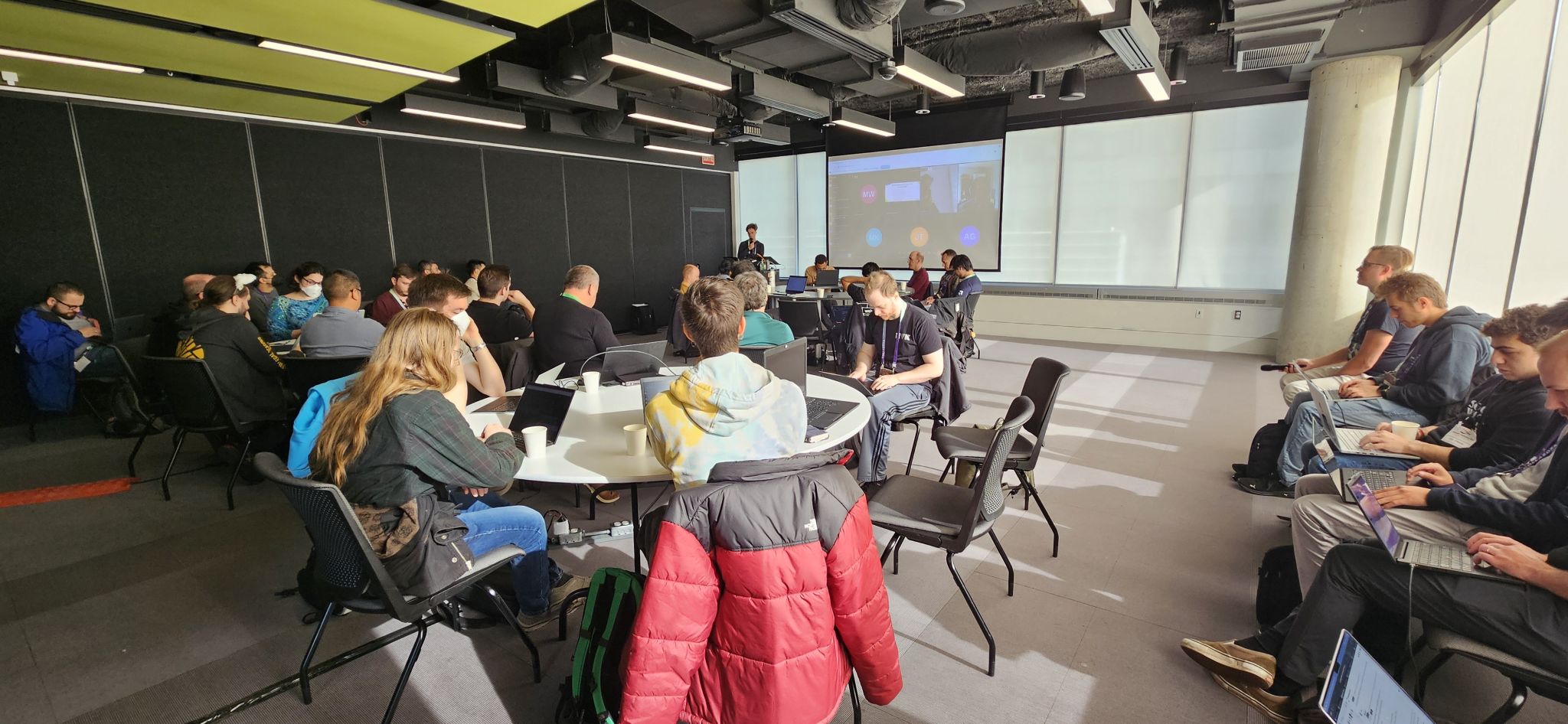
XDC 2024 in Montreal was another fantastic gathering for the Linux Graphics
community. It was again a great time to immerse in the world of graphics
development, engage in stimulating conversations, and learn from inspiring
developers.
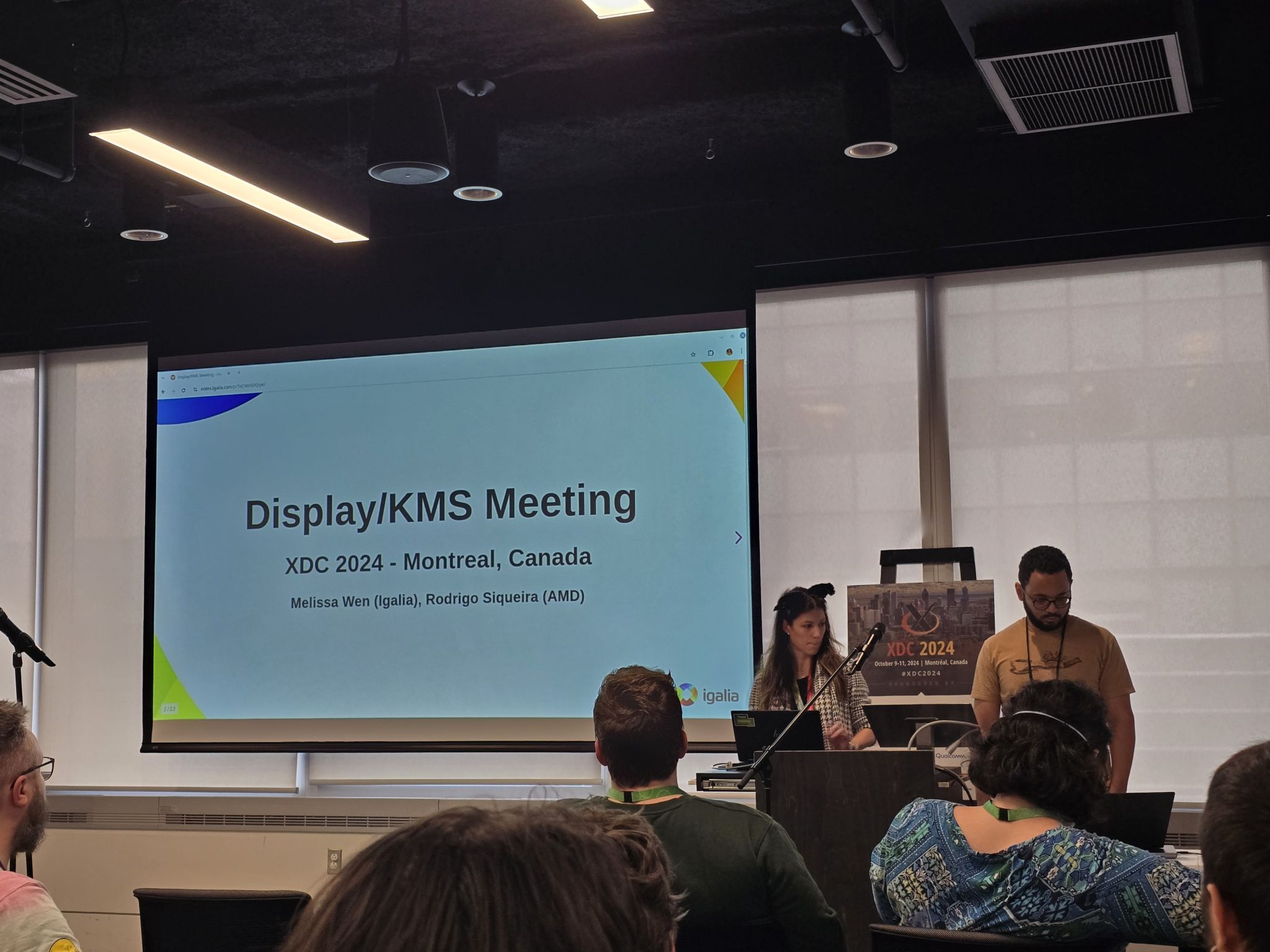
Many Igalia colleagues and I participated in the
conference again, delivering multiple talks about our work on the Linux
Graphics stack and also organizing the Display/KMS meeting. This blog post is a
detailed report on the Display/KMS meeting held during this XDC edition.
Short on Time?
Catch the lightning talk summarizing the meeting here (you can even speed up
2x):
For a quick written summary, scroll down to the TL;DR section.
TL;DR
This meeting took 3 hours and tackled a variety of topics related to DRM/KMS
(Linux/DRM Kernel Modesetting):
Sharing Drivers Between V4L2 and KMS: Brainstorming solutions for using a
single driver for devices used in both camera capture and display pipelines.
Real-Time Scheduling: Addressing issues with non-blocking page flips
encountering sigkills under real-time scheduling.
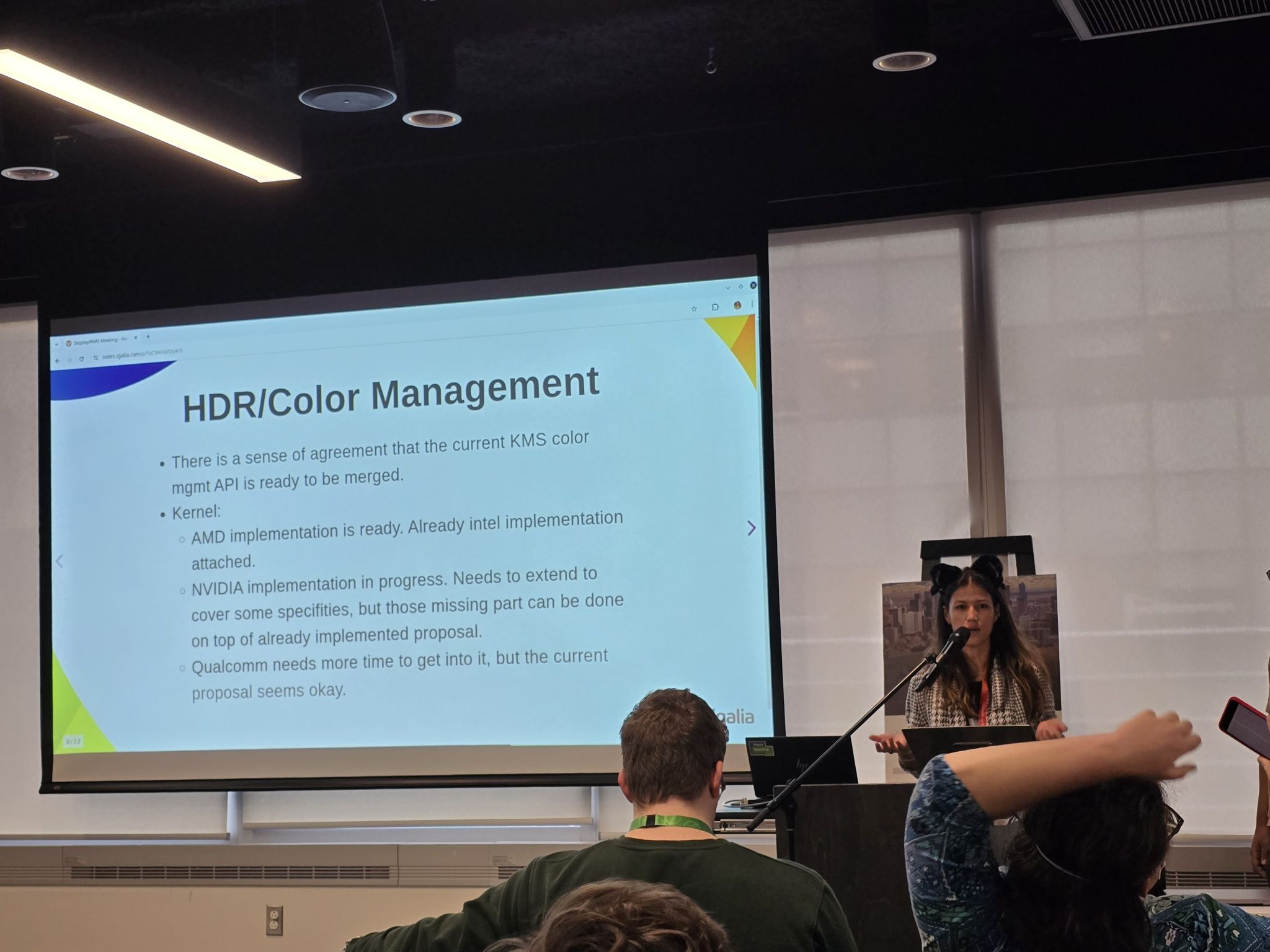
HDR/Color Management: Agreement on merging the current proposal, with
NVIDIA implementing its special cases on VKMS and adding missing parts on top
of Harry Wentland s (AMD) changes.
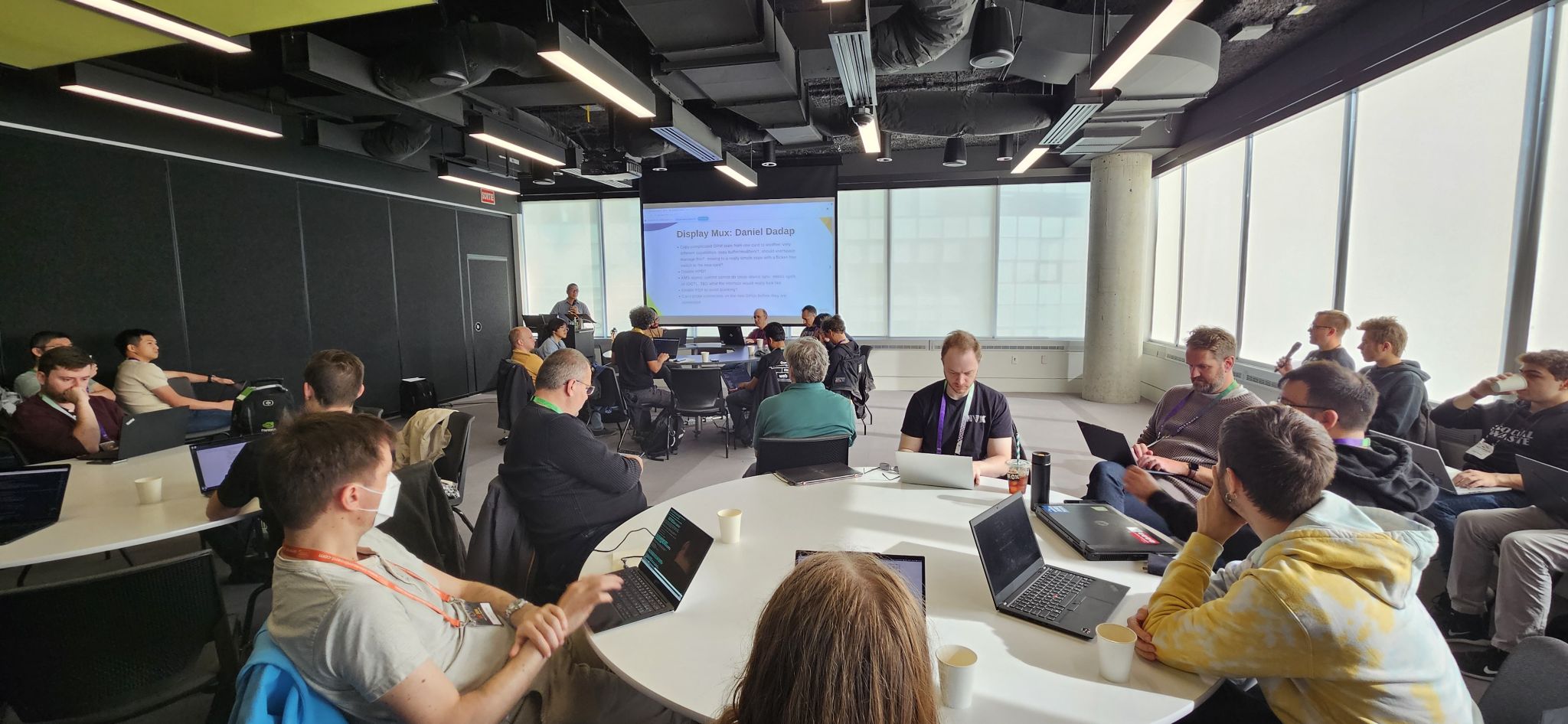
Display Mux: Collaborative design discussions focusing on compositor
control and cross-sync considerations.
Better Commit Failure Feedback: Exploring ways to equip compositors with
more detailed information for failure analysis.
Bringing together Linux display developers in the XDC 2024
While I didn t present a talk this year, I co-organized a Display/KMS meeting (with
Rodrigo Siqueira of AMD) to build upon the momentum from the 2024 Linux
Display Next hackfest.
The meeting was attended by around 30 people in person and 4 remote participants.
Speakers: Melissa Wen (Igalia) and Rodrigo Siqueira (AMD)
Link: https://indico.freedesktop.org/event/6/contributions/383/
Topics: Similar to the hackfest, the meeting agenda was built over the
first two days of the conference and mixed talks follow-up with new ideas and
ongoing community efforts.
The final agenda covered five topics in the scheduled order:
How to share drivers between V4L2 and DRM for bridge-like components (new
topic);
Real-time Scheduling (problems encountered after the Display Next hackfest);
HDR/Color Management (ofc);
Display Mux (from Display hackfest and XDC 2024 talk, bringing AMD and
NVIDIA together);
(Better) Commit Failure Feedback (continuing the last minute topic of the
Display Next hackfest).
Unpacking the Topics
Similar to the hackfest, the meeting agenda evolved over the conference.
During the 3 hours of meeting, I coordinated the room and discussion rounds,
and Rodrigo Siqueira took notes and also contacted key developers to provide a
detailed report of the many topics discussed.
From his notes, let s dive into the key discussions!
How to share drivers between V4L2 and KMS for bridge-like components.
Led by Laurent Pinchart, we delved into the challenge of creating a unified
driver for hardware devices (like scalers) that are used in both camera capture
pipelines and display pipelines.
Problem Statement: How can we design a single kernel driver to handle
devices that serve dual purposes in both V4L2 and DRM subsystems?
Potential Solutions:
Multiple Compatible Strings: We could assign different compatible
strings to the device tree node based on its usage in either the camera or
display pipeline. However, this approach might raise concerns from device tree
maintainers as it could be seen as a layer violation.
Separate Abstractions: A single driver could expose the device to both
DRM and V4L2 through separate abstractions: drm-bridge for DRM and V4L2 subdev
for video. While simple, this approach requires maintaining two different
abstractions for the same underlying device.
Unified Kernel Abstraction: We could create a new, unified kernel
abstraction that combines the best aspects of drm-bridge and V4L2 subdev. This
approach offers a more elegant solution but requires significant design effort
and potential migration challenges for existing hardware.
Real-Time Scheduling Challenges
We have discussed real-time scheduling during this year Linux Display Next
hackfest and,
during the XDC 2024, Jonas Adahl brought up issues uncovered while
progressing on this front.
Context: Non-blocking page-flips can, on rare occasions, take a long time
and, for that reason, get a sigkill if the thread doing the atomic commit is
a real-time schedule.
Action items:
Explore alternative backtraces during the busy wait (e.g., ftrace).
Investigate the maximum thread time in busy wait to reproduce issues faced
by compositors. Tools like RTKit (mutter) can be used for better control
(Michel D nzer can help with this setup).
HDR/Color Management
This is a well-known topic with ongoing effort on all layers of the Linux
Display stack and has been discussed online and in-person in conferences and
meetings over the last years.
Here s a breakdown of the key points raised at this meeting:
NVIDIA Integration: While they agree with the overall proposal, NVIDIA
needs to add some missing parts. Importantly, they will implement these on
top of Harry Wentland s (AMD) proposal. Their specific requirements will be
implemented on VKMS (Virtual Kernel Mode Setting driver) for further
discussion. This VKMS implementation can benefit compositor developers by
providing insights into NVIDIA s specific needs.
Other vendors: There is a version of the KMS API applied on Intel color
pipeline. Apart from that, other vendors appear to be comfortable with the
current proposal but lacks the bandwidth to implement it right now.
Upstream Patches: The relevant upstream patches were can be found
here.
[As humorously notes, this series is eagerly awaiting your Acked-by
(approval)]
Compositor Side: The compositor developers have also made significant
progress.
Gamescope currently uses a driver-specific implementation but has
a draft that utilizes
the generic version. However, some work is still required to fully transition
away from the driver-specific approach.
AP: work on porting gamescope to KMS generic API
Weston has also begun exploring implementation, and we might see something
from them by the end of the year.
Kernel and Testing: The kernel API proposal is well-refined and meets the
DRM subsystem requirements. Thanks to Harry Wentland effort, we already
have the API attached to two hardware vendors
and IGT tests, and,
thanks to Xaver Hugl, a compositor implementation in place.
Finally, there was a strong sense of agreement that the current proposal for
HDR/Color Management is ready to be merged. In simpler terms, everything seems
to be working well on the technical side - all signs point to merging and
shipping the DRM/KMS plane color management API!
Display Mux
During the meeting, Daniel Dadap led a brainstorming session on the
design of the display mux switching sequence, in which the compositor would arm
the switch via sysfs, then send a modeset to the outgoing driver, followed by a
modeset to the incoming driver.
Context:
During this year Linux Display Next hackfest, Mario Limonciello (AMD)
introduced the topic and led a discussion on Display Mux.
HPD Handling: There was a general consensus that disabling HPD can be
part of the sequence for internal panels and we don t need to focus on it
here.
Cross-Sync: Ensuring synchronization between the compositor and the
drivers is crucial. The compositor should act as the drm-master to
coordinate the entire sequence, but how can this be ensured?
Future-Proofing: The design should not assume the presence of a mux. In
future scenarios, direct sharing over DP might be possible.
Action points:
Sharing DP AUX: Explore the idea of sharing DP AUX and its implications.
Backlight: The backlight definition represents a problem in the mux
switch context, so we should explore some of the current specs available
for that.
Towards Better Commit Failure Feedback
In the last part of the meeting, Xaver Hugl asked for better commit failure
feedback.
Problem description: Compositors currently face challenges in collecting
detailed information from the kernel about commit failures. This lack of
granular data hinders their ability to understand and address the root causes
of these failures.
To address this issue, we discussed several potential improvements:
Direct Kernel Log Access: One idea is to directly load relevant kernel logs
into the compositor. This would provide more detailed information about the
failure and potentially aid in debugging.
Finer-Grained Failure Reporting: We also explored the possibility of
separating atomic failures into more specific categories. Not all failures
are critical, and understanding the nature of the failure can help compositors
take appropriate action.
Enhanced Logging: Currently, the dmesg log doesn t provide enough
information for user-space validation. Raising the log level to capture more
detailed information during failures could be a viable solution.
By implementing these improvements, we aim to equip compositors with the
necessary tools to better understand and resolve commit failures, leading to a
more robust and stable display system.
A Big Thank You!
Huge thanks to Rodrigo Siqueira for these detailed meeting notes. Also, Laurent
Pinchart, Jonas Adahl, Daniel Dadap, Xaver Hugl, and Harry Wentland for
bringing up interesting topics and leading discussions. Finally, thanks to all
the participants who enriched the discussions with their experience, ideas, and
inputs, especially Alex Goins, Antonino Maniscalco, Austin Shafer, Daniel
Stone, Demi Obenour, Jessica Zhang, Joan Torres, Leo Li, Liviu Dudau, Mario
Limonciello, Michel D nzer, Rob Clark, Simon Ser and Teddy Li.
This collaborative effort will undoubtedly contribute to the continued
development of the Linux display stack.
Stay tuned for future updates!
In basically every engineering organization I ve ever regarded as particularly
high functioning, I ve sat through one specific recurring conversation which is
not a conversation about complexity . Things are good or bad because they
are or aren t complex, architectures needs to be redone because it s too
complex some refactor of whatever it is won t work because it s too complex.
You may have even been a part of some of these conversations or even been
the one advocating for simple light-weight solutions. I ve done it. Many times.
Rarely, if ever, do we talk about complexity within its rightful context
complexity for whom. Is a solution complex because it s complex for the
end user? Is it complex if it s complex for an API consumer? Is it complex if
it s complex for the person maintaining the API service? Is it complex if it s
complex for someone outside the team maintaining it to understand?
Complexity within a problem domain I ve come to believe, is fairly zero-sum
there s a fixed amount of complexity in the problem to be solved, and you can
choose to either solve it, or leave it for those downstream of you
to solve that problem on their own.
That being said, while I believe there is a lower bound in complexity to
contend with for a problem, I do not believe there is an upper bound to the
complexity of solutions possible. It is always possible, and in fact, very
likely that teams create problems for themselves while trying to solve a
problem. The rest of this post is talking to the lower bound. When getting
feedback on an early draft of this blog post, I ve been informed that Fred
Brooks coined a term for what I call lower bound complexity Essential
Complexity , in the paper
No Silver Bullet Essence and Accident in Software Engineering ,
which is a better term and can be used interchangeably.
Complexity Culture
In a large enough organization, where the team is high functioning enough to
have and maintain trust amongst peers, members of the team will specialize.
People will begin to engage with subsets of the work to be done, and begin to
have their efficacy measured against that part of the organization s problems.
Incentives shift, and over time it becomes increasingly likely that two
engineers may have two very different priorities when working on the same
system together. Someone accountable for uptime and tasked with responding to
outages will begin to resist changes. Someone accountable for rapidly
delivering features will resist gates between them and their users. Companies
(either wittingly or unwittingly) will deal with this by tasking engineers with
both production (feature development) and operational tasks (maintenance), so
the difference in incentives isn t usually as bad as it could be.
When we get a bunch of folks from far-flung corners of an organization in a
room, fire up a slide deck and throw up some aspirational to-be architecture
diagram in order to get a sign-off to solve some problem (be it someone needs a
credible promotion packet, new feature needs to get delivered, or the system
has begun to fail and needs fixing), the initial reaction will, more often than
I d like, start to devolve into a discussion of how this is going to introduce
a bunch of complexity, going to be hard to maintain, why can t you make it
less complex?
Right around here is when I start to try and contextualize the conversation
happening around me understand what complexity is that being discussed, and
understand who is taking on that burden. Think about who should be owning
that problem, and work through the tradeoffs involved. Is it best solved here,
or left to consumers (be them other systems, developers, or users). Should
something become an API call s optional param, taking on all the edge-cases and
on, or should users have to implement the logic using the data you
return (leaving everyone else to take on all the edge-cases and maintenance)?
Should you process the data, or require the user to preprocess it for you?
Frequently it s right to make an active and explicit decision to simplify and
leave problems to be solved downstream, since they may not actually need to be
solved or perhaps you expect consumers will want to own the specifics of
how the problem is solved, in which case you leave lots of documentation and
examples. Many other times, especially when it s something downstream consumers
are likely to hit, it s best solved internal to the system, since the only
thing that can come of leaving it unsolved are bugs, frustration and
half-correct solutions. This is a grey-space of tradeoffs, not a clear decision
tree. No one wants the software manifestation of a katamari ball or a junk
drawer, nor does anyone want a half-baked service unable to handle the simplest
use-case.
Head-in-sand as a Service
Popoffs about how complex something is, are, to a first approximation, best
understood as meaning complicated for the person making comments . A lot of
the #thoughtleadership believe that an AWS hosted EKS k8s cluster running
images built by CI talking to an AWS hosted PostgreSQL RDS is not complex.
They re right. Mostly right. This is less complex less complex for them.
It s not, however, without complexity and its own tradeoffs it s just
complexity that they do not have to deal with. Now they don t have to
maintain machines that have pesky operating systems or hard drive failures.
They don t have to deal with updating the version of k8s, nor ensuring the
backups work. No one has to push some artifact to prod manually. Deployments
happen unattended. You click a button and get a cluster.
On the other hand, developers outside the ops function need to deal with
troubleshooting CI, debugging access control rules encoded in turing complete
YAML, permissions issues inside the cluster due to whatever the fuck a service
mesh is, everyone needs to learn how to use some k8s tools they only actually
use during a bad day, likely while doing some x.509 troubleshooting to
connect to the cluster (an internal only endpoint; just port forward it) not
to mention all sorts of rules to route packets to their project (a single
repo s binary being run in 3 containers on a single vm host).
Beyond that, there s the invisible complexity complexity on the interior of
a service you depend on. I think about the dozens of teams maintaining the EKS
service (which is either run on EC2 instances, or alternately, EC2 instances in
a trench coat, moustache and even more shell scripts), the RDS service (also
EC2 and shell scripts, but this time accounting for redundancy, backups,
availability zones), scores of hypervisors pulled off the shelf (xen, kvm)
smashed together with the ones built in-house (firecracker, nitro, etc)
running on hardware that has to be refreshed and maintained continuously. Every
request processed by network ACL rules, AWS IAM rules, security group rules,
using IP space announced to the internet wired through IXPs directly into ISPs.
I don t even want to begin to think about the complexity inherent in how those
switches are designed. Shitloads of complexity to solve problems you may or
may not have, or even know you had.
What s more complex? An app running in an in-house 4u server racked in the
office s telco closet in the back running off the office Verizon line, or an
app running four hypervisors deep in an AWS datacenter? Which is more complex
to you? What about to your organization? In total? Which is more prone to
failure? Which is more secure? Is the complexity good or bad? What type of
Complexity can you manage effectively? Which threaten the system? Which
threaten your users?
COMPLEXIVIBES
This extends beyond Engineering. Decisions regarding what tools are we able to
use be them existing contracts with cloud providers, CIO mandated SaaS
products, a list of the only permissible open source projects will incur
costs in terms of expressed complexity . Pinning open source projects to a
fixed set makes SBOM production less complex . Using only one SaaS provider s
product suite (even if its terrible, because it has all the types of tools you
need) makes accreditation less complex . If all you have is a contract with
Pauly T s lowest price technically acceptable artisinal cloudary and
haberdashery, the way you pay for your compute is less complex for the CIO
shop, though you will find yourself building your own hosted database template,
mechanism to spin up a k8s cluster, and all the operational and technical
burden that comes with it. Or you won t and make it everyone else s problem in
the organization. Nothing you can do will solve for the fact that you must
now deal with this problem somewhere because it was less complicated for the
business to put the workloads on the existing contract with a cut-rate vendor.
Suddenly, the decision to reduce complexity because of an existing contract
vehicle has resulted in a huge amount of technical risk and maintenance burden
being onboarded. Complexity you would otherwise externalize has now been taken
on internally. With a large enough organizations (specifically, in this case,
i m talking about you, bureaucracies), this is largely ignored or accepted as
normal since the personnel cost is understood to be free to everyone involved.
Doing it this way is more expensive, more work, less reliable and less
maintainable, and yet, somehow, is, in a lot of ways, less complex to the
organization. It s particularly bad with bureaucracies, since screwing up a
contract will get you into much more trouble than delivering a broken product,
leaving basically no reason for anyone to care to fix this.
I can t shake the feeling that for every story of technical mandates gone
awry, somewhere just
out of sight there s a decisionmaker optimizing for what they believe to be the
least amount of complexity least hassle, fewest unique cases, most
consistency as they can. They freely offload complexity from their
accreditation and risk acceptance functions through mandates. They will never
have to deal with it. That does not change the fact that someone does.
TC;DR (TOO COMPLEX; DIDN T REVIEW)
We wish to rid ourselves of systemic Complexity after all, complexity is
bad, simplicity is good. Removing upper-bound own-goal complexity ( accidental
complexity in Brooks s terms) is important, but once you hit the lower bound
complexity, the tradeoffs become zero-sum. Removing complexity from one part of
the system means that somewhere else maybe outside your organization or in a
non-engineering function must grow it back. Sometimes, the opposite is the
case, such as when a previously manual business processes is automated. Maybe that s a
good idea. Maybe it s not. All I know is that what doesn t help the situation
is conflating complexity with everything we don t like legacy code,
maintenance burden or toil, cost, delivery velocity.
Complexity is not the same as proclivity to failure. The most reliable
systems I ve interacted with are unimaginably complex, with layers of internal
protection to prevent complete failure. This has its own set of costs which
other people have written about extensively.
Complexity is not cost. Sometimes the cost of taking all the complexity
in-house is less, for whatever value of cost you choose to use.
Complexity is not absolute. Something simple from one perspective may
be wildly complex from another. The impulse to burn down complex sections of
code is helpful to have generally, but
sometimes things are complicated for a reason,
even if that reason exists outside your codebase or organization.
Complexity is not something you can remove without introducing complexity
elsewhere. Just as not making a decision is a decision itself; choosing to
require someone else to deal with a problem rather than dealing with it
internally is a choice that needs to be considered in its full context.
Next time you re sitting through a discussion and someone starts to talk about
all the complexity about to be introduced, I want to pop up in the back of your
head, politely asking what does complex mean in this context? Is it lower
bound complexity? Is this complexity desirable? Is what they re saying mean
something along the lines of I don t understand the problems being solved, or
does it mean something along the lines of this problem should be solved
elsewhere? Do they believe this will result in more work for them in a way that
you don t see? Should this not solved at all by changing the bounds of what we
should accept or redefine the understood limits of this system? Is the perceived
complexity a result of a decision elsewhere? Who s taking this complexity on,
or more to the point, is failing to address complexity required by the problem
leaving it to others? Does it impact others? How specifically? What are you
not seeing?
What can change?
What should change?
Another short status update of what happened on my side last month. Besides a phosh bugfix release improving text input and selection
was a prevalent pattern again resulting in improvements in the compositor, the OSK and some apps.
phosh
Install gir (MR). Needed for e.g. Debian to properly package the Rust bindings.
Try harder to find an app icon when showing notifications (MR)
Consistent focus style on lock screen and settings (MR). Improves the visual appearance
as the dotted focus frame doesn't match our otherwise colored focus frames
Don't focus buttons in settings (MR). Improves the visual appearance as
attention isn't drawn to the button focus.
Close Phosh's settings when activating a Settings panel (MR)
Collect some of the QCom workarounds in a package (MR). This is not meant to go into Debian proper but it's nicer than doing all the mods by hand and forgetting which files were modified.
Don't take focus when sending messages, adding emojis or attachments (MR). Makes typing faster (as the OSK
won't hide) and thus using those buttons easier
xdg-desktop-portal
Use categories that work for both xdg-spec and the portal (MR)
Reviews
This is not code by me but reviews on other peoples code. The list is
fairly incomplete, hope to improve on this in the upcoming months:
Help Development
If you want to support my work see donations. This includes
a list of hardware we want to improve support for. Thanks a lot to all current and past donors.
I previously wrote about the possibility of transferring work between devices as an alternative to convergence (using a phone or tablet as a desktop) [1]. This idea has been implemented in some commercial products already.
MrWhosTheBoss made a good YouTube video reviewing recent Huawei products [2]. At 2:50 in that video he shows how you can link a phone and tablet, control one from the other, drag and drop of running apps and files between phone and tablet, mirror the screen between devices, etc. He describes playing a video on one device and having it appear on the other, I hope that it actually launches a new instance of the player app as the Google Chromecast failed in the market due to remote display being laggy. At 7:30 in that video he starts talking about the features that are available when you have multiple Huawei devices, starting with the ability to move a Bluetooth pairing for earphones to a different device.
At 16:25 he shows what Huawei is doing to get apps going including allowing apk files to be downloaded and creating what they call Quick Apps which are instances of a web browser configured to just use one web site and make it look like a discrete app, we need something like this for FOSS phone distributions does anyone know of a browser that s good for it?
Another thing that we need is to have an easy way of transferring open web pages between systems. Chrome allows sending pages between systems but it s proprietary, limited to Chrome only, and also takes an unreasonable amount of time. KDEConnect allows sharing clipboard contents which can be used to send URLs that can then be pasted into a browser, but the process of copy URL, send via KDEConnect, and paste into other device is unreasonably slow. The design of Chrome with a Send to your devices menu option from the tab bar is OK. But ideally we need a Send to device for all tabs of a window as well, we need it to run from free software and support using your own server not someone else s server (AKA the cloud ). Some of the KDEConnect functionality but using a server rather than direct connection over the same Wifi network (or LAN if bridged to Wifi) would be good.
What else do we need?
After reading about Jonathan McDowell feed reader install and the back to blogging initiative, I decided to install a feed reader to follow all those nice blog posts. With a feed reader you can compose your own feed of news based on blog posts, websites, mastodon toots. And then you are independant from ad oriented ranking algorithms of social networks.
Since Jonathan used FreshRSS as a feed reader, I started with the same software. On a quick glance on its github page, it sounded like a good project:
active contributions
different channels for stable and latest version of the software
container images pointing to the stable release
support multiple databases for storage, including PostgreSQL
correct documentation mentioning security caveats
I prefer to do the container image installation using podman since:
upgrades from FreshRSS are easy to do and can be done separately from operating system upgrades
I do not mess my based operating system with php (subjective) and in case of a compromized freshrss, the freshrss/apache install would be still restrained to its own Linux namespaces, separated from the rest of the system.
Podman is image compatible with Docker as they both implement the OCI runtime specification, and have a nearly identical command line interface. This installation will be done on a Debian server, but should work too on any Linux distribution.
Initial setup
start a container image based on the start command provided by the FreshRSS project. The podman command line is nearly identical to the docker command line, excepts that podman expects the fully qualified domain name associated with the container image, and I chose to run the freshrss container on the localhost interface only. I also use a defined version tag, because using the latest tag makes it complicated to track which exact ersion I have installed.
Going with FreshRSS in Production
Podman has this very nice feature that it can generate a systemd unit from a running container, and use systemd to start a container on boot. This is in contrary to docker where the docker daemon does the stop/start of containers on boot.
I prefer the systemd approach as it treats containers the same way as other system services.
Once the freshrss container is running we can generate a systemd unit of it with:
# podman generate systemd --new --name freshrss tee /etc/systemd/system/container-freshrss.service
Let s stop the container we started previously, and use systemd to manage it:
We can verify that we have a listening socket on the localhost interface, on the source port 8081
# systemctl status container-freshrss.service
  ...
# ss --listening --numeric --process '( sport = 8081 )'
Netid         State           Recv-Q          Send-Q                   Local Address:Port                   Peer Address:Port         Process
tcp           LISTEN          0               4096                         127.0.0.1:8081                        0.0.0.0:*             users:(("conmon",pid=4464,fd=5))
Nota Bene: conmon (8) is the process managing the network namespace in which fresh-rss is running, hence it is displayed as the process owning the listening socket
Exposing FreshRSS to the external world
We have now a running service, but we need to make it reachable from the internet.
The simplest, classical way, is to create a subdomain and a VirtualHost configured as a reverse proxy to access the service at 127.0.0.1:8081. Fortunately the FreshRSS authors have documented this setup in https://github.com/FreshRSS/FreshRSS/tree/edge/Docker#alternative-reverse-proxy-using-apache
and those steps are no different from a standard application behind a web reverse proxy.
Upgrading freshrss container to a newer version
A documentation showing how to install a piece of software is nothing when
it does not show how to upgrade that said software. Installing is easy, upgrading is where the challenge is. Fortunately to the good stateless design of freshrss (everything is in the sqlite database, which is backed by a non-epheremal volume in our setup), switchting versions is a peace of cake.
If you need to rollback, you just need to revert version numbers in the instruction above.
Enjoy your own reader feed !
I will add the following feeds of blogs I like, let us see if I follow them better with a feed reader !
What benefits do these things offer when a general purpose computer can do so
many things nowadays? Is there a USB keyboard that you can connect to a
laptop or phone to do these things? I presume that all recent phones have the
compute power to do all the synthesis you need if you have the right
software. Is it just a lack of software and infrastructure for doing it on
laptops/phones that makes synthesisers still viable?
I've decided to turn my response into a post of its own.
The issue is definitely not compute power. You can indeed attach a USB keyboard
to a computer and use a plethora of software synthesisers, including very
faithful emulations of all the popular classics. The raw compute power of
modern hardware synths is comparatively small: I ve been told the modern Korg
digital synths are on a par with a raspberry pi. I ve seen some DSPs which are
32 bit ARMs, and other tools which are roughly equivalent to arduinos.
I can think of four reasons hardware synths remain popular with some despite
the above:
As I touched on in my original synth post, computing dominates my
life outside of music already. I really wanted something separate from
that to keep mental distance from work.
Synths have hard real-time requirements. They don't have raw power in
compute terms, but they absolutely have to do their job within microseconds
of being instructed to, with no exceptions. Linux still has a long way to go
for hard real-time.
The Linux audio ecosystem is complex. Dealing with pipewire, pulseaudio,
jack, alsa, oss, and anything else I've forgotten, as well as their failure
modes, is too time consuming.
The last point is to do with creativity and inspiration. A good synth is
more than the sum of its parts: it's an instrument, carefully designed and
its components integrated by musically-minded people who have set out to
create something to inspire. There are plenty of synths which aren't good
instruments, but have loads of features: they re boxes of "stuff". Good
synths can't do it all: they often have limitations which you have to
respond to, work around or with, creatively. This was expressed better than
I could by Trent Reznor in the video archetype of a synthesiser:
 Many years ago I made myself a vest with lots of pockets
1 in a few layers of cheap cotton, and wore the hell out of it,
for the added warmth, but most importantly for the convenience provided
by the pockets.
Many years ago I made myself a vest with lots of pockets
1 in a few layers of cheap cotton, and wore the hell out of it,
for the added warmth, but most importantly for the convenience provided
by the pockets.
 Then a few years ago the cheap cotton had started to get worn, and I
decided I needed to replace it. I found a second choice (and thus
cheaper :) ) version of a water-repellent cotton
and made another vest, lined with regular cotton, for a total of just
two layers.
Then a few years ago the cheap cotton had started to get worn, and I
decided I needed to replace it. I found a second choice (and thus
cheaper :) ) version of a water-repellent cotton
and made another vest, lined with regular cotton, for a total of just
two layers.
 This time I skipped a few pockets that I had found I didn t use that
much, and I didn t add a hood, which didn t play that well when worn
over a hoodie, but I added some detached sleeves, for additional wind
protection.
This left about 60 cm and some odd pieces of leftover fabric in my
stash, for which I had no plan.
This time I skipped a few pockets that I had found I didn t use that
much, and I didn t add a hood, which didn t play that well when worn
over a hoodie, but I added some detached sleeves, for additional wind
protection.
This left about 60 cm and some odd pieces of leftover fabric in my
stash, for which I had no plan.
 And then February2 came, and I needed a quick simple mindless
handsewing projects for the first weekend, I saw the vest (which I m
wearing as much as the old one), the sleeves (which have been used much
less, but I d like to change this) and thought about making a matching
hood for it, using my square hood pattern.
Since the etaproof is a bit stiff and not that nice to the touch I
decide to line3 it with the same cotton as the vest and
sleeves, and in the style of the pattern I did so by finishing each
panel with its own lining (with regular cotton thread) and then
whipstitching the panels together with the corespun cotton/poly thread
recommended by the seller of the fabric. I m not sure this is the best
way to construct something that is supposed to resist the rain, but if I
notice issues I can always add some sealing tape afterwards.
I do have a waterproof cape to wear in case of real rain, so this is
only supposed to work for light rain anyway, and it may prove not to be
an issue.
As something designed to be worn in light rain, this is also something
likely to be worn in low light conditions, where 100% black may not be
the wisest look. On the vest I had added reflective piping to the
armscyes, but I was out of the same piping.
And then February2 came, and I needed a quick simple mindless
handsewing projects for the first weekend, I saw the vest (which I m
wearing as much as the old one), the sleeves (which have been used much
less, but I d like to change this) and thought about making a matching
hood for it, using my square hood pattern.
Since the etaproof is a bit stiff and not that nice to the touch I
decide to line3 it with the same cotton as the vest and
sleeves, and in the style of the pattern I did so by finishing each
panel with its own lining (with regular cotton thread) and then
whipstitching the panels together with the corespun cotton/poly thread
recommended by the seller of the fabric. I m not sure this is the best
way to construct something that is supposed to resist the rain, but if I
notice issues I can always add some sealing tape afterwards.
I do have a waterproof cape to wear in case of real rain, so this is
only supposed to work for light rain anyway, and it may prove not to be
an issue.
As something designed to be worn in light rain, this is also something
likely to be worn in low light conditions, where 100% black may not be
the wisest look. On the vest I had added reflective piping to the
armscyes, but I was out of the same piping.
 I did however have a spool of reflector thread made of glass fibre by
Rico Design, which I think was originally sold to be worked into
knitting or crochet projects (it is now discontinued) and I had never
used.
I decided to try and sew a decorative blanket stitch border, a decision
I had reasons to regret, since the thread broke and tangled like crazy,
but in the end it was done, I like how it looks, and it seems pretty
functional. I hope it won t break with time and use, and if it does I ll
either fix it or try to redo with something else.
Of course, the day I finished sewing the reflective border it stopped
raining, so I haven t worn it yet, but I hope I ll be able to, and if it
is an horrible failure I ll make sure to update this post.
I did however have a spool of reflector thread made of glass fibre by
Rico Design, which I think was originally sold to be worked into
knitting or crochet projects (it is now discontinued) and I had never
used.
I decided to try and sew a decorative blanket stitch border, a decision
I had reasons to regret, since the thread broke and tangled like crazy,
but in the end it was done, I like how it looks, and it seems pretty
functional. I hope it won t break with time and use, and if it does I ll
either fix it or try to redo with something else.
Of course, the day I finished sewing the reflective border it stopped
raining, so I haven t worn it yet, but I hope I ll be able to, and if it
is an horrible failure I ll make sure to update this post.
 I can t remember exactly the joke I was making at the time in my
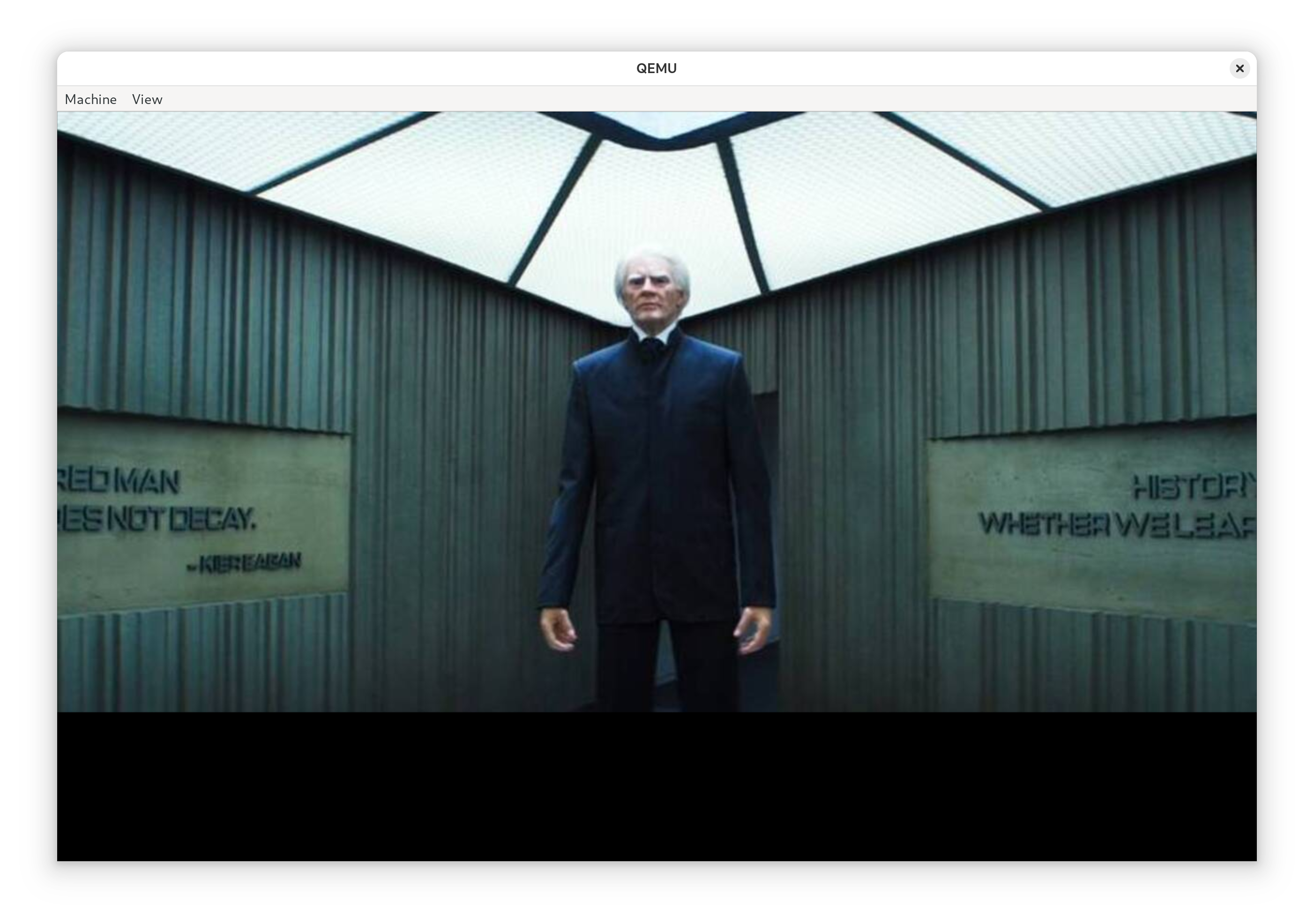

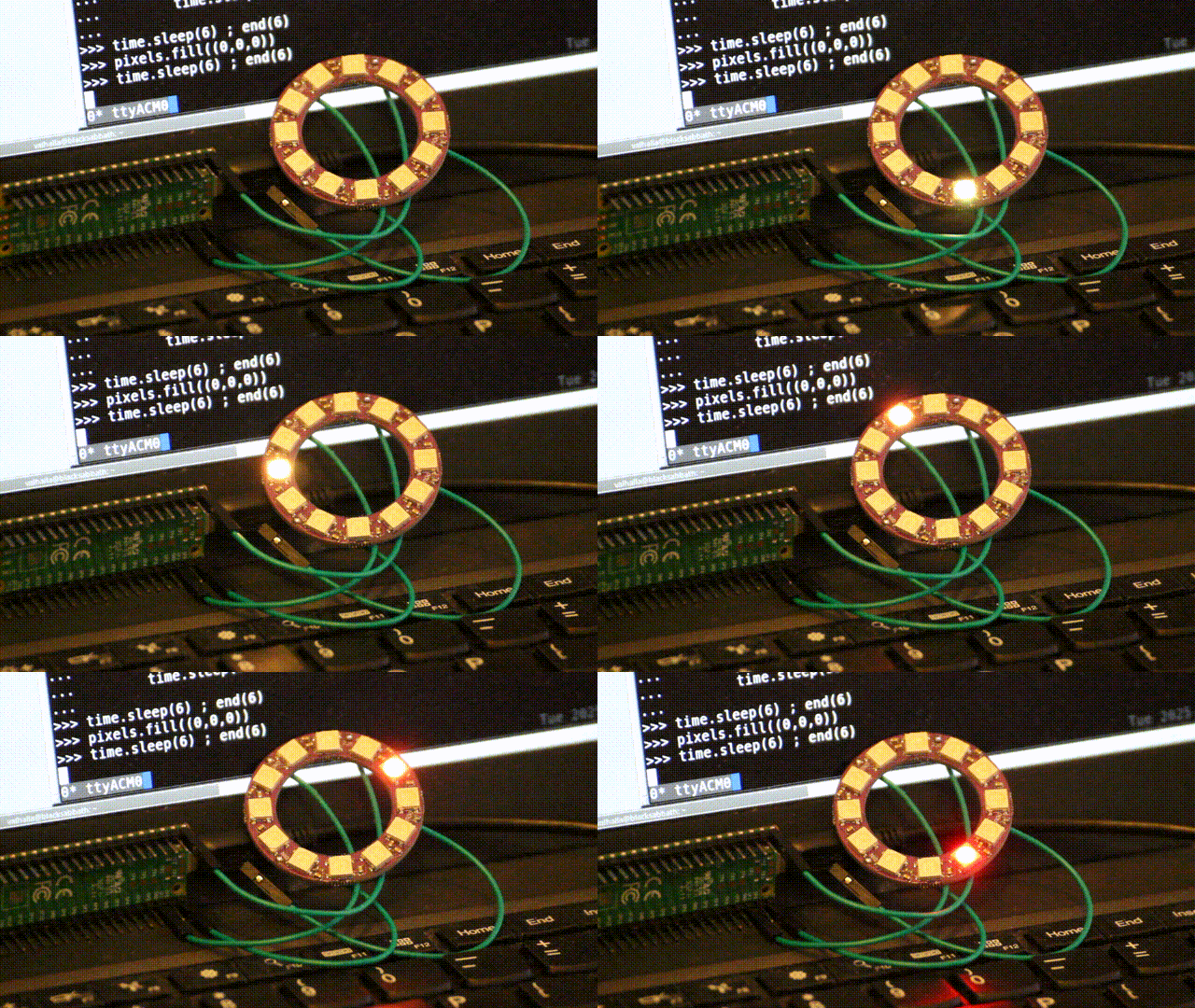 A few ago I may have accidentally bought a
 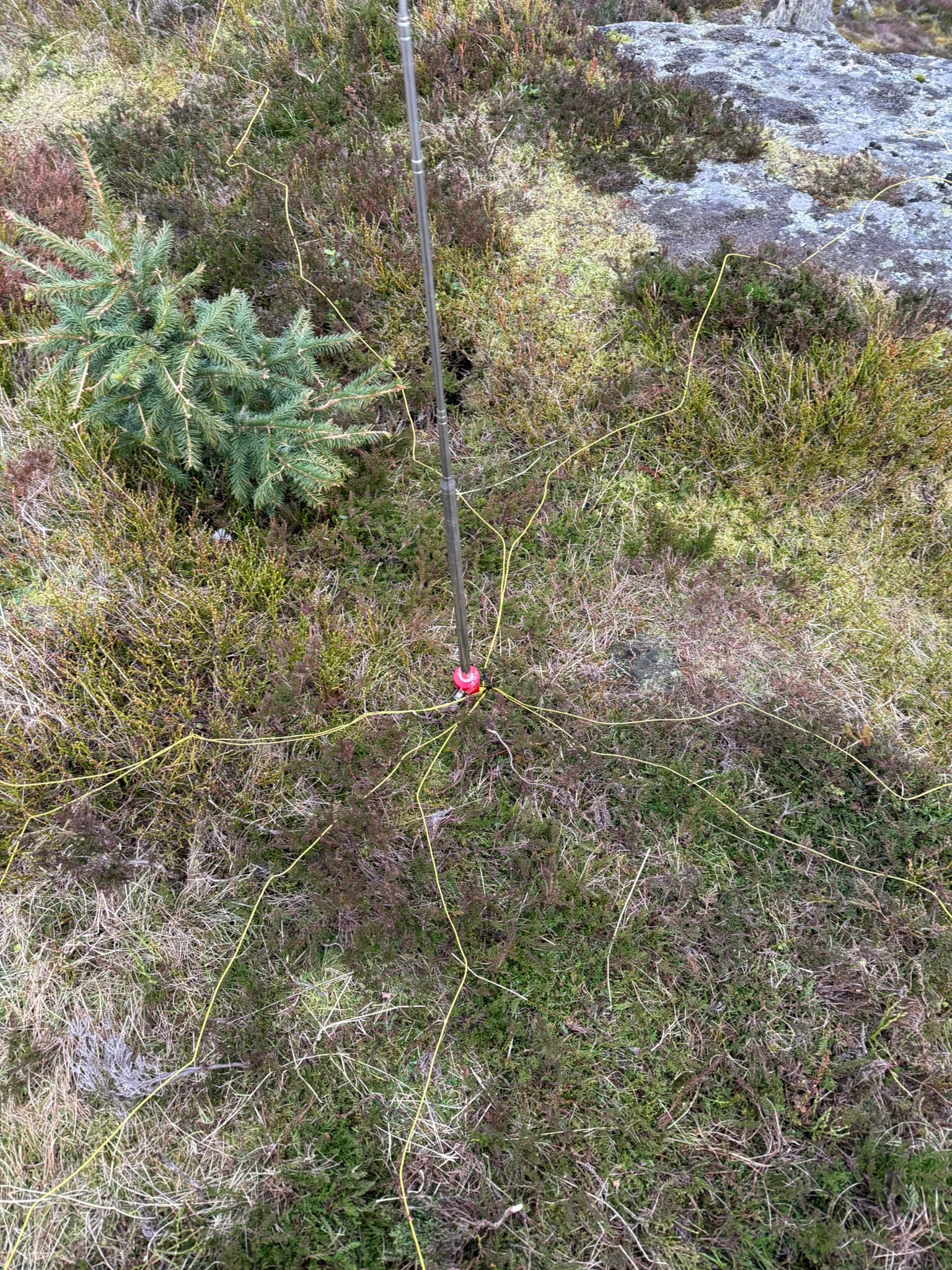 Quick to deploy which is what I was after. My new 5m of coax with a choke fitted attached to the radio and we were off to the races - A convenient thing of beauty when it s up:
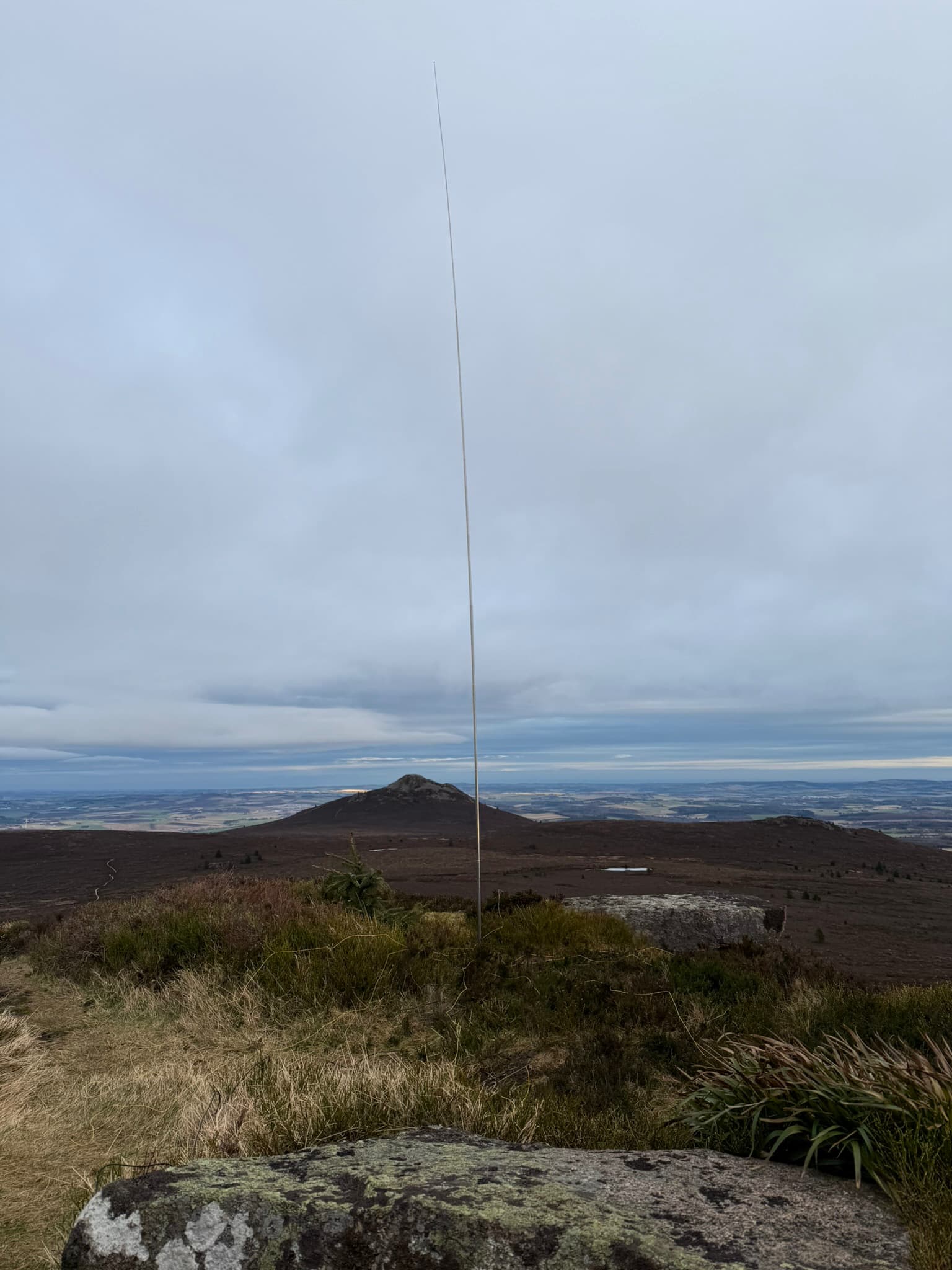 I ve made a single guy with a sotabeams
  For many years I wished I had a setup that would allow me to work (that is, code) productively outside in the bright sun. It s winter right now, but when its summer again it s always a bit. this weekend I got closer to that goal.
TL;DR: Using
For many years I wished I had a setup that would allow me to work (that is, code) productively outside in the bright sun. It s winter right now, but when its summer again it s always a bit. this weekend I got closer to that goal.
TL;DR: Using  Passively lit coding
 The following contributors got their Debian Developer accounts in the last two
months:
The following contributors got their Debian Developer accounts in the last two
months:
 Happy 20th birthday,
  On recent weeks I ve had some time to
  Another short status update of what happened on my side last
month. The larger blocks are the
Another short status update of what happened on my side last
month. The larger blocks are the 
 Tracking library dependencies work in Debian to resolve from symbols usage to a library and add this to the list of dependencies.
That is working for years now.
The KDE community nowadays create more and more QML based applications.
Unfortunately QML is a interpreted language, this means missing QML dependencies will only be an issue at runtime.
To fix this I created
Tracking library dependencies work in Debian to resolve from symbols usage to a library and add this to the list of dependencies.
That is working for years now.
The KDE community nowadays create more and more QML based applications.
Unfortunately QML is a interpreted language, this means missing QML dependencies will only be an issue at runtime.
To fix this I created