My previously mentioned C.H.I.P. repurposing has been partly successful; I ve found a use for it (which I still need to write up), but unfortunately it s too useful and the fact it s still a bit flaky has become a problem. I spent a while trying to isolate exactly what the problem is (I m still seeing occasional hard hangs with no obvious debug output in the logs or on the serial console), then realised I should just buy one of the cheap ARM SBC boards currently available.
The C.H.I.P. is based on an Allwinner R8, which is a single ARM v7 core (an A8). So it s fairly low power by today s standards and it seemed pretty much any board would probably do. I considered a Pi 2 Zero, but couldn t be bothered trying to find one in stock at a reasonable price (I ve had one on backorder from CPC since May 2022, and yes, I know other places have had them in stock since but I don t need one enough to chase and I m now mostly curious about whether it will ever ship). As the title of this post gives away, I settled on a Banana Pi BPI-M2 Zero, which is based on an Allwinner H3. That s a quad-core ARM v7 (an A7), so a bit more oompfh than the C.H.I.P. All in all it set me back 25, including a set of heatsinks that form a case around it.
I started with the vendor provided Debian SD card image, which is based on Debian 9 (stretch) and so somewhat old. I was able to dist-upgrade my way through buster and bullseye, and end up on bookworm. I then discovered the bookworm 6.1 kernel worked just fine out of the box, and even included a suitable DTB. Which got me thinking about whether I could do a completely fresh Debian install with minimal tweaking.
First thing, a boot loader. The Allwinner chips are nice in that they ll boot off SD, so I just needed a suitable u-boot image. Rather than go with the vendor image I had a look at mainline and discovered it had support! So let s build a clean image:
noodles@buildhost:~$ mkdir ~/BPI
noodles@buildhost:~$ cd ~/BPI
noodles@buildhost:~/BPI$ ls
noodles@buildhost:~/BPI$ git clone https://source.denx.de/u-boot/u-boot.git
Cloning into 'u-boot'...
remote: Enumerating objects: 935825, done.
remote: Counting objects: 100% (5777/5777), done.
remote: Compressing objects: 100% (1967/1967), done.
remote: Total 935825 (delta 3799), reused 5716 (delta 3769), pack-reused 930048
Receiving objects: 100% (935825/935825), 186.15 MiB   2.21 MiB/s, done.
Resolving deltas: 100% (785671/785671), done.
noodles@buildhost:~/BPI$ mkdir u-boot-build
noodles@buildhost:~/BPI$ cd u-boot
noodles@buildhost:~/BPI/u-boot$ git checkout v2023.07.02
...
HEAD is now at 83cdab8b2c Prepare v2023.07.02
noodles@buildhost:~/BPI/u-boot$ make O=../u-boot-build bananapi_m2_zero_defconfig
  HOSTCC  scripts/basic/fixdep
  GEN     Makefile
  HOSTCC  scripts/kconfig/conf.o
  YACC    scripts/kconfig/zconf.tab.c
  LEX     scripts/kconfig/zconf.lex.c
  HOSTCC  scripts/kconfig/zconf.tab.o
  HOSTLD  scripts/kconfig/conf
#
# configuration written to .config
#
make[1]: Leaving directory '/home/noodles/BPI/u-boot-build'
noodles@buildhost:~/BPI/u-boot$ cd ../u-boot-build/
noodles@buildhost:~/BPI/u-boot-build$ make CROSS_COMPILE=arm-linux-gnueabihf-
  GEN     Makefile
scripts/kconfig/conf  --syncconfig Kconfig
...
  LD      spl/u-boot-spl
  OBJCOPY spl/u-boot-spl-nodtb.bin
  COPY    spl/u-boot-spl.bin
  SYM     spl/u-boot-spl.sym
  MKIMAGE spl/sunxi-spl.bin
  MKIMAGE u-boot.img
  COPY    u-boot.dtb
  MKIMAGE u-boot-dtb.img
  BINMAN  .binman_stamp
  OFCHK   .config
noodles@buildhost:~/BPI/u-boot-build$ ls -l u-boot-sunxi-with-spl.bin
-rw-r--r-- 1 noodles noodles 494900 Aug  8 08:06 u-boot-sunxi-with-spl.bin
I had the advantage here of already having a host setup to cross build armhf binaries, but this was all done on a Debian bookworm host with packages from main. I ve put my build up here in case it s useful to someone - everything else below can be done on a normal x86_64 host.
Next I needed a Debian installer. I went for the netboot variant - although I was writing it to SD rather than TFTP booting I wanted as much as possible to come over the network.
Then I took a suitable microSD card and set it up with a 500M primary VFAT partition, leaving the rest for Linux proper. I could have got away with a smaller VFAT partition but I d initially thought I might need to put some more installation files on it.
noodles@buildhost:~/BPI$ sudo fdisk /dev/sdb
Welcome to fdisk (util-linux 2.38.1).
Changes will remain in memory only, until you decide to write them.
Be careful before using the write command.
Command (m for help): o
Created a new DOS (MBR) disklabel with disk identifier 0x793729b3.
Command (m for help): n
Partition type
   p   primary (0 primary, 0 extended, 4 free)
   e   extended (container for logical partitions)
Select (default p):
Using default response p.
Partition number (1-4, default 1):
First sector (2048-60440575, default 2048):
Last sector, +/-sectors or +/-size K,M,G,T,P  (2048-60440575, default 60440575): +500M
Created a new partition 1 of type 'Linux' and of size 500 MiB.
Command (m for help): t
Selected partition 1
Hex code or alias (type L to list all): c
Changed type of partition 'Linux' to 'W95 FAT32 (LBA)'.
Command (m for help): n
Partition type
   p   primary (1 primary, 0 extended, 3 free)
   e   extended (container for logical partitions)
Select (default p):
Using default response p.
Partition number (2-4, default 2):
First sector (1026048-60440575, default 1026048):
Last sector, +/-sectors or +/-size K,M,G,T,P  (534528-60440575, default 60440575):
Created a new partition 2 of type 'Linux' and of size 28.3 GiB.
Command (m for help): w
The partition table has been altered.
Calling ioctl() to re-read partition table.
Syncing disks.
$ sudo mkfs -t vfat -n BPI-UBOOT /dev/sdb1
mkfs.fat 4.2 (2021-01-31)
The bootloader image gets written 8k into the SD card (our first partition starts at sector 2048, i.e. 1M into the device, so there s plenty of space here):
noodles@buildhost:~/BPI$ sudo dd if=u-boot-build/u-boot-sunxi-with-spl.bin of=/dev/sdb bs=1024 seek=8
483+1 records in
483+1 records out
494900 bytes (495 kB, 483 KiB) copied, 0.0282234 s, 17.5 MB/s
Copy the Debian installer files onto the VFAT partition:
Unmount the SD from the build host, pop it into the M2 Zero, boot it up while connected to the serial console, hit a key to stop autoboot and tell it to boot the installer:
U-Boot SPL 2023.07.02 (Aug 08 2023 - 09:05:44 +0100)
DRAM: 512 MiB
Trying to boot from MMC1
U-Boot 2023.07.02 (Aug 08 2023 - 09:05:44 +0100) Allwinner Technology
CPU:   Allwinner H3 (SUN8I 1680)
Model: Banana Pi BPI-M2-Zero
DRAM:  512 MiB
Core:  60 devices, 17 uclasses, devicetree: separate
WDT:   Not starting watchdog@1c20ca0
MMC:   mmc@1c0f000: 0, mmc@1c10000: 1
Loading Environment from FAT... Unable to read "uboot.env" from mmc0:1...
In:    serial
Out:   serial
Err:   serial
Net:   No ethernet found.
Hit any key to stop autoboot:  0
=> setenv dibase /debian-installer/armhf
=> fatload mmc 0:1 $ kernel_addr_r  $ dibase /vmlinuz
5333504 bytes read in 225 ms (22.6 MiB/s)
=> setenv bootargs "console=ttyS0,115200n8"
=> fatload mmc 0:1 $ fdt_addr_r  $ dibase /dtbs/sun8i-h2-plus-bananapi-m2-zero.dtb
25254 bytes read in 7 ms (3.4 MiB/s)
=> fdt addr $ fdt_addr_r  0x40000
Working FDT set to 43000000
=> fatload mmc 0:1 $ ramdisk_addr_r  $ dibase /initrd.gz
31693887 bytes read in 1312 ms (23 MiB/s)
=> bootz $ kernel_addr_r  $ ramdisk_addr_r :$ filesize  $ fdt_addr_r
Kernel image @ 0x42000000 [ 0x000000 - 0x516200 ]
## Flattened Device Tree blob at 43000000
   Booting using the fdt blob at 0x43000000
Working FDT set to 43000000
   Loading Ramdisk to 481c6000, end 49fffc3f ... OK
   Loading Device Tree to 48183000, end 481c5fff ... OK
Working FDT set to 48183000
Starting kernel ...
At this point the installer runs and you can do a normal install. Well, except the wifi wasn t detected, I think because the netinst images don t include firmware. I spent a bit of time trying to figure out how to include it but ultimately ended up installing over a USB ethernet dongle, which Just Worked and was less faff. Installing firmware-brcm80211 once installation completed allowed the built-in wifi to work fine.
After install you need to configure u-boot to boot without intervention. At the u-boot prompt (i.e. after hitting a key to stop autoboot):
This is assuming you have /boot on partition 2 on the SD - I left the first partition as VFAT (that s where the u-boot environment will be saved) and just used all of the rest as a single ext4 partition. I did have to do an e2label /dev/sdb2 BPI-ROOT to label / appropriately; otherwise I occasionally saw the SD card appear as mmc1 for Linux (I m guessing due to asynchronous boot order with the wifi). You should now find the device boots without intervention.
live demo
As far as I know this is the first Haskell program
compiled to Webassembly (WASM) with mainline ghc and using the browser DOM.
ghc's WASM backend is solid, but it only provides very low-level FFI bindings
when used in the browser. Ints and pointers to WASM memory.
(See here for
details and for instructions on getting the ghc WASM toolchain I used.)
I imagine that in the future, WASM code will interface with the DOM by
using a
WASI "world"
that defines a complete API (and browsers won't include Javascript engines
anymore). But currently, WASM can't do anything in a browser without
calling back to Javascript.
For this project, I needed 63 lines of (reusable) javascript
(here).
Plus another 18 to bootstrap running the WASM program
(here).
(Also browser_wasi_shim)
But let's start with the Haskell code. A simple program to pop up
an alert in the browser looks like this:
A larger program that draws on the canvas and generated the image above
is here.
The Haskell side of the FFI interface is a bunch of fairly mechanical
functions like this:
foreign import ccall unsafe "call_js_function_string_void"
    _call_js_function_string_void :: Int -> CString -> Int -> IO ()
call_js_function_ByteString_Void :: JSFunction -> B.ByteString -> IO ()
call_js_function_ByteString_Void (JSFunction n) b =
      BU.unsafeUseAsCStringLen b $ \(buf, len) ->
                _call_js_function_string_void n buf len
Many more would need to be added, or generated, to continue down this
path to complete coverage of all data types. All in all it's 64 lines
of code so far
(here).
Also a C shim is needed, that imports from WASI modules and provides
C functions that are used by the Haskell FFI. It looks like this:
Another 64 lines of code for that
(here).
I found this pattern in Joachim Breitner's haskell-on-fastly and copied it rather blindly.
Finally, the Javascript that gets run for that is:
Notice that this gets an identifier representing the javascript function
to run, which might be any method of any object. It looks it up in a map
and runs it. And the ByteString that got passed from Haskell has to be decoded to a
javascript string.
In the Haskell program above, the function is document.alert. Why not
pass a ByteString with that through the FFI? Well, you could. But then
it would have to eval it. That would make running WASM in the browser be
evaling Javascript every time it calls a function. That does not seem like a
good idea if the goal is speed. GHC's
javascript backend
does use Javascript FFI snippets like that, but there they get pasted into the generated
Javascript hairball, so no eval is needed.
So my code has things like get_js_object_method that look up things like
Javascript functions and generate identifiers. It also has this:
Here's the Javascript called by get_js_object_method. It generates a
Javascript function that will be used to call the desired method of the object,
and allocates an identifier for it, and returns that to the caller.
This does mean that every time a Javascript function id is looked up,
some more memory is used on the Javascript side. For more serious uses of this,
something would need to be done about that. Lots of other stuff like
object value getting and setting is also not implemented, there's
no support yet for callbacks, and so on. Still, I'm happy where this has
gotten to after 12 hours of work on it.
I might release the reusable parts of this as a Haskell library, although
it seems likely that ongoing development of ghc will make it obsolete. In the
meantime, clone the
git repo
to have a play with it.
This blog post was sponsored by unqueued on Patreon.
A couple of weeks ago I had to undergo surgery, because one of my kidneys
malfunctioned. Everything went well and I m on my way to recovery. Luckily the
most recent local heat wave was over just shortly after I got home, which made
being stuck at home a little easier (not sure yet when I ll be allowed to do
sports again, I miss my climbing gym ).
At first I did not have that much energy to do computer stuff, but after a week
or so I was able to sit in front of the screen for short amounts of time and I
started to get into writing Rust code again.
carl
The first thing I did was updating carl. I updated all
the dependencies and switched the dependency that does coloring from
ansi_term, which is
unmaintained, to
nu-ansi-term. When I then updated the
clap dependency to version 4 I realized that
clap now depends on the anstyle crate for
text styling - so I updated carls coloring code once again so it now uses
anstyle, which led to less dependencies overall. Implementing this change I
also did some refactoring of the code.
carl how also has its own website as well as a
subdomain1.
I also added a couple of new date properties to carl, namely all weekdays as
well as odd and even - this means it is now possible choose a separate color
for every weekday and have a rainbow calendar:
typelerate
Then I started writing my first game -
typelerate. It is a copy of the great
typespeed, without the multiplayer
support.
To describe the idea behind the game, I quote the typespeed website:
Typespeed s idea is ripped from ztspeed (a DOS game made by Zorlim). The
Idea behind the game is rather easy: type words that are flying by from left
to right as fast as you can. If you miss 10 or more words, game is over.
Instead of the multiplayer support, typelerate works with UTF-8 strings and
it also has another game mode: in typespeed you only type whats scrolling
via the screen. In typelerate I added the option to have one or more
answer strings. One of those has to be typed instead of the word flying
across the screen. This lets you implement kind of an question/answer game. To
be backwards compatible with the existing wordfiles from typespeed2, the
wordfiles for the question/answer games contain comma separated values. The
typelerate repository contains
wordfiles with Python and Rust keywords as well as wordfiles where you are
shown an Emoji and you have to type the corresponding Github shortcode. I m
happy to add additional wordfiles (there could be for example math
questions ).
marsrover
Another commandline game I really like, because I am fascinated by the animated
ASCII graphics, is the venerable
moon-buggy. In this game you have to
drive a vehicle across the moon s surface and deal with obstacles like craters or
aliens.
I reimplemented the game in rust and called it marsrover:
I published it on crates.io, you can find
the repository on github. The game uses
a configuration file in $XDG_CONFIG_HOME/marsrover/config.toml - you can
configure the colors of the elements as well as the levels. The game comes with
four levels
predefined,
but you can use the configuration file to override that list of levels with
levels with your own properties. The level properties define the probabilities
of obstacles occuring on your way on the mars surface and a points setting that
defines how many points the user can get in that level (=the game switches to
the next level if the user reaches the points).
This is a short announcement to say that I have changed my main
OpenPGP key. A signed statement is available with the
cryptographic details but, in short, the reason is that I stopped
using my old YubiKey NEO that I have worn on my keyring since
2015.
I now have a YubiKey 5 which supports ED25519 which features much
shorter keys and faster decryption. It allowed me to move all my
secret subkeys on the key (including encryption keys) while retaining
reasonable performance.
I have written extensive documentation on how to do that OpenPGP key
rotation and also YubiKey OpenPGP operations.
Warning on storing encryption keys on a YubiKey
People wishing to move their private encryption keys to such a
security token should be very careful as there are special
precautions to take for disaster recovery.
I am toying with the idea of writing an article specifically about
disaster recovery for secrets and backups, dealing specifically with
cases of death or disabilities.
Autocrypt changes
One nice change is the impact on Autocrypt headers, which are
considerably shorter.
Before, the header didn't even fit on a single line in an email, it
overflowed to five lines:
Note that I have implemented my own kind of ridiculous Autocrypt
support for the NotmuchEmacs email client I use, see this
elisp code. To import keys, I pipe the message into this
script which is basically just:
sq autocrypt decode gpg --import
... thanks to Sequoia best-of-class Autocrypt support.
Note on OpenPGP usage
While some have claimed OpenPGP's death, I believe those are
overstated. Maybe it's just me, but I still use OpenPGP for my
password management, to authenticate users and messages, and it's the
interface to my YubiKey for authenticating with SSH servers.
I understand people feel that OpenPGP is possibly insecure,
counter-intuitive and full of problems, but I think most of those
problems should instead be attributed to its current flagship
implementation, GnuPG. I have tried to work with GnuPG for years, and
it keeps surprising me with evilness and oddities.
I have high hopes that the Sequoia project can bring some sanity
into this space, and I also hope that RFC4880bis can eventually
get somewhere so we have a more solid specification with more robust
crypto. It's kind of a shame that this has dragged on for so
long, but Update: there's a separate draft called
openpgp-crypto-refresh that might actually be adopted as the
"OpenPGP RFC" soon! And
it doesn't keep real work from happening in Sequoia and other
implementations. Thunderbird rewrote their OpenPGP implementation with
RNP (which was, granted, a bumpy road because it lost
compatibility with GnuPG) and Sequoia now has a certificate store
with trust management (but still no secret storage), preliminary
OpenPGP card support and even a basic GnuPG compatibility
layer. I'm also curious to try out the OpenPGP CA
capabilities.
So maybe it's just because I'm becoming an old fart that doesn't want
to change tools, but so far I haven't seen a good incentive in
switching away from OpenPGP, and haven't found a good set of tools
that completely replace it. Maybe OpenSSH's keys and CA can eventually
replace it, but I suspect they will end up rebuilding most of OpenPGP
anyway, just more slowly. If they do, let's hope they avoid the
mistakes our community has done in the past at least...
I've never been a fan of IoT devices for obvious reasons: not only do they tend
to be excellent at being expensive vendor locked-in machines, but far too often,
they also end up turning into e-waste after a short amount of time.
Manufacturers can go out of business or simply decide to shut down the cloud
servers for older models, and then you're stuck with a brick.
Well, this all changes today, as I've built my first IoT device and I love it.
Introducing pymonitair.
What
pymonitair is a MicroPython project that aims to display weather data from a
home weather station (like the ones sold by AirGradient) on a small display.
The source code was written for the Raspberry Pi Pico W, the
Waveshare Pico OLED 1.3 display and the RevolvAir Revo 1
weather station, but can be adapted to other displays and stations easily, as I
tried to keep the code as modular as possible.
The general MicroPython code itself isn't specific to the Raspberry Pi Pico and
shouldn't need to be modified for other boards.
pymonitair features:
6 different pages for the supported weather data1, accessible via the
key0 button
Alerting2 on the PM2.5 page when the defined threshold has been
crossed
Automatic screen blanking after a defined amount of time to save the OLED
screen from burn-in
Manual screen blanking using the key1 button
Here's a demo of me scrolling through the different pages and (somewhat
failing) to turn the screen on and off:
Why?
If you follow my blog, you'll know that my last entry was
about building a set of tools to collect and graph data from a weather station
my neighbor set up.
Why on Earth would I need a separate device to show this data, when the
website I've built works perfectly fine and is accessible on
any computer or smartphone?
Mostly alerts. When the air quality here dropped following forest
fires, I found out keeping track of if I had to close my windows and
bunker down was quite a hassle.
Air quality would degrade during the day and I would only notice it hours
later. With the pymonitair, I'll have a little screen flashing angrily at me
whenever this happens.
A simpler solution would probably have been to forgo hardware altogether and
code some icinga2 alert to ping me over Signal whenever the
air quality got bad. Hacking on pymonitair was mostly a way to learn to use
MicroPython and familiarize myself with this type of embedded hardware device.
I'll surely blog about this later this year, but I plan to use a very similar
stack to mod my apartment's HVAC unit to stop pulling air from outside when an
air quality sensor detects cigarette smoke (or bad air quality in general).
Things I've learnt
This project was super fun and taught me many things:
MicroPython is close enough to regular Python that I don't mind it. The
standard library is much smaller, but there are ways to work around that.
The Raspberry Pi Pico W is a fantastic board. At around 10 CAD (~7 USD), it's
much cheaper than anything Arduino offers, much more powerful than those
boards and gives you the option of not having to code in some terrible and
weird C variant. It also has a nice ecosystem of compatible modules and hats.
Displays, even if they advertise being "batteries included", often are not. I
had the bad surprise of discovering the MicroPython driver for the Waveshare
Pico OLED 1.3 was pretty bad and lacked a ton of features compared to their
C code driver. Thankfully, I was lucky enough that the OLED panel it uses (the
SH1107) is common enough for folks to have written their own drivers.
thonny, a Python IDE, is probably the best tool to transfer files to the
Raspberry Pico and to debug code, as it provides a file manager and a
shell3. I'm a little annoyed by it not being vim, but I got used to
its quirks fairly quickly.
PM1, PM2.5, PM10, Temperature, Humidity and Pressure
Part of the screen will flash repeatedly
I did look for other solutions to transfer files to the board, but
none of them were actually maintained. I nearly finished packaging ampy
before realising it was officially unmaintained and its main alternative,
rshell, has had its last release in December 2021. When I caught myself
seriously considering writing a script to transfer files over the serial
link, I gave up and decided thonny was not that bad after all.
$ git fetch
ssh: Could not resolve hostname salsa.debian.org: Name or service not known
fatal: Could not read from remote repository.
$ ping salsa.debian.org
ping: salsa.debian.org: Name or service not known
But... it is?
$ host salsa.debian.org
salsa.debian.org has address 209.87.16.44
salsa.debian.org has IPv6 address 2607:f8f0:614:1::1274:44
salsa.debian.org mail is handled by 10 mailly.debian.org.
salsa.debian.org mail is handled by 10 mitropoulos.debian.org.
salsa.debian.org mail is handled by 10 muffat.debian.org.
It really is resolving correctly at each step:
$ cat /etc/resolv.conf
# This is /run/systemd/resolve/stub-resolv.conf managed by man:systemd-resolved(8).
# Do not edit.
# [...]
# Run "resolvectl status" to see details about the uplink DNS servers
# currently in use.
# [...]
nameserver 127.0.0.53
options edns0 trust-ad
search fritz.box
$ host salsa.debian.org 127.0.0.53
Using domain server:
Name: 127.0.0.53
Address: 127.0.0.53#53
Aliases:
salsa.debian.org has address 209.87.16.44
salsa.debian.org has IPv6 address 2607:f8f0:614:1::1274:44
salsa.debian.org mail is handled by 10 mailly.debian.org.
salsa.debian.org mail is handled by 10 muffat.debian.org.
salsa.debian.org mail is handled by 10 mitropoulos.debian.org.
# resolvectl status
Global
       Protocols: +LLMNR +mDNS -DNSOverTLS DNSSEC=no/unsupported
resolv.conf mode: stub
Link 3 (wlp108s0)
    Current Scopes: DNS LLMNR/IPv4 LLMNR/IPv6
         Protocols: +DefaultRoute +LLMNR -mDNS -DNSOverTLS DNSSEC=no/unsupported
Current DNS Server: 192.168.178.1
       DNS Servers: 192.168.178.1 fd00::3e37:12ff:fe99:2301 2a01:b600:6fed:1:3e37:12ff:fe99:2301
        DNS Domain: fritz.box
Link 4 (virbr0)
Current Scopes: none
     Protocols: -DefaultRoute +LLMNR -mDNS -DNSOverTLS DNSSEC=no/unsupported
Link 9 (enxace2d39ce693)
    Current Scopes: DNS LLMNR/IPv4 LLMNR/IPv6
         Protocols: +DefaultRoute +LLMNR -mDNS -DNSOverTLS DNSSEC=no/unsupported
Current DNS Server: 192.168.178.1
       DNS Servers: 192.168.178.1 fd00::3e37:12ff:fe99:2301 2a01:b600:6fed:1:3e37:12ff:fe99:2301
        DNS Domain: fritz.box
$ host salsa.debian.org 192.168.178.1
Using domain server:
Name: 192.168.178.1
Address: 192.168.178.1#53
Aliases:
salsa.debian.org has address 209.87.16.44
salsa.debian.org has IPv6 address 2607:f8f0:614:1::1274:44
salsa.debian.org mail is handled by 10 muffat.debian.org.
salsa.debian.org mail is handled by 10 mitropoulos.debian.org.
salsa.debian.org mail is handled by 10 mailly.debian.org.
$ host salsa.debian.org fd00::3e37:12ff:fe99:2301 2a01:b600:6fed:1:3e37:12ff:fe99:2301
Using domain server:
Name: fd00::3e37:12ff:fe99:2301
Address: fd00::3e37:12ff:fe99:2301#53
Aliases:
salsa.debian.org has address 209.87.16.44
salsa.debian.org has IPv6 address 2607:f8f0:614:1::1274:44
salsa.debian.org mail is handled by 10 muffat.debian.org.
salsa.debian.org mail is handled by 10 mitropoulos.debian.org.
salsa.debian.org mail is handled by 10 mailly.debian.org.
Could it be caching?
# systemctl restart systemd-resolved
$ dpkg -s nscd
dpkg-query: package 'nscd' is not installed and no information is available
$ git fetch
ssh: Could not resolve hostname salsa.debian.org: Name or service not known
fatal: Could not read from remote repository.
Could it be something in ssh's config?
$ grep salsa ~/.ssh/config
$ ssh git@salsa.debian.org
ssh: Could not resolve hostname salsa.debian.org: Name or service not known
Something weird with ssh's control sockets?
$ strace -fo /tmp/zz ssh git@salsa.debian.org
ssh: Could not resolve hostname salsa.debian.org: Name or service not known
enrico@ploma:~/lavori/legal/legal$ grep salsa /tmp/zz
393990 execve("/usr/bin/ssh", ["ssh", "git@salsa.debian.org"], 0x7ffffcfe42d8 /* 54 vars */) = 0
393990 connect(3,  sa_family=AF_UNIX, sun_path="/home/enrico/.ssh/sock/git@salsa.debian.org:22" , 110) = -1 ENOENT (No such file or directory)
$ strace -fo /tmp/zz1 ssh -S none git@salsa.debian.org
ssh: Could not resolve hostname salsa.debian.org: Name or service not known
$ grep salsa /tmp/zz1
394069 execve("/usr/bin/ssh", ["ssh", "-S", "none", "git@salsa.debian.org"], 0x7ffd36cbfde8 /* 54 vars */) = 0
$ resolvectl query salsa.debian.org
salsa.debian.org: resolve call failed: Lookup failed due to system error: Invalid argument
Let's try disrupting what ssh is trying and failing:
# mv /run/systemd/resolve/io.systemd.Resolve /run/systemd/resolve/io.systemd.Resolve.backup
$ strace -o /tmp/zz2 ssh -S none -vv git@salsa.debian.org
OpenSSH_9.2p1 Debian-2, OpenSSL 3.0.9 30 May 2023
debug1: Reading configuration data /home/enrico/.ssh/config
debug1: /home/enrico/.ssh/config line 1: Applying options for *
debug1: /home/enrico/.ssh/config line 228: Applying options for *.debian.org
debug1: Reading configuration data /etc/ssh/ssh_config
debug1: /etc/ssh/ssh_config line 19: include /etc/ssh/ssh_config.d/*.conf matched no files
debug1: /etc/ssh/ssh_config line 21: Applying options for *
debug2: resolving "salsa.debian.org" port 22
ssh: Could not resolve hostname salsa.debian.org: Name or service not known
$ tail /tmp/zz2
394748 prctl(PR_CAPBSET_READ, 0x29 /* CAP_??? */) = -1 EINVAL (Invalid argument)
394748 munmap(0x7f27af5ef000, 164622)   = 0
394748 rt_sigprocmask(SIG_BLOCK, [HUP USR1 USR2 PIPE ALRM CHLD TSTP URG VTALRM PROF WINCH IO], [], 8) = 0
394748 futex(0x7f27ae5feaec, FUTEX_WAKE_PRIVATE, 2147483647) = 0
394748 openat(AT_FDCWD, "/run/systemd/machines/salsa.debian.org", O_RDONLY O_CLOEXEC) = -1 ENOENT (No such file or directory)
394748 rt_sigprocmask(SIG_SETMASK, [], NULL, 8) = 0
394748 getpid()                         = 394748
394748 write(2, "ssh: Could not resolve hostname "..., 77) = 77
394748 exit_group(255)                  = ?
394748 +++ exited with 255 +++
$ machinectl list
No machines.
# resolvectl flush-caches
$ resolvectl query salsa.debian.org
salsa.debian.org: resolve call failed: Lookup failed due to system error: Invalid argument
# resolvectl reset-statistics
$ resolvectl query salsa.debian.org
salsa.debian.org: resolve call failed: Lookup failed due to system error: Invalid argument
# resolvectl reset-server-features
$ resolvectl query salsa.debian.org
salsa.debian.org: resolve call failed: Lookup failed due to system error: Invalid argument
# resolvectl monitor
  Q: salsa.debian.org IN A
  Q: salsa.debian.org IN AAAA
  S: EINVAL
  A: debian.org IN NS sec2.rcode0.net
  A: debian.org IN NS sec1.rcode0.net
  A: debian.org IN NS nsp.dnsnode.net
  A: salsa.debian.org IN A 209.87.16.44
  A: debian.org IN NS dns4.easydns.info
I guess I won't be using salsa today, and I wish I understood why.
Update: as soon as I pushed this post to my blog (via ssh) salsa started
resolving again.
The seventh release of the still pretty new qlcal package
arrivied at CRAN today.
qlcal
delivers the calendaring parts of QuantLib. It is provided (for the R
package) as a set of included files, so the package is self-contained
and does not depend on an external QuantLib library (which can be
demanding to build). qlcal covers
over sixty country / market calendars and can compute holiday lists, its
complement (i.e. business day lists) and much more.
This release brings updates from the just-released QuantLib 1.31 version.
Changes in version 0.0.7
(2023-07-19)
Updates, extensions and corrections to calendars from South
Korea, Hong Kong, Singapore, India, Taiwan, South Africa, Denmark and
Finland from QuantLib 1.31
Added support for UnitedStates/SOFR calendar
As the update comprises a number of small-but-important updates to
eight different country calendars as well as a new US calendar (in a
slight variation on the government bond calendar) we can also update the
little
demo highlighting all calendars within the US for the given
year:
>## see https://github.com/qlcal/qlcal-r/blob/master/demo/allUScalendars.R>## see R/calendars.R in qlcal, we prepend 'UnitedStates/' in makeHol()> cals <-c("LiborImpact", "NYSE", "GovernmentBond", "NERC", "FederalReserve", "SOFR")>print(Reduce(cbind, Map(makeHol, cals))) LiborImpact NYSE GovernmentBond NERC FederalReserve SOFR2023-01-02TRUETRUETRUETRUETRUETRUE2023-01-16TRUETRUETRUENATRUETRUE2023-02-20TRUETRUETRUENATRUETRUE2023-04-07NATRUENANANATRUE2023-05-29TRUETRUETRUETRUETRUETRUE2023-06-19TRUETRUETRUENATRUETRUE2023-07-04TRUETRUETRUETRUETRUETRUE2023-09-04TRUETRUETRUETRUETRUETRUE2023-10-09TRUENATRUENATRUETRUE2023-11-10TRUENANANANANA2023-11-23TRUETRUETRUETRUETRUETRUE2023-12-25TRUETRUETRUETRUETRUETRUE>
Courtesy of my CRANberries, there
is a diffstat report for this
release. See the project page
and package documentation for more details, and more examples.
If you like this or other open-source work I do, you can now sponsor me at
GitHub.
RISC -V Motherboard, SBC
While I didn t want to, a part of me is hyped about this motherboard. This would probably be launched somewhere in November. There are obvious issues in this, the first being unlike regular motherboards you wouldn t be upgrade as you would do.You can t upgrade your memory, can t upgrade the CPU (although new versions of instructions could be uploaded, similar to BIOS updates) but as the hardware is integrated (the quad-core SiFive Performance P550 core complex) it would really depend. If the final pricing is around INR 4-5k then it may be able to sell handsomely provided there are people to push and provide support around it. A 500 GB or 1 TB SSD coupled with it and a cheap display unit and you could use it anywhere although as the name says it s more for tinkering as the name suggests.
Another board that could perhaps be of more immediate use would be the beagleboard. They launched the same couple of days back and called it Beagle V-Ahead. Again, costs are going to be a concern. Just a year before the pandemic the Beagleboard Black (BB) used to cost in the sub 4k range, today it costs 8k+ for the end user, more than twice the price. How much Brexit is to be blamed for this and how much the Indian customs we would never know. The RS Group that is behind that shop is head-quartered in the UK.
As said before, we do not know the price of either board as it probably will take few months for v-ahead to worm its way in the Indian market, maybe another 6 months or so. Even so, with the limited info. on both the boards, I am tilting more towards the other HiFive one. We should come to know about the boards say in 3-5 months of time.
CHIPS Act
I had shared about the Chips Act a few times here as well as on SM. Twoarticles do tell how the CHIPS Act 2023 is more of a political tool, an industrial defence policy rather than just business as most people tend to think.
Cancelation of Books, Books Burning etc.
Almost 2400 years ago, Plato released his work called Plato s Republic and one of the seminal works within it is perhaps one of the most famous works was the Allegory of the Cave. That is used again and again in a myriad ways, mostly in science-fiction though and mostly to do with utopian, dystopian movies, webseries etc. I did share how books are being canceled in the States, also a bit here. But the most damning thing has happened throughout history, huge quantities of books burned almost all for politics But part of it has been neglect as well as this time article shares. What we have lost and continue to lose is just priceless. Every book has a grain of truth in it, some more, some less but equally enjoyable.
Most harmful is the neglect towards books and is more true today than any other time in history. Kids today have a wide variety of tools to keep themselves happy or occupied, from anime, VR, gaming the list goes on and on. In that scenario, how the humble books can compete. People think of Kindle but most e-readers like Kindle are nothing but obsolescence by design. I have tried out Kindle a few times but find it a bit on the flimsy side. Books are much better IMHO or call me old-school. While there are many advantages, one of the things that I like about books is that you can easily put yourself in either the protagonist or the antagonist or somewhere in the middle and think of the possible scenarios wherever you are in a particular book. I could go on but it will be a blog post or two in itself.
Till later. Happy Reading.
Update:Manipur
Extremely horrifying visuals, articles and statements continue to emanate from Manipur. Today, 19th July 2023, just couple of hours back, a video surfaced showing two Kuki women were shown as stripped, naked and Meitei men touching their private parts. Later on, we came to know that this was in response of a disinformation news spread by the Meitis of few women being raped although no documentary evidence of the same surfaced, no names nothing. While I don t want to share the video I will however share the statement shared by the Kuki-Zo tribal community on that. The print gives a bit more context to what has been going on.
Update, Few hours later : The Print also shared more of a context about six days ago. The reason we saw the video now was that for the last 2.5 months Manipur was in Internet shutdown so those videos got uploaded now. There was huge backlash from the Twitter community and GOI ordered the Manipur Police to issue this Press Release yesterday night or just few hours before with yesterday s time-stamp.
IndianExpress shared an article that does state that while an FIR had been registered immediately no arrests so far and this is when you can see the faces of all the accused. Not one of them tried to hide their face behind a mask or something. So, if the police wanted, they could have easily identified who they are. They know which community the accused belong to, they even know from where they came. If they wanted to, they could have easily used mobile data and triangulation to find the accused and their helpers. So, it does seem to be attempt to whitewash and protect a certain community while letting it prey on the other.
Another news that did come in, is because of the furious reaction on Twitter, Youtube has constantly been taking down the video as some people are getting a sort of high more so from the majoritarian community and making lewd remarks. Twitter has been somewhat quick when people are making lewd remarks against the two girl/women. Quite a bit of the above seems like a cover-up.
Lastly, apparently GOI has agreed to having a conversation about it in Lok Sabha but without any voting or passing any resolutions as of right now. Would update as an when things change.
Update: Smriti Irani, the Child and Development Minister gave the weakest statement possible
As can be noticed, she said sexual assault rather than rape. The women were under police custody for safety when they were whisked away by the mob. No mention of that. She spoke to the Chief Minister who has been publicly known as one of the provocateurs or instigators for the whole thing. The CM had publicly called the Kukus and Nagas as foreigners although both of them claim to be residing for thousands of years and they apparently have documentary evidence of the same . Also not clear who is doing the condemning here. No word of support for the women, no offer of intervention, why is she the Minister of Child and Women Development (CDW) if she can t use harsh words or give support to the women who have gone and going through horrific things
Update : CM Biren Singh s Statement after the video surfaced
This tweet is contradictory to the statements made by Mr. Singh couple of months ago. At that point in time, Mr. Singh had said that NIA, State Intelligence Departments etc. were giving him minute to minute report on the ground station. The Police itself has suo-moto (on its own) powers to investigate and apprehend criminals for any crime. In fact, the Police can call for questioning of anybody in any relation to any crime and question them for upto 48 hours before charging them. In fact, many cases have been lodged where innocent persons have been framed or they have served much more in the jail than the crime they are alleged to have been committed. For e.g. just a few days before there was a media report of a boy who has been in jail for 3 years. His alleged crime, stealing mere INR 200/- to feed himself. Court doesn t have time to listen to him yet. And there are millions like him.
The quint eloquently shares the tale where it tells how both the State and the Centre have been explicitly complicit in the incidents ravaging Manipur. In fact, what has been shared in the article has been very true as far as greed for land is concerned. Just couple of weeks back there have been a ton of floods emanating from Uttarakhand and others. Just before the flooding began, what was the CM doing can be seen here.
Apart from the newspapers I have shared and the online resources, most of the mainstream media has been silent on the above. In fact, they have been silent on the Manipur issue until the said video didn t come into limelight. Just now, in Lok Sabha everybody is present except the Prime Minister and the Home Minister. The PM did say that the law will take its own course, but that s about it. Again no support for the women concerned.
Update: CJI (Chief Justice of India) has taken suo-moto cognizance and has warned both the State and Centre to move quickly otherwise they will take the matter in their own hand.
Update: Within 2 hours of the CJI taking suo-moto cognizance, they have arrested one of the main accused Heera Das
The above tells you why the ban on Internet was put in the first place. They wanted to cover it all up. Of all the celebs, only one could find a bit of spine, a bit of backbone to speak about it, all the rest mum
Just imagine, one of the women is around my age while the young one could have been a daughter if I had married on time or a younger sister for sure. If ever I came face to face with them, I just wouldn t be able to look them in the eye. Even their whole whataboutery is built on sham. From their view Kukis are from Burma or Burmese descent. All of which could be easily proved by DNA of all. But let s leave that for a sec. Let s take their own argument that they are Burmese. Their idea of Akhand Bharat stretches all the way to Burma (now called Myanmar). They want all the land but no idea with what to do with the citizens living on it.
Even after the video, the whataboutery isn t stopping, that shows how much hatred is there. And not knowing that they too will be victim of the same venom one or the other day Update: Opposition was told there would be a debate on Manipur. The whole day went by, no debate. That s the shamelessness of this Govt. Update 20th July 19:25 Center may act or not act against the perpetrators but they will act against Twitter who showed the crime. Talk about shooting the messenger
We are now in the last stage. In 2014, we were at 6
WordPress Cookies, Debdelta
One of the most irritating things about WordPress is whenever I start a firefox session, WordPress aks for cookie selection. I make my choices but it s not persistent. The next session the same thing happens again. It does keep my identity but for some unknown reason doesn t respect the Cookie selection. I usually use Firefox ESR (102.13.0esr-1) on Testing.
Also, for more than a week I have found debdelta not working as it should. To give a brief history, the idea of debdelta is to save bandwidth, whether it 100 kbps or 1 mbit or whatever, the moment you give debdelta-upgrade it will try to see if there is a delta of the debs that you want to upgrade. The sequence is as follows or at least that is what I do
$sudo apt update (updates the index files of apt and tells you how many packages are upgradable). IIRC, every 4-5 hours there is an index runs that basically catches any new debian packages. You can see the index generated dynamically each time you run the above command in /var/lib/apt/lists
2. $ sudo debdelta-upgrade Now the debdelta algorithim goes to work. Debdelta has its own mirror. I think sometime after the indexes are updated, debdelta does it own run, probably an hour or two later. The algorithim sees how big the diff between the two packages and generates a delta. If the generated delta (diff.) between the old and the new is less than 70% then the generated delta is kept or otherwise thrown. The delta is kept in debdelta mirror. You can from 1 day history how big it is. And AFAIK, it is across all the hardware and platforms that Debian supports. My issue has been simply that debdelta just doesn t work and even after debdelta-upgrade I am forced to get all the files from the server. Have shared more details here.
3. The last step is $ sudo aptitude upgrade or $ sudo aptitude install and give package names if you know some packages are broken or non-resolvable or have some bugs.
RISC
I had shared about RISC chips couple of weeks back. One of the things that I had forgotten to share that Android is also supporting RISC-V few months back. How I forgot that crucial bit of info. is beyond me. There are number of RISC-V coming out in the next few months to early 2024. One of the more interesting boards that came up in 2021/2022 was HiFive Unmatched. The problem is that the board although interesting on specs is out of reach of most Indians. I am sure most people would be aware of the chicken and egg problem and that is where it is. Pricing will be key component. If they get the pricing right and are able to produce in good numbers, we might see more of these boards soon. At least with Android that issue gets somewhat resolved. There is possibility that we may see more Android set-top boxes and whatnot paired with RISC paving more money for RISC development and a sort of virtuous cycle. While I m in two minds, I decide not to share what chips are coming unless and until we know what the pricing is, otherwise they just become part of a hype cycle. But it s definitely something to watch out for. One of the more interesting articles that I read last week also tells how Linux has crossed 3% desktop space and his views on the same. I do very much agree with his last paragraph but at the same time biased as am an old time desktop user. I just don t find myself happy on small factor keyboards. I will leave the rest for some other time depending how things happen.
Manipur
Before I start sharing about Manipur, I should thank Praveen A. few years back, Praveen wanted to see the 7 sisters and in fact had even proposed to partially sponsor me so that we could together visit the 7 states of North-East. For reasons I don t remember, I just wasn t able to go. Probably some work and responsibilities at home. For almost 2.5 months now, Manipur, one of the States in the 7 states has been burning. There have been talks and sharing of genocidial murder of Christians in Manipur. This is not just me or some random person talking about, even BJP (the ruling party in the Center), their functionaries both in Manipur and its neighboring state Mizoram have been sharing. Mizoram s State BJP President in fact resigned just few days back saying it s state sponsored activity. Couple of days back, European Parliament held a session about Manipur and even passed a resolution. The BJP tried to hit back saying Colonial Mindset but when asked if it s the same when India invited European Parliamentarians to visit Kashmir in 2019, the silence is deafening. The Wire has interviewed all the prominent leaders and sort of players in Manipur politics but apart from calling Kukis foreigners they have no proof. In one of the interviews one of the Meitei leaders calls Kuki s foreigners but doesn t have any Government data to support his belief. The census of India was last held in 2011. People from the civil society have time and again asked the Government to do the census but GOI has been giving one excuse after another. They in fact, wanted to do a caste census but that too they themselves took on back foot probably as they believe that both census may give results not to their liking. In fact, this Government is also known as No Data Government as almost in everything, it denies data. I am not going to go to that otherwise would not be able to complete blog post till couple of days. I will just share this bit of info. that this Govt. hasn t given Household Consumption Survey data for last four years. Going back to the topic though, neither the Prime Minister, the Home Minister, the Defence Minister nobody has been able to utter the word Manipur till date. I have no idea when they will wake up. People from all ethnicities have tried to make representations to GOI but no one has been able to meet them, neither the Kukis, nor the Nagas, nor the Meiteis even though it is a sensitive border area.
Libraries in Kerala
I wanted to end on a somewhat positive note. So just a few days back, the Miinistry of Culture shared the number of Libraries per state. As can be seen from the infographic, Kerala is a giant in that. If I do find a table, would share that as well, so those who can t see can hear the data. Till later.
Debian s cloud-images are using systemd-networkd as their default network stack in Bookworm. A slim and feature rich networking daemon that comes included with Systemd itself. Debian s cloud-images are deploying Netplan on top of this as an easy-to-use, declarative control layer.
If you want to experiment with systemd-networkd and Netplan on Debian, this can be done easily in QEMU using the official images. To start, you need to download the relevant .qcow2 Debian cloud-image from: https://cloud.debian.org/images/cloud/bookworm/latest/
Prepare a cloud image
Next, you need to prepare some configuration files for cloud-init and Netplan, to prepare a data-source (seed.img) for your local cloud-image.
Launch the local VM
Now, everything is prepared to launch a QEMU VM with two NICs and do some experimentation! The following command will launch an ephemeral environment for you, keeping the original Debian cloud-image untouched. If you want to preserve any changes on disk, you can remove the trailing -snapshot parameter.
We set up the default debian user account through cloud-init s user-data configuration above, so you can now login to the system, using that user with the (very unsafe!) password test .
Experience Netplan and systemd-networkd
Once logged in successfully, you can execute the netplan status command to check the system s network configuration, as configured through cloud-init s netplan.yaml passthrough. So you ve already used Netplan at this point implicitly and it did all the configuration of systemd-networkd for you in the background!
debian@cloudimg:~$ sudo netplan status -a
     Online state: online
    DNS Addresses: 10.0.2.3 (compat)
       DNS Search: .
   1: lo ethernet UNKNOWN/UP (unmanaged)
      MAC Address: 00:00:00:00:00:00
        Addresses: 127.0.0.1/8
                   ::1/128
           Routes: ::1 metric 256
   2: enp0s2 ethernet DOWN (unmanaged)
      MAC Address: f0:0d:ca:fe:00:bb (Red Hat, Inc.)
   3: lan0 ethernet UP (networkd: id0)
      MAC Address: ca:fe:ca:fe:00:aa (Red Hat, Inc.)
        Addresses: 10.0.2.15/24 (dhcp)
                   fec0::c8fe:caff:fefe:aa/64
                   fe80::c8fe:caff:fefe:aa/64 (link)
    DNS Addresses: 10.0.2.3
           Routes: default via 10.0.2.2 from 10.0.2.15 metric 100 (dhcp)
                   10.0.2.0/24 from 10.0.2.15 metric 100 (link)
                   10.0.2.2 from 10.0.2.15 metric 100 (dhcp, link)
                   10.0.2.3 from 10.0.2.15 metric 100 (dhcp, link)
                   fe80::/64 metric 256
                   fec0::/64 metric 100 (ra)
                   default via fe80::2 metric 100 (ra)
As you can see from this output, the lan0 interface is configured via the id0 Netplan ID to be managed by systemd-networkd. Compare this data to the netplan.yaml file above, the networkctl output, the local Netplan configuration in /etc/netplan/ and the auto-generated systemd-networkd configuration.
Now you can go ahead and try something more advanced, like link aggregation, using the second NIC that you configured for this QEMU VM and explore all the possibilities of Netplan on Debian, by checking the Netplan YAML documentation.
In my recent post about data archiving to removable media, I laid out the difference between backing up and archiving, and also said I d evaluate git-annex and dar. This post evaluates git-annex. The next will look at dar, and then I ll make a comparison post.
What is git-annex?
git-annex is a fantastic and versatile program that does well, it s one of those things that can do so much that it s a bit hard to describe. Its homepage says:
git-annex allows managing large files with git, without storing the file contents in git. It can sync, backup, and archive your data, offline and online. Checksums and encryption keep your data safe and secure. Bring the power and distributed nature of git to bear on your large files with git-annex.
I think the particularly interesting features of git-annex aren t actually included in that list. Among the features of git-annex that make it shine for this purpose, its location tracking is key. git-annex can know exactly which device has which file at which version at all times. Combined with its preferred content settings, this lets you very easily say things like:
I want exactly 1 copy of every file to exist within the set #1 of backup drives. Here s a drive in that set; copy to it whatever needs to be copied to satisfy that requirement.
Now I have another set of backup drives. Periodically I will swap sets offsite. Copy whatever is needed to this drive in the second set, making sure that there is 1 copy of every file within this set as well, regardless of what s in the first set.
Here s a directory I want to use to track the status of everything else. I don t want any copies at all here.
git-annex can be set to allow a configurable amount of free space to remain on a device, and it will fill it up with whatever copies are necessary up until it hits that limit. Very convenient!
git-annex will store files in a folder structure that mirrors the origin folder structure, in plain files just as they were. This maximizes the ability for a future person to access the content, since it is all viewable without any special tool at all. Of course, for things like optical media, git-annex will essentially be creating what amounts to incrementals. To obtain a consistent copy of the original tree, you would still need to use git-annex to process (export) the archives.
git-annex challenges
In my prior post, I related some challenges with git-annex. The biggest of them quite poor performance of the directory special remote when dealing with many files has been resolved by Joey, git-annex s author! That dramatically improves the git-annex use scenario here! The fixing commit is in the source tree but not yet in a release.
git-annex no doubt may still have performance challenges with repositories in the 100,000+-range, but in that order of magnitude it now looks usable. I m not sure about 1,000,000-file repositories (I haven t tested); there is a page about scalability.
A few other more minor challenges remain:
git-annex doesn t really preserve POSIX attributes; for instance, permissions, symlink destinations, and timestamps are all not preserved. Of these, timestamps are the most important for my particular use case.
If your data set to archive contains Git repositories itself, these will not be included.
I worked around the timestamp issue by using the mtree-netbsd package in Debian. mtree writes out a summary of files and metadata in a tree, and can restore them. To save:
mtree -c -R nlink,uid,gid,mode -p /PATH/TO/REPO -X <(echo './.git') > /tmp/spec
And, after restoration, the timestamps can be applied with:
mtree -t -U -e < /tmp/spec
Walkthrough: initial setup
To use git-annex in this way, we have to do some setup. My general approach is this:
There is a source of data that lives outside git-annex. I'll call this $SOURCEDIR.
I'm going to name the directories holding my data $REPONAME.
There will be a "coordination" git-annex repo. It will hold metadata only, and no data. This will let us track where things live. I'll call it $METAREPO.
There will be drives. For this example, I'll call their mountpoints $DRIVE01 and $DRIVE02. For easy demonstration purposes, I used a ZFS dataset with a refquota set (to observe the size handling), but I could have as easily used a LVM volume, btrfs dataset, loopback filesystem, or USB drive. For optical discs, this would be a staging area or a UDF filesystem.
Let's get started! I've set all these shell variables appropriately for this example, and REPONAME to "testdata". We'll begin by setting up the metadata-only tracking repo.
$ REPONAME=testdata

$ mkdir "$METAREPO"

$ cd "$METAREPO"

$ git init

$ git config annex.thin true
There is a sort of complicated topic of how git-annex stores files in a repo, which varies depending on whether the data for the file is present in a given repo, and whether the file is locked or unlocked. Basically, the options I use here cause git-annex to mostly use hard links instead of symlinks or pointer files, for maximum compatibility with non-POSIX filesystems such as NTFS and UDF, which might be used on these devices. thin is part of that.
Let's continue:
$ git annex init 'local hub'

init local hub ok

(recording state in git...)

$ git annex wanted . "include=* and exclude=$REPONAME/*"

wanted . ok

(recording state in git...)
In a bit, we are going to import the source data under the directory named $REPONAME (here, testdata). The wanted command says: in this repository (represented by the bare dot), the files we want are matched by the rule that says eveyrthing except what's under $REPONAME. In other words, we don't want to make an unnecessary copy here.
Because I expect to use an mtree file as documented above, and it is not under $REPONAME/, it will be included. Let's just add it and tweak some things.
$ touch mtree

$ git annex add mtree

add mtree

ok

(recording state in git...)

$ git annex sync

git-annex sync will change default behavior to operate on --content in a future version of git-annex. Recommend you explicitly use --no-content (or -g) to prepare for that change. (Or you can configure annex.synccontent)

commit

[main (root-commit) 6044742] git-annex in local hub

 1 file changed, 1 insertion(+)

 create mode 120000 mtree

ok

$ ls -l

total 9

lrwxrwxrwx 1 jgoerzen jgoerzen 178 Jun 15 22:31 mtree -> .git/annex/objects/pX/ZJ/...
OK! We've added a file, and it got transformed into a symlink. That's the thing I said we were going to avoid, so:
 git annex adjust --unlock-present

adjust

Switched to branch 'adjusted/main(unlockpresent)'

ok

$ ls -l

total 1

-rw-r--r-- 2 jgoerzen jgoerzen 0 Jun 15 22:31 mtree
You'll notice it transformed into a hard link (nlinks=2) file. Great! Now let's import the source data. For that, we'll use the directory special remote.
$ git annex initremote source type=directory  directory=$SOURCEDIR importtree=yes \

   encryption=none

initremote source ok

(recording state in git...)

$ git annex enableremote source directory=$SOURCEDIR

enableremote source ok

(recording state in git...)

$ git config remote.source.annex-readonly true

$ git config annex.securehashesonly true

$ git config annex.genmetadata true

$ git config annex.diskreserve 100M

$ git config remote.source.annex-tracking-branch main:$REPONAME
OK, so here we created a new remote named "source". We enabled it, and set some configuration. Most notably, that last line causes files from "source" to be imported under $REPONAME/ as we wanted earlier. Now we're ready to scan the source.
$ git annex sync
At this point, you'll see git-annex computing a hash for every file in the source directory.
I can verify with du that my metadata-only repo only uses 14MB of disk space, while my source is around 4GB.
Now we can see what git-annex thinks about file locations:
$ git-annex whereis   less

whereis mtree (1 copy)

        8aed01c5-da30-46c0-8357-1e8a94f67ed6 -- local hub [here]

ok

whereis testdata/[redacted] (0 copies)

  The following untrusted locations may also have copies:

        9e48387e-b096-400a-8555-a3caf5b70a64 -- [source]

failed

... many more lines ...
So remember we said we wanted mtree, but nothing under testdata, under this repo? That's exactly what we got. git-annex knows that the files under testdata can be found under the "source" special remote, but aren't in any git-annex repo -- yet. Now we'll start adding them.
Walkthrough: removable drives
I've set up two 500MB filesystems to represent removable drives. We'll see how git-annex works with them.
$ cd $DRIVE01

$ df -h .

Filesystem                     Size  Used Avail Use% Mounted on

acrypt/no-backup/annexdrive01  500M  1.0M  499M   1% /acrypt/no-backup/annexdrive01

$ git clone $METAREPO

Cloning into 'testdata'...

done.

$ cd $REPONAME

$ git config annex.thin true

$ git annex init "test drive #1"

$ git annex adjust --hide-missing --unlock

adjust

Switched to branch 'adjusted/main(hidemissing-unlocked)'

ok

$ git annex sync
OK, that's the initial setup. Now let's enable the source remote and configure it the same way we did before:
$ git annex enableremote source directory=$SOURCEDIR

enableremote source ok

(recording state in git...)

$ git config remote.source.annex-readonly true

$ git config remote.source.annex-tracking-branch main:$REPONAME

$ git config annex.securehashesonly true

$ git config annex.genmetadata true

$ git config annex.diskreserve 100M
Now, we'll add the drive to a group called "driveset01" and configure what we want on it:
$ git annex group . driveset01

$ git annex wanted . '(not copies=driveset01:1)'
What this does is say: first of all, this drive is in a group named driveset01. Then, this drive wants any files for which there isn't already at least one copy in driveset01.
Now let's load up some files!
$ git annex sync --content
As the messages fly by from here, you'll see it mentioning that it got mtree, and then various files from "source" -- until, that is, the filesystem had less than 100MB free, at which point it complained of no space for the rest. Exactly like we wanted!
Now, we need to teach $METAREPO about $DRIVE01.
$ cd $METAREPO

$ git remote add drive01 $DRIVE01/$REPONAME

$ git annex sync drive01

git-annex sync will change default behavior to operate on --content in a future version of git-annex. Recommend you explicitly use --no-content (or -g) to prepare for that change. (Or you can configure annex.synccontent)

commit

On branch adjusted/main(unlockpresent)

nothing to commit, working tree clean

ok

merge synced/main (Merging into main...)

Updating d1d9e53..817befc

Fast-forward

(Merging into adjusted branch...)

Updating 7ccc20b..861aa60

Fast-forward

ok

pull drive01

remote: Enumerating objects: 214, done.

remote: Counting objects: 100% (214/214), done.

remote: Compressing objects: 100% (95/95), done.

remote: Total 110 (delta 6), reused 0 (delta 0), pack-reused 0

Receiving objects: 100% (110/110), 13.01 KiB   1.44 MiB/s, done.

Resolving deltas: 100% (6/6), completed with 6 local objects.

From /acrypt/no-backup/annexdrive01/testdata

 * [new branch]      adjusted/main(hidemissing-unlocked) -> drive01/adjusted/main(hidemissing-unlocked)

 * [new branch]      adjusted/main(unlockpresent)        -> drive01/adjusted/main(unlockpresent)

 * [new branch]      git-annex                           -> drive01/git-annex

 * [new branch]      main                                -> drive01/main

 * [new branch]      synced/main                         -> drive01/synced/main

ok
OK! This step is important, because drive01 and drive02 (which we'll set up shortly) won't necessarily be able to reach each other directly, due to not being plugged in simultaneously. Our $METAREPO, however, will know all about where every file is, so that the "wanted" settings can be correctly resolved. Let's see what things look like now:
$ git annex whereis   less

whereis mtree (2 copies)

        8aed01c5-da30-46c0-8357-1e8a94f67ed6 -- local hub [here]

        b46fc85c-c68e-4093-a66e-19dc99a7d5e7 -- test drive #1 [drive01]

ok

whereis testdata/[redacted] (1 copy)

        b46fc85c-c68e-4093-a66e-19dc99a7d5e7 -- test drive #1 [drive01]
The following untrusted locations may also have copies:
9e48387e-b096-400a-8555-a3caf5b70a64 -- [source]
ok
If I scroll down a bit, I'll see the files past the 400MB mark that didn't make it onto drive01. Let's add another example drive!
Walkthrough: Adding a second drive
The steps for $DRIVE02 are the same as we did before, just with drive02 instead of drive01, so I'll omit listing it all a second time. Now look at this excerpt from whereis:
whereis testdata/[redacted] (1 copy)
b46fc85c-c68e-4093-a66e-19dc99a7d5e7 -- test drive #1 [drive01]
  The following untrusted locations may also have copies:

        9e48387e-b096-400a-8555-a3caf5b70a64 -- [source]

ok
whereis testdata/[redacted] (1 copy)
c4540343-e3b5-4148-af46-3f612adda506 -- test drive #2 [drive02]
  The following untrusted locations may also have copies:

        9e48387e-b096-400a-8555-a3caf5b70a64 -- [source]

ok
Look at that! Some files on drive01, some on drive02, some neither place. Perfect!
Walkthrough: Updates
So I've made some changes in the source directory: moved a file, added another, and deleted one. All of these were copied to drive01 above. How do we handle this?
First, we update the metadata repo:
$ cd $METAREPO

$ git annex sync

$ git annex dropunused all
OK, this has scanned $SOURCEDIR and noted changes. Let's see what whereis says:
$ git annex whereis   less

...

whereis testdata/cp (0 copies)

  The following untrusted locations may also have copies:

        9e48387e-b096-400a-8555-a3caf5b70a64 -- [source]

failed

whereis testdata/file01-unchanged (1 copy)

        b46fc85c-c68e-4093-a66e-19dc99a7d5e7 -- test drive #1 [drive01]
The following untrusted locations may also have copies:
9e48387e-b096-400a-8555-a3caf5b70a64 -- [source]
ok
So this looks right. The file I added was a copy of /bin/cp. I moved another file to one named file01-unchanged. Notice that it realized this was a rename and that the data still exists on drive01.
Well, let's update drive01.
$ cd $DRIVE01/$REPONAME

$ git annex sync --content
Looking at the testdata/ directory now, I see that file01-unchanged has been renamed, the deleted file is gone, but cp isn't yet here -- probably due to space issues; as it's new, it's undefined whether it or some other file would fill up free space. Let's work along a few more commands.
$ git annex get --auto

$ git annex drop --auto

$ git annex dropunused all
And now, let's make sure metarepo is updated with its state.
$ cd $METAREPO

$ git annex sync
We could do the same for drive02. This is how we would proceed with every update.
Walkthrough: Restoration
Now, we have bare files at reasonable locations in drive01 and drive02. But, to generate a consistent restore, we need to be able to actually do an export. Otherwise, we may have files with old names, duplicate files, etc. Let's assume that we lost our source and metadata repos and have to restore from scratch. We'll make a new $RESTOREDIR. We'll begin with drive01 since we used it most recently.
$ mv $METAREPO $METAREPO.disabled

$ mv $SOURCEDIR $SOURCEDIR.disabled

$ git clone $DRIVE01/$REPONAME $RESTOREDIR

$ cd $RESTOREDIR

$ git config annex.thin true

$ git annex init "restore"

$ git annex adjust --hide-missing --unlock
Now, we need to connect the drive01 and pull the files from it.
$ git remote add drive01 $DRIVE01/$REPONAME

$ git annex sync --content
Now, repeat with drive02:
$ git remote add drive02 $DRIVE02/$REPONAME

$ git annex sync --content
Now we've got all our content back! Here's what whereis looks like:
whereis testdata/file01-unchanged (3 copies)

        3d663d0f-1a69-4943-8eb1-f4fe22dc4349 -- restore [here]

        9e48387e-b096-400a-8555-a3caf5b70a64 -- source

        b46fc85c-c68e-4093-a66e-19dc99a7d5e7 -- test drive #1 [origin]

ok

...
I was a little surprised that drive01 didn't seem to know what was on drive02. Perhaps that could have been remedied by adding more remotes there? I'm not entirely sure; I'd thought would have been able to do that automatically.
Conclusions
I think I have demonstrated two things:
First, git-annex is indeed an extremely powerful tool. I have only scratched the surface here. The location tracking is a neat feature, and being able to just access the data as plain files if all else fails is nice for future users.
Secondly, it is also a complex tool and difficult to get right for this purpose (I think much easier for some other purposes). For someone that doesn't live and breathe git-annex, it can be hard to get right. In fact, I'm not entirely sure I got it right here. Why didn't drive02 know what files were on drive01 and vice-versa? I don't know, and that reflects some kind of misunderstanding on my part about how metadata is synced; perhaps more care needs to be taken in restore, or done in a different order, than I proposed. I initially tried to do a restore by using git annex export to a directory special remote with exporttree=yes, but I couldn't ever get it to actually do anything, and I don't know why.
These two cut against each other. On the one hand, the raw accessibility of the data to someone with no computer skills is unmatched. On the other hand, I'm not certain I have the skill to always prepare the discs properly, or to do a proper consistent restore.
Ayisha
After a long time I saw a movie that I enjoyed wholeheartedly. And it unexpectedly touched my heart. The name of the movie is Ayisha. The first frame of the movie itself sets the pace where we see Ayisha (Manju Warrier) who decides to help out a gang as lot of women were being hassled. So she agrees to hoodwink cops and help launder some money. Then she is shown to work as a maid for an elite Arab family. To portray a Muslim character in these polarized times really shows guts especially when the othering of the Muslim has been happening 24 7. In fact, just few days back I was shocked to learn that Muslim homes were being marked as Jews homes had been marked in the 1930 s. Not just homes but also businesses too. And after few days in a total hypocritical fashion one of the judges says that you cannot push people to buy or not buy from a shop. This is after systemically doing the whole hate campaign for almost 2 weeks. What value the judge s statements are after 2 weeks ??? The poison has already seeped in But I m drifting from the topic/movie.
The real fun of the movie is the beautiful relationship that happens between Ayisha and Mama, she is the biggest maternal figure in the house and in fact, her command is what goes in the house. The house or palace which is the perfect description is shown as being opulent but not as rich as both Mama and Ayisha are, spiritually and emotionally both giving and sharing of each other. Almost a mother daughter relationship, although with others she is shown as having a bit of an iron hand. Halfway through the movie we come to know that Ayisha was also a dramatist and an actress having worked in early Malayalam movies. I do not want to go through all the ups and downs as that is the beauty of the movie and it needs to be seen for that aspect. I am always sort of in two worlds where should I promote a book or series or movie or not because most of the time it is the unexpected that works. When we have expectation it doesn t. Avatar, the Way of the Water is an exception, not many movies I can recall like that where I had expectations and still the movie surpassed it. So maybe go with no expectations at all
Manju Warrier
Manju Warrier should actually be called Manju Warrior as she chose to be with the survivor rather than the sexism that is prevalent in the Malayalam film industry which actually is more or less a mirror of Bollywood and society as whole. Thesethreelinks should give enough background knowledge as to what has been happening although I m sure my Malayalam friends would more than add to that knowledge whatever may be missing. In quite a few movies, the women are making inroads without significant male strength. Especially Manju s movies have no male lead for the last few movies. Whether that is deliberate part on Manju or an obstacle being put in front of her. Anyone knows that having a male lead and a female lead enriches the value of a movie quite a bit. This doesn t mean one is better than the other but having both enriches the end product, as simple as that. This is sadly not happening. Having POSH training and having an ICC is something that each organization should look forward for. It s kind of mandatory need of hour, especially when we have young people all around us. I am hopeful that people who are from Kerala would shed some more background light on what has been happening.
Books
I haven t yet submitted an application for Debconf. But my idea is irrespective of whether or not I m there, I do hope we can have a library where people can donate books and people can take away books as well. A kind of circular marketplace/library where just somebody notes what books are available. Even if 100 odd people are coming to Debconf that easily means 100 books of various languages. That in itself would be interesting and to see what people are reading, wanting to discuss etc. We could even have readings. IIRC, in 2016 we had a children s area, maybe we could do some readings from some books to children which fuels their imagination. Even people like me who are deaf would be willing to look at excerpts and be charmed by them. For instance, in all my forays of fantasy literature except for Babylon Steel I haven t read one book that has a female lead character and I have read probably around 100 odd fantasy books till date. Not a lot but still to my mind, is a big gap as far as literature is concerned. How would more women write fantasy if they don t have heroes to look forward to :(. Or maybe I may be missing some authors and characters that others know and I do not. Do others feel the same or this question hasn t even been asked ??? Dunno. Please let me know.
Debutsav
So apparently Debutsav is happening 2 days from now. While I did come to know about it few days back I had to think whether I want to apply for this or apply for Debconf as I physically, emotionally can t do justice to both even though they are a few months apart. I wish all the best for the attendees as well as presenters sharing all the projects and hopefully somebody shares at least some of the projects that are presented there so we may know what new projects or softwares to follow or whatever. Till later.
My mother died earlier this month. She d been diagnosed with cancer back in February 2022 and had been through major surgery and a couple of rounds of chemotherapy, so it wasn t a complete surprise even if it was faster at the end than expected. That doesn t make it easy, but I m glad to be able to say that her immediate family were all with her at home at the end.
I was touched by the number of people who turned up, both to the wake and the subsequent funeral ceremony. Mum had done a lot throughout her life and was settled in Newry, and it was nice to see how many folk wanted to pay their respects. It was also lovely to hear from some old school friends who had fond memories of her.
There are many things I could say about her, but I don t feel that here is the place to do so. My father and brother did excellent jobs at eulogies at the funeral. However, while I blog less about life things than I did in the past, I did not want it to go unmarked here. She was my Mum, I loved her, and I am sad she is gone.
Gray Mountain John Grisham
I have been perusing John Grisham s books, some read and some re-read again. Almost all of the books that Mr. Grisham wrote are relevant even today. The Gray Mountain talks about how mountain top removal was done in Applachia, the U.S. (South). In fact NASA made a summary which either was borrowed from this book or the author borrowed from NASA, either could be true although seems it might be the former. And this is when GOI just made a new Forest Conservation Bill 2023 which does the opposite. There are many examples of the same, the latest from my own city as an e.g. Vetal Tekdi is and was a haven for people animals, birds all kinds of ecosystem and is a vital lung of the city, one of the few remaining green spaces in the city but BJP wants to commercialize it as it has been doing for everything, I haven t been to the Himalayas since 4-5 years back as I hear the rape of the land daily. Even after Joshimath tragedy, if people are not opening the eyes what can I do The more I say, the more depressed I will become so will leave it for now. In many ways the destruction seems similar to the destruction that happened in Brazil under Jair Bolsonaro. So as can be seen from what I have shared this book was mostly about environment and punitive damages and also how punitive damages have been ceiling in America (South). This was done via lobbying by the coal groups and apparently destroyed people s lives, communities, even whole villages. It also shared how most people called black lung and how those claims had been denied by Coal Companies all the time. And there are hardly any unions. While the book itself is a fiction piece, there is a large amount of truth in it. And that is one of the reasons people write a fiction book. You could write about reality using fictional names and nobody can sue you while you set the reality as it is. In many ways, it is a tell-all.
The Testament John Grisham
One of the things I have loved about John Grisham is he understands human condition. In this book it starts with an eccentric billionaire who makes a will which leaves all his property to an illegitimate child who coincidentally also lives in Brazil, she is a missionary. The whole book is about human failings as well as about finding the heir. I am not going to give much detail as the book itself is fun.
The Appeal John Grisham
In this, we are introduced to a company that does a chemical spill for decades and how that leads to lobbying and funding Judicial elections. It does go into quite a bit of length how private money coming from Big business does all kind of shady things to get their person elected to the Supreme Court. Sadly, this seems to happen all the time, for e.g. two weeks ago. This piece from the Atlantic also says the same. Again, won t tell as there is a bit of irony at the end of the book.
The Rainmaker John Grisham
This in short is about how Insurance Companies stiff people. It s a wonderful story that has all people in grey including our hero. An engaging book that sorta tells how the Insurance Industry plays the game. In India, the companies are safe as they ask for continuance for years together and their object is to delay the hearings till the grandchildren are not alive unlike in the U.S. or UK. It also does tell how more lawyers are there then required. Both of which are the same in my country.
The Litigators John Grisham
This one is about Product Liability, both medicines as well as toys for young kids. What I do find funny a bit is how the law in States allows people to file cases but doesn t protect people while in EU they try their best that if there is any controversy behind any medicine or product, they will simply ban it. Huge difference between the two cultures.
Evolution no longer part of Indian Education
A few days ago, NCERT (one of the major bodies) that looks into Indian Education due to BJP influence has removed Darwin s Theory of Evolution. You can t even debate because the people do not understand adaptability. So the only conclusion is that Man suddenly appeared out of nowhere. If that is so, then we are the true aliens. They discard the notion that we and Chimpanzees are similar. Then they also have to discard this finding that genetically we are 96% similar.
The fifth release of the still new-ish qlcal package
arrivied at CRAN just now.
qlcal
delivers the calendaring parts of QuantLib. It is provided (for the R
package) as a set of included files, so the package is self-contained
and does not depend on an external QuantLib library (which can be
demanding to build). qlcal covers
over sixty country / market calendars and can compute holiday lists, its
complement (i.e. business day lists) and much more.
This release brings updates to five calendars from the QuantLib 1.30
release from this week.
Changes in version 0.0.5
(2023-04-19)
Calendars routines for Australia, Denmark, New Zealand, Turkey
and the US have been updated from QuantLib 1.30.
Support for 'Australia/ASX' has been added.
Added demo showing all US holidays in current year
We also added a quick little demo using xts to
column-bind calendars produced from each of the different US
sub-calendars. This is a slightly updated version of the sketch we
tooted a few days ago. The output now is
(and we just discovered a tiny h -> hols
bug in the demo so see the git repo sorry!).
The release was finalized uploaded yesterday morning. But because we
have to set CXX_STD=CXX14 as satisfy requirements of some
of the Boost headers, we get ourselves a NOTE and with that a manual
inspection and a delay of 1 1/2 days. Not really all that meaningful
in the grand scheme of things but still suboptimal relative to the fully
automated passage this release should have gotten. Oh well.
Courtesy of my CRANberries, there
is a diffstat report for this
release. See the project page
and package documentation for more details, and more examples.
If you like this or other open-source work I do, you can now sponsor me at
GitHub.
I ve used hardware-backed OpenPGP keys since 2006 when I imported newly generated rsa1024 subkeys to a FSFE Fellowship card. This worked well for several years, and I recall buying more ZeitControl cards for multi-machine usage and backup purposes. As a side note, I recall being unsatisfied with the weak 1024-bit RSA subkeys at the time my primary key was a somewhat stronger 1280-bit RSA key created back in 2002 but OpenPGP cards at the time didn t support more than 1024 bit RSA, and were (and still often are) also limited to power-of-two RSA key sizes which I dislike.
I had my master key on disk with a strong password for a while, mostly to refresh expiration time of the subkeys and to sign other s OpenPGP keys. At some point I stopped carrying around encrypted copies of my master key. That was my main setup when I migrated to a new stronger RSA 3744 bit key with rsa2048 subkeys on a YubiKey NEO back in 2014. At that point, signing other s OpenPGP keys was a rare enough occurrence that I settled with bringing out my offline machine to perform this operation, transferring the public key to sign on USB sticks. In 2019 I re-evaluated my OpenPGP setup and ended up creating a offline Ed25519 key with subkeys on a FST-01G running Gnuk. My approach for signing other s OpenPGP keys were still to bring out my offline machine and sign things using the master secret using USB sticks for storage and transport. Which meant I almost never did that, because it took too much effort. So my 2019-era Ed25519 key still only has a handful of signatures on it, since I had essentially stopped signing other s keys which is the traditional way of getting signatures in return.
None of this caused any critical problem for me because I continued to use my old 2014-era RSA3744 key in parallel with my new 2019-era Ed25519 key, since too many systems didn t handle Ed25519. However, during 2022 this changed, and the only remaining environment that I still used my RSA3744 key for was in Debian and they require OpenPGP signatures on the new key to allow it to replace an older key. I was in denial about this sub-optimal solution during 2022 and endured its practical consequences, having to use the YubiKey NEO (which I had replaced with a permanently inserted YubiKey Nano at some point) for Debian-related purposes alone.
In December 2022 I bought a new laptop and setup a FST-01SZ with my Ed25519 key, and while I have taken a vacation from Debian, I continue to extend the expiration period on the old RSA3744-key in case I will ever have to use it again, so the overall OpenPGP setup was still sub-optimal. Having two valid OpenPGP keys at the same time causes people to use both for email encryption (leading me to have to use both devices), and the WKD Key Discovery protocol doesn t like two valid keys either. At FOSDEM 23 I ran into Andre Heinecke at GnuPG and I couldn t help complain about how complex and unsatisfying all OpenPGP-related matters were, and he mildly ignored my rant and asked why I didn t put the master key on another smartcard. The comment sunk in when I came home, and recently I connected all the dots and this post is a summary of what I did to move my offline OpenPGP master key to a Nitrokey Start.
First a word about device choice, I still prefer to use hardware devices that are as compatible with free software as possible, but the FST-01G or FST-01SZ are no longer easily available for purchase. I got a comment about Nitrokey start in my last post, and had two of them available to experiment with. There are things to dislike with the Nitrokey Start compared to the YubiKey (e.g., relative insecure chip architecture, the bulkier form factor and lack of FIDO/U2F/OATH support) but as far as I know there is no more widely available owner-controlled device that is manufactured for an intended purpose of implementing an OpenPGP card. Thus it hits the sweet spot for me.
Nitrokey Start
The first step is to run latest firmware on the Nitrokey Start for bug-fixes and important OpenSSH 9.0 compatibility and there are reproducible-built firmware published that you can install using pynitrokey. I run Trisquel 11 aramo on my laptop, which does not include the Python Pip package (likely because it promotes installing non-free software) so that was a slight complication. Building the firmware locally may have worked, and I would like to do that eventually to confirm the published firmware, however to save time I settled with installing the Ubuntu 22.04 packages on my machine:
$ sha256sum python3-pip*
ded6b3867a4a4cbaff0940cab366975d6aeecc76b9f2d2efa3deceb062668b1c  python3-pip_22.0.2+dfsg-1ubuntu0.2_all.deb
e1561575130c41dc3309023a345de337e84b4b04c21c74db57f599e267114325  python3-pip-whl_22.0.2+dfsg-1ubuntu0.2_all.deb
$ doas dpkg -i python3-pip*
...
$ doas apt install -f
...
$
Installing pynitrokey downloaded a bunch of dependencies, and it would be nice to audit the license and security vulnerabilities for each of them. (Verbose output below slightly redacted.)
jas@kaka:~$ pip3 install --user pynitrokey
Collecting pynitrokey
  Downloading pynitrokey-0.4.34-py3-none-any.whl (572 kB)
Collecting frozendict~=2.3.4
  Downloading frozendict-2.3.5-cp310-cp310-manylinux_2_17_x86_64.manylinux2014_x86_64.whl (113 kB)
Requirement already satisfied: click<9,>=8.0.0 in /usr/lib/python3/dist-packages (from pynitrokey) (8.0.3)
Collecting ecdsa
  Downloading ecdsa-0.18.0-py2.py3-none-any.whl (142 kB)
Collecting python-dateutil~=2.7.0
  Downloading python_dateutil-2.7.5-py2.py3-none-any.whl (225 kB)
Collecting fido2<2,>=1.1.0
  Downloading fido2-1.1.0-py3-none-any.whl (201 kB)
Collecting tlv8
  Downloading tlv8-0.10.0.tar.gz (16 kB)
  Preparing metadata (setup.py) ... done
Requirement already satisfied: certifi>=14.5.14 in /usr/lib/python3/dist-packages (from pynitrokey) (2020.6.20)
Requirement already satisfied: pyusb in /usr/lib/python3/dist-packages (from pynitrokey) (1.2.1.post1)
Collecting urllib3~=1.26.7
  Downloading urllib3-1.26.15-py2.py3-none-any.whl (140 kB)
Collecting spsdk<1.8.0,>=1.7.0
  Downloading spsdk-1.7.1-py3-none-any.whl (684 kB)
Collecting typing_extensions~=4.3.0
  Downloading typing_extensions-4.3.0-py3-none-any.whl (25 kB)
Requirement already satisfied: cryptography<37,>=3.4.4 in /usr/lib/python3/dist-packages (from pynitrokey) (3.4.8)
Collecting intelhex
  Downloading intelhex-2.3.0-py2.py3-none-any.whl (50 kB)
Collecting nkdfu
  Downloading nkdfu-0.2-py3-none-any.whl (16 kB)
Requirement already satisfied: requests in /usr/lib/python3/dist-packages (from pynitrokey) (2.25.1)
Collecting tqdm
  Downloading tqdm-4.65.0-py3-none-any.whl (77 kB)
Collecting nrfutil<7,>=6.1.4
  Downloading nrfutil-6.1.7.tar.gz (845 kB)
  Preparing metadata (setup.py) ... done
Requirement already satisfied: cffi in /usr/lib/python3/dist-packages (from pynitrokey) (1.15.0)
Collecting crcmod
  Downloading crcmod-1.7.tar.gz (89 kB)
  Preparing metadata (setup.py) ... done
Collecting libusb1==1.9.3
  Downloading libusb1-1.9.3-py3-none-any.whl (60 kB)
Collecting pc_ble_driver_py>=0.16.4
  Downloading pc_ble_driver_py-0.17.0-cp310-cp310-manylinux_2_17_x86_64.manylinux2014_x86_64.whl (2.9 MB)
Collecting piccata
  Downloading piccata-2.0.3-py3-none-any.whl (21 kB)
Collecting protobuf<4.0.0,>=3.17.3
  Downloading protobuf-3.20.3-cp310-cp310-manylinux_2_12_x86_64.manylinux2010_x86_64.whl (1.1 MB)
Collecting pyserial
  Downloading pyserial-3.5-py2.py3-none-any.whl (90 kB)
Collecting pyspinel>=1.0.0a3
  Downloading pyspinel-1.0.3.tar.gz (58 kB)
  Preparing metadata (setup.py) ... done
Requirement already satisfied: pyyaml in /usr/lib/python3/dist-packages (from nrfutil<7,>=6.1.4->pynitrokey) (5.4.1)
Requirement already satisfied: six>=1.5 in /usr/lib/python3/dist-packages (from python-dateutil~=2.7.0->pynitrokey) (1.16.0)
Collecting pylink-square<0.11.9,>=0.8.2
  Downloading pylink_square-0.11.1-py2.py3-none-any.whl (78 kB)
Collecting jinja2<3.1,>=2.11
  Downloading Jinja2-3.0.3-py3-none-any.whl (133 kB)
Collecting bincopy<17.11,>=17.10.2
  Downloading bincopy-17.10.3-py3-none-any.whl (17 kB)
Collecting fastjsonschema>=2.15.1
  Downloading fastjsonschema-2.16.3-py3-none-any.whl (23 kB)
Collecting astunparse<2,>=1.6
  Downloading astunparse-1.6.3-py2.py3-none-any.whl (12 kB)
Collecting oscrypto~=1.2
  Downloading oscrypto-1.3.0-py2.py3-none-any.whl (194 kB)
Collecting deepmerge==0.3.0
  Downloading deepmerge-0.3.0-py2.py3-none-any.whl (7.6 kB)
Collecting pyocd<=0.31.0,>=0.28.3
  Downloading pyocd-0.31.0-py3-none-any.whl (12.5 MB)
Collecting click-option-group<0.6,>=0.3.0
  Downloading click_option_group-0.5.5-py3-none-any.whl (12 kB)
Collecting pycryptodome<4,>=3.9.3
  Downloading pycryptodome-3.17-cp35-abi3-manylinux_2_17_x86_64.manylinux2014_x86_64.whl (2.1 MB)
Collecting pyocd-pemicro<1.2.0,>=1.1.1
  Downloading pyocd_pemicro-1.1.5-py3-none-any.whl (9.0 kB)
Requirement already satisfied: colorama<1,>=0.4.4 in /usr/lib/python3/dist-packages (from spsdk<1.8.0,>=1.7.0->pynitrokey) (0.4.4)
Collecting commentjson<1,>=0.9
  Downloading commentjson-0.9.0.tar.gz (8.7 kB)
  Preparing metadata (setup.py) ... done
Requirement already satisfied: asn1crypto<2,>=1.2 in /usr/lib/python3/dist-packages (from spsdk<1.8.0,>=1.7.0->pynitrokey) (1.4.0)
Collecting pypemicro<0.2.0,>=0.1.9
  Downloading pypemicro-0.1.11-py3-none-any.whl (5.7 MB)
Collecting libusbsio>=2.1.11
  Downloading libusbsio-2.1.11-py3-none-any.whl (247 kB)
Collecting sly==0.4
  Downloading sly-0.4.tar.gz (60 kB)
  Preparing metadata (setup.py) ... done
Collecting ruamel.yaml<0.18.0,>=0.17
  Downloading ruamel.yaml-0.17.21-py3-none-any.whl (109 kB)
Collecting cmsis-pack-manager<0.3.0
  Downloading cmsis_pack_manager-0.2.10-py2.py3-none-manylinux1_x86_64.whl (25.1 MB)
Collecting click-command-tree==1.1.0
  Downloading click_command_tree-1.1.0-py3-none-any.whl (3.6 kB)
Requirement already satisfied: bitstring<3.2,>=3.1 in /usr/lib/python3/dist-packages (from spsdk<1.8.0,>=1.7.0->pynitrokey) (3.1.7)
Collecting hexdump~=3.3
  Downloading hexdump-3.3.zip (12 kB)
  Preparing metadata (setup.py) ... done
Collecting fire
  Downloading fire-0.5.0.tar.gz (88 kB)
  Preparing metadata (setup.py) ... done
Requirement already satisfied: wheel<1.0,>=0.23.0 in /usr/lib/python3/dist-packages (from astunparse<2,>=1.6->spsdk<1.8.0,>=1.7.0->pynitrokey) (0.37.1)
Collecting humanfriendly
  Downloading humanfriendly-10.0-py2.py3-none-any.whl (86 kB)
Collecting argparse-addons>=0.4.0
  Downloading argparse_addons-0.12.0-py3-none-any.whl (3.3 kB)
Collecting pyelftools
  Downloading pyelftools-0.29-py2.py3-none-any.whl (174 kB)
Collecting milksnake>=0.1.2
  Downloading milksnake-0.1.5-py2.py3-none-any.whl (9.6 kB)
Requirement already satisfied: appdirs>=1.4 in /usr/lib/python3/dist-packages (from cmsis-pack-manager<0.3.0->spsdk<1.8.0,>=1.7.0->pynitrokey) (1.4.4)
Collecting lark-parser<0.8.0,>=0.7.1
  Downloading lark-parser-0.7.8.tar.gz (276 kB)
  Preparing metadata (setup.py) ... done
Requirement already satisfied: MarkupSafe>=2.0 in /usr/lib/python3/dist-packages (from jinja2<3.1,>=2.11->spsdk<1.8.0,>=1.7.0->pynitrokey) (2.0.1)
Collecting asn1crypto<2,>=1.2
  Downloading asn1crypto-1.5.1-py2.py3-none-any.whl (105 kB)
Collecting wrapt
  Downloading wrapt-1.15.0-cp310-cp310-manylinux_2_5_x86_64.manylinux1_x86_64.manylinux_2_17_x86_64.manylinux2014_x86_64.whl (78 kB)
Collecting future
  Downloading future-0.18.3.tar.gz (840 kB)
  Preparing metadata (setup.py) ... done
Collecting psutil>=5.2.2
  Downloading psutil-5.9.4-cp36-abi3-manylinux_2_12_x86_64.manylinux2010_x86_64.manylinux_2_17_x86_64.manylinux2014_x86_64.whl (280 kB)
Collecting capstone<5.0,>=4.0
  Downloading capstone-4.0.2-py2.py3-none-manylinux1_x86_64.whl (2.1 MB)
Collecting naturalsort<2.0,>=1.5
  Downloading naturalsort-1.5.1.tar.gz (7.4 kB)
  Preparing metadata (setup.py) ... done
Collecting prettytable<3.0,>=2.0
  Downloading prettytable-2.5.0-py3-none-any.whl (24 kB)
Collecting intervaltree<4.0,>=3.0.2
  Downloading intervaltree-3.1.0.tar.gz (32 kB)
  Preparing metadata (setup.py) ... done
Collecting ruamel.yaml.clib>=0.2.6
  Downloading ruamel.yaml.clib-0.2.7-cp310-cp310-manylinux_2_17_x86_64.manylinux2014_x86_64.manylinux_2_24_x86_64.whl (485 kB)
Collecting termcolor
  Downloading termcolor-2.2.0-py3-none-any.whl (6.6 kB)
Collecting sortedcontainers<3.0,>=2.0
  Downloading sortedcontainers-2.4.0-py2.py3-none-any.whl (29 kB)
Requirement already satisfied: wcwidth in /usr/lib/python3/dist-packages (from prettytable<3.0,>=2.0->pyocd<=0.31.0,>=0.28.3->spsdk<1.8.0,>=1.7.0->pynitrokey) (0.2.5)
Building wheels for collected packages: nrfutil, crcmod, sly, tlv8, commentjson, hexdump, pyspinel, fire, intervaltree, lark-parser, naturalsort, future
  Building wheel for nrfutil (setup.py) ... done
  Created wheel for nrfutil: filename=nrfutil-6.1.7-py3-none-any.whl size=898520 sha256=de6f8803f51d6c26d24dc7df6292064a468ff3f389d73370433fde5582b84a10
  Stored in directory: /home/jas/.cache/pip/wheels/39/2b/9b/98ab2dd716da746290e6728bdb557b14c1c9a54cb9ed86e13b
  Building wheel for crcmod (setup.py) ... done
  Created wheel for crcmod: filename=crcmod-1.7-cp310-cp310-linux_x86_64.whl size=31422 sha256=5149ac56fcbfa0606760eef5220fcedc66be560adf68cf38c604af3ad0e4a8b0
  Stored in directory: /home/jas/.cache/pip/wheels/85/4c/07/72215c529bd59d67e3dac29711d7aba1b692f543c808ba9e86
  Building wheel for sly (setup.py) ... done
  Created wheel for sly: filename=sly-0.4-py3-none-any.whl size=27352 sha256=f614e413918de45c73d1e9a8dca61ca07dc760d9740553400efc234c891f7fde
  Stored in directory: /home/jas/.cache/pip/wheels/a2/23/4a/6a84282a0d2c29f003012dc565b3126e427972e8b8157ea51f
  Building wheel for tlv8 (setup.py) ... done
  Created wheel for tlv8: filename=tlv8-0.10.0-py3-none-any.whl size=11266 sha256=3ec8b3c45977a3addbc66b7b99e1d81b146607c3a269502b9b5651900a0e2d08
  Stored in directory: /home/jas/.cache/pip/wheels/e9/35/86/66a473cc2abb0c7f21ed39c30a3b2219b16bd2cdb4b33cfc2c
  Building wheel for commentjson (setup.py) ... done
  Created wheel for commentjson: filename=commentjson-0.9.0-py3-none-any.whl size=12092 sha256=28b6413132d6d7798a18cf8c76885dc69f676ea763ffcb08775a3c2c43444f4a
  Stored in directory: /home/jas/.cache/pip/wheels/7d/90/23/6358a234ca5b4ec0866d447079b97fedf9883387d1d7d074e5
  Building wheel for hexdump (setup.py) ... done
  Created wheel for hexdump: filename=hexdump-3.3-py3-none-any.whl size=8913 sha256=79dfadd42edbc9acaeac1987464f2df4053784fff18b96408c1309b74fd09f50
  Stored in directory: /home/jas/.cache/pip/wheels/26/28/f7/f47d7ecd9ae44c4457e72c8bb617ef18ab332ee2b2a1047e87
  Building wheel for pyspinel (setup.py) ... done
  Created wheel for pyspinel: filename=pyspinel-1.0.3-py3-none-any.whl size=65033 sha256=01dc27f81f28b4830a0cf2336dc737ef309a1287fcf33f57a8a4c5bed3b5f0a6
  Stored in directory: /home/jas/.cache/pip/wheels/95/ec/4b/6e3e2ee18e7292d26a65659f75d07411a6e69158bb05507590
  Building wheel for fire (setup.py) ... done
  Created wheel for fire: filename=fire-0.5.0-py2.py3-none-any.whl size=116951 sha256=3d288585478c91a6914629eb739ea789828eb2d0267febc7c5390cb24ba153e8
  Stored in directory: /home/jas/.cache/pip/wheels/90/d4/f7/9404e5db0116bd4d43e5666eaa3e70ab53723e1e3ea40c9a95
  Building wheel for intervaltree (setup.py) ... done
  Created wheel for intervaltree: filename=intervaltree-3.1.0-py2.py3-none-any.whl size=26119 sha256=5ff1def22ba883af25c90d90ef7c6518496fcd47dd2cbc53a57ec04cd60dc21d
  Stored in directory: /home/jas/.cache/pip/wheels/fa/80/8c/43488a924a046b733b64de3fac99252674c892a4c3801c0a61
  Building wheel for lark-parser (setup.py) ... done
  Created wheel for lark-parser: filename=lark_parser-0.7.8-py2.py3-none-any.whl size=62527 sha256=3d2ec1d0f926fc2688d40777f7ef93c9986f874169132b1af590b6afc038f4be
  Stored in directory: /home/jas/.cache/pip/wheels/29/30/94/33e8b58318aa05cb1842b365843036e0280af5983abb966b83
  Building wheel for naturalsort (setup.py) ... done
  Created wheel for naturalsort: filename=naturalsort-1.5.1-py3-none-any.whl size=7526 sha256=bdecac4a49f2416924548cae6c124c85d5333e9e61c563232678ed182969d453
  Stored in directory: /home/jas/.cache/pip/wheels/a6/8e/c9/98cfa614fff2979b457fa2d9ad45ec85fa417e7e3e2e43be51
  Building wheel for future (setup.py) ... done
  Created wheel for future: filename=future-0.18.3-py3-none-any.whl size=492037 sha256=57a01e68feca2b5563f5f624141267f399082d2f05f55886f71b5d6e6cf2b02c
  Stored in directory: /home/jas/.cache/pip/wheels/5e/a9/47/f118e66afd12240e4662752cc22cefae5d97275623aa8ef57d
Successfully built nrfutil crcmod sly tlv8 commentjson hexdump pyspinel fire intervaltree lark-parser naturalsort future
Installing collected packages: tlv8, sortedcontainers, sly, pyserial, pyelftools, piccata, naturalsort, libusb1, lark-parser, intelhex, hexdump, fastjsonschema, crcmod, asn1crypto, wrapt, urllib3, typing_extensions, tqdm, termcolor, ruamel.yaml.clib, python-dateutil, pyspinel, pypemicro, pycryptodome, psutil, protobuf, prettytable, oscrypto, milksnake, libusbsio, jinja2, intervaltree, humanfriendly, future, frozendict, fido2, ecdsa, deepmerge, commentjson, click-option-group, click-command-tree, capstone, astunparse, argparse-addons, ruamel.yaml, pyocd-pemicro, pylink-square, pc_ble_driver_py, fire, cmsis-pack-manager, bincopy, pyocd, nrfutil, nkdfu, spsdk, pynitrokey
  WARNING: The script nitropy is installed in '/home/jas/.local/bin' which is not on PATH.
  Consider adding this directory to PATH or, if you prefer to suppress this warning, use --no-warn-script-location.
Successfully installed argparse-addons-0.12.0 asn1crypto-1.5.1 astunparse-1.6.3 bincopy-17.10.3 capstone-4.0.2 click-command-tree-1.1.0 click-option-group-0.5.5 cmsis-pack-manager-0.2.10 commentjson-0.9.0 crcmod-1.7 deepmerge-0.3.0 ecdsa-0.18.0 fastjsonschema-2.16.3 fido2-1.1.0 fire-0.5.0 frozendict-2.3.5 future-0.18.3 hexdump-3.3 humanfriendly-10.0 intelhex-2.3.0 intervaltree-3.1.0 jinja2-3.0.3 lark-parser-0.7.8 libusb1-1.9.3 libusbsio-2.1.11 milksnake-0.1.5 naturalsort-1.5.1 nkdfu-0.2 nrfutil-6.1.7 oscrypto-1.3.0 pc_ble_driver_py-0.17.0 piccata-2.0.3 prettytable-2.5.0 protobuf-3.20.3 psutil-5.9.4 pycryptodome-3.17 pyelftools-0.29 pylink-square-0.11.1 pynitrokey-0.4.34 pyocd-0.31.0 pyocd-pemicro-1.1.5 pypemicro-0.1.11 pyserial-3.5 pyspinel-1.0.3 python-dateutil-2.7.5 ruamel.yaml-0.17.21 ruamel.yaml.clib-0.2.7 sly-0.4 sortedcontainers-2.4.0 spsdk-1.7.1 termcolor-2.2.0 tlv8-0.10.0 tqdm-4.65.0 typing_extensions-4.3.0 urllib3-1.26.15 wrapt-1.15.0
jas@kaka:~$
Then upgrading the device worked remarkable well, although I wish that the tool would have printed URLs and checksums for the firmware files to allow easy confirmation.
jas@kaka:~$ PATH=$PATH:/home/jas/.local/bin
jas@kaka:~$ nitropy start list
Command line tool to interact with Nitrokey devices 0.4.34
:: 'Nitrokey Start' keys:
FSIJ-1.2.15-5D271572: Nitrokey Nitrokey Start (RTM.12.1-RC2-modified)
jas@kaka:~$ nitropy start update
Command line tool to interact with Nitrokey devices 0.4.34
Nitrokey Start firmware update tool
Platform: Linux-5.15.0-67-generic-x86_64-with-glibc2.35
System: Linux, is_linux: True
Python: 3.10.6
Saving run log to: /tmp/nitropy.log.gc5753a8
Admin PIN:
Firmware data to be used:
- FirmwareType.REGNUAL: 4408, hash: ...b'72a30389' valid (from ...built/RTM.13/regnual.bin)
- FirmwareType.GNUK: 129024, hash: ...b'25a4289b' valid (from ...prebuilt/RTM.13/gnuk.bin)
Currently connected device strings:
Device:
    Vendor: Nitrokey
   Product: Nitrokey Start
    Serial: FSIJ-1.2.15-5D271572
  Revision: RTM.12.1-RC2-modified
    Config: *:*:8e82
       Sys: 3.0
     Board: NITROKEY-START-G
initial device strings: [ 'name': '', 'Vendor': 'Nitrokey', 'Product': 'Nitrokey Start', 'Serial': 'FSIJ-1.2.15-5D271572', 'Revision': 'RTM.12.1-RC2-modified', 'Config': '*:*:8e82', 'Sys': '3.0', 'Board': 'NITROKEY-START-G' ]
Please note:
- Latest firmware available is:
  RTM.13 (published: 2022-12-08T10:59:11Z)
- provided firmware: None
- all data will be removed from the device!
- do not interrupt update process - the device may not run properly!
- the process should not take more than 1 minute
Do you want to continue? [yes/no]: yes
...
Starting bootloader upload procedure
Device: Nitrokey Start FSIJ-1.2.15-5D271572
Connected to the device
Running update!
Do NOT remove the device from the USB slot, until further notice
Downloading flash upgrade program...
Executing flash upgrade...
Waiting for device to appear:
  Wait 20 seconds.....
Downloading the program
Protecting device
Finish flashing
Resetting device
Update procedure finished. Device could be removed from USB slot.
Currently connected device strings (after upgrade):
Device:
    Vendor: Nitrokey
   Product: Nitrokey Start
    Serial: FSIJ-1.2.19-5D271572
  Revision: RTM.13
    Config: *:*:8e82
       Sys: 3.0
     Board: NITROKEY-START-G
device can now be safely removed from the USB slot
final device strings: [ 'name': '', 'Vendor': 'Nitrokey', 'Product': 'Nitrokey Start', 'Serial': 'FSIJ-1.2.19-5D271572', 'Revision': 'RTM.13', 'Config': '*:*:8e82', 'Sys': '3.0', 'Board': 'NITROKEY-START-G' ]
finishing session 2023-03-16 21:49:07.371291
Log saved to: /tmp/nitropy.log.gc5753a8
jas@kaka:~$
jas@kaka:~$ nitropy start list
Command line tool to interact with Nitrokey devices 0.4.34
:: 'Nitrokey Start' keys:
FSIJ-1.2.19-5D271572: Nitrokey Nitrokey Start (RTM.13)
jas@kaka:~$
Before importing the master key to this device, it should be configured. Note the commands in the beginning to make sure scdaemon/pcscd is not running because they may have cached state from earlier cards. Change PIN code as you like after this, my experience with Gnuk was that the Admin PIN had to be changed first, then you import the key, and then you change the PIN.
jas@kaka:~$ gpg-connect-agent "SCD KILLSCD" "SCD BYE" /bye
OK
ERR 67125247 Slut p  fil <GPG Agent>
jas@kaka:~$ ps auxww grep -e pcsc -e scd
jas        11651  0.0  0.0   3468  1672 pts/0    R+   21:54   0:00 grep --color=auto -e pcsc -e scd
jas@kaka:~$ gpg --card-edit
Reader ...........: 20A0:4211:FSIJ-1.2.19-5D271572:0
Application ID ...: D276000124010200FFFE5D2715720000
Application type .: OpenPGP
Version ..........: 2.0
Manufacturer .....: unmanaged S/N range
Serial number ....: 5D271572
Name of cardholder: [not set]
Language prefs ...: [not set]
Salutation .......:
URL of public key : [not set]
Login data .......: [not set]
Signature PIN ....: forced
Key attributes ...: rsa2048 rsa2048 rsa2048
Max. PIN lengths .: 127 127 127
PIN retry counter : 3 3 3
Signature counter : 0
KDF setting ......: off
Signature key ....: [none]
Encryption key....: [none]
Authentication key: [none]
General key info..: [none]
gpg/card> admin
Admin commands are allowed
gpg/card> kdf-setup
gpg/card> passwd
gpg: OpenPGP card no. D276000124010200FFFE5D2715720000 detected
1 - change PIN
2 - unblock PIN
3 - change Admin PIN
4 - set the Reset Code
Q - quit
Your selection? 3
PIN changed.
1 - change PIN
2 - unblock PIN
3 - change Admin PIN
4 - set the Reset Code
Q - quit
Your selection? q
gpg/card> name
Cardholder's surname: Josefsson
Cardholder's given name: Simon
gpg/card> lang
Language preferences: sv
gpg/card> sex
Salutation (M = Mr., F = Ms., or space): m
gpg/card> login
Login data (account name): jas
gpg/card> url
URL to retrieve public key: https://josefsson.org/key-20190320.txt
gpg/card> forcesig
gpg/card> key-attr
Changing card key attribute for: Signature key
Please select what kind of key you want:
   (1) RSA
   (2) ECC
Your selection? 2
Please select which elliptic curve you want:
   (1) Curve 25519
   (4) NIST P-384
Your selection? 1
The card will now be re-configured to generate a key of type: ed25519
Note: There is no guarantee that the card supports the requested size.
      If the key generation does not succeed, please check the
      documentation of your card to see what sizes are allowed.
Changing card key attribute for: Encryption key
Please select what kind of key you want:
   (1) RSA
   (2) ECC
Your selection? 2
Please select which elliptic curve you want:
   (1) Curve 25519
   (4) NIST P-384
Your selection? 1
The card will now be re-configured to generate a key of type: cv25519
Changing card key attribute for: Authentication key
Please select what kind of key you want:
   (1) RSA
   (2) ECC
Your selection? 2
Please select which elliptic curve you want:
   (1) Curve 25519
   (4) NIST P-384
Your selection? 1
The card will now be re-configured to generate a key of type: ed25519
gpg/card>
jas@kaka:~$ gpg --card-edit
Reader ...........: 20A0:4211:FSIJ-1.2.19-5D271572:0
Application ID ...: D276000124010200FFFE5D2715720000
Application type .: OpenPGP
Version ..........: 2.0
Manufacturer .....: unmanaged S/N range
Serial number ....: 5D271572
Name of cardholder: Simon Josefsson
Language prefs ...: sv
Salutation .......: Mr.
URL of public key : https://josefsson.org/key-20190320.txt
Login data .......: jas
Signature PIN ....: not forced
Key attributes ...: ed25519 cv25519 ed25519
Max. PIN lengths .: 127 127 127
PIN retry counter : 3 3 3
Signature counter : 0
KDF setting ......: on
Signature key ....: [none]
Encryption key....: [none]
Authentication key: [none]
General key info..: [none]
jas@kaka:~$
Once setup, bring out your offline machine and boot it and mount your USB stick with the offline key. The paths below will be different, and this is using a somewhat unorthodox approach of working with fresh GnuPG configuration paths that I chose for the USB stick.
jas@kaka:/media/jas/2c699cbd-b77e-4434-a0d6-0c4965864296$ cp -a gnupghome-backup-masterkey gnupghome-import-nitrokey-5D271572
jas@kaka:/media/jas/2c699cbd-b77e-4434-a0d6-0c4965864296$ gpg --homedir $PWD/gnupghome-import-nitrokey-5D271572 --edit-key B1D2BD1375BECB784CF4F8C4D73CF638C53C06BE
gpg (GnuPG) 2.2.27; Copyright (C) 2021 Free Software Foundation, Inc.
This is free software: you are free to change and redistribute it.
There is NO WARRANTY, to the extent permitted by law.
Secret key is available.
sec  ed25519/D73CF638C53C06BE
     created: 2019-03-20  expired: 2019-10-22  usage: SC
     trust: ultimate      validity: expired
[ expired] (1). Simon Josefsson <simon@josefsson.org>
gpg> keytocard
Really move the primary key? (y/N) y
Please select where to store the key:
   (1) Signature key
   (3) Authentication key
Your selection? 1
sec  ed25519/D73CF638C53C06BE
     created: 2019-03-20  expired: 2019-10-22  usage: SC
     trust: ultimate      validity: expired
[ expired] (1). Simon Josefsson <simon@josefsson.org>
gpg>
Save changes? (y/N) y
jas@kaka:/media/jas/2c699cbd-b77e-4434-a0d6-0c4965864296$
At this point it is useful to confirm that the Nitrokey has the master key available and that is possible to sign statements with it, back on your regular machine:
jas@kaka:~$ gpg --card-status
Reader ...........: 20A0:4211:FSIJ-1.2.19-5D271572:0
Application ID ...: D276000124010200FFFE5D2715720000
Application type .: OpenPGP
Version ..........: 2.0
Manufacturer .....: unmanaged S/N range
Serial number ....: 5D271572
Name of cardholder: Simon Josefsson
Language prefs ...: sv
Salutation .......: Mr.
URL of public key : https://josefsson.org/key-20190320.txt
Login data .......: jas
Signature PIN ....: not forced
Key attributes ...: ed25519 cv25519 ed25519
Max. PIN lengths .: 127 127 127
PIN retry counter : 3 3 3
Signature counter : 1
KDF setting ......: on
Signature key ....: B1D2 BD13 75BE CB78 4CF4  F8C4 D73C F638 C53C 06BE
      created ....: 2019-03-20 23:37:24
Encryption key....: [none]
Authentication key: [none]
General key info..: pub  ed25519/D73CF638C53C06BE 2019-03-20 Simon Josefsson <simon@josefsson.org>
sec>  ed25519/D73CF638C53C06BE  created: 2019-03-20  expires: 2023-09-19
                                card-no: FFFE 5D271572
ssb>  ed25519/80260EE8A9B92B2B  created: 2019-03-20  expires: 2023-09-19
                                card-no: FFFE 42315277
ssb>  ed25519/51722B08FE4745A2  created: 2019-03-20  expires: 2023-09-19
                                card-no: FFFE 42315277
ssb>  cv25519/02923D7EE76EBD60  created: 2019-03-20  expires: 2023-09-19
                                card-no: FFFE 42315277
jas@kaka:~$ echo foo gpg -a --sign gpg --verify
gpg: Signature made Thu Mar 16 22:11:02 2023 CET
gpg:                using EDDSA key B1D2BD1375BECB784CF4F8C4D73CF638C53C06BE
gpg: Good signature from "Simon Josefsson <simon@josefsson.org>" [ultimate]
jas@kaka:~$
Finally to retrieve and sign a key, for example Andre Heinecke s that I could confirm the OpenPGP key identifier from his business card.
jas@kaka:~$ gpg --locate-external-keys aheinecke@gnupg.com
gpg: key 1FDF723CF462B6B1: public key "Andre Heinecke <aheinecke@gnupg.com>" imported
gpg: Total number processed: 1
gpg:               imported: 1
gpg: marginals needed: 3  completes needed: 1  trust model: pgp
gpg: depth: 0  valid:   2  signed:   7  trust: 0-, 0q, 0n, 0m, 0f, 2u
gpg: depth: 1  valid:   7  signed:  64  trust: 7-, 0q, 0n, 0m, 0f, 0u
gpg: next trustdb check due at 2023-05-26
pub   rsa3072 2015-12-08 [SC] [expires: 2025-12-05]
      94A5C9A03C2FE5CA3B095D8E1FDF723CF462B6B1
uid           [ unknown] Andre Heinecke <aheinecke@gnupg.com>
sub   ed25519 2017-02-13 [S]
sub   ed25519 2017-02-13 [A]
sub   rsa3072 2015-12-08 [E] [expires: 2025-12-05]
sub   rsa3072 2015-12-08 [A] [expires: 2025-12-05]
jas@kaka:~$ gpg --edit-key "94A5C9A03C2FE5CA3B095D8E1FDF723CF462B6B1"
gpg (GnuPG) 2.2.27; Copyright (C) 2021 Free Software Foundation, Inc.
This is free software: you are free to change and redistribute it.
There is NO WARRANTY, to the extent permitted by law.
pub  rsa3072/1FDF723CF462B6B1
     created: 2015-12-08  expires: 2025-12-05  usage: SC
     trust: unknown       validity: unknown
sub  ed25519/2978E9D40CBABA5C
     created: 2017-02-13  expires: never       usage: S
sub  ed25519/DC74D901C8E2DD47
     created: 2017-02-13  expires: never       usage: A
The following key was revoked on 2017-02-23 by RSA key 1FDF723CF462B6B1 Andre Heinecke <aheinecke@gnupg.com>
sub  cv25519/1FFE3151683260AB
     created: 2017-02-13  revoked: 2017-02-23  usage: E
sub  rsa3072/8CC999BDAA45C71F
     created: 2015-12-08  expires: 2025-12-05  usage: E
sub  rsa3072/6304A4B539CE444A
     created: 2015-12-08  expires: 2025-12-05  usage: A
[ unknown] (1). Andre Heinecke <aheinecke@gnupg.com>
gpg> sign
pub  rsa3072/1FDF723CF462B6B1
     created: 2015-12-08  expires: 2025-12-05  usage: SC
     trust: unknown       validity: unknown
 Primary key fingerprint: 94A5 C9A0 3C2F E5CA 3B09  5D8E 1FDF 723C F462 B6B1
     Andre Heinecke <aheinecke@gnupg.com>
This key is due to expire on 2025-12-05.
Are you sure that you want to sign this key with your
key "Simon Josefsson <simon@josefsson.org>" (D73CF638C53C06BE)
Really sign? (y/N) y
gpg> quit
Save changes? (y/N) y
jas@kaka:~$
This is on my day-to-day machine, using the NitroKey Start with the offline key. No need to boot the old offline machine just to sign keys or extend expiry anymore! At FOSDEM 23 I managed to get at least one DD signature on my new key, and the Debian keyring maintainers accepted my Ed25519 key. Hopefully I can now finally let my 2014-era RSA3744 key expire in 2023-09-19 and not extend it any further. This should finish my transition to a simpler OpenPGP key setup, yay!
The Framework is a 13.5" laptop body with swappable parts, which
makes it somewhat future-proof and certainly easily repairable,
scoring an "exceedingly rare" 10/10 score from ifixit.com.
There are two generations of the laptop's main board (both compatible
with the same body): the Intel 11th and 12th gen chipsets.
I have received my Framework, 12th generation "DIY", device in late
September 2022 and will update this page as I go along in the process
of ordering, burning-in, setting up and using the device over the
years.
Overall, the Framework is a good laptop. I like the keyboard, the
touch pad, the expansion cards. Clearly there's been some good work
done on industrial design, and it's the most repairable laptop I've
had in years. Time will tell, but it looks sturdy enough to survive me
many years as well.
This is also one of the most powerful devices I ever lay my hands
on. I have managed, remotely, more powerful servers, but this is the
fastest computer I have ever owned, and it fits in this tiny case. It
is an amazing machine.
On the downside, there's a bit of proprietary firmware required (WiFi,
Bluetooth, some graphics) and the Framework ships with a proprietary
BIOS, with currently no Coreboot support. Expect to need the
latest kernel, firmware, and hacking around a bunch of things to get
resolution and keybindings working right.
Like others, I have first found significant power management issues,
but many issues can actually be solved with some configuration. Some
of the expansion ports (HDMI, DP, MicroSD, and SSD) use power when
idle, so don't expect week-long suspend, or "full day" battery while
those are plugged in.
Finally, the expansion ports are nice, but there's only four of
them. If you plan to have a two-monitor setup, you're likely going to
need a dock.
Read on for the detailed review. For context, I'm moving from the
Purism Librem 13v4 because it
basically exploded on me. I
had, in the meantime, reverted back to an old ThinkPad X220, so I
sometimes compare the Framework with that venerable laptop as well.
This blog post has been maturing for months now. It started in
September 2022 and I declared it completed in March 2023. It's the
longest single article on this entire website, currently clocking at
about 13,000 words. It will take an average reader a full hour to go
through this thing, so I don't expect anyone to actually do
that. This introduction should be good enough for most people, read
the first section if you intend to actually buy a Framework. Jump
around the table of contents as you see fit for after you did buy the
laptop, as it might include some crucial hints on how to make it work
best for you, especially on (Debian) Linux.
Advice for buyers
Those are things I wish I would have known before buying:
consider buying 4 USB-C expansion cards, or at least a mix of 4
USB-A or USB-C cards, as they use less power than other cards and
you do want to fill those expansion slots otherwise they snag
around and feel insecure
you will likely need a dock or at least a USB hub if you want a
two-monitor setup, otherwise you'll run out of ports
you have to do some serious tuning to get proper (10h+ idle, 10
days suspend) power savings
in particular, beware that the HDMI, DisplayPort and
particularly the SSD and MicroSD cards take a significant amount
power, even when sleeping, up to 2-6W for the latter two
beware that the MicroSD card is what it says: Micro, normal SD
cards won't fit, and while there might be full sized one
eventually, it's currently only at the prototyping stage
Current status
I have the framework! It's setup with a fresh new Debian bookworm
installation. I've ran through a large number of tests and burn in.
I have decided to use the Framework as my daily driver, and had to buy
a USB-C dock to get my two monitors
connected, which was own adventure.
Update: Framework just (2023-03-23) just announced a whole bunch of
new stuff:
The recording is available in this video and it's not your
typical keynote. It starts ~25 minutes late, audio is crap, lightning
and camera are crap, clapping seems to be from whatever staff they
managed to get together in a room, decor is bizarre, colors are
shit. It's amazing.
Specifications
Those are the specifications of the 12th gen, in general terms. Your
build will of course vary according to your needs.
CPU: i5-1240P, i7-1260P, or i7-1280P (Up to 4.4-4.8 GHz, 4+8
cores), Iris Xe graphics
4 x USB-C user-selectable expansion ports, including
USB-C
USB-A
HDMI
DP
Ethernet
MicroSD
250-1000GB SSD
3.5mm combo headphone jack
Kill switches for microphone and camera
Battery: 55Wh
Camera: 1080p 60fps
Biometrics: Fingerprint Reader
Backlit keyboard
Power Adapter: 60W USB-C (or bring your own)
ships with a screwdriver/spludger
1 year warranty
base price: 1000$CAD, but doesn't give you much, typical builds
around 1500-2000$CAD
Actual build
This is the actual build I ordered. Amounts in CAD. (1CAD =
~0.75EUR/USD.)
Base configuration
CPU: Intel Core i5-1240P (AKA Alder Lake P 8 4.4GHz
P-threads, 8 3.2GHz E-threads, 16 total, 28-64W), 1079$
Memory: 16GB (1 x 16GB) DDR4-3200, 104$
Customization
Keyboard: US English, included
Expansion Cards
2 USB-C $24
3 USB-A $36
2 HDMI $50
1 DP $50
1 MicroSD $25
1 Storage 1TB $199
Sub-total: 384$
Accessories
Power Adapter - US/Canada $64.00
Total
Before tax: 1606$
After tax and duties: 1847$
Free shipping
Quick evaluation
This is basically the TL;DR: here, just focusing on broad pros/cons of
the laptop.
Pros
easily repairable (complete with QR codes pointing to repair
guides!), the 11th gen received a 10/10 score from
ifixit.com, which they call "exceedingly rare", the 12th gen
has a similar hardware design and would probably rate similarly
replaceable motherboard!!! can be reused as a NUC-like device, with a
3d-printed case, 12th gen board can be bought standalone and
retrofitted into an 11th gen case
not a passing fad: they made a first laptop with the 11th gen Intel
chipset in 2021, and a second motherboard with the 12th Intel
chipset in 2022
four modular USB-C ports which can fit HDMI, USB-C (pass-through,
can provide power on both sides), USB-A, DisplayPort, MicroSD,
external storage (250GB, 1TB), active modding community
nice power led indicating power level (charging, charged, etc) when
plugged
they used to have some difficulty keeping up with the orders: first
two batches shipped, third batch sold out, fourth batch should have
shipped in October 2021. they generally seem to keep up with
shipping. update (august 2022): they rolled out a second line of
laptops (12th gen), first batch shipped, second batch shipped
late, September 2022 batch was generally on time, see this
spreadsheet for a crowdsourced effort to track those
supply chain issues seem to be under control as of early 2023. I
got the Ethernet expansion card shipped within a week.
compared to my previous laptop (Purism Librem
13v4), it feels strangely
bulkier and heavier; it's actually lighter than the purism (1.3kg
vs 1.4kg) and thinner (15.85mm vs 18mm) but the design of the
Purism laptop (tapered edges) makes it feel thinner
no space for a 2.5" drive
rather bright LED around power button, but can be dimmed in the
BIOS (not low enough to my taste) I got used to it
fan quiet when idle, but can be noisy when running, for example if
you max a CPU for a while
battery described as "mediocre" by Ars Technica (above), confirmed
poor in my tests (see below)
no RJ-45 port, and attempts at designing ones are failing
because the modular plugs are too thin to fit (according to Linux
After Dark), so unlikely to have one in the future
Update: they cracked that nut and ship an 2.5 gbps Ethernet
expansion card with a realtek chipset, without any
firmware blob
a bit pricey for the performance, especially when compared to the
competition (e.g. Dell XPS, Apple M1)
12th gen Intel has glitchy graphics, seems like Intel hasn't fully
landed proper Linux support for that chipset yet
Initial hardware setup
A breeze.
Accessing the board
The internals are accessed through five TorX screws, but there's a nice
screwdriver/spudger that works well enough. The screws actually hold in
place so you can't even lose them.
The first setup is a bit counter-intuitive coming from the Librem
laptop, as I expected the back cover to lift and give me access to the
internals. But instead the screws is release the keyboard and touch
pad assembly, so you actually need to flip the laptop back upright and
lift the assembly off to get access to the internals. Kind of
scary.
I also actually unplugged a connector in lifting the assembly because
I lifted it towards the monitor, while you actually need to lift it
to the right. Thankfully, the connector didn't break, it just
snapped off and I could plug it back in, no harm done.
Once there, everything is well indicated, with QR codes all over the
place supposedly leading to online instructions.
Bad QR codes
Unfortunately, the QR codes I tested (in the expansion card slot, the
memory slot and CPU slots) did not actually work so I wonder how
useful those actually are.
After all, they need to point to something and that means a URL, a
running website that will answer those requests forever. I bet those
will break sooner than later and in fact, as far as I can tell, they
just don't work at all. I prefer the approach taken by the MNT reform
here which designed (with the 100 rabbits folks) an actual paper
handbook (PDF).
The first QR code that's immediately visible from the back of the
laptop, in an expansion cord slot, is a 404. It seems to be some
serial number URL, but I can't actually tell because, well, the page
is a 404.
I was expecting that bar code to lead me to an introduction page,
something like "how to setup your Framework laptop". Support actually
confirmed that it should point a quickstart guide. But in a
bizarre twist, they somehow sent me the URL with the plus (+) signs
escaped, like this:
(They have also "let the team know about this for feedback and help
resolve the problem with the link" which is a support code word for
"ha-ha! nope! not my problem right now!" Trust me, I know, my own
code word is "can you please make a ticket?")
Seating disks and memory
The "DIY" kit doesn't actually have that much of a setup. If you
bought RAM, it's shipped outside the laptop in a little plastic case,
so you just seat it in as usual.
Then you insert your NVMe drive, and, if that's your fancy, you also
install your own mPCI WiFi card. If you ordered one (which was my
case), it's pre-installed.
Closing the laptop is also kind of amazing, because the keyboard
assembly snaps into place with magnets. I have actually used the
laptop with the keyboard unscrewed as I was putting the drives in and
out, and it actually works fine (and will probably void your warranty,
so don't do that). (But you can.) (But don't, really.)
Hardware review
Keyboard and touch pad
The keyboard feels nice, for a laptop. I'm used to mechanical keyboard
and I'm rather violent with those poor things. Yet the key travel is
nice and it's clickety enough that I don't feel too disoriented.
At first, I felt the keyboard as being more laggy than my normal
workstation setup, but it turned out this was a graphics driver
issues. After enabling a composition manager, everything feels snappy.
The touch pad feels good. The double-finger scroll works well enough,
and I don't have to wonder too much where the middle button is, it
just works.
Taps don't work, out of the box: that needs to be enabled in Xorg,
with something like this:
But be aware that once you enable that tapping, you'll need to deal
with palm detection... So I have not actually enabled this in the end.
Power button
The power button is a little dangerous. It's quite easy to hit, as
it's right next to one expansion card where you are likely to plug in
a cable power. And because the expansion cards are kind of hard to
remove, you might squeeze the laptop (and the power key) when trying
to remove the expansion card next to the power button.
So obviously, don't do that. But that's not very helpful.
An alternative is to make the power button do something else. With
systemd-managed systems, it's actually quite easy. Add a
HandlePowerKey stanza to (say)
/etc/systemd/logind.conf.d/power-suspends.conf:
And the power button will suspend! Long-press to power off doesn't
actually work as the laptop immediately suspends...
Note that there's probably half a dozen other ways of doing this,
see this, this, or that.
Special keybindings
There is a series of "hidden" (as in: not labeled on the key)
keybindings related to the fn keybinding that I actually
find quite useful.
Key
Equivalent
Effect
Command
p
Pause
lock screen
xset s activate
b
Break
?
?
k
ScrLk
switch keyboard layout
N/A
It looks like those are defined in the microcontroller so it
would be possible to add some. For example, the SysRq key
is almost bound to fns in there.
Note that most other shortcuts like this are clearly documented
(volume, brightness, etc). One key that's less obvious is
F12 that only has the Framework logo on it. That actually
calls the keysym XF86AudioMedia which, interestingly, does
absolutely nothing here. By default, on Windows, it opens your
browser to the Framework website and, on Linux, your "default
media player".
The keyboard backlight can be cycled with fn-space. The
dimmer version is dim enough, and the keybinding is easy to find in
the dark.
A skinny elephant would be performed with altPrtScr (above F11) KEY, so for
example altfnF11b
should do a hard reset. This comment suggests you need to hold
the fnonly if "function lock" is on, but that's
actually the opposite of my experience.
Out of the box, some of the fn keys don't work. Mute,
volume up/down, brightness, monitor changes, and the airplane mode key
all do basically nothing. They don't send proper keysyms to Xorg at
all.
This is a known problem and it's related to the fact that the
laptop has light sensors to adjust the brightness
automatically. Somehow some of those keys (e.g. the brightness
controls) are supposed to show up as a different input device, but
don't seem to work correctly. It seems like the solution is for the
Framework team to write a driver specifically for this, but so far no
progress since July 2022.
In the meantime, the fancy functionality can be supposedly disabled with:
echo 'blacklist hid_sensor_hub' sudo tee /etc/modprobe.d/framework-als-blacklist.conf
Kill switches
The Framework has two "kill switches": one for the camera and the
other for the microphone. The camera one actually disconnects the USB
device when turned off, and the mic one seems to cut the circuit. It
doesn't show up as muted, it just stops feeding the sound.
Both kill switches are around the main camera, on top of the monitor,
and quite discreet. Then turn "red" when enabled (i.e. "red" means
"turned off").
Monitor
The monitor looks pretty good to my untrained eyes. I have yet to do
photography work on it, but some photos I looked at look sharp and the
colors are bright and lively. The blacks are dark and the screen is
bright.
I have yet to use it in full sunlight.
The dimmed light is very dim, which I like.
Screen backlight
I bind brightness keys to xbacklight in i3, but out of the box I get
this error:
sep 29 22:09:14 angela i3[5661]: No outputs have backlight property
It just requires this blob in /etc/X11/xorg.conf.d/backlight.conf:
This way I can control the actual backlight power with the brightness
keys, and they do significantly reduce power usage.
Multiple monitor support
I have been able to hook up my two old monitors to the HDMI and
DisplayPort expansion cards on the laptop. The lid closes without
suspending the machine, and everything works great.
I actually run out of ports, even with a 4-port USB-A hub, which gives
me a total of 7 ports:
power (USB-C)
monitor 1 (DisplayPort)
monitor 2 (HDMI)
USB-A hub, which adds:
keyboard (USB-A)
mouse (USB-A)
Yubikey
external sound card
Now the latter, I might be able to get rid of if I switch to a
combo-jack headset, which I do have (and still need to test).
But still, this is a problem. I'll probably need a powered USB-C dock
and better monitors, possibly with some Thunderbolt chaining, to
save yet more ports.
But that means more money into this setup, argh. And figuring out my
monitor situation is the kind of thing I'm not that big
of a fan of. And neither is shopping for USB-C (or is it Thunderbolt?)
hubs.
My normal autorandr setup doesn't work: I have tried saving a
profile and it doesn't get autodetected, so I also first need to do:
autorandr -l framework-external-dual-lg-acer
The magic:
autorandr -l horizontal
... also works well.
The worst problem with those monitors right now is that they have a
radically smaller resolution than the main screen on the laptop, which
means I need to reset the font scaling to normal every time I switch
back and forth between those monitors and the laptop, which means I
actually need to do this:
Expansion ports
I ordered a total of 10 expansion ports.
I did manage to initialize the 1TB drive as an encrypted storage,
mostly to keep photos as this is something that takes a massive amount
of space (500GB and counting) and that I (unfortunately) don't work on
very often (but still carry around).
The expansion ports are fancy and nice, but not actually that
convenient. They're a bit hard to take out: you really need to crimp
your fingernails on there and pull hard to take them out. There's a
little button next to them to release, I think, but at first it feels
a little scary to pull those pucks out of there. You get used to it
though, and it's one of those things you can do without looking
eventually.
There's only four expansion ports. Once you have two monitors, the
drive, and power plugged in, bam, you're out of ports; there's nowhere
to plug my Yubikey. So if this is going to be my daily driver, with a
dual monitor setup, I will need a dock, which means more crap firmware
and uncertainty, which isn't great. There are actually plans to make a
dual-USB card, but that is blocked on designing an actual
board for this.
I can't wait to see more expansion ports produced. There's a ethernet
expansion card which quickly went out of stock basically the day
it was announced, but was eventually restocked.
I would like to see a proper SD-card reader. There's a MicroSD card
reader, but that obviously doesn't work for normal SD cards, which
would be more broadly compatible anyways (because you can have a
MicroSD to SD card adapter, but I have never heard of the
reverse). Someone actually found a SD card reader that fits and
then someone else managed to cram it in a 3D printed case, which
is kind of amazing.
Still, I really like that idea that I can carry all those little
adapters in a pouch when I travel and can basically do anything I
want. It does mean I need to shuffle through them to find the right
one which is a little annoying. I have an elastic band to keep them
lined up so that all the ports show the same side, to make it easier
to find the right one. But that quickly gets undone and instead I have
a pouch full of expansion cards.
Another awesome thing with the expansion cards is that they don't just
work on the laptop: anything that takes USB-C can take those cards,
which means you can use it to connect an SD card to your phone, for
backups, for example. Heck, you could even connect an external display
to your phone that way, assuming that's supported by your phone of
course (and it probably isn't).
The expansion ports do take up some power, even when idle. See the
power management section below, and particularly the power usage
tests for details.
USB-C charging
One thing that is really a game changer for me is USB-C charging. It's
hard to overstate how convenient this is. I often have a USB-C cable
lying around to charge my phone, and I can just grab that thing and
pop it in my laptop. And while it will obviously not charge as fast as
the provided charger, it will stop draining the battery at least.
(As I wrote this, I had the laptop plugged in the Samsung charger that
came with a phone, and it was telling me it would take 6 hours to
charge the remaining 15%. With the provided charger, that flew down to
15 minutes. Similarly, I can power the laptop from the power grommet
on my desk, reducing clutter as I have that single wire out there
instead of the bulky power adapter.)
I also really like the idea that I can charge my laptop with a power
bank or, heck, with my phone, if push comes to shove. (And
vice-versa!)
This is awesome. And it works from any of the expansion ports, of
course. There's a little led next to the expansion ports as well,
which indicate the charge status:
red/amber: charging
white: charged
off: unplugged
I couldn't find documentation about this, but the forum
answered.
This is something of a recurring theme with the Framework. While it
has a good knowledge base and repair/setup guides (and the
forum is awesome) but it doesn't have a good "owner manual" that
shows you the different parts of the laptop and what they do. Again,
something the MNT reform did well.
Another thing that people are asking about is an external sleep
indicator: because the power LED is on the main keyboard assembly,
you don't actually see whether the device is active or not when the
lid is closed.
Finally, I wondered what happens when you plug in multiple power
sources and it turns out the charge controller is actually pretty
smart: it will pick the best power source and use it. The only
downside is it can't use multiple power sources, but that seems like
a bit much to ask.
Multimedia and other devices
Those things also work:
webcam: splendid, best webcam I've ever had (but my standards are
really low)
onboard mic: works well, good gain (maybe a bit much)
onboard speakers: sound okay, a little metal-ish, loud enough to be
annoying, see this thread for benchmarks, apparently pretty
good speakers
Combo jack mic tests
The Framework laptop ships with a combo jack on the left side, which
allows you to plug in a CTIA (source) headset. In human
terms, it's a device that has both a stereo output and a mono input,
typically a headset or ear buds with a microphone somewhere.
It works, which is better than the Purism (which only had audio
out), but is on par for the course for that kind of onboard
hardware. Because of electrical interference, such sound cards very
often get lots of noise from the board.
With a Jabra Evolve 40, the built-in USB sound card generates
basically zero noise on silence (invisible down to -60dB in Audacity)
while plugging it in directly generates a solid -30dB hiss. There is
a noise-reduction system in that sound card, but the difference is
still quite striking.
On a comparable setup (curie, a 2017 Intel NUC), there is
also a his with the Jabra headset, but it's quieter, more in the order
of -40/-50 dB, a noticeable difference. Interestingly, testing with my
Mee Audio Pro M6 earbuds leads to a little more hiss on curie, more on
the -35/-40 dB range, close to the Framework.
Also note that another sound card, the Antlion USB adapter that comes
with the ModMic 4, also gives me pretty close to silence on a quiet
recording, picking up less than -50dB of background noise. It's
actually probably picking up the fans in the office, which do make
audible noises.
In other words, the hiss of the sound card built in the Framework
laptop is so loud that it makes more noise than the quiet fans in the
office. Or, another way to put it is that two USB sound cards (the
Jabra and the Antlion) are able to pick up ambient noise in my office
but not the Framework laptop.
See also my audio page.
Performance tests
Compiling Linux 5.19.11
On a single core, compiling the Debian version of the Linux kernel
takes around 100 minutes:
I had to plug the normal power supply after a few minutes because
battery would actually run out using my desk's power grommet (34
watts).
During compilation, fans were spinning really hard, quite noisy, but
not painfully so.
The laptop was sucking 55 watts of power, steadily:
  Time    User  Nice   Sys  Idle    IO  Run Ctxt/s  IRQ/s Fork Exec Exit  Watts
-------- ----- ----- ----- ----- ----- ---- ------ ------ ---- ---- ---- ------
 Average  87.9   0.0  10.7   1.4   0.1 17.8 6583.6 5054.3 233.0 223.9 233.1  55.96
 GeoMean  87.9   0.0  10.6   1.2   0.0 17.6 6427.8 5048.1 227.6 218.7 227.7  55.96
  StdDev   1.4   0.0   1.2   0.6   0.2  3.0 1436.8  255.5 50.0 47.5 49.7   0.20
-------- ----- ----- ----- ----- ----- ---- ------ ------ ---- ---- ---- ------
 Minimum  85.0   0.0   7.8   0.5   0.0 13.0 3594.0 4638.0 117.0 111.0 120.0  55.52
 Maximum  90.8   0.0  12.9   3.5   0.8 38.0 10174.0 5901.0 374.0 362.0 375.0  56.41
-------- ----- ----- ----- ----- ----- ---- ------ ------ ---- ---- ---- ------
Summary:
CPU:  55.96 Watts on average with standard deviation 0.20
Note: power read from RAPL domains: package-0, uncore, package-0, core, psys.
These readings do not cover all the hardware in this device.
memtest86+
I ran Memtest86+ v6.00b3. It shows something like this:
Software setup
Once I had everything in the hardware setup, I figured, voil , I'm
done, I'm just going to boot this beautiful machine and I can get back
to work.
I don't understand why I am so na ve some times. It's mind boggling.
Obviously, it didn't happen that way at all, and I spent the best of
the three following days tinkering with the laptop.
Secure boot and EFI
First, I couldn't boot off of the NVMe drive I transferred from the
previous laptop (the Purism) and the
BIOS was not very helpful: it was just complaining about not finding
any boot device, without dropping me in the real BIOS.
At first, I thought it was a problem with my NVMe drive, because it's
not listed in the compatible SSD drives from upstream. But I
figured out how to enter BIOS (press F2 manically, of
course), which showed the NVMe drive was actually detected. It just
didn't boot, because it was an old (2010!!) Debian install without
EFI.
So from there, I disabled secure boot, and booted a grml image to
try to recover. And by "boot" I mean, I managed to get to the grml
boot loader which promptly failed to load its own root file system
somehow. I still have to investigate exactly what happened there, but
it failed some time after the initrd load with:
Unable to find medium containing a live file system
This, it turns out, was fixed in Debian lately, so a daily GRML
build will not have this problems. The upcoming 2022 release
(likely 2022.10 or 2022.11) will also get the fix.
I did manage to boot the development version of the Debian
installer which was a surprisingly good experience: it mounted the
encrypted drives and did everything pretty smoothly. It even offered
me to reinstall the boot loader, but that ultimately (and correctly, as
it turns out) failed because I didn't have a /boot/efi partition.
At this point, I realized there was no easy way out of this, and I
just proceeded to completely reinstall Debian. I had a spare NVMe
drive lying around (backups FTW!) so I just swapped that in, rebooted
in the Debian installer, and did a clean install. I wanted to switch
to bookworm anyways, so I guess that's done too.
Storage limitations
Another thing that happened during setup is that I tried to copy over
the internal 2.5" SSD drive from the Purism to the Framework 1TB
expansion card. There's no 2.5" slot in the new laptop, so that's
pretty much the only option for storage expansion.
I was tired and did something wrong. I ended up wiping the partition
table on the original 2.5" drive.
Oops.
It might be recoverable, but just restoring the partition table
didn't work either, so I'm not sure how I recover the data
there. Normally, everything on my laptops and workstations is designed
to be disposable, so that wasn't that big of a problem. I did manage
to recover most of the data thanks to git-annexreinit, but
that was a little hairy.
Bootstrapping Puppet
Once I had some networking, I had to install all the packages I
needed. The time I spent setting up my workstations with Puppet has
finally paid off. What I actually did was to restore two critical
directories:
/etc/ssh
/var/lib/puppet
So that I would keep the previous machine's identity. That way I could
contact the Puppet server and install whatever was missing. I used my
Puppet optimization
trick to do a batch
install and then I had a good base setup, although not exactly as it
was before. 1700 packages were installed manually on angela before
the reinstall, and not in Puppet.
I did not inspect each one individually, but I did go through /etc
and copied over more SSH keys, for backups and SMTP over SSH.
LVFS support
It looks like there's support for the (de-facto) standard LVFS
firmware update system. At least I was able to update the UEFI
firmware with a simple:
Those instructions come from the beta forum post. I performed the
BIOS update on 2023-01-16T16:00-0500.
Resolution tweaks
The Framework laptop resolution (2256px X 1504px) is big enough to
give you a pretty small font size, so welcome to the marvelous world
of "scaling".
The Debian wiki page has a few tricks for this.
Console
This will make the console and grub fonts more readable:
Xorg
Adding this to your .Xresources will make everything look much bigger:
! 1.5*96
Xft.dpi: 144
Apparently, some of this can also help:
! These might also be useful depending on your monitor and personal preference:
Xft.autohint: 0
Xft.lcdfilter:  lcddefault
Xft.hintstyle:  hintfull
Xft.hinting: 1
Xft.antialias: 1
Xft.rgba: rgb
It my experience it also makes things look a little fuzzier, which is
frustrating because you have this awesome monitor but everything looks
out of focus. Just bumping Xft.dpi by a 1.5 factor looks good to me.
The Debian Wiki has a page on HiDPI, but it's not as good as the
Arch Wiki, where the above blurb comes from. I am not using the
latter because I suspect it's causing some of the "fuzziness".
TODO: find the equivalent of this GNOME hack in i3? (gsettings set
org.gnome.mutter experimental-features
"['scale-monitor-framebuffer']"), taken from this Framework
guide
Issues
BIOS configuration
The Framework BIOS has some minor issues. One issue I personally
encountered is that I had disabled Quick boot and Quiet boot in
the BIOS to diagnose the above boot issues. This, in turn, triggers a
bug where the BIOS boot manager (F12) would just hang
completely. It would also fail to boot from an external USB drive.
The current fix (as of BIOS 3.03) is to re-enable both Quick
boot and Quiet boot. Presumably this is something that will get
fixed in a future BIOS update.
Note that the following keybindings are active in the BIOS POST
check:
Key
Meaning
F2
Enter BIOS setup menu
F12
Enter BIOS boot manager
Delete
Enter BIOS setup menu
WiFi compatibility issues
I couldn't make WiFi work at first. Obviously, the default Debian
installer doesn't ship with proprietary firmware (although that might
change soon) so the WiFi card didn't work out of the box. But even
after copying the firmware through a USB stick, I couldn't quite
manage to find the right combination of ip/iw/wpa-supplicant
(yes, after repeatedly copying a bunch more packages over to get
those bootstrapped). (Next time I should probably try something like
this post.)
Thankfully, I had a little USB-C dongle with a RJ-45 jack lying
around. That also required a firmware blob, but it was a single
package to copy over, and with that loaded, I had network.
Eventually, I did managed to make WiFi work; the problem was more on
the side of "I forgot how to configure a WPA network by hand from the
commandline" than anything else. NetworkManager worked fine and got
WiFi working correctly.
Note that this is with Debian bookworm, which has the 5.19 Linux
kernel, and with the firmware-nonfree (firmware-iwlwifi,
specifically) package.
Battery life
I was having between about 7 hours of battery on the Purism Librem
13v4, and that's after a year or two of battery life. Now, I still
have about 7 hours of battery life, which is nicer than my old
ThinkPad X220 (20 minutes!) but really, it's not that good for a new
generation laptop. The 12th generation Intel chipset probably improved
things compared to the previous one Framework laptop, but I don't have
a 11th gen Framework to compare with).
(Note that those are estimates from my status bar, not wall clock
measurements. They should still be comparable between the Purism and
Framework, that said.)
The battery life doesn't seem up to, say, Dell XPS 13, ThinkPad X1, and
of course not the Apple M1, where I would expect 10+ hours of battery
life out of the box.
That said, I do get those kind estimates when the machine is fully
charged and idle. In fact, when everything is quiet and nothing is
plugged in, I get dozens of hours of battery life estimated (I've
seen 25h!). So power usage fluctuates quite a bit depending on usage,
which I guess is expected.
Concretely, so far, light web browsing, reading emails and writing
notes in Emacs (e.g. this file) takes about 8W of power:
Expansion cards matter a lot in the battery life (see below for a
thorough discussion), my normal setup is 2xUSB-C and 1xUSB-A (yes,
with an empty slot, and yes, to save power).
Interestingly, playing a video in a (720p) window in a window takes up
more power (10.5W) than in full screen (9.5W) but I blame that on my
desktop setup (i3 + compton)... Not sure if mpv hits the
VA-API, maybe not in windowed mode. Similar results with 1080p,
interestingly, except the window struggles to keep up altogether. Full
screen playback takes a relatively comfortable 9.5W, which means a
solid 5h+ of playback, which is fine by me.
Fooling around the web, small edits, youtube-dl, and I'm at around 80%
battery after about an hour, with an estimated 5h left, which is a
little disappointing. I had a 7h remaining estimate before I started
goofing around Discourse, so I suspect the website is a pretty
big battery drain, actually. I see about 10-12 W, while I was probably at
half that (6-8W) just playing music with mpv in the background...
In other words, it looks like editing posts in Discourse with Firefox
takes a solid 4-6W of power. Amazing and gross.
(When writing about abusive power usage generates more power usage, is
that an heisenbug? Or schr dinbug?)
Power management
Compared to the Purism Librem 13v4, the ongoing power usage seems to
be slightly better. An anecdotal metric is that the Purism would take
800mA idle, while the more powerful Framework manages a little over
500mA as I'm typing this, fluctuating between 450 and 600mA. That is
without any active expansion card, except the storage. Those numbers
come from the output of tlp-stat -b and, unfortunately, the "ampere"
unit makes it quite hard to compare those, because voltage is not
necessarily the same between the two platforms.
TODO: i915 driver has a lot of parameters, including some about
power saving, see, again, the arch wiki, and particularly
enable_fbc=1
TL:DR; power management on the laptop is an issue, but there's various
tweaks you can make to improve it. Try:
powertop --auto-tune
apt install tlp && systemctl enable tlp
nvme.noacpi=1 mem_sleep_default=deep on the kernel command line
may help with standby power usage
keep only USB-C expansion cards plugged in, all others suck power
even when idle
consider upgrading the BIOS to latest beta (3.06 at the time of
writing), unverified power savings
latest Linux kernels (6.2) promise power savings as well
(unverified)
Update: also try to follow the official optimization guide. It
was made for Ubuntu but will probably also work for your distribution
of choice with a few tweaks. They recommend using tlpui but it's
not packaged in Debian. There is, however, a Flatpak
release. In my case, it resulted in the following diff to
tlp.conf: tlp.patch.
Background on CPU architecture
There were power problems in the 11th gen Framework laptop, according
to this report from Linux After Dark, so the issues with power
management on the Framework are not new.
The 12th generation Intel CPU (AKA "Alder Lake") is a big-little
architecture with "power-saving" and "performance" cores. There
used to be performance problems introduced by the scheduler in Linux
5.16 but those were eventually fixed in 5.18, which uses
Intel's hardware as an "intelligent, low-latency hardware-assisted
scheduler". According to Phoronix, the 5.19 release improved the
power saving, at the cost of some penalty cost. There were also patch
series to make the scheduler configurable, but it doesn't look
those have been merged as of 5.19. There was also a session about this
at the 2022 Linux Plumbers, but they stopped short of
talking more about the specific problems Linux is facing in Alder
lake:
Specifically, the kernel's energy-aware scheduling heuristics don't
work well on those CPUs. A number of features present there
complicate the energy picture; these include SMT, Intel's "turbo
boost" mode, and the CPU's internal power-management mechanisms. For
many workloads, running on an ostensibly more power-hungry Pcore can
be more efficient than using an Ecore. Time for discussion of the
problem was lacking, though, and the session came to a close.
All this to say that the 12gen Intel line shipped with this Framework
series should have better power management thanks to its
power-saving cores. And Linux has had the scheduler changes to make
use of this (but maybe is still having trouble). In any case, this
might not be the source of power management problems on my laptop,
quite the opposite.
Also note that the firmware updates for various chipsets are
supposed to improve things eventually.
On the other hand, The Verge simply declared the whole P-series
a mistake...
Attempts at improving power usage
I did try to follow some of the tips in this forum post. The
tricks powertop --auto-tune and tlp's
PCIE_ASPM_ON_BAT=powersupersave basically did nothing: I was stuck
at 10W power usage in powertop (600+mA in tlp-stat).
Apparently, I should be able to reach the C8 CPU power state (or
even C9, C10) in powertop, but I seem to be stock at
C7. (Although I'm not sure how to read that tab in powertop: in the
Core(HW) column there's only C3/C6/C7 states, and most cores are 85%
in C7 or maybe C6. But the next column over does show many CPUs in
C10 states...
As it turns out, the graphics card actually takes up a good chunk of
power unless proper power management is enabled (see below). After
tweaking this, I did manage to get down to around 7W power usage in
powertop.
Expansion cards actually do take up power, and so does the screen,
obviously. The fully-lit screen takes a solid 2-3W of power compared
to the fully dimmed screen. When removing all expansion cards and
making the laptop idle, I can spin it down to 4 watts power usage at
the moment, and an amazing 2 watts when the screen turned off.
Caveats
Abusive (10W+) power usage that I initially found could be a problem
with my desktop configuration: I have this silly status bar that
updates every second and probably causes redraws... The CPU certainly
doesn't seem to spin down below 1GHz. Also note that this is with an
actual desktop running with everything: it could very well be that
some things (I'm looking at you Signal Desktop) take up unreasonable
amount of power on their own (hello, 1W/electron, sheesh). Syncthing
and containerd (Docker!) also seem to take a good 500mW just sitting
there.
Beyond my desktop configuration, this could, of course, be a
Debian-specific problem; your favorite distribution might be better at
power management.
Idle power usage tests
Some expansion cards waste energy, even when unused. Here is a summary
of the findings from the powerstat page. I also include other
devices tested in this page for completeness:
Device
Minimum
Average
Max
Stdev
Note
Screen, 100%
2.4W
2.6W
2.8W
N/A
Screen, 1%
30mW
140mW
250mW
N/A
Backlight 1
290mW
?
?
?
fairly small, all things considered
Backlight 2
890mW
1.2W
3W?
460mW?
geometric progression
Backlight 3
1.69W
1.5W
1.8W?
390mW?
significant power use
Radios
100mW
250mW
N/A
N/A
USB-C
N/A
N/A
N/A
N/A
negligible power drain
USB-A
10mW
10mW
?
10mW
almost negligible
DisplayPort
300mW
390mW
600mW
N/A
not passive
HDMI
380mW
440mW
1W?
20mW
not passive
1TB SSD
1.65W
1.79W
2W
12mW
significant, probably higher when busy
MicroSD
1.6W
3W
6W
1.93W
highest power usage, possibly even higher when busy
Ethernet
1.69W
1.64W
1.76W
N/A
comparable to the SSD card
So it looks like all expansion cards but the USB-C ones are active,
i.e. they draw power with idle. The USB-A cards are the least concern,
sucking out 10mW, pretty much within the margin of error. But both the
DisplayPort and HDMI do take a few hundred miliwatts. It looks like
USB-A connectors have this fundamental flaw that they necessarily draw
some powers because they lack the power negotiation features of
USB-C. At least according to this post:
It seems the USB A must have power going to it all the time, that
the old USB 2 and 3 protocols, the USB C only provides power when
there is a connection. Old versus new.
Apparently, this is a problem specific to the USB-C to USB-A
adapter that ships with the Framework. Some people have actually
changed their orders to all USB-C because of this problem, but I'm
not sure the problem is as serious as claimed in the forums. I
couldn't reproduce the "one watt" power drains suggested elsewhere,
at least not repeatedly. (A previous version of this post did show
such a power drain, but it was in a less controlled test
environment than the series of more rigorous tests above.)
The worst offenders are the storage cards: the SSD drive takes at
least one watt of power and the MicroSD card seems to want to take all
the way up to 6 watts of power, both just sitting there doing
nothing. This confirms claims of 1.4W for the SSD (but not
5W) power usage found elsewhere. The former post has
instructions on how to disable the card in software. The MicroSD card
has been reported as using 2 watts, but I've seen it as high as 6
watts, which is pretty damning.
The Framework team has a beta update for the DisplayPort adapter
but currently only for Windows (LVFS technically possible, "under
investigation"). A USB-A firmware update is alsounder
investigation. It is therefore likely at least some of those power
management issues will eventually be fixed.
Note that the upcoming Ethernet card has a reported 2-8W power usage,
depending on traffic. I did my own power usage tests in
powerstat-wayland and they seem lower than 2W.
The upcoming 6.2 Linux kernel might also improve battery usage when
idle, see this Phoronix article for details, likely in early
2023.
Idle power usage tests under Wayland
Update: I redid those tests under Wayland, see powerstat-wayland
for details. The TL;DR: is that power consumption is either smaller or
similar.
Idle power usage tests, 3.06 beta BIOS
I redid the idle tests after the 3.06 beta BIOS update and ended
up with this results:
Device
Minimum
Average
Max
Stdev
Note
Baseline
1.96W
2.01W
2.11W
30mW
1 USB-C, screen off, backlight off, no radios
2 USB-C
1.95W
2.16W
3.69W
430mW
USB-C confirmed as mostly passive...
3 USB-C
1.95W
2.16W
3.69W
430mW
... although with extra stdev
1TB SSD
3.72W
3.85W
4.62W
200mW
unchanged from before upgrade
1 USB-A
1.97W
2.18W
4.02W
530mW
unchanged
2 USB-A
1.97W
2.00W
2.08W
30mW
unchanged
3 USB-A
1.94W
1.99W
2.03W
20mW
unchanged
MicroSD w/o card
3.54W
3.58W
3.71W
40mW
significant improvement! 2-3W power saving!
MicroSD w/ card
3.53W
3.72W
5.23W
370mW
new measurement! increased deviation
DisplayPort
2.28W
2.31W
2.37W
20mW
unchanged
1 HDMI
2.43W
2.69W
4.53W
460mW
unchanged
2 HDMI
2.53W
2.59W
2.67W
30mW
unchanged
External USB
3.85W
3.89W
3.94W
30mW
new result
Ethernet
3.60W
3.70W
4.91W
230mW
unchanged
Note that the table summary is different than the previous table: here
we show the absolute numbers while the previous table was doing a
confusing attempt at showing relative (to the baseline) numbers.
Conclusion: the 3.06 BIOS update did not significantly change idle
power usage stats except for the MicroSD card which has
significantly improved.
The new "external USB" test is also interesting: it shows how the
provided 1TB SSD card performs (admirably) compared to existing
devices. The other new result is the MicroSD card with a card which,
interestingly, uses less power than the 1TB SSD drive.
That's 8mAh per 10 minutes (and 2 seconds), or 48mA, or, with this
battery, about 127 hours or roughly 5 days of standby. Not bad!
In comparison, here is my really old x220, before:
sep 29 22:13:54 emma systemd-sleep[176315]: /sys/class/power_supply/BAT0/energy_now = 5070 [mWh]
... after:
sep 29 22:23:54 emma systemd-sleep[176486]: /sys/class/power_supply/BAT0/energy_now = 4980 [mWh]
... which is 90 mwH in 10 minutes, or a whopping 540mA, which was
possibly okay when this battery was new (62000 mAh, so about 100
hours, or about 5 days), but this battery is almost dead and has
only 5210 mAh when full, so only 10 hours standby.
And here is the Framework performing a similar test, before:
... which is 49mAh in a little over 10 minutes (and 4 seconds), or
292mA, much more than the Purism, but half of the X220. At this rate,
the battery would last on standby only 12 hours!! That is pretty
bad.
Note that this was done with the following expansion cards:
2 USB-C
1 1TB SSD drive
1 USB-A with a hub connected to it, with keyboard and LAN
Preliminary tests without the hub (over one minute) show that it
doesn't significantly affect this power consumption (300mA).
This guide also suggests booting with nvme.noacpi=1 but this
still gives me about 5mAh/min (or 300mA).
Adding mem_sleep_default=deep to the kernel command line does make a
difference. Before:
... which is 2mAh in 74 seconds, which is 97mA, brings us to a more
reasonable 36 hours, or a day and a half. It's still above the x220
power usage, and more than an order of magnitude more than the Purism
laptop. It's also far from the 0.4% promised by upstream, which
would be 14mA for the 3500mAh battery.
It should also be noted that this "deep" sleep mode is a little more
disruptive than regular sleep. As you can see by the timing, it took
more than 10 seconds for the laptop to resume, which feels a little
alarming as your banging the keyboard to bring it back to life.
You can confirm the current sleep mode with:
# cat /sys/power/mem_sleep
s2idle [deep]
In the above, deep is selected. You can change it on the fly with:
... better! 6 mAh in about 6 minutes, works out to 63.5mA, so more
than two days standby.
A longer test:
oct 01 09:22:56 angela systemd-sleep[62978]: /sys/class/power_supply/BAT1/charge_now                     =   3327 [mAh]
oct 01 12:47:35 angela systemd-sleep[63219]: /sys/class/power_supply/BAT1/charge_now                     =   3147 [mAh]
That's 180mAh in about 3.5h, 52mA! Now at 66h, or almost 3 days.
I wasn't sure why I was seeing such fluctuations in those tests, but
as it turns out, expansion card power tests show that they do
significantly affect power usage, especially the SSD drive, which can
take up to two full watts of power even when idle. I didn't control
for expansion cards in the above tests running them with whatever
card I had plugged in without paying attention so it's likely the
cause of the high power usage and fluctuations.
It might be possible to work around this problem by disabling USB
devices before suspend. TODO. See also this post.
In the meantime, I have been able to get much better suspend
performance by unplugging all modules. Then I get this result:
oct 04 11:15:38 angela systemd-sleep[257571]: /sys/class/power_supply/BAT1/charge_now                     =   3203 [mAh]
oct 04 15:09:32 angela systemd-sleep[257866]: /sys/class/power_supply/BAT1/charge_now                     =   3145 [mAh]
Which is 14.8mA! Almost exactly the number promised by Framework! With
a full battery, that means a 10 days suspend time. This is actually
pretty good, and far beyond what I was expecting when starting down
this journey.
So, once the expansion cards are unplugged, suspend power usage is
actually quite reasonable. More detailed standby tests are available
in the standby-tests page, with a summary below.
There is also some hope that the Chromebook edition
specifically designed with a specification of 14 days standby
time could bring some firmware improvements back down to the
normal line. Some of those issues were reported upstream in April
2022, but there doesn't seem to have been any progress there
since.
TODO: one final solution here is suspend-then-hibernate, which
Windows uses for this
TODO: consider implementing the S0ix sleep states , see also troubleshooting
TODO: consider https://github.com/intel/pm-graph
Standby expansion cards test results
This table is a summary of the more extensive standby-tests I have performed:
Device
Wattage
Amperage
Days
Note
baseline
0.25W
16mA
9
sleep=deep nvme.noacpi=1
s2idle
0.29W
18.9mA
~7
sleep=s2idle nvme.noacpi=1
normal nvme
0.31W
20mA
~7
sleep=s2idle without nvme.noacpi=1
1 USB-C
0.23W
15mA
~10
2 USB-C
0.23W
14.9mA
same as above
1 USB-A
0.75W
48.7mA
3
+500mW (!!) for the first USB-A card!
2 USB-A
1.11W
72mA
2
+360mW
3 USB-A
1.48W
96mA
<2
+370mW
1TB SSD
0.49W
32mA
<5
+260mW
MicroSD
0.52W
34mA
~4
+290mW
DisplayPort
0.85W
55mA
<3
+620mW (!!)
1 HDMI
0.58W
38mA
~4
+250mW
2 HDMI
0.65W
42mA
<4
+70mW
Conclusions:
USB-C cards take no extra power on suspend, possibly less
than empty slots, more testing required
USB-A cards take a lot more power on suspend
(300-500mW) than on regular idle (~10mW, almost negligible)
1TB SSD and MicroSD cards seem to take a reasonable
amount of power (260-290mW), compared to their runtime
equivalents (1-6W!)
DisplayPort takes a surprising lot of power (620mW), almost
double its average runtime usage (390mW)
HDMI cards take, surprisingly, less power (250mW) in
standby than the DP card (620mW)
and oddly, a second card adds less power usage (70mW?!) than the
first, maybe a circuit is used by both?
Standby expansion cards test results, 3.06 beta BIOS
Framework recently (2022-11-07) announced that they will publish
a firmware upgrade to address some of the USB-C issues, including
power management. This could positively affect the above result,
improving both standby and runtime power usage.
The update came out in December 2022 and I redid my analysis with
the following results:
Device
Wattage
Amperage
Days
Note
baseline
0.25W
16mA
9
no cards, same as before upgrade
1 USB-C
0.25W
16mA
9
same as before
2 USB-C
0.25W
16mA
9
same
1 USB-A
0.80W
62mA
3
+550mW!! worse than before
2 USB-A
1.12W
73mA
<2
+320mW, on top of the above, bad!
Ethernet
0.62W
40mA
3-4
new result, decent
1TB SSD
0.52W
34mA
4
a bit worse than before (+2mA)
MicroSD
0.51W
22mA
4
same
DisplayPort
0.52W
34mA
4+
upgrade improved by 300mW
1 HDMI
?
38mA
?
same
2 HDMI
?
45mA
?
a bit worse than before (+3mA)
Normal
1.08W
70mA
~2
Ethernet, 2 USB-C, USB-A
Full results in standby-tests-306. The big takeaway for me is that
the update did not improve power usage on the USB-A ports which is a
big problem for my use case. There is a notable improvement on the
DisplayPort power consumption which brings it more in line with the
HDMI connector, but it still doesn't properly turn off on suspend
either.
Even worse, the USB-A ports now sometimes fails to resume after
suspend, which is pretty annoying. This is a known problem
that will hopefully get fixed in the final release.
I looked at building this myself but failed to run it. I opened a
RFP in Debian so that we can ship this in Debian, and also documented
my work there.
Note that there is now a counter that tracks charge/discharge
cycles. It's visible in tlp-stat -b, which is a nice
improvement:
Ethernet expansion card
The Framework ethernet expansion card is a fancy little doodle:
"2.5Gbit/s and 10/100/1000Mbit/s Ethernet", the "clear housing lets
you peek at the RTL8156 controller that powers it". Which is another
way to say "we didn't completely finish prod on this one, so it kind
of looks like we 3D-printed this in the shop"....
The card is a little bulky, but I guess that's inevitable considering
the RJ-45 form factor when compared to the thin Framework laptop.
I have had a serious issue when trying it at first: the link LEDs
just wouldn't come up. I made a full bug report in the forum and
with upstream support, but eventually figured it out on my own. It's
(of course) a power saving issue: if you reboot the machine, the links
come up when the laptop is running the BIOS POST check and even when
the Linux kernel boots.
I first thought that the problem is likely related to the
powertop service which I run at boot time to tweak some power saving
settings.
It seems like this:
By default, USB power saving is active in the kernel, but not
force-enabled for incompatible drivers. That is, devices that
support suspension will suspend, drivers that do not, will not.
So the fix is actually to uninstall tlp or disable that setting by
adding this to /etc/tlp.conf:
USB_AUTOSUSPEND=0
... but that disables auto-suspend on all USB devices, which may
hurt other power usage performance. I have found that a a
combination of:
USB_AUTOSUSPEND=1
USB_DENYLIST="0bda:8156"
and this on the kernel commandline:
usbcore.quirks=0bda:8156:k
... actually does work correctly. I now have this in my
/etc/default/grub.d/framework-tweaks.cfg file:
# net.ifnames=0: normal interface names ffs (e.g. eth0, wlan0, not wlp166
s0)
# nvme.noacpi=1: reduce SSD disk power usage (not working)
# mem_sleep_default=deep: reduce power usage during sleep (not working)
# usbcore.quirk is a workaround for the ethernet card suspend bug: https:
//guides.frame.work/Guide/Fedora+37+Installation+on+the+Framework+Laptop/
108?lang=en
GRUB_CMDLINE_LINUX="net.ifnames=0 nvme.noacpi=1 mem_sleep_default=deep usbcore.quirks=0bda:8156:k"
# fix the resolution in grub for fonts to not be tiny
GRUB_GFXMODE=1024x768
Other than that, I haven't been able to max out the card because I
don't have other 2.5Gbit/s equipment at home, which is strangely
satisfying. But running against my Turris Omnia
router, I could pretty much max a gigabit fairly easily:
The card doesn't require any proprietary firmware blobs which is
surprising. Other than the power saving issues, it just works.
In my power tests (see powerstat-wayland), the Ethernet card seems
to use about 1.6W of power idle, without link, in the above "quirky"
configuration where the card is functional but without autosuspend.
Proprietary firmware blobs
The framework does need proprietary firmware to operate. Specifically:
the WiFi network card shipped with the DIY kit is a AX210 card that
requires a 5.19 kernel or later, and the firmware-iwlwifi non-free firmware package
the Bluetooth adapter also loads the firmware-iwlwifi
package (untested)
the graphics work out of the box without firmware, but certain
power management features come only with special proprietary
firmware, normally shipped in the firmware-misc-nonfree
but currently missing from the package
Note that, at the time of writing, the latest i915 firmware from
linux-firmware has a serious bug where loading all the
accessible firmware results in noticeable I estimate 200-500ms lag
between the keyboard (not the mouse!) and the display. Symptoms also
include tearing and shearing of windows, it's pretty nasty.
One workaround is to delete the two affected firmware files:
cd /lib/firmware && rm adlp_guc_70.1.1.bin adlp_guc_69.0.3.bin
update-initramfs -u
You will get the following warning during build, which is good as
it means the problematic firmware is disabled:
W: Possible missing firmware /lib/firmware/i915/adlp_guc_69.0.3.bin for module i915
W: Possible missing firmware /lib/firmware/i915/adlp_guc_70.1.1.bin for module i915
But then it also means that critical firmware isn't loaded, which
means, among other things, a higher battery drain. I was able to move
from 8.5-10W down to the 7W range after making the firmware work
properly. This is also after turning the backlight all the way down,
as that takes a solid 2-3W in full blast.
The proper fix is to use some compositing manager. I ended up using
compton with the following systemd unit:
compton is orphaned however, so you might be tempted to use
picom instead, but in my experience the latter uses much
more power (1-2W extra, similar experience). I also tried
compiz but it would just crash with:
anarcat@angela:~$ compiz --replace
compiz (core) - Warn: No XI2 extension
compiz (core) - Error: Another composite manager is already running on screen: 0
compiz (core) - Fatal: No manageable screens found on display :0
When running from the base session, I would get this instead:
Also note that the iwlwifi firmware also looks incomplete. Even with
the package installed, I get those errors in dmesg:
[   19.534429] Intel(R) Wireless WiFi driver for Linux
[   19.534691] iwlwifi 0000:a6:00.0: enabling device (0000 -> 0002)
[   19.541867] iwlwifi 0000:a6:00.0: firmware: failed to load iwlwifi-ty-a0-gf-a0-72.ucode (-2)
[   19.541881] iwlwifi 0000:a6:00.0: firmware: failed to load iwlwifi-ty-a0-gf-a0-72.ucode (-2)
[   19.541882] iwlwifi 0000:a6:00.0: Direct firmware load for iwlwifi-ty-a0-gf-a0-72.ucode failed with error -2
[   19.541890] iwlwifi 0000:a6:00.0: firmware: failed to load iwlwifi-ty-a0-gf-a0-71.ucode (-2)
[   19.541895] iwlwifi 0000:a6:00.0: firmware: failed to load iwlwifi-ty-a0-gf-a0-71.ucode (-2)
[   19.541896] iwlwifi 0000:a6:00.0: Direct firmware load for iwlwifi-ty-a0-gf-a0-71.ucode failed with error -2
[   19.541903] iwlwifi 0000:a6:00.0: firmware: failed to load iwlwifi-ty-a0-gf-a0-70.ucode (-2)
[   19.541907] iwlwifi 0000:a6:00.0: firmware: failed to load iwlwifi-ty-a0-gf-a0-70.ucode (-2)
[   19.541908] iwlwifi 0000:a6:00.0: Direct firmware load for iwlwifi-ty-a0-gf-a0-70.ucode failed with error -2
[   19.541913] iwlwifi 0000:a6:00.0: firmware: failed to load iwlwifi-ty-a0-gf-a0-69.ucode (-2)
[   19.541916] iwlwifi 0000:a6:00.0: firmware: failed to load iwlwifi-ty-a0-gf-a0-69.ucode (-2)
[   19.541917] iwlwifi 0000:a6:00.0: Direct firmware load for iwlwifi-ty-a0-gf-a0-69.ucode failed with error -2
[   19.541922] iwlwifi 0000:a6:00.0: firmware: failed to load iwlwifi-ty-a0-gf-a0-68.ucode (-2)
[   19.541926] iwlwifi 0000:a6:00.0: firmware: failed to load iwlwifi-ty-a0-gf-a0-68.ucode (-2)
[   19.541927] iwlwifi 0000:a6:00.0: Direct firmware load for iwlwifi-ty-a0-gf-a0-68.ucode failed with error -2
[   19.541933] iwlwifi 0000:a6:00.0: firmware: failed to load iwlwifi-ty-a0-gf-a0-67.ucode (-2)
[   19.541937] iwlwifi 0000:a6:00.0: firmware: failed to load iwlwifi-ty-a0-gf-a0-67.ucode (-2)
[   19.541937] iwlwifi 0000:a6:00.0: Direct firmware load for iwlwifi-ty-a0-gf-a0-67.ucode failed with error -2
[   19.544244] iwlwifi 0000:a6:00.0: firmware: direct-loading firmware iwlwifi-ty-a0-gf-a0-66.ucode
[   19.544257] iwlwifi 0000:a6:00.0: api flags index 2 larger than supported by driver
[   19.544270] iwlwifi 0000:a6:00.0: TLV_FW_FSEQ_VERSION: FSEQ Version: 0.63.2.1
[   19.544523] iwlwifi 0000:a6:00.0: firmware: failed to load iwl-debug-yoyo.bin (-2)
[   19.544528] iwlwifi 0000:a6:00.0: firmware: failed to load iwl-debug-yoyo.bin (-2)
[   19.544530] iwlwifi 0000:a6:00.0: loaded firmware version 66.55c64978.0 ty-a0-gf-a0-66.ucode op_mode iwlmvm
Some of those are available in the latest upstream firmware package
(iwlwifi-ty-a0-gf-a0-71.ucode, -68, and -67), but not all
(e.g. iwlwifi-ty-a0-gf-a0-72.ucode is missing) . It's unclear what
those do or don't, as the WiFi seems to work well without them.
I still copied them in from the latest linux-firmware package in the
hope they would help with power management, but I did not notice a
change after loading them.
There are also multiple knobs on the iwlwifi and iwlmvm
drivers. The latter has a power_schmeme setting which defaults to
2 (balanced), setting it to 3 (low power) could improve
battery usage as well, in theory. The iwlwifi driver also has
power_save (defaults to disabled) and power_level (1-5, defaults
to 1) settings. See also the output of modinfo iwlwifi and
modinfo iwlmvm for other driver options.
Graphics acceleration
After loading the latest upstream firmware and setting up a
compositing manager (compton, above), I tested the classic
glxgears.
Running in a window gives me odd results, as the gears basically grind
to a halt:
Running synchronized to the vertical refresh.  The framerate should be
approximately the same as the monitor refresh rate.
137 frames in 5.1 seconds = 26.984 FPS
27 frames in 5.4 seconds =  5.022 FPS
Ouch. 5FPS!
But interestingly, once the window is in full screen, it does hit the
monitor refresh rate:
300 frames in 5.0 seconds = 60.000 FPS
I'm not really a gamer and I'm not normally using any of that fancy
graphics acceleration stuff (except maybe my browser does?).
I installed intel-gpu-tools for the intel_gpu_top
command to confirm the GPU was engaged when doing those simulations. A
nice find. Other useful diagnostic tools include glxgears and
glxinfo (in mesa-utils) and (vainfo in vainfo).
Following to this post, I also made sure to have those settings
in my about:config in Firefox, or, in user.js:
user_pref("media.ffmpeg.vaapi.enabled", true);
Note that the guide suggests many other settings to tweak, but those
might actually be overkill, see this comment and its parents. I
did try forcing hardware acceleration by setting gfx.webrender.all
to true, but everything became choppy and weird.
The guide also mentions installing the intel-media-driver package,
but I could not find that in Debian.
The Arch wiki has, as usual, an excellent reference on hardware
acceleration in Firefox.
Chromium / Signal desktop bugs
It looks like both Chromium and Signal Desktop misbehave with my
compositor setup (compton + i3). The fix is to add a persistent
flag to Chromium. In Arch, it's conveniently in
~/.config/chromium-flags.conf but that doesn't actually work in
Debian. I had to put the flag in
/etc/chromium.d/disable-compositing, like this:
It's possible another one of the hundreds of flags might fix this
issue better, but I don't really have time to go through this entire,
incomplete, and unofficial list (!?!).
Signal Desktop is a similar problem, and doesn't reuse those flags
(because of course it doesn't). Instead I had to rewrite the wrapper
script in /usr/local/bin/signal-desktop to use this instead:
exec /usr/bin/flatpak run --branch=stable --arch=x86_64 org.signal.Signal --disable-gpu-compositing "$@"
This was mostly done in this Puppet commit.
I haven't figured out the root of this problem. I did try using
picom and xcompmgr; they both suffer from the same issue. Another
Debian testing user on Wayland told me they haven't seen this problem,
so hopefully this can be fixed by switching to
wayland.
Graphics card hangs
I believe I might have this bug which results in a total
graphical hang for 15-30 seconds. It's fairly rare so it's not too
disruptive, but when it does happen, it's pretty alarming.
The comments on that bug report are encouraging though: it seems this
is a bug in either mesa or the Intel graphics driver, which means many
people have this problem so it's likely to be fixed. There's actually
a merge request on mesa already (2022-12-29).
It could also be that bug because the error message I get is
actually:
Jan 20 12:49:10 angela kernel: Asynchronous wait on fence 0000:00:02.0:sway[104431]:cb0ae timed out (hint:intel_atomic_commit_ready [i915])
Jan 20 12:49:15 angela kernel: i915 0000:00:02.0: [drm] GPU HANG: ecode 12:0:00000000
Jan 20 12:49:15 angela kernel: i915 0000:00:02.0: [drm] Resetting chip for stopped heartbeat on rcs0
Jan 20 12:49:15 angela kernel: i915 0000:00:02.0: [drm] GuC firmware i915/adlp_guc_70.1.1.bin version 70.1
Jan 20 12:49:15 angela kernel: i915 0000:00:02.0: [drm] HuC firmware i915/tgl_huc_7.9.3.bin version 7.9
Jan 20 12:49:15 angela kernel: i915 0000:00:02.0: [drm] HuC authenticated
Jan 20 12:49:15 angela kernel: i915 0000:00:02.0: [drm] GuC submission enabled
Jan 20 12:49:15 angela kernel: i915 0000:00:02.0: [drm] GuC SLPC enabled
It's a solid 30 seconds graphical hang. Maybe the keyboard and
everything else keeps working. The latter bug report is quite long,
with many comments, but this one from January 2023 seems to say
that Sway 1.8 fixed the problem. There's also an earlier patch to
add an extra kernel parameter that supposedly fixes that too. There's
all sorts of other workarounds in there, for example this:
from this comment... So that one is unsolved, as far as the
upstream drivers are concerned, but maybe could be fixed through Sway.
Weird USB hangs / graphical glitches
I have had weird connectivity glitches better described in this
post, but basically: my USB keyboard and mice (connected over a
USB hub) drop keys, lag a lot or hang, and I get visual glitches.
The fix was to tighten the screws around the CPU on the motherboard
(!), which is, thankfully, a rather simple repair.
USB docks are hell
Note that the monitors are hooked up to angela through a USB-C /
Thunderbolt dock from Cable Matters, with the lovely name of
201053-SIL. It has issues, see this blog
post for an in-depth discussion.
Shipping details
I ordered the Framework in August 2022 and received it about a month
later, which is sooner than expected because the August batch was
late.
People (including me) expected this to have an impact on the September
batch, but it seems Framework have been able to fix the delivery
problems and keep up with the demand.
As of early 2023, their website announces that laptops ship "within 5
days". I have myself ordered a few expansion cards in November 2022,
and they shipped on the same day, arriving 3-4 days later.
The supply pipeline
There are basically 6 steps in the Framework shipping pipeline, each
(except the last) accompanied with an email notification:
pre-order
preparing batch
preparing order
payment complete
shipping
(received)
This comes from the crowdsourced spreadsheet, which should be
updated when the status changes here.
I was part of the "third batch" of the 12th generation laptop, which
was supposed to ship in September. It ended up arriving on my door
step on September 27th, about 33 days after ordering.
It seems current orders are not processed in "batches", but in real
time, see this blog post for details on shipping.
Shipping trivia
I don't know about the others, but my laptop shipped through no less
than four different airplane flights. Here are the hops it took:
I can't quite figure out how to calculate exactly how much mileage
that is, but it's huge. The ride through Alaska is surprising enough
but the bounce back through Winnipeg is especially weird. I guess
the route happens that way because of Fedex shipping hubs.
There was a related oddity when I had my Purism laptop shipped: it
left from the west coast and seemed to enter on an endless, two week
long road trip across the continental US.
 My previously mentioned C.H.I.P. repurposing has been partly successful; I ve found a use for it (which I still need to write up), but unfortunately it s too useful and the fact it s still a bit flaky has become a problem. I spent a while trying to isolate exactly what the problem is (I m still seeing occasional hard hangs with no obvious debug output in the logs or on the serial console), then realised I should just buy one of the cheap ARM SBC boards currently available.
The C.H.I.P. is based on an Allwinner R8, which is a single ARM v7 core (an A8). So it s fairly low power by today s standards and it seemed pretty much any board would probably do. I considered a Pi 2 Zero, but couldn t be bothered trying to find one in stock at a reasonable price (I ve had one on backorder from CPC since May 2022, and yes, I know other places have had them in stock since but I don t need one enough to chase and I m now mostly curious about whether it will ever ship). As the title of this post gives away, I settled on a Banana Pi BPI-M2 Zero, which is based on an Allwinner H3. That s a quad-core ARM v7 (an A7), so a bit more oompfh than the C.H.I.P. All in all it set me back 25, including a set of heatsinks that form a case around it.
I started with the vendor provided Debian SD card image, which is based on Debian 9 (stretch) and so somewhat old. I was able to dist-upgrade my way through buster and bullseye, and end up on bookworm. I then discovered the bookworm 6.1 kernel worked just fine out of the box, and even included a suitable DTB. Which got me thinking about whether I could do a completely fresh Debian install with minimal tweaking.
First thing, a boot loader. The Allwinner chips are nice in that they ll boot off SD, so I just needed a suitable u-boot image. Rather than go with the vendor image I had a look at mainline and discovered it had support! So let s build a clean image:
My previously mentioned C.H.I.P. repurposing has been partly successful; I ve found a use for it (which I still need to write up), but unfortunately it s too useful and the fact it s still a bit flaky has become a problem. I spent a while trying to isolate exactly what the problem is (I m still seeing occasional hard hangs with no obvious debug output in the logs or on the serial console), then realised I should just buy one of the cheap ARM SBC boards currently available.
The C.H.I.P. is based on an Allwinner R8, which is a single ARM v7 core (an A8). So it s fairly low power by today s standards and it seemed pretty much any board would probably do. I considered a Pi 2 Zero, but couldn t be bothered trying to find one in stock at a reasonable price (I ve had one on backorder from CPC since May 2022, and yes, I know other places have had them in stock since but I don t need one enough to chase and I m now mostly curious about whether it will ever ship). As the title of this post gives away, I settled on a Banana Pi BPI-M2 Zero, which is based on an Allwinner H3. That s a quad-core ARM v7 (an A7), so a bit more oompfh than the C.H.I.P. All in all it set me back 25, including a set of heatsinks that form a case around it.
I started with the vendor provided Debian SD card image, which is based on Debian 9 (stretch) and so somewhat old. I was able to dist-upgrade my way through buster and bullseye, and end up on bookworm. I then discovered the bookworm 6.1 kernel worked just fine out of the box, and even included a suitable DTB. Which got me thinking about whether I could do a completely fresh Debian install with minimal tweaking.
First thing, a boot loader. The Allwinner chips are nice in that they ll boot off SD, so I just needed a suitable u-boot image. Rather than go with the vendor image I had a look at mainline and discovered it had support! So let s build a clean image:


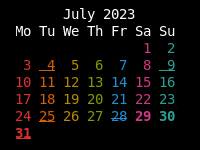
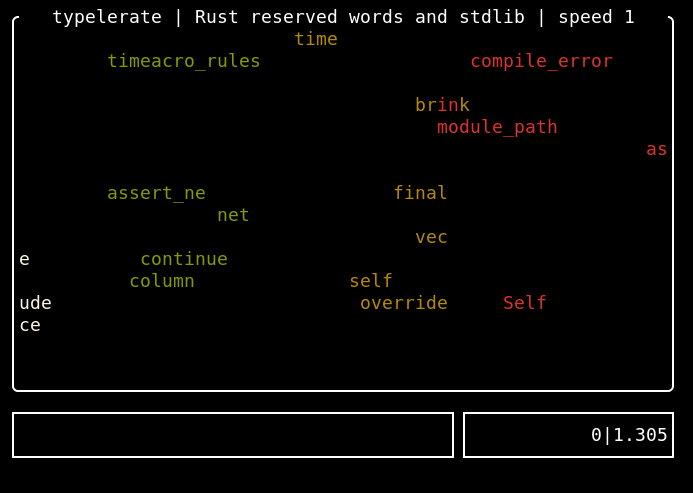
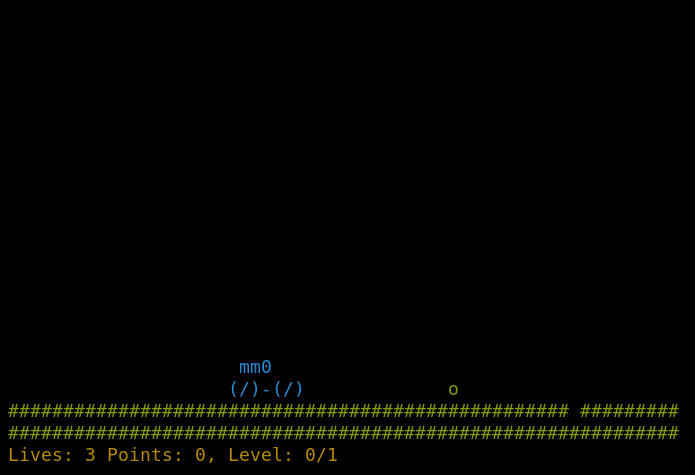
 I've never been a fan of IoT devices for obvious reasons: not only do they tend
to be excellent at being expensive vendor locked-in machines, but far too often,
they also end up turning into e-waste after a short amount of time.
Manufacturers can go out of business or simply decide to
I've never been a fan of IoT devices for obvious reasons: not only do they tend
to be excellent at being expensive vendor locked-in machines, but far too often,
they also end up turning into e-waste after a short amount of time.
Manufacturers can go out of business or simply decide to  Uhm, salsa is not resolving:
 The seventh release of the still pretty new
 But part of it has been neglect as well as this time








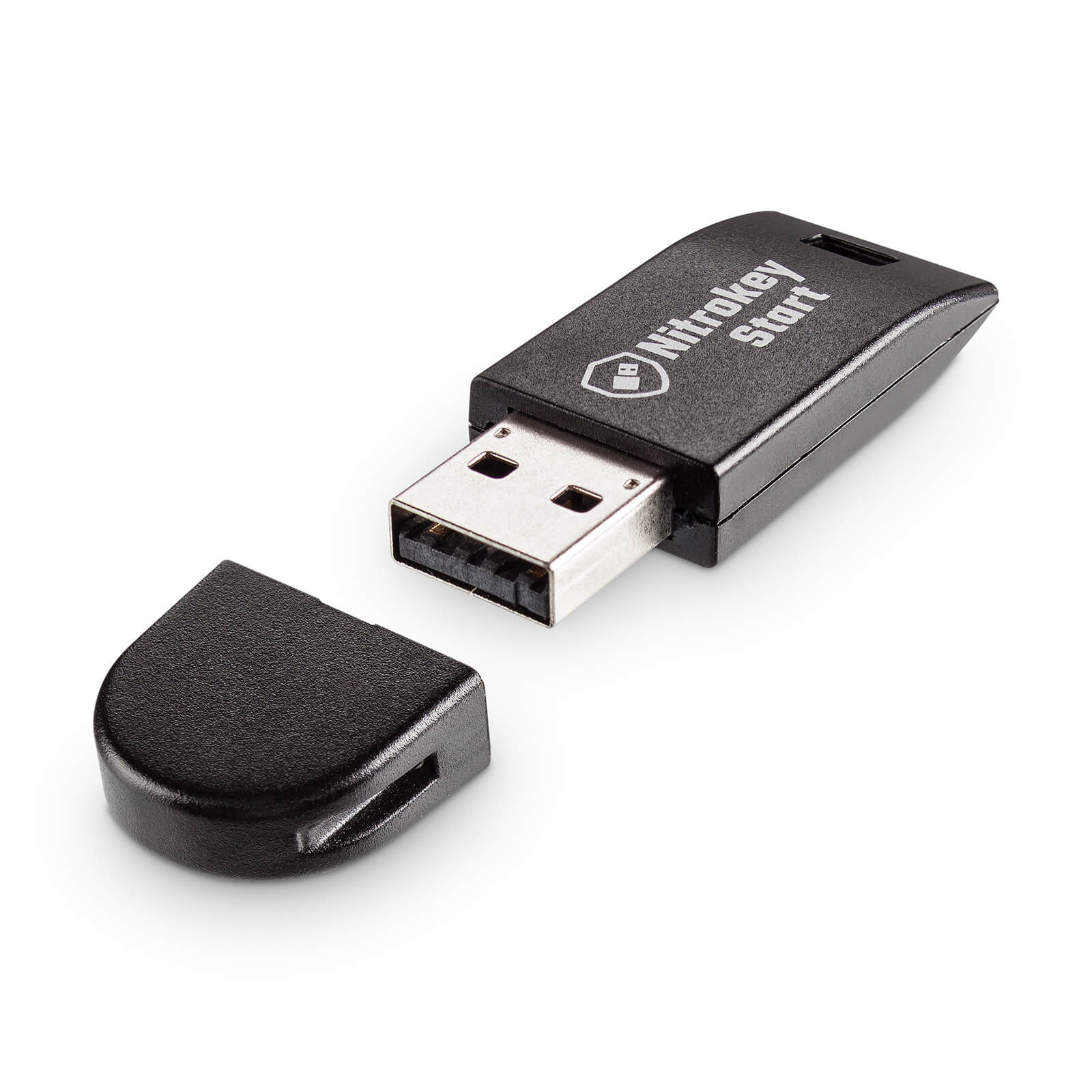 Nitrokey Start
 (no site yet)
 in October 2021. they generally seem to keep up with
shipping. update (august 2022): they rolled out a second line of
laptops (12th gen), first batch shipped, second batch
in October 2021. they generally seem to keep up with
shipping. update (august 2022): they rolled out a second line of
laptops (12th gen), first batch shipped, second batch