Otto Kek l inen: Creating Debian packages from upstream Git

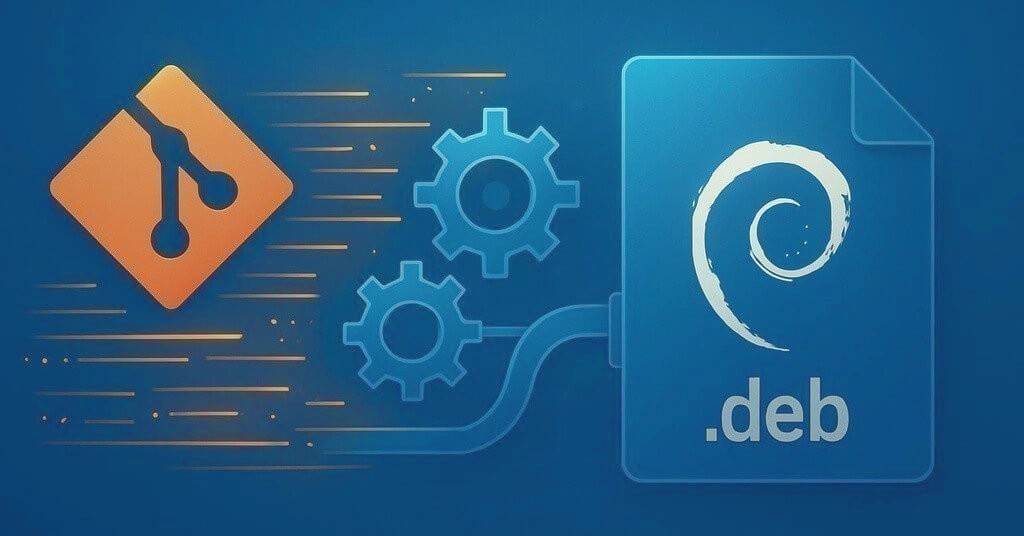 In this post, I demonstrate the optimal workflow for creating new Debian packages in 2025, preserving the upstream git history. The motivation for this is to lower the barrier for sharing improvements to and from upstream, and to improve software provenance and supply-chain security by making it easy to inspect every change at any level using standard git tooling.
Key elements of this workflow include:
- Using a Git fork/clone of the upstream repository as the starting point for creating Debian packaging repositories.
- Consistent use of the same
git-buildpackagecommands, with all package-specific options ingbp.conf. - DEP-14 tag and branch names for an optimal Git packaging repository structure.
- Pristine-tar and upstream signatures for supply-chain security.
- Use of
Files-Excludedin thedebian/copyrightfile to filter out unwanted files in Debian. - Patch queues to easily rebase and cherry-pick changes across Debian and upstream branches.
- Efficient use of Salsa, Debian s GitLab instance, for both automated feedback from CI systems and human feedback from peer reviews.
- Creating a new packaging repository and publishing it under your personal namespace on salsa.debian.org.
- Using
dh_maketo create the initial Debian packaging. - Posting the first draft of the Debian packaging as a Merge Request (MR) and using Salsa CI to verify Debian packaging quality.
- Running local builds efficiently and iterating on the packaging process.
Create new Debian packaging repository from the existing upstream project git repository
First, create a new empty directory, then clone the upstream Git repository inside it:
shell
mkdir debian-entr
cd debian-entr
git clone --origin upstreamvcs --branch master \
--single-branch https://github.com/eradman/entr.git
Using a clean directory makes it easier to inspect the build artifacts of a Debian package, which will be output in the parent directory of the Debian source directory.
The extra parameters given to git clone lay the foundation for the Debian packaging git repository structure where the upstream git remote name is upstreamvcs. Only the upstream main branch is tracked to avoid cluttering git history with upstream development branches that are irrelevant for packaging in Debian.
Next, enter the git repository directory and list the git tags. Pick the latest upstream release tag as the commit to start the branch upstream/latest. This latest refers to the upstream release, not the upstream development branch. Immediately after, branch off the debian/latest branch, which will have the actual Debian packaging files in the debian/ subdirectory.
shell
cd entr
git tag # shows the latest upstream release tag was '5.6'
git checkout -b upstream/latest 5.6
git checkout -b debian/latest
%% init: 'gitGraph': 'mainBranchName': 'master' %%
gitGraph:
checkout master
commit id: "Upstream 5.6 release" tag: "5.6"
branch upstream/latest
checkout upstream/latest
commit id: "New upstream version 5.6" tag: "upstream/5.6"
branch debian/latest
checkout debian/latest
commit id: "Initial Debian packaging"
commit id: "Additional change 1"
commit id: "Additional change 2"
commit id: "Additional change 3"
At this point, the repository is structured according to DEP-14 conventions, ensuring a clear separation between upstream and Debian packaging changes, but there are no Debian changes yet. Next, add the Salsa repository as a new remote which called origin, the same as the default remote name in git.
shell
git remote add origin git@salsa.debian.org:otto/entr-demo.git
git push --set-upstream origin debian/latest
This is an important preparation step to later be able to create a Merge Request on Salsa that targets the debian/latest branch, which does not yet have any debian/ directory.
Launch a Debian Sid (unstable) container to run builds in
To ensure that all packaging tools are of the latest versions, run everything inside a fresh Sid container. This has two benefits: you are guaranteed to have the most up-to-date toolchain, and your host system stays clean without getting polluted by various extra packages. Additionally, this approach works even if your host system is not Debian/Ubuntu.
shell
cd ..
podman run --interactive --tty --rm --shm-size=1G --cap-add SYS_PTRACE \
--env='DEB*' --volume=$PWD:/tmp/test --workdir=/tmp/test debian:sid bash
Note that the container should be started from the parent directory of the git repository, not inside it. The --volume parameter will loop-mount the current directory inside the container. Thus all files created and modified are on the host system, and will persist after the container shuts down.
Once inside the container, install the basic dependencies:
shell
apt update -q && apt install -q --yes git-buildpackage dpkg-dev dh-make
Automate creating the debian/ files with dh-make
To create the files needed for the actual Debian packaging, use dh_make:
shell
# dh_make --packagename entr_5.6 --single --createorig
Maintainer Name : Otto Kek l inen
Email-Address : otto@debian.org
Date : Sat, 15 Feb 2025 01:17:51 +0000
Package Name : entr
Version : 5.6
License : blank
Package Type : single
Are the details correct? [Y/n/q]
Done. Please edit the files in the debian/ subdirectory now.
Due to how dh_make works, the package name and version need to be written as a single underscore separated string. In this case, you should choose --single to specify that the package type is a single binary package. Other options would be --library for library packages (see libgda5 sources as an example) or --indep (see dns-root-data sources as an example). The --createorig will create a mock upstream release tarball (entr_5.6.orig.tar.xz) from the current release directory, which is necessary due to historical reasons and how dh_make worked before git repositories became common and Debian source packages were based off upstream release tarballs (e.g. *.tar.gz).
At this stage, a debian/ directory has been created with template files, and you can start modifying the files and iterating towards actual working packaging.
shell
git add debian/
git commit -a -m "Initial Debian packaging"
Review the files
The full list of files after the above steps with dh_make would be:
-- entr
-- LICENSE
-- Makefile.bsd
-- Makefile.linux
-- Makefile.linux-compat
-- Makefile.macos
-- NEWS
-- README.md
-- configure
-- data.h
-- debian
-- README.Debian
-- README.source
-- changelog
-- control
-- copyright
-- gbp.conf
-- entr-docs.docs
-- entr.cron.d.ex
-- entr.doc-base.ex
-- manpage.1.ex
-- manpage.md.ex
-- manpage.sgml.ex
-- manpage.xml.ex
-- postinst.ex
-- postrm.ex
-- preinst.ex
-- prerm.ex
-- rules
-- salsa-ci.yml.ex
-- source
-- format
-- upstream
-- metadata.ex
-- watch.ex
-- entr.1
-- entr.c
-- missing
-- compat.h
-- kqueue_inotify.c
-- strlcpy.c
-- sys
-- event.h
-- status.c
-- status.h
-- system_test.sh
-- entr_5.6.orig.tar.xz
You can browse these files in the demo repository.
The mandatory files in the debian/ directory are:
changelog,control,copyright,- and
rules.
All the other files have been created for convenience so the packager has template files to work from. The files with the suffix .ex are example files that won t have any effect until their content is adjusted and the suffix removed.
For detailed explanations of the purpose of each file in the debian/ subdirectory, see the following resources:
- The Debian Policy Manual: Describes the structure of the operating system, the package archive and requirements for packages to be included in the Debian archive.
- The Developer s Reference: A collection of best practices and process descriptions Debian packagers are expected to follow while interacting with one another.
- Debhelper man pages: Detailed information of how the Debian package build system works, and how the contents of the various files in debian/ affect the end result.
As Entr, the package used in this example, is a real package that already exists in the Debian archive, you may want to browse the actual Debian packaging source at https://salsa.debian.org/debian/entr/-/tree/debian/latest/debian for reference.
Most of these files have standardized formatting conventions to make collaboration easier. To automatically format the files following the most popular conventions, simply run wrap-and-sort -vast or debputy reformat --style=black.
Identify build dependencies
The most common reason for builds to fail is missing dependencies. The easiest way to identify which Debian package ships the required dependency is using apt-file. If, for example, a build fails complaining that pcre2posix.h cannot be found or that libcre2-posix.so is missing, you can use these commands:
shell
$ apt install -q --yes apt-file && apt-file update
$ apt-file search pcre2posix.h
libpcre2-dev: /usr/include/pcre2posix.h
$ apt-file search libpcre2-posix.so
libpcre2-dev: /usr/lib/x86_64-linux-gnu/libpcre2-posix.so
libpcre2-posix3: /usr/lib/x86_64-linux-gnu/libpcre2-posix.so.3
libpcre2-posix3: /usr/lib/x86_64-linux-gnu/libpcre2-posix.so.3.0.6
The output above implies that the debian/control should be extended to define a Build-Depends: libpcre2-dev relationship.
There is also dpkg-depcheck that uses strace to trace the files the build process tries to access, and lists what Debian packages those files belong to. Example usage:
shell
dpkg-depcheck -b debian/rules build
Build the Debian sources to generate the .deb package
After the first pass of refining the contents of the files in debian/, test the build by running dpkg-buildpackage inside the container:
shell
dpkg-buildpackage -uc -us -b
The options -uc -us will skip signing the resulting Debian source package and other build artifacts. The -b option will skip creating a source package and only build the (binary) *.deb packages.
The output is very verbose and gives a large amount of context about what is happening during the build to make debugging build failures easier. In the build log of entr you will see for example the line dh binary --buildsystem=makefile. This and other dh commands can also be run manually if there is a need to quickly repeat only a part of the build while debugging build failures.
To see what files were generated or modified by the build simply run git status --ignored:
shell
$ git status --ignored
On branch debian/latest
Untracked files:
(use "git add <file>..." to include in what will be committed)
debian/debhelper-build-stamp
debian/entr.debhelper.log
debian/entr.substvars
debian/files
Ignored files:
(use "git add -f <file>..." to include in what will be committed)
Makefile
compat.c
compat.o
debian/.debhelper/
debian/entr/
entr
entr.o
status.o
Re-running dpkg-buildpackage will include running the command dh clean, which assuming it is configured correctly in the debian/rules file will reset the source directory to the original pristine state. The same can of course also be done with regular git commands git reset --hard; git clean -fdx. To avoid accidentally committing unnecessary build artifacts in git, a debian/.gitignore can be useful and it would typically include all four files listed as untracked above.
After a successful build you would have the following files:
shell
-- entr
-- LICENSE
-- Makefile -> Makefile.linux
-- Makefile.bsd
-- Makefile.linux
-- Makefile.linux-compat
-- Makefile.macos
-- NEWS
-- README.md
-- compat.c
-- compat.o
-- configure
-- data.h
-- debian
-- README.source.md
-- changelog
-- control
-- copyright
-- debhelper-build-stamp
-- docs
-- entr
-- DEBIAN
-- control
-- md5sums
-- usr
-- bin
-- entr
-- share
-- doc
-- entr
-- NEWS.gz
-- README.md
-- changelog.Debian.gz
-- copyright
-- man
-- man1
-- entr.1.gz
-- entr.debhelper.log
-- entr.substvars
-- files
-- gbp.conf
-- patches
-- PR149-expand-aliases-in-system-test-script.patch
-- series
-- system-test-skip-no-tty.patch
-- system-test-with-system-binary.patch
-- rules
-- salsa-ci.yml
-- source
-- format
-- tests
-- control
-- upstream
-- metadata
-- signing-key.asc
-- watch
-- entr
-- entr.1
-- entr.c
-- entr.o
-- missing
-- compat.h
-- kqueue_inotify.c
-- strlcpy.c
-- sys
-- event.h
-- status.c
-- status.h
-- status.o
-- system_test.sh
-- entr-dbgsym_5.6-1_amd64.deb
-- entr_5.6-1.debian.tar.xz
-- entr_5.6-1.dsc
-- entr_5.6-1_amd64.buildinfo
-- entr_5.6-1_amd64.changes
-- entr_5.6-1_amd64.deb
-- entr_5.6.orig.tar.xz
The contents of debian/entr are essentially what goes into the resulting entr_5.6-1_amd64.deb package. Familiarizing yourself with the majority of the files in the original upstream source as well as all the resulting build artifacts is time consuming, but it is a necessary investment to get high-quality Debian packages.
There are also tools such as Debcraft that automate generating the build artifacts in separate output directories for each build, thus making it easy to compare the changes to correlate what change in the Debian packaging led to what change in the resulting build artifacts.
Re-run the initial import with git-buildpackage
When upstreams publish releases as tarballs, they should also be imported for optimal software supply-chain security, in particular if upstream also publishes cryptographic signatures that can be used to verify the authenticity of the tarballs.
To achieve this, the files debian/watch, debian/upstream/signing-key.asc, and debian/gbp.conf need to be present with the correct options. In the gbp.conf file, ensure you have the correct options based on:
- Does upstream release tarballs? If so, enforce
pristine-tar = True.
- Does upstream sign the tarballs? If so, configure explicit signature checking with
upstream-signatures = on.
- Does upstream have a git repository, and does it have release git tags? If so, configure the release git tag format, e.g.
upstream-vcs-tag = %(version%~%.)s.
To validate that the above files are working correctly, run gbp import-orig with the current version explicitly defined:
shell
$ gbp import-orig --uscan --upstream-version 5.6
gbp:info: Launching uscan...
gpgv: Signature made 7. Aug 2024 07.43.27 PDT
gpgv: using RSA key 519151D83E83D40A232B4D615C418B8631BC7C26
gpgv: Good signature from "Eric Radman <ericshane@eradman.com>"
gbp:info: Using uscan downloaded tarball ../entr_5.6.orig.tar.gz
gbp:info: Importing '../entr_5.6.orig.tar.gz' to branch 'upstream/latest'...
gbp:info: Source package is entr
gbp:info: Upstream version is 5.6
gbp:info: Replacing upstream source on 'debian/latest'
gbp:info: Running Postimport hook
gbp:info: Successfully imported version 5.6 of ../entr_5.6.orig.tar.gz
As the original packaging was done based on the upstream release git tag, the above command will fetch the tarball release, create the pristine-tar branch, and store the tarball delta on it. This command will also attempt to create the tag upstream/5.6 on the upstream/latest branch.
Import new upstream versions in the future
Forking the upstream git repository, creating the initial packaging, and creating the DEP-14 branch structure are all one-off work needed only when creating the initial packaging.
Going forward, to import new upstream releases, one would simply run git fetch upstreamvcs; gbp import-orig --uscan, which fetches the upstream git tags, checks for new upstream tarballs, and automatically downloads, verifies, and imports the new version. See the galera-4-demo example in the Debian source packages in git explained post as a demo you can try running yourself and examine in detail.
You can also try running gbp import-orig --uscan without specifying a version. It would fetch it, as it will notice there is now Entr version 5.7 available, and import it.
Build using git-buildpackage
From this stage onwards you should build the package using gbp buildpackage, which will do a more comprehensive build.
shell
gbp buildpackage -uc -us
The git-buildpackage build also includes running Lintian to find potential Debian policy violations in the sources or in the resulting .deb binary packages. Many Debian Developers run lintian -EviIL +pedantic after every build to check that there are no new nags, and to validate that changes intended to previous Lintian nags were correct.
Open a Merge Request on Salsa for Debian packaging review
Getting everything perfectly right takes a lot of effort, and may require reaching out to an experienced Debian Developers for review and guidance. Thus, you should aim to publish your initial packaging work on Salsa, Debian s GitLab instance, for review and feedback as early as possible.
For somebody to be able to easily see what you have done, you should rename your debian/latest branch to another name, for example next/debian/latest, and open a Merge Request that targets the debian/latest branch on your Salsa fork, which still has only the unmodified upstream files.
If you have followed the workflow in this post so far, you can simply run:
git checkout -b next/debian/latestgit push --set-upstream origin next/debian/latest- Open in a browser the URL visible in the git remote response
- Write the Merge Request description in case the default text from your commit is not enough
- Mark the MR as Draft using the checkbox
- Publish the MR and request feedback
Once a Merge Request exists, discussion regarding what additional changes are needed can be conducted as MR comments. With an MR, you can easily iterate on the contents of next/debian/latest, rebase, force push, and request re-review as many times as you want.
While at it, make sure the Settings > CI/CD page has under CI/CD configuration file the value debian/salsa-ci.yml so that the CI can run and give you immediate automated feedback.
For an example of an initial packaging Merge Request, see https://salsa.debian.org/otto/entr-demo/-/merge_requests/1.
Open a Merge Request / Pull Request to fix upstream code
Due to the high quality requirements in Debian, it is fairly common that while doing the initial Debian packaging of an open source project, issues are found that stem from the upstream source code. While it is possible to carry extra patches in Debian, it is not good practice to deviate too much from upstream code with custom Debian patches. Instead, the Debian packager should try to get the fixes applied directly upstream.
Using git-buildpackage patch queues is the most convenient way to make modifications to the upstream source code so that they automatically convert into Debian patches (stored at debian/patches), and can also easily be submitted upstream as any regular git commit (and rebased and resubmitted many times over).
First, decide if you want to work out of the upstream development branch and later cherry-pick to the Debian packaging branch, or work out of the Debian packaging branch and cherry-pick to an upstream branch.
The example below starts from the upstream development branch and then cherry-picks the commit into the git-buildpackage patch queue:
shell
git checkout -b bugfix-branch master
nano entr.c
make
./entr # verify change works as expected
git commit -a -m "Commit title" -m "Commit body"
git push # submit upstream
gbp pq import --force --time-machine=10
git cherry-pick <commit id>
git commit --amend # extend commit message with DEP-3 metadata
gbp buildpackage -uc -us -b
./entr # verify change works as expected
gbp pq export --drop --commit
git commit --amend # Write commit message along lines "Add patch to .."
The example below starts by making the fix on a git-buildpackage patch queue branch, and then cherry-picking it onto the upstream development branch:
shell
gbp pq import --force --time-machine=10
nano entr.c
git commit -a -m "Commit title" -m "Commit body"
gbp buildpackage -uc -us -b
./entr # verify change works as expected
gbp pq export --drop --commit
git commit --amend # Write commit message along lines "Add patch to .."
git checkout -b bugfix-branch master
git cherry-pick <commit id>
git commit --amend # prepare commit message for upstream submission
git push # submit upstream
The key git-buildpackage commands to enter and exit the patch-queue mode are:
shell
gbp pq import --force --time-machine=10
gbp pq export --drop --commit
%% init: 'gitGraph': 'mainBranchName': 'debian/latest' %%
gitGraph
checkout debian/latest
commit id: "Initial packaging"
branch patch-queue/debian/latest
checkout patch-queue/debian/latest
commit id: "Delete debian/patches/..."
commit id: "Patch 1 title"
commit id: "Patch 2 title"
commit id: "Patch 3 title"
These can be run at any time, regardless if any debian/patches existed prior, or if existing patches applied cleanly or not, or if there were old patch queue branches around. Note that the extra -b in gbp buildpackage -uc -us -b instructs to build only binary packages, avoiding any nags from dpkg-source that there are modifications in the upstream sources while building in the patches-applied mode.
Programming-language specific dh-make alternatives
As each programming language has its specific way of building the source code, and many other conventions regarding the file layout and more, Debian has multiple custom tools to create new Debian source packages for specific programming languages.
- Go: dh-make-golang
- Haskell: cabal-debian
- Java: jh_makepkg
- JavaScript/Node.js: npm2deb
- Lua: dh-lua
- OCaml: dh-ocaml
- Perl: dh-make-perl
- PHP: pkg-php-tools
- Ruby: gem2deb
Notably, Python does not have its own tool, but there is an dh_make --python option for Python support directly in dh_make itself. The list is not complete and many more tools exist. For some languages, there are even competing options, such as for Go there is in addition to dh-make-golang also Gophian.
When learning Debian packaging, there is no need to learn these tools upfront. Being aware that they exist is enough, and one can learn them only if and when one starts to package a project in a new programming language.
The difference between source git repository vs source packages vs binary packages
As seen in earlier example, running gbp buildpackage on the Entr packaging repository above will result in several files:
entr_5.6-1_amd64.changes
entr_5.6-1_amd64.deb
entr_5.6-1.debian.tar.xz
entr_5.6-1.dsc
entr_5.6.orig.tar.gz
entr_5.6.orig.tar.gz.asc
The entr_5.6-1_amd64.deb is the binary package, which can be installed on a Debian/Ubuntu system. The rest of the files constitute the source package. To do a source-only build, run gbp buildpackage -S and note the files produced:
entr_5.6-1_source.changes
entr_5.6-1.debian.tar.xz
entr_5.6-1.dsc
entr_5.6.orig.tar.gz
entr_5.6.orig.tar.gz.asc
The source package files can be used to build the binary .deb for amd64, or any architecture that the package supports. It is important to grasp that the Debian source package is the preferred form to be able to build the binary packages on various Debian build systems, and the Debian source package is not the same thing as the Debian packaging git repository contents.
flowchart LR
git[Git repository<br>branch debian/latest] --> gbp buildpackage -S src[Source Package<br>.dsc + .tar.xz]
src --> dpkg-buildpackage bin[Binary Packages<br>.deb]
If the package is large and complex, the build could result in multiple binary packages. One set of package definition files in debian/ will however only ever result in a single source package.
Option to repackage source packages with Files-Excluded lists in the debian/copyright file
Some upstream projects may include binary files in their release, or other undesirable content that needs to be omitted from the source package in Debian. The easiest way to filter them out is by adding to the debian/copyright file a Files-Excluded field listing the undesired files. The debian/copyright file is read by uscan, which will repackage the upstream sources on-the-fly when importing new upstream releases.
For a real-life example, see the debian/copyright files in the Godot package that lists:
debian
Files-Excluded: platform/android/java/gradle/wrapper/gradle-wrapper.jar
The resulting repackaged upstream source tarball, as well as the upstream version component, will have an extra +ds to signify that it is not the true original upstream source but has been modified by Debian:
godot_4.3+ds.orig.tar.xz
godot_4.3+ds-1_amd64.deb
Creating one Debian source package from multiple upstream source packages also possible
In some rare cases the upstream project may be split across multiple git repositories or the upstream release may consist of multiple components each in their own separate tarball. Usually these are very large projects that get some benefits from releasing components separately. If in Debian these are deemed to go into a single source package, it is technically possible using the component system in git-buildpackage and uscan. For an example see the gbp.conf and watch files in the node-cacache package.
Using this type of structure should be a last resort, as it creates complexity and inter-dependencies that are bound to cause issues later on. It is usually better to work with upstream and champion universal best practices with clear releases and version schemes.
When not to start the Debian packaging repository as a fork of the upstream one
Not all upstreams use Git for version control. It is by far the most popular, but there are still some that use e.g. Subversion or Mercurial. Who knows maybe in the future some new version control systems will start to compete with Git. There are also projects that use Git in massive monorepos and with complex submodule setups that invalidate the basic assumptions required to map an upstream Git repository into a Debian packaging repository.
In those cases one can t use a debian/latest branch on a clone of the upstream git repository as the starting point for the Debian packaging, but one must revert the traditional way of starting from an upstream release tarball with gbp import-orig package-1.0.tar.gz.
Conclusion
Created in August 1993, Debian is one of the oldest Linux distributions. In the 32 years since inception, the .deb packaging format and the tooling to work with it have evolved several generations. In the past 10 years, more and more Debian Developers have converged on certain core practices evidenced by https://trends.debian.net/, but there is still a lot of variance in workflows even for identical tasks. Hopefully, you find this post useful in giving practical guidance on how exactly to do the most common things when packaging software for Debian.
Happy packaging!
mkdir debian-entr
cd debian-entr
git clone --origin upstreamvcs --branch master \
--single-branch https://github.com/eradman/entr.gitcd entr
git tag # shows the latest upstream release tag was '5.6'
git checkout -b upstream/latest 5.6
git checkout -b debian/latestgit remote add origin git@salsa.debian.org:otto/entr-demo.git
git push --set-upstream origin debian/latestcd ..
podman run --interactive --tty --rm --shm-size=1G --cap-add SYS_PTRACE \
--env='DEB*' --volume=$PWD:/tmp/test --workdir=/tmp/test debian:sid bash--volume parameter will loop-mount the current directory inside the container. Thus all files created and modified are on the host system, and will persist after the container shuts down.
Once inside the container, install the basic dependencies:
apt update -q && apt install -q --yes git-buildpackage dpkg-dev dh-makeAutomate creating the debian/ files with dh-make
To create the files needed for the actual Debian packaging, use dh_make:
shell
# dh_make --packagename entr_5.6 --single --createorig
Maintainer Name : Otto Kek l inen
Email-Address : otto@debian.org
Date : Sat, 15 Feb 2025 01:17:51 +0000
Package Name : entr
Version : 5.6
License : blank
Package Type : single
Are the details correct? [Y/n/q]
Done. Please edit the files in the debian/ subdirectory now.
Due to how dh_make works, the package name and version need to be written as a single underscore separated string. In this case, you should choose --single to specify that the package type is a single binary package. Other options would be --library for library packages (see libgda5 sources as an example) or --indep (see dns-root-data sources as an example). The --createorig will create a mock upstream release tarball (entr_5.6.orig.tar.xz) from the current release directory, which is necessary due to historical reasons and how dh_make worked before git repositories became common and Debian source packages were based off upstream release tarballs (e.g. *.tar.gz).
At this stage, a debian/ directory has been created with template files, and you can start modifying the files and iterating towards actual working packaging.
shell
git add debian/
git commit -a -m "Initial Debian packaging"
Review the files
The full list of files after the above steps with dh_make would be:
-- entr
-- LICENSE
-- Makefile.bsd
-- Makefile.linux
-- Makefile.linux-compat
-- Makefile.macos
-- NEWS
-- README.md
-- configure
-- data.h
-- debian
-- README.Debian
-- README.source
-- changelog
-- control
-- copyright
-- gbp.conf
-- entr-docs.docs
-- entr.cron.d.ex
-- entr.doc-base.ex
-- manpage.1.ex
-- manpage.md.ex
-- manpage.sgml.ex
-- manpage.xml.ex
-- postinst.ex
-- postrm.ex
-- preinst.ex
-- prerm.ex
-- rules
-- salsa-ci.yml.ex
-- source
-- format
-- upstream
-- metadata.ex
-- watch.ex
-- entr.1
-- entr.c
-- missing
-- compat.h
-- kqueue_inotify.c
-- strlcpy.c
-- sys
-- event.h
-- status.c
-- status.h
-- system_test.sh
-- entr_5.6.orig.tar.xz
You can browse these files in the demo repository.
The mandatory files in the debian/ directory are:
changelog,control,copyright,- and
rules.
All the other files have been created for convenience so the packager has template files to work from. The files with the suffix .ex are example files that won t have any effect until their content is adjusted and the suffix removed.
For detailed explanations of the purpose of each file in the debian/ subdirectory, see the following resources:
- The Debian Policy Manual: Describes the structure of the operating system, the package archive and requirements for packages to be included in the Debian archive.
- The Developer s Reference: A collection of best practices and process descriptions Debian packagers are expected to follow while interacting with one another.
- Debhelper man pages: Detailed information of how the Debian package build system works, and how the contents of the various files in debian/ affect the end result.
As Entr, the package used in this example, is a real package that already exists in the Debian archive, you may want to browse the actual Debian packaging source at https://salsa.debian.org/debian/entr/-/tree/debian/latest/debian for reference.
Most of these files have standardized formatting conventions to make collaboration easier. To automatically format the files following the most popular conventions, simply run wrap-and-sort -vast or debputy reformat --style=black.
Identify build dependencies
The most common reason for builds to fail is missing dependencies. The easiest way to identify which Debian package ships the required dependency is using apt-file. If, for example, a build fails complaining that pcre2posix.h cannot be found or that libcre2-posix.so is missing, you can use these commands:
shell
$ apt install -q --yes apt-file && apt-file update
$ apt-file search pcre2posix.h
libpcre2-dev: /usr/include/pcre2posix.h
$ apt-file search libpcre2-posix.so
libpcre2-dev: /usr/lib/x86_64-linux-gnu/libpcre2-posix.so
libpcre2-posix3: /usr/lib/x86_64-linux-gnu/libpcre2-posix.so.3
libpcre2-posix3: /usr/lib/x86_64-linux-gnu/libpcre2-posix.so.3.0.6
The output above implies that the debian/control should be extended to define a Build-Depends: libpcre2-dev relationship.
There is also dpkg-depcheck that uses strace to trace the files the build process tries to access, and lists what Debian packages those files belong to. Example usage:
shell
dpkg-depcheck -b debian/rules build
Build the Debian sources to generate the .deb package
After the first pass of refining the contents of the files in debian/, test the build by running dpkg-buildpackage inside the container:
shell
dpkg-buildpackage -uc -us -b
The options -uc -us will skip signing the resulting Debian source package and other build artifacts. The -b option will skip creating a source package and only build the (binary) *.deb packages.
The output is very verbose and gives a large amount of context about what is happening during the build to make debugging build failures easier. In the build log of entr you will see for example the line dh binary --buildsystem=makefile. This and other dh commands can also be run manually if there is a need to quickly repeat only a part of the build while debugging build failures.
To see what files were generated or modified by the build simply run git status --ignored:
shell
$ git status --ignored
On branch debian/latest
Untracked files:
(use "git add <file>..." to include in what will be committed)
debian/debhelper-build-stamp
debian/entr.debhelper.log
debian/entr.substvars
debian/files
Ignored files:
(use "git add -f <file>..." to include in what will be committed)
Makefile
compat.c
compat.o
debian/.debhelper/
debian/entr/
entr
entr.o
status.o
Re-running dpkg-buildpackage will include running the command dh clean, which assuming it is configured correctly in the debian/rules file will reset the source directory to the original pristine state. The same can of course also be done with regular git commands git reset --hard; git clean -fdx. To avoid accidentally committing unnecessary build artifacts in git, a debian/.gitignore can be useful and it would typically include all four files listed as untracked above.
After a successful build you would have the following files:
shell
-- entr
-- LICENSE
-- Makefile -> Makefile.linux
-- Makefile.bsd
-- Makefile.linux
-- Makefile.linux-compat
-- Makefile.macos
-- NEWS
-- README.md
-- compat.c
-- compat.o
-- configure
-- data.h
-- debian
-- README.source.md
-- changelog
-- control
-- copyright
-- debhelper-build-stamp
-- docs
-- entr
-- DEBIAN
-- control
-- md5sums
-- usr
-- bin
-- entr
-- share
-- doc
-- entr
-- NEWS.gz
-- README.md
-- changelog.Debian.gz
-- copyright
-- man
-- man1
-- entr.1.gz
-- entr.debhelper.log
-- entr.substvars
-- files
-- gbp.conf
-- patches
-- PR149-expand-aliases-in-system-test-script.patch
-- series
-- system-test-skip-no-tty.patch
-- system-test-with-system-binary.patch
-- rules
-- salsa-ci.yml
-- source
-- format
-- tests
-- control
-- upstream
-- metadata
-- signing-key.asc
-- watch
-- entr
-- entr.1
-- entr.c
-- entr.o
-- missing
-- compat.h
-- kqueue_inotify.c
-- strlcpy.c
-- sys
-- event.h
-- status.c
-- status.h
-- status.o
-- system_test.sh
-- entr-dbgsym_5.6-1_amd64.deb
-- entr_5.6-1.debian.tar.xz
-- entr_5.6-1.dsc
-- entr_5.6-1_amd64.buildinfo
-- entr_5.6-1_amd64.changes
-- entr_5.6-1_amd64.deb
-- entr_5.6.orig.tar.xz
The contents of debian/entr are essentially what goes into the resulting entr_5.6-1_amd64.deb package. Familiarizing yourself with the majority of the files in the original upstream source as well as all the resulting build artifacts is time consuming, but it is a necessary investment to get high-quality Debian packages.
There are also tools such as Debcraft that automate generating the build artifacts in separate output directories for each build, thus making it easy to compare the changes to correlate what change in the Debian packaging led to what change in the resulting build artifacts.
Re-run the initial import with git-buildpackage
When upstreams publish releases as tarballs, they should also be imported for optimal software supply-chain security, in particular if upstream also publishes cryptographic signatures that can be used to verify the authenticity of the tarballs.
To achieve this, the files debian/watch, debian/upstream/signing-key.asc, and debian/gbp.conf need to be present with the correct options. In the gbp.conf file, ensure you have the correct options based on:
- Does upstream release tarballs? If so, enforce
pristine-tar = True.
- Does upstream sign the tarballs? If so, configure explicit signature checking with
upstream-signatures = on.
- Does upstream have a git repository, and does it have release git tags? If so, configure the release git tag format, e.g.
upstream-vcs-tag = %(version%~%.)s.
To validate that the above files are working correctly, run gbp import-orig with the current version explicitly defined:
shell
$ gbp import-orig --uscan --upstream-version 5.6
gbp:info: Launching uscan...
gpgv: Signature made 7. Aug 2024 07.43.27 PDT
gpgv: using RSA key 519151D83E83D40A232B4D615C418B8631BC7C26
gpgv: Good signature from "Eric Radman <ericshane@eradman.com>"
gbp:info: Using uscan downloaded tarball ../entr_5.6.orig.tar.gz
gbp:info: Importing '../entr_5.6.orig.tar.gz' to branch 'upstream/latest'...
gbp:info: Source package is entr
gbp:info: Upstream version is 5.6
gbp:info: Replacing upstream source on 'debian/latest'
gbp:info: Running Postimport hook
gbp:info: Successfully imported version 5.6 of ../entr_5.6.orig.tar.gz
As the original packaging was done based on the upstream release git tag, the above command will fetch the tarball release, create the pristine-tar branch, and store the tarball delta on it. This command will also attempt to create the tag upstream/5.6 on the upstream/latest branch.
Import new upstream versions in the future
Forking the upstream git repository, creating the initial packaging, and creating the DEP-14 branch structure are all one-off work needed only when creating the initial packaging.
Going forward, to import new upstream releases, one would simply run git fetch upstreamvcs; gbp import-orig --uscan, which fetches the upstream git tags, checks for new upstream tarballs, and automatically downloads, verifies, and imports the new version. See the galera-4-demo example in the Debian source packages in git explained post as a demo you can try running yourself and examine in detail.
You can also try running gbp import-orig --uscan without specifying a version. It would fetch it, as it will notice there is now Entr version 5.7 available, and import it.
Build using git-buildpackage
From this stage onwards you should build the package using gbp buildpackage, which will do a more comprehensive build.
shell
gbp buildpackage -uc -us
The git-buildpackage build also includes running Lintian to find potential Debian policy violations in the sources or in the resulting .deb binary packages. Many Debian Developers run lintian -EviIL +pedantic after every build to check that there are no new nags, and to validate that changes intended to previous Lintian nags were correct.
Open a Merge Request on Salsa for Debian packaging review
Getting everything perfectly right takes a lot of effort, and may require reaching out to an experienced Debian Developers for review and guidance. Thus, you should aim to publish your initial packaging work on Salsa, Debian s GitLab instance, for review and feedback as early as possible.
For somebody to be able to easily see what you have done, you should rename your debian/latest branch to another name, for example next/debian/latest, and open a Merge Request that targets the debian/latest branch on your Salsa fork, which still has only the unmodified upstream files.
If you have followed the workflow in this post so far, you can simply run:
git checkout -b next/debian/latestgit push --set-upstream origin next/debian/latest- Open in a browser the URL visible in the git remote response
- Write the Merge Request description in case the default text from your commit is not enough
- Mark the MR as Draft using the checkbox
- Publish the MR and request feedback
Once a Merge Request exists, discussion regarding what additional changes are needed can be conducted as MR comments. With an MR, you can easily iterate on the contents of next/debian/latest, rebase, force push, and request re-review as many times as you want.
While at it, make sure the Settings > CI/CD page has under CI/CD configuration file the value debian/salsa-ci.yml so that the CI can run and give you immediate automated feedback.
For an example of an initial packaging Merge Request, see https://salsa.debian.org/otto/entr-demo/-/merge_requests/1.
Open a Merge Request / Pull Request to fix upstream code
Due to the high quality requirements in Debian, it is fairly common that while doing the initial Debian packaging of an open source project, issues are found that stem from the upstream source code. While it is possible to carry extra patches in Debian, it is not good practice to deviate too much from upstream code with custom Debian patches. Instead, the Debian packager should try to get the fixes applied directly upstream.
Using git-buildpackage patch queues is the most convenient way to make modifications to the upstream source code so that they automatically convert into Debian patches (stored at debian/patches), and can also easily be submitted upstream as any regular git commit (and rebased and resubmitted many times over).
First, decide if you want to work out of the upstream development branch and later cherry-pick to the Debian packaging branch, or work out of the Debian packaging branch and cherry-pick to an upstream branch.
The example below starts from the upstream development branch and then cherry-picks the commit into the git-buildpackage patch queue:
shell
git checkout -b bugfix-branch master
nano entr.c
make
./entr # verify change works as expected
git commit -a -m "Commit title" -m "Commit body"
git push # submit upstream
gbp pq import --force --time-machine=10
git cherry-pick <commit id>
git commit --amend # extend commit message with DEP-3 metadata
gbp buildpackage -uc -us -b
./entr # verify change works as expected
gbp pq export --drop --commit
git commit --amend # Write commit message along lines "Add patch to .."
The example below starts by making the fix on a git-buildpackage patch queue branch, and then cherry-picking it onto the upstream development branch:
shell
gbp pq import --force --time-machine=10
nano entr.c
git commit -a -m "Commit title" -m "Commit body"
gbp buildpackage -uc -us -b
./entr # verify change works as expected
gbp pq export --drop --commit
git commit --amend # Write commit message along lines "Add patch to .."
git checkout -b bugfix-branch master
git cherry-pick <commit id>
git commit --amend # prepare commit message for upstream submission
git push # submit upstream
The key git-buildpackage commands to enter and exit the patch-queue mode are:
shell
gbp pq import --force --time-machine=10
gbp pq export --drop --commit
%% init: 'gitGraph': 'mainBranchName': 'debian/latest' %%
gitGraph
checkout debian/latest
commit id: "Initial packaging"
branch patch-queue/debian/latest
checkout patch-queue/debian/latest
commit id: "Delete debian/patches/..."
commit id: "Patch 1 title"
commit id: "Patch 2 title"
commit id: "Patch 3 title"
These can be run at any time, regardless if any debian/patches existed prior, or if existing patches applied cleanly or not, or if there were old patch queue branches around. Note that the extra -b in gbp buildpackage -uc -us -b instructs to build only binary packages, avoiding any nags from dpkg-source that there are modifications in the upstream sources while building in the patches-applied mode.
Programming-language specific dh-make alternatives
As each programming language has its specific way of building the source code, and many other conventions regarding the file layout and more, Debian has multiple custom tools to create new Debian source packages for specific programming languages.
- Go: dh-make-golang
- Haskell: cabal-debian
- Java: jh_makepkg
- JavaScript/Node.js: npm2deb
- Lua: dh-lua
- OCaml: dh-ocaml
- Perl: dh-make-perl
- PHP: pkg-php-tools
- Ruby: gem2deb
Notably, Python does not have its own tool, but there is an dh_make --python option for Python support directly in dh_make itself. The list is not complete and many more tools exist. For some languages, there are even competing options, such as for Go there is in addition to dh-make-golang also Gophian.
When learning Debian packaging, there is no need to learn these tools upfront. Being aware that they exist is enough, and one can learn them only if and when one starts to package a project in a new programming language.
The difference between source git repository vs source packages vs binary packages
As seen in earlier example, running gbp buildpackage on the Entr packaging repository above will result in several files:
entr_5.6-1_amd64.changes
entr_5.6-1_amd64.deb
entr_5.6-1.debian.tar.xz
entr_5.6-1.dsc
entr_5.6.orig.tar.gz
entr_5.6.orig.tar.gz.asc
The entr_5.6-1_amd64.deb is the binary package, which can be installed on a Debian/Ubuntu system. The rest of the files constitute the source package. To do a source-only build, run gbp buildpackage -S and note the files produced:
entr_5.6-1_source.changes
entr_5.6-1.debian.tar.xz
entr_5.6-1.dsc
entr_5.6.orig.tar.gz
entr_5.6.orig.tar.gz.asc
The source package files can be used to build the binary .deb for amd64, or any architecture that the package supports. It is important to grasp that the Debian source package is the preferred form to be able to build the binary packages on various Debian build systems, and the Debian source package is not the same thing as the Debian packaging git repository contents.
flowchart LR
git[Git repository<br>branch debian/latest] --> gbp buildpackage -S src[Source Package<br>.dsc + .tar.xz]
src --> dpkg-buildpackage bin[Binary Packages<br>.deb]
If the package is large and complex, the build could result in multiple binary packages. One set of package definition files in debian/ will however only ever result in a single source package.
Option to repackage source packages with Files-Excluded lists in the debian/copyright file
Some upstream projects may include binary files in their release, or other undesirable content that needs to be omitted from the source package in Debian. The easiest way to filter them out is by adding to the debian/copyright file a Files-Excluded field listing the undesired files. The debian/copyright file is read by uscan, which will repackage the upstream sources on-the-fly when importing new upstream releases.
For a real-life example, see the debian/copyright files in the Godot package that lists:
debian
Files-Excluded: platform/android/java/gradle/wrapper/gradle-wrapper.jar
The resulting repackaged upstream source tarball, as well as the upstream version component, will have an extra +ds to signify that it is not the true original upstream source but has been modified by Debian:
godot_4.3+ds.orig.tar.xz
godot_4.3+ds-1_amd64.deb
Creating one Debian source package from multiple upstream source packages also possible
In some rare cases the upstream project may be split across multiple git repositories or the upstream release may consist of multiple components each in their own separate tarball. Usually these are very large projects that get some benefits from releasing components separately. If in Debian these are deemed to go into a single source package, it is technically possible using the component system in git-buildpackage and uscan. For an example see the gbp.conf and watch files in the node-cacache package.
Using this type of structure should be a last resort, as it creates complexity and inter-dependencies that are bound to cause issues later on. It is usually better to work with upstream and champion universal best practices with clear releases and version schemes.
When not to start the Debian packaging repository as a fork of the upstream one
Not all upstreams use Git for version control. It is by far the most popular, but there are still some that use e.g. Subversion or Mercurial. Who knows maybe in the future some new version control systems will start to compete with Git. There are also projects that use Git in massive monorepos and with complex submodule setups that invalidate the basic assumptions required to map an upstream Git repository into a Debian packaging repository.
In those cases one can t use a debian/latest branch on a clone of the upstream git repository as the starting point for the Debian packaging, but one must revert the traditional way of starting from an upstream release tarball with gbp import-orig package-1.0.tar.gz.
Conclusion
Created in August 1993, Debian is one of the oldest Linux distributions. In the 32 years since inception, the .deb packaging format and the tooling to work with it have evolved several generations. In the past 10 years, more and more Debian Developers have converged on certain core practices evidenced by https://trends.debian.net/, but there is still a lot of variance in workflows even for identical tasks. Hopefully, you find this post useful in giving practical guidance on how exactly to do the most common things when packaging software for Debian.
Happy packaging!
# dh_make --packagename entr_5.6 --single --createorig
Maintainer Name : Otto Kek l inen
Email-Address : otto@debian.org
Date : Sat, 15 Feb 2025 01:17:51 +0000
Package Name : entr
Version : 5.6
License : blank
Package Type : single
Are the details correct? [Y/n/q]

Done. Please edit the files in the debian/ subdirectory now.git add debian/
git commit -a -m "Initial Debian packaging"dh_make would be:
 -- entr
   -- LICENSE
   -- Makefile.bsd
   -- Makefile.linux
   -- Makefile.linux-compat
   -- Makefile.macos
   -- NEWS
   -- README.md
   -- configure
   -- data.h
   -- debian
     -- README.Debian
     -- README.source
     -- changelog
     -- control
     -- copyright
     -- gbp.conf
     -- entr-docs.docs
     -- entr.cron.d.ex
     -- entr.doc-base.ex
     -- manpage.1.ex
     -- manpage.md.ex
     -- manpage.sgml.ex
     -- manpage.xml.ex
     -- postinst.ex
     -- postrm.ex
     -- preinst.ex
     -- prerm.ex
     -- rules
     -- salsa-ci.yml.ex
     -- source
       -- format
     -- upstream
       -- metadata.ex
     -- watch.ex
   -- entr.1
   -- entr.c
   -- missing
     -- compat.h
     -- kqueue_inotify.c
     -- strlcpy.c
     -- sys
     -- event.h
   -- status.c
   -- status.h
   -- system_test.sh
-- entr_5.6.orig.tar.xzdebian/ directory are:
changelog,control,copyright,- and
rules.
.ex are example files that won t have any effect until their content is adjusted and the suffix removed.
For detailed explanations of the purpose of each file in the debian/ subdirectory, see the following resources:
- The Debian Policy Manual: Describes the structure of the operating system, the package archive and requirements for packages to be included in the Debian archive.
- The Developer s Reference: A collection of best practices and process descriptions Debian packagers are expected to follow while interacting with one another.
- Debhelper man pages: Detailed information of how the Debian package build system works, and how the contents of the various files in debian/ affect the end result.
wrap-and-sort -vast or debputy reformat --style=black.
Identify build dependencies
The most common reason for builds to fail is missing dependencies. The easiest way to identify which Debian package ships the required dependency is using apt-file. If, for example, a build fails complaining that pcre2posix.h cannot be found or that libcre2-posix.so is missing, you can use these commands:
shell
$ apt install -q --yes apt-file && apt-file update
$ apt-file search pcre2posix.h
libpcre2-dev: /usr/include/pcre2posix.h
$ apt-file search libpcre2-posix.so
libpcre2-dev: /usr/lib/x86_64-linux-gnu/libpcre2-posix.so
libpcre2-posix3: /usr/lib/x86_64-linux-gnu/libpcre2-posix.so.3
libpcre2-posix3: /usr/lib/x86_64-linux-gnu/libpcre2-posix.so.3.0.6
The output above implies that the debian/control should be extended to define a Build-Depends: libpcre2-dev relationship.
There is also dpkg-depcheck that uses strace to trace the files the build process tries to access, and lists what Debian packages those files belong to. Example usage:
shell
dpkg-depcheck -b debian/rules build
Build the Debian sources to generate the .deb package
After the first pass of refining the contents of the files in debian/, test the build by running dpkg-buildpackage inside the container:
shell
dpkg-buildpackage -uc -us -b
The options -uc -us will skip signing the resulting Debian source package and other build artifacts. The -b option will skip creating a source package and only build the (binary) *.deb packages.
The output is very verbose and gives a large amount of context about what is happening during the build to make debugging build failures easier. In the build log of entr you will see for example the line dh binary --buildsystem=makefile. This and other dh commands can also be run manually if there is a need to quickly repeat only a part of the build while debugging build failures.
To see what files were generated or modified by the build simply run git status --ignored:
shell
$ git status --ignored
On branch debian/latest
Untracked files:
(use "git add <file>..." to include in what will be committed)
debian/debhelper-build-stamp
debian/entr.debhelper.log
debian/entr.substvars
debian/files
Ignored files:
(use "git add -f <file>..." to include in what will be committed)
Makefile
compat.c
compat.o
debian/.debhelper/
debian/entr/
entr
entr.o
status.o
Re-running dpkg-buildpackage will include running the command dh clean, which assuming it is configured correctly in the debian/rules file will reset the source directory to the original pristine state. The same can of course also be done with regular git commands git reset --hard; git clean -fdx. To avoid accidentally committing unnecessary build artifacts in git, a debian/.gitignore can be useful and it would typically include all four files listed as untracked above.
After a successful build you would have the following files:
shell
-- entr
-- LICENSE
-- Makefile -> Makefile.linux
-- Makefile.bsd
-- Makefile.linux
-- Makefile.linux-compat
-- Makefile.macos
-- NEWS
-- README.md
-- compat.c
-- compat.o
-- configure
-- data.h
-- debian
-- README.source.md
-- changelog
-- control
-- copyright
-- debhelper-build-stamp
-- docs
-- entr
-- DEBIAN
-- control
-- md5sums
-- usr
-- bin
-- entr
-- share
-- doc
-- entr
-- NEWS.gz
-- README.md
-- changelog.Debian.gz
-- copyright
-- man
-- man1
-- entr.1.gz
-- entr.debhelper.log
-- entr.substvars
-- files
-- gbp.conf
-- patches
-- PR149-expand-aliases-in-system-test-script.patch
-- series
-- system-test-skip-no-tty.patch
-- system-test-with-system-binary.patch
-- rules
-- salsa-ci.yml
-- source
-- format
-- tests
-- control
-- upstream
-- metadata
-- signing-key.asc
-- watch
-- entr
-- entr.1
-- entr.c
-- entr.o
-- missing
-- compat.h
-- kqueue_inotify.c
-- strlcpy.c
-- sys
-- event.h
-- status.c
-- status.h
-- status.o
-- system_test.sh
-- entr-dbgsym_5.6-1_amd64.deb
-- entr_5.6-1.debian.tar.xz
-- entr_5.6-1.dsc
-- entr_5.6-1_amd64.buildinfo
-- entr_5.6-1_amd64.changes
-- entr_5.6-1_amd64.deb
-- entr_5.6.orig.tar.xz
The contents of debian/entr are essentially what goes into the resulting entr_5.6-1_amd64.deb package. Familiarizing yourself with the majority of the files in the original upstream source as well as all the resulting build artifacts is time consuming, but it is a necessary investment to get high-quality Debian packages.
There are also tools such as Debcraft that automate generating the build artifacts in separate output directories for each build, thus making it easy to compare the changes to correlate what change in the Debian packaging led to what change in the resulting build artifacts.
Re-run the initial import with git-buildpackage
When upstreams publish releases as tarballs, they should also be imported for optimal software supply-chain security, in particular if upstream also publishes cryptographic signatures that can be used to verify the authenticity of the tarballs.
To achieve this, the files debian/watch, debian/upstream/signing-key.asc, and debian/gbp.conf need to be present with the correct options. In the gbp.conf file, ensure you have the correct options based on:
- Does upstream release tarballs? If so, enforce
pristine-tar = True.
- Does upstream sign the tarballs? If so, configure explicit signature checking with
upstream-signatures = on.
- Does upstream have a git repository, and does it have release git tags? If so, configure the release git tag format, e.g.
upstream-vcs-tag = %(version%~%.)s.
To validate that the above files are working correctly, run gbp import-orig with the current version explicitly defined:
shell
$ gbp import-orig --uscan --upstream-version 5.6
gbp:info: Launching uscan...
gpgv: Signature made 7. Aug 2024 07.43.27 PDT
gpgv: using RSA key 519151D83E83D40A232B4D615C418B8631BC7C26
gpgv: Good signature from "Eric Radman <ericshane@eradman.com>"
gbp:info: Using uscan downloaded tarball ../entr_5.6.orig.tar.gz
gbp:info: Importing '../entr_5.6.orig.tar.gz' to branch 'upstream/latest'...
gbp:info: Source package is entr
gbp:info: Upstream version is 5.6
gbp:info: Replacing upstream source on 'debian/latest'
gbp:info: Running Postimport hook
gbp:info: Successfully imported version 5.6 of ../entr_5.6.orig.tar.gz
As the original packaging was done based on the upstream release git tag, the above command will fetch the tarball release, create the pristine-tar branch, and store the tarball delta on it. This command will also attempt to create the tag upstream/5.6 on the upstream/latest branch.
Import new upstream versions in the future
Forking the upstream git repository, creating the initial packaging, and creating the DEP-14 branch structure are all one-off work needed only when creating the initial packaging.
Going forward, to import new upstream releases, one would simply run git fetch upstreamvcs; gbp import-orig --uscan, which fetches the upstream git tags, checks for new upstream tarballs, and automatically downloads, verifies, and imports the new version. See the galera-4-demo example in the Debian source packages in git explained post as a demo you can try running yourself and examine in detail.
You can also try running gbp import-orig --uscan without specifying a version. It would fetch it, as it will notice there is now Entr version 5.7 available, and import it.
Build using git-buildpackage
From this stage onwards you should build the package using gbp buildpackage, which will do a more comprehensive build.
shell
gbp buildpackage -uc -us
The git-buildpackage build also includes running Lintian to find potential Debian policy violations in the sources or in the resulting .deb binary packages. Many Debian Developers run lintian -EviIL +pedantic after every build to check that there are no new nags, and to validate that changes intended to previous Lintian nags were correct.
Open a Merge Request on Salsa for Debian packaging review
Getting everything perfectly right takes a lot of effort, and may require reaching out to an experienced Debian Developers for review and guidance. Thus, you should aim to publish your initial packaging work on Salsa, Debian s GitLab instance, for review and feedback as early as possible.
For somebody to be able to easily see what you have done, you should rename your debian/latest branch to another name, for example next/debian/latest, and open a Merge Request that targets the debian/latest branch on your Salsa fork, which still has only the unmodified upstream files.
If you have followed the workflow in this post so far, you can simply run:
git checkout -b next/debian/latestgit push --set-upstream origin next/debian/latest- Open in a browser the URL visible in the git remote response
- Write the Merge Request description in case the default text from your commit is not enough
- Mark the MR as Draft using the checkbox
- Publish the MR and request feedback
Once a Merge Request exists, discussion regarding what additional changes are needed can be conducted as MR comments. With an MR, you can easily iterate on the contents of next/debian/latest, rebase, force push, and request re-review as many times as you want.
While at it, make sure the Settings > CI/CD page has under CI/CD configuration file the value debian/salsa-ci.yml so that the CI can run and give you immediate automated feedback.
For an example of an initial packaging Merge Request, see https://salsa.debian.org/otto/entr-demo/-/merge_requests/1.
Open a Merge Request / Pull Request to fix upstream code
Due to the high quality requirements in Debian, it is fairly common that while doing the initial Debian packaging of an open source project, issues are found that stem from the upstream source code. While it is possible to carry extra patches in Debian, it is not good practice to deviate too much from upstream code with custom Debian patches. Instead, the Debian packager should try to get the fixes applied directly upstream.
Using git-buildpackage patch queues is the most convenient way to make modifications to the upstream source code so that they automatically convert into Debian patches (stored at debian/patches), and can also easily be submitted upstream as any regular git commit (and rebased and resubmitted many times over).
First, decide if you want to work out of the upstream development branch and later cherry-pick to the Debian packaging branch, or work out of the Debian packaging branch and cherry-pick to an upstream branch.
The example below starts from the upstream development branch and then cherry-picks the commit into the git-buildpackage patch queue:
shell
git checkout -b bugfix-branch master
nano entr.c
make
./entr # verify change works as expected
git commit -a -m "Commit title" -m "Commit body"
git push # submit upstream
gbp pq import --force --time-machine=10
git cherry-pick <commit id>
git commit --amend # extend commit message with DEP-3 metadata
gbp buildpackage -uc -us -b
./entr # verify change works as expected
gbp pq export --drop --commit
git commit --amend # Write commit message along lines "Add patch to .."
The example below starts by making the fix on a git-buildpackage patch queue branch, and then cherry-picking it onto the upstream development branch:
shell
gbp pq import --force --time-machine=10
nano entr.c
git commit -a -m "Commit title" -m "Commit body"
gbp buildpackage -uc -us -b
./entr # verify change works as expected
gbp pq export --drop --commit
git commit --amend # Write commit message along lines "Add patch to .."
git checkout -b bugfix-branch master
git cherry-pick <commit id>
git commit --amend # prepare commit message for upstream submission
git push # submit upstream
The key git-buildpackage commands to enter and exit the patch-queue mode are:
shell
gbp pq import --force --time-machine=10
gbp pq export --drop --commit
%% init: 'gitGraph': 'mainBranchName': 'debian/latest' %%
gitGraph
checkout debian/latest
commit id: "Initial packaging"
branch patch-queue/debian/latest
checkout patch-queue/debian/latest
commit id: "Delete debian/patches/..."
commit id: "Patch 1 title"
commit id: "Patch 2 title"
commit id: "Patch 3 title"
These can be run at any time, regardless if any debian/patches existed prior, or if existing patches applied cleanly or not, or if there were old patch queue branches around. Note that the extra -b in gbp buildpackage -uc -us -b instructs to build only binary packages, avoiding any nags from dpkg-source that there are modifications in the upstream sources while building in the patches-applied mode.
Programming-language specific dh-make alternatives
As each programming language has its specific way of building the source code, and many other conventions regarding the file layout and more, Debian has multiple custom tools to create new Debian source packages for specific programming languages.
- Go: dh-make-golang
- Haskell: cabal-debian
- Java: jh_makepkg
- JavaScript/Node.js: npm2deb
- Lua: dh-lua
- OCaml: dh-ocaml
- Perl: dh-make-perl
- PHP: pkg-php-tools
- Ruby: gem2deb
Notably, Python does not have its own tool, but there is an dh_make --python option for Python support directly in dh_make itself. The list is not complete and many more tools exist. For some languages, there are even competing options, such as for Go there is in addition to dh-make-golang also Gophian.
When learning Debian packaging, there is no need to learn these tools upfront. Being aware that they exist is enough, and one can learn them only if and when one starts to package a project in a new programming language.
The difference between source git repository vs source packages vs binary packages
As seen in earlier example, running gbp buildpackage on the Entr packaging repository above will result in several files:
entr_5.6-1_amd64.changes
entr_5.6-1_amd64.deb
entr_5.6-1.debian.tar.xz
entr_5.6-1.dsc
entr_5.6.orig.tar.gz
entr_5.6.orig.tar.gz.asc
The entr_5.6-1_amd64.deb is the binary package, which can be installed on a Debian/Ubuntu system. The rest of the files constitute the source package. To do a source-only build, run gbp buildpackage -S and note the files produced:
entr_5.6-1_source.changes
entr_5.6-1.debian.tar.xz
entr_5.6-1.dsc
entr_5.6.orig.tar.gz
entr_5.6.orig.tar.gz.asc
The source package files can be used to build the binary .deb for amd64, or any architecture that the package supports. It is important to grasp that the Debian source package is the preferred form to be able to build the binary packages on various Debian build systems, and the Debian source package is not the same thing as the Debian packaging git repository contents.
flowchart LR
git[Git repository<br>branch debian/latest] --> gbp buildpackage -S src[Source Package<br>.dsc + .tar.xz]
src --> dpkg-buildpackage bin[Binary Packages<br>.deb]
If the package is large and complex, the build could result in multiple binary packages. One set of package definition files in debian/ will however only ever result in a single source package.
Option to repackage source packages with Files-Excluded lists in the debian/copyright file
Some upstream projects may include binary files in their release, or other undesirable content that needs to be omitted from the source package in Debian. The easiest way to filter them out is by adding to the debian/copyright file a Files-Excluded field listing the undesired files. The debian/copyright file is read by uscan, which will repackage the upstream sources on-the-fly when importing new upstream releases.
For a real-life example, see the debian/copyright files in the Godot package that lists:
debian
Files-Excluded: platform/android/java/gradle/wrapper/gradle-wrapper.jar
The resulting repackaged upstream source tarball, as well as the upstream version component, will have an extra +ds to signify that it is not the true original upstream source but has been modified by Debian:
godot_4.3+ds.orig.tar.xz
godot_4.3+ds-1_amd64.deb
Creating one Debian source package from multiple upstream source packages also possible
In some rare cases the upstream project may be split across multiple git repositories or the upstream release may consist of multiple components each in their own separate tarball. Usually these are very large projects that get some benefits from releasing components separately. If in Debian these are deemed to go into a single source package, it is technically possible using the component system in git-buildpackage and uscan. For an example see the gbp.conf and watch files in the node-cacache package.
Using this type of structure should be a last resort, as it creates complexity and inter-dependencies that are bound to cause issues later on. It is usually better to work with upstream and champion universal best practices with clear releases and version schemes.
When not to start the Debian packaging repository as a fork of the upstream one
Not all upstreams use Git for version control. It is by far the most popular, but there are still some that use e.g. Subversion or Mercurial. Who knows maybe in the future some new version control systems will start to compete with Git. There are also projects that use Git in massive monorepos and with complex submodule setups that invalidate the basic assumptions required to map an upstream Git repository into a Debian packaging repository.
In those cases one can t use a debian/latest branch on a clone of the upstream git repository as the starting point for the Debian packaging, but one must revert the traditional way of starting from an upstream release tarball with gbp import-orig package-1.0.tar.gz.
Conclusion
Created in August 1993, Debian is one of the oldest Linux distributions. In the 32 years since inception, the .deb packaging format and the tooling to work with it have evolved several generations. In the past 10 years, more and more Debian Developers have converged on certain core practices evidenced by https://trends.debian.net/, but there is still a lot of variance in workflows even for identical tasks. Hopefully, you find this post useful in giving practical guidance on how exactly to do the most common things when packaging software for Debian.
Happy packaging!
$ apt install -q --yes apt-file && apt-file update
$ apt-file search pcre2posix.h
libpcre2-dev: /usr/include/pcre2posix.h
$ apt-file search libpcre2-posix.so
libpcre2-dev: /usr/lib/x86_64-linux-gnu/libpcre2-posix.so
libpcre2-posix3: /usr/lib/x86_64-linux-gnu/libpcre2-posix.so.3
libpcre2-posix3: /usr/lib/x86_64-linux-gnu/libpcre2-posix.so.3.0.6dpkg-depcheck -b debian/rules builddebian/, test the build by running dpkg-buildpackage inside the container:
dpkg-buildpackage -uc -us -b-uc -us will skip signing the resulting Debian source package and other build artifacts. The -b option will skip creating a source package and only build the (binary) *.deb packages.
The output is very verbose and gives a large amount of context about what is happening during the build to make debugging build failures easier. In the build log of entr you will see for example the line dh binary --buildsystem=makefile. This and other dh commands can also be run manually if there is a need to quickly repeat only a part of the build while debugging build failures.
To see what files were generated or modified by the build simply run git status --ignored:
$ git status --ignored
On branch debian/latest
Untracked files:
(use "git add <file>..." to include in what will be committed)
debian/debhelper-build-stamp
debian/entr.debhelper.log
debian/entr.substvars
debian/files
Ignored files:
(use "git add -f <file>..." to include in what will be committed)
Makefile
compat.c
compat.o
debian/.debhelper/
debian/entr/
entr
entr.o
status.odpkg-buildpackage will include running the command dh clean, which assuming it is configured correctly in the debian/rules file will reset the source directory to the original pristine state. The same can of course also be done with regular git commands git reset --hard; git clean -fdx. To avoid accidentally committing unnecessary build artifacts in git, a debian/.gitignore can be useful and it would typically include all four files listed as untracked above.
After a successful build you would have the following files:
 -- entr
   -- LICENSE
   -- Makefile -> Makefile.linux
   -- Makefile.bsd
   -- Makefile.linux
   -- Makefile.linux-compat
   -- Makefile.macos
   -- NEWS
   -- README.md
   -- compat.c
   -- compat.o
   -- configure
   -- data.h
   -- debian
     -- README.source.md
     -- changelog
     -- control
     -- copyright
     -- debhelper-build-stamp
     -- docs
     -- entr
       -- DEBIAN
         -- control
         -- md5sums
       -- usr
       -- bin
         -- entr
       -- share
       -- doc
         -- entr
         -- NEWS.gz
         -- README.md
         -- changelog.Debian.gz
         -- copyright
       -- man
       -- man1
       -- entr.1.gz
     -- entr.debhelper.log
     -- entr.substvars
     -- files
     -- gbp.conf
     -- patches
       -- PR149-expand-aliases-in-system-test-script.patch
       -- series
       -- system-test-skip-no-tty.patch
       -- system-test-with-system-binary.patch
     -- rules
     -- salsa-ci.yml
     -- source
       -- format
     -- tests
       -- control
     -- upstream
       -- metadata
       -- signing-key.asc
     -- watch
   -- entr
   -- entr.1
   -- entr.c
   -- entr.o
   -- missing
     -- compat.h
     -- kqueue_inotify.c
     -- strlcpy.c
     -- sys
     -- event.h
   -- status.c
   -- status.h
   -- status.o
   -- system_test.sh
 -- entr-dbgsym_5.6-1_amd64.deb
 -- entr_5.6-1.debian.tar.xz
 -- entr_5.6-1.dsc
 -- entr_5.6-1_amd64.buildinfo
 -- entr_5.6-1_amd64.changes
 -- entr_5.6-1_amd64.deb
-- entr_5.6.orig.tar.xzdebian/entr are essentially what goes into the resulting entr_5.6-1_amd64.deb package. Familiarizing yourself with the majority of the files in the original upstream source as well as all the resulting build artifacts is time consuming, but it is a necessary investment to get high-quality Debian packages.
There are also tools such as Debcraft that automate generating the build artifacts in separate output directories for each build, thus making it easy to compare the changes to correlate what change in the Debian packaging led to what change in the resulting build artifacts.
Re-run the initial import with git-buildpackage
When upstreams publish releases as tarballs, they should also be imported for optimal software supply-chain security, in particular if upstream also publishes cryptographic signatures that can be used to verify the authenticity of the tarballs.
To achieve this, the files debian/watch, debian/upstream/signing-key.asc, and debian/gbp.conf need to be present with the correct options. In the gbp.conf file, ensure you have the correct options based on:
- Does upstream release tarballs? If so, enforce
pristine-tar = True.
- Does upstream sign the tarballs? If so, configure explicit signature checking with
upstream-signatures = on.
- Does upstream have a git repository, and does it have release git tags? If so, configure the release git tag format, e.g.
upstream-vcs-tag = %(version%~%.)s.
To validate that the above files are working correctly, run gbp import-orig with the current version explicitly defined:
shell
$ gbp import-orig --uscan --upstream-version 5.6
gbp:info: Launching uscan...
gpgv: Signature made 7. Aug 2024 07.43.27 PDT
gpgv: using RSA key 519151D83E83D40A232B4D615C418B8631BC7C26
gpgv: Good signature from "Eric Radman <ericshane@eradman.com>"
gbp:info: Using uscan downloaded tarball ../entr_5.6.orig.tar.gz
gbp:info: Importing '../entr_5.6.orig.tar.gz' to branch 'upstream/latest'...
gbp:info: Source package is entr
gbp:info: Upstream version is 5.6
gbp:info: Replacing upstream source on 'debian/latest'
gbp:info: Running Postimport hook
gbp:info: Successfully imported version 5.6 of ../entr_5.6.orig.tar.gz
As the original packaging was done based on the upstream release git tag, the above command will fetch the tarball release, create the pristine-tar branch, and store the tarball delta on it. This command will also attempt to create the tag upstream/5.6 on the upstream/latest branch.
Import new upstream versions in the future
Forking the upstream git repository, creating the initial packaging, and creating the DEP-14 branch structure are all one-off work needed only when creating the initial packaging.
Going forward, to import new upstream releases, one would simply run git fetch upstreamvcs; gbp import-orig --uscan, which fetches the upstream git tags, checks for new upstream tarballs, and automatically downloads, verifies, and imports the new version. See the galera-4-demo example in the Debian source packages in git explained post as a demo you can try running yourself and examine in detail.
You can also try running gbp import-orig --uscan without specifying a version. It would fetch it, as it will notice there is now Entr version 5.7 available, and import it.
Build using git-buildpackage
From this stage onwards you should build the package using gbp buildpackage, which will do a more comprehensive build.
shell
gbp buildpackage -uc -us
The git-buildpackage build also includes running Lintian to find potential Debian policy violations in the sources or in the resulting .deb binary packages. Many Debian Developers run lintian -EviIL +pedantic after every build to check that there are no new nags, and to validate that changes intended to previous Lintian nags were correct.
Open a Merge Request on Salsa for Debian packaging review
Getting everything perfectly right takes a lot of effort, and may require reaching out to an experienced Debian Developers for review and guidance. Thus, you should aim to publish your initial packaging work on Salsa, Debian s GitLab instance, for review and feedback as early as possible.
For somebody to be able to easily see what you have done, you should rename your debian/latest branch to another name, for example next/debian/latest, and open a Merge Request that targets the debian/latest branch on your Salsa fork, which still has only the unmodified upstream files.
If you have followed the workflow in this post so far, you can simply run:
git checkout -b next/debian/latestgit push --set-upstream origin next/debian/latest- Open in a browser the URL visible in the git remote response
- Write the Merge Request description in case the default text from your commit is not enough
- Mark the MR as Draft using the checkbox
- Publish the MR and request feedback
Once a Merge Request exists, discussion regarding what additional changes are needed can be conducted as MR comments. With an MR, you can easily iterate on the contents of next/debian/latest, rebase, force push, and request re-review as many times as you want.
While at it, make sure the Settings > CI/CD page has under CI/CD configuration file the value debian/salsa-ci.yml so that the CI can run and give you immediate automated feedback.
For an example of an initial packaging Merge Request, see https://salsa.debian.org/otto/entr-demo/-/merge_requests/1.
Open a Merge Request / Pull Request to fix upstream code
Due to the high quality requirements in Debian, it is fairly common that while doing the initial Debian packaging of an open source project, issues are found that stem from the upstream source code. While it is possible to carry extra patches in Debian, it is not good practice to deviate too much from upstream code with custom Debian patches. Instead, the Debian packager should try to get the fixes applied directly upstream.
Using git-buildpackage patch queues is the most convenient way to make modifications to the upstream source code so that they automatically convert into Debian patches (stored at debian/patches), and can also easily be submitted upstream as any regular git commit (and rebased and resubmitted many times over).
First, decide if you want to work out of the upstream development branch and later cherry-pick to the Debian packaging branch, or work out of the Debian packaging branch and cherry-pick to an upstream branch.
The example below starts from the upstream development branch and then cherry-picks the commit into the git-buildpackage patch queue:
shell
git checkout -b bugfix-branch master
nano entr.c
make
./entr # verify change works as expected
git commit -a -m "Commit title" -m "Commit body"
git push # submit upstream
gbp pq import --force --time-machine=10
git cherry-pick <commit id>
git commit --amend # extend commit message with DEP-3 metadata
gbp buildpackage -uc -us -b
./entr # verify change works as expected
gbp pq export --drop --commit
git commit --amend # Write commit message along lines "Add patch to .."
The example below starts by making the fix on a git-buildpackage patch queue branch, and then cherry-picking it onto the upstream development branch:
shell
gbp pq import --force --time-machine=10
nano entr.c
git commit -a -m "Commit title" -m "Commit body"
gbp buildpackage -uc -us -b
./entr # verify change works as expected
gbp pq export --drop --commit
git commit --amend # Write commit message along lines "Add patch to .."
git checkout -b bugfix-branch master
git cherry-pick <commit id>
git commit --amend # prepare commit message for upstream submission
git push # submit upstream
The key git-buildpackage commands to enter and exit the patch-queue mode are:
shell
gbp pq import --force --time-machine=10
gbp pq export --drop --commit
%% init: 'gitGraph': 'mainBranchName': 'debian/latest' %%
gitGraph
checkout debian/latest
commit id: "Initial packaging"
branch patch-queue/debian/latest
checkout patch-queue/debian/latest
commit id: "Delete debian/patches/..."
commit id: "Patch 1 title"
commit id: "Patch 2 title"
commit id: "Patch 3 title"
These can be run at any time, regardless if any debian/patches existed prior, or if existing patches applied cleanly or not, or if there were old patch queue branches around. Note that the extra -b in gbp buildpackage -uc -us -b instructs to build only binary packages, avoiding any nags from dpkg-source that there are modifications in the upstream sources while building in the patches-applied mode.
Programming-language specific dh-make alternatives
As each programming language has its specific way of building the source code, and many other conventions regarding the file layout and more, Debian has multiple custom tools to create new Debian source packages for specific programming languages.
- Go: dh-make-golang
- Haskell: cabal-debian
- Java: jh_makepkg
- JavaScript/Node.js: npm2deb
- Lua: dh-lua
- OCaml: dh-ocaml
- Perl: dh-make-perl
- PHP: pkg-php-tools
- Ruby: gem2deb
Notably, Python does not have its own tool, but there is an dh_make --python option for Python support directly in dh_make itself. The list is not complete and many more tools exist. For some languages, there are even competing options, such as for Go there is in addition to dh-make-golang also Gophian.
When learning Debian packaging, there is no need to learn these tools upfront. Being aware that they exist is enough, and one can learn them only if and when one starts to package a project in a new programming language.
The difference between source git repository vs source packages vs binary packages
As seen in earlier example, running gbp buildpackage on the Entr packaging repository above will result in several files:
entr_5.6-1_amd64.changes
entr_5.6-1_amd64.deb
entr_5.6-1.debian.tar.xz
entr_5.6-1.dsc
entr_5.6.orig.tar.gz
entr_5.6.orig.tar.gz.asc
The entr_5.6-1_amd64.deb is the binary package, which can be installed on a Debian/Ubuntu system. The rest of the files constitute the source package. To do a source-only build, run gbp buildpackage -S and note the files produced:
entr_5.6-1_source.changes
entr_5.6-1.debian.tar.xz
entr_5.6-1.dsc
entr_5.6.orig.tar.gz
entr_5.6.orig.tar.gz.asc
The source package files can be used to build the binary .deb for amd64, or any architecture that the package supports. It is important to grasp that the Debian source package is the preferred form to be able to build the binary packages on various Debian build systems, and the Debian source package is not the same thing as the Debian packaging git repository contents.
flowchart LR
git[Git repository<br>branch debian/latest] --> gbp buildpackage -S src[Source Package<br>.dsc + .tar.xz]
src --> dpkg-buildpackage bin[Binary Packages<br>.deb]
If the package is large and complex, the build could result in multiple binary packages. One set of package definition files in debian/ will however only ever result in a single source package.
Option to repackage source packages with Files-Excluded lists in the debian/copyright file
Some upstream projects may include binary files in their release, or other undesirable content that needs to be omitted from the source package in Debian. The easiest way to filter them out is by adding to the debian/copyright file a Files-Excluded field listing the undesired files. The debian/copyright file is read by uscan, which will repackage the upstream sources on-the-fly when importing new upstream releases.
For a real-life example, see the debian/copyright files in the Godot package that lists:
debian
Files-Excluded: platform/android/java/gradle/wrapper/gradle-wrapper.jar
The resulting repackaged upstream source tarball, as well as the upstream version component, will have an extra +ds to signify that it is not the true original upstream source but has been modified by Debian:
godot_4.3+ds.orig.tar.xz
godot_4.3+ds-1_amd64.deb
Creating one Debian source package from multiple upstream source packages also possible
In some rare cases the upstream project may be split across multiple git repositories or the upstream release may consist of multiple components each in their own separate tarball. Usually these are very large projects that get some benefits from releasing components separately. If in Debian these are deemed to go into a single source package, it is technically possible using the component system in git-buildpackage and uscan. For an example see the gbp.conf and watch files in the node-cacache package.
Using this type of structure should be a last resort, as it creates complexity and inter-dependencies that are bound to cause issues later on. It is usually better to work with upstream and champion universal best practices with clear releases and version schemes.
When not to start the Debian packaging repository as a fork of the upstream one
Not all upstreams use Git for version control. It is by far the most popular, but there are still some that use e.g. Subversion or Mercurial. Who knows maybe in the future some new version control systems will start to compete with Git. There are also projects that use Git in massive monorepos and with complex submodule setups that invalidate the basic assumptions required to map an upstream Git repository into a Debian packaging repository.
In those cases one can t use a debian/latest branch on a clone of the upstream git repository as the starting point for the Debian packaging, but one must revert the traditional way of starting from an upstream release tarball with gbp import-orig package-1.0.tar.gz.
Conclusion
Created in August 1993, Debian is one of the oldest Linux distributions. In the 32 years since inception, the .deb packaging format and the tooling to work with it have evolved several generations. In the past 10 years, more and more Debian Developers have converged on certain core practices evidenced by https://trends.debian.net/, but there is still a lot of variance in workflows even for identical tasks. Hopefully, you find this post useful in giving practical guidance on how exactly to do the most common things when packaging software for Debian.
Happy packaging!
pristine-tar = True.upstream-signatures = on.upstream-vcs-tag = %(version%~%.)s.$ gbp import-orig --uscan --upstream-version 5.6
gbp:info: Launching uscan...
gpgv: Signature made 7. Aug 2024 07.43.27 PDT
gpgv: using RSA key 519151D83E83D40A232B4D615C418B8631BC7C26
gpgv: Good signature from "Eric Radman <ericshane@eradman.com>"
gbp:info: Using uscan downloaded tarball ../entr_5.6.orig.tar.gz
gbp:info: Importing '../entr_5.6.orig.tar.gz' to branch 'upstream/latest'...
gbp:info: Source package is entr
gbp:info: Upstream version is 5.6
gbp:info: Replacing upstream source on 'debian/latest'
gbp:info: Running Postimport hook
gbp:info: Successfully imported version 5.6 of ../entr_5.6.orig.tar.gzgit fetch upstreamvcs; gbp import-orig --uscan, which fetches the upstream git tags, checks for new upstream tarballs, and automatically downloads, verifies, and imports the new version. See the galera-4-demo example in the Debian source packages in git explained post as a demo you can try running yourself and examine in detail.
You can also try running gbp import-orig --uscan without specifying a version. It would fetch it, as it will notice there is now Entr version 5.7 available, and import it.
Build using git-buildpackage
From this stage onwards you should build the package using gbp buildpackage, which will do a more comprehensive build.
shell
gbp buildpackage -uc -us
The git-buildpackage build also includes running Lintian to find potential Debian policy violations in the sources or in the resulting .deb binary packages. Many Debian Developers run lintian -EviIL +pedantic after every build to check that there are no new nags, and to validate that changes intended to previous Lintian nags were correct.
Open a Merge Request on Salsa for Debian packaging review
Getting everything perfectly right takes a lot of effort, and may require reaching out to an experienced Debian Developers for review and guidance. Thus, you should aim to publish your initial packaging work on Salsa, Debian s GitLab instance, for review and feedback as early as possible.
For somebody to be able to easily see what you have done, you should rename your debian/latest branch to another name, for example next/debian/latest, and open a Merge Request that targets the debian/latest branch on your Salsa fork, which still has only the unmodified upstream files.
If you have followed the workflow in this post so far, you can simply run:
git checkout -b next/debian/latestgit push --set-upstream origin next/debian/latest- Open in a browser the URL visible in the git remote response
- Write the Merge Request description in case the default text from your commit is not enough
- Mark the MR as Draft using the checkbox
- Publish the MR and request feedback
Once a Merge Request exists, discussion regarding what additional changes are needed can be conducted as MR comments. With an MR, you can easily iterate on the contents of next/debian/latest, rebase, force push, and request re-review as many times as you want.
While at it, make sure the Settings > CI/CD page has under CI/CD configuration file the value debian/salsa-ci.yml so that the CI can run and give you immediate automated feedback.
For an example of an initial packaging Merge Request, see https://salsa.debian.org/otto/entr-demo/-/merge_requests/1.
Open a Merge Request / Pull Request to fix upstream code
Due to the high quality requirements in Debian, it is fairly common that while doing the initial Debian packaging of an open source project, issues are found that stem from the upstream source code. While it is possible to carry extra patches in Debian, it is not good practice to deviate too much from upstream code with custom Debian patches. Instead, the Debian packager should try to get the fixes applied directly upstream.
Using git-buildpackage patch queues is the most convenient way to make modifications to the upstream source code so that they automatically convert into Debian patches (stored at debian/patches), and can also easily be submitted upstream as any regular git commit (and rebased and resubmitted many times over).
First, decide if you want to work out of the upstream development branch and later cherry-pick to the Debian packaging branch, or work out of the Debian packaging branch and cherry-pick to an upstream branch.
The example below starts from the upstream development branch and then cherry-picks the commit into the git-buildpackage patch queue:
shell
git checkout -b bugfix-branch master
nano entr.c
make
./entr # verify change works as expected
git commit -a -m "Commit title" -m "Commit body"
git push # submit upstream
gbp pq import --force --time-machine=10
git cherry-pick <commit id>
git commit --amend # extend commit message with DEP-3 metadata
gbp buildpackage -uc -us -b
./entr # verify change works as expected
gbp pq export --drop --commit
git commit --amend # Write commit message along lines "Add patch to .."
The example below starts by making the fix on a git-buildpackage patch queue branch, and then cherry-picking it onto the upstream development branch:
shell
gbp pq import --force --time-machine=10
nano entr.c
git commit -a -m "Commit title" -m "Commit body"
gbp buildpackage -uc -us -b
./entr # verify change works as expected
gbp pq export --drop --commit
git commit --amend # Write commit message along lines "Add patch to .."
git checkout -b bugfix-branch master
git cherry-pick <commit id>
git commit --amend # prepare commit message for upstream submission
git push # submit upstream
The key git-buildpackage commands to enter and exit the patch-queue mode are:
shell
gbp pq import --force --time-machine=10
gbp pq export --drop --commit
%% init: 'gitGraph': 'mainBranchName': 'debian/latest' %%
gitGraph
checkout debian/latest
commit id: "Initial packaging"
branch patch-queue/debian/latest
checkout patch-queue/debian/latest
commit id: "Delete debian/patches/..."
commit id: "Patch 1 title"
commit id: "Patch 2 title"
commit id: "Patch 3 title"
These can be run at any time, regardless if any debian/patches existed prior, or if existing patches applied cleanly or not, or if there were old patch queue branches around. Note that the extra -b in gbp buildpackage -uc -us -b instructs to build only binary packages, avoiding any nags from dpkg-source that there are modifications in the upstream sources while building in the patches-applied mode.
Programming-language specific dh-make alternatives
As each programming language has its specific way of building the source code, and many other conventions regarding the file layout and more, Debian has multiple custom tools to create new Debian source packages for specific programming languages.
- Go: dh-make-golang
- Haskell: cabal-debian
- Java: jh_makepkg
- JavaScript/Node.js: npm2deb
- Lua: dh-lua
- OCaml: dh-ocaml
- Perl: dh-make-perl
- PHP: pkg-php-tools
- Ruby: gem2deb
Notably, Python does not have its own tool, but there is an dh_make --python option for Python support directly in dh_make itself. The list is not complete and many more tools exist. For some languages, there are even competing options, such as for Go there is in addition to dh-make-golang also Gophian.
When learning Debian packaging, there is no need to learn these tools upfront. Being aware that they exist is enough, and one can learn them only if and when one starts to package a project in a new programming language.
The difference between source git repository vs source packages vs binary packages
As seen in earlier example, running gbp buildpackage on the Entr packaging repository above will result in several files:
entr_5.6-1_amd64.changes
entr_5.6-1_amd64.deb
entr_5.6-1.debian.tar.xz
entr_5.6-1.dsc
entr_5.6.orig.tar.gz
entr_5.6.orig.tar.gz.asc
The entr_5.6-1_amd64.deb is the binary package, which can be installed on a Debian/Ubuntu system. The rest of the files constitute the source package. To do a source-only build, run gbp buildpackage -S and note the files produced:
entr_5.6-1_source.changes
entr_5.6-1.debian.tar.xz
entr_5.6-1.dsc
entr_5.6.orig.tar.gz
entr_5.6.orig.tar.gz.asc
The source package files can be used to build the binary .deb for amd64, or any architecture that the package supports. It is important to grasp that the Debian source package is the preferred form to be able to build the binary packages on various Debian build systems, and the Debian source package is not the same thing as the Debian packaging git repository contents.
flowchart LR
git[Git repository<br>branch debian/latest] --> gbp buildpackage -S src[Source Package<br>.dsc + .tar.xz]
src --> dpkg-buildpackage bin[Binary Packages<br>.deb]
If the package is large and complex, the build could result in multiple binary packages. One set of package definition files in debian/ will however only ever result in a single source package.
Option to repackage source packages with Files-Excluded lists in the debian/copyright file
Some upstream projects may include binary files in their release, or other undesirable content that needs to be omitted from the source package in Debian. The easiest way to filter them out is by adding to the debian/copyright file a Files-Excluded field listing the undesired files. The debian/copyright file is read by uscan, which will repackage the upstream sources on-the-fly when importing new upstream releases.
For a real-life example, see the debian/copyright files in the Godot package that lists:
debian
Files-Excluded: platform/android/java/gradle/wrapper/gradle-wrapper.jar
The resulting repackaged upstream source tarball, as well as the upstream version component, will have an extra +ds to signify that it is not the true original upstream source but has been modified by Debian:
godot_4.3+ds.orig.tar.xz
godot_4.3+ds-1_amd64.deb
Creating one Debian source package from multiple upstream source packages also possible
In some rare cases the upstream project may be split across multiple git repositories or the upstream release may consist of multiple components each in their own separate tarball. Usually these are very large projects that get some benefits from releasing components separately. If in Debian these are deemed to go into a single source package, it is technically possible using the component system in git-buildpackage and uscan. For an example see the gbp.conf and watch files in the node-cacache package.
Using this type of structure should be a last resort, as it creates complexity and inter-dependencies that are bound to cause issues later on. It is usually better to work with upstream and champion universal best practices with clear releases and version schemes.
When not to start the Debian packaging repository as a fork of the upstream one
Not all upstreams use Git for version control. It is by far the most popular, but there are still some that use e.g. Subversion or Mercurial. Who knows maybe in the future some new version control systems will start to compete with Git. There are also projects that use Git in massive monorepos and with complex submodule setups that invalidate the basic assumptions required to map an upstream Git repository into a Debian packaging repository.
In those cases one can t use a debian/latest branch on a clone of the upstream git repository as the starting point for the Debian packaging, but one must revert the traditional way of starting from an upstream release tarball with gbp import-orig package-1.0.tar.gz.
Conclusion
Created in August 1993, Debian is one of the oldest Linux distributions. In the 32 years since inception, the .deb packaging format and the tooling to work with it have evolved several generations. In the past 10 years, more and more Debian Developers have converged on certain core practices evidenced by https://trends.debian.net/, but there is still a lot of variance in workflows even for identical tasks. Hopefully, you find this post useful in giving practical guidance on how exactly to do the most common things when packaging software for Debian.
Happy packaging!
gbp buildpackage -uc -usdebian/latest branch to another name, for example next/debian/latest, and open a Merge Request that targets the debian/latest branch on your Salsa fork, which still has only the unmodified upstream files.
If you have followed the workflow in this post so far, you can simply run:
git checkout -b next/debian/latestgit push --set-upstream origin next/debian/latest- Open in a browser the URL visible in the git remote response
- Write the Merge Request description in case the default text from your commit is not enough
- Mark the MR as Draft using the checkbox
- Publish the MR and request feedback
next/debian/latest, rebase, force push, and request re-review as many times as you want.
While at it, make sure the Settings > CI/CD page has under CI/CD configuration file the value debian/salsa-ci.yml so that the CI can run and give you immediate automated feedback.
For an example of an initial packaging Merge Request, see https://salsa.debian.org/otto/entr-demo/-/merge_requests/1.
Open a Merge Request / Pull Request to fix upstream code
Due to the high quality requirements in Debian, it is fairly common that while doing the initial Debian packaging of an open source project, issues are found that stem from the upstream source code. While it is possible to carry extra patches in Debian, it is not good practice to deviate too much from upstream code with custom Debian patches. Instead, the Debian packager should try to get the fixes applied directly upstream.
Using git-buildpackage patch queues is the most convenient way to make modifications to the upstream source code so that they automatically convert into Debian patches (stored at debian/patches), and can also easily be submitted upstream as any regular git commit (and rebased and resubmitted many times over).
First, decide if you want to work out of the upstream development branch and later cherry-pick to the Debian packaging branch, or work out of the Debian packaging branch and cherry-pick to an upstream branch.
The example below starts from the upstream development branch and then cherry-picks the commit into the git-buildpackage patch queue:
shell
git checkout -b bugfix-branch master
nano entr.c
make
./entr # verify change works as expected
git commit -a -m "Commit title" -m "Commit body"
git push # submit upstream
gbp pq import --force --time-machine=10
git cherry-pick <commit id>
git commit --amend # extend commit message with DEP-3 metadata
gbp buildpackage -uc -us -b
./entr # verify change works as expected
gbp pq export --drop --commit
git commit --amend # Write commit message along lines "Add patch to .."
The example below starts by making the fix on a git-buildpackage patch queue branch, and then cherry-picking it onto the upstream development branch:
shell
gbp pq import --force --time-machine=10
nano entr.c
git commit -a -m "Commit title" -m "Commit body"
gbp buildpackage -uc -us -b
./entr # verify change works as expected
gbp pq export --drop --commit
git commit --amend # Write commit message along lines "Add patch to .."
git checkout -b bugfix-branch master
git cherry-pick <commit id>
git commit --amend # prepare commit message for upstream submission
git push # submit upstream
The key git-buildpackage commands to enter and exit the patch-queue mode are:
shell
gbp pq import --force --time-machine=10
gbp pq export --drop --commit
%% init:   'gitGraph':   'mainBranchName': 'debian/latest'      %%
gitGraph
checkout debian/latest
commit id: "Initial packaging"
branch patch-queue/debian/latest
checkout patch-queue/debian/latest
commit id: "Delete debian/patches/..."
commit id: "Patch 1 title"
commit id: "Patch 2 title"
commit id: "Patch 3 title"
These can be run at any time, regardless if any debian/patches existed prior, or if existing patches applied cleanly or not, or if there were old patch queue branches around. Note that the extra -b in gbp buildpackage -uc -us -b instructs to build only binary packages, avoiding any nags from dpkg-source that there are modifications in the upstream sources while building in the patches-applied mode.
Programming-language specific dh-make alternatives
As each programming language has its specific way of building the source code, and many other conventions regarding the file layout and more, Debian has multiple custom tools to create new Debian source packages for specific programming languages.
- Go: dh-make-golang
- Haskell: cabal-debian
- Java: jh_makepkg
- JavaScript/Node.js: npm2deb
- Lua: dh-lua
- OCaml: dh-ocaml
- Perl: dh-make-perl
- PHP: pkg-php-tools
- Ruby: gem2deb
Notably, Python does not have its own tool, but there is an dh_make --python option for Python support directly in dh_make itself. The list is not complete and many more tools exist. For some languages, there are even competing options, such as for Go there is in addition to dh-make-golang also Gophian.
When learning Debian packaging, there is no need to learn these tools upfront. Being aware that they exist is enough, and one can learn them only if and when one starts to package a project in a new programming language.
The difference between source git repository vs source packages vs binary packages
As seen in earlier example, running gbp buildpackage on the Entr packaging repository above will result in several files:
entr_5.6-1_amd64.changes
entr_5.6-1_amd64.deb
entr_5.6-1.debian.tar.xz
entr_5.6-1.dsc
entr_5.6.orig.tar.gz
entr_5.6.orig.tar.gz.asc
The entr_5.6-1_amd64.deb is the binary package, which can be installed on a Debian/Ubuntu system. The rest of the files constitute the source package. To do a source-only build, run gbp buildpackage -S and note the files produced:
entr_5.6-1_source.changes
entr_5.6-1.debian.tar.xz
entr_5.6-1.dsc
entr_5.6.orig.tar.gz
entr_5.6.orig.tar.gz.asc
The source package files can be used to build the binary .deb for amd64, or any architecture that the package supports. It is important to grasp that the Debian source package is the preferred form to be able to build the binary packages on various Debian build systems, and the Debian source package is not the same thing as the Debian packaging git repository contents.
flowchart LR
git[Git repository<br>branch debian/latest] --> gbp buildpackage -S src[Source Package<br>.dsc + .tar.xz]
src --> dpkg-buildpackage bin[Binary Packages<br>.deb]
If the package is large and complex, the build could result in multiple binary packages. One set of package definition files in debian/ will however only ever result in a single source package.
Option to repackage source packages with Files-Excluded lists in the debian/copyright file
Some upstream projects may include binary files in their release, or other undesirable content that needs to be omitted from the source package in Debian. The easiest way to filter them out is by adding to the debian/copyright file a Files-Excluded field listing the undesired files. The debian/copyright file is read by uscan, which will repackage the upstream sources on-the-fly when importing new upstream releases.
For a real-life example, see the debian/copyright files in the Godot package that lists:
debian
Files-Excluded: platform/android/java/gradle/wrapper/gradle-wrapper.jar
The resulting repackaged upstream source tarball, as well as the upstream version component, will have an extra +ds to signify that it is not the true original upstream source but has been modified by Debian:
godot_4.3+ds.orig.tar.xz
godot_4.3+ds-1_amd64.deb
Creating one Debian source package from multiple upstream source packages also possible
In some rare cases the upstream project may be split across multiple git repositories or the upstream release may consist of multiple components each in their own separate tarball. Usually these are very large projects that get some benefits from releasing components separately. If in Debian these are deemed to go into a single source package, it is technically possible using the component system in git-buildpackage and uscan. For an example see the gbp.conf and watch files in the node-cacache package.
Using this type of structure should be a last resort, as it creates complexity and inter-dependencies that are bound to cause issues later on. It is usually better to work with upstream and champion universal best practices with clear releases and version schemes.
When not to start the Debian packaging repository as a fork of the upstream one
Not all upstreams use Git for version control. It is by far the most popular, but there are still some that use e.g. Subversion or Mercurial. Who knows maybe in the future some new version control systems will start to compete with Git. There are also projects that use Git in massive monorepos and with complex submodule setups that invalidate the basic assumptions required to map an upstream Git repository into a Debian packaging repository.
In those cases one can t use a debian/latest branch on a clone of the upstream git repository as the starting point for the Debian packaging, but one must revert the traditional way of starting from an upstream release tarball with gbp import-orig package-1.0.tar.gz.
Conclusion
Created in August 1993, Debian is one of the oldest Linux distributions. In the 32 years since inception, the .deb packaging format and the tooling to work with it have evolved several generations. In the past 10 years, more and more Debian Developers have converged on certain core practices evidenced by https://trends.debian.net/, but there is still a lot of variance in workflows even for identical tasks. Hopefully, you find this post useful in giving practical guidance on how exactly to do the most common things when packaging software for Debian.
Happy packaging!
git checkout -b bugfix-branch master
nano entr.c
make
./entr # verify change works as expected
git commit -a -m "Commit title" -m "Commit body"
git push # submit upstream
gbp pq import --force --time-machine=10
git cherry-pick <commit id>
git commit --amend # extend commit message with DEP-3 metadata
gbp buildpackage -uc -us -b
./entr # verify change works as expected
gbp pq export --drop --commit
git commit --amend # Write commit message along lines "Add patch to .."gbp pq import --force --time-machine=10
nano entr.c
git commit -a -m "Commit title" -m "Commit body"
gbp buildpackage -uc -us -b
./entr # verify change works as expected
gbp pq export --drop --commit
git commit --amend # Write commit message along lines "Add patch to .."
git checkout -b bugfix-branch master
git cherry-pick <commit id>
git commit --amend # prepare commit message for upstream submission
git push # submit upstreamgbp pq import --force --time-machine=10
gbp pq export --drop --commit- Go: dh-make-golang
- Haskell: cabal-debian
- Java: jh_makepkg
- JavaScript/Node.js: npm2deb
- Lua: dh-lua
- OCaml: dh-ocaml
- Perl: dh-make-perl
- PHP: pkg-php-tools
- Ruby: gem2deb
dh_make --python option for Python support directly in dh_make itself. The list is not complete and many more tools exist. For some languages, there are even competing options, such as for Go there is in addition to dh-make-golang also Gophian.
When learning Debian packaging, there is no need to learn these tools upfront. Being aware that they exist is enough, and one can learn them only if and when one starts to package a project in a new programming language.
The difference between source git repository vs source packages vs binary packages
As seen in earlier example, running gbp buildpackage on the Entr packaging repository above will result in several files:
entr_5.6-1_amd64.changes
entr_5.6-1_amd64.deb
entr_5.6-1.debian.tar.xz
entr_5.6-1.dsc
entr_5.6.orig.tar.gz
entr_5.6.orig.tar.gz.asc
The entr_5.6-1_amd64.deb is the binary package, which can be installed on a Debian/Ubuntu system. The rest of the files constitute the source package. To do a source-only build, run gbp buildpackage -S and note the files produced:
entr_5.6-1_source.changes
entr_5.6-1.debian.tar.xz
entr_5.6-1.dsc
entr_5.6.orig.tar.gz
entr_5.6.orig.tar.gz.asc
The source package files can be used to build the binary .deb for amd64, or any architecture that the package supports. It is important to grasp that the Debian source package is the preferred form to be able to build the binary packages on various Debian build systems, and the Debian source package is not the same thing as the Debian packaging git repository contents.
flowchart LR
git[Git repository<br>branch debian/latest] --> gbp buildpackage -S  src[Source Package<br>.dsc + .tar.xz]
src --> dpkg-buildpackage  bin[Binary Packages<br>.deb]
If the package is large and complex, the build could result in multiple binary packages. One set of package definition files in debian/ will however only ever result in a single source package.
Option to repackage source packages with Files-Excluded lists in the debian/copyright file
Some upstream projects may include binary files in their release, or other undesirable content that needs to be omitted from the source package in Debian. The easiest way to filter them out is by adding to the debian/copyright file a Files-Excluded field listing the undesired files. The debian/copyright file is read by uscan, which will repackage the upstream sources on-the-fly when importing new upstream releases.
For a real-life example, see the debian/copyright files in the Godot package that lists:
debian
Files-Excluded: platform/android/java/gradle/wrapper/gradle-wrapper.jar
The resulting repackaged upstream source tarball, as well as the upstream version component, will have an extra +ds to signify that it is not the true original upstream source but has been modified by Debian:
godot_4.3+ds.orig.tar.xz
godot_4.3+ds-1_amd64.deb
Creating one Debian source package from multiple upstream source packages also possible
In some rare cases the upstream project may be split across multiple git repositories or the upstream release may consist of multiple components each in their own separate tarball. Usually these are very large projects that get some benefits from releasing components separately. If in Debian these are deemed to go into a single source package, it is technically possible using the component system in git-buildpackage and uscan. For an example see the gbp.conf and watch files in the node-cacache package.
Using this type of structure should be a last resort, as it creates complexity and inter-dependencies that are bound to cause issues later on. It is usually better to work with upstream and champion universal best practices with clear releases and version schemes.
When not to start the Debian packaging repository as a fork of the upstream one
Not all upstreams use Git for version control. It is by far the most popular, but there are still some that use e.g. Subversion or Mercurial. Who knows maybe in the future some new version control systems will start to compete with Git. There are also projects that use Git in massive monorepos and with complex submodule setups that invalidate the basic assumptions required to map an upstream Git repository into a Debian packaging repository.
In those cases one can t use a debian/latest branch on a clone of the upstream git repository as the starting point for the Debian packaging, but one must revert the traditional way of starting from an upstream release tarball with gbp import-orig package-1.0.tar.gz.
Conclusion
Created in August 1993, Debian is one of the oldest Linux distributions. In the 32 years since inception, the .deb packaging format and the tooling to work with it have evolved several generations. In the past 10 years, more and more Debian Developers have converged on certain core practices evidenced by https://trends.debian.net/, but there is still a lot of variance in workflows even for identical tasks. Hopefully, you find this post useful in giving practical guidance on how exactly to do the most common things when packaging software for Debian.
Happy packaging!
entr_5.6-1_amd64.changes
entr_5.6-1_amd64.deb
entr_5.6-1.debian.tar.xz
entr_5.6-1.dsc
entr_5.6.orig.tar.gz
entr_5.6.orig.tar.gz.ascentr_5.6-1_source.changes
entr_5.6-1.debian.tar.xz
entr_5.6-1.dsc
entr_5.6.orig.tar.gz
entr_5.6.orig.tar.gz.ascFiles-Excluded lists in the debian/copyright file
Some upstream projects may include binary files in their release, or other undesirable content that needs to be omitted from the source package in Debian. The easiest way to filter them out is by adding to the debian/copyright file a Files-Excluded field listing the undesired files. The debian/copyright file is read by uscan, which will repackage the upstream sources on-the-fly when importing new upstream releases.
For a real-life example, see the debian/copyright files in the Godot package that lists:
Files-Excluded: platform/android/java/gradle/wrapper/gradle-wrapper.jar+ds to signify that it is not the true original upstream source but has been modified by Debian:
godot_4.3+ds.orig.tar.xz
godot_4.3+ds-1_amd64.deb
Creating one Debian source package from multiple upstream source packages also possible
In some rare cases the upstream project may be split across multiple git repositories or the upstream release may consist of multiple components each in their own separate tarball. Usually these are very large projects that get some benefits from releasing components separately. If in Debian these are deemed to go into a single source package, it is technically possible using the component system in git-buildpackage and uscan. For an example see the gbp.conf and watch files in the node-cacache package.
Using this type of structure should be a last resort, as it creates complexity and inter-dependencies that are bound to cause issues later on. It is usually better to work with upstream and champion universal best practices with clear releases and version schemes.
When not to start the Debian packaging repository as a fork of the upstream one
Not all upstreams use Git for version control. It is by far the most popular, but there are still some that use e.g. Subversion or Mercurial. Who knows maybe in the future some new version control systems will start to compete with Git. There are also projects that use Git in massive monorepos and with complex submodule setups that invalidate the basic assumptions required to map an upstream Git repository into a Debian packaging repository.
In those cases one can t use a debian/latest branch on a clone of the upstream git repository as the starting point for the Debian packaging, but one must revert the traditional way of starting from an upstream release tarball with gbp import-orig package-1.0.tar.gz.
Conclusion
Created in August 1993, Debian is one of the oldest Linux distributions. In the 32 years since inception, the .deb packaging format and the tooling to work with it have evolved several generations. In the past 10 years, more and more Debian Developers have converged on certain core practices evidenced by https://trends.debian.net/, but there is still a lot of variance in workflows even for identical tasks. Hopefully, you find this post useful in giving practical guidance on how exactly to do the most common things when packaging software for Debian.
Happy packaging!
debian/latest branch on a clone of the upstream git repository as the starting point for the Debian packaging, but one must revert the traditional way of starting from an upstream release tarball with gbp import-orig package-1.0.tar.gz.
 In this post, I demonstrate the optimal workflow for creating new Debian packages in 2025, preserving the upstream git history. The motivation for this is to lower the barrier for sharing improvements to and from upstream, and to improve software provenance and supply-chain security by making it easy to inspect every change at any level using standard git tooling.
Key elements of this workflow include:
 Debian


 Netatalk 3.1.9 has been released with two interesting fixes / amendments:



 The twentysecond release of