The long running British1 SF Magazine Interzone has a new home and new editor,
Gareth Jelley, starting with issue 294.
It's also got a swanky new format ("JB6"): a perfect-bound, paperback novel
size, perfect for fitting into an oversize coat or jeans pocket for reading
on the train.
I started reading Interzone in around 2003, having picked up an issue
(#176) from Feb 2002 that was languishing on the shelves in Forbidden Planet.
Once I discovered it I wondered why it had taken me so long.
That issue introduced me to Greg Egan. I bought a number of back issues on
eBay, to grab issues with stories by people including Terry Pratchett, Iain
Banks, Alastair Reynolds, and others.
IZ #194: The first by TTA press
A short while later in early 2004, after 22 years, Interzone's owner and
editorship changed from David Pringle to Andy Cox and TTA Press. I can remember
the initial transition was very jarring: the cover emphasised expanding into
coverage of Manga, Graphic Novels and Video Games (which ultimately didn't
happen) but after a short period of experimentation it quickly settled down
into a similarly fantastic read. I particularly liked the move to a smaller,
perfect-bound form-factor in 2012.
I had to double-check this but I'd been reading IZ throughout the TTA era and
it lasted 18 years! Throughout that time I have discovered countless fantastic
authors that I would otherwise never have experienced. Some (but by no means
all) are Dominic Green, Daniel Kaysen, Chris Beckett, C cile Cristofari, Aliya
Whiteley, Tim Major, Fran oise Harvey, Will McIntosh.
Cox has now retired (after 100 issues and a tenure almost as long as Pringle)
and handed the reins to Gareth Jelley/MYY Press, who have published their first
issue, #294.
Jelley is clearly putting a huge amount of effort into revitalizing the
magazine. There's a new homepage at interzone.press
but also companion internet presences: a plethora of digital content at
interzone.digital, Interzone
Socials (a novel idea), a Discord server, a podcast,
and no doubt more.
Having said that, the economics of small magazines have been perilous for a long
time, and that hasn't changed, so I think the future of IZ (in physical format at
least) is in peril. If you enjoy short fiction, fresh ideas, SF/F/Fantastika; why
not try a subscription to Interzone, whilst you still
can!
Interzone has always been "British", in some sense, but never
exclusively so. I recall fondly a long-term project under Pringle to publish
a lot of Serbian writer Zoran ivkovi , for example, and the very first story
I read was by Australian Greg Egan. Under Jelley, the magazine is being
printed in Poland and priced in Euros. I expect it to continue to attract and
publish writers from all over the place.
Thanks to Nicholas Guriev,
dotenv-cli now uses exec instead of popen to create the new process on
POSIX systems.
As a refresher, dotenv-cli is a package that
provides the dotenv command. dotenv reads the .env file from the current
directory, puts the contents in the environment variables, and executes the
given command with the extra environment variables set.
dotenv comes in handy if you follow the 12 factor app
methodology or just need to run a program locally with specific environment
variables set.
With this new change, when you call
dotenvmy_awesome_tool
instead of forking a new process for my_awesome_tool, effectively creating a
child process of dotenv, dotenv now uses exec to become the new
process. This is a bit cleaner, as there is no longer a dotenv-process
running that you don t actually care about, and less-error prone when trying to
send signals such as SIGTERM to the processes that runs my_awesome_tool.
Unfortunately, exec does not work properly under Windows, so here we still
fall back to using popen.
This new feature is available in version 3.2.0 which is available on PyPI
and debian/unstable.
co2mon.nz currently uses monitors based on Oliver Seiler s open source design which I am personally building. This post describes my exploration of how to achieve production of a CO2 monitor that could enable the growth of co2mon.nz.
Goals
Primarily I want to design a CO2 monitor which allows the majority of the production process to be outsourced. In particular, the PCB should be able to be assembled in an automated fashion (PCBA).
As a secondary goal, I d like to improve the aesthetics of the monitor while retaining the unique feature of displaying clear visual indication of the current ventilation level through coloured lights.
Overall, I ll consider the project successfull if I can achieve a visually attractive CO2 monitor which takes me less than 10 minutes per monitor to assemble/box/ship and whose production cost has the potential to be lower than the current model.
PCB
Schematic
The existing CO2 monitor design provides a solid foundation but relies upon the ESP32 Devkit board, which is intended for evaluation purposes and is not well suited to automated assembly. Replacing this devkit board with the underlying ESP32 module is the major change needed to enable PCBA production, which then also requires moving the supporting electronics from the devkit board directly onto the primary PCB.
The basic ESP32 chipset used in the devkit boards is no longer available as a discrete module suitable for placement directly onto a PCB which means the board will also have to be updated to use a more modern variant of the ESP32 chipset which is in active production such as the ESP32-S3. The ESP32-S3-WROOM1-N4 module is a very close match to the original devkit and will be suitable for this project.
In addition to the change of ESP module, I made the following other changes to the components in use:
Added an additional temperature/humidity sensor (SHT30). The current monitors take temperature/humidity measurements from the SCD40 chipset. These are primarily intended to help in the calculation of CO2 levels and rely on an offset being subtracted to account for the heat generated by the electronic components themselves. I ve found their accuracy to OK, but not perfect. SHT30 is a cheap part, so its addition to hopefully provide improved temperature/humidity measurement is an easy choice.
Swapped to USB-C instead of USB-B for the power connector. USB-C is much more common than USB-B and is also smaller and not as tall off the board which provides more flexibility in the case design.
With major components selected the key task is to draw the schematic diagram describing how they electrically connect to each other, which includes all the supporting electronics (e.g. resistors, capacitors, etc) needed.
I started out trying to use the EasyEDA/OSHWLab ecosystem thinking the tight integration with JLCPCB s assembly services would be a benefit, but the web interface was too clunky and limiting and I quickly got frustrated. KiCad proved to be a much more pleasant and capable tool for the job.
The reference design in the ESP32 datasheet (p28) and USB-C power supply examples from blnlabs were particularly helpful alongside the KiCad documentation and the example of the existing monitor in completing this step (click the image to enlarge).
Layout
The next step is to physically lay out where each component from the schematic will sit on the PCB itself. Obviously this requires first determining the overall size, shape and outline of the board and needs to occur in iteration with the intended design of the overall monitor, including the case, to ensure components like switches and USB sockets line up correctly.
In addition to the requirements around the look and function of the case, the components themselves also have considerations that must be taken into account, including:
For best WiFi reception, the ESP32 antenna should be at the top of the monitor and should not have PCB underneath it, or for a specified distance either side of it.
The SHT30 temperature sensor should be as far from any heat generating components (e.g. the ESP32, BME680 and SCD40 modules) as possible and also considering that any generated heat will rise, as low on the monitor as possible.
The sensors measuring the air (SCD40, BME680 and SHT30) must have good exposure to the air outside the case.
Taking all of these factors into account I ended up with a square PCB containing a cutout in the top right so that the ESP32 antenna can sit within the overall square outline while still meeting its design requirements. The SCD40 and BME680 sit in the top left corner, near the edges for good airflow and far away from the SHT30 temperature sensor in the bottom left corner. The LEDs I placed in a horizontal row across the center of the board, the LCD in the bottom right, a push button on the right-hand side and the USB-C socket in the center at the bottom.
Once the components are placed, the next big task is to route the traces (aka wires) between the components on the board such that all the required electrical connections are made without any unintended connections (aka shorts) being created. This is a fun constraint solving/optimisation challenge and takes on an almost artistic aspect with other PCB designers often having strong opinions on which layout is best. The majority of the traces and routing for this board were able to be placed on the top layer of the PCB, but I also made use of the back layer for a few traces to help avoid conflicts and deal with places where different traces needed to cross each other. It s easy to see how this step would be much more challenging and time consuming on a larger and more complex PCB design.
The final touches were to add some debugging breakouts for the serial and JTAG ports on the ESP32-S3 and a logo and various other helpful text on the silkscreen layer that will be printed on the PCB so it looks nice.
Production
For assembly of the PCB, I went with JLCPCB based out of China. The trickiest part of the process was component selection and ensuring that the parts I had planned in the schematic were available. JLCPCB in conjunction with lcsc.com provides a basic and extended part library. If you use only basic parts you get quicker and cheaper assembly, while using extended parts bumps your order into a longer process with a small fee charged for each component on the board.
Initially I spent a lot of time selecting components (particularly LEDs and switches) that were in the basic library before realising that the ESP32 modules are only available in the extended library! I think the lesson is that unless you re building the most trivial PCB with only passive components you will almost certainly end up in the advanced assembly process anyway, so trying to stay within the basic parts library is not worth the time.
Unfortunately the SCD40 sensor, the most crucial part of the monitor, is not stocked at all by JLCPCB/LCSC! To work around this JLCPCB will maintain a personal component library for you when you ship components to them to for use in future orders. Given the extra logistical time and hassle of having to do this, combined with having a number of SCD40 components already on hand I decided to have the boards assembled without this component populated for the initial prototype run. This also had the benefit of lowering the risk if something went wrong as the cost of the SCD40 is greater than the cost of the PCB and all the other components combined!
I found the kicad-jlcpcb-tools plugin for KiCad invaluable for keeping track of what part from lcsc.com I was planning to use for each component and generating the necessary output files for JLCPCB. The plugin allows you to store these mappings in your actual schematic which is very handy. The search interface it provides is fairly clunky and I found it was often easier to search for the part I needed on lcsc.com and then just copy the part number across into the plugin s search box rather than trying to search by name or component type.
The LCD screen is the remaining component which is not easily assembled onto the PCB directly, but as you ll see next, this actually turned out to be OK as integrating the screen directly into the case makes the final assembly process smoother.
The final surprise in the assembly process was the concept of edge rails, additional PCB material that is needed on either side of the board to help with feeding it through the assembly machine in the correct position. These can be added automatically by JLCPCB and have to be snapped off after the completed boards are received. I hadn t heard about these before and I was a little worried that they d interfere or get in the way of either the antenna cut-out at the top of the board, or the switch on the right hand side as it overhangs the edge so it can sit flush with the case.
In the end there was no issue with the edge rails. The switch was placed hanging over them without issue and snapping them off once the boards arrived was a trivial 30s job using a vice to hold the edge rail and then gently tipping the board over until it snapped off - the interface between the board and the rails while solid looking has obviously been scored or perforated in some way during the production process so the edge breaks cleanly and smoothly. Magic!
The process was amazingly quick with the completed PCBs (picture above) arriving within 7 days of the order being placed and looking amazing.
Case
Design
I mocked up a very simple prototype of the case in FreeCAD during the PCB design process to help position and align the placement of the screen, switch and USB socket on the PCB as all three of these components interface directly with the edges of the case. Initially this design was similar to the current monitor design where the PCB (with lights and screen attached) sits in the bottom of the case, which has walls containing grilles for airflow and then a separate transparent perspex is screwed onto the top to complete the enclosure.
As part of the aesthetic improvements for the new monitor I wanted to move away from a transparent front panel to something opaque but still translucent enough to allow the colour of the lights to show through. Without a transparent front panel the LCD also needs to be mounted directly into the case itself.
The first few prototype iterations followed the design of the original CO2 monitor with a flat front panel that attaches to the rest of the case containing the PCB, but the new requirement to also attach the LCD to the front panel proved to make this unworkable. To stay in place the LCD has to be pushed onto mounting poles containing a catch mechanism which requires a moderate amount of force and applying that force to the LCD board when it is already connected to the PCB is essentially impossible.
As a result I ended up completely flipping the design such that the front panel is a single piece of plastic that also encompasses the walls of the case and contains appropriate mounting stakes for both the screen and the main PCB.
Getting to this design hugely simplified the assembly process. Starting with an empty case lying face down on a bench, the LCD screen is pushed onto the mounting poles and sits flush with the cover of the case - easily achieved without the main PCB yet in place.
Next, the main PCB is gently lowered into the case facing downwards and sits on the mounting pole in each corner with the pins for the LCD just protruding through the appropriate holes in the PCB ready to be quickly soldered into place (this took significant iteration and tuning of dimensions/positioning to achieve!).
Finally, a back panel can be attached which holds the PCB in place and uses cantilever snap joints to click on to the rest of the case.
Overall the design is a huge improvement over the previous case which required screws and spacers to position the PCB and cover relative to the rest of the case, with the spacers and screws being particularly fiddly to work with.
The major concern I had with the new design was that the mount to attach the monitor to the wall has moved from being attached to the main case and components directly to needing to be on the removable back panel - if the clips holding this panel to the case fail the core part of the monitor will fall off the wall which would not be good. To guard against this I ve doubled the size and number of clips at the top of the case (which bears the weight) and the result seems very robust in my testing. To completely assemble a monitor, including the soldering step takes me about 2-3 minutes individually, and would be even quicker if working in batches.
Production
Given the number of design/testing iterations required to fine tune the case I chose not to outsource case production for now and used my 3D printer to produce them. I ve successfully used JLCPCB s 3D printing service for the previous case design, so I m confident that getting sufficient cases printed from JLCPCB or another supplier will not be an issue now that the design is finalised.
I tried a variety of filament colours, but settled on a transparent filament which once combined in the necessary layers to form the case is not actually transparent like perspex is, but provides a nice translucent medium which achieves the goal of having the light colour visible without exposing all of the circuit board detail. There s room for future improvement in the positioning of the LEDs on the circuit board to provide a more even distribution of light across the case but overall I really like the way the completed monitor ends up looking.
Evaluation
Building this monitor has been a really fun project, both in seeing something progress from an idea, to plans on a screen to a nice physical thing on my wall, but also in learning and developing a bunch of new skills in PCB design, assembly and 3D design.
The goal of having a CO2 monitor which I can outsource the vast majority of production of is as close to being met as I think is possible without undertaking the final proof of placing a large order. I ve satisfied myself that each step is feasible and that the final assembly process is quick, easy and well below the level of effort and time it was taking me to produce the original monitors.
Cost wise it s also a huge win, primarily in terms of the time taken, but also in the raw components - currently the five prototypes I ordered and built are on par with the component cost of the original CO2 monitor, but this will drop further with larger orders due to price breaks and amortisation of the setup and shipping expenses across more monitors.
This project has also given me a much better appreciation for how much I m only just scratching the surface of the potential complexities and challenges in producing a hardware product of this type.
I m reasonably confident I could successfully produce a few hundred and maybe even a few thousand monitors using this approach, but it s also clear that getting beyond that point is and would be a whole further level of effort and learning.
Hardware is hard work. That s not news to anyone, including me, but there is something to be said for experiencing the process first hand to make the reality of what s required real.
The PCB and case designs are both shared and can be found at https://github.com/co2monnz/co2monitor-pcb and https://github.com/co2monnz/cad, feedback and suggestions welcome!
Version 0.0.13 of RcppSpdlog is now
on CRAN and will be soon be
uploaded to Debian too. RcppSpdlog
bundles spdlog, a
wonderful header-only C++ logging library with all the bells and
whistles you would want that was written by Gabi Melman, and also includes fmt by Victor Zverovich. You can learn
more at the package
documention site.
This release adds a small (but handy) accessor generalisation:
Instead of calling setup() with two arguments for a label
and the logging level we now only require the desired level. We also
cleaned up one implementation detail for the stopwatch
feature added in January, and simplified the default C++ compilation
standard setting.
The NEWS entry for this release follows.
Changes in
RcppSpdlog version 0.0.13 (2023-06-17)
Minor tweak to stopwatch setup avoids pulling in
fmt
No longer set a C++ compilation standard as the default choices
by R are sufficient for the package
Add convenience wrapper log_init omitting first
argument to log_setup while preserving the interface from
the latter
Add convenience setup wrappers init and
log to API header file spdl.h
I recently test drove a Genesis GV70, but the GV60 [1] which I didn t test drive is a nicer car.
The GV70 and GV60 are all electric so they are quiet and perform well. The GV70 has a sun-roof that opens, it was the first car I ve driven like that and I decided I don t like it. Having the shade open so I can see the sky while stuck in a traffic jam is nice though. The GV60 has a non-opening sun-roof with a shade that can be retracted, this is a feature I d really like to have in my next car.
Electric cars as a general rule have good acceleration and are quiet, the GV70 performed as expected in that regard. It has a head-up display projected on the windscreen for the speed and the speed limit on the road in question which is handy. When driving in a car park it showed images from all sides which is really handy, I wish I had explored that feature more.
The console is all electronic with a TFT display instead of mechanical instruments but the only significant difference this makes in driving is that when a turn indicator is used the console display shows a video feed for the blind-spot that matches the lane change direction. This is a significant safety feature and will reduce the incidence of collisions. But the capabilities of the hardware seem under utilised, hopefully they will release a software update at some future time to do more with it.
The most significant benefit of the GV60 over the GV70 is that it has cameras instead of mirrors at the sides of the car. This reduces drag and also removes the need to adjust mirrors to match the height of the driver. Also for driver instruction the instructor and learner get to see the same view. A logical development of such cars is an expansion pack for instruction that has displays in the passenger seat to show the instructor the same instrument view as the driver sees.
The minimum list driveaway price for the GV60 is $117,171.50 and for the GV70 it is $138,119.89 both of which are more than I m prepared to pay for a car. The GV60 apparently can be started by fingerprint which seems like a bad idea given the poor security of fingerprint sensors, but as regular car keys tend not to be too difficult to work around it probably doesn t matter. The Genesis web site makes it difficult to find the ranges of electric cars which is surprising. A Google search suggests that the GV60 can do 466Km and the GV70 can do 410Km which are both reasonable numbers and nothing to be ashamed of.
The GV70 was a fun car to drive and the GV60 looks like it would be even better. I recommend that everyone who likes technology take one for a test drive, but for my own use I m looking for something that costs less than half as much.
I act like an old timer (I ve been around linux for 25 years and I m cranky
about new tech that is not easily maintained and upgraded) yet somehow I don t
know perl. How did that happen?
I discovered this state when I decided to move from the heroically packaged yet
seemingly upstream
un-maintainedopendmarc package to
authentication_milter.
It s written in perl. And, alas, not in
debian.
How hard could this be?
The instructions for installing seemed pretty straight forward: cpanm Mail::Milter::Authentication.
Wah. I m glad I tried this out on a test virtual machine. It took forever! It
ran tests! It compiled things! And, it installed a bunch of perl modules
already packaged in Debian.
I don t think I want to add this command to my ansible playbook.
Next I spent an inordinate amount of time trying to figure out how to list the
dependencies of a given CPAN module. I was looking for something like cpanm --list-dependencies Mail::Milter::Authentication but eventually ended up writing
a perl script that output
perl code, inserting a use " before each dependency and a semicolon and line
break after them. Then, I could execute that script on a clean debian
installation and see which perl modules I needed. For each error, I checked for
the module in Debian (and installed it) or kept a list of modules I would have
to build (and commented out the line).
Once I had a list of modules to build, I used the handy cpan2deb command. It
took some creative ordering but eventually I got it right. Since I will surely
forget how to do this when it s time to upgrade, I wrote a
script.
In total it took me several days to figure this all out, so I once again find
myself very appreciative of all the debian packagers out there - particularly
the perl ones!!
And also if I did this all wrong and there is an easier way I would love to
hear about it in the comments.
I wrote the Ruby bindings for the Enquo Project, my attempt to bring queryable encryption to all databases, using the Rutie library.
Recently, I ve rewritten the bindings to use Magnus instead, and I thought I d put down my thoughts about the whole situation.
The Story So Far
The Enquo Project core cryptography is all written in Rust, as seems to be the vogue these days.
Rust is fast, safe, and easily interoperable with most of the rest of the modern software development ecosystem, making it a good choice as a language to implement the cryptographic primitives that Enquo needs, like Order-Revealing Encryption.
Of course, since not everyone writes their applications in Rust, we need to provide the functionality of the Enquo client in the languages that people do use, such as Ruby, Python, and so on.
Since re-writing all that cryptographic code in a myriad of languages would be tedious and error-prone, we instead provide bindings to the core Rust code.
These are just thin shims of code that translate the data types and function calls between Rust and the target language.
Wrong sort of shim, but canned language bindings would be handy
As I m most familiar with Ruby and its development ecosystem (particularly Ruby on Rails), it was natural that I d make Ruby bindings for Enquo as my first target.
Rummaging around, it seemed that Rutie was a good library to use, so off I went.
What are Rutie and Magnus, Anyway?
Both libraries share the same goal: provide the ability to write some Rust code, run that through a compiler, and produce something that can be loaded by the Ruby interpreter and used just like any other Ruby class.
They re both fairly high level interfaces, trying to abstract away much of the gory details, and do a lot of the common heavy lifting that can make writing bindings fiddly and annoying.
Things like mapping data types (like strings and integers) between Rust data types and the closest equivalents in Ruby.
This mapping never goes perfectly smoothly.
For example, Ruby integers don t have a fixed range of values they can represent you can store a huge number like 2256 more-or-less as easily as you can the number 12.
But Rust, being a lower-level language, only has a set of integer types that have fixed boundaries, like the u32 type, which can only store integers between zero and about four billion (232 - 1, to be precise).
There s also lots of little things that need to be just right, also, like translating the different memory management approaches of the languages, and dealing with a myriad of fiddly little issues like passing arguments and return values in and out of method calls, helpers for defining classes and methods (and pointing to the correct Rust functions), and so on.
This is what I imagine it looks like inside these libraries
(Herv Cozanet / Wikimedia Commons, CC-BY-SA)
All in all, these libraries are fairly significant pieces of work, and I m mighty glad that someone else has taken on the job of building (and maintaining!) them.
So Why the Change?
Good question.
It s important to say at the outset that there s nothing particularly wrong with Rutie.
I found using Rutie to be very straightforward, and the Ruby bindings came together very quickly and easily.
If someone chose to use Rutie for their project, I m sure they d have a good experience.
What made me take the time to rewrite using Magnus was a set of a few tiny things, which together gave me enough of a shove to do the work.
Firstly, I d had a hiccup with Rutie s support of newer versions of Ruby, particularly 3.2 (PR).
Also, I d hit a couple of segfault issues, which were ultimately caused by Ruby garbage-collecting data out from underneath me.
These were ultimately my fault, of course, but Rutie wasn t helping me out in avoiding the problems in the first place.
Finally, while Rutie helped translate data types, there was still a bit of boilerplate and ugliness that needed to be included.
This wasn t a showstopper, but I m appreciating the extra smoothness that Magnus provides here.
As an example, here s what s required in Rutie to get native Rust data types from Ruby method parameters (and the self reference to the current object):
fn enquo_field_decrypt_text(ciphertext_obj: RString, context_obj: RString) -> RString
    let ciphertext = ciphertext_obj.to_str_unchecked();
    let context = context_obj.to_vec_u8_unchecked();
    let field = rbself.get_data(&*FIELD_WRAPPER);
    // etc etc etc
The equivalent in Magnus is just the function signature:
You can also see there that Magnus signals an exception via the Result return value, while Rutie s approach to raising an exception involves poking the Ruby VM directly, which always struck me as a bit ugly.
There are several other minor things in Magnus (like its cleaner approach to wrapping structs so they can be stored in Ruby objects) that I m appreciating, too.
Never discount the power of ergonomics for making a happy developer.
The End Result
I spent a bit over half of last weekend doing the rewrite maybe ten hours of so.
Since Magnus did more type checking and data validation, and its approach to error handling was smoother, I took the opportunity to rewrite a bunch of Ruby wrapper code I d written (which just existed to check things like ranges of values and string encodings) into Rust, as well.
To make sure that the conversion was accurate, I added a heap more unit tests to the bindings.
I also took the opportunity to restructure the codebase to split the code for the different Ruby classes into separate files, which I hadn t done initially as the code had originally accreted, rather than being purposefully written.
All up, though, my rewrite ended up removing over 60 lines (excluding the extra specs I added):
Considering that I was translating from a higher level language into a lower level one, the removal of so much code is quite remarkable.
Magnus was able to automagically replace rather a lot of raise ArgumentError if something.isnt_right code in those .rb files.
So, in conclusion, if you, too, are building Ruby extensions in Rust, while Rutie is a solid choice (and you probably should stick with it if you re already using it), I highly recommend giving Magnus a look for your next extension.
Just some of the organisations that leaked data in 2022
It seems like just about every day there s another report of another company getting hacked and having its sensitive data (or, worse, the sensitive data of its customers) stolen.
Sometimes, people s most intimate information gets dumped for the world to see.
Other times it s just used for identity theft, extortion, and other crimes.
In the least worst case, the attacker gets cold feet, but people suffer stress and inconvenience from having to replace identity documents.
A great way to protect information from being leaked is to encrypt it.
We encrypt data while it s being sent over the Internet (with TLS), and we encrypt it when it s at rest (with disk or volume encryption).
Yet, everyone s data seems to still get stolen on a regular basis.
Why?
Because the data is kept online in an unencrypted form, sitting in the database while its being used.
This means that attackers can just connect to the database, or trick the application into dumping the database, and all the data is just lying there, waiting to be misused.
It s Not the Devs Fault, Though
You may be thinking that leaving an entire database full of sensitive data unencrypted seems like a terrible idea.
And you re right: it is a terrible idea.
But it s seemingly unavoidable.
The problem is that in order to do what a database does best (query, sort, and aggregate data), it needs to be able to know what the data is.
When you encrypt data, however, all the database sees is a locked box.
Not very useful for a database
The database can t tell what s in the locked box whether it s a number equal to 42, or a date that s less than 2023-01-01, or a string that contains the substring foo .
Every value is just an opaque blob of stuff , and the database is rendered completely useless.
Since modern applications usually rely pretty heavily on their database, it s essentially impossible to build an application if you ve turned your database into a glorified flat-file by encrypting everything in it.
Thus, it s hardly surprising that developers have to leave the data laying around unencrypted, for anyone to come along and take.
Introducing Enquo
I said before that having data unencrypted in a database is seemingly unavoidable.
That s because there are some innovative cryptographic techniques that can make it possible to query encrypted data.
Indeed
The purpose of the Enquo project is to provide a common set of cryptographic primitives that implement ENcrypted QUery Operations (ie Enquo ), and integrate those operations into databases, ORMs, and anywhere else that could benefit.
The end goal is to provide the ability to encrypt all the data stored in any database server, while still allowing the data to be queried and aggregated.
So far, the project consists of these components:
the enquo-core library, that implements queryable encrypted integers, dates, and text in Rust and Ruby;
a PostgreSQL extension, pg_enquo, that allows PostgreSQL to query encrypted data; and
a Rails ActiveRecord extension, ActiveEnquo, that augments ActiveRecord to do the encryption/decryption required.
Support for other languages and ORMs is designed to be as straightforward as possible, and integration with other databases is mostly dependent on their own extensibility.
The project s core tenets emphasise both uncompromising security, and a friendly developer experience.
Naturally, all Enquo code is open source, released under the MIT licence.
Would You Like To Know More?
Everyone who uses a database...
If all this sounds relevant to your interests:
If you use Ruby on Rails and PostgreSQL, you re halfway home already.
Follow the ActiveEnquo getting started tutorial and see how much of your data Enquo can already protect.
When you find data you want to encrypt but can t, tell me about it.
If you use Ruby and PostgreSQL with another ORM, such as Sequel, writing a plugin to support Enquo shouldn t be too difficult.
The ActiveEnquo code should give you a good start.
If you get stuck, get in touch.
If you use PostgreSQL with another programming language, tell me what language you use and we ll work together to get bindings for that library created.
If you use another database server, support is coming for your database of choice eventually, but at present there s no timeline on support.
On the off chance that you happen to be a hard-core database hacking expert, and would like to work on getting Enquo support in your preferred database server, I d love to talk to you.
I wondered if there is some tracking for differences between packages
published on pypi, something that stores this information in a format
similar to debdiff..
I failed to find something on the web, so created a little utility which
watches the pypi
changelog for new
releaes and fetches the new and old version.
It uses diffoscope to create reports on the published releases and
automatically pushes them to a github repository:
https://github.com/pypi-diff
Is it useful? I dont know, it may be handy for code review or maybe running
different security scanners on it, to identify accidentaly pushed keys or other
sensitive data.
Currently its pushing the changes for every released package every 10 minutes,
lets see how far this can go just for fun :-)
For a while I ve had my monitoring systems alert me via XMPP (Jabber). To do that I used the sendxmpp command-line program which worked well for it s basic tasks. I recently noticed that my laptop and workstation which I had upgraded to Debian/Testing weren t sending messages, I m not sure when it started as my main monitoring of such machines is to touch a key and see if there s a response if I m not at the keyboard then a failure doesn t bother me too much.
I ve filed Debian bug #1032868 [1] about this. As sendxmpp is apparently not supported upstream and we are preparing for a release it could be that the next version of Debian is released without this working (if it s specific to talking to Prosody) or without sendxmpp (if it fails on all Jabber servers).
I next tested xmppc which doesn t send messages (gives no error when I have apparently correct parameters and just doesn t send anything) and doesn t display any text output for info related commands while not giving error messages or an error return code. I filed Debian bug #1032869 [2] about this.
Currently the only success I ve found with Debian/Testing for this is with go-sendxmpp. To configure that you setup a file named ~/.config/go-sendxmpp/config with the following contents:
username: JABBER-ID
password: PASSWORD
Go-sendxmpp can take a username and password on the command-line but that s bad for security as in the absence of SE Linux or other advanced security systems the password can be seen by any user on the same system who runs ps. To send a message run echo $MESSAGE go-sendxmpp $ADDR to send $MESSAGE to $ADDR. It also has the option go-sendxmpp -l to listen for incoming messages. I don t have an immediate need to receive messages from the command-line but it s handy to have the option.
I probably won t be able to get a new version of etbemon in Debian for the Bookworm release. So to get go-sendxmpp to work with etbemon you need to edit /usr/lib/mon/alert.d/mailxmpp.alert and change this sendxmpp line to this go-sendxmpp line:
open (XMPP, "  /usr/bin/sendxmpp -a /etc/ssl/certs -t @xmpprec -r $host")
open (XMPP, "  /usr/bin/go-sendxmpp @xmpprec")
The computer world has a tendency of reinventing the wheel once in a
while. I am not a fan of that process, but sometimes I just have to
bite the bullet and adapt to change. This post explains how I adapted
to one particular change: the netstat to sockstat transition.
I used to do this to show which processes where listening on which
port on a server:
netstat -anpe
It was a handy mnemonic as, in France, ANPE was the agency
responsible for the unemployed (basically). That would list all
sockets (-a), not resolve hostnames (-n, because it's slow), show
processes attached to the socket (-p) with extra info like the user
(-e). This still works, but sometimes fail to find the actual
process hooked to the port. Plus, it lists a whole bunch of UNIX
sockets and non-listening sockets, which are generally irrelevant
for such an audit.
What I really wanted to use was really something like:
netstat -pleunt sort
... which has the "pleut" mnemonic ("rains", but plural, which makes
no sense and would be badly spelled anyway). That also only lists
listening (-l) and network sockets, specifically UDP (-u) and TCP
(-t).
But enough with the legacy, let's try the brave new world of sockstat
which has the unfortunate acronymss.
The equivalent sockstat command to the above is:
ss -pleuntO
It's similar to the above, except we need the -O flag otherwise ss
does that confusing thing where it splits the output on multiple
lines. But I actually use:
ss -plunt0
... i.e. without the -e as the information it gives (cgroup, fd
number, etc) is not much more useful than what's already provided with
-p (service and UID).
All of the above also show sockets that are not actually a concern
because they only listen on localhost. Those one should be filtered
out. So now we embark into that wild filtering ride.
This is going to list all open sockets and show the port number and
service:
ss -pluntO --no-header sed 's/^\([a-z]*\) *[A-Z]* *[0-9]* [0-9]* *[0-9]* */\1/' sed 's/^[^:]*:\(:\]:\)\?//;s/\([0-9]*\) *[^ ]*/\1\t/;s/,fd=[0-9]*//' sort -gu
But that doesn't filter out the localhost stuff, lots of false
positive (like emacs, above). And this is where it gets... not fun, as
you need to match "localhost" but we don't resolve names, so you need
to do some fancy pattern matching:
Surely there must be a better way. It turns out that lsof can do
some of this, and it's relatively straightforward. This lists all
listening TCP sockets:
... which basically replaces the grep -v localhost line.
In theory, this would do the equivalent on UDP
lsof -iUDP -sUDP:^Idle
... but in reality, it looks like lsof on Linux can't figure out the
state of a UDP socket:
lsof: no UDP state names available: UDP:^Idle
... which, honestly, I'm baffled by. It's strange because sscan
figure out the state of those sockets, heck it's how -l vs -a
works after all. So we need something else to show listening UDP
sockets.
The following actually looks pretty good after all:
ss -pluO
That will list localhost sockets of course, so we can explicitly ask
ss to resolve those and filter them out with something like:
ss -plurO grep -v localhost
oh, and look here! ss supports pattern matching, so we can actually
tell it to ignore localhost directly, which removes that horrible
sed line we used earlier:
ss -pluntO '! ( src = localhost )'
That actually gives a pretty readable output. One annoyance is we
can't really modify the columns here, so we still need some god-awful
sed hacking on top of that to get a cleaner output:
ss -nplutO '! ( src = localhost )'    \
    sed 's/\(udp\ tcp\).*:\([0-9][0-9]*\)/\2\t\1\t/;s/\([0-9][0-9]*\t[udtcp]*\t\)[^u]*users:(("/\1/;s/".*//;s/.*Address:Port.*/Netid\tPort\tProcess/'   \
    sort -nu
That looks horrible and is basically impossible to memorize. But it
sure looks nice:
This is another Amazon collection of short fiction, this time mostly at
novelette length. (The longer ones might creep into novella.) As before,
each one is available separately for purchase or Amazon Prime "borrowing,"
with separate ISBNs. The sidebar cover is for the first in the sequence.
(At some point I need to update my page templates so that I can add
multiple covers.)
N.K. Jemisin's "Emergency Skin" won the 2020 Hugo Award for Best
Novelette, so I wanted to read and review it, but it would be too short
for a standalone review. I therefore decided to read the whole collection
and review it as an anthology.
This was a mistake. Learn from my mistake.
The overall theme of the collection is technological advance, rapid
change, and the ethical and social question of whether we should slow
technology because of social risk. Some of the stories stick to that
theme more closely than others. Jemisin's story mostly ignores it, which
was probably the right decision.
"Ark" by Veronica Roth: A planet-killing asteroid has been on
its inexorable way towards Earth for decades. Most of the planet has been
evacuated. A small group has stayed behind, cataloging samples and
filling two remaining ships with as much biodiversity as they can find
with the intent to leave at the last minute. Against that backdrop, two
of that team bond over orchids.
If you were going "wait, what?" about the successful evacuation of Earth,
yeah, me too. No hint is offered as to how this was accomplished. Also,
the entirety of humanity abandoned mutual hostility and national borders
to cooperate in the face of the incoming disaster, which is, uh, bizarrely
optimistic for an otherwise gloomy story.
I should be careful about how negative I am about this story because I am
sure it will be someone's favorite. I can even write part of the positive
review: an elegiac look at loss, choices, and the meaning of a life, a
moving look at how people cope with despair. The writing is fine, the
story structure works; it's not a bad story. I just found it monumentally
depressing, and was not engrossed by the emotionally abused protagonist's
unresolved father issues. I can imagine a story around the same facts and
plot that I would have liked much better, but all of these people need
therapy and better coping mechanisms.
I'm also not sure what this had to do with the theme, given that the
incoming asteroid is random chance and has nothing to do with
technological development. (4)
"Summer Frost" by Blake Crouch: The best part of this story is
the introductory sequence before the reader knows what's going on, which
is full of evocative descriptions. I'm about to spoil what is going on,
so if you want to enjoy that untainted by the stupidity of the rest of the
plot, skip the rest of this story review.
We're going to have a glut of stories about the weird and obsessive form
of AI risk invented by the fevered imaginations of the "rationalist"
community, aren't we. I don't know why I didn't predict that. It's going
to be just as annoying as the glut of cyberpunk novels written by people
who don't understand computers.
Crouch lost me as soon as the setup is revealed. Even if I believed that
a game company would use a deep learning AI still in learning mode
to run an NPC (I don't; see
Microsoft's Tay for an obvious reason why not), or that such an NPC
would spontaneously start testing the boundaries of the game world (this
is not how deep learning works), Crouch asks the reader to believe that
this AI started as a fully scripted NPC in the prologue with a
fixed storyline. In other words, the foundation of the story is that this
game company used an AI model capable of becoming a general intelligence
for barely more than a cut scene.
This is not how anything works.
The rest of the story is yet another variation on a science fiction plot
so old and threadbare that Isaac Asimov invented the Three Laws of
Robotics to avoid telling more versions of it. Crouch's contribution is
to dress it up in the terminology of the excessively online. (The middle
of the story features a detailed discussion of
Roko's basilisk;
if you recognize that, you know what you're in for.) Asimov would not
have had a lesbian protagonist, so points for progress I guess, but the AI
becomes more interesting to the protagonist than her wife and kid because
of course it does. There are a few twists and turns along the way, but
the destination is the bog-standard hard-takeoff general intelligence
scenario.
One more pet peeve: Authors, stop trying to illustrate the growth of your
AI by having it move from broken to fluent English. English grammar is so
much easier than self-awareness or the Turing test that we had programs
that could critique your grammar decades before we had believable
chatbots. It's going to get grammar right long before the content of the
words makes any sense. Also, your AI doesn't sound dumber, your AI sounds
like someone whose native language doesn't use pronouns and helper verbs
the way that English does, and your decision to use that as a marker for
intelligence is, uh, maybe something you should think about. (3)
"Emergency Skin" by N.K. Jemisin: The protagonist is a
heavily-augmented cyborg from a colony of Earth's diaspora. The founders
of that colony fled Earth when it became obvious to them that the planet
was dying. They have survived in another star system, but they need a
specific piece of technology from the dead remnants of Earth. The
protagonist has been sent to retrieve it.
The twist is that this story is told in the second-person perspective by
the protagonist's ride-along AI, created from a consensus model of the
rulers of the colony. We never see directly what the protagonist is doing
or thinking, only the AI reaction to it. This is exactly the sort of
gimmick that works much better in short fiction than at novel length.
Jemisin uses it to create tension between the reader and the narrator, and
I thoroughly enjoyed the effect. (As shown in the
Broken Earth trilogy, Jemisin is one of the few
writers who can use second-person effectively.)
I won't spoil the revelation, but it's barbed and biting and vicious and I
loved it. Jemisin does deliver the point with a sledgehammer, so be aware
of that if you want subtlety in your short fiction, but I prefer the
bluntness. (This is part of why I usually don't get along with literary
short stories.) The reader of course can't change the direction of the
story, but the second-person perspective still provides a hit of vicarious
satisfaction. I can see why this won the Hugo; it's worth seeking out.
(8)
"You Have Arrived at Your Destination" by Amor Towles: Sam and
his wife are having a child, and they've decided to provide him with an
early boost in life. Vitek is a fertility lab, but more than that, it can
do some gene tweaking and adjustment to push a child more towards one
personality or another. Sam and his wife have spent hours filling out
profiles, and his wife spent hours weeding possible choices down to three.
Now, Sam has come to Vitek to pick from the remaining options.
Speaking of literary short stories, Towles is the non-SFF writer of this
bunch, and it's immediately obvious. The story requires the SFnal
premise, but after that this is a character piece. Vitek is an elite,
expensive company with a condescending and overly-reductive attitude
towards humanity, which is entirely intentional on the author's part.
This is the sort of story that gets resolved in an unexpected conversation
in a roadside bar, and where most of the conflict happens inside the
protagonist's head.
I was initially going to complain that Towles does the standard literary
thing of leaving off the denouement on the grounds that the reader can
figure it out, but when I did a bit of re-reading for this review, I found
more of the bones than I had noticed the first time. There's enough
subtlety that I had to think for a bit and re-read a passage, but not too
much. It's also the most thoughtful treatment of the theme of the
collection, the only one that I thought truly wrestled with the weird
interactions between technological capability and human foresight. Next
to "Emergency Skin," this was the best story of the collection. (7)
"The Last Conversation" by Paul Tremblay: A man wakes up in a
dark room, in considerable pain, not remembering anything about his life.
His only contact with the world at first is a voice: a woman who is
helping him recover his strength and his memory. The numbers that head
the chapters have significant gaps, representing days left out of the
story, as he pieces together what has happened alongside the reader.
Tremblay is the horror writer of the collection, so predictably this is
the story whose craft I can admire without really liking it. In this
case, the horror comes mostly from the pacing of revelation, created by
the choice of point of view. (This would be a much different story from
the perspective of the woman.) It's well-done, but it has the tendency
I've noticed in other horror stories of being a tightly closed system. I
see where the connection to the theme is, but it's entirely in the
setting, not in the shape of the story.
Not my thing, but I can see why it might be someone else's. (5)
"Randomize" by Andy Weir: Gah, this was so bad.
First, and somewhat expectedly, it's a clunky throwback to a 1950s-style
hard SF puzzle story. The writing is atrocious: wooden, awkward, cliched,
and full of gratuitous infodumping. The characterization is almost
entirely through broad stereotypes; the lone exception is the female
character, who at least adds an interesting twist despite being forced to
act like an idiot because of the plot. It's a very old-school type of
single-twist story, but the ending is completely implausible and falls
apart if you breathe on it too hard.
Weir is something of a throwback to an earlier era of scientific puzzle
stories, though, so maybe one is inclined to give him a break on the
writing quality. (I am not; one of the ways in which science fiction has
improved is that you can get good scientific puzzles and good
writing these days.) But the science is also so bad that I was literally
facepalming while reading it.
The premise of this story is that quantum computers are commercially
available. That will cause a serious problem for Las Vegas casinos,
because the generator for keno
numbers is vulnerable to quantum algorithms. The solution proposed by the
IT person for the casino? A quantum random number generator. (The words
"fight quantum with quantum" appear literally in the text if you're
wondering how bad the writing is.)
You could convince me that an ancient keno system is using a pseudorandom
number generator that might be vulnerable to some quantum algorithm and
doesn't get reseeded often enough. Fine. And yes, quantum computers can
be used to generate high-quality sources of random numbers. But this
solution to the problem makes no sense whatsoever. It's like swatting a
house fly with a nuclear weapon.
Weir says explicitly in the story that all the keno system needs is an
external source of high-quality random numbers. The next step is to go to
Amazon and buy a hardware random number generator. If you want to
splurge, it might cost you $250. Problem solved. Yes, hardware random
number generators have various limitations that may cause you problems if
you need millions of bits or you need them very quickly, but not for
something as dead-simple and with such low entropy requirements as keno
numbers! You need a trivial number of bits for each round; even the
slowest and most conservative hardware random number generator would be
fine. Hell, measure the noise levels on the casino floor.
Point a camera at a lava
lamp. Or just buy one of the physical ball machines they use for the
lottery. This problem is heavily researched, by casinos in
particular, and is not significantly changed by the availability of
quantum computers, at least for applications such as keno where the
generator can be reseeded before each generation.
You could maybe argue that this is an excuse for the IT guy to get his
hands on a quantum computer, which fits the stereotypes, but that still
breaks the story for reasons that would be spoilers. As soon as any other
casino thought about this, they'd laugh in the face of the characters.
I don't want to make too much of this, since anyone can write one bad
story, but this story was dire at every level. I still owe Weir a proper
chance at novel length, but I can't say this added to my enthusiasm. (2)
Rating: 4 out of 10
Python: typing.overloadtyping.overload
makes it easier to type functions with behaviour that depends on input types.
Functions marked with @overload are ignored by Python and only used by the
type checker:
Python's multiprocessing and deadlocks
Python's multiprocessing
is prone to deadlocks
in a number of conditions. In my case, the running program was a standard
single-process, non-threaded script, but it used complex native libraries which
might have been the triggers for the deadlocks.
The suggested workaround is using set_start_method("spawn"), but when we
tried it we hit serious performance penalties.
Lesson learnt: multiprocessing is good for prototypes, and may end up being too
hacky for production.
In my case, I was already generating small python scripts corresponding to
worker tasks, which were useful for reproducing and debugging
Magics issues, so I
switched to running those as the actual workers. In the future, this may come
in handy for dispatching work to HPC nodes, too.
Here's a parallel execution scheduler based on asyncio
that I wrote to run them, which may always come in handy on other projects.
Sweep of the Heart is the sixth book of the sci-fi urban fantasy,
kitchen-sink-worldbuilding Innkeeper series by husband and wife writing
pair Ilona Andrews, assuming one counts the novella
Sweep with Me as a full entry (which I
do). It's a direct sequel to One Fell
Sweep, but also references the events of Sweep of the Blade and Sweep with Me enough to spoil them.
Needless to say, don't start here.
As always with this series, the book was originally published as a serial
on Ilona Andrews's blog. I
prefer to read my novels as novels, so I wait until the entries are
collected and published, but you can read it on-line for free if you want.
Sean and Dina's old friend Wilmos has been kidnapped by an enemy who looks
familiar from One Fell Sweep. To get him back, they need to get to
a world that is notoriously inaccessible. One player in galactic politics
may be able to offer a portal, but it will come as a price.
That price? Host a reality TV show. Specifically, a sci-fi version of
The Bachelor, with aliens. And the bachelor is the ruler of a
galactic empire, whose personal safety is now Dina's responsibility.
There is a hand-waving explanation for why the Seven Star Dominion does
spouse selection for their rulers this way, but let's be honest: it's a
fairly transparent excuse to write a season of The Bachelor with
strange aliens, political intrigue, inn-generated special effects and
wallpaper-worthy backdrops, ulterior motives, and attempted murder. Oh,
and competence porn, as Dina once again demonstrates just how good she's
become at being an innkeeper.
I'm not much of a reality TV fan, have never watched The Bachelor,
and still thoroughly enjoyed this. It helps that the story is more about
political intrigue than it is about superficial attraction or personal
infighting, and the emperor at the center of the drama is calm,
thoughtful, and juggling a large number of tricky problems (which Dina,
somewhat improbably, becomes privy to). The contestants range from
careful diplomats with hidden political goals to eye candy with the
subtlety of a two by four, the latter sponsored by sentient murderous
trees, so there's a delightful variety of tone and a ton of narrative
momentum. A few of the twists and turns were obvious, but some of the
cliches are less cliched than they initially look.
This series always leans towards "play with every toy in the toy box at
once!" rather than subtle and realistic. This entry is no exception, but
the mish-mash of science fiction tropes with nigh-unlimited fantasy power
is, as usual, done with so much verve and sheer creative joy that I can't
help but love it.
We do finally learn Caldenia's past, and... I kind of wish we hadn't? Or
at least that her past had been a bit more complicated. I will avoid
spoiling it by saying too much, but I thought it was an oddly flat and
overdone trope that made Caldenia substantially less interesting than she
was before this revelation.
That was one mild disappointment. The other is that the opening of
Sweep of the Heart teases some development of the overall series
plot, but that remains mostly a tease. Wilmos's kidnapping and any
relevance to deeper innkeeper problems is, at least in this entry, merely a
framing story for the reality TV show that constitutes the bulk of the
novel. There are a few small revelations in the conclusion, but only the
type that raise more questions. Hopefully we'll get more series plot
development in the next book, but even if we don't, I'm happily along for
the ride.
If you like this series, this is more of the thing you already like. If
you haven't read it yet, I highly recommend it (start with
Clean Sweep). It's not great
literature, and most of the trappings will be familiar from a dozen other
novels and TV shows, but it's unabashed fun with loads of competence porn
and a wild internal logic that grows on you over time. Also, it has one
of the most emotionally satisfying sentient buildings in SF.
There will, presumably, be more entries in the series, but they have not
yet been announced.
Rating: 8 out of 10
Version 0.0.11 of RcppSpdlog is now on CRAN and in Debian. RcppSpdlog bundles spdlog, a wonderful header-only C++ logging library with all the bells and whistles you would want that was written by Gabi Melman, and also includes fmt by Victor Zverovich.
This release adds support for a basic file logger as a alternative to the console logger. This can be helpful with code which suppresses or hides console output as for example unit test code does. We also expose the formatting helper function for direct use at the C level from other packages, and mention the handy wrapper spdl in the README.
The NEWS entry for this release follows.
Gen1
Since February 2018 I have been using a Thinkpad X1 Carbon Gen1 [1] as my main laptop. Generally I ve been very happy with it, it s small and light, has good performance for web browsing etc, and with my transition to doing all compiles etc on servers it works well. When I wrote my original review I was unhappy with the keyboard, but I got used to that and found it to be reasonably good.
The things that I have found as limits on it are the display resolution as 1600*900 isn t that great by modern standards (most phones are a lot higher resolution), the size (slightly too large for the pocket of my Scott e Vest [2] jacket), and the lack of USB-C. Modern laptops can charge via USB-C/Thunderbolt while also doing USB and DisplayPort video over the same cable. USB-C monitors which support charging a laptop over the same cable as used for video input are becoming common (last time I checked the Dell web site for many models of monitor there was a USB-C one that cost about $100 more). I work at a company with lots of USB-C monitors and docks so being able to use my personal laptop with the same displays when on breaks is really handy.
A final problem with the Gen1 is that it has a proprietary and unusual connector for the SSD which means that a replacement SSD costs about what I paid for the entire laptop. Ever since the SSD gave a BTRFS checksum error I ve been thinking of replacing it.
Choosing a Replacement
The Gen5 is the first Thinkpad X1 Carbon to have USB-C. For work I had used a Gen6 which was quite nice [3]. But it didn t seem to offer much over the Gen5.
So I started looking for cheap Thinkpad X1 Carbons of Gen5+.
A Cheap? Gen5
In July I saw an ebay advert for a Gen5 with FullHD display for $370 or nearest offer, with the downside being that the BIOS password had been lost. I offered $330 and the seller accepted, in retrospect that was unusually cheap and should have been a clue that I needed to do further investigation. It turned out that resetting the BIOS password is unusually difficult as it s in the TPM so the system would only boot Windows. When I learned that I should have sold the laptop to someone who wanted to run Windows and bought another. Instead I followed some instructions on the Internet about entering a wrong password multiple times to get to a password recovery screen, instead the machine locked up entirely and became unusable for windows (so don t do that).
Then I looked for ways of fixing the motherboard. The cheapest was $75.25 for a replacement BIOS flash chip that had a BIOS that didn t check the validity of passwords. The aim was to solder that on, set a new password (with any random text being accepted as the old password), then solder the old one back on for normal functionality. It turned out that I m not good at fine soldering, after I had hacked at it a friend diagnosed the chip and motherboard to probably both be damaged (he couldn t get it going).
The end solution was that my friend found a replacement motherboard for $170 from China. This gave a total cost of $575.25 for the laptop which is more than the usual price of a Gen6 and more than I expected to pay. In the past when advocating buying second hand or refurbished laptops people would say what happens if you get one that doesn t work properly , the answer to that question is that I paid a lot less than the new cost of $2700+ for a Thinkpad X1 Carbon and got a computer that does everything I need. One of the advantages of getting a cheap laptop is that I won t be so unhappy if I happen to drop it.
A Cheap Gen6
After the failed experiment with a replacement BIOS on the Gen5 I was considering selling it for scrap. So I bought a Gen6 from Australian Computer Traders via Amazon for $390 in August. The advert clearly stated that it was for a laptop with USB-C and Thunderbolt (Gen5+ features) but they shipped me a Gen4 that didn t even have USB-C. They eventually refunded me but I will try to avoid buying from them again.
Finally Working
The laptop I now have has a i5-6300U CPU that rates 3242 on cpubenchmark.net. My Gen1 thinkpad has a i7-3667U CPU that rates 2378 on cpubenchmark.net, note that the cpubenchmark.net people have rescaled their benchmark since my review of the Gen1 in 2018. So according to the benchmarks my latest laptop is about 36% faster for CPU operations. Not much of a difference when comparing systems manufactured in 2012 and 2017! According to the benchmarks a medium to high end recent CPU will be more than 10* faster than the one in my Gen5 laptop, but such a CPU would cost more than my laptop cost.
The storage is a 256G NVMe device that can do sustained reads at 900MB/s, that s not even twice as fast as the SSD in my Gen1 laptop although NVMe is designed to perform better for small IO.
It has 2*USB-C ports both of which can be used for charging, which is a significant benefit over the Gen6 I had for work in 2018 which only had one. I don t know why Lenovo made Gen6 machines that were lesser than Gen5 in such an important way.
It can power my Desklab portable 4K monitor [4] but won t send a DisplayPort signal over the same USB-C cable. I don t know if this is a USB-C cable issue or some problem with the laptop recognising displays. It works nicely with Dell USB-C monitors and docks that power the laptop over the same cable as used for DisplayPort. Also the HDMI port works with 4K monitors, so at worst I could connect my Desklab monitor via a USB-C cable for power and HDMI for data.
The inability to change the battery without disassembly is still a problem, but hopefully USB-C connected batteries capable of charging such a laptop will become affordable in the near future and I have had some practice at disassembling this laptop.
It still has the Ethernet dongle annoyance, and of course the seller didn t include that. But USB ethernet devices are quite good and I have a few of them.
In conclusion it s worth the $575.25 I paid for it and would have been even better value for money if I had been a bit smarter when buying. It meets the initial criteria of USB-C power and display and of fitting in my jacket pocket as well as being slightly better than my old laptop in every other way.
I started migrating my graphical workstations to Wayland, specifically
migrating from i3 to Sway. This is mostly to address serious graphics
bugs in the latest Framwork
laptop, but also something I
felt was inevitable.
The current status is that I've been able to convert my i3
configuration to Sway, and adapt my systemd startup sequence to the
new environment. Screen sharing only works with Pipewire, so I also
did that migration, which basically requires an upgrade to Debian
bookworm to get a nice enough Pipewire release.
I'm testing Wayland on my laptop, but I'm not using it as a daily
driver because I first need to upgrade to Debian bookworm on my main
workstation.
Most irritants have been solved one way or the other. My main problem
with Wayland right now is that I spent a frigging week doing the
conversion: it's exciting and new, but it basically sucked the life
out of all my other projects and it's distracting, and I want it to
stop.
The rest of this page documents why I made the switch, how it
happened, and what's left to do. Hopefully it will keep you from
spending as much time as I did in fixing this.
TL;DR: Wayland is mostly ready. Main blockers you might find are
that you need to do manual configurations, DisplayLink (multiple
monitors on a single cable) doesn't work in Sway, HDR and color
management are still in development.
I had to install the following packages:
And did some of tweaks in my $HOME, mostly dealing with my esoteric
systemd startup sequence, which you won't have to deal with if you are
not a fan.
Why switch?
I originally held back from migrating to Wayland: it seemed like a
complicated endeavor hardly worth the cost. It also didn't seem
actually ready.
But after reading this blurb on LWN, I decided to at least
document the situation here. The actual quote that convinced me it
might be worth it was:
It s amazing. I have never experienced gaming on Linux that looked
this smooth in my life.
... I'm not a gamer, but I docare about
latency. The longer version is
worth a read as well.
The point here is not to bash one side or the other, or even do a
thorough comparison. I start with the premise that Xorg is likely
going away in the future and that I will need to adapt some day. In
fact, the last major Xorg release (21.1, October 2021) is rumored
to be the last ("just like the previous release...", that said,
minor releases are still coming out, e.g. 21.1.4). Indeed, it
seems even core Xorg people have moved on to developing Wayland, or at
least Xwayland, which was spun off it its own source tree.
X, or at least Xorg, in in maintenance mode and has been for
years. Granted, the X Window System is getting close to forty
years old at this point: it got us amazingly far for something that
was designed around the time the firstgraphical
interface. Since Mac and (especially?) Windows released theirs,
they have rebuilt their graphical backends numerous times, but UNIX
derivatives have stuck on Xorg this entire time, which is a testament
to the design and reliability of X. (Or our incapacity at developing
meaningful architectural change across the entire ecosystem, take your
pick I guess.)
What pushed me over the edge is that I had some pretty bad driver
crashes with Xorg while screen sharing under Firefox, in Debian
bookworm (around November 2022). The symptom would be that the UI
would completely crash, reverting to a text-only console, while
Firefox would keep running, audio and everything still
working. People could still see my screen, but I couldn't, of course,
let alone interact with it. All processes still running, including
Xorg.
(And no, sorry, I haven't reported that bug, maybe I should have, and
it's actually possible it comes up again in Wayland, of course. But at
first, screen sharing didn't work of course, so it's coming a much
further way. After making screen sharing work, though, the bug didn't
occur again, so I consider this a Xorg-specific problem until further
notice.)
There were also frustrating glitches in the UI, in general. I actually
had to setup a compositor alongside i3 to make things bearable at
all. Video playback in a window was laggy, sluggish, and out of sync.
Wayland fixed all of this.
Wayland equivalents
This section documents each tool I have picked as an alternative to
the current Xorg tool I am using for the task at hand. It also touches
on other alternatives and how the tool was configured.
Note that this list is based on the series of tools I use in
desktop.
TODO: update desktop with the following when done,
possibly moving old configs to a ?xorg archive.
Window manager: i3 sway
This seems like kind of a no-brainer. Sway is around, it's
feature-complete, and it's in Debian.
I'm a bit worried about the "Drew DeVault community", to be
honest. There's a certain aggressiveness in the community I don't like
so much; at least an open hostility towards more modern UNIX tools
like containers and systemd that make it hard to do my work while
interacting with that community.
I'm also concern about the lack of unit tests and user manual for
Sway. The i3 window manager has been designed by a fellow
(ex-)Debian developer I have a lot of respect for (Michael
Stapelberg), partly because of i3 itself, but also working with
him on other projects. Beyond the characters, i3 has a user
guide, a code of conduct, and lots more
documentation. It has a test suite.
Sway has... manual pages, with the homepage just telling users to use
man -k sway to find what they need. I don't think we need that kind
of elitism in our communities, to put this bluntly.
But let's put that aside: Sway is still a no-brainer. It's the easiest
thing to migrate to, because it's mostly compatible with i3. I had
to immediately fix those resources to get a minimal session going:
i3
Sway
note
set_from_resources
set
no support for X resources, naturally
new_window pixel 1
default_border pixel 1
actually supported in i3 as well
That's it. All of the other changes I had to do (and there were
actually a lot) were all Wayland-specific changes, not
Sway-specific changes. For example, use brightnessctl instead of
xbacklight to change the backlight levels.
See a copy of my full sway/config for details.
Other options include:
dwl: tiling, minimalist, dwm for Wayland, not in Debian
Status bar: py3status waybar
I have invested quite a bit of effort in setting up my status bar with
py3status. It supports Sway directly, and did not actually require
any change when migrating to Wayland.
Unfortunately, I had trouble making nm-applet work. Based on this
nm-applet.service, I found that you need to pass --indicator for
it to show up at all.
In theory, tray icon support was merged in 1.5, but in practice
there are still several limitations, like icons not
clickable. Also, on startup, nm-applet --indicator triggers this
error in the Sway logs:
nov 11 22:34:12 angela sway[298938]: 00:49:42.325 [INFO] [swaybar/tray/host.c:24] Registering Status Notifier Item ':1.47/org/ayatana/NotificationItem/nm_applet'
nov 11 22:34:12 angela sway[298938]: 00:49:42.327 [ERROR] [swaybar/tray/item.c:127] :1.47/org/ayatana/NotificationItem/nm_applet IconPixmap: No such property  IconPixmap
nov 11 22:34:12 angela sway[298938]: 00:49:42.327 [ERROR] [swaybar/tray/item.c:127] :1.47/org/ayatana/NotificationItem/nm_applet AttentionIconPixmap: No such property  AttentionIconPixmap
nov 11 22:34:12 angela sway[298938]: 00:49:42.327 [ERROR] [swaybar/tray/item.c:127] :1.47/org/ayatana/NotificationItem/nm_applet ItemIsMenu: No such property  ItemIsMenu
nov 11 22:36:10 angela sway[313419]: info: fcft.c:838: /usr/share/fonts/truetype/dejavu/DejaVuSans.ttf: size=24.00pt/32px, dpi=96.00
... but that seems innocuous. The tray icon displays but is not
clickable.
Note that there is currently (November 2022) a pull request to
hook up a "Tray D-Bus Menu" which, according to Reddit might fix
this, or at least be somewhat relevant.
If you don't see the icon, check the bar.tray_output property in the
Sway config, try: tray_output *.
The non-working tray was the biggest irritant in my migration. I have
used nmtui to connect to new Wifi hotspots or change connection
settings, but that doesn't support actions like "turn off WiFi".
I eventually fixed this by switching from py3status to
waybar, which was another yak horde shaving session, but
ultimately, it worked.
Web browser: Firefox
Firefox has had support for Wayland for a while now, with the team
enabling it by default in nightlies around January 2022. It's
actually not easy to figure out the state of the port, the meta bug
report is still open and it's huge: it currently (Sept 2022)
depends on 76 open bugs, it was opened twelve (2010) years ago, and
it's still getting daily updates (mostly linking to other tickets).
Firefox 106 presumably shipped with "Better screen sharing for
Windows and Linux Wayland users", but I couldn't quite figure out what
those were.
TL;DR: echo MOZ_ENABLE_WAYLAND=1 >> ~/.config/environment.d/firefox.conf && apt install xdg-desktop-portal-wlr
How to enable it
Firefox depends on this silly variable to start correctly under
Wayland (otherwise it starts inside Xwayland and looks fuzzy and fails
to screen share):
MOZ_ENABLE_WAYLAND=1 firefox
To make the change permanent, many recipes recommend adding this to an
environment startup script:
if [ "$XDG_SESSION_TYPE" == "wayland" ]; then
    export MOZ_ENABLE_WAYLAND=1
fi
At least that's the theory. In practice, Sway doesn't actually run any
startup shell script, so that can't possibly work. Furthermore,
XDG_SESSION_TYPE is not actually set when starting Sway from gdm3
which I find really confusing, and I'm not the onlyone. So
the above trick doesn't actually work, even if the environment
(XDG_SESSION_TYPE) is set correctly, because we don't have
conditionals in environment.d(5).
(Note that systemd.environment-generator(7)do support running
arbitrary commands to generate environment, but for some some do not
support user-specific configuration files... Even then it may be a
solution to have a conditional MOZ_ENABLE_WAYLAND environment, but
I'm not sure it would work because ordering between those two isn't
clear: maybe the XDG_SESSION_TYPE wouldn't be set just yet...)
At first, I made this ridiculous script to workaround those
issues. Really, it seems to me Firefox should just parse the
XDG_SESSION_TYPE variable here... but then I realized that Firefox
works fine in Xorg when the MOZ_ENABLE_WAYLAND is set.
So now I just set that variable in environment.d and It Just Works :
MOZ_ENABLE_WAYLAND=1
Screen sharing
Out of the box, screen sharing doesn't work until you install
xdg-desktop-portal-wlr or similar
(e.g. xdg-desktop-portal-gnome on GNOME). I had to reboot for the
change to take effect.
Without those tools, it shows the usual permission prompt with "Use
operating system settings" as the only choice, but when we accept...
nothing happens. After installing the portals, it actualyl works, and
works well!
This was tested in Debian bookworm/testing with Firefox ESR 102 and
Firefox 106.
Major caveat: we can only share a full screen, we can't currently
share just a window. The major upside to that is that, by default,
it streams onlyone output which is actually what I want most
of the time! See the screencast compatibility for more
information on what is supposed to work.
This is actually a huge improvement over the situation in Xorg,
where Firefox can only share a window or all monitors, which led
me to use Chromium a lot for video-conferencing. With this change, in
other words, I will not need Chromium for anything anymore, whoohoo!
If slurp, wofi, or bemenu are
installed, one of them will be used to pick the monitor to share,
which effectively acts as some minimal security measure. See
xdg-desktop-portal-wlr(1) for how to configure that.
Side note: Chrome fails to share a full screen
I was still using Google Chrome (or, more accurately, Debian's
Chromium package) for some videoconferencing. It's mainly because
Chromium was the only browser which will allow me to share only one of
my two monitors, which is extremely useful.
To start chrome with the Wayland backend, you need to use:
If it shows an ugly gray border, check the Use system title bar and
borders setting.
It can do some screensharing. Sharing a window and a tab seems to
work, but sharing a full screen doesn't: it's all black. Maybe not
ready for prime time.
And since Firefox can do what I need under Wayland now, I will not
need to fight with Chromium to work under Wayland:
apt purge chromium
Note that a similar fix was necessary for Signal Desktop, see this
commit. Basically you need to figure out a way to pass those same
flags to signal:
News: feed2exec, gnus
See Email, above, or Emacs in Editor, below.
Editor: Emacs okay-ish
Emacs is being actively ported to Wayland. According to this LWN
article, the first (partial, to Cairo) port was done in 2014 and a
working port (to GTK3) was completed in 2021, but wasn't merged until
late 2021. That is: after Emacs 28 was released (April
2022).
So we'll probably need to wait for Emacs 29 to have native Wayland
support in Emacs, which, in turn, is unlikely to arrive in time for
the Debian bookworm freeze. There are, however, unofficial
builds for both Emacs 28 and 29 provided by spwhitton which
may provide native Wayland support.
I tested the snapshot packages and they do not quite work well
enough. First off, they completely take over the builtin Emacs they
hijack the $PATH in /etc! and certain things are simply not
working in my setup. For example, this hook never gets ran on startup:
(add-hook 'after-init-hook 'server-start t)
Still, like many X11 applications, Emacs mostly works fine under
Xwayland. The clipboard works as expected, for example.
Scaling is a bit of an issue: fonts look fuzzy.
I have heard anecdotal evidence of hard lockups with Emacs running
under Xwayland as well, but haven't experienced any problem so far. I
did experience a Wayland crash with the snapshot version however.
TODO: look again at Wayland in Emacs 29.
Backups: borg
Mostly irrelevant, as I do not use a GUI.
Color theme: srcery, redshift gammastep
I am keeping Srcery as a color theme, in general.
Redshift is another story: it has no support for Wayland out of
the box, but it's apparently possible to apply a hack on the TTY
before starting Wayland, with:
redshift -m drm -PO 3000
This tip is from the arch wiki which also has other suggestions
for Wayland-based alternatives. Both KDE and GNOME have their own "red
shifters", and for wlroots-based compositors, they (currently,
Sept. 2022) list the following alternatives:
greetd and QtGreet (former in Debian, not latter, which
means we're stuck with the weird agreety which doesn't work at
all)
sddm: KDE's default, in Debian, probably heavier or as heavy as
gdm3
Terminal: xterm foot
One of the biggest question mark in this transition was what to do
about Xterm. After writing twoarticles about terminal
emulators as a professional journalist, decades of working on the
terminal, and probably using dozens of different terminal emulators,
I'm still not happy with any of them.
This is such a big topic that I actually have an entire blog post
specifically about this.
For starters, using xterm under Xwayland works well enough, although
the font scaling makes things look a bit too fuzzy.
I have also tried foot: it ... just works!
Fonts are much crisper than Xterm and Emacs. URLs are not clickable
but the URL selector (control-shift-u) is just plain
awesome (think "vimperator" for the terminal).
There's cool hack to jump between prompts.
Copy-paste works. True colors work. The word-wrapping is excellent: it
doesn't lose one byte. Emojis are nicely sized and colored. Font
resize works. There's even scroll back search
(control-shift-r).
Foot went from a question mark to being a reason to switch to Wayland,
just for this little goodie, which says a lot about the quality of
that software.
The selection clicks are a not quite what I would expect though. In
rxvt and others, you have the following patterns:
single click: reset selection, or drag to select
double: select word
triple: select quotes or line
quadruple: select line
I particularly find the "select quotes" bit useful. It seems like foot
just supports double and triple clicks, with word and line
selected. You can select a rectangle with control,. It
correctly extends the selection word-wise with right click if
double-click was first used.
One major problem with Foot is that it's a new terminal, with its own
termcap entry. Support for foot was added to ncurses in the
20210731 release, which was shipped after the current Debian
stable release (Debian bullseye, which ships 6.2+20201114-2). A
workaround for this problem is to install the foot-terminfo package
on the remote host, which is available in Debian stable.
This should eventually resolve itself, as Debian bookworm has a newer
version. Note that some corrections were also shipped in the
20211113 release, but that is also shipped in Debian bookworm.
That said, I am almost certain I will have to revert back to xterm
under Xwayland at some point in the future. Back when I was using
GNOME Terminal, it would mostly work for everything until I had to use
the serial console on a (HP ProCurve) network switch, which have a
fancy TUI that was basically unusable there. I fully expect such
problems with foot, or any other terminal than xterm, for that matter.
The foot wiki has good troubleshooting instructions as well.
Update: I did find one tiny thing to improve with foot, and it's the
default logging level which I found pretty verbose. After discussing
it with the maintainer on IRC, I submitted this patch to tweak
it, which I described like this on Mastodon:
today's reason why i will go to hell when i die (TRWIWGTHWID?): a
600-word, 63 lines commit log for a one line change:
https://codeberg.org/dnkl/foot/pulls/1215
The above list comes partly from https://arewewaylandyet.com/ and
awesome-wayland. It is likely incomplete.
I have read some good things about bemenu, fuzzel, and wofi.
A particularly tricky option is that my rofi password management
depends on xdotool for some operations. At first, I thought this was
just going to be (thankfully?) impossible, because we actually like
the idea that one app cannot send keystrokes to another. But it seems
there are actually alternatives to this, like wtype or
ydotool, the latter which requires root access. wl-ime-type
does that through the input-method-unstable-v2 protocol (sample
emoji picker, but is not packaged in Debian.
As it turns out, wtype just works as expected, and fixing this was
basically a two-line patch. Another alternative, not in Debian, is
wofi-pass.
The other problem is that I actually heavily modified rofi. I use
"modis" which are not actually implemented in wofi or tofi, so I'm
left with reinventing those wheels from scratch or using the rofi +
wayland fork... It's really too bad that fork isn't being
reintegrated...
For now, I'm actually still using rofi under Xwayland. The main
downside is that fonts are fuzzy, but it otherwise just works.
Note that wlogout could be a partial replacement (just for the
"power menu").
Image viewers: geeqie ?
I'm not very happy with geeqie in the first place, and I suspect the
Wayland switch will just make add impossible things on top of the
things I already find irritating (Geeqie doesn't support copy-pasting
images).
In practice, Geeqie doesn't seem to work so well under Wayland. The
fonts are fuzzy and the thumbnail preview just doesn't work anymore
(filed as Debian bug 1024092). It seems it also has problems
with scaling.
Alternatives:
See also this list and that list for other list of image
viewers, not necessarily ported to Wayland.
TODO: pick an alternative to geeqie, nomacs would be gorgeous if it
wouldn't be basically abandoned upstream (no release since 2020), has
an unpatchedCVE-2020-23884 since July 2020, does bad
vendoring, and is in bad shape in Debian (4 minor releases
behind).
So for now I'm still grumpily using Geeqie.
Media player: mpv, gmpc / sublime
This is basically unchanged. mpv seems to work fine under Wayland,
better than Xorg on my new laptop (as mentioned in the introduction),
and that before the version which improves Wayland support
significantly, by bringing native Pipewire support and DMA-BUF
support.
gmpc is more of a problem, mainly because it is abandoned. See
2022-08-22-gmpc-alternatives for the full discussion, one of
the alternatives there will likely support Wayland.
Finally, I might just switch to sublime-music instead... In any
case, not many changes here, thankfully.
Screensaver: xsecurelock swaylock
I was previously using xss-lock and xsecurelock as a screensaver, with
xscreensaver "hacks" as a backend for xsecurelock.
The basic screensaver in Sway seems to be built with swayidle and
swaylock. It's interesting because it's the same "split" design
as xss-lock and xsecurelock.
That, unfortunately, does not include the fancy "hacks" provided by
xscreensaver, and that is unlikely to be implemented upstream.
Other alternatives include gtklock and waylock (zig), which
do not solve that problem either.
It looks like swaylock-plugin, a swaylock fork, which at least
attempts to solve this problem, although not directly using the real
xscreensaver hacks. swaylock-effects is another attempt at this,
but it only adds more effects, it doesn't delegate the image display.
Other than that, maybe it's time to just let go of those funky
animations and just let swaylock do it's thing, which is display a
static image or just a black screen, which is fine by me.
In the end, I am just using swayidle with a configuration based on
the systemd integration wiki page but with additional tweaks from
this service, see the resulting swayidle.service file.
Interestingly, damjan also has a service for swaylock itself,
although it's not clear to me what its purpose is...
Screenshot: maim grim, pubpaste
I'm a heavy user of maim (and a package uploader in Debian). It
looks like the direct replacement to maim (and slop) is grim
(and slurp). There's also swappy which goes on top of grim
and allows preview/edit of the resulting image, nice touch (not in
Debian though).
See also awesome-wayland screenshots for other alternatives:
there are many, including X11 tools like Flameshot that also
support Wayland.
One key problem here was that I have my own screenshot / pastebin
software which will needed an update for Wayland as well. That,
thankfully, meant actually cleaning up a lot of horrible code that
involved calling xterm and xmessage for user interaction. Now,
pubpaste uses GTK for prompts and looks much better. (And before
anyone freaks out, I already had to use GTK for proper clipboard
support, so this isn't much of a stretch...)
Screen recorder: simplescreenrecorder wf-recorder
In Xorg, I have used both peek or simplescreenrecorder for
screen recordings. The former will work in Wayland, but has no
sound support. The latter has a fork with Wayland support but
it is limited and buggy ("doesn't support recording area selection and
has issues with multiple screens").
It looks like wf-recorder will just do everything correctly out
of the box, including audio support (with --audio, duh). It's also
packaged in Debian.
One has to wonder how this works while keeping the "between app
security" that Wayland promises, however... Would installing such a
program make my system less secure?
Many other options are available, see the awesome Wayland
screencasting list.
RSI: workrave nothing?
Workrave has no support for Wayland. activity watch is a
time tracker alternative, but is not a RSI watcher. KDE has
rsiwatcher, but that's a bit too much on the heavy side for my
taste.
SafeEyes looks like an alternative at first, but it has many
issues under Wayland (escape doesn't work, idle doesn't
work, it just doesn't work really). timekpr-nextcould be
an alternative as well, and has support for Wayland.
I am also considering just abandoning workrave, even if I stick with
Xorg, because it apparently introduces significant latency in the
input pipeline.
And besides, I've developed a pretty unhealthy alert fatigue with
Workrave. I have used the program for so long that my fingers know
exactly where to click to dismiss those warnings very effectively. It
makes my work just more irritating, and doesn't fix the fundamental
problem I have with computers.
Other apps
This is a constantly changing list, of course. There's a bit of a
"death by a thousand cuts" in migrating to Wayland because you realize
how many things you were using are tightly bound to X.
.Xresources - just say goodbye to that old resource system, it
was used, in my case, only for rofi, xterm, and ... Xboard!?
keyboard layout switcher: built-in to Sway since 2017 (PR
1505, 1.5rc2+), requires a small configuration change, see
this answer as well, looks something like this command:
That works refreshingly well, even better than in Xorg, I must say.
swaykbdd is an alternative that supports per-window layouts
(in Debian).
wallpaper: currently using feh, will need a replacement, TODO:
figure out something that does, like feh, a random shuffle.
swaybg just loads a single image, duh. oguri might be a
solution, but unmaintained, used here, not in
Debian. wallutils is another option, also not in
Debian. For now I just don't have a wallpaper, the background is a
solid gray, which is better than Xorg's default (which is whatever
crap was left around a buffer by the previous collection of
programs, basically)
notifications: currently using dunst in some places, which
works well in both Xorg and Wayland, not a blocker, salut a
possible alternative (not in Debian), damjan uses mako. TODO:
install dunst everywhere
 nov 11 22:34:12 angela sway[298938]: 00:49:42.325 [INFO] [swaybar/tray/host.c:24] Registering Status Notifier Item ':1.47/org/ayatana/NotificationItem/nm_applet'
 nov 11 22:34:12 angela sway[298938]: 00:49:42.327 [ERROR] [swaybar/tray/item.c:127] :1.47/org/ayatana/NotificationItem/nm_applet IconPixmap: No such property  IconPixmap
 nov 11 22:34:12 angela sway[298938]: 00:49:42.327 [ERROR] [swaybar/tray/item.c:127] :1.47/org/ayatana/NotificationItem/nm_applet AttentionIconPixmap: No such property  AttentionIconPixmap
 nov 11 22:34:12 angela sway[298938]: 00:49:42.327 [ERROR] [swaybar/tray/item.c:127] :1.47/org/ayatana/NotificationItem/nm_applet ItemIsMenu: No such property  ItemIsMenu
 nov 11 22:36:10 angela sway[313419]: info: fcft.c:838: /usr/share/fonts/truetype/dejavu/DejaVuSans.ttf: size=24.00pt/32px, dpi=96.00
... but it seems innocuous. The tray icon displays but, as stated
above, is not clickable. If you don't see the icon, check the
bar.tray_output property in the Sway config, try: tray_output *.
Note that there is currently (November 2022) a pull request to
hook up a "Tray D-Bus Menu" which, according to Reddit might
fix this, or at least be somewhat relevant.
This was the biggest irritant in my migration. I have used nmtui
to connect to new Wifi hotspots or change connection settings, but
that doesn't support actions like "turn off WiFi".
I eventually fixed this by switching from py3status to
waybar.
window switcher: in i3 I was using this bespoke i3-focus
script, which doesn't work under Sway, swayr an option, not in
Debian. So I put together this other bespoke hack from
multiple sources, which works.
PDF viewer: currently using atril (which supports Wayland), could
also just switch to zatura/mupdf permanently, see also calibre
for a discussion on document viewers
More X11 / Wayland equivalents
For all the tools above, it's not exactly clear what options exist in
Wayland, or when they do, which one should be used. But for some basic
tools, it seems the options are actually quite clear. If that's the
case, they should be listed here:
Note that arandr and autorandr are not directly part of
X. arewewaylandyet.com refers to a few alternatives. We suggest
wdisplays and kanshi above (see also this service
file) but wallutils can also do the autorandr stuff, apparently,
and nwg-displays can do the arandr part. Neither are packaged in
Debian yet.
So I have tried wdisplays and it Just Works, and well. The UI even
looks better and more usable than arandr, so another clean win from
Wayland here.
TODO: test kanshi as a autorandr replacement
Other issues
systemd integration
I've had trouble getting session startup to work. This is partly
because I had a kind of funky system to start my session in the first
place. I used to have my whole session started from .xsession like
this:
But obviously, the xsession.target is not started by the Sway
session. It seems to just start a default.target, which is really
not what we want because we want to associate the services directly
with the graphical-session.target, so that they don't start when
logging in over (say) SSH.
damjan on #debian-systemd showed me his sway-setup which
features systemd integration. It involves starting a different session
in a completely new .desktop file. That work was submitted
upstream but refused on the grounds that "I'd rather not give a
preference to any particular init system." Another PR was
abandoned because "restarting sway does not makes sense: that
kills everything".
The work was therefore moved to the wiki.
So. Not a great situation. The upstream wikisystemd
integration suggests starting the systemd target from within
Sway, which has all sorts of problems:
you don't get Sway logs anywhere
control groups are all messed up
I have done a lot of work trying to figure this out, but I remember
that starting systemd from Sway didn't actually work for me: my
previously configured systemd units didn't correctly start, and
especially not with the right $PATH and environment.
So I went down that rabbit hole and managed to correctly configure
Sway to be started from the systemd --user session.
I have partly followed the wiki but also picked ideas from damjan's
sway-setup and xdbob's sway-services. Another option is
uwsm (not in Debian).
This is the config I have in .config/systemd/user/:
You will also need at least part of my sway/config, which
sends the systemd notification (because, no, Sway doesn't support any
sort of readiness notification, that would be too easy). And you might
like to see my swayidle-config while you're there.
Finally, you need to hook this up somehow to the login manager. This
is typically done with a desktop file, so drop
sway-session.desktop in /usr/share/wayland-sessions and
sway-user-service somewhere in your $PATH (typically
/usr/bin/sway-user-service).
The session then looks something like this:
Environment propagation
At first, my terminals and rofi didn't have the right $PATH, which
broke a lot of my workflow. It's hard to tell exactly how Wayland
gets started or where to inject environment. This discussion
suggests a few alternatives and this Debian bug report discusses
this issue as well.
I eventually picked environment.d(5) since I already manage my user
session with systemd, and it fixes a bunch of other problems. I used
to have a .shenv that I had to manually source everywhere. The only
problem with that approach is that it doesn't support conditionals,
but that's something that's rarely needed.
Pipewire
This is a whole topic onto itself, but migrating to Wayland also
involves using Pipewire if you want screen sharing to work. You
can actually keep using Pulseaudio for audio, that said, but that
migration is actually something I've wanted to do anyways: Pipewire's
design seems much better than Pulseaudio, as it folds in JACK
features which allows for pretty neat tricks. (Which I should probably
show in a separate post, because this one is getting rather long.)
I first tried this migration in Debian bullseye, and it didn't work
very well. Ardour would fail to export tracks and I would get
into weird situations where streams would just drop mid-way.
A particularly funny incident is when I was in a meeting and I
couldn't hear my colleagues speak anymore (but they could) and I went
on blabbering on my own for a solid 5 minutes until I realized what
was going on. By then, people had tried numerous ways of letting me
know that something was off, including (apparently) coughing, saying
"hello?", chat messages, IRC, and so on, until they just gave up and
left.
I suspect that was also a Pipewire bug, but it could also have been
that I muted the tab by error, as I recently learned that clicking on
the little tiny speaker icon on a tab mutes that tab. Since the tab
itself can get pretty small when you have lots of them, it's actually
quite frequently that I mistakenly mute tabs.
Anyways. Point is: I already knew how to make the migration, and I had
already documented how to make the change in Puppet. It's
basically:
An optional (but key, IMHO) configuration you should also make is to
"switch on connect", which will make your Bluetooth or USB headset
automatically be the default route for audio, when connected. In
~/.config/pipewire/pipewire-pulse.conf.d/autoconnect.conf:
See the excellent as usual Arch wiki page about Pipewire for
that trick and more information about Pipewire. Note that you must
not put the file in ~/.config/pipewire/pipewire.conf (or
pipewire-pulse.conf, maybe) directly, as that will break your
setup. If you want to add to that file, first copy the template from
/usr/share/pipewire/pipewire-pulse.conf first.
So far I'm happy with Pipewire in bookworm, but I've heard mixed
reports from it. I have high hopes it will become the standard media
server for Linux in the coming months or years, which is great because
I've been (rather boldly, I admit) on the record saying I don't like
PulseAudio.
Rereading this now, I feel it might have been a little unfair, as
"over-engineered and tries to do too many things at once" applies
probably even more to Pipewire than PulseAudio (since it also handles
video dispatching).
That said, I think Pipewire took the right approach by implementing
existing interfaces like Pulseaudio and JACK. That way we're not
adding a third (or fourth?) way of doing audio in Linux; we're just
making the server better.
Keypress drops
Sometimes I lose keyboard presses. This correlates with the following
warning from Sway:
d c 06 10:36:31 curie sway[343384]: 23:32:14.034 [ERROR] [wlr] [libinput] event5 - SONiX USB Keyboard: client bug: event processing lagging behind by 37ms, your system is too slow
... and corresponds to an open bug report in Sway. It seems the
"system is too slow" should really be "your compositor is too slow"
which seems to be the case here on this older system
(curie). It doesn't happen often, but it does happen,
particularly when a bunch of busy processes start in parallel (in my
case: a linter running inside a container and notmuch new).
The proposed fix for this in Sway is to gain real time privileges
and add the CAP_SYS_NICE capability to the binary. We'll see how
that goes in Debian once 1.8 gets released and shipped.
Improvements over i3
Tiling improvements
There's a lot of improvements Sway could bring over using plain
i3. There are pretty neat auto-tilers that could replicate the
configurations I used to have in Xmonad or Awesome, see:
Display latency tweaks
TODO: You can tweak the display latency in wlroots compositors with the
max_render_time parameter, possibly getting lower latency than
X11 in the end.
Sound/brightness changes notifications
TODO: Avizo can display a pop-up to give feedback on volume and
brightness changes. Not in Debian. Other alternatives include
SwayOSD and sway-nc, also not in Debian.
Debugging tricks
The xeyes (in the x11-apps package) will run in Wayland, and can
actually be used to easily see if a given window is also in
Wayland. If the "eyes" follow the cursor, the app is actually running
in xwayland, so not natively in Wayland.
Another way to see what is using Wayland in Sway is with the command:
Conclusion
In general, this took me a long time, but it mostly works. The tray
icon situation is pretty frustrating, but there's a workaround and I
have high hopes it will eventually fix itself. I'm also actually
worried about the DisplayLink support because I eventually want to
be using this, but hopefully that's another thing that will hopefully
fix itself before I need it.
A word on the security model
I'm kind of worried about all the hacks that have been added to
Wayland just to make things work. Pretty much everywhere we need to,
we punched a hole in the security model:
windows can overlay on top of each other (so one app could, for
example, spoof a password dialog, through the layer-shell
protocol)
Wikipedia describes the security properties of Wayland as it
"isolates the input and output of every window, achieving
confidentiality, integrity and availability for both." I'm not sure
those are actually realized in the actual implementation, because of
all those holes punched in the design, at least in Sway. For example,
apparently the GNOME compositor doesn't have the virtual-keyboard
protocol, but they do have (another?!) text input protocol.
Wayland does offer a better basis to implement such a system,
however. It feels like the Linux applications security model lacks
critical decision points in the UI, like the user approving "yes, this
application can share my screen now". Applications themselves might
have some of those prompts, but it's not mandatory, and that is
worrisome.
If you ve done anything in the Kubernetes space in recent years, you ve most likely come across the words Service Mesh . It s backed by a set of mature technologies that provides cross-cutting networking, security, infrastructure capabilities to be used by workloads running in Kubernetes in a manner that is transparent to the actual workload. This abstraction enables application developers to not worry about building in otherwise sophisticated capabilities for networking, routing, circuit-breaking and security, and simply rely on the services offered by the service mesh.In this post, I ll be covering Linkerd, which is an alternative to Istio. It has gone through a significant re-write when it transitioned from the JVM to a Go-based Control Plane and a Rust-based Data Plane a few years back and is now a part of the CNCF and is backed by Buoyant. It has proven itself widely for use in production workloads and has a healthy community and release cadence.It achieves this with a side-car container that communicates with a Linkerd control plane that allows central management of policy, telemetry, mutual TLS, traffic routing, shaping, retries, load balancing, circuit-breaking and other cross-cutting concerns before the traffic hits the container. This has made the task of implementing the application services much simpler as it is managed by container orchestrator and service mesh. I covered Istio in a prior post a few years back, and much of the content is still applicable for this post, if you d like to have a look.Here are the broad architectural components of Linkerd:The components are separated into the control plane and the data plane.The control plane components live in its own namespace and consists of a controller that the Linkerd CLI interacts with via the Kubernetes API. The destination service is used for service discovery, TLS identity, policy on access control for inter-service communication and service profile information on routing, retries, timeouts. The identity service acts as the Certificate Authority which responds to Certificate Signing Requests (CSRs) from proxies for initialization and for service-to-service encrypted traffic. The proxy injector is an admission webhook that injects the Linkerd proxy side car and the init container automatically into a pod when the linkerd.io/inject: enabled is available on the namespace or workload.On the data plane side are two components. First, the init container, which is responsible for automatically forwarding incoming and outgoing traffic through the Linkerd proxy via iptables rules. Second, the Linkerd proxy, which is a lightweight micro-proxy written in Rust, is the data plane itself.I will be walking you through the setup of Linkerd (2.12.2 at the time of writing) on a Kubernetes cluster.Let s see what s running on the cluster currently. This assumes you have a cluster running and kubectl is installed and available on the PATH.
On most systems, this should be sufficient to setup the CLI. You may need to restart your terminal to load the updated paths. If you have a non-standard configuration and linkerd is not found after the installation, add the following to your PATH to be able to find the cli:
export PATH=$PATH:~/.linkerd2/bin/
At this point, checking the version would give you the following:
$ linkerd version
Client version: stable-2.12.2
Server version: unavailable
Setting up Linkerd Control PlaneBefore installing Linkerd on the cluster, run the following step to check the cluster for pre-requisites:
kubernetes-api
--------------
  can initialize the client
  can query the Kubernetes API
kubernetes-version
------------------
  is running the minimum Kubernetes API version
  is running the minimum kubectl version
pre-kubernetes-setup
--------------------
  control plane namespace does not already exist
  can create non-namespaced resources
  can create ServiceAccounts
  can create Services
  can create Deployments
  can create CronJobs
  can create ConfigMaps
  can create Secrets
  can read Secrets
  can read extension-apiserver-authentication configmap
  no clock skew detected
linkerd-version
---------------
  can determine the latest version
  cli is up-to-date
Status check results are
All the pre-requisites appear to be good right now, and so installation can proceed.The first step of the installation is to setup the Custom Resource Definitions (CRDs) that Linkerd requires. The linkerd cli only prints the resource YAMLs to standard output and does not create them directly in Kubernetes, so you would need to pipe the output to kubectl apply to create the resources in the cluster that you re working with.
$ linkerd install --crds   kubectl apply -f -
Rendering Linkerd CRDs...
Next, run  linkerd install   kubectl apply -f -  to install the control plane.
customresourcedefinition.apiextensions.k8s.io/authorizationpolicies.policy.linkerd.io created
customresourcedefinition.apiextensions.k8s.io/httproutes.policy.linkerd.io created
customresourcedefinition.apiextensions.k8s.io/meshtlsauthentications.policy.linkerd.io created
customresourcedefinition.apiextensions.k8s.io/networkauthentications.policy.linkerd.io created
customresourcedefinition.apiextensions.k8s.io/serverauthorizations.policy.linkerd.io created
customresourcedefinition.apiextensions.k8s.io/servers.policy.linkerd.io created
customresourcedefinition.apiextensions.k8s.io/serviceprofiles.linkerd.io created
Next, install the Linkerd control plane components in the same manner, this time without the crds switch:
$ linkerd install   kubectl apply -f -
namespace/linkerd created
clusterrole.rbac.authorization.k8s.io/linkerd-linkerd-identity created
clusterrolebinding.rbac.authorization.k8s.io/linkerd-linkerd-identity created
serviceaccount/linkerd-identity created
clusterrole.rbac.authorization.k8s.io/linkerd-linkerd-destination created
clusterrolebinding.rbac.authorization.k8s.io/linkerd-linkerd-destination created
serviceaccount/linkerd-destination created
secret/linkerd-sp-validator-k8s-tls created
validatingwebhookconfiguration.admissionregistration.k8s.io/linkerd-sp-validator-webhook-config created
secret/linkerd-policy-validator-k8s-tls created
validatingwebhookconfiguration.admissionregistration.k8s.io/linkerd-policy-validator-webhook-config created
clusterrole.rbac.authorization.k8s.io/linkerd-policy created
clusterrolebinding.rbac.authorization.k8s.io/linkerd-destination-policy created
role.rbac.authorization.k8s.io/linkerd-heartbeat created
rolebinding.rbac.authorization.k8s.io/linkerd-heartbeat created
clusterrole.rbac.authorization.k8s.io/linkerd-heartbeat created
clusterrolebinding.rbac.authorization.k8s.io/linkerd-heartbeat created
serviceaccount/linkerd-heartbeat created
clusterrole.rbac.authorization.k8s.io/linkerd-linkerd-proxy-injector created
clusterrolebinding.rbac.authorization.k8s.io/linkerd-linkerd-proxy-injector created
serviceaccount/linkerd-proxy-injector created
secret/linkerd-proxy-injector-k8s-tls created
mutatingwebhookconfiguration.admissionregistration.k8s.io/linkerd-proxy-injector-webhook-config created
configmap/linkerd-config created
secret/linkerd-identity-issuer created
configmap/linkerd-identity-trust-roots created
service/linkerd-identity created
service/linkerd-identity-headless created
deployment.apps/linkerd-identity created
service/linkerd-dst created
service/linkerd-dst-headless created
service/linkerd-sp-validator created
service/linkerd-policy created
service/linkerd-policy-validator created
deployment.apps/linkerd-destination created
cronjob.batch/linkerd-heartbeat created
deployment.apps/linkerd-proxy-injector created
service/linkerd-proxy-injector created
secret/linkerd-config-overrides created
Kubernetes will start spinning up the data plane components and you should see the following when you list the pods:
kubernetes-api
--------------
  can initialize the client
  can query the Kubernetes API
kubernetes-version
------------------
  is running the minimum Kubernetes API version
  is running the minimum kubectl version
linkerd-existence
-----------------
  'linkerd-config' config map exists
  heartbeat ServiceAccount exist
  control plane replica sets are ready
  no unschedulable pods
  control plane pods are ready
  cluster networks contains all pods
  cluster networks contains all services
linkerd-config
--------------
  control plane Namespace exists
  control plane ClusterRoles exist
  control plane ClusterRoleBindings exist
  control plane ServiceAccounts exist
  control plane CustomResourceDefinitions exist
  control plane MutatingWebhookConfigurations exist
  control plane ValidatingWebhookConfigurations exist
  proxy-init container runs as root user if docker container runtime is used
linkerd-identity
----------------
  certificate config is valid
  trust anchors are using supported crypto algorithm
  trust anchors are within their validity period
  trust anchors are valid for at least 60 days
  issuer cert is using supported crypto algorithm
  issuer cert is within its validity period
  issuer cert is valid for at least 60 days
  issuer cert is issued by the trust anchor
linkerd-webhooks-and-apisvc-tls
-------------------------------
  proxy-injector webhook has valid cert
  proxy-injector cert is valid for at least 60 days
  sp-validator webhook has valid cert
  sp-validator cert is valid for at least 60 days
  policy-validator webhook has valid cert
  policy-validator cert is valid for at least 60 days
linkerd-version
---------------
  can determine the latest version
  cli is up-to-date
control-plane-version
---------------------
  can retrieve the control plane version
  control plane is up-to-date
  control plane and cli versions match
linkerd-control-plane-proxy
---------------------------
  control plane proxies are healthy
  control plane proxies are up-to-date
  control plane proxies and cli versions match
Status check results are
Everything looks good.Setting up the Viz ExtensionAt this point, the required components for the service mesh are setup, but let s also install the viz extension, which provides a good visualization capabilities that will come in handy subsequently. Once again, linkerd uses the same pattern for installing the extension.
$ linkerd viz install   kubectl apply -f -
namespace/linkerd-viz created
clusterrole.rbac.authorization.k8s.io/linkerd-linkerd-viz-metrics-api created
clusterrolebinding.rbac.authorization.k8s.io/linkerd-linkerd-viz-metrics-api created
serviceaccount/metrics-api created
clusterrole.rbac.authorization.k8s.io/linkerd-linkerd-viz-prometheus created
clusterrolebinding.rbac.authorization.k8s.io/linkerd-linkerd-viz-prometheus created
serviceaccount/prometheus created
clusterrole.rbac.authorization.k8s.io/linkerd-linkerd-viz-tap created
clusterrole.rbac.authorization.k8s.io/linkerd-linkerd-viz-tap-admin created
clusterrolebinding.rbac.authorization.k8s.io/linkerd-linkerd-viz-tap created
clusterrolebinding.rbac.authorization.k8s.io/linkerd-linkerd-viz-tap-auth-delegator created
serviceaccount/tap created
rolebinding.rbac.authorization.k8s.io/linkerd-linkerd-viz-tap-auth-reader created
secret/tap-k8s-tls created
apiservice.apiregistration.k8s.io/v1alpha1.tap.linkerd.io created
role.rbac.authorization.k8s.io/web created
rolebinding.rbac.authorization.k8s.io/web created
clusterrole.rbac.authorization.k8s.io/linkerd-linkerd-viz-web-check created
clusterrolebinding.rbac.authorization.k8s.io/linkerd-linkerd-viz-web-check created
clusterrolebinding.rbac.authorization.k8s.io/linkerd-linkerd-viz-web-admin created
clusterrole.rbac.authorization.k8s.io/linkerd-linkerd-viz-web-api created
clusterrolebinding.rbac.authorization.k8s.io/linkerd-linkerd-viz-web-api created
serviceaccount/web created
server.policy.linkerd.io/admin created
authorizationpolicy.policy.linkerd.io/admin created
networkauthentication.policy.linkerd.io/kubelet created
server.policy.linkerd.io/proxy-admin created
authorizationpolicy.policy.linkerd.io/proxy-admin created
service/metrics-api created
deployment.apps/metrics-api created
server.policy.linkerd.io/metrics-api created
authorizationpolicy.policy.linkerd.io/metrics-api created
meshtlsauthentication.policy.linkerd.io/metrics-api-web created
configmap/prometheus-config created
service/prometheus created
deployment.apps/prometheus created
service/tap created
deployment.apps/tap created
server.policy.linkerd.io/tap-api created
authorizationpolicy.policy.linkerd.io/tap created
clusterrole.rbac.authorization.k8s.io/linkerd-tap-injector created
clusterrolebinding.rbac.authorization.k8s.io/linkerd-tap-injector created
serviceaccount/tap-injector created
secret/tap-injector-k8s-tls created
mutatingwebhookconfiguration.admissionregistration.k8s.io/linkerd-tap-injector-webhook-config created
service/tap-injector created
deployment.apps/tap-injector created
server.policy.linkerd.io/tap-injector-webhook created
authorizationpolicy.policy.linkerd.io/tap-injector created
networkauthentication.policy.linkerd.io/kube-api-server created
service/web created
deployment.apps/web created
serviceprofile.linkerd.io/metrics-api.linkerd-viz.svc.cluster.local created
serviceprofile.linkerd.io/prometheus.linkerd-viz.svc.cluster.local created
A few seconds later, you should see the following in your pod list:
The viz components live in the linkerd-viz namespace.You can now checkout the viz dashboard:
$ linkerd viz dashboard
Linkerd dashboard available at:
http://localhost:50750
Grafana dashboard available at:
http://localhost:50750/grafana
Opening Linkerd dashboard in the default browser
Opening in existing browser session.
The Meshed column indicates the workload that is currently integrated with the Linkerd control plane. As you can see, there are no application deployments right now that are running.Injecting the Linkerd Data Plane componentsThere are two ways to integrate Linkerd to the application containers:1 by manually injecting the Linkerd data plane components 2 by instructing Kubernetes to automatically inject the data plane componentsInject Linkerd data plane manuallyLet s try the first option. Below is a simple nginx-app that I will deploy into the cluster:
Back in the viz dashboard, I do see the workload deployed, but it isn t currently communicating with the Linkerd control plane, and so doesn t show any metrics, and the Meshed count is 0:Looking at the Pod s deployment YAML, I can see that it only includes the nginx container:
Let s directly inject the linkerd data plane into this running container. We do this by retrieving the YAML of the deployment, piping it to linkerd cli to inject the necessary components and then piping to kubectl apply the changed resources.
Back in the viz dashboard, the workload now is integrated into Linkerd control plane.Looking at the updated Pod definition, we see a number of changes that the linkerd has injected that allows it to integrate with the control plane. Let s have a look:
At this point, the necessary components are setup for you to explore Linkerd further. You can also try out the jaeger and multicluster extensions, similar to the process of installing and using the viz extension and try out their capabilities.Inject Linkerd data plane automaticallyIn this approach, we shall we how to instruct Kubernetes to automatically inject the Linkerd data plane to workloads at deployment time.We can achieve this by adding the linkerd.io/inject annotation to the deployment descriptor which causes the proxy injector admission hook to execute and inject linkerd data plane components automatically at the time of deployment.
This annotation can also be specified at the namespace level to affect all the workloads within the namespace. Note that any resources created before the annotation was added to the namespace will require a rollout restart to trigger the injection of the Linkerd components.Uninstalling LinkerdNow that we have walked through the installation and setup process of Linkerd, let s also cover how to remove it from the infrastructure and go back to the state prior to its installation.The first step would be to remove extensions, such as viz.
As usual with these every-two-year posts, probably of direct interest only
to California residents. Maybe the more obscure things we're voting on
will be a minor curiosity to people elsewhere.
Apologies to Planet Debian readers for the explicitly political post
because I'm too lazy to change my blog software to do more fine-grained
post classification. For what it's worth, most of the discussion here
will be about the more fiddly and nuanced things we vote on, not on the
major hot-button proposition.
As in 2020, I'm only going to cover the ballot propositions, as all of the
state-wide and most of the district races are both obvious to me and
boring to talk about. The hyperlocal races are more interesting this
year, but the number of people who would care and who are also reading
this blog is essentially nonexistent, so I won't bother writing them up.
This year, everything except Proposition 1 is an initiative (not put on
the ballot by the legislature), which means I default to voting against
them because they're usually poorly-written.
Proposition 1: YES. Adds reproductive rights to the California
state constitution. I'm fairly sure everyone reading this has already
made up their mind on this topic and certainly nothing will ever change my
mind, so I'll leave it at that.
Proposition 26: YES. This mushes two different things together
in an unhelpful way: allowing sports betting at some racetracks, and
allowing a wider variety of gambling on tribal lands.
I have no strong opinion about the former (I'll get into that more with
the next proposition). For the latter, my starting point is that Native
American tribes are and should be treated like independent governments
with their own laws (which is what we promised them by treaty and then
have systematically and maliciously betrayed ever since). I am not a
citizen of any of the tribes and therefore fundamentally I should not get
a say on this. I'm not a big fan of gambling or of the companies they're
likely to hire to run casinos, but it should be their land and their
decision.
Proposition 27: NO. This, on the other hand, is about on-line
sports betting outside of tribal lands, and looks to be a lot more about
corruption and corporate greed.
I am fairly dubious that outlawing gambling in general is that good of an
idea. I think the harms are overstated given the existence of even wilder
forms of gambling (crypto and financial derivatives) that are perfectly
legal, and I'm always suspicious of attempting to solve social problems
with police and prohibition systems. If there were a ballot proposition
to simply legalize gambling in California, I'd have to think hard about
that.
But this is not that. This requires companies that want to offer on-line
gambling to pay substantial up-front costs (which will restrict this to
only huge gambling companies). In return, they are allowed entry into
what is essentially a state-constructed partial monopoly. As usual,
there's a typical vice tax deal attached where those companies are taxed
to fund some program (in this case, homeless services and mental health
treatment), but these sorts of taxes tend to be regressive in effect. We
could just tax richer people like me to pay for those services instead.
I'm also dubious that the money for homelessness will be used to build
housing, which is what we need to do to address the problem.
Proposition 28: YES. Sets aside money for art and music funding
in public and charter schools. This is a reluctant yes because this sort
of law should not be done via proposition; it should be done through a
normal legislative process that balances all of the priorities for school
funding. But despite the broken process by which this was put forward, it
seems like a reasonable law and no one is opposing it, so okay, fine.
Proposition 29: NO. The attempt to force all dialysis clinics to
have licensed doctors on site is back again.
Everything about the way dialysis health care is provided in California
makes me angry. We should have a state health care system similar to the
NHS. We should open dialysis clinics based on the number of people
requiring dialysis in that area. Every one of them should be unionized.
We absolutely should not allow for-profit companies to have primary
responsibility for basic life-saving medical care like dialysis.
But this proposition does not solve any of those problems, and what it
claims to do is false. It claims that by setting credential requirements
on who has to be on-site at a dialysis clinic, the clinics will become
safer. This is simply not true, for all of the reasons discussed in
Still Not Safe.
This is not how safety works.
The safest person to do dialysis is someone with extensive experience in
performing dialysis, who has seen all the problems and has an intuition
for what to watch out for. That has less to do with credentials than with
good training specifically in dialysis, apprenticeship, and
practice, not to mention reasonable hours and good pay so that the workers
are not stressed. Do I think the private dialysis clinics are likely
doing a good job with this? Hah. (Do I think dialysis clinics run by
large medical non-profits would do a good job with this? Also hah.) But
this would enshrine into law a fundamentally incorrect solution to the
problem that makes dialysis more expensive without addressing any of the
other problems with the system.
It's the same tactic that was used on abortion clinics, with the same
bogus argument that having people with specific credentials on-site would
make them safer. It was false then and it's still false now. I would
agree with better regulation of dialysis clinics, but this specific
regulation is entirely wrong-headed.
Also, while this isn't an overriding factor, I get annoyed when the same
proposition shows up again without substantial changes. For matters of
fundamental rights, okay, sure. But for technical regulation fixes like
this one, the proponents should consider taking no for an answer and
trying a different approach. Like going to the legislature, which is
where this kind of regulation should be designed anyway.
Proposition 30: YES. Raises taxes on the personal income of
extremely rich Californians (over $2 million in income in one year) to
fund various climate change mitigation programs. This is another
reluctant yes vote, because once again this shouldn't be done by
initiative and should be written properly by the legislature. I also
don't like restricting tax revenue to particular programs, which reduce
budget flexibilty to no real purpose. It's not important to me that these
revenues go to these specific programs, although the programs seem like
good ones to fund.
But the reality remains that wealthy Silicon Valley executives are
undertaxed and the only way we can ever manage to raise taxes is through
voting for things like this, so fine.
Proposition 31: NO. The Calfornia legislature banned the sale of
flavored vape products. If NO beats YES on this proposition, that ban
will be overturned.
Drug prohibition has never, ever worked, and yet we keep trying it over
and over again in the hope that this time we'll get a different outcome.
As usual, the pitch in favor of this is all about the children,
specifically the claim that flavored tobacco products are only about
increasing their appeal to kids because... kids like candy? Or something?
I am extremely dubious of this argument; it's obvious to me from walking
around city streets that adults prefer the flavored products as well and
sale to kids is already prohibited and unchanged by this proposition.
I don't like vaping. I wish people would stop, at least around me,
because the scent is obnoxious and the flavored stuff is even more
obnoxious, even apart from whatever health problems it causes. But I'm
never going to vote for drug prohibition because drug prohibition doesn't
work. It just creates a black market and organized crime and makes
society overall worse. Yes, the tobacco companies are some of the worst
corporations on the planet, and I hope they get sued into oblivion (and
ideally prosecuted) for all the lying they do, but I'm still not going to
vote for prohibition. Even the best kind of prohibition that only outlaws
sale and not possession.
Also, secondarily but still significant, bans like this just frustrate a
bunch of people and burn good will and political capital, which we should
be trying to preserve to tackle far more important problems. The politics
of outlawing people's pleasures for their own good are not great. We have
a lot of serious problems to deal with; maybe let's not pick fights we
don't have to.

 IZ #294, the latest issue
 IZ #194: The first by TTA press
 Thanks to


 Version 0.0.13 of
  I wrote the
  Wrong sort of shim, but canned language bindings would be handy
 This is what I imagine it looks like inside these libraries
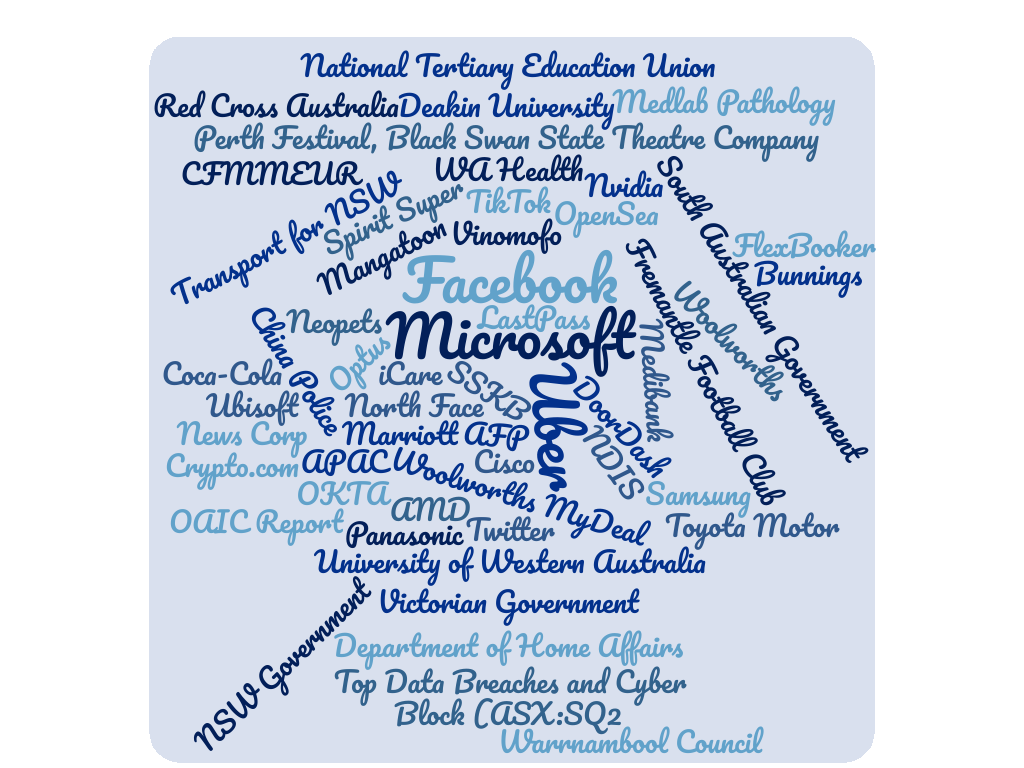 Just some of the organisations that leaked data in 2022
 Not very useful for a database
 Indeed
 Everyone who uses a database...