Search Results: "Tanguy Ortolo"

10 August 2011

Tanguy Ortolo: ASCII Art signatures

Using a very customizable email user agent (namely, Mutt), I am able to use several signatures depending on almost whatever criterion I want. So I spent some time drawing several thematic ones in ASCII Art, sometimes taking inspiration on existing models, sometimes entirely by myself (in bold). Hoping that it may be useful, here are some of them:
Bee (a logo of my engineering school, Centrale Paris)
 ___
(___\ ,-
<(((((>0      Tanguy Ortolo
(___/  -
Fishes (for April 1st)
 (\_ _/)
)\/__( > Tanguy < )__\/(
)/ '
Angel (for Christmas)
(\ _          
( \o
  /\/     Tanguy
 _)>
Cyclist
 __o
 _<_\,_     Tanguy
(_) '(_)
Fencer
< o
 /--)---- Tanguy
/ >
Cypherpunk
  ____   Tanguy Ortolo
 /_   \______________
((_)   _ .--^---^^-^-'
 \____/  ' urn:pgp:240BBA15B694DD00E38030D8D6EFA6AC4B10D847:
Hacker
. o .
. . o       Tanguy Ortolo
o o o
Debianist
 ,--.
: /  )   Tanguy Ortolo
   -'    Debian Maintainer
 \_
If you like them, do not hesitate to copy them. I am not sure whether or not this can seriously be an object of copyright, so in case it would be necessary: I put them, at least those that are of my own (those labelled in bold), under CC0 (unfortunately my country law do not allow me to put my works under public domain): Copying is an act of love. Please copy.
PS: Sorry, but my blog does not allow comments with fixed-width fonts

7 August 2011

Tanguy Ortolo: Useful options of rsync

rsync logo
rsync is often used to back up systems, with options such as:
-a --archive
recurse and preserve usual attributes: symlinks, devices and special files, user and groups ownership, permissions and times;
-H --hard-links
detect and preserve hard links;
-A --acls
preserve ACLs, if you use them;
-X --xattrs
preserve extended attributes, if you use them.
In addition to these common options, rsync has plenty others, so everyone has his own recipe, but I would like to share two useful options I discovered.--numeric-ids By default, rsync uses literal UIDs and GIDs if it can find matches in both the source and the destination. That is, if you have users jacquouille (1002) on your source system Reblochon, and a user jacquouille (1005) on your destination system Neufch tel, rsync will map them: files with an UID of 1002 will be backed up with an UID of 1005. This may or may not be wanted, but anyway you must be aware of it. For instance, if you have to restore Reblochon's home directories and do that by attaching a new drive locally to Neufch tel, you will end with mixed up UIDs. This option --numeric-ids forces rsync to use numeric IDs instead of trying to map them. It is notably needed for backups of jailed systems (BSD jails, OpenVZ, VServer, lxc ) which appear to have bogus IDs when seen from their host system because they have their own ID maps. --fake-super When you back up a full system or anything that requires keeping file ownership or device information, you need to have root privileges on the destination system. Without them, rsync would be unable to correctly chown() the destination files. This option --fake-super offers a way to back up privileged information without requiring root privileges. It works by adding special extended attributes such as user.rsync.%stat containing al this information. Of course, it still requires a destination file system that supports extended attributes. This provides a good way to push system backups without weakening your security by opening a root access on you destination system. For instance, I personally use it with rsyncd running as an unprivileged user.

28 July 2011

Tanguy Ortolo: Using a gamepad under GNU/Linux

Saitek PS2700 gamepad I have just bought a gamepad, the Saitek V.3 Cyborg Rumble Pad (also marketed as PS2700), mainly to play at SuperTuxKart under Debian GNU/Linux. It works perfectly, except for one minor feature, and it can be used for playing and as an X11 input device.System support This device uses USB HID so it is directly supported by the Linux kernel, with its module joydev, I guess: it appears as /dev/input/eventX and /dev/input/jsY. It can be tested with jstest-gtk from the package jstest-gtk: it has 7 axes (two sticks, one directional pad and two triggers that count as one single axis) and 13 buttons (4 regular, 2 rear, the 2 triggers that also send button events, 3 specials and the 2 sticks that can be clicked). They are presented in an order that is rather logical, except the trigger axis is inserted between the two axis of the second stick. It also features two strange buttons: Game support I only tested SuperTuxKart, but I think any game able to use a gamepad or a joystick should support it: after all, they all use the same protocol. The default mapping is rather logical but I find it more convenient to use the triggers rather than the main stick to accelerate and brake. I do not know if the vibration feature can be used at all, because I do not know how it is exposed and I do not think I have any game that would be able to take advantage of it. X.Org support This is an interesting feature: X.Org has a joystick(4) driver, available in the package xserver-xorg-input-joystick that allows you to use a joystick or a gamepad as an input device, both for pointing and typing. So, just for fun, I installed the joystick driver. It installs a default configuration file as /usr/share/X11/xorg.conf.d/50-joystick.conf, that is enough to provide features equivalent to a regular mouse. But given the number of axes and buttons of my pad, it deserved a special configuration in /etc/X11/xorg.conf.d/rumblepad.conf:
Section "InputClass"
    Identifier  "Rumble Pad"
    Option      "MatchIsJoystick"   "on"
    Option      "MatchProduct"      "Cyborg V.3 Rumble Pad"
    # Main stick axes: point
    Option      "MapAxis1"          "mode=relative axis=+1x deadzone=5000"
    Option      "MapAxis2"          "mode=relative axis=+1y deadzone=5000"
    # Second stick axes: scroll
    Option      "MapAxis3"          "mode=relative axis=+1zx deadzone=5000"
    Option      "MapAxis5"          "mode=relative axis=+1zy deadzone=5000"
    # Triggers: scroll vertically
    Option      "MapAxis4"          "mode=relative axis=+1zy deadzone=5000"
    # Directional pad: point
    Option      "MapAxis6"          "mode=accelerated axis=+1x deadzone=5000"
    Option      "MapAxis7"          "mode=accelerated axis=+1y deadzone=5000"
    # Buttons 1, 2 and 3 : click (no use for button 4)
    Option      "MapButton1"        "button=1"
    Option      "MapButton2"        "button=2"
    Option      "MapButton3"        "button=3"
    Option      "MapButton4"        "none"
    # Rear buttons: back and forward
    Option      "MapButton5"        "key=166"   # XF86Back
    Option      "MapButton6"        "key=167"   # XF86Forward
    # Triggers: no use
    Option      "MapButton7"        "none"
    Option      "MapButton8"        "none"
    # Special buttons
    Option      "MapButton9"        "key=135"   # select : Menu
    Option      "MapButton10"       "key=172"   # start : XF86AudioPlay
    Option      "MapButton13"       "key=180"   # home : XF86HomePage
    # Sticks click: click
    Option      "MapButton11"       "button=1"  # clic left stick
    Option      "MapButton12"       "button=3"  # clic right stick
EndSection
It is commented, but here is what it does: It is worth noting that joysticks have one feature that mice do not have: they allow to scroll at a variable speed, proportional to the shift of an analogue stick. This is the meaning of these zx and zy axes I mapped to the second stick, and it provides a scrolling experience that is far superior from that of a mouse wheel.

29 June 2011

Tanguy Ortolo: A new BitTorrent metainfo generator

Trying the BitTorrent DHT A month ago, noticing that there was a lack of a good BitTorrent tracker software (good meaning complying with my random requirements ), I considered writing a new tracker. Then someone pointed out that I could try using the dynamic hash table or DHT, a BitTorrent extension that removes the need for a tracker, relying on the swarm or BitTorrent clients to do the tracking work. Indeed, the DHT may be a nice solution to this problem because it has several advantages: So, I went to try distributing trackerless torrents using the DHT. But with BitTorrent, file distribution is initiated using metainfo files, commonly called torrent files or simply torrents , so I needed a tool to generate trackerless metainfo files. Writing a new metainfo generator I did not find such a tool. The generators I found did not implement that extension and they were composed of many lines of C code, which I really did not want to dig into in order to extend them. So here it is, gentorrent, a BitTorrent metainfo generator written in Python 3 and distributed under the license AGPLv3, which proved rather easy. I think it is fast enough, taking about ten seconds to calculate the metainfo for a file of one gibibyte. It implements all the BitTorrent extensions related to metainfo files, such as trackerless torrents, HTTP/FTP seeding or Merkle trees. Do not hesitate to test it and to send me comments, criticism or suggestions for a cooler name. Now that I have a tool to generate trackerless torrents, I shall test the DHT more extensively and document this way of publishing files. If you are interested in this topic, e.g. you are maintaining a distribution system based on the antique BitTornado, stay tuned.

1 June 2011

Tanguy Ortolo: Coding a new BitTorrent tracker?

The BitTorrent protocol works with trackers, that track the clients or peers that share a given file. This is one specific design of a peer-to-peer protocol, very appropriate for official distribution: for instance, Debian runs a tracker for distributing the installation images.The problem There exists many BitTorrent clients, but, for what I have seen, few BitTorrent tracker. Within Debian, I think the only trackers available are the original BitTorrent's one, and its fork BitTornado. Both suffer from serious drawbacks: Proposed solution Now that I have criticized a lot, let us be more constructive. All these issues could be fixed by modifying the code and the package (well, by adopting it, for the first one). I think it is not worth doing so, exactly because they implement both a client and a tracker: there are many good BitTorrent clients so there is no real need for them as clients, and because a tracker's job is quite different, and easier than a client's, it would be useless to maintain a client with the tracker. So, I am considering coding a BitTorrent tracker. Even though the tracker protocol is based on HTTP, it is completely stateful so it would be a standalone daemon rather than a CGI-style program. I would code it in Python because this is the language I currently prefer, and I may call it tbtt (the BitTorrent tracker, or Tanguy's BitTorrent tracker, or transport blind tout terrain (all terrain armoured transport)). If you have any information or suggestion, please comment! Perhaps I missed some existing tracker that would do the job instead of coding a new one?

27 May 2011

Tanguy Ortolo: Wrapper to use su as sudo (or sudo as su)

The problem Sudo logo: a shield with a hash sign, a lightning and SUDO written on Some programs require root privileges for part of their work: most notably Debian building tools such as dpkg-buildpackage or pdebuild. So, several command can be used to obtain real or fake root privileges: su, sudo, fakeroot, etc. Among them, su is quite distinct, because it only takes a quoted command to pass it to a shell. That is why its interface is completely incompatible with the others':
$ su -c "pbuilder --build package.dsc"
$ sudo pbuild --build package.dsc
This is annoying when real root privileges are needed, for instance by pbuilder, a tool to build Debian packages inside a minimal chroot. Indeed, in such a case I only know one command to obtain the root privileges, sudo, and some people (read: me) prefer using su.A wrapper Long story short: as I saw no existing tool to do that (but I would be glad to hear if there was already one), I wrote a wrapper that emulates a (very basic) sudo-like interface by using su, and vice-versa. It is available from my Git repository:
$ git clone git://git.ortolo.eu/sudo-su.git
It is polymorphic, BusyBox-style: call it sudo-su and it will emulate sudo with su; call it su-sudo and it will emulate su with sudo. For instance:
$ pdebuild --pbuilderroot /usr/local/bin/sudo-su
It is WTFPL-licensed, it implements no options from sudo and su (except sudo's -c, of course), but I can do something better if it may be useful to other people.

26 May 2011

Tanguy Ortolo: PGP signatures with trust and verification level

Identity checks and trust Saint Peter's key, detail from a stone statue The OpenPGP web of trust is composed of keys linked to each other by two things: With these two pieces of information, GnuPG is able to determine whether or not the key of someone you never met can trusted to belong to its alleged owner. Signatures Signing a key is usually a binary action: either you sign it or you do not sign it. Thus your signature on a key will give other people a rough identity check information and no trust information at all. In fact, the OpenPGP standard does allow to publish precise identity check and trust information on signatures, but unfortunately this is now enabled with GnuPG by default. These features are called certification level and trust signatures.Certification level To indicate how careful you verified someone's identity, run GnuPG with the option --ask-cert-level, or add ask-cert-level to your configuration file .gnupg/gpg.conf. When you make a signature with this option, GnuPG will ask you how carefully you verified the key owner's identity. According to the manpage gpg(1), the available levels are: Trust level You can also indicate how much you trust someone, sign his key with the command tsign instead of sign. GnuPG will then ask you three questions:
  1. how far you trust him to verify other people's keys: marginally or fully (I personally only fully trust people that were trained or challenged by myself or by people I trust even more)
  2. how far you allow him to make trust signatures on your behalf: usually answer 1; answering 3 would allow him to issue trust signature with level 2, thus allowing other people to issue trust signatures on your behalf (this features exists to implement pyramidal certification systems, but can be interesting for signing your own keys when you have several);
  3. if you wish to restrict this signature to a domain: I have no idea of what this means so I give none.
Conclusion Although certification level and trust signatures are not very widely used, thanks to GnuPG's default settings, it allows to publish more information about your signatures, adding value to the web of trust at no cost, which I believe is a good think. Thus I think it is worth doing it. If you want to use these features with the caff wrapper, remember that it has its own GnuPG configuration .caff/gnupghome/gpg.conf. In addition it does not implement trust signatures natively: to use them, you have to abort the automatic signing, which gives you a GnuPG prompt, where you are then able to tsign, then exit to return to caff that will consider your trust signatures. Credits

23 May 2011

Tanguy Ortolo: Uninstalling a single component of a meta-package

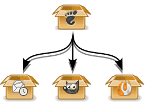
Or how to get rid of Evolution without removing your whole system Tree from a GNOME package to Evolution, GIMP and Brasero packages There is a complain I have heard several times from people after they installed Debian: I use Icedove/Thunderbird so I do not need Evolution: I tried to remove it but this would remove my whole system, that sucks! Explanation The reason behind this situation is that GNOME is installed by a meta-package, which is a dummy package that depends on each component of the official GNOME desktop, including Evolution. So it got installed as a dependency of that dummy package. This means that you, or rather, the Debian installer, never asked explicitly to install either Evolution or any other specific software: it came automatically. Now, you want to remove Evolution: very well, but this implies removing the meta-package, as you are removing one of its dependencies. But if you are removing this meta-package, there is no reason to keep all this software you did not asked for, so, as they got installed automatically, they are now removed automatically as well The solution So, do you still want to remove Evolution but keep the remaining of your GNOME desktop? Of course you will not keep GNOME , because GNOME includes Evolution, so strictly speaking GNOME without Evolution is not GNOME any more. Well, there is a solution: marking all the dependencies of the meta-package as manually installed, that is, faking that you installed them explicitly Aptitude is able to do that with its powerful search functions:
# aptitude unmarkauto '?reverse-depends(gnome)   ?reverse-recommends(gnome)'
# aptitude unmarkauto '?reverse-depends(gnome-core)   ?reverse-recommends(gnome-core)'
# aptitude unmarkauto '?reverse-depends(gnome-desktop-environment)'\
'   ?reverse-recommends(gnome-desktop-environment)'
What did we do? Well, exactly what is written: unmarking as automatically installed the packages that reverse-depend or reverse-recommend gnome or gnome-desktop-environment. In other words, those that are dependencies or recommendations of gnome, gnome-core or gnome-desktop-environment. Why these three packages? Because the GNOME environment that Debian provides by default is composed of several meta-packages: I shall let you refer to their respective descriptions for further information. Now, you can safely remove Evolution without pulling out your whole desktop system:
# aptitude remove evolution

20 May 2011

Tanguy Ortolo: cpio > tar

Large package icon tar and cpio tar(5) and cpio(5) are two competing archive formats, that provide almost identical features. Both are streamed formats, originally designed to be used on tapes. Their major practical difference is the style of their standard command line utilities: Peace! There is a traditional opposition between these two formats and utilities and their respective supporters. To fix this, the POSIX specification deprecated both commands in 2001, replacing them by a single one called pax(1), that can be used either in cpio-like or tar-like style. This specification also defined a pax interchange format, which these vile trolls derived from tar! Now, considering the actual practice, you can notice that tar has won, and that almost nobody uses pax. Almost every free software project I know release tarballs, not cpio archives. This is probably the reason why the GNU tar utility has evolved much more than GNU cpio: tar now integrates seamlessly with compressors such as gzip, bzip2 or xz, autodetecting the compression format when needed whereas cpio has no such features as far as I know. However, cpio is notably used by the Linux kernel for its initial memory file system, aka initrd. tar and cpio drawbacks Now I come to the title of this article: I personally prefer the cpio format over tar, although I usually use tar because of the advanced features of GNU tar. In fact, tar suffers from a drawback that usually has to be worked around: it cannot store any type of file. There exist seven file types: regular files, directories, symbolic links, character devices, block devices, FIFOs and Unix sockets. Well, tar can only represent six of them, and misses the ability to store sockets. Thus, if you try to archive your entire filesystem with tar, you may get the following output:
tar: /var/spool/postfix/private/rewrite: socket ignored
tar: /var/spool/postfix/private/bsmtp: socket ignored
If you try the same with cpio, you will see that sockets get archived without any problem. Given that the tar format has a type byte, with one reserved value, I am surprised that its 2001 revision did not use it for sockets, but for some reason it did not. In practice, programs that use sockets work around this problem by creating them at startup. To be honest, I must mention that cpio also has one significant drawback: when a file has several links, it gets copied several times in the archive. Edit: It appears that archiving sockets is completely pointless, given that they must be unlinked if they exist, and then created before they are used by a program. Thus, the question becomes: why does cpio support sockets?

19 May 2011

Tanguy Ortolo: About system host names

The host name Large address book icon On Unix systems, the host name is kept in memory by the kernel: it is set and get by the sethostname() and gethostname() functions and their command-line wrapper hostname(1). It can be used by several programs, for instance by the mail server to determine what it should use as its HELO name. In fact, the host name has two forms: the short one and the fully qualified one. For instance, a host can have muscadet as its short name muscadet and muscadet.example.com as its fully qualified one. From these two forms, a third information can be deduced: the domain name, which is the full name without its first component. The system host name can be set as either the short name or the fully qualified name. When the full name is used, the short one can be easily deduced, by keeping only its first component. When the short name is used, the full name must be determined by using a more complex heuristic that takes more time and can fail for several reasons.Determining the short and the fully qualified host name The command hostname(1) is able to give both the short and the full host name, and also the domain name that can be deduced from them:
-s, --short
Display the short host name. This is the host name cut at the first dot.
-f, --fqdn, --long
Display the FQDN (Fully Qualified Domain Name). A FQDN consists of a short host name and the DNS domain name.
-d, --domain
Display the name of the DNS domain.
Now, given that the kernel only maintains a single host name, this command and the corresponding functions are using heuristics to determine these two forms. I did not look to the code, but here is what I have deduced: The second option, when the kernel only knows the short host name, seems rather inferior, as it uses a more complex algorithm which takes more time (if it uses the DNS, it can use much more time than a fully local query) and can fail for several reasons. Setting the host name With Debian, the host name is stored in the file /etc/hostname and set at boot time by the hostname.sh init script. The local hosts table /etc/hosts also contains it, in both forms, for a loopback IPv4 address 127.0.1.1. It is asked at installation time: the most common practice is to give the short host name; you are then asked for the domain name. But you have the option to give the fully qualified domain name, which has the effect to skip the domain name question. Using a fully qualified system host name I used to define short system host names, and I switched to fully qualified ones about a year ago. I saw no drawback, but I did see benefits. Postfix, by default, uses the system host name to determine its variables myhostname and mydomain that are used for stuff like the HELO name and the mail domain name. Well, with a short system host name, it fails, and you get default myhostname = muscadet.localdomain and mydomain = localdomain, so you have to set them explicitly in its configuration file, thus duplicating information. Whereas with a fully qualified system host name, it just works, and you can rely on the default values, that will stay in sync if you have to change you host name. To sum up, it is perfectly possible to use a fully qualified name as the system host name, even though it does not seem to be a common practice. In fact, according to my experience, it is even advisable, as it eases the configuration of programs that rely on the host name, such as mail servers. Edit: As noticed by Javi, the hostname(1) manpage ends by saying without explaination that /etc/hostname should contain the short host name and not the full one. There may by some drawbacks by doing so but I was not able not identify them.


17 May 2011

Tanguy Ortolo: New blog

Welcome to my new blog, visitors and followers of the Debian planet! I have nothing very interesting to say right now, but I shall publish some thoughts about Debian and self-hosting. See you!

31 October 2010

Stefano Zacchiroli: mini debconf paris - success

I'm just back home after Paris mini-DebConf. I'm happy, excited, and exhausted almost as if it had been a full fledged DebConf. That's enough in my book to consider the event a complete success. As far as I know, it has been the first mini-DebConf held in Paris and about 150 people have come to attend the event from all over Europe. Off the top of my head I've met friends from at least: Spain, UK, France (obviously!), Italy, Germany, Austria, Switzerland, Greece. I'm still very much impressed by such a diverse attendance. Initially, I had planned the first "DPL strike" ever (i.e. not doing anything DPL-related) for the duration of the conference, in order to take part into the BSP. That agenda has been pretty much subverted by a last minute emergency, by chatting with loads of people, and by actually finalizing the Debian Sprint Program, which had been at the top of my Debian TODO list for quite a while now. Nonetheless, I've managed to advance a bit on a couple of RC bugs, which belong to the "annoying/pointless/but-still-valid" category. They are not solved yet, but I hope to have good news to share soon. Bottom line: I loved the event. and I've even managed to avoid getting killed by my (local) family for taking part in a Debian-weekend after an almost full week of Debian traveling, which is another success on its own right :-) Closing advice: beside some last minute legwork, I did essentially nothing to organize this mini-DebConf, your kudos should be better directed to Carl Chenet and Mehdi Dogguy for the organization. Other gifts such as bug fixes can be directed to the speakers, sponsors, and loads of other helpers from Debian France and not in particular Xavier Oswald, Valessio Brito, Tanguy Ortolo, Nattie Mayer-Hutchings, Luca Capello, Stephane Glondu, and others which surely I'm forgetting to mention here (sorry about that). Kudos folks ... let's do it again next year! (SCNR)

Next.

Previous.