Search Results: "John Goerzen"

27 December 2020

John Goerzen: See The World Through the Eyes of a Child, and You Are Free

Because we see things so often, we see them less and less. Those who live in thanksgiving daily, however, have a way of opening their eyes and seeing the wonders and beauties of this world as though seeing them for the first time. Joseph Wirthlin
Today is about dirt. I had to learn about it, again, from my 2-year-old last week. She and I were playing outside something we have more time to do right now. She started to roll around in the grass, and asked me to play in the grass, too. As I got close to the ground, I inhaled the wonderfully sweet and earthy scent of spring soil. I hadn t smelled that in a long time. What an unexpected gift. This photo is of a child, having a fantastic time with dirt and water. The more bits of Kansas he had on him, the more shrieks of laughter I heard. It think most adults keep forgetting the joys of simple things like dirt. I am lucky to have children around to remind me. This week, I also had the opportunity to teach my 2-year-old the joys of making big splashes in mud puddles, so maybe I can also remind them on occasion.
See the world as if for the first time; see it through the eyes of a child, and you will suddenly find that you are free. Deepak Chopra
Rural Kansas, 2016 (I originally wrote this on March 31, and am sharing it on my blog for the first time today.)

John Goerzen: Asynchronous Email: Exim over NNCP (or UUCP)

Following up to yesterday s article about how NNCP rehabilitates asynchronous communication with modern encryption and onion routing, here is the first of my posts showing how to put it into action. Email is a natural fit for async; in fact, much of early email was carried by UUCP. It is useful for an airgapped machine to be able to send back messages; errors from cron, results of handling incoming data, disk space alerts, etc. (Of course, this would apply to a non-airgapped machine also). The NNCP documentation already describes how to do this for Postfix. Here I will show how to do it for Exim. A quick detour to UUCP land When you encounter a system such as email that has instructions for doing something via UUCP, that should be an alert to you that here is some very relevant information for doing this same thing via NNCP. The syntax is different, but broadly, here s a table of similar NNCP commands:
Purpose UUCP NNCP
Connect to remote system uucico -s, uupoll nncp-call, nncp-caller
Receive connection (pipe, daemon, etc) uucico (-l or similar) nncp-daemon
Request remote execution, stdin piped in uux nncp-exec
Copy file to remote machine uucp nncp-file
Copy file from remote machine uucp nncp-freq
Process received requests uuxqt nncp-toss
Move outbound requests to dir (for USB stick, airgap, etc) N/A nncp-xfer
Create streaming package of outbound requests N/A nncp-bundle
If you used UUCP back in the day, you surely remember bang paths. I will not be using those here. NNCP handles routing itself, rather than making the MTA be aware of the network topology, so this simplifies things considerably. Sending from Exim to a smarthost One common use for async email is from a satellite system: one that doesn t receive mail, or have local mailboxes, but just needs to get email out to the Internet. This is a common situation even for conventionally-connected systems; in Exim speak, this is a satellite system that routes mail via a smarthost. That is, every outbound message goes to a specific target, which then is responsible for eventual delivery (over the Internet, LAN, whatever). This is fairly simple in Exim. We actually have two choices for how to do this: bsmtp or rmail mode. bsmtp (batch SMTP) is the more modern way, and is essentially a derivative of SMTP that explicitly can be queued asynchronously. Basically it s a set of SMTP commands that can be saved in a file. The alternative is rmail (which is just an alias for sendmail these days), where the data is piped to rmail/sendmail with the recipients given on the command line. Both can work with Exim and NNCP, but because we re doing shiny new things, we ll use bsmtp. These instructions are loosely based on the Using outgoing BSMTP with Exim HOWTO. Some of these may assume Debianness in the configuration, but should be easily enough extrapolated to other configs as well. First, configure Exim to use satellite mode with minimal DNS lookups (assuming that you may not have working DNS anyhow). Then, in the Exim primary router section for smarthost (router/200_exim4-config_primary in Debian split configurations), just change transport = remote_smtp_smarthost to transport = nncp. Now, define the NNCP transport. If you are on Debian, you might name this transports/40_exim4-config_local_nncp:
nncp:
  debug_print = "T: nncp transport for $local_part@$domain"
  driver = pipe
  user = nncp
  batch_max = 100
  use_bsmtp
  command = /usr/local/nncp/bin/nncp-exec -noprogress -quiet hostname_goes_here rsmtp
.ifdef REMOTE_SMTP_HEADERS_REWRITE
  headers_rewrite = REMOTE_SMTP_HEADERS_REWRITE
.endif
.ifdef REMOTE_SMTP_RETURN_PATH
  return_path = REMOTE_SMTP_RETURN_PATH
.endif
This is pretty straightforward. We pipe to nncp-exec, run it as the nncp user. nncp-exec sends it to a target node and runs whatever that node has called rsmtp (the command to receive bsmtp data). When the target node processes the request, it will run the configured command and pipe the data in to it. More complicated: Routing to various NNCP nodes Perhaps you would like to be able to send mail directly to various NNCP nodes. There are a lot of ways to do that. Fundamentally, you will need a setup similar to the UUCP example in Exim s manualroute manual, which lets you define how to reach various hosts via UUCP/NNCP. Perhaps you have a star topology (every NNCP node exchanges email with a central hub). In the NNCP world, you have two choices of how you do this. You could, at the Exim level, make the central hub the smarthost for all the side nodes, and let it redistribute mail. That would work, but requires decrypting messages at the hub to let Exim process. The other alternative is to configure NNCP to just send to the destinations via the central hub; that takes advantage of onion routing and doesn t require any Exim processing at the central hub at all. Receiving mail from NNCP On the receiving side, first you need to configure NNCP to authorize the execution of a mail program. In the section of your receiving host where you set the permissions for the client, include something like this:
      exec:  
        rsmtp: ["/usr/sbin/sendmail", "-bS"]
       
The -bS option is what tells Exim to receive BSMTP on stdin. Now, you need to tell Exim that nncp is a trusted user (able to set From headers arbitrarily). Assuming you are running NNCP as the nncp user, then add MAIN_TRUSTED_USERS = nncp to a file such as /etc/exim4/conf.d/main/01_exim4-config_local-nncp. That s it! Some hosts, of course, both send and receive mail via NNCP and will need configurations for both.

26 December 2020

John Goerzen: When You Think You re At the End, You re At the Beginning

Often when you think you re at the end of something, you re at the beginning of something else. Fred Rogers
This is sunrise over Kansas. Or maybe sunset. I m not going to tell you this time, because it doesn t matter all that much. I love that it (if you don t over-analyze it) could be either, and also that it looks like the land in the distance fades to a blue ocean. Is it sunrise or sunset? What is at the horizon? I don t think it really matters, in the presence of such natural beauty. Rural Kansas, 2015

John Goerzen: Rehabilitating Asynchronous Communication with NNCP: A Cross Between Tor, ssh, and UUCP

Have you ever been traveling, shot a ton of photos and videos, but were annoyed to find it was saturating the terrible wifi you had access to? Maybe you d wish the upload to pause until you get somewhere else, but then pausing syncing on your Nextcloud/Syncthing/Dropbox would also pause other syncing you didn t want to pause. Or you have trouble backing up your laptop when not at home, in a way that won t accidentaly eat up your cell phone data. There are ways to help with this: asynchronous transfer. Here s a lot of background. If you want to see how encrypted, onion-routed UUCP looks, skip ahead to the NNCP section! There is an old saying: When all you have is a hammer, every problem looks like a nail. We have this wonderful tool called ssh available, and it is pervasive and well-understood, so we tend to use it. But we ve missed out on some benefits of asynchronous processing that we actually used to have more frequently. Of course, we are all used to some asynchronous services in our lives. Email is a popular example: most mail clients work offline and will transmit stored messages when the mail server becomes reachable. Mail servers themselves work that way, too. Many instant messaging platforms do as well. Even some backup systems do. Bacula/Bareos, for instance, spools all backup data to disk on the system connected to the tape drive, and from there to the tape itself. They do this for several reasons, but primarily the fact that if tape drives are not fed with data at their design speed, it can cause physical damage to the tape or even the drive. It causes the drive to have to pause, and seek backwards to reposition for the next write. This creates excessive travel of the tape over the write heads, causing a condition known as tape shine where the tape is damaged prematurely. Here are some problems people often run into when sending data across a network (or the Internet) synchronously: Of course, there are plenty of situations where synchronous communication is a must. For instance: I suspect that the reason we don t do more asynchronous processing these days, despite it being strong in the Unix heritage, is the lack of modern tools to do it. Let s explore some more. Some of my use cases I run ZFS on all my systems that support it: file server, laptops, workstations, etc. It is only natural to use ZFS send/receive to do backups, and I do. However, when I am traveling, my laptop never gets backed up, because the backups are pulled from the backup system. Sure, there are ways around that; a VPN, for instance. But then we have the situation where sometimes I do not want to send the backup even if I have a working Internet connection: perhaps I m tethered to a mobile connection and it would be expensive to do so, or I m on hotel Wifi that is flaky and slow and I don t want to give up any of its meager bandwidth. I have another backup-related problem. I have a remote server, which until recently was using extremely slow disks. If I made significant changes, the backup would take the better part of a day. That s annoying when I try to back up hourly. So of course I had to implement locking, but then that means none of my other machines would back up that day either. Once I needed to transmit about 2TB of data. My home Internet connection was terribly slow, and I calculated it would take multiple months to do this. So I took to manually copying parts of the data to my laptop, and whenever I d find an airport or coffee shop with faster Internet than at home, I d send off those bits from it. But it took a ton of work. The bespoke asynchronous problem And that ton of work is perhaps why we aren t doing more of this. There s been no great standard solution, so it s all roll your own when you need to. So we just use ssh, because it s easier and usually good enough . But as I wrote in my recent article on airgapped backups, there are reasons to go async. Solutions Wouldn t it be great to be able to queue up data for a machine, and let it get there in whatever way it can? Maybe a fast Internet connection is found, or via Tor, or via copying to a USB stick, or via radio broadcast? It would make many of these scenarios a lot easier. And there are ways for this now, with modern security! We have some tools on Linux for this: git-annex for storage and migration, syrep for synchronization, and NNCP for file transfer and remote execution (could be combined with some of these other tools). Let s dive in to NNCP. NNCP If you already know UUCP, think of NNCP as UUCP brought into the modern era, with modern security and tools. Basically, NNCP permits you to send files to a remote system, request files from a remote system, and pipe data to an NNCP command that requests execution remotely. So you could, say, pipe a zfs send to NNCP which sends it to the remote and pipes it to zfs receive when it gets there. NNCP has a delay-tolerant, resumable protocol that can run over just about any reliable connection: TCP, serial, Tor, radios of various kinds, you name it. But that s not all; it also can dump its queue onto something like a USB stick for transport, or even make a tar-style stream that could be munged however you like. If you want to get fancy, you can assign priorities to data packets, so that, for instance, outbound email will always get sent before that 1TB file you ve got to send also. You can also configure it so that certain carriers handle certain priorities of data; your cell phone would only handle the most urgent, but a USB stick would take anything. NNCP is source-routed; you can tell it that the way that Bob reaches Alice is via Carl, then Betty. Bob can generate a message that will be sent along that route, fully encrypted and authenticated at each step of the way; Carl can t see the content of the message or even anything about it other than its next hop. How this helps Let s revisit some of my scnearios with NNCP. For the laptop being backed up, while traveling it can queue up its backups, or photos, or videos, or whatever. They could be triggered by a command when on a good connection, or automatically. The data could be copied to USB and given to a friend to transmit; perfectly safe due to encryption. Or it could all wait until arriving at home, safely out of your other syncing directories. The NNCP documentation has an example of this. For the server being backed up slowly, that s easily solved; the slow backup would simply be queued up, and transmitted and processed when it s ready. This wouldn t interrupt other backups. How about the 2TB transmission problem? That s also made a lot easier. A command could be run to fill up a USB stick with parts of the queue, then that USB stick plugged in and transmitted whenever at a fast location. Repeat as needed while the slow system continues its upload of the remaining bits. NNCP has a lot of interesting use cases documented as well. If you are already familiar with how public keys work in SSH, then NNCP should be immediately familiar as well. It is a similar concept (though arguably somewhat easier to set up). I am working on setting up a NNCP network, and will have more posts on how to do so once I ve got it going. In the meantime, the documentation for the project is also pretty good.

25 December 2020

John Goerzen: So Many Caring People In This World

When I was a boy and I would see scary things in the news, my mother would say to me, Look for the helpers. You will always find people who are helping. To this day, especially in times of disaster, I remember my mother s words and I am always comforted by realizing that there are still so many helpers so many caring people in this world. Fred Rogers
This photo doesn t have amazing lighting or fantastic composition. In fact, it looks ordinary. It s only when you know its story that the beauty shines through. In 2019, Fremont, NE had been cut off by flooding. People were trying to get in and out of the town, and couldn t. The only way in or out was from the small airport. About 50 pilots from Nebraska and Iowa (and me from Kansas) came over to help. Every plane you see here and more that I couldn t fit in the frame was at Millard Airport, Omaha, flying people and supplies into and out of Fremont. Estimates are that we flew over 1000 people and tons of supplies that weekend. All safely. I remember flying the family with a 1-week-old baby that had gone to Omaha for a doctor appointment and then couldn t get home for three days. I remember the elderly couple and their dog that I flew out of Fremont, the former Marine riding in the co-pilot seat next to me, cracking jokes with me as we went. I remember the group of ladies that were laughing as I gave them the required seat belt briefing, the mom with her kids, the man that had to get to work, and packed a few day s supplies in his backpack, unsure when he d be able to get back home. It was the first some had ever been in a plane. There were so many helpers. People all over Omaha brought supplies to Millard airport. Others had just shown up at both airports to help organize and make lists of passengers and match them up with different size planes. Someone at Millard had a trailer and golf cart for supplies. When I d land at Fremont, before I was even out of the plane, highschoolers had already swarmed it and were helping to unload supplies or help passengers out. One time when I got back to Millard, I found lunch: a pizza place had donated pizza for the pilots, and then a restaurant in Fremont did too. With so many extra planes in the sky, Omaha ATC was slammed and still did a fantastic job. I of course took no photos of the people I carried, but I have thought of them often in the last year. This photo is of Millard airport, Omaha, loading up supplies. Look at all these helpers. I think it s one of the most beautiful sights I ve ever seen. Today there are billions of helpers in this world. The obvious ones: the truck drivers, the health care workers, the grocery store workers. And also the non-obvious ones: all the people that are wearing masks, practicing social distancing, forgoing Christmas gatherings, for the good of others, despite the hardship and heartbreak it may cause. If you didn t know the story of this photo, you wouldn t know these planes were all helpers in time of disaster. We don t know the story of all the people we see in our world today, but chances are good that many of them are helpers also. When you know their story, the beauty shines through. May we all be able to see the beauty that still surrounds us this Christmas.

24 December 2020

John Goerzen: Joyful is the Dark

Joyful is the dark
coolness of the tomb,
waiting for the wonder
of the morning. Never was that midnight
touched by dread and gloom;
darkness was the cradle
of the dawning. Brian Wren
Most of us are not personally experiencing symptoms of a pandemic virus, but with all the changes around us, with all the worries within us, many of us have been touched by dread and gloom. I can find many layers of meaning in this poem. Today I think this poem excerpt reminds us to find the joy where we are, in the moment we are. Are we just waiting for the morning? Or do we take advantage of this pause to gaze up at the beautiful colors of the night? Are we defined by this moment, or do we define it? We are OK right now, so let this time be the cradle of something beautiful. If you haven t noticed the moon in this photo, zoom in. I don t see dread and gloom in this photo. I see color, and hope, and beauty. Rural Kansas, 2017

23 December 2020

John Goerzen: O, Sunlight!

O, Sunlight! The most precious gold to be found on Earth. Roman Payne
There is much beauty in this world, much hope, much life. All we need to do is pause, breathe, and take a moment to see it. It might be as simple as the gift of sunlight. I hope you all have moments of sunlight and delight each day. Marion County, KS, April 2013

John Goerzen: How & Why To Use Airgapped Backups

A good backup strategy needs to consider various threats to the integrity of data. For instance: It s that last one that is of particular interest today. A lot of backup strategies are such that if a user (or administrator) has their local account or network compromised, their backups could very well be destroyed as well. For instance, do you ssh from the account being backed up to the system holding the backups? Or rsync using a keypair stored on it? Or access S3 buckets, etc? It is trivially easy in many of these schemes to totally ruin cloud-based backups, or even some other schemes. rsync can be run with delete (and often is, to prune remotes), S3 buckets can be deleted, etc. And even if you try to lock down an over-network backup to be append-only, still there are vectors for attack (ssh credentials, OpenSSL bugs, etc). In this post, I try to explore how we can protect against them and still retain some modern conveniences. A backup scheme also needs to make a balance between: My story so far About 20 years ago, I had an Exabyte tape drive, with the amazing capacity of 7GB per tape! Eventually as disk prices fell, I had external disks plugged in to a server, and would periodically rotate them offsite. I ve also had various combinations of partial or complete offsite copies over the Internet as well. I have around 6TB of data to back up (after compression), a figure that is growing somewhat rapidly as I digitize some old family recordings and videos. Since I last wrote about backups 5 years ago, my scheme has been largely unchanged; at present I use ZFS for local and to-disk backups and borg for the copies over the Internet. Let s take a look at some options that could make this better. Tape The original airgapped backup. You back up to a tape, then you take the (fairly cheap) tape out of the drive and put in another one. In cost per GB, tape is probably the cheapest medium out there. But of course it has its drawbacks. Let s start with cost. To get a drive that can handle capacities of what I d be needing, at least LTO-6 (2.5TB per tape) would be needed, if not LTO-7 (6TB). New, these drives cost several thousand dollars, plus they need LVD SCSI or Fibre Channel cards. You re not going to be hanging one off a Raspberry Pi; these things need a real server with enterprise-style connectivity. If you re particularly lucky, you might find an LTO-6 drive for as low as $500 on eBay. Then there are tapes. A 10-pack of LTO-6 tapes runs more than $200, and provides a total capacity of 25TB sufficient for these needs (note that, of course, you need to have at least double the actual space of the data, to account for multiple full backups in a set). A 5-pack of LTO-7 tapes is a little more expensive, while providing more storage. So all-in, this is going to be in the best possible scenario nearly $1000, and possibly a lot more. For a large company with many TB of storage, the initial costs can be defrayed due to the cheaper media, but for a home user, not so much. Consider that 8TB hard drives can be found for $150 $200. A pair of them (for redundancy) would run $300-400, and then you have all the other benefits of disk (quicker access, etc.) Plus they can be driven by something as cheap as a Raspberry Pi. Fancier tape setups involve auto-changers, but then you re not really airgapped, are you? (If you leave all your tapes in the changer, they can generally be selected and overwritten, barring things like hardware WORM). As useful as tape is, for this project, it would simply be way more expensive than disk-based options. Fundamentals of disk-based airgapping The fundamental thing we need to address with disk-based airgapping is that the machines being backed up have no real-time contact with the backup storage system. This rules out most solutions out there, that want to sync by comparing local state with remote state. If one is willing to throw storage efficiency out the window maybe practical for very small data sets one could just send a full backup daily. But in reality, what is more likely needed is a way to store a local proxy for the remote state. Then a runner device (a USB stick, disk, etc) could be plugged into the network, filled with queued data, then plugged into the backup system to have the data dequeued and processed. Some may be tempted to short-circuit this and just plug external disks into a backup system. I ve done that for a long time. This is, however, a risk, because it makes those disks vulnerable to whatever may be attacking the local system (anything from lightning to ransomware). ZFS ZFS is, it should be no surprise, particularly well suited for this. zfs send/receive can send an incremental stream that represents a delta between two checkpoints (snapshots or bookmarks) on a filesystem. It can do this very efficiently, much more so than walking an entire filesystem tree. Additionally, with the recent addition of ZFS crypto to ZFS on Linux, the replication stream can optionally reflect the encrypted data. Yes, as long as you don t need to mount them, you can mostly work with ZFS datasets on an encrypted basis, and can directly tell zfs send to just send the encrypted data instead of the decrypted data. The downside of ZFS is the resource requirements at the destination, which in terms of RAM are higher than most of the older Raspberry Pi-style devices. Still, one could perhaps just save off zfs send streams and restore them later if need be, but that implies a periodic resend of a full stream, an inefficient operation. dedpulicating software such as borg could be used on those streams (though with less effectiveness if they re encrypted). Tar Perhaps surprisingly, tar in listed incremental mode can solve this problem for non-ZFS users. It will keep a local cache of the state of the filesystem as of the time of the last run of tar, and can generate new tarballs that reflect the changes since the previous run (even deletions). This can achieve a similar result to the ZFS send/receive, though in a much less elegant way. Bacula / Bareos Bacula (and its fork Bareos) both have support for a FIFO destination. Theoretically this could be used to queue of data for transfer to the airgapped machine. This support is very poorly documented in both and is rumored to have bitrotted, however. rdiff and xdelta rdiff and xdelta can be used as sort of a non-real-time rsync, at least on a per-file basis. Theoretically, one could generate a full backup (with tar, ZFS send, or whatever), take an rdiff signature, and send over the file while keeping the signature. On the next run, another full backup is piped into rdiff, and on the basis of the signature file of the old and the new data, it produces a binary patch that can be queued for the backup target to update its stored copy of the file. This leaves history preservation as an exercise to be undertaken on the backup target. It may not necessarily be easy and may not be efficient. rsync batches rsync can be used to compute a delta between two directory trees and express this as a single-file batch that can be processed by a remote rsync. Unfortunately this implies the sender must always keep an old tree around (barring a solution such as ZFS snapshots) in order to compute the delta, and of course it still implies the need for history processing on the remote. Getting the Data There OK, so you ve got an airgapped system, some sort of runner device for your sneakernet (USB stick, hard drive, etc). Now what? Obviously you could just copy data on the runner and move it back off at the backup target. But a tool like NNCP (sort of a modernized UUCP) offer a lot of help in automating the process, returning error reports, etc. NNCP can be used online over TCP, over reliable serial links, over ssh, with offline onion routing via intermediaries or directly, etc. Imagine having an airgapped machine at a different location you go to frequently (workplace, friend, etc). Before leaving, you put a USB stick in your pocket. When you get there, you pop it in. It s despooled and processed while you want, and return emails or whatever are queued up to be sent when you get back home. Not bad, eh? Future installment I m going to try some of these approaches and report back on my experiences in the next few weeks.


John Goerzen: Every Storm Runs Out Of Rain

Every storm runs out of rain. Maya Angelou
There are a lot of rain clouds in life these days. May we all remember that days like this one are behind us and also ahead of us. Every storm runs out of rain.
That was the start of a series of photos from my collection & quotes I shared with friends during the initial lockdown in spring. I ll be sharing some here. And here we all are, still dealing with this and it s more severe in a lot of ways. One of my colleagues won t be able to see his parents this Christmas for the first time in over 40 years. But this storm will run out rain. And look how the scene changed, in just a few minutes. This is coming!

16 December 2020

John Goerzen: Non-Creepy Technology Purchasing & Gifting Guides

This time of year, a lot of people are thinking of buying gadgets and phones as gifts. But there are a lot of tech companies that have unethical practices, from terrible working conditions in their factories to spying on their users. Here are some buying guides to help you find gadgets that are fun and not creepy. The Free Software Foundation s Ethical Tech Giving Guide is a fantastic resource from what s probably the pickiest organization out there when it comes to tech. Not only do they highlight good devices, they also explain why and why you should, for instance, avoid the iPhone (their history of silencing political activists and spying on users). The FSF also has a Guide to DRM-Free Living talks about books, video, audio, and software that respects your freedom by letting you make your own backups, move it to other devices, and continue to use your purchases even if you have no Internet or the company you bought them from goes bankrupt. This is a fantastic and HUGE resource; there are hundreds of organizations out there that provide content in a way that respects your rights and many of them do it for free, legally, as well. PrivacyTools has a fantastic series of guides on everything from email providers to operating systems, as well as links to a number of other guides. The DeGoogle wiki on Reddit (as well as the sidebar) has a lot of fantastic alternatives to things like Chromebooks, Chrome, Gmail, etc. Related resources Here are some resources for education (what the issues are) and information about what companies and products to avoid. In addition to the FSF s other fantastic resources above, they also have a list of proprietary malware. It lists things, practices, and companies to avoid, and talks about the reasons why. Their addictions page is particularly good and relevant to my recent post on the problems of the attention economy. The Surveillance Self-Defense site from the Electronic Frontier Foundation is a fantastic introduction into how corporate surveillance works and how to defend against it. Use with a grain of salt: Mozilla, the people behind Firefox, have a site called Privacy Not Included that rates products by how creepy they are. They focus more narrowly on privacy than the more expansive set of freedoms the FSF considers (privacy is one of a number of things the FSF looks at), and in some cases I would say Mozilla is too generous (eg, with the Amazon Kindle, a number of their data points are just incorrect.)

John Goerzen: How To Join the Fediverse and Cast Off the Attention Economy

In a recent post, I wrote about how the attention economy in use at big social networks hurts you. In this post, I m going to suggest what to do about it. Mastodon and the Fediverse When you use email, you can send a message from an account at Google to one at Yahoo, Microsoft, or any of millions of businesses and organizations running their own mail server. Unlike, say, Facebook, email isn t a single service, but rather a whole bunch of independent systems that can communicate (or federate) with each other. The Fediverse is similar, and the most advanced Fediverse client is Mastodon. Mastodon: It s easy to get started! Head over to joinmastodon.org and click Get Started . Pick a community don t worry, this isn t a hugely consequential decision, as you can always move or change later. You can browse activity from across the Fediverse, or just on your local community, so if you find a community with similar interests, it can be a neat way to find others to follow. If you re looking for more details, mastodon.help has a nice guide. Defeating the Attention Economy So, why does Mastodon make a difference? First of all, you get to pick your host (and even software). With Twitter, you pretty much are using Twitter (yes, I know of things like Hootsuite, but for the vast majority of people, it s twitter.com only). With Mastodon, you have choice. Pick the host that runs the software and has the kind of moderation you like. Secondly, Mastodon is not for profit. There is no money to be made in keeping you on the site. Almost all Mastodon instances are ad-free. And Mastodon s completely open protocols make it easy to go elsewhere if you like. It s Not Just Mastodon! There are plenty of other programs in the Fediverse. And, this is really key, they all interact with each other. You can share photos in Pixelfed (sort of like a federated Instagram) and see them and comment in Mastodon! Some things to point out: And there are many others. This blog, for instance, runs WordPress and uses an ActivityPub connector; comments from the Fediverse integrate here. Find me in the Fediverse You can look me up: just type in @jgoerzen@floss.social in the search box of any Mastodon instance and click Follow. You can also follow this blog at @jgoerzen@changelog.complete.org.

10 December 2020

John Goerzen: How the Attention Economy Hurts You via Social Media Sites like Facebook

There is a whole science to manipulating our attention. And because there is a lot of money to be made by doing this well, it means we all encounter attempts to manipulate what we pay attention to each day. What is this, and how is it harmful? This post will be the first on a series on the topic. Why is attention so important? When people use Facebook, they use it for free. Facebook generally doesn t even try to sell them anything, yet has billions in revenues. What, then, is Facebook s product? Well, really, it s you. Or, more specifically, your attention. Facebook sells your attention to advertisers. Everything they do is in service to that. They want you to spend more time on the site so they can show you more ads. (I should say here that I m using Facebook as an example, but this applies to other social media companies too.) Seeking to maximize attention So if your attention is so important to their profit, it follows naturally that they would seek ways to get people to spend more time on their site. And they do. They track all sorts of metrics, including engagement (if you click like , comment, share, or otherwise interact with content). They know which sorts of things are likely to capture your (and I mean you in specific!) attention and show you that. Your neighbor may have different interests and Facebook judges different things are likely to capture their attention. Manipulating your attention Attention turning into money isn t unique for social media. In fact, in the article If It Bleeds, It Leads: Understanding Fear-Based Media, Psychology Today writes:
In previous decades, the journalistic mission was to report the news as it actually happened, with fairness, balance, and integrity. However, capitalistic motives associated with journalism have forced much of today s television news to look to the spectacular, the stirring, and the controversial as news stories. It s no longer a race to break the story first or get the facts right. Instead, it s to acquire good ratings in order to get advertisers, so that profits soar. News programming uses a hierarchy of if it bleeds, it leads. Fear-based news programming has two aims. The first is to grab the viewer s attention. In the news media, this is called the teaser. The second aim is to persuade the viewer that the solution for reducing the identified fear will be in the news story. If a teaser asks, What s in your tap water that YOU need to know about? a viewer will likely tune in to get the up-to-date information to ensure safety.
You ve probably seen fear-based messages a lot on Facebook. They will highlight messages to liberals about being afraid of what Trump is doing, and to conservatives about being afraid of what Biden is doing. They may or may not even intentionally be doing this; it is their algorithm predicts that those would maximize time and engagement for certain people, so that s what they see. Fear leads to controversy It s not just fear, though. Social media also loves controversy. There s nothing that makes people really want to stay on Facebook like anger. See something controversial and you ll see hundreds or thousands of people are there arguing about it and in the process, giving Facebook their attention. A quick Internet search will show you numerous articles on how marketing companes can leverage controvery to get attention and engagement with their campaigns. Consequences of maximizing fear and controversy What does it mean to society at large and to you personally that large companies make a lot of money by maximizing fear and controversy? The most obvious way is it leads to less common ground. If the posts and reactions that show common ground are never seen because they don t drive engagement, it poisons the well; left and right hate each other with ever more vigor a profitable outcome to Facebook, but a poisonous one to all of us. I have had several friendships lost because I a liberal in agreement with these friends on political matters still talk to Trump voters. On the other side, we ve seen people storm the Michigan statehouse with weapons. How did that level of disagreement and even fear behind it get so firmly embedded in our society? Surely the fact that social media shows us things designed to stimulate fear and anger must play a role. What does it do to our ability to have empathy for, and understand, others? The Facebook groups I ve been in for like-minded people have largely been flooded with memes calling the President rump and other things clearly designed to make people angry or fearful. It s a worthless experience, and not just that, but it s a harmful experience. When our major media TV and social networks all are optimizing for fear, anger, and controvesry, we have a society beholden to fear, anger, and controvesy. In my next installment, I m going to talk about what to do about this, including the decentralized social networks of the Fediverse that are specifically designed to put you back in charge of your attention. Update 2020-12-16: There are two followup articles for this: how to join the Fediverse and non-creepy technology purchasing and gifting guides. The latter references the FSF s page on software manipulation towards addiction, which is particularly relevant to this topic.

30 November 2020

John Goerzen: Thanksgiving in 2020

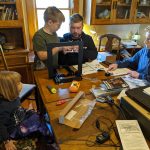
With COVID-19, Thanksgiving is a little different this year. The kids enjoyed doing a little sightseeing by air in our own plane (all socially-distanced of course!). We built a Prusa 3D printer from a kit (the boys and I, though Martha checked in periodically too). It arrived earlier than expected so that kept us busy for several days. And, of course, there was the Christmas decorating and Zoom church (where only our family is in the building, hosting the service for everyone). What, so Thanksgiving doesn t normally involve assembling printers, sightseeing from the sky, and printing tiny cups and dishes for miniature houses on a 3D printer? I ll be glad when COVID is over. Meantime, we have some memories to treasure too.

14 August 2020

John Goerzen: In Which COVID-19 Misinformation Leads To A Bunch of Graphs Made With Rust

A funny and by funny, I mean sad thing has happened. Recently the Kansas Department of Health and Environment (KDHE) has been analyzing data from the patchwork implementation of mask requirements in Kansas. They came to a conclusion that shouldn t be surprising to anyone: masks help. They published a chart showing this. A right-wing propaganda publication got ahold of this, and claimed the numbers were doctored because there were two-different Y-axes. I set about to analyze the data myself from public sources, and produced graphs of various kinds using a single Y-axis and supporting the idea that the graphs were not, in fact, doctored. Here s one graph that s showing that:
In order to do that, I had imported COVID-19 data from various public sources. Many states in the US are large enough to have significant variation in COVID-19 conditions, and many of the source people look at don t show county-level data over time. I wanted to do that. Eventually, I wrote covid19db, which ingests data from a number of public sources and generates a SQLite database file. Using Github Actions, this file is automatically updated every morning and available for download. Or, you can download the code and generate a database yourself locally. Then, I wrote covid19ks, which generates various pretty graphs covering the data. These graphs, incidentally, turn out to highlight just how poorly the United States is doing compared to the rest of the industrialized world. I hope that these resources, and especially covid19db, might be useful to others that would like to analyze the data. The code isn t the prettiest since it was done in a hurry, but I think that functionally this is useful.

19 March 2020

John Goerzen: COVID-19 is serious for all ages. Treat it like WWII

Today I d like to post a few updates about COVID-19 which I have gathered from credible sources, as well as some advice also gathered from credible sources. Summary
  1. Coronavirus causes health impacts requiring hospitalization in a significant percentage of all adult age groups.
  2. Coronavirus also can cause no symptoms at all in many, especially children.
  3. Be serious about social distancing.
COVID-19 is serious for young adults too According to this report based on a CDC analysis, between 14% and 20% of people aged 20 to 44 require hospitalization due to COVID-19. That s enough to be taken seriously. See also this CNN story. Act as if you are a carrier because you may be infected and not even know it, even children Information on this is somewhat preliminary, but it is certainly known that a certain set of cases is asymptomatic. This article discusses manifestations in children, while this summary of a summary (note: not original research) suggests that 17.9% of people may not even know they are infected. How serious is this? Serious. This excellent article by Daniel W. Johnson, MD, is a very good read. Among the points it makes: Advice I m going to just copy Dr. Johnson s advice here:
  1. You and your kids should stay home. This includes not going to church, not going to the gym, not going anywhere.
  2. Do not travel for enjoyment until this is done. Do not travel for work unless your work truly requires it.
  3. Avoid groups of people. Not just crowds, groups. Just be around your immediate family. I think kids should just play with siblings at this point no play dates, etc.
  4. When you must leave your home (to get groceries, to go to work), maintain a distance of six feet from people. REALLY stay away from people with a cough or who look sick.
  5. When you do get groceries, etc., buy twice as much as you normally do so that you can go to the store half as often. Use hand sanitizer immediately after your transaction, and immediately after you unload the groceries.
I m not saying people should not go to work. Just don t leave the house for anything unnecessary, and if you can work from home, do it. Everyone on this email, besides Mom and Dad, are at low risk for severe disease if/when they contract COVID-19. While this is great, that is not the main point. When young, well people fail to do social distancing and hygiene, they pick up the virus and transmit it to older people who are at higher risk for critical illness or death. So everyone needs to stay home. Even young people. Tell every person over 60, and every person with significant medical conditions, to avoid being around people. Please do not have your kids visit their grandparents if you can avoid it. FaceTime them. Our nation is the strongest one in the world. We have been through other extreme challenges and succeeded many times before. We WILL return to normal life. Please take these measures now to flatten the curve, so that we can avoid catastrophe.
I d also add that many supermarkets offer delivery or pickup options that allow you to get your groceries without entering the store. Some are also offering to let older people shop an hour before the store opens to the general public. These could help you minimize your exposure. Other helpful links Here is a Reddit megathread with state-specific unemployment resources. Scammers are already trying to prey on people. Here are some important tips to avoid being a victim. Although there are varying opinions, some are recommending avoiding ibuprofen when treating COVID-19. Bill Gates had some useful advice. Here s a summary emphasizing the need for good testing.

14 March 2020

John Goerzen: It Doesn t Take Much to Make Someone s Day

In times like these, it is natural to fear. Viruses, incompetent leadership, economic hardship, even death. But remember this:
When I was a boy and I would see scary things in the news, my mother would say to me, Look for the helpers. You will always find people who are helping. To this day, especially in times of disaster, I remember my mother s words, and I am always comforted by realizing that there are still so many helpers so many caring people in this world. Fred Rogers
This is so true. The examples are everywhere. Here in the United States, our federal government has been weak responding to COVID-19 but others have stepped up. Institutions big and small across the country are following the science and closing or taking other steps to slow the spread of coronavirus, even in areas it hasn t yet been detected, because this is the right thing to do. People are helping their neighbors, or giving up their favorite activities to do their part to slow the spread of COVID-19. I work for a company that s publicly-traded on the NYSE, and it shut down all its offices globally. And kept paying the janitors and other office staff. Some people are in a vulnerable place today. To them: remember the helpers. There are doctors and nurses, officials, neighbors the care, everywhere. To those that are able: be a helper. It doesn t take much to brighten someone s day. Maybe a phone call or video call. Maybe delivering groceries to a neighbor that s quarantined. Maybe acts of grace and understanding to the stressed people around you, trying their best to get by in the face of a lack of information and certainty. Maybe giving up some activities you enjoy, in order to help slow the spread of COVID-19, even if you personally aren t especially vulnerable. I am reminded of this quote, part of a story about a dying cancer patient: Don t forget that it doesn t take much to make someone s day.

6 November 2017

John Goerzen: The Yellow House Phone Company (Featuring Asterisk and an 11-year-old)

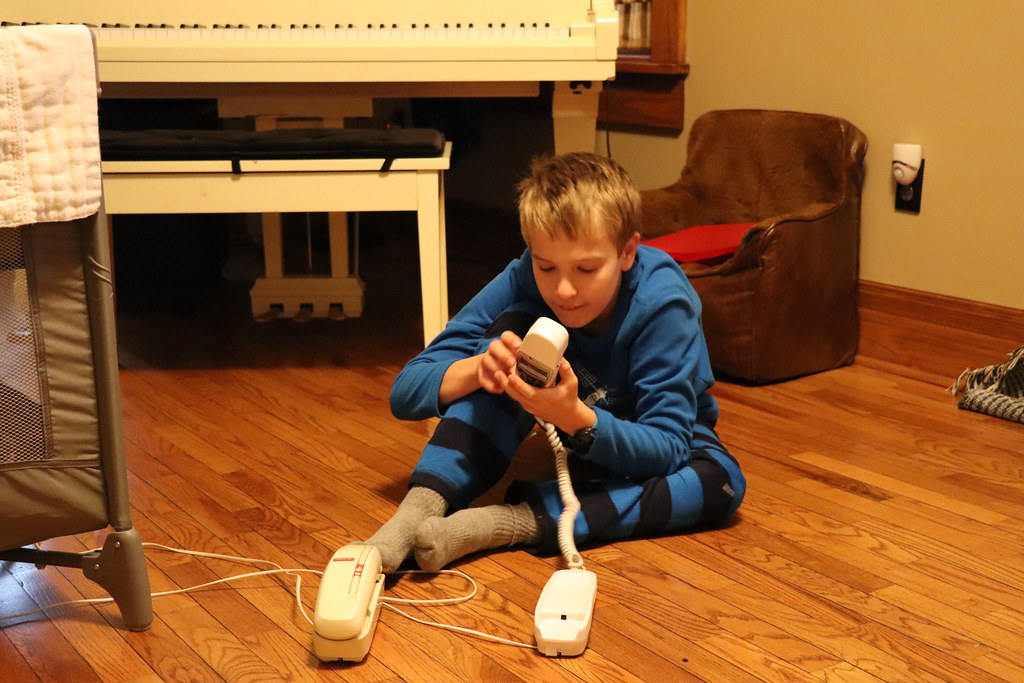
Well Jacob, do you think we should set up our own pretend phone company in the house? We can DO THAT? Yes! Then yes. Yes! YES YES YESYESYESYES YES! Let s do it, dad! Not long ago, my parents had dug up the old phone I used back in the day. We still have a landline, and Jacob was having fun discovering how an analog phone works. I told him about the special number he could call to get the time and temperature read out to him. He discovered what happens if you call your own number and hang up. He figured out how to play Mary Had a Little Lamb using touchtone keys (after a slightly concerned lecture from me setting out some rules to make sure his musical dialing wouldn t result in any, well, dialing.) He was hooked. So I thought that taking it to the next level would be a good thing for a rainy day. I have run Asterisk before, though I had unfortunately gotten rid of most of my equipment some time back. But I found a great deal on a Cisco 186 ATA (Analog Telephone Adapter). It has two FXS lines (FXS ports simulate the phone company, and provide dialtone and ring voltage to a connected phone), and of course hooks up to the LAN. We plugged that in, and Jacob was amazed to see its web interface come up. I had to figure out how to configure it (unfortunately, it uses SCCP rather than SIP, and figuring out Asterisk s chan_skinny took some doing, but we got there.) I set up voicemail. He loved it. He promptly figured out how to record his own greetings. We set up a second phone on the other line, so he could call between them. The cordless phones in our house support SIP, so I configured one of them as a third line. He spent a long time leaving himself messages. IMG_3465 Pretty soon we both started having ideas. I set up extension 777, where he could call for the time. Then he wanted a way to get the weather forecast. Well, weather-util generates a text-based report. With it, a little sed and grep tweaking, the espeak TTS engine, and a little help from sox, I had a shell script worked up that would read back a forecast whenever he called a certain extension. He was super excited! That s great, dad! Can it also read weather alerts too? Sure! weather-util has a nice option just for that. Both boys cackled as the system tried to read out the NWS header (their timestamps like 201711031258 started with two hundred one billion ) Then I found an online source for streaming NOAA Weather Radio feeds Jacob enjoys listening to weather radio and I set up another extension he could call to listen to that. More delight! But it really took off when I asked him, Would you like to record your own menu? You mean those things where it says press 1 or 2 for this or that? Yes. WE CAN DO THAT? Oh yes! YES, LET S DO IT RIGHT NOW! So he recorded a menu, then came and hovered by me while I hacked up extensions.conf, then eagerly went back to the phone to try it. Oh the excitement of hearing hisown voice, and finding that it worked! Pretty soon he was designing sub-menus ( OK Dad, so we ll set it up so people can press 2 for the weather, and then choose if they want weather radio or the weather report. I m recording that now. Got it? ) He has informed me that next Saturday we will build an intercom system like we have at school. I m going to have to have some ideas on how to tie Squeezebox in with Asterisk to make that happen, I think. Maybe this will do.

7 September 2017

John Goerzen: Switching to xmonad + Gnome and ditching a Mac

I have been using XFCE with xmonad for years now. I m not sure exactly how many, but at least 6 years, if not closer to 10. Today I threw in the towel and switched to Gnome. More recently, at a new job, I was given a Macbook Pro. I wasn t entirely sure what to think of this, but I thought I d give it a try. I found MacOS to be extremely frustrating and confining. It had no real support for a tiling window manager, and although projects like amethyst tried to approximate what xmonad can do on Linux, they were just too limited by the platform and were clunky. Moreover, the entire UI was surprisingly sluggish; maybe that was an induced effect from animations, but I don t think that explains it. A Debisn stretch install, even on inferior hardware, was snappy in a way that MacOS never was. So I have requested to swap for a laptop that will run Debian. The strange use of Command instead of Control for things, combined with the overall lack of configurability of keybindings, meant that I was going to always be fighting muscle memory moving from one platform to another. Not only that, but being back in the world of a Free Software OS means a lot. Now then, back to xmonad and XFCE situation. XFCE once worked very well with xmonad. Over the years, this got more challenging. Around the jessie (XFCE 4.10) time, I had to be very careful about when I would let it save my session, because it would easily break. With stretch, I had to write custom scripts because the panel wouldn t show up properly, and even some application icons would be invisible, if things were started in a certain order. This took much trial and error and was still cumbersome. Gnome 3, with its tightly-coupled Gnome Shell, has never been compatible with other window managers at least not directly. A person could have always used MATE with xmonad but a lot of people that run XFCE tend to have some Gnome 3 apps (for instance, evince) anyhow. Cinnamon also wouldn t work with xmonad, because it is simply another tightly-coupled shell instead of Gnome Shell. And then today I discovered gnome-flashback. gnome-flashback is a Gnome 3 environment that uses the traditional X approach with a separate window manager (metacity of yore by default). Sweet. It turns out that Debian s xmonad has built-in support for it. If you know the secret: apt-get install gnome-session-flashback (OK, it s not so secret; it s even in xmonad s README.Debian these days) Install that, plus gnome and gdm3 and things are nice. Configure xmonad with GNOME support and poof goodness right out of the box, selectable from the gdm sessions list. I still have some gripes about Gnome s configurability (or lack thereof). But I ve got to say: This environment is the first one I ve ever used that got external display switching very nearly right without any configuration, and I include MacOS in that. Plug in an external display, and poof it s configured and set up. You can hit a toggle key (Windows+P by default) to change the configurations, or use the Display section in gnome-control-center. Unplug it, and it instantly reconfigures itself to put everything back on the laptop screen. Yessss! I used to have scripts to do this in the wheezy/jessie days. XFCE in stretch had numerous annoying failures in this area which rendered the internal display completely dark until the next reboot very frustrating. With Gnome, it just works. And, even if you have suspend on lid closed turned on, if the system is powered up and hooked up to an external display, it will keep running even if the lid is closed, figuring you must be using it on the external screen. Another thing the Mac wouldn t do well. All in all, some pretty good stuff here. I continue to be impressed by stretch. It is darn impressive to put this OS on generic hardware and have it outshine the closed-ecosystem Mac!

28 August 2017

John Goerzen: The Joy of Exploring: Old Phone Systems, Pizza, and Discovery

This story involves boys pretending to be pizza deliverymen using a working automated Strowger telephone exchange demonstrator on display in a museum, which is very old and is, to my knowledge, the only such working exhibit in the world. (Yes, I have video.) But first, a thought on exploration. There are those that would say that there is nothing left to explore anymore that the whole earth is mapped, photographed by satellites, and, well, known. I prefer to look at it a different way: the earth is full of places that billions of people will never see, and probably don t even know about. Those places may be quiet country creeks, peaceful neighborhoods one block away from major tourist attractions, an MTA museum in Brooklyn, a state park in Arkansas, or a beautiful church in Germany. Martha is not yet two months old, and last week she and I spent a surprisingly long amount of time just gazing at tree branches she was mesmerized, and why not, because to her, everything is new. As I was exploring in Portland two weeks ago, I happened to pick up a nearly-forgotten book by a nearly-forgotten person, Beryl Markham, a woman who was a pilot in Africa about 80 years ago. The passage that I happened to randomly flip to in the bookstore, which really grabbed my attention, was this:
The available aviation maps of Africa in use at that time all bore the cartographer s scale mark, 1/2,000,000 one over two million. An inch on the map was about thitry-two miles in the air, as compared to the flying maps of Europe on which one inch represented no more than four air miles. Moreover, it seemed that the printers of the African maps had a slightly malicious habit of including, in large letters, the names of towns, junctions, and villages which, while most of them did exist in fact, as a group of thatched huts may exist or a water hold, they were usually so inconsequential as completely to escape discovery from the cockpit. Beyond this, it was even more disconcerting to examine your charts before a proposed flight only to find that in many cases the bulk of the terrain over which you had to fly was bluntly marked: UNSURVEYED . It was as if the mapmakers had said, We are aware that between this spot and that one, there are several hundred thousands of acres, but until you make a forced landing there, we won t know whether it is mud, desert, or jungle and the chances are we won t know then! Beryl Markham, West With the Night
My aviation maps today have no such markings. The continent is covered with radio beacons, the world with GPS, the maps with precise elevations of the ground and everything from skyscrapers to antenna towers. And yet, despite all we know, the world is still a breathtaking adventure. Yesterday, the boys and I were going to fly to Abilene, KS, to see a museum (Seelye Mansion). Circumstances were such that we neither flew, nor saw that museum. But we still went to Abilene, and wound up at the Museum of Independent Telephony, a wondrous place for anyone interested in the history of technology. As it is one of those off-the-beaten-path sorts of places, the boys got 2.5 hours to use the hands-on exhibits of real old phones, switchboards, and also the schoolhouse out back. They decided why not? to use this historic equipment to pretend to order pizzas. Jacob and Oliver proceeded to invent all sorts of things to use the phones for: ordering pizza, calling the cops to chase the pizza delivery guys, etc. They were so interested that by 2PM we still hadn t had lunch and they claimed we re not hungry despite the fact that we were going to get pizza for lunch. And I certainly enjoyed the exhibits on the evolution of telephones, switching (from manual plugboards to automated switchboards), and such. This place was known it even has a website, I had been there before, and in fact so had the boys (my parents took them there a couple of years ago). But yesterday, we discovered the Strowger switch had been repaired since the last visit, and that it, in fact, is great for conversations about pizza. Whether it s seeing an eclipse, discovering a fascination with tree branches, or historic telephones, a spirit of curiosity and exploration lets a person find fun adventures almost anywhere.

22 August 2017

John Goerzen: The Eclipse

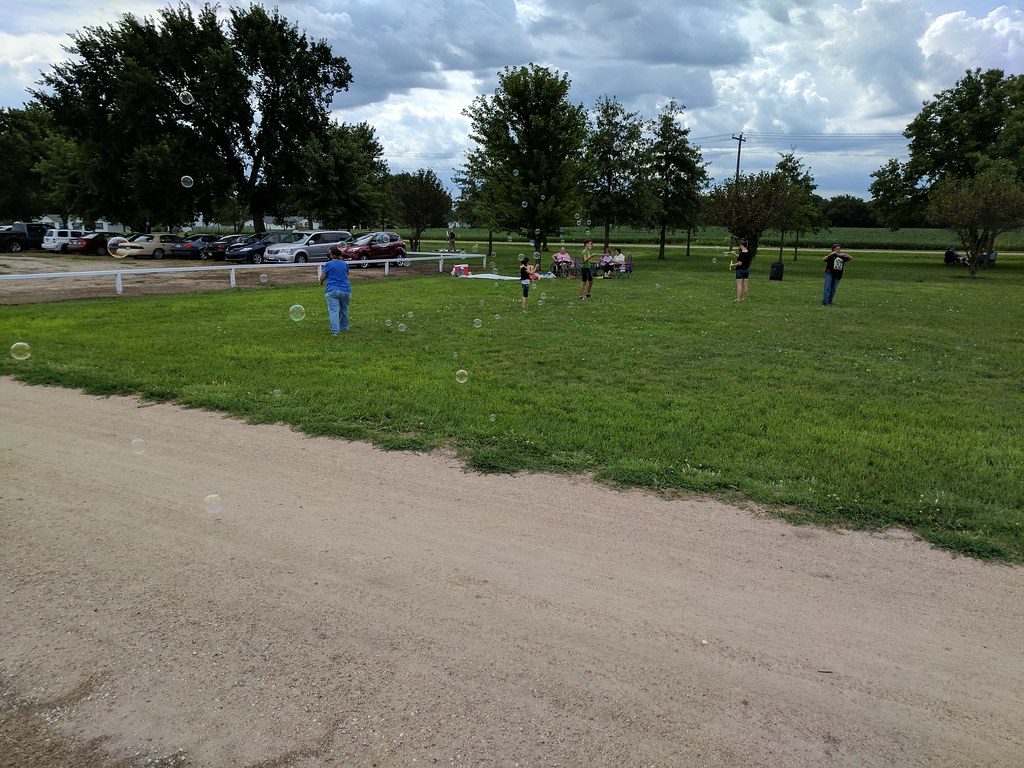
Highway US-81 in northern Kansas and southern Nebraska is normally a pleasant, sleepy sort of drive. It was upgraded to a 4-lane road not too long ago, but as far as 4-lane roads go, its traffic is typically light. For drives from Kansas to South Dakota, it makes a pleasant route. Yesterday was eclipse day. I strongly suspect that highway 81 had more traffic that day than it ever has before, or ever will again. For nearly the entire 3-hour drive to Geneva, NE, it was packed though mostly still moving at a good speed. And for our entire drive back, highway 81 and every other southbound road we used was so full it felt like rush hour in Dallas. (Well, not quite. Traffic was still moving.) I believe scenes like this were played out across the continent. I ve been taking a lot of photos, and writing about our new baby Martha lately. Now it s time to write a bit about some more adventures with Jacob and Oliver they re now in third and fifth grades in school. We had been planning to fly, and airports I called were either full, or were planning to park planes in the grass, or even shut down some runways to use for parking. The airport in the little town of Beatrice, NE (which I had visited twice before) was even going to have a temporary FAA control tower. At the last minute, due to some storm activity near home at departure time, we unloaded the plane and drove instead. The atmosphere at the fairgrounds in Geneva was festive. One family had brought bubbles for their kids and extras to share. IMG_20170821_113229 I had bought the boys a book about the eclipse, which they were reading before and during the event. They were both great, safe users of their eclipse glasses. IMG_20170821_124809 Jacob caught a toad, and played with it for awhile. He wanted to bring it home with us, but I convinced him to let me take a picture of him with his toad friend instead. IMG_20170821_124553 While we were waiting for totality, a number of buses from the local school district arrived. So by the time the big moment arrived, we could hear the distant roar of delight and applause from the school children gathered at the far end of the field, plus all the excitement nearby. Both boys were absolutely ecstatic to be witnessing it (and so was I!) Wow! Awesome! And simple cackles of delight were heard. On the drive home, they both kept talking about how amazing it was, and it was once in a lifetime. We enjoyed our eclipse neighbors the woman from San Antonio next to us, the surprise discovery of another family from just a few miles from us parked two cars down, even running into relatives at a restaurant on the way home. The applause from all around when it started and when it ended. And the feeling, which is hard to describe, of awe and amazement at the wonders of our world and our universe. There are many problems with the world right now, but somehow there s something right about people coming together from all over to enjoy it.

Next.

Previous.