Search Results: "tach"

4 October 2012

Steve Kemp: Artificially inflation of facebook-likes

Facebook Like-Inflation
If you have a website, with a "Facebook Like" box on it, it probably shows something like this:
  • 400 People Like this
Did you know that number is not just the total number of people who clicked "Like" on your page? Did you know you can artificially inflate that number? Interesting stuff.
Send a message to yourself with the URL in the body, such that it becomes an "attachment". Watch as the like-counter increases by 1 or even 2. Lather. Rinse. Repeat. Sending messages to other people probably does the same thing. But sending to yourself is sufficient.

3 October 2012

Alberto Garc a: IndustryPack, QEMU and LinuxCon

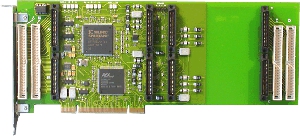
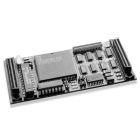
IndustryPack drivers for Linux In the past months we have been working at Igalia to give Linux support to IndustryPack devices. IndustryPack modules are small boards ( mezzanine ) that are attached to a carrier board, which serves as a bridge between them and the host bus (PCI, VME, ). We wrote the drivers for the TEWS TPCI200 PCI carrier and the GE IP-OCTAL-232 module.
TEWS TPCI200
GE IP-OCTAL-232
My mate Samuel was the lead developer of the kernel drivers. He published some details about this work in his blog some time ago. The drivers are available in latest Linux release (3.6 as of this writing) but if you want the bleeding-edge version you can get it from here (make sure to use the staging-next branch). IndustryPack emulation for QEMU Along with Samuel s work on the kernel driver, I have been working to add emulation of the aformentioned IndustryPack devices to QEMU. The work consists on three parts: I decided to split the emulation like this to be as close as possible to how the hardware works and to make it easier to reuse the code to implement other IndustryPack devices. The emulation is functional and can be used with the existing Linux driver. Just make sure to enable CONFIG_IPACK_BUS, CONFIG_BOARD_TPCI200 and CONFIG_SERIAL_IPOCTAL in the kernel configuration. I submitted the code to QEMU, but it hasn t been integrated yet, so if you want to test it you ll need to patch it yourself: get the QEMU source code and apply the TPCI200 patch and the IP-Octal 232 patch. Those patches have been tested with QEMU 1.2.0. And here s how you run QEMU with support for these devices:
$ qemu -device tpci200 -device ipoctal
The IP-Octal board implements eight RS-232 serial ports. Each one of those can be redirected to a character device in the host using the functionality provided by QEMU. The serial0 to serial7 parameters can be used to specify each one of the redirections. Example:
$ qemu -device tpci200 -device ipoctal,serial0=pty
With this, the first serial port of the IP-Octal board ( /dev/ipoctal.0.0.0 on the guest) will be redirected to a newly-allocated pty on the host. LinuxCon Europe Having virtual hardware allows us to test and debug the Linux driver more easily. In November I ll be in Barcelona with the rest of the Igalia OS team for LinuxCon Europe and the KVM Forum. I will be talking about how to use QEMU to improve the robustness of device drivers and speed up their development.. Some other Igalians will also be there, including Juan Su rez who will be talking about the Grilo multimedia framework. See you in Barcelona!

Kumar Appaiah: A backup workflow with bup

It's important to back things up. You should also make your life easier by using some good software. I use obnam for some backups, but I wanted to try out bup for a new backup workflow I needed. I will describe the workflow here.The situation: I have a laptop with things to be backed up. I also have a Raspberry Pi which I use as a network attached storage (it has a 1 TB external drive attached to it) and runs Raspbian Wheezy on it. Naturally, you can do this on any NAS running some GNU/Linux variant. In addition, I also have an external portable USB hard disk where another backup copy will be stored. How do I automate this?Here is how I went about this process. First, for the Raspberry Pi:
  1. First, identify the directory or directories to be backed up. To keep this simple, the directory I am backing up is /home/kumar/Work.
  2. On the Raspberry Pi, install bup. If you want to build it from the git clone, you would need python-dev, and pandoc for the documentation.
    sudo aptitude install pandoc python-dev
    git clone git://github.com/apenwarr/bup.git
    cd bup;make;sudo make install
    
  3. Initialize the backup directory on the Raspberry Pi:
    BUP_DIR=/home/kumar/BACKUPS bup init
    BACKUPS is the place where bup is asked to store the backups (much like it's analogue of .git). You can store all your backups within this directory, and you can still classify backup sets within this directory with different names (much like git branches).
  4. On the local machine, initialize the backup directory.
    bup index -uv /home/kumar/Work
  5. Back it up. This will take time the first time, if the Work directory has several contents within it.
    bup save -r kumar@<raspberry_pi_ip_address>:BACKUPS -n workbackup /home/kumar/Work
    
    workbackup is the name of the backup set. This can be paperbackup or databackup or notesbackup so that several classes can be backed up within the BACKUPS directory.
  6. Now, you have backed things up. Make changes in the Work directory. For instance, add/edit/remove/move some files.
  7. Rerun the index and save commands from steps 4 and 5 above. Enjoy the speedup and ability to rewind to the previous state.
  8. Test restoration of ONE directory of backup (just to save time) on Pi itself directly on the Pi:
    bup -d /home/kumar/BACKUPS/ restore -C /tmp/ /workbackup/latest/home/kumar/Work/offset-coupling-params
    
    Then scp it back if you need it.
  9. Alternative: Use fuse. On the Pi:
    sudo aptitude install python-fuse
    sudo adduser kumar fuse
    mkdir Mount
    bup -d /home/kumar/BACKUPS fuse Mount
    Then cd into Mount and cp/scp the correct files wherever.
    fusermount -u Mount
    
  10. Once happy, write the bup index/bup save commands into a script and run it periodically to back up (check this at the end of the post). Have fun.
Next, to prepare the external hard disk, I went with the old-style autofs automounting solution:
  1. To automount the disk, in /etc/auto.master, add
    /auto			/etc/auto.misc	--timeout=60
    
  2. In /etc/auto.misc add:
    backupdrive	-fstype=btrfs	:UUID="7927a7ab-8c3f-4198-bd73-d3cc519a9ac3"
    
    fstype may need changing for your file system, and UUID can be found using blkid on the exact partition of the hard disk you wish to back up to.
  3. Initialize the backup directory:
    sudo mkdir /auto/backupdrive/BACKUPS
    sudo chown kumar.kumar /auto/backupdrive/BACKUPS
    bup -d /auto/backupdrive/BACKUPS/ init
    
  4. Index and back up:
    bup -d /auto/backupdrive/BACKUPS/ index -uv /home/kumar/Work
    bup -d /auto/backupdrive/BACKUPS/ save -n workbackup /home/kumar/Work
    
  5. Make changes in the Work directory. Add/edit/remove/move files.
  6. Rerun index and save commands from step 5. Enjoy the speed.
  7. Test restoration of ONE directory of backup from removable disk:
    bup -d /auto/backupdrive/BACKUPS/ restore -C /tmp/ /workbackup/latest/home/kumar/Work/offset-coupling-params
    
  8. Once happy, write the bup index/bup save commands into a script and run it periodically to back up. Have fun.
Finally, a quick script to automate all of the above.
#!/bin/sh
bup index -u /home/kumar/Work
bup save -r kumar@<raspberry_pi_ip_address>:BACKUPS -n workbackup /home/kumar/Work
if ls /auto/backupdrive/ 2> /dev/null;then
    echo Backing up to the removable disk...
    bup -d /auto/backupdrive/BACKUPS/ index -u /home/kumar/Work
    bup -d /auto/backupdrive/BACKUPS/ save -n workbackup /home/kumar/Work
    echo Backed up to the removable disk! Yay!
else
    echo WARNING: Not backing up to the removable disk
fi
What this script does it, it backs up to the NAS, and then checks if the external disk is connected. If the disk is mounted, then it backs up to that disk as well. It might be a good idea to cron or anacron this script, or have someone remind you to run this periodically. The only limitation I have is that you can't use bup restore to restore from a remote repository yet, but that isn't a huge issue for me now. In addition, metadata is not stored by the bup save/restore commands. You would have to use split and join with tar to get that. However, bup is fast moving, so I'd expect these features soon. Till then, this workflow works all right for data only backups.Although this is just a mental dump of the procedure I made for myself, suggestions for improvement are welcome. Thanks.

28 September 2012

Keith Packard: DRI-Next

Thoughts about DRI.Next On the way to the X Developer s Conference in Nuremberg, Eric and I chatted about how the DRI2 extension wasn t really doing what we wanted. We came up with some fairly rough ideas and even held an informal presentation about it. We didn t have slides that day, having come up with the content for the presentation in the hours just before the conference started. This article is my attempt to capture both that discussion and further conversations held over roast pork dinners that week. A brief overview of DRI2 Here s a list of the three things that DRI2 currently offers. Application authentication. The current kernel DRM authentication mechanism restricts access to the GPU to applications connected to the DRM master. DRI2 implements this by having the application request the DRM cookie from the X server which can then be passed to the kernel to gain access to the device. This is fairly important because once given access to the GPU, an application can access any flink d global buffers in the system. Given that the application sends screen data to the X server using flink d buffers, that means all screen data is visible to any GPU-accessing application. This bypasses any GPU hardware access controls. Allocating buffers. DRI2 defines a set of attachment points for buffers which can be associated with an X drawable. An application needing a specific set of buffers for a particular rendering operation makes a request of the X server which allocates the buffers and passes back their flink names. The server automatically allocates new buffers when window sizes change, sending an event to the application so that it knows to request the new buffers at some point in the future. Presenting data to the user. The original DRI2 protocol defined only the DRI2CopyRegion request which copied data between the allocated buffers. SwapBuffers was implemented by simply copy data from the back buffer to the front buffer. This didn t provide any explicit control over frame synchronization, so a new request, DRI2SwapBuffers, was added to expose controls for that. This new request only deals with the front and back buffers, and either copies from back to front or exchanges those two buffers. Along with DRI2SwapBuffers, there are new requests that wait for various frame counters and expose those to GL applications through the OMLsynccontrol extension What s wrong with DRI2? DRI2 fixed a lot of the problems present with the original DRI extension, and made reliable 3D graphics on the Linux desktop possible. However, in the four years since it was designed, we ve learned a lot, and the graphics environment has become more complex. Here s a short list of some DRI2 issues that we d like to see fixed. Proposed changes for DRI.Next Given the three basic DRI2 operations (authentication, allocation, presentation), how can those be improved? Eliminate DRI/DRM magic-cookie based authentication Kristian H gsberg, Martin Peres, Timoth e Ravier & Daniel Vetter gave a talk on DRM2 authentication at XDC this year that outlined the problems with the current DRM access control model and proposed some fairly simple solutions, including using separate device nodes one for access to the GPU execution environment and a separate, more tightly controlled one, for access to the display engine. Combining that with the elimination of flink for communicating data between applications and there isn t a need for the current magic-cookie based authentication mechanism; simple file permissions should suffice to control access to the GPU. Of course, this ignores the whole memory protection issue when running on a GPU that doesn t provide access control, but we already have that problem today, and this doesn t change that, other than to eliminate the global uncontrolled flink namespace. Allocate all buffers in the application DRI2 does buffer allocation in the X server. This ensures that that multiple (presumably cooperating) applications drawing to the same window will see the same buffers, as is required by the GLX extension. We suspected that this wasn t all that necessary, and it turns out to have been broken several years ago. This is the traditional way in X to phase out undesirable code, and provides an excellent opportunity to revisit the original design. Doing buffer allocations within the client has several benefits: Present buffers through DMA-buf The new DMA-buf infrastructure provides a cross-driver/cross-process mechanism for sharing blobs of data. DMA-buf provides a way to take a chunk of memory used by one driver and pass it to another. It also allows applications to create file descriptors that reference these objects. For our purposes, it s the file descriptor which is immediately useful. This provides a reliable and secure way to pass a reference from an underlying graphics buffer from the client to the X server by sending the file descriptor over the local X socket. An additional benefit is that we get automatic integration of data from other devices in the system, like video decoders or non-primary GPUs. The Prime support added in DRI version 2.8 hacks around this by sticking a driver identifier in the driverType value. Once the buffer is available to the X server, we can create a request much like the current DRI2SwapBuffers request, except instead of implicitly naming the back and front buffers, we can pass an arbitrary buffer and have those contents copied or swapped to the drawable. We also need a way to copy a region into the drawable. I don t know if that needs the same level of swap control, but it seems like it would be nice. Perhaps the new SwapBuffers request could take a region and offset as well, copying data when swapping isn t possible. Managing buffer allocations One trivial way to use this new buffer allocation mechanism would be to have applications allocate a buffer, pass it to the X server and then simply drop their reference to it. The X server would keep a reference until the buffer was no longer in use, at which point the buffer memory would be reclaimed. However, this would eliminate a key optimization in current drivers the ability to re-use buffers instead of freeing and allocating new ones. Re-using buffers takes advantage of the work necessary to setup the buffer, including constructing page tables, allocating GPU memory space and flushing caches. Notifying the application of idle buffers Once the X server is finished using a buffer, it needs to notify the application so that the buffer can be re-used. We could send these notifications in X events, but that ends up in the twisty mess of X client event handling which has already caused so much pain with Invalidate events. The obvious alternative is to send them back in a reply. That nicely controls where the data are delivered, but causes the application to block waiting for the X server to send the reply. Fortunately, applications already want to block when swapping buffers so that they get throttled to the swap buffers rate. That is currently done by having them wait for the DRI2SwapBuffers reply. This provides a nice place to stick the idle buffer data. We can simply list buffers which have become idle since the last SwapBuffers reply was delivered. Releasing buffer memory Applications which update only infrequently end up with a back buffer allocated after their last frame which can t be freed by the system. The fix for this is to mark the buffer purgable, but that can only be done after all users of the buffer are finished with it. With this new buffer management model, the application effectively passes ownership of its buffers to the X server, and the X server knows when all use of the buffer are finished. It could mark buffers as purgable at that point. When the buffer was sent back in the SwapBuffers reply, the application would be able to ask the kernel to mark it un-purgable again. A new extension? Or just a new DRI2 version? If we eliminate the authentication model and replace the buffer allocation and presentation interfaces, what of the existing DRI2 protocol remains useful? The only remaining bits are the other synchronization requests: DRI2GetMSC, DRI2WaitMSC, DRI2WaitSBC and DRI2SwapInterval. Given this, does it make more sense to leave DRI2 as it is and plan on deprecating, and eventually eliminating, it? Doing so would place a support burden on existing applications, as they d need to have code to use the right extension for the common requests. They ll already need to support two separate buffer management versions though, so perhaps this burden isn t that onerous?

26 September 2012

Jon Dowland: Delete! Delete!

I prefer the classic Cybermen. I prefer the classic Cybermen.
The only mail-filing feature that is consistently available across all mail clients (web, mobile, desktop) and most often via a convenient button, keypress or gesture, is Delete. For a long time, I've had an email work-flow that involved archiving most mail: saving both sent and received mails to a series of folders, so I could refer back to them if necessary (and they turned up in search results). Lots of mail clients make this easy: Thunderbird supports defining an Archive folder and pressing 'a' when a mail is highlighted will move it into Archive/YYYY. Mutt, of course, can be configured to do almost anything, and I've had it set up to move mail into =archive when you hit 'a' for a long time. Sadly, other clients are not as friendly. Outlook doesn't support anything quite so convenient. Mobile clients on Android, iPhone etc. don't have easy archiving support. Neither do webmail clients like OWA. Increasingly, I check my work mail on the go: waiting for a lift, on the train to work, in a irrelevant part of a meeting, waiting for a coffee refill, etc. However, I can rarely file mail this way: I learn facts, I can react to things quickly, but I can't keep my inbox under control. For this reason I'm adjusting my workflow around 'Delete'. For work, I've set up an Exchange filter to automatically copy any message that lands in my Inbox into an Archive folder. This was surprisingly difficult to get right, and there are ongoing problems with conversation view and other things. However, once that is in place, I can merrily delete stuff from my Inbox with impunity, safe in the knowledge that I can still get stuff via search if needed. I'll need a separate process to further organise filtered mail, but that's fine. Launching mutt or Thunderbird specifically to shuffle mail into e.g. archive/2012 works for me. I still need to run my mail archiving script to extract attachments on occasion anyway.

NOKUBI Takatsugu: Debian Packaging dojo

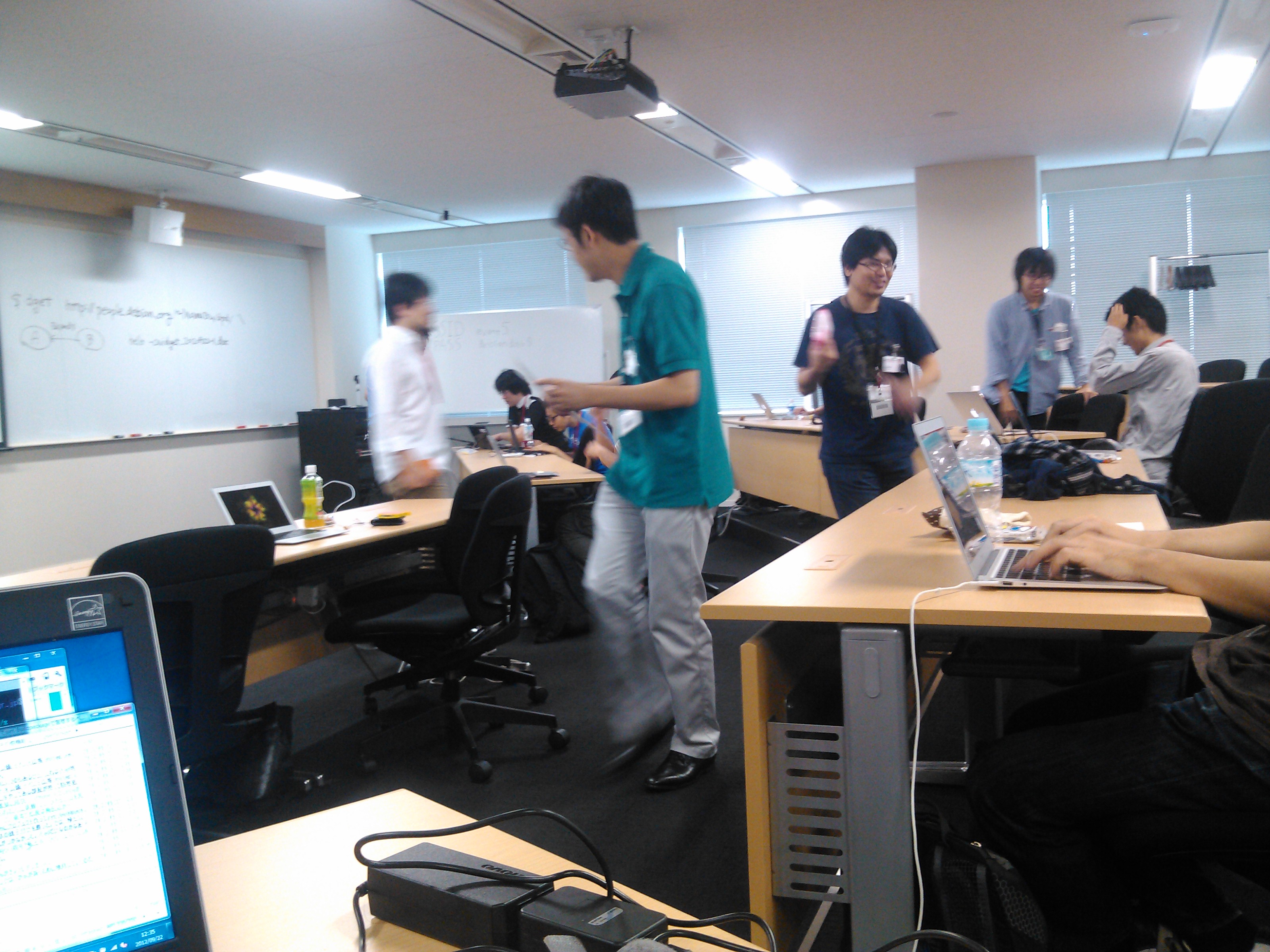
I attended Debian Packaging Dojo at 22 Aug. Dojo ( ) means a training hall for karate, judo, and/or kendo in Japanese. The event is a training for Debian packaging. Attendants were about 15 people. I could learn modern packaging methods. The place is Rakuten Tower in Shinagawa, thank you Rakuten company and Taku YASUI <tach at debian.org>.

21 September 2012

Philipp Kern: IPv6 support in debian-installer, take 2

The IPv6 patch set for netcfg (part of debian-installer) has landed in Debian unstable. In follow-up uploads I diverged from the Ubuntu patch set a little bit:
Thanks to Michael Tokarev's recent upload of busybox, we now also have a more featureful ping and ping6 in debian-installer's environment.

Known bugs:
If you could take another look at a current d-i daily, install a system with it and look if the installed system has a correct network configuration, that would still be appreciated. I also need somebody to test the GNU/kFreeBSD image. I fixed it up to build there but the result might be entirely wrong.

My sincere thanks go to Bernhard Schmidt and Karsten Merker, who successfully completed installations over IPv6 in various environments!

16 September 2012

Russell Coker: Servers in the Office

I just had a conversation with someone who thinks that their office should have no servers. The office in question has four servers, an Internet gateway/firewall system, the old file server (and also Xen server), the new file server, and the VOIP server. The Internet gateway system could possibly be replaced by a suitably smart ADSL modem type device, but that would reduce the control over the network and wouldn t provide much of a benefit. The VOIP server has to be a separate system for low latency IMHO. In theory you could use a Xen DomU for running Asterisk or you could run Asterisk on the Dom0 of the file/Xen server. But that just makes things difficult. A VOIP server needs to be reliable and is something that you typically don t want to touch once it s working, in this case the Asterisk server has been a few more years without upgrades than the Xen server. An Asterisk system could be replaced by a dedicated telephony device which some people might consider to be removing a server, but really a dedicated VOIP server device is just as much of a server as a P4 running Asterisk but with greater expense. A major advantage of a P4 running Asterisk is that you can easily replace the system at no cost if there is a hardware problem. Having two file servers is excessive for a relatively small office. But running two servers is the common practice when one server is being replaced. The alternative is to just immediately cut things over which has the potential for a lot of people to arrive at work on Monday and find multiple things not working as desired. Having two file servers is a temporary problem. File Servers The first real problem when trying to remove servers from an office is the file server. ADSL links with Annex M can theoretically upload data at 3Mb/s which means almost 400KB/s. So if you have an office with a theoretically perfect ADSL2+ Annex M installation then you could save a 4MB file to a file server on the Internet in not much more than 10 seconds if no-one else is using the Internet connection. Note that 4MB isn t THAT big by today s standards, the organisation in question has many files which are considerably bigger than that. Large files include TIFF and RAW files used for high quality image processing, MS-Office documents, and data files for most accounting programs. Saving a 65MB quick-books file in 3 minutes (assuming that your Annex M connection is perfect and no-one else is using the Internet) would have to suck. Then there s the issue of reading files, video files (which are often used for training and promotion) are generally larger than 100MB which would be more than 30 seconds of download time at ADSL2+ speed but if someone sends an email to everyone in the office saying please watch this video then the average time to load it would be a lot more. Through quickly examining my collection of Youtube downloads I found a video which averaged 590KB/s, if an office using a theoretically perfect ADSL2+ connection giving 24Mb/s (3MB/s) download speed had such a file on a remote file server then a maximum of five people could view it at one time if no-one else in the office was using the Internet. Now when the NBN is connected (which won t happen in areas like the Melbourne CBD for at least another 3 years) it will be possible to get speeds like 100Mb/s download and 25Mb/s upload. That would allow up to 20 people to view videos at once and a 65MB quick-books file could be saved in a mere 22 seconds if everyone else was idle. Of course that relies on the size of data files remaining the same for another 3 years which seems unlikely, currently no Youtube videos use resolutions higher than 1920*1080 (so they don t take full advantage of a $400 Dell monitor) and there s always potential for storing more financial data. I expect that by the time we all have 100Mb/25Mb speeds on the NBN it will be as useful to us as 24Mb/3Mb ADSL2+ Annex M speeds are today (great for home use but limited for an office full of people). There are of course various ways of caching data, but all of them involve something which would be considered to be a server and I expect that all of them are more difficult to install and manage than just having a local file server. Of course instead of crunching the numbers for ADSL speeds etc you could just think for a moment about the way that 100baseT networking to the desktop has been replaced by Gigabit networking. When people expect each workstation to have 1000Mb/s send and receive speed it seems quite obvious that one ADSL connection shared by an entire office isn t going to work well if all the work that is done depends on it. Management could dictate that there is to be no server in the office, but if that was to happen then the users would create file shares on their workstations so you would end up with ad-hoc servers which aren t correctly managed or backed up. That wouldn t be an improvement and technically wouldn t achieve the goal of not having servers. Home Networking Without Servers It is becoming increasingly common to have various servers in a home network. Due to a lack of space and power and the low requirements a home file server will usually be a workstation with some big disks, but there are cheap NAS devices which some people are installing at home. I don t recommend the cheap NAS devices, I m merely noting that they are being used. Home entertainment is also something that can benefit from a server. A MythTV system for recording TV and playing music has more features than a dedicated PVR box. But even the most basic PVR ($169 for a 1TB device in Aldi now) is still a fairly complex computer which would probably conflict with any aim to have a house free of servers. The home network design of having a workstation run as a file and print server can work reasonably well as long as the desktop tasks aren t particularly demanding (IE no games) and the system doesn t change much (IE don t track Debian/Testing or otherwise have new versions of software). But this is really something that only works if you only have a few workstations. Running an office without servers seems rather silly as it seems that none of my friends are able to have a home without a server. Running Internet Services Hypothetically speaking if one was to run an office without servers then that would require running all the servers in question on the Internet somewhere. For some things this can work better than a local server, for example most of my clients who insist on running a mail server in their office would probably get a better result if they had a mail server running on Linode or Hetzner or one of the Hosted Exchange offerings if they want a Windows mail sever. But for a file server if you were to get around the issue of bandwidth required to access the files in normal use there s the issue of managing a server (which is going to take more effort and expense than for a server on the LAN). Then there s the issue of backups. In my previous post about Hard Drives for Backup [1] I considered some of the issues related to backing data up over the Internet. The big problem however is a complete restore, if you have even a few dozen gigs of data that you want to transfer to a remote server in a hurry it can be a difficult problem. If you have hundreds of gigs then it becomes a very difficult problem. I m sure that I could find a Melbourne based Data Center (DC) that gives the option of bringing a USB attached SATA disk for a restore but even that case would give a significant delay when compared to backing things up on a LAN. If a server on the office LAN breaks in the afternoon my client can make arrangements to let me work in their office in the evening to fix it, but sometimes DCs don t allow 24*7 access and sometimes when they do allow access there are organisational problems that make it impossible when you want it (EG the people at the client company who are authorised become unavailable). The Growth of Servers Generally it s a really bad idea to build a server that has exactly the hardware you need. The smart thing to do is to install more of every resource (disk, RAM, CPU, etc) than is needed and to allow expansion when possible (EG have some RAM slots and drive bays free). No matter how well you know your environment and it s users you can get surprised by the way that requirements change. Buying a slightly bigger server at the start costs hardly any money but upgrading a server will cost a lot. Once you have a server that s somewhat over-specced you will always find other things to run on it. Many things could be run elsewhere at some cost, but if you have unused hardware then you may as well use it. Xen and other virtualisation systems are really good in this regard as they allow you to add more services without making upgrades difficult. This means that it s quite common to have a server that is purchased for one task but which ends up being used for many tasks. Anyone who would aspire to an office without servers would probably regard adding extra features in such a manner to be a problem. But really if you want to allow the workers to do their jobs then it s best to be able to add new services as needed without going through a budget approval process for each one. Conclusion There probably are some offices where no-one does any serious file access and everyone s work is based around a web browser or some client software that is suited to storing data on the Internet. But for an office where the workers use traditional Office software such as MS-Office or Libre-Office a file server is necessary. Some sort of telephony server is necessary no matter how you do things. If you have a traditional telephone system then you might try not to call the PABX a server , but really that s what it is. Then when the traditional phone service becomes too expensive you have to consider whether to use Asterisk or a proprietary system, in either case it s really a server. In almost every case the issue isn t whether to have a server in the office, but how many servers to have and how to manage them. Related posts:
  1. Planning Servers for Failure Sometimes computers fail. If you run enough computers then you...
  2. a good security design for an office One issue that is rarely considered is how to...
  3. Efficiency of Cooling Servers One thing I had wondered was why home air-conditioning systems...

12 September 2012

Joachim Breitner: Haskell Bytes

Last Saturday I have held a talk at the Meta Main-Rhein Chaosdays 2012 in Darmstadt, an event of the local Chaos Computer Club groups and not unsimilar to Karlsruhe s yearly GPN. I was asked to give an talk on a advanced, Haskell related topic, so I took my audience on a guided tour through the memory of a running Haskell program, explained the different types of closures and their layout, and showed how info tables are used to allow the garbage collector to uniformly treat the objects. We also used that knowledge to roughly predict the memory footprint of a program processing a large file using the String data type. Besides showing raw bytes (using my ghc-heap-view package and a small utility function) I included two visualizations: One is the video of a copying garbage collector at work that I blogged about last week, and the other is a nice tool that a student of mine creates for his bachelor thesis: It allows you to visualize the heap structure of a (potentially partially evaluated) value from GHCi and interactively evaluate parts of the structure if you want, even thunks that are hidden behind other thunks, something that you cannot do from Haskell code. The following picture is a screen shot of ghc-vis visualizing the evaluation of the famous two-line primes definition:
ghc-vis at work
The slides of my talk do not cover everything that was included, but the transcript does. It is in German, so as before, if you want me to translate it, then (convince your professor or employer to) invite me to hold the talk again. The ghc-vis tool can be found on Hackage, more information about it is on the author s website.
Flattr this post

3 September 2012

Philipp Kern: IPv6 support in debian-installer

I tried to continue netcfg's journey to support IPv6 in debian-installer. Matt Palmer wrote a large patch set many moons ago (kudos!) and Colin Watson polished it and included it into Ubuntu. The reason for it not being merged into Debian first was ifupdown. Version 0.7 finally supports IPv6 and only entered Debian unstable by the end of May. Due to a bunch of changes to netcfg, one reason being a Summer of Code project on it, I had to forward-port those 50 patches and add two bug fixes on top. Hence it's possible that I introduced some breakage, even if the result works well for me (apart from one DHCPv6 oddity that cannot be seen from within KVM). The tree can be found in the people/pkern/ipv6 branch. I was unable to check if Ubuntu has introduced any additional patches on top of the old patch set, as I'm not used enough to bzr.

This mini.iso (detached signature) netinst image contains a debian-installer current as of today and two additional patched udebs: netcfg with the aforementioned IPv6 patch set and busybox with ping6 enabled. I'd appreciate if you could go and test it in one (or more) of the following environments: IPv4-only (DHCPv4 / static), wireless (IPv4 / IPv6 as desired, there has been some refactoring), stateless IPv6 autoconfiguration (it even supports RDNSS and DNSSL), stateless IPv6 autoconfiguration with stateless DHCPv6, and stateful DHCPv6. It will try to configure dual stack if possible. Please note that many Debian mirrors are not yet IPv6-enabled. Even prominent ftp.CC.debian.org hosts like ftp.de.debian.org still do not support it. So you'll have to pick one carefully if you want to try IPv6-only installation. (Which worked for me!)

If you have any feedback for me, please leave it here as a comment or mail me at pkern@d.o. Thanks!

30 August 2012

Axel Beckert: deepgrep: grep nested archives with one command

Several months ago, I wrote about grep everything and listed grep-like tools which can grep through compressed files or specific data formats. The blog posting sparked several magazine articles and talks by Frank Hofmann and me. Frank recently noticed that we though missed one more or less mighty tool so far. We missed it, because it s mostly unknown, undocumented and hidden behind a package name which doesn t suggest a real recursive grep everything : deepgrep deepgrep is part of the Debian package strigi-utils, a package which contains utilities related to the KDE desktop search Strigi. deepgrep especially eases the searching through tar balls, even nested ones, but can also search through zip files and OpenOffice.org/LibreOffice documents (which are actually zip files). deepgrep seems to support at least the following archive and compression formats: A search in an archive which is deeply nested looks like this:
$ deepgrep bar foo.ar
foo.ar/foo.tar/foo.tar.gz/foo.zip/foo.tar.bz2/foo.txt.gz/foo.txt:foobar
foo.ar/foo.tar/foo.tar.gz/foo.zip/foo.tar.bz2/foo.txt.gz/foo.txt:bar
deepgrep though neither seems to support any LZMA based compression (lzma, xz, lzip, 7z), nor does it support lzop, rzip, compress (.Z suffix), cab, cpio, xar, or rar. Further current drawbacks of deepgrep: deepfind If you just need the file names of the files in nested archives, the package also contains the tool deepfind which does nothing else than to list all files and directories in a given set of archives or directories:
$ deepfind foo.ar
foo.ar
foo.ar/foo.tar
foo.ar/foo.tar/foo.tar.gz
foo.ar/foo.tar/foo.tar.gz/foo.zip
foo.ar/foo.tar/foo.tar.gz/foo.zip/foo.tar.bz2
foo.ar/foo.tar/foo.tar.gz/foo.zip/foo.tar.bz2/foo.txt.gz
foo.ar/foo.tar/foo.tar.gz/foo.zip/foo.tar.bz2/foo.txt.gz/foo.txt
As with deepgrep, deepfind does not implement any common options of it s normal sister tool find. Dependencies The package strigi-utils doesn t pull in the complete Strigi framework (i.e. no daemon), just a few libraries (libstreams, libstreamanalyzer, and libclucene). On Wheezy it also pulls in some audio/video decoding libraries which may make some server administrators less happy. Conclusion Both tools are quite limited to some basic use cases, but can be worth a fortune if you have to work with nested archives. Nevertheless the claim in the Debian package description of strigi-utils that they re enhanced versions of their well known counterparts is IMHO disproportionate. Most of the missing features and documentation can be explained by the primary purpose of these tools: Being backend for desktop searches. I guess, there wasn t much need for proper commandline usage yet. Until now. ;-) 42.zip And yes, I was curious enough to let deepfind have a look at 42.zip (the one from SecurityFocus, unzip seems not able to unpack 42.zip from unforgettable.dk due a missing version compatibility) and since it just traverses the archive sequentially, it has no problem with that, needing just about 5 MB of RAM and a lot of time:
[ ]
42.zip/lib f.zip/book f.zip/chapter f.zip/doc f.zip/page e.zip
42.zip/lib f.zip/book f.zip/chapter f.zip/doc f.zip/page e.zip/0.dll
42.zip/lib f.zip/book f.zip/chapter f.zip/doc f.zip/page f.zip
42.zip/lib f.zip/book f.zip/chapter f.zip/doc f.zip/page f.zip/0.dll
deepfind 42.zip  11644.12s user 303.89s system 97% cpu 3:24:02.46 total
I though won t try deepgrep on 42.zip. ;-)

21 August 2012

Gunnar Wolf: Impromptu session on information freedom, network neutrality, etc. COSIT 2011, Mexico

TitleImpromptu session on information freedom, network neutrality, etc. COSIT 2011, Mexico
Publication TypeFilm
Year Released2011
AuthorsWolf G, Romo F, Miranda A, M ndez O, Hern ndez C, Araico S
Refereed DesignationNon-Refereed
Running Time0:56:00
Date Released2011-03-30
PublisherCongreso Mexicano de la Sociedad de la Informaci n y Conocimiento Libre (COSIT)
CountryMexico
Full TextDuring the COSIT 2011 conference, we held a very celebrated and fun impromptu talk. This was a very interesting session where many of the long-time Free Software activists in Mexico took the stage (we were waiting for a speaker who was late, so the audience was bored and waiting) and started talking in a completely irreverent, disorganized way about the status of network neutrality, ACTA, Free Software, Free Culture, legal issues regarding copyright and many other similar points.
At some point or another, we had on stage: Fernando Romo "el Pop", Alejandro Miranda "Pooka", Sandino Araico, Claudia Hern ndez, Octavio M ndez... Anybody else?
Regarding the quality of the recording: Regina just found this file in her cheap, aging hand-held, photo camera. Again, this was not a planned session, so don't expect a high quality recording. It is hard to follow the audio at points, and the video is not steady. Anyway, it's worth following!
Great thanks to Regina, and to her quick sense of opportunity, for reaching for her camera and filming this, as it would otherwise just get lost and stay only in our memory!
AttachmentSize
Full video (Ogg Vorbis+Theora encoded)81.19 MB

16 August 2012

Gunnar Wolf: 19 years of Debian

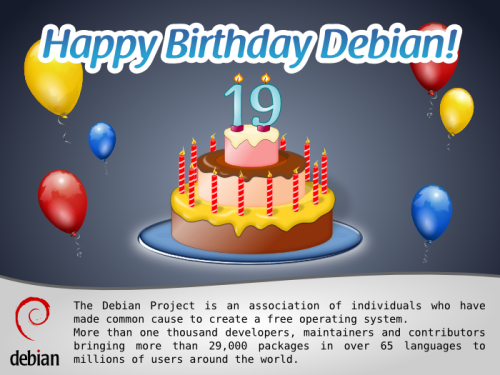
Happy 19th birthday, Debian! The Debian project is 19 years old now. Following Francesca's invitation (and Rapha l's lead, and using Leandro's image, collaboratively as it always happens here), I will tell a bit of my memories: How I got to Debian. I am a Debian user since ~2000, and a Debian Developer since April 2003. But, just as Rapha l's, my history must go somewhat further back in time. In 1992, I got my first 1200bps modem, and almost immediately became an avid BBS user (what's that? Javier Matuk talks [in Spanish] about BBSes in his newspaper column back in 1994). By mid 1993 I started operating my own BBS, CatarSYS. One of the key points that defined CatarSYS is that my focus was large-scale communication. I started connecting to several BBS networks, allowing messages to be relayed to distant people, mainly in the USA and Spain, and getting some feeds that could be seen as the poor man's Usenet. At some point during the year I kept CatarSYS going, I got connected through a strange set of gateways to pure gold: A UUCP feed! This means, during some months, I operated the first (free, hobbyist) service that offered its users a free Internet mail address in Mexico. Yes, it was completely different to what we are used to today. I tried to connect to my provider at least three times a week, but this meant less than one week turnover time for messages sent to people anywhere in the world! But, back to Debian: Via this UUCP feed, I also got some real Usenet newsgroups Including several on the comp.os category. I remember reading about Linux back then, and learning some commands, but didn't really get hooked into it. I was in Israel from July 1994 to June 1995, doing completely non-computer-related tasks. Came back in 1995, and due to my father being an academic, got dialup internet access at home. WOW, *real* Internet! It didn't take me long to start downloading Linux information and floppy images. One failed after another. But before the end of the year, I found in a bookshop a book (that included a CD-ROM) called "Build your own web server with Linux". WOW again Remember this was still 1995! I bought it, and shortly afterwards, I had a Slackware system (Linux kernel 1.0.9) running. That meant many sleepless nights full of joy and frustration (as getting hardware to work was cloe to impossible). By 1996, I got (within one week) my two first real jobs: A systems administrator at a small ISP and a highschool teacher. At the ISP, I got a spare computer to play with Linux, as of course the Big Server was running with Windows NT 3.51. Poor little machine... By then I was already a part of the Mexican Linux User Group. This group had just printed a batch of Linux CDs RedHat 4.0. This was the first release that really made me happy and allowed me to do good work. Together with a friend I took to work with us, Juan Pablo Romero, we installed over a weekend a full replacement for our buggy NT machine, in much cheaper hardware. Of course, Linux was nowhere near corporate-recognition, and our project remained a project, not touching the Windows machine. Anyway... Several years passed, and I was happy with my RedHat choice. I won't mention the milestones and job changes, as it would get boring and leave the point completely aside. By the year 2000, I was quite more involved with the LUG, as well as with the computer security group in DGSCA-UNAM. I became also an OpenBSD user, and had got so hooked up in free software that I felt the need to collaborate: To be a little part of one of those Big Projects that had given me so much. But which one? I have never been much of a programmer Yes, I can solve my everyday needs and have fun with it, and sometimes a bit beyond that. I enjoy programming. But all of my projects have begun little and stayed little. I wanted to join OpenBSD, as it was a community I really believed in, but given my skillset (and given a flame-prone, aggressive developer community), I lost motivation to do so. By 2000, I had also lost faith in RedHat. I don't have the exact dates, so I might be some months off But after RedHat's IPO, I felt a sharp change. Version 7.0 was really demotivating It tried to offer a polished desktop experience, but was really buggy, unstable, and full of bad decisions. In Mexico, Pepe Neif had taken up the job of making a derivative distribution of RedHat (called LinuxPPP), pressing hundreds of CDs and making a teaching program I was part of several times. Talking with Pepe (who continued to release based on RedHat 6), he told me he was interested in switching over to become a Debian-based distribution, but the job of migrating his installed base made the project stall LinuxPPP reached only version 6.4. But I installed Debian in early 2000, and loved it. I started getting familiar with its social philosophy and foundation documents at the same time I started migrating my servers from RedHat to Debian This must have been by Spring 2000, as I installed Potato while it was frozen but not yet stable. By January 2002 I applied for NM. My process took a long time, as my AM got MIA when he had already approved me (but before sending the AM report), so basically I had to go through AM twice And by April 16, 2003, I got accepted as a DD. Contrary to what is acceptable today, I requested the full process to be done before starting to maintain any packages, as I didn't want to bother people with package sponsorship requests, so my whole process was done evaluating packages I would eventually upload. Since becoming a DD, my main involvement in the project has been in packaging groups (I was a pkg-perl founder and member for many years, and am currently working in the pkg-ruby-extras group). But, as I said, my main strength is not programming So my main involvement in Debian has been more social than technical: I have been a DebConf organizer since 2005, a very interesting, stressing, rewarding and (for some months) time-demanding role, and since 2009 I am part of the keyring maintainence team, which is much easier workload, although carries important ramifications. So, after 19 years of Debian, and after nine years of me being part of it, Debian is clearly my strongest link to the Free Software community, a project I have grown to love and whose way of being I share and enjoy studying and explaining. And it is a technically excellent product, and a great place to start and keep learning both about how every aspect and layer of an operating system works, and how human-to-human interaction works in such a diverse, almost impossible environment happens. Congratulations, Debian!

AttachmentSize
debian-19_500.png149.81 KB

14 August 2012

Matthew Garrett: Playing with Thunderbolt under Linux on Apple hardware

I've temporarily got hold of a Retina Macbook Pro. Fedora 17 boots fine on it with the following kernel arguments: nointremap drm_kms_helper.poll=0 video=eDP-1:2880x1800@45e, although you'll want an updated install image. The nointremap requirement is fixed by this patch, and the others are being tracked here. The gmux chip that controls the multiple graphics chipsets has changed - patches here. That just leaves Thunderbolt.

Thunderbolt is, to a first approximation, PCIe tunnelled over a Displayport connector. It's a high-bandwidth protocol for connecting external devices. Things are complicated by it also supporting Displayport over the same connection, which I'm sure will be hilarious when we get yet another incompatible display protocol. But anyway. I picked up a Thunderbolt ethernet adapter and started poking.

Booting with the device connected looked promising - an ethernet device appeared. Pulling it out resulted in the pcie hotplug driver noticing that it was missing and cleaning up, although the b44 ethernet driver sat around looking puzzled for a while. So far so good. Unfortunately plugging it in again didn't work, and rebooting without any Thunderbolt devices connected not only did nothing on hotplug, it also meant that the Thunderbolt controller didn't show up in lspci at all.

It turns out that there's several problems at play here. The first is the missing Thunderbolt controller. The problem here is the following code in Apple's ACPI tables:
        Method (RMCR, 0, Serialized)
         
            If (LNot (OSDW))
             
                If (LAnd (LEqual (\_SB.PCI0.PEG1.UPSB.DSB1.UPS0.AVND, 0xFFFF), 
                    LEqual (\_SB.PCI0.PEG1.UPSB.DSB2.UPS0.AVND, 0xFFFF)))
                 
                    Store ("RMCR: Disable Link and Power Off Cactus Ridge Chip",
                           Debug)
                    Store (0x01, \_SB.PCI0.PEG1.LDIS)
                    Sleep (0x07D0)
                    Store (0x00, GP23)


This checks if the system claims to be Darwin (the core of OS X). If not, it checks whether two PCIe bridges have been configured. If both are still in an unconfigured state, it cuts the PCIe link to the upstream PCIe link and then sets GP23 to 0. Looking further, GP23 turns out to be a GPIO line. Setting it to 0 appears to cut power to the Thunderbolt controller. In summary, unless your OS claims to be OS X, booting without an attached Thunderbolt device will result in the chipset being powered down so hard that it's entirely invisible to the OS.

Fixing that is as easy as adding Darwin to the list of operating systems Linux claims to be. So, now I could boot without a connected device and still see the controller. Since ACPI seemed to be important here, I started looking at the other ACPI methods associated with the device. The first one that drew attention was Name(_GPE, 0x14). The _GPE method (not to be confused with the _GPE object at the top of the global ACPI namespace) is defined as providing the ACPI general purpose event associated with the device. Unfortunately, it's only defined as doing this for embedded controllers - Apple's use of it on a PCI device is massively non-standard. But, still, easy enough to handle. Intel chipsets map GPE 0x10 to 0x1f to GPIO lines 0-15, so this GPE is associated with GPIO 4. Looking through the ACPI code showed a bunch of other references to GP04, and it turns out that if the chip is powered down (via setting GP23 to 0) then plugging a device in to the port will generate a GPE. This makes sense - a powered down controller isn't going to notice hotplug events itself, so you need some kind of out of band notification mechanism. There's also another ACPI method that flips the polarity of the GPIO line so it doesn't keep generating events for the entire time a device is connected. It didn't take long to come up with a stub driver that would power down the controller if nothing was connected at boot, and then wake it up again on a hotplug event.

Unfortunately that's as far as I've got. I'd been hoping that everything beyond this was just PCIe hotplug, but it seems not. Apple's Thunderbolt driver is rather too large to just be handling ACPI events, and this document on Apple's website makes it pretty clear that there's OS involvement in events and device configuration. Booting with a device connected means that the firmware does the setup, but if you want to support hotplug then the OS needs to know how to do that - and Linux doesn't.

Getting this far involved rather a lot of irritation at Apple for conspiring to do things in a range of non-standard ways, but it turns out that the real villains of the piece are Intel. The Thunderbolt controller in the Apples is an Intel part - the 82524EF, according to Apple. Given Intel's enthusiasm for Linux and their generally high levels of engagement with the Linux development community, it's disappointing[1] to discover that this controller has been shipping for over a year with (a) no Linux driver and (b) no documentation that would let anyone write such a driver. It's not even mentioned on Intel's website. So, thanks Intel. You're awful.

Anyway. This was my attempt to spend a few days doing something more relaxing than secure boot, and all I ended up with was eczema and liver pain. Lesson learned, hardware vendors hate you even more than firmware vendors do.

[1] By which I mean grotesquely infuriating

comment count unavailable comments

12 August 2012

Patrick Matth i: Isla de Fuerteventura 2012

Just a few photos of my vacation on the Isla de Fuerteventura in july 2012 :) But travelling will be continued in 2012 to Belek in the Turkey on Oct+Nov! slide_17_4 slide_17_65 slide_18_34 slide_21_2 slide_21_21 slide_21_22 slide_23_58

31 July 2012

Russell Coker: ZFS on Debian/Wheezy

As storage capacities increase the probability of data corruption increases as does the amount of time required for a fsck on a traditional filesystem. Also the capacity of disks is increasing a lot faster than the contiguous IO speed which means that the RAID rebuild time is increasing, for example my first hard disk was 70M and had a transfer rate of 500K/s which meant that the entire contents could be read in a mere 140 seconds! The last time I did a test on a more recent disk a 1TB SATA disk gave contiguous transfer rates ranging from 112MB/s to 52MB/s which meant that reading the entire contents took 3 hours and 10 minutes, and that problem is worse with newer bigger disks. The long rebuild times make greater redundancy more desirable. BTRFS vs ZFS Both BTRFS and ZFS checksum all data to cover the case where a disk returns corrupt data, they don t need a fsck program, and the combination of checksums and built-in RAID means that they should have less risk of data loss due to a second failure during rebuild. ZFS supports RAID-Z which is essentially a RAID-5 with checksums on all blocks to handle the case of corrupt data as well as RAID-Z2 which is a similar equivalent to RAID-6. RAID-Z is quite important if you don t want to have half your disk space taken up by redundancy or if you want to have your data survive the loss or more than one disk, so until BTRFS has an equivalent feature ZFS offers significant benefits. Also BTRFS is still rather new which is a concern for software that is critical to data integrity. I am about to install a system to be a file server and Xen server which probably isn t going to be upgraded a lot over the next few years. It will have 4 disks so ZFS with RAID-Z offers a significant benefit over BTRFS for capacity and RAID-Z2 offers a significant benefit for redundancy. As it won t be upgraded a lot I ll start with Debian/Wheezy even though it isn t released yet because the system will be in use without much change well after Squeeze security updates end. ZFS on Wheezy Getting ZFS to basically work isn t particularly hard, the ZFSonLinux.org site has the code and reasonable instructions for doing it [1]. The zfsonlinux code doesn t compile out of the box on Wheezy although it works well on Squeeze. I found it easier to get a the latest Ubuntu working with ZFS and then I rebuilt the Ubuntu packages for Debian/Wheezy and they worked. This wasn t particularly difficult but it s a pity that the zfsonlinux site didn t support recent kernels. Root on ZFS The complication with root on ZFS is that the ZFS FAQ recommends using whole disks for best performance so you can avoid alignment problems on 4K sector disks (which is an issue for any disk large enough that you want to use it with ZFS) [2]. This means you have to either use /boot on ZFS (which seems a little too experimental for me) or have a separate boot device. Currently I have one server running with 4*3TB disks in a RAID-Z array and a single smaller disk for the root filesystem. Having a fifth disk attached by duct-tape to a system that is only designed for four disks isn t ideal, but when you have an OS image that is backed up (and not so important) and a data store that s business critical (but not needed every day) then a failure on the root device can be fixed the next day without serious problems. But I want to fix this and avoid creating more systems like it. There is some good documentation on using Ubuntu with root on ZFS [3]. I considered using Ubuntu LTS for the server in question, but as I prefer Debian and I can recompile Ubuntu packages for Debian it seems that Debian is the best choice for me. I compiled those packages for Wheezy, did the install and DKMS build, and got ZFS basically working without much effort. The problem then became getting ZFS to work for the root filesystem. The Ubuntu packages didn t work with the Debian initramfs for some reason and modules failed to load. This wasn t necessarily a show-stopper as I can modify such things myself, but it s another painful thing to manage and another way that the system can potentially break on upgrade. The next issue is the unusual way that ZFS mounts filesystems. Instead of having block devices to mount and entries in /etc/fstab the ZFS system does things for you. So if you want a ZFS volume to be mounted as root you configure the mountpoint via the zfs set mountpoint command. This of course means that it doesn t get mounted if you boot with a different root filesystem and adds some needless pain to the process. When I encountered this I decided that root on ZFS isn t a good option. So for this new server I ll install it with an Ext4 filesystem on a RAID-1 device for root and /boot and use ZFS for everything else. Correct Alignment After setting up the system with a 4 disk RAID-1 (or mirror for the pedants who insist that true RAID-1 has only two disks) for root and boot I then created partitions for ZFS. According to fdisk output the partitions /dev/sda2, /dev/sdb2 etc had their first sector address as a multiple of 2048 which I presume addresses the alignment requirement for a disk that has 4K sectors. Installing ZFS deb http://www.coker.com.au wheezy zfs I created the above APT repository (only AMD64) for ZFS packages based on Darik Horn s Ubuntu packages (thanks for the good work Darik). Installing zfs-dkms, spl-dkms, and zfsutils gave a working ZFS system. I could probably have used Darik s binary packages but I think it s best to rebuild Ubuntu packages to use on Debian. The server in question hasn t gone live in production yet (it turns out that we don t have agreement on what the server will do). But so far it seems to be working OK. Related posts:
  1. Discovering OS Bugs and Using Snapshots I m running Debian/Unstable on an EeePC 701, I ve got an...
  2. Starting with BTRFS Based on my investigation of RAID reliability [1] I have...
  3. ZFS vs BTRFS on Cheap Dell Servers I previously wrote about my first experiences with BTRFS [1]....

30 July 2012

Johannes Schauer: port bootstrap build-ordering tool report 4

A copy of this post is sent to soc-coordination@lists.alioth.debian.org as well as to debian-bootstrap@lists.mister-muffin.de.

Diary

July 2
  • playing around with syntactic dependency graphs and how to use them to flatten dependencies

July 4
  • make work with dose 3.0.2
  • add linux-amd64 to source architectures
  • remove printing in build_compile_rounds
  • catch Not_found exception and print warning
  • use the whole installation set in crosseverything.ml instead of flattened dependencies
  • detect infinite loop and quit in crosseverything.ml
  • use globbing in _tags file
  • use wildcards and patsubst in makefile

July 5
  • throw a warning if there exist binary packages without source packages
  • add string_of_list and string_of_pkglist and adapt print_pkg_list and print_pkg_list_full to use them
  • fix and extend flatten_deps - now also tested with Debian Sid

July 6
  • do not exclude the crosscompiled packages from being compiled in crosseverything.ml
  • clean up basebuildsystem.ml, remove old code, use BootstrapCommon code
  • clean up basenocycles.ml, remove unused code and commented out code
  • add option to print statistics about the generated dependency graph
  • implement most_needed_fast_wrong as well as most_needed_slow_correct and make both available through the menu

July 7
  • allow to investigate all scc, not only the full graph and the scc containing the investigated package
  • handle Not_found in src_list_from_bin_list with warning message
  • handle the event of the whole archive actually being buildable
  • replace raise Failure with failwith
  • handle incorrectly typed package names
  • add first version of reduced_dist.ml to create a self-contained mini distribution out of a big one

July 8
  • add script to quickly check for binary packages without source package
  • make Debian Sid default in makefile
  • add *.d.byte files to .gitignore
  • README is helpful now
  • more pattern matching and recursiveness everywhere

July 9
  • fix termination condition of reduced_dist.ml
  • have precise as default ubuntu distribution
  • do not allow to investigate an already installable package

July 10
  • milestone: show all cycles in a graph
  • add copyright info (LGPL3+)

July 11
  • advice to use dose tools in README

July 16
  • write apt_pkg based python filter script replacing grep-dctrl

July 17
  • use Depsolver.listcheck more often
  • add dist_graph.ml
  • refactor dependency graph code into its own module

July 18
  • improve package selection for reduced_dist.ml
  • improve performance of cycle enumeration code

July 20
  • implement buildprofile support into dose3

July 22
  • let dist_graph.ml use commandline arguments

July 23
  • allow dose3 to generate source package lists without Build- Depends Conflicts -Indep

July 29
  • implement crosscompile support into dose3

Results

Readme There is not yet a writeup on how everything works and how all the pieces of the code work together but the current README file provides a short introduction on how to use the tools.
  • build and runtime dependencies
  • compile instructions
  • execution examples for each program
  • step by step guide how to analyze the dependency situation
  • explanation of general commandline options
A detailed writeup about the inner workings of everything will be part of a final documentation stage.

License All my code is now released under the terms of the LGPL either version 3, or (at your option) any later version. A special linking exception is made to the license which can be read at the top of the provided COPYING file. The exception is necessary because Ocaml links statically, which means that without that exception, the conditions of distribution would basically equal GPL3+.

reduced_dist.ml Especially the Debian archive is huge and one might want to work on a reduced selection of packages first. Having a smaller selection of the archive would be significantly faster and would also not add thousands of packages that are not important for an extended base system. I call a reduced distribution a set of source packages A and a set of binary packages B which fulfill the following three properties:
  • all source packages A must be buildable with only binary packages B being available
  • all binary packages B except for architecture:all packages must be buildable from source packages A
The set of binary packages B and source packages A can be retrieved using the reduced_dist program. It allows to either build the most minimal reduced distribution or one that includes a certain package selection. To filter out the package control stanzas for a reduced distribution from a full distribution, I originally used a call to grep-dctrl but later replaced that by a custom python script called filter-packages.py. This script uses python-apt to filter Packages and Sources files for a certain package selection.

dist_graph.ml It soon became obvious that there were not many independent dependency cycle situation but just one big scc that would contain 96% of the packages that are involved in build dependency cycles. Therefor it made sense to write a program that does not iteratively build the dependency graph starting from a single package, but which builds a dependency graph for a whole archive.

Cycles I can now enumerate all cycles in the dependency graph. I covered the theoretical part in another blog post and wrote an email about the achievement to the list. Both resources contain more links to the respective sourcecode. The dependency graph generated for Debian Sid has 39486 vertices. It has only one central scc with 1027 vertices and only eight other scc with 2 to 7 vertices. All the other source and binary packages in the dependency graph for the archive are degenerate components of length one. Obtaining the attached result took 4 hours on my machine (Core i5 @ 2.53GHz). 1.5 h of that were needed to build the dependency graph, the other 2.5 hours were needed to run johnson's algorithm on the result. Memory consumption of the program was at about 700 MB. It is to my joy that apparently the runtime of the cycle finding algorithm for a whole Debian Sid repository as well as the memory requirements are within orders of magnitude that are justifiable when being run on off-the-shelf hardware. It must also be noted that nothing is optimized for performance yet. A list of all cycles in Debian Sid up to length 4 can be retrieved from this email. This cycle analysis assumes that only essential packages, build-essential and dependencies and debhelper are available. Debhelper is not an essential or build-essential package but 79% of the archive build-depends on it. The most interesting cycles are probably those of length 2 that need packages that they build themselves. Noticeable examples for these situations are vala, python, mlton, fpc, sbcl and ghc. Languages seem love to need themselves to be built.

Buildprofiles There is a long discussion of how to encode staged build dependency information in source packages. While the initial idea was to use Build-Depends-StageN fields, this solution would duplicate large parts of the Build-Depends field, which leads to bitrot as well as it is inflexible to possible other build "profiles". To remedy the situation it was proposed to use field names like Build-Depends[stage1 embedded] but this would also duplicate information and would break with the rfc822 format of package description files. A document maintained by Guillem Jover gives even more ideas and details. Internally, Patrick and me decided for another idea of Guillem Jover to annotate staged build dependencies. The format reads like:
Build-Depends: huge (>= 1.0) [i386 arm] <!embedded !bootstrap>, tiny
So each build profile would follow a dependency in <> "brackets" an have a similar format as architecture options. Patrick has a patch for dpkg that implements this functionality while I patched dose3.

Dropping Build-Depends-Indep and Build-Conflicts-Indep When representing the dependencies of a source package, dose3 concatenates its Build-Depends and Build-Depends-Indep dependency information. So up to now, a source package could only be compiled, if it manages to compile all of its binary packages including architecture:all packages. But when bootstrapping a new architecture, it should be sufficient to only build the architecture dependent packages and therefor to only build the build-arch target in debian/rules and not the build-indep target. Only considering the Build-Depends field and dismissing the Build-Depends-Indep field, reduced the main scc from 1027 vertices to 979 vertices. The amount of cycles up to length four reduced from 276 to 206. Especially the cycles containing gtk-doc-tools, doxygen, debiandoc-sgml and texlive-latex-base got much less. Patrick managed to add a Build-Depends-Indep field to four packages so far which reduced the scc further by 14 vertices down to 965 vertices. So besides staged build dependencies and cross building there is now a third method that can be applied to break dependency cycles: add Build-Depends-Indep information to them or update existing information. I submitted a list of packages that have a binary-indep and/or a build-indep target in their debian/rules to the list. I also submitted a patch for dose3 to be able to specify to ignore Build-Depends-Indep and Build-Conflicts-Indep information.

Dose3 crossbuilding So far I only looked at dependency situations in the native case. While the native case contains a huge scc of about 1000 packages, the dependency situation will be much nicer when cross building. But dose3 was so far not able to simulate cross building of source packages. I wrote a patch that implements this functionality and will allow me to write programs that help analyze the cross-situation as well.

Debconf Presentation Wookey was giving a talk at debconf12 for which I was supplying him with slides. The slides in their final version can be downloaded here

Future Patrick maintains a list of "weak" build dependencies. Those are dependencies that are very likely to be droppable in either a staged build or using Build-Depends-Indep. I must make use of this list to make it easier to find packages that can easily be removed of their dependencies. I will have to implement support for resolving the main scc using staged build dependencies. Since it is unlikely that Patrick will be fast enough in supplying me with modified packages, I will need to create myself a database of dummy packages. Another open task is to allow to analyze the crossbuilding dependency situation. What I'm currently more or less waiting on is the inclusion of my patches into dose3 as well as a decision on the buildprofile format. More people need to discuss about it until it can be included into tools as well as policy. Every maintainer of a package can help making bootstrapping easier by making sure that as many dependencies as possible are part of the Build-Depends-Indep field.

28 July 2012

Vincent Bernat: Switching to the awesome window manager

I have happily used FVWM as my window manager for more than 10 years. However, I recently got tired of manually arranging windows and using the mouse so much. A window manager is one of the handful pieces of software getting in your way at every moment which explains why there are so many of them and why we might put so much time in it. I decided to try a tiling window manager. While i3 seemed pretty hot and powerful (watch the screencast!), I really wanted something configurable and extensible with some language. So far, the common choices are: I chose awesome, despite the fact that StumpWM vote for Lisp seemed a better fit (but it is more minimalist). I hope there is some parallel universe where I enjoy StumpWM. Visually, here is what I got so far: awesome dual screen setup

Awesome configuration Without a configuration file, awesome does nothing. It does not come with any hard-coded behavior: everything needs to be configured through its Lua configuration file. Of course, a default one is provided but you can also start from scratch. If you like to control your window manager, this is somewhat wonderful. awesome is well documented. The wiki provides a FAQ, a good introduction and the API reference is concise enough to be read from the top to the bottom. Knowing Lua is not mandatory since it is quite easy to dive into such a language. I have posted my configuration on GitHub. It should not be used as is but some snippets may be worth to be stolen and adapted into your own configuration. The following sections put light on some notable points.

Keybindings Ten years ago was the epoch of scavanger hunts to recover IBM Model M keyboards from waste containers. They were great to type on and they did not feature the infamous Windows keys. Nowadays, this is harder to get such a keyboard. All my keyboards now have Windows keys. This is a major change with respect to configure a window manager: the left Windows key is mapped to Mod4 and is usually unused by most applications and can therefore be dedicated to the window manager. The main problem with the ability to define many keybindings is to remember the less frequently used one. I have monkey-patched awful.key module to be able to attach a documentation string to a keybinding. I have documented the whole process on the awesome wiki. awesome online help

Quake console A Quake console is a drop-down terminal which can be toggled with some key. I was heavily relying on it in FVWM. I think this is still a useful addition to any awesome configuration. There are several possible solutions documented in the awesome wiki. I have added my own1 which works great for me. Quake console

XRandR XRandR is an extension which allows to dynamically reconfigure outputs: you plug an external screen to your laptop and you issue some command to enable it:
$ xrandr --output VGA-1 --auto --left-of LVDS-1
awesome detects the change and will restart automatically. Laptops usually come with a special key to enable/disable an external screen. Nowadays, this key does nothing unless configured appropriately. Out of the box, it is mapped to XF86Display symbol. I have associated this key to a function that will cycle through possible configurations depending on the plugged screens. For example, if I plug an external screen to my laptop, I can cycle through the following configurations:
  • only the internal screen,
  • only the external screen,
  • internal screen on the left, external screen on the right,
  • external screen on the left, internal screen on the right,
  • no change.
The proposed configuration is displayed using naughty, the notification system integrated in awesome. Notification of screen reconfiguration

Widgets I was previously using Conky to display various system-related information, like free space, CPU usage and network usage. awesome comes with widgets that can fit the same use. I am relying on vicious, a contributed widget manager, to manage most of them. It allows one to attach a function whose task is to fetch values to be displayed. This is quite powerful. Here is an example with a volume widget:
local volwidget = widget(  type = "textbox"  )
vicious.register(volwidget, vicious.widgets.volume,
         '<span font="Terminus 8">$2 $1%</span>',
        2, "Master")
volwidget:buttons(awful.util.table.join(
             awful.button(   , 1, volume.mixer),
             awful.button(   , 3, volume.toggle),
             awful.button(   , 4, volume.increase),
             awful.button(   , 5, volume.decrease)))
You can also use a function to format the text as you wish. For example, you can display a value in red if it is too low. Have a look at my battery widget for an example. Various widgets

Miscellaneous While I was working on my awesome configuration, I also changed some other desktop-related bits.

Keyboard configuration I happen to setup all my keyboards to use the QWERTY layout. I use a compose key to input special characters like . I have also recently use Caps Lock as a Control key. All this is perfectly supported since ages by X11 I am also mapping the Pause key to XF86ScreenSaver key symbol which will in turn be bound to a function that will trigger xautolock to lock the screen. Thanks to a great article about extending the X keyboard map with xkb, I discovered that X was able to switch from one layout to another using groups2. I finally opted for this simple configuration:
$ setxkbmap us,fr '' compose:rwin ctrl:nocaps grp:rctrl_rshift_toggle
$ xmodmap -e 'keysym Pause = XF86ScreenSaver'
I switch from us to fr by pressing both left Control and left Shift keys.

Getting rid of most GNOME stuff Less than one year ago, to take a step forward to the future, I started to heavily rely on some GNOME components like GNOME Display Manager, GNOME Power Manager, the screen saver, gnome-session, gnome-settings-daemon and others. I had numerous problems when I tried to setup everything without pulling the whole GNOME stack. At each GNOME update, something was broken: the screensaver didn t start automatically anymore until a full session restart or some keybindings were randomly hijacked by gnome-settings-daemon. Therefore, I have decided to get rid of most of those components. I have replaced GNOME Power Manager with system-level tools like sleepd and the PM utilities. I replaced the GNOME screensaver with i3lock and xautolock. GDM has been replaced by SLiM which now features ConsoleKit support3. I use ~/.gtkrc-2.0 and ~/.config/gtk-3.0/settings.ini to configure GTK+. The future will wait.

Terminal color scheme I am using rxvt-unicode as my terminal with a black background (and some light transparency). The default color scheme is suboptimal on the readability front. Sharing terminal color schemes seems a popular activity. I finally opted for the derp color scheme which brings a major improvement over the default configuration. Comparison of terminal color schemes I have also switched to Xft for font rendering using DejaVu Sans Mono as my default font (instead of fixed) with the following configuration in ~/.Xresources:
Xft.antialias: true
Xft.hinting: true
Xft.hintstyle: hintlight
Xft.rgba: rgb
URxvt.font: xft:DejaVu Sans Mono-8
URxvt.letterSpace: -1
The result is less crisp but seems a bit more readable. I may switch back in the future. Comparison of terminal fonts

Next steps My reliance to the mouse has been greatly reduced. However, I still need it for casual browsing. I am looking at luakit a WebKit-based browser extensible with Lua for this purpose.

  1. The console gets its own unique name. This allows awesome to reliably detect when it is spawned, even on restart. It is how the Quake console works in the mod of FVWM I was using.
  2. However, the layout is global, not per-window. If you are interested by a per-window layout, take a look at kbdd.
  3. Nowadays, you cannot really survive without ConsoleKit. Many PolicyKit policies do not rely on groups any more to grant access to your devices.

Luke Faraone: Simple two-factor authentication


Do you want to allow "Rebooting of Cluster 19" as Jane Doe, Foo Corp? Yes/NoI've been thinking a lot recently about information security and passwords. It's widely agreed that two-factor authentication, which combines something-you-know (a password) with something you have (eg. a smart card or some one-time-password) is superior to using a password by itself. Most solutions I've seen, short of client-side certificates, both require a trusted third party and provide little auditability.

I'm working on a project which attempts to address those problems. Basically, the idea is that you attempt to perform an action on a website, like logging in, moving some money between accounts, or restarting a cluster. Then, your mobile device ((iPhone used in the graphic to the right because a SVG was handy. Image adapted from work by Virgile Pypaert [CC-BY-SA-3.0], via Wikimedia Commons)) (Android, iPhone, or some custom hardware) starts buzzing, displaying the text of the action. When you approve or deny the action, your device uses a locally stored private key to sign the text of the approval and send it back to the server. The server checks that you approved the same transaction number and text, then allows the action. The server can store the approval notice to allow auditors later to determine that somebody in possession of the private key signed the action request.

So far, I've written a small Django server application, and a Python CLI device and client. They're not yet ready for a public release; I need to write up installation instructions and test it a bit more, but I'll publish them soon on Launchpad. On the usability side of things, I plan to conduct some trials in January comparing it to things like Google Authenticator.

This should be less susceptible to MITM attacks than one-time-passwords, since you can authenticate specific transactions, rather than entire sessions.

On the other hand, I'm no security researcher. Dear lazyweb, are there any problems with the above approach? Also, if I'm going to release this (as I plan to once I get something working), I need a name. Ideas?

Luke Faraone: Google Cr-48 first impressions

On a lark, I signed up for the pilot program of the Google Cr-48 about a week ago. To my surprise, I found the distinctive box on my doorstep a week later. After initially mistaking it for an overpacked, late-model OLPC XO-1 I would have to repair, I sort of did a double-take as I realized what I had received.
Using Chrome OS


Wow, they weren't kidding about the boot time. Chrome OS responds (to suspend / resume and boot / power-off) very quickly. Responsiveness elsewhere in the OS of course varies on system load and other factors. On the "terms" page, there is a "system security setting" which tells me I have a Trusted Platform Module, and that my TPM has a randomly generated password. The dialog could use some rewording; I'm pretty familiar with the idea of a TPM, but I'm still not sure what I'm to do with that information.

Cloud print is really a problem for me, right now. I use school printers for the majority of my work, which I was previously able to use by adding them by IP address. Unless there's some magic I'm missing here, I can't do that with Chrome OS, and such a feature will not be supported. (except by "connectors" on Windows and Mac computers)
General thoughts
I can't imagine using a system running Chrome OS as a primary computer. The biggest missing feature is PGP (or any sort of encryption) support for email. This is probably not terribly difficult to implement as an extension, but the idea of my cryptographic software being automatically updated is rather unsettling. I think I'll have to agree with Paul Buchheit that ChromeOS will have to merge with Android; there is a utility for local apps, even if they're becoming less and less critical.

Next.

Previous.