Search Results: "will"

30 October 2012

Matthew Garrett: Getting started with UEFI development

It's not difficult to write a UEFI application under Linux. You'll need three things:


So, let's write a trivial UEFI application. Here's one from the gnu-efi source tree:
#include <efi.h>
#include <efilib.h>
EFI_STATUS
efi_main (EFI_HANDLE image, EFI_SYSTEM_TABLE *systab)
 
        SIMPLE_TEXT_OUTPUT_INTERFACE *conout;
        conout = systab->ConOut;
        InitializeLib(image, systab);
        uefi_call_wrapper(conout->OutputString, 2, conout, L"Hello World!\n\r");
        return EFI_SUCCESS;
 
The includes are fairly obvious. efi.h gives you UEFI functions defined by the specification, and efilib.h gives you functions provided by gnu-efi. The runtime will call efi_main() rather than main(), so that's our main function. It returns an EFI_STATUS which will in turn be returned to whatever executed the binary. The EFI_HANDLE image is a pointer to the firmware's context for this application, which is used in certain calls. The EFI_SYSTEM_TABLE *systab is a pointer to the UEFI system table, which in turn points to various other tables.

So far so simple. Now things get interesting. The heart of the UEFI programming model is a set of protocols that provide interfaces. Each of these interfaces is typically a table of function pointers. In this case, we're going to use the simple text protocol to print some text. First, we get a pointer to the simple text output table. This is always referenced from the system table, so we can simply assign it. InitializeLib() just initialises some internal gnu-efi functions - it's not technically required if we're purely calling native UEFI functions as we are here, but it's good style since forgetting it results in weird crashes.

Anyway. We now have conout, a pointer to a SIMPLE_TEXT_OUTPUT_INTERFACE structure. This is described in section 11.4 of the UEFI spec, but looks like this:
typedef struct _EFI_SIMPLE_TEXT_OUTPUT_PROTOCOL  
    EFI_TEXT_RESET Reset;
    EFI_TEXT_STRING OutputString;
    EFI_TEXT_TEST_STRING TestString;
    EFI_TEXT_QUERY_MODE QueryMode;
    EFI_TEXT_SET_MODE SetMode;
    EFI_TEXT_SET_ATTRIBUTE SetAttribute;
    EFI_TEXT_CLEAR_SCREEN ClearScreen;
    EFI_TEXT_SET_CURSOR_POSITION SetCursorPosition;
    EFI_TEXT_ENABLE_CURSOR EnableCursor;
    SIMPLE_TEXT_OUTPUT_MODE *Mode;
  EFI_SIMPLE_TEXT_OUTPUT_PROTOCOL;
The majority of these are functions - the only exception is the SIMPLE_TEXT_OUTPUT_MODE pointer, which points to the current mode. In an ideal world you'd be able to just call these directly, but sadly UEFI and Linux calling conventions are different and we need some thunking. That's where the uefi_call_function() call comes in. This takes a UEFI function as its first argument (in this case, conout->OutputString), the number of arguments (2, in this case) and then the arguments. Checking the spec for OutputString, we see this:
typedef
EFI_STATUS
(EFIAPI *EFI_TEXT_STRING) (
    IN EFI_SIMPLE_TEXT_OUTPUT_PROTOCOL *This,
    IN CHAR16 *String
);
The first argument is a pointer to the specific instance of the simple text output protocol. This permits multiple instances of the same protocol to exist on a single machine, without having to duplicate all of the code. The second argument is simply a UCS-2 string. Our conout pointer is a pointer to the protocol, so we pass that as the first argument. For the second argument, we pass L"Hello World!\n", with the L indicating that this is a wide string rather than a simple 8-bit string. uefi_call_function() then rearranges these arguments into the appropriate calling convention and calls the UEFI function. The firmware then prints "Hello World!" on the screen. Success.

(Warning: uefi_call_function() does no type checking on its arguments, so if you pass in a struct instead of a pointer it'll build without complaint and then give you a bizarre error at runtime)

Finally, we clean up by simply returning EFI_SUCCESS. Nothing more for us to worry about. That's the simple case. What about a more complicated one? Let's do something with that EFI_HANDLE that got passed into efi_main().
#include <efi.h>
#include <efilib.h>
EFI_STATUS
efi_main (EFI_HANDLE image, EFI_SYSTEM_TABLE *systab)
 
        EFI_LOADED_IMAGE *loaded_image = NULL;
        EFI_GUID loaded_image_protocol = LOADED_IMAGE_PROTOCOL;
        EFI_STATUS status;
        InitializeLib(image, systab);
        status = uefi_call_wrapper(systab->BootServices->HandleProtocol,
                                3,
                                image, 
                                &loaded_image_protocol, 
                                (void **) &loaded_image);
        if (EFI_ERROR(status))  
                Print(L"handleprotocol: %r\n", status);
         
        Print(L"Image base        : %lx\n", loaded_image->ImageBase);
        Print(L"Image size        : %lx\n", loaded_image->ImageSize);
        Print(L"Image file        : %s\n", DevicePathToStr(loaded_image->FilePath));
        return EFI_SUCCESS;
 
UEFI handles can have multiple protocols attached to them. A handle may represent a piece of physical hardware, or (as in this case) it can represent a software object. In this case we're going to get a pointer to the loaded image protocol that's associated with the binary we're running. To do this we call the HandleProtocol() function from the Boot Services table. Boot services are documented in section 6 of the UEFI specification and are the interface to the majority of UEFI functionality. HandleProtocol takes an image and a protocol identifier, and hands back a pointer to the protocol. UEFI protocol identifiers are all GUIDs and defined in the specification. If you call HandleProtocol on a handle that doesn't implement the protocol you request, you'll simply get an error back in the status argument. No big deal.

The loaded image protocol is fairly different to the simple text output protocol in that it's almost entirely data rather than function pointers. In this case we're printing the address that our executable was loaded at and the size of our relocated executable. Finally, we print the path of the file. UEFI device paths are documented in section 9.2 of the UEFI specification. They're a binary representation of a file path, which may include the path of the device that the file is on. DevicePathToStr is a gnu-efi helper function that converts the objects it understands into a textual representation. It doesn't cover the full set of specified UEFI device types, so in some corner cases it may print "Unknown()".

That covers how to use protocols attached to the image handle. How about protocols that are attached to other handles? In that case we can do something like this:
#include <efi.h>
#include <efilib.h>
EFI_STATUS
efi_main (EFI_HANDLE image_handle, EFI_SYSTEM_TABLE *systab)
 
        EFI_STATUS status;
        EFI_GRAPHICS_OUTPUT_PROTOCOL *gop;
        EFI_GUID gop_guid = EFI_GRAPHICS_OUTPUT_PROTOCOL_GUID;
        InitializeLib(image_handle, systab);
        status = uefi_call_wrapper(systab->BootServices->LocateProtocol,
                                   3,
                                   &gop_guid,
                                   NULL,
                                   &gop);
        Print(L"Framebuffer base is at %lx\n", gop->Mode->FrameBufferBase);
        return EFI_SUCCESS;
 
This will find the first (where first is an arbitrary platform ordering) instance of a protocol and return a pointer to it. If there may be multiple instances of a protocol (as there often are with the graphics output protocol) you should use LocateHandleBuffer() instead. This returns an array of handles that implement the protocol you asked for - you can then use HandleProtocol() to give you the instance on the specific handle. There's various helpers in gnu-efi like LibLocateHandle() that make these boilerplate tasks easier. You can find the full list in /usr/include/efi/efilib.h.

That's a very brief outline of how to use basic UEFI functionality. The spec documents the full set of UEFI functions available to you, including things like direct block access, filesystems and networking. The process is much the same in all cases - you locate the handle that you want to interact with, open the protocol that's installed on it and then make calls using that protocol.Building these examplesBuilding these examples is made awkward due to UEFI wanting PE-COFF binaries and Linux toolchains building ELF binaries. You'll want a makefile something like this:
ARCH            = $(shell uname -m   sed s,i[3456789]86,ia32,)
LIB_PATH        = /usr/lib64
EFI_INCLUDE     = /usr/include/efi
EFI_INCLUDES    = -nostdinc -I$(EFI_INCLUDE) -I$(EFI_INCLUDE)/$(ARCH) -I$(EFI_INCLUDE)/protocol
EFI_PATH        = /usr/lib64/gnuefi
EFI_CRT_OBJS    = $(EFI_PATH)/crt0-efi-$(ARCH).o
EFI_LDS         = $(EFI_PATH)/elf_$(ARCH)_efi.lds
CFLAGS          = -fno-stack-protector -fpic -fshort-wchar -mno-red-zone $(EFI_INCLUDES)
ifeq ($(ARCH),x86_64)
        CFLAGS  += -DEFI_FUNCTION_WRAPPER
endif
LDFLAGS         = -nostdlib -znocombreloc -T $(EFI_LDS) -shared -Bsymbolic -L$(EFI_PATH) -L$(LIB_PATH) \
                  $(EFI_CRT_OBJS) -lefi -lgnuefi
TARGET  = test.efi
OBJS    = test.o
SOURCES = test.c
all: $(TARGET)
test.so: $(OBJS)
       $(LD) -o $@ $(LDFLAGS) $^ $(EFI_LIBS)
%.efi: %.so
        objcopy -j .text -j .sdata -j .data \
                -j .dynamic -j .dynsym  -j .rel \
                -j .rela -j .reloc -j .eh_frame \
                --target=efi-app-$(ARCH) $^ $@
There's rather a lot going on here, but the important stuff is the CFLAGS line and everything after that. First, we need to disable the stack protection code - there's nothing in the EFI runtime for it to call into, so we'll build a binary with unresolved symbols otherwise. Second, we need to build position independent code, since UEFI may relocate us anywhere. short-wchar is needed to indicate that strings like L"Hi!" should be 16 bits per character, rather than gcc's default of 32 bits per character. no-red-zone tells the compiler not to assume that there's 256 bytes of stack available to it. Without this, the firmware may modify stack that the binary was depending on.

The linker arguments are less interesting. We simply tell it not to link against the standard libraries, not to merge relocation sections, and to link in the gnu-efi runtime code. Nothing very exciting. What's more interesting is that we build a shared library. The reasoning here is that we want to perform all our linking, but we don't want to build an executable - the Linux executable runtime code would be completely pointless in a UEFI binary. Once we have our .so file, we use objcopy to pull out the various sections and rebuild them into a PE-COFF binary that UEFI will execute.

comment count unavailable comments

29 October 2012

Yves-Alexis Perez: Switching to OpenPGP smartcard

A friend of mine recently reminded me of the OpenPGP smartcard v2, and told me that it was perfectly able to handle 4096 bit RSA keys (provided you have GnuPG v2.0.18+). I had the opportunity to play with one a little, and notice it was super easy to use it for ssh authentication, especially since I already use gpg-agent as my ssh-agent (it should be easy to use a purely software authentication key as ssh key with GnuPG 2.1). So I decided to buy two of them and try to switch my main key (0x71ef0ba8) to it. The cards arrived this weekend, and I was able to play with it a little. I didn't log every command I typed, but it was pretty easy, in the end. What I decided to do was to use one smartcard for every day usage, and one only for key signing. So basically, I would generate three (signing, encryption, authentication) subkeys, put them on smartcard 1, then put the primary key on smartcard 2. Then erase the private parts, and only keep them on smartcards. In case it interests people, here the somehow detailed steps. Note that everywhere 'gpg' means 'gpg2' on Debian, we really need GnuPG v2 for correct smartcard handling. You'd better use gpg-agent too, although it doesn't seem mandatory.
  1. make a backup! As we're gonna play with private parts (!), it's always a good idea to have backups. And it'll be useful to have one later, in case there's a problem with the smartcards. You can do a copy of your complete ~/.gnupg folder, but I simply did:
    corsac@scapa: umask 066
    corsac@scapa: gpg -o 71ef0ba8.gpg --export-secret-keys 71ef0ba8
    
  2. Add three subkeys. Skip this is you already have subkeys (you usually already have an encryption subkey, but I wanted to switch to a new one too) --expert is needed in order to chose capabilities.
    corsac@scapa: gpg --expert --edit-key 71ef0ba8
    gpg> addkey
    Please select what kind of key you want:
       (3) DSA (sign only)
       (4) RSA (sign only)
       (5) Elgamal (encrypt only)
       (6) RSA (encrypt only)
       (7) DSA (set your own capabilities)
       (8) RSA (set your own capabilities)
    Your selection? 8
    Possible actions for a RSA key: Sign Encrypt Authenticate 
    Current allowed actions: Sign Encrypt 
       (S) Toggle the sign capability
       (E) Toggle the encrypt capability
       (A) Toggle the authenticate capability
       (Q) Finished
    Your selection? e
    Possible actions for a RSA key: Sign Encrypt Authenticate 
    Current allowed actions: Sign 
       (S) Toggle the sign capability
       (E) Toggle the encrypt capability
       (A) Toggle the authenticate capability
       (Q) Finished
    Your selection? Q
    RSA keys may be between 1024 and 4096 bits long.
    What keysize do you want? (2048) 
    Requested keysize is 2048 bits
    Please specify how long the key should be valid.
             0 = key does not expire
            = key expires in n days
          w = key expires in n weeks
          m = key expires in n months
          y = key expires in n years
    Key is valid for? (0) 1y
    Key expires at dim. 27 oct. 2013 20:38:44 CET
    Is this correct? (y/N) y
    Really create? (y/N) y
    We need to generate a lot of random bytes. It is a good idea to perform
    some other action (type on the keyboard, move the mouse, utilize the
    disks) during the prime generation; this gives the random number
    generator a better chance to gain enough entropy.
    
    Repeat this for encryption and authentication subkeys. Then save and send the key to keyservers
    gpg> save
    corsac@scapa: gpg --send-keys 71ef0ba8
    
  3. Next, we'll switch to the smartcard part. I use a Gemalto PC ExpressCard reader which is perfectly recognized under Debian. You just need few tools:
    root@scapa: ~# apt-get install pcscd scdaemon
    
    Plug the reader, insert the card, make sure it's detected:
    corsac@scapa: gpg --card-status
    Application ID ...: D2760001240102000005000016A10000
    Version ..........: 2.0
    Manufacturer .....: ZeitControl
    ...
    
    You can edit various parameter (name etc.) and change the PINs using gpg:
    corsac@scapa: gpg --change-pin
    corsac@scapa: gpg --card-edit
    
  4. Then we'll put the subkeys in the first smartcard. It might be a good idea to export again the private keys for backups.
    corsac@scapa: gpg -o 71ef0ba8.gpg --export-secret-keys 71ef0ba8
    
  5. We'll now use the keytocard gpg command to move the private parts on the smartcard:
    corsac@scapa: gpg --edit-key 71ef0ba8
    gpg> key 1 # select encryption subkey
    gpg> keytocard
    gpg> key 2 # select signature subkey
    gpg> keytocard
    gpg> key 3 # select authentication subkey
    gpg> keytocard
    gpg> save
    
    A quick check on the card now reveals that it's populated:
    corsac@scapa: gpg --card-status
    Application ID ...: D2760001240102000005000016A10000
    Version ..........: 2.0
    Manufacturer .....: ZeitControl
    Serial number ....: 000016A1
    Name of cardholder: Yves-Alexis Perez
    Language prefs ...: fr
    Sex ..............: unspecified
    URL of public key : http://www.corsac.net/71ef0ba8.asc
    Login data .......: corsac
    Signature PIN ....: forced
    Key attributes ...: 2048R 2048R 2048R
    Max. PIN lengths .: 32 32 32
    PIN retry counter : 3 3 3
    Signature counter : 7
    Signature key ....: 9745 B022 7323 81FE 9E7E  AFF5 6DDB 53F2 A675 C0A5
          created ....: 2012-10-27 11:24:07
    Encryption key....: F7E0 078F EA1A 5F23 92E0  20B3 A83A D136 D98D 0D9F
          created ....: 2012-10-27 11:27:01
    Authentication key: 8CFD D478 AB4A 16F8 F0EC  CD33 24E2 3B5C CC0E 273D
          created ....: 2012-10-17 14:29:18
    General key info..: pub  2048R/A675C0A5 2012-10-27 Yves-Alexis Perez 
    sec>  4096R/71EF0BA8  created: 2009-05-06  expires: never     
                          card-no: 0005 000016A2
    ssb   4096g/36E31BD8  created: 2009-05-06  expires: never     
    ssb>  2048R/CC0E273D  created: 2012-10-17  expires: 2013-10-27
                          card-no: 0005 000016A1
    ssb>  2048R/A675C0A5  created: 2012-10-27  expires: 2013-10-27
                          card-no: 0005 000016A1
    ssb>  2048R/D98D0D9F  created: 2012-10-27  expires: 2013-10-27
                          card-no: 0005 000016A1
    
  6. At that point, the private part is replaced by a stub in the secret keyring, so when you export them, you only export stubs which you can then use anywhere without actually giving your private key. So now is a good idea to export the subkeys so you can import them on other boxes:
    corsac@scapa: gpg -o 71ef0ba8-subkeys.gpg --export-secret-subkeys 71ef0ba8
    
    Note that only the subkeys private parts have been moved to the card, not the primary one, so you're still able to sign keys. Here, you have multiple choices. You can simply erase the private key (and later re-import the stubs) and use the offline copy made above when you need to sign another key.
  7. What I did is something else. I've put the primary key on my second OpenPGP smartcard. That way, I won't lose it, it'll be kept safely in my house, but still be on a hardware token where it won't come out. The procedure for doing is so is exactly the same as above. First take a backup (in case you didn't do it first, do it now since after the keytocard command you won't have a backup of your primary key and there'll be no way to extract it from the smartcard. Then put the new smartcard in the reader, edit the key (don't select a subkey) and run the keytocard command. After that, running gpg --export-secret-keys will export the stub and not the private part of your primary key.
In the end, it seems that everything is running fine. Only issue is that scdaemon is sometime not behaving nicely (especially after a card change or or suspend/resume cycle). I didn't yet report a bug but you might want to kill it in case it's stuck. You can also use the authentication subkey for ssh logins. When the card is inserted, the authentication subkey appears automatically (through the magic of gpg-agent):

corsac@scapa: ssh-add -L
ssh-rsa AAAAB3NzaC1yc2EA... cardno:0005000016A1 And now you can add it to your various authorized_keys and use the smartcard for SSH.

Matthew Garrett: Ted Ts'o is a rape apologist and why this matters

(This post contains some discussion of rape and sexual assault but does not go into any specifics)

There was a brief controversy at Linux.conf.au back in 2011. The final keynote speaker gave a compelling presentation on online privacy, including some slides containing sexualised imagery. This was against the terms of the conference policies, and resulted in an apology from the conference organisers and the speaker. The situation was unfortunate but well handled, and that should have been the end of it.

Afterwards, there was some pushback on the conference mailing list. Concerns were raised about the policy being overly restrictive and the potential for it to be used to stifle speech that influential groups disagreed with. I don't agree with these arguments, but discussion of why policies have been implemented is completely natural and provides an opportunity for a community to determine what its expected standards are.

And then Ted Ts'o effectively called rape victims liars[1]. At first I assumed that this was just some sort of horrific failure to understand the implications of what he was saying, so I emailed him to check. The reply I got drew a pretty clear distinction between the case of a drunk college student raping another drunk college student in their room and the case of knifepoint rape in a dark park. You know, the difference between accidental rape and rape rape. The difference between the one any of us might have done and the one that only bad people do. Legitimate rape and the "rape" that those feminists talk about. The distinction that lets rapists convince themselves that they didn't really rape anyone because they weren't holding a knife at the time.

Ted Ts'o argues that only a small percentage of rape really counts as what people think of as rape. Ted Ts'o is a rape apologist.

There's an ongoing scandal in the UK at the moment. A well known DJ, Jimmy Savile, died last year. He grew up in a working class family, but through hard work and natural talent was one of the most significant figures in promoting pop music in the UK in the 50s and 60s, and worked in various parts of the BBC for the best part of 30 years. He spent significant amounts of time raising money for charity, and it's estimated that he raised over 40 million for various causes. Since his death, around 300 people have accused him of sexually abusing them. The BBC is desperately trying to explain why it cancelled an expose shortly before it aired. Multiple people who worked there at the time claim that everyone knew he was involved in indecent activities, but saying anything would risk both their career and the charities that depended on his fundraising. Nobody said anything, and he was allegedly free to continue his abuse.

Ted Ts'o is a significant figure in the Linux kernel community. He has expressed abhorrent beliefs that damage that community. Condemnation was limited to a mailing list with limited readership, meaning, effectively, that nobody said anything. Last week the Ada Initiative published a blog post pointing out the damage that did, and I realised that my effective silence was not only helping to alienate 50% of the population from involving themselves with Linux, it was also implicitly supporting my community leadership. I was giving the impression that I was basically fine with our community leaders telling people that it wasn't really rape if you were both drunk enough. I was increasing the chances of members of our community being sexually assaulted. Silence is endorsement. Saying nothing is not ok.

In the absence of an apology and explanation from Ted, I'll be interacting with him to the bare minimum that I'm compelled to as a result of my job. I won't be attending any Linux Foundation events he's involved in organising. If I'm running any events, I won't be inviting him. At a time when we're finally making progress in making our community more open and supportive, we don't need leaders who undermine that work. Support organisations who encourage that progress, not the people who help drag us back.

Footnotes

[1]The original archive has vanished. I've put up a copy of the relevant thread here. Throughout, Ted states that he's actually arguing against the idea that women need to be frightened of sexual assault, and not against the definition of rape. Except saying things like This one does a pretty good job of taking apart the Koss / Ms. Magazine study, which is the source for the "1 in 4" number. For example, it points out that over half of those cases were ones where undergraduates were plied with alcohol, and did not otherwise involve using physical force or other forms of coercion is difficult to read in any way other than "Half of the people you're counting as having been raped haven't really been raped", and favourably referring to an article that asserts that the rate of false rape reports is probably close to 50% is pretty strong support for the idea that many rape victims are liars.

(Update 2012/10/30: Adam Williamson suggests in this comment that this mail is a better example of Ted's behaviour - there's some explicit victim blaming and a lot of "Is that rape" questioning with the obvious implication that the answer should be "no". Ted Ts'o is a victim blaming rape apologist.)

(Update 2012/11/05: It's been suggested that I haven't been sufficiently clear about which of Ted's statements justify my claims. So, here we go.

In this mail, Ted links to and endorses this article. He explicitly links to it because of its treatment of rape statistics. Quoting directly from that article:
the rate of false reports is at least 9 percent and probably closer to 50 percent
Ted explicitly endorses an article that claims that a significant percentage of reported rapes are false. The study that generated that figure is held in poor regard by other researchers in the field - Australian police figures indicate that 2.1% of rape accusations were classified as false. Ted asserts that he was trying to argue against poor use of statistics, so it's a fair assumption that he agrees with the alternative statistics that he's citing. Ted believes that many rape victims are making false accusations. Ted believes that many rape victims are liars.

Again in this mail, Ted argues against a claimed figure that 1 in 4 women have been sexually assaulted. One of his arguments is that Also found in the Koss study, although not widely reported, was the statistic that of the women whom she classified as being raped (although 73% refused to self-classify the event as rape), 46% of them had subsequent sex with the reported assailant. Ted disagrees with a statistic because some rape victims subsequently have sex with the reported assailant. This means that Ted believes that this indicates that they were not really raped. Ted is a rape apologist.)

comment count unavailable comments

Wouter Verhelst: Dear lazyweb,

I am looking for a replacement for IlohaMail, since I just noticed it stopped working reliably:
[Mon Oct 29 18:57:18 2012] [error] [client 195.144.91.202] PHP Warning:  strcasecmp() expects parameter 1 to be string, array given in /usr/share/IlohaMail/include/mime.inc on line 87, referer: [...]
This happens when trying to view an email. When that happens, the headers are parsed correctly, but the body isn't shown, and one has to instead click on the "view source" link to see anything at all. There's actually a patch for this bug gathering dust in the BTS; that, plus the fact that it has not seen any upstream activity since 2005, and that the last maintainer upload into Debian was in 2008, makes me conclude that IlohaMail is probably dead. Therefore, I'm looking for a replacement. Specifically, I'm looking for: Does something like that exist? If so, pointers would be greatly appreciated.

Paul Wise: Some thoughts on using Debian

I'm currently running Debian's rolling release (aka "testing") on my main machine and have added some stuff to make that nicer. First thing I have is configuration and package management. Since I have relatively few machines, I am using a metapackage per machine that installs some configuration files with changes that I want. The metapackages depend on packages that I need installed so that I can mark all other packages as being automatically installed. The metapackages are also useful for documenting why I have things installed. It depends on things like task-laptop from tasksel, hardware support packages, the GUI I use, games I play often and so on. My laptop does not have a CD/DVD drive so I have some metapackages to fool apt into ignoring dependencies on CD/DVD related packages I don't need. I'm building the metapackages using equivs-build and a small Makefile. I use the File: header supported by equivs-build for installing config files. I have popcon installed and enabled but I don't want it to leak the names of the metapackages so I have added a prefix to my metapackages and modified the popcon cron job to remove anything containing that prefix. I also don't want apt to ever remove the metapackages so I mark them as Important: yes and configure apt to never autoremove them.
--- /etc/cron.daily/popularity-contest~
+++ /etc/cron.daily/popularity-contest
@@ -71,8 +71,8 @@
 # try to post the report through http POST
 if [ "$SUBMITURLS" ] && [ "yes" = "$USEHTTP" ]; then
     for URL in $SUBMITURLS ; do
-   if setsid /usr/share/popularity-contest/popcon-upload \
-       -u $URL -f $POPCON 2>/dev/null ; then
+   if grep -v myprefix- $POPCON   setsid /usr/share/popularity-contest/popcon-upload \
+       -u $URL 2>/dev/null ; then
        SUBMITTED=yes
    else
        logger -t popularity-contest "unable to submit report to $URL."
@@ -94,7 +94,7 @@
        echo "MIME-Version: 1.0"
        echo "Content-Type: text/plain"
        echo
-       cat $POPCON
+       grep -v myprefix- $POPCON
    )   do_sendmail
    SUBMITTED=yes
     else
/etc/apt/apt.conf.d/99metapackages:
APT::NeverAutoRemove   "^myprefix-.*";  ;
I am using Raphael Geissert's mirror redirector in order to automatically use up-to-date and hopefully non-broken mirrors. Unfortunately this often causes apt to complain about hash sum mismatches and then proceed to forget about all packages. I work around this by always running apt-get update in a loop until it succeeds.
while ! apt-get update ; do sleep 1m; done
A lot of the time I need to install packages from outside of testing. So my sources.list contains lines for testing, unstable and experimental. I have some apt pinning so that by default I only have packages from testing but if I manually upgrade some packages to unstable or experimental, then I will get upgrades within that suite until those packages migrate down to unstable or testing. The apt pinning needs priorities between 1000 and 500 for this to work nicely. I also pin some things like lintian, debian-policy and devref to unstable/experimental since having old versions of those is not useful. /etc/apt/sources.list:
# testing
deb http://security.debian.org/ testing/updates main contrib non-free
deb-src http://security.debian.org/ testing/updates main contrib non-free
deb http://http.debian.net/debian/ testing main contrib non-free
deb-src http://http.debian.net/debian/ testing main contrib non-free
# unstable
deb http://http.debian.net/debian/ unstable main contrib non-free
deb-src http://http.debian.net/debian/ unstable main contrib non-free
# experimental
deb http://http.debian.net/debian/ experimental main contrib non-free
deb-src http://http.debian.net/debian/ experimental main contrib non-free
/etc/apt/preferences.d/system:
Package: *
Pin: release a=testing
Pin-Priority: 800
Package: *
Pin: release a=unstable
Pin-Priority: 700
Package: *
Pin: release a=experimental
Pin-Priority: 600
/etc/apt/preferences.d/packages:
Package: lintian
Pin: release a=unstable
Pin-Priority: 900
Package: lintian
Pin: release a=experimental
Pin-Priority: 910
Package: debian-policy
Pin: release a=unstable
Pin-Priority: 999
Package: developers-reference
Pin: release a=unstable
Pin-Priority: 999
I have a few configuration files and a cron job to make all programs dump core files when they crash so that I can file bugs, even for random crashes that are not easy to reproduce. I enabled some kernel settings with sysctl, lifted some security limits to enable core dumps, and added a cron job to delete old core dumps and notify me of new core dumps. In my shell configuration I also turn on two glibc options to cause programs to crash when they have improper memory management. I also have a second machine I use for bug discovery where I have lots of stuff installed and everything apt pinned in the opposite way; experimental > unstable > testing. When I have time I use this machine to do testing of packages I use, classes of packages that I care about (such as games) and sometimes packages I do not use. /etc/sysctl.d/corefiles.conf:
fs.suid_dumpable = 1
kernel.core_uses_pid = 1
kernel.core_pattern = /var/cache/corefiles/core-%p-%u-%g-%s-%t-%h-%e
/etc/security/limits.d/corefiles.conf:
*              soft    core            unlimited
*              hard    core            unlimited
/etc/cron.daily/corefiles:
#!/bin/sh
mkdir -p /var/cache/corefiles
chmod 2777 /var/cache/corefiles
if [ $(find /var/cache/corefiles -mtime +100 -a ! -type d   wc -l) -gt 0 ]; then
    echo deleting:
    find /var/cache/corefiles -mtime +100 -a ! -type d
    find /var/cache/corefiles -mtime +100 -a ! -type d -print0   xargs -0 rm -f
fi
if [ $(find /var/cache/corefiles ! -type d   wc -l) -gt 0 ] ; then
    echo still present:
    find /var/cache/corefiles ! -type d
fi
~/.bash.d/malloc:
export MALLOC_CHECK_=2
export MALLOC_PERTURB_=$(($RANDOM % 255 + 1))
I unfortunately need some packages from contrib/non-free, so I have a cron job to let me know when I accidentally install new packages from contrib/non-free.
@daily diffcmdoutput ~/.cache/non-free-contrib aptitude search ~i~snon-free\ ~i~scontrib
I backup my dpkg package selections and debconf databases.
@daily diffcmdoutput ~/backup/packages dpkg --get-selections
@daily diffcmdoutput ~/backup/config debconf-get-selections 2> /dev/null
I notify myself of changes to the list of new packages so that I can review them, install any useful/interesting ones and tell aptitude to forget them all.
@daily diffcmdoutput ~/.cache/new aptitude search ~N
I notify myself of changes to the list of packages I have installed that are not up-to-date packages from testing. This helps me catch packages removed from testing/unstable/etc that I use.
@daily diffcmdoutput ~/.cache/apt-show-versions sh -c "apt-show-versions   grep -v '/testing uptodate'"
I notify myself of packages that I maintain that are having issues migrating to testing. I considered doing the same for teams I am involved in but they aren't particularly functional teams so there would be a lot of noise.
@daily grep-excuses 'Paul Wise'
I notify myself of RC bugs that apply to testing and are installed. The list is so long that it just makes me depressed instead of motivated to help fix RC bugs so I only notify myself of changes. Even then I rarely do anything other than delete the notifications. If you are looking for ways to help Debian, fixing RC bugs is a great choice.
@daily diffcmdoutput ~/.cache/rcbugs rc-alert -d T --exclude-tags IP+MR
I notify myself of packages that are orphaned or need a new maintainer. There are usually so many packages in this list that it is not useful, so I only notify myself of changes to the list. I rarely adopt packages because I feel overloaded already. If you are looking for ways to help Debian, adopting packages is a good choice.
@daily wnpp-alert --diff
One of my packages is for interacting with servers on the Internet, so I need to run tests periodically to ensure the package works. I do that with a simple Makefile but maybe I need to move to autopkgtest, need to find out if it saves data between runs first.
@monthly cd ~/devel/debian/tests ; make
I install debsecan so that I get notified of security updates in unstable and new security issues that are not fixed yet. The way debsecan works is that it notifies about changes in security issues and updates and also includes a full list of all known unfixed issues. I generally install security updates from unstable when I see them. The list of unchanged issues is so long that it makes me wonder how many times I've been cracked already. The oldest issue goes back to 2002 but most of them are 2010 or later. The various parts of WebKit are by far the worst security offenders. I don't bother with the white-listing functionality due to the quantity of security issues and because it isn't possible to add a comment about each white-list item. If you want to get involved with the security team, reporting issues with the data in the security tracker is a good idea. I subscribe to the ftpmaster RSS feeds for new and removed packages to keep up to date with changes in the archive. A lot of the above applies to running systems based on Debian stable too. If you have any other thoughts about running Debian systems, please blog about them. The diffcmdoutput command used above is a simple shell script:
#!/bin/sh
cache="$1"
shift
temp="$(mktemp "$cache"XXXXXXXXXXXXXX)"
"$@" > "$temp"
diff --unified "$cache" "$temp"
mv --force "$temp" "$cache"

Nathan Handler: Hello Chronicle!

Over the years, I have had many different blogs. I mainly use them to post updates regarding my work in the FOSS community, with most of these relating to Ubuntu/Debian. My most recent blog was a Wordpress instance I ran on a VPS provided by a friend. This worked pretty well, but for various reasons, I no longer have access to that box. Earlier today, I started thinking about launching a new blog. The first problem I had to overcome was deciding where to host it. Many of the groups I am involved with provide members with a ~/public_html directory that can be used to host simple HTML+Javascript+CSS websites. However, most of these sites do not have the ability to use PHP, CGI, or access databases. I realized rather quickly that if I were to find a blogging platform that I could run from a ~/public_html directory on one of those machines, I would never have the problem of not having a host for my blog ever again. There is a near infinite number of free web hosts that can handle simple HTML sites. One key feature of any blog is the ability for readers to subscribe to it. Usually, the blogging platform handles automatically updating the feed when a new post is published. However, my simple HTML blog would not be able to do that. Since I knew I did not want to manually update the feeds, I started looking for a way to generate the feed locally on my personal machine and then push it to the remote site that is hosting my blog. About this time, I started compiling a list of features I would need to make this blogging platform usable. In no particular order, they included: After some searching, I found an application developed by Steve Kemp called Chronicle. Chronicle supports all of the features I described plus many more. It is also very quick and easy to setup. If you are running Debian, Chronicle is available from the repositories. Start by installing Chronicle. Note that these steps should all be done on your personal machine, not the machine that is going to host your blog.

sudo apt-get install chronicle
There are a few other packages that you can install to extend the functionality of Chronicle
sudo apt-get install memcached libcache-memcached-perl libhtml-calendarmonthsimple-perl libtext-vimcolor-perl libtext-markdown-perl
Next, create a few folders to hold our blog. We will store our raw blog posts in ~/blog/input and have the generated HTML versions go in ~/blog/output.
mkdir -p ~/blog/ input,output 
Now, we need to configure some preferences. We will base our preferences on the global configuration file shipped with the package.
cp /etc/chroniclerc ~/.chroniclerc
Open up the new ~/.chroniclerc file in your favorite editor. It is pretty well commented, but I will still explain the changes I made. input is the path to where your blog posts can be found. These are the raw blog posts, not the generated HTML versions of the posts. In our example, this should be set to ~/blog/input. pattern tells Chronicle which files in the input directory are blog posts. We will use a .txt extension to denote these files. Therefore, set pattern to *.txt. output is the directory where Chronicle should store the generated HTML versions of the blog posts. This should be ~/blog/output theme-dir is the directory that holds all of the themes. Chronicle ships with a couple of sample themes that you can use. Set this to /usr/share/chronicle/themes theme is the name of the theme you want to use. We will just use the default them, so set this to default entry-count specifies how many blog posts should be displayed on the HTML index page for the blog. I like to keep this fairly small, so I set mine to 10. rss-count is similar to entry-count, but it specifies the number of blog posts to include in the RSS feed. I also set this to 10 format specifies the format used in the raw blog posts. I write mine in markdown, but multimarkdown, textile, and html are also supported. Since most ~/public_html directories do not support CGI. We will disable comments by setting no-comments to 1 suffix gets appended to the filenames of all of the generated blog posts. Set this to .html url_prefix is the first part of the URL for the blog. If the index.html file for the blog is going to be available at http://example.com/blog/ , set this to *http://example.com/~user/blog/ blog_title is whatever you want your blog to be called. The title is displayed at the top of the site. Set it to something like Your Name's Blog post-build is a very useful setting. It allows us to have Chronicle perform some action after it finishes running. We will use this to copy our blog to the remote host's public_html directory. Set this field to something like scp -r output/* user@example.com:~/public_html/blog. You will probably want to setup SSH so that you do not need to enter a password each time. Finally, date-archive-path will allow you to get the nice year/month directories to sort your posts. Set this to 1. Your final ~/.chroniclerc should look something like this:
input = ~/blog
pattern = *.txt
output = ~/blog/output
theme-dir = /usr/share/chronicle/themes
theme = default
entry-count = 10
rss-count = 10
format = markdown
no-comments = 1
suffix = .html
url_prefix = http://example.com/~user/blog/
blog_title    = Your Name's Blog
post-build = scp -r output/* user2@example.com:~/public_html/blog
date-archive-path = 1
You are now ready to start writing your first blog post. Open up ~/blog/MyFirstBlogPost.txt in your favorite text editor. Modify it to look like this:
Title: My First Blog Post
Tags: MyTag
Date: October 29, 2012
This is my **first** blog post.
Notice the metadata stored at the top? This is required for every post. Chronicle uses it to figure out the post title, tags, and date. It has some logic to try and guess this information if missing, but it is probably safest if you specify it. The empty line between the metadata and the post content is also required. Remember, we configured Chronicle to treat these as Markdown files, so feel free to utilize any Markdown formatting you wish. Finally, run chronicle from a terminal. If all goes well, it should generate your blog and copy the files to the remote host. You can now go to http://example.com/~user/blog to view it. One final suggestion would be to store the entire blog in a git repository. This will allow you to utilize all of the features of a VCS, such as reverting any accidental changes or allowing multiple people to collaborate on a blog post at the same time.

28 October 2012

Leo 'costela' Antunes: Silly Wal(l Cloc)k

Inspired by this clock, which made the rounds a few weeks back, and fueled by a bet to see who could make it first (hi Fabs!), ladies and gentleman, I m honored to introduce to you, the Silly Wal(l Cloc)k:

The finished clock This is a prototype version, done without any fancy precision tools and whatnot, so you can easily see that it s not the most high quality product you ll ever get your hands on. If anyone wants to reproduce this at home, here s how it was done: First get a hold of some cheap wall clock like this one: The original cheap clock Some things to think about when buying this beauty *cough*:

Disassembling this specific cheap model was pretty straightforward and didn t take more than a minute to get to juicy parts:

Clock parts: actual clock, cover tack and hands As a base image I used this and traced it to produce this SVG with the legs in different layers and a marker for the holes. For this prototype, it would probably have been ok to use the original photo directly, but having the vector version ready means it s easy to use a 3d printer and laser-cutter to make the next version of the hands and face, which will definitely look and behave a lot better. Next step is printing the three layers body and two legs. Since this specific clock is wider than an A4 sheet, I had to use some white cardboard as background (the clock s own box hurray for resourcefulness) and painstakingly cut the printed body s outline, to avoid the slight tone difference between cardboard and paper. If you use the provided SVG and a laser-cutter, you d hopefully avoid this sort of issue. I didn t have any black cardboard lying around, so I had to print the legs, cut the outline again and strengthen them with some thin cardboard from tea boxes (taken directly from the trash hurray for resourcefulness again). Again something that 3d printing will hopefully side-step. It s important to use light materials for the legs, since most clock mechanisms don t have enough force to move heavy hands, which would cause the clock to quickly loose precision. Depending on the width of the clock s axis, a paper hole puncher might be the ideal tool to make holes in the legs. Since the prototype was largely made with paper, there was no point in going for precision when making the holes, as there s no way to fit the legs tightly to the clock s axis. For this, the original hands were cut in length and used as a base on which to super-glue the legs, so the original holes could be used. After these few easy steps, it s only a matter of reassembling the clock and voil !

Silly Wal(l Clock)k

Steve Langasek: SecureBoot in Ubuntu 12.10

The 12.10 release is the first version of Ubuntu that supports Secure Boot out of the box. In what is largely an accident of release timing, from what I can tell (and please correct me if I'm wrong), this actually makes Ubuntu 12.10 the first general release of any OS to support Secure Boot. (Windows 8 of course is also now available; and I'm sure Matthew Garrett, who has been a welcome collaborator throughout this process, has everything in good order for the upcoming Fedora 18 release.) That's certainly something of a bittersweet achievement. I'm proud of the work we've done to ensure Ubuntu will continue to work out of the box on the consumer hardware of the future; in spite of the predictable accusations on the blogowebs that we've sold out, I sleep well at night knowing that this was the pragmatic decision to make, maximizing users' freedom to use their hardware. All the same, I worry about what the landscape is going to look like in a few years' time. The Ubuntu first-stage EFI bootloader is signed by Microsoft, but the key that is used for signing is one that's recommended by Microsoft, not one that's required by the Windows 8 certification requirements. Will all hardware include this key in practice? The Windows 8 requirements also say that every machine must allow the user to disable Secure Boot. Will manufacturers get this right, and will users be able to make use of it in the event the manufacture didn't include the Microsoft-recommended key? Only time will tell. But I do think the Linux community is going to have to remain engaged on this for some time to come, and possibly hold OEMs' feet to the fire for shipping hardware that will only work with Windows 8. But that's for the future. For now, we have a technical solution in 12.10 that solves the parts of the problem that we can solve. This first release gives us preliminary support for booting on Secure Boot, but there's more work to be done to provide a full solution that's sustainable over the long term. We'll be discussing some of that this week at UDS in Copenhagen. And as part of our committment to enabling new hardware on the current LTS release, we will be backporting this work for inclusion in 12.04.2. It remains to be decided how Debian will approach the Secure Boot question. At DebConf 12, many people seemed to consider it a foregone conclusion that Debian would never agree to include binaries in main signed by third-party keys. I don't think that should be a given; I think allowing third-party signatures in main for hardware compatibility is consistent with Debian's principles, and refusing to make Debian compatible with this hardware out of the box does nothing to advance user freedom. I hope to see frank discussion post-wheezy about keeping Debian relevant on consumer hardware of the future.

Timo Jyrinki: UDS GTA04 Hacking

I'm sitting at the Bella Sky lobby bar while UDS people keep pouring in. I guess I have to start this UDS with some hacking (and a little beer)! I bootstrapped an Ubuntu armhf rootfs and coupled it with QtMoko's kernel already earlier after I received my GTA04 but it didn't boot right away so I had nothing to report. I wanted armhf so I chose QtMoko's 'experimental' Debian armhf rootfs + boot files as the reference to look at while working on the Ubuntu rootfs. I now went through again some of the configuration files, and voil :


Now running apt-get install unity over SSH :) It will require OpenGL ES 2.0 hw acceleration to run, now that the support was integrated in Ubuntu 12.10. I will therefore need to tinker what kind of OMAP3 armhf binary blobs there are available, and what's again the situation with X.org DDX driver as well. I always feel that the fun starts at this point for me, when I've the device booting and I can SSH in. That's why I'm happy the work from Golden Delicious GmbH and QtMoko helped me to get here...

Iustin Pop: Open Source collaboration, 2012

I'm interrupting my blog silence (which was due to the fact that I didn't have anything interesting to say) to note two things: first, but less important, spammers are still active as ever - I had ~2K spam comments and another ~2K in pending moderation. And second, and the actual subject of this post, is how easy collaboration has become. In the last year or so (where ~so means since I last looked), GitHub has introduced a very nice collaboration work-flow: This is soo easy (what, 3-4 clicks?) that I expect it will increase trivial fix-ups against Open Source projects hosted on GitHub or other services with similar capabilities. I did in the past week two or three such trivial fixes myself; this is not much note that I'm not talking about code fixes; but still, it is something that I think will definitely improve many, many projects. The same way that Wikis made it easy to improve documentation sites, this could make it easier for end-users to improve upstream's project documentation, when stored in a VCS as opposed to a Wiki. Yay! On the other hand, I still have a few patches sent months ago to an upstream email address, since they don't have a issue tracker (not even speaking about a place to submit merge requests). These will probably languish and disappear, as opposed to visible/public "hey, this is a patch to fix tiny typo in File.hs!". Yes, I like this a lot. Now, if only all projects would have a public VCS and issue tracker :) PS: yes, I'm talking here about GitHub, which is not Open Source software itself. I regard that as a (temporary) inconvenience, which dies not detract from the significant advantage it brings to the table.
27 October 2012

Soeren Sonnenburg: Shogun at Google Summer of Code 2012

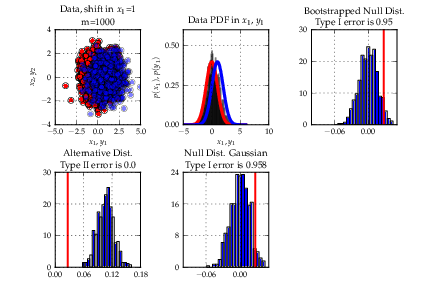
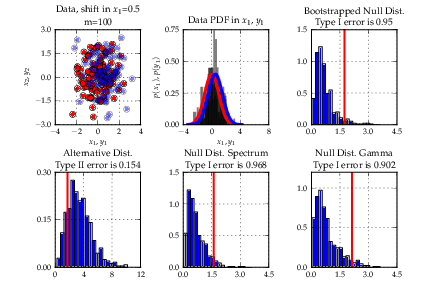
The summer came finally to an end and (yes in Berlin we still had 20 C end of October), unfortunately, so did GSoC with it. This has been the second time for SHOGUN to be in GSoC. For those unfamiliar with SHOGUN - it is a very versatile machine learning toolbox that enables unified large-scale learning for a broad range of feature types and learning settings, like classification, regression, or explorative data analysis. I again played the role of an org admin and co-mentor this year and would like to take the opportunity to summarize enhancements to the toolbox and my GSoC experience: In contrast to last year, we required code-contributions in the application phase of GSoC already, i.e., a (small) patch was mandatory for your application to be considered. This reduced the number of applications we received: 48 proposals from 38 students instead of 70 proposals from about 60 students last year but also increased the overall quality of the applications. In the end we were very happy to get 8 very talented students and have the opportunity of boosting the project thanks to their hard and awesome work. Thanks to google for sponsoring three more students compared to last GSoC. Still we gave one slot back to the pool for good to the octave project (They used it very wisely and octave will have a just-in-time compiler now, which will benefit us all!). SHOGUN 2.0.0 is the new release of the toolbox including of course all the new features that the students have implemented in their projects. On the one hand, modules that were already in SHOGUN have been extended or improved. For example, Jacob Walker has implemented Gaussian Processes (GPs) improving the usability of SHOGUN for regression problems. A framework for multiclass learning by Chiyuan Zhang including state-of-the-art methods in this area such as Error-Correcting Output Coding (ECOC) and ShareBoost, among others. In addition, Evgeniy Andreev has made very important improvements w.r.t. the accessibility of SHOGUN. Thanks to his work with SWIG director classes, now it is possible to use python for prototyping and make use of that code with the same flexibility as if it had been written in the C++ core of the project. On the other hand, completely new frameworks and other functionalities have been added to the project as well. This is the case of multitask learning and domain adaptation algorithms written by Sergey Lisitsyn and the kernel two-sample or dependence test by Heiko Strathmann. Viktor Gal has introduced latent SVMs to SHOGUN and, finally, two students have worked in the new structured output learning framework. Fernando Iglesias made the design of this framework introducing the structured output machines into SHOGUN while Michal Uricar has implemented several bundle methods to solve the optimization problem of the structured output SVM. It has been very fun and interesting how the work done in different projects has been put together very early, even during the GSoC period. Only to show an example of this dealing with the generic structured output framework and the improvements in the accessibility. It is possible to make use of the SWIG directors to implement the application specific mechanisms of a structured learning problem instance in python and then use the rest of the framework (written in C++) to solve this new problem. Students! You all did a great job and I am more than amazed what you all have achieved. Thank you very much and I hope some of you will stick around. Besides all these improvements it has been particularly challenging for me as org admin to scale the project. While I could still be deeply involved in each and every part of the project last GSoC, this was no longer possible this year. Learning to trust that your mentors are doing the job is something that didn't come easy to me. Having had about monthly all-hands meetings did help and so did monitoring the happiness of the students. I am glad that it all worked out nicely this year too. Again, I would like to mention that SHOGUN improved a lot code-base/code-quality wise. Students gave very constructive feedback about our (lack) of proper Vector/Matrix/String/Sparse Matrix types. We now have all these implemented doing automagic memory garbage collection behind scenes. We have started to transition to use Eigen3 as our matrix library of choice, which made quite a number of algorithms much easier to implement. We generalized the Label framework (CLabels) to be tractable for not just classification and regression but multitask and structured output learning. Finally, we have had quite a number of infrastructure improvements. Thanks to GSoC money we have a dedicated server for running the buildbot/buildslaves and website. The ML Group at TU Berlin does sponsor virtual machines for building SHOGUN on Debian and Cygwin. Viktor Gal stepped up providing buildslaves for Ubuntu and FreeBSD. Gunnar Raetschs group is supporting redhat based build tests. We have Travis CI running testing pull requests for breakage even before merges. Code quality is now monitored utilizing LLVMs scan-build. Bernard Hernandez appeared and wrote a fancy new website for SHOGUN. A more detailed description of the achievements of each of the students follows:

Tim Retout: Recruiting

On Monday, I need to start hiring a Perl programmer - or, at least, a programmer willing to write Perl. I work for a website where people post their CVs, which tends to help - although this will mean that my boss wants me to do it without going through recruiters. Which is fine. I just have to use the search interface that recruiters normally use. And looking through all these CVs, it dawned on me that I don't have a clue whether any of the people are suitable for the job. I have to search for keywords that we think might be relevant - "Perl", I guess - and then sort through the hundreds of people who come back from the search. It's very painful, because you can't really judge a CV without reading it - and even that won't necessarily tell you the important things about that person. Do they actually write good code? Do they work well in a team? When searching for a piece of information, you probably need just one website to answer your question; when searching for job candidates, I guess you need to see a range of CVs. And then you need to interview them; this could take weeks. Sucks to be me.

26 October 2012

Michael Stapelberg: RC bugs

I recently worked on the following RC bugs:

Bastian Venthur: Give Camp Berlin looking for volunteers

My friend Martijn from Talentspender is co-organizing a Give Camp in Berlin. They are looking for IT professionals and designers who want to spend one weekend of their time to support non-profit organizations to solve a specific problem at the Give Camp. It is for a good cause and there is no further commitment after the Camp. Plus you will be provided with free food and drinks. So if you are interested and happen to be in Berlin between 30. November and 02. December 2012 have a look at their website and register for the GiveCamp. Quoting from their flyer:
A GiveCamp is a weekend-long event where technology professionals donate their time to provide custom solutions for non-profit organizations. Voluntarily, without further commitment and for a good cause: the long-term strengthening of the organizations. How does it work?
  • Teamwork of experts during one weekend, with regular input from the NPOs
  • Clearly defined projects, to be completed at the GiveCamp
  • Young professionals mentored by experienced experts
  • Meals and drinks are provided
Who are we looking for?
  1. Software developers, database administrators, designers and entrepreneurs
  2. From students to senior experts
  3. Team players with enthusiasm for interdisciplinary projects

Petter Reinholdtsen: 12 years of outages - summarised by Stuart Kendrick

I work at the University of Oslo looking after the computers, mostly on the unix side, but in general all over the place. I am also a member (and currently leader) of the NUUG association, which in turn make me a member of USENIX. NUUG is an member organisation for us in Norway interested in free software, open standards and unix like operating systems, and USENIX is a US based member organisation with similar targets. And thanks to these memberships, I get all issues of the great USENIX magazine ;login: in the mail several times a year. The magazine is great, and I read most of it every time. In the last issue of the USENIX magazine ;login:, there is an article by Stuart Kendrick from Fred Hutchinson Cancer Research Center titled "What Takes Us Down" (longer version also available from his own site), where he report what he found when he processed the outage reports (both planned and unplanned) from the last twelve years and classified them according to cause, time of day, etc etc. The article is a good read to get some empirical data on what kind of problems affect a data centre, but what really inspired me was the kind of reporting they had put in place since 2000. The centre set up a mailing list, and started to send fairly standardised messages to this list when a outage was planned or when it already occurred, to announce the plan and get feedback on the assumtions on scope and user impact. Here is the two example from the article: First the unplanned outage:
Subject:     Exchange 2003 Cluster Issues
Severity:    Critical (Unplanned)
Start: 	     Monday, May 7, 2012, 11:58
End: 	     Monday, May 7, 2012, 12:38
Duration:    40 minutes
Scope:	     Exchange 2003
Description: The HTTPS service on the Exchange cluster crashed, triggering
             a cluster failover.
User Impact: During this period, all Exchange users were unable to
             access e-mail. Zimbra users were unaffected.
Technician:  [xxx]
Next the planned outage:
Subject:     H Building Switch Upgrades
Severity:    Major (Planned)
Start:	     Saturday, June 16, 2012, 06:00
End:	     Saturday, June 16, 2012, 16:00
Duration:    10 hours
Scope:	     H2 Transport
Description: Currently, Catalyst 4006s provide 10/100 Ethernet to end-
	     stations. We will replace these with newer Catalyst
	     4510s.
User Impact: All users on H2 will be isolated from the network during
     	     this work. Afterward, they will have gigabit
     	     connectivity.
Technician:  [xxx]
He notes in his article that the date formats and other fields have been a bit too free form to make it easy to automatically process them into a database for further analysis, and I would have used ISO 8601 dates myself to make it easier to process (in other words I would ask people to write '2012-06-16 06:00 +0000' instead of the start time format listed above). There are also other issues with the format that could be improved, read the article for the details. I find the idea of standardising outage messages seem to be such a good idea that I would like to get it implemented here at the university too. We do register planned changes and outages in a calendar, and report the to a mailing list, but we do not do so in a structured format and there is not a report to the same location for unplanned outages. Perhaps something for other sites to consider too?

Colin Watson: Automatic installability checking

I've just finished deploying automatic installability checking for Ubuntu's development release, which is more or less equivalent to the way that uploads are promoted from Debian unstable to testing. See my ubuntu-devel post and my ubuntu-devel-announce post for details. This now means that we'll be opening the archive for general development once glibc 2.16 packages are ready. I'm very excited about this because it's something I've wanted to do for a long, long time. In fact, back in 2004 when I had my very first telephone conversation with a certain spaceman about this crazy Debian-based project he wanted me to work on, I remember talking about Debian's testing migration system and some ways I thought it could be improved. I don't remember the details of that conversation any more and what I just deployed may well bear very little resemblance to it, but it should transform the extent to which our development release is continuously usable. The next step is to hook in autopkgtest results. This will allow us to do a degree of automatic testing of reverse-dependencies when we upgrade low-level libraries.

Matthew Palmer: The e-mail PDA

I ve been a wannabe GTD afficionado for some years. I ve wanted to do it, but managing lists has always been something that has too much friction, overhead, or whatever. Finally, though, I think I might have found a way to manage lists that works. My use-case isn t unique, although I will concede I m perhaps being more dogmatic than most. I want something that: My previous attempt was a tool I called tagnote it was a vim-outliner file full of hierarchically organised outliner entries, with tags inlined. It was a neat idea, but it wasn t smooth to add/browse/delete items, and didn t work with my phone at all (trying to use vim for any length of time on a bottom-of-the-range Android phone would kill me). The current iteration, as the title of this post suggests, is a list manager that entirely uses e-mail. It really is a perfect symbiosis: So what have I got, exactly? It s fairly straightforward: That last point is the one I m really happy I achieved. I ve always been a fan of hide it until you need it , but my previous system didn t let me do that. Now, though, I have a separate list called tickler, and all the items in there have an X-Tickle header, which specifies the date I want to see them. Each night a cronjob runs through the tickler and moves anything for today into the INBOX. An X-Tickle-Repeat header lets me have things that repeat over and over again. So in short, using entirely open-source tools and a couple of hours of my time doing things I enjoy anyway (shell scripts! woo!), I ve now got a list manager that doesn t get in my way more than it absolutely has to. We ll see how long I last this time before I feel the urge to improve my lists again.

Russ Allbery: Review: Fables: Legends in Exile

Review: Fables: Legends in Exile, by Bill Willingham, et al.
Series: Fables #1
Penciller: Lan Medina
Inker: Steve Leialoha
Inker: Craig Hamilton
Colorist: Sherilyn van Valkenburgh
Letterer: Todd Klein
Publisher: Vertigo
Copyright: 2002
ISBN: 1-56389-942-6
Format: Graphic novel
Pages: 127
The characters of human fairy tales are all real. Real, but hidden: they have been driven from their ancestral homelands by some force referred to here only as the Adversary, and have fled to the mundane world to escape his notice. Specifically, New York, where those characters who can pass as human blend into the streets of New York City, and those who can't (referred to only in passing in this story arc apart from one pig) stay at a farm upstate. That's the brilliant premise of Fables, an ongoing comic series from Vertigo that's up to 121 issues plus numerous spinoffs as of this writing. This is the first trade paperback, collecting issues 1 through 5 plus a prose story. Legends in Exile is, in underlying form, a murder mystery. It opens with Jack reporting a murder to Bigby Wolf, who is what passes for law enforcement among the Fables. Rose Red's apartment has been discovered covered in blood, and her body is missing. "No more happily ever after" is written on the wall in blood. Jack, despite being the one to report the crime, is Rose's lover and an obvious suspect. So is Snow White, the effective leader of the Fables (King Cole is a figurehead) and Rose's estranged sister. And, perhaps coincidentally, Prince Charming, Snow White's philandering and stunningly narcissistic ex-husband, has just turned up in town again. The basic plot plays out like a typical murder mystery, complete with a grand reveal in the last chapter and a reconstruction of events. It's diverting but nothing special in itself; it's primarily a hook on which to hang an introduction to the major characters and an exploration of Fables politics and history. And that part is excellent. Like most fractured fairy tales, the characters are more complex and nuanced than they are allowed to be in the canonical stories; unlike most fractured fairy tales, nearly all of that development is allowed to happen after the original stories. The original stories happened, largely as we all remember them, but then the characters kept living and changing. Wolf and his relationship with one of the three pigs is one of the highlights, but I think the odious Price Charming is the best bit of characterization. Willingham takes the idea of a charming seducer and layers in the rest of the womanizing associations that come to mind, while retaining a slick surface charm that is hard not to like at some level. I'm not the best at critiquing art. I read graphic novels for the story, with the art as a nice bonus if it's fairly good. But I can say that Medina's pencils tell the story well, with a few larger panels that were quite impressive. I particularly liked Snow White's office, early in the collection. Detail is reasonably good throughout, there aren't too many panels featuring only talking heads, and Medina does a wonderful job with the pig. (Significant credit probably also goes to Steve Leialoha and Craig Hamilton, the inkers. I'm not a good enough art critic to distinguish between the quality of the pencil work and what was added by subsequent inking.) The largest problem for me with Legends in Exile is my standard problem with graphic novels and the reason I don't buy many of them: the cover price is $10 for what is effectively a short story that builds an interesting world. If one really loves art in stories, graphic novels may be a good value. If, like me, one mostly cares about the story and would be almost as happy with straight prose, the value becomes questionable given the brief length of the material. That said, Legends in Exile does add a quite good prose short story by Willingham, "A Wolf in the Fold," which in several ways is better than the main story of the collection. It tells the story of the original exile and the covenant that settled all past grudges (mostly) from the perspective of the wolf. Willingham does a great job here both striking a more mythic tone than the main story but still tying it back to the sarcastic and practical tone of the rest of the collection. Although the main story itself is not particularly memorable, the background and concept make this one of the better graphic novels I've read. I can see why it's won so many awards, and I'll probably keep reading, despite the high graphic novel price tag. Followed by Fables: Animal Farm. Rating: 7 out of 10

Dirk Eddelbuettel: Accelerating R code: Computing Implied Volatilities Orders of Magnitude Faster

This blog, together with Romain's, is one of the main homes of stories about how Rcpp can help with getting code to run faster in the context of the R system for statistical programming and analysis. By making it easier to get already existing C or C++ code to R, or equally to extend R with new C++ code, Rcpp can help in getting stuff done. And it is often fairly straightforward to do so. In this context, I have a nice new example. And for once, it is work-related. I generally cannot share too much of what we do there as this is, well, proprietary, but I have this nice new example. The other day, I was constructing (large) time series of implied volatilities. Implied volatilities can be thought of as the complement to an option's price: given a price (and all other observables which can be thought of as fixed), we compute an implied volatility price (typically via the standard Black-Scholes model). Given a changed implied volatility, we infer a new price -- see this Wikipedia page for more details. In essence, it opens the door to all sorts of arbitrage and relative value pricing adventures. Now, we observe prices fairly frequently to create somewhat sizeable time series of option prices. And each price corresponds to one matching implied volatility, and for each such price we have to solve a small and straightforward optimization problem: to compute the implied volatility given the price. This is usually done with an iterative root finder. The problem comes from the fact that we have to do this (i) over and over and over for large data sets, and (ii) that there are a number of callbacks from the (generic) solver to the (standard) option pricer. So our first approach was to just call the corresponding function GBSVolatility from the fOption package from the trusted Rmetrics project by Diethelm Wuertz et al. This worked fine, but even with the usual tricks of splitting over multiple cores/machines, it simply took too long for the resolution and data amount we desired. One of the problems is that this function (which uses the proper uniroot optimizer in R) is not inefficient per se, but simply makes to many function call back to the option pricer as can be seen from a quick glance at the code. The helper function .fGBSVolatility gets called time and time again:
R> GBSVolatility
function (price, TypeFlag = c("c", "p"), S, X, Time, r, b, tol = .Machine$double.eps, 
    maxiter = 10000) 
 
    TypeFlag = TypeFlag[1]
    volatility = uniroot(.fGBSVolatility, interval = c(-10, 10), 
        price = price, TypeFlag = TypeFlag, S = S, X = X, Time = Time, 
        r = r, b = b, tol = tol, maxiter = maxiter)$root
    volatility
 
<environment: namespace:fOptions>
R> 
R> .fGBSVolatility
function (x, price, TypeFlag, S, X, Time, r, b, ...) 
 
    GBS = GBSOption(TypeFlag = TypeFlag, S = S, X = X, Time = Time, 
        r = r, b = b, sigma = x)@price
    price - GBS
 
<environment: namespace:fOptions>
So the next idea was to try the corresponding function from my RQuantLib package which brings (parts of) QuantLib to R. That was seen as been lots faster already. Now, QuantLib is pretty big and so is RQuantLib, and we felt it may not make sense to install it on a number of machines just for this simple problem. So one evening this week I noodled around for an hour or two and combined (i) a basic Black/Scholes calculation and (ii) a standard univariate zero finder (both of which can be found or described in numerous places) to minimize the difference between the observed price and the price given an implied volatility. With about one hundred lines in C++, I had something which felt fast enough. So today I hooked this into R via a two-line wrapper in quickly-created package using Rcpp. I had one more advantage here. For our time series problem, the majority of the parameters (strike, time to maturity, rate, ...) are fixed, so we can structure the problem to be vectorised right from the start. I cannot share the code or more the details of my new implementation. However, both GBSVolatility and EuropeanOprionImpliedVolatility are on CRAN (and as I happen to maintain these for Debian, also just one sudo apt-get install r-cran-foptions r-cran-rquantlib away if you're on Debian or Ubuntu). And writing the other solver is really not that involved. Anyway, here is the result, courtesy of a quick run via the rbenchmark package. We create a vector of length 500; the implied volatility computation will be performed at each point (and yes, our time series are much longer indeed). This is replicated 100 times (as is the default for rbenchmark) for each of the three approaches:
xyz@xxxxxxxx:~$ r xxxxR/packages/xxxxOptions/demo/timing.R
    test replications elapsed  relative user.self sys.self user.child sys.child
3 zzz(X)          100   0.038     1.000     0.040    0.000          0         0
2 RQL(X)          100   3.657    96.237     3.596    0.060          0         0
1 fOp(X)          100 448.060 11791.053   446.644    1.436          0         0
xyz@xxxxxxxx:~$ 
The new local solution is denoted by zzz(X). It is already orders of magnitude faster than the RQL(x) function using RQuantLib (which is, I presume, due to my custom solution internalising the loop). And the new approach is a laughable amount faster than the basic approach (shown as fOp) via fOptions. For one hundred replications of solving implied volatilities for all elements of a vector of size 500, the slow solution takes about 7.5 minutes --- while the fast solution takes 38 milliseconds. Which comes to a relative gain of over 11,000. So sitting down with your C++ compiler to craft a quick one-hundred lines, combining two well-known and tested methods, can reap sizeable benefits. And Rcpp makes it trivial to call this from R.

25 October 2012

Pietro Abate: lesson learned making a cargo kilt

This entry is not really about computers, technology, or other work-related topics, but more about a hard-hack that I wanted to try for a while. How to make a kilt !!! After a bit of duck-ducking, I decided to follow this excellent tutorial. At first sight the entire process seems a bit long, but you will realize that after the first read, that everything boils down to 3 steps: measure, fold and pin, sew. For the measure part, I've the impression that the formula that is given in the instructable (waist/3*8+1) is a bit short for my comfort and taste. This is the size for the internal apron, the folded part that goes all around your left hip, back, and right hip, and the front apron. My suggestion would be to make the inner apron a bit longer then the front apron. This way the kilt will feel in my opinion more comfortable and it will envelop you body completely. For the fold and pin part, you just need a bit of patience and a ruler. Put the pins parallel to the folding as in the instructable and not perpendicular. This will help you later when sewing everything. The sewing ... If you know how to use a sewing machine, this is going to be a piece of cake. Otherwise, well, I spent more time troubleshooting the machine then sewing the kilt. I've broken few needles in the process and learned how to thread the machine with my eyes blindfolded. Not to mention that you have to learn how to disassemble this machines in a thousand parts to understand how the thread got stuck. It was fun. A lesson that I've learned is that a sewing machine works much better in the morning than late at night when you are tired and sleepy. Really ! Other then that, it was a fun experience. Maybe I'll make another one to commit this skill to mind. Maybe I'll run a kilt making workshop at the next debconf :) PA250002.JPG PA250003.JPG
AttachmentSize
PA250002.JPG134.19 KB
PA250003.JPG131.11 KB

Next.

Previous.