Search Results: "ms"

24 August 2013

Marko Lalic: PTS rewrite: Django Memory Usage


Rewriting the PTS in a fairly large Web framework such as Django is sure to cause larger memory consumption by even the more simple tasks, when compared to a couple of (loosely related) perl scripts. If anything, simply due to the fact that the entire Django machinery needs to be loaded.

However, just how large the memory consumption difference between the two can be seen in the example of the command to dispatch received package emails to users. In the new version, the command is implemented as a Django management command, whereas before it was a perl script dispatch.pl relying on the common.pl script for some additional functions.

The reason this command's memory usage is important is an incident with the current test deployment of the new PTS found at http://pts.debian.net. All package mails that the old PTS receives are also forwarded to the new instance in order to expose the new implementation to real-world mail traffic. At a certain point, over a hundred mails were received instantly causing over a hundred dispatch processes to be launched. This led to the system running out of memory and the kernel had to run the OOM Killer which brought down PostgreSQL server thereby causing the site to become unavailable.

For now, such a problem seems to have been prevented from reoccurring by setting up exim to queue messages when a certain system average load is exceeded, however it is interesting to check how large the memory consumption difference between the old and new dispatch really is.

Measurement setupIn order to measure the memory use, two messages of different sizes were used: 1KB and 1MB.

For the new PTS two cases were considered, when the database used is sqlite3 and PostgreSQL. In both cases, it was simply initialized by syncdb, meaning it contained only the default keywords found in the initial fixture and no registered users and subscriptions. The DEBUG setting was set to False.

For testing the old PTS's dispatch.pl, the database was also initialized empty.

This way, the tests should show the actual difference between the two implementations.

Since the main concern here is the maximum memory usage of the dispatch script, a simple bash script was written which takes a PID of a running process and outputs the maximum memory usage as reported by ps once the process is terminated. The script used is shown below.

#!/usr/bin/env bash

pid=$1

while ps $pid >/dev/null
do
ps -o vsz= $ pid
sleep 0.1
done sort -n tail -n1

Old PTS Measurements
The maximum memory usage of the old PTS was:
  1. 37.8 MB for the 1 KB message
  2. 38.2 MB for the 1 MB message

New PTS Measurements

sqlite3
The maximum memory usage of the new PTS using sqlite3 was:
  1. 91.77 MB for the 1 KB message
  2. 92.59 MB for the 1 MB message

PostgreSQL

The maximum memory usage of the new PTS using PostgreSQL was:
  1. 148 MB for the 1 KB message
  2. 160 MB for the 1 MB message

Comparison and DiscussionWhen comparing the memory used by the old dispatch.pl implementation and the new PTS running sqlite3, the difference does not seem to be too large and is to be expected, since, as mentioned, the whole Django framework is loaded when executing a management command.

However, the huge difference between the two versions of the new PTS: the one using sqlite3 and the one using PostgreSQL is very surprising indeed.

Another interesting measurement is the difference between running a bare Django management command: one including only a sleep statement (in order to allow enough time to measure its memory usage) on PostgreSQL and sqlite3. In both cases, the memory usage was only about 1 MB less than what the respective maximum memory usage when processing the 1 KB message.

All this considered, the logical conclusion seems to be that either psycopg2 package and/or the Django postgresql_psycopg2 database engine use a lot more memory than the corresponding sqlite3 alternatives.

Could anyone shed some more light as to what causes this stark difference between using sqlite3 and Postgres in Django? Anything that could be done to mitigate it?

Marko Lalic: PTS Rewrite Project Status

The rewrite has already achieved some of the major goals which have been set in the beginning, as well as made some changes and improvements along the way. Some of the major points of the new system implemented so far will be presented here.

    Tasks framework
    The current PTS implementation regenerates the HTML pages for all packages a few times per day. A goal of the rewrite was to make smaller incremental updates possible so that the information displayed for each package can be much more dynamic.

    In order to allow incremental updates, it is necessary to consider the situation where updating some information should trigger an update of other information.

    This is where the tasks framework comes in. It allows developers to define a task with a list of "events" that it produces. An event can be triggered by any change to shared information or anything else the task would like to signal. Each event is identified by a simple unique string name. Events can also contain arbitrary (JSON-serializable) objects. Other than events that it produces, a task defines a list of dependencies events it depends on.

    When a single task should be executed, the tasks framework uses this information to build a dependency graph (a DAG) and executes the tasks in topological sort order, making sure each task runs only after all tasks which could raise an event it depends on have finished. It automatically makes the raised events available to the task so that it can access the extra data. Tasks for which no event was raised are skipped.

    Such execution of a task along with all its dependencies is called a Job. A Job's state is persisted to the database after each task completes its operation. This allows Jobs to be continued if there is an unexpected error causing it to terminate.

    So far, the tasks framework has already proven useful. For example, there are tasks which extract some package information to a denormalized model suited for directly displaying the data in the package page after a new package version is detected in a repository. Other examples are tasks which update standards-version warnings (after a new package version is detected) and the news generation task based on various detected changes to the packages (new source version, version removed from repository, version migrated to another repository).

    Vendor-specific customizationAnother goal of the rewrite was to make the PTS less Debian-specific. This is so that derivatives could easily deploy their own versions of the PTS. The idea is to have a number of core PTS services which alternative deployments can customize and augment.

    The simplest way vendors can customize PTS is by changing some of the local settings values. An example of this would be changing the PTS_VENDOR_NAME which leads to this name being displayed in any part of the system.

    This is fairly uninteresting since the information is always static. What is more interesting is when the vendor should provide different information based on some context, e.g. package name, received message, etc. This requirement led to the concept of the vendor app with a rules module.

    Various core parts of the PTS specify hook functions which different vendors can implement to provide customized behavior of the core component. Some examples are:
    • providing URLs to a developer information site (e.g. http://qa.debian.org/developer.php in Debian's case) based on a developer's email
    • providing a URL to a bug tracker for a particular package (based on the package type and bug category type)
    • providing additional rules to tag received package mails with keywords
    • providing additional headers to be injected in the forwarded package mails
    • providing a list of bugs which should be displayed in the bugs panel
    A settings value is set giving the full dotted path to the Python module containing the implementation of these hook functions.

    Vendor-specific featuresA step beyond customizing core features is for vendors to include their own specific functionality. The already described tasks framework allows for implementing custom data update/generation processes (optionally depending on core events). Furthermore, since a vendor-specific Django app is expected, it can contain any vendor-specific models which are managed just as the core models are (syncdb, migrations, etc. all work as expected). The last piece of the puzzle is displaying this information on the package page.

    Currently, all package information is provided in various boxes (general, bugs, links, etc.) which were named panels. The rewrite has made it possible to implement additional panels in a really elegant way.

    It is required to implement a class with some properties giving:
    • the panel's title
    • position in the page (left, center, right)
    • panel importance (higher importance panels are placed above lower importance ones in the same column)
    To generate the HTML for a package, two alternatives are allowed. The first is to provide a property which gives (explicitly marked safe) HTML output which is then included in the correct position verbatim. The second alternative, which is what should cover most needs and should be preferred, is to provide a property giving a template name and a property giving the additional context variables necessary to render this template. By using the power of Python properties, the context can be dynamically generated for each package by the panel. The PTS then makes sure to pass the correct panel's context when rendering its template and to include the rendered result in the final package page.

    Various convenience classes are implemented in the panel API, but those are better left to be read about in the panels API documentation.

    Changes from current PTSSome existing features of PTS were not simply rewritten to fit into a Django project, but also improved upon.

    One of the first such changes was reducing the number of confirmation mails sent by the email control bot to only one per received control mail (as per a wishlist PTS bug).

    Work started by Markus Wanner (see this bug) was expanded on and integrated with the new News model so that any inline GPG signatures found in the content of a news item are automatically extracted and the signers name displayed in the package page.

    The existing TODO and Probems panels have been merged into a single Action Needed panel. However, besides merging their representation in the package page, all the package issues are now represented as an ActionItem Django model which provides additional meta-data (item type, date created/updated, severity level) which could be used in the future to provide additional functionality (such as all packages with a certain issue type).

    The descriptions of the action items were also shortened from their current rendition, with the detailed description being moved to a dedicated item page. If Javascript is enabled in the user's browser, it can also be displayed in a popup.

    GUIThe graphical interface has seen some changes, however I hesitate to claim improvements. In my opinion, some of it is definitely better, more polished and more "modern" (for what it's worth).

    Still, this could benefit from more people getting involved in testing and providing feedback so that the design is polished to suit the largest number of users. For example, the padding between the panels is increased, which to me definitely looks better, however, it is possible that this introduces too much whitespace and reduces the information density below what some may expect.

    RecapOverall, I am quite pleased with where the project is currently. Most of the information provided by the current PTS has been reimplemented, with only a few smaller ones remaining. For now, since we are nearly entering the final month of GSoC, the development will switch focus from porting old features to the new PTS to adding in some new ones. Namely, user registration and account management is in the pipeline for the coming week. It entails features such as managing package subscriptions via the online interface (for multiple emails associated with the account) and sso.debian.org integration for Debian Developers.

    This post aimed to provide the most notable changes and improvements made so far to the PTS. In reality, there has been quite a lot of them and not everything is covered here. For more information, check out the PTS documentation which is updated weekly (corresponding to the weekly deployments) or the source code repository.

    The latest iteration of the PTS can always be found at http://pts.debian.net. The mail control interface bot responds to mails sent to control@pts.debian.net.

    Stay tuned for updates and be sure to check out pts.debian.net on at least a weekly basis to see new deployments in action!

    23 August 2013

    Thorsten Glaser: FrOSCon 2013, or, why is there no MirBSD exhibit?

    FrOSCon is approaching, and all MirBSD developers will attend but why s there no MirBSD exhibit? The answer to that is a bit complex. First let s state that of course we will participate in the event as well as the Open Source world. We ll also be geocaching around the campus with other interested (mostly OSS) people (including those we won for this sport) and helping out other OSS projects we ve become attached to. MirOS BSD, the operating system, is a niche system. The conference on the other hand got younger and more mainstream. This means that almost all conference visitors do not belong to the target group of MirOS BSD which somewhat is an ancient solution : the most classical BSD around (NetBSD loses because they have rc.d and PAM and lack sendmail(8), sorry guys, your attempt at being not reformable doesn t count) and running on restricted hardware (such as my 486SLC with 12 MiB RAM) and exots (SPARCstation). It s viable even as developer workstation (if your hardware is supported otherwise just virtualise it) but its strength lies with SPARC support and embedded x86 . And being run as virtual machine: we re reportedly more stable and more performant than OpenBSD. MirBSD is not cut off from modern development and occasionally takes a questionable but justified choice (such as using 16-bit Unicode internally) or a weird-looking but beneficial one (such as OPTU encoding saving us locale(1) hassles) or even acts as technological pioneer (64-bit time_t on ILP32 platforms) or, at least, is faster than OpenBSD (newer GNU toolchain, things like that), but usually more conservatively, and yes, this is by design, not by lack of manpower, most of the time. The MirPorts Framework, while technically superiour in enough places, is something that just cannot happen without manpower. I (tg@) am still using it exclusively, continuing to update ports I use and occasionally creating new ones (mupdf is in the works!), but it s not something I d recommend someone (other than an Mac OSX user) to use on a n n-MirBSD system (Interix is not exactly thriving either, and the Interix support was only begun; other OSes are not widely tested). The MirBSD Korn Shell is probably the one thing I will be remembered for. But I have absolutely no idea how one would present it on a booth at such an exhibition. A talk is much more likely. So no on that front too. jupp, the editor which sucks less, is probably something that does deserve mainstream interest (especially considering Natureshadow is using it while teaching computing to kids) but probably more in a workshop setting. And booth space is precious enough in the FH so I think that d be unfair. All the other subprojects and side projects Benny and I have, such as mir c , josef stalin, FreeWRT, Lunix Ewe, Shellsnippets, the fonts, etc. are interesting but share few, if any, common ground. Again, this does not match the vast majority of visitors. While we probably should push a number of these more, but a booth isn t it here, either. MirOS Linux ( MirLinux ) and MirOS Windows are, despite otherwise-saying rumours called W*k*p*d*a, only premature ideas that will not really be worked on (though MirLinux concepts are found in mir c and stalin). As you can see, despite all developers having full-time dayjobs, The MirOS Project is far from being obsolete. We hope that our website visitors understand our reasons to not have an exhibition booth of our own (even if the SPARCstation makes for a way cool one, it s too heavy to lift all the time), and would like to point out that there are several other booths (commercial ones, as well as OSS ones such as AllBSD, Debian and (talking to) others) and other itineries we participate in. This year both Benny and I have been roped into helping out the conference itself, too (not exactly unvoluntarily though). The best way to talk to us is IRC during regular European geek hours (i.e. until way too late into the night which Americans should benefit from), semi-synchronously, or mailing lists. We sort of expect you to not be afraid to RTFM and look up acronyms you don t understand; The MirOS Project is not unfriendly but definitely not suited for your proverbial Aunt Tilly, newbies, desktop users, and people who aren t at least somewhat capable of using written English (this is by design).

    Justus Winter: No noweb anymore...

    ... which is probably a good thing. But here is the boot log you all have been waiting for:
    start ext2fs: Hurd server bootstrap: ext2fs[device:hd0s1] exec init proc auth
    INIT: version 2.88 booting
    Using makefile-style concurrent boot in runlevel S.
    Activating swap...done.
    Checking root file system...fsck from util-linux 2.20.1
    hd2 : tray open or drive not ready
    hd2 : tray open or drive not ready
    hd2 : tray open or drive not ready
    hd2 : tray open or drive not ready
    end_request: I/O error, dev 02:00, sector 0
    /dev/hd0s1: clean, 44693/181056 files, 291766/723200 blocks
    done.
    Activating lvm and md swap...(default pager): Already paging to partition hd0s5!
    done.
    Checking file systems...fsck from util-linux 2.20.1
    hd2 : tray open or drive not ready
    hd2 : tray open or drive not ready
    end_request: I/O error, dev 02:00, sector 0
    done.
    Cleaning up temporary files... /tmp.
    Mounting local filesystems...done.
    Activating swapfile swap...(default pager): Already paging to partition hd0s5!
    done.
    df: Warning: cannot read table of mounted file systems: No such file or directory
    Cleaning up temporary files....
    Configuring network interfaces...Internet Systems Consortium DHCP Client 4.2.2
    Copyright 2004-2011 Internet Systems Consortium.
    All rights reserved.
    For info, please visit https://www.isc.org/software/dhcp/
    Listening on Socket//dev/eth0
    Sending on   Socket//dev/eth0
    *** stack smashing detected ***: dhclient terminated
    Aborted
    Failed to bring up /dev/eth0.
    done.
    Cleaning up temporary files....
    Setting up X socket directories... /tmp/.X11-unix /tmp/.ICE-unix.
    INIT: Entering runlevel: 2
    Using makefile-style concurrent boot in runlevel 2.
    Starting enhanced syslogd: rsyslogd.
    Starting deferred execution scheduler: atd.
    Starting periodic command scheduler: cron.
    Starting system message bus: dbusFailed to set socket option"/var/run/dbus/system_bus_socket": Protocol not available.
    Starting OpenBSD Secure Shell server: sshd.
    unexpected ACK from keyboard
    GNU 0.3 (debian) (console)
    login: root
    [...]
    root@debian:~# ifup /dev/eth0
    Internet Systems Consortium DHCP Client 4.2.2
    Copyright 2004-2011 Internet Systems Consortium.
    All rights reserved.
    For info, please visit https://www.isc.org/software/dhcp/
    Listening on Socket//dev/eth0
    Sending on   Socket//dev/eth0
    *** stack smashing detected ***: dhclient terminated
    Aborted
    Failed to bring up /dev/eth0.
    root@debian:~# dhclient -v -pf /run/dhclient.-dev-eth0.pid -lf /var/lib/dhcp/dhclient.-dev-eth0.leases /dev/eth0
    Internet Systems Consortium DHCP Client 4.2.2
    Copyright 2004-2011 Internet Systems Consortium.
    All rights reserved.
    For info, please visit https://www.isc.org/software/dhcp/
    Listening on Socket//dev/eth0
    Sending on   Socket//dev/eth0
    *** stack smashing detected ***: dhclient terminated
    Aborted
    root@debian:~# dhclient -pf /run/dhclient.-dev-eth0.pid -lf /var/lib/dhcp/dhclient.-dev-eth0.leases /dev/eth0
    root@debian:~# ifup /dev/eth0
    Internet Systems Consortium DHCP Client 4.2.2
    Copyright 2004-2011 Internet Systems Consortium.
    All rights reserved.
    For info, please visit https://www.isc.org/software/dhcp/
    Listening on Socket//dev/eth0
    Sending on   Socket//dev/eth0
    DHCPREQUEST on /dev/eth0 to 255.255.255.255 port 67
    DHCPACK from 10.0.2.2
    bound to 10.0.2.15 -- renewal in 34108 seconds.
    ps: comm: Unknown format spec
    root@debian:~# halt
    Broadcast message from root@debian (console) (Fri Aug 23 19:42:19 2013):
    The system is going down for system halt NOW!
    INIT: Switching to runlevel: 0root@debian:~#
    INIT: Sending processes the TERM signal
    INIT: Sending processes the KILL signal
    Using makefile-style concurrent boot in runlevel 0.
    Stopping deferred execution scheduler: atd.
    task c10f53f8 deallocating an invalid port 2098928, most probably a bug.
    Asking all remaining processes to terminate...done.
    All processes ended within 1 seconds...done.
    Stopping enhanced syslogd: rsyslogd.
    Deconfiguring network interfaces...Internet Systems Consortium DHCP Client 4.2.2
    Copyright 2004-2011 Internet Systems Consortium.
    All rights reserved.
    For info, please visit https://www.isc.org/software/dhcp/
    Listening on Socket//dev/eth0
    Sending on   Socket//dev/eth0
    DHCPRELEASE on /dev/eth0 to 10.0.2.2 port 67
    /dev/eth0 (2):
      inet address  0.0.0.0
      netmask       255.255.255.0
      broadcast     10.0.2.255
      flags         BROADCAST ALLMULTI MULTICAST
      mtu           1500
    done.
    Deactivating swap...swapoff: /dev/hd0s5: 177152k swap space
    done.
    Unmounting weak filesystems...umount: /etc/mtab: Warning: duplicate entry for device /dev/hd0s1 (/servers/socket/26)
    umount: /etc/mtab: Warning: duplicate entry for device /dev/hd0s1 (/dev/cons)
    umount: could not find entry for: /dev/cons
    umount: could not find entry for: /servers/socket/26
    done.
    mount: cannot remount /: Device or resource busy
    Will now halt.
    store a new irq 11init: notifying pfinet of shutdown...init: notifying tmpfs swap of shutdown...init: notifying tmpfs swap of shutdown...init: notifying tmpfs swap of shutdown...init: notifying ext2fs device:hd0s1 of shutdown...init: halting Mach (flags 0x8)...
    In tight loop: hit ctl-alt-del to reboot
    
    With some tiny patches for ifupdown I've been able to resolve network related issues. All of them? Of course not, funny thing about developing for the Hurd is that once you fix one thing, then some other thing or code path is executed that has never been run on Hurd before, and therefore something else breaks. In this case I fixed ifupdown to generate valid names for the pid file and leases file and all of the sudden dhclient starts dying. Funny thing about that is, if one drops the -v flag from the dhclient invocation as I did it above, the crash isn't triggered and once the lease file has been successfully written, it is safe to add the -v flag again. Not yet sure what goes on there, then again, looking at the source of isc-dhcp-client it is not so surprising that it crashes :/ When I first looked at ifupdown it was written in noweb, a literate programming tool. It is an interesting idea, even more so since (classic) c can be very verbose and cryptic. But it decouples the control flow from the structure of the program, which makes patching it quite a challenge since it is not as obvious where the changes have to go in. This is how ifupdown looked some weeks ago:
    % wc --lines ifupdown.nw
    6123 ifupdown.nw
    % pdftk ifupdown.pdf dump_data   grep NumberOfPages
    NumberOfPages: 113
    
    The ifupdown.nw is the noweb source, from which seven .c, four .h, two .pl and one Makefile are generated. It also contains a redicioulus amount of documentation, to the point that the authors at several points did not now what to write and just drop some nonsensical lines into the file. The source also compiles to a 113 page pdf file, that contains all of the documentation and all of the code, not at all in the order that one would expect a program to be written, but in the order the authors chose to structure the documentation. Fortunately for me the maintainer decided to drop the noweb source and to add the generated files to the source control system. This made my job much easier :) So here are the patches I published this week: I must admit that I do not know exactly what I will do next week. Obviously fixing the dhclient crash would be nice, I'll look into that. But I'm surely find some useful thing to do.

    Gregor Herrmann: DebConf 2013

    [still no pictures here, feel free to go to gallery.debconf.org]. After my report about DebCamp, & after being home for 5 days now, here are some thoughts about DebConf13: First of all, I really enjoyed being there, & this was one of the best DebConfs for me so far. An important reason for this was the place: Le Camp was in my opinion the best DebConf venue ever (I've been to), with everything & everyone in one place, & still enough space (especially outdoors space!) for work & relaxing. Kudos to the local team for finding this spot, & for sticking to it despite some criticism. In general, I'd like to say thanks to the local team for the perfect organisation of all aspects you did a great job! What else did I enjoy? As usual, meeting old friends & making new ones was an important part. It was great to see people I've worked together with on-line in person for the first time, & also to get to know new people. Debian not only produces a great operating system, it also is an awesome community! Speaking of which: I attended quite a few seesions from the Community and Team tracks, & it's good to see that lots of energy & thoughts are going into improving how we deal with new or existing contributors. Like each year, we had the "use Perl;" BoF, the annual meeting of the Debian Perl Group, where we discussed various topics around our tasks, tools, & workflow. As each year, in a very friendly & collaborative atmosphere. Besides that, I attended talks about systemd & upstart; the first one disappointed me, since it felt more like a sales pitch than a technical talk & the presenter come across alot like "I know better than you what's good for you", the latter was better but tried to avoid upstart's main issue, the infamous Canonical Contributor License Agreement; of course the audience raised this topic in the Q&A part afterwards. Rock vs. hard place Other interesting topics were what Debian can learn from Ubuntu's QA processes for its own testing migration (mail from the Release Team pending, AFAIK); lots of git stuff, & especially the "birth" of dgit, a tool to treat the Debian archive as a git remote. If this gets traction, it could be a revolution in packaging! The lintian BoF encouraged me further to try to create some pkg-perl specific checks, & then there was jenkins, piuparts, autopkgtest, etc. On Friday we celebrated Debian's 20th birthday with a huge Krem nita/Cr meschnitte/mille-feuille. & with the Poetry Night at the campfire. Usually I'd close with "See you next year in Portland!"; but since it seems like the local team has decided to scratch DebCamp (which they only said after being asked in the Q&A after their presentation), I'm not sure how attractive this really is for me We'll see. Thanks again to everyone who made this DebConf possible!

    Bartosz Feński: 20th anniversary

    Just to let you know. We ve been celebrating 20th anniversary also in Poland.
    We spent 4 days near Polish sea. And we had great time.
    Here goes pictures of cakes ;)
    Cake
    Cake
    Cake
    One is made by my girlfriend. Guess which one ;)

    Jose Luis Rivas: Too many authentication failures on SSH

    It seems like having several SSH keys on the same system starts giving issues with some SSH servers. The issue is that while connecting it returns: Too many authentication failures for xxxxxx. The fix for this is very simple and quick. Open up your ~/.ssh/config and put: IdentitiesOnly yes You can add that per-host or wide (without indents, even as the first line in the config file!).

    22 August 2013

    Petter Reinholdtsen: Second beta release (beta 1) of Debian Edu/Skolelinux based on Debian Wheezy

    The second wheezy based beta release of Debian Edu was wrapped up today, slightly delayed because of some bugs in the initial Windows integration fixes . This is the release announcement: New features for Debian Edu 7.1+edu0~b1 released 2013-08-22 These are the release notes for Debian Edu / Skolelinux 7.1+edu0~b1, based on Debian with codename "Wheezy". About Debian Edu and Skolelinux Debian Edu, also known as Skolelinux, is a Linux distribution based on Debian providing an out-of-the box environment of a completely configured school network. Immediately after installation a school server running all services needed for a school network is set up just waiting for users and machines being added via GOsa , a comfortable Web-UI. A netbooting environment is prepared using PXE, so after initial installation of the main server from CD or USB stick all other machines can be installed via the network. The provided school server provides LDAP database and Kerberos authentication service, centralized home directories, DHCP server, web proxy and many other services. The desktop contains more than 60 educational software packages and more are available from the Debian archive, and schools can choose between KDE, Gnome, LXDE and Xfce desktop environment. This is the sixth test release based on Debian Wheezy. Basically this is an updated and slightly improved version compared to the Squeeze release. ALERT: Alpha based installations should reinstall or downgrade the versions of gosa and libpam-mklocaluser to the ones used in this beta release. Both alpha and beta0 based installations should reinstall or deal with gosa.conf manually; there are two options: (1) Keep gosa.conf and edit this file as outlined on the mailing list. (2) Accept the new version of gosa.conf and replace both contained admin password placeholders with the password hashes found in the old one (backup copy!). In both cases every user need to change their their password to make sure a password is set for CIFS access to their home directory. Software updates
    • Added ssh askpass packages to default installation, to ensure ssh work also without a attached tty.
    • Add the command-not-found package to the default installation to make it easier to figure out where to find missing command line tools. Please note, that the command 'update-command-not-found' has to be run as root to actually make it useful (internet access required).
    Other changes
    • Adjusted the USB stick ISO image build to include every tool needed for desktop=xfce installations.
    • Adjust thin-client-server task to work when installing from USB stick ISO image.
    • Made new grub artwork (changed png from indexed to RGB format).
    • Minor cleanup in the CUPS setup.
    • Make sure that bootstrapping of the Samba domain really happens during installation of the main server and adjust SID handling to cope with this.
    • Make Samba passwords changeable (again) via GOsa .
    • Fix generation of LM and NT password hashes via GOsa to avoid empty password hashes.
    • Adapted Samba machine domain joining to latest change in the smbldap-tools Perl package, fixing bugs blocking Windows machines from joining the Samba domain.
    Known issues
    • KDE fails to understand the wpad.dat file provided, causing it to not use the http proxy as it should.
    • Chromium also fails to use the proxy when using the KDE desktop (using the KDE configuration).
    Where to get it To download the multiarch netinstall CD release you can use The MD5SUM of this image is: 1e357f80b55e703523f2254adde6d78b
    The SHA1SUM of this image is: 7157f9be5fd27c7694d713c6ecfed61c3edda3b2 To download the multiarch USB stick ISO release you can use The MD5SUM of this image is: 7a8408ead59cf7e3cef25afb6e91590b
    The SHA1SUM of this image is: f1817c031f02790d5edb3bfa0dcf8451088ad119 How to report bugs http://wiki.debian.org/DebianEdu/HowTo/ReportBugs

    Jose Luis Rivas: Starting a Raspbery Pi without a display

    Recently (actually 3 weeks ago) I bought a Raspberry Pi for myself and it wasn't until today that I power it on by the first time. Call it RealLife for simplicity. Anyway, one of my first issues was that I do not own any display with RCA or HDMI inputs, and all I have is a router that works as my WiFi hotspot as well. Since this starter kit comes with Raspbian by default I made some research and found that the default user:password is pi:raspberry, ssh-server is on by default and the network interface eth0 tries to grab an IP automatically via DHCP. So starting my Raspberry Pi was as easy as connect a wire to my device and the router, then a quick nmap -sP 192.168.0.0/24 and there it was, under the hostname raspberry my brand new raspberry. After a ssh pi@192.168.0.X a nice raspi-conf was receiving me to start setting up my device.

    Matthew Garrett: If you ever use text VTs, don't run XMir right now

    It'd be easy to assume that in a Mir-based world, the Mir server receives input events and hands them over to Mir clients. In fact, as I described here, XMir uses standard Xorg input drivers and so receives all input events directly. This led to issues like the duplicate mouse pointer seen in earlier versions of XMir - as well as the pointer being drawn by XMir, Mir was drawing its own pointer.

    But there's also some more subtle issues. Mir recently gained a fairly simple implementation of VT switching, simply listening for input events where a function key is hit while the ctrl and alt modifiers are set[1]. It then performs the appropriate ioctl on /dev/console and the kernel switches the VT. The problem here is that Mir doesn't tell XMir that this has happened, and so XMir still has all of its input devices open and still pays attention to any input events.

    This is pretty easy to demonstrate. Open a terminal or text editor under Xmir and make sure it has focus. Hit ctrl+alt+f1 and log in. Hit ctlr+alt+f7 again. Your username and password will be sitting in the window.

    This is Launchpad bug 1192843, filed on the 20th of June. A month and a half later, Mir was added to the main Ubuntu repositories. Towards the bottom, there's a note saying "XMir always listening to keyboard, passwords may appear in other X sessions". This is pretty misleading, since "other X sessions" implies that it's only going to happen if you run multiple X sessions. Regardless, it's a known bug that can potentially leak user passwords.

    So it's kind of odd that that's the only mention of it, hidden in a disused toilet behind a "Doesn't work on VESA" sign. If you follow the link to installation instructions you get this page which doesn't mention the problem at all. Now, to be fair, it doesn't mention any of the other problems with Mir either, but the other problems merely result in things not working rather than your password ending up in IRC.

    This being developmental software isn't an excuse. There's been plenty of Canonical-led publicity about Mir and people are inevitably going to test it out. The lack of clear and explicit warnings is utterly inexcusable, and these packages shouldn't have landed in the archive until the issue was fixed. This is brutally irresponsible behaviour on the part of Canonical.

    So, if you ever switch to a text VT, either make sure you're not running XMir at the moment or make sure that you never leave any kind of network client focused when you switch away from X. And you might want to check IRC and IM logs to make sure you haven't made a mistake already.

    [1] One lesser-known feature of X is that the VT switching events are actually configured in the keymap. ctrl+alt+f1 defaults to switching to VT1, but you can remap any key combination to any VT switch event. Except, of course, this is broken in XMir because Mir catches the keystroke and handles it anyway.

    comment count unavailable comments

    Martín Ferrari: Setting up my server: re-installing on an encripted LVM

    Very long post ahead (sorry for the wall of text), part of a series of posts on some sysadmin topics, see post 1 and post 2. I want to show you how I set up my tiny dedicated server to have encrypted partitions, and to reinstall it from scratch. All of this without ever accessing the actual server console.

    Introduction As much as my provider may have gold standards on how to do things (they don't, there are some very bad practises in the default installation, like putting their SSH key into root's authorized_keys file), I wouldn't trust an installation done by a third party. Also, I wanted to have all my data securely encrypted. I know this is not perfect, and there are possible attacks. But I think it is a good barrier to have to deter entities without big budgets from getting my data. I have done this twice on my servers, and today I was reviewing each step as he was doing the same thing (with some slight differences) on his brand new server, so I think this is all mostly correct. Please, tell me if you find a bug in this guide. This was done on my 12 /month Kimsufi dedicated server, sold by OVH (see my previous post on why I chose it), and some things are specific to them. But you can do the same thing with any dedicated server that has a rescue netboot image. The process is to boot into the rescue image (this is of course a weak link, as the image could have a keylogger, but we have to stop the paranoia at some point), manually partition the disk, set-up encryption, and LVM; and then install a Debian system with debootstrap. To be able to unlock the encrypted disks, you will have to ssh into the server after a reboot and enter the passphrase (this is done inside the initrd phase). Once unlocked, the normal boot process continues. If anything fails, you end up with an unreachable system: it might or might have not booted, the disk might or might not be unlocked, etc. You can always go back into the rescue netboot image, but that does not allow you to see the boot process. Some providers will give you real remote console access, OVH charges you silly money for that. They used to offer a "virtual KVM", which was a bit of a kludge, but it worked: another netboot image that started a QEMU connected to a VNC server, so by connecting to the VNC server, you would be able to interact with the emulated boot process, but with a fake BIOS and a virtual network. For some unspecified reason they've stopped offering this, but there is a workaround available. The bottom line is, if you have some kind of rescue netboot image, you can just download and run QEMU on it and do the same trick.

    The gritty details Start by netbooting into your rescue image. For OVH, you'd go to the control panel, in the Services/Netboot section and select "rescue pro". Then reboot your server. OVH will mail you a temporary password when it finishes rebooting. Connect to it, without saving the temporary SSH key:
    $ ssh -oUserKnownHostsFile=/dev/null -oStrictHostKeyChecking=no root@$ IP 
    
    For the rest of the text, I am assuming you have one hard drive called /dev/sda. We start by partitioning it:
    # fdisk /dev/sda
    
    Start a new partition table with o, and then create two primary partitions: a small one for /boot at the beginning (100 to 300 MB would do), and a second one with the remaining space. Set both as type 83 (Linux), and don't forget to activate the first one, as this servers refuse to boot from the hard drive without that. Create the file system for /boot, and the encrypted device:
    # mkfs.ext4 /dev/sda1
    # cryptsetup -s 512 -c aes-xts-plain64 luksFormat /dev/sda2
    
    The encryption parameters are the same as the ones used by the Debian Installer by default, so don't change them unless you really know what you are doing. You will need to type a passphrase for the encrypted device, be sure not to forget it! This passphrase can later be changed (or secondary passphrases added) with the cryptsetup tool. Look up the crypt device's UUID, and save it for later:
    # cryptsetup luksDump /dev/sda2   grep UUID:
    UUID:           xxxxxxxx-xxxx-xxxx-xxxx-xxxxxxxxxxxx
    
    Open the encrypted device (type the passphrase again), and set up the LVM volume group:
    # cryptsetup luksOpen /dev/sda2 sda2_crypt
    # pvcreate /dev/mapper/sda2_crypt
    # vgcreate vg0 /dev/mapper/sda2_crypt
    
    Create the logical volumes, this is of course a matter of personal taste and there are many possible variations. This is my current layout, note that I put most of the "big data" in /srv.
    # lvcreate -L 500m -n root vg0
    # lvcreate -L 1.5g -n usr vg0
    # lvcreate -L 3g -n var vg0
    # lvcreate -L 1g -n home vg0
    # lvcreate -L 10g -n srv vg0
    # lvcreate -L 500m -n swap vg0
    # lvcreate -L 100m -n tmp vg0
    
    Some possible variations:
    • You can decide to use a ramdisk for /tmp, so instead of creating a logical volume, you would add RAMTMP=yes to /etc/default/tmpfs.
    • You can merge / and /usr in one same partition, as neither of them change much.
    • You can avoid having swap if you prefer.
    • You can put /home in /srv, and bind mount it later.
    Now, create the file systems, swap space, and mount them in /target. Note that I like to use human-readable labels.
    # for i in home root srv tmp usr var; do 
      mkfs.ext4 -L $i /dev/mapper/vg-$i; done
    # mkswap -L swap /dev/mapper/vg0-swap
    # mkdir /target
    # mount /dev/mapper/vg0-root /target
    # mkdir /target/ boot,home,srv,tmp,usr,var 
    # mount /dev/sda1 /target/boot
    # for i in home srv tmp usr var; do
      mount /dev/mapper/vg-$i /target/$i; done
    # swapon /dev/mapper/vg-swap
    
    Don't forget to set the right permissions for /tmp.
    # chmod 1777 /target/tmp
    
    If you want to do the /home on /srv, you'll need to do this (and then copy to /etc/fstab):
    # mkdir /target/srv/home
    # mount -o bind /target/srv/home /target/home
    
    The disk is ready now. We will use debootstrap to install the base system. The OVH image carries it, otherwise consult the relevant section in the Install manual for details. It is important that at this point you check that you have a good GPG keyring for debootstrap to verify the installation source, by comparing it to a good one (for example, the one in your machine):
    # gpg /usr/share/keyrings/debian-archive-keyring.gpg
    pub  4096R/B98321F9 2010-08-07 Squeeze Stable Release Key <debian-release@lists.debian.org>
    pub  4096R/473041FA 2010-08-27 Debian Archive Automatic Signing Key (6.0/squeeze) <ftpmaster@debian.org>
    pub  4096R/65FFB764 2012-05-08 Wheezy Stable Release Key <debian-release@lists.debian.org>
    pub  4096R/46925553 2012-04-27 Debian Archive Automatic Signing Key (7.0/wheezy) <ftpmaster@debian.org>
    
    Now, for the actual installation. You can use any Debian mirror, OVH has their own in the local network. In OVH's case it is critical to specify the architecture, as the rescue image is i386. I didn't notice that and had to painfully switch architectures in place (which was absolutely not possible a couple of years ago).
    # debootstrap --arch amd64 wheezy /target http://debian.mirrors.ovh.net/debian
    
    After a few minutes downloading and installing stuff, you almost have a Debian system ready to go. Since this is not D-I, we still need to tighten a few screws manually. Let's mount some needed file systems, and enter the brand new system with chroot:
    # mount -o bind /dev /target/dev
    # mount -t proc proc /target/proc
    # mount -t sysfs sys /target/sys
    # XTERM=xterm-color LANG=C.UTF-8 chroot /target /bin/bash
    
    The most critical parts now are to correctly save the parameters for the encrypted device, and the partitions and logical volumes. You'll need the UUID saved before:
    # echo 'sda2_crypt UUID=xxxxxxxx-xxxx-xxxx-xxxx-xxxxxxxxxxxx none luks' \
      > /etc/crypttab
    
    Create the file systems table in /etc/fstab. Here I use labels to identify the devices:
    # file system   mount point type    options             dump    pass
    LABEL=root      /           ext4    errors=remount-ro   0       1
    LABEL=tmp       /tmp        ext4    rw,nosuid,nodev     0       2
    LABEL=var       /var        ext4    rw                  0       2
    LABEL=usr       /usr        ext4    rw,nodev            0       2
    LABEL=home      /home       ext4    rw,nosuid,nodev     0       2
    # Alternative home in /srv:
    #/srv/home      /home       auto    bind                0       0
    LABEL=srv       /srv        ext4    rw,nosuid,nodev     0       2
    LABEL=boot      /boot       ext4    rw,nosuid,nodev     0       2
    LABEL=swap      none        swap    sw                  0       0
    
    You can also just use the device mapper's names (/dev/mapper/<volume_group>-<logical_volume>), be sure not to use the /dev/<volume_group>/<logical_volume> naming, as there are some initrd-tools that choked on them.
    # file system           mount point type    options             dump    pass
    /dev/mapper/vg0-root    /           ext4    errors=remount-ro   0       1
    /dev/mapper/vg0-tmp     /tmp        ext4    rw,nosuid,nodev     0       2
    /dev/mapper/vg0-var     /var        ext4    rw                  0       2
    /dev/mapper/vg0-usr     /usr        ext4    rw,nodev            0       2
    /dev/mapper/vg0-home    /home       ext4    rw,nosuid,nodev     0       2
    # Alternative home in /srv:
    #/srv/home              /home       auto    bind                0   0
    /dev/mapper/vg0-srv     /srv        ext4    rw,nosuid,nodev     0   2
    /dev/sda1               /boot       ext4    rw,nosuid,nodev     0   2
    /dev/mapper/vg0-swap    none        swap    sw                  0   0
    
    Some tools depend on /etc/mtab, which now is just a symbolic link:
    # ln -sf /proc/mounts /etc/mtab
    
    Now configure the network. You most surely can use DHCP, but you might prefer static configuration, that's personal choice. For DHCP, it is very straightforward:
    # cat >> /etc/network/interfaces
    auto eth0
    iface eth0 inet dhcp
    
    For static configuration, first find the current valid addresses and routes as obtained by DHCP:
    # ip address
    # ip route
    
    And then store them:
    # cat >> /etc/network/interfaces
    auto eth0
    iface eth0 inet static
        address AAA.BBB.CCC.DDD/24
        gateway AAA.BBB.CCC.254
        pre-up /sbin/ip addr flush dev eth0   true
    
    Note that pre-up command I added; that is to remove the configuration that is to be done by the kernel during boot (more on that later), otherwise ifupdown will complain about existing addresses. If your provider does IPv6, add it too. For OVH, the IPv6 set-up is a bit weird, so you need to add the routes in post-up. Your default gateway is going to be your /64 prefix, with the last byte replaced by ff, and then followed by :ff:ff:ff:ff. As you can see, that gateway is not in your network segment, so you need to add an explicit route to it. They have some information, but it is completely unreadable. If your IPv6 address is 2001:41D0:1234:5678::1/64, you will add:
    iface eth0 inet6 static
        address 2001:41D0:1234:5678::1/64
        post-up /sbin/ip -6 route add 2001:41D0:1234:56ff:ff:ff:ff:ff dev eth0
        post-up /sbin/ip -6 route add default via 2001:41D0:1234:56ff:ff:ff:ff:ff
    
    You probably don't want the auto-configured IPv6 addresses, so disable them via sysctl:
    # cat >> /etc/sysctl.conf
    # Disable IPv6 autoconf 
    net.ipv6.conf.all.autoconf = 0
    net.ipv6.conf.default.autoconf = 0
    net.ipv6.conf.eth0.autoconf = 0
    net.ipv6.conf.all.accept_ra = 0
    net.ipv6.conf.default.accept_ra = 0
    net.ipv6.conf.eth0.accept_ra = 0
    
    To have a working DNS resolver, we can use the local server (OVH in this case):
    # cat > /etc/resolv.conf 
    search $DOMAIN
    nameserver 213.186.33.99
    
    The most important part of a new install: choose a host name (and make the system use it).
    # echo $HOSTNAME > /etc/hostname
    # hostname $HOSTNAME
    # echo "127.0.1.1 $HOSTNAME.$DOMAIN $HOSTNAME" >> /etc/hosts
    
    If we want to speficy the BIOS clock to use UTC:
    # echo -e '0.0 0 0.0\n0\nUTC' > /etc/adjtime
    
    Set up your time zone:
    # dpkg-reconfigure tzdata
    
    Configure APT with your preferred mirrors. I also prevent APT from installing recommends by default.
    # echo deb http://ftp2.fr.debian.org/debian wheezy main contrib non-free \
      >> /etc/apt/sources.list
    # echo deb http://ftp2.fr.debian.net/debian wheezy-updates main contrib non-free \
      >> /etc/apt/sources.list
    # echo deb http://security.debian.org/ wheezy/updates main contrib non-free \
      >> /etc/apt/sources.list
    # echo 'APT::Install-Recommends "False";' > /etc/apt/apt.conf.d/02recommends
    # apt-get update
    
    Before installing any package, let's make sure that the initial ram disk (initrd) that is going to be created will allow us to connect. There will be no chance of using the root password during boot. Your public key is usually found in $HOME/.ssh/id_rsa.pub.
    # mkdir -p /etc/initramfs-tools/root/.ssh/
    # echo $(YOUR_PUB_RSA_KEY) > /etc/initramfs-tools/root/.ssh/authorized_keys
    
    If you change this, or the host key stored at /etc/dropbear/dropbear_*_host_key, the /etc/crypttab, or any other critical piece of information for the booting process, you need to run update-initramfs -u. Now we can install the missing pieces:
    # apt-get install makedev cryptsetup lvm2 ssh dropbear busybox ssh \
      initramfs-tools locales linux-image-amd64 grub-pc kbd console-setup
    
    During the installation you will have to choose where to install grub, I recommend directly on /dev/sda. Also, the magic initrd will be created. We want to double check that it has all the important pieces for a successful boot:
    # zcat /boot/initrd.img-3.2.0-4-amd64   cpio -t conf/conf.d/cryptroot \
      etc/lvm/lvm.conf etc/dropbear/\* root/.ssh/authorized_keys sbin/dropbear
    etc/lvm/lvm.conf
    etc/dropbear/dropbear_dss_host_key
    etc/dropbear/dropbear_rsa_host_key
    sbin/dropbear
    root/.ssh/authorized_keys
    conf/conf.d/cryptroot
    
    All these files need to be there. Most critically, we need to check that the cryptroot file has the right information to access the root file system:
    # zcat /boot/initrd.img-*   cpio -i --to-stdout conf/conf.d/cryptroot
    target=sda2_crypt,source=UUID=xxxxxxxx-xxxx-xxxx-xxxx-xxxxxxxxxx,key=none,rootdev,lvm=vg0-root
    
    If all that was correct, now we need to tell the kernel to configure the network as soon as possible so we can connect to the initrd and unlock the disks. This is done by passing a command-line option though grub. This should match what was done in /etc/network/interfaces: either DHCP or static configuration. For DHCP, this line should be changed in /etc/default/grub:
    GRUB_CMDLINE_LINUX="ip=:::::eth0:dhcp"
    
    For static configuration:
    GRUB_CMDLINE_LINUX="ip=MY_IP_ADDR::MY_DEFAULT_GW:MY_NETMASK::eth0:none"
    
    It is also a good idea to disable the quiet boot and graphical boot splash, in case we need to use QEMU to fix some booting issue:
    GRUB_CMDLINE_LINUX_DEFAULT=""
    GRUB_TERMINAL=console
    
    And make the changes effective:
    # update-grub2
    
    Having fsck fix problems automatically can be a life-saver too:
    # echo FSCKFIX=yes >> /etc/default/rcS
    
    Get some very useful packages:
    # apt-get install vim less ntpdate sudo
    
    Create an user for yourself, possibly make it an administrator:
    # adduser tincho
    # adduser tincho sudo
    # adduser tincho adm
    
    This is mostly done, exit the chroot, and unmount everything.
    # exit  # the chroot.
    # umount /target/ dev,proc,sys,boot,home,srv,tmp,usr,var 
    # umount /target
    # swapoff -a
    # lvchange -an /dev/mapper/vg0-*
    # cryptsetup luksClose sda2_crypt
    
    Disable the netboot option from your administration panel, reboot, and hope it all goes well. If you followed every step carefully, a few minutes later you should be able to ping your server. Use this snippet to enter the password remotely:
    $ stty -echo; ssh -o UserKnownHostsFile=$HOME/.ssh/known_hosts.initramfs \
      -o BatchMode=yes root@"$HOST" 'cat > /lib/cryptsetup/passfifo'; \
      stty echo
    
    It is very important that you close the pipe (with control-D twice) without typing enter. For my servers, I have a script that reads the passphrase from a GPG-encrypted file and pipes it directly into the remote server. That way, I only type the GPG passphrase locally:
    $ cat unlock.sh 
    #!/bin/sh
    BASE="$(dirname "$0")"
    HOST="$1"
    gpg --decrypt "$BASE"/key-"$HOST".gpg   \
        ssh -o UserKnownHostsFile="$BASE"/known_hosts.initramfs -o BatchMode=yes \
            root@"$HOST" 'cat > /lib/cryptsetup/passfifo'
    
    It might be a good idea to create a long, impossible to guess passphrase that you can use in the GPG-encrypted file, and that you can also print and store in somewhere safe. See the luksAddKey function in the cryptsetup(8) man page. Once again, if everything went right, a few seconds later the openSSH server will replace the tiny dropbear and you will be able to access your server normally (and with the real SSH host key). Hope you find this article helpful! I would love to hear your feedback.

    21 August 2013

    Rog rio Brito: SNA Acceleration vs. UXA Acceleration

    Seeing as recent versions of Xorg have made it into Debian's testing (which I am using right now, instead of my usual sid installations), I decided to see what they would bring me in terms of performance, since they have the SNA acceleration implemented as well as the standard UXA acceleration. Well, I did not have any other tests to perform, but below are the results on my wife's laptop (a Core i5 2410M), when running gtkperf: With UXA
    GtkPerf 0.40 - Starting testing: Mon Aug 12 20:33:20 2013
    GtkEntry - time:  0.19
    GtkComboBox - time:  5.36
    GtkComboBoxEntry - time:  3.59
    GtkSpinButton - time:  0.60
    GtkProgressBar - time:  0.41
    GtkToggleButton - time:  0.73
    GtkCheckButton - time:  0.48
    GtkRadioButton - time:  0.97
    GtkTextView - Add text - time: 21.72
    GtkTextView - Scroll - time:  2.29
    GtkDrawingArea - Lines - time:  6.18
    GtkDrawingArea - Circles - time:  6.74
    GtkDrawingArea - Text - time:  4.32
    GtkDrawingArea - Pixbufs - time:  0.67
     --- 
    Total time: 54.25
    
    With SNA
    GtkPerf 0.40 - Starting testing: Mon Aug 12 20:36:58 2013
    GtkEntry - time:  0.21
    GtkComboBox - time:  4.86
    GtkComboBoxEntry - time:  2.67
    GtkSpinButton - time:  0.59
    GtkProgressBar - time:  0.24
    GtkToggleButton - time:  0.61
    GtkCheckButton - time:  0.51
    GtkRadioButton - time:  1.00
    GtkTextView - Add text - time: 17.19
    GtkTextView - Scroll - time:  1.84
    GtkDrawingArea - Lines - time:  2.70
    GtkDrawingArea - Circles - time:  2.65
    GtkDrawingArea - Text - time:  1.72
    GtkDrawingArea - Pixbufs - time:  0.11
     --- 
    Total time: 36.91
    
    So, with SNA, the timing that I get are almost 2 times lower, which is superb for a very simple /etc/X11/xorg.conf config file:
    Section "Device"
            Identifier "Intel Graphics"
            Driver "intel"
            Option "AccelMethod" "sna"
    EndSection
    
    I have not noticed any change, but if drawing graphics faster means that I get a bit more of battery life, then I will be super happy. I still have not tested if this works on my notebook with a Core2Duo T7250. Crossing my fingers so that it does.

    Michal &#268;iha&#345;: Changes in phpMyAdmin support

    As usual with our phpMyAdmin team meetings, quite a lot things get decided there and it was no difference this year, when we've met at DebConf 13. We've discussed quite a lot of topics and some had quite interesting outcome. One of already changes is that we're going to consolidate our support efforts on Stack Overflow. We've provided various support channels so far (IRC, mailing list, web forums and support tracker), which have overlapped quite a lot and we simply lack manpower to do all of that properly. So users on IRC mostly get bored and left before somebody got to them. The mailing list received just few mails in a month, so they were almost not used. The web forums worked quite well for answering questions, but nobody was able to find answers there (the forums on SourceForge are quite hard to get properly indexed by Google), so the questions got repeated quite a lot. In the end we've decide to use Stack Overflow as it was anyway already used by lot of our users and concentrating our effort on single channel will even improve this.

    Filed under: Debian English phpMyAdmin 2 comments Flattr this!

    20 August 2013

    Maximilian Attems: Mapping the research literature

    Paperscape visualizes all the arXiv papers. The arXiv is a pioneer in Open Data publishing from 1991 and started by Paul Ginsparg for high energy physicists (hep). It soon extended to most physicists. According to it's importance (citation) each paper has a certain radius and the citations also link the papers to their position in the map. In addition there are helpful overall topics and one can click once zoomed in on each paper to know all the authors and the title. The colors correspond to each arXiv section.

    Russell Coker: The End of Kogan Mobile

    Kogan Mobile has just announced that Telstra succeeded in it s attempt to break it s contract with ISPone and thus end the Kogan Mobile business [1]. Over the last few years there has been a trend for all Australian telcos to increase mobile phone costs. There are some pre-paid companies that offer reasonable deals for people who don t make many calls, but for people who make any significant amount of calls or use any significant amount of data transfer the prices have mostly been going up. The big exceptions to the trend of increased prices were Kogan Mobile and Aldi who offered unlimited contracts at affordable rates. Kogan s deal was initially $299 per annum (it was later increased a bit) for unlimited calls and SMS and 6G of data transfer per month (but not more than 1G in one day and not more than 3 days of more than 400M in a month). 6G per month is much more than most people could use in a month and 400M is enough data transfer that most people won t be at risk of doing that 3 times in a month. While Kogan did impose some limits on calls and SMS they weren t going to affect most people. So when I switched to Kogan I removed the apps that tracked bandwidth use and talked for as long as I wanted without bothering about cost. I don t think I used much more data transfer or spoke for much longer, but it was good not to bother about such things. Now it seems that Aldi Mobile [2] is the best remaining option for affordable mobile access in Australia for anyone who wants more than the basic use. Aldi s option is $35 for 30 days of unlimited phone calls and SMS within Australia with 5G of data transfer, $420 for 360 days of unlimited calls and 5G of data per almost-month isn t as good as $299 per 365/366 days and 6G of data per month. Only having 5G of data per almost-month isn t a problem for me, but the significant increase in price is. A big problem with Aldi is the limitations on acceptable use which aren t as clear as for Kogan, Aldi gives downloading gigabytes of data in a short period as an example of unacceptable use, this isn t nearly as good as Kogan s daily limits of 3*400M or 1*1G in a month which can be tracked by software to avoid accidental breaches. But I ll use Aldi in spite of this risk. All the other telcos charge too much for plans which involve 2G of data per month. The 1.5G quota I had before Kogan was a real problem for me, I need a quota of at least 2G with no serious penalties for accidentally exceeding it or a quota that s at least 3G. Australia needs proper competition in the mobile phone market or significant government action. Forcing the current telcos to stop colluding would be one good option for the government but another option would be to create a government owned telco with a mandate to serve the public much like Telstra was before John Howard sold it off.

    18 August 2013

    Ben Armstrong: Taskwarrior new blog, getting involved

    The Taskwarrior Team has just started a blog, kicking it off with a series of articles about development of Taskwarrior itself. Go, team! Almost from the moment I started using Taskwarrior (thanks to Jakub WIlk for an excellent job maintaining this) I knew I had finally found the todo system that I could love. Right away, I started hanging out with the Taskwarrior community at #taskwarrior @ irc.freenode.net and found out what an awesome bunch of people they are, both developers and users alike. I have plunged in with bug reports and feature requests, and am helping get more Taskwarrior-related things into Debian. In NEW right now I have uploaded several of the dependencies needed by my ITP of taskwarrior-web. It s looking like I ll have that finished later this month or early next month. Also, I have uploaded a wheezy backport of Taskwarrior itself (aka task ) which, if all goes well, enters the archive next week.

    Petter Reinholdtsen: Intel 180 SSD disk with Lenovo firmware can not use Intel firmware

    Earlier, I reported about my problems using an Intel SSD 520 Series 180 GB disk. Friday I was told by IBM that the original disk should be thrown away. And as there no longer was a problem if I bricked the firmware, I decided today to try to install Intel firmware to replace the Lenovo firmware currently on the disk. I searched the Intel site for firmware, and found issdfut_2.0.4.iso (aka Intel SATA Solid-State Drive Firmware Update Tool) which according to the site should contain the latest firmware for SSD disks. I inserted the broken disk in one of my spare laptops and booted the ISO from a USB stick. The disk was recognized, but the program claimed the newest firmware already were installed and refused to insert any Intel firmware. So no change, and the disk is still unable to handle write load. :( I guess the only way to get them working would be if Lenovo releases new firmware. No idea how likely that is. Anyway, just blogging about this test for completeness. I got a working Samsung disk, and see no point in spending more time on the broken disks.

    17 August 2013

    Daniel Pocock: DebConf13: breakthroughs in OTP and WebRTC

    Saturday, 17 August was a day that saw groundbreaking new work revealed at DebConf13 and may have been a watershed moment in the emergence of WebRTC for the free software community.
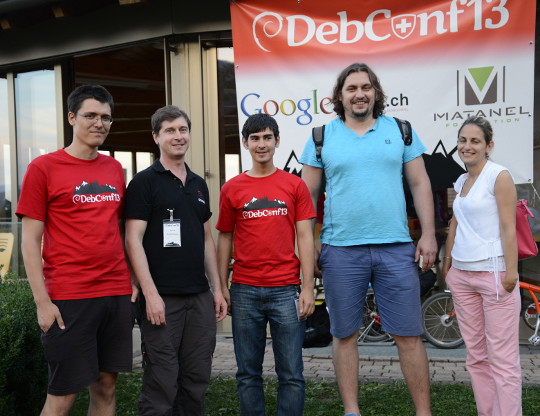
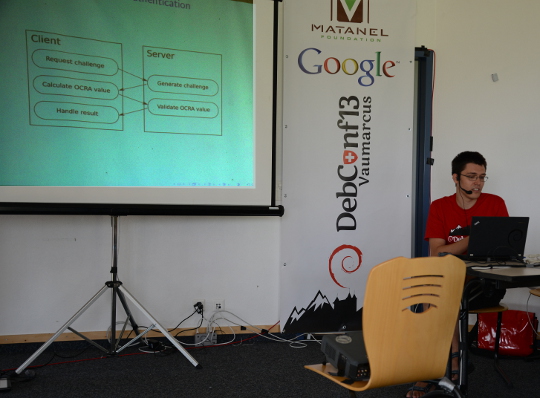
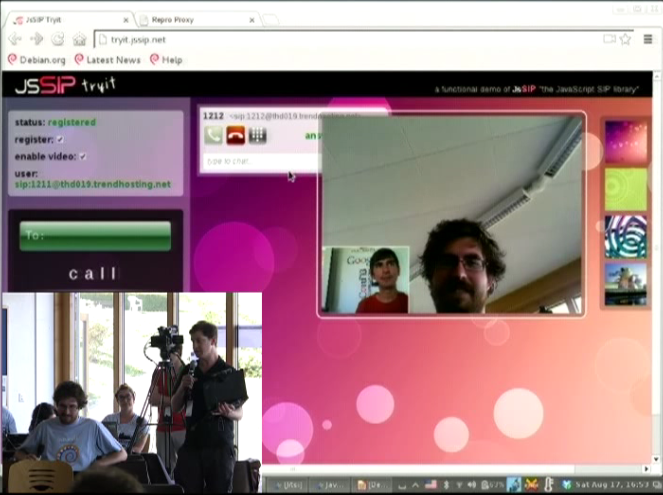
    Fabian Gr nbichler, Daniel Pocock, Catalin Constantin Usurelu, Emil Ivov, Yana Stamcheva Advancing the use of One Time Passwords with free software Google Summer of Code (GSoC) student Fabian Gr nbichler has spent the summer enhancing oath-toolkit and dynalogin to support a more diverse range of One Time Password schemes. dynalogin's original 1.0 release supports vanilla HOTP and TOTP authentication schemes. Fabian's work has extended the framework to support the more generic and powerful OCRA approach. To find out about all the benefits this brings, I would strongly encourage you to review his slides and video presentation, with a demo where it is explained thoroughly. While there are existing hardware tokens that support HOTP and TOTP using this open algorithm (Gooze has been kind enough to donate some which were on display), the mutual challenge-response schemes are yet to be widely supported in hardware and this means that Fabian's work is now at the cutting edge of development in this area. WebRTC: premium voice/video chat in modern browsers, no plugin required Another member of Debian's GSoC program, Catalin Constantin Usurelu helped organise and run one of the must-see sessions of DebConf13 (video available). In a demonstration that had all the hallmarks of a magic show, Catalin and I took random members of the audience and invited them to wave a magic wand over their web browsers and effortlessly turn them into Skype-busting softphones. As the grand finale, we took Wookey's blog and showed him how to add a WebRTC "call-me" page in less than 20 seconds, less time than it takes to hand over all your private data to the registration process of those rather uncomfortable alternatives. Anybody else seeking to duplicate this effort is encourage to review options like Drucall for Drupal or just directly use JsSIP Jitsi and the Jitsi Video-bridge The grand-finale of the DebConf13 real-time communications track was our guest speaker, Emil Ivov, founder of the Jitsi softphone project. Jitsi itself has recently been accepted into Debian and is easier than ever before to install and use. Emil's talk (video and slides available) went into some detail about the cutting edge development activities of his team, particularly the new Jitsi Video bridge Subsequent to the talk, we had some out-of-bands discussion about ways to potentially integrate Jitsi Video bridge with the open source dvswitch system used to produce streams and recordings from free software events such as DebConf and FOSDEM. It is hoped that this will provide an additional option for remote participation at free software events of all sizes. Upcoming events Emil and I have been invited to participate in the WebRTC Conference Paris 2013 in December. This will be an excellent opportunity to have further discussion about progress with WebRTC and do more to raise the compelling case for premium quality free software to meet the demanding needs of modern business communications. There are a series of talks for both technical and business-oriented audiences.
    Steve Kemp: Soon it will be time for something different

    This weekend I'm mostly alternating between reading, writing, and trying to avoid death by the plague.[*] I've switched Lumail to using a UTF-8 aware string library, which means we can now handle the obvious case:

    --
    -- Prove keybindings work.
    --
    keymap['global'][' '] = 'msg("UTF-8 rocks!")'
    
    Similarly we can stuff input into the buffer:
    --
    -- Pretend the user typed ":msg ...\n"
    --
    stuff( ":msg('  is pie')\n" );
    
    This transition was annoying to handle, but wasn't too difficult. There is only one more major update required, according to the development roadmap, which is to double check that UTF-8 output is correct. Otherwise I think I'm almost done. In the sense that I don't see anything obvious missing, barring things that won't ever happen such as mutt-style "tag" support. I've updated the online examples to include some nice code: I can't claim to have many users, so far the development has been carried out by myself and approximately four other people. But that matters not. I genuinely believe this is a good client and it really suits the way that I handle (large volumes of) email:
    • Show folders with unread mail.
    • Quickly read it.
    Allowing you to open multiple folders at once means you get a great view into your currently-unread mail, regardless of where procmail has placed it. The overriding feeling having "completed" the client is that Lua rocks. I'm torn between wanting to sleep some more, and wondering what other system/package/tool can be extended by Lua. As epiphanies go my on_idle() update takes some beating.
    * - I do not have the black death, but I'm not well.

    Lars Wirzenius: Yarn, a scenario testing tool

    I write a fair number of Unix command line programs, and I want to have test suites for them. A year and a half ago I wrote a tool to make that easier: cmdtest. However, it turned out to not be a particularly good one, primarily because it doesn't make it easy to write good test code. Tests and test code should be obviously correct, so you don't need a test suite for your test suite. Earlier this year, Daniel and I started a slow, but long discussion about this. We'd talk it over during many a lunch, figuring out what we actually want. We eventually converged on an approach based on for Unix command line programs, and based on Markdown documents. We then wrote that up as a README, and then took another month refining the README before writing any code. The naming discussion only took a week.
    • We borrowed the given/when/then structure from BDD, and the idea of using that structure so that tests are specified using lightly structured text in a way that allowsnon-developers to participate.
    • This borrowed structure gives a way to express sequences of things that happen, including setup and checks. We call these sequences test scenarios, and thus this approach to testing is called scenario testing.
    • We embed the test scenarios, and the code that implements them, as code blocks in Markdown documents. This makes it easy to explain what is going on in the tests, when that's needed, right next to the tests. The Markdown files can easily be formatted as web pages or PDFs (among other formats), making it easy to share and discuss them with people who might not be comfortable accessing a git repository.
    As a concrete example, here is a real test scenario, from Obnam, for testing its new FUSE plugin:
    SCENARIO Browsing backups with FUSE plugin
    ASSUMING user is in group fuse
    GIVEN a live data directory
    AND a 0 byte file called empty
    AND a 1 byte file called one
    AND a 4096 byte file called 4k
    AND a 10485760 byte file called 10meg
    AND a hardlink to 4k called 4k-hardlink
    AND a symlink to 4k called 4k-symlink
    AND a directory called some-dir
    AND a symlink to ../4k called some-dir/other-symlink
    WHEN live data is backed up
    AND repository is fuse mounted
    THEN latest generation can be copied correctly from fuse mount
    FINALLY unmount repository
    
    Some explanations:
    • SCENARIO is the name of the scenario.
    • ASSUMING is a condition for the entire scenario: the FUSE plugin can only be tested when the user can use FUSE.
    • GIVEN is a setup step, WHEN is the step that does the thing that is being tested, and THEN checks that the right thing happened during WHEN.
    • AND is an alias for the keyword on the previous line; it makes the test scenario seem more like normal English text
    • FINALLY is for cleaning up afterwards, whether the scenario passed or not
    Test scenarios like this are obviously not directly executable. We need to provide the code that actually executs each step. For this, yarn provides an IMPLEMENTS section, of which I will show one example: the creation of the files.
    IMPLEMENTS GIVEN a (\d+) byte file called (\S+)
    dd if=/dev/zero of="$DATADIR/live/$MATCH_2" bs=1 count="$MATCH_1"
    
    (The other IMPLEMENTS sections for that Obnam test scenario are also only about a line of shell. The longest one is four lines, because it has an if statement that I like to format in a fairly verbose way. I'm skipping the others to avoid needless repetition.) The text after the keyword (GIVEN, WHEN, THEN, etc) in the test scenario is a single line of free-form text, which is matched by a regular expression in the IMPLEMENTS section. There must be exactly one matching IMPLEMENTS for each line in a test scenario. The body of IMPLEMENTS is a shell script snippet. Yarn provides a temporary directory for each scenario, and the path to that is given in the DATADIR environment variable. Yarn also cleans up the directory afterwards, unless the user running yarn requests otherwise, so tests that only change things in the temporary directory don't need any FINALLY steps. The above example uses FINALLY to unmount the FUSE filesystem at the end. The regular expressions can capture parts of the text in the scenario step, and these are provided to the shell script using environment variables: MATCH_1 etc. This is a simple, but powerful mechanism for implementing very flexible steps, which also means the number of steps can be kept down. The IMPLEMENTS sections are shared between all test scenarios. This makes it very easy to write new scenarios using already-existing steps, by choosing which ones to use, in which order, and making use of any variability in the steps that their implementations provide. Yarn is a new tool, and I expect it to mature in the coming months. It's included in the cmdtest Debian package, and is already in Debian jessie and unstable, for those who want to try it. (My personal apt repository has a .deb for wheezy as well; backports are welcome). The yarn scenario testing language itself is not set in stone, but Daniel and I both want to be careful about making changes to it. It's all meant to be very simple: an obviously correct testing tool is better than an intricate one. I've used yarn in several of my own little programs now, as has Daniel, and we've used it at work as well. Undoubtedly we'll find bugs in the implementation, and we're still feeling our way to figuring out how to write really excellent scenarios, and how to structure steps with the best possible taste. We'll also start designing a shell library that yarn provides to the IMPLEMENTS sections, for doing things that we find ourselves doing in many projects. It is already clear to me, however, that yarn is oh so much better than cmdtest could ever be. I'm even starting to express ideas for new tools as yarn test documents, so I'm clear what they should do. If and when I ever get to actually implementing the tools, I'll have a test suite for them already. See, for example, first attempts at specifying how a fast file transfer tool, fling, which is to use Linux-only system calls to reach wire speeds over wired LAN, and a tool to recompress compressed files with another compression tool. We hope yarn will prove to be useful for others as well. If you try it, and have suggestions or comments, please e-mail us.

    Next.

    Previous.