Search Results: "sten"

3 June 2021

Jonathan McDowell: Digging into Kubernetes containers

Having build a single node Kubernetes cluster and had a poke at what it s doing in terms of networking the next thing I want to do is figure out what it s doing in terms of containers. You might argue this should have come before networking, but to me the networking piece is more non-standard than the container piece, so I wanted to understand that first. Let s start with a process listing on the host. ps faxno user,stat,cmd There are a number of processes from the host kernel we don t care about:
kernel processes
    USER STAT CMD
       0 S    [kthreadd]
       0 I<    \_ [rcu_gp]
       0 I<    \_ [rcu_par_gp]
       0 I<    \_ [kworker/0:0H-events_highpri]
       0 I<    \_ [mm_percpu_wq]
       0 S     \_ [rcu_tasks_rude_]
       0 S     \_ [rcu_tasks_trace]
       0 S     \_ [ksoftirqd/0]
       0 I     \_ [rcu_sched]
       0 S     \_ [migration/0]
       0 S     \_ [cpuhp/0]
       0 S     \_ [cpuhp/1]
       0 S     \_ [migration/1]
       0 S     \_ [ksoftirqd/1]
       0 I<    \_ [kworker/1:0H-kblockd]
       0 S     \_ [cpuhp/2]
       0 S     \_ [migration/2]
       0 S     \_ [ksoftirqd/2]
       0 I<    \_ [kworker/2:0H-events_highpri]
       0 S     \_ [cpuhp/3]
       0 S     \_ [migration/3]
       0 S     \_ [ksoftirqd/3]
       0 I<    \_ [kworker/3:0H-kblockd]
       0 S     \_ [kdevtmpfs]
       0 I<    \_ [netns]
       0 S     \_ [kauditd]
       0 S     \_ [khungtaskd]
       0 S     \_ [oom_reaper]
       0 I<    \_ [writeback]
       0 S     \_ [kcompactd0]
       0 SN    \_ [ksmd]
       0 SN    \_ [khugepaged]
       0 I<    \_ [kintegrityd]
       0 I<    \_ [kblockd]
       0 I<    \_ [blkcg_punt_bio]
       0 I<    \_ [edac-poller]
       0 I<    \_ [devfreq_wq]
       0 I<    \_ [kworker/0:1H-kblockd]
       0 S     \_ [kswapd0]
       0 I<    \_ [kthrotld]
       0 I<    \_ [acpi_thermal_pm]
       0 I<    \_ [ipv6_addrconf]
       0 I<    \_ [kstrp]
       0 I<    \_ [zswap-shrink]
       0 I<    \_ [kworker/u9:0-hci0]
       0 I<    \_ [kworker/2:1H-kblockd]
       0 I<    \_ [ata_sff]
       0 I<    \_ [sdhci]
       0 S     \_ [irq/39-mmc0]
       0 I<    \_ [sdhci]
       0 S     \_ [irq/42-mmc1]
       0 S     \_ [scsi_eh_0]
       0 I<    \_ [scsi_tmf_0]
       0 S     \_ [scsi_eh_1]
       0 I<    \_ [scsi_tmf_1]
       0 I<    \_ [kworker/1:1H-kblockd]
       0 I<    \_ [kworker/3:1H-kblockd]
       0 S     \_ [jbd2/sda5-8]
       0 I<    \_ [ext4-rsv-conver]
       0 S     \_ [watchdogd]
       0 S     \_ [scsi_eh_2]
       0 I<    \_ [scsi_tmf_2]
       0 S     \_ [usb-storage]
       0 I<    \_ [cfg80211]
       0 S     \_ [irq/130-mei_me]
       0 I<    \_ [cryptd]
       0 I<    \_ [uas]
       0 S     \_ [irq/131-iwlwifi]
       0 S     \_ [card0-crtc0]
       0 S     \_ [card0-crtc1]
       0 S     \_ [card0-crtc2]
       0 I<    \_ [kworker/u9:2-hci0]
       0 I     \_ [kworker/3:0-events]
       0 I     \_ [kworker/2:0-events]
       0 I     \_ [kworker/1:0-events_power_efficient]
       0 I     \_ [kworker/3:2-events]
       0 I     \_ [kworker/1:1]
       0 I     \_ [kworker/u8:1-events_unbound]
       0 I     \_ [kworker/0:2-events]
       0 I     \_ [kworker/2:2]
       0 I     \_ [kworker/u8:0-events_unbound]
       0 I     \_ [kworker/0:1-events]
       0 I     \_ [kworker/0:0-events]
There are various basic host processes, including my SSH connections, and Docker. I note it s using containerd. We also see kubelet, the Kubernetes node agent.
host processes
    USER STAT CMD
       0 Ss   /sbin/init
       0 Ss   /lib/systemd/systemd-journald
       0 Ss   /lib/systemd/systemd-udevd
     101 Ssl  /lib/systemd/systemd-timesyncd
       0 Ssl  /sbin/dhclient -4 -v -i -pf /run/dhclient.enx00e04c6851de.pid -lf /var/lib/dhcp/dhclient.enx00e04c6851de.leases -I -df /var/lib/dhcp/dhclient6.enx00e04c6851de.leases enx00e04c6851de
       0 Ss   /usr/sbin/cron -f
     104 Ss   /usr/bin/dbus-daemon --system --address=systemd: --nofork --nopidfile --systemd-activation --syslog-only
       0 Ssl  /usr/sbin/dockerd -H fd://
       0 Ssl  /usr/sbin/rsyslogd -n -iNONE
       0 Ss   /usr/sbin/smartd -n
       0 Ss   /lib/systemd/systemd-logind
       0 Ssl  /usr/bin/containerd
       0 Ss+  /sbin/agetty -o -p -- \u --noclear tty1 linux
       0 Ss   sshd: /usr/sbin/sshd -D [listener] 0 of 10-100 startups
       0 Ss    \_ sshd: root@pts/1
       0 Ss        \_ -bash
       0 R+            \_ ps faxno user,stat,cmd
       0 Ss    \_ sshd: noodles [priv]
    1000 S         \_ sshd: noodles@pts/0
    1000 Ss+           \_ -bash
       0 Ss   /lib/systemd/systemd --user
       0 S     \_ (sd-pam)
    1000 Ss   /lib/systemd/systemd --user
    1000 S     \_ (sd-pam)
       0 Ssl  /usr/bin/kubelet --bootstrap-kubeconfig=/etc/kubernetes/bootstrap-kubelet.conf --kubeconfig=/etc/kubernetes/kubelet.conf --config=/var/lib/kubelet/config.yaml --network-plugin=cni --pod-infra-container-image=k8s.gcr.io/pause:3.4.1
And that just leaves a bunch of container related processes:
container processes
       0 Sl   /usr/bin/containerd-shim-runc-v2 -namespace moby -id fd95c597ff3171ff110b7bf440229e76c5108d5d93be75ffeab54869df734413 -address /run/containerd/containerd.sock
       0 Ss    \_ /pause
       0 Sl   /usr/bin/containerd-shim-runc-v2 -namespace moby -id c2ff2c50f0bc052feda2281741c4f37df7905e3b819294ec645148ae13c3fe1b -address /run/containerd/containerd.sock
       0 Ss    \_ /pause
       0 Sl   /usr/bin/containerd-shim-runc-v2 -namespace moby -id 589c1545d9e0cdf8ea391745c54c8f4db49f5f437b1a2e448e7744b2c12f8856 -address /run/containerd/containerd.sock
       0 Ss    \_ /pause
       0 Sl   /usr/bin/containerd-shim-runc-v2 -namespace moby -id 6f417fd8a8c573a2b8f792af08cdcd7ce663457f0f7218c8d55afa3732e6ee94 -address /run/containerd/containerd.sock
       0 Ss    \_ /pause
       0 Sl   /usr/bin/containerd-shim-runc-v2 -namespace moby -id afa9798c9f663b21df8f38d9634469e6b4db0984124547cd472a7789c61ef752 -address /run/containerd/containerd.sock
       0 Ssl   \_ kube-scheduler --authentication-kubeconfig=/etc/kubernetes/scheduler.conf --authorization-kubeconfig=/etc/kubernetes/scheduler.conf --bind-address=127.0.0.1 --kubeconfig=/etc/kubernetes/scheduler.conf --leader-elect=true --port=0
       0 Sl   /usr/bin/containerd-shim-runc-v2 -namespace moby -id 4b3708b62f4d427690f5979848c59fce522dab6c62a9c53b806ffbaef3f88e62 -address /run/containerd/containerd.sock
       0 Ssl   \_ kube-controller-manager --authentication-kubeconfig=/etc/kubernetes/controller-manager.conf --authorization-kubeconfig=/etc/kubernetes/controller-manager.conf --bind-address=127.0.0.1 --client-ca-file=/etc/kubernetes/pki/ca.crt --cluster-name=kubernetes --cluster-signing-cert-file=/etc/kubernetes/pki/ca.crt --cluster-signing-key-file=/etc/kubernetes/pki/ca.key --controllers=*,bootstrapsigner,tokencleaner --kubeconfig=/etc/kubernetes/controller-manager.conf --leader-elect=true --port=0 --requestheader-client-ca-file=/etc/kubernetes/pki/front-proxy-ca.crt --root-ca-file=/etc/kubernetes/pki/ca.crt --service-account-private-key-file=/etc/kubernetes/pki/sa.key --use-service-account-credentials=true
       0 Sl   /usr/bin/containerd-shim-runc-v2 -namespace moby -id 89f35bf7a825eb97db7035d29aa475a3a1c8aaccda0860a46388a3a923cd10bc -address /run/containerd/containerd.sock
       0 Ssl   \_ kube-apiserver --advertise-address=192.168.53.147 --allow-privileged=true --authorization-mode=Node,RBAC --client-ca-file=/etc/kubernetes/pki/ca.crt --enable-admission-plugins=NodeRestriction --enable-bootstrap-token-auth=true --etcd-cafile=/etc/kubernetes/pki/etcd/ca.crt --etcd-certfile=/etc/kubernetes/pki/apiserver-etcd-client.crt --etcd-keyfile=/etc/kubernetes/pki/apiserver-etcd-client.key --etcd-servers=https://127.0.0.1:2379 --insecure-port=0 --kubelet-client-certificate=/etc/kubernetes/pki/apiserver-kubelet-client.crt --kubelet-client-key=/etc/kubernetes/pki/apiserver-kubelet-client.key --kubelet-preferred-address-types=InternalIP,ExternalIP,Hostname --proxy-client-cert-file=/etc/kubernetes/pki/front-proxy-client.crt --proxy-client-key-file=/etc/kubernetes/pki/front-proxy-client.key --requestheader-allowed-names=front-proxy-client --requestheader-client-ca-file=/etc/kubernetes/pki/front-proxy-ca.crt --requestheader-extra-headers-prefix=X-Remote-Extra- --requestheader-group-headers=X-Remote-Group --requestheader-username-headers=X-Remote-User --secure-port=6443 --service-account-issuer=https://kubernetes.default.svc.cluster.local --service-account-key-file=/etc/kubernetes/pki/sa.pub --service-account-signing-key-file=/etc/kubernetes/pki/sa.key --service-cluster-ip-range=10.96.0.0/12 --tls-cert-file=/etc/kubernetes/pki/apiserver.crt --tls-private-key-file=/etc/kubernetes/pki/apiserver.key
       0 Sl   /usr/bin/containerd-shim-runc-v2 -namespace moby -id 2dabff6e4f59c96d931d95781d28314065b46d0e6f07f8c65dc52aa465f69456 -address /run/containerd/containerd.sock
       0 Ssl   \_ etcd --advertise-client-urls=https://192.168.53.147:2379 --cert-file=/etc/kubernetes/pki/etcd/server.crt --client-cert-auth=true --data-dir=/var/lib/etcd --initial-advertise-peer-urls=https://192.168.53.147:2380 --initial-cluster=udon=https://192.168.53.147:2380 --key-file=/etc/kubernetes/pki/etcd/server.key --listen-client-urls=https://127.0.0.1:2379,https://192.168.53.147:2379 --listen-metrics-urls=http://127.0.0.1:2381 --listen-peer-urls=https://192.168.53.147:2380 --name=udon --peer-cert-file=/etc/kubernetes/pki/etcd/peer.crt --peer-client-cert-auth=true --peer-key-file=/etc/kubernetes/pki/etcd/peer.key --peer-trusted-ca-file=/etc/kubernetes/pki/etcd/ca.crt --snapshot-count=10000 --trusted-ca-file=/etc/kubernetes/pki/etcd/ca.crt
       0 Sl   /usr/bin/containerd-shim-runc-v2 -namespace moby -id 73fae81715b670255b66419a7959798b287be7bbb41e96f8b711fa529aa02f0d -address /run/containerd/containerd.sock
       0 Ss    \_ /pause
       0 Sl   /usr/bin/containerd-shim-runc-v2 -namespace moby -id 26d92a720c560caaa5f8a0217bc98e486b1c032af6c7c5d75df508021d462878 -address /run/containerd/containerd.sock
       0 Ssl   \_ /usr/local/bin/kube-proxy --config=/var/lib/kube-proxy/config.conf --hostname-override=udon
       0 Sl   /usr/bin/containerd-shim-runc-v2 -namespace moby -id 7104f65b5d92a56a2df93514ed0a78cfd1090ca47b6ce4e0badc43be6c6c538e -address /run/containerd/containerd.sock
       0 Ss    \_ /pause
       0 Sl   /usr/bin/containerd-shim-runc-v2 -namespace moby -id 48d735f7f44e3944851563f03f32c60811f81409e7378641404035dffd8c1eb4 -address /run/containerd/containerd.sock
       0 Ssl   \_ /usr/bin/weave-npc
       0 S<        \_ /usr/sbin/ulogd -v
       0 Sl   /usr/bin/containerd-shim-runc-v2 -namespace moby -id 36b418e69ae7076fe5a44d16cef223d8908016474cb65910f2fd54cca470566b -address /run/containerd/containerd.sock
       0 Ss    \_ /bin/sh /home/weave/launch.sh
       0 Sl        \_ /home/weave/weaver --port=6783 --datapath=datapath --name=12:82:8f:ed:c7:bf --http-addr=127.0.0.1:6784 --metrics-addr=0.0.0.0:6782 --docker-api= --no-dns --db-prefix=/weavedb/weave-net --ipalloc-range=192.168.0.0/24 --nickname=udon --ipalloc-init consensus=0 --conn-limit=200 --expect-npc --no-masq-local
       0 Sl        \_ /home/weave/kube-utils -run-reclaim-daemon -node-name=udon -peer-name=12:82:8f:ed:c7:bf -log-level=debug
       0 Sl   /usr/bin/containerd-shim-runc-v2 -namespace moby -id 534c0a698478599277482d97a137fab8ef4d62db8a8a5cf011b4bead28246f70 -address /run/containerd/containerd.sock
       0 Ss    \_ /pause
       0 Sl   /usr/bin/containerd-shim-runc-v2 -namespace moby -id 9ffd6b668ddfbf3c64c6783bc6f4f6cc9e92bfb16c83fb214c2cbb4044993bf0 -address /run/containerd/containerd.sock
       0 Ss    \_ /pause
       0 Sl   /usr/bin/containerd-shim-runc-v2 -namespace moby -id 4a30785f91873a7e6a191e86928a789760a054e4fa6dcd7048a059b42cf19edf -address /run/containerd/containerd.sock
       0 Ssl   \_ /coredns -conf /etc/coredns/Corefile
       0 Sl   /usr/bin/containerd-shim-runc-v2 -namespace moby -id 649a507d45831aca1de5231b49afc8ff37d90add813e7ecd451d12eedd785b0c -address /run/containerd/containerd.sock
       0 Ssl   \_ /coredns -conf /etc/coredns/Corefile
       0 Sl   /usr/bin/containerd-shim-runc-v2 -namespace moby -id 62b369de8d8cece4d33ec9fda4d23a9718379a8df8b30173d68f20bff830fed2 -address /run/containerd/containerd.sock
       0 Ss    \_ /pause
       0 Sl   /usr/bin/containerd-shim-runc-v2 -namespace moby -id 7cbb177bee18dbdeed21fb90e74378e2081436ad5bf116b36ad5077fe382df30 -address /run/containerd/containerd.sock
       0 Ss    \_ /bin/bash /usr/local/bin/run.sh
       0 S         \_ nginx: master process nginx -g daemon off;
   65534 S             \_ nginx: worker process
       0 Ss   /lib/systemd/systemd --user
       0 S     \_ (sd-pam)
       0 Sl   /usr/bin/containerd-shim-runc-v2 -namespace moby -id 6669168db70db4e6c741e8a047942af06dd745fae4d594291d1d6e1077b05082 -address /run/containerd/containerd.sock
       0 Ss    \_ /pause
       0 Sl   /usr/bin/containerd-shim-runc-v2 -namespace moby -id d5fa78fa31f11a4c5fb9fd2e853a00f0e60e414a7bce2e0d8fcd1f6ab2b30074 -address /run/containerd/containerd.sock
     101 Ss    \_ /usr/bin/dumb-init -- /nginx-ingress-controller --publish-service=ingress-nginx/ingress-nginx-controller --election-id=ingress-controller-leader --ingress-class=nginx --configmap=ingress-nginx/ingress-nginx-controller --validating-webhook=:8443 --validating-webhook-certificate=/usr/local/certificates/cert --validating-webhook-key=/usr/local/certificates/key
     101 Ssl       \_ /nginx-ingress-controller --publish-service=ingress-nginx/ingress-nginx-controller --election-id=ingress-controller-leader --ingress-class=nginx --configmap=ingress-nginx/ingress-nginx-controller --validating-webhook=:8443 --validating-webhook-certificate=/usr/local/certificates/cert --validating-webhook-key=/usr/local/certificates/key
     101 S             \_ nginx: master process /usr/local/nginx/sbin/nginx -c /etc/nginx/nginx.conf
     101 Sl                \_ nginx: worker process
     101 Sl                \_ nginx: worker process
     101 Sl                \_ nginx: worker process
     101 Sl                \_ nginx: worker process
     101 S                 \_ nginx: cache manager process
There s a lot going on there. Some bits are obvious; we can see the nginx ingress controller, our echoserver (the other nginx process hanging off /usr/local/bin/run.sh), and some things that look related to weave. The rest appears to be Kubernete s related infrastructure. kube-scheduler, kube-controller-manager, kube-apiserver, kube-proxy all look like core Kubernetes bits. etcd is a distributed, reliable key-value store. coredns is a DNS server, with plugins for Kubernetes and etcd. What does Docker claim is happening?
docker ps
CONTAINER ID   IMAGE                                 COMMAND                  CREATED      STATUS      PORTS     NAMES
d5fa78fa31f1   k8s.gcr.io/ingress-nginx/controller   "/usr/bin/dumb-init  "   3 days ago   Up 3 days             k8s_controller_ingress-nginx-controller-5b74bc9868-bczdr_ingress-nginx_4d7d3d81-a769-4de9-a4fb-04763b7c1605_0
6669168db70d   k8s.gcr.io/pause:3.4.1                "/pause"                 3 days ago   Up 3 days             k8s_POD_ingress-nginx-controller-5b74bc9868-bczdr_ingress-nginx_4d7d3d81-a769-4de9-a4fb-04763b7c1605_0
7cbb177bee18   k8s.gcr.io/echoserver                 "/usr/local/bin/run. "   3 days ago   Up 3 days             k8s_echoserver_hello-node-59bffcc9fd-8hkgb_default_c7111c9e-7131-40e0-876d-be89d5ca1812_0
62b369de8d8c   k8s.gcr.io/pause:3.4.1                "/pause"                 3 days ago   Up 3 days             k8s_POD_hello-node-59bffcc9fd-8hkgb_default_c7111c9e-7131-40e0-876d-be89d5ca1812_0
649a507d4583   296a6d5035e2                          "/coredns -conf /etc "   4 days ago   Up 4 days             k8s_coredns_coredns-558bd4d5db-flrfq_kube-system_f8b2b52e-6673-4966-82b1-3fbe052a0297_0
4a30785f9187   296a6d5035e2                          "/coredns -conf /etc "   4 days ago   Up 4 days             k8s_coredns_coredns-558bd4d5db-4nvrg_kube-system_1976f4d6-647c-45ca-b268-95f071f064d5_0
9ffd6b668ddf   k8s.gcr.io/pause:3.4.1                "/pause"                 4 days ago   Up 4 days             k8s_POD_coredns-558bd4d5db-flrfq_kube-system_f8b2b52e-6673-4966-82b1-3fbe052a0297_0
534c0a698478   k8s.gcr.io/pause:3.4.1                "/pause"                 4 days ago   Up 4 days             k8s_POD_coredns-558bd4d5db-4nvrg_kube-system_1976f4d6-647c-45ca-b268-95f071f064d5_0
36b418e69ae7   df29c0a4002c                          "/home/weave/launch. "   4 days ago   Up 4 days             k8s_weave_weave-net-mchmg_kube-system_b9af9615-8cde-4a18-8555-6da1f51b7136_1
48d735f7f44e   weaveworks/weave-npc                  "/usr/bin/launch.sh"     4 days ago   Up 4 days             k8s_weave-npc_weave-net-mchmg_kube-system_b9af9615-8cde-4a18-8555-6da1f51b7136_0
7104f65b5d92   k8s.gcr.io/pause:3.4.1                "/pause"                 4 days ago   Up 4 days             k8s_POD_weave-net-mchmg_kube-system_b9af9615-8cde-4a18-8555-6da1f51b7136_0
26d92a720c56   4359e752b596                          "/usr/local/bin/kube "   4 days ago   Up 4 days             k8s_kube-proxy_kube-proxy-6d8kg_kube-system_8bf2d7ec-4850-427f-860f-465a9ff84841_0
73fae81715b6   k8s.gcr.io/pause:3.4.1                "/pause"                 4 days ago   Up 4 days             k8s_POD_kube-proxy-6d8kg_kube-system_8bf2d7ec-4850-427f-860f-465a9ff84841_0
89f35bf7a825   771ffcf9ca63                          "kube-apiserver --ad "   4 days ago   Up 4 days             k8s_kube-apiserver_kube-apiserver-udon_kube-system_1af8c5f362b7b02269f4d244cb0e6fbf_0
afa9798c9f66   a4183b88f6e6                          "kube-scheduler --au "   4 days ago   Up 4 days             k8s_kube-scheduler_kube-scheduler-udon_kube-system_629dc49dfd9f7446eb681f1dcffe6d74_0
2dabff6e4f59   0369cf4303ff                          "etcd --advertise-cl "   4 days ago   Up 4 days             k8s_etcd_etcd-udon_kube-system_c2a3008c1d9895f171cd394e38656ea0_0
4b3708b62f4d   e16544fd47b0                          "kube-controller-man "   4 days ago   Up 4 days             k8s_kube-controller-manager_kube-controller-manager-udon_kube-system_1d1b9018c3c6e7aa2e803c6e9ccd2eab_0
fd95c597ff31   k8s.gcr.io/pause:3.4.1                "/pause"                 4 days ago   Up 4 days             k8s_POD_kube-scheduler-udon_kube-system_629dc49dfd9f7446eb681f1dcffe6d74_0
589c1545d9e0   k8s.gcr.io/pause:3.4.1                "/pause"                 4 days ago   Up 4 days             k8s_POD_kube-controller-manager-udon_kube-system_1d1b9018c3c6e7aa2e803c6e9ccd2eab_0
6f417fd8a8c5   k8s.gcr.io/pause:3.4.1                "/pause"                 4 days ago   Up 4 days             k8s_POD_kube-apiserver-udon_kube-system_1af8c5f362b7b02269f4d244cb0e6fbf_0
c2ff2c50f0bc   k8s.gcr.io/pause:3.4.1                "/pause"                 4 days ago   Up 4 days             k8s_POD_etcd-udon_kube-system_c2a3008c1d9895f171cd394e38656ea0_0
Ok, that s interesting. Before we dig into it, what does Kubernetes say? (I ve trimmed the RESTARTS + AGE columns to make things fit a bit better here; they weren t interesting).
noodles@udon:~$ kubectl get pods --all-namespaces
NAMESPACE       NAME                                        READY   STATUS
default         hello-node-59bffcc9fd-8hkgb                 1/1     Running
ingress-nginx   ingress-nginx-admission-create-8jgkt        0/1     Completed
ingress-nginx   ingress-nginx-admission-patch-jdq4t         0/1     Completed
ingress-nginx   ingress-nginx-controller-5b74bc9868-bczdr   1/1     Running
kube-system     coredns-558bd4d5db-4nvrg                    1/1     Running
kube-system     coredns-558bd4d5db-flrfq                    1/1     Running
kube-system     etcd-udon                                   1/1     Running
kube-system     kube-apiserver-udon                         1/1     Running
kube-system     kube-controller-manager-udon                1/1     Running
kube-system     kube-proxy-6d8kg                            1/1     Running
kube-system     kube-scheduler-udon                         1/1     Running
kube-system     weave-net-mchmg                             2/2     Running
So there are a lot more Docker instances running than Kubernetes pods. What s happening there? Well, it turns out that Kubernetes builds pods from multiple different Docker instances. If you think of a traditional container as being comprised of a set of namespaces (process, network, hostname etc) and a cgroup then a pod is made up of the namespaces and then each docker instance within that pod has it s own cgroup. Ian Lewis has a much deeper discussion in What are Kubernetes Pods Anyway?, but my takeaway is that a pod is a set of sort-of containers that are coupled. We can see this more clearly if we ask systemd for the cgroup breakdown:
systemd-cgls
Control group /:
-.slice
 user.slice 
   user-0.slice 
     session-29.scope 
        515899 sshd: root@pts/1
        515913 -bash
       3519743 systemd-cgls
       3519744 cat
     user@0.service  
       init.scope 
         515902 /lib/systemd/systemd --user
         515903 (sd-pam)
   user-1000.slice 
     user@1000.service  
       init.scope 
         2564011 /lib/systemd/systemd --user
         2564012 (sd-pam)
     session-110.scope 
       2564007 sshd: noodles [priv]
       2564040 sshd: noodles@pts/0
       2564041 -bash
 init.scope 
   1 /sbin/init
 system.slice 
   containerd.service  
       21383 /usr/bin/containerd-shim-runc-v2 -namespace moby -id fd95c597ff31 
       21408 /usr/bin/containerd-shim-runc-v2 -namespace moby -id c2ff2c50f0bc 
       21432 /usr/bin/containerd-shim-runc-v2 -namespace moby -id 589c1545d9e0 
       21459 /usr/bin/containerd-shim-runc-v2 -namespace moby -id 6f417fd8a8c5 
       21582 /usr/bin/containerd-shim-runc-v2 -namespace moby -id afa9798c9f66 
       21607 /usr/bin/containerd-shim-runc-v2 -namespace moby -id 4b3708b62f4d 
       21640 /usr/bin/containerd-shim-runc-v2 -namespace moby -id 89f35bf7a825 
       21648 /usr/bin/containerd-shim-runc-v2 -namespace moby -id 2dabff6e4f59 
       22343 /usr/bin/containerd-shim-runc-v2 -namespace moby -id 73fae81715b6 
       22391 /usr/bin/containerd-shim-runc-v2 -namespace moby -id 26d92a720c56 
       26992 /usr/bin/containerd-shim-runc-v2 -namespace moby -id 7104f65b5d92 
       27405 /usr/bin/containerd-shim-runc-v2 -namespace moby -id 48d735f7f44e 
       27531 /usr/bin/containerd-shim-runc-v2 -namespace moby -id 36b418e69ae7 
       27941 /usr/bin/containerd-shim-runc-v2 -namespace moby -id 534c0a698478 
       27960 /usr/bin/containerd-shim-runc-v2 -namespace moby -id 9ffd6b668ddf 
       28131 /usr/bin/containerd-shim-runc-v2 -namespace moby -id 4a30785f9187 
       28159 /usr/bin/containerd-shim-runc-v2 -namespace moby -id 649a507d4583 
      514667 /usr/bin/containerd-shim-runc-v2 -namespace moby -id 62b369de8d8c 
      514976 /usr/bin/containerd-shim-runc-v2 -namespace moby -id 7cbb177bee18 
      698904 /usr/bin/containerd-shim-runc-v2 -namespace moby -id 6669168db70d 
      699284 /usr/bin/containerd-shim-runc-v2 -namespace moby -id d5fa78fa31f1 
     2805479 /usr/bin/containerd
   systemd-udevd.service 
     2805502 /lib/systemd/systemd-udevd
   cron.service 
     2805474 /usr/sbin/cron -f
   docker.service  
     528 /usr/sbin/dockerd -H fd://
   kubelet.service 
     2805501 /usr/bin/kubelet --bootstrap-kubeconfig=/etc/kubernetes/bootstrap 
   systemd-journald.service 
     2805505 /lib/systemd/systemd-journald
   ssh.service 
     2805500 sshd: /usr/sbin/sshd -D [listener] 0 of 10-100 startups
   ifup@enx00e04c6851de.service 
     2805675 /sbin/dhclient -4 -v -i -pf /run/dhclient.enx00e04c6851de.pid -lf 
   rsyslog.service 
     2805488 /usr/sbin/rsyslogd -n -iNONE
   smartmontools.service 
     2805499 /usr/sbin/smartd -n
   dbus.service 
     527 /usr/bin/dbus-daemon --system --address=systemd: --nofork --nopidfile 
   systemd-timesyncd.service 
     2805513 /lib/systemd/systemd-timesyncd
   system-getty.slice 
     getty@tty1.service 
       536 /sbin/agetty -o -p -- \u --noclear tty1 linux
   systemd-logind.service 
     533 /lib/systemd/systemd-logind
 kubepods.slice 
   kubepods-burstable.slice 
     kubepods-burstable-pod1af8c5f362b7b02269f4d244cb0e6fbf.slice 
       docker-6f417fd8a8c573a2b8f792af08cdcd7ce663457f0f7218c8d55afa3732e6ee94.scope  
         21493 /pause
       docker-89f35bf7a825eb97db7035d29aa475a3a1c8aaccda0860a46388a3a923cd10bc.scope  
         21699 kube-apiserver --advertise-address=192.168.33.147 --allow-privi 
     kubepods-burstable-podf8b2b52e_6673_4966_82b1_3fbe052a0297.slice 
       docker-649a507d45831aca1de5231b49afc8ff37d90add813e7ecd451d12eedd785b0c.scope  
         28187 /coredns -conf /etc/coredns/Corefile
       docker-9ffd6b668ddfbf3c64c6783bc6f4f6cc9e92bfb16c83fb214c2cbb4044993bf0.scope  
         27987 /pause
     kubepods-burstable-podc2a3008c1d9895f171cd394e38656ea0.slice 
       docker-c2ff2c50f0bc052feda2281741c4f37df7905e3b819294ec645148ae13c3fe1b.scope  
         21481 /pause
       docker-2dabff6e4f59c96d931d95781d28314065b46d0e6f07f8c65dc52aa465f69456.scope  
         21701 etcd --advertise-client-urls=https://192.168.33.147:2379 --cert 
     kubepods-burstable-pod629dc49dfd9f7446eb681f1dcffe6d74.slice 
       docker-fd95c597ff3171ff110b7bf440229e76c5108d5d93be75ffeab54869df734413.scope  
         21491 /pause
       docker-afa9798c9f663b21df8f38d9634469e6b4db0984124547cd472a7789c61ef752.scope  
         21680 kube-scheduler --authentication-kubeconfig=/etc/kubernetes/sche 
     kubepods-burstable-podb9af9615_8cde_4a18_8555_6da1f51b7136.slice 
       docker-48d735f7f44e3944851563f03f32c60811f81409e7378641404035dffd8c1eb4.scope  
         27424 /usr/bin/weave-npc
         27458 /usr/sbin/ulogd -v
       docker-36b418e69ae7076fe5a44d16cef223d8908016474cb65910f2fd54cca470566b.scope  
         27549 /bin/sh /home/weave/launch.sh
         27629 /home/weave/weaver --port=6783 --datapath=datapath --name=12:82 
         27825 /home/weave/kube-utils -run-reclaim-daemon -node-name=udon -pee 
       docker-7104f65b5d92a56a2df93514ed0a78cfd1090ca47b6ce4e0badc43be6c6c538e.scope  
         27011 /pause
     kubepods-burstable-pod4d7d3d81_a769_4de9_a4fb_04763b7c1605.slice 
       docker-6669168db70db4e6c741e8a047942af06dd745fae4d594291d1d6e1077b05082.scope  
         698925 /pause
       docker-d5fa78fa31f11a4c5fb9fd2e853a00f0e60e414a7bce2e0d8fcd1f6ab2b30074.scope  
          699303 /usr/bin/dumb-init -- /nginx-ingress-controller --publish-ser 
          699316 /nginx-ingress-controller --publish-service=ingress-nginx/ing 
          699405 nginx: master process /usr/local/nginx/sbin/nginx -c /etc/ngi 
         1075085 nginx: worker process
         1075086 nginx: worker process
         1075087 nginx: worker process
         1075088 nginx: worker process
         1075089 nginx: cache manager process
     kubepods-burstable-pod1976f4d6_647c_45ca_b268_95f071f064d5.slice 
       docker-4a30785f91873a7e6a191e86928a789760a054e4fa6dcd7048a059b42cf19edf.scope  
         28178 /coredns -conf /etc/coredns/Corefile
       docker-534c0a698478599277482d97a137fab8ef4d62db8a8a5cf011b4bead28246f70.scope  
         27995 /pause
     kubepods-burstable-pod1d1b9018c3c6e7aa2e803c6e9ccd2eab.slice 
       docker-589c1545d9e0cdf8ea391745c54c8f4db49f5f437b1a2e448e7744b2c12f8856.scope  
         21489 /pause
       docker-4b3708b62f4d427690f5979848c59fce522dab6c62a9c53b806ffbaef3f88e62.scope  
         21690 kube-controller-manager --authentication-kubeconfig=/etc/kubern 
   kubepods-besteffort.slice 
     kubepods-besteffort-podc7111c9e_7131_40e0_876d_be89d5ca1812.slice 
       docker-62b369de8d8cece4d33ec9fda4d23a9718379a8df8b30173d68f20bff830fed2.scope  
         514688 /pause
       docker-7cbb177bee18dbdeed21fb90e74378e2081436ad5bf116b36ad5077fe382df30.scope  
         514999 /bin/bash /usr/local/bin/run.sh
         515039 nginx: master process nginx -g daemon off;
         515040 nginx: worker process
     kubepods-besteffort-pod8bf2d7ec_4850_427f_860f_465a9ff84841.slice 
       docker-73fae81715b670255b66419a7959798b287be7bbb41e96f8b711fa529aa02f0d.scope  
         22364 /pause
       docker-26d92a720c560caaa5f8a0217bc98e486b1c032af6c7c5d75df508021d462878.scope  
         22412 /usr/local/bin/kube-proxy --config=/var/lib/kube-proxy/config.c 
Again, there s a lot going on here, but if you look for the kubepods.slice piece then you can see our pods are divided into two sets, kubepods-burstable.slice and kubepods-besteffort.slice. Under those you can see the individual pods, all of which have at least 2 separate cgroups, one of which is running /pause. Turns out this is a generic Kubernetes image which basically performs the process reaping that an init process would do on a normal system; it just sits and waits for processes to exit and cleans them up. Again, Ian Lewis has more details on the pause container. Finally let s dig into the actual containers. The pause container seems like a good place to start. We can examine the details of where the filesystem is (may differ if you re not using the overlay2 image thingy). The hex string is the container ID listed by docker ps.
# docker inspect --format=' .GraphDriver.Data.MergedDir ' 6669168db70d
/var/lib/docker/overlay2/5a2d76012476349e6b58eb6a279bac400968cefae8537082ea873b2e791ff3c6/merged
# cd /var/lib/docker/overlay2/5a2d76012476349e6b58eb6a279bac400968cefae8537082ea873b2e791ff3c6/merged
# find .   sed -e 's;^./;;'
pause
proc
.dockerenv
etc
etc/resolv.conf
etc/hostname
etc/mtab
etc/hosts
sys
dev
dev/shm
dev/pts
dev/console
# file pause
pause: ELF 64-bit LSB executable, x86-64, version 1 (GNU/Linux), statically linked, for GNU/Linux 3.2.0, BuildID[sha1]=d35dab7152881e37373d819f6864cd43c0124a65, stripped
This is a nice, minimal container. The pause binary is statically linked, so there are no extra libraries required and it s just a basic set of support devices and files. I doubt the pieces in /etc are even required. Let s try the echoserver next:
# docker inspect --format=' .GraphDriver.Data.MergedDir ' 7cbb177bee18
/var/lib/docker/overlay2/09042bc1aff16a9cba43f1a6a68f7786c4748e989a60833ec7417837c4bfaacb/merged
# cd /var/lib/docker/overlay2/09042bc1aff16a9cba43f1a6a68f7786c4748e989a60833ec7417837c4bfaacb/merged
# find .   wc -l
3358
Wow. That s a lot more stuff. Poking /etc/os-release shows why:
# grep PRETTY etc/os-release
PRETTY_NAME="Ubuntu 16.04.2 LTS"
Aha. It s an Ubuntu-based image. We can cut straight to the chase with the nginx ingress container:
# docker exec d5fa78fa31f1 grep PRETTY /etc/os-release
PRETTY_NAME="Alpine Linux v3.13"
That s a bit more reasonable an image for a container; Alpine Linux is a much smaller distro. I don t feel there s a lot more poking to do here. It s not something I d expect to do on a normal Kubernetes setup, but I wanted to dig under the hood to make sure it really was just a normal container situation. I think the next steps involve adding a bit more complexity - that means building a pod with more than a single node, and then running an application that s a bit more complicated. That should help explore two major advantages of running this sort of setup; resilency from a node dying, and the ability to scale out beyond what a single node can do.

1 June 2021

Robert McQueen: Next steps for the GNOME Foundation

As the President of the GNOME Foundation Board of Directors, I m really pleased to see the number and breadth of candidates we have for this year s election. Thank you to everyone who has submitted their candidacy and volunteered their time to support the Foundation. Allan has recently blogged about how the board has been evolving, and I wanted to follow that post by talking about where the GNOME Foundation is in terms of its strategy. This may be helpful as people consider which candidates might bring the best skills to shape the Foundation s next steps. Around three years ago, the Foundation received a number of generous donations, and Rosanna (Director of Operations) gave a presentation at GUADEC about her and Neil s (Executive Director, essentially the CEO of the Foundation) plans to use these funds to transform the Foundation. We would grow our activities, increasing the pace of events, outreach, development and infrastructure that supported the GNOME project and the wider desktop ecosystem and, crucially, would grow our funding to match this increased level of activity. I think it s fair to say that half of this has been a great success we ve got a larger staff team than GNOME has ever had before. We ve widened the GNOME software ecosystem to include related apps and projects under the GNOME Circle banner, we ve helped get GTK 4 out of the door, run a wider-reaching program in the Community Engagement Challenge, and consistently supported better infrastructure for both GNOME and the Linux app community in Flathub. Aside from another grant from Endless (note: my employer), our fundraising hasn t caught up with this pace of activities. As a result, the Board recently approved a budget for this financial year which will spend more funds from our reserves than we expect to raise in income. Due to our reserves policy, this is essentially the last time we can do this: over the next 6-12 months we need to either raise more money, or start spending less. For clarity the Foundation is fit and well from a financial perspective we have a very healthy bank balance, and a very conservative 12 month run rate reserve policy to handle fluctuations in income. If we do have to slow down some of our activities, we will return to a steady state where our regular individual donations and corporate contributions can support a smaller staff team that supports the events and infrastructure we ve come to rely on. However, this isn t what the Board wants to do the previous and current boards were unanimous in their support of the idea that we should be ambitious: try to do more in the world and bring the benefits of GNOME to more people. We want to take our message of trusted, affordable and accessible computing to the wider world. Typically, a lot of the activities of the Foundation have been very inwards-facing supporting and engaging with either the existing GNOME or Open Source communities. This is a very restricted audience in terms of fundraising many corporate actors in our community already support GNOME hugely in terms of both financial and in-kind contributions, and many OSS users are already supporters either through volunteer contributions or donating to those nonprofits that they feel are most relevant and important to them. To raise funds from new sources, the Foundation needs to take the message and ideals of GNOME and Open Source software to new, wider audiences that we can help. We ve been developing themes such as affordability, privacy/trust and education as promising areas for new programs that broaden our impact. The goal is to find projects and funding that allow us to both invest in the GNOME community and find new ways for FOSS to benefit people who aren t already in our community. Bringing it back to the election, I d like to make clear that I see this reaching the outside world, and finding funding to support that as the main priority and responsibility of the Board for the next term. GNOME Foundation elections are a slightly unusual process that filters our board nominees by being existing Foundation members, which means that candidates already work inside our community when they stand for election. If you re a candidate and are already active in the community THANK YOU you re doing great work, keep doing it! That said, you don t need to be a Director to achieve things within our community or gain the support of the Foundation: being a community leader is already a fantastic and important role. The Foundation really needs support from the Board to make a success of the next 12-18 months. We need to understand our financial situation and the trade-offs we have to make, and help to define the strategy with the Executive Director so that we can launch some new programs that will broaden our impact and funding for the future. As people cast their votes, I d like people to think about what kind of skills building partnerships, commercial background, familiarity with finances, experience in nonprofit / impact spaces, etc will help the Board make the Foundation as successful as it can be during the next term.

31 May 2021

Russell Coker: Some Ideas About Storage Reliability

Hard Drive Brands When people ask for advice about what storage to use they often get answers like use brand X, it works well for me and brand Y had a heap of returns a few years ago . I m not convinced there is any difference between the small number of manufacturers that are still in business. One problem we face with reliability of computer systems is that the rate of change is significant, so every year there will be new technological developments to improve things and every company will take advantage of them. Storage devices are unique among computer parts for their requirement for long-term reliability. For most other parts in a computer system a fault that involves total failure is usually easy to fix and even a fault that causes unreliable operation usually won t spread it s damage too far before being noticed (except in corner cases like RAM corruption causing corrupted data on disk). Every year each manufacturer will bring out newer disks that are bigger, cheaper, faster, or all three. Those disks will be expected to remain in service for 3 years in most cases, and for consumer disks often 5 years or more. The manufacturers can t test the new storage technology for even 3 years before releasing it so their ability to prove the reliability is limited. Maybe you could buy some 8TB disks now that were manufactured to the same design as used 3 years ago, but if you buy 12TB consumer grade disks, the 20TB+ data center disks, or any other device that is pushing the limits of new technology then you know that the manufacturer never tested it running for as long as you plan to run it. Generally the engineering is done well and they don t have many problems in the field. Sometimes a new range of disks has a significant number of defects, but that doesn t mean the next series of disks from the same manufacturer will have problems. The issues with SSDs are similar to the issues with hard drives but a little different. I m not sure how much of the improvements in SSDs recently have been due to new technology and how much is due to new manufacturing processes. I had a bad experience with a nameless brand SSD a couple of years ago and now stick to the better known brands. So for SSDs I don t expect a great quality difference between devices that have the names of major computer companies on them, but stuff that comes from China with the name of the discount web store stamped on it is always a risk. Hard Drive vs SSD A few years ago some people were still avoiding SSDs due to the perceived risk of new technology. The first problem with this is that hard drives have lots of new technology in them. The next issue is that hard drives often have some sort of flash storage built in, presumably a SSHD or Hybrid Drive gets all the potential failures of hard drives and SSDs. One theoretical issue with SSDs is that filesystems have been (in theory at least) designed to cope with hard drive failure modes not SSD failure modes. The problem with that theory is that most filesystems don t cope with data corruption at all. If you want to avoid losing data when a disk returns bad data and claims it to be good then you need to use ZFS, BTRFS, the NetApp WAFL filesystem, Microsoft ReFS (with the optional file data checksum feature enabled), or Hammer2 (which wasn t production ready last time I tested it). Some people are concerned that their filesystem won t support wear levelling for SSD use. When a flash storage device is exposed to the OS via a block interface like SATA there isn t much possibility of wear levelling. If flash storage exposes that level of hardware detail to the OS then you need a filesystem like JFFS2 to use it. I believe that most SSDs have something like JFFS2 inside the firmware and use it to expose what looks like a regular block device. Another common concern about SSD is that it will wear out from too many writes. Lots of people are using SSD for the ZIL (ZFS Intent Log) on the ZFS filesystem, that means that SSD devices become the write bottleneck for the system and in some cases are run that way 24*7. If there was a problem with SSDs wearing out I expect that ZFS users would be complaining about it. Back in 2014 I wrote a blog post about whether swap would break SSD [1] (conclusion it won t). Apart from the nameless brand SSD I mentioned previously all of my SSDs in question are still in service. I have recently had a single Samsung 500G SSD give me 25 read errors (which BTRFS recovered from the other Samsung SSD in the RAID-1), I have yet to determine if this is an ongoing issue with the SSD in question or a transient thing. I also had a 256G SSD in a Hetzner DC give 23 read errors a few months after it gave a SMART alert about Wear_Leveling_Count (old age). Hard drives have moving parts and are therefore inherently more susceptible to vibration than SSDs, they are also more likely to cause vibration related problems in other disks. I will probably write a future blog post about disks that work in small arrays but not in big arrays. My personal experience is that SSDs are at least as reliable as hard drives even when run in situations where vibration and heat aren t issues. Vibration or a warm environment can cause data loss from hard drives in situations where SSDs will work reliably. NVMe I think that NVMe isn t very different from other SSDs in terms of the actual storage. But the different interface gives some interesting possibilities for data loss. OS, filesystem, and motherboard bugs are all potential causes of data loss when using a newer technology. Future Technology The latest thing for high end servers is Optane Persistent memory [2] also known as DCPMM. This is NVRAM that fits in a regular DDR4 DIMM socket that gives performance somewhere between NVMe and RAM and capacity similar to NVMe. One of the ways of using this is Memory Mode where the DCPMM is seen by the OS as RAM and the actual RAM caches the DCPMM (essentially this is swap space at the hardware level), this could make multiple terabytes of RAM not ridiculously expensive. Another way of using it is App Direct Mode where the DCPMM can either be a simulated block device for regular filesystems or a byte addressable device for application use. The final option is Mixed Memory Mode which has some DCPMM in Memory Mode and some in App Direct Mode . This has much potential for use of backups and to make things extra exciting App Direct Mode has RAID-0 but no other form of RAID. Conclusion I think that the best things to do for storage reliability are to have ECC RAM to avoid corruption before the data gets written, use reasonable quality hardware (buy stuff with a brand that someone will want to protect), and avoid new technology. New hardware and new software needed to talk to new hardware interfaces will have bugs and sometimes those bugs will lose data. Filesystems like BTRFS and ZFS are needed to cope with storage devices returning bad data and claiming it to be good, this is a very common failure mode. Backups are a good thing.

30 May 2021

Russell Coker: Wifi Performance on Linux

Wifi usually just works. In the past I haven t had to worry much about performance as for home use things have always been bearable and at work it s never been my job so I just file a bug report with the relevant people when things go wrong. But a few years ago I had some problems. For my home network I got a free Wifi AP which wasn t performing well. My AP supported 802.11 modes b/g or g/n (b, g, and n are slow, medium, and fast speeds). I initially had the AP running in b/g mode because I had an 802.11b USB wifi device that I used. When I replaced that with one that did 802.11g I tried changing the AP to g/n mode but performance was even worse on my laptop (although quite good on phones) so I switched back. For phones it appeared to work well giving 54Mb/s while on my laptop (a second hand Thinkpad X1 Carbon) it was giving 11Mb/s at best and often much less than that. The best demonstration of problems was to start transferring a large file while pinging a system on the LAN the AP was connected to. Usually it would give ping times of 1s or more, sometimes 5s+ ping times. While this was happening the Invalid misc count increased rapidly, often by more than 100 per second. The results of Google searches suggest that Invalid misc is due to interference and recommend changing the channel. My AP had been on channel 1 which had performed poorly, channels 2-8 were ok, and channel 9 seemed reasonably good. As an aside trying all channels manually is not a good idea, it takes a lot of time and gives little useful data. After changing to channel 9 it still only gave about 500KB/s when transferring large files with ping times of about 100ms, but that s a big improvement. I tried running iwlist scanning to scan the Wifi network for other APs, that showed that channel 1 was used a lot but didn t make it clear what I should do other than that. The next thing I tried was the Wifi Analyser app on Android [1] (which doesn t work on my latest phone, I don t know if it s still being actively maintained, it will definitely work on older phones). That has a nice graph mode that shows which channels are used and how the frequencies spread and interfere with other channels. One thing I hadn t realised before I looked at the graphs is that 802.11n uses 4 channels and interferes past that. If you have two 802.11n devices you don t have much space left out of the 14 channels available. To make more space I configured the Wifi AP in my ADSL modem to 802.11b/g mode and assigned it a channel away from the others making 4 channels available with no interference. After that iwconfig reported between 60 and 120Mb/s and I got consistent transfer rates over 1.5MB/s while ping times remained below 100ms. The 5GHz frequency range is less congested. But at the time I didn t feel like buying 5GHz equipment. Since that time I had signed up with an ISP that had a good deal on a Wifi AP that had 5GHz. Now I have all my devices configured to use 5GHz or 2.4GHz depending on which they think is best. So there s less devices on 2.4GHz and the AP is configured for 20MHz channel width in the 2.4GHz range (which means 802.11b/g). Conclusion 802.11n seems to be a bad idea unless you run the only AP in an area. In a suburban area you will have 3 other houses broadcasting in your area and 802.11n is bad for everyone. The worst case scenario would be one person using 802.11n and interfering with everyone else s 802.11g and then having everyone else turn on 802.11n to try and make things faster. 5GHz is less congested as most people run old hardware. It also has a shorter range which has the upside of getting less interference from other people. I m considering installing 5GHz APs at both ends of my house and configuring all my new devices to not use 2.4GHz. Wifi spectrum analysis software is much better than manual testing of channels or trying to deduce things from the output if iwlist scanning .

Russ Allbery: Review: The Silver Chair

Review: The Silver Chair, by C.S. Lewis
Illustrator: Pauline Baynes
Series: Chronicles of Narnia #4
Publisher: Collier
Copyright: 1953
Printing: 1978
ISBN: 0-02-044250-5
Format: Mass market
Pages: 217
The Silver Chair is a sequel to The Voyage of the Dawn Treader and the fourth book of the Chronicles of Narnia in original publication order. (For more about publication order, see the introduction to my review of The Lion, the Witch and the Wardrobe.) Apart from a few references to The Voyage of the Dawn Treader at the start, it stands sufficiently on its own that you could read it without reading the other books, although I have no idea why you'd want to. We have finally arrived at my least favorite of the Narnia books and the one that I sometimes skipped during re-reads. (One of my objections to the new publication order is that it puts The Silver Chair and The Last Battle back-to-back, and I don't think you should do that to yourself as a reader.) I was hoping that there would be previously unnoticed depth to this book that would redeem it as an adult reader. Sadly, no; with one very notable exception, it's just not very good. MAJOR SPOILERS BELOW. The Silver Chair opens on the grounds of the awful school to which Eustace's parents sent him: Experiment House. That means it opens (and closes) with a more extended version of Lewis's rant about schools. I won't get into this in detail since it's mostly a framing device, but Lewis is remarkably vicious and petty. His snide contempt for putting girls and boys in the same school did not age well, nor did his emphasis at the end of the book that the incompetent head of the school is a woman. I also raised an eyebrow at holding up ordinary British schools as a model of preventing bullying. Thankfully, as Lewis says at the start, this is not a school story. This is prelude to Jill meeting Eustace and the two of them escaping the bullies via a magical door into Narnia. Unfortunately, that's the second place The Silver Chair gets off on the wrong foot. Jill and Eustace end up in what the reader of the series will recognize as Aslan's country and almost walk off the vast cliff at the end of the world, last seen from the bottom in The Voyage of the Dawn Treader. Eustace freaks out, Jill (who has a much better head for heights) goes intentionally close to the cliff in a momentary impulse of arrogance before realizing how high it is, Eustace tries to pull her back, and somehow Eustace falls over the edge. I do not have a good head for heights, and I wonder how much of it is due to this memorable scene. I certainly blame Lewis for my belief that pulling someone else back from the edge of a cliff can result in you being pushed off, something that on adult reflection makes very little sense but which is seared into my lizard brain. But worse, this sets the tone for the rest of the story: everything is constantly going wrong because Eustace and Jill either have normal human failings that are disproportionately punished or don't successfully follow esoteric and unreasonably opaque instructions from Aslan. Eustace is safe, of course; Aslan blows him to Narnia and then gives Jill instructions before sending her afterwards. (I suspect the whole business with the cliff was an authorial cheat to set up Jill's interaction with Aslan without Eustace there to explain anything.) She and Eustace have been summoned to Narnia to find the lost Prince, and she has to memorize four Signs that will lead her on the right path. Gah, the Signs. If you were the sort of kid that I was, you immediately went back and re-read the Signs several times to memorize them like Jill was told to. The rest of this book was then an exercise in anxious frustration. First, Eustace is an ass to Jill and refuses to even listen to the first Sign. They kind of follow the second but only with heavy foreshadowing that Jill isn't memorizing the Signs every day like she's supposed to. They mostly botch the third and have to backtrack to follow it. Meanwhile, the narrator is constantly reminding you that the kids (and Jill in particular) are screwing up their instructions. On re-reading, it's clear they're not doing that poorly given how obscure the Signs are, but the ominous foreshadowing is enough to leave a reader a nervous wreck. Worse, Eustace and Jill are just miserable to each other through the whole book. They constantly bicker and snipe, Eustace doesn't want to listen to her and blames her for everything, and the hard traveling makes it all worse. Lewis does know how to tell a satisfying redemption arc; one of the things I have always liked about Edmund's story is that he learns his lesson and becomes my favorite character in the subsequent stories. But, sadly, Eustace's redemption arc is another matter. He's totally different here than he was at the start of The Voyage of the Dawn Treader (to the degree that if he didn't have the same name in both books, I wouldn't recognize him as the same person), but rather than a better person he seems to have become a different sort of ass. There's no sign here of the humility and appreciation for friendship that he supposedly learned from his time as a dragon. On top of that, the story isn't very interesting. Rilian, the lost Prince, is a damp squib who talks in the irritating archaic accent that Lewis insists on using for all Narnian royalty. His story feels like Lewis lifted it from medieval Arthurian literature; most of it could be dropped into a collection of stories of knights of the Round Table without seeming out of place. When you have a country full of talking animals and weirdly fascinating bits of theology, it's disappointing to get a garden-variety story about an evil enchantress in which everyone is noble and tragic and extremely stupid. Thankfully, The Silver Chair has one important redeeming quality: Puddleglum. Puddleglum is a Marsh-wiggle, a bipedal amphibious sort who lives alone in the northern marshes. He's recruited by the owls to help the kids with their mission when they fail to get King Caspian's help after blowing the first Sign. Puddleglum is an absolute delight: endlessly pessimistic, certain the worst possible thing will happen at any moment, but also weirdly cheerful about it. I love Eeyore characters in general, but Puddleglum is even better because he gives the kids' endless bickering exactly the respect that it deserves.
"But we all need to be very careful about our tempers, seeing all the hard times we shall have to go through together. Won't do to quarrel, you know. At any rate, don't begin it too soon. I know these expeditions usually end that way; knifing one another, I shouldn't wonder, before all's done. But the longer we can keep off it "
It's even more obvious on re-reading that Puddleglum is the only effective member of the party. Jill has only a couple of moments where she gets the three of them past some obstacle. Eustace is completely useless; I can't remember a single helpful thing he does in the entire book. Puddleglum and his pessimistic determination, on the other hand, is right about nearly everything at each step. And he's the one who takes decisive action to break the Lady of the Green Kirtle's spell near the end. I was expecting a bit of sexism and (mostly in upcoming books) racism when re-reading these books as an adult given when they were written and who Lewis was, but what has caught me by surprise is the colonialism. Lewis is weirdly insistent on importing humans from England to fill all the important roles in stories, even stories that are entirely about Narnians. I know this is the inherent weakness of portal fantasy, but it bothers me how little Lewis believes in Narnians solving their own problems. The Silver Chair makes this blatantly obvious: if Aslan had just told Puddleglum the same information he told Jill and sent a Badger or a Beaver or a Mouse along with him, all the evidence in the book says the whole affair would have been sorted out with much less fuss and anxiety. Jill and Eustace are far more of a hindrance than a help, which makes for frustrating reading when they're supposedly the protagonists. The best part of this book is the underground bits, once they finally get through the first three Signs and stumble into the Lady's kingdom far below the surface. Rilian is a great disappointment, but the fight against the Lady's mind-altering magic leads to one of the great quotes of the series, on par with Reepicheep's speech in The Voyage of the Dawn Treader.
"Suppose we have only dreamed, or made up, all those things trees and grass and sun and moon and stars and Aslan himself. Suppose we have. Then all I can say is that, in that case, the made-up things seem a good deal more important than the real ones. Suppose this black pit of a kingdom of yours is the only world. Well, it strikes me as a pretty poor one. And that's a funny thing, when you come to think of it. We're just babies making up a game, if you're right. But four babies playing a game can make a play-world which licks your real world hollow. That's why I'm going to stand by the play world. I'm on Aslan's side even if there isn't any Aslan to lead it. I'm going to live as like a Narnian as I can even if there isn't any Narnia. So, thanking you kindly for our supper, if these two gentlemen and the young lady are ready, we're leaving your court at once and setting out in the dark to spend our lives looking for Overland. Not that our lives will be very long, I should think; but that's small loss if the world's as dull a place as you say."
This is Puddleglum, of course. And yes, I know that this is apologetics and Lewis is talking about Christianity and making the case for faith without proof, but put that aside for the moment, because this is still powerful life philosophy. It's a cynic's litany against cynicism. It's a pessimist's defense of hope. Suppose we have only dreamed all those things like justice and fairness and equality, community and consensus and collaboration, universal basic income and effective environmentalism. The dreary magic of the realists and the pragmatists say that such things are baby's games, silly fantasies. But you can still choose to live like you believe in them. In Alasdair Gray's reworking of a line from Dennis Lee, "work as if you live in the early days of a better nation." That's one moment that I'll always remember from this book. The other is after they kill the Lady of the Green Kirtle and her magic starts to fade, they have to escape from the underground caverns while surrounded by the Earthmen who served her and who they believe are hostile. It's a tense moment that turns into a delightful celebration when they realize that the Earthmen were just as much prisoners as the Prince was. They were forced from a far deeper land below, full of living metals and salamanders who speak from rivers of fire. It's the one moment in this book that I thought captured the magical strangeness of Narnia, that sense that there are wonderful things just out of sight that don't follow the normal patterns of medieval-ish fantasy. Other than a few great lines from Puddleglum and some moments in Aslan's country, the first 60% of this book is a loss and remarkably frustrating to read. The last 40% isn't bad, although I wish Rilian had any discernible character other than generic Arthurian knight. I don't know what Eustace is doing in this book at all other than providing a way for Jill to get into Narnia, and I wish Lewis had realized Puddleglum could be the protagonist. But as frustrating as The Silver Chair can be, I am still glad I re-read it. Puddleglum is one of the truly memorable characters of children's literature, and it's a shame he's buried in a weak mid-series book. Followed, in the original publication order, by The Horse and His Boy. Rating: 6 out of 10

28 May 2021

Rapha&#235;l Hertzog: Freexian s report about Debian Long Term Support, April 2021

A Debian LTS logo
Like each month, have a look at the work funded by Freexian s Debian LTS offering. Debian project funding In April, we put aside 5775 EUR to fund Debian projects. There was no proposals for new projects received, thus we re looking forward to receive more projects from various Debian teams! Please do not hesitate to submit a proposal, if there is a project that could benefit from the funding! Debian LTS contributors In April, 11 contributors have been paid to work on Debian LTS, their reports are available: Evolution of the situation In April we released 33 DLAs and held a LTS team meeting using video conferencing. The security tracker currently lists 53 packages with a known CVE and the dla-needed.txt file has 26 packages needing an update. We are please to welcome VyOS as a new gold sponsor! Thanks to our sponsors Sponsors that joined recently are in bold.

27 May 2021

Michael Prokop: What to expect from Debian/bullseye #newinbullseye

Bullseye Banner, Copyright 2020 Juliette Taka Debian v11 with codename bullseye is supposed to be released as new stable release soon-ish (let s hope for June, 2021! :)). Similar to what we had with #newinbuster and previous releases, now it s time for #newinbullseye! I was the driving force at several of my customers to be well prepared for bullseye before its freeze, and since then we re on good track there overall. In my opinion, Debian s release team did (and still does) a great job I m very happy about how unblock requests (not only mine but also ones I kept an eye on) were handled so far. As usual with major upgrades, there are some things to be aware of, and hereby I m starting my public notes on bullseye that might be worth also for other folks. My focus is primarily on server systems and looking at things from a sysadmin perspective. Further readings Of course start with taking a look at the official Debian release notes, make sure to especially go through What s new in Debian 11 + Issues to be aware of for bullseye. Chris published notes on upgrading to Debian bullseye, and also anarcat published upgrade notes for bullseye. Package versions As a starting point, let s look at some selected packages and their versions in buster vs. bullseye as of 2021-05-27 (mainly having amd64 in mind):
Package buster/v10 bullseye/v11
ansible 2.7.7 2.10.8
apache 2.4.38 2.4.46
apt 1.8.2.2 2.2.3
bash 5.0 5.1
ceph 12.2.11 14.2.20
docker 18.09.1 20.10.5
dovecot 2.3.4 2.3.13
dpkg 1.19.7 1.20.9
emacs 26.1 27.1
gcc 8.3.0 10.2.1
git 2.20.1 2.30.2
golang 1.11 1.15
libc 2.28 2.31
linux kernel 4.19 5.10
llvm 7.0 11.0
lxc 3.0.3 4.0.6
mariadb 10.3.27 10.5.10
nginx 1.14.2 1.18.0
nodejs 10.24.0 12.21.0
openjdk 11.0.9.1 11.0.11+9 + 17~19
openssh 7.9p1 8.4p1
openssl 1.1.1d 1.1.1k
perl 5.28.1 5.32.1
php 7.3 7.4+76
postfix 3.4.14 3.5.6
postgres 11 13
puppet 5.5.10 5.5.22
python2 2.7.16 2.7.18
python3 3.7.3 3.9.2
qemu/kvm 3.1 5.2
ruby 2.5.1 2.7+2
rust 1.41.1 1.48.0
samba 4.9.5 4.13.5
systemd 241 247.3
unattended-upgrades 1.11.2 2.8
util-linux 2.33.1 2.36.1
vagrant 2.2.3 2.2.14
vim 8.1.0875 8.2.2434
zsh 5.7.1 5.8
Linux Kernel The bullseye release will ship a Linux kernel based on v5.10 (v5.10.28 as of 2021-05-27, with v5.10.38 pending in unstable/sid), whereas buster shipped kernel 4.19. As usual there are plenty of changes in the kernel area and this might warrant a separate blog entry, but to highlight some issues: One surprising change might be that the scrollback buffer (Shift + PageUp) is gone from the Linux console. Make sure to always use screen/tmux or handle output through a pager of your choice if you need all of it and you re in the console. The kernel provides BTF support (via CONFIG_DEBUG_INFO_BTF, see #973870), which means it s no longer necessary to install LLVM, Clang, etc (requiring >100MB of disk space), see Gregg s excellent blog post regarding the underlying rational. Sadly the libbpf-tools packaging didn t make it into bullseye (#978727), but if you want to use your own self-made Debian packages, my notes might be useful. With kernel version 5.4, SUBDIRS support was removed from kbuild, so if an out-of-tree kernel module (like a *-dkms package) fails to compile on bullseye, make sure to use a recent version of it which uses M= or KBUILD_EXTMOD= instead. Unprivileged user namespaces are enabled by default (see #898446 + #987777), so programs can create more restricted sandboxes without the need to run as root or via a setuid-root helper. If you prefer to keep this feature restricted (or tools like web browsers, WebKitGTK, Flatpak, don t work), use sysctl -w kernel.unprivileged_userns_clone=0 . The /boot/System.map file(s) no longer provide the actual data, you need to switch to the dbg package if you rely on that information:
% cat /boot/System.map-5.10.0-6-amd64 
ffffffffffffffff B The real System.map is in the linux-image-<version>-dbg package
Be aware though, that the *-dbg package requires ~5GB of additional disk space. Systemd systemd v247 made it into bullseye (updated from v241). Same as for the kernel this might warrant a separate blog entry, but to mention some highlights: Systemd in bullseye activates its persistent journal functionality by default (storing its files in /var/log/journal/, see #717388). systemd-timesyncd is no longer part of the systemd binary package itself, but available as standalone package. This allows usage of ntp, chrony, openntpd, without having systemd-timesyncd installed (which prevents race conditions like #889290, which was biting me more than once). journalctl gained new options:
--cursor-file=FILE      Show entries after cursor in FILE and update FILE
--facility=FACILITY...  Show entries with the specified facilities
--image=IMAGE           Operate on files in filesystem image
--namespace=NAMESPACE   Show journal data from specified namespace
--relinquish-var        Stop logging to disk, log to temporary file system
--smart-relinquish-var  Similar, but NOP if log directory is on root mount
systemctl gained new options:
clean UNIT...                       Clean runtime, cache, state, logs or configuration of unit
freeze PATTERN...                   Freeze execution of unit processes
thaw PATTERN...                     Resume execution of a frozen unit
log-level [LEVEL]                   Get/set logging threshold for manager
log-target [TARGET]                 Get/set logging target for manager
service-watchdogs [BOOL]            Get/set service watchdog state
--with-dependencies                 Show unit dependencies with 'status', 'cat', 'list-units', and 'list-unit-files'
 -T --show-transaction              When enqueuing a unit job, show full transaction
 --what=RESOURCES                   Which types of resources to remove
--boot-loader-menu=TIME             Boot into boot loader menu on next boot
--boot-loader-entry=NAME            Boot into a specific boot loader entry on next boot
--timestamp=FORMAT                  Change format of printed timestamps
If you use systemctl edit to adjust overrides, then you ll now also get the existing configuration file listed as comment, which I consider very helpful. The MACAddressPolicy behavior with systemd naming schema v241 changed for virtual devices (I plan to write about this in a separate blog post). There are plenty of new manual pages: systemd also gained new unit configurations related to security hardening: Another new unit configuration is SystemCallLog= , which supports listing the system calls to be logged. This is very useful for for auditing or temporarily when constructing system call filters. The cgroupv2 change is also documented in the release notes, but to explicitly mention it also here, quoting from /usr/share/doc/systemd/NEWS.Debian.gz:
systemd now defaults to the unified cgroup hierarchy (i.e. cgroupv2).
This change reflects the fact that cgroups2 support has matured
substantially in both systemd and in the kernel.
All major container tools nowadays should support cgroupv2.
If you run into problems with cgroupv2, you can switch back to the previous,
hybrid setup by adding systemd.unified_cgroup_hierarchy=false to the
kernel command line.
You can read more about the benefits of cgroupv2 at
https://www.kernel.org/doc/html/latest/admin-guide/cgroup-v2.html
Note that cgroup-tools (lssubsys + lscgroup etc) don t work in cgroup2/unified hierarchy yet (see #959022 for the details). Configuration management puppet s upstream doesn t provide packages for bullseye yet (see PA-3624 + MODULES-11060), and sadly neither v6 nor v7 made it into bullseye, so when using the packages from Debian you re still stuck with v5.5 (also see #950182). ansible is also available, and while it looked like that only version 2.9.16 would make it into bullseye (see #984557 + #986213), actually version 2.10.8 made it into bullseye. chef was removed from Debian and is not available with bullseye (due to trademark issues). Prometheus stack Prometheus server was updated from v2.7.1 to v2.24.1, and the prometheus service by default applies some systemd hardening now. Also all the usual exporters are still there, but bullseye also gained some new ones: Virtualization docker (v20.10.5), ganeti (v3.0.1), libvirt (v7.0.0), lxc (v4.0.6), openstack, qemu/kvm (v5.2), xen (v4.14.1), are all still around, though what s new and noteworthy is that podman version 3.0.1 (tool for managing OCI containers and pods) made it into bullseye. If you re using the docker packages from upstream, be aware that they still don t seem to understand Debian package version handling. The docker* packages will not be automatically considered for upgrade, as 5:20.10.6~3-0~debian-buster is considered newer than 5:20.10.6~3-0~debian-bullseye:
% apt-cache policy docker-ce
  docker-ce:
    Installed: 5:20.10.6~3-0~debian-buster
    Candidate: 5:20.10.6~3-0~debian-buster
    Version table:
   *** 5:20.10.6~3-0~debian-buster 100
          100 /var/lib/dpkg/status
       5:20.10.6~3-0~debian-bullseye 500
          500 https://download.docker.com/linux/debian bullseye/stable amd64 Packages
Vagrant is available in version 2.2.14, the package from upstream works perfectly fine on bullseye as well. If you re relying on VirtualBox, be aware that upstream doesn t provide packages for bullseye yet, but the package from Debian/unstable (v6.1.22 as of 2021-05-27) works fine on bullseye (VirtualBox isn t shipped with stable releases since quite some time due to lack of cooperation from upstream on security support for older releases, see #794466). If you rely on the virtualbox-guest-additions-iso and its shared folders support, you might be glad to hear that v6.1.22 made it into bullseye (see #988783), properly supporting more recent kernel versions like present in bullseye. debuginfod There s a new service debuginfod.debian.net (see debian-devel-announce and Debian Wiki), which makes the debugging experience way smoother. You no longer need to download the debugging Debian packages (*-dbgsym/*-dbg), but instead can fetch them on demand, by exporting the following variables (before invoking gdb or alike):
% export DEBUGINFOD_PROGRESS=1    # for optional download progress reporting
% export DEBUGINFOD_URLS="https://debuginfod.debian.net"
BTW: if you can t rely on debuginfod (for whatever reason), I d like to point your attention towards find-dbgsym-packages from the debian-goodies package. Vim Sadly Vim 8.2 once again makes another change for bad defaults (hello mouse behavior!). When incsearch is set, it also applies to :substitute. This makes it veeeeeeeeeery annoying when running something like :%s/\s\+$// to get rid of trailing whitespace characters, because if there are no matches it jumps to the beginning of the file and then back, sigh. To get the old behavior back, you can use this:
au CmdLineEnter : let s:incs = &incsearch   set noincsearch
au CmdLineLeave : let &incsearch = s:incs
rsync rsync was updated from v3.1.3 to v3.2.3. It provides various checksum enhancements (see option --checksum-choice). We got new capabilities (hardlink-specials, atimes, optional protect-args, stop-at, no crtimes) and the addition of zstd and lz4 compression algorithms. And we got new options: OpenSSH OpenSSH was updated from v7.9p1 to 8.4p1, so if you re interested in all the changes, check out the release notes between those version (8.0, 8.1, 8.2, 8.3 + 8.4). Let s highlight some notable new features: Misc unsorted

24 May 2021

Jonathan Dowland: OpenJDK Runtime Containers

The UBI OpenJDK containers are full fat developer containers: they've got the full OpenJDK distribution in them (including javac etc.); they include Maven and there are various quality-of-life additions such as a Prometheus agent for metrics gathering in OpenShift and a run-java script to control launching the eventual application, as well as OpenShift Source-To-Image (S2I) integration. We've had a number of customers request that we produce some runtime-only images. It took a while to properly scope the request, as each person who wanted such a thing wanted a different subset of functionality included from the existing images. One consistent request though related to image size: It became clear that the runtime images should be as minimal as possible. Last week we launched ubi8/openjdk-8-runtime and ubi8/openjdk-11-runtime containers which weight in at 106.M1iB and 119.7 MiB respectively. They are extremely bare-bones, containing just a subset of the OpenJDK distribution (that which is packaged as java-N-openjdk-headless in RHEL) on top of the UBI minimal flavour base images. To explain one way these could be use in an OpenShift environment I wrote a blog post for Red Hat Developer: Build lean Java containers with the new Red Hat Universal Base Images OpenJDK runtime images. We've got a couple of avenues under exploration in this area which should result in even leaner or more tailored images in the future. I'll write more when we have something to show!

22 May 2021

Ritesh Raj Sarraf: Setting Up a Secure Webapp

As a person who prefers full access to data in the simplest format, while at the same time having it useful with latest technologies, my quest for trying things out is an ongoing activity. Earlier, I blogged about my needs of collating news feeds in a simple format, readily accessible offline, while still being useful and aligned with the modern paradigm. In today s age, the other common aspect of our life, is digitization of moments. With the advent of great technology and affordable economics, the world now has access to great devices to capture moments in digital form. Most people, these days, are equipped with smart devices, like mobile phones, that come with pretty good image capturing devices. Our lives, our societies, how we interact; a lot of it is now built around the assumption of smart devices and digital services. A lot of good things have happened of it. We are now able to send messages to people, securely, in a matter of seconds. We are now able to capture moments, which otherwise we d often miss; all thanks to devices like smart mobile phones that most of all carry almost all along with us. In this regard, we are quite indebted to the technology revolution that has improved life styles all over. Of course, like every coin has a flip side, thus too, too much of obsession with digital life, also has its drawbacks. A simple reminder to self should always be about what a human life is designed for and try to live by its rules.
Moments Given the tools general availability, we are all more used to capturing moments. Once upon a time, taking a photo meant going to a photo studio. Then came a generation where we d have personal devices with roll films, to which we captured the moments. And then get it processed from a photo developing service provider. And that is when we d know which all moments came out correct and which ones were spoilt. In such cases, there s always the wish I could have that moment again. Thankfully, now, in our current generation, we have the liberty to take pictures and validate them almost immediately. We also have the flexibility to take multiple shots of the moment and do the filtering later. There s also many intelligent and invasive services, all mostly provided free, to help you organize these moments; at a small cost of keeping an eye on your life activity. In a summary, mankind, now, generates lots and lots of data. So much lot that now even mammoths like Google are forced to make a call whether it is more profitable to sniff user activity while providing them a service for free, or ask people to pay otherwise too.

Privacy Many of us are wary of the amount of personal data we generate, which is our asset; and how the big tech giants want a piece of it in the name of free services. And in such quest, free aside, there s always a lookout for privacy savvy tools that can help us draw a bold line in between Public and Private

Google Photos Google Photos has been a great tool. The way it organizes, siphons and present your data is simply amazing. No good would have been the photos taken, if they weren t easily searchable, organized, annotated, and presented. But Google Photos is proprietary and invasive. The amount of information they have access to should be a concern to all people. For services that invade so much, the world needs Free Services.

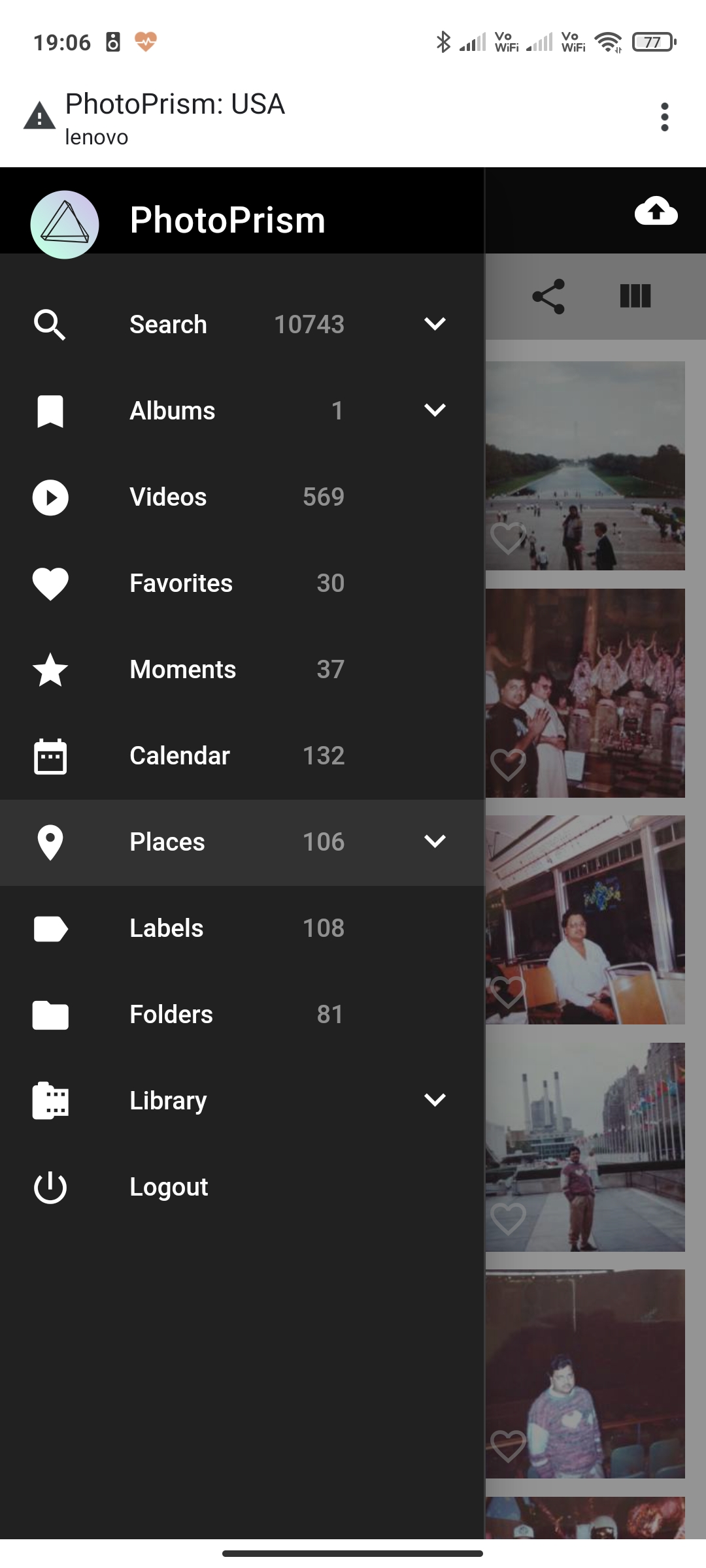
PhotoPrism I only came across this project around a month ago, while the project has been around since 2019. So far, in my exploration, this is one of the best Free Software tools to manage and organize my digital photos. The other favorite tool that I regularly depend on is Digikam and it still is a gem. In a gist, PhotoPrism aims to be the equivalent of Google Photos, for the privacy savvy people. As of date, it has a decent list of features available. And for some of the missing ones, I ve come up with a fairly okay workflow with other tools, which is one of the reasons of this blog post. PhotoPrism is a web app, written in the Go Programming Language. Its layout and workflow as a Photo Management application is similar to Google Photos. It is very performant compared to other applications. Since it is a Progressive Web App, access through a Laptop, Tablet or Mobile is almost the same. It uses Google TensorFlow for some of its features and thus you feel like using Google Photos in some regard. Some shortcomings and workarounds
  • Facial Recognition: To date, facial recognition is a planned feature. But this was easy to tackle given that Digikam has pretty solid facial recognition. So I use Digikam to detect, recognize and annotate faces. And then PhotoPrism is happy enough to use those annotations and present relevant data.
  • HTTP Web App: The upstream project has done a good job of making use of Docker container technology in presenting this web app solution. A software solution, the equivalent of a Google Photos, does need a heavyweight config. In free software, it is all about reusing available tools. PhotoPrism makes use of tools like MySQL, Vue.js, TensorFlow, GoLang, GoLibs and strives to provide a single package solution, all thanks to Docker containers.
In its current offering, PhotoPrism is run as a HTTP Web App. I wanted to have an added layer of security on top of it. And thus run an nginx reverse proxy on top of it. Along with it, I run the proxy service on HTTPS, thus making all traffic from clients to the proxy encrypted. I also wanted an added layer of HTTP AUTH on top, so I explored some options and finally settled down with http-auth-digest Also, in the current implementation, PhotoPrism doesn t have a strong notion of normal and private photos in its data organization. I wanted normal photos available under a standard auth realm and private photos under a different realm. And along with a different realm, I also wanted some added security directives for it. So far, it looks like I ve put together a decent solution with the help of nginx.
  • First of all, since the port from the host is forwarded to the docker instance, that needed to be controlled. Instead of the default of listening on all interfaces, I changed it to loopback only. Because my primary and only interface is going to be the nginx reverse proxy
  • Setup nginx with a self-signed certificate to have all communication encrypted.
  • Setup nginx as a reverse proxy to talk to PhotoPrism.
    server  
       listen 80;
       listen [::]:80;
       server_name lenovo;
       return 302 https://$host$request_uri;
       rewrite ^ https://$http_host$request_uri? permanent;    # force redirect http to https
        server_tokens off;
     
    server  
    listen 443 ssl http2 default_server;
    listen [::]:443 ssl http2 default_server;
    ssl_certificate_key /etc/ssl/private/ssl-cert-snakeoil.key;
    ssl_certificate /etc/ssl/certs/ssl-cert-snakeoil.pem;
    server_tokens off;
    server_name lenovo;
    client_max_body_size 500M;
        auth_digest_expires 900s;
        auth_digest_evasion_time 5s;
        auth_digest_replays 500;
    location /private  
        auth_digest 'abc';
        auth_digest_user_file /etc/nginx/htdigest;
        auth_digest_expires 900s;
        auth_digest_evasion_time 5s;
        auth_digest_replays 500;
        proxy_pass http://localhost:2342/private;
     
    location /discover  
        auth_digest 'abc';
        auth_digest_user_file /etc/nginx/htdigest;
        auth_digest_expires 900s;
        auth_digest_evasion_time 5s;
        auth_digest_replays 500;
        proxy_pass http://localhost:2342/discover;
     
    location /  
        proxy_set_header X-Forwarded-For $proxy_add_x_forwarded_for;
        proxy_set_header Host $host;
        proxy_buffering off;
        proxy_http_version 1.1;
        proxy_set_header Upgrade $http_upgrade;
        proxy_set_header Connection "upgrade";
        proxy_pass http://localhost:2342;
          
        auth_basic "Priv";
        auth_basic_user_file /etc/nginx/htpasswd;


  • nginx packaging: I was so happy to see the simplicity of the nginx packaging in Debian. Becuase http-auth-digest is not upstream, it needs to be pulled in separately and compiled. I was happy to see how simple the packaging structure of nginx in Debian is. It was just a matter of putting in the module in the right modules location, which as structured such in the packaging falls under the debian/ packaging sub-folder, that any future upgrades will be quite easy to manage.
  • http-auth-digest: I d love to see http-auth-digest module be part of the upstream package. While I m a web n00b, I felt this module perfect for my use case. From what I ve understood, set up and tested so far, this module fills in all my requirements; which is more of like a session management.
With the combined setup in place, https://host is authenticated with a different set of credentials. On the other hand, https://host/discover and /private get covered with a different set of credentials and policies. While, this will continue to be an ongoing effort and audit of the services that I build, so far now, I feel this is in decent shape that I can use it as my daily driver. The end result is:
nginx auth prompt
nginx auth prompt
PhotoPrism Photo List
PhotoPrism Menu
PhotoPrism Menu

Updates
  • Things can really get frustrating at times. These days, it is Google that contributes to it. https://bugs.chromium.org/p/chromium/issues/detail?id=544244
    • It is is now fair to say that Google is big enough to rewrite all the standards. Or at least break them. Or best, their arrogance of it. This bug report is a fine example of what other ways it could have been dealt.

20 May 2021

Jonathan McDowell: Losing control to Kubernetes

GMK NucBox Kubernetes is about giving up control. As someone who likes to understand what s going on that s made it hard for me to embrace it. I ve also mostly been able to ignore it, which has helped. However I m aware it s incredibly popular, and there s some infrastructure at work that uses it. While it s not my responsibility I always find having an actual implementation of something is useful in understanding it generally, so I decided it was time to dig in and learn something new. First up, I should say I understand the trade-off here about handing a bunch of decisions off to Kubernetes about the underlying platform allowing development/deployment to concentrate on a nice consistent environment. I get the analogy with the shipping container model where you can abstract out both sides knowing all you have to do is conform to the TEU API. In terms of the underlying concepts I ve got some virtualisation and container experience, so I m not coming at this as a complete newcomer. And I understand multi-site dynamically routed networks. That said, let s start with a basic goal. I d like to understand k8s (see, I can be cool and use the short name) enough to be comfortable with what s going on under the hood and be able to examine a running instance safely (i.e. enough confidence about pulling logs, probing state etc without fearing I might modify state). That ll mean when I come across such infrastructure I have enough tools to be able to hopefully learn from it. To do this I figure I ll need to build myself a cluster and deploy some things on it, then poke it. I ll start by doing so on bare metal; that removes variables around cloud providers and virtualisation and gives me an environment I know is isolated from everything else. I happen to have a GMK NucBox available, so I ll use that. As a first step I m aiming to get a single node cluster deployed running some sort of web accessible service that is visible from the rest of my network. That should mean I ve covered the basics of a Kubernetes install, a running service and actually making it accessible. Of course I m running Debian. I ve got a Bullseye (Debian 11) install - not yet released as stable, but in freeze and therefore not a moving target. I wanted to use packages from Debian as much as possible but it seems that the bits of Kubernetes available in main are mostly just building blocks and not a great starting point for someone new to Kubernetes. So to do the initial install I did the following:
# Install docker + nftables from Debian
apt install docker.io nftables
# Add the Kubernetes repo and signing key
curl -s https://packages.cloud.google.com/apt/doc/apt-key.gpg > /etc/apt/k8s.gpg
cat > /etc/apt/sources.list.d/kubernetes.list <<EOF
deb [signed-by=/etc/apt/k8s.gpg] https://apt.kubernetes.io/ kubernetes-xenial main
EOF
apt update
apt install kubelet kubeadm kubectl
That resulted in a 1.21.1-00 install, which is current at the time of writing. I then used kubeadm to create the cluster:
kubeadm init --apiserver-advertise-address 192.168.53.147 --apiserver-cert-extra-sans udon.mynetwork
The extra parameters were to make the API server externally accessible from the host. I don t know if that was a good idea or not at this stage kubeadm spat out a bunch of instructions but the key piece was about copying the credentials to my user account. So I did:
mkdir ~noodles/.kube
cp -i /etc/kubernetes/admin.conf ~noodles/.kube/config
chown -R noodles ~noodles/.kube/
I then was able to see my pod:
noodles@udon:~$ kubectl get nodes
NAME   STATUS     ROLES                  AGE     VERSION
udon   NotReady   control-plane,master   4m31s   v1.21.1
Ooooh. But why s it NotReady? Seems like it s a networking issue and I need to install a networking provider. The documentation on this is appalling. Flannel gets recommended as a simple option but then turns out to need a --pod-network-cidr option passed to kubeadm and I didn t feel like cleaning up and running again (I ve omitted all the false starts it took me to get to this point). Another pointer was to Weave so I decided to try that with the following magic runes:
mkdir -p /var/lib/weave
head -c 16 /dev/urandom   shasum -a 256   cut -d " " -f1 > /var/lib/weave/weave-passwd
kubectl create secret -n kube-system generic weave-passwd --from-file=/var/lib/weave/weave-passwd
kubectl apply -f "https://cloud.weave.works/k8s/net?k8s-version=$(kubectl version   base64   tr -d '\n')&password-secret=weave-passwd&env.IPALLOC_RANGE=192.168.0.0/24"
(I believe what that s doing is the first 3 lines create a password and store it into the internal Kubernetes config so the weave pod can retrieve it. The final line then grabs a YAML config from Weaveworks to configure up weave. My intention is to delve deeper into what s going on here later; for now the primary purpose is to get up and running.) As I m running a single node cluster I then had to untaint my control node so I could use it as a worker node too:
kubectl taint nodes --all node-role.kubernetes.io/master-
And then:
noodles@udon:~$ kubectl get nodes
NAME   STATUS   ROLES                  AGE   VERSION
udon   Ready    control-plane,master   15m   v1.21.1
Result. What s actually running? Nothing except the actual system stuff, so we need to ask for all namespaces:
noodles@udon:~$ kubectl get pods --all-namespaces
NAMESPACE     NAME                           READY   STATUS    RESTARTS   AGE
kube-system   coredns-558bd4d5db-4nvrg       1/1     Running   0          18m
kube-system   coredns-558bd4d5db-flrfq       1/1     Running   0          18m
kube-system   etcd-udon                      1/1     Running   0          18m
kube-system   kube-apiserver-udon            1/1     Running   0          18m
kube-system   kube-controller-manager-udon   1/1     Running   0          18m
kube-system   kube-proxy-6d8kg               1/1     Running   0          18m
kube-system   kube-scheduler-udon            1/1     Running   0          18m
kube-system   weave-net-mchmg                2/2     Running   1          3m26s
These are all things I m going to have to learn about, but for now I ll nod and smile and pretend I understand. Now I want to actually deploy something to the cluster. I ended up with a simple HTTP echoserver (though it s not entirely clear that s actually the source for what I ended up pulling):
$ kubectl create deployment hello-node --image=k8s.gcr.io/echoserver:1.10
deployment.apps/hello-node created
$ kubectl get pod
NAME                          READY   STATUS    RESTARTS   AGE
hello-node-59bffcc9fd-8hkgb   1/1     Running   0          36s
$ kubectl expose deployment hello-node --type=NodePort --port=8080
$ kubectl get services
NAME         TYPE        CLUSTER-IP      EXTERNAL-IP   PORT(S)          AGE
hello-node   NodePort    10.107.66.138   <none>        8080:31529/TCP   1m
Looks good. And to test locally:
curl http://10.107.66.138:8080/

Hostname: hello-node-59bffcc9fd-8hkgb
Pod Information:
	-no pod information available-
Server values:
	server_version=nginx: 1.13.3 - lua: 10008
Request Information:
	client_address=192.168.53.147
	method=GET
	real path=/
	query=
	request_version=1.1
	request_scheme=http
	request_uri=http://10.107.66.138:8080/
Request Headers:
	accept=*/*
	host=10.107.66.138:8080
	user-agent=curl/7.74.0
Request Body:
	-no body in request-
Neat. But my external network is 192.168.53.0/24 and that s a 10.* address so how do I actually make it visible to other hosts? What I seem to need is an Ingress Controller which provide some sort of proxy between the outside world and pods within the cluster. Let s pick nginx because at least I have some vague familiarity with that and it seems like it should be able to do a bunch of HTTP redirection to different pods depending on the incoming request.
kubectl apply -f https://raw.githubusercontent.com/kubernetes/ingress-nginx/controller-v0.46.0/deploy/static/provider/cloud/deploy.yaml
I then want to expose the hello-node to the outside world and I finally had to write some YAML:
cat > hello-ingress.yaml <<EOF
apiVersion: networking.k8s.io/v1
kind: Ingress
metadata:
  name: example-ingress
  annotations:
    nginx.ingress.kubernetes.io/rewrite-target: /$1
spec:
  rules:
    - host: udon.mynetwork
      http:
        paths:
          - path: /
            pathType: Prefix
            backend:
              service:
                name: hello-node
                port:
                  number: 8080
EOF
i.e. incoming requests to http://udon.mynetwork/ should go to the hello-node on port 8080. I applied this:
$ kubectl apply -f hello-ingress.yaml
ingress.networking.k8s.io/example-ingress created
$ kubectl get ingress
NAME              CLASS    HOSTS            ADDRESS   PORTS   AGE
example-ingress   <none>   udon.mynetwork             80      3m8s
No address? What have I missed? Let s check the nginx service, which apparently lives in the ingress-nginx namespace:
noodles@udon:~$ kubectl get services -n ingress-nginx
NAME                                 TYPE           CLUSTER-IP      EXTERNAL-IP   PORT(S)                    AGE
ingress-nginx-controller             LoadBalancer   10.96.9.41      <pending>     80:32740/TCP,443:30894/TCP 13h
ingress-nginx-controller-admission   ClusterIP      10.111.16.129   <none>        443/TCP                    13h
<pending> does not seem like something I want. Digging around it seems I need to configure the external IP. So I do:
kubectl patch svc ingress-nginx-controller -n ingress-nginx -p \
	' "spec":  "type": "LoadBalancer", "externalIPs":["192.168.53.147"] '
and things look happier:
noodles@udon:~$ kubectl get services -n ingress-nginx
NAME                                 TYPE           CLUSTER-IP      EXTERNAL-IP      PORT(S)                 AGE
ingress-nginx-controller             LoadBalancer   10.96.9.41      192.168.53.147   80:32740/TCP,443:30894/TCP   14h
ingress-nginx-controller-admission   ClusterIP      10.111.16.129   <none>           443/TCP                 14h
noodles@udon:~$ kubectl get ingress
NAME              CLASS    HOSTS           ADDRESS          PORTS   AGE
example-ingress   <none>   udon.mynetwork  192.168.53.147   80      14h
Let s try a curl from a remote host:
curl http://udon.mynetwork/

Hostname: hello-node-59bffcc9fd-8hkgb
Pod Information:
	-no pod information available-
Server values:
	server_version=nginx: 1.13.3 - lua: 10008
Request Information:
	client_address=192.168.0.5
	method=GET
	real path=/
	query=
	request_version=1.1
	request_scheme=http
	request_uri=http://udon.mynetwork:8080/
Request Headers:
	accept=*/*
	host=udon.mynetwork
	user-agent=curl/7.64.0
	x-forwarded-for=192.168.53.136
	x-forwarded-host=udon.mynetwork
	x-forwarded-port=80
	x-forwarded-proto=http
	x-real-ip=192.168.53.136
	x-request-id=6aaef8feaaa4c7d07c60b2d05c45f75c
	x-scheme=http
Request Body:
	-no body in request-
Ok, so that seems like success. I ve got a single node cluster running a single actual application pod (the echoserver) and exporting it to the outside world. That s enough to start poking under the hood. Which is for another post, as this one is already getting longer than I d like. I ll just leave some final thoughts of things I need to work out:

16 May 2021

Carl Chenet: How to save up to 500 /year switching from Mailchimp to Open Source Mailtrain and AWS SES

My newsletter Le Courrier du hacker (3,800 subscribers, 176 issues) is 3 years old and Mailchimp costs were becoming unbearable for a small project ($50 a month, $600 a year), with still limited revenues nowadays. Switching to the Open Source Mailtrain plugged to the AWS Simple Email Service (SES) will dramatically reduce the associated costs. First things first, thanks a lot to Pierre-Gilles Leymarie for his own article about switching to Mailtrain/SES. I owe him (and soon you too) so much. This article will be a step-by-step about how to set up Mailtrain/SES on a dedicated server running Linux. What s the purpose of this article? Mailchimp is more and more expensive following the growth of your newsletter subscribers and you need to leave it. You can use Mailtrain, a web app running on your own server and use the AWS SES service to send emails in an efficient way, avoiding to be flagged as a spammer by the other SMTP servers (very very common, you can try but you have been warned against  Prerequisites You will need the following prerequisites : Steps This is a fairly straightforward setup if you know what you re doing. In the other case, you may need the help of a professional sysadmin. You will need to complete the following steps in order to complete your setup: Configure AWS SES Verify your domain You need to configure the DKIM to certify that the emails sent are indeed from your own domain. DKIM is mandatory, it s the de-facto standard in the mail industry. Ask to verify your domain
Ask AWS SES to verify a domain
Generate the DKIM settings
Use the DKIM settings
Now you have your DKIM settings and Amazon AWS is waiting for finding the TXT field in your DNS zone. Configure your DNS zone to include DKIM settings I can t be too specific for this section because it varies A LOT depending on your DNS provider. The keys is: as indicated by the previous image you have to create one TXT record and two CNAME records in your DNS zone. The names, the types and the values are indicated by AWS SES. If you don t understand what s going here, there is a high probabiliy you ll need a system administrator to apply these modifications and the next ones in this article. Am I okay for AWS SES ? As long as the word verified does not appear for your domain, as shown in the image below, something is wrong. Don t wait too long, you have a misconfiguration somewhere.
AWS SES pending verification
When your domain is verified, you ll also receive an email to inform you about the successful verification. SMTP settings The last step is generating your credentials to use the AWS SES SMTP server. IT is really straightforward, providing the STMP address to use, the port, and a pair of username/password credentials.
AWS SES SMTP settings and credentials
Just click on Create My SMTP Credentials and follow the instructions. Write the SMTP server address somewhere and store the file with credentials on your computer, we ll need them below. Configure your server As we said before, we need a baremetal server or a virtual machine running a recent Linux. Configure your MySQL/MariaDB database We create a user mailtrain having all rights on a new database mailtrain.
MariaDB [(none)]> create database mailtrain;
Query OK, 1 row affected (0.00 sec)
MariaDB [(none)]> CREATE USER 'mailtrain' IDENTIFIED BY 'V3rYD1fF1cUlTP4sSW0rd!';
Query OK, 0 rows affected (0.01 sec)
MariaDB [(none)]> GRANT ALL PRIVILEGES ON mailtrain.* TO 'mailtrain'@localhost IDENTIFIED BY 'V3rYD1fF1cUlTP4sSW0rd!';
Query OK, 0 rows affected (0.00 sec)
MariaDB [(none)]> FLUSH PRIVILEGES;
Query OK, 0 rows affected (0.00 sec)
MariaDB [(none)]> show databases;
+--------------------+
  Database            
+--------------------+
  information_schema  
  mailtrain           
  mysql               
  performance_schema  
+--------------------+
6 rows in set (0.00 sec)
MariaDB [(none)]> Bye
Configure your web server I use Nginx and I ll give you the complete setup for it, including generating Let s Encrypt. Configure Let s Encrypt You need to stop Nginx as root: systemctl stop nginx Then get the certificate only, I ll give the Nginx Vhost configuration: certbot certonly -d mailtrain.toto.com Install Mailtrain On your server create the following directory: mkdir -p /var/www/
cd /var/www
wget https://github.com/Mailtrain-org/mailtrain/archive/refs/tags/v1.24.1.tar.gz
tar zxvf v1.24.1.tar.gz
Modify the file /var/www/mailtrain/config/production.toml to use the MySQL settings:
[mysql]
host="localhost"
user="mailtrain"
password="V3rYD1ff1culT!"
database="mailtrain"
Now launch the Mailtrain process in a screen:
screen
NODE_ENV=production npm start
Now Mailtrain is launched and should be running. Yeah I know it s ugly to launch like this (root process in a screen, etc) you can improve security with the following commands:
groupadd mailtrain
useradd -g mailtrain
chown -R mailtrain:mailtrain /var/www/mailtrain 
Now create the following file in /etc/systemd/system/mailtrain.service
[Unit]
 Description=mailtrain
 After=network.target
[Service]
 Type=simple
 User=mailtrain
 WorkingDirectory=/var/www/mailtrain/
 Environment="NODE_ENV=production"
 Environment="PORT=3000"
 ExecStart=/usr/bin/npm run start
 TimeoutSec=15
 Restart=always
[Install]
 WantedBy=multi-user.target
To register the following systemd unit and to launch the new Mailtrain daemon, use the following commands (do not forget to kill your screen session if you used it before):
systemctl daemon-reload
systemctl start mailtrain.service
Now Mailtrain is running under the classic user mailtrain of the mailtrain system group. Configure the Nginx Vhost configuration for your domain Here is my configuration for the Mailtrain Nginx Vhost:
map $http_upgrade $connection_upgrade  
  default upgrade;
  ''      close;
 
server  
  listen 80; 
  listen [::]:80;
  server_name mailtrain.toto.com;
  return 301 https://$host$request_uri;
 
server  
  listen 443 ssl;
  listen [::]:443 ssl;
  server_name mailtrain.toto.com;
  access_log /var/log/nginx/mailtrain.toto.com.access.log;
  error_log /var/log/nginx/mailtrain.toto.com.error.log;
  ssl_protocols TLSv1.2;
  ssl_ciphers EECDH+AESGCM:EECDH+AES;
  ssl_ecdh_curve prime256v1;
  ssl_prefer_server_ciphers on; 
  ssl_session_cache shared:SSL:10m;
  ssl_certificate     /etc/letsencrypt/live/mailtrain.toto.com/fullchain.pem;
  ssl_certificate_key /etc/letsencrypt/live/mailtrain.toto.com/privkey.pem;
  keepalive_timeout    70; 
  sendfile             on;
  client_max_body_size 0;
  root /var/www/mailtrain;
  location ~ /\.well-known\/acme-challenge  
    allow all;
   
  gzip on; 
  gzip_disable "msie6";
  gzip_vary on; 
  gzip_proxied any;
  gzip_comp_level 6;
  gzip_buffers 16 8k; 
  gzip_http_version 1.1;
  gzip_types text/plain text/css application/json application/javascript text/xml application/xml application/xml+rss text/javascript;
  add_header Strict-Transport-Security "max-age=31536000";
  location /   
    try_files $uri @proxy;
   
  location @proxy  
    proxy_set_header Host $host;
    proxy_set_header X-Real-IP $remote_addr;
    proxy_set_header X-Forwarded-For $proxy_add_x_forwarded_for;
    proxy_set_header X-Forwarded-Proto https;
    proxy_pass http://127.0.0.1:3000;
   
 
Now Nginx is ready. Just start it:
systemctl start nginx
This Nginx vhost will redirect all http requests coming to the Mailtrain process running on the 3000 port. Now it s time to setup Mailtrain! Setup Mailtrain You should be able to access your Mailtrain at https://mailtrain.toto.com Mailtrain is quite simple to configure, Here is my mailer setup. Mailtrain just forwards emails to AWS SES. We only have to plug Mailtrain to AWS SES.
Mailtrain mailer setup
The hostname is provided by AWS SES in the STMP Settings section. Use the 465 port and USE TLS option. Next is providing your AWS SES username and password you generated above and stored somewhere on your computer. One of the issues I encountered is the AWS SES rate limit. Send too many emails too fast will get you flagged as a spammer. So I had to throttle Mailtrain. Because I m a lazy man, I asked Pierre-Gilles Leymarie his setup. Quite easier than determining myself the good one. Here is my setup. Works fine for my soon-to-be 4k subscribers. The idea is: if your AWS SES lets you know you send too fast then just slow down.
Mailtrain to throttle sending emails to AWS SES

Conclusion That s it! You re ready! Almost. You need an HTML template for your newsletter and a list of subscribers. Buf if you re not new in the newsletter field, fleeing Mailchimp because of their expensive prices, you should have them both already. After sending almost ten issues with this setup, I m really happy with it. Open/click rates are the same. When leaving Mailchimp, do not leave any list of subscribers because they ll charge you $8 for a 0 to 500 contacts, that s crazy expensive! About the author The post How to save up to 500 /year switching from Mailchimp to Open Source Mailtrain and AWS SES appeared first on Carl Chenet's Blog.

Russ Allbery: Review: A Desolation Called Peace

Review: A Desolation Called Peace, by Arkady Martine
Series: Teixcalaan #2
Publisher: Tor
Copyright: 2021
ISBN: 1-250-18648-X
Format: Kindle
Pages: 496
A Desolation Called Peace is a direct sequel to A Memory Called Empire and picks up shortly after that book's ending. It would completely spoil the first book and builds heavily on previous events. This is not a series to read out of order. It's nearly impossible to discuss anything about the plot of this book without at least minor spoilers for the previous book, so beware. If you've not read A Memory Called Empire, I highly recommend it, and you may want to skip this review until you have. Mahit Dzmare has returned to Lsel Station and escaped, mostly, the pull of the Teixcalaan Empire in all its seductive arrogance. That doesn't mean Lsel Station is happy to see her. The maneuverings of the station council were only a distant part of the complex political situation she was navigating at the Teixcalaanli capital. Now home, it is far harder to ignore powerful councilors who would be appalled by the decisions she made. The ambassador to a hated foreign empire does not have many allies. Yaotlek Nine Hibiscus, the empire's newest commander of commanders, is the spear the empire has thrust towards a newly-discovered alien threat. The aliens have already slaughtered all the inhabitants of a mining outpost for no obvious reason, and their captured communications are so strange as to provoke nausea in humans. Their cloaking technology makes the outcome of pitched warfare dangerously uncertain. Nine Hibiscus needs someone who can talk to aliens without mouths, and that means the Information Ministry. The Information Ministry means a newly promoted Three Seagrass, who is suffering from insomnia, desperately bored, and missing Mahit Dzmare. And who sees in Nine Hibiscus's summons an opportunity to address several of those problems at once. A Memory Called Empire had an SFnal premise and triggering plot machinery, but it was primarily a city political thriller. A Desolation Called Peace moves onto the more familiar SF ground of first contact with a very alien species, but Martine makes the unusual choice of revealing one of the secrets of the aliens to the reader at the start of the book. This keeps the reader's focus more on the political maneuvering than on the mystery, but with a classic first-contact communication problem as the motivating backdrop. That's only one of the threads of this book, though. Another is the unfinished business between Three Seagrass and Mahit Dzmare, and between Mahit Dzmare and the all-consuming culture of Teixcalaan. A third is the political education of a very exceptional boy, whose mere existence is a spoiler for A Memory Called Empire and therefore not something I will discuss in detail. And then there are the internal politics of Lsel Station, although I thought that was the least effective part of the book and never reached a satisfying conclusion. This is a lot to balance, and I think that's one of the reasons why A Desolation Called Peace doesn't replicate the magic that made me love A Memory Called Empire so much. Full-steam-ahead pacing with characters who are thinking on their feet and taking desperate risks has a glorious momentum. Here, there's too much going on (not to mention four major viewpoint characters) to maintain the same pace. Once Mahit and Three Seagrass get into the same room, there are moments that are as good as the highlights of A Memory Called Empire, but it's not as sustained as I was hoping for. This book also spends more time on Mahit and Three Seagrass's relationship, and despite liking both of the characters, this didn't entirely work for me. Martine uses them to make a subtle and powerful point about relationships across power gradients and the hurt that comes from someone trivializing a conflict that is central to your identity. It took me a while to understand the strength of Mahit's reaction, but it eventually felt right. But that fight wasn't what I was looking for in the book, and there was a bit too much of both of them failing (or refusing) to communicate for my taste. I appreciated what Martine was exploring, but personally I wanted a different sort of catharsis. That said, this is still a highly enjoyable book. Nine Hibiscus is a solid military SF character who is a good counterweight to the more devious approaches of the other characters. I enjoyed the subplot of the kid in the Teixcalaanli capital more than I expected, although it felt more like setup for future novels than critical to the plot of this one. And then there's Three Seagrass.
Three Seagrass always made decisions wholly and entire. All at once. choosing information as her aptitudes. Choosing the position of cultural liaison to the Lsel Ambassador. Choosing to trust her. choosing to come here, to take this assignment entirely, completely, and without pausing to look to see how deep the water was that she was leaping into.
Every word of this is true, and it's so much fun to read. Three Seagrass was a bit overshadowed in A Memory Called Empire, a supporting character in someone else's story. Here, she has moments where she can take the lead, and she's so delightfully different than Mahit. I loved every moment of her viewpoint. A Desolation Called Peace isn't as taut or as coherent as A Memory Called Empire. The plot sags in a few places, and I think there was a bit too much hopeless Lsel politics, nebulous alien horror, and injured silence between characters. But the high points are nearly as good as the high points of A Memory Called Empire and I adore these characters. If you liked the first book, I think you'll like this one too. More, please! Rating: 8 out of 10

14 May 2021

Jelmer Vernooij: Ognibuild

The Debian Janitor is an automated system that commits fixes for (minor) issues in Debian packages that can be fixed by software. It gradually started proposing merges in early December. The first set of changes sent out ran lintian-brush on sid packages maintained in Git. This post is part of a series about the progress of the Janitor. The FOSS world uses a wide variety of different build tools; given a git repository or tarball, it can be hard to figure out how to build and install a piece of software. Humans will generally know what build tool a project is using when they check out a project from git, or they can read the README. And even then, the answer may not always be straightforward to everybody. For automation, there is no obvious place to figure out how to build or install a project.

Debian For Debian packages, Debian maintainers generally will have determined that the appropriate tools to invoke are, and added appropriate invocations to debian/rules. This is really nice when rebuilding all of Debian - one can just invoke debian/rules - a consistent interface - and it will in turn invoke the right tools to build the package, meeting a long list of requirements. With newer versions of debhelper and most common build systems, debhelper can figure a lot of this out automatically - the maintainer just has to add the appropriate build and run time dependencies. However, debhelper needs to be consistent in its behaviour per compat level - otherwise builds might start failing with different versions of debhelper, when the autodetection logic is changed. debhelper can also only do the right thing if all the necessary dependencies are present. debhelper also only functions in the context of a Debian package.
Ognibuild Ognibuild is a new tool that figures out the build system in use by an upstream project, as well as the other dependencies it needs. This information can then be used to invoke said build system, or to e.g. add missing build dependencies to a Debian package. Ognibuild uses a variety of techniques to work out what the dependencies for an upstream package are:
  • Extracting dependencies and other requirements declared in build system metadata (e.g. setup.py)
  • Attempting builds and parsing build logs for missing dependencies (repeating until the build succeeds), calling out to buildlog-consultant
Once it is determined which dependencies are missing, they can be resolved in a variety of ways. Apt can be invoked to install missing dependencies on Debian systems (optionally in a chroot) or ecosystem-specific tools can be used to do so (e.g. pypi or cpan). Instead of installing packages, the tool can also simply inform the user about the missing packages and commands to install them, or update a Debian package appropriately (this is what deb-fix-build does). The target audience of ognibuild are people who need to (possibly from automation) build a variety of projects from different ecosystems or users who are looking to just install a project from source. Developers who are just hacking on e.g. a Python project are better off directly invoking the ecosystem-native tools rather than a wrapper like ognibuild.
Supported ecosystems (Partially) supported ecosystems currently include:
  • Combinations of make and autoconf, automake or CMake
  • Python, including fetching packages from pypi
  • Perl, including fetching packages from cpan
  • Haskell, including fetching from hackage
  • Ninja/Meson
  • Maven
  • Rust, including fetching packages from crates.io
  • PHP Pear
  • R, including fetching packages from CRAN and Bioconductor
For a full list, see the README.
Usage Ognibuild provides a couple of top-level subcommands that will seem familiar to anybody who has used a couple of other build systems:
  • ogni clean - remove build artifacts
  • ogni dist - create a dist tarball
  • ogni build - build the project in the current directory
  • ogni test - run the test suite
  • ogni install - install the project somewhere
  • ogni info - display project information including discovered build system and dependencies
  • ogni exec - run an arbitrary command but attempt to resolve issues like missing dependencies
These tools all take a couple of common options:
resolve=apt auto native Specifies how to resolve any missing dependencies:
  • apt: install the appropriate dependency using apt
  • native: install dependencies using native tools like pip or cpan
  • auto: invoke either apt or native package install, depending on whether the current user is allowed to invoke apt
schroot=name Run inside of a schroot.
explain do not make any changes but tell the user which native on apt packages they could install. There are also subcommand-specific options, e.g. to install to a specific directory on restrict which tests are run.
Examples
Creating a dist tarball
1
2
3
4
5
6
7
8
9
% git clone https://github.com/dulwich/dulwich
% cd dulwich
% ogni --schroot=unstable-amd64-sbuild dist
 
Writing dulwich-0.20.21/setup.cfg
creating dist
Creating tar archive
removing 'dulwich-0.20.21' (and everything under it)
Found new tarball dulwich-0.20.21.tar.gz in /var/run/schroot/mount/unstable-amd64-sbuild-974d32d7-6f10-4e77-8622-b6a091857e85/build/tmpucazj7j7/package/dist.
Installing ldb from source, resolving dependencies using apt
1
2
3
4
5
6
7
8
9
% wget https://download.samba.org/pub/ldb/ldb-2.3.0.tar.gz
% tar xvfz ldb-2.3.0.tar.gz
% cd ldb-2.3.0
% ogni install --prefix=/tmp/ldb
 
+ install /tmp/ldb/include/ldb.h (from include/ldb.h)
 
Waf: Leaving directory  /tmp/ldb-2.3.0/bin/default'
'install' finished successfully (11.395s)
Running all tests from XML::LibXML::LazyBuilder
1
2
3
4
5
6
% wget  https://cpan.metacpan.org/authors/id/T/TO/TORU/XML-LibXML-LazyBuilder-0.08.tar.gz _ <https://cpan.metacpan.org/authors/id/T/TO/TORU/XML-LibXML-LazyBuilder-0.08.tar.gz> _
% tar xvfz XML-LibXML-LazyBuilder-0.08.tar.gz
Cd XML-LibXML-LazyBuilder-0.08
% ogni test
 
Current Status ognibuild is still in its early stages, but works well enough that it can detect and invoke the build system for most of the upstream projects packaged in Debian. If there are buildsystems that it currently lacks support for or other issues, then I d welcome any bug reports.

10 May 2021

Russell Coker: Echo Chambers vs Epistemic Bubbles

C Thi Nguyen wrote an interesting article about the difficulty of escaping from Echo Chambers and also mentions Epistemic Bubbles [1]. An Echo Chamber is a group of people who reinforce the same ideas and who often preemptively strike against opposing ideas (for example the right wing denigrating mainstream media to prevent their followers from straying from their approved message). An Epistemic Bubble is a group of people who just happen to not have contact with certain different ideas. When reading that article I wondered about what bubbles I and the people I associate with may be in. One obvious issue is that I have little communication with people who don t write in English and also little communication with people who are poor. So people who are poor and who can t write in English (which means significant portions of the population of India and Africa) are out of communication range for me. There are many situations that are claimed to be bubbles such as white people who are claimed to be innocent of racial issues because they only associate with other white people and men in the IT industry who are claimed to be innocent of sexism because they don t associate with women in the IT industry. But I think they are more of an echo chamber issue, if a white American doesn t access any of the variety of English language media produced by Afro Americans and realise that there s a racial problem it s because they don t want to see it and deliberately avoid looking at evidence. If a man in the IT industry doesn t access any of the media produced by women in tech and realise there are problems with sexism then it s because they don t want to see it. When is it OK to Reject a Group? The Ad Hominem Wikipedia page has a good analysis of different types of Ad Hominem arguments [2]. But the criteria for refuting a point in a debate are very different to the criteria used to determine which sources you should trust when learning about a topic. For example it s theoretically possible for someone to be good at computer science while also thinking the world is flat. In a debate about some aspect of computer programming it would be a fallacious Ad Hominem argument to say you think the Earth is flat therefore you can t program a computer . But if you do a Google search for information on computer programming and one of the results is from earthisflat.com then it would probably save time to skip reading that one. If only one person supports an idea then it s quite likely to be wrong. Good ideas tend to be supported by multiple people and for any good idea you will find a supporter who doesn t appear to have any ideas that are obviously wrong. One of the problems we have as a society now is determining the quality of data (ideas, claims about facts, opinions, communication/spam, etc). When humans have to do that it takes time and energy. Shortcuts can make things easier. Some shortcuts I use are that mainstream media articles are usually more reliable than social media posts (even posts by my friends) and that certain media outlets are untrustworthy (like Breitbart). The next step is that anyone who cites a bad site like Breitbart as factual (rather than just an indication of what some extremists believe) is unreliable. For most questions that you might search for on the Internet there is a virtually endless supply of answers, the challenge is not finding an answer but finding a correct answer. So eliminating answers that are unlikely to be correct is an important part of the search. If someone is citing references to support their argument and they can only cite fringe or extremist sites then I won t be convinced. Now someone could turn that argument around and claim that a site I reference such as the New York Times is wrong. If I find that my ideas were based on a claim that can only be found on the NYT then I will reconsider the issue. While I think that the NYT is generally accurate they are capable of making mistakes and if they are the sole source for claims that go against other claims then I will be hesitant to accept such claims. Newspapers often have exclusive articles based on their own research, but such articles always inspire investigation from other newspapers so other articles appear either supporting or questioning the claims in the exclusive. Saving Time When Interacting With Members of Echo Chambers Convincing a member of a cult or echo chamber of anything is not likely. When in discussions with them the focus should be on the audience and on avoiding wasting much time while also not giving them the impression that you agree with them. A common thing that members of echo chambers say is I don t have time to read about that when you ask if they have read a research paper or a news article. I don t have time to listen to people who can t or won t learn before speaking, there just isn t any value in that. Also if someone has a list of memes that takes more than 15 minutes to recite then they have obviously got time for reading things, just not reading outside their echo chamber. Conversations with members of echo chambers seem to be state free. They make a claim and you reject it, but regardless of the logical flaws you point out or the counter evidence you cite they make the same claim again the next time you speak to them. This seems to be evidence supporting the claim that evangelism is not about converting other people but alienating cult members from the wider society [3] (the original Quora text seems unavailable so I ve linked to a Reddit copy). Pointing out that they had made a claim previously and didn t address the issues you had with it seems effective, such discussions seem to be more about performance so you want to perform your part quickly and efficiently. Be aware of false claims about etiquette. It s generally regarded as polite not to disagree much with someone who invites you to your home or who has done some favour for you, but that is no reason for tolerating an unwanted lecture about their echo chamber. Anyone who tries to create a situation where it seems rude of you not to listen to them saying things that they know will offend you is being rude, much ruder than telling them you are sick of it. Look for specific claims that can be disproven easily. The claim that the Roman Salute is different from the Hitler Salute is one example that is easy to disprove. Then they have to deal with the issue of their echo chamber being wrong about something.

8 May 2021

Thorsten Alteholz: My Debian Activities in April 2021

FTP master This month I accepted 103 and rejected 10 packages, which is again an increase compared to last month. The overall number of packages that got accepted was only 107. Debian LTS This was my eighty-second month that I did some work for the Debian LTS initiative, started by Raphael Hertzog at Freexian. This month my all in all workload has been 30h. During that time I did LTS and normal security uploads of: I also created debdiffs of tnef and ring for other suites, which did not result in any upload yet. Further I started to work on gpac and struggle with dozens of issues here. Last but not least I did some days of frontdesk duties. Debian ELTS This month was the thirty-fourth ELTS month. Unfortunately my work on python2.7 and python3.4 did not result in an upload before the end of the month. Last but not least I did some days of frontdesk duties. Other stuff On my neverending golang challenge I again uploaded lots of packages either for NEW or as source upload. Last but not least I voted.

4 May 2021

Steve Kemp: Password store plugin: env

Like many I use pass for storing usernames and passwords. This gives me easy access to credentials in a secure manner. I don't like the way that the metadata (i.e. filenames) are public, but that aside it is a robust tool I've been using for several years. The last time I talked about pass was when I talked about showing the age of my credentials, via the integrated git support. That then became a pass-plugin:
  frodo ~ $ pass age
  6 years ago GPG/root@localhost.gpg
  6 years ago GPG/steve@steve.org.uk.OLD.gpg
  ..
  4 years, 8 months ago Domains/Domain.fi.gpg
  4 years, 7 months ago Mobile/dna.fi.gpg
  ..
  1 year, 3 months ago Websites/netlify.com.gpg
  1 year ago Financial/ukko.fi.gpg
  1 year ago Mobile/KiK.gpg
  4 days ago Enfuce/sre.tst.gpg
  ..
Anyway today's work involved writing another plugin, named env. I store my data in pass in a consistent form, each entry looks like this:
   username: steve
   password: secrit
   site: http://example.com/login/blah/
   # Extra data
The keys vary, sometimes I use "login", sometimes "username", other times "email", but I always label the fields in some way. Recently I was working with some CLI tooling that wants to have a username/password specified and I patched it to read from the environment instead. Now I can run this:
     $ pass env internal/cli/tool-name
     export username="steve"
     export password="secrit"
That's ideal, because now I can source that from within a shell:
   $ source <(pass env internal/cli/tool-name)
   $ echo username
   steve
Or I could directly execute the tool I want:
   $ pass env --exec=$HOME/ldap/ldap.py internal/cli/tool-name
   you are steve
   ..
TLDR: If you store your password entries in "key: value" form you can process them to export $KEY=$value, and that allows them to be used without copying and pasting into command-line arguments (e.g. "~/ldap/ldap.py --username=steve --password=secrit")

Steve Kemp: Password store plugin: enve

Like many I use pass for storing usernames and passwords. This gives me easy access to credentials in a secure manner. I don't like the way that the metadata (i.e. filenames) are public, but that aside it is a robust tool I've been using for several years. The last time I talked about pass was when I talked about showing the age of my credentials, via the integrated git support. That then became a pass-plugin:
  frodo ~ $ pass age
  6 years ago GPG/root@localhost.gpg
  6 years ago GPG/steve@steve.org.uk.OLD.gpg
  ..
  4 years, 8 months ago Domains/Domain.fi.gpg
  4 years, 7 months ago Mobile/dna.fi.gpg
  ..
  1 year, 3 months ago Websites/netlify.com.gpg
  1 year ago Financial/ukko.fi.gpg
  1 year ago Mobile/KiK.gpg
  4 days ago Enfuce/sre.tst.gpg
  ..
Anyway today's work involved writing another plugin, named env. I store my data in pass in a consistent form, each entry looks like this:
   username: steve
   password: secrit
   site: http://example.com/login/blah/
   # Extra data
The keys vary, sometimes I use "login", sometimes "username", other times "email", but I always label the fields in some way. Recently I was working with some CLI tooling that wants to have a username/password specified and I patched it to read from the environment instead. Now I can run this:
     $ pass env internal/cli/tool-name
     export username="steve"
     export password="secrit"
That's ideal, because now I can source that from within a shell:
   $ source <(pass env internal/cli/tool-name)
   $ echo username
   steve
Or I could directly execute the tool I want:
   $ pass env --exec=$HOME/ldap/ldap.py internal/cli/tool-name
   you are steve
   ..
TLDR: If you store your password entries in "key: value" form you can process them to export $KEY=$value, and that allows them to be used without copying and pasting into command-line arguments (e.g. "~/ldap/ldap.py --username=steve --password=secrit")

Benjamin Mako Hill: NSF CAREER Award

In exciting professional news, it was recently announced that I got an National Science Foundation CAREER award! The CAREER is the US NSF s most prestigious award for early-career faculty. In addition to the recognition, the award involves a bunch of money for me to put toward my research over the next 5 years. The Department of Communication at the University of Washington has put up a very nice web page announcing the thing. It s all very exciting and a huge honor. I m very humbled. The grant will support a bunch of new research to develop and test a theory about the relationship between governance and online community lifecycles. If you ve been reading this blog for a while, you ll know that I ve been involved in a bunch of research to describe how peer production communities tend to follow common patterns of growth and decline as well as a studies that show that many open communities become increasingly closed in ways that deter lots of the kinds contributions that made the communities successful in the first place. Over the last few years, I ve worked with Aaron Shaw to develop the outlines of an explanation for why many communities because increasingly closed over time in ways that hurt their ability to integrate contributions from newcomers. Over the course of the work on the CAREER, I ll be continuing that project with Aaron and I ll also be working to test that explanation empirically and to develop new strategies about what online communities can do as a result. In addition to supporting research, the grant will support a bunch of new outreach and community building within the Community Data Science Collective. In particular, I m planning to use the grant to do a better job of building relationships with community participants, community managers, and others in the platforms we study. I m also hoping to use the resources to help the CDSC do a better job of sharing our stuff out in ways that are useful as well doing a better job of listening and learning from the communities that our research seeks to inform. There are many to thank. The proposed work was the direct research of the work I did as the Center for Advanced Studies in the Behavioral Sciences at Stanford where I got to spend the 2018-2019 academic year in Claude Shannon s old office and talking through these ideas with an incredible range of other scholars over lunch every day. It s also the product of years of conversations with Aaron Shaw and Yochai Benkler. The proposal itself reflects the excellent work of the whole CDSC who did the work that made the award possible and provided me with detailed feedback on the proposal itself.

3 May 2021

Russell Coker: DNS, Lots of IPs, and Postal

I decided to start work on repeating the tests for my 2006 OSDC paper on Benchmarking Mail Relays [1] and discover how the last 15 years of hardware developments have changed things. There have been software changes in that time too, but nothing that compares with going from single core 32bit systems with less than 1G of RAM and 60G IDE disks to multi-core 64bit systems with 128G of RAM and SSDs. As an aside the hardware I used in 2006 wasn t cutting edge and the hardware I m using now isn t either. In both cases it s systems I bought second hand for under $1000. Pedants can think of this as comparing 2004 and 2018 hardware. BIND I decided to make some changes to reflect the increased hardware capacity and use 2560 domains and IP addresses, which gave the following errors as well as a startup time of a minute on a system with two E5-2620 CPUs.
May  2 16:38:37 server named[7372]: listening on IPv4 interface lo, 127.0.0.1#53
May  2 16:38:37 server named[7372]: listening on IPv4 interface eno4, 10.0.2.45#53
May  2 16:38:37 server named[7372]: listening on IPv4 interface eno4, 10.0.40.1#53
May  2 16:38:37 server named[7372]: listening on IPv4 interface eno4, 10.0.40.2#53
May  2 16:38:37 server named[7372]: listening on IPv4 interface eno4, 10.0.40.3#53
[...]
May  2 16:39:33 server named[7372]: listening on IPv4 interface eno4, 10.0.47.0#53
May  2 16:39:33 server named[7372]: listening on IPv4 interface eno4, 10.0.48.0#53
May  2 16:39:33 server named[7372]: listening on IPv4 interface eno4, 10.0.49.0#53
May  2 16:39:33 server named[7372]: listening on IPv6 interface lo, ::1#53
[...]
May  2 16:39:36 server named[7372]: zone localhost/IN: loaded serial 2
May  2 16:39:36 server named[7372]: all zones loaded
May  2 16:39:36 server named[7372]: running
May  2 16:39:36 server named[7372]: socket: file descriptor exceeds limit (123273/21000)
May  2 16:39:36 server named[7372]: managed-keys-zone: Unable to fetch DNSKEY set '.': not enough free resources
May  2 16:39:36 server named[7372]: socket: file descriptor exceeds limit (123273/21000)
The first thing I noticed is that a default configuration of BIND with 2560 local IPs (when just running in the default recursive mode) takes a minute to start and needed to open over 100,000 file handles. BIND also had some errors in that configuration which led to it not accepting shutdown requests. I filed Debian bug report #987927 [2] about this. One way of dealing with the errors in this situation on Debian is to edit /etc/default/named and put in the following line to allow BIND to access to many file handles:
OPTIONS="-u bind -S 150000"
But the best thing to do for BIND when there are many IP addresses that aren t going to be used for DNS service is to put a directive like the following in the BIND configuration to specify the IP address or addresses that are used for the DNS service:
listen-on   10.0.2.45;  ;
I have just added the listen-on and listen-on-v6 directives to one of my servers with about a dozen IP addresses. While 2560 IP addresses is an unusual corner case it s not uncommon to have dozens of addresses on one system. dig When doing tests of Postfix for relaying mail I noticed that mail was being deferred with DNS problems (error was Host or domain name not found. Name service error for name=a838.example.com type=MX: Host not found, try again . I tested the DNS lookups with dig which failed with errors like the following:
dig -t mx a704.example.com
socket.c:1740: internal_send: 10.0.2.45#53: Invalid argument
; <
> DiG 9.16.13-Debian <
> -t mx a704.example.com
;; global options: +cmd
;; connection timed out; no servers could be reached
Here is a sample of the strace output from tracing dig:
bind(20,  sa_family=AF_INET, sin_port=htons(0), 
sin_addr=inet_addr("0.0.0.0") , 16) = 0
recvmsg(20,  msg_namelen=128 , 0)       = -1 EAGAIN (Resource temporarily 
unavailable)
write(4, "\24\0\0\0\375\377\377\377", 8) = 8
sendmsg(20,  msg_name= sa_family=AF_INET, sin_port=htons(53), 
sin_addr=inet_addr("10.0.2.45") , msg_
namelen=16, msg_iov=[ iov_base="86\1 
\0\1\0\0\0\0\0\1\4a704\7example\3com\0\0\17\0\1\0\0)\20\0\0\0\0
\0\0\f\0\n\0\10's\367\265\16bx\354", iov_len=57 ], msg_iovlen=1, 
msg_controllen=0, msg_flags=0 , 0) 
= -1 EINVAL (Invalid argument)
write(2, "socket.c:1740: ", 15)         = 15
write(2, "internal_send: 10.0.2.45#53: Invalid argument", 45) = 45
write(2, "\n", 1)                       = 1
futex(0x7f5a80696084, FUTEX_WAIT_PRIVATE, 0, NULL) = 0
futex(0x7f5a80696010, FUTEX_WAKE_PRIVATE, 1) = 0
futex(0x7f5a8069809c, FUTEX_WAKE_PRIVATE, 1) = 1
futex(0x7f5a80698020, FUTEX_WAKE_PRIVATE, 1) = 1
sendmsg(20,  msg_name= sa_family=AF_INET, sin_port=htons(53), 
sin_addr=inet_addr("10.0.2.45") , msg_namelen=16, msg_iov=[ iov_base="86\1 
\0\1\0\0\0\0\0\1\4a704\7example\3com\0\0\17\0\1\0\0)\20\0\0\0\0\0\0\f\0\n\0\10's\367\265\16bx\354", 
iov_len=57 ], msg_iovlen=1, msg_controllen=0, msg_flags=0 , 0) = -1 EINVAL 
(Invalid argument)
write(2, "socket.c:1740: ", 15)         = 15
write(2, "internal_send: 10.0.2.45#53: Invalid argument", 45) = 45
write(2, "\n", 1)
Ubuntu bug #1702726 claims that an insufficient ARP cache was the cause of dig problems [3]. At the time I encountered the dig problems I was seeing lots of kernel error messages neighbour: arp_cache: neighbor table overflow which I solved by putting the following in /etc/sysctl.d/mine.conf:
net.ipv4.neigh.default.gc_thresh3 = 4096
net.ipv4.neigh.default.gc_thresh2 = 2048
net.ipv4.neigh.default.gc_thresh1 = 1024
Making that change (and having rebooted because I didn t need to run the server overnight) didn t entirely solve the problems. I have seen some DNS errors from Postfix since then but they are less common than before. When they happened I didn t have that error from dig. At this stage I m not certain that the ARP change fixed the dig problem although it seems likely (it s always difficult to be certain that you have solved a race condition instead of made it less common or just accidentally changed something else to conceal it). But it is clearly a good thing to have a large enough ARP cache so the above change is probably the right thing for most people (with the possibility of changing the numbers according to the required scale). Also people having that dig error should probably check their kernel message log, if the ARP cache isn t the cause then some other kernel networking issue might be related. Preliminary Results With Postfix I m seeing around 24,000 messages relayed per minute with more than 60% CPU time idle. I m not sure exactly how to count idle time when there are 12 CPU cores and 24 hyper-threads as having only 1 process scheduled for each pair of hyperthreads on a core is very different to having half the CPU cores unused. I ran my script to disable hyper-threads by telling the Linux kernel to disable each processor core that has the same core ID as another, it was buggy and disabled the second CPU altogether (better than finding this out on a production server). Going from 24 hyper-threads of 2 CPUs to 6 non-HT cores of a single CPU didn t change the thoughput and the idle time went to about 30%, so I have possibly halved the CPU capacity for these tasks by disabling all hyper-threads and one entire CPU which is surprising given that I theoretically reduced the CPU power by 75%. I think my focus now has to be on hyper-threading optimisation. Since 2006 the performance has gone from ~20 messages per minute on relatively commodity hardware to 24,000 messages per minute on server equipment that is uncommon for home use but which is also within range of home desktop PCs. I think that a typical desktop PC with a similar speed CPU, 32G of RAM and SSD storage would give the same performance. Moore s Law (that transistor count doubles approximately every 2 years) is often misquoted as having performance double every 2 years. In this case more than 1024* the performance over 15 years means the performance doubling every 18 months. Probably most of that is due to SATA SSDs massively outperforming IDE hard drives but it s still impressive. Notes I ve been using example.com for test purposes for a long time, but RFC2606 specifies .test, .example, and .invalid as reserved top level domains for such things. On the next iteration I ll change my scripts to use .test. My current test setup has a KVM virtual machine running my bhm program to receive mail which is taking between 20% and 50% of a CPU core in my tests so far. While that is happening the kvm process is reported as taking between 60% and 200% of a CPU core, so kvm takes as much as 4* the CPU of the guest due to the virtual networking overhead even though I m using the virtio-net-pci driver (the most efficient form of KVM networking for emulating a regular ethernet card). I ve also seen this in production with a virtual machine running a ToR relay node. I ve fixed a bug where Postal would try to send the SMTP quit command after encountering a TCP error which would cause an infinite loop and SEGV.

30 April 2021

Chris Lamb: Free software activities in April 2021

Here is my monthly update covering what I have been doing in the free software world during April 2021 (previous month): Reproducible Builds One of the original promises of open source software is that distributed peer review and transparency of process results in enhanced end-user security. However, whilst anyone may inspect the source code of free and open source software for malicious flaws, almost all software today is distributed as pre-compiled binaries. This allows nefarious third-parties to compromise systems by injecting malicious code into ostensibly secure software during the various compilation and distribution processes. The motivation behind the Reproducible Builds effort is to ensure no flaws have been introduced during this compilation process by promising identical results are always generated from a given source, thus allowing multiple third-parties to come to a consensus on whether a build was compromised. The project is proud to be a member project of the Software Freedom Conservancy. Conservancy acts as a corporate umbrella allowing projects to operate as non-profit initiatives without managing their own corporate structure. If you like the work of the Conservancy or the Reproducible Builds project, please consider becoming an official supporter. This month, I:
Debian
Debian Long Term Support (LTS) This month I have worked 18 hours on Debian Long Term Support (LTS) and 12 hours on its sister Extended LTS project: You can find out more about the project via the following video:

Next.

Previous.