Antoine Beaupr : Wayland: i3 to Sway migration
I started migrating my graphical workstations to Wayland, specifically
migrating from i3 to Sway. This is mostly to address serious graphics
bugs in the latest Framwork
laptop, but also something I
felt was inevitable.
The current status is that I've been able to convert my Why switch?
I originally held back from migrating to Wayland: it seemed like a
complicated endeavor hardly worth the cost. It also didn't seem
actually ready.
But after reading this blurb on LWN, I decided to at least
document the situation here. The actual quote that convinced me it
might be worth it was:
That's it. All of the other changes I had to do (and there were
actually a lot) were all Wayland-specific changes, not
Sway-specific changes. For example, use Status bar: py3status waybar
I have invested quite a bit of effort in setting up my status bar with
py3status. It supports Sway directly, and did not actually require
any change when migrating to Wayland.
Unfortunately, I had trouble making
The above list comes partly from https://arewewaylandyet.com/ and
awesome-wayland. It is likely incomplete.
I have read some good things about bemenu, fuzzel, and wofi.
A particularly tricky option is that my rofi password management
depends on xdotool for some operations. At first, I thought this was
just going to be (thankfully?) impossible, because we actually like
the idea that one app cannot send keystrokes to another. But it seems
there are actually alternatives to this, like wtype or
ydotool, the latter which requires root access. wl-ime-type
does that through the Image viewers: geeqie ?
I'm not very happy with geeqie in the first place, and I suspect the
Wayland switch will just make add impossible things on top of the
things I already find irritating (Geeqie doesn't support copy-pasting
images).
In practice, Geeqie doesn't seem to work so well under Wayland. The
fonts are fuzzy and the thumbnail preview just doesn't work anymore
(filed as Debian bug 1024092). It seems it also has problems
with scaling.
Alternatives:
lswt is a more direct replacement for Other issues
i3
configuration to Sway, and adapt my systemd startup sequence to the
new environment. Screen sharing only works with Pipewire, so I also
did that migration, which basically requires an upgrade to Debian
bookworm to get a nice enough Pipewire release.
I'm testing Wayland on my laptop, but I'm not using it as a daily
driver because I first need to upgrade to Debian bookworm on my main
workstation.
Most irritants have been solved one way or the other. My main problem
with Wayland right now is that I spent a frigging week doing the
conversion: it's exciting and new, but it basically sucked the life
out of all my other projects and it's distracting, and I want it to
stop.
The rest of this page documents why I made the switch, how it
happened, and what's left to do. Hopefully it will keep you from
spending as much time as I did in fixing this.
TL;DR: Wayland is mostly ready. Main blockers you might find are
that you need to do manual configurations, DisplayLink (multiple
monitors on a single cable) doesn't work in Sway, HDR and color
management are still in development.
I had to install the following packages:
apt install \
    brightnessctl \
    foot \
    gammastep \
    gdm3 \
    grim slurp \
    pipewire-pulse \
    sway \
    swayidle \
    swaylock \
    wdisplays \
    wev \
    wireplumber \
    wlr-randr \
    xdg-desktop-portal-wlr
$HOME, mostly dealing with my esoteric
systemd startup sequence, which you won't have to deal with if you are
not a fan.
Why switch?
I originally held back from migrating to Wayland: it seemed like a
complicated endeavor hardly worth the cost. It also didn't seem
actually ready.
But after reading this blurb on LWN, I decided to at least
document the situation here. The actual quote that convinced me it
might be worth it was:
It s amazing. I have never experienced gaming on Linux that looked
this smooth in my life.
... I'm not a gamer, but I do care about
latency. The longer version is
worth a read as well.
The point here is not to bash one side or the other, or even do a
thorough comparison. I start with the premise that Xorg is likely
going away in the future and that I will need to adapt some day. In
fact, the last major Xorg release (21.1, October 2021) is rumored
to be the last ("just like the previous release...", that said,
minor releases are still coming out, e.g. 21.1.4). Indeed, it
seems even core Xorg people have moved on to developing Wayland, or at
least Xwayland, which was spun off it its own source tree.
X, or at least Xorg, in in maintenance mode and has been for
years. Granted, the X Window System is getting close to forty
years old at this point: it got us amazingly far for something that
was designed around the time the first graphical
interface. Since Mac and (especially?) Windows released theirs,
they have rebuilt their graphical backends numerous times, but UNIX
derivatives have stuck on Xorg this entire time, which is a testament
to the design and reliability of X. (Or our incapacity at developing
meaningful architectural change across the entire ecosystem, take your
pick I guess.)
What pushed me over the edge is that I had some pretty bad driver
crashes with Xorg while screen sharing under Firefox, in Debian
bookworm (around November 2022). The symptom would be that the UI
would completely crash, reverting to a text-only console, while
Firefox would keep running, audio and everything still
working. People could still see my screen, but I couldn't, of course,
let alone interact with it. All processes still running, including
Xorg.
(And no, sorry, I haven't reported that bug, maybe I should have, and
it's actually possible it comes up again in Wayland, of course. But at
first, screen sharing didn't work of course, so it's coming a much
further way. After making screen sharing work, though, the bug didn't
occur again, so I consider this a Xorg-specific problem until further
notice.)
There were also frustrating glitches in the UI, in general. I actually
had to setup a compositor alongside i3 to make things bearable at
all. Video playback in a window was laggy, sluggish, and out of sync.
Wayland fixed all of this.
Wayland equivalents
This section documents each tool I have picked as an alternative to
the current Xorg tool I am using for the task at hand. It also touches
on other alternatives and how the tool was configured.
Note that this list is based on the series of tools I use in
desktop.
TODO: update desktop with the following when done,
possibly moving old configs to a ?xorg archive.
Window manager: i3 sway
This seems like kind of a no-brainer. Sway is around, it's
feature-complete, and it's in Debian.
I'm a bit worried about the "Drew DeVault community", to be
honest. There's a certain aggressiveness in the community I don't like
so much; at least an open hostility towards more modern UNIX tools
like containers and systemd that make it hard to do my work while
interacting with that community.
I'm also concern about the lack of unit tests and user manual for
Sway. The i3 window manager has been designed by a fellow
(ex-)Debian developer I have a lot of respect for (Michael
Stapelberg), partly because of i3 itself, but also working with
him on other projects. Beyond the characters, i3 has a user
guide, a code of conduct, and lots more
documentation. It has a test suite.
Sway has... manual pages, with the homepage just telling users to use
man -k sway to find what they need. I don't think we need that kind
of elitism in our communities, to put this bluntly.
But let's put that aside: Sway is still a no-brainer. It's the easiest
thing to migrate to, because it's mostly compatible with i3. I had
to immediately fix those resources to get a minimal session going:
| i3 | Sway | note |
|---|---|---|
set_from_resources |
set |
no support for X resources, naturally |
new_window pixel 1 |
default_border pixel 1 |
actually supported in i3 as well |
brightnessctl instead of
xbacklight to change the backlight levels.
See a copy of my full sway/config for details.
Other options include:
- dwl: tiling, minimalist, dwm for Wayland, not in Debian
- Hyprland: tiling, fancy animations, not in Debian
- Qtile: tiling, extensible, in Python, not in Debian (1015267)
- river: Zig, stackable, tagging, not in Debian (1006593)
- velox: inspired by xmonad and dwm, not in Debian
- vivarium: inspired by xmonad, not in Debian
Status bar: py3status waybar
I have invested quite a bit of effort in setting up my status bar with
py3status. It supports Sway directly, and did not actually require
any change when migrating to Wayland.
Unfortunately, I had trouble making nm-applet work. Based on this
nm-applet.service, I found that you need to pass --indicator for
it to show up at all.
In theory, tray icon support was merged in 1.5, but in practice
there are still several limitations, like icons not
clickable. Also, on startup, nm-applet --indicator triggers this
error in the Sway logs:
nov 11 22:34:12 angela sway[298938]: 00:49:42.325 [INFO] [swaybar/tray/host.c:24] Registering Status Notifier Item ':1.47/org/ayatana/NotificationItem/nm_applet'
nov 11 22:34:12 angela sway[298938]: 00:49:42.327 [ERROR] [swaybar/tray/item.c:127] :1.47/org/ayatana/NotificationItem/nm_applet IconPixmap: No such property  IconPixmap
nov 11 22:34:12 angela sway[298938]: 00:49:42.327 [ERROR] [swaybar/tray/item.c:127] :1.47/org/ayatana/NotificationItem/nm_applet AttentionIconPixmap: No such property  AttentionIconPixmap
nov 11 22:34:12 angela sway[298938]: 00:49:42.327 [ERROR] [swaybar/tray/item.c:127] :1.47/org/ayatana/NotificationItem/nm_applet ItemIsMenu: No such property  ItemIsMenu
nov 11 22:36:10 angela sway[313419]: info: fcft.c:838: /usr/share/fonts/truetype/dejavu/DejaVuSans.ttf: size=24.00pt/32px, dpi=96.00
... but that seems innocuous. The tray icon displays but is not
clickable.
Note that there is currently (November 2022) a pull request to
hook up a "Tray D-Bus Menu" which, according to Reddit might fix
this, or at least be somewhat relevant.
If you don't see the icon, check the bar.tray_output property in the
Sway config, try: tray_output *.
The non-working tray was the biggest irritant in my migration. I have
used nmtui to connect to new Wifi hotspots or change connection
settings, but that doesn't support actions like "turn off WiFi".
I eventually fixed this by switching from py3status to
waybar, which was another yak horde shaving session, but
ultimately, it worked.
Web browser: Firefox
Firefox has had support for Wayland for a while now, with the team
enabling it by default in nightlies around January 2022. It's
actually not easy to figure out the state of the port, the meta bug
report is still open and it's huge: it currently (Sept 2022)
depends on 76 open bugs, it was opened twelve (2010) years ago, and
it's still getting daily updates (mostly linking to other tickets).
Firefox 106 presumably shipped with "Better screen sharing for
Windows and Linux Wayland users", but I couldn't quite figure out what
those were.
TL;DR: echo MOZ_ENABLE_WAYLAND=1 >> ~/.config/environment.d/firefox.conf && apt install xdg-desktop-portal-wlr
How to enable it
Firefox depends on this silly variable to start correctly under
Wayland (otherwise it starts inside Xwayland and looks fuzzy and fails
to screen share):
MOZ_ENABLE_WAYLAND=1 firefox
To make the change permanent, many recipes recommend adding this to an
environment startup script:
if [ "$XDG_SESSION_TYPE" == "wayland" ]; then
    export MOZ_ENABLE_WAYLAND=1
fi
At least that's the theory. In practice, Sway doesn't actually run any
startup shell script, so that can't possibly work. Furthermore,
XDG_SESSION_TYPE is not actually set when starting Sway from gdm3
which I find really confusing, and I'm not the only one. So
the above trick doesn't actually work, even if the environment
(XDG_SESSION_TYPE) is set correctly, because we don't have
conditionals in environment.d(5).
(Note that systemd.environment-generator(7) do support running
arbitrary commands to generate environment, but for some some do not
support user-specific configuration files... Even then it may be a
solution to have a conditional MOZ_ENABLE_WAYLAND environment, but
I'm not sure it would work because ordering between those two isn't
clear: maybe the XDG_SESSION_TYPE wouldn't be set just yet...)
At first, I made this ridiculous script to workaround those
issues. Really, it seems to me Firefox should just parse the
XDG_SESSION_TYPE variable here... but then I realized that Firefox
works fine in Xorg when the MOZ_ENABLE_WAYLAND is set.
So now I just set that variable in environment.d and It Just Works :
MOZ_ENABLE_WAYLAND=1
Screen sharing
Out of the box, screen sharing doesn't work until you install
xdg-desktop-portal-wlr or similar
(e.g. xdg-desktop-portal-gnome on GNOME). I had to reboot for the
change to take effect.
Without those tools, it shows the usual permission prompt with "Use
operating system settings" as the only choice, but when we accept...
nothing happens. After installing the portals, it actualyl works, and
works well!
This was tested in Debian bookworm/testing with Firefox ESR 102 and
Firefox 106.
Major caveat: we can only share a full screen, we can't currently
share just a window. The major upside to that is that, by default,
it streams only one output which is actually what I want most
of the time! See the screencast compatibility for more
information on what is supposed to work.
This is actually a huge improvement over the situation in Xorg,
where Firefox can only share a window or all monitors, which led
me to use Chromium a lot for video-conferencing. With this change, in
other words, I will not need Chromium for anything anymore, whoohoo!
If slurp, wofi, or bemenu are
installed, one of them will be used to pick the monitor to share,
which effectively acts as some minimal security measure. See
xdg-desktop-portal-wlr(1) for how to configure that.
Side note: Chrome fails to share a full screen
I was still using Google Chrome (or, more accurately, Debian's
Chromium package) for some videoconferencing. It's mainly because
Chromium was the only browser which will allow me to share only one of
my two monitors, which is extremely useful.
To start chrome with the Wayland backend, you need to use:
chromium -enable-features=UseOzonePlatform -ozone-platform=wayland
If it shows an ugly gray border, check the Use system title bar and
borders setting.
It can do some screensharing. Sharing a window and a tab seems to
work, but sharing a full screen doesn't: it's all black. Maybe not
ready for prime time.
And since Firefox can do what I need under Wayland now, I will not
need to fight with Chromium to work under Wayland:
apt purge chromium
Note that a similar fix was necessary for Signal Desktop, see this
commit. Basically you need to figure out a way to pass those same
flags to signal:
--enable-features=WaylandWindowDecorations --ozone-platform-hint=auto
Email: notmuch
See Emacs, below.
File manager: thunar
Unchanged.
News: feed2exec, gnus
See Email, above, or Emacs in Editor, below.
Editor: Emacs okay-ish
Emacs is being actively ported to Wayland. According to this LWN
article, the first (partial, to Cairo) port was done in 2014 and a
working port (to GTK3) was completed in 2021, but wasn't merged until
late 2021. That is: after Emacs 28 was released (April
2022).
So we'll probably need to wait for Emacs 29 to have native Wayland
support in Emacs, which, in turn, is unlikely to arrive in time for
the Debian bookworm freeze. There are, however, unofficial
builds for both Emacs 28 and 29 provided by spwhitton which
may provide native Wayland support.
I tested the snapshot packages and they do not quite work well
enough. First off, they completely take over the builtin Emacs they
hijack the $PATH in /etc! and certain things are simply not
working in my setup. For example, this hook never gets ran on startup:
(add-hook 'after-init-hook 'server-start t)
Still, like many X11 applications, Emacs mostly works fine under
Xwayland. The clipboard works as expected, for example.
Scaling is a bit of an issue: fonts look fuzzy.
I have heard anecdotal evidence of hard lockups with Emacs running
under Xwayland as well, but haven't experienced any problem so far. I
did experience a Wayland crash with the snapshot version however.
TODO: look again at Wayland in Emacs 29.
Backups: borg
Mostly irrelevant, as I do not use a GUI.
Color theme: srcery, redshift gammastep
I am keeping Srcery as a color theme, in general.
Redshift is another story: it has no support for Wayland out of
the box, but it's apparently possible to apply a hack on the TTY
before starting Wayland, with:
redshift -m drm -PO 3000
This tip is from the arch wiki which also has other suggestions
for Wayland-based alternatives. Both KDE and GNOME have their own "red
shifters", and for wlroots-based compositors, they (currently,
Sept. 2022) list the following alternatives:
- gammastep: in Debian, panel indicator, seems good
- clight: uses the webcam to probe for light
- wl-gammaray: fork of gammastep, runs as a DBUS service
- wlsunset: WNPP
I configured gammastep with a simple gammastep.service file
associated with the sway-session.target.
Display manager: lightdm gdm3
Switched because lightdm failed to start sway:
nov 16 16:41:43 angela sway[843121]: 00:00:00.002 [ERROR] [wlr] [libseat] [common/terminal.c:162] Could not open target tty: Permission denied
Possible alternatives:
- lightdm elephant greeter (I tried slick-greeter and
ukui-greeter, neither could start the Sway session)
- greetd and QtGreet (former in Debian, not latter, which
means we're stuck with the weird agreety which doesn't work at
all)
- sddm: KDE's default, in Debian, probably heavier or as heavy as
gdm3
Terminal: xterm foot
One of the biggest question mark in this transition was what to do
about Xterm. After writing two articles about terminal
emulators as a professional journalist, decades of working on the
terminal, and probably using dozens of different terminal emulators,
I'm still not happy with any of them.
This is such a big topic that I actually have an entire blog post
specifically about this.
For starters, using xterm under Xwayland works well enough, although
the font scaling makes things look a bit too fuzzy.
I have also tried foot: it ... just works!
Fonts are much crisper than Xterm and Emacs. URLs are not clickable
but the URL selector (control-shift-u) is just plain
awesome (think "vimperator" for the terminal).
There's cool hack to jump between prompts.
Copy-paste works. True colors work. The word-wrapping is excellent: it
doesn't lose one byte. Emojis are nicely sized and colored. Font
resize works. There's even scroll back search
(control-shift-r).
Foot went from a question mark to being a reason to switch to Wayland,
just for this little goodie, which says a lot about the quality of
that software.
The selection clicks are a not quite what I would expect though. In
rxvt and others, you have the following patterns:
- single click: reset selection, or drag to select
- double: select word
- triple: select quotes or line
- quadruple: select line
I particularly find the "select quotes" bit useful. It seems like foot
just supports double and triple clicks, with word and line
selected. You can select a rectangle with control,. It
correctly extends the selection word-wise with right click if
double-click was first used.
One major problem with Foot is that it's a new terminal, with its own
termcap entry. Support for foot was added to ncurses in the
20210731 release, which was shipped after the current Debian
stable release (Debian bullseye, which ships 6.2+20201114-2). A
workaround for this problem is to install the foot-terminfo package
on the remote host, which is available in Debian stable.
This should eventually resolve itself, as Debian bookworm has a newer
version. Note that some corrections were also shipped in the
20211113 release, but that is also shipped in Debian bookworm.
That said, I am almost certain I will have to revert back to xterm
under Xwayland at some point in the future. Back when I was using
GNOME Terminal, it would mostly work for everything until I had to use
the serial console on a (HP ProCurve) network switch, which have a
fancy TUI that was basically unusable there. I fully expect such
problems with foot, or any other terminal than xterm, for that matter.
The foot wiki has good troubleshooting instructions as well.
Update: I did find one tiny thing to improve with foot, and it's the
default logging level which I found pretty verbose. After discussing
it with the maintainer on IRC, I submitted this patch to tweak
it, which I described like this on Mastodon:
today's reason why i will go to hell when i die (TRWIWGTHWID?): a
600-word, 63 lines commit log for a one line change:
https://codeberg.org/dnkl/foot/pulls/1215
It's Friday.
Launcher: rofi rofi??
rofi does not support Wayland. There was a rather disgraceful
battle in the pull request that led to the creation of a fork
(lbonn/rofi), so it's unclear how that will turn out.
Given how relatively trivial problem space is, there is of course a
profusion of options:
nov 11 22:34:12 angela sway[298938]: 00:49:42.325 [INFO] [swaybar/tray/host.c:24] Registering Status Notifier Item ':1.47/org/ayatana/NotificationItem/nm_applet'
nov 11 22:34:12 angela sway[298938]: 00:49:42.327 [ERROR] [swaybar/tray/item.c:127] :1.47/org/ayatana/NotificationItem/nm_applet IconPixmap: No such property IconPixmap
nov 11 22:34:12 angela sway[298938]: 00:49:42.327 [ERROR] [swaybar/tray/item.c:127] :1.47/org/ayatana/NotificationItem/nm_applet AttentionIconPixmap: No such property AttentionIconPixmap
nov 11 22:34:12 angela sway[298938]: 00:49:42.327 [ERROR] [swaybar/tray/item.c:127] :1.47/org/ayatana/NotificationItem/nm_applet ItemIsMenu: No such property ItemIsMenu
nov 11 22:36:10 angela sway[313419]: info: fcft.c:838: /usr/share/fonts/truetype/dejavu/DejaVuSans.ttf: size=24.00pt/32px, dpi=96.00
echo MOZ_ENABLE_WAYLAND=1 >> ~/.config/environment.d/firefox.conf && apt install xdg-desktop-portal-wlr
How to enable it
Firefox depends on this silly variable to start correctly under
Wayland (otherwise it starts inside Xwayland and looks fuzzy and fails
to screen share):
MOZ_ENABLE_WAYLAND=1 firefox
To make the change permanent, many recipes recommend adding this to an
environment startup script:
if [ "$XDG_SESSION_TYPE" == "wayland" ]; then
export MOZ_ENABLE_WAYLAND=1
fi
At least that's the theory. In practice, Sway doesn't actually run any
startup shell script, so that can't possibly work. Furthermore,
XDG_SESSION_TYPE is not actually set when starting Sway from gdm3
which I find really confusing, and I'm not the only one. So
the above trick doesn't actually work, even if the environment
(XDG_SESSION_TYPE) is set correctly, because we don't have
conditionals in environment.d(5).
(Note that systemd.environment-generator(7) do support running
arbitrary commands to generate environment, but for some some do not
support user-specific configuration files... Even then it may be a
solution to have a conditional MOZ_ENABLE_WAYLAND environment, but
I'm not sure it would work because ordering between those two isn't
clear: maybe the XDG_SESSION_TYPE wouldn't be set just yet...)
At first, I made this ridiculous script to workaround those
issues. Really, it seems to me Firefox should just parse the
XDG_SESSION_TYPE variable here... but then I realized that Firefox
works fine in Xorg when the MOZ_ENABLE_WAYLAND is set.
So now I just set that variable in environment.d and It Just Works :
MOZ_ENABLE_WAYLAND=1
Screen sharing
Out of the box, screen sharing doesn't work until you install
xdg-desktop-portal-wlr or similar
(e.g. xdg-desktop-portal-gnome on GNOME). I had to reboot for the
change to take effect.
Without those tools, it shows the usual permission prompt with "Use
operating system settings" as the only choice, but when we accept...
nothing happens. After installing the portals, it actualyl works, and
works well!
This was tested in Debian bookworm/testing with Firefox ESR 102 and
Firefox 106.
Major caveat: we can only share a full screen, we can't currently
share just a window. The major upside to that is that, by default,
it streams only one output which is actually what I want most
of the time! See the screencast compatibility for more
information on what is supposed to work.
This is actually a huge improvement over the situation in Xorg,
where Firefox can only share a window or all monitors, which led
me to use Chromium a lot for video-conferencing. With this change, in
other words, I will not need Chromium for anything anymore, whoohoo!
If slurp, wofi, or bemenu are
installed, one of them will be used to pick the monitor to share,
which effectively acts as some minimal security measure. See
xdg-desktop-portal-wlr(1) for how to configure that.
Side note: Chrome fails to share a full screen
I was still using Google Chrome (or, more accurately, Debian's
Chromium package) for some videoconferencing. It's mainly because
Chromium was the only browser which will allow me to share only one of
my two monitors, which is extremely useful.
To start chrome with the Wayland backend, you need to use:
chromium -enable-features=UseOzonePlatform -ozone-platform=wayland
If it shows an ugly gray border, check the Use system title bar and
borders setting.
It can do some screensharing. Sharing a window and a tab seems to
work, but sharing a full screen doesn't: it's all black. Maybe not
ready for prime time.
And since Firefox can do what I need under Wayland now, I will not
need to fight with Chromium to work under Wayland:
apt purge chromium
Note that a similar fix was necessary for Signal Desktop, see this
commit. Basically you need to figure out a way to pass those same
flags to signal:
--enable-features=WaylandWindowDecorations --ozone-platform-hint=auto
Email: notmuch
See Emacs, below.
File manager: thunar
Unchanged.
News: feed2exec, gnus
See Email, above, or Emacs in Editor, below.
Editor: Emacs okay-ish
Emacs is being actively ported to Wayland. According to this LWN
article, the first (partial, to Cairo) port was done in 2014 and a
working port (to GTK3) was completed in 2021, but wasn't merged until
late 2021. That is: after Emacs 28 was released (April
2022).
So we'll probably need to wait for Emacs 29 to have native Wayland
support in Emacs, which, in turn, is unlikely to arrive in time for
the Debian bookworm freeze. There are, however, unofficial
builds for both Emacs 28 and 29 provided by spwhitton which
may provide native Wayland support.
I tested the snapshot packages and they do not quite work well
enough. First off, they completely take over the builtin Emacs they
hijack the $PATH in /etc! and certain things are simply not
working in my setup. For example, this hook never gets ran on startup:
(add-hook 'after-init-hook 'server-start t)
Still, like many X11 applications, Emacs mostly works fine under
Xwayland. The clipboard works as expected, for example.
Scaling is a bit of an issue: fonts look fuzzy.
I have heard anecdotal evidence of hard lockups with Emacs running
under Xwayland as well, but haven't experienced any problem so far. I
did experience a Wayland crash with the snapshot version however.
TODO: look again at Wayland in Emacs 29.
Backups: borg
Mostly irrelevant, as I do not use a GUI.
Color theme: srcery, redshift gammastep
I am keeping Srcery as a color theme, in general.
Redshift is another story: it has no support for Wayland out of
the box, but it's apparently possible to apply a hack on the TTY
before starting Wayland, with:
redshift -m drm -PO 3000
This tip is from the arch wiki which also has other suggestions
for Wayland-based alternatives. Both KDE and GNOME have their own "red
shifters", and for wlroots-based compositors, they (currently,
Sept. 2022) list the following alternatives:
- gammastep: in Debian, panel indicator, seems good
- clight: uses the webcam to probe for light
- wl-gammaray: fork of gammastep, runs as a DBUS service
- wlsunset: WNPP
I configured gammastep with a simple gammastep.service file
associated with the sway-session.target.
Display manager: lightdm gdm3
Switched because lightdm failed to start sway:
nov 16 16:41:43 angela sway[843121]: 00:00:00.002 [ERROR] [wlr] [libseat] [common/terminal.c:162] Could not open target tty: Permission denied
Possible alternatives:
- lightdm elephant greeter (I tried slick-greeter and
ukui-greeter, neither could start the Sway session)
- greetd and QtGreet (former in Debian, not latter, which
means we're stuck with the weird agreety which doesn't work at
all)
- sddm: KDE's default, in Debian, probably heavier or as heavy as
gdm3
Terminal: xterm foot
One of the biggest question mark in this transition was what to do
about Xterm. After writing two articles about terminal
emulators as a professional journalist, decades of working on the
terminal, and probably using dozens of different terminal emulators,
I'm still not happy with any of them.
This is such a big topic that I actually have an entire blog post
specifically about this.
For starters, using xterm under Xwayland works well enough, although
the font scaling makes things look a bit too fuzzy.
I have also tried foot: it ... just works!
Fonts are much crisper than Xterm and Emacs. URLs are not clickable
but the URL selector (control-shift-u) is just plain
awesome (think "vimperator" for the terminal).
There's cool hack to jump between prompts.
Copy-paste works. True colors work. The word-wrapping is excellent: it
doesn't lose one byte. Emojis are nicely sized and colored. Font
resize works. There's even scroll back search
(control-shift-r).
Foot went from a question mark to being a reason to switch to Wayland,
just for this little goodie, which says a lot about the quality of
that software.
The selection clicks are a not quite what I would expect though. In
rxvt and others, you have the following patterns:
- single click: reset selection, or drag to select
- double: select word
- triple: select quotes or line
- quadruple: select line
I particularly find the "select quotes" bit useful. It seems like foot
just supports double and triple clicks, with word and line
selected. You can select a rectangle with control,. It
correctly extends the selection word-wise with right click if
double-click was first used.
One major problem with Foot is that it's a new terminal, with its own
termcap entry. Support for foot was added to ncurses in the
20210731 release, which was shipped after the current Debian
stable release (Debian bullseye, which ships 6.2+20201114-2). A
workaround for this problem is to install the foot-terminfo package
on the remote host, which is available in Debian stable.
This should eventually resolve itself, as Debian bookworm has a newer
version. Note that some corrections were also shipped in the
20211113 release, but that is also shipped in Debian bookworm.
That said, I am almost certain I will have to revert back to xterm
under Xwayland at some point in the future. Back when I was using
GNOME Terminal, it would mostly work for everything until I had to use
the serial console on a (HP ProCurve) network switch, which have a
fancy TUI that was basically unusable there. I fully expect such
problems with foot, or any other terminal than xterm, for that matter.
The foot wiki has good troubleshooting instructions as well.
Update: I did find one tiny thing to improve with foot, and it's the
default logging level which I found pretty verbose. After discussing
it with the maintainer on IRC, I submitted this patch to tweak
it, which I described like this on Mastodon:
today's reason why i will go to hell when i die (TRWIWGTHWID?): a
600-word, 63 lines commit log for a one line change:
https://codeberg.org/dnkl/foot/pulls/1215
It's Friday.
Launcher: rofi rofi??
rofi does not support Wayland. There was a rather disgraceful
battle in the pull request that led to the creation of a fork
(lbonn/rofi), so it's unclear how that will turn out.
Given how relatively trivial problem space is, there is of course a
profusion of options:
MOZ_ENABLE_WAYLAND=1 firefox
if [ "$XDG_SESSION_TYPE" == "wayland" ]; then
export MOZ_ENABLE_WAYLAND=1
fi
MOZ_ENABLE_WAYLAND=1
Side note: Chrome fails to share a full screen
I was still using Google Chrome (or, more accurately, Debian's
Chromium package) for some videoconferencing. It's mainly because
Chromium was the only browser which will allow me to share only one of
my two monitors, which is extremely useful.
To start chrome with the Wayland backend, you need to use:
chromium -enable-features=UseOzonePlatform -ozone-platform=wayland
If it shows an ugly gray border, check the Use system title bar and
borders setting.
It can do some screensharing. Sharing a window and a tab seems to
work, but sharing a full screen doesn't: it's all black. Maybe not
ready for prime time.
And since Firefox can do what I need under Wayland now, I will not
need to fight with Chromium to work under Wayland:
apt purge chromium
Note that a similar fix was necessary for Signal Desktop, see this
commit. Basically you need to figure out a way to pass those same
flags to signal:
--enable-features=WaylandWindowDecorations --ozone-platform-hint=auto
Email: notmuch
See Emacs, below.
File manager: thunar
Unchanged.
News: feed2exec, gnus
See Email, above, or Emacs in Editor, below.
Editor: Emacs okay-ish
Emacs is being actively ported to Wayland. According to this LWN
article, the first (partial, to Cairo) port was done in 2014 and a
working port (to GTK3) was completed in 2021, but wasn't merged until
late 2021. That is: after Emacs 28 was released (April
2022).
So we'll probably need to wait for Emacs 29 to have native Wayland
support in Emacs, which, in turn, is unlikely to arrive in time for
the Debian bookworm freeze. There are, however, unofficial
builds for both Emacs 28 and 29 provided by spwhitton which
may provide native Wayland support.
I tested the snapshot packages and they do not quite work well
enough. First off, they completely take over the builtin Emacs they
hijack the $PATH in /etc! and certain things are simply not
working in my setup. For example, this hook never gets ran on startup:
(add-hook 'after-init-hook 'server-start t)
Still, like many X11 applications, Emacs mostly works fine under
Xwayland. The clipboard works as expected, for example.
Scaling is a bit of an issue: fonts look fuzzy.
I have heard anecdotal evidence of hard lockups with Emacs running
under Xwayland as well, but haven't experienced any problem so far. I
did experience a Wayland crash with the snapshot version however.
TODO: look again at Wayland in Emacs 29.
Backups: borg
Mostly irrelevant, as I do not use a GUI.
Color theme: srcery, redshift gammastep
I am keeping Srcery as a color theme, in general.
Redshift is another story: it has no support for Wayland out of
the box, but it's apparently possible to apply a hack on the TTY
before starting Wayland, with:
redshift -m drm -PO 3000
This tip is from the arch wiki which also has other suggestions
for Wayland-based alternatives. Both KDE and GNOME have their own "red
shifters", and for wlroots-based compositors, they (currently,
Sept. 2022) list the following alternatives:
- gammastep: in Debian, panel indicator, seems good
- clight: uses the webcam to probe for light
- wl-gammaray: fork of gammastep, runs as a DBUS service
- wlsunset: WNPP
I configured gammastep with a simple gammastep.service file
associated with the sway-session.target.
Display manager: lightdm gdm3
Switched because lightdm failed to start sway:
nov 16 16:41:43 angela sway[843121]: 00:00:00.002 [ERROR] [wlr] [libseat] [common/terminal.c:162] Could not open target tty: Permission denied
Possible alternatives:
- lightdm elephant greeter (I tried slick-greeter and
ukui-greeter, neither could start the Sway session)
- greetd and QtGreet (former in Debian, not latter, which
means we're stuck with the weird agreety which doesn't work at
all)
- sddm: KDE's default, in Debian, probably heavier or as heavy as
gdm3
Terminal: xterm foot
One of the biggest question mark in this transition was what to do
about Xterm. After writing two articles about terminal
emulators as a professional journalist, decades of working on the
terminal, and probably using dozens of different terminal emulators,
I'm still not happy with any of them.
This is such a big topic that I actually have an entire blog post
specifically about this.
For starters, using xterm under Xwayland works well enough, although
the font scaling makes things look a bit too fuzzy.
I have also tried foot: it ... just works!
Fonts are much crisper than Xterm and Emacs. URLs are not clickable
but the URL selector (control-shift-u) is just plain
awesome (think "vimperator" for the terminal).
There's cool hack to jump between prompts.
Copy-paste works. True colors work. The word-wrapping is excellent: it
doesn't lose one byte. Emojis are nicely sized and colored. Font
resize works. There's even scroll back search
(control-shift-r).
Foot went from a question mark to being a reason to switch to Wayland,
just for this little goodie, which says a lot about the quality of
that software.
The selection clicks are a not quite what I would expect though. In
rxvt and others, you have the following patterns:
- single click: reset selection, or drag to select
- double: select word
- triple: select quotes or line
- quadruple: select line
I particularly find the "select quotes" bit useful. It seems like foot
just supports double and triple clicks, with word and line
selected. You can select a rectangle with control,. It
correctly extends the selection word-wise with right click if
double-click was first used.
One major problem with Foot is that it's a new terminal, with its own
termcap entry. Support for foot was added to ncurses in the
20210731 release, which was shipped after the current Debian
stable release (Debian bullseye, which ships 6.2+20201114-2). A
workaround for this problem is to install the foot-terminfo package
on the remote host, which is available in Debian stable.
This should eventually resolve itself, as Debian bookworm has a newer
version. Note that some corrections were also shipped in the
20211113 release, but that is also shipped in Debian bookworm.
That said, I am almost certain I will have to revert back to xterm
under Xwayland at some point in the future. Back when I was using
GNOME Terminal, it would mostly work for everything until I had to use
the serial console on a (HP ProCurve) network switch, which have a
fancy TUI that was basically unusable there. I fully expect such
problems with foot, or any other terminal than xterm, for that matter.
The foot wiki has good troubleshooting instructions as well.
Update: I did find one tiny thing to improve with foot, and it's the
default logging level which I found pretty verbose. After discussing
it with the maintainer on IRC, I submitted this patch to tweak
it, which I described like this on Mastodon:
today's reason why i will go to hell when i die (TRWIWGTHWID?): a
600-word, 63 lines commit log for a one line change:
https://codeberg.org/dnkl/foot/pulls/1215
It's Friday.
Launcher: rofi rofi??
rofi does not support Wayland. There was a rather disgraceful
battle in the pull request that led to the creation of a fork
(lbonn/rofi), so it's unclear how that will turn out.
Given how relatively trivial problem space is, there is of course a
profusion of options:
chromium -enable-features=UseOzonePlatform -ozone-platform=wayland
apt purge chromium
--enable-features=WaylandWindowDecorations --ozone-platform-hint=auto
File manager: thunar
Unchanged.
News: feed2exec, gnus
See Email, above, or Emacs in Editor, below.
Editor: Emacs okay-ish
Emacs is being actively ported to Wayland. According to this LWN
article, the first (partial, to Cairo) port was done in 2014 and a
working port (to GTK3) was completed in 2021, but wasn't merged until
late 2021. That is: after Emacs 28 was released (April
2022).
So we'll probably need to wait for Emacs 29 to have native Wayland
support in Emacs, which, in turn, is unlikely to arrive in time for
the Debian bookworm freeze. There are, however, unofficial
builds for both Emacs 28 and 29 provided by spwhitton which
may provide native Wayland support.
I tested the snapshot packages and they do not quite work well
enough. First off, they completely take over the builtin Emacs they
hijack the $PATH in /etc! and certain things are simply not
working in my setup. For example, this hook never gets ran on startup:
(add-hook 'after-init-hook 'server-start t)
Still, like many X11 applications, Emacs mostly works fine under
Xwayland. The clipboard works as expected, for example.
Scaling is a bit of an issue: fonts look fuzzy.
I have heard anecdotal evidence of hard lockups with Emacs running
under Xwayland as well, but haven't experienced any problem so far. I
did experience a Wayland crash with the snapshot version however.
TODO: look again at Wayland in Emacs 29.
Backups: borg
Mostly irrelevant, as I do not use a GUI.
Color theme: srcery, redshift gammastep
I am keeping Srcery as a color theme, in general.
Redshift is another story: it has no support for Wayland out of
the box, but it's apparently possible to apply a hack on the TTY
before starting Wayland, with:
redshift -m drm -PO 3000
This tip is from the arch wiki which also has other suggestions
for Wayland-based alternatives. Both KDE and GNOME have their own "red
shifters", and for wlroots-based compositors, they (currently,
Sept. 2022) list the following alternatives:
- gammastep: in Debian, panel indicator, seems good
- clight: uses the webcam to probe for light
- wl-gammaray: fork of gammastep, runs as a DBUS service
- wlsunset: WNPP
I configured gammastep with a simple gammastep.service file
associated with the sway-session.target.
Display manager: lightdm gdm3
Switched because lightdm failed to start sway:
nov 16 16:41:43 angela sway[843121]: 00:00:00.002 [ERROR] [wlr] [libseat] [common/terminal.c:162] Could not open target tty: Permission denied
Possible alternatives:
- lightdm elephant greeter (I tried slick-greeter and
ukui-greeter, neither could start the Sway session)
- greetd and QtGreet (former in Debian, not latter, which
means we're stuck with the weird agreety which doesn't work at
all)
- sddm: KDE's default, in Debian, probably heavier or as heavy as
gdm3
Terminal: xterm foot
One of the biggest question mark in this transition was what to do
about Xterm. After writing two articles about terminal
emulators as a professional journalist, decades of working on the
terminal, and probably using dozens of different terminal emulators,
I'm still not happy with any of them.
This is such a big topic that I actually have an entire blog post
specifically about this.
For starters, using xterm under Xwayland works well enough, although
the font scaling makes things look a bit too fuzzy.
I have also tried foot: it ... just works!
Fonts are much crisper than Xterm and Emacs. URLs are not clickable
but the URL selector (control-shift-u) is just plain
awesome (think "vimperator" for the terminal).
There's cool hack to jump between prompts.
Copy-paste works. True colors work. The word-wrapping is excellent: it
doesn't lose one byte. Emojis are nicely sized and colored. Font
resize works. There's even scroll back search
(control-shift-r).
Foot went from a question mark to being a reason to switch to Wayland,
just for this little goodie, which says a lot about the quality of
that software.
The selection clicks are a not quite what I would expect though. In
rxvt and others, you have the following patterns:
- single click: reset selection, or drag to select
- double: select word
- triple: select quotes or line
- quadruple: select line
I particularly find the "select quotes" bit useful. It seems like foot
just supports double and triple clicks, with word and line
selected. You can select a rectangle with control,. It
correctly extends the selection word-wise with right click if
double-click was first used.
One major problem with Foot is that it's a new terminal, with its own
termcap entry. Support for foot was added to ncurses in the
20210731 release, which was shipped after the current Debian
stable release (Debian bullseye, which ships 6.2+20201114-2). A
workaround for this problem is to install the foot-terminfo package
on the remote host, which is available in Debian stable.
This should eventually resolve itself, as Debian bookworm has a newer
version. Note that some corrections were also shipped in the
20211113 release, but that is also shipped in Debian bookworm.
That said, I am almost certain I will have to revert back to xterm
under Xwayland at some point in the future. Back when I was using
GNOME Terminal, it would mostly work for everything until I had to use
the serial console on a (HP ProCurve) network switch, which have a
fancy TUI that was basically unusable there. I fully expect such
problems with foot, or any other terminal than xterm, for that matter.
The foot wiki has good troubleshooting instructions as well.
Update: I did find one tiny thing to improve with foot, and it's the
default logging level which I found pretty verbose. After discussing
it with the maintainer on IRC, I submitted this patch to tweak
it, which I described like this on Mastodon:
today's reason why i will go to hell when i die (TRWIWGTHWID?): a
600-word, 63 lines commit log for a one line change:
https://codeberg.org/dnkl/foot/pulls/1215
It's Friday.
Launcher: rofi rofi??
rofi does not support Wayland. There was a rather disgraceful
battle in the pull request that led to the creation of a fork
(lbonn/rofi), so it's unclear how that will turn out.
Given how relatively trivial problem space is, there is of course a
profusion of options:
(add-hook 'after-init-hook 'server-start t)
Color theme: srcery, redshift gammastep
I am keeping Srcery as a color theme, in general.
Redshift is another story: it has no support for Wayland out of
the box, but it's apparently possible to apply a hack on the TTY
before starting Wayland, with:
redshift -m drm -PO 3000
This tip is from the arch wiki which also has other suggestions
for Wayland-based alternatives. Both KDE and GNOME have their own "red
shifters", and for wlroots-based compositors, they (currently,
Sept. 2022) list the following alternatives:
- gammastep: in Debian, panel indicator, seems good
- clight: uses the webcam to probe for light
- wl-gammaray: fork of gammastep, runs as a DBUS service
- wlsunset: WNPP
I configured gammastep with a simple gammastep.service file
associated with the sway-session.target.
Display manager: lightdm gdm3
Switched because lightdm failed to start sway:
nov 16 16:41:43 angela sway[843121]: 00:00:00.002 [ERROR] [wlr] [libseat] [common/terminal.c:162] Could not open target tty: Permission denied
Possible alternatives:
- lightdm elephant greeter (I tried slick-greeter and
ukui-greeter, neither could start the Sway session)
- greetd and QtGreet (former in Debian, not latter, which
means we're stuck with the weird agreety which doesn't work at
all)
- sddm: KDE's default, in Debian, probably heavier or as heavy as
gdm3
Terminal: xterm foot
One of the biggest question mark in this transition was what to do
about Xterm. After writing two articles about terminal
emulators as a professional journalist, decades of working on the
terminal, and probably using dozens of different terminal emulators,
I'm still not happy with any of them.
This is such a big topic that I actually have an entire blog post
specifically about this.
For starters, using xterm under Xwayland works well enough, although
the font scaling makes things look a bit too fuzzy.
I have also tried foot: it ... just works!
Fonts are much crisper than Xterm and Emacs. URLs are not clickable
but the URL selector (control-shift-u) is just plain
awesome (think "vimperator" for the terminal).
There's cool hack to jump between prompts.
Copy-paste works. True colors work. The word-wrapping is excellent: it
doesn't lose one byte. Emojis are nicely sized and colored. Font
resize works. There's even scroll back search
(control-shift-r).
Foot went from a question mark to being a reason to switch to Wayland,
just for this little goodie, which says a lot about the quality of
that software.
The selection clicks are a not quite what I would expect though. In
rxvt and others, you have the following patterns:
- single click: reset selection, or drag to select
- double: select word
- triple: select quotes or line
- quadruple: select line
I particularly find the "select quotes" bit useful. It seems like foot
just supports double and triple clicks, with word and line
selected. You can select a rectangle with control,. It
correctly extends the selection word-wise with right click if
double-click was first used.
One major problem with Foot is that it's a new terminal, with its own
termcap entry. Support for foot was added to ncurses in the
20210731 release, which was shipped after the current Debian
stable release (Debian bullseye, which ships 6.2+20201114-2). A
workaround for this problem is to install the foot-terminfo package
on the remote host, which is available in Debian stable.
This should eventually resolve itself, as Debian bookworm has a newer
version. Note that some corrections were also shipped in the
20211113 release, but that is also shipped in Debian bookworm.
That said, I am almost certain I will have to revert back to xterm
under Xwayland at some point in the future. Back when I was using
GNOME Terminal, it would mostly work for everything until I had to use
the serial console on a (HP ProCurve) network switch, which have a
fancy TUI that was basically unusable there. I fully expect such
problems with foot, or any other terminal than xterm, for that matter.
The foot wiki has good troubleshooting instructions as well.
Update: I did find one tiny thing to improve with foot, and it's the
default logging level which I found pretty verbose. After discussing
it with the maintainer on IRC, I submitted this patch to tweak
it, which I described like this on Mastodon:
today's reason why i will go to hell when i die (TRWIWGTHWID?): a
600-word, 63 lines commit log for a one line change:
https://codeberg.org/dnkl/foot/pulls/1215
It's Friday.
Launcher: rofi rofi??
rofi does not support Wayland. There was a rather disgraceful
battle in the pull request that led to the creation of a fork
(lbonn/rofi), so it's unclear how that will turn out.
Given how relatively trivial problem space is, there is of course a
profusion of options:
redshift -m drm -PO 3000
nov 16 16:41:43 angela sway[843121]: 00:00:00.002 [ERROR] [wlr] [libseat] [common/terminal.c:162] Could not open target tty: Permission denied
- lightdm elephant greeter (I tried slick-greeter and ukui-greeter, neither could start the Sway session)
- greetd and QtGreet (former in Debian, not latter, which means we're stuck with the weird agreety which doesn't work at all)
- sddm: KDE's default, in Debian, probably heavier or as heavy as gdm3
Terminal: xterm foot
One of the biggest question mark in this transition was what to do
about Xterm. After writing two articles about terminal
emulators as a professional journalist, decades of working on the
terminal, and probably using dozens of different terminal emulators,
I'm still not happy with any of them.
This is such a big topic that I actually have an entire blog post
specifically about this.
For starters, using xterm under Xwayland works well enough, although
the font scaling makes things look a bit too fuzzy.
I have also tried foot: it ... just works!
Fonts are much crisper than Xterm and Emacs. URLs are not clickable
but the URL selector (control-shift-u) is just plain
awesome (think "vimperator" for the terminal).
There's cool hack to jump between prompts.
Copy-paste works. True colors work. The word-wrapping is excellent: it
doesn't lose one byte. Emojis are nicely sized and colored. Font
resize works. There's even scroll back search
(control-shift-r).
Foot went from a question mark to being a reason to switch to Wayland,
just for this little goodie, which says a lot about the quality of
that software.
The selection clicks are a not quite what I would expect though. In
rxvt and others, you have the following patterns:
- single click: reset selection, or drag to select
- double: select word
- triple: select quotes or line
- quadruple: select line
I particularly find the "select quotes" bit useful. It seems like foot
just supports double and triple clicks, with word and line
selected. You can select a rectangle with control,. It
correctly extends the selection word-wise with right click if
double-click was first used.
One major problem with Foot is that it's a new terminal, with its own
termcap entry. Support for foot was added to ncurses in the
20210731 release, which was shipped after the current Debian
stable release (Debian bullseye, which ships 6.2+20201114-2). A
workaround for this problem is to install the foot-terminfo package
on the remote host, which is available in Debian stable.
This should eventually resolve itself, as Debian bookworm has a newer
version. Note that some corrections were also shipped in the
20211113 release, but that is also shipped in Debian bookworm.
That said, I am almost certain I will have to revert back to xterm
under Xwayland at some point in the future. Back when I was using
GNOME Terminal, it would mostly work for everything until I had to use
the serial console on a (HP ProCurve) network switch, which have a
fancy TUI that was basically unusable there. I fully expect such
problems with foot, or any other terminal than xterm, for that matter.
The foot wiki has good troubleshooting instructions as well.
Update: I did find one tiny thing to improve with foot, and it's the
default logging level which I found pretty verbose. After discussing
it with the maintainer on IRC, I submitted this patch to tweak
it, which I described like this on Mastodon:
today's reason why i will go to hell when i die (TRWIWGTHWID?): a
600-word, 63 lines commit log for a one line change:
https://codeberg.org/dnkl/foot/pulls/1215
It's Friday.
Launcher: rofi rofi??
rofi does not support Wayland. There was a rather disgraceful
battle in the pull request that led to the creation of a fork
(lbonn/rofi), so it's unclear how that will turn out.
Given how relatively trivial problem space is, there is of course a
profusion of options:
| Tool | In Debian | Notes |
|---|---|---|
| alfred | yes | general launcher/assistant tool |
| bemenu | yes, bookworm+ | inspired by dmenu |
| cerebro | no | Javascript ... uh... thing |
| dmenu-wl | no | fork of dmenu, straight port to Wayland |
| Fuzzel | ITP 982140 | dmenu/drun replacement, app icon overlay |
| gmenu | no | drun replacement, with app icons |
| kickoff | no | dmenu/run replacement, fuzzy search, "snappy", history, copy-paste, Rust |
| krunner | yes | KDE's runner |
| mauncher | no | dmenu/drun replacement, math |
| nwg-launchers | no | dmenu/drun replacement, JSON config, app icons, nwg-shell project |
| Onagre | no | rofi/alfred inspired, multiple plugins, Rust |
| menu | no | dmenu/drun rewrite |
| Rofi (lbonn's fork) | no | see above |
| sirula | no | .desktop based app launcher |
| Ulauncher | ITP 949358 | generic launcher like Onagre/rofi/alfred, might be overkill |
| tofi | yes, bookworm+ | dmenu/drun replacement, C |
| wmenu | no | fork of dmenu-wl, but mostly a rewrite |
| Wofi | yes | dmenu/drun replacement, not actively maintained |
| yofi | no | dmenu/drun replacement, Rust |
input-method-unstable-v2 protocol (sample
emoji picker, but is not packaged in Debian.
As it turns out, wtype just works as expected, and fixing this was
basically a two-line patch. Another alternative, not in Debian, is
wofi-pass.
The other problem is that I actually heavily modified rofi. I use
"modis" which are not actually implemented in wofi or tofi, so I'm
left with reinventing those wheels from scratch or using the rofi +
wayland fork... It's really too bad that fork isn't being
reintegrated...
For now, I'm actually still using rofi under Xwayland. The main
downside is that fonts are fuzzy, but it otherwise just works.
Note that wlogout could be a partial replacement (just for the
"power menu").
Image viewers: geeqie ?
I'm not very happy with geeqie in the first place, and I suspect the
Wayland switch will just make add impossible things on top of the
things I already find irritating (Geeqie doesn't support copy-pasting
images).
In practice, Geeqie doesn't seem to work so well under Wayland. The
fonts are fuzzy and the thumbnail preview just doesn't work anymore
(filed as Debian bug 1024092). It seems it also has problems
with scaling.
Alternatives:
- gwenview: KDE viewer, in Debian
- koko: KDE viewer, not in Debian?
- imv: x11/wayland viewer, scriptable, possible security issues
and limited format support, in Debian
- mvi: mpv-based image viewer
- pix: KDE/mobile viewer, not in Debian
- swayimg: overlay, in Debian
- vimiv: vim-like keybindings, not in Debian
See also this list and that list for other list of image
viewers, not necessarily ported to Wayland.
TODO: pick an alternative to geeqie, nomacs would be gorgeous if it
wouldn't be basically abandoned upstream (no release since 2020), has
an unpatched CVE-2020-23884 since July 2020, does bad
vendoring, and is in bad shape in Debian (4 minor releases
behind).
So for now I'm still grumpily using Geeqie.
Media player: mpv, gmpc / sublime
This is basically unchanged. mpv seems to work fine under Wayland,
better than Xorg on my new laptop (as mentioned in the introduction),
and that before the version which improves Wayland support
significantly, by bringing native Pipewire support and DMA-BUF
support.
gmpc is more of a problem, mainly because it is abandoned. See
2022-08-22-gmpc-alternatives for the full discussion, one of
the alternatives there will likely support Wayland.
Finally, I might just switch to sublime-music instead... In any
case, not many changes here, thankfully.
Screensaver: xsecurelock swaylock
I was previously using xss-lock and xsecurelock as a screensaver, with
xscreensaver "hacks" as a backend for xsecurelock.
The basic screensaver in Sway seems to be built with swayidle and
swaylock. It's interesting because it's the same "split" design
as xss-lock and xsecurelock.
That, unfortunately, does not include the fancy "hacks" provided by
xscreensaver, and that is unlikely to be implemented upstream.
Other alternatives include gtklock and waylock (zig), which
do not solve that problem either.
It looks like swaylock-plugin, a swaylock fork, which at least
attempts to solve this problem, although not directly using the real
xscreensaver hacks. swaylock-effects is another attempt at this,
but it only adds more effects, it doesn't delegate the image display.
Other than that, maybe it's time to just let go of those funky
animations and just let swaylock do it's thing, which is display a
static image or just a black screen, which is fine by me.
In the end, I am just using swayidle with a configuration based on
the systemd integration wiki page but with additional tweaks from
this service, see the resulting swayidle.service file.
Interestingly, damjan also has a service for swaylock itself,
although it's not clear to me what its purpose is...
Screenshot: maim grim, pubpaste
I'm a heavy user of maim (and a package uploader in Debian). It
looks like the direct replacement to maim (and slop) is grim
(and slurp). There's also swappy which goes on top of grim
and allows preview/edit of the resulting image, nice touch (not in
Debian though).
See also awesome-wayland screenshots for other alternatives:
there are many, including X11 tools like Flameshot that also
support Wayland.
One key problem here was that I have my own screenshot / pastebin
software which will needed an update for Wayland as well. That,
thankfully, meant actually cleaning up a lot of horrible code that
involved calling xterm and xmessage for user interaction. Now,
pubpaste uses GTK for prompts and looks much better. (And before
anyone freaks out, I already had to use GTK for proper clipboard
support, so this isn't much of a stretch...)
Screen recorder: simplescreenrecorder wf-recorder
In Xorg, I have used both peek or simplescreenrecorder for
screen recordings. The former will work in Wayland, but has no
sound support. The latter has a fork with Wayland support but
it is limited and buggy ("doesn't support recording area selection and
has issues with multiple screens").
It looks like wf-recorder will just do everything correctly out
of the box, including audio support (with --audio, duh). It's also
packaged in Debian.
One has to wonder how this works while keeping the "between app
security" that Wayland promises, however... Would installing such a
program make my system less secure?
Many other options are available, see the awesome Wayland
screencasting list.
RSI: workrave nothing?
Workrave has no support for Wayland. activity watch is a
time tracker alternative, but is not a RSI watcher. KDE has
rsiwatcher, but that's a bit too much on the heavy side for my
taste.
SafeEyes looks like an alternative at first, but it has many
issues under Wayland (escape doesn't work, idle doesn't
work, it just doesn't work really). timekpr-next could be
an alternative as well, and has support for Wayland.
I am also considering just abandoning workrave, even if I stick with
Xorg, because it apparently introduces significant latency in the
input pipeline.
And besides, I've developed a pretty unhealthy alert fatigue with
Workrave. I have used the program for so long that my fingers know
exactly where to click to dismiss those warnings very effectively. It
makes my work just more irritating, and doesn't fix the fundamental
problem I have with computers.
Other apps
This is a constantly changing list, of course. There's a bit of a
"death by a thousand cuts" in migrating to Wayland because you realize
how many things you were using are tightly bound to X.
.Xresources - just say goodbye to that old resource system, it
was used, in my case, only for rofi, xterm, and ... Xboard!?- keyboard layout switcher: built-in to Sway since 2017 (PR
1505, 1.5rc2+), requires a small configuration change, see
this answer as well, looks something like this command:
swaymsg input 0:0:X11_keyboard xkb_layout de
or using this config:
 input *
     xkb_layout "ca,us"
     xkb_options "grp:sclk_toggle"
That works refreshingly well, even better than in Xorg, I must say.
swaykbdd is an alternative that supports per-window layouts
(in Debian).
- wallpaper: currently using feh, will need a replacement, TODO:
figure out something that does, like feh, a random shuffle.
swaybg just loads a single image, duh. oguri might be a
solution, but unmaintained, used here, not in
Debian. wallutils is another option, also not in
Debian. For now I just don't have a wallpaper, the background is a
solid gray, which is better than Xorg's default (which is whatever
crap was left around a buffer by the previous collection of
programs, basically)
- notifications: currently using dunst in some places, which
works well in both Xorg and Wayland, not a blocker, salut a
possible alternative (not in Debian), damjan uses mako. TODO:
install dunst everywhere
- notification area: I had trouble making
nm-applet work. based on
this nm-applet.service, I found that you need to pass --indicator. In
theory, tray icon support was merged in 1.5, but in practice
there are still several limitations, like icons not
clickable. On startup, nm-applet --indicator triggers this
error in the Sway logs:
 nov 11 22:34:12 angela sway[298938]: 00:49:42.325 [INFO] [swaybar/tray/host.c:24] Registering Status Notifier Item ':1.47/org/ayatana/NotificationItem/nm_applet'
 nov 11 22:34:12 angela sway[298938]: 00:49:42.327 [ERROR] [swaybar/tray/item.c:127] :1.47/org/ayatana/NotificationItem/nm_applet IconPixmap: No such property  IconPixmap
 nov 11 22:34:12 angela sway[298938]: 00:49:42.327 [ERROR] [swaybar/tray/item.c:127] :1.47/org/ayatana/NotificationItem/nm_applet AttentionIconPixmap: No such property  AttentionIconPixmap
 nov 11 22:34:12 angela sway[298938]: 00:49:42.327 [ERROR] [swaybar/tray/item.c:127] :1.47/org/ayatana/NotificationItem/nm_applet ItemIsMenu: No such property  ItemIsMenu
 nov 11 22:36:10 angela sway[313419]: info: fcft.c:838: /usr/share/fonts/truetype/dejavu/DejaVuSans.ttf: size=24.00pt/32px, dpi=96.00
... but it seems innocuous. The tray icon displays but, as stated
above, is not clickable. If you don't see the icon, check the
bar.tray_output property in the Sway config, try: tray_output *.
Note that there is currently (November 2022) a pull request to
hook up a "Tray D-Bus Menu" which, according to Reddit might
fix this, or at least be somewhat relevant.
This was the biggest irritant in my migration. I have used nmtui
to connect to new Wifi hotspots or change connection settings, but
that doesn't support actions like "turn off WiFi".
I eventually fixed this by switching from py3status to
waybar.
- window switcher: in
i3 I was using this bespoke i3-focus
script, which doesn't work under Sway, swayr an option, not in
Debian. So I put together this other bespoke hack from
multiple sources, which works.
- PDF viewer: currently using atril (which supports Wayland), could
also just switch to zatura/mupdf permanently, see also calibre
for a discussion on document viewers
See also this list of useful addons and this other list for other app alternatives.
More X11 / Wayland equivalents
For all the tools above, it's not exactly clear what options exist in
Wayland, or when they do, which one should be used. But for some basic
tools, it seems the options are actually quite clear. If that's the
case, they should be listed here:
mpv seems to work fine under Wayland,
better than Xorg on my new laptop (as mentioned in the introduction),
and that before the version which improves Wayland support
significantly, by bringing native Pipewire support and DMA-BUF
support.
gmpc is more of a problem, mainly because it is abandoned. See
2022-08-22-gmpc-alternatives for the full discussion, one of
the alternatives there will likely support Wayland.
Finally, I might just switch to sublime-music instead... In any
case, not many changes here, thankfully.
Screensaver: xsecurelock swaylock
I was previously using xss-lock and xsecurelock as a screensaver, with
xscreensaver "hacks" as a backend for xsecurelock.
The basic screensaver in Sway seems to be built with swayidle and
swaylock. It's interesting because it's the same "split" design
as xss-lock and xsecurelock.
That, unfortunately, does not include the fancy "hacks" provided by
xscreensaver, and that is unlikely to be implemented upstream.
Other alternatives include gtklock and waylock (zig), which
do not solve that problem either.
It looks like swaylock-plugin, a swaylock fork, which at least
attempts to solve this problem, although not directly using the real
xscreensaver hacks. swaylock-effects is another attempt at this,
but it only adds more effects, it doesn't delegate the image display.
Other than that, maybe it's time to just let go of those funky
animations and just let swaylock do it's thing, which is display a
static image or just a black screen, which is fine by me.
In the end, I am just using swayidle with a configuration based on
the systemd integration wiki page but with additional tweaks from
this service, see the resulting swayidle.service file.
Interestingly, damjan also has a service for swaylock itself,
although it's not clear to me what its purpose is...
Screenshot: maim grim, pubpaste
I'm a heavy user of maim (and a package uploader in Debian). It
looks like the direct replacement to maim (and slop) is grim
(and slurp). There's also swappy which goes on top of grim
and allows preview/edit of the resulting image, nice touch (not in
Debian though).
See also awesome-wayland screenshots for other alternatives:
there are many, including X11 tools like Flameshot that also
support Wayland.
One key problem here was that I have my own screenshot / pastebin
software which will needed an update for Wayland as well. That,
thankfully, meant actually cleaning up a lot of horrible code that
involved calling xterm and xmessage for user interaction. Now,
pubpaste uses GTK for prompts and looks much better. (And before
anyone freaks out, I already had to use GTK for proper clipboard
support, so this isn't much of a stretch...)
Screen recorder: simplescreenrecorder wf-recorder
In Xorg, I have used both peek or simplescreenrecorder for
screen recordings. The former will work in Wayland, but has no
sound support. The latter has a fork with Wayland support but
it is limited and buggy ("doesn't support recording area selection and
has issues with multiple screens").
It looks like wf-recorder will just do everything correctly out
of the box, including audio support (with --audio, duh). It's also
packaged in Debian.
One has to wonder how this works while keeping the "between app
security" that Wayland promises, however... Would installing such a
program make my system less secure?
Many other options are available, see the awesome Wayland
screencasting list.
RSI: workrave nothing?
Workrave has no support for Wayland. activity watch is a
time tracker alternative, but is not a RSI watcher. KDE has
rsiwatcher, but that's a bit too much on the heavy side for my
taste.
SafeEyes looks like an alternative at first, but it has many
issues under Wayland (escape doesn't work, idle doesn't
work, it just doesn't work really). timekpr-next could be
an alternative as well, and has support for Wayland.
I am also considering just abandoning workrave, even if I stick with
Xorg, because it apparently introduces significant latency in the
input pipeline.
And besides, I've developed a pretty unhealthy alert fatigue with
Workrave. I have used the program for so long that my fingers know
exactly where to click to dismiss those warnings very effectively. It
makes my work just more irritating, and doesn't fix the fundamental
problem I have with computers.
Other apps
This is a constantly changing list, of course. There's a bit of a
"death by a thousand cuts" in migrating to Wayland because you realize
how many things you were using are tightly bound to X.
.Xresources - just say goodbye to that old resource system, it
was used, in my case, only for rofi, xterm, and ... Xboard!?- keyboard layout switcher: built-in to Sway since 2017 (PR
1505, 1.5rc2+), requires a small configuration change, see
this answer as well, looks something like this command:
swaymsg input 0:0:X11_keyboard xkb_layout de
or using this config:
input *
xkb_layout "ca,us"
xkb_options "grp:sclk_toggle"
That works refreshingly well, even better than in Xorg, I must say.
swaykbdd is an alternative that supports per-window layouts
(in Debian).
- wallpaper: currently using feh, will need a replacement, TODO:
figure out something that does, like feh, a random shuffle.
swaybg just loads a single image, duh. oguri might be a
solution, but unmaintained, used here, not in
Debian. wallutils is another option, also not in
Debian. For now I just don't have a wallpaper, the background is a
solid gray, which is better than Xorg's default (which is whatever
crap was left around a buffer by the previous collection of
programs, basically)
- notifications: currently using dunst in some places, which
works well in both Xorg and Wayland, not a blocker, salut a
possible alternative (not in Debian), damjan uses mako. TODO:
install dunst everywhere
- notification area: I had trouble making
nm-applet work. based on
this nm-applet.service, I found that you need to pass --indicator. In
theory, tray icon support was merged in 1.5, but in practice
there are still several limitations, like icons not
clickable. On startup, nm-applet --indicator triggers this
error in the Sway logs:
nov 11 22:34:12 angela sway[298938]: 00:49:42.325 [INFO] [swaybar/tray/host.c:24] Registering Status Notifier Item ':1.47/org/ayatana/NotificationItem/nm_applet'
nov 11 22:34:12 angela sway[298938]: 00:49:42.327 [ERROR] [swaybar/tray/item.c:127] :1.47/org/ayatana/NotificationItem/nm_applet IconPixmap: No such property IconPixmap
nov 11 22:34:12 angela sway[298938]: 00:49:42.327 [ERROR] [swaybar/tray/item.c:127] :1.47/org/ayatana/NotificationItem/nm_applet AttentionIconPixmap: No such property AttentionIconPixmap
nov 11 22:34:12 angela sway[298938]: 00:49:42.327 [ERROR] [swaybar/tray/item.c:127] :1.47/org/ayatana/NotificationItem/nm_applet ItemIsMenu: No such property ItemIsMenu
nov 11 22:36:10 angela sway[313419]: info: fcft.c:838: /usr/share/fonts/truetype/dejavu/DejaVuSans.ttf: size=24.00pt/32px, dpi=96.00
... but it seems innocuous. The tray icon displays but, as stated
above, is not clickable. If you don't see the icon, check the
bar.tray_output property in the Sway config, try: tray_output *.
Note that there is currently (November 2022) a pull request to
hook up a "Tray D-Bus Menu" which, according to Reddit might
fix this, or at least be somewhat relevant.
This was the biggest irritant in my migration. I have used nmtui
to connect to new Wifi hotspots or change connection settings, but
that doesn't support actions like "turn off WiFi".
I eventually fixed this by switching from py3status to
waybar.
- window switcher: in
i3 I was using this bespoke i3-focus
script, which doesn't work under Sway, swayr an option, not in
Debian. So I put together this other bespoke hack from
multiple sources, which works.
- PDF viewer: currently using atril (which supports Wayland), could
also just switch to zatura/mupdf permanently, see also calibre
for a discussion on document viewers
See also this list of useful addons and this other list for other app alternatives.
More X11 / Wayland equivalents
For all the tools above, it's not exactly clear what options exist in
Wayland, or when they do, which one should be used. But for some basic
tools, it seems the options are actually quite clear. If that's the
case, they should be listed here:
.Xresources - just say goodbye to that old resource system, it
was used, in my case, only for rofi, xterm, and ... Xboard!? swaymsg input 0:0:X11_keyboard xkb_layout de
input *
xkb_layout "ca,us"
xkb_options "grp:sclk_toggle"
nm-applet work. based on
this nm-applet.service, I found that you need to pass --indicator. In
theory, tray icon support was merged in 1.5, but in practice
there are still several limitations, like icons not
clickable. On startup, nm-applet --indicator triggers this
error in the Sway logs:
nov 11 22:34:12 angela sway[298938]: 00:49:42.325 [INFO] [swaybar/tray/host.c:24] Registering Status Notifier Item ':1.47/org/ayatana/NotificationItem/nm_applet'
nov 11 22:34:12 angela sway[298938]: 00:49:42.327 [ERROR] [swaybar/tray/item.c:127] :1.47/org/ayatana/NotificationItem/nm_applet IconPixmap: No such property IconPixmap
nov 11 22:34:12 angela sway[298938]: 00:49:42.327 [ERROR] [swaybar/tray/item.c:127] :1.47/org/ayatana/NotificationItem/nm_applet AttentionIconPixmap: No such property AttentionIconPixmap
nov 11 22:34:12 angela sway[298938]: 00:49:42.327 [ERROR] [swaybar/tray/item.c:127] :1.47/org/ayatana/NotificationItem/nm_applet ItemIsMenu: No such property ItemIsMenu
nov 11 22:36:10 angela sway[313419]: info: fcft.c:838: /usr/share/fonts/truetype/dejavu/DejaVuSans.ttf: size=24.00pt/32px, dpi=96.00
bar.tray_output property in the Sway config, try: tray_output *.
Note that there is currently (November 2022) a pull request to
hook up a "Tray D-Bus Menu" which, according to Reddit might
fix this, or at least be somewhat relevant.
This was the biggest irritant in my migration. I have used nmtui
to connect to new Wifi hotspots or change connection settings, but
that doesn't support actions like "turn off WiFi".
I eventually fixed this by switching from py3status to
waybar.i3 I was using this bespoke i3-focus
script, which doesn't work under Sway, swayr an option, not in
Debian. So I put together this other bespoke hack from
multiple sources, which works.| X11 | Wayland | In Debian |
|---|---|---|
arandr |
wdisplays | yes |
autorandr |
kanshi | yes |
xdotool |
wtype | yes |
xev |
wev | yes |
xlsclients |
swaymsg -t get_tree |
yes |
xrandr |
wlr-randr | yes |
xlsclients but is not
packaged in Debian.
See also:
- https://github.com/swaywm/sway/wiki/Useful-add-ons-for-sway
- https://github.com/swaywm/sway/wiki/i3-Migration-Guide
Other issues
systemd integration
I've had trouble getting session startup to work. This is partly
because I had a kind of funky system to start my session in the first
place. I used to have my whole session started from .xsession like
this:
#!/bin/sh
. ~/.shenv
systemctl --user import-environment
exec systemctl --user start --wait xsession.target
But obviously, the xsession.target is not started by the Sway
session. It seems to just start a default.target, which is really
not what we want because we want to associate the services directly
with the graphical-session.target, so that they don't start when
logging in over (say) SSH.
damjan on #debian-systemd showed me his sway-setup which
features systemd integration. It involves starting a different session
in a completely new .desktop file. That work was submitted
upstream but refused on the grounds that "I'd rather not give a
preference to any particular init system." Another PR was
abandoned because "restarting sway does not makes sense: that
kills everything".
The work was therefore moved to the wiki.
So. Not a great situation. The upstream wiki systemd
integration suggests starting the systemd target from within
Sway, which has all sorts of problems:
- you don't get Sway logs anywhere
- control groups are all messed up
I have done a lot of work trying to figure this out, but I remember
that starting systemd from Sway didn't actually work for me: my
previously configured systemd units didn't correctly start, and
especially not with the right $PATH and environment.
So I went down that rabbit hole and managed to correctly configure
Sway to be started from the systemd --user session.
I have partly followed the wiki but also picked ideas from damjan's
sway-setup and xdbob's sway-services. Another option is
uwsm (not in Debian).
This is the config I have in .config/systemd/user/:
I have also configured those services, but that's somewhat optional:
You will also need at least part of my sway/config, which
sends the systemd notification (because, no, Sway doesn't support any
sort of readiness notification, that would be too easy). And you might
like to see my swayidle-config while you're there.
Finally, you need to hook this up somehow to the login manager. This
is typically done with a desktop file, so drop
sway-session.desktop in /usr/share/wayland-sessions and
sway-user-service somewhere in your $PATH (typically
/usr/bin/sway-user-service).
The session then looks something like this:
$ systemd-cgls   head -101
Control group /:
-.slice
 user.slice (#472)
    user.invocation_id: bc405c6341de4e93a545bde6d7abbeec
    trusted.invocation_id: bc405c6341de4e93a545bde6d7abbeec
   user-1000.slice (#10072)
      user.invocation_id: 08f40f5c4bcd4fd6adfd27bec24e4827
      trusted.invocation_id: 08f40f5c4bcd4fd6adfd27bec24e4827
     user@1000.service   (#10156)
        user.delegate: 1
        trusted.delegate: 1
        user.invocation_id: 76bed72a1ffb41dca9bfda7bb174ef6b
        trusted.invocation_id: 76bed72a1ffb41dca9bfda7bb174ef6b
       session.slice (#10282)
         xdg-document-portal.service (#12248)
           9533 /usr/libexec/xdg-document-portal
           9542 fusermount3 -o rw,nosuid,nodev,fsname=portal,auto_unmount,subt
         xdg-desktop-portal.service (#12211)
           9529 /usr/libexec/xdg-desktop-portal
         pipewire-pulse.service (#10778)
           6002 /usr/bin/pipewire-pulse
         wireplumber.service (#10519)
           5944 /usr/bin/wireplumber
         gvfs-daemon.service (#10667)
           5960 /usr/libexec/gvfsd
         gvfs-udisks2-volume-monitor.service (#10852)
           6021 /usr/libexec/gvfs-udisks2-volume-monitor
         at-spi-dbus-bus.service (#11481)
           6210 /usr/libexec/at-spi-bus-launcher
           6216 /usr/bin/dbus-daemon --config-file=/usr/share/defaults/at-spi2
           6450 /usr/libexec/at-spi2-registryd --use-gnome-session
         pipewire.service (#10403)
           5940 /usr/bin/pipewire
         dbus.service (#10593)
           5946 /usr/bin/dbus-daemon --session --address=systemd: --nofork --n
       background.slice (#10324)
         tracker-miner-fs-3.service (#10741)
           6001 /usr/libexec/tracker-miner-fs-3
       app.slice (#10240)
         xdg-permission-store.service (#12285)
           9536 /usr/libexec/xdg-permission-store
         gammastep.service (#11370)
           6197 gammastep
         dunst.service (#11958)
           7460 /usr/bin/dunst
         wterminal.service (#13980)
           69100 foot --title pop-up
           69101 /bin/bash
           77660 sudo systemd-cgls
           77661 head -101
           77662 wl-copy
           77663 sudo systemd-cgls
           77664 systemd-cgls
         syncthing.service (#11995)
           7529 /usr/bin/syncthing -no-browser -no-restart -logflags=0 --verbo
           7537 /usr/bin/syncthing -no-browser -no-restart -logflags=0 --verbo
         dconf.service (#10704)
           5967 /usr/libexec/dconf-service
         gnome-keyring-daemon.service (#10630)
           5951 /usr/bin/gnome-keyring-daemon --foreground --components=pkcs11
         gcr-ssh-agent.service (#10963)
           6035 /usr/libexec/gcr-ssh-agent /run/user/1000/gcr
         swayidle.service (#11444)
           6199 /usr/bin/swayidle -w
         nm-applet.service (#11407)
           6198 /usr/bin/nm-applet --indicator
         wcolortaillog.service (#11518)
           6226 foot colortaillog
           6228 /bin/sh /home/anarcat/bin/colortaillog
           6230 sudo journalctl -f
           6233 ccze -m ansi
           6235 sudo journalctl -f
           6236 journalctl -f
         afuse.service (#10889)
           6051 /usr/bin/afuse -o mount_template=sshfs -o transform_symlinks -
         gpg-agent.service (#13547)
           51662 /usr/bin/gpg-agent --supervised
           51719 scdaemon --multi-server
         emacs.service (#10926)
            6034 /usr/bin/emacs --fg-daemon
           33203 /usr/bin/aspell -a -m -d en --encoding=utf-8
         xdg-desktop-portal-gtk.service (#12322)
           9546 /usr/libexec/xdg-desktop-portal-gtk
         xdg-desktop-portal-wlr.service (#12359)
           9555 /usr/libexec/xdg-desktop-portal-wlr
         sway.service (#11037)
           6037 /usr/bin/sway
           6181 swaybar -b bar-0
           6209 py3status
           6309 /usr/bin/i3status -c /tmp/py3status_oy4ntfnq
           6969 Xwayland :0 -rootless -terminate -core -listen 29 -listen 30 -
       init.scope (#10198)
         5909 /lib/systemd/systemd --user
         5911 (sd-pam)
     session-7.scope (#10440)
       5895 gdm-session-worker [pam/gdm-password]
       6028 /usr/libexec/gdm-wayland-session --register-session sway-user-serv
[...]
I think that's pretty neat.
- TODO: consider this improved script: https://github.com/xdbob/sway-services/blob/master/bin/sway-user-service
- TODO: move config into Puppet so it's in sync
- TODO: maybe submit as a PR on the Debian package?
Environment propagation
At first, my terminals and rofi didn't have the right $PATH, which
broke a lot of my workflow. It's hard to tell exactly how Wayland
gets started or where to inject environment. This discussion
suggests a few alternatives and this Debian bug report discusses
this issue as well.
I eventually picked environment.d(5) since I already manage my user
session with systemd, and it fixes a bunch of other problems. I used
to have a .shenv that I had to manually source everywhere. The only
problem with that approach is that it doesn't support conditionals,
but that's something that's rarely needed.
Pipewire
This is a whole topic onto itself, but migrating to Wayland also
involves using Pipewire if you want screen sharing to work. You
can actually keep using Pulseaudio for audio, that said, but that
migration is actually something I've wanted to do anyways: Pipewire's
design seems much better than Pulseaudio, as it folds in JACK
features which allows for pretty neat tricks. (Which I should probably
show in a separate post, because this one is getting rather long.)
I first tried this migration in Debian bullseye, and it didn't work
very well. Ardour would fail to export tracks and I would get
into weird situations where streams would just drop mid-way.
A particularly funny incident is when I was in a meeting and I
couldn't hear my colleagues speak anymore (but they could) and I went
on blabbering on my own for a solid 5 minutes until I realized what
was going on. By then, people had tried numerous ways of letting me
know that something was off, including (apparently) coughing, saying
"hello?", chat messages, IRC, and so on, until they just gave up and
left.
I suspect that was also a Pipewire bug, but it could also have been
that I muted the tab by error, as I recently learned that clicking on
the little tiny speaker icon on a tab mutes that tab. Since the tab
itself can get pretty small when you have lots of them, it's actually
quite frequently that I mistakenly mute tabs.
Anyways. Point is: I already knew how to make the migration, and I had
already documented how to make the change in Puppet. It's
basically:
apt install pipewire pipewire-audio-client-libraries pipewire-pulse wireplumber
Then, as a regular user:
systemctl --user daemon-reload
systemctl --user --now disable pulseaudio.service pulseaudio.socket
systemctl --user --now enable pipewire pipewire-pulse
systemctl --user mask pulseaudio
An optional (but key, IMHO) configuration you should also make is to
"switch on connect", which will make your Bluetooth or USB headset
automatically be the default route for audio, when connected. In
~/.config/pipewire/pipewire-pulse.conf.d/autoconnect.conf:
context.exec = [
      path = "pactl"        args = "load-module module-always-sink"
      path = "pactl"        args = "load-module module-switch-on-connect"
    #  path = "/usr/bin/sh"  args = "~/.config/pipewire/default.pw"
]
See the excellent as usual Arch wiki page about Pipewire for
that trick and more information about Pipewire. Note that you must
not put the file in ~/.config/pipewire/pipewire.conf (or
pipewire-pulse.conf, maybe) directly, as that will break your
setup. If you want to add to that file, first copy the template from
/usr/share/pipewire/pipewire-pulse.conf first.
So far I'm happy with Pipewire in bookworm, but I've heard mixed
reports from it. I have high hopes it will become the standard media
server for Linux in the coming months or years, which is great because
I've been (rather boldly, I admit) on the record saying I don't like
PulseAudio.
Rereading this now, I feel it might have been a little unfair, as
"over-engineered and tries to do too many things at once" applies
probably even more to Pipewire than PulseAudio (since it also handles
video dispatching).
That said, I think Pipewire took the right approach by implementing
existing interfaces like Pulseaudio and JACK. That way we're not
adding a third (or fourth?) way of doing audio in Linux; we're just
making the server better.
Keypress drops
Sometimes I lose keyboard presses. This correlates with the following
warning from Sway:
d c 06 10:36:31 curie sway[343384]: 23:32:14.034 [ERROR] [wlr] [libinput] event5 - SONiX USB Keyboard: client bug: event processing lagging behind by 37ms, your system is too slow
... and corresponds to an open bug report in Sway. It seems the
"system is too slow" should really be "your compositor is too slow"
which seems to be the case here on this older system
(curie). It doesn't happen often, but it does happen,
particularly when a bunch of busy processes start in parallel (in my
case: a linter running inside a container and notmuch new).
The proposed fix for this in Sway is to gain real time privileges
and add the CAP_SYS_NICE capability to the binary. We'll see how
that goes in Debian once 1.8 gets released and shipped.
Improvements over i3
Tiling improvements
There's a lot of improvements Sway could bring over using plain
i3. There are pretty neat auto-tilers that could replicate the
configurations I used to have in Xmonad or Awesome, see:
Display latency tweaks
TODO: You can tweak the display latency in wlroots compositors with the
max_render_time parameter, possibly getting lower latency than
X11 in the end.
Sound/brightness changes notifications
TODO: Avizo can display a pop-up to give feedback on volume and
brightness changes. Not in Debian. Other alternatives include
SwayOSD and sway-nc, also not in Debian.
Debugging tricks
The xeyes (in the x11-apps package) will run in Wayland, and can
actually be used to easily see if a given window is also in
Wayland. If the "eyes" follow the cursor, the app is actually running
in xwayland, so not natively in Wayland.
Another way to see what is using Wayland in Sway is with the command:
swaymsg -t get_tree
Other documentation
- awesome-wayland
- arewewaylandyet.com
- hacktivist.me notes
- Arch Linux wiki
- Gentoo apps list
- Sway: useful addons
- i3 migration guide
Conclusion
In general, this took me a long time, but it mostly works. The tray
icon situation is pretty frustrating, but there's a workaround and I
have high hopes it will eventually fix itself. I'm also actually
worried about the DisplayLink support because I eventually want to
be using this, but hopefully that's another thing that will hopefully
fix itself before I need it.
A word on the security model
I'm kind of worried about all the hacks that have been added to
Wayland just to make things work. Pretty much everywhere we need to,
we punched a hole in the security model:
- windows can spy on each other (although xdg-desktop-portal-wlr
does confirm if you have some
chooser installed, see
xdg-desktop-portal-wrl(5))
- windows can type over each other (through e.g. wtype through
the virtual-keyboard protocol)
- windows can overlay on top of each other (so one app could, for
example, spoof a password dialog, through the layer-shell
protocol)
Wikipedia describes the security properties of Wayland as it
"isolates the input and output of every window, achieving
confidentiality, integrity and availability for both." I'm not sure
those are actually realized in the actual implementation, because of
all those holes punched in the design, at least in Sway. For example,
apparently the GNOME compositor doesn't have the virtual-keyboard
protocol, but they do have (another?!) text input protocol.
Wayland does offer a better basis to implement such a system,
however. It feels like the Linux applications security model lacks
critical decision points in the UI, like the user approving "yes, this
application can share my screen now". Applications themselves might
have some of those prompts, but it's not mandatory, and that is
worrisome.
.xsession like
this:
#!/bin/sh
. ~/.shenv
systemctl --user import-environment
exec systemctl --user start --wait xsession.target
xsession.target is not started by the Sway
session. It seems to just start a default.target, which is really
not what we want because we want to associate the services directly
with the graphical-session.target, so that they don't start when
logging in over (say) SSH.
damjan on #debian-systemd showed me his sway-setup which
features systemd integration. It involves starting a different session
in a completely new .desktop file. That work was submitted
upstream but refused on the grounds that "I'd rather not give a
preference to any particular init system." Another PR was
abandoned because "restarting sway does not makes sense: that
kills everything".
The work was therefore moved to the wiki.
So. Not a great situation. The upstream wiki systemd
integration suggests starting the systemd target from within
Sway, which has all sorts of problems:
- you don't get Sway logs anywhere
- control groups are all messed up
$PATH and environment.
So I went down that rabbit hole and managed to correctly configure
Sway to be started from the systemd --user session.
I have partly followed the wiki but also picked ideas from damjan's
sway-setup and xdbob's sway-services. Another option is
uwsm (not in Debian).
This is the config I have in .config/systemd/user/:
I have also configured those services, but that's somewhat optional:
You will also need at least part of my sway/config, which
sends the systemd notification (because, no, Sway doesn't support any
sort of readiness notification, that would be too easy). And you might
like to see my swayidle-config while you're there.
Finally, you need to hook this up somehow to the login manager. This
is typically done with a desktop file, so drop
sway-session.desktop in /usr/share/wayland-sessions and
sway-user-service somewhere in your $PATH (typically
/usr/bin/sway-user-service).
The session then looks something like this:
$ systemd-cgls head -101
Control group /:
-.slice
user.slice (#472)
user.invocation_id: bc405c6341de4e93a545bde6d7abbeec
trusted.invocation_id: bc405c6341de4e93a545bde6d7abbeec
user-1000.slice (#10072)
user.invocation_id: 08f40f5c4bcd4fd6adfd27bec24e4827
trusted.invocation_id: 08f40f5c4bcd4fd6adfd27bec24e4827
user@1000.service (#10156)
user.delegate: 1
trusted.delegate: 1
user.invocation_id: 76bed72a1ffb41dca9bfda7bb174ef6b
trusted.invocation_id: 76bed72a1ffb41dca9bfda7bb174ef6b
session.slice (#10282)
xdg-document-portal.service (#12248)
9533 /usr/libexec/xdg-document-portal
9542 fusermount3 -o rw,nosuid,nodev,fsname=portal,auto_unmount,subt
xdg-desktop-portal.service (#12211)
9529 /usr/libexec/xdg-desktop-portal
pipewire-pulse.service (#10778)
6002 /usr/bin/pipewire-pulse
wireplumber.service (#10519)
5944 /usr/bin/wireplumber
gvfs-daemon.service (#10667)
5960 /usr/libexec/gvfsd
gvfs-udisks2-volume-monitor.service (#10852)
6021 /usr/libexec/gvfs-udisks2-volume-monitor
at-spi-dbus-bus.service (#11481)
6210 /usr/libexec/at-spi-bus-launcher
6216 /usr/bin/dbus-daemon --config-file=/usr/share/defaults/at-spi2
6450 /usr/libexec/at-spi2-registryd --use-gnome-session
pipewire.service (#10403)
5940 /usr/bin/pipewire
dbus.service (#10593)
5946 /usr/bin/dbus-daemon --session --address=systemd: --nofork --n
background.slice (#10324)
tracker-miner-fs-3.service (#10741)
6001 /usr/libexec/tracker-miner-fs-3
app.slice (#10240)
xdg-permission-store.service (#12285)
9536 /usr/libexec/xdg-permission-store
gammastep.service (#11370)
6197 gammastep
dunst.service (#11958)
7460 /usr/bin/dunst
wterminal.service (#13980)
69100 foot --title pop-up
69101 /bin/bash
77660 sudo systemd-cgls
77661 head -101
77662 wl-copy
77663 sudo systemd-cgls
77664 systemd-cgls
syncthing.service (#11995)
7529 /usr/bin/syncthing -no-browser -no-restart -logflags=0 --verbo
7537 /usr/bin/syncthing -no-browser -no-restart -logflags=0 --verbo
dconf.service (#10704)
5967 /usr/libexec/dconf-service
gnome-keyring-daemon.service (#10630)
5951 /usr/bin/gnome-keyring-daemon --foreground --components=pkcs11
gcr-ssh-agent.service (#10963)
6035 /usr/libexec/gcr-ssh-agent /run/user/1000/gcr
swayidle.service (#11444)
6199 /usr/bin/swayidle -w
nm-applet.service (#11407)
6198 /usr/bin/nm-applet --indicator
wcolortaillog.service (#11518)
6226 foot colortaillog
6228 /bin/sh /home/anarcat/bin/colortaillog
6230 sudo journalctl -f
6233 ccze -m ansi
6235 sudo journalctl -f
6236 journalctl -f
afuse.service (#10889)
6051 /usr/bin/afuse -o mount_template=sshfs -o transform_symlinks -
gpg-agent.service (#13547)
51662 /usr/bin/gpg-agent --supervised
51719 scdaemon --multi-server
emacs.service (#10926)
6034 /usr/bin/emacs --fg-daemon
33203 /usr/bin/aspell -a -m -d en --encoding=utf-8
xdg-desktop-portal-gtk.service (#12322)
9546 /usr/libexec/xdg-desktop-portal-gtk
xdg-desktop-portal-wlr.service (#12359)
9555 /usr/libexec/xdg-desktop-portal-wlr
sway.service (#11037)
6037 /usr/bin/sway
6181 swaybar -b bar-0
6209 py3status
6309 /usr/bin/i3status -c /tmp/py3status_oy4ntfnq
6969 Xwayland :0 -rootless -terminate -core -listen 29 -listen 30 -
init.scope (#10198)
5909 /lib/systemd/systemd --user
5911 (sd-pam)
session-7.scope (#10440)
5895 gdm-session-worker [pam/gdm-password]
6028 /usr/libexec/gdm-wayland-session --register-session sway-user-serv
[...]
- TODO: consider this improved script: https://github.com/xdbob/sway-services/blob/master/bin/sway-user-service
- TODO: move config into Puppet so it's in sync
- TODO: maybe submit as a PR on the Debian package?
Environment propagation
At first, my terminals and rofi didn't have the right $PATH, which
broke a lot of my workflow. It's hard to tell exactly how Wayland
gets started or where to inject environment. This discussion
suggests a few alternatives and this Debian bug report discusses
this issue as well.
I eventually picked environment.d(5) since I already manage my user
session with systemd, and it fixes a bunch of other problems. I used
to have a .shenv that I had to manually source everywhere. The only
problem with that approach is that it doesn't support conditionals,
but that's something that's rarely needed.
Pipewire
This is a whole topic onto itself, but migrating to Wayland also
involves using Pipewire if you want screen sharing to work. You
can actually keep using Pulseaudio for audio, that said, but that
migration is actually something I've wanted to do anyways: Pipewire's
design seems much better than Pulseaudio, as it folds in JACK
features which allows for pretty neat tricks. (Which I should probably
show in a separate post, because this one is getting rather long.)
I first tried this migration in Debian bullseye, and it didn't work
very well. Ardour would fail to export tracks and I would get
into weird situations where streams would just drop mid-way.
A particularly funny incident is when I was in a meeting and I
couldn't hear my colleagues speak anymore (but they could) and I went
on blabbering on my own for a solid 5 minutes until I realized what
was going on. By then, people had tried numerous ways of letting me
know that something was off, including (apparently) coughing, saying
"hello?", chat messages, IRC, and so on, until they just gave up and
left.
I suspect that was also a Pipewire bug, but it could also have been
that I muted the tab by error, as I recently learned that clicking on
the little tiny speaker icon on a tab mutes that tab. Since the tab
itself can get pretty small when you have lots of them, it's actually
quite frequently that I mistakenly mute tabs.
Anyways. Point is: I already knew how to make the migration, and I had
already documented how to make the change in Puppet. It's
basically:
apt install pipewire pipewire-audio-client-libraries pipewire-pulse wireplumber
Then, as a regular user:
systemctl --user daemon-reload
systemctl --user --now disable pulseaudio.service pulseaudio.socket
systemctl --user --now enable pipewire pipewire-pulse
systemctl --user mask pulseaudio
An optional (but key, IMHO) configuration you should also make is to
"switch on connect", which will make your Bluetooth or USB headset
automatically be the default route for audio, when connected. In
~/.config/pipewire/pipewire-pulse.conf.d/autoconnect.conf:
context.exec = [
path = "pactl" args = "load-module module-always-sink"
path = "pactl" args = "load-module module-switch-on-connect"
# path = "/usr/bin/sh" args = "~/.config/pipewire/default.pw"
]
See the excellent as usual Arch wiki page about Pipewire for
that trick and more information about Pipewire. Note that you must
not put the file in ~/.config/pipewire/pipewire.conf (or
pipewire-pulse.conf, maybe) directly, as that will break your
setup. If you want to add to that file, first copy the template from
/usr/share/pipewire/pipewire-pulse.conf first.
So far I'm happy with Pipewire in bookworm, but I've heard mixed
reports from it. I have high hopes it will become the standard media
server for Linux in the coming months or years, which is great because
I've been (rather boldly, I admit) on the record saying I don't like
PulseAudio.
Rereading this now, I feel it might have been a little unfair, as
"over-engineered and tries to do too many things at once" applies
probably even more to Pipewire than PulseAudio (since it also handles
video dispatching).
That said, I think Pipewire took the right approach by implementing
existing interfaces like Pulseaudio and JACK. That way we're not
adding a third (or fourth?) way of doing audio in Linux; we're just
making the server better.
Keypress drops
Sometimes I lose keyboard presses. This correlates with the following
warning from Sway:
d c 06 10:36:31 curie sway[343384]: 23:32:14.034 [ERROR] [wlr] [libinput] event5 - SONiX USB Keyboard: client bug: event processing lagging behind by 37ms, your system is too slow
... and corresponds to an open bug report in Sway. It seems the
"system is too slow" should really be "your compositor is too slow"
which seems to be the case here on this older system
(curie). It doesn't happen often, but it does happen,
particularly when a bunch of busy processes start in parallel (in my
case: a linter running inside a container and notmuch new).
The proposed fix for this in Sway is to gain real time privileges
and add the CAP_SYS_NICE capability to the binary. We'll see how
that goes in Debian once 1.8 gets released and shipped.
Improvements over i3
Tiling improvements
There's a lot of improvements Sway could bring over using plain
i3. There are pretty neat auto-tilers that could replicate the
configurations I used to have in Xmonad or Awesome, see:
Display latency tweaks
TODO: You can tweak the display latency in wlroots compositors with the
max_render_time parameter, possibly getting lower latency than
X11 in the end.
Sound/brightness changes notifications
TODO: Avizo can display a pop-up to give feedback on volume and
brightness changes. Not in Debian. Other alternatives include
SwayOSD and sway-nc, also not in Debian.
Debugging tricks
The xeyes (in the x11-apps package) will run in Wayland, and can
actually be used to easily see if a given window is also in
Wayland. If the "eyes" follow the cursor, the app is actually running
in xwayland, so not natively in Wayland.
Another way to see what is using Wayland in Sway is with the command:
swaymsg -t get_tree
Other documentation
- awesome-wayland
- arewewaylandyet.com
- hacktivist.me notes
- Arch Linux wiki
- Gentoo apps list
- Sway: useful addons
- i3 migration guide
Conclusion
In general, this took me a long time, but it mostly works. The tray
icon situation is pretty frustrating, but there's a workaround and I
have high hopes it will eventually fix itself. I'm also actually
worried about the DisplayLink support because I eventually want to
be using this, but hopefully that's another thing that will hopefully
fix itself before I need it.
A word on the security model
I'm kind of worried about all the hacks that have been added to
Wayland just to make things work. Pretty much everywhere we need to,
we punched a hole in the security model:
- windows can spy on each other (although xdg-desktop-portal-wlr
does confirm if you have some
chooser installed, see
xdg-desktop-portal-wrl(5))
- windows can type over each other (through e.g. wtype through
the virtual-keyboard protocol)
- windows can overlay on top of each other (so one app could, for
example, spoof a password dialog, through the layer-shell
protocol)
Wikipedia describes the security properties of Wayland as it
"isolates the input and output of every window, achieving
confidentiality, integrity and availability for both." I'm not sure
those are actually realized in the actual implementation, because of
all those holes punched in the design, at least in Sway. For example,
apparently the GNOME compositor doesn't have the virtual-keyboard
protocol, but they do have (another?!) text input protocol.
Wayland does offer a better basis to implement such a system,
however. It feels like the Linux applications security model lacks
critical decision points in the UI, like the user approving "yes, this
application can share my screen now". Applications themselves might
have some of those prompts, but it's not mandatory, and that is
worrisome.
apt install pipewire pipewire-audio-client-libraries pipewire-pulse wireplumber
systemctl --user daemon-reload
systemctl --user --now disable pulseaudio.service pulseaudio.socket
systemctl --user --now enable pipewire pipewire-pulse
systemctl --user mask pulseaudio
~/.config/pipewire/pipewire-pulse.conf.d/autoconnect.conf:
context.exec = [
path = "pactl" args = "load-module module-always-sink"
path = "pactl" args = "load-module module-switch-on-connect"
# path = "/usr/bin/sh" args = "~/.config/pipewire/default.pw"
]
~/.config/pipewire/pipewire.conf (or
pipewire-pulse.conf, maybe) directly, as that will break your
setup. If you want to add to that file, first copy the template from
/usr/share/pipewire/pipewire-pulse.conf first.
So far I'm happy with Pipewire in bookworm, but I've heard mixed
reports from it. I have high hopes it will become the standard media
server for Linux in the coming months or years, which is great because
I've been (rather boldly, I admit) on the record saying I don't like
PulseAudio.
Rereading this now, I feel it might have been a little unfair, as
"over-engineered and tries to do too many things at once" applies
probably even more to Pipewire than PulseAudio (since it also handles
video dispatching).
That said, I think Pipewire took the right approach by implementing
existing interfaces like Pulseaudio and JACK. That way we're not
adding a third (or fourth?) way of doing audio in Linux; we're just
making the server better.
Keypress drops
Sometimes I lose keyboard presses. This correlates with the following
warning from Sway:
d c 06 10:36:31 curie sway[343384]: 23:32:14.034 [ERROR] [wlr] [libinput] event5 - SONiX USB Keyboard: client bug: event processing lagging behind by 37ms, your system is too slow
... and corresponds to an open bug report in Sway. It seems the
"system is too slow" should really be "your compositor is too slow"
which seems to be the case here on this older system
(curie). It doesn't happen often, but it does happen,
particularly when a bunch of busy processes start in parallel (in my
case: a linter running inside a container and notmuch new).
The proposed fix for this in Sway is to gain real time privileges
and add the CAP_SYS_NICE capability to the binary. We'll see how
that goes in Debian once 1.8 gets released and shipped.
Improvements over i3
Tiling improvements
There's a lot of improvements Sway could bring over using plain
i3. There are pretty neat auto-tilers that could replicate the
configurations I used to have in Xmonad or Awesome, see:
Display latency tweaks
TODO: You can tweak the display latency in wlroots compositors with the
max_render_time parameter, possibly getting lower latency than
X11 in the end.
Sound/brightness changes notifications
TODO: Avizo can display a pop-up to give feedback on volume and
brightness changes. Not in Debian. Other alternatives include
SwayOSD and sway-nc, also not in Debian.
Debugging tricks
The xeyes (in the x11-apps package) will run in Wayland, and can
actually be used to easily see if a given window is also in
Wayland. If the "eyes" follow the cursor, the app is actually running
in xwayland, so not natively in Wayland.
Another way to see what is using Wayland in Sway is with the command:
swaymsg -t get_tree
Other documentation
- awesome-wayland
- arewewaylandyet.com
- hacktivist.me notes
- Arch Linux wiki
- Gentoo apps list
- Sway: useful addons
- i3 migration guide
Conclusion
In general, this took me a long time, but it mostly works. The tray
icon situation is pretty frustrating, but there's a workaround and I
have high hopes it will eventually fix itself. I'm also actually
worried about the DisplayLink support because I eventually want to
be using this, but hopefully that's another thing that will hopefully
fix itself before I need it.
A word on the security model
I'm kind of worried about all the hacks that have been added to
Wayland just to make things work. Pretty much everywhere we need to,
we punched a hole in the security model:
- windows can spy on each other (although xdg-desktop-portal-wlr
does confirm if you have some
chooser installed, see
xdg-desktop-portal-wrl(5))
- windows can type over each other (through e.g. wtype through
the virtual-keyboard protocol)
- windows can overlay on top of each other (so one app could, for
example, spoof a password dialog, through the layer-shell
protocol)
Wikipedia describes the security properties of Wayland as it
"isolates the input and output of every window, achieving
confidentiality, integrity and availability for both." I'm not sure
those are actually realized in the actual implementation, because of
all those holes punched in the design, at least in Sway. For example,
apparently the GNOME compositor doesn't have the virtual-keyboard
protocol, but they do have (another?!) text input protocol.
Wayland does offer a better basis to implement such a system,
however. It feels like the Linux applications security model lacks
critical decision points in the UI, like the user approving "yes, this
application can share my screen now". Applications themselves might
have some of those prompts, but it's not mandatory, and that is
worrisome.
d c 06 10:36:31 curie sway[343384]: 23:32:14.034 [ERROR] [wlr] [libinput] event5 - SONiX USB Keyboard: client bug: event processing lagging behind by 37ms, your system is too slow
Tiling improvements
There's a lot of improvements Sway could bring over using plain
i3. There are pretty neat auto-tilers that could replicate the
configurations I used to have in Xmonad or Awesome, see:
Display latency tweaks
TODO: You can tweak the display latency in wlroots compositors with the
max_render_time parameter, possibly getting lower latency than
X11 in the end.
Sound/brightness changes notifications
TODO: Avizo can display a pop-up to give feedback on volume and
brightness changes. Not in Debian. Other alternatives include
SwayOSD and sway-nc, also not in Debian.
Debugging tricks
The xeyes (in the x11-apps package) will run in Wayland, and can
actually be used to easily see if a given window is also in
Wayland. If the "eyes" follow the cursor, the app is actually running
in xwayland, so not natively in Wayland.
Another way to see what is using Wayland in Sway is with the command:
swaymsg -t get_tree
Other documentation
- awesome-wayland
- arewewaylandyet.com
- hacktivist.me notes
- Arch Linux wiki
- Gentoo apps list
- Sway: useful addons
- i3 migration guide
Conclusion
In general, this took me a long time, but it mostly works. The tray
icon situation is pretty frustrating, but there's a workaround and I
have high hopes it will eventually fix itself. I'm also actually
worried about the DisplayLink support because I eventually want to
be using this, but hopefully that's another thing that will hopefully
fix itself before I need it.
A word on the security model
I'm kind of worried about all the hacks that have been added to
Wayland just to make things work. Pretty much everywhere we need to,
we punched a hole in the security model:
- windows can spy on each other (although xdg-desktop-portal-wlr
does confirm if you have some
chooser installed, see
xdg-desktop-portal-wrl(5))
- windows can type over each other (through e.g. wtype through
the virtual-keyboard protocol)
- windows can overlay on top of each other (so one app could, for
example, spoof a password dialog, through the layer-shell
protocol)
Wikipedia describes the security properties of Wayland as it
"isolates the input and output of every window, achieving
confidentiality, integrity and availability for both." I'm not sure
those are actually realized in the actual implementation, because of
all those holes punched in the design, at least in Sway. For example,
apparently the GNOME compositor doesn't have the virtual-keyboard
protocol, but they do have (another?!) text input protocol.
Wayland does offer a better basis to implement such a system,
however. It feels like the Linux applications security model lacks
critical decision points in the UI, like the user approving "yes, this
application can share my screen now". Applications themselves might
have some of those prompts, but it's not mandatory, and that is
worrisome.
xeyes (in the x11-apps package) will run in Wayland, and can
actually be used to easily see if a given window is also in
Wayland. If the "eyes" follow the cursor, the app is actually running
in xwayland, so not natively in Wayland.
Another way to see what is using Wayland in Sway is with the command:
swaymsg -t get_tree
Other documentation
- awesome-wayland
- arewewaylandyet.com
- hacktivist.me notes
- Arch Linux wiki
- Gentoo apps list
- Sway: useful addons
- i3 migration guide
Conclusion
In general, this took me a long time, but it mostly works. The tray
icon situation is pretty frustrating, but there's a workaround and I
have high hopes it will eventually fix itself. I'm also actually
worried about the DisplayLink support because I eventually want to
be using this, but hopefully that's another thing that will hopefully
fix itself before I need it.
A word on the security model
I'm kind of worried about all the hacks that have been added to
Wayland just to make things work. Pretty much everywhere we need to,
we punched a hole in the security model:
- windows can spy on each other (although xdg-desktop-portal-wlr
does confirm if you have some
chooser installed, see
xdg-desktop-portal-wrl(5))
- windows can type over each other (through e.g. wtype through
the virtual-keyboard protocol)
- windows can overlay on top of each other (so one app could, for
example, spoof a password dialog, through the layer-shell
protocol)
Wikipedia describes the security properties of Wayland as it
"isolates the input and output of every window, achieving
confidentiality, integrity and availability for both." I'm not sure
those are actually realized in the actual implementation, because of
all those holes punched in the design, at least in Sway. For example,
apparently the GNOME compositor doesn't have the virtual-keyboard
protocol, but they do have (another?!) text input protocol.
Wayland does offer a better basis to implement such a system,
however. It feels like the Linux applications security model lacks
critical decision points in the UI, like the user approving "yes, this
application can share my screen now". Applications themselves might
have some of those prompts, but it's not mandatory, and that is
worrisome.
chooser installed, see
xdg-desktop-portal-wrl(5)) A few days ago, my home network got a refresh that resulted in the enablement of some next-generation
technologies for me and my family. Well, next-generation or current-generation, depending on your point of view.
Per the ISP standards in Spain (my country), what I ll describe next is literally the most and latest you can get.
The post title spoiled it already. I have now 10G internet uplink and native IPv6 since I changed my ISP to
 If you are curious, this was the IPv6 prefix whois information:
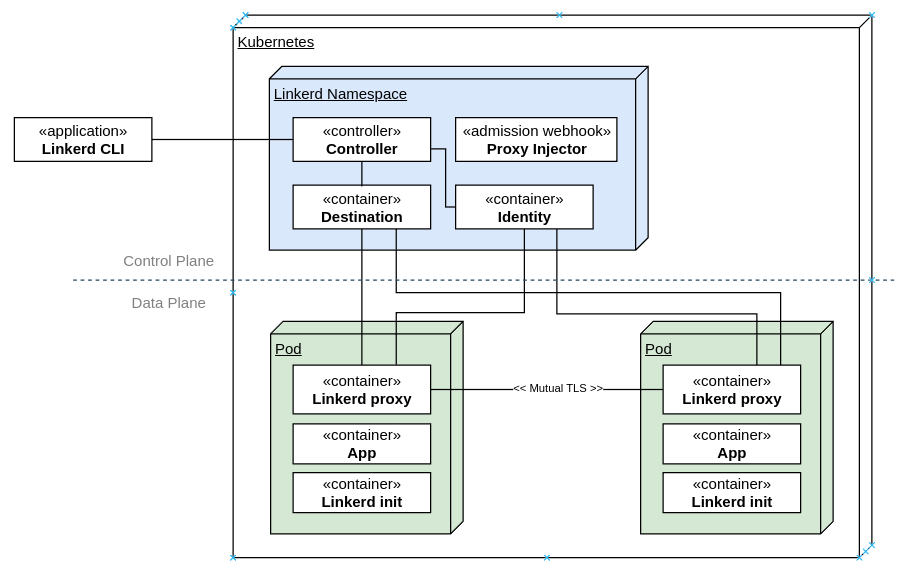
 I m trying to replace my old OpenPGP key with a new one. The old key wasn t compromised or lost or anything
bad. Is still valid, but I plan to get rid of it soon. It was created in 2013.
The new key id fingerprint is:

 I hope you had a nice Halloween!
I've collected together some songs that I've enjoyed over the last couple of
years that loosely fit a theme: ambient, instrumental, experimental, industrial,
dark, disconcerting, etc. I've prepared a Spotify playlist of most of
them, but not all. The list is inline below as well, with many (but not all)
tracks linking to Bandcamp, if I could find them there.
This is a bit late, sorry. If anyone listens to something here and has any
feedback I'd love to hear it.
(If you are reading this on an aggregation site, it's possible the embeds won't
work. If so, click through to my main site)
Spotify playlist:
 Kdenlive with Glaximate animations!
 A minor routine update 0.0.5 of
 I've been a fan of the products manufactured by
 This was my first time working with aluminium frame extrusions and I had tons
of fun! I specced the first version using
 For the curious ones, the cabling is done this way:

 My impression of that city from couple of visits at that point in time where they were still more tongas (horse-ridden carriages), an occasional two wheelers and not many three wheelers. Although, it was one of the more turbulent times as lot of agitation for worker rights were happening around that time and a lot of
 So the last three stories I found the most intriguing.
The first one is titled Man on the Beach. Apparently, a gentleman goes to one of the beaches, a sort of lonely beach, hails a taxi and while returning suddenly dies. The Taxi driver showing good presence of mind takes it to hospital where the gentleman is declared dead on arrival. Unlike in India, he doesn t run away but goes to the cafeteria and waits there for the cops to arrive and take his statement. Now the man is in his early 40s and looks to be fit. Upon searching his pockets he is found to relatively well-off and later it turns out he owns a couple of shops. So then here are the questions ?
What was the man doing on a beach, in summer that beach is somewhat popular but other times not so much, so what was he doing there?
How did he die, was it a simple heart attack or something more? If he had been drugged or something then when and how?
These and more questions can be answered by reading the story Man on the Beach .
2. The death of a photographer Apparently, Kurt lives in a small town where almost all the residents have been served one way or the other by the town photographer. The man was polite and had worked for something like 40 odd years before he is killed/murdered. Apparently, he is murdered late at night. So here come the questions
a. The shop doesn t even stock any cameras and his cash box has cash. Further investigation reveals it is approximate to his average takeout for the day. So if it s not for cash, then what is the motive ?
b. The body was discovered by his cleaning staff who has worked for almost 20 years, 3 days a week. She has her own set of keys to come and clean the office? Did she give the keys to someone, if yes why?
c. Even after investigation, there is no scandal about the man, no other woman or any vices like gambling etc. that could rack up loans. Also, nobody seems to know him and yet take him for granted till he dies. The whole thing appears to be quite strange. Again, the answers lie in the book.
3. The Pyramid Kurt is sleeping one night when the telephone rings. The scene starts with a Piper Cherokee, a single piston aircraft flying low and dropping something somewhere or getting somebody from/on the coast of Sweden. It turns and after a while crashes. Kurt is called to investigate it. Turns out, the plane was supposed to be destroyed. On crash, both the pilot and the passenger are into pieces so only dental records can prove who they are. Same day or a day or two later, two seemingly ordinary somewhat elderly women, spinsters, by all accounts, live above the shop where they sell buttons and all kinds of sewing needs of the town. They seem middle-class. Later the charred bodies of the two sisters are found :(. So here come the questions
a.Did the plane drop something or pick something somebody up ? The Cherokee is a small plane so any plane field or something it could have landed up or if a place was somehow marked then could be dropped or picked up without actually landing.
b. The firefighter suspects arson started at multiple places with the use of petrol? The question is why would somebody wanna do that? The sisters don t seem to be wealthy and practically everybody has bought stuff from them. They weren t popular but weren t also unpopular.
c. Are the two crimes connected or unconnected? If connected, then how?
d. Most important question, why the title Pyramid is given to the story. Why does the author share the name Pyramid. Does he mean the same or the original thing? He could have named it triangle. Again, answers to all the above can be found in the book.
One thing I also became very aware of during reading the book that it is difficult to understand people s behavior and what they do. And this is without even any criminality involved in. Let s say for e.g. I die in some mysterious circumstances, the possibility of the police finding my actions in last days would be limited and this is when I have hearing loss. And this probably is more to do with how our minds are wired. And most people I know are much more privacy conscious/aware than I am.

 This is my report from the Netfilter Workshop 2022. The event was held on 2022-10-20/2022-10-21 in Seville, and the venue
was the offices of
 The second day was opened by Florian Westphal (Netfilter coreteam member and Red Hat engineer). Florian has been
trying to improve nftables performance in kernels with RETPOLINE mitigations enabled. He commented that several
workarounds have been collected over the years to avoid the performance penalty of such mitigations.
The basic strategy is to avoid function indirect calls in the kernel.
Florian also described how BPF programs work around this more effectively. And actually, Florian tried translating
 Finally, after many interesting debates over two days, the workshop ended. We all agreed on the need for extending
it to 3 days next time, since 2 days feel too intense and too short for all the topics worth discussing.
That s all on my side! I really enjoyed this Netfilter workshop round.