Tianon Gravi: My Docker Install Process
I ve had several requests recently for information about how I personally set up a new machine for running Docker (especially since I don t use the infamous grab Docker s APT repo GPG key
The way I do this is probably a bit unconventional, but the basic gist is something like this:
curl get.docker.com sh), so I figured I d outline the steps I usually take.
For the purposes of simplicity, I m going to assume Debian (specifically stretch, the upcoming Debian stable release), but these should generally be easily adjustable to jessie or Ubuntu.
These steps should be fairly similar to what s found in upstream s Install Docker on Debian document, but do differ slightly in a few minor ways.
grab Docker s APT repo GPG key
The way I do this is probably a bit unconventional, but the basic gist is something like this:
export GNUPGHOME="$(mktemp -d)"
gpg --keyserver ha.pool.sks-keyservers.net --recv-keys 58118E89F3A912897C070ADBF76221572C52609D
gpg --export --armor 58118E89F3A912897C070ADBF76221572C52609D   sudo tee /etc/apt/trusted.gpg.d/docker.gpg.asc
rm -rf "$GNUPGHOME"
(On jessie or another release whose APT doesn t support .asc files in /etc/apt/trusted.gpg.d, I d drop --armor and the .asc and go with simply /.../docker.gpg.)
This creates me a new GnuPG directory to work with (so my personal ~/.gnupg doesn t get cluttered with this new key), downloads Docker s signing key from the keyserver gossip network (verifying the fetched key via the full fingerprint I ve provided), exports the key into APT s keystore, then cleans up the leftovers.
For completeness, other popular ways to fetch this include:
sudo apt-key adv --keyserver ha.pool.sks-keyservers.net --recv-keys 58118E89F3A912897C070ADBF76221572C52609D
(worth noting that man apt-key discourages the use of apt-key adv)
wget -qO- 'https://apt.dockerproject.org/gpg' sudo apt-key add -
(no verification of the downloaded key)
Here s the relevant output of apt-key list on a machine where I ve got this key added in the way I outlined above:
$ apt-key list
...
/etc/apt/trusted.gpg.d/docker.gpg.asc
-------------------------------------
pub   rsa4096 2015-07-14 [SCEA]
      5811 8E89 F3A9 1289 7C07  0ADB F762 2157 2C52 609D
uid           [ unknown] Docker Release Tool (releasedocker) <docker@docker.com>
...
add Docker s APT source
If you prefer to fetch sources via HTTPS, install apt-transport-https, but I m personally fine with simply doing GPG verification of fetched packages, so I forgo that in favor of less packages installed. YMMV.
echo 'deb http://apt.dockerproject.org/repo debian-stretch main' sudo tee /etc/apt/sources.list.d/docker.list
Hopefully it s obvious, but debian-stretch in that line should be replaced by debian-jessie, ubuntu-xenial, etc. as desired. It s also worth pointing out that this will not include Docker s release candidates. If you want those as well, add testing after main, ie ... debian-stretch main testing' ....
At this point, you should be safe to run apt-get update to verify the changes:
$ sudo apt-get update
...
Hit:1 http://apt.dockerproject.org/repo debian-stretch InRelease
...
Reading package lists... Done
(There shouldn t be any warnings or errors about missing keys, etc.)
configure Docker
This step could be done after Docker s installed (and indeed, that s usually when I do it because I forget that I should until I ve got Docker installed and realize that my configuration is suboptimal), but doing it before ensures that Docker doesn t have to be restarted later.
sudo mkdir -p /etc/docker
sudo sensible-editor /etc/docker/daemon.json
(sensible-editor can be replaced by whatever editor you prefer, but that command should choose or prompt for a reasonable default)
I then fill daemon.json with at least a default storage-driver. Whether I use aufs or overlay2 depends on my kernel version and available modules if I m on Ubuntu, AUFS is still a no-brainer (since it s included in the default kernel if the linux-image-extra-XXX/linux-image-extra-virtual package is installed), but on Debian AUFS is only available in either 3.x kernels (jessie s default non-backports kernel) or recently in the aufs-dkms package (as of this writing, still only available on stretch and sid no jessie-backports option).
If my kernel is 4.x+, I m likely going to choose overlay2 (or if that errors out, the older overlay driver).
Choosing an appropriate storage driver is a fairly complex topic, and I d recommend that for serious production deployments, more research on pros and cons is performed than I m including here (especially since AUFS and OverlayFS are not the only options they re just the two I personally use most often).
"storage-driver": "overlay2"
configure boot parameters
I usually set a few boot parameters as well (in /etc/default/grub s GRUB_CMDLINE_LINUX_DEFAULT option run sudo update-grub after adding these, space-separated).
cgroup_enable=memory enable memory accounting for containers (allows docker run --memory for setting hard memory limits on containers)swapaccount=1 enable swap accounting for containers (allows docker run --memory-swap for setting hard swap memory limits on containers)systemd.legacy_systemd_cgroup_controller=yes newer versions of systemd may disable the legacy cgroup interfaces Docker currently uses; this instructs systemd to keep those enabled (for more details, see systemd/systemd#4628, opencontainers/runc#1175, docker/docker#28109)vsyscall=emulate allow older binaries to run (debian:wheezy, etc.; see docker/docker#28705)
All together:
...
GRUB_CMDLINE_LINUX_DEFAULT="cgroup_enable=memory swapaccount=1 systemd.legacy_systemd_cgroup_controller=yes vsyscall=emulate"
...
install Docker!
Finally, the time has come.
$ sudo apt-get install -V docker-engine
...
$ sudo docker version
Client:
 Version:      1.12.3
 API version:  1.24
 Go version:   go1.6.3
 Git commit:   6b644ec
 Built:        Wed Oct 26 21:45:16 2016
 OS/Arch:      linux/amd64
Server:
 Version:      1.12.3
 API version:  1.24
 Go version:   go1.6.3
 Git commit:   6b644ec
 Built:        Wed Oct 26 21:45:16 2016
 OS/Arch:      linux/amd64
$ sudo usermod -aG docker "$(id -un)"
(Reboot or logout/login to update your session to include docker group membership and thus no longer require sudo for using docker commands.)
Hope this is useful to someone! If nothing else, it ll serve as a concise single-page reference for future-tianon.
export GNUPGHOME="$(mktemp -d)"
gpg --keyserver ha.pool.sks-keyservers.net --recv-keys 58118E89F3A912897C070ADBF76221572C52609D
gpg --export --armor 58118E89F3A912897C070ADBF76221572C52609D sudo tee /etc/apt/trusted.gpg.d/docker.gpg.asc
rm -rf "$GNUPGHOME"
sudo apt-key adv --keyserver ha.pool.sks-keyservers.net --recv-keys 58118E89F3A912897C070ADBF76221572C52609D
wget -qO- 'https://apt.dockerproject.org/gpg' sudo apt-key add -
$ apt-key list
...
/etc/apt/trusted.gpg.d/docker.gpg.asc
-------------------------------------
pub rsa4096 2015-07-14 [SCEA]
5811 8E89 F3A9 1289 7C07 0ADB F762 2157 2C52 609D
uid [ unknown] Docker Release Tool (releasedocker) <docker@docker.com>
...
apt-transport-https, but I m personally fine with simply doing GPG verification of fetched packages, so I forgo that in favor of less packages installed. YMMV.
echo 'deb http://apt.dockerproject.org/repo debian-stretch main' sudo tee /etc/apt/sources.list.d/docker.list
debian-stretch in that line should be replaced by debian-jessie, ubuntu-xenial, etc. as desired. It s also worth pointing out that this will not include Docker s release candidates. If you want those as well, add testing after main, ie ... debian-stretch main testing' ....
At this point, you should be safe to run apt-get update to verify the changes:
$ sudo apt-get update
...
Hit:1 http://apt.dockerproject.org/repo debian-stretch InRelease
...
Reading package lists... Done
configure Docker
This step could be done after Docker s installed (and indeed, that s usually when I do it because I forget that I should until I ve got Docker installed and realize that my configuration is suboptimal), but doing it before ensures that Docker doesn t have to be restarted later.
sudo mkdir -p /etc/docker
sudo sensible-editor /etc/docker/daemon.json
(sensible-editor can be replaced by whatever editor you prefer, but that command should choose or prompt for a reasonable default)
I then fill daemon.json with at least a default storage-driver. Whether I use aufs or overlay2 depends on my kernel version and available modules if I m on Ubuntu, AUFS is still a no-brainer (since it s included in the default kernel if the linux-image-extra-XXX/linux-image-extra-virtual package is installed), but on Debian AUFS is only available in either 3.x kernels (jessie s default non-backports kernel) or recently in the aufs-dkms package (as of this writing, still only available on stretch and sid no jessie-backports option).
If my kernel is 4.x+, I m likely going to choose overlay2 (or if that errors out, the older overlay driver).
Choosing an appropriate storage driver is a fairly complex topic, and I d recommend that for serious production deployments, more research on pros and cons is performed than I m including here (especially since AUFS and OverlayFS are not the only options they re just the two I personally use most often).
"storage-driver": "overlay2"
configure boot parameters
I usually set a few boot parameters as well (in /etc/default/grub s GRUB_CMDLINE_LINUX_DEFAULT option run sudo update-grub after adding these, space-separated).
cgroup_enable=memory enable memory accounting for containers (allows docker run --memory for setting hard memory limits on containers)swapaccount=1 enable swap accounting for containers (allows docker run --memory-swap for setting hard swap memory limits on containers)systemd.legacy_systemd_cgroup_controller=yes newer versions of systemd may disable the legacy cgroup interfaces Docker currently uses; this instructs systemd to keep those enabled (for more details, see systemd/systemd#4628, opencontainers/runc#1175, docker/docker#28109)vsyscall=emulate allow older binaries to run (debian:wheezy, etc.; see docker/docker#28705)
All together:
...
GRUB_CMDLINE_LINUX_DEFAULT="cgroup_enable=memory swapaccount=1 systemd.legacy_systemd_cgroup_controller=yes vsyscall=emulate"
...
install Docker!
Finally, the time has come.
$ sudo apt-get install -V docker-engine
...
$ sudo docker version
Client:
Version: 1.12.3
API version: 1.24
Go version: go1.6.3
Git commit: 6b644ec
Built: Wed Oct 26 21:45:16 2016
OS/Arch: linux/amd64
Server:
Version: 1.12.3
API version: 1.24
Go version: go1.6.3
Git commit: 6b644ec
Built: Wed Oct 26 21:45:16 2016
OS/Arch: linux/amd64
$ sudo usermod -aG docker "$(id -un)"
(Reboot or logout/login to update your session to include docker group membership and thus no longer require sudo for using docker commands.)
Hope this is useful to someone! If nothing else, it ll serve as a concise single-page reference for future-tianon.
sudo mkdir -p /etc/docker
sudo sensible-editor /etc/docker/daemon.json
"storage-driver": "overlay2"
/etc/default/grub s GRUB_CMDLINE_LINUX_DEFAULT option run sudo update-grub after adding these, space-separated).
cgroup_enable=memoryenable memory accounting for containers (allowsdocker run --memoryfor setting hard memory limits on containers)swapaccount=1enable swap accounting for containers (allowsdocker run --memory-swapfor setting hard swap memory limits on containers)systemd.legacy_systemd_cgroup_controller=yesnewer versions of systemd may disable the legacy cgroup interfaces Docker currently uses; this instructs systemd to keep those enabled (for more details, see systemd/systemd#4628, opencontainers/runc#1175, docker/docker#28109)vsyscall=emulateallow older binaries to run (debian:wheezy, etc.; see docker/docker#28705)
...
GRUB_CMDLINE_LINUX_DEFAULT="cgroup_enable=memory swapaccount=1 systemd.legacy_systemd_cgroup_controller=yes vsyscall=emulate"
...
install Docker!
Finally, the time has come.
$ sudo apt-get install -V docker-engine
...
$ sudo docker version
Client:
Version: 1.12.3
API version: 1.24
Go version: go1.6.3
Git commit: 6b644ec
Built: Wed Oct 26 21:45:16 2016
OS/Arch: linux/amd64
Server:
Version: 1.12.3
API version: 1.24
Go version: go1.6.3
Git commit: 6b644ec
Built: Wed Oct 26 21:45:16 2016
OS/Arch: linux/amd64
$ sudo usermod -aG docker "$(id -un)"
(Reboot or logout/login to update your session to include docker group membership and thus no longer require sudo for using docker commands.)
Hope this is useful to someone! If nothing else, it ll serve as a concise single-page reference for future-tianon.
$ sudo apt-get install -V docker-engine
...
$ sudo docker version
Client:
Version: 1.12.3
API version: 1.24
Go version: go1.6.3
Git commit: 6b644ec
Built: Wed Oct 26 21:45:16 2016
OS/Arch: linux/amd64
Server:
Version: 1.12.3
API version: 1.24
Go version: go1.6.3
Git commit: 6b644ec
Built: Wed Oct 26 21:45:16 2016
OS/Arch: linux/amd64
$ sudo usermod -aG docker "$(id -un)"
 I am happy to announce the release of OASIS v0.4.8.
 OASIS is a tool to help OCaml developers to integrate configure, build and install systems in their projects. It should help to create standard entry points in the source code build system, allowing external tools to analyse projects easily.
This tool is freely inspired by Cabal which is the same kind of tool for Haskell.
You can find the new release

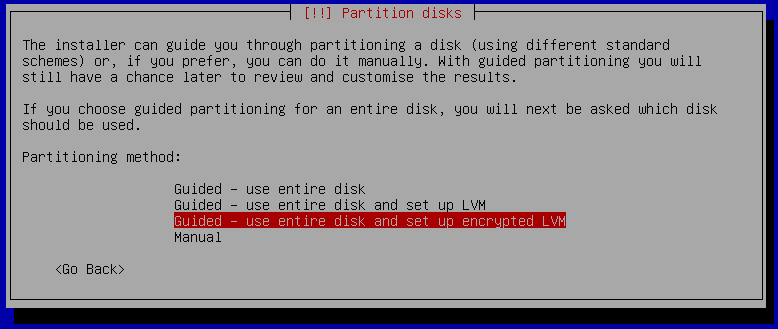
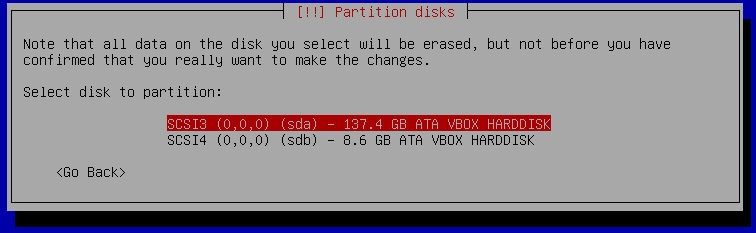
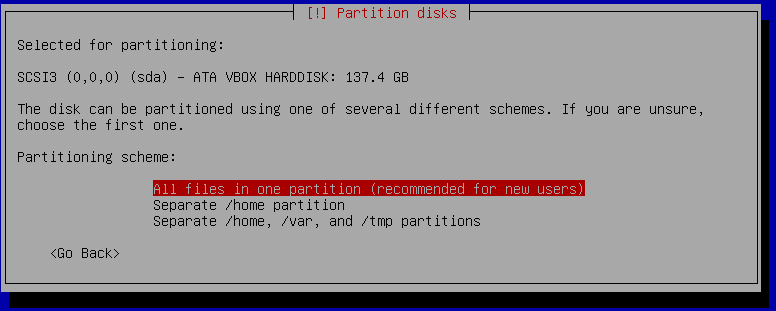
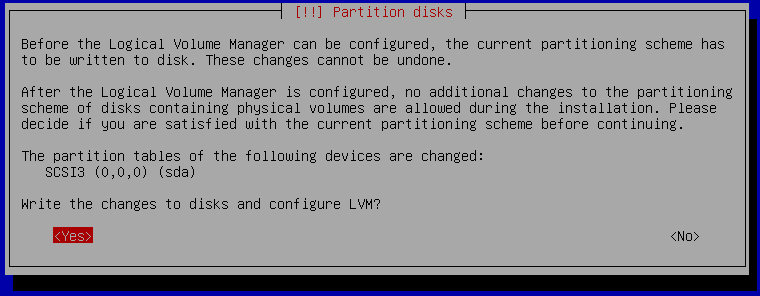
 Disclaimer This is an attempt at humor and hence entirely fictional in nature. While some incidents depicted are true, the context and the story woven around them are by yours truly. None of the Mascots of Debian were hurt during the blog post
 . I also disavow any responsibility for any hurt (real or imagined) to any past, current and future mascots. The attempt should not be looked upon as demeaning people who are accused of false crimes, tortured and confessions eked out of them as this happens quite a lot (In India for sure, but guess it s the same world over in various degrees). The idea is loosely inspired by
 . I guess for many people watching it once was torture enough. I *think* they were nominated for

 I have to say while Table Mountain is beautiful and haunting as it has scenes like these


 As we are moving closer to the Debian release freeze, I am shipping out a new set of packages. Nothing spectacular here, just the regular updates and a security fix that was only reported internally. Add sugar and a few minor bug fixes.
 I have been silent for quite some time, busy at my new job, busy with my little monster, writing papers, caring for visitors, living. I have quite a lot of things I want to write, but not enough time, so very short only this one.
Enjoy.
New packages
 Welcome to gambaru.de. Here is my monthly report that covers what I have been doing for Debian. If you re interested in Java, Games and LTS topics, this might be interesting for you.
Debian Android

 I attended this year's Linux Kernel Summit in Santa Fe, NM, USA and
made notes on some of the sessions that were relevant to Debian.

 Releasing ISV applications on Linux is often hard. The ABI of all the libraries you need changes seemingly weekly. Hence you have the option of bundling the world, or building a thousand releases to cover a thousand distribution versions. As a case in point, when MonoDevelop started bundling a C Git library instead of using a C# git implementation, it gained dependencies on all sorts of fairly weak ABI libraries whose exact ABI mix was not consistent across any given pair of distro releases. This broke our policy of releasing works on anything .deb and .rpm packages. As a result, I pretty much gave up on packaging MonoDevelop upstream with version 5.10.
Around the 6.1 release window, I decided to take re-evaluate question. I took a closer look at some of the fancy-pants new distribution methods that get a lot of coverage in the Linux press: Snap, AppImage, and Flatpak.
I started with AppImage. It s very good and appealing for its specialist areas (no external requirements for end users), but it s kinda useless at solving some of our big areas (the ABI-vs-bundling problem, updating in general).
Next, I looked at Flatpak (once xdg-app). I liked the concept a whole lot. There s a simple 3-tier dependency hierarchy: Applications, Runtimes, and Extensions. An application depends on exactly one runtime. Runtimes are root-level images with no dependencies of their own. Extensions are optional add-ons for applications. Anything not provided in your target runtime, you bundle. And an integrated updates mechanism allows for multiple branches and multiple releases parallel-installed (e.g. alpha & stable, easily switched).
There s also security-related sandboxing features, but my main concerns on a first examination were with the dependency and distribution questions. That said, some users might be happier running Microsoft software on their Linux desktop if that software is locked up inside a sandbox, so I ve decided to embrace that functionality rather than seek to avoid it.
I basically stopped looking at this point (sorry Snap!). Flatpak provided me with all the functionality I wanted, with an extremely helpful and responsive upstream. I got to work on trying to package up MonoDevelop.
Flatpak (optionally!) uses a


 This post shows how to patch an external dependency for an
Android project at build-time with
 So much for my monthly blogging! Here s what I have been up to in the Open Source world over the last 6 months.
Debian


 My monthly report covers a large part of what I have been doing in the free software world. I write it for
 Mark Shuttleworth just