Search Results: "ana"

12 January 2009

Jonathan McDowell: Life with the Google/T-Mobile G1

I've previously mentioned my desire for a new smartphone. I'd been eyeing the G1 since its release, with the main factor stopping me from going ahead the need for a T-Mobile contract. They don't have any 3G coverage north of Belfast that I've seen and I'm very happy with my 20/month O2 Simplicity contract and don't have any need to pay twice that. Luckily Katherine decided to get me one for my birthday, and after some confusion involving it going to Norwich (always remember to update your Paypal delivery address as well as the card address when you move home, folks. Oh, and your Amazon wishlist address too; it's different than your primary address and I've been bitten by that myself in the past) it turned up the weekend before Christmas.

I have a UK spec T-Mobile G1. First step was to get it unlocked for use on O2. I used Unlock G1 - they weren't the cheapest, but I'd seen them recommended on a few G1 news sites and they had a helpful guide on their site about activating without a T-Mobile SIM. They claim a code within 2 business days. I ordered at 19:30 UTC on a Saturday night and had a code by 21:00 that worked first time.

Once the O2 SIM was working I needed to check if the phone was easily rootable. I typed reboot and was rewarded with a rebooting phone. I had the RC7 UK firmware release, which still had the bug. I followed the android-dls.com guide to keeping root and upgraded to the RC8 release. With that out of the way I could start to actually have a play.

The screen is lovely. I'm used to the high res E70 screen and have been disappointed at the number of phones that only do 320x240. 480x320 is probably the minimum I'd want (if I can't manage an 80 character wide SSH session I'm not really interested) though obviously if HTC ever get round to a Touch Pro with Android I might be tempted... Touch aspect is perfectly responsive, as is the interface in general - while I don't use a phone that much day to day my mobile is the only number I give out so it tends to be the only phone I use. This means that the ability to make/receive calls/sms is the most important feature for me (it's odd having to say this, but I know people who've claimed to love phones but on further probing reveal it's a great PDA but dire for calls and they have to carry something else for that). The G1 performs admirably for my needs.

The built in apps are good too. The browser is much better than the E70. I don't know if that's the bigger screen (though the resolution isn't much different) or a faster processor, but browsing on my mobile is a much more realistic proposition now. I've only played briefly with the iPhone browser and I wouldn't say the G1 was any better, but it's certainly good. Calendaring is functional too and copes with multiple Google Calendars as you'd hope. Shame it doesn't deal with anything else, but for the moment this suits my needs. I haven't used it for email; I prefer to ssh to my colo box and run mutt. Contacts are mostly ok, though I have a few gripes I'll mention later.

I haven't felt the need to install many apps. The connectbot ssh client was an obvious one and is pretty nice (main missing feature is UTF-8 and there's a feature request for it raised already). I've installed a few games off the Android Market, as well as Barcode Scanner (does what you'd think) and CellFinder (displays your location and which mobile cell you're using; it's a bit scary how few O2 masts there seem to be near my house). Installation from the market has been a breeze and it's nice to be able to flick through what's available. With my E70 it was always a real pain to go and hunt down Symbian apps (especially when S60 3rd Edition was new) and install them.

Before I start on my gripes, let me clarify that I am very happy with this phone. I wanted something with a keyboard that was functional and this fits the bill. It's a definite improvement over my E70 and I feel it's much more responsive than any of the recent Windows Mobile devices I've encountered. Also the battery life hasn't proved to be an issue - from articles I'd read I'd expected to have difficulty getting a day out of it, but in general I can easily get 2 and have had 3. Maybe my usage patterns aren't as heavy as everyone else, but that's fine for me (I remember my 9000i Communicator which really was a case of having to charge it every night).

The first issue I hit was the contacts system. Google have tied this into GMail and it really seems to have been a last minute thought process, perhaps along the lines of "Where can we stick this? Oh, hang on, people have email contacts, how about there?". Trying to move my contacts over from my E70 I was surprised to find that there's no way to import a vCard. The only option is CSV. WTF? I'm not saying vCard is perfect, but it's pretty much what we have as a standard method of contact interchange. I ended up writing some Perl to crudely parse the vCards and output CSV. I shouldn't have had to.

Then again, maybe the issue is that Google know their contacts system is a bit lacking. You'd think a company with online calendaring and contacts would be able to cope with things like birthdays, tying them together between contacts and displaying them in your calendar, wouldn't you? They can't. I can't see any way to store a birthday or anniversary with a contact. Nor a home page. The contacts system is the one area that the E70 outshines the G1.

I miss an onscreen keyboard more than I thought I would (ie at all). I understand this should be coming in the next release, which will make things like quick replies to SMSes much easier (there's no point opening the keyboard for a "Nearly there" response).

The use of only a single APN for internet access and MMS is a bit troublesome; I haven't managed to get this to work properly with O2 - either I have fully working 'net or fully working MMS with only web seeming to work. I haven't played with the settings very much though and I spent 7 months without MMS even enabled on my O2 account, so it's not high priority. Also something I understand is being fixed upstream.

I'd like a way to see the next calendar event on my home screen. I may just be missing how to do this, but it was a nice feature on the E70.

I haven't played much with the camera, but I get the impression it's pretty typical of the average mobile phone; ie not great. Not a problem for me, but don't expect this to replace a compact digital camera.

While I accept this phone isn't for everyone I think it's pretty much what I'm looking for in terms of what's on the market today. There's nicer hardware out there, but a large part of what makes this phone is the Android software. I look forward to seeing new phones in the coming year making use of it, hopefully leading to a decent selection by the time I need a new phone again. :)

11 January 2009

Steve Kemp: There's something out there waiting for us, and it ain't no man.

Things have turned a little morbid here. I imagine that if I were to cease to be alive things would mostly keep ticking over for a while. But for how long exactly? Assuming that you've got your hosting paid for, supported, or otherwise managed that would continue to exist. But after a while domain names would start to expire, and manual intervention would be required (that is assuming that manual intervention were not required in advance.) So when I die, I'd have to assume everything I maintained myself would disappear within two years. Is that depressing, or realistic? I'm not sure. But definitely morbid. ObFilm: Predator

Daniel Burrows: A diagram of the apt system

There's a lot of folklore in the Debian community about how apt works. Unfortunately, a lot of it is also just plain wrong. For instance, I often hear people confidently say things like aptitude is a frontend to apt-get (it isn't). These misconceptions are understandable -- all the programs that use apt perform the same tasks, many of them imitate each other's interfaces, and they all share common code. It's easy to assume that they must all be invoking apt-get under the hood. In the interest of clearing up some of this confusion, I've created some simple diagrams of what uses what in the apt system. apt is large and complicated, so these diagrams can't be complete, but I hope they at least clear up the basic relationships between the different pieces of software. This diagram shows how apt, dpkg, and some popular frontends are related to one another (also available as a pdf). Simple apt diagram In order to keep things simple, the above diagram is limited to a very cursory description of how the system components are bound together. The other diagram I've built shows a few more technical details about the structure of libraries, programs that invoke one another, etc (also available as a pdf). Complex apt diagram In order to make these diagrams manageable, I had to throw out a great deal of information. If you have a question that these don't answer and if I have time, I'd be happy to take a stab at diagramming some other aspects of apt. [EDIT]: I've updated the diagram in response to a request to indicate where packagekit will reside, when and if it is completed. My understanding is that they are basically writing yet another apt frontend, but there's an intermediate library that translates to some least-common-denominator API so the frontend can be identical on all package systems.

10 January 2009

Gustavo Franco: slack roles!

Just uploaded some very rough slack roles in github to be used with slack. If you want to give a pull-only configuration management system a try, slack may be useful for you. It is also part of Debian for a while and may make Lenny, thanks to Andrew Pollock. He managed to package it before Alan Sundell allowed me to setup a project in code.google.com to keep it under a VCS.

slack advantage if compared with cfengine and puppet is that there's no need to have a daemon running in the client side and learn a new language to set things up. The disadvantage is that there is a central configuration in place but you can't manage from that central location (read push changes).
I plan to add more roles and polish the existing ones, I may split Debian/Ubuntu support in multiple branches as well. Let me know if you want to contribute or just want to know more about slack.

Let's wrap it up. Slack is a configuration management system maintained in code.google.com using SVN. Slack has the concept of roles to work properly and slack as is in code.google.com comes with no roles. slack-roles in github tries to fill the gap for Debian. You may need to fork it for internal usage, but I want to provide fully functional templates.

ps: Yeah, I've a laptop named trinity. duh!

David Welton: Developer > Project, or Project > Developer(s)?

I've been fooling around with "git" lately - it's useful for local projects where I don't want to have to set up a remote server, and it also seems to be "the way the wind is blowing" - lots of open source projects are starting to use it, so I might as well familiarize myself with how it works. The github service seems to be very popular at the moment, and it's not hard to see why. They've created a very useful service, and give it away completely free for open source use. That's a pretty good deal! It's also an easy to use site that's well integrated with git, so you can see lots of stuff graphically instead of fooling around with command line tools. However, I have a nagging doubt. Github apparently bases everything around the developer. In other words, projects hosted there are mostly attached to a developer who 'owns' the project, rather than existing on their own. There are a few exceptions - there seems to be a 'rails' role account to manage Rails, rather than having it belong to, say, DHH, so it's not impossible to do something in a project-centric fashion, but it doesn't seem to be very common either. What I'm wondering is what sort of effects this might have in the long term. Github, and git itself, make it very easy to 'fork' projects. Could, or will this lead to a situation where people don't try so hard to get their code in the 'official' branch? What happens when someone loses interest in their project? Sure, someone else can fork their repository, but if all the links were pointing to the first guy, because he was the main hacker on a project for X years, they're not going to switch overnight even if guy B takes over maintanance. And in the meantime, casual searchers might turn up the 'dead' branch, or simply be confused as to who's doing what. This could make things confusing for someone who just wants to check out some code and start using it.... trying to sort out various revisions and ancestry of a project could be quite discouraging. At the Apache Software Foundation, on the other hand, people are obviously very important, but projects are the organizational unit that people get involved with, and a lot of emphasis is placed on not having one big benevolent dictator, but on having a group of people who make decisions and act as arbiters of what goes into the project. People can come and go as they please, but the project, and, importantly, the links to it, remain the same over time (barring any big, unforeseen blowups). As far as I can tell, this is not a git problem, but something related to how github organizes their site. And, of course, it's possible that I have simply missed something due to my lack of knowledge of git, and not being more than superficially familiar with github. Even if I'm right, it shouldn't take that much effort for github to create a system where it's possible for multiple people to 'own' a project.

David Welton: Developer > Project, or Project > Developer(s)?

I've been fooling around with "git" lately - it's useful for local projects where I don't want to have to set up a remote server, and it also seems to be "the way the wind is blowing" - lots of open source projects are starting to use it, so I might as well familiarize myself with how it works. The github service seems to be very popular at the moment, and it's not hard to see why. They've created a very useful service, and give it away completely free for open source use. That's a pretty good deal! It's also an easy to use site that's well integrated with git, so you can see lots of stuff graphically instead of fooling around with command line tools. However, I have a nagging doubt. Github apparently bases everything around the developer. In other words, projects hosted there are mostly attached to a developer who 'owns' the project, rather than existing on their own. There are a few exceptions - there seems to be a 'rails' role account to manage Rails, rather than having it belong to, say, DHH, so it's not impossible to do something in a project-centric fashion, but it doesn't seem to be very common either. What I'm wondering is what sort of effects this might have in the long term. Github, and git itself, make it very easy to 'fork' projects. Could, or will this lead to a situation where people don't try so hard to get their code in the 'official' branch? What happens when someone loses interest in their project? Sure, someone else can fork their repository, but if all the links were pointing to the first guy, because he was the main hacker on a project for X years, they're not going to switch overnight even if guy B takes over maintanance. And in the meantime, casual searchers might turn up the 'dead' branch, or simply be confused as to who's doing what. This could make things confusing for someone who just wants to check out some code and start using it.... trying to sort out various revisions and ancestry of a project could be quite discouraging. At the Apache Software Foundation, on the other hand, people are obviously very important, but projects are the organizational unit that people get involved with, and a lot of emphasis is placed on not having one big benevolent dictator, but on having a group of people who make decisions and act as arbiters of what goes into the project. People can come and go as they please, but the project, and, importantly, the links to it, remain the same over time (barring any big, unforeseen blowups). As far as I can tell, this is not a git problem, but something related to how github organizes their site. And, of course, it's possible that I have simply missed something due to my lack of knowledge of git, and not being more than superficially familiar with github. Even if I'm right, it shouldn't take that much effort for github to create a system where it's possible for multiple people to 'own' a project.

Julian Andres Klode: python-apt documentation - 2nd time


News: http://bzr.debian.org/loggerhead/users/jak/python-apt/jak/revision/219 introduced again some new documentation. doc/source/apt/debfile.rst 6
doc/source/apt_pkg/cache.rst 540 +++++++++++++++++++++++++++++++++-
doc/source/apt_pkg/index.rst 24 +
doc/source/conf.py 5
doc/source/examples/cache-packages.py 22 +
doc/source/examples/cache-pkgfile.py 29 +
doc/source/examples/missing-deps.py 51 +++ 7 files changed, 659 insertions(+), 18 deletions(-) You can see them at http://people.debian.org/~jak/python-apt-doc/ Missing seem to be:
- AcquireFile
- AcquireItem
- ActionGroup
- Configuration
- MetaIndex
- PackageIndexFile
- PkgManager
- PkgRecords
- PkgSourceList
- PkgSrcRecords
- ProblemResolver
- TagFile
- TagSection But the weekend is not over yet. I will blog tomorrow again, and once I m finished with everything (which may be tomorrow, too). Have fun, read the documentation, find the mistakes. Some things are currently written as ??? , if you know what fits there, please tell me. Posted in Debian, Python

Lucas Nussbaum: On Debian membership

The more I think about it, The more I m convinced that the both approaches that have been proposed to change the way we deal with Debian membership (Joerg s new statuses for non-developing contributors, and Lars counting of advocates) are both steps in the wrong direction. I really would like something simpler, and less technical, to become a Debian Developer. After all, what matters is that we trust new developers to make the right decisions (for example, not touch something that they are not confortable with). We currently verify that they know each and every technical bit about things that they may never encounter during their DD life, but that doesn t say anything about their ability to work with others inside a community, or their judgement when touching packages that they don t maintain. For example, we could have something inspired by the current process to become a Debian Maintainer: instead of going through 50+ questions, we could rely on advocations from existing Debian Developers to judge new applicants. The advocation wouldn t simply be +1 emails (as in Lars proposal), but would instead contain a detailed description of what the applicant did. A group of DDs (DAMs, basically) would then read the advocation emails, and decide whether there s sufficient proof that the applicant can be granted DD status. That would allow a much faster process, removing the load from the Application Managers and NM Frontdesk Members. And it probably wouldn t reduce the quality of new DDs, because of the need to collect advocation emails from several DDs. Probably the best way to move forward with that would be to work on a document (DEP?) that would list all the changes and explain them, and then ask all the developers to vote on it, like it was done for the Debian Maintainers GR. Are there some people interested on working on a first draft of such a document?

9 January 2009

Ian Wienand: Facebook, API's, photos and IPTC data

As a photo management application, Facebook sucks. But it is something that people actually look at (as opposed to Flickr, which is great, but getting people to log-in or follow special guest pass links is a PITA). I like to keep all my raw photos locally, using IPTC for comments (which Flickr reads -- I put them in using some custom scripts and the Python bindings of libiptcdata) and geo-tagged in the EXIF data (using my google maps point locator). I figure this way if Flickr goes bust/gets bought by Microsoft all I need to do is re-upload somewhere else. I was waiting for Flickr to integrate with Facebook in some good way, but I then came across the very useful pyfacebook bindings, which, although being a little light on documentation, is a great way to easily throw my photos into Facebook (it's pending the NEW queue in Debian, see #511279). My fbupload.py script might be a useful starting point if you want to do the same thing. It batches up photos into lots of 60 (the maximum photos in an album) and automatically creates the albums and uploads the photos, reading the IPTC data for comments. The only problem is that you'll have to sign up for a developer key and start a new application to get a secret key to talk to the API (if you're still reading this, I'm sure you can figure it out!).

8 January 2009

René Mayorga: New toy

Today I got my Acer One AOA150, is a really nice device, Unfortunately this model did not come with GNU/Linux, so I sadly have to still pay the microsoft tax :( But the good point is that the Debian installation was a breeze, really simple, almost all hardware just works out of the box, BTW thanks to the guys who wrote http://wiki.debian.org/DebianAcerOne my goal is to get used to this laptop and made it my main work laptop, I ve always be a big fan of smalls laptops so this is a kind of a really nice device for me I guess. I also always note that a lot of people complain about the small keyboards on the mini-laptops , but I did not find such a pain, there is still a need to get used to it, but with a couple of hours using it, seeings comfortable enough for me.

Adam Rosi-Kessel: The Great Urban Chicken Debate at the Supreme Court

of Nova Scotia. My past and future colleague Trevor Smedley just lost his appeal to the Supreme Court of Nova Scotia of his criminal conviction for having pet chickens. As the Supreme Court noted in Trevor J. Smedley and Her Majesty the Queen:
They are not just any chickens - they are special chickens. They are heritage chickens that are brought to this province from Quebec.
Indeed, the court agreed with Mr. Smedley that there was nothing wrong with the chickens:
The trial judge found that they are in every way inoffensive. There is no excessive or even noticeable noise, no odour. The way in which they are kept is not unsightly. The chickens remain on their property seemingly doing no harm to either the aesthetic qualities or the quiet enjoyment of the property of the immediate neighbours. So finds the trial judge.
As I haven t seen much news about this case in the mainstream media, I m posting a copy of the complete opinion here to shed public light on the matter. I know very little about Canadian chicken law, so I m not sure whether further appeals are possible, but I hope Mr. Smedley can keep up the fight.

Miriam Ruiz: Debian and Ubuntu packages for Calibre, an e-book converter and library management

Some weeks ago I bought myself an e-book reader, Sony Reader PRS 505. It is a really cool gadget, and as I usually read a lot of stuff in my computer, it is somehow an investment in my eyes. I decided on this one because the support for Linux is quite well, through the unofficial Free Software project Calibre. Calibre is primarily an e-book cataloging program: it manages your e-book collection for you, and it is designed around the concept of the logical book (i.e. a single entry in the database that may correspond to ebooks in several formats). It also upports conversion from a dozen different ebook formats to LRF and EPUB. A graphical interface to the conversion software can be accessed easily by just clicking the Convert E-books button. A lot of input formats are supported: MOBI, LIT, PRC, EPUB, ODT, HTML, CBR, CBZ, RTF, TXT, PDF and LRS. After some weeks of work, Martin Pitt and I have finished the packages for Debian and Ubuntu, which are right now waiting in the Debian NEW Queue. You can temporarily get them from here, compiled for Debian SID AMD64, but of course you can build them for your platform, or wait until they enter Debian.

7 January 2009

Dirk Eddelbuettel: R featured in New York Times article

Today's New York Times carries a decent article about R. Predictably, this lead to one (short), two (longest), three (short) threads on the main R mailing list. One aspect merits further highlighting. The reporter asked whether R would pose a threat to SAS:
"I think it addresses a niche market for high-end data analysts that want free, readily available code," said Anne H. Milley, director of technology product marketing at SAS. She adds, "We have customers who build engines for aircraft. I am happy they are not using freeware when I get on a jet."
That's silly on so many levels. A concise and rather appropriate follow-up came in early from Frank Harrell, a long-time S and R advocate:
This is great to see. It's interesting that SAS Institute feels that non-peer-reviewed software with hidden implementations of analytic methods that cannot be reproduced by others should be trusted when building aircraft engines.
Achim already added this (and two more posts from the aforementioned threads) to the fortunes package that collects such choice quotes. R in Finance (the topic of our upcoming conference) gets mentioned as well. Now, as editor of the Finance task view, I find that second half of
The financial services community has demonstrated a particular affinity for R; dozens of packages exist for derivatives analysis alone.
to be a little off the mark. But that's minor as the article is broadly sympathetic, and mostly "gets it" where it matters. Recommended.

6 January 2009

Andrew Pollock: [tech] On trying to use a Sansa e260 on Linux

I received a SanDisk Sansa e260 (v2) for my birthday. It was one of those presents that acquired for myself on behalf of someone else because it worked out easier that way. I bought it for cheap from Woot! I thought I'd use it to play podcasts while I'm at the gym. We've been listening to NPR for a while now, and there's lots of excellent programming, and it's all available in download for as well. Since I don't spend all that much time in the car, I'm not listening to much of it. The first mission was to upgrade the firmware. Getting the player into MSC (instead of MTP) mode with the original firmware was a little tricky, but I got there in the end. Then I had to locate the firmware in a Linux-installable format. I think I ended up resorted to using Windows, but I later found the raw firmware image without needing an installer. I'm using Rhythmbox at the moment to download the podcasts. I thought I'd try out its MTP support, just because it actually had it, but either Linux 2.6.26 has a problem with MTP, or the player is particularly flaky doing it with Linux, because I just seemed to get a pile of USB errors when connecting the device in this mode, so I'm sticking with MSC for now. Oh, and I had to put a .is_audio_player file in the root of the device to make it show up in Rhythmbox. I later discovered that it worked most optimally if I put
audio_folders=MUSIC/
folder_depth=2
in the file. I'm still trying to come up with an optimal way of managing the audio I want to listen to. It seems somewhat tedious to drag and drop all of the podcasts from Rhythmbox to the device. I kind of want some sort of plug and play auto-sync method. It seems I can't use a connection-triggered rsync, because some of the podcasts seem to get downloaded with non-FAT-filesystem-friendly filenames. Rhythmbox seems to take care of this by doing some sort of automagical renaming at transfer time. That said, not everything is showing up in the music list with sane names. There's a few things that have an unknown artist I think. That may be a deficiency in the ID3 tags of the MP3s themselves though... What I really want some way of getting home, hooking up the player and just getting what's new, without expending too much effort (at the time of hooking up the player, anyway. I'm happy to expend some effort getting to that point) The next weird thing is that the device wants to talk USB 1.1. I'm not sure what is at fault here, but I can, allegedly at least, make the device reconnect at USB 2.0 by removing and reloading the ehci-hcd module after connecting it. Here we have the device initially attached:
apollock@icarus:~$ lsusb -t
Bus#  5
 -Dev#   1 Vendor 0x1d6b Product 0x0002
Bus#  4
 -Dev#   1 Vendor 0x1d6b Product 0x0001
Bus#  3
 -Dev#   1 Vendor 0x1d6b Product 0x0001
   -Dev#   9 Vendor 0x0781 Product 0x7423
Bus#  2
 -Dev#   1 Vendor 0x1d6b Product 0x0001
   -Dev#   6 Vendor 0x413c Product 0x8103
Bus#  1
 -Dev#   1 Vendor 0x1d6b Product 0x0001
lsusb says that bus #3 is ID 1d6b:0001 Linux Foundation 1.1 root hub Then if I do a spot of presto-changeo...
apollock@icarus:~$ sudo modprobe -r ehci-hcd
apollock@icarus:~$ sudo modprobe ehci-hcd
apollock@icarus:~$ lsusb -t
Bus#  5
 -Dev#   1 Vendor 0x1d6b Product 0x0002
   -Dev#   3 Vendor 0x0781 Product 0x7423
Bus#  4
 -Dev#   1 Vendor 0x1d6b Product 0x0001
Bus#  3
 -Dev#   1 Vendor 0x1d6b Product 0x0001
Bus#  2
 -Dev#   1 Vendor 0x1d6b Product 0x0001
   -Dev#   7 Vendor 0x413c Product 0x8103
Bus#  1
 -Dev#   1 Vendor 0x1d6b Product 0x0001
Bam! It's moved over to bus #5, which lsusb says is 1d6b:0002 Linux Foundation 2.0 root hub Weird. I wonder if I should try running Rockbox on it? Seems not, it's only for v1 players. Oh well.

Uwe Hermann: Running homebrew and open-source software on your Wii, using the Twilight Hack and the Homebrew Channel

Wii I've been owning a Nintendo Wii for quite a while now, but so far only played an occasional game of tennis or the like. Over the holidays I got The Legend of Zelda: Twilight Princess, which is a really nice game in itself. What is even more interesting though, is that this game allows you to run homebrew software on your Wii. What you usually want to do, is to use the so-called Twilight Hack to install the Homebrew Channel on your Wii (you'll need an SD card and the Twilight Princess game for this). Once the process has finished you won't need the game anymore though. So, here's a quick tutorial on how to install the Homebrew Channel. I basically followed the Setting up your Wii for Homebrew HOWTO from wiibrew.org. Requirements An SD card max. 2GB in size (not an SDHC card!), an SD card reader in your PC or laptop, and the Twilight Princess game (which you must play at least once). Backup First, you'll want to backup your Twilight Princess save games (if any). For that, we format the SD card (it needs a FAT16/FAT32) filesystem.
 $ mkfs.vfat /dev/mmcblk0p1 (you may need to change "mmcblk0p1" to whatever fits your setup)
Now insert the SD card into the Wii, start the Wii, go to Wii Options --> Data Management --> Save Data --> Wii and copy your Twilight Princess save games onto the SD card. Then, poweroff, remove the SD card, insert it into your laptop/PC and copy the save games to a safe place.
 $ mount -t vfat /dev/mmcblk0p1 /mnt
 $ mv /mnt/private ~/zelda_savegames
Twilight Hack and Homebrew Channel The Legend of Zelda: Twilight Princess Next up: download the Twilight Hack and Homebrew Channel, and put the files on the SD card:
 $ wget http://hbc.hackmii.com/dist/twilight-hack-v0.1-beta1.zip
 $ unzip twilight-hack-v0.1-beta1.zip
 $ cp -r private /mnt
 $ wget http://hbc.hackmii.com/dist/the_homebrew_channel-1.0.1.tar.gz
 $ tar xfvz the_homebrew_channel-1.0.1.tar.gz
 $ cp the_homebrew_channel-1.0.1/boot.dol /mnt
 $ umount /mnt
Now remove the SD card, insert it into the Wii and power-up the Wii. Go to Wii Options --> Data Management --> Save Data --> Wii, delete the Wii Twilight Princess save games, then copy the "Twilight Hack" save game from the SD card onto the Wii (you need to select the correct one for your region). Quit the menu, start Twilight Princess, load the "Twilight Hack" savegame and finally talk to the person in front of you (do not perform any other actions, or the Wii may crash!). Follow the remaining instructions on the screen and you're done. You now have an additional channel named Homebrew Channel where all your homebrew programs/games (and your own Free Software programs you may write/port) will appear. Installing homebrew software So far, there are no real applications in the Homebrew Channel, you need to put all the homebrew software you want on the SD card. There's a huuuge list of applications and games to choose from, many of them Free Software with source code, some however are binary-only. Basically, you put each application in a sub-directory of apps/ on the SD card, the most important file in every sub-directory is always boot.dol. If you have a boot.elf file instead, you'll probably need to convert it using the ELF to DOL converter. Restoring Twilight Princess save games You may now want to restore your Twilight Princess save games onto the Wii, you no longer need the "Twilight Hack" save game. Put your ~/zelda_savegames directory on the SD card and name it private/ again. Insert the SD card into the Wii and copy the save games on the Wii (similar procedure as above). Have fun with homebrew software on your Wii, or even better write your own software or port existing Linux applications/games!

5 January 2009

Ben Hutchings: Searching for invalid object code

J r my Bobbio suggested that I should explain how I looked for packages affected by a compiler bug (Debian bug 506713; gcc bug 38287). I don't claim that this is a particularly good way to do it, but here it is: First, I identified a pattern to search for. Unfortunately I don't really understand the cause or fix for the bug, but I did have the example which led to this bug report: Debian bug 490999. The bad code was a stack-pointer-relative load immediately after a stack allocation (SPARC save instruction) where the offset was not adjusted for the stack allocation:
save  %sp, -112, %sp
ld  [ %sp + 0x40 ], %i5
I generalised this to:
save  %sp, offset1, sp
...
ld  [ %sp + offset2 ], register
where offset1 + offset2 < 0. Of course, this may be valid if the intervening instructions include a restore, branch or store to the effective stack location that the last instruction loads from. I ended up allowing up to 10 intervening instructions and examining a disassembly to work out which cases were valid. I looked up the instruction encoding for these two instructions. Thankfully SPARC is RISC so they are simple and regular: I took the dumb but effective approach of scanning entire files for this pattern rather than only scanning their code sections. This seemed to work - I got no false hits for non-code - but might not work for other patterns that could match ASCII text. I wrote the scanning program in Python, which is my default choice of language unless I know it's going to be too slow. I was hoping to be able to read the code files into arrays, but unfortunately the Python array type only supports the native byte-order (SPARC is big-endian and I was intending to use an x86 which is little-endian). I tried reading into a tuple using struct.unpack, which does support explicit byte-ordering, but this used so much memory for larger files that the program swapped to a crawl. So finally I resorted to reading the file into a string, doing a string search for '\x9d\xe3', rejecting matches that weren't appropriately aligned, then unpacking and comparing the code words from the point of the string match. (In Python 3.0 I would have to use the bytes type for this, as str is a Unicode string type.) So that's how I scanned single files. The next step was to find, unpack and scan all the SPARC shared libraries in the archive. (This particular code generation bug is understood to affect only PIC code, and that is normally only used in shared libraries.) I wrote functions to search Contents-sparc for shared library files - assumed to match the pattern ([^\s]*/lib[^/\s]+\.so(?:\.[^/\s]*)?) - and to parse Packages to find the filenames for the packages containing those files. The latter uses the debian_bundle.deb822 module from python-debian. The last key function downloads and unpacks a package using wget and dpkg-deb. I could have used the httplib module for downloading but I correctly anticipated that I'd need to restart the script several times so I wanted to cache the packages which was easier to do using wget. So, that's the explanation. If you really want to see it, here's the code.

MJ Ray: journals.aol.com closure botched

America OnLine (AOL) killed their blogging service - actually, all their Hometown sites - last September and I only just noticed. AOL didn t kill it cleanly. They could have offered 301 Moved Permanently redirects to users new hosting (good - maybe no interruption to users), returning a 404 Not Found with an explanation (OK - software like RSS readers would detect the serious problem) or even simply taking the hostname offline (bad, but better than what they did). Instead, AOL 301-redirected everyone to a page on their own journal (which hasn t closed down) to sincerely apologize for any inconvenience . It wouldn t have been so much inconvenience if it had been closed down cleanly. I was only reading one journal there (Pripensulo) which I can t find anywhere else, but I m surprised by the incompetent webmastering. AOL s webmasters run managing massive (if bland) websites, after all, and if they re smart enough to do a 301 redirect to their apology, then they re smart enough to do a useful redirect or a 404 Not Found. Why didn t they? Don t they care about their users? Are they trying to take SEO points from all their users and give them to People Connection?

4 January 2009

Jeff Bailey: ... 2008

I try to practice Inbox Zero, and this past year has been brutal far staying on top of my Inbox. When I started pruning the home email a week or so ago (having just gotten my work email box down to zero). It's giving me a pretty good review of 2008. And, umm.. wow:

Spinal tumor, surgery, hating Mountain View (the place, not the job there. My coworkers are pretty uniformly awesome), having a toddler, not being able to lift my toddler, crazy mood altering drugs, visa renewal, a funeral, unexpected pregnancy, weddings, buying a house, mid-term miscarriage, Angie's hospitalisation from that, pneumonia, a move home, having to withdraw from my Master's courses 3 times over the course of the year for medical reasons - eventually causing me to withdraw from the program. Extend it by another 3 months into 2007 (because while I'd love to believe that stress reset at the start of a calendar year...), and we have another wedding, a move to the US and a new job.

I've just gotten to an email where I took notes on what the risks were for the angiogram before I'd told many friends. There's a small pile of emails and such from people wishing me well that I never managed to reply to. I also find myself thinking back to the people I didn't hear from, and the reevaluation of my communities and friendships that came along with that.

The lyrics from Counting Crows come to mind: "It's been a long December and there's reason to believe that maybe this year will be better than the last."

Here's to 2009. =)

Andrew Pollock: [tech] Mixing electricity and water: monitoring the cat water bowl with Nagios

(this is something I've had "in production" for many months now, I just haven't had the time or energy to do a proper write up about what I did) We have a cat water bowl, it looks like this: The cat water bowl Under "normal" circumstances, it usually lasts about seven days. So when our weekly routine is happening, we'll refill it on a Saturday whilst doing house chores, and it'll last until the following Saturday when it gets refilled. Unfortunately, sometimes our routine gets disrupted, and we forget. Sometimes, we travel and have a house-sitter, who may not pay as close attention to such things as ourselves. Once, one of our cats was licking the condensation off a chilled bottle of soft drink that was on the kitchen counter one evening, before we realised the water bowl needed refilling. Naturally, we felt like terrible pet owners. So I think it was some time around the 2008 Maker Faire, that I hatched the idea of having some sort of water sensor on the cat bowl, which would communicate to one of the various computers in house. At the Maker Faire, I bought a copy of Making things talk, and an Arduino starter kit, which consisted of a Diecimila board and a make-it-yourself proto shield. I also bought a little electronics starter kit, which consisted of a breadboard and various components, and a USB-TTL cable. I decided to use Bluetooth to communicate with the board, as I already had my MythTV setup using a Bluetooth keyboard and mouse, and it was within range of the water bowl. I decided against using Zigbee, because I didn't know anything about it, and I didn't want to add (or learn about) yet another wireless infrastructure just for this project. I should point out that I know very little about electronics. I'd never owned (or really used) a soldering iron until I embarked on this project. I took a basic soldering class at the Tech Shop, but I'd already assembled the proto shield by the time I took the class, so I'd pretty much figured it out. I had a very naive vision that I could just basically shove two wires in some water and it'd close a circuit and that would be my water sensor. Of course this didn't work, so I started hunting around on the Internet for a circuit that would do this. I happened upon a circuit (I don't seem to have retained the URL, so I can't link to it), which just consisted of a couple of transistors and some resistors. So I headed off to Fry's to try and buy the transistors I needed. I quickly discovered that I didn't have sufficient information to identify the transistors that I wanted, but I did happen to stumble upon a cheap assemble-it-yourself water alarm. It consisted of a PCB, and a transistor and some resistors and a buzzer. I bought a couple of these instead. Between studying the PCB and the circuit diagram that came with the alarm, I was able to reproduce it on my breadboard instead of on the PCB. Sure enough, placing the two probes in water closed the circuit. I replaced the buzzer with an LED so I could see what was going on. I attached the circuit to the Arduino proto shield, and had it feed into one of the digital I/O ports. I wrote some quick and dirty Wiring code so that when water not present (i.e. the circuit was open and no current was detected on that I/O port) the LED was switched on. Really at this point, I didn't need a microcontroller, I could have presumably achieved the same thing with a NOT gate. At this point, I wanted to make the sensor remotely queryable. I bought a BlueSMiRF Silver Bluetooth modem, which I attached to the TX and RX lines of the board (I first configured it by attaching the USB-TTL cable to it and using Minicom on my laptop). I extended the Wiring code to provide a rudimentary prompt, and accept a command to check if water was present. I think around this time it also dawned on me that I could use the digital I/O pins as a switch. When they're "high" they provide power. So rather than constantly running a current through the water, I only needed to briefly power up the water detection circuit, see if the circuit closed or not, and then report if water was present if it did. I much preferred this, as at the time, I was endeavouring to power the whole sensor off a 9 volt battery. I figured I'd get much better battery life if I wasn't running a current through the water the entire time. I should point out that I did some "tongue tests" in a glass of water while the circuit was powered up, and couldn't detect a difference between when the circuit was on or off. The last thing I wanted to be doing was zapping the cats! At this point, the Wiring and Arduino work was pretty much complete. I setup ser2net on the MythTV server, so that I could just connect to port 4000, and be connected to the water sensor.
apollock@icarus:~$ telnet teevee 4000
Trying 172.16.0.9...
Connected to teevee.andrew.net.au.
Escape character is '^]'.
ser2net port 4000 device /dev/rfcomm0 [9600 N81] (Debian GNU/Linux)
waterbowl> s
Water is present
waterbowl>
telnet> q
Connection closed.
apollock@icarus:~$
The Wiring code running on the Arduino board is checked in here. Next, I wanted to monitor this with Nagios. One thing I found with the Bluetooth connection was that it wasn't all that reliable. Not every connection to port 4000 resulted in a connection with the water sensor. I elected to write some standalone code that submitted results to Nagios by way of a passive check, rather than having Nagios try to actively monitor it. Again, trying to conserve energy, I decided to only check the sensor once every 8 hours. So I wrote a Python daemon, which tried to be as robust as possible. If at first it doesn't make a connection on its 8 hourly schedule, it keeps trying until it does. Nagios itself has some freshness detection for this monitor, so if no passive result is submitted within 8 hours and one minute, Nagios alerts that something is possibly wrong with the sensor itself. (The original intent was to deal with the situation where the battery went flat) This is the Nagios service definition I've got. Some of it may be unnecessary or redundant:
define service  
        host_name                       teevee
        service_description             Cat water bowl
        check_command                   check_stale!2!"Check water bowl monitor is on and reachable"
        normal_check_interval           480
        notification_interval           240
        active_checks_enabled           0
        check_freshness                 1
        freshness_threshold             28860
        max_check_attempts              1
        check_period                    24x7
        use                             generic-service
        stalking_options                o,w,c
        contact_groups                  everyone
 
The code for the Python daemon is checked in here. So everything was going swimmingly, apart from I couldn't get even 24 hours of monitoring on my conservative 3 times a day schedule, and the Bluetooth modem configured for all of its power saving options, and the water sensor itself only being powered on when it was performing a check. There wasn't much more I could do to try and reduce power consumption, at least with my limited electronics knowledge. Perhaps using Zigbee instead of Bluetooth would have helped, but I still think I'd have been going through 9 volt batteries more quickly than I'd have liked. I also had a brief foray into solar powering the board. I thought maybe the lighting in the house would be sufficient to power the board. Of course this didn't work out. I'd also have needed to make the code running on the board more self-sufficient, and have it just provide a water status indication whenever it had enough power to do so, instead of being a fairly dumb device like it currently is. This all felt a whole level more complicated, and out of my league, and I wasn't interested in attempting this sort of remote-sensing exercise at this time. The Arduino board can also be powered by USB, so as I already had some long USB type A to type B cables (that had funky lights in them to boot), I decided to just get a wall wart that had a USB type A receptacle, and powered the Arduino board that way. So much for being completely "wireless". (I could have also gotten a general purpose DC power supply that was capable of spitting out 9 volts, but I doubted I'd get one with a sufficiently long cable, which is why I went for the USB-powered option, as I already had a cable long enough) Speaking of wires, the most challenging part was the probes for the water sensor. As they were going to be permanently in the cats' drinking water, I didn't want to contaminate the water with them. I figured plain untinned copper wire would be okay, since water pipes are copper. Finding untinned, unstranded copper wire was a real challenge. I started out using some FM antenna cable, but that was stranded, and the shielding was a nightmare to strip. It was also reasonably difficult to make go where I wanted it. What I really wanted was something more solid, that would flex and stay where I put it. I cannibalised a spare IEC power cable, but it was also stranded copper wire. I finally managed to obtain some solid-core CAT-5 cable from a hardware store, and this has worked exactly as I wanted. I haven't done any further work on the setup since getting the CAT-5 cable for the probe. Further improvements that I'd like to do at some point: The finished product I had a lot of fun with this project. I had a real sense of achievement, being able to go from concept to completion, and learn a few things about electronics along the way. I'm normally not a fan of messing around with hardware. Some photos of the project are here.

3 January 2009

Matthew Garrett: Analysis

While it's obvious that being a kernel developer is absolutely the best thing anyone in life could ever aspire to, I'm finding it increasingly difficult to justify not having just given up and gone off to be an analyst instead. Two stories stuck with me this week. The first claims that we can expect Android netbooks to be on sale within a year or so. The reasoning behind this? Android runs on x86 and has a MID profile. Oh, yeah, and it sounds like a cool idea. Sure, we need to ignore straightforward facts like, oh, I don't know, it being UNSPEAKABLY PAINFUL TO DO OS DEVELOPMENT ON ARM, and hence it being NO SURPRISE WHATSOEVER TO FIND THAT BUILDS AND RUNS ON COMPUTERS THAT ACTUALLY GO FAST AND SIT ON PEOPLE'S DESKS. Or that MID refers to the class of devices like Nokia's internet tablets or, well, any of these and not a netbook. And, leaving those, the evidence we have for this is that "It sounds like a cool idea".
It's easy to write an article on why something sounds like a good idea, and even easier to make it sound like a good business plan if you're not the one who's going to lose money on it. But yeah, maybe Google's going to push for Android on netbooks. It's going to be a kind of crowded place to be, what with Microsoft and Intel and Canonical and Xandros and half a dozen Chinese Linux distributions that you've never heard of and really hope never to again once you've seen their distributions, but it's possible. And so these guys might even be right. But the sum total of their insight here is that (a) Google have a product, and (b) Google might want to enlarge the market for that product. The rest is a collection of extraneous facts designed to make you think that they've actually done something more impressive than typing make, and frankly if that's enough to get you noticed then gentoo users the world over are missing out badly.

It's ok, though. There's worse. Google are making a secret OS, which by my count means that there's been eleventy billion people inside Google working on a fucking OS for the past TWENTY YEARS and this time we can tell not because people have, y'know, gone to Google and seen it, but because they're busy leaking information about their secret OS by removing the user agent string from a bunch of their web traffic.

Of course, as Clint points out in his article, Google's a web company and so would want to produce a web OS. The obvious way to develop this web OS would be to, uh, run it on top of Android, an OS currently entirely unsuited to desktop use due to little things like the lack of decently accelerated framebuffer drivers on any hardware you can currently obtain (rather than, say, any of the operating systems already deployed in Google, all of which share one striking feature - the ability to RUN A WEB BROWSER AT A DECENT SPEED). And even though basically everyone in Google seems to have an Android device, it'd be vital to prevent anyone from knowing that they used Android to browse the web, so scratch the user agent.

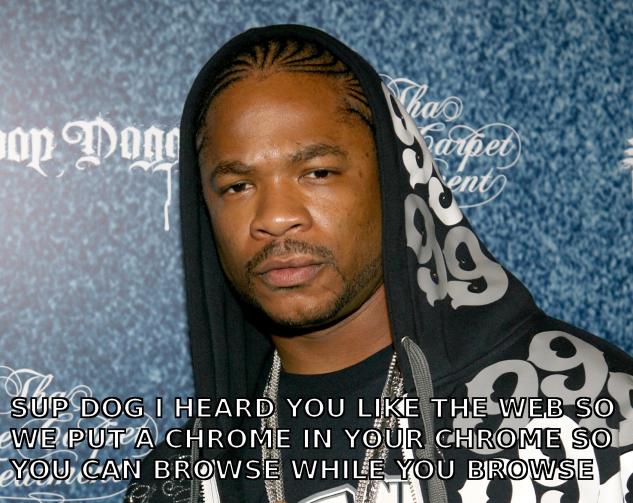
But that makes no sense. So what Clint's clearly getting at is that people using the Google web OS are browsing the web using the Google web OS, and so remove the user agent string to avoid leaking that information. That makes sense, up until you actually think about it. A web OS would run in a web browser. Why would you run a web browser in a web browser?


Google's not an OS company. They don't employ enough people to develop a full OS and releasing a Linux derivative themselves would just be a way of tarnishing their brand in a hideous manner. Any move into the home would have to be in the form of appliances with known hardware configurations, and seriously, what's the point? It's not a big enough market. If Google's going to push applications, it's going to do it through the browser. And if it's doing it through the browser, then right now it doesn't matter what the underlying OS is. There could be any number of reasons for the mystery of the missing user agent strings, but if it's because Google are trying to prevent people from working out that they're developing an entire software stack that they're going to push out onto arbitrary hardware then I have an Android netbook to sell you.

That'll be $50,000, please.

Next.

Previous.