Search Results: "ron"

30 December 2009

Gunnar Wolf: Internationalizing into your local customs

It seems strange to me. I don't think I know people as aware of internationalization issues as Bubulle, a.k.a. Christian PERRIER, and I have the feeling his last post regarding how he shall address himself is somewhat short-sighted. That might just mean I am in an even worse position. First, I recognize Christian's concern, but not only when dealing with people from around the globe It happens in my everyday life. When you show an ID stating Gunnar Eyal Wolf Iszaevich, the first reaction is a blank stare of disbelief, only to be followed by a question: So, what is your name? So I understand Christian wants to make it easier for people to guess what his name is in the least obtrusive way possible. I have seen the convention he suggests (uppercasing the family name) AFAICT used by French and Japanese people. But for me, it is intuitively backwards. If I were to emphasize a part of my name, it would be the part by which I expect people to address me with I would write GUNNAR Wolf. And yes, I usually leave out my second given name and my mother's family name, as it is customary here. Well, anyway... Reading my name, few people would guess I live in Mexico. Even fewer will believe I was born here. And if somebody calls me by the wrong part of my name, I won't feel at all offended. I strongly prefer my name to be used, as I like to be addressed casually, but quite often I am introduced as Dr. Wolf, in what at most would be an ex-profeso honoris causas doctorate, or at least an ignoratis causas one.

28 December 2009

Luca Bruno: Uzbl in Debian


After some delay, uzbl is now available in Debian (testing and unstable). Uzbl is a webkit based browser which aims to adhere to the Unix philosophy of having programs that do one thing and do it well; as such, it comes with a main binary (uzbl-core), acting as the real web-renderer, which is controllable by third-parties via standard fifo s and sockets. The package also bundle some external helper scripts for daily web-surfing (ie. handling history, bookmarks, cookies, etc.) and a ready-to-user wrapper (uzbl-browser) to help setting up the environment, using the default config.
As a standalone browser, it may look quite similar to vimperator (default key-bindings and interface are strongly vim-like), but overall it offers a more powerful and completely reconfigurable user-interface, can be fully scripted and hooked with self-made helpers and is even embeddable in other applications (eg. Emacs). Nonetheless, it brings all the power of a fully fledged webkit renderer. You may find it particularly useful when working within a tiling window manager (like awesome or xmonad), or used as a full-screen remote monitor, easily controllable via socket (you should really try socat with it!) or plain-text fifo (for a bunch of stats, as easy as a echo "uri italiaora.org" > /tmp/uzbl_fifo_your-instance )

John Goerzen: Review: Those new-fangled paper books

Everyone seems to be familiar with ebooks these days. I own a Kindle 2, and of course we ve spent weeks hearing how great the Nook will be, then weeks hearing how terrible it turned out to be. But nobody seems to be casting an eye back towards paper, so I thought I d rectify that here, especially since paper books have some serious stability issues that are often overlooked! Before I begin, I feel it wise to offer this hint to the reader: this review should not be taken too literally. If you have an uncontrollable urge to heave a volume of the Oxford English Dictionary at me as if I am some European prime minister, please plant your tongue more firmly in your cheek and begin again. Today I picked up a paper book to read just for fun The Happiest Days of Our Lives by Wil Wheaton. Long-time (since this spring!) Kindle user that I am, I immediately noticed the dashing use of color on its front cover, but when I opened it, I was disappointed that I couldn t scale the font size down from the default. It seems that paper books have only one font option what are all these Kindle forum posters complaining about with its six sizes of a single font? On the very first page, I encountered a word I wasn t familiar with (Namaste). I thought I knew what it meant from the context clues, and even had the thought that on the Kindle, I could just highlight it and confirm my guess. But my paper dictionary was in the basement, so I didn t bother looking it up until I wrote this post. (My hunch was reasonably correct.) Interface-wise, the paper book is solid, and crashes, lockups, or other malfunctions are rare. I have, however, noted severe stability problems when attempting to read outdoors, especially when it s windy (which, since I live in Kansas, is pretty much always). Pages start turning themselves, even without me making the turn page gesture. Sometimes the book will even lose its memory of my last page read. This is rather annoying, and might even involve a lengthy search for a suitable temporary replacement bookmark. Also, I haven t tried it, but I suspect that the trick of putting a Kindle in a ziplock bag to read at the beach or in the tub without risk of getting it wet would be impractical with a paper book. Paper does have its advantages. For one, it s faster to flip rapidly through pages on paper than on an ebook reader. If you know roughly where in the book something was written, but not the precise wording, searching can be faster on paper. On the other had, if you are looking for a particular word or phrase, the ebook reader may win hands-down, especially if the paper book has no index. Paper is so stable that some would argue that the extreme impracticality of making good backups isn t really a problem at all. But on the other hand, paper books degrade slightly each time they are used, and this condition can be aggravated by placement in bags for transport. Eventually, they will wear out. If my Kindle wears out, I can always restore David Copperfield from my backup copy to a new one. If my printed edition (all two volumes) of it wear out, then I have to hope that the used bookstore will still sell me another one for $10. Otherwise I d have to either drive 45 miles to find one for sale, attempt to deal with the DRM for paper books at a library, or wait a couple of days for Amazon to get it to my door. A fire or flood could be devastating. Paper books also have some advantages for showing photos; no ebook reader is close to the size and resolution of glossy paper photos books in a reasonable price. The contrast on most paper books is better than that of my Kindle, but some older ones are actually worse, smell dusty, and suffer from occasional display corruption as bits of them actually break off of the book device. As to cost, it is a mixed bag. Out of copyright classics are free as ebooks from Project Gutenberg and the like, while still costing money on paper. I have found that the accuracy of some of these paper editions can be rather questionable people have sometimes manually removed important bits of the story to save on printing costs, rather than let Google Books OCR mangle it for them automatically. On the other hand, used paper editions of more current works can be found for a fraction of the cost of the new ebook edition though you are often limited in selection of these bargains. But you can usually browse a paper book for a few minutes before buying it, which is rarely available for an ebook. What s more, libraries might let you borrow paper books for free. But you often have to expel greenhouse gases to get to them, and then they enforce DRM on you you only get to read it a certain amount of time before they start adding fees. You could easily wind up paying $2 if you keep it a week longer than you should have. With ebooks, of course, there is no free borrowing (and the Nook feature it too limited to count.) And you of course know that most libraries are run by the government, so they have your address. Trying to circumvent a library s DRM could wind up involving the police, so you had best comply. Making copies of a paper book is expensive and requires specialized equipment, even if you just want a copy for backup. Compatibility problems with paper books are rare, and are usually found among readers with poor eyesight. A few works can be found in large font editions, but most can t, so those readers are left needing expensive specialty magnifiers. All in all, I prefer reading books on my Kindle, but still read on paper when that s how I have a book.

27 December 2009

Kurt Roeckx: Canon EOS 500D

I recently bought myself a Canon EOS 500D also known as EOS Rebel T1i, and EOS Kiss Digital X3. I also got myself a Canon EF 50mm f/1.4 USM lens. One of the new things about the 500D, compared to my previous 400D, is that it has live view. So I wanted to see if that's useful or not. I'm not that happy with it. If you want to let it auto focus normally you would half press the release button but instead you need to press the AE lock (*) button, half pressing the release button doesn't have any effect. The live view auto focus is also very slow, takes about 5 seconds on average. It's also has a habit of not focusing it all, or going in the wrong direction to find the focus. I sometimes suddenly feel the focus ring vibrate on the 50 f/1.4 USM while it normally never moves. There is also some weird clicking noise on my zoom lens, it appears to keep trying to send it beyond the smallest focus range while the object is meters away. There is also a "quick" focus mode, so that if you press the AE lock button the mirror goes down, temporary turning live view off, doing the focus the normal way, and then the mirror goes up again. In that mode the auto focus takes about 2 seconds instead. The only thing live view seems useful for is that you can zoom in to see if something is in focus. I'm also seeing some weird behavior when using the flash. When using the 50mm f/1.4 it really seems to prefer using f/2.8, sometimes f/1.4 or f/4.0, and you can't select anything else in the auto, CA or P mode. Sometimes the depth of field is just too small, so I tried to set it to Av mode and manually select the one I want. What I didn't expect in that case is that it's calculating the shutter time like it won't be using the flash, and you suddenly get shutter times of 5 seconds. Other modes have similar problems, only setting everything manual seems to work properly.

26 December 2009

Stefano Zacchiroli: RC bugs of the week - week 16

RCBW - week #16 ... and here are christmas (for those who care) RC squashes, by yours truly (for those who care too): and here are the usual notes: Hint/request of the week: please add +pending when you do DELAYED/ NMUs, that way filtering out already taken care of bugs gets easier and refreshing a bug log page in the browser will immediately show the new tag at the top.
(Yes, I agree that nmudiff should offer that when passed --delay, I intend to propose a patch for that, but feel free to beat me at it :-P) In other news, christmas vacations are awesome to catch up with books you planned to finish reading months ago ... Update: the patch for nmudiff I've mentioned has been kindly provided by gregor hermann, thanks!

Julien Blache: forked-daapd news: FrontRow support, TV shows

Over the past weeks, a couple of contributors sent me fixes and new features for forked-daapd. Thanks to you all! The biggest change is the addition of TV shows metadata as found, for instance, in TV shows bought on the iTunes store. Together with the added support for FrontRow and QuickTime clients, this means forked-daapd is a lot more able at streaming video files than it ever was. Kudos to Ace Jones for his work! Note, however, that you ll need a patched version of ffmpeg to pick up the TV shows metadata from your MP4 files. At the time of writing, the patches have not landed into ffmpeg upstream yet, and it s a bit unclear when this will happen. Contact Ace for the patch and instructions, see the commits in the git tree for his email address. Git tree on Alioth: http://git.debian.org/?p=users/jblache/forked-daapd.git (git URIs on the page)

25 December 2009

Erich Schubert: Media Players

Somehow, I'm still lacking the optimal media player application. Many popular ones are totally overloaded (e.g. amarok). Others like totem seems to be just a minimalistic frontend for a particular backend.My current choice: However, there is one thing I'm really not satisfied with: when putting together a CD compilation for friends (say, as Christmas present), they are quite useless. A key issue here is the total playlist length. Guess what, I want to make sure it fits on a single CD. So I really need to know the total playlist length. Why do so many media players (e.g. totem, alsa-player-gtk, xfmedia4, vlc, mplayer, ...) not show you the total playlist length? They did read all the files to get artist and title. Many even have the individual song lengths, just not the total sum.In the past I've been using old XMMS1 to check for the total length, or a CD burning application like K3B by repeatedly importing my current folder.Right now, I'm using Quod Libet (since I like the tag-editing component exfalso a lot) to arrange the playlist. It also gives me the total length, albeit I belive I've had incorrect song lengths in it before (broken VBR files?), and it's not perfect, too: being database-driven it has really long startup times for occasional users (because of updating the database) and is much more heavyweight. I also believe I've lost some playlists because I had moved my files around once ... so I'm a bit sceptical.Anyway, there are still hundreds of media players I havn't looked at. Don't bother me to send me an email about one I havn't mentioned!But if you are developing a media player, please consider the use case of putting together a music CD for your friends. In particular, for users that do not use your player all day.

Clint Adams: Distributed shell scripts for Christmas

When being told about the differences between Puppet and Chef by Puppet fans, a few common talking points emerged. They included the terms DSL , declarative , and shell script . Shell script was probably the most entertaining meme, and referred to how, without dependencies, Chef was just like writing shell scripts in Ruby. In actuality, a Chef cookbook appears to be roughly 17 files in 7 different directories. Most of them end in .rb, but there is also a metadata.json to keep the metadata.rb company, and perhaps an .rdoc if you like that sort of thing. I have no idea who writes shell scripts this way. I am also stupefied that people say this is easier than Puppet, because I doubt I would want to perform system administration by writing one of these things. So when I started writing my own thing, I contemplated the dependency issue, and for a few minutes decided to be lazy and leave them out entirely. Once it dawned on me, however, that I was then writing shell scripts in Lua, I became ashamed. If I were going to go that route, why not just set up a git repository with a bunch of shell scripts, and set up cronjobs on each of the clients to do a git pull and run these shell scripts as root? After all, nothing beats shell scripting for shell scripting, not Perl, not Python, not Ruby, and least of all Lua. So I wrote a dependency resolver. It was easier than I had anticipated and I have vague plans to make it smarter than Puppet's. Then I'm justified in sticking to my Lua DSL . Now Steve has a list of requirements that seem to be relatively mild. I think he could easily get away with a VCS-shellscript-cron setup. The VCS pull can be tunneled over ssh or stunnel or anything else which will provide authentication and encryption, so there is no need for a fancy custom server with its own certificate authority. In short, all the tools are there and you just need glue. I will continue to pretend that I'll need more complex logic and power that only Lua can give me, so I'll end up doing VCS-Lua-cron until I change my mind.

Martin-Éric Racine: Bad, bad Linux kernel!

Ever since Linux kernel 2.6.31 was released, my AMD Geode LX800-based FIC ION 603 can no longer boot; I get a fatal kernel crash near the end of the initramfs loading phase. At the crux of the issue seems to be a recently added kernel feature for caching filesystem ACL. I don't even use the ACL feature on my hosts, but there you go; it still crashes the kernel. Sigh. Having filed a bug on Launchpad and reported the issue upstream failed to produce a fix - despite the sustained involvement of two members of the Ubuntu kernel team members to help me narrow down the cause of this fatal kernel crash. Mentioning the issue to OLPC kernel developer Andres Salomon, he commented how he finds the new ACL caching code in the ext2/ext3/ext4 filesystem drivers downright creepy, but added that he currently lacks the time to further investigate the issue. I'm thus wondering if anyone else is experiencing this issue and might possibly have a fix to propose? Alternately, help towards debugging and fixing this issue is extremely welcome, as this bug will seriously affect users upgrading from older Debian and Ubuntu releases based on pre-2.6.31 kernels, when Debian/Squeeze and Ubuntu/Lucid are published in spring. PS: yes, the issue still exists in kernel 2.6.32 also.

Steve Kemp: And if someone gets upset you say, "chill out"!

It was interesting to see Clint Adams describe love and dissatification with configuration management. At work I've got control of 150(ish) machines which are managed via CFEngine. These machines are exclusively running Debian Lenny. In addition to these hosts we also have several machines running Solaris, OpenBSD, and various Ubuntu releases for different purposes. Unfortunately I made a mistake when I setup the CFEngine infrastructure and when writing all the policies, files, etc, I essentially said "OK CFEngine controlled? Then it is Debian". (This has been slowly changing over time, but not very quickly.) But in short this means that the machines running *BSD, Solaris, and non-Debian distributions haven't been managed as well via CFEngine as the rest, even though technically they could have been. A while back I decided that it was time to deal with this situation. Looking around the various options it seemed Puppet was the way of the future and using that we could rewrite/port our policies and make sure they were both cleanly organised and made no assumptions. So I setup a puppetmaster machine, then I installed the client on a range of client machines (openbsd, debian lenny, ubuntu, solaris) so that I could convince myself my approach was valid, and that the tool itself could do everything I wanted it to do. Unfortunately using puppet soon became painful. It has primitives for doing various things such as maintaining local users, working with cronjobs, and similar. Unfortunately not all primitives work upon all platforms, which kinda makes me think "what's the point?". For example the puppet client running upon FreeBSD will let you add a local user, setup a ~/.ssh/authorized_keys file but will not let you setup a password. (Which means you can add users who can login, but then cannot use sudo. Subpar) At this point I've taken a step back. As I think I've mentioned before I don't actually do too much with CFEngine. Just a few jobs: (i.e. I don't use cron facilities, I add files to cron directories. Similarly I don't use process monitoring, instead I install the monit package and drop /etc/monit/monitrc into place.) There is a pretty big decision to make in the future with the alternatives being: If we ignore the handling of local users, and sudo setup, then the tasks that remain are almost trivial. Creating a simple parser for a "toy-language" which can let you define copies, edits, and package operations would be an afternoons work. Then add some openssl key authentication and you've got a cfengine-lite. For the moment I'm punting the decision but I'm 90% certain that the choice is CFEngine vs. Chef vs. In-House-Fu - and that puppet is no longer under consideration. Anyway despite having taken months to arrive at this point I'm going to continue to punt. Instead my plan is to move toward using LDAP for all user management, login stuff, and sudo management. That will be useful in its own right, and it will coincidentally mean that whatever management system we do end up using will have on less task to deal with. (Which can only be a good thing.) ObFilm: Terminator II

Steve Kemp: 907

It was interesting to see Clint Adams describe love and dissatification with configuration management. At work I've got control of 150(ish) machines which are managed via CFEngine. These machines are exclusively running Debian Lenny. In addition to these hosts we also have several machines running Solaris, OpenBSD, and various Ubuntu releases for different purposes. Unfortunately I made a mistake when I setup the CFEngine infrastructure and when writing all the policies, files, etc, I essentially said "OK CFEngine controlled? Then it is Debian". (This has been slowly changing over time, but not very quickly.) But in short this means that the machines running *BSD, Solaris, and non-Debian distributions haven't been managed as well via CFEngine as the rest, even though technically they could have been. A while back I decided that it was time to deal with this situation. Looking around the various options it seemed Puppet was the way of the future and using that we could rewrite/port our policies and make sure they were both cleanly organised and made no assumptions. So I setup a puppetmaster machine, then I installed the client on a range of client machines (openbsd, debian lenny, ubuntu, solaris) so that I could convince myself my approach was valid, and that the tool itself could do everything I wanted it to do. Unfortunately using puppet soon became painful. It has primitives for doing various things such as maintaining local users, working with cronjobs, and similar. Unfortunately not all primitives work upon all platforms, which kinda makes me think "what's the point?". For example the puppet client running upon FreeBSD will let you add a local user, setup a ~/.ssh/authorized_keys file but will not let you setup a password. (Which means you can add users who can login, but then cannot use sudo. Subpar) At this point I've taken a step back. As I think I've mentioned before I don't actually do too much with CFEngine. Just a few jobs: (i.e. I don't use cron facilities, I add files to cron directories. Similarly I don't use process monitoring, instead I install the monit package and drop /etc/monit/monitrc into place.) There is a pretty big decision to make in the future with the alternatives being: If we ignore the handling of local users, and sudo setup, then the tasks that remain are almost trivial. Creating a simple parser for a "toy-language" which can let you define copies, edits, and package operations would be an afternoons work. Then add some openssl key authentication and you've got a cfengine-lite. For the moment I'm punting the decision but I'm 90% certain that the choice is CFEngine vs. Chef vs. In-House-Fu - and that puppet is no longer under consideration. Anyway despite having taken months to arrive at this point I'm going to continue to punt. Instead my plan is to move toward using LDAP for all user management, login stuff, and sudo management. That will be useful in its own right, and it will coincidentally mean that whatever management system we do end up using will have on less task to deal with. (Which can only be a good thing.) ObFilm: Terminator II

24 December 2009

Julien Blache: Packard Bell OneTwo all-in-one with touch screen

I ve just bought a Packard Bell OneTwo (M3700), a 600 Euros all-in-one computer with a 20 multipoint touch screen (there are bigger models with 23 touch screen, wifi and some other options). This machine will be used to run OpenBravoPOS, a free (libre) point of sale software. So far, I think this machine is just perfect for the job. Getting it to run smoothly under Linux is not a walk in the park, however. There are some quirks and some assembly is required, but once you re done (that takes a couple of hours at most once you ve got all the info, which you have if you re reading this) this machine is just great. It s fast, with a 2.1 GHz Pentium Dual-Core (T4300) CPU, 4 GB of RAM, an Intel GM45 GPU with up to 256 MB of shared RAM, gigabit networking, a fast 320 GB SATA disk and a combo DVD-drive (not a slot-in, too bad). The screen is nice, and the touchscreen is incredibly smooth, precise and sensitive. The sound is good, the webcam is great and it works out of the box, too! Update: added a note about the card reader. Before you go Enter the BIOS and bump the amount of memory allocated to the GPU to 256 MB. By default, the machine ships with only 64 MB allocated to the GPU, which is low and ridiculous considering it is equipped with 4 GB Installing Debian Forget about installing Lenny with debian-installer on this machine. The standard installer with its 2.6.26 kernel doesn t support the network interface properly. Upgraded installer images with 2.6.28 or 2.6.30 kernels end up locking the machine solid before the first installer screen. Your best friend: System Rescue CD. Your other best friend: debootstrap. Before rebooting, install the 2.6.30 kernel from backports.org. It works like a charm, even if the 2.6.30 on the upgraded installer locked up solid. Go figure :) While you re at it, install X from Testing. You need a recent enough version of the intel driver that will support the GM45 chip. Configuring X This is the first and the biggest quirk on this machine. The LCD is actually wired up to both the VGA and the LVDS outputs on the graphic card, and advertises different resolutions on both. The native resolution (1600 900 on this model) is only advertised on the LVDS output. While fiddling with X, it becomes obvious that the VGA output is used as the boot video device. If you disable the output in X with xrandr, you loose the text consoles. My un(?)educated guess is that this setup allowed them to use a standard desktop PC BIOS instead of using a more expensive laptop BIOS. I may be wrong, but that s pretty much the only thing that makes sense to me. Anyway. If you want X to work properly, you ll have to tell it to ignore the VGA output entirely.
Section "Device"
 Identifier  "Intel X4500"
 Option  "Monitor-LVDS"  "Panel on LVDS"
 Option  "Monitor-VGA"  "Panel on VGA"
EndSection
Section "Monitor"
 Identifier  "Panel on LVDS"
EndSection
Section "Monitor"
 Identifier  "Panel on VGA"
 # The LCD panel is wired up on both VGA and LVDS
 # Ignore the VGA output as far as X is concerned
 Option  "Ignore"  "True"
EndSection
If you don t tell X to ignore the VGA output, you ll end up with a mirror setup and your desktop will use the smallest size so as to fit on both monitors. It isn t pretty, it s plain silly and we want those 20 used fully, dammit! See the full xorg.conf. Touch screen The touch screen is an infrared multipoint touch screen from Quanta. No kernel driver is needed, only an input driver for X is required. Start by adding an udev rule like this one:
SUBSYSTEM=="usb", ATTRS idVendor =="0408", ATTRS idProduct =="3000", SYMLINK+="usb/quanta_touch"
The touch screen will now appear as /dev/usb/quanta_touch, which is more handy and stable than /dev/usb/hiddevN. Grab xf86-input-hidtouch from HidTouch Suite on SF.net, and apply this patch. The aim of the patch is to ignore anything but the first reported pressure point. The touch screen is a multipoint touch screen and as such can report 2 or 3 (not sure) pressure points at the same time. The driver can t handle that yet. The patch also fixes a bad comment and an API difference with newer X versions. Build and install the driver, then edit xorg.conf:
Section "InputDevice"
 Identifier  "Optical Touch Screen"
 Driver  "hidtouch"
 Option  "SendCoreEvents"  "true"
 Option  "ReportingMode"  "Raw"
 Option  "Device"  "/dev/usb/quanta_touch"
 Option  "PacketCount"  "13"
 Option  "OpcodePressure"  "852034"
 Option  "OpcodeX"  "65584"
 Option  "OpcodeY"  "65585"
 Option  "CalibrationModel"  "1"
 Option  "CornerTopLeftX"  "0"
 Option  "CornerTopLeftY"  "0"
 Option  "CornerTopRightX"  "1600"
 Option  "CornerTopRightY"  "0"
 Option  "CornerBottomLeftX"  "0"
 Option  "CornerBottomLeftY"  "900"
 Option  "CornerBottomRightX"  "1600"
 Option  "CornerBottomRightY"  "900"
 Option  "CornerScreenWidth"  "1600"
 Option  "CornerScreenHeight"  "900"
EndSection
There you are. Working touch screen! Credit: the above touch screen setup instructions, including the patch (which I reworked slightly ) were taken from this post on the Ubuntu-fr.org forum. The instructions cover the Packard Bell Viseo 200T touch screen, which is identical to what s used on the OneTwo. If you re looking for a 20 touch screen, go for it; at 200 Euros it s a good deal. Sound The Realtek ALC268 codec as used in the OneTwo isn t properly supported yet, however using model=acer-aspire works for the integrated speakers and the headphone jack. Line out and the integrated microphone do not work. Webcam The webcam is a UVC webcam and the image quality is stunning. I m seriously considering stealing that webcam to replace the iSight in my MacBook Pro. It works out of the box without any firmware. Quite a good surprise :) Flash card reader The integrated flash card reader also works out of the box, for the card formats supported by Linux.

Andrew Pollock: [life] Homeowners!

There was a minor hiccup yesterday. Our mortgage broker called me up towards the end of the day in a flap because something had gone wrong on the seller's side of things, and their bank hadn't accepted the transaction or something. I still don't know the full story. Something about them missing a mortgage payment possibly. Anyway, she was able to arrange for funding and closing today, instead of funding yesterday and closing today, so the outcome was still the same. Now the real fun starts. The first thing I did tonight was program the garage door opener into the Prius' HomeLink thingy built into the rear vision mirror. It's always nice to be able to use a feature, even if it's taken 4 years.

Muammar El Khatib: Installing Adobe Air in Debian AMD 64 (TweetDeck can be used)

I love twitting using TweetDeck. So that, I started to investigate how to install Adobe Air in Debian AMD64 and, it was a real pain in the ass. I have found a way of installing it in Debian AMD64.

First of all, you need to install the following packages:

$ sudo apt-get install ia32-libs lib32nss-mdns lib32asound2 lib32gcc1 lib32ncurses5 lib32stdc++6 lib32z1 libc6 libc6-i386 lib32nss-mdns libcanberra-gtk-module


After installing them, we have to create some symlinks from the location of some of those libraries in /emul/ia32-linux/usr/lib/ to /usr/lib32/. For accomplishing it, do the next:

$ cd /usr/lib32/
$sudo ln -s /emul/ia32-linux/usr/lib/libnss3.so .
$sudo ln -s /emul/ia32-linux/usr/lib/libssl3.so .
$sudo ln -s /emul/ia32-linux/usr/lib/libsmime3.so .
$sudo ln -s /emul/ia32-linux/usr/lib/libnspr4.so .
$sudo ln -s /emul/ia32-linux/usr/lib/libnssutil3.so.1d .
$sudo ln -s /emul/ia32-linux/usr/lib/libplc4.so.0d .
$sudo ln -s /emul/ia32-linux/usr/lib/libplds4.so .


In the case that you have problems with libplds4.so.0d, create the symlink like this:


$sudo ln -s /emul/ia32-linux/usr/lib/libplds4.so.0d libplds4.so.0d


Now, it is time to download Adobe AIR (in this case version 1.5).

$wget http://airdownload.adobe.com/air/lin/download/latest/AdobeAIRInstaller.bin


Once it is downloaded, we have to make the .bin file an executable:

$ sudo chmod +x AdobeAIRInstaller.bin


Then, we can proceed to install it:

$ sudo ./AdobeAIRInstaller.bin


If you get an error like this:

Error loading the runtime (libnss3.so: wrong ELF class: ELFCLASS64)


It means that you haven't done the symlink from /emul/ia32-linux/usr/lib/libnss3.so to /usr/lib32/ correctly or that you haven't installed the library which is missed ('apt-file search' is your friend).

If everything goes fine, then the last steps are:

sudo cp /usr/lib/libadobecertstore.so /usr/lib32


Note: make a symlink if you prefer.

And for TweetDeck I had to do this:

Download libgnome-keyring0 for 32 bits (in this example I used the one from SID, if you are using testing, download the one from that release that you are using), extract it with dpkg and copy the libraries to /usr/lib32:

$ wget http://ftp.us.debian.org/debian/pool/main/g/gnome-keyring/libgnome-keyring0_2.28.2-1_i386.deb
$ sudo dpkg-deb -x libgnome-keyring0_2.28.2-1_i386.deb libgnome-keyring0_2.28.2-1
$ sudo cp libgnome-keyring0_2.28.2-1/usr/lib/* /usr/lib32/


Then install TweetDeck (http://tweetdeck.com/download/) and Enjoy :-)

Note: If you find any problem, please do not hesitate to write a comment so that I can help you or we can improve this post.

23 December 2009

Ingo Juergensmann: Digikams 100% view

I'm using digikam to organize my pictures I took with my D90 DSLR. I always got the impression that the View -> "Zoom to 100%" menu shows not the full sized image (100%). When using another picture viewing program like okular and choosing View 100% there, I get a "bigger" image. Proof is here:

100% view - Okular vs. Digikam


You can see okulars view on the left in the foreground. Digikams 100% view is in the background at the right. Both apps are showing the same JPEG picture. I don't know that Digikam is doing wrong there, but it's definitely not a 100% view that it shows. Time for a bug report, I guess...

UPDATE:
Oh well... wondering why all those people got the Copyright-Notice.png instead of the real picture, I finally discovered that I need to change the rewrite settings for the IPv4 vhost section as well. IPv6 users hadn't this kind of problem. So, better use IPv6 instead of IPv4, folks! ;-)

And thanks to sgran for pointing out <vhost 1.2.3.4 2001::1:2:3:4> syntax! ;-)

UPDATE 2:
The bug report is filed and registered as #562197.

UPDATE 3:
Problem solved! See bugreport.

Benjamin Mako Hill: What's in a name?

Over the summer, there was a bit of a tussle at the highest level of Ubuntu governance over whether or not Canonical Ltd., the company that funds the majority of work done directly in Ubuntu, should name its file syncing and backup service Ubuntu One. Canonical's service involved a freely licensed client included in the Ubuntu distribution but, as a network service running on Canonical servers, it was not clearly a part of Ubuntu (the GNU/Linux distribution) or Ubuntu (the community) in the way the term was usually used within the community. Although the network service itself was not Franklin Street Statement free, this was not the most important issue for everyone who objected to the name. The major issue for many seemed to boil down to the fact that, free or not, Ubuntu One is a service run entirely by Canonical outside the reaches of the Ubuntu governance structures. Decisions were made and not everybody -- and maybe not anybody -- was absolutely happy with the outcome. My goal is not try to revive old arguments here. As far as I'm concerned, the issues are settled and the service is called Ubuntu One. That said, the questions raised during the episode are fundamental to Ubuntu and to other firm-sponsored FLOSS projects. Now that the dust has settled, they are worth reflecting on. From a legal perspective, there never was any ambiguity. Canonical "owns" the Ubuntu trademark. In this important sense, "Ubuntu" means whatever Canonical says it means. This is hardly new. As just one example, the Official Ubuntu Book (of which I am an author) was written by community members but became official because Canonical blessed it. But despite the fact that they don't need to, Canonical has often consulted with the community and its governance structures about trademark licensing policy. This was also not a case of Canonical not listening to the community. Canonical employees approached the Ubuntu Community Council (Ubuntu's highest governance board of which I am a member), listened carefully to concerns, and responded thoughtfully. The question was not even about a clash between what Canonical and the CC thought about the issue. An unambiguous majority of the board, including all the Canonical employees and several of the community members, supported the idea of Canonical using the trademark. The question was one about who gets to make the decisions about the Ubuntu name and about what role the community and Canonical would each play. Despite the fact that a majority of the Ubuntu community council was likely to support the proposed name, the CC was told by Canonical CEO Mark Shuttleworth that a vote was irrelevant. Canonical made it clear that decisions about the Ubuntu trademark were simply not in the CC's purview. The decision on how the name was to be used was something that Canonical was not willing to delegate to an "outside" (the firm) governance body. Few businesses would. And although I don't agree with the decision as a community representative, I might have even made the same call from Canonical's shoes. In traditional firms, it's usually pretty clear where the organization's boundary lies. In FLOSS projects -- and especially in FLOSS project like Ubuntu who are sponsored in very large part by a single for-profit company -- boundaries are fuzzier. The conversation about "Ubuntu One" can be seen as a fight over what "Ubuntu" refers to, and, more importantly, who gets to answer that question. In deciding whether to call a service "Ubuntu", a decision is made on what Ubuntu is. Names are powerful. Is Ubuntu just a Canonical project? Are Ubuntu's contributors really just Canonical contributors by proxy? I think the answer to both questions is "no" but the boundary issues involved are complicated and under constant negotiation. Every time Canonical uses the Ubuntu name itself or grants others the ability to do so, these boundary issues are negotiated, one way or another. This boundary setting work reveals an important tension that firms releasing FLOSS must all struggle with. To what extent and in what ways do communities get to decide what a FLOSS project is and to what extent do sponsoring firms get to do so? How should projects and firms do this most effectively? What should we even be optimizing for? I think that any resulting balance has a huge effect on whether a FLOSS project is, on one hand, released under a free license but run like any old corporate project or, on the other, a true "bazaar" style project where no single firm dominates -- or where they fall on that spectrum. Names and trademarks are one way that projects define their own identities and act as an important frontier in this balancing act. As every firm/project negotiates their own answers to questions of names and boundaries, there are important implications for the project's ability to attract volunteers, solicit contributions from other firms, and more. The confusion around conversations about Ubuntu One shows that we still have a lot to learn.

Peter Eisentraut: Patience

Occasionally, there are concerns expressed about the adoption rate of Python 3. Now that PostgreSQL 8.5alpha3 is released with Python 3 support in PL/Python, let's see what the schedule might be until this hits real use.

Python 3.0 was released in December 2008 and was admitted to be somewhat experimental. At that point, PostgreSQL 8.4 was already in some kind of freeze, so adding a feature as signicant as Python 3 support was not feasible at that point.

In fact, we opted to do two significant rounds of fixing/enhancing/refactoring of PL/Python before tackling Python 3 support: fixed byte string (bytea) support and Unicode support. Both of those benefit Python 2 users, and they made the eventual port to Python 3 quite simple.

PostgreSQL 8.5 might release around May 2010. Debian squeeze is currently in testing and doesn't even contain Python 2.6 or Python 3.1 yet, due to some technical problems and a bit of infighting. Debian freezes in March 2010, which means without PostgreSQL 8.5 but hopefully with Python 2.6 and 3.1. The final release of squeeze should then be later in 2010, which means the earliest that a significant number of Debian users are going to look into moving any of their code at all nearer to Python 3 (via 2.6) is going to be late 2010. (Other operating system distributions will have other schedules, of course.)

The next Debian release (squeeze+1), which will presumably include PostgreSQL 8.5 or later and a solid Python 3.x environment, will then not be released before January 2012, if we believe the current 18-months-plus-slip cycle of Debian. So it will be mid-2012 until significant numbers have upgraded Debian and PostgreSQL to the then-current versions. If you are sticking to a stable and supported operating system environment, this is the earliest time you actually have the option to migrate to the Python 3 variant of PL/Python across the board for your applications. Of course in practice this is not going to be the first thing you are going to do, so by the time you actually port everything, it might be late 2012 or even 2013. Also, if you are heavily invested in PL/Python, you are probably not going to upgrade much your other Python code before PL/Python is ready.

This will then be 3 years after the PL/Python 3 code is written and 4 years after the release of Python 3.0. And 2 years before Python 2.x is expected to go out of maintenance in 2015.

So, to all users and developers: patience.

Incidentally, I fully expect to still be using IPv4 by then. ;-)

Dirk Eddelbuettel: RInside release 0.2.0

RInside, a set of convenience classes to facilitate embedding of R inside of C++ applications, was updated to release 0.2.0 over the weekend. Sources as well as binary packages are at CRAN; sources are also at my RInside page The biggest news is that we now support builds on Windows -- if and only if you use the R toolchain -- more on that below. Since I had first released RInside people had emailed about support on Windows. However, Richard Holbrey deserves special mention as he actually sat down and tried to build it. Over a few email exchanges we made decent progress, but stalled. More recently, I sat down and had another go and lo and behold, it works. This required a few #ifdef statements here and there, as well as a function setenv() which Windows does not have -- Richard kindly helped here and borrowed most of the code from R itself. Now, to make this plain: you need gcc (as this is how R itself is built). This gcc compiler is the native compiler on Linux and OS X. But on Windows this requires installing the Rtools compiled by Duncan Murdoch as detailed in the The Windows Toolset appendix to the R Installation manual. Do not, I repeat, do not report an error if you fail to build this with another compiler as this is not supported. That said, if you have the proper tools, things are peachy. Install the package, change into the examples directory installed with it and say make (or on Windows: make -f Makefile.win). That's it -- now run the examples (which on Windows will most likely require setting the environment variable R_HOME). Now you can run simple examples like the one from the previous blog post or any of the other ones. Happy embedding!

22 December 2009

David Pashley: Maven and Grails 1.2 snapshot

Because I couldn't find the information anywhere else, if you want to use maven with Grails 1.2 snapshot, use:
mvn org.apache.maven.plugins:maven-archetype-plugin:2.0-alpha-4:generate
-DarchetypeGroupId=org.grails
-DarchetypeArtifactId=grails-maven-archetype
-DarchetypeVersion=1.2-SNAPSHOT     -DgroupId=uk.org.catnip
-DartifactId=armstrong
-DarchetypeRepository=http://snapshots.maven.codehaus.org/maven2
Read Comments (0)

Lucas Nussbaum: Doctor Capello!

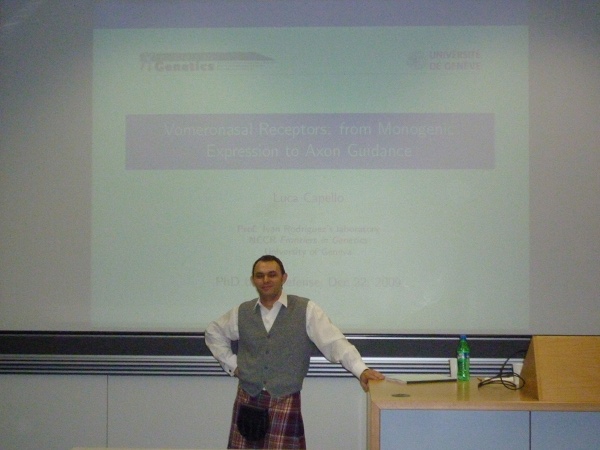
He might too shy to tell everybody, but the world must know. Luca Capello successfully defended his PhD thesis today at Universit de Gen ve, getting a Tr s Bien mention. I must admit that my last biology lesson was 13 years ago, so I m not sure I can really comment on his work on Vomeronasal Receptors: from Monogenic Expression to Axon Guidance. But I was very impressed by the quality of the experimental process, especially compared to what we do in computer science. Debian was well represented at the defense, since Axel Beckert, Didier Raboud and the Debian kilt were also there. Welcome to the list of Debian Developers holding PhD degrees, Luca!
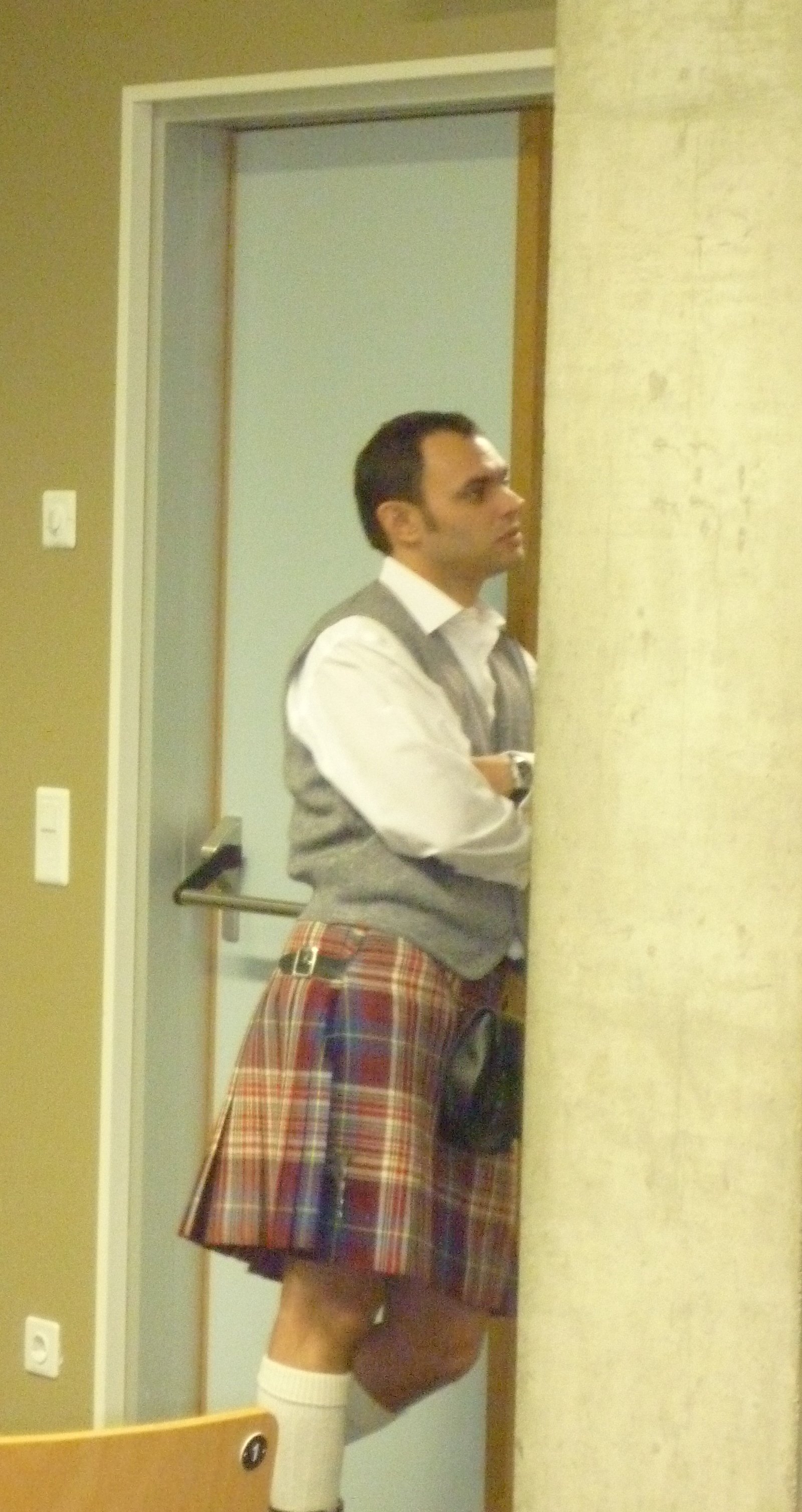
Luca waiting at the door (again).
luca1
Luca ready to start.

Next.

Previous.