Scarlett Gately Moore: KDE Snaps, Security updates, Debian Freeze
 Icy morning Witch Wells AzIcy morning Witch Wells Az
 I love free software and I OSUOSL
So in December 2018 I was approached somewhat out of the blue by someone from
OSUOSL who offered eight servers to the Reproducible Builds project and as these
machines had 32 cores and 144 GB Ram each (plus 3 TB on a single HDD) and
they also offered free hosting, I very happyly said yes.
And since them I'm a very happy Oregon State University Open Source Labs user,
and these days we're switching the setup to different machines, which
is another story to tell some other time...!
 My point now is: since 2018 I got to know OSUOSL and every year I like them more.
They are super friendly, reliable (a working ticket system and a great IRC channel), offer help in various ways, be it with DNS names (and renamings...) or
finding new hardware suited to our needs or whatever else we come up with. They are really dedicated to help free software projects
and I'm grateful having the privilege to enjoy this since more than four years now.
To quote https://osuosl.org/:
"The Open Source Lab is a nonprofit organization working for the advancement of open source technologies.
The lab, in partnership with the School of Electrical Engineering and Computer Science at Oregon State University, provides hosting for more than 160 projects, including those of worldwide leaders like the Apache Software Foundation, the Linux Foundation and Drupal. Together, the OSL s hosted sites deliver nearly 430 terabytes of information to people around the world every month. The most active organization of its kind, the OSL offers world-class hosting services, professional software development and on-the-ground training for promising students interested in open source management and programming."
So, IOW, I'm just seeing a very tiny tip of the iceberg of their awesome work.
Check out https://osuosl.org/communities/ to see what
I mean with very tiny tip. Search for "Debian" and "Reproducible" on that page
 Thank you, everybody at OSUOSL! You rock and make a big difference for many projects!
 This is the second part of how I build a read-only root setup for my router. You might want to read part 1 first, which covers the initial boot and general overview of how I tie the pieces together. This post will describe how I build the squashfs image that forms the main filesystem.
Most of the build is driven from a script, make-router, which I ll dissect below. It s highly tailored to my needs, and this is a fairly lengthy post, but hopefully the steps I describe prove useful to anyone trying to do something similar.
#!/bin/bash
# Either rb3011 (arm) or rb5009 (arm64)
#HOSTNAME="rb3011"
HOSTNAME="rb5009"
if [ "x$ HOSTNAME " == "xrb3011" ]; then
	ARCH=armhf
elif [ "x$ HOSTNAME " == "xrb5009" ]; then
	ARCH=arm64
else
	echo "Unknown host: $ HOSTNAME "
	exit 1
fi
BASE_DIR=$(dirname $0)
IMAGE_FILE=$(mktemp --tmpdir router.$ ARCH .XXXXXXXXXX.img)
MOUNT_POINT=$(mktemp -p /mnt -d router.$ ARCH .XXXXXXXXXX)
# Build and mount an ext4 image file to put the root file system in
dd if=/dev/zero bs=1 count=0 seek=1G of=$ IMAGE_FILE
mkfs -t ext4 $ IMAGE_FILE
mount -o loop $ IMAGE_FILE  $ MOUNT_POINT
# Add dpkg excludes
mkdir -p $ MOUNT_POINT /etc/dpkg/dpkg.cfg.d/
cat <<EOF > $ MOUNT_POINT /etc/dpkg/dpkg.cfg.d/path-excludes
# Exclude docs
path-exclude=/usr/share/doc/*
# Only locale we want is English
path-exclude=/usr/share/locale/*
path-include=/usr/share/locale/en*/*
path-include=/usr/share/locale/locale.alias
# No man pages
path-exclude=/usr/share/man/*
EOF
# Setup fstab + mtab
echo "# Empty fstab as root is pre-mounted" > $ MOUNT_POINT /etc/fstab
ln -s ../proc/self/mounts $ MOUNT_POINT /etc/mtab
# Setup hostname
echo $ HOSTNAME  > $ MOUNT_POINT /etc/hostname
# Add the root SSH keys
mkdir -p $ MOUNT_POINT /root/.ssh/
cat <<EOF > $ MOUNT_POINT /root/.ssh/authorized_keys
ssh-rsa AAAAB3NzaC1yc2EAAAABIwAAAQEAv8NkUeVdsVdegS+JT9qwFwiHEgcC9sBwnv6RjpH6I4d3im4LOaPOatzneMTZlH8Gird+H4nzluciBr63hxmcFjZVW7dl6mxlNX2t/wKvV0loxtEmHMoI7VMCnrWD0PyvwJ8qqNu9cANoYriZRhRCsBi27qPNvI741zEpXN8QQs7D3sfe4GSft9yQplfJkSldN+2qJHvd0AHKxRdD+XTxv1Ot26+ZoF3MJ9MqtK+FS+fD9/ESLxMlOpHD7ltvCRol3u7YoaUo2HJ+u31l0uwPZTqkPNS9fkmeCYEE0oXlwvUTLIbMnLbc7NKiLgniG8XaT0RYHtOnoc2l2UnTvH5qsQ== noodles@earth.li
ssh-rsa AAAAB3NzaC1yc2EAAAADAQABAAACAQDQb9+qFemcwKhey3+eTh5lxp+3sgZXW2HQQEZMt9hPvVXk+MiiNMx9WUzxPJnwXqlmmVdKsq+AvjA0i505Pp8fIj5DdUBpSqpLghmzpnGuob7SSwXYj+352hjD52UC4S0KMKbIaUpklADgsCbtzhYYc4WoO8F7kK63tS5qa1XSZwwRwPbYOWBcNocfr9oXCVWD9ismO8Y0l75G6EyW8UmwYAohDaV83pvJxQerYyYXBGZGY8FNjqVoOGMRBTUcLj/QTo0CDQvMtsEoWeCd0xKLZ3gjiH3UrknkaPra557/TWymQ8Oh15aPFTr5FvKgAlmZaaM0tP71SOGmx7GpCsP4jZD1Xj/7QMTAkLXb+Ou6yUOVM9J4qebdnmF2RGbf1bwo7xSIX6gAYaYgdnppuxqZX1wyAy+A2Hie4tUjMHKJ6OoFwBsV1sl+3FobrPn6IuulRCzsq2aLqLey+PHxuNAYdSKo7nIDB3qCCPwHlDK52WooSuuMidX4ujTUw7LDTia9FxAawudblxbrvfTbg3DsiDBAOAIdBV37HOAKu3VmvYSPyqT80DEy8KFmUpCEau59DID9VERkG6PWPVMiQnqgW2Agn1miOBZeIQV8PFjenAySxjzrNfb4VY/i/kK9nIhXn92CAu4nl6D+VUlw+IpQ8PZlWlvVxAtLonpjxr9OTw== noodles@yubikey
ssh-rsa AAAAB3NzaC1yc2EAAAADAQABAAABAQC0I8UHj4IpfqUcGE4cTvLB0d2xmATSUzqtxW6ZhGbZxvQDKJesVW6HunrJ4NFTQuQJYgOXY/o82qBpkEKqaJMEFHTCjcaj3M6DIaxpiRfQfs0nhtzDB6zPiZn9Suxb0s5Qr4sTWd6iI9da72z3hp9QHNAu4vpa4MSNE+al3UfUisUf4l8TaBYKwQcduCE0z2n2FTi3QzmlkOgH4MgyqBBEaqx1tq7Zcln0P0TYZXFtrxVyoqBBIoIEqYxmFIQP887W50wQka95dBGqjtV+d8IbrQ4pB55qTxMd91L+F8n8A6nhQe7DckjS0Xdla52b9RXNXoobhtvx9K2prisagsHT noodles@cup
ecdsa-sha2-nistp256 AAAAE2VjZHNhLXNoYTItbmlzdHAyNTYAAAAIbmlzdHAyNTYAAABBBK6iGog3WbNhrmrkglNjVO8/B6m7mN6q1tMm1sXjLxQa+F86ETTLiXNeFQVKCHYrk8f7hK0d2uxwgj6Ixy9k0Cw= noodles@sevai
EOF
# Bootstrap our install
debootstrap \
	--arch=$ ARCH  \
	--include=collectd-core,conntrack,dnsmasq,ethtool,iperf3,kexec-tools,mosquitto,mtd-utils,mtr-tiny,ppp,tcpdump,rng-tools5,ssh,watchdog,wget \
	--exclude=dmidecode,isc-dhcp-client,isc-dhcp-common,makedev,nano \
	bullseye $ MOUNT_POINT  https://deb.debian.org/debian/
debootstrap step, including a bunch of extra packages that we want.
# Install mqtt-arp
cp $ BASE_DIR /debs/mqtt-arp_1_$ ARCH .deb $ MOUNT_POINT /tmp
chroot $ MOUNT_POINT  dpkg -i /tmp/mqtt-arp_1_$ ARCH .deb
rm $ MOUNT_POINT /tmp/mqtt-arp_1_$ ARCH .deb
# Frob the mqtt-arp config so it starts after mosquitto
sed -i -e 's/After=.*/After=mosquitto.service/' $ MOUNT_POINT /lib/systemd/system/mqtt-arp.service
# Frob watchdog so it starts earlier than multi-user
sed -i -e 's/After=.*/After=basic.target/' $ MOUNT_POINT /lib/systemd/system/watchdog.service
# Make sure the watchdog is poking the device file
sed -i -e 's/^#watchdog-device/watchdog-device/' $ MOUNT_POINT /etc/watchdog.conf
# Clean up docs + locales
rm -r $ MOUNT_POINT /usr/share/doc/*
rm -r $ MOUNT_POINT /usr/share/man/*
for dir in $ MOUNT_POINT /usr/share/locale/*/; do
	if [ "$ dir " != "$ MOUNT_POINT /usr/share/locale/en/" ]; then
		rm -r $ dir
	fi
done
# Set root password to root
echo "root:root"   chroot $ MOUNT_POINT  chpasswd
# Add security to sources.list + update
echo "deb https://security.debian.org/debian-security bullseye-security main" >> $ MOUNT_POINT /etc/apt/sources.list
chroot $ MOUNT_POINT  apt update
chroot $ MOUNT_POINT  apt -y full-upgrade
chroot $ MOUNT_POINT  apt clean
# Cleanup the APT lists
rm $ MOUNT_POINT /var/lib/apt/lists/www.*
rm $ MOUNT_POINT /var/lib/apt/lists/security.*
# Disable the daily APT timer
rm $ MOUNT_POINT /etc/systemd/system/timers.target.wants/apt-daily.timer
# Disable daily dpkg backup
cat <<EOF > $ MOUNT_POINT /etc/cron.daily/dpkg
#!/bin/sh
# Don't do the daily dpkg backup
exit 0
EOF
# We don't want a persistent systemd journal
rmdir $ MOUNT_POINT /var/log/journal
# Enable nftables
ln -s /lib/systemd/system/nftables.service \
	$ MOUNT_POINT /etc/systemd/system/sysinit.target.wants/nftables.service
# Add systemd-coredump + systemd-timesync user / group
echo "systemd-timesync:x:998:" >> $ MOUNT_POINT /etc/group
echo "systemd-coredump:x:999:" >> $ MOUNT_POINT /etc/group
echo "systemd-timesync:!*::" >> $ MOUNT_POINT /etc/gshadow
echo "systemd-coredump:!*::" >> $ MOUNT_POINT /etc/gshadow
echo "systemd-timesync:x:998:998:systemd Time Synchronization:/:/usr/sbin/nologin" >> $ MOUNT_POINT /etc/passwd
echo "systemd-coredump:x:999:999:systemd Core Dumper:/:/usr/sbin/nologin" >> $ MOUNT_POINT /etc/passwd
echo "systemd-timesync:!*:47358::::::" >> $ MOUNT_POINT /etc/shadow
echo "systemd-coredump:!*:47358::::::" >> $ MOUNT_POINT /etc/shadow
# Create /etc/.pwd.lock, otherwise it'll end up in the overlay
touch $ MOUNT_POINT /etc/.pwd.lock
chmod 600 $ MOUNT_POINT /etc/.pwd.lock
# Copy config files
cp --recursive --preserve=mode,timestamps $ BASE_DIR /etc/* $ MOUNT_POINT /etc/
cp --recursive --preserve=mode,timestamps $ BASE_DIR /etc-$ ARCH /* $ MOUNT_POINT /etc/
chroot $ MOUNT_POINT  chown mosquitto /etc/mosquitto/mosquitto.users
chroot $ MOUNT_POINT  chown mosquitto /etc/ssl/mqtt.home.key
# Build symlinks into flash for boot / modules
ln -s /mnt/flash/lib/modules $ MOUNT_POINT /lib/modules
rmdir $ MOUNT_POINT /boot
ln -s /mnt/flash/boot $ MOUNT_POINT /boot
# Put our git revision into os-release
echo -n "GIT_VERSION=" >> $ MOUNT_POINT /etc/os-release
(cd $ BASE_DIR  ; git describe --tags) >> $ MOUNT_POINT /etc/os-release
# Add some stuff to root's .bashrc
cat << EOF >> $ MOUNT_POINT /root/.bashrc
alias ls='ls -F --color=auto'
eval "\$(dircolors)"
case "\$TERM" in
xterm* rxvt*)
	PS1="\\[\\e]0;\\u@\\h: \\w\a\\]\$PS1"
	;;
*)
	;;
esac
EOF
# Build the squashfs
mksquashfs $ MOUNT_POINT  /tmp/router.$ ARCH .squashfs \
	-comp xz
# Save the installed package list off
chroot $ MOUNT_POINT  dpkg --get-selections > /tmp/wip-installed-packages
/etc, shared across both routers are the following:
apt/apt.conf.d/10periodic, apt/apt.conf.d/local-recommendsdefault/localednsmasq.conf, dnsmasq.d/dhcp-ranges, dnsmasq.d/static-ipshosts, resolv.confsysctl.conflogrotate.conf, rsyslog.confmosquitto/mosquitto.users, mosquitto/conf.d/ssl.conf, mosquitto/conf.d/users.conf, mosquitto/mosquitto.acl, mosquitto/mosquitto.confmqtt-arp.confssl/lets-encrypt-r3.crt, ssl/mqtt.home.key, ssl/mqtt.home.crtppp/ip-up.d/0000usepeerdns, ppp/ipv6-up.d/defaultroute, ppp/pap-secrets, ppp/chap-secretsnetwork/interfaces.d/pppoe-wannftables.confdnsmasq.d/interfacesnetwork/interfaces.d/eth0, network/interfaces.d/p1, network/interfaces.d/p2, network/interfaces.d/p7, network/interfaces.d/p8ppp/peers/aquissssh/ssh_host_ecdsa_key, ssh/ssh_host_ed25519_key, ssh/ssh_host_rsa_key, ssh/ssh_host_ecdsa_key.pub, ssh/ssh_host_ed25519_key.pub, ssh/ssh_host_rsa_key.pubcollectd/collectd.conf, collectd/collectd.conf.d/network.conf.ikiwiki directory of the site
in the hope of making things a little more
"standalone". Unfortunately, that didn't work either because the
theme must be shipped in the system-wide location: I couldn't figure
out how to put it to have it bundled with the main repository. At that
point I mostly gave up because I had spent too much time on this and I
had to do something about email otherwise it would start to bounce.
rsync'd my build in /var/www/html and boom, I had a website. The
Goatcounter analytics were timing out, but that was easy to turn
off.
rsync -v -n --files-from=<(ssh colette.anarc.at find Maildir -name '*colette*' ) colette.anarc.at: colette/
rsync -v -n --files-from=<(ssh colette.anarc.at find Maildir -name '*colette*' ) colette/ marcos.anarc.at:
extra_attr flag that is required for compression support (at least as of grub 2.06).
Luckily, we can install Debian anyway with all these these shiny new features when we go the manual road with debootstrap and using systemd-boot as bootloader.
We can break down the process into several steps:
debootstrapType Partition Suggested size
EFI /dev/nvme0n1p1 512MiB
Linux swap /dev/nvme0n1p2 1GiB
Linux fs /dev/nvme0n1p3 remainder
esp flag. For the root partition use ext4 or F2FS if available.f2fs-tools first:
sudo apt install f2fs-tools
mkfs.f2fs -O extra_attr,inode_checksum,sb_checksum,compression,encrypt /dev/nvme0n1p3
mkdir boostrap
cd boostrap
mkdir root
export DFS=$(pwd)/root
sudo mount -o compress_algorithm=zstd:6,compress_chksum,atgc,gc_merge,lazytime /dev/nvme0n1p3 $DFS
debootstrap
First we need to install the debootstrap package:
sudo apt install debootstrap
debootstrap --arch=amd64 --components=main,contrib,non-free,non-free-firmware unstable $DFS http://deb.debian.org/debian
--arch sets the CPU architecture (see Debian Wiki).--components sets the archive components, if you don t want non-free pacakges you might want to remove some entries here.unstable is the Debian release, you might want to change that to testing or bookworm.$DFS points to the mounting point of the root partition.http://deb.debian.org/debian is the Debian mirror, you might want to set that to http://ftp.de.debian.org/debian or similar if you have a fast mirror in you area.sudo mkdir -p $DFS/dev $DFS/dev/pts $DFS/proc $DFS/sys $DFS/run $DFS/sys/firmware/efi/efivars $DFS/boot/efi
sudo mount -v -B /dev $DFS/dev
sudo mount -v -B /dev/pts $DFS/dev/pts
sudo mount -v -B /proc $DFS/proc
sudo mount -v -B /sys $DFS/sys
sudo mount -v -B /run $DFS/run
sudo mount -v -B /sys/firmware/efi/efivars $DFS/sys/firmware/efi/efivars
sudo mount -v -B /dev/nvme0n1p1 $DFS/boot/efi
sudo chroot $DFS /bin/bash
export LC_ALL=C.UTF-8 LANG=C.UTF-8
apt install locales console-setup
dpkg-reconfigure locales
dpkg-reconfigure keyboard-configuration
dpkg-reconfigure tzdata
/etc/fstab (see ArchWiki page).
Open the file and change its content to:
# file system                               mount point   type   options                                                            dump   pass
# NVME efi partition
UUID=XXXX-XXXX                              /boot/efi     vfat   umask=0077                                                         0      0
# NVME swap
UUID=XXXXXXXX-XXXX-XXXX-XXXX-XXXXXXXXXXXX   none          swap   sw                                                                 0      0
# NVME main partition
UUID=XXXXXXXX-XXXX-XXXX-XXXX-XXXXXXXXXXXX   /             f2fs   compress_algorithm=zstd:6,compress_chksum,atgc,gc_merge,lazytime   0      1
ls -lAph /dev/disk/by-uuid/
/dev.
systemd-boot and efibootmgr packages:
apt install systemd-boot efibootmgr
bootctl install --path=/boot/efi
efibootmgr -v
apt search linux-image-*
apt install linux-image-amd64
systemd-boot automatically. Neat!
However, since we are in a chroot the current settings are not bootable.
The first reason is the boot partition, which will likely be the one from your current system.
To change that, navigate to /boot/efi/loader/entries, it should contain one config file.
When you open this file, it should look something like this:
title      Debian GNU/Linux bookworm/sid
version    6.1.0-3-amd64
machine-id 2967cafb6420ce7a2b99030163e2ee6a
sort-key   debian
options    root=PARTUUID=f81d4fae-7dec-11d0-a765-00a0c91e6bf6 ro systemd.machine_id=2967cafb6420ce7a2b99030163e2ee6a
linux      /2967cafb6420ce7a2b99030163e2ee6a/6.1.0-3-amd64/linux
initrd     /2967cafb6420ce7a2b99030163e2ee6a/6.1.0-3-amd64/initrd.img-6.1.0-3-amd64
/dev/nvme0n1p3 on your system. You can use
ls -lAph /dev/disk/by-partuuid/
/dev.
The second problem is the ro flag in options which tell the kernel to boot in read-only mode.
The default is rw, so you can just remove the ro flag.
Once this is fixed, the new system should be bootable. You can change the boot order with:
efibootmgr --bootorder
useradd -m -G sudo -s /usr/bin/bash -c 'Full Name' username
tasksel
reboot
Welcome to the first report for 2023 from the Reproducible Builds project!
 In these reports we try and outline the most important things that we have been up to over the past month, as well as the most important things in/around the community. As a quick recap, the motivation behind the reproducible builds effort is to ensure no malicious flaws can be deliberately introduced during compilation and distribution of the software that we run on our devices. As ever, if you are interested in contributing to the project, please visit our Contribute page on our website.
 In a curious turn of events, GitHub first announced this month that the checksums of various Git archives may be subject to change, specifically that because:
the default compression for Git archives has recently changed. As result, archives downloaded from GitHub may have different checksums even though the contents are completely unchanged.This change (which was brought up on our mailing list last October) would have had quite wide-ranging implications for anyone wishing to validate and verify downloaded archives using cryptographic signatures. However, GitHub reversed this decision, updating their original announcement with a message that We are reverting this change for now. More details to follow. It appears that this was informed in part by an in-depth discussion in the GitHub Community issue tracker.
 The Bundesamt f r Sicherheit in der Informationstechnik (BSI) (trans: The Federal Office for Information Security ) is the agency in charge of managing computer and communication security for the German federal government. They recently produced a report that touches on attacks on software supply-chains (Supply-Chain-Angriff). (German PDF)
Contributor Seb35 updated our website to fix broken links to Tails Git repository [ ][ ], and Holger updated a large number of pages around our recent summit in Venice [ ][ ][ ][ ].
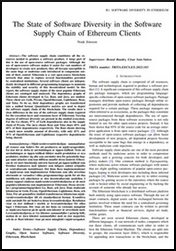 Noak J nsson has written an interesting paper entitled The State of Software Diversity in the Software Supply Chain of Ethereum Clients. As the paper outlines:
In this report, the software supply chains of the most popular Ethereum clients are cataloged and analyzed. The dependency graphs of Ethereum clients developed in Go, Rust, and Java, are studied. These client are Geth, Prysm, OpenEthereum, Lighthouse, Besu, and Teku. To do so, their dependency graphs are transformed into a unified format. Quantitative metrics are used to depict the software supply chain of the blockchain. The results show a clear difference in the size of the software supply chain required for the execution layer and consensus layer of Ethereum.
 Separate to this, Akihiro Suda posted to our mailing list just after the end of the month with a status report of bit-for-bit reproducible Docker/OCI images. As Akihiro mentions in their post, they will be giving a talk at FOSDEM in the Containers devroom titled Bit-for-bit reproducible builds with
Dockerfile and that my talk will also mention how to pin the apt/dnf/apk/pacman packages with my repro-get tool.
 The extremely popular Signal messenger app added upstream support for the
SOURCE_DATE_EPOCH environment variable this month. This means that release tarballs of the Signal desktop client do not embed nondeterministic release information. [ ][ ]
 There was a very large number of changes in the F-Droid and wider Android ecosystem this month:
On January 15th, a blog post entitled Towards a reproducible F-Droid was published on the F-Droid website, outlining the reasons why F-Droid signs published APKs with its own keys and how reproducible builds allow using upstream developers keys instead. In particular:
In response to [ ] criticisms, we started encouraging new apps to enable reproducible builds. It turns out that reproducible builds are not so difficult to achieve for many apps. In the past few months we ve gotten many more reproducible apps in F-Droid than before. Currently we can t highlight which apps are reproducible in the client, so maybe you haven t noticed that there are many new apps signed with upstream developers keys.(There was a discussion about this post on Hacker News.) In addition:
baseline.profm files are nondeterministic, developed a workaround, and provided all the details required for a fix. As they note, this issue has now been fixed but the fix is not yet part of an official Android Gradle plugin release.
.dex files. [ ]
0.2.0 and 0.2.1 releases of reproducible-apk-tools, a suite of tools to help make .apk files reproducible. Several new subcommands and scripts were added, and a number of bugs were fixed as well [ ][ ]. They also updated the F-Droid website to improve the reproducibility-related documentation. [ ][ ]
31.0.0 and 32.0.0 (unlike earlier and later versions) have a zipalign command that produces incorrect padding.
.zip entries in .apk files [ ] and then newline differences between building on Windows versus Linux that can make builds not reproducible as well. [ ] (Note that these links may require a Google account to view.)
 As mentioned in last month s report, Vagrant Cascadian has been organising a series of online sprints in order to clear the huge backlog of reproducible builds patches submitted by performing NMUs (Non-Maintainer Uploads). During January, a sprint took place on the 10th, resulting in the following uploads:
mc (#828683)gtk-sharp3 (#989965 & #989966)tracker.debian.org service display results of reproducible rebuilds, not just reproducible CI results.
Elsewhere in Debian, strip-nondeterminism is our tool to remove specific non-deterministic results from a completed build. This month, version 1.13.1-1 was uploaded to Debian unstable by Holger Levsen, including a fix by FC Stegerman (obfusk) to update a regular expression for the latest version of file(1) [ ]. (#1028892)
Lastly, 65 reviews of Debian packages were added, 21 were updated and 35 were removed this month adding to our knowledge about identified issues.

SOURCE_DATE_EPOCH. [ ]
 diffoscope is our in-depth and content-aware diff utility. Not only can it locate and diagnose reproducibility issues, it can provide human-readable diffs from many kinds of binary formats. This month, Chris Lamb made the following changes to diffoscope, including preparing and uploading versions
231, 232, 233 and 234 to Debian:
from __future__ import print_function import anymore. [ ]extras_require.json handling. [ ]Recommends into a separate Python script. [ ]debian/tests/control after merging support for PyPDF support. [ ]cd-iccdump binary. [ ]test_text_proper_indentation test to support the latest version(s) of file(1). [ ]extras_require.json file to store some build/release metadata, instead of accessing the internet. [ ]file(1) regular expression. [ ]argparse (date-related issue)asciimatics (build failure)asyncpg (fails to build in 2032)cpython (fails to build in 2038)django (fails to build in 2038)grandorgue (.zip-related issue)libarchive (fails to build in 2038)libarchive (fails to build in 2038)librcc (date)mbedtls (fails to build in 2023)mozilla-nss (fails to build in 2023)ocaml-rpm-macros (fix fallout from an RPM-related change)perl HTTP::Cookies (fails to build in 2038)python-aiosmtplib/python-trustme (fails to build in 2038 due to SSL certificate)python-bmap (fails to build in 2024)python-compileall2 (fails to build in 2038)taskwarrior (python-tasklib fails to build in 2038)taskwarrior (fix fails to build in 2038)wrk (hash ordering issue)xemacs (fails to build in 2038 stuck)click.towncrier.unifrac-tools.hamster-time-tracker.accel-config.python-miio.python-graphviz.ectrans.fiat-ecmwf.node-katex.aribas.tbox.borgbackup2.dnf-plugins-core.refpolicy.file(1) (which is used by reproducible builds tools like diffoscope and strip-nondeterminism) that improve detection of various file formats are now included in the Debian packaging. [ ] The Reproducible Builds project operates a comprehensive testing framework at tests.reproducible-builds.org in order to check packages and other artifacts for reproducibility. In January, the following changes were made by Holger Levsen:
.json or .txt) for LTS suites and older in order to save diskspace on the Jenkins host. [ ]pbuilder base less frequently for the stretch, bookworm and experimental suites. [ ]chroot-run script to correctly manage /dev and /dev/pts. [ ][ ][ ]V=s flag to enable debugging. [ ]
#reproducible-builds on irc.oftc.net.
rb-general@lists.reproducible-builds.org
 To achieve my goal of publishing one high-quality piece of writing per week this year, I ve put together a draft writing plan and a few organisational notes.
Please let me know what you think - what s missing? what would you like to read more/less of from me?
I aim for each piece of writing to generate discussion, inspire further writing, and raise my visibility and profile with potential customers and peers. Some of the writing will be opinion, but I expect a majority of it will take a learning by teaching approach - aiming to explain and present useful information to the reader while helping me learn more!
firmware.* file for your board as well as partition.img.gz).gpg --no-default-keyring \
--keyring /usr/share/keyrings/debian-archive-bullseye-stable.gpg \
--verify InReleaseawk '/installer-armhf\/current\/images\/SHA256SUMS/ print $1 "
SHA256SUMS" ' InRelease tail -n 1 sha256sum -c hd-media:
grep hd-media SHA256SUMS \
  sed 's#hd-media/SD-card-images/##' \
  sha256sum -c \
  grep -v "No such file or directory" \
grep -v "FAILED open or read" 2> /dev/nullnetboot:
grep netboot SHA256SUMS \
  sed 's#netboot/SD-card-images/##' \
  sha256sum -c \
  grep -v "No such file or directory" \
grep -v "FAILED open or read" 2> /dev/nullhd-media with netboot as needed.
kubeadm install.
After passing the two corresponding certifications, my opinion on cloud operators is that it is very much a step back in the direction of proprietary software. You can rebuild their cloud stack with opensource components, but it is also a lot of integration work, similar to using the Linux from scratch distribution instead of something like Debian. A good middle point are the OpenShift and OKD Kubernetes distributions, who integrate the most common cloud components, but allow an installation on your own hardware or cloud provider of your choice.
| AWS | Azure | OpenShift | *OpenShift upstream project& |
|---|---|---|---|
| Cloud Trail | Kubernetes API Server audit log | Kubernetes | |
| Cloud Watch | Azure Monitor, Azure Log Analytics | OpenShift Monitoring | Prometheus, Kubernetes Metrics |
| AWS Artifact | Compliance Operator | OpenSCAP | |
| AWS Trusted Advisor | Azure Advisor | Insights | |
| AWS Marketplace | Red Hat Market place | Operator Hub | |
| AWS Identity and Access Management (IAM) | Azure Active Directory, Azure AD DS | Red Hat SSO | Keycloack |
| AWS Elastisc Beanstalk | Azure App Services | OpenShift Source2Image (S2I) | Source2Image (S2I) |
| AWS S3 | Azure Blob Storage** |
ODF Rados Gateway | Rook RGW |
| AWS Elastic Block Storage | Azure Disk Storage | ODF Rados Block Device | Rook RBD |
| AWS Elastic File System | Azure Files | ODF Ceph FS | Rook CephFS |
| AWS ELB Classic | Azure Load Balancer | MetalLB Operator | MetalLB |
| AWS ELB Application Load Balancer | Azure Application Gateway | OpenShift Router | HAProxy |
| Amazon Simple Notification Service | OpenShift Streams for Apache Kafka | Apache Kafka | |
| Amazon Guard Duty | Microsoft Defender for Cloud | API Server audit log review, ACS Runtime detection | Stackrox |
| Amazon Inspector | Microsoft Defender for Cloud | Quay.io container scanner, ACS Vulnerability Assessment | Clair, Stackrox |
| AWS Lambda | Azure Serverless | Openshift Serverless* |
Knative |
| AWS Key Management System | Azure Key Vault | could be done with Hashicorp Vault | Vault |
| AWS WAF | NGINX Ingress Controller Operator with ModSecurity | NGINX ModSecurity | |
| Amazon Elasticache | Redis Enterprise Operator | Redis, memcached as alternative | |
| AWS Relational Database Service | Azure SQL | Crunchy Data Operator | PostgreSQL |
| Azure Arc | OpenShift ACM | Open Cluster Management | |
| AWS Scaling Group | Azure Scale Set | OpenShift Autoscaler | OKD Autoscaler |
* OpenShift Serverless requires the application to be packaged as a container, something AWS Lambda does not require.
** Azure Blob Storage covers the object storage use case of S3, but is itself not S3 compatible
| Series: | Edinburgh Nights #1 |
| Publisher: | Tor |
| Copyright: | 2021 |
| Printing: | 2022 |
| ISBN: | 1-250-76777-6 |
| Format: | Kindle |
| Pages: | 329 |
This is the second of a two-part post covering my goals for 2023. See the first part to understand the vision, mission and strategy driving these goals. I want to thank my friend Nat, and Will Larson whose annual reviews I ve always enjoyed reading for inspiring me to write these posts. I ve found the process articulating my motivations and goals very useful to clarify my thoughts and create tangible next steps. I m grateful for that in and of itself, but I also hope that by publishing this you too might find it interesting, and the additional public accountability it creates will be a positive encouragement to me.
This is the first of a two-part post, covering high-level thoughts around my motivations and vision. Make sure to check out the second part for my specific goals for 2023. A new year is upon us! My plan was to be 6 months into the journey of starting a business by this point. I made some very tentative progress towards that goal in 2022, registering a company and starting some consulting work, but on the whole I ve found it much harder than expected to gather the necessary energy to begin that journey in earnest.
 As you know, Debian projects and sponsor provides so-called "porterbox", but it does not cover all architectures.
There are some alternatives to fix architecture-specific bugs.
For the record, let's pick it up them. [1][2][3]
| porterbox | deb-o-matic | qemu | |
|---|---|---|---|
| amd64 | adayevskaya.d.o | debomatic-amd64.d.n | DQIB ready |
| arm64 | amdahl.d.o | debomatic-arm64.d.n | DQIB ready |
| armel | amdahl.d.o abel.d.o | debomatic-armel.d.n | NG |
| armhf | amdahl.d.o abel.d.o harris.d.o | debomatic-armhf.d.n | DQIB ready |
| i386 | exodar.d.n | debomatic-i386.d.n | DQIB ready |
| mips64el | eller.d.o | debomatic-mips64el.d.n | DQIB ready |
| mipsel | eller.d.o | debomatic-mipsel.d.n | DQIB ready |
| ppc64el | platti.d.o | debomatic-ppc64el.d.n | DQIB ready |
| s390x | zelenka.d.o | debomatic-s390x.d.n | DQIB ready |
| alpha | N/A | N/A | NG |
| arc | N/A | N/A | N/A |
| hppa | panama.d.n | N/A | N/A |
| ia64 | yttrium.d.n | N/A | N/A |
| kfreebsd-amd64 | lemon.d.n | N/A | N/A |
| kfreebsd-i386 | lemon.d.n | N/A | N/A |
| m68k | mitchy.d.n | N/A | NG |
| powerpc | perotto.d.n | debomatic-powerpc.d.n | DQIB ready |
| ppc64 | perotto.d.n | N/A | DQIB ready |
| riscv64 | debian-riscv64-porterbox-01.d.n | N/A | DQIB ready |
| sh4 | N/A | N/A | NG |
| sparc64 | kyoto.d.n | N/A | N/A |
| x32 | N/A | N/A | N/A |
Next.