Search Results: "jam"

3 July 2011

Benjamin Drung: Symptoms of a dying graphic card

All started in December last year. I saw a red and a green pixel on my monitor. Moving the window containing the wrong-colors pixels corrected them. The wrong-colored pixels reappear from time to time in increased quantity. Then a second symptom appeared: The screen went black and came back one second later. This was triggered by moving a window and scrolling. I wasn t sure what the reason was. Either it was a bug somewhere in the X stack or some hardware was dying. dmesg showed multiple problems with the radeon driver:
[283808.667454] radeon 0000:01:00.0: ffff88021f815c00 unpin not necessary
[283808.667820] radeon 0000:01:00.0: GPU softreset
[283808.667823] radeon 0000:01:00.0: R_008010_GRBM_STATUS=0xE57024A4
[283808.667825] radeon 0000:01:00.0: R_008014_GRBM_STATUS2=0 00330302
[283808.667826] radeon 0000:01:00.0: R_000E50_SRBM_STATUS=0x200000C0
[283808.667832] radeon 0000:01:00.0: R_008020_GRBM_SOFT_RESET=0x00007FEE
[283808.682844] radeon 0000:01:00.0: R_008020_GRBM_SOFT_RESET=0 00000001
[283808.698840] radeon 0000:01:00.0: R_008010_GRBM_STATUS=0 00003028
[283808.698843] radeon 0000:01:00.0: R_008014_GRBM_STATUS2=0 00000002
[283808.698845] radeon 0000:01:00.0: R_000E50_SRBM_STATUS=0x200000C0
[283808.699845] radeon 0000:01:00.0: GPU reset succeed
[283808.717570] [drm] Clocks initialized !
[283808.765829] [drm] ring test succeeded in 0 usecs
[283808.765838] [drm] ib test succeeded in 1 usecs
[283808.765840] [drm] Enabling audio support
[283812.521265] radeon 0000:01:00.0: GPU lockup CP stall for more than 1000msec
[283812.521269] [ cut here ]
[283812.521294] WARNING: at /build/buildd/linux-2.6.35/drivers/gpu/drm/radeon/radeon_fence.c:235 radeon_fence_wait+0 365/0x3d0 [radeon]()
[283812.521297] Hardware name:
[283812.521299] GPU lockup (waiting for 0x00AE670A last fence id 0x00AE6705)
[283812.521301] Modules linked in: btrfs zlib_deflate crc32c libcrc32c ufs qnx4 hfsplus hfs minix ntfs vfat msdos fat jfs xfs exportfs reiserfs nls_utf8 udf ip6table_filter ip6_tables binfmt_misc ipt_MASQUERADE iptable_nat nf_nat nf_conntrack_ipv4 nf_defrag_ipv4 xt_state nf_conntrack ipt_REJECT xt_tcpudp iptable_filter ip_tables x_tables bridge stp kvm_intel kvm parport_pc ppdev snd_emu10k1_synth snd_emux_synth snd_seq_virmidi snd_seq_midi_emul snd_emu10k1 snd_ac97_codec ac97_bus snd_pcm snd_page_alloc snd_util_mem snd_hwdep snd_seq_midi radeon snd_rawmidi snd_seq_midi_event snd_seq snd_timer snd_seq_device ttm snd pl2303 drm_kms_helper coretemp usbserial joydev psmouse soundcore drm serio_raw intel_agp i2c_algo_bit lp parport hid_cherry usbhid hid firewire_ohci firewire_core usb_storage crc_itu_t e1000e ahci libahci pata_marvell
[283812.521360] Pid: 2194, comm: compiz Tainted: G W 2.6.35-24-generic #42-Ubuntu
[283812.521362] Call Trace:
[283812.521370] [<ffffffff8106089f>] warn_slowpath_common+0x7f/0xc0
[283812.521374] [<ffffffff81060996>] warn_slowpath_fmt+0 46/0 50
[283812.521390] [<ffffffffa01bd775>] radeon_fence_wait+0 365/0x3d0 [radeon]
[283812.521394] [<ffffffff8107f730>] ? autoremove_wake_function+0 0/0 40
[283812.521410] [<ffffffffa01bdf71>] radeon_sync_obj_wait+0 11/0 20 [radeon]
[283812.521418] [<ffffffffa01751a3>] ttm_bo_wait+0 103/0x1c0 [ttm]
[283812.521435] [<ffffffffa01d4e1a>] radeon_gem_wait_idle_ioctl+0x9a/0 150 [radeon]
[283812.521447] [<ffffffffa010f433>] drm_ioctl+0 463/0 520 [drm]
[283812.521465] [<ffffffffa01d4d80>] ? radeon_gem_wait_idle_ioctl+0 0/0 150 [radeon]
[283812.521470] [<ffffffff81162f0d>] vfs_ioctl+0x3d/0xd0
[283812.521473] [<ffffffff811637e1>] do_vfs_ioctl+0 81/0 340
[283812.521477] [<ffffffff811535f1>] ? vfs_read+0 181/0x1a0
[283812.521480] [<ffffffff81163b21>] sys_ioctl+0 81/0xa0
[283812.521484] [<ffffffff8100a0f2>] system_call_fastpath+0 16/0x1b
[283812.521487] [ end trace 6d5e03bab743abfa ]
[283812.521493] [drm] Disabling audio support
[283812.525575] [drm:radeon_ib_schedule] *ERROR* radeon: couldn t schedule IB(10).
[283812.525579] [drm:radeon_cs_ioctl] *ERROR* Faild to schedule IB !
[283812.527021] [drm:radeon_ib_schedule] *ERROR* radeon: couldn t schedule IB(11).
[283812.527024] [drm:radeon_cs_ioctl] *ERROR* Faild to schedule IB !
[283812.527921] [drm:radeon_ib_schedule] *ERROR* radeon: couldn t schedule IB(12).
[283812.527923] [drm:radeon_cs_ioctl] *ERROR* Faild to schedule IB !
The time between going black reduces every time. The system wasn t usable any more in the end. After testing that the screen was going blank on other systems like a live CD of Ubuntu and a not noteworthy proprietary system, it was clear that some hardware component was dying. My first assumption was verified after replacing it: My graphic card, a Radeon HD 4670, died. This was three weeks ago and around 25 month after I bought the graphics card. So I didn t have to worry if replacing the fan voided the guarantee, because the guarantee lasts only 24 month. Conclusion:
  1. Not every error is a software bug.
  2. The hardware component with the highest failure rate is the graphics card, followed by the motherboard. Four graphics cards died last year (in four different systems owned by four different people, in three different households).
  3. Not every error is a software bug.

30 June 2011

Benjamin Mako Hill: Berkman Fellowship

Last week, the Berkman Center for Internet and Society announced it's 2011-2012 list of fellows. I'm honored and excited that they elected to include me in a pretty incredible list of fellows, faculty associates, and other affiliates. It seems I'll be at Harvard next year. In my first year as an undergraduate -- when fights over Napster were raging -- I took a class taught by a Berkman Fellow on the political and social implications of Internet technology. The next year, I worked part-time as a teaching assistant for Harvard Law professor (and Berkman director) Jonathan Zittrain. These experiences had a enormous influence on my life and work. Before, my goal was to study and teach English literature. I've hung around on the fringes of the center for much of the last decade and I've grown immeasurably from the experience. Most recently, I've been working closely with Berkman director Yochai Benkler and current fellow Aaron Shaw on research in online cooperation. The new crop of fellows includes a pretty great group of people working on similar stuff and I'm looking forward to expanding the online cooperation research at the center and to a year of fascinating talks and discussions. I also hope that, after all these, years, I'll be able to give a bit back to an organization that has give me so much.

29 June 2011

Vincent Bernat: Alternate Android firmware on Samsung Galaxy S

I have bought a Samsung Galaxy S Android phone some time ago. One of the first thing that you try to do with such a phone is to switch to some alternate firmware (the coined term is ROM ), like CyanogenMod. Flashing a firmware is a whole new universe. You are told about a lot of proprietary tools, you need to download a lot of things from MegaUpload and friends and nobody really explains what s going on under the hood. I was a bit lost at first. I will not provide a step-by-step guide since I cannot afford to stay up-to-date. Such a guide is usually posted on some forum. It assumes you are running Windows and provides appropriate download links. You must follow it (and check that it is recent enough). I will just provide you some background to understand those guides.

Android firmwares There are several Android firmwares. Most of them are specific to a given phone (or its close variations). They can be sorted in three categories:
  1. Official firmwares from the phone manufacturer include a kernel with appropriate drivers and, usually, a customized interface (HTC Sense for HTC, TouchWiz for Samsung). Some manufacturers will lag a lot behind Android schedule and you may not get all the new shiny features.
  2. Modified firmwares are built from the official firmwares. They usually add a lot of hacks on top of the original firmware, remove some cruft but are still closely related to the official firmware.
  3. Firmwares built from Android Open Source Project (the open source version of Android) do not share nothing with the official firmware except some bits related to the kernel (drivers, hacks).

Darky ROM Darky ROM is a modified firmware. It takes the original firmware from Samsung, adds a custom kernel (based on the source of the official kernel), adds a lot of hacks, some additional applications and removes some unwanted cruft. This is a very nice firmware which is quite snappy. This is a drop-in replacement for the default firmware: you will only get improvements. The latest version is 10.1 and there is a neat guide on how to install it.

CyanogenMod CyanogenMod is a firmware built from AOSP. It supports several devices and provide an unified firmware on all of them. Support for the Samsung Galaxy S is recent and is not present in the stable build. However, some RC build is now available. Be sure to read the FAQ (most notably the part saying that you need to install from Froyo 2.2 because the bootloader provided by Samsung with Gingerbread 2.3 is not compatible). You can also grab some information from the wiki. The major drawback of using this firmware instead of going for a modified firmware like Darky ROM is that the battery life may suck. I now need to charge my phone every day instead of once every two days. On the plus side, you get a very clean firmware with a lot of features and almost no cruft. For example, the notification bar can be customized and OpenVPN is available out of the box. Moreover, almost everything is open source (if you don t install Google apps). You can see this firmware as an open source distribution for your phone. There is no need to download random files linked from a random forum to make it work. There is no package manager, though. Despite the bad battery life, I prefer this firmware.

Prerequisites Before trying to flash a new firmware, there are some tools that you need to have. Note that you don t need root access to flash a new firmware.

Download & recovery mode Before trying to install any firmware, you must check that your phone can access download and recovery modes. The download mode allows to flash any new firmware, even if the current firmware does not boot at all. As long as this mode is available, there is very little chance that you brick your phone. To access those modes, you need to use the three-button combo . Here are the steps (your phone should not be plugged):
  1. Power off the phone (wait for the phone to vibrate).
  2. Hold the Volume down button for download mode. Hold the Volume up button for recovery mode.
  3. Hold the Home button.
  4. Hold the Power button. The phone will start.
  5. Once you have the Samsung logo displayed on the screen, release the Power button.
  6. Only release the two other buttons when you enter the recovery mode or download mode. The recovery mode displays a menu. The download mode displays a big yellow Android logo.
If after ten tries, you are unable to access those modes, maybe they have been disabled. Keep reading, there is a solution.

Heimdall Heimdall is a tool to flash a new firmware to your phone. This is not a mandatory tool but you will have to use it if something goes wrong. Most guides will tell you to use Odin. It is a leaked Samsung tool running on Windows only. You can use Heimdall instead.
$ git clone https://github.com/Benjamin-Dobell/Heimdall.git
Cloning into Heimdall...
remote: Counting objects: 423, done.
remote: Compressing objects: 100% (271/271), done.
remote: Total 423 (delta 220), reused 332 (delta 138)
Receiving objects: 100% (423/423), 5.91 MiB   962 KiB/s, done.
Resolving deltas: 100% (220/220), done.
$ cd Heimdall/heimdall
$ sudo apt-get install libusb-1.0-0-dev
$ ./configure && make
[...]
$ sudo cp 60-heimdall-galaxy-s.rules /etc/udev/rules.d
$ sudo /etc/init.d/udev reload
You need to use this tool while in download mode. You can test it, while in download mode, with:
$ ./heimdall print-pit
This will display the partition table of your phone. This is enlightening to know what it contains:
  • IBL+PBL is the boot loader, be extra careful with it;
  • PIT is the partition table;
  • EFS contains some important data like IEMEI, be extra careful with it;
  • SBL is the second boot loader;
  • SBL2 is the backup of the second boot loader;
  • PARAM contains some images used as various stage of the boot process;
  • KERNEL is the kernel;
  • RECOVERY is the backup of the kernel;
  • FACTORYFS contains /system file system which is some kind of root file system;
  • DBDATA contains /data file system which is the database to store application parameters;
  • CACHE contains /cache file system which contains the Dalvik cache;
  • MODEM contains the firmware for the modem.
As we will see, Heimdall is able to flash any of those partitions with flash subcommand.

adb adb stands for Android Debug Bridge. Among other things, this tool allow you to drive your phone through the USB connection. You can get a shell, reboot into download or recovery mode, push files to your Android device, etc. To get this tool, you need to download the full Android SDK.
$ tar zxvf ~/download/android-sdk_r11-linux_x86.tgz
$ cd android-sdk-linux_x86
$ tools/android update sdk
[select Android SDK Platform-tools]
$ platform-tools/adb shell
# uname -a
Linux localhost 2.6.35.7-I9000XWJVH-CL184813 #Dark_Core_2.4 PREEMPT Mon May 16 15:02:38 EEST 2011 armv7l GNU/Linux
The important commands are:
  • shell to get a shell on the device;
  • reboot recovery to reboot in recovery mode;
  • reboot download to reboot in download mode;
  • push to put a file on the phone;
  • pull to retrieve a file;
  • install to install an application from its APK;
  • logcat to see the logs and what happens, very useful!

Restore download mode If your phone is missing download mode, you can recover it with the help of adb and heimdall. You need to grab some official firmware and extract boot.bin and Sbl.bin from it.
$ adb reboot download
$ heimdall flash --primary-boot ~/download/boot.bin --secondary-boot ~/download/Sbl.bin
Be extra careful here. You may brick your phone. Double check that you grab the correct files and that they are really for your phone (there exists some variants). It worked for me.

Installing a new firmware While you can switch from one firmware to another without losing your data, it is better to wipe your system and your data before switching firmware. This means that you will lose all your applications and the data inside them (list of contacts, SMS, preferences). However, nothing will ever modify your data in the internal SD card or in the external SD card (which are both inside the phone). They usually contains your music and your photos. There are two ways to install a firmware:
  1. via Heimdall, or
  2. using the recovery.

Heimdall When a guide tells you to use Odin, you can use Heimdall instead. Odin takes a TAR file. You should untar it and uses its content with Heimdall. For example:
$ ./heimdall flash --repartition --pit s1_odin_20100512.pit \
>                  --factoryfs factoryfs.rfs \
>                  --cache cache.rfs --dbdata dbdata.rfs \
>                  --param param.lfs --modem modem.bin \
>                  --kernel zImage --secondary-boot Sbl.bin 
Claiming interface again...   Success
Setting up interface...   Success
Beginning session...
Handshaking with Loke...   Success
Uploading PIT
PIT upload successful
Uploading SBL
100%
SBL upload successful
Uploading KERNEL
100%
KERNEL upload successful
Uploading MODEM
100%
MODEM upload successful
Uploading PARAM
100%
PARAM upload successful
Uploading FACTORYFS
100%
FACTORYFS upload successful
Uploading DBDATAFS
100%
DBDATAFS upload successful
Uploading CACHE
100%
CACHE upload successful
Ending session...
Rebooting device...
You may be interested to update your modem using Heimdall. This is usually independent of the firmware you want to use. Also, no need to provide a PIT file if you don t want to repartition. Heimdall can read the current one and flash only one of the partitions.

Recovery mode The base recovery shipped with the Samsung Galaxy S does not have a lot of options. Moreover, it may be locked and will accept to install only signed firmwares. Most firmwares come with ClockWorkMod, a more advanced recovery. Once you get it, you will be able to use any ZIP file to install a new firmware. My advice is to try to get ClockWorkMod as soon as possible. If you are root, you can install ROM Manager that will install it for you. If you are not root, most custom firmwares will provide ClockWorkMod. Therefore, you can just install a custom firmware with Heimdall. There exists special firmwares just for this, like EZbase. If you want to install CyanogenMod, be sure to download a Froyo firmware, not a Gingerbread one. Keep in mind that the recovery is located inside the kernel. It is not self-contained in the bootloader (unlike download mode). If you don t want to flash a whole firmware (and lose everything on your phone) just to get the recovery, you can just flash the kernel. The ClockWorkMod recovery comes with an utility to backup your whole phone. This way, you can easily restore your previous firmware if you don t like the current one. This is what is called a Nandroid backup.

Lagfix A lot of guides will tell you to enable or disable lagfix. Samsung shipped the Galaxy S with some crappy filesystem called RFS (which is some kind of enhanced FAT). It is slow and seems responsible for some lags that may happen on the interface. A lagfix is a way to replace this filesystem by something better, like EXT4 or YAFFS2. The process is pretty straighforward and consist to backup all the partition to the SD card, reformat it with another filesystem and restore the backup. The lagfix may be applied automatically with some firmware (like CyanogenMod) or you may request it in the recovery mode (most modified firmwares work this way). In this case, it will be applied automatically on the next boot. You should disable it before installing another firmware with the recovery mode (no need if you install it with Heimdall).

Applications You can find many free (as in free speech) applications for Android. Unfortunately, Android Market does not allow to use this criteria as a filter. F-Droid is an alternate market featuring only FOSS applications. Here is a short selection of free applications:
  • ADW.Launcher is a home replacement app. It is very configurable and themable.
  • K-9 Mail is a very nice email client.
  • Xabber is a XMPP/Jabber client.
  • ConnectBot is an SSH client (as well as a terminal).
  • DroidWall is an application firewall (using Netfilter). It lets you select which application can access to Internet depending on your connection (wifi or 3G).
  • Barcode Scanner decodes 1D/2D barcode including QR codes.
  • OsmAnd is a replacement for Google Maps using OpenStreetMap. The free version on Android Market is out-dated. Buy the plus version or download it throught F-Droid.
Another must-have application is Titanium Backup which allows to backup any application with data. Unfortunately, this is not a free (as in free speech) application.

Vincent Bernat: Alternate Android firmware on Samsung Galaxy S

I have bought a Samsung Galaxy S Android phone some time ago. One of the first thing that you try to do with such a phone is to switch to some alternate firmware (the coined term is ROM ), like CyanogenMod. Flashing a firmware is a whole new universe. You are told about a lot of proprietary tools, you need to download a lot of things from MegaUpload and friends and nobody really explains what s going on under the hood. I was a bit lost at first. I will not provide a step-by-step guide since I cannot afford to stay up-to-date. Such a guide is usually posted on some forum. It assumes you are running Windows and provides appropriate download links. You must follow it (and check that it is recent enough). I will just provide you some background to understand those guides.

Android firmwares There are several Android firmwares. Most of them are specific to a given phone (or its close variations). They can be sorted in three categories:
  1. Official firmwares from the phone manufacturer include a kernel with appropriate drivers and, usually, a customized interface (HTC Sense for HTC, TouchWiz for Samsung). Some manufacturers will lag a lot behind Android schedule and you may not get all the new shiny features.
  2. Modified firmwares are built from the official firmwares. They usually add a lot of hacks on top of the original firmware, remove some cruft but are still closely related to the official firmware.
  3. Firmwares built from Android Open Source Project (the open source version of Android) do not share nothing with the official firmware except some bits related to the kernel (drivers, hacks).

Darky ROM Darky ROM is a modified firmware. It takes the original firmware from Samsung, adds a custom kernel (based on the source of the official kernel), adds a lot of hacks, some additional applications and removes some unwanted cruft. This is a very nice firmware which is quite snappy. This is a drop-in replacement for the default firmware: you will only get improvements. The latest version is 10.1 and there is a neat guide on how to install it.

CyanogenMod CyanogenMod is a firmware built from AOSP. It supports several devices and provide an unified firmware on all of them. Support for the Samsung Galaxy S is recent and is not present in the stable build. However, some RC build is now available. Be sure to read the FAQ (most notably the part saying that you need to install from Froyo 2.2 because the bootloader provided by Samsung with Gingerbread 2.3 is not compatible). You can also grab some information from the wiki. The major drawback of using this firmware instead of going for a modified firmware like Darky ROM is that the battery life may suck. I now need to charge my phone every day instead of once every two days. On the plus side, you get a very clean firmware with a lot of features and almost no cruft. For example, the notification bar can be customized and OpenVPN is available out of the box. Moreover, almost everything is open source (if you don t install Google apps). You can see this firmware as an open source distribution for your phone. There is no need to download random files linked from a random forum to make it work. There is no package manager, though. Despite the bad battery life, I prefer this firmware.

Prerequisites Before trying to flash a new firmware, there are some tools that you need to have. Note that you don t need root access to flash a new firmware.

Download & recovery mode Before trying to install any firmware, you must check that your phone can access download and recovery modes. The download mode allows to flash any new firmware, even if the current firmware does not boot at all. As long as this mode is available, there is very little chance that you brick your phone. To access those modes, you need to use the three-button combo . Here are the steps (your phone should not be plugged):
  1. Power off the phone (wait for the phone to vibrate).
  2. Hold the Volume down button for download mode. Hold the Volume up button for recovery mode.
  3. Hold the Home button.
  4. Hold the Power button. The phone will start.
  5. Once you have the Samsung logo displayed on the screen, release the Power button.
  6. Only release the two other buttons when you enter the recovery mode or download mode. The recovery mode displays a menu. The download mode displays a big yellow Android logo.
If after ten tries, you are unable to access those modes, maybe they have been disabled. Keep reading, there is a solution.

Heimdall Heimdall is a tool to flash a new firmware to your phone. This is not a mandatory tool but you will have to use it if something goes wrong. Most guides will tell you to use Odin. It is a leaked Samsung tool running on Windows only. You can use Heimdall instead.
$ git clone https://github.com/Benjamin-Dobell/Heimdall.git
Cloning into Heimdall...
remote: Counting objects: 423, done.
remote: Compressing objects: 100% (271/271), done.
remote: Total 423 (delta 220), reused 332 (delta 138)
Receiving objects: 100% (423/423), 5.91 MiB   962 KiB/s, done.
Resolving deltas: 100% (220/220), done.
$ cd Heimdall/heimdall
$ sudo apt-get install libusb-1.0-0-dev
$ ./configure && make
[...]
$ sudo cp 60-heimdall-galaxy-s.rules /etc/udev/rules.d
$ sudo /etc/init.d/udev reload
You need to use this tool while in download mode. You can test it, while in download mode, with:
$ ./heimdall print-pit
This will display the partition table of your phone. This is enlightening to know what it contains:
  • IBL+PBL is the boot loader, be extra careful with it;
  • PIT is the partition table;
  • EFS contains some important data like IEMEI, be extra careful with it;
  • SBL is the second boot loader;
  • SBL2 is the backup of the second boot loader;
  • PARAM contains some images used as various stage of the boot process;
  • KERNEL is the kernel;
  • RECOVERY is the backup of the kernel;
  • FACTORYFS contains /system file system which is some kind of root file system;
  • DBDATA contains /data file system which is the database to store application parameters;
  • CACHE contains /cache file system which contains the Dalvik cache;
  • MODEM contains the firmware for the modem.
As we will see, Heimdall is able to flash any of those partitions with flash subcommand.

adb adb stands for Android Debug Bridge. Among other things, this tool allow you to drive your phone through the USB connection. You can get a shell, reboot into download or recovery mode, push files to your Android device, etc. To get this tool, you need to download the full Android SDK.
$ tar zxvf ~/download/android-sdk_r11-linux_x86.tgz
$ cd android-sdk-linux_x86
$ tools/android update sdk
[select Android SDK Platform-tools]
$ platform-tools/adb shell
# uname -a
Linux localhost 2.6.35.7-I9000XWJVH-CL184813 #Dark_Core_2.4 PREEMPT Mon May 16 15:02:38 EEST 2011 armv7l GNU/Linux
The important commands are:
  • shell to get a shell on the device;
  • reboot recovery to reboot in recovery mode;
  • reboot download to reboot in download mode;
  • push to put a file on the phone;
  • pull to retrieve a file;
  • install to install an application from its APK;
  • logcat to see the logs and what happens, very useful!

Restore download mode If your phone is missing download mode, you can recover it with the help of adb and heimdall. You need to grab some official firmware and extract boot.bin and Sbl.bin from it.
$ adb reboot download
$ heimdall flash --primary-boot ~/download/boot.bin --secondary-boot ~/download/Sbl.bin
Be extra careful here. You may brick your phone. Double check that you grab the correct files and that they are really for your phone (there exists some variants). It worked for me.

Installing a new firmware While you can switch from one firmware to another without losing your data, it is better to wipe your system and your data before switching firmware. This means that you will lose all your applications and the data inside them (list of contacts, SMS, preferences). However, nothing will ever modify your data in the internal SD card or in the external SD card (which are both inside the phone). They usually contains your music and your photos. There are two ways to install a firmware:
  1. via Heimdall, or
  2. using the recovery.

Heimdall When a guide tells you to use Odin, you can use Heimdall instead. Odin takes a TAR file. You should untar it and uses its content with Heimdall. For example:
$ ./heimdall flash --repartition --pit s1_odin_20100512.pit \
>                  --factoryfs factoryfs.rfs \
>                  --cache cache.rfs --dbdata dbdata.rfs \
>                  --param param.lfs --modem modem.bin \
>                  --kernel zImage --secondary-boot Sbl.bin 
Claiming interface again...   Success
Setting up interface...   Success
Beginning session...
Handshaking with Loke...   Success
Uploading PIT
PIT upload successful
Uploading SBL
100%
SBL upload successful
Uploading KERNEL
100%
KERNEL upload successful
Uploading MODEM
100%
MODEM upload successful
Uploading PARAM
100%
PARAM upload successful
Uploading FACTORYFS
100%
FACTORYFS upload successful
Uploading DBDATAFS
100%
DBDATAFS upload successful
Uploading CACHE
100%
CACHE upload successful
Ending session...
Rebooting device...
You may be interested to update your modem using Heimdall. This is usually independent of the firmware you want to use. Also, no need to provide a PIT file if you don t want to repartition. Heimdall can read the current one and flash only one of the partitions.

Recovery mode The base recovery shipped with the Samsung Galaxy S does not have a lot of options. Moreover, it may be locked and will accept to install only signed firmwares. Most firmwares come with ClockWorkMod, a more advanced recovery. Once you get it, you will be able to use any ZIP file to install a new firmware. My advice is to try to get ClockWorkMod as soon as possible. If you are root, you can install ROM Manager that will install it for you. If you are not root, most custom firmwares will provide ClockWorkMod. Therefore, you can just install a custom firmware with Heimdall. There exists special firmwares just for this, like EZbase. If you want to install CyanogenMod, be sure to download a Froyo firmware, not a Gingerbread one. Keep in mind that the recovery is located inside the kernel. It is not self-contained in the bootloader (unlike download mode). If you don t want to flash a whole firmware (and lose everything on your phone) just to get the recovery, you can just flash the kernel. The ClockWorkMod recovery comes with an utility to backup your whole phone. This way, you can easily restore your previous firmware if you don t like the current one. This is what is called a Nandroid backup.

Lagfix A lot of guides will tell you to enable or disable lagfix. Samsung shipped the Galaxy S with some crappy filesystem called RFS (which is some kind of enhanced FAT). It is slow and seems responsible for some lags that may happen on the interface. A lagfix is a way to replace this filesystem by something better, like EXT4 or YAFFS2. The process is pretty straighforward and consist to backup all the partition to the SD card, reformat it with another filesystem and restore the backup. The lagfix may be applied automatically with some firmware (like CyanogenMod) or you may request it in the recovery mode (most modified firmwares work this way). In this case, it will be applied automatically on the next boot. You should disable it before installing another firmware with the recovery mode (no need if you install it with Heimdall).

Applications You can find many free (as in free speech) applications for Android. Unfortunately, Android Market does not allow to use this criteria as a filter. F-Droid is an alternate market featuring only FOSS applications. Here is a short selection of free applications:
  • ADW.Launcher is a home replacement app. It is very configurable and themable.
  • K-9 Mail is a very nice email client.
  • Xabber is a XMPP/Jabber client.
  • ConnectBot is an SSH client (as well as a terminal).
  • DroidWall is an application firewall (using Netfilter). It lets you select which application can access to Internet depending on your connection (wifi or 3G).
  • Barcode Scanner decodes 1D/2D barcode including QR codes.
  • OsmAnd is a replacement for Google Maps using OpenStreetMap. The free version on Android Market is out-dated. Buy the plus version or download it throught F-Droid.
Another must-have application is Titanium Backup which allows to backup any application with data. Unfortunately, this is not a free (as in free speech) application.

Benjamin Mako Hill: Another Summer European Tour

I've been in Europe for the last couple weeks but pretty occupied with things like attending my brother wedding and a series of outdoor excursions in Spain. Today Mika and I arrived in Berlin where I am going to attending and giving a talk at the Open Knowledge Conference on When Free Software Isn't Better. I'll also participate in a session on Wikipedia research facilitated by Mayo Fuster Morrell. On July 2nd, I'll be taking an overnight train to Vienna where I'll be attending the Open and User Innovation Workshop -- an academic conference where I'll presenting some of my research. From there I'll be hitching a ride to Munich with Marcell Mars on July 6th and, after that, a flight back to Boston with a weekend long layover in Reykjavik. Details on the trip are on page on my wiki and I encourage anyone to contact me if you're in Berlin, Vienna, Munich, or Reykjavik and want to meet up for a drink or a chat.

31 May 2011

Jamie McClelland: We need better metaphors

Most of us developers use metaphors to help convey an understanding of how our software works. Sadly, many developers choose the "master" and "slave" metaphor. Why would we voluntarily choose such an ugly human human interaction with a real and present history in many of our lives to describe software that we've written? I wouldn't rule out the possibility that someone will (or already has) invented software for which the master/slave metaphor aptly conveys its function, however, I'd prefer not to use it. Also, many people intentionally play with master/slave relationships because of the history and connotations it provokes. However, use of this metaphor in software like MySQL databases or Bind Name servers seems pointless, offensive and mis-leading. I've never seen the use of the master/slave metaphor in software that conveyed more than the idea that one piece of the software essentially controls, wholly or in part, another piece of software. So, why master/slave? There are many metaphors to choose from - parent/infant, boss/worker, guard/prisoner, king/subject, landowner/serf, top/bottom, etc. What does master/slave convey that the others don't convey? Or, maybe they all convey the same thing, so it doesn't make a difference which one you choose (after all, it's just a metaphor). In that case, how about replacing master/slave with the metaphor husband/wife? Whoops. Now that's offensive (if you don't think that's offensive you can stop reading here and please don't post any comments - I won't change your mind). But, that's different right? At one point in history, the role of the wife was to do as her husband says, but it's 2011, and we've evolved beyond that, so by using husband/wife we'd be re-enforcing that ugly, sexist stereotype. However, how is that different from master/slave? It is 2011 after all. Isn't the role of the master to abdicate and the role of the slave to revolt? Maybe that's why Bind has so many security problems...

Jamie McClelland: Puppet Without Masters

Puppet labs's use of the term puppetmaster is rather clever (in contrast to other un-necessarily offensive uses of "master" in the software world). While I appreciate the clever name, I'm less impressed with the concept. At May First/People Link we've spent the last several years (including the last couple months in earnest) working to transition management of our 90-some servers from a collection of hand-written bash scripts to puppet. Over the years, we've worked hard to keep our servers as secure as possible. We have a team of about a half dozen people who all have root access on all servers. It's all key-based access. To help mitigate a disaster if one person's keys were compromised, we've implemented monkeysphere on all servers, allowing us to easily revoke access. After spending so much time thinking through our root-access strategy and fully implementing the monkeysphere to reduce our exposure to a single point of vulnerability, I was disappointed by puppet's use of a puppet master. For those less familiar with puppet, it goes something like this: One server (or god forbid multiple servers), run an externally accessible daemon. Each and every server on your network runs a daemon as root that periodically communicates with the puppet master, receives new instructions, and then (again, as root) executes these instructions. In other words, if your puppet master is compromised, I'm not sure exactly what you would need to do, short of rebuilding every server in your network. To make matters worse, it seems as though some users generate and store all server ssh keys (private and public) on the puppet master and then push the private keys to their respective nodes. That means an intruder doesn't need to write to the puppet master, just reading these keys would be enough to compromise all servers in your network. There must be a better way. Puppet without masters After some web-searching, I found a promising thread on the puppet list asking what's lost without a puppet master. This thread lead to a couple other blogs by people who have worked out a system for using puppet without a master. It turns out that there are two distinct points of centralization with puppet. One is the puppet master (as described above). In addition, there is a concept called storeconfigs - which allows each node in the network to store information in a central database. For example, one server can store a request for an account to be setup on a backup server. The next time the backup server runs, it checks the storeconfigs, finds the request, and creates the user. It's possible to run puppet with storeconfigs but without running a puppet master (that avoids the hassle of running the puppet daemons, while providing the convenience of centralization). For our purposes, however, we decided to forego both the puppet master and storeconfigs. We did not want any form of centralization that would provide an additional point of vulnerability. As is common with puppet, we are storing our puppet recipes in a git repository. And, we are publishing to a single, canonical git repository on the Internet. On each node, we have two git repositories - one is a bare repo (that we can push to) and the other is a checked out repo (in /etc/puppet) that is read by puppet. The bare repo has a post-update hook the changes into the /etc/puppet directory, pulls in the changes from the bare repository, and runs puppet against the newly checked out files. Therefore, we can apply new puppet recipes to any server on the network with
git push <server>
No daemons: neither a master daemon nor a puppet daemon running on the node using up memory or providing a potential security hole. The git push happens over an ssh connection - since all system administrators already have root-level ssh access on every server - there is no need to grant any additional access above what we already have. Pushing works great - but with 90 nodes we don't want to have to push to 90 servers everytime we want a change made. That's where the canonical git repository comes in. A cron job runs a script on each node once an hour that runs git remote update from /etc/puppet. The script then checks the time stamp on the most recent gpg-signed tag and compares it with the time stamp of the current commit. If the most recent gpg-signed tag is newer, it verifies that the tag came from a list of authorized gpg keys (the very same gpg keys used by the monkeysphere to grant root level ssh access). If the gpg signature of the tag can be properly verified, then the changes are merged and puppet is run on the new recipes. What about privacy? One of the benefits of a puppet master setup is that nodes get configuration details on a need-to-know basis. The puppet master doesn't share the entire puppet repo - only the compiled manifest for the node with which it's communicating. Our solution to this problem was to go screaming in the other direction. As you might notice from our support wiki and ticket system, we generally favor transparency. Since we are publishing our entire puppet git repo publicly, there seems little point in trying to hide one node's configuration details from another node. That also means each node carries around about 4Mb of extra weight in the form of disk space for the git repo. That seems like a small price to pay for the resource savings of not running a puppetd process all the time. More differences As I've read the puppet lists, faqs and documentation, I've found yet more ways our use of puppet diverges from the norm. The first is a little thing really - most people seem to store all their node configurations in a single nodes.pp file. I'm not sure why. Fortunately, puppet's include syntax allows globbing, so we've created a directory and gave each server it's own .pp file. This arrangement makes it much easier to parse the configuration with tools other than puppet (like, Q. How many servers do we have? A. ls wc -l). Backup and Nagios monitoring without storeconfigs More significantly - there are some things we can't do since we are not using storeconfigs. While many puppet users add a variable, like $nagios = true before including their sshd class (which then causes the sshd class to store a configuration for the nagios server to monitor ssh on the node in question), we were forced to come up with alternatives. My first solution was to simply list all the servers that needed to be monitored in the server node configuration file for the nagios server. Ditto for the backup servers. This approach, however, proved cumbersome and error prone. When adding a new node, I now have to edit three files instead of one. And, how can I easily tell if all nodes have their nagios and/or backup configurations set? The solution was rather simple - there's more than one way to store a config for another node. Our nagios server is called jojobe.mayfirst.org and our backup server is luisa.mayfirst.org. A typical node.pp file looks like this:
node pietri.mayfirst.org  
  # node config goes here
 
if ( $fqdn == "jojobe.mayfirst.org )  
  nagios_montior   "pietri":  
 
if ( $fqdn == "luisa.mayfirst.org )  
  backup_access   "pietri":  
 
This way all configuration related to pietri stays in a single file. Host keys and granting access between servers storeconfigs is commonly used to distribute host ssh keys. Every node that is added to puppet has it's ssh host key stored centrally and then re-distributed to every other node. That way, you can ssh from node to node without ever getting the ssh fingerprint verification. Avoiding that prompt is particularly important when backing up from one server to another via automated scripts. storeconfigs can additionally be used to copy user's public ssh keys - thus granting user access between servers. Our solution to this problem: monkeysphere. Rather than maintaining our own private data store of keys, we publish (and sign) our ssh keys via the web of trust. In addition to server keys, each one of our servers' root user has an ssh-enabled gpg key (also publicly signed by us). By configuring each server to trust our system administrators' gpg keys for verifying other keys, we can both avoid the ssh fingerprint manual verification step and we can grant a root user on one server access to another server by simply dropping root@$server.mayfirst.org into an authorizeduserids file on the target server. There's no question - the setup was rather tedious (we're using runit to maintain an ssh-agent for each root user), however, now that's in place (and configured via puppet), it's a breeze to add new servers. The only extra step we have to take is to confirm and sign each new server's keys. This "extra" step not only allows our servers to verify each other, but also allows our users to verify the servers as well, so it's hardly an extra step at all. Shared modules There's a vibrant community of third party module developers for puppet. Rather than figure out the intricacies of having puppet configure sshd, for example, you can install a contributed sshd module and then you simply add:
include sshd
And you get a default sshd setup. Many of these modules are fairly well developed, offering the ability to easily customize your setup in a number of different ways. Unfortunately, most of the modules assume you are using storeconfigs and if you are not, they will either fail to work right or you will get noisy errors. At first, this seemed like a problem. However, as I built our puppet recipes, I found myself increasingly frustrated with the third party modules that we could use. Configuring servers is hard - and requires constant debugging and trouble shooting. puppet already provides a layer of abstraction between you and the server you are setting up. Given the benefits of puppet, I'm willing to spend the time learning the puppet syntax and asking the rest of our system administrators to do the same. This layer of abstraction is further compounded by our use of git to store the configurations (not a problem if you are git hero - but most of us are already struggling to get a handle on using git). Again, all seems worth it for the pay off. Now enter the puppet module. In addition to learning puppet syntax (and struggling with git) you now need to understand how the third party module works. With software programming, I typically don't need or want to learn how a library or class does what it does - that's the beauty of object-oriented programming: it hides the complexity. But when it comes to configuring the servers that I will be responsible for debugging and maintaining, I really need to know exactly what is happening. To further compound the problem, I found myself wading through third party module code designed to work on Debian, Ubuntu, CentOS, Redhat, gentoo... and more. We run entirely on Debian - we don't need any of this extra code. And, once I got rid of all the other operating systems, I was still left with a complex module that allows you to configure software in ways we'll never need. In the end, we tore out most of these third party modules and replaced them with file and exec puppet resources that did exactly what we needed them to do. Our code base is now much smaller and simpler. Not just a whiner I have a lot more to whine about (like why native resources for things like nagios that are so easily handled with the file resource?). However - the remarkable thing about puppet is that it's flexible. Despite some fairly substantial problems with the "typical" use of puppet, the program provides enough flexibility for us to use it in a way that fully meets our needs. After having built my own bash-based set of configuration scripts and deeply exploring puppet, I have a great appreciation for the difficulty of building system configuration software (we considered and rejected cf-engine and chef as not being any better). And, if you are still not convinced that puppet will work fo you ... you might consider a package I learned about after going down the puppet route: slack.

30 May 2011

Jamie McClelland: Testing x509 Certificates

Navigating the openssl suite of subcommands is time consuming. Here's my list of frequently used commands for easy reference: Examining the certificates being offered by a host (replace imap with any service, -starttls imap can be eliminated if you are checking a service that provides tls from the start):
openssl s_client -starttls imap -showcerts -connect chavez.mayfirst.org:imap
Examine a certificate signing request:
openssl req -in /path/to/file.csr -text -verify -noout
Examine a x509 certificate:
openssl x509  -noout -text -purpose -in path/to/file.crt

25 May 2011

Russell Coker: Links May 2011

John W. Dean wrote in insightful series of three articles for Findlaw about Authoritarian Conservatives [1]. In summary there are Authoritarian Followers who follow their leader blindly and Authoritarian Leaders who do whatever it takes to gain and maintain power. The Authoritarian mindset lends itself towards right-wing politics. Mick Ebeling gave an inspiring TED talk about his work developing a system to produce art that is controlled by eye movements [2]. The development work was started to support the quadriplegic graffiti artist TEMPT1. Mick s most noteworthy point is that all the hardware design and software are free so anyone can implement it without asking an insurance company or hospital (this is one of the few occasions when a TED speaker has received a standing ovation during a talk). The Eyewriter.org site has the designs and source which is licensed under the GPL [3]. Morgan Spurlock (who is famous for Supersize Me ) gave an amusing TED talk titled The Greatest TED Talk Ever Sold [4]. He provides some interesting information about the brand sponsorship process and his new movie The Greatest Movie Ever Sold . Ralph Langner gave an interesting TED talk about reverse-engineering the Stuxnet worm and discovering that it was targetted at the Iranian nuclear program [5]. The fact that the Stuxnet environment could be turned to other uses such as disrupting power plants is a great concern, particularly as it has special code to prevent automatic safety systems from activating. Angela Belcher gave an interesting TED talk about using nature to grow batteries [6]. She is evolving and engineering viruses to manufacture parts of batteries and assemble them, the aim is to scale up the process to manufacture batteries for the Prius and other large devices at room temperature with no toxic materials. She is also working on biological methods of splitting water into hydrogen and oxygen which has the obvious potential for fuel-cell power and also solar PV cells. As an aside she mentions giving a copy of the Periodic Table to Barack Obama and he told her that he will look at it periodically . Bruce Schnier gave a good overview of the issues related to human perceptions of security in his TED talk about The Security Mirage [7]. There isn t much new in that for people who have been doing computer work but it s good to have an overview of lots of issues. TED has an interesting interview with Gerry Douglas about his work developing touch-screen computer systems for processing medical data in Malawi [8]. This is worth reading by everyone who is involved in software design, many of the things that he has done go against traditional design methods. Mike Matas gave an interesting demo at TED of the first proper digital book [9]. The book is by Al Gore and is run on the iPad/iPhone platform (hopefully they will have an Android version soon). His company is in the business of licensing software for creating digital books. The demonstration featured a mixture of pictures, video, audio, and maps with the pinch interface to move them around. Dr Sommers of Tufts University wrote an interesting post for Psychology Today titled Why it s Never About Race [10]. It seems that there are lots of patterns of people being treated differently on the basis of race but for every specific case no-one wants to believe that racial bias was involved. The Register has an amusing article about what might have happened if Kate had left Prince William at the altar [11]. Fiorenzo Omenetto gave an interesting TED talk about synthetic silk [12]. He is working on developing artificial fibers and solids based on the same proteins as silk which can be used for storing information (DVDs and holograms), medical implants (which can be re-absorbed into the body and which don t trigger an immune response), and cups among other things. Maybe my next tie will have a no pupae were harmed in the production notice. ;) The CDC has released a guide to preparing for a Zombie apocalypse [13], while it s unlikely that Zombies will attack, the same suggestions will help people prepare for the other medical emergencies that involve the CDC. Salon has an interesting article by Glenn Greenwald who interviewed Benjamin Ferencz about aggressive warfare [14]. Benjamin was a prosecutor for war crimes at Nuremberg after WW2 and compares the US actions since 9-11 with what was deemed to be illegal by the standards of WW2. Eli Pariser gave an interesting TED talk about Online Filter Bubbles [15]. He claims that services such as Facebook and Google should give more of a mixture of results rather than targetting for what people want. The problem with this idea is that presenting links that someone doesn t want to click doesn t do any good. It s not as if the filter bubble effect relies on modern media or can be easily solved. Terry Moore gave a TED talk about how to tie shoelaces [16]. Basically he advocates using a doubly-slipped Reef Knot instead of a doubly-slipped Granny Knot. Now I just need to figure out how to tie a doubly-slipped Reef Knot quickly and reliably. Terry uses this as a mathaphor for other ways in which one might habitually do something in a non-optimal way.

9 May 2011

Jonathan McDowell: A minor keyring-maint rant

This should probably be an official FAQ, but a) I wanted to rant a bit more than is probably acceptable for something "official" and b) the sort of person this information is directed at never bloody reads keyring.debian.org, which is the logical place for it. Who are keyring-maint? Currently Gunnar Wolf (good cop) and Jonathan McDowell (bad cop). Previous keyring maintainers include Igor Grobman & James Troup. I'd like to be a DM/DD. Do I send you my key? No. You go through the DebianMaintainer or NM processes. Then the DM team or DAM tell us to add your key to the appropriate keyring. I'd like to replace my DM/DD key in the Debian keyring. What should I do? Read the instructions at http://keyring.debian.org/replacing_keys.html I have a new key that isn't signed by anyone else, will you accept it? No. Did you read http://keyring.debian.org/replacing_keys.html ? I've got a single DD signature on my new key. That's enough, right? Not unless your old key has been lost and you're getting a different DD to request the replacement for you (and if they're prepared to ask for a key replacement we'll wonder why they're not prepared to sign the new key too). Did you read http://keyring.debian.org/replacing_keys.html ? I'm still really confused about how I should request a key replacement. Help? Try reading https://rt.debian.org/Ticket/Display.html?id=3141 (which just happens to be a recent decent example). Clear subject line (I'd have added a real name too, but it's still fairly clear), full fingerprint of the old and new keys, inline signed so RT doesn't mangle it. New key signed by old key and 3 other DDs. Request signed by old key. That RT link needs a login. I don't have one. Have you tried reading up on the Debian RT system? There's a generic read only login that'll get you access. That's too hard. Can't you just give me the details? Damnit. It appears the read-only login details are currently disabled due to misuse (one wonders how). Try reading http://wiki.debian.org/rt.debian.org Why are you using RT? Isn't bugs.debian.org more appropriate? We need the ability to for people to contact us is in a private fashion, for example if they need to us to remove a key because it's been lost or compromised. We could only use RT for that purpose and use bugs.d.o for things that can be public, but this way all the information is in one place and we get to make the call about when it becomes a publicly viewable ticket. What's with jetring? Should I send you a jetring changeset? jetring is a tool written by Joey Hess that used to be used to manage the Debian Maintainers keyring. keyring-maint borrowed a number of good ideas from jetring but don't use it at all. We ignore jetring changesets. So you just want key fingerprints, not attached keys? Yes. Of course you have to make sure your key is actually on a public keyserver so we can get it. the.earth.li is a good choice (because Jonathan runs it and thus pays more attention to it), but subkeys.pgp.net or pool.sks-keyservers.net are also commonly used. My key has expired and I want to update the key expiry date. I should email RT asking for this to be done, right? No, you should send the updated key via HKP to keyring.debian.org. You can do this with "gpg --keyserver keyring.debian.org --send-key <keyid>" Obviously replace <keyid> with your own key ID. I tried to send an entirely new key via HKP to keyring.debian.org, but I can't see it there. What gives? keyring.debian.org only accepts updates to keys it already knows about. That means you can send updated expiry dates, new uids and new signatures to your existing key, but not an entirely new key. I sent my updated key via HKP to keyring.debian.org and can see it's updated there, but the Debian archive processing tools (eg dak) don't seem to recognize the update. Why not? The updates sent via HKP are folded back into the HKP server automatically every 15 minutes or so. They are folded into the live Debian keyrings on a manual basis, at least once a month. This means if your key has an expiry date then you probably want to update your key at least a month before it expires. Where can I find these live Debian keyrings? They're what's available via rsync from keyring.debian.org::keyrings/keyrings/ This is canonical location for the current Debian Developers and Debian Maintainers keyrings. What about the debian-keyring package? This is a convenience package of the keyrings. It's usually the most out of date. We update it sporadically and try to ensure that the version shipped with a stable Debian release is current at the point of release. It is not used by any of the official Debian infrastructure. Why don't you automatically update my key in the live keyring when I send an update via HKP? We think that automatic updates of keys that allow uploads to Debian are a bad thing and that invoking a human eye at some step of the process is a useful sanity check. Paranoid much? Never enough. How are updates to the keyring tracked? We use bzr to maintain the keyring, with a separate file per key that can then be easily combined into the various keyrings. You can see the repository at: http://bzr.debian.org/scm/loggerhead/keyring/debian-keyring/changes Note that this is only updated when a keyring is pushed to live; the working tree may contain details of compromised keys and thus isn't public. What's with the whole replacement of 1024 bit keys? 2 things. Firstly 1024 bit keys tend to use SHA1 as a hash algorithm, which has been shown to be weaker than expected. While we're not aware of active exploits against this updating all of the keys Debian uses is not a trivial process and it's wiser to get it done /before/ there's a known issue. Secondly computing power has moved on and we feel that upgrading to larger key sizes is prudent. Elliptic curve cryptography (ECC) keys look like the future. Can I use one for Debian? No, not at present. When there are tools that are part of a Debian stable release that support them we'll look into it, after discussion with the major users of the keyring (DSA, ftpmaster, the secretary).

4 May 2011

Gerfried Fuchs: Different Interpretations

Mostly everything in life boils down to the same troublesome issue: people are reading different things into what they read, and interpret them regularly in a way it wasn't meant to. It seems that in certain areas a culture of interpreting things in a bad way instead of good or asking how they were actually meant has established the rules of (not) working together but rather against each other and around each other. At times I would like to account it to language barriers, or cultural differences, but it happens with people from all areas so that reasoning would be too easy. Even artists manage to do that, and in that certain area it creates something extremely creative and thoughtful. This blog entry thus contains three songs and six videos: Two different interpretations of the same lyrics. Maybe this is able to stir some thinking process whether the interpretation that one found for a given situation might be biased or even just looking from the wrong angle. Enjoy! One thing I'd like to mention, and that is two cross references to former blog entries. For the first song, James Iha played as guitarist in The Smashing Pumpkins before he joined A Perfect Circle. The second cross reference is with respect to my former blog entry about the Wise Guys: They did also cover Mad World, in the Gary Jules' interpretation but of course in a capella.

/music permanent link Comments: 6 Flattr this

17 April 2011

Craig Small: Lottery from ancient rockers

Apparently I ve won the lottery. What is even more amazing is that it is one based not in Australia but in the UK ELO (England Lottery Organisation) and I didn t even buy a ticket. Even more amazing is even though this organisation is based in England, they don t write English very well; perhaps its declining school standards. They re so concerned about giving you the maximum return on the dollar (or pound) they don t even use a proper co.uk email address but a free webmail from umail. It is, of course a scam. Popularly known as Nigerian 419 or advanced-fee fraud. You can win the money but.. well it seems there is some holdup and you need to pay some release fee or some bribe to get your dollars. What makes me a little sad is it was for only 250,000 UK pounds. I feel ripped off as a few google searches showed people being offered over 500,000 pounds on the same scam. Don t these crooks know I have a high aussie dollar exchange rate to overcome? About the only interesting thing about it was that my dspam filters missed it but they ve now been retrained with that miss. I think sending it as a pdf was why it made it through. And I now cannot get ELO (Electric Light Orchestra) songs out of my head, thanks a lot scammers! (It s a livin thing, ya know)

16 April 2011

John Goerzen: The Boys

Jacob really enjoys his pajamas. By this point, he can mostly get himself ready for bed. He still wants help brushing his teeth but that s about it. His favorite pajamas are his rocket ship pajamas , which also cover his feet and have a white pad underneath the feet. That s his favorite part. They have rockets all over them, and he sometimes will run out of a room and inform me with delight, I m all rocket ships! Oliver has really started to form up words. We can pick out words like lettuce, truck, book, look, and dad John . He also has a way of saying there it is , most particularly when looking at trains. Jacob still loves trains. In church, he will take his markers, connect them end to end, and have a marker train that will keep him entertained for quite a long while. He will slide it back and forth on the pew, and eventually it will slide in a tunnel (behind my back). This actually started with hymnbook trains get a few books in a row, and it s a train. Anything can be a train to Jacob. Driving down the road, we might see what he calls tree trains, which are just trees in a row. Last Sunday, the Kansas Mennonite Men s Chorus had its first concert of the season. I sing with this group, which has nearly 300 men in it. It s a lot of fun to be a part of that group, and the music is wonderful. Jacob and Oliver were there on Sunday, and both started to take more of an interest in the music that before. Jacob particularly loved the song Dry Bones, which had a number of odd percussion instruments in it. He was laughing at spots, and wanted to hear me sing it for the next several days. He even wanted Terah to read the program from the concert to him before his nap one day. Oliver enjoyed it too, and kept saying dad John (his word for me) whenever there was a soloist. I didn t sing a solo, but apparently to 1-year-old eyes, 300 guys all dressed alike all look like dad. Jacob and I recently have been reading Winnie the Pooh stories at his bedtime. Not the Disney books, but the original A. A. Milne stories. We read a few pages every night, and have made it to page 214 by now. Jacob loves it. And he s becoming increasingly interested in reading things. Sometimes we ve been unsure if he s reading something or just had it memorized. Last night, I got out the book, and we were on a page he had never seen or heard before. He pointed to a word, and said, It says Roo there! And indeed it did. Then he added, It says said Roo. . Yep. And then he read me the whole sentence:
I love jumping, said Roo.
I believe that s the first time I ve been certain Jacob has read me an entire sentence without having memorized any of it beforehand. And he won t be old enough to start Kindergarten for another year and a half. We then read the story, and when I came to the sentence Jacob had read to me, he interrupted, saying, No, dad, I will read that one! And he did.

3 April 2011

Rapha&#235;l Hertzog: March 2011 wrap up

Since I m soliciting donations to support my Debian work, the least I can do is explain what I do. You can thus expect to see an article like this one every month. Multi-Arch work I updated the code to use another layout for the control files stored in /var/lib/dpkg/info/. Instead of using a sub-directory per architecture (arch/package.type), we decided to use package:arch.type but only for packages which are Multi-Arch: same. dpkg is taking care to rename the files the first time it is executed with write rights and then updates /var/lib/dpkg/info/format to remember that the upgrade has been done and that we can rely on the new structure. I filed a few bugs on packages that are improperly accessing those internal files instead of using the appropriate dpkg-query interface. I sent a heads-up mail on -devel to make other people aware of those problems in the hope to discover most of them as early as possible. After that, the work stalled because Guillem went away for 2 weeks and thus stopped his review of my work. I hope he will quickly resume the review and that we will get something final this month. With the arrival of dpkg 1.16.0, it s now possible to start converting libraries to multi-arch even if full multi-arch support has not yet landed in dpkg proper. See http://wiki.debian.org/Multiarch/Bootstrapping for the detailed plan. If you re curious about Multi-Arch, you might want to read this article of Steve Langasek as well. Bug triage for dpkg in launchpad At the start of the month, there was close to 500 bugs reported against the dpkg package in Launchpad. Unfortunately most of it is noise many of the reported bugs are misfiled, they show an upgrade problem of a random package and that upgrade problem confuses update-manager which tries to configure an already configured package. This generates a second error that apport attributes to dpkg and the resulting bug report is thus filed on dpkg. There are literally hundreds of those that have to be reclassified. Michael Vogt and Brian Murray did some triaging, and I also spend quite some hours on this task. It s a bit frustrating as I tend to mark many reports Incomplete because there s no way they can be acted upon and many of them are so old that the reporter is unlikely to be able to provide supplementary information. But in the middle of this noise, there are some useful bug reports, like LP#739179 which enabled me to fix a regression even before it reached Debian Unstable (because Ubuntu runs a snapshot of dpkg with multiarch support). I subscribed to the Launchpad bugs for dpkg via the Debian Package Tracking System (thanks to the derivatives-bugs keyword) and will try to keep up with the incoming reports. Misc dpkg work The ftpmasters came up with a request for a new field (see 619131) in source packages. After a quick discussion and a round of review on debian-policy@l.d.o, I implemented the new Package-List field. This should allow the ftpmasters to save some time in NEW processing, but we deferred the change for the next dpkg version (1.16.1) to ponder a bit more on the design of the field. I also fixed a bunch of bugs (#619541, #605719, #598922, #616096) and merged a patch of Mark Hymers to recognize the new Built-Using field. Developers-reference work The review process for changes to the developers-reference is not working as it should. And I suffered from it while trying to integrate the patch I wrote for the Developer duties chapter (see #548867). We purposely changed the maintainer field from debian-doc to debian-policy in the hope to have more reviews of suggested changes and to seek some sort of consensus before committing anything. But we don t get more reviews and deciding to commit a patch is now even harder than it was (except for trivial stuff where personal opinions can t interfere). In my case, I only got the feedback of Charles Plessy which was very mixed to say the least. I tried to improve my patch based on what he expressed but I also clearly disagreed with some of his assertions and was convinced that my wording was in line with the dominant point of view within Debian. We tried to involve the release team in the discussion because most of what I documented was about helping making stable release happen, but nobody of the team answered. Instead of letting the situation (and my patch) rot, I solicited feedback from the DPL and from another developers-reference editor to see whether my patch was an improvement or not. After some more time, I went ahead and committed it. It was not pleasant for anyone. I don t know how we can improve this. Contrary to the policy, the developers-reference is a document that is not normative, I believe the result is better when we put some soul into it. But it s a real challenge when you seek a consensus and that the interest in reviewing changes is so low. DVD shop listed on debian.org In February, I launched a DVD shop whose benefits are used to fund my Debian work. Shortly after the launch I used the official form to be added to the official listing of Debian CD vendors and offered a few suggestions to deal with vendors who are selling unofficial images (with firmware in my case). A few weeks later, I got no answers: neither for my request nor for my suggestions, I mailed the cdvendors@debian.org team directly asking for a status update and quickly got an answer suggesting that Simon Paillard usually does the work and can t process the backlog due to some injury. At this point no concerns had been raised about adding me to the list. To save some time and some work for the team, I added myself to the list since I had commit rights and I informed them that I did it, so that they can review it. Shortly after I did that, Martin Zobel Helas objected to my addition. I cleared some misunderstandings but the discussion also lead to some changes to please everybody: the listing now indicates that some images are unofficial and I have prepared a special landing page for people coming from the Debian website through this listing. Debian column on OMG! Ubuntu I have always been a firm believer that it s important for Debian to reach out to the widest public with its message of freedom. Thus when Benjamin Humphrey contacted the debian-publicity team to find volunteers to write a Debian column on OMG! Ubuntu, I immediately jumped in. I wrote 4 articles over there. The tone is very different from my articles on my blog and I like that duality. Check out Debian is dying! Oh my word!, Debian or Ubuntu, which is the best place to contribute?, Are you contributing your share? and Ubuntu s CTO reveals DEX: an effort to close the gap with Debian. It s a great win-win situation, OMG! Ubuntu benefits from my articles, Debian s values are relayed further, and OMG! Ubuntu s large audience also helps me develop my own blog. Work on my book I had lots of paperwork to do this month (annual accounting stuff for my company) and I did not have as much time as I hoped for my book. Still I have a updated a few more chapters of my French book and I certainly hope to complete the update during April. This means that the work on the English translation could start in may. Work on my blog Just like for my book, it has been relatively difficult for me to cope with my policy of two articles every week. But I still managed to get quite some good stuff out. I interviewed Christian Perrier (Debian s translation coordinator) and also Bdale Garbee (chair of Debian s technical committee). I finished my series of Debian Cleanup Tips with 2 supplementary articles: The removal of firmware is causing troubles to quite some users so I wrote an article explaining how to deal with the problem. A regular reader also asked me to write an article about Jigdo, I executed myself because it was a good idea and that he has been very nice with me: Download ISO images of Debian CD/DVD at light speed with Jigdo. Last but not least, I shared my package maintainer pledge which inspired my developers-reference patch (see discussion above). Thanks Many thanks to all the people who showed their appreciation of my work. The 324.37 EUR that you gave me in February represented 2 days and a half of my time that I have spent working on the above projects. See you next month for a new summary of my activities.

2 comments Liked this article? Click here. My blog is Flattr-enabled.

31 March 2011

Benjamin Drung: System cleanup

Tonight was system cleanup day. Baobob showed me where are the gigabytes hide. The home directory got rid of huge, old VCS checkouts of various projects. Then it was time to look at the system directories. I cleaned my apt cache sudo apt-get clean and the cache from pbuilder. Then I found something that lead to this blog post: /var/log consumed 3.8 GB. The biggest files were 1.8 GB /var/log/kern.log
1.8 GB /var/log/syslog
4.3 MB /var/log/dpkg.log
1.4 MB /var/log/kern.log.1
Flattr this

30 March 2011

Benjamin Drung: Hardware review I

This month I built two systems with identical hardware component (except for the case). Here s the list of components: Cases often don t meet my high requirements. Many cases are sharp-edged, bad designed (inside and outside), use cheep plastic, and/or vibrate, because the hard drives confer their vibration to the case. The Sugo SG02-F case is not perfect, but I will recommend it. The Silentium T11 case has no shard edges, but I won t recommend it. Too much plastic and optical not appealing. You probably have to replace the boxed CPU heat sink and use a better power supply if you want a silent system. How well do these components work with Ubuntu 10.10 (and probably other recent GNU/Linux distributions)? Perfectly. Everything that I tested worked: Flattr this

Benjamin Drung: First interview

Kristian Ki ling from the Ubuntu User magazine interviewed me at the last Ubucon. You can read the (German) interview in Ubuntu User 02/2011 or on-line. Flattr this

28 March 2011

James Morrison: New Toys

I went to a borders today that was going out of business and got a couple new toys. I got a Kobo ebook reader and a Demy by Key Ingredients. First impression of the kobo is that it is fast enough to read off of, but not as fast as the 3rd generation Kindle. The Demy is a slick device with a couple flaws. One is that it requires desktop software to sync and two the "saved list" feature/button isn't a list, it's simply rotates through the items you have saved, so it is really painful to use the saved list to actually save recipes to cook later. I got the Demy cheap enough that I'm considering getting another one that I can alter in fun ways :)

16 March 2011

Matt Zimmerman: DEX: Debian and its derivatives, getting things done together

Since I resumed active status in Debian, I ve been thinking about how to bridge the gap between Debian and its derivatives*. I ve spoken at length with Zack, the attendees of the Derivatives BoF at DebConf 10, and the fine folks at the Derivatives Front Desk about the technical and social issues affecting derivative projects, and could probably write a very thorough series of blog posts on the subject. Instead, Zack and I decided to try doing something about it: we have begun a project to test out a new approach to the problem. Introducing DEX DEX is all about action: merging patches, fixing bugs, crunching data, whatever is necessary to get changes from derivatives into Debian proper. DEX doesn t try to change the way any existing project works, but adds a fast path for getting code from one place to another. DEX is a joint task force where developers from Debian and its derivatives work together on this common goal. As a pilot project, we ve established an Ubuntu DEX Team focused on merging code from Ubuntu into Debian. With members from both projects, we hope to be able to resolve blockage anywhere in the pipeline. Whatever needs to get done in order to merge an Ubuntu patch, someone in the Ubuntu DEX team will know what to do. If we get good results with Ubuntu, we hope that other derivatives will follow. With thanks to David Paleino, we re excited that the Utnubu project is merging into DEX as it aligns well with their goals. I m very grateful to have Colin Watson and James Westby signed up to contribute as well. Our first project is simple: turn this list green. This is an archive of quite old patches from Ubuntu, most of which have probably been merged already or made obsolete, but they pre-date any kind of tracking system so they need to be verified. Once that s done, we ll move on to a new project with a new todo list. If you want to see Debian benefit from technical work done in derivatives, DEX is a chance for you to act together to make it happen. If you work on a derivative and want to carry a smaller delta, come and join us. I m sure we ll learn a lot from this experience. * There are many instances of great cooperation between Debian and derivative distributions, including joint package maintenance teams, and some derivatives are even part of the Debian project. Nonetheless, there are areas were most people I ve spoken to agree that we need to do better. This is what I ve referred to as the gap .

3 March 2011

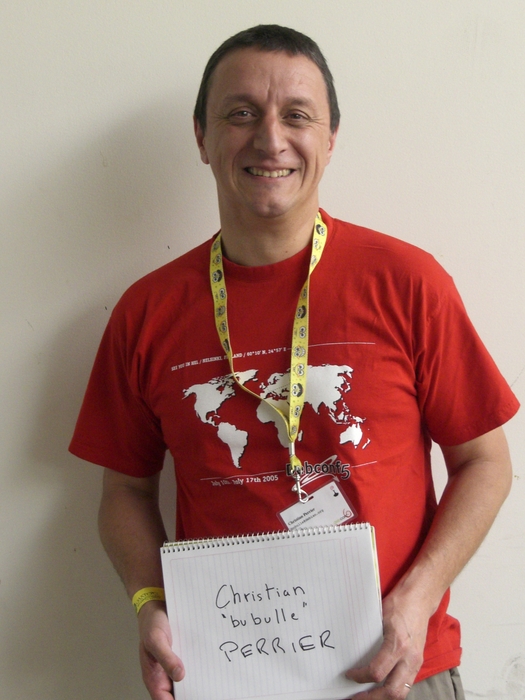
Rapha&#235;l Hertzog: People behind Debian: Christian Perrier, translation coordinator

Christian is a figure of Debian, not only because of the tremendous coordination work that he does within the translation project, but also because he s very involved at the social level. He s probably in the top 5 of the persons who attended most often the Debian conference. Christian is a friend (thanks for hosting me so many times when I come to Paris for Debian related events) and I m glad that he accepted to be interviewed. He likes to speak and that shows in the length of his answers :-) but you ll be traveling the world while reading him. My questions are in bold, the rest is by Christian. Who are you? I am a French citizen (which is easy to guess unless you correct my usual mistakes in what follows). I m immensely proud of being married for nearly 26 years with Elizabeth (who deserves a statue from Debian for being so patient with my passion and my dedication to the project). I m also the proud father of 3 wonderful kids , aged 19 to 23. I work as team manager in the Networks and Computers Division of Onera the French Aerospace lab , a public research institute about Aeronautics, Space and Defense. My team provides computer management services for research divisions of Onera, with a specific focus put on individual computing. I entered the world of free software as one of the very first users of Linux in France. Back in the early 1990 s, I happened (though the BBS users communities) to be a friend of several early adopters of Linux and/or BSD386/FreeBSD/NetBSD in France. More specifically, I discovered Linux thanks with my friend Ren Cougnenc (all my free software talks are dedicated to Ren , who passed away in 1996). You re not a programmer, not even a packager. How did you come to Debian? I m definitely not a programmer and I never studied computing (I graduated in Materials Science and worked in that area for a few years after my PhD). However, my daily work always involved computing (I redesigned the creep testing laboratory and its acquisition system all by myself during my thesis research work). An my hobbies often involved playing with home computers, always trying to learn about something new. So, first learning about a new operating system then trying to figure out how to become involved in its development was quite a logical choice. Debian is my distro of choice since it exists. I used Slackware on work machines for a while, but my home server, kheops, first ran Debian 1.1 when I stopped running a BBS on an MS-DOS machine to host a news server. That was back in October 1996. I then happened to be a user, and more specifically a user of genealogy software, also participating very actively in Usenet from this home computer and server, that was running this Debian thing. So, progressively, I joined mailing lists and, being a passionate person, I tried to figure out how I could bring my own little contribution to all this. This is why I became a packager (yes, I am one!) by taking over the geneweb package, which I was using to publish my genealogy research. I applied as DD in January 2001, then got my account in July 2001. My first upload to the Debian archive occurred on August 22nd 2001: that was of course geneweb, which I still maintain. Quite quickly, I became involved in the work on French localization. I have always been a strong supporter of localized software (I even translated a few BBS software back in the early 90 s) as one of the way to bring the power and richness of free software to more users. Localization work lead me to work on the early version of Debian Installer, during those 2003-2005 years where the development of D-I was an incredibly motivating and challenging task, lead by Joey Hess and his inspiring ideas. From user to contributor to leader, I suddenly discovered, around 2004, that I became the coordinator of D-I i18n (internationalization) without even noticing :-) You re the main translation coordinator in Debian. What plans and goals have you set for Debian Wheezy? As always: paint the world in red. Indeed, this is my goal for years. I would like our favorite distro to be able to be used by anyone in the world, whether she speaks English, Northern Sami, Wolof, Uyghur or Secwepemcts n. As a matter of symbol, I use the installer for this. My stance is that one should be able to even install Debian in one s own language. So, for about 7 years, I use D-I as a way to attract new localization contributors. This progress is represented on this page where the world is gradually painted in red as long as the installer supports more languages release after release. The map above tries to illustrate this by painting in red countries when the most spoken language in the country is supported in Debian Installer. However, that map does not give enough reward to many great efforts made to support very different kind of languages. Not only various national languages, but also very different ones: all regional languages of Spain, many of the most spoken languages in India, minority languages such as Uyghur for which an effort is starting, Northern Sami because it is taught in a few schools in Norway, etc., etc. Still, the map gives a good idea of what I would like to see better supported: languages from Africa, several languages in Central Asia. And, as a very very personal goal, I m eagerly waiting for support of Tibetan in Debian Installer, the same way we support its sister language, Dzongkha from Bhutan. For this to happen, we have to make contribution to localization as easy as possible. The very distributed nature of Debian development makes this a challenge, as material to translate (D-I components, debconf screens, native packages, packages descriptions, website, documentation) is very widely spread. A goal, for years, is to set a centralized place where translators could work easily without even knowing about SVN/GIT/BZR or having to report bugs to send their work. The point, however, would be to have this without making compromises on translation quality. So, with peer review, use of thesaurus and translation memory and all such techniques. Tools for this exist: we, for instance, worked with the developers of Pootle to help making it able to cope with the huge amount of material in Debian (think about packages descriptions translations). However, as of now, the glue between such tools and the raw material (that often lies in packages) didn t come. So, currently, translation work in Debian requires a great knowledge of how things are organized, where is the material, how it can be possible to make contribution reach packages, etc. And, as I m technically unable to fulfill the goal of building the infrastructure, I m fulfilling that role of spreading out the knowledge. This is how I can define my coordinator role. Ubuntu uses a web-based tool to make it easy to contribute translations directly in Launchpad. At some point you asked Canonical to make it free software. Launchpad has been freed in the mean time. Have you (re)considered using it? Why not? After all, it more or less fills in the needs I just described. I still don t really figure out how we could have all Debian material gathered in Rosetta/Launchpad .and also how Debian packagers could easily get localized material back from the framework without changing their development processes. I have always tried to stay neutral wrt Ubuntu. As many people now in Debian, I feel like we have reached a good way to achieve our mutual development. When it comes at localization work, the early days where the everything in Rosetta and translates who wants stanza did a lot of harm to several upstream localization projects is, I think, way over. Many people who currently contribute to D-I localization were indeed sent to me by Ubuntu contributors .and by localizing D-I, apt, debconf, package descriptions, etc., they re doing translation work for Ubuntu as well as for Debian. Let s say I m a Debian user and I want to help translate Debian in my language. I can spend 1 hour per week on this activity. What should I do to start? Several language teams use Debian mailing lists to coordinate their work. If you re lucky enough to be a speaker of one of these languages, try joining debian-l10n-<yourlanguage> and follow what s happening there. Don t try to immediately jump in some translation work. First, participate to peer reviews: comment on others translations. Learn about the team s processes, jargon and habits. Then, progressively, start working on a few translations: you may want to start with translations of debconf templates: they are short, often easy to do. That s perfect if you have few time. If no language team exists for your language, try joining debian-i18n and ask about existing effort for your language. I may be able to point you to individuals working on Debian translations (very often along with other free software translation efforts). If I am not, then you have just been named coordinator for your language :-) I may even ask you if you want to work on translating the Debian Installer. What s the biggest problem of Debian? We have no problems, we only have solutions :-) We are maybe facing a growth problem for a few years. Despite the increased welcoming aspects of our processes (Debian Maintainers), Debian is having hard times in growing. The overall number of active contributors is probably stagnating for quite a while. I m still amazed, however, to see how we can cope with that and still be able to release over the years. So, after all, this is maybe not a problem :-) Many people would point communication problems here. I don t. I think that communication inside the Debian project is working fairly well now. Our famous flame wars do of course still happen from time to time, but what large free software project doesn t have flame wars? In many areas, we indeed improved communication very significantly. I want to take as an example the way the release of squeeze has been managed. I think that the release team did, even more this time, a very significant and visible effort to communicate with the entire project. And the release of squeeze has been a great success in that matter. So, there s nearly nothing that frustrates me in Debian. Even when a random developer breaks my beloved 100% completeness of French translations, I m not frustrated for more than 2 minutes. You re known in the Debian community as the organizer of the Cheese & Wine Party during DebConf. Can you tell us what this is about? This is an interesting story about how things build themselves in Debian. It all started in July 2005, before DebConf 5 in Helsinki. Denis Barbier, Nicolas Fran ois and myself agreed to bring at Debconf a few pieces of French cheese as well as 1 or 2 bottles of French wine and share them with some friends. Thus, we settled an informal meeting in the French room where we invited some fellows: from memory, Benjamin Mako Hill, Hannah Wallach, Matt Zimmermann and Moray Allan. All of us fond of smelly cheese, great wine plus some extra p t home-made by Denis in Toulouse. It finally happened that, by word of mouth, a few dozens of other people slowly joined in that French room and turned the whole thing into an improvized party that more or less lasted for the entire night. The tradition was later firmly settled in 2006, first in Debconf 6 in Mexico where I challenged the French DDs to bring as many great cheese as possible, then during the Debian i18n meeting in Extremadura (Sept 2006) where we reached the highest amount of cheese per participant ever. I think that the Creofonte building in Casar de C ceres hasn t fully recovered from it and is still smelling cheese 5 years after. This party later became a real tradition for DebConf, growing over and over each year. I see it as a wonderful way to illustrate the diversity we have in Debian, as well as the mutual enrichment we always felt during DebConfs. My only regret about it is that it became so big over the years that organizing it is always a challenge and I more and more feel pressure to make it successful. However, over the years, I always found incredible help by DebConf participants (including my own son, last year a moment of sharing which we will both remember for years, i think). And, really, in 2010, standing up on a chair, shouting (because the microphone wasn t working) to thank everybody, was the most emotional moment I had at Debconf 10. Is there someone in Debian that you admire for their contributions? So many people. So, just like it happens in many awards ceremonies, I will be very verbose to thank people, sorry in advance for this. The name that comes first is Joey Hess. Joey is someone who has a unique way to perceive what improvements are good for Debian and a very precise and meticulous way to design these improvements. Think about debconf. It is designed for so long now and still reaching its very specific goal. So well designed that it is the entire basis for Joey s other achievement: designing D-I. Moreover, I not only admire Joey for his technical work, but also for his interaction with others. He is not he loudest person around, he doesn t have to .just giving his point in discussion and, guess what? Most of the time, he s right. Someone I would like to name here, also, is Colin Watson. Colin is also someone I worked with for years (the D-I effect, again ) and, here again, the very clever way he works on technical improvements as well as his very friendly way to interact with others just make it. And, how about you, Rapha l? :-) I m really admirative of the way you work on promoting technical work on Debian. Your natural ability to explain things (as good in English as it is in French) and your motivation to share your knowledge are a great benefit for the project. Not to mention the technical achievements you made with Guillem on dpkg of course! Another person I d like to name here is Steve Langasek. We both maintain samba packages for years and collaboration with him has always been a pleasure. Just like Colin, Steve is IMHO a model to follow when it comes at people who work for Canonical while continuing their involvment in Debian. And, indeed, Steve is so patient with my mistakes and stupid questions in samba packaging that he deserves a statue. We re now reaching the end of the year where Stefano Zacchiroli was the Debian Project Leader. And, no offense intended to people who were DPL before him (all of them being people I consider to be friends of mine), I think he did the best term ever. Zack is wonderful in sharing his enthusiasm about Debian and has a unique way to do it. Up to the very end of his term, he has always been working on various aspects of the project and my only hope is that he ll run again (however, I would very well understand that he wants to go back to his hacking activities!). Hat off, Zack!I again have several other people to name in this Bubulle hall of Fame : Don Armstrong, for his constant work on improving Debian BTS, Margarita Manterola as one of the best successes of Debian Women (and the most geeky honeymoon ever), Denis Barbier and Nicolas Fran ois because i18n need really skilled people, Cyril Brulebois and Julien Cristau who kept X.org packaging alive in lenny and squeeze, Otavio Salvador who never gave up on D-I even when we were so few to care about it. I would like to make a special mention for Frans Pop. His loss in 2010 has been a shock for many of us, and particularly me. Frans and I had a similar history in Debian, both mostly working on so-called non technical duties. Frans has been the best release manager for D-I (no offense intended, at all, to Joey or Otavio .I know that both of them share this feeling with me). His very high involvment in his work and the very meticulous way he was doing it lead to great achievements in the installer. The Installation Guide work was also a model and indeed a great example of non technical work that requires as many skills as more classical technical work. So, and even though he was sometimes so picky and, I have to admit, annoying, that explains why I m still feeling sad and, in some way, guilty about Frans loss. One of my goals for wheezy is indeed to complete some things Frans left unachieved. I just found one in bug #564441: I will make this work reach the archive, benefit our users and I know that Frans would have liked that.
Thank you to Christian for the time spent answering my questions. I hope you enjoyed reading his answers as I did. Subscribe to my newsletter to get my monthly summary of the Debian/Ubuntu news and to not miss further interviews. You can also follow along on Identi.ca, Twitter and Facebook.

7 comments Liked this article? Click here. My blog is Flattr-enabled.

Next.

Previous.