Search Results: "ag"

1 August 2016

Chris Lamb: Free software activities in July 2016

Here is my monthly update covering a large part of what I have been doing in the free software world (previously):


Debian
  • Created a proof-of-concept wrapper for pymysql to reduce the diff between Ubuntu and Debian's packaging of python-django. (tree)
  • Improved the NEW queue HTML report to display absolute timestamps when placing the cursor over relative times as well as to tidy the underlying HTML generation.
  • Tidied and pushed for the adoption of a patch against dak to also send mails to the signer of an uploaded package on security-master. (#796784)

LTS

This month I have been paid to work 14 hours on Debian Long Term Support (LTS). In that time I did the following:
  • "Frontdesk" duties, triaging CVEs, etc.
  • Improved the bin/lts-cve-triage.py script to ignore packages that have been marked as unsupported.
  • Improved the bin/contact-maintainers script to print a nicer error message if you mistype the package name.
  • Issued the following advisories:
    • DLA 541-1 for libvirt making the password policy consistent across the QEMU and VNC backends with respect to empty passwords.
    • DLA 574-1 for graphicsmagick fixing two denial-of-service vulnerabilities.
    • DLA 548-1 and DLA 550-1 for drupal7 fixing an open HTTP redirect vulnerability and a privilege escalation issue respectfully.
    • DLA 557-1 for dietlibc removing the current directory from the current path.
    • DLA 577-1 for redis preventing the redis-cli tool creating world-readable history files.

Uploads
  • redis:
    • 3.2.1-2 Avoiding race conditions in upstream test suite.
    • 3.2.1-3 Correcting world_readable ~/.rediscli_history files.
    • 3.2.1-4 Preventing a race condition in the previous upload's patch.
    • 3.2.2-1 New upstream release.
    • 3.2.1-4~bpo8+1 Backport to jessie-backports.
  • strip-nondeterminism:
    • 0.020-1 Improved the PNG handler to not blindly trust chunk sizes, rewriting most of the existing code.
    • 0.021-1 Correcting a regression in the PNG handler where it would leave temporary files in the generated binaries.
    • 0.022-1 Correcting a further regression in the PNG handler with respect to IEND chunk detection.
  • python-redis (2.10.5-1~bpo8+1) Backport to jessie-backports.
  • reprotest (0.2) Sponsored upload.

Patches contributed


I submitted patches to fix faulty initscripts in lm-sensors, rsync, sane-backends & vsftpd.

In addition, I submitted 7 patches to fix typos in debian/rules against cme:, gnugk: incorrect reference to dh_install_init, php-sql-formatter, python-django-crispy-forms, libhook-lexwrap-perl, mknbi & ruby-unf-ext.

I also submitted 6 patches to fix reproducible toolchain issues (ie. ensuring the output is reproducible rather than the package itself) against libextutils-parsexs-perl: Please make the output reproducible, perl, naturaldocs, python-docutils, ruby-ronn & txt2tags.

Lastly, I submitted 65 patches to fix specific reproducibility issues in amanda, boolector, borgbackup, cc1111, cfingerd, check-all-the-things, cobbler, ctop, cvs2svn, eb, eurephia, ezstream, feh, fonts-noto, fspy, ftplib, fvwm, gearmand, gngb, golang-github-miekg-pkcs11, gpick, gretl, hibernate, hmmer, hocr, idjc, ifmail, ironic, irsim, lacheck, libmemcached-libmemcached-perl, libmongoc, libwebsockets, minidlna, mknbi, nbc, neat, nfstrace, nmh, ntopng, pagekite, pavuk, proftpd-dfsg, pxlib, pysal, python-kinterbasdb, python-mkdocs, sa-exim, speech-tools, stressapptest, tcpflow, tcpreen, ui-auto, uisp, uswsusp, vtun, vtwm, why3, wit, wordgrinder, xloadimage, xmlcopyeditor, xorp, xserver-xorg-video-openchrome & yersinia.

RC bugs

I also filed 68 RC bugs for packages that access the internet during build against betamax, curl, django-localflavor, django-polymorphic, dnspython, docker-registry, elasticsearch-curator, elib.intl, elib.intl, elib.intl, fabulous, flask-restful, flask-restful, flask-restful, foolscap, gnucash-docs, golang-github-azure-go-autorest, golang-github-fluent-fluent-logger-golang, golang-github-franela-goreq, golang-github-mesos-mesos-go, golang-github-shopify-sarama, golang-github-unknwon-com, golang-github-xeipuuv-gojsonschema, htsjdk, lemonldap-ng, libanyevent-http-perl, libcommons-codec-java, libfurl-perl, libgravatar-url-perl, libgravatar-url-perl, libgravatar-url-perl, libgravatar-url-perl, libgravatar-url-perl, libhttp-async-perl, libhttp-oai-perl, libhttp-proxy-perl, libpoe-component-client-http-perl, libuv, libuv1, licenseutils, licenseutils, licenseutils, musicbrainzngs, node-oauth, node-redis, nodejs, pycurl, pytest, python-aiohttp, python-asyncssh, python-future, python-guacamole, python-latexcodec, python-pysnmp4, python-qtawesome, python-simpy, python-social-auth, python-structlog, python-sunlight, python-webob, python-werkzeug, python-ws4py, testpath, traitlets, urlgrabber, varnish-modules, webtest & zurl.


Finally, I filed 100 FTBFS bugs against abind, backup-manager, boot, bzr-git, cfengine3, chron, cloud-sptheme, cookiecutter, date, django-uwsgi, djangorestframework, docker-swarm, ekg2, evil-el, fasianoptions, fassets, fastinfoset, fest-assert, fimport, ftrading, gdnsd, ghc-testsuite, golang-github-magiconair-properties, golang-github-mattn-go-shellwords, golang-github-mitchellh-go-homedir, gplots, gregmisc, highlight.js, influxdb, jersey1, jflex, jhdf, kimwitu, libapache-htpasswd-perl, libconfig-model-itself-perl, libhtml-tidy-perl, liblinux-prctl-perl, libmoox-options-perl, libmousex-getopt-perl, libparanamer-java, librevenge, libvirt-python, license-reconcile, louie, mako, mate-indicator-applet, maven-compiler-plugin, mgt, mgt, mgt, misc3d, mnormt, nbd, ngetty, node-xmpp, nomad, perforate, pyoperators, pyqi, python-activipy, python-bioblend, python-cement, python-gevent, python-pydot-ng, python-requests-toolbelt, python-ruffus, python-scrapy, r-cran-digest, r-cran-getopt, r-cran-lpsolve, r-cran-rms, r-cran-timedate, resteasy, ruby-berkshelf-api-client, ruby-fog-libvirt, ruby-grape-msgpack, ruby-jquery-rails, ruby-kramdown-rfc2629, ruby-moneta, ruby-parser, ruby-puppet-forge, ruby-rbvmomi, ruby-redis-actionpack, ruby-unindent, ruby-web-console, scalapack-doc, scannotation, snow, sorl-thumbnail, svgwrite, systemd-docker, tiles-request, torcs, utf8proc, vagrant-libvirt, voms-api-java, wcwidth, xdffileio, xmlgraphics-commons & yorick.

FTP Team

As a Debian FTP assistant I ACCEPTed 114 packages: apertium-isl-eng, apertium-mk-bg, apertium-urd-hin, apprecommender, auto-apt-proxy, beast-mcmc, caffe, caffe-contrib, debian-edu, dh-make-perl, django-notification, dpkg-cross, elisp-slime-nav, evil-el, fig2dev, file, flightgear-phi, friendly-recovery, fwupd, gcc-5-cross, gdbm, gnustep-gui, golang-github-cznic-lldb, golang-github-dghubble-sling, golang-github-docker-leadership, golang-github-rogpeppe-fastuuid, golang-github-skarademir-naturalsort, golang-glide, gtk+2.0, gtranscribe, kdepim4, kitchen, lepton, libcgi-github-webhook-perl, libcypher-parser, libimporter-perl, liblist-someutils-perl, liblouis, liblouisutdml, libneo4j-client, libosinfo, libsys-cpuaffinity-perl, libtest2-suite-perl, linux, linux-grsec, lua-basexx, lua-compat53, lua-fifo, lua-http, lua-lpeg-patterns, lua-mmdb, lua-openssl, mash, mysql-5.7, node-quickselect, nsntrace, nvidia-graphics-drivers, nvidia-graphics-drivers-legacy-304xx, nvidia-graphics-drivers-legacy-340xx, openorienteering-mapper, oslo-sphinx, p4est, patator, petsc, php-mailparse, php-yaml, pykdtree, pypass, python-bioblend, python-cotyledon, python-jack-client, python-mido, python-openid-cla, python-os-api-ref, python-pydotplus, python-qtconsole, python-repoze.sphinx.autointerface, python-vispy, python-zenoss, r-cran-bbmle, r-cran-corpcor, r-cran-ellipse, r-cran-minpack.lm, r-cran-rglwidget, r-cran-rngtools, r-cran-scatterd3, r-cran-shinybs, r-cran-tibble, reproject, retext, ring, ruby-github-api, ruby-rails-assets-jquery-ui, ruby-swd, ruby-url-safe-base64, ruby-vmstat, ruby-webfinger, rustc, shadowsocks-libev, slepc, staticsite, steam, straight.plugin, svgwrite, tasksh, u-msgpack-python, ufo2otf, user-mode-linux, utf8proc, vizigrep, volk, wchartype, websockify & wireguard.

Reproducible builds folks: Reproducible builds: week 65 in Stretch cycle

What happened in the Reproducible Builds effort between Sunday July 17 and Saturday July 23 2016: GSoC and Outreachy updates Valerie Young wrote an update about her Outreachy progress on tests.reproducible.org. Packages reviewed and fixed, and bugs filed Patches have been submitted by: Package reviews 17 package reviews have been added and 4 have been updated. adding to our knowledge about identified issues. Some issues have been updated: Weekly QA work FTBFS bugs have been reported by: diffoscope development strip-nondeterminism development reprotest development tests.reproducible-builds.org Misc. This week's edition was written by Chris Lamb and reviewed by a bunch of Reproducible builds folks on IRC.

Lucas Moura: AppRecommender: My Google Summer of Code project

AppRecommender is a package recommender system for Debian. This project is also one of the Debian projects that is being worked on by some Google Summer of Code students. As one of these students, I will now present what my Google Summer of Code project is and what I have achieved so far.

Lucas Moura: AppRecommender: A package recommender system

Hello, my name is Lucas Moura and this post will present AppRecommender. This project is a package recommender system for Debian systems. The intent of this application is to look for packages that users have already installed in their system and recommend new useful packages based on them. This approach is similar as the one seen on Netflix or Amazon, where the movies or goods that a user has already seen determine other items that will be recommended.

31 July 2016

Joey Hess: PocketCHIP quick review

PocketCHIP is the pocket sized Linux terminal I always used to want. Which is to say, it runs (nearly) stock Debian, X, etc, it has a physical keyboard, and the hardware and software is (nearly) non-proprietary and very hackable. Best of all, it's fun and it encourages playful learning. It's also clunky and flawed and constructed out of cheap components. This keeps it from being something I'd actually carry around in my pocket and use regularly. The smart thing they've done though is embrace these limitations, targeting it at the hobbiest, and not trying to compete with smart phones. The PocketCHIP is its own little device in its own little niche. PocketCHIP front, side, and back views Unless you're into hardware hacking and want to hook wires up to the GPIO pins, the best hardware feature is the complete keyboard, with even Escape and Control and arrow keys. You can ssh around and run vi on it, run your favorite REPL (I use ghci) to do quick programming, etc. The keyboard is small and a little strange, but you get used to it quickly; your QWERTY muscle memory is transferrable to it. I had fun installing nethack on it and handing it to my sister who had never played nethack before, to watch her learn to play. The screen resolution is 480x272, which is pretty tiny. And, it's a cheap resistive touchscreen, with a bezil around it. This makes it very hard to use scroll bars and icons near the edge of the screen. The customized interface that ships with it avoids these problems, and so I've been using that for now. When I have time, I plan to put a fullscreen window manager on it, and write a pdmenu menu configuration for it, so everything can be driven using the keyboard. I also have not installed Debian from scratch on it yet. This would be tricky because it uses a somewhat patched kernel (to support the display and wifi). The shipped distribution is sadly not entirely free software. There are some nonfree drivers and firmwares. And, they included a non-free gaming environment on it (a very nice one for part of the audience, that allows editing the games, but non-free nevertheless). They did do a good job of packaging up all the custom software they include on it, although they don't seem to have published source packages for everything. (They might be infringing my GPL copyright of flash-kernel by distributing a modified version without source. I say "might" because flash-kernel is a pile of shell scripts, so you could probably extract the (probably trivial) modifications. Still.. Also, they seem to have patched network-manager in some way and I wasn't able to find the corresponding source.) The battery life is around 5 hours. Unfortunately the "sleep" mode only turns off the backlight and maybe wifi, and leaves the rest of the system running. This and the slightly awkward form factor too big to really comfortably fit in a pocket limit the use of PocketCHIP quite a bit. Perhaps the sleeping will get sorted out, and perhaps I'll delete the GPIO breakout board from the top of mine to make it more pocket sized.

Enrico Zini: Links for August 2016

First post with the new link collection feature of staticsite!
Heavy Metal and Natural Language Processing [archived]
Natural language processing and Metal lyrics, including the formula for the "metalness" of a word and a list of the most and least metal words.
Confirming all use of an SSH agent [archived]
For a long time I ve wanted an ssh-agent setup that would ask me before every use, so I could slightly more comfortably forward authentication over SSH without worrying that my session might get hijacked somewhere at the remote end (I often find myself wanting to pull authenticated git repos on remote hosts). I m at DebConf this week, which is an ideal time to dig further into these things, so I did so today. As is often the case it turns out this is already possible, if you know how.
Why We Don t Report It [archived]
Why don t you report it? It s up there on every list I ve seen of things you shouldn t say to sexual assault survivors, yet I keep hearing it
Voltron, an extensible debugger UI toolkit written in Python
Multi-panel display built from various gdb outputs.
Notmuch, offlineimap and Sieve setup [archived]
Nice description of a notmuch+offlineimap+sieve setup, for when I feel like rethinking my email setup.
Wikipedia:Unusual articles
An endless source of weird and wonderful.
ZERO: no linked HIV transmissions [archived]
The results provide a dataset to question whether transmission with an undetectable viral load is actually possible. They should help normalise HIV and challenge stigma and discrimination.
TV pickup
Someone once in the UK told me that it was a big enough problem that so many people turn on their electric kettles during the endtitles of Eastenders, that there's an employee in a hydro plant that needs to watch it to ramp up the power at the right time. I've finally found a wikipedia page about it.
Amazon isn't saying if Echo has been wiretapped [archived]
"We may never know if the feds have hijacked Amazon Echo. In case you didn't know, Echo is an always-on device, which, when activated, can return search queries, as well as read audiobooks and report sports, traffic, and weather. It can even control smart home devices."

Ritesh Raj Sarraf: User Mode Linux

Recently, we had the User-Mode Linux suite out of Debian, which included user-mode-linux, user-mode-linux-doc and uml-utilities package. We are happy that we were able to bring it back into the archvie quick, and hope to maintain it active. For many who may not know about UML, here's a discription from its website:
User-Mode Linux is a safe, secure way of running Linux versions and Linux processes. Run buggy software, experiment with new Linux kernels or distributions, and poke around in the internals of Linux, all without risking your main Linux setup.
User-Mode Linux gives you a virtual machine that may have more hardware and software virtual resources than your actual, physical computer. Disk storage for the virtual machine is entirely contained inside a single file on your physical machine. You can assign your virtual machine only the hardware access you want it to have. With properly limited access, nothing you do on the virtual machine can change or damage your real computer, or its software.
Most of the use cases mentioned here are achievable with Containers today. The big difference UML provides in, is with a separate kernel. UML is an implementation of Linux as an architecture of Linux itself. It supports x86 and x86_64 architecture. And given that it is the port of the kernel, you can do many of the tests and experiments of the regular kernel, safely inside a confined UML environment. As with other virtualization implementations, the limitation comes in if you are working on physical hardware. With its re-entry in Debian, I wanted to revive my local setup. First is the packaging structure and the second is its integration with current standard tools
  • Packaging: For packaging UML in Debian, we rely on the packaged linux-source package provided by the kernel team.
    • linux-source package: We build UML from the linux sources that are provided by the debian kernel team. This works fine for now. Whenever there's a kernel vulnerability, there'll be an updated source package, to which we'll rebuild the UML package.
    • Merge with debian-kernel: In the longer run, we'd like to push UML package into the debian kernel team. UML is a component of the Linux kernel, and that is where it should be built from.
  • Integration: It works fairly well right now. On modern systems with systemd, where (nspawn) containers can easily have a network interface bound to it, UML lacks a bit behind. It'd be nice if we could see some UML integration with systemd.
    • Networking under systemd: Setting up networking, for UML, under systemd is fairly straight. In fact, with systemd, it is much simpler. Below is the host network (tuntap) setup, to which UML can bind for all its network needs.
rrs@learner:~/tidBits (master)$ cat /etc/systemd/network/tap.netdev 
[NetDev]
Name=tap0
Kind=tap
[TAP]
Group=uml-net
User=uml-net
2016-08-01 / 15:41:40       
rrs@learner:~/tidBits (master)$ cat /etc/systemd/network/tap.network 
[Match]
Name=tap0
[Network]
DHCPServer=yes
IPForward=yes
IPMasquerade=yes
Address=172.16.20.2
LLMNR=yes
MulticastDNS=yes
DNS=172.16.20.1
2016-08-01 / 15:41:43       

systemd allows for defining user/group ownership in its file. With this setup, and uml-utilities running, one can simply fire a UML instance as below:

rrs@learner:~/rrs-home/Community/Packaging/user-mode-linux (master)$ linux ubd0=~/rrs-home/NoTrack/uml.img eth0=daemon mem=1024M rw  
Core dump limits :
    soft - 0
    hard - NONE
Checking that ptrace can change system call numbers...OK
Checking syscall emulation patch for ptrace...OK
Checking advanced syscall emulation patch for ptrace...OK
Checking environment variables for a tempdir...none found
Checking if /dev/shm is on tmpfs...OK
Checking PROT_EXEC mmap in /dev/shm...OK
Adding 23609344 bytes to physical memory to account for exec-shield gap
Linux version 4.6.3 (root@chutzpah) (gcc version 5.4.0 20160609 (Debian 5.4.0-6) ) #2 Sat Jul 16 16:22:22 UTC 2016
Built 1 zonelists in Zone order, mobility grouping on.  Total pages: 263721
Kernel command line: ubd0=/home/rrs/rrs-home/NoTrack/uml.img eth0=daemon mem=1024M rw root=98:0
PID hash table entries: 4096 (order: 3, 32768 bytes)
Dentry cache hash table entries: 262144 (order: 9, 2097152 bytes)
Inode-cache hash table entries: 131072 (order: 8, 1048576 bytes)
Memory: 1020852K/1071632K available (4803K kernel code, 1207K rwdata, 1340K rodata, 157K init, 217K bss, 50780K reserved, 0K cma-reserved)
SLUB: HWalign=64, Order=0-3, MinObjects=0, CPUs=1, Nodes=1
NR_IRQS:15
.....snipped.......
root@uml:~# cat /proc/cpuinfo 
processor    : 0
vendor_id    : User Mode Linux
model name    : UML
mode        : skas
host        : Linux learner 4.6.0-1-amd64 #1 SMP Debian 4.6.4-1 (2016-07-18) x86_64
bogomips    : 6048.97
root@uml:~# ping www.debian.org
PING www.debian.org (130.89.148.14) 56(84) bytes of data.
64 bytes from klecker4.snt.utwente.nl (130.89.148.14): icmp_seq=1 ttl=46 time=372 ms
64 bytes from klecker4.snt.utwente.nl (130.89.148.14): icmp_seq=2 ttl=46 time=395 ms
64 bytes from klecker4.snt.utwente.nl (130.89.148.14): icmp_seq=3 ttl=46 time=315 ms
^C
--- www.debian.org ping statistics ---
3 packets transmitted, 3 received, 0% packet loss, time 2002ms
rtt min/avg/max/mdev = 315.550/361.064/395.440/33.556 ms

And here are some (incomplete and non-conclusive) performance numbers

root@uml:~# dd if=/dev/zero of=foo.img bs=1M count=2500 conv=fsync
2500+0 records in
2500+0 records out
2621440000 bytes (2.6 GB, 2.4 GiB) copied, 39.4876 s, 66.4 MB/s
vs
rrs@learner:/var/tmp/Debian-Build/Result$ dd if=/dev/zero of=foo.img bs=1M count=2500 conv=fsync
2500+0 records in
2500+0 records out
2621440000 bytes (2.6 GB, 2.4 GiB) copied, 41.2126 s, 63.6 MB/s
2016-08-01 / 15:59:15       

Categories:

Keywords:

Like:

Paul Tagliamonte: Hacking a Projector in Hy

About a year ago, I bought a Projector after I finally admitted that I could actually use a TV in my apartment. I settled on buying a ViewSonic PJD5132. It was a really great value, and has been nothing short of a delight to own. I was always a bit curious about the DB9 connector on the back of the unit, so I dug into the user manual, and found some hex code strings in there. So, last year, between my last gig at the Sunlight Foundtion and USDS, I spent some time wandering around the US, hitting up DebConf, and exploring Washington DC. Between trips, I set out to figure out exactly what was going on with my Projector, and see if I could make it do anything fun. So, I started off with basics, and tried to work out how these command codes were structured. I had a few working codes, but to write clean code, I'd be better off understanding why the codes looked like they do. Let's look at the "Power On" code. 0x06 0x14 0x00 0x04 0x00 0x34 0x11 0x00 0x00 0x5D Some were 10 bytes, other were 11, and most started with similar looking things. The first byte was usually a 0x06 or 0x07, followed by two bytes 0x14 0x00, and either a 0x04 or 0x05. Since the first few bytes were similarly structured, I assumed the first octet (either 0x06 or 0x07) was actually a length, since the first 4 octets seemed always present. So, my best guess is that we have a Length byte at index 0, followed by two bytes for the Protocol, a flag for if you're Reading or Writing (best guess on that one), and opaque data following that. Sometimes it's a const of sorts, and sometimes an octet (either little or big endian, confusingly).
Length
           Read / Write
                 
     Protocol                Data
       ----           ------------------------ 
0x06 0x14 0x00 0x04 0x00 0x34 0x11 0x00 0x00 0x5D
Right. OK. So, let's get to work. In the spirit of code is data, data is code, I hacked up some of the projector codes into a s-expression we can use later. The structure of this is boring, but it'll let us both store the command code to issue, as well as define the handler to read the data back.
(setv *commands*
  ;  function                       type family         control
  '((power-on                         nil nil            (0x06  0x14 0x00  0x04  0x00 0x34 0x11 0x00 0x00 0x5D))
    (power-off                        nil nil            (0x06  0x14 0x00  0x04  0x00 0x34 0x11 0x01 0x00 0x5E))
    (power-status                   const power          (0x07  0x14 0x00  0x05  0x00 0x34 0x00 0x00 0x11 0x00 0x5E))
    (reset                            nil nil            (0x06  0x14 0x00  0x04  0x00 0x34 0x11 0x02 0x00 0x5F))
    ...
As well as defining some of the const responses that come back from the Projector itself. These are pretty boring, but it's helpful to put a name to the int that falls out.
(setv *consts*
  '((power        ((on           (0x00 0x00 0x01))
                   (off          (0x00 0x00 0x00))))
    (freeze       ((on           (0x00 0x00 0x01))
                   (off          (0x00 0x00 0x00))))
    ...
After defining a few simple functions to write the byte arrays to the serial port as well as reading and understanding responses from the projector, I could start elaborating on some higher order functions that can talk projector. So the first thing I wrote was to make a function that converts the command entry into a native Hy function.
(defn make-api-function [function type family data]
   (defn ~function [serial]
      (import [PJD5132.dsl [interpret-response]]
              [PJD5132.serial [read-response/raw]])
      (serial.write (bytearray [~@data]))
      (interpret-response ~(str type) ~(str family) (read-response/raw serial))))
Fun. Fun! Now, we can invoke it to create a Hy & Python importable API wrapper in a few lines!
(import [PJD5132.commands [*commands*]]
        [PJD5132.dsl [make-api-function]])
(list (map (fn [(, function type family command)]
               (make-api-function function type family command)) *commands*)))
Cool. So, now we can import things like power-on from *commands* which takes a single argument (serial) for the serial port, and it'll send a command, and return the response. The best part about all this is you only have to define the data once in a list, and the rest comes for free. Finally, I do want to be able to turn my projector on and off over the network so I went ahead and make a Flask "API" on top of this. First, let's define a macro to define Flask routes:
(defmacro defroute [name root &rest methods]
  (import os.path)
  (defn generate-method [path method status]
     (with-decorator (app.route ~path) (fn []
       (import [PJD5132.api [~method ~(if status status method)]])
       (try (do (setv ret (~method serial-line))
               ~(if status  (setv ret (~status serial-line)))
                (json.dumps ret))
       (except [e ValueError]
          (setv response (make-response (.format "Fatal Error: ValueError:  " (str e))))
          (setv response.status-code 500)
          response)))))
  (setv path (.format "/projector/ " name))
  (setv actions (dict methods))
   (do ~(generate-method path root nil)
       ~@(list-comp (generate-method (os.path.join path method-path) method root)
                    [(, method-path method) methods])))
Now, we can define how we want our API to look, so let's define the power route, which will expand out into the Flask route code above.
(defroute power
  power-status
  ("on"  power-on)
  ("off" power-off))
And now, let's play with it!
$ curl http://192.168.1.50/projector/power
"off"
$ curl http://192.168.1.50/projector/power/on
"on"
$ curl http://192.168.1.50/projector/power
"on"
Or, the volume!
$ curl 192.168.1.50/projector/volume
10
$ curl 192.168.1.50/projector/volume/decrease
9
$ curl 192.168.1.50/projector/volume/decrease
8
$ curl 192.168.1.50/projector/volume/decrease
7
$ curl 192.168.1.50/projector/volume/increase
8
$ curl 192.168.1.50/projector/volume/increase
9
$ curl 192.168.1.50/projector/volume/increase
10
Check out the full source over at github.com/paultag/PJD5132!

Sven Hoexter: libinput option of the day: NaturalScrolling

Finally I got around taking a look at man libinput. And now with
Option "NaturalScrolling" "1"
in my xorg configuration multitouch scrolling works again in a natural way. What a relief, should've taken the 5 minutes to find that out a week ago.

Hideki Yamane: another apt proxy tool: "go-apt-cacher" and "go-apt-mirror"

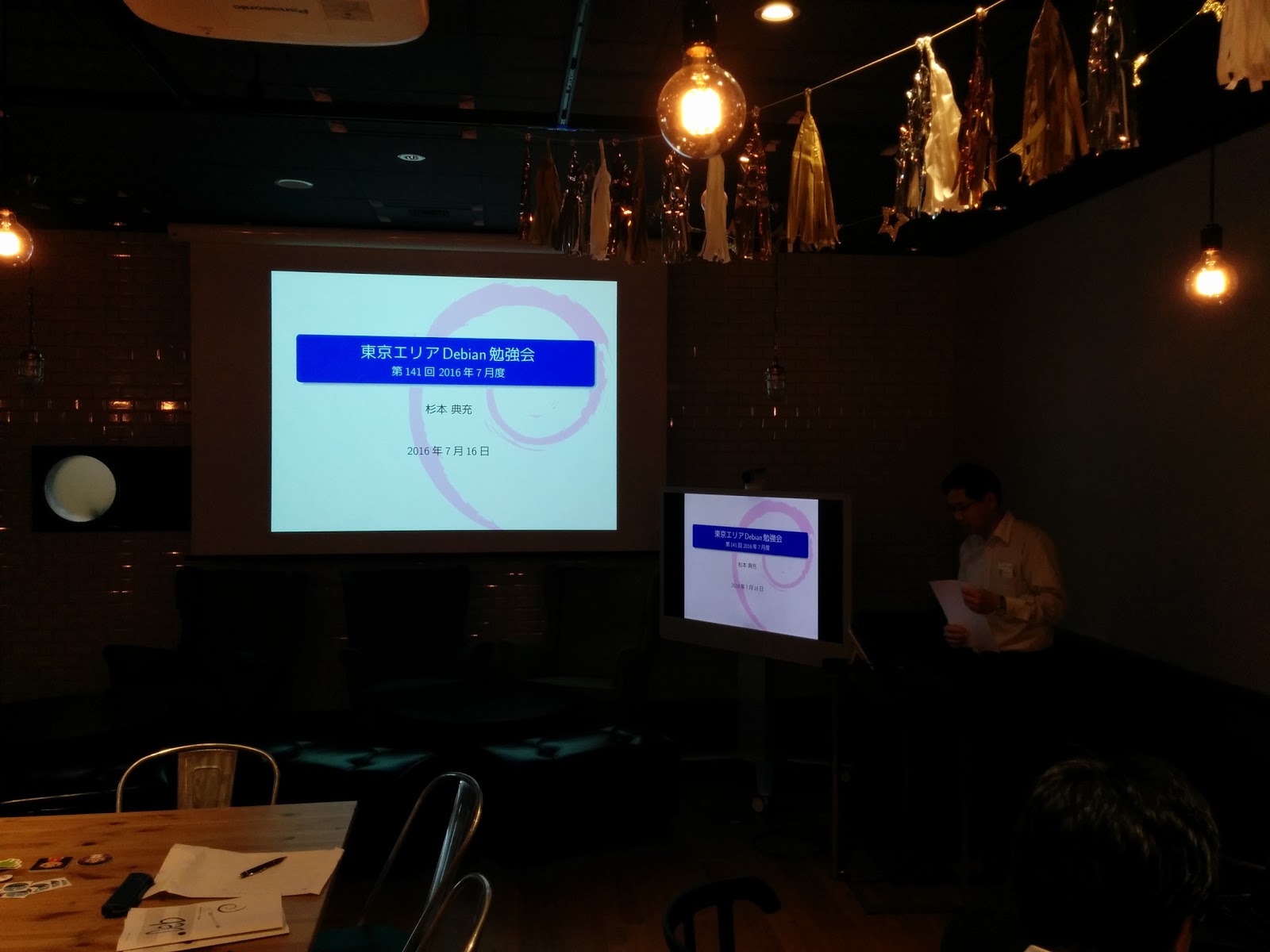
Recently I've attended Tokyo Debian meeting at Cybozu, Inc., Nihonbashi, Tokyo.


And people from Cybozu introduced their product named "go-apt-cacher" and "go-apt-mirror".

apt-cacher-ng and apt-mirror have some problems and their product solve it, they said. They put them into their production environment (with thousands of Ubuntu servers) and it works well, so some people uses apt proxy tools may be interested to it (ping Vasudev Kamath :-) .

If it would be interesting for you, please give a comment via Twitter (@ymmt2005) or at their GitHub repo. (or help to package them and put into official repo :-)


30 July 2016

Sean Whitton: internetcomments

This doesn t appear to cover the other kind of comment-moderation problem: that where overmoderation and attachment to poster identity leads to an environment of stifling conventionalism. Photography communities in particular (e.g. flickr, instagram, 500px) are vulnerable to turning into circlejerks where no-one is willing to say what they mean for fear of appearing the negative nancy (no pun intended) and where high post-count contributors poorly-supported opinions become elevated above said views merits. In such communities the typical discussion is at the level of tepid platitude: good exposure! , nice depth of field! , or cool HDR! . On the other end of the scale there s the imageboard style of community where anonymity is the norm, feedback is uncompromisingly harsh, and uselessly opaque criticism appears such on its face; unsuited to the overly sensitive but hideously valuable to the advancing novice. Ordinary web forums, with tools oriented towards a punitive he said the n-word! delete his account and everything he s posted! persona non grata, in damnatio memoriae! school of moderation, strongly tend to the former.
ksandstr on LWN

Luke Faraone: Snappy Sprint Heidelberg

I recently attended Snappy Sprint Heidelberg, the first Snappy sprint focused on upstream and cross-distribution collaboration.
Snappy is a technology with an interesting history: initially started to provide App Store-like semantics (atomicity, declarative security) for the Ubuntu Phone project, it has since expanded to be a platform for desktop application deployment (e.g. VLC), as well as server applications and the IoT space.

There were a number of productive discussions with people working on Snappy itself, as well as folks from Fedora, elementary OS, KDE, and elsewhere.

At the start of the week, Snappy was technically usable in several different distributions, but only shipped fully-featured (in the main distribution repositories, with confinement, etc) in Ubuntu. Some great progress was made on AppArmor confinement in Arch Linux, and there is currently beta support for confinement via SELinux.

Providing a full-featured Snappy experience in Debian has its challenges, mostly relating to the lack of a default LSM. While AppArmor in Debian is supported and there's desire to have it be the default in "buster", Ubuntu carries a number of patches that add additional functionality not yet present upstream. I'm not sure whether pursuing getting those patches merged is more viable than waiting for SELinux support in snapd, however.

I've agreed to co-maintain the snapd package in Debian, and am excited to see intentions to support building snaps on a variety of distribution bases. While I do not expect Snappy (or Flatpak, or AppImage) to replace distribution-maintained software in the foreseeable future, nor do I feel that's a desirable outcome, I do think offering users freedom to choose to use software via these systems in a safe manner is critical.

Jose M. Calhariz: Enabling Wifi QCA9377 on a Asus E200HA

I bought a new laptop E200HA, because my previous was a MacBook and It broke after a fall into the ground. I let it boot first in Win10 to check if everything was OK and because I could not found the way to enter in the UEFI/BIOS. It is F2 and is edge triggered. It boots fast into Win10, but I got the feeling of being a little slow. No worries because I it bought for running Debian and because of the autonomy of the battery, 14hours playing music according to Asus. A little research if the new laptop could run Linux almost return no hits, but one very valuable link on how to setup the Wifi. So I got the feeling that I needed a Debian stretch CD for installation. So I download the first installation DVD from here. Run a trial of the DVD image using kvm
kvm -m 2047 -cdrom debian-stretch-DI-alpha7-amd64-DVD-1.iso
Found that the installer DVD now have the functionality of Live CD. This will be useful. Copy the image to a USB stick using dd command. I turned on the E200HA, entered into the UEFI/BIOS by pressing and releasing the F2 key. Turned off the secure boot and select USB storage for boot. The E200HA happily boot the Linux and I select the rescue mode. Using another USB stick of 32GB that was formatted in xfs, because of the lower slack for storing the inodes than ext3/4. In this USB stick I put a raw image of the internal storage of the E200HA, preserving this way the Win10. Another reboot, this time for installation of Debian stretch. It detected the lack of firmware files, for the WiFi adaptor. This link come very handy. The instructions are for an older Linux kernel. So I recommend doing something similar to the following commands:
git clone https://github.com/ajaybhatia/Qualcomm-Atheros-QCA9377-Wifi-Linux
cd Qualcomm-Atheros-QCA9377-Wifi-Linux/firmware-only
tar cvf QCA9377.tar QCA9377
Copy the tar file to a a second USB stick and connect it to the other USB port. This tar is not the files the Debian installer are expecting, so you need to change to the second console "Alt-F2", press enter to activate a shell, and do the following commands:
cd /lib/firmware
mkdir ath10k
mount /dev/sdb1 /mnt
cd ath10k
tar xf /mnt/QCA9377.tar
Return to the first console "Alt-F1" and continue with the installation. The list of missing firmware files is reduced and the WiFi can work. I had problems with the WiFI, but was because a neighbor router was on the same channel, since I changed the channel of my router the WiFi is working as a charm. The following links maybe useful in the future or as a reference: kvalo/ath10k-firmware kernel/git/firmware/linux-firmware.git

29 July 2016

Russ Allbery: remctl 3.12

This release adds a new, experimental server implementation: remctl-shell. As its name implies, this is designed to be run as a shell of a dedicated user rather than as a server. It does not use the remctl protocol, instead relying on ssh to pass in the command and user information (via special authorized_keys configuration). But it supports the same configuration as the normal remctl server. It can be useful for allowing remctl-style simple RPC in environments that only use ssh public key authentication. Also in this release is a new configuration option, sudo, which is like the existing user option to run a command as another user but uses sudo instead of calling setuid() directly. This allows the server to switch users when running as a non-root user, which will be the normal case for remctl-shell. The remctl-shell implementation in this release should be considered a first draft and is likely to improve in the future. (I already have a list of things that probably should be improved.) You can get the latest release from the remctl distribution page.

Bits from Debian: Looking for the artwork for the next Debian release

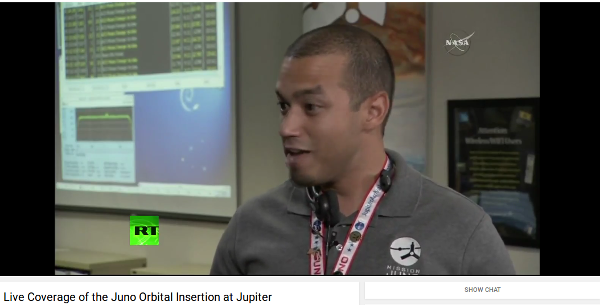
Each release of Debian has a shiny new theme, which is visible on the boot screen, the login screen and, most prominently, on the desktop wallpaper. Debian plans to release Stretch next year. As ever, we need your help in creating its theme! You have the opportunity to design a theme that will inspire thousands of people while working in their Debian systems. They might be people working in exciting NASA missions: Debian Squeeze Space Fun Spotted during the Juno Orbital Insertion live stream Or DYI users who decided to make a matching keyboard: Keyboard matching Debian Lenny Theme If you're interested, please take a look at https://wiki.debian.org/DebianDesktop/Artwork/Stretch

Luciano Prestes Cavalcanti: Contributing with Debian Recommendation System

Hi, my name is Luciano Prestes, I am participating in the program Google Summer of Code (GSoC), my mentor is Antonio Terceiro, and my co-mentor is Tassia Camoes, both are Debian Developers. The project that I am contributing is the AppRecommender, which is a package recommender for Debian systems, my goal is to add a new strategy of recommendation to AppRecommender, to make it recommend packages after the user installs a new package with 'apt'.
At principle AppRecommender has three recommendation strategies, being them, content-based, collaborative and hybrid. To my work on GSoC this text explains two of these strategies, content-based and collaborative. Content-based strategy get the user packages and analyzes yours descriptions to find another Debian packages that they are similar to the user packages, so AppRecommender uses the content of user packages to recommender similar packages to user. The collaborative strategy compare the user packages with the packages of another users, and then recommends packages that users with similar profile have, where a profile of user is your packages. On her work, Tassia Camoes uses the popularity-contest data to compare the users profiles on the collaborative strategy, the popularity-contest is an application that get the users packages into a submission and send to the popularity-contest server and generates statistical data analyzing the users packages.
I have been working with a classmate on our bachelor thesis since August 2015, in our work we created new strategies to AppRecommender, one using machine-learning and another using a deterministic method to generates the recommendation, another feature that we implemented its improve the user profile using the recently used packages to makes the profile. During our work we study the collaborative strategy and analyzed that strategy and remove it from AppRecommender, because this implementation of collaborative strategy needs to get the popularity-contest submissions on the user's pc, and this is against the privacy policy of popularity-contest.
My work on Google Summer of Code is create a new strategy on AppRecommender, as described above, where this strategy should be able to get an referenced package, or a list of referenced packages, then analyze the users packages making a recommendation using the referenced packages such as base, example: if users run "$ sudo apt install vim", the AppRecommender use "vim" as referenced package, and should recommender packages with relation between "vim" and the other packages that user has installed. This new strategy can be implemented like a content-based strategy, or the collaborative strategy.
The first month of Google Summer of Code its destined to students knows the community of the project, so I talk with the Debian community about my project, to get feedback and ideas about the project. I talk with Debian community on IRC channels, and then came the idea to use the data of popularity-contest to improve the recommendations. Talking with my mentors, they approve the idea of usage popularity-contest data, so we started a discussion about how to use the popularity-contest data on AppRecommender without broken the privacy policy of popularity-contest.
Now my work on Google Summer of Code is create the new strategy for AppRecommender that can makes recommendation using a list of packages as reference, so as explained above, when user install packages like "sudo apt install vim vagrant", AppRecommender should recommends packages with relation between the packages "vim" and "vagrant", and this recommendation should be relation with the user profile. The other work its use the popularity-contest data to improve the recommendations of AppRecommender using a new model of collaborative strategies.

Norbert Preining: TUG 2016 Day 4 Books, ooh Books (and Boats)

Talks have been finished, and as a special present to the participants, Pavneet has organized an excursion that probably was one of the best I ever had. First we visited the Toronto Reference Library where we were treated to a delicious collection of rare books (not to mention all the other books and architecture), and then a trip through the Ismaili Centre Toronto and the Aga Khan Museum.
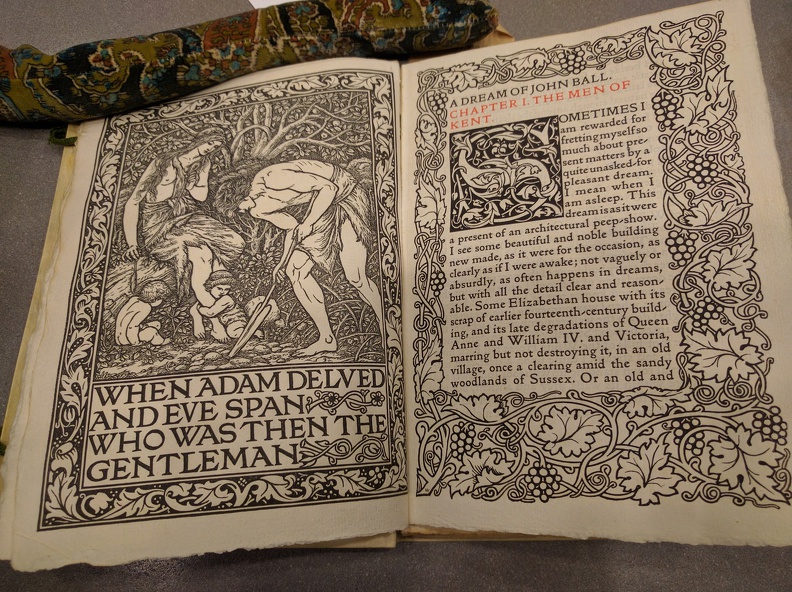
Page from "A Dream of John Ball", Kelmscott Press Edition, 1892.
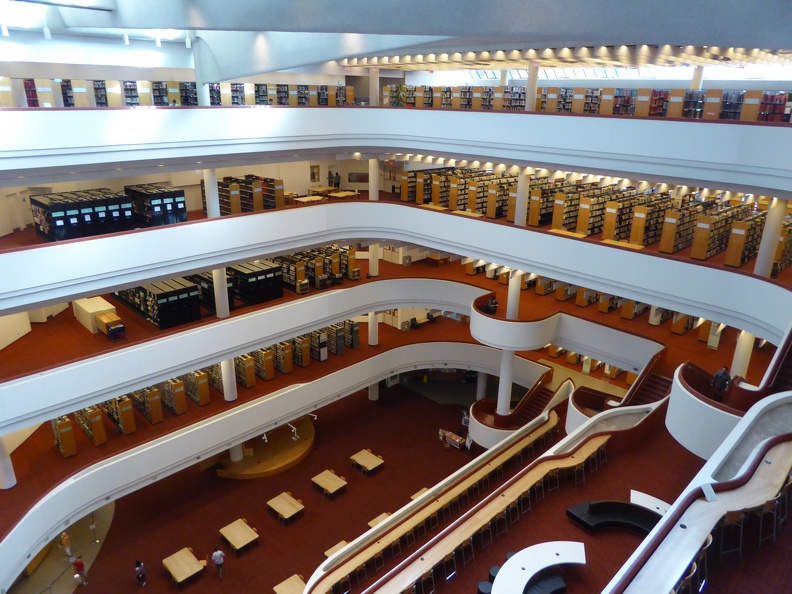
(Kelmscott press edition from 1892 of William Morris A Dream of John Ball.) All these places were great pieces of architecture with excellent samples of the writing and printing art. And after all that and not to be mentioned, the conference dinner evening cruise! Our first stop was the Toronto Reference Library. Designed by Raymond Moriyama, it features a large open atrium with skylights, and it gives the library an open and welcoming feeling. We were told that it resembles a tea cup that needs to be filled with knowledge.
The Toronto Reference Library's atrium
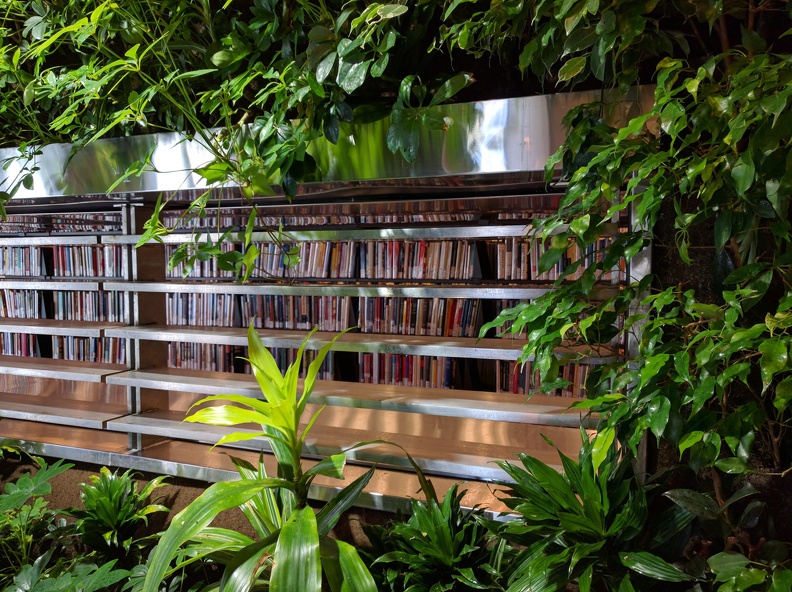
The library also features running water at several places the architect had the idea that natural ambient noise is more natural for a library than the eclectic silence that anyway never happens. Originally there were lots of greens hanging down into the Atrium, resembling the Hanging Gardens, but they have been scrapped due to financial reasons. But there are still green oasis like this beautiful green wall in a corner of the library.
Wall of Green in the middle of the library
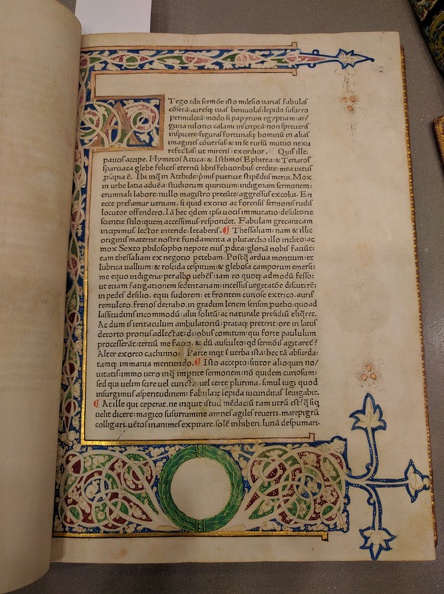
We were guided first to the fifth floor where the special collection is housed. And what a special collection. The librarian in charge has laid out about 20 exquisite books starting from early illuminated manuscripts over incunabula to high pieces of printing art from the 18th and 19th century. Here we have a illuminated script in Carolingian minuscule.
Illuminated script in Carolingian minuscule
What was really surprising for all of us in this special collection that all these books were simply laid out in front of us, that the librarian touched and used it without gloves, and above all, that he told us that if one wants it is common practice to check out these books for study sessions and enjoy them on the spot in the reading room. I don t know any other library that allows you to actually handle these rare and beauty specimens! The library not only featured lots of great books, it also had some art installation like these light rods.
Art Light installation in the Toronto Reference Library
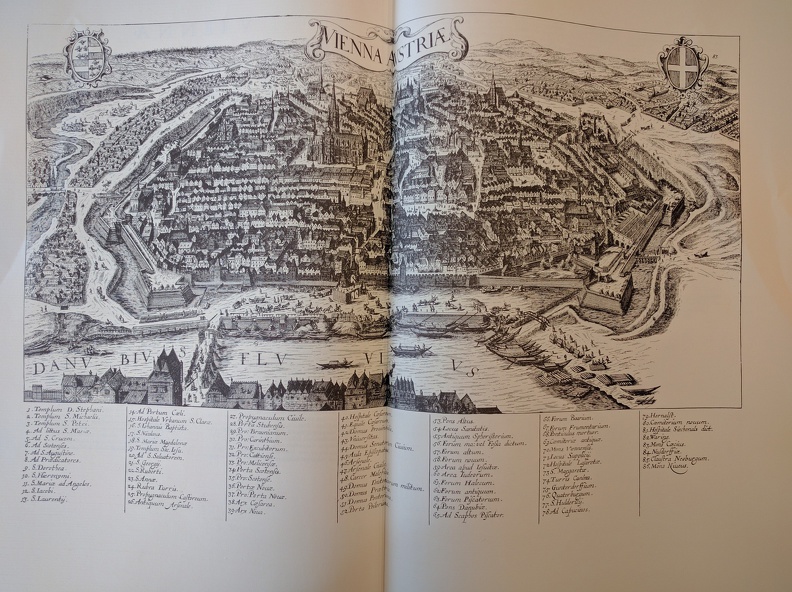
In one of the books I found by chance a map of my hometown of Vienna. Looking at this map from very old times, the place where I grew up is still uninhabited somewhere in the far upper right corner of the map. Times have changed.
Map op Vienna found in the Toronto Reference Library
After we left this open and welcoming treasure house of beautiful books, we moved to the Aga Khan Museum and Ismaili Centre Toronto, which are standing face-to-face separated by some water ponds in the Aga Khan park a bit outside of central Toronto. Here we see the Ismaili Centre from the Aga Khan Museum entrance. The big glass dome is the central prayer room, and is illuminated at night. Just one detail one can see in the outer wall one part that looks like glass, too. This is the prayer alcove in the back of the prayer hall, and is made from huge slabs of Onyx that are also lit up in the night.
View onto the Ismaili Centre's Prayer Hall formed by a glass dome
The Ismaili Centre, designed by Charles Correa combines modern functional and simple style with the wonderful ornamental art of the Islam heritage. The inside of the Ismaili Centre features many pieces of exquisite art calligraphy, murals, stone work, etc here is a medallion made from precious stone and set onto a hand-carved wall.
Medaillon made of precious stones in hand carved wall, Ismaili Centre Toronto
A calligraphy on the wall in the Ismaili Centre
Wall Calligraphy in the Ismaili Centre Toronto
Following the Ismaili Centre we turned to the Aga Khan museum which documents Islamic art, science, and history with an extensive collection. We didn t have much time, and in addition I had to do some fire-fighting over the phone, but the short trip through the permanent collection with samples of excellent calligraphy was amazing.
Koran Calligraphy, Aga Khan Museum Toronto
After returning from this lovely excursion and a short break, we set off for the last stop for tonight, the dinner cruise. After a short bus ride we could board our ship and off we go. Although the beer selection was not on par with what we are used from carft breweries, the perfectly sized boat with two decks and lots of places to hang around invited us to many discussions and chitchats. And finally I could enjoy also the skyline of Toronto.
View onto Toronto from the boat
After the dinner we had some sweets, one of which was a specially made cake with the TUG 2016 logo on it. I have to say, it was not only this cake but the whole excellent and overboarding food we had during all these days, that will make me go on diet when I am back in Japan. Pavneet organized for the lunch breaks three different style of kitchens (Thai, Indian, Italian), then the excursions to local brewers and and and If it wouldn t be for TeX, I would call it a Mastkur .
TUG 2016 cake
During the cruise we also had a little ceremony thanking Jim for his work as president of the TUG, but above all Pavneet for this incredible well organized conference. I think everyone agreed that this was the best TUG conference since long.
Sunset near Toronto
pensDuring the ceremony, Pavneet also announced the winners of the TUG 2016 fountain pen auction. These pens have a long history/travel behind them, see details on the linked page, and were presented to the special guests of the conference. Two remaining pens were auctioned with funds going to the TUG. The first one was handed over to Steve Grathwohl, and to my utter surprise the second one to myself. So now I am a happy owner of a TUG 2016 fountain pen. What a special feature! Just one more detail about these pens: They are traditional style, so without ink capsules, but one needs to insert the ink with a syringe. I guess I need to stack up a bit at home, and more importantly, train my really ugly hand-writing, otherwise it would be a shame to use this exquisite tool. We returned to the harbor around 10pm, and back to the hotel, where there was much greeting and thanking, as many people will return the following day.

Heading back to Toronto
I will also leave on Friday morning to meet with friends, thus I will not be participating in (and not reporting on) the last excursion of the TUG 2016. I will leave Toronto and the TUG 2016 with (nearly) exclusively good memories of excellent talks, great presentations, wonderful excursions, and lots of things I have learned. I hope to see all of the participants on next year s TUG meeting and I hope I will be able to attend it. Thanks a lot to Pavneet, you have done an incredible job. And last but not least, thanks to your lovely wife for letting you do all this, I know how much time we did steal from her. A few more photos can be found at the album Day 4 Books, ooh books.

Dirk Eddelbuettel: RcppGetconf 0.0.1

A new package RcppGetconf to read system configuration --- not unlike getconf from the libc library. Now R can read what system calls sysconf, pathconf and confstr have to say. The package is still pretty green, and now on CRAN in a very first version, corresponding to a very first (and single !) commit. Right now, the CRAN just has one function getAll() similar to getconf -a. A first example shows how it provides all values which can be retried -- currently 320 on my systems.
R> res <- getAll()
R> head(res)
               key value type
1         LINK_MAX 65000 path
2  _POSIX_LINK_MAX 65000 path
3        MAX_CANON   255 path
4 _POSIX_MAX_CANON   255 path
5        MAX_INPUT   255 path
6 _POSIX_MAX_INPUT   255 path
R> tail(res)
                      key  value type
315    LEVEL4_CACHE_ASSOC      0  sys
316 LEVEL4_CACHE_LINESIZE      0  sys
317                  IPV6 200809  sys
318           RAW_SOCKETS 200809  sys
319           _POSIX_IPV6 200809  sys
320    _POSIX_RAW_SOCKETS 200809  sys
R> 
Earlier this evening I added a second function to the GitHub repo which can access indivial values. But right now, the biggest need is really for someone with some systems skills---and an OS X machine---to look at the code, and maybe the getconf.c from the C library, in order to make this build OS X. If you can help, please get in touch. More about the package is at the local RcppGetconf page and the GitHub repo.

This post by Dirk Eddelbuettel originated on his Thinking inside the box blog. Please report excessive re-aggregation in third-party for-profit settings.

28 July 2016

Thorsten Glaser: Please save GMane!

GMane has been down for a day or two, and flakey for a day before that. MidnightBSD s laffer1 just linked the reason, which made me cry out loud. GMane is really great, and I rely on the NNTP interface a lot, both posting and especially reading it gives me the ability to download messages from mailing lists I don t receive in order to be able to compose replies with (mostly) correct References and In-Reply-To headers. Its web interface, especially the article permalinks, are also extremely helpful. This is a request for a petition to save GMane. Please, someone, do something! Thanks in advance!

Gunnar Wolf: Subtitling DebConf talks Come and join!

As I have said here a couple of times already, I am teaching a diploma course on embedded Linux at UNAM, and one of the modules I'm teaching (with Sandino Araico) is the boot process. We focus on ARM for obvious reasons, and while I have done my reading on the topic, I am very far from considering myself an expert. So, after attending Martin Michlmayr's Debian on ARM devices talk, I decided to do its subtitles as part of my teaching job. This talk gives a great panorama on what actually has to happen in order to get an ARM machine to boot, and how support for new ARM devices comes around to Linux in general and to Debian in particular Perfect for our topic! But my students are not always very fluent in English, so giving a hand is always most welcome. In case any of you dear readers didn't know, we have a DebConf subtitling team. Yes, our work takes much longer to reach the public, and we have no hopes whatsoever in getting it completed, but every person lending a hand and subtitling a talk that they thought was interesting helps a lot to improve our talks' usability. Even if you don't have enough time to do the whole talk (we are talking about some 6hr per 45 minute session), adding a bit of work is very very very welcome. So... Enjoy And thanks in advance for your work!

Next.

Previous.