Search Results: "spa"

3 April 2009

Daniel Stone: for the record

I don't use Emacs myself, and I don't recall a single Emacs user complaining about accidentally triggering Ctrl-Alt-Backspace on their way to M-C-E-A-S paste-output-of-doctor-into-irc. Most of the grumbling came from actual users (i.e. people who don't know what an X server is, let alone how to configure it, let alone to email xorg-devel@ about it), rather than people who are perfectly capable of changing the default[0].

Regardless, Peter came up with a perfectly sane plan which makes it very easy indeed to optimise for clients with stuck grabs (being that termination requires you to be processing input events in the first place, in which case you're likely doing reasonably well anyway).

[0]: Yes, the text is woeful. Sorry.

Russell Coker: Tithing for Open Source

It s common to hear a complaint of the form I get paid to keep computers running not hack an OS coming from someone who uses an Open Source OS such as Linux, BSD, or Open Solaris. It seems to me that part of the job of keeping computers running when using Open Source software IS to hack the source and fix bugs. This takes the place of praying, begging, and having your employer pay arbitrary extra amounts of money to the vendor when you have problems with proprietary software. It s well understood that a good system-administrator will anticipate problems and implement solutions to them in advance. You don t wait for a system to run out of disk space and then fix it - you install cron jobs to compress and remove old log files and have a monitoring system to tell you if disk space really runs low. It seems to me that the approach that many companies take towards fixing software bugs goes against this ideal. They wait for software to fail in production and then file a bug report and hope that someone else will fix it. When allocating time for various tasks it s not uncommon to have various amounts of staff time devoted to different servers, departments, or projects. I believe that having a fixed amount of time devoted to finding and fixing bugs in Open Source software (both current versions and pre-release versions) would save money for a company in the long term. If 10% of the time of the most skilled programmers was assigned to finding and fixing bugs in the OS then the overall quality would improve. If a company depends on Debian then it would make sense to have this 10% time include testing out the production programs on Debian/Unstable, it if depends on Red Hat Enterprise Linux then it would make sense to test them out on Rawhide. This would increase the ability of the future releases of Debian or RHEL to support the applications in question, and might also discover some application bugs. Also it s very important to submit patches with bug reports. It s not uncommon for a bug report to be critically important to a user but not overly important to the rest of the world. Such bugs can stay in a bug tracking system for a long time without getting fixed. But if there is a patch submitted that includes necessary documentation patches and a description of the tests that it has passed then it will probably be easier to include it than to debate whether it s really needed. If a project is only running for a matter of weeks or months (EG a consulting company that comes in, deploys a solution and then leaves) then there is probably no benefit for doing this. But if a company is going to be running servers for many years which will periodically be upgraded then it would be a real benefit to have bugs fixed in future versions.

Russell Coker: Google Server Design

Cnet has an article on the design of the Google servers [1]. It seems that their main servers are 2RU systems with a custom Gigabyte motherboard that takes only 12V DC input. The PSUs provide 12V DC and each system has a 12V battery backup to keep things running before a generator starts in the event of a power failure. They claim that they get better efficiency with small batteries local to the servers than with a single large battery array. From inspecting the pictures it seems that the parts most likely to fail are attached by velcro. The battery is at one end, the PSU is at the other, and the hard disks are at one side. It appears that it might be possible to replace the PSU or the battery while the server is operational and in the rack. The hard disks are separated from the motherboard by what appears to be a small sheet of aluminium which appears to give two paths for air to flow through the system. The thermal characteristics of the motherboard (CPUs) and the hard drives are quite different to having separate air flows seems likely to allow warmer air to be used in cooling the system (thus saving power). Google boast that their energy efficiency now matches what the rest of the industry aims to do by 2011! The servers are described as taking up 2RU, which gives a density of one CPU per RU. This surprised me as some companies such as Servers Direct [2] sell 1RU servers that have four CPUs (16 cores). Rackable systems [3] (which just bought the remains of SGI) sells 2RU half-depth systems (which can allow two systems in 2RU of rack space) that have four CPUs and 16 cores (again 4 CPUs per RU). Rackable systems also has a hardware offering designed for Cloud Computing servers, those CloudRack [4] systems have a number of 1RU trays. Each CloudRack tray can have as many as two server boards that has two CPUs (4 CPUs in 1RU) and 8 disks. While I wouldn t necessarily expect that Google would have the highest density of CPUs per rack, it did surprise me to see that they have 1/4 the CPU density of some commercial offerings and 1/8 the disk density! I wonder if this was a deliberate decision to use more server room space to allow slower movement of cooling air and thus save energy. It s interesting to note that Google have been awarded patents on some of their technology related to the batteries. Are there no journalists reading the new patents? Surely anyone who saw such patents awarded to Google could have published most of this news before Cnet got it. Now, I wonder how long it will take for IBM, HP, and Dell to start copying some of these design features. Not that I expect them to start selling their systems by the shipping crate.

2 April 2009

Rob Bradford: GNOME 3.0

I really like the 3.0 plan. There are two extra areas in particular that i d like to see us attack: Firstly (the smaller of the two) i d like to see a revamping of the Evolution client libraries, ECal & EBook, in particular ECalComponent is horrible. The work that Chris and I have been doing on libjana is showing some of the direction that such a library for accessing calendaring could go. This requires an ABI & API break to do this effectively (hence being a 3.0 thing.) Ross has also been doing sterling work on the server side of things by migrating the eds-dbus fork into the mainline. This is now basically just waiting on the migration to git and a double review of the calendaring code. The second and more significant thing that I care about is that I think we need to bring web services closer into the desktop. I ve been persuaded that desktop applications are not dead but I think we need compelling, transparent and easy ways to integrate with cloud services. In particular we are entering an age of almost always on connectivity. Many people already find little use for their computers if they are not connected to the Internet. However since the omnipresent and omni-reliable 3G/wireless/wimax utopia is not yet with us we live in a world where we get connectivity in bursts as we travel, socialise and live. Our platform should cunningly pull down interesting content when the user is on cheap and reliable connectivity which they can then peruse when offline or on an expensive and unreliable connection. A project that Ross and I have been working on at Intel to bring social networks to the desktop/mobile is called Mojito. I ll cover this in more detail soon.
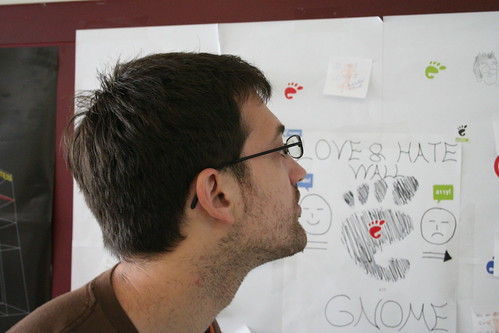
Ross inspecting the wall
Our hero: Ross Burton

MJ Ray: A Question of Debian ClamAV, Freshclam and Volatile

I m not a big fan of virus-scanning on the mailservers (I think you should bolt your email-sending computers right down so that viruses and spambots can t send email), but it seems to be a necessity these days. So, I was a bit late starting on mailserver-antivirus and mainly pay attention to it when it goes badly wrong. I ve got clamav installed where needed, but recently I m seeing clamav hang, eat CPU and cause postfix to defer all emails while logging nothing useful. Often this seems to be soon after freshclam kicks in. Anyone else seen this problem? Moreover, anyone managed to narrow it down and fix it? On some systems, instead of having freshclam, we have clamav-data from volatile which seems to work better, but are they missing out on anything by doing that? Does it lag a bit behind and download a bit more? Is there a third option, either another way of feeding clamav, or an alternative debian package, which you think people should consider?

1 April 2009

Nicolas Valc rcel: Guadalinex-Edu Beta Announcement

Guadalinex-EDU: New educational distribution based in Jaunty

Guadalinex Edu is a new GNU / Linux distribution developed by the Advanced Center for ICT Schools Management (CGA), initially created for use by the educational community of Andalucia, Spain which will be available for teachers and students within the domestic sphere. Guadalinex Edu distribution is equivalent to the future Guadalinex V6 citizen but oriented to the educational sector.

Looking for the highest possible level of stability in the distribution, the CGA will be releasing a beta version of the distribution, installable by anyone who wants it. The aim is to involve the educational community in the stabilization and development of Guadalinex Edu, before its deployment in local schools.

Guadalinex Edu Beta 1 is fully functional, but should not forget that this is a beta version which may contain errors from both: the applications included by the CGA in the distribution, and errors coming from the base distribution where it must be installed (Jaunty Jackalope Ubuntu 9.04), so it is not recommended for use in production computers and, in any case, it is recommend making a backup of important data before installation.

Within an ICT Center, Guadalinex Edu will take advantage of the network infrastructure and servers from the center to offer:

For domestic users, Guadalinex Edu is offered as a meta package to be installed on Ubuntu Jaunty and offers tons of applications like:

Plus all the benefits of Guadalinex:

And Ubuntu:

Installation instructions for home users are available here(In spanish)

If you have a Launchpad account, you can add comments and report bugs at the following addresses (if you do not have an account, you can register with Launchpad for one)

Comments:
https://launchpad.net/guadalinexedu/+addquestion

Bug reports:
https://bugs.launchpad.net/guadalinexedu

Original link in spanish here

Francois Marier: Safer synergy setup for laptop-desktop keyboard sharing

Synergy is a very useful piece of software for anybody wanting to share a mouse and keyboard between two networked computers.

Here is the setup I use to:
First of all, I've got the following ~/.synergy.conf on both of my laptop and desktop machines:
section: screens
mylaptop:
mydesktop:
end
section: links
mylaptop:
right = mydesktop
mydesktop:
left = mylaptop
end
section: options
keystroke(alt+shift+space) = switchInDirection(left)
keystroke(alt+space) = switchInDirection(right)
end

With this, I am ready to start the server on my desktop machine:
synergys -a localhost
Now, in order to encrypt the synergy client/server traffic, I create an ssh tunnel between the two machines:
ssh -f -N -L localhost:24800:localhost:24800 mydesktop
Then I start the synergy client on my laptop. However, some recent problems have convinced me to have a more robust alternative to simply starting the client like this:
synergyc localhost
As recommended by a few helpful people on #debian-devel, I decided to use the supervise tool (part of the daemontools package) to automatically restart the synergy client if it crashes. Here is how I do it:
supervise ~/.synergyc &
This command refers to a ~/.synergyc directory containing a single run script. That shell script consists of:
#!/bin/sh
xset r rate 500 30
/usr/bin/synergyc --no-daemon localhost

(The xset call is necessary since synergyc crashes seem to reset the repeat flag of X for some reason...)

The only problem I still need to fix in my setup is the potential password leak in the next few seconds after the synergy client crashes. Such a crash has already caused me to accidentally type my laptop password into a desktop IRC window the other day :(

Ideally, I would like the synergy server to swallow the first second or two of keyboard input after its client suddenly drops out. This could eliminate quite a few embarrassing wrong windows.

31 March 2009

Kenshi Muto: Debian GNU/Linux device driver check & report version 2.0

I updated Web service 'Debian HCL - Debian GNU/Linux device driver check & report page' is an easy tool to check and see the support status of your hardware on GNU/Linux, with many improved features. Integrating the check page and submitted reports is convenience. The vendor tree view will make easier to find models what you'd like to see. Although Searching isn't implemented yet, I think new URL structure is friendly to search engine crawlers. I'll put Google search form on the page after Google crawls. Handling your submission is semi-automatic periodically. So please don't submit again and again even it won't be shown soon. :) This service is localized in English, Japanese, French, Spanish, Spanish-Argentina, Italian, Polish, German, and Portguese at this time, by using your Web browser language information. Because I introduced the GNU gettext system for internationalizing, it's easy to translate and update the translations. You can take template.pot file and translate in your language. If you'd like to translate in your language, please tell me. Have a fun!

Alastair McKinstry: With Speed and Violence: Why Scientists fear Tipping Points in Climate Change, by Fred Pearce

I bought With Speed and Violence: Why Scientists fear Tipping Points in Climate Change to investigate the concept of tipping points in climate change: how real are they, and what ones might exist. A lot of points are labelled 'tipping points', such as the melting of the Arctic; but, if we successfully reduced CO2 to pre-industrial levels, would they revert, or would we have passed a point of no return?

read more

Tags , ,

Russell Coker: Censorship, Piracy, and Movie Ideas

Flame has written a satirical post about the different methods used to try and prevent unauthorised use of copyright movies and the distribution of illegal porn [1]. He has also written an amusing rant about how offended he was by the false advertising of an erotic movie [2]. I think that both these issues need to be addressed at the same time. We need to have an erotic movie about a senator and some movie executives who go on a cruise. It could start with the senator wearing fishnet stockings under his suit while giving a speech about the need to prevent the distribution of pornography and protect the children . Then when on the the cruise he meets a young looking woman who likes wearing school uniforms and spends some of his spare time photographing her in artistic poses. Most of the film would have gratuitous shots of people wearing less clothing than usual and spanking each other (including the senator giving a good impression of Dr Frank n Furter [3]). An element of mystery would also be good - who did the senator sleep with while blindfolded? The finale would have the senator in bed with the movie executives in an analogy of what senators do in real life (except that real life has a lot less spanking). This plot wouldn t necessarily imply a movie of Ed Wood [4] caliber. Let s face it, most Hollywood movies don t have a plot (the exceptions being those that are copied from successful movies from other times or places). Disclaimer: This plot idea is strictly a work of fiction and bears no resemblance to any real people (I wouldn t want my blog to end up in a secretive government blacklist). That said, if you want to imagine that any male politician who gives a speech about protecting the children is wearing lingerie while doing so, then go for it (you might even be right).

Gunnar Wolf: E-voting and paper-based-voting - UNAM teaches us how to achieve the worst of all worlds

As my Institute's sysadmin, I was appointed as the responsible for my Institute's certificate handling for today's voting session for the Universitary Council (Consejo Universitario). UNAM, Mexico's largest University, is moving towards an e-voting platform. I talked about this with our (sole) candidate for the Council, and she told me this has been used a couple of times already - And, as expected, it has led to having to repeat voting sessions, due in part to e-voting's inherent lackings: It is impossible to act on any kind of impugnation. The only thing we have is an electronic vote trail, no way to recount or to make sure that all votes got in. Besides, we had a perfectly antinatural and inadequate identification system, which means voter's identity have no way to be trusted. Besides, we still have all the traditional Universitary bureaucratic paper flow, which completely obscures any positive points this e-voting system might have had. Before going any further, if you are interested: There is a so-called security audit certificate for this system. In Spanish, yes. Take a look at it if you understand the language and want to crack some laughs. I will not make a detailed review of (what I could gather about) the setup. But to make things short: I had to go to the central administrative offices to get a CD-ROM with the monitoring station's SSL certificate. This certificate is tied to an IP address, so only one computer was able to be set up as a monitoring station. So far, so good. But, what is the monitoring station's real role? You will probably laugh. The voting session (at my Institute - Each dependency can specify its own opening and closing times) was from 10:00 and until 18:00. We were instructed to place this computer at a public location, from where: So, what is strange here? That there is a tremendous apparatus providing supposed security to... Information that is completely worthless. Just protecting a number that is, for all purposes, public. Oh, and the opening and closing of the booth - Of course, the system could have flaws during the process, or inject spurious votes along the way, or flip-flop the votes cast whichever way. But, did I mention votes? So far I have not mentioned how people are supposed to vote. Together with our last paycheck, we got a piece of paper with all of the needed information: A randomly generated, 10-character-long-with-mixed-case-and-symbols password, and the link to a web page2. This paper was folded, yes, but it was in no way secured - So, whoever wanted to have all of our passwords could just go through the bunch of papers and get them. Now, contrasting to the strong perception of physical security surrounding the oh-so-important monitoring stations, how can a person vote? Oh, sure, just fire up your favorite browser and go to https://www.jornadaelectoral.unam.mx/, produce your student number if you are a student or your full RFC3, select via checkboxes4, click on "submit", and voil , you have voted. From any location, from any machine. Yes, the University's population is largely itinerant, many people will be voting from abroad and all. It is good to give them a voice. But... At what price? Lets see... The security audit mentions the system is free from any malicious routine that can automatically alter the results and it has the minimum needed validations against spurious data injections from the most common Web browsers. However, if I am interested in modifying the results... I could put a trojan in a Faculty's laboratories, which modifies the votes sent by their users (students vote as well). Yes, I'd have to know how the system works, but lets accept security through obscurity does not work, and that this is a well-known system (as it has been used for over 3 years and is at version 3.5). PHP-based, for further points. Oh, and (if I recall correctly) a voter does not even get feedback as for which formula did he vote for, so no way of knowing if the computer really sent the information I requested. And given the low security for the password handling, I would not bet on it being worth much. Besides, this system was partly established to allow people voting from abroad - as long as they picked up their March 10 paycheck. That excludes anybody who has spent over three weeks away! Many other things can be said. Last detail: e-voting's main selling point is that the results are known instantaneously, and (if no paper trail exists) no tedious re-counting is ever done, right? Meet universitary bureaucracy. Technology changes, but processes don't. The Local Electoral Surveillance Commission has the responsability to enter once again the system after the vote has finished, and ask the server for the preliminary results. This consists of a tarball with the tally sheet (from the voters, who voted and who didn't), the total votes for each formula, and... one more file I don't remember. They also have to generate the signed legal documents where they testify to the received information. And then, ahem, they have to burn those files5 onto a CD-ROM, print them, and physically take them to the central administrative offices. Yes, take something from the server and get it to the server. For us it is not terrible (1.5Km can be readily done), but this same procedure must be done by people in other cities where there are University campii holding elections. How Nice! Anyway... Worst of both worlds. The inefficacies of a paper-based ellection, together with the unaccountability of an e-voting ellection, sprinkled with fake sense of security here and there. Bah.
  1. 1. Except that it didn't. I guess they didn't stress-test the server, so every couple of minutes it returned a connection error. Of course, the page would no longer self-update. And after noticing that, I (and nobody else but me) had to go and give the password and certificate for the system to continue to operate.
  2. 2. which is http://www.dgae-siae.unam.mx/ - The Schooling Administration General Direction (DGAE), an universitary body which has no relation with electoral issues. DGAE made available a poster detailing how to vote... But, again, lets ignore that fact for now
  3. 3. A nationwide ID number, largely derived from name and birth date data - Both numbers are often widely known, they cannot be considered private in any way.
  4. 4. Oh, for goodness sake... The "ballot" has 1..n options, and each has a checkbox, not a radio button. That means, you can select multiple options, which is of course invalid. Why? Because the electoral rules indicate that selecting more than one option in a ballot makes the ballot invalid, and thus, a way for making it invalid must be provided. Isn't logic beautiful?!
  5. 5. Want some more insight on what needs to be done? Take a look at the instructions. Don't forget paying attention to the lexicon used - We are still asked to count the votes, an impossible feat given the vote is 100% system-based - Quote: Los miembros de la CLVE realizar n, con base en el reporte del sistema, el c mputo de los votos depositados en la urna a favor de cada una de las f rmulas, declarando nulos los votos que procedan.

30 March 2009

John Goerzen: Kindle 2: How s It Going?

It s now been almost a month since I got my Kindle 2 and wrote about my first impressions of it. In that amount of time, I figure I have read, on the Kindle, the equivalent of 1500 to 2000 printed pages. I ll start with my personal reactions to the device, and then move on into some less subjective observations about it. What I ve Used It For To give you a quick idea of what I m reading: The Gut Reaction I want everything to be available on the Kindle, and I want to read everything on it. Whether that s just some excitement at a new device (still possible after a month, I guess), or something more lasting, I m still a little unclear about but I suspect it s something more lasting. I have read far, far more since I have had the Kindle than I had for quite some time prior, excepting a certain Hitchhiker s Guide to the Galaxy marathon one Christmas vacation. This leads me to think that the Kindle s main competitor isn t the Sony PRS-505, but rather the XBox, Wii, Netflix, and Hulu. Not that I watched that much TV to start with, but I haven t even been keeping up with the Daily Show since I got the Kindle. Not only that, but it prompted me to go to the local used bookstore (all proceeds go to charity) and buy a paper copy of David Copperfield for $10, so Terah could read it with me while I reread it on the Kindle. So it seems that Amazon s stats which show that people tend to read more once they get the Kindle, and don t cut down on paper book buying are about right in my case. Plus there s the fact that I ve loaded up the Kindle with over a hundred free books of all sorts of descriptions, some from Amazon s own free book catalog (extensive in itself), and others from Feedbooks, Gutenberg, or other places. That s taken up some time itself, and I now have achieved what I tend to achieve with all devices like this (iPod, MythTV, etc): more material than I can ever possibly get through. Why I Like It So, what exactly IS it about this thing that I like? Part of it has to be the size of the device. Granted, I wish the screen were larger, but even with the leather case, the device is a pretty nice size. I find that I keep two or three books that I m reading at the top of my list, and it s great to be able to carry around a single device and be able to select from a book as the mood strikes. Part of it is the built-in dictionary and search tools, which I ve already discussed. In the end, Amazon s execution of the concept is just done really, really well. It doesn t require some sort of proprietary Windows app like Sony s reader does. It doesn t even require a PC at all. It acts as reliable as a book, and that s something. The highlight/clippings feature is also pretty nice. You can highlight a section of text, which then causes it to be rendered with an underline on-screen just like you can underline something in a book. Better yet, when you re reading the book, you can call up a list of all such passages (as well as your bookmarks, etc), see them with an excerpt of text, and jump directly to them. No more need for millions of tiny pieces of paper marking a page that contains a marking. Even better than that, the Kindle creates a .txt (yes, plain text) file in the documents/ directory for you. Each time you bookmark or highlight a passage, it adds a little summary of the passage to that file, as well as information about the location of it. For highlights, the summary is the content of the highlight itself. So if you re going to go blog about the book later, there are a bunch of ready-made quotes you can cut-and-paste later. You can read that file both on the Kindle and on a PC. Sweet. So, I guess I would say that the Kindle makes it easier to read complex texts, and fun to read lighter ones. Availability of Content There are several ways you can get content onto the Kindle. The first, of course, is Amazon s own Kindle Store. Quite the clever bit of engineering there. You hit buy , and generally by the time you can walk over to the Kindle and pick it up, the book s on it, thanks to the integrated cell-network wireless modem. Subscriptions to newspapers and magazines work similarly each issue is automatically delivered in the middle of the night. However, it seems that the magazines such as New Yorker and Atlantic aren t exactly complete replicas of the print editions for some reason. The pricing of Kindle content is generally cheaper than paperback editions of books, but not by much. I think it should be more heavily discounted than it is, and part of that may be due to the large commission Amazon takes on things. Ironically, Amazon also has a tremendous array of free public domain and copyrighted books, and an equally staggering number of books available for under $1. For the classics, and other things out of copyright, my favorite place to turn is Feedbooks. They ve got ebooks available for download for just about any format, including Kindle, and generally do a good job of providing a real linked Table of Contents and the like. Kindle can read DRM-free content in .txt or .mobi format. I ve also built my own ebooks for the Kindle using Mobiperl. It takes an ePub source directory and makes a MobiPocket file out of it, which can be installed on the Kindle directly. For things I find on Project Gutenberg, GutenMark is a nice tool to create a good-looking HTML representation. I also use quote-fixer to help with my other pet peeve: straight quotes and lack of em-dashes on a device that can, and should, display both. Screen I m still of two minds about the screen. On the one hand, it doesn t give me eyestrain like reading on a PC, laptop, or cellphone screen does. Also, it looks remarkably book-like. A well-prepared Kindle etext feels so professional on the screen, so real, so lovingly-prepared, that it s fun to read. The Feedbooks David Copperfield is an excellent example of this, as is Houston Smith s Why Religion Matters. There are several things I don t like about the screen. One is that, while reading a book, it leaves a margin around the edge of the text. I can t figure out why it doesn t use all the available screen real-estate, especially since its built-in web browser does. Another is that, while not terribly reflective, it is still somewhat reflective, and glare from the sun or a light at a bad angle can make the screen unreadable unless you turn it a bit to a different angle. But my biggest gripe about the screen is that it s not as high-contrast as I d like. Still, I very much enjoy the Kindle, so I guess it s not as huge a problem as I think it could be sometimes. Pet Peeve I get really annoyed when I download content for the Kindle and discover that it doesn t have a linked Table of Contents (meaning I can click on a chapter and go directly to it). I m even more annoyed when it uses straight typewriter quotes instead of the angled typesetter s quotes or smart quotes . The Kindle is capable of beautifully rendering them, as well as things such as em dashes, and when I see what is obviously some cheap attempt at a conversion of some ancient ASCII document, rather than a proper attempt to make a good-looking book, I get annoyed. And so it was that I requested, and got, a $0.80 refund for my purchase of Sherlock Holmes: The Complete Collection and instead paid $3.60 for The Complete Sherlock Holmes. Yes, I could have spent a few hours converting all these from Gutenberg, but $3.60 is so cheap that it wasn t worth it. Customer Service Amazingly, Amazon s customer service for the Kindle is not their usual Asian form letter service. It s Americans, who seem to read, understand, and care about problems. I was pleasantly surprised. Too bad the rest of Amazon doesn t learn a thing or two from it. Conclusion I think the Kindle is worth it. It will pay for itself exceptionally quickly for people like me that don t live anywhere near a large library, and enjoy reading out-of-copyright material. Even if it doesn t pay for itself that quickly, the convenience of being able to carry several actively reading books with you on a single small device is pretty nice. No more pile of books in my suitcase for travel.

Uwe Hermann: Coreboot hacking: How to solder a PLCC socket on your board

Desoldering station. When trying to port coreboot (previously LinuxBIOS) to a new mainboard you're often confronted with a big problem: the BIOS/ROM chip on the respective motherboard is soldered onto the board (i.e., not in a socket). This means that you cannot easily (hot-)swap the chip during development or for recovery purposes. So you basically have exactly one try to flash the ROM chip with a fully working/booting coreboot image. If that goes wrong your board is bricked. Desoldering the chip This makes it pretty much impossible to develop a coreboot port for such boards (and soldered-on ROM chips are becoming more and more common, unfortunately). However, I've recently tried to replace the soldered-on (PLCC) ROM chip on one of my boards with a socket. What sounds pretty scary at first, especially given that I have almost non-existant soldering skills, turned out to be really not that hard. Also, it can be done with relatively cheap and readily available equipment. I have written a short HOWTO for desoldering chips and soldering on sockets in the coreboot wiki, and also finished a video showing most of the process, which I hope will be helpful for others: Place the PLCC chip
The video is CC-BY-SA 3.0, music is taken from ccmixter.org and is CC-NC 3.0 licensed. Video editing was done using Kino (which uses ffmpeg2theora for Ogg Theora export). I also tried to upload the video to Vimeo, but first they told me to install the Flash 10 abomination (and there's no way I will do that). After browsing the help/forum pages a bit I found a traditional, non-flash upload form, but that then tells me that I cannot upload Ogg Theora videos. WTF? Soldering the socket The Ogg Theora video support feature request has been open for more that a year. Until that issue is fixed I'll just use other video services, thanks...

Biella Coleman: Pure Data: FM Sprint in NYC and Berlin

FLOSS Manuals is proud to announce a three day book sprint for the Pure
Data FLOSS Manual. This sprint will take place simultaneously in New
York City and Berlin from Saturday 4 April to Monday 6 April. The Pure Data FLOSS Manual: http://en.flossmanuals.net/puredata There are possibilities to participate in person by coming to one of the
locations below, or remotely via the IRC interface built into the FLOSS
Manuals editing interface. Video conferencing may take place between the
venues as well. To participate, create a login at the PD FLOSS Manuals page: http://en.flossmanuals.net/bin/login/TWiki/WebHome?origurl=/bin/view/PureData/Introduction&skin=floss2 Discussion may also take place in the Pure Data mailing list: http://lists.puredata.info/listinfo/pd-list If you are in New York or Berlin, please join us at these locations! NEW YORK CITY * Contact: Hans-Christoph Steiner: hans@eds.org 718 360 4872 * Location (bring ID, you ll need to sign in): ITP/NYU Conference Room
721 Broadway, 4th Floor
NY, NY, USA
email me or call in case you can get past security: 718 360 4872 * Schedule:
Saturday: noon-midnight
Sunday: 10am-midnight
Monday: 9am-5:30pm (if we go later, we ll be in a different room) BERLIN * Contacts Derek Holzer: derek@umatic.nl +49 176 2812 5845
Adam Hyde: adam@flossmanuals.net +49 15 2230 54563 NK
ElsenStr. 52 (2.Hof)
Berlin, Germany
+49 176 20626386
http://www.myspace.com/enka52 * Schedule:
Saturday: noon-late
Sunday: noon-late
Monday: noon-late
SOME BASIC GUIDELINES: * This manual should address the widest possible user-base. Therefore,
objects which are cross-platform and in Pd Extended should have priority
over other solutions.
* Tone should be neutral and informative. Remember that humor doesn t
always translate well! ;-)
* Our readers are assumed to have little to no background in either
computer programming or digital signal processing, which much of the
existing documentation takes for granted. That s why this manual is
necessary! Please keep this in mind when explaining things.
* Please use existing the Audio Tutorials, Installing and Getting
Started chapters as a style guide.
* Keep the chapters small and self-contained. Ideally, chapters from
this manual could even be remixed into other FLOSS Manuals.
* Explain any jargon or technical terminology in-line the first time you
use it, and direct the reader to appropriate other chapters/manuals when
necessary.
* Please enter any new technical terms in the Glossary (we need to agree
on global format for glossary terms!).
* Screenshots:
Resolution? (Adam and I will work on this on Monday)
Please upload any complex patches, and make sure to label screenshot
with appropriate filename (see Audio Tutorials for examples)
Please keep explanatory text in the manual rather than only in the
screenshot, so that it can be text-searched by readers.
Please use anti-aliased fonts!
* All the chapters are moderated by Derek Holzer & Adam Hyde. Your
contributions will only be visible in the editing section until they
meet these guidelines, and after that they can be published to the main
page. Please let us know when your chapter(s) are ready for publishing
and we ll look them over. EXISTING CHAPTERS WHICH NEED HELP: # DataflowTutorials this section needs a lot of help in terms of style and content!!!!!
Tone is very informal, which doesn t help convey the information.
give titles to screenshots so that readers can tell which patches
match which images (some do this, some don t )
Math : examples/discussion of [expr]???
Order of connecting and [trigger] : explain the patches in-line,
rather than only in comments in screenshots (so that text is searchable,
copy/pasteable..)
Luka s screencaps are very aliased, to the point where you can t read
the ~ in the object names. Should they be redone at new resolution or
with antialiasing?
Possible janitors: Derek Holzer, Adam Hyde # PureGlossary format of object names = [italics in square brackets], must be
formatted correctly
format of glossary words in general text: we don t have one yet. Bold
on first use in chapter maybe? Needs formatting all through text. # ListofObjects incomplete, please add more libs
maybe more discussion of externals needed as well
formatting of object names? # PureLinks always welcome MORE CHAPTERS/SECTIONS TO DO (+ suggestions?): * GEM (in order of importance)(Derek can provide example patches for
much of this)
Basic VJ mixer (2 x
[gemhead]-[pix_film]-[alpha]-[colorRGB]-[pix_texture]-[rectangle] with
an alpha-crossfader)(+ platform specific codec info)
Live camera input (same as VJ mixer but with [pix_video], with
platform specific info on USB/firewire inputs what works & what doesn t)
VJ effects (using the various pix objects)
Basic 3D (that actually does something interesting, rather than just
show a sphere or a cube)
Basic movement tracking w/ [pix_blob]
GEM/video optimization/troubleshooting tips (see Troubleshooting
section of existing Pd FLOSS Manual) * MIDI tutorial
hardware:keyboards, sliders, etc,
objects: all MIDI objects
routing: input + output to/from devices or other programs * Patching strategies
Reusable abstractions ($0 etc)
GoP + other GUI creation strategies
Preset saving systems (Frank?) * Audiofile manipulation (Derek can provide examples, possibly also work
with www.pd-tutorial.com with permission?)
sfread, readsf, sfplay, etc
tables + tabplay, tabread, etc
oneshot playback without/with pitch shifting
looping without/with pitchshifting
granulation without/with pitchshifting
Extended objects ([xplay~], [xgroove~] are these stable? In my
experience, no ) * Realtime audio effects tutorial
delays: single tap, multitap, pitch-shifting, tuned comb filter, etc
filters: [hip~], [lop~], [bp~], [moog~], IEM lib filters
[vcf~]/[bp],[hp],[lp], difference between audio signal and message
controlled, building with ggee objects [bandpass],[llowpass],[highpass]
or [biquad~] (resources for coefficients?) * Sensor tutorial (HC?)
[hid]/[hidin]/[pduino]
simple circuit diagrams + photos (voltage divider examples:
potentiometer, photoresistor, etc)(hacked gamepads) * Networked data
netsend/netreceive
OSC
flash server
shell
python externals
others? * PDP/PiDiP
configuration info for OSX (+ poor performance disclaimer!)
basic VJ
networked streaming etc * Procedural Audio tutorial? (Andy?) * RJDJ tutorial? (Frank and the gang?)

29 March 2009

Adam Rosi-Kessel: Liveblogging from Virgin America

I m on my first Virgin America flight. WiFi connected instantly. It turns out that the Internet is pretty much the same at 40,000 feet. Addendum: Apparently there is also still spam email at this altitude. Technorati Tags:

Russell Coker: Linux Powered Battle Droids

Flame has written some ideas about building Linux Powered Battle Droids and demonstrating them [1]. It seems to me that the biggest problem with having a battle of a similar nature to Robot Wars [2] is creating a safe arena. Getting an area the size of a basketball court fenced off with bullet-proof plastic is not going to be cheap. The first solution to this problem that occurred to me was to have a battle held underwater. Water really slows down projectiles. The disadvantages of this are that it s slightly more difficult to view. The viewing options are to using a web-cam, having a port-hole in the side of the pool (impossible if you don t own the pool), and having a transparent viewing platform on the surface of the water (which would also be difficult and maybe expensive). Another disadvantage of submarine warfare is that having a droid spring a leak and quietly sink is not very dramatic. It might be a better option to use aerial warfare via helicopters and balloons. The amount of weight that such craft can carry is not particularly great so there will be no real armor and fairly weak weapons. A motorbike helmet and a heavy coat should be all the protective equipment that is needed if the usual rules prohibiting projectile weapons from such contests are implemented. A petrol powered model aeroplane could do some serious damage if it hit someone at full speed. But I don t think that an indoor basketball court or any other enclosed arena that might be available would be large enough for fighter-planes. So it would be just balloons and helicopters.

28 March 2009

Alastair McKinstry: Pkg-config and Modules

At ICHEC one of our tasks is to help users build their software on our supercomputers. Mostly we have to change paths, etc. in code bases that are used by a handful of scientists, and we don't want to exacerbate the hard-coded path problem. We also have multiple versions of certain libraries and compilers installed, which we select using modules: to do this, you select your software environment with e.g.
$ module load intel-fc/11.0.082  netcdf/4.0-intel
This selects the compiler version, and library version. Then, this places appropriate paths in $PATH, $LD_LIBRARY_PATH. While this is useful for selecting, eg. compilers, its often not great for many build processes that expect library paths, etc. hard-coded. I also dislike adding random environmental variables: it loses the Single Point Of Truth that describes the configuration. So I've come up with the following pattern. First, record the modules used (eg. library version) in config.log if configure is used. To do this, add the following to the autoconf file or system headers:
# AC_MODULES_OUTPUT
# -----------------
# Check if the system runs 'modules', and if so, record the modules environment in the config.log
AC_DEFUN([AC_MODULES_LIST],
[AC_CACHE_CHECK[modules output if present],[ac_modules_output],
(ac_modules_output= module list 2>&1 )
if test $? eq 0; then
 AC_MSG_RESULT([Output from 'module list' was:\n $ac_modules_output])
fi
])
Secondly, For all packages, ensure that a pkgconfig package file exists. For example, we have multiple MPI implementations on our SGI system. For MVAPICH, we have a modules file:
stokes2:~$ module show mvapich2-intel
-------------------------------------------------------------------
/ichec/modulefiles/mvapich2-intel/1.2p1:
module-whatis    MVAPICH2 1.2p1 (Intel 11.0.074) 
conflict         mvapich2-gnu mvapich2-intel 
prepend-path     PATH /ichec/packages/mvapich/1.2p1-intel/bin 
prepend-path     LD_LIBRARY_PATH /ichec/packages/mvapich/1.2p1-intel/lib 
prepend-path     MANPATH /ichec/packages/mvapich/1.2p1-intel/share/man 
prepend-path     INCLUDE /ichec/packages/mvapich/1.2p1-intel/include 
prepend-path     CPATH /ichec/packages/mvapich/1.2p1-intel/include 
prepend-path     FPATH /ichec/packages/mvapich/1.2p1-intel/include 
prepend-path     PKG_CONFIG_PATH /ichec/packages/mvapich/1.2p1-intel/share/pkgconfig 
-------------------------------------------------------------------
We add a file mpi.pc to the PKG_CONFIG_PATH for each MPI implementation. So, mpi.pc looks like:
# MPI pkgconfig file for mvapich2-intel
# Normally only used to get variables $prefix, etc.
prefix=/ichec/packages/mvapich/1.2p1-intel
exec_prefix=$ prefix 
libdir=$ prefix /lib
includedir=$ prefix /include
Name: mpi
Description: netCDF libraries, include files and development tools
Version: 1.2p1
Libs: -L$ libdir   -lmpichf90 -lmpich -lpthread -lrdmacm -libverbs -libumad -lrt
Cflags: -I$ includedir 
This then means we can add the following small patch to our target software (in this case a climate code COSMOS):
 #########################################################################
 #
 #  MPI message passing root directory of the chosen compiler
 
+  # Get default MPI ROOT from the pkgconfig file if possible
+  pkg-config mpi --variable=prefix 2> /dev/null > /dev/null
+  if [ $? -eq 0 ]; then
+    MPIROOT= pkg-config mpi --variable=prefix 
+  fi
+
   if   [ $compiler = ifort ]; then
     export cc=cc
     if [ $CHAN = MPI2 ]; then
-       export MPIROOT=/sw/sarge-ia32/mpich2-1.0.4p1-pgi
+       export MPIROOT=$ MPIROOT:-/sw/sarge-ia32/mpich2-1.0.4p1-pgi 
     elif [ $CHAN = MPI1 ]; then
Such a patch is generic enough to be useful outside our institution, and means the code can build out-of-the-box on many systems. Now to add mpi.pc to Debian ... Tags , , , ,

Jordi Mallach: An update on GRUB2

Some time ago I wrote about the the state of GRUB2 and a milestone on getting it boot my Apple PowerBook G4 without manual intervention. More than a year later, GRUB2 has changed and improved a lot, as the community keeps growing and patches and ideas are continously being posted. Some months and commits after my previous post, GRUB broke again on Apple OpenFirmware and I'd get dropped to OF console, the amount of commits since the last known working version and the current SVN was quite big, and although I was able to narrow it to a few suspicious changes, I had no time to bisect it properly, and sadly I had to go back to yaboot for a while. But procrastinating sometimes helps, and when I should have been writing and studying, on December I gave GRUB a new try on my laptop to see if a few important changes to memory allocation would have changed anything. And it did! So after fighting quite a few problems, I was able to report partial success to grub-devel. Again, getting GRUB installed correctly was a bit challenging and needed some hackery, due to incorrectly generated device.map, and the linux module mysteriously not getting loaded. Luckily, Michel D nzer found out that this was due to a bug in sort ordering in the HFS module, which broke the lookup of files with underscores like _linux.mod, and for which he posted a possible fix by taking Linux's table of character ordering, which is a blob of hex values. GRUB developers didn't seem too happy about applying the patch: they argument that a blob like that should be well documented or written in some other more readable way, and there's a possible problem with the mix of Linux GPLv2 and GRUB GPLv3+ codebases, if a table of data like what Michel posted is actually copyrightable. The discussion ended up dying and nothing was done... until Pavel Roskin picked it up weeks later and posted a new patch, based on hfsutils GPLv2+ code, which addressed these issues. The new patch seems to have a few issues, which makes it fail as before, but hopefully it'll be fixed soon. Additionally, I wasn't able to boot using UUIDs as the search commands fails to detect the correct boot device on my system (but not on Michel's), so I had to disable that in /etc/default/grub. To workaround the linux module loading bug while the patch is fixed, I just added this ugly hack to /etc/grub.d/09_local_prelinux:
#! /bin/sh -e
# Work-around for bugs in the hfs module which makes the load of
# linux.mod fail.
cat << EOF
insmod (hd,3)/usr/lib/grub/powerpc-ieee1275/_linux.mod
insmod linux
EOF
This is enough to get the initrd and linux commands available. However, update-grub will still add search commands to your menu entries even if you disabled UUID support; I can't understand why, but I know it breaks on my PowerBook due to some OF rarety. Just removing the line from the menu entry will leave me with a working config that boots without any manual editing at GRUB prompt. The latest GRUB snapshot in Debian fixes the device.map issue, but adds one last issue: update-grub will fail due to some gfxterm detection code, a workaround is to replace an exit 1 with exit 0 when this happens in /etc/grub.d/00_header. On the weird architectures front, it's worth noting that this month Dave Miller popped up on the list and started posting patches to fix the rotten SPARC port, and I think it's safe to assume that it'll be on an usable state really soon. Impressive!

Patrick Schoenfeld: Arcor EasyBox A801

Recently, my girl friend and I decided to get Arcor DigitalTV. So we got some hardware from Arcor (and unfortunately we needed to "upgrade" our real-ISDN-connection to a SIP-based-one):

That second piece of hardware is kinda interesting, because it is an ADSL2+-Modem, (WLAN-)Router, SIP-Gateway and file-/printserver (it has one USB port which can be used to connect an USB hub and up to 4 disks or 1 printer) and 4-Port Switch in one (I think it doesn't include whats called a 'Splitter', because with this kind of connection there is no ISDN signal to be splitted from the internet signal).

Unfortunately not all is well about this (or about my provider). This piece of hardware can be configured with a modem installation code. Which is good for an average user, because he does not need to care about anything. With this process the hardware configures itself by receiving configuration data from a configuration server of the provider. Regardless about other implications this might have: What disturbed me about this is, that I loose control about my router, if I use this. Because when configured this way some sites in the router are grayed out. If you click them you get a message that this setting is controlled by your provider. Uarg. Well, unfortunately IPTV from arcor does not simply use the same internet connection as I usually do (more about this later), so I were suffering from missing informations about how to configure the router manually.
Arcor wasn't particular helpful in this, because they told us "Der Router kann nicht manuell konfiguriert werden." (which means in Englisch: "The router cannot be configured manually."). Although this brought me to laugh, I were also disappointed and worried about this. So I decided to find it out myself. I won't tell what I tried after all, but in the end I found out that the modem installation code-installation does configure:

With this knowledge (and some good guessing, e.g. that both PPPoE links eventually use the same user data) I were able to configure the router fully myself, which also enables me to set QoS settings how I want them (which is why I went through the whole torture at all, because SSH was extremely laggish when watching TV). One thing is notable however, how I got the information:

The manufacturer of the router seems to do some things to protect the settings from the user. For example: The page for configuring the WAN is called wan_main.stm, it can be called without trouble if you are configureing the router manually, but the system would block access when you use the modem installation code. BUT and thats how I got the info that the third link is a MAC Encapsulation Link: The status page (where it shows that you are connected etc.) includes javascript vars for nearly everything you ever wanted to know about your router configuration. Not obfuscated after all. You just have to look at the source of the status frame. Thats real professional, Arcor.

Sean Finney: quoting and escaping positional parameters, redux

after all, what could be more exciting? okay, so where we last left off, we had something like:
    # escape any single quotes in an argument
    quote() 
      echo "$1"   sed -e "s,','\\\\'',g"
     
    # save up a properly quoted/escaped version of "$@"
    for arg in "$@"; do
      saved="$ saved:+$saved  '$(quote "$arg")'"
    done

i got some really interesting feedback from a few people; Lo c Minier who has some similar code that he cuts and pastes on an as-needed basis, and Ralf Wildenhues who has overseen some similar code that exists in the autoconf system. a notable feature in Lo c's solution was to quote the string entirely within the escaping function, whereas in mine the result was a "quotable" string (i.e. the quotes were put around the output afterwards).
> escape()  
>     echo "$*"   sed "s/'/'\"'\"'/g; s/.*/'&'/"
>  

Ralf pointed out one potential problem with both of these approaches. on the topic of portability, there are some implementations of echo that will directly interpret control characters ('\n', '\t', etc) and others not. he suggested that "printf" be used instead:
- echo "$1"   sed -e "s,','\\\\'',g"
+ printf '%s\n' "$1"   sed -e "s,','\\\\'',g"

though there's no reason i can think of not to take that a bit further and use a herestring, which could save an extra fork if printf isn't a builtin:
    quote() 
      sed -e "s,','\\\\'',g" << EOF
    $1
    EOF
     

also, Ralf suggested in the interest of efficiency that some kind of case statement be used to avoid unnecessary forks when an argument doesn't contain any "'" characters. this is apparently a trick used in autoconf-generated scripts:
    case "$arg" in
    *\'*)
      saved="$ saved:+$saved  '$(quote "$arg")'"
      ;;
    *)
      saved="$ saved:+$saved  '$arg'"
      ;;
    esac

finally, a lingering problem which hasn't been solved on the autoconf side of things (nor in my previous solution) was that in the case that an argument contained trailing newlines, such whitespace would be silently discarded in the quoted version (this is due to how shell command substitution works in general). but really, this is quite the corner case... how often does one run a command line with both an escaped quote and trailing newlines in an argument? an example:
rangda[/home/sean] ./good.sh "isn't very common" "to give args" "with trailing \\n's:
"
original command line, 3 arguments: isn't very common to give args with trailing \n's:
arg: isn't very common
arg: to give args
arg: with trailing \n's:
mangled command line, 0 arguments:
restored command line, 3 arguments: isn't very common to give args with trailing \n's:
arg: isn't very common
arg: to give args
arg: with trailing \n's:
rangda[/home/sean]                                                           :)

however, i noticed that a slightly modified version of Lo c's approach might not suffer from this problem because the string would be quoted before being returned (thus any newlines would be enclosed in quotes that would preserve them). I mentioned this to Ralf who will be bringing it up on the autoconf-patches mailing list... sounds promising anyway. so i give you the combined improved version:
#!/bin/sh -e
# escape any single quotes in an argument and then quote it
quote() 
  sed -e "s,','\\\\'',g; 1s,^,',; \$s,\$,',;" << EOF
$1
EOF
 
# save up a properly quoted/escaped version of "$@"
for arg in "$@"; do
  case "$arg" in
  # when a string contains a "'" we have to escape it
  *\'*)
    saved="$ saved:+$saved  $(quote "$arg")"
    ;;
  # otherwise just quote the variable
  *)
    saved="$ saved:+$saved  '$arg'"
    ;;
  esac
done
echo original command line, $# arguments: "$@"
while test -n "$*"; do echo arg: "$1"; shift; done
echo mangled command line, $# arguments: "$@"
# restore the cmdline
eval set -- "$saved"
echo restored command line, $# arguments: "$@"
while test -n "$*"; do echo arg: "$1"; shift; done

output from the same example cmdline:
rangda[/home/sean] ./better.sh "isn't very common" "to give args" "with trailing \\n's:
"
original command line, 3 arguments: isn't very common to give args with trailing \n's:
arg: isn't very common
arg: to give args
arg: with trailing \n's:
mangled command line, 0 arguments:
restored command line, 3 arguments: isn't very common to give args with trailing \n's:
arg: isn't very common
arg: to give args
arg: with trailing \n's:
rangda[/home/sean]                                                           :)

Next.

Previous.