Search Results: "tg"

19 November 2014

Thorsten Glaser: Debian init system freedom of choice GR worst possible outcome

Apparently (the actual results have not yet been published by the Secretary), the GR is over, and the worst possible option has won. This is an absolutely ambiguous result, while at the same time sending a clear signal that Debian is not to be trusted wrt. investing anything into it, right now. Why is this? Simply: GR not required means that whatever people do is probably right . Besides this, we have one statement from the CTTE ( systemd is default init system for jessie. Period. ) and nothing else. This means that runit, or upstart, or file-rc, or uselessd, can be the default init system for zurg^H^H^H^Hstretch, or even the only one. It also means that the vast majority of Debian Developers are sheeple, neither clearly voting to preserve freedom of choice between init systems for its users, nor clearly voting to unambiguously support systemd and progress over compatibility and choice, nor clearly stating that systemd is important but supporting other init systems is still recommended. (I ll not go into detail on how the proposer of the apparently winning choice recommends others to ignore ftpmaster constraints and licences, and even suggests to run a GR to soften up the DFSG interpretation.) I d have voted this as no, absolutely not if it was possible to do so more strongly. Judging from the statistics, the only thing I voted above NOTA/FD is the one least accepted by DDs, although the only other proposal I considered is the first-rated of them: support for other init systems is recommended but not required. What made me vote it below NOTA/FD was: The Debian Project makes no statement at this time on sysvinit support beyond the jessie release. This sentence made even this proposal unbearable, unacceptable, for people wanting to invest (time, money, etc.) into Debian. Update: Formal result announced. So 358 out of 483 voting DDs decided to be sheeple (if I understand the eMail correctly). We had 1006 DDs with voting rights, which is a bit ashaming as well. That s 48.01% only. I wonder what s worse. This opens up a very hard problem: I m absolutely stunned by this and wondering what to do now. While there is no real alternative to Debian at $dayjob I can always create customised packages in my own APT repository, and while it was great when those were eventually (3.1.17-1) accepted into Debian, even replacing the previous packages completely it is simpler and quicker to not do so. While $dayjob benefits from having packages I work on inside Debian itself, even though I cannot always test all scenarios Debian users would need, some work reduction due to reactions already led to Debian losing out on Mediawiki for jessie and some additional suffering. With my own package repository, I can modulo installing/debootstrap serve my needs for $dayjob much quicker, easily, etc. and only miss out on absolutely delightful user feedback. But then, others could always package software I m upstream of for Debian. Or, if I do not leave the project, continue doing so via QA uploads. I m also disappointed because I have invested quite some effort into trying to make Debian better (my idea to join as DD was if I ve got to use it, it better be damn good! ), into packaging software and convincing people at work that developing software as Debian packages instead of (or not) thinking of packaging later was good. I ve converted our versions of FusionForge and d-push to Debian packages, and it works pretty damn well. Sometimes it needs backports of my own, but that s the corportate world, and no problem to an experienced DD. (I just feel bad we ($orkplace) lost some people, an FTP master along them, before this really gained traction.) I d convert to OpenBSD because, despite MirBSD s history with them, they re the only technically sound alternative, but apparently tedu (whom I respect technically, and who used to offer good advice to even me when asked, and who I think wouldn t choose systemd himself) still (allying with the systemd side (I m not against people being able to choose systemd, for the record, I just don t want to be forced into it myself!)) has some sort of grudge against me. Plus, it d be hard to get customers to follow. So, no alternative right now. But I m used to managing my own forks of software; I m doomed to basically hack and fix anything I use (I recently got someone who owns a licence to an old-enough Visual Studio version to transfer that to me, so I can hack on the Windows Mobile 6 version of Cachebox, to fix bugs in one of the geocaching applications I use. Now I just need to learn C# and the .NET Compact Framework. So I m also used to some amount of pain.) I m still unresolved wrt. the attitude I should show the Debian project now. I had decided to just continue to live on, and work on the things I need done, but that was before this GR non-result. I absolutely cannot recommend anyone to invest into Debian (without sounding hypocriet), but I cannot recommend anything else either. I cannot justify leaving but don t know if I want to stay. I think I should sleep over it. One thing I promised, and thus will do, is to organise a meeting of the Debian/m68k people soonish. But then, major and important and powerful forces inside Debian still insist that Debian-Ports are not part of it [Update: yes, DSA is moving it closer, thanks for that by the way, but that doesn t mean anything to certain maintainers or the Release Team, although, the latter is actually understandable and probably sensible.] yet, all forks of Debian now suffer from the systemd adoption in it instead of having a freedom-of-choice upstream. I ve said, and I still feel that systemd adoption should have done in a Debian downstream / (pure?) blend, and maybe (parts of) GNOME removed from Debian itself for it. (Adding cgroups support to the m68k kernel to support systemd was done. I adviced against it, on the grounds of memory and code size. But no downstream can remove it now.)

16 November 2014

Vincent Bernat: Replacing Swisscom router by a Linux box

I have recently moved to Lausanne, Switzerland. Broadband Internet access is not as cheap as in France. Free, a French ISP, is providing an FTTH access with a bandwith of 1 Gbps1 for about 38 (including TV and phone service), Swisscom is providing roughly the same service for about 200 2. Swisscom fiber access was available for my appartment and I chose the 40 Mbps contract without phone service for about 80 . Like many ISP, Swisscom provides an Internet box with an additional box for TV. I didn t unpack the TV box as I have no use for it. The Internet box comes with some nice features like the ability to setup firewall rules, a guest wireless access and some file sharing possibilities. No shell access! I have bought a small PC to act as router and replace the Internet box. I have loaded the upcoming Debian Jessie on it. You can find the whole software configuration in a GitHub repository. This blog post only covers the Swisscom-specific setup (and QoS). Have a look at those two blog posts for related topics:

Ethernet The Internet box is packed with a Siligence-branded 1000BX SFP3. This SFP receives and transmits data on the same fiber using a different wavelength for each direction. Instead of using a network card with an SFP port, I bought a Netgear GS110TP which comes with 8 gigabit copper ports and 2 fiber SFP ports. It is a cheap switch bundled with many interesting features like VLAN and LLDP. It works fine if you don t expect too much from it.

IPv4 IPv4 connectivity is provided over VLAN 10. A DHCP client is mandatory. Moreover, the DHCP vendor class identifier option (option 60) needs to be advertised. This can be done by adding the following line to /etc/dhcp/dhclient.conf when using the ISC DHCP client:
send vendor-class-identifier "100008,0001,,Debian";
The first two numbers are here to identify the service you are requesting. I suppose this can be read as requesting the Swisscom residential access service. You can put whatever you want after that. Once you get a lease, you need to use a browser to identify yourself to Swisscom on the first use.

IPv6 Swisscom provides IPv6 access through the 6rd protocol. This is a tunneling mechanism to facilitate IPv6 deployment accross an IPv4 infrastructure. This kind of tunnel is natively supported by Linux since kernel version 2.6.33. To setup IPv6, you need the base IPv6 prefix and the 6rd gateway. Some ISP are providing those values through DHCP (option 212) but this is not the case for Swisscom. The gateway is 6rd.swisscom.com and the prefix is 2a02:1200::/28. After appending the IPv4 address to the prefix, you still get 4 bits for internal subnets. Swisscom doesn t provide a fixed IPv4 address. Therefore, it is not possible to precompute the IPv6 prefix. When installed as a DHCP hook (in /etc/dhcp/dhclient-exit-hooks.d/6rd), the following script configures the tunnel:
sixrd_iface=internet6
sixrd_mtu=1472                  # This is 1500 - 20 - 8 (PPPoE header)
sixrd_ttl=64
sixrd_prefix=2a02:1200::/28     # No way to guess, just have to know it.
sixrd_br=193.5.29.1             # That's "6rd.swisscom.com"
sixrd_down()  
    ip tunnel del $ sixrd_iface    true
 
sixrd_up()  
    ipv4=$ new_ip_address:-$old_ip_address 
    sixrd_subnet=$(ruby <<EOF
require 'ipaddr'
prefix = IPAddr.new "$ sixrd_prefix ", Socket::AF_INET6
prefixlen = $ sixrd_prefix#*/ 
ipv4 = IPAddr.new "$ ipv4 ", Socket::AF_INET
ipv6 = IPAddr.new (prefix.to_i + (ipv4.to_i << (64 + 32 - prefixlen))), Socket::AF_INET6
puts ipv6
EOF
)
    # Let's configure the tunnel
    ip tunnel add $ sixrd_iface  mode sit local $ipv4 ttl $sixrd_ttl
    ip tunnel 6rd dev $ sixrd_iface  6rd-prefix $ sixrd_prefix 
    ip addr add $ sixrd_subnet 1/64 dev $ sixrd_iface 
    ip link set mtu $ sixrd_mtu  dev $ sixrd_iface 
    ip link set $ sixrd_iface  up
    ip route add default via ::$ sixrd_br  dev $ sixrd_iface 
 
case $reason in
    BOUND REBOOT)
        sixrd_down
        sixrd_up
        ;;
    RENEW REBIND)
        if [ "$new_ip_address" != "$old_ip_address" ]; then
            sixrd_down
            sixrd_up
        fi
        ;;
    STOP EXPIRE FAIL RELEASE)
        sixrd_down
        ;;
esac
The computation of the IPv6 prefix is offloaded to Ruby instead of trying to use the shell for that. Even if the ipaddr module is pretty basic , it suits the job. Swisscom is using the same MTU for all clients. Because some of them are using PPPoE, the MTU is 1472 instead of 1480. You can easily check your MTU with this handy online MTU test tool. It is not uncommon that PMTUD is broken on some parts of the Internet. While not ideal, setting up TCP MSS will alievate any problem you may run into with a MTU less than 1500:
ip6tables -t mangle -A POSTROUTING -o internet6 \
          -p tcp --tcp-flags SYN,RST SYN \
          -j TCPMSS --clamp-mss-to-pmtu

QoS UPDATED: Unfortunately, this section is incorrect, including its premise. Have a look at Dave Taht comment for more details. Once upon a time, QoS was a tacky subject. The Wonder Shaper was a common way to get a somewhat working setup. Nowadays, thanks to the work of the Bufferbloat project, there are two simple steps to get something quite good:
  1. Reduce the queue of your devices to something like 32 packets. This helps TCP to detect congestion and act accordingly while still being able to saturate a gigabit link.
    ip link set txqueuelen 32 dev lan
    ip link set txqueuelen 32 dev internet
    ip link set txqueuelen 32 dev wlan
    
  2. Change the root qdisc to fq_codel. A qdisc receives packets to be sent from the kernel and decide how packets are handled to the network card. Packets can be dropped, reordered or rate-limited. fq_codel is a queuing discipline combining fair queuing and controlled delay. Fair queuing means that all flows get an equal chance to be served. Another way to tell it is that a high-bandwidth flow won t starve the queue. Controlled delay means that the queue size will be limited to ensure the latency stays low. This is achieved by dropping packets more aggressively when the queue grows.
    tc qdisc replace dev lan root fq_codel
    tc qdisc replace dev internet root fq_codel
    tc qdisc replace dev wlan root fq_codel
    

  1. Maximum download speed is 1 Gbps, while maximum upload speed is 200 Mbps.
  2. This is the standard Vivo XL package rated at CHF 169. plus the 1 Gbps option at CHF 80. .
  3. There are two references on it: SGA 441SFP0-1Gb and OST-1000BX-S34-10DI. It transmits to the 1310 nm wave length and receives on the 1490 nm one.

9 November 2014

Steve Kemp: How could you rationally fork Debian?

The topic of Debian forks has come up a lot recently, and as time goes on I've actually started considering the matter seriously: How would you fork Debian? The biggest stumbling block is that the Debian distribution contains thousands of packages, which are maintained by thousands of developers. A small team has virtually no hope of keeping up to date, importing changes, dealing with bug-reports, etc. Instead you have to pick your battle and decide what you care about. This is why Ubuntu split things into "main" and "universe". Because this way they didn't have to deal with bug reports - instead they could just say "Try again in six months. Stuff from that repository isn't supported. Sorry!" So if you were going to split the Debian project into "supported" and "unsupported" what would you use as the dividing line? I think the only sensible approach would be : On that basis you'd immediately drop the support burden of GNOME, KDE, Firefox, Xine, etc. All the big, complex, and user-friendly stuff would just get thrown away. What you'd end up with would be a Debian-Server fork, or derivative. Things you'd package and care about would include: Would that be a useful split? I suspect it would. It would also be manageable by a reasonably small team. That split would also mean if you were keen on dropping any particular init-system you'd not have an unduly difficult job - your server wouldn't be running GNOME, for example. Of course if you're thinking of integrating a kernel and server-only stuff then you might instead prefer a BSD-based distribution. But if you did that you'd miss out on Docker. Hrm.

7 November 2014

Riku Voipio: Adventures in setting up local lava service

Linaro uses LAVA as a tool to test variety of devices. So far I had not installed it myself, mostly due to assuming it to be enermously complex to set up. But thanks to Neil Williams work on packaging, installation has got a lot easier. Follow the Official Install Doc and Official install to debian Doc, roughly looking like: 1. Install Jessie into kvm

kvm -m 2048 -drive file=lava2.img,if=virtio -cdrom debian-testing-amd64-netinst.iso
2. Install lava-server

apt-get update; apt-get install -y postgresql nfs-kernel-server apache2
apt-get install lava-server
# answer debconf questions
a2dissite 000-default && a2ensite lava-server.conf
service apache2 reload
lava-server manage createsuperuser --username default --email=foo.bar@example.com
$EDITOR /etc/lava-dispatcher/lava-dispatcher.conf # make sure LAVA_SERVER_IP is right
That's the generic setup. Now you can point your browser to the IP address of the kvm machine, and log in with the default user and the password you made. 3 ... 1000 Each LAVA instance is site customized for the boards, network, serial ports, etc. In this example, I now add a single arndale board.

cp /usr/lib/python2.7/dist-packages/lava_dispatcher/default-config/lava-dispatcher/device-types/arndale.conf /etc/lava-dispatcher/device-types/
sudo /usr/share/lava-server/add_device.py -s arndale arndale-01 -t 7001
This generates us a almost usable config for the arndale. For site specifics I have usb-to-serial. Outside kvm, I provide access to serial ports using the following ser2net config:

7001:telnet:0:/dev/ttyUSB0:115200 8DATABITS NONE 1STOPBIT
7002:telnet:0:/dev/ttyUSB1:115200 8DATABITS NONE 1STOPBIT
TODO: make ser2net not run as root and ensure usb2serial devices always get same name.. For automatic power reset, I wanted something cheap, yet something that wouldn't require much soldering (I'm not a real embedded engineer.. I prefer software side ;) . Discussed with Hector, who hinted about prebuilt relay boxes. Chose one from Ebay, a kmtronic 8-port USB Relay. So now I have this cute boxed nonsense hack. The USB relay is driven with a short script, hard-reset-1

stty -F /dev/ttyACM0 9600
echo -e '\xFF\x01\x00' > /dev/ttyACM0
sleep 1
echo -e '\xFF\x01\x01' > /dev/ttyACM0
Sidenote: If you don't have or want automated power relay for lava, you can always replace this this script with something along "mpg123 puny_human_press_the_power_button_now.mp3" Both the serial port and reset script are on server with dns name aimless. So we take the /etc/lava-dispatcher/devices/arndale-01.conf that add_device.py created and make it look like:

device_type = arndale
hostname = arndale-01
connection_command = telnet aimless 7001
hard_reset_command = slogin lava@aimless -i /etc/lava-dispatcher/id_rsa /home/lava/hard-reset-1
Since in my case I'm only going to test with tftp/nfs boot, the arndale board needs only to be setup to have a u-boot bootloader ready on power-on. Now everything is ready for a test job. I have a locally built kernel and device tree, and I export the directory using the httpd available by default in debian.. Python!

cd out/
python -m SimpleHTTPServer
Go to the lava web server, select api->tokens and create a new token. Next we add the token and use it to submit a job

$ sudo apt-get install lava-tool
$ lava-tool auth-add http://default@lava-server/RPC2/
$ lava-tool submit-job http://default@lava-server/RPC2/ lava_test.json
submitted as job id: 1
$
The first job should now be visible in the lava web frontend, in the scheduler -> jobs part. If everything goes fine, the relay will click in a moment and the job will finish in a few minutes.

5 November 2014

Carl Chenet: Send the same short message on Twitter, Pump.io, Diaspora* and a lot more

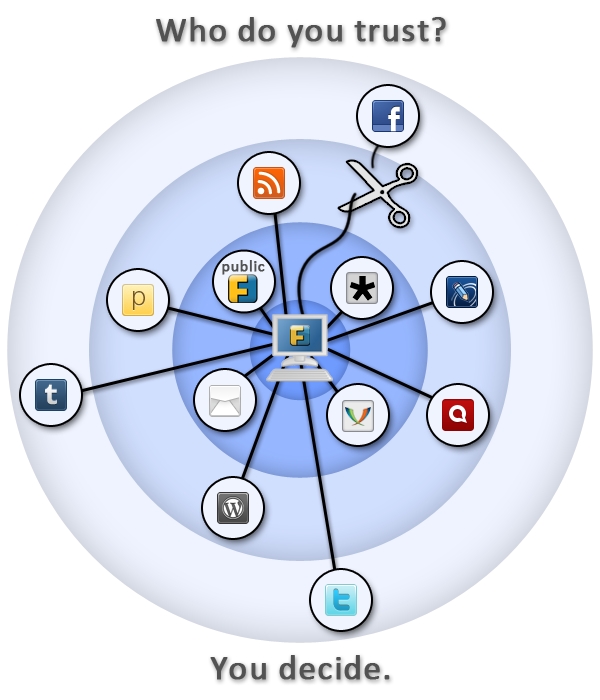
Follow me on Identi.ca or Twitter or Diaspora*diaspora-banner This is a feedback about installing a self hosted instance of Friendica on a Debian server (Jessie). If you re not interested in why I use Friendica, just go to Prerequisite for Friendica section below. Frustration about social networks Being a huge user of short messages, I was quite frustated to spend so much time on my Twitter account. To be quite honest, there is no much I like about this social network, except the huge population of people being potentially interested in what I write. twitter-logo I also have been using Identi.ca (now powered by Pump.io) for a while. But I tried for a while to manage both networks Pump.io and Twitter by hand and it was quite painful. And something was telling me another social network was going to appear from nowhere one of these days and I ll be just horrible to try to keep it up this way. identica-logo So I was looking for a scalable solution not asking too much personal investment. Subscribing to Diaspora* some days ago on the Framasphere pod, tintouli told me to try Friendica. Hmmm, what s Friendica ? f-intro Friendica is a content manager you can plug on almost anything: social networks (Facebook, Twitter, Pump.io, Diaspora*, ), but also WordPress, XMPP, emails I m in fact just discovering the power of this tool but to plug it on my different social network accounts was quite a good use case for me. And I guess if you re still reading, for you too. I tried to use some shared public servers but I was not quite happy with the result, one connector was still missing or public servers were really unstable. So I m at last self hosting my Friendica. Here is how. Prerequisite for Friendica You need to install the following packages: # apt-get install apache2 libapache2-mod-php5 php5 php5-curl php5-gd php5-mysql mysql-server git Having a already self-modified /etc/php5/apache2/php.ini, I encountered a small issue with libCurl and had to manually add the following line in the php.ini: extension=curl.so Setting up MySQL Connect to MySQL and create an empty database with a dedicated user: # mysql -u root -pV3rYS3cr3t -e create database friendica; GRANT ALL PRIVILEGES ON friendica.* TO friendica@localhost IDENTIFIED BY R3AlLyH4rdT0Gu3ss mysql Setting up Apache My server hosts several services, so I use a subdomain friendica.mydomain.com. If you use a subdomain, of course check you do have declared this subdomain in your DNS zone. apache-logo I use SSL encryption with a wildcard certificate for all my subdomains. My Friendica data are stored in /var/www/friendica. Here is my virtual host configuration for Friendica stored in the file /etc/apache2/sites-available/friendicassl.conf : <VirtualHost *:443>


ServerName friendica.mydomain.com
DocumentRoot /var/www/friendica/
DirectoryIndex index.php index.html
ErrorLog /var/log/apache2/friendica-error-ssl.log
TransferLog /var/log/apache2/friendica-access-ssl.log SSLEngine on
SSLCertificateFile /etc/ssl/certs/mydomain/mydomain.com.crt
SSLCertificateKeyFile /etc/ssl/private/mydomain.com.key
SSLVerifyClient None <Directory /var/www/friendica/>
AllowOverride All
Options FollowSymLinks
Order allow,deny
Allow from all
</Directory>
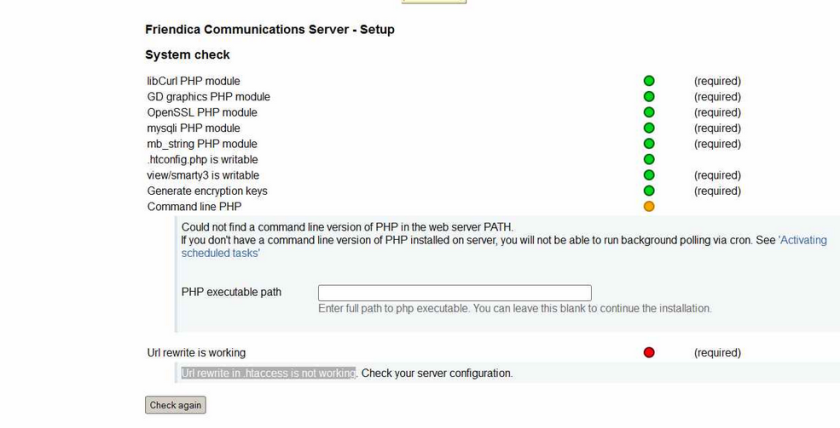
</VirtualHost> After writing the configuration file, just launch the following commands and it should be good for the Apache configuration: # a2ensite friendicassl && /etc/init.d/apache2 reload friendica-trust Setting up Friendica Get the master zip file of Friendica, copy it on your server and decompress it. Something like : # cd /var/www/ && wget https://github.com/friendica/friendica/archive/master.zip && unzip master.zip && mv friendica-master friendica You need to give www-data (Apache user) the rights to write in /var/www/friendica/view/smarty3/ : # chown -R www-data:www-data /var/www/friendica/view/smarty3 && chmod -R ug+w var/www/friendica/view/smarty3 Ok, I guess we re all set, lets launch the installation process! Using your web browser, connect to friendica.mydomain.com. First step you ll see the installation window which checks the prerequisite before installing. Complete if something is missing.
friendica-installation

First window of the Friendica installation process

Second step asks the host/user/password of the database, complete and the installation process starts. Hopefully all goes just fine. Next you ll have to create a /var/www/friendica/.htconfig.php with the content that the last page of the installation process provides. Just copy/paste, check the rights of this file and now you can connect again to see the register page of friendica at the url https://friendlica.mydomain.com/register . Pretty cool! Register a user That s a fairly easy step. You just need to check before that your server is able to send emails, because the password is going to be sent to you by email. If it is ok, you should now identify on the welcome page of friendica and access your account. That s a huge step to broadcast your short messages everywhere, but we have some last steps before being able to send your short messages on all the social networks we need. A small break, create an app for twitter on apps.twitter.com To send your short messages to Twitter, you need to create an app on apps.twitter.com. Just check you re logged in Twitter and connect to apps.twitter.com. Create an app called with a unique name (apparently), then go to the Keys and Access tokens page, note the consumer key and the consumer secret. You ll later need the name of the app, the consumer key and the consumer secret. friendica-decentralized-network Install and configure the addons Friendica uses an addon system in order to plug on the different third-parties it needs. We are going to configure Twitter, Pump.io and the Diaspora* plug. Let s go back to our server and launches some commands: # cd /tmp && git clone https://github.com/friendica/friendica-addons.git && cd friendica-addons # tar xvf twitter.tgz -C /var/www/friendica/addon # tar xvf pumpio.tgz -C /var/www/friendica/addon # cp -a diaspora /var/www/friendica/addon You need to modify your /var/www/friendica/.htconfig.php file and add the following content at the end: // names of your addons, separated by a comma $a->config['system']['addon'] = pumpio, twitter, diaspora ; // your Twitter consumer key
$a->config['twitter']['consumerkey'] = P4Jl2Pe4j7Lj91eIn0AR8vIl2 ; // your Twitter consumer secret
$a->config['twitter']['consumersecret'] = 1DnVkllPik9Ua8jW4fncxwtXZJbs9iFfI5epFzmeI8VxM9pqP1 ; // you Twitter app name $a->config['twitter']['application_name'] = whatever-twitter ; banner_friendica Connect again to Friendica. Go to settings => social networks, you will see the options for Twitter, Pump.io and Diaspora*. Complete the requested information for each of them. Important options you should not forget to check are: Pump.io Twitter Diaspora* Done? Now it s time to send your first broadcasted short message. Yay! Send a short message to your different social networks Connect to Friendica, click on the network page, write your short message in the Share box. Click on the lock lock, you ll see the following setup: friendica-post-default It means your short messages will be broadcasted to the three networks. Or more, it s up to you! That s my setup, feel free to modify. Now close the lock window and send your message. For me it takes some time to appear on Twitter and Diaspora* and it immediatly appears on Identi.ca. Last words friendica-stand Friendica offers to take back the control of your data, by broadcasting content on different media from a single source. While self hosting, you keep your data whatever happends and are not subject to companies losing your data like recently Twitpic. Moreover the philosophy behind Friendica pushed me to dig and test the solution What about you? How do you proceed to broadcast your short messages? Does Friendica offer a good solution in your opinion? Are you interested in the philosophy behind this project? Feel free to share your thoughs in the comments. LAST MINUTE: hey, this article is on Hacker News, don t hesitate to vote for it if you liked it!

26 October 2014

Hideki Yamane: Open Source Conference 2014 Tokyo/Fall


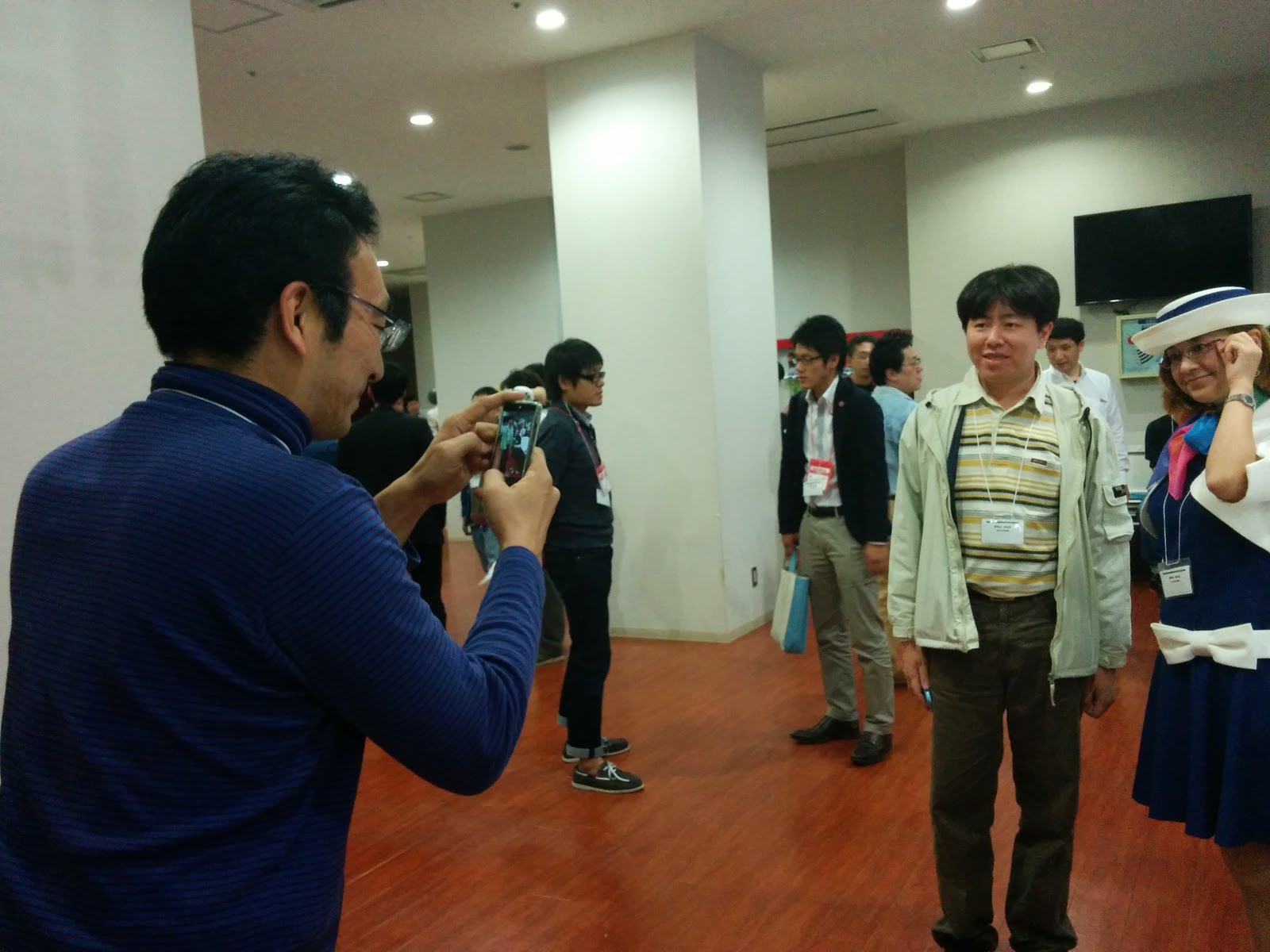
18th and 19th October, "Open Source Conference 2014 Tokyo/Fall" was held in Meisei University, Tokyo. About 1,500 participates there. "Tokyo area Debian Study Meeting" booth was there, provided some flyers, DVDs and chat.


In our Debian community session, Nobuhiro Iwamatsu talked about status of Debian8 "Jessie". Thanks, Nobuhiro :)


It seems to be not a "conference" itself but a festival for FOSS and other IT community members, so they enjoyed a lot.


... and we also enjoyed beer after party (of course :)


see you - next event!

Sune Vuorela: KDE makes Qt

Recently I was trying some statistics on the qtbase-module (where QtCore, QtGui, QtWidgets and so on lives) and was wondering who made them.
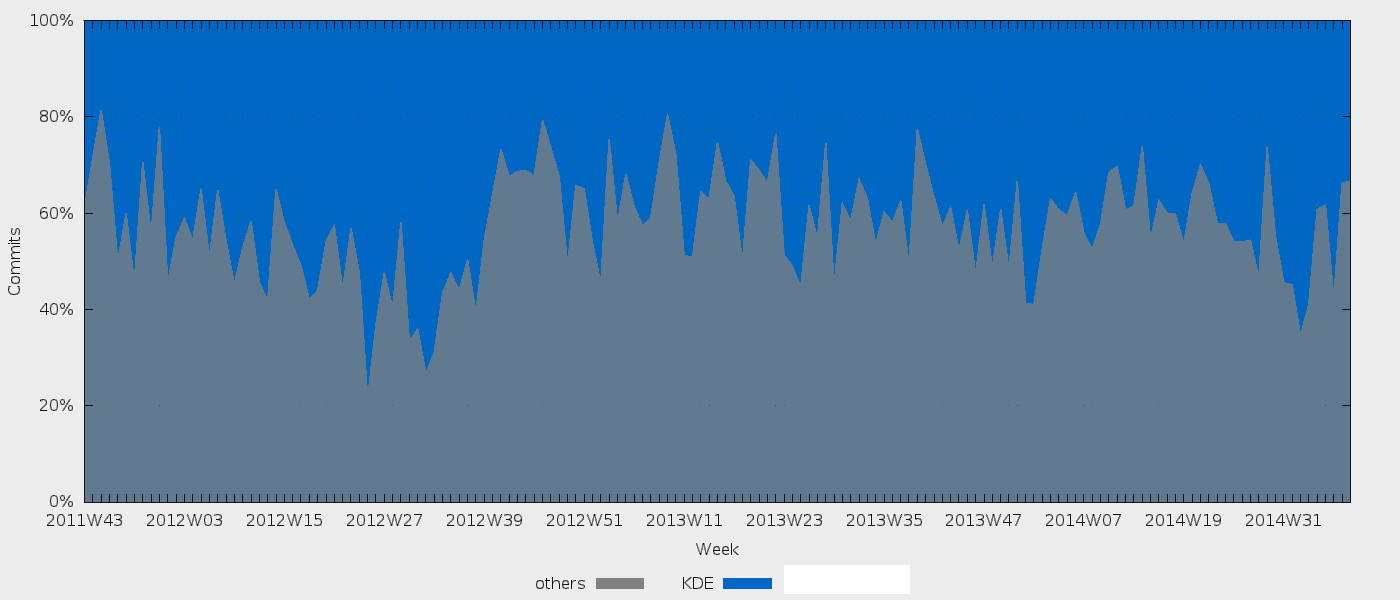
Not based on their current paid affilation, like Thiago s graphs, but if each commit was made by a person coming from KDE. So, I got hold of Thiago s scripts, a lovely mix of perl and zsh, and a QtBase git repository. First steps was to try to classify people as person coming from KDE or not. Of course, I m a KDE person. Thiago is a KDE person. David Faure is a KDE person. Olivier Goffart is a KDE person. Lars Knoll is a KDE person. By the help of the KDE accounts file, and some of the long time KDE contributors, I got after a half day of work a good list of it. Then next steps was trying to put it into Thiago s perlscripts All of it kind of succeeded: qtbase-KDE.graph So, KDE people makes up for 40-60% of the weekly commits to QtBase. This is again shows that KDE is important to Qt, just as the reverse is. So, let s keep KDE healthy. KDE is running a end-of-year fundraiser over here https://www.kde.org/fundraisers/yearend2014/. Go ahead and donate, and help KDE stay healthy. For your own sake. And for Qt s.

14 October 2014

Julian Andres Klode: Key transition

I started transitioning from 1024D to 4096R. The new key is available at: https://people.debian.org/~jak/pubkey.gpg and the keys.gnupg.net key server. A very short transition statement is available at: https://people.debian.org/~jak/transition-statement.txt and included below (the http version might get extended over time if needed). The key consists of one master key and 3 sub keys (signing, encryption, authentication). The sub keys are stored on an OpenPGP v2 Smartcard. That s really cool, isn t it? Somehow it seems that GnuPG 1.4.18 also works with 4096R keys on this smartcard (I accidentally used it instead of gpg2 and it worked fine), although only GPG 2.0.13 and newer is supposed to work.
-----BEGIN PGP SIGNED MESSAGE-----
Hash: SHA1,SHA512
Because 1024D keys are not deemed secure enough anymore, I switched to
a 4096R one.
The old key will continue to be valid for some time, but i prefer all
future correspondence to come to the new one.  I would also like this
new key to be re-integrated into the web of trust.  This message is
signed by both keys to certify the transition.
the old key was:
pub   1024D/00823EC2 2007-04-12
      Key fingerprint = D9D9 754A 4BBA 2E7D 0A0A  C024 AC2A 5FFE 0082 3EC2
And the new key is:
pub   4096R/6B031B00 2014-10-14 [expires: 2017-10-13]
      Key fingerprint = AEE1 C8AA AAF0 B768 4019  C546 021B 361B 6B03 1B00
-----BEGIN PGP SIGNATURE-----
Version: GnuPG v2
iEYEARECAAYFAlQ9j+oACgkQrCpf/gCCPsKskgCgiRn7DoP5RASkaZZjpop9P8aG
zhgAnjHeE8BXvTSkr7hccNb2tZsnqlTaiQIcBAEBCgAGBQJUPY/qAAoJENc8OeVl
gLOGZiMP/1MHubKmA8aGDj8Ow5Uo4lkzp+A89vJqgbm9bjVrfjDHZQIdebYfWrjr
RQzXdbIHnILYnUfYaOHUzMxpBHya3rFu6xbfKesR+jzQf8gxFXoBY7OQVL4Ycyss
4Y++g9m4Lqm+IDyIhhDNY6mtFU9e3CkljI52p/CIqM7eUyBfyRJDRfeh6c40Pfx2
AlNyFe+9JzYG1i3YG96Z8bKiVK5GpvyKWiggo08r3oqGvWyROYY9E4nLM9OJu8EL
GuSNDCRJOhfnegWqKq+BRZUXA2wbTG0f8AxAuetdo6MKmVmHGcHxpIGFHqxO1QhV
VM7VpMj+bxcevJ50BO5kylRrptlUugTaJ6il/o5sfgy1FdXGlgWCsIwmja2Z/fQr
ycnqrtMVVYfln9IwDODItHx3hSwRoHnUxLWq8yY8gyx+//geZ0BROonXVy1YEo9a
PDplOF1HKlaFAHv+Zq8wDWT8Lt1H2EecRFN+hov3+lU74ylnogZLS+bA7tqrjig0
bZfCo7i9Z7ag4GvLWY5PvN4fbws/5Yz9L8I4CnrqCUtzJg4vyA44Kpo8iuQsIrhz
CKDnsoehxS95YjiJcbL0Y63Ed4mkSaibUKfoYObv/k61XmBCNkmNAAuRwzV7d5q2
/w3bSTB0O7FHcCxFDnn+tiLwgiTEQDYAP9nN97uibSUCbf98wl3/
=VRZJ
-----END PGP SIGNATURE-----

Filed under: Uncategorized

10 October 2014

Martin Pitt: Running autopkgtests in the cloud

It s great to see more and more packages in Debian and Ubuntu getting an autopkgtest. We now have some 660, and soon we ll get another ~ 4000 from Perl and Ruby packages. Both Debian s and Ubuntu s autopkgtest runner machines are currently static manually maintained machines which ache under their load. They just don t scale, and at least Ubuntu s runners need quite a lot of handholding. This needs to stop. To quote Tim The Tool Man Taylor: We need more power!. This is a perfect scenario to be put into a cloud with ephemeral VMs to run tests in. They scale, there is no privacy problem, and maintenance of the hosts then becomes Somebody Else s Problem. I recently brushed up autopkgtest s ssh runner and the Nova setup script. Previous versions didn t support revert yet, tests that leaked processes caused eternal hangs due to the way ssh works, and image building wasn t yet supported well. autopkgtest 3.5.5 now gets along with all that and has a dozen other fixes. So let me introduce the Binford 6100 variable horsepower DEP-8 engine python-coated cloud test runner! While you can run adt-run from your home machine, it s probably better to do it from an autopkgtest controller cloud instance as well. Testing frequently requires copying files and built package trees between testbeds and controller, which can be quite slow from home and causes timeouts. The requirements on the controller node are quite low you either need the autopkgtest 3.5.5 package installed (possibly a backport to Debian Wheezy or Ubuntu 12.04 LTS), or run it from git ($checkout_dir/run-from-checkout), and other than that you only need python-novaclient and the usual $OS_* OpenStack environment variables. This controller can also stay running all the time and easily drive dozens of tests in parallel as all the real testing action is happening in the ephemeral testbed VMs. The most important preparation step to do for testing in the cloud is quite similar to testing in local VMs with adt-virt-qemu: You need to have suitable VM images. They should be generated every day so that the tests don t have to spend 15 minutes on dist-upgrading and rebooting, and they should be minimized. They should also be as similar as possible to local VM images that you get with vmdebootstrap or adt-buildvm-ubuntu-cloud, so that test failures can easily be reproduced by developers on their local machines. To address this, I refactored the entire knowledge how to turn a pristine default vmdebootstrap or cloud image into an autopkgtest environment into a single /usr/share/autopkgtest/adt-setup-vm script. adt-buildvm-ubuntu-cloud now uses this, you shold use it with vmdebootstrap --customize (see adt-virt-qemu(1) for details), and it s also easy to run for building custom cloud images: Essentially, you pick a suitable pristine image, nova boot an instance from it, run adt-setup-vm through ssh, then turn this into a new adt specific "daily" image with nova image-create. I wrote a little script create-nova-adt-image.sh to demonstrate and automate this, the only parameter that it gets is the name of the pristine image to base on. This was tested on Canonical's Bootstack cloud, so it might need some adjustments on other clouds. Thus something like this should be run daily (pick the base images from nova image-list):

  $ ./create-nova-adt-image.sh ubuntu-utopic-14.10-beta2-amd64-server-20140923-disk1.img
  $ ./create-nova-adt-image.sh ubuntu-utopic-14.10-beta2-i386-server-20140923-disk1.img
This will generate adt-utopic-i386 and adt-utopic-amd64. Now I picked 34 packages that have the "most demanding" tests, in terms of package size (libreoffice), kernel requirements (udisks2, network manager), reboot requirement (systemd), lots of brittle tests (glib2.0, mysql-5.5), or needing Xvfb (shotwell):
  $ cat pkglist
  apport
  apt
  aptdaemon
  apache2
  autopilot-gtk
  autopkgtest
  binutils
  chromium-browser
  cups
  dbus
  gem2deb
  glib-networking
  glib2.0
  gvfs
  kcalc
  keystone
  libnih
  libreoffice
  lintian
  lxc
  mysql-5.5
  network-manager
  nut
  ofono-phonesim
  php5
  postgresql-9.4
  python3.4
  sbuild
  shotwell
  systemd-shim
  ubiquity
  ubuntu-drivers-common
  udisks2
  upstart
Now I created a shell wrapper around adt-run to work with the parallel tool and to keep the invocation in a single place:
$ cat adt-run-nova
#!/bin/sh -e
adt-run "$1" -U -o "/tmp/adt-$1" --- ssh -s nova -- \
    --flavor m1.small --image adt-utopic-i386 \
    --net-id 415a0839-eb05-4e7a-907c-413c657f4bf5
Please see /usr/share/autopkgtest/ssh-setup/nova for details of the arguments. --image is the image name we built above, --flavor should use a suitable memory/disk size from nova flavor-list and --net-id is an "always need this constant to select a non-default network" option that is specific to Canonical Bootstack. Finally, let' run the packages from above with using ten VMs in parallel:
  parallel -j 10 ./adt-run-nova -- $(< pkglist)
After a few iterations of bug fixing there are now only two failures left which are due to flaky tests, the infrastructure now seems to hold up fairly well. Meanwhile, Vincent Ladeuil is working full steam to integrate this new stuff into the next-gen Ubuntu CI engine, so that we can soon deploy and run all this fully automatically in production. Happy testing!

9 October 2014

Chris Lamb: London Paris London 2014

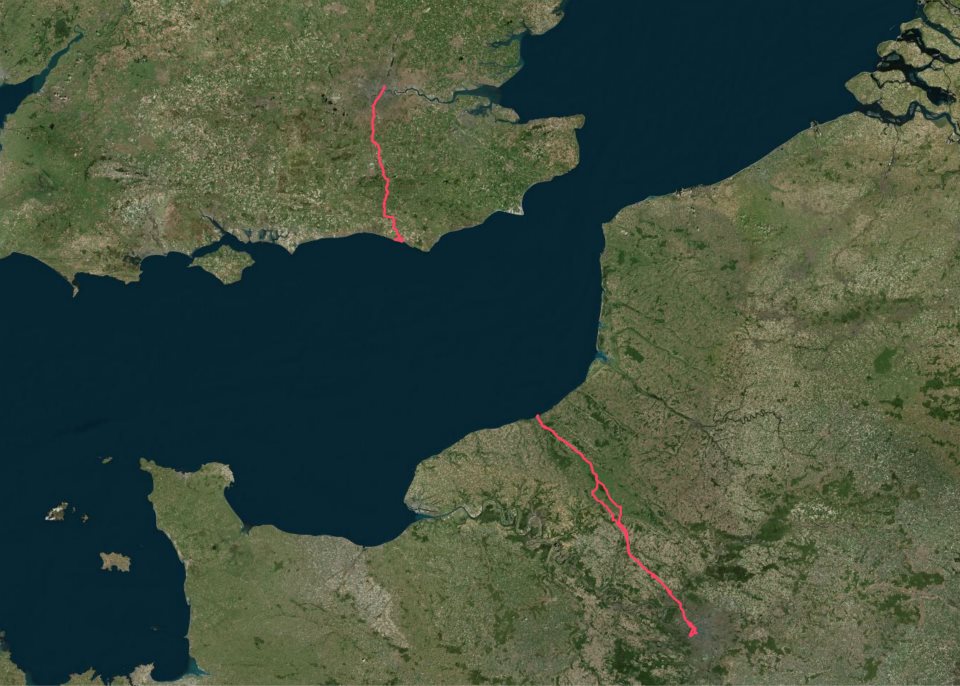
I've wanted to ride to Paris for a few months now but was put off by the hassle of taking a bicycle on the Eurostar, as well having a somewhat philosophical and aesthetic objection to taking a bike on a train in the first place. After all, if one already is possession of a mode of transport... My itinerary was straightforward:

Friday 12h00
London Newhaven
Friday 23h00
Newhaven Dieppe (ferry)
Saturday 04h00
Dieppe Paris
Saturday 23h00
(Sleep)
Sunday 07h00
Paris Dieppe
Sunday 18h00
Dieppe Newhaven (ferry)
Sunday 21h00
Newhaven Peacehaven
Sunday 23h00
(Sleep)
Monday 07h00
Peacehaven London
Packing list https://chris-lamb.co.uk/wp-content/2014/london-paris-london/01.jpg
  • Ferry ticket (unnecessary in the end)
  • Passport
  • Credit card
  • USB A male mini A male (charges phone, battery pack & front light)
  • USB A male mini B male (for charging or connecting to Edge 800)
  • USB mini A male OTG A female (for Edge 800 uploads via phone)
  • Waterproof pocket
  • Sleeping mask for ferry (probably unnecessary)
  • Battery pack

Not pictured:
  • Castelli Gabba Windstopper short-sleeve jersey
  • Castelli Velocissimo bib shorts
  • Castelli Nanoflex arm warmers
  • Castelli Squadra rain jacket
  • Garmin Edge 800
  • Phone
  • Front light: Lezyne Macro Drive
  • Rear lights: Knog Gekko (on bike), Knog Frog (on helmet)
  • Inner tubes (X2), Lezyne multitool, tire levers, hand pump

Day 1: London Newhaven
https://chris-lamb.co.uk/wp-content/2014/london-paris-london/02.jpg

Tower Bridge.

Many attempt to go from Tower Bridge Eiffel Tower (or Marble Arch Arc de Triomphe) in less than 24 hours. This would have been quite easy if I had left a couple of hours later.
https://chris-lamb.co.uk/wp-content/2014/london-paris-london/03.jpg

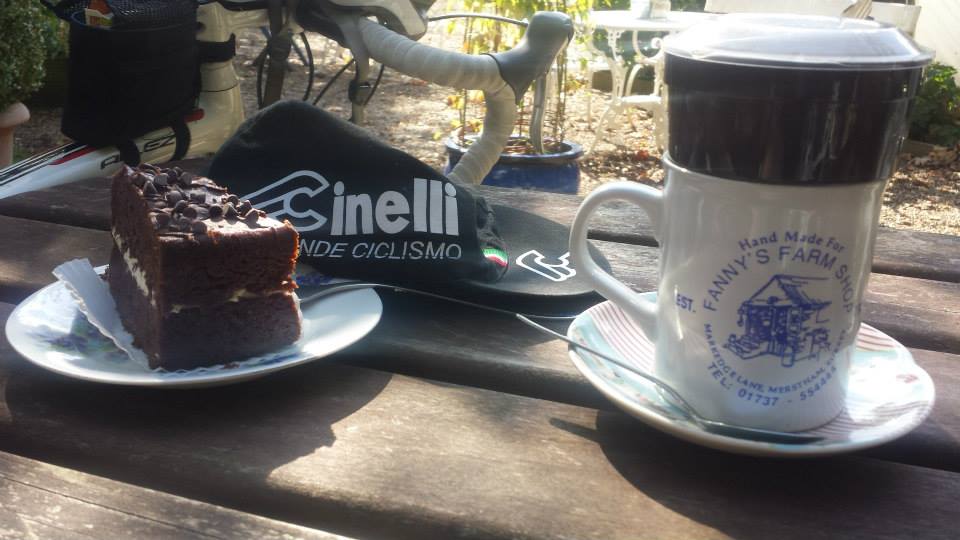
Fanny's Farm Shop, Merstham, Surrey.

https://chris-lamb.co.uk/wp-content/2014/london-paris-london/04.jpg

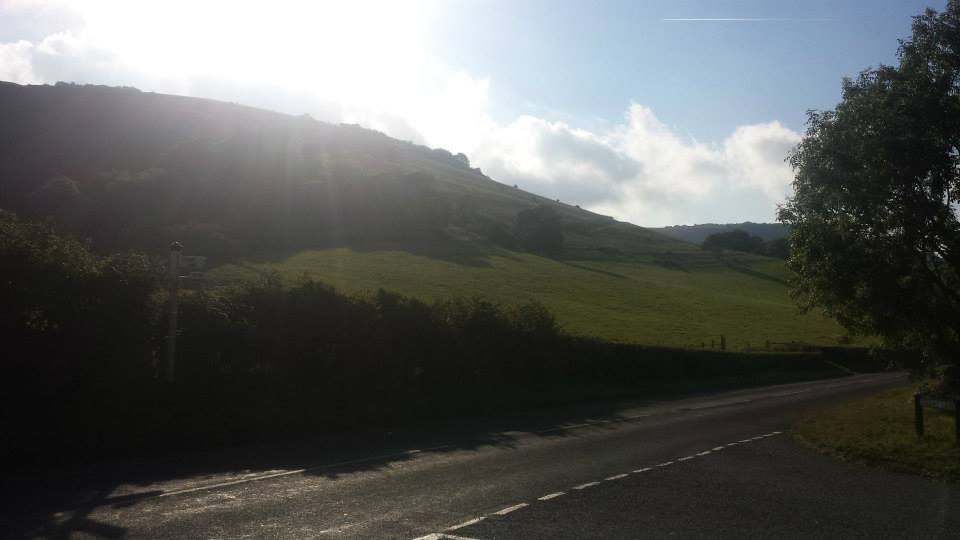
Plumpton, East Sussex.

https://chris-lamb.co.uk/wp-content/2014/london-paris-london/05.jpg

West Pier, Newhaven.

https://chris-lamb.co.uk/wp-content/2014/london-paris-london/07.jpg

Leaving Newhaven on the 23h00 ferry.


Day 2: Dieppe Paris
https://chris-lamb.co.uk/wp-content/2014/london-paris-london/09.jpg

Beauvoir-en-Lyons, Haute-Normandie.

https://chris-lamb.co.uk/wp-content/2014/london-paris-london/10.jpg

S rifontaine, Picardie.

https://chris-lamb.co.uk/wp-content/2014/london-paris-london/12.jpg

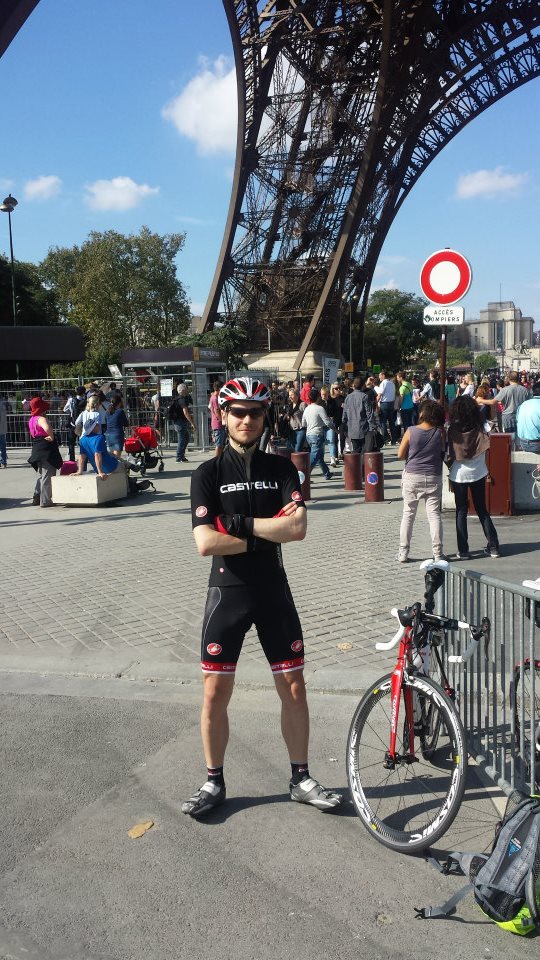
La tour Eiffel, Paris.

https://chris-lamb.co.uk/wp-content/2014/london-paris-london/13.jpg

Champ de Mars, Paris.

https://chris-lamb.co.uk/wp-content/2014/london-paris-london/15.jpg

Pont de Grenelle, Paris.


Day 3: Paris Dieppe
https://chris-lamb.co.uk/wp-content/2014/london-paris-london/18.jpg

Cormeilles-en-Vexin, le-de-France.

https://chris-lamb.co.uk/wp-content/2014/london-paris-london/20.jpg

Gisors, Haute-Normandie.

https://chris-lamb.co.uk/wp-content/2014/london-paris-london/21.jpg

Paris-Brest, Gisors, Haute-Normandie.

Wikipedia: This pastry was created in 1910 to commemorate the Paris Brest bicycle race begun in 1891. Its circular shape is representative of a wheel. It became popular with riders on the Paris Brest cycle race, partly because of its energizing high caloric value, and is now found in p tisseries all over France.
https://chris-lamb.co.uk/wp-content/2014/london-paris-london/22.jpg

Gournay-en-Bray, Haute-Normandie.

https://chris-lamb.co.uk/wp-content/2014/london-paris-london/23.jpg

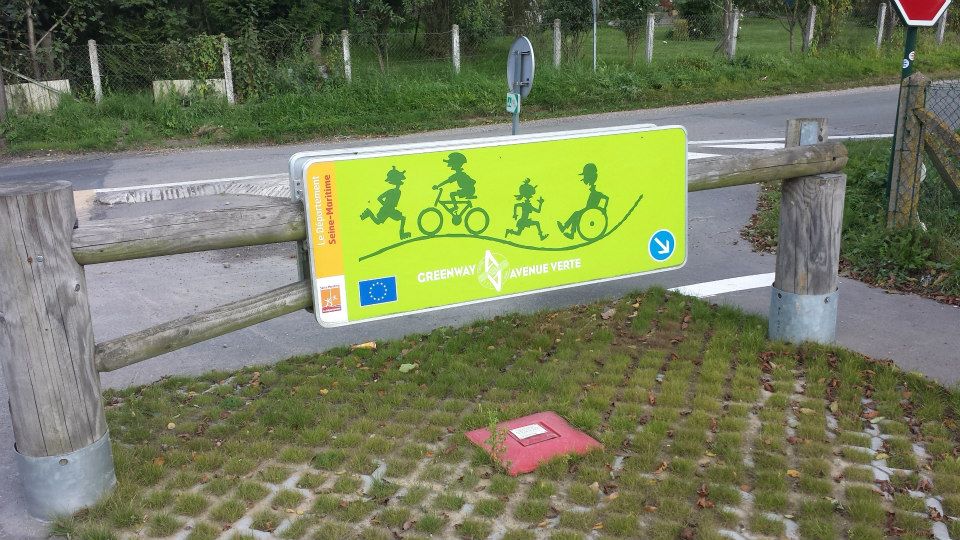
D but de l'Avenue Verte, Forges-les-Eaux, Haute-Normandie.

https://chris-lamb.co.uk/wp-content/2014/london-paris-london/24.jpg

Mesni res-en-Bray, Haute-Normandie.

https://chris-lamb.co.uk/wp-content/2014/london-paris-london/26.jpg

Dieppe, Haute-Normandie.

https://chris-lamb.co.uk/wp-content/2014/london-paris-london/28.jpg

La Mancha .


Day 4: Peacehaven London
https://chris-lamb.co.uk/wp-content/2014/london-paris-london/29.jpg

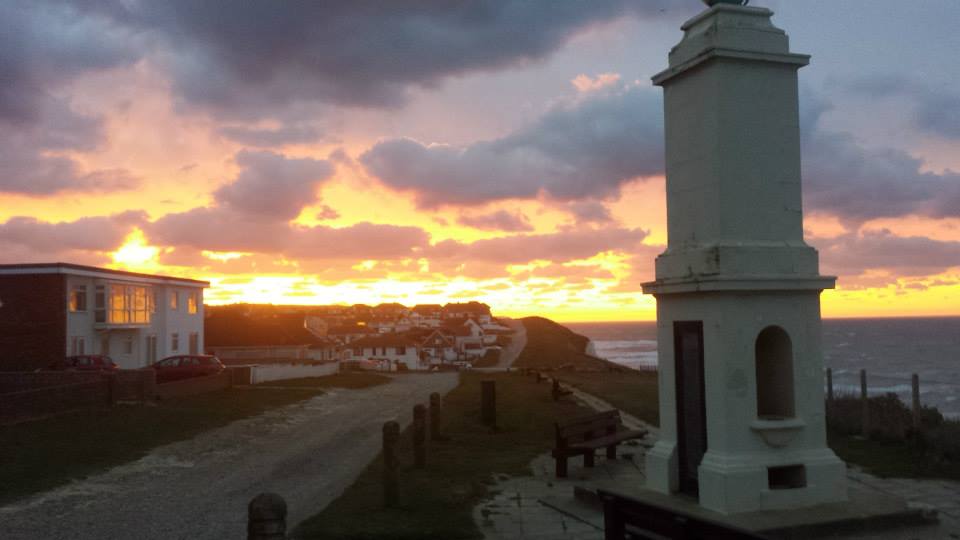
Peacehaven, East Sussex.

https://chris-lamb.co.uk/wp-content/2014/london-paris-london/31.jpg

Highbrook, West Sussex.

https://chris-lamb.co.uk/wp-content/2014/london-paris-london/33.jpg

London weather.


Summary https://chris-lamb.co.uk/wp-content/2014/london-paris-london/34.jpg
Distance
588.17 km
Pedal turns
~105,795
My only non-obvious tips would be to buy a disposable blanket in the Newhaven Co-Op to help you sleep on the ferry. In addition, as the food on the ferry is good enough you only need to get to the terminal one hour before departure, avoiding time on your feet in unpicturesque Newhaven. In terms of equipment, I would bring another light for the 4AM start on L'Avenue Verte if only as a backup and I would have checked I could arrive at my Parisian Airbnb earlier in the day - I had to hang around for five hours in the heat before I could have a shower, properly relax, etc. I had been warned not to rely on being able to obtain enough water en route on Sunday but whilst most shops were indeed shut I saw a bustling tabac or boulangerie at least once every 20km so one would never be truly stuck. Route-wise, the surburbs of London and Paris are both equally dismal and unmotivating and there is about 50km of rather uninspiring and exposed riding on the D915. However, L'Avenue Verte is fantastic even in the pitch-black and the entire trip was worth it simply for the silent and beautiful Normandy sunrise. I will be back.

7 October 2014

Thorsten Glaser: mksh R50d released

The last MirBSD Korn Shell update broke update-initramfs because I accidentally introduced a regression in field splitting while fixing other bugs sorry! mksh R50d was just released to fix that, and a small NULL pointer dereference found by Goodbox on IRC. Thanks to my employer tarent for a bit of time to work on it.

3 October 2014

Thorsten Glaser: mksh R50c released, security fix

The MirBSD Korn Shell has got a new security and maintenance release. This release fixes one mksh(1)-specific issue when importing values from the environment. The issue has been detected by the main developer during careful code review, looking at whether the shell is affected by the recent shellshock bugs in GNU bash, many of which also affect AT&T ksh93. (The answer is: no, none of these bugs affects mksh.) Stephane Chanzelas kindly provided me with an in-depth look at how this can be exploited. The issue has not got a CVE identifier because it was identified as low-risk. The problem here is that the environment import filter mistakenly accepted variables named FOO+ (for any FOO), which are, by general environ(7) syntax, distinct from FOO , and treated them as appending to the value of FOO . An attacker who already had access to the environment could so append values to parameters passed through programs (including sudo(8) or setuid) to shell scripts, including indirectly, after those programs intended to sanitise the environment, e.g. invalidating the last $PATH component. It could also be used to circumvent sudo s environment filter which protected against the vulnerability of an unpatched GNU bash being exploited. tl;dr: mksh not affected by any shellshock bugs, but we found a bug of our own, with low impact, which does not affect any other shell, during careful code review. Please do update to mksh R50c quickly.

26 September 2014

Holger Levsen: 20140925-reproducible-builds

Reproducible builds? I never did any - manually :) I've never done a reproducible build attempt of any package, manually, ever. But what I've done now is setting up reproducible builds on jenkins.debian.net which will build hundreds or thousands of packages, hopefully reproducibly, regularily in the future. Thanks to Lunar's and many other peoples work, this was actually rather easy. If you want to do this manually, it should take you just a few minutes to setup a suitable build environment. So three days ago when I wasn't exactly bored I decided that it was a good moment to implement some reproducible build jobs on jenkins.d.n, and so I gave it a try and two hours later the basic implementation was working, and then it was an evening and morning of fine tuning until I was mostly satisfied. Since then there has been some polishing, but the basic setup is done and has been working since. What's the result? One job, reproducible_setup will just create a suitable environment for pbuilding reproducible packages as documented so well on the Debian wiki. And as that job runs 3.5 minutes only (to debootstrap from scratch), it's run daily. And then there are currently 16 other jobs, which test reproducible builds in different areas: d-i, core, some six major desktops and some selected desktop applications, some security + privacy related packages, some build chains we have in Debian, libreoffice and X.org. Most of these jobs run several hours, but luckily not days. And they discover packages which still fail to build reproducibly, which already has caused some bugs to be filed, eg. #762732 "libdebian-installer: please do not write timestamps in Doxygen generated documentation". So this is the output from testing the reproducibilty of all debian-installer packages: 72 packages were successfully built reproducibly, while 6 packages failed to do so. I was quite impressed by these numbers as AFAIK noone tried to build d-i reproducibly before.
72 packages successfully built reproducibly: userdevfs user-setup usb-discover udpkg tzsetup rootskel rootskel-gtk rescue preseed pkgsel partman-xfs partman-target partman-partitioning partman-nbd partman-multipath partman-md partman-lvm partman-jfs partman-iscsi partman-ext3 partman-efi partman-crypto partman-btrfs partman-basicmethods partman-basicfilesystems partman-base partman-auto partman-auto-raid partman-auto-lvm partman-auto-crypto partconf os-prober oldsys-preseed nobootloader network-console netcfg net-retriever mountmedia mklibs media-retriever mdcfg main-menu lvmcfg lowmem localechooser live-installer lilo-installer kickseed kernel-wedge kbd-chooser iso-scan installation-report installation-locale hw-detect grub-installer finish-install efi-reader dh-di debian-installer-utils debian-installer-netboot-images debian-installer-launcher clock-setup choose-mirror cdrom-retriever cdrom-detect cdrom-checker cdebconf-terminal cdebconf-entropy bterm-unifont base-installer apt-setup anna 
6 packages failed to built reproducibly: win32-loader libdebian-installer debootstrap console-setup cdebconf busybox 
What's also impressive: all packages for the newly introduced Cinnamon Desktop build reproducibly from the start! The jenkins setup is configured via just three small files: That's it and that's enough to keep several cores busy for days. :-) But as each job only takes a few hours each is scheduled twice a month and more jobs and packages shall be added in future (with some heuristics to schedule known good packages less often...) I guess it's an appropriate opportunity to say "many thanks to Profitbricks", who have been donating the powerful virtual machine jenkins.debian.net is running on since October 2012. I also want to say "many many thanks to Helmut" (Grohne) who has recently joined me in maintaining this jenkins setup. And then I'd like to thank "the KGB trio" (Gregor, Tincho and Dam!) for providing those KGB bots on IRC, which are very helpful for providing notifications on IRC channels and last but not least thanks to everybody who contributed so that reproducible builds got this far! Keep up the jolly good work! And If you happen to know failing packages not included in job-cfg/reproducible.yaml I'd like to hear about those, so they'll get regularily tested and appear on the radar, until finally bugs are filed, fixed and migrated to stable. So one day all binary packages in Debian stable will be build reproducibly. An important step on this road is probably to have this defined as an release goal for Jessie+1. And then for jessie+1 hopefully the first 10k packages will build reproducibly? Or whooping 23k maybe? ;-) And maybe release jessie+2 with 100%?!? We will see! Even Jessie already has quite some packages (someone needs to count them...) which build reproducibly with just modified dpkg(-dev) and debhelper packages alone... So let's fix all the bugs! That said, an easier start for most of you is probably the list of useful things you (yes, you!) can do! :-) Oh, and last but surely not least in my book: many thanks too to the nice people hosting me so friendly in the last days! Keep on rockin'!

25 September 2014

Gunnar Wolf: #bananapi On how compressed files should be used

I am among the lucky people who got back home from DebConf with a brand new computer: a Banana Pi. Despite the name similarity, it is not affiliated with the very well known Raspberry Pi, although it is a very comparable (although much better) machine: A dual-core ARM A7 system with 1GB RAM, several more on-board connectors, and same form-factor. I have not yet been able to get it to boot, even from the images distributed on their site (although I cannot complain, I have not devoted more than a hour or so to the process!), but I do have a gripe on how the images are distributed. I downloaded some images to play with: Bananian, Raspbian, a Scratch distribution, and Lubuntu. I know I have a long way to learn in order to contribute to Debian's ARM port, but if I can learn by doing... So, what is my gripe? That the three images are downloaded as archive files:
  1. 0 gwolf@mosca 9 ~/Download/banana$ ls -hl bananian-latest.zip \
  2. > Lubuntu_For_BananaPi_v3.1.1.tgz Raspbian_For_BananaPi_v3.1.tgz \
  3. > Scratch_For_BananaPi_v1.0.tgz
  4. -rw-r--r-- 1 gwolf gwolf 222M Sep 25 09:52 bananian-latest.zip
  5. -rw-r--r-- 1 gwolf gwolf 823M Sep 25 10:02 Lubuntu_For_BananaPi_v3.1.1.tgz
  6. -rw-r--r-- 1 gwolf gwolf 1.3G Sep 25 10:01 Raspbian_For_BananaPi_v3.1.tgz
  7. -rw-r--r-- 1 gwolf gwolf 1.2G Sep 25 10:05 Scratch_For_BananaPi_v1.0.tgz
Now... that is quite an odd way to distribute image files! Specially when looking at their contents:
  1. 0 gwolf@mosca 14 ~/Download/banana$ unzip -l bananian-latest.zip
  2. Archive: bananian-latest.zip
  3. Length Date Time Name
  4. --------- ---------- ----- ----
  5. 2032664576 2014-09-17 15:29 bananian-1409.img
  6. --------- -------
  7. 2032664576 1 file
  8. 0 gwolf@mosca 15 ~/Download/banana$ for i in Lubuntu_For_BananaPi_v3.1.1.tgz \
  9. > Raspbian_For_BananaPi_v3.1.tgz Scratch_For_BananaPi_v1.0.tgz
  10. > do tar tzvf $i; done
  11. -rw-rw-r-- bananapi/bananapi 3670016000 2014-08-06 03:45 Lubuntu_1404_For_BananaPi_v3_1_1.img
  12. -rwxrwxr-x bananapi/bananapi 3670016000 2014-08-08 04:30 Raspbian_For_BananaPi_v3_1.img
  13. -rw------- bananapi/bananapi 3980394496 2014-05-27 01:54 Scratch_For_BananaPi_v1_0.img
And what is bad about them? That they force me to either have heaps of disk space available (2GB or 4GB for each image) or to spend valuable time extracting before recording the image each time. Why not just compressing the image file without archiving it? That is,
  1. 0 gwolf@mosca 7 ~/Download/banana$ tar xzf Lubuntu_For_BananaPi_v3.1.1.tgz
  2. 0 gwolf@mosca 8 ~/Download/banana$ xz Lubuntu_1404_For_BananaPi_v3_1_1.img
  3. 0 gwolf@mosca 9 ~/Download/banana$ ls -hl Lubun*
  4. -rw-r--r-- 1 gwolf gwolf 606M Aug 6 03:45 Lubuntu_1404_For_BananaPi_v3_1_1.img.xz
  5. -rw-r--r-- 1 gwolf gwolf 823M Sep 25 10:02 Lubuntu_For_BananaPi_v3.1.1.tgz
Now, wouldn't we need to decompress said files as well? Yes, but thanks to the magic of shell redirections, we can just do it on the fly. That is, instead of having 3 4GB+1 2GB files sitting on my hard drive, I just need to have several files ranging between 145M and I guess ~1GB. Then, it's as easy as doing:
  1. 0 gwolf@mosca 8 ~/Download/banana$ dd if=<(xzcat bananian-1409.img.xz) of=/dev/sdd
And the result should be the same: A fresh new card with Bananian ready to fly. Right, right, people using these files need to have xz installed on their systems, but... As it stands now, I can suppose current prospective users of a Banana Pi won't fret about facing a standard Unix tool! (Yes, I'll forward this rant to the Banana people, it's not just bashing on my blog :-P ) [update] Several people (thanks!) have contacted me stating that I use a bashism: The <( ) construct is specific to Bash. If you want to do this with any other shell, it can be done with a simple pipe:
  1. $ xzcat bananian-1409.img.xz dd of=/dev/sdd
That allows for less piping to be done on the kernel, and is portable between different shells. Also, a possibility would be:
  1. $ xzcat bananian-1409.img.xz > /dev/sdd
Although that might not be desirable, as it avoids the block-by-block nature of dd. I'm not sure if it makes a realdifference, but it's worth saying :) And yes, some alternatives for not unarchiving the file Here in the blog, an anon commenter suggests (respectively, for zip and .tar.gz files):
  1. $ dd if=<(unzip -p bananian-latest.zip) of=/dev/sdd
  2. $ dd if=<(tar -xOf Lubuntu_For_BananaPi_v3.1.1.tgz) of=/dev/sdd
And a commenter by IRC suggests:
  1. $ paxtar -xOaf Raspbian_For_BananaPi_v3.1.tgz Raspbian_For_BananaPi_v3_1.img sudo dd bs=262144 of=/dev/
Thanks!

24 September 2014

Vincent Sanders: I wanted to go to Portland because it's a really good book town.

Plane at Heathrow terminal 5 taking me to America for Debconf 14Patti Smith is right, more than any other US city I have visited, Portland feels different. Although living in Cambridge, which sometimes feels like where books were invented, might give me a warped sense of a place.

Jo McIntyre getting on the tram at PDX
I have visited Portland a few times previously and I feel comfortable every time I arrive at PDX. Sure the place still suffers from the american obsession with the car but similar to New York you can rely on public transport to get about.

On this occasion my visit was for the Debian Conference which i was excited to attend having missed the previous one in Switzerland. This time the conference has changed its format to being 10 days long and mixing the developer time in with the more formal sessions.

The opening session gave Steve McIntyre and myself the opportunity to present a small token of our appreciation to Russ. The keynote speakers that afternoon were all very interesting both Stefano Zacchiroli and Gabriella Coleman giving food for thought on two very different subjects.

The sponsored accomodation rooms were plesent
Several conferences in the past have experienced issues with sponsored accommodation and food, I am very pleased to report that both were very good this time. The room I was in had a small kitchen area, en-suite bathroom, desks and most importantly comfortable beds.

Andy and Patty in the Ondine dining area
The food provision was in the form of a buffet in the Ondine facility. The menu was not greatly varied but catered to all requirements including vegetarian and gluten free diets.

Neil, Rob, Jo, Steve , Neil, Daniel and Andy dining under the planes
Some of us went on a visit to the Evergreen air and space museum to look at some rare aircraft and rockets. I can thoroughly recommend a visit if you are in the area.

These are just the highlights of the week though, the time in the hack-labs was productive with several practical achievements Including:
- Uploading new packages reducing the bug count
- Sorting out getting an updated key into the Debian keyring.

Overall I had a thoroughly enjoyable time and got a lot out of the conference this year. The new format suited me surprisingly well and as usual the social side was as valuable as the practical.

I hope the organisers have recovered enough to appreciate just how good a job they did and not get hung up on the small number of things that went wrong when the majority of things went perfectly to plan.

21 September 2014

Dariusz Dwornikowski: statistics of RFS bugs and sponsoring process

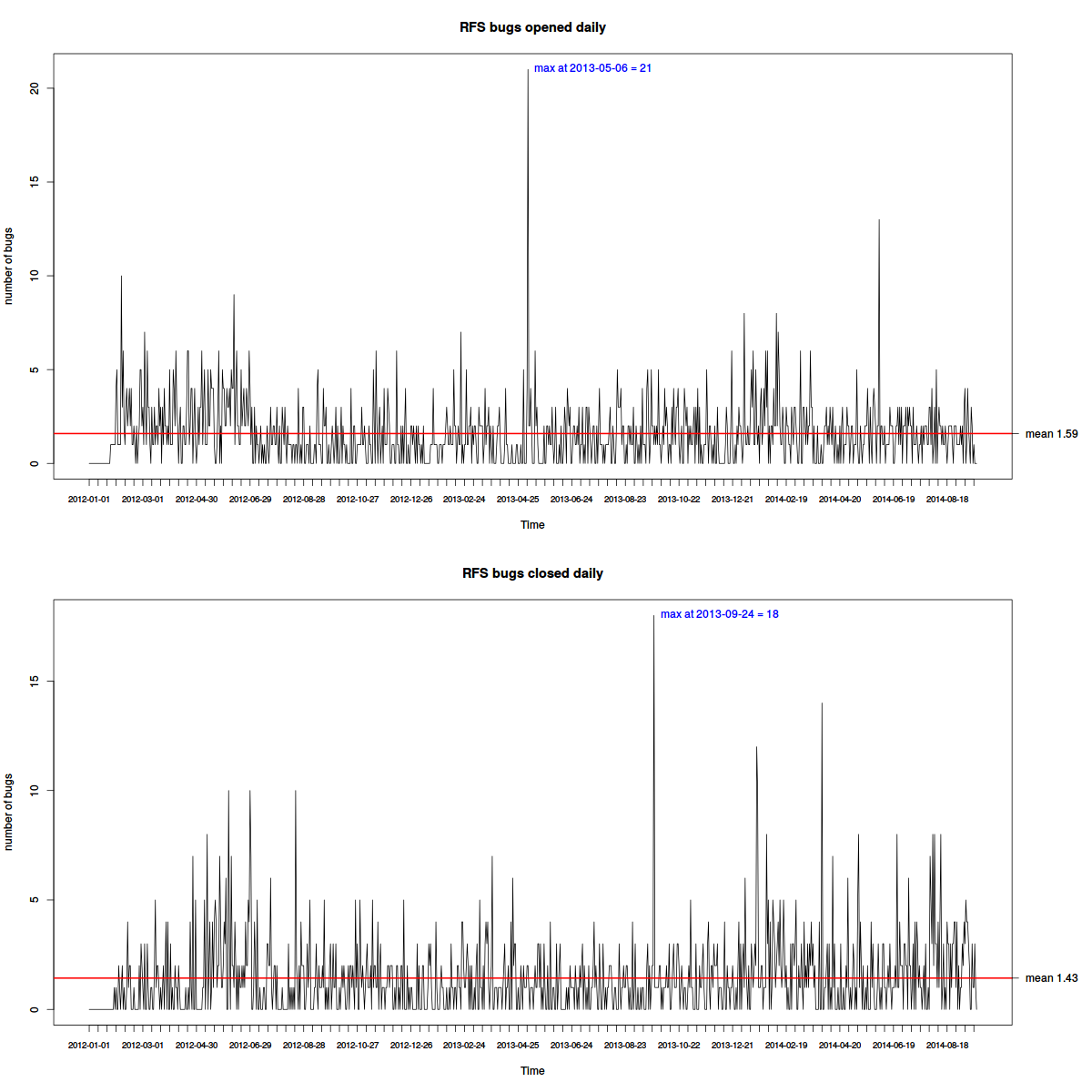
For some days I have been working on statistics of the sponsoring process in Debian. I find this to be one of the most important things that Debian has to attract and enable new contributions. It is important to know how this process works, whether we need more sponsors, how effective is the sponsoring and what are the timings connected to it. How I did this ? I have used Debbugs SOAP interface to get all bugs that are filed against sponsorship-requests pseudo package. SOAP gives a little bit of overhead because it needs to download a complete list of bugs for the sponsorship-requests package, and then process them according to given date ranges. The same information can be easily extracted from the UDD database in the future, it will be faster because SQL is better when working with date ranges than python obviously. The most problematic part was getting the "real done date" of a particular bug, and frankly most of my time I have spent on writing a rather dirty and complicated script. The script gets a log for a particular bug number and returns a "real done date". I have published a proof of concept in a previous post.. What I measured ? RFSs is a queue, and in every queue one is interested in a mean time to get processed. In this case I called the metric global MTTGS (mean time to get sponsored). This is a metric that gives the overall performance insight in RFS queue. Time to get sponsored (TTGS) for a bug is a number of days that passed between filing an RFS bug and closing it (bug was sponsored). Mean time to get sponsored is calculated as a sum of TTGSs of all bugs divided by number of bugs (in a given period of time). Global MTTGS is MTTGS calculated for a period of time 2012-1-1 until today(). Besides MTTGS I have also measured typical bug related metrics: Plots and graphs Below is a plot of global MTTGS vs. time (click for a larger image). mttgs plot As you can see, the trend is roughly exponential and MTTGS tends to settle around 60 days at the end of the year 2013. This does not mean that your package will wait 60 days on average nowadays to get sponsored. I remind that this is a global MTTGS, so even if the MTTGS of last month was very low, the global MTTGS would decrease just slightly. It gives, however, a good glance in performance of the process. Even that more packages are filed for sponsoring (see next graphs) now, than in the beginning of the epoch, the sponsoring rate is high enough to flatten the global MTTGS, and with time maybe decrease it. The image below (click for a larger one) shows how many bugs reside in a queue with status open or closed (calculated for each day). For closed we have an almost linear function, so each day more or less the same amount of bugs are closed and they increase the pool of bugs with status closed. For bugs with status open the interesting part begins around May 2012 after the system is saturated or gets popular. It can be interpreted as a plot of how many bugs reside in the queue, the important part is that it is stable and does not show clear increasing trend. open done plot The last plot shows arrival and departure rate of bugs from RFS queue, i.e. how many bugs are opened and closed each day. The interesting part here are the maxima. Let's look at them. opened closed plot Maximal number of opened bugs (21) was on 2012-05-06. As it appears it was a bunch upload of RFSs for tryton-modules-*..
  706953  RFS: tryton-modules-account-stock-anglo-saxon/2.8.0-1 
  706954  RFS: tryton-modules-purchase-shipment-cost/2.8.0-1 
  706948  RFS: tryton-modules-production/2.8.0-1 
  706969  RFS: tryton-modules-account-fr/2.8.0-1 
  706946  RFS: tryton-modules-project-invoice/2.8.0-1 
  706950  RFS: tryton-modules-stock-supply-production/2.8.0-1 
  706942  RFS: tryton-modules-product-attribute/2.8.0-1 
  706957  RFS: tryton-modules-stock-lot/2.8.0-1 
  706958  RFS: tryton-modules-carrier-weight/2.8.0-1 
  706941  RFS: tryton-modules-stock-supply-forecast/2.8.0-1 
  706955  RFS: tryton-modules-product-measurements/2.8.0-1 
  706952  RFS: tryton-modules-carrier-percentage/2.8.0-1 
  706949  RFS: tryton-modules-account-asset/2.8.0-1 
  706904  RFS: chinese-checkers/0.4-1 
  706944  RFS: tryton-modules-stock-split/2.8.0-1 
  706981  RFS: distcc/3.1-6 
  706945  RFS: tryton-modules-sale-supply/2.8.0-1 
  706959  RFS: tryton-modules-carrier/2.8.0-1 
  706951  RFS: tryton-modules-sale-shipment-cost/2.8.0-1 
  706943  RFS: tryton-modules-account-stock-continental/2.8.0-1 
  706956  RFS: tryton-modules-sale-supply-drop-shipment/2.8.0-1
Maximum number of closed bugs (18) was on 2013-09-24, and as you probably guessed right also tryton modules had impact on that.
  706953  RFS: tryton-modules-account-stock-anglo-saxon/2.8.0-1 
  706954  RFS: tryton-modules-purchase-shipment-cost/2.8.0-1 
  706948  RFS: tryton-modules-production/2.8.0-1 
  706969  RFS: tryton-modules-account-fr/2.8.0-1 
  706946  RFS: tryton-modules-project-invoice/2.8.0-1 
  706950  RFS: tryton-modules-stock-supply-production/2.8.0-1 
  706942  RFS: tryton-modules-product-attribute/2.8.0-1 
  706958  RFS: tryton-modules-carrier-weight/2.8.0-1 
  706941  RFS: tryton-modules-stock-supply-forecast/2.8.0-1 
  706955  RFS: tryton-modules-product-measurements/2.8.0-1 
  706952  RFS: tryton-modules-carrier-percentage/2.8.0-1 
  706949  RFS: tryton-modules-account-asset/2.8.0-1 
  706944  RFS: tryton-modules-stock-split/2.8.0-1 
  706959  RFS: tryton-modules-carrier/2.8.0-1 
  723991  RFS: mapserver/6.4.0-2 
  706951  RFS: tryton-modules-sale-shipment-cost/2.8.0-1 
  706943  RFS: tryton-modules-account-stock-continental/2.8.0-1 
  706956  RFS: tryton-modules-sale-supply-drop-shipment/2.8.0-1
The software Most of the software was written in Python. Graphs were generated in R. After a code cleanup I will publish a complete solution on my github account, free to use by everybody. If you would like to see another statistics, please let me know, I can create them if the data provides sufficient information.

19 September 2014

Paul Tagliamonte: Docker PostgreSQL Foreign Data Wrapper

For the tl;dr: Docker FDW is a thing. Star it, hack it, try it out. File bugs, be happy. If you want to see what it's like to read, there's some example SQL down below. The question is first, what the heck is a PostgreSQL Foreign Data Wrapper? PostgreSQL Foreign Data Wrappers are plugins that allow C libraries to provide an adaptor for PostgreSQL to talk to an external database. Some folks have used this to wrap stuff like MongoDB, which I always found to be hilarous (and an epic hack). Enter Multicorn During my time at PyGotham, I saw a talk from Wes Chow about something called Multicorn. He was showing off some really neat plugins, such as the git revision history of CPython, and parsed logfiles from some stuff over at Chartbeat. This basically blew my mind. All throughout the talk I was coming up with all sorts of things that I wanted to do -- this whole library is basically exactly what I've been dreaming about for years. I've always wanted to provide a SQL-like interface into querying API data, joining data cross-API using common crosswalks, such as using Capitol Words to query for Legislators, and use the bioguide ids to JOIN against the congress api to get their Twitter account names. My first shot was to Multicorn the new Open Civic Data API I was working on, chuckled and put it aside as a really awesome hack. Enter Docker It wasn't until tianon connected the dots for me and suggested a Docker FDW did I get really excited. Cue a few hours of hacking, and I'm proud to say -- here's Docker FDW. This lets us ask all sorts of really interesting questions out of the API, and might even help folks writing webapps avoid adding too much Docker-aware logic. Abstractions can be fun! Setting it up I'm going to assume you have a working Multicorn, PostgreSQL and Docker setup (including adding the postgres user to the docker group) So, now let's pop open a psql session. Create a database (I called mine dockerfdw, but it can be anything), and let's create some tables. Before we create the tables, we need to let PostgreSQL know where our objects are. This takes a name for the server, and the Python importable path to our FDW.
CREATE SERVER docker_containers FOREIGN DATA WRAPPER multicorn options (
    wrapper 'dockerfdw.wrappers.containers.ContainerFdw');
CREATE SERVER docker_image FOREIGN DATA WRAPPER multicorn options (
    wrapper 'dockerfdw.wrappers.images.ImageFdw');
Now that we have the server in place, we can tell PostgreSQL to create a table backed by the FDW by creating a foreign table. I won't go too much into the syntax here, but you might also note that we pass in some options - these are passed to the constructor of the FDW, letting us set stuff like the Docker host.
CREATE foreign table docker_containers (
    "id"          TEXT,
    "image"       TEXT,
    "name"        TEXT,
    "names"       TEXT[],
    "privileged"  BOOLEAN,
    "ip"          TEXT,
    "bridge"      TEXT,
    "running"     BOOLEAN,
    "pid"         INT,
    "exit_code"   INT,
    "command"     TEXT[]
) server docker_containers options (
    host 'unix:///run/docker.sock'
);
CREATE foreign table docker_images (
    "id"              TEXT,
    "architecture"    TEXT,
    "author"          TEXT,
    "comment"         TEXT,
    "parent"          TEXT,
    "tags"            TEXT[]
) server docker_image options (
    host 'unix:///run/docker.sock'
);
And, now that we have tables in place, we can try to learn something about the Docker containers. Let's start with something fun - a join from containers to images, showing all image tag names, the container names and the ip of the container (if it has one!).
SELECT docker_containers.ip, docker_containers.names, docker_images.tags
  FROM docker_containers
  RIGHT JOIN docker_images
  ON docker_containers.image=docker_images.id;
     ip                   names                               tags                   
-------------+-----------------------------+-----------------------------------------
                                              ruby:latest 
                                              paultag/vcs-mirror:latest 
                /de-openstates-to-ocd         sunlightlabs/scrapers-us-state:latest 
                /ny-openstates-to-ocd         sunlightlabs/scrapers-us-state:latest 
                /ar-openstates-to-ocd         sunlightlabs/scrapers-us-state:latest 
 172.17.0.47    /ms-openstates-to-ocd         sunlightlabs/scrapers-us-state:latest 
 172.17.0.46    /nc-openstates-to-ocd         sunlightlabs/scrapers-us-state:latest 
                /ia-openstates-to-ocd         sunlightlabs/scrapers-us-state:latest 
                /az-openstates-to-ocd         sunlightlabs/scrapers-us-state:latest 
                /oh-openstates-to-ocd         sunlightlabs/scrapers-us-state:latest 
                /va-openstates-to-ocd         sunlightlabs/scrapers-us-state:latest 
 172.17.0.41    /wa-openstates-to-ocd         sunlightlabs/scrapers-us-state:latest 
                /jovial_poincare              <none>:<none> 
                /jolly_goldstine              <none>:<none> 
                /cranky_torvalds              <none>:<none> 
                /backstabbing_wilson          <none>:<none> 
                /desperate_hoover             <none>:<none> 
                /backstabbing_ardinghelli     <none>:<none> 
                /cocky_feynman                <none>:<none> 
                                              paultag/postgres:latest 
                                              debian:testing 
                                              paultag/crank:latest 
                                              <none>:<none> 
                                              <none>:<none> 
                /stupefied_fermat             hackerschool/doorbot:latest 
                /focused_euclid               debian:unstable 
                /focused_babbage              debian:unstable 
                /clever_torvalds              debian:unstable 
                /stoic_tesla                  debian:unstable 
                /evil_torvalds                debian:unstable 
                /foo                          debian:unstable 
(31 rows)
OK, let's see if we can bring this to the next level now. I finally got around to implementing INSERT and DELETE operations, which turned out to be pretty simple to do. Check this out:
DELETE FROM docker_containers;
DELETE 1
This will do a stop + kill after a 10 second hang behind the scenes. It's actually a lot of fun to spawn up a container and terminate it from PostgreSQL.
INSERT INTO docker_containers (name, image) VALUES ('hello', 'debian:unstable') RETURNING id;
                                id                                
------------------------------------------------------------------
 0a903dcf5ae10ee1923064e25ab0f46e0debd513f54860beb44b2a187643ff05
INSERT 0 1
(1 row)
Spawning containers works too - this is still very immature and not super practical, but I figure while I'm showing off, I might as well go all the way.
SELECT ip FROM docker_containers WHERE id='0a903dcf5ae10ee1923064e25ab0f46e0debd513f54860beb44b2a187643ff05';
     ip      
-------------
 172.17.0.12
(1 row)
Success! This is just a taste of what's to come, so please feel free to hack on Docker FDW, tweet me @paultag, file bugs / feature requests. It's currently a bit of a hack, and it's something that I think has long-term potential after some work goes into making sure that this is a rock solid interface to the Docker API.

18 September 2014

Dariusz Dwornikowski: RFS health in Debian

I am working on a small project to create WNPP like statistics for open RFS bugs. I think this could improve a little bit effectiveness of sponsoring new packages by giving insight into bugs that are on their way to being starved (i.e. not ever sponsored, or rotting in a queue). The script attached in this post is written in Python and uses Debbugs SOAP interface to get currently open RFS bugs and calculates their dust and age. The dust factor is calculated as an absolute value of a difference between bugs's age and log_modified. Later I would like to create fully blown stats for an RFS queue, taking into account the whole history (i.e. 2012-1-1 until now), and check its health, calculate MTTGS (mean time to get sponsored). The list looks more or less like this:
Age  Dust Number  Title
37   0    757966  RFS: lutris/0.3.5-1 [ITP]
1    0    762015  RFS: s3fs-fuse/1.78-1 [ITP #601789] -- FUSE-based file system backed by Amazon S3
81   0    753110  RFS: mrrescue/1.02c-1 [ITP]
456  0    712787  RFS: distkeys/1.0-1 [ITP] -- distribute SSH keys
120  1    748878  RFS: mwc/1.7.2-1 [ITP] -- Powerful website-tracking tool
1    1    762012  RFS: fadecut/0.1.4-1
3    1    761687  RFS: abraca/0.8.0+dfsg-1 -- Simple and powerful graphical client for XMMS2
35   2    758163  RFS: kcm-ufw/0.4.3-1 ITP
3    2    761636  RFS: raceintospace/1.1+dfsg1-1 [ITP]
....
....
The script rfs_health.py can be found below, it uses SOAPpy (only python <3 unfortunately).
#!/usr/bin/python
import SOAPpy
import time
from datetime import date, timedelta, datetime
url = 'http://bugs.debian.org/cgi-bin/soap.cgi'
namespace = 'Debbugs/SOAP'
server = SOAPpy.SOAPProxy(url, namespace)
class RFS(object):
    def __init__(self, obj):
        self._obj = obj
        self._last_modified = date.fromtimestamp(obj.log_modified)
        self._date = date.fromtimestamp(obj.date)
        if self._obj.pending != 'done':
            self._pending = "pending"
            self._dust = abs(date.today() - self._last_modified).days
        else:
            self._pending = "done"
            self._dust = abs(self._date - self._last_modified).days
        today = date.today()
        self._age = abs(today - self._date).days
    @property
    def status(self):
        return self._pending
    @property
    def date(self):
        return self._date
    @property
    def last_modified(self):
        return self._last_modified
    @property
    def subject(self):
        return self._obj.subject
    @property
    def bug_number(self):
        return self._obj.bug_num
    @property
    def age(self):
        return self._age
    @property
    def dust(self):
        return self._dust
    def __str__(self):
        return "  subject:   age:  dust: ".format(self._obj.bug_num, self._obj.subject, self._age, self._dust)
if __name__ == "__main__":
    bugi = server.get_bugs("package", "sponsorship-requests", "status", "open")
    buglist = [RFS(b.value) for b in server.get_status(bugi).item]
    buglist_sorted_by_dust = sorted(buglist, key=lambda x: x.dust, reverse=False)
    print("Age  Dust Number  Title")
    for i in buglist_sorted_by_dust:
        print(" :<4   :<4   :<7   ".format(i.age, i.dust, i.bug_number, i.subject))

10 September 2014

Rapha&#235;l Hertzog: Freexian s first report about Debian Long Term Support

When we setup Freexian s offer to bring together funding from multiple companies in order to sponsor the work of multiple developers on Debian LTS, one of the rules that I imposed is that all paid contributors must provide a public monthly report of their paid work. While the LTS project officially started in June, the first month where contributors were actually paid has been July. Freexian sponsored Thorsten Alteholz and Holger Levsen for 10.5 hours each in July and for 16.5 hours each in August. Here are their reports: It s worth noting that Freexian sponsored Holger s work to fix the security tracker to support squeeze-lts. It s my belief that using the money of our sponsors to make it easier for everybody to contribute to Debian LTS is money well spent. As evidenced by the progress bar on Freexian s offer page, we have not yet reached our minimal goal of funding the equivalent of a half-time position. And it shows in the results, the dla-needed.txt still shows around 30 open issues. This is slightly better than the state two months ago but we can improve a lot on the average time to push out a security update To have an idea of the relative importance of the contributions of the paid developers, I counted the number of uploads made by Thorsten and Holger since July: of 40 updates, they took care of 19 of them, so about the half. I also looked at the other contributors: Rapha l Geissert stands out with 9 updates (I believe that he is contracted by lectricit de France for doing this) and most of the other contributors look like regular Debian maintainers taking care of their own packages (Paul Gevers with cacti, Christoph Berg with postgresql, Peter Palfrader with tor, Didier Raboud with cups, Kurt Roeckx with openssl, Balint Reczey with wireshark) except Matt Palmer and Luciano Bello who (likely) are benevolent members of the LTS team. There are multiple things to learn here:
  1. Paid contributors already handle almost 70% of the updates. Counting only on volunteers would not have worked.
  2. Quite a few companies that promised help (and got mentioned in the press release) have not delivered the promised help yet (neither through Freexian nor directly).
Last but not least, this project wouldn t exist without the support of multiple companies and organizations. Many thanks to them: Hopefully this list will expand over time! Any help to reach out to new companies and organizations is more than welcome.

One comment Liked this article? Click here. My blog is Flattr-enabled.

Next.

Previous.