Search Results: "nic"

10 September 2010

Keith Packard: altos-release

AltOS The Altus Metrum Operating System Altos is the core of the software for all of the Altus Metrum products. It runs on the 8051-based micro-controllers within both the flight computer and the ground station devices. AltOS a small cooperatively multi-tasking operating system. AltOS Version 0.7.1 Released Bdale and I have just released AltOS version 0.7.1. Version 0.7.1 is the first release to include the new Java-based ground station software which runs on Linux, Mac OS X and various Windows flavors. AltOS Changes in 0.7.1
  1. Deal with Windows and Mac OSX USB stacks. These two operating systems do interesting things with USB and found some boundary conditions within the AltOS USB stack which couldn t be tested on Linux. With test cases discovered, the panic calls were turned into code that dealt with these cases correctly.
  2. Increase packet mode payload size and add callsigns. The callsigns are set by the master end of the packet link (normally the TeleDongle) so that the entire radio conversation conforms to regulatory requirements. Increasing the payload size makes data transfers go faster.
  3. Place configuration data in fixed flash addresses. This change makes it possible to read the serial number and radio calibration data back out of the flash data when reprogramming a device.
TeleMetrum Changes in 0.7.1
  1. Ensure GPS date information is written to on-board data logger. The GPS date information is used when constructing eeprom log file names; without this, the eeprom downloading tool would generate a filename based on the current date.
  2. Allow TeleMetrum to be used as a programming dongle. This means the user can reprogram a TeleDongle or another TeleMetrum using the TeleMetrum as a programming dongle. Before this, only the TeleDongle could be used to program other devices.
AltosUI - Ground Station Software for Altus Metrum devices Version 0.7.1 is the first release containing our new cross-platform Java-based user interface. AltosUI can: Three Operating Systems, One AltosUI AltosUI provides all of these features on the three target operating systems, Linux, Mac OS X (version 10.5 or newer) and Windows (XP, Vista or 7). The bulk of the software is written in Java and is built once and tested and delivered on all three target platforms. A tiny shim library is built on each system to provide access to the Altus Metrum devices connected over the USB link. Thanks to our contributors! We ve gotten lots of help getting this software built and tested: Future Plans With the basic AltOS and AltosUI functionality running, we ve got lots of ideas about where to take the system in the future. And, we d love to hear ideas from you as well. Some of the ideas we ve like to get done include:
  1. Google Earth file export. We had a Linux-based C program to export a KML (Keyhole Markup Language) file that Google Earth can read and present to the user overlayed on satellite photo data.
  2. Data Plotting. Being able to plot flight data right in the UI would be nice, and there are several Java plotting packages available to try out.
  3. State-dependent display. When the rocket is on the pad, you only want to know if it s ready to fly. When the rocket is descending on a chute, you want to know where it is in the sky and how fast its falling. Presenting a limited amount of information that is most likely interesting to the user should make the display more useful.
  4. Ejection charge testing. The TeleMetrum firmware has the ability to fire ejection charges over the USB or radio links. Safely hooking this up to the user interface will allow for wireless ejection system testing. The key here is safely , of course, which means figuring out a fool proof user interface.
I m sure there are any number of additions that could be made to this list; feel free to send along ideas that you ve got. Of course, all of this software is licensed under the GNU General Public License, so you can get the source and hack on it in the comfort of your own home.

9 September 2010

Stefano Zacchiroli: yes we can

(... achieve Debian world domination without endorsing Facebook) Yes Raphael, we can.
Nobody said it would have been easy, to reach Total World Domination endorsing Free Software only, but that's not a reason to stop trying. I've recently stumbled upon a very nice article by Benjamin Mako Hill, titled Free Software Needs Free Tools, which I believe it's the best possible commentary to the proposal of having an official Debian Facebook page. Of course there is nothing wrong in having non-official, or let's call them "fan" pages, about Debian on Facebook. As a matter of fact we already have one, as you point out. And I also agree that it would be better to know who is behind that page. Individuals, including Debian Developers, are obviously free to use whatever media they please to spread the cause of Debian. After all, as individuals, each of us decide upon her own personal trade-offs (for instance, a trade-off of mine is to have both identi.ca and twitter accounts and to post only to the former with forwarding to the latter). There is no way to have an official Debian Facebook page and pretend that we are not, de facto, endorsing Facebook. That's why I believe having official Debian presence on Facebook, or on any other non Free Software platform, will just weaken our cause. It will send out the message that Free Software it's something which is good for others to use, but not necessarily for Debian as a project. That does not mean that we live under a rock and that we consider social networks useless to promote the Debian cause. It just mean that we should be picky in choosing social networks that respect our Free Software principles, as we are picky in choosing licenses that are DSFG-free. For instance, I'm glad to mention here that the Debian publicity team has recently obtained access to http://identi.ca/debian and will start using it soon. Subscribe! :-) PS This post also gives me a chance to comment on a so called "community page" of mine on Facebook. As I've briefly commented a few days ago I've nothing to do with that page. TTBOMK its content is just automatically injected from Wikipedia. The "Stefano Zacchiroli is on Facebook" claim on the upper left is true only in the sense that there are other people with my name on Facebook. IANAL, but such a claim (not the page in itself) will probably be considered an abusive advertisement in many countries around the world. update: re-word the identi.ca/debian paragraph, to better blend with surrounding text
update: mention "Debian" in heading

Raphaël Hertzog: Can Debian achieve world domination without being on Facebook?

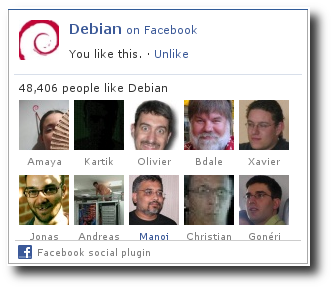
Debian Developers who like Debian on FacebookFacebook is not very popular among free software hackers. When I announced my Facebook page on identi.ca (see here) I got a few replies suggesting it was odd for me to use Facebook. Indeed there are many good reasons why Facebook should be avoided: it is a centralized and proprietary service that is not very privacy-friendly. But the truth is that lots of people are using it (even Debian developers, can you recognize them on the picture?) and some are using their Facebook news feed as their main source of news. You might wonder how many persons that represents, so here are the figures: the Debian Facebook page has 48,361 fans and the Ubuntu one has 247,932 fans. That s right, an announce put on the Debian facebook page would reach more persons than the most popular announce list that Debian is currently running (debian-announce@lists.debian.org has about 29,000 subscribers). Unfortunately that Debian Facebook page is empty and I don t even know who the administrator is. The Ubuntu page on the contrary is properly configured to relay news from The Fridge and Jono Bacon is posting some custom updates from time to time. Debian contributors regularly mention world domination as the ultimate goal of the universal operating system (I even feature this in my blog header banner! :-) ). But working towards world domination means in my opinion that we should communicate our ideals of freedom to as many people as possible, even if they are using a service that we don t want to promote. The Debian social contract acknowledges that some users have to use non-free software and we provide the non-free section for them. In the same spirit, I believe we must have a presence on Facebook. That does not mean that we endorse Facebook, and we should surely promote Joindiaspora once it s usable. But in the mean time we should reach out to Facebook users and allow them to follow us with the platform of their choice. That s the choice I recently made when I decided to setup a public facebook page featuring my free software work, my blog and my book. So if you are a Facebook user, click here to visit my page and click on Like if you want to follow this blog in your Facebook news feed. I also share interesting Debian or Ubuntu related articles that I discover while reading my RSS subscriptions. Below are the usual facebook widgets for the 3 pages quoted in this article (they might not show up if you read this article through an RSS feed):
<iframe allowtransparency="true" frameborder="0" scrolling="no" src="http://www.facebook.com/plugins/likebox.php?id=103161013077063&amp;width=292&amp;connections=0&amp;stream=false&amp;header=false&amp;height=62" style="border:none; overflow:hidden; width:292px; height:62px;"></iframe>
<iframe allowtransparency="true" frameborder="0" scrolling="no" src="http://www.facebook.com/plugins/likebox.php?id=9801962186&amp;width=292&amp;connections=0&amp;stream=false&amp;header=false&amp;height=62" style="border:none; overflow:hidden; width:292px; height:62px;"></iframe>
<iframe allowtransparency="true" frameborder="0" scrolling="no" src="http://www.facebook.com/plugins/likebox.php?id=6723083591&amp;width=292&amp;connections=0&amp;stream=false&amp;header=false&amp;height=62" style="border:none; overflow:hidden; width:292px; height:62px;"></iframe> Flattr this Share/Bookmark 14 comments Support my work

8 September 2010

Julien Danjou: Emacs, Org, whatever the weather!

Another week, another Emacs extension! I had (once again) a wonderful idea: what if I could have the weather forecasts in my Org agenda? Wouldn't that be wonderful? My quest started by looking for a service offering a good weather forecast API. I found nothing simple as the hidden Google Weather API, which is nice, but not documented. Not at all. Not a single line. Nah. Then, I wrote a google-weather extension, implementing a basic Emacs Lisp API to retrieve data from the Google service:

ELISP> (google-weather-data->forecast (google-weather-get-data "Paris"))
(((9 8 2010)
  (low "53")
  (high "63")
  (icon "http://www.google.com/ig/images/weather/rain.gif")
  (condition "Rain"))
 ((9 9 2010)
  (low "53")
  (high "69")
  (icon "http://www.google.com/ig/images/weather/chance_of_rain.gif")
  (condition "Scattered Showers"))
 ((9 10 2010)
  (low "54")
  (high "72")
  (icon "http://www.google.com/ig/images/weather/partly_cloudy.gif")
  (condition "Partly Cloudy"))
 ((9 11 2010)
  (low "55")
  (high "75")
  (icon "http://www.google.com/ig/images/weather/partly_cloudy.gif")
  (condition "Partly Cloudy")))
My API even implements data caching, which is nice to speed up the agenda display. By the way, I think my next job will be to hack on the url-cache feature of Emacs, which is utterly buggy and has probably never be used. But that's another topic. Finally, I just had to write another module on top of that to export the forecasts to Org. A screen shot is probably better than a long and boring explanation, so here's the result. My only regret is that the icons provided by Google are ugly squares, so I did not want to use them. On the other hand, I did not found any icon set that would have all the icons Google provides (around 20). So I felt back on the icon naming specification to map the Google images to standard images. Any better idea would be welcome, of course. All the information can be found on the Google Weather for Emacs extension homepage. Flattr this

Roland Mas: Gnus, Dovecot, OfflineIMAP, search: a HOWTO

A long time ago, when I was first introduced to email, I was using the Mail program from Unix. I quickly converted to Elm, then Mutt, which were both better in terms of interface. Then I found out about Gnus, and I wouldn't dream of letting it go now. However, Gnus has started showing its age several times, and several times have I needed to upgrade the way I was using it: first because I needed to sort and split email, then because I took the sorting out of Gnus and into Procmail for more advanced filtering (including spam filtering), then because I switched to storing the emails on an IMAP server so I could read them remotely from several computers. My setup as of a few days ago was functional, but since I have grown over time to splitting emails into several hundred folders, checking for new messages was becoming more and more boring. So it's time to jump in with all the cool kids and switch to a modern solution: still Gnus of course, but with Dovecot, OfflineIMAP for synchronisation, and let's add email searches into the mix while we're at it. My web searches didn't turn up a simple step-by-step HOWTO, but I assembled bits from different places, and here's my attempt at documenting my new setup. Goals Assumptions Dovecot setup We'll use Dovecot as a local IMAP server. And since we're lazy, we'll access it over a pipe, and dispense with the network part. OfflineIMAP setup OfflineIMAP is basically an optimised two-way synchronisation mechanism between two email repositories . We'll use it in IMAP-to-IMAP mode.
 [general]
 accounts = MyAccount
 pythonfile = .offlineimap.py
 [Account MyAccount]
 localrepository = LocalIMAP
 remoterepository = RemoteIMAP
 # autorefresh = 5
 # postsynchook = notmuch new
 [Repository LocalIMAP]
 type = IMAP
 preauthtunnel = MAIL=maildir:$HOME/Maildir /usr/lib/dovecot/imap
 holdconnectionopen = yes
 [Repository RemoteIMAP]
 type = IMAP
 remotehost = mail.example.com
 remoteuser = jsmith
 remotepass = swordfish
 ssl = yes
 nametrans = lambda name: re.sub('^INBOX.', '', name)
 # folderfilter = lambda name: name in [ 'INBOX.important', 'INBOX.work' ]
 # folderfilter = lambda name: not (name in [ 'INBOX.spam', 'INBOX.commits' ])
 # holdconnectionopen = yes
 maxconnections = 3
 # foldersort = lld_cmp
 # Propagate gnus-expire flag
 from offlineimap import imaputil
 def lld_flagsimap2maildir(flagstring):
   flagmap =  '\\seen': 'S',
              '\\answered': 'R',
              '\\flagged': 'F',
              '\\deleted': 'T',
              '\\draft': 'D',
              'gnus-expire': 'E' 
   retval = []
   imapflaglist = [x.lower() for x in flagstring[1:-1].split()]
   for imapflag in imapflaglist:
       if flagmap.has_key(imapflag):
           retval.append(flagmap[imapflag])
   retval.sort()
   return retval
 def lld_flagsmaildir2imap(list):
   flagmap =  'S': '\\Seen',
              'R': '\\Answered',
              'F': '\\Flagged',
              'T': '\\Deleted',
              'D': '\\Draft',
              'E': 'gnus-expire' 
   retval = []
   for mdflag in list:
       if flagmap.has_key(mdflag):
           retval.append(flagmap[mdflag])
   retval.sort()
   return '(' + ' '.join(retval) + ')'
 imaputil.flagsmaildir2imap = lld_flagsmaildir2imap
 imaputil.flagsimap2maildir = lld_flagsimap2maildir
 # Grab some folders first, and archives later
 high = ['^important$', '^work$']
 low = ['^archives', '^spam$']
 import re
 def lld_cmp(x, y):
   for r in high:
       xm = re.search (r, x)
       ym = re.search (r, y)
       if xm and ym:
           return cmp(x, y)
       elif xm:
           return -1
       elif ym:
           return +1
   for r in low:
       xm = re.search (r, x)
       ym = re.search (r, y)
       if xm and ym:
           return cmp(x, y)
       elif xm:
           return +1
       elif ym:
           return -1
   return cmp(x, y)
The first part of this file adds a new flag that OfflineIMAP will propagate back and forth. By default, only the standard IMAP flags are propagated; we also want to synchronize the gnus-expire flag that Gnus uses to mark expirable articles. It's a hack, but it works for now (maybe someday OfflineIMAP will propagate all the flags it finds?). The second part of that file can be dispensed with (and won't be used unless the foldersort option is uncommented in .offlineimaprc): it's only there to ensure that some important folders are propagated first, and some others go last. I don't know exactly how they are sorted by default, but I'd like the most important ones to come first, so I can start reading them while the archives and the spam are still being fetched. Gnus configuration
(require 'offlineimap)
(add-hook 'gnus-before-startup-hook 'offlineimap)
Bonus: email searches The simple way:
(require 'nnir)
This goes in your .gnus. Then your group buffer will get a new command. Mark some folders with #, then M-x gnus-group-make-nnir-group (or use the G G shortcut), and type in a set of keywords. This search is performed by the IMAP server (Dovecot), which may or may not be very efficient, especially if you select many folders. Bonus+: email searches, faster The real cool kids use Notmuch nowadays, at least for email indexing and searching. It's fast, it allows complex queries, and it's generally cool. The downside is that it uses up quite some disk space for its indices, in addition to the actual emails. For that reason I'll keep it to my main computer, and I'll stick to nnir on my laptop (which has the same setup apart from that).
(require 'notmuch)
(add-hook 'gnus-group-mode-hook 'lld-notmuch-shortcut)
(require 'org-gnus)
(defun lld-notmuch-shortcut ()
(define-key gnus-group-mode-map "GG" 'notmuch-search)
)
(defun lld-notmuch-file-to-group (file)
"Calculate the Gnus group name from the given file name.
"
(let ((group (file-name-directory (directory-file-name (file-name-directory file)))))
  (setq group (replace-regexp-in-string ".*/Maildir/" "nnimap+local:" group))
  (setq group (replace-regexp-in-string "/$" "" group))
  (if (string-match ":$" group)
      (concat group "INBOX")
    (replace-regexp-in-string ":\\." ":" group))))
(defun lld-notmuch-goto-message-in-gnus ()
"Open a summary buffer containing the current notmuch
article."
(interactive)
(let ((group (lld-notmuch-file-to-group (notmuch-show-get-filename)))
      (message-id (replace-regexp-in-string
                   "^id:" "" (notmuch-show-get-message-id))))
  (if (and group message-id)
      (progn 
  (switch-to-buffer "*Group*")
  (org-gnus-follow-link group message-id))
    (message "Couldn't get relevant infos for switching to Gnus."))))
(define-key notmuch-show-mode-map (kbd "C-c C-c") 'lld-notmuch-goto-message-in-gnus)
Wrap-up This setup can be replicated on several computers, of course. I have it on two, and there's no reason I couldn't have more. The flags do get propagated back and forth, including the Gnus-specific expirable flag. Accessing the local Dovecot is much faster than going through the DSL to the master IMAP server, and I'm pretty convinced that OfflineIMAP and its multi-threading is also faster than Gnus is, even talking to the same remote server. The email searching with Notmuch is a nice bonus, especially since they're fast too (and this despite my 8-year-old computer). There are a few minor glitches. I can live with them, but I should let you know anyway. Apart from that, I'm pretty happy with this new setup. So I hope this documentation will be useful to others, so I can spread the happiness around. Send your thanks to the authors of the software involved (Gnus, Dovecot, OfflineIMAP, offlineimap.el, Procmail, and so on). Let's see how many years I'll keep that system!

Mirco Bauer: Smuxi 0.8 "Godsend" Release

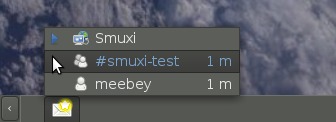
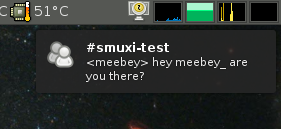
5 weeks after the 0.7.2.2 "Lovegood" release, I am very happy to announce the major feature release, 0.8 codenamed "Godsend". Major feature highlights of this release are desktop notifications (with full support of actions, icons, updates, append and sound), messaging menu / indicators (as provided by Ubuntu's Ayatana project) and working Twitter support with OAuth (basic auth was disabled by Twitter on 31st August). This version also fixes all bugs that were reported since the release of 0.7.2.2. Desktop Notifications
Messaging Menu
Further on, Smuxi comes with the following improvements in its user interface: Smuxi provides better connectivity and security by supporting: HTTP and SOCKS proxies as well as secure connections to IRC servers by using SSL with optional certificate validation. Last but not least, it comes with an enhanced Twitter experience by supporting the use of multiple Twitter accounts at the same time, reformatting tweets that contain newlines and showing the full retweet instead of a truncated version. Updated languages includes: French (Cl ment BOURGEOIS) and German (Bianca Mix) The #smuxi IRC channel can now also be found, in addition to OFTC, on other popular IRC networks such as freenode and GIMPnet. The messages on #smuxi are automatically relayed between the 3 IRC networks. If you like Smuxi and want to support it by making micro-donations, Smuxi is available on Flattr. There are also many other nice FOSS projects available on Flattr, see the Flattr-FOSS project. Smuxi is available for download from here. Binary Packages of Smuxi 0.8 are ready to be used by Debian/Experimental, Ubuntu/Maverick, Ubuntu/Lucid (via PPA), OpenSUSE, Foresight Linux, FreeBSD, and Windows.

Michal &#268;iha&#345;: Let's try flattr too

It looks like quite popular thing on Planet Debian to start using flattr. I registered most of software on which I'm involved already week ago, but I did not have much time publicizing it. Surprisingly people have found things just on flattr without any external links. You can see all of them listed on my flattr profile. Today I decided to add my blog as a thing and integrated it to my blog, so you can now see flattr button under each post. I decided not to spread this into RSS, at least for now :-). If you have not yet heard about flattr it is social micropayment site (lot of buzzwords included, so it has to be cool, right?), where you need to register, put there little amount of money and it will be spread each month among projects you "flattr". Sounds like a nice idea for appreciating free software.

Wouter Verhelst: goudengids.be

... or, 'yellow pages.be'. Or something. I like it that there is an on-line version of the Belgian yellow pages. Who wants to look up a phone number in a huge book, anyway? And that's ignoring the fact that it isn't any good for the environment. I also like it that the yellow pages are now no longer distributed by default on paper. You can still get them, if you so wish, but you have to explicitly request them. Of course, searching an on-line database is also faster than flipping through pages until you find what you're looking for. What's more, you can limit your search to your location rather than whatever shops just happen to be in the version of the book that is distributed to your house. That makes it much more efficient, since rather than all thousands of computer shops in the whole province, you'll find the computer shops in your municipality. Or the ones that are in a radius around your address, if you choose that option. Rather, that would be the case. But for some unfathomable1 reason, truvo, the company behind the yellow pages, decided to make the option that gets you the names and numbers of companies that serve your region, rather than companies that actually are in your region, as the default. And since there's really n o limit to what companies can enter as the 'region' they serve, you suddenly get a name for a shop hundreds of kilometers away when all you wanted was to find the closest grocery store. D'oh. 1 Yes, yes, I can guess that money has something to do with it. But whatever, that don't matter.

John Goerzen: Stories of Amateur Radio

It was back in July that I got my amateur radio license, and I haven t written much about it since. It s about time I do. I ve been really enjoying it. I am now wishing I hadn t put off getting into it for so many years. It s a lot of fun and promises to be a lot of fun for a long time. Why? I am frequently asked, What can you do with amateur radio? Yes, you can talk to people all around the world, but of course you can do that with the Internet. Talking to people all around the world can be done with no infrastructure in between, so that s a pretty neat feature, but not compelling to everyone. I have realized that the question is poorly-framed. I had asked that question myself for a long time and only recently realized that I was asking the wrong question. I think the better question would be, What makes amateur radio fun and a good way to spend your time? One thing I ve discovered is that the amateur radio community has an amazing sense of community. Hams, almost universally, seem to love helping out each other, whatever the task may be: setting up antennas, learning how to operate a radio, even fixing a flat tire. I ve seen this directly, and heard about it from others, time and time again. There s an excellent article out there by Nate Bargmann called Why I consider Amateur Radio an asset in my life that makes for good reading. There is a lot of fun in amateur radio. It was quite exciting the first time I talked to someone out of state, realizing that the piece of wire in my trees, and 100W of transmitter power, were all it took to get a message 700 miles away. And even more exciting when I talked to a person in Kazakhstan the same way. No satellites, no phone lines, no undersea cables just my antenna, his, and radio waves. Then there s the fun in talking to somewhat random people. It s not completely random, as I m only talking to people that have passed a test there are about a million of us in the USA. (And for the long-distance HF communication, a more rigorous exam is required, so the number is probably less than that.) But when I call CQ an invitation for anyone listening to reply I never know who will reply. I ve talked to a retired Canadian museum curator, a Mississippi farmer, a resident of Long Island, Russians participating in a contest, two Hawaiians participating in a different contest, and the list goes on. Some of these have been brief contacts lasting only seconds, while others have been conversations that stretch on towards an hour. I liken amateur radio to buying my first iPod. I had never owned a portable MP3 player. I had always figured, why bother? How often am I away from a computer or a CD player? But once I got one, I realized how nice it was. It was convenient to just store my entire library on there and not have to try to sync it across multiple devices. It was convenient to not have to carry CDs with me in the car, and to listen to music at places I hadn t tried to before. The same sort of thing applied to getting a Kindle, and to amateur radio. I didn t realize how much fun it would be until I tried. Some Memorable Moments Towards the end of showing you some things that have been exciting, here are a few memorable moments from my ham radio experience so far. Saturday night was one. I was tuning around listening to anybody to talk to. I heard some people calling CQ in heavy accents. I eventually realized that the All-Asia contest was going on, and figured out how to participate. I made my first voice-mode contact with people on a different continent and it was with Kazakhstan! Within a few minutes, I also talked with three stations in Russia. I had not expected that. I ve made contact with several stations in the Indianapolis area, where I used to live. It was particularly fun to talk to W9IMS, located at the Indianapolis Motor Speedway, which operates around race times only. Again I discovered that station simply by tuning around on the band. I took a 5W handheld radio with me to New York City during my trip there for Debconf. It was a lot of fun to talk to random New Yorkers while visiting, and they were all very interested in my impression of the city, what I ve done so far, and what they thought I ought to do. Some offered specific tips (such as which train from Manhattan to Brooklyn offers a good view while elevated). A local ham, W0BH, gave me some basic training on how to operate during amateur radio contests. During these contests, hams try to make contact with as many other hams in as many places as they can. I didn t think this sounded like a lot of fun. Until I tried it. It was indeed a lot of fun, and interesting being occasionally that rare Kansas station that a bunch of people are trying to talk to at once. One evening, we lost power. I tried calling the electric company, but there was no answer over there for some reason. We re out in the country, and there are no neighbors visible that can inform us whether it s a big problem that the power company probably knows about, or whether it s localized to us. So after wondering what to do for a minute, I thought I d get on the radio and ask. (We own a backup generator for these situations.) Almost right away I heard from a person driving in his pickup. He told me he saw a widespread outage, and heard on his police scanner about other towns that were down for the same reason. I wouldn t have known otherwise.

7 September 2010

Kees Cook: cross-distro default security protection review

The recent work by MWR Labs does a reasonable job showing Debian s poor pro-active security and why I am so frustrated about it: we have not been able to move very quickly at getting it enabled. While my hardening-includes package is available to maintainers that want to turn on protections for their builds, it s still a far cry from having it be distro-wide, and it doesn t protect people that build stuff by hand. We were able to solve this in Ubuntu very directly a while ago by improving the compiler itself. Since SSP and FORTIFY_SOURCE can only be confirmed (it s not possible without source analysis to see if it should have been enabled), it would be nice to see what binaries differed between distros on this. Most of the SSP disabled stuff are binaries that lack character arrays on the stack to begin with, and the FORTIFY_SOURCE stuff may have done all compile-time protections. The comments about other distributions could potentially enable it for a few more binaries is a bit misleading since, for all but Debian, both SSP and FORTIFY_SOURCE are enabled for all builds. I did appreciate the nod to Ubuntu for being the only distro without by-default PIE that built Firefox with PIE. Given that Firefox is the #2 most vulnerable piece of software in a desktop distro, it was important to do it. (The #1 most vulnerable is the kernel itself I m counting number of fixed CVEs for this stat.) The kernel analysis by MWR seems rather incomplete. Also, it s not clear to me which distros were running a PAE kernel, which would change some of the results. I didn t see any mention of several other userspace protections that the kernel can provide, for example: And a ton more that only Gentoo Hardened could boast, due to their use of grsecurity. I d also be curious to see performance comparisons, too. They compared 4 general-purpose distros against a tuned-specifically-for-security-hardening distro, which seems a bit unfair. How about comparing against vanilla Gentoo instead? I can tell you who would be best then. :)

6 September 2010

Ingo Juergensmann: Problems with IPv6 and Bridging/Xen

I've been using IPv6 on my rootserver for some time now. Last week I migrated to a new rootserver and copied my domU/VM instances over to the new hardware. Everything is working fine so far - except IPv6. The network setup is the same as on the old server: the external interface is eth0. The domU/VMs are hooked up to a bridge, called xenbr0. There's another bridge for internal communication: xenbr1. The dom0/Xen host itself seems reachable via IPv6. The /48 subnet is provided by Sixxs and is using a static 6-to-4 tunnel. But the VMs are not reliable reachable, although it is setup in the same way as it was on the old server and where it was working like a charme. The configs of the hosts are these:
Xen dom0
config old server new server
System Debian Etch
2.6.18-6-xen-amd64
linux-image-2.6.18-6-xen-amd64
linux-modules-2.6.18-6-xen-amd64
xen-hypervisor-3.0.3-1-amd64
xen-ioemu-3.0.3-1
xen-linux-system-2.6.18-6-xen-amd64
xen-tools
xen-utils-3.0.3-1
xen-utils-common
Debian Squeeze
2.6.32-5-xen-amd64
libxenstore3.0
linux-image-2.6.32-5-xen-amd64
xen-hypervisor-4.0-amd64
xen-linux-system-2.6.32-5-xen-amd64
xen-tools
xen-utils-4.0
xen-utils-common
xenstore-utils
xenwatch
/etc/sysctl.conf net.ipv4.ip_forward=1
net.ipv6.conf.all.forwarding=1
net.ipv4.conf.default.proxy_arp=1
net.ipv4.ip_forward=1
net.ipv4.ip_syncookies=1
net.ipv4.conf.all.rp_filter=1
net.ipv4.icmp_echo_ignore_broadcasts=1
/etc/xen/xend-config.sxp (network-script network-route)
(vif-script vif-bridge)
(dom0-min-mem 196)
(dom0-cpus 0)
(vif-script vif-bridge)
(network-script network-route)
(dom0-min-mem 196)
(enable-dom0-ballooning yes)
(total_available_memory 0)
(dom0-cpus 2)
(vncpasswd '')
/etc/network/interfaces # device: eth0
auto eth0
iface eth0 inet static
address 85.10.209.30
broadcast 85.10.209.31
netmask 255.255.255.224
up route add -net 85.10.209.0 netmask 255.255.255.224 gw 85.10.209.1 eth0 true
up ip route add 85.10.209.0/28 via 85.10.209.1 src 85.10.209.30 true
up route add default gw 85.10.209.1 true

auto xenbr0
iface xenbr0 inet static
address 85.10.209.30
netmask 255.255.255.224
pre-up brctl addbr xenbr0
up route add -net 78.47.85.144/29 dev xenbr0 true
up ip -6 r a 2001:6f8:90e:145::1/64 via 2001:6f8:90e:1:216:3eff:fe55:197c dev xenbr0 true
up ip -6 r a 2001:6f8:90e:146::1/64 via 2001:6f8:90e:1:216:3eff:fe2f:481d dev xenbr0 true
up ip -6 r a 2001:6f8:90e:147::1/64 via 2001:6f8:90e:1:216:3eff:fe60:68be dev xenbr0 true
up ip -6 r a 2001:6f8:90e:a100::1/64 via 2001:6f8:90e:1:216:3eff:fe70:be dev xenbr0 true

auto xenbr1
iface xenbr1 inet static
address 192.168.x.254
netmask 255.255.255.0
pre-up brctl addbr xenbr1
# some internal IPv4 routing


auto sixxs
iface sixxs inet6 v4tunnel
address 2001:6f8:900:c6e::2
netmask 64
endpoint 212.224.0.188
local 85.10.209.30
ttl 64
up ip link set mtu 1280 dev sixxs true
up ip route add default via 2001:6f8:900:c6e::1 dev sixxs true
up ip -6 route flush dev eth0 true
up ip -6 r a 2001:6f8:90e::/48 dev xenbr0 true
down ip -6 route flush dev sixxs true
# device: eth0
auto eth0
iface eth0 inet static
address 178.63.83.84
broadcast 178.63.83.127
netmask 255.255.255.192
gateway 178.63.83.65
# default route to access subnet
up route add -net 178.63.83.64 netmask 255.255.255.192 gw 178.63.83.65 eth0

auto xenbr0
iface xenbr0 inet static
address 178.63.83.84
netmask 255.255.255.192
pre-up brctl addbr xenbr0
up route add -host 178.63.83.104 dev xenbr0 true
up route add -host 178.63.83.105 dev xenbr0 true
up route add -host 178.63.83.106 dev xenbr0 true
up ip route add 178.63.123.128/26 dev xenbr0 true
up ip -6 r a 2001:6f8:90e:145::1/64 via 2001:6f8:90e:1:216:3eff:fe89:6c31 dev xenbr0 true
up ip -6 r a 2001:6f8:90e:146::1/64 via 2001:6f8:90e:1:216:3eff:fedc:af5f dev xenbr0 true
up ip -6 r a 2001:6f8:90e:147::1/64 via 2001:6f8:90e:1:216:3eff:fe08:8f40 dev xenbr0 true
up ip -6 r a 2001:6f8:90e:a100::1/64 via 2001:6f8:90e:1:216:3eff:fe70:be dev xenbr0 true
auto xenbr1
iface xenbr1 inet static
address 192.168.x.254
netmask 255.255.255.0
pre-up brctl addbr xenbr1
# some internal IPv4 routing
auto sixxs
iface sixxs inet6 v4tunnel
address 2001:6f8:900:c6e::2
netmask 64
endpoint 212.224.0.188
local 178.63.83.84
ttl 64
up ip link set mtu 1280 dev sixxs true
up ip route add default via 2001:6f8:900:c6e::1 dev sixxs true
up ip -6 route flush dev eth0 true
up ip -6 r a 2001:6f8:90e::/48 dev xenbr0 true
down ip -6 route flush dev sixxs true
The config of one of the Xen domUs is this:
sample domU config
config old server new server
system Debian Lenny
2.6.18-6-xen-amd64
Debian Lenny
2.6.32-5-xen-amd64
/etc/sysctl.conf net.ipv4.conf.default.rp_filter=1
net.ipv4.tcp_syncookies=1
net.ipv4.conf.default.forwarding=1
net.ipv6.conf.default.forwarding=1
net.ipv4.conf.eth0.proxy_arp=1
net.ipv4.conf.default.proxy_arp=1
kernel.shmmax=268435456
net.ipv4.conf.default.rp_filter=1
net.ipv4.tcp_syncookies=1
net.ipv4.conf.default.forwarding=1
net.ipv4.conf.all.forwarding=1
net.ipv6.conf.default.forwarding=1
net.ipv4.conf.eth0.proxy_arp=1
net.ipv4.conf.default.proxy_arp=1
kernel.shmmax=268435456
/etc/network/interfaces # The primary network interface
auto eth0
iface eth0 inet static
address 78.47.85.145
netmask 255.255.255.248
up ip route add 85.10.209.0/27 dev eth0
up route add default gw 85.10.209.30 dev eth0
up ip -6 address add 2001:6f8:90e:145::1/64 dev eth0 true
up ip -6 route add default via 2001:6f8:90e:1::1 true
up iptables -t nat -A POSTROUTING -s 192.168.x.96/27 -o eth0 -j MASQUERADE true

iface eth0 inet6 static
address 2001:6f8:90e:145::1
netmask 64
gateway 2001:6f8:90e:1::1 auto eth1
iface eth1 inet static
address 192.168.x.1
netmask 255.255.255.0
# The primary network interface
auto eth0
iface eth0 inet static
address 178.63.83.104
gateway 178.63.83.84
netmask 255.255.255.192
broadcast 178.63.83.127
up ip -6 address add 2001:6f8:90e:145::1/64 dev eth0 true
up ip -6 route add default via 2001:6f8:90e:1::1 src 2001:6f8:90e:1:216:3eff:fe89:6c31 true
up iptables -t nat -A POSTROUTING -s 192.168.x.96/27 -o eth0 -j MASQUERADE true

iface eth0 inet6 static
address 2001:6f8:90e:145::1
netmask 64
gateway 2001:6f8:90e:1::1

auto eth1
iface eth1 inet static
address 192.168.x.1
netmask 255.255.255.0
The dom0 seems to be reachable via IPv6 just perfectly fine. When trying to reach the domU I see packets going through the xenbr0 bridge and reaching the domU eth0 interface. The ICMP6 echo request packets (proto 58) are unanswered there, no echo replies. Strange enough it seems to work from time to time, but mostly not. I've also tried to set a generic default route like ip -6 route add default dev eth0, but still no improvement. Did I miss something when migrating to the new server? Is there any mistake in the configs? Any suggestions are appreciated! :-) UPDATE:
This is a tcpdump from the domU, doing a ping from dom0:
07:35:29.308261 IP6 fe80::e46d:25ff:fe1f:317b > ip6-allnodes: ICMP6, router advertisement, length 56
07:35:29.329411 IP6 gate-hro.ip6.windfluechter.net > vserv.windfluechter.net: ICMP6, echo request, seq 45, length 64
07:35:30.329439 IP6 gate-hro.ip6.windfluechter.net > vserv.windfluechter.net: ICMP6, echo request, seq 46, length 64
07:35:30.451991 IP6 2001:418:4001:3::c657:b0c5 > vserv.windfluechter.net: ICMP6, echo request, seq 52836, length 64
07:35:30.481124 IP6 fe80::e46d:25ff:fe1f:317b > ff02::1:ff70:be: ICMP6, neighbor solicitation, who has 2001:6f8:90e:1:216:3eff:fe70:be, length 32
07:35:31.329906 IP6 gate-hro.ip6.windfluechter.net > vserv.windfluechter.net: ICMP6, echo request, seq 47, length 64
07:35:31.481645 IP6 fe80::e46d:25ff:fe1f:317b > ff02::1:ff70:be: ICMP6, neighbor solicitation, who has 2001:6f8:90e:1:216:3eff:fe70:be, length 32
07:35:32.329284 IP6 gate-hro.ip6.windfluechter.net > vserv.windfluechter.net: ICMP6, echo request, seq 48, length 64
07:35:32.481114 IP6 fe80::e46d:25ff:fe1f:317b > ff02::1:ff70:be: ICMP6, neighbor solicitation, who has 2001:6f8:90e:1:216:3eff:fe70:be, length 32
07:35:33.329951 IP6 gate-hro.ip6.windfluechter.net > vserv.windfluechter.net: ICMP6, echo request, seq 49, length 64
07:35:34.329705 IP6 gate-hro.ip6.windfluechter.net > vserv.windfluechter.net: ICMP6, echo request, seq 50, length 64
UPDATE #2:
The issue is finally solved. The solution can be found here.

Jan Hauke Rahm: tmux entered my system

Been playing with that thought for a while now, finally got to rebuilding it for lenny, now I m using it tmux is the new screen. To have fun already I read a few short introductions and got myself a few suggestions for a proper .tmux.conf. So, for root I have this one now: # Copy mode
unbind [
bind Escape copy-mode
# Use Vi mode
setw -g mode-keys vi
# Make mouse useful in copy mode
setw -g mode-mouse on
# More straight forward key bindings for splitting
unbind %
bind split-window -h
bind h split-window -h
unbind '"'
bind - split-window -v
bind v split-window -v
# History
set -g history-limit 4000
# Terminal emulator window title
set -g set-titles on
set -g set-titles-string '#S:#I.#P #W'
# Status Bar
set -g status-bg black
set -g status-fg white
set -g status-interval 1
set -g status-left '#[fg=green]#H#[default]'
# no line break here, it's just to long for my blog layout!
set -g status-right '#[fg=yellow]#(cut -d " " -f 1-4 /proc/loadavg)#[default] #[fg=cyan,bold]%Y-%m-%d %H:%M:%S#[default]'
# Notifying if other windows has activities
setw -g monitor-activity on
set -g visual-activity on
# Highlighting the active window in status bar
setw -g window-status-current-bg red
# Clock
setw -g clock-mode-colour green
setw -g clock-mode-style 24
# Create a default session
new -n htop -d htop
setw -t htop monitor-activity off
neww -n aptitude -d aptitude
neww -d
Then I added a new alias to my user s zsh config: alias root='su -c "tmux attach"' Why tmux attach ? Because tmux would start a new session which I don t want it to. The config already starts a session which we can immediately attach to. Also, when such session was started I can attach to it as a user with the very same command over and over again. That makes it pretty handy as I always have htop, aptitude and a free shell available in a nice tmux session. Great. How did I live until now? ;-)

Norbert Tretkowski: backports.org moved to backports.debian.org

More than seven years after I initially started the backports.org project, it finally happened: backports.org moved to backports.debian.org! Alexander wrote an announcement including some technical details, the most important point from a users perspective is to update your sources.list entry to:
deb http://backports.debian.org/debian-backports/ lenny-backports main contrib non-free
Thanks a lot to all people who made it happen, especially Alexander Wirt and J rg Jaspert!

Norbert Tretkowski: Backports service becoming official

More than seven years after I initially started the backports.org project together with Team(ix), my employer at that time, it finally happened: backports.org became official last weekend, and moved to backports.debian.org! Alexander Wirt wrote a blog entry including some technical details, and there is also an official announcement on the debian-announce mailinglist. The most important point from a users perspective is to update your sources.list entry to:
deb http://backports.debian.org/debian-backports/ lenny-backports main contrib non-free
Thanks a lot to all people who made it happen, especially Alexander Wirt and J rg Jaspert!

5 September 2010

Junichi Uekawa: I was reading C++ books last month on my commute, and Iwould like to look at something different too.

I was reading C++ books last month on my commute, and I would like to look at something different too. This month I am looking at reading Ruby books.

Andrew McMillan: I guess I should have known better

Really, I should have known better than to buy myself a rather 'bleeding-edge' laptop. I suppose I've been lucky with my last couple of laptops and was thinking that pretty much everything works on Linux. Or maybe I'm being picky, because in fact pretty much everything does work on my new Dell Studio. I bought this laptop mainly because it has a 1920x1080 screen, without being a 17" monster. I had such a monster about four laptops ago (an enormous Sony Vaio weighing in at around 5kg and with a 1hr battery life) and it was an disaster: lots of weird proprietary stuff that never worked, like the external speakers in the docking station. But I loved that screen right up until the day Fraser threw a pair of scissors into it. With the advent of mass-market 1920x1080 screens I've been waiting for them to arrive in laptops at a reasonable price, and the availability of this screen in a few possible laptops seemed to me to be that point. It's a Dell Studio 15, and as well as the nice screen, it comes with a new Intel i7 Quad Core CPU, 6G RAM, 640G hard drive and a Blu-ray drive. While there are a few similar models around this one seemed to have the best mix of features-for-weight-and-price, so I bought my first Dell. I built a USB key with the latest Debian Installer from Squeeze and installed that and everything came up pretty well. I had to use the broadcom-sta driver for the wireless, since the BCM 43224 is not (yet) supported by the free b43 driver (though from looking the mailing list people seem to be working on it, and it looks like it might not be too far away). Everything seemed good. X came up on the (georgeous) screen. I don't care too much about 3D performance, but it was nice to note that the ATI 5000 series is expected to have full support as soon as it's integrated into the right places - it seems the code is written, and public, it just isn't incorporated into the 'radeon' driver quite yet. The fact that ATI is nowadays a free-software friendly company was one of the reasons for choosing this, in preference to an NVidia-based laptop. But it seems that it isn't all roses. The fan in the laptop seems permanently on, and not on, in a quiet-just-barely-audible way, but ON, in an 'IN UR LAPTOPZ KOOLIN UR P0RCESSAZ' kind of a way. Too damn noisy for me to concentrate in a quiet room. I've investigated what's going on, and it seems likely there are some ACPI misunderstandings happening. Some googling and some pecking around in /sys makes me wonder if the laptop expects some kind of configuration choice between favouring Active cooling and Passive cooling, and it's defaulted to the first one. Perhaps you get better benchmarks that way. Linux ACPI also seems to only half understand it, it has two thermal zones, and one of them always appears with 0 temperature. I can see set points for the fans, but have no control over them. In particular this got me out reading the ACPI 4.0 specification, and it explicitly mentions this choice of favouring 'Active' vs 'Passive' as being done by configuring the passive trip point setting to a higher value than the low & high active trip points. In the ACPI 4 spec (page 409) it says:
To implement a preference towards performance or energy conservation,
OSPM can request that the platform change the priority of active cooling
(performance) versus passive cooling (energy conservation/silence) by evaluating
the _SCP (Set Cooling Policy) object for the thermal zone or a corresponding
OS-specific interface to individual devices within a thermal zone.
This laptop is showing 'passive' at 95000 millidegrees celsius, and 'active' at 55000 / 75000 so right in line with the suggestion. However I don't see any way in Linux to change these trip point values, and in any case I'm not convinced the laptop is actually obeying them at all. It should be that if I do nothing on the laptop for a while the temperature would surely drop below 55 degrees celsius. Surely a modern laptop will sit at under 40 degrees when it's quiescent, and the temperature sensor that does show me something sits at around 30 degrees in this too, 26.8, to be overprecise. That one doesn't budge either. Looking in /sys/ I can't for the life of me find a way to set that cooling policy, and when I disassemble the DSDT it looks like a noop... Thinking that perhaps there was a newer BIOS, I looked at the Dell site and found there was one. Great! Investigating even further, it seems Dell hardware has some interesting capability via libsmbios and some utilities which will let me install my BIOS from a Linux system... even better! Linux is a second-class citizen though, and when I look for the Dell BIOS Hdr file I need there is no version of the file for this laptop - let alone the current BIOS version. And when I download the BIOS from Dell's website and unzip the first layer of packaging I find that both of the files inside will only run on Windows. I added a FreeDOS boot stanza to Grub 2 in order to discover this, also discovering in the process that this is not well explained, and I could not find how to do it on the FreeDOS or Grub2 websites, so in passing, here is what I added into /etc/grub/40_custom :
menuentry 'BIOS Flash 1558 A09' --class os  
        set root='(hd0,msdos1)'
        linux16 /boot/memdisk
        initrd16  /boot/1558_A09.img
 
Which certainly does boot FreeDOS from Grub2, into the image built from the 8M FreeDOS base image, and which I called '1558_A09.img' because that seems to be one of Dell's reference numbers for this model / BIOS version. So still no BIOS update for Andrew, it seems, and the laptop is probably going to continue to be noisy for some time. Possibly forever. Suspend/Resume works though. Kernel mode-setting for the ATI Radeon Mobility HD 5450 (or whatever it is) seems to work. Building kernels seems to work. The Blu-ray drive seems to work, at least as far as reading CDs - just because I got a laptop with a "Full HD" screen doesn't mean I watch movies on it: those pixels are for programming on! In any case, after reading the literature of pain about playing Blu-ray disks on Linux I'm convinced that we won't be shelling out to buy one any any time soon. After a bit more frustration I did manage to get the BIOS installed, using the hack I found here of running the Windows BIOS update under Wine and copying the BIOS file out of the temp directory while the error message is displayed. I could then download a random DOS-installable Phoenix BIOS to get copy of phlash16.exe and put those two files on the FreeDOS image I created earlier. Finally I was able to put that learning about how to boot FreeDOS from Grub2 to good use! Unfortunately, having jumped through all of those hoops (including the frustration of trying to build and use Dell's firmware-extract tools on a Debian system), the fan continues to grind away at annoying volume, with no way that I have been able to find to control it, and the temperature sensors also seem wrong, since one doesn't budge from 0 and the other doesn't budge from 26800. During boot I get a bunch of error messages, like:
[    1.049936] \_SB_.PCI0:_OSC invalid UUID
[    1.052202] pci 0000:00:1c.0: PME# supported from D0 D3hot D3cold
[    1.052210] pci 0000:00:1c.0: PME# disabled
[    1.065228] pci 0000:07:00.2: PME# supported from D0 D1 D2 D3hot D3cold
[    1.065237] pci 0000:07:00.2: PME# disabled
[    1.079086] Unable to assume PCIe control: Disabling ASPM
[    1.086412] HEST: Table is not found!
[    1.249906] ACPI: Fan [FAN0] (off)
[    1.249959] ACPI: Fan [FAN1] (off)
[    1.250093] [Firmware Bug]: ACPI: ACPI brightness control misses _BQC function
[    1.259118] acpi device:02: registered as cooling_device2
[    1.262132] thermal LNXTHERM:01: registered as thermal_zone0
[    1.262139] ACPI: Thermal Zone [TZ00] (27 C)
[    1.262561] thermal LNXTHERM:02: registered as thermal_zone1
[    1.262571] ACPI: Thermal Zone [TZ01] (0 C)
[    1.262598] ERST: Table is not found!
[    2.769664] i801_smbus 0000:00:1f.3: PCI INT C -> GSI 18 (level, low) -> IRQ 18
[    2.769670] ACPI: resource 0000:00:1f.3 [io  0x1840-0x185f] conflicts with ACPI
                         region SMBI [bus 1840-184f pref window disabled]
[    2.769672] ACPI: If an ACPI driver is available for this device, you should use it
                         instead of the native driver
I don't yet know what this all means, so I guess I'll be signing up for the linux-acpi mailing list to see if there's anything I can do to get things working better. Any pointers will be gratefully received :-) Right about now I wonder if maybe I should have gone for the HP or the Asus, even if they were a little heavier and a bit more expensive and next time I get a new laptop I must remember not to spend more than $900 (USD$600) on it. [Updated: 2010-09-08... Noise Problems Solved

3 September 2010

Alastair McKinstry: Building a statically-linked program

I'm currently working on a Fortran program at work: a post-processing tool that takes climate data, in NetCDF format, and outputs in CMOR2 format (a NetCDF variant with climate conventions). So, it links against netcdf and cmor. Now in HPC and climate in particular, codes are typically linked statically: partially for robustness, but mostly for speed (more on which later). So, I'd like to link this statically, as I have tens of terabytes of data to process. Now, mostly I've been linking using pkg-config:
  gfortran -o nemo-rewriter nemo-rewriter.f90  pkg-config --libs --cflags nemo cmor 
pkg-config assembles the libraries. For dynamic libraries, the netcdf and cmor libraries are themselves linked to dependencies. But in the static case, all dependencies need to be on the link line, which is more complex. Never mind, it should be possible with:
  gfortran -static -o nemo-rewriter nemo-rewriter.f90  pkg-config --static --libs --cflags nemo cmor 
This should work by assembling all the required static libraries, via pkg-config dependencies. Unfortunately not every package has a .pc file, and so this fails: As of version 4.1 NetCDF allows a URL instead of a file to read, and hence depends on curl to retrieve the file. Curl has no pkg-config .pc file describing its libraries, and it fails. Never mind, lets assemble the static libraries by hand. Debian provides static versions of libraries in the -dev packages. Can I assemble a statically-linked program ? For this I need: Now here it gets interesting. To handle secure communications and authentication, curl has some complex dependencies. It has two versions. Pick the gnutls one for example: I may have missed some out, having stopped because there is no static implementation of Kerberos on Debian. But still, the idea that a simple little fortran proggie will statically link in four database libraries is silly. It appears to be no longer possible to simply statically link a program in Debian, and definitely not via pkg-config, because so many dependencies do not yet have configuration files. Tags , , ,

Joerg Jaspert: Testing ChangeLog

I just merged a nice work from another ftpteam member, Luca Falavigna. He wrote dak make-changelog, which is intended for generating the changelogs for stable point releases. I took the chance and asked if he can extend it a bit, which he did, so today I could merge that work. Besides that we are able to generate ChangeLogs between all suites we have, we now generate a ChangeLog on every time we import a new set for testing, listing only the changes done in that run, by listing the changelog entries from the package, or in case of removed packages just listing their name with the removed version. We keep 4 rotations of that ChangeLog, you can find it (with the next mirror push) on all Debian mirrors in the dists/testing/ directory. This should be especially interesting for those people following testing on their systems, to easily see what got changed. :) Short update: We now keep the ChangeLog files with a date based name, deleting files which are older than 2880 minutes, so roughly keeping 2 days or 4 testing runs around, but in case we import more often (hey, possible short before a release), we keep more. There is a symlink ChangeLog always pointing to the latest file.

Richard Darst: DebConf Fundraising

The following post is the work of Pablo Duboue, the DebConf10 fundraising team leader.So you want to make DebConf, eh? You will need quite a bit of money then. That's when fundraising comes into play.There are traditionally two sources for funds for DebConf: government and businesses. A third one, micro-donors, has been mentioned, but haven't been explored yet. (Note, in this text I use the terms sponsors and donors interchangeably, as all sponsors are actually doing a donation to the Debian project earmarked for the use at a given DebConf.)Government funding has been key in a number of DebConfs. In DC10, though, by the time fundraising proper started, it was too late to secure it. Extrapolating from two DebConfs that had government funding, I would venture the following two pieces of advice: target a government level as local as possible (city, provincial level) and try to secure the funding at the time of the bid (which, by the way, can help you win the bid). A successful process will include government representatives aware of the bid status and the whole bidding process. This partnership can help unlock extra government resources such as housing or transportation. But to reiterate, if you haven't at least applied for government grants by the time the DebConf previous to yours is happening, then you have to plan to go along without government funding.Business funding for DebConf includes a significant amount of recurring donors. Keeping them happy is even more important than any money they will put forward for a given DebConf. Now, because of the high level of recurrence and the fact that government funding can cover easily one third of our costs, fundraising without government funding really means your projected funds are one third off. If that is the case, make sure to communicate that to the rest of debconf-team and even the larger Debian community (see below "asking for help").This entry has been truncated read the full entry.

Next.

Previous.