Search Results: "ms"

8 July 2014

Steve Kemp: What do you do when your free service is too popular?

Once upon a time I setup a centralized service for spam-testing blog/forum-comments in real time, that service is BlogSpam.net. This was created because the Debian Administration site was getting hammered with bogus comments, as was my personal blog. Today the unfortunate thing happened, the virtual machine this service was running on ran out of RAM and died - The redis-store that holds all the state has now exceeded the paltry 512Mb allocated to the guest, so OOM killed it. So I'm at an impasse - I either recode it to use MySQL instead of Redis, or something similar to allow the backing store to exceed the RAM-size, or I shut the thing down. There seems to be virtually no liklihood somebody would sponsor a host to run the service, because people just don't pay for this kind of service. I've temporarily given the guest 1Gb of RAM, but that comes at a cost. I've had to shut down my "builder" host - which is used to build Debian packages via pbuilder. Offering an API, for free, which has become increasingly popular and yet equally gets almost zero feedback or "thanks" is a bit of a double-edged sword. Because it has so many users it provides a better service - but equally costs more to run in terms of time, effort, and attention. (And I just realized over the weekend that my Flattr account is full of money (~50 euro) that I can't withdraw - since I deleted my paypal account last year. Ooops.) Meh. Happy news? I'm avoiding the issue of free service indefinitely with the git-based DNS product which was covering costs and now is .. doing better. (20% off your first months bill with coupon "20PERCENT".)

Joey Hess: laptop death

So I was at Ocracoke island, camping with family, and I brought my laptop along as I've done probably half a dozen times before. An enormous thuderstorm came up. It rained for 8 hours and thundered for 3 of those. Some lightning cracks quite close by as we crouched in the food tent, our feet up off the increasingly wet ground "just in case". The campground flooded. Luckily we were camped in the dunes and tents mostly avoided being flooded with 2-3 inches of water. (That was just the warmup; a hurricane hit a week after we left.) My laptop was in my tent when this started, and I got soaked to the skin just running over there and throwing it up on the thermarest to keep it out of any flooding and away from any drips. It seemed ok, so best not to try to move it to the car in that downpour. Next time I checked, it turned out the top vent of the tent was slightly open and dripping. The laptop bag was damp. But inside it seemed ok. Rain had slackened to just heavy, so I ran it down to the car. Laptop appeared barely damp, but it was hard to tell as I had quite forgotten what "dry" was. Turned it on for 10 seconds to check the time. It was 7:30 and we still had to cook dinner in this mess. Transferred it to a dry bag. (By the way, in some situations, discovering you have a single dry towel you didn't know you had is the best gift in the world!) Next morning, the laptop was dead. When powered on, the fan came on full, the screen stayed black, and after a few seconds it turned itself back off. I need this for work, so it was a crash priority to get it fixed or a replacement. Before I even got home, I had logged onto Lenovo's website to check warantee status and found 2 things:
  1. They needed some number from a sticker on the bottom of my laptop. Which was no longer there.
  2. The process required some stange login on an entirely different IBM website.
At this point, I had a premonition of how the beuracracy would go. Reading Sesse's Blehnovo, I see I was right. I didn't even try. I ordered a replacement with priority shipping. When I got home, I pulled the laptop apart to try to debug it. I still don't know what's wrong with it. The SSD may be damaged; it seems to cause anything I put it into to fail to work. New laptop arrived in 2 days. Since this model is now a year old, it was a few hundred dollars cheaper this time around. And now I have an extra power supply, and a replacment keyboard, and a replacement fan etc. And I've escaped the dead USB port and broken rocker switch of the old laptop too. The only weird thing is that, while my old laptop had no problem with my Toshiba passport USB drive, this new one refuses to recognize it unless I plug it into a USB 1.0 hub. Oh well..
Update: Ocracode for this trip: OBX1.1 P6 L7 SA3d+++b+c++ U2(rearended,laptop death) T4f2b1 R2T Bb+m++++n++
F+++u++ SC+s-g6 H+f0i3 V+++s++m0 E++r+

7 July 2014

Jan Wagner: Monitoring Plugins release ahead

It seems to be a great time for monitoring solutions. Some of you may have noticed that Icinga has released it's first stable version of the completely redeveloped Icinga 2. After several changes in the recent past, where the Team maintaining the Plugins used for several Monitoring solutions was busy moving everything to new infrastructure, they are now back on track. The recent development milestone is reached and a call for testing was also sent out. In the meanwhile I prepared the packaging for this bigger move. The packages are now moved to the source package monitoring-plugins, the whole packaging changes can be observed in the changelog. With this new release we have also some NEWS, which might be useful to check. Same counts for upstream NEWS. You can give the packages a go and grab them from my 'unstable' and 'wheezy-backports' repositories at http://ftp.cyconet.org/debian/. Right after the stable release, the packages will be uploaded into debian unstable, but might get delayed by the NEW queue due the new package names.

6 July 2014

Dominique Dumont: Status and next step on lcdproc automatic configuration upgrade with Perl and Config::Model

Back in March, I uploaded a Debian s version of lcdproc with a unique feature: user and maintainer configurations are merged during package upgrade: user customizations and developers enhancements are both preserved in the new configuration file. (See this blog for more details). This avoids tedious edition of the configuration LCDd.conf file after every upgrade of lcdproc package. At the beginning of June, a new version of lcdproc (0.5.7-1) was uploaded. This triggered another round of automatic upgrades on user s systems. According to the popcon rise of libconfig-model-lcdproc-perl, about 100 people have upgraded lcdproc on their system. Since automatic upgrade has an opt-out feature, one cannot say for sure that 100 people are actually using automatic upgrade, but I bet a fair portion are them are. So far, only one people has complained: a bug report was filed about the many dependencies brought by libconfig-model-lcdproc-perl. The next challenge for lcdproc configuration upgrade is brought by a bug reported on Ubuntu: the device file provided by imon kernel module is a moving target: The device file created by the kernel can be /dev/lcd0 or /dev/lcd1 or even /dev/lcd2. Static configuration files and moving target don t mix well. The obvious solution is to provide a udev rule so that a symbolic link is created from a fixed location (/dev/lcd-imon) to the moving target. Once the udev rule is installed, the user only has to update LCDd.conf file to use the symlink as imon device file and we re done. But, wait The whole point of automatic configuration upgrade is to spare the user this kind of trouble: the upgrade must be completely automatic. Moreover, the upgrade must work in all cases: whether udev is available (Linux) or not. If udev is not available, the value present in the configuration file must be preserved. To know whether udev is available, the upgrade tool (aka cme) will check whether the file provided by udev (/dev/lcd-imon) is present or not. This will be done by lcdproc postinst script (which is run automatically at the end of lcdproc upgrade). Which means that the new udev rule must also be
activated in the postinst script before the upgrade is done. In other words, the next version of lcdproc (0.5.7-2) will: In the lcdproc configuration model installed by libconfig-model-lcdproc-perl, the imon device parameter is enhanced so that running cme check lcdproc or cme migrate lcdproc issues a warning if /dev/lcd-imon exists and if imon driver is not configured to use it. This way, the next installation of lcdproc will deliver a fix for imon and cme will fix user s configuration file without requiring user input. The last point is admittedly bad marketing as users will not be aware of the magic performed by Config::Model Oh well In the previous section, I ve briefly mentioned that imon_device parameter is enhanced in lcdproc configuration model. If you re not already bored, let s lift the hood and see what kind of enhancements was added. Let s peek in lcdproc configuration file, LCDd.conf file which is used to generate lcdproc configuration model. You may remember that the formal description of all LCDd.conf parameters and their properties is generated from LCDd.conf to provide lcdproc configuration model. The comments in LCDd.conf follow a convention so that most properties of the parameters can be extracted from the comments. In the example below, the comments show that NewFirmware is a boolean value expressed as yes or no, the latter being the default :
# Set the firmware version (New means >= 2.0) [default: no; legal: yes, no]
NewFirmware=no
Back to the moving target. In LCDd.conf, imon device file parameter is declared this way:
# Select the output device to use
Device=/dev/lcd0
This means that device is a string where the default value is /dev/lcd0. Which is wrong once the special udev rule provided with Debian packages is activated. With this rule, the default value must be /dev/lcd-imon. To fix this problem, a special comment is added in the Debian version of LCDd.conf to tune further the properties of the device parameter:
# select the device to use
#  %
#   default~
#   compute
#     use_eval=1
#     formula="my $l = '/dev/lcd-imon'; -e $l ? $l : '/dev/lcd0';"
#     allow_override=1 -
#   warn_if:not_lcd_imon
#     code="my $l = '/dev/lcd-imon';defined $_ and -e $l and $_ ne $l ;"
#     msg="imon device does not use /dev/lcd-imon link."
#     fix="$_ = undef;"
#   warn_unless:found_device_file
#     code="defined $_ ? -e : 1"
#     msg="missing imon device file"
#     fix="$_ = undef;"
#   - % 
Device=/dev/lcd0
This special comment between % and % follows the syntax of Config::Model::Loader. A small configuration model is declared there to enhance the model generated from LCDd.conf file. Here are the main parts: In both warn_unless and warn_if parts, the fix code snippet is run when by the command cme fix lcdproc and is used to repair the warning condition. In this case, the fix consists in resetting the device configuration value so the computed value above can be used. cme fix lcdproc is triggered during package post install script installed by dh_cme_upgrade. Come to think of it, generating a configuration model from a configuration file can probably be applied to other projects: for instance, php.ini and kdmrc are also shipped with detailed comments. May be I should make a more generic model generator from the example used to generate lcdproc model Well, I will do it if people show interest. Not in the form yeah, that would be cool , but in the form, yes, I will use your work to generate a configuration model for project [...] . I ll let you fill the blank ;-)
Tagged: Config::Model, configuration, debian, lcdproc, Perl, upgrade

Ian Campbell: Setting absolute date based Amazon S3 bucket lifecycles with curl

For my local backup regimen I use flexbackup to create a full backup twice a year and differential/incremental backups on a weekly/monthly basis. I then upload these to a new amazon S3 bucket for each half year (so each bucket corresponds to the a full backup plus the associated differentials and incrementals). I then set the bucket's lifecycle to archive to glacier (cheaper offline storage) from the month after that half year has ended (reducing costs) and to delete it a year after the half ends. It used to be possible to do this via the S3 web interface but the absolute date based options seem to have been removed in favour of time since last update, which is not what I want. However the UI will still display such lifecycles if they are configured and directs you to the REST API to set them up. I had a look around but couldn't any existing CLI tools to do this directly but I figured it must be possible with curl. A little bit of reading later I found that it was possible but it involved some faff calculating signatures etc. Luckily EricW has written Amazon S3 Authentication Tool for Curl (AKA s3curl) which automates the majority of that faff. The tool is "New BSD" licensed according to that page or Apache 2.0 license according to the included LICENSE file and code comments. Setup Following the included README setup ~/.s3curl containing your id and secret key (I called mine personal which I then use below). Getting the existing lifecycle Retrieving an existing lifecycle is pretty easy. For the bucket which I used for the first half of 2014:
$ s3curl --id=personal -- --silent http://$bucket.s3.amazonaws.com/?lifecycle   xmllint --format -
<?xml version="1.0" encoding="UTF-8"?>
<LifecycleConfiguration xmlns="http://s3.amazonaws.com/doc/2006-03-01/">
  <Rule>
    <ID>Archive and Expire</ID>
    <Prefix/>
    <Status>Enabled</Status>
    <Transition>
      <Date>2014-07-31T00:00:00.000Z</Date>
      <StorageClass>GLACIER</StorageClass>
    </Transition>
    <Expiration>
      <Date>2015-01-31T00:00:00.000Z</Date>
    </Expiration>
  </Rule>
</LifecycleConfiguration>
See GET Bucket Lifecycle for details of the XML. Setting a new lifecycle The desired configuration needs to be written to a file. For example to set the lifecycle for the bucket I'm going to use for the second half of 2014:
$ cat s3.lifecycle
<LifecycleConfiguration>
  <Rule>
    <ID>Archive and Expire</ID>
    <Prefix/>
    <Status>Enabled</Status>
    <Transition>
      <Date>2015-01-31T00:00:00.000Z</Date>
      <StorageClass>GLACIER</StorageClass>
    </Transition>
    <Expiration>
      <Date>2015-07-31T00:00:00.000Z</Date>
    </Expiration>
  </Rule>
</LifecycleConfiguration>
$ s3curl --id=personal --put s3.lifecycle --calculateContentMd5 -- http://$bucket.s3.amazonaws.com/?lifecycle
See PUT Bucket Lifecycle for details of the XML.

Daniel Pocock: News team jailed, phone hacking not fixed though

This week former News of the World executives were sentenced, most going to jail, for the British phone hacking scandal. Noticeably absent from the trial and much of the media attention are the phone companies. Did they know their networks could be so systematically abused? Did they care? In any case, the public has never been fully informed about how phones have been hacked. Speculation has it that phone hackers were guessing PIN numbers for remote voicemail access, typically trying birthdates and inappropriate PIN numbers like 0000 or 1234. There is more to it Those in the industry know that there are additional privacy failings in mobile networks, especially the voicemail service. It is not just in the UK either. There are various reasons for not sharing explicit details on a blog like this and comments concerning such techniques can't be accepted. Nonetheless, there are some points that do need to be made:
  • it is still possible for phones, especially voicemail, to be hacked on demand
  • an attacker does not need expensive equipment nor do they need to be within radio range (or even the same country) as their target
  • the attacker does not need to be an insider (phone company or spy agency employee)
Disable voicemail completely - the only way to be safe The bottom line is that the only way to prevent voicemail hacking is to disable the phone's voicemail service completely. Voicemail is not really necessary given that most phones support email now. For those who feel they need it, consider running the voicemail service on your own private PBX using free software like Asterisk or FreeSWITCH. Some Internet telephony service providers also offer third-party voicemail solutions that are far more secure than those default services offered by mobile networks. To disable voicemail, simply do two things:
  • send a letter to the phone company telling them you do not want any voicemail box in their network
  • in the mobile phone, select the menu option to disable all diversions, or manually disable each diversion one by one (e.g. disable forwarding when busy, disable forwarding when not answered, disable forwarding when out of range)

Russell Coker: Desktop Publishing is Wrong

When I first started using computers a word processor was a program that edited text. The most common and affordable printers were dot-matrix and people who wanted good quality printing used daisy wheel printers. Text from a word processor was sent to a printer a letter at a time. The options for fancy printing were bold and italic (for dot-matrix), underlines, and the use of spaces to justify text. It really wasn t much good if you wanted to include pictures, graphs, or tables. But if you just wanted to write some text it worked really well. When you were editing text it was typical that the entire screen (25 rows of 80 columns) would be filled with the text you were writing. Some word processors used 2 or 3 lines at the top or bottom of the screen to display status information. Some time after that desktop publishing (DTP) programs became available. Initially most people had no interest in them because of the lack of suitable printers, the early LASER printers were very expensive and the graphics mode of dot matrix printers was slow to print and gave fairly low quality. Printing graphics on a cheap dot matrix printer using the thin continuous paper usually resulted in damaging the paper a bad result that wasn t worth the effort. When LASER and Inkjet printers started to become common word processing programs started getting many more features and basically took over from desktop publishing programs. This made them slower and more cumbersome to use. For example Star Office/OpenOffice/LibreOffice has distinguished itself by remaining equally slow as it transitioned from running on an OS/2 system with 16M of RAM in the early 90 s to a Linux system with 256M of RAM in the late 90 s to a Linux system with 1G of RAM in more recent times. It s nice that with the development of PCs that have AMD64 CPUs and 4G+ of RAM we have finally managed to increase PC power faster than LibreOffice can consume it. But it would be nicer if they could optimise for the common cases. LibreOffice isn t the only culprit, it seems that every word processor that has been in continual development for that period of time has had the same feature bloat. The DTP features that made word processing programs so much slower also required more menus to control them. So instead of just having text on the screen with maybe a couple of lines for status we have a menu bar at the top followed by a couple of lines of toolbars , then a line showing how much width of the screen is used for margins. At the bottom of the screen there s a search bar and a status bar. Screen Layout By definition the operation of a DTP program will be based around the size of the paper to be used. The default for this is A4 (or Letter in the US) in a portrait layout (higher than it is wide). The cheapest (and therefore most common) monitors in use are designed for displaying wide-screen 16:9 ratio movies. So we have images of A4 paper with a width:height ratio of 0.707:1 displayed on a wide-screen monitor with a 1.777:1 ratio. This means that only about 40% of the screen space would be used if you don t zoom in (but if you zoom in then you can t see many rows of text on the screen). One of the stupid ways this is used is by companies that send around word processing documents when plain text files would do, so everyone who reads the document uses a small portion of the screen space and a large portion of the email bandwidth. Note that this problem of wasted screen space isn t specific to DTP programs. When I use the Google Keep website [1] to edit notes on my PC they take up a small fraction of the screen space (about 1/3 screen width and 80% screen height) for no good reason. Keep displays about 70 characters per line and 36 lines per page. Really every program that allows editing moderate amounts of text should allow more than 80 characters per line if the screen is large enough and as many lines as fit on the screen. One way to alleviate the screen waste on DTP programs is to use a landscape layout for the paper. This is something that all modern printers support (AFAIK the only printers you can buy nowadays are LASER and ink-jet and it s just a big image that gets sent to the printer). I tried to do this with LibreOffice but couldn t figure out how. I m sure that someone will comment and tell me I m stupid for missing it, but I think that when someone with my experience of computers can t easily figure out how to perform what should be a simple task then it s unreasonably difficult for the vast majority of computer users who just want to print a document. When trying to work out how to use landscape layout in LibreOffice I discovered the Web Layout option in the View menu which allows all the screen space to be used for text (apart from the menu bar, tool bars, etc). That also means that there are no page breaks! That means I can use LibreOffice to just write text, take advantage of the spelling and grammar correcting features, and only have screen space wasted by the tool bars and menus etc. I never worked out how to get Google Docs to use a landscape document or a single webpage view. That s especially disappointing given that the proportion of documents that are printed from Google Docs is probably much lower than most word processing or DTP programs. What I Want What I d like to have is a word processing program that s suitable for writing draft blog posts and magazine articles. For blog posts most of the formatting is done by the blog software and for magazine articles the editorial policy demands plain text in most situations, so there s no possible benefit of DTP features. The ability to edit a document on an Android phone and on a Linux PC is a good feature. While the size of a phone screen limits what can be done it does allow jotting down ideas and correcting mistakes. I previously wrote about using Google Keep on a phone for lecture notes [2]. It seems that the practical ability of Keep to edit notes on a PC is about limited to the notes for a 45 minute lecture. So while Keep works well for that task it won t do well for anything bigger unless Google make some changes. Google Docs is quite good for editing medium size documents on a phone if you use the Android app. Given the limitations of the device size and input capabilities it works really well. But it s not much good for use on a PC. I ve seen a positive review of One Note from Microsoft [3]. But apart from the fact that it s from Microsoft (with all the issues that involves) there s the issue of requiring another account. Using an Android phone requires a Gmail account (in practice for almost all possible uses if not in theory) so there s no need to get an extra account for Google Keep or Docs. What would be ideal is an Android editor that could talk to a cloud service that I run (maybe using WebDAV) and which could use the same data as a Linux-X11 application. Any suggestions?

Matthew Palmer: Witness the security of this fully DNSSEC-enabled zone!

After dealing with the client side of the DNSSEC puzzle last week, I thought it behooved me to also go about getting DNSSEC going on the domains I run DNS for. Like the resolver configuration, the server side work is straightforward enough once you know how, but boy howdy are there some landmines to be aware of. One thing that made my job a little less ordinary is that I use and love tinydns. It s an amazingly small and simple authoritative DNS server, strong in the Unix tradition of do one thing and do it well . Unfortunately, DNSSEC is anything but small and simple and so tinydns doesn t support DNSSEC out of the box. However, Peter Conrad has produced a patch for tinydns to do DNSSEC, and that does the trick very nicely. A brief aside about tinydns and DNSSEC, if I may Poor key security is probably the single biggest compromise vector for crypto. So you want to keep your keys secure. A great way to keep keys secure is to not put them on machines that run public-facing network services (like DNS servers). So, you want to keep your keys away from your public DNS servers. A really great way of doing that would be to have all of your DNS records somewhere out of the way, and when they change regenerate the zone file, re-sign it, and push it out to all your DNS servers. That happens to be exactly how tinydns works. I happen to think that tinydns fits very nicely into a DNSSEC-enabled world. Anyway, back to the story. Once I d patched the tinydns source and built updated packages, it was time to start DNSSEC-enabling zones. This breaks down into a few simple steps:
  1. Generate a key for each zone. This will produce a private key (which, as the name suggests, you should keep to yourself), a public key in a DNSKEY DNS record, and a DS DNS record. More on those in a minute. One thing to be wary of, if you re like me and don t want or need separate Key Signing and Zone Signing keys. You must generate a Key Signing key this is a key with a flags value of 257. Doing this wrong will result in all sorts of odd-ball problems. I wanted to just sign zones, so I generated a Zone Signing key, which has a flags value of 256. Big mistake. Also, the DS record is a hash of everything in the DNSKEY record, so don t just think you can change the 256 to a 257 and everything will still work. It won t.
  2. Add the key records to the zone data. For tinydns, this is just a matter of copying the zone records from the generated key into the zone file itself, and adding an extra pseudo record (it s all covered in the tinydnssec howto).
  3. Publish the zone data. Reload your BIND config, run tinydns-sign and tinydns-data then rsync, or do whatever it is PowerDNS people do (kick the database until replication starts working again?).
  4. Test everything. I found the Verisign Labs DNSSEC Debugger to be very helpful. You want ticks everywhere except for where it s looking for DS records for your zone in the higher-level zone. If there are any other freak-outs, you ll want to fix those because broken DNSSEC will take your domain off the Internet in no time.
  5. Tell the world about your DNSSEC keys. This is simply a matter of giving your DS record to your domain registrar, for them to add it to the zone data for your domain s parent. Wherever you d normally go to edit the nameservers or contact details for your domain, you probably want to do to the same place and look for something about DS or Domain Signer records. Copy and paste the details from the DS record in your zone into there, submit, and wait a minute or two for the records to get published.
  6. Test again. Before you pat yourself on the back, make sure you ve got a full board of green ticks in the DNSSEC Debugger. if anything s wrong, you want to rollback immediately, because broken DNSSEC means that anyone using a DNSSEC-enabled resolver just lost the ability to see your domain.
That s it! There s a lot of complicated crypto going on behind the scenes, and DNSSEC seems to revel in the number of acronyms and concepts that it introduces, but the actual execution of DNSSEC-enabling your domains is quite straightforward.

5 July 2014

Maximilian Attems: xserver-xorg-video-intel 2.99.912+20140705 in experimental

Since the release of xf86-video-intel 2.99.912 a month ago several enhancements and fixes in xf86-video-intel git piled up. Again testing is very much appreciated: xserver-xorg-video-intel packages.

4 July 2014

Matthew Garrett: Self-signing custom Android ROMs

The security model on the Google Nexus devices is pretty straightforward. The OS is (nominally) secure and prevents anything from accessing the raw MTD devices. The bootloader will only allow the user to write to partitions if it's unlocked. The recovery image will only permit you to install images that are signed with a trusted key. In combination, these facts mean that it's impossible for an attacker to modify the OS image without unlocking the bootloader[1], and unlocking the bootloader wipes all your data. You'll probably notice that.

The problem comes when you want to run something other than the stock Google images. Step number one for basically all of these is "Unlock your bootloader", which is fair enough. Step number two is "Install a new recovery image", which is also reasonable in that the key database is stored in the recovery image and so there's no way to update it without doing so. Except, unfortunately, basically every third party Android image is either unsigned or is signed with the (publicly available) Android test keys, so this new recovery image will flash anything. Feel free to relock your bootloader - the recovery image will still happily overwrite your OS.

This is unfortunate. Even if you've encrypted your phone, anyone with physical access can simply reboot into recovery and reflash /system with something that'll stash your encryption key and mail your data to the NSA. Surely there's a better way of doing this?

Thankfully, there is. Kind of. It's annoying and involves a bunch of manual processes and you'll need to re-sign every update yourself. But it is possible to configure Nexus devices in such a way that you retain the same level of security you had when you were using the Google keys without losing the freedom to run whatever you want. Here's how.

Note: This is not straightforward. If you're not an experienced developer, you shouldn't attempt this. I'm documenting this so people can create more user-friendly approaches.

First: Unlock your bootloader. /data will be wiped.
Second: Get a copy of the stock recovery.img for your device. You can get it from the factory images available here
Third: Grab mkbootimg from here and build it. Run unpackbootimg against recovery.img.
Fourth: Generate some keys. Get this script and run it.
Fifth: zcat recovery.img-ramdisk.gz cpio -id to extract your recovery image ramdisk. Do this in an otherwise empty directory.
Sixth: Get DumpPublicKey.java from here and run it against the .x509.pem file generated in step 4. Replace /res/keys from the recover image ramdisk with the output. Include the "v2" bit at the beginning.
Seventh: Repack the ramdisk image (find . cpio -o -H newc gzip > ../recovery.img-ramdisk.gz) and rebuild recovery.img with mkbootimg.
Eighth: Write the new recovery image to your device
Ninth: Get signapk from here and build it. Run it against the ROM you want to sign, using the keys you generated earlier. Make sure you use the -w option to sign the whole zip rather than signing individual files.
Tenth: Relock your bootloader
Eleventh: Boot into recovery mode and sideload your newly signed image.

At this point you'll want to set a reasonable security policy on the image (eg, if it grants root access, ensure that it requires a PIN or something), but otherwise you're set - the recovery image can't be overwritten without unlocking the bootloader and wiping all your data, and the recovery image will only write images that are signed with your key. For obvious reasons, keep the key safe.

This, well. It's obviously an excessively convoluted workflow. A *lot* of it could be avoided by providing a standardised mechanism for key management. One approach would be to add a new fastboot command for modifying the key database, and only permit this to be run when the bootloader is unlocked. The workflow would then be something like which seems more straightforward. Long term, individual projects could do the signing themselves and distribute their public keys, resulting in the install process becoming as easy as which is actually easier than the current requirement to install an entirely new recovery image.

I'd actually previously criticised Google on the grounds that using custom keys wasn't possible on Android devices. I was wrong. It is, it's just that (as far as I can tell) nobody's actually documented it before. It's important that users not be forced into treating security and freedom as mutually exclusive, and it's great that Google have made that possible.

[1] This model fails if it's possible to gain root on the device. Thankfully this would never hold on what's that over there is that a distraction?

comment count unavailable comments

Paul Tagliamonte: Apple Hardware: Part II

A few interesting things happened after I got a macbook air.

Firstly, I got a lot of shit from my peers and friends about it. This was funny to me, nothing really bothered me about it, but I can see this becoming really tiresome at events like hackathons or conferences.

As a byproduct, there s a strong feeling in the hardcore F/OSS world that Apple hardware is the incarnation of evil.

As a result of both of the above, hardcore F/OSS (and Distro hackers) don t buy apple hardware.

Therefore, GNU/Linux is complete garbage on Apple hardware. Apple s firmware bugs don t help, but we re BAD.

Some might ask why this is a big deal. The fact is, this is one of the most used platforms for Open Source development (note I used that term exactly).

Are we to damn these users to a nonfree OS because we want to maintain our purity?

I had to give back my Air, but I still have a Mac Mini that i ve been using for testing bugs on OSX in code I have. Very soon, my Mac Mini will be used to help fix the common bugs in the install process.

Some things you can do:

Rapha&#235;l Hertzog: My Free Software Activity in June 2014

This is my monthly summary of my free software related activities. If you re among the people who made a donation to support my work (168.17 , thanks everybody!), then you can learn how I spent your money. Otherwise it s just an interesting status update on my various projects. Debian LTS After having put in place the infrastructure to allow companies to contribute financially to Debian LTS, I spent quite some time to draft the announce of the launch of Debian LTS (on a suggestion of Moritz M hlenhoff who pointed out to me that there was no such announce yet). I m pretty happy about the result because we managed to mention a commercial offer without generating any pushback from the community. The offer is (in my necessarily biased opinion) clearly in the interest of Debian but still the money doesn t go to Debian so we took extra precautions. When I got in touch with the press officers, I included the Debian leader in the discussion and his feedback has been very helpful to improve the announce. He also officially acked the press release to give some confidence to the press officers that they were doing the right thing. Lucas also pushed me to seek public review of the draft press release, which I did. The discussion was constructive and the draft got further improved. The news got widely relayed, but on the flip side, the part with the call for help got almost no attention from the press. Even Linux Weekly News skipped it! On the Freexian side, we just crossed 10% of a full-time position (funded by 6 companies) and we are in contact with a few other companies in discussion. But we re far from our goal yet so we will have to actively reach out to more companies. Do you know companies who are still running Debian 6 servers ? If yes, please send me the details (name + url + contact info if possible) to deblts@freexian.com so that I can get in touch and invite them to contribute to the project. Distro Tracker In the continuation of the Debian France game, I continued to work together with Joseph Herlant and Christophe Siraut on multiple improvements to distro tracker in order to prepare for its deployment on tracker.debian.org (which I just announced \o/). Debian France Since the Debian France game was over, I shipped the rewards. 5 books have been shipped to: Misc Debian work I orphaned sql-ledger and made a last upload to change the maintainer to Debian QA (with a new upstream version). After having been annoyed a few times by dch breaking my name in the changelog, I filed #750855 which got quickly fixed. I disabled a broken patch in quilt to fix RC bug #751109. I filed #751771 when I discovered an incorrect dependency on ruby-uglifier (while doing packaging work for Kali Linux). I tested newer versions of ruby-libv8 on armel/armhf on request of the upstream author. I had reported him those build failures (github ticket here). Thanks See you next month for a new summary of my activities.

One comment Liked this article? Click here. My blog is Flattr-enabled.

Maximilian Attems: Keep dpkg in c

Some projects tend to like to abstract everything - KDE, I am looking at your developer base, see phonon for a very misguided effort. While abstracting config files like elektra tries to do looks like a laudable goal, it can't cover all of them plus is a maintenance nightmare.
Adding a crappy^Wbloated c++ layer in order not to prompt user is definitely using the wrong tool at hands. It seems this year again Debian choose super boring Google summer subjects, while Linaro let the students do cool stuff. BTW git implemented all kind of merge strategies, that would be the first place to look at and merge into dpkg.

3 July 2014

Hideki Yamane: Open Source Conference 2014 Hokkaido

Oh, time flies... (= I'm lazy)

14th June, I've participated to OSC (Open Source Conference) 2014 Hokkaido in Sapporo, Hokkaido (sorry openSUSE folks, OSC does not mean openSUSE Conference ;) OSC has 10 years history in Japan, so don't blame me...)

Hokkaido is northan island of Japan (it has 4 major islands - Hokkaido, Honshu, Shikoku and Kyushu), takes 1.5 hours from Tokyo (HND-CTS) and debian-mirror.sakura.ne.jp is also there.

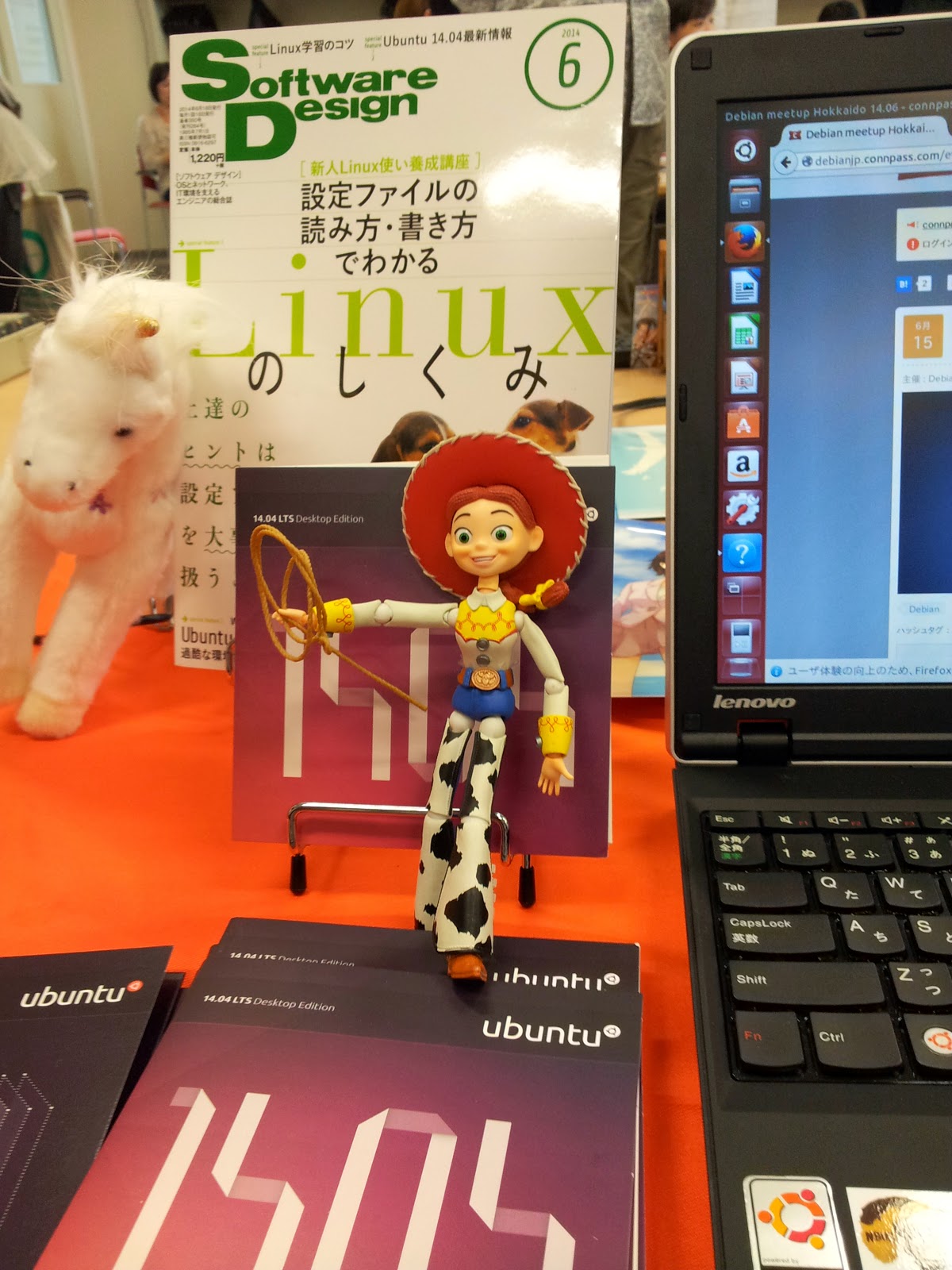
As always, we show the Debian booth with Debian lovers, Squeeze, Woody and Jessie.


And I gave talk about Debian a little,
mostly how it is developed and distribute, and shapes in Jessie at that time (PDF/odf is my page on Debian Wiki as usual).

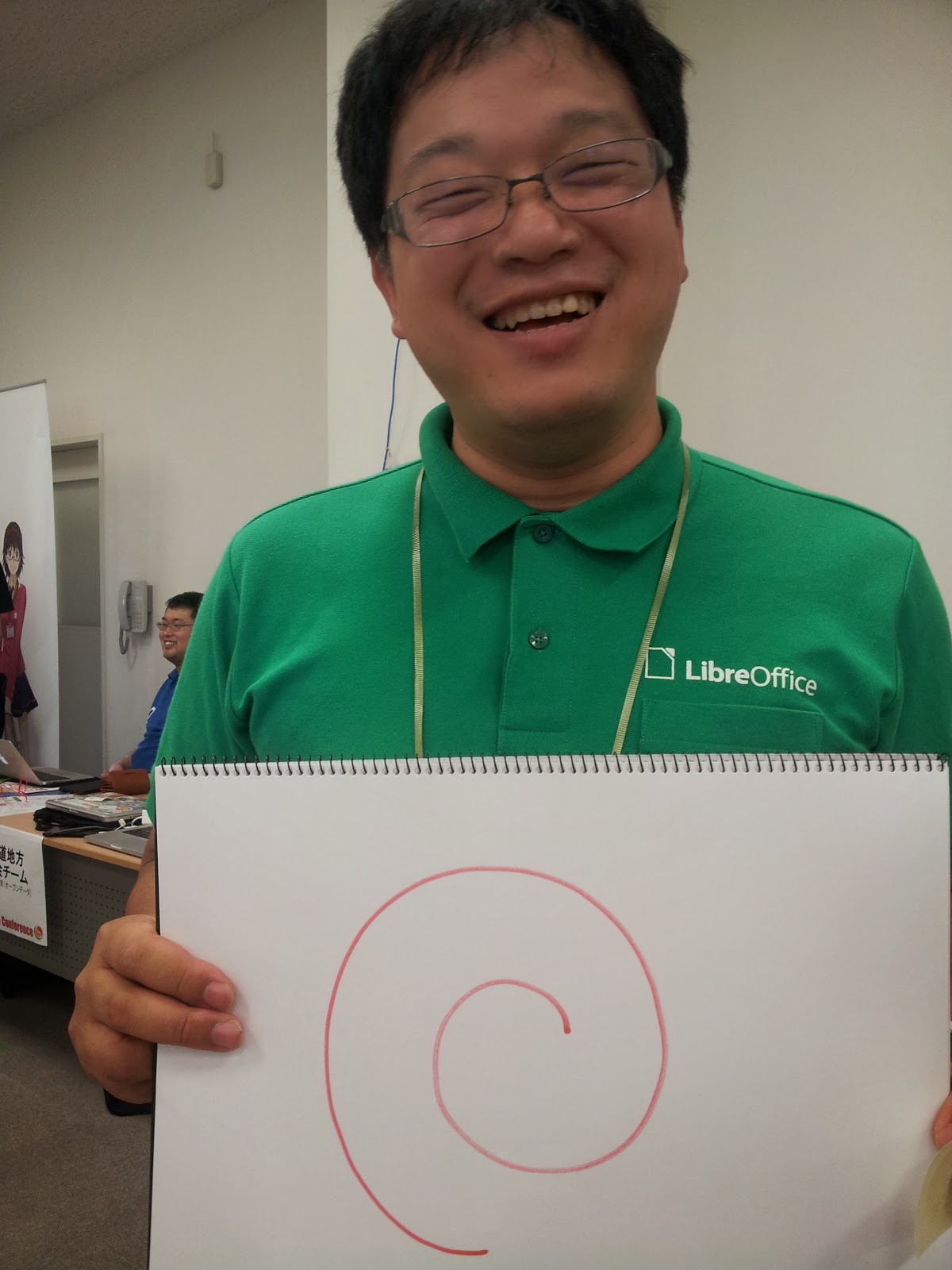
Does Cowgirl Dream of Red Swirl? from Hideki Yamane


After that, Enjoyed food, beer (sure! :) and chatting in party.


Folks, see you in #osc15do again!

Ian Donnelly: Hello Planet Debian!

Hi Planet Debian! My name is Ian Donnelly. I am going into my Senior Year at Florida State University this fall but for the summer I am working on a Google Summer of Code project with Debian. My mentor is Markus Raab and I am working with the Elektra team to implement a great new feature for Debian! I am spending this summer working on a system to allow automatic conffile merging by utilizing the Elektra Framework. Elektra is designed to provide a universal and secure framework to store configuration parameters in a global, hierarchical key database. For this project, conffiles will be mounted to the Elektra framework as KeySets. I have written code that performs a three-way merge on these KeySets which is much more robust than merging individual lines. A conffile can easily be mounted to the Key database using the kdb mount command, which I detailed in a previous blog post. Elektra has many included plugins which allow all types of conffiles to be mounted to the Key database. With our newest release, we even added an augeas plugin which will provide compatibility for most of the major conffiles. Once a conffile is mounted, any changes to the Elektra KeySet it is contained in will be updated in the actual conffile and visa-versa. So far this summer, I have written code for a three-way merge of Elektra KeySets and we have begun to look at the next step of implementing a automatic merge into dpkg. We are currently working on identifying exactly how the merge should take place and where we need to modify dpkg. The basic idea of what will change is that: Once dpkg has been patched, we will modify some packages and thoroughly test the new merge operation. It is designed to be non-destructive and to not infringe with any of the advantages of the current system. Package maintainers would need to opt in to using this feature to insure that all packages get tested before using it. However, we have designed this system to require minimal modification in order for maintainers to utilize it. This project will benefit Debian by removing a large pain-point with users. For experienced uses, merging changes in conffiles can be a tedious process. For newer users, the current system can be downright confusing. The goal of our project is to make Debian easier to use for everybody while not loosing the features that make it such a powerful platform. Please let us know what you think of the project or if you have any questions. Sincerely,
Ian S. Donnelly

Russ Allbery: rra-c-util 5.5

The most significant change in this release is a somewhat embarassing bug fix: the network_read and network_write functions introduced in version 4.2 to support timeouts didn't correctly handle a timeout interrupted by a signal. This is now fixed by restarting the calls on EINTR. Also in this release is a general cleanup for integer overflows during memory allocation. rra-c-util now provides a replacement for reallocarray for systems that don't have it, and calloc and reallocarray are used internally where a size is calculated with multiplication. The util library also now provides a checked xreallocarray function. There are also a few minor fixes: portable/system.h guarantees the inclusion of inttypes.h and limits.h, portable/pam.h will now build with a C++ compiler, the Kerberos Autoconf probes provide a Makefile variable that can be used to suppress warnings from Kerberos headers by forcing them to be system headers, and the util/messages-krb5 test will be skipped when not built with Kerberos support. You can get the latest version from the rra-c-util distribution page.

2 July 2014

Tanguy Ortolo: PayPal cut a secure email project's funds

It should be no news that PayPal have made an habit of opposing to projects that fight for the respect of freedom and democracy by cutting their funds. Anyway, they have just provided us another example of such an abuse, against the ProtonMail project.ProtonMail is a secure email service project, similar to the defunct Lavabit service, with characteristics that should allow it a greater resistance to external pressure: it is based in Switzerland (which has specific privacy laws and with a strong democratic control) and developed by CERN and MIT researchers. Well, it seems that this project was not appreciated by some organization, for which PayPal is just a puppet. Long story short, PayPal cut ProtonMail's funds without prior warning nor real explanation. When pressed to explain themselves, they eventually asked them if their email encryption project was approved by the government (which one, by the way?)! As I said in introduction, this is not really a surprise, but it remind us that PayPal's major position is a threat to freedom and democracy as they still behave as enemies of these values (or as collaborator to known harmful organization, which is close enough) and that no project should rely on them. Fortunately, ProtonMail does not.,

Mike Hommey: Firefox and Gtk+ 3

Folks from Collabora and Red Hat have been working on making Firefox on Gtk+ 3 a thing. See Emilio s blog post for some recent update. But getting Firefox to build and run locally is unfortunately not the whole story. I ve been working on getting Gtk+ 3 Firefox builds going on Mozilla build infrastructure, and I m proud to announce today that those builds are now going through Mozilla continuous integration on a project branch: Elm, and receive the same automated testing as mozilla-central. And when I said getting Firefox to build and run was unfortunately not the whole story, I meant it: if you click on the Elm link above, you ll notice that there s a lot of orange, when it should be all green. So, yes, Firefox on Gtk+ 3 is a thing, and it now has continuous integration. But there s still a whole bunch of things to fix. So if you re interested in making those builds work better, you can hop in, there are many things you can do:

1 July 2014

Craig Small: killing a process in TCL

Suppose you had spawned a process in TCL and knew its PID and wanted to kill it? Sounds simple enough thing to do, right? This problem has plagued me for many months because some things you can assume on a normal system do not hold true on strange environments, such as build deaemons. Seems simple enough, I started off with:
exec kill $pid
Except.. not every environment has the kill binary, and with that piece of code exec has to be a binary and not a shell builtin. The funny thing is that /bin/kill is in the procps package, which is the package having the buildd problems. So next idea was to use command -v to check for the existence of kill and skip those tests that needed kill if not found. Good idea except, so I found out later, it also finds built-ins. That means we are back to problem #1. There is a kill command in tcl, but it requires tclx. That seems excessive for just one little simple command. How can I run a shell out of TCL that runs the kill builtin? On the command line, something like below would do it.
/bin/sh -c 'kill 1234'
I was closer, but then hit TCL quoting hell. No matter what I (initially) did I d either get the shell to complain or my variable to not be evaluated. In the end, I had to write it to a separate variable for the command line then apply that to the exec. Not perfect but at least it works now. The resulting code (found in testsuite/config/unix.exp) looks like:
proc kill_process pid  
    set cmdline "kill $pid"
    if   [catch   exec /bin/sh -c $cmdline   msg]   
        warning "Could not kill process: $msg\n"
     
 
Perhaps there is a more elegant way, I m certainly no star TCL programmer, but of all the combinations I saw this was the only that worked.

Neil Williams: LAVA in Debian unstable

LAVA has arrived in Debian unstable. No need for third party repositories (unless you want to), a simple apt install lava-server. What happens from that point isn t so simple. I ve made the single instance installation as straightforward as I could but there is a lot more to do to get LAVA working in a useful manner. First, a little history to explain some of the hysterical raisins which may appear later. Validation So, you ve made a change to the code, good. It compiles, yay! Before you ship it, does it pass the unit tests? Right, now you have an improved patch which does what you want and keeps the unit tests running. Validation is all about asking that awkward question: does your change work? Does it introduce side effects on other systems / services in the same code? Does it break programs which use services exported by the code? LAVA is one step along the road to system testing, starting at the bottom. Automation Well you could do all that yourself. Write the image to the device yourself, apply power yourself, connect to serial, copy test scripts to the booted image and pull the results off, somehow. Much better if this is automated maybe every commit or every push or as often as the tests can be run on the number of devices available. LAVA Linaro Automated Validation Architecture. Linaro is a not-for-profit building the future of the Linux kernel on ARM devices. Lava was built for and by Linaro, so the initial focus is clearly on validating the Linux kernel on ARM devices. There are likely to be gotchas in the code for those wanting to use LAVA for other kernels Linaro can t support lots of different kernels, but if there are changes which make it easier to use other kernels without impacting on validation of Linux, those would likely be accepted. The experience with using LAVA is all with ARM but if there is interest in extending LAVA to work with devices of other architectures, again, patches would be welcome. The development of the packaging to make LAVA suitable for Debian has also meant that LAVA will run on hardware other than x86. e.g. armv7.com. I m running a mini lab at home based around an arndale board, I ve also got a mini lab at work based on a cubie2. Requirements for such setups are described in the documentation and in previous entries on this blog (principally you will need SATA, lots of RAM and as many CPU cores as you can find. If you want to run LAVA on other architectures, go ahead and let us know if there are issues. Available versions The versions uploaded to Debian will (from now on) be production releases. The same code as is running on http://validation.linaro.org/ development builds and test builds are supported using helpers in the lava-dev package. Releases to unstable will automatically migrate into Ubuntu Unicorn. I ll continue building interim versions at the former locations on http://people.linaro.org/~neil.williams/, including builds for Ubuntu Trusty 14.04LTS as well as providing packages for Jessie until the uwsgi package can migrate. LAVA is looking to work with anyone who can prepare and maintain packages for other distributions like Fedora. Bugs LAVA is migrating from Launchpad bugs to http://bugs.linaro.org which is a bugzilla interface. Now that LAVA is also in Debian, anyone is welcome to use the Debian BTS which does not require any login or account setup. The maintainers (including me) will then forward those bugs as appropriate. Documentation The immediate task is to update the documentation in the lava-server-doc package (and the Debian wiki) to reflect the availability of LAVA from Debian unstable and how to choose which release of LAVA to use in your systems. However, there is a large amount of documentation already available click the Help link in the menu bar of any current LAVA instance. As with many projects, the docs have been written by the development team. If there are things which are unclear or if sections need to be moved around to make it easier for people new to LAVA to pick it up, please file bugs. Hardware It isn t easy to run a LAVA lab, there is a lot more to it than simply installing lava-server. LAVA would not be possible without the lab team and any other LAVA instance is going to need the same level of excellence in system administration, device support and cooperation. I ve covered a little bit of that in previous entries on this blog about my home lab but that is nothing compared to the work required to provide a working lab like the one in Cambridge. Access to that lab is restricted to people within Linaro but LAVA is also reaching out to the community and if there are tests or hardware you want to see within a LAVA instance, not necessarily in the main lab, then talk to us. Contact Bug reports are preferable but you can also find LAVA people on #linaro-lava on OFTC or contact us on the linaro-validation mailing list. Future There is a lot more work to do on LAVA yet. There are assumptions about partition layout within images (hysterical raisins) and issues with unused software being required for remote worker installations. Both are now part of the next major development work within LAVA. DebConf14 There is lot more to talk about with LAVA if you are attending DebConf14 then there will be talks on LAVA and plenty of time to answer questions.

Next.

Previous.