I ve been looking at computer hardware on AliExpress a lot recently and I saw an advert for a motherboard which can take 256G DDR4 RDIMMs (presumably LRDIMMs). Most web pages about DDR4 state that 128G is the largest possible. The Wikipedia page for DDR4 doesn t state that 128G is the maximum but does have 128G as the largest size mentioned on the page.
Recently I ve been buying 32G DDR4 RDIMMs for between $25 and $30 each. A friend can get me 64G modules for about $70 at the lowest price. If I hadn t already bought a heap of 32G modules I d buy some 64G modules right now at that price as it s worth paying 40% extra to allow better options for future expansion.
Apparently the going rate for 128G modules is $300 each which is within the range for a hobbyist who has a real need for RAM. 256G modules are around $1200 each which is starting to get a big expensive. But at that price I could buy 2TB of RAM for $9600 and the computer containing it still wouldn t be the most expensive computer I ve bought the laptop that cost $5800 in 1998 takes that honour when inflation is taken into account.
DDR5 RDIMMs are currently around $10/GB compared to DDR4 for $1/GB for 32G modules and DDR3 for $0.50/GB. DDR6 is supposed to be released late this year or early next year so hopefully enterprise grade systems with DDR5 RAM and DDR5 RDIMMs will be getting cheaper on ebay by the end of next year.
Related posts:
HP z840 Many PCs with DDR4 RAM have started going cheap on...
On the way to Trixie, polkitd (Policy Kit Daemon) has lost the functionality to evaluate its .pkla (Polkit Local Authority) files.
$ zcat /usr/share/doc/polkitd/NEWS.Debian.gz
policykit-1 (121+compat0.1-2) experimental; urgency=medium
  This version of polkit changes the syntax used for local policy rules:
  it is now the same JavaScript-based format used by the upstream polkit
  project and by other Linux distributions.
  System administrators can override the default security policy by
  installing local policy overrides into /etc/polkit-1/rules.d/*.rules,
  which can either make the policy more restrictive or more
  permissive. Some sample policy rules can be found in the
  /usr/share/doc/polkitd/examples directory. Please see polkit(8) for
  more details.
  Some Debian packages include security policy overrides, typically to
  allow members of the sudo group to carry out limited administrative
  actions without re-authenticating. These packages should install their
  rules as /usr/share/polkit-1/rules.d/*.rules. Typical examples can be
  found in packages like flatpak, network-manager and systemd.
  Older Debian releases used the "local authority" rules format from
  upstream version 0.105 (.pkla files with an .desktop-like syntax,
  installed into subdirectories of /etc/polkit-1/localauthority
  or /var/lib/polkit-1/localauthority). The polkitd-pkla package
  provides compatibility with these files: if it is installed, they
  will be processed at a higher priority than most .rules files. If the
  polkitd-pkla package is removed, .pkla files will no longer be used.
 -- Simon McVittie   Wed, 14 Sep 2022 21:33:22 +0100
This applies now to the polkitd version 126-2 destined for Trixie.
The most prominent issue is that you will get an error message:
"Authentication is required to create a color profile" asking for the root(!) password every time you remotely log into a Debian Trixie system via RDP, x2go or the like.
This used to be mendable with a .pkla file dropped into /etc/polkit-1/localauthority/50-local.d/ ... but these .pkla files are void now and need to be replace with a Javascript "rules" file.
The background to his is quite a fascinating read ... 13 years later: https://davidz25.blogspot.com/2012/06/authorization-rules-in-polkit.html
The solution has been listed in DevAnswers as other distros (Fedora, ArchLinux, OpenSuse) have been faster to depreciate the .pkla files and require .rules files.
I amended the solution given there with checking for root to be automatically authenticated, too.
So, create a 50-color-manager.rules file in /etc/polkit-1/rules.d/:
After more than ten years on my trusted X250, and with a lot of financial help for Debian (which I really thank, more on that later), I finally jumped on a new ThinkPad, an X13 Gen 5.
The migration path was really easy: I'm doing daily backups with borg of the whole filesystems on an encrypted USB drive, so I just had to boot a live USB key on the new laptop, plug the USB drive, create the partitioning (encryption, LVM etc.) and then run borg extract. Since I'm using LABEL in the various fstab I didn't have much to change.
I actually had a small hiccup because my daily backup scripts used ProtectKernelModules and besides preventing loading modules into the running kernel, it also prevents access to /usr/lib/modules. So when restoring I didn't have any modules for the installed kernels. No big deal, I reinstalled the kernel package from the chroot and it did work just fine.
All in all it was pretty smooth.
I've started a similar page as the X250 for the X13G5 but honestly I don't think I'll have to document a lot of stuff because everything basically works out of the box. It's not really a surprise because we went a long way since 2015 and Linux kernels are really tested on a lot of hardware, including laptops these days, and Intel laptops are the most standard stuff you can find. I guess it's still rocky for ARM64 laptops (and especially Apple hardware) but the point was less to do porting work for Debian and rather beeing more efficient for the current stuff I maintain (and sometimes struggle with).
As said above, the laptop has been funded by Debian and I really thank the DPL and the Debian France treasurer for authorizing it and beeing really fast on the reimbursement.
I had already posted a long time ago about hardware funding for Debian developers. It took me quite a while but I finally managed to ask for help because I couldn't afford the hardware at this point and it was becoming problematic. This is not something which should be done lightly (Debian wouldn't have the funds) but this is definitely something which should be done if needed. Don't hesitate to ask your fellow Debian developpers about advice on this.
To build our local voice satellite on a Debian system rather than using the ATOM Echo device we need something that can handle the wake word component; the piece that means we only send audio to the Home Assistant server for processing by whisper.cpp when we ve detected someone is trying to talk to us.
openWakeWord seems to be one of the better ways to do this, and is well supported. However. It relies on TensorFlow Lite (now LiteRT) which is a complicated mess of machine learning code. tflite-runtime is available from PyPI, but that s prebuilt and we re trying to avoid that.
Despite, on initial impressions, it looking quite complicated to deal with building TensorFlow - Bazel is an immediate warning - it turns out to be incredibly simple to build your own .deb:
This is hiding an awful lot of complexity, however. In particular the number of 3rd party projects that are being downloaded in the background (and compiled, to be fair, rather than using binary artefacts).
We can build the main C++ wrapper .so directly with cmake, allowing us to investigate a bit more:
Looking at the output we can see that pthreadpool, FXdiv, FP16 + PSimd are all downloaded, and seem to have ways to point to a local copy. That seems positive.
However, there are even more hidden dependencies, which we can see if we look in the _deps/ subdirectory of the build tree. These don t appear to be as easy to override, and not all of them have packages already in Debian.
First, the ones that seem to be available:
abseil-cpp,
cpuinfo,
eigen,
farmhash,
flatbuffers,
gemmlowp,
ruy +
xnnpack
(lots of credit to the Debian Deep Learning Team for these, and in particular Mo Zhou)
Dependencies I couldn t see existing packages for are: OouraFFT, ml_dtypes & neon2sse.
At this point I just used the package I built with the initial steps above. I live in hope someone will eventually package this properly for Debian, or that I ll find the time to try and help out, but that s not going to be today.
I wish upstream developers made it easier to use system copies of their library dependencies. I wish library developers made it easier to build and install system copies of their work. pkgconf is not new tech these days (pkg-config appears to date back to 2000), and has decent support in CMake. I get that there can be issues with incompatibilities even in minor releases, or awkwardness in doing builds of multiple connected projects, but at least give me the option to do so.
... or how I spent my lunch break today.
An increasing amount of news outlets (hello heise.de) start
to embed bullshit which requires DRM playback. Since I
keep that disabled
I now get an infobar that tells me that I need to enable it
for this page. Pretty useless and a pain in the back because it
takes up screen space. Here's the quick way how to get rid of it:
Go to about:config and turn on toolkit.legacyUserProfileCustomizations.stylesheets.
Go to your Firefox profile folder (e.g. ~/.mozilla/firefox/<random-value>.default/) and mkdir chrome && touch chrome/userChrome.css.
I'm on a bit of an Orbital kick at the moment. Last year they re-issued their
1991
debut album with 43 extra tracks. Later this month they're doing the same for
their 1993 sophomore album.
I thought I'd try to narrow down some tracks to recommend. I seem to have
settled on roughly 5 in previous posts (for
Underworld, The Cure, Coil and
Gazelle Twin). This time I've done 6 (I borrowed one from Underworld)
As always it's a hard choice. I've tried to select some tracks I really
enjoy that don't often come up on best-of compilation albums.
For a more conventional choice of best-of tracks, I recommend the
recent-ish 30 something
"compilation" (of sorts, previously written about)
The Naked and the Dead (1992)
The Naked and the Dead by Orbital
From an early EP Radiccio, which is being
re-issued this month. Digital versions of the re-issue will feature
a new recording "Deepest" featuring Tilda Swinton. Sadly this isn't
making it onto the pressed version. She performed with them live at
Glastonbury 2024. That entire performance was a real pick-me-up
during my convolescence, and is recommended.
Anyway I've now written more about a song I haven't recommended than
the one I did
Remind (1993)
Remind by Orbital
From the Brown Album, I first heard this as the Encore
from their "final show", for John Peel, when they split up
in 2004. "Remind" wasn't broadcast, but an audience recording was
circulated on fan site Loopz. Remarkably, 21 years on, it's still
there.
In writing this I discovered that it's a re-working of a remix
Orbital did for Meat Beat Manifesto: MindStream (Mind The Bend The Mind)
You Lot (2004)
From the unfairly-maligned "final" Blue album.
Featuring a sample of pre-Doctor Who Christoper Eccleston, from another
Russell T Davies production, Second Coming.
Beached (2000)
Beached (Long version) by Orbital, Angelo Badalamenti
Co-written by Angelo Badalamenti, it's built around a sample of
Badalamenti's score for the movie "The Beach". Orbital's re-work
adds some grit to the orchestral instrumentation and opens with
a monologue, delivered by Leonardo Di Caprio, sampled from the
movie.
Spare Parts Express (1999)
Spare Parts Express by Orbital
Critics had started to be quite unfair to Orbital by this point.
The band themselves said that they'd ran out of ideas (pointing
at album closer "Style", built around a Stylophone melody, as proof).
Their malaise continued right up to the Blue Album, at which point
the split up; ostensibly for good, before regrouping 8 years later.
Spare Parts Express is a hatchet job of various bits that they didn't
develop into full songs on their own. Despite this I think it works.
I love long-form electronica, and this clocks in at 10:07. My favourite
segment (06:37) is adjacent to a reference (05:05) to John Baker's theme for
the BBC children's program Newsround (sadly they aren't using it
today. Here's a rundown of Newsround themes over time)
Attached (1994)
Attached by Orbital
This originally debuted on a Peel session before appearing on
the subsequent album Snivilisation a few months later.
An album closer, and a good come-down song to close this list.
Everybody (who runs containers) knows this situation: you've been running happycontainer:stable for a while and it's been great but now something external changed and you need to adjust the code while there is still no release with the patch.
I've encountered exactly this when our Home-Assistant stopped showing the presence of our cat correctly, but we've also been discussing this at work recently.
Now the most obvious (to me?) solution would be to build a new container, based on the original one, and perform the modifications at build time.
Something like this:
FROM happycontainer:stable
RUN curl     patch -p1
But that's not interactive, and if you don't have a patch readily available, that's not what you want.
(And I'll save you the idea of RUNing sed and friends to alter files!)
You could run viminside the container, but that requires vim to be installed there in the first place. And a reasonable configuration. And
Well, turns out podman can mount the root fs of a running container.
At this point we have modified the code inside the container, but the running process is still using the old code. If we restart the container now to restart the process, our changes will be lost.
Instead, we can commit the changes as a new layer and tag the result.
On 26th and 27th April we held a Debian bug-squashing party near
Leuven, Belgium. Several longstanding and new Debian contributors
gathered to work through some of the highest priority bugs affecting
the upcoming release of Debian 13 trixie .
We were hosted by the Familia community
centre in Tildonk. As this venue currently does not have an Internet
connection, we brought a mobile hotspot and a local Debian mirror.
In attendance were:
Debian Developers: Ben Hutchings, Nattie Mayer-Hutchings, Kurt
Roeckx, and Geert Stappers
New contributors: Y ce K r m, Louis Renuart, Arnout Vandecappelle
The new contributors were variously using Arch, Fedora, and Ubuntu,
and the DDs spent some some time setting them up with Debian
dvelopment environments.
The bugs we worked on included:
#1100981: libmlir-19 fails to coinstall:
Arnout and Kurt looked at this, and pointed out an existing MR that
should fix it and some other packages that are similarly affected.
Last month, I attended the KDE India conference in Gandhinagar, Gujarat from the 4th to the 6th of April. I made my mind to attend when Sahil told me about his plans to attend and giving a talk.
A day after my talk submission, the organizer Bhushan contacted me on Matrix and informed me that my talk had been accepted. I was also informed that KDE will cover my travel and accommodation expenses. So, I planned to attend the conference at this point. I am a longtime KDE user, so why not ;)
I arrived in Ahmedabad, the twin city of Gandhinagar, a day before the conference. The first thing that struck me as soon as I came out of the Ahmedabad airport was the heat. I felt as if I was being cooked exactly how Bhushan put it earlier in the group chat. I took a taxi to get to my hotel, which was close to the conference venue.
Later that afternoon, I met Bhushan and Joseph. Joseph lived in Germany. Bhushan was taking him to get a SIM card, so I tagged along and got to roam around. Joseph was unsure about where to go after the conference, so I asked him what he wanted out of his trip and had conversations along that line.
Later, Vishal convinced him to go to Lucknow. Since he was adamant about taking the train, I booked a Tatkal train ticket for him to Lucknow. He was curious about how Tatkal booking works and watched me in amusement while I was booking the ticket.
The 4th of April marked the first day of the conference, with around 25 attendees. Bhushan started the day with an overview of KDE conferences in India, followed by Vishal, who discussed FOSS United s activities. After the lunch, Joseph gave an overview of his campaign to help people switch from Windows to GNU/Linux due to environmental and security reasons. He continued his session in detail the next day.
Conference hall
A key takeaway for me from Joseph s session was the idea pointed out by Adwaith: marketing GNU/Linux as a cheap alternative may not attract as much attention as marketing it as a status symbol. He gave the example of how the Tata Nano didn t do well in the Indian market due to being perceived as a poor person s car.
My talk was scheduled for the evening of the first day. I hadn t prepared any slides because I wanted to make my session interactive. During my talk, I did an activity with the attendees to demonstrate the federated nature of XMPP messaging, of which Prav is a part. After the talk, I got a lot of questions, signalling engagement. The audience was cooperative (just like Prav ;)), contrary to my expectations (I thought they will be tired and sleepy).
On the third day, I did a demo on editing OpenStreetMap (referred to as OSM in short) using the iD editor. It involved adding points to OSM based on the students suggestions. Since my computer didn t have an HDMI port, I used Subin s computer, and he logged into his OSM account for my session. Therefore, any mistakes I made will be under Subin s name. :)
On the third day, I attended Aaruni s talk about backing up a GNU/Linux system. This was the talk that resonated with me the most. He suggested formatting the system with the btrfs file system during the installation, which helps in taking snapshots of the system and provides an easy way to roll back to a previous version if, for example, a file is accidentally deleted. I have tried many backup techniques, including this one, but I never tried backing up on the internal disk. I ll certainly give this a try.
A conference is not only about the talks, that s why we had a Prav table as well ;) Just kidding. What I really mean is that a conference is more about interactions than talks. Since the conference was a three-day affair, attendees got plenty of time to bond and share ideas.
Prav stall at the conference
Conference group photo
After the conference, Bhushan took us to Adalaj Stepwell, an attraction near Gandhinagar. Upon entering the complex, we saw a park where there were many langurs. Going further, there were stairs that led down to a well. I guess this is why it is called a stepwell.
Adalaj Stepwell
Later that day, we had Gujarati Thali for dinner. It was an all-you-can-eat buffet and was reasonably priced at 300 rupees per plate. Aamras (Mango juice) was the highlight for me. This was the only time we had Gujarati food during this visit. After the dinner, Aaruni dropped Sahil and I off at the airport. The hospitality was superb - for instance, in addition to Aaruni dropping us, Bhushan also picked up some of the attendees from the airport.
Finally, I would like to thank KDE for sponsoring my travel and accommodation costs.
Let s wrap up this post here and meet you in the next one.
Thanks to contrapunctus and Joseph for proofreading.
When I configured forgejo-actions I used a docker-compose.yaml file to execute the runner and a dind container
configured to run using privileged mode to be able to build images with it; as mentioned on my
post about my
setup, the use of the privileged mode is not a big issue for my use case, but reduces the overall security of the
installation.
On a work chat the other day someone mentioned that the GitLab documentation about
using kaniko says it is no longer maintained (see the kaniko issue
#3348) so we should look into alternatives for kubernetes
clusters.
I never liked kaniko too much, but it works without privileged mode and does not need a daemon, which is a good reason
to use it, but if it is deprecated it makes sense to look into alternatives, and today I looked into some of them to use
with my forgejo-actions setup.
I was going to try buildah and podman but it seems that they need to adjust
things on the systems running them:
When I tried to use buildah inside a docker container in Ubuntu I found the problems described on the buildah
issue #1901 so I moved on.
Reading the podman documentation I saw that I need to export the fuse device to run it inside a container and, as
I found other option, I also skipped it.
As my runner was already configured to use dind I decided to look into sysbox
as a way of removing the privileged flag to make things more secure but have the same functionality.
Installing the sysbox packageAs I use Debian and Ubuntu systems I used the .deb packages distributed from the sysbox release page to install
it (in my case I used the one from the 0.6.7 version).
On the machine running forgejo (a Debian 12 server) I downloaded the package, stopped the running containers (it is
needed to install the package and the only ones running where the ones started by the docker-compose.yaml file) and
installed the sysbox-ce_0.6.7.linux_amd64.deb package using dpkg.
Updating the docker-compose.yaml fileTo run the dind container without setting the privileged mode we set sysbox-runc as the runtime on the dind
container definition and set the privileged flag to false (it is the same as removing the key, as it defaults to
false):
Testing the changesAfter applying the changes to the docker-compose.yaml file we start the containers and to test things we re-run
previously executed jobs to see if things work as before.
In my case I re-executed the build-image-from-tag workflow
#18 from the oci project and everything worked as expected.
ConclusionFor my current use case (docker + dind) seems that sysbox is a good solution but I m not sure if I ll be
installing it on kubernetes anytime soon
unless I find a valid reason to do it (last time we talked about it my co workers said that they are evaluating
buildah and podman for kubernetes and probably we will use them to replace kaniko in our gitlab-ci pipelines and
for those tools the use of sysbox seems an overkill).
Welcome to our fourth report from the Reproducible Builds project in 2025. These monthly reports outline what we ve been up to over the past month, and highlight items of news from elsewhere in the increasingly-important area of software supply-chain security. Lastly, if you are interested in contributing to the Reproducible Builds project, please visit our Contribute page on our website.
Table of contents:
reproduce.debian.net
The last few months have seen the introduction, development and deployment of reproduce.debian.net. In technical terms, this is an instance of rebuilderd, our server designed monitor the official package repositories of Linux distributions and attempt to reproduce the observed results there.
This month, however, we are pleased to announce that reproduce.debian.net now tests all the Debian trixie architectures except s390x and mips64el.
The ppc64el architecture was added through the generous support of Oregon State University Open Source Laboratory (OSUOSL), and we can support the armel architecture thanks to CodeThink.
Fifty Years of Open Source Software Supply Chain Security
Russ Cox has published a must-read article in ACM Queue on Fifty Years of Open Source Software Supply Chain Security. Subtitled, For decades, software reuse was only a lofty goal. Now it s very real. , Russ article goes on to outline the history and original goals of software supply-chain security in the US military in the early 1970s, all the way to the XZ Utils backdoor of 2024. Through that lens, Russ explores the problem and how it has changed, and hasn t changed, over time.
He concludes as follows:
We are all struggling with a massive shift that has happened in the past 10 or 20 years in the software industry. For decades, software reuse was only a lofty goal. Now it s very real. Modern programming environments such as Go, Node and Rust have made it trivial to reuse work by others, but our instincts about responsible behaviors have not yet adapted to this new reality.
We all have more work to do.
Luca DiMaio of Chainguard posted to the list reporting that they had successfully implemented reproducible filesystem images with both ext4and an EFI system partition. They go on to list the various methods, and the thread generated at least fifteen replies.
David Wheeler announced that the OpenSSF is building a glossary of sorts in order that they consistently use the same meaning for the same term and, moreover, that they have drafted a definition for reproducible build . The thread generated a significant number of replies on the definition, leading to a potential update to the Reproducible Build s own definition.
My initial interest in reproducible builds was how do I distribute pre-compiled binaries on GitHub without people raising security concerns about them . I ve cycled back to this original problem about 5 years later and built a tool that is meant to address this. []
[ ] Achieving reproducibility at scale remains difficult, especially in Java, due to a range of non-deterministic factors and caveats in the build process. In this work, we focus on reproducibility in Java-based software, archetypal of enterprise applications. We introduce a conceptual framework for reproducible builds, we analyze a large dataset from Reproducible Central and we develop a novel taxonomy of six root causes of unreproducibility. We study actionable mitigations: artifact and bytecode canonicalization using OSS-Rebuild and jNorm respectively. Finally, we present Chains-Rebuild, a tool that raises reproducibility success from 9.48% to 26.89% on 12,283 unreproducible artifacts. To sum up, our contributions are the first large-scale taxonomy of build unreproducibility causes in Java, a publicly available dataset of unreproducible builds, and Chains-Rebuild, a canonicalization tool for mitigating unreproducible builds in Java.
OSS Rebuild adds new TUI features
OSS Rebuild aims to automate rebuilding upstream language packages (e.g. from PyPI, crates.io and npm registries) and publish signed attestations and build definitions for public use.
OSS Rebuild ships a text-based user interface (TUI) for viewing, launching, and debugging rebuilds. While previously requiring ownership of a full instance of OSS Rebuild s hosted infrastructure, the TUI now supports a fully local mode of build execution and artifact storage. Thanks to Giacomo Benedetti for his usage feedback and work to extend the local-only development toolkit.
Another feature added to the TUI was an experimental chatbot integration that provides interactive feedback on rebuild failure root causes and suggests fixes.
Debian developer Simon Josefsson published another two reproducibility-related blog posts this month, the first on the topic of Verified Reproducible Tarballs. Simon sardonically challenges the reader as follows: Do you want a supply-chain challenge for the Easter weekend? Pick some well-known software and try to re-create the official release tarballs from the corresponding Git checkout. Is anyone able to reproduce anything these days? After that, they also published a blog post on Building Debian in a GitLab Pipeline using their multi-stage rebuild approach.
Roland also posted to our mailing list to highlight that there is now another tool in Debian that generates reproducible output, equivs . This is a tool to create trivial Debian packages that might Depend on other packages. As Roland writes, building the [equivs] package has been reproducible for a while, [but] now the output of the [tool] has become reproducible as well .
The IzzyOnDroid Android APK repository made more progress in April. Thanks to funding by NLnet and Mobifree, the project was also to put more time into their tooling. For instance, developers can now easily run their own verification builder in less than 5 minutes . This currently supports Debian-based systems, but support for RPM-based systems is incoming.
The rbuilder_setup tool can now setup the entire framework within less than five minutes. The process is configurable, too, so everything from just the basics to verify builds up to a fully-fledged RB environment is also possible.
This tool works on Debian, RedHat and Arch Linux, as well as their derivates. The project has received successful reports from Debian, Ubuntu, Fedora and some Arch Linux derivates so far.
Documentation on how to work with reproducible builds (making apps reproducible, debugging unreproducible packages, etc) is available in the project s wiki page.
Future work is also in the pipeline, including documentation, guidelines and helpers for debugging.
NixOS defined an Outreachy project for improving build reproducibility. In the application phase, NixOS saw some strong candidates providing contributions, both on the NixOS side and upstream: guider-le-ecit analyzed a libpinyin issue. Tessy James fixed an issue in arandr and helped analyze one in libvlc that led to a proposed upstream fix. Finally, 3pleX fixed an issue which was accepted in upstream kitty, one in upstream maturin, one in upstream python-sip and one in the Nix packaging of python-libbytesize. Sadly, the funding for this internship fell through, so NixOS were forced to abandon their search.
Lastly, in openSUSE news, Bernhard M. Wiedemann posted another monthly update for their work there.
diffoscope & strip-nondeterminismdiffoscope is our in-depth and content-aware diff utility that can locate and diagnose reproducibility issues. This month, Chris Lamb made the following changes, including preparing and uploading a number of versions to Debian:
Use the --walk argument over the potentially dangerous alternative --scan when calling out to zipdetails(1). []
Correct a longstanding issue where many >-based version tests used in conditional fixtures were broken. This was used to ensure that specific tests were only run when the version on the system was newer than a particular number. Thanks to Colin Watson for the report (Debian bug #1102658) []
Address a long-hidden issue in the test_versions testsuite as well, where we weren t actually testing the greater-than comparisons mentioned above, as it was masked by the tests for equality. []
Update copyright years. []
In strip-nondeterminism, however, Holger Levsen updated the Continuous Integration (CI) configuration in order to use the standard Debian pipelines via debian/salsa-ci.yml instead of using .gitlab-ci.yml. []
Website updates
Once again, there were a number of improvements made to our website this month including:
Aman Sharma added OSS-Rebuild s stabilize tool to the Tools page. [][]
Chris Lamb added a configure.ac (GNU Autotools) example for using SOURCE_DATE_EPOCH. []. Chris also updated the SOURCE_DATE_EPOCH snippet and move the archive metadata to a more suitable location. []
Denis Carikli added GNU Boot to our ever-evolving Projects page.
Reproducibility testing framework
The Reproducible Builds project operates a comprehensive testing framework running primarily at tests.reproducible-builds.org in order to check packages and other artifacts for reproducibility. In April, a number of changes were made by Holger Levsen, including:
Make various changes to the ppc64el nodes. [][]9[][]
Make various changes to the arm64 and armhf nodes. [][][][]
Various changes related to the rebuilderd-worker entry point. [][][]
Create and deploy a pkgsync script. [][][][][][][][]
Fix the monitoring of the riscv64 architecture. [][]
Make a number of changes related to starting the rebuilderd service. [][][][]
Backup-related:
Backup the rebuilder databases every week. [][][][]
Improve the node health checks. [][]
Misc:
Re-use existing connections to the SSH proxy node on the riscv64 nodes. [][]
Node maintenance. [][][]
In addition:
Jochen Sprickerhof fixed the risvc64 host names [] and requested access to all the rebuilderd nodes [].
Mattia Rizzolo updated the self-serve rebuild scheduling tool, replacing the deprecated SSO -style authentication with OpenIDC which authenticates against salsa.debian.org. [][][]
Roland Clobus updated the configuration for the osuosl3 node to designate 4 workers for bigger builds. []
Upstream patches
The Reproducible Builds project detects, dissects and attempts to fix as many currently-unreproducible packages as possible. We endeavour to send all of our patches upstream where appropriate. This month, we wrote a large number of such patches, including:
Finally, if you are interested in contributing to the Reproducible Builds project, please visit our Contribute page on our website. However, you can get in touch with us via:
After my previous posts related to Argo CD (one about
argocd-autopilot and another with some
usage examples) I started to look into
Kluctl (I also plan to review Flux, but I m more interested on the kluctl
approach right now).
While reading an entry on the project blog about Cluster API
somehow I ended up on the vCluster site and decided to give it a try, as it can be a valid
way of providing developers with on demand clusters for debugging or run CI/CD tests before deploying things on common
clusters or even to have multiple debugging virtual clusters on a local machine with only one of them running at any
given time.
On this post I will deploy a vcluster using the k3d_argocd kubernetes cluster (the one we created on the posts about
argocd) as the host and will show how to:
use its ingress (in our case traefik) to access the API of the virtual one (removes the need of having to use the
vcluster connect command to access it with kubectl),
publish the ingress objects deployed on the virtual cluster on the host ingress, and
use the sealed-secrets of the host cluster to manage the virtual cluster secrets.
Creating the virtual cluster
Installing the vcluster applicationTo create the virtual clusters we need the vcluster command, we can install it with arkade:
arkade get vcluster
The vcluster.yaml fileTo create the cluster we are going to use the following vcluster.yaml file (you can find the documentation about all
its options here):
controlPlane:proxy:# Extra hostnames to sign the vCluster proxy certificate forextraSANs:-my-vcluster-api.lo.mixinet.netexportKubeConfig:context:my-vcluster_k3d-argocdserver:https://my-vcluster-api.lo.mixinet.net:8443secret:name:my-vcluster-kubeconfigsync:toHost:ingresses:enabled:trueserviceAccounts:enabled:truefromHost:ingressClasses:enabled:truenodes:enabled:trueclearImageStatus:truesecrets:enabled:truemappings:byName:# sync all Secrets from the 'my-vcluster-default' namespace to the# virtual "default" namespace."my-vcluster-default/*":"default/*"# We could add other namespace mappings if needed, i.e.:# "my-vcluster-kube-system/*": "kube-system/*"
On the controlPlane section we ve added the proxy.extraSANs entry to add an extra host name to make sure it is added
to the cluster certificates if we use it from an ingress.
The exportKubeConfig section creates a kubeconfig secret on the virtual cluster namespace using the provided
host name; the secret can be used by GitOps tools or we can dump it to a file to connect from our machine.
On the sync section we enable the synchronization of Ingress objects and ServiceAccounts from the virtual to the
host cluster:
We copy the ingress definitions to use the ingress server that runs on the host to make them work from the outside
world.
The service account synchronization is not really needed, but we enable it because if we test this configuration with
EKS it would be useful if we use IAM roles for the service accounts.
On the opposite direction (from the host to the virtual cluster) we synchronize:
The IngressClass objects, to be able to use the host ingress server(s).
The Nodes (we are not using the info right now, but it could be interesting if we want to have the real information
of the nodes running pods of the virtual cluster).
The Secrets from the my-vcluster-default host namespace to the default of the virtual cluster; that
synchronization allows us to deploy SealedSecrets on the host that generate secrets that are copied
automatically to the virtual one. Initially we only copy secrets for one namespace but if the virtual cluster needs
others we can add namespaces on the host and their mappings to the virtual one on the vcluster.yaml file.
Creating the virtual clusterTo create the virtual cluster we run the following command:
It creates the virtual cluster on the my-vcluster namespace using the vcluster.yaml file shown before without
connecting to the cluster from our local machine (if we don t pass that option the command adds an entry on our
kubeconfig and launches a proxy to connect to the virtual cluster that we don t plan to use).
Adding an ingress TCP route to connect to the vcluster apiAs explained before, we need to create an IngressTcpRoute object to be able to connect to the vcluster API, we use the
following definition:
Once we apply those changes the cluster API will be available on the https://my-cluster-api.lo.mixinet.net:8443 URL
using its own self signed certificate (we have enabled TLS passthrough) that includes the hostname we use (we adjusted
it on the vcluster.yaml file, as explained before).
Getting the kubeconfig for the vclusterOnce the vcluster is running we will have its kubeconfig available on the my-vcluster-kubeconfig secret on its
namespace on the host cluster.
To dump it to the ~/.kube/my-vcluster-config we can do the following:
Once available we can define the vkubectl alias to adjust the KUBECONFIG variable to access it:
alias vkubectl="KUBECONFIG=~/.kube/my-vcluster-config kubectl"
Or we can merge the configuration with the one on the KUBECONFIG variable and use kubectx or a similar tool to change
the context (for our vcluster the context will be my-vcluster_k3d-argocd). If the KUBECONFIG variable is defined and
only has the PATH to a single file the merge can be done running the following:
On the rest of this post we will use the vkubectl alias when connecting to the virtual cluster, i.e. to check that it
works we can run the cluster-info subcommand:
  vkubectl cluster-info
Kubernetes control plane is running at https://my-vcluster-api.lo.mixinet.net:8443
CoreDNS is running at https://my-vcluster-api.lo.mixinet.net:8443/api/v1/namespaces/kube-system/services/kube-dns:dns/proxy
To further debug and diagnose cluster problems, use 'kubectl cluster-info dump'.
Installing the dummyhttpd applicationTo test the virtual cluster we are going to install the dummyhttpd application using the following
kustomization.yaml file:
apiVersion:kustomize.config.k8s.io/v1beta1kind:Kustomizationresources:-https://forgejo.mixinet.net/blogops/argocd-applications.git//dummyhttp/?ref=dummyhttp-v1.0.0# Add the config mapconfigMapGenerator:-name:dummyhttp-configmapliterals:-CM_VAR="Vcluster Test Value"behavior:createoptions:disableNameSuffixHash:truepatches:# Change the ingress host name-target:kind:Ingressname:dummyhttppatch: -- op: replacepath: /spec/rules/0/hostvalue: vcluster-dummyhttp.lo.mixinet.net# Add reloader annotations -- it will only work if we install reloader on the# virtual cluster, as the one on the host cluster doesn't see the vcluster# deployment objects-target:kind:Deploymentname:dummyhttppatch: -- op: addpath: /metadata/annotationsvalue:reloader.stakater.com/auto: "true"reloader.stakater.com/rollout-strategy: "restart"
It is quite similar to the one we used on the Argo CD examples but uses a different DNS entry; to deploy it we run
kustomize and vkubectl:
  kustomize build .   vkubectl apply -f -
configmap/dummyhttp-configmap created
service/dummyhttp created
deployment.apps/dummyhttp created
ingress.networking.k8s.io/dummyhttp created
We can check that everything worked using curl:
curl -s https://vcluster-dummyhttp.lo.mixinet.net:8443/ jq -cM."c": "Vcluster Test Value","s": ""
The objects available on the vcluster now are:
vkubectl get all,configmap,ingress
NAME READY STATUS RESTARTS AGE
pod/dummyhttp-55569589bc-9zl7t 1/1 Running 0 24s
NAME TYPE CLUSTER-IP EXTERNAL-IP PORT(S) AGE
service/dummyhttp ClusterIP 10.43.51.39 <none>80/TCP 24s
service/kubernetes ClusterIP 10.43.153.12 <none>443/TCP 14m
NAME READY UP-TO-DATE AVAILABLE AGE
deployment.apps/dummyhttp 1/1 1 1 24s
NAME DESIRED CURRENT READY AGE
replicaset.apps/dummyhttp-55569589bc 1 1 1 24s
NAME DATA AGE
configmap/dummyhttp-configmap 1 24s
configmap/kube-root-ca.crt 1 14m
NAME CLASS HOSTS ADDRESS PORTS AGE
ingress.networking.k8s.io/dummyhttp traefik vcluster-dummyhttp.lo.mixinet.net 172.20.0.2,172.20.0.3,172.20.0.4 80 24s
While we have the following ones on the my-vcluster namespace of the host cluster:
kubectl get all,configmap,ingress -n my-vcluster
NAME READY STATUS RESTARTS AGE
pod/coredns-bbb5b66cc-snwpn-x-kube-system-x-my-vcluster 1/1 Running 0 18m
pod/dummyhttp-55569589bc-9zl7t-x-default-x-my-vcluster 1/1 Running 0 45s
pod/my-vcluster-0 1/1 Running 0 19m
NAME TYPE CLUSTER-IP EXTERNAL-IP PORT(S) AGE
service/dummyhttp-x-default-x-my-vcluster ClusterIP 10.43.51.39 <none>80/TCP 45s
service/kube-dns-x-kube-system-x-my-vcluster ClusterIP 10.43.91.198 <none>53/UDP,53/TCP,9153/TCP 18m
service/my-vcluster ClusterIP 10.43.153.12 <none>443/TCP,10250/TCP 19m
service/my-vcluster-headless ClusterIP None <none>443/TCP 19m
service/my-vcluster-node-k3d-argocd-agent-1 ClusterIP 10.43.189.188 <none>10250/TCP 18m
NAME READY AGE
statefulset.apps/my-vcluster 1/1 19m
NAME DATA AGE
configmap/coredns-x-kube-system-x-my-vcluster 2 18m
configmap/dummyhttp-configmap-x-default-x-my-vcluster 1 45s
configmap/kube-root-ca.crt 1 19m
configmap/kube-root-ca.crt-x-default-x-my-vcluster 1 11m
configmap/kube-root-ca.crt-x-kube-system-x-my-vcluster 1 18m
configmap/vc-coredns-my-vcluster 1 19m
NAME CLASS HOSTS ADDRESS PORTS AGE
ingress.networking.k8s.io/dummyhttp-x-default-x-my-vcluster traefik vcluster-dummyhttp.lo.mixinet.net 172.20.0.2,172.20.0.3,172.20.0.4 80 45s
As shown, we have copies of the Service, Pod, Configmap and Ingress objects, but there is no copy of the
Deployment or ReplicaSet.
Creating a sealed secret for dummyhttpdTo use the hosts sealed secrets controller with the virtual cluster we will create the my-vcluster-default namespace
and add there the sealed secrets we want to have available as secrets on the default namespace of the virtual cluster:
After running the previous commands we have the following objects available on the host cluster:
  kubectl get sealedsecrets.bitnami.com,secrets -n my-vcluster-default
NAME                                        STATUS   SYNCED   AGE
sealedsecret.bitnami.com/dummyhttp-secret            True     34s
NAME                      TYPE     DATA   AGE
secret/dummyhttp-secret   Opaque   1      34s
And we can see that the secret is also available on the virtual cluster with the content we expected:
  vkubectl get secrets
NAME               TYPE     DATA   AGE
dummyhttp-secret   Opaque   1      34s
  vkubectl get secret/dummyhttp-secret --template=" .data.SECRET_VAR " \
    base64 -d
Vcluster Boo
But the output of the curl command has not changed because, although we have the reloader controller deployed on the
host cluster, it does not see the Deployment object of the virtual one and the pods are not touched:
curl -s https://vcluster-dummyhttp.lo.mixinet.net:8443/ jq -cM."c": "Vcluster Test Value","s": ""
Installing the reloader applicationTo make reloader work on the virtual cluster we just need to install it as we did on the host using the following
kustomization.yaml file:
apiVersion:kustomize.config.k8s.io/v1beta1kind:Kustomizationnamespace:kube-systemresources:-github.com/stakater/Reloader/deployments/kubernetes/?ref=v1.4.2patches:# Add flags to reload workloads when ConfigMaps or Secrets are created or deleted-target:kind:Deploymentname:reloader-reloaderpatch: -- op: addpath: /spec/template/spec/containers/0/argsvalue:- '--reload-on-create=true'- '--reload-on-delete=true'- '--reload-strategy=annotations'
We deploy it with kustomize and vkubectl:
  kustomize build .   vkubectl apply -f -
serviceaccount/reloader-reloader created
clusterrole.rbac.authorization.k8s.io/reloader-reloader-role created
clusterrolebinding.rbac.authorization.k8s.io/reloader-reloader-role-binding created
deployment.apps/reloader-reloader created
As the controller was not available when the secret was created the pods linked to the Deployment are not updated, but
we can force things removing the secret on the host system; after we do that the secret is re-created from the sealed
version and copied to the virtual cluster where the reloader controller updates the pod and the curl command shows the
new output:
  kubectl delete -n my-vcluster-default secrets dummyhttp-secret
secret "dummyhttp-secret" deleted
  sleep 2
  vkubectl get pods
NAME                         READY   STATUS        RESTARTS   AGE
dummyhttp-78bf5fb885-fmsvs   1/1     Terminating   0          6m33s
dummyhttp-c68684bbf-nx8f9    1/1     Running       0          6s
  curl -s https://vcluster-dummyhttp.lo.mixinet.net:8443/   jq -cM .
 "c":"Vcluster Test Value","s":"Vcluster Boo"
If we change the secret on the host systems things get updated pretty quickly now:
Pause and restore the vclusterThe status of pods and statefulsets while the virtual cluster is active can be seen using kubectl:
  kubectl get pods,statefulsets -n my-vcluster
NAME                                                                 READY   STATUS    RESTARTS   AGE
pod/coredns-bbb5b66cc-snwpn-x-kube-system-x-my-vcluster              1/1     Running   0          127m
pod/dummyhttp-587c7855d7-pt9b8-x-default-x-my-vcluster               1/1     Running   0          4m39s
pod/my-vcluster-0                                                    1/1     Running   0          128m
pod/reloader-reloader-7f56c54d75-544gd-x-kube-system-x-my-vcluster   1/1     Running   0          60m
NAME                           READY   AGE
statefulset.apps/my-vcluster   1/1     128m
Pausing the vclusterIf we don t need to use the virtual cluster we can pause it and after a small amount of time all Pods are gone because
the statefulSet is scaled down to 0 (note that other resources like volumes are not removed, but all the objects that
have to be scheduled and consume CPU cycles are not running, which can translate in a lot of savings when running on
clusters from cloud platforms or, in a local cluster like the one we are using, frees resources like CPU and memory that
now can be used for other things):
  vcluster pause my-vcluster
11:20:47 info Scale down statefulSet my-vcluster/my-vcluster...
11:20:48 done Successfully paused vcluster my-vcluster/my-vcluster
  kubectl get pods,statefulsets -n my-vcluster
NAME                           READY   AGE
statefulset.apps/my-vcluster   0/0     130m
Now the curl command fails:
  curl -s https://vcluster-dummyhttp.localhost.mixinet.net:8443
404 page not found
Although the ingress is still available (it returns a 404 because there is no pod behind the service):
  kubectl get ingress -n my-vcluster
NAME                                CLASS     HOSTS                               ADDRESS                            PORTS   AGE
dummyhttp-x-default-x-my-vcluster   traefik   vcluster-dummyhttp.lo.mixinet.net   172.20.0.2,172.20.0.3,172.20.0.4   80      120m
In fact, the same problem happens when we try to connect to the vcluster API; the error shown by kubectl is related
to the TLS certificate because the 404 page uses the wildcard certificate instead of the self signed one:
  vkubectl get pods
Unable to connect to the server: tls: failed to verify certificate: x509: certificate signed by unknown authority
  curl -s https://my-vcluster-api.lo.mixinet.net:8443/api/v1/
404 page not found
  curl -v -s https://my-vcluster-api.lo.mixinet.net:8443/api/v1/ 2>&1   grep subject
*  subject: CN=lo.mixinet.net
*  subjectAltName: host "my-vcluster-api.lo.mixinet.net" matched cert's "*.lo.mixinet.net"
Resuming the vclusterWhen we want to use the virtual cluster again we just need to use the resume command:
Once all the pods are running the virtual cluster goes back to its previous state, although all of them were started, of
course.
Cleaning upThe virtual cluster can be removed using the delete command:
  vcluster delete my-vcluster
12:09:18 info Delete vcluster my-vcluster...
12:09:18 done Successfully deleted virtual cluster my-vcluster in namespace my-vcluster
12:09:18 done Successfully deleted virtual cluster namespace my-vcluster
12:09:18 info Waiting for virtual cluster to be deleted...
12:09:50 done Virtual Cluster is deleted
That removes everything we used on this post except the sealed secrets and secrets that we put on the
my-vcluster-default namespace because it was created by us.
If we delete the namespace all the secrets and sealed secrets on it are also removed:
ConclusionsI believe that the use of virtual clusters can be a good option for two of the proposed use cases that I ve encountered
in real projects in the past:
need of short lived clusters for developers or teams,
execution of integration tests from CI pipelines that require a complete cluster (the tests can be run on virtual
clusters that are created on demand or paused and resumed when needed).
For both cases things can be set up using the Apache licensed product, although maybe evaluating the vCluster Platform
offering could be interesting.
In any case when everything is not done inside kubernetes we will also have to check how to manage the external services
(i.e. if we use databases or message buses as SaaS instead of deploying them inside our clusters we need to have a way
of creating, deleting or pause and resume those services).
The Wikimedia Cloud VPSshared web proxy has an interesting
architecture: the management API writes an entry for each proxy to a
Redis database, and the web server in use (Nginx with Lua support
from ngx_http_lua_module) looks up the backend server URL from Redis
for each request. This is maybe not how I would design this today, but
the basic design dates back to 2013 and has served us well ever
since.
However, with a recent operating system upgrade to Debian 12 (we run
Nginx from the packages in Debian's repositories), we started seeing
mysterious errors that looked like this:
2025/04/30 07:24:25 [error] 82656#82656: *5612 lua entry thread aborted: runtime error: /etc/nginx/lua/domainproxy.lua:32: bad request
stack traceback:
coroutine 0:
[C]: in function 'set_keepalive'
/etc/nginx/lua/domainproxy.lua:32: in function 'redis_shutdown'
/etc/nginx/lua/domainproxy.lua:48: in main chunk, client: [redacted], server: *.wmcloud.org, request: "GET [redacted] HTTP/2.0", host: "codesearch.wmcloud.org", referrer: "https://codesearch.wmcloud.org/search/"
The code in question seems straightforward enough:
functionredis_shutdown()-- Use a connection pool of 256 connections with a 32s idle timeout-- This also closes the current redis connection.red:set_keepalive(1000*32,256)-- line 32end
When searching for this error online, you'll end up finding advice like
"the resty.redis object instance cannot be stored in a Lua variable
at the Lua module level". However, our code already stores it as a
local variable:
Turns out the issue was with the function definition: functions can
also be defined as local. Without that, something somewhere in some
situations seems to reference the variables from other requests,
instead of using the Redis connection for the current request. (Don't
ask me what changed between Debian 12 and 13 making this only break
now.) So we needed to change our function definition to this instead:
localfunctionredis_shutdown()-- Use a connection pool of 256 connections with a 32s idle timeout-- This also closes the current redis connection.red:set_keepalive(1000*32,256)end
I spent almost an entire workday looking for this, ultimately making a
two-line patch to fix the issue. Hopefully by publishing this post I
can save that time from everyone else stumbling upon the same problem
after myself.
With the trixie release approaching, I had the idea back in April to
organize a bug squashing party with the Debian Brasil community. I
believe the outcome was very positive, and we were able to tackle and
fix quite a number of release-critical bugs. This is a brief report
of what we did.
A remote BSP
It s not the first time I organize a BSP: back in 2019, I helped throw
another similar party in Toronto. The difference this time is that,
because Brazil is a big country and (perhaps most importantly) because
I m not currently living there, the BSP had to be done online.
I m a fan of social interactions (especially with the Brazilian
community), and in my experience we usually can achieve much more when
we get together in a physical place, but hey, you gotta do what you
gotta do
Most (if not all) of the folks interested in participating had busy
weekdays, so it was decided that we would meet during the weekends and
try to work on a few bugs over Jitsi. Nothing stopped people from
working on bugs during the week as well, of course.
A tag to rule them all
We used the bsp-2025-04-brazil usertag to mark those bugs that were
touched by us. You can see the full list of bugs here, although the
current list (as of 2025-05-11) is smaller than the one we had by
the end of April. I don t know what happened; maybe it s some glitch
with the BTS, or maybe someone removed the usertag by mistake.
Stats
In total, we had:
7 participants
37 bugs handled. Of those,
35 bugs fixed
The BSP officially started on 04 April 2025, and ended on 30
April 2025. I was able to attend meetings during two weekends; other
people participated more sporadically.
Outcome
As I said above, the Debian Brasil community is great and very engaged
in the project. Speaking more specifically about the Debian Brasil
Devel group, I can say that We have contributors with strong technical
skills, and I really love that we have this inclusive, extremely
technical culture where debugging and understanding things is really
core to pretty much all our discussions.
We already meet weekly on Thursdays to talk shop and help newcomers,
so having a remote BSP with this group seemed like a logical thing to
do. I m really glad to see our results and even happier to hear
positive feedback from the community during the last MiniDebConf in
Macei .
There s some interest in organizing another BSP, this time
face-to-face and during the next DebConf. I m all for it, as I love
fixing bugs and having a great time with friends. If you re
interested in attending, let me know.
Thanks, and until next time.
The Linux kernel's development process makes use of PGP. The most relevant part
here is that subsystem maintainers are supposed to use signed tags in their
pull requests to Linus Torvalds. As the concept of keyservers is considered
broken,
Konstantin Ryabitsev maintains a collection of relevant keys in a git
repository.
As of today (at commit
a0bc65fb27f5033beddf9d1ad97d67c353849be2)
there are 602 valid keys tracked in that repository. The requirement for a key
to be added there is that there must be at least one trust path from Linus
Torvalds' key to this key of length at most 5 within that keyring.
Occasionally it happens that a key loses its trust paths because someone in
these paths replaced their key, or keys expired. Currently this affects 2 keys.
However there is a problem on the horizon: GnuPG 2.4.x started to reject
third-party key signatures using the SHA-1 hash algorithm. In general that's
good, SHA-1 isn't considered secure any more for more than 20
years.
This doesn't directly affect the kernel-pgpkeys repo, because the trust path
checking doesn't rely on GnuPG trusting the signatures; there is a dedicated
tool that parses the keyring contents and currently accepts signatures using
SHA-1. Also signatures are not thrown away usually, but there are exceptions:
Recently Theodore Ts'o asked to update his
certificate.
When Konstantin imported the updated certificate GnuPG's "cleaning" was applied
which dropped all SHA-1 signatures. So Theodore Ts'o's key lost 168 signatures,
among them one by Linus Torvalds on his primary UID.
That made me wonder what would be the effect on the web of trust if all SHA-1
signatures were dropped. Here are the facts:
There are 7976 signatures tracked in the korg-pgpkeys repo that are
considered valid, 6045 of them use SHA-1.
Only considering the primary UID Linus Torvalds directly signed 40 public
keys, 38 of these using SHA-1. One of the two keys that is still "properly"
signed, doesn't sign any other key. So nearly all trust paths go through a
single key.
When not considering SHA-1 signatures there are 485 public keys without a
trust path from Linus Torvalds of length 5 or less. So today these 485
public keys would not qualify to be added to the pgpkeys git repository.
Among the people being dropped are Andrew Morton, Greg Kroah-Hartman, H.
Peter Anvin, Ingo Molnar, Junio C Hamano, Konstantin Ryabitsev, Peter
Zijlstra, Stephen Rothwell and Thomas Gleixner.
The size of the kernel strong set is reduced from 358 to 94.
If you attend Embedded Recipes 2025 next
week, there is an opportunity to improve the situation: Together with Ahmad
Fatoum I'm organizing a keysigning session. If
you want to participate, send your public key to
er2025-keysigning@baylibre.com before
2025-05-12 08:00 UTC.
Last weekend, 4 people (3 DDs and 1 soon to be, hopefully in coming
months) sit together for a Bug squashing party in Kochi. We fixed lot
of things including my broken autopkgtest setup.
It all began from a discussion in #debian-in of not having any BSPs in
the past in India. Then twisted in to hosting a BSP by me. I fixed the
dates to 3rd & 4th May to get packages migrate naturally to testing
with NMUs before the hard freeze on 15th May.
Finding a venue was a huge challenge. Unlike other places, we have
very limited options on hackerspaces. We also had some company spaces
(if we asked), but we may have to follow their office timings and
finding accommodation near by was also a challenge.
Later we decided to go with a rental apartment where could hack
all night and sleep. We booked a very bare minimal apartment for 3
nights and 3 days. I updated wiki page and sent announcement.
Not even Wi-Fi was there in the apartment, so we setup everything by
ourselves (DebConf style :p ). I short listed some newbie bugs, just
in case if newcomers joined the party. But it was only we 4 people and
Kathara who joined remotely.
We started from May 2nd night, stacked our cabin with snacks, instant
noodles and drinks. Arranged beds, tables and started hacking and
having discussions. My autopkgtest-lxc setup was broken. I think its
related to #1017753, which got fixed magically and now I started using
autopkgtest-podman.
I learned
reportbug tool can use its own SMTP server by default
autoremovals can be extended if we pinged to the bug report.
On last day, we went to a nice restaurant and had food. There was a
church festival nearby, so we were able to watch wonderful procession
and fireworks at night.
All in all we managed to touch 46 bugs of which 35 is now fixed/done and
11 is open, some of this get status done when it reaches testing. It
was a fun and productive weekend. More importantly we had fun.
Debian LTS
This was my hundred-thirtieth month that I did some work for the Debian LTS initiative, started by Raphael Hertzog at Freexian. During my allocated time I uploaded or worked on:
[DLA 4145-1] expat security update of one CVE related to a crash within XML_ResumeParser() because XML_StopParser() can stop/suspend an unstarted parser.
[DLA 4146-1] libxml2 security update to fix two CVEs related to an out-of-bounds memory access in the Python API and a heap-buffer-overflow.
[debdiff] sent libxml2 debdiff to maintainer for update of two CVEs in Bookworm.
[debdiff] sent libxml2 debdiff to maintainer for update of two CVEs in Unstable.
This month I did a week of FD duties. I also started to work on libxmltok. Adrian suggested to also check the CVEs that might affect the embedded version of expat. Unfortunately these are a bunch of CVEs to check and the month ended before the upload. I hope to finish this in May. Last but not least I continued to work on the second batch of fixes for suricata CVEs.
Debian ELTS
This month was the eighty-first ELTS month. During my allocated time I uploaded or worked on:
[ELA-1411-1] expat security update to fix one CVE in Stretch and Buster related to a crash within XML_ResumeParser() because XML_StopParser() can stop/suspend an unstarted parser.
[ELA-1412-1] libxml2 security update to fix two CVEs in Jessie, Stretch and Buster related to an out-of-bounds memory access in the Python API and a heap-buffer-overflow.
This month I did a week of FD duties. I also started to work on libxmltok. Normally I work on machines running Bullseye or Bookworm. As the Stretch version of libxmltok needs a debhelper version of 5, which is no longer supported on Bullseye, I had to create a separate Buster VM. Yes, Stretch is becoming old.
As well as with LTS I need to also check the CVEs that might affect the embedded version of expat. Last but not least I started to work on the second batch of fixes for suricata CVEs.
Debian Printing
This month I uploaded new packages or new upstream or bugfix versions of:
bottlerocket was my first upload via
debusine. It is a really cool tool and I can only recommend everybody to give it at least a try.
I finally filed an RM bug for siggen. I don t think that fixing all the gcc-14 issues is really worth the hassle.
I finally filed an RM bug for siggen. I don t think that fixing all the gcc-14 issues is really worth the hassle.
FTP master
This month I accepted 307 and rejected 55 packages. The overall number of packages that got accepted was 308.
After attending the 2024 LibreOffice conference in Luxembourg, I visited Paris in October 2024.
If you are wondering whether I needed another visa to cross the border into France I didn t! Further, they are both also EU members, which means you don t need to go through customs either. Thus, crossing the Luxembourg-France border is no different from crossing Indian state borders - like going from Rajasthan to Uttar Pradesh.
I took a TGV train from Luxembourg Central Station, which was within walking distance from my hostel. The train took only 2 hours and 20 minutes to cover the 300 km distance to Paris. It departed from Luxembourg at 10:00 AM and reached Paris at 12:20 PM. The ride was smooth and comfortable, arriving on time. It gave me an opportunity to see the countryside of France. I booked the train ticket online a couple of days prior through the Omio website.
TGV train I rode from Luxembourg to Paris
I planned the first day with my friend Joenio, whom I met upon arriving in Paris Gare de l Est station, along with his wife Mari. We went to my hostel (which was within walking distance from the station) to store my luggage, but we were informed that we needed to wait for a couple of hours before I could check in. Consequently, we went to an Italian restaurant nearby for lunch, where I ordered pasta. My hostel was unbelievably cheap by French standards (25 euros per night) that Joenio was shocked when he learned about it.
Pasta I had in Paris
Walking in the city, I noticed it had separate cycling tracks and wide footpaths, just like Luxembourg. The traffic was also organized. For instance, there were traffic lights even for pedestrian crossings, unlike India, where crossing roads can be a nightmare. Car drivers stopping for pedestrians is a big improvement over what I am used to in India. The weather was also pleasant. It was a bit on the cooler side - around 15 degrees Celsius - and I had to wear a jacket.
A cycling track in Paris
After lunch, we returned to my hostel for my check-in at around 3 o clock. Then, we went to the Luxembourg Museum (Mus e du Luxembourg in French) as Joenio had booked tickets for an exhibition of paintings by the Brazilian painter Tarsila do Amaral. To reach there, we took a subway train from Gare du Nord station. The Paris subway charges 2.15 euros irrespective of the distance (or number of stations) traveled, as opposed to other metro systems I have used.
We reached the museum at around 4 o clock. I found the paintings beautiful, but I would have appreciated them much more if the descriptions were in English.
Luxembourg Museum
Afterward, we went to a beautiful garden just behind the museum. It served as a great spot to relax and take pictures. Following this, we walked to the Pantheon - a well-known attraction in the city. It is a church built a couple of centuries ago. It has a dome-shaped structure at the top, recognizable from far away.
A shot of the park near to the Luxembourg Museum
Pantheon, one of the attractions of Paris.
Then we went to Notre Dame after having evening snacks and coffee at a nearby bakery. The Notre Dame was just over a kilometer from the Pantheon, so we took a walk. We also crossed the beautiful Seine river. On the way, I sampled a cr pe, a signature dish of France. The shop was named Cr perie and had many varieties of Cr pe. I took the one with eggs and Emmental cheese. It was savory and delicious.
Photo with Joenio and Mari
Notre Dame, another tourist attraction of Paris.
By the time we reached Notre Dame, it was 07:30 PM. I learned from Joenio that Notre Dame was closed and being renovated due to a fire a couple of years ago, so we just sat around and clicked photos. It is a catholic cathedral built in French Gothic architecture (I read that on Wikipedia ;)). I read on Wikipedia that it is located on an island named le de la Cit and I didn t even realize we are on an island.
At night, we visited the most well-known attraction of Paris, The Eiffel Tower. We again took the subway, alighting at the Bir-Hakeim station, followed by a short walk. We reached the Eiffel Tower at 9 o clock. It was lit bright yellow. There was not much to do there, so we just clicked photos and hung out. After that, I came back to my hostel.
My photo with Eiffel Tower in the background
Next day, I roamed around the city by walking mostly. France is known for its bakeries, so I checked out a couple of local bakeries. I had espresso a couple of times and sampled croissant, pain au chocolat and lemon meringue tartlet.
Items at a bakery in Paris. Items from left to right are: Chocolate Twist, Sugar briochette, Pain au Chocolat, Croissant with almonds, Croissant, Croissant with chocolate hazlenut filling.
Here are some random shots:
The Paris subway
Inside a Paris subway
A random building and road in Paris
A shot near Seine river
A view of Seine river
On the third day, I had my flight for India. Thus, I checked out of the hostel early in the morning, took an RR train from Gare du Nord station to reach the airport. It costs 11.8 euros.
I heard some of my friends had bad experiences in France. Thus, I had the impression that I would not feel welcomed. Furthermore, I have encountered language problems in my previous Europe trip to Albania and Kosovo. Likewise, I learned a couple of French words, like how to say thank you and good morning, which went a long way.
However, I didn t have bad experiences in Paris, except for one instance in which I asked my hostel s reception about my misplaced watch and the person at the reception asked me to be polite by being rude. She said, Excuse me! You don t know how to say Good Morning?
Overall, I enjoyed my time in Paris and would like to thank Joenio and Mari for joining me. I would also like to thank Sophie, who gave me a map of Paris.
Let s end this post here. I ll meet you in the next one!
Credits: Thanks to contrapunctus for reviewing this post before publishing
As a followup of my post about the use of argocd-autopilot
I m going to deploy various applications to the cluster using Argo CD from the same
repository we used on the previous post.
For our examples we are going to test a solution to the problem we had when we updated a ConfigMap used by the
argocd-server (the resource was updated but the application Pod was not because there was no change on the
argocd-server deployment); our original fix was to kill the pod manually, but the manual operation is something we
want to avoid.
The proposed solution to this kind of issues on the
helm documentation is to add
annotations to the Deployments with values that are a hash of the ConfigMaps or Secrets used by them, this way if
a file is updated the annotation is also updated and when the Deployment changes are applied a roll out of the pods is
triggered.
On this post we will install a couple of controllers and an application to show how we can handle Secrets with
argocd and solve the issue with updates on ConfigMaps and Secrets, to do it we will execute the following tasks:
Deploy the Reloader controller to our cluster. It is a tool that watches
changes in ConfigMaps and Secrets and does rolling upgrades on the Pods that use them from Deployment,
StatefulSet, DaemonSet or DeploymentConfig objects when they are updated (by default we have to add some
annotations to the objects to make things work).
Deploy a simple application that can use ConfigMaps and Secrets and test that the Reloader controller does its
job when we add or update a ConfigMap.
Install the Sealed Secrets controller to manage secrets inside our
cluster, use it to add a secret to our sample application and see that the application is reloaded automatically.
Creating the test project for argocd-autopilotAs we did our installation using argocd-autopilot we will use its structure to manage the applications.
The first thing to do is to create a project (we will name it test) as follows:
  argocd-autopilot project create test
INFO cloning git repository: https://forgejo.mixinet.net/blogops/argocd.git
Enumerating objects: 18, done.
Counting objects: 100% (18/18), done.
Compressing objects: 100% (16/16), done.
Total 18 (delta 1), reused 0 (delta 0), pack-reused 0
INFO using revision: "", installation path: "/"
INFO pushing new project manifest to repo
INFO project created: 'test'
Now that the test project is available we will use it on our argocd-autopilot invocations when creating
applications.
Installing the reloader controllerTo add the reloader application to the test project as a kustomize application and deploy it on the tools
namespace with argocd-autopilot we do the following:
  argocd-autopilot app create reloader \
    --app 'github.com/stakater/Reloader/deployments/kubernetes/?ref=v1.4.2' \
    --project test --type kustomize --dest-namespace tools
INFO cloning git repository: https://forgejo.mixinet.net/blogops/argocd.git
Enumerating objects: 19, done.
Counting objects: 100% (19/19), done.
Compressing objects: 100% (18/18), done.
Total 19 (delta 2), reused 0 (delta 0), pack-reused 0
INFO using revision: "", installation path: "/"
INFO created 'application namespace' file at '/bootstrap/cluster-resources/in-cluster/tools-ns.yaml'
INFO committing changes to gitops repo...
INFO installed application: reloader
That command creates four files on the argocd repository:
One to create the tools namespace:bootstrap/cluster-resources/in-cluster/tools-ns.yaml
The kustomization.yaml file for the test project (by default it includes the same configuration used on the
base definition, but we could make other changes if needed):apps/reloader/overlays/test/kustomization.yaml
The config.json file used to define the application on argocd for the test project (it points to the folder
that includes the previous kustomization.yaml file):apps/reloader/overlays/test/config.json
We can check that the application is working using the argocd command line application:
  argocd app get argocd/test-reloader -o tree
Name:               argocd/test-reloader
Project:            test
Server:             https://kubernetes.default.svc
Namespace:          tools
URL:                https://argocd.lo.mixinet.net:8443/applications/test-reloader
Source:
- Repo:             https://forgejo.mixinet.net/blogops/argocd.git
  Target:
  Path:             apps/reloader/overlays/test
SyncWindow:         Sync Allowed
Sync Policy:        Automated (Prune)
Sync Status:        Synced to  (2893b56)
Health Status:      Healthy
KIND/NAME                                          STATUS  HEALTH   MESSAGE
ClusterRole/reloader-reloader-role                 Synced
ClusterRoleBinding/reloader-reloader-role-binding  Synced
ServiceAccount/reloader-reloader                   Synced           serviceaccount/reloader-reloader created
Deployment/reloader-reloader                       Synced  Healthy  deployment.apps/reloader-reloader created
 ReplicaSet/reloader-reloader-5b6dcc7b6f                  Healthy
   Pod/reloader-reloader-5b6dcc7b6f-vwjcx                 Healthy
Adding flags to the reloader serverThe runtime configuration flags for the reloader server are described on the project
README.md
file, in our case we want to adjust three values:
We want to enable the option to reload a workload when a ConfigMap or Secret is created,
We want to enable the option to reload a workload when a ConfigMap or Secret is deleted,
We want to use the annotations strategy for reloads, as it is the recommended mode of operation when using argocd.
To pass them we edit the apps/reloader/overlays/test/kustomization.yaml file to patch the pod container template, the
text added is the following:
patches:# Add flags to reload workloads when ConfigMaps or Secrets are created or deleted-target:kind:Deploymentname:reloader-reloaderpatch: -- op: addpath: /spec/template/spec/containers/0/argsvalue:- '--reload-on-create=true'- '--reload-on-delete=true'- '--reload-strategy=annotations'
After committing and pushing the updated file the system launches the application with the new options.
The dummyhttp applicationTo do a quick test we are going to deploy the dummyhttp web server using an
image generated using the following Dockerfile:
# Image to run the dummyhttp application <https://github.com/svenstaro/dummyhttp># This arg could be passed by the container build command (used with mirrors)ARG OCI_REGISTRY_PREFIX# Latest tested version of alpineFROM $ OCI_REGISTRY_PREFIX alpine:3.21.3# Tool versionsARG DUMMYHTTP_VERS=1.1.1# Download binaryRUN ARCH="$(apk --print-arch)"&&\
VERS="$DUMMYHTTP_VERS"&&\
URL="https://github.com/svenstaro/dummyhttp/releases/download/v$VERS/dummyhttp-$VERS-$ARCH-unknown-linux-musl"&&\
wget "$URL"-O"/tmp/dummyhttp"&&\
install /tmp/dummyhttp /usr/local/bin &&\
rm-f /tmp/dummyhttp
# Set the entrypoint to /usr/local/bin/dummyhttpENTRYPOINT [ "/usr/local/bin/dummyhttp" ]
The kustomize base application is available on a monorepo that contains the following files:
A Deployment definition that uses the previous image but uses /bin/sh -c as its entrypoint (command in the
k8s Pod terminology) and passes as its argument a string that runs the eval command to be able to expand
environment variables passed to the pod (the definition includes two optional variables, one taken from a
ConfigMap and another one from a Secret):
Deploying the dummyhttp application from argocdWe could create the dummyhttp application using the argocd-autopilot command as we ve done on the reloader case,
but we are going to do it manually to show how simple it is.
First we ve created the apps/dummyhttp/base/kustomization.yaml file to include the application from the previous
repository:
And finally we add the apps/dummyhttp/overlays/test/config.json file to configure the application as the
ApplicationSet defined by argocd-autopilot expects:
Patching the applicationNow we will add patches to the apps/dummyhttp/overlays/test/kustomization.yaml file:
One to add annotations for reloader (one to enable it and another one to set the roll out strategy to restart to
avoid touching the deployments, as that can generate issues with argocd).
Another to change the ingress hostname (not really needed, but something quite reasonable for a specific project).
After committing and pushing the changes we can use the argocd cli to check the status of the application:
  argocd app get argocd/test-dummyhttp -o tree
Name:               argocd/test-dummyhttp
Project:            test
Server:             https://kubernetes.default.svc
Namespace:          default
URL:                https://argocd.lo.mixinet.net:8443/applications/test-dummyhttp
Source:
- Repo:             https://forgejo.mixinet.net/blogops/argocd.git
  Target:
  Path:             apps/dummyhttp/overlays/test
SyncWindow:         Sync Allowed
Sync Policy:        Automated (Prune)
Sync Status:        Synced to  (fbc6031)
Health Status:      Healthy
KIND/NAME                           STATUS  HEALTH   MESSAGE
Deployment/dummyhttp                Synced  Healthy  deployment.apps/dummyhttp configured
 ReplicaSet/dummyhttp-55569589bc           Healthy
   Pod/dummyhttp-55569589bc-qhnfk          Healthy
Ingress/dummyhttp                   Synced  Healthy  ingress.networking.k8s.io/dummyhttp configured
Service/dummyhttp                   Synced  Healthy  service/dummyhttp unchanged
 Endpoints/dummyhttp
 EndpointSlice/dummyhttp-x57bl
As we can see, the Deployment and Ingress where updated, but the Service is unchanged.
To validate that the ingress is using the new hostname we can use curl:
  curl -s https://dummyhttp.lo.mixinet.net:8443/
404 page not found
  curl -s https://test-dummyhttp.lo.mixinet.net:8443/
 "c": "", "s": ""
Adding a ConfigMapNow that the system is adjusted to reload the application when the ConfigMap or Secret is created, deleted or
updated we are ready to add one file and see how the system reacts.
We modify the apps/dummyhttp/overlays/test/kustomization.yaml file to create the ConfigMap using the
configMapGenerator as follows:
After committing and pushing the changes we can see that the ConfigMap is available, the pod has been deleted and
started again and the curl output includes the new value:
  kubectl get configmaps,pods
NAME                             READY   STATUS        RESTARTS   AGE
configmap/dummyhttp-configmap   1      11s
configmap/kube-root-ca.crt      1      4d7h
NAME                            DATA   AGE
pod/dummyhttp-779c96c44b-pjq4d   1/1     Running       0          11s
pod/dummyhttp-fc964557f-jvpkx    1/1     Terminating   0          2m42s
  curl -s https://test-dummyhttp.lo.mixinet.net:8443   jq -M .

  "c": "Default Test Value",
  "s": ""
Using helm with argocd-autopilotRight now there is no direct support in argocd-autopilot to manage applications using helm (see the issue
#38 on the project), but we want to use a chart in our
next example.
There are multiple ways to add the support, but the simplest one that allows us to keep using argocd-autopilot is to
use kustomize applications that call helm as described
here.
The only thing needed before being able to use the approach is to add the kustomize.buildOptions flag to the
argocd-cm on the bootstrap/argo-cd/kustomization.yaml file, its contents now are follows:
bootstrap/argo-cd/kustomization.yaml
apiVersion:kustomize.config.k8s.io/v1beta1configMapGenerator:-behavior:mergeliterals:# Enable helm usage from kustomize (see https://github.com/argoproj/argo-cd/issues/2789#issuecomment-960271294)-kustomize.buildOptions="--enable-helm"-repository.credentials=- passwordSecret:key: git_tokenname: autopilot-secreturl: https://forgejo.mixinet.net/usernameSecret:key: git_usernamename: autopilot-secretname:argocd-cm# Disable TLS for the Argo Server (see https://argo-cd.readthedocs.io/en/stable/operator-manual/ingress/#traefik-v30)-behavior:mergeliterals:-"server.insecure=true"name:argocd-cmd-params-cmkind:Kustomizationnamespace:argocdresources:-github.com/argoproj-labs/argocd-autopilot/manifests/base?ref=v0.4.19-ingress_route.yaml
On the following section we will explain how the application is defined to make things work.
Installing the sealed-secrets controllerTo manage secrets in our cluster we are going to use the
sealed-secrets controller and to install it we are going to use its
chart.
As we mentioned on the previous section, the idea is to create a kustomize application and use that to deploy the
chart, but we are going to create the files manually, as we are not going import the base kustomization files from a
remote repository.
As there is no clear way to override helm Chart values using
overlays we are going to use a generator to create the helm configuration from an external resource and include it
from our overlays (the idea has been taken from this repository,
which was referenced from a comment
on the kustomize issue #38 mentioned earlier).
The sealed-secrets applicationWe have created the following files and folders manually:
apps/sealed-secrets/
  helm
    chart.yaml
    kustomization.yaml
  overlays
      test
          config.json
          kustomization.yaml
          values.yaml
The helm folder contains the generator template that will be included from our overlays.
The kustomization.yaml includes the chart.yaml as a resource:
apps/sealed-secrets/helm/kustomization.yaml
And the chart.yaml file defines the HelmChartInflationGenerator:
apps/sealed-secrets/helm/chart.yaml
apiVersion:builtinkind:HelmChartInflationGeneratormetadata:name:sealed-secretsreleaseName:sealed-secretsname:sealed-secretsnamespace:kube-systemrepo:https://bitnami-labs.github.io/sealed-secretsversion:2.17.2includeCRDs:true# Add common values to all argo-cd projects inlinevaluesInline:fullnameOverride:sealed-secrets-controller# Load a values.yaml file from the same directory that uses this generatorvaluesFile:values.yaml
For this chart the template adjusts the namespace to kube-system and adds the fullnameOverride on the
valuesInline key because we want to use those settings on all the projects (they are the values expected by the
kubeseal command line application, so we adjust them to avoid the need to add additional parameters to it).
We adjust global values as inline to be able to use a the valuesFile from our overlays; as we are using a generator
the path is relative to the folder that contains the kustomization.yaml file that calls it, in our case we will need
to have a values.yaml file on each overlay folder (if we don t want to overwrite any values for a project we can
create an empty file, but it has to exist).
Finally, our overlay folder contains three files, a kustomization.yaml file that includes the generator from the
helm folder, the values.yaml file needed by the chart and the config.json file used by argocd-autopilot to
install the application.
The kustomization.yaml file contents are:
apps/sealed-secrets/overlays/test/kustomization.yaml
apiVersion:kustomize.config.k8s.io/v1beta1kind:Kustomization# Uncomment if you want to add additional resources using kustomize#resources:#- ../../basegenerators:-../../helm
The values.yaml file enables the ingress for the application and adjusts its hostname:
apps/sealed-secrets/overlays/test/values.yaml
Once we commit and push the files the sealed-secrets application is installed in our cluster, we can check it using
curl to get the public certificate used by it:
That invocation needs to have access to the cluster to do its job and in our case it works because we modified the chart
to use the kube-system namespace and set the controller name to sealed-secrets-controller as the tool expects.
If we need to create the secrets without credentials we can connect to the ingress address we added to retrieve the
public key:
Or, if we don t have access to the ingress address, we can save the certificate on a file and use it instead of the URL.
The sealed version of the secret looks like this:
This file can be deployed to the cluster to create the secret (in our case we will add it to the argocd application),
but before doing that we are going to check the output of our dummyhttp service and get the list of Secrets and
SealedSecrets in the default namespace:
  curl -s https://test-dummyhttp.lo.mixinet.net:8443   jq -M .

  "c": "Default Test Value",
  "s": ""

  kubectl get sealedsecrets,secrets
No resources found in default namespace.
Now we add the SealedSecret to the dummyapp copying the file and adding it to the kustomization.yaml file:
Once we commit and push the files Argo CD creates the SealedSecret and the controller generates the Secret:
  kubectl apply -f /tmp/dummyhttp-sealed-secret.yaml
sealedsecret.bitnami.com/dummyhttp-secret created
  kubectl get sealedsecrets,secrets
NAME                                        STATUS   SYNCED   AGE
sealedsecret.bitnami.com/dummyhttp-secret            True     3s
NAME                      TYPE     DATA   AGE
secret/dummyhttp-secret   Opaque   1      3s
If we check the command output we can see the new value of the secret:
Using sealed-secrets in production clustersIf you plan to use sealed-secrets look into its
documentation to understand how it manages the
private keys, how to backup things and keep in mind that, as the documentation
explains, you can rotate
your sealed version of the secrets, but that doesn t change the actual secrets.
If you want to rotate your secrets you have to update them and commit the sealed version of the updates (as the
controller also rotates the encryption keys your new sealed version will also be using a newer key, so you will be doing
both things at the same time).
Final remarksOn this post we have seen how to deploy applications using the argocd-autopilot model, including the use of helm
charts inside kustomize applications and how to install and use the sealed-secrets controller.
It has been interesting and I ve learnt a lot about argocd in the process, but I believe that if I ever want to use it
in production I will also review the native helm support in argocd using a separate repository to manage the
applications, at least to be able to compare it to the model explained here.
Welcome to post 47 in the $R^4 series!
r2u provides Ubuntu binaries for all CRAN packages for the R system. It started three years
ago, and offers for Linux users on Ubuntu what windows and macOS users
already experience: fast, easy and reliable installation of
binary packages. But by integrating with the system package
manager (which is something that cannot be done on those other operating
systems) we can fully and completely integrate it with underlying
system. External libraries are resolved as shared libraries and handled
by the system package manager. This offers fully automatic installation
both at the initial installation and all subsequent upgrades. R users just say, e.g.,
install.packages("sf") and spatial libraries
proj, gdal, geotiff (as well as
several others) are automatically installed as dependencies in the
correct versions. And they remain installed along with sf
as the system manager now knows of the dependency.
Work on r2u began as
a quick weekend experiment in March 2022, and by May 4 a first release
was marked in the NEWS file after a
few brave alpha testers kicked tires quite happily. This makes today the
third anniversary of that first release, and marks a good time to review
where we are. This short post does this, and stresses three aspects:
overall usage, current versions, and new developments.
Steadily
Growing Usage at 42 Million Packages Shipped
r2u ships from two
sites. Its main repository is at the University of Illinois campus
providing ample and heavily redundant bandwidth. We remain very grateful
for the sponsorship from Atlas. It also still ships from
my own server though that may be discontinued or could be spotty as it
is on retail fiber connectivity. As we have access to the both sets of
server logs, we can tabulate and chart usage. As of yesterday, total
downloads were north of 42 million with current weekly averages around
500 thousand. These are quite staggering numbers for what started as a
small hobby project, and are quite humbling.
Usage is driven by deployment in continuous integration (as for
example the Ubuntu-use at GitHub makes this both an easy and obvious
choice), cloud computing (as it is easy to spin up Ubuntu instances, it
is as easy to add r2u
via four simple commands or one short script), explorative use (for
example on Google Colab) or of course in general laptop, desktop, or
server settings.
Current Versions
Since r2u began, we
added two Ubuntu LTS releases,
three annual R releases as well
as multiple BioConductor
releases. BioConductor support is
on a best-efforts basis motivated primarily to support the CRAN packages having dependencies.
It has grown to around 500 packages and includes the top-250 by
usage.
Right now, current versions R
4.5.0 and BioConductor 3.21, both
released last month, are supported.
New Development: arm64
A recent change is the support of the arm64 platform. As discussed in
the introductory
post, it is a popular and increasingly common CPU choice seen
anywhere from the Raspberry Pi 5 and it Cortex CPU to in-house cloud
computing platforms (called, respectively, Graviton at AWS and Axiom at
GCS), general server use via Ampere CPUs, Cortex-based laptops that
start to appears and last but not least on the popular M1 to M4-based
macOS machines. (For macOS, one key appeal is in use of lighterweight
Docker use as these M1 to M4 cpus can run arm64-based containers without
a translation layer making it an attractive choice.)
This is currently supported only for the noble aka 24.04 release.
GitHub Actions, where we compile these packages, now also supports
jammy aka 22.04 but it may not be worth it to expand there as the
current latest release is available. We have not yet added BioConductor support but may do so.
Drop us a line (maybe via an issue) if this of
interest.
With the provision of arm64 binaries, we also started to make heavier
use of GitHub Actions. The BioConductor 3.21 release binaries
were also created there. This makes the provision more transparent as
well as the configuration repo
as well as the two builder repos (arm64, bioc) are
public, as is of course the main r2u repo.
Summing Up
This short post summarised the current state of r2u along with some recent
news. If you are curious, head over to the r2u site and try it, for
example in a rocker/r2u container.
 On the way to Trixie, polkitd (Policy Kit Daemon) has lost the functionality to evaluate its .pkla (Polkit Local Authority) files.
 After more than ten years on my trusted
  To build our local voice satellite on a Debian system rather than using the

 Everybody (who runs containers) knows this situation: you've been running
  On 26th and 27th April we held a Debian bug-squashing party near
Leuven, Belgium. Several longstanding and new Debian contributors
gathered to work through some of the highest priority bugs affecting
the upcoming release of Debian 13 trixie .
We were hosted by the
On 26th and 27th April we held a Debian bug-squashing party near
Leuven, Belgium. Several longstanding and new Debian contributors
gathered to work through some of the highest priority bugs affecting
the upcoming release of Debian 13 trixie .
We were hosted by the 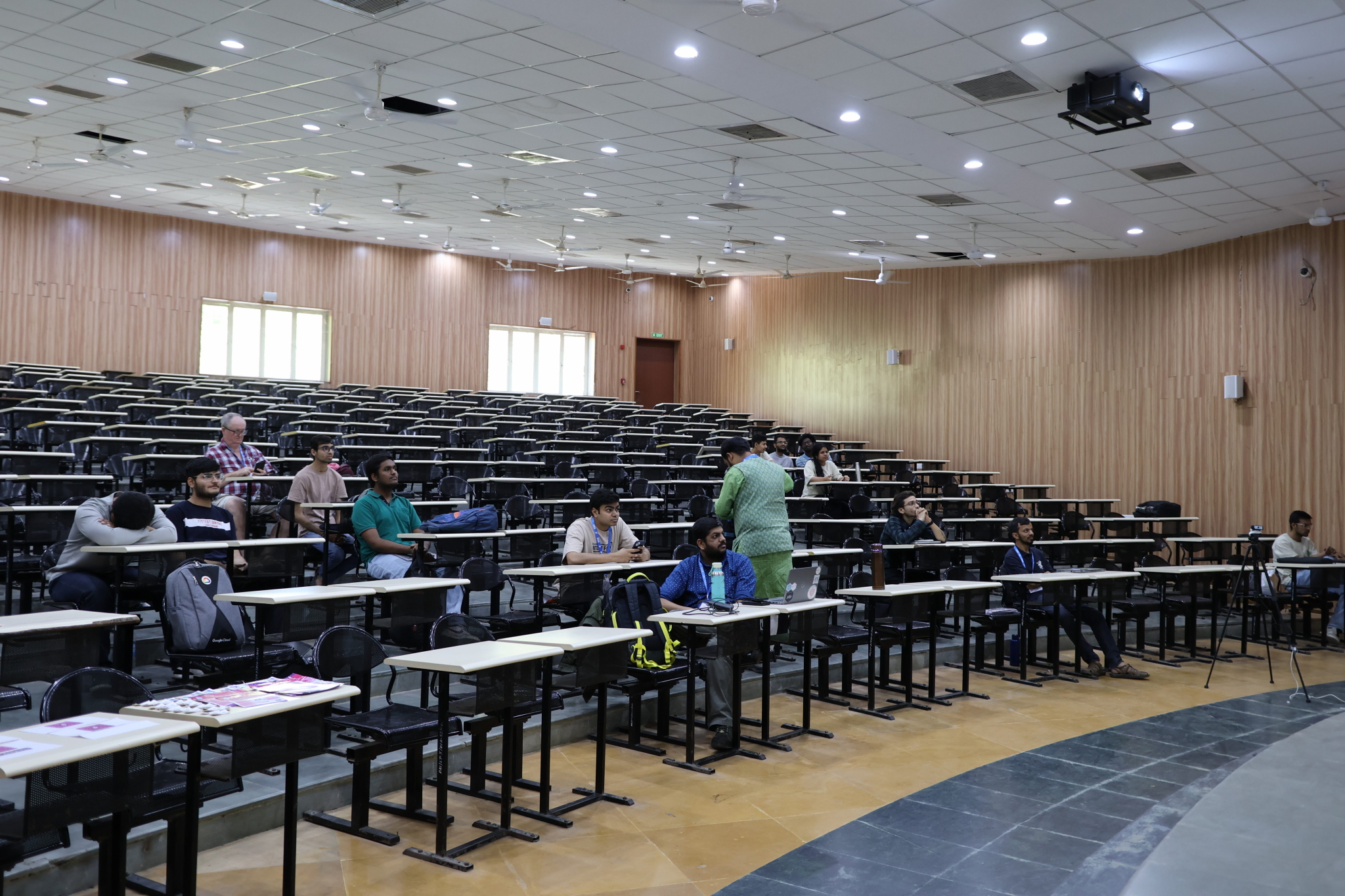 Conference hall
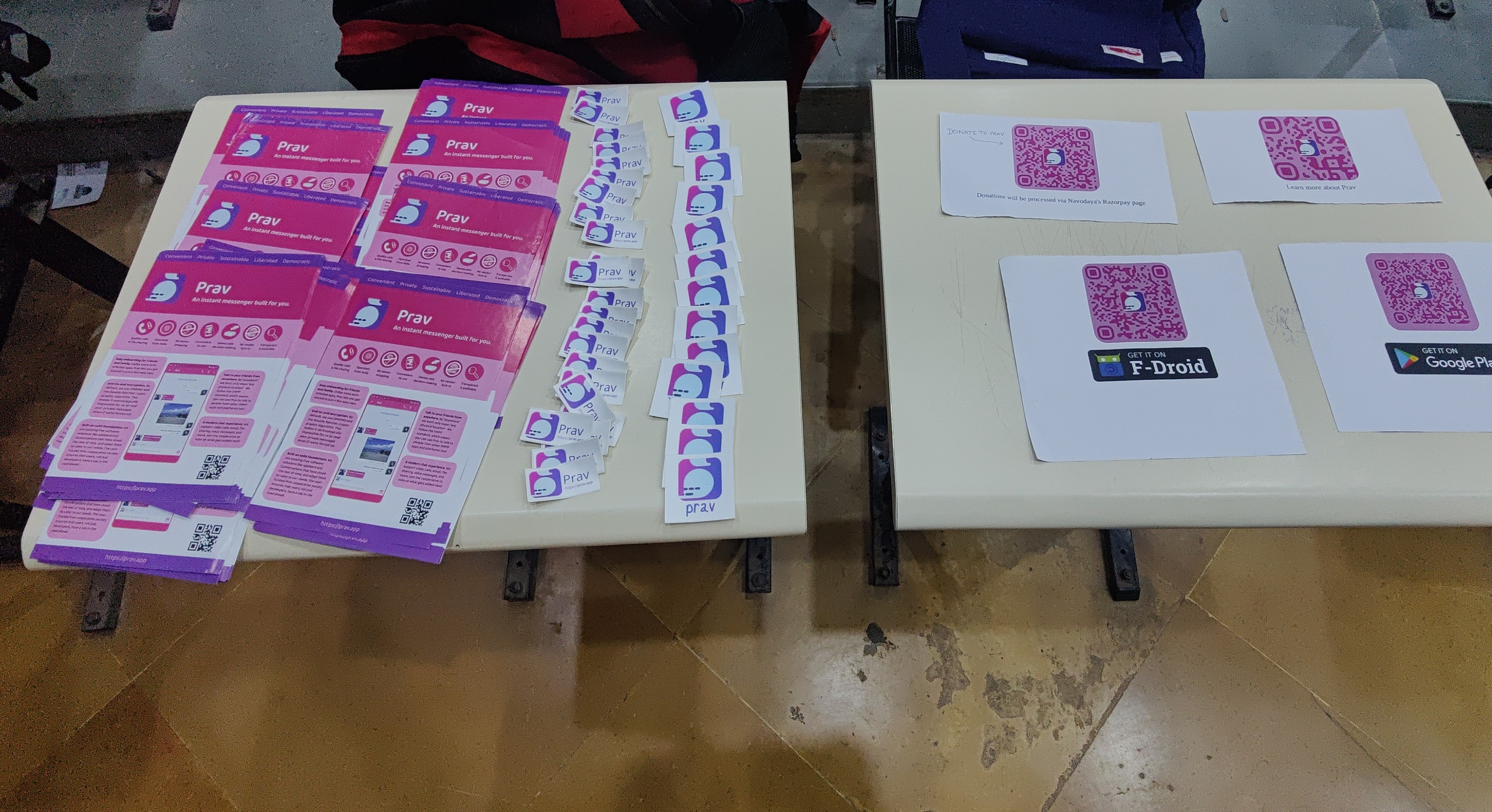 Prav stall at the conference
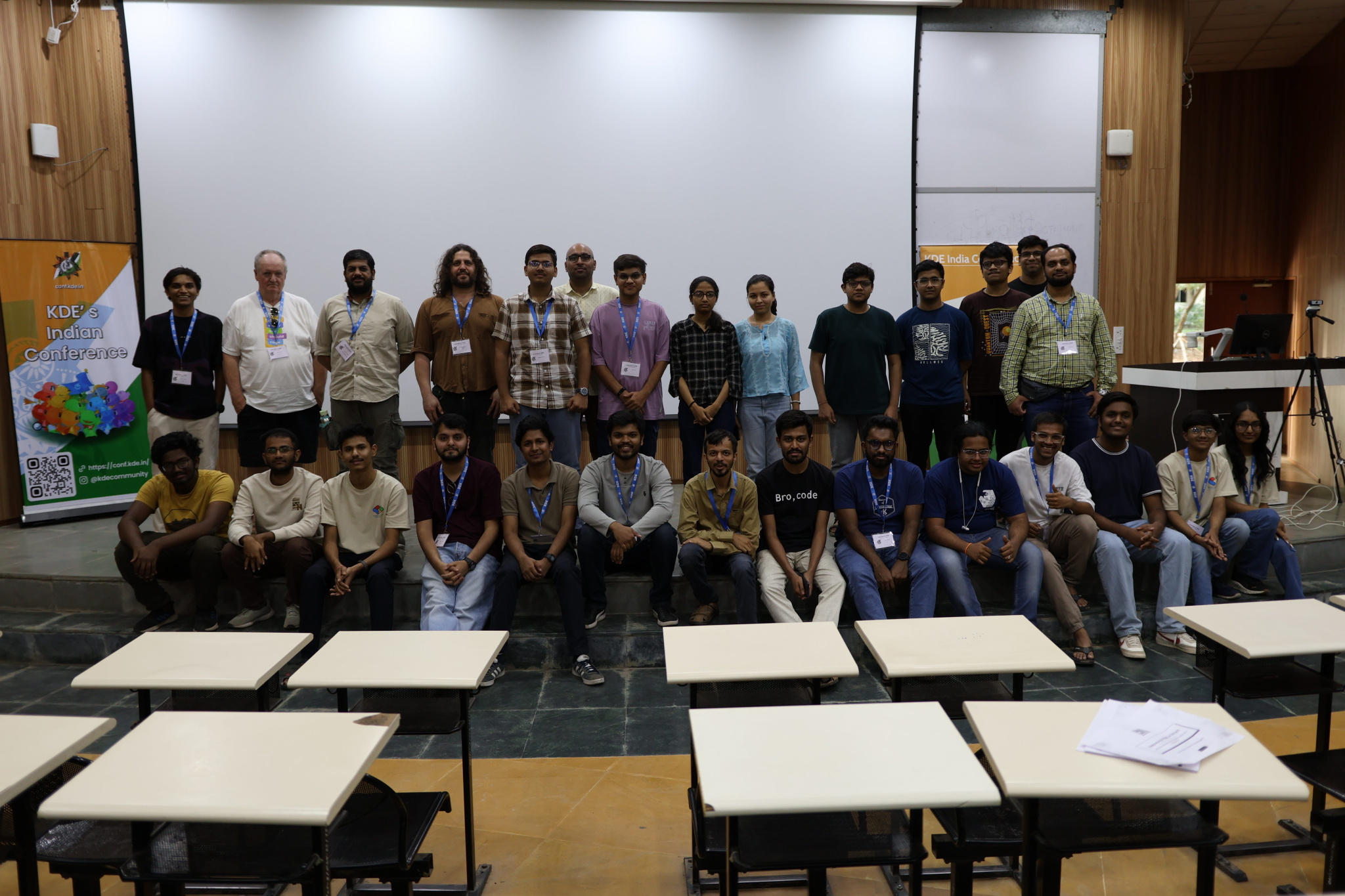 Conference group photo
 Adalaj Stepwell
 When I configured
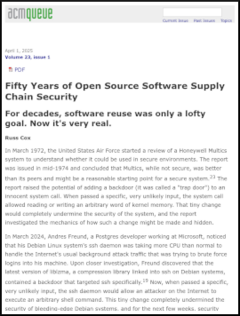
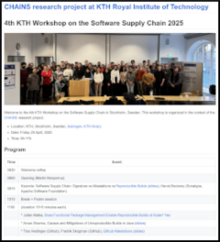
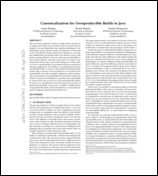
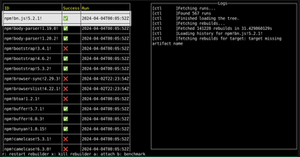







 It all began from a discussion in #debian-in of not having any BSPs in
the past in India. Then twisted in to hosting a
It all began from a discussion in #debian-in of not having any BSPs in
the past in India. Then twisted in to hosting a  I learned
 All in all we managed to touch 46
  TGV train I rode from Luxembourg to Paris
 Pasta I had in Paris
 A cycling track in Paris
 Luxembourg Museum
 A shot of the park near to the Luxembourg Museum
 Pantheon, one of the attractions of Paris.
 Photo with Joenio and Mari
 Notre Dame, another tourist attraction of Paris.
 My photo with Eiffel Tower in the background
 Items at a bakery in Paris. Items from left to right are: Chocolate Twist, Sugar briochette, Pain au Chocolat, Croissant with almonds, Croissant, Croissant with chocolate hazlenut filling.
 The Paris subway
 Inside a Paris subway
 A random building and road in Paris
 A shot near Seine river
 A view of Seine river
 Welcome to post 47 in the
  Usage is driven by deployment in continuous integration (as for
example the Ubuntu-use at GitHub makes this both an easy and obvious
choice), cloud computing (as it is easy to spin up Ubuntu instances, it
is as easy to add
Usage is driven by deployment in continuous integration (as for
example the Ubuntu-use at GitHub makes this both an easy and obvious
choice), cloud computing (as it is easy to spin up Ubuntu instances, it
is as easy to add